
Hardware Maintenance Manual. ThinkPad Edge 14, Edge 15, E40, and E50
|
|
|
- Hilda Clark
- 9 years ago
- Views:
Transcription
1 Hardware Maintenance Manual ThinkPad Edge 14, Edge 15, E40, and E50

2 te Before using this information and the product it supports, be sure to read the general information under Appendix A tices on page 149. Sixth Edition (May 2013) Copyright Lenovo 2010, LIMITED AND RESTRICTED RIGHTS NOTICE: If products, data, computer software, and services are delivered pursuant a General Services Administration GSA contract, use, reproduction, or disclosure is subject to restrictions set forth in Contract. GS-35F

3 Contents About this manual Chapter 1. Safety information General safety Electrical safety Safety inspection guide Handling devices that are sensitive to electrostatic discharge Grounding requirements Safety notices (multilingual translations) Laser compliance statement (multilingual translations) Chapter 2. Important service information Strategy for replacing FRUs Strategy for replacing a hard disk drive Important notice for replacing a system board How to use error message Strategy for replacing FRUs for CTO, CMV, and GAV Product definition FRU identification for CTO, CMV, and GAV products Chapter 3. General checkout What to do first Checkout guide Diagnostics using PC-Doctor for DOS Lenovo ThinkVantage Toolbox (Lenovo System Toolbox) PC-Doctor for Rescue and Recovery Lenovo Solution Center FRU tests Power system checkout Checking the ac adapter Checking operational charging Checking the battery pack Checking the backup battery Chapter 4. Related service information Restoring the factory contents by using the product Recovery Disc Set Passwords Power-on password Hard-disk password Supervisor password iii How to remove the power-on password How to remove the hard-disk password Power management Screen blank mode Sleep mode Hibernation mode Symptom-to-FRU index Numeric error codes Error messages beep symptoms LCD-related symptoms Intermittent problems Undetermined problems Chapter 5. Status indicators Chapter 6. Special keys and Fn key combination Chapter 7. FRU replacement notices Screw notices Retaining serial numbers Restoring the serial number of the system unit Retaining the UUID Reading or writing the ECA information Chapter 8. Removing or replacing a FRU Battery pack Optical drive or travel cover Thermal cover Hard disk drive assembly Memory module Fan assembly Microprocessor Wireless WAN slot cover and PCI Express Mini Card for wireless WAN Palm rest assembly with cables PCI Express Mini Card for wireless LAN Backup battery Bluetooth daughter card Keyboard Keyboard bezel LCD unit Top shielding assembly Copyright Lenovo 2010, 2013 i

4 1170 System board assembly USB connector board and USB cable assembly DC-in cable and base cover LCD front bezel Speaker assembly Integrated camera Hinges, LCD panel, LCD cable, and LCD rear cover assembly Antenna assembly Chapter 9. Locations Front view Rear view Bottom view Chapter 10. Parts list Overall LCD FRUs Keyboard Miscellaneous parts AC adapters Power cords Recovery discs Windows 7 Home Basic (32 bit) DVDs Windows 7 Home Premium (32 bit) DVDs Windows 7 Home Premium (64 bit) DVDs Windows 7 Professional (32 bit) DVDs Windows 7 Professional (64 bit) DVDs Common service tools Appendix A. tices Trademarks ii Hardware Maintenance Manual

5 About this manual This manual contains service and reference information for the following ThinkPad tebook products: ThinkPad Edge 14" and E40 Machine types (MT) 0199, 0578, and 0579 ThinkPad Edge 15" and E50 MT 0301, 0302, and 0319 Use this manual along with the advanced diagnostic tests to troubleshoot problems. Important: This manual is intended only for trained service technicians who are familiar with ThinkPad products. Use this manual along with the advanced diagnostic tests to troubleshoot problems effectively. Before servicing a ThinkPad product, be sure to read all the information underchapter 1 Safety information on page 1 and Chapter 2 Important service information on page 23. Copyright Lenovo 2010, 2013 iii

6 iv Hardware Maintenance Manual

7 Chapter 1. Safety information This chapter presents following safety information that you need to be familiar with before you service a ThinkPad tebook. General safety on page 1 Electrical safety on page 2 Safety inspection guide on page 3 Handling devices that are sensitive to electrostatic discharge on page 3 Grounding requirements on page 4 Safety notices (multilingual translations) on page 4 Laser compliance statement (multilingual translations) on page 17 General safety Follow these rules to ensure general safety: Observe good housekeeping in the area of the machines during and after maintenance. When lifting any heavy object: 1. Make sure that you can stand safely without slipping. 2. Distribute the weight of the object equally between your feet. 3. Use a slow lifting force. Never move suddenly or twist when you attempt to lift. 4. Lift by standing or by pushing up with your leg muscles; this action removes the strain from the muscles in your back. Do not attempt to lift any object that weighs more than 16 kg (35 lb) or that you think is too heavy for you. Do not perform any action that causes hazards to the customer, or that makes the equipment unsafe. Before you start the machine, make sure that other service technicians and the customer's personnel are not in a hazardous position. Place removed covers and other parts in a safe place, away from all personnel, while you are servicing the machine. Keep your toolcase away from walk areas so that other people will not trip over it. Do not wear loose clothing that can be trapped in the moving parts of a machine. Make sure that your sleeves are fastened or rolled up above your elbows. If your hair is long, fasten it. Insert the ends of your necktie or scarf inside clothing or fasten it with a nonconductive clip, about 8 centimeters (3 inches) from the end. Do not wear jewelry, chains, metal-frame eyeglasses, or metal fasteners for your clothing. Attention: Metal objects are good electrical conductors. Wear safety glasses when you are hammering, drilling, soldering, cutting wire, attaching springs, using solvents, or working in any other conditions that might be hazardous to your eyes. After service, reinstall all safety shields, guards, labels, and ground wires. Replace any safety device that is worn or defective. Reinstall all covers correctly before returning the machine to the customer. Fan louvers on the machine help to prevent overheating of internal components. Do not obstruct fan louvers or cover them with labels or stickers. Copyright Lenovo 2010,

8 Electrical safety Observe the following rules when working on electrical equipment. Important: Use only approved tools and test equipment. Some hand tools have handles covered with a soft material that does not insulate you when working with live electrical currents. Many customers have, near their equipment, rubber floor mats that contain small conductive fibers to decrease electrostatic discharges. Do not use this type of mat to protect yourself from electrical shock. Find the room emergency power-off (EPO) switch, disconnecting switch, or electrical outlet. If an electrical accident occurs, you can then operate the switch or unplug the power cord quickly. Do not work alone under hazardous conditions or near equipment that has hazardous voltages. Disconnect all power before: Performing a mechanical inspection Working near power supplies Removing or installing main units Before you start to work on the machine, unplug the power cord. If you cannot unplug it, ask the customer to power-off the wall box that supplies power to the machine, and to lock the wall box in the off position. If you need to work on a machine that has exposed electrical circuits, observe the following precautions: Ensure that another person, familiar with the power-off controls, is near you. Attention: Another person must be there to switch off the power, if necessary. Use only one hand when working with powered-on electrical equipment; keep the other hand in your pocket or behind your back. Attention: An electrical shock can occur only when there is a complete circuit. By observing the above rule, you may prevent a current from passing through your body. When using testers, set the controls correctly and use the approved probe leads and accessories for that tester. Stand on suitable rubber mats (obtained locally, if necessary) to insulate you from grounds such as metal floor strips and machine frames. Observe the special safety precautions when you work with very high voltages; Instructions for these precautions are in the safety sections of maintenance information. Use extreme care when measuring high voltages. Regularly inspect and maintain your electrical hand tools for safe operational condition. Do not use worn or broken tools and testers. Never assume that power has been disconnected from a circuit. First, check that it has been powered off. Always look carefully for possible hazards in your work area. Examples of these hazards are moist floors, non-grounded power extension cables, power surges, and missing safety grounds. Do not touch live electrical circuits with the reflective surface of a plastic dental mirror. The surface is conductive; such touching can cause personal injury and machine damage. Do not service the following parts with the power on when they are removed from their normal operating places in a machine: Power supply units Pumps Blowers and fans Motor generators Similar units to listed above 2 Hardware Maintenance Manual

9 This practice ensures correct grounding of the units. If an electrical accident occurs: Use caution; do not become a victim yourself. Switch off power. Send another person to get medical aid. Safety inspection guide The purpose of this inspection guide is to assist you in identifying potentially unsafe conditions. As each machine was designed and built, required safety items were installed to protect users and service technicians from injury. This guide addresses only those items. You should use good judgment to identify potential safety hazards due to attachment of non-thinkpad features or options not covered by this inspection guide. If any unsafe conditions are present, you must determine how serious the apparent hazard could be and whether you can continue without first correcting the problem. Consider these conditions and the safety hazards they present: Electrical hazards, especially primary power (primary voltage on the frame can cause serious or fatal electrical shock) Explosive hazards, such as a damaged CRT face or a bulging capacitor Mechanical hazards, such as loose or missing hardware To determine whether there are any potentially unsafe conditions, use the following checklist at the beginning of every service task. Begin the checks with the power off, and the power cord disconnected. Checklist: 1. Check exterior covers for damage (loose, broken, or sharp edges). 2. Power off the computer. Disconnect the power cord. 3. Check the power cord for: a. A third-wire ground connector in good condition. Use a meter to measure third-wire ground continuity for 0.1 ohm or less between the external ground pin and the frame ground. b. The power cord should be the type specified in the parts list. c. Insulation must not be frayed or worn. 4. Check for cracked or bulging batteries. 5. Remove the cover. 6. Check for any obvious non-thinkpad alterations. Use good judgment as to the safety of any non-thinkpad alterations. 7. Check inside the unit for any obvious unsafe conditions, such as metal filings, contamination, water or other liquids, or signs of fire or smoke damage. 8. Check for worn, frayed, or pinched cables. 9. Check that the power-supply cover fasteners (screws or rivets) have not been removed or tampered with. Handling devices that are sensitive to electrostatic discharge Any computer part containing transistors or integrated circuits (ICs) should be considered sensitive to electrostatic discharge (ESD.) ESD damage can occur when there is a difference in charge between objects. Protect against ESD damage by equalizing the charge so that the machine, the part, the work mat, and the person handling the part are all at the same charge. Chapter 1. Safety information 3

10 tes: 1. Use product-specific ESD procedures when they exceed the requirements noted here. 2. Make sure that the ESD protective devices you use have been certified (ISO 9000) as fully effective. When handling ESD-sensitive parts: Keep the parts in protective packages until they are inserted into the product. Avoid contact with other people. Wear a grounded wrist strap against your skin to eliminate static on your body. Prevent the part from touching your clothing. Most clothing is insulative and retains a charge even when you are wearing a wrist strap. Use a grounded work mat to provide a static-free work surface. The mat is especially useful when handling ESD-sensitive devices. Select a grounding system, such as those listed below, to provide protection that meets the specific service requirement. te: The use of a grounding system to guard against ESD damage is desirable but not necessary. Attach the ESD ground clip to any frame ground, ground braid, or green-wire ground. When working on a double-insulated or battery-operated system, use an ESD common ground or reference point. You can use coax or connector-outside shells on these systems. Use the round ground prong of the ac plug on ac-operated computers. Grounding requirements Electrical grounding of the computer is required for operator safety and correct system function. Proper grounding of the electrical outlet can be verified by a certified electrician. Safety notices (multilingual translations) The safety notices in this section are provided in the following languages: English Arabic Brazilian Portuguese French German Hebrew Japanese Korean Spanish Traditional Chinese DANGER 4 Hardware Maintenance Manual

11 DANGER DANGER DANGER DANGER DANGER DANGER Chapter 1. Safety information 5

12 DANGER 6 Hardware Maintenance Manual
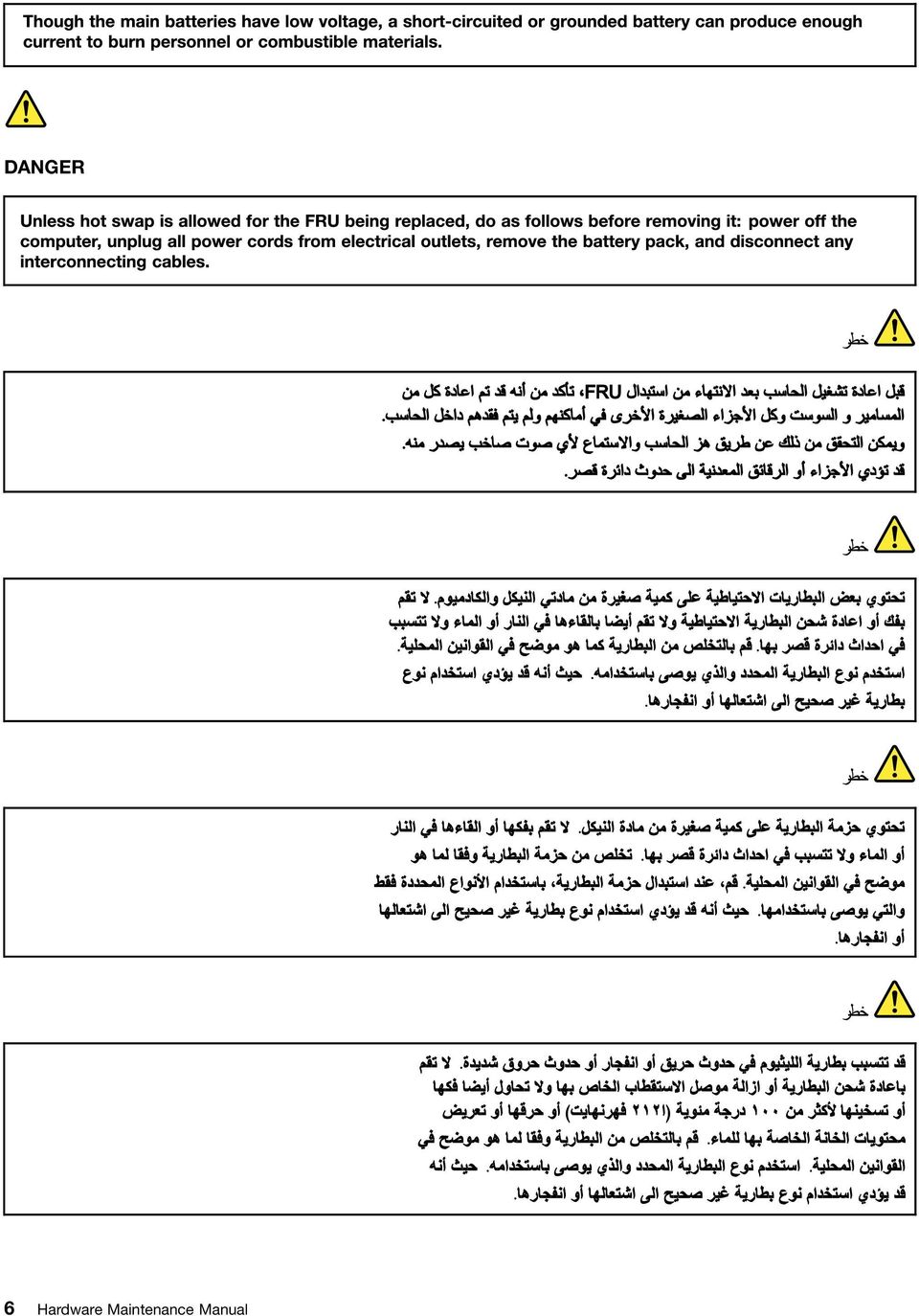
13 PERIGO PERIGO PERIGO Chapter 1. Safety information 7

14 PERIGO PERIGO PERIGO PERIGO PERIGO 8 Hardware Maintenance Manual

15 DANGER DANGER DANGER DANGER DANGER Chapter 1. Safety information 9

16 DANGER DANGER DANGER VORSICHT VORSICHT 10 Hardware Maintenance Manual

17 VORSICHT VORSICHT VORSICHT VORSICHT VORSICHT VORSICHT Chapter 1. Safety information 11

18 12 Hardware Maintenance Manual

19 Chapter 1. Safety information 13

20 14 Hardware Maintenance Manual

21 Chapter 1. Safety information 15
22 16 Hardware Maintenance Manual
23 Laser compliance statement (multilingual translations) The laser compliance statements in this section are provided in the following languages: English Arabic Brazilian Portuguese French German Hebrew Japanese Korean Spanish Traditional Chinese Chapter 1. Safety information 17
24 18 Hardware Maintenance Manual
25 Chapter 1. Safety information 19
26 20 Hardware Maintenance Manual
27 Chapter 1. Safety information 21
28 22 Hardware Maintenance Manual
29 Chapter 2. Important service information This chapter presents following important service information that applies to all machine types supported by this manual: Strategy for replacing FRUs on page 23 Strategy for replacing a hard disk drive on page 23 Important notice for replacing a system board on page 24 How to use error message on page 24 Strategy for replacing FRUs for CTO, CMV, and GAV on page 24 Product definition on page 24 FRU identification for CTO, CMV, and GAV products on page 24 Important: Advise customers to contact the Lenovo Customer Support Center if they need any assistance in obtaining or installing any software fixes, drivers, and BIOS downloads. Telephone numbers for Lenovo Support are available at: System Disassembly/Reassembly videos that show the FRU removals or replacements for the Lenovo authorized service technicians are available in the following support site: Strategy for replacing FRUs Before replacing parts: Ensure that all software fixes, drivers, and UEFI BIOS downloads are installed before you replace any FRUs listed in this manual. After a system board is replaced, ensure that the latest UEFI BIOS is loaded to the system board before you complete the service action. To download and install software fixes, drivers, and UEFI BIOS, go to and follow the instructions on the screen. Use the following strategy to prevent unnecessary expense for replacing and servicing FRUs: If you are instructed to replace a FRU but the replacement does not correct the problem, reinstall the original FRU before you continue. Some computers have both a processor board and a system board. If you are instructed to replace either the processor board or the system board, and replacing one of them does not correct the problem, reinstall that board, and then replace the other one. If an adapter or a device consists of more than one FRU, any of the FRUs might be the cause of the error. Before replacing the adapter or device, remove the FRUs, one by one, to see if the symptoms change. Replace only the FRU that changed the symptoms. Strategy for replacing a hard disk drive Always try to run a low-level format operation before replacing a hard disk drive or a solid-state drive. This will cause all customer data on the drive to be lost. Ensure that the customer has a current backup of the data before you perform this task. Copyright Lenovo 2010,
30 Attention: The drive startup sequence in the computer you are servicing might have been changed. Be extremely careful during write operations such as copying, saving, or formatting. If you select an incorrect drive, data or programs can be overwritten. Important notice for replacing a system board Some components mounted on a system board are very sensitive. Improper handling of a system board can cause damage to those components, and may cause a system malfunction. Attention: When handling a system board: Do not drop a system board or apply any excessive force to it. Avoid rough handling of any kind. Avoid bending a system board and hard pushing to prevent cracking at each BGA (Ball Grid Array) chipset. How to use error message Use the error codes displayed on the screen to diagnose failures. If more than one error code is displayed, begin the diagnosis with the first error code. Whatever causes the first error code might also cause false error codes. If no error code is displayed, see whether the error symptom is listed in the Symptom-to-FRU Index section. Strategy for replacing FRUs for CTO, CMV, and GAV Product definition Dynamic Configure To Order (CTO) This provides the ability for a customer to configure a Lenovo solution from an esite, and have this configuration sent to fulfillment, where it is built and shipped directly to the customer. The machine label and esupport will load these products as the 4-digit MT and 3-digit model, where model = CTO (Example: 1829-CTO). Custom Model Variant (CMV) This is a unique configuration that has been negotiated between Lenovo and the customer. A unique 4-digit MT and 3-digit model is provided to the customer to place orders (Example: 1829-W15). A CMV is a special bid offering. Therefore, it is NOT generally announced. The MTM portion of the machine label is the 4-digit MT and 3-digit model, where model = CTO (Example: 1829-CTO). The PRODUCT ID portion of the machine label is the 4-digit MT and 3-digit CMV model (Example: 1829-W15). esupport will show both the CTO and CMV machine type models (Example: 1829-CTO and 1829-W15 will be found on the esupport site.) General Announce Variant (GAV) This is a standard model (fixed configuration). GAVs are announced and offered to all customers. The MTM portion of the machine label is a 4-digit MT and 3-digit model, where model = a fixed part number, not CTO (Example: 1829-F1U). Also, esupport will list these products under the same fixed model number. FRU identification for CTO, CMV, and GAV products There are three information resources to identify which FRUs are used to support CTO, CMV, and GAV products. These sources are PEW, esupport, and the HMM. 24 Hardware Maintenance Manual
31 Use Lenovo esupport to identify major FRUs, FRU part numbers, and FRU descriptions for CTO, CMV, and GAV products at an MT - serial number level. Examples of major FRUs are hard disk drive, system board, liquid crystal display (LCD), and memory module. All CTO and CMV products are loaded under the 4-digit MT and 3-digit model, where model = CTO (example: 1829-CTO). GAVs are loaded under the 4-digit MT and 3-digit model, where model = a fixed part number, not CTO (example: 1829-F1U). To identify the major FRUs for a product, do the following: 1. Go to: 2. Click Warranty & Services. 3. Click Check Warranty Status. 4. On the Warranty Status Lookup page, click Parts Lookup. 5. Type your machine type and serial number, and then click Submit. esupport also can be used to view the general FRU list for a product. To get the general FRU list for a product, do the following: 1. Go to: 2. Click Parts & Accessories. 3. Follow the instructions on the screen to select product. 4. Click Products and Parts Detail. 5. On the PRODUCT AND PARTS DETAIL page, click the Parts Detail tab to view the FRU list. te: The FRU list is a general list of components and does not contain specific model information. Chapter 2. Important service information 25
32 26 Hardware Maintenance Manual
33 Chapter 3. General checkout This chapter presents following information: What to do first on page 27 Checkout guide on page 28 Diagnostics using PC-Doctor for DOS on page 28 Lenovo ThinkVantage Toolbox (Lenovo System Toolbox) on page 31 PC-Doctor for Rescue and Recovery on page 31 FRU tests on page 34 Power system checkout on page 35 The descriptions in this chapter apply to any ThinkPad model that supports the PC-Doctor for DOS diagnostics program. Some descriptions might not apply to your particular computer. Before you go to the checkout guide, be sure to read the following important notes. Important: Only certified trained personnel should service the computer. Before replacing any FRU, read the entire page on removing and replacing FRUs. When you replace FRUs, use new nylon-coated screws. Be extremely careful during such write operations as copying, saving, or formatting. Drives in the computer that you are servicing sequence might have been altered. If you select an incorrect drive, data or programs might be overwritten. Replace a FRU only with another FRU of the correct model. When you replace a FRU, make sure that the model of the machine and the FRU part number are correct by referring to the FRU parts list. A FRU should not be replaced because of a single, unreproducible failure. Single failures can occur for a variety of reasons that have nothing to do with a hardware defect, such as cosmic radiation, electrostatic discharge, or software errors. Consider replacing a FRU only when a problem recurs. If you suspect that a FRU is defective, clear the error log and run the test again. If the error does not recur, do not replace the FRU. Be careful not to replace a nondefective FRU. What to do first When you do return a FRU, you must include the following information in the parts exchange form or parts return form that you attach to it: 1. Name and phone number of service technician 2. Date of service 3. Date on which the machine failed 4. Date of purchase 5. Failure symptoms, error codes appearing on the display, and beep symptoms 6. Procedure index and page number in which the failing FRU was detected 7. Failing FRU name and part number 8. Machine type, model number, and serial number 9. Customer's name and address te for Warranty: During the warranty period, the customer may be responsible for repair costs if the computer damage was caused by misuse, accident, modification, unsuitable physical or operating environment, or improper maintenance by the customer. Copyright Lenovo 2010,
34 Following is a list of some common items that are not covered under warranty and some symptoms that might indicate that the system was subjected to stress beyond normal use. Before checking problems with the computer, determine whether the damage is covered under the warranty by referring to the following list: The following are not covered under warranty: LCD panel cracked from the application of excessive force or from being dropped Scratched (cosmetic) parts Distortion, deformation, or discoloration of the cosmetic parts Plastic parts, latches, pins, or connectors that have been cracked or broken by excessive force Damage caused by liquid spilled into the system Damage caused by the improper insertion of a PC Card or the installation of an incompatible card Improper disc insertion or use of an optical drive Diskette drive damage caused by pressure on the diskette drive cover, foreign material in the drive, or the insertion of a diskette with multiple labels Damaged or bent diskette eject button Fuses blown by attachment of a nonsupported device Forgotten computer password (making the computer unusable) Sticky keys caused by spilling a liquid onto the keyboard Use of an incorrect ac adapter on laptop products The following symptoms might indicate damage caused by nonwarranted activities: Missing parts might be a symptom of unauthorized service or modification. Check for obvious damage to a hard disk drive. If the spindle of a hard disk drive becomes noisy, the hard disk drive might have been dropped or subject to excessive force. Checkout guide Use the following procedures as a guide in identifying and correcting problems with the ThinkPad tebook. te: The diagnostic tests are intended to test only ThinkPad products. The use of non-thinkpad products, prototype cards, or modified options can lead to false indications of errors and invalid system responses. 1. Identify the failing symptoms in as much detail as possible. 2. Verify the symptoms. Try to re-create the failure by running the diagnostic test or by repeating the operation. Diagnostics using PC-Doctor for DOS The ThinkPad tebook has a test program called PC-Doctor for DOS (hereafter called PC-Doctor.) You can detect errors by running the diagnostics test included in PC-Doctor. tes: PC-Doctor for DOS is available at the following Web site: To create the PC-Doctor diagnostic CD, follow the instructions on the Web site. For some possible configurations of the computer, PC-Doctor might not run correctly. To avoid this problem, you need to initialize the computer setup by use of the BIOS Setup Utility before you run PC-Doctor. To enter BIOS Setup Utility, do as follows: 1. Turn on the computer. 2. When the ThinkPad logo comes up, immediately press F1 to enter the BIOS Setup Utility. 28 Hardware Maintenance Manual
35 te: If a supervisor password has been set by the customer, BIOS Setup Utility menu appears after the password is entered. You can start BIOS Setup Utility by pressing Enter instead of entering the supervisor password; however, you cannot change the parameters that are protected by the supervisor password. On the BIOS Setup Utility screen, press F9, Enter, F10, and then Enter. te: When you initialize the computer configuration, some devices are disabled, such as the serial port. If you test one of these devices, you will need to enable it by using Configuration utility for DOS. The utility is available on the following Web site: Testing the computer te: The PC-Doctor for DOS CD-R/CD-RW disc supports only test of internal optical disc drives (CD-RW, CD-RW/DVD Combo, and DVD Multi drives) on ThinkPad computers. It does not support test of any optical disc drives connected through USB devices, PC cards, CardBus cards, or similar. The USB limitation only applies to testing of the device. Using a bootable PC-Doctor for DOS CD/DVD, the system can be started from a USB attached optical drive. To run the test, do as follows: 1. Turn off the computer. 2. Make sure that the optical drive that is supported as a startup device is installed to the computer you are servicing. 3. Turn on the computer. If the computer cannot be powered on, go to Power system checkout on page 35, and check the power sources. If an error code appears, go to Symptom-to-FRU index on page When the ThinkPad logo comes up, immediately press F12 to enter the Boot Menu. 5. Insert the PC-Doctor CD into the optical drive. 6. Press cursor keys to select ATAPI CDx (x: 0, 1,...) and then press Enter. 7. Follow the instructions on the screen. 8. The main panel of PC-Doctor appears. 9. Select Diagnostics with the arrow keys, and press Enter. te: You can select an item not only with the arrow keys, but also with the TrackPoint pointer. Instead of pressing Enter, click the left button. A pull-down menu appears. (Its exact form depends on the model.) te: PC-Doctor menu does not mean the formal support device list. Some unsupported device names may appear in the PC-Doctor menu. Chapter 3. General checkout 29
36 The options on the test menu are as follows: Diagnostics Run rmal Test Run Quick Test Microprocessor/Coprocessor System board Video Adapter Serial Ports Fixed Disks Diskette Drives Other Devices Wireless LAN Advanced Memory Tests Interactive Tests Keyboard Video Internal Speaker Mouse Diskette System Load Optical Drive Test Intel WLAN Radio Test tes: In the Keyboard test in Interactive Tests, the Fn key should be held down for at least 2 seconds; otherwise, it cannot be sensed. Video Adapter test supports only the LCD display on the ThinkPad tebook. If you have an external monitor attached to the computer, detach it before running PC-Doctor for DOS. To test Digital Signature Chip, the security chip must be set to Active. 10. Run the applicable function test. 11. Follow the instructions on the screen. If there is a problem, PC-Doctor shows messages describing it. 12. To exit the test, select Quit Exit Diag. To cancel the test, press Esc. te: After running PC-Doctor, check the time and date on the system and reset them if they are incorrect. Detecting system information with PC-Doctor PC-Doctor can detect the following system information: Hardware Info System Configuration Memory Contents Physical Disk Drives Logical Disk Drives VGA Information IDE Drive Info PCI Information PNPISA Info SMBIOS Info VESA LCD Info Hardware Events Log Utility Run External Tests Surface Scan Hard Disk Benchmark System DOS Shell Tech Support Form Battery Rundown View Test Log Print Log Save Log Full Erase Hard Drive Quick Erase Hard Drive 30 Hardware Maintenance Manual
37 Lenovo ThinkVantage Toolbox (Lenovo System Toolbox) Lenovo ThinkVantage Toolbox is a diagnostic program that works through the Windows operating system. It enables you to view symptoms of computer problems and solutions for them, and includes automatic notification when action is required, computing assistance, advanced diagnostics, and diagnostic history. te: The latest Lenovo ThinkVantage Toolbox is available at the following Web site: To install the latest Lenovo ThinkVantage Toolbox on the computer, follow the instructions on the Web site. To run this program, do as follows: Click Start Control Panel System and Security Lenovo's System Health and Diagnostics. Follow the instructions on the screen. Lenovo ThinkVantege Toolbox (Lenovo System Toolbox) also has problem determination aids that determine software and usage problems. For additional information about this program, see the Help for the program. PC-Doctor for Rescue and Recovery By using PC-Doctor from the Rescue and Recovery workspace, you can diagnose the hardware features of the computer without starting up the operating system. To run the test, do as follows: 1. Power off the computer, and then power it on again. 2. When the ThinkPad logo comes up, immediately press Enter key. The Rescue and Recovery workspace opens. 3. Click Launch advanced Rescue and Recovery. 4. Click Diagnose hardware. For more information about PC-Doctor, see the Help for the program. Lenovo Solution Center The Lenovo Solution Center program enables you to troubleshoot and resolve computer problems. It combines diagnostic tests, system information collection, security status, and support information, along with hints and tips for maximum system performance. te: The Lenovo Solution Center program is available only on models preinstalled with the Windows 7 operating system. It also can be downloaded from To run the Lenovo Solution Center program, click Start Control Panel System and Security Lenovo - System Health and Diagnostics, and then follow the instructions on the screen. For additional information about this program, see the help information system. Quick test programs Lenovo Hard Drive Quick Test and Lenovo Memory Quick Test are two quick test programs that enable you to troubleshoot and resolve computer internal storage and memory problems. tes: Chapter 3. General checkout 31
38 If the computer you are servicing is not installed with the Lenovo Solution Center program, you can download the quick test programs from the Lenovo Support Web site. The two programs are applicable to computers installed with the Windows 7, Windows XP, Windows Server 2003, or Windows Server 2008 operating system. To download and install a quick test program, go to and follow the instructions on the Web site. To run a quick test using the downloaded program, do the following: 1. Go to the C:\SWTOOLS\ldiag folder. 2. Double-click the gui_lsc_lite.exe file. 3. When the User Account Control window opens, click Yes. 4. Select the device class to be tested. 5. Select the devices to be tested. 6. Select the tests to be performed. 7. Follow the instructions on the screen to start the test. When a problem is detected, information messages will be displayed. Refer to the messages to troubleshoot the problem. UEFI diagnostic program A UEFI diagnostic program is preinstalled on the computer. It enables you to test memory and internal storage problems, view system information, and check and recover bad sectors on internal storage devices. To run the UEFI diagnostic program, do the following: 1. Turn on the computer. If the computer cannot be turned on, go to Power system checkout on page 35, and check the power sources. If an error code is displayed, go to Symptom-to-FRU index on page 42 for error code descriptions and troubleshooting hints. 2. When the ThinkPad logo is displayed, repeatedly press and release the F12 key. When the Boot Menu window opens, release the F12 key. 3. Press the Tab key to switch to the Application Menu window. 4. Use the arrow keys to select Lenovo Diagnostics and then press Enter. The main screen of the UEFI diagnostic program is displayed. 5. Follow the instructions on the screen to use the diagnostic program. The options on the main screen are as follows: Tests Quick Memory Test Quick Storage Device Test Exit Application Tools System Information Recover Bad Sectors Tool Bootable diagnostic programs If the computer you are servicing is not installed with the UEFI diagnostic program, you can download a bootable diagnostic program from the Lenovo Support Web site. The bootable diagnostic programs enable you to test computer memory and internal storage devices, view system information, and check and recover the internal storage devices. To use the bootable diagnostic programs, you can create a bootable diagnostic medium on a USB device or CD. To create a bootable diagnostic medium, do the following: 1. Go to 32 Hardware Maintenance Manual
39 2. Click Lenovo Bootable Diagnostics. 3. Follow the instructions on the Web site to create a bootable diagnostic medium on a USB device or CD. To use the diagnostic medium you have created, do one of the following: If you have created the bootable diagnostic medium on a USB device, do the following: 1. Attach the USB device to the computer. 2. Turn on the computer. If the computer cannot be turned on, go to Power system checkout on page 35, and check the power sources. If an error code is displayed, go to Symptom-to-FRU index on page 42 for error code descriptions and troubleshooting hints. 3. When the ThinkPad logo is displayed, repeatedly press and release the F12 key. When the Boot Menu window opens, release the F12 key. 4. Use the arrow keys to select USB HDD and then press Enter. The diagnostic program will be launched automatically. 5. Follow the instructions on the screen to use the diagnostic program. If you have created the bootable diagnostic medium on a CD, do the following: 1. Turn on the computer. If the computer cannot be turned on, go to Power system checkout on page 35, and check the power sources. If an error code is displayed, go to Symptom-to-FRU index on page 42 for error code descriptions and troubleshooting hints. 2. Insert the CD into the optical drive. 3. Restart the computer. 4. When the ThinkPad logo is displayed, repeatedly press and release the F12 key. When the Boot Menu window opens, release the F12 key. 5. Use the arrow keys to select ATAPI CDx (x: 0, 1,...) and then press Enter. The diagnostic program will be launched automatically. 6. Follow the instructions on the screen to use the diagnostic program. Lenovo ThinkVantage Toolbox Lenovo ThinkVantage Toolbox is a diagnostic program that works through the Windows operating system. It enables you to view symptoms of computer problems and solutions for them, and includes automatic notification when action is required, computing assistance, advanced diagnostics, and diagnostic history. te: To install the latest Lenovo ThinkVantage Toolbox on the computer, go to click Download Lenovo ThinkVantage Toolbox, and then follow the instructions on the Web site. To run this program, do as follows: Windows 7: Click Start Control Panel System and Security Lenovo - System Health and Diagnostics. Windows XP: Click Start All Programs ThinkVantage Lenovo ThinkVantage Toolbox. Follow the instructions on the screen. Lenovo ThinkVantage Toolbox also has problem determination aids that determine software and usage problems. For additional information about this program, see the Help for the program. Chapter 3. General checkout 33
40 FRU tests The following table shows the test for each FRU. Table 1. FRU tests FRU System board Power LCD unit Audio Speaker Applicable test 1. Diagnostics Microprocessor/Coprocessor 2. Diagnostics Systemboard Diagnostics ThinkPad Devices AC Adapter Battery 1 (Battery2) 1. Diagnostics Video Adapter 2. Interactive Tests Video Enter the BIOS Setup Utility and change Serial ATA (SATA) setting to Compatibility, and run Diagnostics Other Device Conexant Audio. Interactive Tests Internal Speaker te: Once Audio test is done, the no sound is heard this test. In this case, turn off and turn on the computer. Then, run this test again. Keyboard Hard disk drive Diskette drive Memory TrackPoint or pointing device 1. Diagnostics Systemboard Keyboard 2. Interactive Tests Keyboard Enter the BIOS Setup Utility and change Serial ATA (SATA) setting to Compatibility, and run Diagnostics Fixed Disks. You can also diagnose the drive without starting up the operating system. To diagnose the drive from the BIOS Setup Utility, do as follows: 1. Remove any diskette from the diskette drive, and then turn off the computer. 2. Turn on the computer. 3. While the message, To interrupt normal startup, press Enter, is displayed at the lower left of the screen, press F1 to enter the BIOS Setup Utility. 4. Using cursor keys, select HDD diagnostic program. Press enter. 5. Using cursor keys, select Main hard disk drive. 6. Press Enter to start the diagnostic program. 1. Diagnostics Diskette Drives 2. Interactive Tests Diskette 1. If two memory modules are installed, remove one of them and run Diagnostics Advanced Memory Tests. 2. If the problem does not recur, return the memory module to its place, remove the other one, and run the test again. If the TrackPoint does not work, check the configuration as specified in the BIOS Setup Utility. If the TrackPoint is disabled, select Automatic to enable it. After you use the TrackPoint, the pointer may drift on the screen for a short time. This drift can occur when a slight, steady pressure is applied to the TrackPoint pointer. This symptom is not a hardware problem. If the pointer stops after a short time, no service action is necessary. Touch Pad If enabling the TrackPoint does not correct the problem, continue with the following: Interactive Tests Mouse If the Touch Pad does not work, check the configuration as specified in the BIOS Setup Utility. If the Touch Pad is disabled, select Automatic to enable it. If enabling the Touch Pad does not correct the problem, continue with the following: Interactive Tests Mouse 34 Hardware Maintenance Manual
41 Power system checkout To verify a symptom, do the following: 1. Turn off the computer. 2. Remove the battery pack. 3. Connect the ac adapter. 4. Check that power is supplied when you turn on the computer. 5. Turn off the computer. 6. Disconnect the ac adapter and install the charged battery pack. 7. Check that the battery pack supplies power when you turn on the computer. If you suspect a power problem, see the appropriate one of the following power supply checkouts: Checking the ac adapter on page 35 Checking operational charging on page 35 Checking the battery pack on page 36 Checking the backup battery on page 36 Checking the ac adapter You are here because the computer fails only when the ac adapter is used. If the power-on indicator does not turn on, check the power cord of the ac adapter for correct continuity and installation. If the computer does not charge during operation, go to Checking operational charging on page 35 To check the ac adapter, do the following: 1. Unplug the ac adapter cable from the computer. 2. Measure the output voltage at the plug of the ac adapter cable. See the following figure: (20V) Pin Voltage (V dc) Ground te: Output voltage of pin no.2 of the ac adapter may different from the one you are servicing. 3. If the voltage is not correct, replace the ac adapter. 4. If the voltage is acceptable, do the following: Replace the system board. If the problem persists, go to FRU tests on page 34. te: ise from the ac adapter does not always indicate a defect. Checking operational charging To check whether the battery charges properly during operation, do the following: te: Before you begin, install a discharged battery pack or battery pack that has less than 50% of the total power remaining in the computer. 1. If the status indicator does not turn on, remove the battery pack and let it return to room temperature. 2. Reinstall the battery pack. Chapter 3. General checkout 35
42 3. If the indicator still does not turn on, replace the battery pack. 4. If the indicator still does not turn on, replace the system board. Otherwise, refer to Checking the backup battery on page 36. Checking the battery pack Battery charging does not start until the Power Manager Battery Gauge shows that less than 96% of the total power remains; under this condition the battery pack can charge to 100% of its capacity. This protects the battery pack from being overcharged or from having a shortened life. To check your battery, move your cursor to the Power Manager Battery Gauge icon in the icon tray of the Windows taskbar and wait for a moment (but do not click), and the percentage of battery power remaining is displayed. To get detailed information about the battery, double-click the Power Manager Battery Gauge icon. te: If the battery pack becomes hot, it may not be able to charge. Remove it from the computer and leave it at room temperature for a while. After it cools down, reinstall and recharge it. To check the battery pack, do the following: 1. Turn off the computer and disconnect the ac power adapter. 2. Remove the battery pack and measure the voltage between battery terminals 1 (+) and 7 (-). The following correct voltages are shown in the following table: Terminal Voltage (V dc) to Ground (-) 1(+) 2(+) (-)7(-) 3. If the voltage is less than V dc, the battery pack has been discharged. te: Recharging will take at least 3 hours, even if the indicator does not turn on. If the voltage is still less than V dc after recharging, replace the battery. 4. If the voltage is more than V dc, measure the resistance between battery terminals 5 and 7. The resistance must be 4 to 30 K Ω. If the resistance is not correct, replace the battery pack. If the resistance is correct, replace the system board. Checking the backup battery Do the following: 1. Power off the computer, and unplug the ac adapter from it. 2. Turn the computer upside down. 3. Remove the battery pack (see 1010 Battery pack on page 58). 4. Remove the backup battery (see 1110 Backup battery on page 74). 5. Measure the voltage of the backup battery. See the following figure. 36 Hardware Maintenance Manual
43 Wire Voltage (V dc) Red +2.5 to +3.2 Black Ground If the voltage is correct, replace the system board. If the voltage is not correct, replace the backup battery. If the backup battery discharges quickly after replacement, replace the system board. Chapter 3. General checkout 37
44 38 Hardware Maintenance Manual
45 Chapter 4. Related service information This chapter presents following information: Restoring the factory contents by using the product Recovery Disc Set on page 39 Passwords on page 40 Power management on page 42 Symptom-to-FRU index on page 42 Service Web site: When the latest maintenance diskette and the system program service diskette become available, they will be posted on Restoring the factory contents by using the product Recovery Disc Set When the main storage device is replaced because of a failure, no product recovery program is on the new drive. In this case, the customer must use the Recovery Disc Set to recover the tablet. Order the Recovery Disc Set and the drive at the same time so that the customer can restore the tablet to the factory default settings by using the Recovery Disc Set after the new drive is installed. For information about which discs to order, go to: Depending on the model, the number of recovery discs included in the Recovery Disc Set differs. To restore the factory contents by using the product Recovery Disc Set, do the following: tes: During the recovery process, all data on the drive will be deleted. If possible, copy any important data or personal files that you want to keep onto removable media or a network drive before you start the recovery process. The recovery process takes one to two hours to complete. The length of time depends on the method you use. If you use product Recovery Disc Set, the recovery process takes about two hours. 1. Connect an external CD/DVD drive. 2. Make the CD/DVD drive the first startup device in the startup sequence using the following procedure: a. Open the ThinkPad Setup program and select Startup Boot. b. Select the CD/DVD drive as the 1st Boot Device. 3. Insert the bootable recovery disc into the CD/DVD drive. 4. Start the computer from the external CD/DVD drive. 5. When promoted, select your language and click Next. 6. Read the license and accept the terms and conditions. Then follow the instructions on the screen. 7. If the Recovery Disc Set contains a Supplemental Recovery Disc, insert it when prompted and click Yes. te: t all Recovery Disc Sets come with a Supplemental Recovery Disc. If there is a Supplemental Recovery Disc, it will be clearly marked as such. 8. When all of the data has been copied from the last disc in the set and has been processed, remove the external CD/DVD drive and restart the computer. Follow the instructions on the screen to finish the recovery. te: The rest of the recovery process is fully automated and no action from you is required. The computer will restart into the Microsoft Windows desktop several times and you might experience periods when no activity is apparent on the screen for several minutes at a time. This is normal. Copyright Lenovo 2010,
46 9. When the recovery process completes, the Welcome to Microsoft Windows screen is displayed. Follow the instructions on the screen to complete the Windows setup. 10. After you have completed the Windows setup, you might want to restore the original startup sequence. Start the ThinkPad Setup program and then press F9 to restore the default settings. Press F10 to save changes and exit the ThinkPad Setup program. te: After restoring a drive to the factory default settings, you might need to reinstall some device drivers. Passwords As many as three passwords may be needed for any ThinkPad tebook: the power-on password (POP), the hard-disk password (HDP), and the supervisor password (SVP). If any of these passwords has been set, a prompt for it appears on the screen whenever the computer is turned on. The computer does not start until the password is entered. Exception: If only an SVP is installed, the password prompt does not appear when the operating system is booted. Power-on password A power-on password (POP) protects the system from being powered on by an unauthorized person. The password must be entered before an operating system can be booted. For how to remove the POP, see How to remove the power-on password on page 40. Hard-disk password There are two hard-disk passwords (HDPs): User HDP for the user Master HDP for the system administrator, who can use it to get access to the hard disk even if the user has changed the user HDP te: There are two modes for the HDP: User only and Master + User. The Master + User mode requires two HDPs; the system administrator enters both in the same operation. The system administrator then provides the user HDP to the system user. Attention: If the user HDP has been forgotten, check whether a master HDP has been set. If it has, it can be used for access to the hard disk drive. If no master HDP is available, neither Lenovo nor Lenovo authorized service technicians provide any services to reset either the user or the master HDP, or to recover data from the hard disk drive. The hard disk drive can be replaced for a scheduled fee. For how to remove the POP, see How to remove the hard-disk password on page 41. Supervisor password A supervisor password (SVP) protects the system information stored in the BIOS Setup Utility. The user must enter the SVP in order to get access to the BIOS Setup Utility and change the system configuration. Attention: If the SVP has been forgotten and cannot be made available to the service technician, there is no service procedure to reset the password. The system board must be replaced for a scheduled fee. How to remove the power-on password To remove a POP that you have forgotten, do the following: 40 Hardware Maintenance Manual
47 (A) If no SVP has been set: 1. Turn off the computer. 2. Remove the battery pack. For how to remove the battery pack, see 1010 Battery pack on page Remove the backup battery. For how to remove the backup battery, see 1110 Backup battery on page Turn on the computer and wait until the POST ends. After the POST ends, the password prompt does not appear. The POP has been removed. 5. Reinstall the backup battery and the battery pack. (B) If an SVP has been set and is known by the service technician: 1. Turn on the computer. 2. When the ThinkPad logo comes up, immediately press F1 to enter BIOS Setup Utility.For models supporting the Passphrase function, press F1 while the POP icon is appearing on the screen; then enter the POP. For the other models, enter the POP. te: To check whether the ThinkPad tebook you are servicing supports the Passphrase function, enter the BIOS Setup Utility and go to Security Password. If the Using Passphrase item is displayed in the menu, this function is available on the ThinkPad tebook. 3. Select Security, using the cursor directional keys to move down the menu. 4. Select Password. 5. Select Power-On Password. 6. Type the current SVP in the Enter Current Password field, then leave the Enter New Password field blank and press Enter twice. 7. In the Changes have been saved window, press Enter. 8. Press F10; then, in the Setup confirmation window, select Yes. How to remove the hard-disk password Attention: If User only mode is selected and the user HDP has been forgotten and cannot be made available to the service technician, neither Lenovo nor Lenovo authorized service technicians provide any services to reset the user HDPs or to recover data from the hard disk drive. To put the system back to operational status, the only Lenovo and Lenovo-authorized service solution would be to replace the hard disk drive with a scheduled fee. To remove a user HDP that has been forgotten, when the SVP and the master HDP are known, do the following: 1. Turn on the computer. 2. When the ThinkPad logo comes up, immediately press F1 to enter BIOS Setup Utility.For models supporting the Passphrase function, press F1 while HDP icon is appearing on the screen; then enter the master HDP. For the other models, enter the master HDP. te: To check whether the ThinkPad tebook you are servicing supports the Passphrase function, enter the BIOS Setup Utility and go to Security Password. If Using Passphrase item is displayed in the menu, this function is available on the ThinkPad tebook. 3. Select Security, using the cursor directional keys to move down the menu. 4. Select Password. 5. Select Hard-disk x password, where x is the letter of the hard disk drive. A pop-up window opens. 6. Select Master HDP. 7. Type the current master HDP in the Enter Current Password field, then leave the Enter New Password field blank and press Enter twice. 8. Press F10. Chapter 4. Related service information 41
48 9. Select Yes in the Setup Configuration window. Both user HDP and master HDP will have been removed. Power management To reduce power consumption, the computer has three power management modes: screen blank, sleep, and hibernation. Screen blank mode To put the computer into screen blank mode, do as follows: 1. Right-click the Power Manager Battery Gauge in the task bar. 2. Select Power off display. Sleep mode When the computer enters sleep mode, the following events occur in addition to what occurs in screen blank mode: The LCD is powered off. The hard disk drive is powered off. The microprocessor stops. To enter sleep mode, do as follows: 1. Click Start. 2. Click the triangle mark on the right side of the Shut down icon; then select Sleep. To return from sleep mode, press the Fn key. Hibernation mode By using this mode, you can turn off your computer completely without saving files or exiting from any applications that are running. When you enter hibernation, all open applications, folders, and files are saved to the hard disk, and then the computer turns off. To enter hibernation mode, do as follows: 1. Click Start. 2. Click the triangle mark on the right side of the Shut down icon; then select Hibernate. To return from hibernation mode, press the power button for more than 4 seconds. Symptom-to-FRU index This section contains following information: Numeric error codes on page 43 Error messages on page 45 -beep symptoms on page 45 LCD-related symptoms on page 45 Intermittent problems on page 46 Undetermined problems on page 46 The symptom-to-fru index in this section lists symptoms and errors and their possible causes. The most likely cause is listed first, in boldface type. 42 Hardware Maintenance Manual
49 te: Do the FRU replacement or other actions in the sequence shown in the column headed FRU or action, in sequence. If replacing a FRU does not solve the problem, put the original part back in the computer. Do not replace a nondefective FRU. This index can also help you determine, during regular servicing, what FRUs are likely to need to be replaced next. A numeric error is displayed for each error detected in POST or system operation. In the displays, n can be any number. If no numeric code is displayed, check the narrative descriptions of symptoms. If the symptom is not described there, go to Intermittent problems on page 46. te: For a device not supported by diagnostic codes in the ThinkPad tebooks, see the manual for that device. Numeric error codes Table 2. Numeric error codes Symptom or error (beeps, if any) 0187 EAIA data access error The access to EEPROM is failed. (two short beeps) 0189 Invalid RFID configuration information area The EEPROM checksum is not correct. (two short beeps) 0190 Critical low-battery error (two short beeps) 0191 System Security Invalid Remote Change requested Stuck Key (two short beeps) 0211 Keyboard error (two short beeps) 0230 Shadow RAM error Shadow RAM fails at offset nnnn. (two short beeps) 0231 System RAM error System RAM fails at offset nnnn. (two short beeps) 0232 Extended RAM error Extended RAM fails at offset nnnn. (two short beeps) 0250 System battery error System battery is dead. (two short beeps) FRU or action, in sequence System board. System board. 1. Charge the battery pack. 2. Battery pack. 1. Run BIOS Setup Utility, and then save current setting by pressing F System board. Change keyboard, and restart the computer. Run interactive tests of the keyboard and the auxiliary input device. System board. 1. Memory module. 2. System board. 1. Memory module. 2. System board. 1. Charge the backup battery for more than 8 hours by connecting the ac adapter. 2. Replace the backup battery and run BIOS Setup Utility to reset the time and date. Chapter 4. Related service information 43
50 Table 2. Numeric error codes (continued) Symptom or error (beeps, if any) 0251 System CMOS checksum bad Default configuration used. (two short beeps) 0254 System NV7 Volume checksum bad- Default configuration used (two short beeps) 0260 System timer error. (two short beeps) 0270 Real-time clock error. (two short beeps) 0271 Date and time error Neither the date nor the time is set in the computer. (two short beeps) 0280 Previous boot incomplete Default configuration used. (two short beeps) 02D0 System cache error. (two short beeps) 02F0 Microprocessor ID:xx Failed. 02F5 DMA test failed. (two short beeps) 02F6 Software NMI failed (two short beeps) 02F7 Fail-safe timer NMI failed (two short beeps) 1802 Unauthorized network card is plugged in Turn off and remove the minipci network card. (two short beeps) 1804 Unauthorized WAN card is plugged in Power off and remove the WAN card. FRU or action, in sequence 1. Charge the backup battery for more than 8 hours by connecting the ac adapter. 2. Replace the backup battery and run BIOS Setup Utility to reset the time and date. Turn off the computer and discharge CMOS. Then restart the computer. 1. Charge the backup battery for more than 8 hours by connecting the ac adapter. 2. Replace the backup battery and run BIOS Setup Utility to reset the time and date. 3. System board. 1. Charge the backup battery for more than 8 hours by connecting the ac adapter. 2. Replace the backup battery and run BIOS Setup Utility to reset the time and date. 3. System board. Run BIOS Setup Utility to reset the time and date. 1. Load Setup Default in BIOS Setup Utility. 2. Memory module. 3. System board. 1. Microprocessor. 2. System board. 1. Microprocessor. 2. System board. 1. Memory module. 2. System board. 1. Memory module. 2. System board. 1. Memory module. 2. System board. 1. Remove the Mini PCI network card. 2. System board. 1. Remove the wireless WAN card. 2. System board. 44 Hardware Maintenance Manual
51 Error messages Table 3. Error messages Symptom or error (beeps, if any) Bad CRC2. Enter BIOS Setup Utility, and load Setup defaults. (two short beeps) Fan error. (four short beeps, one long beep) DRAM is unplugged. (one short beep, pause, three short beeps, pause, three short beeps, pause, one short beep.) DRAM is not well plugged. (one short beep, pause, three short beeps, pause, three short beeps, pause, one short beep.) Operating system not found. System Configuration Data Read Error (two short beeps) -beep symptoms Table 4. -beep symptoms Symptom or error beep, power-on indicator on, LCD blank, and no POST. beep, power-on indicator on, and LCD blank during POST. The power-on password prompt appears. The hard-disk password prompt appears. FRU or action, in sequence Press F1 to enter BIOS Setup Utility. Press F9, and Enter to load the default setting. Then save the current setting by pressing F10, and restart the computer. 1. Fan. 2. Thermal grease. 3. System board. Memory card is not installed. Install memory card. Reinstall the memory card. 1. Check that the operating system has no failure and is installed correctly. 2. Enter BIOS Setup Utility and see whether the hard disk drive is properly identified. If you still see the same error message, check the boot sequence. 3. Reinstall the hard disk drive. 4. Reinstall the operating system. Press F1 to enter BIOS Setup Utility. Press F9, and Enter to load the default setting. Then save the current setting by pressing F10, and restart the computer. FRU or action, in sequence 1. Make sure that every connector is connected tightly and correctly. 2. Memory module. 3. System board. 1. Reseat Memory module. 2. System board. A power-on password or a supervisor password is set. Type the password and press Enter. A hard-disk password is set. Type the password and press Enter. LCD-related symptoms Important: The TFT LCD for the notebook computer contains many thin-film transistors (TFTs). The presence of a small number of dots that are missing, discolored, or always lighted is characteristic of TFT LCD technology, but excessive pixel problems can cause viewing concerns. If the LCD you are servicing has two or less visible defective pixels, it should not be considered faulty. However, if the LCD has three or more visible defective pixels, it will be deemed as defective by Lenovo and it should be replaced. Chapter 4. Related service information 45
52 tes: This policy applies to all ThinkPad tebooks purchased on 1 January, 2008 or later. Lenovo will not provide warranty replacement if the LCD is within specifications because we cannot guarantee that any replacement LCD will have zero pixel defects. One pixel consists of R, G, B sub-pixels. Table 5. LCD-related symptoms Symptom or error beep, power-on indicator on, and a blank LCD during POST. LCD backlight not working. LCD too dark. LCD brightness cannot be adjusted. LCD contrast cannot be adjusted. LCD screen unreadable. Characters missing pixels. Screen abnormal. Wrong color displayed. Horizontal or vertical lines displayed on LCD. FRU or action, in sequence System board. 1. Reseat the LCD connectors. 2. LCD assembly. 3. System board. 1. See important note for LCD-related symptoms. 2. Reseat all LCD connectors. 3. LCD assembly. 4. System board. LCD assembly. Intermittent problems Intermittent system hang problems can be due to a variety of causes that have nothing to do with a hardware defect, such as cosmic radiation, electrostatic discharge, or software errors. FRU replacement should be considered only when a problem recurs. When analyzing an intermittent problem, do the following: 1. Run the diagnostic test for the system board in loop mode at least 10 times. 2. If no error is detected, do not replace any FRUs. 3. If any error is detected, replace the FRU shown by the FRU code. Rerun the test to verify that no more errors exist. Undetermined problems If the diagnostic tests did not identify the adapter or device that has failed, if wrong devices are installed, or if the system simply is not operating, follow these procedures to isolate the failing FRU (do not isolate FRUs that have no defects). Verify that all attached devices are supported by the computer. Verify that the power supply being used at the time of the failure is operating correctly. (See Power system checkout on page 35.) 1. Turn off the computer. 2. Visually check each FRU for damage. Replace any damaged FRU. 3. Remove or disconnect all of the following devices: a. n-thinkpad devices b. Printer, mouse, and other external devices c. Battery pack d. Hard disk drive e. External diskette drive or optical drive f. Memory module 46 Hardware Maintenance Manual
53 g. Optical disk or diskette in the internal drive h. PC Cards 4. Turn on the computer. 5. Determine whether the problem has been solved. 6. If the problem does not recur, reconnect the removed devices one at a time until you find the failing FRU. 7. If the problem remains, replace the following FRUs one at a time (do not replace a nondefective FRU): a. System board b. LCD assembly Chapter 4. Related service information 47
54 48 Hardware Maintenance Manual
55 Chapter 5. Status indicators This chapter presents the system status indicators that show the status of the computer Table 6. Status indicators Indicator 1 Power status Meaning Green: Off: The ac adapter is connected. If a battery is installed on the computer, it is charged when this indicator is on. The ac adapter is not connected. 2 Sleep (standby) status The illumination dot in the ThinkPad logo on the outer lid of the computer and on the palm rest works as a system-status indicator: it shows whether the computer is in sleep (standby), hibernation, or normal model. Sleep (standby) status Red: Fast blinking red: The computer is on (in normal mode). The computer is entering sleep (standby) or hibernation mode. Copyright Lenovo 2010,
56 Table 6. Status indicators (continued) Indicator Meaning Slow blinking red: Off: The computer is in sleep (standby) mode. The computer is off or in hibernation mode. On-screen indicators Caps lock: Wireless status: Caps Lock mode is enabled. You can enter all alphabetic characters (A-Z) in uppercase without pressing the Shift key. Press F9 to enable or disable the wireless features. You can quickly change the power state of each feature in the list. 50 Hardware Maintenance Manual
57 Chapter 6. Special keys and Fn key combination This computer has several special keys at the upper row of the keyboard. To use each function, directly press the desired key. te: To use F1 - F12 functions, press Fn and the desired function key simultaneously; this is the default setting. The following table shows the function of each special key. Table 7. Special keys and Fn key combination Special key or Fn key combination Speaker mute (F1) Description If you mute the sound and then turn off the computer, the sound will remain muted when you turn on the computer again. To turn on the sound, press the Speaker volume up or Speaker volume down keys. Speaker volume down (F2) Speaker volume up (F3) Microphone mute (F4) When you press the microphone mute key, all of the recording devices are set on mute or unmute; this is the default setting. Camera mute (F5) During a video conference, you can control the video streaming from the integrated camera by pressing this key. The video output will be grayed out, and the audio streaming will continue. Switching a display output location (F6) Display brightness down (F7) For Windows 7: Switch between the computer display and an external monitor. Windows will show these display options: Computer display only (LCD) Computer display and external monitor (same image) Computer display and external monitor (extended desktop function) External monitor only te: To switch between the computer display and an external monitor, the Win+P key combination is also available. The computer display becomes dimmer. The purpose of this method is to change the brightness level temporarily. To change the default brightness level, change the settings of the Power Option in the Control Panel or use the Power Manager. Copyright Lenovo 2010,
58 Table 7. Special keys and Fn key combination (continued) Special key or Fn key combination Display brightness up (F8) Wireless radio control (F9) Fn + Spacebar (some models) Description The computer display becomes brighter. The purpose of this method is to change the brightness level temporarily. To change the default brightness level, change the settings of the Power Option in the Control Panel or use the Power Manager. Enable or disable the built-in wireless networking features. If you press this key, a list of wireless features is displayed. You can quickly change the power state of each feature in the list. tes: To use this function, following device drivers must be installed on the computer beforehand: Power Management driver OnScreen Display Utility Wireless device drivers Some models have a backlit keyboard. To illuminate the keyboard in less than perfect lighting, press and hold the Fn key and press the Spacebar. If you turn on the keyboard illumination and then turn the computer off, put it in sleep or hibernation mode, the keyboard illumination setting is reset of Off. 52 Hardware Maintenance Manual
59 Chapter 7. FRU replacement notices External CRU statement to customers: Some problems with your product can be resolved with a replacement part you can install yourself, called a Customer Replaceable Unit or CRU. Some CRUs are designated as Self-service CRUs and others are designated as Optional-service CRUs. Installation of Self-service CRUs is your responsibility; you may request that Lenovo installs an Optional-service CRU according to the warranty service for your product. Where you are installing the CRU, Lenovo will ship the CRU to you. CRU information and replacement instructions are shipped with your product and are available from Lenovo at any time upon request. You may find a list of CRUs in the publications that ship with your product or at You may be required to return the defective part that is replaced by the CRU. When return is required: (1) return instructions, a prepaid shipping label, and a container will be included with the replacement CRU; and (2) you may be charged for the replacement CRU if Lenovo does not receive the defective part within thirty (30) days of your receipt of the replacement CRU. See your Lenovo Limited Warranty documentation for full details. This chapter presents notices related to removing and replacing parts. Read this chapter carefully before replacing any FRU. Screw notices Loose screws can cause a reliability problem. In the ThinkPad notebook computer, this problem is addressed with special nylon-coated screws that have the following characteristics: They maintain tight connections. They do not easily come loose, even with shock or vibration. They are harder to tighten. Do the following when you service this machine: Keep the screw kit in your tool bag. For the part number of the screw kit, see Miscellaneous parts on page 140. It is recommended to use new screws. It is recommended to use each screw only once. Use a torque screwdriver if you have one. Tighten screws as follows: Plastic to plastic Turn an additional 90 degrees after the screw head touches the surface of the plastic part: Logic card to plastic Turn an additional 180 degrees after the screw head touches the surface of the logic card: Copyright Lenovo 2010,
60 Torque driver If you have a torque driver, refer to the Torque in the screw information table for each step. Make sure that you use the correct screw. It is recommended to use new screws for replacements. If you have a torque screwdriver, tighten all screws firmly to the torque specified in the screw information table for each step. Ensure torque screw drivers are calibrated correctly by following country specifications. Retaining serial numbers This topic provides instructions on the following: Restoring the serial number of the system unit on page 54 Retaining the UUID on page 55 Reading or writing the ECA information on page 55 Restoring the serial number of the system unit When the computer was manufactured, the EEPROM on the system board was loaded with the serial numbers of the system and all major components. These numbers need to remain the same throughout the life of the computer. If you replace the system board, you must restore the serial number of the system unit to its original value. Before replacing the system board, save the original serial number by doing the following: 1. Install the latest version of LENOVO ThinkPad Hardware Maintenance Diskette or Maintenance Key, and then restart the computer. 2. From the main menu, select 1. Set system identification. 3. Turn off the computer, and then turn on the computer again. 4. When the ThinkPad logo is displayed, press Esc. 5. Select 2. Read S/N data from EEPROM and follow the instructions on the screen. The serial number of each device in your computer is displayed; the serial number of the system unit is listed as follows: 20 Serial number 6. Write down that number. te: The serial number of the system unit is also written on the label attached to the bottom of the computer. After you have replaced the system board, restore the serial number by doing the following: 1. Install the latest version of LENOVO ThinkPad Hardware Maintenance Diskette or Maintenance Key, and then restart the computer. 2. From the main menu, select 1. Set system identification. 3. Turn off the computer, and then turn on the computer again. 4. When the ThinkPad logo is displayed, press Esc. 5. Select 1. Add S/N data from EEPROM. Follow the instructions on the screen. 54 Hardware Maintenance Manual
61 If the MTM and Product ID numbers differ from each other on the rear label, use what is shown for the Product ID field. See the following example: MTM on the rear label: TTTT-CTO S/N SSSSSSS Product ID on the rear label: TTTT-MMM (Use this number when setting Serial Number.) In the example, the Serial Number to be input is 1STTTTMMMSSSSSSS. Retaining the UUID The Universally Unique Identifier (UUID) is a 128-bit number uniquely assigned to your computer at production and stored in the EEPROM of your system board. The algorithm that generates the number is designed to provide unique IDs until the year A.D two computers in the world have the same number. When you replace the system board, follow the following steps to create new UUID for the system board if the system board does not have a UUID: 1. Install the latest version of LENOVO ThinkPad Hardware Maintenance Diskette or Maintenance Key, and then restart the computer. 2. From the main menu, select 4. Assign UUID. A new UUID is created and written. If a valid UUID already exists, it is not overwritten. Reading or writing the ECA information Information on Engineering Change Announcements (ECA) are stored in the EEPROM of the system board. The electronic storage of this information simplifies the procedure to check if the ECA has been previously applied to a machine. The machine does not need to be disassembled to check for the ECA application. To check what ECAs have been previously applied to the machine, use the ECA Information Read/Write function on the LENOVO ThinkPad Hardware Maintenance Diskette or Maintenance Key. 1. Insert the latest version of LENOVO ThinkPad Hardware Maintenance Diskette or Maintenance Key, and then restart the computer. 2. From the main menu, select 6. Set ECA Information. 3. To read the ECA information, select 2. Read ECA/rework number from EEPROM and follow the instructions on the screen; To read box build date, select 5. Read box build date from EEPROM, and follow the instructions on the screen. After an ECA has been applied to the machine, the EEPROM must be updated to reflect the ECA's application. Use the latest version of LENOVO ThinkPad Hardware Maintenance Diskette or Maintenance Key to update the EEPROM. te: Only the ECA number is stored in the EEPROM. The machine type of the ECA is assumed to be the same as the machine type of the machine that had the ECA applied to it. 1. Insert the latest version of LENOVO ThinkPad Hardware Maintenance Diskette or Maintenance Key, and then restart the computer. 2. From the main menu, select 6. Set ECA Information. 3. To write the ECA information, select 1. Write ECA/rework number from EEPROM, and follow the instruction; To write box build date, select 4. Write box build date from EEPROM, and follow the instruction on the screen. Chapter 7. FRU replacement notices 55
62 If the system board is being replaced, try to read the ECA information from the old system board and transfer the information to the new system. If the system board is inoperable, this will not be possible. 56 Hardware Maintenance Manual
63 Chapter 8. Removing or replacing a FRU External CRU statement to customers: Some problems with your product can be resolved with a replacement part you can install yourself, called a Customer Replaceable Unit or CRU. Some CRUs are designated as Self-service CRUs and others are designated as Optional-service CRUs. Installation of Self-service CRUs is your responsibility; you may request that Lenovo installs an Optional-service CRU according to the warranty service for your product. Where you are installing the CRU, Lenovo will ship the CRU to you. CRU information and replacement instructions are shipped with your product and are available from Lenovo at any time upon request. You may find a list of CRUs in the publications that ship with your product or at You may be required to return the defective part that is replaced by the CRU. When return is required: (1) return instructions, a prepaid shipping label, and a container will be included with the replacement CRU; and (2) you may be charged for the replacement CRU if Lenovo does not receive the defective part within thirty (30) days of your receipt of the replacement CRU. See your Lenovo Limited Warranty documentation for full details. This chapter presents directions and drawings for use in removing and replacing a FRU. Be sure to observe the following general rules: 1. Do not try to service any computer unless you have been trained and certified. An untrained person runs the risk of damaging parts. 2. Before replacing any FRU, review Chapter 7 FRU replacement notices on page Begin by removing any FRUs that have to be removed before the failing FRU. Any such FRUs are listed at the top of the page. Remove them in the order in which they are listed. 4. Follow the correct sequence in the steps for removing the FRU, as given in the drawings by the numbers in square callouts. 5. When turning a screw to replace a FRU, turn it in the direction as given by the arrow in the drawing. 6. When removing the FRU, move it in the direction as given by the arrow in the drawing. 7. To put the new FRU in place, reverse the removal procedure and follow any notes that pertain to replacement. For information about connecting and arranging internal cables, see Chapter 9 Locations on page When replacing a FRU, use the correct screw as shown in the procedures. DANGER Before removing any FRU, turn off the computer, unplug all power cords from electrical outlets, remove the battery pack, and then disconnect any interconnecting cables. Attention: After replacing a FRU, do not turn on the computer until you have made sure that all screws, springs, and other small parts are in place and none are loose inside the computer. Verify this by shaking the computer gently and listening for rattling sounds. Metallic parts or metal flakes can cause electrical short circuits. Attention: The system board is sensitive to, and can be damaged by, electrostatic discharge. Before touching it, establish personal grounding by touching a ground point with one hand or by using an electrostatic discharge (ESD) strap (P/N ). Copyright Lenovo 2010,
64 1010 Battery pack Important notice for replacing a battery pack: Lenovo ThinkVantage Toolbox has an automatic battery diagnostic that determines if the battery pack is defective. A battery pack FRU should not be replaced unless this diagnostic shows that the battery is defective. The only exception to this is if the battery pack is physically damaged or a customer is reporting a possible safety issue. If Lenovo ThinkVantage Toolbox is not installed in the computer, the customer should download this program before a non-physically damaged battery pack is replaced. te that the replacement of a physically damaged battery pack is not covered by the warranty. Removal steps of the battery pack DANGER Use only the battery specified in the parts list for your computer. Any other battery could ignite or explode. Unlock the battery latch 1. Holding the battery lock lever in the unlocked position 2, remove the battery pack in the direction shown by arrow When installing: Install the battery pack along the slide rails of the slot. Then make sure that the battery release lever is in the locked position Optical drive or travel cover For access, remove this FRU: 1010 Battery pack on page Hardware Maintenance Manual
65 Removal steps of the optical drive or travel cover 1 Step Screw (quantity) Color Torque 1 M2 8 mm, wafer-head, nylon-coated (1) Black Nm (1.85 kgf-cm) Thermal cover For access, remove this FRU: 1010 Battery pack on page 58 Chapter 8. Removing or replacing a FRU 59
66 Removal steps of the thermal cover Loosen the screws 1, but do not remove them Attention: Do not touch or apply any excessive force to the fan motor located in the slot. It might cause damage to the fan assembly or the computer to mulfunction Hard disk drive assembly For access, remove these FRUs in order: 1010 Battery pack on page Thermal cover on page 59 Attention: Do not drop the drive or apply any physical shock to it. The drive is sensitive to physical shock. Improper handling can cause damage and permanent loss of data. Before removing the drive, have the user make a backup copy of all the information on it if possible. Never remove the drive while the computer is operating or is in suspend mode. 60 Hardware Maintenance Manual
67 Removal steps of the hard disk drive assembly 1 When installing: Make sure that the hard disk drive connector is attached firmly. 2 a When installing: Do not apply excessive force to the hard disk drive bracket a. To do so, you might bend or break it Memory module For access, remove these FRUs in order: 1010 Battery pack on page Thermal cover on page 59 Chapter 8. Removing or replacing a FRU 61
68 Removal steps of the memory module te: If only one memory module is used on the computer you are servicing, the card must be installed in SLOT-0 ( a : lower slot), but not in SLOT-1 ( b : upper slot). b a When installing: Insert the notched end of the memory module into the socket. Press the memory module firmly, and pivot it until it snaps into the place. Make sure that it is firmly fixed in the slot and does not move easily Fan assembly For access, remove these FRUs in order: 1010 Battery pack on page Thermal cover on page 59 Attention: Do not handle the fan roughly. Improper handling of the fan can cause distortion or deformation and imperfect contact with components. Do not touch or apply any excessive force to the fan motor. It might cause damage to the fan assembly or the computer to mulfunction. 62 Hardware Maintenance Manual
69 Removal steps of the fan assembly 1 When installing: Make sure that the fan connector is attached firmly to the system board. te: Loosen the screws 2a to 2f in order, but do not remove them. When you attach the fan, secure the screws in order. For Thinkpad Edge 15" and E50: 2a 2d 2c 2b 2e 3 2f Chapter 8. Removing or replacing a FRU 63
70 For ThinkPad Edge 14" and E40: 2a 2d 2c 2b te: Step 3 is only for ThinkPad Edge 15". For ThinkPad Edge 14", skip step 3. Step Screw (quantity) Color Torque 3 M2 4 mm, wafer-head, nylon-coated (1) Silver Nm (1.85 kgf-cm) 4 When installing: Before you attach the fan assembly to the computer, apply thermal grease, at an amount of 0.2 grams, on the parts marked a as in the following figures. Either too much or too less application of grease can cause a thermal problem due to imperfect contact with a component. For the new microprocessor thermal device/fan, you need to peel the thin film off from the rubbers marked b. 64 Hardware Maintenance Manual
71 For discrete fan assembly b a a a b For integrated fan assembly b a a 1070 Microprocessor For access, remove these FRUs in order: 1010 Battery pack on page Thermal cover on page Fan assembly on page 62 Attention: The microprocessor is extremely sensitive. When you service the microprocessor, avoid any kind of rough handling. Chapter 8. Removing or replacing a FRU 65
72 Removal steps of the microprocessor Rotate the head of the screw in the direction shown by arrow 1 to release the lock; then remove the microprocessor 2. 1 a 2 When installing: Place the microprocessor on the microprocessor socket, and then rotate the head of the screw in the direction shown by arrow a to secure the microprocessor Wireless WAN slot cover and PCI Express Mini Card for wireless WAN For access, remove this FRU: 1010 Battery pack on page Hardware Maintenance Manual
73 Removal steps of the wireless WAN slot cover and PCI Express Mini Card for wireless WAN Loosen the screw 1, but do not remove it. 1 2 Chapter 8. Removing or replacing a FRU 67
74 In step 3a and 3b, unplug the connectors by using the removal tool antenna RF connector (P/N: 08K7159) or pick the connectors with your fingers and gently unplug them in direction of the arrow. 4 3a 3b 4 When installing: Plug the red cable 3a into the connector labeled MAIN, and the blue cable 3b into the connector labeled AUX on the card. Step Screw (quantity) Color Torque 4 M2 3 mm, wafer-head, nylon-coated (2) Black Nm (1.85 kgf-cm) 5 Removal steps of the SIM card Some models of ThinkPad Edge 14", Edge 15", E40, and E50 might have the SIM card that the customer has been installed. If you need to replace the system board in those models, remove the SIM card as follows: 68 Hardware Maintenance Manual
75 After you finish the servicing, make sure that you insert the card back into the slot firmly Palm rest assembly with cables For access, remove these FRUs in order: 1010 Battery pack on page Optical drive or travel cover on page 58 te: In models with the fingerprint reader, the sensor is attached to the palm rest FRU. If the fingerprint reader has any defects, you can replace it by the procedures given in this section, which are the same for a palm rest with or without a fingerprint reader. Chapter 8. Removing or replacing a FRU 69
76 Removal steps of the palm rest assembly with cables a Step Screw (quantity) Color Torque 1 M2 8 mm, wafer-head, nylon-coated (5) Black Nm (1.85 kgf-cm) 1a M2 5 mm, wafer-head, nylon-coated (1) Black Nm (1.85 kgf-cm) 2 M2 3 mm, wafer-head, nylon-coated (1) Black Nm (1.85 kgf-cm) Hardware Maintenance Manual
77 Installation of the palm rest assembly with cables When installing: 1. Attach the cables to the system board firmly. Chapter 8. Removing or replacing a FRU 71
78 2. Attach the palm rest so that the two small projections of the palm rest firmly fit into the guide holes of the keyboard bezel as shown in this figure. 3. Push the front side of the palm rest until it clicks into place. 4. Close the LCD cover and turn the computer over. Then fasten the screws to secure the palm rest PCI Express Mini Card for wireless LAN For access, remove these FRUs in order: 1010 Battery pack on page Hardware Maintenance Manual
79 1020 Optical drive or travel cover on page Palm rest assembly with cables on page 69 Removal steps of the PCI Express Mini Card for wireless LAN In step 1a and 1b, unplug the connectorss by using the removal tool antenna RF connector (P/N: 08K7159) or pick the connectors with your fingers and gently unplug them in direction of the arrow. 1a 1b 2 2 Step Screw (quantity) Color Torque 2 M2 3 mm, wafer-head, nylon-coated (2) Black Nm (1.85 kgf-cm) 3 Chapter 8. Removing or replacing a FRU 73
80 When installing: Plug the gray cable into the connector labeled MAIN or 1, and the black cable into the connector labeled AUX or 2 on the card Backup battery For access, remove these FRUs in order: 1010 Battery pack on page Optical drive or travel cover on page Palm rest assembly with cables on page 69 DANGER Use only the battery specified in the parts list for your computer. Any other battery could ignite or explode. Removal steps of the backup battery 2 1 When installing: Make sure that the battery connector is attached firmly to the system board Bluetooth daughter card For access, remove these FRUs in order: 1010 Battery pack on page Optical drive or travel cover on page Palm rest assembly with cables on page Hardware Maintenance Manual
81 Removal steps of the Bluetooth daughter card 1 2 Step Screw (quantity) Color Torque 1 M2 3 mm, wafer-head, nylon-coated (1) Black Nm (1.85 kgf-cm) When installing: Make sure that the connector on bottom side of the card is attached firmly to the system board Keyboard For access, remove these FRUs in order: 1010 Battery pack on page Optical drive or travel cover on page Palm rest assembly with cables on page 69 Chapter 8. Removing or replacing a FRU 75
82 Removal steps of the keyboard 1 1 Step Screw (quantity) Color Torque 1 M2 5 mm, wafer-head, nylon-coated (1) Black Nm (1.85 kgf-cm) Hardware Maintenance Manual
83 6 Installation of the keyboard When installing the keyboard, do as follows: 1. Attach the connectors. 2. Attach the keyboard so that the keyboard edges are under the frame as shown in this figure. 3. To make sure that the front side of the keyboard is housed firmly, gently press the keys with your thumbs and try to slide the keyboard toward you. 4. Secure the keyboard by tightening the screws from the bottom side of the computer Keyboard bezel For access, remove these FRUs in order: 1010 Battery pack on page 58 Chapter 8. Removing or replacing a FRU 77
84 1020 Optical drive or travel cover on page Thermal cover on page Fan assembly on page Palm rest assembly with cables on page Keyboard on page 75 Removal steps of the keyboard bezel Step Screw (quantity) Color Torque 1 M mm, wafer-head, nylon-coated (2) Black Nm (1.85 kgf-cm) 2 M2 3 mm, wafer-head, nylon-coated (7) Black Nm (1.85 kgfcm) Hardware Maintenance Manual
85 Step Screw (quantity) Color Torque 3 M2 3 mm, wafer-head, nylon-coated (2) Black Nm (1.85 kgf-cm) When installing: Make sure that the connectors are attached firmly to the system board LCD unit For access, remove these FRUs in order: 1010 Battery pack on page Optical drive or travel cover on page Wireless WAN slot cover and PCI Express Mini Card for wireless WAN on page Palm rest assembly with cables on page PCI Express Mini Card for wireless LAN on page Keyboard on page Keyboard bezel on page 77 Removal steps of the LCD unit 1 1 Chapter 8. Removing or replacing a FRU 79
86 Step Screw (quantity) Color Torque 1 M mm, wafter-head, nylon-coated (2) Black Nm (4 kgfcm) When installing: Make sure that the connectors are attached firmly to the system board. In step 4, release wireless antenna cables from the cable guides When installing: Make sure that the cables are attached to the cable guides firmly. Attention: When you route the cables, make sure that they are not subjected to any tension. Tension could cause the cables to be damaged by the cable guides, or a wire to be broken. 80 Hardware Maintenance Manual
87 Steps 5a are for ThinkPad Edge 14" and E40, and steps 5b are for ThinkPad Edge 15" and E50. 5a 5b 5a 5b 5a 5a 5b 5b Step Screw (quantity) Color Torque 5a or 5b M mm, wafer-head, nylon-coated (4) Black Nm (4 kgf-cm) Chapter 8. Removing or replacing a FRU 81
88 Top shielding assembly For access, remove these FRUs in order: 1010 Battery pack on page Optical drive or travel cover on page Wireless WAN slot cover and PCI Express Mini Card for wireless WAN on page Palm rest assembly with cables on page PCI Express Mini Card for wireless LAN on page Keyboard on page Keyboard bezel on page LCD unit on page Hardware Maintenance Manual
89 Removal steps of the top shielding assembly For ThinkPad Edge 15" and E50: Step Screw (quantity) Color Torque 1 M2 2 mm, wafer-head, nylon-coated (3) Silver Nm (1.85 kgf-cm) 2 M2 3 mm, wafer-head, nylon-coated (5) Black Nm (1.85 kgfcm) 3 M2 5 mm, wafer-head, nylon-coated (2) Black Nm (1.85 kgfcm) Chapter 8. Removing or replacing a FRU 83
90 For ThinkPad Edge 14" and E40: Step Screw (quantity) Color Torque 1 M2 2 mm, wafer-head, nylon-coated (1) Silver Nm (1.85 kgf-cm) 2 M2 3 mm, wafer-head, nylon-coated (2) Black Nm (1.85 kgfcm) 3 M2 5 mm, wafer-head, nylon-coated (4) Black Nm (1.85 kgfcm) 1170 System board assembly Important notices for handling the system board: When handling the system board, bear the following in mind. The system board has an accelerometer, which can be broken by applying several thousands of G-forces. te: Dropping a system board from a height of as little as 6 inches so that it falls flat on a hard bench can subject the accelerometer to as much as 6,000 G's of shock. Be careful not to drop the system board on a bench top that has a hard surface, such as metal, wood, or composite. If a system board is dropped, you must test it, using PC-Doctor for DOS, to make sure that the hard disk drive Active Protection System TM still functions (see below). te: If the test shows that hard disk drive Active Protection System is not functioning, be sure to document the drop in any reject report, and replace the system board. Avoid rough handling of any kind. At every point in the process, be sure not to drop or stack the system board. If you put a system board down, be sure to put it only on a padded surface such as an ESD mat or conductive corrugated material. After replacing the system board, run PC-Doctor for DOS to make sure that hard disk drive Active Protection System still functions. The procedure is as follows: 84 Hardware Maintenance Manual
91 1. Place the computer on a horizontal surface. 2. Run Diagnostics ThinkPad Devices HDD Active Protection Test. Attention: Do not apply physical shock to the computer while the test is running. For access, remove these FRUs, in order: 1010 Battery pack on page Optical drive or travel cover on page Thermal cover on page Hard disk drive assembly on page Memory module on page Fan assembly on page Microprocessor on page Wireless WAN slot cover and PCI Express Mini Card for wireless WAN on page Palm rest assembly with cables on page PCI Express Mini Card for wireless LAN on page Backup battery on page Bluetooth daughter card on page Keyboard on page Keyboard bezel on page LCD unit on page Top shielding assembly on page 82 Location of major sensitive components on the system board Following components soldered on the top side of the system board are extremely sensitive. When you service the system board, avoid any kind of rough handling. a Integrated video chip (GMCH) b Microprocessor c I/O Controller Hub (ICH ) d Video chip For ThinkPad Edge 14" and E40 integrated models: a b c Chapter 8. Removing or replacing a FRU 85
92 For ThinkPad Edge 14" and E40 discrete models: a b d c For ThinkPad Edge 15" and E50 integrated models: a b c For ThinkPad Edge 15" and E50 discrete models: a b d c 86 Hardware Maintenance Manual
93 Removal steps of the system board assembly For ThinkPad Edge 15" and E50: Step Screw (quantity) Color Torque 1 M2 5 mm, wafer-head, nylon-coated (4) Black Nm (1.85 kgf-cm) For ThinkPad Edge 14" and E40: 1 1 Step Screw (quantity) Color Torque 1 M2 5 mm, wafer-head, nylon-coated (2) Black Nm (1.85 kgf-cm) Chapter 8. Removing or replacing a FRU 87
94 2 3 When installing: Make sure that the connectors are attached firmly to the system board USB connector board and USB cable assembly For access, remove these FRUs in order: 1010 Battery pack on page Thermal cover on page Hard disk drive assembly on page Wireless WAN slot cover and PCI Express Mini Card for wireless WAN on page Palm rest assembly with cables on page PCI Express Mini Card for wireless LAN on page Keyboard on page Keyboard bezel on page LCD unit on page Top shielding assembly on page Hardware Maintenance Manual
95 Removal steps of the USB connector board and USB cable assembly Step Screw (quantity) Color Torque 2 M2 3 mm, wafer-head, nylon-coated (1) Black Nm (1.85 kgf-cm) When installing: Make sure that the connectors are attached firmly. Cable routing: Route the USB cable assembly as shown in these figures. For ThinkPad Edge 15" and E50: Chapter 8. Removing or replacing a FRU 89
96 For ThinkPad Edge 14" and E40: 1190 DC-in cable and base cover For access, remove these FRUs in order: 1010 Battery pack on page Optical drive or travel cover on page Thermal cover on page Hard disk drive assembly on page Memory module on page Fan assembly on page Microprocessor on page Wireless WAN slot cover and PCI Express Mini Card for wireless WAN on page Palm rest assembly with cables on page PCI Express Mini Card for wireless LAN on page Backup battery on page Bluetooth daughter card on page Keyboard on page Keyboard bezel on page LCD unit on page Top shielding assembly on page System board assembly on page Hardware Maintenance Manual
97 Removal steps of the DC-in cable and base cover For ThinkPad Edge 15" and E50: Step Screw (quantity) Color Torque 1 M2 3 mm, wafer-head, nylon-coated (2) Black Nm (1.85 kgf-cm) For ThinkPad Edge 14" and E40: Step Screw (quantity) Color Torque 1 M2 5 mm, wafer-head, nylon-coated (1) Black Nm (1.85 kgf-cm) Cable routing: Route the cable as shown in these figures. Chapter 8. Removing or replacing a FRU 91
98 For ThinkPad Edge 15" and E50: For ThinkPad Edge 14" and E40: Applying labels to the base cover The new base cover FRU is shipped with a kit containing labels of several kinds. If the Windows Certificate of Authentication label (COA) 3 is attached to a part that is replaced, return the old part with the label attached to the customer, or provide a letter to the customer stating what the label was originally on the system and what the label part number, serial number, and product key were. When you replace the base cover, apply the following labels: 4 Battery word label 6 Homologation label 92 Hardware Maintenance Manual
99 The following labels need to be peeled off from the old base cover, and need to be put on the new base cover. 1 MAC address label 2 Wireless WAN MAC address label 5 Serial number label 7 FFC label 8 SIRM label 9 SIM ICC ID label 10 Brazil Anatel BG label 11 Israel label (SIM model) 12 Brazil Anatel Bluetooth label For some models, you also need to apply one or two FCC labels. Check the old base cover; if it has one or two FCC labels, find duplicates of them in the label kit and apply them to the new base cover. For the location of each label, refer to the following figures: For ThinkPad Edge 15" and E50: Chapter 8. Removing or replacing a FRU 93
100 For ThinkPad Edge 14" and E40: LCD front bezel For access, remove these FRUs in order: 1010 Battery pack on page Wireless WAN slot cover and PCI Express Mini Card for wireless WAN on page Palm rest assembly with cables on page PCI Express Mini Card for wireless LAN on page Keyboard on page Keyboard bezel on page LCD unit on page 79 Removal steps of the LCD front bezel Step Screw (quantity) Color Torque 1 M2 5 mm, wafer-head, nylon-coated (4), with rubber caps Black Nm (1.85 kgf-cm) 94 Hardware Maintenance Manual
101 When installing: Make sure that all the latches are attached firmly. Then secure the bezel with the screws Speaker assembly For access, remove these FRUs in order: 1010 Battery pack on page Wireless WAN slot cover and PCI Express Mini Card for wireless WAN on page Palm rest assembly with cables on page PCI Express Mini Card for wireless LAN on page Keyboard on page Keyboard bezel on page LCD unit on page LCD front bezel on page 94 Removal steps of the speaker assembly Step Screw (quantity) Color Torque 1 M2 3 mm, wafer-head, nylon-coated (2) Black Nm (1.85 kgf-cm) Chapter 8. Removing or replacing a FRU 95
102 2030 Integrated camera For access, remove these FRUs, in order: 1010 Battery pack on page Wireless WAN slot cover and PCI Express Mini Card for wireless WAN on page Palm rest assembly with cables on page PCI Express Mini Card for wireless LAN on page Keyboard on page Keyboard bezel on page LCD unit on page LCD front bezel on page 94 Removal steps of the integrated camera 1 2 When installing: Make sure that the connector is attached firmly Hinges, LCD panel, LCD cable, and LCD rear cover assembly For access, remove these FRUs, in order: 1010 Battery pack on page Wireless WAN slot cover and PCI Express Mini Card for wireless WAN on page Palm rest assembly with cables on page PCI Express Mini Card for wireless LAN on page Keyboard on page Keyboard bezel on page LCD unit on page LCD front bezel on page Hardware Maintenance Manual
103 Removal steps of the hinges, LCD panel, LCD cable, and LCD rear cover assembly For ThinkPad Edge 15" and E50: Step Screw (quantity) Color Torque 1 M2 5 mm, wafer-head, nylon-coated (4) Black Nm (1.85 kgf-cm) For ThinkPad Edge 14" and E40: 1 1 Step Screw (quantity) Color Torque 1 M2 5 mm, wafer-head, nylon-coated (2) Black Nm (1.85 kgf-cm) Chapter 8. Removing or replacing a FRU 97
104 Hardware Maintenance Manual
105 Step Screw (quantity) Color Torque 3 M2 3 mm, small-head, nylon-coated (4) Black Nm (1.85 kgf-cm) When installing: Make sure that the LCD connector is attached firmly Antenna assembly For access, remove these FRUs in order: 1010 Battery pack on page Wireless WAN slot cover and PCI Express Mini Card for wireless WAN on page Palm rest assembly with cables on page PCI Express Mini Card for wireless LAN on page Keyboard on page Keyboard bezel on page LCD unit on page LCD front bezel on page Speaker assembly on page Integrated camera on page Hinges, LCD panel, LCD cable, and LCD rear cover assembly on page 96 Chapter 8. Removing or replacing a FRU 99
106 Removal steps of the antenna assembly Release the antenna cables from the cable guides of the LCD rear cover assembly and from the hinges When installing: Route the cables as shown in this figure. When you route the cables, make sure that they are not subjected to any tension. Tension could cause the cables to be damaged by the cable guides, or a wire to be broken. 100 Hardware Maintenance Manual
107 Chapter 9. Locations This chapter presents the location of ThinkPad Edge 14", Edge 15", E40, and E50 features and hardware. Front view 1 Integrated camera 2 Built-in microphone 3 Built-in stereo speakers 4 Power switch 5 Security keyhole 6 Power status indicator te: For the description of the indicator, see Chapter 5 Status indicators on page AC power connector 8 Optical drive or travel cover 9 Universal serial bus (USB) connectors 10 Sleep (standby) status indicator te: For the description of the indicator, see Chapter 5 Status indicators on page Fingerprint reader (for some models) 12 Touch pad buttons 13 Touch pad 14 TrackPoint buttons 15 TrackPoint pointing stick 16 UltraNav Copyright Lenovo 2010,
108 Rear view 1 Sleep (standby) status indicator te: For the description of the indicator, see Chapter 5 Status indicators on page Combo audio connector 3 HDMI connector 4 RJ-45 (Ethernet) connector 5 esata/usb connector 6 External monitor connector Hardware Maintenance Manual
109 Bottom view 1 Battery pack 2 Battery pack latch 3 Thermal slot (memory module, hard disk drive, fan assembly) 4 Wireless WAN card slot 5 Media Card Reader Chapter 9. Locations 103
110 104 Hardware Maintenance Manual
111 Chapter 10. Parts list This chapter contains following lists of the service parts. Overall on page 106 LCD FRUs on page 123 Keyboard on page 138 Miscellaneous parts on page 140 AC adapters on page 140 Power cords on page 141 Recovery discs on page 142 Common service tools on page 147 tes: Each FRU is available for all types or models, unless specific types or models are specified. FRU with specific models listed and described as xxu (where U is an example of a country designator) should be used for all models ending in U. FRU with specific models listed and described as 3Dx (where 3D is an example of a unique configuration) should be used for all of these models, unless specific country or region designator is specified. A CRU (customer replaceable unit) is identified by a single asterisk (*) or two asterisks (**) in the CRU ID column. An N in the CRU ID column means that the part is not a CRU. A single asterisk (*) means that the part is a Self-service CRU; two asterisks (**) means that the part is an Optional-service CRU. External CRU statement to customers: Some problems with your product can be resolved with a replacement part you can install yourself, called a Customer Replaceable Unit or CRU. Some CRUs are designated as Self-service CRUs and others are designated as Optional-service CRUs. Installation of Self-service CRUs is your responsibility; you may request that Lenovo installs an Optional-service CRU according to the warranty service for your product. Where you are installing the CRU, Lenovo will ship the CRU to you. CRU information and replacement instructions are shipped with your product and are available from Lenovo at any time upon request. You may find a list of CRUs in the publications that ship with your product or at You may be required to return the defective part that is replaced by the CRU. When return is required: (1) return instructions, a prepaid shipping label, and a container will be included with the replacement CRU; and (2) you may be charged for the replacement CRU if Lenovo does not receive the defective part within thirty (30) days of your receipt of the replacement CRU. See your Lenovo Limited Warranty documentation for full details. ThinkPad computers contain the following types of CRUs: Self-service CRUs: These CRUs unplug or are held by no more than two screws. Examples of these types of CRUs include the ac power adapter, power cord, battery, and hard disk drive. Other Self-service CRUs depending on product design may include the memory module, wireless card, keyboard, and palm rest with finger print reader and touchpad. Optional-service CRUs: These CRUs are isolated parts within the computer that are concealed by an access panel that is typically secured by more than two screws. Once the access panel is removed, the specific CRU is visible. FRUs marked with OP are available as options. Copyright Lenovo 2010,
112 Overall Hardware Maintenance Manual
113 Table 8. Parts list Overall. FRU (Overall) FRU no. CRU ID 1 LCD unit (see LCD FRUs on page 123.) 2 Keyboard bezel assembly 14W 60Y Keyboard bezel assembly 15W 60Y Top shielding assembly 14W 75Y Top shielding assembly for W Top shielding assembly 15W 75Y GB DDR SDRAM SO-DIMM (PC3-8500) card 0301-all 0319-CTO 0199-CTO, 6Ax, AEx 0578-CTOl 0579-all 4 2-GB DDR SDRAM SO-DIMM (PC3-8500) card 0301-all 0302-CTO, 4Gx, 4Hx, 4Jx, 4Kx, 4Sx, 53x, 54x, 55x 0319-CTO, 49x, 48x, 47x, 46x, 45x, 44x, 43x, 42x, 3Zx, 3Yx, 3Xx, 3Wx, 3Vx, 3Ux, 3Tx, 3Sx, 3Rx, 3Qx, 3Px 0578-all 0579-CTO, 49x, 48x, 47x, 46x, 45x, 44x, 43x, 42x, 3Zx, 3Yx, 3Xx, 3Wx, 3Vx, 3Ux, 3Tx, 3Sx, 3Rx, 3Qx, 3Px 4 1-GB DDR SDRAM SO-DIMM (PC ) card 0199-CTO, 6Px, 6Qx 0301-all 0302-CTO, 54x, 55x 0319-CTO 0578-all 0579-CTO 4 2-GB DDR SDRAM SO-DIMM (PC ) card 0199-CTO, 6Px, 6Qx 0301-all 0302-CTO, 54x, 55x 0319-CTO 0578-CTO, all 0579-CTO 4 4-GB DDR SDRAM SO-DIMM (PC ) card 0199-CTO 0301-CTO, CSx, CUx, CVx, CWx, CXx, CYx, GCx, GDx, GEx, GFx, GGx, GUx, H7x, H8x, HAx, HBx, HFx, HLx, HMx, HNx, HPx, HVx, GXx, GYx, K2x, K3x, JJx, JLx, JNx, JQx, JRx, JSx 0302-CTO, 2Mx, 35x, 48x, 4Lx, 4Nx, 4Qx, 52x 0319-CTO 0578-CTO, G2x, G3x, G4x, KNx, KPx, KQx, JYx, JZx, KZx, M2x, MGx, N3x, NPx, P2x, P3x, PEx 0579-CTO 55Y3712 ** 55Y3713 ** 55Y3715 ** 55Y3716 ** 55Y3717 ** 5 USB cable assembly 14W 45M USB cable assembly 15W 45M DC-in cable 14W 45M DC-in cable 15W 45M2863 Chapter 10. Parts list 107
114 Table 8. Parts list Overall (continued). FRU (Overall) FRU no. CRU ID 7 Battery pack, 4 cell Li-Polymer (2.2 Ah) 0199-CTO, 24x, 25x, 2Jx, 2Kx, 2Lx, 2Mx, 2Nx, 2Px, 2Qx, 2Rx, 2Sx, 2Tx, 2Ux, 2Vx, 2Wx, 2Xx, 3Cx, 3Hx, 3Jx, 3Kx, 3Lx, 3Mx, 3Nx, 46x, 47x, 48x, 49x, 4Ax, 4Bx, 4Cx, 4Dx, 4Ex, 4Fx, 57x, 58x, 59x, 5Ax, 5Bx 0301-CTO, 25x, 2Ex, 3Ex, 3Fx, 3Ux, 3Vx, 57x, 58x, 59x, 5Ax, 5Bx, 5Cx, 5Dx, 5Ex, 5Fx, 5Gx, 5Hx, 5Jx, 5Kx, 5Lx, 5Mx, 6Kx, 6Lx, 6Mx, 6Nx, 6Px, 6Wx, 6Xx, 6Yx, 6Zx, 72x, 8Qx, 93x, 95x, 8Ax, 9Wx, 9Xx, 9Yx 0302-CTO, 24x, 28x, 29x, 3Cx, 3Dx, 3Fx, 3Gx, 3Mx, 4Mx, 4Tx 0319-CTO, 3Xx, 3Wx 0578-CTO, 25x, 2Fx, 2Gx, 2Xx, 2Yx, 3Ex, 3Fx, 3Nx, 3Px, 55x, 56x, 57x, 58x, 59x, 5Ax, 5Bx, 5Cx, 5Dx, 5Ex, 5Fx, 5Gx, 5Hx, 5Jx, 5Kx, 5Lx, 5Mx, 5Nx, 5Px, 5Qx, 5Rx, 5Tx, 5Ux, 5Vx, 5Wx, 5Xx, 5Yx, 5Zx, 62x 0579-CTO, 5Hx 7 Battery pack, 6 cell Li-ion (2.2 Ah) 0199-CTO, 22x, 23x, 26x, 27x, 28x, 29x, 2Ax, 2Bx, 2Cx, 2Dx, 2Ex, 2Fx, 2Gx, 2Hx, 2Yx, 2Zx, 33x, 34x, 35x, 36x, 37x, 38x, 39x, 3Ax, 3Bx, 3Dx, 3Ex, 3Fx, 3Gx, 3Wx, 3Xx, 42x, 43x, 44x, 45x, 4Gx, 4Hx, 4Jx, 4Kx 0301-CTO, 23x, 24x, 26x, 27x, 28x, 29x, 2Ax, 2Bx, 2Cx, 2Dx, 2Fx, 2Gx, 2Hx, 2Jx, 2Kx, 2Lx, 2Mx, 2Nx, 2Px, 2Qx, 2Rx, 2Sx, 2Tx, 2Ux, 2Vx, 2Wx, 2Xx, 2Yx, 2Zx, 33x, 34x, 35x, 36x, 37x, 38x, 39x, 3Ax, 3Bx 0302-CTO, 22x, 23x, 25x, 26x, 27x, 2Ax, 2Bx, 2Cx, 2Dx, 2Ex, 2Fx, 2Gx, 2Hx, 2Jx, 2Kx, 2Lx, 2Mx, 2Nx, 2Px, 2Qx, 2Rx, 2Sx, 2Tx, 2Ux, 2Vx, 2Wx, 2Xx, 2Yx, 2Zx, 33x, 34x, 36x, 37x, 38x, 39x, 3Ax, 3Bx, 3Ex 0319-CTO, 49x, 48x, 47x, 46x, 45x, 44x, 43x, 42x, 3Zx, 3Yx, 3Vx, 3Ux, 3Tx, 3Sx, 3Rx, 3Qx, 3Px 0578-CTO, 23x, 24x, 26x, 27x, 28x, 29x, 2Ax, 2Bx, 2Cx, 2Dx, 2Ex, 2Hx, 2Jx, 2Kx, 2Lx, 2Mx, 2Nx, 2Px, 2Qx, 2Rx, 2Sx, 2Tx, 2Ux, 2Vx, 2Wx, 2Zx, 33x, 34x, 35x, 36x, 37x, 38x, 39x, 3Ax, 3Bx, 3Cx, 3Dx, 3Gx 0579-CTO, 6Ax, 66x, 65x, 64x, 63x, 62x, 5Zx, 5Yx, 5Xx, 5Wx, 5Ux, 5Tx, 5Sx, 5Qx, 5Px, 5Nx, 5Mx, 5Lx, 5Kx, 5Jx, 5Ex, 5Dx, 5Cx, 5Bx, 5Ax, 59x, 58x, 57x, 56x, 55x, 54x, 53x 7 Battery pack, 9 cell Li-ion (2.8 Ah) 0199-CTO 0301-CTO, 22x 0302-CTO 0319-CTO 0578-CTO 0579-CTO 7 Battery pack, 9 cell Li-ion (2.8 Ah) dual-mode 0199-CTO 0301-CTO 0302-CTO 0319-CTO 0578-CTO 0579-CTO 42T T T T T T T T T T T T T Base cover assembly 14W 75Y Base cover assembly 15W 75Y6086 * * * * 108 Hardware Maintenance Manual
115 Table 8. Parts list Overall (continued). FRU (Overall) FRU no. CRU ID 9 DVD-RAM/RW drive 0199-CTO, 6Px, 6Qx 0301-all 0302-CTO,54x, 55xl 0319-CTO, 49x, 48x, 47x, 46x, 45x, 44x, 43x, 42x, 3Zx, 3Yx, 3Xx, 3Wx, 3Vx, 3Ux, 3Tx, 3Sx, 3Rx, 3Qx, 3Px 0578-all 0579-CTO, 6Ax, 66x, 65x, 64x, 63x, 62x, 5Zx, 5Yx, 5Xx, 5Wx, 5Ux, 5Tx, 5Sx, 5Qx, 5Px, 5Nx, 5Mx, 5Lx, 5Kx, 5Jx, 5Hx, 5Ex, 5Dx, 5Cx, 5Bx, 5Ax, 59x, 58x, 57x, 56x, 55x, 54x, 53x 9 Blu-ray Disc drive 0199-CTO 0301-CTO, 22x 0302-CTO 0319-CTO 0578-CTO, 22x 0579-CTO 9 Travel cover 0199-CTO 0301-CTO 0302-CTO 0319-CTO 0578-CTO 0579-CTO 75Y Y Y Y5171 * 63Y0907 * 60Y5601 * 10 Wireless WAN card slot cover with screw 75Y4489 * 11 Thermal cover with screw 14W 75Y4485 * 11 Thermal cover with screw 15W 75Y4487 * 12 SATA hard disk drive, 250 GB, 5,400 rpm 0199-CTO, 24x, 25x, 27x, 29x, 2Bx, 2Jx, 2Kx, 2Lx, 2Mx, 2Nx, 2Px, 2Yx, 33x, 35x, 38x, 3Cx, 3Hx, 3Jx, 3Kx, 3Lx, 3Mx, 3Nx, 46x, 47x, 48x, 49x, 4Bx, 4Cx, 5Ex, 5Fx, 5Gx, 5Hx, 5Jx, 5Lx, RZx, 5Sx, 68x, 69x, 6Ax 0301-CTO, 24x, 25x, 26x, 28x, 29x, 2Ax, 2Bx, 2Cx, 2Ex, 2Hx, 2Jx, 2Lx, 2Mx, 2Nx, 2Px, 2Qx, 34x, 35x, 38x, 39x, 3Cx, 3Dx, 3Ex, 3Fx, 3Ux, 3Vx, 49x, 4Ax, 4Cx, 4Dx, 4Ex, 4Fx, 5Gx, 5Nx, 5Qx, 5Vx, 5Wx, 5Zx, 62x, 65x, 66x, 7Lx, 7Mx, 7Qx, 7Yx, 7Zx, 82x, 84x, 86x, 8Ex, 8Gx, 8Jx, 8Lx, 8Mx, 8Qx, 8Xx, 8Yx, 8Zx, 92x, 93x, 95x, 98x, 9Ax, 8Ax, 9Ex, B8x, BFx, BGx, BHx, BJx, BVx, BWx, BXx, BYx, BZx, C2x, C3x, C4x, C5x, C6x, C7x, C8x, D2x, D3x, D4x, DBx, DFx, E3x, E4x, ECx, EFx, EKx, EMx, FHx, FJx, FKx, FLx, FMx, FNx, FPx, GJx, GKx, H2x, HQx, HRx, HSx, HTx, HUx, K4x, K5x, K6x, K7x, KKx, Q2x 0302-CTO, 24x, 25x, 28x, 29x, 2Bx, 2Dx, 2Fx, 2Nx, 2Px, 2Rx, 2Ux, 2Wx, 2Yx, 3Cx, 3Dx, 3Ux 0319-CTO 0578-CTO, 24x, 25x, 27x, 28x, 29x, 2Ax, 2Dx, 2Fx, 2Gx, 2Mx, 2Nx, 2Rx, 2Sx, 2Vx, 2Wx, 2Xx, 2Yx, 3Ex, 3Fx, 3Gx, 3Hx, 3Jx, 3Kx, 3Nx, 3Px, 3Wx, 3Yx, 3Zx, 5Ux, 64x, 69x, 6Ax, 6Dx, 6Ex, 6Hx, 6Jx, 7Px, 7Rx, 7Vx, 7Yx, 7Zx, 82x, 83x, 84x, 85x, 87x, 89x, 8Dx, 8Gx, 8Mx, 8Qx, 8Vx, 8Xx, 93x, 96x, 9Bx, 9Ex, AUx, AVx, AWx, BSx, C4x, DFx, DSx, DTx, DUx, DVx, DWx, DXx, F5x, FAx, FBx, FCx, FFx, FGx, FHx, FJx, G7x, H2x, HJx, HKx, HTx, HUx, HYx, KBx, KCx, KFx, KSx, JYx, JZx, M5x, M6x, M9x, MGx, MHx, N8x, NPx, Q2x, QDx, QGx, QLx 0579-CTO 41W W W Y Y5043 ** Chapter 10. Parts list 109
116 Table 8. Parts list Overall (continued). FRU (Overall) FRU no. CRU ID 12 SATA hard disk drive, 250 GB, 5,400 rpm, 7mmH 0199-CTO, 24x, 25x, 27x, 29x, 2Bx, 2Jx, 2Kx, 2Lx, 2Mx, 2Nx, 2Px, 2Yx, 33x, 35x, 38x, 3Cx, 3Hx, 3Jx, 3Kx, 3Lx, 3Mx, 3Nx, 46x, 47x, 48x, 49x, 4Bx, 4Cx, 5Ex, 5Fx, 5Gx, 5Hx, 5Jx, 5Lx, RZx, 5Sx, 68x, 69x, 6Ax 0301-CTO, 24x, 25x, 26x, 28x, 29x, 2Ax, 2Bx, 2Cx, 2Ex, 2Hx, 2Jx, 2Lx, 2Mx, 2Nx, 2Px, 2Qx, 34x, 35x, 38x, 39x, 3Cx, 3Dx, 3Ex, 3Fx, 3Ux, 3Vx, 49x, 4Ax, 4Cx, 4Dx, 4Ex, 4Fx, 5Gx, 5Nx, 5Qx, 5Vx, 5Wx, 5Zx 0302-CTO, 24x, 25x, 28x, 29x, 2Bx, 2Dx, 2Fx, 2Nx, 2Px, 2Rx, 2Ux, 2Wx, 2Yx, 3Cx, 3Dx, 3Ux 0319-CTO 0578-CTO, 24x, 25x, 27x, 28x, 29x, 2Ax, 2Dx, 2Fx, 2Gx, 2Mx, 2Nx, 2Rx, 2Sx, 2Vx, 2Wx, 2Xx, 2Yx, 3Ex, 3Fx, 3Gx, 3Hx, 3Jx, 3Kx, 3Nx, 3Px, 3Wx, 3Yx, 3Zx, 5Ux, 64x, 69x, 6Ax, 6Dx, 6Ex, 6Hx, 6Jx, 7Px, 7Rx 0579-CTO 12 SATA hard disk drive, 320 GB, 5,400 rpm 0199-CTO, 23x, 26x, 2Qx, 2Rx, 2Sx, 2Tx, 2Ux, 2Vx, 2Wx, 2Xx, 2Zx, 34x, 36x, 3Ax, 3Bx, 3Dx, 3Ex, 3Fx, 3Gx, 3Xx, 42x, 4Ax, 4Dx, 4Ex, 4Kx, 4Nx, 57x, 58x, 59x, 5Ax, 5Bx, 5Cx, 5Wx, 5Yx, RYx, 5Px, 5Qx, 5Rx 0301-CTO, 22x, 2Dx, 2Fx, 2Gx, 2Kx, 2Rx, 2Sx, 2Tx, 2Ux, 2Vx, 2Wx, 2Xx, 2Yx, 2Zx, 33x, 36x, 37x, 3Ax, 3Bx, 3Gx, 3Hx, 3Jx, 3Kx, 3Lx, 3Mx, 3Nx, 3Px, 3Qx, 3Rx, 3Sx, 3Tx, 47x, 48x, 4Bx, 4Hx, 4Jx, 4Kx, 4Lx 0302-CTO, 23x, 26x, 2Ax, 2Qx, 2Sx, 2Vx, 2Xx, 33x, 34x, 36x, 37x, 38x, 39x, 3Ax, 3Bx, 3Ex, 3Fx, 3Gx, 3Jx, 3Qx, 3Rx, 3Vx, 43x, AWx, AYx, 49x, 4Px, 4Qx, 4Sx, 4Tx 0319-CTO 0578-CTO, 22x, 2Cx, 2Ex, 2Hx, 2Jx, 2Kx, 2Lx, 2Px, 2Qx, 2Tx, 2Ux, 2Zx, 33x, 34x, 35x, 36x, 37x, 38x, 39x, 3Ax, 3Bx, 3Cx, 3Dx, 3Lx, 3Mx, 3Vx, 3Xx, 47x, 48x, 49x, 4Ax, 4Gx, 4Hx, 4Jx, 53x, 54x, 55x, 56x, 57x, 58x, 59x, 5Ax, 5Bx, 5Cx, 5Dx, 5Ex, 5Fx, 5Gx, 5Hx, 5Jx, 5Kx, 5Lx, 5Nx, 5Vx, 5Wx, 67x, 68x, 6Bx, 6Cx, 6Fx, 6Gx, 6Kx, 6Lx, 6Mx, 6Nx, 6Px, 6Qx, 6Rx, 6Sx, 6Tx, 6Ux, 6Vx, 6Wx, 6Xx, 6Yx, 6Zx, 72x, 73x, 74x, 75x, 76x, 7Nx, 7Qx, 7Sx, 7Ux, 7Wx, 7Xx, 8Bx, 8Ex, 8Hx, 8Kx, 8Nx, 8Rx, 8Tx, 8Zx, 94x, 97x, 99x, 9Cx, 9Fx, 9Hx, A3x, A4x, A5x, A6x, A7x, A8x, A9x, AAx, ABx, ACx, ADx, AEx, AFx, AGx, AHx, AJx, AKx, ALx, AMx, ANx, APx, AXx, AYx, AZx, B2x, B3x, B4x, BPx, BRx, BVx, C7x, C8x, C9x, CUx, CVx, CWx, CXx, CYx, CZx, D2x, D3x, DEx, DJx, DYx, DZx, ECx, EDx, EEx, ELx, EMx, ENx, EPx, EQx, ERx, ESx, ETx, EUx, EVx, EWx, EXx, EYx, EZx, F2x, F3x, F4x, FDx, FEx, FQx, FSx, FTx, FUx, FVx, FWx, FXx, FYx, FZx, G6x, G8x, G9x, GBx, GCx, GDx, GEx, GFx, GGx, GHx, GJx, GKx, GLx, GMx, GNx, GPx, GQx, GTx, GUx, GVx, GWx, HLx, HRx, HVx, HWx, J2x, J9x, JQx, K4x, KDx, KGx, KJx, KKx, KLx, KRx, KUx, KVx, KWx, KYx, KZx, LVx, LWx, M2x, M3x, M4x, M7x, MAx, MCx, MDx, MEx, N2x, NTx, NFx, NGx, NMx, NVx, QEx 0579-CTO, 6Ax 12 SATA hard disk drive, 320 GB, 5,400 rpm, 7 mmh 0199-CTO, 23x, 26x, 2Qx, 2Rx, 2Sx, 2Tx, 2Ux, 2Vx, 2Wx, 2Xx, 2Zx, 34x, 36x, 3Ax, 3Bx, 3Dx, 3Ex, 3Fx, 3Gx, 3Xx, 42x, 4Ax, 4Dx, 4Ex, 4Kx, 4Nx, 57x, 58x, 59x, 5Ax, 5Bx, 5Cx, 5Wx, 5Yx, RYx, 5Px, 5Qx, 5Rx 0301-CTO, 22x, 2Dx, 2Fx, 2Gx, 2Kx, 2Rx, 2Sx, 2Tx, 2Ux, 2Vx, 2Wx, 2Xx, 2Yx, 2Zx, 33x, 36x, 37x, 3Ax, 3Bx, 3Gx, 3Hx, 3Jx, 3Kx, 3Lx, 3Mx, 3Nx, 3Px, 3Qx, 3Rx, 3Sx, 3Tx, 47x, 48x, 4Bx, 4Hx, 4Jx, 4Kx, 4Lx 0302-CTO, 23x, 26x, 2Ax, 2Qx, 2Sx, 2Vx, 2Xx, 33x, 34x, 36x, 37x, 38x, 39x, 3Ax, 3Bx, 3Ex, 3Fx, 3Gx, 3Jx, 3Qx, 3Rx, 3Vx, 43x, AWx, AYx, 49x, 4Px, 4Qx, 4Sx, 4Tx 0319-CTO 0578-CTO, 22x, 2Cx, 2Ex, 2Hx, 2Jx, 2Kx, 2Lx, 2Px, 2Qx, 2Tx, 2Ux, 2Zx, 33x, 34x, 35x, 36x, 37x, 38x, 39x, 3Ax, 3Bx, 3Cx, 3Dx, 3Lx, 3Mx, 3Vx, 3Xx, 47x, 48x, 49x, 4Ax, 4Gx, 4Hx, 4Jx, 53x, 54x, 55x, 56x, 57x 0579-CTO, 63x, 62x, 5Zx, 5Yx, 5Xx, 5Wx, 5Qx, 5Px, 5Nx, 5Mx, 5Lx, 5Kx, 5Jx, 5Hx, 5Ex, 5Dx, 5Cx, 5Bx, 5Ax, 59x, 58x, 57x, 56x, 53x 75Y Y W W W Y Y5045 ** ** 75Y5135 ** 110 Hardware Maintenance Manual
117 Table 8. Parts list Overall (continued). FRU (Overall) FRU no. CRU ID 12 SATA hard disk drive, 320 GB, 7,200 rpm 0199-CTO, 22x, 28x, 2Ax, 2Cx, 2Gx, 2Hx, 39x, 4Gx, 4Hx, 4Jx, RXx, 5Ux, 5Vx, 6Cx, 6Dx, 6Ex, 6Hx, 6Px, 6Qx 0301-CTO, 23x, 27x, 4Rx, 4Sx, 4Tx, 4Ux, 4Vx, 4Yx, 5Dx, 5Kx, 5Px, 5Rx, 5Sx, 8Dx, 8Fx, 8Hx, 8Kx, 8Nx, 8Px, 9Cx, B7x, D9x, DAx, DCx, DDx, DEx, DSx, DTx, DUx, DVx, DWx, EGx, ELx, F2x, GTx, GYx, KDx 0302-CTO, 22x, 27x, 2Cx, 2Ex, 2Kx, 2Lx, 2Mx, 2Zx, 3Hx, 3Kx, 3Lx, 42x, 44x, 45x, 4Mx, 54x, 55x 0319-CTO, 49x, 48x, 47x, 3Xx, 3Wx, 3Rx, 3Qx 0578-CTO, 23x, 2Bx, 43x, 44x, 45x, 46x, 4Bx, 4Cx, 4Dx, 4Ex, 4Fx, 4Kx, 4Lx, 4Rx, 4Sx, 4Tx, 4Ux, 4Vx, 4Wx, 4Xx, 5Mx, 5Px, 5Qx, 5Xx, 5Yx, 65x, 66x, 7Gx, 7Hx, 7Jx, 7Kx, 7Lx, 7Mx, 7Tx, 86x, 88x, 8Fx, 8Px 0579-CTO, 49x, 48x, 47x, 3Xx, 3Wx, 3Rx, 3Qx 12 SATA hard disk drive, 320 GB, 7,200 rpm, 7 mmh 0199-CTO, 22x, 28x, 2Ax, 2Cx, 2Gx, 2Hx, 39x, 4Gx, 4Hx, 4Jx, RXx, 5Ux, 5Vx, 6Cx, 6Dx, 6Ex, 6Hx, 6Px, 6Qx 0301-CTO, 23x, 27x, 4Rx, 4Sx, 4Tx, 4Ux, 4Vx, 4Yx, 5Dx, 5Kx, 5Px, 5Rx, 5Sx, 8Dx, 8Fx, 8Hx, 8Kx, 8Nx, 8Px, 9Cx, B7x, D9x, DAx, DCx, DDx, DEx, DSx, DTx, DUx, DVx, DWx, EGx, ELx, F2x, GTx, GYx, KDx 0302-CTO, 22x, 27x, 2Cx, 2Ex, 2Kx, 2Lx, 2Mx, 2Zx, 3Hx, 3Kx, 3Lx, 42x, 44x, 45x, 4Mx, 54x, 55x 0319-CTO, 49x, 48x, 47x, 3Xx, 3Wx, 3Rx, 3Qx 0578-CTO, 23x, 2Bx, 43x, 44x, 45x, 46x, 4Bx, 4Cx, 4Dx, 4Ex, 4Fx, 4Kx, 4Lx, 4Rx, 4Sx, 4Tx, 4Ux, 4Vx, 4Wx, 4Xx, 5Mx, 5Px, 5Qx, 5Xx, 5Yx, 65x, 66x, 7Gx, 7Hx, 7Jx, 7Kx, 7Lx, 7Mx, 7Tx, 86x, 88x, 8Fx, 8Px 0579-CTO, 28x, 29x, 2Dx, 2Ex, 2Mx, 2Nx, 2Px, 2Qx, 2Vx, 2Wx, 33x, 34x, 35x, 36x, 37x, 39x, 3Ax, 3Bx, 3Cx, 3Ex, 3Hx, 3Jx, 3Kx, 3Lx, 3Nx, 3Rx, 3Sx, 4Cx, 4Dx, 4Ex, 4Fx, 4Lx, 4Mx, 4Nx, 4Px, 4Qx, 4Rx, 4Sx 12 SATA hard disk drive, 500 GB, 5,400 rpm 0199-CTO, 3Wx 43x 44x 45x 4Fx 4Lx 4Mx 52x 53x 54x 55x 56x 5Mx 5Nx 5Xx 5Zx 5Tx 62x 63x 6Jx A2x A3x 0301-CTO, BKx, BNx, BPx, BQx, C9x, CAx, CBx, CCx, CDx, CEx, CSx, CUx, CVx, CWx, CXx, CYx, E2x, E7x, E8x, E9x, EBx, EHx, F4x, F5x, F8x, F9x, FAx, FBx, FCx, FDx, FEx, FFx, FGx, GBx, GCx, GDx, GEx 0302-CTO, 3Mx, 3Nx, 3Px, 3Sx, 3Tx, 3Wx, 46x, 47x, 4Ax, 4Bx, 4Cx, 4Dx, 4Ex, 4Fx, 4Lx, 4Nx, 4Rx, 52x, 53x 0319-CTO, 43x, 42x, 3Zx, 3Yx, 3Vx, 3Ux, 3Tx, 3Sx, 3Px 0578-CTO, 26x, 9Kx, DHx, FKx, FLx, FMx, FNx, FPx, G2x, G3x, G4x, G5x, GRx, GSx, GXx, GYx, GZx, HMx, HNx, HPx, HQx, HXx, HZx, J3x, J4x, JAx, JBx, JCx, JEx, JFx, JGx, JHx, JJx, JKx, JLx, JMx, JNx, JPx 0579-CTO, 66x, 65x, 64x, 5Ux, 5Tx, 5Sx, 55x, 54x 12 SATA hard disk drive, 500 GB, 7,200 rpm 0199-CTO, 2Dx, 2Ex, 2Fx, 37x, 4Px, 4Qx, 5Dx, 5Kx, 64x, 65x, 66x, 67x, 6Bx, 6Kx, 6Lx, 6Mx, 6Nx, AAx, ABx, ADx 0301-CTO, 3Wx, 3Xx, 3Yx, 3Zx, 42x, 43x, 44x, 45x, 46x, 4Gx, 4Xx, 53x, 54x, 5Cx, 5Ex, 5Fx, 5Lx, 5Mx, 6Wx, 6Xx, 6Yx, 6Zx, 72x, 73x, 74x, 75x, 76x, 77x, 78x, 79x, 7Ax, 7Bx, 7Cx, 7Dx, 7Ex, 7Fx, 7Xx, 89x 0302-CTO, 2Gx, 2Hx, 2Jx, 2Tx, 35x, AXx, AZx, 48x, 4Gx, 4Hx, 4Jx, 4Kx, 4Ux, 4Vx, 4Wx, 4Xx, 4Yx 0319-CTO 0578-CTO, 3Qx, 3Rx, 3Sx, 3Tx, 3Ux, 4Mx, 4Nx, 4Px, 4Qx, 4Yx, 4Zx, 52x, 5Rx, 5Sx, 5Tx, 5Zx, 62x, 63x, 77x, 78x, 79x, 7Ax, 7Bx, 7Cx, 7Dx, 7Ex, 7Fx, 8Ax, 8Cx, 8Jx, 8Lx, 8Sx, 8Ux, 8Yx, 92x, 98x, 9Ax, 9Gx, 9Jx 0579-CTO 60Y Y Y Y Y Y W W W Y Y Y Y Y5125 ** ** ** ** Chapter 10. Parts list 111
118 Table 8. Parts list Overall (continued). FRU (Overall) FRU no. CRU ID 13 Integrated Mobile Broadband (Gobi G with GPS) 0301-CTO, 22x, 27x, 2Ax, 2Bx, 2Kx, 3Zx, 44x, 5Px, 6Nx, 6Rx, 6Tx, 6Vx, 6Zx, 74x, 76x, 78x, 7Cx, 7Fx, 7Xx, 9Ax, 9Lx, 9Px, A3x, A6x, A8x, AAx, AEx, AHx, AKx, AMx, ARx, AUx, B5x, DDx, DMx, BHx, BNx 0319-CTO 0578-CTO, 22x, 2Ax, 2Bx, 3Rx, 3Tx, 4Kx, 4Lx, 4Mx, 4Nx, 4Px, 4Qx, 4Vx, 4Yx, 72x, 75x, 7Ax, 7Dx, 7Fx, 7Gx, 7Hx, 7Lx, 84x, B5x, B6x, B7x, 9Lx, 9Qx, CBx, CDx, CGx, CHx, CJx, CKx, CLx, CXx, D2x, D7x, DAx 0579-CTO 13 Integrated Mobile Broadband for Malaysia (Gobi G with GPS) 0301-CTO 0319-CTO 0578-CTO 0579-CTO 13 Integrated China Mobile Mobile Broadband (Leadcore LC5370D) 0301-CTO, 9Bx 0319-CTO 0578-CTO, C4x 0579-CTO 13 Integrated China Telecom Mobile Broadband (Huawei EM660) 0301-CTO 0319-CTO 0578-CTO 0579-CTO 14 Thermal module with fan (for Intel integrated graphics) 0301-CTO, 23x, 24x, 25x, 26x, 27x, 28x, 29x, 2Ax, 2Bx, 2Cx, 2Dx, 2Ex, 2Fx, 2Gx, 2Hx, 2Jx, 2Lx, 2Mx, 2Nx, 2Px, 2Qx, 2Rx, 2Sx, 2Tx, 2Ux, 2Zx, 33x, 34x, 35x, 36x, 37x, 38x, 39x, 3Ax, 3Bx, 3Cx, 3Dx, 3Ex, 3Fx 0319-CTO, 22x, 23x, 24x, 25x, 26x, 27x, 28x, 2Ax, 2Bx, 2Cx, 2Kx, 2Lx, 2Mx, 2Qx, 2Ux, 2Vx, 2Zx, 32x, 33x, 3Bx, 3Fx, 3Gx, 3Hx 0578-CTO, 23x, 24x, 25x, 26x, 27x, 28x, 29x, 2Ax, 2Bx, 2Cx, 2Dx, 2Ex, 2Fx, 2Gx, 2Hx, 2Jx, 2Kx, 2Lx, 2Mx, 2Nx, 2Px, 2Qx, 2Rx, 2Sx, 2Tx, 2Ux, 2Vx, 2Wx, 2Xx, 2Yx, 2Zx, 33x, 34x, 35x, 3Ax, 3Bx, 3Ex, 3Fx 0579-CTO, 2Hx, 2Jx, 2Kx, 2Lx, 2Mx, 2Nx, 2Px, 2Qx, 2Rx, 2Sx, 2Zx, 32x, 33x, 34x, 3Bx, 3Ex, 3Fx, 3Gx, 3Kx, 3Nx, 3Px, 3Qx, 3Rx, 3Sx, 3Vx, 3Wx, 3Xx, 3Yx, 42x, 43x, 48x, 49x, 4Ax, 4Bx, 4Cx, 4Dx, 4Ex, 4Fx 14 Thermal module with fan (for Intel discrete graphics) 0301-CTO, 22x, 2Kx, 2Vx, 2Wx, 2Xx, 2Yx, 3Lx, 3Mx, 3Nx, 3Px, 3Sx, 3Tx, 3Wx, 3Xx, 3Yx, 3Zx, 42x, 43x, 44x, 45x, 46x, 47x, 48x, 49x, 4Ax, 4Gx, 4Hx, 4Px, 4Qx, 4Rx, 4Sx, 4Tx, 4Ux, 4Vx, 4Xx, 4Yx, 5Ax, 5Bx 0319-CTO, 2Dx, 2Ex, 2Fx, 2Gx, 2Hx, 2Jx, 2Nx, 2Px, 2Rx, 2Sx, 2Tx, 34x, 35x, 36x, 37x, 38x, 39x, 3Ax, 3Cx, 3Dx, 3Ex 0578-CTO, 22x, 36x, 37x, 38x, 39x, 3Cx, 3Dx, 3Qx, 3Rx, 3Sx, 3Tx, 3Ux, 3Vx, 3Wx, 49x, 4Ax, 4Bx, 4Cx, 4Dx, 4Ex, 4Fx, 4Hx, 4Jx, 4Lx, 4Mx, 5Hx, 5Jx, 5Kx, 5Lx, 5Mx, 5Nx, 5Px, 5Qx, 5Rx, 5Sx, 5Tx, 6Px, 6Qx 0579-CTO, 2Hx, 2Jx, 2Kx, 2Lx, 2Mx, 2Nx, 2Px, 2Qx, 2Rx, 2Sx, 2Zx, 32x, 33x, 34x, 3Bx, 3Ex, 3Fx, 3Gx, 3Kx, 3Nx, 3Px, 3Qx, 3Rx, 3Sx, 3Vx, 3Wx, 3Xx, 3Yx, 42x, 43x, 48x, 49x, 4Ax, 4Bx, 4Cx, 4Dx, 4Ex, 4Fx 14 Thermal module with fan (for AMD discrete graphics) 0199-CTO, 48x, 49x, 4Ax, 4Bx, 4Cx, 4Dx, 4Ex, 4Fx, 4Lx, 4Mx, 4Px, 4Qx, 52x, 53x, 54x, 55x, 56x, 57x, 58x, 59x, 5Ax, 5Bx, 5Cx, 5Dx, 5Ex, 5Fx, 5Gx, 5Hx, 5Jx, 5Kx, 5Lx, 5Mx, 5Nx, RXx, RYx, RZx, 5Px, 5Qx 60Y3263 ** 60Y3259 ** 60Y3225 ** 60Y3227 ** 75Y Y Y Hardware Maintenance Manual
119 Table 8. Parts list Overall (continued). FRU (Overall) FRU no. CRU ID 14 Thermal module with fan (for AMD integrated graphics) 0199-CTO, 22x, 23x, 24x, 25x, 26x, 27x, 28x, 29x, 2Ax, 2Bx, 2Cx, 2Dx, 2Ex, 2Fx, 2Gx, 2Hx, 2Jx, 2Kx, 2Lx, 2Mx, 2Nx, 2Px, 2Qx, 2Rx, 2Sx, 2Tx, 2Ux, 2Vx, 2Wx, 2Xx, 2Yx, 2Zx, 33x, 34x, 35x, 36x, 37x, 38x 0302-all 75Y Backup battery 92P ThinkPad 1x1 11b/g/n Wireless LAN Mini-PCI Express Adapter II 0319-all 0579-all 16 ThinkPad 1x2 11b/g/n Wireless LAN Mini-PCI Express Adapter II 0199-CTO, 22x, 23x, 24x, 25x, 26x, 27x, 28x, 29x, 2Ax, 2Bx, 2Cx, 2Dx, 2Ex, 2Fx, 2Gx, 2Hx, 2Jx, 2Kx, 2Lx, 2Mx, 2Nx, 2Px, 2Qx, 2Rx, 2Sx, 2Tx, 2Ux, 2Vx, 2Wx, 2Xx, 2Yx, 2Zx, 33x, 34x, 35x, 36x, 37x, 38x, 39x, 3Ax, 3Bx, 3Dx, 3Ex, 3Fx, 3Gx, 3Cx, 3Hx, 3Jx, 3Kx, 3Lx, 3Mx, 3Nx, 3Wx, 3Xx, 42x, 43x, 44x, 45x, 46x, 47x, 48x, 49x, 4Ax, 4Bx, 4Cx, 4Dx, 4Ex, 4Fx, 4Gx, 4Hx, 4Jx, 4Kx, 4Lx, 4Mx, 4Nx, 4Px, 4Qx, 52x, 53x, 54x, 55x, 56x, 57x, 58x, 59x, 5Ax, 5Bx, 5Cx, 5Dx, 5Ex, 5Fx, 5Gx, 5Hx, 5Jx, 5Kx, 5Lx, 5Mx, 5Nx, 5Wx, 5Xx, 5Yx, 5Zx, RXx, RYx, RZx, 5Px, 5Qx, 5Rx, 5Sx, 5Tx, 5Ux, 5Vx, 62x, 63x, 64x, 65x, 66x, 67x, 68x, 69x, 6Ax, 6Bx, 6Cx, 6Dx, 6Ex, 6Hx, 6Jx, 6Kx, 6Lx, 6Mx, 6Nx, A2x, A3x, A4x, A5x, A7x, AAx, ABx, ACx, ADx, AEx, 6Px, 6Qx 0301-CTO, 25x, 2Lx, 2Nx, 2Qx, 2Sx, 2Ux, 2Wx, 2Yx, 2Zx, 33x, 34x, 35x, 36x, 37x, 38x, 39x, 3Ax, 3Bx, 3Cx, 3Dx, 3Ex, 3Fx, 3Gx, 3Hx, 3Jx, 3Kx, 3Lx, 3Mx, 3Nx, 3Px, 3Qx, 3Rx, 3Sx, 3Tx, 4Jx, 4Kx, 4Lx, 4Yx, 57x, 58x, 59x, 5Ax, 5Bx, 5Cx, 5Dx, 5Ex, 5Gx, 5Hx, 5Jx, 5Kx, 5Lx, 5Mx, 7Yx, 7Zx, 82x, 83x, 84x, 85x, 86x, 87x, 88x, 93x, 94x, 95x, 96x, 97x, 9Wx, BEx, BFx, BGx, BHx, BJx, BKx, BMx, BNx, BPx, BQx, BRx, BTx, BVx, BWx, BZx, C2x, C9x, CAx, CBx, CCx, CDx, CEx, CFx, CGx, D2x, D3x, D4x, D5x, D6x, D7x, D8x, D9x, DAx, DUx, DVx, DWx, DXx, DYx, DZx, E3x, E4x, E5x, E6x, E7x, EAx, EBx, F3x, F4x, F5x, F7x, F8x, F9x, FHx, FJx, FKx, FLx, FMx, GBx, GJx, GKx, GLx, GMx, GNx, GSx, GTx, GUx, H2x, H3x, H4x, H5x, H6x, HGx, HHx, HJx, HKx, ENx, HLx, HNx, HQx, HRx, HSx, HTx, HUx, HXx, HYx, GYx, GZx, KDx, KEx, KFx, KGx, KHx, KKx, KLx, KMx, KNx, Q2x, JLx, JMx, JNx, JPx, JQx, JRx, JSx, JTx 0302-CTO, 22x, 23x, 24x, 25x, 26x, 27x, 28x, 29x, 2Ax, 2Bx, 2Cx, 2Dx, 2Ex, 2Fx, 2Gx, 2Hx, 2Jx, 2Kx, 2Lx, 2Mx, 2Nx, 2Px, 2Qx, 2Rx, 2Sx, 2Tx, 2Ux, 2Vx, 2Wx, 2Xx, 2Yx, 2Zx, 33x, 34x, 35x, 36x, 37x, 38x 0319-CTO 0578-CTO, 25x, 2Fx, 2Kx, 2Lx, 2Mx, 2Nx, 2Px, 2Qx, 2Rx, 2Sx, 2Tx, 2Ux, 2Vx, 2Wx, 2Xx, 2Yx, 2Zx, 33x, 34x, 35x, 36x, 37x, 38x, 39x, 3Ax, 3Bx, 3Cx, 3Dx, 3Ex, 3Fx, 3Hx, 3Kx, 3Mx, 43x, 44x, 46x, 4Hx, 4Jx 0579-CTO 16 ThinkPad 2x2 11a/b/g/n Wireless LAN Mini-PCI Express Adapter II 0199-CTO 0301-CTO, HMx 0302-CTO 0319-CTO 0578-CTO, JXx, JYx, JZx, MGx, MHx, MJx, N3x, NPx 0579-CTO 16 Intel WiFi Link CTO, 24x, 26x, 27x, 28x, 29x, 2Ax, 2Bx, 2Cx, 2Dx, 2Ex, 2Hx, 2Jx, 2Mx, 2Px, 2Rx, 2Tx, 2Vx, 2Xx, 3Ux, 3Vx, 3Wx, 3Xx, 3Yx, 3Zx, 42x, 43x, 44x, 45x, 46x, 47x, 48x, 49x, 4Ax, 4Bx, 4Cx, 4Dx, 4Ex, 4Fx 0319-CTO 0578-CTO, 24x, 26x, 27x, 28x, 29x, 2Ax, 2Bx, 2Cx, 2Dx, 2Ex, 2Gx, 3Gx, 3Jx, 3Lx, 3Nx, 3Px, 3Qx, 3Rx, 3Sx, 3Tx, 3Ux, 3Vx, 3Wx, 3Xx, 3Yx, 3Zx, 45x, 47x, 48x, 49x, 4Ax, 4Bx, 4Cx, 4Dx, 4Ex, 4Fx, 4Gx, 4Kx 0579-CTO 60Y Y Y Y3177 ** ** 60Y3251 ** 60Y3203 ** Chapter 10. Parts list 113
120 Table 8. Parts list Overall (continued). FRU (Overall) FRU no. CRU ID 16 Intel Centrino Advanced-N CTO 0319-CTO 0578-CTO 0579-CTO 16 Intel Centrino Advanced-N CTO, 24x, 26x, 27x, 28x, 29x, 2Ax, 2Bx, 2Cx, 2Dx, 2Ex, 2Hx, 2Jx, 2Mx, 2Px, 2Rx, 2Tx, 2Vx, 2Xx, 3Ux, 3Vx, 3Wx, 3Xx, 3Yx, 3Zx, 42x, 43x, 44x, 45x, 46x, 47x, 48x, 49x, 4Ax, 4Bx, 4Cx, 4Dx, 4Ex, 4Fx 0319-CTO 0578-CTO, 23x, 2Hx, 2Jx, 4Mx, 7Fx, 9Mx, C8x, C9x, CGx, EAx, EBx, EJx, EKx, FEx, H6x, H7x, HCx, HDx, HEx, HFx, HGx, HHx, K7x, K8x, K9x, KMx, LHx, LJx, LKx, LLx, LTx, PGx, PHx, PJx, PRx, Q3x, Q4x 0579-CTO 16 Intel Centrino Advanced-N 6200, Russian SKU 0301-CTO 0319-CTO 0578-CTO 0579-CTO 16 Intel Centrino Advanced-N x WiMAX 6250, MoW SKU 0301-CTO, 22x, 5Tx, 5Ux, 5Vx, 5Wx, 5Xx, 5Yx, 5Zx, 62x, 63x, 64x, 65x, 66x, 67x, 68x, 69x, 6Ax, 6Bx, 6Cx, 6Dx, 6Ex, 6Fx, 6Gx, 6Hx, 6Jx, 8Hx, 8Lx, 8Mx, 8Nx, 8Px, 8Qx, 8Rx, 8Sx, 8Tx, 8Ux, 8Vx, 8Wx, 8Xx 0319-CTO 0578-CTO, 22x, 67x, 68x, 69x, 6Ax, 6Bx, 6Cx, 6Dx, 6Ex, 6Fx, 6Gx, 6Hx, 6Jx, 6Kx, 6Lx, 6Mx, 6Nx, 6Px, 6Qx, 6Rx, 6Sx, 6Tx, 6Ux, 6Vx, 6Wx, JNx, JPx, JSx 0579-CTO 16 Intel Centrino Advanced-N x WiMAX 5150, Russian SKU 0301-CTO, H7x, H8x, H9x, HPx, HVx, HWx 0319-CTO 0578-CTO 0579-CTO 17 Microprocessor assembly, Intel Celeron P4500 Arrandale (1.86 GHz) C CTO, 28x, 2Hx, 3Ex, 3Fx, 3Ux, 3Vx, 4Dx, 4Fx, 5Nx, 93x, 95x, FHx, FJx, FKx, FLx, FMx, FNx, FPx 0319-CTO 0578-CTO, 28x, 2Fx, 2Xx, 2Yx, 3Ex, 3Fx, 3Nx, 3Px, 3Zx, 55x, 56x, 57x, 64x, 7Vx, 7Yx, 7Zx, BSx 0579-CTO 17 Microprocessor assembly, Intel Celeron P4600 Arrandale (2.0 GHz) C CTO, GSx, KKx 0319-CTO 0578-CTO 0579-CTO 60Y3241 ** 60Y3231 ** 60Y3209 ** 60Y3195 ** 43Y Y W Hardware Maintenance Manual
121 Table 8. Parts list Overall (continued). FRU (Overall) FRU no. CRU ID 17 Microprocessor assembly, Intel Core i3-330m Processor (2.13 GHz), C CTO, 25x, 26x, 27x, 29x, 2Ax, 2Bx, 2Cx, 2Ex, 2Jx, 2Kx, 2Mx, 2Nx, 3Ax, 3Bx, 3Cx, 3Dx, 3Qx, 3Rx, 3Sx, 3Tx, 48x, 49x, 4Ax, 4Cx, 4Ex, 4Mx, 4Nx, 4Px, 4Qx, 4Rx, 4Sx, 57x, 5Ax, 5Gx, 5Hx, 5Px, 5Qx, 5Rx, 5Sx, 63x, 64x, 65x, 66x, 6Fx, 6Gx, 6Hx, 6Jx, 6Kx, 6Lx, 6Mx, 6Nx, 6Px, 6Qx, 6Rx, 6Sx, 6Tx, 6Ux, 6Vx, 7Jx, 7Kx, 7Lx, 7Mx, 7Nx, 7Qx, 7Yx, 84x, 87x, 8Gx, 8Hx, 8Jx, 8Kx, 8Lx, 8Mx, 8Qx, 8Rx, 8Sx, 8Xx, 8Yx, 8Zx, 94x, 96x, 97x, 98x, 9Ax, 9Bx, 9Yx, 9Zx, A2x, A3x, A4x, A5x, A6x, A7x, A8x, A9x, AAx, E8x 0319-CTO 0578-CTO, 25x, 26x, 27x, 29x, 2Ax, 2Bx, 2Dx, 2Gx, 2Tx, 2Ux, 2Vx, 2Wx, 3Ax, 3Bx, 3Cx, 3Dx, 3Gx, 3Hx, 3Wx, 3Xx, 3Yx, 47x, 48x, 49x, 4Ax, 4Bx, 4Cx, 4Kx, 4Lx, 4Sx, 4Ux, 4Wx, 58x, 59x, 5Ax, 5Kx, 5Lx, 5Mx 0579-CTO 17 Microprocessor assembly, Intel Core i3-350m Processor (2.26 GHz), C CTO, 23x, 24x, 2Dx, 2Fx, 2Px, 2Qx, 47x, 4Bx, 4Jx, 4Yx, 4Zx, 52x, 55x, 56x, 5Bx, 5Cx, 5Jx, 6Wx, 6Xx, 6Yx, 6Zx, 72x, 73x, 74x, 75x, 76x, 77x, 78x, 79x, 7Ax, 7Bx, 7Cx, 7Dx, 7Hx, 7Px, 7Zx, 82x, 88x, 8Ex 0319-CTO 0578-CTO, 23x, 24x, 2Cx, 2Hx, 3Jx, 3Kx, 3Vx, 43x, 4Jx, 4Tx, 4Vx, 4Xx, 5Nx, 5Px, 5Wx, 5Xx, 77x, 78x, 79x, 7Ax, 7Bx, 7Cx, 7Dx, 7Ex, 7Fx, 7Gx, 7Hx, 7Jx, 7Kx, 7Mx, 7Nx, 7Rx, 89x, 8Ax, 8Gx, 8Hx, 8Jx, 8Qx 0579-CTO 17 Microprocessor assembly, Intel Core i3-350m Processor (2.26 GHz), K CTO, 23x, 24x, 2Dx, 2Fx, 2Px, 2Qx, 47x, 4Bx, 4Jx, 4Yx, 4Zx, 52x, 55x, 56x, 5Bx, 5Cx, 5Jx, 6Wx, 6Xx, 6Yx, 6Zx, 72x, 73x, 74x, 75x, 76x, 77x, 78x, 79x, 7Ax, 7Bx, 7Cx, 7Dx, 7Hx, 7Px, 7Zx, 82x, 88x, 8Ex 0319-CTO 0578-CTO, 23x, 24x, 2Cx, 2Hx, 3Jx, 3Kx, 3Vx, 43x, 4Jx, 4Tx, 4Vx, 4Xx, 5Nx, 5Px, 5Wx, 5Xx, 77x, 78x, 79x, 7Ax, 7Bx, 7Cx, 7Dx, 7Ex, 7Fx, 7Gx, 7Hx, 7Jx, 7Kx, 7Mx, 7Nx, 7Rx, 89x, 8Ax, 8Gx, 8Hx, 8Jx, 8Qx 0579-CTO 17 Microprocessor assembly, Intel Core i3-370m Processor (2.40 GHz), K CTO, BFx, BGx, CDx, CEx, DBx, DCx, DDx, DEx, DWx, E6x, ECx, EDx, EFx, EGx, EKx, ELx, F2x, F3x, F4x, F5x, F7x, F8x, FAx, FBx, FCx, FDx, FEx, FFx, FGx, GPx, GQx, GRx, GTx, H7x, HAx, HDx, HEx 0319-CTO 0578-CTO, DNx, E2x, E3x, EBx, ELx, EMx, ENx, EPx, EQx, ERx, ESx, ETx, EUx, EVx, EWx, EXx, F5x, F6x, F7x, F8x, F9x, FHx, FJx, H6x, H8x, H9x, HAx, HBx, HMx, HQx, HRx, HSx, HUx, HWx, HYx, J6x, J8x 0579-CTO, 5Ux, 5Px, 5Nx, 5Ex, 5Bx, 5Ax 17 Microprocessor assembly, Intel Core i3-380m Processor (2.53 GHz), K CTO, 44x, 45x, 46x, 47x, 48x, 49x, 4Ax, 4Bx, 4Cx, 4Dx, 4Ex, 4Fx, 4Gx, 4Hx, 4Jx, 4Kx, 4Lx, 4Mx 0319-CTO, 49x, 48x, 46x, 44x, 3Zx, 3Yx, 3Xx, 3Wx, 3Ux, 3Tx, 3Sx, 3Rx, 3Qx 0578-CTO, K4x, K5x, K6x, JUx, JVx, JWx, L2x, L3x, L4x, L5x, L6x, L7x, LEx, LFx, LGx, LMx, LSx, LXx, MDx, N2x, N3x, N4x, P6x, P7x, P8x, P9x, PCx, Q2x, QEx, QGx, QLx 0579-CTO, 6Ax, 5Tx, 53x 17 Microprocessor assembly, Intel Core i5-390m Processor (2.66 GHz), K CTO, J8x, J9x, JAx, JBx, JEx, JFx, JHx, JJx, JKx, JQx, JRx, JSx, JTx, K2x, K3x, KDx, KEx, KMx, KPx 0319-CTO, 35x, 36x, 3Dx, 3Ex, 3Hx 0578-CTO, N5x, N6x, N8x, NAx, NBx, NCx, NEx, NFx, NGx, NHx, P3x, P4x, P5x, PFx, PKx, PLx, PPx, PSx, PUx, QAx, QBx, QFx, QHx, QJx, QKx 0579-CTO, 5Qx, 5Dx, 5Cx 63Y Y Y Y W W0478 Chapter 10. Parts list 115
122 Table 8. Parts list Overall (continued). FRU (Overall) FRU no. CRU ID 17 Microprocessor assembly, Intel Core i5-430m Processor (2.26 GHz), C CTO, K2x, K3x, KDx, KEx, KMx, KPx, JHx, JJx, JKx, JQx, JRx, JSx, JTx 0319-CTO, 35x, 36x, 3Dx, 3Ex, 3Hx 0578-CTO, N5x, N6x, N8x, NAx, NBx, NCx, NEx, NFx, NGx, NHx, P3x, P4x, P5x, PFx, PKx, PLx, PPx, PSx, PUx, QAx, QBx, QFx, QHx, QJx, QKx 0579-CTO 17 Microprocessor assembly, Intel Core i5-450m Processor (2.40 GHz), K CTO, BKx, BMx, BNx, BPx, BQx, CSx, CUx, CVx, CWx, CXx, CYx, D5x, D6x, D7x, D8x, D9x, DAx, DGx, DHx, DJx, DKx, DLx, DMx, DXx, DYx, E5x, EAx, EBx, EHx, EJx, F9x 0319-CTO 0578-CTO, DJx, DQx, DRx, E4x, E5x, E6x, E7x, E8x, E9x, EAx, EYx, EZx, FPx, G2x, G3x, G4x, G5x, GFx, GGx, GHx, GJx, GKx, GLx, GMx, GTx, GUx, GVx, GWx, GXx, GYx, H3x, H4x, H5x, H7x, HCx, HDx, HEx 0579-CTO 17 Microprocessor assembly, Intel Core i5-460m Processor (2.53 GHz), K CTO, GCx, GDx, GEx, GFx, GGx, GHx, GUx, HBx, HCx, HFx, EPx, EQx, HMx 0319-CTO 0578-CTO, K2x, K3x, K7x, K8x, K9x, KLx, KNx, KPx, KQx, JTx, JYx, JZx, KYx, KZx, L8x, L9x, LAx, LBx, LCx, LDx 0579-CTO 17 Microprocessor assembly, Intel Core i5-480m Processor (2.66 GHz), K CTO, GCx, GDx, GEx, GFx, GGx, GHx, GUx, HBx, HCx, HFx, EPx, EQx, HMx 0319-CTO 0578-CTO, K2x, K3x, K7x, K8x, K9x, KLx, KNx, KPx, KQx, JTx, JYx, JZx, KYx, KZx, L8x, L9x, LAx, LBx, LCx, LDx, LHx, LJx, LKx, LLx, LTx, LYx, LZx, M2x, MEx, MGx, PGx 0579-CTO 17 Microprocessor assembly, Intel Core i5-520m Processor (2.40 GHz), C CTO, 2Zx, 33x, 34x, 35x, 36x, 37x, 38x, 39x, 3Gx, 3Hx, 3Jx, 3Kx, 3Lx, 3Mx, 3Nx, 3Px, 4Wx, 4Xx, 5Tx, 5Ux, 5Vx, 5Wx, 5Xx, 5Yx, 5Zx, 62x, 67x, 68x, 69x, 6Ax, 6Bx, 6Cx, 6Dx, 6Ex, 9Tx, BRx, BSx, BTx, BUx 0319-CTO 0578-CTO, 2Kx, 2Lx, 2Mx, 2Nx, 2Px, 2Qx, 2Rx, 2Sx, 2Zx, 33x, 34x, 35x, 36x, 37x, 38x, 39x, 42x, 4Gx, 4Mx, 4Yx, 4Zx, 67x, 68x, 69x, 6Ax, 6Bx, 6Cx, 6Dx, 6Ex, 6Kx, 6Lx, 6Mx, 6Nx, 6Px, 6Qx, 6Rx, 6Sx, CFx, CGx, CLx, CMx, EJx, EKx, J4x, KMx 0579-CTO, 5Zx, 5Yx 17 Microprocessor assembly, Intel Core i5-520m Processor (2.40 GHz), K CTO, 2Zx, 33x, 34x, 35x, 36x, 37x, 38x, 39x, 3Gx, 3Hx, 3Jx, 3Kx, 3Lx, 3Mx, 3Nx, 3Px, 4Wx, 4Xx, 5Tx, 5Ux, 5Vx, 5Wx, 5Xx, 5Yx, 5Zx, 62x, 67x, 68x, 69x, 6Ax, 6Bx, 6Cx, 6Dx, 6Ex, 9Tx, BRx, BSx, BTx 0319-CTO 0578-CTO, 2Kx, 2Lx, 2Mx, 2Nx, 2Px, 2Qx, 2Rx, 2Sx, 2Zx, 33x, 34x, 35x, 36x, 37x, 38x, 39x, 4Gx, 4Mx, 4Yx, 4Zx, 67x, 68x, 69x, 6Ax, 6Bx, 6Cx, 6Dx, 6Ex, 6Kx, 6Lx, 6Mx, 6Nx, 6Px, 6Qx, 6Rx, 6Sx, CFx, CGx 0579-CTO 17 Microprocessor assembly, Intel Core i5-540m Processor (2.53 GHz), C CTO, AVx 0319-CTO 0578-CTO, J5x 0579-CTO, 66x, 65x, 64x, 5Xx, 5Wx 63Y Y W W Y Y Y Hardware Maintenance Manual
123 Table 8. Parts list Overall (continued). FRU (Overall) FRU no. CRU ID 17 Microprocessor assembly, Intel Core i5-540m Processor (2.53 GHz), K CTO, AVx 0319-CTO, 42x, 43x 0578-CTO, J5x 0579-CTO 17 Microprocessor assembly, Intel Core i5-560m Processor (2.66 GHz), K CTO, HGx, HHx, HJx, HKx, K8x, K9x, KAx, KBx 0319-CTO 0578-CTO, LUx, MFx, PTx 0579-CTO, 63x, 62x 17 Microprocessor assembly, Intel Core i7-620m Processor (2.66 GHz), C CTO 0319-CTO 0578-CTO, J7x 0579-CTO 17 Microprocessor assembly, Intel Core i7-620m Processor (2.66 GHz), K CTO 0319-CTO 0578-CTO, J7x 0579-CTO 17 Microprocessor assembly, Intel Core i7-640m Processor (2.80 GHz), K CTO 0319-CTO 0578-CTO 0579-CTO 17 Microprocessor assembly, Intel Pentium P4500 Processor (1.86 GHz), C CTO 0319-CTO 0578-CTO 0579-CTO 17 Microprocessor assembly, Intel Pentium P4600 Processor (2.0 GHz), K CTO 0319-CTO 0578-CTO 0579-CTO 17 Microprocessor assembly, Intel Pentium P6000 Processor (1.86 GHz), C CTO, CBx, CCx, CFx, CGx, CZx, DNx, DPx, DQx, DVx, DZx, E3x, E4x, E7x 0319-CTO 0578-CTO, DMx, DSx, DTx, DUx, DVx, DWx, DXx, DYx, DZx, ECx, EDx, EEx, F2x, FMx, FNx, FQx, FSx, G6x, G7x, GZx, H2x, HJx, HKx 0579-CTO 17 Microprocessor assembly, Intel Pentium P6100 Processor (2.0 GHz), K CTO, GBx, GJx, GKx, GLx, GMx, GNx, H2x, H3x, H4x, H5x, H6x, H8x, H9x, ENx, ERx 0319-CTO, 22x, 23x, 27x, 28x, 29x, 2Mx, 2Nx, 2Px, 2Qx, 2Rx, 2Xx, 3Bx 0578-CTO, KAx, KBx, KCx, KDx, KEx, KRx, KSx, LVx, M5x, M6x, M7x, M8x 0579-CTO, 23x, 24x, 25x, 2Tx, 2Ux, 2Vx, 2Wx, 2Xx, 2Yx, 2Zx, 32x, 33x, 34x, 35x, 36x, 39x, 3Ax, 3Bx, 3Hx, 3Jx, 3Kx, 3Tx, 3Ux, 3Vx, 3Wx, 4Nx, 4Px, 4Qx, 4Rx 63Y W Y Y W Y W Y W0339 Chapter 10. Parts list 117
124 Table 8. Parts list Overall (continued). FRU (Overall) FRU no. CRU ID 17 Microprocessor assembly, Intel Pentium P6200 Processor (2.13 GHz), K CTO, G2x, HTx, HUx, HVx, HWx, HXx 0319-CTO 0578-CTO, KFx, KGx, KHx, LNx, LPx, LQx, LRx, M9x, MAx, MBx, NTx, NUx, QDx 0579-CTO, 5Sx, 5Mx, 5Lx, 5Kx, 5Jx, 5Hx, 59x, 58x, 57x, 56x, 55x, 54x 17 Microprocessor assembly, Intel Pentium P6300 Processor (2.26 GHz), K CTO, KLx, JLx, JMx, JNx, JPx 0319-CTO 0578-CTO, NVx, NWx 0579-CTO 17 Microprocessor assembly, AMD Athlon II X2 Dual-Core P320 (2.1 GHz) 0199-CTO, 24x, 25x, 27x, 28x, 2Jx, 2Kx, 2Lx, 2Mx, 2Nx, 2Px, 2Qx, 2Rx, 2Sx, 2Yx, 33x, 34x, 35x, 36x, 38x, 3Ax, 3Cx, 3Ex, 3Fx, 3Gx, 3Hx, 3Jx, 3Kx, 3Lx, 3Mx, 3Nx, 3Wx, 42x 0302-CTO, 24x, 25x, 26x, 28x, 29x, 2Bx, 2Cx, 2Nx, 2Px, 2Qx, 2Rx, 2Sx, 2Ux, 2Vx, 2Wx, 2Yx, 33x, 39x, 3Ax, 3Bx, 3Cx, 3Dx, 3Fx, 3Mx, 3Px, 3Qx, 3Ux 17 Microprocessor assembly, AMD Athlon II X2 Dual-Core P340 (2.2 GHz) 0199-CTO, 43x, 44x, 45x, 46x, 47x, 48x, 49x, 4Ax, 4Gx, 4Hx, 4Kx, 52x, 53x, 57x, 58x, 59x, 5Ax, 5Bx, 5Cx, 5Ex, 5Fx, 5Gx, 5Hx, 5Jx, 5Lx, 5Qx, 5Rx, 5Sx 0302-CTO, 44x, 46x, 49x, 4Dx, 4Ex, 4Fx 17 Microprocessor assembly, AMD Athlon II X2 Dual-Core P360 (2.3 GHz) 0199-CTO, 5Ux, 64x, 65x, 66x, 67x, 69x, 6Dx, 6Qx, A5x, AAx, ABx 0302-CTO, 4Jx, 4Kx, 4Mx, 4Qx, 4Rx, 4Sx, 4Tx, 53x, 55x 17 Microprocessor assembly, AMD Turion II X2 Dual-Core P520 (2.3 GHz) 0199-CTO, 5Ux, 64x, 65x, 66x, 67x, 69x, 6Dx, A5x, AAx, ABx, 6Qx 0302-CTO, 4Jx, 4Kx, 4Mx, 4Qx, 4Rx, 4Sx, 4Tx, 53x, 55x 17 Microprocessor assembly, AMD Turion II X2 Dual-Core P540 (2.4 GHz) 0199-CTO, 4Bx, 4Cx, 4Dx, 4Jx, 54x, 56x, 5Mx, 5Wx, 5Xx, 5Yx, 5Zx, RYx 0302-CTO, 43x, 45x, 47x, AWx, AXx, AYx, AZx, 4Ax, 4Bx, 4Cx 17 Microprocessor assembly, AMD Turion II X2 Dual-Core P560 (2.5 GHz) 0199-CTO, 5Vx, 63x, 6Ex, A2x, A4x, 6Px 0302-CTO, 4Gx, 4Hx, 4Nx, 4Px, 54x 17 Microprocessor assembly, AMD Phenom II X2 Dual-Core P650 (2.6 GHz) 0199-CTO, 6Cx, ACx 0302-CTO 17 Microprocessor assembly, AMD Phenom II X3 Triple-Core P820 (1.8 GHz) 0199-CTO, 22x, 2Bx, 2Cx, 2Dx, 2Ex, 2Fx, 2Wx, 2Xx, 37x, 39x, 2Bx, 2Cx, 2Dx, 2Ex, 2Fx, 4Px, 4Qx 0302-CTO, 22x, 27x, 2Fx, 2Gx, 2Hx, 2Jx, 2Mx, 2Tx, 2Zx, 35x, 3Hx, 3Tx 17 Microprocessor assembly, AMD Phenom II X3 Triple-Core P840 (1.9 GHz) 0199-CTO, 4Ex, 4Fx, 4Lx, 4Mx, 55x, 5Dx, 5Kx, 5Nx, RXx, 5Px, 5Tx, 6Kx, 6Lx, 6Mx, 6Nx 0302-CTO, 42x, 48x, 4Ux, 4Vx, 4Wx, 4Xx, 4Yx 17 Microprocessor assembly, AMD Phenom II X3 Triple-Core P860 (2.0 GHz) 0199-CTO, 62x, 68x, 6Ax, 6Bx, 6Hx, 6Jx, A3x, A7x, ADx, AEx 0302-CTO, 4Lx, 52x 17 Microprocessor assembly, AMD Phenom II x4 Quad-Core P960 (1.8GHz) 0199-CTO 0302-CTO 04W W Y W W Y W W W Y W W W Hardware Maintenance Manual
125 Table 8. Parts list Overall (continued). FRU (Overall) FRU no. CRU ID 18 System board assembly, Intel HM55 Integrated 14W without wireless WAN 0578-CTO, 23x, 24x, 25x, 26x, 27x, 28x, 29x, 2Cx, 2Dx, 2Ex, 2Fx, 2Gx, 2Hx, 2Jx, 2Kx, 2Lx, 2Mx, 2Nx, 2Px, 2Qx, 2Rx, 2Sx, 2Tx, 2Ux, 2Vx, 2Wx, 2Xx, 2Yx, 2Zx, 33x, 34x, 35x, 3Ax, 3Bx, 3Ex, 3Fx, 3Gx, 3Hx 0579-CTO, 22x, 23x, 24x, 26x, 27x, 28x, 29x, 2Ax, 2Bx, 2Cx, 2Dx, 2Ex, 2Fx, 2Gx, 2Tx, 2Ux, 2Vx, 2Wx, 2Xx, 2Yx, 35x, 36x, 37x, 38x, 39x, 3Ax, 3Cx, 3Dx, 3Hx, 3Jx, 3Lx, 3Mx, 3Tx, 3Ux, 3Zx, 44x, 45x, 46x 18 System board assembly, Intel HM55 Integrated 14W with wireless WAN 0578-CTO, 2Ax, 2Bx, 4Kx, 4Nx, 4Px, 4Qx, 4Vx, 4Yx, 72x, 75x, 7Ax, 7Dx, 84x, B5x, 9Qx, C4x, CHx, CJx, CKx, CLx, CXx, D2x, D7x, DAx, F8x, FGx, FJx, FTx, LGx, LJx, LSx, M3x, P5x, P4x 0579-CTO 18 System board assembly, Intel HM55 Discrete 14W without wireless WAN 0578-CTO, 36x, 37x, 38x, 39x, 3Cx, 3Dx, 3Qx, 3Sx, 3Ux, 3Vx, 3Wx, 49x, 4Ax, 4Bx, 4Cx, 4Dx, 4Ex, 4Fx, 4Hx, 4Jx, 5Hx, 5Jx, 5Kx, 5Lx, 5Mx, 5Nx, 5Px, 5Qx, 5Rx, 5Sx, 5Tx, 6Px, 6Qx, 6Rx, 6Sx, 6Vx, 6Wx, 7Xx, 8Vx, 8Wx, 8Xx, 8Yx, 8Zx, 92x, 93x, 94x, 95x, 96x, 97x, 98x, 99x, 9Ax, 9Bx, 9Cx, 9Dx, 9Ex, 9Fx, 9Gx, 9Hx, 9Jx, ACx, ADx, AEx, AFx, AGx, AHx, AJx, AKx, ALx, AMx, ANx, APx, AWx, AXx, AYx, AZx, B2x, BVx, 9Mx, 9Ux, 9Vx, 9Wx, 9Xx, 9Yx, 9Zx, AQx, ARx, ASx, ATx, BTx, BUx, BWx, BXx, BYx, BZx, C2x, C3x, CAx, CCx, CEx, CFx, CPx, CQx, CRx, DJx, DLx, DNx, DQx, DRx, DVx, DWx, DXx, DYx, DZx, EFx, EGx, EHx, EJx, EKx, ESx, ETx, EUx, EVx, EWx, EXx, EYx, EZx, F2x, F3x, F4x, FLx, FNx, FPx, G3x, G4x, G6x, G7x, G8x, G9x, GBx, GCx, GDx, GEx, GFx, GGx, GHx, GJx, GKx, GLx, GMx, GNx, GPx, GQx, GRx, GSx, GTx, GUx, GVx, GWx, GXx, GYx, GZx, H2x, HKx, HQx, J3x, J4x, J5x, J7x, JBx, JCx, JEx, JFx, K2x, K3x, K4x, KPx, KQx, KSx, JVx, L2x, L3x, L4x, L5x, L6x, L7x, L8x, L9x, LAx, LBx, LCx, LDx, LMx, LUx, M5x, M6x, M7x, M8x, M9x, MAx, MBx, MCx, MDx, MEx, MFx, NTx, NAx, NBx, NCx, NFx, NGx, NNx, NRx, NVx, P2x, P3x, PAx, PBx, PJx, PPx, PQx, PRx, PSx, PTx, PUx, PVx, PWx, Q3x, Q4x, Q8x, QHx 0579-CTO, 6Ax, 66x, 65x, 64x, 63x, 62x, 5Zx, 5Yx, 5Xx, 5Wx, 5Ux, 5Tx, 5Sx, 5Qx, 5Px, 5Nx, 5Mx, 5Lx, 5Kx, 5Jx, 5Hx, 5Ex, 5Dx, 5Cx, 5Bx, 5Ax, 59x, 58x, 57x, 56x, 55x, 54x, 53x 18 System board assembly, Intel HM55 Discrete 14W with wireless WAN 0578-CTO, 36x, 37x, 38x, 39x, 3Cx, 3Dx, 3Qx, 3Sx, 3Ux, 3Vx, 3Wx, 49x, 4Ax, 4Bx, 4Cx, 4Dx, 4Ex, 4Fx, 4Hx, 4Jx, 5Hx, 5Jx, 5Kx, 5Lx, 5Mx, 5Nx, 5Px, 5Qx, 5Rx, 5Sx, 5Tx, 6Px, 6Qx, 6Rx, 6Sx, 6Vx, 6Wx, 7Xx 0579-CTO 18 System board assembly, AMD RS880M/SB820M Integrated 14W 0199-CTO, 22x, 23x, 24x, 25x, 26x, 27x, 28x, 29x, 2Ax, 2Bx, 2Cx, 2Dx, 2Ex, 2Fx, 2Gx, 2Hx, 2Jx, 2Kx, 2Lx, 2Mx, 2Nx, 2Px, 2Qx, 2Rx, 2Sx, 2Tx, 2Ux, 2Vx, 2Wx, 2Xx, 2Yx, 2Zx, 33x, 34x, 35x, 36x, 37x, 38x, 39x, 3Ax, 3Bx, 3Cx, 3Dx, 3Ex, 3Fx, 3Gx, 3Jx, 3Kx, 3Lx, 3Mx, 3Nx, 3Wx, 3Xx, 42x, 43x, 44x, 45x, 46x, 47x, 4Gx, 4Hx, 4Jx, 4Kx, 4Nx, 5Wx, 5Xx, 5Yx, 5Zx, 5Rx, 5Sx, 66x, 67x, 69x, 6Dx, 6Ex, 6Mx, 6Nx, 6Px, 6Qx 18 System board assembly, AMD RS880M/SB820M Discrete HD5470M 512M 14W 0199-CTO, 48x, 49x, 4Ax, 4Bx, 4Cx, 4Dx, 4Lx, 4Mx, 4Px, 5Ex, 5Fx, 5Gx, 5Hx, 5Jx, 5Kx, 5Lx, 5Mx, 5Nx, RXx, RYx, RZx, 62x, 63x, 6Hx 18 System board assembly, AMD RS880M/SB820M Discrete HD5470M 1G 14W 0199-CTO, 4Ex, 4Fx, 4Qx, 52x, 53x, 54x, 55x, 56x, 57x, 58x, 59x, 5Ax, 5Bx, 5Cx, 5Dx, 5Px, 5Qx, 5Tx, 5Ux, 5Vx, 64x, 65x, 68x, 6Ax, 6Bx, 6Cx, 6Jx, 6Kx, 6Lx 18 System board assembly, AMD RS880M/SB820M Discrete HD6370M 512M 14W 0199-CTO, A2x, A3x 18 System board assembly, AMD RS880M/SB820M Discrete HD6370M 1G 14W 0199-CTO, A4x, A5x, A7x, AAx, ABx, ACx, ADx, AEx 63Y Y Y Y Y Y Y W W1525 Chapter 10. Parts list 119
126 Table 8. Parts list Overall (continued). FRU (Overall) FRU no. CRU ID 18 System board assembly, Intel HM55 Integrated 15W without wireless WAN 0301-CTO, 23x, 24x, 25x, 26x, 28x, 29x, 2Cx, 2Dx, 2Ex, 2Fx, 2Gx, 2Hx, 2Jx, 2Lx, 2Mx, 2Nx, 2Px, 2Qx, 2Rx, 2Sx, 2Tx, 2Ux, 2Zx, 33x, 34x, 35x, 36x, 37x, 38x, 39x, 3Ax, 3Bx, 3Cx, 3Dx, 3Ex, 3Fx, 3Gx, 3Hx, 3Jx, 3Kx, 3Qx, 3Rx, 3Ux, 3Vx, 4Bx, 4Cx, 4Dx, 4Ex, 4Fx, 4Jx, 4Kx, 4Lx, 4Mx, 4Nx, 4Wx, 4Zx, 52x, 53x, 54x, 55x, 56x, 57x, 58x, 59x, 5Gx, 5Hx, 5Jx, 5Kx, 5Lx, 5Mx, 5Nx, 5Qx, 5Rx, 5Sx, 5Tx, 5Ux, 5Vx, 5Wx, 5Xx, 5Yx, 5Zx, 62x, 63x, 64x, 65x, 66x, 67x, 68x, 69x, 6Ax, 6Fx, 6Gx, 6Kx, 6Lx, 6Mx, 6Px, 6Qx, 6Sx, 6Ux, 6Wx, 6Xx, 6Yx, 72x, 73x, 75x, 77x, 7Hx, 7Jx, 7Kx, 7Lx, 7Mx, 7Nx, 7Px, 7Qx, 7Rx, 7Sx, 7Vx, 7Wx, 7Yx, 85x, 86x, 87x, 88x, 8Cx, 8Ex, 8Gx, 8Hx, 8Jx, 8Kx, 8Lx, 8Mx, 8Nx, 8Px, 8Qx, 8Rx, 8Sx, 8Tx, 8Ux, 8Vx, 8Wx, 8Xx, 8Yx, 8Zx, 92x, 93x, 94x, 95x, 96x, 98x, 89x, 8Ax, 8Bx, 9Cx, 9Dx, 9Ex, 9Fx, 9Gx, 9Ux, 9Vx, 9Yx, 9Zx, A2x, A4x, A5x, A7x, A9x, ABx, ACx, ADx, AFx, AGx, AJx, ALx, AWx, AXx, AYx, B3x, B4x, B6x, B8x, BFx, BGx, BJx, BRx, BSx, BTx, BUx, BVx, BWx, BXx, BYx, BZx, C2x, C3x, C4x, C5x, C6x, C7x, C8x, C9x, CBx, CEx, CFx, CGx, CJx, CKx, CLx, CNx, CPx, CQx, CRx, CZx, D2x, D3x, D4x, DBx, DCx, DEx, DFx, DGx, DKx, DLx, DNx, DPx, DQx, DRx, DUx, DVx, E2x, E3x, E5x, E6x, E7x, E8x, EAx, ECx, EDx, EEx, EFx, EGx, EHx, EJx, EKx, ELx, F3x, F4x, F7x, FAx, FBx, FCx, FDx, FEx, FFx, FGx, FHx, FJx, FKx, FLx, FMx, FNx, FPx, GBx, GLx, GMx, GPx, GQx, GRx, GSx, GTx, H2x, H3x, H9x, HAx, HBx, HCx, HDx, HEx, HFx, HGx, HHx, HJx, HKx, RVx, RWx, RXx, RYx, RZx, ENx, EPx, HLx, HRx, HSx, HWx, G2x, G3x, G4x, G5x, G6x, G7x, G8x, GVx, GWx, GXx, GYx, GZx, K2x, K3x, K4x, K5x, K6x, K7x, K8x, K9x, KAx, KBx, KCx, KDx, KEx, KFx, KGx, KJx, KKx, Q2x, JHx, JKx, JNx, JPx, JTx 0319-CTO, 49x, 48x, 47x, 46x, 45x, 44x, 43x, 42x, 3Zx, 3Yx, 3Xx, 3Wx, 3Vx, 3Ux, 3Tx, 3Sx, 3Rx, 3Qx, 3Px 18 System board assembly, Intel HM55 Integrated 15W with wireless WAN 0301-CTO, 27x, 2Ax, 2Bx, 5Px, 6Nx, 6Rx, 6Tx, 6Vx, 6Zx, 74x, 76x, 78x, 9Ax, 9Bx, A3x, A6x, A8x, AAx, AEx, AHx, AKx, AMx, BHx, CHx, CMx, DDx, EMx 0319-CTO 18 System board assembly, Intel HM55 Discrete 15W without wireless WAN 0301-CTO, 27x, 2Ax, 2Bx, 5Px, 6Nx, 6Rx, 6Tx, 6Vx, 6Zx, 74x, 76x, 78x, 9Ax, 9Bx, A3x, A6x, A8x, AAx, AEx, AHx, AKx, AMx, BHx, CHx, CMx, DDx, EMx 0319-CTO, 2Dx, 2Ex, 2Fx, 2Gx, 2Hx, 2Jx, 2Nx, 2Px, 2Rx, 2Sx, 2Tx, 34x, 35x, 36x, 37x, 38x, 39x, 3Ax, 3Cx, 3Dx, 3Ex 18 System board assembly, Intel HM55 Discrete 15W with wireless WAN 0301-CTO, 22x, 2Kx, 3Zx, 44x, 7Cx, 7Fx, 7Xx, 9Lx, 9Px, ARx, AUx, B5x, BNx, BPx, CVx, DMx, GDx, EQx 0319-CTO 18 System board assembly, AMD RS880M/SB820M Integrated 15W 0302-all 63Y Y Y Y Y Bluetooth daughter card (BDC-2.1) 0199-CTO, 22x, 25x, 26x, 28x, 2Ax, 2Cx, 2Dx, 2Ex, 2Fx, 2Gx, 2Yx, 2Zx, 33x, 34x, 35x, 36x, 37x, 38x, 39x, 3Ax, 3Bx, 3Cx, 3Dx, 3Ex, 3Fx, 3Gx, 3Wx, 3Xx, 42x, 43x, 44x, 45x, 4Kx, 4Lx, 4Mx, 4Nx, 52x, 53x 0301-CTO, 22x, 27x, 2Ax, 2Bx, 2Dx, 2Ex, 2Fx, 2Gx, 2Kx, 2Mx, 2Nx, 2Px, 2Qx, 2Rx, 2Sx, 2Tx, 2Ux, 2Vx, 2Wx, 2Xx, 2Yx, 2Zx, 33x, 34x, 35x, 36x, 37x, 38x, 39x, 3Ax, 3Bx, 3Cx, 3Dx, 3Gx, 3Hx, 3Jx, 3Kx, 3Lx 0302-CTO, 22x, 25x, 26x, 27x, 29x, 2Ax, 2Cx, 2Ex, 2Gx, 2Hx, 2Jx, 2Kx, 2Mx, 2Nx, 2Px, 2Qx, 2Rx, 2Sx, 2Tx, 2Ux, 2Vx, 2Wx, 2Xx, 2Yx, 2Zx, 33x, 34x, 35x, 36x, 37x, 38x, 39x, 3Ax, 3Bx, 3Dx, 3Ex, 3Fx, 3Gx, 3Hx, 3Mx, 3Nx, 3Px, 3Qx, 3Rx, 3Sx, 3Tx, 3Ux, 3Vx, 3Wx, 42x, 43x, 46x, 47x, 48x, 49x, 4Ax, 4Bx, 4Cx, 4Dx, 4Ex, 4Fx, 4Nx, 4Px, 4Qx, 4Rx, 4Sx, 4Tx, 4Ux, 4Vx, 4Wx, 4Xx, 4Yx, 52x, 53x 0319-CTO, 49x, 48x, 47x, 45x, 44x, 43x, 3Zx, 3Yx, 3Vx, 3Ux, 3Tx 0578-CTO, 22x, 2Ax, 2Bx, 2Cx, 2Ex, 2Fx, 2Gx, 2Hx, 2Jx, 2Kx, 2Lx, 2Mx, 2Nx, 2Px, 2Qx, 2Rx, 2Sx, 2Tx, 2Ux, 2Vx, 2Wx, 2Zx, 33x, 34x, 35x, 36x, 37x, 38x, 39x, 3Ax, 3Bx, 3Cx, 60Y Y Hardware Maintenance Manual
127 Table 8. Parts list Overall (continued). FRU (Overall) FRU no. CRU ID 3Dx, 3Gx, 3Hx, 3Jx, 3Kx, 3Lx, 3Mx, 3Nx, 3Px, 3Qx, 3Rx, 3Sx, 3Tx, 3Ux, 3Vx, 3Wx, 3Xx, 3Yx, 3Zx, 47x, 48x, 49x, 4Ax, 4Bx, 4Cx, 4Dx, 4Ex, 4Fx, 4Gx, 4Hx, 4Jx, 4Kx, 4Lx, 4Mx, 4Nx, 4Px, 4Qx, 4Rx, 4Sx, 4Tx, 4Ux, 4Vx, 4Wx, 4Xx, 4Yx, 4Zx, 52x, 53x, 54x, 55x, 56x, 57x, 58x, 59x, 5Ax, 5Bx, 5Cx, 5Dx, 5Ex, 5Fx, 5Gx, 5Hx, 5Jx, 5Lx, 5Mx, 5Nx, 5Px, 5Qx, 5Rx, 5Sx, 5Tx, 5Wx, 5Xx, 5Yx, 5Zx, 62x, 63x, 65x, 66x, 67x, 68x, 69x, 6Ax, 6Bx, 6Cx, 6Dx, 6Ex, 6Fx, 6Gx, 6Hx, 6Jx, 6Kx, 6Lx, 6Mx, 6Nx, 6Px, 6Qx, 6Rx, 6Sx, 6Tx, 6Ux, 6Vx, 6Wx, 6Xx, 6Yx, 6Zx, 72x, 73x, 74x, 75x, 76x, 77x, 78x, 79x, 7Ax, 7Bx, 7Cx, 7Dx, 7Ex, 7Fx, 7Gx, 7Hx, 7Jx, 7Kx, 7Lx, 7Mx, 7Nx, 7Qx, 7Rx, 7Sx, 7Tx, 7Ux, 7Wx, 7Xx, 83x, 84x, 86x, 89x, 8Ax, 8Bx, 8Cx, 8Gx, 8Hx, 8Jx, 8Kx, 8Lx, 8Qx, 8Rx, 8Sx, 8Tx, 8Ux, 8Xx, 8Yx, 8Zx, 92x, 96x, 97x, 98x, 99x, 9Ax, 9Ex, 9Fx, 9Gx, 9Hx, 9Jx, A3x, A4x, A5x, A6x, A7x, A8x, A9x, AAx, ABx, ACx, ADx, AEx, AFx, AGx, AHx, AJx, AKx, ALx, AMx, ANx, APx, AUx, AVx, AWx, AXx, AYx, AZx, B2x, B3x, B4x, B5x, B6x, B7x, BBx, BDx, BFx, BGx, BHx, BMx, BNx, BPx, BQx, BRx, BSx, BVx, 9Lx, 9Mx, 9Nx, 9Px, 9Qx, 9Rx, 9Sx, 9Tx, 9Ux, 9Vx, 9Wx, 9Xx, 9Yx, 9Zx, AQx, ARx, ASx, ATx, BTx, BUx, BWx, BXx, BYx, BZx, C2x, C3x, C4x, C5x, C6x, C7x, C8x, C9x, CAx, CBx, CCx, CDx, CEx, CFx, CGx, CHx, CJx, CKx, CLx, CMx, CNx, CPx, CQx, CRx, CSx, CUx, CVx, CWx, CXx, CYx, CZx, D2x, D3x, D4x, D5x, D6x, D7x, D8x, D9x, DAx, DBx, DCx, DDx, DEx, DFx, DGx, DHx, DJx, DKx, DLx, DMx, DNx, DQx, DRx, E2x, E3x, E4x, E5x, E6x, E7x, E8x, E9x, EAx, EBx, ECx, EDx, EEx, EFx, EGx, EHx, EJx, EKx, ELx, EMx, ENx, EPx, EQx, ERx, ESx, ETx, EUx, EVx, EWx, EXx, EYx, EZx, F7x, F8x, F9x, FAx, FBx, FCx, FDx, FEx, FFx, FGx, FHx, FJx, FKx, FLx, FMx, FNx, FPx, FQx, FSx, FTx, FUx, FVx, FWx, FXx, FYx, FZx, G2x, G3x, G4x, G5x, H3x, H4x, H5x, H6x, H7x, H8x, H9x, HAx, HBx, HCx, HDx, HEx, HFx, HGx, HHx, HJx, HKx, HLx, HMx, HNx, HPx, HQx, HRx, HSx, HXx, J2x, J3x, J4x, J5x, J6x, J7x, J8x, J9x, JAx, JBx, JCx, JEx, JFx, JGx, JHx, JJx, JKx, JLx, JMx, K2x, K3x, K4x, K5x, K6x, K7x, K8x, K9x, KAx, KKx, KLx, KMx, KNx, KPx, KQx, KTx, JTx, JUx, JVx, JWx, JXx, JYx, JZx, KUx, KVx, KWx, KXx, KYx, KZx, L2x, L3x, L4x, L5x, L6x, L7x, L8x, L9x, LAx, LBx, LCx, LDx, LEx, LFx, LGx, LHx, LJx, LKx, LLx, LMx, LNx, LPx, LQx, LRx, LSx, LTx, LUx, LVx, LWx, LXx, LYx, LZx, M2x, M4x, MGx, MHx, MJx, N2x, N3x, N4x, N5x, N6x, NAx, NBx, NCx, NEx, NJx, NLx, NMx, NNx, NPx, NQx, P2x, P3x, P4x, P5x, P6x, P7x, P8x, P9x, PAx, PBx, PCx, PDx, PEx, PFx, PGx, PHx, PJx, PKx, PLx, PMx, PNx, PPx, PQx, PRx, Q3x, Q4x, Q6x, Q7x, Q8x, Q9x, QAx, QBx, QFx, QHx, QJx, QKx 0579-CTO, 65x, 64x, 5Ux, 5Tx, 5Nx, 5Mx, 5Jx, 5Cx, 5Bx, 58x, 57x, 55x 20 Palm rest assembly without fingerprint reader 14W 0199-CTO, 23x, 24x, 25x, 27x, 29x, 2Bx, 2Hx, 2Jx, 2Kx, 2Lx, 2Mx, 2Nx, 2Px, 2Qx, 2Rx, 2Sx, 2Tx, 2Ux, 2Vx, 2Wx, 2Xx, 33x, 35x, 3Cx, 3Ex, 3Fx, 3Gx, 3Hx, 3Jx, 3Kx, 3Lx, 3Mx, 3Nx, 3Wx, 3Xx, 5Qx, 5Rx, 5Sx, 5Tx, 5Ux, 5Vx, 62x, 63x, 64x, 65x, 66x, 67x, 68x, 69x, 6Bx, 6Cx, 6Dx, 6Ex, 6Hx, 6Jx, 6Kx, 6Lx, 6Mx, 6Nx, A2x, A3x, A4x, A5x, A7x, AAx, ABx, ACx, ADx, 6Px, 6Qx 0578-CTO, 23x, 25x, 26x, 27x, 28x, 29x, 2Ax, 2Bx, 2Cx, 2Dx, 2Fx, 2Gx, 2Hx, 2Kx, 2Lx, 2Mx, 2Nx, 2Px, 2Qx, 2Rx, 2Sx, 2Tx, 2Ux, 2Vx, 2Wx, 2Xx, 2Yx, 2Zx, 33x, 34x, 35x, 36x, 37x, 38x, 39x, 3Ax, 3Bx, 3Cx, 3Dx, 3Ex, 3Fx, 3Gx, 3Hx, 3Jx, 3Kx, 3Lx, 3Mx, 3Ux, 3Vx, 3Wx, 3Xx, 3Yx, 3Zx, 43x, 44x, 46x, 47x, 48x, 49x, 4Ax, 4Bx, 4Cx, 4Dx, 4Ex, 4Fx, 4Gx, 4Hx, 4Jx, 4Kx, 4Lx, 4Rx, 4Sx, 4Tx, 4Ux, 4Vx, 4Wx, 4Xx, 4Yx, 4Zx, 53x, 54x, 55x, 56x, 57x, 58x, 59x, 5Ax, 5Bx, 5Cx, 5Dx, 5Ex, 5Fx, 5Gx, 5Hx, 5Jx, 5Kx, 5Lx, 5Mx, 5Nx, 5Px, 5Ux, 5Vx, 5Wx, 5Xx, 64x, 66x, 67x, 68x, 69x, 6Ax, 6Bx, 6Cx, 6Dx, 6Ex, 6Fx, 6Gx, 6Hx, 6Jx, 6Kx, 6Lx, 6Mx, 6Nx, 6Px, 6Qx, 6Rx, 6Sx, 6Tx, 6Ux, 6Vx, 6Wx, 7Px, 7Ux, 7Vx, 7Wx, 7Xx, 7Yx, 7Zx, 82x, 83x, 84x, 85x, 86x, 87x, 88x, 89x, 8Ax, 8Dx, 8Ex, 8Fx, 8Gx, 8Hx, 8Jx, 8Mx, 8Nx, 8Px, 8Qx, 8Rx, 8Sx, 8Vx, 8Wx, 8Xx, 8Yx, 93x, 94x, 95x, 96x, 97x, 98x, 9Bx, 9Cx, 9Dx, 9Ex, 9Fx, 9Gx, A3x, A4x, A5x, A6x, A7x, A8x, A9x, AAx, ABx, ACx, ADx, AEx, AFx, AGx, AHx, AJx, AKx, ALx, AMx, ANx, APx, AUx, AVx, AWx, AXx, AYx, AZx, B2x, B3x, B4x, B5x, B6x, B7x, BBx, BDx, BMx, BNx, BPx, BQx, BRx, BSx, BVx, 9Kx, 9Lx, 9Mx, 9Nx, 9Px, 9Qx, 9Rx, 9Sx, 9Tx, 9Ux, 9Vx, 9Wx, ATx, BTx, BUx, C4x, C5x, C6x, C8x, CEx, CLx, CMx, DGx, DHx, DJx, DKx, DLx, DMx, DNx, DSx, DTx, DUx, DVx, DWx, DXx, DYx, DZx, E2x, E3x, E4x, E5x, E6x, E7x, E8x, E9x, EAx, EBx, ECx, EDx, EEx, EFx, EGx, EHx, EJx, EKx, ELx, EMx, ENx, EPx, EQx, ERx, ESx, ETx, EUx, EVx, EWx, EXx, EYx, EZx, F2x, F3x, F4x, F5x, F6x, FAx, FBx, FCx, FGx, FHx, FJx, FKx, FLx, FMx, FNx, FQx, FSx, G6x, G8x, G9x, GBx, GCx, GDx, GFx, GGx, GHx, GJx, GKx, GLx, GNx, GPx, 60Y5589 Chapter 10. Parts list 121
128 Table 8. Parts list Overall (continued). FRU (Overall) FRU no. CRU ID GQx, GRx, GSx, GTx, GUx, GVx, GWx, GXx, GYx, GZx, H2x, H6x, H7x, H8x, H9x, HAx, HBx, HCx, HDx, HEx, HFx, HGx, HHx, HJx, HKx, HTx, HUx, HVx, HWx, HYx, HZx, J2x, J3x, J8x, J9x, JAx, JBx, JCx, JEx, JFx, JNx, JPx, JQx, JRx, JSx, K3x, K4x, KAx, KBx, KCx, KDx, KEx, KFx, KGx, KHx, KJx, KKx, KRx, KSx, KTx, JXx, JYx, JZx, L2x, L3x, L4x, L5x, L6x, L7x, L8x, L9x, LAx, LBx, LCx, LDx, M5x, M6x, M7x, M8x, M9x, MAx, MBx, MCx, MDx, MEx, MFx, MGx, MHx, MJx, N2x, N3x, NTx, NUx, N8x, NAx, NBx, NEx, NFx, NGx, NHx, NLx, NMx, NPx, NRx, NSx, NVx, NWx, P2x, P3x, PEx, PSx, PTx, PUx, PVx, PWx, Q2x, QDx, QEx, QGx, QLx 0579-all 20 Palm rest assembly with fingerprint reader 14W 0199-CTO, 22x, 26x, 28x, 2Ax, 2Cx, 2Dx, 2Ex, 2Fx, 2Gx, 2Yx, 2Zx, 34x, 36x, 37x, 38x, 39x, 3Ax, 3Bx, 3Dx, 4Mx, 4Nx, RXx, 5Px, 6Ax, AEx 0578-CTO, 22x, 24x, 2Ex, 2Jx, 3Nx, 3Px, 3Qx, 3Rx, 3Sx, 3Tx, 45x, 4Mx, 4Nx, 4Px, 4Qx, 52x, 5Qx, 5Rx, 5Sx, 5Tx, 5Yx, 5Zx, 62x, 63x, 65x, 6Xx, 6Yx, 6Zx, 72x, 73x, 74x, 75x, 76x, 77x, 78x, 79x, 7Ax, 7Bx, 7Cx, 7Dx, 7Ex, 7Fx, 7Gx, 7Hx, 7Jx, 7Kx, 7Lx, 7Mx, 7Nx, 7Qx, 7Rx, 7Sx, 7Tx, 8Bx, 8Cx, 8Kx, 8Lx, 8Tx, 8Ux, 8Zx, 92x, 99x, 9Ax, 9Hx, 9Jx, BFx, BGx, BHx, 9Xx, 9Yx, 9Zx, AQx, ARx, ASx, BWx, BXx, BYx, BZx, C2x, C3x, C7x, C9x, CAx, CBx, CCx, CDx, CFx, CGx, CHx, CJx, CKx, CNx, CPx, CQx, CRx, CSx, CUx, CVx, CWx, CXx, CYx, CZx, D2x, D3x, D4x, D5x, D6x, D7x, D8x, D9x, DAx, DBx, DCx, DDx, DEx, DFx, DQx, DRx, F7x, F8x, F9x, FDx, FEx, FFx, FPx, FTx, FUx, FVx, FWx, FXx, FYx, FZx, G2x, G3x, G4x, G5x, G7x, GEx, GMx, H3x, H4x, H5x, HLx, HMx, HNx, HPx, HQx, HRx, HSx, HXx, J4x, J5x, J6x, J7x, JGx, JHx, JJx, JKx, JLx, JMx, K2x, K5x, K6x, K7x, K8x, K9x, KLx, KMx, KNx, KPx, KQx, JTx, JUx, JVx, JWx, KUx, KVx, KWx, KXx, KYx, KZx, LEx, LFx, LGx, LHx, LJx, LKx, LLx, LMx, LNx, LPx, LQx, LRx, LSx, LTx, LUx, LVx, LWx, LXx, LYx, LZx, M2x, M3x, M4x, N4x, N5x, N6x, NCx, NJx, NNx, NQx, P4x, P5x, P6x, P7x, P8x, P9x, PAx, PBx, PCx, PDx, PFx, PGx, PHx, PJx, PKx, PLx, PMx, PNx, PPx, PQx, PRx, Q3x, Q4x, Q6x, Q7x, Q8x, Q9x, QAx, QBx, QFx, QHx, QJx, QKx 0579-CTO 20 Palm rest assembly without fingerprint reader 15W 0301-CTO, 23x, 25x, 26x, 27x, 28x, 29x, 2Ax, 2Bx, 2Cx, 2Dx, 2Ex, 2Fx, 2Hx, 2Jx, 2Kx, 2Lx, 2Mx, 2Nx, 2Px, 2Qx, 2Rx, 2Sx, 2Tx, 2Ux, 2Vx, 2Wx, 2Xx, 2Yx, 2Zx, 33x, 34x, 35x, 36x, 37x, 38x, 39x, 3Ax, 3Bx, 3Cx, 3Dx, 3Ex, 3Fx, 3Gx, 3Hx, 3Jx, 3Kx, 3Lx, 3Mx, 3Nx, 3Px, 3Qx, 3Rx, 3Sx, 3Tx, 46x, 47x, 48x, 49x, 4Ax, 4Bx, 4Cx, 4Dx, 4Ex, 4Fx, 4Jx, 4Kx, 4Lx, 4Mx, 4Nx, 4Px, 4Qx, 4Rx, 4Sx, 4Tx, 4Ux, 4Vx, 4Wx, 4Yx, 4Zx, 52x, 53x, 54x, 55x, 56x, 57x, 58x, 59x, 5Ax, 5Bx, 5Cx, 5Gx, 5Hx, 5Jx, 5Nx, 5Qx, 5Rx, 5Tx, 5Ux, 5Vx, 5Wx, 5Xx, 5Yx, 5Zx, 62x, 63x, 64x, 65x, 66x, 67x, 68x, 69x, 6Ax, 6Bx, 6Cx, 6Dx, 6Ex, 6Fx, 6Gx, 6Hx, 6Jx, 7Lx, 7Mx, 7Qx, 7Rx, 7Sx, 7Tx, 7Ux, 7Vx, 7Wx, 7Xx, 7Yx, 7Zx, 82x, 83x, 84x, 85x, 86x, 87x, 8Gx, 8Jx, 8Kx, 8Lx, 8Mx, 8Nx, 8Px, 8Qx, 8Rx, 8Sx, 8Tx, 8Ux, 8Vx, 8Wx, 8Xx, 8Yx, 8Zx, 92x, 93x, 94x, 95x, 96x, 97x, 98x, 99x, 9Ax, 8Ax, 9Bx, 9Cx, 9Dx, 9Fx, 9Rx, 9Ux, 9Vx, AXx, AYx, AZx, B2x, B3x, B4x, B5x, B9x, BEx, BFx, BGx, BHx, BJx, BKx, BMx, BNx, BPx, BQx, BRx, BSx, BTx, BUx, BVx, BWx, BXx, BYx, BZx, C2x, C3x, C4x, C5x, C6x, C7x, C8x, C9x, CAx, CBx, CCx, CDx, CEx, CFx, CGx, CZx, D2x, D3x, D4x, D5x, D6x, D7x, D8x, D9x, DAx, DBx, DFx, DGx, DHx, DJx, DKx, DLx, DMx, DNx, DPx, DQx, DRx, DSx, DTx, DUx, DVx, DWx, DXx, DYx, DZx, E2x, E3x, E4x, E7x, E8x, E9x, EAx, EBx, ECx, EFx, EGx, EKx, EMx, F2x, F3x, F4x, F5x, F7x, F8x, F9x, FHx, FJx, FKx, FLx, FMx, FNx, FPx, GBx, GJx, GKx, GLx, GMx, GNx, GPx, GQx, GRx, GSx, GTx, GUx, H2x, H3x, H4x, H5x, H6x, H8x, H9x, HGx, HHx, HJx, HKx, RVx, RWx, RXx, RYx, RZx, ENx, EPx, EQx, HLx, HMx, HSx, HTx, HUx, HVx, HWx, HXx, HYx, G2x, GVx, GWx, GXx, GYx, GZx, K2x, K3x, KKx, KLx, KMx, KNx, KPx, Q2x, JLx, JMx, JNx, JPx, JQx, JRx, JSx, JTx 0302-CTO, 23x, 24x, 28x, 29x, 2Bx, 2Dx, 2Fx, 2Lx, 2Nx, 2Px, 2Qx, 2Rx, 2Wx, 35x, 36x, 37x, 38x, 39x, 3Ax, 3Bx, 3Cx, 3Dx, 3Fx, 3Gx, 3Jx, 3Kx, 3Lx, 3Mx, 3Nx, 3Px, 3Qx, 3Rx, 3Sx, 3Tx, 3Ux, 3Vx, 3Wx, 42x, 44x, 45x, 46x, 47x, AWx, AXx, AYx, AZx, 48x, 49x, 4Ax, 4Bx, 4Cx, 4Dx, 4Ex, 4Fx, 4Gx, 4Hx, 4Jx, 4Kx, 4Lx, 4Mx, 4Nx, 4Px, 4Qx, 4Rx, 4Sx, 4Tx, 4Ux, 4Vx, 4Wx, 4Xx, 4Yx, 52x, 53x, 54x, 55x 0319-all 60Y Y Hardware Maintenance Manual
129 Table 8. Parts list Overall (continued). FRU (Overall) FRU no. CRU ID 20 Palm rest assembly with fingerprint reader 15W 0301-CTO, 22x, 24x, 2Gx, 3Ux, 3Vx, 3Wx, 3Xx, 3Yx, 3Zx, 42x, 43x, 44x, 45x, 4Gx, 4Hx, 4Xx, 5Dx, 5Ex, 5Fx, 5Kx, 5Lx, 5Mx, 5Px, 5Sx, 6Kx, 6Lx, 6Mx, 6Nx, 6Px, 6Qx, 6Rx, 6Sx, 6Tx, 6Ux, 6Vx, 6Wx, 6Xx, 6Yx, 6Zx, 72x, 73x, 74x, 75x, 76x, 77x, 78x, 79x, 7Ax, 7Bx, 7Cx, 7Dx, 7Ex, 7Fx, 7Hx, 7Jx, 7Kx, 7Nx, 7Px, 88x, 8Cx, 8Dx, 8Ex, 8Fx, 8Hx, 89x, 8Bx, 9Ex, 9Gx, 9Hx, 9Jx, 9Kx, 9Lx, 9Mx, 9Nx, 9Px, 9Qx, 9Sx, 9Tx, 9Wx, 9Xx, 9Yx, 9Zx, A2x, A3x, A4x, A5x, A6x, A7x, A8x, A9x, AAx, ABx, ACx, ADx, AEx, AFx, AGx, AHx, AJx, AKx, ALx, AMx, ANx, APx, AQx, ARx, ASx, ATx, AUx, AWx, B6x, B7x, B8x, CHx, CJx, CKx, CLx, CMx, CNx, CPx, CQx, CRx, CSx, CUx, CVx, CWx, CXx, CYx, DCx, DDx, DEx, E5x, E6x, EDx, EEx, EHx, EJx, ELx, FAx, FBx, FCx, FDx, FEx, FFx, FGx, GCx, GDx, GEx, GFx, GGx, GHx, H7x, HAx, HBx, HCx, HDx, HEx, HFx, HNx, HPx, HQx, HRx, G3x, G4x, G5x, G6x, G7x, G8x, K4x, K5x, K6x, K7x, K8x, K9x, KAx, KBx, KCx, KDx, KEx, KFx, KGx, KHx, KJx, JHx, JJx, JKx 0302-CTO, 22x, 25x, 26x, 27x, 2Ax, 2Cx, 2Ex, 2Gx, 2Hx, 2Jx, 2Kx, 2Mx, 2Sx, 2Tx, 2Ux, 2Vx, 2Xx, 2Yx, 2Zx, 33x, 34x, 3Ex, 3Hx, 43x 0319-CTO 22 Keyboard (see Keyboard on page 138.) 22 Illuminated keyboard (see Keyboard on page 138.) 0199-CTO 0301-CTO, RWx 0302-CTO 0319-CTO 0578-CTO, 26x, GNx, GPx, GQx, GRx, GSx, GTx, GUx, GVx, GWx, GXx, GYx, HZx, JPx 0579-CTO 75Y TrackPoint stick caps 91P9642 * AC power adapter (see AC adapters on page 140.) LCD FRUs In ThinkPad Edge 14", Edge 15", E40, and E50, there are following types of LCDs inch HD LED-backlight LCD (Table 9 Parts list 14.0-inch HD LCD on page 125) 15.6-inch HD LED-backlight LCD (Table 10 Parts list 15.6-inch HD LCD on page 132) Chapter 10. Parts list 123
130 Hardware Maintenance Manual
131 Table 9. Parts list 14.0-inch HD LCD. FRU (14.0-inch HD LCD) FRU. 1 LCD front bezel 14W, black 0199-CTO, 24x, 25x, 27x, 28x, 29x, 2Ax, 2Bx, 2Cx, 2Dx, 2Hx, 2Jx, 2Kx, 2Lx, 2Mx, 2Nx, 2Px, 2Qx, 2Rx, 2Sx, 2Tx, 2Ux, 2Vx, 2Zx, 38x, 39x, 3Ax, 3Bx, 3Cx, 3Ex, 3Fx, 3Gx, 3Hx, 3Lx, 3Wx, 3Xx, 43x, 44x, 45x 0578-CTO, 22x, 23x, 24x, 25x, 26x, 27x, 28x, 29x, 2Ax, 2Bx, 2Cx, 2Dx, 2Ex, 2Fx, 2Gx, 2Hx, 2Jx, 2Kx, 2Lx, 2Mx, 2Nx, 2Px, 2Qx, 2Rx, 2Sx, 2Tx, 2Ux, 2Vx, 2Wx, 2Xx, 2Yx, 2Zx, 33x, 34x, 35x, 36x, 37x, 38x, 39x, 3Ax, 3Bx, 3Cx, 3Dx, 3Ex, 3Fx, 3Gx, 3Hx, 3Jx, 3Kx, 3Lx, 3Mx, 3Nx, 3Px, 3Qx, 3Rx, 3Sx, 3Tx, 3Ux, 3Vx, 3Wx, 3Xx, 3Yx, 3Zx, 43x, 44x, 45x, 46x, 47x, 48x, 49x, 4Ax, 4Bx, 4Cx, 4Dx, 4Ex, 4Fx, 4Gx, 4Hx, 4Jx, 4Kx, 4Lx, 4Mx, 4Nx, 4Px, 4Qx, 4Rx, 4Sx, 4Tx, 4Ux, 4Vx, 4Wx, 4Xx, 4Yx, 4Zx, 52x, 53x, 54x, 55x, 56x, 57x, 58x, 59x, 5Ax, 5Bx, 5Cx, 5Dx, 5Ex, 5Fx, 5Gx, 5Hx, 5Jx, 5Kx, 5Lx, 5Mx, 5Nx, 5Px, 5Qx, 5Rx, 5Sx, 5Tx, 5Ux, 5Vx, 5Wx, 5Xx, 5Yx, 5Zx, 62x, 63x, 64x, 65x, 66x, 67x, 68x, 69x, 6Ax, 6Bx, 6Cx, 6Dx, 6Ex, 6Fx, 6Gx, 6Hx, 6Jx, 6Kx, 6Lx, 6Mx, 6Nx, 6Px, 6Qx, 6Rx, 6Sx, 6Tx, 6Ux, 6Vx, 6Wx, 6Xx, 6Yx, 6Zx, 72x, 73x, 74x, 75x, 76x, 77x, 78x, 79x, 7Ax, 7Bx, 7Cx, 7Dx, 7Ex, 7Fx, 7Gx, 7Hx, 7Jx, 7Kx, 7Lx, 7Mx, 7Nx, 7Px, 7Qx, 7Rx, 7Sx, 7Tx, 7Ux, 7Vx, 7Wx, 7Xx, 7Yx, 7Zx, 82x, 83x, 84x, 85x, 86x, 87x, 88x, 89x, 8Ax, 8Bx, 8Cx, 8Dx, 8Ex, 8Fx, 8Gx, 8Hx, 8Jx, 8Kx, 8Lx, 8Mx, 8Nx, 8Px, 8Qx, 8Rx, 8Sx, 8Tx, 8Ux, 8Vx, 8Wx, 8Xx, 8Yx, 8Zx, 92x, 93x, 94x, 95x, 96x, 97x, 98x, 99x, 9Ax, 9Bx, 9Cx, 9Dx, 9Ex, 9Fx, 9Gx, 9Hx, 9Jx, A3x, A4x, A5x, A6x, A7x, A8x, A9x, AAx, ABx, ACx, ADx, AEx, AFx, AGx, AHx, AJx, AKx, ALx, AMx, ANx, APx, AUx, AVx, AWx, AXx, AYx, AZx, B2x, B3x, B4x, B5x, B6x, B7x, BBx, BDx, BFx, BGx, BHx, BMx, BNx, BPx, BQx, BRx, BSx, BVx, 9Kx, 9Lx, 9Mx, 9Nx, 9Px, 9Qx, 9Rx, 9Sx, 9Tx, 9Ux, 9Vx, 9Wx, 9Xx, 9Yx, 9Zx, AQx, ARx, ASx, ATx, BTx, BUx, BWx, BXx, BYx, BZx, C2x, C3x, C4x, C5x, C6x, C7x, C8x, C9x, CAx, CBx, CCx, CDx, CEx, CFx, CGx, CHx, CJx, CKx, CLx, CMx, CNx, CPx, CQx, CRx, CSx, CUx, CVx, CWx, CXx, CYx, CZx, D2x, D3x, D4x, D5x, D6x, D7x, D8x, D9x, DAx, DBx, DCx, DDx, DEx, DFx, DGx, DHx, DJx, DKx, DLx, DMx, DNx, DQx, DRx, DSx, DTx, DUx, DVx, DWx, DXx, DYx, DZx, E2x, E3x, E4x, E5x, E6x, E7x, E8x, E9x, EAx, EBx, ECx, EDx, EEx, EFx, EGx, EHx, ELx, EMx, ENx, EPx, EQx, ERx, ESx, ETx, EUx, EVx, EWx, EXx, EYx, EZx, F2x, F5x, F6x, F7x, F8x, F9x, FAx, FBx, FCx, FDx, FFx, FGx, FHx, FJx, FKx, FLx, FMx, FNx, FPx, FQx, FSx, FTx, FUx, FVx, FWx, FXx, FYx, FZx, G2x, G3x, G4x, G5x, G6x, G7x, G8x, G9x, GBx, GCx, GDx, GEx, GFx, GGx, GHx, GJx, GKx, GLx, GMx, GZx, H2x, H3x, H4x, H5x, H6x, H7x, H8x, H9x, HAx, HBx, HCx, HDx, HEx, HFx, HGx, HHx, HJx, HKx, HLx, HMx, HNx, HPx, HQx, HRx, HSx, HTx, HUx, HVx, HWx, HXx, HYx, HZx, J2x, J3x, J4x, J5x, J6x, J7x, J8x, J9x, JAx, JBx, JCx, JEx, JFx, JGx, JHx, JJx, JKx, JLx, JMx, JNx, JPx, JQx, JRx, JSx, K2x, K3x, K4x, K5x, K6x, K7x, K8x, K9x, KAx, KBx, KCx, KDx, KEx, KFx, KGx, KHx, KJx, KKx, KLx, KMx, KNx, KPx, KQx, KRx, KSx, KTx, JTx, JUx, JVx, JWx, JXx, JYx, JZx, KUx, KVx, KWx, KXx, KYx, KZx, L2x, L3x, L4x, L5x, L6x, L7x, L8x, L9x, LAx, LBx, LCx, LDx, LEx, LFx, LGx, LHx, LJx, LKx, LLx, LMx, LNx, LPx, LQx, LRx, LSx, LTx, LUx, LVx, LWx, LXx, LYx, LZx, M2x, M3x, M4x, M5x, M6x, M7x, M8x, M9x, MAx, MBx, MCx, MDx, MEx, MFx, MGx, MHx, MJx, N2x, N3x, N4x, NTx, NUx, N5x, N6x, N8x, NAx, NBx, NCx, NEx, NFx, NGx, NHx, NJx, NLx, NMx, NNx, NPx, NQx, NRx, NSx, NVx, NWx, P2x, P3x, P4x, P5x, P6x, P7x, P8x, P9x, PAx, PBx, PCx, PDx, PEx, PFx, PGx, PHx, PJx, PKx, PLx, PMx, PNx, PPx, PQx, PRx, PSx, PTx, PUx, PVx, PWx, Q2x, Q3x, Q4x, Q6x, Q7x, Q8x, Q9x, QAx, QBx, QDx, QEx, QFx, QGx, QHx, QJx, QKx, QLx 0579-CTO 1 LCD front bezel 14W, glossy black 0199-CTO, 22x, 23x, 26x, 2Ex, 2Fx, 2Gx, 2Wx, 2Xx, 2Yx, 33x, 34x, 35x, 36x, 37x, 3Dx, 3Jx, 3Kx, 3Mx, 3Nx, 4Nx, 58x, 59x, 5Ax, 5Cx, 5Ex, 5Fx, 5Hx, 5Jx, 5Wx, 5Xx, 5Yx, 5Zx, RXx, RYx 0578-CTO, EJx, EKx, F3x, F4x, FEx, GNx, GPx, GQx, GRx, GSx, GTx, GUx, GVx, GWx, GXx, GYx 0579-CTO CRU ID 75Y Y4724 Chapter 10. Parts list 125
132 Table 9. Parts list 14.0-inch HD LCD (continued). FRU (14.0-inch HD LCD) FRU. 2 Integrated camera with microphone (0.3M) 0199-CTO, 23x, 27x, 29x, 2Bx, 2Hx, 2Jx, 2Kx, 2Lx, 2Yx, 33x, 38x, 3Hx, 3Jx, 3Kx, 3Lx, 3Mx, 3Nx, 42x, 46x, 47x, 48x, 49x, 4Ax, 4Bx, 4Cx, 4Dx, 4Ex, 4Fx, 4Gx, 4Hx, 4Jx, 4Kx, 4Mx, 4Px, 4Qx, 54x, 55x, 56x, 57x, 5Ax, 5Cx, 5Dx, 5Ex, 5Fx, 5Gx, 5Hx, 5Jx, 5Kx, 5Lx, 5Wx, 5Xx, 5Yx, 5Zx, RYx, 5Px, 5Qx, 5Rx, 5Sx, 5Tx, 5Ux, 5Vx, 62x, 63x, 68x, 69x, 6Bx, 6Cx, 6Dx, 6Ex, 6Hx, 6Jx, A2x, A3x, A4x, A5x, A7x, ACx, ADx, 6Px, 6Qx 0578-CTO, 22x, 24x, 26x, 2Dx, 2Fx, 2Gx, 2Hx, 2Jx, 2Xx, 2Yx, 3Ex, 3Fx, 3Nx, 3Px, 43x, 44x, 46x, 47x, 48x, 49x, 4Ax, 4Bx, 4Cx, 4Dx, 4Ex, 4Fx, 4Gx, 55x, 56x, 57x, 58x, 59x, 5Ax, 5Bx, 5Cx, 5Dx, 5Ex, 5Fx, 5Gx, 5Hx, 5Jx, 7Px, 7Sx, 7Vx, 7Yx, A3x, A4x, A5x, A6x, A7x, A8x, A9x, AAx, ABx, ACx, ADx, AEx, AFx, AGx, AHx, AJx, AKx, ALx, AMx, ANx, APx, AUx, BSx, C8x, C9x, DJx, ECx, EDx, EEx, EFx, EGx, EHx, EJx, EKx, ELx, EMx, ENx, EPx, EQx, ERx, ESx, ETx, EUx, EVx, EWx, EXx, EYx, EZx, G7x, GEx, GMx, H2x, HJx, HKx, J2x, J3x, J8x, JEx, JFx, JNx, JPx, JQx, JRx, JSx, KAx, KKx, KLx, KRx, KSx, KUx, KVx, L2x, L3x, L4x, L5x, L6x, L7x, L8x, L9x, LAx, LBx, LCx, LDx, M4x, N2x, N4x, NTx, NUx, NEx, NFx, NGx, NHx, NLx, NMx, NQx, NRx, NSx, NVx, NWx, P2x, P3x, PCx, PDx, PEx, PSx, PTx, PUx, PVx, PWx, QDx, QEx, QGx 0579-CTO, 6Ax, 66x, 65x, 64x, 5Ux, 5Tx, 5Sx, 5Ex, 5Dx, 5Cx, 5Bx, 5Ax, 59x, 58x, 57x, 56x, 55x, 54x, 53x 2 Integrated camera with microphone (2.0M) 0199-CTO, 22x, 25x, 26x, 28x, 2Ax, 2Cx, 2Dx, 2Ex, 2Fx, 2Gx, 2Mx, 2Nx, 2Px, 2Qx, 2Rx, 2Sx, 2Tx, 2Ux, 2Vx, 2Wx, 2Xx, 2Zx, 34x, 35x, 36x, 37x, 39x, 3Ax, 3Bx, 3Cx, 3Dx, 3Ex, 3Fx, 3Gx, 3Wx, 3Xx, 43x, 44x, 45x, 4Lx, 4Nx, 52x, 53x, 58x, 59x, 5Bx, 5Mx, 5Nx, RXx, 64x, 65x, 66x, 67x, 6Kx, 6Lx, 6Mx, 6Nx, AAx, ABx 0578-CTO, 23x, 25x, 27x, 28x, 29x, 2Ax, 2Bx, 2Cx, 2Ex, 2Kx, 2Lx, 2Mx, 2Nx, 2Px, 2Qx, 2Rx, 2Sx, 2Tx, 2Ux, 2Vx, 2Wx, 2Zx, 33x, 34x, 35x, 36x, 37x, 38x, 39x, 3Ax, 3Bx, 3Cx, 3Dx, 3Gx, 3Hx, 3Jx, 3Kx, 3Lx, 3Mx, 3Qx, 3Rx, 3Sx, 3Tx, 3Ux, 3Vx, 3Wx, 3Xx, 3Yx, 3Zx, 45x, 4Hx, 4Jx, 4Kx, 4Lx, 4Mx, 4Nx, 4Px, 4Qx, 4Rx, 4Sx, 4Tx, 4Ux, 4Vx, 4Wx, 4Xx, 4Yx, 4Zx, 52x, 53x, 54x, 5Kx, 5Lx, 5Mx, 5Nx, 5Px, 5Qx, 5Rx, 5Sx, 5Tx, 5Vx, 5Wx, 5Xx, 5Yx, 5Zx, 62x, 63x, 64x, 65x, 66x, 67x, 68x, 69x, 6Ax, 6Bx, 6Cx, 6Dx, 6Ex, 6Fx, 6Gx, 6Hx, 6Jx, 6Kx, 6Lx, 6Mx, 6Nx, 6Px, 6Qx, 6Rx, 6Sx, 6Tx, 6Ux, 6Vx, 6Wx, 6Xx, 6Yx, 6Zx, 72x, 73x, 74x, 75x, 76x, 77x, 78x, 79x, 7Ax, 7Bx, 7Cx, 7Dx, 7Ex, 7Fx, 7Gx, 7Hx, 7Jx, 7Kx, 7Lx, 7Mx, 7Nx, 7Qx, 7Rx, 7Tx, 7Ux, 7Wx, 7Xx, 7Zx, 82x, 83x, 84x, 85x, 86x, 87x, 88x, 89x, 8Ax, 8Bx, 8Cx, 8Dx, 8Ex, 8Fx, 8Gx, 8Hx, 8Jx, 8Kx, 8Lx, 8Mx, 8Nx, 8Px, 8Qx, 8Rx, 8Sx, 8Tx, 8Ux, 8Vx, 8Wx, 8Xx, 8Yx, 8Zx, 92x, 93x, 94x, 95x, 96x, 97x, 98x, 99x, 9Ax, 9Bx, 9Cx, 9Dx, 9Ex, 9Fx, 9Gx, 9Hx, 9Jx, AVx, AWx, AXx, AYx, AZx, B2x, B3x, B4x, B5x, B6x, B7x, BBx, BDx, BFx, BGx, BHx, BMx, BNx, BPx, BQx, BRx, BVx, 9Kx, 9Lx, 9Mx, 9Nx, 9Px, 9Qx, 9Rx, 9Sx, 9Tx, 9Ux, 9Vx, 9Wx, 9Xx, 9Yx, 9Zx, AQx, ARx, ASx, ATx, BTx, BUx, BWx, BXx, BYx, BZx, C2x, C3x, C4x, C5x, C6x, C7x, CAx, CBx, CCx, CDx, CEx, CFx, CGx, CHx, CJx, CKx, CLx, CMx, CNx, CPx, CQx, CRx, CSx, CUx, CVx, CWx, CXx, CYx, CZx, D2x, D3x, D4x, D5x, D6x, D7x, D8x, D9x, DAx, DBx, DCx, DDx, DEx, DFx, DGx, DHx, DKx, DLx, DMx, DNx, DQx, DRx, DSx, DTx, DUx, DVx, DWx, DXx, DYx, DZx, E2x, E3x, E4x, E5x, E6x, E7x, E8x, E9x, EAx, EBx, F2x, F3x, F4x, F5x, F6x, F7x, F8x, F9x, FAx, FBx, FCx, FDx, FEx, FFx, FGx, FHx, FJx, FKx, FLx, FMx, FNx, FPx, FQx, FSx, FTx, FUx, FVx, FWx, FXx, FYx, FZx, G2x, G3x, G4x, G5x, G6x, G8x, G9x, GBx, GCx, GDx, GFx, GGx, GHx, GJx, GKx, GLx, GNx, GPx, GQx, GRx, GSx, GTx, GUx, GVx, GWx, GXx, GYx, GZx, H3x, H4x, H5x, H6x, H7x, H8x, H9x, HAx, HBx, HCx, HDx, HEx, HFx, HGx, HHx, HLx, HMx, HNx, HPx, HQx, HRx, HSx, HTx, HUx, HVx, HWx, HXx, HYx, HZx, J4x, J5x, J6x, J7x, J9x, JAx, JBx, JCx, JGx, JHx, JJx, JKx, JLx, JMx, K2x, K3x, K4x, K5x, K6x, K7x, K8x, K9x, KBx, KCx, KDx, KEx, KFx, KGx, KHx, KJx, KMx, KNx, KPx, KQx, KTx, JTx, JUx, JVx, JWx, JXx, JYx, JZx, KWx, KXx, KYx, KZx, LEx, LFx, LGx, LHx, LJx, LKx, LLx, LMx, LNx, LPx, LQx, LRx, LSx, LTx, LUx, LVx, LWx, LXx, LYx, LZx, M2x, M3x, M5x, M6x, M7x, M8x, M9x, MAx, MBx, MCx, MDx, MEx, MFx, MGx, MHx, MJx, N3x, N6x, N8x, NAx, NBx, NCx, NJx, NNx, NPx, P4x, P5x, P6x, P7x, P8x, P9x, PAx, PBx, PFx, PGx, PHx, PJx, PKx, PLx, PMx, PNx, PPx, PQx, PRx, Q2x, Q3x, Q4x, Q6x, Q7x, Q8x, Q9x, QAx, QBx, QFx, QHx, QJx, QKx, QLx 0579-CTO 60Y Y Y Y Y Y Y0163 CRU ID 126 Hardware Maintenance Manual
133 Table 9. Parts list 14.0-inch HD LCD (continued). FRU (14.0-inch HD LCD) FRU. 2 Microphone 0199-CTO, 24x, RZx, 6Ax, AEx 0578-CTO, 5Ux, N5x 0579-CTO, 3Hx, 3Jx, 3Kx, 3Lx, 3Mx, 3Nx, 3Px, 3Qx, 3Rx, 3Sx, 3Tx, 3Ux, 3Vx, 3Wx 3 Wireless LAN/WAN antenna set 14W 0578-CTO, 22x, 2Ax, 2Bx, 3Rx, 3Tx, 4Kx, 4Lx, 4Mx, 4Nx, 4Px, 4Qx, 4Vx, 4Yx, 72x, 75x, 7Ax, 7Dx, 7Fx, 7Gx, 7Hx, 7Lx, 84x, B5x, B6x, B7x, 9Lx, 9Qx, C4x, CBx, CDx, CGx, CHx, CJx, CKx, CLx, CXx, D2x, D7x, DAx, DCx, EAx, EBx, F8x, FGx, FJx, FTx, G2x, H6x, H7x, KNx, LGx, LJx, LLx, LSx, LTx, M3x, P4x, P5x 0579-CTO 3 Wireless LAN antenna set 14W 0199-all 0578-CTO, 23x, 24x, 25x, 26x, 27x, 28x, 29x, 2Cx, 2Dx, 2Ex, 2Fx, 2Gx, 2Hx, 2Jx, 2Kx, 2Lx, 2Mx, 2Nx, 2Px, 2Qx, 2Rx, 2Sx, 2Tx, 2Ux, 2Vx, 2Wx, 2Xx, 2Yx, 2Zx, 33x, 34x, 35x, 36x, 37x, 38x, 39x, 3Ax, 3Bx, 3Cx, 3Dx, 3Ex, 3Fx, 3Gx, 3Hx, 3Jx, 3Kx, 3Lx, 3Mx, 3Nx, 3Px, 3Qx, 3Sx, 3Ux, 3Vx, 3Wx, 3Xx, 3Yx, 3Zx, 43x, 44x, 45x, 46x, 47x, 48x, 49x, 4Ax, 4Bx, 4Cx, 4Dx, 4Ex, 4Fx, 4Gx, 4Hx, 4Jx, 4Rx, 4Sx, 4Tx, 4Ux, 4Wx, 4Xx, 4Zx, 52x, 53x, 54x, 55x, 56x, 57x, 58x, 59x, 5Ax, 5Bx, 5Cx, 5Dx, 5Ex, 5Fx, 5Gx, 5Hx, 5Jx, 5Kx, 5Lx, 5Mx, 5Nx, 5Px, 5Qx, 5Rx, 5Sx, 5Tx, 5Ux, 5Vx, 5Wx, 5Xx, 5Yx, 5Zx, 62x, 63x, 64x, 65x, 66x, 67x, 68x, 69x, 6Ax, 6Bx, 6Cx, 6Dx, 6Ex, 6Fx, 6Gx, 6Hx, 6Jx, 6Kx, 6Lx, 6Mx, 6Nx, 6Px, 6Qx, 6Rx, 6Sx, 6Tx, 6Ux, 6Vx, 6Wx, 6Xx, 6Yx, 6Zx, 73x, 74x, 76x, 77x, 78x, 79x, 7Bx, 7Cx, 7Ex, 7Jx, 7Kx, 7Mx, 7Nx, 7Px, 7Qx, 7Rx, 7Sx, 7Tx, 7Ux, 7Vx, 7Wx, 7Xx, 7Yx, 7Zx, 82x, 83x, 85x, 86x, 87x, 88x, 89x, 8Ax, 8Bx, 8Cx, 8Dx, 8Ex, 8Fx, 8Gx, 8Hx, 8Jx, 8Kx, 8Lx, 8Mx, 8Nx, 8Px, 8Qx, 8Rx, 8Sx, 8Tx, 8Ux, 8Vx, 8Wx, 8Xx, 8Yx, 8Zx, 92x, 93x, 94x, 95x, 96x, 97x, 98x, 99x, 9Ax, 9Bx, 9Cx, 9Dx, 9Ex, 9Fx, 9Gx, 9Hx, 9Jx, A3x, A4x, A5x, A6x, A7x, A8x, A9x, AAx, ABx, ACx, ADx, AEx, AFx, AGx, AHx, AJx, AKx, ALx, AMx, ANx, APx, AUx, AVx, AWx, AXx, AYx, AZx, B2x, B3x, B4x, BBx, BDx, BFx, BGx, BHx, BMx, BNx, BPx, BQx, BRx, BSx, BVx, 9Kx, 9Mx, 9Nx, 9Px, 9Rx, 9Sx, 9Tx, 9Ux, 9Vx, 9Wx, 9Xx, 9Yx, 9Zx, AQx, ARx, ASx, ATx, BTx, BUx, BWx, BXx, BYx, BZx, C2x, C3x, C5x, C6x, C7x, C8x, C9x, CAx, CCx, CEx, CFx, CMx, CNx, CPx, CQx, CRx, CSx, CUx, CVx, CWx, CYx, CZx, D3x, D4x, D5x, D6x, D8x, D9x, DBx, DDx, DEx, DFx, DGx, DHx, DJx, DKx, DLx, DMx, DNx, DQx, DRx, DSx, DTx, DUx, DVx, DWx, DXx, DYx, DZx, E2x, E3x, E4x, E5x, E6x, E7x, E8x, E9x, ECx, EDx, EEx, EFx, EGx, EHx, EJx, EKx, ELx, EMx, ENx, EPx, EQx, ERx, ESx, ETx, EUx, EVx, EWx, EXx, EYx, EZx, F2x, F3x, F4x, F5x, F6x, F7x, F9x, FAx, FBx, FCx, FDx, FEx, FFx, FHx, FKx, FLx, FMx, FNx, FPx, FQx, FSx, FUx, FVx, FWx, FXx, FYx, FZx, G3x, G4x, G5x, G6x, G7x, G8x, G9x, GBx, GCx, GDx, GEx, GFx, GGx, GHx, GJx, GKx, GLx, GMx, GNx, GPx, GQx, GRx, GSx, GTx, GUx, GVx, GWx, GXx, GYx, GZx, H2x, H3x, H4x, H5x, H8x, H9x, HAx, HBx, HCx, HDx, HEx, HFx, HGx, HHx, HJx, HKx, HLx, HMx, HNx, HPx, HQx, HRx, HSx, HTx, HUx, HVx, HWx, HXx, HYx, HZx, J2x, J3x, J4x, J5x, J6x, J7x, J8x, J9x, JAx, JBx, JCx, JEx, JFx, JGx, JHx, JJx, JKx, JLx, JMx, JNx, JPx, JQx, JRx, JSx, K2x, K3x, K4x, K5x, K6x, K7x, K8x, K9x, KAx, KBx, KCx, KDx, KEx, KFx, KGx, KHx, KJx, KKx, KLx, KMx, KPx, KQx, KRx, KSx, KTx, JTx, JUx, JVx, JWx, JXx, JYx, JZx, KUx, KVx, KWx, KXx, KYx, KZx, L2x, L3x, L4x, L5x, L6x, L7x, L8x, L9x, LAx, LBx, LCx, LDx, LEx, LFx, LHx, LKx, LMx, LNx, LPx, LQx, LRx, LUx, LVx, LWx, LXx, LYx, LZx, M2x, M4x, M5x, M6x, M7x, M8x, M9x, MAx, MBx, MCx, MDx, MEx, MFx, MGx, MHx, MJx, N2x, N3x, N4x, NTx, NUx, N5x, N6x, N8x, NAx, NBx, NCx, NEx, NFx, NGx, NHx, NJx, NLx, NMx, NNx, NPx, NQx, NRx, NSx, NVx, NWx, P2x, P3x, P6x, P7x, P8x, P9x, PAx, PBx, PCx, PDx, PEx, PFx, PGx, PHx, PJx, PKx, PLx, PMx, PNx, PPx, PQx, PRx, PSx, PTx, PUx, PVx, PWx, Q2x, Q3x, Q4x, Q6x, Q7x, Q8x, Q9x, QAx, QBx, QDx, QEx, QFx, QGx, QHx, QJx, QKx, QLx 0579-all CRU ID 60Y Y Y2200 Chapter 10. Parts list 127
134 Table 9. Parts list 14.0-inch HD LCD (continued). FRU (14.0-inch HD LCD) FRU. 4 Hinges 14W, black 0199-CTO, 23x, 24x, 25x, 26x, 27x, 28x, 29x, 2Ax, 2Bx, 2Cx, 2Dx, 2Ex, 2Hx, 2Jx, 2Kx, 2Mx, 2Nx, 2Qx, 2Rx, 2Tx, 2Ux, 2Wx, 2Yx, 2Zx, 33x, 34x, 38x, 39x, 3Ax, 3Bx, 3Cx, 3Dx, 3Ex, 3Fx, 3Gx, 3Hx, 3Jx, 3Lx, 3Mx, 3Wx, 3Xx, 42x, 43x, 44x, 45x, 46x, 47x, 48x, 49x, 4Ax, 4Bx, 4Cx, 4Dx, 4Ex, 4Fx, 4Gx, 4Jx, 4Kx, 4Lx, 4Mx, 4Nx, 4Px, 4Qx, 52x, 53x, 54x, 55x, 57x, 58x, 5Bx, 5Cx, 5Dx, 5Ex, 5Gx, 5Hx, 5Kx, 5Lx, 5Mx, 5Nx, 5Wx, 5Xx, 5Yx, 5Zx, RYx, RZx, 5Px, 5Qx, 5Rx, 5Sx, 5Tx, 5Ux, 5Vx, 62x, 63x, 64x, 65x, 66x, 67x, 68x, 69x, 6Bx, 6Cx, 6Dx, 6Ex, 6Hx, 6Jx, 6Kx, 6Lx, 6Mx, 6Nx, A2x, A3x, A4x, A5x, A7x, AAx, ABx, ACx, ADx, 6Px, 6Qx 0578-CTO, 23x, 24x, 25x, 26x, 27x, 28x, 29x, 2Ax, 2Bx, 2Cx, 2Dx, 2Ex, 2Fx, 2Gx, 2Hx, 2Jx, 2Kx, 2Lx, 2Mx, 2Nx, 2Tx, 2Ux, 2Vx, 2Wx, 2Xx, 2Yx, 2Zx, 33x, 36x, 37x, 3Ax, 3Bx, 3Cx, 3Dx, 3Ex, 3Fx, 3Gx, 3Hx, 3Jx, 3Kx, 3Lx, 3Mx, 3Nx, 3Px, 3Qx, 3Rx, 3Ux, 3Vx, 3Wx, 3Xx, 3Yx, 3Zx, 43x, 44x, 47x, 48x, 49x, 4Ax, 4Bx, 4Cx, 4Dx, 4Ex, 4Gx, 4Hx, 4Jx, 4Kx, 4Lx, 4Mx, 4Nx, 4Qx, 4Rx, 4Sx, 4Tx, 4Ux, 4Vx, 4Wx, 4Xx, 4Yx, 52x, 54x, 55x, 56x, 57x, 58x, 59x, 5Ax, 5Ex, 5Fx, 5Gx, 5Hx, 5Jx, 5Kx, 5Lx, 5Mx, 5Nx, 5Px, 5Qx, 5Rx, 5Sx, 5Ux, 5Vx, 5Wx, 5Xx, 5Yx, 5Zx, 64x, 65x, 67x, 68x, 69x, 6Ax, 6Fx, 6Gx, 6Hx, 6Jx, 6Kx, 6Lx, 6Px, 6Qx, 6Tx, 6Ux, 6Vx, 6Wx, 6Xx, 6Zx, 72x, 74x, 75x, 77x, 79x, 7Ax, 7Cx, 7Dx, 7Fx, 7Hx, 7Kx, 7Lx, 7Mx, 7Nx, 7Px, 7Qx, 7Sx, 7Tx, 7Ux, 7Vx, 7Wx, 7Xx, 7Yx, 7Zx, 82x, 84x, 85x, 86x, 87x, 88x, 89x, 8Ax, 8Bx, 8Cx, 8Dx, 8Ex, 8Fx, 8Gx, 8Hx, 8Jx, 8Kx, 8Lx, 8Vx, 8Wx, 8Xx, 8Yx, 8Zx, 92x, 93x, 94x, 95x, 96x, 97x, 98x, 99x, 9Ax, A6x, A7x, A8x, ACx, ADx, AEx, AJx, AKx, ALx, AUx, AVx, AWx, AYx, B3x, B5x, B6x, B7x, BDx, BFx, BGx, BNx, BPx, BQx, BRx, BSx, 9Kx, 9Lx, 9Mx, 9Px, 9Qx, 9Tx, 9Ux, 9Wx, 9Xx, 9Zx, AQx, ASx, ATx, BUx, BWx, BYx, BZx, C3x, C4x, C5x, C6x, C7x, C8x, C9x, CAx, CBx, CEx, CFx, CGx, CHx, CKx, CLx, CNx, CPx, CQx, CUx, CWx, CXx, CZx, D2x, D4x, D6x, D7x, D9x, DAx, DCx, DDx, DEx, DJx, DKx, DLx, DMx, DNx, DRx, DSx, DTx, DVx, DWx, DYx, DZx, E2x, E3x, E4x, E5x, E6x, E7x, EAx, EBx, ECx, EDx, EFx, EGx, EJx, EPx, EQx, ERx, EVx, EWx, EXx, EZx, F3x, F5x, F6x, F7x, F8x, FBx, FEx, FFx, FHx, FKx, FLx, FMx, FNx, FPx, FQx, FSx, FTx, FUx, FVx, FWx, G2x, G3x, G5x, G6x, G7x, G8x, GBx, GCx, GEx, GFx, GGx, GJx, GKx, GMx, GNx, GPx, GRx, GTx, GVx, GXx, GZx, H2x, H3x, H5x, H6x, H7x, HAx, HBx, HEx, HFx, HHx, HJx, HKx, HLx, HMx, HNx, HSx, HTx, HUx, HVx, HWx, HXx, HYx, HZx, J2x, J3x, J4x, J5x, J6x, J7x, J8x, J9x, JAx, JBx, JCx, JEx, JFx, JGx, JHx, JJx, JNx, JPx, JQx, JRx, JSx, K2x, K3x, K4x, K5x, K6x, K7x, K8x, K9x, KAx, KBx, KCx, KDx, KEx, KFx, KGx, KHx, KJx, KKx, KLx, KNx, KPx, KRx, KSx, KTx, JTx, JUx, JVx, JXx, JYx, JZx, KUx, KWx, KXx, KYx, KZx, L5x, L6x, L7x, LBx, LCx, LDx, LEx, LGx, LHx, LJx, LLx, LNx, LQx, LUx, LVx, LWx, LXx, LYx, LZx, M3x, M4x, M5x, M6x, M7x, M8x, M9x, MAx, MBx, MCx, MDx, MEx, MFx, MHx, N2x, N3x, N4x, NTx, NUx, N5x, N6x, N8x, NAx, NBx, NCx, NEx, NFx, NGx, NHx, NJx, NLx, NMx, NNx, NPx, NQx, NRx, NSx, NVx, NWx, P2x, P3x, P4x, P5x, P6x, PAx, PCx, PDx, PEx, PGx, PHx, PJx, PKx, PLx, PMx, PNx, PPx, PQx, PRx, PUx, PVx, Q2x, Q4x, Q7x, Q8x, QBx, QDx, QEx, QFx, QGx, QHx, QKx, QLx 0579-CTO 4 Hinges 14W, silver 0199-CTO, 22x, 2Fx, 2Gx, 2Lx, 2Px, 2Sx, 2Vx, 2Xx, 35x, 36x, 37x, 2Fx, 2Gx, 3Kx, 3Nx, 4Hx, 56x, 59x, 5Ax, 5Fx, 5Jx, RXx, 6Ax, AEx 0578-CTO, 22x, 2Px, 2Qx, 2Rx, 2Sx, 34x, 35x, 38x, 39x, 3Sx, 3Tx, 45x, 46x, 4Fx, 4Px, 4Zx, 53x, 5Bx, 5Cx, 5Dx, 5Tx, 62x, 63x, 66x, 6Bx, 6Cx, 6Dx, 6Ex, 6Mx, 6Nx, 6Rx, 6Sx, 6Yx, 73x, 76x, 78x, 7Bx, 7Ex, 7Gx, 7Jx, 7Rx, 83x, 8Mx, 8Nx, 8Px, 8Qx, 8Rx, 8Sx, 8Tx, 8Ux, 9Bx, 9Cx, 9Dx, 9Ex, 9Fx, 9Gx, 9Hx, 9Jx, A3x, A4x, A5x, A9x, AAx, ABx, AFx, AGx, AHx, AMx, ANx, APx, AXx, AZx, B2x, B4x, BBx, BHx, BMx, BVx, 9Nx, 9Rx, 9Sx, 9Vx, 9Yx, ARx, BTx, BXx, C2x, CCx, CDx, CJx, CMx, CRx, CSx, CVx, CYx, D3x, D5x, D8x, DBx, DFx, DGx, DHx, DQx, DUx, DXx, E8x, E9x, EEx, EHx, EKx, ELx, EMx, ENx, ESx, ETx, EUx, EYx, F2x, F4x, F9x, FAx, FCx, FDx, FGx, FJx, FXx, FYx, FZx, G4x, G9x, GDx, GHx, GLx, GQx, GSx, GUx, GWx, GYx, H4x, H8x, H9x, HCx, HDx, HGx, HPx, HQx, HRx, JKx, JLx, JMx, KMx, KQx, JWx, KVx, L2x, L3x, L4x, L8x, L9x, LAx, LFx, LKx, LMx, LPx, LRx, LSx, LTx, M2x, MGx, MJx, P7x, P8x, P9x, PBx, PFx, PSx, PTx, PWx, Q3x, Q6x, Q9x, QAx, QJx 0579-CTO 75Y Y Y Y4714 CRU ID 128 Hardware Maintenance Manual
135 Table 9. Parts list 14.0-inch HD LCD (continued). FRU (14.0-inch HD LCD) FRU. 5 LCD cover kit 14W, glossy red 0199-CTO, 2Lx, 2Px, 2Sx, 2Vx, 4Hx, 56x, 6Ax, AEx 0578-CTO, 22x, 2Px, 2Qx, 2Rx, 2Sx, 34x, 35x, 38x, 39x, 3Sx, 3Tx, 45x, 46x, 4Fx, 4Px, 4Zx, 53x, 5Bx, 5Cx, 5Dx, 5Tx, 62x, 63x, 66x, 6Bx, 6Cx, 6Dx, 6Ex, 6Mx, 6Nx, 6Rx, 6Sx, 6Yx, 73x, 76x, 78x, 7Bx, 7Ex, 7Gx, 7Jx, 7Rx, 83x, 8Mx, 8Nx, 8Px, 8Qx, 8Rx, 8Sx, 8Tx, 8Ux, 9Bx, 9Cx, 9Dx, 9Ex, 9Fx, 9Gx, 9Hx, 9Jx, 9Nx, 9Rx, 9Sx, 9Vx, 9Yx, A3x, A4x, A5x, A9x, AAx, ABx, AFx, AGx, AHx, AMx, ANx, APx, ARx, AXx, AZx, B2x, B4x, BBx, BHx, BMx, BTx, BVx, BXx, C2x, CCx, CDx, CJx, CMx, CRx, CSx, CVx, CYx, D3x, D5x, D8x, DBx, DFx, DGx, DHx, DQx, DUx, DXx, E8x, E9x, EEx, EHx, ELx, EMx, ENx, ESx, ETx, EUx, EYx, F2x, F9x, FAx, FCx, FDx, FGx, FJx, FXx, FYx, FZx, G4x, G9x, GDx, GHx, GLx, H4x, H8x, H9x, HCx, HDx, HGx, HPx, HQx, HRx, JKx, JLx, JMx, JWx, KMx, KQx, KVx, L2x, L3x, L4x, L8x, L9x, LAx, LFx, LKx, LMx, LPx, LRx, LSx, LTx, M2x, MGx, MJx, P7x, P8x, P9x, PBx, PFx, PSx, PTx, PWx, Q3x, Q6x, Q9x, QAx, QJx 0579-CTO 5 LCD cover kit 14W, glossy red (with glossy bezel) 0199-CTO, 2Lx, 2Px, 2Sx, 2Vx, 2Fx, 2Gx, 3Kx, 3Nx, 4Hx, 56x, 6Ax, AEx 0578-CTO, EKx, F4x, GQx, GSx, GUx, GWx, GYx 0579-CTO 5 LCD cover kit 14W, glossy black 0199-CTO, 2Jx, 2Mx, 2Qx, 2Tx, 2Zx, 3Ex, 3Fx, 3Gx, 43x, 44x, 45x, 52x, 53x, 64x, 65x, 67x, 68x, 69x, 6Bx, 6Kx, 6Lx, 6Nx, A7x, AAx, ABx, ADx 0578-CTO, 24x, 26x, 27x, 28x, 29x, 2Ax, 2Bx, 2Cx, 2Dx, 2Ex, 2Fx, 2Gx, 2Hx, 2Jx, 2Kx, 2Lx, 2Mx, 2Nx, 2Tx, 2Ux, 2Vx, 2Wx, 2Xx, 2Yx, 2Zx, 33x, 36x, 37x, 3Ax, 3Bx, 3Cx, 3Dx, 3Ex, 3Fx, 3Nx, 3Px, 3Qx, 3Rx, 43x, 44x, 47x, 49x, 4Bx, 4Dx, 4Qx, 4Wx, 4Xx, 4Yx, 52x, 54x, 55x, 56x, 57x, 58x, 59x, 5Ax, 5Ex, 5Fx, 5Gx, 5Hx, 5Jx, 5Kx, 5Lx, 5Mx, 5Nx, 5Px, 5Qx, 5Rx, 5Sx, 5Ux, 5Vx, 5Wx, 5Xx, 5Yx, 5Zx, 64x, 65x, 67x, 68x, 69x, 6Ax, 6Fx, 6Gx, 6Hx, 6Jx, 6Kx, 6Lx, 6Px, 6Qx, 6Tx, 6Ux, 6Vx, 6Wx, 6Xx, 6Zx, 72x, 74x, 75x, 77x, 79x, 7Ax, 7Cx, 7Dx, 7Hx, 7Kx, 7Qx, 7Ux, 7Vx, 7Wx, 7Xx, 7Yx, 84x, 87x, 88x, 89x, 8Ax, 8Bx, 8Cx, 8Vx, 8Wx, 8Xx, 8Yx, 8Zx, 92x, A6x, A7x, A8x, ACx, ADx, AEx, AJx, AKx, ALx, AUx, AWx, AYx, B3x, B5x, B6x, B7x, BDx, BFx, BPx, BQx, BRx, 9Lx, 9Qx, 9Ux, 9Xx, AQx, ATx, BWx, BZx, C4x, C6x, C7x, C8x, C9x, CAx, CBx, CKx, CLx, CNx, CPx, CQx, CUx, CWx, CXx, CZx, D2x, D4x, D6x, D7x, D9x, DAx, DEx, DSx, DVx, DYx, EAx, EBx, ECx, EGx, EPx, EQx, ERx, FQx, FSx, FTx, FUx, FVx, FWx, G2x, G3x, G5x, GBx, GFx, GJx, H5x, H6x, H7x, HAx, HBx, HEx, HFx, HHx, HLx, HMx, HNx, HSx, HVx, HWx, HXx, HZx, JBx, JCx, JGx, JHx, JJx, JNx, JPx, JQx, JRx, JSx, KKx, KLx, KNx, KPx, JTx, JUx, JVx, KUx, KWx, KXx, KYx, KZx, LVx, LWx, LXx, LYx, LZx, M3x, M4x, N2x, N4x, NFx, NLx, NMx, NQx, P4x, P5x, PJx, PRx, PUx, PVx 0579-CTO 5 LCD cover kit 14W, matte black 0199-CTO, 24x, 25x, 27x, 28x, 29x, 2Ax, 2Bx, 2Cx, 2Dx, 2Hx, 2Kx, 2Nx, 2Rx, 2Ux, 38x, 39x, 3Ax, 3Bx, 3Cx, 3Hx, 3Lx, 3Wx, 3Xx, 42x, 46x, 47x, 48x, 49x, 4Ax, 4Bx, 4Cx, 4Dx, 4Ex, 4Fx, 4Gx, 4Jx, 4Kx, 4Lx, 4Mx, 4Px, 4Qx, 54x, 55x, 57x, 5Bx, 5Dx, 5Gx, 5Kx, 5Lx, 5Mx, 5Nx, RZx, 5Px, 5Qx, 5Rx, 5Sx, 5Tx, 5Ux, 5Vx, 62x, 63x, 66x, 6Cx, 6Dx, 6Ex, 6Hx, 6Jx, 6Mx, A2x, A3x, A4x, A5x, ACx, 6Px, 6Qx 0578-CTO, 23x, 25x, 3Gx, 3Hx, 3Jx, 3Kx, 3Lx, 3Mx, 3Ux, 3Vx, 3Wx, 3Xx, 3Yx, 3Zx, 48x, 4Ax, 4Cx, 4Ex, 4Gx, 4Hx, 4Jx, 4Kx, 4Lx, 4Mx, 4Nx, 4Rx, 4Sx, 4Tx, 4Ux, 4Vx, 7Fx, 7Lx, 7Mx, 7Nx, 7Px, 7Sx, 7Tx, 7Zx, 82x, 85x, 86x, 8Dx, 8Ex, 8Fx, 8Gx, 8Hx, 8Jx, 8Kx, 8Lx, 93x, 94x, 95x, 96x, 97x, 98x, 99x, 9Ax, AVx, BGx, BNx, BSx, 9Kx, 9Mx, 9Px, 9Tx, 9Wx, 9Zx, ASx, BUx, BYx, C3x, C5x, CEx, CFx, CGx, CHx, DCx, DDx, DJx, DKx, DLx, DMx, DNx, DRx, DTx, DWx, DZx, E2x, E3x, E4x, E5x, E6x, E7x, EDx, EFx, EVx, EWx, EXx, EZx, F5x, F6x, F7x, F8x, FBx, FFx, FHx, FKx, FLx, FMx, FNx, FPx, G6x, G7x, G8x, GCx, GEx, GGx, GKx, GMx, GZx, H2x, H3x, HJx, HKx, HTx, HUx, HYx, J2x, J3x, J4x, J5x, J6x, J7x, J8x, J9x, JAx, JEx, JFx, K2x, K3x, K4x, K5x, K6x, K7x, K8x, K9x, KAx, KBx, KCx, KDx, KEx, KFx, KGx, KHx, KJx, KRx, KSx, KTx, JXx, JYx, JZx, L5x, L6x, L7x, LBx, LCx, LDx, LEx, LGx, LHx, LJx, LLx, LNx, LQx, LUx, M5x, M6x, M7x, M8x, M9x, MAx, MBx, MCx, MDx, MEx, MFx, MHx, N3x, NTx, NUx, N5x, N6x, N8x, NAx, NBx, NCx, NEx, NGx, NHx, NJx, CRU ID 75Y Y Y Y4702 Chapter 10. Parts list 129
136 Table 9. Parts list 14.0-inch HD LCD (continued). FRU (14.0-inch HD LCD) FRU. NNx, NPx, NRx, NSx, NVx, NWx, P2x, P3x, P6x, PAx, PCx, PDx, PEx, PGx, PHx, PKx, PLx, PMx, PNx, PPx, PQx, Q2x, Q4x, Q7x, Q8x, QBx, QDx, QEx, QFx, QGx, QHx, QKx, QLx 0579-CTO 5 LCD cover kit 14W, glossy black (with glossy bezel) 0199-CTO, 23x, 26x, 2Ex, 2Wx, 2Yx, 33x, 34x, 3Dx, 3Jx, 3Mx, 4Nx, 58x, 5Cx, 5Ex, 5Hx, 5Wx, 5Xx, 5Yx, 5Zx, RYx 0578-CTO, EJx, F3x, FEx, GNx, GPx, GRx, GTx, GVx, GXx 0579-CTO 5 LCD cover kit 14W, glossy white 0578-CTO 0579-CTO CRU ID 75Y W Speaker assembly for 0199, 0578, and Y LCD cable, HD, Teflon 14W 0199-all 0578-CTO, 23x, 24x, 25x, 26x, 27x, 28x, 29x, 2Cx, 2Dx, 2Ex, 2Fx, 2Gx, 2Hx, 2Jx, 2Kx, 2Lx, 2Mx, 2Nx, 2Px, 2Qx, 2Rx, 2Sx, 2Tx, 2Ux, 2Vx, 2Wx, 2Xx, 2Yx, 2Zx, 33x, 34x, 35x, 36x, 37x, 38x, 39x, 3Ax, 3Bx, 3Cx, 3Dx, 3Ex, 3Fx, 3Gx, 3Hx, 3Jx, 3Kx, 3Lx, 3Mx, 3Nx, 3Px, 3Qx, 3Sx, 3Ux, 3Vx, 3Wx, 3Xx, 3Yx, 3Zx, 43x, 44x, 45x, 46x, 47x, 48x, 49x, 4Ax, 4Bx, 4Cx, 4Dx, 4Ex, 4Fx, 4Gx, 4Hx, 4Jx, 4Rx, 4Sx, 4Tx, 4Ux, 4Wx, 4Xx, 4Zx, 52x, 53x, 54x, 55x, 56x, 57x, 58x, 59x, 5Ax, 5Bx, 5Cx, 5Dx, 5Ex, 5Fx, 5Gx, 5Hx, 5Jx, 5Kx, 5Lx, 5Mx, 5Nx, 5Px, 5Qx, 5Rx, 5Sx, 5Tx, 5Ux, 5Vx, 5Wx, 5Xx, 5Yx, 5Zx, 62x, 63x, 64x, 65x, 66x, 67x, 68x, 69x, 6Ax, 6Bx, 6Cx, 6Dx, 6Ex, 6Fx, 6Gx, 6Hx, 6Jx, 6Kx, 6Lx, 6Mx, 6Nx, 6Px, 6Qx, 6Rx, 6Sx, 6Tx, 6Ux, 6Vx, 6Wx, 6Xx, 6Yx, 6Zx, 73x, 74x, 76x, 77x, 78x, 79x, 7Bx, 7Cx, 7Ex, 7Jx, 7Kx, 7Mx, 7Nx, 7Px, 7Qx, 7Rx, 7Sx, 7Tx, 7Ux, 7Vx, 7Wx, 7Xx, 7Yx, 7Zx, 82x, 83x, 85x, 86x, 87x, 88x, 89x, 8Ax, 8Bx, 8Cx, 8Dx, 8Ex, 8Fx, 8Gx, 8Hx, 8Jx, 8Kx, 8Lx, 8Mx, 8Nx, 8Px, 8Qx, 8Rx, 8Sx, 8Tx, 8Ux, 8Vx, 8Wx, 8Xx, 8Yx, 8Zx, 92x, 93x, 94x, 95x, 96x, 97x, 98x, 99x, 9Ax, 9Bx, 9Cx, 9Dx, 9Ex, 9Fx, 9Gx, 9Hx, 9Jx, A3x, A4x, A5x, A6x, A7x, A8x, A9x, AAx, ABx, ACx, ADx, AEx, AFx, AGx, AHx, AJx, AKx, ALx, AMx, ANx, APx, AUx, AVx, AWx, AXx, AYx, AZx, B2x, B3x, B4x, BBx, BDx, BFx, BGx, BHx, BMx, BNx, BPx, BQx, BRx, BSx, BVx, 9Kx, 9Mx, 9Nx, 9Px, 9Rx, 9Sx, 9Tx, 9Ux, 9Vx, 9Wx, 9Xx, 9Yx, 9Zx, AQx, ARx, ASx, ATx, BTx, BUx, BWx, BXx, BYx, BZx, C2x, C3x, C5x, C6x, C7x, C8x, C9x, CAx, CCx, CEx, CFx, CMx, CNx, CPx, CQx, CRx, CSx, CUx, CVx, CWx, CYx, CZx, D3x, D4x, D5x, D6x, D8x, D9x, DBx, DDx, DEx, DFx, DGx, DHx, DJx, DKx, DLx, DMx, DNx, DQx, DRx, DSx, DTx, DUx, DVx, DWx, DXx, DYx, DZx, E2x, E3x, E4x, E5x, E6x, E7x, E8x, E9x, ECx, EDx, EEx, EFx, EGx, EHx, EJx, EKx, ELx, EMx, ENx, EPx, EQx, ERx, ESx, ETx, EUx, EVx, EWx, EXx, EYx, EZx, F2x, F3x, F4x, F5x, F6x, F7x, F9x, FAx, FBx, FCx, FDx, FEx, FFx, FHx, FKx, FLx, FMx, FNx, FPx, FQx, FSx, FUx, FVx, FWx, FXx, FYx, FZx, G3x, G4x, G5x, G6x, G7x, G8x, G9x, GBx, GCx, GDx, GEx, GFx, GGx, GHx, GJx, GKx, GLx, GMx, GNx, GPx, GQx, GRx, GSx, GTx, GUx, GVx, GWx, GXx, GYx, GZx, H2x, H3x, H4x, H5x, H8x, H9x, HAx, HBx, HCx, HDx, HEx, HFx, HGx, HHx, HJx, HKx, HLx, HMx, HNx, HPx, HQx, HRx, HSx, HTx, HUx, HVx, HWx, HXx, HYx, HZx, J2x, J3x, J4x, J5x, J6x, J7x, J8x, J9x, JAx, JBx, JCx, JEx, JFx, JGx, JHx, JJx, JKx, JLx, JMx, JNx, JPx, JQx, JRx, JSx, K2x, K3x, K4x, K5x, K6x, K7x, K8x, K9x, KAx, KBx, KCx, KDx, KEx, KFx, KGx, KHx, KJx, KKx, KLx, KMx, KPx, KQx, KRx, KSx, KTx, JTx, JUx, JVx, JWx, JXx, JYx, JZx, KUx, KVx, KWx, KXx, KYx, KZx, L2x, L3x, L4x, L5x, L6x, L7x, L8x, L9x, LAx, LBx, LCx, LDx, LEx, LFx, LHx, LKx, LMx, LNx, LPx, LQx, LRx, LUx, LVx, LWx, LXx, LYx, LZx, M2x, M4x, M5x, M6x, M7x, M8x, M9x, MAx, MBx, MCx, MDx, MEx, MFx, MGx, MHx, MJx, N2x, N3x, N4x, NTx, NUx, N5x, N6x, N8x, NAx, NBx, NCx, NEx, NFx, NGx, NHx, NJx, NLx, NMx, NNx, NPx, NQx, NRx, NSx, NVx, NWx, P2x, P3x, P6x, P7x, P8x, P9x, PAx, PBx, PCx, PDx, PEx, PFx, PGx, PHx, PJx, PKx, PLx, PMx, PNx, PPx, PQx, PRx, PSx, PTx, PUx, PVx, PWx, Q2x, Q3x, Q4x, Q6x, Q7x, Q8x, Q9x, QAx, QBx, QDx, QEx, QFx, QGx, QHx, QJx, QKx, QLx 0579-all 63Y Hardware Maintenance Manual
137 Table 9. Parts list 14.0-inch HD LCD (continued). FRU (14.0-inch HD LCD) FRU. 7 LCD cable, HD, Coaxial 14W 0578-CTO, 22x, 2Ax, 2Bx, 3Rx, 3Tx, 4Kx, 4Lx, 4Mx, 4Nx, 4Px, 4Qx, 4Vx, 4Yx, 72x, 75x, 7Ax, 7Dx, 7Fx, 7Gx, 7Hx, 7Lx, 84x, B5x, B6x, B7x, 9Lx, 9Qx, C4x, CBx, CDx, CGx, CHx, CJx, CKx, CLx, CXx, D2x, D7x, DAx, DCx, EAx, EBx, F8x, FGx, FJx, FTx, G2x, H6x, H7x, KNx, LGx, LJx, LLx, LSx, LTx, M3x, P4x, P5x 0579-CTO 8 LCD module, 14.0-inch HD glare 0199-CTO, 22x, 23x, 25x, 26x, 2Ex, 2Fx, 2Gx, 2Jx, 2Kx, 2Lx, 2Mx, 2Nx, 2Px, 2Qx, 2Rx, 2Sx, 2Tx, 2Ux, 2Vx, 2Wx, 2Xx, 2Yx, 33x, 34x, 35x, 36x, 37x, 38x, 39x, 3Ax, 3Cx, 3Dx, 3Ex, 3Fx, 3Gx, 3Hx, 3Jx, 3Kx, 3Lx, 3Mx, 3Nx, 43x, 44x, 45x, 46x, 47x, 48x, 49x, 4Ax, 4Bx, 4Cx, 4Dx, 4Ex, 4Fx, 4Mx, 4Nx, 52x, 53x, 57x, 58x, 59x, 5Ax, 5Bx, 5Cx, 5Ex, 5Fx, 5Gx, 5Hx, 5Jx, 5Lx, 5Wx, 5Xx, 5Yx, 5Zx, RXx, RYx, RZx, 5Ux, 5Vx, 64x, 65x, 66x, 67x, 68x, 69x, 6Ax, 6Bx, 6Cx, 6Dx, 6Ex, 6Kx, 6Lx, 6Mx, 6Nx, A4x, A5x, A7x, AAx, ABx, ACx, ADx, AEx, 6Px, 6Qx 0578-CTO, 23x, 24x, 25x, 26x, 27x, 28x, 29x, 2Ax, 2Bx, 2Cx, 2Dx, 2Ex, 2Fx, 2Gx, 2Hx, 2Jx, 2Kx, 2Lx, 2Mx, 2Nx, 2Px, 2Qx, 2Rx, 2Sx, 2Tx, 2Ux, 2Vx, 2Wx, 2Xx, 2Yx, 2Zx, 33x, 34x, 35x, 36x, 37x, 38x, 39x, 3Ax, 3Bx, 3Cx, 3Dx, 3Ex, 3Fx, 3Nx, 3Px, 3Qx, 3Rx, 3Sx, 3Tx, 43x, 44x, 45x, 46x, 47x, 49x, 4Bx, 4Dx, 4Fx, 4Wx, 4Xx, 4Yx, 4Zx, 52x, 55x, 56x, 57x, 58x, 59x, 5Ax, 5Bx, 5Cx, 5Dx, 5Ex, 5Fx, 5Gx, 5Hx, 5Jx, 5Kx, 5Lx, 5Mx, 5Nx, 5Px, 5Qx, 5Rx, 5Sx, 5Tx, 5Ux, 5Vx, 5Wx, 5Xx, 5Yx, 5Zx, 62x, 63x, 64x, 65x, 66x, 67x, 68x, 69x, 6Ax, 6Bx, 6Cx, 6Dx, 6Ex, 6Fx, 6Gx, 6Hx, 6Jx, 6Kx, 6Lx, 6Mx, 6Nx, 6Px, 6Qx, 6Rx, 6Sx, 6Tx, 6Ux, 6Vx, 6Wx, 6Xx, 6Yx, 6Zx, 72x, 73x, 74x, 75x, 76x, 77x, 78x, 79x, 7Ax, 7Bx, 7Cx, 7Dx, 7Ex, 7Nx, 7Px, 7Qx, 7Rx, 7Zx, 82x, 83x, 84x, 85x, 86x, 87x, 88x, 89x, 8Ax, 8Bx, 8Cx, 8Dx, 8Ex, 8Fx, 8Gx, 8Hx, 8Jx, 8Kx, 8Lx, 8Mx, 8Nx, 8Px, 8Qx, 8Rx, 8Sx, 8Tx, 8Ux, 8Vx, 8Wx, 8Xx, 8Yx, 8Zx, 92x, 93x, 94x, 95x, 96x, 97x, 98x, 99x, 9Ax, 9Bx, 9Cx, 9Dx, 9Ex, 9Fx, 9Gx, 9Hx, 9Jx, A3x, A4x, A5x, A6x, A7x, A8x, A9x, AAx, ABx, ACx, ADx, AEx, AFx, AGx, AHx, AJx, AKx, ALx, AMx, ANx, APx, AUx, AWx, AXx, B2x, B4x, BPx, BQx, BRx, 9Kx, C4x, C5x, C6x, C7x, C8x, C9x, CAx, CBx, CCx, CDx, CLx, CMx, CNx, CPx, CQx, CRx, CSx, CUx, CVx, CWx, CXx, CYx, CZx, D2x, D3x, D4x, D5x, D6x, D7x, D8x, D9x, DAx, DBx, DEx, DFx, DGx, DHx, DJx, DSx, DTx, DUx, DVx, DWx, DXx, DYx, DZx, ECx, EDx, EEx, EGx, EHx, EJx, EKx, ELx, EMx, ENx, EPx, EQx, ERx, ESx, ETx, EUx, EVx, EWx, EXx, EYx, EZx, F2x, F3x, F4x, F5x, F6x, F7x, F8x, F9x, FDx, FEx, FFx, FQx, FSx, FTx, FUx, FVx, FWx, FXx, FYx, FZx, G2x, G3x, G4x, G5x, G6x, G7x, G8x, G9x, GBx, GCx, GDx, GEx, GFx, GGx, GHx, GJx, GKx, GLx, GMx, GNx, GPx, GQx, GRx, GSx, GTx, GUx, GVx, GWx, GXx, GYx, GZx, H2x, HAx, HBx, HEx, HFx, HHx, HLx, HMx, HNx, HPx, HQx, HRx, HSx, HTx, HUx, HVx, HWx, HXx, HYx, HZx, J8x, JGx, JHx, JJx, JKx, JLx, JMx, JNx, JPx, JQx, JRx, JSx, KAx, KKx, KLx, KMx, KNx, KPx, KQx, JTx, JUx, JVx, JWx, L2x, L3x, L4x, L5x, L6x, L7x, L8x, L9x, LAx, LBx, LCx, LDx, LVx, LWx, LXx, LYx, LZx, M4x, M5x, M6x, M7x, M8x, M9x, MAx, MBx, MCx, MDx, MEx, MFx,, N2x, NUx, N6x, N8x, NAx, NBx, NHx, NJx, NLx, NMx, NSx, NWx, P3x, P4x, P5x, P6x, P7x, P8x, P9x, PAx, PBx, PSx, PTx, PUx, PVx, PWx, QDx, QEx, QGx, QHx, QJx, QKx 0579-CTO, 63x, 62x, 5Zx, 5Yx, 5Xx, 5Wx, 5Qx, 5Px, 5Nx, 5Mx, 5Lx, 5Kx, 5Jx, 5Hx 8 LCD module, 14.0-inch HD anti-glare 0199-CTO, 24x, 27x, 28x, 29x, 2Ax, 2Bx, 2Cx, 2Dx, 2Hx, 2Zx, 3Bx, 3Wx, 3Xx, 42x, 4Gx, 4Hx, 4Jx, 4Kx, 4Lx, 4Px, 4Qx, 54x, 55x, 56x, 5Dx, 5Kx, 5Mx, 5Nx, 5Px, 5Qx, 5Rx, 5Sx, 62x, 63x, 6Hx, 6Jx, A2x, A3x 0578-CTO, 22x, 3Gx, 3Hx, 3Jx, 3Kx, 3Lx, 3Mx, 3Ux, 3Vx, 3Wx, 3Xx, 3Yx, 3Zx, 48x, 4Ax, 4Cx, 4Ex, 4Gx, 4Hx, 4Jx, 4Kx, 4Lx, 4Mx, 4Nx, 4Px, 4Qx, 4Rx, 4Sx, 4Tx, 4Ux, 4Vx, 53x, 54x, 7Fx, 7Gx, 7Hx, 7Jx, 7Kx, 7Lx, 7Mx, 7Sx, 7Tx, 7Ux, 7Vx, 7Wx, 7Xx, 7Yx, AVx, AYx, AZx, B3x, B5x, B6x, B7x, BBx, BDx, BFx, BGx, BHx, BMx, BNx, BSx, BVx, 9Lx, 9Mx, 9Nx, 9Px, 9Qx, 9Rx, 9Sx, 9Tx, 9Ux, 9Vx, 9Wx, 9Xx, 9Yx, 9Zx, AQx, ARx, ASx, ATx, BTx, BUx, BWx, BXx, BYx, BZx, C2x, C3x, CEx, CFx, CGx, CHx, CJx, CKx, DCx, DDx, DKx, DLx, DMx, DNx, DQx, DRx, E2x, E3x, E4x, E5x, E6x, E7x, E8x, E9x, EAx, EBx, EFx, FAx, FBx, FCx, FGx, FHx, FJx, FKx, FLx, FMx, FNx, FPx, H3x, H4x, H5x, H6x, H7x, H8x, H9x, HCx, HDx, HGx, HJx, HKx, J2x, J3x, J4x, J5x, J6x, J7x, J9x, JAx, JBx, JCx, JEx, JFx, K2x, K3x, K4x, K5x, K6x, K7x, K8x, K9x, KBx, KCx, KDx, KEx, KFx, KGx, KHx, KJx, KRx, KSx, KTx, JXx, JYx, JZx, KUx, KVx, KWx, KXx, KYx, KZx, LEx, LFx, LGx, LHx, LJx, LKx, LLx, LMx, CRU ID 63Y R R T T P P P P W P P R R T T P P P W P P5721 Chapter 10. Parts list 131
138 Table 9. Parts list 14.0-inch HD LCD (continued). FRU (14.0-inch HD LCD) FRU. LNx, LPx, LQx, LRx, LSx, LTx, LUx, M2x, M3x, MGx, MHx, MJx, N3x, N4x, NTx, N5x, NCx, NEx, NFx, NGx, NNx, NPx, NQx, NRx, NVx, P2x, PCx, PDx, PEx, PFx, PGx, PHx, PJx, PKx, PLx, PMx, PNx, PPx, PQx, PRx, Q2x, Q3x, Q4x, Q6x, Q7x, Q8x, Q9x, QAx, QBx, QFx, QLx 0579-CTO, 6Ax, 66x, 65x, 64x, 5Ux, 5Tx, 5Sx, 5Ex, 5Dx, 5Cx, 5Bx, 5Ax, 59x, 58x, 57x, 56x, 55x, 54x, 53x CRU ID Table 10. Parts list 15.6-inch HD LCD. FRU (15.6-inch HD LCD) FRU. 1 LCD front bezel 15W, black 0301-CTO, 22x, 23x, 24x, 25x, 26x, 27x, 28x, 29x, 2Ax, 2Bx, 2Cx, 2Dx, 2Ex, 2Fx, 2Gx, 2Hx, 2Jx, 2Kx, 2Lx, 2Mx, 2Nx, 2Px, 2Qx, 2Rx, 2Sx, 2Tx, 2Ux, 2Vx, 2Wx, 2Xx, 2Yx, 2Zx, 33x, 34x, 35x, 36x, 37x, 38x, 39x, 3Ax, 3Bx, 3Cx, 3Dx, 3Ex, 3Fx, 3Gx, 3Hx, 3Jx, 3Kx, 3Lx, 3Mx, 3Nx, 3Px, 3Qx, 3Rx, 3Sx, 3Tx, 3Ux, 3Vx, 3Wx, 3Xx, 3Yx, 3Zx, 42x, 43x, 44x, 45x, 46x, 47x, 48x, 49x, 4Ax, 4Bx, 4Cx, 4Dx, 4Ex, 4Fx, 4Gx, 4Hx, 4Jx, 4Kx, 4Lx, 4Mx, 4Nx, 4Px, 4Qx, 4Rx, 4Sx, 4Tx, 4Ux, 4Vx, 4Wx, 4Xx, 4Yx, 4Zx, 52x, 53x, 54x, 55x, 56x, 57x, 58x, 59x, 5Ax, 5Bx, 5Cx, 5Dx, 5Ex, 5Fx, 5Gx, 5Hx, 5Jx, 5Kx, 5Lx, 5Mx, 5Nx, 5Px, 5Qx, 5Rx, 5Sx, 5Tx, 5Ux, 5Vx, 5Wx, 5Xx, 5Yx, 5Zx, 62x, 63x, 64x, 65x, 66x, 67x, 68x, 69x, 6Ax, 6Bx, 6Cx, 6Dx, 6Ex, 6Fx, 6Gx, 6Hx, 6Jx, 6Kx, 6Lx, 6Mx, 6Nx, 6Px, 6Qx, 6Rx, 6Sx, 6Tx, 6Ux, 6Vx, 6Wx, 6Xx, 6Yx, 6Zx, 72x, 73x, 74x, 75x, 76x, 77x, 78x, 79x, 7Ax, 7Bx, 7Cx, 7Dx, 7Ex, 7Fx, 7Hx, 7Jx, 7Kx, 7Lx, 7Mx, 7Nx, 7Px, 7Qx, 7Rx, 7Sx, 7Tx, 7Ux, 7Vx, 7Wx, 7Xx, 7Yx, 7Zx, 82x, 83x, 84x, 85x, 86x, 87x, 88x, 8Cx, 8Dx, 8Ex, 8Fx, 8Gx, 8Hx, 8Jx, 8Kx, 8Lx, 8Mx, 8Nx, 8Px, 8Qx, 8Rx, 8Sx, 8Tx, 8Ux, 8Vx, 8Wx, 8Xx, 8Yx, 8Zx, 92x, 93x, 94x, 95x, 96x, 97x, 98x, 99x, 9Ax, 89x, 8Ax, 8Bx, 9Bx, 9Cx, 9Dx, 9Ex, 9Fx, 9Gx, 9Hx, 9Jx, 9Kx, 9Lx, 9Mx, 9Nx, 9Px, 9Qx, 9Rx, 9Sx, 9Tx, 9Ux, 9Vx, 9Wx, 9Xx, 9Yx, 9Zx, A2x, A3x, A4x, A5x, A6x, A7x, A8x, A9x, AAx, ABx, ACx, ADx, AEx, AFx, AGx, AHx, AJx, AKx, ALx, AMx, ANx, APx, AQx, ARx, ASx, ATx, AUx, AVx, AWx, AXx, AYx, AZx, B2x, B3x, B4x, B5x, B6x, B7x, B8x, B9x, BFx, BGx, BHx, BJx, BKx, BMx, BNx, BPx, BQx, BRx, BSx, BTx, BUx, BVx, BWx, BXx, BYx, BZx, C2x, C3x, C4x, C5x, C6x, C7x, C8x, C9x, CAx, CBx, CCx, CDx, CEx, CFx, CGx, CHx, CJx, CKx, CLx, CMx, CNx, CPx, CQx, CRx, CSx, CUx, CVx, CWx, CXx, CYx, CZx, D2x, D3x, D4x, D5x, D6x, D7x, D8x, D9x, DAx, DBx, DCx, DDx, DEx, DFx, DGx, DHx, DJx, DKx, DLx, DMx, DNx, DPx, DQx, DRx, DSx, DTx, DUx, DVx, DWx, DXx, DYx, DZx, E2x, E3x, E4x, E5x, E6x, E7x, E8x, E9x, EAx, EBx, ECx, EDx, EEx, EFx, EGx, EHx, EJx, EKx, ELx, EMx, F2x, F3x, F4x, F5x, F7x, F8x, F9x, FAx, FBx, FCx, FDx, FEx, FFx, FGx, FHx, FJx, FKx, FLx, FMx, FNx, FPx, ENx, EPx, EQx, HLx, HMx, HNx, HPx, HQx, HRx, HSx, HTx, HUx, HVx, HWx, HXx, HYx, K2x, K3x, K4x, K5x, K6x, K7x, K8x, K9x, KAx, KBx, KCx, KDx, KEx, KFx, KGx, KHx, KJx, KKx, KLx, KMx, KNx, KPx, Q2x, JHx, JJx, JKx, JLx, JMx, JNx, JPx, JQx, JRx, JSx, JTx 0302-CTO, 24x, 26x, 27x, 28x, 29x, 2Bx, 2Cx, 2Dx, 2Ex, 2Fx, 2Gx, 2Lx, 2Mx, 2Nx, 2Px, 2Qx, 2Xx, 2Yx, 2Zx, 33x, 34x, 35x, 36x, 37x, 38x, 39x, 3Ax, 3Bx, 3Cx, 3Dx, 3Fx, 3Gx, 3Hx, 3Jx, 3Kx, 3Lx, 3Mx, 3Nx, 3Px, 3Qx, 3Rx, 3Sx, 3Tx, 3Ux, 3Vx, 3Wx, 42x, 44x, 45x, 46x, 47x, AWx, AXx, AYx, AZx, 48x, 49x, 4Ax, 4Bx, 4Cx, 4Dx, 4Ex, 4Fx, 4Gx, 4Hx, 4Jx, 4Kx, 4Lx, 4Mx, 4Nx, 4Px, 4Qx, 4Rx, 4Sx, 4Tx, 4Ux, 4Vx, 4Wx, 4Xx, 4Yx, 52x, 53x, 54x, 55x 0319-all 1 LCD front bezel 15W, glossy black 0301-CTO, BEx 0302-CTO, 22x, 23x, 25x, 2Ax, 2Hx, 2Jx, 2Kx, 2Rx, 2Sx, 2Tx, 2Ux, 2Vx, 2Wx, 3Ex, 43x 0319-CTO 75Y Y4726 CRU ID 132 Hardware Maintenance Manual
139 Table 10. Parts list 15.6-inch HD LCD (continued). FRU (15.6-inch HD LCD) FRU. 2 Integrated camera with microphone (0.3M) 0301-CTO, 22x, 24x, 2Cx, 2Ex, 2Fx, 2Gx, 2Hx, 2Jx, 2Kx, 2Lx, 3Ex, 3Fx, 3Ux, 3Vx, 4Jx, 4Kx, 4Lx, 4Mx, 4Nx, 4Px, 4Qx, 4Rx, 4Sx, 4Tx, 4Ux, 4Vx, 4Wx, 57x, 58x, 59x, 7Kx, 7Lx, 7Mx, 7Nx, 7Yx, 8Qx, 93x, 95x, 9Ex, 9Fx, 9Gx, DPx, DQx, DRx, DSx, DTx, E3x, E4x, EAx, EBx, F2x, F7x, F8x, F9x, GJx, GKx, H8x, H9x, RVx, RWx, RXx, RYx, RZx, HTx, HUx, HVx, HWx, K2x, KCx, KKx, KLx, KMx, KNx 0302-CTO, 23x, 26x, 2Nx, 2Px, 2Qx, 2Ux, 2Wx, 2Yx, 3Cx, 3Jx, 3Kx, 3Lx, 3Ux, 3Vx, 3Wx, 42x, 46x, 47x, AWx, AXx, AYx, AZx, 4Lx 0319-CTO, 49x, 48x, 47x, 46x, 45x, 44x, 43x, 42x, 3Zx, 3Yx, 3Vx, 3Ux, 3Tx, 3Sx, 3Rx, 3Qx, 3Px 2 Integrated camera with microphone (2.0M) 0301-CTO, 23x, 25x, 26x, 27x, 28x, 29x, 2Ax, 2Bx, 2Dx, 2Mx, 2Nx, 2Px, 2Qx, 2Rx, 2Sx, 2Tx, 2Ux, 2Vx, 2Wx, 2Xx, 2Yx, 2Zx, 33x, 34x, 35x, 36x, 37x, 38x, 39x, 3Ax, 3Bx, 3Cx, 3Dx, 3Gx, 3Hx, 3Jx, 3Kx, 3Lx, 3Mx, 3Nx, 3Px, 3Qx, 3Rx, 3Sx, 3Tx, 3Wx, 3Xx, 3Yx, 3Zx, 42x, 43x, 44x, 45x, 46x, 47x, 48x, 49x, 4Ax, 4Bx, 4Cx, 4Dx, 4Ex, 4Fx, 4Gx, 4Hx, 4Xx, 4Yx, 4Zx, 52x, 53x, 54x, 55x, 56x, 5Ax, 5Bx, 5Cx, 5Dx, 5Ex, 5Fx, 5Hx, 5Jx, 5Kx, 5Lx, 5Mx, 5Nx, 5Px, 5Qx, 5Rx, 5Sx, 5Tx, 5Ux, 5Vx, 5Wx, 5Xx, 5Yx, 5Zx, 62x, 63x, 64x, 65x, 66x, 67x, 68x, 69x, 6Ax, 6Bx, 6Cx, 6Dx, 6Ex, 6Fx, 6Gx, 6Hx, 6Jx, 6Kx, 6Lx, 6Mx, 6Nx, 6Px, 6Qx, 6Rx, 6Sx, 6Tx, 6Ux, 6Vx, 6Wx, 6Xx, 6Yx, 6Zx, 72x, 73x, 74x, 75x, 76x, 77x, 78x, 79x, 7Ax, 7Bx, 7Cx, 7Dx, 7Ex, 7Fx, 7Hx, 7Jx, 7Px, 7Qx, 7Rx, 7Sx, 7Tx, 7Ux, 7Vx, 7Wx, 7Xx, 7Zx, 82x, 83x, 84x, 85x, 86x, 87x, 88x, 8Cx, 8Dx, 8Ex, 8Fx, 8Gx, 8Hx, 8Jx, 8Kx, 8Lx, 8Mx, 8Nx, 8Px, 8Rx, 8Sx, 8Tx, 8Ux, 8Vx, 8Wx, 8Xx, 8Yx, 8Zx, 92x, 94x, 96x, 97x, 98x, 99x, 9Ax, 89x, 8Ax, 8Bx, 9Bx, 9Cx, 9Dx, 9Hx, 9Jx, 9Kx, 9Lx, 9Mx, 9Nx, 9Px, 9Qx, 9Rx, 9Sx, 9Tx, 9Ux, 9Vx, 9Wx, 9Xx, 9Yx, 9Zx, A2x, A3x, A4x, A5x, A6x, A7x, A8x, A9x, AAx, ABx, ACx, ADx, AEx, AFx, AGx, AHx, AJx, AKx, ALx, AMx, ANx, APx, AQx, ARx, ASx, ATx, AUx, AVx, AWx, AXx, AYx, AZx, B2x, B3x, B4x, B5x, B6x, B7x, B8x, B9x, BEx, BFx, BGx, BHx, BJx, BKx, BMx, BNx, BPx, BQx, BRx, BSx, BTx, BUx, BVx, BWx, BXx, BYx, BZx, C2x, C3x, C4x, C5x, C6x, C7x, C8x, C9x, CAx, CBx, CCx, CDx, CEx, CFx, CGx, CHx, CJx, CKx, CLx, CMx, CNx, CPx, CQx, CRx, CSx, CUx, CVx, CWx, CXx, CYx, CZx, D2x, D3x, D4x, D5x, D6x, D7x, D8x, D9x, DAx, DBx, DCx, DDx, DEx, DFx, DGx, DHx, DJx, DKx, DLx, DMx, DNx, DUx, DVx, DWx, DXx, DYx, DZx, E2x, E5x, E6x, E7x, E8x, E9x, ECx, EDx, EEx, EFx, EGx, EHx, EJx, EKx, ELx, EMx, F3x, F4x, F5x, FAx, FBx, FCx, FDx, FEx, FFx, FGx, GBx, GCx, GDx, GEx, GFx, GGx, GHx, GLx, GMx, GNx, GPx, GQx, GRx, GTx, GUx, H2x, H3x, H4x, H5x, H6x, H7x, HAx, HBx, HCx, HDx, HEx, HFx, HGx, HHx, HJx, HKx, ENx, EPx, EQx, HLx, HMx, HNx, HPx, HQx, HRx, HSx, HXx, HYx, G2x, G3x, G4x, G5x, G6x, G7x, G8x, GVx, GWx, GXx, GYx, GZx, K3x, K4x, K5x, K6x, K7x, K8x, K9x, KAx, KBx, KDx, KEx, KFx, KGx, KHx, KJx, KPx, Q2x, JHx, JJx, JKx, JLx, JMx, JNx, JPx, JQx, JRx, JSx, JTx 0302-CTO, 22x, 25x, 27x, 29x, 2Ax, 2Bx, 2Cx, 2Dx, 2Ex, 2Fx, 2Gx, 2Hx, 2Jx, 2Kx, 2Lx, 2Mx, 2Rx, 2Sx, 2Tx, 2Vx, 2Xx, 2Zx, 33x, 34x, 35x, 36x, 37x, 38x, 39x, 3Ax, 3Bx, 3Dx, 3Ex, 3Fx, 3Gx, 3Hx, 3Mx, 3Nx, 3Px, 3Qx, 3Rx, 3Sx, 3Tx, 43x, 44x, 45x, 48x, 49x, 4Ax, 4Bx, 4Cx, 4Dx, 4Ex, 4Fx, 4Gx, 4Hx, 4Jx, 4Kx, 4Mx, 4Nx, 4Px, 4Qx, 4Rx, 4Tx, 4Ux, 4Vx, 4Wx, 4Xx, 4Yx, 52x, 53x, 54x, 55x 0319-CTO 2 Microphone 0301-CTO, 5Gx, FJx, FKx, FNx, FPx, FHx, FLx, FMx, GSx 0302-CTO, 24x, 28x 0319-CTO, 2Ux, 2Vx, 2Zx 3 Wireless LAN/WAN antenna set 15W 0301-CTO, 22x, 27x, 2Ax, 2Bx, 2Kx, 3Zx, 44x, 5Px, 6Nx, 6Rx, 6Tx, 6Vx, 6Zx, 74x, 76x, 78x, 7Cx, 7Fx, 7Xx, 9Ax, 9Bx, 9Lx, 9Px, A3x, A6x, A8x, AAx, AEx, AHx, AKx, AMx, ARx, AUx, B5x, DDx, DMx, BHx, BNx, BPx, CHx, CMx, CVx, EMx, EQx 0319-CTO 60Y Y Y Y Y Y Y Y2203 CRU ID Chapter 10. Parts list 133
140 Table 10. Parts list 15.6-inch HD LCD (continued). FRU (15.6-inch HD LCD) FRU. 3 Wireless LAN antenna set 15W 0301-CTO, 23x, 24x, 25x, 26x, 28x, 29x, 2Cx, 2Dx, 2Ex, 2Fx, 2Gx, 2Hx, 2Jx, 2Lx, 2Mx, 2Nx, 2Px, 2Qx, 2Rx, 2Sx, 2Tx, 2Ux, 2Vx, 2Wx, 2Xx, 2Yx, 2Zx, 33x, 34x, 35x, 36x, 37x, 38x, 39x, 3Ax, 3Bx, 3Cx, 3Dx, 3Ex, 3Fx, 3Gx, 3Hx, 3Jx, 3Kx, 3Lx, 3Mx, 3Nx, 3Px, 3Qx, 3Rx, 3Sx, 3Tx, 3Ux, 3Vx, 3Wx, 3Xx, 3Yx, 42x, 43x, 45x, 46x, 47x, 48x, 49x, 4Ax, 4Bx, 4Cx, 4Dx, 4Ex, 4Fx, 4Gx, 4Hx, 4Jx, 4Kx, 4Lx, 4Mx, 4Nx, 4Px, 4Qx, 4Rx, 4Sx, 4Tx, 4Ux, 4Vx, 4Wx, 4Xx, 4Yx, 4Zx, 52x, 53x, 54x, 55x, 56x, 57x, 58x, 59x, 5Ax, 5Bx, 5Cx, 5Dx, 5Ex, 5Fx, 5Gx, 5Hx, 5Jx, 5Kx, 5Lx, 5Mx, 5Nx, 5Qx, 5Rx, 5Sx, 5Tx, 5Ux, 5Vx, 5Wx, 5Xx, 5Yx, 5Zx, 62x, 63x, 64x, 65x, 66x, 67x, 68x, 69x, 6Ax, 6Bx, 6Cx, 6Dx, 6Ex, 6Fx, 6Gx, 6Hx, 6Jx, 6Kx, 6Lx, 6Mx, 6Px, 6Qx, 6Sx, 6Ux, 6Wx, 6Xx, 6Yx, 72x, 73x, 75x, 77x, 79x, 7Ax, 7Bx, 7Dx, 7Ex, 7Hx, 7Jx, 7Kx, 7Lx, 7Mx, 7Nx, 7Px, 7Qx, 7Rx, 7Sx, 7Tx, 7Ux, 7Vx, 7Wx, 7Yx, 7Zx, 82x, 83x, 84x, 85x, 86x, 87x, 88x, 8Cx, 8Dx, 8Ex, 8Fx, 8Gx, 8Hx, 8Jx, 8Kx, 8Lx, 8Mx, 8Nx, 8Px, 8Qx, 8Rx, 8Sx, 8Tx, 8Ux, 8Vx, 8Wx, 8Xx, 8Yx, 8Zx, 92x, 93x, 94x, 95x, 96x, 97x, 98x, 99x, 89x, 8Ax, 8Bx, 9Cx, 9Dx, 9Ex, 9Fx, 9Gx, 9Hx, 9Jx, 9Kx, 9Mx, 9Nx, 9Qx, 9Rx, 9Sx, 9Tx, 9Ux, 9Vx, 9Wx, 9Xx, 9Yx, 9Zx, A2x, A4x, A5x, A7x, A9x, ABx, ACx, ADx, AFx, AGx, AJx, ALx, ANx, APx, AQx, ASx, ATx, AVx, AWx, AXx, AYx, AZx, B2x, B3x, B4x, B6x, B7x, B8x, B9x, BEx, BFx, BGx, BJx, BKx, BMx, BQx, BRx, BSx, BTx, BUx, BVx, BWx, BXx, BYx, BZx, C2x, C3x, C4x, C5x, C6x, C7x, C8x, C9x, CAx, CBx, CCx, CDx, CEx, CFx, CGx, CJx, CKx, CLx, CNx, CPx, CQx, CRx, CSx, CUx, CWx, CXx, CYx, CZx, D2x, D3x, D4x, D5x, D6x, D7x, D8x, D9x, DAx, DBx, DCx, DEx, DFx, DGx, DHx, DJx, DKx, DLx, DNx, DPx, DQx, DRx, DSx, DTx, DUx, DVx, DWx, DXx, DYx, DZx, E2x, E3x, E4x, E5x, E6x, E7x, E8x, E9x, EAx, EBx, ECx, EDx, EEx, EFx, EGx, EHx, EJx, EKx, ELx, F2x, F3x, F4x, F5x, F7x, F8x, F9x, FAx, FBx, FCx, FDx, FEx, FFx, FGx, FHx, FJx, FKx, FLx, FMx, FNx, FPx, ENx, EPx, HLx, HMx, HNx, HPx, HQx, HRx, HSx, HTx, HUx, HVx, HWx, HXx, HYx, G2x, G3x, G4x, G5x, G6x, G7x, G8x, GVx, GWx, GXx, GYx, GZx, K2x, K3x, K4x, K5x, K6x, K7x, K8x, K9x, KAx, KBx, KCx, KDx, KEx, KFx, KGx, KHx, KJx, KKx, KLx, KMx, KNx, KPx, Q2x, JHx, JJx, JKx, JLx, JMx, JNx, JPx, JQx, JRx, JSx, JTx 0302-all 0319-all 4 Hinges 15W, black 0301-CTO, 22x, 23x, 25x, 26x, 27x, 28x, 29x, 2Ax, 2Bx, 2Cx, 2Dx, 2Ex, 2Fx, 2Gx, 2Hx, 2Jx, 2Kx, 2Mx, 2Nx, 2Px, 2Qx, 2Rx, 2Sx, 2Tx, 2Ux, 2Vx, 2Wx, 2Xx, 2Yx, 2Zx, 33x, 34x, 35x, 3Ax, 3Bx, 3Cx, 3Dx, 3Ex, 3Fx, 3Gx, 3Hx, 3Lx, 3Mx, 3Qx, 3Rx, 3Sx, 3Tx, 3Ux, 3Vx, 3Wx, 3Yx, 3Zx, 43x, 44x, 46x, 47x, 48x, 49x, 4Ax, 4Bx, 4Cx, 4Dx, 4Ex, 4Fx, 4Gx, 4Hx, 4Jx, 4Lx, 4Mx, 4Nx, 4Px, 4Qx, 4Rx, 4Sx, 4Tx, 4Ux, 4Wx, 4Xx, 4Yx, 4Zx, 52x, 53x, 55x, 56x, 57x, 58x, 5Ax, 5Bx, 5Cx, 5Dx, 5Ex, 5Gx, 5Hx, 5Jx, 5Kx, 5Lx, 5Nx, 5Px, 5Sx, 5Tx, 5Ux, 5Vx, 5Wx, 63x, 64x, 65x, 66x, 67x, 68x, 6Bx, 6Cx, 6Fx, 6Gx, 6Hx, 6Jx, 6Kx, 6Mx, 6Nx, 6Qx, 6Rx, 6Ux, 6Vx, 6Wx, 6Yx, 6Zx, 73x, 74x, 77x, 78x, 79x, 7Bx, 7Cx, 7Ex, 7Fx, 7Hx, 7Jx, 7Kx, 7Lx, 7Mx, 7Nx, 7Px, 7Qx, 7Rx, 7Tx, 7Vx, 7Xx, 7Yx, 7Zx, 82x, 83x, 85x, 87x, 88x, 8Cx, 8Dx, 8Ex, 8Fx, 8Gx, 8Hx, 8Jx, 8Kx, 8Lx, 8Mx, 8Nx, 8Px, 8Qx, 8Tx, 8Ux, 8Xx, 8Yx, 8Zx, 92x, 93x, 94x, 95x, 96x, 97x, 9Ax, 89x, 8Ax, 8Bx, 9Bx, 9Cx, 9Dx, 9Fx, 9Gx, 9Hx, 9Kx, 9Lx, 9Nx, 9Px, 9Rx, 9Sx, 9Tx, 9Ux, 9Wx, 9Yx, A2x, A3x, A5x, A6x, A9x, AAx, ABx, ADx, AEx, AGx, AHx, ALx, AMx, ANx, AQx, ARx, ATx, AUx, AVx, AWx, AXx, AZx, B3x, B5x, B6x, B7x, B8x, BEx, BGx, BHx, BJx, BKx, BNx, BRx, BSx, BTx, BUx, BVx, BWx, BXx, BYx, BZx, C2x, C3x, C4x, C5x, C6x, C7x, C8x, C9x, CAx, CBx, CCx, CDx, CFx, CGx, CMx, CNx, CPx, CQx, CRx, CVx, CWx, CXx, CYx, CZx, D3x, D5x, D7x, D9x, DAx, DBx, DCx, DDx, DFx, DJx, DLx, DMx, DNx, DPx, DRx, DSx, DTx, DUx, DVx, DWx, DXx, DYx, DZx, E2x, E3x, E4x, E5x, E6x, E7x, E8x, E9x, EAx, EBx, ECx, EDx, EEx, EFx, EHx, EJx, EKx, ELx, EMx, F2x, F3x, F4x, F5x, F7x, F8x, F9x, FDx, FEx, FFx, FGx, FHx, FJx, FKx, FLx, FMx, FNx, FPx, GBx, GDx, GEx, GFx, GGx, GHx, GJx, GKx, GLx, GMx, GNx, GPx, GQx, GSx, GTx, GUx, H2x, H3x, H4x, H5x, H6x, H7x, H8x, H9x, HAx, HBx, HCx, HDx, HEx, HGx, HHx, HJx, HKx, RVx, RWx, RXx, RYx, RZx, ENx, EPx, EQx, HNx, HPx, HQx, HRx, HSx, HTx, HUx, HVx, HWx, HXx, HYx, G6x, G7x, G8x, GVx, GXx, GYx, GZx, K2x, K3x, K4x, K5x, K6x, K7x, K8x, K9x, KAx, KBx, KCx, KDx, KEx, KFx, KGx, KHx, KJx, KKx, KLx, KMx, KNx, KPx, Q2x, JHx, JJx, JKx, JLx, JMx, JNx, JPx, JQx, JRx, JSx, JTx 0302-CTO, 23x, 24x, 26x, 27x, 28x, 29x, 2Ax, 2Bx, 2Cx, 2Dx, 2Ex, 2Fx, 2Gx, 2Hx, 2Lx, 2Mx, 2Nx, 2Qx, 2Ux, 2Vx, 2Wx, 2Xx, 2Yx, 2Zx, 33x, 34x, 35x, 36x, 37x, 38x, 3Cx, 3Dx, 63Y Y Y4718 CRU ID 134 Hardware Maintenance Manual
141 Table 10. Parts list 15.6-inch HD LCD (continued). FRU (15.6-inch HD LCD) FRU. 3Ex, 3Fx, 3Gx, 3Jx, 3Kx, 3Mx, 3Nx, 3Px, 3Qx, 3Rx, 3Sx, 3Tx, 3Ux, 3Vx, 3Wx, 48x, 49x, 4Ax, 4Bx, 4Cx, 4Gx, 4Hx, 4Lx, 4Mx, 4Nx, 4Px, 4Qx, 4Rx, 4Sx, 4Tx, 4Ux, 4Vx, 4Yx, 52x, 53x, 54x, 55x 0319-all 4 Hinges 15W, silver 0301-CTO, 24x, 2Lx, 36x, 37x, 38x, 39x, 3Jx, 3Kx, 3Nx, 3Px, 3Xx, 42x, 45x, 4Kx, 4Vx, 54x, 59x, 5Fx, 5Mx, 5Qx, 5Rx, 5Xx, 5Yx, 5Zx, 62x, 69x, 6Ax, 6Dx, 6Ex, 6Lx, 6Px, 6Sx, 6Tx, 6Xx, 72x, 75x, 76x, 7Ax, 7Dx, 7Sx, 7Ux, 7Wx, 84x, 86x, 8Rx, 8Sx, 8Vx, 8Wx, 98x, 99x, 9Ex, 9Jx, 9Mx, 9Qx, 9Vx, 9Xx, 9Zx, A4x, A7x, A8x, ACx, AFx, AJx, AKx, APx, ASx, AYx, B2x, B4x, B9x, BFx, BMx, BPx, BQx, CEx, CHx, CJx, CKx, CLx, CSx, CUx, D2x, D4x, D6x, D8x, DEx, DGx, DHx, DKx, DQx, EGx, FAx, FBx, FCx, GCx, GRx, HFx, HLx, HMx, G2x, G3x, G4x, G5x, GWx 0302-CTO, 22x, 25x, 2Jx, 2Kx, 2Px, 2Rx, 2Sx, 2Tx, 39x, 3Ax, 3Bx, 3Hx, 3Lx, 46x, 4Dx, 4Ex, 4Fx, 4Jx, 4Kx, 4Wx, 4Xx 0319-CTO 5 LCD cover kit 15W, glossy black 0301-CTO, 22x, 26x, 27x, 28x, 29x, 2Ax, 2Bx, 2Cx, 2Dx, 2Ex, 2Fx, 2Gx, 2Zx, 33x, 34x, 35x, 3Ax, 3Bx, 3Cx, 3Dx, 3Ex, 3Fx, 3Gx, 3Hx, 3Lx, 3Mx, 3Qx, 3Rx, 3Sx, 3Tx, 3Ux, 3Vx, 3Wx, 3Yx, 3Zx, 43x, 44x, 4Hx, 4Jx, 4Lx, 4Mx, 4Px, 4Rx, 4Tx, 53x, 55x, 56x, 57x, 58x, 5Ax, 5Bx, 5Cx, 5Dx, 5Ex, 5Gx, 5Hx, 5Jx, 5Kx, 5Lx, 5Px, 5Sx, 5Tx, 5Ux, 5Vx, 5Wx, 63x, 64x, 65x, 66x, 67x, 68x, 6Bx, 6Cx, 6Fx, 6Gx, 6Hx, 6Jx, 6Kx, 6Mx, 6Nx, 6Qx, 6Rx, 6Wx, 6Yx, 6Zx, 73x, 74x, 79x, 7Bx, 7Cx, 7Lx, 7Px, 7Yx, 7Zx, 83x, 85x, 87x, 88x, 8Lx, 8Mx, 8Nx, 8Px, 8Qx, 8Tx, 8Ux, 8Xx, 8Yx, 8Zx, 92x, 93x, 94x, 95x, 96x, 97x, 9Ax, 89x, 8Bx, 9Bx, 9Dx, 9Fx, 9Gx, 9Hx, 9Kx, 9Lx, 9Nx, 9Px, 9Ux, 9Wx, 9Yx, A2x, A3x, A5x, A6x, ABx, ADx, AEx, AGx, AHx, ANx, AQx, ARx, BRx, BSx, BTx, BUx, BVx, BWx, BXx, BYx, BZx, C2x, C3x, C4x, C5x, C6x, C7x, C8x, CFx, CGx, CMx, CNx, CPx, CQx, CVx, CWx, CXx, DPx, DTx, E5x, E6x, EDx, EEx, EFx, EHx, EJx, ELx, EMx, F2x, FDx, FEx, FFx, GBx, GDx, GEx, GFx, GPx, HAx, HBx, HCx, HDx, HEx, RVx, RWx, RXx, RYx, RZx, G7x, G8x, GVx, KJx, JLx, JMx, JNx, JPx, JQx, JRx, JSx, JTx 0302-CTO, 26x, 2Nx, 2Xx, 35x, 36x, 37x, 38x, 3Jx, 3Kx, AWx, AXx, AYx, AZx, 4Ax, 4Bx, 4Cx, 4Hx, 4Lx, 4Mx, 4Xx, 4Yx 0319-CTO 5 LCD cover kit 15W, matte black 0301-CTO, 23x, 25x, 2Hx, 2Jx, 2Kx, 2Mx, 2Nx, 2Px, 2Qx, 2Rx, 2Sx, 2Tx, 2Ux, 2Vx, 2Wx, 2Xx, 2Yx, 46x, 47x, 48x, 49x, 4Ax, 4Bx, 4Cx, 4Dx, 4Ex, 4Fx, 4Gx, 4Nx, 4Qx, 4Sx, 4Ux, 4Wx, 4Xx, 4Yx, 4Zx, 52x, 5Nx, 6Ux, 6Vx, 77x, 78x, 7Ex, 7Fx, 7Hx, 7Jx, 7Kx, 7Mx, 7Nx, 7Qx, 7Rx, 7Tx, 7Vx, 7Xx, 82x, 8Cx, 8Dx, 8Ex, 8Fx, 8Gx, 8Hx, 8Jx, 8Kx, 8Ax, 9Cx, 9Rx, 9Sx, 9Tx, A9x, AAx, ALx, AMx, ATx, AUx, AWx, AXx, AZx, B3x, B5x, B6x, B7x, B8x, BGx, BHx, BJx, BKx, BNx, C9x, CAx, CBx, CCx, CDx, CRx, CYx, CZx, D3x, D5x, D7x, D9x, DAx, DBx, DCx, DDx, DFx, DJx, DLx, DMx, DNx, DRx, DSx, DUx, DVx, DWx, DXx, DYx, DZx, E2x, E3x, E4x, E7x, E8x, E9x, EAx, EBx, ECx, EKx, F3x, F4x, F5x, F7x, F8x, F9x, FGx, FHx, FJx, FKx, FLx, FMx, FNx, FPx, GGx, GHx, GJx, GKx, GLx, GMx, GNx, GQx, GSx, GTx, GUx, H2x, H3x, H4x, H5x, H6x, H7x, H8x, H9x, HGx, HHx, HJx, HKx, ENx, EPx, EQx, HNx, HPx, HQx, HRx, HSx, HTx, HUx, HVx, HWx, HXx, HYx, K2x, K3x, K4x, K5x, K6x, K7x, K8x, K9x, KAx, KBx, KCx, KDx, KEx, KFx, KGx, KHx, KKx, KLx, KMx, KNx, KPx, Q2x, JHx, JJx, JKx 0302-CTO, 24x, 27x, 28x, 29x, 2Bx, 2Cx, 2Dx, 2Ex, 2Fx, 2Gx, 2Lx, 2Mx, 2Qx, 2Yx, 2Zx, 33x, 34x, 3Cx, 3Dx, 3Fx, 3Gx, 3Mx, 3Nx, 3Px, 3Qx, 3Rx, 3Sx, 3Tx, 3Ux, 3Vx, 3Wx, 42x, 44x, 45x, 47x, 48x, 49x, 4Gx, 4Nx, 4Px, 4Qx, 4Rx, 4Sx, 4Tx, 4Ux, 52x, 53x, 54x, 55x 0319-all 5 LCD cover kit 15W, glossy black (with glossy bezel) 0301-CTO, BEx 0302-CTO, 23x, 2Ax, 2Hx, 2Ux, 2Vx, 2Wx, 3Ex, 43x 0319-CTO 75Y Y Y Y Y4709 CRU ID Chapter 10. Parts list 135
142 Table 10. Parts list 15.6-inch HD LCD (continued). FRU (15.6-inch HD LCD) FRU. 5 LCD cover kit 15W, glossy red 0301-CTO, 24x, 2Lx, 36x, 37x, 38x, 39x, 3Jx, 3Kx, 3Nx, 3Px, 3Xx, 42x, 45x, 4Kx, 4Vx, 54x, 59x, 5Fx, 5Mx, 5Qx, 5Rx, 5Xx, 5Yx, 5Zx, 62x, 69x, 6Ax, 6Dx, 6Ex, 6Lx, 6Px, 6Sx, 6Tx, 6Xx, 72x, 75x, 76x, 7Ax, 7Dx, 7Sx, 7Ux, 7Wx, 84x, 86x, 8Rx, 8Sx, 8Vx, 8Wx, 98x, 99x, 9Ex, 9Jx, 9Mx, 9Qx, 9Vx, 9Xx, 9Zx, A4x, A7x, A8x, ACx, AFx, AJx, AKx, APx, ASx, AYx, B2x, B4x, B9x, BFx, BMx, BPx, BQx, CEx, CHx, CJx, CKx, CLx, CSx, CUx, D2x, D4x, D6x, D8x, DEx, DGx, DHx, DKx, DQx, EGx, FAx, FBx, FCx, G2x, G3x, G4x, G5x, GCx, GRx, GWx, HFx, HLx, HMx, J2x, J5x 0302-CTO, 2Px, 39x, 3Ax, 3Bx, 3Hx, 3Lx, 46x, 4Dx, 4Ex, 4Fx, 4Jx, 4Kx, 4Wx, 4Xx 0319-CTO 5 LCD cover kit 15W, glossy red (with glossy bezel) 0301-CTO 0302-CTO, 22x, 25x, 2Jx, 2Kx, 2Rx, 2Sx, 2Tx 0319-CTO 75Y Y Speaker assembly for 0301, 0302, and Y LCD cable, HD, Teflon 15W 0301-CTO, 23x, 24x, 25x, 26x, 28x, 29x, 2Cx, 2Dx, 2Ex, 2Fx, 2Gx, 2Hx, 2Jx, 2Lx, 2Mx, 2Nx, 2Px, 2Qx, 2Rx, 2Sx, 2Tx, 2Ux, 2Vx, 2Wx, 2Xx, 2Yx, 2Zx, 33x, 34x, 35x, 36x, 37x, 38x, 39x, 3Ax, 3Bx, 3Cx, 3Dx, 3Ex, 3Fx, 3Gx, 3Hx, 3Jx, 3Kx, 3Lx, 3Mx, 3Nx, 3Px, 3Qx, 3Rx, 3Sx, 3Tx, 3Ux, 3Vx, 3Wx, 3Xx, 3Yx, 42x, 43x, 45x, 46x, 47x, 48x, 49x, 4Ax, 4Bx, 4Cx, 4Dx, 4Ex, 4Fx, 4Gx, 4Hx, 4Jx, 4Kx, 4Lx, 4Mx, 4Nx, 4Px, 4Qx, 4Rx, 4Sx, 4Tx, 4Ux, 4Vx, 4Wx, 4Xx, 4Yx, 4Zx, 52x, 53x, 54x, 55x, 56x, 57x, 58x, 59x, 5Ax, 5Bx, 5Cx, 5Dx, 5Ex, 5Fx, 5Gx, 5Hx, 5Jx, 5Kx, 5Lx, 5Mx, 5Nx, 5Qx, 5Rx, 5Sx, 5Tx, 5Ux, 5Vx, 5Wx, 5Xx, 5Yx, 5Zx, 62x, 63x, 64x, 65x, 66x, 67x, 68x, 69x, 6Ax, 6Bx, 6Cx, 6Dx, 6Ex, 6Fx, 6Gx, 6Hx, 6Jx, 6Kx, 6Lx, 6Mx, 6Px, 6Qx, 6Sx, 6Ux, 6Wx, 6Xx, 6Yx, 72x, 73x, 75x, 77x, 79x, 7Ax, 7Bx, 7Dx, 7Ex, 7Hx, 7Jx, 7Kx, 7Lx, 7Mx, 7Nx, 7Px, 7Qx, 7Rx, 7Sx, 7Tx, 7Ux, 7Vx, 7Wx, 7Yx, 7Zx, 82x, 83x, 84x, 85x, 86x, 87x, 88x, 8Cx, 8Dx, 8Ex, 8Fx, 8Gx, 8Hx, 8Jx, 8Kx, 8Lx, 8Mx, 8Nx, 8Px, 8Qx, 8Rx, 8Sx, 8Tx, 8Ux, 8Vx, 8Wx, 8Xx, 8Yx, 8Zx, 92x, 93x, 94x, 95x, 96x, 97x, 98x, 99x, 89x, 8Ax, 8Bx, 9Cx, 9Dx, 9Ex, 9Fx, 9Gx, 9Hx, 9Jx, 9Kx, 9Mx, 9Nx, 9Qx, 9Rx, 9Sx, 9Tx, 9Ux, 9Vx, 9Wx, 9Xx, 9Yx, 9Zx, A2x, A4x, A5x, A7x, A9x, ABx, ACx, ADx, AFx, AGx, AJx, ALx, ANx, APx, AQx, ASx, ATx, AVx, AWx, AXx, AYx, AZx, B2x, B3x, B4x, B6x, B7x, B8x, B9x, BEx, BFx, BGx, BJx, BKx, BMx, BQx, BRx, BSx, BTx, BUx, BVx, BWx, BXx, BYx, BZx, C2x, C3x, C4x, C5x, C6x, C7x, C8x, C9x, CAx, CBx, CCx, CDx, CEx, CFx, CGx, CJx, CKx, CLx, CNx, CPx, CQx, CRx, CSx, CUx, CWx, CXx, CYx, CZx, D2x, D3x, D4x, D5x, D6x, D7x, D8x, D9x, DAx, DBx, DCx, DEx, DFx, DGx, DHx, DJx, DKx, DLx, DNx, DPx, DQx, DRx, DSx, DTx, DUx, DVx, DWx, DXx, DYx, DZx, E2x, E3x, E4x, E5x, E6x, E7x, E8x, E9x, EAx, EBx, ECx, EDx, EEx, EFx, EGx, EHx, EJx, EKx, ELx, F2x, F3x, F4x, F5x, F7x, F8x, F9x, FAx, FBx, FCx, FDx, FEx, FFx, FGx, FHx, FJx, FKx, FLx, FMx, FNx, FPx, ENx, EPx, HLx, HMx, HNx, HPx, HQx, HRx, HSx, HTx, HUx, HVx, HWx, HXx, HYx, G2x, G3x, G4x, G5x, G6x, G7x, G8x, GVx, GWx, GXx, GYx, GZx, K2x, K3x, K4x, K5x, K6x, K7x, K8x, K9x, KAx, KBx, KCx, KDx, KEx, KFx, KGx, KHx, KJx, KKx, KLx, KMx, KNx, KPx, Q2x, JHx, JJx, JKx, JLx, JMx, JNx, JPx, JQx, JRx, JSx, JTx 0302-all 0319-all 7 LCD cable, HD, Coaxial 15W 0301-CTO, 22x, 27x, 2Ax, 2Bx, 2Kx, 3Zx, 44x, 5Px, 6Nx, 6Rx, 6Tx, 6Vx, 6Zx, 74x, 76x, 78x, 7Cx, 7Fx, 7Xx, 9Ax, 9Bx, 9Lx, 9Px, A3x, A6x, A8x, AAx, AEx, AHx, AKx, AMx, ARx, AUx, B5x, DDx, DMx, BHx, BNx, BPx, CHx, CMx, CVx, EMx, EQx 0319-CTO 63Y Y2207 CRU ID 136 Hardware Maintenance Manual
143 Table 10. Parts list 15.6-inch HD LCD (continued). FRU (15.6-inch HD LCD) FRU. 8 LCD module, 15.6-inch HD glare, with wireless WAN 0301-CTO, 23x, 25x, 28x, 29x, 2Cx, 2Dx, 2Ex, 2Fx, 2Gx, 2Zx, 33x, 34x, 35x, 36x, 37x, 38x, 39x, 3Ax, 3Bx, 3Cx, 3Dx, 3Ex, 3Fx, 3Gx, 3Hx, 3Jx, 3Kx, 3Lx, 3Mx, 3Nx, 3Px, 3Qx, 3Rx, 3Sx, 3Tx, 3Ux, 3Vx, 3Wx, 3Xx, 3Yx, 3Zx, 42x, 43x, 44x, 45x, 4Jx, 4Kx, 4Lx, 4Mx, 4Px, 4Rx, 4Tx, 4Vx, 57x, 58x, 59x, 5Ax, 5Bx, 5Cx, 5Dx, 5Ex, 5Fx, 5Gx, 5Hx, 5Jx, 5Kx, 5Lx, 5Mx, 5Nx, 5Tx, 5Ux, 5Vx, 5Wx, 5Xx, 5Yx, 5Zx, 62x, 63x, 64x, 65x, 66x, 67x, 68x, 69x, 6Ax, 6Bx, 6Cx, 6Dx, 6Ex, 6Fx, 6Gx, 6Hx, 6Jx, 6Kx, 6Lx, 6Mx, 6Nx, 6Px, 6Qx, 6Rx, 6Sx, 6Tx, 6Ux, 6Vx, 6Wx, 6Xx, 6Yx, 6Zx, 72x, 73x, 74x, 75x, 76x, 77x, 78x, 79x, 7Ax, 7Bx, 7Cx, 7Dx, 7Ex, 7Fx, 7Kx, 7Mx, 7Px, 7Yx, 7Zx, 83x, 84x, 85x, 86x, 87x, 88x, 8Fx, 8Jx, 8Rx, 8Sx, 8Tx, 8Ux, 8Vx, 8Wx, 8Ax, 9Fx, 9Gx, 9Hx, 9Jx, 9Kx, 9Lx, 9Mx, 9Nx, 9Px, 9Qx, 9Wx, 9Xx, 9Yx, 9Zx, A2x, A3x, A4x, A5x, A6x, A7x, A8x, A9x, AAx, ABx, ACx, ADx, AEx, AFx, AGx, AHx, AJx, AKx, ALx, AMx, ANx, APx, AQx, ARx, ASx, ATx, AUx, BEx, BRx, BSx, BTx, BUx, BVx, BWx, BXx, BYx, BZx, C2x, C3x, C4x, CFx, CGx, CHx, CJx, CKx, CLx, CMx, CNx, CPx, CQx, CRx, CSx, CUx, CVx, CWx, CXx, CYx, DPx, DQx, DTx, E5x, E6x, ECx, F2x, FAx, FBx, FCx, FDx, FEx, FFx, FGx, GBx, GCx, GDx, GEx, GFx, GGx, HAx, HBx, HCx, HDx, HEx, RVx, RWx, RXx, RYx, RZx, G2x, G3x, G4x, G5x, G6x, G7x, G8x, KJx, KKx, KLx, KMx, KNx, JHx, JJx, JKx 0302-CTO 0319-CTO 8 LCD module, 15.6-inch HD anti-glare, without wireless WAN 0301-CTO, HLx, 2Hx, 2Px, 2Qx, 47x, 4Bx, 4Dx, 4Fx, 4Wx, 4Xx, 4Yx, 4Zx, 52x, 55x, 56x, 7Hx, 82x, 8Ex, 93x, 95x, 99x, 8Bx, 9Cx, 9Dx, 9Ex, 9Tx, AWx, B8x, B9x, D2x, D3x, D4x, D5x, D6x, D7x, D8x, D9x, DAx, DBx, DCx, DEx, DFx, DGx, DHx, DJx, DKx, DLx, DNx, DRx, DSx, DUx, DVx, DWx, DXx, DYx, DZx, BFx, BGx, BKx, BMx, BQx, C5x, C7x, C9x, CAx, CBx, CCx, CDx, CEx, CZx, E2x, E3x, E4x, E7x, EAx, EBx, EDx, EEx, EFx, EGx, EHx, EJx, F3x, F4x, F5x, F7x, F8x, F9x, FHx, FLx, FMx, GHx, GJx, GKx, GLx, GMx, GNx, GPx, GQx, GRx, GSx, GTx, GUx, H2x, H3x, H4x, H5x, H6x, H7x, H8x, H9x, HFx, HGx, HHx, ENx, EPx, ERx, HMx, HPx, HQx, HRx, HSx, HTx, HUx, HVx, HWx, HXx, HYx, JGx, JFx, JEx, JDx, JCx, JBx, JAx, J9x, J8x, GZx, J7x, GYx, J6x, J5x, J4x, GXx, GWx, GVx, KPx, KHx, KGx, KFx, KEx, KDx, KCx, KBx, KAx, K9x, K8x, K7x, K6x, K5x, K4x, K3x, K2x, Q2x, JLx, JMx, JNx, JPx, JQx, JRx, JSx, JTx 0302-CTO 0319-CTO, 49x, 48x, 47x, 46x, 45x, 44x, 43x, 42x, 3Zx, 3Yx, 3Vx, 3Ux, 3Tx, 3Sx, 3Rx, 3Qx, 3Px 8 LCD module, 15.6-inch HD anti-glare, with wireless WAN 0301-CTO, 22x, 27x, 2Ax, 2Bx, 2Kx, 5Px, 7Xx, 9Ax, 9Bx, B5x, DMx, BNx, BPx, EQx, DDx, BHx, EMx 0302-CTO 0319-CTO 42T R R R P P P P P W W W T R R R R P P P P P5717 CRU ID Chapter 10. Parts list 137
144 Keyboard Table 11. Parts list Keyboard Language FRU no. CRU ID Arabic 60Y Y9602 Belgian 60Y Y9603 Brazilian Portuguese 60Y Y9601 Bulgarian 60Y Y9604 Canadian French (058) 60Y Y9599 Canadian French (Acnor) 60Y Y9598 Czech 60Y Y9605 Danish 60Y Y9606 Dutch 60Y Y9616 Finnish, Swedish 60Y Y9623 French 60Y Y9608 German 60Y Y9609 Greek (U.S. English and Greek layout) 60Y Y9610 Hebrew 60Y Y9611 Hungarian 60Y Y9612 Icelandic 60Y Y9613 Indian English 63Y Y0237 Italian 60Y Y9614 Japanese 60Y Y9628 Kazakhstan 60Y Y9615 Korean 60Y Y9629 Latin American Spanish 60Y Y9600 rwegian 60Y Y9617 Polish 60Y Y9618 Portuguese 60Y Y9619 Russian 60Y Y9620 Slovak 60Y Y9621 Slovenian 60Y Y9622 Spanish 60Y Y9607 Swiss 60Y Y9624 Thai 60Y Y9631 Traditional Chinese 60Y Y9630 Turkish 60Y Y9625 U.K. English 60Y Y9626 U.S. English 60Y Y9597 U.S. English (International, with a Euro symbol) 60Y Y Hardware Maintenance Manual
145 Table 12. Parts list Illuminated keyboard Language FRU no. CRU ID Arabic 60Y Y9748 Belgian 60Y Y9749 Brazilian Portuguese 60Y Y9747 Bulgarian 60Y Y9750 Canadian French (058) 60Y Y9745 Canadian French (Acnor) 60Y Y9744 Czech 60Y Y9751 Danish 60Y Y9752 Dutch 60Y Y9762 Finnish, Swedish 60Y Y9769 French 60Y Y9754 German 60Y Y9755 Greek (U.S. English and Greek layout) 60Y Y9756 Hebrew 60Y Y9757 Hungarian 60Y Y9758 Icelandic 60Y Y9759 Italian 60Y Y9760 Japanese 60Y Y9774 Kazakhstan 60Y Y9761 Korean 60Y Y9775 Latin American Spanish 60Y Y9746 rwegian 60Y Y9763 Polish 60Y Y9764 Portuguese 60Y Y9765 Russian 60Y Y9766 Slovak 60Y Y9767 Slovenian 60Y Y9768 Spanish 60Y Y9753 Swiss 60Y Y9770 Thai 60Y Y9777 Traditional Chinese 60Y Y9776 Turkish 60Y Y9771 U.K. English 60Y Y9772 U.S. English 60Y Y9743 U.S. English (International, with a Euro symbol) 60Y Y9773 Chapter 10. Parts list 139
146 Miscellaneous parts Table 13. Parts list Miscellaneous parts FRU FRU no. CRU ID Screw kit (including nylon-coated screws): M2 3 mm (silver), small head (35) M2 4 mm (black), bind head (15) M2 4 mm (black), small head (4) M2 6 mm (black), bind head (25) M2 3 mm tamper proof (4) Shoulder screw M2 (4) Hex stud (4) Security screw M2 4 mm (2) Seal kit: Tape for LCD cable (large) Tape S (cable fix) Tape L (cable fix) Screw cap, thin Screw cap, square 75Y Y4344 LCD rubber 75Y4697 LCD rubber (glossy) 75Y4698 Rubber cap 75Y4699 AC adapters Table 14. Parts list 2-pin ac adapters FRU FRU no. CRU ID 2-pin (65 W, 20 V) adapter (models CTO, xxe, xxf, xxj, xxl, xxp, xxs, xxu, xxy) 42T5282 * 2-pin (65 W, 20 V) adapter (models CTO, xxe, xxf, xxj, xxl, xxp, xxs, xxu, xxy) 42T pin (65 W, 20 V) adapter (models CTO, xxe, xxf, xxj, xxl, xxp, xxs, xxu, xxy) 42T pin (90 W, 20 V) adapter (models CTO, xxe, xxf, xxj, xxl, xxp, xxs, xxu, xxy) 42T pin (90 W, 20 V) adapter (models CTO, xxe, xxf, xxj, xxl, xxp, xxs, xxu, xxy) 42T pin (90 W, 20 V) adapter (models CTO, xxe, xxf, xxj, xxl, xxp, xxs, xxu, xxy) 42T pin (90 W, 20 V) adapter (models CTO, xxe, xxf, xxj, xxl, xxp, xxs, xxu, xxy) 42T4439 Table 15. Parts list 3-pin ac adapters FRU FRU no. CRU ID 3-pin (65 W, 20 V) adapter (models CTO, xxa, xxb, xxg, xxh, xxk, xxm, xxq, xxt, xxv) 42T5283 * 3-pin (65 W, 20 V) adapter (models CTO, xxa, xxb, xxg, xxh, xxk, xxm, xxq, xxt, xxv) 42T pin (65 W, 20 V) adapter (models CTO, xxa, xxb, xxg, xxh, xxk, xxm, xxq, xxt, xxv) 42T pin (90 W, 20 V) adapter (models CTO, xxa, xxb, xxg, xxh, xxk, xxm, xxq, xxt, xxv) 42T pin (90 W, 20 V) adapter (models CTO, xxa, xxb, xxg, xxh, xxk, xxm, xxq, xxt, xxv) 42T pin (90 W, 20 V) adapter (models CTO, xxa, xxb, xxg, xxh, xxk, xxm, xxq, xxt, xxv) 42T pin (90 W, 20 V) adapter (models CTO, xxa, xxb, xxg, xxh, xxk, xxm, xxq, xxt, xxv) 45N Hardware Maintenance Manual
147 Power cords A ThinkPad power cord for a specific country or region is usually available only in that country or region: Table 16. Parts list 2-pin power cords Country or region FRU no. CRU ID Argentina models -CTO, xxy Brazil models -CTO, xxp Canada, U.S. models -CTO, xxf, xxl, xxs, xxu Japan models -CTO, xxe, xxj 42T T T T T T T T5099 * Table 17. Parts list 3-pin power cords Country or region FRU no. CRU ID Australia, New Zealand models -CTO, xxm Bangladesh, Sri Lanka, South Africa models -CTO, xxg Canada, U.S. models -CTO, xxg, xxt China (P.R.C.) (other than Hong Kong S.A.R.) models -CTO, xxc Denmark models -CTO, xxg European countries models -CTO, xxg India models -CTO, xxq Israel models -CTO, xxg Italy models -CTO, xxg Korea models -CTO, xxk Switzerland models -CTO, xxg Taiwan models -CTO, xxv U.K., China (Hong Kong S.A.R.) models -CTO, xxb, xxg, xxh 42T T T T T T T T T T T T T T T T T T T T T T T T T T5120 * Chapter 10. Parts list 141
148 Recovery discs Windows 7 Home Basic (32 bit) DVDs Windows 7 Home Basic (32 bit) is preinstalled as the operating system in the following models: 0199-CTO, 63x, 62x, 5Vx, 5Ux, 5Tx, 68x, 6Cx, 6Bx, 6Ax, A4x, A5x, A7x, ACx, ADx, AEx, 6Hx, 6Jx 0301-CTO, 4Bx, 4Dx, 5Bx, 5Cx, 5Jx, DZx, E2x, E3x, E4x, E7x, F5x, F7x, GHx, GJx, GNx, H6x, H7x, H8x, H9x, HEx, ERx, HPx, HQx, HRx, HTx, HVx, HWx, HXx, HYx, JFx, KPx, KNx, JLx, JRx 0302-CTO 0319-CTO, 2Tx, 2Sx, 2Rx, 2Nx, 2Lx, 2Kx, 2Jx, 2Hx, 3Ex, 3Bx, 3Ax, 37x, 36x, 35x, 34x, 33x, 32x 0578-CTO, MDx, 5Nx, 5Px, 5Wx, 5Xx, 89x, 8Ax, 8Gx, 8Hx, 8Jx, 8Qx, 8Rx, 8Sx, 8Xx, 8Yx, 96x, 97x, 98x, 9Ex, 9Fx, 9Gx, BSx, DSx, DTx, DUx, DVx, DWx, DXx, DYx, DZx, F2x, F4x, G7x, G8x, G9x, GEx, GFx, GGx, GHx, GMx, GNx, GTx, GUx, GZx, H2x, HJx, HKx, JBx, JCx, KCx, KDx, KEx, KFx, KGx, KHx, KJx, M4x, M6x, M7x, M8x, M9x, MAx, MBx, MCx, MEx, MFx, NFx, NGx, NHx, NRx, NSx, NTx, NUx, NVx, NWx, PSx, PTx, PUx, PVx, PWx 0579-CTO, 34x, 33x, 2Yx, 2Xx, 2Wx, 2Vx, 2Sx, 2Rx, 2Nx, 2Mx, 2Lx, 2Kx, 2Gx, 2Fx, 2Ex, 2Dx, 2Cx, 2Bx, 3Wx, 3Vx, 3Ux, 3Tx, 3Px, 3Nx, 3Mx, 3Lx, 3Kx, 3Jx, 3Hx, 3Fx, 3Ex, 3Dx, 3Cx, 3Bx, 3Ax, 39x, 4Mx, 4Lx, 4Kx, 4Jx, 4Hx, 4Gx, 4Fx, 4Ex, 4Dx, 4Cx, 4Bx, 4Ax, 47x, 46x Table 18. Parts list Windows 7 Home Basic (32 bit) recovery DVDs Language P/N CRU ID Arabic Brazilian Portuguese English (for India) Russian Russian (English-enabled) Serbian-Latin Simplified Chinese Spanish Turkish US English Windows 7 Home Premium (32 bit) DVDs 04T T T T T T T T T T3044 Windows 7 Home Premium (32 bit) is preinstalled as the operating system in the following models: 0199-CTO 0301-CTO, 2Dx, 4Yx, 7Px, 7Zx, 82x, DPx, DQx, DUx, DVx, DWx, DXx, C9x, CAx, CBx, CCx, CDx, CEx, KHx 0302-CTO 0319-CTO 0578-CTO, K4x, L3x, L6x, 2Fx, 4Jx, 56x, 7Rx, A7x, AAx, AKx, ANx, AVx, AXx, DFx, DKx, DLx, DMx, DNx, DRx, ECx, EDx, EEx, EMx, EQx, ETx, EWx, EZx, FKx, FLx, FMx, FNx, FPx, G6x, GBx, GCx, GDx, GJx, GKx, GLx, GPx, GQx, GRx, GSx, GVx, GWx, GXx, GYx, H3x, H4x, H5x, J4x, J5x, J6x, J7x, K2x, K3x, KAx, L9x, LCx, LQx, LRx, LUx, NBx, NCx, NNx, PPx, PQx 0579-CTO, 3Gx, 3Qx, 3Rx, 3Sx, 3Xx, 43x * 142 Hardware Maintenance Manual
149 Table 19. Parts list Windows 7 Home Premium (32 bit) recovery DVDs Language P/N CRU ID Arabic Brazilian Portuguese C&L Hong Kong S.A.R (Traditional Chinese/English/Simplified Chinese) English, Finnish, and Swedish (in Sweden) Korean Indian English Russian Russian (English-enabled) Simplified Chinese Spanish Traditional Chinese US English Windows 7 Home Premium (64 bit) DVDs 04T T T T T T Y Y T T T T3053 Windows 7 Home Premium (64 bit) is preinstalled as the operating system in the following models: 0199-CTO, 67x, 65x, AAx 0301-CTO, 24x, 25x, 29x, 2Lx, 3Qx, 3Rx, 3Sx, 3Tx, 3Yx, 3Zx, 42x, 46x, 48x, 49x, 4Gx, 5Rx, 6Fx, 6Gx, 6Hx, 6Jx, 6Mx, 6Nx, 6Px, 7Rx, 7Sx, 7Tx, 7Ux, 8Cx, 8Jx, 8Rx, 8Sx, 8Tx, 8Ux, 8Vx, 8Wx, 96x, 97x, 9Kx, 9Lx, 9Mx, 9Rx, 9Sx, A2x, A3x, A4x, AXx, AYx, AZx, B2x, B6x, 7Gx, AVx, F6x, 7Cx, ARx, HLx, 28x, 3Gx, 3Hx, 3Jx, 3Kx, 3Lx, 3Mx, 3Nx, 3Px, 3Vx, 47x, 5Nx, 67x, 68x, 69x, 6Ax, 6Bx, 6Cx, 6Dx, 6Ex, 6Yx, 6Zx, 72x, 7Bx, 7Dx, 8Fx, 93x, 99x, 8Ax, 9Ex, ADx, AEx, AFx, AQx, ASx, DGx, DHx, DJx, DKx, DLx, DNx, CFx, CKx, CPx, EAx, EBx, ECx, EFx, EGx, F8x, F9x, FBx, FEx, FHx, GBx, GPx, GRx, GSx, RXx, RYx, RZx, ENx, JGx, JEx, GZx, J5x, GWx, G7x, G4x, G2x, KJx, K3x, JJx 0302-CTO, 4Kx 0319-CTO, 3Kx, 3Nx, 2Cx, 28x, 24x, 23x, 22x, 3Hx, 3Gx 0578-CTO, P8x, 24x, 28x, 2Zx, 33x, 34x, 35x, 36x, 37x, 38x, 39x, 3Ex, 3Fx, 3Px, 3Vx, 42x, 6Kx, 6Lx, 6Mx, 6Nx, 6Px, 6Qx, 6Rx, 6Sx, 79x, 7Ax, 7Bx, 7Yx, 7Zx, 9Kx, BVx, CFx, D6x, D7x, D8x, FQx, FVx, FYx, HTx, HUx, HVx, HWx, J2x, J3x, JDx, JEx, JFx, JHx, JLx, JQx, JRx, JSx, JYx, MGx, MHx, NDx, NPx 0579-CTO, 54x Table 20. Parts list Windows 7 Home Premium (64 bit) recovery DVDs Language P/N CRU ID Czech Danish English, Finnish, and Swedish (in Sweden) English, French, German, and Dutch (in Belgium and Luxemburg) English, French, German, and Italian (in Switzerland) French German Greek Hebrew Hungarian 04T T T T T T T T T T3095 * * Chapter 10. Parts list 143
150 Table 20. Parts list Windows 7 Home Premium (64 bit) recovery DVDs (continued) Language P/N CRU ID Indian English Italian Japanese rwegian Polish Portuguese Romanian Russian Russian (English enabled) Serbian-Latin Simplified Chinese Slovak Slovenian Spanish Turkish US English Windows 7 Professional (32 bit) DVDs 04T T T T T T T T T T T T T T T T3109 Windows 7 Professional (32 bit) is preinstalled as the operating system in the following models: 0199-CTO 0301-CTO, 2Px, 2Qx, 2Zx, 33x, 34x, 35x, 36x, 37x, 38x, 39x, 3Ex, 3Fx, 4Wx, 4Xx, 52x, 56x, 5Tx, 5Ux, 5Vx, 5Wx, 5Xx, 5Yx, 5Zx, 62x, 95x, 9Tx, D2x, D5x, D6x, D9x, DRx, DSx, DTx, DYx, BFx, BGx, BHx, BKx, BMx, BQx, BVx, BWx, BXx, BYx, C5x, C7x, EMx, FLx, FMx, GTx, HCx, HGx, HHx, KGx, KDx, KBx, KAx, K9x, K8x, K7x, K6x, K5x, K4x 302-CTO 319-CTO, 3Lx, 3Mx, 2Zx, 2Vx, 2Ux 0578-CTO, JUx, JVx, K6x, L4x, L7x, LEx, LFx, LMx, N4x, 2Cx, 2Kx, 2Lx, 2Mx, 2Nx, 2Px, 2Qx, 2Rx, 2Sx, 2Xx, 2Yx, 3Jx, 3Kx, 4Gx, 4Vx, 4Yx, 4Zx, 57x, 64x, 67x, 68x, 69x, 6Ax, 6Bx, 6Cx, 6Dx, 6Ex, 7Jx, 7Kx, 7Nx, 7Vx, 9Qx, 9Rx, 9Xx, 9Yx, 9Zx, A8x, ABx, ALx, APx, CLx, CMx, DJx, DQx, E3x, E5x, E7x, E9x, EFx, EGx, EHx, EJx, EKx, ENx, ERx, EUx, EXx, EYx, FAx, FGx, FHx, FJx, H9x, HBx, HDx, HFx, HGx, HHx, HLx, HQx, JTx, JXx, K8x, K9x, KTx, KUx, KVx, KWx, KXx, KYx, LAx, LDx, LHx, LJx, LKx, M3x, NAx, PKx, PNx, PRx, Q4x, Q6x, Q7x, QAx, QBx 0579-CTO Table 21. Parts list Windows 7 Professional (32 bit) recovery DVDs Language P/N CRU ID Arabic Brazilian Portuguese Czech Danish C&L Hong Kong (Hong Kong/English/Simplified Chinese) English, Finnish, and Swedish (in Sweden) 04T T T T T T3033 * 144 Hardware Maintenance Manual
151 Table 21. Parts list Windows 7 Professional (32 bit) recovery DVDs (continued) Language P/N CRU ID English, French, German, and Dutch (in Belgium and Luxemburg) English, French, German, and Italian (in Switzerland) French German Greek Hebrew Hungarian Indian English Italian Japanese Korean rwegian Polish Portuguese Romanian Russian Russian (English-enabled) Serbian-Latin Simplified Chinese Slovak Slovenian Spanish Traditional Chinese Turkish US English Windows 7 Professional (64 bit) DVDs 04T T T T T T T T T T T T T T T T T T T T T T T T T3031 Windows 7 Professional (64 bit) is preinstalled as the operating system in the following models: 0199-CTO, 22x, 26x, 27x, 28x, 29x, 2Ax, 2Bx, 2Cx, 2Dx, 2Ex, 2Fx, 2Gx, 3Dx, 3Ex, 43x, 4Gx, 4Hx, 4Jx, 4Nx, 4Qx, 5Dx, 5Yx, 5Zx, 66x, 6Mx, 6Px, 6Qx 0301-CTO, 22x, 26x, 2Ax, 2Bx, 2Gx, 2Jx, 3Qx, 3Rx, 3Sx, 3Tx, 65x, 74x, 75x, 76x, 7Sx, 7Tx, 86x, C9x, CAx, CBx, CCx, CDx, CZx, D2x, D3x, FEx, G2x, KNx, N2x, N3x, P6x, P7x, Q2x, QLx, 23x, 2Hx, 7Cx, 7Dx, 7Ex, C5x, C6x, C8x, D9x, DAx, DBx, DGx, DHx, F5x, F6x, F7x, F8x, F9x, FBx, FCx, FDx, FFx, FTx, FUx, FXx, G3x, G4x, G5x, HXx, HZx, JGx, JKx, JNx, JPx, JZx, KKx, KLx, KMx, KPx, KQx, KZx, M2x, MJx, N6x, N7x, N8x, N9x, NEx, NJx, NKx, NLx, NMx, NQx, P2x, P3x, P4x, P5x, PAx, PBx, PEx, QHx 0302-CTO, 22x, 26x, 27x, 28x, 2Ax, 2Bx, 2Cx, 2Dx, 2Ex, 2Fx, 2Gx, 2Hx, 2Jx, 2Kx, 2Mx, 2Qx, 35x, 36x, 39x, 3Ex, 3Hx, 42x, 43x, 44x, 45x, 47x, 4Ax, 4Dx, 4Gx, 4Jx, 4Ux, 4Xx, 4Yx, 52x, 53x, 54x, 55x, AYx, AZx 0319-CTO, 25x, 26x, 29x, 2Ax, 2Bx, 38x, 39x, 3Cx, 3Dx, 3Fx 0578-CTO, N2x, N3x, P6x, P7x, Q2x, QLx, 23x, 2Hx, 7Cx, 7Dx, 7Ex, C5x, C6x, C8x, D9x, DAx, DBx, DGx, DHx, F5x, F6x, F7x, F8x, F9x, FBx, FCx, FDx, FFx, FTx, FUx, FXx, G3x, G4x, G5x, HXx, HZx, JGx, JKx, JNx, JPx, JZx, KKx, KLx, KMx, KPx, KQx, KZx, M2x, MJx, N6x, N7x, N8x, N9x, NEx, NJx, NKx, NLx, NMx, NQx, P2x, P3x, P4x, P5x, PAx, PBx, PEx, QHx Chapter 10. Parts list 145
152 0579-CTO, 22x, 25x, 36x, 37x, 38x, 4Yx Table 22. Parts list Windows 7 Professional (64 bit) recovery DVDs Language P/N CRU ID Arabic 04T3055 * Brazilian Portuguese 04T3056 Czech 04T3059 Danish 04T2592 English, Finnish, and Swedish (in Sweden) 04T3060 English, French, German, and Dutch (in Belgium and Luxemburg) 04T3083 English, French, German, and Italian (in Switzerland) 04T3085 French 04T3062 German 04T3064 Greek 04T3063 Hebrew 04T3065 Hungarian 04T2599 Indian English 04T3067 Italian 04T2600 Japanese 04T3068 Korean 04T3070 rwegian 04T3071 Polish 04T3072 Portuguese 04T3073 Romanian 04T3075 Russian 04T3076 Russian (English-enabled) 04T3074 Serbian-Latin 04T3080 Simplified Chinese 04T3057 Slovak 04T2608 Slovenian 04T3077 Spanish 04T3079 Traditional Chinese 04T2590 Traditional Chinese (Hong Kong S.A.R.) 04T3058 Turkish 04T3081 US English 04T Hardware Maintenance Manual
153 Common service tools Table 23. Parts list Common service tools Tool Screwdriver kit P/N 95F3598 1/4" drive spinner handle /4" Sq. to 1/4" hex torx adapter 93F2838 TR7-TR-10 tamper resistant torx bits Removal tool antenna RF connector USB 2.0 CD-RW/DVD-ROM combo drive II USB cable USB floppy diskette drive for maintenance diskette USB floppy diskette drive tool kit Test card for integrated Smart Card LENOVO ThinkPad Hardware Maintenance Diskette Version 1.76 or later te: Download the file from the following Web site: 00P K Y Y K L W7820 Chapter 10. Parts list 147
154 148 Hardware Maintenance Manual
155 Appendix A. tices Lenovo may not offer the products, services, or features discussed in this document in all countries. Consult your local Lenovo representative for information on the products and services currently available in your area. Any reference to a Lenovo product, program, or service is not intended to state or imply that only that Lenovo product, program, or service may be used. Any functionally equivalent product, program, or service that does not infringe any Lenovo intellectual property right may be used instead. However, it is the user's responsibility to evaluate and verify the operation of any other product, program, or service. Lenovo may have patents or pending patent applications covering subject matter described in this document. The furnishing of this document does not give you any license to these patents. You can send license inquiries, in writing, to: Lenovo (United States), Inc Think Place - Building One Morrisville, NC U.S.A. Attention: Lenovo Director of Licensing LENOVO PROVIDES THIS PUBLICATION AS IS WITHOUT WARRANTY OF ANY KIND, EITHER EXPRESS OR IMPLIED, INCLUDING, BUT NOT LIMITED TO, THE IMPLIED WARRANTIES OF NON-INFRINGEMENT, MERCHANTABILITY OR FITNESS FOR A PARTICULAR PURPOSE. Some jurisdictions do not allow disclaimer of express or implied warranties in certain transactions, therefore, this statement may not apply to you. This information could include technical inaccuracies or typographical errors. Changes are periodically made to the information herein; these changes will be incorporated in new editions of the publication. Lenovo may make improvements and/or changes in the product(s) and/or the program(s) described in this publication at any time without notice. The products described in this document are not intended for use in implantation or other life support applications where malfunction may result in injury or death to persons. The information contained in this document does not affect or change Lenovo product specifications or warranties. thing in this document shall operate as an express or implied license or indemnity under the intellectual property rights of Lenovo or third parties. All information contained in this document was obtained in specific environments and is presented as an illustration. The result obtained in other operating environments may vary. Lenovo may use or distribute any of the information you supply in any way it believes appropriate without incurring any obligation to you. Any references in this publication to non-lenovo Web sites are provided for convenience only and do not in any manner serve as an endorsement of those Web sites. The materials at those Web sites are not part of the materials for this Lenovo product, and use of those Web sites is at your own risk. Any performance data contained herein was determined in a controlled environment. Therefore, the result obtained in other operating environments may vary significantly. Some measurements may have been made on development-level systems and there is no guarantee that these measurements will be the same on generally available systems. Furthermore, some measurements may have been estimated through extrapolation. Actual results may vary. Users of this document should verify the applicable data for their specific environment. Copyright Lenovo 2010,
156 Trademarks The following terms are trademarks of Lenovo in the United States, other countries or both: Active Protection System Lenovo Rescue and Recovery ThinkPad ThinkVantage TrackPoint UltraNav The following terms are trademarks of the Microsoft group of companies: Microsoft Windows AMD is a trademark or registered trademark of Advanced Micro Devices, Inc. The following terms are trademarks of Intel Corporation or its subsidiaries in the United States, other countries, or both: Intel Intel Celeron Intel Centrino Intel Core Intel Pentium Other company, product, or service names may be the trademarks or service marks of others. 150 Hardware Maintenance Manual
157
158 Part Number: 75Y4302_05 Printed in China (1P) P/N: 75Y4302_05 *1P75Y4302_05*
Hardware Maintenance Manual. ThinkPad X100e and X120e
 Hardware Maintenance Manual ThinkPad X100e and X120e Note Before using this information and the product it supports, be sure to read the general information under Appendix A Notices on page 123. Seventh
Hardware Maintenance Manual. ThinkPad SL410, L410, SL510, and L510
 Hardware Maintenance Manual ThinkPad SL410, L410, SL510, and L510 Note: Before using this information and the product it supports, be sure to read the general information under Appendix A Notices on page
Hardware Maintenance Manual. ThinkPad T520, T520i, and W520
 Hardware Maintenance Manual ThinkPad T520, T520i, and W520 Note: Before using this information and the product it supports, be sure to read the general information under Appendix A Notices on page 163.
Hardware Maintenance Manual. ThinkPad T410 and T410i
 Hardware Maintenance Manual ThinkPad T410 and T410i Note: Before using this information and the product it supports, be sure to read the general information under Appendix A Notices on page 165. Seventh
Hardware Maintenance Manual. ThinkPad 8
 Hardware Maintenance Manual ThinkPad 8 Note: Before using this information and the product it supports, be sure to read the general information under Appendix A Notices on page 55. Second Edition (January
Getting Started. rp5800, rp5700 and rp3000 Models
 Getting Started rp5800, rp5700 and rp3000 Models Copyright 2011 Hewlett-Packard Development Company, L.P. The information contained herein is subject to change without notice. Microsoft, Windows, and Windows
StorTrends 3400 Hardware Guide for Onsite Support
 StorTrends 3400 Hardware Guide for Onsite Support MAN-3400-SS 11/21/2012 Copyright 1985-2012 American Megatrends, Inc. All rights reserved. American Megatrends, Inc. 5555 Oakbrook Parkway, Building 200
Using GIGABYTE Notebook for the First Time
 Congratulations on your purchase of the GIGABYTE Notebook. This manual will help you to get started with setting up your notebook. The final product configuration depends on the model at the point of your
Lenovo IdeaPad U510. User Guide V1.0. Read the safety notices and important tips in the included manuals before using your computer.
 Lenovo IdeaPad U510 User Guide V1.0 Read the safety notices and important tips in the included manuals before using your computer. Note Before using the product, be sure to read Lenovo Safety and General
Using GIGABYTE Notebook for the First Time
 P34 V6.0 Congratulations on your purchase of the GIGABYTE Notebook. This manual will help you to get started with setting up your notebook. The final product configuration depends on the model at the point
Using GIGABYTE Notebook for the First Time
 Congratulations on your purchase of the GIGABYTE Notebook! This Manual will help you to get started with setting up your notebook. For more detailed information, please visit our website at http://www.gigabyte.com.
Operating Instructions - Recovery, Backup and Troubleshooting Guide
 Personal Computer Operating Instructions - Recovery, Backup and Troubleshooting Guide Please create your recovery discs immediately after setup. Please read this manual carefully before using your product.
Using AORUS Notebook for the First Time
 V2.0 Congratulations on your purchase of the AORUS Notebook! This Manual will help you to get started with setting up your notebook. For more detailed information, please visit our website at http://www.aorus.com.
Getting Started. HP Retail Systems
 Getting Started HP Retail Systems Copyright 2012, 2013 Hewlett-Packard Development Company, L.P. The information contained herein is subject to change without notice. Microsoft and Windows are U.S. registered
Lenovo IdeaCentre Q180 Series
 Machine type: 10087/3110 Lenovo IdeaCentre Q180 Series User Guide Version 1.0 2011.09 31500665 Important Safety Information Before using this manual, it is important that you read and understand all of
Using GIGABYTE Notebook for the First Time
 Congratulations on your purchase of the GIGABYTE Notebook P7! This Manual will help you to get started with setting up your notebook. For more detailed information, please visit our website at http://www.gigabyte.com.
Lenovo IdeaPad. User Guide. Read the safety notices and important tips in the included manuals before using your computer.
 Lenovo IdeaPad User Guide Read the safety notices and important tips in the included manuals before using your computer. Notes Before using the product, be sure to read Lenovo Safety and General Information
Lenovo Miix 2 8. User Guide. Read the safety notices and important tips in the included manuals before using your computer.
 Lenovo Miix 2 8 User Guide Read the safety notices and important tips in the included manuals before using your computer. Notes Before using the product, be sure to read Lenovo Safety and General Information
Using GIGABYTE Notebook for the First Time
 P55 V3.0 Congratulations on your purchase of the GIGABYTE Notebook. This manual will help you to get started with setting up your notebook. The final product configuration depends on the model at the point
Lenovo IdeaPad. User Guide. Read the safety notices and important tips in the included manuals before using your computer.
 Lenovo IdeaPad User Guide Read the safety notices and important tips in the included manuals before using your computer. Notes Before using the product, be sure to read Lenovo Safety and General Information
Lenovo C40 Series All-In-One Computer Hardware Maintenance Manual. Machine Types: F0B4 [C40-30] /F0B5 [C40-05]
![Lenovo C40 Series All-In-One Computer Hardware Maintenance Manual. Machine Types: F0B4 [C40-30] /F0B5 [C40-05]](/thumbs/37/17792350.jpg "Lenovo C40 Series All-In-One Computer Hardware Maintenance Manual. Machine Types: F0B4 [C40-30] /F0B5 [C40-05]") Lenovo C40 Series All-In-One Computer Hardware Maintenance Manual Machine Types: F0B4 [C40-30] /F0B5 [C40-05] Lenovo C40 Series All-In-One Computer Hardware Maintenance Manual Machine Types: F0B4 [C40-30]
Lenovo C40 Series All-In-One Computer Hardware Maintenance Manual Machine Types: F0B4 [C40-30] /F0B5 [C40-05] Lenovo C40 Series All-In-One Computer Hardware Maintenance Manual Machine Types: F0B4 [C40-30]
Lenovo B70. User Guide B70-80. Read the safety notices and important tips in the included manuals before using your computer.
 Lenovo B70 B70-80 User Guide Read the safety notices and important tips in the included manuals before using your computer. Notes Before using the product, be sure to read Lenovo Safety and General Information
Using GIGABYTE Notebook for the First Time
 Congratulations on your purchase of the GIGABYTE Notebook. This manual will help you to get started with setting up your notebook. The final product configuration depends on the model at the point of your
Inspiron 13. Service Manual. 7000 Series. Computer Model: Inspiron 13 7348 Regulatory Model: P57G Regulatory Type: P57G001
 Inspiron 13 7000 Series Service Manual Computer Model: Inspiron 13 7348 Regulatory Model: P57G Regulatory Type: P57G001 Notes, Cautions, and Warnings NOTE: A NOTE indicates important information that helps
Quick Start Turning on the Tablet PC for the First Time
 User s Manual DL46 Getting Started Congratulations on your purchase of a Tablet PC. The Tablet PC is a fully functional PC with built-in LAN, and wireless connectivity. With your Tablet PC you will be
Lenovo IdeaPad Yoga11
 Lenovo IdeaPad Yoga11 User Guide V1.0 Read the safety notices and important tips in the included manuals before using your computer. Notes Before using the product, be sure to read Lenovo Safety and General
Mercury Helios 2 ASSEMBLY MANUAL & USER GUIDE
 Mercury Helios 2 ASSEMBLY MANUAL & USER GUIDE TABLE OF CONTENTS INTRODUCTION...1 1.1 MINIMUM SYSTEM REQUIREMENTS 1.1.1 Apple Mac Requirements 1.1.2 PC Requirements 1.1.3 Supported PCIe Cards 1.2 PACKAGE
ideaideaideacentreidea
 Lenovo C355/C455 All-In-One Computer Hardware Maintenance Manual ideaideaideacentreidea Machine Types: 10138/F0A2 [C355], 10139/F0A3 [C455] Lenovo C355/C455 All-In-One Computer Hardware Maintenance Manual
Using GIGABYTE Notebook for the First Time
 Congratulations on your purchase of the GIGABYTE Notebook. This manual will help you to get started with setting up your notebook. The final product configuration depends on the model at the point of your
Using GIGABYTE Notebook for the First Time
 Congratulations on your purchase of the GIGABYTE Notebook. This manual will help you to get started with setting up your notebook. The final product configuration depends on the model at the point of your
Taurus Super-S3 LCM. Dual-Bay RAID Storage Enclosure for two 3.5-inch Serial ATA Hard Drives. User Manual March 31, 2014 v1.2 www.akitio.
 Dual-Bay RAID Storage Enclosure for two 3.5-inch Serial ATA Hard Drives User Manual March 31, 2014 v1.2 www.akitio.com EN Table of Contents Table of Contents 1 Introduction... 1 1.1 Technical Specifications...
Lenovo IdeaPad Miix 10
 Lenovo IdeaPad Miix 10 User Guide Read the safety notices and important tips in the included manuals before using your computer. Notes Before using the product, be sure to read Lenovo Safety and General
Lenovo H30 SeriesHardware Maintenance Manual. Machine Types: 90C2 [H30-00]; 90BJ [H30-05]; 90B8 [H30-50 ES]; 90B9 [H30-50 Non-ES]
![Lenovo H30 SeriesHardware Maintenance Manual. Machine Types: 90C2 [H30-00]; 90BJ [H30-05]; 90B8 [H30-50 ES]; 90B9 [H30-50 Non-ES]](/thumbs/30/14324509.jpg "Lenovo H30 SeriesHardware Maintenance Manual. Machine Types: 90C2 [H30-00]; 90BJ [H30-05]; 90B8 [H30-50 ES]; 90B9 [H30-50 Non-ES]") Lenovo H30 SeriesHardware Maintenance Manual Machine Types: 90C2 [H30-00]; 90BJ [H30-05]; 90B8 [H30-50 ES]; 90B9 [H30-50 Non-ES] Lenovo H30 Series Hardware Maintenance Manual Machine Types: 90C2 [H30-00];
Lenovo H30 SeriesHardware Maintenance Manual Machine Types: 90C2 [H30-00]; 90BJ [H30-05]; 90B8 [H30-50 ES]; 90B9 [H30-50 Non-ES] Lenovo H30 Series Hardware Maintenance Manual Machine Types: 90C2 [H30-00];
EasyNote TJ Series. Disassembly Manual
 EasyNote TJ Series Disassembly Manual CHAPTER3 Replacing notebook components Preventing static electricity discharge Preparing the work space Required tools Preparing the notebook Adding or replacing memory
Inspiron 15. Service Manual. 3000 Series
 Inspiron 15 3000 Series Service Manual Computer Model: Inspiron 15 3541/Inspiron 15 3542/Inspiron 15 3543 Regulatory Model: P40F Regulatory Type: P40F001/P40F002 Notes, Cautions, and Warnings NOTE: A NOTE
Lenovo Yoga 2 13. User Guide. Read the safety notices and important tips in the included manuals before using your computer.
 Lenovo Yoga 2 13 User Guide Read the safety notices and important tips in the included manuals before using your computer. Notes Before using the product, be sure to read Lenovo Safety and General Information
ThinkPad USB Portable Secure Hard Drive User Guide
 ThinkPad USB Portable Secure Hard Drive User Guide Note Before installing the product, be sure to read the information in Lenovo Limited Warranty on page B-1 and Before you begin the installation on page
Lenovo G700/G710. Read the safety notices and important tips in the included manuals before using your computer.
 Lenovo G700/G710 User Guide Read the safety notices and important tips in the included manuals before using your computer. Notes Before using the product, be sure to read Lenovo Safety and General Information
Getting to Know the New Lenovo Safety and General Information Guide
 Lenovo IdeaPad Yoga 13 User Guide V1.0 Read the safety notices and important tips in the included manuals before using your computer. Note Before using the product, be sure to read Lenovo Safety and General
Lenovo IdeaPad U530 Touch User Guide
 Lenovo IdeaPad U530 Touch User Guide Read the safety notices and important tips in the included manuals before using your computer. Notes Before using the product, be sure to read Lenovo Safety and General
MaxAttach NAS 4000 Series OS 2.2 Hard Disk Drive Replacement
 MaxAttach NAS 4000 Series MaxAttach NAS 4000 Series OS 2.2 Hard Disk Drive Replacement DOCUMENT OVERVIEW Who Should Use This Instruction Set This MaxAttach NAS 4000 Series by Maxtor HDD Replacement Instruction
Image Backup and Recovery Procedures
 Image Backup and Recovery Procedures Thank you for purchasing a Fujitsu computer. Fujitsu is committed to bringing you the best computing experience with your new system. It is very important that you
Business Audio System: Music & Messaging MP3 Player. by Grace Digital Audio. User Guide. Model No. GDI-USBM10
 Business Audio System: Music & Messaging MP3 Player by Grace Digital Audio User Guide Model No. GDI-USBM10 User Guide Contents Introduction 2 Safety & General Use Information 2 Features 3 Set Up & Operation
Lenovo IdeaPad S310/S410/S415/ S400 Touch/ S415 Touch
 Lenovo IdeaPad S310/S410/S415/ S400 Touch/ S415 Touch User Guide Read the safety notices and important tips in the included manuals before using your computer. Note Before using the product, be sure to
HP 22-in-1 Media Card Reader
 HP 22-in-1 Media Card Reader Introduction This document describes how to install the HP 22-in-1 Media Card Reader into an HP Workstations adapter bracket, and then install the media card reader and bracket
EZ DUPE DVD/CD Duplicator
 EZ DUPE DVD/CD Duplicator User s Manual Version 3.0 0 TABLE OF CONTENTS Introduction 2 Setup 11 LCD Front Panel Overview 2 o Auto Start Time 11 Menu Overview 3-5 o Display Mode 12 Functions 6 o Button
HP UPS R1500 Generation 3
 HP UPS R1500 Generation 3 Installation Instructions Part Number 650952-001 NOTE: The rating label on the device provides the class (A or B) of the equipment. Class B devices have a Federal Communications
User Guide Software Version 2.1.0
 Intel Solid State Drive Firmware Update Tool User Guide Software Version 2.1.0 Order Number: 322570-007US Intel disclaims all express and implied warranties, including without limitation, the implied warranties
Cloning Utility for VersaView Industrial Computers
 Technical Data Cloning Utility for VersaView Industrial Computers Overview The Cloning Utility lets you create a backup image of your computer s hard drive. If your system becomes unstable or corrupt,
HP EliteBook and ProBook Notebook PCs - Upgrading from Windows 7 to Windows 8
 HP EliteBook and ProBook Notebook PCs - Upgrading from Windows 7 to Windows 8 This document pertains to HP business notebook computers to be upgraded from Windows 7 using a digital copy of Windows 8. You
Express5800/120Ed. Rack Mount Kit Installation Procedures PN: 455-01607-001
 Express5800/120Ed Rack Mount Kit Installation Procedures PN: 455-01607-001 Proprietary Notice and Liability Disclaimer The information disclosed in this document, including all designs and related materials,
Lenovo ideapad 100-14IBY/ 100-15IBY
 Lenovo ideapad 100-14IBY/ 100-15IBY User Guide Read the safety notices and important tips in the included manuals before using your computer. Notes Before using the product, be sure to read Lenovo Safety
Image Backup and Recovery Procedures
 Image Backup and Recovery Procedures Thank you for purchasing a Fujitsu computer. Fujitsu is committed to bringing you the best computing experience with your new system. It is very important that you
Intel Rapid Storage Technology
 Intel Rapid Storage Technology User Guide August 2011 Revision 1.0 1 Document Number: XXXXXX INFORMATION IN THIS DOCUMENT IS PROVIDED IN CONNECTION WITH INTEL PRODUCTS. NO LICENSE, EXPRESS OR IMPLIED,
Lenovo IdeaPad Z500/P500
 Lenovo IdeaPad Z500/P500 User Guide V1.0 Read the safety notices and important tips in the included manuals before using your computer. Notes Before using the product, be sure to read Lenovo Safety and
Compaq Presario Desktop Products. Upgrading and Servicing Guide
 Compaq Presario Desktop Products Upgrading and Servicing Guide The information in this document is subject to change without notice. Hewlett-Packard Company makes no warranty of any kind with regard to
Wall-Mounting your HP computer. User Guide
 Wall-Mounting your HP computer User Guide The only warranties for Hewlett-Packard products and services are set forth in the express statements accompanying such products and services. Nothing herein should
HP ProLiant DL165 G7 Server. Installation Instructions
 HP ProLiant DL165 G7 Server Installation Instructions Identifying server components Front panel components Figure 1 Front Panel Components / 4 3.5 HDD Item 1 Thumbscrews for rack mounting 2 Drive status
ThinkPad X61 Tablet Service and Troubleshooting Guide
 ThinkPad X61 Tablet Service and Troubleshooting Guide ThinkPad X61 Tablet Service and Troubleshooting Guide Note Before using this information and the product it supports, be sure to read the following:
Manual IB-3620 Series
 IB-RD3620SU3 1 IB-3620U3 CONTENT 1. Introduction... 3 1.1 General Information... 3 2. Hardware IB-3620 Series... 4 2.1 LED Indication / Button Front Panel... 4 2.2 Rear View... 5 3. HDD Installation...
Lenovo IdeaPad S200/S206
 Lenovo IdeaPad S200/S206 User Guide V1.0 Read the safety notices and important tips in the included manuals before using your computer. Note Before using the product, be sure to read Lenovo Safety and
ThinkCentre User Guide. Machine Types: 0800, 0852, 0870, 2471, 2557, 3091, 3265, 3373, 3429, 3650, 3678, 4285, 5205, and 5248
 ThinkCentre User Guide Machine Types: 0800, 0852, 0870, 2471, 2557, 3091, 3265, 3373, 3429, 3650, 3678, 4285, 5205, and 5248 ThinkCentre User Guide Machine Types: 0800, 0852, 0870, 2471, 2557, 3091, 3265,
DIVAR IP 2000 DIP-2040-00N, DIP-2042-2HD, DIP-2042-4HD. en Installation Manual
 DIVAR IP 2000 DIP-2040-00N, DIP-2042-2HD, DIP-2042-4HD en Installation Manual DIVAR IP 2000 Table of Contents en 3 Table of contents 1 Safety precautions 4 1.1 General safety precautions 4 1.2 Electrical
Getting Started User s Guide
 Getting Started This short guide can help you to quickly start using Acronis True Image Home 2011. It describes just a few of the key features of Acronis True Image Home 2011. For detailed program information,
A+ Guide to Managing and Maintaining Your PC, 7e. Chapter 16 Fixing Windows Problems
 A+ Guide to Managing and Maintaining Your PC, 7e Chapter 16 Fixing Windows Problems Objectives Learn what to do when a hardware device, application, or Windows component gives a problem Learn what to do
Lenovo Flex 3. User Guide. Flex 3-1120/Flex 3-1130. Read the safety notices and important tips in the included manuals before using your computer.
 Lenovo Flex 3 Flex 3-1120/Flex 3-1130 User Guide Read the safety notices and important tips in the included manuals before using your computer. Notes Before using the product, be sure to read Lenovo Safety
HP SATA/SAS hard drive and Solid State Drive installation
 HP SATA/SAS hard drive and Solid State Drive installation This document describes how to install Serial ATA (SATA) and Serial Attached SCSI (SAS) hard drives or Solid State Drives (SSD) in an internal
VAIO Computer Recovery Options Guide
 VAIO Computer Recovery Options Guide This guide provides information about restoring individual software programs, software drivers, drive partition(s), or the hard disk drive to the original factory settings.
Serial ATA RAID PCI. User's Manual
 Serial ATA RAID PCI User's Manual Chapter 1 Introduction Table of Contents 1-1 Features and Benefits. 1 1-2 System Requirements. 1 Chapter 2 RAID Arrays 2-1 RAID Overview.. 2 2-1.1 RAID 0 (striping)...
XTreme Files OS & Data Backup/Restore User Manual Please read the Instruction manual before using the XTreme Files (F Series) 1.
 XTreme Files OS & Data Backup/Restore User Manual Please read the Instruction manual before using the XTreme Files (F Series) 1. The suggested interface for your computer is USB2.0 to have better speed
E2437. Motherboard. Troubleshooting Guide Q & First Edition September 2006 Copyright 2006 ASUSTeK COMPUTER INC. All Rights Reserved.
 E2437 Motherboard Troubleshooting Guide Q & A First Edition September 2006 Copyright 2006 ASUSTeK COMPUTER INC. All Rights Reserved. 15G063644020 Motherboard troubleshooting This guide provides some solutions
PA500II Enterprise Mobile Computer
 PA500II Enterprise Mobile Computer - PA500II - Quick Reference Guide 400891G Version 1.0 PA500II Product Introduction & Accessory Kit After opening the box, ensure the following accessories for the PA500II
ZOTAC ZBOX User s Manual
 ZOTAC ZBOX User s Manual No part of this manual, including the products and software described in it, may be reproduced, transmitted, transcribed, stored in a retrieval system, or translated into any language
Computer Setup User Guide
 Computer Setup User Guide Copyright 2008 Hewlett-Packard Development Company, L.P. Bluetooth is a trademark owned by its proprietor and used by Hewlett-Packard Company under license. Intel is a trademark
Service Guide. Gateway M275
 Service Guide Gateway M275 Contents Replacing Gateway M275 Components.................................... 1 Identifying the convertible tablet PC model...................................... 2 Identifying
Amcrest 960H DVR Quick Start Guide
 Amcrest 960H DVR Quick Start Guide Welcome Thank you for purchasing our Amcrest 960H DVR! This quick start guide will help you become familiar with our DVR in a very short time. Before installation and
Small form factor bay converter and hard drive installation
 Small form factor bay converter and hard drive installation HP xw6600 and HP xw8600 Workstations This document describes how to convert HP xw6600 and HP xw8600 Workstation 3.5-inch hard drive bays to hold
Hard Disk Drive (HDD)
 Installation Instructions Hard Disk Drive (HDD) Catalog Number 6189V-35HDDST80, 6189V-35HDDST160 Topic Page About This Publication 1 Important User Information 2 Electrostatic Discharge (ESD) Precautions
Cloning Utility for Rockwell Automation Industrial Computers
 Technical Data Cloning Utility for Rockwell Automation Industrial Computers Topic Page About the Cloning Utility 2 Recovery Partition Considerations 2 Prepare to Boot from the Accessories CD 3 Start the
Lenovo Z410/Z510/ Z510 Touch
 Lenovo Z410/Z510/ Z510 Touch User Guide Read the safety notices and important tips in the included manuals before using your computer. Notes Before using the product, be sure to read Lenovo Safety and
Lenovo Ideapad 300-14IBR/ Ideapad 300-15IBR User Guide
 Lenovo Ideapad 300-14IBR/ Ideapad 300-15IBR User Guide Read the safety notices and important tips in the included manuals before using your computer. Notes Before using the product, be sure to read Lenovo
Quick Setup Guide. Tandberg Data DPS1000 Series Model: DPS1100 and DPS1200, Release: 1.3
 Quick Setup Guide Tandberg Data DPS1000 Series Model: DPS1100 and DPS1200, Release: 1.3 DPS1000 Series is a data protection solution that enables Internet Small Computer System Interface (iscsi) desktop
Infinity C Reference Guide
 1 2! Infinity C Reference Guide Table of Contents Components... 1 Hardware Setup... 5 SmartDrive Configuration... 12 Startup... 15 Login... 16 System Configuration... 19 DICOM Setup... 20 Monitoring Status...
Maxtor OneTouch User's Guide
 EXTERNAL HARD DRIVE Maxtor OneTouch User's Guide TM II P/N:20259600 i Contents 1 Introduction................................................. 1 Maxtor OneTouch II Drive Components............................
Installation Guide. Wyse C Class Conversion to WES7. Wyse USB Firmware Tool TM Release 1.10. Issue: 102910 PN: 883887-17L Rev. B
 Installation Guide Wyse C Class Conversion to WES7 Wyse USB Firmware Tool TM Release 1.10 Issue: 102910 PN: 883887-17L Rev. B Copyright Notices 2010, Wyse Technology Inc. All rights reserved. This manual
Software Update, Backup, and Recovery
 Software Update, Backup, and Recovery User Guide Copyright 2007 Hewlett-Packard Development Company, L.P. Windows is a U.S. registered trademark of Microsoft Corporation. The information contained herein
PAR Tablet 10 Quick Start Guide
 ParTech, Inc. 8383 Seneca Turnpike New Hartford, NY 13413 p.800.458.6898 www.partech.com PAR Tablet 10 Quick Start Guide PN 770505503 This material has been created in order to accommodate a wide range
Upgrading and Servicing Guide
 Upgrading and Servicing Guide The only warranties for Hewlett-Packard products and services are set forth in the express statements accompanying such products and services. Nothing herein should be construed
SMART Board 8055i and 8055i-SMP
 SMART Board 8055i and 8055i-SMP Interactive flat panel Installation guide Product registration If you register your SMART product, we ll notify you of new features and software upgrades. Register online
Intel NUC Kit DC3217IYE User Guide. Intel NUC Kit DC3217IYE
 Intel NUC Kit DC3217IYE User Guide 1 Before You Begin CAUTIONS The procedures in this user guide assume familiarity with the general terminology associated with personal computers and with the safety practices
Push2TV Wireless Display Adapter
 Push2TV Wireless Display Adapter User Manual Model: PTV3000 April 2013 202-11063-01 350 East Plumeria Drive San Jose, CA 95134 USA Support Thank you for choosing NETGEAR. After installing your device,
Notebook Tour User Guide
 Notebook Tour User Guide Copyright 2007 Hewlett-Packard Development Company, L.P. Microsoft and Windows are U.S. registered trademarks of Microsoft Corporation. Bluetooth is a trademark owned by its proprietor
Ocster Backup - Rescue System
 Overview Ocster Backup - Rescue System The software allows you to create a rescue CD, DVD or USB-Stick. This rescue system is intended for two kinds of situations: 1. To restore a backup to your main hard
PU-USBX. USB over Ethernet Extender OPERATION MANUAL
 PU-USBX USB over Ethernet Extender OPERATION MANUAL Safety Precautions Please read all instructions before attempting to unpack or install or operate this equipment, and before connecting the power supply.
Wireless Router Setup Manual
 Wireless Router Setup Manual NETGEAR, Inc. 4500 Great America Parkway Santa Clara, CA 95054 USA 208-10082-02 2006-04 2006 by NETGEAR, Inc. All rights reserved. Trademarks NETGEAR is a trademark of Netgear,
User s Manual Model KB990W
 Wireless Internet Keyboard & Optical Mouse User s Manual Model KB990W FCC Statement This device complies with part 15 of FCC Rules. Operation is subject to the following two conditions: (1) this device
Lenovo Yoga 2 Pro 13 inch Display User Guide
 Lenovo Yoga 2 Pro 13 inch Display User Guide Read the safety notices and important tips in the included manuals before using your computer. Notes Before using the product, be sure to read Lenovo Safety
How To Use An Esata External Hard Drive Enclosure (I386) With A Usb 2.0 And Usb 2/1.1 Hard Drive (I219) On A 2.5\" Hard Drive On A Mini Hard Drive Or An Ip
 HDD external enclosure for data-storage mobility with USB 2.0 and esata interface USER Manual English AKASA Company notices The information contained in this document is subject to change without notice.
Targus Wireless RF Mouse USER S GUIDE. Making Your Mobile Life Easier.
 Targus Wireless RF Mouse Visit our Web site at: www.targus.com Features and specifications are subject to change without notice. 2004 Targus Group International and Targus, Inc.. 400-0111-001B USER S GUIDE