
CA Performance Management r2.x Implementation Proven Professional Exam
|
|
|
- Lee O’Connor’
- 9 years ago
- Views:
Transcription
1 CA Performance Management r2.x Implementation Proven Professional Exam (CAT-440) Study Guide Version 1.4

2 - PROPRIETARY AND CONFIDENTIAL INFORMATION 2015 CA. All rights reserved. CA confidential & proprietary information. For CA, CA Partner and CA Customer use only. No unauthorized use, copying or distribution. All names of individuals or of companies referenced herein are fictitious names used for instructional purposes only. Any similarity to any real persons or businesses is purely coincidental. All trademarks, trade names, service marks and logos referenced herein belong to their respective companies. These Materials are for your informational purposes only, and do not form any type of warranty. The use of any software or product referenced in the Materials is governed by the end user s applicable license agreement. CA is the manufacturer of these Materials. Provided with Restricted Rights.

3 Table of Contents Table of Contents... i 1 Exam Information Areas for Study Sample Certification Exam Questions... 6 i

4 This page intentionally left blank. ii

5 1 Exam Information The CA Technologies Certification Program is designed to measure your skills, knowledge, and expertise in managing, administering, installing, configuring and implementing select CA Technologies products for complete and optimized IT solutions. With CA certifications, management teams will have peace of mind that knowledgeable professionals are handling their CA Technologies applications. Proctored by a third party vendor, KryterionOnline, CA Technologies certifications objectively validate the competencies of a project team whether that team is your in-house staff, CA Technologies Professional Services, or a CA Technologies partner. The aim of this document is to help you prepare for the CA Performance Management r2.x Implementation Proven Professional Exam. Make sure that you familiarize yourself with the content areas tested. Your best path to success is to attend the exam prep course(s). You may also find it helpful to review the product documentation at and to participate in CA Global User Community forums at The experience gained from taking courses and using the product will help you: Gain a comprehensive understanding of the product or solution Increase the likelihood of passing the exam on your first attempt The Exam Experience You can register to take an online proctored exam from your home or office using Kryterion s Online Proctoring (OLP) Services, or you can take an on-site proctored exam at a Kryterion testing center. If you choose to take an online proctored exam, you will need Internet access, an external web camera, and a computer that meets specific hardware and software requirements. For answers to frequently asked questions about registering for exams, locations, on-site and virtual proctoring, OLP equipment requirements, cancellation and re-scheduling policies and more, read our FAQs at CA employees may also go here for more information: Professional Exam Details Product release: Major release listed in the title; Includes subsequent point releases Recertification: There is no annual requirement to recertify for the same release of a product. For each major product release, an updated exam will be available for recertification. Number of items = 50 Item types = Multiple choice, including multiple response questions Time to complete test: 90 minutes Passing score is 70% Attempts Permitted: You may register for your first retake immediately. For subsequent retakes you are required to wait at least thirty (30) calendar days from the date of your last attempt. Read the online FAQs for details. 1

6 Exam Security Policy Only qualified candidates who demonstrate competency by successfully passing the CA Technologies certification exam will be awarded certification credentials. Prospective certification candidates are encouraged to prepare for the exam using the and other materials available on the Certification from CA Technologies website. To safeguard the integrity of the certification program, CA Technologies requires all candidates to behave in an ethical manner and to comply with the rules of the third-party test center for on-site proctoring and on-line proctoring. The validity of the certification program depends on the exam content remaining secure and undisclosed to other potential certification candidates. CA Technologies will not tolerate cheating, fraud, or misconduct, which includes but is not limited to the following: Obtaining, whether through purchase or otherwise acquiring, unauthorized exam preparation materials from any non-ca website Obtaining, whether through purchase or otherwise acquiring, unauthorized exam questions from any non-ca website, including brain dump websites Acquiring or attempting to acquire exam questions through online communities, chat rooms, screen capture software, forums, and social networking sites Acquiring or attempting to acquire exam content through CA Subject Matter Experts, CA Support Staff, or CA Certified Professionals Using or attempting to use a proxy to sit for the exam in your place Taking or attempting to take an exam for someone else Receiving or giving assistance during an exam Sharing exam questions or answers with a potential certification candidate Violating testing center rules Falsifying a diploma or score report Using a CA Technologies certification logo or credential to which you are not entitled CA Technologies reserves the right to take any actions it deems reasonably appropriate in the case of suspected misconduct or violation of the terms of the Non-Disclosure Agreement, including, but not limited to, cancelling an exam result, revoking exam or certification status, terminating use of the Designation, requiring a candidate to retake an exam, banning a candidate from the certification program, and reporting misconduct to the candidate s employer. CA Technologies considers cheating a serious offense that warrants disciplinary action, up to and including termination of employment. 2

7 2 Areas for Study Information from a variety of sources can represent the body of knowledge covered by the exam. Figure 1. Learning path and body of knowledge support.ca.com Experience Best Practices Green Books Green Papers Prior Knowledge CA Tech Insider communities.ca.com Use Cases & Scenarios Practical Application of Course Concepts CA Performance Management r2.3: Foundations 200 CA Performance Management r2.3: Differences 200 CA Performance Management r2.3: Self-Certification 300 CA Performance Management r2.3: Multi-Tenancy PFT days 44IMT hours 44PFT day 44PFT day Search the CA Education Portal for courses covering the latest product releases, as they may not have been available at the time of this document posting: o Partners & Customers look here: o Employees look here: Visit us online for documentation, Communities, and more here: Register for the exam here: 3

8 Table 1. Exam Objectives Exam objectives as they map to related courseware and the body of knowledge, including percentage of exam devoted to topics. Exam Objectives Understanding CA Performance Management Related Content CA Performance Management r2.3: Foundations 200 (44PFT20041) Describe CA Performance Management Exam Focus 6% Understanding the CA Performance Management Installation Configuring CA Performance Center Understanding Multi-Tenancy Performing CA Performance Management Operations Monitoring Infrastructure Performance Using Dashboards Implementing Selfcertification Uninstalling CA Performance Management CA Performance Management r2.3: Foundations 200 (44PFT20041) Describe the CA Performance Management Installation CA Performance Management r2.3: Foundations 200 (44PFT20041) Configure CA Performance Center Documentation at support.ca.com, Field Experience Create a Notification CA Performance Management r2.3: Foundations 200 (44PFT20041) Describe Multi-Tenancy CA Performance Management 2.2: Multi-Tenancy 300 (44PFT30021) Describe Multi-Tenancy CA Performance Management r2.3: Foundations 200 (44PFT20041) Perform CA Performance Management Operations Documentation at support.ca.com, Field Experience Copy and Edit Monitoring Profiles CA Performance Management r2.3: Foundations 200 (44PFT20041) Monitor Infrastructure Performance Using Dashboards CA Performance Management r2.3: Foundations 200 (44PFT20041) Implement Self-Certification CA Performance Management r2.3: Foundations 200 (44PFT20041) Uninstall CA Performance Management 8% 12% 10% 12% 4% 4% 6% 4

9 Exam Objectives Troubleshooting CA Performance Management Understanding Self Certification Creating Custom Vendor Certifications Creating Custom Metric Families Related Content CA Performance Management r2.3: Foundations 200 (44PFT20041) Troubleshoot CA Performance Management CA Performance Management r2.3: Self-Certification 300 (44PFT30011) Describe Troubleshooting Tips Documentation at support.ca.com, Field Experience CA Performance Management r2.3: Multi-Tenancy 300 (44PFT30021) Describe Troubleshooting Tips CA Performance Management r2.3: Self-Certification 300 (44PFT30011) Describe Self Certification CA Performance Management r2.3: Self-Certification 300 (44PFT30011) Create Custom Vendor Certifications CA Performance Management r2.3 Self-Certification 300 (44PFT30011) Create Custom Metric Families Exam Focus 10% 2% 6% 4% Creating Custom Dashboards CA Performance Management r2.3: Self-Certification 300 (44PFT30011) Create Custom Dashboards 4% Configuring a Multi-Tenant Deployment Using CA Performance Center Configuring Tenant-aware Monitoring Configuring Service Tiers for Tenants CA Performance Management r2.3: Multi-Tenancy 300 (44PFT30021) Configure a Multi-Tenant Deployment Using CA Performance Center CA Performance Management r2.3: Multi-Tenancy 300 (44PFT30021) Configure Tenant-aware Monitoring CA Performance Management r2.3: Multi-Tenancy 300 (44PFT30021) Configure Service Tiers for Tenants 6% 4% 2% 5

10 3 Sample Certification Exam Questions These sample questions are very similar to the questions in the actual exam. Some questions may include several correct options. Question 1 When you are deciding on which infrastructure management tool to use, what are the most important capabilities you need to consider? (Choose two) A. Ability to automate the management B. Ability to centralize the management C. Ability to import data from another network management system (NMS) D. Ability to work around the issues that occur when different vendors are used Question 2 In CA Performance Management, which feature enables organizations to create multiple, separately managed, logical business units? A. Multi-tenancy B. Vertica scalability C. The Data Aggregator D. Multiple Data Collectors deployed into each business unit Question 3 Can any infrastructure management tool on the market act as a data source for CA Performance Management? A. No, only specific CA Technologies products can act as a data source. B. Yes, but only if the tool has been modified by CA Technologies Services. C. Yes, but only if the tool has been configured to operate with and exchange data with CA Performance Center. D. Yes, because of the exchange format used, currently all available tools can act as a data source without modification. 6

11 Question 4 Before installing the Data Aggregator you need to make sure that: A. the Data Collector is installed. B. port 8381 is open on the Data Repository server. C. the root user is available or you have configured a sudo user. D. the install directory you will use, which is /opt/imdataaggregator, is already created. Question 5 When you are installing Data Collectors, you need to make sure that: A. the Data Aggregator is stopped. B. the anti-virus software is turned off. C. each Data Collector has a unique hostname. D. each Data Collector can support multiple IP domains. Question 6 As the Global Administrator, you want to create a very specific role to limit the ability of users to alter various settings within a specific data source. However, you are unable to do so. What is the likely reason for your difficulties? A. The correct product privilege setting has not been assigned to the data source. B. The tenant administrator has not granted you the proper permission to accomplish this task. C. As Global Administrator, you have not granted yourself the proper permission to accomplish this task. D. The product privilege setting assigned to users, not the role, determines the data source internal permissions. 7
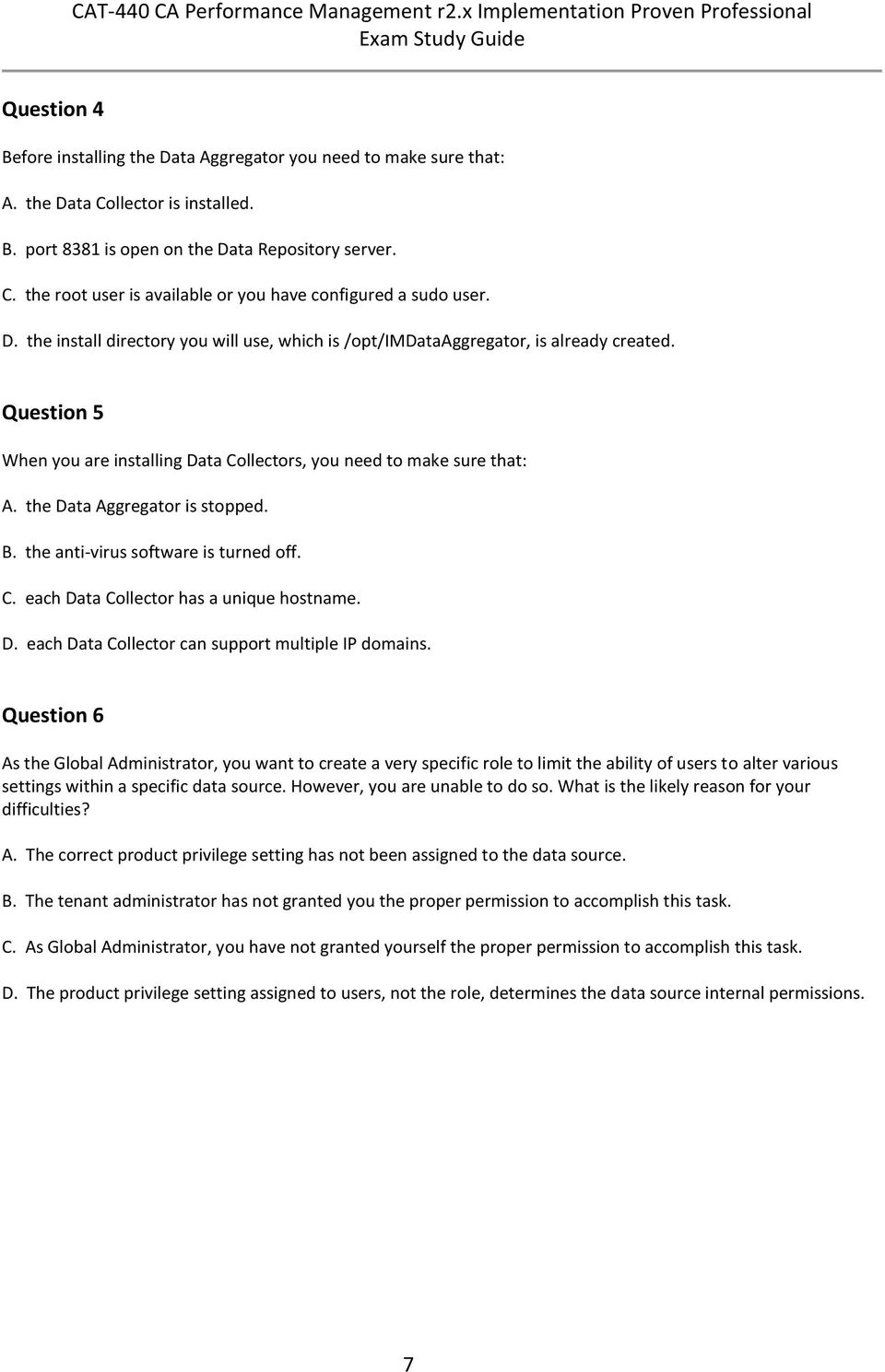
12 Question 7 Which statement about creating tenants is TRUE? A. Users and roles are shared between tenants. B. Tenants are only available to Managed Service Providers (MSPs). C. IP domains provide the means of associating managed items with their tenants. D. A valid tenant definition requires the assignment of both the default IP domain and a unique IP domain. Question 8 When you need to manage overlapping tenant IP addresses, which factor should you consider? A. Each tenant needs one or more IP domains assigned to it. B. To manage multiple tenants, multiple Data Collectors are required. C. A single Data Collector can collect data from multiple tenants with overlapping IP addresses if each tenant IP domain is assigned to the Data Collector. D. When the Shared Collection model is used with service provider groups, multiple tenants can use the default domain and a proper grouping plan can be used to segregate the devices. Question 9 Suzan Smith is a tenant administrator. One of the users reports that he can see every group within Suzan s tenant space. Suzan wants users to be only able to access the groups she specifies. To restrict users, what does Suzan need to do? A. Assign users permission to select their own groups. B. Assign appropriate user permission groups to limit the users ability to see other groups. C. Assign appropriate permissions at the collections level, because collections are essentially the same as groups but easier to manage. D. Contact the Global Administrator, because restricting users in this way cannot be accomplished by tenant administrators. 8

13 Question 10 You need to create a device group that will automatically include router and switch subtypes. Which approach is valid? A. Create one device rule with two device subtype conditions. B. Create two device rules, each with one device subtype condition C. Create one device rule with one condition and two subtype values. D. Create three device rules one for a generic parent type, one for the router subtype, and one for the switch subtype and then create one parent type condition. Question 11 Which statements about monitoring profile associations are TRUE? (Choose two) A. Monitoring profiles are associated to groups. B. Monitoring profiles are associated to collections. C. Polled metric families are associated to collections. D. Metric families are associated to monitoring profiles. Question 12 Event rules are applied to: A. collections. B. thresholds. C. metric families. D. monitoring profiles. 9

14 Question 13 Which metric family supports the creation of filters for monitoring profiles? A. CPU B. Interface C. Availability D. Generic Disk Question 14 Which features characterize self-certification? (Choose three) A. Custom groups are used to define the set of values to collect and report on for a given technology. B. Management information base (MIB) results can be easily compared because metrics are normalized. C. Baselines and values for Min, Max, and the 95th percentile can be stored if entered in the metric family creation process. D. Devices are self-certified at the tenant level because configuration and operational metrics depend on the tenant requirements. E. Devices that are not supported out-of-the-box can be supported by creating a custom metric family, a vendor certification, or both. Question 15 Which methods can you use to create a custom vendor certification? (Choose three) A. Create one manually using an XML editor. B. Create one using the New Vendor Certification wizard. C. Create one using Representational State Transfer (REST) services. D. Create one by importing a certification on the Vendor Certifications page. E. Create one automatically by running a device discovery during the Data Aggregator installation procedure. 10

15 Question 16 To uninstall the Data Aggregator, which step do you need to perform? A. Check that all related Data Collectors are already uninstalled. B. Manually synchronize CA Performance Center with the Data Aggregator. C. Manually remove the local-jms-broker.xml file on each Data Collector host. D. Run./Uninstall and in the Uninstall options dialog, select Complete Uninstall. Question 17 To stop and start a Data Collector: A. you need to use the command line. B. you need to restart the hosting server. C. you need to use CA Performance Center. D. you need to use the Data Aggregator UI. Question 18 CA Performance Center is unable to contact the Data Aggregator. To troubleshoot this issue, you should first verify that the: A. Data Collector is running B. Data Repository is running C. Data Aggregator is running D. Vertica database is running 11

16 Question 19 Which key concepts relate specifically to self-certification? (Choose three) A. Metric families B. Discovery profiles C. Change monitoring D. Vendor certifications E. Dashboard customizations Question 20 In CA Performance Management, custom vendor certifications can be created by: A. all tenant administrators. B. Global Administrators only. C. IT managers and designers only. D. the Default Tenant administrator. Question 21 In which situations would you typically import a custom vendor certification? (Choose three) A. You received the certification from the CA Polaris Global User Community. B. You requested and received the certification from the device manufacturer. C. You exported and modified an out-of-the-box certification which you now need to import to overwrite the original. D. You developed and validated the certification in a prototype lab environment and you want to transfer it to a production environment. E. You use multiple Data Aggregators and you want to transfer the certification developed and validated on one server to other servers. 12

17 Question 22 When you add a dashboard in CA Performance Center, you can use the Filter by field to set the filter context. By default, the filter context is Summary, which means that: (Choose two) A. the context will be dynamically updated when you change the page. B. the panel structure options for your layout will no longer be selectable. C. a specific group or item must be selected before summarized information will appear. D. the available views will display summary data for the current group context of the dashboard. Question 23 You recently started to collect statistics for the battery life of an uninterruptible power supply. However your dashboard shows an unexpected result for a metric value. Which step enables you to check if the dashboard is displaying the value correctly? A. Open the dashboard in Debug mode. B. Temporarily disable any intervening firewalls, and examine how this affects the value displayed. C. Enter a constant or dummy value for the specific metric expression, and confirm that the dashboard displays it correctly. D. For the Data Aggregator data source, check the live data on the Polled Metric Families tab and compare it with the dashboard value. Question 24 In the context of CA Performance Management, a tenant is: A. a user with a prescribed role. B. a group of items such as devices and interfaces. C. the set of dashboards a particular user can access. D. a customer environment that a Managed Service Provider (MSP) administers. 13

18 Question 25 The CA Performance Management Data Aggregator server component: (Choose two) A. drives device and device component discovery. B. administers monitoring behavior for all Data Collectors. C. polls and normalizes data from the monitored environment. D. provides the main GUI for reports, events, and administration. Question 26 In a multi-tenancy environment: A. both roles and users are tenant-scoped. B. neither roles nor users are tenant-scoped. C. users are tenant-scoped but roles are not. D. roles are tenant-scoped but users are not. Question 27 For tenancy collection, CA Performance Management supports the Shared Collection Model and the Dedicated Collection Model. Before you select a collection model, which factors should you consider? (Choose three) A. Service provider groups are only needed in the Shared Collection Model. B. The configuration procedures for these models contain many differences. C. Both models cannot be used in a single CA Performance Center installation. D. One of the differences between these models is the space where SNMP and discovery profiles are created. E. Data Collectors should be assigned without administering a tenant regardless of the collection model you select. 14

19 Answers Question 1 = A and B Question 2 = A Question 3 = C Question 4 = C Question 5 = C Question 6 = D Question 7 = C Question 8 = A Question 9 = B Question 10 = B Question 11 = B and D Question 12 = D Question 13 = B Question 14 = B, C, and E Question 15 = A, B, and D Question 16 = D Question 17 = A Question 18 = C Question 19 = A, C, and D Question 20 = D Question 21 = A, D, and E Question 22 = A and D Question 23 = C Question 24 = D Question 25 = A and B Question 26 = A Question 27 = A, D, and E 15

CA ehealth r6.x Implementation Proven Professional Exam
 CA ehealth r6.x Implementation Proven Professional Exam (CAT-020) Study Guide Version 1.2 - PROPRIETARY AND CONFIDENTIAL INFORMATION 2015 CA. All rights reserved. CA confidential & proprietary information.
CA PPM 14.x Business Analyst Certification Exam
 CA PPM 14.x Business Analyst Certification Exam (CAT-242) Study Guide Version 1.0 - PROPRIETARY AND CONFIDENTIAL INFORMATION 2015 CA. All rights reserved. CA confidential & proprietary information. For
CA Service Desk Manager r12.x Professional Exam (CAT-180) Study Guide Version 1.2
 CA Service Desk Manager r12.x Professional Exam (CAT-180) Study Guide Version 1.2 - PROPRIETARY AND CONFIDENTIAL INFORMATION - These educational materials (hereinafter referred to as the Materials ) are
CA Cloud Service Management Proven Professional Certification Exam
 CA Cloud Service Management Proven Professional Certification Exam (CAT-520) Study Guide Version 1.1 - PROPRIETARY AND CONFIDENTIAL INFORMATION 2015 CA. All rights reserved. CA confidential & proprietary
CA Application Performance Management r9.x Implementation Proven Professional Exam
 CA Application Performance Management r9.x Implementation Proven Professional Exam (CAT-100) Version 1.3 - PROPRIETARY AND CONFIDENTIAL INFORMATION - These educational materials (hereinafter referred to
CA ARCserve Backup r16.x Professional Exam (CAT-360) Study Guide Version 1.1
 (CAT-360) Version 1.1 - PROPRIETARY AND CONFIDENTIAL INFORMATION - These educational materials (hereinafter referred to as the Materials ) are for the end user s educational purposes only and are subject
CA Single Sign-On r12.x (CA SiteMinder) Implementation Proven Professional Exam
 CA Single Sign-On r12.x (CA SiteMinder) Implementation Proven Professional Exam (CAT-140) Version 1.4 - PROPRIETARY AND CONFIDENTIAL INFORMATION - These educational materials (hereinafter referred to as
CA Clarity PPM v13.x Business Analyst Exam
 CA Clarity PPM v13.x Business Analyst Exam (CAT-241) Version 1.2 - PROPRIETARY AND CONFIDENTIAL INFORMATION - These educational materials (hereinafter referred to as the Materials ) are for the end user
CA Privileged Identity Manager r12.x (CA ControlMinder) Implementation Proven Professional Exam
 CA Privileged Identity Manager r12.x (CA ControlMinder) Implementation Proven Professional Exam (CAT-480) Study Guide Version 1.5 - PROPRIETARY AND CONFIDENTIAL INFORMATION - These educational materials
CA Performance Center
 CA Performance Center Release Notes Release 2.3.3 This Documentation, which includes embedded help systems and electronically distributed materials, (hereinafter referred to as the Documentation ) is for
SolarWinds Certified Professional. Exam Preparation Guide
 SolarWinds Certified Professional Exam Preparation Guide Introduction The SolarWinds Certified Professional (SCP) exam is designed to test your knowledge of general networking management topics and how
How To Install Caarcserve Backup Patch Manager 27.3.2.2 (Carcserver) On A Pc Or Mac Or Mac (Or Mac)
 CA ARCserve Backup Patch Manager for Windows User Guide r16 This Documentation, which includes embedded help systems and electronically distributed materials, (hereinafter referred to as the Documentation
CA Spectrum and CA Embedded Entitlements Manager
 CA Spectrum and CA Embedded Entitlements Manager Integration Guide CA Spectrum Release 9.4 - CA Embedded Entitlements Manager This Documentation, which includes embedded help systems and electronically
Dell SupportAssist Version 2.0 for Dell OpenManage Essentials Quick Start Guide
 Dell SupportAssist Version 2.0 for Dell OpenManage Essentials Quick Start Guide Notes, Cautions, and Warnings NOTE: A NOTE indicates important information that helps you make better use of your computer.
McAfee Application Control / Change Control Administration Intel Security Education Services Administration Course
 McAfee Application Control / Change Control Administration Intel Security Education Services Administration Course The McAfee University Application Control / Change Control Administration course enables
Dell One Identity Cloud Access Manager 7.0.2. Installation Guide
 Dell One Identity Cloud Access Manager 7.0.2 2014 Dell Inc. ALL RIGHTS RESERVED. This guide contains proprietary information protected by copyright. The software described in this guide is furnished under
CA Spectrum and CA Service Desk
 CA Spectrum and CA Service Desk Integration Guide CA Spectrum 9.4 / CA Service Desk r12 and later This Documentation, which includes embedded help systems and electronically distributed materials, (hereinafter
CA Spectrum and CA Performance Center
 CA Spectrum and CA Performance Center Integration Guide CA Spectrum Release 9.3 - CA Performance Center r2.3.00 This Documentation, which includes embedded help systems and electronically distributed materials,
Security FAQs (Frequently Asked Questions) for Xerox Remote Print Services
 Security FAQs (Frequently Asked Questions) for Xerox Remote Print Services February 30, 2012 2012 Xerox Corporation. All rights reserved. Xerox and Xerox and Design are trademarks of Xerox Corporation
Authoring for System Center 2012 Operations Manager
 Authoring for System Center 2012 Operations Manager Microsoft Corporation Published: November 1, 2013 Authors Byron Ricks Applies To System Center 2012 Operations Manager System Center 2012 Service Pack
Dell Recovery Manager for Active Directory 8.6. Quick Start Guide
 Dell Recovery Manager for Active Directory 8.6 2014 Dell Inc. ALL RIGHTS RESERVED. This guide contains proprietary information protected by copyright. The software described in this guide is furnished
Oracle Enterprise Manager
 Oracle Enterprise Manager System Monitoring Plug-in Installation Guide for Microsoft Active Directory Release 12.1.0.1.0 E28548-04 February 2014 Microsoft Active Directory, which is included with Microsoft
NetWrix USB Blocker. Version 3.6 Administrator Guide
 NetWrix USB Blocker Version 3.6 Administrator Guide Table of Contents 1. Introduction...3 1.1. What is NetWrix USB Blocker?...3 1.2. Product Architecture...3 2. Licensing...4 3. Operation Guide...5 3.1.
7.5 7.5. Spotlight on Messaging. Evaluator s Guide
 7.5 Spotlight on Messaging 7.5 Evaluator s Guide 2010 Quest Software, Inc. ALL RIGHTS RESERVED. This guide contains proprietary information protected by copyright. The software described in this guide
CA ARCserve Backup for Windows
 CA ARCserve Backup for Windows Agent for Microsoft SharePoint Server Guide r15 This documentation and any related computer software help programs (hereinafter referred to as the "Documentation") are for
Dell Unified Communications Command Suite - Diagnostics 8.0. Data Recorder User Guide
 Dell Unified Communications Command Suite - Diagnostics 8.0 2014 Dell Inc. ALL RIGHTS RESERVED. This guide contains proprietary information protected by copyright. The software described in this guide
Oracle Enterprise Manager
 Oracle Enterprise Manager System Monitoring Plug-in Installation Guide for Microsoft Internet Information Services Release 12.1.0.2.0 E28547-05 February 2014 This document provides a brief description
Outpost Network Security
 Administrator Guide Reference Outpost Network Security Office Firewall Software from Agnitum Abstract This document provides information on deploying Outpost Network Security in a corporate network. It
Citrix XenServer Workload Balancing 6.5.0 Quick Start. Published February 2015 1.0 Edition
 Citrix XenServer Workload Balancing 6.5.0 Quick Start Published February 2015 1.0 Edition Citrix XenServer Workload Balancing 6.5.0 Quick Start Copyright 2015 Citrix Systems. Inc. All Rights Reserved.
EMC Smarts Integration Guide
 vcenter Operations Manager Enterprise 1.0 This document supports the version of each product listed and supports all subsequent versions until the document is replaced by a new edition. To check for more
Sage HRMS 2014 Sage Employee Self Service Tech Installation Guide for Windows 2003, 2008, and 2012. October 2013
 Sage HRMS 2014 Sage Employee Self Service Tech Installation Guide for Windows 2003, 2008, and 2012 October 2013 This is a publication of Sage Software, Inc. Document version: October 17, 2013 Copyright
NMS300 Network Management System
 NMS300 Network Management System User Manual June 2013 202-11289-01 350 East Plumeria Drive San Jose, CA 95134 USA Support Thank you for purchasing this NETGEAR product. After installing your device, locate
Course Syllabus. Planning and Administering Windows Server 2008 Servers. Key Data. Audience. At Course Completion. Prerequisites. Recommended Courses
 Course Syllabus Planning and Administering Windows Server 2008 Servers This five-day instructor-led course provides students with the knowledge and skills to implement, monitor, and maintain Windows Server
Application Notes for Configuring Dorado Software Redcell Enterprise Bundle using SNMP with Avaya Communication Manager - Issue 1.
 Avaya Solution & Interoperability Test Lab Application Notes for Configuring Dorado Software Redcell Enterprise Bundle using SNMP with Avaya Communication Manager - Issue 1.0 Abstract These Application
Installing and Configuring vcloud Connector
 Installing and Configuring vcloud Connector vcloud Connector 2.7.0 This document supports the version of each product listed and supports all subsequent versions until the document is replaced by a new
CA Spectrum. Microsoft MOM and SCOM Integration Guide. Release 9.4
 CA Spectrum Microsoft MOM and SCOM Integration Guide Release 9.4 This Documentation, which includes embedded help systems and electronically distributed materials, (hereinafter referred to as the Documentation
Tracking Network Changes Using Change Audit
 CHAPTER 14 Change Audit tracks and reports changes made in the network. Change Audit allows other RME applications to log change information to a central repository. Device Configuration, Inventory, and
Framework 8.1. External Authentication. Reference Manual
 Framework 8.1 External Authentication Reference Manual The information contained herein is proprietary and confidential and cannot be disclosed or duplicated without the prior written consent of Genesys
EMC ViPR Controller. Version 2.4. User Interface Virtual Data Center Configuration Guide 302-002-416 REV 01 DRAFT
 EMC ViPR Controller Version 2.4 User Interface Virtual Data Center Configuration Guide 302-002-416 REV 01 DRAFT Copyright 2014-2015 EMC Corporation. All rights reserved. Published in USA. Published November,
Integration Guide. LogicNow MAXfocus
 Integration Guide LogicNow MAXfocus Revised: 15 April 2016 About This Guide Guide Type Documented Integration WatchGuard or a Technology Partner has provided documentation demonstrating integration. Guide
AVG Business SSO Connecting to Active Directory
 AVG Business SSO Connecting to Active Directory Contents AVG Business SSO Connecting to Active Directory... 1 Selecting an identity repository and using Active Directory... 3 Installing Business SSO cloud
Upgrade Guide. CA Application Delivery Analysis 10.1
 Upgrade Guide CA Application Delivery Analysis 10.1 This Documentation, which includes embedded help systems and electronically distributed materials, (hereinafter referred to as the Documentation ) is
CA Unified Infrastructure Management
 CA Unified Infrastructure Management Probe Guide for IIS Server Monitoring iis v1.7 series Copyright Notice This online help system (the "System") is for your informational purposes only and is subject
RSA Security Analytics Netflow Collection Configuration Guide
 RSA Security Analytics Netflow Collection Configuration Guide Copyright 2010-2015 RSA, the Security Division of EMC. All rights reserved. Trademarks RSA, the RSA Logo and EMC are either registered trademarks
Administrator s Guide
 Administrator s Guide Citrix Network Manager for MetaFrame XPe Version 1.0 Citrix Systems, Inc. Information in this document is subject to change without notice. Companies, names, and data used in examples
RSA Security Analytics Netflow Collection Configuration Guide
 RSA Security Analytics Netflow Collection Configuration Guide Copyright 2010-2015 RSA, the Security Division of EMC. All rights reserved. Trademarks RSA, the RSA Logo and EMC are either registered trademarks
Windows Azure Pack Installation and Initial Configuration
 Windows Azure Pack Installation and Initial Configuration Windows Server 2012 R2 Hands-on lab In this lab, you will learn how to install and configure the components of the Windows Azure Pack. To complete
Active Directory Rights Management Service Integration Guide
 Active Directory Rights Management Service Integration Guide Preface Preface 2013 SafeNet, Inc. All rights reserved. Part Number: 007-011230-001 (Rev F, 07/2013) All intellectual property is protected
Sophos Enterprise Console server to server migration guide. Product version: 5.1 Document date: June 2012
 Sophos Enterprise Console server to server migration guide Product : 5.1 Document date: June 2012 Contents 1 About this guide...3 2 Terminology...4 3 Assumptions...5 4 Prerequisite...6 5 What are the key
CA Technologies SiteMinder
 CA Technologies SiteMinder Agent for Microsoft SharePoint r12.0 Second Edition This Documentation, which includes embedded help systems and electronically distributed materials, (hereinafter referred to
Flexera Software Product Download and License Guide for AdminStudio 11.x
 Flexera Software Product Download and License Guide for AdminStudio 11.x Flexera Software Product Download and License Guide for AdminStudio 11.x Part Number: ADS-1150-LG02 Product Release Date: July 2012
McAfee Certified Product Specialist McAfee epolicy Orchestrator
 McAfee Certified Product Specialist McAfee epolicy Orchestrator Exam preparation guide Table of Contents Introduction 3 Becoming McAfee Certified 3 Exam Details 3 Recommended Exam Preparation 4 Exam Objectives
Installing and Configuring vcenter Multi-Hypervisor Manager
 Installing and Configuring vcenter Multi-Hypervisor Manager vcenter Server 5.1 vcenter Multi-Hypervisor Manager 1.1 This document supports the version of each product listed and supports all subsequent
Installation and configuration guide
 Installation and Configuration Guide Installation and configuration guide Adding X-Forwarded-For support to Forward and Reverse Proxy TMG Servers Published: May 2010 Applies to: Winfrasoft X-Forwarded-For
Quick Install Guide. Lumension Endpoint Management and Security Suite 7.1
 Quick Install Guide Lumension Endpoint Management and Security Suite 7.1 Lumension Endpoint Management and Security Suite - 2 - Notices Version Information Lumension Endpoint Management and Security Suite
NNMi120 Network Node Manager i Software 9.x Essentials
 NNMi120 Network Node Manager i Software 9.x Essentials Instructor-Led Training For versions 9.0 9.2 OVERVIEW This course is designed for those Network and/or System administrators tasked with the installation,
SAP Business Intelligence Suite Patch 10.x Update Guide
 SAP BusinessObjects Business Intelligence Suite Document Version: 4.0 Support Package 10-2014-07-25 SAP Business Intelligence Suite Patch 10.x Update Guide Table of Contents 1 Introduction.... 3 1.1 About
WhatsUp Gold v16.2 Installation and Configuration Guide
 WhatsUp Gold v16.2 Installation and Configuration Guide Contents Installing and Configuring Ipswitch WhatsUp Gold v16.2 using WhatsUp Setup Installing WhatsUp Gold using WhatsUp Setup... 1 Security guidelines
Clustering ExtremeZ-IP 4.1
 Clustering ExtremeZ-IP 4.1 Installing and Configuring ExtremeZ-IP 4.x on a Cluster Version: 1.3 Date: 10/11/05 Product Version: 4.1 Introduction This document provides instructions and background information
About Recovery Manager for Active
 Dell Recovery Manager for Active Directory 8.6.1 May 30, 2014 These release notes provide information about the Dell Recovery Manager for Active Directory release. About Resolved issues Known issues System
Metalogix SharePoint Backup. Advanced Installation Guide. Publication Date: August 24, 2015
 Metalogix SharePoint Backup Publication Date: August 24, 2015 All Rights Reserved. This software is protected by copyright law and international treaties. Unauthorized reproduction or distribution of this
Windows BitLocker Drive Encryption Step-by-Step Guide
 Windows BitLocker Drive Encryption Step-by-Step Guide Microsoft Corporation Published: September 2006 Abstract Microsoft Windows BitLocker Drive Encryption is a new hardware-enhanced feature in the Microsoft
Installation & Configuration Guide
 Installation & Configuration Guide Bluebeam Studio Enterprise ( Software ) 2014 Bluebeam Software, Inc. All Rights Reserved. Patents Pending in the U.S. and/or other countries. Bluebeam and Revu are trademarks
Step-by-Step Guide to Securing Windows XP Professional with Service Pack 2 in Small and Medium Businesses
 Step-by-Step Guide to Securing Windows XP Professional with Service Pack 2 in Small and Medium Businesses 2004 Microsoft Corporation. All rights reserved. This document is for informational purposes only.
Installing and Configuring vcloud Connector
 Installing and Configuring vcloud Connector vcloud Connector 2.0.0 This document supports the version of each product listed and supports all subsequent versions until the document is replaced by a new
Application Discovery Manager User s Guide vcenter Application Discovery Manager 6.2.1
 Application Discovery Manager User s Guide vcenter Application Discovery Manager 6.2.1 This document supports the version of each product listed and supports all subsequent versions until the document
Microsoft Dynamics CRM Adapter for Microsoft Dynamics GP
 Microsoft Dynamics Microsoft Dynamics CRM Adapter for Microsoft Dynamics GP May 2010 Find updates to this documentation at the following location. http://go.microsoft.com/fwlink/?linkid=162558&clcid=0x409
SolarWinds. Packet Analysis Sensor Deployment Guide
 SolarWinds Packet Analysis Sensor Deployment Guide Copyright 1995-2015 SolarWinds Worldwide, LLC. All rights reserved worldwide. No part of this document may be reproduced by any means nor modified, decompiled,
CA SiteMinder. Web Agent Installation Guide for IIS 12.51
 CA SiteMinder Web Agent Installation Guide for IIS 12.51 This Documentation, which includes embedded help systems and electronically distributed materials (hereinafter referred to as the Documentation
Remote Access Platform. Architecture and Security Overview
 Remote Access Platform Architecture and Security Overview NOTICE This document contains information about one or more ABB products and may include a description of or a reference to one or more standards
FileMaker Server 13. Getting Started Guide
 FileMaker Server 13 Getting Started Guide 2007 2013 FileMaker, Inc. All Rights Reserved. FileMaker, Inc. 5201 Patrick Henry Drive Santa Clara, California 95054 FileMaker and Bento are trademarks of FileMaker,
CA Nimsoft Monitor. Probe Guide for Performance Collector. perfmon v1.5 series
 CA Nimsoft Monitor Probe Guide for Performance Collector perfmon v1.5 series CA Nimsoft Monitor Copyright Notice This online help system (the "System") is for your informational purposes only and is subject
RSA Authentication Manager 7.1 to 8.1 Migration Guide: Upgrading RSA SecurID Appliance 3.0 On Existing Hardware
 RSA Authentication Manager 7.1 to 8.1 Migration Guide: Upgrading RSA SecurID Appliance 3.0 On Existing Hardware Contact Information Go to the RSA corporate website for regional Customer Support telephone
VMware vcenter Discovered Machines Import Tool User's Guide Version 5.3.0.25 for vcenter Configuration Manager 5.3
 VMware vcenter Discovered Machines Import Tool User's Guide Version 5.3.0.25 for vcenter Configuration Manager 5.3 This document supports the version of each product listed and supports all subsequent
Cisco Change Management: Best Practices White Paper
 Table of Contents Change Management: Best Practices White Paper...1 Introduction...1 Critical Steps for Creating a Change Management Process...1 Planning for Change...1 Managing Change...1 High Level Process
enicq 5 System Administrator s Guide
 Vermont Oxford Network enicq 5 Documentation enicq 5 System Administrator s Guide Release 2.0 Published November 2014 2014 Vermont Oxford Network. All Rights Reserved. enicq 5 System Administrator s Guide
Freshservice Discovery Probe User Guide
 Freshservice Discovery Probe User Guide 1. What is Freshservice Discovery Probe? 1.1 What details does Probe fetch? 1.2 How does Probe fetch the information? 2. What are the minimum system requirements
CA Nimsoft Monitor. Probe Guide for Active Directory Response. ad_response v1.6 series
 CA Nimsoft Monitor Probe Guide for Active Directory Response ad_response v1.6 series Legal Notices This online help system (the "System") is for your informational purposes only and is subject to change
Adobe Acrobat 9 Deployment on Microsoft Windows Group Policy and the Active Directory service
 Adobe Acrobat 9 Deployment on Microsoft Windows Group Policy and the Active Directory service white paper TABLE OF CONTENTS 1. Document overview......... 1 2. References............. 1 3. Product overview..........
Team Collaboration, Version Management, Audit Trails
 Team Collaboration, Version Management, Audit Trails Best Practices for Successful Project Delivery with VoiceObjects May 2008 www.voiceobjects.com 2 Team Collaboration, Version Management, Audit Trails
User Document. Adobe Acrobat 7.0 for Microsoft Windows Group Policy Objects and Active Directory
 Adobe Acrobat 7.0 for Microsoft Windows Group Policy Objects and Active Directory Copyright 2005 Adobe Systems Incorporated. All rights reserved. NOTICE: All information contained herein is the property
NetWrix USB Blocker Version 3.6 Quick Start Guide
 NetWrix USB Blocker Version 3.6 Quick Start Guide Table of Contents 1. Introduction...3 1.1. What is NetWrix USB Blocker?...3 1.2. Product Architecture...3 2. Licensing...4 3. Getting Started...5 3.1.
Using Additional Pollers with WhatsUp Gold v16.0 Learn how to install, configure, and manage pollers for load balancing on your WhatsUp Gold system
 Using Additional Pollers with WhatsUp Gold v16.0 Learn how to install, configure, and manage pollers for load balancing on your WhatsUp Gold system Contents CHAPTER 1 Polling Overview WhatsUp Gold Polling
Legal Notes. Regarding Trademarks. 2013 KYOCERA Document Solutions Inc.
 Legal Notes Unauthorized reproduction of all or part of this guide is prohibited. The information in this guide is subject to change without notice. We cannot be held liable for any problems arising from
BlackShield ID Agent for Remote Web Workplace
 Agent for Remote Web Workplace 2010 CRYPTOCard Corp. All rights reserved. http:// www.cryptocard.com Copyright Copyright 2010, CRYPTOCard All Rights Reserved. No part of this publication may be reproduced,
How To Install An Aneka Cloud On A Windows 7 Computer (For Free)
 MANJRASOFT PTY LTD Aneka 3.0 Manjrasoft 5/13/2013 This document describes in detail the steps involved in installing and configuring an Aneka Cloud. It covers the prerequisites for the installation, the
StreamServe Persuasion SP4
 StreamServe Persuasion SP4 Installation Guide Rev B StreamServe Persuasion SP4 Installation Guide Rev B 2001-2009 STREAMSERVE, INC. ALL RIGHTS RESERVED United States patent #7,127,520 No part of this document
CA Nimsoft Monitor. Probe Guide for URL Endpoint Response Monitoring. url_response v4.1 series
 CA Nimsoft Monitor Probe Guide for URL Endpoint Response Monitoring url_response v4.1 series Legal Notices This online help system (the "System") is for your informational purposes only and is subject
Sophos for Microsoft SharePoint startup guide
 Sophos for Microsoft SharePoint startup guide Product version: 2.0 Document date: March 2011 Contents 1 About this guide...3 2 About Sophos for Microsoft SharePoint...3 3 System requirements...3 4 Planning
Test Center Enterprise. ios Device Onboarding Guide
 Test Center Enterprise ios Device Onboarding Guide Copyright Copyright 2012 Keynote DeviceAnywhere. All Rights Reserved. March 2012. Notice 2012 Keynote DeviceAnywhere. All rights reserved. THE INFORMATION
vcenter Configuration Manager Backup and Disaster Recovery Guide VCM 5.3
 vcenter Configuration Manager Backup and Disaster Recovery Guide VCM 5.3 This document supports the version of each product listed and supports all subsequent versions until the document is replaced by
HP ProLiant Essentials Vulnerability and Patch Management Pack Planning Guide
 HP ProLiant Essentials Vulnerability and Patch Management Pack Planning Guide Product overview... 3 Vulnerability scanning components... 3 Vulnerability fix and patch components... 3 Checklist... 4 Pre-installation
Spotlight Management Pack for SCOM
 Spotlight Management Pack for SCOM User Guide January 2015 The is used to display data from alarms raised by Spotlight on SQL Server Enterprise in SCOM (System Center Operations Manager). About System
Administration Guide for the System Center Cloud Services Process Pack
 Administration Guide for the System Center Cloud Services Process Pack Microsoft Corporation Published: May 7, 2012 Author Kathy Vinatieri Applies To System Center Cloud Services Process Pack This document
HP Operations Smart Plug-in for Virtualization Infrastructure
 HP Operations Smart Plug-in for Virtualization Infrastructure for HP Operations Manager for Windows Software Version: 1.00 Deployment and Reference Guide Document Release Date: October 2008 Software Release
Configuration Information
 This chapter describes some basic Email Security Gateway configuration settings, some of which can be set in the first-time Configuration Wizard. Other topics covered include Email Security interface navigation,
Deploying Remote Desktop Connection Broker with High Availability Step-by-Step Guide
 Deploying Remote Desktop Connection Broker with High Availability Step-by-Step Guide Microsoft Corporation Published: May 2010 Abstract This guide describes the steps for configuring Remote Desktop Connection
OnCommand Performance Manager 1.1
 OnCommand Performance Manager 1.1 Installation and Setup Guide For Red Hat Enterprise Linux NetApp, Inc. 495 East Java Drive Sunnyvale, CA 94089 U.S. Telephone: +1 (408) 822-6000 Fax: +1 (408) 822-4501
Managing Multi-Hypervisor Environments with vcenter Server
 Managing Multi-Hypervisor Environments with vcenter Server vcenter Server 5.1 vcenter Multi-Hypervisor Manager 1.0 This document supports the version of each product listed and supports all subsequent