
Inform II Glucose Meter
|
|
|
- Valerie French
- 10 years ago
- Views:
Transcription
1 Inform II Glucose Meter Copy of version 1.5 (approved and current) Last Approval or Periodic Review Completed Next Periodic Review Needed On or Before 2/9/2015 2/9/2017 Effective Date 2/9/2015 Uncontrolled Copy printed on 2/10/2015 Printed By Organization Teri Kroll St. Mary's Hospital -- Madison Author Brenda Warren/Rachel Peters Comments for version 1.5 Substitute Level 1 and Level 2 control for Low and High control. Clarified use of PPE when using disinfectant wipes per Infection Control. Approval and Periodic Review Signatures Type Description Date Version Performed By Notes Periodic review Designated Reviewer 2/9/ Brenda Warren Periodic review Periodic review Designated Reviewer Designated Reviewer 2/6/ Brenda Warren 1/16/ Brenda Warren No changes required Approval Lab Director 9/19/ Joel Mendelin, MD Recorded when document uploaded to MediaLab Approvals and periodic reviews that occured before this document was added to the MediaLab Document Control system may not be listed. Prior History Reviewed/Revised:(bold) BLW/RP/KS 5/13/13 Updated procedure from pre-go-live version. Reviewed/Revised:(bold) BLW 7/16/13 Clarified Pre-Analytical patient ID. Version History Version Status Type Date Added Date Effective Date Retired 1.5 Approved and Current Minor revision 2/9/2015 2/9/2015 Indefinite 1.4 Retired Minor revision 2/6/2015 2/6/2015 2/9/ Retired Minor revision 10/24/ /24/2014 2/6/ Retired Minor revision 10/7/ /7/ /24/ Retired Minor revision 9/15/2014 9/15/ /7/ Retired First version in Document Control 11/22/2013 3/26/2013 9/15/2014 Linked Documents

2 Exchanging an Inform Meter for a Defective One Inform II Glucose Meter New QC Lot Check Log Inform II Glucose Meter New Strip Lot Check Log To Exchange An Inform II Meter Inform II Meter Replacements Log

3 Title: Inform II Glucose Meter Manual: POC Clinical POCT Old Procedure Number: Medical Director: Administrative Director: Distribution: Joel Mendelin, MD Mike Baron St Mary s-madison SharePoint Sun Prairie Emergency Center Other: Staff Distribution: All Lab Staff Other: All departments with Inform II Meters Procedure Owner: Procedure Author: Prerequisite / Concurrent Procedures: Attachments: Related Documents: Brenda Warren Brenda Warren, Rachel Peters Inform II Glucose Meter New Strip Lot Check Form Inform II Glucose Meter New QC Lot Check Form Accu-Chek Inform II Troubleshooting and Replacement Instructions Laboratory Technical Procedure PURPOSE: This procedure describes all steps required for operation, quality assurance, and maintenance of the wireless Inform II glucose meters by trained staff following the regulations of the accreditation agencies College of American Pathologists (CAP) and Joint Commission (JC). All patient glucose testing will be performed on hospital meters and hospital meters are only for patient glucose testing. All glucose tests must have a corresponding physician request. Results will be documented in the Electronic Health Record. PRINCIPLE: The Accu-Chek Inform II system quantitatively measures glucose in whole blood. The enzyme on the test strip, mutant variant of quinoprotein glucose dehydrogenase from Acinetobacter calcoaceticus, recombinant in E. coli, converts the glucose in the blood sample to gluconolactone. This reaction creates a harmless electrical DC current that the meter interprets for a glucose result. The sample and environmental conditions are also evaluated using a small AC signal. The system is calibrated with venous blood containing various glucose concentrations and is calibrated to deliver plasma-like results. The reference values are obtained using a validated test method. This test method is referenced to the hexokinase method and is traceable to an NIST standard. Uncontrolled copy printed by Teri Kroll on 2/10/2015. Page 1 of 12

4 Cleaning: 1. After each patient test: a. Meter/case must be cleaned with a wrung-out, hospital approved, disinfectant wipe after each patient test, prior to placing in case or taking into a clean area. b. Two-step process required when equipment has visible contamination i. 1st step to remove contamination or bio burden ii. 2 nd step to disinfect (using second disinfectant wipe) according to label of product used (for CaviWipes 1, required wet-time is 1 minute; Dispatch for c- diff, wet time is 5 minutes) c. Use appropriate PPE to protect yourself from Chemical and Blood and Body Fluids 2. Daily cleaning: a. Meter must be cleaned with a wrung-out disinfectant wipe just prior to the required every 24 hour QC checks 3. Gloves required 4. Eyewear if risk of splashing 5. Wipe off the screen and the laser with a soft cloth as needed to prevent residue buildup. 6. Enter meter cleaned option when doing the daily QC check after cleaning the meter. CALIBRATION PERFORMED BY LAB: Each box of test strips contains a code key. Each code key belongs to a single lot and provides important information about the lot-specific properties of the Accu-Chek Inform II test strip. The properties of each lot number of test strips are downloaded (as a code file) from the code key into the Accu-Chek Inform II system by means of the code key reader. A code file is uploaded into the Accu-Chek Inform II system for every test strip lot that is received by the Point of Care (POC) area of the Laboratory. The code file for each in-use test strip lot resides in all meters so that end users on nursing units are able to access and select the correct test strip lot for testing. New test strip codes are uploaded into the system by the POCC when the new lot of strips are validated for use. The nursing units can discard the code chip that is packaged with each vial of strips. QUALITY CONTROL - EXTERNAL: Quality control testing is performed as a primary means of ensuring on-going proper performance of the Inform II system. Level 1 and Level 2 liquid quality control testing is performed routinely on a daily basis. Other times when quality control is performed: 1. When a new test strip vial is opened and placed into service. 2. When opening a new box of quality control solutions. 3. If the meter is dropped. 4. If the patient results are in question. 5. Acceptable quality control results are defined as those results that PASS. Quality control testing results must PASS prior to performing patient testing. Quality Control lockout feature prevents patient testing if quality control fails. Uncontrolled copy printed by Teri Kroll on 2/10/2015. Page 4 of 12

5 QUALITY CONTROL PROCEDURE: 1. Turn on Inform II meter 2. Scan your operator ID (barcode on your employee badge) or manually enter ID number. 3. From the Inform II Main Menu touch Control Test 4. Barcode scan the level of control that you wish to test. 5. Barcode scan the strip vial. 6. Remove a test strip from the vial and immediately recap the vial. 7. Insert a test strip into the meter following the icon on the screen. 8. Wait until flashing drop appears (5 second delay), then touch and hold control solution to the front tip of the strip. a. Once sufficient sample has been detected, the measurement begins. An hourglass icon indicates that the measurement is in progress. 9. The measurement is complete when the result is displayed on the meter screen. 10. Remove the test strip and dispose of it in the trash. 11. Touch the comment button to enter an appropriate comment(s). 12. Touch the check button to confirm the result. 13. Interpretation of Quality Control Results: a. Results are displayed on the screen as PASS or FAIL. Any Fail is an indication that the system may not be performing correctly for patient testing or the control solution may be contaminated/dehydrated. b. QC lockout will prevent patient testing if either or both control solutions FAIL. LINEARITY TESTING EXTERNAL: Linearity testing is performed by the Laboratory as a means of validating the reportable range for all new or reconditioned glucose meters. Levels 1, 3, and 6 are run in duplicate and the results graphed through RALS. Linearity testing is performed on all new or replacement meters during check-in and when checking in a new lot of glucose strips. PROCEDURE PERFORMING A PATIENT TEST: 1. Assemble supplies (Inform II meter, test strip vial, lancet, gauze, antiseptic wipe, gloves.) 2. Assess the patient for any indication that bedside glucose testing may not be appropriate. 3. Take the meter and testing supplies to the patient location. 4. Wash hands and don gloves and PPE as required by infection control and isolation policies and procedures. 5. Greet and identify the patient using 2 identifiers. 6. Explain the procedure to the patient. 7. Turn on the Inform II meter. 8. Scan your operator ID by scanning your employee badge or enter 8-digit employee ID manually. 9. From the Main Menu, touch Patient Test. 10. Scan the patient wristband barcode with the Inform II meter. 11. Scan the barcode on the vial of strips. 12. Remove a test strip from the vial and immediately recap the vial. 13. Insert the test strip into the meter in the direction of the arrows with lettering facing upward. 14. Prepare the finger for lancing following the procedure above. Uncontrolled copy printed by Teri Kroll on 2/10/2015. Page 5 of 12

6 TROUBLESHOOTING: 1. If the error message, Strip Defect Error appears on the display, the test strip may be defective or the blood glucose result may be below the meter s measurement range. Repeat test with a new test strip. 2. If the meter displays Type Bad Dose, there may be insufficient amount of blood on the test strip. Repeat the test using a new test strip, ensuring proper sample application. 3. If you dose the strip before the drop appears (5 seconds after putting the strip in the port) it will give the error code E Repeat the test. 4. Out of range Quality Control will show FAIL a. Repeat the QC solution verifying the correct level of QC is run. If the repeat passes, proceed with patient testing. b. If the repeat fails, run the other level of QC. If that level also fails, obtain a new vial of strips from PYXIS and repeat both levels of QC. c. If QC fails with the new strips: i. Obtain a new box of QC solutions from PYXIS. ii. Run both levels of QC on the old strips. If these controls pass, discard the old QC solutions. iii. Run both levels of QC on the new vial of strips and if those pass, leave both vials of strips in the accessory box. 5. A soft reset should be performed*: a. Will not turn on b. If the screen is unresponsive *Hold ON/OFF button for at least 12 seconds for soft reset. **After a soft reset both levels of quality control should be performed. 6. In case of a malfunction of the wireless transmission, there is a base unit wired to the network to download the meters on each nursing unit. These base units will be labeled Network. Some units have 2 wired base units. a. If the Network base has a flashing red light, this indicates it is not connecting to the network. Check all connections between the base unit and the wall. 7. If you are unable to get your meter to work after following these suggestions: a. Call ext and leave a message with meter number and description of the problem. b. If you do not get a response from the 5331 ext. and you need your meter replaced quickly, call the Point of Care Coordinator (POCC) of the lab at ext If the POCC is not available, try the DNE s at ext The DNE s will be able to re-direct your call to the appropriate person if they are unable to take care of it themselves. c. After hours, on weekends or when you are not able to get a quick response, you may exchange your meter for a different one in the lab. i. Call 6908 and let them know that you need to get a different glucose meter. They may not be able to answer all questions but will be able to exchange your meter. ii. Clean your meter with a hospital approved wrung-out disinfectant wipe. iii. Place a note on your meter explaining the problem and anything you have done to try and correct it. iv. Take the meter to the lab and get a replacement. Make sure to run QC prior to doing patient testing. Uncontrolled copy printed by Teri Kroll on 2/10/2015. Page 7 of 12

7 QUALITY ASSURANCE PROGRAM: v. The meter will have Training come up as the location until the Point of Care Coordinator is able to change it in lab computer. Call the Point of Care Coordinator at ext if you notice a meter is showing Training as its location for more than 48 hours after exchange. 1. Orientation, training, and competency assessment of Inform meter operators: a. Orientation and initial training for glucose meter operation/policies/procedures is conducted by the Diabetes Nurse Educators (DNE s)/lab POCC. Initial training consists of, with observation by the DNE s/lab POCC, running two levels of control, running one patient test, and passing a written exam. Records of this initial training will be kept in the Laboratory, and the RALS-Plus computer system, and hospital LMS (Learning Management System). b. Inform II meter operators consist of staff that have been trained by the DNE s/lab POCC and documented in the RALS-Plus computer as proficient to perform patient glucose testing c. Only DNE s/lab POC-trained staff are certified to perform patient glucose testing. The trained glucose operator MUST use only their own Operator ID, never share their ID with another operator, and never use another operator s ID. Failure to follow this process is in violation of CAP Checklist number CAP POC Records indicate (by initials, signature, etc.) who performed each test. d. Recertification of the POC Reps from each of the nursing units performing Inform II glucose testing is performed annually by the DNE s/lab POCC. Recertification consists of passing the online quiz, running two levels of QC that pass, and being observed correctly performing a fingerstick glucose test e. Recertification of the staff on the nursing units is performed annually by the POC Reps, utilizing the same process as indicated in e above. The POC Reps act as liaisons between their area and Laboratory POCC/DNE s to maintain all staff current with policies/procedures and update staff with new information as needed. 2. Pre-Analytical QA Components: a. Positive patient identification is accomplished by using two patient identifiers which include scanning the barcode on the patient s wristband (as one identifier) with the Inform II meter and one or more of the following (per nursing policy): i. Patient s statement of his/her first and last name. ii. Patient s statement of his/her date of birth (month/day/year). iii. Account Number iv. Medical Record Number v. Identification number from Blood Bank red band. b. In cases when the armband will not scan, print a new armband or request one from admissions. If it is an emergency and you cannot wait for a new armband, manually enter the CSN number from the armband (including the leading SMH). Uncontrolled copy printed by Teri Kroll on 2/10/2015. Page 8 of 12

8 i. In areas where patients may not yet have an armband or CSN number, enter the last name, first initial of first name and the date of birth. (ER, Birthsuites, NICU, MICU) ii. In case of an emergency situation (code) involving a non-patient, enter (eleven 7 s). The glucose meter operator will call ext with the person s identifying information (first and last name, date of birth, and CSN iii. number if available) and date and time of test as soon as it is available. All glucose testing needs a physician s order. Therefore, self-testing or testing visitors (other than an emergency situation) is not permitted. c. Inform II operators receive information during training about patient conditions such as DKA, shock, dehydration and heart failure which affect peripheral circulation and can render a fingerstick glucose value inaccurate. For more detailed information, refer to the strip insert. d. The patient s finger/heel will be appropriately cleaned and dried prior to performing the fingerstick/heelstick. The first drop of blood will ALWAYS be wiped off before collecting a drop for testing. 3. Analytical QA Components: a. The glucose test strip must have the yellow window completely filled with blood or the meter will not complete the test, and the test will need to be repeated. b. In cases when a patient consistently has a glucose value above 500 mg/dl (or below 40mg/dL) for an extended period of time, it is recommended that a lab draw for verification should be performed and documented once per 24-hour period. c. Quality Control (QC) results for the Inform II glucose meter are recorded electronically by the meter. d. All control bottles, Level 1 and Level 2, are dated 3 months from the date opened. (Ex: Opened 02/15/13, discard date would be 05/15/13). e. All controls and test strips are discarded upon reaching their manufacturer expiration or written discard date, whichever comes first. f. For the glucose strips to be valid for use until the expiration date on the vial, the cap must be tightly closed immediately after removing a strip. g. Level 1 and Level 2 controls are run each 24 hours that patient testing is performed. h. The Inform II glucose meters are programmed so that patient testing cannot be performed unless Level 1 and Level2 controls have been successfully performed in the previous 24 hours. i. Other times when QC might be warranted: i. When opening a new vial of strips. ii. When opening a new set of control solutions. iii. If the meter is dropped. iv. If the meter requires a soft reset. j. Whenever a QC FAIL s, the test must be repeated and a comment entered to document corrective actions taken. The meter cannot be used for patient testing until both levels of QC have passed. k. Meters are cleaned after each patient, once every 24 hours, and as needed. l. Meters are to be docked in the base unit at all times that patient testing is not being performed. This procedure recharges the battery in the meter. Uncontrolled copy printed by Teri Kroll on 2/10/2015. Page 9 of 12

9 f. Generate monthly and quarterly statistics, as needed. g. Review flagged glucose results and sends to nursing units for a return call with the correct patient ID. h. Check out new lots of glucose strips and controls. 2. Nursing POC Liaison a. Provide regular communication with Nursing POC Reps and report to appropriate Councils as needed. b. Keep reports, training and recertification documents on file for 2 years in the POC area of the Laboratory. c. Take PT samples to nursing units three times/year and have a variety of nurses perform the PT testing samples for glucose. d. Troubleshoot Inform meters as needed. e. Train or has DNE s train new CNA classes and RN classes. 3. DNE s a. Teach RN orientation classes on the Inform II glucose meters. Assist with CNA training when necessary. b. Enter new trainees information into RALS-Plus. c. Assist with Proficiency Testing Samples. 4. POC Reps a. Maintain POC Rep Certification for POC Tests performed on their nursing unit. Schedule istat, Urine Dipstix, Breathalyzer, and HemoCue recertifications with the laboratory POC Coordinator as appropriate for your unit. b. Attend scheduled POC Rep meetings (2-4 per year). c. All POC Reps must attend the Recertifying Meeting (first meeting of the year). d. POC Reps that are recertified can recertify the other staff on their unit and are responsible for directly observing a correctly performed patient test and meter cleaning by each staff person who is being recertified. e. Check a minimum of every 2 weeks for new information regarding POC testing. f. Update staff on any changes regarding POC Testing through staff meetings, posting notices, etc. g. Notify Nursing Liaison or POC Coordinator of staff changes to allow updating of unit operator logs. h. Perform troubleshooting of POC equipment/tests prior to calling the 5331 line for assistance. i. Verify that new staff have been trained by the DNE s on POC tests prior to performing these tests. j. Communicate CLIA, CAP, or JC regulations to staff as it pertains to the POC testing on the nursing unit. k. Review POC procedures/policies and suggest changes to POC Nursing Liaison or Laboratory Point of Care Coordinator. l. Be available during unannounced CAP inspections to answer questions by the Inspectors. m. Keep POC Binder up-to-date in case of downtime. Uncontrolled copy printed by Teri Kroll on 2/10/2015. Page 11 of 12

PROCEDURE NO. POC.514.01 LBH. Printed copies are for reference only. Please refer to the electronic copy for the latest version.
 Department Of Pathology POC.514.01- Blood Glucose Monitoring Accu-Chek Inform II Procedure-LBH Version# 1 Department PROCEDURE NO. PAGE NO. Point-of-Care Testing POC.514.01 LBH 1 OF 7 Printed copies are
Inform II. Quick Reference Guide. for Healthcare Professionals BLOOD GLUCOSE MONITORING SYSTEM
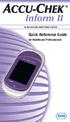 Inform II BLOOD GLUCOSE MONITORING SYSTEM Quick Reference Guide for Healthcare Professionals 2 Table of Contents Important... 4 General Information... 6 ACCU-CHEK Inform II Meter...10 How to Perform Patient
Title: Fingerstick Glucose by Accu-Chek Inform
 Title: Fingerstick Glucose by Accu-Chek Inform Target Audience: This module is available to aid in assessing competency for all clinical staff who perform fingerstick glucose testing. Contents Instructions...
A Self-Study Packet for The Johns Hopkins Hospital Point-of-Care Testing Program copyright 2011 Johns Hopkins Hospital All rights reserved
 A Self-Study Packet for The Johns Hopkins Hospital Point-of-Care Testing Program copyright 2011 Johns Hopkins Hospital All rights reserved Overview and Objectives This module provides an introduction to
In-Service Plan for Blood Glucose Testing. www.poc.roche.com
 In-Service Plan for Blood Glucose Testing www.poc.roche.com Table of Contents Section 1: Introduction Introduction / How to use this guide 3-4 Section 2: Pre-In-Service Activities
Title: Glucose Testing: StatStrip Glucose Meter Page 1 of 6
 Title: Glucose Testing: StatStrip Glucose Meter Page 1 of 6 CentraCare Health (CCH) adopts the following policy/procedure for: St. Cloud Hospital Original: 5/02 Minor Revision: Full Review: 1/15 Replaces:
INTRODUCTION TO CLINICAL PRACTICE AND CLINICAL SKILLS 2nd Year MEDICAL YEAR 2009/2010
 INTRODUCTION TO CLINICAL PRACTICE AND CLINICAL SKILLS 2nd Year MEDICAL YEAR 2009/2010 POINT OF CARE TESTING This session is designed to teach you the principals of point of care testing. This is common
Introduction 1 The system 1 The meter 2 The display 3 The mode 3 The measurement 4 Coding the meter 4 How to obtain a drop of blood 6 Application of
 Introduction 1 The system 1 The meter 2 The display 3 The mode 3 The measurement 4 Coding the meter 4 How to obtain a drop of blood 6 Application of the blood 7 Procedure to test glucose 7 Procedure to
Urinalysis Compliance Tools. POCC Webinar January 19, 2011 Dr. Susan Selgren
 Urinalysis Compliance Tools POCC Webinar January 19, 2011 Dr. Susan Selgren Learning Objectives Be able to review and improve upon a laboratory plan for compliance including: Competency Documentation Proficiency
2010 Laboratory Accreditation Program Audioconference. Accreditation Requirements for Waived Vs. Non-waived Tests
 2010 Laboratory Accreditation Program Audioconference Accreditation Requirements for Waived Vs. Non-waived Tests Objectives: After participating in this audioconference you will be able to: Define the
Accu-Chek Inform II system. Professional glucose testing for the wireless age
 Accu-Chek Inform II system Professional glucose testing for the wireless age The Accu-Chek Inform II system Real time control The Accu-Chek Inform II System overview Quality Advanced chemistry with multiple
STANDARD OPERATING PROCEDURE FOR NOVA STAT STRIP CONNECTIVITY BLOOD GLUCOSE METERS FOR USE IN LEEDS NHS TRUST
 STANDARD OPERATING PROCEDURE FOR NOVA STAT STRIP CONNECTIVITY BLOOD GLUCOSE METERS FOR USE IN LEEDS NHS TRUST This Standard Operating Procedure explains the protocol for measuring blood glucose concentration
Blood Glucose Monitoring System Owner s Booklet Instructions for use
 Blood Glucose Monitoring System Owner s Booklet Instructions for use For use with the App on iphone, ipod touch and ipad Blood Glucose Monitoring System Owner s Booklet 1 Owner s Booklet Thanks for choosing
Blood Glucose Monitoring System USER GUIDE. Replaces Owner s Booklet
 Blood Glucose Monitoring System USER GUIDE Replaces Owner s Booklet AW 06650201A Rev. date: 07/2009 Contents: Getting to know your system 1 Setting up your meter 4 Testing your blood glucose 8 Attaching
Hemoglobin Testing using the Data Management HemoCue Analyzer
 The Johns Hopkins Medical Institutions Hemoglobin Testing using the Data Management HemoCue Analyzer A Self-Study Packet for The Johns Hopkins Hospital Point-of-Care Testing Program Revision: 12/02 copyright
BLOOD GLUCOSE METER / GLYCOMÈTRE. User s Manual Manuel de l'utilisateur
 BLOOD GLUCOSE METER / GLYCOMÈTRE User s Manual Manuel de l'utilisateur Whether the Accu-Chek Aviva Meter is your first blood glucose meter or you have used a meter for some time; please take the time
Examples: collecting the right sample on the right patient; labeling the sample accurately;
 Quality Assessment: Basics & EMR is called by several names: and are just two of them. Quality Assessment (QA) is an on-going program designed to monitor and evaluate the quality or accuracy of all laboratory
BLOOD GLUCOSE METER. Standard Owner s Booklet for Single Patient Use Only
 BLOOD GLUCOSE METER Standard Owner s Booklet for Single Patient Use Only Before You Start Testing About the meter and test strips Carefully read and follow the instructions in the Getting Started Guide,
Blood Glucose Monitoring System USER GUIDE
 Blood Glucose Monitoring System USER GUIDE AW 06629001B Rev. date: 07/2009 Contents: Getting to know your system 1 Setting the time and date, and coding your meter 4 Testing your blood glucose 8 Reviewing
Blood Glucose Monitoring System. Owner's Booklet. Instructions for use.
 Blood Glucose Monitoring System Owner's Booklet Instructions for use. Contents covered by one or more of the following U.S. patents: 6,179,979, 6,193,873, 6,284,125, 6,716,577, 6,749,887, 6,797,150, 6,863,801,
LAP Audioconference How to Prepare and Comply with Your Quality Management Plan* February 18, 2009
 LAP Audioconference How to Prepare and Comply with Your Quality Management Plan* February 18, 2009 Paul Bachner, MD, FCAP Professor & Chair Department of Pathology & Laboratory Medicine University of Kentucky
Preface. Preface. A Healthcare professional should be contacted when Customer Service is not available.
 Preface Preface Thank you for selecting the GE100 Monitoring System. This manual provides all the information you need to operate this product for accurate test results. Please read the entire manual before
2009 LAP Audioconference Series. How to Prepare and Comply with Your Quality Management Plan
 2009 LAP Audioconference Series How to Prepare and Comply with Your Quality Management Objectives: As a result of participating in this session, you will be able to: Explain the reasons why the QM is important
Automating the Pharmacy Medication Cycle in Acute Care Settings
 Automating the Pharmacy Medication Cycle in Acute Care Settings Costs, Benefits and Potential Unintended Consequences Enterprise Information Systems Steering Committee Nursing Informatics Committee and
MANITOBA PATIENT SERVICE CENTRE STANDARDS
 MANITOBA PATIENT SERVICE CENTRE STANDARDS February 2015 INTRODUCTION These Standards are derived from Z316.7-12 and are approved by the Council of the College of Physicians and Surgeons of Manitoba. These
Caution! Please read complete Owner s Booklet and all product Instructions for Use.
 INTRODUCTION: Liberty Blood Glucose Monitoring System The Liberty System is a simple, accurate way to test whole blood glucose (sugar) level, anytime, anywhere. Our goal is to provide quality healthcare
Alere Informatics, Inc. 2000 Holiday Drive Charlottesville, VA 22901 1.888.971.7953 www.rals.com. Release Summary for RALS System. Version 5.
 Release Summary for RALS System Version 5.6. AI-DSREL0174 v1.0 Page 1 of 12 February 17, 2015 Contents RALS New Devices Supported Page Quidel Sofia Analyzer.. 3 Roche Urisys 1100.. 4 RALS New System Features
The FreeStyle Lite Meter and How It Works
 ENGLISH The FreeStyle Lite Meter and How It Works System Check Screen This screen always appears when the meter is turned on so that you can make sure the display is working properly. Do not use the meter
General. What is a laboratory test? What is a waived test?
 General What is a laboratory test? What is a waived test? Laboratory tests are medical procedures that involve testing samples of blood, urine, or other tissues or substances from the body. Information
SD CodeFree BLOOD GLUCOSE MONITORING SYSTEM
 Dear SD CodeFree System Owner; Thank you for choosing the SD CodeFree Blood Glucose Monitoring System. Your new SD CodeFree Blood Glucose Monitoring System is an important tool that can help you better
BLOOD GLUCOSE METER. Getting Started Guide for Single Patient Use Only
 BLOOD GLUCOSE METER Getting Started Guide for Single Patient Use Only Before You Start Testing About the meter and test strips Carefully read and follow the instructions in the Getting Started Guide,
FHUSD Diabetic Management Plan
 This plan should be completed by the student s personnel Physician or Licensed Healthcare Provider and parent/guardian. It should be reviewed with relevant school staff and copies should be kept in a place
1-800-862-2731 Administration of Meropenem For Child
 1 Drug Name: _Meropenem 1-800-862-2731 Administration of Meropenem For Child Dosage: milligrams every hours over 5 minutes Key Points: FLUSHING: Meropenem Heparin flush 1. Always wash your hands with an
cobas IT 1000 application, version 2.01 Point of Care CoordinatorTraining Guide
 cobas IT 1000 application, version 2.01 Point of Care CoordinatorTraining Guide Roche Diagnostics Commercial Education www.usdiagnostics.roche.com Intent and Reference Information This Training Guide is
CoaguChek System. User Manual. This is a CLIA waived system.
 CoaguChek System XS User Manual This is a CLIA waived system. Table of Contents About this Manual...1 Symbols and Abbreviations...1 User Resources...2 Video...2 Getting Started...2 User Manual...2 Test
Radiology Services Policies and Procedures
 Radiology Services Policies and Procedures November 2011 Table of Contents - Alphabetical Please Note! Clicking on a title in the Table of Contents will take you to that document. To find a particular
CarePartner Telephone With Reminders
 Philips wordmark and Lifeline K100 CarePartner Telephone With Reminders Model 9500 User s Manual Black and white version For use with newsprint and other one-color applications. 1 x P height 1 x P height
Quality Control of the Future: Risk Management and Individual Quality Control Plans (IQCPs)
 Quality Control of the Future: Risk Management and Individual Quality Control Plans (IQCPs) James H. Nichols, PhD, DABCC, FACB Professor of Pathology, Microbiology, and Immunology Medical Director, Clinical
HEMOCUE Procedure 1.0. S. Terence Dunn, PhD. 23-Apr-2014 12:33. 23-Apr-2016
 County Health Department Laboratory Procedures Title: HEMOCUE Procedure Authors: Version: Authorised By: Date Time Of Last Update: Next Review Due On: Leslie Billetter and S. Terence Dunn, PhD 1.0 S. Terence
CAP Point of Care Checklist Frequently Asked Questions Roger D. Klein, MD Sheldon Campbell, MD, PhD Peter J. Howanitz, MD
 CAP Point of Care Checklist Frequently Asked Questions Roger D. Klein, MD Sheldon Campbell, MD, PhD Peter J. Howanitz, MD TABLE OF CONTENTS Introduction Applicability General Topics Proficiency Testing
NORTH CAROLINA BOARD OF NURSING NURSE AIDE II TRAINING MODULE
 PART A: PREPARING FOR ADMINISTRATION OF IV FLUIDS All four parts of this module, including skills checklists must be successfully completed in order to complete this training module. This activity is a
Managing POCT: Trying to Control Testing in an Out-of-Control Environment. William Clarke, PhD, MBA, DABCC Johns Hopkins School of Medicine 3/24/11
 Managing POCT: Trying to Control Testing in an Out-of-Control Environment William Clarke, PhD, MBA, DABCC Johns Hopkins School of Medicine 3/24/11 Learning Objectives Participants should be able to: Discuss
BLOOD GLUCOSE METER. Active. Owner s Booklet
 BLOOD GLUCOSE METER Active Owner s Booklet Dear ACCU-CHEK System Owner, Thank you for choosing the ACCU-CHEK Active system. Congratulations on your decision to take control of your diabetes. We ve designed
Accutrend Plus. User s Manual
 Accutrend Plus User s Manual Date of issue: March 2007 2007, Roche Diagnostics All rights reserved. ACCU-CHEK, ACCUTREND, COBAS, SAFE-T-PRO and SOFTCLIX are trademarks of Roche. This instrument complies
PROCEDURE FOR BLOOD GLUCOSE MONITORING
 PROCEDURE FOR BLOOD GLUCOSE MONITORING Issue History Issue Version Purpose of Issue/Description of Change Planned Review Date Three To promote safe and effective blood glucose monitoring using Trust equipment
Wireless Blood Glucose Monitoring System
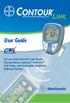 Wireless Blood Glucose Monitoring System User Guide For use with CONTOUR LINK Blood Glucose Meter, Ascensia MICROFILL Test Strips, and Compatible Medtronic Diabetes Devices Thank you for choosing the CONTOUR
ACCU-CHEK Inform II BLOOD GLUCOSE MONITORING SYSTEM. Operator s Manual
 ACCU-CHEK Inform II BLOOD GLUCOSE MONITORING SYSTEM Operator s Manual Manual version Revision date Changes Version 1.0 2012-10 New document Version 2.0 2013-02 Upgrade to FW 03.04; Revise critically ill
The OmniPod Insulin Management System
 Caregiver GUIDE The OmniPod Insulin Management System The OmniPod is an easy-to-use, two-part insulin delivery system. If you are a school nurse, daycare provider, or other secondary caregiver for someone
Automated External Defibrillators (AEDs) AP 400.37
 Administrative Procedure Automated External Defibrillators (AEDs) AP 400.37 Procedure for: Principals, Maintenance and Custodial Staff Adopted: April 12, 2013 Submitted by: Superintendent of Business &
FX-BTCVT Bluetooth Commissioning Converter Commissioning Guide
 FX-BTCVT Bluetooth Commissioning Converter Commissioning Guide FX-BTCVT-1 (Bluetooth Commissioning Converter) Code No. LIT-12011665 Issued December 5, 2014 Refer to the QuickLIT website for the most up-to-date
Laboratory Computer Systems
 LAP Audioconference Laboratory Computer Systems October 21, 2009 Bruce A. Beckwith, MD, FCAP 2009 College of American Pathologists. Materials are used with the permission of the faculty Learning Objectives
Individualized Quality Control Plan
 NOVEMBER 2014 CLIA Individualized Quality Control Plan WHAT IS AN IQCP? OVERVIEW Discovering, Deciphering and Designing an Individualized Quality Control Plan (IQCP) IQCP provides a framework for customizing
Diabetes Insulin Pump Health Care Plan District Nurse Phone: 262-560-2104 District Nurse Fax: 262-560-2106
 EMPOW ERING A COMMUNITY OF LEARNERS AND LEADERS Diabetes Insulin Pump Health Care Plan District Nurse Phone: 262-560-2104 District Nurse Fax: 262-560-2106 Student DOB School Grade Doctor Phone School Year
HED\ED:NS-BL 037-3rd
 HED\ED:NS-BL 037-3rd Insulin Insulin is produced by the beta cells in the islets of Langerhans in the pancreas. When glucose enters our blood, the pancreas should automatically excrete the right amount
DEPARTMENT OF HEALTH PO BOX 358 TRENTON, N.J. 08625-0358. www.nj.gov/health
 CHRIS CHRISTIE Governor KIM GUADAGNO Lt. Governor Dear Administrator: DEPARTMENT OF HEALTH PO BOX 358 TRENTON, N.J. 08625-0358 www.nj.gov/health January, 2013 MARY E. O DOWD, M.P.H. Commissioner Since
ES&S AutoMARK. Pre-Election Day Checklist
 ES&S AutoMARK Pre-Election Day Checklist Rear Access Door Touch Screen Monitor Lid Compact Flash Access Door Lid Latches Key-Operated Mode Switch Keypad Ballot Feed Tray ADA Port Headphone Jacks 1 Checking
19.109 AUTOMATED EXTERNAL DEFIBRILLATOR
 19.109 AUTOMATED EXTERNAL DEFIBRILLATOR References: American Heart Association Healthcare Provider (CPR/AED) Ohio Revised Code Chapter 2305.235 Immunity of Person Involved with Providing Automated External
Objectives At the completion of this module, unlicensed assistive personnel (UAP) should be able to:
 Objectives At the completion of this module, unlicensed assistive personnel (UAP) should be able to: 1. administer medications by subcutaneous injections. 2. document medication administration in the client
NEW HAMPSHIRE. Downloaded January 2011 HE P 803.08 NURSING HOME REQUIREMENTS FOR ORGANIZATIONAL CHANGES.
 NEW HAMPSHIRE Downloaded January 2011 HE P 803.08 NURSING HOME REQUIREMENTS FOR ORGANIZATIONAL CHANGES. (a) The nursing home shall provide the department with written notice at least 30 days prior to changes
CONTINUOUS GLUCOSE MONITORING SYSTEM USER S GUIDE
 CONTINUOUS GLUCOSE MONITORING SYSTEM USER S GUIDE CONTINUOUS GLUCOSE MONITORING SYSTEM IMPORTANT CONTACTS AND NUMBERS Dexcom Website: www.dexcom.com Your Transmitter ID: Your Receiver ID: Your Healthcare
BLOOD GLUCOSE MONITORING SYSTEM USER GUIDE
 BLOOD GLUCOSE MONITORING SYSTEM USER GUIDE Thank you for choosing the CONTOUR blood glucose monitoring system! We are proud to be your partner in helping you manage your diabetes. Our goal is to make this
CoaguChek System. XS Plus. User Manual
 CoaguChek System XS Plus User Manual The contents of this manual, including all graphics and photographs, are the property of Roche Diagnostics. No part of this document may be reproduced or transmitted
1 Quality Assurance and Quality Control Project Plan
 1 Quality Assurance and Quality Control Project Plan The purpose of this section is to describe the quality assurance/quality control program that will be used during the system specific field testing
State Water Resources Control Board Environmental Laboratory Accreditation Program
 State Water Resources Control Board Environmental Laboratory Accreditation Program P.O. Box 100, Floor 24 850 Marina Bay Parkway, Build. P 500 N Central Ave, Suite 500 Sacramento, CA 95812-0100 Richmond,
Blood Glucose Monitoring Systems
 Diabetes Management Software User Guide Blood Glucose Monitoring Systems SUG483 Rev.7 11/11 Instructions for the Prodigy Diabetes Management Software Thank you for choosing Prodigy. Prodigy Diabetes Management
Setting Up and Using the Omnisense 8000S
 Setting Up and Using the Omnisense 8000S Quick Reference Notes Technical Support: Call Toll Free: 1-877-590-9555 x345 Table of Contents Setting Up the Omnisense 8000S... 1 Omnisense Set-up Tips... 1 SQV
Textbook: Chapter 12 pages 351-353, Chapter 13 pages 385-388
 EXERCISE 11: BEDSIDE GLUCOSE TESTING Textbook: Chapter 12 pages 351-353, Chapter 13 pages 385-388 Skills: Objectives: 15 points 1. List the limitations of the bedside glucose test procedure. 2. State the
ClikSTAR - Important facts about your new insulin delivery device.
 ClikSTAR - Important facts about your new insulin delivery device. Instruction for Use ClikSTAR Insulin delivery device Before you start: Read these instructions and follow them completely each time you
WIRELESS BROADBAND. Self-Help Guide. MiFi Modem (MF60) PortaFi Modem (MF70)
 WIRELESS BROADBAND Self-Help Guide MiFi Modem (MF60) PortaFi Modem (MF70) contents understanding the LED light on the modem how to measure the current download and upload internet speeds how to manage
VUMC Guidelines for Management of Indwelling Urinary Catheters. UC Access/ Maintenance
 VUMC Guidelines for Management of Indwelling Urinary Catheters UC Insertion Preparation & Procedure Indications for insertion and continued use of indwelling urinary catheters include: Urinary retention
SCM Training For Nursing Staff
 SCM Training For Nursing Staff UK Hosp, Staff Education August 06 1 Resources and Help Support Center: 323-8586 Useful Web Sites Learning Center Web page http://www.mc.uky.edu/learningcenter ICIS Web page
Nova Max Blood Glucose Monitor Owner s Guide
 Nova Max Blood Glucose Monitor Owner s Guide Nova Biomedical 200 Prospect Street Waltham, MA 02454-9141 U.S.A. Telephone: 1-800-681-7390 Web site: www.novacares.com Made in the USA by Nova Biomedical Corporation
There are only four actions that a patient can take to attempt to correct a monitor error:
 MyCareLink Error Codes When an error condition occurs with the MyCareLink Patient Monitor, the display screen provides a four digit code, along with an animated graphic to help patients resolve the error.
The easy way to accept EFTPOS, Visa and MasterCard payments on the spot. Mobile Users... 2. Charging your PayClip. 2. Downloading the PayClip app.
 PayClip User Guide The easy way to accept EFTPOS, Visa and MasterCard payments on the spot. Contents Getting started made easy 2 Information for Merchants....................................................2
ACCU-CHEK Inform II BLOOD GLUCOSE MONITORING SYSTEM. Operator s Manual
 ACCU-CHEK Inform II BLOOD GLUCOSE MONITORING SYSTEM Operator s Manual ACCU-CHEK Inform II System OPERATOR S MANUAL 2015 Roche Diagnostics. All rights reserved. 05234646004 2015-03 USA1 Manual version
STEP-BY-STEP INSTRUCTIONS FOR INVESTIGATIONAL USE. Rapid HCV Antibody Test FOR ORAQUICK RAPID HCV ANTIBODY TEST
 Before performing testing, all operators MUST read and become familiar with Universal Precautions for Prevention of Transmission of Human Immunodeficiency Virus, Hepatitis B Virus, and other Blood-borne
Document and Record Control in a Hospital Clinical Laboratory
 Document and Record Control in a Hospital Clinical Laboratory Linda A. Chambers, MD Transfusion Service Medical Director Riverside Methodist Hospital and Grant Medical Center OhioHealth, Columbus, Ohio,
Anchor Bay School District Diabetic Medical Care Plan. Student Name Date Grade Teacher
 Rev: 4/2009 Anchor Bay School District Diabetic Medical Care Plan Place Child s Picture Here Student Name Date Grade Teacher Emergency Contact information (Please list in order to be called) #1 Parent
Food Surface Sanitizing
 Module 14 Overview: Food Surface Sanitizing TRAINER: Read this page ahead of time to prepare for teaching the module. PARTICIPANTS WILL: 1. Understand the importance of food surface CLEANING and SANITIZING.
Management Plan For Control of Blood-borne Pathogens, Infectious Wastes and Other Potentially Hazardous Biological Agents
 Management Plan For Control of Blood-borne Pathogens, Infectious Wastes and Other Potentially Hazardous Biological Agents 1.0 Executive Summary 1.1 The Bloodborne Pathogen standard, initiated by OSHA,
Getting started with
 PART NO. CMA113 MADE IN CHINA 1. Measuring CAT II 2. Max. voltage 250V ~ 3. Max. current 71 Amp Getting started with Electricity consumption monitoring single phase for homes and some smaller light commercial
EH&S. Sheet. Fact. Safe and Effective Use of Autoclaves. What are autoclaves? Factors for effective sterilization. Dry heat cycle - when to use
 Please post or circulate Fact heet nvironment, ealth and afety Information for the Berkeley Campus No. 33 Revised 04/04/11 afe and ffective Use of Autoclaves Autoclaves are easy to use but can pose a safety
How to safely collect blood samples from persons suspected to be infected with highly infectious blood-borne pathogens (e.g.
 How to safely collect blood samples from persons suspected to be infected with highly infectious blood-borne pathogens (e.g. Ebola) Step 1: Before entering patient room, assemble all equipment (1 st part)
QUALITY ASSURANCE AND QUALITY CONTROL REFERENCE GUIDE FOR MULTI-PATIENT USE FACILITIES
 ATTENTION: RISK MANAGEMENT AND CHIEF MEDICAL OFFICER QUALITY ASSURANCE AND QUALITY CONTROL REFERENCE GUIDE FOR MULTI-PATIENT USE FACILITIES Information in This Manual is Specific for Healthcare Providers
XL-I 2011: Understanding and Explaining the CAP POCT Checklist: A Tool for Laboratorians to Use With POCT Staff
 Case Study, Presentation John Tran is a medical technologist who has worked in an automated laboratory but is newly hired as a hospital point-of-care coordinator (POCC) for the Rapidly Growing Health System
ELECTRONIC LOGGING DEVICE. User Manual
 ELECTRONIC LOGGING DEVICE User Manual Installing Your HD 100 > Installation Instructions Installing your HD 100 can take as little as 10 minutes. Installation instructions are provided here, as well as
Start Here. 3200 Series. All-in-One Printer. Print Copy Scan. Includes Information on the: ESP 3250 All-in-One Printer ESP 3260 All-in-One Printer
 Start Here All-in-One Printer 3200 Series MS SD/HC MMC Print Copy Scan Includes Information on the: ESP 3250 All-in-One Printer ESP 3260 All-in-One Printer Note: A USB 2.0 cable is required to connect
Annual Biomedical Waste Code Training
 Annual Biomedical Waste Code Training Provided by: Barbara D. Will, MPH Biomedical Waste Program Supervisor To protect, promote and improve the health of all people in Florida through integrated state,
Key Features in the AgaMatrix Jazz
 Advanced Blood Glucose Monitoring System OWNER S GUIDE Key Features in the AgaMatrix Jazz No Coding Required - The AgaMatrix Jazz doesn t require you to code your meter. Insert a test strip and you are
May 2015 VERSION 02. Capacity Management Quick Reference Guide
 May 2015 VERSION 02 Capacity Management Quick Reference Guide Table of Contents Capacity Management Background... 1 Superuser Role... 1 Gadget Summary and Functionality... 2 Patient List... 2 Discharge
Section 6: Your Hemodialysis Catheter
 Section 6: Your Hemodialysis Catheter What you should know about your dialysis catheter How to change your catheter TEGO connectors Starting dialysis using a catheter End of dialysis using a catheter Changing
Pediatric Diabetic Teaching Guidelines/Checklist
 Pediatric Diabetic Teaching Guidelines/Checklist This teaching guideline contains the essential elements for teaching pediatric inpatients with diabetes. All teaching and patient/family responses should
Diabetes Management and Treatment Plan for School (For the insulin pump student)
 Lafayette School Corporation Health Services Diabetes Management and Treatment Plan for School (For the insulin pump student) Effective Dates: This plan should be complete by the student s personal health
2009 LAP Audioconference Series. Laboratory Computer Systems
 2009 LAP Audioconference Series Objectives: After participating in this audioconference you will be able to: Describe the requirements for validating computer interfaces Understand the principles for validating
ArtisanLink Staining System is an automated special stains slide
 Technical Tips Tips on using the ArtisanLink Special Staining System Jamie Nowacek, BS, HT(ASCP) CM, QIHC, PMP Dako North America, Inc. Carpinteria, CA, USA ArtisanLink Staining System is an automated
Your Guide to Peritoneal Dialysis Module 3: Doing Peritoneal Dialysis at Home
 Your Guide to Peritoneal Dialysis Module 3: 6.0959 in Preparing to do PD One of the most important things about PD is to keep the dialysis area and anything that comes in contact with the PD equipment