
Monitor and Control Software
|
|
|
- Nickolas Chapman
- 9 years ago
- Views:
Transcription
1 January 2013 Page 1 DeltaV allows you to use the right control langauge for the right control task. IEC languages Built-in FOUNDATION fieldbus technology Control in the field, controller, or both Scalable software meets any needs Integrates multi-vendor real-time data into your DeltaV system Performs calculations on data from external sources Features protecting and hiding of control strategies Features class-based configuration Features advanced unit management Features advanced control

2 January 2013 Page 2 Introduction Are you looking for a control system that allows you to use standard control languages and functions? Do you want to use different control languages that are appropriate for the control task within the same strategy? Do you want a control system that permits you to design where and how you perform monitoring and control, rather than forcing you to fit within the constraints of a fixed architecture? A DeltaV system gives you all this and more. Choose from IEC control languages and FOUNDATION fieldbus function blocks to design your monitoring and control strategies. Need to consolidate your PLC, legacy systems, and gauging systems into a single operator interface? OPC may be used to tear down the barriers between your legacy control systems and your DeltaV system. The DeltaV system provides you with a real-time database where you can store third-party data for use anywhere within the DeltaV system. You can display, trend, alarm and even use it in control strategies. What s more, you choose the location that is best for integrating the data into the DeltaV system, the workstation or the controller. This document details the monitoring and control functions supported by a DeltaV system. These functions can run on DeltaV Application Stations and controllers and many of the function blocks may be assigned to run within FOUNDATION fieldbus devices Benefits Uses IEC control languages. A DeltaV system supports three languages, so you can always use the tools most appropriate for the job. Function Block Diagrams (FBD), Sequential Function Charts (SFC), and Structured Text (ST) are all available, making control strategy development both intuitive and easy. Built-in FOUNDATION fieldbus functionality. These function blocks are used throughout the DeltaV system. Control strategies are developed, using these standardsbased blocks that minimize development time and maximize the system s performance. Many functions (like override control, tracking, and state control) are built into these powerful blocks. Plus, with Fieldbus, you get decreased wiring costs and improved instrument diagnostics. Control in the field, controller, or both. Design control strategies to meet your application requirements. Then decide where each block executes: in the controller, in the field devices, or both. Scalable software meets any needs. As your needs grow, your DeltaV system is ready to expand with you. Additional capacity and even additional control functionality can be added online while you continue to control your process. Your entire configuration remains intact; you simply add to existing control strategies with the newly available functions or configure new control modules to take advantage of higher capacity. Integrates multi-vendor data. Bring data into your DeltaV system for control, display, and historical purposes. When executing in the controller, the monitoring software uses Classic I/O, HART, FOUNDATION fieldbus, PROFIBUS DP, AS-i bus, DeviceNet and serial interfaces to access data. Running in workstations, OPC technology provides Data Acquisition control software with fast connections and data transfers to and from any system. Performs calculations on data from external sources. Now you can put the data from an existing system to work for you in the DeltaV system. All DeltaV applications can access and use the external data as if it were native DeltaV data. And because you can execute function blocks directly in the workstation, you can really put this external data to work for you. Features protecting and hiding of control strategies. Access to library items like module templates and class definitions can be restricted by to enforce project standards. The internal structure of modules can be hidden to protect intellectual property. Features class-based configuration. Build module class definitions for commonly used control (e.g. motors, valves) and equipment (e.g. valve header) modules. All modules that are created from a definition inherit changes that are made to the definition. Features advanced unit management (AUM). Use powerful DeltaV unit modules and aliasing to write generic logic in control and equipment modules. This will simplify configuration management where there are similar equipment units or trains. Refer to the Advanced Unit Management product data sheet for further details. Features advanced control. Use DeltaV Fuzzy to improve performance of non-linear or noisy loops. The optional DeltaV Tune makes adjusting the Fuzzy rules and PID parameters a snap. Simply run the tuning wizard and your loop is optimized. For more demanding process control requirements, you can use Model Predictive Control or DeltaV Neural. Refer to the Advanced Control product data sheets for details.

3 January 2013 Page 3 Product Description DeltaV Monitoring and Control Software uses standard IEC control languages, as well as FOUNDATION fieldbus function blocks to support strategy development. These strategies may be graphically assembled and modified using standard drag-and-drop techniques. Strategy development is visually intuitive, making it easy for first-time users to quickly become productive. Contextsensitive, online help is available for all functions. The IEC control languages include Function Block Diagramming (FBD), Sequential Function Charts (SFC), and Structured Text (ST). Typical uses of each language are listed on page 4. Control Language Typical Usages Function Block Diagram (FBD) Monitoring and alarming Continuous calculations Analog control (pressure, temperature, flow) Motor and block valve control Totalizers Sequential Function Chart (SFC) Charging systems Startup/shutdown control Batch sequences (fill, mix, heat, dump) Structured Text (ST) Advanced math functions Complex calculations Interlock condition detection If-then-else decisions Looping Bit manipulations Function Block Diagrams. Your DeltaV system uses Function Block Diagrams to implement continuously executing calculations, process monitoring, and control strategies. Graphical wires are used to connect the different blocks within a diagram. Each wire transfers one or more pieces of data. All communications throughout the DeltaV system are handled automatically. DeltaV function blocks are implemented using the structure specified by the FOUNDATION fieldbus standard, but they are also enhanced to provide greater flexibility in control strategy design. FOUNDATION fieldbus -compliant Function Blocks enable you to take advantage of control in the field. You design control strategies that best meet your control application requirements. Then, decide whether the function blocks controlling the process run in the controller, field devices, or both. Sequential Function Charts. This language enables you to configure operator-independent time-variant actions. SFCs are best at controlling strategies with multiple states. They can be used for sequencing and simple batch applications. An SFC comprises a series of steps and transitions. Each step contains a set of actions that affect the process. Transitions determine when processing moves on to the next step(s). Both single-stream and parallel execution of logic is supported within SFCs. Structured Text. With structured text you can write sophisticated calculations using a wide array of algebraic and trigonometric functions and operators. In addition, you can build complex logic expressions using conditional and iterative structures. Data Acquisition. Display, trend, alarm, and use thirdparty data as if it were native DeltaV data. Now you can put the data from an existing system to work for you in a DeltaV system. All DeltaV applications can access and use the external data as if it were native DeltaV data. The data can be used on any DeltaV workstation. It can also be integrated into control strategies, consolidated into reports, historized, and much more. Whether your application uses the workstation s OPC server or the controller s I/O subsystem once accessed, the real-time database makes the data immediately available throughout the DeltaV system. In runtime, the exception reporting mechanism moves the data to the appropriate system application. The global configuration database makes management and use of this data easy.

4 January 2013 Page 4 Section 1: Function Blocks Math Blocks Absolute* Provides the absolute value of an integer or floating point input Add* Sums the values of two to sixteen inputs and generates an output value. Arithmetic* Provides standard algorithms for : Flow Compensation Linear, Flow Compensation Square Root, Flow Compensation Approximate, Btu Flow, Traditional Multiply and Divide, Average, Summer, Fourth Order Polynomial, and Simple HTG Compensate Level Comparator* Compares two values for the conditions greater than, less than, equal, not equal, and generates an output for each comparison (GT, LT, EQ, NEQ). It also checks whether the primary input is within the range defined by two inputs. Divide* Divides one input value by another input value and generates an output value. Integrator* Integrates one or two variables over time. The block compares the integrated or accumulated value to pre-trip and trip limits and generates discrete output signals when the limits are reached. Multiply* Multiplies two to sixteen inputs and generates an output value. Subtract* Subtracts one input value from another input value and generates an output value. *Allowed to run in a workstation-based controller

5 January 2013 Page 5 Alarm Detection* Input/Output Blocks Creates a set of standard alarms (HI_HI, HI, LO, LO_LO) on any system parameter. AI and PID blocks have this function built-in. Analog Input* Accesses a single analog measurement value and status from an I/O channel. The input value can be a transmitter s 4-20mA signal, the digitally communicated FOUNDATION fieldbus block, or the digitally communicated primary or non-primary variable from a HART transmitter. Analog Output* Assigns an analog output value to a field device through a specified I/O channel or Fieldbus device. Discrete Input* Accesses a single discrete measurement value and status from a two-state field device and makes the processed physical input available to other function blocks. Discrete Output* Takes a binary setpoint and writes it to a specified O/O channel to produce an output signal. Fieldbus Multiplexed Discrete Input Accesses discrete input values from two-state field devices and makes the processed physical inputs available through eight discrete output parameters. Fieldbus Multiplexed Analog Input Used to make up to 8 input parameters available to the Fieldbus I/O subsystem. H1 Carrier Multiple Discrete Input Accesses a DI card on the H1 carrier device and makes the individual channels available as in an 8-bit integer output. H1 Carrier Multiple Discrete Output Takes an 8-bit integer and writes it to the individual channels of a DO card on the H1 carrier device. Fieldbus Multiplexed Analog Input Used to connect to higher density Fieldbus transmitters. Fieldbus Multiplexed Analog Output Used to connect up to 8 analog output signals for Fieldbus devices supporting this function block. Pulse Input* Converts the rate parameter on the Pulse Input card to a value in engineering units. *Allowed to run in a workstation-based controller

6 January 2013 Page 6 Counter* Timer and Counter Blocks Generates a discrete output value of True (1) when the count reaches a specified trip value. The block functions as an increment or decrement counter. Off-delay Timer* Delays the transfer of a False (0) discrete input value to the output by a specified time period. On-delay Timer* Delays the transfer of a True (1) discrete input value to the output by a specified time period. Retentive Timer* Generates a True (1) discrete output after the input has been True for a specified time period. When the reset input is set True, the elapsed time and the output value are reset. Timed Pulse* Generates a True (1) discrete output for specified time duration when the input makes a positive (Falseto-True) transition. The output remains True even when the input returns to its initial discrete value; it returns to its original False value only when the output is True longer than the specified time duration. Date Time Event* Generates a pulse at a preset date and time or at preset time intervals *Allowed to run in a workstation-based controller

7 January 2013 Page 7 Action* Logic Blocks Evaluates a single structured text expression when the input value is True. Mathematical functions, logical operators, and constants may be used in the expression. AND* Generates a discrete output value based on the logical AND of two to sixteen discrete inputs. Bi-directional Edge Trigger* Generates a True (1) discrete pulse output when the discrete input makes a positive (0-to-1, False-to- True) or a negative (1-to-0, True-to-False) transition since the last execution of the block. If there has been no transition, the discrete output of the block is False. Boolean Fan Input* Generates a discrete output based on the weighted binary sum, binary coded decimal (BCD) representation, transition state, or logical OR of 1 to 16 discrete inputs. Boolean Fan Output* Decodes a binary weighted floating point input to individual bits and generates a discrete output value for each bit (as many as sixteen outputs). Condition* Evaluates a single structured text expression and generates a discrete output value when the expression is evaluated True (1) for longer than a specified time period. Device Control Provides setpoint control for multi-state discrete devices, such as motors, pumps, and block valves. Multiplexer* Selects one input value from up to 16 input values and places it at the output. Negative Edge Trigger* Generates a True (1) discrete pulse output when the discrete input makes a negative (1-to-0, True-to- False) transition since the last execution of the block. If there has been no transition (or a positive transition), the discrete output of the block is False (0). NOT* Logically inverts a discrete input signal and generates a discrete output value. When the input is True (1), the output is False (0). When the input is False, the output is True. OR* Generates a discrete output value based on the logical OR of 2 to 16 discrete inputs. When one or more of the inputs is True (1), the output is set True (1). Positive Edge Trigger* Generates a True (1) discrete pulse output when the discrete input makes a positive (0-to-1, False-to- True) transition since the last execution of the block. If there has been no transition (or a negative transition), the discrete output of the block is False (0). Reset/Set Flip-flop* Generates a discrete output value based on NOR logic of Reset and Set inputs. If the Reset input is False (0) and the Set input is True (1), the output is True. The output remains True regardless of the Set value until the Reset value is True. When Reset becomes True, the output is False.

8 January 2013 Page 8 Set/Reset Flip-flop* Logic Blocks Generates a discrete output value based on NAND logic of Set and Reset inputs. When the Reset input is False (0) and the Set input is True (1), the output is True. The output remains True until the Reset input is True and the Set input is False. When the Reset input is True, the output is equal to the Set input. Transfer* Selects one of two analog input signals and transfers the selected input to the output after a specified time. The transfer from one input to another is smoothed with a linear ramp. *Allowed to run in a workstation-based controller

9 January 2013 Page 9 Bias/Gain Analog Control Blocks Provides adjustable gain capability by computing an output value from a bias setpoint, an input, and a gain value. Calc* Allows you to specify an expression that determines the block s output. Mathematical functions, logical operators, constants, parameter references, and I/O reference values may be used in the expression. Expressions are written using IEC Structured Text. See section 3 for Structured Text details. Control Selector Selects one of three control signals to perform override control to a PID function block. Dead time* Introduces a pure time delay in the value and status used in a signal path between two function blocks. Fieldbus Input Selector Extended Selects the first good, minimum, maximum, middle, or average of up to eight input signals. Supports operator-selected, mode, and signal disable. Filter* Applies an equation to filter changes in the input signal and generates a smooth output signal. Input Selector* Selects the first good, minimum, maximum, middle, or average of up to four input signals. Supports operator-selected, mode, and signal disable. Lead/Lag* Provides dynamic compensation for an input value. The block can apply a lead time function, a lag time function, or a combination of the two. A specified gain is applied to the compensated value and the value is high/low-limited based on the block mode. Limit* Limits an input value between two reference values. Manual Loader Allows the block output to be set by an operator. PID Combines all the necessary logic to perform analog input channel processing, proportional-integralderivative (PID) control, and analog output channel processing within one function block. Ramp* Creates a ramping output signal to increase or decrease a variable toward a specified target value at a defined rate. Rate Limit* Limits the rate of change of the output value to specified limits. Also provides the derivative of the input signal. Ratio Applies an adjustable ratio setpoint to achieve a desired input/output relationship. Scaler* Provides scaling and dimensional consistency between two values of different engineering units. The block converts the input value to the specified scale and generates an output value.

10 January 2013 Page 10 Signal Characterizer* Analog Control Blocks Characterizes or approximates any function that defines an input/output relationship. The function is defined by configuring as many as twenty X, Y coordinates. The block interpolates an output value for a given input value using the curve defined by the configured coordinates. Two separate analog input signals can be processed simultaneously to give two corresponding separate output values using the same defined curve. Signal Generator* Produces an output signal used to simulate a process signal. Signal Selector* Selects the maximum, minimum, or average of as many as sixteen input values and places it at the output. Splitter Takes a single input and calculates two outputs based on specified coordinate values. *Allowed to run in a workstation-based controller

11 January 2013 Page 11 Fuzzy Logic Advanced Control Blocks Easy to use alternative to PID control. Useful in non-linear and noisy processes. Also very suited to handling unmeasured disturbances. Inspect* Monitors plant area control performance statistics for viewing, trending and history collection. Also provides for programmatic enable/disable of performance monitoring based on equipment or unit state. Model Predictive Control* (basic and professional) Model Predictive constrained multi-variable controller for processes with, interacting variables, difficult dynamics, multiple constraints, and throughput optimization. Related Blocks MPC Process Simulator* Allows the process to be simulated to verify the model. MPC Input Reference* Easily connect input parameters (controlled variables, disturbance variables, and constraint variables) from multiple loops in a single MPC strategy. Useful for implementing MPC in a supervisory fashion. MPC Output Reference* Easily connect output parameters (manipulated variables) from multiple loops in a single MPC strategy. Useful for implementing MPC in a supervisory fashion. MPC Analyzer template* Used to pre-process sampled analyzer measurements before feeding them into the MPCPro block. Neural Network* Build virtual sensors for on-line qualitative property estimation. Use anywhere samples are taken for analysis, or in place of or back-up to continuous analyzers. Related Blocks Diagnostic* Lab Entry* Allows operator input of offline laboratory analysis results to be used in training the neural network. Sample time and test results are easily logged right from the operator interface. The Diagnostic function block provides a method to monitor device alerts from non-fieldbus assets. *Allowed to run in a workstation-based controller

12 January 2013 Page 12 Analog Voter Advanced Functions Blocks Monitors a number of analog input values and determines if there are enough votes to trip. If a configured number of the inputs vote to trip, the block trips, and the output of the block is set to zero (0). Discrete Voter Monitors a number of discrete input values and determines if there are enough votes to trip. If a configured number of the inputs vote to trip, the block trips, and the output of the block is set to zero (0). Cause and Effect Matrix Incorporates interlock and permissive logic for one or more final control elements. Up to 16 Causes (inputs) and up to 16 Effects (outputs) can be configured using the function block s matrix. State Transition Implements a user-defined state machine. The state machine describes the possible states, and the transitions between those states, that can occur. Step Sequencer Associates system states with actions to drive outputs based on the current state. *Allowed to run in a workstation-based controller

13 January 2013 Page 13 Isentropic Expansion* Energy and Metering Blocks Calculates the final enthalpy for isentropic expansion of steam to a given pressure for given entropy. If the entropy-pressure point lies in the two-phase region, the combined enthalpy of steam and water for constant entropy is provided. Steam quality (% moisture) and steam temperature are also calculated. Saturated Steam Properties* Calculates steam enthalpy, entropy, specific volume and pressure for saturation conditions specified by a given temperature. Saturated Temperature* Calculates steam temperature at saturation give steam pressure. Steam Density Ratio* Calculates the square root of the ratio of steam density to the density of steam at the calibration conditions of the flow meter. Steam Properties* Calculates steam enthalpy, entropy and specific volume for a give gauge pressure and a given temperature. Water Enthalpy* Calculates enthalpy of water for a specified temperature. Water Entropy* Calculates entropy of water for a specified temperature. Flow Metering in SI units* Calculates mass flow, volumetric flow and energy flow for orifice and turbine meters. Flow Metering in US units* Calculates mass flow, volumetric flow and energy flow for orifice and turbine meters. *Allowed to run in a workstation-based controller

14 January 2013 Page 14 Special Items Custom Block Tool* Adds various block types Composite Block* A grouping of individual function blocks. Composites can be of the Linked or Embedded type. Module Block* A block on the diagram that represents another module within the system. It allows direct connection of parameters between this module and the referenced module. Physical Block Tool Used to add Foundation fieldbus blocks directly to the diagram instead of adding a standard I/O block and then converting it. Input Parameter* A value from another function block, a sequential function chart (SFC), or a field device supplied to a module for use in execution. Internal Read Parameter* A value used within a module that supplies an output for connection to I/O or other module parameters. Internal Write Parameter* A value used within a module that supplies an input for connection to I/O or other module parameters. Output Parameter* A value calculated or triggered by the module and sent to other diagrams or field devices. *Allowed to run in a workstation-based controller

15 January 2013 Page 15 Section 2: Sequence Function Chart Tools Input Parameter SFC Tools A value from another function block, a sequential function chart (SFC), or a field device supplied to a module for use in execution. Automatically available when the Module Block is used on another module s diagram. Internal Read Parameter A value used within a module that supplies an output for connection to I/O or other module parameters. Internal Write Parameter A value used within a module that supplies an input for connection to I/O or other module parameters. Output Parameter A value calculated or triggered by the module and sent to other function blocks, SFC s, or field devices. Automatically available when the Module Block is used on another module s diagram. Step An element of an SFC that contains a set of actions. The actions define the rules and the behavior of the step. The step manages the execution of the actions they contain. Termination A transition that specifies a condition that represents a logical end to a sequence. Transition An element of a SFC that allows the sequence to proceed from one step to the next if a transition condition is met. A transition condition is the result of evaluating a Boolean expression. Sequence A number of steps and transitions linked together.

16 January 2013 Page 16 Section 3: Structured Text Instructions Functions The DeltaV system uses IEC Structured Text to create custom functions. The language uses operators, functions, statements and operands in expressions. The Action, Condition, Calc blocks and SFCs use expressions. Any system parameter may be referenced by these expressions. Operators Math ABS (x) EXP EXPT (x, y) FRACT (x) Description Absolute value of x Exponential of x Raise x to the power of y Fractional part of a number Operator Description - Unary minus + Unary plus!, NOT Logical NOT ~ Bitwise NOT OR Logical OR XOR Logical Exclusive OR AND Logical AND Bitwise OR ^ Bitwise XOR & Bitwise AND = Equality!=, <>, ~= Inequality < Less than > Greater than <= Less than or equal to >= Greater than or equal to + Add + String concatenation Subtract * Multiply / Divide MOD, % Modulus (remainder) ** Raise to power?: Conditional evaluation LN (x) LOG (x) LOG2 (x, y) MAX (x, y) MIN (x, y) ROUND (x) SQRT (x) TRUNC (x) Trig ACOS (x) ASIN ATAN COS SIN(x) TAN (x) Bitwise Natural logarithm of x Log base 10 of x Log base y of x Maximum of x and y Minimum of x and y Round x to the nearest float Square root of x Floor function Arc cosine of x Arc sine of x Arc tangent of x Cosine of x Sine of x Tangent of x Description Description ROL(x,y) / ROTL Rotate x to the left by y positions ROTL16(i,n) Rotate i to the left by n bits for a 16 bit integer ROR(x,y) / ROT Rotate x to the right by y positions ROTR16(i,n) Rotate i to the right by n bits for a 16 bit integer SHL(x,y) SHR(x,y) ASR16(i,n) STBT(i,b,n) Shift x left by y positions, no carry Shift x right by y positions, no carry Arithmetic shift right n bits by I positions for a 16 bit integer Set bit n in integer i to boolean value b Time time_to_str str_to_time Description converts a time value to a time string converts a time string to a time value

17 January 2013 Page 17 Miscellaneous. EUP(e,p0,p100) PEU(p,p0,p100) Option Explicit Logevent(x) Selstr(n,s1,s2,s3,s4,s5) Sysstat(x) Basepath(path_string) Description Conversion from engineering units to percent Conversion from percent to engineering units Forces all local variables to require explicit declaration Logs the event string specified Returns the nth string. Download, Power fail, and switchover event flags Returns the base portion of a path string. Outputs are floating-point-with-status data types that may be wired from function block parameter connectors or written from action expressions. Input device signal tags (DSTs) are references to signals and also contain signal status data. Constants- predefined, unchangeable values in expressions. These constants let you test values against DeltaV system values without having to know their internal representations. The DeltaV system supports the constants listed below: GOOD BAD TRUE FALSE UNC Constant LIMITED CONSTANT LIMITED HIGH Good status Bad status Boolean True Boolean False Description Uncertain status Limited constant status Limited High status Statements Statement Description ; End of statement separator := Assignment If Then Conditional execution Else End_if While...Do Looping function End_While LIMITED LOW AUTO CAS IMAN LO MAN OS RCAS ROUT Limited Low status Automatic mode Cascade mode Initializing Manual mode Local Override mode Manual mode Out of Service mode Remote Cascade mode Remote Out mode Exit Var End_var Option Explicit REM (* *) Operands Exits the innermost While loop Declare variables Force variables to be declared Single line comment Comment (multi-line) Capacity Your DeltaV system provides the exact monitoring and control functions your application requires. The software is also scalable in size. The system is sized according to the number of device signal tags (DSTs) and SCADA tags. A DST is a signal used as a measured variable or controlled output. A SCADA tag is a value brought into the DeltaV system for monitoring, display, alarming and history collection. Named set constants in the form SetName:ValueName. Inputs are floating-point-with-status data types that may be wired to function block parameter connectors or used in expressions. Classic I/O supports only one signal per device. HART, FOUNDATION fieldbus, PROFIBUS DP, ASi bus and serial communications can support multiple signals per device, but in most cases only 1 DST is counted for system sizing purposes. OPC communications can support multiple tags per server.

18 January 2013 Page 18 System Specifications Hardware Capacity SCADA tags Device signal tags Data source MD, MD Plus, MX, SD, or SX Controllers per workstation per system Classic I/O (AI, AO, DI, DO) HART (AI, AO) FOUNDATION fieldbus PROFIBUS DP, AS-i bus, DeviceNet, Serial, OPC Ordering Information Controller function licensing is based on the number and type of I/O connected. The license limits are enforced on a systemwide basis and not on a per controller basis. For details, refer to the Controller Licensing white paper. License Type Model Number License Size (DSTs) DI VE3111Sxxxxx xxxxx = to DO VE3112Sxxxxx xxxxx = to AI VE3113Sxxxxx xxxxx = to AO VE3114Sxxxxx xxxxx = to ProfessionalPLUS Station, for v11.3 and earlier systems ProfessionalPLUS Station, for v12.3 and later systems VE2101Sxxxxx xxxxx = to VE2101Sxxxxx-1 xxxxx = to 30000

19 January 2013 Page 19 Related Products Redundancy. Controller redundancy provides you with added reliability for critical applications. DeltaV Fuzzy. For difficult-to-control loops, fuzzy logic technology enables more robust control than standard PID algorithms. It improves loop performance by providing faster, tighter control with minimal overshoot and settling time. Fuzzy logic is ideal for controlling non-linear process loops, as well as improving control of simple loops. DeltaV Neural. Provide a continuous indication of lab analysis of difficult measurements. DeltaV InSight. An advanced process monitoring system that instantly identifies under-performing loops, provides comprehensive loop performance analysis tools, and allows easy tuning of control loops. DeltaV Predict. Obtain greater process throughput to maintain plant operation at measurable operating constraints. DeltaV Simulate. Development environment including simulation on a PC. Mimic. This is tie-back and dynamic simulation software integrated with your DeltaV configuration. Simulates the controller s I/O without requiring any modifications to your control strategies AMS Device Manager. Provides predictive diagnostics and full asset management capabilities including calibration, documentation, and device configuration for HART, FOUNDATION fieldbus, Profibus DP, and WirelessHART devices. To locate a sales office near you, visit our website at: Or call us at: Asia Pacific: Europe, Middle East: North America, Latin America: or For large power, water, and wastewater applications contact Power and Water Solutions at: Or call us at: Asia Pacific: Europe, Middle East, Africa: North America, Latin America: Emerson Process Management All rights reserved. For Emerson Process Management trademarks and service marks, go to: The contents of this publication are presented for informational purposes only, and while every effort has been made to ensure their accuracy, they are not to be construed as warrantees or guarantees, express or implied, regarding the products or services described herein or their use or applicability. All sales are governed by our terms and conditions, which are available on request. We reserve the right to modify or improve the design or specification of such products at any time without notice.

ProfessionalPLUS Station Software Suite
 January 2013 Page 1 All you need to configure, control, and diagnose your plant is available on the ProfessionalPLUS Station Global database, architected for flexibility and scalability Powerful, graphical
Professional Station Software Suite
 January 2013 Page 1 You can easily engineer and operate your process automation system from the Professional Station Powerful, graphical engineering capabilities Robust and secure plant operations Integrated
DeltaV SIS TM. Function Blocks. DeltaV SIS Function Blocks. Introduction. DeltaV SIS Product Data Sheet. Certified for use in SIL 3 applications
 January 2013 Page 1 DeltaV SIS TM Function Blocks DeltaV SIS function blocks provide an easy, yet powerful configuration environment. Certified for use in SIL 3 applications Powerful functionality, yet
Base Station. Base Station. Introduction. DeltaV Product Data Sheet. Adaptable work environment. Scalable to suit your needs. Dedicated functional use
 September 2013 Page 1 Use the to build a custom DeltaV workstation to meet your needs. Adaptable work environment Scalable to suit your needs Dedicated functional use Introduction Are you looking for process
ProfessionalPLUS Station Software Suite
 Feb-07 Page 1 All you need to configure, control, and diagnose your plant is available on the ProfessionalPLUS Station. Global database, architectured for flexibility and scalability Powerful engineering
Maintenance Station Software Suite
 January 2013 Page 1 You can easily engineer and operate your process automation system from the Maintenance Station, Graphical view and annunciation of intelligent device alerts Fieldbus and HART Powerful
D800002X122 March 2006. Getting Started With Your DeltaV Digital Automation System
 D800002X122 March 2006 Getting Started With Your DeltaV Digital Automation System TM 1996-2006 Fisher-Rosemount Systems, Inc. All rights reserved. Unauthorized duplication, in whole or in part, is prohibited.
Operator Station Software Suite
 February 2016 Page 1 Operate your automation system at the DeltaV Operator Station. Robust and secure plant operations Real-time and historical-trend display Integrated system and device diagnostics Introduction
Batch Analytics. Predicts end-of-batch quality. Detects process faults and provides reason for deviation so operations can take action in real time
 DeltaV Distributed Control System Product Data Sheet December 2015 Batch Analytics Predicts end-of-batch quality Detects process faults and provides reason for deviation so operations can take action in
OPC Mirror. OPC Mirror. Introduction. Product Data Sheet. Bi-directional data flow. Easy configuration. Fast data transfer. OPC Data Access compliant
 January 2013 Page 1 Data transfer between OPC servers is easy with Bi-directional data flow Easy configuration Fast data transfer OPC Data Access compliant Runs anywhere Redundant operation Introduction
How To Use The Deltav System With A Large Data File System
 January 2013 Page 1 This document outlines the user-defined import/export capabilities in the DeltaV system. www.deltav.com January 2013 Page 2 Table of Contents Introduction -----------------------------------------------------------------------------------------------------
Application Station Software Suite
 February 2016 Page 1 All you need to run custom DeltaV applications is available on the Application Station. Seamlessly integrates your DeltaV data with the rest of your enterprise Includes the DeltaV
S-series DeviceNet Interface Card
 January 2013 Page 1 The DeltaV provides the solution for interfacing to discrete actuators and sensors. Offers freedom to choose appropriate bus for application Supports standard device-level busses Reduces
DeltaV Event Chronicle
 January 2013 Page 1 DeltaV Event Chronicle The stores process alarm and event information. Captures events electronically Provides complete process event record Easy event viewing and filtering Uses MS
S-series SQ Controller
 DeltaV Distributed Control System Product Data Sheet December 2015 S-series SQ Controller Scalable controllers Quick assembly Easy-to-use Field proven architecture Designed for Electonic Marshalling Advanced
AMS Suite: Intelligent Device Manager with the DeltaV system
 with the DeltaV TM system AMS Suite: Intelligent Device Manager with the DeltaV system Manage your HART, FOUNDATION fieldbus, WirelessHART, and Profibus DP devices using a single, integrated application
M-series Virtual I/O Module 2
 DeltaV Distributed Control System Product Data Sheet M-series Virtual I/O Module 2 Non-intrusive DeltaV I/O simulation Powerful integration solution Easy to use Modular, flexible packaging The M-series
AMS Suite: Intelligent Device Manager
 Product Data Sheet AMS Suite: Intelligent Device Manager with the DeltaV System Predict necessary maintenance activities instead of reacting to problems that are already impacting your process. Manage
DeltaV Remote Client. DeltaV Remote Client. Introduction. DeltaV Product Data Sheet. Remote engineering and operator consoles
 January 2013 Page 1 DeltaV Remote Client Remote engineering and operator consoles View Multiple DeltaV Systems from a single workstation Remote Operator Station over low speed and dial up communications
OPC Data Access Server Redundancy
 January 2013 Page 1 Redundant OPC Data Access servers provide highly reliable data transfer. Reliable data transfer Hardware and module redundancy Automatic switchover Online upgradable Introduction The
Wireless Field Data Backhaul
 October 2014 Page 1 Smart Wireless Gateway 1552WU An Emerson Smart Solution integrates WirelessHART data from remote areas of your plant. Scalable Reduced cost Safer deployment Secure and reliable communications
Automating with STEP7 in LAD and FBD
 bisk Automating with STEP7 in LAD and FBD Programmable Controllers SIMATIC S7-300/400 by Hans Berger Publicis MCD Verlag Contents Indroduction 19 1 SIMATIC S7-300/400 Programmable Controller... 20 1.1
Plantwide Event Historian
 March 2014 Page 1 The collects and stores alarm and event records from any OPC Alarms & Events server. Captures and displays event data for the entire plant Robust data collection mechanism Event viewer
DeltaV Executive Portal
 July 2014 Page 1 DeltaV Executive Portal You can easily monitor and analyze your plant with DeltaV Executive Web View. Securely view your process remotely on desktops or Windows tablets via the Internet
Temperature Transmitter TTX300
 coo Interface Description COM/TTX300/FF-EN Temperature Transmitter TTX300 FOUNDATION Fieldbus Contents Blinder Text Temperature Transmitter TTX300 Interface Description COM/TTX300/FF-EN 01.2010 Manufacturer:
DeltaV Virtual Studio
 June 2013 Page 1 DeltaV Virtual Studio Makes Virtualization Easy. DeltaV Virtualization Made Easy Reduced Costs and Increased Flexibility Fewer Computers and Control Hardware Extended System Life with
Ovation Operator Workstation for Microsoft Windows Operating System Data Sheet
 Ovation Operator Workstation for Microsoft Windows Operating System Features Delivers full multi-tasking operation Accesses up to 200,000 dynamic points Secure standard operating desktop environment Intuitive
M-series FOUNDATION Fieldbus I/O
 April 2013 Page 1 M-series FOUNDATION Fieldbus I/O Use DeltaV state-of-the-art FOUNDATION Fieldbus redundant I/O for your process control system Increases input/output Takes advantage of all smart device
DeltaV Web Server. DeltaV Web Server. Introduction. DeltaV Product Data Sheet. Gives you a secure view of your process from your desktop PC
 January 2013 Page 1 DeltaV Web Server Use the to view your process anywhere on the planet. Gives you a secure view of your process from your desktop PC Offers more information and scalable architecture
Automating witfi STEP7 in LAD and FBD
 Automating witfi STEP7 in LAD and FBD Programmable Controllers SIMATIC S7-300/400 by Hans Berger 2nd revised edition, 2001 Publicis MCD Corporate Publishing Contents Contents Indroduction 19 1 SIMATIC
Intelligent Device Management with DCS, PLC, and RTU
 wp_dcs PLC RTU ra 2015-07-04 12:47:00 Intelligent Device Management with DCS, PLC, and RTU EDDL-based Intelligent Device Management (IDM) software part of the Asset Management System (AMS) can be used
DeltaV Event Chronicle
 January 2013 Page 1 This document provides information on how to configure, use, and manage the. www.deltav.com January 2013 Page 2 Table of Contents Introduction... 3 Database Technology... 3 Database
DeltaV SIS for Burner Management Systems
 January 2011 Page 1 DeltaV SIS for Burner Management Systems RESULTS Inhibit startup when unsafe conditions exist Protect against unsafe operating conditions, including improper fuel quantities Provide
Technical Training Module ( 30 Days)
 Annexure - I Technical Training Module ( 30 Days) Section 1 : Programmable Logic Controller (PLC) 1. Introduction to Programmable Logic Controller - A Brief History, Need and advantages of PLC, PLC configuration,
Cover. SEB SIMOTION Easy Basics. Collection of standardized SIMOTION basic functions. FAQ April 2011. Service & Support. Answers for industry.
 Cover SEB SIMOTION Easy Basics Collection of standardized SIMOTION basic functions FAQ April 2011 Service & Support Answers for industry. 1 Preface 1 Preface The SEB is a collection of simple, standardized
Chapter 4 Register Transfer and Microoperations. Section 4.1 Register Transfer Language
 Chapter 4 Register Transfer and Microoperations Section 4.1 Register Transfer Language Digital systems are composed of modules that are constructed from digital components, such as registers, decoders,
DeltaV OPC.NET Server
 DeltaV Distributed Control System Product Data Sheet DeltaV Server Secure communications Robust connectivity Real-time and historical data transfer Access data from anywhere Unified interface Easy migration
Plant Messenger Alert Reporting Service
 January 2013 Page 1 Plant Messenger Alert Reporting Service Plant Messenger delivers DeltaV alarms and events anywhere in the world. Delivers DeltaV and DeltaV SIS alarms, events and device alerts to enterprise
How To Use Safety System Software (S3)
 SPECIFICATION DATA Safety System Software (S3) APPLICATION Safety System Software (S 3 ) is a robust, full featured configuration, diagnostic, programming and real-time monitoring package for integrators
DeltaV Virtual Studio
 DeltaV Distributed Control System Product Data Sheet June 2015 DeltaV Virtual Studio DeltaV Virtual Studio Makes Virtualization Easy. DeltaV Virtualization Made Easy. Reduced Costs and Increased Flexibility.
M-series MD Plus Controller
 August 2013 Page 1 The DeltaV MD Plus Controller and the DeltaV I/O subsystem make rapid installation easy. Increases productivity Easy to use Has the flexibility to meet your needs Introduction The MD
Bailey to DeltaV Systems Connectivity
 July 2008 Page 1 Bailey to DeltaV Systems Connectivity This paper describes the methods of implementation and the benefits of adding a DeltaV system to an existing Bailey legacy system installation. www.emersonprocess.com/deltav
FOUNDATION Fieldbus High Speed Ethernet Control System
 FOUNDATION Fieldbus High Speed Ethernet Control System Sean J. Vincent Fieldbus Inc. Austin, TX, USA KEYWORDS Fieldbus, High Speed Ethernet, H1, ABSTRACT FOUNDATION fieldbus is described in part by the
TwinCAT NC Configuration
 TwinCAT NC Configuration NC Tasks The NC-System (Numeric Control) has 2 tasks 1 is the SVB task and the SAF task. The SVB task is the setpoint generator and generates the velocity and position control
SHORT TRAINING COURSES
 Post Office Box SR 95, Spintex Road, Ghana Tel: +233 302 812680, Fax: +233 302 814709 E mail: [email protected] Website: www.automationghana.com SHORT TRAINING COURSES Equipping industries with
Device Management Jonas Berge Emerson Process Management
 Device Management Jonas Berge Emerson Process Management 1 Topics What is intelligent device management? Integrated operations Why do I need a handheld field communicator? With fieldbus, I can do everything
Rosemount TankMaster So advanced that it s easy to use
 Rosemount TankMaster So advanced that it s easy to use The Emerson logo is a trademark and servicemark of Emerson Electric Co. Rosemount TankMaster is a trademark of Rosemount Tank Radar AB. IFIX is a
Sus tain.ability. 2012 Honeywell Users Group Asia Pacific. Annemarie Diepenbroek, Greg Belcher Experion Overview and New Solutions
 Sus tain.ability. 2012 Honeywell Users Group Asia Pacific Annemarie Diepenbroek, Greg Belcher Experion Overview and New Solutions 2 Experion PKS Orion: Reshaping Automation Process knowledge in the field
Wireless Remote Video Monitoring
 February 2010 Page 1 An Emerson Smart Solution brings visual information into your control room. Increase Plant Safety Comply with Regulations Scalable Reduced Cost Secure and Reliable Communications Full
NEW GENERATION PROGRAMMABLE AUTOMATION CONTROLLER
 NEW GENERATION PROGRAMMABLE AUTOMATION CONTROLLER NEW GENERATION PROGRAMMABLE AUTOMATION CONTROLLER Understanding what a PAC is starts from the understanding of PLC. A PLC is a Programmable Logic while
DeltaV Workstation Operating System Licensing Implications with Backup and Recovery
 November 2013 Page 1 DeltaV Workstation Operating System Licensing Implications with Backup and Recovery This document details the Microsoft Windows Operating Systems licensing models used in the DeltaV
Symphony Plus S+ Engineering: Composer Harmony
 Symphony Plus S+ Engineering: Composer Harmony Symphony Plus S+ Engineering: Composer Harmony Symphony TM Plus includes a comprehensive suite of engineering tools. S+ Engineering s Composer tools provide
IndustrialIT System 800xA Engineering
 IndustrialIT System 800xA Engineering Overview Features and Benefits Integrated Engineering Environment: Supports the engineering of the entire extended automation system from field devices to plant management
SECTION 16926 CONTROL SOFTWARE
 SECTION 16926 CONTROL SOFTWARE PART 1 GENERAL 1.01 SUMMARY: A. Contractor shall furnish a complete control software package for the Red River Wastewater Treatment Plant and the Northeast Wastewater Treatment
TURBOtech srl. SED-635 Digital Excitation System. Industrial Electronics Sector FEATURES
 SED-635 Digital Excitation System SED-635 is a complete excitation system capable of adapting to control synchronous generators of any size. The integration of the TOUCH SCREEN operator interface and a
PROGRAMMABLE LOGIC CONTROLLERS Unit code: A/601/1625 QCF level: 4 Credit value: 15 OUTCOME 3 PART 1
 UNIT 22: PROGRAMMABLE LOGIC CONTROLLERS Unit code: A/601/1625 QCF level: 4 Credit value: 15 OUTCOME 3 PART 1 This work covers part of outcome 3 of the Edexcel standard module: Outcome 3 is the most demanding
Industrial IT. Compact Control Builder AC 800M Version 5.0. Extended Control Software Binary and Analog Handling
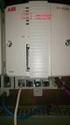 Industrial IT Compact Control Builder AC 800M Version 5.0 Extended Control Software Binary and Analog Handling Industrial IT Compact Control Builder AC 800M Version 5.0 Extended Control Software Binary
GETTING STARTED WITH LABVIEW POINT-BY-POINT VIS
 USER GUIDE GETTING STARTED WITH LABVIEW POINT-BY-POINT VIS Contents Using the LabVIEW Point-By-Point VI Libraries... 2 Initializing Point-By-Point VIs... 3 Frequently Asked Questions... 5 What Are the
Batch Historian. Introduction. Benefits. Configuration-free, batch-based data collection. Reliable data retrieval through data buffering
 DeltaV Distributed Control System Product Data Sheet October 2014 Configuration-free, batch-based data collection Reliable data retrieval through data buffering Easy-to-use tools for manual or automatic
InTouch Example Description
 InTouch Example Description This document describes how to work with the InTouch example. It contains the following sections: Using the LNS DDE Server Examples 2 Using the Example LNS Database 2 Sequence
Wireless Remote Video Monitoring
 October 2014 Page 1 An Emerson Smart Solution brings visual information into your control room. Increase plant safety Comply with regulations Scalable Reduced cost Secure and reliable communications Full
DeltaV SISnet Repeater
 September 2013 Page 1 The DeltaV SIS platform is the world s smart SIS system to use the power of predictive intelligence for increasing the availability of the entire safety instrumented function. Fiber-optic
Industrial IT System 800xA Satt Products and Systems
 Industrial IT System 800xA Satt Products and Systems Overview Features and Benefits Reducing Time to Decision and Action: System 800xA Process Portal delivers the exact information, filters out noise to
Wireless Mobile Workforce
 October 2014 Page 1 The DeltaV Remote Operator Station shown on the Panasonic Toughbook CF-19 (left) and Toughpad FZ-G1. Increased worker productivity and accuracy Mobile operations management Syncade
PLCs and SCADA Systems
 Hands-On Programmable Logic Controllers and Supervisory Control / Data Acquisition Course Description This extensive course covers the essentials of SCADA and PLC systems, which are often used in close
The Evergreen DeltaV Process Automation System
 August 2010 Page 1 The Evergreen DeltaV Process Automation System The DeltaV process automation system is designed from the ground up to embrace open standards and commercial off-the-shelf technologies
Industrial IT Ó Melody Composer
 Overview Industrial IT Ó Melody Composer Features and Benefits Support of concurrent engineering for Control Systems Operation on Windows NT and Windows 2000 Multiple client/server architecture Off-Line
AMS ValveLink SNAP-ON Application
 AMS Suite: Intelligent Device Manager Product Data Sheet AMS ValveLink SNAP-ON Application Communicate with both HART and Foundation fieldbus FIELDVUE digital valve controllers in the same application.
FlexPak 3000 Digital DC Drive Software Reference Manual Version 4.3
 FlexPak 3000 Digital DC Drive Software Reference Manual Version 4.3 Instruction Manual D2-3405-2 The information in this manual is subject to change without notice. Throughout this manual, the following
Advansoft ODM 4.0 - PLANT MOBILE DATA MANAGEMENT & DECISION SUPPORT SYSTEM
 Advansoft ODM 4.0 - PLANT MOBILE DATA MANAGEMENT & DECISION SUPPORT SYSTEM ODM - the Missing Piece of Puzzle to the success of your operation & maintenance business system implementation, which helps to
How To Access Historical Data From The Deltav Oca History Server On A Pc Hda (Opc Hda) On A Microsoft Computer (Opca) Or Microsoft Microsoft Memory Card (Procedure) On An Ipc
 January 2013 Page 1 This document provides information on how to obtain historical data from the DeltaV Continuous Historian using the DeltaV OPC History Server. www.deltav.com January 2013 Page 2 Table
How To Build A Rockwell Library Of Process Objects
 Rockwell Automation Library of Process Objects Reducing Development Time Features and Benefits Process objects for a range of field devices and functions Standards-based display elements with consistent
Counters and Decoders
 Physics 3330 Experiment #10 Fall 1999 Purpose Counters and Decoders In this experiment, you will design and construct a 4-bit ripple-through decade counter with a decimal read-out display. Such a counter
Emerson Smart Firewall
 DeltaV TM Distributed Control System Product Data Sheet Emerson Smart Firewall The Emerson Smart Firewall protects the DeltaV system with an easy to use perimeter defense solution. Purpose built for easy
WebSphere Business Monitor
 WebSphere Business Monitor Monitor models 2010 IBM Corporation This presentation should provide an overview of monitor models in WebSphere Business Monitor. WBPM_Monitor_MonitorModels.ppt Page 1 of 25
The DL8000 Preset Controller. The Ideal Device for Controlling and Measuring the Loading of Liquid Hydrocarbons into Transporting Tankers
 The DL8000 Preset Controller The Ideal Device for Controlling and Measuring the Loading of Liquid Hydrocarbons into Transporting Tankers Reliability, ruggedness, flexibility, and accuracy all in one package
Impedance 50 (75 connectors via adapters)
 VECTOR NETWORK ANALYZER PLANAR TR1300/1 DATA SHEET Frequency range: 300 khz to 1.3 GHz Measured parameters: S11, S21 Dynamic range of transmission measurement magnitude: 130 db Measurement time per point:
S-series Mass Connection Solutions
 DeltaV Distributed Control System Product Data Sheet March 2015 S-series Mass Connection Solutions Fast, easy and error-free cabinet wiring Modular design, improves reliability Lowers overall termination
XLReporter for DeltaV Analyze
 April 2014 Page 1 XLReporter for DeltaV Analyze This document describes how to augment the standard DeltaV Analyze Alarm Statistics Report, to customize content or publish it in alternative forms, using
A Real Time, Object Oriented Fieldbus Management System
 A Real Time, Object Oriented Fieldbus Management System Mr. Ole Cramer Nielsen Managing Director PROCES-DATA Supervisor International P-NET User Organisation Navervej 8 8600 Silkeborg Denmark [email protected]
Backup and Recovery FAQs
 May 2013 Page 1 This document answers frequently asked questions regarding the Emerson system Backup and Recovery application. www.deltav.com May 2013 Page 2 Table of Contents Introduction... 6 General
Micro Motion Net Oil Computer Software and NOC System
 Instruction Manual P/N 20006444, Rev. A May 2007 Micro Motion Net Oil Computer Software and NOC System Configuration and Use Manual 2007, Micro Motion, Inc. All rights reserved. ELITE and ProLink are registered
Process Automation - History and Future
 Christer Rameback Vice President Process Automation Process Automation - History and Future ABB Automation Technology - 1 - Facts about ABB ABB Automation Technology - 2 A leading power and automation
ROC Protocol Specifications Manual
 Part Number D301053X012 June 2015 ROC Protocol Specifications Manual Remote Automation Solutions ROC Protocol Specifications Manual Revision Tracking Sheet June 2015 This manual may be revised periodically
HC900 for Boiler Control Applications
 HC900 for Boiler Control Applications Background Until recent years, only the largest boilers could justify sophisticated boiler controls. Now high fuel costs make it necessary to improve boiler efficiency
DeltaV Operator Keyboard
 January 2013 Page 1 The Operator Keyboard can be part of an entire ergonomically designed operator console environment User-configured dedicated operator buttons Totally configurable keyboard layout Display-based
Visual Logic Instructions and Assignments
 Visual Logic Instructions and Assignments Visual Logic can be installed from the CD that accompanies our textbook. It is a nifty tool for creating program flowcharts, but that is only half of the story.
Component Based Rapid OPC Application Development Platform
 Component Based Rapid OPC Application Development Platform Jouni Aro Prosys PMS Ltd, Tekniikantie 21 C, FIN-02150 Espoo, Finland Tel: +358 (0)9 2517 5401, Fax: +358 (0) 9 2517 5402, E-mail: [email protected],
Rosemount Analytical s X-STREAM XE Web-Browser Interface Takes Process Analysis to the Next Level
 Solutions for the Process Industries Rosemount Analytical s -STREAM E Web-Browser Interface Takes Process Analysis to the Next Level The -Stream E takes process gas analysis to the level of ease of use
Maximizing return on plant assets
 Maximizing return on plant assets Manufacturers in nearly every process industry face the need to improve their return on large asset investments. Effectively managing assets, however, requires a wealth
IEC 61131-3. The Fast Guide to Open Control Software
 IEC 61131-3 The Fast Guide to Open Control Software 1 IEC 61131-3 The Fast Guide to Open Control Software Introduction IEC 61131-3 is the first vendor-independent standardized programming language for
Programming Manual Catalog Numbers 1756 ControlLogix, 1769 CompactLogix, 1789 SoftLogix, 1794 FlexLogix, PowerFlex 700S with DriveLogix
 Logix5000 Controllers Sequential Function Charts Programming Manual Catalog Numbers 1756 ControlLogix, 1769 CompactLogix, 1789 SoftLogix, 1794 FlexLogix, PowerFlex 700S with DriveLogix Important User Information
Choosing a host system
 2002 Emerson Process Management. All rights reserved. View this and other courses online at www.plantwebuniversity.com. Fieldbus 402 Choosing a host system Overview Supplier experience Designed for fieldbus
IndustrialIT System 800xA AC 870P/Melody Engineering
 IndustrialIT System 800xA AC 870P/Melody Engineering Overview Features and Benefits Scalable System Architecture: The system architecture can range from a single station to complex client/server architecture.
stable response to load disturbances, e.g., an exothermic reaction.
 C REACTOR TEMPERATURE control typically is very important to product quality, production rate and operating costs. With continuous reactors, the usual objectives are to: hold temperature within a certain
Programmable Logic Controller PLC
 Programmable Logic Controller PLC UPCO ICAI Departamento de Electrónica y Automática 1 PLC Definition PLC is a user friendly, microprocessor based, specialized computer that carries out control functions
DeltaV Virtualization High Availability and Disaster Recovery
 DeltaV Distributed Control System Whitepaper October 2014 DeltaV Virtualization High Availability and Disaster Recovery This document describes High Availiability and Disaster Recovery features supported