
Home Theater Audio System
|
|
|
- Gervais Burke
- 10 years ago
- Views:
Transcription
1 Operating Instructions Home Theater Audio System Thank you for purchasing this product. For optimum performance and safety, please read these instructions carefully. Please keep this manual for future reference. Model No. SC-HTE80 EB indicates the United Kingdom model. EB GN -B

2 2 Do the procedures with the remote control. You can also use the buttons on the main unit if they are the same. Your system and the illustrations can look differently. Safety precautions WARNING! Unit To reduce the risk of fire, electric shock or product damage, Do not expose this unit to rain, moisture, dripping or splashing. Do not place objects filled with liquids, such as vases, on this unit. Use only the recommended accessories. Do not remove covers. Do not repair this unit by yourself. Refer servicing to qualified service personnel. AC mains lead To reduce the risk of fire, electric shock or product damage, Make sure that the power supply voltage corresponds to the voltage printed on this unit. Insert the mains plug fully into the socket outlet. Do not pull, bend, or place heavy items on the lead. Do not handle the plug with wet hands. Hold onto the mains plug body when disconnecting the plug. Do not use a damaged mains plug or socket outlet. The mains plug is the disconnecting device. Install this unit so that the mains plug can be unplugged from the socket outlet immediately. Battery Risk of fire, explosion and burns. Do not recharge, disassemble, heat above 60 C or incinerate. Keep the Button-Type battery out of the reach of children. Never put Button-Type battery in mouth. If swallowed call your doctor. CAUTION! Unit To reduce the risk of fire, electric shock or product damage, Do not install or place this unit in a bookcase, built-in cabinet or in another confined space. Ensure this unit is well ventilated. Do not obstruct this unit s ventilation openings with newspapers, tablecloths, curtains, and similar items. Do not place sources of naked flames, such as lighted candles, on this unit. This unit is intended for use in moderate climates. This unit may receive radio interference caused by mobile telephones during use. If such interference occurs, please increase separation between this unit and the mobile telephone. Do not touch the bottom of the unit. It might be hot when you use it for a long period. Battery Danger of explosion if battery is incorrectly replaced. Replace only with the type recommended by the manufacturer. When disposing the batteries, please contact your local authorities or dealer and ask for the correct method of disposal. Do not heat or expose to flame. Do not leave the battery(ies) in a car exposed to direct sunlight for a long period of time with doors and windows closed. Remove the battery if you do not use the remote control for a long period of time. Keep in a cool, dark area. Table of contents Safety precautions Supplied accessories Caution for AC mains lead About Bluetooth Overview of controls Preparing the remote control Placement Making the connections Basic control One-Touch Connection (NFC) Sound menu Setup Menu Linked operations with the TV (VIERA Link HDAVI Control ) Troubleshooting Maintenance Specifications Licenses Limited Warranty (Only For Australia)

3 Supplied accessories Check and identify the supplied accessories. Use numbers indicated in parentheses when asking for replacement parts. (Product numbers correct as of August These may be subject to change.) 1 AC mains lead For the United Kingdom and Ireland (K2CT2YY00097) For Australia and New Zealand (K2CJ2YY00093) 1 Remote control (with a battery) (N2QAYC000098) Caution for AC mains lead (For the AC mains plug of three pins) For your safety, please read the following text carefully. This appliance is supplied with a moulded three pin mains plug for your safety and convenience. A 5-ampere fuse is fitted in this plug. Should the fuse need to be replaced please ensure that the replacement fuse has a rating of 5-ampere and that it is approved by ASTA or BSI to BS1362. Check for the ASTA mark or the BSI mark on the body of the fuse. If the plug contains a removable fuse cover you must ensure that it is refitted when the fuse is replaced. If you lose the fuse cover the plug must not be used until a replacement cover is obtained. A replacement fuse cover can be purchased from your local dealer. Before use Remove the connector cover. How to replace the fuse The location of the fuse differ according to the type of AC mains plug (figures A and B). Confirm the AC mains plug fitted and follow the instructions below. Illustrations may differ from actual AC mains plug. 1. Open the fuse cover with a screwdriver. Figure A 2. Replace the fuse and close or attach the fuse cover. Figure A Fuse (5 ampere) Figure B Figure B Fuse cover Fuse (5 ampere) About Bluetooth Panasonic bears no responsibility for data and/or information that can possibly be compromised during a wireless transmission. Frequency band This system uses the 2.4 GHz frequency band. Certification This system conforms to the frequency restrictions and has received certification based on frequency laws. Thus, a wireless permit is not necessary. The actions below are punishable by law: Taking apart or modifying the main unit. Removing specification indications. Restrictions of use Wireless transmission and/or usage with all Bluetooth equipped devices is not guaranteed. All devices must conform to standards set by Bluetooth SIG, Inc. Depending on the specifications and settings of a device, it can fail to connect or some operations can be different. This system supports Bluetooth security features. But depending on the operating environment and/or settings, this security is possibly not sufficient. Transmit data wirelessly to this system with caution. This system cannot transmit data to a Bluetooth device. Range of use Use this device at a maximum range of 10 m. The range can decrease depending on the environment, obstacles or interference. Interference from other devices This system may not function properly and troubles such as noise and sound jumps may arise due to radio wave interference if this unit is located too close to other Bluetooth devices or the devices that use the 2.4 GHz band. This system may not function properly if radio waves from a nearby broadcasting station, etc. is too strong. Intended usage This system is for normal, general use only. Do not use this system near an equipment or in an environment that is sensitive to radio frequency interference (example: airports, hospitals, laboratories, etc.). 3

4 Overview of controls A Standby/on switch [`], [1] Press to switch the unit from on to standby mode or vice versa. In standby mode, the unit is still consuming a small amount of power. I Remote control sensor Distance: Within approximately 7 m Angle: Approximately 20 up and down, 30 left and right B Select input source J Display panel INPUT SETUP PAIRING SOUND OK MUTE TV BD/DVD AUX BLUETOOTH C View setup menu D View sound menu E Select Bluetooth mode Start Bluetooth pairing mode F Adjust the volume of the system K NFC touch area L AC IN terminal M HDMI IN terminal (BD/DVD) N HDMI OUT terminal (ARC compatible) O DIGITAL AUDIO IN (TV) terminal P USB port (for service use only) G Mute the sound of the system To cancel, press the button again. MUTE is also cancelled when you adjust the volume or when you switch off the system. Q AUX IN terminal H Select and confirm the option Front panel I J Side view K A F B Rear panel 4 L M N O P Q

5 Preparing the remote control Before using Remove the insulation sheet before you use the remote control for the first time. Placement When the TV is less than 30 kg, and the pedestal of the TV is within 460 mm (width) by 280 mm (depth), you can put the TV on top of the system. Otherwise, put the system at the side of the TV (right side) or in a rack. Insulation sheet Replacing the battery Replace the remote control battery when it stops operating or when the range is decreased. Replace with a new battery (CR2025 lithium battery) only. 460 mm 280 mm CAUTION! Keep the TV within the surface of the system. Be careful not to tip over the TV as it can cause injury. Do not put the system in a metal cabinet. If irregular colouring occurs on the TV, switch off the TV for 30 minutes. If the demagnetising of the TV does not correct the problem, increase the distance between this system and the TV. Keep magnetised items away. Magnetised cards, watches, etc., can be damaged if put too near to the system. 1 While pressing the stopper, pull out the battery holder. 2 Insert a new battery with the (+) side facing up. 3 Push the battery holder back fully. CAUTION! Keep the button-type battery out of reach of children to prevent swallowing. Install the anti-tip device for your TV. For installation details, refer to the operating instruction for the TV. If your TV does not come with an anti-tip device, consult your dealer. Moving the TV on the surface of the system can scratch the surface of the system. Lift the TV when you need to move it. 5

6 Making the connections Switch off all equipment before connection. Components and cables are sold separately. Connect the AC mains lead only after all the other connections have been made. Connect a non-arc compatible TV Connecting an HDMI compatible device You can connect a Blu-ray Disc player, DVD player, etc. and listen to the audio through this system. Connecting the TV Connect an ARC compatible TV Connect to the ARC compatible terminal of the TV with an ARC compatible high speed HDMI cable. HDMI cable Optical digital audio cable HDMI cable HDMI IN (ARC) HDMI cable HDMI IN OPTICAL OUT The HDMI connection supports VIERA Link HDAVI Control when connected with a Panasonic TV (Z Linked operations with the TV (VIERA Link HDAVI Control ) ). HDMI OUT e.g., Blu-ray Disc player HDMI standby pass-through In standby mode, the audio and/or video signal from the connected device can be sent to the connected TV. No sound will be output from this system. 3D compatibility The system can pass through the 3D video signal of a 3D compatible Blu-ray Disc player to a FULL HD 3D TV. Refer to the operating instructions of the device for video and audio signal output settings. ARC (Audio Return Channel) ARC is an HDMI function that lets you enjoy both sound and TV pictures with one HDMI cable. 6 Connecting other equipment (AUX) You can connect other equipment such as Blu-ray Player, DVD player, game console, set-top box, etc. and listen to the audio through this system.

7 Audio cable e.g., Set-top box Connecting the AC mains lead For the United Kingdom and Ireland READ THE Caution for AC mains lead BEFORE CONNECTION. To household mains socket Do not use an AC mains lead from other equipment. Conserving power The system consumes a small amount of power (Z Specifications ) when it is in standby mode. Disconnect the power supply if you do not use the system. Bluetooth connection You can connect and play an audio device wirelessly through Bluetooth. Preparation Switch on the Bluetooth feature of the device and put the device near the system. Pairing a device AC mains lead (supplied) 1 Press [ ] to select BLUETOOTH. If PAIRING is shown, continue with step 3. 2 Press and hold [ ] until PAIRING is shown. A device must be paired to connect. You can pair up to 8 devices with this system. If a 9th device is paired, the device that has not been used for the longest time will be replaced. Connecting a paired device Preparation If this system is connected to a Bluetooth device, disconnect it (Zsee below). 1 Press [ ] to enter Bluetooth mode. BLUETOOTH READY is shown. 2 Select SC-HTE80 from the Bluetooth menu of the device. The name of the connected device is shown. Disconnecting a device Press and hold [ ] until BLUETOOTH READY is shown. The system can only connect to one device at a time. When BLUETOOTH is selected as the source, this system will automatically try to connect to the last connected device. The Bluetooth device will be disconnected when you select another source. 3 Select SC-HTE80 from the Bluetooth menu of the device. If prompted for a passkey, input The device connects with this system automatically after pairing is complete. The name of the connected device is shown. 7

8 8 Basic control Preparation Switch on the TV and/or connected device. 1 Press [1] to switch on the system. 2 Press [INPUT] repeatedly to select the source. TV BD/DVD AUX BLUETOOTH 3 Press [ VOL ] to adjust the volume of the system. Volume range: 0 to 100 When BLUETOOTH is selected as the source Select this system as the output speaker from the menu of the connected Bluetooth device. When BD/DVD is selected as the source On the TV, select the corresponding input of the TV that is connected to this system. One-Touch Connection (NFC) For NFC-compatible Android devices only When you touch an NFC (Near Field Communication)-compatible Bluetooth device on the NFC touch-area of this system, this system will automatically switch on, pair and connect to the Bluetooth device. About NFC NFC (Near Field Communication) is a short-range wireless technology that allows communication between NFC enabled devices with a touch. Preparation Download and install the free Android app Panasonic Music Streaming on Google Play. Switch on NFC on your device. 1 Start the Panasonic Music Streaming app. The application screen is shown. 2 Touch and hold your device on the NFC touch area of this system until the Bluetooth connection is done. A pop-up window is shown on the device when the connection is done. The name of the connected device is shown. 3 Start playback on your Bluetooth device. Connecting another device While connected, you can connect to another Bluetooth device by simply touching and holding it on the NFC touch area of this system. The previous device will be disconnected automatically. Sound menu 1 Press [SOUND] repeatedly to select the sound effect. 2 Press [R, T] repeatedly to select the desired setting and then press [OK]. SOUND MODE The various sound modes are enhanced with Dolby Virtual Speaker and 3D Surround effect to provide a surround effect similar to 5.1ch. To cancel the Dolby Virtual Speaker and 3D Surround effect, select STEREO. STANDARD: Best suited for dramas and comedy shows. STADIUM: Produces a realistic sound for live sports broadcasts. MUSIC: Enhance the sound of musical instruments and songs. CINEMA: Produces three-dimensional sound unique to movies. NEWS: Enhance the voice of news and sports commentaries. STEREO: Play any source of sound in stereo. SUBWOOFER LEVEL 1 LEVEL 2 LEVEL 3 LEVEL 4 DIALOG Adjust the dialog level. LEVEL 1 LEVEL 2 LEVEL 3 LEVEL 4 DIALOG is not shown when 3D CLR DIALOG is set to OFF. H.BASS Enhance the harmonic bass effect. ON OFF

9 3D CLR DIALOG DUAL AUDIO AGC LOW VOL MODE The 3D Clear Mode Dialog feature creates a sound field similar to the sound coming from a TV screen and makes dialogues clearer. ON: 3D Surround, Clear Mode Dialog and Dolby Virtual Speaker effect OFF: Dolby Virtual Speaker effect The setting is set back to ON every time you switch on the system. Sets the preferred audio channel mode when there are two audio modes received by the unit. M1: Main M2: Secondary M1 + M2: Main + secondary This effect only works if the audio output of the TV or player is set to Bitstream and Dolby Dual Mono is available in the sound source. Auto gain control prevents sudden loud sound by reducing the sound level automatically when the input is too high. ON OFF Enhance the dialog in low volume condition. ON OFF Select OFF to cancel this effect if the dialog does not sound natural in low volume condition. The default setting is underlined. Changed settings will be kept until it is changed again, unless otherwise indicated. Audio format You can view the current audio format. Press and hold [SOUND] for a minimum of 4 seconds. DOLBY DIGITAL DTS PCM MULTI PCM ANALOG SBC Setup Menu Dolby Digital is the audio source. DTS is the audio source. Linear pulse-code modulation is the audio source. 2 channel pulse-code modulation is the audio source. Analog is the audio source. Sub-band Coding is the audio source. (Bluetooth mode only) 1 Press [SETUP] repeatedly to select the setup item. 2 Press [R, T] repeatedly to select the desired setting and then press [OK]. DIMMER AUTO POWER DOWN VOL LIMITATION Dims the display panel after 5 seconds of inactivity. ON OFF The system automatically switches off if there is no audio input and when you do not use it for 2 hours. ON OFF Sets the volume limit to 50 when you switch on the system although the volume is set to above 50 before it is switched off. ON OFF BLUETOOTH STANDBY LINK MODE VIERA LINK This function allows you to connect a paired Bluetooth device when this system is in standby mode. ON OFF The system will switch on automatically when you connect a paired Bluetooth device. Change the Bluetooth connection link mode to suit the connection type. Make sure to disconnect the current connected device ( BLUETOOTH READY is shown). MODE 1: Emphasis on connectivity. MODE 2: Emphasis on sound quality. Switch on the VIERA Link function. ON OFF Select OFF when your HDAVI Control device does not work correctly with this system. ARC will be disabled. Connect an optical digital audio cable. Switch off all connected devices and then switch them on again after changing the setting. The default setting is underlined. Changed settings will be kept until it is changed again, unless otherwise indicated. 9

10 10 Linked operations with the TV (VIERA Link HDAVI Control ) What is VIERA Link HDAVI Control? VIERA Link HDAVI Control is a convenient function that offers linked operations of this system, and a Panasonic TV (VIERA) under HDAVI Control. You can use this function by connecting the equipment with an HDMI cable. See the operating instructions for connected equipment for operational details. Preparation A Confirm that the HDMI connection has been made. B Set the HDAVI Control operations on the connected equipment (e.g., TV). C For the optimal HDAVI Control operations change the following settings on the connected TV* 1. Set the default speaker settings to this system.* 2 Set the speaker selection settings to this system. D Turn on all HDAVI Control compatible equipment and select the TV s input for this system so that the HDAVI Control function works properly. E If a device is connected to the HDMI IN terminal, start play to check that the picture is shown on the TV correctly. When the connection or settings are changed, repeat this procedure. * 1 The availability and function of the settings may vary depending on the TV. Refer to the operating instructions for the TV for details. * 2 If the TV has a default speaker setting within the VIERA Link setting items, choosing this system as the default speaker will automatically change the speaker selection to this system. VIERA Link HDAVI Control, based on the control functions provided by HDMI which is an industry standard known as HDMI CEC (Consumer Electronics Control), is a unique function that we have developed and added. As such, its operation with other manufacturers equipment that supports HDMI CEC cannot be guaranteed. This unit supports HDAVI Control 5 function. HDAVI Control 5 is the standard for Panasonic s HDAVI Control compatible equipment. This standard is compatible with Panasonic s conventional HDAVI equipment. Refer to individual manuals for other manufacturers equipment supporting VIERA Link function. What you can do with VIERA Link HDAVI Control To make sure that the audio is output from this system, turn the main unit on by using the TV s remote control and selecting home cinema from the speaker menu of VIERA Link menu. The availability and function of the settings may vary depending on the TV. Refer to the operating instructions for the TV for details. Speaker control You can select whether audio output is from this system or the TV speakers by using the TV menu settings. Home cinema This system is active. When the main unit is in standby mode, changing the TV speakers to this system in the VIERA Link menu will automatically turn the main unit on. You can control the volume setting of this system using the volume or mute button on the TV remote control. If you turn off the main unit, TV speakers will be automatically activated. Audio will automatically be output from this system if the TV is compatible to VIERA Link HDAVI Control 4 or later. TV TV speakers are active. The volume of this system is set to minimum. Automatic input switching When the following operations are performed, the main unit will automatically change the input to the corresponding source. When play starts on an HDMI connected device.* 3 When the TV input or the TV channel is changed. * 3 If the speaker output setting on the TV is set to this system, the TV and the main unit turn on automatically (Power on link). Power off link When the TV is turned off, the main unit also turns off automatically. (This function does not work when Bluetooth is the source.) Automatic lip-sync function (For HDAVI Control 3 or later) Delay between audio and video is automatically adjusted by adding time-lag to the audio output, enabling you to enjoy smooth audio for the picture. The delay information is automatically set if the TV is compatible to VIERA Link HDAVI Control 3 or later and the VIERA Link is set to on.

11 Troubleshooting Before requesting service, make the following checks. If you are in doubt about some of the check points, or if the solutions indicated do not solve the problem, consult your dealer for instructions. Common problems No sound. Check the connections. Change the cables if the connections are correct. Increase the volume of the system. Check the audio output settings on the connected device. Switch off the connected device and then switch it on again. Switch off the system, disconnect the HDMI cable and connect it again, and then switch the system on again. If the system is connected to the TV with an HDMI cable only, make sure that the HDMI terminal of the TV is labelled HDMI (ARC). If not, connect an optical digital audio cable. If the system is connected to a Panasonic TV, try switching on this system by using the remote control of the TV. No operations can be done with the remote control. Remove the insulation sheet before you use the remote control for the first time. Examine that the battery is installed correctly. The battery is weak. Replace it with a new one. Set the remote control code again after replacing the battery. The system automatically switched to standby mode. You have switch on the AUTO POWER DOWN feature. The system automatically switches off if there is no audio input and when you do not use it for 2 hours. You have switch the speaker control to TV s speakers. This is a feature of VIERA Link (HDAVI Control 4 or later). Refer to the operating instruction for the TV for its power saving feature. HDMI This system does not operate correctly. Check the HDMI connections. Switch off the system, disconnect the AC mains lead, disconnect the HDMI cable and connect it again. VIERA Link related operations no longer function correctly. Check the VIERA Link setting on the connected devices. Check the VIERA LINK setting of this system (Z Setup Menu ). If you have changed the HDMI connections, there is a power failure or you have disconnected the AC mains lead and then connected it again. Switch on all the devices that are connected to the TV with an HDMI cable and then switch on the TV. Switch off the VIERA Link settings of the TV and then switch it on again. For details refer to the operating instructions for the TV. While the system and the TV are connected with an HDMI cable, switch on the TV, disconnect the AC mains lead of this system and then connect it again. The first few seconds of audio cannot be heard when using the HDMI connection. This can occur during DVD-Video chapter playback. Change the digital audio output setting on the connected device from Bitstream to PCM. When operating an HDMI compatible device of a different brand, the system reacts in an unwanted manner. HDAVI Control commands can use a different signal depending on the device. In this case, set VIERA LINK to OFF (Z Setup Menu ). Bluetooth Pairing cannot be done. Check the Bluetooth device condition. The device is out of the 10 m communication range. Move the device nearer to the system. The device cannot be connected. The pairing of the device was unsuccessful. Do pairing again. The pairing of the device has been replaced. Do pairing again. This system might be connected to a different device. Disconnect the other device and try pairing the device again. The device is connected but audio cannot be heard through the system. For some built-in Bluetooth devices, you have to set the audio output to SC-HTE80 manually. Read the operating instructions of the device for details. Sound from the device is interrupted. The device is out of the 10 m communication range. Move the device nearer to the system. Remove any obstacle between the system and the device. Other devices that use the 2.4 GHz frequency band (wireless router, microwaves, cordless phones, etc.) are interfering. Move the device nearer to the system and distance it from the other devices. Select MODE 1 for stable communication. The one-touch connection (NFC) is not working. Make sure the NFC feature of the NFC-compatible device is switched on. Touch and hold the device to the NFC touch-area of this system again. 11

12 Main unit displays F61 There is a problem with the amplifier of the system. Disconnect the AC mains lead and consult the dealer. F70 HDMI Check HDMI connection. Switch off the system and then switch it on again. Disconnect the HDMI cable. F76 There is a problem with the power supply. Disconnect the AC mains lead and consult the dealer. System memory reset Reset the memory when the following situations occur: There is no response when buttons are pressed. You want to clear and reset the memory contents. 1 Switch on this system. 2 Press and hold [1] on the main unit for a minimum of 4 seconds. 3 Release [1]. RESET is shown. All the settings are set back to the factory preset. The remote control code will set back to REMOTE 1 after memory reset, refer Remote control code on how to change to REMOTE 2. Remote control code When other Panasonic equipment responds to the remote control of this system, change the remote control code for this system. Preparation Switch off all other Panasonic products. Switch on this system. To set the code to REMOTE 2 Press and hold [MUTE] and [OK] for a minimum of 4 seconds. REMOTE 2 is shown. To set the code to REMOTE 1 Press and hold [MUTE] and [T] for a minimum of 4 seconds. REMOTE 1 is shown. Maintenance To clean this system, wipe with a soft, dry cloth. Never use alcohol, paint thinner or benzine to clean this system. Before using chemically treated cloth, read the instructions that came with the cloth carefully. 12

13 Specifications Amplifier section RMS output power: Dolby Digital mode Front Ch 30 W per channel (6 Ω), 1 khz, 10% THD Subwoofer Ch 60 W per channel (3 Ω), 100 Hz, 10% THD Total RMS Dolby Digital mode power 120 W Terminals section HDAVI Control This unit supports HDAVI Control 5 function HDMI AV input Input connector Type A (19 pin) HDMI AV output Output connector Type A (19 pin) Digital audio input Optical digital input Optical terminal Sampling frequency 32 khz, 44.1 khz, 48 khz 88.2 khz, 96 khz (only LPCM) Audio format Dolby Digital, DTS Digital Surround, LPCM Analog audio input Audio input Pin jack (1 system) USB port For service use only Bluetooth section Bluetooth system specification Version 3.0 Wireless equipment classification Class 2 Supported profiles A2DP Operating frequency 2402 MHz to 2480 MHz Operation distance 10 m line of sight Speaker section Front speaker (built-in) Type 1 way, 1 speaker system (bass reflex) Speaker unit(s) Full range 3.8 cm x 9 cm cone type x 2 Subwoofer (built-in) Type 1 way, 2 speaker system (bass reflex) Speaker unit(s) Woofer 8 cm cone type x 2 General Power supply AC 220 V to 240 V, 50 Hz Power consumption 27 W Dimensions (W x H x D) 460 mm x 60 mm x 280 mm Mass 3.2 kg Maximum loading weight 30 kg Operating temperature range 0 C to +40 C Operating humidity range 20% to 80% RH (no condensation) Power consumption in standby mode (With BLUETOOTH STANDBY set to OFF ) 0.25 W (approximate) Specifications are subject to change without notice. Mass and dimensions are approximate. Total harmonic distortion is measured by the digital spectrum analyzer. 13

14 For the United Kingdom and Ireland Declaration of Conformity (DoC) Hereby, Panasonic Corporation declares that this product is in compliance with the essential requirements and other relevant provisions of Directive 1999/5/EC. Customers can download a copy of the original DoC to our R&TTE products from our DoC Server: Contact to Authorised Representative: Panasonic Marketing Europe GmbH, Panasonic Testing Centre, Winsbergring 15, Hamburg, Germany This product is intended for general consumer. (Category 3) Licenses Manufactured under license from Dolby Laboratories. Dolby, Pro Logic, and the double-d symbol are trademarks of Dolby Laboratories. Manufactured under license under U.S. Patent Nos: 5,956,674; 5,974,380; 6,487,535; & other U.S. and worldwide patents issued & pending. DTS, the Symbol, & DTS and the Symbol together are registered trademarks & DTS Digital Surround and the DTS logos are trademarks of DTS, Inc. Product includes software. DTS, Inc. All Rights Reserved. HDMI, the HDMI Logo, and High-Definition Multimedia Interface are trademarks or registered trademarks of HDMI Licensing LLC in the United States and other countries. HDAVI Control is a trademark of Panasonic Corporation. The Bluetooth word mark and logos are owned by the Bluetooth SIG, Inc. and any use of such marks by Panasonic Corporation is under license. Other trademarks and trade names are those of their respective owners. Google Play and Android are trademarks or registered trademarks of Google Inc. 14

15 Limited Warranty (Only For Australia) Panasonic Warranty The product is warranted for 12 months from the date of purchase. Subject to the conditions of this warranty Panasonic or its Authorised Service Centre will perform necessary service on the product without charge for parts or labour, if in the opinion of Panasonic, the product is found to be faulty within the warranty period. This warranty only applies to Panasonic products purchased in Australia and sold by Panasonic Australia or its Authorised Distributors or Dealers and only where the products are used and serviced within Australia or it's territories. Warranty cover only applies to service carried out by a Panasonic Authorised Service Centre and only if valid proof of purchase is presented when warranty service is requested. This warranty only applies if the product has been installed and used in accordance with the manufacturer s recommendations (as noted in the operating instructions) under normal use and reasonable care (in the opinion of Panasonic). The warranty covers normal domestic use only and does not cover damage, malfunction or failure resulting from use of incorrect voltages, incorrect installation, accident, misuse, neglect, build-up of dirt or dust, abuse, maladjustment of customer controls, mains supply problems, thunderstorm activity, infestation by insects or vermin, tampering or repair by unauthorised persons (including unauthorised alterations), introduction of sand, humidity or liquids, commercial use such as hotel, office, restaurant, or other business or rental use of the product, exposure to abnormally corrosive conditions or any foreign object or matter having entered the product. This warranty does not cover the following items unless the fault or defect existed at the time of purchase: (a) Cabinet Part(s) (e) DVD, Blu-ray or Recordable Discs (b) Video or Audio Tapes ( f ) Video / Audio Heads from wear and tear in normal use (c) SD cards or USB devices (g) Information stored on Hard Disk Drive, USB stick or SD card (d) User replaceable Batteries (h) DTV reception issues caused by TV Aerial / Cabling / Wall socket(s) etc Some products may be supplied with Ethernet connection hardware. The warranty is limited on such products and will not cover (a) Internet and or DLNA connection / setup related problems (b) Access fees and or charges incurred for internet connection (c) The use of incompatible software or software not specifically stipulated in the product operations manual; and (d) Any indirect or consequential costs associated with the incorrect use or misuse of the hardware, its connection to the internet or any other device. To claim warranty service, when required, you should: from your nearest Authorised Service Centre must be arranged by you. - Plasma/LCD televisions / displays (screen size greater than 103 cm) The warranties hereby conferred do not extend to, and exclude, any costs associated with the installation, de-installation or re-installation of a product, including costs related to the mounting, de-mounting or remounting of any screen, (and any other ancillary activities), delivery, handling, freighting, transportation or insurance of the product or any part thereof or replacement of and do not extend to, and exclude, any damage or loss occurring by reason of, during, associated with, or related to such installation, de-installation, re-installation or transit. Panasonic Authorised Service Centres are located in major metropolitan areas and most regional centres of Australia, however, coverage will vary dependant on product. For advice on exact Authorised Service Centre locations for your product, please telephone our Customer Care Centre on or visit our website and use the Service Centre Locator. In addition to your rights under this warranty, Panasonic products come with consumer guarantees that cannot be excluded under the Australian Consumer Law. If there is a major failure with the product, you can reject the product and elect to have a refund or to have the product replaced or if you wish you may elect to keep the goods and be compensated for the drop in value of the goods. You are also entitled to have the product repaired or replaced if the product fails to be of acceptable quality and the failure does not amount to a major failure. If there is a major failure in regard to the product which cannot be remedied then you must notify us within a reasonable period by contacting the Panasonic Customer Care Centre. If the failure in the product is not a major failure then Panasonic may choose to repair or replace the product and will do so in a reasonable period of time from receiving notice from you. THIS WARRANTY CARD AND THE PURCHASE DOCKET (OR SIMILAR PROOF OF PURCHASE) SHOULD BE RETAINED BY THE CUSTOMER AT ALL TIMES If you require assistance regarding warranty conditions or any other enquiries, please visit the Panasonic Australia website or contact by phone on If phoning in, please ensure you have your operating instructions available. Panasonic Australia Pty. Limited ACN ABN Innovation Road, Macquarie Park NSW 2113 PRO-031-F11 Issue:

16 For the United Kingdom and Ireland customers Sales and Support Information Customer Communications Centre For customers within the U.K.: For customers within Ireland: Monday Friday 9:00am 5:00pm (Excluding public holidays). For further support on your product, please visit our website: Direct Sales at Panasonic U.K. Order accessory and consumable items for your product with ease and confidence by phoning our Customer Communications Centre Monday Friday 9:00am 5:00pm (Excluding public holidays). Or go on line through our Internet Accessory ordering application at Most major credit and debit cards accepted. All enquiries transactions and distribution facilities are provided directly by Panasonic U.K. It couldn t be simpler! Also available through our Internet is direct shopping for a wide range of finished products. Take a browse on our website for further details. Disposal of Old Equipment and Batteries Only for European Union and countries with recycling systems These symbols on the products, packaging, and/or accompanying documents mean that used electrical and electronic products and batteries must not be mixed with general household waste. For proper treatment, recovery and recycling of old products and used batteries, please take them to applicable collection points in accordance with your national legislation. By disposing of them correctly, you will help to save valuable resources and prevent any potential negative effects on human health and the environment. For more information about collection and recycling, please contact your local municipality. Penalties may be applicable for incorrect disposal of this waste, in accordance with national legislation. Note for the battery symbol (bottom symbol): This symbol might be used in combination with a chemical symbol. In this case it complies with the requirement set by the Directive for the chemical involved. EU Manufactured by: Panasonic Corporation Kadoma, Osaka, Japan Importer: Panasonic Marketing Europe GmbH Panasonic Testing Centre Winsbergring 15, Hamburg, Germany EU Panasonic Corporation Web Site: -B Panasonic Corporation 2013 L0813CH0 En

Evolution Digital HD Set-Top Box Important Safety Instructions
 Evolution Digital HD Set-Top Box Important Safety Instructions 1. Read these instructions. 2. Keep these instructions. 3. Heed all warnings. 4. Follow all instructions. 5. Do not use this apparatus near
CAUTION RISK OF ELECTRIC SHOCK NO NOT OPEN
 Evolution Digital HD Set-Top Box Important Safety Instructions 1. Read these instructions. 2. Keep these instructions. 3. Heed all warnings. 4. Follow all instructions. 5. Do not use this apparatus near
AVR 158. Audio/video receiver. Quick-Start Guide ENGLISH
 158 Audio/video receiver ENGLISH Quick-Start Guide 158 Introduction, Speaker Placement and Connection Introduction Thank you for choosing a harman kardon product! This quick-start guide contains all the
DSB-100 Portable Premium Bluetooth Speaker Owner s Manual
 . DSB-100 Portable Premium Bluetooth Speaker Owner s Manual You can print more than one page of a PDF onto a single sheet of paper. 1 Index Preparation Unpacking 3 Overview 4 Sound Quality 4 Design 4 Operation
Wireless Powerlink II Receiver Set Active
 Wireless Powerlink II Receiver Set Active Installation Guide Contents 1 General WirelessPowerlink Page 2 Package Contents Safety Instructions Page 3 Disposal of Old Electrical Devices Page 4 Installation
64-CHANNEL INTEGRATED AMPLIFIER
 Panasonic 64-CHANNEL INTEGRATED AMPLIFIER Operating Instructions P/N: SU-MED640E Caution for AC main lead FOR YOUR SAFETY, PLEASE READ THE FOLLOWING TEXT CAREFULLY This product is equipped with 2 types
The Bouncer Bluetooth Stereo Speaker
 The Bouncer Bluetooth Stereo Speaker 1 Welcome to JLab! Thank you for purchasing The Bouncer Bluetooth Speaker! Enjoy your music wirelessly from any smartphone, tablet, laptop, or other Bluetooth enabled
DAB+ / FM Tuner Model: TU-201
 DAB+ / FM Tuner Model: TU-201 Instruction Manual www.pulse-audio.co.uk 1 Safety Information The lightning bolt within a triangle is intended to alert the user to the presence of dangerous voltage levels
FMT600BT Transmitter
 Technaxx FMT600BT Transmitter User Manual Transfer of music and calls directly from your Bluetooth device to your car radio This device complies with the requirements of the standards referred to the Directive
CR9971 2 Band Auto Set Dual Alarm Clock Radio ROBERTS. Sound for Generations. Please read this manual before use
 ROBERTS Sound for Generations CR9971 2 Band Auto Set Dual Alarm Clock Radio Please read this manual before use Contents Contents... 1 Controls...2-5 Switching on... 6 Setting the time manually... 6 Setting
Register your product and get support at. www.philips.com/welcome AS111. User manual
 Register your product and get support at www.philips.com/welcome AS111 User manual Contents 1 Important 4 Safety 4 English 2 Your docking speaker for AndroidTM 5 Introduction 5 What's in the box 5 Overview
Getting started with
 PART NO. CMA113 MADE IN CHINA 1. Measuring CAT II 2. Max. voltage 250V ~ 3. Max. current 71 Amp Getting started with Electricity consumption monitoring single phase for homes and some smaller light commercial
Bluetooth Wireless Audio Adapter
 2-689-456-13(1) Bluetooth Wireless Audio Adapter (Transmitter / Receiver) Operating Instructions HWS-BTA2W 2006 Sony Corporation WARNING To reduce the risk of fire or electric shock, do not expose this
Always there to help you. Register your product and get support at www.philips.com/welcome PD7001B. Question? Contact Philips.
 Always there to help you Register your product and get support at www.philips.com/welcome Question? Contact Philips PD7001B User manual Contents 1 Important 3 Safety and notice 3 Safety 3 Compliance 4
CINEMATE 1 SR DIGITAL HOME THEATER SPEAKER SYSTEM. Operating Guide Guía del usuario Guide d utilisation
 CINEMATE 1 SR DIGITAL HOME THEATER SPEAKER SYSTEM Operating Guide Guía del usuario Guide d utilisation Notice This equipment has been tested and found to comply with the limits for a Class B digital device,
Active Monitor Box McCrypt S.T.E.V.E. 15. Order No. 30 17 06
 Active Monitor Box McCrypt S.T.E.V.E. 15 Order No. 30 17 06 1 McCrypt Active Monitor 15 Introduction Dear Customer, Thank you for purchasing this McCrypt Active Monitor. You have chosen a quality product
Kinivo 301BN HDMI Switch
 Kinivo 301BN HDMI Switch User Manual 2012 Kinivo LLC. All rights reserved. Kinivo is a trademark of Kinivo LLC. Bluetooth word mark and the Bluetooth logo are registered trademarks of Bluetooth SIG. All
DAB+ Digital Alarm Clock Radio with Dock for iphone
 DAB+ Digital Alarm Clock Radio with Dock for iphone BCR33DABIP The Gold Technical Support Line: 1902 215 259 (Charges will apply at $2.95 per minute) www.bushaustralia.com.au Safety Instructions Ensure
IMPORTANT SAFETY INSTRUCTIONS
 IMPORTANT SAFETY INSTRUCTIONS Before you install or use the apparatus, you must read and understand these Important Safety Instructions. At all times when using the apparatus you must follow these Important
1. Product Description
 1. Product Description Avantree Jogger Pro (AS6P) is a lightweight Bluetooth stereo headphone with integral microphone. It is great for use during active pursuits, such as jogging and exercising. It has
JBL CINEMA BASE. Home Cinema 2.2 all-in-one soundbase for television OWNER S MANUAL
 JBL CINEMA BASE Home Cinema 2.2 all-in-one soundbase for television OWNER S MANUAL JBL CINEMA BASE TABLE OF CONTENTS INTRODUCTION 1 DESCRIPTION AND FEATURES 1 JBL CINEMA BASE TOP PANEL CONTROLS 2 JBL CINEMA
Indoor Remote Controlled Power Points
 Indoor Remote Controlled Power Points Model Number: HE214039 INSTRUCTION MANUAL Description goes here Indoor Remote Controlled Power Points Warranty Details The product is guaranteed to be free from defects
Controls. Opening the cover
 BTS-102 GB 2013 CSR plc and its group companies. The aptx mark and the aptx logo are trademarks of CSR plc or one of its group companies and may be registered in one or more jurisdictions. The Bluetooth
PORTABLE ALARM CLOCK. Dual Alarm. FM Radio. Wake-up Sounds. USB Phone Charger G-1CR
 G-BUZZ PORTABLE ALARM CLOCK Dual Alarm FM Radio Wake-up Sounds USB Phone Charger G-1CR Welcome Alarm clocks can be boring. Get ready to shake things up with your new G-BUZZ. Slap the snooze for more ZZZ
Daily use. Never use alcohol or other solvents to clean any part of the loudspeakers!
 BeoLab 6002 Guide WARNING: To reduce the risk of fire or electric shock, do not expose this appliance to rain or moisture. Do not expose this equip ment to dripping or splashing and ensure that no objects
JBL CINEMA SB350. Home Cinema 2.1 soundbar with wireless subwoofer
 JBL CINEMA SB350 Home Cinema 2.1 soundbar with wireless subwoofer Owner s Manual BASS English JBL CINEMA SB350 JBL CINEMA SB350 Optical cable Table of Contents INTRODUCTION 5 ITEMS INCLUDED 5 JBL CINEMA
/&' 79 7; /% ) &RORU 7HOHYLVLRQ (QJOLVK
 245U Using the On Screen Displays Many features available on this TV can be accessed via the On Screen Display menu system. Use the remote control as shown below to access and adjust features as desired.
THE NEW GENERATION IN TECHNOLOGY. NI-3103A Alarm Clock w/fm Radio ipod & iphone Docking. Operating Instructions
 THE NEW GENERATION IN TECHNOLOGY NI-3103A Alarm Clock w/fm Radio ipod & iphone Docking Operating Instructions Table of Contents Important Safeguards... 3 Parts... 6 Controls... 6 To Set Up... 7 ipod/iphone
When you switch off your system, or mute the sound, the red indicator light appears immediately, indicating that the subwoofer is not in use.
 BeoLab 11 Guide WARNING: To reduce the risk of fire or electric shock, do not expose this appliance to rain or moisture. Do not expose this equip ment to dripping or splashing and ensure that no objects
MANUAL PC1000R [email protected]
 MANUAL PC1000R [email protected] Features The APart PC1000R is a professional multisource CD/USB/SD card music player, equipped with balanced and unbalanced analog outputs, coaxial and optical digital
DIGITAL ALARM CLOCK RADIO
 DIGITAL ALARM CLOCK RADIO INSTRUCTION MANUAL For information and support, www.lenco.eu CR3302 LENCO ENG FM ONLY IM 98 x1 1 11/5/2009 9:14:35 CAUTION RISK OF ELECTRIC SHOCK DO NOT OPEN WARNINGS ATTENTION
Nokia Bluetooth Headset BH-604 User Guide
 Nokia Bluetooth Headset BH-604 User Guide Issue 1 EN DECLARATION OF CONFORMITY Hereby, NOKIA CORPORATION declares that this HS-96W product is in compliance with the essential requirements and other relevant
Surround Sound System
 Surround Sound System Instruction Manual CECH-ZVS1A / CECH-ZVS1B / CECH-ZVS1E WARNING This system is not disconnected from the AC power source as long as it is connected to the wall outlet, even if the
Business Audio System: Music & Messaging MP3 Player. by Grace Digital Audio. User Guide. Model No. GDI-USBM10
 Business Audio System: Music & Messaging MP3 Player by Grace Digital Audio User Guide Model No. GDI-USBM10 User Guide Contents Introduction 2 Safety & General Use Information 2 Features 3 Set Up & Operation
Operation Manual for Users
 Operation Manual for Users Model No.: FLTAMFMRCD!!!!!!!!!! ATTENTION!!!!!!!!!! THE RESET BUTTON MUST BE PRESSED TO ENSURE PROPER OPERATION. SEE INSTRUCTION MANUAL Table of Contents Table of Contents ---------------------------------------------------------------------------------------------
Single Day Alarm Clock with. Bluetooth and USB Play-through
 Single Day Alarm Clock with Bluetooth and USB Play-through MODEL : BSC 200 READ THIS INSTRUCTION MANUAL BEFORE OPERATING THE APPLIANCE. SAVE THIS MANUAL FOR FUTURE REFERENCE. TABLE OF CONTENTS IMPORTANT
Welcome. You re watching Apple TV. This guide contains all the information you need to get from setup to your sofa.
 Welcome. You re watching Apple TV. This guide contains all the information you need to get from setup to your sofa. Contents Chapter 1: Connect. 7 What s in the box 8 Apple TV at a glance 10 What you
Jarv Nmotion BTHL-201 Bluetooth Stereo Earbuds Users Guide
 Jarv Nmotion BTHL-201 Bluetooth Stereo Earbuds Users Guide Features: Bluetooth wireless technology Comfortable lightweight in-ear design with detachable sports ear hooks for added support High Definition
BTH240 Wireless Bluetooth Headphone
 BTH240 Wireless Bluetooth Headphone User Manual 2012 Kinivo LLC. All rights reserved. Kinivo is a trademark of Kinivo LLC. Bluetooth word mark and the Bluetooth logo are registered trademarks of Bluetooth
DR 70 Portable Digital DAB+ and FM Radio Receiver User Manual English Please read carefully before using this product
 DR 70 Portable Digital DAB+ and FM Radio Receiver User Manual Please read carefully before using this product 15 1 Table of Contents 1 Table of Contents... 16 2 Safety Instructions:... 17 3 Specification:...
CR9986 ROBERTS. Dual Alarm CD Clock Radio. Sound for Generations. Please read this manual before use
 ROBERTS Sound for Generations CR9986 Dual Alarm CD Clock Radio Please read this manual before use Contents Contents... Controls... - Switching on and setting the time... 4 Listening to the radio... 5 Compact
COPYRIGHT TRADEMARKS
 COPYRIGHT This guide is proprietary to SAMSUNG Electronics Co., Ltd. and is protected by copyright. No information contained herein may be copied, translated, transcribed or duplicated for any commercial
CAUTION RISK OF ELECTRIC SHOCK DO NOT OPEN
 BeoLab 7-6 Guide CAUTION RISK OF ELECTRIC SHOCK DO NOT OPEN CAUTION: To reduce the risk of electric shock, do not remove cover (or back). No User-serviceable parts inside. Refer servicing to qualified
CINEMA SB100 powered soundbar speaker
 CINEMA SB100 powered soundbar speaker quick-start guide Thank You For Choosing This JBL Product The JBL Cinema SB100 powered soundbar speaker is a complete, integrated sound system that will dramatically
User Guide Nokia Portable Wireless Charging Plate DC-50
 User Guide Nokia Portable Wireless Charging Plate DC-50 Issue 1.1 EN User Guide Nokia Portable Wireless Charging Plate DC-50 Contents For your safety 3 About your accessory 4 Keys and parts 5 Top up your
User Guide. BlackBerry Remote Stereo Gateway
 User Guide BlackBerry Remote Stereo Gateway MAT-17698-001 PRINTSPEC-021 SWD-324580-0416090732-001 Contents Basics...3 About the BlackBerry Remote Stereo Gateway...3 Components...4 LED notification...5
Otium Gear S Smart Watch User Guide Please read the manual before use. * For further information, please visit www.otiumobile.com
 Otium Gear S Smart Watch User Guide Please read the manual before use. * For further information, please visit www.otiumobile.com 1 About this manual You can use this Gear S as a companion device to some
Tablet PC User Manual
 Tablet PC User Manual Please read all instructions carefully before use to get the most out of your Time2Touch Tablet PC. The design and features are subject to change without notice. Contents Important
User Guide Microsoft Screen Sharing for Lumia Phones (HD-10)
 User Guide Microsoft Screen Sharing for Lumia Phones (HD-10) Issue 1.1 EN User Guide Microsoft Screen Sharing for Lumia Phones (HD-10) Contents Safety 3 About your accessory 4 Keys and parts 5 Connect
focus TOuCh P10 FOR DISPLAYS: 55, 70 AND 82 ENgliSh V01.3-2014-7
 focus TOuCh P10 FOR DISPLAYS: 55, 70 AND 82 ENgliSh V01.3-2014-7 Thank you for purchasing our product. Please read this manual carefully before operation your set and retain it for future reference. FT55-P10
MINIRIGR. portable rechargeable bluetooth speaker. mrbt user s Guide
 MINIRIGR portable rechargeable bluetooth speaker mrbt user s Guide Safety Information Warning Listening at high volume for a long time may damage your hearing The exclamation point within an equilateral
Contents. Product Code -------------------------------------------------------15. Page 1
 Contents Important Safety Instructions -------------------------------------2 BT HP01 --------------------------------------------------------------4 BT HP01 Anatomy ---------------------------------------------------5
Xbox HDMI AV Cable. english ! WARNING. english
 Xbox HDMI AV Cable Thanks for choosing the Xbox 360 HDMI AV Cable to connect your Xbox 360 console to high definition TVs that incorporate HDMI (High-Definition Multimedia Interface) technology. You can
CMP30. User Manual. www.audac.eu
 CMP30 User Manual www.audac.eu 2 Index Introduction 4 Precautions 5 Safety requirements 5 Caution servicing 5 EC Declaration of Conformity 5 Waste of Electrical and Electronic Equipment (WEEE) 6 Caution
Hi! Let s get started.
 Hi! Let s get started. What s in the box Roku 2 player Roku 2 enhanced remote Headphones 2 x AA batteries for remote A/V cable (RCA) Power adapter Get to know your Roku 2 A Front view B E C Back view
User and Installation Guide
 Connect the AC adapter with the amplifier BEFORE plugging the AC adapter into an outlet to avoid spark generation! User and Installation Guide BlueFIDELITYTM Bluetooth Audio Amplifier Model 300 Contents
Manufactured under license from Dolby laboratories. Dolby and the double-d symbol are trademarks of Dolby Laboratories.
 Getting Started Thank you for selecting NETGEAR products. After installing your device, locate the serial number on the label and use it to register your product at https://my.netgear.com. You must register
IPTV STB QUICK GUIDE. Detailed user manual download from www.my-home-television.com
 IPTV STB QUICK GUIDE Detailed user manual download from www.my-home-television.com Dolby Digital: Manufactured under license from Dolby Laboratories. Dolby and the double-d symbol are trademarks of Dolby
Pure Warranty Statement for Australia
 Pure Warranty Statement for Australia This statement replaces any reference to warranty which may be contained elsewhere within this manual. What do you need to do now? Option 1: You can register your
24 Wide Screen LED Monitor with HDMI
 24 Wide Screen LED Monitor with HDMI USER MANUAL L24LE11B_MANUAL_EN_R1 Please read this manual carefully before using, and keep it for future reference. TABLE OF CONTENTS GETTING STARTED Monitor Stand
GAMING INSTRUCTION. www.vibeaudio.co.uk. Model: OPTISOUNDGAME5-V1
 INSTRUCTION MANUA L 1 5 Model: OPTISOUNDGAME5-V1 www.vibeaudio.co.uk To ensure maximum performance and safety, please follow this manual. Please retain the manual for future reference after installation
AZATOM USER MANUAL. Droid Portable Bluetooth Speaker
 AZATOM Droid Portable Bluetooth Speaker USER MANUAL www.azatom.com AZATOM is a registered trademark of 4 Cool Technology Ltd Based in the United Kingdom AZATOM Thank you for purchasing the AZATOM Droid
Table of Contents Function Keys of Your RF Remote Control Quick Setup Guide Advanced Features Setup Troubleshooting
 Congratulations on your purchase of the AT&T U-verse TV Point Anywhere RF Remote Control. This product has been designed to provide many unique and convenient features to enhance your AT&T U-verse experience.
Tiny Audio C3. English TINY AUDIO C3. Please read carefully before using this product
 English TINY AUDIO C3 Please read carefully before using this product 1 Safety Instructions: 1. Do not use this radio near water. 2. Clean with dry cloth. 3. Do not block any ventilation openings. 4. Do
User Guide. CR-111IP Clock radio with dock for ipod
 User Guide CR-111IP Clock radio with dock for ipod IMPORTANT SAFETY INFORMATION CAUTION! RISK OF ELECTRIC SHOCK DO NOT OPEN TO REDUCE THE RISK OF ELECTRIC SHOCK DO NOT REMOVE COVER (OR BACK) This symbol
PAR Tablet 10 Quick Start Guide
 ParTech, Inc. 8383 Seneca Turnpike New Hartford, NY 13413 p.800.458.6898 www.partech.com PAR Tablet 10 Quick Start Guide PN 770505503 This material has been created in order to accommodate a wide range
CAUTION RISK OF ELECTRIC SHOCK DO NOT OPEN
 BeoLab 4 Guide CAUTION RISK OF ELECTRIC SHOCK DO NOT OPEN CAUTION: To reduce the risk of electric shock, do not remove cover (or back). No User-serviceable parts inside. Refer servicing to qualified service
RX-6010RBK / RX-6012RSL
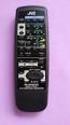 SLEEP TEST SUBWOOFER + MODE EFFECT CENTER + SOUND TV/VIDEO CD-DISC DVD CD TV VOL TV CH TV VCR AUDIO VCR CH + TV SOUND TAPE/CDR VOLUME REMOTE REAR L + MENU REAR R + ENTER VCR /DIGITAL FM/AM MUTING STANDBY
Technical Support. Trademarks
 Getting Started Technical Support Thank you for selecting NETGEAR products. After installing your device, locate the serial number on the label of your product and use it to register your product at https://my.netgear.com.
www.iconnectivity.com
 www.iconnectivity.com USER GUIDE WARRANTY INFORMATION iconnectivity warrants to the original purchaser that this unit is free of defects in materials and workmanship under normal use and maintenance for
DAB Radio. Instruction Manual L55DAB10
 DAB Radio Instruction Manual L55DAB10 L55DAB10_IB_110810_Zell.indd 1 L55DAB10_IB_110810_Zell.indd 2 Contents Unpacking...5 Product Overview...6 Top View... 6 Rear View... 6 Power Source...7 Battery Power...
HD udta Quick-Start Guide
 HD udta Quick-Start Guide Vyve Broadband HD Set-Top Box Important Safety Instructions 1. Read these instructions. 2. Keep these instructions. 3. Heed all warnings. 4. Follow all instructions. 5. Do not
1. Product Description
 1. Product Description The Avantree Saturn Pro is a 2-in-1 Bluetooth receiver and transmitter incorporating the latest "aptx Low Latency" codec for Bluetooth High quality audio streaming. The Saturn Pro
STEREO BLUETOOTH WIRELESS HEADPHONES
 STEREO BLUETOOTH WIRELESS HEADPHONES model: AF32 USER MANUAL part of the series PACKAGE CONTENTS Runaway AF32 Stereo Bluetooth Wireless Headphones Charging cable (USB 3.5mm) Stereo audio cable (3.5mm 3.5mm)
BTX180 Wireless Bluetooth Speaker
 BTX180 Wireless Bluetooth Speaker User Manual 2012 Kinivo LLC. All rights reserved. Kinivo is a trademark of Kinivo LLC. Bluetooth word mark and the Bluetooth logo are registered trademarks of Bluetooth
Nokia Bluetooth Stereo Headset BH-221
 Nokia Bluetooth Stereo Headset BH-221 Issue 2.0 2 Introduction About your headset With the Nokia Bluetooth Stereo Headset BH-221, you can handle calls hands-free, enjoy your favourite music, and listen
User Manual. Listen to your favourite songs on the radio on the road & in a car
 Technaxx FMT500 Transmitter User Manual The Declaration of Conformity is under the Internet link: www.technaxx.de/ (in bottom bar Konformitätserklärung ); Before using the device, read the user manual
Operating Instructions LED TV
 English TH-32AS610G TH-50AS610K TH-32AS610M TH-50AS610G TH-42AS610K TH-50AS610M TH-42AS610G TH-42AS610M Operating Instructions LED TV For more detailed instructions, refer to [ehelp] (Built-in Operating
www.blackanddecker.co.uk Ireland Australia New Zealand
 www.blackanddecker.co.uk 3 2 4 5 5 6 1 7 UK Ireland Australia New Zealand 1 8 9 10 11 12 13 1 A 14 15 B 7 18 19 16 18 19 21 17 20 C D E 2 Intended use Your Black & Decker distance and space measurer has
HOME THEATER SYSTEM. Instruction Manual. Model ASR150. Please read the instruction manual carefully before using your unit.
 SURROUND SOUND HOME THEATER SYSTEM Instruction Manual Model ASR150 Please read the instruction manual carefully before using your unit. For support visit : www.1800customersupport.com GENERAL TABLE OF
Bluetooth Stereo Headphone. User Guide. Hive
 Bluetooth Stereo Headphone User Guide Hive 1. Product Description Avantree Hive is a Bluetooth stereo headphone with MIC from the Avantree family. It delivers clear voice transmission and high quality
Use and Care Manual. Model CPA12KH AIR CONDITIONER
 Use and Care Manual Model CPA12KH AIR CONDITIONER Introduction Thank you for choosing this air conditioner to provide you and your family with all of the "Home Comfort" requirements for your home, cottage
User Manual. DXS-1000 Player
 User Manual DXS-1000 Player Table of contents 1. Safety instructions... 3 1.1. FOR SAFE AND EFFICIENT OPERATION... 3 2. Operation... 4 3. Software Display... 8 2 / 9 1. Safety instructions This device
Digital Radio/DAB+/FM RDS digital clock radio with dual alarm Operating instruction
 381SE1D-A Digital Radio/DAB+/FM RDS digital clock radio with dual alarm Operating instruction GB Contents Controls... 2-3 Using the clock radio for the first time... 4 Operating your clock radio... 5 Selecting
RCR-22 AM/MW 2 bands Digital Clock Radio instruction manual
 RCR-22 AM/MW 2 bands Digital Clock Radio instruction manual Important safety instructions 1. Read and understand all safety and operating instructions before the radio is operated. 2. Retain instruction:
900 MHz Lightweight Wireless Stereo Headphones
 33-1165.fm Page 1 Tuesday, August 10, 1999 10:50 AM Cat. No. 33-1165 OWNER S MANUAL Please read before using this equipment. 900 MHz Lightweight Wireless Stereo Headphones 33-1165.fm Page 2 Tuesday, August
Operating Instructions <Full version>
 Operating Instructions Wireless Speaker System Model No. SC-ALL2 Thank you for purchasing this product. Please read these instructions carefully before using this product, and save this
Hi! Let s get started.
 Hi! Let s get started. What s in the box Roku player Remote control with in-ear headphone jack 2 x AA Alkaline batteries In-ear headphones Power adapter Get to know your Roku B A Front view C D E Back
Mercury Helios 2 ASSEMBLY MANUAL & USER GUIDE
 Mercury Helios 2 ASSEMBLY MANUAL & USER GUIDE TABLE OF CONTENTS INTRODUCTION...1 1.1 MINIMUM SYSTEM REQUIREMENTS 1.1.1 Apple Mac Requirements 1.1.2 PC Requirements 1.1.3 Supported PCIe Cards 1.2 PACKAGE
Portable Bluetooth Speaker. Quick Start Guide. Model: BTS201
 Portable Bluetooth Speaker Quick Start Guide Model: BTS201 Disclaimer All the information, design and specifications contained in this manual were correct at the time of publication. However, as the product
Controls (front) 1. Loudspeaker 2. Light button 3. Band button 4. Auto tune button 5. Alarm button 6. LCD display
 GB Contents Controls... 2-4 Mains operation... 5 Operating your radio... 6 Selecting a station DAB... 7 Display modes DAB... 8 Finding new stations - DAB... 9 Secondary services DAB... 9 Manual tuning
Quick Operation Guide DAB, DAB + und DMB USB Digital Receiver Albrecht DR 403
 Quick Operation Guide DAB, DAB + und DMB USB Digital Receiver Albrecht DR 403. 1 Note Thank you for purchasing the DAB/ DMB receiver. This Quick Guide is to guide you to the software installation of the
NeoTV Streaming Player (NTV300) Installation Guide
 NeoTV Streaming Player (NTV300) Installation Guide Technical Support Thank you for selecting NETGEAR products. After installing your device, locate the serial number on the label of your product and use
MANUAL (p. 2) USB Turntable HAV-TT20USB
 MANUAL (p. 2) USB Turntable HAV-TT20USB ENGLISH How to Replace the Turntable Stylus (Needle) Removing the old stylus 1. Place a screwdriver at the tip of the stylus and push down in direction A. 2. Remove
RD-11 ROBERTS. FM RDS/DAB digital radio with. Sound for Generations. Please read this manual before use
 ROBERTS Sound for Generations RD- FM RDS/DAB digital radio with Please read this manual before use Contents Controls... Battery operation... 3 Mains operation... 3 Operating your radio - DAB... 4 Selecting
User Manual PT-E-HIP
 User Manual PT-E-HIP PT-E-HIP User Manual Contents PT-E-HIP-TX Transmitter 1. Introduction 2. How It Connects 3. Features 4. Transmitter Unit Panel Layout PT-E-HIP-RX Receiver 5. Transmitter Unit Panel
Bluetooth Audio Receiver GDI-BTPB300. Quick Start Guide
 Bluetooth Audio Receiver GDI-BTPB300 Quick Start Guide 1. Before You Start Using Your 3play Bluetooth Audio Receiver Important Safety Instructions and Warnings Please read this user guide carefully before
Breathe. Relax. Here Are the Most Commonly Asked Questions and Concerns About Setting Up and Programming the SurroundBar 3000.
 Breathe. Relax. Here Are the Most Commonly Asked Questions and Concerns About Setting Up and Programming the SurroundBar 3000. Our Customer Service Department has compiled the most commonly asked questions
Product Overview. Product Interface
 mobile speaker Product Overview Thank you for purchasing the bēm wireless Mobile Speaker. Our speaker will bring you a new found freedom from wires while delivering an incredible sound. The Mobile Speaker