
coffee wakes up the world User Manual Coffee machine English
|
|
|
- Erica Robinson
- 9 years ago
- Views:
Transcription
1 coffee wakes up the world User Manual Coffee machine English Model Series 2000 Order number Edition

2 Introduction and General information Congratulations on the purchase of your WMF coffee machine. The WMF 2000 S coffee machine is a fully automatic single cup machine for espresso, café crème, cappuccino, milk coffee, latte macchiato, foamed milk and hot water. Options include steam dispensing and the preparation of hot Choc beverages, with two different types of Choc (Twin Choc). Using the optional decaf button, any coffee beverage can be dispensed with decaffeinated beans from the second grinder. Each beverage is freshly brewed at the press of a button which guarantees a high quality beverage. User guidance is provided by a graphical touch-screen display on the coffee machine. Please read the User Manual prior to using the coffee machine. Ensure staff have access to User Manual. Important. Chapter 1 Introduction Follow the User Manual Signs and Symbols. Observe Safety chapter. Observe the additional instructions: Cleaning instructions 2000 S In the event of failure to comply with maintenance information (w Maintenance), no liability is accepted for any resultant damage. 2

3 Table of Contents Chapter 1 Introduction Parts of the coffee machine 6 User Manual Signs and Symbols Glossary Chapter 2 Operation Switch on coffee machine Dispensing beverages Decaf button (optional) Shift button (optional) 11 Special buttons (optional) Dispensing hot water Milk or milk foam (optional) Dispense milk or milk foam Connect up the milk With WMF Cooler, WMF Cup&Cool (optional) Standard Steam Milk (optional)/ Dual Milk (optional) Height adjustment of the combi spout Bean hopper/product hopper Twin Choc hopper (optional) Manual insert (optional)/tablet insert Grounds container Grounds disposal through the counter (optional) Drip tray Switch off the coffee machine 17 Chapter 3 Software An overview Ready to operate 20 Standard display for normal operation...20 Standard display for SB mode (self-service) Warm rinse" pad Barista pad Information Service...20 Customer Care Brew time Journal Timer To the main menu Main menu Milk and foam Milk foam quality Latte macchiato pause interval

4 Table of Contents Timer program Timer state...23 Set timer Copy day Timer overview Delete timer Timer information Care Cleaning program Foamer cleaning Mixer rinsing Filter change (optional) Customer Check-up (optional) Settings Recipe and buttons Selecting the beverage button when setting Adjust values Start a preparation test with the current values Save setting Cup volumes Change recipes Steam Milk settings (optional) Set decaf (optional) Button allocation Select grinder for a coffee beverage Select the Portioner for the Choc beverage Weigh grounds Boiler temperatur Reset Time and date Display language Display contrast Warm-up rinsing Foamer rinsing (optional) Rinsing interval Operating options Illumination (optional) Enter PIN PIN rights, access control Cleaning level Setting level Accounting level Delete PIN Accounting numbers of beverages Chapter 4 Other settings Mechanical settings Set grinding degree Labelling of beverage buttons 38 4

5 Table of Contents Chapter 5 Care Daily cleaning 40 For all cleaning instructions Cleaning program Milk system cleaning Foamer cleaning, standard...40 Foamer cleaning Plug&Clean Mixer rinsing Combi spout cleaning General cleaning Weekly cleaning Cleaning the brewing unit Choc mixer cleaning (optional) Regular cleaning Bean hopper cleaning Choc hopper cleaning (optional) Steam Milk outlet cleaning 47 Chapter 6 HACCP schedule 48 Recommendation for Choc (optional)...49 Chapter 7 Maintenance Coffee machine maintenance Mixer maintenance (Choc) WMF Service 51 Chapter 8 Messages and instructions Messages for operation Error messages/malfunctions Errors without error display 56 Chapter 9 Safety Hazards to the operator Hazards to the coffee machine Directives Duties of the owner/operator Warranty claims 62 No warranty is provided: Appendix: Cleaning instructions 64 Appendix: Technical data 65 Technical data for coffee machine 65 Conditions for usage and installation 65 Appendix: Accessories and spare parts 68 Index 70 5

6 Introduction and General information Chapter 1 Introduction 1.1 Parts of the coffee machine We : We : Display with one button level 6

7 Introduction and General information 1 Bean hopper (optional 1 or 2) 2 Choc hopper / Twin Choc hopper (depending on the model) 3 Manual insert / tablet insert (depending on the model) 4 Touch-screen display 5 Beverage buttons 6 Shift button (second level) 7 Decaf button (optional) 8 Hot water button 9 Plug&Clean (optional) 10 Hot water spout 11 Grounds container 12 Removable drip tray with drip grid 13 ON / OFF button 14 Special buttons 15 Steam Milk buttons (optional) 16 Adjustable screen 17 Height-adjustable combi spout with integrated milk foamer 18 Steam Milk outlet (optional) 19 Brewing unit 20 Warm rinse" pad 21 Barista pad 22 Timer and clock display 23 Info pad 24 Messages / error messages 25 Menu pad (opens main menu) 7

8 Introduction and General information User Manual Signs and Symbols Caution. Risk to the machine. Follow the Manual. Caution. Risk to the user. Observe the Safety chapter. Caution. Hot liquid. Observe the Safety chapter. Caution. Hot surface. Observe the Safety chapter. Caution. Hot steam. Observe the Safety chapter. Caution. Bruising or crushing hazard. Observe the Safety chapter. Tip Instructions Cross reference Start position Main menu If the menu symbol is shown in this User Manual, the description starts at the start position. Call up the main menu Touch the pad The main menu is displayed. There are other display options w Main menu. We :16 main menu Main menu 8

9 Introduction and General information Glossary Term Explanation Listings, selection options Individual steps Text in italics Description of coffee machine state and / or explanations of automatic steps. sec Seconds min Minutes Steam Milk Automatic steam dispensing through the Steam Milk outlet. 1-Step Beverages are dispensed and ready to drink with one push of a button. 2-Step In the first step, the Steam Milk outlet is used to make milk and milk foam. In the second step, coffee and chocolate beverages are dispensed with a push of a button, and the beverage components are mixed manually. Dual Milk In the optional Dual Milk version, 1-Step and 2-Step beverages can be made with just one coffee machine. Override function Milk can be heated or foamed without automatic shut-off, up to a maximum milk or foam temperature of 90 C. Barista Professional coffee server Choc Hot chocolate Decaf Decaffeinated coffee Dispensing options Start-Stop: dispensing runs up to the set amount and can be stopped by pressing the button again. Free-Flow: dispensing runs for as long as the button is held. Metered: the set volume is dispensed. Beverage dispensing Dispensing coffee, hot water or Choc beverages Main tap Water stop cock, angle valve Carbonate hardness Quoted in gpg ( dkh). The water hardness is a measure of the calcium dissolved in the water. Milk system Combi spout, milk nozzle and milk hose Mixer system Complete module, mixer with portion controller for Choc O-rings Seals Preinfusion Prior to brewing, coffee is briefly infused in order to ensure a more intense release of its aromatic substances. Pressing Automatic pressing of coffee grounds prior to brewing. Capacity For example performance of the water filter in litres of water it can filter Grounds chute See grounds disposal through counter, chapter 2.13 Self-service Self-service customer operation Rinsing Intermediate cleaning Twin-Choc Divided hopper for two types of Choc. Supplies Components of a recipe for a beverage, in addition to coffee, such as milk, milk foam, Choc. 9

10 Operation Chapter 2 Operation 2.1 Switch on coffee machine Press ON / OFF button and hold for more than 2 seconds Coffee machine switches on and heats up. When the machine is ready to dispense beverages, the "ready to operate" display appears. 2.2 Dispensing beverages Pressing the beverage button triggers dispensing of the beverage selected. Lit up button = Ready to dispense Flashing button = Beverage dispensing Unlit button = not ready to dispense / button disabled Place a suitably sized beverage receptacle below the dispenser Press desired beverage button Desired beverage and progress of dispensing indicated on the display. w Timer program page 23 PIN access control w Software w Settings w Operating options page 33 Hot liquids in the dispensing area. Observe the Safety chapter. Button allocation w Software w Settings w Recipe and buttons page Decaf button (optional) Preparation of a decaffeinated coffee beverage from the decaf grinder: Press Decaf button Press the desired beverage button 10

11 Operation 2.4 Shift button (optional) Each beverage button may be doubly allocated. Level 1 always active. Press the shift button 2x Level 2 activated. Press desired beverage button Level 1 is active again after dispensing a beverage at Level 2. 2x Shift button (active / inactive) w Software w Settings w Operating options page 33 Special buttons (optional) Special buttons for beverage sizes S and L are optionally available on the operator panel. These are preselection buttons which establish the desired amount of the beverage before selection of the beverage. M = amount of the beverage set, no preselection S = approx. 25 % less than M L = approx. 25 % more than M 2.5 Dispensing hot water Press the hot water button Dispensing occurs. If less water is required than the pre-set dispense amount, dispensing can be stopped by pressing the button again. 11

12 Operation 2.6 Milk or milk foam (optional) Dispense milk or milk foam Press the beverage button assigned to milk or milk foam Dispensing occurs. Dispensing continues for as long as the button is held Connect up the milk Use a suitable milk nozzle on the combi spout. Colour Milk temperature Brown for cooled milk Natural for uncooled milk With WMF Cooler, WMF Cup&Cool (optional) Insert the milk nozzle for cooled milk into the milk connection on the combi spout Pull out the milk container Push the lid of the milk container back Pour milk into the milk container Place the lid back on the container Insert the adapter on the milk hose into the connection in the milk container lid Push the milk container back in carefully The milk hose is inserted into the adapter. Standard Insert the suitable milk nozzle into the milk connection on the combi spout Open the milk packaging and place on the left next to the coffee machine Open the milk cover Insert the milk hose through the opening Insert the milk hose with the beige milk nozzle into the milk pack The hose must not be under tension or bent when adjusting the height of the combi spout. Close milk cover Milk container cooler Cooler adapter Standard: Stick milk nozzle on Run the milk hose through 12

13 Operation 2.7 Steam Milk (optional) / Dual Milk (optional) The milk is automatically heated or foamed. The Steam Milk buttons can be assigned to up to four milk foam quality levels, or to hot milk. The Steam Milk buttons are assigned at the factory to three foam quality levels (superfine, fine, standard) and hot milk. Steam Milk buttons Heat milk or foam milk Fill a tall, narrow container with the desired milk quantity Do not fill the container above the halfway point, so that the milk will not run over when it foams. Insert the steam nozzle deep into the milk Briefly press the desired Steam Milk button Steam is discharged, depending on the Steam Milk button assignment. Steam dispensing ends after reaching the set temperature, or when the Steam Milk button is pressed again. Wipe steam outlet with a damp cloth Override function (optional) Function is adjusted upon request by WMF Service. Milk and foam can boil over if the temperature is set to 90 C, or when the override function is used. Press and hold the desired Steam Milk button Steam is dispensed for as long as the button is held pressed. Wipe steam outlet with a damp cloth The maximum temperature setting is 90 C. Button allocation w Software w Settings w Recipe and buttons page 28 w Change recipes page 29 Hot surfaces. Burn hazard. Scalding hazard. Observe the Safety chapter. Do not overheat milk when foaming, otherwise foam volume decreases. 13

14 Operation 2.8 Height adjustment of the combi spout The combi spout height is adjustable. Take hold of the combi spout from the front and push to the desired height Height adjustment range of the combi spout with Choc 50 mm mm without Choc 50 mm mm 2.9 Bean hopper/product hopper If possible, replenish product hopper in advance. Fill the hopper no more than the amount needed for one day, in order to maintain the freshness of the products. Coffee beans into bean hopper, Choc powder into Choc hopper Twin Choc hopper (optional) Divided hopper for two types of Choc Left side: Choc 1 Right side: Choc 2 14

15 Operation 2.11 Manual insert (optional)/tablet insert Coffee machines with three coffee containers have only a tablet insert. Ground coffee must not be inserted into the tablet insert. Follow the manual. Observe the Safety chapter. The manual / tablet insert is located in the centre of the coffee machine cover. Tablet insert is used: For inserting cleaning tablets Manual insert is used: For inserting cleaning tablets When using an additional coffee variety, such as decaffeinated coffee For a coffee trial Add coffee grounds or cleaning tablet only when display shows a message. Tablet insert Follow the manual. Observe the Safety chapter. Preparation of coffee grounds using the manual insert Open manual insert lid Insert coffee grounds (max. 16 g) Close manual insert lid Press desired beverage button For beverages on level two, press the shift button before opening the manual insert lid. Manual insert 15

16 Operation 2.12 Grounds container The coffee grounds container catches the used coffee grounds. It has enough capacity to store coffee grounds from approx. 50 brewing cycles. The display shows a message as soon as the coffee grounds container needs to be emptied. Beverage dispensing is blocked for as long as the coffee grounds container is removed. Adjustable screen Push combi spout fully upwards Push up adjustable screen over coffee grounds container Pull out coffee grounds container Empty and replace coffee grounds container Confirm procedure on the display Coffee grounds container Clean daily w C ar e If coffee grounds container cannot be replaced, check chute for coffee residues and remove. Always empty coffee grounds container before reinserting. Replacing without emptying results in the coffee grounds container being overfilled. The coffee machine will be soiled. This may cause subsequent damage to the machine. Caution. Bruising or crushing hazard. Observe the Safety chapter. Follow the manual. Observe the Safety chapter Grounds disposal through the counter (optional) The coffee machine can be fitted with through-counter coffee grounds disposal. In this case, both the coffee grounds container and the coffee machine base have an opening that passes through the counter on which the machine is placed. The spent coffee grounds are collected in a large container under the counter. Through-counter feature cannot be retrofitted. Clean coffee grounds chute daily w Care page 41 16

17 Operation 2.14 Drip tray Carefully pull out the drip tray for cleaning Replace carefully so that no water accidentally drips down. Clean drip tray daily w C are Hot liquids. Move the drip tray carefully. Observe the Safety chapter Switch off the coffee machine The coffee machine must be cleaned daily prior to switching it off. Press and hold ON / OFF button switches off Disconnect mains plug Turn off mains water supply until coffee machine If this is not observed, the warranty is invalidated in the event of any resultant damage. PIN access control w Software w Settings w Operating options page 33 Follow the manual. Observe the Safety chapter. 17

18 Software Chapter 3 Software 3.1 An overview Ready to operate We :16 Touch clear area on the "ready to operate" display. Additional pads are activated. We :16 There are various options for the "ready to operate" display. We :16 If there are errors, the relevant pad is displayed. If Cleaning, Descaling or Filter change are required this is displayed. Other display options w S et tings w Operating options. "Ready to operate" display pads Chapter 3.2 Warm rinsing Chapter Barista (strength of the coffee) Chapter Information Chapter Self-service and operating options w Settings page 33 Main menu Chapter Error message Touching the pad calls up the error message. Care message Touching the pad leads directly to the menu. Cleaning required. Descaling required. 18

19 Software Main menu functions (pads) Chapter 3.3 Milk and foam Chapter Timer program Chapter Care Chapter Settings Chapter PIN entry Chapter PIN rights, access control Chapter Accounting Chapter Menu control pads Save settings start continue Start or confirm a step Back to the higher menu level Cancel / leave without saving (Exit) Clear or reset Start preparation test / coffee trial Increase or reduce setting values Forward or back one step in listings 19

20 Software 3.2 Ready to operate Standard display for normal operation Warm rinse" pad Barista pad Menu Information Standard display for SB mode (self-service) All pads that allow changes to be made are not available. The "warm rinse" pad, Barista pad, menu pad and messages are inactive. If there are errors, the relevant pad is displayed Warm rinse" pad Touch the warm rinse" pad A rinse of the pipes with hot water begins. The water warms the brewing system and guarantees an optimum coffee temperature Barista pad Touch the Barista pad The coffee strength will be altered for the next brew only. We :16 We :16 Recommended after a longer brewing pause, especially before dispensing a cup of espresso. Warm rinse" pad (active/ inactive) w Settings w Operating options page 33 weaker (-15 %) normal, as per setting Information Touch pad on the "ready to operate" display The Information menu appears. The main Information" menu contains the following selection options: Service Service location Start-up data Next maintenance date Software version stronger (+15 %) Barista pad (active/ inactive) w Settings w Operating options page 33 information service customer care brewtime 20

21 Software Customer Care Journal Journal log of last cleaning Cleaning info Info on last cleaning Descaling info Info on last / next descaling Water filter info (optional) Remaining range info Brew time Brew time of last beverage dispensed Journal List of logged error and status messages (for telephone support) information journal timer Timer Display of the timer status (On/ Off) Display of the next switching time To the main menu Call up the main menu Touch clear area on the "ready to operate" display Additional pads are activated. Touch the menu pad The main menu is displayed. We :16 "Ready to operate" display We :16... with additional pads Delayed fade-in w Settings w Operating options page 33 21
22 Software 3.3 Main menu main menu Other illustrations of the main menu for protected levels. w PIN access control page Milk and foam Milk foam quality The milk foam quality is set here. This setting will apply to all beverages with milk foam. Compensates for variations in milk characteristics. Reduce setting value -> finer foam and lower dispensing temperature Increase setting value -> coarser foam and higher dispensing temperature Latte macchiato pause interval When dispensing milk and milk foam through the combi spout. Latte macchiato is more successful if the interval between milk and milk foam dispensing is lengthened. The standard setting is 3 seconds. Reduce setting value -> shorter interval Increase setting value -> longer interval foam quality macch.interrupt 22
23 Software Timer program The timer program sets the switch on and switch off times. The main Timer Program menu contains the following selection options: Timer state Set timer Timer overview Delete timer Timer information Timer state Touch the timer status pad Activate / deactivate timer = On / Off. Set timer Touch the timer adjustment pad Program the switch on and switch off times. Touch the operating time pad The operating time display appears. Here the day, time, and desired operation are set. Set day (Day) 1 = Monday 2 = Tuesday, etc. up to 7 = Sunday 1-5 = Monday to Friday (weekdays) 1-7 = entire week (Monday to Sunday) Set the time (hours, minutes) Set the desired switching time (action) Switch on time = (on display) Switch off time = (on display) timer status When the timer is activated, the timer symbol, a little clock, appears on the display. Example: timer adjustment operating time day h min action prg In day 1-5 or day 1-7, the switching times are copied to the indicated days. Select desired settings with the pads and. Current selection is inversely displayed. Confirm with or Delete with 23
24 Software Display programmed switching times Touch the and pads under prg Programmed switch times are displayed here. Up to 16 switching times (events) per day are possible. Programmed times are listed chronologically. Any new switching time is sorted chronologically immediately upon input and confirmation with. Select desired settings with the pads and. Current selection is inversely displayed. Touching the pad directly accesses the timer overview. Copy day Any day may be copied to other days, complete with its switching times / events. Touch the timer adjustment pad Program the switch on and switch off times. Touch the operating time pad Touch number pad under day The selction of the week days is displayed. Scroll through to page 4 Touch the copy day pad The selction of the week days is displayed again. Select the day that you want to copy Touch the insert day pad Select the day you want to copy the time settings to The day is copied. Timer overview Checking the programmed switch times: Touch the timer overview pad The switching times week overview is displayed graphically. Operating times are indicated by bars. In day 1-5 or day 1-7, the switching times are copied to the indicated days. The individual days 1, 2, are displayed. To check times w Timer overview Example: timer overview operating time timer overview Switching times Monday to Friday (1-5). On time 7 a.m. (7:00) Off time 6 p.m. (18:00) 24
25 Software Delete timer Touch on page 2 of the timer main program menu delete timer Scroll to desired day and touch to select A security dialogue now appears querying whether deletion is actually intended. Confirm with The day is deleted with all its switching times. Besides individual days, all workdays or the entire week can also be deleted. delete timer This action cannot be undone. Timer information Touching the timer info pad calls up a display with the next switching time and the timer state (On / Off). timer info timer info timer status next program operating time switch off on 18:00 25
26 Software Care Cleaning programs are started from the Care main menu. Cleaning program Foamer cleaning Mixer rinsing Customer Check-up Cleaning program Touch the cleaning prog. pad The daily cleaning program starts. The cleaning mode leads step by step through foamer cleaning, the mixer cleaning and the machine cleaning via software. The cleaning program sequence is described in the cleaning instructions. Prior to carrying out cleaning, please note the safety instructions in the safety chapter. Read the cleaning instructions and the Care chapter, starting on page 39. In the Software chapter w Care display-guided sequences are described in detail. Physical cleaning actions are described in the Care chapter. cleaning prog. w Cleaning instructions Follow the manual. Observe the Safety chapter. Foamer cleaning Touch the foamer cleaning pad Foamer cleaning begins. Optional Plug&Clean cleaning. Foamer cleaning is carried out automatically as an integral part of the full cleaning mode. Plug&Clean Cleaning w Care page 41 foamer cleaning Hot liquids in the dispensing area. Observe the Safety chapter. 26
27 Software Mixer rinsing Touch the mixer rinsing pad Mixer rinsing begins. mixer rinsing Mixer rinsing is performed automatically by the cleaning program when a mixer system is installed. Filter change (optional) Hot liquids in the dispensing area. Observe the Safety chapter. This point can be selected by trained personnel if the function WMF Service has been enabled. Filter change (optional) and maintenance actions are confirmed here. Question: Was the filter changed? yes / no Customer Check-up (optional) This point can be selected by trained personnel if the function WMF Service has been enabled. Question: Has customer check-up been performed? yes / no 27
28 Software Settings Recipe and buttons Touch the recipes/button pad Menu recipes/button shows the options: Cup volumes Change recipes Button allocation Weigh grounds Selecting the beverage button when setting Press the desired beverage button Selecting the beverage button on the 2nd Level Press the shift button 2x Press the desired beverage button recipes/button = more = less = exit without change = save the values = start test Selecting the beverage button in conjunction with one of the preselection buttons S, L or decaf Press the desired preselection button Press the desired beverage button Adjust values Adjust values with the and pads Start a preparation test with the current values Touch the pad The values are not saved yet. Save setting Save with 28
29 Software Cup volumes Cup volumes are matched to the cups used. Individual beverage ingredients are matched to the new cup volumes with no effect on composition and quality. Change recipes All beverages Ground coffee quantity / Choc powder quantity Water volume Milk beverages Milk foam volume Milk volume Coffee beverages Quality The five available quality levels affect the coffee brew. The higher the quality level, the more intensive the release of the flavor and aromatic substances in the coffee. Quality 1 After pressing, space is provided for the coffee grounds to swell. Quality 2 After pressing, the coffee is brewed immediately. Quality 3 After pressing, a pre-infusion occurs. Quality 4 After pressing and a pre-infusion, a second wet pressing occurs. Quality 5 After pressing, a pre-infusion occurs. In addition the brew time is automatically extended. change recipes chociatto Change recipes display chociatto ground coffee Example: Ground coffee quantity chociatto quality level Quality Quality 4 Caution. An excessively high quality level may lead to a brew water error. 29
30 Software Steam Milk settings (optional) Milk foam quality Milk temperature Touch the change recipes pad Press the desired Steam Milk button Select milk or milk foam Adjust the milk foam quality Set the shut-off temperature Save with The maximum temperature setting is 90 C. change recipes foam fine foam fine foam quality foam fine temperature Set decaf (optional) Decaf grinder is always the left grinder. Touch the change recipes pad Press Decaf button Ground coffee quantity for decaf is set by percentage for the ground coffee quantity set in the standard recipe. This setting applies to all coffee beverages with preselected Decaf. Save with Button allocation The beverages are assigned to the beverage buttons. This button allocation is set here. Press beverage button Select the desired recipe, for example espresso, from the list decaf ground coffee Load a new recipe: the previous settings will be overwritten by the factory standard values for the new recipe. Only adjustable recipes are indicated. 30
31 Software Select grinder for a coffee beverage (only for 2 grinders, without decaf) Press beverage button Select recipe, for example espresso Select grinder (on the right or left) The portioner cannot be selected for the Chociatto beverage. Select the Portioner for the Choc beverage Press beverage button Select recipe, for example milk Choc 1 Select portioner (on the right or left) Weigh grounds Empty and replace coffee grounds container Touch the weigh grounds pad The process dispenses ground coffee directly into the grounds container and the grounds may then be weighed. The grind quantity is dispensed three times. Boiler temperatur Set desired boiler temperature (Change brewing water temperature) (Standard range of settings C) Reset The coffee machine software is restarted. Time and date Clock time and date are set here. boiler temp. reset time / date 31
32 Software Display language Language used in the display is set here. Display contrast Contrast of the display is set here. (Default value is 70) Warm-up rinsing Whether the coffee machine should rinse out the brewing unit with hot water after heating up is set here. Recommended setting: active. Foamer rinsing (optional) Whether automatic foamer rinsing should occur after the last beverage with milk components is dispensed. yes / no Rinsing interval The time elapsed between the last removal of a beverage with milk in it and a foamer rinsing. Recommended setting: 2 minutes. language contrast warm up rinsing foamer rinsing rinse interval 32
33 Software Operating options The following operating options are available. Warm rinse" pad (active/ inactive) Barista pad (active/ inactive) 2nd level (shift button / no) ON / OFF button (direct/ via PIN) Menu pad (immediate/ delayed) Cancel beverage (yes/ no) Warm rinse" pad Recommendation for self-service: inactive. Barista pad Recommendation for self-service: inactive. 2nd Level Recommendation for self-service: no. ON / OFF button Recommendation for self-service: via PIN. If via PIN is set, then the PIN for the cleaning level will be queried before switching on or off. Menu pad Recommendation for self-service: delayed. If delayed is set, the menu will only be shown if the display is pressed twice. Cancel beverage Recommendation for self-service: no. options If customers serve themselves then some functions can be switched to inactive. The pads will not be shown on the "ready to operate" display. w PIN access control page 35 w Access main menu page 21 Illumination (optional) Set the colour values here of the LEDs for the desired illumination colour. Setting examples red green blue light sequence (sequence of colors) amber blue illumination setting illumination red green blue 33
34 Software Enter PIN Individual authorisation levels can be protected using a PIN. For access to a PIN-protected level, the PIN must be entered via pad. Touch the pad in the main menu Numerical keyboard display appears. Enter required 4-figure PIN Confirm with Following entry of a valid PIN, the assigned functions are available PIN PIN-entry display 34
35 Software PIN rights, access control If a PIN has been assigned for a particular level, no access will be granted without a PIN. Cleaning level On entering the valid PIN, access to: = Setting the milk foam quality = Timer program (read only) = Customer Care = PIN-protected ON / OFF button main menu Cleaning level access Milk and foam settings for the Steam Milk button require PIN access at the Accounting level. Setting level On entering the valid PIN, access to: = Setting the milk foam quality = Timer program = Customer Care = PIN-protected ON / OFF button = Settings (only cup volumes) main menu Setting level access Milk and foam settings for the Steam Milk button require PIN access at the Accounting level. Accounting level On entering the valid PIN, access to: = Setting the milk foam quality = Timer program = Customer Care = PIN-protected ON / OFF button = Settings (beverage, general, others) = Assign PIN rights, award access control = Accounting numbers of beverages main menu Accounting level access 35
36 Software A PIN may be assigned to any level. The levels are hierarchical. Example: The PIN for the setting level is valid for cleaning and setting levels, but not for the accounting level. Touch the pad in the main menu Select desired level Example: cleaning Numerical keyboard display appears. Enter any desired 4-digit number Number entered is displayed. Confirm with This level is now PIN-protected. When a PIN is assigned to a subordinate level, that PIN is automatically copied to higher levels if the latter are not already PIN-protected. Delete PIN Entering 0000 will delete access control for the given level. Deletion of one level automatically deletes the subordinate levels. Example: access-control accounting setting cleaning PIN entry for the cleaning level: 1234 This PIN is carried over to the higher levels PIN PIN-entry display Example: access-control accounting setting cleaning PIN entry for the cleaning level: 1234 Setting level: 9876 Accounting level: Accounting numbers of beverages Touch the counter pad The counter menu displays the counter for each beverage. Read counter Touch desired beverage on the display Delete counter Touch the clear pad If no beverage is selected, on touching the clear pad a dialogue appears in the display querying whether the counter readings for all drinks should be zeroed. The Accounting numbers of beverages function should be protected with a PIN to prevent unauthorised access. 36
37 Other settings Chapter 4 Other settings 4.1 Mechanical settings Set grinding degree Remove bean hoppers Preset grinding degree is now visible. Release coffee dispensing and wait until grinder starts up With grinder running, alter grind fineness as desired on the side of the machine using the multitool Multitool Grinding degree 1 fine Grinding degree 6 coarse Bruising or crushing hazard. Never reach into the grinder mechanism with coffee machine running and product hopper removed. Display grinding degree Bruising or crushing hazard. Observe the Safety chapter. 37
38 Other settings 4.2 Labelling of beverage buttons First switch off coffee machine in order not to trigger dispensing inadvertently. Pull out existing labelling behind front glass in a downward direction Write on label stickers as desired using the WMF template Stick on label mount and re-insert behind the front glass panel Print-out of the template is possible on adhesive labels or paper. Stick paper to label mount using an adhesive sticker. Free download of WMF label template from Matching adhesive labels: Zweckform-Avery No
39 Customer Care Chapter 5 Care Regular cleaning is essential in order to ensure problem-free operation of the coffee machine and to ensure optimum coffee quality. Prior to and after every instance that the machine is shut off for several days, perform all cleanings. Cleaning intervals overview Caution. Health hazard. Follow the HACCP schedule. Customer Care Daily Weekly Regularly Message Optional x O Foamer rinsing x Cleaning program x O Foamer cleaning x O Mixer rinsing x Combi spout cleaning, standard x O Combi spout cleaning, Plug&Clean x Coffee grounds container cleaning x Drip tray cleaning x Housing cleaning x Brewing unit cleaning (x) x O Mixer cleaning (x) x O Hot water spout cleaning x x O Steam Milk outlet cleaning x Bean hopper cleaning x O Product hopper cleaning w Cleaning instructions w General cleaning w Weekly cleaning w Regular cleaning Daily Weekly Regularly Message Optional (x) = Daily, at least once per day and as required = Weekly cleaning = Regularly as required = after the display shows a message = Optional (depending on the model) = Daily as required 39
40 Customer Care 5.1 Daily cleaning For all cleaning instructions See the step for step instructions w Cleaning instructions. Follow the Manual. Observe the Safety instructions Cleaning program The cleaning mode leads step by step through foamer cleaning, the mixer cleaning and the machine cleaning via software Milk system cleaning Foamer cleaning see Cleaning instructions. The milk system consists of: Combi spout Milk nozzle Milk hose The milk system must be thoroughly cleaned and sanitized at least once a day, after no more 24 hours. For machines with Plug&Clean, this must be done as part of the machine cleaning at the end of the service day. If this Plug&Clean cleaning is not done, then the combi spout must be disassembled and cleaned manually. Milk hose should be changed at regular intervals. Hot liquids in the dispensing area. Observe the Safety chapter. Cleaning program w Cleaning instructions Hot liquids in the dispensing area. Observe the Safety chapter. Follow the hygiene instructions. See HACCP schedule. Combi spout cleaning w Cleaning instructions Foamer cleaning, standard Cleaning the combi spout consists of two, or optionally three parts. Whether automatic foamer rinsing should occur after each beverage with milk or milk foam (optional) Display-guided foamer cleaning Once per day, place combi spout, milk hose and milk nozzles in a cleaning solution 40
41 Customer Care Foamer cleaning Plug&Clean Cleaning of the Plug&Clean consists of three parts. Automatic foamer rinsing for a maximum of 3 minutes after each beverage with milk or milk foam Display-guided milk system rinsing Once per week, lay combi spout, milk hose and milk nozzles in a cleaning solution Mixer rinsing Mixer rinsing is a mixer interim cleaning. Mixer rinsing is an integral part of the cleaning mode Combi spout cleaning Thorough cleaning of the milk system. The exact sequence of this manual cleaning is described in the cleaning instructions General cleaning Grounds container cleaning (grounds chute, optional) Empty the coffee grounds container and rinse under running water Clean with a clean, damp cloth Drip tray, housing and front panel Clean the cold machine using a damp cloth Wipe dry using a fine woolen cloth or chamois leather Cleaning metal surfaces For cleaning metal housing parts (glossy surface) we recommend WMF Purargan cleaner. Do not clean with scouring powders or similar. There is a risk of causing scratches or scores. Do not use any sharp cleaning materials or implements. Plug&Clean cleaning program w Cleaning instructions Mixer rinsing w Cleaning instructions Combi spout cleaning w Cleaning instructions Order numbers for the WMF care program w Appendix Accessories and spare parts page 69 Switch off the machine before cleaning the front panel to avoid a beverage being accidentally dispensed. Caution. Risk to the machine. Follow the manual. 41
42 Customer Care 5.2 Weekly cleaning Cleaning the brewing unit Switch off coffee machine using the ON / OFF button Disconnect mains plug Push combi spout fully upwards Slide the cover fully upwards Remove grounds container towards the front of the machine Brewing unit is now fully accessible. Burn hazard. Allow brewer to cool before cleaning. Hold firmly, as the brewing unit can slip downwards. Never use force. Danger of breakage. Caution. Bruising or crushing hazard. Injury hazard. Caution. Hot surfaces. Follow the manual. Caution. Risk to the machine. Follow the manual. With one hand, reach into the chute under the brewing unit and release the retaining catch (Illustration 1) Remove brewing unit and hold firmly (Illustration 2) Slowly guide the brewing unit downwards, tilt and pull forward Use the multitool from the accessories. Turn the thread on the brewing unit head counterclockwise (Illustration 3) until the wiper is in the forward position Push the spring outwards over the edge and unlock (Illustration 4) Swing the insertion chute upwards Clean the brewing filter under running water or with a cloth Remove residual coffee grounds using a paint-brush or scrubber Rinse the brewing unit under running water Never clean the brewing unit in a dishwasher and never use any cleaner additives. Illustration 1 Illustration 2 Caution. Risk to the machine. Follow the manual. 42
43 Customer Care Dry the brewing unit with a cloth Allow to dry completely before reinstalling in the coffee machine. Remove coffee ground residues in the chute. Wipe out the coffee grounds towards the front or suck out using a vacuum cleaner Refit the brewing unit after it has been dried. Replace springs in insertion unit (Illustration 4) Hold the pusher compressed and replace the brewing unit in the chute against rear wall Push brewing unit upwards until it engages in the lock Replace grounds container Lift the adjustable screen Illustration 3 If the brewing unit cannot be replaced without resistance: Turn thread on the brewing unit head slightly to the left or right with the multitool until the brewing unit slides into the guide. Never use force. Illustration 4 Caution. Risk to the machine. Follow the manual. Brewer filter 43
44 Customer Care Choc mixer cleaning (optional) Choc mixer Cleaning will be more frequent depending on powder consumption. Switch off coffee machine using the ON / OFF button Disconnect mains plug Open the milk cover Pull off mixer hose from mixer to combi spout Turn stud on bayonet fitting underneath the mixer bowl counter-clockwise Mixer bowl is released from the arrester lock. The propeller for the mixer is now visible and can be cleaned with a cloth Dismantle two-piece mixer bowl Clean both parts of mixer bowl and mixer hose under warm running water Allow all parts to dry completely Re-assemble all components On re-assembly, all openings must face in the same direction. Replace mixer bowl Turn stud on bayonet connector back clockwise Push mixer hose onto mixer bowl fitting again, and plug in combi spout Replace milk cover Ensure that mixer hose is replaced securely. This is important, as otherwise hot water or hot Choc may escape. open Ensure that the spiral guide is seated and the hose is not pinched. Caution. Scalding hazard. Observe the Safety chapter. 44
45 Customer Care 5.3 Regular cleaning Bean hopper cleaning The bean hoppers should be cleaned as required and at regular intervals (at least monthly). Switch off coffee machine using the ON / OFF button Disconnect mains plug Release bean hopper lock using multitool by turning in a clockwise direction Lift bean hoppers out Completely empty bean hoppers and wipe thoroughly with a damp cloth Allow bean hoppers to dry completely Refill and replace bean hoppers Lock with the multitool by turning counter-clockwise open close Never reach into the coffee grinders. Never clean the bean hoppers in a dishwasher. Bruising or crushing hazard. Observe the Safety chapter Choc hopper cleaning (optional) Cleaning will be more frequent depending on powder consumption. Switch off coffee machine using the ON / OFF button Disconnect mains plug Unlock product hoppers with multitool by turning counter-clockwise Lift product hopper out and empty completely Unscrew union nut at front and rear Remove the dosing auger 45
46 Customer Care Thoroughly wipe out hopper with a damp cloth Thoroughly clean individual dosing auger components Allow product hopper and individual components to dry completely Re-assemble and insert the dosing auger and screw on union nuts Portion controller with individual parts, dosing auger Ensure correct orientation of discharge. Refill and replace product hopper Lock with the multitool by turning clockwise Special features of the Twin Choc hopper The Twin Choc container is divided in the middle and has two separate compartments for two different types of Choc. Never clean product hoppers in the dishwasher. Caution. Risk to the machine. Follow the manual. Dismantled dosing augers 46
47 Customer Care 5.4 Steam Milk outlet cleaning Daily Mix 5 ml of cleaner in a tall jug with 0.5 l of lukewarm water Immerse the steam nozzle in the cleaning solution, and briefly press the steam button or a Steam Milk button Reaction time: 30 minutes Clean with a brush Rinse thoroughly with water Press on the steam button The steam clears the holes of the steam nozzle of milk residue, and removes cleaner residue. Weekly Unscrew the steam nozzle Place the steam nozzle in the cleaning solution for at least 5 hours Clean with a brush Rinse thoroughly with clean water Screw the steam nozzle onto the Steam Milk spout Immerse the steam nozzle in a receptacle with clear water Briefly press a Steam Milk button Wipe steam outlet with a damp cloth Caution. Health hazard. Irritation and scald hazard in the dispensing area. Caution. Hot steam. Observe the Safety chapter. 47
48 HACCP schedule Chapter 6 HACCP schedule You are required by law to ensure that your customers are not subject to any health risks as a consequence of consumption of food items you serve. A HACCP schedule (Hazard Analysis Critical Control Points) for risk identification and assessment is required. You should carry out a risk analysis on your premises. The aim of the analysis is to recognize and preempt food hygiene hazard points. For this purpose, monitoring and, where necessary, test procedures must be established and implemented. With correct installation, care, maintenance, and cleaning, WMF coffee machines meet the requirements described above. If care of the coffee machines is not carried out properly, dispensing milk beverages will constitute a food hygiene hazard point. Please observe the following points in order to comply with the HACCP Schedule: Sanitize the milk system daily Follow the cleaning instructions for the milk system contained in the cleaning instructions. This will ensure that your system contains a minimum of bacteria at commencement of operation. You can call up the logs of the most recent cleaning operations via information pad. Always commence operation with a freshly opened prerefrigerated milk pack Original packaged UHT milk is usually free from harmful bacteria. Always open a new pre-refrigerated pack at commencement of operation. Ensure absolute cleanliness on opening the milk pack. Germs can be introduced from dirty hands or tools when opening. Food Hygiene Ordinance from Use our HACCP schedule for monitoring of regular cleaning. Recommendation: Only use UHT milk with a 1.5 % fat content. 48
49 HACCP schedule Keep milk cool. Always have a new pre-refrigerated milk pack handy. If a pre-refrigerated freshly opened pack is used within a period not exceeding 3 hours, refrigeration during use is not necessary. If little milk is being used, pre-refrigerated milk must be placed in the refrigerator again during operation. At commencement of operation milk should be at approx. 6 8 C. Depending on the setting, one litre of milk is sufficient for approx. 20 cappuccinos. WMF AG offers a range of refrigeration options (e.g., WMF countertop coolers or WMF milk coolers). Recommendation for Choc (optional) Regularly clean the product hopper. See the instructions in the Customer care chapter. See Choc powder manufacturer s instructions. Follow the hygiene instructions. See Care chapter. HACCP schedule Use only chilled UHT milk, to prevent health risks due to bacteria. For choc, use only products that have not exceeded their expiration date. Month Year Cleaning steps: 1. Run the cleaning program. w Cleaning instruction 2a. Foamer cleaning (combi spout) w Cleaning instruction 2b. Daily mixer cleaning w Cleaning instruction 3a. Clean the foamer and change out the combi spout after 4 hours of operation. (Absolutely required for low number of dispense cycles, or if milk is not chilled.) 3b. Weekly mixer cleaning and regular product hopper cleaning. (Care chapter) 4. General machine cleaning. Date Cleaning steps Time of day Signature Date Cleaning steps Time of day Signature
50 Maintenance Chapter 7 Maintenance Please observe that this is a professional industrial coffee machine which needs regular maintenance and descaling. Timing of descaling is calculated by the machine and depends on the degree of hardness of the local mains water and whether or not a water filter is fitted. The maintenance schedule is based on the degree of use of the machine and is shown on the display. The coffee machine may continue to be operated after the message but Customer Care or contract maintenance should be carried out promptly to ensure correct functioning and so as to avoid any consequent damage. 7.1 Coffee machine maintenance The following care or maintenance stages are provided: Customer Check-up after the display shows a message; may be undertaken by the user / operator. Maintenance after the display shows a message; may only be undertaken by trained personnel or by WMF Service, as in this instance components affecting safety must be replaced. Care after the display shows a message see Customer Check-up Instructions in Customer Check-up Kit 1 / Order number Service maintenance message w Messages and instructions page 52 Revision after the display shows a message; may only be undertaken by trained personnel or by WMF Service, as in this instance components affecting safety must be replaced. For other maintenance work and repairs, please contact your local WMF Service. The telephone number can be found on the address sticker on the coffee machine and on the delivery note. 50
51 Maintenance 7.2 Mixer maintenance (Choc) Maintenance after the display shows a message, may only be undertaken by trained personnel or by WMF Service. 7.3 WMF Service You can reach the WMF Service Center if the local WMF Service is not known. 51
52 Messages and instructions Chapter 8 Messages and instructions 8.1 Messages for operation Refill beans Top up bean hopper (refer to display) Check: Is the product hopper lock open? w Care Beans do not feed through Stir with large spoon and confirm with Open water supply valve Open water supply valve and confirm Refill beans open water supply Empty coffee grounds container Empty coffee grounds container Empty grounds cont. Coffee grounds container missing Insert the grounds container again correctly and close adjustable screen Grounds container! Brewing unit error Remove brewing unit Clean brewer sieve Replace brewing unit and ensure that it engages correctly in the lock Change filter Change filter within one week and confirm in the Care menu Follow water filter instructions. Remove brewing unit! Change filter Please consult the User Manual Error number is displayed. w Error messages / malfunctions C a u t i o n! Please consult the user manual! 52
53 Messages and instructions Descaling Message Call WMF Service Please desc.! Customer care Message Carry out customer check up within one week and confirm in the Care menu customer check-up Service Message: Service maintenance after the display shows a message Call WMF Service service-mainten. Message: Revision Call WMF Service revision 8.2 Error messages/malfunctions Basic procedure on display of error messages or malfunctions. Switch coffee machine off and then on again after a few seconds Repeat the process which led to the error In many cases, this eliminates the malfunction and you can continue working. If this is not successful: Find the error message or error number in the following list and follow the sequence of actions indicated. If this does not rectify the error or if the error indicated is not listed please call WMF Service. Some messages lead to blocking of individual functions. You will notice this by the fact that the beverage button light goes out. The beverage buttons that are still illuminated can continue to be used. 53
54 Messages and instructions Your WMF 2000 S is provided with a diagnostics program. Any errors that occur are shown on the display. The errors listed may also be caused by an interruption to the mains electricity supply. If there is a current error or a message to the operator, pad is displayed. Touch the pad Error number is displayed. Error number Error description 6 Brewing unit lockup current / Brewing unit stiff 26 Right grinder blocked 36 Left grinder blocked 88 Boiler overtemperature 89 Boiler heat-up time error Action instructions Switch off the coffee machine Cleaning the brewing unit w Care w Cleaning the brewing unit Switch off the coffee machine Disconnect mains plug Remove bean hopper Turn grinder disk counter-clockwise using only Multitool (square button) (see illustration) Replace hopper Switch on coffee machine w Care w Bean hopper cleaning If this occurs frequently: Set grinding degree one stage coarser w Other settings w Set grinding degree Switch off the machine, allow to cool and switch on again If fault not remedied Switch off the machine Call WMF Service Switch off the machine and switch on again 54
55 Messages and instructions Error number Error description Action instructions 161 Brew water error Between each of the following steps switch the machine off and on again. If fault not remedied carry out the next step. Turn on water Cleaning the brewing unit w Care w Cleaning the brewing unit Set grinding degree coarser w Other settings Reduce quality w Settings w Recipe 163 Warm rinsingwater error Between each of the following steps switch the machine off and on again. If fault not remedied carry out the next step. Turn on water Cleaning the brewing unit w Care w Cleaning the brewing unit 186 Steam boiler level Beverage dispensing temporarily blocked. Check that coffee grounds container is correctly inserted Switch machine off and on again 188 Steam boiler Switch off the machine, allow to cool and switch on overtemperature again If fault not remedied Switch off the machine Call WMF Service 189 Steam boiler heat-up time error Switch off the machine and switch on again 55
56 Messages and instructions 8.3 Errors without error display Error pattern No hot water output but water in coffee grounds container No Choc dispensing but water in grounds container Choc portion controller blocked, Choc dispensed only with water Coffee dispensing on the left / right differs No milk foam / milk output, but milk in milk container Milk foam incorrect, temperature too cold or too hot Action instructions Clean hot water spout Call WMF Service (coffee dispensing possible) Do not use Choc Call WMF Service (coffee dispensing possible) Clean portion controller w Care Empty powder Turn dosing auger manually until all powder removed If necessary rinse with water (Allow to) dry completely Clean the combi spout w Cleaning instructions Check whether the milk hose is kinked or squashed Re-route tube correctly Clean the combi spout Milk nozzle blocked w Cleaning instructions Milk cooler iced Change milk nozzle Colour Milk temperature Brown for cooled milk Natural for uncooled milk Clean the combi spout w Cleaning instructions If fault not remedied Use another milk nozzle from the accessories 56
57 Messages and instructions Error pattern Pump runs permanently, water in coffee grounds container Milk foamer assembly and disassembly stiff Choc hopper cannot be inserted Bean hopper cannot be installed Action instructions Switch off the machine and switch on again If fault not remedied call WMF Service Lightly smear the O-rings with WMF gasket grease Manually turn the drive for the dosing auger at the portioner slightly in a clockwise direction Check whether Choc hopper is accidentally locked Check whether bean hopper has been accidentally locked 57
58 Safety Chapter 9 Safety 9.1 Hazards to the operator At WMF, safety is one of the most essential product features. The effectiveness of safety devices can only be ensured if the following points are observed: Read the User Manual carefully prior to use. Do not touch hot machine components. Do not use the machine if it is not working properly or if it is damaged. Built-in safety devices must never be altered. This device is not designed for persons (including children) with limited physical, sensory or mental capabilities or who lack the required experience and / or knowledge, unless they are supervised by a person responsible for their safety or have received instructions from them about how the device should be used. Children should be supervised to ensure that they do not play with the device. Despite safety devices, every machine poses numerous hazards if incorrectly used. Please observe the following instructions when using the coffee machine so as to prevent injury and health hazards: Scalding hazard. When dispensing coffee, Choc, hot water and steam there is hazard of scalding. Ensure that there is always a receptacle under the outlet when dispensing beverages. Failure to follow Safety warnings can result in death or serious injury. Observe the Safety instructions. Hot liquids in the dispensing area. Scalding hazard. Caution. Hot steam. Burn hazard. Burn hazard. The brewing unit must be cleaned only when the machine is cold. The brewing unit can get hot. Caution. Hot surfaces. Burn hazard. 58
59 Safety Bruising or crushing hazard. There is a hazard of bruising or crushing when handling all moving parts. Do not reach into the bean hopper or the brewing unit opening when the coffee machine is switched on. Health hazard. The product hoppers (coffee beans / Choc) and manual insert may only be filled with materials for the use intended. Health hazard. When handling special cleaners for the milk foamer, cleaning tablets, follow the protective measures on the packaging. The special cleaners for the milk foamer and cleaning tablets are irritants. Only put in cleaning tablets after the display shows a message. Irritation and scald hazard. Never reach under the spouts while cleaning. Cleaning fluid / descaling solution runs out of the combi spout when cleaning / descaling. Caution. Bruising or crushing hazard. Injury hazard. Caution. Health hazard. Only use as intended. Caution. Health hazard. Follow the instructions of the label on the cleaning agents. Caution. Health hazard. Irritation and scald hazard in the dispensing area. 9.2 Hazards to the coffee machine Please observe the following points so as to prevent problems with and damage to the coffee machine: For water with a carbonate hardness in excess of 5 dkh, a WMF water filter must be fitted; otherwise, the coffee machine can be damaged due to build-up of scale. For insurance reasons always ensure that, at the end of operation, the mains water supply for the water supply is turned off and the mains power is switched off or the machine is unplugged. 59
60 Safety We recommend damage prevention measures such as: - installation of a suitable water monitor in the mains water supply - installation of smoke alarms After a company holiday we recommend running the cleaning mode at least twice before reusing the machine. 9.3 Directives The machine fulfills the requirements of the Regulation on Commodities (and counterparts in the European Plastics Directives) and the EC regulation No / 2004 in the currently valid edition. When used properly, the machine does not present a hazard to health or other unjustifiable hazard. The materials and products used comply with the Regulation on Commodities (and counterparts in the European Plastics Directive 2002 / 72 / EG ff.) The machine fulfills the requirements of all applicable regulations in the directives MD (MR) 2006 / 42 / EC (EG), EMCD (EMV) 2004 / 108 / EC (EG), Directive 2002 / 95 / EC (ROHS), Directive 2002 / 96 / EC (WEEE). The declaration of conformity is included with the machine. The machine bears the CE mark. Any modifications that are not approved by WMF will cause this declaration to become invalid. Currently valid national rules apply in countries outside of the European Union. This device is subject to the directive on waste electrical and electronic equipment (WEEE / EU directive) and may not be disposed of as domestic waste. w Cleaning instructions For disposal please contact the WMF Service. 60
61 Warranty 9.4 Duties of the owner/operator The operator of such equipment must ensure regular maintenance by WMF Service technicians, their agents or other authorised persons and checking of safety devices. Access to the service area is permitted only for persons with knowledge and practical experience with the unit, especially regarding safety and hygiene. The coffee machine must be set up by the operator such that care and maintenance can be performed without hindrance. In office / floor supply or similar self-service applications, only staff instructed in operation of the machine should supervise the machine. Trained personnel should carry out maintenance and be available for questions regarding use. The operator shall ensure that electrical equipment and operating facilities are in a fit state (e.g. to BGV A3) [German Accident Prevention Association or equivalent]. In order to ensure the operating safety of your coffee machine, it is essential to perform regular checks of the safety valves and the pressure containers, among other checks. These measures are conducted by WMF Service or by WMF authorised service personnel as part of the maintenance work. Machine cleaning must be done only using the WMF special cleaning agent intended by WMF for the machine (tablets), and for the milk system (cleaning liquid). The manufacturer s specifications regarding maintenance cycles and frequency of maintenance (w Maintenance) are to be observed. WMF special cleaning agent, w Appendix Accessories and spare parts page 69 61
62 Warranty 9.5 Warranty claims During the warranty period of 12 months from transfer of risk, the purchaser has statutory warranty entitlements. The vendor should always be afforded the opportunity to rectify faults within an appropriate period. Claims above and beyond the above, in particular damage claims as a result of consequential damage, are excluded, to the extent that this is legally permissible. Material defects shall be reported to the vendor immediately and in writing. Warranty period 12 months No warranty is provided: On any parts subject to natural wear and tear. This includes seals, mixers, and brewing unit, among other items. For malfunctions due to the effect of the weather, scale build-up, chemical, physical, electrochemical or electrical effects, unless attributable to a fault on the part of WMF. If a water filter is not fitted even though the local water supply requires use of a water filter and malfunctions occur as a consequence. With respect to faults which occur as a result of failure to follow handling instructions and regulations, maintenance and care of the unit (e.g. User Manual and servicing instructions). With respect to faults which occur as the result of failure to use original WMF replacement parts or incorrect assembly by the purchaser or by third parties or by faulty or negligent treatment. Follow the manual. The customer is advised in the order confirmation whether or not use of a water filter is required. 62
63 Warranty With respect to the consequences of improper modifications undertaken without our consent or by repair or reconditioning work on the part of the purchaser or by third parties. With respect to faults caused by inappropriate or improper use. Inappropriate use of the coffee machine shall be deemed to have taken place if within the 12-month warranty period (from date of purchase) the customer exceeds the annual number of coffee or Choc mixer servings prescribed. Annual maximum volume is 15,000 coffee servings and a maximum of 6,000 Choc beverages. w Maintenance page 50 63
64 Appendix: Additional instructions Appendix: Cleaning instructions Cleaning instructions 2000 S Please refer to User Manual. Follow the overview of cleaning interval schedule in Care chapter in the User Manual. Prior to the first cleaning, read the User Manual, Care chapter. Cleaning Program Standard We :16 main menu customer care cleaning prog. foamer cleaning customer care cleaning prog. switchingoff no switchingoff cleaning prog. switchingoff cleaning start now? mixer rinsing start Touch Touch (Care) The submenu appears. Touch cleaning prog. Touch switchingoff Touch start The cleaning program starts cleaning prog. switchingoff Prepared water for rinsing? cleaning prog. switchingoff Please soak the foamer in cleaning solution at least once per day cleaning prog. switchingoff Empty grounds container. yes ok Insert milk hose Display with foamer Remove and empty Touch yes cleaning reminder appears. grounds container For water rinse prepare Foamer cleaning 0.5 l of clear, cold water cleaning prog. cleaning prog. cleaning prog. cleaning prog. switchingoff switchingoff switchingoff mixer rinsing Open tablet insert. Cleaning tablet Insert the In progress In progress inserted? cleaning tablet. yes Open the manual insert lid Add a special WMF cleaning tablet Close the manual insert lid Cleaning tablet inserted? Touch yes Foamer cleaning starts. Duration 30 seconds. Mixer cleaning starts. Duration 30 seconds cleaning prog. Step 6 and 10 Step 11 switchingoff Only if beverages Only if beverages In progress containing milk have been containing choc previously prepared. components have been previously prepared with Machine cleaning starts. the optional mixer. Duration 8 minutes. Foamer cleaning Mixer rinsing customer care cleaning prog. cleaning prog. customer care cleaning prog. foamer cleaning foamer cleaning mixer rinsing cleaning prog. Prepared water cleaning prog. for rinsing? In progress In progress foamer cleaning foamer cleaning mixer rinsing yes mixer rinsing On submenu Customer Care touch foamer cleaning Touch start For water rinse prepare 0.5 l of clear, cold water Insert milk hose Touch yes Foamer cleaning starts. Duration 30 seconds. On submenu Customer Care touch mixer rinsing Touch start Mixer cleaning starts. Duration aprox. 30 seconds Plug&Clean cleaning program We :16 main menu customer care cleaning prog. foamer cleaning customer care cleaning prog. switchingoff no switchingoff cleaning prog. switchingoff machine cleaning start now? mixer rinsing start Touch Touch (Care) The submenu appears. Touch cleaning prog. Touch switchingoff Touch start The cleaning program starts cleaning prog. cleaning prog. cleaning prog. cleaning prog. switchingoff switchingoff switchingoff switchingoff Is milk hose Empty Open tablet insert. plugged into Cleaning tablet grounds container. Insert the Plug&Clean socket? inserted? cleaning tablet. yes yes Do not jam the milk hose! Insert the milk hose with the Plug&Clean adapter into the Plug&Clean socket Turn the adapter in the socket clockwise until it stops Touch yes Push combi spout fully upwards Remove and empty grounds container Replace grounds container Open the manual insert lid Add a special WMF cleaning tablet Close the manual insert lid Touch yes cleaning prog. cleaning prog. cleaning prog. mixer rinsing switchingoff switchingoff Plug&Clean In progress In progress In progress Mixer cleaning starts. Plug&Clean cleaning Machine cleaning starts. Duration 30 seconds. starts. Duration 8 minutes. Duration 2 minutes. Step 6 and 10: Only if beverages containing milk have been previously prepared. Step 9: Only if beverages containing choc components have been previously prepared with the optional mixer. Manual combi spout cleaning Switch off using the ON/OFF button prior to cleaning. Unplug mains plug. A B Pull forward the lever behind the Immerse the length of the combi spout remaining milk hose in the Remove combi spout cleaning solution Remove milk hose from milk This procedure prevents air bubbles container and release from from remaining in the milk hose. combi spout Soak all parts of combi spout in If a mixer is fitted: the cleaning solution Release the mixer hose All parts must be completely Mix 5 ml of WMF Special Caution! immersed. cleaner with 0.5 l of warm Carefully disconnect After 5 hours clean all parts water the milk hose. thoroughly with a brush Dismantle combi spout Immerse one end of the milk hose in the cleaning solution If a mixer is fitted: Rinse mixer hose thoroughly Instructions Reassemble combi spout Foamer cleaning: Replace combi spout See the flip-side under foamer cleaning for interim cleaning. Insert milk hose Manual combi spout cleaning with Plug&Clean: If a mixer is fitted: Perform at least once per week. Insert mixer hose Manual combi spout cleaning without Plug&Clean: Rinse combi spout and milk Perform at least once per day. hose very thoroughly with clear After Plug&Clean cleaning: water so that no cleaning fluid The cleaned milk hose can be stored with the adapter in the closed remains cooler. C 64
65 Appendix: Technical data Appendix: Technical data Technical data for coffee machine Nominal power rating * Recommended daily capacity espresso, café crème Overall hot water output Coffee bean hopper Choc hopper Twin Choc container 5.5 kw (4.15 kw 5.5 kw*, depending on special equipment) up to 200 cups 24 l / h left and right each approx. 1,000 g middle approx. 550 g approx. 1,000 g Twice approx. 500 g Mains power connection * 5.5 kw / 400 V Illumination LED class 1 External dimensions width 325 mm height incl. bean hopper 680 mm depth 556 mm Weight empty aprox kg (depending on the model) Continuous sound < 70 db (A) pressure level (Lpa)** We reserve the right to make technical modifications. * For special models see model label, values given above are for basic model. ** A-evaluated sound pressure level Lpa (slow) and Lpa (impulses) at operating personnel workplace is under 70 db (A) in any working mode. Conditions for usage and installation Necessary preparatory work for electricity, water and drainage connections at the customer s premises are to be arranged by the machine owner / operator. The work must be carried out by authorised installation technicians in compliance with general, country-specific and local regulations. The WMF service engineers may only connect the machine to existing prepared connection points. WMF Service is neither authorised nor responsible for carrying out any work on-site prior to connection. 65
66 Appendix: Technical data Mains voltage tolerance range Water supply (Constant water supply optional) Water quality Water drain pipe Ambient temperature Maximum humidity Degree of protection Installing surface Installation clearances Installation dimensions of the water filter 400 V + 6 % - 10 %, Mains voltage interruption < 50 ms: no interruption of function 3 / 8 inch MIP hose connector with main valve, and filter with 0.2 to 0.25 mm mesh size, on site. Min. 0.2 MPa flow pressure at 2 l / min., max. 0.6 MPa. Water temperature max. 35 C. The set of hoses provided with the new coffee machine and / or the new water filter must be used. Do not use old hoses. For drinking water with a carbonate hardness above 5 dkh, a WMF water filter should be installed upstream. Min. ¾ inch I.D., minimum downward slope of 2 cm / m + 5 C to max. of + 35 C (empty the water line in case of frost). 80% relative humidity without condensation. Do not use unit outdoors. IP X0 The unit must be placed on a level, flat, and sturdy surface. The unit is not intended to be located on a surface that is sprayed or cleaned with a water hose, steam jets, steam cleaner, or similar devices. For operating, service and safety reasons the machine should be installed with a clearance of not less than 50 mm at the back and sides from the building or non-wmf components. A clear height of 1,100 mm from the top of the supporting surface should be ensured. The height of the installation surface above the floor is at least 850 mm. If the machine connections are to be run downwards through the counter, please make space for the lines, which can reduce the usable space below the machine. See the User Manual for the water filter. These specifications for the electrical connection and the standards quoted apply for connecting the machine in EU countries. It may be necessary to also observe additional country-specific regulations. Outside the EU countries acceptance of the standards quoted is to be checked by the legal entity or natural person who wishes to use the machine. 66
67 Appendix: Technical data The local power supply must be constructed according to IEC 364. To improve safety, the coffee machine should be fitted with an FI 30 ma earth leakage current circuit breaker complying with EN Near the machine or about 30 cm below the counter top there should be a shockproof socket as a single-phase connection installed locally on the rear or side wall of the counter substructure or a country-specific single-phase socket and, in the case of a 3-phase connection, a 5-pin CEE / CEKON-socket according to EN or a country-specific multi-pin socket. The socket is part of the customer s on-site installation. The mains cable must not come into contact with hot surfaces. If the mains cable for this device is damaged then it must be replaced by our service personnel or a similarly qualified person, in order to prevent hazards. In order to avoid possible faults from arising on our screened data lines due to potential equalization currents between the devices, an additional potential equalization unit should be planned for devices connected to the vending system. (See EN 60309) 67
68 Appendix: Accessories and spare parts Appendix: Accessories and spare parts Number Unit Designation Order No. Model Complete combi spout Choc 1 Pcs Complete combi spout all 1 Pcs Combi spout addition Choc Choc 1 meter Milk hose all 0.25 meter Mixer hose Choc 1 Pcs Mixer hose spring Choc 1 Pcs Mixer bowl Choc Constant water supply, drainage 1 Pcs Connecting tube for constant water supply all 1 Pcs Angle for drain tube all 1.5 meter Drain tube all Accessories / tools 1 Pcs Multitool all Documentation / Instructions 1 Pcs Set of documents: Cleaning instructions WMF 2000 S Complete bean hopper all 1 Pcs Large bean hopper all 1 Pcs Cover for large bean hopper all 1 Pcs Closing plate all 1 Pcs Medium bean hopper all 1 Pcs Cover for medium bean hopper all Product hopper 1 Pcs Choc product hopper Choc 1 Pcs Choc product hopper lid Choc 1 Pcs Twin-Choc product hopper Choc 1 Pcs Twin-Choc product hopper lid Choc 1 sheet Signs labelling product hopper all 68
69 Appendix: Accessories and spare parts Number Unit Designation Order No. Model Coffee grounds container 1 Pcs Coffee grounds container all Brewing unit 1 Pcs Brewing unit all Drip tray / drip grid 1 Pcs Drip tray (standard) all 1 Pcs Drip tray (when using an integrated or under-counter cooler) all 1 Pcs Drip grid all Customer Check-up Kit 1 / Pcs Customer Check-up Kit 1 / (with fresh milk and Choc) Scale filter /water filter all 1 Pcs Wasserfilter Bestmax M (complete set) all 1 Pcs Spare cartridge for water filter all Order numbers for the WMF care program 1 bottle WMF Special cleaner for milk foamer all 1 pack Special cleaning tablets (100 pieces) all 1 Pcs Pipe cleaner all 1 Pcs Cleaning brush all 1 tube Gasket grease 5 grams all 69
70 Index Index 1-Step 9 2-Step 9 A Access control 35 Accessories and spare parts 68 Accounting level 35 Accounting numbers of beverages 36 B Barista 9, 18 Barista pad 20, 33 Bean hopper 7 Bean hopper cleaning 45 Beverage buttons 28 Boiler temperatur 31 Brewing unit cleaning 42 Brewing unit error 52 Brew time 21 Button allocation 30 C Call up the main menu: 8 Care message 18 Change recipes 29 Choc powder quantity 29 Cleaning instructions 64 Cleaning intervals overview 39 Cleaning level 35 Cleaning metal surfaces 41 Cleaning program 26, 40 Coffee machine maintenance 50 Combi spout cleaning 41 Conditions for usage and installation 65 Connect up the milk 12 Cooler adapter 12 Cool milk 12, 49 Copy day 24 Cup&Cool 12 Cup volumes 29 Customer Care 21, 26, 39 Customer Check-up 50 Customer Check-up every 15,000 coffees 50 D Daily cleaning 40 Decaf button 10 Delete counter 25, 36 Delete PIN 36 Diagnostics program 54 Dispense milk or milk foam 12 Dispensing beverages 10 Dispensing hot water 11 Display contrast 32 Display language 32 Display switching times 24 Drip tray 17 Drip tray, housing and front panel 41 Dual Milk 13 Duties of the owner/operator 61 E Electrical connection 66 Empty coffee grounds container 52 Error message 18, 53 Error messages 53 Error messages and malfunctions 56 Error number 52, 53 F Filter change 27 Foamer cleaning 26 Foamer rinsing 32 G Glossary 8 Ground coffee quantity 29 Grounds container cleaning 41 Grounds container missing 52 H HACCP schedule 48 Hazards to the coffee machine 59 I Information 18, 20 Instructions 52 Introduction 6 J Journal 21 L Labelling of beverage buttons 38 Latte macchiato 22 Latte macchiato pause interval 22 Level 2 33 M Main menu 18, 22 Main menu functions (pads) 19 Maintenance 50 Maintenance every 30,000 coffees 50 Malfunctions 53 Manual insert 7, 15 Mechanical settings 37 Menu control pads 19 Menu pad 33 Messages and instructions 52 Messages for operation 52 Milk and foam 22 Milk foam dispensing 12 Milk foam quality 22 Milk foam volume 29 Milk nozzle 12 Milk system rinsing Standard 41 Milk volume 29 Mixer cleaning 44 Mixer maintenance 51 70
71 Index Mixer rinsing 27, 41 Multitool 37 N No warranty is provided 62 O ON/OFF button 33 Open water supply valve 52 Operating options 32, 33 Operation 10 Original WMF replacement parts 63 Other settings 37 Override function 13 Overview of additional instructions 64 P Pads on the ready to operate display 18 Parts of the coffee machine 6 PIN entry 34 PIN rights 35 Preparation of coffee grounds using the manual insert 15 Q Quality 29 R Read counter 36 Ready to operate 18, 20 Recipe and beverage buttons 28 Recommendation for Choc 49 Refill beans 52 Regular cleaning 45 Reset 31 Revision after 6 years 50 Rinsing interval 32 S Safety devices 58 Sanitize milk system 48 Schedule 48 Self-service 20, 33 Service 20 Set grinding degree 37 Set timer 23 Setting level 35 Settings 28 Shift button 11, 33 Signs and symbols used in the User Manual 8 Software 18 Steam Milk 9, 13 Steam Milk buttons 13 Steam Milk outlet cleaning 47 Switching off 17 Switch off time 23, 24 Switch on coffee machine 10 Switch on time 23, 24 T Technical data 65 Time and date 31 Timer 21, 23 Timer information 25 Timer overview 24 Timer program 23 Timer state 23 To main menu 21 Touch-screen display 7 Twin Choc 9 Twin Choc container 7, 14 U User Manual Symbols 8 W Warm rinse pad 32, 33 Warm rinsing 18, 20 Warm-up rinsing 32 Warranty claims 62 Warranty period 63 Water filter 50, 62 Weekly cleaning 42 Weigh grounds 31 WMF Customer Service 51 WMF Service 51 71
72 Your nearest WMF Service: 2010 WMF AG All rights reserved, in particular duplication, distribution and translation rights. No part of this manual may be reproduced in any form or processed, duplicated or distributed using electronic systems without written consent. Design and production / typesetting and print presentation: TecDoc GmbH; Geislingen, [email protected] Original User Manual. Printed in Germany. We reserve the right to make technical modifications
Ambiente Quick Reference Manual
 Ambiente Quick Reference Manual Schaerer USA Corporation 2900 Orange Avenue, Suite 102 Signal Hill, CA 90755 Phone (888) 989-3004 Fax (562) 989-3075 TABLE OF CONTENTS Machine Overview Page 1 Button Panel
Cleaning instructions
 01 Siamonie 01 (TS) 415 00 904 01 Index 00 Date: 26 May 2014 Sielaff GmbH & Co. KG Automatenbau Postfach 20 D-91565 Herrieden Münchener Straße 20 D-91567 Herrieden Telephone: +49 (0) 9825 180 Telefax:
JURA F9 Instructions for Use
 JURA F9 Instructions for Use The Instructions for Use has been awarded the seal of approval by the independent German Technical Inspection Agency, TÜV SÜD, due to its easy-to-understand style, its thoroughness
IMPRESSA XJ9 Professional Instructions for Use. JURA Type 683. Original instructions for use Before using the machine read the instructions for use.
 IMPRSSA XJ9 Professional Instructions for Use K Original instructions for use Before using the machine read the instructions for use. The Instructions for use has been awarded the seal of approval by the
Call us toll free at: 1-800-GEVALIA (1-800-438-2542)
 LIMITED WARRANTY: This appliance shall be free from defects in materials and workmanship under normal home use for a period of one year from the date of receipt. During that period, defects will be repaired
MAP COFFEE MIA CAPSULE COFFEE MACHINE INSTRUCTION MANUAL MODEL: CM4725. Read this manual thoroughly before using and save it for future reference
 MAP COFFEE MIA CAPSULE COFFEE MACHINE INSTRUCTION MANUAL MODEL: CM4725 Read this manual thoroughly before using and save it for future reference Purchase MAP capsules at Harvey Norman stores nationwide
Tassimo The Art of the Perfect Cup
 USER INSTRUCTIONS Tassimo The Art of the Perfect Cup Thank you for purchasing the Tassimo hot beverage machine. With Tassimo, you can now enjoy your favourite hot beverage any time. Rich filter coffee,
NESCAFÉ Solution 8/60 Beverage System. Operations Manual
 NESCAFÉ Solution 8/60 Beverage System Operations Manual 1 INDEX & WARNINGS INDEX Warnings SECTION: 1 INDEX & WARNINGS SECTION: 2 BASIC PARTS OF THE MACHINE SECTION: 3 LOADING PRODUCTS SECTION: 4 DISPENSING
Please read and keep these instructions. Run water through your machine before first use
 47070 Rev 1 24/3/05 2:23 PM Page 1 12 cup filter coffee maker Please read and keep these instructions getting the best from your new coffee maker Safety first Caution must be used when handling hot water,
WMF COFFEE MACHINES. Operating instructions. WMF combination S / S4 / E Series 8600
 WMF COFFEE MACHINES Operating instructions WMF combination S / S4 / E Series 8600 Edition 9 - Printed in 09.08 Item-No. 33 0914 2000 79 Congratulations on your purchase of a WMF COFFEE MACHINE. Its advanced
Electric Kettle. Model: SK-1717 INSTRUCTIONS MANUAL
 Electric Kettle Model: SK-1717 INSTRUCTIONS MANUAL Thank you for your purchase. Please read this Instruction Manual thoroughly before use and keep in a safe place for future reference. READ ALL INSTRUCTIONS
IMPRESSA Z5 Generation II Quick Reference Guide
 IMPRSSA Z5 Generation II Quick Reference Guide The IMPRSSA Manual together with these short instructions IMPRSSA Z5 Quick Reference Guide has been awarded the seal of approval by the independent German
IMPRESSA XJ9 Professional Instructions for Use. For your safety: read and understand manual before use. JURA Type 683
 IMPRSSA XJ9 Professional Instructions for Use K For your safety: read and understand manual before use. JURA Type 683 Table of contents Your IMPRSSA XJ9 Professional IMPORTANT SAFGUARDS 4 Control elements
Espresso/Cappuccino/Single Serve Coffee Maker. Instruction Manual HY-5201 1 YEAR LIMITED WARRANTY
 1 YEAR LIMITED WARRANTY Ginny s warrants this product free from defects in material and workmanship for one year from provable date of purchase. Within this warranty period, Ginny s will repair or replace,
Instruction Manual. Image of SP-3015 & SP-3815. Important Safeguards. Automatic Dispensing Hot Water Pot with Reboil Function
 Important Safeguards READ ALL INSTRUCTIONS BEFORE USE. Instruction Manual Automatic Dispensing Hot Water Pot with Reboil Function Image of SP-3015 & SP-3815 SP-3015: 3.0L SP-3815: 3.8L SP-3017: 3.0L (Stainless
E S P R E S S E R I A A U T O M AT I C X P 9 0 0 0
 E S P R E S S E R I A A U T O M AT I C P 9 0 0 0 APPLIANCE READY SELECT BEVERAGE FRANçAIS Operating instructions For household use only Check warranty card for details of warranty in your country with
Flair. The art of excellent coffeemaking. Operating instructions. For your Safety. Please observe the safety instructions!
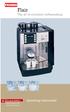 Flair The art of excellent coffeemaking For your Safety Please observe the safety instructions! Operating instructions Select Das System Flair Your coffeemachine in an overview We congratulate you to the
Registered trademark of a company of the Melitta Group NEW THE NEW GENERATION OF
 Registered trademark of a company of the Melitta Group MELITTA Caffeo BARISTA T SILVER BLACK Type F730-101 F730-102 GTIN 40.06508. 208098 208081 NEW THE NEW GENERATION OF FULLY AUTOMATIC COFFEE MACHINES
Recommended with NESCAFÉ GOLD Barista Style. Experience the full range today.* NESCAFÉ GOLD BLEND
 Recommended with NESCAFÉ GOLD Barista Style. Experience the full range today.* TABLE OF CONTENTS SAFETY PRECAUTIONS...2-3 MACHINE OVERVIEW... 4 FIRST TIME USE & INITIAL RINSING...5 REFILLING WITH COFFEE...
Instructions for use for IMPRESSA A9 One Touch pt
 de en fr it nl es Instructions for use for IMPRSSA A9 One Touch pt The Instructions for se has been awarded the seal of approval by the independent German Technical Inspection Agency, TÜV SÜD, due to its
JURA J80/J90/J95 Instructions for Use. For your safety: read and understand manual before use.
 JURA J80/J90/J95 Instructions for Use K For your safety: read and understand manual before use. Table of contents Your JURA J80/J90/J95 IMPORTANT SAFGUARDS 4 Control elements 8 1 Preparing and using for
IMPRESSA XS95/XS90 One Touch Quick Reference. The IMPRESSA Manual together with these short instructions
 IMPRSSA XS95/XS90 One Touch Quick Reference Guide The IMPRSSA Manual together with these short instructions IMPRSSA XS95/XS90 One Touch Quick Reference Guide has been awarded the seal of approval by the
Hot Water Central. Electric Hot Water Dispenser. Instruction Manual AAP-325W. www.aromaco.com
 Hot Water Central Electric Hot Water Dispenser Instruction Manual www.aromaco.com AAP-325W With the Aroma Hot Water Central, hot water is just a button away. Boil up to 3 liters of water in just 30 minutes,
www.morphyrichards.co.uk
 43922 rev2:x 06/01/2010 15:06 Page 1 Upon registration with Morphy Richards (UK & ROI only) Register online for your 2 year guarantee. See back of this instruction book for details. (UK and Ireland customers
BEAN TO CUP ESPRESSO AND CAPPUCCINO MACHINE Instruction for use ECAM28.46X
 5713221861/10.13 BEAN TO CUP ESPRESSO AND CAPPUCCINO MACHINE Instruction for use DE GB ECAM28.46X B B2 B3 B4 B5 B6 B1 B7 B13 B8 B9 B10 B11 B12 C D D1 C1 D2 A18 C3 C2 D3 D4 C4 D5 D6 2 A A1 A2 A3 A4 A5 A6
GIGA 5 Instructions for Use
 GIGA 5 Instructions for Use K For your safety: read and understand manual before use. Table of contents Your GIGA 5 IMPORTANT SAFGUARDS 4 Control elements 8 1 Preparing and using for the first time 10
Instruction Manual. www.aromaco.com AWK-115S
 Hot H2O X-Press Electric Water Kettle Instruction Manual www.aromaco.com AWK-115S Congratulations on your purchase of the Aroma Hot H20 X-Press Kettle. This handy appliance provides more speed and convenience
Conical Burr Coffee Grinder. Operations Manual
 Conical Burr Coffee Grinder Operations Manual Skilled in the art of grinding Operations manuals are available in the following languages at www.baratza.com English.pdf French.pdf Spanish.pdf German.pdf
Melitta Cafina XT6. Coffee perfection in every cup. Made in Switzerland. Melitta SystemService
 Melitta Cafina XT6 Coffee perfection in every cup. Made in Switzerland. Melitta SystemService Cafina XT6 THE NEW MELITTA CAFINA XT6, WILL I BE CONVINCED? Choosing a new automatic coffee machine is an important
Espresso/Cappuccino Maker MODELS MEXKITB, MEX1B
 READ AND SAVE THESE INSTRUCTIONS WARNING: A risk of fire and electrical shock exists in all electrical appliances and may cause personal injury or death. Please follow all safety instructions. Espresso/Cappuccino
Operator Manual 100 Series Coffee Grinders
 Operator Manual 100 Series Coffee Grinders Models 100 and 190SS Model 100 Model 190SS Specifications...2 Safety Information...2 Installation...3 Operation...3 Table of Contents Cleaning & Maintenance...6
1 Description of the appliance 21. 2 Safety warning 23. 3 Installation 23. 4 Preparing the coffee maker 24. 4.1 Filling the water tank 24
 21 1 Description of the appliance 21 2 Safety warning 23 GB 3 Installation 23 4 Preparing the coffee maker 24 4.1 Filling the water tank 24 4.2 Filling the container with coffee beans 24 4.3 Using the
Instructions for use for ENA Micro 9 One Touch
 de en fr micro 9 it nl es Instructions for use for ENA Micro 9 One Touch pt The Instructions for Use has been awarded the seal of approval by the independent German Technical Inspection Agency, TÜV SÜD,
Il Caffè Duomo. Instruction Book. Warranty. Guarantee of Performance. Model #985
 Il Caffè Duomo Model #985 Instruction Book Warranty Guarantee of Performance Krups Il Caffè Duomo a b c d q p e f g h o n m i j k l Espresso/Cappuccino a: boiler cap b: steam release knob c: Perfect Froth
Cimbali M52 Fully Automatic Espresso Machine
 Cimbali M52 Fully Automatic Espresso Machine O P E R A T O R S H A N D B O O K This handbook contains instructions for the Cimbali M52 Fully Automatic Espresso Machine. Please read the handbook before
infinity Burr Model #565 #560 Instructions Warranty Product Registration CONICAL Grinder 100W / 120V~ / 60 Hz
 infinity Burr CONICAL Grinder Model #565 #560 Instructions Warranty Product Registration 100W / 120V~ / 60 Hz IMPORTANT SAFEGUARDS When using electrical appliances, basic safety precautions should always
BELLMAN CXE-25/27 INSTRUCTIONS
 IMPORTANT SAFEGUARDS BELLMAN CXE-25/27 INSTRUCTIONS 1. READ ALL INSTRUCTIONS. 2. WARNING: SCALDING MAY OCCUR IF TOP IS NOT TIGHTENED DOWN COMPLETELY OR IF TOP IS TAKEN OFF BEFORE MACHINE IS COOL AND ALL
2-SLICE COOL TOUCH TOASTER
 2-SLICE COOL TOUCH TOASTER PLA0405 Instruction Manual Due to on-going product improvements, specifications and accessories may change without notice. Actual product may differ slightly to that depicted.
12 cup programmable coffee maker
 12 cup programmable coffee maker USER GUIDE Now that you have purchased a Kitchen Living product you can rest assured in the knowledge that as well as your 2 year parts and labor warranty you have the
Nexus FS Point of Use Installation Guide
 Nexus FS Point of Use Installation Guide Nexus FS POU Install Guide:12152011:rev-12152011 Technical Specifications Dimensions: Height: 43.5 Width: 11.65 Depth: 15 Weight: 34.39 LBS Electrical Specs: Voltage:
75th anniversary blender
 75th anniversary blender MBB1000 Series For your safety and continued enjoyment of this product, always read the instruction book carefully before using. CONTENTS Important Safeguards... 3 Grounding Instructions...
IMPRESSA C60/C65 Instructions for Use
 IMPRSSA C60/C65 Instructions for Use Table of contents Your IMPRSSA C60/C65 Control elements 4 Important information 6 Proper use...6 For your safety...6 1 Preparing and using for the first time 10 JURA
IMPORTANT SAFETY RULES TO FOLLOW
 WARNING FLOOR & CARPET CLEANER Any piece of equipment can be dangerous if not operated properly. YOU are responsible for the safe operation of this equipment. The operator must carefully read and follow
Due to continual improvement in design or otherwise, the product you purchase may differ slightly from the illustrations in this book.
 Kambrook 461 Plummer Street, Port Melbourne 3207, Australia Customer Service Line (free call) 1800 800 634 Customer Service Fax 1800 621 337 Kambrook New Zealand, Private Bag 94411, Greenmount, Auckland,
Installation, Operating and Servicing Instructions. Electric Auto-Fill Push Button Water Boilers EB3F/PB and EB3F/PBM
 Installation, Operating and Servicing Instructions Electric Auto-Fill Push Button Water Boilers EB3F/PB and EB3F/PBM Please make a note of your product details for future use: Date Purchased: Model Number:
SunMaxx Solar Filling Station Operating Instructions
 SunMaxx Solar Filling Operating Instructions Content 1. Declaration of conformity... 2 2. Introduction... 2 3. Transportation and unpacking... 4 4. Mounting and commissioning... 5 5. End of operation...
Operating instructions Swiss Egro 50 Series
 Operating instructions Swiss Egro 50 Series Contents 1. Introduction... 6 1.1 Copyright protection... 6 1.2 Purpose of the operating instructions... 6 1.3 Warranty... 6 1.4 Quality assurance... 6 1.5
SIBIR MANUAL V110 KE. English page 5 RKE - 1D 822 70 66-02
 SIBIR MANUAL RKE - 1D V110 KE English page 5 822 70 66-02 2 1 A. Flue tube E. Adapter I. Thermostat B. Flue baffle F. Burner base J. Lever arm C. Control knob G. Lamp glass D. Fuel gauge H. Lamp glass
EXPRESS STILL WARNING It is legal in New Zealand to own and operate a still for the purpose of producing alcohol for your own consumption.
 THE EXPRESS STILL This still represents the next generation in home distillation equipment. It eliminates the problem of having to spend all day processing a 25 litre wash. Taking 1 hour to heat up, then
English. Symbols used to mark instructions...3. Congratulations...5 Getting the best results...5. Warnings...6 Operating Procedure...
 2 Contents Components Attachments Guidance Installation Operation Maintenance Service Technical Troubleshooting Symbols used to mark instructions...3 Included Attachments...4 Congratulations...5 Getting
INDEX GENERAL OPERATING RULES TECHNICAL DATA
 14 GENERAL OPERATING RULES Carefully read the instruction manual and warranty limitations. The machine must be connected to a grounded power outlet. The machine must be kept clean by frequently washing
USER MANUAL. Bottom Loading Bottled Water Dispenser SAVE THIS MANUAL FOR FUTURE USE. Model # 900172
 Model # 900172: Page 1 USER MANUAL Bottom Loading Bottled Water Dispenser Model # 900172 TO REDUCE THE RISK OF INJURY AND PROPERTY DAMAGE, USER MUST READ THIS MANUAL BEFORE ASSEMBLING, INSTALLING & OPERATING
Saeco International Group SEPT.: 2003
 ROYAL CLASSIC ROYAL EXCLUSIV ROYAL DIGITAL ROYAL DIGITAL REDESIGN ROYAL DIGITAL PLUS ROYAL PROFESSIONAL ROYAL PROFESSIONAL REDESIGN ROYAL CAPPUCCINO ROYAL CAPPUCCINO REDESIGN ROYAL COFFEEBAR ROYAL OFFICE
the Soft Top Breville Customer Service Center www.breville.com Instruction Book - Livret d instructions
 Breville Customer Service Center the Soft Top Instruction Book - Livret d instructions US Customers Mail: Breville USA 19400 S. Western Ave Torrance CA CA 90501-1119 Phone: Customer Service 1 (866) BREVILLE
USER INSTRUCTIONS FOR 10 LITRE PORTABLE DEHUMIDIFIER MODEL NO. DHMD102
 USER INSTRUCTIONS FOR 10 LITRE PORTABLE DEHUMIDIFIER MODEL NO. DHMD102 THANK YOU FOR CHOOSING YOUR NEW DEHUMIDIFIER. BEFORE USING THE UNIT READ THESE INSTRUCTIONS FULLY AND RETAIN THEM FOR FUTURE REFERENCE
Electric Water Kettle
 Electric Water Kettle Instruction Manual Model: AWK-101 Congratulations! Your Water Kettle will surely become one of the most versatile and practical appliances in your home and office. Please read the
Owner s manual Special Edition/Signature B60 Keurig Brewer
 Owner s manual Special Edition/Signature B60 Keurig Brewer IMPORTANT SAFEGUARDS Safe Operation & Use When using electrical appliances, basic safety precautions should be followed, including the following:
MACCHINA DA CAFFÈ COFFEE MAKER MACHINE À CAFÉ KAFFEE-/ESPRESSO-VOLLAUTOMAT KOFFIEZETAPPARAAT CAFETERA MÁQUINA DE CAFÉ KÁVOVAR
 MACCHINA DA CAFFÈ COFFEE MAKER MACHINE À CAFÉ KAFFEE-/ESPRESSO-VOLLAUTOMAT KOFFIEZETAPPARAAT CAFETERA MÁQUINA DE CAFÉ KÁVOVAR Istruzioni per l uso Instructions Mode d emploi Bedienungsanleitung Gebruiksaanwijzingen
OPL BASIC. Dosing System for Professional Laundry machines. Contents
 OPL BASIC Dosing System for Professional Laundry machines Contents 1 Getting Started. Page 2 2 Installation. Page 4 3 Set Up & Operation. Page 8 4 Maintenance & Accessories. Page 10 5 Troubleshooting Page
Installation Instructions 4508 4508S
 SYMPHONY Spread Lavatory Faucet with Speed Connect Drain Congratulations on purchasing your American Standard faucet with Speed Connect drain, a feature found only on American Standard faucets. Speed Connect
AN500T, AN1000, AN1000T, AN1500, AN1500T AN2000, AN2000T
 Product Instruction Manual Accona AN500T, AN1000, AN1000T, AN1500, AN1500T AN2000, AN2000T Panel heater v16.5/5 Version 3.2 Jan 2015 Contents 1. Important safety points 2. Installation 2.1. Wall mounting
OPERATION GUIDE. IMPORTANT NOTE: For more information see our instructional video online at www.brewexpress.com. model no.
 OPERATION GUIDE model no. BE-104 & BE-110 IMPORTANT NOTE: For more information see our instructional video online at www.brewexpress.com. Do not return this product to place of purchase without authorization.
FASCINATION 700 HVLP TANNING PRO SYSTEM USER MANUAL
 FASCINATION 700 HVLP TANNING PRO SYSTEM USER MANUAL Congratulations on choosing the Fascination 700 HVLP Tanning Pro System! Your system includes the following items: 1 Fascination 700 HVLP Tanning Pro
Replacement Instructions. Warning: During this procedure, keep small parts away from children.
 apple ibook G4 Memory Card Replacement Instructions Follow the instructions in this sheet carefully. Failure to follow these instructions could damage your equipment and void its warranty. Note: Written
A200. Enjoyment through perfection
 A200 Enjoyment through perfection The essence of perfection For us at Franke, enjoyment means perfect coffee prepared with ease. With the A200, we have created a coffee machine that embodies this perfectly.
SITHFAB012B Prepare and serve espresso coffee
 SITHFAB012B Prepare and serve espresso coffee Revision Number: 1 SITHFAB012B Prepare and serve espresso coffee Modification History Not applicable. Unit Descriptor Unit descriptor This unit describes the
 2 (. 3 4 5 . -,.. -,. 3. : 1 2 3 > 4, :!! 1,, 17 Lt MAX 2 3 4,, > 5.,,, 6 :, :1)! 2)! 7,, 1, :,. 2,, Bottom of steam generator 7 8 9 10 11 12 automatically and this phenomenon will continue for
Evolution Plus Translation of the original operating instructions
 Evolution Plus Translation of the original operating instructions Read the operating instructions and the chapter on safety information before operating the machine. Keep the operating instructions near
Hot Water Urns. all models. Helpline. v3.0
 Hot Water Urns all models Helpline 01384 573999 instructions.indd 1 v3.0 02/06/2014 14:50 IMPORTANT INFORMATION - RETAIN FOR FUTURE USE When using any electrical appliance, basic safety precautions should
Moda. www.breville.com.au. Instructions for use. Breville Customer Service Centre Australian Customers. Cordfree Kettle. New Zealand Customers
 www.breville.com.au Moda Cordfree Kettle Breville is a registered trademark of Breville Pty. Ltd. ABN 98 000 092 928 Instructions for use Breville Customer Service Centre Australian Customers Breville
S5 EK S5 EP MANUAL FOR USE AND MAINTENANCE. La Spaziale S.p.A.
 MANUAL FOR USE AND MAINTENANCE La Spaziale S.p.A. Via E. Duse, 8 40033 Casalecchio di Reno Bologna - (Italy) Tel. +39 05 6.0. Fax +39 05 6.0.40 E-mail: [email protected] Web Site: www.laspaziale.com
Fig. 1. Fig. 1a USER COMPONENTS
 USER COMPONENTS 7 8 9 6 10 Fig. 1 5 11 4 12 3 13 2 1 14 15 16 18 1. Height-adjustable Coffee Spout 2. Operating Display (see fig. 3) 3. Removable Water Tank 4. Low Water Flotation Device (see fig. 4, call-out
MELODY 3 AUTOMATIC USER MANUAL. www.dolce-gusto.com.au
 MELODY 3 AUTOMATIC USER MANUAL www.dolce-gusto.com.au TABLE OF CONTENTS OVERVIEW........................................3 PRODUCT RANGE................................ 4-5 FIRST USE.........................................6
Support Cleaning Apparatus. Operation, Cleaning, & Safety Manual
 Support Cleaning Apparatus Operation, Cleaning, & Safety Manual Revision 1.1 31 May 2014 WARNING: The instructions and precautionary statements contained herein are intended for the Support Cleaning Apparatus
HP ProDisplay P19A LED Backlit Monitor. User Guide
 HP ProDisplay P19A LED Backlit Monitor User Guide 2013 Hewlett-Packard Development Company, L.P. The only warranties for HP products and services are set forth in the express warranty statements accompanying
Costco Bakery Employee Training Manual
 Costco Bakery Employee Training Manual Prepared for Costco Wholesale #684 Prepared by Ondria Arias May 3, 2013 Table of Contents iii Table of Contents Introduction... v Chapter 1: Operating the Equipment...
USER MANUAL Two Tier Steamer Model: 16145 Helpline No: 015394 88100
 Lakeland Alexandra Buildings, Windermere, Cumbria LA23 1BQ Tel: 015394 88100 Web: www.lakeland.co.uk USER MANUAL Two Tier Steamer Model: 16145 Helpline No: 015394 88100 INTRODUCTION Thank you for choosing
Elektra. Elektra. training. manual. manual. Coffee Grinder. Coffee Grinder SHARING THE PASSION
 Elektra manual Coffee Grinder I T A L I A N E S P R E S S O C O F F E E M A C H I N E S AD: Holbein & Partners - Edition January 2006 Elektra training SHARING THE PASSION manual I T A L I A N E S P R E
Vertical Display and Storage B1350-2. SKOPE Gen2: Three Door Chiller
 Vertical Display and Storage User Manual MAN1227 Rev. 3.0 March 2008 edition CONTACT ADDRESSES Designed and Manufactured by New Zealand SKOPE INDUSTRIES LIMITED PO Box 1091, Christchurch New Zealand Freephone:
MAINTENANCE & TROUBLESHOOTING
 MAINTENANCE & TROUBLESHOOTING This section describes how to: clean the lens clean the fan intake filter replace the projection lamp replace the batteries in the remote control use the Kensington lock feature
Assembly and instructions
 Assembly and instructions Franke Minerva 3-in-1 Kettle Tap Retain for reference NB: For use only with Franke Heating Tank INTRODUCTION The Kettle Tap is suitable for dispensing boiling water (100 C) and
PROFESSIONAL POPCORN MAKER
 PROFESSIONAL POPCORN MAKER WPM40 Series For your safety and continued enjoyment of this product, always read the instruction book carefully before using. IMPORTANT SAFEGUARDS When using any electrical
OR S HANDBOOK Kenco S i n g l e s B r e w e r OPERA
 Kenco Singles Brewer This handbook contains instructions for the Kenco Singles Brewer. Please read the handbook before using the machine. Keep this fold out page open while reading the Operator s Handbook.
Franke Coffee Systems An outstanding performance, in every category: overview of all the coffee machines.
 19 320 629/06.09/10/3-e Subject to dimensional, design and version changes. visu l Franke Systems An outstanding performance, in every category: overview of all the coffee machines. Franke Kaffeemaschinen
B150 Series Commercial Brewer. Direct Plumb Kit
 B150 Series Commercial Brewer Welcome Keurig Authorized Dealer! Direct Plumb Kit This manual provides: Installation of the Direct Plumb Kit (DPK) that allows you to connect your customer s B150 brewer
- 2 - IMPORTANT SAFETY REMINDERS
 USER MANUAL IMPORTANT SAFETY REMINDERS This appliance should only be used for domestic cleaning, as described in this user guide. Please ensure that this guide is fully understood before operating the
Cooling system components, removing and installing
 Page 1 of 34 19-1 Cooling system components, removing and installing WARNING! The cooling system is pressurized when the engine is warm. When opening the expansion tank, wear gloves and other appropriate
User manual. 086U6297 Rev. 9 EN
 User manual Atria Atria Duo Atria Duo Optimum Atria Optimum Comfort Diplomat Diplomat Duo Diplomat Duo Optimum Diplomat Duo Optimum G2 Diplomat Optimum Diplomat Optimum G2 086U6297 Rev. 9 EN Thermia Värme
#12 Professional Meat Grinders
 #12 Professional Meat Grinders MG-203100 (52021040) Manual Instruction Thank you, and congratulations on purchasing the Non-corrosive electric meat grinder. Your grinder comes complete with everything
Coolflo Safe Touch Shower Mixing Valve ST20015CP
 Coolflo Safe Touch Shower Mixing Valve ST20015CP Installation and Maintenance Instructions In this procedure document we have endeavoured to make the information as accurate as possible. We cannot accept
USER INSTRUCTIONS FOR GET PORTABLE 12k BTU AIR CONDITIONER MODEL No. GPACU12HR
 USER INSTRUCTIONS FOR GET PORTABLE 12k BTU AIR CONDITIONER MODEL No. GPACU12HR CONTENTS Introduction Safety Notes Identification of parts Installation instructions Operation instructions Maintenance Troubleshooting
Getting the best from your urn
 444448538 Standard 444448539 Deluxe Getting the best from your urn Remove any plastic film from the urn before use. Any water in the urn is due to testing and is normal. The urn must be used on a flat
MAINTENANCE & TROUBLESHOOTING
 MAINTENANCE & TROUBLESHOOTING This section describes how to: clean the lens replace the projection lamp replace the batteries in the remote use the security lock feature troubleshoot the projector Cleaning
BLENDER. Safety Guidelines. Meet Your Rapid Boiler. Before First Use. Using Your Blender. Blender Setting Guide. Cleaning Your Rapid Boiler.
 BLENDER BLENDER Safety Guidelines Meet Your Rapid Boiler Before First Use Using Your Blender Blender Setting Guide 6 Cleaning Your Rapid Boiler 7 Recipes Safety Guidelines Do not let cord hang over edge
BEC300 CONTENT INSTRUCTION MANUAL
 EN INSTRUCTION MANUAL BEC300 Nespresso, an exclusive system creating the perfect espresso, time after time. All Nespresso machines are equipped with a unique extraction system that guarantees up to 19
ecomax Instructions for use Wall hung room sealed fan assisted condensing boilers For the user
 For the user Instructions for use ecomax Wall hung room sealed fan assisted condensing boilers ecomax 63/ E ecomax 68/ E ecomax 6/ E ecomax 635 E ecomax 84/ E ecomax 88/ E ecomax 835 E GB Table of contents
~RITA NP-2388F NP-3888F. www.naritausa.com
 ~RITA HIGH ALTITUDES CAUTION(5,OOO ft and higher) This appliance may not shut-off property or from boiled to keep warm position when used at high altitudes; Use EXTREME caution! If unit does not shut off