
Praesideo - Digital Public Address and Emergency Sound System
|
|
|
- Shannon Carroll
- 10 years ago
- Views:
Transcription
1 Praesideo - Digital Public Address and Emergency Sound System Praesideo - Digital Public Address and Emergency Sound System

2 2 Praesideo - Digital Public Address and Emergency Sound System Praesideo - Digital Public Address and Emergency Sound System Praesideo is a fully digital public address system that meets all the requirements placed by professional users on a public address/emergency system. The system brings highly innovative and advanced digital technology to the public address market. The processing and communication of both audio signals and control data entirely in the digital domain makes the system superior to other currently available public address and emergency sound systems. Digital signal processing allows significant improvements in audio quality to be achieved. The Praesideo system is designed for configuration from a PC, which makes installation and setting of operating parameters very simple and user-friendly. All audio processing is performed in the digital domain. Communication between the units is via plastic fiber or glass fiber cabling, depending on the distance between the units. The cabling uses the daisy chain principle. This makes the cabling and installation very quick, simple and easy. The system cabling is a closed loop, which allows redundancy to be achieved. User-friendly Software Control The system is supplied with user-friendly software for system configuration. This allows all system functions to be configured. The software is based on web technology, which gives authorized users full freedom of configuration in terms of time and location. The simplified and accurate organization of the programming features makes navigation highly user-friendly and fault-tolerant. The software also provides clear indication of any parameters, which have not been programmed before exiting from any stage of the configuration process. Distributed Control The system is designed for distributed control of various system functions. The external interfaces, which are control inputs and outputs can be located anywhere in the network. The processing of audio input and output signals is located in each unit. This allows the network controller to concentrate on other activities like routing of announcement taking actions on control inputs, etc. As a result the response times are much shorter than for systems with centralized processing of all signals. Combination of Functions The Praesideo range of equipment has multiple functions combined in a single unit. This feature drastically reduces the number of different types of equipment used in the system. For example functions like audio processing, audio delay, amplifier monitoring including spare switching and speaker line monitoring are provided in the power amplifier unit itself. This makes the overall system highly cost-effective. The flexible architecture of the Praesideo range of equipment allows the customer to locate any type of equipment anywhere in the building. The configuration software enables the user to configure all the functional parameters. No programming is required at the equipment end, which drastically reduces the installation and commissioning time. IEC Certified The Praesideo range of equipment complies with the various emergency standards, which are applicable all over the world. In fact Praesideo is the first system which is certified according to the IEC standard. The network controller is capable of monitoring all the units in the system, from the microphone capsule of the call station to the loudspeaker line. A built-in memory stores the last 200 fault messages. Any fault is reported back to the network controller. The system also meets emergency requirements for emergency call stations. The open system concept, with the possibility for large numbers of control inputs and outputs satisfies even difficult emergency requirements. Network Approach The system architecture is based on daisy-chaining of the units. It is possible to add or remove equipment anywhere in the network without affecting the performance of other units, provided that the network connection is available. This makes the system easily expandable by the customer, without adding any additional electronics at the network controller unit. Thanks to this network architecture, users can start with a small system in the initial stage and expand the system later simply by adding the required new units to the existing network. The system can be configured for redundant cabling using a ring cabling structure.

3 Praesideo - Digital Public Address and Emergency Sound System 3 External Interfaces The interfaces to the system can be audio, control input or Ethernet. The Ethernet open interface is provided at the network controller. The audio and control inputs can be anywhere in the system, for example at the power amplifier, audio expander or network controller. The system accepts even low-level signals via the control inputs. The configuration allows the user to configure the input to initiate the desired actions in the system. The flexibility to route any input from one system unit to another makes it possible to use the Praesideo range of products for a wide range of public address and emergency sound system applications. Audio Expander The audio expander is used if the system requires additional audio inputs and outputs. The unit provides 4 transformer isolated audio inputs and 4 transformer isolated audio outputs, as well as 8 control inputs and 5 control outputs. The audio inputs can be configured for background music, microphone or line inputs. As for the network controller, the control inputs can be configured to initiate external actions. Network Splitter Reduced Installation Costs The Praesideo architecture uses the daisy chain principle for both data and audio signals. This makes the system wiring very cost-effective, using 2 fiber cores for data and audio communication and a copper wire pair to supply power to the units. Power supply for the system units can be provided locally if the distances are very long. Combining various functions in a single unit also makes the equipment more cost-effective than systems in which separate units have to be purchased for all the specific functions. This combination of functions also saves lot of rack space and further reduces installation costs. High System Flexibility The Praesideo system is a highly versatile system which gives the user a high degree of flexibility in the number of zones, call stations, audio inputs and outputs, control inputs and outputs, etc. System Overview Network Controller The network controller is the heart of the system, and stores all control information. It also provides the Ethernet interface for connection to the PC to enable system configuration as well as diagnostic and logging functions. The network controller also stores the digital audio messages for automatic announcements. The controller monitors all the system components and reports any changes in status. The unit provides 4 audio inputs and 4 audio outputs, as well as 8 control inputs and 5 control outputs. The control inputs can be used to trigger actions in the system. In the configuration software, the user can define the types of inputs. They can be programmed for momentary or toggle operation. Of course these functions are also available for other control inputs in the system. The control outputs can be used to initiate external actions, and can be linked to any of the input triggers. The network controller stores the configuration details and the last 200 fault messages. The availability of the digital audio messages, the alarm tones and alarm tone generator and the control inputs are continuously monitored. To monitor the audio outputs an internally generated pilot tone can be provided to the audio outputs. The network splitter allows the main network line to be split into branches. The branch lines are still monitored, but these do not have the redundant cabling of the main network line. The network splitter also has a provision to connect a 48 V DC supply which can be used if additional power is required. The network splitter can also be used as a repeater to extend the cable with another 50 meters of plastic fiber. Fiber Interface All the Praesideo system units have plastic fiber optic interfaces. Plastic fiber is used to interconnect nodes which are less than 50 meters apart. For distances of more than 50 meters, glass fiber optic cable is used. A fiber interface is used to convert from plastic to glass fiber or vice versa. The fiber interface has a power supply input and two control inputs, and can also be used if extra power has to be added. The control inputs can be used to monitor the power supply connected to the fiber interface.

4 4 Praesideo - Digital Public Address and Emergency Sound System Power Amplifier Call Station Basic There are four types of power amplifier units in the Praesideo product range. These differ in the number of amplifier channels per frame and the power ratings of the individual amplifier channels. The types of power amplifiers are as follows: LBB 4421/10 LBB 4422/10 LBB 4424/10 LBB 4428/00 1 x 500 W Power Amplifier 2 x 250 W Power Amplifier 4 x 125 W Power Amplifier 8 x 60 W Power Amplifier The power amplifiers can be selected for 100 V, 70 V and 50 V output tapping. Audio input is provided via the fiber optic network cable. The power amplifiers are equipped with amplifier monitoring and change-over relays. The amplifier provides short-to-ground and short-circuit detection functions. If an end-of-line supervision card is plugged in, the loudspeaker lines are also monitored for open circuits. The pilot tone for the monitoring is generated in the power amplifier itself. The power amplifiers are equipped with audio processing facilities for each amplifier channel. It is possible to have 3 parametric equalizer sections and 2 shelving equalizers. The power amplifiers can be connected to the network line directly. Ambient microphone connection enables output level adjustment for maximum intelligibility. The power amplifier has a provision for connecting a 48 V DC backup power supply. The 48 V is protected against reverse polarity, and availability of the 48 V supply is continuously monitored. The call station basic has a direct network interface, one press to talk key, a monitoring speaker and a headphone socket. The volume control on the front of the unit allows adjustment of the loudspeaker or headphone volume. The unit can be connected to up to16 call station keypads. LEDs on the unit indicate system, call station and call status. Call Station Keypad The call station keypad has 8 selection keys and status indications. This unit is connected to a call station basic through a local interface. Each selection key has one 2-color LED which shows the status of the selection, allowing differentiation of whether the selected output/ resource is occupied by a higheror lower-priority announcement. It is possible to connect up to16 Call station keypad units to a call station basic. The power supply for the call station keypad is taken from the call station. The interconnecting cable between the units handles both data communication and the power supply. Call Station Kit The call station kit has the same functions as the call station basic, and is intended for building into custom-made units. The kit is supplied without a housing for easy installation in a custommade housing. It has a power supply input for both the call station itself and the call station keypads. The external power supply can be monitored by connecting its fault control output to the control input of the call station kit. Call Station Keypad Kit The call station keypad kit is used in combination with the call station kit or call station basic. It has 8 logical inputs and 16 logical outputs. If the input is assigned to trigger specific functions, the corresponding outputs can be activated only for actions related to that particular input. The control output of the call station keypad kit can be programmed for various functions, for example indication of emergency status in a particular zone.

5 Praesideo - Digital Public Address and Emergency Sound System 5 LBB 4401/00 Network Controller The network control unit is the heart of the Praesideo system. The unit is capable of routing up to 28 simultaneous audio channels, delivering power to the system (except for power amplifiers), fault reporting and controlling of the system. The audio inputs can be announcements from call stations, background music or local audio inputs. The network control unit can be configured for any complex public address configuration via the PC. The PC need not be connected permanently to the unit as it works independently from the PC. If a PC is connected to the network controller unit, all status changes in the system can be displayed through the configuration and diagnostic & logging software, supplied with the unit. The unit can be free-standing on a tabletop or mounted in a 19" rack. Features Public address and emergency control unit Fully digital 28 audio channels 8 supervised control inputs and 5 control outputs 4 audio inputs and 4 audio outputs Ethernet interface for configuration and diagnostic & logging functions Digital message storage Stores up to last 200 fault messages IEC60849 Certified Functions The network controller has 4 analog audio inputs. Of these, 2 are selectable between microphone and line. The other 2 inputs are fixed as line inputs. The 8 control inputs are freely programmable for system actions, and priorities can be assigned to these inputs. The network controller has 4 analog audio line outputs. The audio line outputs have a selectable 20 khz monitoring signal. The network controller has 5 control outputs of which three are programmable for faults or calls, and two are used to connect visual and audible fault indicators. The microphone/line inputs can be used as call inputs if they are programmed conditionally to any control inputs. The network controller can control up to 60 nodes. The nodes include equipment like power amplifiers, audio expander units, call stations, call station kits etc. The network controller is designed for redundant network cabling. The network can be wired as a branched network or redundant loop. To satisfy even the most complex public address and emergency requirements, the system is designed to handle 256 priorities, and can be configured for up to 244 zones. The unit has a switch mode power supply. The network controller is provided with a storage facility to store the last 200 fault messages in the system. The network controller can work independently of a PC connected to it. The PC can be disconnected after configuring the system. Address and version enquiry can be done using the front panel display and rotary control of the network control unit. The front panel has a 2 x 16-character LCD display and a rotary control to navigate through the menu and select the menu items. To meet the requirements for emergency sound systems automatic messaging is included in the network controller. The network controller has a connector for installing a commercially available compact flash memory card, with memory size according to the storage requirements for audio messages. Four messages can be played simultaneously. The status of the digital audio message storage and of the messages themselves is monitored. Audio messages (as a set of wav files) can be downloaded from a computer via the Ethernet link. The network controller monitors the status of all the equipment in the system and reports status changes. This monitoring extends from the capsule of a call station microphone to the end of a loudspeaker line. The external cables connected to the control inputs are monitored for short and open circuit. To monitor the audio outputs an internally generated pilot tone can be provided to the audio outputs. 7 attention tones, 3 test tones and 45 alarm tones are stored in the network controller unit. These tones can be accessed by any call stations or control inputs for announcement broadcast or alarm broadcast. The network controller has an internal real time clock for automatic playback of scheduled messages or automatic volume changes of announcements or background music, e.g. during evening hours The network controller has extensive audio processing possibilities for audio inputs and audio outputs. Parametric equalization, limiter and gain can be adjusted using the configuration software. The digital audio processing has 3 parametric and 2 shelving equalizer sections. The network controller is provided with a monitoring loudspeaker and a headphone socket for monitoring of audio channels.

6 6 Praesideo - Digital Public Address and Emergency Sound System Certifications and Approvals Safety According to IEC CE / FCC IEC60849 Immunity According to EN Installation/Configuration Notes Rear view Outputs 5 x control outputs (of which two dedicated fault contacts) 4 x analog audio line outputs 1 x internal speaker 1 x headphone output Rear Connections 1 x Ethernet interface 1 x RS232 interface 2 x system network connection 8 x programmable control inputs 2 x line audio inputs 2 x mic./line audio inputs 4 x line audio outputs 3 x programmable control outputs 2 x control output for faults 1 x mains connection Interfaces Ethernet interface for connection to a PC or any external devices/systems 2 x system network connection Indications and Controls 2 x 16-character LCD display for status display. Rotary/push control for selection of system enquiry mode and volume of the headphone or internal speaker. Power supply ON/OFF switch at rear. Inputs 8 x control inputs 2 x analog audio inputs selectable between line or microphone 2 x analog line audio inputs

7 Praesideo - Digital Public Address and Emergency Sound System 7 Technical Specifications Audio Inputs Analog Line Inputs Socket Type One female XLR and one stereo female Cinch for each input Frequency Response -3 db at 20 Hz and 20 khz (tolerance ±1 db) 0 db at 100 Hz, 1 khz and 10 khz (tolerance ±1 db) Signal to Noise Ratio > 87 dba at maximum level CMRR > 40 db XLR max. Input Range +18 dbv to +6 dbv Cinch max. Output Range +6 dbv to -6 dbv Analog Microphone Inputs (only inputs 1 and 2) Socket Type One female XLR Frequency Response -3 db at 20 Hz and 20 khz (tolerance ±1 db) 0 db at 100 Hz, 1 khz and 10 khz (tolerance ±1 db) Nominal Input Level -57 dbv Signal to Noise Ratio > 62 dba for dynamic range < 25 db CMRR > 55 db at 100 Hz Input Impedance 1360 ohm Phantom Supply 12 V ±1 15 ma Input Range -7 to 18 db ref nominal input level Environmental Emissions According to EN / FCC-47 part 15B Immunity According to EN Safety According to IEC Approvals CE / FCC IEC60849 Temperature -5 C to +55 C Humidity 15% to 90% Ordering Information Model & Description LBB 4401/00 Network Controller Audio Outputs Socket Type One male XLR and one stereo female Cinch for each output Frequency Response -3 db at 20 Hz and 20 khz (tolerance ±1 db) 0 db at 100 Hz, 1 khz and 10 khz (tolerance ±1 db) Output Impedance < 100 ohm Signal to Noise Ratio > 89 dba at maximum level Output Crosstalk < -85 db XLR Output Signal Range +18 dbv to 12 dbv Cinch Output Range +6 dbv to 24 dbv Distortion at 1 khz < 0.05% Power Consumption LBB 4401/00 only LBB 4401/00 max. loaded 14 W (ac) 150 W (ac) Mechanical Mounting Dimensions (H x W x D) Weight Color Free-standing on a tabletop or mounted in a 19" rack 88 x 483 x 400 mm (19 -mounting, with brackets, without feet) 92 x 440 x 400 mm (table top, without brackets, with feet) 7 kg Charcoal grey with silver

8 8 Praesideo - Digital Public Address and Emergency Sound System LBB 4402/00 Audio Expander The audio expander can insert external audio to the system and extract audio from the system. This unit is provided with control inputs and outputs for external interfacing. The audio inputs can be routed permanently or conditionally to any of the zones or other audio outputs. The routing conditions are configured using the configuration software. The audio output can be programmed to extract audio from any of the audio inputs. The equipment can be used free-standing (tabletop) or in 19" rack mounting. Features 4 audio inputs 2 selectable mic./line and 2 line inputs 4 line audio outputs 8 supervised control inputs and 5 control outputs Audio processing functions Redundant network connection Headphone connection and VU meter for audio monitoring Functions The audio expander has 4 transformer isolated analog audio inputs. 2 of these are selectable between microphone and line. The other 2 inputs are fixed as line inputs. The 8 control inputs are freely programmable for system actions, and priorities can be assigned to these inputs. The audio expander has 4 transformer isolated analog audio line outputs. The audio line outputs have a selectable 20 khz monitoring signal. The 5 control outputs are freely programmable for faults and calls. The microphone/line input can be used like a call station input if it is programmed conditionally to any control input. The 2 x 16-character display and the rotary control enable status enquiries relating to that particular unit. The display shows the VU meter reading when the audio monitoring mode is selected. The audio can be monitored by using a headphone. The fault status of the unit is monitored and continuously reported to the network controller. The control inputs can be programmed for momentary or toggle operation. This selection can be made using the configuration software. Each control input has the ability to monitor the cable between the control inputs and the external switch for opencircuits and short-circuits. To monitor the audio outputs an internally generated pilot tone can be provided to the audio outputs. The audio expander is designed for redundant network cabling. The network can be either single branch or redundant loop. The digital audio processing is capable of 3 parametric and 2 shelving equalizer sections. The unit is powered from the network controller via the network cable. Certifications and Approvals Safety Immunity Installation/Configuration Notes Audio inputs Control inputs POF POF A/D Display + Control Network processor + DSP Interfaces 2 x system network connection Indications and Controls 2 x 16-character LCD display for status display Rotary/push control for selection of system enquiry mode and volume of the headphone Inputs 8 x control inputs 2 x analog audio inputs selectable between line or microphone 2 x analog line audio inputs Outputs 5 x control outputs 4 x analog line level audio outputs 1 x headphone output I Network redundancy switching According to IEC CE / FCC IEC60849 According to EN D/A O Audio outputs Control outputs

9 Praesideo - Digital Public Address and Emergency Sound System 9 Rear Connections 2 x system network connection 8 x programmable control inputs 2 x XLR line audio inputs 2 x XLR mic./line audio inputs 2 x Cinch line audio inputs 2 x Cinch mic./line audio inputs 4 x XLR line audio outputs 4 x Cinch line audio outputs 5 x programmable control outputs Technical Specifications Audio Inputs Analog Line Inputs Socket Type One female XLR and one stereo female Cinch for each input Frequency Response -3 db at 20 Hz and 20 khz (tolerance ±1 db) 0 db at 100 Hz, 1 khz and 10 khz (tolerance ±1 db) Signal to Noise Ratio > 87 dba at maximum level CMRR > 40 db Input Transformer On all XLR Inputs XLR max. Input Range +18 dbv to +6 dbv Cinch max. Input Range +6 dbv to -6 dbv Analog Microphone Inputs (only inputs 1 and 2) Socket Type One female XLR Frequency Response -3 db at 20 Hz and 20 khz (tolerance ±1 db) 0 db at 100 Hz, 1 khz and 10 khz (tolerance ±1 db) Nominal Input Level - 57 dbv Signal to Noise Ratio > 55 dba with 25 db headroom CMRR Input Impedance Phantom Supply Input Range > 55 db at 100 Hz 1360 ohm 12 V ±1 15 ma -7 to 18 db ref. nominal input level Mechanical Mounting Dimensions (H x W x D) Weight Color Free-standing on a tabletop or mounted in a 19" rack 88 x 483 x 400 mm (19 -mounting, with brackets, without feet) 92 x 440 x 400 (table top, without brackets, with feet) 7 kg Charcoal grey with silver Environmental Emissions According to EN / FCC-47 part 15B Immunity According to EN Safety According to IEC Approvals CE / FCC IEC60849 Temperature -5 C to +55 C Humidity 15% to 90% Ordering Information Model & Description LBB 4402/00 Audio Expander Audio Outputs Socket Type One male XLR and one stereo female Cinch for each output Frequency Response -3 db at 20 Hz and 20 khz (tolerance ±1 db) 0 db at 100 Hz, 1 khz and 10 khz (tolerance ±1 db) Output Impedance < 100 ohm Signal to Noise Ratio > 89 dba at maximum level Output Crosstalk < -85 db XLR Output Signal Range +18 dbv to 12 dbv Cinch Output Range +6 dbv to 24 dbv Distortion at 1 khz < 0.05% Power Consumption LBB 4402/ W (dc)

10 10 Praesideo - Digital Public Address and Emergency Sound System LBB 4404/00 CobraNet Interface CobraNet is a registered trademark of Peak Audio, a Division of Cirrus Logic, Inc. The CobraNet Interface can insert up to four audio channels from CobraNet into the Praesideo system and up to four audio channels from Praesideo into a CobraNet network. CobraNet, developed by Peak Audio, is a network protocol for real-time uncompressed digital audio distribution over industry standard 100Base-T Ethernet networks. CobraNet audio channels can be configured as inputs to Praesideo, where they can be routed permanently or conditionally to any of the zones or audio outputs. The routing conditions are configured using the configuration software. Praesideo calls and background music (BGM) sources can be routed to CobraNet channels. Digital audio data is directly converted between Praesideo and CobraNet, with no other audio processing than sample rate conversion. Control inputs and outputs are provided for external interfacing. The equipment can be used free-standing (tabletop) or in a 19 inch rack. Features 4 CobraNet audio inputs 4 CobraNet audio outputs 8 supervised control inputs and 5 control outputs Redundant Praesideo network connection Redundant CobraNet network connection Headphone connection and VU meter for audio monitoring Functions The CobraNet Interface can simultaneously convert 4 digital audio channels from Praesideo to CobraNet and 4 digital audio channels from CobraNet to Praesideo. The CobraNet Interface can route audio channels between itself and other CobraNet Interfaces, in the same or in other Praesideo networks, or to third party CobraNet units. Only audio channels are routed via the CobraNet Interface, no control data. If CobraNet Interfaces are used as a link between multiple Praesideo systems, the open interface of the network controllers should be used for control by a PC master. The CobraNet Interface provides sample rate conversion between Praesideo s 44.1 khz sample rate and CobraNet s 48 khz sample rate. Volume levels are preserved. The 8 control inputs are freely programmable for system actions, and priorities can be assigned to these inputs. The 5 control outputs are freely programmable for faults and calls. The 2 x 16-character display and the rotary control enable status enquiries relating to that particular unit. The display shows the VU meter reading when the audio monitoring mode is selected. The audio can be monitored by headphone. The fault status of the unit is monitored and continuously reported to the network controller. The control inputs can be programmed for momentary or toggle operation. This selection can be made using the configuration software. Each control input has the ability to monitor the cable between the control inputs and the external switch for opencircuits and short-circuits. The CobraNet Interface is designed for redundant network cabling of both Praesideo and CobraNet. The unit is powered from the network controller via the network cable.

11 Praesideo - Digital Public Address and Emergency Sound System 11 System Overview 1 = Power amplifier 2 = Network controller 3 = Audio expander 4 = Cobranet Interface Call station Keypads TCP/IP Network

12 12 Praesideo - Digital Public Address and Emergency Sound System Installation/Configuration Notes Technical Specifications Power Consumption LBB 4404/00 11 W (dc) Display + C ontrol Electrical Audio Transport Ethernet Channels 4 in / 4 out per interface Max 64 on CobraNet Compliance IEEE Audio Transport: 16-, 20-, and 24-bit Sample Rate 48 khz Latency 5.33 ms Integrity Assurance Watchdog CAT5 CAT5 C ontrol inputs POF POF C obranet Interface I Samplerate conversion Network processor O + DS P Network redundancy switching D/A Controloutputs Mechanical Mounting Dimensions (H x W x D) Weight Color Free-standing on a tabletop or mounted in a 19 inch rack 88 x 483 x 400 mm (19 inch mounting, with brackets, without feet) 92 x 440 x 400 mm (table top, without brackets, with feet) 7 kg Charcoal grey with silver Interfaces 2 x system network connection 2 x CobraNet network connections Indications and Controls 2 x 16 character LCD display for status display Rotary/push control for selection of system enquiry mode and volume of the headphone Inputs 8 x control inputs Outputs 5 x control outputs 1 x headphone output Environmental Emissions According to EN / FCC-47 part 15 Immunity According to EN Safety According to IEC Approvals CE / FCC IEC60849 Temperature -5 C to +55 C Humidity 15% to 90% Ordering Information Model & Description LBB 4404/00 CobraNet Interface

13 Praesideo - Digital Public Address and Emergency Sound System 13 LBB 442x/x0 Power Amplifiers The main function of the power amplifier is the amplification of audio signals for the loudspeakers. Four types of power amplifiers are available: - 1 x 500 W (LBB 4421/10) - 2 x 250 W (LBB 4422/10) - 4 x 125 W (LBB 4424/10), - 8 x 60 W (LBB 4428/00). It is possible to select output voltages of 100 V, 70 V or 50 V by changing jumpers. The power amplifiers have a 2 x 16-character display for status display. The equipment can be used free-standing (tabletop) or in 19" rack mounting. Features Automatic volume control Redundant network connection Power ON indication (display) Audio processing for each amplifier channel Audio delay for each amplifier channel 2 x 16-character display for monitoring Headphone connection and VU meter for audio monitoring 8 control inputs and 1, 2, 4 or 8 control outputs 2 audio inputs (4 audio inputs for LBB 4428/00) 1, 2, 4 or 8 audio outputs (selection from 100 V/70 V/50 V outputs) Supervision of external cable connected to control inputs Amplifier monitoring and spare amplifier switching Loudspeaker line and loudspeaker supervision (LBB 4428/ 00 only line supervision) Functions The power amplifiers receive input signals via the network. The power amplifiers also have 2 auxiliary audio inputs (4 for LBB 4428/00). The 8 x control inputs are freely programmable for system actions, and priorities can be assigned to these inputs. The control outputs are freely programmable for faults and calls. The 2 x 16-character display and rotary control on the front panel are used for address and version enquiry and monitoring functions. The display also shows the VU meter reading when the audio monitoring mode is selected. The audio can be monitored by using a headphone. The control input can be programmed for momentary or toggle operation. This selection can be made using the configuration software. Each control input has the ability to monitor the cable between the control input and the external switch for opencircuits and short-circuits. The power amplifier is designed for redundant network cabling. The network can be either single branch or redundant loop. The unit is monitored continuously and status changes are reported to the network controller for fault/status reporting. The power amplifier has a change-over facility for spare power amplifier switching. The change-over relays are included in the unit. The digital audio processing can handle 3 parametric equalisation sections and 2 shelving equalisation sections. The power amplifiers have a 48 V DC back-up supply input. Certifications and Approvals Safety Immunity According to IEC CE / FCC IEC60849 According to EN

14 14 Praesideo - Digital Public Address and Emergency Sound System Installation/Configuration Notes Rear View of LBB 4421/10 Power Amplifier 1 x 500 W Rear View of LBB 4422/10 Power Amplifier 2 x 250 W Interfaces 2 x system network connection Indications and Controls 2 x 16-character LCD display for status display. Rotary/push control for selection of system enquiry mode and volume of the headphone or internal speaker. Power supply ON/OFF switch at rear. Rear View of LBB 4424/10 Power Amplifier 4 x 125 W Inputs 2x selectable line/microphone audio inputs for LBB 4421/10, LBB 4422/10 and LBB 4424/10 4x selectable line/microphone audio inputs for LBB 4428/00 Outputs Selectable 100 V, 70 V or 50 V outputs for each amplifier channel. An additional fixed 50 V output is provided. 1 x control output per amplifier channel 1 x headphone output 1 x spare switching per amplifier channel Rear View of LBB 4428/00 Power Amplifier 8 x 60 W Rear Connections 2 x system network connection 8 x programmable control inputs 1x, 2x, 4x or 8x 100 V/70 V/50 V audio outputs according to type of power amplifier 2x or 4x mic./line audio inputs according to type of power amplifier 1x, 2x, 4x or 8x programmable control outputs according to type of power amplifier

15 Praesideo - Digital Public Address and Emergency Sound System 15 Technical Specifications Audio Inputs Analog Line Inputs Socket Type 1 x 6 pole (2x 6 pole for LBB 4428/00) header for removable screw connector Input Type Mono, balanced Frequency Response -3 db at 50 Hz and 20 khz (tolerance ±1 db) Signal to Noise Ratio > 87 db (rms unweighted) CMRR > 40 db at 1 khz Input Range -6 dbv to 6 dbv Input Impedance 22 kohm Analog Microphone Inputs (only for ambient noise level sensing) Socket Type Input Type Frequency Response Nominal Input Level Signal to Noise Ratio CMRR Input Impedance Phantom Supply Input Range 1 x 6 pole (2x 6 pole for LBB 4428/00) header for removable screw connector Mono, balanced -3 db at 100 Hz and 16 khz -57 dbv > 62 dba 40 db at 1kHz 1360 ohm 12 V ±1 15 ma -65 dbv to -50 dbv Audio Outputs Socket Type 1 x 9 pole header for removable screw connector Frequency Response 60 Hz (80Hz for LBB 4428/00) to 19 khz (-3 db) Signal to Noise Ratio > 85 db with pilot tone off Crosstalk between Ampifiers <-80 db at nominal load for 1 khz Total Harmonic Distortion <0.3% (at 1 khz) at 50% of rated output power Mechanical Mounting Dimensions (H x W x D) Weight LBB 4421/10 LBB 4422/10 LBB 4424/10 LBB 4428/00 Color Free-standing on a tabletop or mounted in a 19" rack 88 x 483 x 400 mm (19 -mounting, with brackets, without feet) 92 x 440 x 400 mm (table top, without brackets, with feet) 13 kg 14 kg 16.5 kg 14.5 kg Charcoal grey with silver Environmental Emissions According to EN / FCC-47 part 15B Immunity According to EN Safety According to IEC Approvals CE / FCC IEC60849 Temperature -5 C to +55 C Humidity 15% to 90% Ordering Information Model & Description LBB 4421/10 Power Amplifier 1 x 500 W LBB 4422/10 Power Amplifier 2 x 250 W LBB 4424/10 Power Amplifier 4 x 125 W LBB 4428/00 Power Amplifier 8 x 60 W Power Consumption Idle with Pilot Tone LBB 4421/10 LBB 4422/10 LBB 4424/10 LBB 4428/00 Pmax -3 db with Pilot Tone (=Alarm tone Level) LBB 4421/10 LBB 4422/10 LBB 4424/10 LBB 4428/00 26 W (dc); 37 W (ac) 29 W (dc); 44 W (ac) 46 W (dc); 61 W (ac) 64 W (dc); 80 W (ac) 330 W (dc); 370 W (ac) 336 W (dc); 375 W (ac) 340 W (dc); 390 W (ac) 360 W (dc); 415 W (ac)

16 16 Praesideo - Digital Public Address and Emergency Sound System LBB 4430/00 Call Station Basic The call station basic is used to make manual or pre-recorded announcements to any pre-assigned zones or to executing predefined actions. The call station basic has a microphone on a flexible stem to transmit speech over the network, one push-totalk button and a headset socket. When a headset is connected the microphone and speaker are muted. Features Redundant network connection Power ON indication Status/fault indications Differentiation in indications for higher- and lower-priority announcements Supervision of microphone capsule Stylish and modern design Functions The call station basic has a limiter and a speech filter with a cutoff frequency at 340 Hz. This improves intelligibility and prevents clipping of the audio input on low-frequency signals. The call station basic can be connected to a maximum of 16 call station keypad units via a serial communication link. The power supply to the call station keypad units is provided from the call station. The call station basic has a volume control for the monitoring loudspeaker and headset. The call station basic can be programmed for momentary actions on make contact and toggle actions without repeat on make contact. Up to 256 priorities can be assigned. Analog to digital audio conversion is handled by the call station. The call station basic has a DSP which can be used for audio processing, including adjustment of sensitivity, limiter and parametric equalizer settings. The monitoring loudspeaker is switched on when the call station activates a chime or pre-recorded message. Certifications and Approvals Safety Immunity According to IEC CE / FCC IEC60849 According to EN

17 Praesideo - Digital Public Address and Emergency Sound System 17 Installation/Configuration Notes Interfaces 2 x system network connection Serial data and power supply interface for call station keypad units. Headset socket Number of Connections 1 Positions Type Front 3.5 mm jack Preferred Headset Type Hosiden HBH 0058 Audio Mono microphone and headset signals Indications and Controls The call station basic has: Volume control for loudspeaker/headset three 2-color LEDs which are used for the following indications: LED1 power/error (left LED) Green On Off Yellow Flashing Yellow On LED2 call station status (center LED) Green Flashing Green On Off Headset Microphone POF POF PTT A/D LED3 system status (right LED) Keypad D/A Network Processor I + DSP O Power/Error CST Status Network Redundancy Switching Power on and no system/call station fault Power not available Fault in the system and power on Call station error and power on Chime on or pre-recorded message playing Ready to talk/live announcement No call status to display Keypad (max. 16) Network Status Red On Yellow On Yellow Flashing Off Technical Specifications Power Consumption LBB 4430/00 Audio Characteristics Nominal acoustic input level SNR Frequency Response An emergency announcement is being made in the system. Normal announcements can be made to the zones which are not involved (emergency announcements have priority over other announcements) Lower-priority announcements are being made or are reserved (to all or some of the zones which are pre-assigned to the PTT key of the call station basic and selected zones of the call station keypad unit if fitted) Announcements with higher or the same priority (not emergency) are on or reserved (to all or some of the zones which are pre-assigned to the PTT key of the call station basic and selected zones of the call station keypad unit if fitted No pre-defined or selected zones are in use or reserved by the system, and no emergency announcement is being made 4.4 W (dc) 75 to 90 db SPL > 60 db at 85 db SPL 340 Hz to 13.5 khz (-3 db) Mechanical Dimensions (H x W x D) 90 x 160 x 200 mm Length of gooseneck: Weight Color 380 mm 0.95 kg Charcoal grey Environmental Emissions According to EN / FCC-47 part 15B Immunity According to EN Safety According to IEC Approvals CE / FCC IEC60849 Temperature -5 C to +55 C Humidity 15% to 90% Ordering Information Model & Description LBB 4430/00 Call Station Basic

18 18 Praesideo - Digital Public Address and Emergency Sound System LBB 4432/00 Call Station Keypad Certifications and Approvals Safety Immunity According to IEC CE / FCC IEC60849 According to EN Installation/Configuration Notes Interfaces Serial data and power supply interface for call station keypads/ call station basic Indications and Controls The call station keypad has one 2-color LED per key. These LEDs are used for the following indications: INDICATION 1..8 The call station keypad is used in combination with the call station basic to make manual or pre-recorded announcements to any assigned zones, to select the zones or to execute predefined actions. The call station keypad has 8 buttons. Features Stylish and modern design 8 freely programmable selection keys Serial data interface to call station basic 16 call station keypads can be connected to one call station basic Differentiation in indications for higher- and lower-priority announcements Functions The keys of the call station keypad can be programmed for the following actions: control system functions: recall of selection, live announcement, cancel selection, BGM off, BGM volume control, programmable key for any action select resources; BGM selection, pre-recorded message selection, attention and alarm tone selection. zone selection, system control output selection Each key on the call station keypad has one 2-color LED. The call station keypad has input and output connections for serial data and power supply. The keys have a transparent button for placing the name of the action or zone assigned to that key. Safety covers for keys as option available. The power supply for the call station keypad is provided by the call station basic. The keys of the call station keypad can be programmed for momentary or toggle operation. Yellow On Yellow Flashing Green On Key 1..8 Not Pressed Pressed The selected resources are occupied by a lower-priority announcement The selected resources are occupied by an announcement with higher or equal priority The selected resources are available or reserved for executing an action from that particular station Nothing is active, no LED indication. If a function is still active, then LED indication is still on Function(s) is (are) activated, LED indication switches on

19 Praesideo - Digital Public Address and Emergency Sound System 19 Technical Specifications Power Consumption LBB 4432/00 1.1W (dc) Mechanical Mounting By fixing bracket to the call station basic Dimensions (H x W x D) 70 x 95 x 200 mm Weight 0.3 kg Color Charcoal grey Environmental Emissions According to EN / FCC-47 part 15B Immunity According to EN Safety According to IEC Approvals CE / FCC IEC60849 Temperature -5 C to +55 C Humidity 15% to 90% Ordering Information Model & Description LBB 4432/00 Call Station Keypad

20 20 Praesideo - Digital Public Address and Emergency Sound System LBB 4433/00 Call Station Kit The call station kit is used to make custom-made call stations. These can be used to make manual or pre-recorded announcements to any pre-assigned zones or to execute predefined actions. The call station kit has two control inputs and a connector for microphone, headphone and volume control. When a headset is connected the microphone is muted. An external power supply can be connected to the call station kit. Features Redundant network connection Power ON outputs Status/fault outputs Monitoring loudspeaker output Separate indication outputs for higher- and lower-priority announcements Supervision of microphone Functions The call station kit has a limiter and a speech filter with a cutoff frequency at 340 Hz. This improves intelligibility and prevents clipping of the audio input on low-frequency signals. The call station unit kit can be connected to a maximum of 16 call station keypads or keypad kits with serial data communication. The call station kit has a volume control input for both the monitoring loudspeaker and the headset. The call station kit control input can be programmed for momentary or toggle operation. The control inputs are monitored for short-circuits and open-circuits. Up to 256 priorities can be assigned. Analog to digital audio conversion is handled by the call station kit. The call station kit has a DSP which can be used for audio processing, including adjustment of sensitivity, limiter and parametric equalize settings. Installation/Configuration Notes Interfaces 2 x system network connection Serial data and power supply interface for call station keypad units Connector for microphone, headphone and volume control Backup supply input and 2 control inputs Indications and Controls Volume control for loudspeaker/headset Connection for the control inputs Five LED outputs to which lamps or relays can be connected. These LEDs are used for the following indications: Power on, no system/call station kit fault Power not available Fault in the system Call station kit error No error status Chime on or pre-recorded message playing Ready to talk/live announcement No call status to display An emergency announcement is being made in the system Normal calls can be made to the zones which are not involved (emergency announcements have priority over other announcements) Lower-priority announcements are being made to all or some of the zones which are pre-assigned to the PTT key of the call station and selected zones of the call station extension unit if fitted) Announcements with higher or the same priority (not emergency) are being made (to all or some of the zones which are pre-assigned to the PTT key of the call station and selected zones of the call station extension unit, if fitted) No announcements are being made to the pre-defined zones (including emergency announcements) Technical Specifications Power Consumption LBB 4433/ W (dc) excl. indicators Audio Characteristics Nominal acoustic input level SNR Frequency Response 75 to 90 db SPL > 60 db at 85 db SPL 340 Hz to 13.5 khz (-3 db) Mechanical Mounting PCB with 6 mounting holes Dimensions (H x W x D) 130 x 118 x 20 mm Weight 120 g Ordering Information Model & Description LBB 4433/00 Call Station Kit

21 Praesideo - Digital Public Address and Emergency Sound System 21 LBB 4434/00 Call Station Keypad Kit The call station keypad kit is used in combination with a call station kit or call station basic to make manual or pre-recorded announcements to any assigned zones, or to execute predefined actions. The call station keypad has 8 input connections with corresponding 16 output connections, all freely programmable. Features 8 freely programmable logical inputs 16 freely programmable logical outputs Serial interface to call station kit 16 call station keypad kits can be connected to one call station kit/call station basic Functions The keys of the call station keypad kit can be programmed for the following actions: control system functions: recall of selection, live announcement, cancel selection, BGM off, BGM volume control, programmable key for any action select resources; BGM selection, pre-recorded message selection, attention and alarm tone selection. zone selection, system control output selection Each key of the call station keypad kit has two related contacts The call station keypad kit has input and output connections for the serial connection The power supply for the call station keypad kit can be provided by the call station The keys of the call station keypad kit can be programmed for momentary or toggle operation Installation/Configuration Notes Interfaces Serial data and power supply connection for call station keypad units Indications and Controls The call station keypad has 16 control outputs which can be programmed for any zone status, function status or faults The call station input can be programmed for all the functions specified for the call station keypad Call macros can be assigned to any of the inputs of the call station keypad kit Once the control input is used for any function, the control output will be linked to the specific action to be initiated by that input Technical Specifications Power Consumption LBB 4434/ W (dc) excl. indicators Mechanical Mounting PCB with 6 mounting holes Dimensions (H x W x D) 60 x 90 x 20 mm Weight 55 g Ordering Information Model & Description LBB 4434/00 Call Station Keypad Kit
22 22 Praesideo - Digital Public Address and Emergency Sound System LBB 4437/00 Call Station Interface Built-in DSP for audio processing of remote call station Configurable via Praesideo network controller (web browser interface) Controls and indicators Two LED indicators on top for power and network status Two jumpers (below cover) to separate power supply of call station interface and remote call station Interconnection Two Praesideo network connectors Modular jack connector for CAT-5 connection Power supply connector (lockable Kycon type) Removable Euro-style screw terminal connector for 2 control inputs Technical Specifications Electrical Power consumption External power supply Control inputs Operation 5 W 20 to 58 V (dc) Closing contact (with supervision) The LBB4437/00 is an interface between a single remote call station LBB4438/00 or remote call station kit LBB4439/00 and the fiber optical Praesideo network. It uses CAT-5 cable for the connection to a remote call station. The CAT-5 cable, carrying digital audio and control data, can be as long as 1 km. The length of the CAT-5 cable extends the span of a Praesideo network considerably. The call station interface is powered by the Praesideo network, but a local power supply connection is also provided. The remote call station interface is fully supervised and complies to IEC Mechanical Mounting By 2 screws in bracket Dimensions (H x W x D) 240 x 82.5 x 28.9 mm Weight 0.8 kg Color charcoal Ordering Information Model & Description LBB 4437/00 Call Station Interface Features Connects remote call station to Praesideo network via CAT-5 cable (up to 1 km) Powered from Praesideo network and/or local power supply Two supervised control inputs Built-in DSP for audio processing functions Complete supervision IEC60849 compliant Functions Supports a single LBB4438/00 remote call station or LBB4439/00 remote call station kit Allows for up to 1 km of CAT-5 cable to remote call station; the length of the CAT-5 cable comes on top of the maximum Praesideo system cable length Fully digital, high quality sound Supports fail safe mode of remote emergency call station Complete supervision of call station and connection Powered from Praesideo network and/or local power supply Two supervised control inputs
23 Praesideo - Digital Public Address and Emergency Sound System 23 LBB 4438/00 Call Station Remote The LBB4438/00 is a call station with the same functionality as the basic call station LBB4430/00, but it uses CAT-5 cable for its connection to the Praesideo network. It connects one-to-one to the call station interface LBB4437/00, which is part of the optical Praesideo network. The CAT-5 cable, carrying digital audio and control data, can be as long as 1 km. The length of the CAT-5 cable extends the span of a Praesideo network considerably. The LBB4438/00 can be extended with up to 16 keypads LBB4432/00 or LBB4434/00, each offering 8 configurable keys. The remote call station is powered by the call station interface via the CAT-5 cable, but a local power supply connection is also provided for long distance use with many keypads. The remote call station is fully supervised and complies to IEC Even in case the Praesideo network controller would fail, the remote call station is still able to do emergency calls (fail safe). Features Connects to call station interface via CAT-5 cable Up to 1 km from Praesideo network Uses standard Praesideo keypads for extension Built-in limiter Powered via CAT-5 and/or local power supply Complete supervision IEC60849 compliant Easy interfacing using CAT-5 cable Can be positioned up to 1 km from Praesideo network; the length of the CAT-5 cable comes on top of the maximum Praesideo system cable length Can be extended with up to 16 keypads Up to 256 priority levels Monitoring loudspeaker with headphone/headset connection and volume control Fully digital, high quality sound Supports fail safe mode Complete supervision of call station and connection Powered from Praesideo call station interface and/or local power supply Configurable via Praesideo network controller (web browser interface) Controls and indicators Three bi-color LED indicators on top for power, system status and call status Configurable press-to-talk key Monitor volume control Interconnection Modular jack connector for CAT-5 connection Power supply connector (lockable Kycon type) Jack 3.5mm for headset/headphone Technical Specifications Electrical Power consumption External power supply Performance Frequency response Nominal input level Total harmonic distortion Signal to-noise ratio Headset Mic input sensitivity Headpones impedance Mechanical Mounting Dimensions (H x W x D) Length of goose neck Weight Color Ordering Information Model & Description LBB 4438/00 Call Station Remote 4 W without keypads 20 to 58 V (dc) 340 Hz 14 khz (-3 db) 75 to 90 dbspl < 0.5 % (1kHz) > 60 db at 85 dbspl -44 to -59 dbv (configurable) 32 Ohm typical Free-standing 90 x 160 x 200 mm 380 mm 1 kg charcoal Functions Cardioid supervised microphone on goose neck for good speech intelligibility Configurable press-to-talk key for easy operation
24 24 Praesideo - Digital Public Address and Emergency Sound System LBB 4410/00 Network Splitter Installation/Configuration Notes Interfaces 2 x system network connection for main run 2 x system network connection for tap off Indications and Controls 2 LEDs for status indications Green Yellow Indicates Off Off No power On Off Functioning correctly Off On No network or network fault One jumper to select if power to the branches is switched off when power is removed from the main branch One jumper to select whether external power is used One jumper to select current limit to tap off outputs The network splitter is used in a network to tap off two branches from the main cable run. The unit can be connected to an external DC power supply or it can use the power supply from the network controller. The unit is automatically powered from the local power supply if connected. The maximum power feed to tap-off outlets can be reduced. The network splitter can also be used as a repeater to extend the cable length with another 50 meters of plastic fiber. Features Redundant network connection Power ON indication Error indication Possibility to connect a local power supply Functions The network splitter has 2 LEDs for diagnostic purposes. The maximum current is selectable. The external power from the local supply is not fed back to the main system cable. The local power supply is 48 V DC. Technical Specifications Power Consumption LBB 4410/ W (dc) Mechanical Mounting By 2 screws in bracket Dimensions (H x W x D) 200 x 82.5 x 28.9 mm Weight 0.3 kg Color Charcoal grey Environmental Emissions According to EN / FCC-47 part 15B Immunity According to EN Safety According to IEC Approvals CE / FCC IEC60849 Temperature -5 C to +55 C Humidity 15% to 90% Ordering Information Model & Description LBB 4410/00 Network Splitter Certifications and Approvals Safety Immunity According to IEC CE / FCC IEC60849 According to EN
25 Praesideo - Digital Public Address and Emergency Sound System 25 LBB 4414/00 Fiber Interface Installation/Configuration Notes Interfaces 1 x system network connection for plastic optical fiber 1 x system network connection for glass optical fiber Indications and Controls 2 LEDs (yellow and green) for status indications. Indications are as below: Green Yellow Indicates Off Off Off; no external power available Off On Standby; external power to POF switched off On On Operating; external power to POF switched on On Off Operating; no external power available but powered from the POF side The fiber interface is used in a network to convert from glass fiber optic cable to plastic fiber optic cable and vice versa. This unit supports the redundant wiring topology. The unit can be provided with an external DC supply or it can use the supply from the network controller. The unit is automatically powered from the local supply if connected. The fiber interface has 2 LEDs for diagnostic purposes (see the table). The local power supply is 48 V DC. Flash Off Fault; no external power available and no protocol received Flash On Fault; external power available but no protocol received Inputs 2 x control inputs Features Redundant network connection Power ON indication 2 supervised control inputs Error indication Possibility to connect a local power supply Certifications and Approvals Safety Immunity According to IEC CE / FCC IEC60849 According to EN Technical Specifications Power Consumption LBB 4414/ W (dc) Mechanical Mounting By 2 screws in bracket Dimensions (H x W x D) 200 x 82.5 x 28.9 mm Weight 0.3 kg Color Charcoal grey Environmental Emissions According to EN / FCC-47 part 15B Immunity According to EN Safety According to IEC Approvals CE / FCC IEC60849 Temperature -5 C to +55 C Humidity 15% to 90% Ordering Information Model & Description LBB 4414/00 Fiber Interface
26 26 Praesideo - Digital Public Address and Emergency Sound System LBB 4416/xx Network Cables LBB 4418/00 Cable Connector Tool Kit Installation/Configuration Notes The network cables are supplied in different lengths. The extension of the type number indicates the length of the cable. Only the LBB 4416/00 is without connectors. The connectors are available separately (LBB 4417/00). Technical Specifications Black PVC Cable 7 mm (dia) Ordering Information Model & Description LBB 4416/00 Network Cable 100 m LBB 4416/01 Network Cable Assembly 0,5 m LBB 4416/02 Network Cable Assembly 2 m LBB 4416/05 Network Cable Assembly 5 m LBB 4416/10 Network Cable Assembly 10 m LBB 4416/20 Network Cable Assembly 20 m LBB 4416/50 Network Cable Assembly 50 m Hardware Accessories LBB 4419/00 Cable Couplers (10 pcs) LBB 4417/00 Set Network Connectors Parts Included Quantity Component 1 Standard cutting pliers 1 Stripping pliers 1 Crimping pliers 1 POF cutting/stripping tool 1 POF positioning and indent tool 1 Torx screw driver 1 Spare cutting system Ordering Information Model & Description LBB 4418/00 Cable Connector Tool Kit LBB 4418/50 Spare cutting system The set network connectors contains 20 connectors that can be used with the network cable LBB 4416/00. For assembly the cable/connector toolkit LBB 4418/00 is required. Ordering Information Model & Description LBB 4417/00 Set Network Connectors
27 Praesideo - Digital Public Address and Emergency Sound System 27 LBB 4419/00 Cable Couplers (10pcs) LBB 4436/00 Button Cover Ordering Information Model & Description LBB 4436/00 Button Cover Cable couplers are used to couple LBB 4416/xx network cable assemblies for extension. Parts Included Quantity Component 20 pieces Ordering Information Model & Description LBB 4419/00 Cable Couplers (10 pcs)
28 28 Praesideo - Digital Public Address and Emergency Sound System LBB 4440/00 Supervision Control Board Functions Monitoring can be switched on/off from the configuration software Continuous monitoring of the presence of supervisor boards Loudspeaker faults are detected and reported within 300 s, loudspeaker line faults are detected and reported within 100 s Certifications and Approvals Electromagnetic Compatibility Emission Immunity EN /FCC-47part 15B EN The LBB 4440/00 Supervision Control Board controls the communication between Praesideo and the loudspeaker or loudspeaker line supervision boards. The LBB 4440/00 functions as the supervision-master board, monitoring multiple supervision-slave boards (LBB 4441/ 00 and LBB 4443/00) which are mounted inside the loudspeakers on the line. With these boards working in conjunction it is possible to supervise up to 80 loudspeakers, or 64 loudspeakers and 16 loudspeaker lines on a 500 Watt amplifier. Communication between the supervision boards takes place inaudibly over the loudspeaker line, therefore no additional wiring is required. Communication is not affected by the audio signals on the loudspeaker lines. Faults in the loudspeakers are reported within 300 seconds and faults in the loudspeaker lines are reported within 100 seconds. Features Multiple loudspeaker and loudspeaker line monitoring without additional cabling Mounted inside the power amplifier Controls up to 80 loudspeaker and loudspeaker line supervision boards Open-circuit fault detection Compatible with 100 V and 70 V loudspeaker lines Installation/Configuration Notes The following power amplifiers have a provision for installing a supervision control board: LBB 4421/10 LBB 4422/10 LBB 4424/10 Required Loudspeaker Line Characteristics Preferred cable Single twisted pair, 0.75 mm 2 to 1.5 mm 2 Maximum cable length 1 km (including branches, max. 300 m adjacent to other supervised loudspeaker cables) Maximum cable loop 38 Ohm resistance Maximum cable 750 µh inductance Minimum total khz loudspeaker impedance (independent of amplifier power) Maximum cable 300 nf. However, if the maximum load capacity capacity for the power amplifier output is less than this value, the maximum load capacity of the power amplifier is leading (see section 8.7). Maximum number of 500 W supervision boards per 250 W amplifier channel 125 W Loudspeaker voltage 70 V, 100 V Note: The use of multi-wire cables is not recommended in combination with line supervision because crosstalk between audio channels may influence the line supervision.
29 Praesideo - Digital Public Address and Emergency Sound System 29 Technical Specifications Mechanical Mounting Mounting Options Internally mounted in Power Amplifier. Plastic brackets for horizontal and vertical installation included Dimensions (H x W x D) Excluding mounting 60 x 50 x 17 mm (2.4 x 2.0 x 0.7 inch) bracket Weight Excluding mounting bracket Interconnections 1x 30g (1 ounce) 20 pole connector and flat cable Environmental Temperature Operating Non-operating Relative Humidity Operating Non-operating Air Pressure MTBF -5 to 55 C (23 to 131 F) -20 to 70 C (-4 to 158 F) 15 to 90%, non-condensing 5 to 95%, non-condensing 600 to 1100 hpa 50,000 hours at +55 C (131 F) (The MTBF doubles for every 10 C (18 F) decrease in temperature). Ordering Information Model & Description LBB 4440/00 Supervision Control Board for use in the power amplifier on each amplifier channel
30 30 Praesideo - Digital Public Address and Emergency Sound System LBB 4441/00 Loudspeaker Supervision Board The LBB 4441/00 Loudspeaker Supervision Board checks if loudspeakers are intact and functioning. The LBB 4441/00 is mounted inside the loudspeaker casing and communicates the status of the loudspeaker to the LBB 4440/ 00 Supervision Control Board via the existing loudspeaker cable. Features Loudspeaker and loudspeaker line monitoring without additional cabling Open-circuit fault detection Compatible with 100 V and 70 V loudspeaker lines Powering of the supervision-board from the power amplifier Communication is not affected by the audio signals on the loudspeaker line Installation/Configuration Notes The following loudspeakers have a provision for installing a supervision board: LBC 3011/41 LBC 3011/51 LBC 3018/00 LBC 3210/00 LBC 3403/14 with LBN 9000/00 or LBN 9001/00 LBC 3404/14 with LBN 9000/00 or LBN 9001/00 LBC 3405/14 with LBN 9000/00 or LBN 9001/00 LBC 3406/14 with LBN 9000/00 or LBN 9001/00 LBC 3432/01 LBC 3482/00, LBC 3483/00 LBC 3510/00, LBC 3510/40 LBC 3520/00, LBC 3520/40 LBC 3530/00, LBC 3530/40 Note: Note: The board must be connected after the ceramic terminal block with the thermal fuse. In case of a fire, the thermal fuse will blow and disconnect the board from the loudspeaker line. The trip point of the thermal fuse that is connected to the ceramic block is lower than the melting point of the solder on the board to prevent short-circuits in the supervision board and the loudspeaker line. When the loudspeaker does not contain a ceramic terminal block with a thermal fuse, use an LBC 1256/ 00 EVAC Connection Adapter Functions Loudspeaker faults are detected and reported within 300 s, loud speaker line faults are detected and reported within 100 s. Certifications and Approvals Electromagnetic Compatibility Emission Immunity EN /FCC-47part 15B EN
31 Praesideo - Digital Public Address and Emergency Sound System 31 Technical Specifications Mechanical Mounting Mounting Options Internally mounted in the Loudspeaker. An optional mounting bracket, LBB 4446/00 is available. Dimensions (H x W x D) Board only 78 x 60 x 22 mm (3.0 x 2.3 x 0.8 inch) Weight Board only 70g (2.4 ounces) Interconnections 2x 30 cm flying leads 2x faston connectors Environmental Temperature Operating, guaranteed -5 to 55 C (23 to 131 F) Operating, sample tested Non-operating Relative Humidity Operating Non-operating Air Pressure MTBF -15 to 55 C (5 to 131 F) -20 to 70 C (-4 to 158 F) 15 to 90%, non-condensing 5 to 95%, non-condensing 600 to 1100 hpa 50,000 hours at +55 C (131 F) (The MTBF doubles for every 10 C (18 F) decrease in temperature). Ordering Information Model & Description LBB 4441/00 Loudspeaker Supervision Board LBB 4446/00 Brackets (10 pcs)
32 32 Praesideo - Digital Public Address and Emergency Sound System LBB 4442/00 Line Supervision Set Certifications and Approvals Electromagnetic Compatibility Emission Immunity EN /FCC-47part 15B EN The Praesideo system uses a unique loudspeaker line monitoring principle, which requires no additional cable. The loudspeaker line itself is used to communicate with the supervision-slave installed at the end of the loudspeaker line. The LBB 4442/00 contains the master and slave device for supervision of a single loudspeaker line. For supervision of multiple loudspeaker line branches and loudspeakers, the use of the LBB 4440/00 Supervision Control Board in conjunction with the LBB 4441/00 and LBB 4443/00 Supervision Boards is recommended. Features Loudspeaker line monitoring without additional cabling Supervision-master mounting in the power amplifier Supervision-slave mounting at the end of the loudspeaker line Open-circuit fault detection Compatible with 100 V and 70 V loudspeaker lines Powering of the supervision-slave from the power amplifier Functions The supervision master is mounted inside the power amplifier unit and the transceiver-slave is mounted at the end of the line. The short-to-ground and short-circuit detection for the loudspeaker lines are incorporated in the power amplifier. The pilot tone generator for loudspeaker monitoring is incorporated in the power amplifier. Loudspeaker line monitoring can be switched on/off from the configuration software. Continuous monitoring of the presence of a transceiver-slave. The power for the line supervision set is provided by the power amplifier. The supervision-slave board fits into the Bosch range of loudspeakers. Installation/Configuration Notes The following loudspeakers have a provision for installing a supervision board: LBC 3011/41 LBC 3011/51 LBC 3018/00 LBC 3210/00 LBC 3403/14 with LBN 9000/00 or LBN 9001/00 LBC 3404/14 with LBN 9000/00 or LBN 9001/00 LBC 3405/14 with LBN 9000/00 or LBN 9001/00 LBC 3406/14 with LBN 9000/00 or LBN 9001/00 LBC 3432/01 LBC 3482/00, LBC 3483/00 LBC 3510/00, LBC 3510/40 LBC 3520/00, LBC 3520/40 LBC 3530/00, LBC 3530/40 Technical Specifications Mechanical Slave Mounting By 2 screws Dimensions (H xw X D) 80 x 60 x 16 mm (3.1 x 2.3 x 0.6 inch) Weight 50 g (1.7 ounces) Master Mounting Fits in all Praesideo Power Amplifiers Interconnections 2x screw terminal connectors Environmental Temperature Operating, guaranteed Operating, sample tested Non-operating Relative Humidity Operating Non-operating Air Pressure MTBF -5 to 55 C (23 to 131 F) -15 to 55 C (5 to 131 F) -20 to 70 C (-4 to 158 F) 15 to 90%, non-condensing 5 to 95%, non-condensing 600 to 1100 hpa 50,000 hours at +55 C (131 F) (The MTBF doubles for every 10 C (18 F) decrease in temperature). Ordering Information Model & Description LBB 4442/00 Line Supervision Set LBB 4446/00 Brackets (10 pcs)
33 Praesideo - Digital Public Address and Emergency Sound System 33 LBB 4443/00 End of Line (EOL) Supervision Board The LBB 4443/00 EOL Supervision Board checks if the loudspeaker line is intact and functioning. The LBB 4443/00 is mounted inside the casing of the last loudspeaker on the loudspeaker line, or inside a separate casing. In the case of a loudspeaker line with multiple branches a separate LBB 4443/00 is required for the last loudspeaker in each branch. The LBB 4443/00 boards work in conjunction with the LBB 4440/00 Supervision Control Board to monitor the status of the loudspeaker line and all of its branches. The line status is communicated to the LBB 4440/00 via the existing loudspeaker cable. Features Loudspeaker line monitoring without additional cabling Open-circuit fault detection Compatible with 100 V and 70 V loudspeaker lines Powering of the supervision-board from the power amplifier Communication is not affected by the audio signals on the loudspeaker line Functions Supervision of multiple branches of a line possible Loudspeaker line faults are detected and reported within 100 s. Certifications and Approvals Electromagnetic Compatibility Emission EN /FCC-47part 15B Installation/Configuration Notes The following loudspeakers have a provision for installing a supervision board: LBC 3011/41 LBC 3011/51 LBC 3018/00 LBC 3210/00 LBC 3403/14 with LBN 9000/00 or LBN 9001/00 LBC 3404/14 with LBN 9000/00 or LBN 9001/00 LBC 3405/14 with LBN 9000/00 or LBN 9001/00 LBC 3406/14 with LBN 9000/00 or LBN 9001/00 LBC 3432/01 LBC 3482/00, LBC 3483/00 LBC 3510/00, LBC 3510/40 LBC 3520/00, LBC 3520/40 LBC 3530/00, LBC 3530/40 Technical Specifications Mechanical Mounting Mounting Options Internally mounted in the Loudspeaker. An optional mounting bracket, LBB 4446/00 is available. Dimensions (H x W x D) Board only 78 x 60 x 22 mm (3.0 x 2.3 x 0.8 inch) Weight Board only 70g (2.4 ounces) Interconnections 2x screw terminal connectors Environmental Temperature Operating, guaranteed Operating, sample tested Non-operating Relative Humidity Operating Non-operating Air Pressure MTBF -5 to 55 C (23 to 131 F) -15 to 55 C (5 to 131 F) -20 to 70 C (-4 to 158 F) 15 to 90%, non-condensing 5 to 95%, non-condensing 600 to 1100 hpa 50,000 hours at +55 C (131 F) (The MTBF doubles for every 10 C (18 F) decrease in temperature). Ordering Information Model & Description LBB 4443/00 End of Line (EOL) Supervision Board LBB 4446/00 Brackets (10 pcs) Immunity EN
34 34 Praesideo - Digital Public Address and Emergency Sound System LBB 4470/00 Configuration, Diagnostic and Logging Software System Overview Configuration Software The configuration software is required for every system. Once the configuration has been completed with data entry and downloaded to the network controller, the system can operate without the configuration PC. The configuration software is required only during installation and when changes are made to the existing system configuration. The configuration software is designed to allow even first-time users to navigate easily through the configuration. Diagnostic and Logging Software The main function of the diagnostic & logging software is to monitor and record the status of all elements of the PA system. This software handles logging of all events like calls and status change of system elements, and gives a current view of the status of the system. This software section can be used for realtime logging by connecting a PC to the network controller, via TCP/IP. This software has 3 parts. 1. Configuration software, which is installed in the network controller. 2. Diagnostic & logging software, which is installed in the network controller, and optionally on a logging PC. 3. File transfer software, which is to be installed on the configuration PC and supplied together with the network controller. Features Configuration Software Web-based user interface Can be accessed using a PC with Internet Explorer 6 or higher Different levels of access rights can be assigned All the system parameters can be configured User-friendly navigation Dynamic HTML pages Diagnostic and Logging Software Logging of call events, fault events and general events On-line logging function Historical logging Password-protected File Transfer Software PC application Supplied together with the network controller Creation of message sets Off-line configuration File Transfer Software The main purpose of the file transfer software is to transfer both data and audio files from the PC to the network controller. Functions Configuration Software Configurations of system access rights have three access levels, each with different rights: administrator installer user Configuration of call macro. Call macro is the function which allows the user to program different functions and/or actions that can be assigned to inputs like control input, call station or audio input. A single call macro can be assigned to multiple inputs. The call macro defines: start chime audio input message(s) sequence of messages, number of repetitions, duration, interval, end chime scheduling Zone grouping allows the user to group zones covering the same type of areas. In the zone configuration, zone-related items like amplifier channel outputs, audio outputs and control outputs can be grouped. A power amplifier can be linked to a spare power amplifier so that if there is a fault in the power amplifier it will automatically change over to the spare power amplifier. The ratio of main power amplifiers to spare power amplifiers is flexible, and can be configured to meet specific application requirements. The configuration of all equipment inputs and outputs can be carried out using the configuration software. All audio inputs and outputs have audio processing facilities, including parametric equalization with high- and low-pass
35 Praesideo - Digital Public Address and Emergency Sound System 35 filters for inputs and outputs, and gain and limiter adjustments for inputs only. The audio inputs can be selected between microphone and line. The delay can be configured for each amplifier output individually. The level of the 20 khz signal can be automatically adjusted. The call station keypad can be programmed for different functions The call station can be defined as an emergency call station with the possibility to add zones or audio outputs during an announcement. A control input can be configured for a sequence of functions. The call station basic/call station keypad/call kit/call station keypad kit can be programmed for the functions mentioned in their respective sections in the configuration software. The control input can be configured for monitoring of cables connected to it for open-circuit and short-circuit. The zone can be configured for two time-based volume settings. The BGM sources can be assigned to music channels which can be configured for different zones/audio outputs. File Transfer Software User ID and password-protected access. The message set (a set with multiple wav files), which has to be stored in the network controller, can be assembled, stored on the PC and sent to the network controller. A configuration file, which has been created in off-line mode, can be transferred to the network controller. The configuration file can be retrieved from the network controller. Ordering Information Model & Description LBB 4470/00 Configuration, Diagnostic and Logging Software Diagnostic and Logging Software Modes of enquiry: general events call logging fault logging This part of the software allows monitoring of the following functions: monitoring of the fault status of all equipment any status changes in the system View historical log stored in the network controller. View logged events of monitored external devices. Control audible and visual fault indicators. Remote logging and diagnostic. The control input can be used for reporting the fault status of third-party equipment, which is not part of the Praesideo system. Individual equipment status. The alarm can be acknowledged and reset. The acknowledgement and reset actions are logged. View the last 200 fault messages, which are stored in the network controller.
36 Praesideo - Configuration Examples Praesideo - Configuration Examples
37 Praesideo - Configuration Examples 37 Praesideo - Configuration Examples Five examples are described in this section. Each provides a short specification of the requirements, the bill of materials required to meet them, a schematic diagram of the resulting system and a short system description. The bill of materials is restricted to the Praesideo system units needed to meet the specified requirements. Connecting accessories such as cables/connectors, as well as third-party equipment, are not included in the bills of materials. The Praesideo system can be configured to meet any set of requirements, even for complex system functions. The five examples in this section demonstrate the versatility of the system, ranging from small applications to extensive and complex installations. The numbers of inputs, outputs and functions can vary greatly between systems. The basic principles of the system configuration remains the same in all the examples. The modular construction of the system units, which integrate different functions, provides the user with a system that is easily expandable without changing the basic system and at modest additional cost. Even the extra functions can be implemented by adding units without changes to the existing system.
38 38 Praesideo - Configuration Examples Configuration Example 1 System Requirements 12 zones 6 zones with 60 W 4 zones with 250 W 2 zones with 500 W 4 call stations (for 12 selections) First call station at 40 meters from the network controller, installed in an equipment room Second call station at 300 meters from the first call station Third call station at 200 meters from the second call station Fourth call station at 25 meters from the third call station. 1 call microphone 3 music source inputs 2 local audio inputs for zones 1 and 2 Interface with fire alarm system 12 control inputs needed Spare power amplifiers Both amplifier and loudspeaker line supervision Diagnostic software to display information on a PC 1 = 1 x 500 W Power Amplifier 2 = 2 x 250 W Power Amplifier 3 = 8 x 60 W Power Amplifier 4 = Network Controller Call Station Keypads Loudspeaker Zone Bill of Materials Legend Quantity Unit Name 1 LBB 4401/00 Network Controller 6 LBB 4414/00 Fiber Interface 3 LBB 4421/10 Power Amplifier 1 x 500 W 3 LBB 4422/10 Power Amplifier 2 x 250 W 2 LBB 4428/00 Power Amplifier 8 x 60 W 4 LBB 4430/00 Call Station Basic 8 LBB 4432/00 Call Station Keypad 21 LBB 4442/00 Line Supervision Set 1 LBB 4470/00 Configuration, Diagnostic and Logging Software Fiber Interface with Power Supply Glas Optical Fiber Plastic Optical Fiber 5 To fire Detection System 6 Call Microphone 7 Background Music 8 local Audio
39 Praesideo - Configuration Examples 39 System Overview The above system has 12 PA zones and 4 call stations. All call stations are standard call stations. As all power amplifiers require a spare amplifier, the power amplifier quantities include the spare. For each type of power amplifier, the same type of power amplifier has to be included as spare. The zones have different power requirements, which are met by the flexibility of the Praesideo system. In this case, 3 types of power amplifiers are used. Amplifier monitoring and change-over are incorporated in the amplifier itself. Loudspeaker line monitoring can be incorporated in the power amplifier by inserting the supervision master card in the power amplifier and installing the supervision slave card at the end of the loudspeaker line. These cards also have to be installed in the spare amplifiers, as the loudspeaker lines will still need to be monitored if the power amplifier is changed over to the spare unit. All the call stations in this example are constructed using call station basic units and call station extension keypads. Two zones are provided with local audio inputs. These inputs can be connected to the audio inputs of the corresponding power amplifiers, and can be given a lower priority than any announcements. In this case the audio input of the power amplifier will be overridden if there is an announcement with a higher priority. The network controller has 4 audio inputs. Three of these are used for BGM sources, and one is used for the call microphone. The switch of the call microphone is connected to one of the control inputs of the network controller. This control input can be configured to route the call microphone to pre-defined zones. The configuration software is used to configure the system, and the diagnostic and logging software allows monitoring of the various system units and display of status changes on the PC.
40 40 Praesideo - Configuration Examples Configuration Example 2 12 zones 6 zones with 250 W 2 zones with 500 W 4 zones with 1500 W 3 call stations (for 12 selections) First call station at 100 meters from the network controller, installed in an equipment room Second call station at 40 meters from the first call station Third call station at 600 meters from the second call station 2 music sources 1 call microphone 5 local audio inputs for zones 5, 6, 7, 8 and 9 AVC for 1500 watt zones and 500 watt zones Interface with fire alarm system 8 control inputs needed Spare power amplifiers Both amplifier and loudspeaker line supervision System Overview Legend 1 = 1 x 500 W Power Amplifier 2 = 2 x 250 W Power Amplifier 3 = Network Controller Call Station Keypads Bill of Materials Quantity Unit Name 1 LBB 4401/00 Network Controller 6 LBB 4414/00 Fiber Interface 16 LBB 4421/10 Power Amplifier 1 x 500 W 4 LBB 4422/10 Power Amplifier 2 x 250 W 3 LBB 4430/00 Call Station Basic 6 LBB 4432/00 Call Station Keypad 24 LBB 4442/00 Line Supervision Set 1 LBB 4470/00 Configuration, Diagnostic and Logging Software Loudspeaker Zone Fiber Interface with Power Supply Glas Optical Fiber Plastic Optical Fiber Ambient Noise Sensing Microphone 4 = To fire Detection System 5 = Call Microphone 6 = Background Music 7 = Local Audio
41 Praesideo - Configuration Examples 41 This example is slightly different from example 1. The number of zones remains the same, but the power (wattage) requirements for the zones are different. Also there are differences in the number of call stations, music source inputs, local audio inputs and fire alarm interface. The changes in the system parameters may have a direct influence on the equipment quantity, although the number of network controllers is the same. The local audio inputs are connected directly to the respective power amplifiers of the zones where the local audio is specified. The control outputs from the fire alarm detection system can be connected to any of the control inputs. The call microphone can be connected to any of the audio inputs of the network controller, and the microphone switch priority contact can be connected to any of the control inputs. The combination of call microphone and control input acts as a call station. The AVC microphone for the specified amplifier zones can be connected to the microphone input of the corresponding amplifier and the microphone input to be configured as AVC input. If multiple amplifiers are used with a single ambient sensing microphone, the ambient sensing signal is then routed through the network.
42 42 Praesideo - Configuration Examples Configuration Example 3 36 zones 24 zones with 125 W 6 zones with 250 W 6 zones with 500 W 4 call stations (3 with 24 selections and 1 with 40 selections) First call station at 40 meters from the network controller, installed in an equipment room Second call station at 300 meters from the first call station Third call station at 200 meters from the second call station Fourth call station at 25 meters from the third call station. 2 call microphones 2 music sources Interface with fire alarm system 24 control inputs needed Spare power amplifiers Both amplifier and loudspeaker line supervision Bill of Materials Quantity Unit Name 1 LBB 4401/00 Network Controller 6 LBB 4414/00 Fiber Interface 7 LBB 4421/10 Power Amplifier 1 x 500 W 4 LBB 4422/10 Power Amplifier 2 x 250 W 7 LBB 4424/10 Power Amplifier 4 x 125 W 4 LBB 4430/00 Call Station Basic 13 LBB 4432/00 Call Station Keypad 43 LBB 4442/00 Line Supervision Set 1 LBB 4470/00 Configuration, Diagnostic and Logging Software System Overview Legend 1 = 1 x 500 W Power Amplifier 2 = 2 x 250 W Power Amplifier 3 = 8 x 60 W Power Amplifier 4 = Network Controller Call Station Keypads Loudspeaker Zone Fiber Interface with Power Supply Glas Optical Fiber Plastic Optical Fiber Ambient Noise Sensing Microphone 5 = To fire Detection System 6 = Background Music 7 = Call Microphone 8 = Local Audio
43 Praesideo - Configuration Examples 43 This configuration has more zones, music sources and fire alarm control inputs than example 2. The power requirements for the zones and the distances between the call stations are also different. The number of line supervisory sets is related to the number of zones involved in the system and the required ratio of main power amplifiers to spare power amplifiers. The zoneswitching concept of the Praesideo system is based on digital matrix switching. This concept is more cost-effective as it allows the loudspeaker line monitoring to be incorporated in the power amplifier itself. Different power amplifier types are used to meet the different power requirements of specific zones.
44 44 Praesideo - Configuration Examples Configuration Example 4 36 zones 24 zones with 125 W 6 zones with 250 W 6 zones with 500 W 6 call stations (5 with 24 selections and 1 with 36 selections custom-made) First call station at 40 meters from the network controller, installed in an equipment room Second call station at 300 meters from the first call station Third call station at 200 meters from the second call station Fourth call station at 25 meters from the third call station Fifth call station at 100 meters from the fourth call station Sixth call station at 40 meters from the fifth call station 2 call microphones 3 music sources 2 local audio inputs on the 500 W zones Interface with fire alarm system 20 control inputs needed Spare power amplifiers 8 audio channels for recording purposes Both amplifier and loudspeaker line supervision All 500 W zones have AVC Bill of Materials Quantity Unit Name 1 LBB 4401/00 Network Controller 1 LBB 4402/00 Audio Expander 6 LBB 4414/00 Fiber Interface 7 LBB 4421/10 Power Amplifier 1 x 500 W 4 LBB 4422/10 Power Amplifier 2 x 250 W 7 LBB 4424/10 Power Amplifier 4 x 125 W 5 LBB 4430/00 Call Station Basic LBB 4432/00 LBB 4433/00 LBB 4434/00 Call Station Keypad Call Station Kit Call Station Keypad Kit 43 LBB 4442/00 Line Supervision Set 1 LBB 4470/00 Configuration, Diagnostic and Logging Software System Overview Legend 1 = 1 x 500 W Power Amplifier 2 = 2 x 250 W Power Amplifier 3 = 8 x 60 W Power Amplifier 4 = Network Controller 5 = Audio Expander Call Station Keypads Loudspeaker Zone Fiber Interface with Power Supply Glas Optical Fiber Plastic Optical Fiber Ambient Noise Sensing Microphone 6 = To fire Detection System 7 = Call Microphone 8 = Background Music 9 = Audio Recorder 10 = Call Microphone 11 = Local Audio
45 Praesideo - Configuration Examples 45 This example uses AVC for all the zones with 500 W power, and has more call stations than example 3. The call stations are a combination of standard and custom-made. The custom-made call stations use the call station kit and call station keypad kit. Once the keypad inputs for making a selection are defined, the corresponding outputs will behave in exactly the same way as the call station keypad LEDs. This example uses one audio expander to derive 4 more channels for recording, in addition to the 4 audio channels available from the network controller. The system also incorporates local audio for some of the zones. There is no difference in the bill of materials of the system even if additional audio inputs, control inputs or AVC are added, provided that these are within the availability range for the specific units concerned. The type of cable used between any two units depends on the distance. If the distance between two nodes is up to 50 meters then plastic optical fiber cable can be used. If it is more than 50 meters, glass optical fiber cable must be used, or an additional network splitter can be used as a repeater to cover the next 50 meters.
46 46 Praesideo - Configuration Examples Configuration Example 5 16 zones 6 zones with 125 W 4 zones with 250 W 6 zones with 500 W 4 call stations (1 with 24 selections and 3 with 16 selections ) First call station at 40 meters from the network controller, installed in an equipment room Second call station at 300 meters from the first call station Third call station at 200 meters from the second call station Fourth call station at 25 meters from the third call station 2 call microphone inputs 2 music sources 6 local audio inputs on the 500 W zones Interface with fire alarm system 16 control inputs needed Spare power amplifiers Both amplifier and loudspeaker line supervision Bill of Materials Quantity Unit Name 1 LBB 4401/00 Network Controller 6 LBB 4414/00 Fiber Interface 7 LBB 4421/10 Power Amplifier 1 x 500 W 3 LBB 4422/10 Power Amplifier 2 x 250 W 3 LBB 4424/10 Power Amplifier 4 x 125 W 4 LBB 4430/00 Call Station Basic 9 LBB 4432/00 Call Station Keypad 23 LBB 4442/00 Line Supervision Set 1 LBB 4470/00 Configuration, Diagnostic and Logging Software System Overview Legend 1 = 1 x 500 W Power Amplifier 2 = 2 x 250 W Power Amplifier 3 = 8 x 60 W Power Amplifier 4 = Network Controller 5 = Audio Expander Call Station Keypads Loudspeaker Zone Fiber Interface with Power Supply Glas Optical Fiber Plastic Optical Fiber Ambient Noise Sensing Microphone 5 = To fire Detection System 6 = Background Music 7 = Call Microphone 8 = Call Microphone 9 = Local Audio
47 Praesideo - Configuration Examples 47 In this configuration, six local audio inputs are required. If a local audio input is only applicable to a specific amplifier channel, it can be connected to the audio input of that particular power amplifier. The audio input of the power amplifier can be routed to that particular amplifier channel as default. This will allow local background music sources to be routed to a particular area independently of the system BGM sources. The configuration software is required in all the examples, because it is always required for configuration of the system. In all the examples, diagnostic and logging software is also included as part of the system. The configuration software and the diagnostic & logging software can be accessed by the same PC. The PC can be connected to the network controller via Ethernet. If the network controller is connected to the LAN, then any PC in the LAN with authorized ID and password can access the network controller.
48 48 Praesideo - Digital Public Address and Emergency Sound System C Configuration Example Configuration Example Configuration Example Configuration Example Configuration Example L LBB 4401/00 Network Controller LBB 4402/00 Audio Expander LBB 4404/00 CobraNet Interface LBB 4410/00 Network Splitter LBB 4414/00 Fiber Interface LBB 4416/xx Network Cables LBB 4417/00 Set Network Connectors LBB 4418/00 Cable Connector Tool Kit LBB 4419/00 Cable Couplers (10 pcs) LBB 442x/x0 Power Amplifiers LBB 4430/00 Call Station Basic LBB 4432/00 Call Station Keypad LBB 4433/00 Call Station Kit LBB 4434/00 Call Station Keypad Kit LBB 4436/00 Button Cover LBB 4437/00 Call Station Interface LBB 4438/00 Call Station Remote LBB 4440/00 Supervision Control Board LBB 4441/00 Loudspeaker Supervision Board LBB 4442/00 Line Supervision Set LBB 4443/00 End of Line (EOL) Supervision Board LBB 4470/00 Configuration, Diagnostic and Logging Software 34 P Praesideo - Configuration Examples Praesideo - Digital Public Address and Emergency Sound System
Plena Two-zone Call Station. Installation and User Instructions PLE-2CS
 Plena Two-zone Call Station en Installation and User Instructions PLE-2CS Plena Two-zone Call Station Installation and User Instructions Important safeguards en 2 Important safeguards Before installing
LBB 442x/xx Power Amplifiers
 Commnications Systems LBB 442x/xx Power Amplifiers LBB 442x/xx Power Amplifiers www.boschsecrity.com, 2, 4, or 8 adio otpts (selection from 00 / 70 / 50 V otpts) Adio processing and delay for each amplifier
Plena Voice Alarm System. Installation and Operation manual
 Plena Voice Alarm System. en Installation and Operation manual Plena Voice Alarm System Table of Contents en 3 Table of Contents 1 Safety 9 1.1 Important Safeguards 9 1.2 Important Notices 9 2 About this
1 All safety instructions, warnings and operating instructions must be read first.
 ONYX USER MANUAL 2 Dateq ONYX Manual Safety instructions EN Safety instructions 1 All safety instructions, warnings and operating instructions must be read first. 2 All warnings on the equipment must be
Praesideo PRS-CSM / PRS-CSRM / PRS-CSKPM Digital Public Address and Emergency Sound System
 sch Praesideo PRS-CSM / PRS-CSRM / PRS-CSKPM Digital Public Address and Emergency Sound System en Installation and User Instructions Praesideo PRS-CSM / PRS-CSRM / PRS-CSKPM en 2 Disclaimer Although every
Plena Weekly Timer. Installation and User Instructions PLN-6TMW
 Plena Weekly Timer en Installation and User Instructions PLN-6TMW Plena Weekly Timer Installation and User Instructions Important Safeguards en 2 Important safeguards Prior to installing or operating this
LT-82 Stationary IR Transmitter
 LT-82 Stationary IR Transmitter Configuration LT-82-0 (North America) LT-82-02 (Asia, UK) LT-82-03 (Euro) The Listen LT-82 is the heart of a stationary IR listening system. It takes the desired audio signal
CX Zoner Installation & User Guide
 CX Zoner Installation & User Guide Cloud Electronics Limited 140 Staniforth Road, Sheffield, S9 3HF England Tel +44 (0)114 244 7051 Fax +44 (0)114 242 5462 e-mail [email protected] web site http://www.cloud.co.uk
PS 29M DUAL CHANNEL BELTPACK IN METAL CASE
 PS 29M DUAL CHANNEL BELTPACK IN METAL CASE USER MANUAL October 2013 This product is designed and manufactured by: ASL Intercom BV Zonnebaan 42 3542 EG Utrecht The Netherlands Phone: +31 (0)30 2411901 Fax:
Zone Mixer. 6 channels configurable from 24 inputs. 3 zone outputs. Expandable via Sys-Link TM Built-in comp/limiter, ducking and alarm functions
 GR 1 Zone Mixer W H E N Y O U R E M I X I N G W I T H P R O F E S S I O N A L S 6 channels configurable from 24 inputs. 3 zone outputs. Expandable via Sys-Link TM Built-in comp/limiter, ducking and alarm
HCS-3600MB2 Conference Main Unit
 HCS-3600MB2 Conference Main Unit Features TCP/IP communication protocol in PC control Remote control, remote diagnosis and remote update Parallel redundancy & multi-room configuration Excellent immunity
Features, Benefits, and Operation
 Features, Benefits, and Operation 2014 Decibel Eleven Contents Introduction... 2 Features... 2 Rear Panel... 3 Connections... 3 Power... 3 MIDI... 3 Pedal Loops... 4 Example Connection Diagrams... 5,6
PLENA matrix Digital Sound System Surprisingly Flexible. Powerful Control.
 PLENA matrix Digital Sound System Surprisingly Flexible. Powerful Control. 2 PLENA matrix Digital Sound System Your versatile choice for excellent audio performance Wireless control across multiple zones
User Guide FFFA001106. www.focusrite.com
 User Guide FFFA001106 www.focusrite.com TABLE OF CONTENTS OVERVIEW.... 3 Introduction...3 Features.................................................................... 3 Box Contents...3 System Requirements....4
LOXONE 12 Channel Amplifier
 LOXONE 12 Channel Amplifier Item no.: 200110 Thank you for purchasing the Loxone Twelve Channel Amplifier. The versatility of the Amplifier makes it the perfect choice for almost every type of custom multi-room
Plena Voice Alarm System. Software Manual Configuration Software
 Plena Voice Alarm System en Software Manual Configuration Software Plena Voice Alarm System Software Manual Table of Contents en 3 Table of Contents Table of Contents...3 1. Introduction...7 1.1 Purpose...7
Innkeeper PBX. Desktop Digital Hybrid. User Guide. JK Audio
 Innkeeper PBX Desktop Digital Hybrid User Guide JK Audio Introduction Innkeeper PBX will allow you to send and receive audio through your multi-line PBX, ISDN or analog telephone. While this may seem like
EN54-16 Voice Alarm System PRODUCT DATASHEETS
 EN54-16 Voice Alarm System PRODUCT DATASHEETS WayGuard This page is intentionally left blank Pagina 2 di 16 WayGuard Revision history Rel. Data Autore Modifiche 1.00 25/02/15 First emission Pagina 3 di
TELIKOU Intercom System. MS-500(4+1 channel) Main Station Instruction Manual
 TELIKOU Intercom System MS-500(4+1 channel) Main Station Instruction Manual TELIKOU Systems All Rights Reserved While TELIKOU makes every attempt to maintain the accuracy of the information contained in
ZMR 80 STEREO MODULAR ZONER USERS MANUAL
 ZMR 80 STEREO MODULAR ZONER USERS MANUAL Lime Technologies http://limetechnologies.co.uk Tel: 08712 233127 ZMR80 Stereo Modular Zoner Mixer Introduction The modular construction of the ZMR80 allows it
LSM-480 USER MANUAL. A.D.J. SUPPLY EUROPE B.V. Junostraat 2 6468 EW Kerkrade The Netherlands www.americanaudio.eu
 LSM-480 USER MANUAL A.D.J. SUPPLY EUROPE B.V. Junostraat 2 6468 EW Kerkrade The Netherlands www.americanaudio.eu 1 2 Table of Contents Table of Contents... 3 1.0 Introduction...4 2.0 Features...5 3.0 Front
IMPORTANT SAFETY INSTRUCTIONS
 IMPORTANT SAFETY INSTRUCTIONS When using this electronic device, basic precautions should always be taken, including the following: 1. Read all instructions before using the product. 2. Do not use this
innkeeper PBX Desktop Digital Hybrid User Guide JK Audio
 innkeeper PBX Desktop Digital Hybrid User Guide JK Audio Introduction Innkeeper PBX will allow you to send and receive audio through your multi-line PBX, ISDN or analog telephone. While this may seem like
innkeeper PBX Desktop Digital Hybrid User Guide JK Audio Warranty
 Warranty Innkeeper PBX is covered by a 2-year warranty to be free from defective workmanship and materials. In the event that the innkeeper PBX needs repair, you must call us to get an authorization, and
MIDI control allows the Split Personality to be used remotely in rack systems, or integrated into MIDI controlled setups for easy preset recall.
 Introduction Trying to drive multiple amplifiers can typically be a frustrating experience. The Decibel Eleven Split Personality is an active AB/Y switcher that enables musicians to run multiple amplifiers
a reliable choice to go on-air
 DT a reliable choice to go on-air P R O D U C T I O N O N - A I R C O N S O L E 16 module positions Modern D(rop) T(hrough design) Play-out Control Module Program and Sub busses Ideal for production and
JNIOR. Overview. Get Connected. Get Results. JNIOR Model 310. JNIOR Model 312. JNIOR Model 314. JNIOR Model 410
 The INTEG is an Ethernet I/O (digital, analog) device that monitors and controls a small set of process signals. functions as both basic I/O for integration with another application or system AND as a
innkeeper PBX Desktop Digital Hybrid User Guide JK Audio Warranty
 Warranty Innkeeper PBX is covered by a 2-year warranty to be free from defective workmanship and materials. In the event that the innkeeper PBX needs repair, you must call us to get an authorization, and
Amplifier: AMP-8125. Feature Summary
 Savant Systems AMP-825 is a multi-room amplifier for distributed audio applications. The AMP-825 is an ultraefficient Class D amplifier delivering 8 channels of reliable amplification rated at 25 watts
IP Intercom System. Classroom intercom system for two-way voice communications, help desk support, and security/status monitoring.
 MediaLink IP Intercom System Two-way voice communications over an IP network Integrated microphone, speaker, and call buttons Flexible paging capabilities Classroom intercom system for two-way voice communications,
QUALITY AV PRODUCTS INMATE/INMATE USB PROFESSIONAL 19" MIXER. User Guide and Reference Manual
 INMATE/INMATE USB PROFESSIONAL " MIXER User Guide and Reference Manual INTRODUCTION Welcome to the NEWHANK INMATE and INMATE USB professional " mixers series user manual. INMATE and INMATE USB both offer
For more information on the configuration of Praesideo, CobraNet and PC CST check the Praesideo IUI.
 APPLICATION NOTE & CobraNet and PC Call Station Introduction This application note (AN) describes an example of the PC Call Station (PC CST) in combination with and CobraNet. General In this example we
Plena Loop Amplifier. Installation and User Instructions PLN-1LA10
 Plena Amplifier en Installation and User Instructions PLN-LA Plena Amplifier Installation and User Instructions Important safeguards en 3 Important safeguards Before you install or operate the Plena Amplifier,
eela-audio EA916 Journalist Unit USB Audio module with Telephone Hybrid User manual
 eela-audio EA916 Journalist Unit USB Audio module with Telephone Hybrid User manual EA Broadcast / Eela Audio, Het Riet 8 A, 5431NM Cuijk, The Netherlands http://www.eela-audio.com e-mail: [email protected]
Praesideo 3.3. Installation and User Instructions Digital Public Address and Emergency Sound System
 Praesideo 3.3 en Installation and User Instructions Digital Public Address and Emergency Sound System Praesideo 3.3 Installation and User Instructions en 2 Praesideo 3.3 Installation and User Instructions
User Manual. Please read this manual carefully before using the Phoenix Octopus
 User Manual Please read this manual carefully before using the Phoenix Octopus For additional help and updates, refer to our website To contact Phoenix Audio for support, please send a detailed e-mail
IP Intercom System www.extron.com
 MediaLink IP Intercom System Two-way voice communications over an IP network Integrated microphone, speaker, and call buttons Flexible paging capabilities Classroom intercom system for two-way voice communications,
ALARM ANNUNCIATOR ME - 3010 INSTRUCTION MANUAL
 ALARM ANNUNCIATOR ME - 3010 INSTRUCTION MANUAL INTRODUCTION... 2.. TECHNICAL DATA... 3 ACCESSORIES... 5. INSTALLATION... 7 OPERATION... 12. TECHNICAL INFORMATION... 13 MAINTENANCE... 14. CONFIGURATIONS...
PRODUCT SHEET OUT1 SPECIFICATIONS
 OUT SERIES Headphones OUT2 BNC Output Adapter OUT1 High Fidelity Headphones OUT1A Ultra-Wide Frequency Response Headphones OUT3 see Stimulators OUT100 Monaural Headphone 40HP Monaural Headphones OUT101
DRTS 33. The new generation of advanced test equipments for Relays, Energy meters, Transducers and Power quality meters
 The new generation of advanced test equipments for Relays, Energy meters, Transducers and Power quality meters Testing all relay technologies: electromechanical, solid state, numerical and IEC61850 Manual
Smarthome SELECT Bluetooth Wireless Stereo Audio Receiver and Amplifier INTRODUCTION
 Smarthome SELECT Bluetooth Wireless Stereo Audio Receiver and Amplifier INTRODUCTION The Smarthome SELECT Bluetooth Wireless Stereo Audio Receiver and Amplifier is a multi-functional compact device. It
T-6232 10 Zone Weekly Timer
 Economy 10 Zone BGM Solution for School and Factory Zone 1 Microphone cable T-105 5" Ceiling Speaker Aux cable Speaker cable T-6232 (with SD input) 10 Zone Weekly Timer Zone 2 T-601 6W Wall Mount Speaker
miditech Audiolink II
 miditech Audiolink II "Class Compliant" USB Audio Interface (WinXP/Vista/Win7/Mac OSX no drivers necessary) 16 Bit/ 48 khz resolution line stereo interface XLR Mic preamp with 48 V Phantom Power and gain
TI 313 (1.0 EN) d&b Remote network - Integration
 TI 313 (1.0 EN) d&b Remote network - Integration 1. Introduction The d&b Remote network offers various options to configure, control and monitor a d&b sound reinforcement system. This can be done by either
2.0 AUDIO RECORDING INTERFACE
 24-Bit/96kHz USB 2.0 AUDIO RECORDING INTERFACE USER MANUAL 1 of 13 Contents: 1. Instruction 03 2. Key Features 03 3. Front Panel 03 4. Rear Panel 04 5. Minimum System Requirements 04 6. Installation Process
Product Information S N O. Portable VIP protection CCTV & Alarm System 2
 Product Information S N O Portable VIP protection CCTV & Alarm System 2 G O V E R N M E N T A L S E C U R I T Y S O L U T I VIP KIT Rapid Deployment VIP Protection Kit The VIP KIT has been designed to
TS510 & TS500. Installation & User Guide. Compatible Equipment
 Installation & User Guide Compatible Equipment TS510 REM - Remote Keypad 9040 - Loudspeaker DC54/58 - Digital Communicator SD1+ - Speech Dialler 496525 Issue A 1 of 10 TS510 and TS500 Overview Introduction
AM-1. AM-1 Setup Guide for the Polycom Video Conferencing Systems QUICK SETUP GUIDE
 QUICK SETUP GUIDE AM-1 Setup Guide for the Polycom Video Conferencing Systems AM-1 *POLYCOM and the names and marks associated with Polycom's products are trademarks and/or service marks of Polycom, Inc.,
ABB RTU560A Series CMU & Modules
 ABB RTU560A Series CMU & Modules 1KGT 150 648 V1.02 March 4, 2012 Slide 1 Contents RTU560A rack solutions March 4, 2012 Slide 2 560CSR01 Available for wall mounting and swing frame Supports redundant power
Daker DK 1, 2, 3 kva. Manuel d installation Installation manual. Part. LE05334AC-07/13-01 GF
 Daker DK 1, 2, 3 kva Manuel d installation Installation manual Part. LE05334AC-07/13-01 GF Daker DK 1, 2, 3 kva Index 1 Introduction 24 2 Conditions of use 24 3 LCD Panel 25 4 Installation 28 5 UPS communicator
Technical data. General specifications. Indicators/operating means. 30 Hz Multiplex operation 30 Hz / n, n = number of sensors, n 5
 Model Number Single head system Features Parameterization interface for the application-specific adjustment of the sensor setting via the service program ULTRA 000 programmable switch outputs Hysteresis
Owner s Manual AWM910 JENSEN AWM910 COMPACT DISC PLAYER RADIO CD COMPACT MUSIC SYSTEM MUTE AUX BAND AUX IN PUSH PUSH PWR VOL ALARM T/F AUD SPK A SPK B
 AWM910 Owner s Manual COMPACT DISC PLAYER PUSH 1 2 3 4 5 6 RPT SCAN RDM H M PUSH PWR VOL ALARM SET ON/OFF EQ T/F AUD RADIO CD COMPACT MUSIC SYSTEM MUTE AUX BAND CD AUX IN A B A+B JENSEN AWM910 Thank You!
5-port / 8-port 10/100BaseTX Industrial Ethernet Switch User Manual
 5-port / 8-port 10/100BaseTX Industrial Ethernet Switch User Manual Content Overview... 1 Introduction... 1 Features... 3 Packing List... 4 Safety Precaution... 4 Hardware Description... 5 Front Panel...
PS 155 WIRELESS INTERCOM USER MANUAL
 PS 155 INTERFACE TO SIMPLEX WIRELESS INTERCOM USER MANUAL Issue 2011 ASL Intercom BV DESIGNED AND MANUFACTURED BY: ASL INTERCOM BV ZONNEBAAN 42 3542 EG UTRECHT THE NETHERLANDS PHONE: +31 (0)30 2411901
Contents. Safety Warnings... 1
 Contents Safety Warnings... 1 Unpacking the GQ600... 1 Introduction... 2 GQ600 Filter Characteristics... 2 1/3 Octave Centre Frequencies... 4 Front Panel Functions... 5 Rear Panel Functions... 6 Specifications...
HomePlug adapters for transferring music and speech over your household power circuit
 HomePlug adapters for transferring music and speech over your household power circuit Build up your own audio network. Simply use your household power circuit no need to drill or lay new cables. Connect
BIBUS VOP. large blocks of flats with switchboard and mixed mainly audio systems. Ideal for door phone systems with up to 250 users.
 BIBUS VOP Advice for use: large blocks of flats with switchboard and mixed mainly audio systems Ideal for door phone systems with up to 250 users VOP technology Easy creation of mixed audio and video door
Substation Automation Products Relion 670/650 series IEC and ANSI Hardware
 Substation Automation Products Relion 670/650 series IEC and ANSI Hardware ABB Group 1MRG014097 October 2013 Relion 670/650 series hardware Contents Relion 670/650 series Relion Hardware Relion Common
Active Speaker System LX523 AUDAC PROFESSIONAL AUDIO EQUIPMENT. Active Speaker System with remote input LX523. User Manual & Installation Guide
 Active Speaker System LX523 AUDAC PROFESSIONAL AUDIO EQUIPMENT Active Speaker System with remote input LX523 User Manual & Installation Guide AUDAC PROFESSIONAL AUDIO EQUIPMENT User Manual & Installation
Radio for Everyone...
 Radio for Everyone... P R O D U C T I O N O N - A I R C O N S O L E Eight dual inputs Drop through design Budget friendly 4 USB in/out stereo channels Play out USB control section included Ideal for Production,
F(t) Forssell Technologies Inc
 F(t) Forssell Technologies Inc SMP-2Aa Microphone Preamplifier User Manual Forssell Technologies Inc Sandpoint Idaho USA (208) 263-0286 Introduction The Forssell Technologies Inc SMP-2A is a 2 channel,
TS-770 SERIES CONFERENCE SYSTEM
 TS-770 SERIES CONFERENCE SYSTEM TOA Conference System with easy installation, use and expansion, plus remote participation capability Compact, high-performance conference system with clear sound and remote
How To Use A Pump Station 16-R
 Pump Station 16-R Installation & User Guide V2.1 Cloud Electronics Limited 140 Staniforth Road, Sheffield, S9 3HF England Tel +44 (0) 114 244 7051 Fax +44 (0) 114 242 5462 E-mail [email protected] Web site
M-9000M2 DIGITAL MATRIX MIXER
 M-9000M2 DIGITAL MATRIX MIXER Unparalleled DSP mixer ideal for multi-zone paging, music distribution and room-combining applications. The TOA M-9000M2 Digital Matrix Mixer redefines the mixer category,
AC-115 Compact Networked Single Door Controller. Installation and User Manual
 AC-115 Compact Networked Single Controller Installation and User Manual December 2007 Table of Contents Table of Contents 1. Introduction...5 1.1 Key Features... 6 1.2 Technical Specifications... 7 2.
PCXpocket 440. Professional Digital Audio Card. User s manual. www.digigram.com DU 144600201 IS=A
 PCXpocket 440 Professional Digital Audio Card User s manual www.digigram.com DU 144600201 IS=A CONTENTS Information for the user 1 Overview 2 Installation 3 Specifications 4-5 Schematic diagram 6-7 Copyright
USER GUIDE. Studio Hotline Multi-line System Phone Flasher and Door/Alert Indicator Input Module and Indicator. DM Engineering. Version 1.
 USER GUIDE Studio Hotline Multi-line System Phone Flasher and Door/Alert Indicator Input Module and Indicator Version 1.3 DM Engineering 2174 Chandler St. Camarillo, CA 91345-4611 805-987-7881 800-249-0487
BRIDGEWAY MOBILE VOIP RADIO-INTERCOM GATEWAY
 BRIDGEWAY MOBILE VOIP RADIO-INTERCOM GATEWAY BRIDGEWAY 8M The 8M system provides Radio over IP (RoIP) communications interoperability between radio base stations, SATCOM, wireless and wire line telephone,
DATA SHEET TESirAFOrTÉ Ai TESirAFOrTÉ AVB Ai
 TesiraFORTÉ AI TesiraFORTÉ AVB AI TesiraFORTÉ AI TesiraFORTÉ AVB AI The TesiraFORTÉ AI is a digital audio server with 12 analog inputs and 8 analog outputs and includes up to 8 channels of configurable
Universal Host. Desktop Digital Hybrid. User Guide. JK Audio
 Universal Host Desktop Digital Hybrid User Guide JK Audio Introduction Universal Host will allow you to send and receive audio through your multi-line PBX, ISDN, VoIP or analog telephone. While this may
TrueAlarm Fire Alarm Systems
 TrueAlarm Systems UL, ULC, CSFM Listed; FM Approved* Network Annunciators; es Features Provides a dedicated local area network (LAN) for connection of a TrueSite workstation server to remote clients: es
THE MOST POWERFUL EON EVER
 E O N 5 1 0 E O N 5 1 5 E O N 5 1 8 S THE NEXT GENERATION E N THE MOST POWERFUL EON EVER For the past 14 years JBL has led the portable PA market with EON, the best selling powered speaker in professional
ORION TELECOM NETWORKS INC. T1
 RION TELECOM NETWORKS ORION TELECOM NETWORKS INC. T1 Protection (Fail-Over) Switch Product Brochure & Data Sheet Headquarters: Phoenix, Arizona Orion Telecom Networks Inc. 20100, N 51st Ave, Suite B240,
Firmware version: 1.10 Issue: 7 AUTODIALER GD30.2. Instruction Manual
 Firmware version: 1.10 Issue: 7 AUTODIALER GD30.2 Instruction Manual Firmware version: 2.0.1 Issue: 0.6 Version of the GPRS transmitters configurator: 1.3.6.3 Date of issue: 07.03.2012 TABLE OF CONTENTS
3500/22M Transient Data Interface
 3500/22M Transient Data Interface Bently Nevada* Asset Condition Monitoring Description The 3500 Transient Data Interface (TDI) is the interface between the 3500 monitoring system and GE s System 1* machinery
PBXport. Rackmount PBX Digital Hybrid. User Guide. JK Audio
 PBXport Rackmount PBX Digital Hybrid User Guide JK Audio Introduction PBXport will allow you to send and receive audio through your multiline PBX, ISDN or analog telephone. While this may seem like a simple
MANUAL PC1000R [email protected]
 MANUAL PC1000R [email protected] Features The APart PC1000R is a professional multisource CD/USB/SD card music player, equipped with balanced and unbalanced analog outputs, coaxial and optical digital
Radio for Everyone...
 Radio for Everyone... P R O D U C T I O N O N A I R C O N S O L E Eight dual inputs Built in auto Silence detector 4 USB in/out stereo channels Play out USB control section included AES 3 digital program
FRAUNHOFER INSTITUTE FOR INTEg RATEd CIRCUITS IIS. drm TesT equipment
 FRAUNHOFER INSTITUTE FOR INTEg RATEd CIRCUITS IIS drm TesT equipment dt230 playback of drm signals recording of drm signals channel simulation receiver performance analysis real-time modulation Architecture
MPC 4. Machinery Protection Card Type MPC 4 FEATURES. Continuous on-line Machinery Protection Card
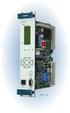 Machinery Protection Card Type FEATURES Continuous on-line Machinery Protection Card Real-time measurement and monitoring using state-of-the-art DSP techniques Fully VME-compatible slave interface Fully
R S E R I E S M I X E R S R - 2 0 0 R - 1 6 0 4 R - 2 0 0 4
 R SERIES MIXERS R-200 R-1604 R-2004 THE R SERIES MIXERS The R Series of mixers from Wharfedale Professional are designed to offer a superior quality audio performance in an easy to use, great value package.
IT-12M IT-12D Ver_2.0 INTERPRETATION SYSTEM. User s Manual
 IT-12M IT-12D Ver_2.0 INTERPRETATION SYSTEM User s Manual Important Notice All the safety and instructions for operation and use of the equipment should be read carefully before the system is operated.
User's Guide. Integrating Sound Level Datalogger. Model 407780. Introduction
 User's Guide 99 Washington Street Melrose, MA 02176 Phone 781-665-1400 Toll Free 1-800-517-8431 Visit us at www.testequipmentdepot.com Back to the Extech 407780 Product Page Integrating Sound Level Datalogger
DataSMART 554 & 558 T1/FT1 Plug-in DSU/CSUs Page 1 of 8. T1/FT1 Single-port Plug-in DSU/CSUs
 554 & 558 T1/FT1 Plug-in DSU/CSUs Page 1 of 8 = PDF Leased Line Economical T1 Internet Access Central Site T1 Management T1/FT1 Single-port Plug-in DSU/CSUs Key Features Specifications Ordering Information
Modular I/O System Analog and Digital Interface Modules
 OPERATING INSTRUCTIONS Modular I/O System Analog and Digital Interface Modules Installation Operation Maintenance Document Information Document ID Title: Operating Instructions Modular I/O System Part
TOA 900 SERIES II MIXER POWER AMPLIFIER
 Operating Instructions TOA 900 SERIES II MIXER POWER AMPLIFIER A-903MK2 A-906MK2 A-912MK2 TO REDUCE THE RISK OF ELECTRICAL SHOCK, DO NOT REMOVE COVER. NO USER SERVICEABLE PARTS INSIDE. REFER SERVICING
CLASS D POWER AMPLIFIERS
 2015 CLASS D POWER AMPLIFIERS ETAPAS DE POTENCIA/ POWER AMPLIFIERS CLASS D 3rd. GENERATION / DSP MUSICSON ha desarrollado una gama completa de etapas de potencia de clase D de tercera generación con fuente
is then retained absolutely without interruption.
 Page 1 of 11 DC UPS uninterruptible power supplies - DC UPS module 15 A Compact design, only 50 mm wide Absolutely interruption-free buffering of power failures through immediate electronic connection
Kit 106. 50 Watt Audio Amplifier
 Kit 106 50 Watt Audio Amplifier T his kit is based on an amazing IC amplifier module from ST Electronics, the TDA7294 It is intended for use as a high quality audio class AB amplifier in hi-fi applications
Basics. Mbox 2. Version 7.0
 Basics Mbox 2 Version 7.0 Copyright 2005 Digidesign, a division of Avid Technology, Inc. All rights reserved. This guide may not be duplicated in whole or in part without the express written consent of
 Controller 5000GL Controller 5000GL provides flexible system architecture with options of GBUS and LOCAL BUS communications to field devices, to meet a wide range of site requirements. GGBUS L LOCAL BUS
Desktop Headphone amplifier with Advanced DAC
 HugoTT Instruction Manual Desktop Headphone amplifier with Advanced DAC Thank you for purchasing the Chord HugoTT. In order to get the most from your product, please take a few moments to read the instructions.
VIEW. SLX300 SpeakerLinX IP Zone. Amplifier Installation and Setup Guide. AVoIP
 VIEW SLX300 SpeakerLinX IP Zone Amplifier Installation and Setup Guide TM AVoIP ClearOne 5225 Wiley Post Way Suite 500 Salt Lake City, UT 84116 Telephone 1.800.283.5936 1.801.974.3760 Tech Sales 1.800.705.2103
Rack mounted telephone- and leased line modem for industrial applications
 Rack mounted telephone- and leased line modem for industrial applications TR-6 Rack modem for industrial PSTNand /-wire leased line applications The TR-6 is an analogue V. 9 -rack PSTN modem as well as
Automatic Telephone Dialer TD-101(W)
 Automatic Telephone Dialer TD-101(W) The TD-101 is an automatic dialing device which can transmit prerecorded information via the telephone line. The dialer can send two different 10 second voice messages
Hear The Future...Now! SIEM-2T/SIEM-2R
 Hear The Future...Now! SIEM-2T/SIEM-2R UHF PLL Mono In Ear Monitoring System 856 59508-03 ATTENTION Please pay high attention to the following information. The guideline published by Occupational Safety
MAJORSINE Power Inverter
 MAJORSINE Power Inverter Product Features: 24, 48, 130 V 1 KVA/800 Watts Output 2 KVA/1600 Watts Output 100-120 VAC Range 208-240 VAC Range Standard 19 /23, Pure Sine Wave Output High Low EMI/RFI Emissions
USER MANUAL QUATTRO 3 CONFERENCE SPEAKERPHONE MODEL 302
 USER MANUAL QUATTRO 3 CONFERENCE SPEAKERPHONE MODEL 302 QUATTRO3 OVERVIEW Dial Pad 4 Microphone Array L1 Function L2 Function Power/Mute Volume Down Volume Up The Quattro3 (Q3) is a high-quality conference
ENGINEERING SPECIFICATIONS SENSAPHONE IMS-4000
 ENGINEERING SPECIFICATIONS SENSAPHONE IMS-4000 I. General A. Summary The monitoring system shall be an expandable, self-contained microprocessor-controlled IMS-4000 Host unit (hereafter referred to as
USER MANUAL DUET EXECUTIVE USB DESKTOP SPEAKERPHONE
 USER MANUAL DUET EXECUTIVE USB DESKTOP SPEAKERPHONE DUET EXE OVERVIEW Control Button Panel Connector Panel Loudspeaker Microphone The Duet is a high performance speakerphone for desktop use that can cover