
405SXSINGLEBEAM fishfinder OPERATIONS MANUAL
|
|
|
- Alexandra Summers
- 10 years ago
- Views:
Transcription
1 405SXSINGLEBEAM fishfinder OPERATIONS MANUAL

2 THANK YOU THANK YOU FOR CHOOSING YOUR 405SX FISHFINDER, MADE BY TECHSONIC INDUSTRIES, MANUFACTURER OF AMERICA S #1 NAME IN FISHFINDERS, HUMMINBIRD. HUMMINBIRD HAS BUILT ITS REPUTATION BY DESIGNING AND MANUFACTURING TOP QUALITY, THOROUGHLY RELIABLE MARINE EQUIPMENT. YOUR HUMMINBIRD PRODUCT IS DESIGNED FOR TROUBLE-FREE USE IN EVEN THE HARSHEST MARINE ENVIRONMENT. IN THE UNLIKELY EVENT THAT YOUR HUMMINBIRD DOES REQUIRE REPAIRS, WE OFFER AN EXCLUSIVE SERVICE GUARANTEE. COMPLETE DETAILS ARE INCLUDED AT THE END OF THIS MANUAL. WE ENCOURAGE YOU TO READ THIS OPERATIONS MANUAL CAREFULLY IN ORDER TO GET FULL BENEFIT FROM ALL THE FEATURES AND USES OF YOUR Humminbird PRODUCT. WARNING! THIS DEVICE SHOULD NOT BE USED AS A NAVIGATIONAL AID TO PREVENT COLLISION, GROUNDING, BOAT DAMAGE, OR PERSONAL INJURY. WHEN THE BOAT IS MOVING, WATER DEPTH MAY CHANGE TOO QUICKLY TO ALLOW TIME FOR YOU TO REACT. ALWAYS OPERATE THE BOAT AT VERY SLOW SPEEDS IF YOU SUSPECT SHALLOW WATER OR SUBMERGED OBJECTS. WARNING: Dis-assembly and repair of this electronic unit should only be performed by authorized service personnel. Any modification of the serial number or attempt to repair the original equipment or accessories by unauthorized individuals will void the warranty. Handling and/or opening this unit may result in exposure to lead, in the form of solder. WARNING: This product contains lead, a chemical known to the State of California to cause cancer and birth defects and other reproductive harm.

3 TABLE OF CONTENTS Section 1: Installation preparation Parts Supplied Accessories Installation Overview Alternative Transducers and Mounting Methods Beginning Installation Section 2: USING THE 405SX How Sonar Works Simulator Operation What You See On Screen Control Functions Menu Functions Section 3: ADVANCED FEATURES Using Diagnostic Section 5: MAINTENANCE/WARRANTY Maintenance and Troubleshooting Warranty Service Policy Customer Service Specifications Rev 10416E

4 INSTALLATION PREPARATION PARTS SUPPLIED PARTS SUPPLIED Before installing your 405SX, please ensure the following parts are included in the box: 405SX fishfinder Transducer with 20' of cable and mounting hardware kit Mounting system and mounting hardware kit 6' power cable Publications kit Note: The 405SX includes a temperature sensor and the 405SX + includes speed and temperature sensors with appropriate hardware and instructions for installation. If any of these items is missing contact your local dealer. ACCESSORIES Humminbird offers a wide assortment of accessories that complement and expand the capability of your new 405SX. These accessories are designed with the same high standards. The Humminbird Accessory catalog included with your unit contains descriptions of the many accessories available and ordering information. All Humminbird accessories are available through your full-service Humminbird dealer. INSTALLATION OVERVIEW The 405SX consists of two primary components to install: the control head and the transducer. The control head contains the sonar transmit and receive circuitry, as well as the user controls and display. It should be installed in a location that provides access to the controls and visibility while in use. The control head mounts on a quick disconnect mounting system that swivels and tilts, providing flexibility for viewing from almost anywhere on the boat. 2

5 INSTALLATION PREPARATION INSTALLATION OVERVIEW The transducer converts electrical energy from the transmitter into mechanical pulses or sound waves. The transducer also receives the reflected sound waves and converts them back into electrical signals for display on the control head. It should be installed in contact with the surface of the water in an area that has smooth water flow - usually on the transom of the boat. There are several mounting options for the transducer. Review the following section to determine the method that works for you and your boat. Determining How to Mount the Transducer The 405SX includes a model XT-6-24 transducer. This transducer can be mounted on the transom of the boat, or bonded to the inside of a fiberglass hull boat. The transom installation, which is the most widely used, places the transducer on the outside of the boat hull. This technique produces the least signal loss, and provides a way to adjust the Transom Mounted Transducer transducer after installation. The mounting hardware included is designed to protect both the boat and the transducer should the boat strike debris in the water or when trailering. As an alternative to transom mounting, it is possible on many fiberglass-hulled boats to glue the transducer on the inside of the boat hull. Since fiberglass has similar sonar characteristics as water, the sonar signal can pass through the boat hull with minimal loss. The hull of the boat must be single layer construction (not double-hulled). Inside the Hull Mounted Transducer Also, any air trapped in the lamination of the fiberglass would prevent the For additional details reference the sonar signal from passing through. TRANSDUCER INSTALLATION section of the enclosed Installation Sheet. 3

6 INSTALLATION PREPARATION ALTERNATE TRANSDUCERS AND MOUNTING METHODS Inside the hull installations require no holes to be drilled into the boat and through experimentation, high-speed operation comparable to transom mounting can be achieved. Two part, slow cure epoxy is required to glue the transducer in place. ALTERNATE TRANSDUCERS AND MOUNTING METHODS The 405SX comes with everything necessary for installation and operation on most boats. However, there are several situations which may require a different type of transducer. Inboard boats, wood or metal hulls, and sail boats create unique transducer mounting needs. Alternate transducers and mounting methods are detailed below. Portable Mounting The standard transducer can be adapted for portable installations using part number MHX-PT2. This accessory adapts your transducer to a suction cup mount for temporary installation on the boat hull or other surface. Trolling Motor Mounting The standard transducer can also be adapted to mount on most trolling motors using part number AD-STM-7. This accessory includes a bracket and hose clamp that allows mounting the transducer to the body of most trolling motors. TRANSDUCER EXCHANGE Other transducers are available as replacements for the standard transducer. You may exchange your new and unassembled transducer for another type by returning it to the address listed in Customer Support. Some transducers may have additional costs. Refer to the Accessory catalog or call Customer Support for information. 4

7 INSTALLATION PREPARATION BEGINNING INSTALLATION BEGINNING INSTALLATION Now that you have determined the transducer mounting method, you can begin installation of the 405SX. The fold out installation guide included provides detailed step by step instructions for installation of the control head and transducer. For transom mount transducer installations, you will need the mounting template at the back of this manual. In addition to the parts included you need the following for installation and operation: A powered hand drill and various drill bits Phillips and flat-head screw drivers A ruler or measuring tape Pen or pencil 12 volt power source (your boat s battery) A 1-amp fuse A fuse holder (if you are wiring directly to the boat s battery) Silicone sealant (for sealing drilled holes) 2-part, slow-cure epoxy (for inside the hull transducer installations) Note: If you have purchased the 405SX + you will have in addition to the parts and instructions above: Speed and Temperature sensors Instructions for installing speed and temperature sensors Appropriate hardware to mount sensors 5

8 HOW SONAR WORKS HOW SONAR WORKS Your Humminbird unit uses sonar to locate and define underwater objects, define the bottom terrain, as well as determine distance. Sonar technology is based on sound waves. Your Humminbird unit sends out a sound wave signal. With this signal it determines distance by measuring the time between the transmission of the sound wave and when the sound wave is reflected off an object. Your Humminbird uses the reflected signal to interpret location, size and composition of an object. Sonar is very fast. A sound wave can travel from the surface to a depth of 600' and back again in less than ¹ ₄ of a second. It is unlikely that your boat can "outrun" this sonar signal. The 405SX is a 200 khz, single-beam fishfinder. The 200 khz frequency provides excellent sonar resolution (the ability to distinguish small returns or returns which are close to the bottom), while providing depth capabilities to 600. The shape of the sonar beam is symmetrical and covers an area of approximately 24 degrees side to side and front to rear. Actual depth capability depends on factors such as bottom hardness, water conditions, and transducer installation. Units will typically read to deeper depths in fresh water than in salt water. SIMULATOR OPERATION The 405SX contains a simulator that allows you to use the unit as if you are on the water. The simulator is invaluable for learning how to operate the 405SX. There are two ways to start the simulator. If the unit is powered off, press and hold the POWER button for approximately three seconds until you hear a continuous chirp. The simulator can also be started by selecting the Simulator option on the startup screen after you power-up the unit. When this screen is shown, simply press 6

9 SIMULATOR OPERATION the DOWN ARROW until Simulator is highlighted. When the screen times out, the unit will be in simulator mode. When in simulator operation, the 405SX responds to control inputs as if it is in actual operation, so feel free to experiment, or to customize the unit for your particular operation. To exit Simulator mode, power the unit off. FEATURE MEMORY If your 405SX is installed with a transducer connected, any changes you make to the set-up or User Options (see Control Functions) while in Simulator are retained in the unit s memory. This allows you to use simulator to experiment with the various set-up options, and retain your selected settings for normal operation. If you are using the 405SX in Simulator when no transducer is connected, any selected options are lost when the unit is powered off. The 405SX will return to Factory Settings, or options selected when last used with a transducer, if no transducer is connected. IMPORTANT: A transducer must be connected to the 405SX in order to retain user settings selected when in simulator mode. If no transducer is detected, the unit defaults to pre-selected options when powered off. What You See On-Screen Your 405SX uses a 160 x 160 matrix FSTN LCD display. This display provides outstanding viewability in all light conditions over a wide range of temperatures. At initial power-up, the 405SX uses settings that were set at the factory. After initial use, the 405SX will remember the settings you enter. There are several elements on-screen that are common to all modes of operation. 7

10 WHAT YOU SEE ON-SCREEN Temperature/Speed. The initial screen layout takes one of two basic forms depending on whether the optional Temp/Speed accessory is installed. Figure A shows the default view when the Temp/Speed accessory is installed. Figure B shows the default view when the Temp/Speed accessory is not installed. Depth. The digital depth number shows the water depth directly beneath the transducer location. Figure A Depth Range. The depth range is shown to the right of the screen. The upper number is 0 indicating the surface of the water. The lower number is one of the nine depth ranges available that best match the depth of the water. As the depth of the water changes, the range changes as necessary in order to retain a bottom representation onscreen. When in Auto mode, the horizontal line at the top of the screen is the zero line, representing the surface of the water. Occasionally there is a gap in this line. This gap indicates the unit is updating the display even if the bottom is not visible onscreen, or if the bottom information is not changing. New sonar information appears on the right side of the graphic area of the display and moves to the left as new information Bottom Depiction Water Depth Figure B Zero Line Depth Range is displayed. The 405SX automatically selects the appropriate depth range to show the depth of water beneath the transducer. 8

11 WHAT YOU SEE ON-SCREEN This range is selected so the bottom representation is typically shown about ² ₃ down the display. Bottom. The graphic depiction of the bottom provides the user with an effective tool for understanding the composition of the bottom. The FSTN type display uses 4 discrete levels of gray to indicate the intensity of the returned sonar signal. The 405SX can display even the smallest sonar returns with light gray pixels. Larger returns are displayed with darker shades of gray. If the bottom is hard and smooth, the bottom depiction is narrow and dense. If the bottom is soft mud or sand, the depiction will be thick and less dense. This indicates that much of the signal is absorbed by the soft bottom. If the bottom is rocky or rugged in composition, the depiction is of varying density and textured in appearance. Wave action also affects the bottom depiction. The information drawn is a distance measurement, so if the boat is moving up and down over flat bottom, the bottom depiction often appears in regular variations that match wave timing. Structure. Structure is defined as any object physically attached to the bottom. The sonar configuration of the 405SX is optimized to give the most accurate depiction of bottom structure possible. Grass, trees, stumps, wrecks or other debris are accurately displayed, however the depiction of these objects varies with boat speed and direction. The best way to learn to interpret structure is to operate the 405SX over a variety of known conditions and experiment with user functions to best represent those conditions on-screen. Surface Clutter Rocky Bottom Surface Clutter. Surface clutter is the layer of water near the surface that is rich in algae and other growth, and often is aerated by wind or wave action. This area of water interferes with sonar transmission and often appears onscreen as regular clusters of individual dots near the 0 line. Hard Bottom Soft Bottom 9

12 WHAT YOU SEE ON SCREEN Thermoclines. Thermoclines are sharp differences in water temperature. These are easily identified by the continuous nature of the return. Thermocline Second Return Second Returns. When a sonar signal is reflected off the bottom back to the transducer, there is often enough energy left in the signal to be reflected off the surface of the water back to the bottom a second time. Second returns appear as a slightly weaker bottom representation exactly twice the depth of the primary bottom return. The second return is most likely to occur in shallow water and in areas of relatively hard bottom. Fish Arches. With Fish ID off, schools of bait fish as well as individual fish are clearly visible on the 405SX display. Bait fish appear as "clouds" having different shapes and sizes depending on the number of fish and boat speed. Individual fish appear as smaller black Fish Arch Diagram and gray lines often appearing as a "fish arch." A fish arch forms as the boat move over the fish. Due to the transducer beam angle the distance to the fish decreases as it moves into the beam, and then increases as it moves out. When the window graphs this distance change, an arch appears. The true depth of the fish is the top of the arch when the boat is directly over the fish. Boat speed and movement of the fish greatly affect the shape of the arch. When moving slowly, a fish creates an elongated arch. With the boat moving fast the arch appears shorter. A partial arch forms when the fish does not move through the entire cone angle. The 405SX displays structure such as submerged grass, brush, trees and wrecks on the bottom. Structure can be distinguished by comparing the area just above and below the main bottom return. Usually structure shows as areas of dark to light gray on top of a dark bottom contour. The appearance of structure is greatly affected by boat speed and direction; to 10

13 WHAT YOU SEE ON SCREEN repeat the same image it is often necessary to travel the same speed and direction over the location where the structure was originally located. The 405SX is also capable of showing layers of water having different temperatures. These temperature differences, called thermoclines, appear at different depths, depending on current conditions. A thermocline typically appears as a continuous band of light gray moving across the display at the same depth. Thermoclines always appear above the bottom. It is important to remember that sonar cannot distinguish between a fish and some other object suspended in the water. Regardless of the object the sonar detects, each will be drawn as an arch. Fish ID. The 405SX uses advanced signal processing to further evaluate any sonar return between the surface and the bottom. For instance, a small school of bait fish usually appears as a dense cluster of individual dots. If the return meets certain additional criteria, a fish symbol will be assigned. There are three different size fish symbols used to indicate the intensity of the ID+ Fish Depth sonar return. While signal intensity is a good indicator of relative fish size, different species of fish have different sonar characteristics, so it is not always possible to distinguish fish size between varying species. The signal intensity is "normalized" for depth so that a small fish close to the boat does not appear as a large fish symbol. ID+ adds an additional piece of information to help the user locate fish. On selected fish symbols, the digital depth of the designated fish is drawn to help locate the fish vertically. This is especially helpful in setting bait depths or for downrigger operation. 11

14 CONTROL FUNCTIONS CONTROL FUNCTIONS The 405SX uses a simple six button keypad for all user input. Press any button and an audible chirp confirms the control input. If a button has no function or is inappropriate for the situation, an audible error is heard. The unit sounds multiple chirps. Power. The Power button powers the 405SX up for normal operation. When the unit is on, POWER turns the unit off. POWER can also be used to go directly into Simulator mode. To enter simulator, with the unit powered off, press and hold POWER for several seconds until a continuous chirp is heard. Light. LIGHT controls the unit s display backlight. With the unit powered on, press LIGHT once to turn the backlight on low. Press LIGHT a second time to turn the backlight on medium, a third time to turn the backlight on high, and a fourth time to turn the backlight off. The backlight is very effective for lowlight and nighttime operation. When the backlight is on, the 405SX will consume more power than with the backlight off. This is important when using the 405SX in a portable configuration powered by a separate battery, or when powering the unit from a trolling motor battery. When powering the unit from a battery such as in portable applications, you can prolong the battery life by using the backlight at a minimum. The three lower buttons, MENU, UP ARROW and DOWN ARROW work together to control the 405SX menu-controlled user functions. View. VIEW selects one of several screen configurations or views possible depending on the transducer in use. When using the standard transducer, without the optional speed/temp sensor connected, the VIEW button toggles the display between the fullscreen 2D View and the Large Digital Readout View. The 2D View is the default view, and the view which is first seen at power-up. Pressing VIEW again will select the Large Digital Readout View, which increases the size of key digital information so that it can be viewed from a great distance. Normal 2D information is displayed on the right side of the display. Pressing VIEW again will toggle the display back to the 2D view. 12

15 CONTROL FUNCTIONS When using the standard transducer, with the optional speed/temp sensor connected, the VIEW button toggles the display between the full-screen 2D View, the Chart View and the Large Digital Readout View. The Chart View, shows only the digital depth readout, leaving more screen area for fish location and bottom depiction. Menu. MENU displays a menu on-screen for adjustment. In normal operation, pressing MENU repeatedly cycles through all available menus. A menu remains on-screen for several seconds, and can be adjusted by using the ARROW keys. If no adjustment is made in the allotted time, the menu disappears. If you want the menu to remain on-screen longer press and hold MENU the menu will remain on-screen indefinitely. Once you release the menu button, the screen will time out. Once a menu times out, it is still considered the active menu. Press MENU to bring up the last menu used. Arrow Keys. The UP ARROW and DOWN ARROW make adjustments to menu functions. On the left side of every menu there are UP ARROW and 2D View Large Digit View Chart View 13

16 MENU FUNCTIONS DOWN ARROW symbols. The symbols indicate which ARROW button has a function in a particular situation. Either one or both ARROW buttons can be used to adjust the Menu menu function. A hollow ARROW symbol means the corresponding ARROW button has no function. Pressing that button will result in no adjustment and the error audible will be heard. A solid ARROW symbol means the corresponding ARROW button can be used to affect the menu adjustment. Abbreviated Menu. The ARROW buttons often can be used when no menu is on-screen. In these situations, pressing the ARROW button affects the function of the active (last-used) menu. This is a short-cut to menu Abbreviated Menu operation. An abbreviated menu appears on-screen while the adjustment is made and times out. A frequently used menu can be adjusted very quickly using this technique. After an adjustment is made to a menu function, the menu times out after a few seconds and the unit returns to normal operation. Heading Up Arrow Option Down Arrow Option Arrow Symbols Selected Setting Range of Adjustment Indicator Menu Layout. All menus use the same basic layout. The heading at the top describes the menu function. The UP ARROW and DOWN ARROW symbols to the left of the menu indicate which buttons are available for adjustment. In menus that have several possible settings, a range of adjustment indicator shows the total range available and the current setting. Within the menu are the options available. The selected option or current setting is highlighted in the black box. If no adjustment is made, this is the selected setting. Press an ARROW button while the menu is displayed to select another option. 14

17 MENU FUNCTIONS Several of the menus are multi-step. In some situations if an adjustment is made, additional options become available for further adjustment. Examples of these multi-step menus are Depth Range, Depth Alarm and Zoom. See the detailed description of each function for further explanation. Menu Functions Sensitivity. The Sensitivity function controls the sensitivity of the sonar receiver. The 405SX automatically adjusts the level of receiver sensitivity based on a number of factors including the depth of the water and the level of noise present. Noise can be caused by other electronic devices, engines, trolling motors, propeller cavitation and hydrodynamic flow among others. The user has the option of adjusting the Sensitivity higher or lower based on personal preference. You can select one of 11 sensitivity settings from -5 to +5. A setting of 0 (factory setting) has no effect on the automatic sensitivity control. Increasing the sensitivity (+1 through +5) enables the unit to display the information from progressively smaller sonar returns. By decreasing the sensitivity (-1 through -5), the unit effectively filters small sonar High Sensitivity (+) Sensitivity at 0 returns. In murky or muddy water, it is often helpful to reduce the sensitivity. This prevents the display from being cluttered with sonar returns from debris or suspended particles. In very clear or very deep water, it may be helpful to increase the sensitivity since even the smallest sonar return may be of interest to the user. Low Sensitivity (-) To adjust Sensitivity, press MENU repeatedly until the Sensitivity heading is displayed. When the Sensitivity menu appears, use the UP ARROW to increase the sensitivity, or the DOWN ARROW to reduce sensitivity. To sequence through the available settings, press and hold either ARROW button. Release the button at the setting you want to select. 15

18 MENU FUNCTIONS After an adjustment is made, the menu disappears and the new sensitivity setting is in affect. If additional time is needed to study a menu, press and hold the MENU button and the menu will remain on-screen indefinitely. If you need to make an additional adjustment, press the UP ARROW or DOWN ARROW button. Depth Range. The Depth Range function controls the vertical distance displayed on the graphic area of the display. There are nine depth ranges available. The top of the range is always 0, or the surface of the water. Ranges of 0 15', 0 30', 0 60', 0 120', 0 180', 0 240', 0 360', 0 480', and 0 600'. The range that positions the bottom depiction closest to the bottom of the screen, will best utilize the available display resolution. Using the factory setting of AUTO the 405SX can automatically adjust the depth range depending on the depth of the water. The unit tries to maintain the bottom depiction about ² ₃ down the total range (for example, in 20' of water, the 0-30' range would be selected). This provides the best display resolution and therefore the best target separation possible. The Depth Range can be adjusted manually. Press MENU repeatedly until the Depth Range menu is visible. Two options are available: Auto and Manual. The manual setting enables you to adjust the current depth Depth Range 16

19 MENU FUNCTIONS range setting. The unit no longer adjusts the Depth Range to the most appropriate range for bottom display. Often, the bottom may not be visible on-screen. The digital depth readout always determines the depth of the bottom, even if it is not visible on-screen. Using manual Depth Range control, you can view sonar information from the area near the surface in greater detail. To return to automatic Depth Range control, press the MENU button until the Depth Range menu appears on-screen and use the UP ARROW to select AUTO. Zoom. The 405SX uses a greatly enhanced Zoom capability called TruZoom which offers expanded information on a select area of sonar information. Zoom is similar to Depth Range because it controls the range of information displayed on screen. Zoom, however, allows for selection of ranges beneath the surface so any area of water between the surface and the bottom can be enlarged to provide more detailed information. By using the full display to show a small area of coverage, the effective display resolution is increased, and the unit s ability to separate close targets is enhanced. The Zoom ranges available are dependent on the current depth range. In the 15' depth range, TruZoom displays a range equal to one half the current depth range. In the 30', 60', 120', 180', 240', 360', 480' and 600' depth ranges, TruZoom displays a range equal to one fourth the current depth range. The box at the right side of the screen outlines the area to be zoomed. The 405SX shows Zoom range in conjunction with the full depth range. The Zoom range is shown on the left side of the screen and full range information is shown on the right side of the display. The area which is being enlarged by Zoom is indicated by the square box. Zoom can either operate automatically, in which the Zoom range is constantly adjusted to show the bottom, or manually, in which the user controls the location of the Zoom range. 17

20 MENU FUNCTIONS Automatic Zoom is especially helpful when looking for structure or bottom detail. The Automatic Zoom keeps the bottom in view even in quickly changing terrain. Manual Zoom provides detailed information of any area from the surface to the bottom. In Manual Zoom, the Zoom range does not move as the terrain changes. To operate Zoom, press MENU repeatedly until the Zoom menu is on-screen. Three options are available: Off (Factory Setting), Auto (Automatic bottom tracking Zoom), and Manual (User controlled Zoom range). Press the DOWN ARROW once to highlight Auto or twice to highlight Manual. If Manual is selected a submenu will appear allowing manual zoom range adjustment. When the menu disappears, full range information is displayed on the right as always. The square box indicates the Zoom range. In Auto Zoom, the box will move vertically to remain in the general area of Upper Zoom Limit the bottom return. The left side of the screen is a magnified view of the information seen inside the Zoom range box. The upper and lower depth limits of the Zoom range are shown on the right side of the Zoom view. Note: It is not possible to use Zoom in conjunction with the Large Digital View. Lower Zoom Limit To disable Zoom, press the MENU button until the Zoom menu is on-screen. Use the UP ARROW to highlight Off, and let the menu time out. When the unit is powered off, the Zoom menu returns to Zoom Off. 18

21 MENU FUNCTIONS Depth Alarm. The 405SX contains an audible alarm to warn you of shallow water depths. The alarm is adjustable to depths of 2' to 99'. When the alarm is enabled, an audible alarm sounds if the water beneath the boat is equal to or less than the selected alarm depth. The alarm sounds continuously for about five seconds, and then intermittently to remind you that you are still in shallow water. Additionally, the 405SX can anticipate quickly changing terrain and sound the Depth Alarm before the bottom depth actually reaches the preset alarm depth. Fish Alarm. The Fish Alarm alerts you to the presence of fish, or other targets not connected to the bottom. The Fish Alarm has three different settings that correspond to the three different size fish symbols shown on-screen. The default setting is OFF. With the Large fish only setting, the 405SX alarms on only those targets that are represented by the large fish symbols. The 405SX can be set to alarm on only large and medium fish, or set to alarm on all fish. Once the Fish Alarm is enabled, the 405SX emits an audible beep when the selected size fish symbol appears on-screen. Fish Alarm settings are remembered when the unit is powered off. 19
22 MENU FUNCTIONS Triplog. Triplog provides a running log of information based on input from the Temp/Speed sensor. Since Triplog requires information from the Temp/Speed sensor to operate, if this sensor is not detected by the 405SX, the Triplog menu will not appear as an option. Triplog Triplog provides four pieces of information: the total time elapsed since power-up or reset, the distance traveled since the 405SX was powered up or reset, the average speed, and the input voltage from your boat s electrical system. The time, speed and distance calculations are useful for tracking your progress on a trip. The input voltage is useful for determining the condition of the charging system of the boat. When used in a portable application or whenever the 405SX is operated from a battery source, the voltage number can be used to determine battery life. The 405SX will operate at voltages from 10 to 20 VDC. Voltages in excess of 20 or less than 10 VDC cause the unit to power off. The Triplog resets at power off. Options. The Options Menu is a series of linked menu functions used initially to set your preferences. Once your preferences are selected, it is unlikely these functions need to be accessed during the normal operation of the product. There are eight Option menus: Contrast, Units, Fish ID, Numeral size, Transducer, Display Speed, Bottom Black and Reset. Press the view key at any time to exit options and return to normal operation. 20
23 MENU FUNCTIONS Contrast. The Contrast function allows the user to control the level of contrast of the LCD display. The 405SX will automatically adjust the display contrast to compensate for changing ambient temperatures; however, some situations may occur where manual adjustment will provide a higher level of contrast. Eleven contrast settings, +5 to -5, are possible. The display contrast will change as the adjustment is made so the optimum level of contrast can easily be adjusted. Use the ARROW buttons to highlight the desired selection. Display Speed. Display Speed controls the rate at which the graphic information moves across the display. There are 5 possible speeds; the fastest rate (5) is the factory setting. If your boat is stationary or moving very slowly for extended periods, it may be desirable to update the display at a slower rate. The closer the update rate matches boat speed, the more accurate is the graphic depiction of the terrain beneath your boat. Use the UP and DOWN ARROWS to select the desired update rate. (1) is the slowest, (5) is the fastest. Use the MENU button to advance to the next menu. The Display Speed setting is remembered when the unit is powered off. Battery Alarm. The Battery Alarm Option allows you to select the voltage level at which the Battery Alarm activates. At the Battery Alarm menu (under options), you will note that the default setting is OFF. Push the DOWN ARROW BUTTON to select the feature ON. Push the DOWN ARROW BUTTON again to move into the ADJUST BATTERY ALARM setting. Using the UP and DOWN ARROW BUTTONS, select a voltage between 9.0 and When the voltage drops below your selected voltage, an audible alarm will sound, and a battery alarm icon will be displayed on screen with current voltage level. 21
24 MENU FUNCTIONS 22 Bottom Black. There are two selections available: Off and On. The factory setting is Off. With this setting, the 405SX displays the bottom using 4 level grayscale. This allows you to determine the texture and relative hardness of the bottom. Selecting Bottom Black ON causes the unit to blacken in the display below the bottom. This gives the user easiest recognition of the bottom location, even from a great distance. The 405SX remembers the Bottom Black setting when powered off. Fish ID. There are three selections available: Off, ID+ ON, and Adjust. The factory setting is ID+ OFF. With Fish ID Off, sonar returns are Bottom Black View displayed as raw information. There is no interpretation made by the unit. Selecting ID ON also enables the fish alarm. ID+ On enables the to interpret the raw sonar data and, using a variety of techniques, depict appropriate target returns as one of three different size fish symbols. Further identification shows which beam the fish is detected in. The 405SX also displays the depth beneath the surface with the corresponding fish symbol. Selecting Adjust and making incremental changes enhances the fishfinder s ability to identify sonar returns as fish symbols. Increasing the value to a number greater than zero shows more fish symbols on-screen. In this case smaller sonar returns will be depicted as fish symbols. This is useful for identifying many smaller sonar returns (such as bait fish) as fish symbols. ID+ On Raw Sonar
25 MENU FUNCTIONS Decreasing the value to a number less than zero shows fewer fish symbols on-screen. In this case smaller sonar returns are disregarded. This is useful for eliminating many small sonar returns when seeking larger species of fish. The 405SX remembers this selection even when the unit is powered off. Numeral Size. Two options are available: Big and Small. The factory setting is Big. With this setting, the digital depth and speed and temp numerals are drawn large enough to be read from across the boat. The big numerals occupy space on the display that could be used for the graphics area. Hence, the small numerals option. With small numerals selected, a greater amount of the display area is available for the graphic view. This effectively increases the display resolution of the unit. Numeral Size settings are remembered when powered off. Units Speed. Units of Speed allows the selection of MPH (statute miles per hour), or KTS (nautical miles per hour). Use the Arrow buttons to highlight the desired selection. Speed Offset. The Speed Offset option allows the user to compensate for differences in hull design, and its effect on the accuracy of the speed measurement. If there is a discrepancy between the indicated speed and another speed measurement device on the boat, the speed measurement can be varied to improve accuracy. Remember, the speed paddle wheel measures speed through the water, not speed over ground. Speed offset is remembered after power is disconnected. Depth Offset. The Depth Offset allows the user to select the point on the boat from which the depth measurement is made. Selecting a positive value adds distance to the measurement. If the transducer is mounted 1 metre beneath the waterline, a positive 1 will show the correct depth from the surface of the water. 23
26 USING DIAGNOSTIC Another frequent use of depth offset is to show the depth beneath the deepest point of the hull. A negative value equal to the distance from the transducer location and the deepest point of the hull will have the same effect as mounting the transducer at the deepest point. Depth offset is remembered after power is disconnected. Reset. With the many User Options available to customize the 405SX, it is easy to configure the unit in such a way that it is detrimental to a particular use. By using the Reset function, all variable or usercontrolled features of the 405SX are returned to the factory settings. The Reset function is an important first step in troubleshooting problems to ensure that a user selected setting is not the cause for the perceived problem. USING THE DIAGNOSTIC FEATURE The 405SX contains a powerful diagnostic tool that can aid in determining the cause of a problem. To use the Diagnostic feature, select the Diagnostic feature on the start-up menu of the initial screen. Self Test. Initially, the 405SX will perform a self-test. This test confirms the operation of all internal circuitry. At the conclusion of the test, one of two messages will appear. PASSED indicates the internal test discovered no failures, FAILED indicates a significant internal problem was discovered and the unit requires factory service. A code number appears that tells repair personnel where the problem is. Transducer Connection. The first connection tested is Transducer input. If a transducer is detected, the message CONNECTED appears. If a series of dashed lines is shown, no transducer is connected or there is a problem with the transducer or cable. 24
27 MAINTENANCE If you are using multiple transducers, switch between transducers to confirm the connections for each. Voltage Input. Another connection tested is the voltage input, and is especially helpful in diagnosing input voltage problems. The current input voltage is displayed. If voltage fluctuations or power supply in excess of 20 VDC or less than 10 VDC is suspected, use the diagnostic screen to confirm input voltage. Often, small outboard motors do not effectively regulate voltage when operated at high engine speeds. Use Diagnostic while running the boat at high speeds to show the voltage gain. Also, if you are using the 405SX in portable configuration or from the trolling motor battery, Diagnostic can be used to evaluate the health of the battery by showing the present voltage. Total Time. The total time category indicates the total time the unit has been in use since shipped from the factory. It is normal for some hours to appear in the total time when the unit is new due to factory testing. While this is often of interest to the user, it is primarily a diagnostic tool for the repair technician should the unit need service. MAINTENANCE Your 405SX is designed to provide years of trouble free operation with virtually no maintenance. Follow these simple procedures to ensure your 405SX continues to deliver top performance. If the unit comes into contact with salt spray, simply wipe the affected surfaces with a cloth dampened in fresh water. Do not use a chemical glass cleaner on the lens. Chemicals in the solution may cause cracking in the lens of the unit. When cleaning the LCD protective lens, use a chamois and non-abrasive, mild cleaner. Do not wipe while dirt or grease is on the lens. Be careful to avoid scratching the lens. If your boat remains in the water for long periods of time, algae and other marine growth can reduce the effectiveness of the transducer. Periodically clean the face of the transducer with liquid detergent. Pivoting the transducer up in the bracket may allow better access for inspection or cleaning. 25
28 MAINTENANCE MAINTENANCE/TROUBLESHOOTING If your boat remains out of the water for a long period of time, it may take some time to wet the transducer when returned to the water. Small air bubbles can cling to the surface of the transducer and interfere with proper operation. These bubbles dissipate with time, or you can wipe the face of the transducer with your fingers after the transducer is in the water. Never leave the 405SX in a closed car or trunk the extremely high temperatures generated in hot weather can damage the electronics. TROUBLESHOOTING Do not attempt to repair the 405SX yourself. There are no user serviceable parts inside, and special tools and techniques are required for reassembly to ensure the waterproof integrity of the housing. Repairs should be performed only by authorized Humminbird technicians. Many requests for repair received by Humminbird involve units that do not actually need repair. These units are returned no problem found. If you have a problem with your 405SX, use the following troubleshooting guide before calling your dealer or sending your unit in for repair. The 405SX contains several tools that can aid in determining if there is a problem and how to isolate and repair the problem in many cases. 1. Nothing happens when I turn the unit on. Check the power cable connection at both ends. Be sure the cable is connected correctly to a reliable power source red lead to positive, black lead to negative or ground. Ensure the power available at the mount is between 10 and 20 VDC. If the unit is wired through a fuse panel, ensure the panel is powered. Often accessory fuse panels are controlled by a separate switch or the ignition switch. Also, often a fuse can appear to be good when in fact is not. Check the fuse with a tester or replace it with a fuse known to be good. Check the power connection to the 405SX. It is possible to force the power cable connector into the cable holder incorrectly. If the connector is reversed, the unit will not work. Examine the contacts on the back of the unit to ensure there is no corrosion. Finally, ensure the unit is firmly seated on the mount. The electrical contacts are not made until the unit is fully seated. Ensure the metal cable retainer is properly installed in the mount. If not, the power connection may push out when the unit is put on the mount. 26
29 MAINTENANCE MAINTENANCE/TROUBLESHOOTING 2. There is no transducer detected. The 405SX has the ability to detect and identify that a transducer is connected. First, ensure that an appropriate transducer connector is positioned correctly in the connector holder, and that the unit is fully seated on the mount. Second, inspect the transducer cable from end to end for breaks, kinks, or cuts in the outer casing of the cable. Also ensure the transducer is fully submerged in water. If the transducer is connected to the unit through a switch, temporarily connect it directly to the unit and try again. If none of these items identifies an obvious problem, the transducer itself is probably the problem. Be sure to include the transducer if returning the unit for repair. 3. There is no bottom reading visible on the display. There are a number of possible causes for this condition. If the loss of bottom information occurs only at high boat speeds, the transducer needs adjusting. If the digital depth readout is working but there is no bottom visible on-screen, it is possible the depth range has been adjusted manually to a range lower than what is needed to display the bottom. Also, in very deep water, it may be necessary to manually increase the sensitivity setting to maintain a graphic depiction of the bottom. If you are using a transducer switch to connect two transducers to the 405SX, ensure the switch is in the correct position to connect a transducer that is in water. (If a trolling motor transducer is selected and the trolling motor is out of water, no sonar information appears.) If none of the above solve the problem, inspect the transducer cable from end to end for breaks, kinks, or cuts in the outer casing of the cable. If the transducer is connected to the unit through a switch, temporarily connect it directly to the unit and try again. If none of these items identifies an obvious problem, the transducer itself may be the problem. Be sure to include the transducer if returning the unit for repair. 4. When in very shallow water, I get gaps in the bottom reading and inconsistent digital depth indication. The 405SX will work reliably in water 2' or deeper. The depth is measured from the transducer, not necessarily from the surface. 27
30 MAINTENANCE TROUBLESHOOTING 5. The unit comes on before I press POWER, and won t turn off. Check the transducer cable if the outer jacket of the cable has been cut and the cable is in contact with bare metal, you need to repair the cut with electrical tape. If there is no problem with the cable, disconnect the transducer from the unit and see if the problem is corrected, to confirm the source of the problem. 6. I get gaps in the reading at high speeds. Your transducer needs adjusting. If the transducer is transom-mounted, there are two adjustments available to you height, and running angle. Make small adjustments and run the boat at high speeds to determine the effect. It may take several tries to optimize high speed operation. This can also be a result of air or turbulence in the transducer location caused by rivets, ribs, etc. 7. My unit loses power at high speeds. Your 405SX has over-voltage protection that turns the unit off when input voltage exceeds 20 VDC. Some outboard motors do not effectively regulate the power output of the engine s alternator and can produce voltage in excess of 20 volts when running at high RPMs. The 405SX displays input voltage in the Diagnostic screen. Use this readout to determine if the voltage exceeds 20 VDC. 8. The screen begins to fade out. Images are not as sharp as normal. Check the input voltage using Diagnostic. The 405SX will not operate on input voltages below 10 VDC. 9. The display shows many black dots at high speeds and high sensitivity settings. You are seeing noise or interference caused by one of several sources. Noise can be caused by other electronic devices. Turn off any nearby electronics and see if the problem goes away. Noise can also be caused by the engine. If engine noise is causing the interference, the problem will intensify at higher RPMs. Increase the engine speed with the boat stationary to isolate this cause. Propeller cavitation can appear as noise on-screen. If the transducer is mounted too close to the propeller, the turbulence generated can interfere with the sonar signal. Ensure that the transducer is mounted at least 38cm (15") from the prop. 28
31 MAINTENANCE/WARRANTY WARRANTY/SERVICE POLICY HUMMINBIRD ONE YEAR FULL WARRANTY First year repairs (from original date of purchase) on your 100SX are absolutely free. This does not include physical damage to the unit or its accessory items. Any modification or attempt to repair the original equipment or accessories by unauthorized individuals will void the warranty. Return the warranty registration card and retain your bill of sale for warranty verification. Accessories not manufactured under the Humminbird trade name are not covered by our warranty. The customer is responsible for shipping charges to Humminbird. Humminbird will provide ground UPS or Parcel Post shipping back to the customer free of charge. This warranty applies to the original purchaser only. This warranty is in lieu of all other warranties expressed or implied and no representatives or persons are authorized to provide for any other liability in connection with the sale of our products. Humminbird reserves the right to perform modifications or improvements on its products without incurring the obligation to install the changes on units previously manufactured, sold, delivered, or serviced. THIS IS A FULL WARRANTY AS DEFINED BY THE FEDERAL WARRANTY ACT, EFFECTIVE JULY 4, SERVICE POLICY This Service Policy is valid in the United States only. This applies to Humminbird units returned to our factory in Eufaula, Alabama, and is subject to change without notice. All repair work is performed by factory-trained technicians to meet exacting factory specifications. Factory serviced units go through the same rigorous testing and quality control inspection as new production units. Even though you ll probably never need to take advantage of our incredible service guarantee, it s good to know that we back our units this well. We do it because you deserve the best. We will make every effort to repair your unit within three working days from the receipt of your unit. This does not include shipping time to and from our factory. 29
32 MAINTENANCE CUSTOMER SUPPORT Units received on Friday are usually shipped by Wednesday, units received Monday are usually shipped by Thursday, etc. We reserve the right to deem any product unserviceable when replacement parts are no longer reasonably available or impossible to obtain. After the original warranty period, a standard flat rate service charge will be assessed for each repair (physical damage and missing parts are not included). Please call our Customer Support Department to verify the service charge for your unit. If charges are not prepaid, the unit will be returned C.O.D. If you are experiencing problems related to bottom or depth readings, please send your transducer along with your unit when sending for repair. CUSTOMER SUPPORT If you have any questions, call our Humminbird Customer Support Hotline: Throughout the U.S. and Canada, hours are Monday-Friday, 8:00 a.m. to 5:00 p.m. Central time. If after reading Troubleshooting you determine your unit needs factory service, please attach a description of the problem and send it with the unit to the address below. If you are including a check, please attach it to the unit. Humminbird Service Department 108 Maple Lane Eufaula, AL Further information on Humminbird products can be found at: 30
33 SPECIFICATIONS Operating Frequency khz Power Output Watts (RMS) 2400 Watts (Peak to Peak) Area of Coverage at -10 db Power Requirement VDC Display FSTN LCD LCD Matrix in pixels H x 160 V Viewing Area " H x 3" V Mounting Quick Disconnect Mount Unit Size ⁵ ₈"H x 7⁷ ₈"W x 4³ ₈"D Transducer (Standard) XT-6-24 Transducer Cable Length ' Depth Ranges. 15', 30', 60', 120', 180', 240', 360', 480', & 600' Zoom Ranges ¹ ₂', 15', 30',45', 60', 90', 120', 150' 31
34 32
35 TOP drill a set of two holes Drill for fiberglass hulls Use with XT Series Transducer Drill for aluminum hulls ALIGN ONE CORNER WITH LOWER EDGE OF TRANSOM Part # Rev E
Ethernet Networking Installation & Operations Manual Humminbird ETHERNET
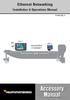 Ethernet Networking Installation & Operations Manual 531906-2EN_A GPS Unit 1 Humminbird ETHERNET Unit 2 Thank You! Thank you for choosing Humminbird, the #1 name in marine electronics. Humminbird has built
TABLE OF CONTENTS. Section 1: GENERAL INFORMATION How Sonar Works Transducer Exchange. Section 2: INSTALLATION Parts Supplied Transducer Installation
 Thank you for choosing Humminbird, America s #1 name in depthsounders. Humminbird has built its reputation by designing and manufacturing top-quality, thoroughly reliable marine equipment. Your Humminbird
Traditional Sonar and DSI Sonar Installation
 Traditional Sonar and DSI Sonar Installation This document covers the installation of the transducer and display unit installation, which includes connecting the unit to power and installing the unit on
5X, Mark 5X, Mark 5X Pro & Elite 4X
 Elite 5X, Mark 5X, Mark 5X Pro & Elite 4X Installation & Operation manual Operation manual Copyright 2011 Navico All rights reserved. Lowrance and Navico are registered trademarks of Navico. Navico may
HOOK-X Series. Operation manual. lowrance.com ENGLISH. HOOK-4x HOOK-5x HOOK-7x
 HOOK-X Series Operation manual ENGLISH HOOK-4x HOOK-5x HOOK-7x lowrance.com Copyright 2016 Navico All rights reserved. Lowrance and Navico are registered trademarks of Navico. Navico may find it necessary
LST-3800. In-Dash Digital Sonar Gauge. Installation & Operation Instructions
 Pub. 988-0064-351 LST-3800 In-Dash Digital Sonar Gauge Installation & Operation Instructions The LST-3800 is a depth and temperature gauge that comes with a 200 khz transducer, features deep and shallow
PiranhaMAX 150,160,170,180,190c Installation and Operations Manual 531678-1_B
 PiranhaMAX 150,160,170,180,190c Installation and Operations Manual 531678-1_B Thank You! Thank you for choosing Humminbird, America's #1 name in fishfinders. Humminbird has built its reputation by designing
360 Imaging. Installation Guide 532050-1_B
 360 Imaging Installation Guide 532050-1_B Thank You! Thank you for choosing Humminbird, the #1 name in Fishfinders. Humminbird has built its reputation by designing and manufacturing top-quality, thoroughly
Mark and Elite series DSI. Sonar Operation manual
 Mark and Elite series DSI Sonar Operation manual Copyright 2010 Navico All rights reserved. No part of this manual may be copied, reproduced, republished, transmitted or distributed for any purpose, without
4.3-inch Back-Up Camera
 TM 4.-inch Back-Up Camera Model No.: PKC0BU4 Owner s Manual and Warranty Information Read these instructions completely before using this product. Retain this Owner s Manual for future reference. INTRODUCTION
Transducer Installation
 Transducer Installation This document covers the installation of all 83/200kHz, 50/200kHz and Downscan transducers using transom and shoot-thru hull installation methods, where applicable. This manual
WARNING: FAILURE TO FOLLOW THESE RULES MAY RESULT IN SERIOUS PERSONAL INJURY CAUTION: INSTALLATION LOCATION:
 Revision Level: 01 Revision Date: 07/07/2011 Please read all instructions carefully to help ensure a correct and SAFE installation of your Second Wind Ultraviolet Germicidal Air Purifier. Failure to do
Installation and Operation Manual. Digital Remote Meter for Monitoring System Performance. Version: RM-1
 REMOTE METER TM Installation and Operation Manual. Digital Remote Meter for Monitoring System Performance. Version: RM-1 1098 Washington Crossing Road Washington Crossing, PA 18977 USA www.morningstarcorp.com
G-100/200 Operation & Installation
 G-100/200 Operation & Installation 2 Contents 7 Installation 15 Getting Started 16 GPS Mode Setup 18 Wheel Sensor Mode Setup 20 Fuel Calibration 23 Basic Operation 24 Telemetery Screen 27 Entering a Distance
767 GPS Chartplotter Operations Manual 531427-1_D
 767 GPS Chartplotter Operations Manual 531427-1_D Thank You! Thank you for choosing Humminbird, America's #1 name in fishfinders. Humminbird has built its reputation by designing and manufacturing top-quality,
X-4 Pro. Fish-Finding Sonar. Installation and Operation Instructions
 X-4 Pro Fish-Finding Sonar Installation and Operation Instructions Copyright 2010 Navico All rights reserved. No part of this manual may be copied, reproduced, republished, transmitted or distributed for
User Manual. Humidity-Temperature Chart Recorder. Model RH520
 User Manual Humidity-Temperature Chart Recorder Model RH520 Introduction Congratulations on your purchase of the Extech RH520 Temperature + Humidity Chart Recorder. The RH520 measures and displays Temperature,
Portable Air Conditioner
 Portable Air Conditioner Owner's Manual Model:3 in 1 12,000 Btu/h Series 3 Please read this owner s manual carefully before operation and retain it for future reference. CONTENTS 1. SUMMARY...1 2. PORTABLE
HP Scanjet G4000 series. User Guide
 HP Scanjet G4000 series User Guide Contents 1 How to use the scanner...2 Where to get additional information...2 Accessibility...2 How to use the HP Photosmart software...3 Front panel and accessories
MARINE PRODUCT SELECTION GUIDE
 MARINE PRODUCT SELECTION GUIDE TRANSDUCERS, INSTRUMENTS AND SENSORS GARMIN.COM Garmin International, Inc. East 151st Street, Olathe, KS 66062 p: 913.397.8200 f: 913.397.8282 Garmin Corporation No. 68,
INSTALLATION AND OPERATION INSTRUCTIONS
 LMS-350A INSTALLATION AND OPERATION INSTRUCTIONS IMPORTANT! YOU MUST HAVE THE OPTIONAL LGC-1 GPS MODULE ATTACHED TO THE LMS-350A TO USE THE POSITION AND NAVIGATION FEA- TURES ON THIS PRODUCT. WARNING!
Wireless Alarm System. Window/Door Sensor. User s Manual. Choice ALERT. Control all Sensors & accessories from one location
 45131 Wireless Alarm System Window/Door Sensor User s Manual Choice ALERT Control all Sensors & accessories from one location Table of Contents Important Safeguards 4 Introduction 5 Installation 6 Assigning
MAINTENANCE & TROUBLESHOOTING
 MAINTENANCE & TROUBLESHOOTING This section describes how to: clean the lens clean the fan intake filter replace the projection lamp replace the batteries in the remote control use the Kensington lock feature
HP ProDisplay P17A LED Backlit Monitor. User Guide
 HP ProDisplay P17A LED Backlit Monitor User Guide 2013 Hewlett-Packard Development Company, L.P. Microsoft, Windows, and Windows Vista are either trademarks or registered trademarks of Microsoft Corporation
Mobile Data Power Model: MDP-25
 Mobile Data Power Model: MDP-25 Topic Section Features... 2 Operational Features Summary... 2 Back-up Battery Power Internal Charger Voltage Spike Protection RF Noise Filtering Warning of Imminent Loss
ENGLISH www.bandg.com www.simrad-yachting.com www.lowrance.com
 StructureScan HD Transom mount Installation Guide ENGLISH www.bandg.com www.simrad-yachting.com www.lowrance.com Warning: It is your sole responsibility to install and use the instrument and transducer(s)
HP ProDisplay P19A LED Backlit Monitor. User Guide
 HP ProDisplay P19A LED Backlit Monitor User Guide 2013 Hewlett-Packard Development Company, L.P. The only warranties for HP products and services are set forth in the express warranty statements accompanying
OPL BASIC. Dosing System for Professional Laundry machines. Contents
 OPL BASIC Dosing System for Professional Laundry machines Contents 1 Getting Started. Page 2 2 Installation. Page 4 3 Set Up & Operation. Page 8 4 Maintenance & Accessories. Page 10 5 Troubleshooting Page
WIND ALARM. Wind Speed Alarm. Wind Speed. Set Point 2. Set Point 1 NEW BEDFORD, MA 02745 USA
 Thank you for purchasing the Maximum wind speed alarm. The Maximum wind speed alarm is a dual set point wind speed indicator with a two digit LED display. It contains a yellow light to display one set
HOOK-3x DSI. Operation manual. lowrance.com ENGLISH. HOOK-3x DSI
 HOOK-3x DSI Operation manual ENGLISH HOOK-3x DSI lowrance.com Copyright 2015 Navico All rights reserved. Lowrance and Navico are registered trademarks of Navico. Navico may find it necessary to change
MTX-D, Oil Temperature/Pressure Gauge
 MTX-D, Oil Temperature/Pressure Gauge 1 Mounting and Sensor Installation... 3 1.1 Mounting the Gauge... 3 1.2 Oil Temp Sensor... 3 1.3 Oil Pressure Sensor... 3 2 Wiring... 3 2.1 Main Gauge Wiring... 4
Installation Instructions Avalanche XUV Cap IMPORTANT! IMPORTANT!
 Installation Instructions Avalanche XUV Cap IMPORTANT! Read all instructions carefully before commencing any work. Always wear safety equipment. Some installation steps will require two or more installers.
Global Water Instrumentation, Inc.
 Global Water Instrumentation, Inc. 11390 Amalgam Way Gold River, CA 95670 T: 800-876-1172 Int l: (916) 638-3429, F: (916) 638-3270 Solar Panels 2 Watt Solar Panel: SP101 5 Watt Solar Panel: SP102 01-752
SE05: Getting Started with Cognex DataMan Bar Code Readers - Hands On Lab Werner Solution Expo April 8 & 9
 SE05: Getting Started with Cognex DataMan Bar Code Readers - Hands On Lab Werner Solution Expo April 8 & 9 Learning Goals: At the end of this lab, the student should have basic familiarity with the DataMan
Multi-Protocol decoder 76 200 with Load regulation
 Multi-Protocol decoder 76 2 with Load regulation For locomotives with universal motors on digital layouts operating in the DCC and Motorola data format. Features 76 2 Load regulated multi-protocol decoder
Quick Start Guide See Inside for Use and Safety Information
 3 rd Generation Personal 3D Printer Quick Start Guide See Inside for Use and Safety Information The USB Mass Storage Device Contains the User Guide and Quick Start Guide in other Languages Congratulations
PEARL Portable Reading Camera
 PEARL Portable Reading Camera Quick Start Guide Freedom Scientific, Inc. 440528-001 Rev. D Freedom Scientific, Inc., 11800 31 st Court North, St. Petersburg, Florida 33716-1805, USA www.freedomscientific.com
RI-215A Operator s Manual. Part Number: 71-0045RK Revision 0 Released: 10/3/05
 RI-215A Operator s Manual Part Number: 71-0045RK Revision 0 Released: 10/3/05 Warranty RKI Instruments, Inc., warrants gas alarm equipment sold by us to be free from defects in materials and workmanship,
u-traq autopro GPS Vehicle Tracking System Product # 1020-PRO User s Guide Installation and Operating Instructions
 u-traq autopro GPS Vehicle Tracking System Product # 1020-PRO User s Guide Installation and Operating Instructions Table of Contents Before Installing 2 GPS Fundamentals 3 Checking the Contents of the
1R / 4-BUTTON SERIES
 Button 1 1R / 4-BUTTON SERIES VEHICLE SECURITY SYSTEM Standard Features: Two 4-Button Remote Transmitters Status indicator (LED) Valet / override switch Multi-tone siren Dual stage impact detector Remote
Bluetooth Hands Free Phone System by BlueConnect
 Bluetooth Hands Free Phone System by BlueConnect USER GUIDE TABLE OF CONTENTS 1 INTRODUCTION Pg Pg WHAT IS BLUECONNECT? 2 WHAT CELL PHONES WORK? 2 DEFECTIVE / DAMAGED MERCHANDISE CUSTOMER CONTACT INFORMATION
StructureScan HD Transducer Installation manual
 StructureScan HD Transducer Installation manual ENGLISH www.simrad-yachting.com www.lowrance.com 1 Preface Warning: It is your sole responsibility to install and use the instrument and transducer(s) in
Wireless Home Security System Product Manual (Model #80355)
 Wireless Home Security System Product Manual (Model #80355) Installation Instructions During set-up, if no key is pressed for 15 seconds it will come out of the setup mode and you will have to start over.
Weather Radio Alarm Clock
 1200093 User s Guide Weather Radio Alarm Clock Thank you for purchasing your Weather Radio Alarm Clock from RadioShack. Please read this user s guide before installing, setting up, and using your new weather
STEALTH I DC MANUAL TECH SUPPORT 1-888-588-4506.WEB www.stealth1charging.com BLACK UNIT IS 24/36 ONLY
 STEALTH I DC MANUAL TECH SUPPORT 1-888-588-4506.WEB www.stealth1charging.com BLACK UNIT IS 24/36 ONLY PLEASE READ AND UNDERSTAND YOUR NEW PRODUCT IMPORTANT MESSAGE: Before installing your newly purchased
Wireless Home Security Alarm System AM 500
 Wireless Home Security Alarm System AM 500 12 MONTH GUARANTEE Installation & Operating Instructions INTRODUCTION The AM500 is a simple self-contained alarm system. It protects the home by sounding a siren
StructureScan Installation
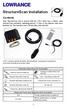 StructureScan Installation Contents Your StructureScan box is packed with the LSS-1 black box, a Power cable, StructureScan transducer, mounting bracket, 15 foot (4.5m) ethernet cable and a hardware kit.
Load Cell Display & DLA1 Operating instructions
 Load Cell Display & DLA1 Operating instructions For Software Version 1.12 Stowe Marine Ltd. 235 Bentley Way LYMINGTON SO41 8JW England www.stowemarine.com Stowe Marine Ltd. 2010 The copyright of this manual
TotalScan Transducer Installation manual
 TotalScan Transducer Installation manual ENGLISH www.simrad-yachting.com www.lowrance.com 1 Preface Warning: It is your sole responsibility to install and use the instrument and transducer(s) in a manner
25 Code GTO Digital Keypad
 2 Code GTO Digital Keypad Instructions for Wired and Wireless Installations (FM1-G only) Thank you for purchasing the GTO Digital Keypad. Be sure to read the directions carefully and completely. Before
LOWRANCE ELECTRONICS, INC.
 X-70A 3D INSTALLA ALLATION AND OPERATION INSTRUCTIONS LOWRANCE ELECTRONICS, INC. TABLE OF CONTENTS INTRODUCTION... 1 SPECIFICATIONS... 1 INSTALLATION... 1 TRANSDUCER... 1 SONAR UNIT... 5 POWER CONNECTIONS...
Instruction Manual FL
 3. Operation Overview The most common used features (such as displaying force, peak hold, zero and changing of displayed units) can all be done by pressing a single dedicated key identified on the front
How to read this guide
 How to read this guide The following shows the symbols used in this Quick start guide with descriptions and examples. Symbol Description Example P oint Reference Caution [ ] This symbol explains information
Dear Customer, User Memo: Please visit us on facebook or twitter! Thank you for purchasing this product.
 Owner s Manual 1 Dear Customer, Thank you for purchasing this product. For optimum performance and safety, please read these instructions carefully. User Memo: Date of purchase: Dealer name: Dealer address:
Ground Resistance Clamp On Tester
 USER MANUAL Ground Resistance Clamp On Tester MODEL 382357 Introduction Congratulations on your purchase of Extech s 382357 Ground Resistance Tester. This Clamp on device allows the user to measure ground
u-traq autopro GPS Vehicle Tracking System Product # 1020-PRO User s Guide Installation and Operating Instructions
 u-traq autopro GPS Vehicle Tracking System Product # 1020-PRO User s Guide Installation and Operating Instructions Before Installing Table of Contents Before Installing 2 GPS Fundamentals 3 Checking the
i ChatterBox! Motorcycle Security
 i Before you Start the Installation * Please read this manual to become familiar with the requirements necessary to complete the installation. * Use a high quality multi-meter to test all wires before
Phoenix Body Fat Scale Manual
 Phoenix Body Fat Scale Manual Low Batteries & bad battery connections are the #1 cause of scale malfunction and inaccuracy! We test all of our scale returns from consumers. Fully 60% of consumer returns
Multi-Protocol decoder 76 400
 Multi-Protocol decoder 76 For locomotives with DC motors on digital layouts operating in the DCC- and Motorola data format. Features Regulated multi-protocol decoder for DCC and Motorola Suitable for DC
RL HW / RL HW+ / RL HGW / RL HV / RL HVPW/RL HVPW-G
 Auto-Levelling Rotary Laser Level RL HW / RL HW+ / RL HGW / RL HV / RL HVPW/RL HVPW-G 77-496 / 77-429 / 77-439 / 77-497 / 77-427/ 77-441 Please read these instructions before operating the product Auto-Levelling
INSTALLATION MANUAL 3RP / 5RP 4-BUTTON SERIES VEHICLE SECURITY SYSTEMS
 3RP / 5RP 4-BUTTON SERIES VEHICLE SECURITY SYSTEMS INSTALLATION MANUAL Before you begin the installation Read the INSTRUCTIONS! Always use a multi-meter when verifying vehicle wiring. Before mounting the
Back-Up Camera Installation Guide
 Hz Hz In This Guide: Back-up camera installation requires connecting power wiring to the existing reverse lighting circuit and adding a chassis ground, as well as routing a video signal cable to the front
GreenWay Solar LED Path and Trail Lighting System. Installation and Owner s Manual
 GreenWay Solar LED Path and Trail Lighting System Installation and Owner s Manual Important Notes and Warnings This installation and instruction manual provides installation, operation, and maintenance
The Child Reminder System Installation Manual
 The Child Reminder System Installation Manual Revised June, 2006 Detailed installation information can be found at www.childreminder.com. Get through your installation quickly and easily by calling 1-888-330-6786
Introduction 2 Getting Started 2. Buddy Functions and Features 5. Fishing with the Buddy 9
 Introduction 2 Getting Started 2 How to Install the Batteries 2 How to Attach the Mounting Bracket 3 How to Extend the Shaft 4 Buddy Functions and Features 5 POWER button 5 MENU button 5 Fishing with the
ITC-BTTN Cellular Bluetooth Gateway. Owner s Manual 1
 ITC-BTTN Cellular Bluetooth Gateway Owner s Manual 1 2 Table of Contents Introduction...3 Package Contents...3 XLink Connections Diagram...4 Setup...5 Pairing your Bluetooth Cell Phone to the XLink...6
MAKING MODERN LIVING POSSIBLE. living connect. Installation and User Guide. Danfoss heating
 MAKING MORN LIVING POSSIBLE Danfoss heating living connect Installation and User Guide Contents 1.0 System overview... 3 2.0 Overview of display and control buttons... 3 3.0 Installation - step by step...
Wireless Alarm System. Wireless Keypad. User s Manual. Choice ALERT. Control all sensors, accessories and remote transmitters from one location
 Wireless Alarm System Wireless Keypad User s Manual 1 2 3 4 Choice ALERT Control all sensors, accessories and remote transmitters from one location Table of Contents Important Safeguards 4 Introduction
User manual Rev 1.3 Contents
 User manual Rev 1.3 Contents 1. Introduction...4 2. System specifications...5 2.1.. General overview...5 2.2. Maximum capacity...6 2.3. Electrical specifications...6 2.4. Mechanical specifications...6
StructureScan 3D. User Guide ENGLISH. www.simrad-yachting.com www.lowrance.com
 StructureScan 3D User Guide ENGLISH www.simrad-yachting.com www.lowrance.com Contents 5 About StructureScan 3D 7 Basic operation 7 Selecting the StructureScan source 7 Zooming 8 Stopping/pausing sonar
GNOME PELLET E.I. Pellet Heater Owner's Manual Installation and Operating Instructions. Please read this entire manual before installation.
 Pellet Heater Owner's Manual Installation and Operating Instructions Please read this entire manual before installation. Save these instructions. SAFETY NOTICE HEATER MUST BE PROPERLY INSTALLED AND MAINTAINED
MODELS 8007 Gorilla Cycle Alarm 8017 Gorilla Cycle Alarm with 2-way pager system 1018 2-way pager system
 MODELS 8007 Gorilla Cycle Alarm 8017 Gorilla Cycle Alarm with 2-way pager system 1018 2-way pager system Remote Control Motorcycle Alarm System Installation & Operation Instructions Sistema de Alarma de
Wireless Alarm System. Panic Button. User s Manual. Choice ALERT. Control all sensors, accessories and remote transmitters from one location
 Wireless Alarm System Panic Button User s Manual Choice ALERT Control all sensors, accessories and remote transmitters from one location Table of Contents Important Safeguards 4 Introduction 5 Activating
SECURITY LIGHT. motion-activated. Assembly & operating instructions Solar Motion-Activated Security Light - 80 LED Lights
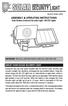 motion-activated SECURITY LIGHT Model #: 40225, 40226 Assembly & operating instructions Solar Motion-Activated Security Light - 80 LED Lights Important: Read all instructions carefully before use About
CONTENTS USING THE LIGHTS KEY...31 NETWORK ALARMS...32 FAULT AND ERROR MESSAGES...33
 CONTENTS GENERAL INTRODUCTION TO B&G NETWORK... 2 INTRODUCTION TO NETWORK QUAD... 3 EXAMPLE SYSTEMS USING NETWORK QUAD... 4 SELECTING THE DISPLAY MODE... 5 USING THE SPEED KEY... 6 CALIBRATION AND OPERATING
FCC COMPLIANCE STATEMENT FOR AMERICAN USERS
 FCC COMPLIANCE STATEMENT FOR AMERICAN USERS This equipment has been tested and found to comply with the limits for a CLASS A digital device, pursuant to Part 15 of the FCC Rules. These limits are designed
Wireless Alarm System. Alarm Siren. User s Manual. Choice ALERT. Control all Sensors & accessories from one location
 45136 Wireless Alarm System Alarm Siren User s Manual Low Batt On Armed ON/OFF LEARN Choice ALERT Control all Sensors & accessories from one location Table of Contents Important Safeguards 4 Introduction
AVS A4 alarm Owner s manual
 AVS A4 alarm Owner s manual Thank you for choosing an AVS A4 car security system. It has been designed to provide a superior level of security for you and your vehicle. Please read this guide carefully
PC Tab Security System INSTRUCTION MANUAL
 PC Tab Security System INSTRUCTION MANUAL This manual is intended as a Quick Start manual covering the basic functions that have been enabled on the alarm panel. The alarm panel is capable of extensive
Multi Function, User Configurable Remote Vehicle Security System with 4 Button Replaceable Membrane Remote Transmitter
 MODEL PRO-9744 INSTALLATION MANUAL Multi Function, User Configurable Remote Vehicle Security System with 4 Button Replaceable Membrane Remote Transmitter This System Allows The Transmitter Buttons To Be
ECONO-OWNER-061603 DIGIPAD II. Econo Series. The Future of Computer Console Systems! OWNER S MANUAL. Tomorrow's Technology Today!
 ECONO-OWNER-061603 DIGIPAD II Econo Series The Future of Computer Console Systems! OWNER S MANUAL Tomorrow's Technology Today! Table of Contents Overview 1 System Layout 2 Touchpad Operation 3 Gas & Brake
TM Advanced Tracking Technologies, Inc. 2003 ATTI All rights reserved
 TM Advanced Tracking Technologies, Inc. 2003 ATTI All rights reserved Copyright 2003, Advanced Tracking Technologies, Inc. All rights reserved. No part of this publication may be reproduced or transmitted
Portable Satellite TV Antenna. VQ1000 Owner s Manual
 Portable Satellite TV Antenna VQ1000 Owner s Manual Model VQ1 Solutions for Mobile Markets 11200 Hampshire Avenue South, Bloomington, MN 55438-2453 Phone: (952) 922-6889 Fax: (952) 922-8424 20963 REV E
Ground Resistance Clamp-On Tester
 User s Manual Ground Resistance Clamp-On Tester MODEL 382357 Warranty EXTECH INSTRUMENTS CORPORATION (a FLIR company) warrants the basic instrument to be free of defects in parts and workmanship for one
Master Time Clock MTC-200 MTC-400 MTC-600. Users Manual
 Master Time Clock MTC-200 MTC-400 MTC-600 Users Manual Toll Free (888)713-0373 Phone (972)987-4408 FAX (877)720-9291 www.midwest-time.com [email protected] TABLE OF CONTENTS TOPIC PAGE GENERAL DESCRIPTION
Car Alarm Series 2 B 2 Buttons
 Car Alarm Series 2 B 2 Buttons G22 SE (External - Shock Sensor) Version 3 Software 67 Plus www.geniuscaralarm.com 21 CAR ALARM GENIUS Series 2B 2 Buttons - G22 Se (External Shock Sensor) Module controlled
SmartCard On-Board Reader (# 8105) SmartCard Desktop Reader (# 8108) SmartCards, Pack of 10 (# 8112) Starter Interrupter Kit (# 8116)
 athena Includes: SmartCard On-Board Reader (# 8105) SmartCard Desktop Reader (# 8108) SmartCards, Pack of 10 (# 8112) Starter Interrupter Kit (# 8116) Davis Instruments, 3465 Diablo Avenue, Hayward, CA
Solar Power Systems Models: PVS220W-24 and PVS220W-48 Installation Manual
 Solar Power Systems Models: PVS220W-24 and PVS220W-48 Installation Manual 255379 Rev. D0 1015 Printed in U.S.A. Copyright 2015 Federal Signal Corporation Limited Warranty The Alerting and Notification
WARRANTY AND DISCLAIMER
 2036 Fillmore Street Davenport, Ia. 52804 563-324-1046 www.racedigitaldelay.com MEGA 350/450 WARRANTY AND DISCLAIMER DIGITAL DELAY INC. WARRANTS THE PRODUCTS IT MANUFACTURES AGAINST DEFECTS IN MATERIALS
MODELS 7007 Gorilla Cycle Alarm 7017 Gorilla Cycle Alarm with 2-way pager system 1017 2-way pager system
 MODELS 7007 Gorilla Cycle Alarm 7017 Gorilla Cycle Alarm with 2-way pager system 1017 2-way pager system Remote Control Motorcycle Alarm System Installation & Operation Instructions Sistema de Alarma de
PASSIVE INFRARED INTRUSION DETECTOR PASSIVE INFRAROOD DETECTOR DETECTEUR D INTRUSION PASSIF INFRAROUGE
 MODEL HAA51 PASSIVE INFRARED INTRUSION DETECTOR PASSIVE INFRAROOD DETECTOR DETECTEUR D INTRUSION PASSIF INFRAROUGE OPERATING MANUAL HAA51 PASSIVE INFRARED INTRUDER DETECTOR INTRODUCTION HAA51 Passive Infrared
INSTRUCTIONS FOR THE INSTALLATION AND OPERATION OF ACTIVATOR II
 INSTRUCTIONS FOR THE INSTALLATION AND OPERATION OF ACTIVATOR II ELECTRONIC TRAILER BRAKE CONTROL 5500 FOR 2, 4, 6 & 8 BRAKE SYSTEMS IMPORTANT: READ AND FOLLOW THESE INSTRUCTIONS CAREFULLY. KEEP THESE INSTRUCTIONS
Advantium 2 Plus Alarm
 ADI 9510-B Advantium 2 Plus Alarm INSTALLATION AND OPERATING INSTRUCTIONS Carefully Read These Instructions Before Operating Carefully Read These Controls Corporation of America 1501 Harpers Road Virginia
ACTIV board User Guide
 ACTIV board User Guide PC and Mac US Edition TP-1429-US Issue 4 All rights reserved All information contained in this document is subject to change without notice. Any use of the contents of this User
FB4200_English.qxd 12/21/2005 12:58 PM Page 1. Fishin Buddy 4200 Operations Manual
 FB4200_English.qxd 12/21/2005 12:58 PM Page 1 Fishin Buddy 4200 Operations Manual FB4200_English.qxd 12/21/2005 12:58 PM Page 2 TABLE OF CONTENTS Introduction 2 Getting Started 3 How to Install the Batteries................................................................
MAINTENANCE & TROUBLESHOOTING
 MAINTENANCE & TROUBLESHOOTING This section describes how to: clean the lens replace the projection lamp replace the batteries in the remote use the security lock feature troubleshoot the projector Cleaning
Automatic Phone-Out Home Monitoring Systems
 Automatic Phone-Out Home Monitoring Systems Power Outage and Freeze Alarm Model Number: THP202 Power Outage, Freeze and Flood Alarm Product Description Model Number: THP201 These monitoring systems are
Digital Photo Picture Frame. Operation Manual
 Digital Photo Picture Frame Operation Manual 20070309 CONGRATULATIONS on your purchase of a Polaroid 7 LCD Digital Photo Picture Frame. Please read carefully and follow all warnings and instructions in
Owner s Guide. ca6554
 PROFESSIONAL SERIES Owner s Guide For Models: ca6554 Deluxe Vehicle Security and Remote Start System with 2 Way Confirming LCD Remote Control IMPORTANT NOTE: The operation of the Security and Convenience