
Creator Coding Guidelines Toolbox
|
|
|
- Jeffery Wiggins
- 10 years ago
- Views:
Transcription
1 Creator Coding Guidelines Toolbox The following information is needed when coding your own template from html to be imported into the Creator. You will need basic html and css knowledge for this toolbox to be effective. There are three steps involved when coding for the Creator.

2 Contents 1. Introduction Setting up code for templates Setting up mobile responsive code for templates creator tabs Conclution Cheatsheet
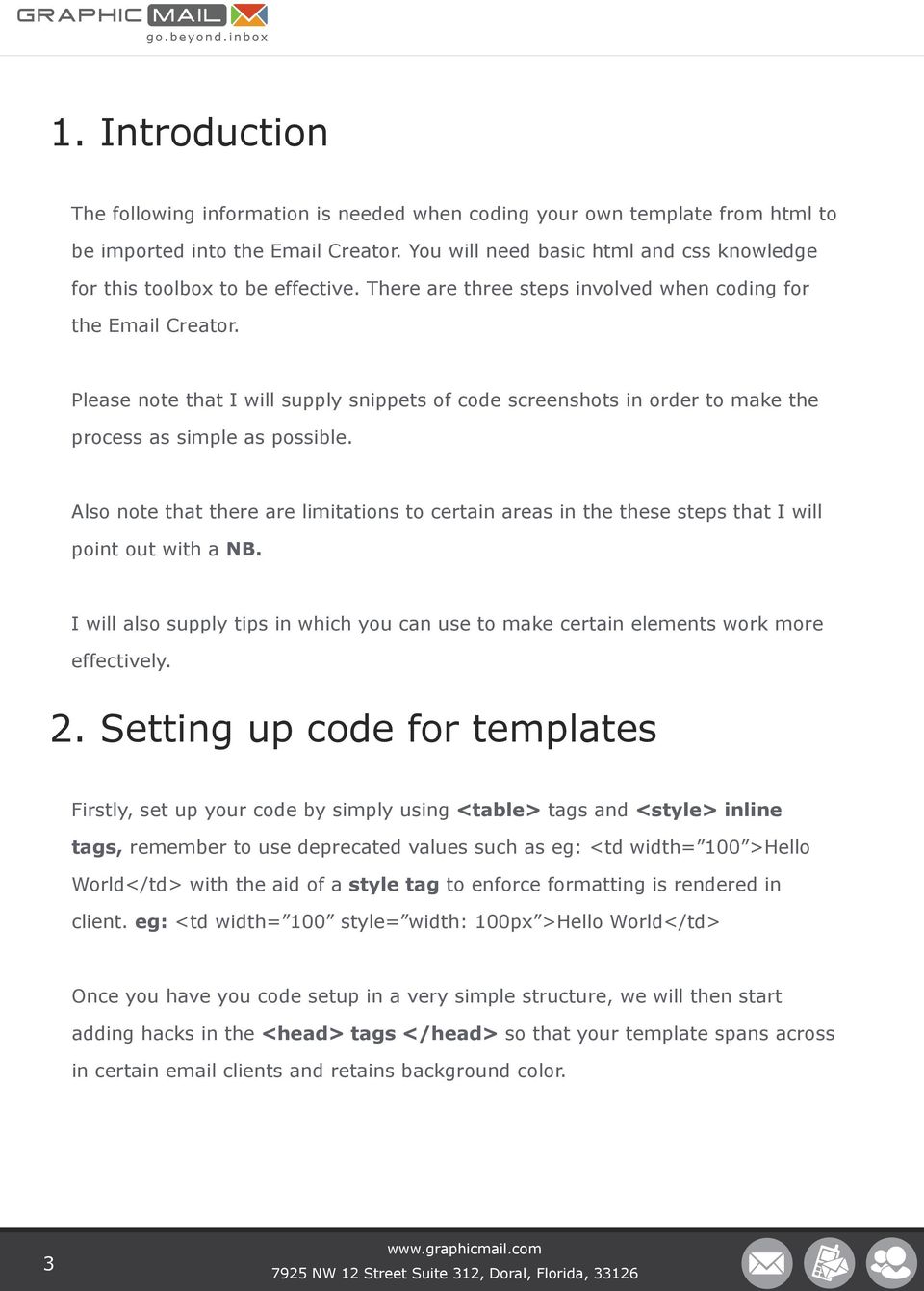
3 1. Introduction The following information is needed when coding your own template from html to be imported into the Creator. You will need basic html and css knowledge for this toolbox to be effective. There are three steps involved when coding for the Creator. Please note that I will supply snippets of code screenshots in order to make the process as simple as possible. Also note that there are limitations to certain areas in the these steps that I will point out with a NB. I will also supply tips in which you can use to make certain elements work more effectively. 2. Setting up code for templates Firstly, set up your code by simply using <table> tags and <style> inline tags, remember to use deprecated values such as eg: <td width= 100 >Hello World</td> with the aid of a style tag to enforce formatting is rendered in client. eg: <td width= 100 style= width: 100px >Hello World</td> Once you have you code setup in a very simple structure, we will then start adding hacks in the <head> tags </head> so that your template spans across in certain clients and retains background color. 3
4 tip:.readmsgbody {width: 100%; background-color: #ffffff; }.ExternalClass {width: 100%; background-color: #ffffff; } Once this is done you are ready to move onto the next step. NOTE THAT THE TEMPLATE SHOULD NOT CONTAIN ANY <A HREF= # ></ A> 2. Setting up mobile responsive code for templates The next step now will be to add the css for mobile responsive tags to be effective, we will be using media queries, media queries are a CSS3 module allowing content rendering to adapt to conditions such as screen resolution. First we will look at the structure of your template and use one of the css3 queries that i will provide below. How a query tag is only screen and (max-device-width: 480px) { The max-device-width means that the styles applied to this query will come into effect when the device has reached a maximum width of 480px Once this tag is created we will then build upon by adding classes to it changing the layout when viewed on a mobile device. 4

5 eg: ( what we have done here is said that when the mobile device is detected reduce the width of my template to only screen and (max-device-width: 480px) { table[class= wrappertable ] { width: 320px!important; } So when you add the class to the <table></table> tag for example eg: (So we attach the class wrappertable to the <table> tag thus giving it that query.) <table cellpadding= 0 cellspacing= 0 width= 648 class= wrappertable style= bordercollapse:collapse; border:0; > So what you can now do is create various classes using the wrappertable as a base for your template, some logic required with regards to this, if your text in template is 14px on mobile devices you can create a class for the <font> tag and make the font-size 12px etc. Ok, so next i will teach you how to make a double column into a single column using media query for mobile devices. tip: This can be applied to more than two columns as well, as long as max width of template is divided equally. 5

6 table[class=contenttable] { } width:320px!important; (This is the css needed) <table width= 640 border= 0 cellpadding= 0 cellspacing= 0 class= contenttable > <tr> <td> <table class= contenttable width= 320 border= 0 cellspacing= 0 cellpadding= 20 align= left > <tr> <td><p>column Left Content</p></td> </tr> </table> <table class= contenttable width= 320 border= 0 cellspacing= 0 cellpadding= 20 align= right > <tr> <td><p>column Right Content</p></td> </tr> </table> </td> </tr> </table> 6

7 By adding these classes and dividing the inner table widths they will snap beneath each other as seen below: ( From a double column ) Lorem ipsum dolor sit amet Consectetur adipisicing elit, sed do eiusmod tempor incididunt ut labore et dolore magna aliqua. Ut enim ad minim veniam, quis nostrud exercitation ullamco laboris nisi ut aliquip ex ea Lorem ipsum Consectetur adipisicing elit, sed do eiusmod tempor incididunt ut labore et dolore magna aliqua. Ut enim ad minim Image ( From a double column ) Lorem ipsum dolor sit amet Consectetur adipisicing elit, sed do eiusmod tempor incididunt ut labore et dolore magna aliqua. Ut enim ad minim veniam, quis nostrud exercitation ullamco laboris nisi ut aliquip ex ea commodo consequat. Lorem ipsum Consectetur adipisicing elit, sed do eiusmod tempor incididunt ut labore et dolore magna aliqua. Ut enim ad minim Image 7

8 The next step within media queries would be to adjust images in your newsletter template. This is an actual process, so as before we start with your css3 as seen here. td[class= headercell ] { background-image: url(your-image.jpg); width: 380px!important; height: 130px!important; } Now what the css is doing here is saying that with query screen resolution meets a max width of 320px, to use the background image and size it to the size depicted above and we add important tags to enforce this and take precedence. Next step will be to apply the class to your html in the example stated below: <tr> <td class= headercell > <img src= your-image.jpg width= 648 height= 217 /> </td> </tr> Adding the class to the <td> tag and still keeping original image tag in place. Now this image technique can be applied to any image as long as the image that you want to be displayed is resized accordingly and also included in the folder library. 8

9 tip: Keep image size to a minimum so png s or gif s, usually works the best. NB: Now with regards to Responsive Design, there are a few factors which relate to this. The techniques listed here aren t universally supported by all mobile clients. As you may know, not all clients were made equal - even on the same device, how an HTML displays can vary radically from inbox to inbox. For example, while the default Android client that appears on the Google Nexus is renowned for its superior CSS support, the Gmail client that also comes shipped with the handset ignores styles within the tags and can t make head or tail of many run-of-the-mill CSS2 properties. Thankfully, the iphone and other Apple ios devices can not only boast of near trouble-free rendering, but also account for a large percentage of mobile opens, too. With this in mind, we present to you a non-exhaustive list of mobile clients and their support for media queries. The skinny is that media query support enables you to use many of the responsive techniques. 9

10 Default device clients Client Media Query Amazon Kindle Fire Amazon Kindle Fire HD Android 2.1 Eclair Android 2.2+ Apple iphone Apple ipad Apple ipod Touch BlackBerry OS 5 BlackBerry OS 6+ BlackBerry Playbook Microsoft Windows Mobile 6.1 Microsoft Windows Phone 7 Microsoft Windows Phone 7.5 Microsoft Windows Phone 8 Microsoft Surface Palm Web OS

11 Now that you have a basis for image manipulations and layout adjustment, media queries the possibilities are endless when it comes to modifying your template to display on mobile devices. I have also added the three most used and universal max-widths used for a large amount of devices see them only screen and (max-device-width: 480px) { styles here... only screen and (max-device-width: 640px) { styles here... only screen and (max-device-width: 479px) { styles here... } tip: There are more widths that can be used to further enhance stability but this can become a catch 22. Now that we have a basis of how mobile optimization works branching off from these techniques will be easily accomplished. With this process like any other in these steps testing is key, i usually test with actual devices as listed above that are compatible. 11

12 4. Setting up editor classes (tags) for templates Once you have tested your mobile optimised version of your template and desired state is met, the next step will involve adding the tags needed for the editor to creating functionality. Starting from the top we will first be adding the styles needed in the head of the code as seen below, note that these are very specific tags and case-sensitive as well so please check spelling of them. A list the tags here and what each of them are used for: gm-template - This class MUST be on the first DOM element within the template (After the style element) - this class is defined with a <div> tag that wraps the entire newsletter. gm-editable - Container editable, accepts drops from gm-element - makes the element utilise functions that editor offers. gm-element - All editable elements must have this base class - the base function for the element activates element in other words. gm-element-html - Allows HTML editing tools - allows user to edit content in specific content block The styles below depict the classes above and can be defined in this way. You will see that these are classes represented here. 12

13 .gm-template,.gm-template p,.gm-template a,.gm-template span {font-family:arial,helvetica,sans-serif; font-size:14px;}.gm-template p {margin:0 0 1em 0;} Once you have your styles in place you will then move onto the <body> elements you will need to setup a <table> element that acts the same as the <div> tag wrapper also adding a 100% width to the table and also a style= bordercollapse:collapse; border:0 this will eliminate borders and have table to become elastic. eg: <table width= 100% border= 0 cellpadding= 0 cellspacing= 0 align= center style= bordercollapse:collapse; border:0; > <tr> <td> NB: The one rule when adding the gm-element tags is that all elements need to be wrapped with <div class= >item>/div> tags. NB: This tag will also include swatch hex values in your template used Eg: <div class= gm-template data-color-swatches= [ Black, White, #1E90FF, #00008B, #778899, #4682B4, Red ] > 13

14 eg: Here is an example of the tags being used for simple text entry <div class= gm-element gm-element-html > <font class= contenttext style= font-family: Verdana, Geneva, sans-serif; font-size: 28px; font-weight: bold >LOGO HERE</font> </div> Now using the same code above i will demonstrate another rule for a element that you want to be made editable or have function in the editor, by adding the gm-editable class to the <td> tag surrounding the code that needs it. <tr> <td class= gm-editable >(Added class to <td> tag) <div class= gm-element gm-element-html > <font class= contenttext style= font-family: Verdana, Geneva, sansserif; font-size: 28px; font-weight: bold >LOGO HERE </font> </div> </tr> </td> Now note to use these gm-tags strategicly, for example do not apply a gmelement-html class for an image an image wrapper would just need a gmelement class and a gm-editable class, no text is in the image so no html is needed to be edited. Once you have all these tags in their desired areas of your template, testing needs to begin again. 14

15 5. creator tabs CSS used in the head tags of your html The css snippet below has to be added to the page and any styling can be linked to this as they are calling tags used for the editor. NB: Use these styles in conjunction with your responsive styles media query s etc. NB: Enforce deprecated styles for maximum style structure in editor NB: Keep testing in the environment Example: /*editor specific styles start here*/ <style type= text/ss >.gm-template,.gm-template p,.gm-template a,.gm-template span {font-family:arial,helvetica,sans-serif; font-size:14px;}.gm-template p {margin:0 0 1em 0;} </style> /*editor specific styles ends here*/ 15

16 Classes/tags used in html The tags/classes below all have a distinct function for the editor to function, firstly note that these classes must be attached to <td> tag as well as to be nested within <td> </td> tags as a <div> tag. The template attached with this will display an example. There are 4 tags in total, as you can see below. Tags:.gm-template & swatch count This element wraps the entire newsletter as a div class with it we need to add the swatch values. Example: <div class= gm-template data-colorswatches= [ Black, White, #1E90FF, #00008B, #778899, #4682B4, Red ] > Content goes here </div>.gm-editable This tag tells the editor to make functions available, such as drag and drop, duplicate box or remove box etc. 16

17 Example: <tr> <td class= gm-editable > <div class= gm-element gm-element-html > <font class= contenttext style= font-family: Verdana, Geneva, sans-serif; font-size: 28px; ont-weight: bold >LOGO HERE </font> </div> </td> </tr>.gm-element This tag recognizes itself to the editor to add functionality to it so editor can assign it to another eg: editable. Example: <tr> <td class= gm-editable > <div class= gm-element gm-element-html > <font class= contenttext style= font-family: Verdana, Geneva, sans-serif; font-size: 28px; font-weight: bold >LOGO HERE </font> </div> </td> </tr> 17

18 .gm-element-html This tag recognizes itself to the editor to give user the ability to edit the content usually used for a <td> containing text or links lists etc. Example: <tr> <td class= gm-editable > <div class= gm-element gm-element-html > <font class= contenttext style= font-family: Verdana, Geneva, sans-serif; font-size: 28px; font-weight: bold >LOGO HERE </font> </div> </td> </tr> The above-mentioned tags can be used as combinations of a maximum of two classes per <td> or <div> tag. These can also be slotted with you usual inline styles for clients. Always remember to add <div> tags to nest them. 18

19 6. Conclusion In conclusion, the techniques and information in this toolbox needs to be used in conjunction with html and css fundamentals and best practices. Can t emphasize enough on testing your template through each of the steps even knowing the information presented in this doc typo s are still possible. Also remember that each layout is different and that strategy and planning is another key factor when planning layout and code up. 7. Cheatsheet gm-template - This class MUST be on the first DOM element within the template (After the style element) - this class is defined with a <div> tag that wraps the entire newsletter. gm-editable - Container editable, accepts drops from gm-element - makes the element utilise functions that editor offers. gm-element - All editable elements must have this base class - the base function for the element activates element in other words. gm-element-html - Allows HTML editing tools - allows user to edit content in specific content block 19

20 data-color-swatches= [ Black, White, #1E90FF, #00008B, #778899, #4682B4, Red ] > - used to wrap newsletter in for editor only screen and (max-width: 320px) - query for responsive device. body[yahoo].devicewidth { width:280px!important; } - css hack to further enforce width on mobile device this works in conjunction with viewpoint. body[yahoo].center { text-align: center!important; } - css class to enforce centeralignment of text on device. body[yahoo].footerlinks { width:32%; margin-bottom:40px; } - creating a fluid layout by using % as to px for width, making it responsive. <meta name = viewport content = width = device-width > - also used for responsive design making the viewpoint detect device-width. <meta name= viewport content= width = 320 > - also used for responsive design making the viewpoint know the device-width. img, table { max-width: 320px; } - Since the device screen width is 320 pixels, you may also want to specify some CSS tags that set the max-width of certain elements, such as images and tables:.mobile_hidden { display: none; } - If you have elements in your main page that you d like to hide completely in the mobile version, add CSS tags for them and set the display to none: 20
![important; } - css class to enforce centeralignment of text on device. body[yahoo].](/docs-images/52/12267402/images/page_20.jpg "footerlinks { width:32%; margin-bottom:40px; } - creating a fluid layout by using % as to px for width, making it responsive.")
21 .ReadMsgBody { width: 100%; background-color: #ffffff; } - Hotmail Fix, This style forces the width of the outer table to be recognized as 100%, restoring the intended background color and alignment. Contact / Questions? If you ve got any technical questions, [email protected] or call us on For any other questions, please ask support. 21
Responsive Email Design
 Responsive Email Design For the Hospitality Industry By Arek Klauza, Linda Tran & Carrie Messmore February 2013 Responsive Email Design There has been a lot of chatter in recent months in regards to Responsive
EVENT PLANNING MYTHBUSTER. Building Pre-event Engagement: How to Make an Email Invite
 EVENT PLANNING MYTHBUSTER Building Pre-event Engagement: How to Make an Email Invite YOUR STEP BY STEP GUIDE In reality, most events begin months before the doors open on the first day. The internet is
GUIDE TO CODE KILLER RESPONSIVE EMAILS
 GUIDE TO CODE KILLER RESPONSIVE EMAILS THAT WILL MAKE YOUR EMAILS BEAUTIFUL 3 Create flawless emails with the proper use of HTML, CSS, and Media Queries. But this is only possible if you keep attention
RESPONSIVE EMAIL DESIGN BY COMMUNIGATOR
 RESPONSIVE EMAIL DESIGN BY COMMUNIGATOR RESPONSIVE EMAIL DESIGN According to stats from Litmus, in 2014 at least 53% of emails were opened on a mobile device. That is a huge increase from 2011 when the
Desktop Publishing (DTP)
 Desktop Publishing (DTP) ICHS Graphic Communication What is it? Desktop Publishing is what graphic designers would use to produce work which requires organization of text, images and style. Desktop Publishing
Looking Good! Troubleshooting Email Display Problems
 E-mail Direct Mail Digital Marketing Sales Tools Funding Data Creative Services Looking Good! Troubleshooting Email Display Problems November 19, 2014 Today s Speaker Geoff Phillips Senior Editor & Email
This document will describe how you can create your own, fully responsive. drag and drop email template to use in the email creator.
 1 Introduction This document will describe how you can create your own, fully responsive drag and drop email template to use in the email creator. It includes ready-made HTML code that will allow you to
8 STEPS TO CODE KILLER RESPONSIVE EMAILS
 8 STEPS TO CODE KILLER RESPONSIVE EMAILS THAT WILL MAKE YOUR EMAILS BEAUTIFUL 3 BUILD RESPONSIVE EMAIL STEP BY STEP Steps to create a simple responsive email template. (fluid image, main content, two
Thesis Format Guidelines. Department of Curriculum and Instruction Purdue University
 Thesis Format Guidelines Department of Curriculum and Instruction Purdue University 2 Overview All theses must be prepared according to both departmental format requirements and University format requirements,
www.xad.com Creative GUIDELINES
 www.xad.com Creative GUIDELINES General Guidelines Required Assets For best results, please provide fully editable assets. FILES Design Files - Layered PSD (Photoshop) / Layered PNG (Fireworks) Fonts -
Email Campaign Guidelines and Best Practices
 epromo Guidelines HTML Maximum width 700px (length = N/A) Maximum total file size, including all images = 200KB Only use inline CSS, no stylesheets Use tables, rather than layout Use more TEXT instead
The Future of Ticketing: Solutions for Museums of All Sizes
 The Future of Ticketing: Solutions for Museums of All Sizes May 21, 2014 Lord Cultural Resources Creating Cultural Capital STRATEGIC QUESTIONS Should museums have queues? How could a strategic approach
CONTENTS. 03 BRAND IDENTITY 04 Logo 06 Wordmark 07 Graphic Element 08 Logo Usage 13 Logo Elements
 GRAPHIC STANDARDS 1 CONTENTS 2 03 BRAND IDENTITY 04 Logo 06 Wordmark 07 Graphic Element 08 Logo Usage 13 Logo Elements 14 SUPPORTING ELEMENTS 15 Color Specifications 16 Typography 17 Layout & Photography
franchise applications
 using this style guide business card stationery PowerPoint RFP cover fax coversheet e-mail signature grammar style building signage trucks boxes yellow pages marketing materials web sites 1 business card
Cincinnati State Admissions UX Design 06.02.14
 Cincinnati State Admissions UX Design 06.0.4 About This Document This documents seeks to establish high level requirements for functionality and UI. It suggests content and ways to accommodate content.
Essential HTML & CSS for WordPress. Mark Raymond Luminys, Inc. 949-654-3890 [email protected] www.luminys.com
 Essential HTML & CSS for WordPress Mark Raymond Luminys, Inc. 949-654-3890 [email protected] www.luminys.com HTML: Hypertext Markup Language HTML is a specification that defines how pages are created
Web Design Basics. Cindy Royal, Ph.D. Associate Professor Texas State University
 Web Design Basics Cindy Royal, Ph.D. Associate Professor Texas State University HTML and CSS HTML stands for Hypertext Markup Language. It is the main language of the Web. While there are other languages
The Essential Guide to HTML Email Design
 The Essential Guide to HTML Email Design Index Introduction... 3 Layout... 4 Best Practice HTML Email Example... 5 Images... 6 CSS (Cascading Style Sheets)... 7 Animation and Scripting... 8 How Spam Filters
Contents. Downloading the Data Files... 2. Centering Page Elements... 6
 Creating a Web Page Using HTML Part 1: Creating the Basic Structure of the Web Site INFORMATION TECHNOLOGY SERVICES California State University, Los Angeles Version 2.0 Winter 2010 Contents Introduction...
I WORK FOR UX PORTFOLIO GUIDANCE
 I WORK FOR UX PORTFOLIO GUIDANCE CONTENTS INTRODUCTION 3 THE DESIGN OF YOUR PORTFOLIO 4 UX DELIVERABLES CLIENTS WANT TO SEE 8 TIPS 14 ABOUT ZEBRA PEOPLE 15 INTRODUCTION Viewing, sending and receiving feedback
How To Design An Email In Html (Html) And Html (Mailbox) Safely
 24 WAYS to impress your friends At some stage in your career, it s likely you ll be asked by a client to design a HTML email. Before you rush to explain that all the cool kids are using social media, keep
How to Extend your Identity Management Systems to use OAuth
 How to Extend your Identity Management Systems to use OAuth THE LEADER IN API AND CLOUD GATEWAY TECHNOLOGY How to extend your Identity Management Systems to use OAuth OAuth Overview The basic model of
How to Properly Compose E-Mail HTML Code : 1
 How to Properly Compose E-Mail HTML Code : 1 For any successful business, creating and sending great looking e-mail is essential to project a professional image. With the proliferation of numerous e-mail
Responsive Email Design. Our guide to helping you get started. March 2013 Version 0.4
 Responsive Email Design Our guide to helping you get started March 2013 Version 0.4 Contents Introduction... 3 What is Responsive Design?... 4 What about email?... 5 So what are the pros and cons?... 6
Website Style Guide 2014
 Website Style Guide 2014 Contents 3 Color / Pallette 29-30 Images / Tablet & Mobile Icons 4 Page Templates / List 31 Images / What Not to Do 5 Typography / Fonts 32 Portal / Image Specifications 6-7 Typography
RESPONSIVE DESIGN FOR MOBILE RENDERING
 WHITEPAPER RESPONSIVE DESIGN FOR MOBILE RENDERING DELIVER MOBILE-SPECIFIC CONTENT USING MEDIA QUERIES EXECUTIVE SUMMARY With the widespread adoption of smartphones and tablets, proper email rendering in
Responsive Web Design: Media Types/Media Queries/Fluid Images
 HTML Media Types Responsive Web Design: Media Types/Media Queries/Fluid Images Mr Kruyer s list of HTML Media Types to deliver CSS to different devices. Important note: Only the first three are well supported.
Email marketing Best practice guide
 Email marketing Best practice guide March 2012 Campaignmaster UK Email Marketing - Best Practice Guide Congress House 4th Floor 14 Lyon Road Harrow London, HA1 2EN Notice of Rights No part of this guide
CST 150 Web Design I CSS Review - In-Class Lab
 CST 150 Web Design I CSS Review - In-Class Lab The purpose of this lab assignment is to review utilizing Cascading Style Sheets (CSS) to enhance the layout and formatting of web pages. For Parts 1 and
English. Italiano. Français
 Annex 2b - UN Visual Identity Manual - updated 31.07.2014 UN-EXPO MILANO 2015 LOGO BOOK English Italiano Français LOGO BOOK Annex 2b - UN Visual Identity Manual - updated 31.07.2014 UN-EXPO MILANO 2015
8 Ways Marketing Automation Can Expand Your Search Marketing Practice. 8 Ways Marketing Automation Can Expand Your Search Marketing Practice 1
 8 Ways Marketing Automation Can Expand Your Search Marketing Practice 8 Ways Marketing Automation Can Expand Your Search Marketing Practice 1 If you re already good at search marketing M arketing automation
Mobile Web Site Style Guide
 YoRk University Mobile Web Site Style Guide Table of Contents This document outlines the graphic standards for the mobile view of my.yorku.ca. It is intended to be used as a guide for all York University
Web Design and Databases WD: Class 7: HTML and CSS Part 3
 Web Design and Databases WD: Class 7: HTML and CSS Part 3 Dr Helen Hastie Dept of Computer Science Heriot-Watt University Some contributions from Head First HTML with CSS and XHTML, O Reilly Recap! HTML
<Insert Picture Here>
 Designing the Oracle Store with Oracle Application Express Marc Sewtz Software Development Manager Oracle Application Express Oracle USA Inc. 540 Madison Avenue,
Modern Web Apps with HTML5 Web Components, Polymer, and Java EE MVC 1.0. Kito Mann (@kito99), Virtua, Inc.
 Modern Web Apps with HTML5 Web Components, Polymer, and Java EE MVC 1.0 Kito Mann (@kito99), Virtua, Inc. Kito D. Mann (@kito99) Principal Consultant at Virtua (http://www.virtua.com) Training, consulting,
Practicing Law with a Virtual Law Office
 Practicing Law with a Virtual Law Office presented by Stephanie Kimbro, MA, JD Attorney, Kimbro Legal Services Technology Consultant, Total Attorneys Greensboro Bar March 29, 2011 Overview Part One: Introduction
RESPONSIVE EMAIL DESIGN
 RESPONSIVE EMAIL DESIGN SELLIGENT The contents of this manual cover material copyrighted by Selligent. This manual cannot be reproduced, in part or in whole, or distributed or transferred by means electronic
Identity Guidelines. by SMARTBEAR
 Identity Guidelines version 1.0 nov 2 2012 Conteents SmartBear Corporate Identity Guide Contents 3...Introduction 4... Brand Architecture 5... The SmartBear Brand 6-7... Sub-Brand Family 8... Why and How
HTML TIPS FOR DESIGNING
 This is the first column. Look at me, I m the second column.
The Essential Guide to HTML Email Design
 The Essential Guide to HTML Email Design Emailmovers Limited, Pindar House, Thornburgh Road Scarborough, North Yorkshire, YO11 3UY Tel: 0845 226 7181 Fax: 0845 226 7183 Email: [email protected]
Create Your own Company s Design Theme
 Create Your own Company s Design Theme A simple yet effective approach to custom design theme INTRODUCTION Iron Speed Designer out of the box already gives you a good collection of design themes, up to
Coding HTML Email: Tips, Tricks and Best Practices
 Before you begin reading PRINT the report out on paper. I assure you that you ll receive much more benefit from studying over the information, rather than simply browsing through it on your computer screen.
Web Authoring CSS. www.fetac.ie. Module Descriptor
 The Further Education and Training Awards Council (FETAC) was set up as a statutory body on 11 June 2001 by the Minister for Education and Science. Under the Qualifications (Education & Training) Act,
MCH Strategic Data Best Practices Review
 MCH Strategic Data Best Practices Review Presenters Alex Bardoff Manager, Creative Services [email protected] Lindsey McFadden Manager, Campaign Production Services [email protected] 2 Creative
University at Albany Graphic Identity Manual
 University at Albany Identity Guidelines 1 University at Albany Graphic Identity Manual Version 4.0 (Updated 01/11) University at Albany Graphic Identity Manual 1 Contents 1 Introduction 1.1 The World
OSP REAL ESTATE INTRODUCTION
 OSP REAL ESTATE INTRODUCTION ================ July 2014 OSSOLUTION TEAM Table of Contents Table of Contents... 2 Introduction... 3 Requirements... 5 PHP Settings... 6 File Permissions... 7 Changing files
The Da Vinci Coding: The Art of HTML
 The Da Vinci Coding: The Art of HTML The Da Vinci Coding: The Art of HTML Design Author Graham Gnall LiveIntent Senior Platform Solutions Manager Contributing Editor Nick Dujnic Editors Julia Rieger Dave
Responsive Web Design (RWD) Best Practices Guide Version: 2013.11.20
 Responsive Web Design (RWD) Best Practices Guide Version: 2013.11.20 This document includes best practices around responsive web design (RWD) when developing hybrid applications. Details on each checklist
Designing HTML Emails for Use in the Advanced Editor
 Designing HTML Emails for Use in the Advanced Editor For years, we at Swiftpage have heard a recurring request from our customers: wouldn t it be great if you could create an HTML document, import it into
Dreamweaver CS4 Day 2 Creating a Website using Div Tags, CSS, and Templates
 Dreamweaver CS4 Day 2 Creating a Website using Div Tags, CSS, and Templates What is a DIV tag? First, let s recall that HTML is a markup language. Markup provides structure and order to a page. For example,
Branding Guidelines CONEXPO Latin America, Inc. 2013 10-1657 (Rev-1) 08.2010 1
 Branding Guidelines CONEXPO Latin America, Inc. 2013 10-1657 (Rev-1) 08.2010 1 UNDERSTANDING THE BRAND CONEXPO Latin America AEM sets the global standard in the organization and operation of high quality
CREATING A NEWSLETTER IN ADOBE DREAMWEAVER CS5 (step-by-step directions)
 CREATING A NEWSLETTER IN ADOBE DREAMWEAVER CS5 (step-by-step directions) Step 1 - DEFINE A NEW WEB SITE - 5 POINTS 1. From the welcome window that opens select the Dreamweaver Site... or from the main
Microsoft Expression Web Quickstart Guide
 Microsoft Expression Web Quickstart Guide Expression Web Quickstart Guide (20-Minute Training) Welcome to Expression Web. When you first launch the program, you ll find a number of task panes, toolbars,
A GUIDE TO MOBILE EMAIL
 A GUIDE TO MOBILE EMAIL UNDERSTANDING THE WHAT, HOW & WHY TABLE OF CONTENTS EMAILS OPENED ON MOBILE? 1 Email open market share 2011-2013 WHAT DOES THIS MEAN? 2 FIRST THINGS FIRST 2 From and Subject Lines
Principles of Web Design 6 th Edition. Chapter 12 Responsive Web Design
 Principles of Web Design 6 th Edition Chapter 12 Responsive Web Design Objectives Recognize the need for responsive web design Use media queries to apply conditional styles Build a basic media query Create
Creative Guidelines for Emails
 Version 2.1 Contents 1 Introduction... 3 1.1 Document Aim and Target Audience... 3 1.2 WYSIWYG editors... 3 1.3 Outlook Overview... 3 2 Quick Reference... 4 3 CSS and Styling... 5 3.1 Positioning... 5
HTML Email Power Tips. HTML messages improve your CTR. World s Easiest Email Marketing.
 A quick guide to Learn easy and effective ways to engage your subscribers, increase your click-through ratio (CTR), and get better results from your email marketing. HTML Email Power Tips Be readable get
Recreate your Newsletter Content and Layout within Informz (Workshop) Monica Capogna and Dan Reade. Exercise: Creating two types of Story Layouts
 Recreate your Newsletter Content and Layout within Informz (Workshop) Monica Capogna and Dan Reade Exercise: Creating two types of Story Layouts 1. Creating a basic story layout (with title and content)
Web layout guidelines for daughter sites of Scotland s Environment
 Web layout guidelines for daughter sites of Scotland s Environment Current homepage layout of Scotland s Aquaculture and Scotland s Soils (September 2014) Design styles A daughter site of Scotland s Environment
CSS SUPPORT IN EMAIL THE PROBLEM WE SHOULD BE FIXING FIRST #LETSFIXEMAIL
 CSS SUPPORT IN EMAIL THE PROBLEM WE SHOULD BE FIXING FIRST #LETSFIXEMAIL Standards are not usually standard 2 Standards are not usually standard 3 it can be funny. but not always. 4 on our panel ROS HODGEKISS
You can use percentages for both page elements and text. Ems are used for text,
 By Megan Doutt Speaking broadly, responsive web design is about starting from a reference resolution, and using media queries to adapt it to other contexts. - Ethan Marcotte (creator of the term Responsive
Responsive Web Design for Teachers. Exercise: Building a Responsive Page with the Fluid Grid Layout Feature
 Exercise: Building a Responsive Page with the Fluid Grid Layout Feature Now that you know the basic principles of responsive web design CSS3 Media Queries, fluid images and media, and fluid grids, you
Base template development guide
 Scandiweb Base template development guide General This document from Scandiweb.com contains Magento theme development guides and theme development case study. It will basically cover two topics Magento
Joomla Article Advanced Topics: Table Layouts
 Joomla Article Advanced Topics: Table Layouts An HTML Table allows you to arrange data text, images, links, etc., into rows and columns of cells. If you are familiar with spreadsheets, you will understand
TEMPLATE GUIDELINES OCTOBER 2013
 TEMPLATE GUIDELINES OCTOBER 2013 CONTENTS Introduction... 4 Creative... 5 Template Dimensions & Image Headers... 5 Preview Pane & Positioning... 5 Graphics... 6 Optimization and File Size... 6 Background
We automatically generate the HTML for this as seen below. Provide the above components for the teaser.txt file.
 Creative Specs Gmail Sponsored Promotions Overview The GSP creative asset will be a ZIP folder, containing four components: 1. Teaser text file 2. Teaser logo image 3. HTML file with the fully expanded
Responsive HTML email and Drupal
 Responsive HTML email and Drupal Mobile + Email + Drupal Drew Gorton Drew Gorton Founder gortonstudios.com Responsive HTML email Why? ~19% of email messages are read on smartphones or tablets. Source:
SA-1 SMOKE ALARM installation & user guide
 SA-1 SMOKE ALARM installation & user guide SA-1 Smoke Alarm A smoke alarm is an excellent safety device and with the IT Watchdogs SA-1, not only will you have the usual audible alarm signal if something
Chapter 8 More on Links, Layout, and Mobile Key Concepts. Copyright 2013 Terry Ann Morris, Ed.D
 Chapter 8 More on Links, Layout, and Mobile Key Concepts Copyright 2013 Terry Ann Morris, Ed.D 1 Learning Outcomes Code relative hyperlinks to web pages in folders within a website Configure a hyperlink
Development Perspective: DIV and CSS HTML layout. Web Design. Lesson 2. Development Perspective: DIV/CSS
 Web Design Lesson 2 Development Perspective: DIV/CSS Why tables have been tabled Tables are a cell based layout tool used in HTML development. Traditionally they have been the primary tool used by web
{color:blue; font-size: 12px;}
 CSS stands for cascading style sheets. Styles define how to display a web page. Styles remove the formatting of a document from the content of the document. There are 3 ways that styles can be applied:
HTML and CSS. Elliot Davies. April 10th, 2013. [email protected]
 HTML and CSS Elliot Davies [email protected] April 10th, 2013 In this talk An introduction to HTML, the language of web development Using HTML to create simple web pages Styling web pages using CSS
Web Design with CSS and CSS3. Dr. Jan Stelovsky
 Web Design with CSS and CSS3 Dr. Jan Stelovsky CSS Cascading Style Sheets Separate the formatting from the structure Best practice external CSS in a separate file link to a styles from numerous pages Style
About the Tutorial. Audience. Prerequisites. Copyright & Disclaimer
 i About the Tutorial Twitter Bootstrap is the most popular front end framework in the recent time. It is sleek, intuitive, and powerful mobile first front-end framework for faster and easier web development.
JJY s Joomla 1.5 Template Design Tutorial:
 JJY s Joomla 1.5 Template Design Tutorial: Joomla 1.5 templates are relatively simple to construct, once you know a few details on how Joomla manages them. This tutorial assumes that you have a good understanding
Responsive Web Design
 Rogatnev Nikita Responsive Web Design Bachelor s Thesis Information Technology May 2015 DESCRIPTION Date of the bachelor's thesis 28.05.2015 Author(s) Rogatnev Nikita Degree programme and option Technology,
ICE: HTML, CSS, and Validation
 ICE: HTML, CSS, and Validation Formatting a Recipe NAME: Overview Today you will be given an existing HTML page that already has significant content, in this case, a recipe. Your tasks are to: mark it
How to craft a modern, mobile-optimized HTML email template. Jason Samuels, NCFR IT Manager DrupalCamp Twin Cities May 2012
 How to craft a modern, mobile-optimized HTML email template Jason Samuels, NCFR IT Manager DrupalCamp Twin Cities May 2012 Our old email template Pros Simple Lightweight Worked as plain-text Rendered OK
THE SAS OUTPUT DELIVERY SYSTEM: BOLDLY TAKE YOUR WEB PAGES WHERE THEY HAVE NEVER GONE BEFORE! CHEVELL PARKER, SAS INSTITUTE INC.
 THE SAS OUTPUT DELIVERY SYSTEM: BOLDLY TAKE YOUR WEB PAGES WHERE THEY HAVE NEVER GONE BEFORE! CHEVELL PARKER, SAS INSTITUTE INC. Copyright 2012, SAS Institute Inc. All rights reserved. Overview Mobile