
Developer Suite ARM. Assembler Guide. Version 1.2. Copyright 2000, 2001 ARM Limited. All rights reserved. ARM DUI 0068B
|
|
|
- Audra Hubbard
- 10 years ago
- Views:
Transcription
1 ARM Developer Suite Version 1.2 Assembler Guide Copyright 2000, 2001 ARM Limited. All rights reserved. ARM DUI 0068B

2 ARM Developer Suite Assembler Guide Copyright 2000, 2001 ARM Limited. All rights reserved. Release Information The following changes have been made to this book. Change History Date Issue Change November 2000 A Release 1.1 November 2001 B Release 1.2 Proprietary Notice Words and logos marked with or are registered trademarks or trademarks owned by ARM Limited. Other brands and names mentioned herein may be the trademarks of their respective owners. Neither the whole nor any part of the information contained in, or the product described in, this document may be adapted or reproduced in any material form except with the prior written permission of the copyright holder. The product described in this document is subject to continuous developments and improvements. All particulars of the product and its use contained in this document are given by ARM in good faith. However, all warranties implied or expressed, including but not limited to implied warranties of merchantability, or fitness for purpose, are excluded. This document is intended only to assist the reader in the use of the product. ARM Limited shall not be liable for any loss or damage arising from the use of any information in this document, or any error or omission in such information, or any incorrect use of the product. ii Copyright 2000, 2001 ARM Limited. All rights reserved. ARM DUI 0068B

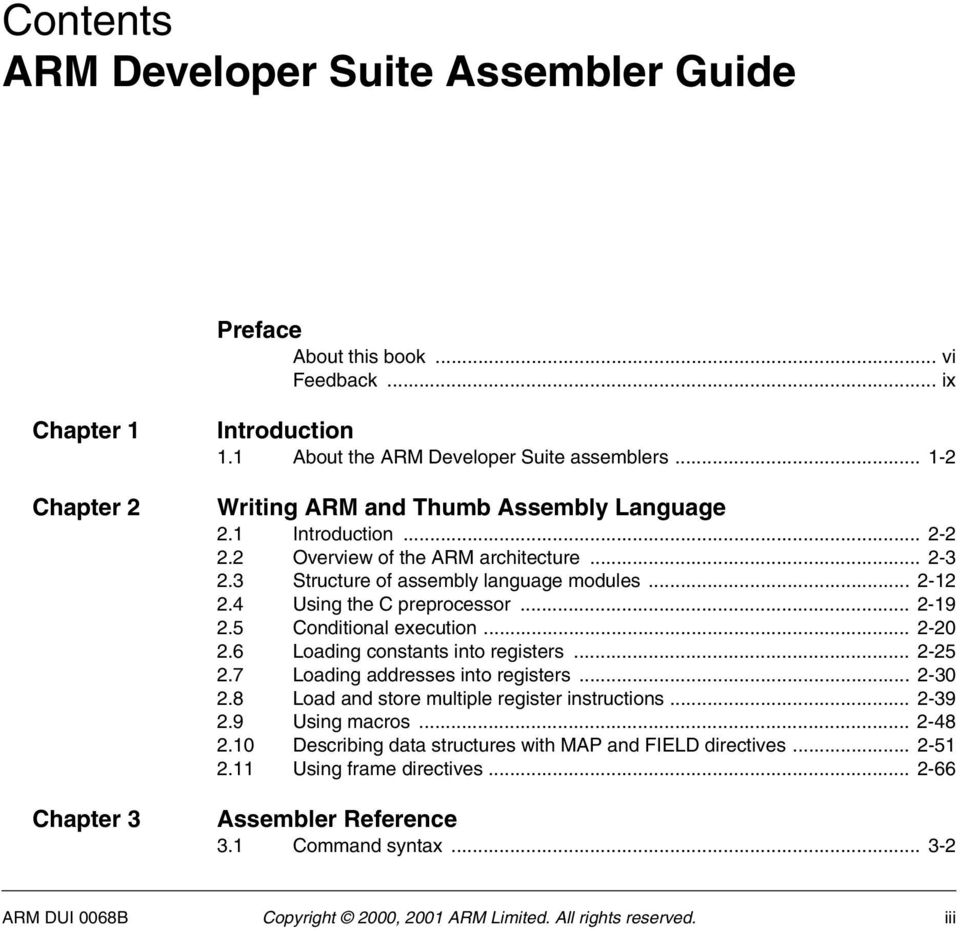
3 Contents ARM Developer Suite Assembler Guide Preface About this book... vi Feedback... ix Chapter 1 Chapter 2 Chapter 3 Introduction 1.1 About the ARM Developer Suite assemblers Writing ARM and Thumb Assembly Language 2.1 Introduction Overview of the ARM architecture Structure of assembly language modules Using the C preprocessor Conditional execution Loading constants into registers Loading addresses into registers Load and store multiple register instructions Using macros Describing data structures with MAP and FIELD directives Using frame directives Assembler Reference 3.1 Command syntax ARM DUI 0068B Copyright 2000, 2001 ARM Limited. All rights reserved. iii
4 Contents 3.2 Format of source lines Predefined register and coprocessor names Built-in variables Symbols Expressions, literals, and operators Chapter 4 Chapter 5 Chapter 6 Chapter 7 ARM Instruction Reference 4.1 Conditional execution ARM memory access instructions ARM general data processing instructions ARM multiply instructions ARM saturating arithmetic instructions ARM branch instructions ARM coprocessor instructions Miscellaneous ARM instructions ARM pseudo-instructions Thumb Instruction Reference 5.1 Thumb memory access instructions Thumb arithmetic instructions Thumb general data processing instructions Thumb branch instructions Thumb software interrupt and breakpoint instructions Thumb pseudo-instructions Vector Floating-point Programming 6.1 The vector floating-point coprocessor Floating-point registers Vector and scalar operations VFP and condition codes VFP system registers Flush-to-zero mode VFP instructions VFP pseudo-instruction VFP directives and vector notation Directives Reference 7.1 Alphabetical list of directives Symbol definition directives Data definition directives Assembly control directives Frame description directives Reporting directives Miscellaneous directives Glossary iv Copyright 2000, 2001 ARM Limited. All rights reserved. ARM DUI 0068B

5 Preface This preface introduces the documentation for the ARM Developer Suite (ADS) assemblers and assembly language. It contains the following sections: About this book on page vi Feedback on page ix. ARM DUI 0068B Copyright 2000, 2001 ARM Limited. All rights reserved. v

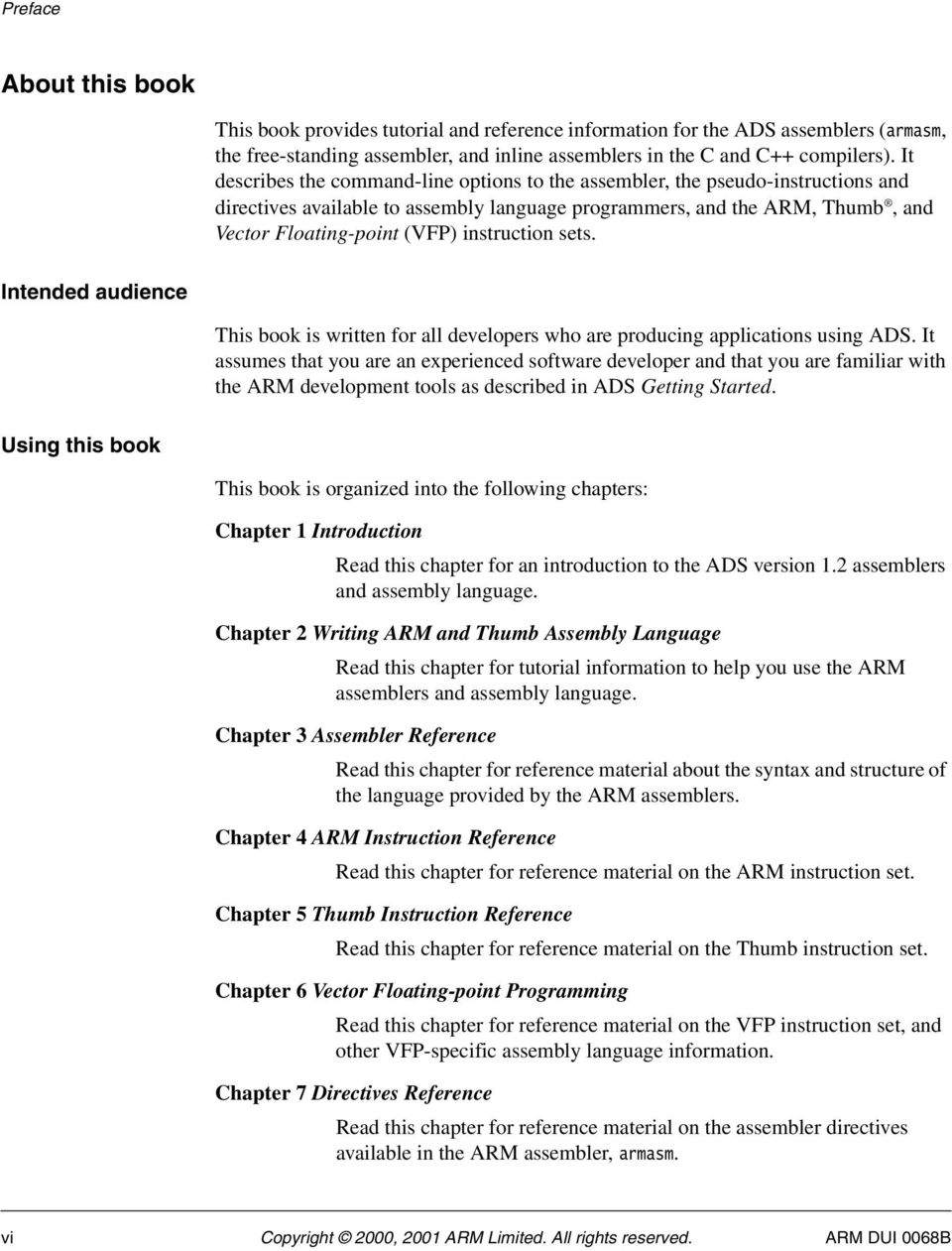
6 Preface About this book This book provides tutorial and reference information for the ADS assemblers (armasm, the free-standing assembler, and inline assemblers in the C and C++ compilers). It describes the command-line options to the assembler, the pseudo-instructions and directives available to assembly language programmers, and the ARM, Thumb, and Vector Floating-point (VFP) instruction sets. Intended audience This book is written for all developers who are producing applications using ADS. It assumes that you are an experienced software developer and that you are familiar with the ARM development tools as described in ADS Getting Started. Using this book This book is organized into the following chapters: Chapter 1 Introduction Read this chapter for an introduction to the ADS version 1.2 assemblers and assembly language. Chapter 2 Writing ARM and Thumb Assembly Language Read this chapter for tutorial information to help you use the ARM assemblers and assembly language. Chapter 3 Assembler Reference Read this chapter for reference material about the syntax and structure of the language provided by the ARM assemblers. Chapter 4 ARM Instruction Reference Read this chapter for reference material on the ARM instruction set. Chapter 5 Thumb Instruction Reference Read this chapter for reference material on the Thumb instruction set. Chapter 6 Vector Floating-point Programming Read this chapter for reference material on the VFP instruction set, and other VFP-specific assembly language information. Chapter 7 Directives Reference Read this chapter for reference material on the assembler directives available in the ARM assembler, armasm. vi Copyright 2000, 2001 ARM Limited. All rights reserved. ARM DUI 0068B
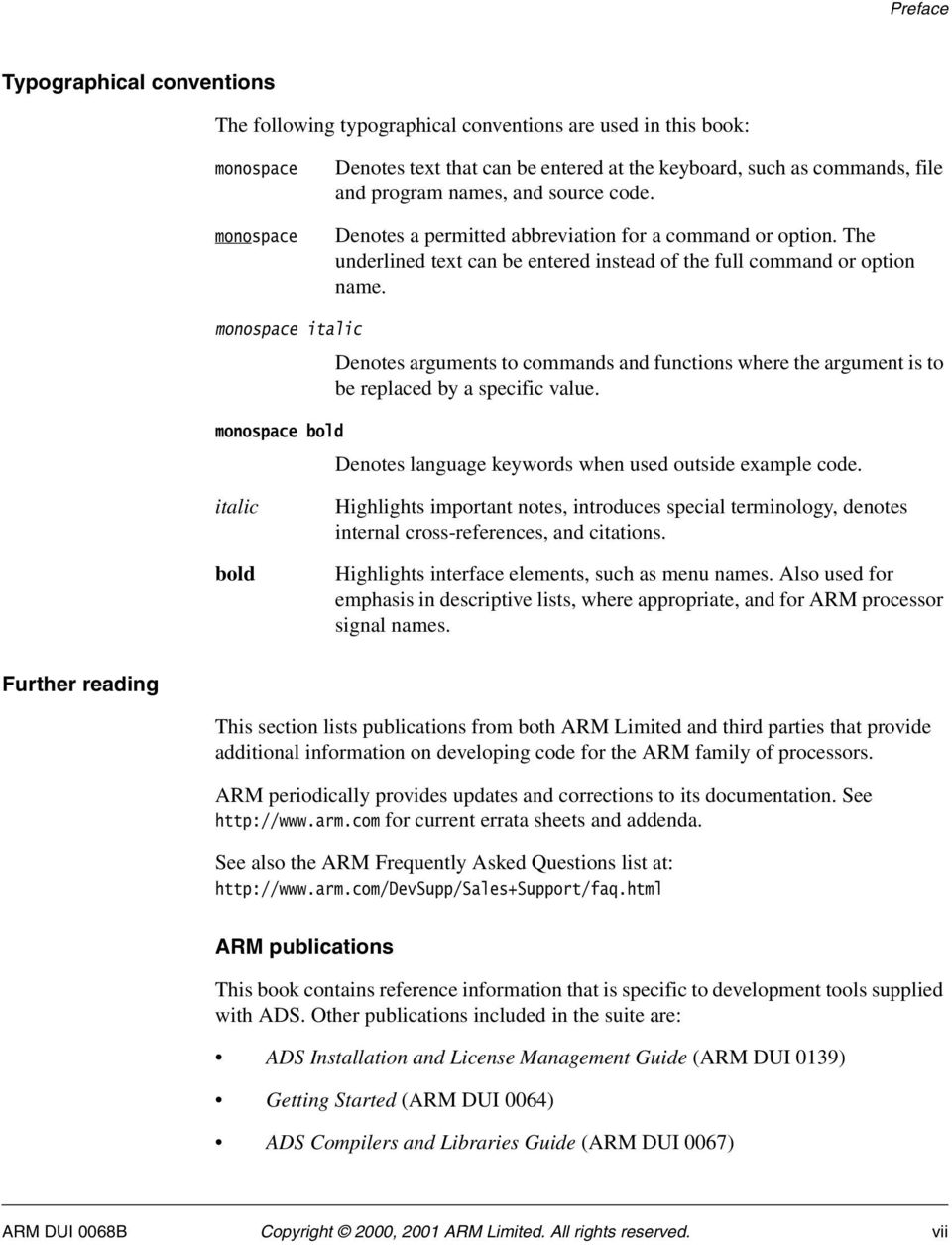
7 Preface Typographical conventions The following typographical conventions are used in this book: monospace monospace Denotes text that can be entered at the keyboard, such as commands, file and program names, and source code. Denotes a permitted abbreviation for a command or option. The underlined text can be entered instead of the full command or option name. monospace italic Denotes arguments to commands and functions where the argument is to be replaced by a specific value. monospace bold Denotes language keywords when used outside example code. italic bold Highlights important notes, introduces special terminology, denotes internal cross-references, and citations. Highlights interface elements, such as menu names. Also used for emphasis in descriptive lists, where appropriate, and for ARM processor signal names. Further reading This section lists publications from both ARM Limited and third parties that provide additional information on developing code for the ARM family of processors. ARM periodically provides updates and corrections to its documentation. See for current errata sheets and addenda. See also the ARM Frequently Asked Questions list at: ARM publications This book contains reference information that is specific to development tools supplied with ADS. Other publications included in the suite are: ADS Installation and License Management Guide (ARM DUI 0139) Getting Started (ARM DUI 0064) ADS Compilers and Libraries Guide (ARM DUI 0067) ARM DUI 0068B Copyright 2000, 2001 ARM Limited. All rights reserved. vii
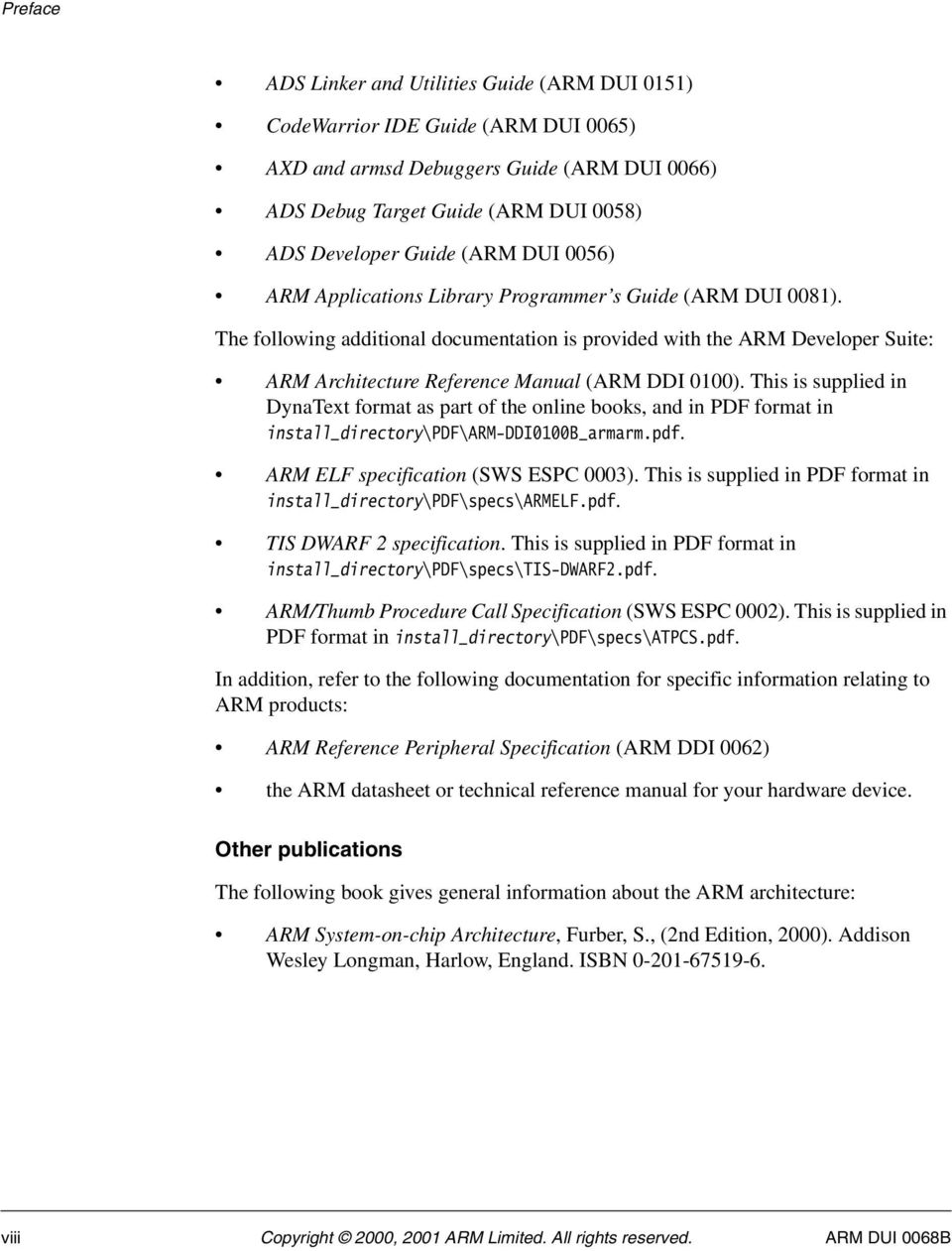
8 Preface ADS Linker and Utilities Guide (ARM DUI 0151) CodeWarrior IDE Guide (ARM DUI 0065) AXD and armsd Debuggers Guide (ARM DUI 0066) ADS Debug Target Guide (ARM DUI 0058) ADS Developer Guide (ARM DUI 0056) ARM Applications Library Programmer s Guide (ARM DUI 0081). The following additional documentation is provided with the ARM Developer Suite: ARM Architecture Reference Manual (ARM DDI 0100). This is supplied in DynaText format as part of the online books, and in PDF format in install_directory\pdf\arm-ddi0100b_armarm.pdf. ARM ELF specification (SWS ESPC 0003). This is supplied in PDF format in install_directory\pdf\specs\armelf.pdf. TIS DWARF 2 specification. This is supplied in PDF format in install_directory\pdf\specs\tis-dwarf2.pdf. ARM/Thumb Procedure Call Specification (SWS ESPC 0002). This is supplied in PDF format in install_directory\pdf\specs\atpcs.pdf. In addition, refer to the following documentation for specific information relating to ARM products: ARM Reference Peripheral Specification (ARM DDI 0062) the ARM datasheet or technical reference manual for your hardware device. Other publications The following book gives general information about the ARM architecture: ARM System-on-chip Architecture, Furber, S., (2nd Edition, 2000). Addison Wesley Longman, Harlow, England. ISBN viii Copyright 2000, 2001 ARM Limited. All rights reserved. ARM DUI 0068B
9 Preface Feedback ARM Limited welcomes feedback on both ADS and the documentation. Feedback on the ARM Developer Suite If you have any problems with ADS, please contact your supplier. To help them provide a rapid and useful response, please give: your name and company the serial number of the product details of the release you are using details of the platform you are running on, such as the hardware platform, operating system type and version a small standalone sample of code that reproduces the problem a clear explanation of what you expected to happen, and what actually happened the commands you used, including any command-line options sample output illustrating the problem the version string of the tools, including the version number and build numbers. Feedback on this book If you have any problems with this book, please send to [email protected] giving: the document title the document number the page number(s) to which your comments apply a concise explanation of the problem. General suggestions for additions and improvements are also welcome. ARM DUI 0068B Copyright 2000, 2001 ARM Limited. All rights reserved. ix

10 Preface x Copyright 2000, 2001 ARM Limited. All rights reserved. ARM DUI 0068B

11 Chapter 1 Introduction This chapter introduces the assemblers provided with ARM Developer Suite (ADS) version 1.2. It contains the following sections: About the ARM Developer Suite assemblers on page 1-2. ARM DUI 0068B Copyright 2000, 2001 ARM Limited. All rights reserved. 1-1
12 Introduction 1.1 About the ARM Developer Suite assemblers ARM Developer Suite (ADS) has: a freestanding assembler, armasm an optimizing inline assembler built into the C and C++ compilers. The language that these assemblers take as input is basically the same. However, there are limitations on what features of the language you can use in the inline assemblers. Refer to the Mixing C, C++, and Assembly Language chapter in ADS Developer Guide for further information on the inline assemblers. The remainder of this book relates mainly to armasm. 1-2 Copyright 2000, 2001 ARM Limited. All rights reserved. ARM DUI 0068B
13 Chapter 2 Writing ARM and Thumb Assembly Language This chapter provides an introduction to the general principles of writing ARM and Thumb assembly language. It contains the following sections: Introduction on page 2-2 Overview of the ARM architecture on page 2-3 Structure of assembly language modules on page 2-12 Using the C preprocessor on page 2-19 Conditional execution on page 2-20 Loading constants into registers on page 2-25 Loading addresses into registers on page 2-30 Load and store multiple register instructions on page 2-39 Using macros on page 2-48 Describing data structures with MAP and FIELD directives on page 2-51 Using frame directives on page ARM DUI 0068B Copyright 2000, 2001 ARM Limited. All rights reserved. 2-1
14 Writing ARM and Thumb Assembly Language 2.1 Introduction This chapter gives a basic, practical understanding of how to write ARM and Thumb assembly language modules. It also gives information on the facilities provided by the ARM assembler (armasm). This chapter does not provide a detailed description of the ARM, Thumb, or VFP instruction sets. This information can be found in Chapter 4 ARM Instruction Reference, Chapter 5 Thumb Instruction Reference, and Chapter 6 Vector Floating-point Programming. Further information can be found in ARM Architecture Reference Manual Code examples There are a number of code examples in this chapter. Many of them are supplied in the examples\asm directory of the ADS. Follow these steps to build, link, and execute an assembly language file: 1. Type armasm -g filename.s at the command prompt to assemble the file and generate debug tables. 2. Type armlink filename.o -o filename to link the object file and generate an ELF executable image. 3. Type armsd filename to load the image file into the debugger. 4. Type go at the armsd: prompt to execute it. 5. Type quit at the armsd: prompt to return to the command line. To see how the assembler converts the source code, enter: fromelf -text/c filename.o or run the module in AXD with interleaving on. See: AXD and armsd Debuggers Guide for details on armsd, and AXD. ADS Linker and Utilities Guide for details on armlink and fromelf. 2-2 Copyright 2000, 2001 ARM Limited. All rights reserved. ARM DUI 0068B

15 Writing ARM and Thumb Assembly Language 2.2 Overview of the ARM architecture This section gives a brief overview of the ARM architecture. ARM processors are typical of RISC processors in that they implement a load/store architecture. Only load and store instructions can access memory. Data processing instructions operate on register contents only Architecture versions The information and examples in this book assume that you are using a processor that implements ARM architecture v3 or above. See ARM Architecture Reference Manual for details of the various architecture versions. All these processors have a 32-bit addressing range ARM and Thumb state ARM architecture versions v4t and above define a 16-bit instruction set called the Thumb instruction set. The functionality of the Thumb instruction set is a subset of the functionality of the 32-bit ARM instruction set. Refer to Thumb instruction set overview on page 2-9 for more information. A processor that is executing Thumb instructions is operating in Thumb state. A processor that is executing ARM instructions is operating in ARM state. A processor in ARM state cannot execute Thumb instructions, and a processor in Thumb state cannot execute ARM instructions. You must ensure that the processor never receives instructions of the wrong instruction set for the current state. Each instruction set includes instructions to change processor state. You must also switch the assembler mode to produce the correct opcodes using CODE16 and CODE32 directives. Refer to CODE16 and CODE32 on page 7-54 for details. ARM processors always start executing code in ARM state. ARM DUI 0068B Copyright 2000, 2001 ARM Limited. All rights reserved. 2-3

16 Writing ARM and Thumb Assembly Language Processor mode ARM processors support up to seven processor modes, depending on the architecture version. These are: User FIQ - Fast Interrupt Request IRQ - Interrupt Request Supervisor Abort Undefined System (ARM architecture v4 and above). All modes except User mode are referred to as privileged modes. Applications that require task protection usually execute in User mode. Some embedded applications might run entirely in Supervisor or System modes. Modes other than User mode are entered to service exceptions, or to access privileged resources. Refer to the Handling Processor Exceptions chapter in ADS Developer Guide, and ARM Architecture Reference Manual for more information Registers ARM processors have 37 registers. The registers are arranged in partially overlapping banks. There is a different register bank for each processor mode. The banked registers give rapid context switching for dealing with processor exceptions and privileged operations. Refer to ARM Architecture Reference Manual for a detailed description of how registers are banked. The following registers are available in ARM architecture v3 and above: 30 general-purpose, 32-bit registers The program counter (pc) on page 2-5 The Current Program Status Register (CPSR) on page 2-5 Five Saved Program Status Registers (SPSRs) on page general-purpose, 32-bit registers Fifteen general-purpose registers are visible at any one time, depending on the current processor mode, as r0, r1,...,r13, r14. By convention, r13 is used as a stack pointer (sp) in ARM assembly language. The C and C++ compilers always use r13 as the stack pointer. 2-4 Copyright 2000, 2001 ARM Limited. All rights reserved. ARM DUI 0068B

17 Writing ARM and Thumb Assembly Language In User mode, r14 is used as a link register (lr) to store the return address when a subroutine call is made. It can also be used as a general-purpose register if the return address is stored on the stack. In the exception handling modes, r14 holds the return address for the exception, or a subroutine return address if subroutine calls are executed within an exception. r14 can be used as a general-purpose register if the return address is stored on the stack. The program counter (pc) The program counter is accessed as r15 (or pc). It is incremented by one word (four bytes) for each instruction in ARM state, or by two bytes in Thumb state. Branch instructions load the destination address into the program counter. You can also load the program counter directly using data operation instructions. For example, to return from a subroutine, you can copy the link register into the program counter using: MOV pc,lr During execution, r15 does not contain the address of the currently executing instruction. The address of the currently executing instruction is typically pc 8 for ARM, or pc 4 for Thumb. The Current Program Status Register (CPSR) The CPSR holds: copies of the Arithmetic Logic Unit (ALU) status flags the current processor mode interrupt disable flags. The ALU status flags in the CPSR are used to determine whether conditional instructions are executed or not. Refer to Conditional execution on page 2-20 for more information. On Thumb-capable processors, the CPSR also holds the current processor state (ARM or Thumb). On ARM architecture v5te, the CPSR also holds the Q flag (see The ALU status flags on page 2-20). Five Saved Program Status Registers (SPSRs) The SPSRs are used to store the CPSR when an exception is taken. One SPSR is accessible in each of the exception-handling modes. User mode and System mode do not have an SPSR because they are not exception handling modes. Refer to the Handling Processor Exceptions chapter in ADS Developer Guide for more information. ARM DUI 0068B Copyright 2000, 2001 ARM Limited. All rights reserved. 2-5

18 Writing ARM and Thumb Assembly Language ARM instruction set overview All ARM instructions are 32 bits long. Instructions are stored word-aligned, so the least significant two bits of instruction addresses are always zero in ARM state. Some instructions use the least significant bit to determine whether the code being branched to is Thumb code or ARM code. See Chapter 4 ARM Instruction Reference for detailed information on the syntax of the ARM instruction set. ARM instructions can be classified into a number of functional groups: Branch instructions Data processing instructions Single register load and store instructions Multiple register load and store instructions on page 2-7 Status register access instructions on page 2-7 Semaphore instructions on page 2-7 Coprocessor instructions on page 2-7. Branch instructions These instructions are used to: branch backwards to form loops branch forward in conditional structures branch to subroutines change the processor from ARM state to Thumb state. Data processing instructions These instructions operate on the general-purpose registers. They can perform operations such as addition, subtraction, or bitwise logic on the contents of two registers and place the result in a third register. They can also operate on the value in a single register, or on a value in a register and a constant supplied within the instruction (an immediate value). Long multiply instructions (unavailable in some architectures) give a 64-bit result in two registers. 2-6 Copyright 2000, 2001 ARM Limited. All rights reserved. ARM DUI 0068B

19 Writing ARM and Thumb Assembly Language Single register load and store instructions These instructions load or store the value of a single register from or to memory. They can load or store a 32-bit word or an 8-bit unsigned byte. In ARM architecture v4 and above they can also load or store a 16-bit unsigned halfword, or load and sign extend a 16-bit halfword or an 8-bit byte. Multiple register load and store instructions These instructions load or store any subset of the general-purpose registers from or to memory. Refer to Load and store multiple register instructions on page 2-39 for a detailed description of these instructions. Status register access instructions These instructions move the contents of the CPSR or an SPSR to or from a general-purpose register. Semaphore instructions These instructions load and alter a memory semaphore. Coprocessor instructions These instructions support a general way to extend the ARM architecture. ARM DUI 0068B Copyright 2000, 2001 ARM Limited. All rights reserved. 2-7
20 Writing ARM and Thumb Assembly Language ARM instruction capabilities The following general points apply to ARM instructions: Conditional execution Register access Access to the inline barrel shifter. Conditional execution Almost all ARM instructions can be executed conditionally on the value of the ALU status flags in the CPSR. You do not need to use branches to skip conditional instructions, although it can be better to do so when a series of instructions depend on the same condition. You can specify whether a data processing instruction sets the state of these flags or not. You can use the flags set by one instruction to control execution of other instructions even if there are many instructions in between. Refer to Conditional execution on page 2-20 for a detailed description. Register access In ARM state, all instructions can access r0 to r14, and most also allow access to r15 (pc). The MRS and MSR instructions can move the contents of the CPSR and SPSRs to a general-purpose register, where they can be manipulated by normal data processing operations. Refer to MRS on page 4-72 and MSR on page 4-73 for more information. Access to the inline barrel shifter The ARM arithmetic logic unit has a 32-bit barrel shifter that is capable of shift and rotate operations. The second operand to all ARM data-processing and single register data-transfer instructions can be shifted, before the data-processing or data-transfer is executed, as part of the instruction. This supports, but is not limited to: scaled addressing multiplication by a constant constructing constants. Refer to Loading constants into registers on page 2-25 for more information on using the barrel-shifter to generate constants. 2-8 Copyright 2000, 2001 ARM Limited. All rights reserved. ARM DUI 0068B
21 Writing ARM and Thumb Assembly Language Thumb instruction set overview The functionality of the Thumb instruction set is almost exactly a subset of the functionality of the ARM instruction set. The instruction set is optimized for production by a C or C++ compiler. All Thumb instructions are 16 bits long and are stored halfword-aligned in memory. Because of this, the least significant bit of the address of an instruction is always zero in Thumb state. Some instructions use the least significant bit to determine whether the code being branched to is Thumb code or ARM code. All Thumb data processing instructions: operate on full 32-bit values in registers use full 32-bit addresses for data access and for instruction fetches. Refer to Chapter 5 Thumb Instruction Reference for detailed information on the syntax of the Thumb instruction set, and how Thumb instructions differ from their ARM counterparts Thumb instruction capabilities The following general points apply to Thumb instructions: Conditional execution Register access Access to the barrel shifter on page Conditional execution The conditional branch instruction is the only Thumb instruction that can be executed conditionally on the value of the ALU status flags in the CPSR. All data processing instructions update these flags, except when one or more high registers are specified as operands to the MOV or ADD instructions. In these cases the flags cannot be updated. You cannot have any data processing instructions between an instruction that sets a condition and a conditional branch that depends on it. Use a conditional branch over any instruction that you wish to be conditional. Register access In Thumb state, most instructions can access only r0 to r7. These are referred to as the low registers. Registers r8 to r15 are limited access registers. In Thumb state these are referred to as high registers. They can be used, for example, as fast temporary storage. ARM DUI 0068B Copyright 2000, 2001 ARM Limited. All rights reserved. 2-9
22 Writing ARM and Thumb Assembly Language Refer to Chapter 5 Thumb Instruction Reference for a complete list of the Thumb data processing instructions that can access the high registers. Access to the barrel shifter In Thumb state you can use the barrel shifter only in a separate operation, using an LSL, LSR, ASR, or ROR instruction Differences between Thumb and ARM instruction sets The general differences between the Thumb instruction set and the ARM instruction set are dealt with under the following headings: Branch instructions Data processing instructions Single register load and store instructions on page 2-11 Multiple register load and store instructions on page There are no Thumb coprocessor instructions, no Thumb semaphore instructions, and no Thumb instructions to access the CPSR or SPSR. Branch instructions These instructions are used to: branch backwards to form loops branch forward in conditional structures branch to subroutines change the processor from Thumb state to ARM state. Program-relative branches, particularly conditional branches, are more limited in range than in ARM code, and branches to subroutines can only be unconditional. Data processing instructions These operate on the general-purpose registers. In many cases, the result of the operation must be put in one of the operand registers, not in a third register. There are fewer data processing operations available than in ARM state. They have limited access to registers r8 to r15. The ALU status flags in the CPSR are always updated by these instructions except when MOV or ADD instructions access registers r8 to r15. Thumb data processing instructions that access registers r8 to r15 cannot update the flags Copyright 2000, 2001 ARM Limited. All rights reserved. ARM DUI 0068B
23 Writing ARM and Thumb Assembly Language Single register load and store instructions These instructions load or store the value of a single low register from or to memory. In Thumb state they can only access registers r0 to r7. Multiple register load and store instructions LDM and STM load from memory and store to memory any subset of the registers in the range r0 to r7. PUSH and POP instructions implement a full descending stack using the stack pointer (r13) as the base. In addition to transferring r0 to r7, PUSH can store the link register and POP can load the program counter. ARM DUI 0068B Copyright 2000, 2001 ARM Limited. All rights reserved. 2-11
24 Writing ARM and Thumb Assembly Language 2.3 Structure of assembly language modules Assembly language is the language that the ARM assembler (armasm) parses and assembles to produce object code. This can be: ARM assembly language Thumb assembly language a mixture of both Layout of assembly language source files The general form of source lines in assembly language is: {label} {instruction directive pseudo-instruction} {;comment} Note Instructions, pseudo-instructions, and directives must be preceded by white space, such as a space or a tab, even if there is no label. All three sections of the source line are optional. You can use blank lines to make your code more readable. Case rules Instruction mnemonics, directives, and symbolic register names can be written in uppercase or lowercase, but not mixed. Line length To make source files easier to read, a long line of source can be split onto several lines by placing a backslash character ( \ ) at the end of the line. The backslash must not be followed by any other characters (including spaces and tabs). The backslash/end-of-line sequence is treated by the assembler as white space. Note Do not use the backslash/end-of-line sequence within quoted strings. The exact limit on the length of lines, including any extensions using backslashes, depends on the contents of the line, but is generally between 128 and 255 characters Copyright 2000, 2001 ARM Limited. All rights reserved. ARM DUI 0068B
25 Writing ARM and Thumb Assembly Language Labels Labels are symbols that represent addresses. The address given by a label is calculated during assembly. The assembler calculates the address of a label relative to the origin of the section where the label is defined. A reference to a label within the same section can use the program counter plus or minus an offset. This is called program-relative addressing. Labels can be defined in a map. See Describing data structures with MAP and FIELD directives on page You can place the origin of the map in a specified register at runtime, and references to the label use the specified register plus an offset. This is called register-relative addressing. Addresses of labels in other sections are calculated at link time, when the linker has allocated specific locations in memory for each section. Local labels Local labels are a subclass of label. A local label begins with a number in the range Unlike other labels, a local label can be defined many times. Local labels are useful when you are generating labels with a macro. When the assembler finds a reference to a local label, it links it to a nearby instance of the local label. The scope of local labels is limited by the AREA directive. You can use the ROUT directive to limit the scope more tightly. Refer to the Local labels on page 3-16 for details of: the syntax of local label declarations how the assembler associates references to local labels with their labels. Comments The first semicolon on a line marks the beginning of a comment, except where the semicolon appears inside a string constant. The end of the line is the end of the comment. A comment alone is a valid line. All comments are ignored by the assembler. ARM DUI 0068B Copyright 2000, 2001 ARM Limited. All rights reserved. 2-13
26 Writing ARM and Thumb Assembly Language Constants Constants can be numeric, boolean, character or string: Numbers Boolean Numeric constants are accepted in three forms: Decimal, for example, 123 Hexadecimal, for example, 0x7B n_xxx where: n is a base between 2 and 9 xxx is a number in that base. The Boolean constants TRUE and FALSE must be written as {TRUE} and {FALSE}. Characters Character constants consist of opening and closing single quotes, enclosing either a single character or an escaped character, using the standard C escape characters. Strings Strings consist of opening and closing double quotes, enclosing characters and spaces. If double quotes or dollar signs are used within a string as literal text characters, they must be represented by a pair of the appropriate character. For example, you must use $$ if you require a single $ in the string. The standard C escape sequences can be used within string constants Copyright 2000, 2001 ARM Limited. All rights reserved. ARM DUI 0068B
27 Writing ARM and Thumb Assembly Language An example ARM assembly language module Example 2-1 illustrates some of the core constituents of an assembly language module. The example is written in ARM assembly language. It is supplied as armex.s in the examples\asm subdirectory of ADS. Refer to Code examples on page 2-2 for instructions on how to assemble, link, and execute the example. The constituent parts of this example are described in more detail in the following sections. Example 2-1 start stop AREA ENTRY ARMex, CODE, READONLY ; Name this block of code ARMex ; Mark first instruction to execute MOV r0, #10 ; Set up parameters MOV r1, #3 ADD r0, r0, r1 ; r0 = r0 + r1 MOV r0, #0x18 ; angel_swireason_reportexception LDR r1, =0x20026 ; ADP_Stopped_ApplicationExit SWI 0x ; ARM semihosting SWI END ; Mark end of file ELF sections and the AREA directive ELF sections are independent, named, indivisible sequences of code or data. A single code section is the minimum required to produce an application. The output of an assembly or compilation can include: One or more code sections. These are usually read-only sections. One or more data sections. These are usually read-write sections. They may be zero initialized (ZI). The linker places each section in a program image according to section placement rules. Sections that are adjacent in source files are not necessarily adjacent in the application image. Refer to the Linker chapter in ADS Linker and Utilities Guide for more information on how the linker places sections. In an ARM assembly language source file, the start of a section is marked by the AREA directive. This directive names the section and sets its attributes. The attributes are placed after the name, separated by commas. Refer to AREA on page 7-52 for a detailed description of the syntax of the AREA directive. ARM DUI 0068B Copyright 2000, 2001 ARM Limited. All rights reserved. 2-15
28 Writing ARM and Thumb Assembly Language You can choose any name for your sections. However, names starting with any nonalphabetic character must be enclosed in bars, or an AREA name missing error is generated. For example: 1_DataArea. Example 2-1 on page 2-15 defines a single section called ARMex that contains code and is marked as being READONLY. The ENTRY directive The ENTRY directive marks the first instruction to be executed. In applications containing C code, an entry point is also contained within the C library initialization code. Initialization code and exception handlers also contain entry points. Application execution The application code in Example 2-1 on page 2-15 begins executing at the label start, where it loads the decimal values 10 and 3 into registers r0 and r1. These registers are added together and the result placed in r0. Application termination After executing the main code, the application terminates by returning control to the debugger. This is done using the ARM semihosting SWI (0x by default), with the following parameters: r0 equal to angel_swireason_reportexception (0x18) r1 equal to ADP_Stopped_ApplicationExit (0x20026). Refer to the Semihosting SWIs chapter in ADS Debug Target Guide for additional information. The END directive This directive instructs the assembler to stop processing this source file. Every assembly language source module must finish with an END directive on a line by itself Copyright 2000, 2001 ARM Limited. All rights reserved. ARM DUI 0068B
29 Writing ARM and Thumb Assembly Language Calling subroutines To call subroutines, use a branch and link instruction. The syntax is: BL destination where destination is usually the label on the first instruction of the subroutine. destination can also be a program-relative or register-relative expression. Refer to B and BL on page 4-57 for further information. The BL instruction: places the return address in the link register (lr) sets pc to the address of the subroutine. After the subroutine code is executed you can use a MOV pc,lr instruction to return. By convention, registers r0 to r3 are used to pass parameters to subroutines, and to pass results back to the callers. Note Calls between separately assembled or compiled modules must comply with the restrictions and conventions defined by the procedure call standard. Refer to the Using the Procedure Call Standard in ADS Developer Guide for more information. Example 2-2 shows a subroutine that adds the values of its two parameters and returns a result in r0. It is supplied as subrout.s in the examples\asm subdirectory of ADS. Refer to Code examples on page 2-2 for instructions on how to assemble, link, and execute the example. Example 2-2 AREA subrout, CODE, READONLY ; Name this block of code ENTRY ; Mark first instruction to execute start MOV r0, #10 ; Set up parameters MOV r1, #3 BL doadd ; Call subroutine stop MOV r0, #0x18 ; angel_swireason_reportexception LDR r1, =0x20026 ; ADP_Stopped_ApplicationExit SWI 0x ; ARM semihosting SWI doadd ADD r0, r0, r1 ; Subroutine code MOV pc, lr ; Return from subroutine END ; Mark end of file ARM DUI 0068B Copyright 2000, 2001 ARM Limited. All rights reserved. 2-17
30 Writing ARM and Thumb Assembly Language An example Thumb assembly language module Example 2-3 illustrates some of the core constituents of a Thumb assembly language module. It is based on subrout.s. It is supplied as thumbsub.s in the examples\asm subdirectory of the ADS. Refer to Code examples on page 2-2 for instructions on how to assemble, link, and execute the example. Example 2-3 AREA ThumbSub, CODE, READONLY ; Name this block of code ENTRY ; Mark first instruction to execute CODE32 ; Subsequent instructions are ARM header ADR r0, start + 1 ; Processor starts in ARM state, BX r0 ; so small ARM code header used ; to call Thumb main program CODE16 ; Subsequent instructions are Thumb start MOV r0, #10 ; Set up parameters MOV r1, #3 BL doadd ; Call subroutine stop MOV r0, #0x18 ; angel_swireason_reportexception LDR r1, =0x20026 ; ADP_Stopped_ApplicationExit SWI 0xAB ; Thumb semihosting SWI doadd ADD r0, r0, r1 ; Subroutine code MOV pc, lr ; Return from subroutine END ; Mark end of file CODE32 and CODE16 directives These directives instruct the assembler to assemble subsequent instructions as ARM (CODE32) or Thumb (CODE16) instructions. They do not assemble to an instruction to change the processor state at runtime. They only change the assembler state. The ARM assembler, armasm, starts in ARM mode by default. You can use the -16 option in the command line if you want it to start in Thumb mode. BX instruction This instruction is a branch that can change processor state at runtime. The least significant bit of the target address specifies whether it is an ARM instruction (clear) or a Thumb instruction (set). In this example, this bit is set in the ADR pseudo-instruction Copyright 2000, 2001 ARM Limited. All rights reserved. ARM DUI 0068B
31 Writing ARM and Thumb Assembly Language 2.4 Using the C preprocessor You can include the C preprocessor command #include in your assembly language source file. If you do this, you must preprocess the file using the C preprocessor, before using armasm to assemble it. See ADS Compilers and Libraries Guide. armasm correctly interprets #line commands in the resulting file. It can generate error messages and debug_line tables using the information in the #line commands. Example 2-4 shows the commands you write to preprocess and assemble a file, sourcefile.s. In this example, the preprocessor outputs a file called preprocessed.s, and armasm assembles preprocessed.s. Example 2-4 Preprocessing an assembly language source file armcpp -E < sourcefile.s > preprocessedfile.s armasm preprocessedfile.s ARM DUI 0068B Copyright 2000, 2001 ARM Limited. All rights reserved. 2-19
32 Writing ARM and Thumb Assembly Language 2.5 Conditional execution In ARM state, each data processing instruction has an option to update ALU status flags in the Current Program Status Register (CPSR) according to the result of the operation. Add an S suffix to an ARM data processing instruction to make it update the ALU status flags in the CPSR. Do not use the S suffix with CMP, CMN, TST, or TEQ. These comparison instructions always update the flags. This is their only effect. In Thumb state, there is no option. All data processing instructions update the ALU status flags in the CPSR, except when one or more high registers are used in MOV and ADD instructions. MOV and ADD cannot update the status flags in these cases. Almost every ARM instruction can be executed conditionally on the state of the ALU status flags in the CPSR. Refer to Table 2-1 on page 2-21 for a list of the suffixes to add to instructions to make them conditional. In ARM state, you can: update the ALU status flags in the CPSR on the result of a data operation execute several other data operations without updating the flags execute following instructions or not, according to the state of the flags updated in the first operation. In Thumb state, most data operations always update the flags, and conditional execution can only be achieved using the conditional branch instruction (B). The suffixes for this instruction are the same as in ARM state. No other instruction can be conditional The ALU status flags The CPSR contains the following ALU status flags: N Set when the result of the operation was Negative. Z Set when the result of the operation was Zero. C Set when the operation resulted in a Carry. V Set when the operation caused overflow. Q ARM architecture v5e only. Sticky flag (see The Q flag on page 4-5). A carry occurs if the result of an addition is greater than or equal to 2 32, if the result of a subtraction is positive, or as the result of an inline barrel shifter operation in a move or logical instruction. Overflow occurs if the result of an add, subtract, or compare is greater than or equal to 2 31, or less than Copyright 2000, 2001 ARM Limited. All rights reserved. ARM DUI 0068B
33 Writing ARM and Thumb Assembly Language Execution conditions The relation of condition code suffixes to the N, Z, C and V flags is shown in Table 2-1. Table 2-1 Condition code suffixes Suffix Flags Meaning EQ Z set Equal NE Z clear Not equal CS/HS C set Higher or same (unsigned >= ) CC/LO C clear Lower (unsigned < ) MI N set Negative PL N clear Positive or zero VS V set Overflow VC V clear No overflow HI C set and Z clear Higher (unsigned > ) LS C clear or Z set Lower or same (unsigned <= ) GE N and V the same Signed >= LT N and V differ Signed < GT Z clear, N and V the same Signed > LE Z set, N and V differ Signed <= AL Any Always. This suffix is normally omitted. Examples ADD r0, r1, r2 ; r0 = r1 + r2, don't update flags ADDS r0, r1, r2 ; r0 = r1 + r2, and update flags ADDCSS r0, r1, r2 ; If C flag set then r0 = r1 + r2, and update flags CMP r0, r1 ; update flags based on r0-r1. ARM DUI 0068B Copyright 2000, 2001 ARM Limited. All rights reserved. 2-21
34 Writing ARM and Thumb Assembly Language Using conditional execution in ARM state You can use conditional execution of ARM instructions to reduce the number of branch instructions in your code. This improves code density. Branch instructions are also expensive in processor cycles. On ARM processors without branch prediction hardware, it typically takes three processor cycles to refill the processor pipeline each time a branch is taken. Some ARM processors, for example ARM10 and StrongARM, have branch prediction hardware. In systems using these processors, the pipeline only needs to be flushed and refilled when there is a misprediction Example of the use of conditional execution This example uses two implementations of Euclid s Greatest Common Divisor (gcd) algorithm. It demonstrates how you can use conditional execution to improve code density and execution speed. The detailed analysis of execution speed only applies to an ARM7 processor. The code density calculations apply to all ARM processors. In C the algorithm can be expressed as: int gcd(int a, int b) { while (a!= b) do { if (a > b) a = a - b; else b = b - a; } return a; } You can implement the gcd function with conditional execution of branches only, in the following way: gcd CMP r0, r1 BEQ end BLT less SUB r0, r0, r1 B gcd less SUB r1, r1, r0 B gcd end 2-22 Copyright 2000, 2001 ARM Limited. All rights reserved. ARM DUI 0068B
35 Writing ARM and Thumb Assembly Language Because of the number of branches, the code is seven instructions long. Every time a branch is taken, the processor must refill the pipeline and continue from the new location. The other instructions and non-executed branches use a single cycle each. By using the conditional execution feature of the ARM instruction set, you can implement the gcd function in only four instructions: gcd CMP SUBGT SUBLT BNE r0, r1 r0, r0, r1 r1, r1, r0 gcd In addition to improving code size, this code executes faster in most cases. Table 2-2 and Table 2-3 on page 2-24 show the number of cycles used by each implementation for the case where r0 equals 1 and r1 equals 2. In this case, replacing branches with conditional execution of all instructions saves three cycles. The conditional version of the code executes in the same number of cycles for any case where r0 equals r1. In all other cases, the conditional version of the code executes in fewer cycles. Table 2-2 Conditional branches only r0: a r1: b Instruction Cycles (ARM7) 1 2 CMP r0, r BEQ end 1 (not executed) 1 2 BLT less SUB r1, r1, r B gcd CMP r0, r BEQ end 3 Total = 13 ARM DUI 0068B Copyright 2000, 2001 ARM Limited. All rights reserved. 2-23
36 Writing ARM and Thumb Assembly Language Table 2-3 All instructions conditional r0: a r1: b Instruction Cycles (ARM7) 1 2 CMP r0, r SUBGT r0,r0,r1 1 (not executed) 1 1 SUBLT r1,r1,r BNE gcd CMP r0,r SUBGT r0,r0,r1 1 (not executed) 1 1 SUBLT r1,r1,r0 1 (not executed) 1 1 BNE gcd 1 (not executed) Total = 10 Converting to Thumb Because B is the only Thumb instruction that can be executed conditionally, the gcd algorithm must be written with conditional branches in Thumb code. Like the ARM conditional branch implementation, the Thumb code requires seven instructions. However, because Thumb instructions are only 16 bits long, the overall code size is 14 bytes, compared to 16 bytes for the smaller ARM implementation. In addition, on a system using 16-bit memory the Thumb version runs faster than the second ARM implementation because only one memory access is required for each Thumb instruction, whereas each ARM instruction requires two fetches. Branch prediction and caches To optimize code for execution speed you need detailed knowledge of the instruction timings, branch prediction logic, and cache behavior of your target system. Refer to ARM Architecture Reference Manual and the technical reference manuals for individual processors for full information Copyright 2000, 2001 ARM Limited. All rights reserved. ARM DUI 0068B
37 Writing ARM and Thumb Assembly Language 2.6 Loading constants into registers You cannot load an arbitrary 32-bit immediate constant into a register in a single instruction without performing a data load from memory. This is because ARM instructions are only 32 bits long. Thumb instructions have a similar limitation. You can load any 32-bit value into a register with a data load, but there are more direct and efficient ways to load many commonly-used constants. You can also include many commonly-used constants directly as operands within data-processing instructions, without a separate load operation at all. The following sections describe: how to use the MOV and MVN instructions to load a range of immediate values, see Direct loading with MOV and MVN on page 2-26 how to use the LDR pseudo-instruction to load any 32-bit constant, see Loading with LDR Rd, =const on page 2-27 how to load floating-point constants, see Loading floating-point constants on page ARM DUI 0068B Copyright 2000, 2001 ARM Limited. All rights reserved. 2-25
38 Writing ARM and Thumb Assembly Language Direct loading with MOV and MVN In ARM state, you can use the MOV and MVN instructions to load a range of 8-bit constant values directly into a register: MOV can load any 8-bit constant value, giving a range of 0x0 to 0xFF (0-255). It can also rotate these values by any even number. Table 2-4 shows the range of values that this provides. MVN can load the bitwise complement of these values. The numerical values are -(n+1), where n are the values given in Table 2-4. You do not need to calculate the necessary rotation. The assembler performs the calculation for you. You do not need to decide whether to use MOV or MVN. The assembler uses whichever is appropriate. This is useful if the value is an assembly-time variable. If you write an instruction with a constant that cannot be constructed, the assembler reports the error: Immediate n out of range for this operation. The range of values shown in Table 2-4 can also be used as one of the operands in data-processing operations. You cannot use their bitwise complements as operands, and you cannot use them as operands in multiplication operations. Table 2-4 ARM-state immediate constants Rotate Binary Decimal Step Hexadecimal No rotate xxxxxxxx xFF Right, 30 bits xxxxxxxx x3FC Right, 28 bits xxxxxxxx xFF0 Right, 26 bits xxxxxxxx x3FC Right, 8 bits xxxxxxxx x xFF Right, 6 bits xxxxxx xx Right, 4 bits xxxx xxxx Right, 2 bits xx xxxxxx Copyright 2000, 2001 ARM Limited. All rights reserved. ARM DUI 0068B
39 Writing ARM and Thumb Assembly Language Direct loading with MOV in Thumb state In Thumb state you can use the MOV instruction to load constants in the range You cannot generate constants outside this range because: The Thumb MOV instruction does not provide inline access to the barrel shifter. Constants cannot be right-rotated as they can in ARM state. The Thumb MVN instruction can act only on registers and not on constant values. Bitwise complements cannot be directly loaded as they can in ARM state. If you attempt to use a MOV instruction with a value outside the range 0-255, the assembler reports the error: Immediate n out of range for this operation Loading with LDR Rd, =const The LDR Rd,=const pseudo-instruction can construct any 32-bit numeric constant in a single instruction. Use this pseudo-instruction to generate constants that are out of range of the MOV and MVN instructions. The LDR pseudo-instruction generates the most efficient code for a specific constant: If the constant can be constructed with a MOV or MVN instruction, the assembler generates the appropriate instruction. If the constant cannot be constructed with a MOV or MVN instruction, the assembler: places the value in a literal pool (a portion of memory embedded in the code to hold constant values) generates an LDR instruction with a program-relative address that reads the constant from the literal pool. For example: LDR rn, [pc, #offset to literal pool] ; load register n with one word ; from the address [pc + offset] You must ensure that there is a literal pool within range of the LDR instruction generated by the assembler. Refer to Placing literal pools on page 2-28 for more information. Refer to LDR ARM pseudo-instruction on page 4-80 for a description of the syntax of the LDR pseudo-instruction. ARM DUI 0068B Copyright 2000, 2001 ARM Limited. All rights reserved. 2-27
40 Writing ARM and Thumb Assembly Language Placing literal pools The assembler places a literal pool at the end of each section. These are defined by the AREA directive at the start of the following section, or by the END directive at the end of the assembly. The END directive at the end of an included file does not signal the end of a section. In large sections the default literal pool can be out of range of one or more LDR instructions. The offset from the pc to the constant must be: less than 4KB in ARM state, but can be in either direction forward and less than 1KB in Thumb state. When an LDR Rd,=const pseudo-instruction requires the constant to be placed in a literal pool, the assembler: Checks if the constant is available and addressable in any previous literal pools. If so, it addresses the existing constant. Attempts to place the constant in the next literal pool if it is not already available. If the next literal pool is out of range, the assembler generates an error message. In this case you must use the LTORG directive to place an additional literal pool in the code. Place the LTORG directive after the failed LDR pseudo-instruction, and within 4KB (ARM) or 1KB (Thumb). Refer to LTORG on page 7-14 for a detailed description. You must place literal pools where the processor does not attempt to execute them as instructions. Place them after unconditional branch instructions, or after the return instruction at the end of a subroutine. Example 2-5 shows how this works in practice. It is supplied as loadcon.s in the examples\asm subdirectory of the ADS. The instructions listed as comments are the ARM instructions that are generated by the assembler. Refer to Code examples on page 2-2 for instructions on how to assemble, link, and execute the example. Example 2-5 AREA Loadcon, CODE, READONLY ENTRY ; Mark first instruction to execute start BL func1 ; Branch to first subroutine BL func2 ; Branch to second subroutine stop MOV r0, #0x18 ; angel_swireason_reportexception LDR r1, =0x20026 ; ADP_Stopped_ApplicationExit SWI 0x ; ARM semihosting SWI func1 LDR r0, =42 ; => MOV R0, #42 LDR r1, =0x ; => LDR R1, [PC, #offset to ; Literal Pool 1] 2-28 Copyright 2000, 2001 ARM Limited. All rights reserved. ARM DUI 0068B
41 Writing ARM and Thumb Assembly Language LDR r2, =0xFFFFFFFF ; => MVN R2, #0 MOV pc, lr LTORG ; Literal Pool 1 contains ; literal Ox func2 LDR r3, =0x ; => LDR R3, [PC, #offset to ; Literal Pool 1] ; LDR r4, =0x ; If this is uncommented it ; fails, because Literal Pool 2 ; is out of reach MOV pc, lr LargeTable SPACE 4200 ; Starting at the current location, ; clears a 4200 byte area of memory ; to zero END ; Literal Pool 2 is empty Loading floating-point constants You can load any single-precision or double-precision floating-point constant in a single instruction, using the FLD pseudo-instructions. Refer to FLD pseudo-instruction on page 6-36 for details. ARM DUI 0068B Copyright 2000, 2001 ARM Limited. All rights reserved. 2-29
42 Writing ARM and Thumb Assembly Language 2.7 Loading addresses into registers It is often necessary to load an address into a register. You might need to load the address of a variable, a string constant, or the start location of a jump table. Addresses are normally expressed as offsets from the current pc or other register. This section describes two methods for loading an address into a register: load the register directly, see Direct loading with ADR and ADRL. load the address from a literal pool, see Loading addresses with LDR Rd, = label on page Direct loading with ADR and ADRL The ADR and ADRL pseudo-instructions enable you to generate an address, within a certain range, without performing a data load. ADR and ADRL accept either of the following: A program-relative expression, which is a label with an optional offset, where the address of the label is relative to the current pc. A register-relative expression, which is a label with an optional offset, where the address of the label is relative to an address held in a specified general-purpose register. Refer to Describing data structures with MAP and FIELD directives on page 2-51 for information on specifying register-relative expressions. The assembler converts an ADR rn,label pseudo-instruction by generating: a single ADD or SUB instruction that loads the address, if it is in range an error message if the address cannot be reached in a single instruction. The offset range is ±255 bytes for an offset to a non word-aligned address, and ±1020 bytes (255 words) for an offset to a word-aligned address. (For Thumb, the address must be word aligned, and the offset must be positive.) The assembler converts an ADRL rn,label pseudo-instruction by generating: two data-processing instructions that load the address, if it is in range an error message if the address cannot be constructed in two instructions. The range of an ADRL pseudo-instruction is ±64KB for a non word-aligned address and ±256KB for a word-aligned address. (There is no ADRL pseudo-instruction for Thumb.) ADRL assembles to two instructions, if successful. The assembler generates two instructions even if the address could be loaded in a single instruction. Refer to Loading addresses with LDR Rd, = label on page 2-35 for information on loading addresses that are outside the range of the ADRL pseudo-instruction Copyright 2000, 2001 ARM Limited. All rights reserved. ARM DUI 0068B
43 Writing ARM and Thumb Assembly Language Note The label used with ADR or ADRL must be within the same code section. The assembler faults references to labels that are out of range in the same section. The linker faults references to labels that are out of range in other code sections. In Thumb state, ADR can generate word-aligned addresses only. ADRL is not available in Thumb code. Use it only in ARM code. Example 2-6 shows the type of code generated by the assembler when assembling ADR and ADRL pseudo-instructions. It is supplied as adrlabel.s in the examples\asm subdirectory of the ADS. Refer to Code examples on page 2-2 for instructions on how to assemble, link, and execute the example. The instructions listed in the comments are the ARM instructions generated by the assembler. Example 2-6 AREA adrlabel, CODE,READONLY ENTRY ; Mark first instruction to execute Start BL func ; Branch to subroutine stop MOV r0, #0x18 ; angel_swireason_reportexception LDR r1, =0x20026 ; ADP_Stopped_ApplicationExit SWI 0x ; ARM semihosting SWI LTORG ; Create a literal pool func ADR r0, Start ; => SUB r0, PC, #offset to Start ADR r1, DataArea ; => ADD r1, PC, #offset to DataArea ; ADR r2, DataArea+4300 ; This would fail because the offset ; cannot be expressed by operand2 ; of an ADD ADRL r2, DataArea+4300 ; => ADD r2, PC, #offset1 ; ADD r2, r2, #offset2 MOV pc, lr ; Return DataArea SPACE 8000 ; Starting at the current location, ; clears a 8000 byte area of memory ; to zero END ARM DUI 0068B Copyright 2000, 2001 ARM Limited. All rights reserved. 2-31
44 Writing ARM and Thumb Assembly Language Implementing a jump table with ADR Example 2-7 on page 2-33 shows ARM code that implements a jump table. It is supplied as jump.s in the examples\asm subdirectory of ADS. Refer to Code examples on page 2-2 for instructions on how to assemble, link, and execute the example. The ADR pseudo-instruction loads the address of the jump table. In the example, the function arithfunc takes three arguments and returns a result in r0. The first argument determines which operation is carried out on the second and third arguments: argument1=0 argument1=1 Result = argument2 + argument3. Result = argument2 argument3. The jump table is implemented with the following instructions and assembler directives: EQU DCD LDR Is an assembler directive. It is used to give a value to a symbol. In this example it assigns the value 2 to num. When num is used elsewhere in the code, the value 2 is substituted. Using EQU in this way is similar to using #define to define a constant in C. Declares one or more words of store. In this example each DCD stores the address of a routine that handles a particular clause of the jump table. The LDR pc,[r3,r0,lsl#2] instruction loads the address of the required clause of the jump table into the pc. It: multiplies the clause number in r0 by 4 to give a word offset adds the result to the address of the jump table loads the contents of the combined address into the program counter Copyright 2000, 2001 ARM Limited. All rights reserved. ARM DUI 0068B
45 Writing ARM and Thumb Assembly Language Example 2-7 ARM code jump table AREA Jump, CODE, READONLY ; Name this block of code CODE32 ; Following code is ARM code num EQU 2 ; Number of entries in jump table ENTRY ; Mark first instruction to execute start ; First instruction to call MOV r0, #0 ; Set up the three parameters MOV r1, #3 MOV r2, #2 BL arithfunc ; Call the function stop MOV r0, #0x18 ; angel_swireason_reportexception LDR r1, =0x20026 ; ADP_Stopped_ApplicationExit SWI 0x ; ARM semihosting SWI arithfunc ; Label the function CMP r0, #num ; Treat function code as unsigned integer MOVHS pc, lr ; If code is >= num then simply return ADR r3, JumpTable ; Load address of jump table LDR pc, [r3,r0,lsl#2] ; Jump to the appropriate routine JumpTable DCD DoAdd DCD DoSub DoAdd ADD r0, r1, r2 ; Operation 0 MOV pc, lr ; Return DoSub SUB r0, r1, r2 ; Operation 1 MOV pc, lr ; Return END ; Mark the end of this file ARM DUI 0068B Copyright 2000, 2001 ARM Limited. All rights reserved. 2-33
46 Writing ARM and Thumb Assembly Language Converting to Thumb Example 2-8 shows the implementation of the jump table converted to Thumb code. Most of the Thumb version is the same as the ARM code. The differences are commented in the Thumb version. In Thumb state, you cannot: increment the base register of LDR and STR instructions load a value into the pc using an LDR instruction do an inline shift of a value held in a register. Example 2-8 Thumb code jump table AREA Jump, CODE, READONLY CODE16 ; Following code is Thumb code num EQU 2 ENTRY start MOV r0, #0 MOV r1, #3 MOV r2, #2 BL arithfunc stop MOV r0, #0x18 LDR r1, =0x20026 SWI 0xAB ; Thumb semihosting SWI arithfunc CMP r0, #num BHS exit ; MOV pc, lr cannot be conditional ADR r3, JumpTable LSL r0, r0, #2 ; 3 instructions needed to replace LDR r0, [r3,r0] ; LDR pc, [r3,r0,lsl#2] MOV pc, r0 ALIGN ; Ensure that the table is aligned on a ; 4-byte boundary JumpTable DCD DoAdd DCD DoSub DoAdd ADD r0, r1, r2 exit MOV pc, lr DoSub SUB r0, r1, r2 MOV pc, lr END 2-34 Copyright 2000, 2001 ARM Limited. All rights reserved. ARM DUI 0068B
47 Writing ARM and Thumb Assembly Language Loading addresses with LDR Rd, = label The LDR Rd,= pseudo-instruction can load any 32-bit constant into a register. See Loading with LDR Rd, =const on page It also accepts program-relative expressions such as labels, and labels with offsets. The assembler converts an LDR r0,=label pseudo-instruction by: Placing the address of label in a literal pool (a portion of memory embedded in the code to hold constant values). Generating a program-relative LDR instruction that reads the address from the literal pool, for example: LDR rn [pc, #offset to literal pool] ; load register n with one word ; from the address [pc + offset] You must ensure that there is a literal pool within range. Refer to Placing literal pools on page 2-28 for more information. Unlike the ADR and ADRL pseudo-instructions, you can use LDR with labels that are outside the current section. If the label is outside the current section, the assembler places a relocation directive in the object code when the source file is assembled. The relocation directive instructs the linker to resolve the address at link time. The address remains valid wherever the linker places the section containing the LDR and the literal pool. Example 2-9 shows how this works. It is supplied as ldrlabel.s in the examples\asm subdirectory of the ADS. Refer to Code examples on page 2-2 for instructions on how to assemble, link, and execute the example. The instructions listed in the comments are the ARM instructions that are generated by the assembler. Example 2-9 AREA LDRlabel, CODE,READONLY ENTRY ; Mark first instruction to execute start BL func1 ; Branch to first subroutine BL func2 ; Branch to second subroutine stop MOV r0, #0x18 ; angel_swireason_reportexception LDR r1, =0x20026 ; ADP_Stopped_ApplicationExit SWI 0x ; ARM semihosting SWI func1 LDR r0, =start ; => LDR R0,[PC, #offset into ARM DUI 0068B Copyright 2000, 2001 ARM Limited. All rights reserved. 2-35
48 Writing ARM and Thumb Assembly Language ; Literal Pool 1] LDR r1, =Darea + 12 ; => LDR R1,[PC, #offset into ; Literal Pool 1] LDR r2, =Darea ; => LDR R2, [PC, #offset into ; Literal Pool 1] MOV pc,lr ; Return LTORG ; Literal Pool 1 func2 LDR r3, =Darea ; => LDR r3, [PC, #offset into ; Literal Pool 1] ; (sharing with previous literal) ; LDR r4, =Darea ; If uncommented produces an error ; as Literal Pool 2 is out of range MOV pc, lr ; Return Darea SPACE 8000 ; Starting at the current location, ; clears a 8000 byte area of memory ; to zero END ; Literal Pool 2 is out of range of ; the LDR instructions above 2-36 Copyright 2000, 2001 ARM Limited. All rights reserved. ARM DUI 0068B
49 Writing ARM and Thumb Assembly Language An LDR Rd, =label example: string copying Example 2-10 shows an ARM code routine that overwrites one string with another string. It uses the LDR pseudo-instruction to load the addresses of the two strings from a data section. The following are particularly significant: DCB LDR/STR The DCB directive defines one or more bytes of store. In addition to integer values, DCB accepts quoted strings. Each character of the string is placed in a consecutive byte. Refer to DCB on page 7-18 for more information. The LDR and STR instructions use post-indexed addressing to update their address registers. For example, the instruction: LDRB r2,[r1],#1 loads r2 with the contents of the address pointed to by r1 and then increments r1 by 1. Example 2-10 String copy AREA StrCopy, CODE, READONLY ENTRY ; Mark first instruction to execute start LDR r1, =srcstr ; Pointer to first string LDR r0, =dststr ; Pointer to second string BL strcopy ; Call subroutine to do copy stop MOV r0, #0x18 ; angel_swireason_reportexception LDR r1, =0x20026 ; ADP_Stopped_ApplicationExit SWI 0x ; ARM semihosting SWI strcopy LDRB r2, [r1],#1 ; Load byte and update address STRB r2, [r0],#1 ; Store byte and update address CMP r2, #0 ; Check for zero terminator BNE strcopy ; Keep going if not MOV pc,lr ; Return AREA Strings, DATA, READWRITE srcstr DCB "First string - source",0 dststr DCB "Second string - destination",0 END ARM DUI 0068B Copyright 2000, 2001 ARM Limited. All rights reserved. 2-37
50 Writing ARM and Thumb Assembly Language Converting to Thumb There is no post-indexed addressing mode for Thumb LDR and STR instructions. Because of this, you must use an ADD instruction to increment the address register after the LDR and STR instructions. For example: LDRB r2, [r1] ; load register 2 ADD r1, #1 ; increment the address in ; register Copyright 2000, 2001 ARM Limited. All rights reserved. ARM DUI 0068B
51 Writing ARM and Thumb Assembly Language 2.8 Load and store multiple register instructions The ARM and Thumb instruction sets include instructions that load and store multiple registers to and from memory. Multiple register transfer instructions provide an efficient way of moving the contents of several registers to and from memory. They are most often used for block copy and for stack operations at subroutine entry and exit. The advantages of using a multiple register transfer instruction instead of a series of single data transfer instructions include: Smaller code size. A single instruction fetch overhead, rather than many instruction fetches. On uncached ARM processors, the first word of data transferred by a load or store multiple is always a nonsequential memory cycle, but all subsequent words transferred can be sequential memory cycles. Sequential memory cycles are faster in most systems. Note The lowest numbered register is transferred to or from the lowest memory address accessed, and the highest numbered register to or from the highest address accessed. The order of the registers in the register list in the instructions makes no difference. Use the -checkreglist assembler command line option to check that registers in register lists are specified in increasing order. Refer to Command syntax on page 3-2 for further information. ARM DUI 0068B Copyright 2000, 2001 ARM Limited. All rights reserved. 2-39
52 Writing ARM and Thumb Assembly Language ARM LDM and STM instructions The load (or store) multiple instruction loads (stores) any subset of the 16 general-purpose registers from (to) memory, using a single instruction. Syntax The syntax of the LDM instructions is: LDM{cond}address-mode Rn{!},reg-list{^} where: cond is an optional condition code. Refer to Conditional execution on page 2-20 for more information. address-mode specifies the addressing mode of the instruction. Refer to LDM and STM addressing modes on page 2-41 for details. Rn is the base register for the load operation. The address stored in this register is the starting address for the load operation. Do not specify r15 (pc) as the base register.! specifies base register write back. If this is specified, the address in the base register is updated after the transfer. It is decremented or incremented by one word for each register in the register list. register-list is a comma-delimited list of symbolic register names and register ranges enclosed in braces. There must be at least one register in the list. Register ranges are specified with a dash. For example: {r0,r1,r4-r6,pc} Do not specify writeback if the base register Rn is in register-list. ^ You must not use this option in User or System mode. For details of its use in privileged modes, see the Handling Processor Exceptions chapter in ADS Developer Guide and LDM and STM on page The syntax of the STM instruction corresponds exactly, except for some details in the effect of the ^ option. Usage See Implementing stacks with LDM and STM on page 2-42 and Block copy with LDM and STM on page Copyright 2000, 2001 ARM Limited. All rights reserved. ARM DUI 0068B
53 Writing ARM and Thumb Assembly Language LDM and STM addressing modes There are four different addressing modes. The base register can be incremented or decremented by one word for each register in the operation, and the increment or decrement can occur before or after the operation. The suffixes for these options are: IA IB DA DB Increment after. Increment before. Decrement after. Decrement before. There are alternative addressing mode suffixes that are easier to use for stack operations. See Implementing stacks with LDM and STM on page ARM DUI 0068B Copyright 2000, 2001 ARM Limited. All rights reserved. 2-41
54 Writing ARM and Thumb Assembly Language Implementing stacks with LDM and STM The load and store multiple instructions can update the base register. For stack operations, the base register is usually the stack pointer, r13. This means that you can use load and store multiple instructions to implement push and pop operations for any number of registers in a single instruction. The load and store multiple instructions can be used with several types of stack: Descending or ascending The stack grows downwards, starting with a high address and progressing to a lower one (a descending stack), or upwards, starting from a low address and progressing to a higher address (an ascending stack). Full or empty The stack pointer can either point to the last item in the stack (a full stack), or the next free space on the stack (an empty stack). To make it easier for the programmer, stack-oriented suffixes can be used instead of the increment or decrement and before or after suffixes. Refer to Table 2-5 for a list of stack-oriented suffixes. Table 2-5 Suffixes for load and store multiple instructions Stack type Push Pop Full descending STMFD (STMDB) LDMFD (LDMIA) Full ascending STMFA (STMIB) LDMFA (LDMDA) Empty descending STMED (STMDA) LDMED (LDMIB) Empty ascending STMEA (STMIA) LDMEA (LDMDB) For example: STMFD LDMFD r13!, {r0-r5} ; Push onto a Full Descending Stack r13!, {r0-r5} ; Pop from a Full Descending Stack. Note The ARM-Thumb Procedure Call Standard (ATPCS), and ARM and Thumb C and C++ compilers always use a full descending stack Copyright 2000, 2001 ARM Limited. All rights reserved. ARM DUI 0068B
55 Writing ARM and Thumb Assembly Language Stacking registers for nested subroutines Stack operations are very useful at subroutine entry and exit. At the start of a subroutine, any working registers required can be stored on the stack, and at exit they can be popped off again. In addition, if the link register is pushed onto the stack at entry, additional subroutine calls can safely be made without causing the return address to be lost. If you do this, you can also return from a subroutine by popping the pc off the stack at exit, instead of popping lr and then moving that value into the pc. For example: subroutine STMFD ; code BL ; code LDMFD sp!, {r5-r7,lr} ; Push work registers and lr somewhere_else sp!, {r5-r7,pc} ; Pop work registers and pc Note Use this with care in mixed ARM and Thumb systems. In ARM architecture v4t systems, you cannot change state by popping directly into the program counter. In ARM architecture v5t and above, you can change state in this way. See the Interworking ARM and Thumb chapter in ADS Developer Guide for further information on mixing ARM and Thumb. ARM DUI 0068B Copyright 2000, 2001 ARM Limited. All rights reserved. 2-43
56 Writing ARM and Thumb Assembly Language Block copy with LDM and STM Example 2-11 is an ARM code routine that copies a set of words from a source location to a destination by copying a single word at a time. It is supplied as word.s in the examples\asm subdirectory of the ADS. Refer to Code examples on page 2-2 for instructions on how to assemble, link, and execute the example. Example 2-11 Block copy AREA Word, CODE, READONLY ; name this block of code num EQU 20 ; set number of words to be copied ENTRY ; mark the first instruction to call start LDR r0, =src ; r0 = pointer to source block LDR r1, =dst ; r1 = pointer to destination block MOV r2, #num ; r2 = number of words to copy wordcopy LDR r3, [r0], #4 ; load a word from the source and STR r3, [r1], #4 ; store it to the destination SUBS r2, r2, #1 ; decrement the counter BNE wordcopy ;... copy more stop MOV r0, #0x18 ; angel_swireason_reportexception LDR r1, =0x20026 ; ADP_Stopped_ApplicationExit SWI 0x ; ARM semihosting SWI AREA BlockData, DATA, READWRITE src DCD 1,2,3,4,5,6,7,8,1,2,3,4,5,6,7,8,1,2,3,4 dst DCD 0,0,0,0,0,0,0,0,0,0,0,0,0,0,0,0,0,0,0,0 END This module can be made more efficient by using LDM and STM for as much of the copying as possible. Eight is a sensible number of words to transfer at a time, given the number of registers that the ARM has. The number of eight-word multiples in the block to be copied can be found (if r2 = number of words to be copied) using: MOVS r3, r2, LSR #3 ; number of eight word multiples This value can be used to control the number of iterations through a loop that copies eight words per iteration. When there are less than eight words left, the number of words left can be found (assuming that r2 has not been corrupted) using: ANDS r2, r2, #7 Example 2-12 on page 2-45 lists the block copy module rewritten to use LDM and STM for copying Copyright 2000, 2001 ARM Limited. All rights reserved. ARM DUI 0068B
57 Writing ARM and Thumb Assembly Language Example 2-12 AREA Block, CODE, READONLY ; name this block of code num EQU 20 ; set number of words to be copied ENTRY ; mark the first instruction to call start LDR r0, =src ; r0 = pointer to source block LDR r1, =dst ; r1 = pointer to destination block MOV r2, #num ; r2 = number of words to copy MOV sp, #0x400 ; Set up stack pointer (r13) blockcopy MOVS r3,r2, LSR #3 ; Number of eight word multiples BEQ copywords ; Less than eight words to move? STMFD sp!, {r4-r11} ; Save some working registers octcopy LDMIA r0!, {r4-r11} ; Load 8 words from the source STMIA r1!, {r4-r11} ; and put them at the destination SUBS r3, r3, #1 ; Decrement the counter BNE octcopy ;... copy more LDMFD sp!, {r4-r11} ; Don't need these now - restore ; originals copywords ANDS r2, r2, #7 ; Number of odd words to copy BEQ stop ; No words left to copy? wordcopy LDR r3, [r0], #4 ; Load a word from the source and STR r3, [r1], #4 ; store it to the destination SUBS r2, r2, #1 ; Decrement the counter BNE wordcopy ;... copy more stop MOV r0, #0x18 ; angel_swireason_reportexception LDR r1, =0x20026 ; ADP_Stopped_ApplicationExit SWI 0x ; ARM semihosting SWI AREA BlockData, DATA, READWRITE src DCD 1,2,3,4,5,6,7,8,1,2,3,4,5,6,7,8,1,2,3,4 dst DCD 0,0,0,0,0,0,0,0,0,0,0,0,0,0,0,0,0,0,0,0 END ARM DUI 0068B Copyright 2000, 2001 ARM Limited. All rights reserved. 2-45
58 Writing ARM and Thumb Assembly Language Thumb LDM and STM instructions The Thumb instruction set contains two pairs of multiple-register transfer instructions: LDM and STM for block memory transfers PUSH and POP for stack operations. LDM and STM These instructions can be used to load or store any subset of the low registers from or to memory. The base register is always updated at the end of the multiple register transfer instruction. You must specify the! character. The only valid suffix for these instructions is IA. Examples of these instructions are: LDMIA STMIA r1!, {r0,r2-r7} r4!, {r0-r3} PUSH and POP These instructions can be used to push any subset of the low registers and (optionally) the link register onto the stack, and to pop any subset of the low registers and (optionally) the pc off the stack. The base address of the stack is held in r13. Examples of these instructions are: PUSH POP PUSH POP {r0-r3} {r0-r3} {r4-r7,lr} {r4-r7,pc} The optional addition of the lr or pc to the register list provides support for subroutine entry and exit. The stack is always full descending. Thumb-state block copy example The block copy example, Example 2-11 on page 2-44, can be converted into Thumb instructions (see Example 2-13 on page 2-47). Because the Thumb LDM and STM instructions can access only the low registers, the number of words copied per iteration is reduced from eight to four. In addition, the LDM and STM instructions can be used to carry out the single word at a time copy, because they update the base pointer after each access. If LDR and STR were used for this, separate ADD instructions would be required to update each base pointer Copyright 2000, 2001 ARM Limited. All rights reserved. ARM DUI 0068B
59 Writing ARM and Thumb Assembly Language Example 2-13 AREA Tblock, CODE, READONLY ; Name this block of code num EQU 20 ; Set number of words to be copied ENTRY ; Mark first instruction to execute header ; The first instruction to call MOV sp, #0x400 ; Set up stack pointer (r13) ADR r0, start + 1 ; Processor starts in ARM state, BX r0 ; so small ARM code header used ; to call Thumb main program CODE16 ; Subsequent instructions are Thumb start LDR r0, =src ; r0 =pointer to source block LDR r1, =dst ; r1 =pointer to destination block MOV r2, #num ; r2 =number of words to copy blockcopy LSR r3,r2, #2 ; Number of four word multiples BEQ copywords ; Less than four words to move? PUSH {r4-r7} ; Save some working registers quadcopy LDMIA r0!, {r4-r7} ; Load 4 words from the source STMIA r1!, {r4-r7} ; and put them at the destination SUB r3, #1 ; Decrement the counter BNE quadcopy ;... copy more POP {r4-r7} ; Don't need these now-restore originals copywords MOV r3, #3 ; Bottom two bits represent number AND r2, r3 ;...of odd words left to copy BEQ stop ; No words left to copy? wordcopy LDMIA r0!, {r3} ; load a word from the source and STMIA r1!, {r3} ; store it to the destination SUB r2, #1 ; Decrement the counter BNE wordcopy ;... copy more stop MOV r0, #0x18 ; angel_swireason_reportexception LDR r1, =0x20026 ; ADP_Stopped_ApplicationExit SWI 0xAB ; Thumb semihosting SWI AREA BlockData, DATA, READWRITE src DCD 1,2,3,4,5,6,7,8,1,2,3,4,5,6,7,8,1,2,3,4 dst DCD 0,0,0,0,0,0,0,0,0,0,0,0,0,0,0,0,0,0,0,0 END ARM DUI 0068B Copyright 2000, 2001 ARM Limited. All rights reserved. 2-47
60 Writing ARM and Thumb Assembly Language 2.9 Using macros A macro definition is a block of code enclosed between MACRO and MEND directives. It defines a name that can be used instead of repeating the whole block of code. This has two main uses: to make it easier to follow the logic of the source code, by replacing a block of code with a single, meaningful name to avoid repeating a block of code several times. Refer to MACRO and MEND on page 7-27 for more details Test-and-branch macro example A test-and-branch operation requires two ARM instructions to implement. You can define a macro definition such as this: MACRO $label TestAndBranch $dest, $reg, $cc $label CMP $reg, #0 B$cc $dest MEND The line after the MACRO directive is the macro prototype statement. The macro prototype statement defines the name (TestAndBranch) you use to invoke the macro. It also defines parameters ($label, $dest, $reg, and $cc). You must give values to the parameters when you invoke the macro. The assembler substitutes the values you give into the code. This macro can be invoked as follows: test TestAndBranch NonZero, r0, NE NonZero After substitution this becomes: test CMP r0, #0 BNE NonZero NonZero 2-48 Copyright 2000, 2001 ARM Limited. All rights reserved. ARM DUI 0068B
61 Writing ARM and Thumb Assembly Language Unsigned integer division macro example Example 2-14 shows a macro that performs an unsigned integer division. It takes four parameters: $Bot $Top $Div $Temp The register that holds the divisor. The register that holds the dividend before the instructions are executed. After the instructions are executed, it holds the remainder. The register where the quotient of the division is placed. It can be NULL ("") if only the remainder is required. A temporary register used during the calculation. Example 2-14 MACRO $Lab DivMod $Div,$Top,$Bot,$Temp ASSERT $Top <> $Bot ; Produce an error message if the ASSERT $Top <> $Temp ; registers supplied are ASSERT $Bot <> $Temp ; not all different IF "$Div" <> "" ASSERT $Div <> $Top ; These three only matter if $Div ASSERT $Div <> $Bot ; is not null ("") ASSERT $Div <> $Temp ; ENDIF $Lab MOV $Temp, $Bot ; Put divisor in $Temp CMP $Temp, $Top, LSR #1 ; double it until 90 MOVLS $Temp, $Temp, LSL #1 ; 2 * $Temp > $Top CMP $Temp, $Top, LSR #1 BLS %b90 ; The b means search backwards IF "$Div" <> "" ; Omit next instruction if $Div is null MOV $Div, #0 ; Initialize quotient ENDIF 91 CMP $Top, $Temp ; Can we subtract $Temp? SUBCS $Top, $Top,$Temp ; If we can, do so IF "$Div" <> "" ; Omit next instruction if $Div is null ADC $Div, $Div, $Div ; Double $Div ENDIF MOV $Temp, $Temp, LSR #1 ; Halve $Temp, CMP $Temp, $Bot ; and loop until BHS %b91 ; less than divisor MEND ARM DUI 0068B Copyright 2000, 2001 ARM Limited. All rights reserved. 2-49
62 Writing ARM and Thumb Assembly Language The macro checks that no two parameters use the same register. It also optimizes the code produced if only the remainder is required. To avoid multiple definitions of labels if DivMod is used more than once in the assembler source, the macro uses local labels (90, 91). Refer to Local labels on page 2-13 for more information. Example 2-15 shows the code that this macro produces if it is invoked as follows: ratio DivMod r0,r5,r4,r2 Example 2-15 ASSERT r5 <> r4 ; Produce an error if the ASSERT r5 <> r2 ; registers supplied are ASSERT r4 <> r2 ; not all different ASSERT r0 <> r5 ; These three only matter if $Div ASSERT r0 <> r4 ; is not null ("") ASSERT r0 <> r2 ; ratio MOV r2, r4 ; Put divisor in $Temp CMP r2, r5, LSR #1 ; double it until 90 MOVLS r2, r2, LSL #1 ; 2 * r2 > r5 CMP r2, r5, LSR #1 BLS %b90 ; The b means search backwards MOV r0, #0 ; Initialize quotient 91 CMP r5, r2 ; Can we subtract r2? SUBCS r5, r5, r2 ; If we can, do so ADC r0, r0, r0 ; Double r0 MOV r2, r2, LSR #1 ; Halve r2, CMP r2, r4 ; and loop until BHS %b91 ; less than divisor 2-50 Copyright 2000, 2001 ARM Limited. All rights reserved. ARM DUI 0068B
63 Writing ARM and Thumb Assembly Language 2.10 Describing data structures with MAP and FIELD directives You can use the MAP and FIELD directives to describe data structures. These directives are always used together. Data structures defined using MAP and FIELD: are easily maintainable can be used to describe multiple instances of the same structure make it easy to access data efficiently. The MAP directive specifies the base address of the data structure. Refer to MAP on page 7-15 for further information. The FIELD directive specifies the amount of memory required for a data item, and can give the data item a label. It is repeated for each data item in the structure. Refer to FIELD on page 7-16 for further information. Note No space in memory is allocated when a map is defined. Use define constant directives (for example, DCD) to allocate space in memory. ARM DUI 0068B Copyright 2000, 2001 ARM Limited. All rights reserved. 2-51
64 Writing ARM and Thumb Assembly Language Relative maps To access data more than 4KB away from the current instruction, you can use a register-relative instruction, such as: LDR r4,[r9,#offset] offset is limited to 4096, so r9 must already contain a value within 4KB of the address of the data. Example 2-16 MAP 0 consta FIELD 4 ; consta uses four bytes, located at offset 0 constb FIELD 4 ; constb uses four bytes, located at offset 4 x FIELD 8 ; x uses eight bytes, located at offset 8 y FIELD 8 ; y uses eight bytes, located at offset 16 string FIELD 256 ; string is up to 256 bytes long, starting at offset 24 Using the map in Example 2-16, you can access the data structure using the following instructions: MOV LDR r9,#4096 r4,[r9,#constb] The labels are relative to the start of the data structure. The register used to hold the start address of the map (r9 in this case) is called the base register. There are likely to be many LDR or STR instructions accessing data in this data structure. This map does not contain the location of the data structure. The location of the structure is determined by the value loaded into the base register at runtime. The same map can be used to describe many instances of the data structure. These can be located anywhere in memory. There are restrictions on what addresses can be loaded into a register using the MOV instruction. Refer to Loading addresses into registers on page 2-30 for details of how to load arbitrary addresses. Note r9 is the static base register (sb) in the ARM-Thumb Procedure Call Standard. Refer to the Using the Procedure Call Standard chapter in ADS Developer Guide for further information Copyright 2000, 2001 ARM Limited. All rights reserved. ARM DUI 0068B
65 Writing ARM and Thumb Assembly Language Register-based maps In many cases, you can use the same register as the base register every time you access a data structure. You can include the name of the register in the base address of the map. Example 2-17 shows such a register-based map. The labels defined in the map include the register. Example 2-17 MAP 0,r9 consta FIELD 4 ; consta uses four bytes, located at offset 0 (from r9) constb FIELD 4 ; constb uses four bytes, located at offset 4 x FIELD 8 ; x uses eight bytes, located at offset 8 y FIELD 8 ; y uses eight bytes, located at offset 16 string FIELD 256 ; string is up to 256 bytes long, starting at offset 24 Using the map in Example 2-17, you can access the data structure wherever it is: ADR r9,datastart LDR r4,constb ; => LDR r4,[r9,#4] constb contains the offset of the data item from the start of the data structure, and also includes the base register. In this case the base register is r9, defined in the MAP directive. ARM DUI 0068B Copyright 2000, 2001 ARM Limited. All rights reserved. 2-53
66 Writing ARM and Thumb Assembly Language Program-relative maps You can use the program counter (r15) as the base register for a map. In this case, each STM or LDM instruction must be within 4KB of the data item it addresses, because the offset is limited to 4KB. The data structure must be in the same section as the instructions, because otherwise there is no guarantee that the data items will be within range after linking. Example 2-18 shows a program fragment with such a map. It includes a directive which allocates space in memory for the data structure, and an instruction which accesses it. Example 2-18 datastruc SPACE 280 ; reserves 280 bytes of memory for datastruc MAP datastruc consta FIELD 4 constb FIELD 4 x FIELD 8 y FIELD 8 string FIELD 256 code LDR r2,constb ; => LDR r2,[pc,offset] In this case, there is no need to load the base register before loading the data as the program counter already holds the correct address. (This is not actually the same as the address of the LDR instruction, because of pipelining in the processor. However, the assembler takes care of this for you.) 2-54 Copyright 2000, 2001 ARM Limited. All rights reserved. ARM DUI 0068B
67 Writing ARM and Thumb Assembly Language Finding the end of the allocated data You can use the FIELD directive with an operand of 0 to label a location within a structure. The location is labeled, but the location counter is not incremented. The size of the data structure defined in Example 2-19 depends on the values of MaxStrLen and ArrayLen. If these values are too large, the structure overruns the end of available memory. Example 2-19 uses: an EQU directive to define the end of available memory a FIELD directive with an operand of 0 to label the end of the data structure. An ASSERT directive checks that the end of the data structure does not overrun the available memory. Example 2-19 StartOfData EQU 0x1000 EndOfData EQU 0x2000 MAP StartOfData Integer FIELD 4 Integer2 FIELD 4 String FIELD MaxStrLen Array FIELD ArrayLen*8 BitMask FIELD 4 EndOfUsedData FIELD 0 ASSERT EndOfUsedData <= EndOfData ARM DUI 0068B Copyright 2000, 2001 ARM Limited. All rights reserved. 2-55
68 Writing ARM and Thumb Assembly Language Forcing correct alignment You are likely to have problems if you include some character variables in the data structure, as in Example This is because a lot of words are misaligned. Example 2-20 StartOfData EQU 0x1000 EndOfData EQU 0x2000 MAP StartOfData Char FIELD 1 Char2 FIELD 1 Char3 FIELD 1 Integer FIELD 4 ; alignment = 3 Integer2 FIELD 4 String FIELD MaxStrLen Array FIELD ArrayLen*8 BitMask FIELD 4 EndOfUsedData FIELD 0 ASSERT EndOfUsedData <= EndOfData You cannot use the ALIGN directive, because the ALIGN directive aligns the current location within memory. MAP and FIELD directives do not allocate any memory for the structures they define. You could insert a dummy FIELD 1 after Char3 FIELD 1. However, this makes maintenance difficult if you change the number of character variables. You must recalculate the right amount of padding each time. Example 2-21 on page 2-57 shows a better way of adjusting the padding. The example uses a FIELD directive with a 0 operand to label the end of the character data. A second FIELD directive inserts the correct amount of padding based on the value of the label. An :AND: operator is used to calculate the correct value. The (-EndOfChars):AND:3 expression calculates the correct amount of padding: 0 if EndOfChars is 0 mod 4; 3 if EndOfChars is 1 mod 4; 2 if EndOfChars is 2 mod 4; 1 if EndOfChars is 3 mod 4. This automatically adjusts the amount of padding used whenever character variables are added or removed Copyright 2000, 2001 ARM Limited. All rights reserved. ARM DUI 0068B
69 Writing ARM and Thumb Assembly Language Example 2-21 StartOfData EQU 0x1000 EndOfData EQU 0x2000 MAP StartOfData Char FIELD 1 Char2 FIELD 1 Char3 FIELD 1 EndOfChars FIELD 0 Padding FIELD (-EndOfChars):AND:3 Integer FIELD 4 Integer2 FIELD 4 String FIELD MaxStrLen Array FIELD ArrayLen*8 BitMask FIELD 4 EndOfUsedData FIELD 0 ASSERT EndOfUsedData <= EndOfData ARM DUI 0068B Copyright 2000, 2001 ARM Limited. All rights reserved. 2-57
70 Writing ARM and Thumb Assembly Language Using register-based MAP and FIELD directives Register-based MAP and FIELD directives define register-based symbols. There are two main uses for register-based symbols: defining structures similar to C structures gaining faster access to memory sections described by non register-based MAP and FIELD directives. Defining register-based symbols Register-based symbols can be very useful, but you must be careful when using them. As a general rule, use them only in the following ways: As the location for a load or store instruction to load from or store to. If Location is a register-based symbol based on the register Rb and with numeric offset, the assembler automatically translates, for example, LDR Rn,Location into LDR Rn,[Rb,#offset]. In an ADR or ADRL instruction, ADR Rn,Location is converted by the assembler into ADD Rn,Rb,#offset. Adding an ordinary numeric expression to a register-based symbol to get another register-based symbol. Subtracting an ordinary numeric expression from a register-based symbol to get another register-based symbol. Subtracting a register-based symbol from another register-based symbol to get an ordinary numeric expression. Do not do this unless the two register-based symbols are based on the same register. Otherwise, you have a combination of two registers and a numeric value. This results in an assembler error. As the operand of a :BASE: or :INDEX: operator. These operators are mainly of use in macros. Other uses usually result in assembler error messages. For example, if you write LDR Rn,=Location, where Location is register-based, you are asking the assembler to load Rn from a memory location that always has the current value of the register Rb plus offset in it. It cannot do this, because there is no such memory location. Similarly, if you write ADD Rd,Rn,#expression, and expression is register-based, you are asking for a single ADD instruction that adds both the base register of the expression and its offset to Rn. Again, the assembler cannot do this. You must use two ADD instructions to perform these two additions Copyright 2000, 2001 ARM Limited. All rights reserved. ARM DUI 0068B
71 Writing ARM and Thumb Assembly Language Setting up a C-type structure There are two stages to using structures in C: 1. Declaring the fields that the structure contains. 2. Generating the structure in memory and using it. For example, the following typedef statement defines a point structure that contains three float fields named x, y and z, but it does not allocate any memory. The second statement allocates three structures of type Point in memory, named origin, oldloc, and newloc: typedef struct Point { float x,y,z; } Point; Point origin,oldloc,newloc; The following assembly language code is equivalent to the typedef statement above: PointBase RN r11 MAP 0,PointBase Point_x FIELD 4 Point_y FIELD 4 Point_z FIELD 4 The following assembly language code allocates space in memory. This is equivalent to the last line of C code: origin SPACE 12 oldloc SPACE 12 newloc SPACE 12 You must load the base address of the data structure into the base register before you can use the labels defined in the map. For example: LDR MOV STR MOV STR MOV STR PointBase,=origin r0,#0 r0,point_x r0,#2 r0,point_y r0,#3 r0,point_z is equivalent to the C code: origin.x = 0; origin.y = 2; origin.z = 3; ARM DUI 0068B Copyright 2000, 2001 ARM Limited. All rights reserved. 2-59
72 Writing ARM and Thumb Assembly Language Making faster access possible To gain faster access to a section of memory: 1. Describe the memory section as a structure. 2. Use a register to address the structure. For example, consider the definitions in Example Example 2-22 StartOfData EQU 0x1000 EndOfData EQU 0x2000 MAP StartOfData Integer FIELD 4 String FIELD MaxStrLen Array FIELD ArrayLen*8 BitMask FIELD 4 EndOfUsedData FIELD 0 ASSERT EndOfUsedData <= EndOfData If you want the equivalent of the C code: Integer = 1; String = ""; BitMask = 0xA000000A; With the definitions from Example 2-22, the assembly language code can be as shown in Example Example 2-23 MOV LDR STR MOV LDR STRB MOV LDR STRB r0,#1 r1,=integer r0,[r1] r0,#0 r1,=string r0,[r1] r0,#0xa000000a r1,=bitmask r0,[r1] Example 2-23 uses LDR pseudo-instructions. Refer to Loading with LDR Rd, =const on page 2-27 for an explanation of these Copyright 2000, 2001 ARM Limited. All rights reserved. ARM DUI 0068B
73 Writing ARM and Thumb Assembly Language Example 2-23 on page 2-60 contains separate LDR pseudo-instructions to load the address of each of the data items. Each LDR pseudo-instruction is converted to a separate instruction by the assembler. However, it is possible to access the entire data section with a single LDR pseudo-instruction. Example 2-24 shows how to do this. Both speed and code size are improved. Example 2-24 AREA data, DATA StartOfData EQU 0x1000 EndOfData EQU 0x2000 DataAreaBase RN r11 MAP 0,DataAreaBase StartOfUsedData FIELD 0 Integer FIELD 4 String FIELD MaxStrLen Array FIELD ArrayLen*8 BitMask FIELD 4 EndOfUsedData FIELD 0 UsedDataLen EQU EndOfUsedData - StartOfUsedData ASSERT UsedDataLen <= (EndOfData - StartOfData) AREA code, CODE LDR DataAreaBase,=StartOfData MOV r0,#1 STR r0,integer MOV r0,#0 STRB r0,string MOV r0,#0xa000000a STRB r0,bitmask Note In this example, the MAP directive is: MAP 0, DataAreaBase not: MAP StartOfData,DataAreaBase The MAP and FIELD directives give the position of the data relative to the DataAreaBase register, not the absolute position. The LDR DataAreaBase,=StartOfData statement provides the absolute position of the entire data section. ARM DUI 0068B Copyright 2000, 2001 ARM Limited. All rights reserved. 2-61
74 Writing ARM and Thumb Assembly Language If you use the same technique for a section of memory containing memory-mapped I/O (or whose absolute addresses must not change for other reasons), you must take care to keep the code maintainable. One method is to add comments to the code warning maintainers to take care when modifying the definitions. A better method is to use definitions of the absolute addresses to control the register-based definitions. Using MAP offset,reg followed by label FIELD 0 makes label into a register-based symbol with register part reg and numeric part offset. Example 2-25 shows this. Example 2-25 StartOfIOArea EQU 0x SendFlag_Abs EQU 0x SendData_Abs EQU 0x RcvFlag_Abs EQU 0x RcvData_Abs EQU 0x100000C IOAreaBase RN r11 MAP (SendFlag_Abs-StartOfIOArea),IOAreaBase SendFlag FIELD 0 MAP (SendData_Abs-StartOfIOArea),IOAreaBase SendData FIELD 0 MAP (RcvFlag_Abs-StartOfIOArea),IOAreaBase RcvFlag FIELD 0 MAP (RcvData_Abs-StartOfIOArea),IOAreaBase RcvData FIELD 0 Load the base address with LDR IOAreaBase,=StartOfIOArea. This allows the individual locations to be accessed with statements like LDR R0,RcvFlag and STR R4,SendData Copyright 2000, 2001 ARM Limited. All rights reserved. ARM DUI 0068B
75 Writing ARM and Thumb Assembly Language Using two register-based structures Sometimes you need to operate on two structures of the same type at the same time. For example, if you want the equivalent of the pseudo-code: newloc.x = oldloc.x + (value in r0); newloc.y = oldloc.y + (value in r1); newloc.z = oldloc.z + (value in r2); The base register needs to point alternately to the oldloc structure and to the newloc one. Repeatedly changing the base register would be inefficient. Instead, use a non register-based map, and set up two pointers in two different registers as in Example Example 2-26 MAP 0 ; Non-register based relative map used twice, for Pointx FIELD 4 ; old and new data at oldloc and newloc Pointy FIELD 4 ; oldloc and newloc are labels for Pointz FIELD 4 ; memory allocated in other sections ; code ADR r8,oldloc ADR r9,newloc LDR r3,[r8,pointx] ; load from oldloc (r8) ADD r3,r3,r0 STR r3,[r9,pointx] ; store to newloc (r9) LDR r3,[r8,pointy] ADD r3,r3,r1 STR r3,[r9,pointy] LDR r3,[r8,pointz] ADD r3,r3,r2 STR r3,[r9,pointz] ARM DUI 0068B Copyright 2000, 2001 ARM Limited. All rights reserved. 2-63
76 Writing ARM and Thumb Assembly Language Avoiding problems with MAP and FIELD directives Using MAP and FIELD directives can help you to produce maintainable data structures. However, this is only true if the order the elements are placed in memory is not important to either the programmer or the program. You can have problems if you load or store multiple elements of a structure in a single instruction. These problems arise in operations such as: loading several single-byte elements into one register using a store multiple or load multiple instruction (STM and LDM) to store or load multiple words from or to multiple registers. These operations require the data elements in the structure to be contiguous in memory, and to be in a specific order. If the order of the elements is changed, or a new element is added, the program is broken in a way that cannot be detected by the assembler. There are several methods for avoiding problems such as this. Example 2-27 shows a sample structure. Example 2-27 MiscBase RN r10 MAP 0,MiscBase MiscStart FIELD 0 Misc_a FIELD 1 Misc_b FIELD 1 Misc_c FIELD 1 Misc_d FIELD 1 MiscEndOfChars FIELD 0 MiscPadding FIELD (-:INDEX:MiscEndOfChars) :AND: 3 Misc_I FIELD 4 Misc_J FIELD 4 Misc_K FIELD 4 Misc_data FIELD 4*20 MiscEnd FIELD 0 MiscLen EQU MiscEnd-MiscStart There is no problem in using LDM and STM instructions for accessing single data elements that are larger than a word (for example, arrays). An example of this is the 20-word element Misc_data. It could be accessed as follows: ArrayBase RN R9 ADR ArrayBase, MiscBase LDMIA ArrayBase, {R0-R5} 2-64 Copyright 2000, 2001 ARM Limited. All rights reserved. ARM DUI 0068B
77 Writing ARM and Thumb Assembly Language Example 2-27 on page 2-64 loads the first six items in the array Misc_data. The array is a single element and therefore covers contiguous memory locations. No one is likely to want to split it into separate arrays in the future. However, for loading Misc_I, Misc_J, and Misc_K into registers r0, r1, and r2 the following code works, but might cause problems in the future: ArrayBase RN r9 ADR LDMIA ArrayBase, Misc_I ArrayBase, {r0-r2} Problems arise if the order of Misc_I, Misc_J, and Misc_K is changed, or if a new element Misc_New is added in the middle. Either of these small changes breaks the code. If these elements are accessed separately elsewhere, you must not amalgamate them into a single array element. In this case, you must amend the code. The first remedy is to comment the structure to prevent changes affecting this section: Misc_I FIELD 4 ; ==} Do not split/reorder Misc_J FIELD 4 ; } these 3 elements, STM Misc_K FIELD 4 ; ==} and LDM instructions used. If the code is strongly commented, no deliberate changes are likely to be made that affect the workings of the program. Unfortunately, mistakes can occur. A second method of catching these problems is to add ASSERT directives just before the STM and LDM instructions to check that the labels are consecutive and in the correct order: ArrayBase RN R9 ; Check that the structure elements ; are correctly ordered for LDM ASSERT (((Misc_J-Misc_I) = 4) :LAND: ((Misc_K-Misc_J) = 4)) ADR ArrayBase, Misc_I LDMIA ArrayBase, {r0-r2} This ASSERT directive stops assembly at this point if the structure is not in the correct order to be loaded with an LDM. Remember that the element with the lowest address is always loaded from, or stored to, the lowest numbered register. ARM DUI 0068B Copyright 2000, 2001 ARM Limited. All rights reserved. 2-65
78 Writing ARM and Thumb Assembly Language 2.11 Using frame directives You must use frame directives to describe the way that your code uses the stack if you want to be able to do either of the following: debug your application using stack unwinding use either flat or call-graph profiling. Refer to Frame description directives on page 7-33 for details of these directives. The assembler uses these directives to insert DWARF2 debug frame information into the object file in ELF format that it produces. This information is required by the debuggers for stack unwinding and for profiling. Refer to the Using the Procedure Call Standard chapter in ADS Developer Guide for further information about stack unwinding. Frame directives do not affect the code produced by armasm Copyright 2000, 2001 ARM Limited. All rights reserved. ARM DUI 0068B
79 Chapter 3 Assembler Reference This chapter provides general reference material on the ARM assemblers. It contains the following sections: Command syntax on page 3-2 Format of source lines on page 3-8 Predefined register and coprocessor names on page 3-9 Built-in variables on page 3-10 Symbols on page 3-12 Expressions, literals, and operators on page This chapter does not explain how to write ARM assembly language. See Chapter 2 Writing ARM and Thumb Assembly Language for tutorial information. It also does not describe the instructions, directives, or pseudo-instructions. See the separate chapters for reference information on these. ARM DUI 0068B Copyright 2000, 2001 ARM Limited. All rights reserved. 3-1
80 Assembler Reference 3.1 Command syntax This section relates only to armasm. The inline assemblers are part of the C and C++ compilers, and have no command syntax of their own. The armasm command line is case-insensitive, except in filenames, and where specified. Invoke the ARM assembler using this command: armasm [-16-32] [-apcs[none [/qualifier[/qualifier[...]]]]] [-bigend -littleend] [-checkreglist] [-cpu cpu] [-depend{dependfile} -m -md] [-errors{errorfile}] [-fpu name] [-g] [-help] [-i{dir} [,dir] ] [-keep] [-list[listingfile] [options]] [-maxcache{n}] [-memaccess attributes] [-nocache] [-noesc] [-noregs] [-nowarn] [-o{filename}] [-predefine{"directive}"] [-split_ldm] [-unsafe] [-via{file}] {inputfile} where: -16 instructs the assembler to interpret instructions as Thumb instructions. This is equivalent to a CODE16 directive at the head of the source file. -32 instructs the assembler to interpret instructions as ARM instructions. This is the default. -apcs[none [/qualifier[/qualifier[...]]]] specifies whether you are using the ARM/Thumb Procedure Call Standard (ATPCS). It can also specify some attributes of code sections. See ADS Developer Guide for more information about the ATPCS. /none specifies that inputfile does not use ATPCS. ATPCS registers are not set up. Qualifiers are not allowed. Note ATPCS qualifiers do not affect the code produced by the assembler. They are an assertion by the programmer that the code in inputfile complies with a particular variant of ATPCS. They cause attributes to be set in the object file produced by the assembler. The linker uses these attributes to check compatibility of files, and to select appropriate library variants. Values for qualifier are: /interwork specifies that the code in inputfile is suitable for ARM/Thumb interworking. See ADS Developer Guide for information on interworking. /nointerwork specifies that the code in inputfile is not suitable for ARM/Thumb interworking. This is the default. 3-2 Copyright 2000, 2001 ARM Limited. All rights reserved. ARM DUI 0068B
81 Assembler Reference /ropi /pic /nopic /rwpi /pid /nopid /swstackcheck /noswstackcheck /swstna specifies that the content of inputfile is read-only position-independent. The default is /noropi. is a synonym for /ropi. is a synonym for /noropi. specifies that the content of inputfile is read-write position-independent. The default is /norwpi. is a synonym for /rwpi. is a synonym for /norwpi. specifies that the code in inputfile carries out software stack-limit checking. specifies that the code in inputfile does not carry out software stack-limit checking. This is the default. specifies that the code in inputfile is compatible both with code which carries out stack-limit checking, and with code that does not carry out stack-limit checking. -bigend -littleend instructs the assembler to assemble code suitable for a big-endian ARM. The default is -littleend. instructs the assembler to assemble code suitable for a little-endian ARM. -checkreglist instructs the assembler to check RLIST, LDM, and STM register lists to ensure that all registers are provided in increasing register number order. A warning is given if registers are not listed in order. -cpu cpu sets the target CPU. Some instructions produce either errors or warnings if assembled for the wrong target CPU (see also the -unsafe assembler option). Valid values for cpu are architecture names such as 3, 4T, or 5TE, or part numbers such as ARM7TDMI. See ARM Architecture Reference Manual for information about the architectures. The default is ARM7TDMI. -depend dependfile instructs the assembler to save source file dependency lists to dependfile. These are suitable for use with make utilities. -m instructs the assembler to write source file dependency lists to stdout. ARM DUI 0068B Copyright 2000, 2001 ARM Limited. All rights reserved. 3-3
82 Assembler Reference -md instructs the assembler to write source file dependency lists to inputfile.d. -errors errorfile instructs the assembler to output error messages to errorfile. -fpu name this option selects the target floating-point unit (FPU) architecture. If you specify this option it overrides any implicit FPU set by the -cpu option. Floating-point instructions produce either errors or warnings if assembled for the wrong target FPU. The assembler sets a build attribute corresponding to name in the object file. The linker determines compatibility between object files, and selection of libraries, accordingly. The assembler sets a build attribute corresponding to name in the object file. The linker determines compatibility between object files, and selection of libraries, accordingly. Valid options are: none vfp vfpv1 vfpv2 fpa Selects no floating-point option. This makes your assembled object file compatible with any other object file. This is a synonym for -fpu vfpv1. Selects hardware vector floating-point unit conforming to architecture VFPv1. Selects hardware vector floating-point unit conforming to architecture VFPv2. Selects hardware Floating Point Accelerator. softvfp+vfp Selects hardware Vector Floating Point unit. To armasm, this is identical to -fpu vfpv1. See the C and C++ Compilers chapter in ADS Compilers and Libraries Guide for details of the effect on software library selection at link time. softvfp softfpa Selects software floating-point library (FPLib) with pure-endian doubles. This is the default if no -fpu option is specified. Selects software floating-point library with mixed-endian doubles. -g instructs the assembler to generate DWARF2 debug tables. For backwards compatibility, the following command line option is permitted, but not required: -dwarf2 3-4 Copyright 2000, 2001 ARM Limited. All rights reserved. ARM DUI 0068B
83 Assembler Reference -help instructs the assembler to display a summary of the assembler command-line options. -i{dir} [,dir] adds directories to the source file search path so that arguments to GET, INCLUDE, or INCBIN directives do not need to be fully qualified (see GET or INCLUDE on page 7-61). -keep instructs the assembler to keep local labels in the symbol table of the object file, for use by the debugger (see KEEP on page 7-64). -list[listingfile] [options] instructs the assembler to output a detailed listing of the assembly language produced by the assembler to listingfile. If - is given as listingfile, listing is sent to stdout. If no listingfile is given, listing is sent to inputfile.lst. Use the following command-line options to control the behavior of -list: -noterse turns the terse flag off. When this option is on, lines skipped due to conditional assembly do not appear in the listing. If the terse option is off, these lines do appear in the listing. The default is on. -width sets the listing page width. The default is 79 characters. -length sets the listing page length. Length zero means an unpaged listing. The default is 66 lines. -xref instructs the assembler to list cross-referencing information on symbols, including where they were defined and where they were used, both inside and outside macros. The default is off. -maxcache n sets the maximum source cache size to n. The default is 8MB. -memaccess attributes Specifies memory access attributes of the target memory system. The default is to allow aligned loads and saves of bytes, halfwords and words. attributes modify the default. They can be any one of the following: +L41 Allow unaligned LDRs. -L22 Disallow halfword loads. -S22 Disallow halfword stores. -L22-S22 Disallow halfword loads and stores. -nocache turns off source caching. By default the assembler caches source files on the first pass and reads them from memory on the second pass. ARM DUI 0068B Copyright 2000, 2001 ARM Limited. All rights reserved. 3-5
84 Assembler Reference -noesc -noregs -nowarn instructs the assembler to ignore C-style escaped special characters, such as \n and \t. instructs the assembler not to predefine register names. See Predefined register and coprocessor names on page 3-9 for a list of predefined register names. turns off warning messages. -o filename names the output object file. If this option is not specified, the assembler uses the second command-line argument that is not a valid command-line option as the name of the output file. If there is no such argument, the assembler creates an object filename of the form inputfilename.o. -predefine "directive" instructs the assembler to pre-execute one of the SET directives. You must enclose directive in quotes. See SETA, SETL, and SETS on page 7-7. The assembler executes a corresponding GBLL, GBLS, or GBLA directive to define the variable before setting its value. The variable name is case-sensitive. Note The command line interface of your system might require you to enter special character combinations, such as \, to include strings in directive. Alternatively, you can use -via file to include a -predefine argument. The command line interface does not alter arguments from -via files. -split_ldm This option instructs the assembler to fault LDM and STM instructions if the maximum number of registers transferred exceeds: five, for all STMs, and for LDMs that do not load the PC four, for LDMs that load the PC. Avoiding large multiple register transfers can reduce interrupt latency on ARM systems that: do not have a cache or a write buffer (for example, a cacheless ARM7TDMI) use zero wait-state, 32-bit memory. Note Avoiding large multiple register transfers increases code size and decreases performance slightly. 3-6 Copyright 2000, 2001 ARM Limited. All rights reserved. ARM DUI 0068B
85 Assembler Reference Avoiding large multiple register transfers has no significant benefit for cached systems or processors with a write buffer. Avoiding large multiple register transfers also has no benefit for systems without zero wait-state memory, or for systems with slow peripheral devices. Interrupt latency in such systems is determined by the number of cycles required for the slowest memory or peripheral access. This is typically much greater than the latency introduced by multiple register transfers. -unsafe -via file inputfile allows assembly of a file containing instructions that are not available on the specified architecture and processor. It changes corresponding error messages to warning messages. It also suppresses warnings about operator precedence (see Binary operators on page 3-28). instructs the assembler to open file and read in command-line arguments to the assembler. For further information see the Via File Syntax appendix in ADS Compilers and Libraries Guide. specifies the input file for the assembler. Input files must be ARM or Thumb assembly language source files. ARM DUI 0068B Copyright 2000, 2001 ARM Limited. All rights reserved. 3-7
86 Assembler Reference 3.2 Format of source lines The general form of source lines in an ARM assembly language module is: {symbol} {instruction directive pseudo-instruction} {;comment} All three sections of the source line are optional. Instructions cannot start in the first column. They must be preceded by white space even if there is no preceding symbol. You can write directives in all upper case, as in this manual. Alternatively, you can write directives in all lower case. You must not write a directive in mixed upper and lower case. You can use blank lines to make your code more readable. symbol is usually a label (see Labels on page 3-15). In instructions and pseudo-instructions it is always a label. In some directives it is a symbol for a variable or a constant. The description of the directive makes this clear in each case. symbol must begin in the first column and cannot contain any whitespace character such as a space or a tab (see Symbol naming rules on page 3-12). 3-8 Copyright 2000, 2001 ARM Limited. All rights reserved. ARM DUI 0068B
87 Assembler Reference 3.3 Predefined register and coprocessor names All register and coprocessor names are case-sensitive Predeclared register names The following register names are predeclared: r0-r15 and R0-R15 a1-a4 (argument, result, or scratch registers, synonyms for r0 to r3) v1-v8 (variable registers, r4 to r11) sb and SB (static base, r9) sl and SL (stack limit, r10) fp and FP (frame pointer, r11) ip and IP (intra-procedure-call scratch register, r12) sp and SP (stack pointer, r13) lr and LR (link register, r14) pc and PC (program counter, r15) Predeclared program status register names The following program status register names are predeclared: cpsr and CPSR (current program status register) spsr and SPSR (saved program status register) Predeclared floating-point register names The following floating-point register names are predeclared: f0-f7 and F0-F7 (FPA registers) s0-s31 and S0-S31 (VFP single-precision registers) d0-d15 and D0-D15 (VFP double-precision registers) Predeclared coprocessor names The following coprocessor names and coprocessor register names are predeclared: p0-p15 (coprocessors 0-15) c0-c15 (coprocessor registers 0-15). ARM DUI 0068B Copyright 2000, 2001 ARM Limited. All rights reserved. 3-9
88 Assembler Reference 3.4 Built-in variables Table 3-1 lists the built-in variables defined by the ARM assembler. Table 3-1 Built-in variables {PC} or. {VAR} {TRUE} {FALSE} {OPT} {CONFIG} {ENDIAN} {CODESIZE} {CPU} {FPU} {ARCHITECTURE} {PCSTOREOFFSET} {ARMASM_VERSION} ads$version {INTER} {ROPI} {RWPI} {SWST} {NOSWST} Address of current instruction. Current value of the storage area location counter. Logical constant true. Logical constant false. Value of the currently-set listing option. The OPT directive can be used to save the current listing option, force a change in it, or restore its original value. Has the value 32 if the assembler is assembling ARM code, or 16 if it is assembling Thumb code. Has the value big if the assembler is in big-endian mode, or little if it is in little-endian mode. Is a synonym for {CONFIG}. Holds the name of the selected cpu. The default is ARM7TDMI. If an architecture was specified in the command line -cpu option, {CPU} holds the value "Generic ARM". Holds the name of the selected fpu. The default is SoftVFP. Holds the name of the selected ARM architecture. Is the offset between the address of the STR pc,[...] or STM Rb,{..., pc} instruction and the value of pc stored out. This varies depending on the CPU or architecture specified. Holds an integer that increases with each version. See also Determining the armasm version at assembly time on page 3-11 Has the same value as {ARMASM_VERSION}. Has the value True if /inter is set. The default is False. Has the value True if /ropi is set. The default is False. Has the value True if /rwpi is set. The default is False. Has the value True if /swst is set. The default is False. Has the value True if /noswst is set. The default is False. Built-in variables cannot be set using the SETA, SETL, or SETS directives. They can be used in expressions or conditions, for example: IF {ARCHITECTURE} = "4T" 3-10 Copyright 2000, 2001 ARM Limited. All rights reserved. ARM DUI 0068B
89 Assembler Reference ads$version must be all lower case. The other built-in variables can be upper-case, lower-case, or mixed Determining the armasm version at assembly time The built-in variable {ARMASM$VERSION} can be used to distinguish between versions of armasm from ADS1.0 onwards. However, previous versions of armasm did not have this built-in variable. If you need to build both ADS and SDT versions of your code, you can test for the built-in variable ads$version. Use code similar to the following: IF :DEF: ads$version ; code for ADS ELSE ; code for SDT ENDIF ARM DUI 0068B Copyright 2000, 2001 ARM Limited. All rights reserved. 3-11
90 Assembler Reference 3.5 Symbols You can use symbols to represent variables, addresses, and numeric constants. Symbols representing addresses are also called labels. See: Variables on page 3-13 Numeric constants on page 3-13 Labels on page 3-15 Local labels on page Symbol naming rules The following general rules apply to symbol names: You can use uppercase letters, lowercase letters, numeric characters, or the underscore character in symbol names. Do not use numeric characters for the first character of symbol names, except in local labels (see Local labels on page 3-16). Symbol names are case-sensitive. All characters in the symbol name are significant. Symbol names must be unique within their scope. Symbols must not use built-in variable names or predefined symbol names (see Predefined register and coprocessor names on page 3-9 and Built-in variables on page 3-10). Symbols must not use the same name as instruction mnemonics or directives. If you use the same name as an instruction mnemonic or directive, use double bars to delimit the symbol name. For example: ASSERT The bars are not part of the symbol. If you need to use a wider range of characters in symbols, for example, when working with compilers, use single bars to delimit the symbol name. For example:.text The bars are not part of the symbol. You cannot use bars, semicolons, or newlines within the bars Copyright 2000, 2001 ARM Limited. All rights reserved. ARM DUI 0068B
91 Assembler Reference Variables The value of a variable can be changed as assembly proceeds. Variables are of three types: numeric logical string. The type of a variable cannot be changed. The range of possible values of a numeric variable is the same as the range of possible values of a numeric constant or numeric expression (see Numeric constants and Numeric expressions on page 3-20). The possible values of a logical variable are {TRUE} or {FALSE} (see Logical expressions on page 3-23). The range of possible values of a string variable is the same as the range of values of a string expression (see String expressions on page 3-19). Use the GBLA, GBLL, GBLS, LCLA, LCLL, and LCLS directives to declare symbols representing variables, and assign values to them using the SETA, SETL, and SETS directives. See: GBLA, GBLL, and GBLS on page 7-4 LCLA, LCLL, and LCLS on page 7-6 SETA, SETL, and SETS on page Numeric constants Numeric constants are 32-bit integers. You can set them using unsigned numbers in the range 0 to , or signed numbers in the range 2 31 to However, the assembler makes no distinction between n and 2 32 n. Relational operators such as >= use the unsigned interpretation. This means that 0 > 1 is {FALSE}. Use the EQU directive to define constants (see EQU on page 7-57). You cannot change the value of a numeric constant after you define it. See also Numeric expressions on page 3-20 and Numeric literals on page ARM DUI 0068B Copyright 2000, 2001 ARM Limited. All rights reserved. 3-13
92 Assembler Reference Assembly time substitution of variables You can use a string variable for a whole line of assembly language, or any part of a line. Use the variable with a $ prefix in the places where the value is to be substituted for the variable. The dollar character instructs the assembler to substitute the string into the source code line before checking the syntax of the line. Numeric and logical variables can also be substituted. The current value of the variable is converted to a hexadecimal string (or T or F for logical variables) before substitution. Use a dot to mark the end of the variable name if the following character would be permissible in a symbol name (see Symbol naming rules on page 3-12). You must set the contents of the variable before you can use it. If you need a $ that you do not want to be substituted, use $$. This is converted to a single $. You can include a variable with a $ prefix in a string. Substitution occurs in the same way as anywhere else. Substitution does not occur within vertical bars, except that vertical bars within double quotes do not affect substitution. Examples ; straightforward substitution GBLS add4ff ; add4ff SETS "ADD r4,r4,#0xff" ; set up add4ff $add4ff.00 ; invoke add4ff ; this produces ADD r4,r4,#0xff00 ; elaborate substitution GBLS s1 GBLS s2 GBLS fixup GBLA count ; count SETA 14 s1 SETS "a$$b$count" ; s1 now has value a$b e s2 SETS "abc" fixup SETS " xy$s2.z " ; fixup now has value xyabcz C$$code MOV r4,#16 ; but the label here is C$$code 3-14 Copyright 2000, 2001 ARM Limited. All rights reserved. ARM DUI 0068B
93 Assembler Reference Labels Labels are symbols representing the addresses in memory of instructions or data. They can be program-relative, register-relative, or absolute. Program-relative labels These represent the program counter, plus or minus a numeric constant. Use them as targets for branch instructions, or to access small items of data embedded in code sections. You can define program-relative labels using a label on an instruction or on one of the data definition directives. See: DCB on page 7-18 DCD and DCDU on page 7-19 DCFD and DCFDU on page 7-21 DCFS and DCFSU on page 7-22 DCI on page 7-23 DCQ and DCQU on page 7-24 DCW and DCWU on page Register-relative labels These represent a named register plus a numeric constant. They are most often used to access data in data sections. You can define them with a storage map. You can use the EQU directive to define additional register-relative labels, based on labels defined in storage maps. See: MAP on page 7-15 SPACE on page 7-17 DCDO on page 7-20 EQU on page Absolute addresses These are numeric constants. They are integers in the range 0 to They address the memory directly. ARM DUI 0068B Copyright 2000, 2001 ARM Limited. All rights reserved. 3-15
94 Assembler Reference Local labels A local label is a number in the range 0-99, optionally followed by a name. The same number can be used for more than one local label in an ELF section. Local labels are typically used for loops and conditional code within a routine, or for small subroutines that are only used locally. They are particularly useful in macros (see MACRO and MEND on page 7-27). Use the ROUT directive to limit the scope of local labels (see ROUT on page 7-68). A reference to a local label refers to a matching label within the same scope. If there is no matching label within the scope in either direction, the assembler generates an error message and the assembly fails. You can use the same number for more than one local label even within the same scope. By default, the assembler links a local label reference to: the most recent local label of the same number, if there is one within the scope the next following local label of the same number, if there is not a preceding one within the scope. Use the optional parameters to modify this search pattern if required. Syntax The syntax of a local label is: n{routname} The syntax of a reference to a local label is: %{F B}{A T}n{routname} where: n is the number of the local label. routname is the name of the current scope. % introduces the reference. F instructs the assembler to search forwards only. B instructs the assembler to search backwards only. A instructs the assembler to search all macro levels. T instructs the assembler to look at this macro level only. If neither F or B is specified, the assembler searches backwards first, then forwards. If neither A or T is specified, the assembler searches all macros from the current level to the top level, but does not search lower level macros Copyright 2000, 2001 ARM Limited. All rights reserved. ARM DUI 0068B
95 Assembler Reference If routname is specified in either a label or a reference to a label, the assembler checks it against the name of the nearest preceding ROUT directive. If it does not match, the assembler generates an error message and the assembly fails. ARM DUI 0068B Copyright 2000, 2001 ARM Limited. All rights reserved. 3-17
96 Assembler Reference 3.6 Expressions, literals, and operators This section contains the following subsections: String expressions on page 3-19 String literals on page 3-19 Numeric expressions on page 3-20 Numeric literals on page 3-21 Floating-point literals on page 3-22 Register-relative and program-relative expressions on page 3-23 Logical expressions on page 3-23 Logical literals on page 3-23 Operator precedence on page 3-24 Unary operators on page 3-26 Binary operators on page Copyright 2000, 2001 ARM Limited. All rights reserved. ARM DUI 0068B
97 Assembler Reference String expressions String expressions consist of combinations of string literals, string variables, string manipulation operators, and parentheses. See: String literals Variables on page 3-13 Unary operators on page 3-26 String manipulation operators on page 3-28 SETA, SETL, and SETS on page 7-7. Characters that cannot be placed in string literals can be placed in string expressions using the :CHR: unary operator. Any ASCII character from 0 to 255 is allowed. The value of a string expression cannot exceed 512 characters in length. It can be of zero length. Example improb SETS "literal":cc:(strvar2:left:4) ; sets the variable improb to the value "literal" ; with the left-most four characters of the ; contents of string variable strvar2 appended String literals String literals consist of a series of characters contained between double quote characters. The length of a string literal is restricted by the length of the input line (see Format of source lines on page 3-8). To include a double quote character or a dollar character in a string, use two of the character. C string escape sequences are also allowed, unless -noesc is specified (see Command syntax on page 3-2). Examples abc SETS "this string contains only one "" double quote" def SETS "this string contains only one $$ dollar symbol" ARM DUI 0068B Copyright 2000, 2001 ARM Limited. All rights reserved. 3-19
98 Assembler Reference Numeric expressions Numeric expressions consist of combinations of numeric constants, numeric variables, ordinary numeric literals, binary operators, and parentheses. See: Numeric constants on page 3-13 Variables on page 3-13 Numeric literals on page 3-21 Binary operators on page 3-28 SETA, SETL, and SETS on page 7-7. Numeric expressions can contain register-relative or program-relative expressions if the overall expression evaluates to a value that does not include a register or the program counter. Numeric expressions evaluate to 32-bit integers. You can interpret them as unsigned numbers in the range 0 to , or signed numbers in the range 2 31 to However, the assembler makes no distinction between n and 2 32 n. Relational operators such as >= use the unsigned interpretation. This means that 0 > 1 is {FALSE}. Example a SETA 256*256 ; 256*256 is a numeric expression MOV r1,#(a*22) ; (a*22) is a numeric expression 3-20 Copyright 2000, 2001 ARM Limited. All rights reserved. ARM DUI 0068B
99 Assembler Reference Numeric literals Numeric literals can take any of the following forms: decimal-digits 0xhexadecimal-digits &hexadecimal-digits n_base-n-digits 'character' where decimal-digits is a sequence of characters using only the digits 0 to 9. hexadecimal-digits n_ is a sequence of characters using only the digits 0 to 9 and the letters A to F or a to f. is a single digit between 2 and 9 inclusive, followed by an underscore character. base-n-digits is a sequence of characters using only the digits 0 to (n 1) character is any single character except a single quote. Use \' if you require a single quote. In this case the value of the numeric literal is the numeric code of the character. You must not use any other characters. The sequence of characters must evaluate to an integer in the range 0 to (except in DCQ and DCQU directives, where the range is 0 to ). Examples a SETA addr DCD 0xA10E LDR r4,=& f DCD 2_ c3 SETA 8_74007 DCQ 0x abcdef LDR r1,='a' ; pseudo-instruction loading 65 into r1 ADD r3,r2,#'\'' ; add 39 to contents of r2, result to r3 ARM DUI 0068B Copyright 2000, 2001 ARM Limited. All rights reserved. 3-21
100 Assembler Reference Floating-point literals Floating-point literals can take any of the following forms: {-}digits E{-}digits {-}{digits}.digits{e{-}digits} 0xhexdigits &hexdigits digits hexdigits are sequences of characters using only the digits 0 to 9. You can write E in uppercase or lowercase. These forms correspond to normal floating-point notation. are sequences of characters using only the digits 0 to 9 and the letters A to F or a to f. These forms correspond to the internal representation of the numbers in the computer. Use these forms to enter infinities and NaNs, or if you want to be sure of the exact bit patterns you are using. The range for single-precision floating point values is: maximum e+38 minimum e 38. The range for double-precision floating point values is: maximum e+308 minimum e 308. Examples DCFD 1E308,-4E-100 DCFS 1.0 DCFD 3.725e15 LDFS 0x7FC00000 ; Quiet NaN LDFD &FFF ; Minus infinity 3-22 Copyright 2000, 2001 ARM Limited. All rights reserved. ARM DUI 0068B
101 Assembler Reference Register-relative and program-relative expressions A register-relative expression evaluates to a named register plus or minus a numeric constant (see MAP on page 7-15). A program-relative expression evaluates to the program counter (pc), plus or minus a numeric constant. It is normally a label combined with a numeric expression. Example LDR r4,=data+4*n ; n is an assembly-time variable ; code MOV pc,lr data DCD value0 ; n-1 DCD directives DCD valuen ; data+4*n points here ; more DCD directives Logical expressions Logical expressions consist of combinations of logical literals ({TRUE} or {FALSE}), logical variables, Boolean operators, relations, and parentheses (see Boolean operators on page 3-31). Relations consist of combinations of variables, literals, constants, or expressions with appropriate relational operators (see Relational operators on page 3-30) Logical literals There are only two logical literals: {TRUE} {FALSE}. ARM DUI 0068B Copyright 2000, 2001 ARM Limited. All rights reserved. 3-23
102 Assembler Reference Operator precedence The assembler includes an extensive set of operators for use in expressions. Many of the operators resemble their counterparts in high-level languages such as C (see Unary operators on page 3-26 and Binary operators on page 3-28). There is a strict order of precedence in their evaluation: 1. Expressions in parentheses are evaluated first. 2. Operators are applied in precedence order. 3. Adjacent unary operators are evaluated from right to left. 4. Binary operators of equal precedence are evaluated from left to right. Note The order of precedence is not exactly the same as in C. For example, (1 + 2 :SHR; 3) evaluates as (1 + (2 :SHR: 3)) = 1 in armasm. The equivalent expression in C evaluates as ((1 + 2) >> 3) = 0. You are recommended to use brackets to make the precedence explicit. Table 3-2 shows the order of precedence of operators in armasm, and a comparison with the order in C. If your code contains an expression which would parse differently in C, armasm normally gives a warning: A1466W: Operator precedence means that expression would evaluate differently in C The warning is not given if you use the -unsafe command line option. Table 3-2 Operator precedence in armasm armasm precedence unary operators equivalent C operators unary operators * / :MOD: * / % string manipulation n/a :SHL: :SHR: :ROR: :ROL: << >> 3-24 Copyright 2000, 2001 ARM Limited. All rights reserved. ARM DUI 0068B
103 Assembler Reference Table 3-2 Operator precedence in armasm (continued) armasm precedence equivalent C operators + - :AND: :OR: :EOR: + - & = > >= < <= /= <> == > >= < <=!= :LAND: :LOR: :LEOR: && Table 3-3 Operator precedence in C C precedence unary operators * / % + - (as binary operators) << >> < <= > >= ==!= & ^ && The highest precedence operators are at the top of the list. The highest precedence operators are evaluated first. Operators of equal precedence are evaluated from left to right. ARM DUI 0068B Copyright 2000, 2001 ARM Limited. All rights reserved. 3-25
104 Assembler Reference Unary operators Unary operators have the highest precedence and are evaluated first. A unary operator precedes its operand. Adjacent operators are evaluated from right to left. Table 3-4 lists the unary operators. Table 3-4 Unary operators Operator Usage Description??A Number of bytes of executable code generated by line defining symbol A. BASE :BASE:A If A is a pc-relative or register-relative expression, BASE returns the number of its register component BASE is most useful in macros. INDEX :INDEX:A If A is a register-relative expression, INDEX returns the offset from that base register. INDEX is most useful in macros. + and - +A -A Unary plus. Unary minus. + and can act on numeric and program-relative expressions. LEN :LEN:A Length of string A. CHR :CHR:A One-character string, ASCII code A. STR :STR:A Hexadecimal string of A. STR returns an eight-digit hexadecimal string corresponding to a numeric expression, or the string "T" or "F" if used on a logical expression. NOT :NOT:A Bitwise complement of A. LNOT :LNOT:A Logical complement of A. DEF :DEF:A {TRUE} if A is defined, otherwise {FALSE}. SB_OFFSET_19_12 :SB_OFFSET_19_12: label Bits[19:12] of (label sb). See Example of use of :SB_OFFSET_19_12: and :SB_OFFSET_11_ 0 on page 3-27 SB_OFFSET_11_0 :SB_OFFSET_11_0: label Least-significant 12 bytes of (label sb) Copyright 2000, 2001 ARM Limited. All rights reserved. ARM DUI 0068B
105 Assembler Reference Example of use of :SB_OFFSET_19_12: and :SB_OFFSET_11_ 0 MyIndex EQU 0 AREA area1, CODE LDR IP, [SB, #0] LDR IP, [IP, #MyIndex] ADD IP, IP, # :SB_OFFSET_19_12: label LDR PC, [IP, # :SB_OFFSET_11_0: label] AREA area2, DATA label IMPORT FunctionAddress DCD FunctionAddress END These operators can only be used in ADD and LDR instructions. They can only be used in the way shown. ARM DUI 0068B Copyright 2000, 2001 ARM Limited. All rights reserved. 3-27
106 Assembler Reference Binary operators Binary operators are written between the pair of subexpressions they operate on. Binary operators have lower precedence than unary operators. Binary operators appear in this section in order of precedence. Note The order of precedence is not the same as in C, see Operator precedence on page Multiplicative operators Multiplicative operators have the highest precedence of all binary operators. They act only on numeric expressions. Table 3-5 shows the multiplicative operators. Operator Usage Explanation * A*B Multiply / A/B Divide MOD A:MOD:B A modulo B Table 3-5 Multiplicative operators String manipulation operators Table 3-6 shows the string manipulation operators. In the two slicing operators LEFT and RIGHT: A must be a string B must be a numeric expression. In CC, A and B must both be strings. Operator Usage Explanation Table 3-6 String manipulation operators LEFT A:LEFT:B The left-most B characters of A RIGHT A:RIGHT:B The right-most B characters of A CC A:CC:B B concatenated onto the end of A 3-28 Copyright 2000, 2001 ARM Limited. All rights reserved. ARM DUI 0068B
107 Assembler Reference Shift operators Shift operators act on numeric expressions, shifting or rotating the first operand by the amount specified by the second. Table 3-7 shows the shift operators. Table 3-7 Shift operators Operator Usage Explanation ROL A:ROL:B Rotate A left by B bits ROR A:ROR:B Rotate A right by B bits SHL A:SHL:B Shift A left by B bits SHR A:SHR:B Shift A right by B bits Note SHR is a logical shift and does not propagate the sign bit. Addition, subtraction, and logical operators Addition and subtraction operators act on numeric expressions. Logical operators act on numeric expressions. The operation is performed bitwise, that is, independently on each bit of the operands to produce the result. Table 3-8 shows addition, subtraction, and logical operators. Table 3-8 Addition, subtraction, and logical operators Operator Usage Explanation + A+B Add A to B - A-B Subtract B from A AND A:AND:B Bitwise AND of A and B OR A:OR:B Bitwise OR of A and B EOR A:EOR:B Bitwise Exclusive OR of A and B ARM DUI 0068B Copyright 2000, 2001 ARM Limited. All rights reserved. 3-29
108 Assembler Reference Relational operators Table 3-9 shows the relational operators. These act on two operands of the same type to produce a logical value. The operands can be one of: numeric program-relative register-relative strings. Strings are sorted using ASCII ordering. String A is less than string B if it is a leading substring of string B, or if the left-most character in which the two strings differ is less in string A than in string B. Arithmetic values are unsigned, so the value of 0>-1 is {FALSE}. Operator Usage Explanation = A=B A equal to B > A>B A greater than B >= A>=B A greater than or equal to B < A<B A less than B <= A<=B A less than or equal to B /= A/=B A not equal to B <> A<>B A not equal to B Table 3-9 Relational operators 3-30 Copyright 2000, 2001 ARM Limited. All rights reserved. ARM DUI 0068B
109 Assembler Reference Boolean operators These are the operators with the lowest precedence. They perform the standard logical operations on their operands. In all three cases both A and B must be expressions that evaluate to either {TRUE} or {FALSE}. Table 3-10 shows the Boolean operators. Operator Usage Explanation LAND A:LAND:B Logical AND of A and B LOR A:LOR:B Logical OR of A and B LEOR A:LEOR:B Logical Exclusive OR of A and B Table 3-10 Boolean operators ARM DUI 0068B Copyright 2000, 2001 ARM Limited. All rights reserved. 3-31
110 Assembler Reference 3-32 Copyright 2000, 2001 ARM Limited. All rights reserved. ARM DUI 0068B
111 Chapter 4 ARM Instruction Reference This chapter describes the ARM instructions that are supported by the ARM assembler. It contains the following sections: Conditional execution on page 4-4 ARM memory access instructions on page 4-6 ARM general data processing instructions on page 4-23 ARM multiply instructions on page 4-39 ARM saturating arithmetic instructions on page 4-54 ARM branch instructions on page 4-56 ARM coprocessor instructions on page 4-61 Miscellaneous ARM instructions on page 4-70 ARM pseudo-instructions on page See to Table 4-1 on page 4-2 to locate individual instructions. Pseudo-instructions are listed on page ARM DUI 0068B Copyright 2000, 2001 ARM Limited. All rights reserved. 4-1
112 ARM Instruction Reference Table 4-1 Location of ARM instructions Mnemonic Brief description Page Architecture a ADC, ADD Add with carry, Add page 4-27 All AND Logical AND page 4-30 All B Branch page 4-57 All BIC Bit clear page 4-30 All BKPT Breakpoint page BL Branch with link page 4-57 All BLX Branch, link and exchange page T b BX Branch and exchange page T b CDP, CDP2 Coprocessor data operation page , 5 CLZ Count leading zeroes page CMN, CMP Compare negative, Compare page 4-34 All EOR Exclusive OR page 4-30 All LDC, LDC2 Load coprocessor page , 5 LDM Load multiple registers page 4-18 All LDR Load register page 4-6 All MAR Move from registers to 40-bit accumulator page 4-75 XScale c MCR, MCR2, MCRR Move from register(s) to coprocessor page , 5, 5E d MIA, MIAPH, MIAxy Multiply with internal 40-bit accumulate page 4-52 XScale MLA Multiply accumulate page MOV Move page 4-32 All MRA Move from 40-bit accumulator to registers page 4-75 XScale MRC, MRC2 Move from coprocessor to register page , 5 MRRC Move from coprocessor to 2 registers page E d MRS Move from PSR to register page MSR Move from register to PSR page Copyright 2000, 2001 ARM Limited. All rights reserved. ARM DUI 0068B
113 ARM Instruction Reference Table 4-1 Location of ARM instructions (continued) Mnemonic Brief description Page Architecture a MUL Multiply page MVN Move not page 4-32 All ORR Logical OR page 4-30 All PLD Cache preload page E d QADD, QDADD, QDSUB, QSUB Saturating arithmetic page ExP e RSB, RSC, SBC Reverse sub, Reverse sub with carry, Sub with carry page 4-27 All SMLAL Signed multiply-accumulate (64 <= 32 x ) page 4-42 M f SMLALxy Signed multiply-accumulate (64 <= 16 x ) page ExP e SMLAWy Signed multiply-accumulate (32 <= 32 x ) page ExP e SMLAxy Signed multiply-accumulate (32 <= 16 x ) page ExP e SMULL Signed multiply (64 <= 32 x 32) page 4-42 M f SMULWy Signed multiply (32 <= 32 x 16) page ExP e SMULxy Signed multiply (32 <= 16 x 16) page ExP e STC, STC2 Store coprocessor page , 5ExP e STM Store multiple registers page 4-18 All STR Store register page 4-6 All SUB Subtract page 4-27 All SWI Software interrupt page 4-71 All SWP Swap registers and memory page TEQ, TST Test equivalence, Test page 4-36 All UMLAL, UMULL Unsigned MLA, MUL (64 <= 32 x 32 (+ 64)) page 4-42 M f a. n : available in ARM architecture version n and above b. nt : available in T variants of ARM architecture version n and above c. XScale: XScale coprocessor instructions d. ne : available in E variants of ARM architecture version n and above, except ExP variants e. ne : available in all E variants of ARM architecture version n and above, including ExP variants f. M : available in ARM architecture version 3M, and 4 and above, except xm versions ARM DUI 0068B Copyright 2000, 2001 ARM Limited. All rights reserved. 4-3
114 ARM Instruction Reference 4.1 Conditional execution Almost all ARM instructions can include an optional condition code. This is shown in syntax descriptions as {cond}. An instruction with a condition code is only executed if the condition code flags in the CPSR meet the specified condition. The condition codes that you can use are shown in Table 4-2. Suffix Flags Meaning EQ Z set Equal NE Z clear Not equal Table 4-2 ARM condition codes CS/HS C set Higher or same (unsigned >= ) CC/LO C clear Lower (unsigned < ) MI N set Negative PL N clear Positive or zero VS V set Overflow VC V clear No overflow HI C set and Z clear Higher (unsigned <= ) LS C clear or Z set Lower or same (unsigned <= ) GE N and V the same Signed >= LT N and V different Signed < GT Z clear, and N and V the same Signed > LE Z set, or N and V different Signed <= AL Any Always (usually omitted) Almost all ARM data processing instructions can optionally update the condition code flags according to the result. To make an instruction update the flags, include the S suffix as shown in the syntax description for the instruction. Some instructions (CMP, CMN, TST and TEQ) do not require the S suffix. Their only function is to update the flags. They always update the flags. Flags are preserved until updated. A conditional instruction which is not executed has no effect on the flags. 4-4 Copyright 2000, 2001 ARM Limited. All rights reserved. ARM DUI 0068B
115 ARM Instruction Reference Some instructions update a subset of the flags. The other flags are unchanged by these instructions. Details are specified in the descriptions of the instructions. You can execute an instruction conditionally, based upon the flags set in another instruction, either: immediately after the instruction which updated the flags after any number of intervening instructions that have not updated the flags. For further information, see Conditional execution on page The Q flag The Q flag only exists in E variants of ARM architecture v5 and above. It is used to detect saturation in special saturating arithmetic instructions (see QADD, QSUB, QDADD, and QDSUB on page 4-54), or overflow in certain multiply instructions (see SMLAxy on page 4-45 and SMLAWy on page 4-48). The Q flag is a sticky flag. Although these instructions can set the flag, they cannot clear it. You can execute a series of such instructions, and then test the flag to find out whether saturation or overflow occurred at any point in the series, without needing to check the flag after each instruction. To clear the Q flag, use an MSR instruction (see MSR on page 4-73). The state of the Q flag cannot be tested directly by the condition codes. To read the state of the Q flag, use an MRS instruction (see MRS on page 4-72). ARM DUI 0068B Copyright 2000, 2001 ARM Limited. All rights reserved. 4-5
116 ARM Instruction Reference 4.2 ARM memory access instructions This section contains the following subsections: LDR and STR, words and unsigned bytes on page 4-7 Load register and store register, 32-bit word or 8-bit unsigned byte. LDR and STR, halfwords and signed bytes on page 4-12 Load register, signed 8-bit bytes and signed and unsigned 16-bit halfwords. Store register, 16-bit halfwords. LDR and STR, doublewords on page 4-15 Load two consecutive registers and store two consecutive registers. LDM and STM on page 4-18 Load and store multiple registers. PLD on page 4-20 Cache preload. SWP on page 4-22 Swap data between registers and memory. There is also an LDR pseudo-instruction (see LDR ARM pseudo-instruction on page 4-80). This pseudo-instruction sometimes assembles to an LDR instruction, and sometimes to a MOV or MVN instruction. 4-6 Copyright 2000, 2001 ARM Limited. All rights reserved. ARM DUI 0068B
117 ARM Instruction Reference LDR and STR, words and unsigned bytes Load register and store register, 32-bit word or 8-bit unsigned byte. Byte loads are zero-extended to 32 bits. Syntax Both LDR and STR have four possible forms: zero offset pre-indexed offset program-relative post-indexed offset. The syntax of the four forms, in the same order, are: op{cond}{b}{t} Rd, [Rn] op{cond}{b} Rd, [Rn, FlexOffset]{!} op{cond}{b} Rd, label op{cond}{b}{t} Rd, [Rn], FlexOffset where: op is either LDR (Load Register)or STR (Store Register). cond is an optional condition code (see Conditional execution on page 4-4). B T Rd Rn is an optional suffix. If B is present, the least significant byte of Rd is transferred. If op is LDR, the other bytes of Rd are cleared. Otherwise, a 32-bit word is transferred. is an optional suffix. If T is present, the memory system treats the access as though the processor was in User mode, even if it is in a privileged mode (see Processor mode on page 2-4). T has no effect in User mode. You cannot use T with a pre-indexed offset. is the ARM register to load or save. is the register on which the memory address is based. Rn must not be the same as Rd, if the instruction: is pre-indexed with writeback (the! suffix) is post-indexed uses the T suffix. ARM DUI 0068B Copyright 2000, 2001 ARM Limited. All rights reserved. 4-7
118 ARM Instruction Reference FlexOffset label is a flexible offset applied to the value in Rn (see Flexible offset syntax on page 4-9). is a program-relative expression. See Register-relative and program-relative expressions on page 3-23 for more information. label must be within ±4KB of the current instruction.! is an optional suffix. If! is present, the address including the offset is written back into Rn. You cannot use the! suffix if Rn is r15. Zero offset The value in Rn is used as the address for the transfer. Pre-indexed offset The offset is applied to the value in Rn before the data transfer takes place. The result is used as the memory address for the transfer. If the! suffix is used, the result is written back into Rn. Rn must not be r15 if the!suffix is used. Program-relative This is an alternative version of the pre-indexed form. The assembler calculates the offset from the PC for you, and generates a pre-indexed instruction with the PC as Rn. You cannot use the! suffix. Post-indexed offset The value in Rn is used as the memory address for the transfer. The offset is applied to the value in Rn after the data transfer takes place. The result is written back into Rn. Rn must not be r Copyright 2000, 2001 ARM Limited. All rights reserved. ARM DUI 0068B
119 ARM Instruction Reference Flexible offset syntax Both pre-indexed and post-indexed offsets can be either of the following: #expr {-}Rm{, shift} where: - is an optional minus sign. If - is present, the offset is subtracted from Rn. Otherwise, the offset is added to Rn. expr is an expression evaluating to an integer in the range 4095 to This is often a numeric constant (see examples below). Rm is a register containing a value to be used as the offset. Rm must not be r15. shift is an optional shift to be applied to Rm. It can be any one of: ASR n arithmetic shift right n bits. 1 n 32. LSL n logical shift left n bits. 0 n 31. LSR n logical shift right n bits. 1 n 32. ROR n rotate right n bits. 1 n 31. RRX rotate right one bit, with extend. ARM DUI 0068B Copyright 2000, 2001 ARM Limited. All rights reserved. 4-9
120 ARM Instruction Reference Address alignment for word transfers In most circumstances, you must ensure that addresses for 32-bit transfers are 32-bit word-aligned. If your system has a system coprocessor (cp15), you can enable alignment checking. Non word-aligned 32-bit transfers cause an alignment exception if alignment checking is enabled. If your system does not have a system coprocessor (cp15), or alignment checking is disabled: For STR, the specified address is rounded down to a multiple of four. For LDR: 1. The specified address is rounded down to a multiple of four. 2. Four bytes of data are loaded from the resulting address. 3. The loaded data is rotated right by one, two or three bytes according to bits [1:0] of the address. For a little-endian memory system, this causes the addressed byte to occupy the least significant byte of the register. For a big-endian memory system, it causes the addressed byte to occupy: bits[31:24] if bit[0] of the address is 0 bits[15:8] if bit[0] of the address is 1. Loading to r15 A load to r15 (the program counter) causes a branch to the instruction at the address loaded. Bits[1:0] of the value loaded: are ignored in ARM architecture v3 and below must be zero in ARM architecture v4. In ARM architecture v5 and above: bits[1:0] of a value loaded to r15 must not have the value 0b10 if bit[0] of a value loaded to r15 is set, the processor changes to Thumb state. You cannot use the B or T suffixes when loading to r Copyright 2000, 2001 ARM Limited. All rights reserved. ARM DUI 0068B
121 ARM Instruction Reference Saving from r15 In general, avoid saving from r15 if possible. If you do save from r15, the value saved is the address of the current instruction, plus an implementation-defined constant. The constant is always the same for a particular processor. If your assembled code might be used on different processors, you can find out what the constant is at runtime using code like the following: SUB R1, PC, #4 ; R1 = address of following STR instruction STR PC, [R0] ; Store address of STR instruction + offset, LDR R0, [R0] ; then reload it SUB R0, R0, R1 ; Calculate the offset as the difference If your code is to be assembled for a particular processor, the value of the constant is available in armasm as {PCSTOREOFFSET}. Architectures These instructions are available in all versions of the ARM architecture. In T variants of ARM architecture v5 and above, a load to r15 causes a change to executing Thumb instructions if bit[0] of the value loaded is set. Examples LDR r8,[r10] ; loads r8 from the address in r10. LDRNE r2,[r5,#960]! ; (conditionally) loads r2 from a word ; 960 bytes above the address in r5, and ; increments r5 by 960. STR r2,[r9,#consta-struc] ; consta-struc is an expression evaluating ; to a constant in the range STRB r0,[r3,-r8,asr #2] ; stores the least significant byte from ; r0 to a byte at an address equal to ; contents(r3) minus contents(r8)/4. ; r3 and r8 are not altered. STR r5,[r7],#-8 ; stores a word from r5 to the address ; in r7, and then decrements r7 by 8. LDR r0,localdata ; loads a word located at label localdata ARM DUI 0068B Copyright 2000, 2001 ARM Limited. All rights reserved. 4-11
122 ARM Instruction Reference LDR and STR, halfwords and signed bytes Load register, signed 8-bit bytes and signed and unsigned 16-bit halfwords. Store register, 16-bit halfwords. Signed loads are sign-extended to 32 bits. Unsigned halfword loads are zero-extended to 32 bits. Syntax These instructions have four possible forms: zero offset pre-indexed offset program-relative post-indexed offset. The syntax of the four forms, in the same order, are: op{cond}type Rd, [Rn] op{cond}type Rd, [Rn, Offset]{!} op{cond}type Rd, label op{cond}type Rd, [Rn], Offset where: op is either LDR or STR. cond is an optional condition code (see Conditional execution on page 4-4). type Rd Rn must be one of: SH for Signed Halfword (LDR only) H for unsigned Halfword SB for Signed Byte (LDR only). is the ARM register to load or save. is the register on which the memory address is based. Rn must not be the sameas Rd, if the instruction is either: pre-indexed with writeback post-indexed Copyright 2000, 2001 ARM Limited. All rights reserved. ARM DUI 0068B
123 ARM Instruction Reference label Offset is a program-relative expression. See Register-relative and program-relative expressions on page 3-23 for more information. label must be within ±255 bytes of the current instruction. is an offset applied to the value in Rn (see Offset syntax).! is an optional suffix. If! is present, the address including the offset is written back into Rn. You cannot use the! suffix if Rn is r15. Zero offset The value in Rn is used as the address for the transfer. Pre-indexed offset The offset is applied to the value in Rn before the transfer takes place. The result is used as the memory address for the transfer. If the! suffix is used, the result is written back into Rn. Program-relative This is an alternative version of the pre-indexed form. The assembler calculates the offset from the PC for you, and generates a pre-indexed instruction with the PC as Rn. You cannot use the! suffix. Post-indexed offset The value in Rn is used as the memory address for the transfer. The offset is applied to the value in Rn after the transfer takes place. The result is written back into Rn. Offset syntax Both pre-indexed and post-indexed offsets can be either of the following: #expr {-}Rm where: - is an optional minus sign. If - is present, the offset is subtracted from Rn. Otherwise, the offset is added to Rn. expr is an expression evaluating to an integer in the range 255 to This is often a numeric constant (see examples below). ARM DUI 0068B Copyright 2000, 2001 ARM Limited. All rights reserved. 4-13
124 ARM Instruction Reference Rm is a register containing a value to be used as the offset. The offset syntax is the same for LDR and STR, doublewords on page Address alignment for halfword transfers The address must be even for halfword transfers. If your system has a system coprocessor (cp15), you can enable alignment checking. Non halfword-aligned 16-bit transfers cause an alignment exception if alignment checking is enabled. If your system does not have a system coprocessor (cp15), or alignment checking is disabled: a non halfword-aligned 16-bit load corrupts Rd a non halfword-aligned 16-bit save corrupts two bytes at [address] and [address 1]. Loading to r15 You cannot load halfwords or bytes to r15. Architectures These instructions are available in ARM architecture v4 and above. Examples LDREQSH r11,[r6] ; (conditionally) loads r11 with a 16-bit halfword ; from the address in r6. Sign extends to 32 bits. LDRH r1,[r0,#22] ; load r1 with a 16 bit halfword from 22 bytes ; above the address in r0. Zero extend to 32 bits. STRH r4,[r0,r1]! ; store the least significant halfword from r4 ; to two bytes at an address equal to contents(r0) ; plus contents(r1). Write address back into r0. LDRSB r6,constf ; load a byte located at label constf. Sign extend. Incorrect example LDRSB r1,[r6],r3,lsl#4 ; This format is only available for word and ; unsigned byte transfers Copyright 2000, 2001 ARM Limited. All rights reserved. ARM DUI 0068B
125 ARM Instruction Reference LDR and STR, doublewords Load two consecutive registers and store two consecutive registers, 64-bit doubleword. Syntax These instructions have four possible forms: zero offset pre-indexed offset program-relative post-indexed offset. The syntax of the four forms are, in the same order: op{cond}d Rd, [Rn] op{cond}d Rd, [Rn, Offset]{!} op{cond}d Rd, label op{cond}d Rd, [Rn], Offset where: op is either LDR or STR. cond is an optional condition code (see Conditional execution on page 4-4). Rd Rn is one of the ARM registers to load or save. Theother one is R(d+1). Rd must be an even numbered register, and not r14. is the register on which the memory address is based. Rn must not be the same as Rd or R(d+1), unless the instruction is either: zero offset pre-indexed without writeback. Offset is an offset applied to the value in Rn (see Offset syntax on page 4-16). label is a program-relative expression. See Register-relative and program-relative expressions on page 3-23 for more information. label must be within ±252 bytes of the current instruction.! is an optional suffix. If! is present, the final address including the offset is written back into Rn. ARM DUI 0068B Copyright 2000, 2001 ARM Limited. All rights reserved. 4-15
126 ARM Instruction Reference Zero offset The value in Rn is used as the address for the transfer. Pre-indexed offset The offset is applied to the value in Rn before the transfers take place. The result is used as the memory address for the transfers. If the! suffix is used, the address is written back into Rn. Program-relative This is an alternative version of the pre-indexed form. The assembler calculates the offset from the PC for you, and generates a pre-indexed instruction with the PC as Rn. You cannot use the! suffix. Post-indexed offset The value in Rn is used as the memory address for the transfer. The offset is applied to the value in Rn after the transfer takes place. The result is written back into Rn. Offset syntax Both pre-indexed and post-indexed offsets can be either of the following: #expr {-}Rm where: - is an optional minus sign. If - is present, the offset is subtracted from Rn. Otherwise, the offset is added to Rn. expr Rm is an expression evaluating to an integer in the range 255 to This is often a numeric constant (see examples below). is a register containing a value to be used as the offset. For loads, Rm must not be the same as Rd or R(d+1). This is the same offset syntax as for LDR and STR, halfwords and signed bytes on page Address alignment The address must be a multiple of eight for doubleword transfers Copyright 2000, 2001 ARM Limited. All rights reserved. ARM DUI 0068B
127 ARM Instruction Reference If your system has a system coprocessor, you can enable alignment checking. Non doubleword-aligned 64-bit transfers cause an alignment exception if alignment checking is enabled. Architectures These instructions are available in E variants of ARM architecture v5 and above. Examples LDRD r6,[r11] LDRMID r4,[r7],r2 STRD r4,[r9,#24] STRD r0,[r9,-r2]! LDREQD r8,abc4 Incorrect examples LDRD r1,[r6] ; Rd must be even. STRD r14,[r9,#36] ; Rd must not be r14. STRD r2,[r3],r6 ; Rn must not be Rd or R(d+1). ARM DUI 0068B Copyright 2000, 2001 ARM Limited. All rights reserved. 4-17
128 ARM Instruction Reference LDM and STM Load and store multiple registers. Any combination of registers r0 to r15 can be transferred. Syntax op{cond}mode Rn{!}, reglist{^} where: op is either LDM or STM. cond is an optional condition code (see Conditional execution on page 4-4). mode Rn is any one of the following: IA IB DA DB FD ED FA EA increment address after each transfer increment address before each transfer decrement address after each transfer decrement address before each transfer full descending stack empty descending stack full ascending stack empty ascending stack. is the base register, the ARMregister containing the initial address for the transfer. Rn must not be r15.! is an optional suffix. If! is present, the final address is written back into Rn. reglist ^ is a list of registers to be loaded or stored, enclosed in braces. It can contain register ranges. It must be comma separated if it contains more than one register or register range (see Examples on page 4-19). is an optional suffix. You must not use it in User mode or System mode. It has two purposes: If op is LDM and reglist contains the pc (r15), in addition to the normal multiple register transfer, the SPSR is copied into the CPSR. This is for returning from exception handlers. Use this only from exception modes. Otherwise, data is transferred into or out of the User mode registers instead of the current mode registers Copyright 2000, 2001 ARM Limited. All rights reserved. ARM DUI 0068B
129 ARM Instruction Reference Non word-aligned addresses These instructions ignore bits [1:0] of the address. (On a system with a system coprocessor, if alignment checking is enabled, nonzero values in these bits cause an alignment exception.) Loading to r15 A load to r15 (the program counter) causes a branch to the instruction at the address loaded. In T variants of ARM architecture v5 and above, a load to r15 causes a change to executing Thumb instructions if bit 0 of the value loaded is set. Loading or storing the base register, with writeback If Rn is in reglist, and writeback is specified with the! suffix: if op is STM and Rn is the lowest-numbered register in reglist, the initial value of Rn is stored otherwise, the loaded or stored value of Rn is unpredictable. Architectures These instructions are available in all versions of the ARM architecture. In T variants of ARM architecture v5 and above, a load to r15 causes a change to executing Thumb instructions if bit 0 of the value loaded is set. Examples LDMIA STMDB STMFD LDMFD r8,{r0,r2,r9} r1!,{r3-r6,r11,r12} r13!,{r0,r4-r7,lr} ; Push registers including the ; stack pointer r13!,{r0,r4-r7,pc} ; Pop the same registers and ; return from subroutine Incorrect examples STMIA r5!,{r5,r4,r9} ; value stored for r5 unpredictable LDMDA r2, {} ; must be at least one register in list ARM DUI 0068B Copyright 2000, 2001 ARM Limited. All rights reserved. 4-19
130 ARM Instruction Reference PLD Cache preload. Syntax PLD [Rn{, FlexOffset}] where: Rn FlexOffset is the register on which the memory address is based. is an optional flexible offset applied to the valuein Rn. FlexOffset can be either of the following: #expr {-}Rm{, shift} where: - is an optional minus sign. If - is present, the offset is subtracted from Rn. Otherwise, the offset is added to Rn. expr Rm shift is an expression evaluating to an integer in the range 4095 to This is often a numeric constant. is a register containing a value to be used as the offset. is an optional shift to be applied to Rm. It can be any one of: ASR n arithmetic shift right n bits. 1 n 32. LSL n logical shift left n bits. 0 n 31. LSR n logical shift right n bits. 1 n 32. ROR n rotate right n bits. 1 n 31. RRX rotate right one bit, with extend. This is the same offset syntax as for LDR and STR, words and unsigned bytes on page 4-7. Usage Use PLD to hint to the memory system that there is likely to be a load from the specified address within the next few instructions. The memory system can use this to speed up later memory accesses. Alignment There are no alignment restrictions on the address. If a system control coprocessor (cp15) is present then it will not generate an alignment exception for any PLD instruction Copyright 2000, 2001 ARM Limited. All rights reserved. ARM DUI 0068B
131 ARM Instruction Reference Architectures This instruction is available in E variants of ARM architecture v5 and above. Examples PLD [r2] PLD [r15,#280] PLD [r9,#-2481] PLD [r0,#av*4] ; av * 4 must evaluate, at assembly time, to ; an integer in the range to PLD [r0,r2] PLD [r5,r8,lsl 2] ARM DUI 0068B Copyright 2000, 2001 ARM Limited. All rights reserved. 4-21
132 ARM Instruction Reference SWP Swap data between registers and memory. Use SWP to implement semaphores. Syntax SWP{cond}{B} Rd, Rm, [Rn] where: cond is an optional condition code (see Conditional execution on page 4-4). B Rd Rm Rn is an optional suffix. If B ispresent, a byte is swapped. Otherwise, a 32-bit word is swapped. is an ARM register. Data from memory is loaded into Rd. is an ARM register. The contents of Rm is saved to memory. Rm can be the same register as Rd. In this case, the contents of the register is swapped with the contents of the memory location. is an ARM register. The contents of Rn specify the address in memory with which data is to be swapped. Rn must be a different register from both Rd and Rm. Non word-aligned addresses Non word-aligned addresses are handled in exactly the same way as an LDR and an STR instruction (see Address alignment for word transfers on page 4-10). Architectures These instructions are available in ARM architecture versions 2a and 3 and above Copyright 2000, 2001 ARM Limited. All rights reserved. ARM DUI 0068B
133 ARM Instruction Reference 4.3 ARM general data processing instructions This section contains the following subsections: Flexible second operand on page 4-24 ADD, SUB, RSB, ADC, SBC, and RSC on page 4-27 Add, subtract, and reverse subtract, each with or without carry AND, ORR, EOR, and BIC on page 4-30 Logical AND, OR, Exclusive OR and Bit Clear MOV and MVN on page 4-32 Move and Move Not CMP and CMN on page 4-34 Compare and Compare Negative TST and TEQ on page 4-36 Test and Test Equivalence CLZ on page 4-38 Count Leading Zeroes. ARM DUI 0068B Copyright 2000, 2001 ARM Limited. All rights reserved. 4-23
134 ARM Instruction Reference Flexible second operand Most ARM general data processing instructions have a flexible second operand. This is shown as Operand2 in the descriptions of the syntax of each instruction. Syntax Operand2 has two possible forms: #immed_8r Rm{, shift} where: immed_8r Rm shift is an expression evaluating to a numeric constant.the constant must correspond to an 8-bit pattern rotated by an even number of bits within a 32-bit word (but see Instruction substitution on page 4-26). is the ARM register holding the data for the second operand. The bit pattern in the register can be shifted or rotated in various ways. is an optional shift to be applied to Rm. It can be any one of: ASR n arithmetic shift right n bits. 1 n 32. LSL n logical shift left n bits. 0 n 31. LSR n logical shift right n bits. 1 n 32. ROR n rotate right n bits. 1 n 31. RRX rotate right one bit, with extend. type Rs where: type is one of ASR, LSL, LSR, ROR. Rs is an ARM register supplying the shift amount. Only the least significant byte is used. Note The result of the shift operation is used as Operand2 in the instruction, but Rm itself is not altered. ASR Arithmetic shift right by n bits divides the value contained in Rm by 2 n, if the contents are regarded as a two s complement signed integer. The original bit[31] is copied into the left-hand n bits of the register Copyright 2000, 2001 ARM Limited. All rights reserved. ARM DUI 0068B
135 ARM Instruction Reference LSR and LSL Logical shift right by n bits divides the value contained in Rm by 2 n, if the contents are regarded as an unsigned integer. The left-hand n bits of the register are set to 0. Logical shift left by n bits multiplies the value contained in Rm by 2 n, if the contents are regarded as an unsigned integer. Overflow may occur without warning. The right-hand n bits of the register are set to 0. ROR Rotate right by n bits moves the right-hand n bits of the register into the left-hand n bits of the result. At the same time, all other bits are moved right by n bits (see Figure 4-1) Carry Flag Figure 4-1 ROR RRX Rotate right with extend shifts the contents of Rm right by one bit. The carry flag is copied into bit[31] of Rm (see Figure 4-2). The old value of bit[0] of Rm is shifted out to the carry flag if the S suffix is specified (see The carry flag on page 4-26) Carry Flag Figure 4-2 RRX ARM DUI 0068B Copyright 2000, 2001 ARM Limited. All rights reserved. 4-25
136 ARM Instruction Reference The carry flag The carry flag is updated to the last bit shifted out of Rm, if the instruction is any one of the following: MOV, MVN, AND, ORR, EOR or BIC, if you use the S suffix TEQ or TST, for which no S suffix is required. Instruction substitution Certain pairs of instructions (ADD and SUB, ADC and SBC, AND and BIC, MOV and MVN, CMP and CMN) are equivalent except for the negation or logical inversion of immed_8r. If a value of immed_8r cannot be expressed as a rotated 8-bit pattern, but its logical inverse or negation could be, the assembler substitutes the other instruction of the pair and inverts or negates immed_8r. Be aware of this when comparing disassembly listings with source code. Examples ADD r3,r7,#1020 ; immed_8r is 0xFF rotated right by 30 bits. AND r0,r5,r2 ; r2 contains the data for Operand2. SUB r11,r12,r3,asr #5 ; Operand2 is the contents of r3 divided by 32. MOVS r4,r4, LSR #32 ; Updates the C flag to r4 bit 31. Clears r4 to 0. Incorrect examples ADD r3,r7,#1023 ; 1023 (0x3FF) is not a rotated 8-bit pattern. SUB r11,r12,r3,lsl #32 ; #32 is out of range for LSL. MOVS r4,r4,rrx #3 ; Do not specify a shift amount for RRX. RRX is ; always a one-bit shift Copyright 2000, 2001 ARM Limited. All rights reserved. ARM DUI 0068B
137 ARM Instruction Reference ADD, SUB, RSB, ADC, SBC, and RSC Add, subtract, and reverse subtract, each with or without carry. Syntax op{cond}{s} Rd, Rn, Operand2 where: op is one of ADD, SUB, RSB, ADC, SBC,or RSC. cond is an optional condition code (see Conditional execution on page 4-4). S Rd Rn is an optional suffix. If S is specified, the condition code flags are updated on the result of the operation (see Conditional execution on page 4-4). is the ARM register for the result. is the ARM register holding the first operand. Operand2 is a flexible second operand. See Flexible second operand on page 4-24 for details of the options. Usage The ADD instruction adds the values in Rn and Operand2. The SUB instruction subtracts the value of Operand2 from the value in Rn. The RSB (Reverse SuBtract) instruction subtracts the value in Rn from the value of Operand2. This is useful because of the wide range of options for Operand2. ADC, SBC, and RSC are used to synthesize multiword arithmetic (see Multiword arithmetic examples on page 4-28). The ADC (ADd with Carry) instruction adds the values in Rn and Operand2, together with the carry flag. The SBC (SuBtract with Carry) instruction subtracts the value of Operand2 from the value in Rn. If the carry flag is clear, the result is reduced by one. The RSC (Reverse Subtract with Carry) instruction subtracts the value in Rn from the value of Operand2. If the carry flag is clear, the result is reduced by one. In certain circumstances, the assembler can substitute one instruction for another. Be aware of this when reading disassembly listings. See Instruction substitution on page 4-26 for details. ARM DUI 0068B Copyright 2000, 2001 ARM Limited. All rights reserved. 4-27
138 ARM Instruction Reference Condition flags If S is specified, these instructions update the N, Z, C and V flags according to the result. Use of r15 If you use r15 as Rn, the value used is the address of the instruction plus 8. If you use r15 as Rd: Execution branches to the address corresponding to the result. If you use the S suffix, the SPSR of the current mode is copied to the CPSR. You can use this to return from exceptions (see the Handling Processor Exceptions chapter in ADS Developer Guide). Caution Do not use the S suffix when using r15 as Rd in User mode or System mode. The effect of such an instruction is unpredictable, but the assembler cannot warn you at assembly time. You cannot use r15 for Rd or any operand in any data processing instruction that has a register-controlled shift (see Flexible second operand on page 4-24). Architectures These instructions are available in all versions of the ARM architecture. Examples ADD r2,r1,r3 SUBS r8,r6,#240 ; sets the flags on the result RSB r4,r4,#1280 ; subtracts contents of r4 from 1280 ADCHI r11,r0,r3 ; only executed if C flag set and Z ; flag clear RSCLES r0,r5,r0,lsl r4 ; conditional, flags set Incorrect example RSCLES r0,r15,r0,lsl r4 ; r15 not allowed with register ; controlled shift Multiword arithmetic examples These two instructions add a 64-bit integer contained in r2 and r3 to another 64-bit integer contained in r0 and r1, and place the result in r4 and r Copyright 2000, 2001 ARM Limited. All rights reserved. ARM DUI 0068B
139 ARM Instruction Reference ADDS r4,r0,r2 ; adding the least significant words ADC r5,r1,r3 ; adding the most significant words These instructions subtract one 96-bit integer from another: SUBS SBCS SBC r3,r6,r9 r4,r7,r10 r5,r8,r11 For clarity, the above examples use consecutive registers for multiword values. There is no requirement to do this. The following, for example, is perfectly valid: SUBS SBCS SBC r6,r6,r9 r9,r2,r1 r2,r8,r11 ARM DUI 0068B Copyright 2000, 2001 ARM Limited. All rights reserved. 4-29
140 ARM Instruction Reference AND, ORR, EOR, and BIC Logical AND, OR, Exclusive OR and Bit Clear. Syntax op{cond}{s} Rd, Rn, Operand2 where: op is one of AND, ORR, EOR,or BIC. cond is an optional condition code (see Conditional execution on page 4-4). S Rd Rn is an optional suffix. If S is specified, the condition code flags are updated on the result of the operation (see Conditional execution on page 4-4). is the ARM register for the result. is the ARM register holding the first operand. Operand2 is a flexible second operand. See Flexible second operand on page 4-24 for details of the options. Usage The AND, EOR, and ORR instructions perform bitwise AND, Exclusive OR, and OR operations on the values in Rn and Operand2. The BIC (BIt Clear) instruction performs an AND operation on the bits in Rn with the complements of the corresponding bits in the value of Operand2. In certain circumstances, the assembler can substitute BIC for AND, or AND for BIC. Be aware of this when reading disassembly listings. See Instruction substitution on page 4-26 for details. Condition flags If S is specified, these instructions: update the N and Z flags according to the result can update the C flag during the calculation of Operand2 (see Flexible second operand on page 4-24) do not affect the V flag Copyright 2000, 2001 ARM Limited. All rights reserved. ARM DUI 0068B
141 ARM Instruction Reference Use of r15 If you use r15 as Rn, the value used is the address of the instruction plus 8. If you use r15 as Rd: Execution branches to the address corresponding to the result. If you use the S suffix, the SPSR of the current mode is copied to the CPSR. You can use this to return from exceptions (see the Handling Processor Exceptions chapter in ADS Developer Guide). Caution Do not use the S suffix when using r15 as Rd in User mode or System mode. The effect of such an instruction is unpredictable, but the assembler cannot warn you at assembly time. You cannot use r15 for Rd or any operand in any data processing instruction that has a register-controlled shift (see Flexible second operand on page 4-24). Architectures These instructions are available in all versions of the ARM architecture. Examples AND r9,r2,#0xff00 ORREQ r2,r0,r5 EORS r0,r0,r3,ror r6 BICNES r8,r10,r0,rrx Incorrect example EORS r0,r15,r3,ror r6 ; r15 not allowed with register ; controlled shift ARM DUI 0068B Copyright 2000, 2001 ARM Limited. All rights reserved. 4-31
142 ARM Instruction Reference MOV and MVN Move and Move Not. Syntax MOV{cond}{S} Rd, Operand2 MVN{cond}{S} Rd, Operand2 where: cond is an optional condition code (see Conditional execution on page 4-4). S Rd is an optional suffix. If S isspecified, the condition code flags are updated on the result of the operation (see Conditional execution on page 4-4). is the ARM register for the result. Operand2 is a flexible second operand. See Flexible second operand on page 4-24 for details of the options. Usage The MOV instruction copies the value of Operand2 into Rd. The MVN instruction takes the value of Operand2, performs a bitwise logical NOT operation on the value, and places the result into Rd. In certain circumstances, the assembler can substitute MVN for MOV, or MOV for MVN. Be aware of this when reading disassembly listings. See Instruction substitution on page 4-26 for details. Condition flags If S is specified, these instructions: update the N and Z flags according to the result can update the C flag during the calculation of Operand2 (see Flexible second operand on page 4-24) do not affect the V flag Copyright 2000, 2001 ARM Limited. All rights reserved. ARM DUI 0068B
143 ARM Instruction Reference Use of r15 If you use r15 as Rn, the value used is the address of the instruction plus 8. If you use r15 as Rd: Execution branches to the address corresponding to the result. If you use the S suffix, the SPSR of the current mode is copied to the CPSR. You can use this to return from exceptions (see the Handling Processor Exceptions chapter in ADS Developer Guide). Caution Do not use the S suffix when using r15 as Rd in User mode or System mode. The effect of such an instruction is unpredictable, but the assembler cannot warn you at assembly time. You cannot use r15 for Rd or any operand in any data processing instruction that has a register-controlled shift (see Flexible second operand on page 4-24). Architectures These instructions are available in all versions of the ARM architecture. Examples MOV MVNNE MOVS r5,r2 r11,#0xf000000b r0,r0,asr r3 Incorrect examples MVN r15,r3,asr r0 ; r15 not allowed with register ; controlled shift ARM DUI 0068B Copyright 2000, 2001 ARM Limited. All rights reserved. 4-33
144 ARM Instruction Reference CMP and CMN Compare and Compare Negative. Syntax CMP{cond} Rn, Operand2 CMN{cond} Rn, Operand2 where: cond is an optional condition code (see Conditional execution on page 4-4). Rn is the ARM register holding the first operand. Operand2 is a flexible second operand. See Flexible second operand on page 4-24 for details of theoptions. Usage These instructions compare the value in a register with Operand2. They update the condition flags on the result, but do not place the result in any register. The CMP instruction subtracts the value of Operand2 from the value in Rn. This is the same as a SUBS instruction, except that the result is discarded. The CMN instruction adds the value of Operand2 to the value in Rn. This is the same as an ADDS instruction, except that the result is discarded. In certain circumstances, the assembler can substitute CMN for CMP, or CMP for CMN. Be aware of this when reading disassembly listings. See Instruction substitution on page 4-26 for details. Condition flags These instructions update the N, Z, C and V flags according to the result. Use of r15 If you use r15 as Rn, the value used is the address of the instruction plus 8. You cannot use r15 for any operand in any data processing instruction that has a register-controlled shift (see Flexible second operand on page 4-24) Copyright 2000, 2001 ARM Limited. All rights reserved. ARM DUI 0068B
145 ARM Instruction Reference Architectures These instructions are available in all versions of the ARM architecture. Examples CMP r2,r9 CMN r0,#6400 CMPGT r13,r7,lsl #2 Incorrect example CMP r2,r15,asr r0 ; r15 not allowed with register ; controlled shift ARM DUI 0068B Copyright 2000, 2001 ARM Limited. All rights reserved. 4-35
146 ARM Instruction Reference TST and TEQ Test and Test Equivalence. Syntax TST{cond} Rn, Operand2 TEQ{cond} Rn, Operand2 where: cond is an optional condition code (see Conditional execution on page 4-4). Rn is the ARM register holding the first operand. Operand2 is a flexible second operand. See Flexible second operand on page 4-24 for details of theoptions. Usage These instructions test the value in a register against Operand2. They update the condition flags on the result, but do not place the result in any register. The TST instruction performs a bitwise AND operation on the value in Rn and the value of Operand2. This is the same as a ANDS instruction, except that the result is discarded. The TEQ instruction performs a bitwise Exclusive OR operation on the value in Rn and the value of Operand2. This is the same as a EORS instruction, except that the result is discarded. Condition flags These instructions: update the N and Z flags according to the result can update the C flag during the calculation of Operand2 (see Flexible second operand on page 4-24) do not affect the V flag. Use of r15 If you use r15 as Rn, the value used is the address of the instruction plus 8. You cannot use r15 for any operand in any data processing instruction that has a register-controlled shift (see Flexible second operand on page 4-24) Copyright 2000, 2001 ARM Limited. All rights reserved. ARM DUI 0068B
147 ARM Instruction Reference Architectures These instructions are available in all versions of the ARM architecture. Examples TST TEQEQ TSTNE r0,#0x3f8 r10,r9 r1,r5,asr r1 Incorrect example TEQ r15,r1,ror r0 ; r15 not allowed with register ; controlled shift ARM DUI 0068B Copyright 2000, 2001 ARM Limited. All rights reserved. 4-37
148 ARM Instruction Reference CLZ Count Leading Zeroes. Syntax CLZ{cond} Rd, Rm where: cond is an optional condition code (see Conditional execution on page 4-4). Rd is the ARM register for the result. Rd mustnot be r15. Rm is the operand register. Usage The CLZ instruction counts the number of leading zeroes in the value in Rm and returns the result in Rd. The result value is 32 if no bits are set in the source register, and zero if bit 31 is set. Condition flags This instruction does not affect the flags. Architectures This instruction is available in ARM architecture versions 5 and above. Examples CLZ CLZNE r4,r9 r2,r Copyright 2000, 2001 ARM Limited. All rights reserved. ARM DUI 0068B
149 ARM Instruction Reference 4.4 ARM multiply instructions This section contains the following subsections: MUL and MLA on page 4-40 Multiply and multiply-accumulate (32-bit by 32-bit, bottom 32-bit result). UMULL, UMLAL, SMULL and SMLAL on page 4-42 Unsigned and signed long multiply and multiply accumulate (32-bit by 32-bit, 64-bit accumulate or result). SMULxy on page 4-44 Signed multiply (16-bit by 16-bit, 32-bit result). SMLAxy on page 4-45 Signed multiply-accumulate (16-bit by 16-bit, 32-bit accumulate). SMULWy on page 4-47 Signed multiply (32-bit by 16-bit, top 32-bit result). SMLAWy on page 4-48 Signed multiply-accumulate (32-bit by 16-bit, top 32-bit accumulate). SMLALxy on page 4-50 Signed multiply-accumulate (16-bit by 16-bit, 64-bit accumulate). MIA, MIAPH, and MIAxy on page 4-52 XScale coprocessor 0 instructions. Multiply with internal accumulate (32-bit by 32-bit, 40-bit accumulate).multiply with internal accumulate, packed halfwords (16-bit by 16-bit twice, 40-bit accumulate).multiply with internal accumulate (16-bit by 16-bit, 40-bit accumulate). ARM DUI 0068B Copyright 2000, 2001 ARM Limited. All rights reserved. 4-39
150 ARM Instruction Reference MUL and MLA Multiply and multiply-accumulate (32-bit by 32-bit, bottom 32-bit result). Syntax MUL{cond}{S} Rd, Rm, Rs MLA{cond}{S} Rd, Rm, Rs, Rn where: cond is an optional condition code (see Conditional execution on page 4-4). S Rd Rm, Rs, Rn is an optional suffix. If S isspecified, the condition code flags are updated on the result of the operation (see Conditional execution on page 4-4). is the ARM register for the result. are ARM registers holding the operands. r15 cannot be used for any of Rd, Rm, Rs, or Rn. Rd cannot be the same as Rm. Usage The MUL instruction multiplies the values from Rm and Rs, and places the least significant 32 bits of the result in Rd. The MLA instruction multiplies the values from Rm and Rs, adds the value from Rn, and places the least significant 32 bits of the result in Rd. Condition flags If S is specified, these instructions: update the N and Z flags according to the result do not affect the V flag corrupt the C flag in ARM architecture v4 and earlier do not affect the C flag in ARM architecture v5 and later. Architectures These instructions are available in ARM architecture v2 and above Copyright 2000, 2001 ARM Limited. All rights reserved. ARM DUI 0068B
151 ARM Instruction Reference Examples MUL r10,r2,r5 MLA r10,r2,r1,r5 MULS r0,r2,r2 MULLT r2,r3,r2 MLAVCS r8,r6,r3,r8 Incorrect examples MUL r15,r0,r3 ; use of r15 not allowed MLA r1,r1,r6 ; Rd cannot be the same as Rm ARM DUI 0068B Copyright 2000, 2001 ARM Limited. All rights reserved. 4-41
152 ARM Instruction Reference UMULL, UMLAL, SMULL and SMLAL Unsigned and signed long multiply and multiply accumulate (32-bit by 32-bit, 64-bit accumulate or result). Syntax Op{cond}{S} RdLo, RdHi, Rm, Rs where: Op is one of UMULL, UMLAL, SMULL,or SMLAL. cond is an optional condition code (see Conditional execution on page 4-4). S RdLo, RdHi Rm, Rs is an optional suffix. If S is specified, the condition code flags are updated on the result of the operation (see Conditional execution on page 4-4). are ARM registers for the result. For UMLAL and SMLAL they also hold the accumulating value. are ARM registers holding the operands. r15 cannot be used for any of RdHi, RdLo, Rm, or Rs. RdLo, RdHi, and Rm must all be different registers. Usage The UMULL instruction interprets the values from Rm and Rs as unsigned integers. It multiplies these integers and places the least significant 32 bits of the result in RdLo, and the most significant 32 bits of the result in RdHi. The UMLAL instruction interprets the values from Rm and Rs as unsigned integers. It multiplies these integers, and adds the 64-bit result to the 64-bit unsigned integer contained in RdHi and RdLo. The SMULL instruction interprets the values from Rm and Rs as two s complement signed integers. It multiplies these integers and places the least significant 32 bits of the result in RdLo, and the most significant 32 bits of the result in RdHi. The SMLAL instruction interprets the values from Rm and Rs as two s complement signed integers. It multiplies these integers, and adds the 64-bit result to the 64-bit signed integer contained in RdHi and RdLo Copyright 2000, 2001 ARM Limited. All rights reserved. ARM DUI 0068B
153 ARM Instruction Reference Condition flags If S is specified, these instructions: update the N and Z flags according to the result corrupt the C and V flags in ARM architecture v4 and earlier do not affect the C or V flags in ARM architecture v5 and later. Architectures These instructions are available in ARM architecture v3m, and ARM architecture v4 and above except xm variants. Examples UMULL UMLALS SMLALLES SMULLNE r0,r4,r5,r6 r4,r5,r3,r8 r8,r9,r7,r6 r0,r1,r9,r0 ; Rs can be the same as other ; registers Incorrect examples UMULL r1,r15,r10,r2 ; use of r15 not allowed SMULLLE r0,r1,r0,r5 ; RdLo, RdHi and Rm must all be ; different registers ARM DUI 0068B Copyright 2000, 2001 ARM Limited. All rights reserved. 4-43
154 ARM Instruction Reference SMULxy Signed multiply (16-bit by 16-bit, 32-bit result). Syntax SMUL<x><y>{cond} Rd, Rm, Rs where: <x> <y> is either B or T. B meansuse the bottom end (bits [15:0]) of Rm, T means use the top end (bits [31:16]) of Rm. is either B or T. B means use the bottom end (bits [15:0]) of Rs, T means use the top end (bits [31:16]) of Rs. cond is an optional condition code (see Conditional execution on page 4-4). Rd Rm, Rs is the ARM register for the result. are the ARM registers holding the values to be multiplied. r15 cannot be used for any of Rd, Rm, or Rs. Any combination of Rd, Rm, and Rs can use the same registers. Usage The SMULxy instruction multiplies the 16-bit signed integers from the selected halves of Rm and Rs, and places the 32-bit result in Rd. Condition flags This instruction does not affect any flags. Architectures This instruction is available in all E variants of ARM architecture v5 and above. Example SMULTBEQ r8,r7,r9 Incorrect examples SMULBT r15,r2,r0 ; use of r15 not allowed SMULTTS r0,r6,r2 ; use of S suffix not allowed 4-44 Copyright 2000, 2001 ARM Limited. All rights reserved. ARM DUI 0068B
155 ARM Instruction Reference SMLAxy Signed multiply-accumulate (16-bit by 16-bit, 32-bit accumulate). Syntax SMLA<x><y>{cond} Rd, Rm, Rs, Rn where: <x> <y> is either B or T. B meansuse the bottom end (bits [15:0]) of Rm, T means use the top end (bits [31:16]) of Rm. is either B or T. B means use the bottom end (bits [15:0]) of Rs, T means use the top end (bits [31:16]) of Rs. cond is an optional condition code (see Conditional execution on page 4-4). Rd Rm, Rs Rn is the ARM register for the result. are the ARM registers holding the values to be multiplied. is the ARM register holding the value to be added. r15 cannot be used for any of Rd, Rm, Rs, or Rn. Any combination of Rd, Rm, Rs, and Rn can use the same registers. Usage The SMLAxy instruction multiplies the 16-bit signed integers from the selected halves of Rm and Rs, adds the 32-bit result to the 32-bit value in Rn, and places the result in Rd. Condition flags This instruction does not affect the N, Z, C, or V flags. If overflow occurs in the accumulation, it sets the Q flag. To read the state of the Q flag, use an MRS instruction (see MRS on page 4-72). Note This instruction never clears the Q flag. To clear the Q flag, use an MSR instruction (see MSR on page 4-73). ARM DUI 0068B Copyright 2000, 2001 ARM Limited. All rights reserved. 4-45
156 ARM Instruction Reference Architectures This instruction is available in all E variants of ARM architecture v5 and above. Examples SMLATT SMLABBNE SMLABT r8,r1,r0,r8 r0,r2,r1,r10 r0,r0,r3,r5 Incorrect examples SMLATB r0,r7,r8,r15 ; use of r15 not allowed SMLATTS r0,r6,r2 ; use of S suffix not allowed 4-46 Copyright 2000, 2001 ARM Limited. All rights reserved. ARM DUI 0068B
157 ARM Instruction Reference SMULWy Signed multiply (32-bit by 16-bit, top 32-bit result). Syntax SMULW<y>{cond} Rd, Rm, Rs where: <y> is either B or T. B meansuse the bottom end (bits [15:0]) of Rs, T means use the top end (bits [31:16]) of Rs. cond is an optional condition code (see Conditional execution on page 4-4). Rd Rm, Rs is the ARM register for the result. are the ARM registers holding the operands. r15 cannot be used for any of Rd, Rm, or Rs. Any combination of Rd, Rm, and Rs can use the same registers. Usage The SMULWy instruction multiplies the signed integer from the selected half of Rs by the signed integer from Rm, and places the upper 32-bits of the 48-bit result in Rd. Condition flags This instruction does not affect any flags. Architectures This instruction is available in all E variants of ARM architecture v5 and above. Examples SMULWB SMULWTVS r2,r4,r7 r0,r0,r9 Incorrect examples SMULWT r15,r9,r3 ; use of r15 not allowed SMULWBS r0,r4,r5 ; use of S suffix not allowed ARM DUI 0068B Copyright 2000, 2001 ARM Limited. All rights reserved. 4-47
158 ARM Instruction Reference SMLAWy Signed multiply-accumulate (32-bit by 16-bit, top 32-bit accumulate). Syntax SMLAW<y>{cond} Rd, Rm, Rs, Rn where: <y> is either B or T. B meansuse the bottom end (bits [15:0]) of Rs, T means use the top end (bits [31:16]) of Rs. cond is an optional condition code (see Conditional execution on page 4-4). Rd Rm, Rs Rn is the ARM register for the result. are the ARM registers holding the values to be multiplied. is the ARM register holding the value to be added. r15 cannot be used for any of Rd, Rm, Rs, or Rn. Any combination of Rd, Rm, Rs, and Rn can use the same registers. Usage The SMLAWy instruction multiplies the signed integer from the selected half of Rs by the signed integer from Rm, adds the 32-bit result to the 32-bit value in Rn, and places the result in Rd. Condition flags This instruction does not affect the N, Z, C or V flags. If overflow occurs in the accumulation, it sets the Q flag. To read the state of the Q flag, use an MRS instruction (see MRS on page 4-72). Note This instruction never clears the Q flag. To clear the Q flag, use an MSR instruction (see MSR on page 4-73). Architectures This instruction is available in all E variants of ARM architecture v5 and above Copyright 2000, 2001 ARM Limited. All rights reserved. ARM DUI 0068B
159 ARM Instruction Reference Examples SMLAWB SMLAWTVS r2,r4,r7,r1 r0,r0,r9,r2 Incorrect examples SMLAWT r15,r9,r3,r1 ; use of r15 not allowed SMLAWBS r0,r4,r5,r1 ; use of S suffix not allowed ARM DUI 0068B Copyright 2000, 2001 ARM Limited. All rights reserved. 4-49
160 ARM Instruction Reference SMLALxy Signed multiply-accumulate (16-bit by 16-bit, 64-bit accumulate). Syntax SMLAL<x><y>{cond} RdLo, RdHi, Rm, Rs where: <x> <y> is either B or T. B meansuse the bottom end (bits [15:0]) of Rm, T means use the top end (bits [31:16]) of Rm. is either B or T. B means use the bottom end (bits [15:0]) of Rs, T means use the top end (bits [31:16]) of Rs. cond is an optional condition code (see Conditional execution on page 4-4). RdHi, RdLo Rm, Rs are the ARM registers for the result. They also hold the add-in value. are the ARM registers holding the values to be multiplied. r15 cannot be used for any of RdHi, RdLo, Rm, or Rs. Any combination of RdHi, RdLo, Rm, or Rs can use the same registers. Usage The SMLALxy instruction multiplies the signed integer from the selected half of Rs by the signed integer from the selected half of Rm, and adds the 32-bit result to the 64-bit value in RdHi and RdLo. Condition flags This instruction does not affect any flags. Note This instruction cannot raise an exception. If overflow occurs on this instruction, the result wraps round without any warning. Architectures This instruction is available in all E variants of ARM architecture v5 and above Copyright 2000, 2001 ARM Limited. All rights reserved. ARM DUI 0068B
161 ARM Instruction Reference Examples SMLALTB SMLALBTVS r2,r3,r7,r1 r0,r1,r9,r2 Incorrect examples SMLALTT r8,r9,r3,r15 ; use of r15 not allowed SMLALBBS r0,r1,r5,r2 ; use of S suffix not allowed ARM DUI 0068B Copyright 2000, 2001 ARM Limited. All rights reserved. 4-51
162 ARM Instruction Reference MIA, MIAPH, and MIAxy XScale coprocessor 0 instructions. Multiply with internal accumulate (32-bit by 32-bit, 40-bit accumulate). Multiply with internal accumulate, packed halfwords (16-bit by 16-bit twice, 40-bit accumulate). Multiply with internal accumulate (16-bit by 16-bit, 40-bit accumulate). Syntax MIA{cond} Acc, Rm, Rs MIAPH{cond} Acc, Rm, Rs MIA<x><y>{cond} Acc, Rm, Rs where: cond is an optional condition code (see Conditional execution on page 4-4). Acc Rm, Rs <x> <y> is the internal accumulator. The standard name is accx, where x is an integer in the range 0-n. The value of n depends on the processor. It is 0 in current processors. are the ARM registers holding the values to be multiplied. is either B or T. B means use the bottom end (bits [15:0]) of Rm, T means use the top end (bits [31:16]) of Rm. is either B or T. B means use the bottom end (bits [15:0]) of Rs, T means use the top end (bits [31:16]) of Rs. r15 cannot be used for either Rm or Rs. Usage The MIA instruction multiplies the signed integers from Rs and Rm, and adds the result to the 40-bit value in Acc. The MIAPH instruction multiplies the signed integers from the lower halves of Rs and Rm, multiplies the signed integers from the upper halves of Rs and Rm, and adds the two 32-bit results to the 40-bit value in Acc. The MIAxy instruction multiplies the signed integer from the selected half of Rs by the signed integer from the selected half of Rm, and adds the 32-bit result to the 40-bit value in Acc Copyright 2000, 2001 ARM Limited. All rights reserved. ARM DUI 0068B
163 ARM Instruction Reference Condition flags These instructions do not affect any flags. Note These instructions cannot raise an exception. If overflow occurs on these instructions, the result wraps round without any warning. Architectures These instructions are only available in XScale. Examples MIA acc0,r5,r0 MIALE acc0,r1,r9 MIAPH acc0,r0,r7 MIAPHNE acc0,r11,r10 MIABB acc0,r8,r9 MIABT acc0,r8,r8 MIATB acc0,r5,r3 MIATT acc0,r0,r6 MIABTGT acc0,r2,r5 ARM DUI 0068B Copyright 2000, 2001 ARM Limited. All rights reserved. 4-53
164 ARM Instruction Reference 4.5 ARM saturating arithmetic instructions These operations are saturating (SAT). This means that if overflow occurs: the Q flag is set if the full result would be less than 2 31, the result returned is 2 31 if the full result would be greater than , the result returned is The Q flag can also be set by two other instructions (see SMLAxy on page 4-45 and SMLAWy on page 4-48), but these instructions do not saturate QADD, QSUB, QDADD, and QDSUB Saturating Add, Saturating Subtract, Saturating Double and Add, Saturating Double and Subtract. Syntax op{cond} Rd, Rm, Rn where: op is one of QADD, QSUB, QDADD,or QDSUB. cond is an optional condition code (see Conditional execution on page 4-4). Rd Rm, Rn is the ARM register for the result. are the ARM registers holding the operands. r15 cannot be used for any of Rd, Rm, or Rn. Usage The QADD instruction adds the values in Rm and Rn. The QSUB instruction subtracts the value in Rn from the value in Rm. The QDADD instruction calculates SAT(Rm + SAT(Rn * 2)). Saturation can occur on the doubling operation, on the addition, or on both. If saturation occurs on the doubling but not on the addition, the Q flag is set but the final result is unsaturated. The QDSUB instruction calculates SAT(Rm - SAT(Rn * 2)). Saturation can occur on the doubling operation, on the subtraction, or on both. If saturation occurs on the doubling but not on the subtraction, the Q flag is set but the final result is unsaturated Copyright 2000, 2001 ARM Limited. All rights reserved. ARM DUI 0068B
165 ARM Instruction Reference Note All values are treated as two s complement signed integers by these instructions. Condition flags These instructions do not affect the N, Z, C, and V flags. If saturation occurs, they set the Q flag. To read the state of the Q flag, use an MRS instruction (see MRS on page 4-72). Note These instructions never clear the Q flag, even if saturation does not occur. To clear the Q flag, use an MSR instruction (see MSR on page 4-73). Architectures These instructions are available in E variants of ARM architecture v5 and above. Examples QADD r0,r1,r9 QDSUBLT r9,r0,r1 Examples QSUBS r3,r4,r2 ; use of S suffix not allowed QDADD r11,r15,r0 ; use of r15 not allowed ARM DUI 0068B Copyright 2000, 2001 ARM Limited. All rights reserved. 4-55
166 ARM Instruction Reference 4.6 ARM branch instructions This section contains the following subsections: B and BL on page 4-57 Branch, and Branch with Link BX on page 4-58 Branch and exchange instruction set. BLX on page 4-59 Branch with Link and exchange instruction set Copyright 2000, 2001 ARM Limited. All rights reserved. ARM DUI 0068B
167 ARM Instruction Reference B and BL Branch, and Branch with Link. Syntax B{cond} label BL{cond} label where: cond is an optional condition code (see Conditional execution on page 4-4). label is a program-relative expression. See Register-relative and program-relative expressions on page 3-23 for more information. Usage The B instruction causes a branchto label. The BL instruction copies the address of the next instruction into r14 (lr, the link register), and causes a branch to label. Machine-level B and BL instructions have a range of ±32Mb from the address of the current instruction. However, you can use these instructions even if label is out of range. Often you do not know where label is placed by the linker. When necessary, the ARM linker adds code to allow longer branches (see The ARM linker chapter in ADS Linker and Utilities Guide). The added code is called a veneer. Architectures These instructions are available in all versions of the ARM architecture. Examples B BLE BL BLLT loopa ng+8 subc rtx ARM DUI 0068B Copyright 2000, 2001 ARM Limited. All rights reserved. 4-57
168 ARM Instruction Reference BX Branch, and optionally exchange instruction set. Syntax BX{cond} Rm where: cond is an optional condition code (see Conditional execution on page 4-4). Rm is an ARM register containing the address to branchto. Bit 0 of Rm is not used as part of the address. If bit 0 of Rm is set, the instruction sets the T flag in the CPSR, and the code at the destination is interpreted as Thumb code. If bit 0 of Rm is clear, bit 1 must not be set. Usage The BX instruction causes a branch to the address held in Rm, and changes instruction set to Thumb if bit 0 of Rm is set. Architectures This instruction is available in all T variants of the ARM architecture, and ARM architecture v5 and above. Examples BX BXVS r7 r Copyright 2000, 2001 ARM Limited. All rights reserved. ARM DUI 0068B
169 ARM Instruction Reference BLX Branch with Link, and optionally exchange instruction set. This instruction has two alternative forms: an unconditional branch with link to a program-relative address a conditional branch with link to an absolute address held in a register. Syntax BLX{cond} Rm BLX label where: cond is an optional condition code (see Conditional execution on page 4-4). Rm label is an ARM register containing the address to branchto. Bit 0 of Rm is not used as part of the address. If bit 0 of Rm is set, the instruction sets the T flag in the CPSR, and the code at the destination is interpreted as Thumb code. If bit 0 of Rm is clear, bit 1 must not be set. is a program-relative expression. See Register-relative and program-relative expressions on page 3-23 for more information. Note BLX label cannot be conditional. BLX label always causes a change to Thumb state. Usage The BLX instruction: copies the address of the next instruction into r14 (lr, the link register) causes a branch to label, or to the address held in Rm changes instruction set to Thumb if either: bit 0 of Rm is set the BLX label form is used. The machine-level BLX label instruction cannot branch to an address outside ±32Mb of the current instruction. When necessary, the ARM linker adds code to allow longer branches (see The ARM linker chapter in ADS Linker and Utilities Guide). The added code is called a veneer. ARM DUI 0068B Copyright 2000, 2001 ARM Limited. All rights reserved. 4-59
170 ARM Instruction Reference Architectures This instruction is available in all T variants of ARM architecture v5 and above. Examples BLX BLXNE BLX r2 r0 thumbsub Incorrect example BLXMI thumbsub ; BLX label cannot be conditional 4-60 Copyright 2000, 2001 ARM Limited. All rights reserved. ARM DUI 0068B
171 ARM Instruction Reference 4.7 ARM coprocessor instructions This section does not describe Vector Floating-point instructions (see Chapter 6 Vector Floating-point Programming). It contains the following sections: CDP, CDP2 on page 4-62 Coprocessor data operations MCR, MCR2, MCRR on page 4-63 Move to coprocessor from ARM registers, possibly with coprocessor operations MRC, MRC2 on page 4-64 Move to ARM register from coprocessor, possibly with coprocessor operations MRRC on page 4-65 Move to two ARM registers from coprocessor, possibly with coprocessor operations LDC, STC on page 4-66 Transfer data between memory and coprocessor. ARM DUI 0068B Copyright 2000, 2001 ARM Limited. All rights reserved. 4-61
172 ARM Instruction Reference CDP, CDP2 Coprocessor data operations. Syntax CDP{cond} coproc, opcode1, CRd, CRn, CRm{, opcode2} CDP2 coproc, opcode1, CRd, CRn, CRm{, opcode2} where: cond coproc opcode1 CRd, CRn, CRm opcode2 is an optional condition code (see Conditional execution on page 4-4). is the name of the coprocessor the instruction isfor. The standard name is pn, where n is an integer in the range is a coprocessor-specific opcode. are coprocessor registers. is an optional coprocessor-specific opcode. Usage The use of these instructions depends on the coprocessor. See the coprocessor documentation for details. Note CDP2 is always unconditional. Architectures CDP is available in ARM architecture versions 2 and above. CDP2 is available in ARM architecture versions 5 and above Copyright 2000, 2001 ARM Limited. All rights reserved. ARM DUI 0068B
173 ARM Instruction Reference MCR, MCR2, MCRR Move to coprocessor from ARM registers. Depending on the coprocessor, you might be able to specify various operations in addition. Syntax MCR{cond} coproc, opcode1, Rd, CRn, CRm{, opcode2} MCR2 coproc, opcode1, Rd, CRn, CRm{, opcode2} MCRR{cond} coproc, opcode1, Rd, Rn, CRm where: cond is an optional condition code (see Conditional execution on page 4-4). coproc opcode1 is the name of the coprocessor the instruction isfor. The standard name is pn, where n is an integer in the range is a coprocessor-specific opcode. Rd, Rn are ARM source registers. They must not be r15. CRn, CRm opcode2 are coprocessor registers. is an optional coprocessor-specific opcode. Usage The use of these instructions depends on the coprocessor. See the coprocessor documentation for details. Note MCR2 is always unconditional. Architectures MCR is available in ARM architecture versions 2 and above. MCR2 is available in ARM architecture versions 5 and above. MCRR is available in E variants of ARM architecture v5 and above, excluding xp variants. ARM DUI 0068B Copyright 2000, 2001 ARM Limited. All rights reserved. 4-63
174 ARM Instruction Reference MRC, MRC2 Move to ARM register from coprocessor. Depending on the coprocessor, you might be able to specify various operations in addition. Syntax MRC{cond} coproc, opcode1, Rd, CRn, CRm{, opcode2} MRC2 coproc, opcode1, Rd, CRn, CRm{, opcode2} where: cond is an optional condition code (see Conditional execution on page 4-4). coproc opcode1 Rd CRn, CRm opcode2 is the name of the coprocessor the instruction isfor. The standard name is pn, where n is an integer in the range is a coprocessor-specific opcode. is the ARM destination register. If Rd is r15, only the flags field is affected. are coprocessor registers. is an optional coprocessor-specific opcode. Usage The use of these instructions depends on the coprocessor. See the coprocessor documentation for details. Note MRC2 is always unconditional. Architectures MRC is available in ARM architecture versions 2 and above. MRC2 is available in ARM architecture versions 5 and above Copyright 2000, 2001 ARM Limited. All rights reserved. ARM DUI 0068B
175 ARM Instruction Reference MRRC Move to two ARM registers from coprocessor. Depending on the coprocessor, you might be able to specify various operations in addition. Syntax MRRC{cond} coproc, opcode, Rd, Rn, CRm where: cond is an optional condition code (see Conditional execution on page 4-4). coproc opcode Rd, Rn CRm is the name of the coprocessor the instruction isfor. The standard name is pn, where n is an integer in the range is a coprocessor-specific opcode. are ARM destination registers. You cannot use r15 for Rd or Rn. is the coprocessor source register. Usage The use of this instruction depends on the coprocessor. See the coprocessor documentation for details. Architectures MRRC is available in E variants of ARM architecture v5 and above, excluding xp variants. ARM DUI 0068B Copyright 2000, 2001 ARM Limited. All rights reserved. 4-65
176 ARM Instruction Reference LDC, STC Transfer data between memory and coprocessor. Syntax These instructions have three possible forms: zero offset pre-indexed offset post-indexed offset. The syntax of the three forms, in the same order, are: op{cond}{l} coproc, CRd, [Rn] op{cond}{l} coproc, CRd, [Rn, #{-}offset]{!} op{cond}{l} coproc, CRd, [Rn], #{-}offset where: op is either LDC or STC. cond is an optional condition code (see Conditional execution on page 4-4). L coproc CRd Rn is an optional suffix specifying a long transfer. is the name of the coprocessor the instruction isfor. The standard name is pn, where n is an integer in the range is the coprocessor register to load or save. is the register on which the memory address is based. If r15 is specified, the value used is the address of the current instruction plus eight. - is an optional minus sign. If - is present, the offset is subtracted from Rn. Otherwise, the offset is added to Rn. offset is an expression evaluating to a multiple of 4, in the range ! is an optional suffix. If! is present, the address including the offset is written back into Rn. Usage The use of this instruction depends on the coprocessor. See the coprocessor documentation for details Copyright 2000, 2001 ARM Limited. All rights reserved. ARM DUI 0068B
177 ARM Instruction Reference Architectures LDC and STC are available in ARM architecture versions 2 and above. ARM DUI 0068B Copyright 2000, 2001 ARM Limited. All rights reserved. 4-67
178 ARM Instruction Reference LDC2, STC2 Transfer data between memory and coprocessor, alternative instructions. Syntax These instructions have three possible forms: zero offset pre-indexed offset post-indexed offset. The syntax of the three forms, in the same order, are: op coproc, CRd, [Rn] op coproc, CRd, [Rn, #{-}offset]{!} op coproc, CRd, [Rn], #{-}offset where: op coproc CRd Rn is either LDC2 or STC2. is the name of the coprocessor the instruction isfor. The standard name is pn, where n is an integer in the range is the coprocessor register to load or save. is the register on which the memory address is based. If r15 is specified, the value used is the address of the current instruction plus eight. - is an optional minus sign. If - is present, the offset is subtracted from Rn. Otherwise, the offset is added to Rn. offset is an expression evaluating to a multiple of 4, in the range ! is an optional suffix. If! is present, the address including the offset is written back into Rn. Usage The use of this instruction depends on the coprocessor. See the coprocessor documentation for details. Note LDC2 and STC2 are always unconditional Copyright 2000, 2001 ARM Limited. All rights reserved. ARM DUI 0068B
179 ARM Instruction Reference Architectures LDC2 and STC2 are available in ARM architecture versions 5 and above. ARM DUI 0068B Copyright 2000, 2001 ARM Limited. All rights reserved. 4-69
180 ARM Instruction Reference 4.8 Miscellaneous ARM instructions This section contains the following subsections: SWI on page 4-71 Software interrupt MRS on page 4-72 Move the contents of the CPSR or SPSR to a general-purpose register MSR on page 4-73 Load specified fields of the CPSR or SPSR with an immediate constant, or from the contents of a general-purpose register BKPT on page 4-74 Breakpoint MAR, MRA on page 4-75 XScale coprocessor 0 instructions. Transfer between two general-purpose registers and a 40-bit internal accumulator Copyright 2000, 2001 ARM Limited. All rights reserved. ARM DUI 0068B
181 ARM Instruction Reference SWI Software interrupt. Syntax SWI{cond} immed_24 where: cond is an optional condition code (see Conditional execution on page 4-4). immed_24 is an expression evaluating to an integer in therange (a 24-bit integer). Usage The SWI instruction causes a SWI exception. This means that the processor mode changes to Supervisor, the CPSR is saved to the Supervisor mode SPSR, and execution branches to the SWI vector (see the Handling Processor Exceptions chapter in ADS Developer Guide). Condition flags This instruction does not affect the flags. Architectures This instruction is available in all versions of the ARM architecture. Example SWI 0x ARM DUI 0068B Copyright 2000, 2001 ARM Limited. All rights reserved. 4-71
182 ARM Instruction Reference MRS Move the contents of the CPSR or SPSR to a general-purpose register. Syntax MRS{cond} Rd, psr where: cond is an optional condition code (see Conditional execution on page 4-4). Rd is the destination register. Rd mustnot be r15. psr is either CPSR or SPSR. Usage Use MRS in combination with MSR as part of a read-modify-write sequence for updating a PSR, for example to change processor mode, or to clear the Q flag. Caution You must not attempt to access the SPSR when the processor is in User or System mode. This is your responsibility. The assembler cannot warn you about this as it does not know what processor mode code will be executed in. Condition flags This instruction does not affect the flags. Architectures This instruction is available in ARM architecture versions 3 and above. Example MSR r3, SPSR 4-72 Copyright 2000, 2001 ARM Limited. All rights reserved. ARM DUI 0068B
183 ARM Instruction Reference MSR Load specified fields of the CPSR or SPSR with an immediate constant, or from the contents of a general-purpose register. Syntax MSR{cond} <psr>_<fields>, #immed_8r MSR{cond} <psr>_<fields>, Rm where: cond is an optional condition code (see Conditional execution on page 4-4). <psr> <fields> immed_8r Rm is either CPSR or SPSR. specifies the field or fields to be moved. <fields> canbe one or more of: c control field mask byte (PSR[7:0]) x extension field mask byte (PSR[15:8]) s status field mask byte (PSR[23:16) f flags field mask byte (PSR[31:24]). is an expression evaluating to a numeric constant. The constant must correspond to an 8-bit pattern rotated by an even number of bits within a 32-bit word. is the source register. Usage See MRS on page Condition flags This instruction updates the flags explicitly if the f field is specified. Architectures This instruction is available in ARM architecture versions 3 and above. Example MSR CPSR_f, r5 ARM DUI 0068B Copyright 2000, 2001 ARM Limited. All rights reserved. 4-73
184 ARM Instruction Reference BKPT Breakpoint. Syntax BKPT immed_16 where: immed_16 is an expression evaluating to an integer in therange (a 16-bit integer). immed_16 is ignored by ARM hardware, but can be used by a debugger to store additional information about the breakpoint. Usage The BKPT instruction causes the processor to enter Debug mode. Debug tools can use this to investigate system state when the instruction at a particular address is reached. Architectures This instruction is available in ARM architecture versions 5 and above. Examples BKPT 0xF02C BKPT Copyright 2000, 2001 ARM Limited. All rights reserved. ARM DUI 0068B
185 ARM Instruction Reference MAR, MRA XScale coprocessor 0 instructions. Transfer between two general-purpose registers and a 40-bit internal accumulator. Syntax MAR{cond} Acc, RdLo, RdHi MRA{cond} RdLo, RdHi, Acc where: cond is an optional condition code (see Conditional execution on page 4-4). Acc RdLo, RdHi is the internal accumulator. The standard name is accx,where x is an integer in the range 0-n. The value of n depends on the processor. It is 0 for current processors. are general-purpose registers. Usage The MAR instruction copies the contents of RdLo to bits[31:0] of Acc, and the least significant byte of RdHi to bits[39:32] of Acc. The MRA instruction: copies bits[31:0] of Acc to RdLo copies bits[39:32] of Acc to RdHi sign extends the value by copying bit[39] of Acc to bits[31:8] of RdHi. Architectures These instructions are only available in XScale. Examples MAR MRA MARNE MRAGT acc0,r0,r1 r4,r5,acc0 acc0,r9,r2 r4,r8,acc0 ARM DUI 0068B Copyright 2000, 2001 ARM Limited. All rights reserved. 4-75
186 ARM Instruction Reference 4.9 ARM pseudo-instructions The ARM assembler supports a number of pseudo-instructions that are translated into the appropriate combination of ARM or Thumb instructions at assembly time. The pseudo-instructions available in ARM state are described in the following sections: ADR ARM pseudo-instruction on page 4-77 Load a program-relative or register-relative address (short range) ADRL ARM pseudo-instruction on page 4-78 Load a program-relative or register-relative address into a register (medium range) LDR ARM pseudo-instruction on page 4-80 Load a register with a 32-bit constant value or an address (unlimited range) NOP ARM pseudo-instruction on page 4-82 NOP generates the preferred ARM no-operation code Copyright 2000, 2001 ARM Limited. All rights reserved. ARM DUI 0068B
187 ARM Instruction Reference ADR ARM pseudo-instruction Load a program-relative or register-relative address into a register. Syntax ADR{cond} register,expr where: cond register expr is an optional condition code. is the register to load. is a program-relative or register-relative expressionthat evaluates to: a non word-aligned address within ±255 bytes a word-aligned address within ±1020 bytes. More distant addresses can be used if the alignment is 16 bytes or more. The address can be either before or after the address of the instruction or the base register (see Register-relative and program-relative expressions on page 3-23). Note For program-relative expressions, the given range is relative to a point two words after the address of the current instruction. Usage ADR always assembles to one instruction. The assembler attempts to produce a single ADD or SUB instruction to load the address. If the address cannot be constructed in a single instruction, an error is generated and the assembly fails. ADR produces position-independent code, because the address is program-relative or register-relative. Use the ADRL pseudo-instruction to assemble a wider range of effective addresses. If expr is program-relative, it must evaluate to an address in the same code section as the ADR pseudo-instruction. Example start MOV r0,#10 ADR r4,start ; => SUB r4,pc,#0xc ARM DUI 0068B Copyright 2000, 2001 ARM Limited. All rights reserved. 4-77
188 ARM Instruction Reference ADRL ARM pseudo-instruction Load a program-relative or register-relative address into a register. It is similar to the ADR pseudo-instruction. ADRL can load a wider range of addresses than ADR because it generates two data processing instructions. Note ADRL is not available when assembling Thumb instructions. Use it only in ARM code. Syntax ADR{cond}L register,expr where: cond register expr is an optional condition code. is the register to load. is a program-relative or register-relative expressionthat evaluates to: a non word-aligned address within 64KB a word-aligned address within 256KB. More distant addresses can be used if the alignment is 16 bytes or more. The address can be either before or after the address of the instruction or the base register (see Register-relative and program-relative expressions on page 3-23). Note For program-relative expressions, the given range is relative to a point two words after the address of the current instruction. Usage ADRL always assembles to two instructions. Even if the address can be reached in a single instruction, a second, redundant instruction is produced. If the assembler cannot construct the address in two instructions, it generates an error message and the assembly fails. See LDR ARM pseudo-instruction on page 4-80 for information on loading a wider range of addresses (see also Loading constants into registers on page 2-25). ADRL produces position-independent code, because the address is program-relative or register-relative Copyright 2000, 2001 ARM Limited. All rights reserved. ARM DUI 0068B
189 ARM Instruction Reference If expr is program-relative, it must evaluate to an address in the same code section as the ADRL pseudo-instruction. Otherwise, it might be out of range after linking. Example start MOV r0,#10 ADRL r4,start ; => ADD r4,pc,#0xe800 ; ADD r4,r4,#0x254 ARM DUI 0068B Copyright 2000, 2001 ARM Limited. All rights reserved. 4-79
190 ARM Instruction Reference LDR ARM pseudo-instruction Load a register with either: a 32-bit constant value an address. Note This section describes the LDR pseudo-instruction only. See ARM memory access instructions on page 4-6 for information on the LDR instruction. Syntax LDR{cond} register,=[expr label-expr] where: cond register expr label-expr is an optional condition code. is the register to be loaded. evaluates to a numeric constant: the assembler generates a MOV or MVN instruction,if the value of expr is within range if the value of expr is not within range of a MOV or MVN instruction, the assembler places the constant in a literal pool and generates a program-relative LDR instruction that reads the constant from the literal pool. is a program-relative or external expression. The assembler places the value of label-expr in a literal pool and generates a program-relative LDR instruction that loads the value from the literal pool. If label-expr is an external expression, or is not contained in the current section, the assembler places a linker relocation directive in the object file. The linker generates the address at link time Copyright 2000, 2001 ARM Limited. All rights reserved. ARM DUI 0068B
191 ARM Instruction Reference Usage The LDR pseudo-instruction is used for two main purposes: To generate literal constants when an immediate value cannot be moved into a register because it is out of range of the MOV and MVN instructions To load a program-relative or external address into a register. The address remains valid regardless of where the linker places the ELF section containing the LDR. Note An address loaded in this way is fixed at link time, so the code is not position-independent. The offset from the PC to the value in the literal pool must be less than 4KB. You are responsible for ensuring that there is a literal pool within range. See LTORG on page 7-14 for more information. See Loading constants into registers on page 2-25 for a more detailed explanation of how to use LDR, and for more information on MOV and MVN. Example LDR r3,=0xff0 ; loads 0xff0 into r3 ; => MOV r3,#0xff0 LDR r1,=0xfff ; loads 0xfff into r1 ; => LDR r1,[pc,offset_to_litpool] ;... ; litpool DCD 0xfff LDR r2,=place ; loads the address of ; place into r2 ; => LDR r2,[pc,offset_to_litpool] ;... ; litpool DCD place ARM DUI 0068B Copyright 2000, 2001 ARM Limited. All rights reserved. 4-81
192 ARM Instruction Reference NOP ARM pseudo-instruction NOP generates the preferred ARM no-operation code. The following instruction might be used, but this is not guaranteed: MOV r0, r0 Syntax NOP Usage NOP cannot be used conditionally.not executing a no-operation is the same as executing it, so conditional execution is not required. ALU status flags are unaltered by NOP Copyright 2000, 2001 ARM Limited. All rights reserved. ARM DUI 0068B
193 Chapter 5 Thumb Instruction Reference This chapter describes the Thumb instructions that are provided by the ARM assembler and the inline assemblers in the ARM C and C++ compilers. It contains the following sections: Thumb memory access instructions on page 5-4 Thumb arithmetic instructions on page 5-15 Thumb general data processing instructions on page 5-22 Thumb branch instructions on page 5-31 Thumb software interrupt and breakpoint instructions on page 5-37 Thumb pseudo-instructions on page See Table 5-1 on page 5-2 to locate individual directives or pseudo-instructions. ARM DUI 0068B Copyright 2000, 2001 ARM Limited. All rights reserved. 5-1
194 Thumb Instruction Reference Table 5-1 Location of Thumb instructions and pseudo-instructions Instruction mnemonic Brief description Page Architecture a ADC Add with carry page T ADD Add page T ADR Load address (pseudo-instruction) page AND Logical AND page T ASR Arithmetic shift right page T B Branch page T BIC Bit clear page T BKPT Breakpoint page T BL Branch with link page T BLX Branch with link and exchange instruction sets page T BX Branch and exchange instruction sets page T CMN, CMP Compare negative, Compare page T EOR Logical exclusive OR page T LDMIA Load multiple registers, increment after page T LDR Load register, immediate offset page 5-5 4T LDR Load register, register offset page 5-7 4T LDR Load register, pc or sp relative page 5-9 4T LDR Load register (pseudo-instruction) page LSL, LSR Logical shift left, Logical shift right page T MOV Move page T MUL Multiply page T MVN, NEG Move NOT, Negate page T NOP No operation (pseudo-instruction) page ORR Logical OR page T POP, PUSH Pop registers from stack, Push registers onto stack page T 5-2 Copyright 2000, 2001 ARM Limited. All rights reserved. ARM DUI 0068B
195 Thumb Instruction Reference Table 5-1 Location of Thumb instructions and pseudo-instructions (continued) Instruction mnemonic Brief description Page Architecture a ROR Rotate right page T SBC Subtract with carry page T STMIA Store multiple registers, increment after page T STR Store register, immediate offset page 5-5 4T STR Store register, register offset page 5-7 4T STR Store register, pc or sp relative page 5-9 4T SUB Subtract page T SWI Software interrupt page T TST Test bits page T a. nt : available in T variants of ARM architecture version n and above ARM DUI 0068B Copyright 2000, 2001 ARM Limited. All rights reserved. 5-3
196 Thumb Instruction Reference 5.1 Thumb memory access instructions This section contains the following subsections: LDR and STR, immediate offset on page 5-5 Load Register and Store Register. Address in memory specified as an immediate offset from a value in a register. LDR and STR, register offset on page 5-7 Load Register and Store Register. Address in memory specified as a register-based offset from a value in a register. LDR and STR, pc or sp relative on page 5-9 Load Register and Store Register. Address in memory specified as an immediate offset from a value in the pc or the sp. PUSH and POP on page 5-11 Push low registers, and optionally the LR, onto the stack. Pop low registers, and optionally the pc, off the stack. LDMIA and STMIA on page 5-13 Load and store multiple registers. 5-4 Copyright 2000, 2001 ARM Limited. All rights reserved. ARM DUI 0068B
197 Thumb Instruction Reference LDR and STR, immediate offset Load Register and Store Register. Address in memory specified as an immediate offset from a value in a register. Syntax op Rd, [Rn, #immed_5x4] oph Rd, [Rn, #immed_5x2] opb Rd, [Rn, #immed_5x1] where: op is either: LDR STR Load register Store register. H B Rd Rn immed_5xn is a parameter specifying an unsigned halfword transfer. is a parameter specifying an unsigned byte transfer. is the register to be loaded or stored. Rd mustbe in the range r0-r7. is the register containing the base address. Rn must be in the range r0-r7. is the offset. It is an expression evaluating (at assembly time) to a multiple of N in the range 0-31N. Usage STR instructions store a word, halfword, or byte to memory. LDR instructions load a word, halfword, or byte from memory. The address is found by adding the offset to the base address from Rn. Immediate offset halfword and byte loads are unsigned. The data is loaded into the least significant word or byte of Rd, and the rest of Rd is filled with zeroes. ARM DUI 0068B Copyright 2000, 2001 ARM Limited. All rights reserved. 5-5
198 Thumb Instruction Reference Address alignment for word and halfword transfers The address must be divisible by 4 for word transfers, and by 2 for halfword transfers. If your system has a system coprocessor (cp15), you can enable alignment checking. Non-aligned transfers cause an alignment exception if alignment checking is enabled. If your system does not have a system coprocessor (cp15), or alignment checking is disabled: A non-aligned load corrupts Rd. A non-aligned save corrupts two or four bytes in memory. The corrupted location in memory is [address AND NOT 0x1] for halfword saves, and [address AND NOT 0x3] for word saves. Architectures These instructions are available in all T variants of the ARM architecture. Examples LDR STRB STRH LDRB r3,[r5,#0] r0,[r3,#31] r7,[r3,#16] r2,[r4,#label-{pc}] Incorrect examples LDR r13,[r5,#40] ; high registers not allowed STRB r0,[r3,#32] ; 32 is out of range for byte transfers STRH r7,[r3,#15] ; offsets for halfword transfers must be even LDRH r6,[r0,#-6] ; negative offsets not supported 5-6 Copyright 2000, 2001 ARM Limited. All rights reserved. ARM DUI 0068B
199 Thumb Instruction Reference LDR and STR, register offset Load Register and Store Register. Address in memory specified as a register-based offset from a value in a register. Syntax op Rd, [Rn, Rm] where: op is one of the following: LDR Load register, 4-byte word STR Store register, 4-byte word LDRH Load register, 2-byte unsigned halfword LDRSH Load register, 2-byte signed halfword STRH Store register, 2-byte halfword LDRB Load register, unsigned byte LDRSB Load register, signed byte STRB Store register, byte. Note There is no distinction between signed and unsigned storeinstructions. Rd Rn Rm is the register to be loaded or stored. Rd must be in the range r0-r7. is the register containing the base address. Rn must be in the range r0-r7. is the register containing the offset. Rm must be in the range r0-r7. Usage STR instructions store a word, halfword, or byte from Rd to memory. LDR instructions load a word, halfword, or byte from memory to Rd. The address is found by adding the offset to the base address from Rn. Register offset halfword and byte loads can be signed or unsigned. The data is loaded into the least significant word or byte of Rd, and the rest of Rd is filled with zeroes for an unsigned load, or with copies of the sign bit for a signed load. ARM DUI 0068B Copyright 2000, 2001 ARM Limited. All rights reserved. 5-7
200 Thumb Instruction Reference Address alignment for word and halfword transfers The address must be divisible by 4 for word transfers, and by 2 for halfword transfers. If your system has a system coprocessor (cp15), you can enable alignment checking. Non-aligned transfers cause an alignment exception if alignment checking is enabled. If your system does not have a system coprocessor (cp15), or alignment checking is disabled: A non-aligned load corrupts Rd. A non-aligned save corrupts memory. The corrupted location in memory is the halfword at [address AND NOT 0x1] for halfword saves, and the word at [address AND NOT b11] for word saves. Architectures These instructions are available in all T variants of the ARM architecture. Examples LDR LDRSH STRB r2,[r1,r5] r0,[r0,r6] r1,[r7,r0] Incorrect examples LDR r13,[r5,r3] ; high registers not allowed STRSH r7,[r3,r1] ; no signed store instruction 5-8 Copyright 2000, 2001 ARM Limited. All rights reserved. ARM DUI 0068B
201 Thumb Instruction Reference LDR and STR, pc or sp relative Load Register and Store Register. Address in memory specified as an immediate offset from a value in the pc or the sp. Note There is no pc-relative STR instruction. Syntax LDR Rd, [pc, #immed_8x4] LDR Rd, label LDR Rd, [sp, #immed_8x4] STR Rd, [sp, #immed_8x4] where: Rd is the register to be loaded or stored. Rd mustbe in the range r0 to r7. immed_8x4 label is the offset. It is an expression evaluating (at assembly time) to a multiple of 4 in the range 0 to is a program-relative expression. See Register-relative and program-relative expressions on page 3-23 for more information. label must be after the current instruction, and within 1KB of it. Usage STR instructions store a word to memory. LDR instructions load a word from memory. The address is found by adding the offset to the base address from pc or sp. Bit[1] of the pc is ignored. This ensures that the address is word-aligned. Address alignment for word and halfword transfers The address must be a multiple of 4. If your system has a system coprocessor (cp15), you can enable alignment checking. Non-aligned transfers cause an alignment exception if alignment checking is enabled. ARM DUI 0068B Copyright 2000, 2001 ARM Limited. All rights reserved. 5-9
202 Thumb Instruction Reference If your system does not have a system coprocessor (cp15), or alignment checking is disabled: A non-aligned load corrupts Rd. A non-aligned save corrupts four bytes in memory. The corrupted location in memory is [address AND NOT b11]. Architectures These instructions are available in all T variants of the ARM architecture. Examples LDR LDR LDR STR r2,[pc,#1016] r5,localdata r0,[sp,#920] r1,[sp,#20] Incorrect examples LDR r13,[pc,#8] ; Rd must be in range r0-r7 STR r7,[pc,#64] ; there is no pc-relative STR instruction STRH r0,[sp,#16] ; there are no pc- or sp-relative ; halfword or byte transfers LDR r2,[pc,#81] ; immediate must be a multiple of four LDR r1,[pc,#-24] ; immediate must not be negative STR r1,[sp,#1024] ; maximum immediate value is Copyright 2000, 2001 ARM Limited. All rights reserved. ARM DUI 0068B
203 Thumb Instruction Reference PUSH and POP Push low registers, and optionally the lr, onto the stack. Pop low registers, and optionally the pc, off the stack. Syntax PUSH {reglist} POP {reglist} PUSH {reglist, lr} POP {reglist, pc} where: reglist is a comma-separated list of low registers or low-registerranges. Note The braces in the syntax description are part of the instruction format. They do not indicate that the register list is optional. There must be at least one register in the list. Usage Thumb stacks are full, descending stacks. The stack grows downwards, and the sp points to the last entry on the stack. Registers are stored on the stack in numerical order, with the lowest numbered register at the lowest address. ARM DUI 0068B Copyright 2000, 2001 ARM Limited. All rights reserved. 5-11
204 Thumb Instruction Reference POP {reglist, pc} This instruction causes a branch to the address popped off the stack into the pc. This is usually a return from a subroutine, where the lr was pushed onto the stack at the start of the subroutine. In ARM architecture version 5T and above: if bits[1:0] of the value loaded to the pc are b00, the processor changes to ARM state bits[1:0] must not have the value b10. In ARM architecture version 4T and earlier, bits[1:0] of the value loaded to the pc are ignored, so POP cannot be used to change state. Condition flags These instructions do not affect the flags. Architectures These instructions are available in all T variants of the ARM architecture. Examples PUSH PUSH PUSH POP POP {r0,r3,r5} {r1,r4-r7} ; pushes r1, r4, r5, r6, and r7 {r0,lr} {r2,r5} {r0-r7,pc} ; pop and return from subroutine Incorrect examples PUSH {r3,r5-r8} ; high registers not allowed PUSH {} ; must be at least one register in list PUSH {r1-r4,pc} ; cannot push the pc POP {r1-r4,lr} ; cannot pop the LR 5-12 Copyright 2000, 2001 ARM Limited. All rights reserved. ARM DUI 0068B
205 Thumb Instruction Reference LDMIA and STMIA Load and store multiple registers. Syntax op Rn!, {reglist} where: op is either: LDMIA STMIA Load multiple, increment after Store multiple, increment after. Rn reglist is the register containing the base address. Rn mustbe in the range r0-r7. is a comma-separated list of low registers or low-register ranges. Note The braces in the syntax description are part of the instruction format. They do not indicate that the register list is optional. There must be at least one register in the list. Usage Registers are loaded stored and in numerical order, with the lowest numbered register at the address initially in Rn. The value in Rn is incremented by 4 times the number of registers in reglist. If Rn is in reglist: for an LDMIA instruction, the final value of Rn is the value loaded, not the incremented address for an STMIA instruction, the value stored for Rn is: the initial value of Rn if Rn is the lowest-numbered register in reglist unpredictable otherwise. Architectures These instructions are available in all T variants of the ARM architecture. ARM DUI 0068B Copyright 2000, 2001 ARM Limited. All rights reserved. 5-13
206 Thumb Instruction Reference Examples LDMIA LDMIA STMIA STMIA r3!, {r0,r4} r5!, {r0-r7} r0!, {r6,r7} r3!, {r3,r5,r7} Incorrect examples LDMIA r3!,{r0,r9} ; high registers not allowed STMIA r5!, {} ; must be at least one register ; in list STMIA r5!,{r1-r6} ; value stored from r5 is unpredictable 5-14 Copyright 2000, 2001 ARM Limited. All rights reserved. ARM DUI 0068B
207 Thumb Instruction Reference 5.2 Thumb arithmetic instructions This section contains the following subsections: ADD and SUB, low registers on page 5-16 Add and subtract. ADD, high or low registers on page 5-18 Add values in registers, one or both of them in the range r8 to r15. ADD and SUB, sp on page 5-19 Increment or decrement sp by an immediate constant. ADD, pc or sp relative on page 5-20 Add an immediate constant to the value from sp or pc, and place the result into a low register. ADC, SBC, and MUL on page 5-21 Add with carry, Subtract with carry, and Multiply. ARM DUI 0068B Copyright 2000, 2001 ARM Limited. All rights reserved. 5-15
208 Thumb Instruction Reference ADD and SUB, low registers Add and subtract. There are three forms of these instructions that operate on low registers. You can: add or subtract the contents of two registers, and place the result in a third register add a small integer to, or subtract it from, the value in a register, and place the result in a different register add a larger integer to, or subtract it from, the value in a register, and return the result to the same register. Syntax op Rd, Rn, Rm op Rd, Rn, #expr3 op Rd, #expr8 where: op Rd Rn Rm expr3 expr8 is either ADD or SUB. is the destination register. It is also used forthe first operand in op Rd,#expr8 instructions. is a register containing the first operand. is a register containing the second operand. is an expression evaluating (at assembly time) to an integer in the range 7 to +7. is an expression evaluating (at assembly time) to an integer in the range 255 to Usage op Rd,Rn,Rm performs an Rn + Rm or an Rn Rm operation, and places the result in Rd. op Rd,Rn,#expr3 performs an Rn + expr3 or an Rn expr3 operation, and places the result in Rd. op Rd,#expr8 performs an Rd + expr8 or an Rd expr8 operation, and places the result in Rd Copyright 2000, 2001 ARM Limited. All rights reserved. ARM DUI 0068B
209 Thumb Instruction Reference Note An ADD instruction with a negative value for expr3 or expr8 assembles to the corresponding SUB instruction with a positive constant. A SUB instruction with a negative value for expr3 or expr8 assembles to the corresponding ADD instruction with a positive constant.be aware of this when looking at disassembly listings. Restrictions Rd, Rn, and Rm must all be low registers (that is, in the range r0 to r7). Condition flags These instructions update the N, Z, C, and V flags. Architectures These instructions are available in all T variants of the ARM architecture. Examples ADD r3,r1,r5 SUB r0,r4,#5 ADD r7,#201 ADD r1,vc+4 ; vc + 4 must evaluate at assembly time to ; an integer in the range -255 to +255 Incorrect examples ADD r9,r2,r6 ; high registers not allowed SUB r4,r5,#201 ; immediate value out of range SUB r3,#-99 ; negative immediate values not allowed ARM DUI 0068B Copyright 2000, 2001 ARM Limited. All rights reserved. 5-17
210 Thumb Instruction Reference ADD, high or low registers Add values in registers, returning the result to the first operand register. Syntax ADD Rd, Rm where: Rd Rm is the destination register. It is also used forthe first operand. is a register containing the second operand. Usage This instruction adds the values in Rd and Rm, and places the result in Rd. Note An ADD Rd,Rm instruction where both Rd and Rm are low registers assembles to an ADD Rd,Rd,Rm instruction (see ADD and SUB, low registers on page 5-16). Be aware of this when looking at disassembly listings. Condition flags The N, Z, C, and V condition flags are: updated if both Rd and Rm are low registers unaffected otherwise. Architectures This instruction is available in all T variants of the ARM architecture. Examples ADD r12,r4 ADD r10,r11 ADD r0,r8 ADD r2,r4 ; equivalent to ADD r2,r2,r4. Does affect flags Copyright 2000, 2001 ARM Limited. All rights reserved. ARM DUI 0068B
211 Thumb Instruction Reference ADD and SUB, sp Increment or decrement sp by an immediate constant. Syntax ADD sp, #expr SUB sp, #expr where: expr is an expression that evaluates (at assembly time) to a multiple of 4 in the range 508 to Usage This instruction adds the value of expr to the value from Rp, and places the result in Rd. Note An ADD instruction with a negative value for expr assembles to the corresponding SUB instruction with a positive constant. A SUB instruction with a negative value for expr assembles to the corresponding ADD instruction with a positive constant. Be aware of this when looking at disassembly listings. Condition flags This instruction does not affect the flags. Architectures This instruction is available in all T variants of the ARM architecture. Examples ADD sp,#312 SUB sp,#96 SUB sp,#abc+8 ; abc + 8 must evaluate at assembly time to ; a multiple of 4 in the range 508 to +508 ARM DUI 0068B Copyright 2000, 2001 ARM Limited. All rights reserved. 5-19
212 Thumb Instruction Reference ADD, pc or sp relative Add an immediate constant to the value from sp or pc, and place the result into a low register. Syntax ADD Rd, Rp, #expr where: Rd Rp expr is the destination register. Rd mustbe in the range r0-r7. is either sp or pc. is an expression that evaluates (at assembly time) to a multiple of 4 in the range Usage This instruction adds the value of expr to the value from Rp, and places the result in Rd. Note If Rp is the pc, the value used is: (the address of the current instruction + 4) AND &FFFFFFFC. Condition flags This instruction does not affect the flags. Architectures This instruction is available in all T variants of the ARM architecture. Examples ADD r6,sp,#64 ADD r2,pc,#980 ADD r0,pc,#lit-{pc} ; lit - {PC} must evaluate, at assembly ; time, to a multiple of 4 in the range ; 0 to Copyright 2000, 2001 ARM Limited. All rights reserved. ARM DUI 0068B
213 Thumb Instruction Reference ADC, SBC, and MUL Add with carry, Subtract with carry, and Multiply. Syntax op Rd, Rm where: op Rd Rm is one of ADC, SBC, or MUL. is the destination register. It also contains the first operand. is a register containing the second operand. Usage ADC adds the values in Rd and Rm, together with the carry flag, and places the result in Rd. Use this to synthesize multiword addition. SBC subtracts the value in Rm from the value in Rd, taking account of the carry flag, and places the result in Rd. Use this to synthesize multiword subtraction. MUL multiplies the values in Rd and Rm, and places the result in Rd. Restrictions Rd, and Rm, must be low registers (that is, in the range r0 to r7). Condition flags ADC and SBC update the N, Z, C, and V flags. MUL updates the N and Z flags. In ARM architecture version 4 and earlier, MUL corrupts the C and V flags. In ARM architecture version 5 and later, MUL has no effect on the C and V flags. Architectures These instructions are available in all T variants of the ARM architecture. Example ADC r2,r4 ARM DUI 0068B Copyright 2000, 2001 ARM Limited. All rights reserved. 5-21
214 Thumb Instruction Reference 5.3 Thumb general data processing instructions This section contains the following subsections: AND, ORR, EOR, and BIC on page 5-23 Bitwise logical operations. ASR, LSL, LSR, and ROR on page 5-24 Shift and rotate operations. CMP and CMN on page 5-26 Compare and Compare Negative. MOV, MVN, and NEG on page 5-28 Move, Move NOT, and Negate. TST on page 5-30 Test bits Copyright 2000, 2001 ARM Limited. All rights reserved. ARM DUI 0068B
215 Thumb Instruction Reference AND, ORR, EOR, and BIC Bitwise logical operations. Syntax op Rd, Rm where: op Rd Rm is one of AND, ORR, EOR,or BIC. is the destination register. It also contains the first operand. Rd must be in the range r0-r7. is the register containing the second operand. Rm must be in the range r0-r7. Usage These instructions perform a bitwise logical operation on the contents of Rd and Rm, and place the result in Rd. The operations are as follows: the AND instruction performs a logical AND operation the ORR instruction performs a logical OR operation the EOR instruction performs a logical Exclusive OR operation the BIC instruction performs an Rd AND NOT Rm operation. Condition flags These instructions update the N and Z flags according to the result. The C and V flags are not affected. Architectures These instructions are available in all T variants of the ARM architecture. Example AND r2,r4 ARM DUI 0068B Copyright 2000, 2001 ARM Limited. All rights reserved. 5-23
216 Thumb Instruction Reference ASR, LSL, LSR, and ROR Shift and rotate operations. These instructions can use a value contained in a register, or an immediate shift value. Syntax op Rd, Rs op Rd, Rm, #expr where: op is one of: ASR LSL LSR ROR Arithmetic Shift Right. Register contents are treatedas two s complement signed integers. The sign bit is copied into vacated bits. Logical Shift Left. Vacated bits are cleared. Logical Shift Right. Vacated bits are cleared. Rotate Right. Bits moved out of the right-hand end of the register are rotated back into the left-hand end. Note ROR can only be used with a register-controlled shift. Rd Rs Rm expr is the destination register. It is also the source register for register-controlled shifts. Rd must be in the range r0-r7. is the register containing the shift value for register-controlled shifts. Rm must be in the range r0-r7. is the source register for immediate shifts. Rm must be in the range r0-r7. is the immediate shift value. It is an expression evaluating (at assembly time) to an integer in the range: 0-31 if op is LSL 1-32 otherwise Copyright 2000, 2001 ARM Limited. All rights reserved. ARM DUI 0068B
217 Thumb Instruction Reference Register-controlled shift These instructions take the value from Rd, apply the shift to it, and place the result back into Rd. Only the least significant byte of Rs is used for the shift value. For all these instructions except ROR: if the shift is 32, Rd is cleared, and the last bit shifted out remains in the C flag if the shift is greater than 32, Rd and the C flag are cleared. Immediate shift These instructions take the value from Rm, apply the shift to it, and place the result into Rd. Condition flags These instructions update the N and Z flags according to the result. The V flag is not affected. The C flag: is unaffected if the shift value is zero otherwise, contains the last bit shifted out of the source register. Architectures These instructions are available in all T variants of the ARM architecture. Examples ASR r3,r5 LSR r0,r2,#6 LSR r5,r5,av LSL r0,r4,#0 ; av must evaluate, at assembly time, to an ; integer in the range ; same as MOV r0,r4 except that C and V ; flags are not affected Incorrect examples ROR r2,r7,#3 LSL r9,r1 LSL r0,r7,#32 ASR r0,r7,#0 ; ROR cannot use immediate shift value ; high registers not allowed ; immediate shift out of range ; immediate shift out of range ARM DUI 0068B Copyright 2000, 2001 ARM Limited. All rights reserved. 5-25
218 Thumb Instruction Reference CMP and CMN Compare and Compare Negative. Syntax CMP Rn, #expr CMP Rn, Rm CMN Rn, Rm where: Rn expr Rm is the register containing the first operand. is an expression that evaluates (at assembly time)to an integer in the range is a register containing the second operand. Usage These instructions update the condition flags, but do not place a result in a register. The CMP instruction subtracts the value of expr, or the value in Rm, from the value in Rn. The CMN instruction adds the values in Rm and Rn. Restrictions In CMP Rn,#expr, and CMN instructions, Rn and Rm must be in the range r0 to r7. In CMP Rn,Rm instructions, Rn and Rm can be any register r0 to r15. Condition flags These instructions update the N, Z, C, and V flags according to the result. Architectures These instructions are available in all T variants of the architecture Copyright 2000, 2001 ARM Limited. All rights reserved. ARM DUI 0068B
219 Thumb Instruction Reference Examples CMP r2,#255 CMP r7,r12 CMN r1,r5 ; high register IS allowed with CMP Rn,Rm Incorrect examples CMP r2,#508 CMP r9,#24 CMN r0,r10 ; immediate value out of range ; high register not allowed with #expr ; high register not allowed with CMN ARM DUI 0068B Copyright 2000, 2001 ARM Limited. All rights reserved. 5-27
220 Thumb Instruction Reference MOV, MVN, and NEG Move, Move NOT, and Negate. Syntax MOV Rd, #expr MOV Rd, Rm MVN Rd, Rm NEG Rd, Rm where: Rd expr Rm is the destination register. is an expression that evaluates (at assembly time)to an integer in the range is the source register. Usage The MOV instruction places #expr, or the value from Rm, in Rd. The MVN instruction takes the value in Rm, performs a bitwise logical NOT operation on the value, and places the result in Rd. The NEG instruction takes the value in Rm, multiplies it by 1, and places the result in Rd. Restrictions In MOV Rd,#expr, MVN, and NEG instructions, Rd and Rm must be in the range r0 to r7. In MOV Rd, Rm instructions, Rd and Rm can be any register r0 to r15, but see Condition flags on page Copyright 2000, 2001 ARM Limited. All rights reserved. ARM DUI 0068B
221 Thumb Instruction Reference Condition flags MOV Rd,#expr and MVN instructions update the N and Z flags. They have no effect on the C or V flags. NEG instructions update the N, Z, C, and V flags. MOV Rd, Rm behaves as follows: if either Rd or Rm is a high register (r8-r15), the flags are unaffected if both Rd and Rm are low registers (r0-r7), the N and Z flags are updated, and C and V flags are cleared. Note You can use LSL, with a shift of zero, to move between low registers without clearing the C and V flags (see ASR, LSL, LSR, and ROR on page 5-24). Architectures These instructions are available in all T variants of the ARM architecture. Examples MOV r3,#0 MOV r0,r12 ; does not update flags MVN r7,r1 NEG r2,r2 Incorrect examples MOV r2,#256 ; immediate value out of range MOV r8,#3 ; cannot move immediate to high register MVN r8,r2 ; high registers not allowed with MVN or NEG NEG r0,#3 ; immediate value not allowed with MVN or NEG ARM DUI 0068B Copyright 2000, 2001 ARM Limited. All rights reserved. 5-29
222 Thumb Instruction Reference TST Test bits. Syntax TST Rn, Rm where: Rn Rm is the register containing the first operand. is the register containing the second operand. Usage This instruction performs a bitwise logical AND operationon the values in Rm and Rn. It updates the condition flags, but does not place a result in a register. Restrictions Rn and Rm must be in the range r0-r7. Condition flags This instruction updates the N and Z flags according to the result. The C and V flags are unaffected. Architectures This instruction is available in all T variants of the ARM architecture. Example TST r2,r Copyright 2000, 2001 ARM Limited. All rights reserved. ARM DUI 0068B
223 Thumb Instruction Reference 5.4 Thumb branch instructions This section contains the following subsections: B on page 5-32 Branch. BL on page 5-34 Branch with Link. BX on page 5-35 Branch and exchange instruction set. BLX on page 5-36 Branch with Link and exchange instruction set. ARM DUI 0068B Copyright 2000, 2001 ARM Limited. All rights reserved. 5-31
224 Thumb Instruction Reference B Branch. This is the only instruction in the Thumb instruction set that can be conditional. Syntax B{cond} label where: cond is an optional condition code (see Table 5-2 on page 5-33). label is a program-relative expression. This is usuallya label within the same piece of code. See Register-relative and program-relative expressions on page 3-23 for more information. label must be within: 252 to +258 bytes of the current instruction, if cond is used ±2KB if the instruction is unconditional. Usage The B instruction causes a branch to label, if cond is satisfied, or if cond is not used. Note label must be within the specified limits. The ARM linker cannot add code to generate longer branches. Architectures This instruction is available in all T variants of the ARM architecture. Examples B dloop BEQ sectb 5-32 Copyright 2000, 2001 ARM Limited. All rights reserved. ARM DUI 0068B
225 Thumb Instruction Reference Table 5-2 Condition codes for Thumb B instruction Suffix Flags Meaning EQ Z set Equal NE Z clear Not equal CS/HS C set Higher or same (unsigned >= ) CC/LO C clear Lower (unsigned < ) MI N set Negative PL N clear Positive or zero VS V set Overflow VC V clear No overflow HI C set and Z clear Higher (unsigned <= ) LS C clear or Z set Lower or same (unsigned <= ) GE N and V the same Signed >= LT N and V different Signed < GT Z clear, and N and V the same Signed > LE Z set, or N and V different Signed <= ARM DUI 0068B Copyright 2000, 2001 ARM Limited. All rights reserved. 5-33
226 Thumb Instruction Reference BL Long branch with Link. Syntax BL label where: label is a program-relative expression. See Register-relative and program-relative expressions on page 3-23 for more information. Usage The BL instruction copies the addressof the next instruction into r14 (lr, the link register), and causes a branch to label. The machine-level instruction cannot branch to an address outside ±4Mb of the current instruction. When necessary, the ARM linker inserts code (a veneer) to allow longer branches (see The ARM linker chapter in ADS Linker and Utilities Guide). Architectures This instruction is available in all T variants of the ARM architecture. Example BL extract 5-34 Copyright 2000, 2001 ARM Limited. All rights reserved. ARM DUI 0068B
227 Thumb Instruction Reference BX Branch, and optionally exchange instruction set. Syntax BX Rm where: Rm is an ARM register containing the address to branchto. Bit 0 of Rm is not used as part of the address. If bit 0 of Rm is clear: bit 1 must also be clear the instruction clears the T flag in the CPSR, and the code at the destination is interpreted as ARM code. Usage The BX instruction causes a branch to the address held in Rm, and changes instruction set to Thumb if bit 0 of Rm is set. Architectures This instruction is available in all T variants of the ARM architecture. Examples BX r5 ARM DUI 0068B Copyright 2000, 2001 ARM Limited. All rights reserved. 5-35
228 Thumb Instruction Reference BLX Branch with Link, and optionally exchange instruction set. Syntax BLX Rm BLX label where: Rm label is an ARM register containing the address to branchto. Bit 0 of Rm is not used as part of the address. If bit 0 of Rm is clear: Bit 1 must also be clear. The instruction clears the T flag in the CPSR. Code at the destination is interpreted as ARM code. is a program-relative expression. See Register-relative and program-relative expressions on page 3-23 for more information. BLX label always causes a change to ARM state. Usage The BLX instruction: copies the address of the next instruction into r14 (lr, the link register) causes a branch to label, or to the address held in Rm changes instruction set to ARM if either: bit 0 of Rm is clear the BLX label form is used. The machine-level instruction cannot branch to an address outside ±4Mb of the current instruction. When necessary, the ARM linker inserts code (a veneer) to allow longer branches (see The ARM linker chapter in ADS Linker and Utilities Guide). Architectures This instruction is available in all T variants of ARM architecture version 5 and above. Examples BLX r6 BLX armsub 5-36 Copyright 2000, 2001 ARM Limited. All rights reserved. ARM DUI 0068B
229 Thumb Instruction Reference 5.5 Thumb software interrupt and breakpoint instructions This section contains the following subsections: SWI BKPT on page SWI Software interrupt. Syntax SWI immed_8 where: immed_8 is a numeric expression evaluating to an integerin the range Usage The SWI instruction causes a SWI exception. This means that the processor state changes to ARM, the processor mode changes to Supervisor, the CPSR is saved to the Supervisor Mode SPSR, and execution branches to the SWI vector (see the Handling Processor Exceptions chapter in ADS Developer Guide). immed_8 is ignored by the processor. However, it is present in bits[7:0] of the instruction opcode. It can be retrieved by the exception handler to determine what service is being requested. Condition flags This instruction does not affect the flags. Architectures This instruction is available in all T variants of the ARM architecture. Example SWI 12 ARM DUI 0068B Copyright 2000, 2001 ARM Limited. All rights reserved. 5-37
230 Thumb Instruction Reference BKPT Breakpoint. Syntax BKPT immed_8 where: immed_8 is an expression evaluating to an integer in therange Usage The BKPT instruction causes the processor to enter Debug mode. Debug tools can use this to investigate system state when the instruction at a particular address is reached. immed_8 is ignored by the processor. However, it is present in bits[7:0] of the instruction opcode. It can be used by a debugger to store additional information about the breakpoint. Architectures This instruction is available in T variants of ARM architecture version 5 and above. Examples BKPT 67 BKPT 2_ Copyright 2000, 2001 ARM Limited. All rights reserved. ARM DUI 0068B
231 Thumb Instruction Reference 5.6 Thumb pseudo-instructions The ARM assembler supports a number of Thumb pseudo-instructions that are translated into the appropriate Thumb instructions at assembly time. The pseudo-instructions that are available in Thumb state are in the following sections: ADR Thumb pseudo-instruction on page 5-40 LDR Thumb pseudo-instruction on page 5-41 NOP Thumb pseudo-instruction on page ARM DUI 0068B Copyright 2000, 2001 ARM Limited. All rights reserved. 5-39
232 Thumb Instruction Reference ADR Thumb pseudo-instruction The ADR pseudo-instruction loads a program-relative address into a register. Syntax ADR register, expr where: register expr is the register to load. is a program-relative expression. The offset mustbe positive and less than 1KB. expr must be defined locally, it cannot be imported. Usage In Thumb state, ADR can generate word-aligned addresses only. Use the ALIGN directive to ensure that expr is aligned (see ALIGN on page 7-50). expr must evaluate to an address in the same code section as the ADR pseudo-instruction. There is no guarantee that the address will be within range after linking if it resides in another ELF section. Example ADR r4,txampl ; => ADD r4,pc,#nn ; code ALIGN txampl DCW 0,0,0, Copyright 2000, 2001 ARM Limited. All rights reserved. ARM DUI 0068B
233 Thumb Instruction Reference LDR Thumb pseudo-instruction The LDR pseudo-instruction loads a low register with either: a 32-bit constant value an address. Note This section describes the LDR pseudo-instruction only. See Thumb memory access instructions on page 5-4 for information on the LDR instruction. Syntax LDR register, =[expr label-exp] where: register expr label-exp is the register to be loaded. LDR canaccess the low registers (r0-r7) only. evaluates to a numeric constant: if the value of expr is within range of a MOV instruction, the assembler generates the instruction if the value of expr is not within range of a MOV instruction, the assembler places the constant in a literal pool and generates a program-relative LDR instruction that reads the constant from the literal pool. is a program-relative or external expression. The assembler places the value of label-exp in a literal pool and generates a program-relative LDR instruction that loads the value from the literal pool. If label-exp is an external expression, or is not contained in the current section, the assembler places a linker relocation directive in the object file. The linker ensures that the correct address is generated at link time. The offset from the pc to the value in the literal pool must be positive and less than 1KB. You are responsible for ensuring that there is a literal pool within range. See LTORG on page 7-14 for more information. Usage The LDR pseudo-instruction is used for two main purposes: To generate literal constants when an immediate value cannot be moved into a register because it is out of range of the MOV instruction. ARM DUI 0068B Copyright 2000, 2001 ARM Limited. All rights reserved. 5-41
234 Thumb Instruction Reference To load a program-relative or external address into a register. The address remains valid regardless of where the linker places the ELF section containing the LDR. Example LDR r1, =0xfff ; loads 0xfff into r1 LDR r2, =labelname ; loads the address of labelname into r Copyright 2000, 2001 ARM Limited. All rights reserved. ARM DUI 0068B
235 Thumb Instruction Reference NOP Thumb pseudo-instruction NOP generates the preferred Thumb no-operation instruction. The following instruction might be used, but this is not guaranteed: MOV r8,r8 Syntax The syntax for NOP is: NOP Condition flags ALU status flags are unaltered by NOP. ARM DUI 0068B Copyright 2000, 2001 ARM Limited. All rights reserved. 5-43
236 Thumb Instruction Reference 5-44 Copyright 2000, 2001 ARM Limited. All rights reserved. ARM DUI 0068B
237 Chapter 6 Vector Floating-point Programming This chapter provides reference information about programmingthe Vector Floating-point coprocessor in Assembly language. It contains the following sections: The vector floating-point coprocessor on page 6-4 Floating-point registers on page 6-5 Vector and scalar operations on page 6-7 VFP and condition codes on page 6-8 VFP system registers on page 6-10 Flush-to-zero mode on page 6-13 VFP instructions on page 6-15 VFP pseudo-instruction on page 6-36 VFP directives and vector notation on page See Table 6-1 on page 6-2 for locations of descriptions of individual instructions. ARM DUI 0068B Copyright 2000, 2001 ARM Limited. All rights reserved. 6-1
238 Vector Floating-point Programming Table 6-1 Location of descriptions of VFP instructions Mnemonic Brief description Page Operation Architecture FABS Absolute value page 6-16 Vector All FADD Add page 6-17 Vector All FCMP Compare page 6-18 Scalar All FCPY Copy page 6-16 Vector All FCVTDS Convert single-precision to double-precision page 6-19 Scalar All FCVTSD Convert double-precision to single-precision page 6-20 Scalar All FDIV Divide page 6-21 Vector All FLD Load (see also FLD pseudo-instruction on page 6-36) page 6-22 Scalar All FLDM Load multiple page All FMAC Multiply-accumulate page 6-26 Scalar All FMDHR, FMDLR Transfer from one ARM register to half of double-precision page 6-28 Scalar All FMDRR Transfer from two ARM registers to double-precision page 6-27 Scalar VFPv2 FMRDH, FMRDL Transfer from half of double-precision to ARM register page 6-28 Scalar All FMRRD Transfer from double-precision to two ARM registers page 6-27 Scalar VFPv2 FMRRS Transfer between two ARM registers and two single-precision page 6-30 Scalar VFPv2 FMRS Transfer from single-precision to ARM register page 6-29 Scalar All FMRX Transfer from VFP system register to ARM register page All FMSC Multiply-subtract page 6-26 Vector All FMSR Transfer from ARM register to single-precision page 6-29 Scalar All FMSRR Transfer between two ARM registers and two single-precision page 6-30 Scalar VFPv2 FMSTAT Transfer VFP status flags to ARM CPSR status flags page All FMUL Multiply page 6-32 Vector All FMXR Transfer from ARM register to VFP system register page All 6-2 Copyright 2000, 2001 ARM Limited. All rights reserved. ARM DUI 0068B
239 Vector Floating-point Programming Table 6-1 Location of descriptions of VFP instructions (continued) Mnemonic Brief description Page Operation Architecture FNEG Negate page 6-16 Vector All FNMAC Negate-multiply-accumulate page 6-26 Vector All FNMSC Negate-multiply-subtract page 6-26 Vector All FNMUL Negate-multiply page 6-32 Vector All FSITO Convert signed integer to floating-point page 6-33 Scalar All FSQRT Square Root page 6-34 Vector All FST Store page 6-22 Scalar All FSTM Store multiple page All FSUB Subtract page 6-17 Vector All FTOSI, FTOUI Convert floating-point to signed or unsigned integer page 6-35 Scalar All FUITO Convert unsigned integer to floating-point page 6-33 Scalar All ARM DUI 0068B Copyright 2000, 2001 ARM Limited. All rights reserved. 6-3
240 Vector Floating-point Programming 6.1 The vector floating-point coprocessor The Vector Floating-Point (VFP) coprocessor, together with associated support code, provides single-precision and double-precision floating-point arithmetic, as defined by ANSI/IEEE Std IEEE Standard for Binary Floating-Point Arithmetic. This document is referred to as the IEEE 754 standard in this chapter. There is a summary of the standard in the floating-point chapter in ADS Compilers and Libraries Guide. Short vectors of up to eight single-precision or four double-precision numbers are handled particularly efficiently. Most arithmetic instructions can be used on these vectors, allowing single-instruction, multiple-data (SIMD) parallelism. In addition, the floating-point load and store instructions have multiple register forms, allowing vectors to be transferred to and from memory efficiently. For further details of the vector floating-point coprocessor, see ARM Architecture Reference Manual VFP architectures There are two versions of the VFP architecture. VFPv2 has all the instructions that VFPv1 has, and four additional instructions. The additional instructions allow you to transfer two 32-bit words between ARM registers and VFP registers with one instruction. 6-4 Copyright 2000, 2001 ARM Limited. All rights reserved. ARM DUI 0068B
241 Vector Floating-point Programming 6.2 Floating-point registers The Vector Floating-point coprocessor has 32 single-precision registers, s0 to s31. Each register can contain either a single-precision floating-point value, or a 32-bit integer. These 32 registers are also treated as 16 double-precision registers, d0 to d15. dn occupies the same hardware as s(2n) and s(2n+1). You can use: some registers for single-precision values at the same time as you are using others for double-precision values the same registers for single-precision values and double-precision values at different times. Do not attempt to use corresponding single-precision and double-precision registers at the same time. No damage is caused but the results are meaningless Register banks The VFP registers are arranged as four banks of: eight single-precision registers, s0 to s7, s8 to s15, s16 to s23, and s24 to s31 four double-precision registers, d0 to d3, d4 to d7, d8 to d11, and d12 to d15 any combination of single-precision and double-precision registers. See Figure 6-1 for further clarification. s0 s1 s2 s3 s4 s5 s6 s7 s8... s15 s16... s23 s24... s31 d0 d1 d2 d3 d4... d7 d8... d11 d12... d15 Bank 0 Bank 1 Bank 2 Bank 3 Figure 6-1 VFP register banks ARM DUI 0068B Copyright 2000, 2001 ARM Limited. All rights reserved. 6-5
242 Vector Floating-point Programming Vectors A vector can use up to eight single-precision registers, or four double-precision registers, from the same bank. The number of registers used by a vector is controlled by the LEN bits in the FPSCR (see FPSCR, the floating-point status and control register on page 6-10). A vector can start from any register. The first register used by a vector is specified in the register fields in the individual instructions. Vector wrap-around If the vector extends beyond the end of a bank, it wraps around to the beginning of the same bank, for example: a vector of length 6 starting at s5 is {s5, s6, s7, s0, s1, s2} a vector of length 3 starting at s15 is {s15, s8, s9} a vector of length 4 starting at s22 is {s22, s23, s16, s17} a vector of length 2 starting at d7 is {d7, d4} a vector of length 3 starting at d10 is {d10, d11, d8}. A vector cannot contain registers from more than one bank. Vector stride Vectors can occupy consecutive registers, as in the examples above, or they can occupy alternate registers. This is controlled by the STRIDE bits in the FPSCR (see FPSCR, the floating-point status and control register on page 6-10). For example: a vector of length 3, stride 2, starting at s1, is {s1, s3, s5} a vector of length 4, stride 2, starting at s6, is {s6, s0, s2, s4} a vector of length 2, stride 2, starting at d1, is {d1, d3}. Restriction on vector length A vector cannot use the same register twice. Allowing for vector wrap-around, this means that you cannot have: a single-precision vector with length > 4 and stride = 2 a double-precision vector with length > 4 and stride = 1 a double-precision vector with length > 2 and stride = Copyright 2000, 2001 ARM Limited. All rights reserved. ARM DUI 0068B
243 Vector Floating-point Programming 6.3 Vector and scalar operations You can use VFP arithmetic instructions to operate: on scalars on vectors on scalars and vectors together. Use the LEN bits in the FPSCR to control the length of vectors (see FPSCR, the floating-point status and control register on page 6-10). When LEN is 1 all operations are scalar Control of scalar, vector and mixed operations When LEN is greater than 1, the behavior of arithmetic operations depends on which register bank the destination and operand registers are in (see Register banks on page 6-5). The behavior of instructions of the following general forms: Op Fd,Fn,Fm Op Fd,Fm is as follows: If Fd is in the first bank of registers, s0 to s7 or d0 to d3, the operation is scalar. If the Fm is in the first bank of registers, but Fd is not, the operation is mixed. If neither Fd nor Fm are in the first bank of registers, the operation is vector. Scalar operations Op acts on the value in Fm, and the value in Fn if present. The result is placed in Fd. Vector operations Op acts on the values in the vector starting at Fm, together with the values in the vector starting at Fn if present. The results are placed in the vector starting at Fd. Mixed scalar and vector operations For single-operand instructions, Op acts on the single value in Fm. LEN copies of the result are placed in the vector starting at Fd. For multiple-operand instructions, Op acts on the single value in Fm, together with the values in the vector starting at Fn. The results are placed in the vector starting at Fd. ARM DUI 0068B Copyright 2000, 2001 ARM Limited. All rights reserved. 6-7
244 Vector Floating-point Programming 6.4 VFP and condition codes You can use a condition code to control the execution of any VFP instruction. The instruction is executed conditionally, according to the status flags in the CPSR, in exactly the same way as almost all other ARM instructions. The only VFP instruction that can be used to update the status flags is FCMP. It does not update the flags in the CPSR directly, but updates a separate set of flags in the FPSCR (see FPSCR, the floating-point status and control register on page 6-10). Note To use these flags to control conditional instructions, including conditional VFP instructions, you must first copy them into the CPSR using an FMSTAT instruction (see FMRX, FMXR, and FMSTAT on page 6-31). Following an FCMP instruction, the precise meanings of the flags are different from their meanings following an ARM data-processing instruction. This is because: floating-point values are never unsigned, so the unsigned conditions are not needed Not-a-Number (NaN) values have no ordering relationship with numbers or with each other, so additional conditions are needed to allow for unordered results. The meanings of the condition code mnemonics are shown in Table 6-2. Table 6-2 Condition codes Mnemonic Meaning after ARM data processing instruction Meaning after VFP FCMP instruction EQ Equal Equal NE Not equal Not equal, or unordered CS / HS Carry set / Unsigned higher or same Greater than or equal, or unordered CC / LO Carry clear / Unsigned lower Less than MI Negative Less than PL Positive or zero Greater than or equal, or unordered VS Overflow Unordered (at least one NaN operand) VC No overflow Not unordered 6-8 Copyright 2000, 2001 ARM Limited. All rights reserved. ARM DUI 0068B
245 Vector Floating-point Programming Table 6-2 Condition codes (continued) Mnemonic Meaning after ARM data processing instruction Meaning after VFP FCMP instruction HI Unsigned higher Greater than, or unordered LS Unsigned lower or same Less than or equal GE Signed greater than or equal Greater than or equal LT Signed less than Less than, or unordered GT Signed greater than Greater than LE Signed less than or equal Less than or equal, or unordered AL Always (normally omitted) Always (normally omitted) Note The type of the instruction that last updated the flags in the CPSR determines the meaning of condition codes. ARM DUI 0068B Copyright 2000, 2001 ARM Limited. All rights reserved. 6-9
246 Vector Floating-point Programming 6.5 VFP system registers Three VFP system registers are accessible to you in all implementations of VFP: FPSCR, the floating-point status and control register FPEXC, the floating-point exception register on page 6-12 FPSID, the floating-point system ID register on page A particular implementation of VFP can have additional registers (see the technical reference manual for the VFP coprocessor you are using) FPSCR, the floating-point status and control register The FPSCR contains all the user-level VFP status and control bits: bits[31:28] bit[24] are the N, Z, C, and V flags. These are the VFP status flags. They cannot be used to control conditional execution until they have been copied into the status flags in the CPSR (see VFP and condition codes on page 6-8). is the flush-to-zero mode control bit: 0 flush-to-zero mode is disabled. 1 flush-to-zero mode is enabled. Flush-to-zero mode can allow greater performance, depending on your hardware and software, at the expense of loss of range (see Flush-to-zero mode on page 6-13). Note Flush-to-zero mode must not be used when IEEE 754 compatibility is a requirement. bits[23:22] bits[21:20] control rounding mode as follows: 0b00 Round to Nearest (RN) mode 0b01 Round towards Plus infinity (RP) mode 0b10 Round towards Minus infinity (RM) mode 0b11 Round towards Zero (RZ) mode. STRIDE is the distance between successive values in a vector (see Vectors on page 6-6). Stride is controlled as follows: 0b00 stride = 1 0b11 stride = Copyright 2000, 2001 ARM Limited. All rights reserved. ARM DUI 0068B
247 Vector Floating-point Programming bits[18:16] bits[12:8] bits[4:0] LEN is the number of registers used by each vector (see Vectors on page 6-6). It is 1 + the value of bits[18:16]: 0b000 LEN = 1.. 0b111 LEN = 8. are the exception trap enable bits: IXE inexact exception enable UFE underflow exception enable OFE overflow exception enable DZE division by zero exception enable IOE invalid operation exception enable. This Guide does not cover the use of floating-point exception trapping. For information see the technical reference manual for the VFP coprocessor you are using. are the cumulative exception bits: IXC inexact exception UFC underflow exception OFC overflow exception DZC division by zero exception IOC invalid operation exception. Cumulative exception bits are set when the corresponding exception occurs. They remain set until you clear them by writing directly to the FPSCR. all other bits are unused in the basic VFP specification. They can be used in particular implementations (see the technical reference manual for the VFP coprocessor you are using). Do not modify these bits except in accordance with any use in a particular implementation. To alter some bits without affecting other bits, use a read-modify-write procedure (see Modifying individual bits of a VFP system register on page 6-12). ARM DUI 0068B Copyright 2000, 2001 ARM Limited. All rights reserved. 6-11
248 Vector Floating-point Programming FPEXC, the floating-point exception register You can only access the FPEXC in privileged modes. It contains the following bits: bit[31] bit[30] bits[29:0] is the EX bit. You can read it in all VFP implementations. In some implementations you might also be able to write to it. If the value is 0, the only significant state in the VFP system is the contents of the general purpose registers plus FPSCR and FPEXC. If the value is 1, you need implementation-specific information to save state (see the technical reference manual for the VFP coprocessor you are using). is the EN bit. You can read and write it in all VFP implementations. If the value is 1, the VFP coprocessor is enabled and operates normally. If the value is 0, the VFP coprocessor is disabled. When the coprocessor is disabled, you can read or write the FPSID or FPEXC registers, but other VFP instructions are treated as undefined instructions. might be used by particular implementations of VFP. You can use all the VFP functions described in this chapter without accessing these bits. You must not alter these bits except in accordance with their use in a particular implementation (see the technical reference manual for the VFP coprocessor you are using). To alter some bits without affecting other bits, use a read-modify-write procedure (see Modifying individual bits of a VFP system register) FPSID, the floating-point system ID register The FPSID is a read-only register. You can read it to find out which implementation of the VFP architecture your program is running on Modifying individual bits of a VFP system register To alter some bits of a VFP system register without affecting other bits, use a read-modify-write procedure similar to the following example: FMRX r10,fpscr ; copy FPSCR into r10 BIC r10,r10,#0x ; clears STRIDE and LEN ORR r10,r10,#0x ; sets STRIDE = 1, LEN = 4 FMXR FPSCR,r10 ; copy r10 back into FPSCR See FMRX, FMXR, and FMSTAT on page Copyright 2000, 2001 ARM Limited. All rights reserved. ARM DUI 0068B
249 Vector Floating-point Programming 6.6 Flush-to-zero mode Some implementations of VFP use support code to handle denormalized numbers. The performance of such systems, in calculations involving denormalized numbers, is much less than it is in normal calculations. Flush-to-zero mode replaces denormalized numbers with +0. This does not comply with IEEE 754 arithmetic, but in some circumstances can improve performance considerably When to use flush-to-zero mode You should select flush-to-zero mode if all the following are true: IEEE 754 compliance is not a requirement for your system the algorithms you are using are such that they sometimes generate denormalized numbers your system uses support code to handle denormalized numbers the algorithms you are using do not depend for their accuracy on the preservation of denormalized numbers the algorithms you are using do not generate frequent exceptions as a result of replacing denormalized numbers with +0. You can change between flush-to-zero and normal mode at any time, if different parts of your code have different requirements. Numbers already in registers are not affected by changing mode The effects of using flush-to-zero mode With certain exceptions (see Operations not affected by flush-to-zero mode on page 6-14), flush-to-zero mode has the following effects on floating-point operations: A denormalized number is treated as +0 when used as an input to a floating point operation. The source register is not altered. If the result of a single-precision floating-point operation, before rounding, is in the range to , it is replaced by +0. If the result of a double-precision floating-point operation, before rounding, is in the range to , it is replaced by +0. An inexact exception occurs whenever a denormalized number is used as an operand, or a result is flushed to zero. Underflow exceptions do not occur in flush-to-zero mode. ARM DUI 0068B Copyright 2000, 2001 ARM Limited. All rights reserved. 6-13
250 Vector Floating-point Programming Operations not affected by flush-to-zero mode The following operations can be carried out on denormalized numbers even in flush-to-zero mode, without flushing the results to zero: Copy, absolute value, and negate (see FABS, FCPY, and FNEG on page 6-16) Load and store (see FLD and FST on page 6-22) Load multiple and store multiple (see FLDM and FSTM on page 6-24) Transfer between floating-point registers and ARM general-purpose registers (see FMDRR and FMRRD on page 6-27 and FMRRS and FMSRR on page 6-30) Copyright 2000, 2001 ARM Limited. All rights reserved. ARM DUI 0068B
251 Vector Floating-point Programming 6.7 VFP instructions This section contains the following subsections: FABS, FCPY, and FNEG on page 6-16 Floating-point absolute value, copy, and negate. FADD and FSUB on page 6-17 Floating-point add and subtract. FCMP on page 6-18 Floating-point compare. FCVTDS on page 6-19 Convert single-precision floating-point to double-precision. FCVTSD on page 6-20 Convert double-precision floating-point to single-precision. FDIV on page 6-21 Floating-point divide. FLD and FST on page 6-22 Floating-point load and store. FLDM and FSTM on page 6-24 Floating-point load multiple and store multiple. FMAC, FNMAC, FMSC, and FNMSC on page 6-26 Floating-point multiply accumulate instructions. FMDRR and FMRRD on page 6-27 Transfer contents between ARM registers and a double-precision floating-point register. FMRRS and FMSRR on page 6-30 Transfer contents between a single-precision floating-point register and an ARM register. FMRX, FMXR, and FMSTAT on page 6-31 Transfer contents between an ARM register and a VFP system register. FMUL and FNMUL on page 6-32 Floating-point multiply and negate-multiply. FSITO and FUITO on page 6-33 Convert signed integer to floating-point and unsigned integer to floating-point. FSQRT on page 6-34 Floating-point square root. FTOSI and FTOUI on page 6-35 Convert floating-point to signed integer and floating-point to unsigned integer. ARM DUI 0068B Copyright 2000, 2001 ARM Limited. All rights reserved. 6-15
252 Vector Floating-point Programming FABS, FCPY, and FNEG Floating-point copy, absolute value, and negate. These instructions can be scalar, vector, or mixed (see Vector and scalar operations on page 6-7). Syntax <op><precision>{cond} Fd, Fm where: <op> <precision> cond Fd Fm must be one of FCPY, FABS, or FNEG. must be either S for single-precision, or D for double-precision. is an optional condition code (see VFP and condition codes on page 6-8). is the VFP register for the result. is the VFP register holding the operand. The precision of Fd and Fm must match the precision specified in <precision>. Usage The FCPY instruction copies the contents offm into Fd. The FABS instruction takes the contents of Fm, clears the sign bit, and places the result in Fd. This gives the absolute value. The FNEG instruction takes the contents of Fm, changes the sign bit, and places the result in Fd. This gives the negation of the value. If the operand is a NaN, the sign bit is determined in each case as above, but no exception is produced. Exceptions None of these instructions can produce any exceptions. Examples FABSD d3, d5 FNEGSMI s15, s Copyright 2000, 2001 ARM Limited. All rights reserved. ARM DUI 0068B
253 Vector Floating-point Programming FADD and FSUB Floating-point add and subtract. FADD and FSUB can be scalar, vector, or mixed (see Vector and scalar operations on page 6-7). Syntax FADD<precision>{cond} Fd, Fn, Fm FSUB<precision>{cond} Fd, Fn, Fm where: <precision> must be either S for single-precision,or D for double-precision. cond is an optional condition code (see VFP and condition codes on page 6-8). Fd Fn Fm is the VFP register for the result. is the VFP register holding the first operand. is the VFP register holding the second operand. The precision of Fd, Fn and Fm must match the precision specified in <precision>. Usage The FADD instruction adds the values in Fn and Fm and places the result in Fd. The FSUB instruction subtracts the value in Fm from the value in Fn and places the result in Fd. Exceptions FADD and FSUB instructions can produce Invalid Operation, Overflow, or Inexact exceptions. Examples FSUBSEQ FADDDGT FSUBD s2, s4, s17 d4, d0, d12 d0, d0, d12 ARM DUI 0068B Copyright 2000, 2001 ARM Limited. All rights reserved. 6-17
254 Vector Floating-point Programming FCMP Floating-point compare. FCMP is always scalar. Syntax FCMP{E}<precision>{cond} Fd, Fm FCMP{E}Z<precision>{cond} Fd where: E Z <precision> is an optional parameter. If E ispresent, an exception is raised if either operand is any kind of NaN. Otherwise, an exception is raised only if either operand is a signalling NaN. is a parameter specifying comparison with zero. must be either S for single-precision, or D for double-precision. cond is an optional condition code (see VFP and condition codes on page 6-8). Fd Fm is the VFP register holding the first operand. is the VFP register holding the second operand. Omit Fm for a compare with zero instruction. The precision of Fd and Fm must match the precision specified in <precision>. Usage The FCMP instruction subtracts the value in Fm from the value in Fd and sets the VFP condition flags on the result (see VFP and condition codes on page 6-8). Exceptions FCMP instructions can produce Invalid Operation exceptions. Examples FCMPS FCMPEDNE FCMPZSEQ s3, s0 d5, d13 s Copyright 2000, 2001 ARM Limited. All rights reserved. ARM DUI 0068B
255 Vector Floating-point Programming FCVTDS Convert single-precision floating-point to double-precision. FCVTDS is always scalar. Syntax FCVTDS{cond} Dd, Sm where: cond is an optional condition code (see VFP and condition codes on page 6-8). Dd Sm is a double-precision VFP register for the result. is a single-precision VFP register holding the operand. Usage The FCVTDS instruction convertsthe single-precision value in Sm to double-precision and places the result in Dd. Exceptions FCVTDS instructions can produce Invalid Operation exceptions. Examples FCVTDS FCVTDSGT d5, s7 d0, s4 ARM DUI 0068B Copyright 2000, 2001 ARM Limited. All rights reserved. 6-19
256 Vector Floating-point Programming FCVTSD Convert double-precision floating-point to single-precision. FCVTSD is always scalar. Syntax FCVTSD{cond} Sd, Dm where: cond is an optional condition code (see VFP and condition codes on page 6-8). Sd Dm is a single-precision VFP register for the result. is a double-precision VFP register holding the operand. Usage The FCVTSD instruction convertsthe double-precision value in Dm to single-precision and places the result in Sd. Exceptions FCVTSD instructions can produce Invalid Operation, Overflow, Underflow, or Inexact exceptions. Examples FCVTSD FCVTSDMI s3, d14 s0, d Copyright 2000, 2001 ARM Limited. All rights reserved. ARM DUI 0068B
257 Vector Floating-point Programming FDIV Floating-point divide. FDIV can be scalar, vector, or mixed (see Vector and scalar operations on page 6-7). Syntax FDIV<precision>{cond} Fd, Fn, Fm where: <precision> must be either S for single-precision,or D for double-precision. cond is an optional condition code (see VFP and condition codes on page 6-8). Fd Fn Fm is the VFP register for the result. is the VFP register holding the first operand. is the VFP register holding the second operand. The precision of Fd, Fn and Fm must match the precision specified in <precision>. Usage The FDIV instruction divides the value in Fn by the value in Fm and places the result in Fd. Exceptions FDIV operations can produce Division by Zero, Invalid Operation, Overflow, Underflow, or Inexact exceptions. Examples FDIVS FDIVSNE FDIVD s8, s0, s12 s2, s27, s28 d10, d2, d10 ARM DUI 0068B Copyright 2000, 2001 ARM Limited. All rights reserved. 6-21
258 Vector Floating-point Programming FLD and FST Floating-point load and store. Syntax FLD<precision>{cond} Fd, [Rn{, #offset}] FST<precision>{cond} Fd, [Rn{, #offset}] FLD<precision>{cond} Fd, label FST<precision>{cond} Fd, label where: <precision> must be either S for single-precision,or D for double-precision. cond is an optional condition code (see VFP and condition codes on page 6-8). Fd Rn offset label is the VFP register to be loaded or saved. The precision of Fd must match the precision specified in <precision>. is the ARM register holding the base address for the transfer. is an optional numeric expression. It must evaluate to a numeric constant at assembly time. The value must be a multiple of 4, and lie in the range 1020 to The value is added to the base address to form the address used for the transfer. is a program-relative expression. See Register-relative and program-relative expressions on page 3-23 for more information. label must be within ±1KB of the current instruction. Usage The FLD instruction loads a floating-point register from memory. The FST instruction saves the contents of a floating-point register to memory. One word is transferred if <precision> is S. Two words are transferred if <precision> is D. There is also an FLD pseudo-instruction (see FLD pseudo-instruction on page 6-36). Examples FLDD d5, [r7, #-12] FLDSNE s3, [r2, #72+count] 6-22 Copyright 2000, 2001 ARM Limited. All rights reserved. ARM DUI 0068B
259 Vector Floating-point Programming FSTS FLDD FLDS s2, [r5] d2, [r15, #addr-{pc}] s9, fpconst ARM DUI 0068B Copyright 2000, 2001 ARM Limited. All rights reserved. 6-23
260 Vector Floating-point Programming FLDM and FSTM Floating-point load multiple and store multiple. Syntax FLDM<addressmode><precision>{cond} Rn,{!} VFPregisters FSTM<addressmode><precision>{cond} Rn,{!} VFPregisters where: <addressmode> <precision> cond Rn must be one of: IA meaning Increment address After each transfer. DB meaning Decrement address Before each transfer. EA meaning Empty Ascending stack operation. This is the same as DB for loads, and the same as IA for saves. FD meaning Full Descending stack operation. This is the same as IA for loads, and the same as DB for saves. must be one of: S for single-precision D for double-precision X for unspecified precision. is an optional condition code (see VFP and condition codes on page 6-8). is the ARM register holding the base address for the transfer.! is optional.! specifies that the updated base address must be written back to Rn. Note If! is not specified, <addressmode> must be IA. VFPregisters is a list of consecutive floating-point registers enclosed in braces, { and }. The list can be comma-separated, or in range format. There must be at least one register in the list Copyright 2000, 2001 ARM Limited. All rights reserved. ARM DUI 0068B
261 Vector Floating-point Programming Usage The FLDM instruction loads several consecutive floating-point registers from memory. The FSTM instruction saves the contents of several consecutive floating-point registers to memory. If <precision> is specified as D, VFPregisters must be a list of double-precision registers, and two words are transferred for each register in the list. If <precision> is specified as S, VFPregisters must be a list of single-precision registers, and one word is transferred for each register in the list. Unspecified precision If <precision> is specified as X, VFPregisters must be specified as double-precision registers. However, any or all of the specified double-precision registers can actually contain two single-precision values or integers. The number of words transferred might be 2n or (2n + 1), where n is the number of double-precision registers in the list. This is implementation dependent. However, if writeback is specified, Rn is always adjusted by (2n + 1) words. You must only use unspecified-precision loads and saves in matched pairs, to save and restore data. The format of the saved data is implementation-dependent. Examples FLDMIAS r2, {s1-s5} FSTMFDD r13!, {d3-d6} FSTMIAS r0!, {s31} The following instructions are equivalent: FLDMIAS r7, {s3-s7} FLDMIAS r7, {s3,s4,s5,s6,s7} The following instructions must always be used as a matching pair: FSTMFDX r13!, {d0-d3} FLDMFDX r13!, {d0-d3} The following instruction is illegal, as the registers in the list are not consecutive: FLDMIAD r13!, {d0,d2,d3} ARM DUI 0068B Copyright 2000, 2001 ARM Limited. All rights reserved. 6-25
262 Vector Floating-point Programming FMAC, FNMAC, FMSC, and FNMSC Floating-point multiply-accumulate, negate-multiply-accumulate, multiply-subtract and negate-multiply-subtract. These instructions can be scalar, vector, or mixed (see Vector and scalar operations on page 6-7). Syntax <op><precision>{cond} Fd, Fn, Fm where: <op> <precision> must be one of FMAC, FNMAC, FMSC, or FNMSC. must be either S for single-precision, or D for double-precision. cond is an optional condition code (see VFP and condition codes on page 6-8). Fd Fn Fm is the VFP register for the result. is the VFP register holding the first operand. is the VFP register holding the second operand. The precision of Fd, Fn and Fm must match the precision specified in <precision>. Usage The FMAC instruction calculates Fd + Fn * Fm and places the result in Fd. The FNMAC instruction calculates Fd Fn * Fm and places the result in Fd. The FMSC instruction calculates Fd + Fn * Fm and places the result in Fd. The FNMSC instruction calculates Fd Fn * Fm and places the result in Fd. Exceptions These operations can produce Invalid Operation, Overflow, Underflow, or Inexact exceptions. Examples FMACD FMACS FNMSCSLE d8, d0, d8 s20, s24, s28 s6, s0, s Copyright 2000, 2001 ARM Limited. All rights reserved. ARM DUI 0068B
263 Vector Floating-point Programming FMDRR and FMRRD Transfer contents between two ARM registers and a double-precision floating-point register. Syntax FMDRR{cond} Dn, Rd, Rn FMRRD{cond} Rd, Rn, Dn where: cond is an optional condition code (see VFP and condition codes on page 6-8). Dn is the VFP double-precision register. Rd, Rn are ARM registers. Do not use r15. Usage FMDRR Dn, Rd, Rn transfers the contents of Rd into the low half of Dn, and the contents of Rn into the high half of Dn. FMRRD Rd, Rn, Dn transfers the contents of the low half of Dn into Rd, and the contents of the high half of Dn into Rn. Exceptions These instructions do not produce any exceptions. Architectures These instructions are available in VFPv2 and above. Examples FMDRR d5, r3, r4 FMRRDPL r12, r2, d2 ARM DUI 0068B Copyright 2000, 2001 ARM Limited. All rights reserved. 6-27
264 Vector Floating-point Programming FMDHR, FMDLR, FMRDH, and FMRDL Transfer contents between an ARM register and a half of a double-precision floating-point register. Syntax FMDHR{cond} Dn, Rd FMDLR{cond} Dn, Rd FMRDH{cond} Rd, Dn FMRDL{cond} Rd, Dn where: cond is an optional condition code (see VFP and condition codes on page 6-8). Dn is the VFP double-precision register. Rd is the ARM register. Rd must not be r15. Usage These instructions are used together as matched pairs: Use FMDHR with FMDLR FMDHR copy the contents of Rd into the high half of Dn FMDLR copy the contents of Rd into the low half of Dn Use FMRDH with FMRDL FMRDH copy the contents of the high half of Dn into Rd FMRDL copy the contents of the low half of Dn into Rd. Exceptions These instructions do not produce any exceptions. Examples FMDHR d5, r3 FMDLR d5, r12 FMRDH r5, d3 FMRDL r9, d3 FMDLRPL d2, r Copyright 2000, 2001 ARM Limited. All rights reserved. ARM DUI 0068B
265 Vector Floating-point Programming FMRS and FMSR Transfer contents between a single-precision floating-point register and an ARM register. Syntax FMRS{cond} Rd, Sn FMSR{cond} Sn, Rd where: cond is an optional condition code (see VFP and condition codes on page 6-8). Sn is the VFP single-precision register. Rd is the ARM register. Rd mustnot be r15. Usage The FMRS instruction transfers the contents of Sn into Rd. The FMSR instruction transfers the contents of Rd into Sn. Exceptions These instructions do not produce any exceptions. Examples FMRS FMSRNE r2, s0 s30, r5 ARM DUI 0068B Copyright 2000, 2001 ARM Limited. All rights reserved. 6-29
266 Vector Floating-point Programming FMRRS and FMSRR Transfer contents between two single-precision floating-point registers and two ARM registers. Syntax FMRRS{cond} Rd, Rn, {Sn,Sm} FMSRR{cond} {Sn,Sm}, Rd, Rn where: cond is an optional condition code (see VFP and condition codes on page 6-8). Sn, Sm are two consecutive VFP single-precision registers. Rd, Rn are the ARM registers. Do not use r15. Usage The FMRRS instruction transfersthe contents of Sn into Rd, and the contents of Sm into Rn. The FMSRR instruction transfers the contents of Rd into Sn, and the contents of Rn into Sm. Exceptions These instructions do not produce any exceptions. Architectures These instructions are available in VFPv2 and above. Examples FMRRS FMSRRNE r2, r3, {s0,s1} {s27,s28}, r5, r2 Incorrect examples FMRRS r2, r3, {s2,s4} ; VFP registers must be consecutive FMSRR {s5,s6}, r15, r0 ; you must not use r Copyright 2000, 2001 ARM Limited. All rights reserved. ARM DUI 0068B
267 Vector Floating-point Programming FMRX, FMXR, and FMSTAT Transfer contents between an ARM register and a VFP system register. Syntax FMRX{cond} Rd, VFPsysreg FMXR{cond} VFPsysreg, Rd FMSTAT{cond} where: cond is an optional condition code (see VFP and condition codes on page 6-8). VFPsysreg Rd is the VFP system register, usually FPSCR, FPSID,or FPEXC (see Floating-point registers on page 6-5). is the ARM register. Usage The FMRX instruction transfers the contents of VFPsysreg into Rd. The FMXR instruction transfers the contents of Rd into VFPsysreg. The FMSTAT instruction is a synonym for FMRX r15, FPSCR. It transfers the floating-point condition flags to the corresponding flags in the ARM CPSR (see VFP and condition codes on page 6-8). Note These instructions stall the ARM until all current VFP operations complete. Exceptions These instructions do not produce any exceptions. Examples FMSTAT FMSTATNE FMXR FMRX FPSCR, r2 r3, FPSID ARM DUI 0068B Copyright 2000, 2001 ARM Limited. All rights reserved. 6-31
268 Vector Floating-point Programming FMUL and FNMUL Floating-point multiply and negate-multiply. FMUL and FNMUL can be scalar, vector, or mixed (see Vector and scalar operations on page 6-7). Syntax FMUL<precision>{cond} Fd, Fn, Fm FNMUL<precision>{cond} Fd, Fn, Fm where: <precision> must be either S for single-precision,or D for double-precision. cond is an optional condition code (see VFP and condition codes on page 6-8). Fd Fn Fm is the VFP register for the result. is the VFP register holding the first operand. is the VFP register holding the second operand. The precision of Fd, Fn and Fm must match the precision specified in <precision>. Usage The FMUL instruction multiplies the values in Fn and Fm and places the result in Fd. The FNMUL instruction multiplies the values in Fn and Fm and places the negation of the result in Fd. Exceptions FMUL and FNMUL operations can produce Invalid Operation, Overflow, Underflow, or Inexact exceptions. Examples FNMULS FMULDLT s10, s10, s14 d0, d7, d Copyright 2000, 2001 ARM Limited. All rights reserved. ARM DUI 0068B
269 Vector Floating-point Programming FSITO and FUITO Convert signed integer to floating-point and unsigned integer to floating-point. FSITO and FUITO are always scalar. Syntax FSITO<precision>{cond} Fd, Sm FUITO<precision>{cond} Fd, Sm where: <precision> must be either S for single-precision,or D for double-precision. cond is an optional condition code (see VFP and condition codes on page 6-8). Fd Sm is a VFP register for the result. The precision of Fd must match the precision specified in <precision>. is a single-precision VFP register holding the integer operand. Usage The FSITO instruction converts the signed integer value in Sm to floating-point and places the result in Fd. The FUITO instruction converts the unsigned integer value in Sm to floating-point and places the result in Fd. Exceptions FSITOS and FUITOS instructions can produce Inexact exceptions. FSITOD and FUITOD instructions do not produce any exceptions. Examples FUITOD FSITOD FSITOSNE d3, s31 ; unsigned integer to double-precision d5, s16 ; signed integer to double-precision s2, s2 ; signed integer to single-precision ARM DUI 0068B Copyright 2000, 2001 ARM Limited. All rights reserved. 6-33
270 Vector Floating-point Programming FSQRT Floating-point square root instruction. This instruction can be scalar, vector, or mixed (see Vector and scalar operations on page 6-7). Syntax FSQRT<precision>{cond} Fd, Fm where: <precision> must be either S for single-precision,or D for double-precision. cond is an optional condition code (see VFP and condition codes on page 6-8). Fd Fm is the VFP register for the result. is the VFP register holding the operand. The precision of Fd and Fm must match the precision specified in <precision>. Usage The FSQRT instruction calculates the square root of the value of the contents of Fm and places the result in Fd. Exceptions FSQRT operations can produce Invalid Operation or Inexact exceptions. Examples FSQRTS FSQRTD FSQRTSNE s4, s28 d14, d6 s15, s Copyright 2000, 2001 ARM Limited. All rights reserved. ARM DUI 0068B
271 Vector Floating-point Programming FTOSI and FTOUI Convert floating-point to signed integer and floating-point to unsigned integer. FTOSI and FTOUI are always scalar. Syntax FTOSI{Z}<precision>{cond} Sd, Fm FTOUI{Z}<precision>{cond} Sd, Fm where: Z <precision> is an optional parameter specifying rounding towardszero. If specified, this overrides the rounding mode currently specified in the FPSCR. The FPSCR is not altered. must be either S for single-precision, or D for double-precision. cond is an optional condition code (see VFP and condition codes on page 6-8). Sd Fm is a single-precision VFP register for the integer result. is a VFP register holding the operand. The precision of Fm must match the precision specified in <precision>. Usage The FTOSI instruction converts the floating-point value in Fm to a signed integer and places the result in Sd. The FTOUI instruction converts the floating-point value in Fm to an unsigned integer and places the result in Sd. Exceptions FTOSI and FTOUI instructions can produce Invalid Operation or Inexact exceptions. Examples FTOSID FTOUID FTOSIZS s10, d2 s3, d1 s3, s31 ARM DUI 0068B Copyright 2000, 2001 ARM Limited. All rights reserved. 6-35
272 Vector Floating-point Programming 6.8 VFP pseudo-instruction There is one VFP pseudo-instruction FLD pseudo-instruction The FLD pseudo-instruction loads a VFP floating-point register with a single-precision or double-precision floating-point constant. Note You can use FLD only if the command line option -fpu is set to vfp or softvfp+vfp. This section describes the FLD pseudo-instruction only. See FLD and FST on page 6-22 for information on the FLD instruction. Syntax FLD<precision>{cond} fp-register,=fp-literal where: <precision> cond fp-register fp-literal can be S for single-precision,or D for double-precision. is an optional condition code. is the floating-point register to be loaded. is a single-precision or double-precision floating-point literal (see Floating-point literals on page 3-22). Usage The assembler places the constant in a literal pool and generates a program-relative FLD instruction to read the constant from the literal pool. One word in the literal pool is used to store a single-precision constant. Two words are used to store a double-precision constant. The offset from pc to the constant must be less than 1KB. You are responsible for ensuring that there is a literal pool within range. See LTORG on page 7-14 for more information. Examples FLDD d1,=3.12e106 ; loads 3.12E106 into d1 FLDS s31,=3.12e-16 ; loads 3.12E-16 into s Copyright 2000, 2001 ARM Limited. All rights reserved. ARM DUI 0068B
273 Vector Floating-point Programming 6.9 VFP directives and vector notation This section applies only to armasm. The inline assemblers in the C and C++ compilers do not accept these directives or vector notation. You can make assertions about VFP vector lengths and strides in your code, and have them checked by the assembler. See: VFPASSERT SCALAR on page 6-38 VFPASSERT VECTOR on page If you use VFPASSERT directives, you must specify vector details in all VFP data processing instructions. The vector notation is described below. If you do not use VFPASSERT directives you must not use this vector notation. In VFP data processing instructions, specify vectors of VFP registers using angle brackets: sn is a single-precision scalar register n sn <> is a single-precision vector whose length and stride are given by the current vector length and stride, starting at register n sn <L> is a single-precision vector of length L, stride 1, starting at register n sn <L:S> is a single-precision vector of length L, stride S, starting at register n dn is a double-precision scalar register n dn <> is a double-precision vector whose length and stride are given by the current vector length and stride, starting at register n dn <L> is a double-precision vector of length L, stride 1, starting at register n dn <L:S> is a double-precision vector of length L, stride S, starting at register n. You can use this vector notation with names defined using the DN and SN directives (see DN and SN on page 7-11). You must not use this vector notation in the DN and SN directives themselves. ARM DUI 0068B Copyright 2000, 2001 ARM Limited. All rights reserved. 6-37
274 Vector Floating-point Programming VFPASSERT SCALAR The VFPASSERT SCALAR directive informs the assembler that following VFP instructions are in scalar mode. Syntax VFPASSERT SCALAR Usage Use the VFPASSERT SCALAR directiveto mark the end of any block of code where the VFP mode is VECTOR. Place the VFPASSERT SCALAR directive immediately after the instruction where the change occurs. This is usually an FMXR instruction, but might be a BL instruction. If a function expects the VFP to be in vector mode on exit, place a VFPASSERT SCALAR directive immediately after the last instruction. Such a function would not be ATPCS conformant. See the Using the Procedure Call Standard chapter in ADS Developer Guide for further information. See also: VFP directives and vector notation on page 6-37 VFPASSERT VECTOR on page Note This directive does not generate any code. It is only an assertion by the programmer. The assembler produces error messages if any such assertions are inconsistent with each other, or with any vector notation in VFP data processing instructions. The assembler faults vector notation in VFP data processing instructions following a VFPASSERT SCALAR directive, even if the vector length is 1. Example VFPASSERT SCALAR ; scalar mode faddd d4, d4, d0 ; okay fadds s4<3>, s0, s8<3> ; ERROR, vector in scalar mode fabss s24<1>, s28<1> ; ERROR, vector in scalar mode ; (even though length==1) 6-38 Copyright 2000, 2001 ARM Limited. All rights reserved. ARM DUI 0068B
275 Vector Floating-point Programming VFPASSERT VECTOR The VFPASSERT VECTOR directive informs the assembler that following VFP instructions are in vector mode. It can also specify the length and stride of the vectors. Syntax VFPASSERT VECTOR[<[n[:s]]>] where: n is the vector length, 1-8. s is the vector stride, 1-2. Usage Use the VFPASSERT VECTOR directiveto mark the start of a block of instructions where the VFP mode is VECTOR, and to mark changes in the length or stride of vectors. Place the VFPASSERT VECTOR directive immediately after the instruction where the change occurs. This is usually an FMXR instruction, but might be a BL instruction. If a function expects the VFP to be in vector mode on entry, place a VFPASSERT VECTOR directive immediately before the first instruction. Such a function would not be ATPCS conformant. See the Using the Procedure Call Standard chapter in ADS Developer Guide for further information. See: VFP directives and vector notation on page 6-37 VFPASSERT SCALAR on page Note This directive does not generate any code. It is only an assertion by the programmer. The assembler produces error messages if any such assertions are inconsistent with each other, or with any vector notation in VFP data processing instructions. ARM DUI 0068B Copyright 2000, 2001 ARM Limited. All rights reserved. 6-39
276 Vector Floating-point Programming Example FMRX r10,fpscr BIC r10,r10,#0x ORR r10,r10,#0x ; set length = 3, stride = 1 FMXR FPSCR,r10 VFPASSERT VECTOR ; assert vector mode, unspecified length and stride faddd d4, d4, d0 ; ERROR, scalar in vector mode fadds s16<3>, s0, s8<3> ; okay fabss s24<1>, s28<1> ; wrong length, but not faulted (unspecified) FMRX r10,fpscr BIC r10,r10,#0x ORR r10,r10,#0x ; set length = 4, stride = 1 FMXR FPSCR,r10 VFPASSERT VECTOR<4> ; assert vector mode, length 4, stride 1 fadds s24<4>, s0, s8<4> ; okay fabss s24<2>, s24<2> ; ERROR, wrong length FMRX r10,fpscr BIC r10,r10,#0x ORR r10,r10,#0x ; set length = 4, stride = 2 FMXR FPSCR,r10 VFPASSERT VECTOR<4:2> ; assert vector mode, length 4, stride 2 fadds s8<4>, s0, s16<4> ; ERROR, wrong stride fabss s16<4:2>, s28<4:2> ; okay fadds s8<>, s2, s16<> ; okay (s8 and s16 both have ; length 4 and stride 2. ; s2 is scalar.) 6-40 Copyright 2000, 2001 ARM Limited. All rights reserved. ARM DUI 0068B
277 Chapter 7 Directives Reference This chapter describes the directives that are provided by the ARM assembler, armasm. It contains the following sections: Alphabetical list of directives on page 7-2 Symbol definition directives on page 7-3 Data definition directives on page 7-13 Allocate memory, define data structures, set initial contents of memory. Assembly control directives on page 7-26 Conditional assembly, looping, inclusions, and macros. Frame description directives on page 7-33 Reporting directives on page 7-44 Miscellaneous directives on page Note None of these directives are available in the inline assemblers in the ARM C and C++ compilers. ARM DUI 0068B Copyright 2000, 2001 ARM Limited. All rights reserved. 7-1
278 Directives Reference 7.1 Alphabetical list of directives Table 7-1 Location of descriptions of directives ALIGN on page 7-50 EXPORT or GLOBAL on page 7-58 INCLUDE on page 7-63 AREA on page 7-52 EXPORTAS on page 7-59 INFO on page 7-45 ASSERT on page 7-44 EXTERN on page 7-60 KEEP on page 7-64 CN on page 7-9 FIELD on page 7-16 LCLA, LCLL, and LCLS on page 7-6 CODE16 and CODE32 on page 7-54 FN on page 7-12 LTORG on page 7-14 CP on page 7-10 FRAME ADDRESS on page 7-34 MACRO and MEND on page 7-27 DATA on page 7-25 FRAME POP on page 7-35 MAP on page 7-15 DCB on page 7-18 FRAME PUSH on page 7-36 MEXIT on page 7-29 DCD and DCDU on page 7-19 FRAME REGISTER on page 7-37 NOFP on page 7-65 DCDO on page 7-20 FRAME RESTORE on page 7-38 OPT on page 7-46 DCFD and DCFDU on page 7-21 FRAME SAVE on page 7-39 REQUIRE on page 7-65 DCFS and DCFSU on page 7-22 FRAME STATE REMEMBER on page 7-40 RLIST on page 7-8 DCI on page 7-23 FRAME STATE RESTORE on page 7-41 RN on page 7-67 DCQ and DCQU on page 7-24 FUNCTIONor PROC on page 7-42 ROUT on page 7-68 DCW and DCWU on page 7-25 GBLA, GBLL, and GBLS on page 7-4 SETA, SETL, and SETS on page 7-7 DN and SN on page 7-11 GET or INCLUDE on page 7-61 DN and SN on page 7-11 END on page 7-55 GLOBAL on page 7-62 SPACE on page 7-17 ENDFUNC or ENDP on page 7-43 IF, ELSE, and ENDIF on page 7-30 TTL and SUBT on page 7-48 ENTRY on page 7-56 IMPORT on page 7-62 WHILE and WEND on page 7-32 EQU on page 7-57 INCBIN on page Copyright 2000, 2001 ARM Limited. All rights reserved. ARM DUI 0068B
279 Directives Reference 7.2 Symbol definition directives This section describes the following directives: GBLA, GBLL, and GBLS on page 7-4 Declare a global arithmetic, logical, or string variable. LCLA, LCLL, and LCLS on page 7-6 Declare a local arithmetic, logical, or string variable. SETA, SETL, and SETS on page 7-7 Set the value of an arithmetic, logical, or string variable. RLIST on page 7-8 Define a name for a set of general-purpose registers. CN on page 7-9 Define a coprocessor register name. CP on page 7-10 Define a coprocessor name. DN and SN on page 7-11 Define a double-precision or single-precision VFP register name. FN on page 7-12 Define an FPA register name. ARM DUI 0068B Copyright 2000, 2001 ARM Limited. All rights reserved. 7-3
280 Directives Reference GBLA, GBLL, and GBLS The GBLA directive declares a global arithmetic variable, and initializes its value to 0. The GBLL directive declares a global logical variable, and initializes its value to {FALSE}. The GBLS directive declares a global string variable and initializes its value to a null string, "". Syntax <gblx> variable where: <gblx> variable is one of GBLA, GBLL, or GBLS. is the name of the variable. variable must be unique amongst symbols within a source file. Usage Using one of these directives for a variable that is already defined re-initializes the variable to the same values given above. The scope of the variable is limited to the source file that contains it. Set the value of the variable with a SETA, SETL, or SETS directive (see SETA, SETL, and SETS on page 7-7). See LCLA, LCLL, and LCLS on page 7-6 for information on declaring local variables. Global variables can also be set with the -predefine assembler command-line option. See Command syntax on page 3-2 for more information. 7-4 Copyright 2000, 2001 ARM Limited. All rights reserved. ARM DUI 0068B
281 Directives Reference Examples Example 7-1 declares a variable objectsize, sets the value of objectsize to 0xFF, and then uses it later in a SPACE directive. Example 7-1 GBLA objectsize ; declare the variable name objectsize SETA 0xFF ; set its value.. ; other code. SPACE objectsize ; quote the variable Example 7-2 shows how to declare and set a variable when you invoke armasm. Use this when you need to set the value of a variable at assembly time. -pd is a synonym for -predefine. Example 7-2 armasm -pd "objectsize SETA 0xFF" -o objectfile sourcefile ARM DUI 0068B Copyright 2000, 2001 ARM Limited. All rights reserved. 7-5
282 Directives Reference LCLA, LCLL, and LCLS The LCLA directive declares a local arithmetic variable, and initializes its value to 0. The LCLL directive declares a local logical variable, and initializes its value to {FALSE}. The LCLS directive declares a local string variable, and initializes its value to a null string, "". Syntax <lclx> variable where: <lclx> variable is one of LCLA, LCLL, or LCLS. is the name of the variable. variable must be unique within the macro that contains it. Usage Using one of these directives for a variable that is already defined re-initializes the variable to the same values given above. The scope of the variable is limited to a particular instantiation of the macro that contains it (see MACRO and MEND on page 7-27). Set the value of the variable with a SETA, SETL, or SETS directive (see SETA, SETL, and SETS on page 7-7). See GBLA, GBLL, and GBLS on page 7-4 for information on declaring global variables. Example MACRO ; Declare a macro $label message $a ; Macro prototype line LCLS err ; Declare local string ; variable err. err SETS "error no: " ; Set value of err $label ; code INFO 0, "err":cc::str:$a ; Use string MEND 7-6 Copyright 2000, 2001 ARM Limited. All rights reserved. ARM DUI 0068B
283 Directives Reference SETA, SETL, and SETS The SETA directive sets the value of a local or global arithmetic variable. The SETL directive sets the value of a local or global logical variable. The SETS directive sets the value of a local or global string variable. Syntax variable <setx> expr where: <setx> variable expr is one of SETA, SETL,or SETS. is the name of a variable declared by a GBLA, GBLL, GBLS, LCLA, LCLL, or LCLS directive. is an expression, which is: numeric, for SETA (see Numeric expressions on page 3-20) logical, for SETL (see Logical expressions on page 3-23) string, for SETS (see String expressions on page 3-19). Usage You must declare variable using a global or local declaration directive before using one of these directives. See GBLA, GBLL, and GBLS on page 7-4 and LCLA, LCLL, and LCLS on page 7-6 for more information. You can also predefine variable names on the command line. See Command syntax on page 3-2 for more information. Examples GBLA VersionNumber VersionNumber SETA 21 GBLL Debug Debug SETL {TRUE} GBLS VersionString VersionString SETS "Version 1.0" ARM DUI 0068B Copyright 2000, 2001 ARM Limited. All rights reserved. 7-7
284 Directives Reference RLIST The RLIST (register list) directive gives a name to a set of general-purpose registers. Syntax name RLIST {list-of-registers} where: name is the name to be given to the set of registers. name cannotbe the same as any of the predefined names listed in Predefined register and coprocessor names on page 3-9. list-of-registers is a comma-delimited list of register names and/or register ranges. The register list must be enclosed in braces. Usage Use RLIST to give a name to a set of registers to be transferred by the LDM or STM instructions. LDM and STM always put the lowest physical register numbers at the lowest address in memory, regardless of the order they are supplied to the LDM or STM instruction. If you have defined your own symbolic register names it can be less apparent that a register list is not in increasing register order. Use the -checkreglist assembler option to ensure that the registers in a register list are supplied in increasing register order. If registers are not supplied in increasing register order, a warning is issued. Example Context RLIST {r0-r6,r8,r10-r12,r15} 7-8 Copyright 2000, 2001 ARM Limited. All rights reserved. ARM DUI 0068B
285 Directives Reference CN The CN directive defines a name for a coprocessor register. Syntax name CN expr where: name is the name to be defined for the coprocessor register. name cannotbe the same as any of the predefined names listed in Predefined register and coprocessor names on page 3-9. expr evaluates to a coprocessor register number from 0 to 15. Usage Use CN to allocate convenient names to registers, to help you remember what you use each register for. Note Avoid conflicting uses of the same register under different names. The names c0 to c15 are predefined. Example power CN 6 ; defines power as a symbol for ; coprocessor register 6 ARM DUI 0068B Copyright 2000, 2001 ARM Limited. All rights reserved. 7-9
286 Directives Reference CP The CP directive defines a name for a specified coprocessor. The coprocessor number must be within the range 0 to 15. Syntax name CP expr where: name is the name to be assigned to the coprocessor. name cannotbe the same as any of the predefined names listed in Predefined register and coprocessor names on page 3-9. expr evaluates to a coprocessor number from 0 to 15. Usage Use CP to allocate convenient names to coprocessors, to help you to remember what you use each one for. Note Avoid conflicting uses of the same coprocessor under different names. The names p0 to p15 are predefined for coprocessors 0 to 15. Example dmu CP 6 ; defines dmu as a symbol for ; coprocessor Copyright 2000, 2001 ARM Limited. All rights reserved. ARM DUI 0068B
287 Directives Reference DN and SN The DN directive defines a name for a specified double-precision VFP register. The names d0-d15 and D0-D15 are predefined. The SN directive defines a name for a specified single-precision VFP register. The names s0-s31 and S0-S31 are predefined. Syntax name DN expr name SN expr where: name expr is the name to be assigned to the VFP register. name cannotbe the same as any of the predefined names listed in Predefined register and coprocessor names on page 3-9. evaluates to a double-precision VFP register number from 0 to 15, or a single-precision VFP register number from 0 to 31 as appropriate. Usage Use DN or SN to allocate convenient names to VFP registers, to help you to remember what you use each one for. Note Avoid conflicting uses of the same register under different names. You cannot specify a vector length in a DN or SN directive (see VFP directives and vector notation on page 6-37). Examples energy DN 6 ; defines energy as a symbol for ; VFP double-precision register 6 mass SN 16 ; defines mass as a symbol for ; VFP single-precision register 16 ARM DUI 0068B Copyright 2000, 2001 ARM Limited. All rights reserved. 7-11
288 Directives Reference FN The FN directive defines a name for a specified FPA floating-point register. The names f0-f7 and F0-F7 are predefined. Syntax name FN expr where: name is the name to be assigned to the floating-pointregister. name cannot be the same as any of the predefined names listed in Predefined register and coprocessor names on page 3-9. expr evaluates to a floating-point register number from 0 to 7. Usage Use FN to allocate convenient names to FPA floating-point registers, to help you to remember what you use each one for. Note Avoid conflicting uses of the same register under different names. Example energy FN 6 ; defines energy as a symbol for ; floating-point register Copyright 2000, 2001 ARM Limited. All rights reserved. ARM DUI 0068B
289 Directives Reference 7.3 Data definition directives This section describes the following directives: LTORG on page 7-14 Set an origin for a literal pool. MAP on page 7-15 Set the origin of a storage map. FIELD on page 7-16 Define a field within a storage map. SPACE on page 7-17 Allocate a zeroed block of memory. DCB on page 7-18 Allocate bytes of memory, and specify the initial contents. DCD and DCDU on page 7-19 Allocate words of memory, and specify the initial contents. DCDO on page 7-20 Allocate words of memory, and specify the initial contents as offsets from the static base register. DCFD and DCFDU on page 7-21 Allocate double-words of memory, and specify the initial contents as double-precision floating-point numbers. DCFS and DCFSU on page 7-22 Allocate words of memory, and specify the initial contents as single-precision floating-point numbers. DCI on page 7-23 Allocate words of memory, and specify the initial contents. Mark the location as code not data. DCQ and DCQU on page 7-24 Allocate double-words of memory, and specify the initial contents as 64-bit integers. DCW and DCWU on page 7-25 Allocate half-words of memory, and specify the initial contents. DATA on page 7-25 Mark data within a code section. Obsolete, for backwards compatibility only. ARM DUI 0068B Copyright 2000, 2001 ARM Limited. All rights reserved. 7-13
290 Directives Reference LTORG The LTORG directive instructs the assembler to assemble the current literal pool immediately. Syntax LTORG Usage The assembler assembles the current literal pool at the endof every code section. The end of a code section is determined by the AREA directive at the beginning of the following section, or the end of the assembly. These default literal pools can sometimes be out of range of some LDR, LDFD, and LDFS pseudo-instructions. See LDR ARM pseudo-instruction on page 4-80 and LDR Thumb pseudo-instruction on page 5-41 for more information. Use LTORG to ensure that a literal pool is assembled within range. Large programs can require several literal pools. Place LTORG directives after unconditional branches or subroutine return instructions so that the processor does not attempt to execute the constants as instructions. The assembler word-aligns data in literal pools. Example AREA Example, CODE, READONLY start BL func1 func1 ; function body ; code LDR r1,=0x ; => LDR R1, [pc, #offset to Literal Pool 1] ; code MOV pc,lr ; end function LTORG ; Literal Pool 1 contains literal & data SPACE 4200 ; Clears 4200 bytes of memory, ; starting at current location. END ; Default literal pool is empty Copyright 2000, 2001 ARM Limited. All rights reserved. ARM DUI 0068B
291 Directives Reference MAP The MAP directive sets the origin of a storage map to a specified address. The storage-map location counter, {VAR}, is set to the same address. ^ is a synonym for MAP. Syntax MAP expr{,base-register} where: expr is a numeric or program-relative expression: If base-register isnot specified, expr evaluates to the address where the storage map starts. The storage map location counter is set to this address. If expr is program-relative, you must have defined the label before you use it in the map. The map requires the definition of the label during the first pass of the assembler. base-register specifies a register. If base-register is specified, the address where the storage map starts is the sum of expr, and the value in base-register at runtime. Usage Use the MAP directive in combination with the FIELD directive to describe a storage map. Specify base-register to define register-relative labels. The base register becomes implicit in all labels defined by following FIELD directives, until the next MAP directive. The register-relative labels can be used in load and store instructions. See FIELD on page 7-16 for an example. The MAP directive can be used any number of times to define multiple storage maps. The {VAR} counter is set to zero before the first MAP directive is used. Examples MAP 0,r9 MAP 0xff,r9 ARM DUI 0068B Copyright 2000, 2001 ARM Limited. All rights reserved. 7-15
292 Directives Reference FIELD The FIELD directive describes space within a storage map that has been defined using the MAP directive. # is a synonym for FIELD. Syntax {label} FIELD expr where: label expr is an optional label. If specified, label is assigned the value of the storage location counter, {VAR}. The storage location counter is then incremented by the value of expr. is an expression that evaluates to the number of bytes to increment the storage counter. Usage If a storage map is set by a MAP directive that specifies a base-register, the base register is implicit in all labels defined by following FIELD directives, until the next MAP directive. These register-relative labels can be quoted in load and store instructions (see MAP on page 7-15). Note You must be careful when using MAP, FIELD, and register-relative labels. See Describing data structures with MAP and FIELD directives on page 2-51 for more information. Example The following example shows how register-relative labels are defined using the MAP and FIELD directives. MAP 0,r9 ; set {VAR} to the address stored in r9 FIELD 4 ; increment {VAR} by 4 bytes Lab FIELD 4 ; set Lab to the address [r9 + 4] ; and then increment {VAR} by 4 bytes LDR r0,lab ; equivalent to LDR r0,[r9,#4] 7-16 Copyright 2000, 2001 ARM Limited. All rights reserved. ARM DUI 0068B
293 Directives Reference SPACE The SPACE directive reserves a zeroed block of memory. % is a synonym for SPACE. Syntax {label} SPACE expr where: expr evaluates to the number of zeroed bytes to reserve (see Numeric expressions on page 3-20). Usage You must use a DATA directive if you use SPACE to define labeled data within Thumb code. See DATA on page 7-25 for more information. Use the ALIGN directive to align any code following a SPACE directive. See ALIGN on page 7-50 for more information. See also: DCB on page 7-18 DCD and DCDU on page 7-19 DCDO on page 7-20 DCW and DCWU on page Example AREA MyData, DATA, READWRITE data1 SPACE 255 ; defines 255 bytes of zeroed store ARM DUI 0068B Copyright 2000, 2001 ARM Limited. All rights reserved. 7-17
294 Directives Reference DCB The DCB directive allocates one or more bytes of memory, and defines the initial runtime contents of the memory. = is a synonym for DCB. Syntax {label} DCB expr{,expr}... where: expr is either: A numeric expression that evaluates to an integer in the range 128 to 255 (see Numeric expressions on page 3-20). A quoted string. The characters of the string are loaded into consecutive bytes of store. Usage If DCB is followed by an instruction, use an ALIGN directive to ensure that the instruction is aligned. See ALIGN on page 7-50 for more information. See also: DCD and DCDU on page 7-19 DCQ and DCQU on page 7-24 DCW and DCWU on page 7-25 SPACE on page Example Unlike C strings, ARM assembler strings are not null-terminated. You can construct a null-terminated C string using DCB as follows: C_string DCB "C_string", Copyright 2000, 2001 ARM Limited. All rights reserved. ARM DUI 0068B
295 Directives Reference DCD and DCDU The DCD directive allocates one or more words of memory, aligned on 4-byte boundaries, and defines the initial runtime contents of the memory. & is a synonym for DCD. DCDU is the same, except that the memory alignment is arbitrary. Syntax {label} DCD{U} expr{,expr} where: expr is either: a numeric expression (see Numeric expressions on page 3-20). a program-relative expression. Usage DCD inserts up to 3 bytes of padding before the first defined word, if necessary, to achieve 4-byte alignment. Use DCDU if you do not require alignment. See also: DCB on page 7-18 DCW and DCWU on page 7-25 DCQ and DCQU on page 7-24 SPACE on page Examples data1 DCD 1,5,20 ; Defines 3 words containing ; decimal values 1, 5, and 20 data2 DCD mem ; Defines 1 word containing 4 + ; the address of the label mem06 AREA MyData, DATA, READWRITE DCB 255 ; Now misaligned... data3 DCDU 1,5,20 ; Defines 3 words containing ; 1, 5 and 20, not word aligned ARM DUI 0068B Copyright 2000, 2001 ARM Limited. All rights reserved. 7-19
296 Directives Reference DCDO The DCDO directive allocates one or more words of memory, aligned on 4-byte boundaries, and defines the initial runtime contents of the memory as an offset from the static base register, sb (r9). Syntax {label} DCDO expr{,expr}... where: expr is a register-relative expression or label. The base register must be sb. Usage Use DCDO to allocate space in memory for static base register relative relocatable addresses. Example IMPORT externsym DCDO externsym ; 32-bit word relocated by offset of ; externsym from base of SB section Copyright 2000, 2001 ARM Limited. All rights reserved. ARM DUI 0068B
297 Directives Reference DCFD and DCFDU The DCFD directive allocates memory for word-aligned double-precision floating-point numbers, and defines the initial runtime contents of the memory. Double-precision numbers occupy two words and must be word aligned to be used in arithmetic operations. DCDFU is the same, except that the memory alignment is arbitrary. Syntax {label} DCFD{U} fpliteral{,fpliteral}... where: fpliteral is a double-precision floating-point literal (see Floating-point literals on page 3-22). Usage The assembler inserts up to three bytes of padding before the first defined number, if necessary, to achieve 4-byte alignment. Use DCFDU if you do not require alignment. The word order used when converting fpliteral to internal form is controlled by the floating-point architecture selected. You cannot use DCFD or DCFDU if you select the -fpu none option. The range for double-precision numbers is: maximum e+308 minimum e 308. See also DCFS and DCFSU on page Examples DCFD DCFDU 1E308,-4E ,-.1,3.1E26 ARM DUI 0068B Copyright 2000, 2001 ARM Limited. All rights reserved. 7-21
298 Directives Reference DCFS and DCFSU The DCFS directive allocates memory for word-aligned single-precision floating-point numbers, and defines the initial runtime contents of the memory. Single-precision numbers occupy one word and must be word aligned to be used in arithmetic operations. DCDSU is the same, except that the memory alignment is arbitrary. Syntax {label} DCFS{U} fpliteral{,fpliteral}... where: fpliteral is a single-precision floating-point literal (see Floating-point literals on page 3-22). Usage DCFS inserts up to three bytes of padding before the first defined number, if necessary to achieve 4-byte alignment. Use DCFSU if you do not require alignment. The range for single-precision values is: maximum e+38 minimum e 38. See also DCFD and DCFDU on page Example DCFS DCFSU 1E3,-4E-9 1.0,-.1,3.1E Copyright 2000, 2001 ARM Limited. All rights reserved. ARM DUI 0068B
299 Directives Reference DCI In ARM code, the DCI directive allocates one or more words of memory, aligned on 4-byte boundaries, and defines the initial runtime contents of the memory. In Thumb code, the DCI directive allocates one or more halfwords of memory, aligned on 2-byte boundaries, and defines the initial runtime contents of the memory. Syntax {label} DCI expr{,expr} where: expr is a numeric expression (see Numeric expressions on page 3-20). Usage The DCI directive is very like the DCD or DCW directives, but the location is marked as code instead of data. Use DCI when writing macros for new instructions not supported by the version of the assembler you are using. In ARM code, DCI inserts up to three bytes of padding before the first defined word, if necessary, to achieve 4-byte alignment. In Thumb code, DCI inserts an initial byte of padding, if necessary, to achieve 2-byte alignment. See also DCD and DCDU on page 7-19 and DCW and DCWU on page Example MACRO newinst DCI MEND ; this macro translates newinstr Rd,Rm ; to the appropriate machine code $Rd,$Rm 0xe16f0f10 :OR: ($Rd:SHL:12) :OR: $Rm ARM DUI 0068B Copyright 2000, 2001 ARM Limited. All rights reserved. 7-23
300 Directives Reference DCQ and DCQU The DCQ directive allocates one or more 8-byte blocks of memory, aligned on 4-byte boundaries, and defines the initial runtime contents of the memory. DCQU is the same, except that the memory alignment is arbitrary. Syntax {label} DCQ{U} {-}literal{,{-}literal}... where: literal is a 64-bit numeric literal (see Numeric literals on page 3-21). The range of numbers allowed is 0 to In addition to the characters normally allowed in a numeric literal, you can prefix literal with a minus sign. In this case, the range of numbers allowed is 2 63 to 1. The result of specifying -n is the same as the result of specifying 2 64 n. Usage DCQ inserts up to 3 bytes of padding before the first defined 8-byte block, if necessary, to achieve 4-byte alignment. Use DCQU if you do not require alignment. See also: DCB on page 7-18 DCD and DCDU on page 7-19 DCW and DCWU on page 7-25 SPACE on page Example AREA MiscData, DATA, READWRITE data DCQ -225,2_101 ; 2_101 means binary 101. DCQU number+4 ; number must already be defined Copyright 2000, 2001 ARM Limited. All rights reserved. ARM DUI 0068B
301 Directives Reference DCW and DCWU The DCW directive allocates one or more halfwords of memory, aligned on 2-byte boundaries, and defines the initial runtime contents of the memory. DCWU is the same, except that the memory alignment is arbitrary. Syntax {label} DCW expr{,expr}... where: expr is a numeric expression that evaluates to an integer in the range to (see Numeric expressions on page 3-20). Usage DCW inserts a byte of padding before the first defined halfword if necessary to achieve 2-byte alignment. Use DCWU if you do not require alignment. See also: DCB on page 7-18 DCD and DCDU on page 7-19 DCQ and DCQU on page 7-24 SPACE on page Example data DCW -225,2*number ; number must already be defined DCWU number DATA The DATA directive is no longer needed. It is ignored by the assembler. ARM DUI 0068B Copyright 2000, 2001 ARM Limited. All rights reserved. 7-25
302 Directives Reference 7.4 Assembly control directives This section describes the following directives: MACRO and MEND on page 7-27 MEXIT on page 7-29 IF, ELSE, and ENDIF on page 7-30 WHILE and WEND on page Nesting directives The following structures can be nested to a total depth of 256: MACRO definitions WHILE...WEND loops IF...ELSE...ENDIF conditional structures INCLUDE file inclusions. The limit applies to all structures taken together, however they are nested. The limit is not 256 of each type of structure Copyright 2000, 2001 ARM Limited. All rights reserved. ARM DUI 0068B
303 Directives Reference MACRO and MEND The MACRO directive marks the start of the definition of a macro. Macro expansion terminates at the MEND directive. See Using macros on page 2-48 for further information. Syntax Two directives are used to define a macro. The syntax is: MACRO {$label} macroname {$parameter{,$parameter}...} ; code MEND where: $label macroname $parameter is a parameter that is substituted with a symbol given when the macro is invoked. The symbol is usually a label. is the name of the macro. It must not begin with an instruction or directive name. is a parameter that is substituted when the macro is invoked. A default value for a parameter can be set using this format: $parameter="default value" Double quotes must be used if there are any spaces within, or at either end of, the default value. Usage If you start any WHILE...WEND loops or IF...ENDIF conditions within a macro, they must be closed before the MEND directive is reached. See MEXIT on page 7-29 if you need to allow an early exit from a macro, for example from within a loop. Within the macro body, parameters such as $label, $parameter can be used in the same way as other variables (see Assembly time substitution of variables on page 3-14). They are given new values each time the macro is invoked. Parameters must begin with $ to distinguish them from ordinary symbols. Any number of parameters can be used. $label is optional. It is useful if the macro defines internal labels. It is treated as a parameter to the macro. It does not necessarily represent the first instruction in the macro expansion. The macro defines the locations of any labels. Use as the argument to use the default value of a parameter. An empty string is used if the argument is omitted. ARM DUI 0068B Copyright 2000, 2001 ARM Limited. All rights reserved. 7-27
304 Directives Reference In a macro that uses several internal labels, it is useful to define each internal label as the base label with a different suffix. Use a dot between a parameter and following text, or a following parameter, if a space is not required in the expansion. Do not use a dot between preceding text and a parameter. Macros define the scope of local variables (see LCLA, LCLL, and LCLS on page 7-6). Macros can be nested (see Nesting directives on page 7-26). Examples ; macro definition MACRO ; start macro definition $label xmac $p1,$p2 ; code $label.loop1 ; code ; code BGE $label.loop1 $label.loop2 ; code BL $p1 BGT $label.loop2 ; code ADR $p2 ; code MEND ; end macro definition ; macro invocation abc xmac subr1,de ; invoke macro ; code ; this is what is abcloop1 ; code ; is produced when ; code ; the xmac macro is BGE abcloop1 ; expanded abcloop2 ; code BL subr1 BGT abcloop2 ; code ADR de ; code Using a macro to produce assembly-time diagnostics: 7-28 Copyright 2000, 2001 ARM Limited. All rights reserved. ARM DUI 0068B
305 Directives Reference MACRO ; Macro definition diagnose $param1="default" ; This macro produces INFO 0,"$param1" ; assembly-time diagnostics MEND ; (on second assembly pass) ; macro expansion diagnose ; Prints blank line at assembly-time diagnose "hello" ; Prints "hello" at assembly-time diagnose ; Prints "default" at assembly-time MEXIT The MEXIT directive is used to exit a macro definition before the end. Usage Use MEXIT when you need an exit from within the body of a macro. Any unclosed WHILE...WEND loops or IF...ENDIF conditions within the body of the macro are closed by the assembler before the macro is exited. See also MACRO and MEND on page Example MACRO $abc macro abc $param1,$param2 ; code WHILE condition1 ; code IF condition2 ; code MEXIT ELSE ; code ENDIF WEND ; code MEND ARM DUI 0068B Copyright 2000, 2001 ARM Limited. All rights reserved. 7-29
306 Directives Reference IF, ELSE, and ENDIF The IF directive introduces a condition that is used to decide whether to assemble a sequence of instructions and/or directives. [ is a synonym for IF. The ELSE directive marks the beginning of a sequence of instructions and/or directives that you want to be assembled if the preceding condition fails. is a synonym for ELSE. The ENDIF directive marks the end of a sequence of instructions and/or directives that you want to be conditionally assembled. ] is a synonym for ENDIF. Syntax where: IF logical-expression... {ELSE...} ENDIF logical-expression is an expression that evaluates to either {TRUE} or {FALSE}. See Relational operators on page Usage Use IF with ENDIF, and optionally with ELSE, for sequences of instructions and/or directives that are only to be assembled or acted on under a specified condition. IF...ENDIF conditions can be nested (see Nesting directives on page 7-26) Copyright 2000, 2001 ARM Limited. All rights reserved. ARM DUI 0068B
307 Directives Reference Examples Example 7-3 assembles the first set of instructions if NEWVERSION is defined, or the alternative set otherwise. Example 7-3 Assembly conditional on a variable being defined IF :DEF:NEWVERSION ; first set of instructions/directives ELSE ; alternative set of instructions/directives ENDIF Invoking armasm as follows defines NEWVERSION, so the first set of instructions and directives are assembled: armasm -PD "NEWVERSION SETL {TRUE}" test.s Invoking armasm as follows leaves NEWVERSION undefined, so the second set of instructions and directives are assembled: armasm test.s Example 7-4 assembles the first set of instructions if NEWVERSION has the value {TRUE}, or the alternative set otherwise. Example 7-4 Assembly conditional on a variable being defined IF NEWVERSION = {TRUE} ; first set of instructions/directives ELSE ; alternative set of instructions/directives ENDIF Invoking armasm as follows causes the first set of instructions and directives to be assembled: armasm -PD "NEWVERSION SETL {TRUE}" test.s Invoking armasm as follows causes the second set of instructions and directives to be assembled: armasm -PD "NEWVERSION SETL {FALSE}" test.s ARM DUI 0068B Copyright 2000, 2001 ARM Limited. All rights reserved. 7-31
308 Directives Reference WHILE and WEND The WHILE directive starts a sequence of instructions or directives that are to be assembled repeatedly. The sequence is terminated with a WEND directive. Syntax WHILE logical-expression code WEND where: logical-expression is an expression that can evaluate to either {TRUE} or {FALSE} (see Logical expressions on page 3-23). Usage Use the WHILE directive, together with the WEND directive, to assemble a sequence of instructions a number of times. The number of repetitions can be zero. You can use IF...ENDIF conditions within WHILE...WEND loops. WHILE...WEND loops can be nested (see Nesting directives on page 7-26). Example count SETA 1 ; you are not restricted to WHILE count <= 4 ; such simple conditions count SETA count+1 ; In this case, ; code ; this code will be ; code ; repeated four times WEND 7-32 Copyright 2000, 2001 ARM Limited. All rights reserved. ARM DUI 0068B
309 Directives Reference 7.5 Frame description directives This section describes the following directives: FRAME ADDRESS on page 7-34 FRAME POP on page 7-35 FRAME PUSH on page 7-36 FRAME REGISTER on page 7-37 FRAME RESTORE on page 7-38 FRAME SAVE on page 7-39 FRAME STATE REMEMBER on page 7-40 FRAME STATE RESTORE on page 7-41 FUNCTIONor PROC on page 7-42 ENDFUNC or ENDP on page Correct use of these directives: helps you to avoid errors in function construction, particularly when you are modifying existing code allows the assembler to alert you to errors in function construction enables backtracing of function calls during debugging allows the debugger to profile assembler functions. If you require profiling of assembler functions, but do not need frame description directives for other purposes: you must use the FUNCTION and ENDFUNC, or PROC and ENDP, directives you can omit the other FRAME directives you only need to use the FUNCTION and ENDFUNC directives for the functions you want to profile. In DWARF 2, the canonical frame address is an address on the stack specifying where the call frame of an interrupted function is located. ARM DUI 0068B Copyright 2000, 2001 ARM Limited. All rights reserved. 7-33
310 Directives Reference FRAME ADDRESS The FRAME ADDRESS directive describes how to calculate the canonical frame address for following instructions. You can only use it in functions with FUNCTION and ENDFUNC or PROC and ENDP directives. Syntax FRAME ADDRESS reg[,offset] where: reg offset is the register on which the canonical frame addressis to be based. This is sp unless the function uses a separate frame pointer. is the offset of the canonical frame address from reg. If offset is zero, you can omit it. Usage Use FRAME ADDRESS if your code alters which register the canonical frame address is based on, or if it alters the offset of the canonical frame address from the register. You must use FRAME ADDRESS immediately after the instruction which changes the calculation of the canonical frame address. Note If your code uses a single instruction to save registers and alter the stack pointer, you can use FRAME PUSH instead of using both FRAME ADDRESS and FRAME SAVE (see FRAME PUSH on page 7-36). If your code uses a single instruction to load registers and alter the stack pointer, you can use FRAME POP instead of using both FRAME ADDRESS and FRAME RESTORE (see FRAME POP on page 7-35). Example _fn FUNCTION ; CFA (Canonical Frame Address) is value ; of sp on entry to function STMFD sp!, {r4,fp,ip,lr,pc} FRAME PUSH {r4,fp,ip,lr,pc} SUB sp,sp,#4 ; CFA offset now changed FRAME ADDRESS sp,24 ; - so we correct it ADD fp,sp,#20 FRAME ADDRESS fp,4 ; New base register ; code using fp to base call-frame on, instead of sp 7-34 Copyright 2000, 2001 ARM Limited. All rights reserved. ARM DUI 0068B
311 Directives Reference FRAME POP Use the FRAME POP directive to inform the assembler when the callee reloads registers. You can only use it within functions with FUNCTION and ENDFUNC or PROC and ENDP directives. You need not do this after the last instruction in a function. Syntax There are two alternative syntaxes for FRAME POP: FRAME POP {reglist} FRAME POP n where: reglist n is a list of registers restored to the values they had on entry to the function. There must be at least one register in the list. is the number of bytes that the stack pointer moves. Usage FRAME POP is equivalent to a FRAME ADDRESS and a FRAME RESTORE directive. You can use it when a single instruction loads registers and alters the stack pointer. You must use FRAME POP immediately after the instruction it refers to. The assembler calculates the new offset for the canonical frame address. It assumes that: each ARM register popped occupied 4 bytes on the stack each FPA floating-point register popped occupied 12 bytes on the stack each VFP single-precision register popped occupied 4 bytes on the stack, plus an extra 4-byte word for each list. See FRAME ADDRESS on page 7-34 and FRAME RESTORE on page ARM DUI 0068B Copyright 2000, 2001 ARM Limited. All rights reserved. 7-35
312 Directives Reference FRAME PUSH Use the FRAME PUSH directive to inform the assembler when the callee saves registers, normally at function entry. You can only use it within functions with FUNCTION and ENDFUNC or PROC and ENDP directives. Syntax There are two alternative syntaxes for FRAME PUSH: FRAME PUSH {reglist} FRAME PUSH n where: reglist n is a list of registers stored consecutively belowthe canonical frame address. There must be at least one register in the list. is the number of bytes that the stack pointer moves. Usage FRAME PUSH is equivalent to a FRAME ADDRESS and a FRAME SAVE directive. You can use it when a single instruction saves registers and alters the stack pointer. You must use FRAME PUSH immediately after the instruction it refers to. The assembler calculates the new offset for the canonical frame address. It assumes that: each ARM register pushed occupies 4 bytes on the stack each FPA floating-point register pushed occupies 12 bytes on the stack each VFP single-precision register pushed occupies 4 bytes on the stack, plus an extra 4-byte word for each list. See FRAME ADDRESS on page 7-34 and FRAME SAVE on page Copyright 2000, 2001 ARM Limited. All rights reserved. ARM DUI 0068B
313 Directives Reference Example p PROC ; Canonical frame address is sp + 0 EXPORT p STMFD sp!,{r4-r6,lr} ; sp has moved relative to the canonical frame address, ; and registers r4, r5, r6 and lr are now on the stack FRAME PUSH {r4-r6,lr} ; Equivalent to: ; FRAME ADDRESS sp,16 ; 16 bytes in {r4-r6,lr} ; FRAME SAVE {r4-r6,lr}, FRAME REGISTER Use the FRAME REGISTER directive to maintain a record of the locations of function arguments held in registers. You can only use it within functions with FUNCTION and ENDFUNC or PROC and ENDP directives. Syntax FRAME REGISTER reg1,reg2 where: reg1 reg2 is the register that held the argument on entryto the function. is the register in which the value is preserved. Usage Use the FRAME REGISTER directive when you use a register to preserve an argument that was held in a different register on entry to a function. ARM DUI 0068B Copyright 2000, 2001 ARM Limited. All rights reserved. 7-37
314 Directives Reference FRAME RESTORE Use the FRAME RESTORE directive to inform the assembler that the contents of specified registers have been restored to the values they had on entry to the function. You can only use it within functions with FUNCTION and ENDFUNC or PROC and ENDP directives. Syntax FRAME RESTORE {reglist} where: reglist is a list of registers whose contents have beenrestored. There must be at least one register in the list. Usage Use FRAME RESTORE immediately after the callee reloads registers from the stack. You need not do this after the last instruction in a function. reglist can contain integer registers or floating-point registers, but not both. Note If your code uses a single instruction to load registers and alter the stack pointer, you can use FRAME POP instead of using both FRAME RESTORE and FRAME ADDRESS (see FRAME POP on page 7-35) Copyright 2000, 2001 ARM Limited. All rights reserved. ARM DUI 0068B
315 Directives Reference FRAME SAVE The FRAME SAVE directive describes the location of saved register contents relative to the canonical frame address. You can only use it within functions with FUNCTION and ENDFUNC or PROC and ENDP directives. Syntax FRAME SAVE {reglist}, offset where: reglist is a list of registers stored consecutively startingat offset from the canonical frame address. There must be at least one register in the list. Usage Use FRAME SAVE immediately after the callee stores registers onto the stack. reglist can include registers which are not required for backtracing. The assembler determines which registers it needs to record in the DWARF call frame information. Note If your code uses a single instruction to save registers and alter the stack pointer, you can use FRAME PUSH instead of using both FRAME SAVE and FRAME ADDRESS (see FRAME PUSH on page 7-36). ARM DUI 0068B Copyright 2000, 2001 ARM Limited. All rights reserved. 7-39
316 Directives Reference FRAME STATE REMEMBER The FRAME STATE REMEMBER directive saves the current information on how to calculate the canonical frame address and locations of saved register values. You can only use it within functions with FUNCTION and ENDFUNC or PROC and ENDP directives. Syntax FRAME STATE REMEMBER Usage During an inline exit sequence the information about calculationof canonical frame address and locations of saved register values can change. After the exit sequence another branch can continue using the same information as before. Use FRAME STATE REMEMBER to preserve this information, and FRAME STATE RESTORE to restore it. These directives can be nested. Each FRAME STATE RESTORE directive must have a corresponding FRAME STATE REMEMBER directive. See: FRAME STATE RESTORE on page 7-41 FUNCTIONor PROC on page Example exitb ; function code FRAME STATE REMEMBER ; save frame state before in-line exit sequence LDMFD sp!,{r4-r6,pc} ; no need to FRAME POP here, as control has ; transferred out of the function FRAME STATE RESTORE ; end of exit sequence, so restore state ; code for exitb LDMFD sp!,{r4-r6,pc} ENDP 7-40 Copyright 2000, 2001 ARM Limited. All rights reserved. ARM DUI 0068B
317 Directives Reference FRAME STATE RESTORE The FRAME STATE RESTORE directive restores information about how to calculate the canonical frame address and locations of saved register values. You can only use it within functions with FUNCTION and ENDFUNC or PROC and ENDP directives. Syntax FRAME STATE RESTORE Usage See: FRAME STATE REMEMBER on page 7-40 FUNCTIONor PROC on page ARM DUI 0068B Copyright 2000, 2001 ARM Limited. All rights reserved. 7-41
318 Directives Reference FUNCTIONor PROC The FUNCTION directive marks the start of an ATPCS-conforming function. PROC is a synonym for FUNCTION. Syntax label FUNCTION Usage Use FUNCTION to mark the start of functions.the assembler uses FUNCTION to identify the start of a function when producing DWARF call frame information for ELF. FUNCTION sets the canonical frame address to be sp, and the frame state stack to be empty. Each FUNCTION directive must have a matching ENDFUNC directive. You must not nest FUNCTION/ENDFUNC pairs, and they must not contain PROC or ENDP directives. See also FRAME ADDRESS on page 7-34 to FRAME STATE RESTORE on page Example dadd FUNCTION EXPORT dadd STMFD sp!,{r4-r6,lr} FRAME PUSH {r4-r6,lr} ; subroutine body LDMFD sp!,{r4-r6,pc} ENDFUNC 7-42 Copyright 2000, 2001 ARM Limited. All rights reserved. ARM DUI 0068B
319 Directives Reference ENDFUNC or ENDP The ENDFUNC directive marks the end of an ATPCS-conforming function (see FUNCTIONor PROC on page 7-42). ENDP is a synonym for ENDFUNC. ARM DUI 0068B Copyright 2000, 2001 ARM Limited. All rights reserved. 7-43
320 Directives Reference 7.6 Reporting directives ASSERT This section describes the following directives: ASSERT generates an error message if an assertion is false during assembly. INFO on page 7-45 generates diagnostic information during assembly. OPT on page 7-46 sets listing options. TTL and SUBT on page 7-48 insert titles and subtitles in listings. The ASSERT directive generates an error message during the second pass of the assembly if a given assertion is false. Syntax ASSERT logical-expression where: logical-expression is an assertion that can evaluate to either {TRUE} or {FALSE}. Usage Use ASSERT to ensure that any necessarycondition is met during assembly. If the assertion is false an error message is generated and assembly fails. See also INFO on page Example ASSERT label1 <= label2 ; Tests if the address ; represented by label1 ; is <= the address ; represented by label Copyright 2000, 2001 ARM Limited. All rights reserved. ARM DUI 0068B
321 Directives Reference INFO The INFO directive supports diagnostic generation on either pass of the assembly.! is very similar to INFO, but has less detailed reporting. Syntax INFO numeric-expression, string-expression where: numeric-expression is a numeric expression that is evaluated duringassembly. If the expression evaluates to zero: no action is taken during pass one string-expression is printed during pass two. If the expression does not evaluate to zero, string-expression is printed as an error message and the assembly fails. string-expression is an expression that evaluates to a string. Usage INFO provides a flexible means for creating custom error messages. See Numeric expressions on page 3-20 and String expressions on page 3-19 for additional information on numeric and string expressions. See also ASSERT on page Examples INFO 0, "Version 1.0" IF endofdata <= label1 INFO 4, "Data overrun at label1" ENDIF ARM DUI 0068B Copyright 2000, 2001 ARM Limited. All rights reserved. 7-45
322 Directives Reference OPT The OPT directive sets listing options from within the source code. Syntax OPT n where: n is the OPT directive setting. Table 7-2 lists valid settings. Table 7-2 OPT directive settings OPT n Effect 1 Turns on normal listing. 2 Turns off normal listing. 4 Page throw. Issues an immediate form feed and starts a new page. 8 Resets the line number counter to zero. 16 Turns on listing for SET, GBL and LCL directives. 32 Turns off listing for SET, GBL and LCL directives. 64 Turns on listing of macro expansions. 128 Turns off listing of macro expansions. 256 Turns on listing of macro invocations. 512 Turns off listing of macro invocations Turns on the first pass listing Turns off the first pass listing Turns on listing of conditional directives Turns off listing of conditional directives Turns on listing of MEND directives Turns off listing of MEND directives. Usage Specify the -list assembler option to turn on listing Copyright 2000, 2001 ARM Limited. All rights reserved. ARM DUI 0068B
323 Directives Reference By default the -list option produces a normal listing that includes variable declarations, macro expansions, call-conditioned directives, and MEND directives. The listing is produced on the second pass only. Use the OPT directive to modify the default listing options from within your code. See Command syntax on page 3-2 for information on the -list option. You can use OPT to format code listings. For example, you can specify a new page before functions and sections. Example start func1 AREA ; code ; code BL ; code OPT 4 ; code Example, CODE, READONLY func1 ; places a page break before func1 ARM DUI 0068B Copyright 2000, 2001 ARM Limited. All rights reserved. 7-47
324 Directives Reference TTL and SUBT The TTL directive inserts a title at the start of each page of a listing file. The title is printed on each page until a new TTL directive is issued. The SUBT directive places a subtitle on the pages of a listing file. The subtitle is printed on each page until a new SUBT directive is issued. Syntax TTL title SUBT subtitle where: title subtitle is the title is the subtitle. Usage Use the TTL directive to place a titleat the top of the pages of a listing file. If you want the title to appear on the first page, the TTL directive must be on the first line of the source file. Use additional TTL directives to change the title. Each new TTL directive takes effect from the top of the next page. Use SUBT to place a subtitle at the top of the pages of a listing file. Subtitles appear in the line below the titles. If you want the subtitle to appear on the first page, the SUBT directive must be on the first line of the source file. Use additional SUBT directives to change subtitles. Each new SUBT directive takes effect from the top of the next page. Example TTL First Title ; places a title on the first ; and subsequent pages of a ; listing file. SUBT First Subtitle ; places a subtitle on the ; second and subsequent pages ; of a listing file Copyright 2000, 2001 ARM Limited. All rights reserved. ARM DUI 0068B
325 Directives Reference 7.7 Miscellaneous directives This section describes the following directives: ALIGN on page 7-50 AREA on page 7-52 CODE16 and CODE32 on page 7-54 END on page 7-55 ENTRY on page 7-56 EQU on page 7-57 EXPORT or GLOBAL on page 7-58 EXTERN on page 7-60 GET or INCLUDE on page 7-61 GLOBAL on page 7-62 IMPORT on page 7-62 INCBIN on page 7-63 INCLUDE on page 7-63 KEEP on page 7-64 NOFP on page 7-65 REQUIRE on page 7-65 REQUIRE8 and PRESERVE8 on page 7-66 RN on page 7-67 ROUT on page ARM DUI 0068B Copyright 2000, 2001 ARM Limited. All rights reserved. 7-49
326 Directives Reference ALIGN The ALIGN directive aligns the current location to a specified boundary by padding with zeroes. Syntax ALIGN {expr{,offset}} where: expr is a numeric expression evaluating to any powerof 2 from 2 0 to offset can be any numeric expression. The current location is aligned to the next address of the form: offset + n * expr If expr is not specified, ALIGN sets the current location to the next word (four byte) boundary. Usage Use ALIGN to ensure that your data and code is aligned to appropriate boundaries. This is typically required in the following circumstances: The ADR Thumb pseudo-instruction can only load addresses that are word aligned, but a label within Thumb code might not be word aligned. Use ALIGN 4 to ensure 4-byte alignment of an address within Thumb code. Use ALIGN to take advantage of caches on some ARM processors. For example, the ARM940T has a cache with 16-byte lines. Use ALIGN 16 to align function entries on 16-byte boundaries and maximize the efficiency of the cache. LDRD and STRD double-word data transfers must be 8-byte aligned. Use ALIGN 8 before memory allocation directives such as DCQ (see Data definition directives on page 7-13) if the data is to be accessed using LDRD or STRD. A label on a line by itself can be arbitrarily aligned. Following ARM code is word-aligned (Thumb code is half-word aligned). The label therefore does not address the code correctly. Use ALIGN 4 (or ALIGN 2 for Thumb) before the label. Alignment is relative to the start of the ELF section where the routine is located. The section must be aligned to the same, or coarser, boundaries. The ALIGN attribute on the AREA directive is specified differently (see AREA on page 7-52 and Examples on page 7-51) Copyright 2000, 2001 ARM Limited. All rights reserved. ARM DUI 0068B
327 Directives Reference Examples AREA cacheable, CODE, ALIGN=3 rout1 ; code ; aligned on 8-byte boundary ; code MOV pc,lr ; aligned only on 4-byte boundary ALIGN 8 ; now aligned on 8-byte boundary rout2 ; code AREA OffsetExample, CODE DCB 1 ; This example places the two ALIGN 4,3 ; bytes in the first and fourth DCB 1 ; bytes of the same word. AREA Example, CODE, READONLY start LDR r6,=label1 ; code MOV pc,lr label1 DCB 1 ; pc now misaligned ALIGN ; ensures that subroutine1 addresses subroutine1 ; the following instruction. MOV r5,#0x5 ARM DUI 0068B Copyright 2000, 2001 ARM Limited. All rights reserved. 7-51
328 Directives Reference AREA The AREA directive instructs the assembler to assemble a new code or data section. Sections are independent, named, indivisible chunks of code or data that are manipulated by the linker. See ELF sections and the AREA directive on page 2-15 for more information. Syntax AREA sectionname{,attr}{,attr}... where: sectionname attr is the name that the section is to be given. You can choose any name for your sections. However, namesstarting with a digit must be enclosed in bars or a missing section name error is generated. For example, 1_DataArea. Certain names are conventional. For example,.text is used for code sections produced by the C compiler, or for code sections otherwise associated with the C library. are one or more comma-delimited section attributes. Valid attributes are: ALIGN=expression By default, ELF sections are aligned on a 4-byte boundary. expression can have any integer value from 0 to 31. The section is aligned on a 2 expression -byte boundary. For example, if expression is 10, the section is aligned on a 1KB boundary. This is not the same as the way that the ALIGN directive is specified. See ALIGN on page Note Do not use ALIGN=0 or ALIGN=1 for code sections. ASSOC=section section specifies an associated ELF section. sectionnamemust be included in any link that includes section CODE Contains machine instructions. READONLY is the default. COMDEF Is a common section definition. This ELF section can contain code or data. It must be identical to any other section of the same name in other source files Copyright 2000, 2001 ARM Limited. All rights reserved. ARM DUI 0068B
329 Directives Reference COMMON DATA NOINIT Identical ELF sections with the same name are overlaid in the same section of memory by the linker. If any are different, the linker generates a warning and does not overlay the sections. See the Linker chapter in ADS Linker and Utilities Guide. Is a common data section. You must not define any code or data in it. It is initialized to zeroes by the linker. All common sections with the same name are overlaid in the same section of memory by the linker. They do not all need to be the same size. The linker allocates as much space as is required by the largest common section of each name. Contains data, not instructions. READWRITE is the default. Indicates that the data section is uninitialized, or initialized to zero. It contains only space reservation directives SPACE or DCB, DCD, DCDU, DCQ, DCQU, DCW, or DCWU with initialized values of zero. You can decide at link time whether an AREA is uninitialized or zero-initialized (see the Linker chapter in ADS Linker and Utilities Guide). READONLY Indicates that this section should not be written to. This is the default for Code areas. READWRITE Indicates that this section can be read from and written to. This is the default for Data areas. Usage Use the AREA directive to subdivide your source file into ELF sections. You can use the same name in more than one AREA directive. All areas with the same name are placed in the same ELF section. You should normally use separate ELF sections for code and data. Large programs can usually be conveniently divided into several code sections. Large independent data sets are also usually best placed in separate sections. The scope of local labels is defined by AREA directives, optionally subdivided by ROUT directives (see Local labels on page 3-16 and ROUT on page 7-68). There must be at least one AREA directive for an assembly. Example The following example defines a read-only code section named Example. AREA Example,CODE,READONLY ; An example code section. ; code ARM DUI 0068B Copyright 2000, 2001 ARM Limited. All rights reserved. 7-53
330 Directives Reference CODE16 and CODE32 The CODE16 directive instructs the assembler to interpret subsequent instructions as 16-bit Thumb instructions. If necessary, it also inserts a byte of padding to align to the next halfword boundary. The CODE32 directive instructs the assembler to interpret subsequent instructions as 32-bit ARM instructions. If necessary, it also inserts up to three bytes of padding to align to the next word boundary. Syntax CODE16 CODE32 Usage In files that contain a mixture of ARM and Thumb code: Use CODE16 whenchanging from ARM state to Thumb state. CODE16 must precede any Thumb code. Use CODE32 when changing from Thumb state to ARM state. CODE32 must precede any ARM code. CODE16 and CODE32 do not assemble to instructions that change the state. They only instruct the assembler to assemble Thumb or ARM instructions as appropriate, and insert padding if necessary. Example This example shows how CODE16 can be used to branch from ARM to Thumb instructions. AREA ChangeState, CODE, READONLY CODE32 ; This section starts in ARM state LDR r0,=start+1 ; Load the address and set the ; least significant bit BX r0 ; Branch and exchange instruction sets ; Not necessarily in same section CODE16 ; Following instructions are Thumb start MOV r1,#10 ; Thumb instructions 7-54 Copyright 2000, 2001 ARM Limited. All rights reserved. ARM DUI 0068B
331 Directives Reference END The END directive informs the assembler that it has reached the end of a source file. Syntax END Usage Every assembly language source file must end with END ona line by itself. If the source file has been included in a parent file by a GET directive, the assembler returns to the parent file and continues assembly at the first line following the GET directive. See GET or INCLUDE on page 7-61 for more information. If END is reached in the top-level source file during the first pass without any errors, the second pass begins. If END is reached in the top-level source file during the second pass, the assembler finishes the assembly and writes the appropriate output. ARM DUI 0068B Copyright 2000, 2001 ARM Limited. All rights reserved. 7-55
332 Directives Reference ENTRY The ENTRY directive declares an entry point to a program. Syntax ENTRY Usage You must specify at least one ENTRY pointfor a program. If no ENTRY exists, a warning is generated at link time. You must not use more than one ENTRY directive in a single source file. Not every source file has to have an ENTRY directive. If more than one ENTRY exists in a single source file, an error message is generated at assembly time. Example AREA ENTRY ARMex, CODE, READONLY ; Entry point for the application 7-56 Copyright 2000, 2001 ARM Limited. All rights reserved. ARM DUI 0068B
333 Directives Reference EQU The EQU directive gives a symbolic name to a numeric constant, a register-relative value or a program-relative value. * is a synonym for EQU. Syntax name EQU expr{, type} where: name expr type is the symbolic name to assign to the value. is a register-relative address, a program-relativeaddress, an absolute address, or a 32-bit integer constant. is optional. type can be any one of: CODE16 CODE32 DATA You can use type only if expr is an absolute address. If name is exported, the name entry in the symbol table in the object file will be marked as CODE16, CODE32, or DATA, according to type. This can be used by the linker. Usage Use EQU to define constants. This is similar to the use of #define to define a constant in C. See KEEP on page 7-64 and EXPORT or GLOBAL on page 7-58 for information on exporting symbols. Examples abc EQU 2 xyz EQU label+8 fiq EQU 0x1C, CODE32 ; assigns the value 2 to the symbol abc. ; assigns the address (label+8) to the ; symbol xyz. ; assigns the absolute address 0x1C to ; the symbol fiq, and marks it as code ARM DUI 0068B Copyright 2000, 2001 ARM Limited. All rights reserved. 7-57
334 Directives Reference EXPORT or GLOBAL The EXPORT directive declares a symbol that can be used by the linker to resolve symbol references in separate object and library files. GLOBAL is a synonym for EXPORT. Syntax EXPORT {symbol}{[weak]} where: symbol [WEAK] is the symbol name to export. The symbol name iscase-sensitive. If symbol is omitted, all symbols are exported. means that this instance of symbol should only be imported into other sources if no other source exports an alternative instance. If [WEAK] is used without symbol, all exported symbols are weak. Usage Use EXPORT to give code in other files access to symbols in the current file. Use the [WEAK] attribute to inform the linker that a different instance of symbol takes precedence over this one, if a different one is available from another source. See also IMPORT on page Example AREA Example,CODE,READONLY EXPORT DoAdd ; Export the function name ; to be used by external ; modules. DoAdd ADD r0,r0,r Copyright 2000, 2001 ARM Limited. All rights reserved. ARM DUI 0068B
335 Directives Reference EXPORTAS The EXPORTAS directive allows you to export a symbol to the object file, corresponding to a different symbol in the source file. Syntax EXPORTAS symbol1, symbol2 where: symbol1 symbol2 is the symbol name in the source file. symbol1 musthave been defined already. It can be any symbol, including an area name, a label, or a constant. is the symbol name you want to appear in the object file. The symbol names are case-sensitive. Usage Use EXPORTAS to change a symbol in the object file without having to change every instance in the source file. See also EXPORT or GLOBAL on page Examples AREA data1, DATA ;; starts a new area data1 AREA data2, DATA ;; starts a new area data2 EXPORTAS data2, data1 ;; the section symbol referred to as data2 will ;; appear in the object file string table as data1. one EQU 2 EXPORTAS one, two EXPORT one ;; the symbol 'two' will appear in the object ;; file's symbol table with the value 2. ARM DUI 0068B Copyright 2000, 2001 ARM Limited. All rights reserved. 7-59
336 Directives Reference EXTERN The EXTERN directive provides the assembler with a name that is not defined in the current assembly. EXTERN is very similar to IMPORT, except that the name is not imported if no reference to it is found in the current assembly (see IMPORT on page 7-62, and EXPORT or GLOBAL on page 7-58). Syntax EXTERN symbol{[weak]} where: symbol [WEAK] is a symbol name defined in a separately assembledsource file, object file, or library. The symbol name is case-sensitive. prevents the linker generating an error message if the symbol is not defined elsewhere. It also prevents the linker searching libraries that are not already included. Usage The name is resolved at link time to a symbol defined in a separate object file. The symbol is treated as a program address. If [WEAK] is not specified, the linker generates an error if no corresponding symbol is found at link time. If [WEAK] is specified and no corresponding symbol is found at link time: If the reference is the destination of a B or BL instruction, the value of the symbol is taken as the address of the following instruction. This makes the B or BL instruction effectively a NOP. Otherwise, the value of the symbol is taken as zero. Example This example tests to see if the C++ library has been linked, and branches conditionally on the result. AREA Example, CODE, READONLY EXTERN CPP_INITIALIZE[WEAK] ; If C++ library linked, gets the address of ; CPP_INITIALIZE function. LDR r0, CPP_INITIALIZE ; If not linked, address is zeroed. CMP r0,#0 ; Test if zero. BEQ nocplusplus ; Branch on the result Copyright 2000, 2001 ARM Limited. All rights reserved. ARM DUI 0068B
337 Directives Reference GET or INCLUDE The GET directive includes a file within the file being assembled. The included file is assembled at the location of the GET directive. INCLUDE is a synonym for GET. Syntax GET filename where: filename is the name of the file to be included in the assembly.the assembler accepts pathnames in either UNIX or MS-DOS format. Usage GET is useful for including macro definitions, EQUs, and storage maps in an assembly. When assembly of the included file is complete, assembly continues at the line following the GET directive. By default the assembler searches the current place for included files. The current place is the directory where the calling file is located. Use the -i assembler command-line option to add directories to the search path. File names and directory names containing spaces must not be enclosed in double quotes ( " " ). The included file can contain additional GET directives to include other files (see Nesting directives on page 7-26). If the included file is in a different directory from the current place, this becomes the current place until the end of the included file. The previous current place is then restored. GET cannot be used to include object files (see INCBIN on page 7-63). Example AREA Example, CODE, READONLY GET file1.s ; includes file1 if it exists ; in the current place. GET c:\project\file2.s ; includes file2 GET c:\program files\file3.s ; space is allowed ARM DUI 0068B Copyright 2000, 2001 ARM Limited. All rights reserved. 7-61
338 Directives Reference GLOBAL See EXPORT or GLOBAL on page IMPORT The IMPORT directive provides the assembler with a name that is not defined in the current assembly. IMPORT is very similar to EXTERN, except that the name is imported whether or not it is referred to in the current assembly (see EXTERN on page 7-60, and EXPORT or GLOBAL on page 7-58). Syntax IMPORT symbol{[weak]} where: symbol WEAK is a symbol name defined in a separately assembledsource file, object file, or library. The symbol name is case-sensitive. prevents the linker generating an error message if the symbol is not defined elsewhere. It also prevents the linker searching libraries that are not already included. Usage The name is resolved at link time to a symbol defined in a separate object file. The symbol is treated as a program address. If [WEAK] is not specified, the linker generates an error if no corresponding symbol is found at link time. If [WEAK] is specified and no corresponding symbol is found at link time: If the reference is the destination of a B or BL instruction, the value of the symbol is taken as the address of the following instruction. This makes the B or BL instruction effectively a NOP. Otherwise, the value of the symbol is taken as zero. To avoid trying to access symbols that are not found at link time, use code like the example in EXTERN on page Copyright 2000, 2001 ARM Limited. All rights reserved. ARM DUI 0068B
339 Directives Reference INCBIN The INCBIN directive includes a file within the file being assembled. The file is included as it is, without being assembled. Syntax INCBIN filename where: filename is the name of the file to be included in the assembly.the assembler accepts pathnames in either UNIX or MS-DOS format. Usage You can use INCBIN to include executable files, literals, or any arbitrary data. The contents of the file are added to the current ELF section, byte for byte, without being interpreted in any way. Assembly continues at the line following the INCBIN directive. By default the assembler searches the current place for included files. The current place is the directory where the calling file is located. Use the -i assembler command-line option to add directories to the search path. File names and directory names containing spaces must not be enclosed in double quotes ( " " ). Example AREA Example, CODE, READONLY INCBIN file1.dat INCBIN c:\project\file2.txt ; includes file1 if it ; exists in the ; current place. ; includes file INCLUDE See GET or INCLUDE on page 7-61 ARM DUI 0068B Copyright 2000, 2001 ARM Limited. All rights reserved. 7-63
340 Directives Reference KEEP The KEEP directive instructs the assembler to retain local symbols in the symbol table in the object file. Syntax KEEP {symbol} where: symbol is the name of the local symbol to keep. If symbol isnot specified, all local symbols are kept except register-relative symbols. Usage By default, the only symbols that the assembler describes in its output object file are: exported symbols symbols that are relocated against. Use KEEP to preserve local symbols that can be used to help debugging. Kept symbols appear in the ARM debuggers and in linker map files. KEEP cannot preserve register-relative symbols (see MAP on page 7-15). Example label ADC r2,r3,r4 KEEP label ; makes label available to debuggers ADD r2,r2,r Copyright 2000, 2001 ARM Limited. All rights reserved. ARM DUI 0068B
341 Directives Reference NOFP The NOFP directive disallows floating-point instructions in an assembly language source file. Syntax NOFP Usage Use NOFP to ensure that no floating-pointinstructions are used in situations where there is no support for floating-point instructions either in software or in target hardware. If a floating-point instruction occurs after the NOFP directive, an Unknown opcode error is generated and the assembly fails. If a NOFP directive occurs after a floating-point instruction, the assembler generates the error: Too late to ban floating point instructions and the assembly fails REQUIRE The REQUIRE directive specifies a dependency between sections. Syntax REQUIRE label where: label is the name of the required label. Usage Use REQUIRE to ensure that a related section is included, even if it is not directly called. If the section containing the REQUIRE directive is included in a link, the linker also includes the section containing the definition of the specified label. ARM DUI 0068B Copyright 2000, 2001 ARM Limited. All rights reserved. 7-65
342 Directives Reference REQUIRE8 and PRESERVE8 The REQUIRE8 directive specifies that the current file requires 8-byte alignment of the stack. The PRESERVE8 directive specifies that the current file preserves 8-byte alignment of the stack. Syntax REQUIRE8 PRESERVE8 Usage LDRD and STRD instructions (double-word transfers) only work correctly if the address they access is 8-byte aligned. If your code includes LDRD or STRD transfers to or from the stack, use REQUIRE8 to instruct the linker to ensure that your code is only called from objects that preserve 8-byte alignment of the stack. If your code preserves 8-byte alignment of the stack, use PRESERVE8 to inform the linker. The linker ensures that any code that requires 8-byte alignment of the stack is only called, directly or indirectly, by code that preserves 8-byte alignment of the stack Copyright 2000, 2001 ARM Limited. All rights reserved. ARM DUI 0068B
343 Directives Reference RN The RN directive defines a register name for a specified register. Syntax name RN expr where: name is the name to be assigned to the register. name cannotbe the same as any of the predefined names listed in Predefined register and coprocessor names on page 3-9. expr evaluates to a register number from 0 to 15. Usage Use RN to allocate convenient names to registers, to help you to remember what you use each register for. Be careful to avoid conflicting uses of the same register under different names. Examples regname RN 11 ; defines regname for register 11 sqr4 RN r6 ; defines sqr4 for register 6 ARM DUI 0068B Copyright 2000, 2001 ARM Limited. All rights reserved. 7-67
344 Directives Reference ROUT The ROUT directive marks the boundaries of the scope of local labels (see Local labels on page 3-16). Syntax {name} ROUT where: name is the name to be assigned to the scope. Usage Use the ROUT directive to limit the scope of local labels. This makes it easier for you to avoid referring to a wrong label by accident. The scope of local labels is the whole area if there are no ROUT directives in it (see AREA on page 7-52). Use the name option to ensure that each reference is to the correct local label. If the name of a label or a reference to a label does not match the preceding ROUT directive, the assembler generates an error message and the assembly fails. Example ; code routinea ROUT ; ROUT is not necessarily a routine ; code 3routineA ; code ; this label is checked ; code BEQ %4routineA ; this reference is checked ; code BGE %3 ; refers to 3 above, but not checked ; code 4routineA ; code ; this label is checked ; code otherstuff ROUT ; start of next scope 7-68 Copyright 2000, 2001 ARM Limited. All rights reserved. ARM DUI 0068B
345 Glossary ADS ANSI Angel Architecture ARM Developer Suite See ARM Developer Suite. American National Standards Institute. An organization that specifies standards for, among other things, computer software. Angel is a program that enables you to develop and debug applications running on ARM-based hardware. Angel can debug applications running in either ARM state or Thumb state. The term used to identify a group of processors that have similar characteristics. A suite of applications, together with supporting documentation and examples, that enable you to write and debug applications for the ARM family of RISC processors. ARM extended Debugger The ARM extended Debugger (AXD) is the latest debugger software from ARM that enables you to make use of a debug agent in order to examine and control the execution of software running on a debug target. AXD is supplied in both Windows and UNIX versions. armsd The ARM Symbolic Debugger (armsd) is an interactive source-level debugger providing high-level debugging support for languages such as C, and low-level support for assembly language. It is a command-line debugger that runs on all supported platforms. ARM DUI 0068B Copyright 2000, 2001 ARM Limited. All rights reserved. Glossary-1
346 Glossary ATPCS AXD Big-endian Byte ARM and Thumb Procedure Call Standard defines how registers and the stack will be used for subroutine calls. See ARM extended Debugger. Memory organization where the least significant byte of a word is at a higher address than the most significant byte. A unit of memory storage consisting of eight bits. Canonical Frame Address In DWARF 2, this is an address on the stack specifying where the call frame of an interrupted function is located. CFA Coprocessor CPSR Current place See Canonical Frame Address. An additional processor which is used for certain operations. Usually used for floating-point math calculations, signal processing, or memory management. See Current Processor Status Register. In compiler terminology, the directory which contains files to be included in the compilation process. Current Processor Status Register CPSR. A register containing the current state of control bits and flags. See also Saved Processor Status Register. Debugger Double-word DWARF ELF Global variables An application that monitors and controls the execution of a second application. Usually used to find errors in the application program flow. A 64-bit unit of information. Contents are taken as being an unsigned integer unless otherwise stated. Debug With Arbitrary Record Format Executable Linkable Format Variables that are accessible to all code in the application. See also Local variables Halfword Image A 16-bit unit of information. Contents are taken as being an unsigned integer unless otherwise stated. An executable file which has been loaded onto a processor for execution. A binary execution file loaded onto a processor and given a thread of execution. An image can have multiple threads. An image is related to the processor on which its default thread runs. Glossary-2 Copyright 2000, 2001 ARM Limited. All rights reserved. ARM DUI 0068B
347 Glossary Interrupt Interworking Library Linker Little-endian Local variable A change in the normal processing sequence of an application caused by, for example, an external signal. Producing an application that uses both ARM and Thumb code. A collection of assembler or compiler output objects grouped together into a single repository. Software which produces a single image from one or more source assembler or compiler output objects. Memory organization where the least significant byte of a word is at a lower address than the most significant byte. A variable that is only accessible to the subroutine that created it. See also Global variables PIC Position Independent Code. See also ROPI. PID Position Independent Data or the ARM Platform-Independent Development card. See also RWPI. PSR See Processor Status Register Processor Status Register A register containing various control bits and flags. See also Current Processor Status Register See also Saved Processor Status Register. Read Only Position Independent Code and read-only data addresses can be changed at run-time. Read Write Position Independent Read/write data addresses can be changed at run-time. ROPI RWPI See Read Only Position Independent. See Read Write Position Independent. Saved Processor Status Register SPSR. A register that holds a copy of what was in the Current Processor Status Register before the most recent exception. Each exception mode has its own SPSR. ARM DUI 0068B Copyright 2000, 2001 ARM Limited. All rights reserved. Glossary-3
348 Glossary Scope Section Semihosting Software Interrupt SPSR Stack SWI Target The accessibility of a function or variable at a particular point in the application code. Symbols which have global scope are always accessible. Symbols with local or private scope are only accessible to code in the same subroutine or object. A block of software code or data for an Image. A mechanism whereby the target communicates I/O requests made in the application code to the host system, rather attempting to support the I/O itself. An instruction that causes the processor to call a programer-specified subroutine. Used by ARM to handle semihosting. See Saved Processor Status Register. The portion of computer memory that is used to record the address of code that calls a subroutine. The stack can also be used for parameters and temporary variables. See Software Interrupt. The actual target processor, (real or simulated), on which the target application is running. The fundamental object in any debugging session. The basis of the debugging system. The environment in which the target software will run. It is essentially a collection of real or simulated processors. Vector Floating Point Veneer VFP Word Zero Initialized ZI A standard for floating-point coprocessors where several data values can be processed by a single instruction. A small block of code used with subroutine calls when there is a requirement to change processor state or branch to an address that cannot be reached in the current processor state. See Vector Floating Point. A 32-bit unit of information. Contents are taken as being an unsigned integer unless otherwise stated. R/W memory used to hold variables that do not have an initial value. The memory is normally set to zero on reset. See Zero Initialized. Glossary-4 Copyright 2000, 2001 ARM Limited. All rights reserved. ARM DUI 0068B
349 Index A Absolute addresses 3-15 ADD instruction 2-58 Addresses loading into registers 2-30 ADR ARM pseudo-instruction 4-76, 4-77 Thumb pseudo-instruction 5-40 ADR pseudo-instruction 2-30, 2-58 ADR Thumb pseudo-instruction 2-30 ADRL pseudo-instruction 2-30, 2-58 ALIGN directive 2-56, 7-50 Alignment 2-56 ALU status flags 2-20 :AND: operator 2-56 AREA directive 2-13, 2-15, 7-52 AREA directive (literal pools) 2-28 armsd command syntax 3-2 Assembly language absolute addresses 3-15 alignment 2-56 base register 2-52 binary operators 3-28 block copy 2-44 Boolean constants 2-14 built-in variables 3-10 case rules 2-12 character constants 2-14 code size 2-61 comments 2-13 condition code suffixes 2-21 conditional execution 2-20 constants 2-14 coprocessor names 3-9 data structures 2-51 defining macros 7-27 ELF sections 2-15 entry point 2-16, 7-56 examples 2-2, 2-15, 2-17, 2-22, 2-28, 2-31, 2-35, 2-37, 2-44, 2-61, 2-63 examples, Thumb 2-18, 2-24, 2-38, 2-46 execution speed 2-61 floating-point literals 3-22 format of source lines 3-8 global variables 7-4, 7-7 immediate constants, ARM 2-26 jump tables 2-32 labels 2-13, 3-15 line format 2-12 line length 2-12 literal pools 2-28 loading addresses 2-30 loading constants 2-25 local labels 2-13, 3-16 logical expressions 3-23 variables 3-13 logical literals 3-23 macros 2-48 maintenance 2-56 maps 2-51 multiple register transfers 2-39 multiplicative operators 3-28 nesting subroutines 2-43 numeric constants 2-14, 3-13 ARM DUI 0068B Copyright 2000, 2001 ARM Limited. All rights reserved. Index-1
350 Index numeric expressions 3-20 numeric literals 3-21 numeric variables 3-13 operator precedence 3-24, 3-25 padding 2-56 pc 2-5, 2-40, 2-43, 2-46, 3-10, 3-15, 3-23 program counter 2-5, 3-10, 3-15, 3-23 program-relative 2-13 expressions 3-23 program-relative labels 3-15 program-relative maps 2-54 register names 3-9 register-based maps 2-53 register-relative expressions 3-23 labels 3-15 register-relative address 2-13 relational operators 3-30 relative maps 2-52 shift operators 3-29 speed 2-61 stacks 2-42 string expressions 3-19 manipulation 3-28 variables 3-13 string constants 2-14 string literals 3-19 subroutines 2-17 symbol naming rules 3-12 symbols 2-58, 3-12 Thumb block copy 2-46 unary operators 3-26 variable substitution 3-14 variables 3-13 built-in 3-10 global 7-4, 7-7 local 7-6, 7-7 VFP directives and notation 6-37 ASSERT directive 2-55, 2-65, 7-44 B B instruction, Thumb 2-20 Barrel shifter 2-8, 2-20 Barrel shifter, Thumb 2-10 :BASE: operator 2-58, 3-26 Base register 2-52 Binary operators, assembly 3-28 BL instruction 2-17 BL instruction, Thumb 2-20 Block copy, assembly language 2-44 Block copy, Thumb 2-46 Boolean constants, assembly language 2-14 Branch instructions 2-6 Branch instructions, Thumb 2-10 BX instruction 2-18 C Case rules, assembly language 2-12 Character constants, assembly language 2-14 :CHR: operator 3-26 CN directive 7-9 Code size 2-22, 2-61 CODE16 directive 2-18, 3-2, 7-54 CODE32 directive 2-18, 7-54 Command syntax armsd 3-2 Comments assembly language 2-13 Condition code suffixes 2-21 Conditional execution, assembly 2-20, 2-22 Conditional execution, Thumb 2-9, 2-10 Constants, assembly 2-14 Coprocessor names, assembly 3-9 CP directive 7-10 CPSR 2-5, 2-20 Current Program Status Register 2-5 D DATA directive 7-25 Data maps, assembly 2-51 Data processing instructions 2-6 Data processing instructions, Thumb 2-10 Data structure, assembly 2-51 DCB directive 7-18 DCD directive 7-19 DCDU directive 7-20 DCFD directive 7-21 DCFS directive 7-22 DCI directive 7-23 DCQ directive 7-24 DCW directive 7-25 Directives, assembly language ALIGN 2-56, 7-50 AREA 2-13, 2-15, 7-52 AREA (literal pools) 2-28 ASSERT 2-55, 2-65, 7-44 CN 7-9 CODE , 3-2, 7-54 CODE , 7-54 CP 7-10 DATA 7-25 DCB 7-18 DCD 7-19 DCDU 7-20 DCFD 7-21 DCFS 7-22 DCI 7-23 DCQ 7-24 DCW 7-25 DN 7-11 ELSE 7-30 END 2-16, 7-55 END (literal pools) 2-28 ENDFUNC 7-43 ENDIF 7-30 ENTRY 2-16, 7-56 EQU 3-13, 7-57 EXPORT 7-58, 7-59 EXTERN 7-60 FIELD 7-16 FN 7-12 FRAME ADDRESS 7-34 FRAME POP 7-35 FRAME PUSH 7-36 FRAME REGISTER 7-37 FRAME RESTORE 7-38 FRAME SAVE 7-39 FRAME STATE REMEMBER 7-40 FRAME STATE RESTORE 7-41 FUNCTION 7-42 GBLA 3-6, 3-13, 7-4, 7-46 Index-2 Copyright 2000, 2001 ARM Limited. All rights reserved. ARM DUI 0068B
351 Index GBLL 3-6, 3-13, 7-4, 7-46 GBLS 3-6, 3-13, 7-4, 7-46 GET 3-5, 7-61 GLOBAL 7-58, 7-59 IF 7-29, 7-30, 7-32 IMPORT 7-62 INCBIN 7-63 INCLUDE 3-5, 7-61 INFO 7-45 KEEP 7-64 LCLA 3-13, 7-6, 7-46 LCLL 3-13, 7-46 LCLS 3-13, 7-46 LTORG 7-14 MACRO 2-48, 7-27 MAP 2-51, 7-15 MEND 7-27, 7-46 MEXIT 7-29 nesting 7-26 NOFP 7-65 OPT 3-10, 7-46 REQUIRE 7-65, 7-66 RLIST 3-3, 7-8 RN 7-67 ROUT 2-13, 3-16, 3-17, 7-68 SETA 3-6, 3-10, 3-13, 7-7 SETL 3-6, 3-10, 3-13, 7-7, 7-46 SETS 3-6, 3-10, 3-13, 7-7, 7-46 SN 7-11 SPACE 7-17 SUBT 7-48 TTL 7-48 VFPASSERT SCALAR 6-38 VFPASSERT VECTOR 6-39 WEND 7-32 WHILE 7-29, 7-32! 7-45 # 7-16 % 7-17 & 7-19 * 7-57 = 7-18 ] 7-30 ^ Directives,assembly language SETA 7-46 DN directive 7-11 E ELSE directive 7-30 END directive 2-16, 7-55 END directive (literal pools) 2-28 ENDFUNC directive 7-43 ENDIF directive 7-30 ENTRY directive 2-16, 7-56 Entry point assembly 7-56 Entry point, assembly 2-16 EQU directive 3-13, 7-57 Execution speed 2-22, 2-61 EXPORT directive 7-58, 7-59 EXTERN directive 7-60 F FIELD directive 7-16 floating-point literals, assembly 3-22 FN directive 7-12 FRAME ADDRESS directive 7-34 FRAME POP directive 7-35 FRAME PUSH directive 7-36 FRAME REGISTER directive 7-37 FRAME RESTORE directive 7-38 FRAME SAVE directive 7-39 FRAME STATE REMEMBER directive 7-40 FRAME STATE RESTORE directive 7-41 FUNCTION directive 7-42 G GBLA directive 3-6, 3-13, 7-4, 7-46 GBLL directive 3-6, 3-13, 7-4, 7-46 GBLS directive 3-6, 3-13, 7-4, 7-46 GET directive 3-5, 7-61 GLOBAL directive 7-58, 7-59 H Halfwords in load and store instructions 2-7 I IF directive 7-29, 7-30, 7-32 Immediate constants, ARM 2-26 IMPORT directive 7-62 INCBIN directive 7-63 INCLUDE directive 3-5, 7-61 :INDEX: operator 2-58, 3-26 INFO directive 7-45 Instruction set ARM 2-6 Thumb 2-9 Instructions, assembly language ADD 2-58 BL 2-17 BX 2-18 LDM 2-39, 2-54, 3-3, 7-8 LDM, Thumb 2-46 MOV 2-25, 2-26, 2-52 MRS 2-8 MSR 2-8 MVN 2-25, 2-26 POP, Thumb 2-46 PUSH, Thumb 2-46 STM 2-39, 2-54, 3-3, 7-8 STM, Thumb 2-46 Invoke 3-2 J Jump tables, assembly language 2-32 K KEEP directive 7-64 L Labels, assembly 3-15 Labels, assembly language 2-13 Labels, local, assembly 3-16 LCLA directive 3-13, 7-6, 7-46 LCLL directive 3-13, 7-46 LCLS directive 3-13, 7-46 LDFD pseudo-instruction 6-36, 7-14 LDFS pseudo-instruction 7-14 ARM DUI 0068B Copyright 2000, 2001 ARM Limited. All rights reserved. Index-3
352 Index LDM instruction 2-39, 2-54, 3-3, 7-8 Thumb 2-46 LDR pseudo-instruction 2-25, 2-27, 2-35, 4-80 Thumb pseudo-instruction 5-41 LDR pseudo-instruction 7-14 :LEFT: operator 3-28 :LEN: operator 3-26 Line format, assembly language 2-12 Line length, assembly language 2-12 Link register 2-5, 2-17 Linking assembly language labels 2-13 Literal pools, assembly language 2-28 Loading constants, assembly language 2-25 Local labels, assembly 3-16 variables, assembly 7-6, 7-7 Local labels, assembly language 2-13 Logical expressions, assembly 3-23 variable, assembly 3-13 Logical literals, assembly 3-23 LTORG directive 7-14 M MACRO directive 2-48, 7-27 MAP directive 2-51, 7-15 Maps, assembly language program-relative 2-54 register-based 2-53 relative 2-52 MEND directive 7-27, 7-46 MEXIT directive 7-29 MOV instruction 2-25, 2-26, 2-52 MRS instruction 2-8 MSR instruction 2-8 Multiple register transfers 2-39 Multiplicative operators, assembly 3-28 MVN instruction 2-25, 2-26 N Nesting directives 7-26 Nesting subroutines, assembly language 2-43 NOFP directive 7-65 NOP pseudo-instruction 4-76, 4-82 NOP Thumb pseudo-instruction 5-43 Numeric constants, assembly 3-13 Numeric constants, assembly language 2-14 Numeric expressions, assembly 3-20 numeric literals, assembly 3-21 Numeric variable, assembly 3-13 O Operator precedence, assembly 3-24, 3-25 Operators, assembly language :BASE: 2-58 :INDEX: 2-58 :AND: 2-56 OPT directive 3-10, 7-46 P Padding 2-56 Parameters, assembly macros 2-48 pc, assembly 3-10, 3-15, 3-23 pc, assembly language 2-5, 2-40, 2-43, 2-46 POP instruction, Thumb 2-46 Processor modes 2-4 Program counter, assembly 3-10, 3-15, 3-23 program counter, assembly language 2-5 Program counter, Thumb 2-11 Program-relative expressions 3-23 labels 3-15 Program-relative address 2-13 Program-relative maps 2-54 Prototype statement 2-48 Pseudo-instructions, assembly language ADR 2-30, 2-58, 4-76, 4-77 ADR (Thumb) 2-30, 5-40 ADRL 2-30, 2-58 LDFD 6-36, 7-14 LDFS 7-14 LDR 2-25, 2-27, 2-35, 4-80, 7-14 LDR (literal pools) 2-28 LDR (Thumb) 5-41 NOP 4-76, 4-82 NOP (Thumb) 5-43 PUSH instruction, Thumb 2-46 R Register names, assembly 3-9 Register access, Thumb 2-9 Register banks 2-4 Register-based symbols 2-58 Register-based maps 2-53 Register-relative expressions 3-23 Register-relative address 2-13 Register-relative labels 3-15 Registers 2-4 Relational operators, assembly 3-30 Relative maps 2-52 REQUIRE directive 7-65, 7-66 :RIGHT: operator 3-28 RLIST directive 3-3, 7-8 RN directive 7-67 ROUT directive 2-13, 3-16, 3-17, 7-68 S Scope, assembly language 2-13 SETA directive 3-6, 3-10, 3-13, 7-7, 7-46 SETL directive 3-6, 3-10, 3-13, 7-7, 7-46 SETS directive 3-6, 3-10, 3-13, 7-7, 7-46 Shift operators, assembly 3-29 SN directive 7-11 SPACE directive 7-17 Stack pointer 2-4 Stacks, assembly language 2-42 Index-4 Copyright 2000, 2001 ARM Limited. All rights reserved. ARM DUI 0068B
353 Index Status flags 2-20 STM instruction 2-39, 2-54, 3-3, 7-8 Thumb 2-46 :STR: operator 3-26 String expressions, assembly 3-19 manipulation, assembly 3-28 variable, assembly 3-13 String constants, assembly language 2-14 String literals, assembly 3-19 Subroutines, assembly language 2-17 SUBT directive 7-48 Symbols assembly language 3-12 assembly language, Naming rules 3-12 Symbols, register-based 2-58 W WEAK symbol 7-60, 7-62 WEND directive 7-32 WHILE directive 7-29, 7-32 Symbols! directive 7-45 # directive 7-16 % directive 7-17 & directive 7-19 * directive 7-57 = directive 7-18 ] directive 7-30 ^ directive 7-15 directive 7-30 T Thumb BX instruction 2-18 conditional execution 2-20 direct loading 2-27 example assembly language 2-18 instruction set 2-9 LDM and STM instructions 2-46 popping pc 2-43 TTL directive 7-48 U Unary operators, assembly 3-26 V Variables, assembly 3-13 built-in 3-10 global 7-4, 7-7 local 7-6, 7-7 substitution 3-14 VFP directives and notation 6-37 VFPASSERT SCALAR directive 6-38 VFPASSERT VECTOR directive 6-39 ARM DUI 0068B Copyright 2000, 2001 ARM Limited. All rights reserved. Index-5
354 Index Index-6 Copyright 2000, 2001 ARM Limited. All rights reserved. ARM DUI 0068B
THUMB Instruction Set
 5 THUMB Instruction Set This chapter describes the THUMB instruction set. Format Summary 5-2 Opcode Summary 5-3 5. Format : move shifted register 5-5 5.2 Format 2: add/subtract 5-7 5.3 Format 3: move/compare/add/subtract
An Introduction to the ARM 7 Architecture
 An Introduction to the ARM 7 Architecture Trevor Martin CEng, MIEE Technical Director This article gives an overview of the ARM 7 architecture and a description of its major features for a developer new
Application Note 195. ARM11 performance monitor unit. Document number: ARM DAI 195B Issued: 15th February, 2008 Copyright ARM Limited 2007
 Application Note 195 ARM11 performance monitor unit Document number: ARM DAI 195B Issued: 15th February, 2008 Copyright ARM Limited 2007 Copyright 2007 ARM Limited. All rights reserved. Application Note
Exception and Interrupt Handling in ARM
 Exception and Interrupt Handling in ARM Architectures and Design Methods for Embedded Systems Summer Semester 2006 Author: Ahmed Fathy Mohammed Abdelrazek Advisor: Dominik Lücke Abstract We discuss exceptions
The ARM Architecture. With a focus on v7a and Cortex-A8
 The ARM Architecture With a focus on v7a and Cortex-A8 1 Agenda Introduction to ARM Ltd ARM Processors Overview ARM v7a Architecture/Programmers Model Cortex-A8 Memory Management Cortex-A8 Pipeline 2 ARM
An Introduction to Assembly Programming with the ARM 32-bit Processor Family
 An Introduction to Assembly Programming with the ARM 32-bit Processor Family G. Agosta Politecnico di Milano December 3, 2011 Contents 1 Introduction 1 1.1 Prerequisites............................. 2
Developer Suite. RealView. AXD and armsd Debuggers Guide. Version 2.1. Copyright 1999-2004 ARM Limited. All rights reserved.
 RealView Developer Suite Version 2.1 AXD and armsd Debuggers Guide Copyright 1999-2004 ARM Limited. All rights reserved. ARM DUI 0066E RealView Developer Suite AXD and armsd Debuggers Guide Copyright 1999-2004
DS-5 ARM. Using the Debugger. Version 5.13. Copyright 2010-2012 ARM. All rights reserved. ARM DUI 0446M (ID120712)
 ARM DS-5 Version 5.13 Using the Debugger Copyright 2010-2012 ARM. All rights reserved. ARM DUI 0446M () ARM DS-5 Using the Debugger Copyright 2010-2012 ARM. All rights reserved. Release Information The
How It All Works. Other M68000 Updates. Basic Control Signals. Basic Control Signals
 CPU Architectures Motorola 68000 Several CPU architectures exist currently: Motorola Intel AMD (Advanced Micro Devices) PowerPC Pick one to study; others will be variations on this. Arbitrary pick: Motorola
Name: Class: Date: 9. The compiler ignores all comments they are there strictly for the convenience of anyone reading the program.
 Name: Class: Date: Exam #1 - Prep True/False Indicate whether the statement is true or false. 1. Programming is the process of writing a computer program in a language that the computer can respond to
Graded ARM assembly language Examples
 Graded ARM assembly language Examples These examples have been created to help students with the basics of Keil s ARM development system. I am providing a series of examples that demonstrate the ARM s
Bachelors of Computer Application Programming Principle & Algorithm (BCA-S102T)
 Unit- I Introduction to c Language: C is a general-purpose computer programming language developed between 1969 and 1973 by Dennis Ritchie at the Bell Telephone Laboratories for use with the Unix operating
Programming Techniques
 ARM Software Development Toolkit Version 2.0 Programming Techniques Document Number: Issued: June 1995 Copyright Advanced RISC Machines Ltd (ARM) 1995 Beta Draft EUROPE Advanced RISC Machines Limited Fulbourn
ARM Instruction Set. ARM7TDMI-S Data Sheet. Final - Open Access
 4 ARM Instruction Set This chapter describes the ARM instruction set. 4.1 Instruction Set Summary 4-2 4.2 The Condition Field 4-5 4.3 Branch and Exchange (BX) 4-6 4.4 Branch and Branch with Link (B, BL)
ARM Architecture. ARM history. Why ARM? ARM Ltd. 1983 developed by Acorn computers. Computer Organization and Assembly Languages Yung-Yu Chuang
 ARM history ARM Architecture Computer Organization and Assembly Languages g Yung-Yu Chuang 1983 developed by Acorn computers To replace 6502 in BBC computers 4-man VLSI design team Its simplicity it comes
A Choices Hypervisor on the ARM architecture
 A Choices Hypervisor on the ARM architecture Rishi Bhardwaj, Phillip Reames, Russell Greenspan Vijay Srinivas Nori, Ercan Ucan ABSTRACT Choices is an object oriented operating system that runs on the x86
MICROPROCESSOR AND MICROCOMPUTER BASICS
 Introduction MICROPROCESSOR AND MICROCOMPUTER BASICS At present there are many types and sizes of computers available. These computers are designed and constructed based on digital and Integrated Circuit
DS-5 ARM. Using the Debugger. Version 5.7. Copyright 2010, 2011 ARM. All rights reserved. ARM DUI 0446G (ID092311)
 ARM DS-5 Version 5.7 Using the Debugger Copyright 2010, 2011 ARM. All rights reserved. ARM DUI 0446G () ARM DS-5 Using the Debugger Copyright 2010, 2011 ARM. All rights reserved. Release Information The
M A S S A C H U S E T T S I N S T I T U T E O F T E C H N O L O G Y DEPARTMENT OF ELECTRICAL ENGINEERING AND COMPUTER SCIENCE
 M A S S A C H U S E T T S I N S T I T U T E O F T E C H N O L O G Y DEPARTMENT OF ELECTRICAL ENGINEERING AND COMPUTER SCIENCE 1. Introduction 6.004 Computation Structures β Documentation This handout is
ARM Microprocessor and ARM-Based Microcontrollers
 ARM Microprocessor and ARM-Based Microcontrollers Nguatem William 24th May 2006 A Microcontroller-Based Embedded System Roadmap 1 Introduction ARM ARM Basics 2 ARM Extensions Thumb Jazelle NEON & DSP Enhancement
Cortex -A7 Floating-Point Unit
 Cortex -A7 Floating-Point Unit Revision: r0p5 Technical Reference Manual Copyright 2012-2013 ARM. All rights reserved. ARM DDI 0463F () Cortex-A7 Floating-Point Unit Technical Reference Manual Copyright
X86-64 Architecture Guide
 X86-64 Architecture Guide For the code-generation project, we shall expose you to a simplified version of the x86-64 platform. Example Consider the following Decaf program: class Program { int foo(int
Instruction Set Architecture
 Instruction Set Architecture Consider x := y+z. (x, y, z are memory variables) 1-address instructions 2-address instructions LOAD y (r :=y) ADD y,z (y := y+z) ADD z (r:=r+z) MOVE x,y (x := y) STORE x (x:=r)
Advanced Computer Architecture-CS501. Computer Systems Design and Architecture 2.1, 2.2, 3.2
 Lecture Handout Computer Architecture Lecture No. 2 Reading Material Vincent P. Heuring&Harry F. Jordan Chapter 2,Chapter3 Computer Systems Design and Architecture 2.1, 2.2, 3.2 Summary 1) A taxonomy of
Embedded Systems. Review of ANSI C Topics. A Review of ANSI C and Considerations for Embedded C Programming. Basic features of C
 Embedded Systems A Review of ANSI C and Considerations for Embedded C Programming Dr. Jeff Jackson Lecture 2-1 Review of ANSI C Topics Basic features of C C fundamentals Basic data types Expressions Selection
Interrupt handling. Andrew N. Sloss ([email protected])
 Interrupt handling Andrew N. Sloss ([email protected]) April 25th, 2001 CHAPTER 1 Interrupt handling Handling interrupts is at the heart of an embedded system. By managing the interaction with external systems
DS-5 ARM. Using the Debugger. Version 5.16. Copyright 2010-2013 ARM. All rights reserved. ARM DUI0446P
 ARM DS-5 Version 5.16 Using the Debugger Copyright 2010-2013 ARM. All rights reserved. ARM DUI0446P ARM DS-5 ARM DS-5 Using the Debugger Copyright 2010-2013 ARM. All rights reserved. Release Information
NEON. Support in Compilation Tools. Development Article. Copyright 2009 ARM Limited. All rights reserved. DHT 0004A (ID081609)
 NEON Support in Compilation Tools Development Article Copyright 2009 ARM Limited. All rights reserved. DHT 0004A () NEON Support in Compilation Tools Development Article Copyright 2009 ARM Limited. All
Instruction Set Architecture. or How to talk to computers if you aren t in Star Trek
 Instruction Set Architecture or How to talk to computers if you aren t in Star Trek The Instruction Set Architecture Application Compiler Instr. Set Proc. Operating System I/O system Instruction Set Architecture
Motorola 8- and 16-bit Embedded Application Binary Interface (M8/16EABI)
 Motorola 8- and 16-bit Embedded Application Binary Interface (M8/16EABI) SYSTEM V APPLICATION BINARY INTERFACE Motorola M68HC05, M68HC08, M68HC11, M68HC12, and M68HC16 Processors Supplement Version 2.0
An Overview of Stack Architecture and the PSC 1000 Microprocessor
 An Overview of Stack Architecture and the PSC 1000 Microprocessor Introduction A stack is an important data handling structure used in computing. Specifically, a stack is a dynamic set of elements in which
StrongARM** SA-110 Microprocessor Instruction Timing
 StrongARM** SA-110 Microprocessor Instruction Timing Application Note September 1998 Order Number: 278194-001 Information in this document is provided in connection with Intel products. No license, express
The programming language C. sws1 1
 The programming language C sws1 1 The programming language C invented by Dennis Ritchie in early 1970s who used it to write the first Hello World program C was used to write UNIX Standardised as K&C (Kernighan
ARM Cortex-M3 Assembly Language
 ARM Cortex-M3 Assembly Language When a high level language compiler processes source code, it generates the assembly language translation of all of the high level code into a processor s specific set of
Computer Organization and Architecture
 Computer Organization and Architecture Chapter 11 Instruction Sets: Addressing Modes and Formats Instruction Set Design One goal of instruction set design is to minimize instruction length Another goal
Chapter 7D The Java Virtual Machine
 This sub chapter discusses another architecture, that of the JVM (Java Virtual Machine). In general, a VM (Virtual Machine) is a hypothetical machine (implemented in either hardware or software) that directly
CHAPTER 7: The CPU and Memory
 CHAPTER 7: The CPU and Memory The Architecture of Computer Hardware, Systems Software & Networking: An Information Technology Approach 4th Edition, Irv Englander John Wiley and Sons 2010 PowerPoint slides
Introduction. What is an Operating System?
 Introduction What is an Operating System? 1 What is an Operating System? 2 Why is an Operating System Needed? 3 How Did They Develop? Historical Approach Affect of Architecture 4 Efficient Utilization
Typy danych. Data types: Literals:
 Lab 10 MIPS32 Typy danych Data types: Instructions are all 32 bits byte(8 bits), halfword (2 bytes), word (4 bytes) a character requires 1 byte of storage an integer requires 1 word (4 bytes) of storage
CPU Organization and Assembly Language
 COS 140 Foundations of Computer Science School of Computing and Information Science University of Maine October 2, 2015 Outline 1 2 3 4 5 6 7 8 Homework and announcements Reading: Chapter 12 Homework:
JavaScript: Introduction to Scripting. 2008 Pearson Education, Inc. All rights reserved.
 1 6 JavaScript: Introduction to Scripting 2 Comment is free, but facts are sacred. C. P. Scott The creditor hath a better memory than the debtor. James Howell When faced with a decision, I always ask,
ASSEMBLY LANGUAGE PROGRAMMING (6800) (R. Horvath, Introduction to Microprocessors, Chapter 6)
 ASSEMBLY LANGUAGE PROGRAMMING (6800) (R. Horvath, Introduction to Microprocessors, Chapter 6) 1 COMPUTER LANGUAGES In order for a computer to be able to execute a program, the program must first be present
CoreLink QoS-301 Network Interconnect Advanced Quality of Service
 CoreLink QoS-301 Network Interconnect Advanced Quality of Service Revision: r0p1 Technical Reference Manual Copyright 2010-2011 ARM. All rights reserved. ARM DDI 0451B () CoreLink QoS-301 Network Interconnect
EECS 427 RISC PROCESSOR
 RISC PROCESSOR ISA FOR EECS 427 PROCESSOR ImmHi/ ImmLo/ OP Code Rdest OP Code Ext Rsrc Mnemonic Operands 15-12 11-8 7-4 3-0 Notes (* is Baseline) ADD Rsrc, Rdest 0000 Rdest 0101 Rsrc * ADDI Imm, Rdest
MACHINE ARCHITECTURE & LANGUAGE
 in the name of God the compassionate, the merciful notes on MACHINE ARCHITECTURE & LANGUAGE compiled by Jumong Chap. 9 Microprocessor Fundamentals A system designer should consider a microprocessor-based
ADVANCED PROCESSOR ARCHITECTURES AND MEMORY ORGANISATION Lesson-12: ARM
 ADVANCED PROCESSOR ARCHITECTURES AND MEMORY ORGANISATION Lesson-12: ARM 1 The ARM architecture processors popular in Mobile phone systems 2 ARM Features ARM has 32-bit architecture but supports 16 bit
Freescale Semiconductor, I
 nc. Application Note 6/2002 8-Bit Software Development Kit By Jiri Ryba Introduction 8-Bit SDK Overview This application note describes the features and advantages of the 8-bit SDK (software development
ARM7TDMI-S. Technical Reference Manual. (Rev 3) Copyright ARM Limited 1998-2000. All rights reserved. ARM DDI 0084F
 ARM7TDMI-S (Rev 3) Technical Reference Manual Copyright ARM Limited 1998-2000. All rights reserved. ARM DDI 0084F ARM7TDMI-S Technical Reference Manual Copyright ARM Limited 1998-2000. All rights reserved.
Informatica e Sistemi in Tempo Reale
 Informatica e Sistemi in Tempo Reale Introduction to C programming Giuseppe Lipari http://retis.sssup.it/~lipari Scuola Superiore Sant Anna Pisa October 25, 2010 G. Lipari (Scuola Superiore Sant Anna)
Handout 1. Introduction to Java programming language. Java primitive types and operations. Reading keyboard Input using class Scanner.
 Handout 1 CS603 Object-Oriented Programming Fall 15 Page 1 of 11 Handout 1 Introduction to Java programming language. Java primitive types and operations. Reading keyboard Input using class Scanner. Java
Instruction Set Architecture (ISA)
 Instruction Set Architecture (ISA) * Instruction set architecture of a machine fills the semantic gap between the user and the machine. * ISA serves as the starting point for the design of a new machine
MICROPROCESSOR. Exclusive for IACE Students www.iace.co.in iacehyd.blogspot.in Ph: 9700077455/422 Page 1
 MICROPROCESSOR A microprocessor incorporates the functions of a computer s central processing unit (CPU) on a single Integrated (IC), or at most a few integrated circuit. It is a multipurpose, programmable
Multi-ICE. TAPOp API Reference Guide. Version 2.2. Copyright 1998-2002 ARM Limited. All rights reserved. ARM DUI 0154B
 Multi-ICE Version 2.2 TAPOp API Reference Guide Copyright 1998-2002 ARM Limited. All rights reserved. ARM DUI 0154B Multi-ICE TAPOp API Reference Guide Copyright 1998-2002 ARM Limited. All rights reserved.
Introduction to MIPS Assembly Programming
 1 / 26 Introduction to MIPS Assembly Programming January 23 25, 2013 2 / 26 Outline Overview of assembly programming MARS tutorial MIPS assembly syntax Role of pseudocode Some simple instructions Integer
Software based Finite State Machine (FSM) with general purpose processors
 Software based Finite State Machine (FSM) with general purpose processors White paper Joseph Yiu January 2013 Overview Finite state machines (FSM) are commonly used in electronic designs. FSM can be used
C Compiler Targeting the Java Virtual Machine
 C Compiler Targeting the Java Virtual Machine Jack Pien Senior Honors Thesis (Advisor: Javed A. Aslam) Dartmouth College Computer Science Technical Report PCS-TR98-334 May 30, 1998 Abstract One of the
Adapting the PowerPC 403 ROM Monitor Software for a 512Kb Flash Device
 Adapting the PowerPC 403 ROM Monitor Software for a 512Kb Flash Device IBM Microelectronics Dept D95/Bldg 060 3039 Cornwallis Road Research Triangle Park, NC 27709 Version: 1 December 15, 1997 Abstract
Instruction Set Design
 Instruction Set Design Instruction Set Architecture: to what purpose? ISA provides the level of abstraction between the software and the hardware One of the most important abstraction in CS It s narrow,
VISUAL GUIDE to. RX Scripting. for Roulette Xtreme - System Designer 2.0
 VISUAL GUIDE to RX Scripting for Roulette Xtreme - System Designer 2.0 UX Software - 2009 TABLE OF CONTENTS INTRODUCTION... ii What is this book about?... iii How to use this book... iii Time to start...
Keil Debugger Tutorial
 Keil Debugger Tutorial Yifeng Zhu December 17, 2014 Software vs Hardware Debug There are two methods to debug your program: software debug and hardware debug. By using the software debug, you do not have
C Programming. for Embedded Microcontrollers. Warwick A. Smith. Postbus 11. Elektor International Media BV. 6114ZG Susteren The Netherlands
 C Programming for Embedded Microcontrollers Warwick A. Smith Elektor International Media BV Postbus 11 6114ZG Susteren The Netherlands 3 the Table of Contents Introduction 11 Target Audience 11 What is
2) Write in detail the issues in the design of code generator.
 COMPUTER SCIENCE AND ENGINEERING VI SEM CSE Principles of Compiler Design Unit-IV Question and answers UNIT IV CODE GENERATION 9 Issues in the design of code generator The target machine Runtime Storage
Introduction to Java Applications. 2005 Pearson Education, Inc. All rights reserved.
 1 2 Introduction to Java Applications 2.2 First Program in Java: Printing a Line of Text 2 Application Executes when you use the java command to launch the Java Virtual Machine (JVM) Sample program Displays
Developer Suite ARM. Installation and License Management Guide. Version 1.2. Copyright 2000, 2001 ARM Limited. All rights reserved.
 ARM Developer Suite Version 1.2 Installation and License Management Guide Copyright 2000, 2001 ARM Limited. All rights reserved. ARM DUI 0139B ARM Developer Suite Installation and License Management Guide
Central Processing Unit Simulation Version v2.5 (July 2005) Charles André University Nice-Sophia Antipolis
 Central Processing Unit Simulation Version v2.5 (July 2005) Charles André University Nice-Sophia Antipolis 1 1 Table of Contents 1 Table of Contents... 3 2 Overview... 5 3 Installation... 7 4 The CPU
Pemrograman Dasar. Basic Elements Of Java
 Pemrograman Dasar Basic Elements Of Java Compiling and Running a Java Application 2 Portable Java Application 3 Java Platform Platform: hardware or software environment in which a program runs. Oracle
Embedded Programming in C/C++: Lesson-1: Programming Elements and Programming in C
 Embedded Programming in C/C++: Lesson-1: Programming Elements and Programming in C 1 An essential part of any embedded system design Programming 2 Programming in Assembly or HLL Processor and memory-sensitive
Import Filter Editor User s Guide
 Reference Manager Windows Version Import Filter Editor User s Guide April 7, 1999 Research Information Systems COPYRIGHT NOTICE This software product and accompanying documentation is copyrighted and all
Windows PowerShell Essentials
 Windows PowerShell Essentials Windows PowerShell Essentials Edition 1.0. This ebook is provided for personal use only. Unauthorized use, reproduction and/or distribution strictly prohibited. All rights
1 Classical Universal Computer 3
 Chapter 6: Machine Language and Assembler Christian Jacob 1 Classical Universal Computer 3 1.1 Von Neumann Architecture 3 1.2 CPU and RAM 5 1.3 Arithmetic Logical Unit (ALU) 6 1.4 Arithmetic Logical Unit
Exercise 4 Learning Python language fundamentals
 Exercise 4 Learning Python language fundamentals Work with numbers Python can be used as a powerful calculator. Practicing math calculations in Python will help you not only perform these tasks, but also
Overview of the Cortex-M3
 CHAPTER Overview of the Cortex-M3 2 In This Chapter Fundamentals 11 Registers 12 Operation Modes 14 The Built-In Nested Vectored Interrupt Controller 15 The Memory Map 16 The Bus Interface 17 The MPU 18
Compilation Tools. RealView. Developer Guide. Version 4.0. Copyright 2002-2010 ARM. All rights reserved. ARM DUI 0203J (ID101213)
 RealView Compilation Tools Version 4.0 Developer Guide Copyright 2002-2010 ARM. All rights reserved. ARM DUI 0203J () RealView Compilation Tools Developer Guide Copyright 2002-2010 ARM. All rights reserved.
A single register, called the accumulator, stores the. operand before the operation, and stores the result. Add y # add y from memory to the acc
 Other architectures Example. Accumulator-based machines A single register, called the accumulator, stores the operand before the operation, and stores the result after the operation. Load x # into acc
How To Port A Program To Dynamic C (C) (C-Based) (Program) (For A Non Portable Program) (Un Portable) (Permanent) (Non Portable) C-Based (Programs) (Powerpoint)
 TN203 Porting a Program to Dynamic C Introduction Dynamic C has a number of improvements and differences compared to many other C compiler systems. This application note gives instructions and suggestions
ARM. The ARM Instruction Set. Advanced RISC Machines. The ARM Instruction Set - ARM University Program - V1.0 1
 ARM Advanced RISC Machines The ARM Instruction Set The ARM Instruction Set - ARM University Program - V1.0 1 Processor Modes * The ARM has six operating modes: User (unprivileged mode under which most
Intel 64 and IA-32 Architectures Software Developer s Manual
 Intel 64 and IA-32 Architectures Software Developer s Manual Volume 1: Basic Architecture NOTE: The Intel 64 and IA-32 Architectures Software Developer's Manual consists of seven volumes: Basic Architecture,
Exceptions in MIPS. know the exception mechanism in MIPS be able to write a simple exception handler for a MIPS machine
 7 Objectives After completing this lab you will: know the exception mechanism in MIPS be able to write a simple exception handler for a MIPS machine Introduction Branches and jumps provide ways to change
Chapter 4 Register Transfer and Microoperations. Section 4.1 Register Transfer Language
 Chapter 4 Register Transfer and Microoperations Section 4.1 Register Transfer Language Digital systems are composed of modules that are constructed from digital components, such as registers, decoders,
Quick Start Tutorial. Using the TASKING* Software Development Tools with the Intel 8x930 Family Evaluation Board
 Quick Start Tutorial Using the TASKING* Software Development Tools with the Intel 8x930 Family Evaluation Board This explains how to use the TASKING Microsoft* Windows*-based software development tools
PL / SQL Basics. Chapter 3
 PL / SQL Basics Chapter 3 PL / SQL Basics PL / SQL block Lexical units Variable declarations PL / SQL types Expressions and operators PL / SQL control structures PL / SQL style guide 2 PL / SQL Block Basic
Faculty of Engineering Student Number:
 Philadelphia University Student Name: Faculty of Engineering Student Number: Dept. of Computer Engineering Final Exam, First Semester: 2012/2013 Course Title: Microprocessors Date: 17/01//2013 Course No:
Chapter 7 Assembly Language
 Chapter 7 Assembly Language Human-Readable Machine Language Computers like ones and zeros 0001110010000110 Humans like symbols ADD R6,R2,R6 increment index reg. Assembler is a program that turns symbols
PROBLEMS (Cap. 4 - Istruzioni macchina)
 98 CHAPTER 2 MACHINE INSTRUCTIONS AND PROGRAMS PROBLEMS (Cap. 4 - Istruzioni macchina) 2.1 Represent the decimal values 5, 2, 14, 10, 26, 19, 51, and 43, as signed, 7-bit numbers in the following binary
PART B QUESTIONS AND ANSWERS UNIT I
 PART B QUESTIONS AND ANSWERS UNIT I 1. Explain the architecture of 8085 microprocessor? Logic pin out of 8085 microprocessor Address bus: unidirectional bus, used as high order bus Data bus: bi-directional
Intel 8086 architecture
 Intel 8086 architecture Today we ll take a look at Intel s 8086, which is one of the oldest and yet most prevalent processor architectures around. We ll make many comparisons between the MIPS and 8086
The C Programming Language course syllabus associate level
 TECHNOLOGIES The C Programming Language course syllabus associate level Course description The course fully covers the basics of programming in the C programming language and demonstrates fundamental programming
Dongwoo Kim : Hyeon-jeong Lee s Husband
 2/ 32 Who we are Dongwoo Kim : Hyeon-jeong Lee s Husband Ph.D. Candidate at Chungnam National University in South Korea Majoring in Computer Communications & Security Interested in mobile hacking, digital
Keil C51 Cross Compiler
 Keil C51 Cross Compiler ANSI C Compiler Generates fast compact code for the 8051 and it s derivatives Advantages of C over Assembler Do not need to know the microcontroller instruction set Register allocation
EE282 Computer Architecture and Organization Midterm Exam February 13, 2001. (Total Time = 120 minutes, Total Points = 100)
 EE282 Computer Architecture and Organization Midterm Exam February 13, 2001 (Total Time = 120 minutes, Total Points = 100) Name: (please print) Wolfe - Solution In recognition of and in the spirit of the
Administrative Issues
 CSC 3210 Computer Organization and Programming Introduction and Overview Dr. Anu Bourgeois (modified by Yuan Long) Administrative Issues Required Prerequisites CSc 2010 Intro to CSc CSc 2310 Java Programming
what operations can it perform? how does it perform them? on what kind of data? where are instructions and data stored?
 Inside the CPU how does the CPU work? what operations can it perform? how does it perform them? on what kind of data? where are instructions and data stored? some short, boring programs to illustrate the
C++ Language Tutorial
 cplusplus.com C++ Language Tutorial Written by: Juan Soulié Last revision: June, 2007 Available online at: http://www.cplusplus.com/doc/tutorial/ The online version is constantly revised and may contain
Moving from CS 61A Scheme to CS 61B Java
 Moving from CS 61A Scheme to CS 61B Java Introduction Java is an object-oriented language. This document describes some of the differences between object-oriented programming in Scheme (which we hope you
A-level COMPUTER SCIENCE
 A-level COMPUTER SCIENCE Paper 2 TBC am/pm 2 hours 30 minutes Materials There are no additional materials required for this paper. Instructions Use black ink or black ball-point pen. Fill in the boxes
150127-Microprocessor & Assembly Language
 Chapter 3 Z80 Microprocessor Architecture The Z 80 is one of the most talented 8 bit microprocessors, and many microprocessor-based systems are designed around the Z80. The Z80 microprocessor needs an
Efficient Low-Level Software Development for the i.mx Platform
 Freescale Semiconductor Application Note Document Number: AN3884 Rev. 0, 07/2009 Efficient Low-Level Software Development for the i.mx Platform by Multimedia Applications Division Freescale Semiconductor,
Python for Series 60 Platform
 F O R U M N O K I A Getting Started with Python for Series 60 Platform Version 1.2; September 28, 2005 Python for Series 60 Platform Copyright 2005 Nokia Corporation. All rights reserved. Nokia and Nokia