
Comparison of Magnolia CMS Editions
|
|
|
- Veronica Tucker
- 5 years ago
- Views:
Transcription
1 Comparison Chart of Magnolia CMS Editions Topic Content Creation and Administration Instant iline editing With Magnolia CMS, content authors no longer need to switch between different navigation mechanisms to make a small change on a web page. They can quickly switch to edit-mode for any page currently being displayed in their browser for instant editing within the exact same look and feel of the public website. Browser-based user interface All authoring tasks such as managing the site hierarchy and inline editing are carried out in a browser - no more client installations are needed, no platform dependencies need to be taken care of. Runs with any browser Magnolia CMS authoring environment works in all major browsers. Authors can use the one they like best not the one a software vendor likes best. Move, copy, reorder Authors can move or copy entire site-structures with ease in Magnolia CMS. They can reorder pages and page content via drag and drop directly in an Internet browser. AJAX The administration interface of Magnolia makes use of AJAX technologies to provide intuitive content management and a rich user experience. Concurrent editing Magnolia CMS allows high speed content authoring without losing data. Members of editorial teams can edit pages simultaneously and coordinate all their activities without leaving the authoring interface. 4-eye workflow Magnolia CMS is delivered with a standard 4-eye workflow that allows a second person to check content before it is activated. The Enterprise Edition has additional workflow options. Undo (single-version versioning) A backup version of Magnolia content is automatically created when you activate a page. You can restore this backup should you need to. Versioning All Magnolia content is automatically versioned. You can always go back to a previous version to track differences between the versions. You can configure the number of kept versions to balance between business needs and storage requirements. Compare versions (Diff view) With Magnolia CMS, content authors never miss a beat of what has changed content-wise when they work in collaborative editorial teams. They can compare every detail of any edits to different page versions. Dependency management of content elements It is easy to see in Magnolia CMS if all the information a page depends upon will be available once it is published. In the opposite direction, the system also informs you which pages refer to a page. Deletion approval and undo Magnolia CMS supports non-immediate deletion, undo of deletions, and the ability to have custom deletion workflows. Document Management System (DMS) Easily combine web content management and manage documents through a web-based application, assign customizable meta-data and fine-grained access-rights to each document and store, publish, categorize and retrieve documents efficiently. Imaging Engine (scale, crop & filter images) The Imaging Engine significantly simplifies the publishing workflow, as Magnolia can now use a single source image to automatically generate a multitude of different images. This is especially useful for article teasers, which often use a different image format than the teased article. Dynamic lists Pages, documents and any other kind of data can be queried from within Magnolia to display a dynamic list of digital content. Automatic form-dialog generation Form dialogs for data entry are generated automatically. The Magnolia Form module provides server-side data-validation, logging and personalized confirmation mails. Multi-step forms Splitting a large form into multiple steps allows the visitor to focus on one step at a time while none of the provided data will be lost when going back. Role-based user management Define roles for content access and assign them to your users to make sure each user has only the rights that he or she should have. Content can only be seen, read and changed by those who are allowed to do so. Multilingual admin interface Each Magnolia user can choose to work with Magnolia in over 15 languages. 1/13

2 Comparison Chart of Magnolia CMS Editions Role-based user management Define roles for content access and assign them to your users to make sure each user has only the rights that he or she Topic should have. Content can only be seen, read and changed by those who are allowed to do so. Multilingual admin interface Each Magnolia user can choose to work with Magnolia in over 15 languages. UTF-8 page names You can use international characters for node names such as pages. Since the node names are used to build URLs, UTF-8 support means more options for your search engine optimization (SEO). Multilingual content It is straightforward to manage and serve several languages from within Magnolia by creating one site content tree per language. Translation Magnolia speeds up translations for international enterprises that have to maintain sites in various languages. It allows to export and re-import all text translated by in-house teams or external agencies. Web-based spell checker support In Magnolia CMS you can configure the rich text editor to perform spell checking. Scheduled aka time-based publishing Magnolia CMS allows content authors to activate or de-activate content based on various criteria. For example, content can be published or unpublished based on date and time. The combination of meta-data information and a powerful workflow engine make Magnolia very flexible in this respect. Helpful for those press-releases that absolutely positively have to be online at 5 AM Monday morning. Workgroup collaboration The system can be set up in such a way that workgroups have shared access to resources, e.g. a folder in the document management system. Address book The address book functionality allows users to centrally manage contact details within the data module of Magnolia CMS. Frontend and Templating 2/13

3 Comparison Chart of Magnolia CMS Editions Address book Topic The address book functionality allows users to centrally manage contact details within the data module of Magnolia CMS. Frontend and Templating Friendly URLs The URLs of web pages created with Magnolia CMS are human readable. This makes them easy to communicate, easy to bookmark and easy to spider by search engines. SEO optimized Magnolia CMS delivers content to the Web optimized for search engines. Accessiblity conformance Magnolia CMS templates follow the guidelines of W3C Web Content Accessibility Guidelines (WCAG2m) as well as Germany's BITV (Barrierefreie Informationstechnik-Verordnung). Standard Templating Kit (STK) The STK is a complete, out-of-the-box website layout that conforms to accessibility standards. It provides templating best practice and an extensive set of ready-made functionality that can easily be extended for custom designs and content output. The STK includes templates such as Home-page, Section-page, News, Events Calendar, Article, Image-Gallery, Form, Categorized Articles, Glossary, FAQ, Sitemap. It also includes various templates for paragraphs (content types) including fancy teasers, text & image, video, teasers, stages, tabbed content, latest events, latest news, commenting, forum, RSS aggregation, category cloud, contact details from address book and more. Standards-based templating in JSP and Servlets Utilize your existing Java knowledge no need to learn proprietary script languages any more. Freemarker as a template language The Templating Kit is written in Freemarker, which provides new possibilities and makes the development of templates faster and easier than using JSP. JSP remains fully supported and in true Magnolia-fashion, you can mix and match both templating languages to secure your investment and profit from the latest developments at the same time. Code highlighting Magnolia CMS assists administrators and designers when editing templates with code highlighting and line numbering. Custom tag library speeds up templating The Magnolia CMS tag library allows you to customize the authoring environment and create templates in a fast, efficient and re-usable way. Magnolia additionally supports third-party tag libraries such as JSTL to minimize the amount of code you have to write. Unlimited page and paragraph designs Magnolia CMS gives developers the flexibility they want while preserving corporate design guidelines. Templating Engine Site templating by default is done in JSP or Freemarker and allows unlimited page and paragraph designs. The templating engine is pluggable and can be replaced by other implementations of so desired. Magnolia CMS gives you the flexibility you want while preserving corporate design guidelines. Multi-site support Magnolia can manage multiple sites within a single installation. Sites can be completely independend or share content, templates or any other data between each other, depending on your needs. Themes A theme defines the look & feel of a Magnolia CMS website. Themes are managed independently from editorial content. This makes it easy to change the look & feel of your website. WebDAV The WebDAV interface provides an easy entry path for users to create, edit and manage templates on the Magnolia CMS server as if they were residing on their local file system, and eliminates the need for any Java or system-specific knowledge when creating templates. Configuration extension Web 2.0 Configuration extension (a.k.a. "configuration inheritance") simplifies life for administrators and developers. You no longer need to copy a site or dialog configuration in order to customize it. A configuration can contain a link to the master configuration and add or overwrite any property as needed. This avoids duplication and lowers maintenance effort. 3/13

4 Comparison Configuration Chart of extension Magnolia CMS Editions Configuration extension (a.k.a. "configuration inheritance") simplifies life for administrators and developers. You no longer need to copy a site or dialog configuration in order to customize it. A configuration can contain a link to the master Topic configuration and add or overwrite any property as needed. This avoids duplication and lowers maintenance effort. Web 2.0 Podcasts, Webcasts, video Easily publish Web 2.0-style audio and video content via multiple channels with Magnolia CMS Enterprise Edition. User Generated Content (UGC) User-generated content (UGC) can be clustered and thus made available at all public sites at the same time. Examples of UGC include the Forum, Commenting and Public User Registration. Multichannel Publishing 4/13

5 Web 2.0 Comparison Chart of Magnolia CMS Editions User Generated Content (UGC) User-generated content (UGC) can be clustered and thus made available at all public sites at the same time. Examples of Topic UGC include the Forum, Commenting and Public User Registration. Multichannel Publishing Instant mobile sites Make your websites instantly mobile by using Magnolia's unique Standard Templating Kit (STK). Your mobile site's look & feel is completely customizable and can be previewed for smartphone and tablet. Channel definition Publish to the Web, smartphone, tablet, ebook, newsletter or any other output channel from a single source. Channels can be defined by location, device or any user behavior you can define and even customize your own previews. module Attachments can be sent from within Magnolia CMS for HTML as well as plain text s. When sending a page, images and links are automatically being processed. templates can be build with FreeMarker. The new mail module supports the "SMTP Service Extension for Secure SMTP over TLS" (see RFC2487). Syndication and staging The built-in publish & subscribe mechanism allows you to syndicate content easily to any other Magnolia application. RSS generation & aggregation RSS feeds can easily be provided for web pages created within Magnolia CMS. Aditionally, Magnolia can aggregate external RSS feeds and render them for inclusion in any web page. Marketing 5/13

6 Comparison Chart of Magnolia CMS Editions RSS generation & aggregation RSS feeds can easily be provided for web pages created within Magnolia CMS. Aditionally, Magnolia can aggregate external Topic RSS feeds and render them for inclusion in any web page. Marketing Campaign Monitor integration Increasingly, corporate newsletters are being distributed through third-party services to avoid the corporate domain getting blacklisted as a spammer by accident. Magnolia CMS includes a subscribe/unsubscribe user interface that interacts with Campaign Monitor. Meta Data and Tagging 6/13

7 Marketing Comparison Campaign Chart Monitor of Magnolia integration CMS Editions Increasingly, corporate newsletters are being distributed through third-party services to avoid the corporate domain getting blacklisted as a spammer by accident. Magnolia CMS includes a subscribe/unsubscribe user interface that Topic interacts with Campaign Monitor. Meta Data and Tagging Customizable, standards-based meta data (Dublin Core) Magnolia uses the Dublin Core meta data standard for rapid deployment and easy integration. Additionally, custom meta data fields can easily be changed through the GUI, are fully indexed and in every aspect look & feel exactly like the build-in meta data. Meta data fields allows you to categorize and retrieve content based not on the content itself, but on information about the content. Automatic meta-data storage Magnolia CMS automatically saves meta-data such as the name of an author and the last authoring date. Article categorization (tagging) Categorization features enable editors to categorize articles and to display them in grouped lists for hierarchical navigation or access through a category cloud. Furthermore, categories can be related to each other. Categorization allows you to build highly dynamic, interactive sites. Content Repository and Retrieval 7/13

8 Meta Data and Tagging Comparison Article Chart categorization of Magnolia (tagging) CMS Editions Categorization features enable editors to categorize articles and to display them in grouped lists for hierarchical navigation or access through a category cloud. Furthermore, categories can be related to each other. Categorization allows you to Topic build highly dynamic, interactive sites. Content Repository and Retrieval Integrated full-text search Magnolia's integrated full-text search easily lets website authors and visitors find what they are looking for. Access-controlled search also based on meta-data Search is fully access controlled within Magnolia and returns only the content which users have access to. One can search over all accessible information or retrieve content by typed meta-data information such as author, year, keywords or any other information that has been configured as a search option. Google Sitemap generation Magnolia CMS automatically generetas sitemap XML files to allow Google search engine spiders to crawl a site more intelligently. JSR-283 Java Content Repository (JCR) Magnolia uses the JSR-283 standard API to access its content. This makes content storage independent of the CMS to avoid black-box content silos and allows the usage of various implementations. Additionally, JSR-283 makes it extremely easy to customize Magnolia and unify content access. Single Sign-on and Directory Servers 8/13

9 Comparison JSR-283 Chart Java of Content Magnolia Repository CMS Editions (JCR) Magnolia uses the JSR-283 standard API to access its content. This makes content storage independent of the CMS to avoid black-box content silos and allows the usage of various implementations. Additionally, JSR-283 makes it extremely Topic easy to customize Magnolia and unify content access. Single Sign-on and Directory Servers Integrate with your existing user management infrastructure (LADP/ADS) Enterprise Edition makes it easy to deploy Magnolia CMS in large scale intranet environments where an enterprise-grade user management infrastructure already exists. Magnolia CMS is using the JAAS standard for authentication and authorization. Company-wide single-sign-on authentication mechanisms can be implemented. System Integration and Business Logic 9/13

10 Single Sign-on and Directory Servers Comparison Integrate Chart with of your Magnolia existing CMS user Editions management infrastructure (LADP/ADS) Enterprise Edition makes it easy to deploy Magnolia CMS in large scale intranet environments where an enterprise-grade user management infrastructure already exists. Magnolia CMS is using the JAAS standard for authentication and Topic authorization. Company-wide single-sign-on authentication mechanisms can be implemented. System Integration and Business Logic Easy integration of third-party frameworks Magnolia CMS's high extensibility makes integration with other frameworks a snap. Examples are available for integration with Spring (EE only), Struts, and Stripes. CMIS - Content Management Interoperability Services Easily access and edit Magnolia documents with enterprise systems such as Sharepoint, Alfresco or Photoshop, as if they were local documents. Customizable, extensible workflow Magnolia has integrated a leading cross-platform workflow engine, which allows for extensive customization of workflows and the integration of Magnolia as part of a business process managed architecture. Pluggable Digital Asset Management (DAM) Magnolia CMS provides an API to integrate with custom asset management systems. By default, the system ships with implementations for direct file upload (assets are stored on the web page they are used) and for the Document Management (assets are stored independetly of the page structure and can easily be reused). Other options include "Magnolia On Air", our high-end multimedia asset management solution, available separately. Structured data management (Data Module) Magnolia CMS allows for easy management of both unstructured and semi-structured content with the help of use a hierarchical content repository. On top of that, the Data Module provides an advanced environment to manage structured data. This approach is very flexible: In Magnolia CMS, structured data is indexed, searchable, access is unified, it can be activated and mirrored and treated exactly the same way as any other information in the system. Examples for structured content include product catalogs, employee directories or skill inventories. Observation of content changes Magnolia CMS's observation mechanism allows you to observe changes to the repository and act upon them. This makes it straightforward to decouple business logic from events that trigger them and allows powerful extensions that react on data changes. Shell access Magnolia CMS provides various modules for access to the repository through a command shell directly integrated in the GUI. This allows for powerful ad-hoc queries or data-manipulation. Implementations are available for a Bean shell and a Groovy shell. Scalability 10/13

11 Comparison Chart of Magnolia CMS Editions Shell access Magnolia CMS provides various modules for access to the repository through a command shell directly integrated in the GUI. This allows for powerful ad-hoc queries or data-manipulation. Implementations are available for a Bean shell and a Topic Groovy shell. Scalability Caching Magnolia has its own caching mechanism to increase speed and minimize CPU load. The cache is written on the file system and is automatically updated whenever needed. It is configurable by tree or by page. Advanced cache strategies The caching API allows for highly customizable caching strategies. Magnolia Enterprise Edition comes with a set of default strategies that provide superior caching behaviour. Unlimited scalability, clustering and load-balancing The integrated publish & subscribe mechanism allows you to mirror your website to as many physically distributed servers as you want. Transactional activation This Enterprise-only feature ensures that activated content is either published in its entirety to all Magnolia instances in a staging environment, or - should anything go wrong - no changes are performed at all. It ensures the integrity of the published content. Distributed architecture Magnolia is distributed as two web-applications, one acting as the authoring and one as the public environment. This allows for better security by having one application inside your firewall, and one outside. Backup and Migration 11/13

12 Comparison Chart of Magnolia CMS Editions Distributed architecture Magnolia is distributed as two web-applications, one acting as the authoring and one as the public environment. This allows Topic for better security by having one application inside your firewall, and one outside. Backup and Migration Backup Backup is possible through various means depending on your specific needs. The repository implementation might provide backup tools of its own itself. In addition the default import/export mechanism can be used for backups. Scheduled backups Configure time-based backups and define if version information should be exported as well. Backups can also be achieved through the package manager or by using the CRX content repository. Backup of revisions Magnolia includes a backup facility which allows to restore revisions of content. The new backup feature is a helpful tool for migrations from one Magnolia instance to another, and allows to easily switch repositories or databases without loosing any content. Version export / import Allows the user to backup all content including revisions, and import the version information as needed. This tool makes it possible to migrate all information from one system to another, for instance to change the underlying repository or database without losing version information. Deployment and Maintenance 12/13

13 Comparison Version Chart export of / Magnolia import CMS Editions Allows the user to backup all content including revisions, and import the version information as needed. This tool makes it possible to migrate all information from one system to another, for instance to change the underlying repository or Topic database without losing version information. Deployment and Maintenance 100% Java/J2EE compliance Magnolia CMS is developed in Java and runs on any J2EE compliant application server. Single download installation Magnolia CMS is available as a bundle together with Apache Tomcat for immediate deployment without the need for additional software. Deployment management The package manager included in Magnolia CMS Enterprise Edition enables developers to have full control of installing updates, adding new functionality and custom backups. By creating and managing standardized Magnolia packages, they can deploy changes to Magnolia instances without risk even in multi-staging scenarios Compatibility with Tomcat All editions of Magnolia are compatible with Tomcat application server. Compatibility with JBoss Standard and Pro versions of Enterprise Edition are compatible with JBoss application server. Compatibility with Websphere, Weblogic Only the Pro version of Magnolia CMS Enterprise Edition can be deployed on Websphere or Weblogic application server. Logging with Apache Log4j Magnolia uses standard Log4j logging. Its extensive customization options allow developers to tailor logs to their particular needs. 13/13

Communiqué 4. Standardized Global Content Management. Designed for World s Leading Enterprises. Industry Leading Products & Platform
 Communiqué 4 Standardized Communiqué 4 - fully implementing the JCR (JSR 170) Content Repository Standard, managing digital business information, applications and processes through the web. Communiqué
FEATURES LIST. cms.moveable.com
 PAGES AND CONTENT AUTHORING Unlimited Site Pages* Spell Check* Unlimited Concurrent CMS Users* Find and Replace* Unlimited Content Items* Task Manager* Unlimited Templates* Unlimited Layouts Open-Ended
Content Management Systems: Drupal Vs Jahia
 Content Management Systems: Drupal Vs Jahia Mrudula Talloju Department of Computing and Information Sciences Kansas State University Manhattan, KS 66502. [email protected] Abstract Content Management Systems
Typo3_tridion. SDL Tridion R5 3/21/2008
 Product Last Updated System Requirements Application Server Approximate Cost Database License Operating System Programming Language Root Access Shell Access Web Server Security Audit Trail Captcha Content
PLATFORM. Web Content Management and Digital Marketing for Higher Education. Everything You Need from a Great Enterprise CMS CONTENT MANAGEMENT
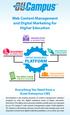 Web Content Management and Digital Marketing for Higher Education COMMUNICATION & MARKETING MEASUREMENT & ANALYSIS CONTENT MANAGEMENT PLATFORM INTEGRATION & DEVELOPMENT WEB, MOBILE, & SOCIAL UNIFICATION
Content management system comparison
 CMS Content management system comparison Content management system comparison Listed below is an outline of the major features, capabilities and shortcomings of today s most popular content management
Architecture Guide Jahia EE v6.1
 Documentation Architecture Guide Jahia EE v6.1 Jahia delivers the first Web Content Integration Software by combining Enterprise Web Content Management with Document and Portal Management features. Jahia
System. CMS Vendor Comparison. Ektron 8.6. Drupal 7.12. Sitecore 6.5. Kentico EMS 8.2. EPiServer 8.9.0. WordPress 3.3.2. SharePoint 2007. Umbraco 4.
 System System Application Server.NET.NET.NET.NET Apache.NET PHP/ MySQL.NET.NET.NET Free Open Source 1 Security Security Audit Trail Limited Content Approval Email Verification Granular Privileges Login
MatchPoint Technical Features Tutorial 21.11.2013 Colygon AG Version 1.0
 MatchPoint Technical Features Tutorial 21.11.2013 Colygon AG Version 1.0 Disclaimer The complete content of this document is subject to the general terms and conditions of Colygon as of April 2011. The
Housing Works. Content Management System Overview. Presented to: 12.16.13
 [! Content Management System Overview ]! Presented to: Housing Works 12.16.13 SAMPLES OF OUR DESIGN AND DEVELOPMENT WORK Juvenile Diabetes Research Foundation of Canada www.jdrf.ca Kroger Bringing Hope
Content Management Systems: Drupal Vs Jahia
 Content Management Systems: Drupal Vs Jahia Mrudula Talloju Department of Computing and Information Sciences Kansas State University Manhattan, KS 66502. [email protected] Abstract Content Management Systems
A Close Look at Drupal 7
 smart. uncommon. ideas. A Close Look at Drupal 7 Is it good for your bottom line? {WEB} MEADIGITAL.COM {TWITTER} @MEADIGITAL {BLOG} MEADIGITAL.COM/CLICKOSITY {EMAIL} [email protected] Table of Contents
NextRow - AEM Training Program Course Catalog
 NextRow - AEM Training Program Course Catalog Adobe Experience Manager Training Program Course Catalog NextRow provides Adobe CQ training solutions designed to meet your unique project demands. To optimize
SENSE/NET 6.0. Open Source ECMS for the.net platform. www.sensenet.com 1
 SENSE/NET 6.0 Open Source ECMS for the.net platform www.sensenet.com 1 ABOUT THE PRODUCT: SENSE/NET 6.0 About the product 2 KEY FEATURES Workspaces-based collaboration Document management Office integration
WHAT'S NEW IN SHAREPOINT 2013 WEB CONTENT MANAGEMENT
 CHAPTER 1 WHAT'S NEW IN SHAREPOINT 2013 WEB CONTENT MANAGEMENT SharePoint 2013 introduces new and improved features for web content management that simplify how we design Internet sites and enhance the
2012 LABVANTAGE Solutions, Inc. All Rights Reserved.
 LABVANTAGE Architecture 2012 LABVANTAGE Solutions, Inc. All Rights Reserved. DOCUMENT PURPOSE AND SCOPE This document provides an overview of the LABVANTAGE hardware and software architecture. It is written
Web Content Management System, Migration and Maintenance Services for ECDC Web Portal
 Web Content Management System, Migration and Maintenance Services for ECDC Web Portal WCMS Requirements Reference B March 2015 Information and Communication Technologies Unit Web Portal 2.0 - Content Management
Kentico CMS 7.0 Intranet Administrator's Guide
 Kentico CMS 7.0 Intranet Administrator's Guide 2 Kentico CMS 7.0 Intranet Administrator's Guide Table of Contents Introduction 5... 5 About this guide Getting started 7... 7 Installation... 11 Accessing
Is Liferay Right for Your Organization? Seven Things to Consider When Choosing a Portal Platform
 Is Liferay Right for Your Organization? Seven Things to Consider When Choosing a Portal Platform BY DAN LILIEDAHL, CTO, TANDEMSEVEN The outcome of your portal initiative and its success is directly related
SOA REFERENCE ARCHITECTURE: WEB TIER
 SOA REFERENCE ARCHITECTURE: WEB TIER SOA Blueprint A structured blog by Yogish Pai Web Application Tier The primary requirement for this tier is that all the business systems and solutions be accessible
OpenText Web Experience Management
 OpenText Web Experience Management Technical White Paper Product Management April 2011 Abstract This white paper talks about the OpenText Web Experience Management product. It offers a detailed presentation
Flattening Enterprise Knowledge
 Flattening Enterprise Knowledge Do you Control Your Content or Does Your Content Control You? 1 Executive Summary: Enterprise Content Management (ECM) is a common buzz term and every IT manager knows it
Adobe Experience Manager: Web content management
 Adobe Experience Manager: Web content management Datasheet Adobe Experience Manager: Web content management Adobe Experience Manager web content management capabilities provide an open, standards-based
owncloud Architecture Overview
 owncloud Architecture Overview owncloud, Inc. 57 Bedford Street, Suite 102 Lexington, MA 02420 United States phone: +1 (877) 394-2030 www.owncloud.com/contact owncloud GmbH Schloßäckerstraße 26a 90443
Integrating SharePoint Sites within WebSphere Portal
 Integrating SharePoint Sites within WebSphere Portal November 2007 Contents Executive Summary 2 Proliferation of SharePoint Sites 2 Silos of Information 2 Security and Compliance 3 Overview: Mainsoft SharePoint
Web Content Management (Web CMS) for Internal or External Sites Request for Proposal (RFP) Template
 Web Content Management (Web CMS) for Internal or External Sites Request for Proposal (RFP) Template Thank you for participating in this Web Content Management platform review. This RFP presents detailed
Content Management System (CMS)
 Content Management System (CMS) What is a CMS? What is a CMS? o A Content Management System (CMS) is software that makes it easier to create, edit and publish content on a web site. The features of a CMS
Office 365 SharePoint Setup and Admin Guide
 Setup and Admin Guide Contents About this guide... 2 Introduction to SharePoint... 2 SharePoint sites... 3 Team sites, Websites and personal sites... 3 Site structures... 4 Choosing a site structure...
Office SharePoint Server 2007
 Top 10 Benefits of WSS 3.0 Office SharePoint Server 2007 1. Improve team productivity with easy-to-use collaborative tools Connect people with the information and resources they need. Users can create
CatDV Pro Workgroup Serve r
 Architectural Overview CatDV Pro Workgroup Server Square Box Systems Ltd May 2003 The CatDV Pro client application is a standalone desktop application, providing video logging and media cataloging capability
Bureau for Visual Affairs. content management system. Keep your website up-to-date and relevant with ease
 content management system Keep your website up-to-date and relevant with ease 1 Only an up-to-date and well maintained website is perceived as relevant and will generate return visits and involvement.
TERMS OF REFERENCE. Revamping of GSS Website. GSS Information Technology Directorate Application and Database Section
 TERMS OF REFERENCE Revamping of GSS Website GSS Information Technology Directorate Application and Database Section Tel: Accra 0302 682656 Cables: GHANASTATS In case of reply the number and date of this
www.coremedia.com CoreMedia 6
 COREMEDIA 6 PRODUCT BROCHURE www.coremedia.com CoreMedia 6 COREMEDIA 6 PRODUCT BROCHURE CoreMedia 6: Because contextualization is about people CoreMedia 6 empowers your Marketing, Business and IT teams,
Adobe Experience Manager: Commerce
 Adobe Experience Manager: Commerce Datasheet Adobe Experience Manager: Commerce Benefits of e-commerce capabilities Agile merchandising and marketing Rapid and flexible customization of the shopping experience
Move Forward, Build Faster, Get Farther. Web Content Management Platform
 Move Forward, Build Faster, Get Farther Web Content Management Platform No other enterprise grade CMS we looked at, open source or closed source, delivered such a strong product in such a simple package.
Deciding When to Deploy Microsoft Windows SharePoint Services and Microsoft Office SharePoint Portal Server 2003. White Paper
 Deciding When to Deploy Microsoft Windows SharePoint Services and Microsoft Office SharePoint Portal Server 2003 White Paper Published: October, 2003 Table of Contents Introduction 4 Relationship between
owncloud Architecture Overview
 owncloud Architecture Overview Time to get control back Employees are using cloud-based services to share sensitive company data with vendors, customers, partners and each other. They are syncing data
Mindshare Studios Introductory Guide to Content Management Systems
 Mindshare Studios Introductory Guide to Content Management Systems A quick introduction to web-based content management. What is a CMS? A content management system (CMS) is a web application for creating
HPC Portal Development Platform with E-Business and HPC Portlets
 HPC Portal Development Platform with E-Business and HPC Portlets CHIEN-HENG WU National Center for High-Performance Computing, Hsin-Chu, 300, Taiwan E-mail: [email protected] Abstract HPC Portal Development
Web project proposal. European e-skills Association
 Web project proposal European e-skills Association LUCISMEDIA WEB DESIGN PROPOSAL CONTENTS Lucismedia... 3 Building enterprise social communities... 3 project objective... 4 Project scope... 6 Interface
Alkacon. OpenCms 8 User Manual
 Version: 1.3 Date: Wednesday, November 23, 2011 Table of Content Table of Content... 2 1 Why choose OpenCms 8?... 4 1.1 Create an entire website within minutes with OpenCms 8... 4 2 Getting Started...
Elgg 1.8 Social Networking
 Elgg 1.8 Social Networking Create, customize, and deploy your very networking site with Elgg own social Cash Costello PACKT PUBLISHING open source* community experience distilled - BIRMINGHAM MUMBAI Preface
PORTAL ADMINISTRATION
 1 Portal Administration User s Guide PORTAL ADMINISTRATION GUIDE Page 1 2 Portal Administration User s Guide Table of Contents Introduction...5 Core Portal Framework Concepts...5 Key Items...5 Layouts...5
NS DISCOVER 4.0 ADMINISTRATOR S GUIDE. July, 2015. Version 4.0
 NS DISCOVER 4.0 ADMINISTRATOR S GUIDE July, 2015 Version 4.0 TABLE OF CONTENTS 1 General Information... 4 1.1 Objective... 4 1.2 New 4.0 Features Improvements... 4 1.3 Migrating from 3.x to 4.x... 5 2
Wiki Server. Innovative tools for workgroup collaboration and communication. Features
 Wiki Server Innovative tools for workgroup collaboration and communication. Features Single site for group collaboration Project-specific wiki accessible via web browsers on Mac, PC, iphone, and ipod touch
Evoq Content : Enterprise Powerful, Easy to Use and Extensible Content Management System
 SUMMARY Easy-to-use Content Management System (CMS) that includes drag and drop user interfaces, version control, auto-save and rollback Powerful yet simple features, including content management, workflow
Sisense. Product Highlights. www.sisense.com
 Sisense Product Highlights Introduction Sisense is a business intelligence solution that simplifies analytics for complex data by offering an end-to-end platform that lets users easily prepare and analyze
Open Source Content Management System for content development: a comparative study
 Open Source Content Management System for content development: a comparative study D. P. Tripathi Assistant Librarian Biju Patnaik Central Library NIT Rourkela [email protected] Designing dynamic and
WHITE PAPER 7 REASONS WHY CRAFTER SHOULD BE ON YOUR WEB CMS SHORTLIST
 7 REASONS WHY CRAFTER SHOULD BE ON YOUR WEB CMS SHORTLIST PUBLISHED SEPTEMBER 2013 The evolution of the Web over the years has deeply immersed us into a new era of engagement, and enterprises are striving
WESTERNACHER OUTLOOK E-MAIL-MANAGER OPERATING MANUAL
 TABLE OF CONTENTS 1 Summary 3 2 Software requirements 3 3 Installing the Outlook E-Mail Manager Client 3 3.1 Requirements 3 3.1.1 Installation for trial customers for cloud-based testing 3 3.1.2 Installing
Content Management Implementation Guide 5.3 SP1
 SDL Tridion R5 Content Management Implementation Guide 5.3 SP1 Read this document to implement and learn about the following Content Manager features: Publications Blueprint Publication structure Users
SAS Business Data Network 3.1
 SAS Business Data Network 3.1 User s Guide SAS Documentation The correct bibliographic citation for this manual is as follows: SAS Institute Inc. 2014. SAS Business Data Network 3.1: User's Guide. Cary,
Oracle WebCenter Sites Mobility Server Enabling exceptional mobile and tablet web applications and web sites without compromise
 Oracle WebCenter Sites Mobility Server Enabling exceptional mobile and tablet web applications and web sites without compromise Mobility Server offers state-of-the-art technology and a comprehensive solution
Choosing A CMS. Enterprise CMS. Web CMS. Online and beyond. Best-of-Breed Content Management Systems. 1300 762 912 [email protected].
 Web CMS Enterprise CMS 1300 762 912 [email protected] Sydney 275 alfred st north sydney nsw 2060 Melbourne 21 burwood road hawthorn vic 3122 Choosing A CMS Best-of-Breed Content Management Systems Brisbane
For a full comparison of Magento Enterprise and Magento Community, visit http://www.magentocommerce.com/product/compare. Magento Feature List
 Magento is a feature-rich, professional Open Source ecommerce platform solution that offers merchants complete flexibility and control over the user experience, content, and functionality of their online
FirstSpirit Training Program
 FirstSpirit Training Program Qualified employees are the capital of successful companies and a central factor for optimum implementation of web projects. The e Spirit training program teaches your team
Structured Content: the Key to Agile. Web Experience Management. Introduction
 Structured Content: the Key to Agile CONTENTS Introduction....................... 1 Structured Content Defined...2 Structured Content is Intelligent...2 Structured Content and Customer Experience...3 Structured
IBM Unica emessage Version 8 Release 6 February 13, 2015. User's Guide
 IBM Unica emessage Version 8 Release 6 February 13, 2015 User's Guide Note Before using this information and the product it supports, read the information in Notices on page 403. This edition applies to
WHITE PAPER BUILDING AND OPTIMIZING MULTI-CHANNEL WEB EXPERIENCES
 BUILDING AND OPTIMIZING MULTI-CHANNEL WEB EXPERIENCES PUBLISHED MAY 2013 WHITE PAPER Leading enterprises strive to achieve higher levels of customer engagement through online channels, and this means they
This guide provides additional information about topics covered in the webinar
 This guide provides additional information about topics covered in the webinar Scan to go there now! Copyright 2012 X.commerce, Inc. All rights reserved. Contents CHAPTER 1: Leveraging Store Content 1
Alterian Content Manager 7 Digital Asset Management (DAM) capabilities
 Alterian Content Manager 7 Digital Asset Management (DAM) capabilities Published Oct 2011 Content Manager Enterprise Technology Guide Page 1 of 19 Table of Contents 1. The purpose of this document... 3
SEO Toolkit Magento Extension User Guide Official extension page: SEO Toolkit
 SEO Toolkit Magento Extension User Guide Official extension page: SEO Toolkit Page 1 Table of contents: 1. SEO Toolkit: General Settings..3 2. Product Reviews: Settings...4 3. Product Reviews: Examples......5
Studio. Rapid Single-Source Content Development. Author XYLEME STUDIO DATA SHEET
 Studio Xyleme delivers content management for learning and development. We transform the way you author, publish, deliver, and analyze learning content to drive business performance. With Xyleme, you have
EMAIL MARKETING MODULE OVERVIEW ENGINEERED FOR ENGAGEMENT
 PLATFORM PEOPLE STRATEGY EMAIL MARKETING MODULE OVERVIEW ENGINEERED FOR ENGAGEMENT Contents p1 E-Newsletter Overview p2 E-Newsletter Sample p3 Forward Article p4 p5 p6 p7 Print Article Read More Subscription
SAS 9.3 Intelligence Platform Middle-Tier Administration Guide Third Edition
 SAS 9.3 Intelligence Platform Middle-Tier Administration Guide Third Edition SAS Documentation The correct bibliographic citation for this manual is as follows: SAS Institute Inc. 2012. SAS 9.3 Intelligence
Version 4.2. Change the Way You DNN. News Module User Manual
 Version 4.2 Change the Way You DNN. News Module User Manual P A C K F L A S H. C O M News Module User Manual PackFlash.com 415 N. Lasalle Street Suite 205 Chicago, IL 60654 Phone 888.433.2260 Fax 773.787.1787
SHAREPOINT CI. Spots Business Opportunities, Eliminates Risk COMPETITIVE INTELLIGENCE FOR SHAREPOINT
 RESULTS Receive key intelligence on clients, prospects, competitors and threats Optimize business strategies Act on critical business opportunities you can t afford to miss. Leverage your knowledge resources
Red Hat Enterprise Portal Server: Architecture and Features
 Red Hat Enterprise Portal Server: Architecture and Features By: Richard Li and Jim Parsons March 2003 Abstract This whitepaper provides an architectural overview of the open source Red Hat Enterprise Portal
Say hello to.. ..in the Cloud! Enterprise Web Content Management. ptools Software 2011. All rights reserved. www.ptools.com
 Say hello to....in the Cloud! Enterprise Web Content Management ptools Software 2011. All rights reserved. www.ptools.com Introduction 1 ptools System6, Enterprise Web Content Management for Cloud Computing,
MatchPoint Benefits with SharePoint 2013
 MatchPoint Benefits with SharePoint 2013 MatchPoint Fact Sheet 25.01.2013 Colygon AG Version 2.0 Disclaimer The complete content of this document is subject to the general terms and conditions of Colygon
CMS Selection Requirements, Fit Criteria, and Rationales
 CMSSelectionRequirements,FitCriteria,andRationales Availability Requirement: The product shall handle at least 20 concurrent contributor connections. Rationale:Theproductneedstosupportafairnumberofconcurrentconnections
CTC 4.1 - What's New?
 Digital Experience CTC 4.1 - What's New? WebSphere User Group 24 th Sept - Royal Society Edinburgh Agenda A reminder, What is the Content Template Catalog A reminder, What is the Site Builder Demo! CTC
IBM Digital Experience. Using Modern Web Development Tools and Technology with IBM Digital Experience
 IBM Digital Experience Using Modern Web Development Tools and Technology with IBM Digital Experience Agenda The 2015 web development landscape and IBM Digital Experience Modern web applications and frameworks
Teamcenter s manufacturing process management 8.3. Report Generator Guide. Publication Number PLM00064 E
 Teamcenter s manufacturing process management 8.3 Report Generator Guide Publication Number PLM00064 E Proprietary and restricted rights notice This software and related documentation are proprietary to
What s New in VMware vsphere 5.1 VMware vcenter Server
 What s New in VMware vsphere 5.1 VMware vsphere 5.1 TECHNICAL MARKETING DOCUMENTATION V 1.0/UPDATED JULY 2012 Table of Contents Introduction... 3 Key Components... 3 vcenter Single Sign-On Server.... 3
Get results with modern, personalized digital experiences
 Brochure HP TeamSite What s new in TeamSite? The latest release of TeamSite (TeamSite 8) brings significant enhancements in usability and performance: Modern graphical interface: Rely on an easy and intuitive
Entwickler. SharePoint Foundation. Standard Edition. Enterprise Edition
 Entwickler Access Services nein nein ja App Catalog () App Deployment: Autohosted Apps nein nein nein App Deployment: Cloud-Hosted Apps App Deployment: -Hosted Apps App Management Services BCS: Alerts
Copyright 2014 Jaspersoft Corporation. All rights reserved. Printed in the U.S.A. Jaspersoft, the Jaspersoft
 5.6 Copyright 2014 Jaspersoft Corporation. All rights reserved. Printed in the U.S.A. Jaspersoft, the Jaspersoft logo, Jaspersoft ireport Designer, JasperReports Library, JasperReports Server, Jaspersoft
Requirements Specifications for: The Management Action Record System (MARS) for the African Development Bank
 Annex 3 Requirements Specifications for: The Management Action Record System (MARS) for the African Development Bank The bidder is requested to identify and describe the levels of support (Full Support,
metaengine DataConnect For SharePoint 2007 Configuration Guide
 metaengine DataConnect For SharePoint 2007 Configuration Guide metaengine DataConnect for SharePoint 2007 Configuration Guide (2.4) Page 1 Contents Introduction... 5 Installation and deployment... 6 Installation...
For a full comparison of Magento Enterprise and Magento Community, visit http://www.magentocommerce.com/product/compare. Magento Feature List
 Magento is a feature-rich, professional Open Source ecommerce platform solution that offers merchants complete flexibility and control over the user experience, content, and functionality of their online
Adobe Experience Manager: Digital asset management
 Adobe Experience Manager: Digital asset management Datasheet Adobe Experience Manager: Digital asset management The digital asset management (DAM) capabilities of Adobe Experience Manager enable marketers
SharePoint 2010 End User - Level II
 Course Outline Module 1: Overview A simple introduction module. Understand your course, classroom, classmates, facility and instructor. Module 2: Server Site Definitions In this module we will explore
Content Author's Reference and Cookbook
 Sitecore CMS 6.2 Content Author's Reference and Cookbook Rev. 091019 Sitecore CMS 6.2 Content Author's Reference and Cookbook A Conceptual Overview and Practical Guide to Using Sitecore Table of Contents
Server-side OSGi with Apache Sling. Felix Meschberger Day Management AG 124
 Server-side OSGi with Apache Sling Felix Meschberger Day Management AG 124 About Felix Meschberger > Senior Developer, Day Management AG > [email protected] > http://blog.meschberger.ch > VP Apache Sling
1 Copyright 2011, Oracle and/or its affiliates. All rights reserved.
 1 Copyright 2011, Oracle and/or its affiliates. All rights ORACLE PRODUCT LOGO Session ID: 17202 Oracle Fusion Applications - Technology Essentials Overview Nadia Bendjedou Senior Director Product Strategy,
What s New in IBM Web Experience Factory 8.5. 2014 IBM Corporation
 What s New in IBM Web Experience Factory 8.5 2014 IBM Corporation Recent history and roadmap Web Experience Factory 8.0 2012 Multi-channel Client-side mobile Aligned with Portal 8 Developer productivity
Business Process Management with @enterprise
 Business Process Management with @enterprise March 2014 Groiss Informatics GmbH 1 Introduction Process orientation enables modern organizations to focus on the valueadding core processes and increase
Software Development Kit
 Open EMS Suite by Nokia Software Development Kit Functional Overview Version 1.3 Nokia Siemens Networks 1 (21) Software Development Kit The information in this document is subject to change without notice
BusinessObjects Enterprise XI Release 2 Administrator s Guide
 BusinessObjects Enterprise XI Release 2 Administrator s Guide BusinessObjects Enterprise XI Release 2 1 Patents Trademarks Copyright Third-party contributors Business Objects owns the following U.S. patents,
NetBeans IDE Field Guide
 NetBeans IDE Field Guide Copyright 2005 Sun Microsystems, Inc. All rights reserved. Table of Contents Introduction to J2EE Development in NetBeans IDE...1 Configuring the IDE for J2EE Development...2 Getting
The Blackboard Academic Suite. Overview of Product Capabilities
 The Blackboard Academic Suite Overview of Product Capabilities OVERVIEW The Blackboard Academic Suite provides learning institutions with powerful capabilities to achieve their e-learning goals. Blackboard