
Mission Statement of the Yokogawa Middle East Training Centers
|
|
|
- Betty Lee
- 10 years ago
- Views:
Transcription
1 1

2 2

3 Yokogawa Corporate Vision "To be a socially responsible and profitable regional center of excellence, achieving customer satisfaction by adding value through quality products and services and continuous improvement." Mission Statement of the Yokogawa Middle East Training Centers To provide customers with the required skills and knowledge for their significant enhancement of on-the-job productivity, through effective usage of Industrial Automation & Control Technology. 3 3

4 Introduction 6 Training Center Policies and Guidelines 7 CENTUM VP Fundamentals For Operation 8 Fundamentals For Engineering 8 Engineering 9 Maintenance 9 CENTUM CS3000 Fundamentals For Operation 10 Fundamentals For Engineering 10 Engineering 11 Maintenance 11 FIELDBUS Fieldbus Orientation 12 Fieldbus Engineering 12 Plant Resource Manager 13 ProSafe-RS ProSafe-RS Engineering 14 ProSafe-RS Maintenance 14 ProSafe-RS Engineering and Maintenance 15 STARDOM STARDOM - Engineering 16 STARDOM - Maintenance 16 Fast / Tools Engineering 17 PROCESS INFORMATION MANAGEMENT SYSTEM Exaquantum Desktop Data Access 18 Exaquantum System Administrator 18

5 ADVANCED TOPICS Introduction to Asset Guard with Exapilot 19 GAS CHROMATOGRAPH Gas Chromatograph GC1000 Mark-II 19 OPTIONAL COURSES CENTUM CS Fundamentals For Operation 20 Fundamentals For Engineering 20 Engineering 21 Maintenance 21 ProSafe-PLC 4 ProSafe-PLC Set (4-Mation) 22 ProSafe-PLC Maintenance 22 ProSafe-Mulcom Course 23 PROCESS INFORMATION MANAGEMENT SYSTEM Exaquantum Installation & Commissioning 24 Exaquantum Application Developer 24 Exaquantum Version Upgrade 25 Exaquantum Technical Overview Seminar 25 Exaquantum Data Access from Third Party Package 26 Exaquantum Explorer Overview 26 Exaquantum Web Development 27 ADVANCED TOPICS PID & Base Layer Control Improvement 28 Introduction to Advanced Process Control Techniques 28 Multivariable Control Techniques 28 Introduction to Advanced Alarm Management 28 REPRESENTATIVES

6 Introduction Yokogawa Middle East (YME) Bahrain established its training center in YME training center is designed to meet the customer s demand for a cost effective training program, that enhances the skills and know-how of the participants. This is achieved through instructors with rich and extensive experience. YME offers a complete range of training courses on Yokogawa Distributed Control Systems, Industrial Safety Systems, Field Instrumentation and Management Information Systems. Since its inception, our training center has promoted an active learning environment in the field of Instrumentation and Process Control. To date, we have trained more than 7000 participants from the Middle East territory. YME continuously strives to improve the existing training courses and develop new courses to meet customers training needs. In order for us to strengthen our commitment to our valued customers, we also set-up training centers in the Kingdom of Saudi Arabia, Sultanate of Oman, United Arab Emirates and Iran. This expansion allows us further to be flexible to the needs of our customers in these regions. 6

7 Training Center Policies and Guidelines Registration You may register for a course by filling up the Registration Form and sending it to YME or any YME representative offices in the region. YME shall acknowledge the registration based on the availability. This acknowledgement shall be directly or through YME representatives. Pricing You may contact either YME or any YME representative within the Region for the Course Fees. Course Fees include tuition and one set of approved textbooks. The Training Center reserves the right to change all pricing without notice, but confirmed reservations will be honored at the price quoted and ordered at the time of confirmation. Additional Charges When customized training classes are requested, additional expenses for course development may be applied. Pricing for on-site courses will include expenses related to shipment of equipment (if required) and instructor travel and lodging expenses plus travel fee. No. of Trainees A minimum number of trainees is required for each type of course being conducted at Yokogawa Middle East Training Center to conduct a course. The Training Center reserves the right to cancel courses at least two weeks prior to the scheduled start date. In case of cancellation, any advance payment received from customer will be refunded and our liability is limited to the value of the course fee. Payment Please complete the required enrollment form and choose your method of payment. We accept pre-payment or Purchase Orders. Purchase orders are to be placed 3 weeks before the training at the latest, and the payment to be made prior to the commencement of the training. Cancellations There will be no charge for cancellations received 3 or more weeks before the scheduled start date of the class. No shows or cancellations received less than 2 weeks before the scheduled start date for the training will be charged at 50% of the full course fee. Travel Arrangements Trainees are responsible for making their own travel and living arrangements, and YME will be glad to assist the customer in such arrangements. Visas to Bahrain, Saudi Arabia and United Arab Emirates can be arranged through YME and its representatives. All cost for the same will be on customer s expense. Course Timing All our courses are designed to begin at 8:30 a.m. and finish at approximately 3:30 p.m. unless indicated otherwise on YME confirmation letter to the customer. Please plan to arrive at Yokogawa training center no later than 8:15 a.m. When traveling from outside the area, please make appropriate travel arrangements that will allow you to attend the entire class. Attire Casual business attire is preferred. It is our intent to conduct courses in a relaxed, informal atmosphere. Language All courses are conducted in English. Arabic might be used, if required. Smoking Policy Yokogawa is a non-smoking facility. 7

8 Training Module Code : VPOF Training Module Code : VPEF CENTUM VP Fundamentals For Operation This course is designed to give participants the fundamental knowledge of operation and functions of the CENTUM VP system. CENTUM VP Fundamentals For Engineering This course is designed to give participants the fundamental knowledge of operation and functions of the CENTUM VP system. Five (5) days Three (3) days Mainly CENTUM VP operators and plant operation personnel who are required to operate the CENTUM VP system. Plant operation specialists, Engineers and Maintenance personnel who are required to operate the CENTUM VP system. should preferably have some basic knowledge on process measurement and control. should preferably have some basic knowledge on process measurement and control. Day 1 CENTUM VP system overview and configuration, description of hardware. Familiarization on CENTUM VP different components Day 1 CENTUM VP system overview and description of hardware Operation exercise on operation panels part 1 Day 2 Window Panel Operation Part 1 User security Basic tag features & security Standard operation panel Day 3 Regulatory Control Functions. Sequence Control Function. Day 4 Window Panel Operation Part 2 System Status Display Process / Historical Report Operation exercise on operation panels part 1 Operation exercise on feedback and sequence control operations. Operation exercise on operation panels part 2. Window Panel Operation Part1 User security Basic tag features & security Standard operation panel Day 2 Regulatory Control Functions Sequential Control Function Day 3 Window Panel Operation Part 2 System status display Process / Historical Report Operation exercise on feedback and Sequence control operations. Operation exercise on operation panels part 2 Day 5 Laboratory Work for Operators Laboratory Work for Operators. 8

9 Training Module Code : VPEG CENTUM VP Engineering This course empowers participants to perform generation of CENTUM VP regulatory control functions, sequence control function, and Human Interface Station (HIS). Five (5) days Engineers and Technicians involved in software generation or modification on CENTUM VP system. should have attended the CENTUM VP Fundamental course. Training Module Code : VPMT CENTUM VP Maintenance This course is designed to provide participants with an overall understanding of CENTUM VP hardware, maintenance procedure, software installation, backup procedures and maintenance tools. Three (3) days Engineers and Technicians who are responsible for daily maintenance of CENTUM VP system should preferably be familiar with the CENTUM VP Fundamentals or Engineering. Day 1 CENTUM VP system specifications, project creation, attribute utilities and project common definition. Day 2 FCS configuration, I/O module configuration, software switches configuration, message definition Control Drawing builder, regulatory control function definition. Laboratory Work Project creation and project common definition. Laboratory Work FCS configuration, I/O module definition, and regulatory control generation. Day 1 CENTUM VP system configuration, HIS hardware & software, daily checking of HIS hardware & software and system maintenance function. Day 2 FCS hardware configuration. Daily checking on FCS. HIS Components check-up. Replacement of HIS components. FCS Component Check-up Replacement of FCS Components. Day 3 Test function Sequence control definition. Laboratory Work Sequence exerices. Day 3 Troubleshooting Laboratory Work Day 4 HIS configuration Windows configuration. Laboratory Work HIS builder definition Day 5 Graphics builder Laboratory Work Graphics generations 9

10 Training Module Code : 3KOF Training Module Code : 3KEF CS3000 Fundamentals For Operation CS3000 Fundamentals For Engineering This course is designed to give participants the fundamental knowledge of operation and functions of the CENTUM CS3000 system. This course is designed to give participants the fundamental knowledge of operation and functions of the CENTUM CS3000 system. Five (5) days Mainly CENTUM CS3000 operators and plant operation personnel who are required to operate the CENTUM CS3000 system should preferably have some basic knowledge on process measurements and control. 4 trainees 6 trainees Three (3) days Plant operation specialists, Engineers and Maintenance personnel who are required to operate the CENTUM CS3000 system. should preferably have some basic knowledge on process measurements and control. Day 1 CENTUM CS3000 system overview and configuration, description of hardware. Day 2 Window Panel Operation Part 1 User security. Basic tag features & security. Standard operation panel. Day 3 Regulatory Control Function. Sequence Control Function. Familiarization on CENTUM CS3000 different components. Operation Exercise on operation panels part 1. Operation Exercise on feedback and sequence control operations. Day 1 CENTUM CS3000 system overview and description of hardware. Window Panel Operation Part 1 User security. Basic tag features & security. Standard operation panel. Day 2 Regulatory sequence Control functions. Operation exercise on operation panels part 1. Operation exercise on feedback and sequence control operations. Day 4 Window Panel Operation Part 2 System Status Display. Process / Historical Reports. Day 5 Laboratory Work for Operators. Operation exercise on operation panels part 2. Laboratory Work for Operators Day 3 Window Panel Operation Part 2 System Status Display. Process / Historical Reports. Operation exercise on operation panels part 2. 10

11 Training Module Code : 3KEG Training Module Code : 3KMT CS3000 Engineering CS3000 Maintenance This course empowers participants to perform generation of CENTUM CS3000 regulatory control functions, sequence control function, and Human Interface Station (HIS). Five (5) days Engineers and Technicians involved in software generation or modification on CENTUM CS3000 system. should have attended the CENTUM CS3000 Fundamental course. This course is designed to provide participants with an overall understanding of CENTUM CS3000 hardware, maintenance procedure, software installation, backup procedures and maintenance tools. Three (3) days Engineers and Technicians who are responsible for daily maintenance of CENTUM CS3000 system. should preferably be familiar with the CENTUM CS3000 Fundamentals or Engineering. 4 trainees. Day 1 CENTUM CS3000 system specifications, project creation, attribute utilities and project common definition. Day 2 FCS configuration, I/O module configuration, software switches configuration, message definition, Control Drawing builder and regulatory control function definition. Project creation and project common definition. FCS configuration, I/O module definition and regulatory control generation Day 1 CENTUM CS3000 system configuration, HIS hardware & software, daily checking of HIS hardware & software and system maintenance function. Day 2 FCS hardware configuration. Daily checking on FCS. Day 3 Troubleshooting. HIS components check-up. Replacement of HIS components. FCS component check-up. Replacement of FCS components Laboratory Work Day 3 Test function. Sequence control definition. Sequence exercise. Day 4 HIS configuration. Windows configuration. HIS builder definition. Day 5 Graphic Builder. Laboratory Work Graphic generations. 11

12 Training Module Code : FBOR Training Module Code : FBEG This course is designed to provide participants with an overall understanding of Fieldbus concept, software installation and Fieldbus Engineering tools. This course is designed to provide participants with an overall understanding of Fieldbus concepts,software installation and Fieldbus Engineering Tool. Two (2) days Five (5) days Engineers and Technicians who are responsible for Fieldbus Engineering configuration and modification of Fieldbus device parameters. Engineers and Technicians who are responsible for Fieldbus Engineering configuration and modification of Fieldbus device parameters. should preferably be familiar with the CENTUM VP or CS3000 Fundamentals and Engineering. should preferably be familiarwith the CENTUM VP or CS3000 Fundamentals and Engineering and Field instruments knowledge. Note: This course can be customized for STARDOM user. Please call for details. Day 1 Overview Fieldbus concepts, Fieldbus Tool installation and overview of Fieldbus Engineering Tool Day 2 Overview of device Management tool. Fieldbus configuration for some devices. Using device Management tool - Examples. Day 1 Overview Fieldbus concepts, Fieldbus system hardware and Fieldbus communication. Day 2 Segment design considerations Fieldbus devices. Day 3 Fieldbus Engineering concepts. CENTUM Fieldbus block engineering. Fieldbus function blocks Device Management. Fieldbus wiring. Fieldbus devices Continued. Fieldbus devices engineering. Day 4 Fieldbus device management tool, NI Tool and Yokogawa Device Management Tool. Fieldbus tools. Day 5 Fieldbus Startup procedures. Fieldbus device replacement procedure. Fieldbus device replacement procedures 12

13 Training Module Code : PRMF This course is designed to provide participants with an overall understanding of the concepts of Plant Resource Manager. Two (2) days Engineers and Technicians who are responsible for field device maintenance and modification of field device parameters. should preferably be familiar with any of CENTUM VP, CS3000, STARDOM or ProSafe-RS and Foundation Fieldbus concepts. Day 1 Overview Plant Resource Manager. PRM System configuration. PRM Function specification. PRM operation procedure. Laboratory exercise Device parameters changes from PRM. Day 2 PRM Installation procedure. Laboratory exercise - PRM Installation. 13

14 Training Module Code : RSEG Training Module Code : RSMT ProSafe-RS Maintenance This course empowers participants to perform generation of ProSafe-RS programs, functional block diagrams, ladder logic and CENTUM VP or CS3000 integration Four (4) days Engineers and Technicians involved in design, software generation or modifications of ProSafe-RS system. should preferably be familiar with MS Windows environment and basic knowledge of logic functions. CENTUM VP or CS3000 Fundamentals or Engineering knowledge is advantage. This course is designed to provide participants with an overall understanding of ProSafe-RS hardware, maintenance procedures, software installation, backup procedures and Maintenance Support Tools. Three (3) days. Engineers and Technicians who are responsible for the daily maintenance of ProSafe-RS system. should preferably be familiar with MS Windows environment. Day 1 Introduction to Safety and Safety Integrity Levels SIL. ProSafe-RS hardware. SCS Manager (Workbench) software. Day 1 Introduction to Safety and Safety Integrity Levels SIL. ProSAFE-RS hardware. SCS-FCS integration Day 2 Project creation, design function blocks, Simulation and debug. Project Downloading. Day 3 Instances and typical. User-defined function blocks Creation of application logic. Application development. Creation of function blocks. Day 2 SCS Maintenance Support Tools Day 3 Version Control Tool procedures. Database Validity Check Tool. Sequence Of Events Recorder. CPU module replacement. I/O module replacement. Security and Password Protection. SCS Reports Day 4 ProSafe-RS and CENTUM VP or CS3000 integration. Inter-SCS communication. Exercise ESD and DCS integration. 14

15 Training Module Code : RSEM ProSafe-RS Engineering and Maintenance This course empowers participants to perform generation of ProSafe-RS programs, hardware and software maintenance and CENTUM VP or CS3000 integration. Five (5) days. Engineers and Technicians involved in software generation or modification and daily maintenance of ProSafe-RS. should preferably be familiar with MS Windows environment and basic knowledge of logic functions. CENTUM VP or CS3000 Fundamentals or Engineering knowledge is advantage. Day 1 Introduction to Safety and Safety Integrity Levels SIL. ProSafe-RS hardware. SCS Manager (Workbench) software. Day 2 Project creation, design function blocks, Simulation and debug. Project Downloading. Day 3 Instances and typical. User-defined function blocks. Day 4 ProSafe-RS and CENTUM VP or CS3000 integration. Inter-SCS communication. Day 5 Version Control Tool procedures. Database Validity Check Tool. Sequence of Events Recorder. Creation of application logic. Application development. Creation of function blocks CPU module replacement. I/O module replacement. Security and Password Protection. SCS Reports. 15

16 Training Module Code : STEG STARDOM Engineering This course empowers participants to perform system configuration of STARDOM and use of programming tools and YOKOGAWA function blocks available in the STARDOM controller. Four (4) days Engineers or Technicians involved in design, software generation or modifications of STARDOM system. should preferably be familiar with MS Windows environment and some basic knowledge on process measurements and control. Training Module Code : STMT STARDOM Maintenance This course enables participants to learn to use the Maintenance browser page, use maintenance tools and perform backup, revision upgrade and step to perform before a battery change operation. One (1) day. Engineers or Technicians involved in routine maintenance of the STARDOM system must be familiar with the STARDOM system. Day 1 Introduction to STARDOM system configuration. Hardware configuration and Licenses. FCX introduction. FCX configuration. Resource Configurator Creating a Project. Using the Recourse Configurator Day 1 Basic of Maintenance page. Change System date/ time. Change communication parameters. Retain data save. Maintenance tools. Backup tools. Restoration tools. Firm ware revision upgrade. Battery change operation. Day 2 I/O Configuration. Logic Designer overview. Program organization. Project creation. Generation of control application. Creating a project in Logic Designer. Downloading the logic in STARDOM controller. Day 3 Data and variables. Introduction to IEC programming. Structured text. FBD. Ladder Diagrams. PAS POU function blocks. Creating an IEC program. PAS POU. Function blocks details. Inter-FCX communication Day 4 Debug tools STARDOM maintenance using web browser. Upgrading firmware. Changing STARDOM controller IP address. Using debug tools. function blocks 16

17 Training Module Code : FTEG FAST/TOOLS Engineering This course empowers participants to be able to recognise the different functions within a FAST/TOOLS system (HMI) and to be able to configure them. Five (5) days. Personnel involved in engineering or modification and maintenance of the FAST/TOOLS software. should preferably be familiar with MS Windows environment. Day 1 General introduction, Introduction to FAST/TOOLS. I/O processing, station definition, alarm requirements Item definition. Day 2 Processing (classes + objects), Process control language, Creating objects for multiple use. Day 3 Reporting, Historisation, Authorisation. Day 4 Visualisation. Building displays and symbols. Use HMI. Create classes, objects Create reports, groups for storing history. Create Graphics and link to items. Day 5 FAST/Start Advanced usage. 17

18 Training Module Code : EQEC Training Module Code : EQAD Exaquantum Desktop Data Access This course provides an overview of the Exaquantum system as a whole and then provides hands on training in the client access tools such as the Exaquantum/Explorer Excel Add-In and Exaquantum / Explorer itself. Three (3) days. Anyone in an organisation who needs access to data stored in Exaquantum. A working knowledge of the Microsoft Windows desktop environment, MS-Excel. Exaquantum System Administrator This course covers all the tasks necessary to administer an Exaquantum System. The aim of the course is to demonstrate the post installation configuration of an ExaQuantum System, perform all necessary steps to get the system up and running and then monitor it for performance etc. Four (4) days. This course is essential for those people responsible for the Administration of an ExaQuantum System. A working knowledge of the Microsoft Windows Desktop environment. Day 1 Introduction to Exaquantum. Day 2 Overview of the Exaquantum / Explorer Excel Add-In. The Exaquantum OLE DB interface. Features and Benefits. Multiple choice questions. The Exaquantum Web Frame Work. Exercises and Multiple choice questions on the concepts covered. Day 1 Introduction to Exaquantum Administration. System-Wide Configuration. Day 2 Tag Editor. Tag Generation. Template Configuration. Exercises and Multiple choice questions on the concepts covered. Exercises and Multiple choice questions on the concepts covered. Day 3 Exaquantum / Explorer Positioning and Benefits. Exaquantum / Explorer Terminology and User Interface. Preconfigured Examples and Templates. Creating Documents and Configuring Controls. Overview of Advanced Exaquantum / Explorer Features. Exercises and Multiple choice questions on the concepts covered. Day 3 Role Based Name Space Configuration. Miscellaneous Administration Topics. Day 4 Database Maintenance. First Line Troubleshooting. Exercises and Multiple choice questions on the concepts covered. Exercises and Multiple choice questions on the concepts covered. 18

19 Training Module Code : PAGE Training Module Code : GCOM Introduction to Asset Guard with Exapilot GC1000 Mark-II Operation and Maintenance This course is designed to provide a thorough introduction to the Yokogawa Exapilot Asset Guard package. It provides focus on how Exapilot can help automate plant operation efficiency in steady, unsteady, abnormal states, enhance DCS function, and guard plant operation assets & resources. Three (3) days Process, Operations, Maintenance, Control Engineers and Console Operators, from chemical, petrochemical, and other process-related industries who are: Responsible for plant operation efficiency and safety improvement; Responsible for plant operational procedure optimization; Responsible for operational cost reduction; Responsible for plant operation quality control; Responsible for optimized plant maintenance. should preferably have experience using Exapilot package and has knowledge in operation and control. 12 Trainees This course is designed to provide participants with overall understanding of GC1000 Mark-II hardware, maintenance procedure, varicose software installation, backup procedure and troubleshooting. Three (3) days Plant instrument Engineers and Maintenance Technicians involved in operation and maintenance of gas chromatograph. should preferably have some knowledge on process instrumentation. However, prior exposure to GC1000 Mark-II or any other gas chromatograph/analyzer will be an advantage. 2 Trainees Day 1 Overview & principle of GC1000 Mark-II. Overview of GC1000 Mark-II operational data. Day 2 Practical training on GC1000 Mark-II (LCD and GCMT). Practical GC1000 Mark-II calibration (LCD and GCMT) Day 3 Troubleshooting on GC1000 Mark-II. Question and Answer. 19

20 Optional Courses Training Module Code : CSOF CENTUM CS Fundamentals for Operation This course is designed to give participants the fundamental knowledge of operation and functions of the CENTUM CS system. Training Module Code : CSEF CENTUM CS Fundamentals for Engineering This course is designed to give participants the fundamental knowledge of operation and functions of the CENTUM CS system. Five (5) days Three (3) days. Mainly CENTUM CS operators and plant operation personnel who are required to operate the CENTUM CS system. should preferably have some basic knowledge on process measurements and control. 2 Trainees Plant operation specialists, Engineers and Maintenance personnel who are required to operate the CENTUM CS system. should preferably have some basic knowledge on process measurements and control. 2 Trainees Day 1 CENTUM CS system overview and configuration, description of hardware. Day 2 Description of standard display panels Day 3 Regulatory Control Function. Sequence Control Function. Day 4 System maintenance, reports and utilities function. Familiarization on CENTUM CS different components. Operation exercise on the ICS. Operation exercise on the ICS. Operation exercise on the ICS. Day 1 CENTUM CS system configuration, description of hardware and description of standard display panels. Day 2 Regulatory Control Function. Sequence Control Function. Day 3 System maintenance, reports and utility functions. Operation exercise on the ICS. Operation exercise on the ICS. Operation exercise on the ICS. Day 5 Laboratory Work for Operators. Laboratory Work for Operators. 20

21 Training Module Code : CSEG Training Module Code : CSMT CENTUM CS Engineering This course empowers participants to perform generation of CENTUM CS regulatory control functions, sequence control function, and Instrument Command Station (ICS). Five (5) days. Engineers and Technicians involved in software generation or modification on CENTUM CS system. should have attended the CENTUM CS Fundamental course. 2 Trainees CENTUM CS Maintenance This course is designed to provide participants with an overall understanding of CENTUM CS hardware, maintenance procedure, software installation, backup procedures and maintenance tools. Three (3) days. Engineers and Technicians who are responsible for daily maintenance of CENTUM CS system. should preferably be familiar with the CENTUM CS Fundamentals or Engineering 2 Trainees Day 1 WS installation, start-up and shutdown procedures, Window operations procedures and System Definition Builder Function. Day 2 FCS Builder Functions - Generation of Regulatory Control Function. Day 3 FCS Builder Functions - Generation of Sequence Control Function. WS installation, start-up and shutdown procedures. Window Operations. System Definition Exercise. FCS Builder and Generation of Regulatory Control Functions. ICS Builder Function. Excercise on Generation of Sequence Control Function. Day 1 CENTUM CS system configuration, ICS hardware & software, daily checking of ICS hardware & software and system maintenance function. Day 2 FCS hardware configuration. Daily checking on FCS. ICS components check-up. Replacement of HIS components FCS Components check-up. Replacement of FCS components. Day 4 ICS Builder Functions - Generation of ICS Display Functions. ICS Builder Function. Excercise on Generation of ICS Display Functions. Day 3 Troubleshooting. Troubleshooting. Day 5 Graphic Builder Functions. Excercise on Generation of Graphic Builder Functions. 21
22 Training Module Code : PLCE ProSafe-PLC Set (4 Mation) Enable ProSafe-PLC system user to operate, maintain and modify the system. The course will outline the system s safety features and provide the opportunity to configure the system. Four (4) days. Process Engineers, Process Control Engineers, Maintenance, Technicians and Technical Support personnel. should preferably have some basic knowledge of computers, electronics and Boolean logic. Training Module Code : PLCM ProSafe-PLC Maintenance Familiarize personnel with the maintenance aspects of safeguarding system with emphasis on regular breakdown maintenance Three (3) days. Maintenance or service personnel who will be responsible for the daily operation and the first line maintenance activities of a safeguarding system in compliance with safety regulations and the IEC61508 standard. should preferably have some basic knowledge of computers, electronics, Boolean logic and attended ProSafe -PLC 4-mation course. Day 1 Welcome and course introduction. ProSafe-PLC hardware. Introduction to PLC SET Day 2 Concepts of PLC SET configuration hierarchy. Creating a ProSafe-PLC configuration. Day 3 PLC SET features (menu). ProSafe-PLC default configuration. Compare, Select, Logic and Alarm blocks. Timers and counters. ProSafe-PLC hardware familiarization. Off-line system module tree configuration. PLC SET tour. Creating a configuration. Using the features of PLC SET. Times and counters. Day 1 Welcome and course introduction. ProSafe-PLC hardware. Hardware construction of a Node-to-Node system. Day 2 Downloading an application. Navigating through the application. Day 3 Diagnostic Logger. Creation of a module tree. Fault finding, searching, display real time values, force signals and transfer. Database Compare. Online modification & replacement of hardware. Troubleshooting. Fault finding using the error log and D-logger. Day 4 Ladder Logic. Move & communication function blocks. Ladder Logic configuration.move & communication function block configuration 22
23 Training Module Code : PLCC ProSafe-MULCOM To give the participant an understanding of ProSafe-MULCOM acting as a data channel between Safety Systems and CENTUM or other computer systems. To enable ProSafe-MULCOM system users to operate, maintain and modify the system. One (1) day. Process Engineers, Process Control Engineers, Maintenance and Technical Support personnel. None Day 1 Welcome and course introduction. Introduction to ProSafe-MULCOM. ProSafe-MULCOM Hardware Overview. Concepts of ProSafe-MULCOM Software. Communicating with ProSafe-PLC. Communicating with ProSafe-DSP SLS. Communicating with ProSafe-DSP PLS. Communicating via V-net. ProSafe-MULCOM Software Tour. Creating a ProSafe-MULCOM Configuration. Creating a Configuration. ProSafe-MULCOM Maintenance Features. 23
24 Training Module Code : EQIC Training Module Code : EQDV Exaquantum Installation & Commissioning This course is designed for those persons who will be installing Exaquantum systems. The course follows a much less formal, more workshop based approach. Four (4) days. Systems Engineers who will be installing and commissioning Exaquantum systems. A very good working knowledge of Microsoft Windows administration is required. Exaquantum Application Developer This course is designed to provide users with the ability to develop applications by either using Exaquantum / Explorer or a third party package Five (5) days. This is designed for those people who are developing applications to read or write data to an Exaquantum Server. Participant should have High level of Visual Basic skills. Exaquantum Explorer Overview Course. Day 1 Hardware and Software overview and system sizing. Installing the Exaquantum Software and System s. Mandatory Post Installation Tasks. Exercises and Multiple choice questions on the concepts covered. Day 1 The Exaquantum / Explorer User Interface. Advanced configuration of ActiveX Controls. Configuring the runtime user environment using Workbooks. Exercises and Multiple choice questions on the concepts covered. Day 2 Other Post Installation Tasks. Understanding the Microsoft Windows Security Paradigm. Day 3 Introduction to Exaquantum Administration. System-Wide Configuration. Day 4 Tag Editor. Tag Generation. Troubleshooting the Installation. Exercises and Multiple choice questions on the concepts covered.. Template Configuration Exercises and Multiple choice questions on the concepts covered. Role Based Name Space Configuration. Exercises and Multiple choice questions on the concepts covered. Day 2 Configuring data bound properties using the Property Binder. Configuring script bound properties and event handlers. Day 3 Creating Exaquantum / Explorer Document Templates.Review of Data Storage Concepts and Terminology. Day 4 Single-Server API. Accessing Data using OLEDB from User Written Code Day 5 Coding On Demand Aggregations. Configuring Exaquantum Event Handling Applications. Writing data back to the server including use of the Data Entry Grid Control. Multi-Server API. Exercises and Multiple choice questions on the concepts covered. Reading Alarm and Event Data using the API. Exercises and Multiple choice questions on the concepts covered. Exercises and Multiple choice questions on the concepts covered. 24
25 Training Module Code : EQVU Exaquantum Version Upgrade This course will include reference to all the new and changed features of the Admin tools, System Tools, Explorer and the Web Interface. Three (3) days. This is aimed at those people who have attended Exaquantum training prior to the current version and need to update their knowledge to include the new features in later releases. This course assumes that the attendee has already attended the Exaquantum training for an earlier Release of Exaquantum. Training Module Code : EQTS Exaquantum Technical Overview Seminar This is a not a formal course but a presentation and demonstration of the features of Exaquantum. It describes the features and benefits of both Exaquantum server and the various client interfaces. One (1) day. Anyone who wishes to have an overview of the features of Exaquantum will benefit from this seminar. None. Day 1 Introduction to latest release of Exaquantum New hardware, operating system and third party software support. Exercises and Multiple choice questions on the concepts covered. Day 1 Introduction to Exaquantum Features and Benefits Features and Benefits continued Addressing customer specific Issues. Day 2 Upgrading to Latest Release. Changes the Administration Tools. Exercises and Multiple choice questions on the concepts covered. Day 3 Changes to the Client Tools. Changes to the Support Tools. Exercises and Multiple choice questions on the concepts covered. 25
26 Training Module Code : EQDA Exaquantum Data Access from Third Party Package Introduces the user to the Exaquantum tools to access data from third party clients like Microsoft Excel and Internet Explorer 6 One (1) day. Anyone in an organisation who needs access to data stored in Exaquantum would benefit from attending this course. A working knowledge of the Microsoft Windows desktop environment. Training Module Code : EQEO Exaquantum Explorer Overview Introduce the user to the Features and Benefits of Exaquantum / Explorer. One (1) day. Anyone in an organisation who needs access to data stored in Exaquantum using Exaquantum / Explorer. A user level knowledge of the Windows Desktop Environment. Day 1 Exaquantum Data Handling Overview. Overview of the Exaquantum / Explorer Excel Add-In. The Exaquantum OLE DB interface. The Exaquantum Web Frame Work. Exercises and Multiple choice questions on the concepts covered. Day 1 Exaquantum / Explorer Positioning and Benefits. Exaquantum / ExplorerTerminology and User Interface. Preconfigured Examples and Templates. Creating Documents and Configuring Controls. Overview of Advanced Exaquantum/Explorer Features. Exercises and Multiple choice questions on the concepts covered. 26
27 Training Module Code : EQWD Exaquantum Web Development Developing Exaquantum applications for deployment over a company s intranet. Two (2) days. Web developers who need to develop Exaquantum applications for deployment via an intranet. Knowledge of VBScript and Microsoft FrontPage. Day 1 Introduction to Web development. Creating Graphics and Process Mimics Day 2 Creating Preconfigured Trends and Alarm and Event Summaries. Other Web Development Techniques and Topics. Exercises and Multiple choice questions on the concepts covered. Exercises and Multiple choice questions on the concepts covered. 27
28 Training Module Code : PPID Training Module Code : PACB PID & Base Layer Control Improvement This course will focus on both the theoretical and practical aspect of PID control and based layer control strategies, reinforced by exercises and hands on tuning practice on simulated process using CENTUM DCS. Three (3) days. Control, Process and Instrument Engineers who are responsible for tuning the control loops and ensuring higher level of process performance. should preferably be familiar with the CENTUM DCS Fundamentals or Engineering. 12 Trainees Introduction to Advanced Process Control Techniques This course is designed to provide a introduction to the conventional Advanced Process Control Techniques. It provides focus on how to put the theory into practice and to enable identify APC areas and to quantify the derivable benefits derivable upon implementation. Three (3) days. Process, Operations, Instrument, Control Engineers and Console Operators who are: Responsible for efficiently running the process units Responsible for maintaining process controls and ensure a stable control performance Responsible for translating the intended objectives in to performance should preferably have some basic knowledge on process control. 12 Trainees Training Module Code : PACA Multivariable Control Techniques This course is designed to provide a thorough insight into Yokogawa s APC Software suite. It enables the participants to determine and express dynamic plant behavior in a multivariable sense and to design and test MVC using SMOC PRO MVC. It also details on the development of Inferred Measurements using the RQE PRO tool. Five (5) days. Process, Operations, Instrument, Control Engineers and Console Operators who are: Responsible for leading and monitoring the MVC Implementation in their Process Unit. Responsible for maintaining SMOC PRO Controllers and RQEPRO Estimators and ensure higher up-times. Responsible for making the utmost use of SMOC PRO & RQE PRO to consistently exploit their capabilities. should have attended the Introduction of APC Techniques course. 12 Trainees Training Module Code : PAAM Introduction to Advanced Alarm Management This course is designed to provide a thorough introduction to Yokogawa Advanced Alarm Management philosophy. It provides focus on how Yokogawa tools & Technology helps maintain & optimize alarm management system based on EEMUA No. 191 guideline Three (3) days. Personnel, as part of alarm system team, are recommended to take this course: Operators and supervisors Instrument engineers Alarm processing system engineers Process/mechanical/maintenance engineers should preferably have some basic knowledge on process measurement and control or being part of the alarm system team. 12 Trainees 28
29 29
30 Representatives United Arab Emirates United Technical Services P.O. Box Tessco Bldg.,1st Floor, Shaikh Zayed 2nd Street Abu Dhabi, UAE Tel: Fax: State of Qatar Al-Deebal Energy Company W.L.L. Al Hilal Ring C, Building 163 P.O. Box Doha, Qatar Tel: Fax: Sultanate of Oman HI-TECH Services & Supplies L.L.C. P.O. Box 2992, Postal Code 112, Ruwi Muscat, Oman Tel: Fax: State of Kuwait Thuwainy Trading Company S.A.K. P.O. Box Safat, Kuwait Tel: Fax: Syria, Jordan, Lebanon Al-Seraj General Distributers Company Al Shareef Nasser Bin Jameel St. Qarman Building No. 7, Flat 7, 3rd Floor P.O. Box 5226, Amman 11183, Jordan Tel: Fax: Egypt GIZA System Engineering 17 Teeba St.Mohandeseen P.O. Box 317 Dokki Cairo 12311, Egypt Tel: Fax:
31
32 Yokogawa Middle East Training Centers Kingdom of Bahrain Yokogawa Middle East B.S.C.(c) P.O. Box 10070, Manama Bldg. 577, Road 2516 Muharraq 225 Tel: Fax: Kingdom of Saudi Arabia Yokogawa Services Saudi Arabia Company P.O. Box 10318, Jubail 31961, Saudi Arabia Block 8 & 9 Road 144, Royal Commission, Jubail Industrial Support Area - 1 Tel: Fax: United Arab Emirates Yokogawa Middle East P.O. Box 277, Abu Dhabi, UAE 4th Floor, Abdulla Bin Darwish Bldg., (RBS Bank) Salam St. & Hamdan St. Corner, Abu Dhabi Tel: Fax: State of Qatar Yokogawa Middle East C/O Al Deebal Energy Co. W.L.L. Al Hilal Ring C, Building 163 P.O. Box Doha, Qatar Tel: Fax: Sultanate of Oman Yokogawa Middle East HI-TECH Services & Supplies L.L.C. P.O. Box 2992, Postal Code 112, Ruwi Muscat, Oman Tel: Fax: State of Kuwait Thuwainy Trading Company S.A.K. P.O. Box Safat, Kuwait Tel: Fax: Iran Yokogawa Middle East No. 4 Alvand Street Argentin Square Tehran, Iran Tel: Fax:
Cut down your costs, increase your productions efficiently with the knowledge of PLC s Siemens technology. SITRAIN TM THAILAND Page 1 of 14
 Training Center Digital Factory and Process Industries & Drives 1. Introduction 2. Course content 3. Course Schedule 4. Terms and Condition 5. Registration Channel Page 1 of 14 1. Introduction SITRAIN
Industrial Communications Training
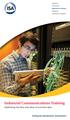 Standards Certification Education & Training Publishing Conferences & Exhibits Industrial Communications Training Optimizing the flow and value of real-time data Expert-led training with real-world application
D800002X122 March 2006. Getting Started With Your DeltaV Digital Automation System
 D800002X122 March 2006 Getting Started With Your DeltaV Digital Automation System TM 1996-2006 Fisher-Rosemount Systems, Inc. All rights reserved. Unauthorized duplication, in whole or in part, is prohibited.
VantagePoint Getting Results Guide
 VantagePoint Getting Results Guide FactoryTalk VantagePoint provides dashboards, trends and reports against a broad range of real time and historian data sources. To start using FactoryTalk VantagePoint
PLCs and SCADA Systems
 Hands-On Programmable Logic Controllers and Supervisory Control / Data Acquisition Course Description This extensive course covers the essentials of SCADA and PLC systems, which are often used in close
Network Manager Training Course Descriptions NM6
 Copyright 2015 ABB. All rights reserved. Network Manager Training Course Descriptions NM6 Catalogue We reserve all rights in this document and in the information therein. Reproduction,use or disclosure
Alain Nifenecker - General Electric Manager Controls Engineering
 GE Energy Benefits of Integrating a Single Plant-Wide Control System Into a Standard Plant Design Philosophy Authors: Luis Cerrada Duque - Empresarios Agrupados Director of I&C Department Charles Weidner
(262) 251-3000 pccweb.com Germantown Appleton Eau Claire. vision. technology. results. Course Length & Time: Two days.
 Siemens HMI with TIA Portal Outline This two day course will provide students the skills necessary to develop and maintain applications with the Siemens TIA Portal WinCC Comfort/Advanced software. Course
SHORT TRAINING COURSES
 Post Office Box SR 95, Spintex Road, Ghana Tel: +233 302 812680, Fax: +233 302 814709 E mail: [email protected] Website: www.automationghana.com SHORT TRAINING COURSES Equipping industries with
OpenControl. Utilization
 Developed By Buraq Integrated Solutions www.buraq.com Funded By National ICT R&D Fund www.ictrdf.org.pk/ 1 Development of Open Source HMI HMI Human Machine Interface - HMI The Human Machine Interface is
Global Common Controls Software Design (GCCS-2) Course (Version 6.0)
 Global Common Controls Software Design (GCCS-2) Course (Version 6.0) Course No. GCCS8029, (CTIS: 33544) Duration 4 days Recommended RS Logix 5000 Basic Ladder Logic Programming experience Objectives Upon
Software INTERACT. MachineLogic. The Shortest Distance Between Man and Machine
 Software INTERACT MachineLogic The Shortest Distance Between Man and Machine Fully IntegrateYour HMI and PC-Based Control With MachineShop Project Management MachineShop s Project Management is a simple,
Industrial Training Schedule Spring 2012
 Contents About Ashdale Industrial Control Training Courses 3 Mitsubishi GX Developer Software Programming Tool 4 Mitsubishi FX Series PLC Level 1 5 Mitsubishi Variable Speed Inverter Drives 6 Mitsubishi
Kevin Kochirka, ABB Turbine Automation, June 29, 2016. Flexible turbine control retrofits Webinar
 Kevin Kochirka, ABB Turbine Automation, June 29, 2016 Flexible turbine control retrofits Webinar Welcome Speaker introduction Kevin Kochirka Sr. Applications Engineer with ABB Inc. [email protected]
General Specifications
 General Specifications GS 36J02A10-01E NTPF100 OPC Interface Package GENERAL As data sharing between information systems increases, the requirement to efficiently access and use plant information to meet
Network-based Control System STARDOM. Network-based Control System. http://stardom.biz. Bulletin 34P02A00-11E. Versatile Data Server Software
 Network-based Control System STARDOM Network-based Control System Versatile Data Server Software Bulletin 34P02A00-11E http://stardom.biz Network Based Control System Simple, Secure Operation Site status
Technical Training Module ( 30 Days)
 Annexure - I Technical Training Module ( 30 Days) Section 1 : Programmable Logic Controller (PLC) 1. Introduction to Programmable Logic Controller - A Brief History, Need and advantages of PLC, PLC configuration,
ProfessionalPLUS Station Software Suite
 January 2013 Page 1 All you need to configure, control, and diagnose your plant is available on the ProfessionalPLUS Station Global database, architected for flexibility and scalability Powerful, graphical
Industrial IT Ó Melody Composer
 Overview Industrial IT Ó Melody Composer Features and Benefits Support of concurrent engineering for Control Systems Operation on Windows NT and Windows 2000 Multiple client/server architecture Off-Line
Professional Station Software Suite
 January 2013 Page 1 You can easily engineer and operate your process automation system from the Professional Station Powerful, graphical engineering capabilities Robust and secure plant operations Integrated
Pcounter Web Report 3.x Installation Guide - v2014-11-30. Pcounter Web Report Installation Guide Version 3.4
 Pcounter Web Report 3.x Installation Guide - v2014-11-30 Pcounter Web Report Installation Guide Version 3.4 Table of Contents Table of Contents... 2 Installation Overview... 3 Installation Prerequisites
Automation software Concept V2.6 The flexible IEC 61131-3 development environment to optimize PLC performance
 Automation software Concept V2.6 The flexible IEC 61131-3 development environment to optimize PLC performance Simply Smart! Leveraging ingenuity and intelligence for ease of use. Programming software that
SPI LTUF MEETING OSI SPI TRAINING SERVICES
 AN INTERGRAPH PPM SERVICE PROVIDER SPI LTUF MEETING OSI SPI TRAINING SERVICES Thursday, August 11 th AMEC 10343 Sam Houston Park Drive, Houston, TX. 77064 Presented by: Rockey J. McClish II OUR TRAINING
AdminStudio 2013. Installation Guide. Version 2013
 AdminStudio 2013 Installation Guide Version 2013 Legal Information Book Name: AdminStudio 2013 Installation Guide / Full and Limited Editions Part Number: ADS-2013-IG03 Product Release Date: July 16, 2013
Portfolio of Products. Integrated Engineering Environment. Overview
 Portfolio of Products Integrated Engineering Environment Overview Automation Studio is an all-in-one easy-to-use software that provides an open, productive and flexible engineering environment for the
800xA Smart Client Frequently Asked Questions
 800xA Smart Client Frequently Asked Questions Table of Contents Click section title to jump to topic area General information and licensing requirements Security Applications PC and operating system requirements
Training Agendas and Pricing
 Training Agendas and Pricing Contents 1 Relativity Training Overview... 3 2 Relativity Administrative Training... 5 3 Relativity Analytics Training... 8 4 Relativity Assisted Review Training... 10 5 Relativity
PMCS. Integrated Energy Management Solution. Unlock the Full Potential of Power Networks Through Integration. Complete Solution. Informed Decisions
 PMCS Integrated Energy Management Solution Unlock the Full Potential of Power Networks Through Integration Power Management Control System (PMCS) is a highly customizable, fully integrated end-to-end Energy
WinCC. Configuration Manual. Manual Volume 3
 WinCC Configuration Manual Manual Volume 3 This manual is part of the documentation package with the order number: 6AV6392-1CA05-0AB0 Release: September 1999 WinCC, SIMATIC, SINEC, STEP are trademarks
Wonderware InBatch. Flexible batch management
 Flexible batch management Wonderware InBatch is control system independent software that can be used for the most complex batching processes that require a high level of flexibility. Sophisticated equipment
IndustrialIT System 800xA AC 870P/Melody Engineering
 IndustrialIT System 800xA AC 870P/Melody Engineering Overview Features and Benefits Scalable System Architecture: The system architecture can range from a single station to complex client/server architecture.
Sage Intelligence Financial Reporting for Sage ERP X3 Version 6.5 Installation Guide
 Sage Intelligence Financial Reporting for Sage ERP X3 Version 6.5 Installation Guide Table of Contents TABLE OF CONTENTS... 3 1.0 INTRODUCTION... 1 1.1 HOW TO USE THIS GUIDE... 1 1.2 TOPIC SUMMARY...
Radiological Assessment Display and Control System
 Features Fast, real-time data acquisition and control Highly reliable communication with remote terminal units Collecting, converting, integrating and analyzing data from all monitors Detecting, annunciating
SCADA/HMI MOVICON TRAINING COURSE PROGRAM
 SCADA/HMI MOVICON TRAINING COURSE PROGRAM The Movicon training program includes the following courses: Basic Training Course: 1 day course at Progea head offices or authorized center. On location at client
General Specifications
 General Specifications GS 33Q02N81-31E LPC7800 VTSPortal Basic Pack LPC7801 VTSPortal Multiple Client Builder License GENERAL The primary objective of the Yokogawa Versatile Terminal Service Application
Agile Project Execution
 ebook Agile Project Execution The future of Industrial Process Automation projects v1.4 EMK(VDS)-TR-EB-01 APEX ebook Table of Contents Intro Agile Project Execution Page 2. Chapter 1 Conventional Project
DottsConnected SHAREPOINT 2010 ADMIN TRAINING. Exercise 1: Create Dedicated Service Accounts in Active Directory
 DottsConnected SHAREPOINT 2010 ADMIN TRAINING Module 1 - Getting started with SharePoint 2010 This introductory module introduces students to the fundamental terminology and architecture of SharePoint
SOS Suite Installation Guide
 SOS Suite Installation Guide rev. 8/31/2010 Contents Overview Upgrading from SOS 2009 and Older Pre-Installation Recommendations Network Installations System Requirements Preparing for Installation Installing
Network Manager Training. Course Descriptions NM5. Catalog
 Copyright 2014 ABB. All rights reserved. Network Manager Training Course Descriptions NM5 Catalog Based on Prep. PS/PSSW/ / 2015-03-16 Appr. / External doc. no. Project Doc. kind Doc. Plan des. Ref. des.
A Real Time, Object Oriented Fieldbus Management System
 A Real Time, Object Oriented Fieldbus Management System Mr. Ole Cramer Nielsen Managing Director PROCES-DATA Supervisor International P-NET User Organisation Navervej 8 8600 Silkeborg Denmark [email protected]
Advanced TDMS Database Training COURSE OUTLINE
 Advanced TDMS Database Training COURSE OUTLINE This course is intended to leverage existing knowledge of TDMS databases. Advanced functions will be covered that enhance the end-user experience or allow
Rosemount Analytical s X-STREAM XE Web-Browser Interface Takes Process Analysis to the Next Level
 Solutions for the Process Industries Rosemount Analytical s -STREAM E Web-Browser Interface Takes Process Analysis to the Next Level The -Stream E takes process gas analysis to the level of ease of use
Ovation Operator Workstation for Microsoft Windows Operating System Data Sheet
 Ovation Operator Workstation for Microsoft Windows Operating System Features Delivers full multi-tasking operation Accesses up to 200,000 dynamic points Secure standard operating desktop environment Intuitive
Arbortext Content Manager 9.0/9.1 Curriculum Guide
 Arbortext Content Manager 9.0/9.1 Curriculum Guide NOTE: For a graphical depiction of the curriculum based on job role, please visit this page: http://www.ptc.com/services/edserv/learning/paths/ptc/atcm_90.htm
Administration GUIDE. SharePoint Server idataagent. Published On: 11/19/2013 V10 Service Pack 4A Page 1 of 201
 Administration GUIDE SharePoint Server idataagent Published On: 11/19/2013 V10 Service Pack 4A Page 1 of 201 Getting Started - SharePoint Server idataagent Overview Deployment Configuration Decision Table
Maximizing return on plant assets
 Maximizing return on plant assets Manufacturers in nearly every process industry face the need to improve their return on large asset investments. Effectively managing assets, however, requires a wealth
IndustrialIT System 800xA Engineering
 IndustrialIT System 800xA Engineering Overview Features and Benefits Integrated Engineering Environment: Supports the engineering of the entire extended automation system from field devices to plant management
General Specifications
 General Specifications NTPP001, NTPP002, NTPP003, NTPP004, NTPP005, NTPP006, NTPP007, NTPP008, NTPP009 Exaquantum Plant Information Management System General Exaquantum is a Plant Information Management
Degree programme in Automation Engineering
 Degree programme in Automation Engineering Course descriptions of the courses for exchange students, 2014-2015 Autumn 2014 21727630 Application Programming Students know the basis of systems application
Visual Wingold is ERP for the Jewellery Industry. It is ready-to-use as well as customizable to meet your unique needs.
 Product Profile Product Overview Visual Wingold is ERP for the Jewellery Industry. It is ready-to-use as well as customizable to meet your unique needs. Visual Wingold is easy to use windows based client
Straton and Zenon for Advantech ADAM-5550. Copalp integrates the straton runtime into the ADAM-5550 device from Advantech
 Straton and Zenon for Advantech ADAM-5550 Copalp integrates the straton runtime into the ADAM-5550 device from Advantech Project Introduction: Programmable Application Controllers (PAC) are powerful and
Candle Plant process automation based on ABB 800xA Distributed Control Systems
 Candle Plant process automation based on ABB 800xA Distributed Control Systems Yousef Iskandarani and Karina Nohammer Department of Engineering University of Agder Jon Lilletuns vei 9, 4879 Grimstad Norway
National Fire Incident Reporting System (NFIRS 5.0) NFIRS Data Entry/Validation Tool Users Guide
 National Fire Incident Reporting System (NFIRS 5.0) NFIRS Data Entry/Validation Tool Users Guide NFIRS 5.0 Software Version 5.6 1/7/2009 Department of Homeland Security Federal Emergency Management Agency
How To Use Safety System Software (S3)
 SPECIFICATION DATA Safety System Software (S3) APPLICATION Safety System Software (S 3 ) is a robust, full featured configuration, diagnostic, programming and real-time monitoring package for integrators
USER GUIDE WEB-BASED SYSTEM CONTROL APPLICATION. www.pesa.com August 2014 Phone: 256.726.9200. Publication: 81-9059-0703-0, Rev. C
 USER GUIDE WEB-BASED SYSTEM CONTROL APPLICATION Publication: 81-9059-0703-0, Rev. C www.pesa.com Phone: 256.726.9200 Thank You for Choosing PESA!! We appreciate your confidence in our products. PESA produces
Parameterizing options. 8.1.1 Parameterization options based on the communication protocols used
 Setting module parameters 8 PARAMETERIZATION 8.1 Parameterizing options 8.1.1 Parameterization options based on the communication protocols used Many fieldbuses currently in use do not have sufficient
Visualization SIMATIC. Visualization. Present sample project. HMI configuration. Insert HMI device from libraries 3. Configuring HMI connection 4
 Present sample project 1 HMI configuration 2 SIMATIC Getting Started Insert HMI device from libraries 3 Configuring HMI connection 4 Configuring system diagnostics 5 Simulating an HMI device 6 05/2014
Insight Advanced Workstation
 Technical Specification Sheet Document No. 149-333P25 October 29, 2015 Insight Advanced Workstation Figure 1. Insight Advanced Main Menu. The Insight Advanced Workstation transforms a personal computer
Computer Information Systems
 Computer Information Systems Technology 93 Computer Information Systems Location: Patterson Campus - Bldg. E Program Information The Computer Information Systems department at is progressive and innovative
Manaar Energy Consulting & Project Management
 Manaar Energy Consulting & Project Management Is rising Middle East gas demand encouraging investments in unconventional resources? MENA gas challenges Explosive growth of power demand Economic and population
Application Note. Example of user log on Magelis HMI with XB5S5B2L2 biometric switch. Advanced Technical Support - Brazil. Version: 1.
 Application Note Example of user log on Magelis HMI with XB5S5B2L2 biometric switch. Version: 1.0 Advanced Technical Support - Brazil Technical Specifications Hardware: Firmware: HMIGTO4310 XB5S5B2L2 Software:
KPI, OEE AND DOWNTIME ANALYTICS. An ICONICS Whitepaper
 2010 KPI, OEE AND DOWNTIME ANALYTICS An ICONICS Whitepaper CONTENTS 1 ABOUT THIS DOCUMENT 1 1.1 SCOPE OF THE DOCUMENT... 1 2 INTRODUCTION 2 2.1 ICONICS TOOLS PROVIDE DOWNTIME ANALYTICS... 2 3 DETERMINING
INSTALLATION GUIDE. Trimble AutoBid Mechanical Software
 INSTALLATION GUIDE Trimble AutoBid Mechanical Software Revision A April 2014 F Englewood Office Trimble Navigation Limited 116 Inverness Drive East, Suite 210 Englewood, Colorado 80112 (800) 234-3758 Copyright
Emonitor INSTALLATION MANUAL INSTALLING EMONITOR SOFTWARE WITH A GUPTA SINGLE USER DATABASE
 Emonitor INSTALLATION MANUAL INSTALLING EMONITOR SOFTWARE WITH A GUPTA SINGLE USER DATABASE PUBLICATION EMONTR-IN001G-EN-E December, 2013 Supersedes Publication EMONTR-IN001F-EN-E Contact Rockwell Customer
PROFINET IO Diagnostics 1
 PROFINET IO is a very cost effective and reliable technology. However, extensive installations can have thousands of PROFINET IO devices operating on many networks. The reliable operation of these networks
Total Solutions Providers for Fire & Security Systems
 Total Solutions Providers for Fire & Security Systems Tyco Fire & Security UAE is a joint venture between Suwaidi Engineering Group and Tyco Fire & Integrated Solutions. Established in 1994, we now employ
Software Development Kit
 Open EMS Suite by Nokia Software Development Kit Functional Overview Version 1.3 Nokia Siemens Networks 1 (21) Software Development Kit The information in this document is subject to change without notice
Symphony Plus S+ Engineering: Composer Harmony
 Symphony Plus S+ Engineering: Composer Harmony Symphony Plus S+ Engineering: Composer Harmony Symphony TM Plus includes a comprehensive suite of engineering tools. S+ Engineering s Composer tools provide
HELP DOCUMENTATION E-SSOM INSTALLATION GUIDE
 HELP DOCUMENTATION E-SSOM INSTALLATION GUIDE Copyright 1998-2013 Tools4ever B.V. All rights reserved. No part of the contents of this user guide may be reproduced or transmitted in any form or by any means
Base Station. Base Station. Introduction. DeltaV Product Data Sheet. Adaptable work environment. Scalable to suit your needs. Dedicated functional use
 September 2013 Page 1 Use the to build a custom DeltaV workstation to meet your needs. Adaptable work environment Scalable to suit your needs Dedicated functional use Introduction Are you looking for process
Windchill Service Information Manager 10.1. Curriculum Guide
 Windchill Service Information Manager 10.1 Curriculum Guide Live Classroom Curriculum Guide Building Information Structures with Windchill Service Information Manager 10.1 Building Publication Structures
How to read this guide
 How to read this guide The following shows the symbols used in this Quick start guide with descriptions and examples. Symbol Description Example P oint Reference Caution [ ] This symbol explains information
Exercise Safe Commands and Audit Trail
 Exercise Safe Commands and Audit Trail Table of Contents Exercise 1: Secure Objects with Safe Commands...2 Exercise 2: Record User Actions in the Audit Trail... 13 3.1 Setting up the SQL Server for Audit
Microsoft Enterprise Search for IT Professionals Course 10802A; 3 Days, Instructor-led
 Microsoft Enterprise Search for IT Professionals Course 10802A; 3 Days, Instructor-led Course Description This three day course prepares IT Professionals to administer enterprise search solutions using
Helping shape your future Certified Management Accountant (CMA)
 www.pwc.com/me Helping shape your future Certified Management Accountant (CMA) PwC s Academy 2015 2016 Contents About PwC s Academy 1. About PwC s Academy 2 2. About the CMA 4 3. Getting qualified 5 4.
Installing LearningBay Enterprise Part 2
 Installing LearningBay Enterprise Part 2 Support Document Copyright 2012 Axiom. All Rights Reserved. Page 1 Please note that this document is one of three that details the process for installing LearningBay
APPLICATION NOTE. The DMP Software Family DMP COMPUTER SOFTWARE PROGRAMS
 APPLICATION NOTE Contents The DMP Software Family... 1 Stand-Alone Link Software... 1 Add-on Modules for Link Software... 1 System Link End-User Panel Management Software... 2 Simple Registration and Activation...
StruxureWare Power Monitoring 7.0.1
 WHAT'S NEW 7EN12-0262-01 08/2012 StruxureWare Power Monitoring 7.0.1 StruxureWare Power Monitoring 7.0.1 is the recommended service pack for version 7.0. The StruxureWare Power Monitoring system provides
OfficeServ Link. User Guide. Version 2.1 June 2005
 OfficeServ Link User Guide Version 2.1 June 2005 OfficeServ Link Version 2.1 User Guide This manual should be read before the installation and operation of the OfficeServ Link Software. COPYRIGHT This
Implementing and Supporting Microsoft Windows XP Professional
 Implementing and Supporting Microsoft Windows XP Professional Key Data Course #: 2272C Number of Days: 5 Format: Instructor-led The purpose of this course is to address the implementation and desktop support
Delivering operations integrity through better plant safety, availability and compliance across your entire enterprise
 Product Information Note DynAMo Alarm & Operations Management Delivering operations integrity through better plant safety, availability and compliance across your entire enterprise Control Magazine Readers
ISaGRAF. Getting Started. Software release 5.2
 ISaGRAF Getting Started Software release 5.2 January 2009 Getting Started Copyright 1999-2009: ICS Triplex ISaGRAF Inc. All rights reserved. No portion of this work may be reproduced in any form or by
Integration Guide. Microsoft Active Directory Rights Management Services (AD RMS) Microsoft Windows Server 2008
 Integration Guide Microsoft Active Directory Rights Management Services (AD RMS) Microsoft Windows Server 2008 Integration Guide: Microsoft Active Directory Rights Management Services (AD RMS) Imprint
Bosch Packaging Academy Essential Training
 Essential Training Operating Fundamentals Work safely during operation Understand the basic functions of the equipment Get familiar with the operating elements Be able to operate the equipment Get familiar
FactoryTalk ViewPoint Quick Start Guide
 FactoryTalk ViewPoint Quick Start Guide Publication FTVP-QS002F-EN-E - September 2015 Supersedes Publication FTVP-QS002E-EN-E Important user information Read this document and the documents listed in the
Version 4.61 or Later. Copyright 2013 Interactive Financial Solutions, Inc. All Rights Reserved. ProviderPro Network Administration Guide.
 Version 4.61 or Later Copyright 2013 Interactive Financial Solutions, Inc. All Rights Reserved. ProviderPro Network Administration Guide. This manual, as well as the software described in it, is furnished
Table Of Contents. - Microsoft Windows - WINDOWS XP - IMPLEMENTING & SUPPORTING MICROSOFT WINDOWS XP PROFESSIONAL...10
 Table Of Contents - - WINDOWS SERVER 2003 MAINTAINING AND MANAGING ENVIRONMENT...1 WINDOWS SERVER 2003 IMPLEMENTING, MANAGING & MAINTAINING...6 WINDOWS XP - IMPLEMENTING & SUPPORTING MICROSOFT WINDOWS
Extreme Networks Security Upgrade Guide
 Extreme Networks Security Upgrade Guide 9034868 Published July 2015 Copyright 2012 2015 All rights reserved. Legal Notice Extreme Networks, Inc. reserves the right to make changes in specifications and
WorkSite 8.5 imanage Certified Systems Engineer
 WorkSite 8.5 imanage Certified Systems Engineer Course Description Title: WorkSite 8.5 imanage Certified System Engineer (ICSE) Duration: 5 days Course Description This course prepares participants to
Workshop & Chalk n Talk Catalogue Services Premier Workshop & Chalk n Talk Catalogue
 Services Premier Workshop & Chalk n Talk Catalogue The Microsoft Services Premier Workshop & Chalk n Talk Catalogue 2011 is published by Microsoft Services in Ireland. Workshop Schedule Workshop Location
Providing training for the life of your plant. Siemens Power Plant Operations Support and Training. Customer Training Overview
 Providing training for the life of your plant Siemens Power Plant Operations Support and Training Customer Training Overview Background A well-trained and knowledgeable team of plant Operations and Maintenance
SUMMARY Moderate-High: Requires Visual Basic For Applications (VBA) skills, network file services skills and interoperability skills.
 Author: Sanjay Sansanwal Title: Configuring FileCM Extensions for Word The information in this article applies to: o FileCM 2.6, 3.0, 3.5, 3.5.1, 3.5.2, 4.0, 4.2 o Microsoft Windows 2000 Professional,
WinCC Runtime Professional Readme SIMATIC HMI. WinCC V11 SP1. Readme WinCC Runtime Professional. Special considerations for Windows 7.
 WinCC Runtime Professional Readme SIMATIC HMI WinCC V11 SP1 Special considerations for Windows 7 1 Installation 2 Runtime 3 Options 4 HMI devices 5 Readme WinCC Runtime Professional System Manual Online
FileMaker Server 15. Getting Started Guide
 FileMaker Server 15 Getting Started Guide 2007 2016 FileMaker, Inc. All Rights Reserved. FileMaker, Inc. 5201 Patrick Henry Drive Santa Clara, California 95054 FileMaker and FileMaker Go are trademarks
EDS Data Sheet. Features. Control System Integration
 Features Comprehensive package for remote visualization of process graphics, trends, and alarms Integrated view of multiple systems and sites at authorized desktop computers Display of custom-built diagrams