
Mini Hi-Fi Component System
|
|
|
- Winfred Lindsey
- 10 years ago
- Views:
Transcription
1 (1) Mini Hi-Fi Component System Operating Instructions f MHC-W by Sony Corporation
2 WARNING To prevent fire or shock hazard, do not expose the unit to rain or moisture. To avoid electrical shock, do not open the cabinet. Refer servicing to qualified personnel only. Do not install the appliance in a confined space, such as a bookcase or built-in cabinet. CAUTION Do not, under any circumstances, place the player/stereo cassette deck on top of the A/V control amplifier. This stereo system is equipped with the Dolby* B- type noise reduction system. * Dolby noise reduction manufactured under license from Dolby Laboratories Licensing Corporation. DOLBY and the double-d symbol a are trademarks of the Dolby Laboratories Licensing Corporation. The MHC-W555 consist of the following components: - A/V control amplifier STR-W555 - player/stereo cassette deck HTC-W555 - Speaker system SS-W777G Laser component in this product is capable of emitting radiation exceeding the limit for Class 1. This appliance is classified as a CLASS 1 LASER product. The CLASS 1 LASER PRODUCT MARKING is located on the rear exterior. This caution label is located inside the unit. 2
3 Table of Contents Getting Started Step 1: Hooking up the system... 4 Step 2: Setting the time... 6 Step 3: Presetting radio stations... 7 Connecting optional AV components. 8 Basic Operations Playing a Recording a Listening to the radio Recording from the radio Playing a tape Recording from a tape The Player Using the display Playing the tracks repeatedly Playing the tracks in random order Programming the tracks Playing s without interruption Sound Adjustment Adjusting the sound Selecting the audio emphasis Adjusting the audio emphasis Making a personal audio emphasis file Other Features Singing along: Karaoke Falling asleep to music Waking up to music Timer-recording radio programs Additional Information Precautions Troubleshooting Specifications Index EN The Tape Deck Recording on a tape manually Recording a by specifying track order DJ Effects Looping part of a Flashing part of a
4 Getting Started Step 1: Hooking up the system Do the following procedure 1 to 6 to hook up your system using the supplied cords and accessories. If you set up the stereo system vertically Be sure to place the A/V control amplifier on top of the player/stereo cassette deck. AM loop antenna Right Speaker 1 FM antenna 3 6 Left Speaker Connect the flat cord to the SYSTEM CONTROL connectors until it clicks. To disconnect 2 Connect the speakers. Connect the speaker cords to the SPEAKER jacks of the same color. Keep the speaker cords away from the antennas to prevent noise. Insert only the stripped portion. R L 4 Red ( ) Black ( )
5 EQ 3 Connect the FM/AM antennas. Set up the AM loop antenna, then connect it. AM loop antenna Extend the FM lead antenna horizontally. AM FM 75Ω To activate the automatic sliding panel Press OPEN/CLOSE to slide the panel. Press OPEN SENSOR ON/OFF, so that AUTO indicator lights up. When you stand within 30 cm from the panel, the panel slides down automatically. AUTO indicator SLIDING SENSOR OPEN/CLOSE 4 Set VOLTAGE SELECTOR to position of your local power line voltage. OPEN SENSOR ON/OFF The panel closes automatically if you do not operate on or in the panel for about 30 seconds. Inserting two size AA (R6) batteries into the remote 5 Connect the power cord to a wall outlet. Demo mode appears in the display. If the plug on this unit does not fit your wall outlet, detach the supplied adapter from the plug. 6 Deactivate the demo mode by pressing DISPLAY/DEMO when the system power is turned off. The demo mode is also deactivated when you set the time. } ] ] } Tip With normal use, the batteries should last for about six months. When the remote no longer operates the system, replace both batteries with new ones. Note If you do not use the remote for a long period of time, remove the batteries to avoid possible damage from battery leakage. continued 5
6 DSP Step 1: Hooking up the system (continued) When carrying this system Do the following to protect the mechanism. 1 Press FUNCTION repeatedly until appears in the display. 2 Hold down LOOP and press 1/u (power) so that LOCK appears in the display. 1 Press CLOCK/TIMER SET. The hour indication flashes. t DAILY 1 2 REC SLEEP a RELAY ß PROGRAM SHUFFLE REPEAT1 TUNED STEREO MONO SYNC REC STEP khz MHz 2 Turn the jog dial to set the hour. The clock is on a 12-hour system. DBFB SUR To attach the front speaker pads Attach the supplied front speaker pads to the bottom of the speakers to stabilize the speakers and prevent them from slipping. 3 Press ENTER/NEXT. The minute indication flashes. t RELAY DAILY 1 2 REC SLEEP ß a PROGRAM SHUFFLE REPEAT1 TUNED STEREO MONO SYNC REC STEP khz MHz DBFB SUR 4 Turn the jog dial to set the minute. 5 Press ENTER/NEXT. The clock starts working. Step 2: Setting the time You must set the time before using the timer functions. 1 2,4 3,5 Tips If you ve made a mistake, start over from step 1. Setting the time deactivates the demo mode. If you want to display the demo mode, press DISPLAY/DEMO when the power is off. Note The previous explanation shows you how to set the time while the power is off. To change the time while the power is on, do the following: 1 Press CLOCK/TIMER SET. 2 Turn the jog dial to select SET CLOCK. 3 Press ENTER/NEXT. 4 Perform steps 2 through 5 above. 6
7 DSP Step 3: Presetting radio stations You can preset up to 40 stations, 20 for FM, 10 for MW and 10 for SW. 1/u (power) Press TUNING MEMORY. A preset number appears in the display. t DAILY 1 2 REC SLEEP 1 RELAY ß ALL 1 DISCS PROGRAM SHUFFLE REPEAT1 Preset number TUNED STEREO MONO SYNC REC STEP khz 4 Turn the jog dial to select the preset number you want. SUR 5 Press ENTER/NEXT. The station is stored. 6 Repeat steps 1 to 5 to store other stations. 1 Press TUNER BAND repeatedly until the band you want appears in the display. Every time you press this button, the band changes as follows: FM n MW n SW n 2 Press and hold 0 or ) + until the frequency indication starts to change, then release. Scanning stops when the system tunes in a station. TUNED and STEREO (for a stereo program) appear. t RELAY DAILY 1 2 REC SLEEP ß 1 ALL 1 DISCS PROGRAM SHUFFLE REPEAT1 TUNED STEREO MONO SYNC REC STEP khz MHz DBFB SUR To tune in a station with a weak signal Press 0 or ) + repeatedly to tune in the station manually. To change the preset number Start over from step 1. To change the AM tuning interval The AM tuning interval is factory-preset to 9 khz (10 khz in some areas). To change the AM tuning interval, tune in any AM station first, then turn off the power. While holding down the ENTER/NEXT button, turn the power back on. When you change the interval, AM preset stations will be erased. To reset the interval, repeat the same procedure. Tip The preset stations are retained for a day even if you unplug the power cord or if a power failure occurs. 7
8 Connecting optional AV components To enhance your system, you can connect optional components. Refer to the instructions of each component. Connecting an MD deck for analog recording Make sure to match the color of the plugs and the connectors. To listen to the sound of the connected MD deck, press FUNCTION repeatedly until MD appears. To the audio output of the MD deck To the audio input of the MD deck Connecting audio components Select one of the following two connections, depending on the equipment to be connected and method of connecting. Connecting an MD deck for digital recording You can record from into the MD deck digitally by connecting an optical cable. To the DIGITAL IN jack of the MD deck Tip When you connect a Sony MD deck, you can use the MD (, P, and p buttons on this unit's remote to perform play, pause and stop operations. Note If you cannot select MD even when you have pressed FUNCTION, press 1/u (power) while pressing FUNCTION when the power is turned off. VIDEO 1 will be switched to MD. To return to VIDEO 1, do the same procedure. Connecting the surround Speaker You can connect the optional Surround Speaker. To the right rear speaker To the left rear speaker 8
9 EQ Connecting a super woofer speaker You can connect an optional super woofer speaker. To super woofer Connecting a video game player You can enjoy video games with audio emphasis by connecting a video game player. To listen to and watch a video game, press FUNCTION repeatedly until VIDEO 2 appears. Press OPEN/CLOSE or place your hand to the sliding sensor to slide the panel. Connect a video game player as shown below: To the audio/video output of a video game player OPEN/CLOSE Connecting a VCR Make sure to match the color of the plugs and the connectors. To listen to the sound of the connected VCR, press FUNCTION repeatedly until VIDEO 1 appears. To the audio output of the VCR To the video input of a TV Note The sliding panel does not close when the AV INPUT jacks are connected. continued 9
10 FM 75Ω FM 75Ω Connecting optional AV components (continued) Connecting outdoor antennas Connect the outdoor antenna to improve the reception. FM antenna Connect the optional FM outdoor antenna. You can also use the TV antenna instead. 75-ohm coaxial cable (not supplied) AM Screw clamp y Ground wire (not supplied) AM antenna Connect a 6- to 15- meter (20- to 50- feet) insulated wire to the AM antenna terminal. Leave the supplied AM loop antenna connected. Insulated wire (not supplied) Screw clamp AM y Ground wire (not supplied) Important If you connect an outdoor antenna, ground from y terminal with the screw clamp. To prevent a gas explosion, do not connect the ground wire to a gas pipe. 10
11 DSP Basic Operations Basic Operations Playing a Normal play You can play up to three s in a row. 1/u (power) PLAY MODE jog dial 1 Press OPEN/CLOSE 6 and place up to two s on the disc tray. If a disc is not placed properly it will not be recognized. With the label side up. When you play a single, place it on the inner circle of the tray. To insert a third disc, press DISC SKIP/ EX-CHANGE to rotate the disc tray. DISC SKIP/ EX-CHANGE Press one of the DISC 1~3 buttons. The disc tray closes and play starts. If you press P (or ( on the remote), play starts from the loaded on the tray whose button is lit green. Disc tray number Playing time t RELAY DAILY 1 2 REC SLEEP ß ALL 1 DISCS PROGRAM SHUFFLE 1 TUNED STEREO MONO SYNC REC STEP khz MHz DBFB SUR Track number VOL +/ continued 11
12 Playing a (continued) To Do this Stop play Press p (p on the remote). Pause Press P (P on the remote). Press again to resume play. Select a track During play or pause, turn the jog dial clockwise (to go forward) or counterclockwise (to go back) and release it when you reach the desired track. (Or press + (to go forward) or = (to go back) on the remote.) Find a point in Press and hold down ) or a track 0 (or )/0 on the remote) during play and release it at the desired point. Select a Press a DISC 1~3 button or in stop mode DISC SKIP/EX-CHANGE. Play only the Press PLAY MODE you have repeatedly until 1 DISC selected appears. Play all s Press PLAY MODE repeatedly until ALL DISCS appears. Remove the Press OPEN/CLOSE 6. Exchange other s while playing Adjust the volume Press DISC SKIP/ EX-CHANGE. Turn (or press VOL +/ on the remote). Tips Pressing P when the power is off automatically turns the power on and starts playback if there is a in the tray (One Touch Play). You can switch from another source to the player and start playing a just by pressing P or the DISC 1~3 buttons (Automatic Source Selection). If there is no in the player, NO DISC appears in the display. When a disc tray is selected or the placed on that tray is playing, the DISC 1~3 button for the respective tray lights green. 12
13 Basic Operations Recording a Synchro Recording The SYNCHRO button lets you record from a to a tape easily. You can use TYPE I (normal) or TYPE II (CrO2) tapes. The recording level is adjusted automatically. DISC SKIP/ EX-CHANGE 2 2 Press OPEN/CLOSE 6 and place a. Then press again to close the disc tray. If the indicator for the tray you want to record is not lit green, press DISC SKIP/ EX-CHANGE repeatedly so that it lights green. With the label side up. When you play a single, place it on the inner circle of the tray. 1 Press and insert a blank tape into deck B. With the side you want to record facing forward ª AUTO REVERSE 1 3 Press SYNCHRO. Deck B stands by for recording and the player stands by for playback. (for front side) lights up. 4 Press DIRECTION MODE repeatedly to select A to record on one side. Select ß (or RELAY) to record on both sides. 5 Press P PAUSE on deck B. Recording starts. To stop recording Press π on deck B or p on the player. Tips If you want to record from the reverse side, press ª so that ª (for reverse side) lights up. When you record on both sides, be sure to start from the front side. If you start from the reverse side, recording stops at the end of the reverse side. When you want to reduce the hiss noise in lowlevel high-frequency signals, press so that appears after pressing SYNCHRO. Notes You cannot listen to other sources while recording. Dolby NR and DIRECTION MODE (ß or RELAY) is off when the mains AC power supply is switched off. 13
14 DSP Listening to the radio Preset Tuning 2 Turn the jog dial (or press = or + on the remote) to tune in the desired preset station. Preset radio stations in the tuner's memory first (see Step 3: Presetting radio stations ). 1/u (power) 2 STEREO/ MONO 1 Turn counterclockwise (or press = on the remote) for lower preset numbers. Preset number Turn clockwise (or press + on the remote) for higher preset numbers. Frequency t RELAY DAILY 1 2 REC SLEEP ß 1 ALL 1 DISCS PROGRAM SHUFFLE REPEAT1 TUNED STEREO MONO SYNC REC STEP khz MHz SUR 0 /) + To Turn off the radio Adjust the volume Do this Press 1/u (power). Turn (or press VOL +/ on the remote). TUNER/BAND VOL +/ 1 Press TUNER BAND repeatedly until the band you want appears in the display. Every time you press the button, the band changes as follows: FM n MW n SW n To listen to non-preset radio stations Use manual or automatic tuning. For manual tuning, press 0 or ) + repeatedly. For automatic tuning, press and hold 0 or ) +. Tips Pressing TUNER BAND when the power is off automatically turns the power on and tunes to the last received station (One Touch Play). You can switch from another source to the radio just by pressing TUNER BAND (Automatic Source Selection). When an FM program is noisy, press STEREO/ MONO so that MONO appears in the display. There will be no stereo effect, but the reception will improve. Press the button again to restore the stereo effect. To improve broadcast reception, reorient the supplied antennas. 14
15 DSP Basic Operations Recording from the radio You can record the radio program on a tape by calling up a preset station. You can use TYPE I (normal) or TYPE II (CrO2) tapes. The recording level is automatically adjusted. 3 Press and insert a blank tape into deck B. With the side you want to record facing forward ª AUTO REVERSE 1/u (power) Press r REC. Deck B stands by for recording. 5 Press DIRECTION MODE repeatedly to select A to record on one side. Select ß (or RELAY) to record on both sides. 6 Press P PAUSE on deck B. Recording starts. To stop recording Press π on deck B. 1 Press TUNER BAND to select the band you want. 2 Turn the jog dial to tune in a preset station. Turn counterclockwise for lower preset numbers Turn clockwise for higher preset numbers. Tips If you want to record from the reverse side, press ª so that ª (for reverse side) lights up. When you record on both sides, be sure to start from the front side. If you start from the reverse side, recording stops at the end of the reverse side. To record non-preset stations, use 0 and ) + to tune in the desired station manually. When you want to reduce the hiss noise in low-level high-frequency signals, press so that ON appears after pressing r REC. If noise is heard while recording from the radio, move the respective antenna to reduce the noise. Note Dolby NR and DIRECTION MODE (ß or RELAY) is off when the mains AC power supply is switched off. Preset number Frequency t DAILY 1 2 REC SLEEP 1 RELAY ß ALL 1 DISCS PROGRAM SHUFFLE REPEAT1 TUNED STEREO MONO SYNC REC STEP khz MHz SUR 15
16 DSP Playing a tape 1 Press and insert a recorded tape in deck A or B. You can use any type of tape, TYPE I (normal), TYPE II (CrO2) or TYPE IV (metal), since the deck automatically detects the tape type. You can also use the jog dial s AMS* functions to quickly search for songs you want to hear. To select either deck A or B, press DECK A ( or DECK B ( on the remote. With the side you want to play facing forward ª AUTO REVERSE 1/u (power) 2 Press DIRECTION MODE repeatedly to select A to play one side. Select ß** to play both sides. To play both decks in succession, select RELAY (relay play).*** 3 Press. Press ª to play the reverse side. The tape starts playing. 3 P PAUSE 1 2 DECK A ( DECK B ( 1 3 ** The deck stops automatically after repeating the sequence five times. *** Relay play always follows the following sequence: Deck A (front side), Deck A (reverse side), Deck B (front side), Deck B (reverse side). To Do this Stop play Press π (or p on the remote). Pause (Deck B only) Press P PAUSE. Press again to resume play. Fast-forward Press ) while playing the front side or 0 while playing the reverse side. Rewind Press 0 while playing the front side or ) while playing the reverse side. Remove the cassette Press. Adjust the volume Turn (or press VOL +/ on the remote). VOL +/ 16
17 DSP Basic Operations Tips Pressing or ª when the power is off automatically turns the power on and starts tape playback if there is a tape in the deck (One Touch Play). You can switch from another source to the tape deck just by pressing or ª (Automatic Source Selection). If the tape you want to play is recorded with, you can reduce the noise by pressing the so that ON appears. When dubbing tapes originally recorded with Dolby NR B, the dubbed tape is automatically played with Dolby NR B. Searching for the beginning of a track (AMS*) During playback, turn the jog dial the same direction as the 9 or ( indicator to go forward. Turn the opposite direction to go back. (Or press = or + on the remote.) The search direction, + (forward) or (back), and number of songs being skipped (1~9) appear in the display. Example: searching forward 2 songs Recording from a tape High-speed Dubbing You can use TYPE I (normal) or TYPE II (CrO2) tapes. The recording level is automatically adjusted. 1/u (power) t RELAY DAILY 1 2 REC SLEEP ß ALL 1 DISCS PROGRAM SHUFFLE REPEAT1 TUNED STEREO MONO SYNC REC STEP khz MHz SUR * AMS (Automatic Music Sensor) Notes The AMS function may not operate correctly under the following circumstances: When the unrecorded space between songs is less than 4 seconds long. If completely different information is recorded on the left and right channels. When there are continuous sections of extremely low level or low frequency sound (like those of a baritone sax). When the unit is placed near a television. (In this case, we recommend moving the unit farther away from the television or turning off the television.) Dolby NR and DIRECTION MODE (ß or RELAY) is off when the mains AC power supply is switched off Press and insert a recorded tape in deck A and a blank tape in deck B. With the side you want to play/record facing forward ª AUTO REVERSE 2 Press HI-SPEED DUBBING. Deck B stands by for recording. continued 17
18 Recording from a tape (continued) 3 Press DIRECTION MODE repeatedly to select A to record on one side. Select ß (or RELAY) to record on both sides. 4 Press P PAUSE. Dubbing starts. To stop dubbing Press π on deck A or B. Tips When you dub on both sides, start recording from the front side. If you record from the reverse side, recording stops at the end of the reverse side. If you set DIRECTION MODE to ß when the tapes you use have different lengths, the tape in each deck reverses independently. If you select RELAY, the tapes in both decks reverse together. You don t have to set, since the tape in deck B is automatically recorded in the same state as the tape in deck A. Note Dolby NR and DIRECTION MODE (ß or RELAY) is off when the mains AC power supply is switched off. 18
19 DSP DSP The Player Using the display You can check the remaining time of the current track or that of the. 1/u (power) DISPLAY/DEMO Playing the tracks repeatedly Repeat Play This function lets you repeat a single or all s in normal play, Shuffle Play and Program Play. 1/u (power) REPEAT PLAY MODE / Press DISPLAY/DEMO during playback. Each time you press the button during normal playback, the display changes as follows: n Playing time on the current track µ Remaining time on the current track µ Remaining time on current (1 DISC mode) or PLAY display (ALL DISCS mode) µ Clock display (for eight seconds) µ Effect (P FILE) name or EFFECT ON (OFF) µ Name of spectrum analyzer display pattern. / Press REPEAT during playback until REPEAT appears in the display. Repeat Play starts. Do the following procedure to change the repeat mode. To repeat All the tracks on the current All the tracks on all s Only one track Press PLAY MODE repeatedly until 1 DISC appears in the display. PLAY MODE repeatedly until ALL DISCS appears in the display. REPEAT repeatedly until REPEAT 1 appears in the display while playing the track you want to repeat. To check the total playing time and the number of tracks on a Press DISPLAY/DEMO in the stop mode. If you press DISPLAY/DEMO again, the clock display appears for eight seconds then the display returns to the previous indication. To cancel Repeat Play Press REPEAT so that REPEAT or REPEAT 1 disappears from the display. 19
20 DSP Playing the tracks in random order Shuffle Play You can play all the tracks on one or all s in random order. 1/u (power) 12 To cancel Shuffle Play Press PLAY MODE repeatedly until SHUFFLE or PROGRAM disappears from the display. The tracks continue playing in their original order. To select a desired Press DISC 1~3. Tips You can start Shuffle Play during normal play by pressing PLAY MODE repeatedly to select SHUFFLE. To skip a track, turn the jog dial clockwise (or press + on the remote). DISC Press FUNCTION repeatedly until appears in the display, then place a. 2 Press PLAY MODE repeatedly until 1 DISC SHUFFLE or ALL DISCS SHUFFLE appears in the display. ALL DISCS shuffles all the s in the player. 1 DISC shuffles the whose DISC indicator is green. 3 Press P. J appears and then all the tracks play in random order. 20
21 DSP Programming the tracks Program Play You can make a program of up to 32 tracks from all the s in the order you want them to be played. 1/u (power) Press FUNCTION repeatedly until appears in the display, then place a. 2 Press PLAY MODE repeatedly until PROGRAM appears in the display. 3 Press one of the DISC 1~3 buttons to select a. 4 Turn the jog dial until the desired track appears in the display. Disc number t DAILY 1 2 REC SLEEP 1 RELAY ß ALL 1 DISC PROGRAM SHUFFLE REPEAT1 TUNED STEREO MONO SYNC REC STEP khz MHz SUR Track number 5 Press ENTER/NEXT. The track is programmed. STEP and the programmed playing order appear, followed by the total playing time. Total playing time 3 7 t DAILY 1 2 REC SLEEP 1 RELAY ß ALL 1 DISC PROGRAM SHUFFLE REPEAT1 TUNED STEREO MONO SYNC REC STEP khz MHz The last programmed track SUR CHECK CLEAR 6 To program additional tracks, repeat steps 3 to 5. Skip step 3 to select tracks from the same disc. 7 Press P. All the tracks play in the order you selected. VOL +/ To cancel Program Play Press PLAY MODE repeatedly until PROGRAM or SHUFFLE disappears from the display. continued 21
22 DSP Programming the tracks (continued) To Check the program Clear a track from the end Clear a specific track Add a track to the program Clear the entire program Press CHECK on the remote repeatedly. After the last track, CHECK END appears. CLEAR on the remote in stop mode. CHECK on the remote repeatedly until the number of the track to be erased lights up, then press CLEAR. 1 Select the disc tray with a DISC 1~3 button. 2 Select the track by turning the jog dial. 3 Press ENTER/NEXT. p once in stop mode or twice while playing. Playing s without interruption Non-Stop Play You can play s without pausing between tracks. 1/u (power) Tips The program you made remains in the player even after it has been played back. Press P to play the same program again. If appears instead of the total playing time during programming, this means: you have programmed a track number which exceeds 20 the total playing time has exceeded 100 minutes. 1 Press FUNCTION repeatedly until appears in the display, then place a. 2 Press NON-STOP to light the indicator. NON-STOP ON appears in the display. 3 Press P. To cancel Non-Stop Play Press NON-STOP so that the indicator goes out and NON-STOP OFF appears in the display. 22
23 DSP The Tape Deck Recording on a tape manually You can record from, tape, or radio as you like. For example, you can record just the songs you want or record from the middle of the tape. The recording level is adjusted automatically. 1/u (power) Press P PAUSE on deck B. Recording starts. 6 Start playing the source to be recorded. To Stop recording Pause recording Press π on the deck B P PAUSE on the deck B Tips If you want to record from the reverse side, press ª so that ª (for reverse side) lights up. When you want to reduce the hiss noise in lowlevel high-frequency signals, press so that appears after pressing r REC. When recording from a, you can use the jog dial to select tracks during recording pause mode (after pressing r REC on step 3 and before pressing P PAUSE in step 5). Note Dolby NR and DIRECTION MODE (ß or RELAY) is off when the mains AC power supply is switched off Insert a blank tape into deck B. 2 Press FUNCTION repeatedly until the source you want to record (e.g., ) appears. 3 Press r REC. Deck B stands by for recording. (for front side) lights up. 4 Press DIRECTION MODE repeatedly to select A to record on one side. Select ß (or RELAY) to record on both sides. 23
24 DSP Recording a by specifying track order Program Edit You can record tracks from all the s in the order you want. When programming, make sure the playing times for each side do not exceed the length of one side of the tape. 1/u (power) Place a and insert a blank tape into deck B. 2 Press FUNCTION repeatedly until appears in the display. 3 Press PLAY MODE repeatedly until PROGRAM and DISC appear in the display. 4 Press one of the DISC 1~3 buttons to select a. 5 Turn the jog dial until the desired track appears in the display. Disc number Total playing time (including selected track) t DAILY 1 2 REC SLEEP 1 RELAY ß ALL 1 DISC PROGRAM SHUFFLE REPEAT1 TUNED STEREO MONO SYNC REC STEP khz MHz SUR Track number 6 Press ENTER/NEXT. The track is programmed. STEP and the programmed playing order appear, followed by the total playing time. Total playing time CHECK t RELAY DAILY 1 2 REC SLEEP ß 1 ALL 1 DISC PROGRAM SHUFFLE REPEAT1 Previously selected track 7 To program additional tracks to be recorded on side A, repeat steps 4 to 6. Skip step 4 to select tracks from the same disc. TUNED STEREO MONO SYNC REC STEP khz MHz SUR 24
25 8 Press P on the remote to insert a pause at the end of side A. P appears in the display and the total playing time resets to 0.00 in the display. 9 Repeat steps 5 and 6 for tracks from the same disc or steps 4 to 6 for tracks from another disc to program the remaining tracks to be recorded on side B. 10 Press SYNCHRO. Deck B stands by for recording and the player stands by for playback. (for front side) lights up. 11 Press DIRECTION MODE repeatedly to select A to record on one side. Select ß (or RELAY) to record on both sides. 12 Press P PAUSE on deck B. Recording starts. To stop recording Press π on the deck B or p on the player. To check the order Press CHECK on the remote repeatedly. After the last track, CHECK END appears. To cancel Program Edit Press PLAY MODE repeatedly until PROGRAM or SHUFFLE disappears from the display. Selecting tape length automatically Tape Select Edit You can check the most suitable tape length for recording a. Note that you cannot use Tape Select Edit for discs containing more than 20 tracks. 1 Insert a. 2 Press FUNCTION repeatedly until appears in the display. 3 Press EDIT once so that EDIT flashes. The required tape length for the currently selected appears, followed by the total playing time for side A and side B respectively. Note You cannot use this function after programming. In order to use this function, you must first cancel the program by pressing PLAY MODE repeatedly until PROGRAM or SHUFFLE disappears from the display. Tip When you want to reduce the hiss noise in low-level high-frequency signals, press so that appears after pressing SYNCHRO. 25
26 DSP DSP DJ Effects Looping part of a Loop Flashing part of a Flash With the loop function, you can repeat part of a during playback. This lets you create original recordings. With the flash function, you can flash the sound during playback. This lets you create original recordings. 1/u (power) LOOP jog dial 1/u (power) FLASH jog dial / Press and hold LOOP (or LOOP on the remote) during playback at the point you want to start the Loop function, and release to resume normal play. / Press and hold FLASH (or FLASH on the remote) during playback at the point you want to start the Flash function, and release to resume normal play. To adjust the loop length Turn the jog dial while holding LOOP (or press FILE SELECT V/v while holding LOOP on the remote) to select different loop lengths (LOOP 1~20). To adjust the flash length Turn the jog dial while holding FLASH (or press FILE SELECT V/v while holding FLASH on the remote) to select different flash lengths (FLASH 1~20). To use LOOP and FLASH together Press and hold both LOOP and FLASH (or LOOP and FLASH on the remote) at the same time. Notes The loop and flash length cannot be adjusted during this operation. Adjust the loop and flash lengths independently beforehand if necessary. To record the flash effect, use the analog MD/ VIDEO 1 OUT connections or this unit s tape deck. 26
27 DSP EQ Sound Adjustment Adjusting the sound You can reinforce the bass, create a more powerful sound, and listen with headphones. 1/u (power) DBFB For a powerful sound (GROOVE) Press GROOVE. The volume switches to power mode, DBFB is automatically set to full strength, the equalizer curve changes, and the GROOVE button lights up. Press GROOVE again to return to the previous volume. Notes With some songs, the music will sound distorted when you use the DBFB system with the graphic equalizer if the bass is too strong. Adjust the bass slowly while listening to music so that you can monitor the effect of the adjustment. Canceling GROOVE sets DBFB to DBFB LOW and flattens the equalizer curve. Press DBFB +/ to adjust DBFB level. Adjust the equalization to obtain the effect you desire. PHONES GROOVE To listen through the headphones Connect the headphones to PHONES jack. No sound will come from the speakers. DBFB +/ OPEN/CLOSE To reinforce bass (DBFB) 1 Press DBFB*. Every time you press the button, the display changes as follows: DBFB (level) n DBFB OFF n 2 Press OPEN/CLOSE or place your hand to the sliding sensor to slide the panel. Press DBFB + or DBFB to adjust DBFB level. The display change as follows: DBFB MAX DBFB HIGH DBFB MID DBFB LOW * DBFB = Dynamic Bass Feedback 27
28 DSP Selecting the audio emphasis The audio emphasis menu lets you select the sound characteristic according to the sound you are listening to. The personal file function (see Making a personal audio emphasis file ) lets you store your own effects. 1/u (power) 1 2 EFFECT ON/OFF 3 1 Press MOVIE, MUSIC, GAME, or PLACE to select a menu. See the chart Music menu options below. The last effect chosen from that menu appears in the display. 2 Use the jog dial (or press FILE SELECT V/v on the remote repeatedly) to select the preset you desire. The preset name appears in the display. 3 Press ENTER/NEXT. You don t need to press ENTER/NEXT when you use the remote. To cancel the effect Press EFFECT ON/OFF repeatedly (or FILE SELECT ON/OFF on the remote) so that EFFECT OFF appears in the display. Music menu options SUR appears if you select an effect with surround effects. MENU button MOVIE MUSIC GAME PLACE P FILE Effect ACTION ROMANCE SF DRAMA SPORTS ROCK POP JAZZ DANCE SOUL SHOOTING RACING RPG BATTLE ADVENTURE DISCO CLUB LIVE HOUSE CHURCH CONCERT HALL P FILE 1 ~ 5 For Soundtracks and special listening situations Standard music sources Video games Special listening locations Personal music file To change the spectrum analyzer display Press DISPLAY/DEMO repeatedly to select one of the displays below. Spectrum analyzer t RELAY DAILY 1 2 REC SLEEP ß 1 ALL 1 DISC PROGRAM SHUFFLE REPEAT1 Graphic equalizer curve TUNED STEREO MONO SYNC REC STEP khz MHz SUR t DAILY 1 2 REC SLEEP 1 RELAY ß ALL 1 DISC PROGRAM SHUFFLE REPEAT1 TUNED STEREO MONO SYNC REC STEP khz MHz SUR 28 Note The spectrum analyzer display changes each time you cycle through the information display (e.g. function n clock n effect)
29 EQ DSP EQ Adjusting the audio emphasis You can adjust the audio emphasis using the graphic equalizer and surround effect. Activating the surround effect You can enjoy the surround effect. DELAY 1/u (power) REVERB Adjusting the graphic equalizer You can adjust the sound by raising or lowering the levels of specific frequency ranges. Before operation, first select the audio emphasis you want for your basic sound. 1/u (power) 3 2 SURROUND +/ 1 Select the audio emphasis you want for your basic sound (see Selecting the audio emphasis ). 2 Press OPEN/CLOSE or place your hand to the sliding sensor to slide the panel. 3 Press EQ +/ button for the desired frequency band to adjust level. t DAILY 1 2 REC SLEEP 1 RELAY ß ALL 1 DISCS PROGRAM SHUFFLE REPEAT1 Note If you choose another menu of audio emphasis (other than EFFECT OFF ), the adjusted sound effect is lost. To retain the adjusted sound effect for future use, store it in a personal file. (See Making a personal audio emphasis file.) TUNED STEREO MONO SYNC REC STEP khz MHz DBFB SUR / Press DSP - DELAYor REVERB to activate the delay or reverb effects. DELAY or REVERB appear in the display. To adjust the surround level Press OPEN/CLOSE or place your hand to the sliding sensor to slide the panel. Press SURROUND +/ to adjust level. The Delay level and the reverb level are adjusted at the same time. Note When you choose other sound effects, the surround effects will be canceled. If you want to memorize the effect, store it into a personal file (see Making a personal audio emphasis file ). 29
30 DSP EQ Making a personal audio emphasis file Personal file You can create a personal file of audio patterns (surround effect and graphic equalizer) and store them in the memory of the unit. Later call up an audio pattern to play a favorite tape,, or radio program. Create up to five audio files. Before operation, first select the audio emphasis you want for your basic sound. 1/u (power) jog dial 4 P FILE 1 Obtain the sound effect you want by using the graphic equalizer and surround effect. (See Adjusting the Audio Emphasis ) 2 Press EQ MEMORY. The personal file number appears in the display. t DAILY 1 2 REC SLEEP 1 ALL 1 SHUFFLE REPEAT1 3 Use the jog dial to select the file number (P FILE) where you want to store the sound effect. TUNED STEREO MONO SYNC REC STEP khz MHz 4 Press ENTER/NEXT. The adjusted sound effects are stored under the selected file number. The settings previously stored at this memory location are erased and replaced by the new settings. NAME IN CHAR DELETE INSERT 2 30
31 Naming the personal file 1 Press OPEN/CLOSE or place your hand to the sliding sensor to slide the panel. Press NAME IN. t DAILY 1 2 REC SLEEP 1 ß ALL 1 DISC PROGRAM SHUFFLE REPEAT1 TUNED STEREO MONO SYNC REC STEP khz MHz 2 Use the jog dial to select the file number you want to name. 3 Press ENTER/NEXT. t DAILY 1 2 REC SLEEP 1 ß ALL 1 DISCS PROGRAM SHUFFLE REPEAT1 TUNED STEREO MONO SYNC REC STEP khz MHz SUR To call up the personal file 1 Press P FILE to display the last selected personal file. 2 Use the jog dial (or press FILE SELECT V/v on the remote repeatedly) to select the personal file you desire. 3 Press ENTER/NEXT. You don t need to press ENTER/NEXT when you use the remote. Tip The programmed P file will be retained for a day if the power cord is unplugged or there is a power failure. 4 Use the jog dial to select a character then press ) + to enter the next character. 5 Press ENTER/NEXT when you have entered the file name. The file name is stored. Tips To change the type of characters quickly, press CHAR. To move to the previous character, press 0. To delete the character, press DELETE. To insert a character, press INSERT. 31
32 DSP DSP Other Features Singing along: Karaoke You can sing along with any stereo or tape by turning down the singer s voice. You need to connect an optional microphone. 1/u (power) 1,5 3 5 Adjust the microphone volume by turning MIC LEVEL. When you are done Turn MIC LEVEL to MIN and disconnect the microphone from MIX MIC, then press KARAOKE PON/MPX repeatedly so that h disappears. Mixing and recording sounds 1/u (power) Turn MIC LEVEL to MIN to turn down the microphone control level. 2 Connect an optional microphone to MIX MIC. 3 Press KARAOKE PON/MPX repeatedly to obtain the karaoke effect you desire. Every time you press the button, the display changes as follows: KARAOKE PON n n MPX RIGHT n Effect (or P FILE) name or EFFECT ON (OFF) MPX LEFT N The h indicator appears in the display when a karaoke mode is activated. To sing karaoke with decreasing the vocal level of a, select KARAOKE PON. To sing karaoke of multiplex or tape, select MPX RIGHT or MPX LEFT Press FUNCTION repeatedly to select the source you desire and set it to pause mode. 2 Do the above steps 1 to 5. Then, insert a tape in deck B. 4 Start playing the music and adjust the volume. 32
33 3 Press r REC. 4 Press P PAUSE. 5 Start playing the source selected in step 1. Playback starts. Start singing along with the music. To stop recording Press π on deck B. Falling asleep to music Sleep Timer You can let the system turn off at the preset time, so you can sleep to the music. You can preset the time to be turned off by 10 minutes. SLEEP Tips If acoustic feedback (howling) occurs, move the microphone away from the speakers or change the direction of the microphone. If you want to record your voice through the microphone only, you can do so by selecting the function and not playing a. Notes If you press EFFECT ON/OFF or recall a sound effect, the karaoke mode is cancelled. The instrumental sound may be reduced as well as the singer s voice when the sound is recorded in monaural. The singer s voice may not be reduced when: only a few instruments are playing a duet is being played the source has strong echoes or chorus the singer s voice deviates from the center. the voice on the source is singing in high soprano or tenor. / Press SLEEP on the remote. Every time you press the button, the minute display (the turn-off time) changes as follows: AUTO n 90min n 80min n 70min n n 10min n OFF n AUTO When you choose AUTO The power turns off when the current or tape finishes playback (for up to 100 minutes). To check the remaining time Press SLEEP on the remote once. To change the time to turn off Select the time you want by pressing SLEEP on the remote. To cancel the Sleep Timer function Press SLEEP on the remote repeatedly until SLEEP OFF appears. 33
34 DSP Waking up to music Wake-up Timer You can wake up to music at a preset time every day. Make sure you have set the clock (see Step 2: Setting the time ). 9 4,5,6,7,8 5 Set the time to start playback. Turn jog dial to set the hour, then press ENTER/NEXT. The minute indication starts flashing. t DAILY 1 2 REC SLEEP ß 1 ALL 1 DISCS PROGRAM SHUFFLE REPEAT1 TUNED STEREO MONO SYNC REC STEP khz MHz Turn jog dial to set the minute, then press ENTER/NEXT. The hour indication flashes again. SUR 6 Set the time to stop playback following the above procedure. 7 Turn jog dial until the music source you want appears. The indications change as follows: 3 2 N TUNER N PLAY N TAPE PLAY N 1 Prepare the music source you want to play. : Insert a. To start from a specific track, make a program (see Programming the tracks ). Tape: Insert a tape with the side you want to play facing forward. Radio: Tune in the preset station you want (see Step 3: Presetting radio stations ). 2 Adjust the volume. 3 Press CLOCK/TIMER SET. SET (DAILY 1) appears. 4 Turn jog dial to select DAILY 1 or 2, then press ENTER/NEXT. ON appears and the hour digits flash in the display. t DAILY 1 2 REC SLEEP 1 ß ALL 1 DISCS PROGRAM SHUFFLE REPEAT1 TUNED STEREO MONO SYNC REC STEP khz MHz SUR 8 Press ENTER/NEXT. The type of timer (DAILY 1 or DAILY 2), followed by the start time, stop time and the music source, appears, then the original display appears. 9 Turn off the power. To check the setting Press TIMER SELECT and turn the jog dial to select the respective mode (DAILY 1 or DAILY 2), then press ENTER/NEXT. To change the setting, start over from step 1. To cancel the timer operation Press TIMER SELECT and turn the jog dial to select TIMER OFF, then press ENTER/ NEXT. Tip The power turns on 15 seconds before the preset time. 34
35 DSP Timer-recording radio programs To timer-record, you must preset the radio station (see Step 3: Presetting radio stations ) and set the clock (see Step 2: Setting the time ) beforehand ,4,5 4 Set the time to start recording. Turn jog dial to set the hour, then press ENTER/NEXT. The minute indication starts flashing. t DAILY 1 2 REC SLEEP ß 1 ALL 1 DISCS PROGRAM SHUFFLE REPEAT1 Turn jog dial to set the minute, then press ENTER/NEXT. The hour indication flashes again. 5 Set the time to stop recording following the above procedure. The start time appears, followed by the stop time, the recording source and the radio station, then the original display appears. 6 Insert a recordable tape. TUNED STEREO MONO SYNC REC STEP khz MHz SUR 7 Turn off the power. When the recording starts, the volume level is set to the minimum. TIMER SELECT 6 1 Tune in the preset radio station (see Listening to the radio ). 2 Press CLOCK/TIMER SET. SET (DAILY 1) appears. To check the setting Press TIMER SELECT and turn the jog dial to select REC, then press ENTER/NEXT. To change the setting, start over from step 1. To cancel the timer operation Press TIMER SELECT and turn the jog dial to select TIMER OFF, then press ENTER/ NEXT. Note If the power is on at the preset time, the recording will not be made. 3 Turn jog dial to select REC, then press ENTER/NEXT. ON appears and the hour digits flash in the display. t DAILY 1 2 REC SLEEP 1 ß ALL 1 DISCS PROGRAM SHUFFLE REPEAT1 TUNED STEREO MONO SYNC REC STEP khz MHz SUR 35
36 36 Additional Information Precautions On operating voltage Before operating the system, check that the operating voltage of your system is identical with the voltage of your local power supply. On safety The unit is not disconnected from the AC power source (mains) as long as it is connected to the wall outlet, even if the unit itself has been turned off. Unplug the system from the wall outlet (mains) if it is not to be used for an extended period of time. To disconnect the cord (mains lead), pull it out by the plug. Never pull the cord itself. Should any solid object or liquid fall into the component, unplug the stereo system and have the component checked by qualified personnel before operating it any further. The AC power cord must be changed only at the qualified service shop. On placement Place the stereo system in a location with adequate ventilation to prevent heat build-up in the stereo system. Do not place the unit in an inclined position. Do not place the unit in locations where it is; Extremely hot or cold Dusty or dirty Very humid Vibrating Subject to direct sunlight On operation If the stereo system is brought directly from a cold to a warm location, or is placed in a very damp room, moisture may condense on the lens inside the player. Should this occur, the system will not operate properly. Remove the and leave the system turned on for about an hour until the moisture evaporates. When you move the system, take out any discs. If you have any questions or problems concerning your stereo system, please consult your nearest Sony dealer. Notes on s Before playing, clean the with a cleaning cloth. Wipe the from the center out. Do not use solvents such as benzene, thinner, commercially available cleaners or anti-static spray intended for vinyl LPs. Do not expose the to direct sunlight or heat sources such as hot air ducts, nor leave it in a car parked in direct sunlight. Cleaning the cabinet Use a soft cloth slightly moistened with mild detergent solution. To remove the speaker grille Use both hands and pull the grille straight forward to prevent the ribs from breaking. To save a tape permanently To prevent a tape from being accidentally recorded over, break off the cassette tab from side A or B as illustrated. Tab of side B If you later want to reuse the tape for recording, cover the broken tab with adhesive tape. However, be careful not to cover the detector slots which allow the tape player to automatically detect the type of tape. Tape type: CrO2/Metal Detector slots Tab of side A Detector slots Side A Break off the cassette tab of side A Normal
37 Before placing a cassette in the tape deck Take up any slack in the tape. Otherwise the tape may get entangled in the parts of the tape deck and become damaged. When using a tape longer than 90 minutes The tape is very elastic. Do not change the tape operations such as play, stop, and fast-winding etc. frequently. The tape may get entangled in the tape deck. Cleaning the tape heads Clean the tape heads after every 10 hours of use. When the tape heads become dirty the sound is distorted there is a decrease in sound level the sound drops out the tape does not erase completely the tape does not record Make sure to clean the tape heads before you start an important recording or after playing an old tape. Use separately sold dry-type or wet-type cleaning cassette. For details, refer to the instructions of the cleaning cassette. Demagnetizing the tape heads Demagnetize the tape heads and the metal parts that have contact with the tape every 20 to 30 hours of use with a separately sold demagnetizing cassette. For details, refer to the instructions of the demagnetizing cassette. Troubleshooting If you run into any problem using this stereo system, use the following check list. First, check that the power cord is connected firmly and the speakers are connected correctly and firmly. Should any problem persist, consult your nearest Sony dealer. General The display starts flashing as soon as you plug in the power cord even though you haven t turned on the power (demonstration mode). Press DISPLAY/DEMO when the power is turned off. The demonstration mode appears automatically the first time you plug in the power cord. If there is a power outage lasting longer than a day, do the following again: Clock setting (see Step 2: Setting the time ) Preset stations (see Step 3: Presetting radio stations ) Timer settings (see Waking up to music and Timer-recording radio programs ). 12:00 AM flashes in the display. A power interruption occurred. Set the clock and timer settings again. There is no sound. Rotate clockwise. The headphones are connected. Insert only the stripped portion of the speaker cord into the SPEAKER jack. Inserting the vinyl portion of the speaker cord will obstruct the speaker connections. continued 37
38 Troubleshooting (continued) There is severe hum or noise. A TV or VCR is placed too close to the stereo system. Move the stereo system away from the TV or VCR. The sound from the connected source is distorted. If VIDEO 1 appears in the display when you press FUNCTION, switch the display to MD (see Notes: Connecting a VCR on page 9). The timer does not function. Set the clock correctly. DAILY1, DAILY 2, and REC do not appear when you press the TIMER SELECT button. Set the timer correctly. Set the clock. The remote does not function. There is an obstacle between the remote and the system. The remote is not pointing in the direction of the system s sensor. The batteries have run down. Replace the batteries. There is acoustic feedback. Decrease the volume level. Move the microphone away from the speakers or change the direction of the microphone. The color irregularity on a TV screen persists. Turn off the TV set once, then turn it on after 15 to 30 minutes. If the color irregularity still persists, place the speaker farther away from the TV set. Speakers Sound comes from one channel or unbalanced left and right volume. Check the speaker connection and speaker placement. Sound lacks bass. Check that the speaker s + and jacks are connected correctly. Player The tray does not close. The is not placed properly. The will not play. The is not lying flat in the disc tray. The is dirty. The is inserted label side down. Moisture condensation has built up. Remove the and leave the system turned on for about an hour until the moisture evaporates. Play does not start from the first track. The player is in program or shuffle mode. Press PLAY MODE repeatedly until PROGRAM or SHUFFLE disappear. OVER is displayed. You have reached the end of the. Press and hold 0 to return. 38
39 Tape Deck The tape does not record. No tape in the cassette holder. The tab has been removed from the cassette (see To save a tape permanently on page 36). The tape has reeled to the end. The tape does not record nor play or there is a decrease in sound level. The heads are dirty. Clean them (see Cleaning the tape heads on page 37). The record/playback heads are magnetized. Demagnetize them (see Demagnetizing the tape heads on page 37). The tape does not erase completely. The record/playback heads are magnetized. Demagnetize them (see Demagnetizing the tape heads on page 37). There is excessive wow or flutter, or the sound drops out. The capstans or pinch rollers are dirty. Clean them (see Cleaning the tape heads on page 37). Noise increases or the high frequencies are erased. The record/playback heads are magnetized. Demagnetize them (see Demagnetizing the tape heads on page 37). After pressing ( (9) or, there is a mechanical noise, EJECT appears in the display, and the unit enters standby mode automatically. The cassette tape was not inserted correctly. Eject the tape and turn the power back on. Tuner Severe hum or noise ( TUNED or STEREO flashes in the display.) Adjust the antenna. The signal strength is too weak. Connect the external antenna. A stereo FM program cannot be received in stereo. Press STEREO/MONO so that STEREO appears. If other troubles not described above occur, reset the system as follows: 1 Unplug the power cord. 2 Plug the power cord back in. 3 Press DISPLAY/DEMO, ENTER/NEXT, and EDIT at the same time. 39
40 Specifications Amplifier section The following measured at AC 230 V, 50/60 Hz DIN power output (rated) watts (6 ohms at 1 khz, DIN) Continuous RMS power output watts (6 ohms at 1 khz, 10% THD) The following measured at AC 120, 220, 240 V, 50/ 60 Hz DIN power output (rated) watts (6 ohms at 1 khz, DIN) Continuous RMS power output (reference) watts (6 ohms at 1 khz, 10% THD) Peak music power output 2000 watts Inputs MD/VIDEO 1 IN (phono jacks): voltage 450/250 mv, impedance 47 kilohms AV INPUT AUDIO (phono jacks): voltage 250 mv, impedance 47 kilohms MIX MIC (phono jack): sensitivity 1 mv, impedance 10 kilohms Outputs MD/VIDEO 1 OUT (phono jacks): voltage 450/250 mv, impedance 1 kilohm PHONES (stereo phone jack): accepts headphones of 8 ohms or more. FRONT SPEAKER: accepts impedance of 6 to 16 ohms REAR SPEAKER: accepts impedance of 16 ohms SUPER WOOFER: voltage 1 V, impedance 1 kilohm player section System Compact disc and digital audio system Laser Semiconductor laser (λ=780nm) Emission duration: continuous Laser output Max µw* *This output is the value measured at a distance of 200 mm from the objective lens surface on the Optical Pick-up Block with 7 mm aperture. Frequency response 20 Hz 20 khz (±1 db) Wavelength nm Signal-to-noise ratio More than 90 db Dynamic range More than 90 db OPTICAL DIGITAL OUT (Square optical connector jack, rear panel) Wavelength 600 nm Output Level 18 dbm Tape player section Recording system 4-track 2-channel stereo Frequency response 40 13,000 Hz (±3 db), ( OFF) using Sony TYPE I cassette 40 14,000 Hz (±3 db), using Sony TYPE II cassette Wow and flutter ±0.15% W.Peak (IEC) 0.1% W.RMS (NAB) ±0.2% W.Peak (DIN) Video section Inputs Outputs AV INPUT VIDEO (phono jack): 1 Vp-p, 75 ohms MONITOR OUT (phono jack): 1 Vp-p, 75 ohms 40
41 Tuner section FM stereo, FM/AM superheterodyne tuner FM tuner section Tuning range Antenna Antenna terminals Intermediate frequency AM tuner section Tuning range Intermediate frequency Antenna Speaker SS-W777G Speaker system MHz FM lead antenna 75 ohm unbalanced 10.7 MHz MW: 531 1,602 khz (with the MW tuning interval set at 9 khz) 530 1,710 khz (with the MW tuning interval set at 10 khz) SW: MHz (with the SW tuning interval set at 5 khz) 450 khz AM loop antenna External antenna terminal 4-way, 5-unit, bass-reflex type, magnetically shielded type Speaker units Woofer: 20 cm dia., cone type Center Tweeter: 3 cm dia., dome type Side Tweeter: 5 cm dia., cone type x 2 Super Tweeter: 2 cm dia., dome type Nominal impedance 6 ohms Dimensions (w/h/d) Approx. 227 x 410 x 340 mm Mass Approx. 6.5 kg net per speaker General Power requirements 120 V, 220 V or V AC, 50/60 Hz Adjustable with voltage selector Power consumption Dimensions (w/h/d) 240 watts STR-W555 Approx. 288x 205 x 375 mm HTC-W555 Approx. 288 x 205 x 360 mm Mass STR-W555 : Approx. 7.8 kg HTC-W555 : Approx. 4.4 kg Supplied accessories: AM loop antenna (1) Remote RM-SR5 (1) Size AA (R6) batteries (2) FM lead antenna (1) Speaker cords (2) Speaker pads (8) Design and specifications are subject to change without notice. 41
42 Index A Adjusting the audio emphasis 29 the sound 27 the volume 12, 14, 16 Antennas 5, 10 Automatic Source Selection 12, 14, 17 Automatic sliding sensor 5 B Batteries 5 C player 11, 19 Synchro Recording 13 Clock setting 6 Connecting. See Hooking up D Display 5, 19, 28 E Edit 25, 39 F, G Flash 26 H, I, J Hooking up optional components 8 optional speakers 8, 9 the antennas 5, 10 the power 5 the system 4 K Karaoke 32 L, M Loop 26 N Non-Stop Play 22 Normal Play 11 O One Touch Play 12, 14, 17 P, Q Personal file 30 Playing a 11 a preset radio station 14 a tape 16 tracks in random order (Shuffle Play) 20 tracks in the desired order (Program Play) 21 tracks repeatedly (Repeat Play) 19 without interruption (Non-Stop Play) 22 Presetting radio stations 7 Preset tuning 14 Program Play 21 Protecting recordings 36 R Radio stations presetting 7 tuning in 14 Recording a 13 a radio program 15 timer recording 35 Repeat Play 19 Resetting the system 39 S Saving recordings 36 Selecting the audio emphasis 28 Setting the time 6 Shuffle Play 20 Sleep Timer 33 Sound adjustment 27 Speakers 4, 9 T, U, V Timer falling asleep to music 33 timer recording 35 waking up to music 34 Troubleshooting 37 Tuner 7, 14 Tuning interval 7, 41 W, X, Y, Z Wake-up timer 34 42
43 43
44 44 Sony Corporation Printed in Vietnam
Mini Hi-Fi Component System
 3-862-015-11(1) Mini Hi-Fi Component System Operating Instructions f MHC-GRX8 / RX88 / RX99 / R800 1998 by Sony Corporation 1 WARNING To prevent fire or shock hazard, do not expose the unit to rain or
Mini Hi-Fi Component System
 3-867-107-14(1) Mini Hi-Fi Component System Operating Instructions Owner s Record The model and serial numbers are located on the rear panel. Record the serial number in the space provided below. Refer
Mini Hi-Fi Component System
 3-860-707-14(1) Mini Hi-Fi Component System Operating Instructions Owner s Record The model and serial numbers are located on the rear panel. Record the serial number in the space provided below. Refer
Operation Manual for Users
 Operation Manual for Users Model No.: FLTAMFMRCD!!!!!!!!!! ATTENTION!!!!!!!!!! THE RESET BUTTON MUST BE PRESSED TO ENSURE PROPER OPERATION. SEE INSTRUCTION MANUAL Table of Contents Table of Contents ---------------------------------------------------------------------------------------------
THE NEW GENERATION IN TECHNOLOGY. NI-3103A Alarm Clock w/fm Radio ipod & iphone Docking. Operating Instructions
 THE NEW GENERATION IN TECHNOLOGY NI-3103A Alarm Clock w/fm Radio ipod & iphone Docking Operating Instructions Table of Contents Important Safeguards... 3 Parts... 6 Controls... 6 To Set Up... 7 ipod/iphone
AVR 158. Audio/video receiver. Quick-Start Guide ENGLISH
 158 Audio/video receiver ENGLISH Quick-Start Guide 158 Introduction, Speaker Placement and Connection Introduction Thank you for choosing a harman kardon product! This quick-start guide contains all the
RX-6010RBK / RX-6012RSL
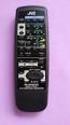 SLEEP TEST SUBWOOFER + MODE EFFECT CENTER + SOUND TV/VIDEO CD-DISC DVD CD TV VOL TV CH TV VCR AUDIO VCR CH + TV SOUND TAPE/CDR VOLUME REMOTE REAR L + MENU REAR R + ENTER VCR /DIGITAL FM/AM MUTING STANDBY
Mini Hi-Fi Component System
 4-246-845-13(1) Mini Hi-Fi Component System Operating Instructions MHC-WZ50 MHC-WZ5 2003 Sony Corporation WARNING To prevent fire or shock hazard, do not expose the unit to rain or moisture. To prevent
Mini Hi-Fi Component System
 4-239-872-14(1) Mini Hi-Fi Component System Operating Instructions Owner s Record The model and serial numbers are located on the rear panel of the unit. Record the serial number in the space provided
Compact Hi-Fi Stereo System
 4-238-809-11 (4) Compact Hi-Fi Stereo System Operating Instructions Owner s Record The model and serial numbers are located on the rear panel of the unit. Record the serial number in the space provided
CINEMA SB100 powered soundbar speaker
 CINEMA SB100 powered soundbar speaker quick-start guide Thank You For Choosing This JBL Product The JBL Cinema SB100 powered soundbar speaker is a complete, integrated sound system that will dramatically
Single Day Alarm Clock with. Bluetooth and USB Play-through
 Single Day Alarm Clock with Bluetooth and USB Play-through MODEL : BSC 200 READ THIS INSTRUCTION MANUAL BEFORE OPERATING THE APPLIANCE. SAVE THIS MANUAL FOR FUTURE REFERENCE. TABLE OF CONTENTS IMPORTANT
Video Cassette Player
 3-862-516-11 (1) Video Cassette Player Operating Instructions Owner s record The model and serial numbers are located at the rear of the unit. Record these numbers in the spaces provided below. Refer to
IMPORTANT SAFETY INSTRUCTIONS
 IMPORTANT SAFETY INSTRUCTIONS When using this electronic device, basic precautions should always be taken, including the following: 1. Read all instructions before using the product. 2. Do not use this
Owner s Manual AWM910 JENSEN AWM910 COMPACT DISC PLAYER RADIO CD COMPACT MUSIC SYSTEM MUTE AUX BAND AUX IN PUSH PUSH PWR VOL ALARM T/F AUD SPK A SPK B
 AWM910 Owner s Manual COMPACT DISC PLAYER PUSH 1 2 3 4 5 6 RPT SCAN RDM H M PUSH PWR VOL ALARM SET ON/OFF EQ T/F AUD RADIO CD COMPACT MUSIC SYSTEM MUTE AUX BAND CD AUX IN A B A+B JENSEN AWM910 Thank You!
PORTABLE STEREO FM RADIO WITH CD/MP3/USB-PLAYER AND CASSETTE SCR-97 USB INSTRUCTION MANUAL
 PORTABLE STEREO FM RADIO WITH CD/MP3/USB-PLAYER AND CASSETTE SCR-97 USB INSTRUCTION MANUAL For information and support, www.lenco.eu WARNING CLASS 1 LASER PRODUCT CLASS 1 LASER PRODUCT APPAREIL Á LASER
CMP30. User Manual. www.audac.eu
 CMP30 User Manual www.audac.eu 2 Index Introduction 4 Precautions 5 Safety requirements 5 Caution servicing 5 EC Declaration of Conformity 5 Waste of Electrical and Electronic Equipment (WEEE) 6 Caution
AUDIO/VIDEO MULTI-CHANNEL RECEIVER VSX-D411 VSX-D511
 AUDIO/VIDEO MULTI-CHANNEL RECEIVER VSX-D411 VSX-D511 Operating Instructions Thank you for buying this Pioneer product. Please read through these operating instructions so you will know how to operate your
AM / FM Tuner + RDS. Model: TU-101. www.pulse-audio.co.uk
 AM / FM Tuner + RDS Model: TU-101 www.pulse-audio.co.uk 1 Safety Information The lightning bolt within a triangle is intended to alert the user to the presence of dangerous voltage levels within the product
Controls. LCD Display. Tuning Up Time Set and Station Scan
 PR-D8 GB Revision 3 1 1 2 4 5 7 9 10 12 14 16 18 20 22 24 25 26 27 29 31 33 35 36 37 38 Controls Stereo Built-in Microphone (Left Channel) LCD Display Stereo Built-in Microphone (Right channel) Power/Auto
PR-D9W. GB Version 1
 PR-D9W Version 1 Table of contents Important safety instructions... 2-3 Introduction... 4 Controls... 5-8 Using your weather alert radio for the first time... 9 Operating your radio Search tuning AM/FM...
Controls (front) 1. Loudspeaker 2. Light button 3. Band button 4. Auto tune button 5. Alarm button 6. LCD display
 GB Contents Controls... 2-4 Mains operation... 5 Operating your radio... 6 Selecting a station DAB... 7 Display modes DAB... 8 Finding new stations - DAB... 9 Secondary services DAB... 9 Manual tuning
DAB+ / FM Tuner Model: TU-201
 DAB+ / FM Tuner Model: TU-201 Instruction Manual www.pulse-audio.co.uk 1 Safety Information The lightning bolt within a triangle is intended to alert the user to the presence of dangerous voltage levels
RCR-22 AM/MW 2 bands Digital Clock Radio instruction manual
 RCR-22 AM/MW 2 bands Digital Clock Radio instruction manual Important safety instructions 1. Read and understand all safety and operating instructions before the radio is operated. 2. Retain instruction:
DSB-100 Portable Premium Bluetooth Speaker Owner s Manual
 . DSB-100 Portable Premium Bluetooth Speaker Owner s Manual You can print more than one page of a PDF onto a single sheet of paper. 1 Index Preparation Unpacking 3 Overview 4 Sound Quality 4 Design 4 Operation
SP1790JK 900MHz Wireless Indoor/Outdoor Speakers. User Manual INTRODUCTION FEATURES IMPORTANT SAFETY INFORMATION
 SP1790JK 900MHz Wireless Indoor/Outdoor Speakers INTRODUCTION This 900 MHz digital hybrid wireless speaker system uses the latest wireless technology that enables you to enjoy music and TV sound anywhere
ATS-505. GB Version 1
 ATS-505 GB Version 1 Control Locations Power/Sleep Power On/off/Alarm off/sleep function Display Switch between radio frequency and time while radio is power on Mode Mode set up (please see below mode
DAB2+ Dear Customer, Congratulations with your new Argon DAB2+
 Dear Customer, Quality has always been our driving force and founding Argon Audio is a natural extension of this philosophy. We have 20 years' experience in creating and specifying high quality products,
Radio BMR100 INSTRUCTION MANUAL. ENGLISH (Original instructions)
 ENGLISH (Original instructions) INSTRUCTION MANUAL Radio BMR00 WARNING: For your personal safety, READ and UNDERSTAND before using. SAVE THESE INSTRUCTIONS FOR FUTURE REFERENCE. Symbols The following show
CR9986 ROBERTS. Dual Alarm CD Clock Radio. Sound for Generations. Please read this manual before use
 ROBERTS Sound for Generations CR9986 Dual Alarm CD Clock Radio Please read this manual before use Contents Contents... Controls... - Switching on and setting the time... 4 Listening to the radio... 5 Compact
FM Stereo FM-AM Receiver
 Getting Started 3-866-247-12 (1) FM Stereo FM-AM Receiver Operating Instructions STR-DE535 STR-DE435 STR-SE491 1999 by Sony Corporation 1 Getting Started 2 WARNING To prevent fire or shock hazard, do not
CINEMATE 1 SR DIGITAL HOME THEATER SPEAKER SYSTEM. Operating Guide Guía del usuario Guide d utilisation
 CINEMATE 1 SR DIGITAL HOME THEATER SPEAKER SYSTEM Operating Guide Guía del usuario Guide d utilisation Notice This equipment has been tested and found to comply with the limits for a Class B digital device,
HOME THEATER SYSTEM. Instruction Manual. Model ASR150. Please read the instruction manual carefully before using your unit.
 SURROUND SOUND HOME THEATER SYSTEM Instruction Manual Model ASR150 Please read the instruction manual carefully before using your unit. For support visit : www.1800customersupport.com GENERAL TABLE OF
Register your product and get support at. www.philips.com/welcome AS111. User manual
 Register your product and get support at www.philips.com/welcome AS111 User manual Contents 1 Important 4 Safety 4 English 2 Your docking speaker for AndroidTM 5 Introduction 5 What's in the box 5 Overview
R-325 AUDIO/VIDEO RECEIVER AUDIO/VIDEO RECEIVER R-325 MASTER VOLUME 45 POWERT SLEEP PHONES INPUT SELECTOR DOLBY DOLBY OFF PRO-LOGIC 3 STEREO
 O P E R A T I N G I N S T R U C T I O N S AUDIO/VIDEO RECEIVER R-325 INPUT SELECTOR MASTER VOLUME 45 50 55 40 60 35 65 POWERT STANDBY MULTI ROOM REMOTE SENSOR ST TUNED AUTO VCR12 TAPE M PRESET MEM db khz
INSTRUCTION MANUAL RM-5750. AM/FM Digital Alarm Clock Radio
 INSTRUCTION MANUAL RM-5750 AM/FM Digital Alarm Clock Radio Fig. 1 CAUTION: THE APPARATUS SHALL NOT BE EX- POSED TO DRIPPING OR SPLASHING. NO OBJECTS FILLED WITH LIQUIDS, SUCH AS VASES, SHALL BE PLACED
IMPORTANT SAFETY INSTRUCTIONS
 IMPORTANT SAFETY INSTRUCTIONS Before you install or use the apparatus, you must read and understand these Important Safety Instructions. At all times when using the apparatus you must follow these Important
User Manual AUDIO OUT OFF 9V DC USB POWER. Digital On-Hold Audio System with analog line capability
 MP On-Hold Audio System User Manual memory card IMPEDANCE PHONE LINES on speaker off ON OFF 9V DC USB AUDIO OUT 8Ω 6Ω // /4 POWER Digital On-Hold Audio System with analog line capability al /06 Before
MANUAL PC1000R [email protected]
 MANUAL PC1000R [email protected] Features The APart PC1000R is a professional multisource CD/USB/SD card music player, equipped with balanced and unbalanced analog outputs, coaxial and optical digital
User Manual. DXS-1000 Player
 User Manual DXS-1000 Player Table of contents 1. Safety instructions... 3 1.1. FOR SAFE AND EFFICIENT OPERATION... 3 2. Operation... 4 3. Software Display... 8 2 / 9 1. Safety instructions This device
User Guide. CR-111IP Clock radio with dock for ipod
 User Guide CR-111IP Clock radio with dock for ipod IMPORTANT SAFETY INFORMATION CAUTION! RISK OF ELECTRIC SHOCK DO NOT OPEN TO REDUCE THE RISK OF ELECTRIC SHOCK DO NOT REMOVE COVER (OR BACK) This symbol
Connector section RESET button button and indicator Disc cover button MEMORY CARD slots Instruction Manual Controller ports
 3-868-168-12(1) Connector section RESET button 1/u button and indicator Disc cover button Instruction Manual Thank you for purchasing the PlayStation video game console. You can enjoy playing CD-ROM discs
AM/FM ALARM CLOCK RADIO
 AM/FM ALARM CLOCK RADIO Instruction Manual JL-206 Please read this manual carefully before operating and save it for future reference. Have a question? Please visit http:// INTRODUCTION Thank you for purchasing
Prescott. CD Alarm Clock Radio INSTRUCTION MANUAL
 1215205 Prescott CD Alarm Clock Radio INSTRUCTION MANUAL Important Safety Instructions CAUTION RISK OF ELECTRIC SHOCK DO NOT OPEN The lightning flash with arrowhead symbol, within an equilateral triangle
DX-395. FM/AM/SW1/SW2 PLL Synthesized Receiver OWNER S MANUAL. Cat. No. 20-225. Please read before using this equipment.
 20-225.fm Page 1 Wednesday, August 4, 1999 10:07 AM Cat. No. 20-225 OWNER S MANUAL Please read before using this equipment. DX-395 FM/AM/SW1/SW2 PLL Synthesized Receiver 20-225.fm Page 2 Wednesday, August
Quick Connection and Setup Guide
 3-300-262-13(1) Read this first Quick Connection and Setup Guide Quick start guide to main features GB HDD Network Audio System NAS-SC55PKE 2008 Sony Corporation Printed in Malaysia Table of Contents Checking
Portable Stereo CD System
 Operating Instructions Portable Stereo CD System Model No. RX-D50 Dear Customer Thank you for purchasing this product. For optimum performance and safety, please read these instructions thoroughly before
LOXONE 12 Channel Amplifier
 LOXONE 12 Channel Amplifier Item no.: 200110 Thank you for purchasing the Loxone Twelve Channel Amplifier. The versatility of the Amplifier makes it the perfect choice for almost every type of custom multi-room
Tiny Audio C3. English TINY AUDIO C3. Please read carefully before using this product
 English TINY AUDIO C3 Please read carefully before using this product 1 Safety Instructions: 1. Do not use this radio near water. 2. Clean with dry cloth. 3. Do not block any ventilation openings. 4. Do
DAR-101. GB Version 1
 DAR-101 Version 1 Table of contents Important security notice... 2-3 Introduction... 4 Controls and connections... 5-9 Battery operation... 10 Using the AC adaptor / Charging the batteries... 11 Setting
Hear The Future...Now! SIEM-2T/SIEM-2R
 Hear The Future...Now! SIEM-2T/SIEM-2R UHF PLL Mono In Ear Monitoring System 856 59508-03 ATTENTION Please pay high attention to the following information. The guideline published by Occupational Safety
STEREO PREAMPLIFIER INSTRUCTIONS FOR USE
 XX STEREO PREAMPLIFIER INSTRUCTIONS FOR USE Thank you for purchasing the Musical Fidelity A5 CR Preamplifier. Used properly and carefully, it should give many years of outstanding musical reproduction.
High Power Receiver CR-W400U Operating Instructions
 High Power Receiver CR-W400U Operating Instructions Please read these instructions carefully before using this product and save this manual for future use. Panasonic welcomes you to our ever growing family
AV Receiver. Owner s Manual. Read the supplied booklet Safety Brochure before using the unit. English
 AV Receiver Owner s Manual Read the supplied booklet Safety Brochure before using the unit. English CONTENTS Accessories...................................................... 5 FEATURES 6 What you can
Important Safety Instructions
 PR-D7 GB Revision 1 Important Safety Instructions 1. Read these instructions. 2. Keep these instructions. 3. Heed all warnings. 4. Follow all instructions. 5. Do not use this apparatus near water. 6. Clean
Movie Cube N150H. User s Manual
 Movie Cube N150H User s Manual (v1.0) TABLE OF CONTENTS 1. Main Features... 4 1.1 Front panel... 4 1.2 Back panel... 4 2. Remote Control... 5 3. Welcome Page... 6 4. Installation Guide... 6 5. Program...
Business Audio System: Music & Messaging MP3 Player. by Grace Digital Audio. User Guide. Model No. GDI-USBM10
 Business Audio System: Music & Messaging MP3 Player by Grace Digital Audio User Guide Model No. GDI-USBM10 User Guide Contents Introduction 2 Safety & General Use Information 2 Features 3 Set Up & Operation
FM/AM Cassette Car Stereo
 3-868-290-11 (1) FM/AM Cassette Car Stereo Operating Instructions US Owner s Record The model and serial numbers are located on the bottom of the unit. Record the serial number in the space provided below.
MODEL CD-540 PORTABLE AM/FM CD CASSETTE RECORDER INSTRUCTION MANUAL
 MODEL CD-540 PORTABLE AM/FM CD CASSETTE RECORDER INSTRUCTION MANUAL Please read this Instruction Manual carefully before using the unit and retain it for future reference IMPORTANT SAFETY INSTRUCTIONS
DAB Radio. Instruction Manual L55DAB10
 DAB Radio Instruction Manual L55DAB10 L55DAB10_IB_110810_Zell.indd 1 L55DAB10_IB_110810_Zell.indd 2 Contents Unpacking...5 Product Overview...6 Top View... 6 Rear View... 6 Power Source...7 Battery Power...
24 Wide Screen LED Monitor with HDMI
 24 Wide Screen LED Monitor with HDMI USER MANUAL L24LE11B_MANUAL_EN_R1 Please read this manual carefully before using, and keep it for future reference. TABLE OF CONTENTS GETTING STARTED Monitor Stand
To reduce the risk of electrical shocks, fire, and related hazards:
 Owner s Manual 1 Contents 1. Safety Notes 5 2. Introduction 6 3. Features 7 4. Installation Guide 8 5. Front Panel Explained 9 6. Rear Panel Explained 10 7. Software Control Panel 12 8. Advanced User Tips
JBL CINEMA SB350. Home Cinema 2.1 soundbar with wireless subwoofer
 JBL CINEMA SB350 Home Cinema 2.1 soundbar with wireless subwoofer Owner s Manual BASS English JBL CINEMA SB350 JBL CINEMA SB350 Optical cable Table of Contents INTRODUCTION 5 ITEMS INCLUDED 5 JBL CINEMA
Retro Style Turntable With CD/Radio/USB/SD/MP3/WMA and Vinyl-to-MP3 Encoding
 Retro Style Turntable With CD/Radio/USB/SD/MP3/WMA and Vinyl-to-MP3 Encoding PTCD8U INSTRUCTION MANUAL LOCATION OF CONTROLS 1) DUST COVER 2) DIAL POINTER 3) LEFT SPEAKER 4) LCD DISPLAY 5) FM STEREO LED
CELO5. User & Installation Manual. www.audac.eu
 CELO5 User & Installation Manual www.audac.eu 2 Introduction 5 High-end Slim Ceiling Speaker The CELO5 is the 5 version of AUDAC s CELO High-end Slim ceiling speaker series with an RMS power of 50 Watt
15-INCH TFT-LCD MONITOR
 15-INCH TFT-LCD MONITOR 15RTV INSTRUCTION MANUAL Please read this manual thoroughly before use, and keep it handy for future reference. SAFETY INSTRUCTION.2-3 CAUTIONS....4 FCC RF INTERFERENCE STATEMENT.5
PORTABLE ALARM CLOCK. Dual Alarm. FM Radio. Wake-up Sounds. USB Phone Charger G-1CR
 G-BUZZ PORTABLE ALARM CLOCK Dual Alarm FM Radio Wake-up Sounds USB Phone Charger G-1CR Welcome Alarm clocks can be boring. Get ready to shake things up with your new G-BUZZ. Slap the snooze for more ZZZ
MODEL NPB-252 PORTABLE CD MP3 RADIO PLAYER
 MODEL NPB-252 PORTABLE CD MP3 RADIO PLAYER PLEASE READ THIS USER MANUAL COMPLETELY BEFORE OPERATING THIS UNIT AND RETAIN THIS BOOKLET FOR FUTURE REFERENCE. WARNING TO PREVENT FIRE OR SHOCK HAZARD, DO NOT
CR9971 2 Band Auto Set Dual Alarm Clock Radio ROBERTS. Sound for Generations. Please read this manual before use
 ROBERTS Sound for Generations CR9971 2 Band Auto Set Dual Alarm Clock Radio Please read this manual before use Contents Contents... 1 Controls...2-5 Switching on... 6 Setting the time manually... 6 Setting
(2012 10 24) manual_tocomsat duo LITE.indd 20-1 2012-10-24 7:44:57
 (2012 10 24) manual_tocomsat duo LITE.indd 20-1 2012-10-24 7:44:57 TABLE OF CONTENTS Table of Contents Table of Contents Safety Warning General Information Package Contents & Features Front Panel Rear
Portable Air Conditioner
 Portable Air Conditioner Owner's Manual Model:3 in 1 12,000 Btu/h Series 3 Please read this owner s manual carefully before operation and retain it for future reference. CONTENTS 1. SUMMARY...1 2. PORTABLE
DTA100. Digital Transport Adapter. Quick Start Guide. Downloaded from www.manualslib.com manuals search engine
 DTA100 Digital Transport Adapter Quick Start Guide Before You Begin READ THIS FIRST Connecting Your DTA100 1. Connect the DTA100 to your cable service. Connect the coaxial cable from your wall outlet to
Digital Radio/DAB+/FM RDS digital clock radio with dual alarm Operating instruction
 381SE1D-A Digital Radio/DAB+/FM RDS digital clock radio with dual alarm Operating instruction GB Contents Controls... 2-3 Using the clock radio for the first time... 4 Operating your clock radio... 5 Selecting
/&' 79 7; /% ) &RORU 7HOHYLVLRQ (QJOLVK
 245U Using the On Screen Displays Many features available on this TV can be accessed via the On Screen Display menu system. Use the remote control as shown below to access and adjust features as desired.
TR7322U-OR RDS / MP3-USB TUNER (24 Volt)
 www.vdo.com TR7322U-OR RDS / MP3-USB TUNER (24 Volt) OWNER'S MANUAL Safety Information Safety Information Thank you for purchasing this product, please read the manual carefully before operating, and reserve
Table of Contents. System Requirement of MP3 Player:... 4. Connection and Downloading... 7. Downloading DRM10 Files... 8.
 Table of Contents Instructions... 1 Precautions... 2 System requirements... 4 System Requirement of MP3 Player:... 4 Introduction... 5 Features... 5 Charging the Battery... 6 Connection and Downloading...
Owner s Manual Please read before using this equipment. 4-Channel Stereo Mixer
 Owner s Manual Please read before using this equipment. 4-Channel Stereo Mixer ˆ Features Your RadioShack 4-Channel Stereo Mixer is a sophisticated desktop control center, perfect for mixing sound on four
MPA-101. WARNING: Improper installation could result in damage to the amplifier and/or speakers. Read all instructions before installation.
 MPA-101 WARNING: Improper installation could result in damage to the amplifier and/or speakers. Read all instructions before installation. The lightning flash with arrowhead, within an equilateral triangle,
DAB+ Digital Alarm Clock Radio with Dock for iphone
 DAB+ Digital Alarm Clock Radio with Dock for iphone BCR33DABIP The Gold Technical Support Line: 1902 215 259 (Charges will apply at $2.95 per minute) www.bushaustralia.com.au Safety Instructions Ensure
Portavision-50 AM/FM/TV1/TV2 Portable Radio (120-0687) Features Faxback Doc. #
 (120-0687) Features Faxback Doc. # Your Portavision-50 AM/FM/TV1/TV2 Portable Radio lets you hear your favorite television shows wherever you go. Set it on your desk, or take it with you in your car to
AV Receiver. Owner s Manual. Read the supplied booklet Safety Brochure before using the unit. English
 AV Receiver Owner s Manual Read the supplied booklet Safety Brochure before using the unit. English CONTENTS Accessories...................................................... FEATURES 6 What you can do
Evolution Digital HD Set-Top Box Important Safety Instructions
 Evolution Digital HD Set-Top Box Important Safety Instructions 1. Read these instructions. 2. Keep these instructions. 3. Heed all warnings. 4. Follow all instructions. 5. Do not use this apparatus near
CAUTION RISK OF ELECTRIC SHOCK NO NOT OPEN
 Evolution Digital HD Set-Top Box Important Safety Instructions 1. Read these instructions. 2. Keep these instructions. 3. Heed all warnings. 4. Follow all instructions. 5. Do not use this apparatus near
Mini Hi-Fi Component System
 4-245-555-12(1) Mini Hi-Fi Component System Operating Instructions Owner s Record The model and serial numbers are located on the rear of the unit. Record the serial number in the space provided below.
QUALITY AV PRODUCTS INMATE/INMATE USB PROFESSIONAL 19" MIXER. User Guide and Reference Manual
 INMATE/INMATE USB PROFESSIONAL " MIXER User Guide and Reference Manual INTRODUCTION Welcome to the NEWHANK INMATE and INMATE USB professional " mixers series user manual. INMATE and INMATE USB both offer
INSTRUCTION MANUAL PLEASE READ ALL THE INSTRUCTIONS COMPLETELY BEFORE USE AND SAVE THIS MANUAL FOR FUTURE REFERENCE
 INSTRUCTION MANUAL PLEASE READ ALL THE INSTRUCTIONS COMPLETELY BEFORE USE Ver. 2.0 AND SAVE THIS MANUAL FOR FUTURE REFERENCE Table of Contents Unpacking... 3 About the CCRadio-EP... 4 Quick Start Guide...
MODEL 2202IQ (1991-MSRP $549.00)
 F O R T H E L O V E O F M U S I C F O R T H E L O V E O F M U S I C MODEL 2202IQ (1991-MSRP $549.00) OWNER'S MANUAL AND INSTALLATION GUIDE INTRODUCTION Congratulations on your decision to purchase a LINEAR
AV Receiver. Owner s Manual. Read the supplied booklet Safety Brochure before using the unit. English
 AV Receiver Owner s Manual Read the supplied booklet Safety Brochure before using the unit. English CONTENTS Accessories...................................................... 4 FEATURES 5 What you can
User Manual. On-Hold Plus 4000/4500 Digital On-Hold Audio System
 OHP 4000 Series User Manual On-Hold Plus 4000/4500 Digital On-Hold Audio System Before using this unit, please read these operating instructions carefully. Afterwards, keep them handy for future reference.
Home Theater System HT-DDW650. Operating Instructions. Owner s Record 4-244-183-71(1) 2003 Sony Corporation
 4-244-183-71(1) Home Theater System Operating Instructions Owner s Record The model and serial numbers are located at the rear of the unit. Record the serial number in the space provided below. Refer to
BXR. Owner, s Manual. One hundred BASS EXTENDED RANGE P/N 040695
 THE SOUND THAT CREATES LEGENDS BASS EXTENDED RANGE BXR One hundred Owner, s Manual P/N 040695 BXR 100 Owner s Manual Congratulations on your purchase of the Fender BXR 100 Bass amplifier. The Fender BXR
INSTRUCTIONS Please read all instructions carefully before using
 Car Multimedia System XM-2DTSB79 AUX IR MIC RESET USB INSTRUCTIONS Please read all instructions carefully before using Touch calibration If touch calibration error occurs, you can adjust the touch coordinate
It s here a New Breed of TV entertainment.
 Quick Start Guide 1 2 It s here a New Breed of TV entertainment. Welcome to Fetch TV an exciting new television experience that puts you in control of the best TV, great movies, and popular interactive
Wireless Home Security System Product Manual (Model #80355)
 Wireless Home Security System Product Manual (Model #80355) Installation Instructions During set-up, if no key is pressed for 15 seconds it will come out of the setup mode and you will have to start over.
TOA 900 SERIES II MIXER POWER AMPLIFIER
 Operating Instructions TOA 900 SERIES II MIXER POWER AMPLIFIER A-903MK2 A-906MK2 A-912MK2 TO REDUCE THE RISK OF ELECTRICAL SHOCK, DO NOT REMOVE COVER. NO USER SERVICEABLE PARTS INSIDE. REFER SERVICING
Pocket DAB & FM Radio with Speaker
 Pocket DAB & FM Radio with Speaker P MODEL: GDPRDAB USER MANUAL 1 Welcome 2 Your DAB Digital Radio 2.1 In The Box 2.2 Front View 2.3 Rear View 3 Quick Setup 3.1 Power On and Autoscan 3.2 Changing DAB Stations