
RN Rev 02 Release Note Release 1.4.3
|
|
|
- Mervin Miles
- 10 years ago
- Views:
Transcription
1 480i, 480i CT, 9112i, 9133i SIP IP PHONE RN Rev 02 Release Note Release 1.4.3

2 Aastra Telecom will not accept liability for any damages and/or long distance charges, which result from unauthorized and/or unlawful use. While every effort has been made to ensure accuracy, Aastra Telecom will not be liable for technical or editorial errors or omissions contained within this documentation. The information contained in this documentation is subject to change without notice. Copyright 2008 Aastra Telecom. All Rights Reserved.

3 Contents Contents General Information...2 Release Content Information...2 Hardware Supported...2 Bootloader Requirements...2 Issues Resolved in Release Enhancements in Release Configurable SIP Source Port...7 Contacting Aastra Telecom Support...10 RN Release 1.4.3, Rev 02 iii

4

5 SIP IP Phone Models 480i, 480i CT, 9112i, 9133i Release Note About this Document This Release Note provides issues resolved for the 480i, 480i CT, 9112i, and 9133i SIP IP Phones. It includes the issues resolved between Release and For more detailed information about features associated with each phone, and for information on how to use the phones, see your model-specific SIP IP Phone Installation Guide and the SIP IP Phone User Guide. For detailed information about more advanced features, see the SIP IP Phone Administrator Guide. Topics in this release note include: General Information (release content, hardware supported, bootloader requirements) Issues Resolved in Release Enhancements in Release Contacting Aastra Telecom Support RN , Release 1.4.3, Rev 02 1

6 IP Phone Release Notes General Information General Information Release Content Information This document provides release content information on the Aastra 480i, 480i CT, 9112i, and 9133i SIP IP Phone firmware for Release Model Release Name Release Version Release Filename Release Date 9112i Generic SIP FC REV14 August i Generic SIP FC REV14 August i Generic SIP FC REV14 August i CT Generic SIP FC REV14 August 2008 Hardware Supported This release of firmware is compatible with the following Aastra IP portfolio products: 480i 480i CT 9112i 9133i Bootloader Requirements This release of firmware is compatible with the following Aastra IP portfolio product bootloader versions: 480i - Bootloader or above 480i CT - Bootloader or above 9112i - Bootloader or above 9133i - Bootloader or above 2 RN , Release 1.4.3, Rev 02

7 Issues Resolved in Release SIP IP Phone Models 480i, 480i CT, 9112i, 9133i Release Note Issues Resolved in Release This section describes the issues resolved on the 480i, 480i CT, 9112i, and 9133i SIP IP Phones in Release The following table provides the issue number and a brief description of each fix. Note: Unless specifically indicated, these resolved issues apply to all phone models. Issue Number CLN06333 CLN06794 CLN07500 CLN07721 CLN07805 CLN07911 CLN10437 CLN10449 DEF03800 DEF03805 DEF03917 DEF04122 DEF04144 DEF06718 DEF07000 DEF07082 DEF07427 DEF07493 Description of Fix 480CT: If you configure Time Server 1 as blank, and then configure either Timer Server 2 or Time Server 3 with FQDN, the phone correctly switches to Time Server 2 and 3 as expected. 480i CT: A new feature was added to the 480i CT phone. When the phone is on a call and a second call comes in on Line 2, if the user hangs up on the first call, then the call that is ringing on L2 is automatically picked up. The Onhook Action URI now initiates when the line on a call is terminated, regardless of whether the local handset, speakerphone, or headset hangs up or the far end handset, speakerphone, or headset hangs up. Transferring a call or conferencing a call no longer gets interrupted if a call comes into the phone. Pressing a mapped Conference key now sends DTMF digits within the active call using SIP INFO or RTP DTMF method. Phones now have enough memory when using the BLF List feature with BroadSoft servers. All Timezone settings are now correct. BLA: The phone no longer terminates its own SUBS when a Sylantro server sends SUBS with Expire: 0 and terminates the subscription for BLA by sending NOTIFY in the subscription state. After restoring factory defaults and rebooting the phone, the phone now uses the applicable DNS. 480i: Timer Server 1, 2, and 3 now get the applicable IP or FQDN. 9112i, 9133i: TUI Phone sip prioirty header is no longer blank. The TUI for both the 9112i and 9133i now shows 1 SIP at the screen to enter the SIP Priority for the phones. Phone no longer requires a power cycle if loading an XML greater than 5000 bytes. When a user picks up the CT Base handse,t and the far end is using the CT handset, the audio-path now works as expected, and the speaker LEDs light up as correctly on the CT Base and the CT handset. When the phone is on an active call and the user presses the Transfer key and dials another extension, and then the callers decides to cancel the transfer, pressing the Cancel key now works as expected and cancels the transfer. If you change the download protocol parameter to a value other than tftp (i.e., http, https, ftp) in the configuration file, and then the phone gets its configuration parameters using mdns auto-discovery, the HTTP, HTTPS, or FTP setting is correctly applied. The Copy softkey for Directory and Callers List is now correctly disabled when the Directory and/or Callers List is disabled on the phone. 480i: The NOTIFY for event REFER from the phone is no long missing the Subscription-state header. 480i: The SIP Caller ID feature now works properly. When the Update Caller-ID is enabled, the phone no longer displays the information about the previous call. RN , Release 1.4.3, Rev 02 3

8 IP Phone Release Notes Issues Resolved in Release Issue Number DEF07625 DEF07883 DEF07906 DEF08154 DEF08212 DEF08289 DEF08596 DEF08597 DEF09053 DEF09233 DEF09417 DEF09460 DEF10044 DEF10128 DEF10147 DEF10358 DEF10523 DEF10526 DEF10540 DEF10570 DEF10655 DEF10663 DEF10674 DOC07523 Description of Fix 9112i: If configuring a SIP outbound proxy in the configuration file, the value for that outbound proxy now displays correctly in the Aastra Web UI in the Outbound Proxy field instead of the Backup Proxy field. 480i, 480i CT: After pressing the More softkey to go to a second page on the LCD, the second page now stays on the display. 9133i: The phone no longer intermittently locks up, expecially after a user checks voic on the phone. Consulatative transfer through SBC now works properly. 9133i: Phone no longer factory defaults when turning off the power to the phone. Using the volume control during an active call while using the handset or speakerphone, the LCD now correctly displays the volume setting for the Handset or Speakerphone for only 3 seconds and then disappears as expected. 9112i: The phone no longer has an improper error handling vulnerability that causes a denial of service. 9112i: The Format String vulnerability on the phone no longer causes a denial of service (DoS). 480i - DTMF is now correctly sent after call setup when using a speeddial softkey. 9133i: Phone now downloads firmware from the server on the first attempt without locking up. 9133i: Configured Pickup softkey now works as expected. 9133i: Phone now longer experiences sporadic "No Service" states. 9133i: The failover of an NTP time server now works as expected. 480i: Phones no longer lock up due to BLA Subscription termination from server. Memory status information has been added to the Troubleshoot option in the Aastra Web UI to be able to view memory status. 480i, 480i CT: The phone no longer locks up when pressing the delete key to delete an entry from the Caller s List, and then press the UP arrow within a couple of seconds after deleting the entry. Copyright date is now updated in the firmware. When 4 incoming calls are placed on hold on a phone, and the user then tries to place a call using a speeddial, the LCD now displays No Line Available as expected if no line is available. The Line Mgr now correctly checks to make sure a line is available before placing the call. The tsipengine task now works correctly while handling INVITE messages. 9133i: The Backup Registrar feature and Proxy Server feature now failover as expected. Subsequently pressing the Transfer key and then the Redial key now works correctly as expected. 480i: The Phone no longer gets stuck at "50% Updating config" if corrupted.tuz file is being decrypted. If.tuz files are corrupted, the message Bad encrypted file displays to the phone and the phone continues to boot as expected. 9133i: SIP Phone BLA is now able to pickup held calls for all incoming calls when an outgoing call is attempted from the same line appearance. 480i: When a Directory entry with the Character (U00BF) is displayed in the Spanish language, the phone now allows you to change or delete the entry as expected. The feature Incoming call interrupts dialing" has been updated and the correct feature behavior is identified in this release note in the section, Incoming Call Interrupts Dialing Feature (DOC07523) on page 5. 4 RN , Release 1.4.3, Rev 02

9 Incoming Call Interrupts Dialing Feature (DOC07523) SIP IP Phone Models 480i, 480i CT, 9112i, 9133i Release Note Issues Resolved in Release You can configure whether or not an incoming call interrupts an outgoing call that is dialing. The Incoming Call Interrupts Dialing (Web UI) parameter or incoming call cancels dialing (in config file) parameter controls this feature. How it Works When you enable this parameter (1 = enable), an incoming call interrupts the outgoing call during dialing and allows the phone to ring for the user to answer the incoming call. When you disable this parameter (0 = disable), which is the default, the phone does not interrupt the outgoing call during dialing and the number you were dialing continues to display in the LCD. The phones sends the incoming call to a free line on the phone (or sends busy signal if all remaining lines are busy) and the LED for that line blinks. You have a choice to ignore the incoming call, or answer the incoming call on another line, via the Ignore and Answer softkeys that display. If you choose to answer the incoming call, you can answer the call, finish the call, and then hang up. You can still go back to the original outgoing call and finish dialing out. Notes: 1. On the 9112i and 9133i, you must use the down arrow key to ignore the call. To answer the call you must press the line key where the call is coming in. 2. For all models, if you disable this parameter (0=disable), and the phone receives an incoming call while you are dialing an outgoing call, you can pick up the call and perform transfer or conference as required. 3. This feature works only if the User selects a line for which to dial out. It is recommended that the Administrator always keeps Live Dialpad ON in order for the User to have to select a line before dialing out. Transfer/Conference Call Behavior If you are dialing the phone to transfer or conference a call, and your phone receives an incoming call, your dialing is never interrupted (regardless of whether the Incoming Call Interrupts Dialing is enabled or disabled). For Transfer and Conference, the incoming calls always go to an available line (other than the one you are using for dialing) and the incoming call s line LED blinks. The LCD still displays your dialing screen. Intercom Behavior If Incoming Call Interrupts Dialing (Web UI) or incoming call cancels dialing (config file) is enabled and you are dialing an outgoing Intercom call, the enabled interrupt setting takes precedence over an enabled Allow Barge In setting. The incoming call interrupts your dialing on an outgoing intercom call. On an incoming intercom call, the enabled Allow Barge In and Auto-Answer occurs while you are dialing to transfer or conference the call. However, the incoming call goes to an available idle line, and the LED blinks while you are dialing the second half of the conference or transfer. RN , Release 1.4.3, Rev 02 5

10 If Incoming Call Interrupts Dialing (Web UI) or incoming call cancels dialing (config file) is disabled, an incoming intercom goes to an available idle line and the LED blinks for that line. The phone answers the call under all conditions. An Administrator can configure the Incoming Call Interrups Dialing feature using the configuration file or the Aastra Web UI. A User can enable/disable the Incoming Call Interrupts Dialing feature using the Astra Web UI only. Reference For more information about configuring and enhancements to the Incoming Call Interrupts Dialing feature, see the following IP Phone documentation: Release Notes, Part Number , REV04

11 Enhancements in Release SIP IP Phone Models 480i, 480i CT, 9112i, 9133i Release Note Enhancements in Release This section describes enhancements made to the 480i, 480i CT, 9112i, and 9133i SIP IP Phones in Release The following table provides the enhancement number and a brief description of the enhancement. Enhancement Number CLN09141 Description of Enhancement The IP phones now support manual setup of SIP traffic source port. For configuration information, see description below. Configurable SIP Source Port A System Administrator can now configure the SIP source port on the IP Phone. Previously, the IP phone used default values (5060 for UDP/TCP). The new parameter for configuring the SIP source port is: sip local port You can configure the SIP source port using the configuration files or the Aastra Web UI. After configuring this parameter, you must reboot the phone. If Network Address Translation (NAT) is disabled, the port number also shows in the VIA and Contact SIP headers. If you enable NAT, the phone uses the NAT port number (and NAT IP address) in the VIA and Contact SIP headers of SIP messages, but still use the configured source port. Note: By default, the IP phones use symmetric UDP signaling for outgoing UDP SIP messages. When symmetric UDP is enabled, the IP phone generates and listens for UDP messages using port 5060.If symmetric UDP signaling is disabled, the phone sends from random ports but it listens on the configured SIP local port. RN , Release 1.4.3, Rev 02 7

12 IP Phone Release Notes Enhancements in Release Configuring SIP Source Port Using the Configuration Files Parameter sip local port Aastra Web UI: Advanced Settings->Global SIP-> Advanced SIP Settings Configuration Files aastra.cfg, <mac>.cfg Description Specifies the local source port (UDP/TCP) from which the the phone sends SIP messages Format Numeric Default Value 5060 Range Greater than 1024 and less than Notes: 1. It is recommended that you avoid the conflict RTP port range in case of a UDP transport. 2. By default, the IP phones use symmetric UDP signaling for outgoing UDP SIP messages. When symmetric UDP is enabled, the IP phone generates and listens for UDP messages using port 5060.If symmetric UDP signaling is disabled, the phone sends from random ports but it listens on the configured SIP local port. Example sip local port: RN , Release 1.4.3, Rev 02

13 SIP IP Phone Models 480i, 480i CT, 9112i, 9133i Release Note Enhancements in Release Configuring SIP Source Port Using the Aastra Web UI Use the following procedure to configure the SIP source port using the Aastra Web UI.. Aastra Web UI 1 Click on Advanced Settings->Global SIP->Advanced SIP Settings.. Local SIP Port Parameter 2 The Local SIP Port field has a default value of Change this value if required to a value greater than 1024 and less than Note: It is recommended that you avoid the conflict RTP port range in case of a UDP transport. 3 Click to save your changes. RN , Release 1.4.3, Rev 02 9

14 IP Phone Release Notes Contacting Aastra Telecom Support Contacting Aastra Telecom Support If you ve read this release note, and consulted the Troubleshooting section of your phone model s manual and still have problems, please send inquiries via to [email protected]. 10 RN , Release 1.4.3, Rev 02

15

16 Generic SIP IP Phone Models 480i, 480i CT, 9112i, 9133i Release Notes Copyright 2008 Aastra Telecom. All rights reserved. Information in this document is subject to change without notice. Aastra Telecom assumes no responsibility for any errors that may appear in this document. Product capabilities described in this document pertain solely to Aastra Telecom's marketing activities in the U.S. and Canada. Availability in other markets may vary. RN Rev 02 Release September 2008

Aastra Models 9000i and 6700i Series SIP IP Phones. SIP 3.2.1 Release Notes
 Aastra Models 9000i and 6700i Series SIP IP Phones SIP 3.2.1 Release Notes RN-001037-02 REV02 03.2011 Content SIP IP Phone Models 9000i and 6700i Series Phones Release Notes 3.2.1................................................
Aastra Models 6700i and 9000i Series SIP IP Phones. SIP 3.3.1 Service Pack 2 Hot Fix 1 Release Notes
 Aastra Models 6700i and 9000i Series SIP IP Phones SIP 3.3.1 Service Pack 2 Hot Fix 1 Release Notes RN-001037-03 REV11 09.2013 Content SIP IP Phone Models 6700i and 9000i Series Phones Release Notes 3.3.1
RN-001029-00 Rev 03. Release Note Release 2.1
 53i, 55i, 57i, and 57i CT SIP IP PHONE RN-001029-00 Rev 03 Release Note Release 2.1 Aastra Telecom will not accept liability for any damages and/or long distance charges, which result from unauthorized
Aastra Models 6700i and 9000i Series SIP IP Phones. SIP 3.2.2 Release Notes
 Aastra Models 6700i and 9000i Series SIP IP Phones SIP 3.2.2 Release Notes RN-001037-02 REV03 06.2011 Content SIP IP Phone Models 6700i and 9000i Series Phones Release Notes 3.2.2................................................
480i Broadworks SIP IP Phone Version 1.0 Release Notes
 January 2005 Table of Contents 1. Introduction... 3 2. Hardware Supported... 3 3. Bootloader Requirements... 3 4. New Features Available in this Release... 4 6. Broadworks Feature Support... 6 7. Known
P160S SIP Phone Quick User Guide
 P160S SIP Phone Quick User Guide Version 2.2 TABLE OF CONTENTS 1.0 INTRODUCTION... 1 2.0 PACKAGE CONTENT... 1 3.0 LIST OF FIGURES... 2 4.0 SUMMARY OF KEY FUNCTIONS... 3 5.0 CONNECTING THE IP PHONE... 4
Mitel 6800i Series SIP Phones RN-001039-00 REV03 4.0.0 SP2 RELEASE NOTES
 Mitel 6800i Series SIP Phones RN-001039-00 REV03 4.0.0 SP2 RELEASE NOTES NOTICE The information contained in this document is believed to be accurate in all respects but is not warranted by Mitel Networks
Aastra Models 6735i, 6737i, and 6800i Series SIP IP Phones. SIP 3.3.1 Service Pack 3 Release Notes
 Aastra Models 6735i, 6737i, and 6800i Series SIP IP Phones SIP 3.3.1 Service Pack 3 Release Notes RN-001037-03 REV14 04.2014 Content Aastra Models 6735i, 6737i and 6800i Series SIP IP Phone Release Notes
DPH-140S SIP Phone Quick User Guide
 DPH-140S SIP Phone Quick User Guide Version 1.0 TABLE OF CONTENTS 1.0 INTRODUCTION... 1 2.0 PACKAGE CONTENT... 1 3.0 LIST OF FIGURES... 2 4.0 SUMMARY OF KEY FUNCTIONS... 3 5.0 CONNECTING THE IP PHONE...
480i BROADSOFT SIP IP PHONE RELEASE # 1.0 ADMINISTRATOR GUIDE
 480i BROADSOFT SIP IP PHONE RELEASE # 1.0 ADMINISTRATOR GUIDE Aastra Telecom will not accept liability for any damages and/or long distance charges, which result from unauthorized and/or unlawful use.
53i IP Phone. User Guide Release 2.0. 41-001199-00 Rev 01
 53i IP Phone User Guide Release 2.0 41-001199-00 Rev 01 Aastra Telecom will not accept liability for any damages and/or long distance charges, which result from unauthorized and/or unlawful use. While
Aastra BluStar TM 8000i Desktop Media Phone / Aastra BluStar TM for Conference Room. 4.3.0 SIP Call Server Release Notes. Draft
 Aastra BluStar TM 8000i Desktop Media Phone / Aastra BluStar TM for Conference Room 4.3.0 SIP Call Server Release Notes 1 41-001468-03 REVRC2 09.2013 Draft Content SIP Call Server Release Notes 4.3.0.......................................
Mitel 6800i Series SIP Phones RN-001039-01 REV00 4.1.0 RELEASE NOTES
 Mitel 6800i Series SIP Phones RN-001039-01 REV00 4.1.0 RELEASE NOTES NOTICE The information contained in this document is believed to be accurate in all respects but is not warranted by Mitel Networks
9112i IP PHONE RELEASE 1.4 USER GUIDE 41-000111-00-08
 9112i IP PHONE RELEASE 1.4 USER GUIDE 41-000111-00-08 Aastra Telecom will not accept liability for any damages and/or long distance charges, which result from unauthorized and/or unlawful use. While every
55i IP Phone. User Guide Release 2.0. 41-001200-00 Rev 01
 55i IP Phone User Guide Release 2.0 41-001200-00 Rev 01 Aastra Telecom will not accept liability for any damages and/or long distance charges, which result from unauthorized and/or unlawful use. While
NetComm V90 VoIP Phone Quick Start Guide Draft Release 0.1
 NetComm V90 VoIP Phone Quick Start Guide Draft Release 0.1 Copyright NetComm Ltd Overview NetComm V90 SIP VoIP Phone User Guide Table of Contents Overview... 3 V90 VoIP Phone Specification...4 Shipping
http://www.aastra.com/cps/rde/xbcr/sid-3d8ccb73- B874FC32/04/Telecom_IP_41-001129-00-09_IP_Phone_Admin_Guide_1.4.1_06.pdf
 Aastra 9133i SIP Phone 1 Important Notes Check the SIP 3 rd Party Validation Website for current validation status. The SIP 3 rd Part Validation Website can be viewed at: http://testlab.inin.com 2 Vendor
Using Basic Call Management Functions
 Using Basic Call Management Functions This chapter provides instructions on using your basic phone functions. It includes the following sections: Managing the Audio Source and Volume, page 28 Answering
SIP-T22P User s Guide
 SIP-T22P User s Guide Thank you for choosing this T-22 Enterprise IP Phone. This phone is especially designed for active users in the office environment. It features fashionable and sleek design, and abundant
Aastra SIP Telephones
 Aastra SIP Telephones Aastra 6700i Series Enterprise-grade portfolio featuring a global design and expansion module options to increase call and feature capability. A family of powerful and flexible SIPbased
How To Program A Talkswitch Phone On A Cell Phone On An Ip Phone On Your Ip Phone (For A Sim Sim) On A Pc Or Ip Phone For A Sim Phone On Iphone Or Ipro (For An Ipro) On
 TALKSWITCH DOCUMENTATION ADDING IP PHONES TO TALKSWITCH RELEASE 6.50 CT.TS005.008104 ANSWERS WITH INTELLIGENCE COPYRIGHT INFORMATION Copyright 2011 Fortinet, Inc. All rights reserved. Fortinet, FortiGate,
Aastra Model 6731i IP Phone. User Guide. Release 3.2.2 Service Pack 3 Hot Fix 1
 Aastra Model 6731i IP Phone User Guide Release 3.2.2 Service Pack 3 Hot Fix 1 41-001387-00 Rev 01 06.2013 Software License Agreement Aastra Telecom Inc., hereinafter known as "Seller", grants to Customer
Ipiphony Phone System. User Manual. 1 P a g e
 Ipiphony Phone System User Manual 1 P a g e About this Guide This guide explains how to use the basic features of your new Aastra phones. Not all features listed are available by default. Contact your
Aastra480i SIP Phone Distributor's Guide
 Aastra480i SIP Phone Distributor's Guide Revision Revised By Date Initial Artashes Ter-Vardanyan 16 Mar 2005 Quadro variants: valid for SW-version: tested with SW version: Filename: Aastra480iSIPDistributorGuide.doc
480i SIP IP PHONE. Release 1.4 41-000098-00-08. User Guide
 480i SIP IP PHONE Release 1.4 41-000098-00-08 User Guide Aastra Telecom will not accept liability for any damages and/or long distance charges, which result from unauthorized and/or unlawful use. While
Technical Bulletin 43565 Using Polycom SoundPoint IP and Polycom SoundStation IP Phones with Asterisk
 Technical Bulletin 43565 Using Polycom SoundPoint IP and Polycom SoundStation IP Phones with Asterisk Introduction This document provides introductory information on how to use Polycom SoundPoint IP phones
Cisco SPA302D Mobility Enhanced Cordless Handset
 USER GUIDE Cisco SPA30D Mobility Enhanced Cordless Handset Contents Chapter 1: Getting Started 1 Overview 1 Understanding Your Cisco SPA30D Cisco SPA30D Display Screen 4 Turning the Handset On and Off
Thank you for purchasing this Panasonic product. Please read this manual carefully before using this product and save this manual for future use.
 Smart Desk Phone Model No. KX-UT670 Thank you for purchasing this Panasonic product. Please read this manual carefully before using this product and save this manual for future use. KX-UT670: Software
How To Use An Ip Phone With A Cell Phone With An Ip-Phone With A Sim Sim Card (Iphone) For A Long Distance Call (Phone) Or A Cellphone (Phone Phone) For An Unlimited Time (Phone, Cell Phone
 Aastra IP Telephones Aastra 67xi Series Enterprise-grade portfolio featuring a global design and expansion module options to increase call and feature capability. A family of powerful and flexible SIPbased
Aastra 67xi Series. Aastra 6730i. Aastra 6731i. Aastra 6735i
 Aastra IP Telephones Aastra 67xi Series Enterprise-grade portfolio featuring a global design and expansion module options to increase call and feature capability. A family of powerful and flexible SIPbased
ZIP 3xi Installation and Configuration Guide (Rev 4a)
 March 13 ZIP 3xi Installation and Configuration Guide (Rev 4a) Author: Zultys Technical Support This document provides detailed information related to the installation and configuration of the Zultys ZIP
Aastra Models 6700i and 9000i Series SIP IP Phones. SIP 3.2.2 Service Pack 3 Release Notes
 Aastra Models 6700i and 9000i Series SIP IP Phones SIP 3.2.2 Service Pack 3 Release Notes RN-001037-02 REV11 03.2013 Content SIP IP Phone Models 6700i and 9000i Series Phones Release Notes 3.2.2 Service
2420 Digital Telephone Instruction Booklet
 2420 Digital Telephone Instruction Booklet * 7 line x 29 character display * 24 system call appearance/feature button * Provides automated call tracking with 100-entry call log * Provides access to 104
Aastra 673xi / 675xi. Telephony with SIP Phones at the Aastra 800/OpenCom 100 Communications System User Guide
 Aastra 673xi / 675xi Telephony with SIP Phones at the Aastra 800/OpenCom 100 Communications System User Guide Welcome to Aastra Thank you for choosing this Aastra product. Our product meets the strictest
Yealink SIP IP Phones Release Note of Version 71
 Yealink SIP IP Phones Release Note of Version 71 1. Introduction Firmware Version: T28:2.71.0.140 Upgrade to 2.71.0.165 T26:6.71.0.140 Upgrade to 6.71.0.165 T22:7.71.0.140 Upgrade to 7.71.0.165 T20:9.71.0.140
MyIC setup and configuration (with sample configuration for Alcatel Lucent test environment)
 MyIC setup and configuration (with sample configuration for Alcatel Lucent test environment) N.B. Goto MyIC Preferences in the System Toolbar. Description: this may be any appropriate description of the
CISCO SPA504G Phone Manual
 CISCO SPA504G Phone Manual Chapter One: Overview Comprehensive Interoperability and SIP-Based Feature Set Part of the Cisco Small Business Pro Series, the SIP-based Cisco SPA504G 4-Line IP Phone (Figure
Cisco SPA 500 Series IP Phones
 Cisco SPA 500 Series IP Phones Cisco Small Business Pro SPA 500 Series IP Phones Models 502G, 504G, 508G, and 509G Cisco SPA 500 Series IP Phones User Guide 1 P age Table of Contents Getting Started...
Aastra IP Telephones. Your Connection to the World »»»»»» www.aastratelecom.com
 Aastra IP Telephones www.aastratelecom.com Aastra continues to expand our IP Telephone family, offering one of the most complete SIP Telephone portfolios in the industry. Style, mobility options and the
Aastra Model 6755i IP Phone. User Guide. Release 3.2
 Aastra Model 6755i IP Phone User Guide Release 3.2 41-001386-00 REV00 01.2011 Software License Agreement Aastra Telecom Inc., hereinafter known as "Seller", grants to Customer a personal, worldwide, non-transferable,
5304, 5312, 5324, 5330, 5340 and Navigator IP Phones
 DATA SHEET MITEL 5304, 5312, 5324, 5330, 5340 and Navigator IP Phones Enterprise-featured SIP Business Phones The Mitel 5304, 5312, 5324, 5330, 5340 and Navigator IP Phones have both Mitel s proprietary
User Guide. Aastra 6753i
 User Guide Aastra 6753i Content Phone overview Basic telephony features How to place a call How to answer a call How to terminate a call How to redial a number How to mute a call How to set a call on hold
NEC SV8100 Telephone System User Guide (for SV8100 12-button and 24-button phones with CAP/PARK keys)
 NEC SV8100 Telephone System User Guide (for SV8100 12-button and 24-button phones with CAP/PARK keys) KEYS AND BUTTONS ON YOUR PHONE Incoming Call/Message Waiting indicator light Flashes red quickly when
Note: these functions are available if service provider supports them.
 Key Feature New Feature Remote Maintenance: phone can be diagnosed and configured by remote. Zero Config: automated provisioning and software upgrading even through firewall/nat. Centralized Management:
Aastra SIP Telephones
 Aastra SIP Telephones Aastra 67xi Series Aastra 6730i Enterprise-grade portfolio featuring a global design and expansion module options to increase call and feature capability. A family of powerful and
Avaya 1616/1616-I IP Deskphone User Guide
 Avaya 1616/1616-I IP Deskphone User Guide 16-601448 Issue 2 February 2010 2009 Avaya Inc. All Rights Reserved. Notice While reasonable efforts were made to ensure that the information in this document
Aastra Model 6865i SIP IP Phone. User Guide. Release 3.3.1 SP3
 Aastra Model 6865i SIP IP Phone User Guide Release 3.3.1 SP3 41-001523-00 REV00 04.2014 Software License Agreement Aastra, hereinafter known as "Seller", grants to Customer a personal, worldwide, non-transferable,
Avaya 1608/1608-I IP Deskphone User Guide
 Avaya 1608/1608-I IP Deskphone User Guide 16-601446 Issue 2 February 2010 2009 Avaya Inc. All Rights Reserved. Notice While reasonable efforts were made to ensure that the information in this document
How To Set Up A 9339 Voip Phone For The First Time
 Interquartz 9339HS VoIP Phone Quick Start User Guide Rev 3a 1/16 9339HS VoIP Phone Quick Start Up Guide The 9339HS VoIP (Voice over Internet Protocol) Phone provides a cost-saving solution for small business/home
MAX Communication Server Release 7.5
 MAX Communication Server Release 7.5 Polycom IP Phone Configuration Guide Intended audience: AltiGen Authorized Partners September 30, 2014 Contents Introduction... 3 Prerequisites... 3 Supported Polycom
9608/9611 IP Phone User Guide
 CTI INSIGHT www.cons ol tech.com 9608/9611 IP Phone User Guide Answering and Making Calls Placing a call Lift the handset and dial the number. Answering a call Lift the handset If you are using a headset,
User Guide Release 2.5. 41-001179-11 Rev 00
 9143i IP Phone User Guide Release 2.5 41-001179-11 Rev 00 Aastra Telecom will not accept liability for any damages and/or long distance charges, which result from unauthorized and/or unlawful use. While
Cisco IP Phone 7960 / 7940 Quick Reference Guide
 Cisco IP Phone 7960 / 7940 Quick Reference Guide CONTENTS CALLS... 5 Placing a Call... 5 Dialing... 5 Answering a Call... 5 Ending a Call... 5 Muting a Call... 5 Placing a Call on Hold... 5 TRANSFERS...
Using Advanced Phone Features
 Using Advanced Phone Features This chapter describes how to configure advanced features on your IP Phone. It contains the following sections: Configuring Privacy and Security, page 9 Enabling and Using
Aastra SIP Telephones. with Aastra MX-ONE TM and Aastra 700
 Aastra SIP Telephones with Aastra MX-ONE TM and Aastra 700 Aastra 6700i Series Enterprise-grade portfolio featuring a global design and expansion module options to increase call and feature capability.
ipecs Communicator Installation and Operation Guide Please read this manual carefully before operating your set. Retain it for future reference.
 ipecs Communicator Installation and Operation Guide ipecs is an Ericsson-LG Brand Please read this manual carefully before operating your set. Retain it for future reference. Revision History Issue Date
Aastra 480i Broadsoft SIP VoIP Telephone User s Guide
 Aastra 480i Broadsoft SIP VoIP Telephone User s Guide Initial Start-Up/Restart The first time you plug in your phone and every time you restart your phone it automatically goes through the start-up process.
User Guide Release 2.5
 6731i IP Phone User Guide Release 2.5 41-001270-06 Rev 00 Callers Conf. Transfer Aastra Telecom will not accept liability for any damages and/or long distance charges, which result from unauthorized and/or
VoIP Handset User Manual. Digital Voice Quality Business Grade Handset Easy Plug & Play
 Digital Voice Quality Business Grade Handset Easy Plug & Play Table of Contents 1.0 Getting Started... 1 1.1 Unpacking the box... 1 1.2 Assembling the Phone... 2 2.0 Phone Button Features... 3 3.0 Phone
How To Use A Sim Sim Sims 3.2 On A Cell Phone On A Pc Or Mac Or Ipa (For A Sims) On A Simmer (For An Ipa) Or Ipb (For Mac) On An Ip
 Telephone and Voice Mail Quick Reference Guide ADTRAN IP 712 and IP 706 Phones ADTRAN Polycom IP 650, IP 601, IP 501, and IP 430 Phones Table of Contents 4 5 6 10 15 16 17 19 20 21 22 Voice Mail Quick
USER GUIDE. Cisco Small Business Pro. SPA 500 Series IP Phones Models 504G, 508G, and 509G. Provided by
 USER GUIDE Cisco Small Business Pro SPA 500 Series IP Phones Models 504G, 508G, and 509G Provided by Understanding Your Phoneʼs Lines and Buttons Use the following graphic and table to identify the parts
480i BROADSOFT SIP IP PHONE
 480i BROADSOFT SIP IP PHONE RELEASE 1.3 41-000100-00-01 USER GUIDE Aastra Telecom will not accept liability for any damages and/or long distance charges, which result from unauthorized and/or unlawful
User Guide Release 2.5. 41-001199-21 Rev 00
 6753i IP Phone User Guide Release 2.5 41-001199-21 Rev 00 Aastra Telecom will not accept liability for any damages and/or long distance charges, which result from unauthorized and/or unlawful use. While
Aastra Model 6757i IP Phone. User Guide. Release 3.2
 Aastra Model 6757i IP Phone User Guide Release 3.2 41-001385-00 01.2011 Software License Agreement Aastra Telecom Inc., hereinafter known as "Seller", grants to Customer a personal, worldwide, non-transferable,
Provisioning and configuring the SIP Spider
 Provisioning and configuring the SIP Spider Administrator Guide Table of Contents 1. Introduction... 3 2. Manual Provisioning... 4 3. Automatic Provisioning... 5 3.1 Concept... 5 3.2 Preparing the configuration
GRANDSTREAM NETWORKS
 GRANDSTREAM NETWORKS FAQ - Frequently Asked Questions Grandstream Networks devices specific questions 1. Are BudgeTone SIP phones certified for use in North America and Europe? 2. What are the differences
DP 5000 Series Telephone Button Overview.
 DP 5000 Series Telephone Button Overview. A. Status LED (message and ringing) B. LCD Display C. Softkeys D. Programmable Feature Buttons E. Message Waiting LED F. Microphone Mute Button G. Speaker Phone
NEC SV8100 Telephone System User Guide (for SV8100 12-button and 24-button phones)
 NEC SV8100 Telephone System User Guide (for SV8100 12-button and 24-button phones) KEYS AND BUTTONS ON YOUR PHONE Incoming Call/Message Waiting indicator light Flashes red quickly when a call is ringing
Featuring the Vertical Xcelerator IP Phone System DESK PHONE USER GUIDE V1.5
 Featuring the Vertical Xcelerator IP Phone System DESK PHONE USER GUIDE V1.5 For Service Purchased After May 1 st 2009 Table of Contents INTRODUCTION TO YOUR XCELERATOR DESK PHONE... 2 WELCOME... 2 XCELERATOR
For customers in AL, FL, GA, KS, SC, TN. wowforbusiness.com MATRIX USER GUIDE. For Cisco SPA504 & SPA509 IP Phones MGCP.U.1304.O
 wowforbusiness.com MATRIX USER GUIDE For Cisco SPA504 & SPA509 IP Phones MGCP.U.1304.O Matrix User Guide Table of Contents Getting Started...3 CommPortal...3 Support...3 Understanding Your Phone s Lines
Aastra Model 6731i IP Phone. User Guide. Release 3.2
 Aastra Model 6731i IP Phone User Guide Release 3.2 41-001387-00 Rev 00 01.2011 Software License Agreement Software License Agreement Aastra Telecom Inc., hereinafter known as "Seller", grants to Customer
Cisco 504 IP phone. An Administrator's Guide
 Cisco 504 IP phone An Administrator's Guide Contents Introduction to Horizon... 4 SETTING UP YOUR PHONE... 5 What you ll need... 5 Assembling the phone... 5 Connecting your router... 6 Connecting the service...
Hosted PBX End User Training Guide For the Polycom Soundpoint IP 321, 331 and 335 Phone
 Hosted PBX End User Training Guide For the Polycom Soundpoint IP 321, 331 and 335 Phone HOSTED PBX END USER TRAINING GUIDE ACCESSING VOICEMAIL To retrieve your voicemail, press the Menu button, button
Toshiba Business Phones Quick Reference Guide
 Toshiba Business Phones Quick Reference Guide Training Videos and User Guides are available online at www.cdcomm.net 1 Index. Phone Button Overview... 3 Making A Call... 4 Answering A Call... 4 Placing
" (877)MY T4 TEL " " " " " " " (877)698-4835
 Display Features The display on your phone is interactive. As you use the phone the information will change and different features and functions will appear on the display. The 8 buttons above the display
AT&T Voice DNA Quick Reference Guide for the Polycom SoundPoint IP 650 and 670 Phones
 AT&T Voice DNA Quick Reference Guide for the Polycom SoundPoint IP 650 and 670 Phones This guide contains the key information you need to get started using your Polycom SoundPoint IP 650 or IP 670 phone
VOIP-211RS/210RS/220RS/440S. SIP VoIP Router. User s Guide
 VOIP-211RS/210RS/220RS/440S SIP VoIP Router User s Guide Trademarks Contents are subject to revise without prior notice. All trademarks belong to their respective owners. FCC Warning This equipment has
Aastra Model 6753i IP Phone. User Guide. Release 3.2
 Aastra Model 6753i IP Phone User Guide Release 3.2 41-001380-00 REV00 01.2011 Software License Agreement Aastra Telecom Inc., hereinafter known as "Seller", grants to Customer a personal, worldwide, non-transferable,
How To Use A Cell Phone On A Sim Sims 2.2 (Sprinting) And Sims 1 (Cell Phone) With A Sims 3.2.2 On A Iphone Or Ipod) With An Ipod
 LINKSYS SPA941 / SPA942 User Guide Emergency To dial 911 for emergency service, you must dial the Outside Access Digit first (usually 9) + 911. Customer Service / Technical Support (919) 459-2300, option
Vertical 4-Line Desk Phone Quick Reference Guide ACC-1145 PUG
 ACC-1145 PUG Vertical 4-Line Desk Phone Quick Reference Guide Table of Contents INTRODUCTION TO YOUR XCELERATOR DESK PHONE... 2 WELCOME... 2 DESK PHONE... 2 HOW TO USE YOUR XCELERATOR DESK PHONE... 3 Answering
Algo 8180 Integration with Zultys
 January 13 Algo 8180 Integration with Zultys Author: Zultys Technical Support Department This document describes the integration of Algo 8180 SIP Audio Alerter with the Zultys MX. Algo 8180 can be integrated
Cisco 504 IP Phone. Quick User guide. Produced by: The Nomis Support Desk. [email protected]
 Cisco 504 IP Phone Quick User guide Produced by: The Nomis Support Desk 0844 880 0018 [email protected] Nomis Connections, Connections House, 11a Kings Road, Fleet, Hampshire, GU51 3AA 0844
OfficeSuite Simplicity Phone and System Features. General Settings. Phone status (Icon is i ) Time and date (The Settings icon is a wrench)
 OfficeSuite Simplicity Phone and System Features General Settings Phone status (Icon is i ) Press OK and use the navigation keys to select the Status menu. Select item SIP Account Status to view the associated
V101 SIP VoIP Telephone Adaptor User Manual V1.1m
 V101 SIP VoIP Telephone Adaptor User Manual V1.1m Quick Guide Step 1: Broadband (ADSL/Cable Modem) Connections for V101 A. Connect V101 LAN port to ADSL NAT Router as the following connection. B. Connect
Temporis IP150 Administrator and Provisioning Manual
 Temporis IP150 Administrator and Provisioning Manual Congratulations on your purchase of this Alcatel Temporis IP product. Before using this Alcatel Temporis IP product, please read Important Safety Information
Aastra Model 6730i IP Phone. User Guide. Release 3.2
 Aastra Model 6730i IP Phone User Guide Release 3.2 41-001376-00 Rev 00 01.2011 Software License Agreement Aastra Telecom Inc., hereinafter known as "Seller", grants to Customer a personal, worldwide, non-transferable,
6755i IP Phone. User Guide Release 2.2. Rev 01. www.8x8.com 1.866.879.8647
 6755i IP Phone User Guide Release 2.2 Rev 01 www.8x8.com 1.866.879.8647 Table of Contents Introduction...1 Phone Parts Checklist... 1 Phone Features... 3 Getting Started... 4 Plugging in and Starting
Quick Reference Guide for SPA9x2 Phones QUICK REFERENCE BUSINESS SERIES. Linksys IP Phone Models: SPA962, SPA942 and SPA922
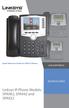 Quick Reference Guide for SPA9x2 Phones QUICK REFERENCE BUSINESS SERIES Linksys IP Phone Models: SPA962, SPA942 and SPA922 Phone Buttons and Features Handset Message Waiting Indicator LCD Screen Line Keys
VoIP Telephone Adapter User s Manual
 VoIP Telephone Adapter User s Manual Last Update: 2008/10/10 1 Introduction...3 1.1 Product Overview (Single Phone Port Model)...3 1.2 Product Overview (Dual Phone Port Model)...4 2 IVR Interface for TA...6
TABLE: The 2420 Telephone Components
 2420 Telephone TABLE: The 2420 Telephone Components 1. Display, Call Appearance and Feature buttons: Call Appearance Keys allow the user to handle multiple calls and the display shows call information.
OfficeMaster Gate (Virtual) Enterprise Session Border Controller for Microsoft Lync Server. Quick Start Guide
 OfficeMaster Gate (Virtual) Enterprise Session Border Controller for Microsoft Lync Server Quick Start Guide October 2013 Copyright and Legal Notice. All rights reserved. No part of this document may be
CyberData SIP Paging Adapter Integration with Zultys MX
 The IP Endpoint Company CyberData SIP Paging Adapter Integration with Zultys MX Author: Zultys Technical Support Department Document Part #930710A CyberData Corporation 3 Justin Court Monterey, CA 93940
Wireless VoIP Phone. Table of Contents. User s Manual
 Wireless VoIP Phone User s Manual Table of Contents Chapter 1 Overview the WiFi Phone... 6 1.1 Front Panel and Keypad... 6 1.2 Removing and Installing the Battery... 8 1.4 Powering the WiFi Phone On and
Application Note. IP8000 Conference Phone Configuration Guide. Table of Contents. Overview. Requirements. ST-10010 October 25, 2007
 Application Note ST-10010 October 25, 2007 IP8000 Conference Phone Configuration Guide This application note provides the details on adding the IP8000 conference phone to the ShoreTel IP phone system.
Technical Configuration Notes
 MITEL SIPCoE Technical Configuration Notes Configure Inn-Phone SIP Phone for use with MCD SIP CoE NOTICE The information contained in this document is believed to be accurate in all respects but is not
Grandstream Networks, Inc. GXP2130/2140/2160 Auto-configuration Plug and Play
 Grandstream Networks, Inc. GXP2130/2140/2160 Auto-configuration Plug and Play Introduction: This is a technical guide targeted to PBX developers that want to learn the different mechanisms that GXP2130/2140/2160
Snom Phone Quick Start Guide
 Snom Phone Quick Start Guide Today s Phone Company 1.866.342.4283 www.megagate.com Table of Contents 1. Quick Reference information... 3 2. Introduction... 4 3. Making Calls... 5 3.1 Internally... 5 3.2