
2014 YEAR-END CUSTOMER GUIDE SMALL BUSINESS
|
|
|
- Olivia Walker
- 10 years ago
- Views:
Transcription
1 2014 YEAR-END CUSTOMER GUIDE SMALL BUSINESS

2 2014 Welcome to the 2014 year-end customer guide. Use this guide as a reference to lead you through the year-end process. The information contained in this customer guide is as up to date as possible as of September 1, As new information becomes available, it is distributed via the following media: Banner pages included with your payroll Ceridian s web site, at Resources & Tools Ceridian s electronic newsletter, Ceridian Voice Newsletter. To receive the newsletter, submit your address at Please visit the legislative information at The information provided in this guide is provided by Ceridian Canada Ltd. as a convenience to you. Ceridian does not warrant the accuracy or completeness of the information. Contents may be subject to change. Always check with the proper authority for the most current information available. 2
3 Table of Contents Ceridian Bulletin Board...5 New in Important Topics to Review...5 Resources for Year-End Information...5 Tax Forms on CD...6 Online Tax Forms powered by epost...6 Dating of Payrolls...8 Checklist of Year-End Activities...9 November December 2014 and Last Pay of the Year...11 January February March Important Holiday, Bank and Direct Deposit Dates...15 Processing the First Pay of the New Year...15 Important Dates for Employers with Direct Deposits (EFTs) Bank Holidays...16 Year-End Reports...17 Required Employee Information...17 Required Employer Information...18 Calculating Pension Adjustments (PAs)...18 Processing Your Final Pay of the Year...19 Dating Your Final Pay of the Year...19 Important Dates and Deadlines...19 Missed Tax Form Processing Deadline...19 IVR Interactive Voice Response...20 Submission of Tax Forms...21 T4/RL Filing Deadline for Electronic Filing

4 Making Amendments After T4s and RL-1s Have Been Filed...22 Filing NR4 Tax Forms...24 Filing T4A-NR Tax Forms...24 Reprinting Tax Forms...24 Provincial Health Care Levies & WCB...25 Québec Health Services Fund (QHSF)...25 Newfoundland and Labrador Health and Post-Secondary Education Tax (HAPSET)...27 Ontario Employer Health Tax (EHT)...27 Manitoba Health and Post-Secondary Education Tax...30 WCB Reports...30 Year-End Adjustments After The First Pay Of The New Year...32 Year-End Adjustment Runs (Y-Runs)...32 Coding the Other Information Area of the T Completing Box 29 of the T4 Employment Codes...36 Troubleshooting...38 APPENDIX A...40 Canada Post Province and Territory Symbols...40 APPENDIX B...41 Province Codes...41 APPENDIX C...42 Tax Form Sort Options

5 Ceridian Bulletin Board The bulletin board is the section of the year-end guide where Ceridian introduces new enhancements, provides you with suggested topics for review, resource information, and an introduction to some of the tools Ceridian offers to enhance your year-end processing. New in 2014 RL-1 Code L-6 (security option deduction) is being discontinued for the 2014 tax year. It is being replaced with L-9 (Public) and L-10 (Canadian Controlled Private Company) A new Quebec Health Services Fund reduction was introduced for employers who create positions for, or hire, new employees in certain specialized fields after June 4, Employers who are eligible for this reduction must manually submit a form LE to Revenu Quebec. The 2014 federal budget announced an increase to the remittance thresholds. This may reduce how frequently source deductions are to be remitted in Important Topics to Review During the year-end process, please take the time to review the following sections of the year-end guide: epost Tax Form Holding Period and Release, page 7 Important Dates and Deadlines, page 19 Electronic Filing, page 21 Ontario EHT Annual Exemption, page 28 Resources for Year-End Information In addition to this guide, please refer to the following for more information on year-end and processing tax forms: For further details concerning payroll deductions, consult Canada Revenue Agency s (CRA s) Employers Guide - Payroll Deductions and Remittances (T4001) For Revenu Quebec information, see their Guide for Employers: Source Deductions and Contributions ( Access the above and other sites such as federal, provincial, and territorial governments, international payroll & HR related sites, and payroll and HR associations directly from Ceridian s website. From click Resources & Tools Quick Reference Top HR and Payroll Resource Websites 5

6 Tax Forms on CD Tax forms on CD are a single file of employer copies of tax forms (e.g. T4s) that can be easily accessed in PDF format. It provides an electronic backup for the employer. This backup can also be used to generate replacement forms for employees who lose their original form. Ceridian will provide you with a copy of your 2014 tax forms on CD-ROM, which will enable you to access these records from any computer with a CD drive. Each CD allows you the ability to search the information as required. All the information is fully secure so that it cannot be modified. Use it to: Re-print individual forms on demand (Ensure the business number is blacked out) Easily archive Employee Tax Forms Respond to employee queries without referring to archived paper copies. Online Tax Forms powered by epost Ceridian s online pay service offering provides you with the ability to have employee pay statements and tax forms delivered directly to your employees via epost, the online mail delivery service powered by Canada Post. This secure web-based service is available to your employees free of charge, 24 hours a day, 7 days a week, in English and French. Features of this service include: Electronic Postmark and RCMP-audited data security system Notification. At your employees option/request, epost will send an notification to notify them of new mail. Online storage of important documents for seven years Note: 2014 Online tax forms via epost are delivered in.pdf format, and are available from December 1, 2014 March 31, Tax forms processed outside of this time frame will produce paper forms. epost Subscription (2014 Tax Forms) Employer registration must occur prior to, or with, the final payroll processing of the year. Please allow yourself additional time to complete the Ceridian agreement and for Ceridian to enter the required system option. Employee subscription to epost and adding Ceridian as a mailer, must be completed 24 hours before tax forms are processed. Please keep in mind that if an employee misses the opportunity to subscribe, they will receive paper tax forms and must wait until the following year-end to receive online tax forms. 6
7 epost Tax Form Holding Period and Release Default Holding Period Holding Period Override Imposed Release It is important to note that online tax forms are held by Ceridian for a default of 3 calendar days before being released to epost for delivery (pay statements are available on cheque date). The purpose of the 3 day holding period is: 1. To allow for client review and verification of accuracy. 2. To provide the opportunity to re-run tax forms, in situations where changes or updates are required. If tax forms are re-run within the 3 day holding period, the original tax forms will be overwritten with the new tax forms If the 3 day holding period has expired, subscribed employees will receive 2 copies of their tax form(s) in their epost mailbox (the date stamp will identify which form is the most current). Once tax forms have been processed, you may, on a per request basis, contact your Service Delivery Team to override the default setting to: Waive the 3 day waiting period, releasing tax forms to epost for delivery, or Defer the release to epost beyond the default 3 day holding period until further notice. You are required to contact Ceridian a second time when you are ready to have forms released to epost. Irrespective of the holding period, in order to ensure all employees receive their tax forms prior to CRA s and Revenu Québec deadline of Friday, February 27, 2015, all pending employee tax forms will be released to epost for delivery on Monday, February 23, Contact your Service Delivery Team for further information. epost Registered Employees The year-end balancing report identifies when an employee will receive online tax forms. On the Employee Totals report, an E will display between the province code and employee status. For epost pay statements, please refer to your Payroll Register and Payroll EFT Summary. An (E) will display on the Payroll Register at the end of the banking information and on the Payroll EFT Summary before the sequence number. 7
8 Dating of Payrolls Legislation requires that amounts (e.g. earnings, statutory deductions, etc.) belong to the year in which they are paid. This is determined by the payment date. For example, if a pay period ends on December 31, 2014, and is paid on January 2, 2015, this is considered earnings for 2015 and therefore to be included on the 2015 tax form. 8

9 Checklist of Year-End Activities November 2014 This checklist is your primary tool for processing your year-end with Ceridian. All tasks are sequentially ordered, and references to other sections of this guide are provided. Use this checklist to ensure that all necessary tasks are completed in order and on time. Action Deadline When you receive your preliminary year-end reports package, follow the instructions for each report to ensure that the information it contains is correct as of the pay period ending date, shown in the upper right-hand corner of each report. For each of the following items, verify that they are correct by checking the relevant reports, see Year-End Reports, page 17. At least 5 days prior to your final input with a 2014 cheque date For each employee (including those on terminated status), verify: Name and address Social Insurance Number CPP/QPP, EI and QPIP (Québec Parental Insurance Plan) deficiencies Province(s) of employment for Note: Any employee in a terminated status on your last pay of the year will be removed from your payroll. Verify Earnings and Deduction/Benefit Matrix to ensure all codes are accurate and are directed to the correct box on the T4/RL-1. Verify Business Number(s) and/or Québec Remittance Account Number(s) Verify EI/QPIP reduced rates, with associated Business Numbers (BNs), for

10 November 2014 Action Deadline If your payroll includes employees in any of the following provinces, verify: Manitoba Health and Education Tax Number Ontario Employer Health Tax Number Newfoundland and Labrador Health and Post- Secondary Education Tax Number Northwest Territories/Nunavut Payroll Tax Number Nova Scotia WCB account number and rate CSST employer number and rate, Revenu Québec Identification No. If applicable verify: Deferred Profit Sharing Plan Number(s) Registered Pension Plan Number(s) Review and validate your 2015 payroll input schedule provided in your preliminary balancing reports. If you have any changes, contact your Service Delivery Team. If you need to make year-end adjustments, a Year-End Adjustment Spreadsheet is available at Resources & Tools Quick Reference Year-End Information for Ceridian Customers. This spreadsheet can be downloaded, populated and ed to [email protected]. Remittances are made on your behalf for adjustments provided prior to your final pay of the year. At least 5 days prior to final input with a cheque date of 2014 To prepare for Tax Form Initiation, ensure you have your IVR Branch ID, Payroll ID and PIN number. See, IVR Interactive Voice Response, page 20 for details. If you have employees in any of the provinces or territories that have medical/payroll tax plans (NL, ON, MB, QC, NT, NU) and the projected earnings for these jurisdictions for the new year may result in a change in the way Ceridian calculates your provincial health care levy, contact your Service Delivery Team as this information is required in writing. 10

11 December 2014 and Last Pay of the Year Action Deadline Review your form counts for all payrolls under the same business registration number and ensure your filing method is set appropriately for mandatory electronic filing. Schedule any special bonus or vacation runs with your Service Delivery Team, if required. Prior to processing tax forms December 1 December 2014 and Last Pay of the Year Action Deadline Verify the remittance amounts made by Ceridian on your behalf during the year by comparing them with the reports from the appropriate government agency. (For example: PD7A for Federal and TPZ-1015.R. 14(1,2,3,4)-v for Quebec). Note: Anything not included in your regular payroll processing in 2014 requires you to make the remittance payment to CRA/ Revenu Québec directly. Notify Ceridian in writing, of any changes to your company s EI/QPIP rates, Receiver General remittance frequency, and/or WCB assessment rate effective for 2015 if applicable. Advise Ceridian of any changes to your CSST assessment rate effective for 2015 if applicable (Québec employers only). If you have employees in Nova Scotia, forward your 2015 WCB rates to Ceridian. At least one week prior to processing your first payroll of 2015 At least one week prior to processing your first payroll of 2015 If pension adjustments (PAs) are being calculated by an actuary, ensure that they are available prior to processing your tax forms. See Calculating Pension Adjustments (PAs), page

12 January February 2015 Action Deadline If you have a company pension plan and your payroll has been set in the previous year with a YTD maximum amount, these amounts must be re-entered in the new year. Contact your Service Delivery Team for assistance. Ensure that tax exemption status codes and amounts for employees that have other than the basic exemptions are updated with your first payroll of the new year. Note: If any Quebec employees opted out of the Quebec personal health contribution for 2014 and they haven t provided you with a 2015 TP1015.3, you need to go into the system to remove the exemption before the first pay of the year. Some deductions allow for a target feature where deductions automatically stop once the target is met. If you are using this feature, contact your Service Delivery Team for assistance. Ensure that any amounts for employees who have CRA/Revenu Québec letters (for reductions in taxable remuneration) and/or TK3 or PK3 amounts for federal/provincial tax credits are reviewed and re-set to zero on the first pay of the new year, or adjusted as required. Contact your Service Delivery Team for assistance if you require a special report to review these figures. Ensure that any exemption amounts for any commissioned employees are re-entered on the first pay of the new year if these employees have completed a TD1X form. If you have employees in Québec, inform your Ceridian office of your total worldwide payroll amount for 2014 with your first payroll run of With your first payroll run January February 2015 You will receive, with your final pay of the year, a set of year-end balancing reports. If you do not receive these reports, contact your Service Delivery Team immediately. Action Deadline Review Ceridian s important dates and deadlines detailing when adjustments must be received and tax forms must be processed. See Missed Tax Form Processing Deadline, page 19 for more information. If you are unable to meet any deadline, contact your Service Delivery Team. 12

13 January February 2015 Action Deadline Along with your T4s/RL-1s, you will receive a new set of yearend balancing reports. Note: These year-end balancing reports are the same as those received with your last pay of the year, unless you made any adjustments between your last pay of 2014 and the processing of your tax forms. These changes are reflected in these reports. Ensure that you have received: your new set of year-end balancing reports the correct number of tax forms a CD with your tax form information Verify that the information reported in your tax forms is correct. If there are any discrepancies, contact your Service Delivery Team immediately. If you submitted adjustments to be processed for your tax forms after your last pay of 2014, you are responsible for remitting to the appropriate agencies any remittances, caused by the adjustments, by the specified deadline imposed by those agencies. If you have employees in British Columbia, you are responsible for filing your B.C. WCB reports and remittances (if applicable) for Your provincial WCB should communicate to you the rates at which to calculate your premiums owing. After verifying that your tax forms are correct, distribute them to your employees. (validate annual remitter due dates on return) February 27 Note: Failure to distribute tax forms to employees before this deadline can result in penalties (fines) being levied by CRA/Revenu Québec. If you have employees in Newfoundland and Labrador, you are responsible for submitting an Annual Declaration Return form to the Department of Finance. See Newfoundland and Labrador Health and Post-Secondary Education Tax (HAPSET), page 27. If you have employees in Québec, you are responsible for submitting the RL Summaries to Revenu Québec, see Submission of Tax Forms, page 21. February 27 13
14 March 2015 Action If you have employees in Québec, you are responsible for filing your CNT levy and WSDRF return with Revenu Québec. Please refer to the RL Summary. If you have employees in provinces other than Québec and Ontario, you are responsible for filing your provincial WCB reports and remittances (if applicable) for Your provincial WCB should communicate to you the rates at which to calculate your premiums owing. Deadline February 27 Please check with your WCB board for due dates March 2015 Action If you have employees in Ontario, you are responsible for filing an annual Ontario EHT return, to reconcile the annual tax due against the instalments made for This is the employer s responsibility, even if Ceridian remits your EHT premiums on your behalf. See Ontario Employer Health Tax (EHT), page 27. If you have employees in Québec, you are responsible for completing and filing your annual Québec CSST report to reconcile the annual premiums due against the instalments made in If you have employees in Ontario, you are responsible for filing your Ontario WSIB reports and remittances (if applicable) for The WSIB should communicate to you the rates at which to calculate your premiums owing. If you have employees in Manitoba and the Manitoba gross earnings for 2014 are $1,250,000 or greater, you are required to file an annual report that includes a copy of your information summaries (i.e. T4, T4A) requested from CRA. See Manitoba Health and Post- Secondary Education Tax, page 30. Deadline March 16 March 13 March 31 March 31 14

15 Important Holiday, Bank and Direct Deposit Dates Year-end is a process that requires much consideration to important dates and deadlines, especially around the holiday season, near the end of December and beginning of January. This section lists all of the important holiday dates, bank dates, and direct deposit dates that you should consider during the year-end season. Processing the First Pay of the New Year If you plan on running your first pay of the new year in December 2014, confirm with your Service Delivery Team that the new CRA/Revenu Québec taxation tables are in place, as these payrolls are normally not processed before Friday, December 12. ACTION REQUIRED: Contact your Service Delivery Team to determine if it is possible to process your 2014 payroll. Important Dates for Employers with Direct Deposits (EFTs) Please review a December calendar to ensure that your December and January payrolls are processed early enough to guarantee deposits are made on time. The following input schedule is recommended for releasing EFT payments so that all employees receive payment on the due date. EFT Payment Date Input to Ceridian December 23, 2014 December 18, 2014 December 24, 2014 December 19, 2014 December 29, 2014 December 22, 2014 December 30, 2014 December 23, 2014 December 31, 2014 December 24, 2014 January 2, 2015 *(Except for Quebec banks December 29, 2014 in Quebec are closed) January 5, 2015 December 30, 2014 * (December 29 in Quebec) Any payrolls processed outside of these recommended guidelines are done on a bestefforts basis by the receiving banking institutions. Ceridian is unable to speed up the processing of deposits with the banks once the EFT information has been released to them. Due to bank closures, no EFT files are processed on Thursday, December 25, 2014, 15

16 Bank Holidays Friday, December 26, 2014, and Thursday, January 1, 2015 (and Friday, January 2, 2015 in Québec). Please process your payments accordingly Bank Holidays The Canadian Bankers Association has advised that federally regulated banking institutions are obligated under federal law to observe the statutory holidays stipulated in the Canada Labour Code. The observance of provincially legislated holidays is a discretionary business decision made by each bank. It is recommended that you contact your banking institution directly regarding their holiday schedule or regarding any days of interest. 16

17 Year-End Reports Because the year-end process can be very involved, it is important to start looking at, and adjusting your employee information as early as possible. Where possible, you should make your adjustments in November, to ensure that all information is accurate and complete for your final pay submission at the end of the year. With your first payroll with a cheque date in November, you will receive your year-end preliminary reports package, which includes the following reports: Tax Returns Exception Report General Client Information Earnings and Deduction/Benefit Matrix Reports Name, Address and S.I.N. Report CPP/QPP Deficiency Report EI Deficiency Report QPIP Deficiency Report Yearly Payroll Input Schedule T4/T4A Employee Totals Report T4/T4A Recap Reports Relevé 1 and 2 Employee Totals Report (if applicable) Relevé 1 and 2 Recap Report (if applicable) Follow the instructions accompanying each report to ensure that the information it contains is correct as of the Pay Period Ending date shown in the upper right-hand corner. With your last pay of the year, you receive the same set of reports, with the following differences: The Name, Address and S.I.N. Report is not included. For Ontario employers, the Ontario EHT (Employer Health Tax) Report is included Note: To commence your review earlier in the year, the above package of reports can be requested off cycle throughout the year. Contact your Service Delivery Team to request a package. (Additional service fees apply.) Required Employee Information Current address, including 2-character province/territory symbol and postal code, see Canada Post Province and Territory Symbols, page 40. Social Insurance Number 17

18 Required Employer Information Note: An invalid or missing Social Insurance Number may result in a penalty imposed by CRA. Required Employer Information Business Numbers (BNs) - Confirm these numbers are correct by comparing them to your CRA PD7A form. In April 2013, CRA stopped mailing paper PD7As if employers paid their previous remittances electronically for the past six months or more. PD7As are available online through CRA s My Business Account. Note: If your BN number(s) are missing or invalid, tax forms are not produced. Province of Québec Remittance Account Number - Confirm this number is correct by comparing it to your Revenu Québec form TPZ-1015.R.14.#-V EI reduced rates, with associated BNs, for 2015 Remittance Frequency changes Manitoba Remittance Number for Health and Education Tax Ontario Employer Health Tax Number Newfoundland and Labrador Health and Post Secondary Education Tax Number Northwest Territories/Nunavut Payroll Tax Number Nova Scotia WCB account number and rate Deferred Profit Sharing Plan Number(s) Registered Pension Plan Number(s) - must be 7 numeric digits. Confirm the accuracy of these numbers by comparing them to your policy plans Worldwide Gross Wages from 2014 for QHSF. Calculating Pension Adjustments (PAs) Refer to CRA s Pension Adjustment Guide (Publication No. T4084) for a detailed explanation of the PA calculation for each different type of plan (i.e., money purchase, deferred profit sharing, defined benefit). The maximum reportable pension adjustments for 2014 are: $24,930 for Money Purchase plans $12,465 for Deferred Profit Sharing plans $24,330 for Defined Benefit plans [($2, x 9) - $600] Note: If you have pension adjustments to report and an actuary is providing the details for you, ensure they are aware that you must have the information prior to processing your tax forms. 18

19 Processing Your Final Pay of the Year Ceridian produces tax forms with your last pay of Therefore, prior to your last pay:: all adjustments must have been communicated to Ceridian prior to your final input for 2014 cheque date reversals and manuals must have been entered (adjustments that add or subtract from the employee s year-to-dates and adjusts remittances accordingly) taxable benefits that did not process through the payroll must have been entered all names, addresses and SIN numbers must be correct any CPP/QPP, EI and QPIP deficiencies must have been corrected If your payroll requires further corrections or adjustments before tax forms are produced, contact your Service Delivery Team to hold production of your tax forms. Dating Your Final Pay of the Year Legislation requires that earnings belong to the year in which they are paid. This is determined by the cheque date. For example, if a pay period ends on December 31, 2014 and is paid on January 2, 2015, this is considered earnings for 2015, and therefore to be included in the 2015 tax form. Important Dates and Deadlines It is important to remember that with the year-end process and legislative requirements (for both, you the employer, and Ceridian), there are a number of important dates and deadlines to keep in mind. Review the following information and keep it easily available throughout the tax season. Activity Y-Run adjustments Additional service charges may apply. Deadline February 13, Ensure you provide Ceridian with notification of these adjustments and allow for a minimum of 7 business days for Ceridian to enter data. Tax form initiation February 20, 2015 Missed Tax Form Processing Deadline Ceridian s tax form processing deadline is Friday, February 20, If you miss Ceridian s February 20th deadline you will be responsible for filing your tax forms via the internet. Please review the following electronic filing options made available to you by CRA: 19

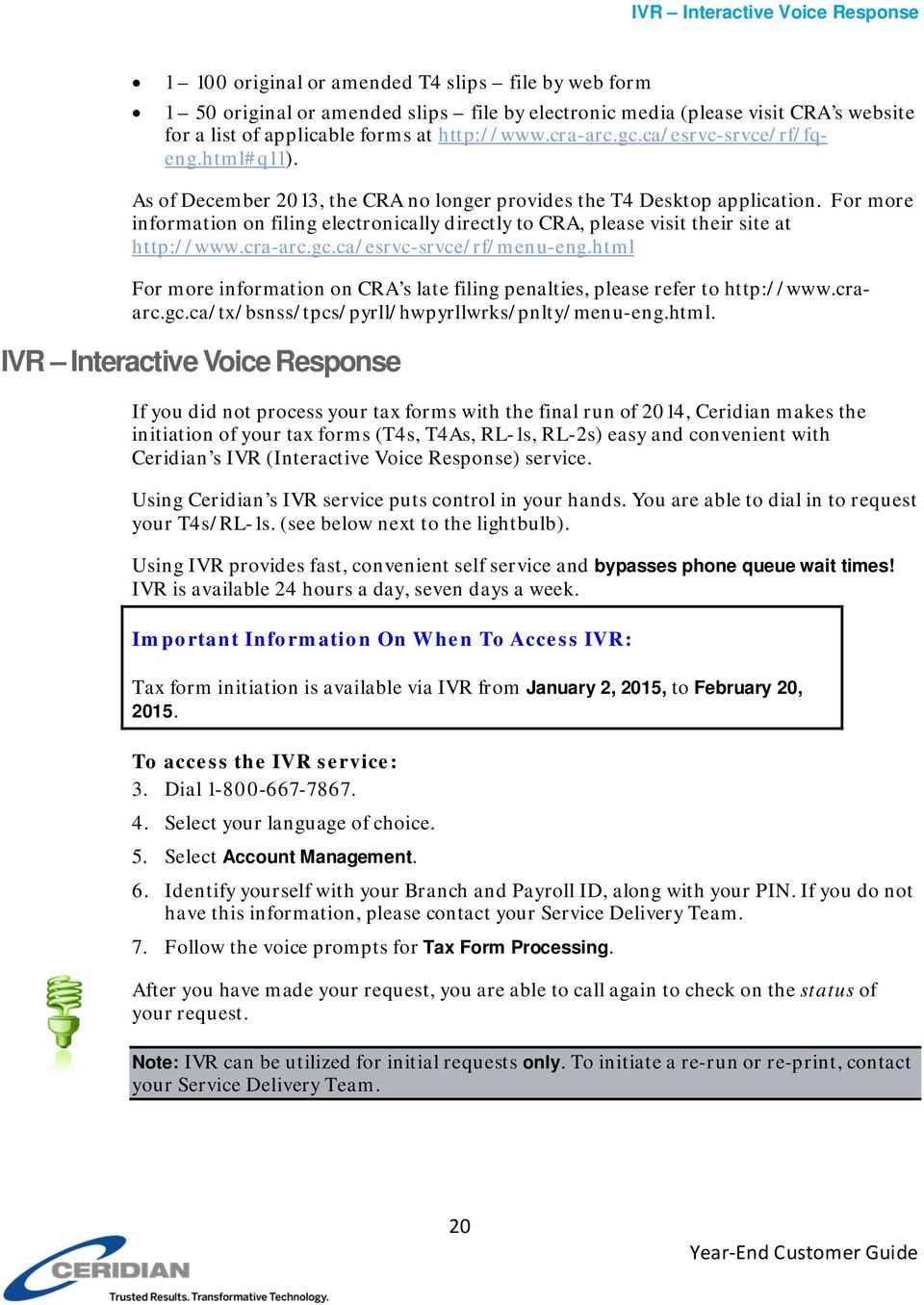
20 IVR Interactive Voice Response original or amended T4 slips file by web form 1 50 original or amended slips file by electronic media (please visit CRA s website for a list of applicable forms at As of December 2013, the CRA no longer provides the T4 Desktop application. For more information on filing electronically directly to CRA, please visit their site at For more information on CRA s late filing penalties, please refer to IVR Interactive Voice Response If you did not process your tax forms with the final run of 2014, Ceridian makes the initiation of your tax forms (T4s, T4As, RL-1s, RL-2s) easy and convenient with Ceridian s IVR (Interactive Voice Response) service. Using Ceridian s IVR service puts control in your hands. You are able to dial in to request your T4s/RL-1s. (see below next to the lightbulb). Using IVR provides fast, convenient self service and bypasses phone queue wait times! IVR is available 24 hours a day, seven days a week. Important Information On When To Access IVR: Tax form initiation is available via IVR from January 2, 2015, to February 20, To access the IVR service: 3. Dial Select your language of choice. 5. Select Account Management. 6. Identify yourself with your Branch and Payroll ID, along with your PIN. If you do not have this information, please contact your Service Delivery Team. 7. Follow the voice prompts for Tax Form Processing. After you have made your request, you are able to call again to check on the status of your request. Note: IVR can be utilized for initial requests only. To initiate a re-run or re-print, contact your Service Delivery Team. 20
21 Submission of Tax Forms When you receive your tax forms, ensure you review and validate your reports one last time. Once you ensure that all information is accurate, distribute the employee copies to your employees, and review the following sections in relation to submitting your tax forms to CRA and Revenu Québec. T4/RL Filing Deadline for 2014 Electronic Filing CRA s and RQ s deadline for filing returns and distributing forms for year-end 2014 is Friday, February 27, Note: All employee forms must be distributed by the above deadline. Your tax forms are automatically produced with your final run of the year, unless you inform Ceridian that you are not ready to have them run. If your payroll requires further adjustments before tax forms are to be produced, advise the Service Delivery Team that you will not process tax forms with your final run of the year. Ceridian will electronically file all customers tax forms with the Canada Revenue Agency and Revenu Québec. This will be the case, even if you have elected to manually submit your tax forms directly to government agencies in the past. Ceridian will continue to produce employee and employer tax forms, but the Government copies are no longer required and will not be included in your package. Failure to meet Ceridian s filing deadline could result in you, the employer, being responsible for filing your company s tax information to CRA and/or Revenu Québec using an alternate method. CRA Revenu Québec Do not send a T4/T4A Summary to CRA. The Government-supplied RL Summary (RLZ-1.S-V) must be completed by you and sent by you even though Ceridian has sent your RL-1 information electronically. Your failure to file the RL Summary may result in penalties. The Québec provincial government does not supply Ceridian with RL-1 Summaries. The summary that is sent directly to you, the employer, from the Government of Québec must be used for filing purposes. For the purpose of completing the RL Summary, Ceridian s Revenu Québec transmitter number (tax filing number) is NP Please note that this number is for Ceridian customers filing purposes only, and should NOT be used or distributed to anyone other than Revenu Québec. 21
22 Making Amendments After T4s and RL-1s Have Been Filed ACTION REQUIRED: Submit RL Summaries by Friday, February 27, Making Amendments After T4s and RL-1s Have Been Filed If errors are identified after T4s and RL-1s have been filed electronically, follow these procedures. Tax Form Cancellations On occasion individual tax forms are produced in error. Often when this occurs tax forms are re-run. It is important to advise you that if these original forms have already been filed with CRA or RQ, and you will NOT be filing amended forms to replace them, it is your responsibility to initiate a cancellation request. As an example, 2014 tax forms have been processed and filed with CRA (100 - T4s and 5 - T4As). It is discovered that the 5 T4As have been produced in error and are not required (the earnings and deductions should be on the T4). You complete the following steps to correct the error: 8. You make the necessary adjustments to your year-to-dates to move the earnings and deductions from the T4A to the T4. This results in a zero T4A balance. 9. Your tax forms are re-run (as amended) producing T4s and 0 - T4As. 10. You MUST initiate a cancellation request for the 5 invalid T4As. If Ceridian filed these form(s) on your behalf, please contact your Service Delivery Team to initiate a cancellation. If you have filed the form(s) directly to CRA/Revenu Québec, please contact them with your request. If you do not initiate a cancellation request your totals will be overstated and will not match your annual remittances. This may result in CRA/Revenu Québec contacting you for clarification. Special Note for Province of Tax Errors: A tax form cancellation request must be initiated if the only error on a form is an incorrect province of tax. If you intend, for example, for an employee s SK form to replace their original MB form (rather than be in addition to the MB form) cancel the MB form. In these limited circumstances, an amendment of the original form is not possible. If you do not initiate a cancellation, the original data for that employee will remain on file with the agency and their total income will be overstated. Issuing an Amended T4/T4A If your forms have been distributed to employees and you are not able to retrieve the affected forms and/or they have been filed with CRA (after the Ceridian deadline of February 20, 2015): Manually prepare the form(s) using the corrected information. Ensure they are completed in their entirety. (Forms can be located at Clearly identify the new form(s) as AMENDED. 22
23 Making Amendments After T4s and RL-1s Have Been Filed Review the following electronic filing options made available to you by CRA: - Web Form (1-100 original or amended T4 slips) - Internet File Transfer For a list of available return types visit CRA s website at Do not submit an amended T4/T4A Summary. Distribute the amended forms to the employees. Keep the amended employer copies on file for reference. For further information, see the CRA s publication, Employers Guide - Filing the T4 Slip and Summary (RC4120). If you would like Ceridian to file your amended forms, call your Service Delivery Team for assistance. Issuing an Amended RL-1/RL-2 Follow these steps if your forms have been distributed to employees and you are unable to retrieve the affected forms and/or they have been filed with Revenu Québec. Manually prepare the form(s) using the corrected information. Ensure they are completed in their entirety. (Forms can be located at ). Clearly identify the new form(s) as AMENDED. Indicate on the amended form(s) the number appearing on the upper right-hand corner of the original slip. IMPORTANT: If you have submitted your RL data electronically, send a paper copy of the original form(s) along with the form(s) amending them. Send Copy 1 of the amended form(s) with a new RL Summary, along with a letter explaining the reason for the amendments to Revenu Québec and how your original form(s) were filed (electronically). The address is shown in Revenu Québec s Guide to Filing the RL-1 Slip - Employment and Other Income (RL-1.G-V). Distribute the amended forms to the employees. Keep the amended employer copies on file for reference. For further information, see Revenu Québec s Guide to Filing the RL-1 Slip - Employment and Other Income (RL-1.G-V). If you would like Ceridian to file your amended forms, call your Service Delivery Team. Special Note for SIN Errors: If you need to amend an employee SIN on a Revenu Québec tax form, you must submit a new original form and initiate a cancellation request for the form with the error. 23
24 Filing NR4 Tax Forms Filing NR4 Tax Forms An NR4 return must be filed if you are responsible for reporting and withholding Part XIII tax according to the Income Tax Act. This is a withholding tax imposed on certain amounts paid or credited to non-residents of Canada. NR4 slips are used to report income such as pensions, annuities or investments. Ceridian can produce self-sealed NR4 forms for issuance to employees, and can electronically file your NR4 information to CRA. Contact your Service Delivery Team for instructions regarding the setup of the payroll codes and the employee information necessary to produce NR4s. Filing T4A-NR Tax Forms T4A-NR, Statement of fees, commissions or other amounts paid to non-residents for services rendered in Canada can be produced by Ceridian. Please note that the T4A-NR s are not self sealers, nor can Ceridian electronically file these forms with CRA. You must file your T4A-NR s manually. Contact your Service Delivery Team for instructions regarding the setup of the payroll codes and the employee information necessary to produce T4A-NRs. Reprinting Tax Forms You can now manage your own reprints using the CD supplied with your tax forms. Refer to the README file found on the CD for further instruction. 24
25 Provincial Health Care Levies & WCB If your payroll includes employees in any of the following provinces, you are required to advise Ceridian with your first payroll run of Province Requirement Deadline Québec Provide total amount of worldwide wages for Complete QHSF section of RL-1 Summary (RLZ-1.S-V) With your first payroll of 2015 February 27, 2015 Ontario Annual EHT return March 16, 2015 Manitoba** Payroll Tax Annual Report and T4 Summary (for Health & Education Tax) March 31, 2015 ** If 2014 gross earnings > $1,250,000 Québec Health Services Fund (QHSF) The following rates apply to the Québec Health Services Fund for 2015: If your total worldwide payroll for 2014 is equal to or less than $1 million, your rate will be 2.70% If your total worldwide payroll for 2014 is greater than $1 million but less than $5 million, your rate is based on the following formula: W (%) = (0.39% x S), where W represents the rate and S the quotient obtained by dividing your total payroll for 2014 by $1,000,000. The rate calculation must be rounded to the second decimal. If the third decimal is equal to or greater than 5, the second decimal must be rounded to the nearest second decimal. For example, if your total payroll is $1,500,000, S = 1.5. As a result, your rate would be 2.895%, which is rounded to 2.90%. If your total worldwide payroll for 2014 is over $5 million, your rate will be 4.26%. For example, the following rates would apply to the following payroll amounts: $1,000, % $2,000, % $3,000, % $4,000, % Over $5,000, % 25
26 Québec Health Services Fund (QHSF) Note: Your actual contribution rate is determined by using your TOTAL worldwide wages amount for The Health Services Fund contributions reconciliation at year-end may indicate that remuneration, subject to QHSF, is more than was originally estimated for the purpose of establishing the correct contribution rate. Employers are then expected to modify their QHSF rate, and make any required adjustments, before the last remittance of the year. Employers should not delay addressing this until after they file the Summary of Source Deductions and Employer Contributions RLZ-1.S-V since interest will be added to the amount payable and a penalty may be imposed. For further details, see the back of the RL-1 Summary. To inform your Ceridian office of your total worldwide wages amount for 2014, please ensure the information is provided when you process your first payroll run of If the total world wide wages is not entered, the maximum percent of 4.26% is applied. A new Quebec Health Services Fund reduction was introduced for employers who create positions for, or hire, new employees in certain specialized fields after June 4, Employers who are eligible for this reduction must manually submit a form LE to Revenu Quebec. Québec CSST (Commission de la santé et de la sécurité du travail) Employers paying employees working in the province of Québec must pay CSST insurance premiums to Revenu Québec based on their remittance frequency. These payments are to be reconciled annually by employers against the actual insurable wages paid to employees. If you are an employer paying Québec employees, you must file CSST payments with your Revenu Québec source deductions and employer contributions (weekly, twice monthly, monthly or quarterly as per your existing remitting schedule). Even if you are not subject to source deductions or employer contributions, you will still need to direct your CSST payments to Revenu Québec. Ceridian can remit your CSST premium payments on the same remittance frequency in place today for your source deductions and employer contributions to Revenu Québec. As a reminder, it remains the employers responsibility to balance and submit an annual Statement of Wages to CSST. Employers are required to complete and return the annual Statement of Wages before March 15, If there is a credit or a balance owing, an assessment variation may be issued and interest becomes payable. If you would like Ceridian to calculate CSST or calculate and remit your CSST payments to Revenu Québec on your behalf, please contact your Service Delivery Team. For more information in English please visit Revenu Québec at or 26
27 Newfoundland and Labrador Health and Post-Secondary Education Tax (HAPSET) visit the Commission de la santé et de la sécurité du travail at Newfoundland and Labrador Health and Post-Secondary Education Tax (HAPSET) It is recommended that all Newfoundland and Labrador employers file an Annual Declaration Return form that includes a copy of your T4 and/or T4A Summaries for the relevant year. The Department of Finance may levy penalties for payments or returns that are filed late. Employers whose cumulative payroll will not exceed the $1.2 million exemption threshold are not required to pay this payroll tax. Employers who are associated with other corporations or who are in partnership with other employers are required to file an allocation agreement for the purposes of allocating the exemption threshold. ACTION REQUIRED: If your payroll includes employees in the province of Newfoundland and Labrador*, submit your Annual Declaration. *If 2014 gross earnings >$1,200,000 Ontario Employer Health Tax (EHT) Each Ontario employer must file an annual return for each calendar year. The annual return for 2014 is due on March 16, The purpose of the annual return is to reconcile the annual tax due with the instalments paid. For monthly remitters, the instalments paid are calculated on the previous month's payroll and are remitted on the 15 th of the following month. An employer is required to pay monthly instalments if their annual Total Ontario Gross Remuneration exceeds $600,000. An Annual EHT Return must be filed by: All employers who received their EHT Annual Return Eligible employers whose Total Ontario Gross Remuneration is greater than their available exemption for 2014 Eligible employers with annual Total Ontario Gross Remuneration that does not exceed their available exemption amount if the employer: was a member of an associated group on December 31, 2014; or made EHT instalment payments in 2014 New eligible employers whose annual Total Ontario Gross Remuneration is greater than their allowable prorated exemption amount If Ceridian is remitting on your behalf, the balancing of payments and the filing of the annual return is still your responsibility. Refer to the General Client Information section 27
28 Ontario Employer Health Tax (EHT) of your Year-End Balancing Reports for information to assist you in completing the Annual Ontario EHT Return. Debit or Credit Balance If your completed EHT return reflects a balance owing, you must submit a payment to the Ministry of Finance with your Annual EHT Return. If your completed EHT return reflects a credit balance, and Ceridian is currently remitting on your behalf, you may request Ceridian to reduce your next payment by the credit amount. In order to do so, please provide Ceridian with a copy of a recent EHT statement displaying the credit and confirm that you have not already requested a refund cheque from the Ministry of Finance (via the filing of your Annual Return). If the credit is for a previous tax year, before Ceridian can make a reduction in payment, a request must be made to the Ministry of Finance to transfer the credit to the current tax year. Please note that the Ministry of Finance has advised that it reserves the right to offset any EHT credit balance with a debit balance on a related Ontario tax account. Therefore, the EHT tax office may refuse to transfer the credit or allow the refund. Ontario EHT Annual Exemption The employer health tax exemption threshold for small business was increased to $450,000 (from $400,000), starting in For larger businesses, the exemption was eliminated for private sector employers and groups of associated employers with annual Ontario payroll over $5 million, effective January 1, EHT Annual Year-End Return Annual Remitters Employers whose Total Ontario Gross Remuneration for the year is $600,000 or less are not required to pay instalments. They remit any tax owing only once a year. EHT Annual Year-End Return Monthly Remitters For employers making monthly instalments, the amount owing for a year is based on the payroll from January 1 to December 31. ACTION REQUIRED: If your payroll includes employees in the province of Ontario, SUBMIT your Annual EHT Return for March 16, 2015 (deadline). Balancing EHT Payments An Example Month Gross Paid Actual Monthly Gross for Calendar Year Gross Pay Used to Determine Monthly Remittance Accumulative Gross Pay EHT Remitted in 1.95% Date EHT Remittance Made January 2014 $76,000 $76,000 $76,000 28
29 Ontario Employer Health Tax (EHT) Month Gross Paid Actual Monthly Gross for Calendar Year Gross Pay Used to Determine Monthly Remittance Accumulative Gross Pay EHT Remitted in 1.95% Date EHT Remittance Made February 2014 $58,000 $58,000 $134,000 March 2014 $52,000 $52,000 $186,000 April 2014 $60,000 $60,000 $246,000 May 2014 $55,000 $55,000 $301,000 June 2014 $54,000 $54,000 $355,000 July 2014 $102,000 $102,000 $457,000 $ Aug. 15/14 August 2014 $50,000 $50,000 $507,000 $ Sept. 15/14 September 2014 $56,000 $56,000 $553,000 $1, Oct. 15/14 October 2014 $60,000 $60,000 $623,000 $1, Nov. 15/14 November 2014 December 2014 $52,000 $52,000 $675,000 $1, Dec. 15/14 $80,000 $80,000 $755,000 $1, Jan.,15/15 Totals $755,000 $755,000 $755,000 $5, * Annual exemption of $450,000 exceeded in July - EHT remittances begin August 15/14 Gross pay Jan. 1 - Dec. 31, 2014 $755,000 Less EHT exemption $450,000 Amount owing $301,000 x 1.95% = $5, Amount paid Jan. - Dec $5, Balance due $0.00 All enquiries regarding EHT changes should be directed to: Ministry of Finance Advisory Services Employer Health Tax 33 King Street West Oshawa, Ontario L1H 8H5 Phone: Web: 29
30 Manitoba Health and Post-Secondary Education Tax Manitoba Health and Post-Secondary Education Tax If you have employees in Manitoba and you pay Manitoba Health and Post-Secondary Tax, you must file a HE Levy Annual Report stating those employees year-to-date Manitoba gross remuneration. A copy of your 2014 T4-T4A Summary(s) should be included with the Report and submitted by March 31, 2015 to: Manitoba Finance Taxation Division York Avenue Winnipeg, Manitoba R3C 0P8 Note: Ceridian transmits to CRA the information required in the T4 Summary, but if you require a copy you can complete the fillable T4/T4A Summary located at or request paper forms at or by calling CRA no longer sends paper summaries to employers via the mail. The rates are: Total Yearly Payroll Tax Rate WCB Reports Less than $1,250,000 Exempt $1,250,000 $2,500, % on the amount in excess of $1,250,000 Over $2,500, % of the total payroll ACTION REQUIRED: If your payroll includes employees in the province of Manitoba*, SUBMIT your T4 Summary (for Health & Education Tax) for March 31, 2015 (deadline). * If 2014 gross earnings > $1,250,000 You are required to submit a report to the Workers Compensation Board for each province/territory in which you have employees. Your provincial WCB should communicate to you the rates at which to calculate your premiums owing. The information for completing these reports may be found in the WCB Assessable Earnings Report in your year-end reports package. 30
31 WCB Reports Workers Compensation Maximum Assessable Amounts for 2014 Province Maximum Assessable Amounts for 2014 BC $77,900 AB $92,300 SK $59,000 MB $119,000 ON $84,100 QC $69,000 NB $60,100 NS $56,000 PE $51,100 NL $60,760 YT $83,501 NT/NU $84,200 31
32 Year-End Adjustments After The First Pay Of The New Year It is your responsibility to ensure that all year-end adjustments are properly submitted by contacting your Service Delivery Team. Note that these year-end adjustments only adjust the employee s tax forms. Any remittances relating to statutory and provincial deductions and provincial health care levies are your responsibility. Service fees do apply to year-end adjustment runs. Note: Adjustments provided with regular payroll processing in 2014 may not be subject to additional service fees. Year-End Adjustment Runs (Y-Runs) Year-end adjustment runs enable you to submit adjustments that affect your employees 2014 T4/RL-1 tax returns. Ceridian s system then processes this information, and sends reports using your usual delivery method. Other reports are available should you wish to have them; simply make your request known to your Service Delivery Team. They are able to tell you the cost and timeframe involved in getting them for you. Note: - The Payroll Funds Summary and the Executive Summary identify the output as belonging to a year-end adjustment run. - T4s/RL-1s are not produced when a y-run is processed. - Additional service fees apply Multiple adjustment runs can be processed, but where possible, it is recommended that you gather all adjustments and process them at one time. Coding the Other Information Area of the T4 The Other information area at the bottom of the T4 slip has boxes for you to enter codes and amounts that relate to employment commissions, taxable allowances and benefits, deductible amounts, and other entries if they apply. The boxes are not pre-numbered as in the top part of the slip. The CRA Codes table on page 33 lists all the CRA codes, which can be listed in the Other Information area of the T4, along with the associated Ceridian system codes. In the column Ceridian Code, if the word Permanent appears, it means it is possible to have a permanent option in your masterfile that automatically records the YTD values of that payroll code on the T4 slip with the appropriate CRA code. Refer to your year-end balancing reports to identify the payroll code that has been set up for this purpose. If you have to make year-end adjustments, use the payroll code that is specific to your payroll. 32
33 Coding the Other Information Area of the T4 CRA Codes If there is not a permanent code set up on your masterfile and you need to report these amounts, advise your Service Delivery Team that you require a code to do so. Remember that you must enter dollar values as well, as they will not have accumulated throughout the year. In the Ceridian Code column, if a Z code is listed, you should use this 3-digit Z code along with a value to report the amount in the Other Information area of the T4. In most cases, these amounts are part of a value already appearing in another box on the T4, and their amounts cannot be determined until year-end. If you have Z codes to be added to your payroll, they must be processed on a year-end run (Y-Run). If you need to report these amounts, advise your Service Delivery Team that you require a Y-Run to be done. Special Comments: Ceridian Z codes (i.e. Z31 Special Work Site) are processed only on Y-Runs. They cannot be processed throughout the year on regular pay runs. These codes replace, they do not add together. If an employee has multiple entries made to the same Z code, the system accepts the last entry only (regular payroll codes add to year-to-date values). The following table lists all the CRA codes, which can be listed in the Other Information area of the T4, along with the associated Ceridian system codes. Description CRA Code T4 Box Action Required Ceridian Code Board and lodging Code 30 Box 14 Enter amount as required Special work site Code 31 None Enter amount as required Permanent Z31 Travel in a prescribed zone Medical travel assistance Personal use of employer s automobile or motor vehicle Interest-free and lowinterest loans Code 32 Box 14 Enter amount as required Code 33 None Enter the portion of Code 32 that applies Code 34 Box 14 Enter amount as required Code 36 Box 14 Enter amount as required Permanent Z33 Permanent Permanent 33
34 Coding the Other Information Area of the T4 Description CRA Code T4 Box Action Required Ceridian Code Employee homerelocation loan deduction Security options benefits Security options deduction - 110(1)(d) Other taxable allowances and benefits Security options deduction - 110(1)(d.1) Employment Commissions Canadian Forces personnel and police deduction Code 37 None Enter the deductible portion of the amount in Code 36 Code 38 Box 14 Enter amount as required Code 39 None Enter 50% of the amount reported in Code 38 for these shares Code 40 Box 14 Enter amount as required Code 41 None Enter 50% of the amount reported in Code 38 for these shares Code 42 Box 14 Enter amount as required Code 43 Box 14 Enter amount as required Z37 Permanent Z39 or Permanent Permanent Z41 Permanent Permanent Eligible retiring allowances Non-eligible retiring allowances Indian (exempt income) eligible retiring allowances Indian (exempt income) non-eligible retiring allowances Municipal officer s expense allowance Code 66 None Enter amount as required Code 67 None Enter amount as required Code 68 None Enter amount as required Code 69 None Enter amount as required Code 70 None Enter non-taxable portion of allowance Permanent Permanent Permanent Permanent Z40 34
35 Coding the Other Information Area of the T4 Description CRA Code T4 Box Action Required Ceridian Code Indian (exempt income) - employment Section income - employment outside of Canada Number of days outside of Canada Past service contributions for 1989 or earlier years while a contributor Past service contributions for 1989 or earlier years while not a contributor Workers compensation benefits repaid to the employer Fishers Gross income Fishers Net partnership amount Fishers Shareperson amount Placement or employment agency workers Gross income Code 71 Various (dependant on TD1-IN determinati on) Change employee Tax Status code Code 72 None Enter the amount from Box 14 that qualifies under Section Code 73 None Enter the number of days outside of Canada. Use a 3 digit number - e.g., 089 for 89 days Code 74 None Enter the amount from Box 20 that belongs to this period Code 75 None Enter the amount from Box 20 that belongs to this period Code 77 None Enter amount of WCB benefits repaid to the employer which was previously included in the employee s salary Code 78 None Enter amount as required Code 79 None Enter amount as required Code 80 None Enter amount as required Code 81 None Enter amount as required ET = I Z42 Z43 Z44 Z45 Z47 Z48 Z49 Z50 Z34 or Permanent 35
36 Completing Box 29 of the T4 Employment Codes Description CRA Code T4 Box Action Required Ceridian Code Taxi drivers and drivers of other passenger-carrying vehicles Gross income Barbers or hairdressers Gross income Code 82 None Enter amount as required Code 83 None Enter amount as required Public transit pass Code 84 None Enter the amount as required. Enter the employer paid portion to Code 40. Employee-paid premiums for private health services plans Security options election Volunteer firefighter exempt amount Indian (exempt income) selfemployment Code 85 None Enter amount as required Code 86 Box 14 Enter the cash-out amount required Code 87 None Enter the amount of the exempt payment (up to $1,000) Code 88 None Completing Box 29 of the T4 Employment Codes Enter the amount of the tax-exempt gross earnings Z35 or Permanent Z36 or Permanent Permanent Permanent Z38 Z32 SQ=S Use the following codes if you are completing T4 slips for employees in the described situations. Note: These types of adjustments cannot be keyed by the customer and must be submitted to Ceridian for processing on a y-run. Advise your Service Delivery Team if you are submitting this type of adjustment so that sufficient time is available to have them keyed prior to submitting your y-run. Situation CRA Code for T4 Box 29 Ceridian Coding Required Placement or employment agency workers 11 T4E=11 Taxi drivers or drivers of other passenger-carrying vehicles 12 T4E=12 Barbers or hairdressers 13 T4E=13 36
37 Completing Box 29 of the T4 Employment Codes Situation CRA Code for T4 Box 29 Ceridian Coding Required Withdrawal from a prescribed salary deferral arrangement plan 14 T4E=14 Seasonal Agricultural Workers Program 15 T4E=15 Detached employee - Social security agreement 16 T4E=16 Fishers Self employed 17 T4E=17 37
38 Troubleshooting While processing your year-end, you are bound to have questions that aren t answered within the year-end guide. The focus of this section is to provide you with answers to common year-end questions. Q: How do I let Ceridian know when I am ready to run my tax forms? A: Your tax forms are automatically produced with your final run of the year, unless you inform Ceridian that you are not ready to have them run. If your payroll requires further adjustments before tax forms are produced, contact your Service Delivery Team. Please note the deadline for processing is Friday, February 20, Q: Why are Ceridian s deadlines for electronic filing ahead of the deadline set by CRA and Revenu Québec? A: Due to the large volume of payroll information being processed by Ceridian at that time of year, and our internal validation procedures, this time is required to meet the processing deadlines set by CRA and Revenu Québec. Q: Should I have received a T4 Summary from Ceridian? A: No. Since tax forms are filed electronically, CRA does not require a Summary. The T4 recap report in your year-end package contains all of the information contained on the Summary. Because of this, Ceridian does not print actual summaries. Another reason is that in the past, customers have inadvertently sent the copy of the Summary, provided by Ceridian, resulting in calls from CRA looking for their tax forms, which had already been sent by Ceridian. If you require an actual Summary, CRA s fillable T4 and T4A Summaries can be completed at or a request for paper forms can be made at CRA no longer sends paper summaries to employers via the mail. Q: I received a RL-1 Summary in the mail from Revenu Québec why? A: Even though Ceridian files your RL-1 information electronically, you are still required to submit this summary to Revenu Québec. Revenu Québec automatically sends a blank form to all employers that have a registered Québec Provincial taxation number. Q: Where do I find the WCB assessable amounts by employee? A: In your Year-End Balancing Report at the employee level, the T4/T4A Employee Totals page. Q: I received a late filing letter from CRA, what should I do about it? A: Even when Ceridian electronically files your year-end information for you, there may still be circumstances where you could receive a late filing letter from CRA and/or 38
39 Completing Box 29 of the T4 Employment Codes Revenu Québec. If you do receive such a letter, contact the Service Delivery Team immediately for assistance. Q: Where do I find the details on the set up of my earnings, deductions and benefits? A: Details on the set up of earnings, deductions and benefits can be found on the Earnings and Deduction/Benefit Matrix provided in your preliminary and final year-end balancing reports. 39
40 APPENDIX A Canada Post Province and Territory Symbols English Name Symbol French Name Alberta AB Alberta British Columbia BC Colombie-Britannique Manitoba MB Manitoba New Brunswick NB Nouveau-Brunswick Newfoundland & Labrador NL Terre-Neuve & Labrador Northwest Territories NT Territoires du Nord-Ouest Nova Scotia NS Nouvelle-Ecosse Nunavut NU Nunavut Ontario ON Ontario Prince Edward Island PE Île-du-Prince-Édouard Québec QC Québec Saskatchewan SK Saskatchewan Yukon YT Yukon 40
41 APPENDIX B Province Codes The PC Code controls the province or country that prints in Box 10 of the T4. The following is a list of valid province codes: PC CODE PROVINCE PC CODE PROVINCE 1 Newfoundland and Labrador 2 Nova Scotia 3 New Brunswick 4 Québec 5 Ontario 6 Manitoba 7 Saskatchewan 8 Alberta 9 British Columbia N Northwest Territories P Prince Edward Island Y Yukon V Nunavut U United States O (alpha) If an employee worked in a country other than Canada or the USA, or worked in Canada beyond the limits of a province or territory, on an offshore oil rig for example, this code enters ZZ in Box 10. X For other jurisdictions, prints ZZ in Box
42 APPENDIX C Tax Form Sort Options Your tax form sort order is displayed on the General Tax Form Information and Earnings & Deduction/Benefit Reference Tables, item #3, found in your year-end reports package. While the primary sort for all year-end reports and forms is by Business Number, you have the option of choosing 2 additional sort options. For example, if you would like your tax forms sorted numerically (employee number) within Department (DC code), you would specify: the Main sort as Department and the Second sort as Numeric This will result in tax forms and year-end reports sorted by: employee number, within Department (DC code), within Business Number. Please submit your sort options along with your changes via the General Tax Form Information and Earnings & Deduction/Benefit Reference Tables, or by contacting your Service Delivery Team. Description Numeric (by employee number) Alpha (by surname) Social Insurance Number (SIN) Province (code PC) Department (code DC) 42
Filing the T4 Slip and Summary
 Employers Guide Filing the T4 Slip and Summary RC4120(E) Rev. 12 Is this guide for you? U se this guide if you are an employer (resident or non-resident) and you have paid your employees any of the following
taxation Current to June 20, 2013 What s Inside www.bdo.ca
 www.bdo.ca taxation Tax Facts 2013 Current to June 20, 2013 Tax Facts 2013 provides you with a summary of 2013 personal income tax rates and amounts, as well as corporate tax rates (as at July 1, 2013),
Payroll Start-Up Checklist
 Payroll Start-Up Checklist COMPANY NAME: COMPLETE THE ATTACHED REGISTRATION DOCUMENTS CONSISTING OF: NEBS PAYweb.ca Application Form (6 pages). NEBS PAYweb.ca Client Service Agreement (2 pages). Please
PAYROLL WEBINAR 2015
 PAYROLL WEBINAR 2015 PAYROLL WEBINAR 2015: TD1 Forms At the beginning of every year (and for each new employee) each person is to complete a TD1 Form. Please have employee complete one each for FEDERAL
Professional Corporations An Attractive Option
 Professional Corporations An Attractive Option Recent and planned corporate income tax rate reductions mean that now is a good time for eligible professionals to consider incorporating their practices.
A basic paycheque will show gross pay, deductions and net pay:
 Accounting (HOSP 1860) Learning Centre Payroll Accounting Understanding payroll will help you as an or an. It explains all the deductions that are removed from your paycheque, where the numbers on your
FGMK Payroll Services, LLC. One Source Infinite Solutions Year End Guide
 FGMK Payroll Services, LLC One Source Infinite Solutions Year End Guide Additional Resources IRS Forms and Publications 1-800-TAX-FORM (800) 829-3676 http://www.irs.gov/formspubs/index.html IRS Contact
Self Service - Payroll & Compensation Guide for Users Updated on 5 May 2015
 Updated on 5 May 2015 Contents Getting Help... iii Supported Browsers... iii Payroll & Compensation... 1 Set-up or Change your Direct Deposit Information... 2 View your Pay Advice - Non Union... 8 View
BMO Tax Payment & Filing Service. User Guide
 BMO Tax Payment & Filing Service User Guide BMO Tax Payment & Filing Service User Guide This service provides a facility to initiate payroll source deductions, corporate income tax, GST, PST, and Harmonized
Sage 50 Accounting (Release 2015.1)
 Sage 50 Accounting (Release 2015.1) December 2014 Contents Sage 50 Accounting Canadian Edition (Release 2015.1) 1 Sage 50 Accounting Release 2015.1 1 What's new and product improvements 1 Support for employer
Dear Payroll Client, Thank you, Precision Payroll of America Team. Table of Contents
 At Your Service. Dear Payroll Client, It is that time of year again and year-end is upon us! This document is a crucial part of our fourth quarter and year-end processing which will guide you to a smooth
Introduction to Payroll. Employer, Payer, or Trustee
 Introduction to Payroll The Canadian payroll system is a rather complex process, requiring employers to make proper distinctions between workers, collecting deductions from their income, remitting those
Year End Guide 2015. At Your Service.
 Year End Guide 2015 Precision Payroll of America (PPA) would like to take this opportunity to thank you for your business and to wish you a happy holiday season and a prosperous New Year. Please review
PARAMETERS OF THE PERSONAL INCOME TAX SYSTEM FOR 2015. November 2014
 PARAMETERS OF THE PERSONAL INCOME TAX SYSTEM FOR 2015 November 2014 PARAMETERS OF THE PERSONAL INCOME TAX SYSTEM FOR 2015 Legal deposit November 2014 Bibliothèque et Archives nationales du Québec ISBN
Pay Statement Guidelines
 The Canadian Payroll Association 1600 250 Bloor Street East Toronto, ON M4W 1E6 Tel: 416-487-3380 Toll-free: 1-800-387-4693 Fax: 416-487-3384 Payroll Infoline: [email protected] Membership: [email protected]
Public Service Pension Plan
 Public Service Pension Plan Guide Booklet The information presented in this publication is premised on the rules and criteria which currently exist under the Public Service Superannuation Plan and which
2015 Year-End Guide & Reply Form
 2015 Year-End Guide & Reply Form To ensure the accuracy and timeliness of your W2s, Please complete and return the attached REPLY FORM by: Friday, December 4 th If you fill out this form and return it
PAYROLL SCOPE. This policy applies to all employees of the University. DEFINITIONS. Federal and provincial tax rules define employee as follows:
 Effective Date: April 22, 2002 Supersedes /Amends: n/a Originating Office: Human Resources Policy Number: HR-37 SCOPE This policy applies to all employees of the University. DEFINITIONS Federal and provincial
Payroll Deductions and Remittances
 Employers Guide Payroll Deductions and Remittances T4001(E) Rev. 05 Remittance due dates New or regular remitter We have to receive your deductions on or before the 15th day of the month after the month
Hiring Employees. Entrepreneur s Guide To: Main Office 700 California Avenue, Suite 200 Windsor, Ontario N9B 2Z2 T. 519-253-6900 F.
 Entrepreneur s Guide To: Hiring Employees Main Office 700 California Avenue, Suite 200 Windsor, Ontario N9B 2Z2 T. 519-253-6900 F. 519-255-9987 Satellite Office 39 Maidstone Avenue East Essex, Ontario
Government of Nunavut Department of Finance
 Government of Nunavut Department of Finance Taxation Division P.O. Box 2260 Iqaluit, NU X0A 0H0 Telephone: (867) 975-6820 or 1-800-316-3324 Facsimile: (867) 975-5845 E-mail: [email protected] ᑖnᓇ ᑎᑎᕋqᓯᒪᔪq
Canada Customs & Revenue Agency (CRA) Taxation Filing & Remittance Requirements Annual Publication
 Public Practice Bulletin February 2009 Canada Customs & Revenue Agency (CRA) Taxation Filing & Remittance Requirements Annual Publication To assist Alberta practicing offices, below is a publication reflecting
GENERAL INSTRUCTIONS FOR COMPLETING YOUR RETURN
 GENERAL INSTRUCTIONS FOR COMPLETING YOUR RETURN PITTSBURGH CITY & SCHOOL DISTRICT The City of Pittsburgh Earned Income Tax is levied at the rate of 1% under ACT 511. The Pittsburgh School District Earned
Payroll Deductions and Remittances
 Employers Guide Payroll Deductions and Remittances T4001(E) Rev. 12 Is this guide for you? Use this guide if you are: an employer; a trustee; a payer of other amounts related to employment; or an estate
Employer Health Tax MINISTRY OF FINANCE
 MINISTRY OF FINANCE Employer Health Tax The Employer Health Tax Act requires all employers who have a permanent establishment in Ontario to remit employer health tax (EHT) on total Ontario remuneration
2012 Year End Accountant Guide
 2012 Year End Accountant Guide For your clients using RUN Powered by ADP This guide contains information and critical dates to assist you with year end payroll and tax filing tasks. HR. Payroll. Benefits.
ICICI Bank Canada Student GIC Program Guide Complete Steps
 ICICI Bank Canada Student GIC Program Guide Complete Steps This program guide outlines the details of the ICICI Bank Canada Student GIC Program, effective October, 2015. Unless otherwise stated, all fees
for Sage 100 ERP Payroll Overview Document
 for Sage 100 ERP Payroll Document 2012 Sage Software, Inc. All rights reserved. Sage Software, Sage Software logos, and the Sage Software product and service names mentioned herein are registered trademarks
OptRight Online: 2013 Year End Customer Guide
 November 2013 Wells Fargo Business Payroll Services OptRight Online: 2013 Year End Customer Guide 2013 Wells Fargo Bank N.A. All rights reserved. Member FDIC. Welcome to the 2013 year-end customer guide
FACTS & FIGURES. Tax Audit Accounting Consulting
 FACTS & FIGURES Tax Audit Accounting Consulting FACTS AND FIGURES FOR TAX PREPARATION AND PLANNING JULY, 2013 CHAPTER 1B PERSONAL INCOME TAX 1.1 Federal Tax Rates - Individuals... 1 1.2 Federal Personal
NYS-45-I (10/14) Instructions for Form NYS-45. Quarterly Combined Withholding, Wage Reporting, and Unemployment Insurance Return
 New York State Department of Taxation and Finance Important information For returns due on or after April 30th, 2015, you must electronically file your quarterly returns and pay any balance due. If you
Session EF1 Terminations Roundtable (double session) Presented by: David Whitten, Whitten & Lublin, LLP & Annie Chong, Thomson Reuters
 Session EF1 Terminations Roundtable (double session) Presented by: David Whitten, Whitten & Lublin, LLP & Annie Chong, Thomson Reuters Termination Presented by: Annie Chong Thomson Reuters Agenda Reasons
The Business Number and Your Canada Revenue Agency Program Accounts
 The Business Number and Your Canada Revenue Agency Program Accounts RC2(E) Rev.12 Before you start Is this booklet for you? This booklet will help you get a business number (BN) if you need one or more
Instructions NDEB Equivalency Process
 NDEB Equivalency Process Table of Contents Submitting an online application... 3 Website... 3 Online registration portal... 5 Submitting required documents... 10 Application Instructions-Final.docx 2 /
AN INTRODUCTION TO WITHHOLDING STATE INCOME TAX BY EMPLOYERS
 AN INTRODUCTION TO WITHHOLDING STATE INCOME TAX BY EMPLOYERS STATE OF HAWAII DEPARTMENT OF TAXATION Benjamin J. Cayetano Governor Ray K. Kamikawa Director of Taxation Revised September, 1998 A MESSAGE
Electronic Banking. Government Tax Payment & Filing Service
 Electronic Banking Government Tax Payment & Filing Service June 2009 Table of Contents 1 Scotiabank s Government Tax Payment & Filing Service..............................2 2 Getting Started...............................................................3
The Business Number and Your Canada Revenue Agency Accounts
 The Business Number and Your Canada Revenue Agency Accounts Revised (July 1, 2006 electronic version only) RC2(E) Rev. 05 Before you start Is this booklet for you? This booklet will help you obtain a Business
Colorado Income Tax Withholding Tables For Employers
 DR 1098 (12/12/14) Colorado Income Tax Withholding Tables For Employers What s Inside? Electronic Filing Information Filing periods and requirements effective January 1, 2015 Income Tax Withholding Tables
Canada Pension Plan. Canada Pension Plan Disability Benefits
 Canada Pension Plan Canada Pension Plan Disability Benefits Contents Introduction... 1 CPP disability... 2 Applying for CPP disability benefits... 4 Receiving CPP disability benefits... 7 Children s benefits...
MyUI Claimant User Guide
 MyUI Claimant User Guide Version 1.0 September 26, 2013 Date: September 26, 2013 1/36 Table of Contents MYUI CLAIMANT... 1 TABLE OF CONTENTS... 2 1 MYUI CLAIMANT: FAQS... 4 What Can MyUI Claimant do for
II. THE LAW FIRM SELF-REPORT AND FILING REQUIREMENTS
 These instructions are designed for the Law Firm Self-Report. A separate FAQ has been prepared for the accountants to assist in the completion of the Accountant s Report. A user guide has also been developed
The Pension Benefits Regulations, 1993
 1 The Pension Benefits Regulations, 1993 being Chapter P-6.001 Reg 1 (effective January 1, 1993) as amended by an Errata Notice (published in The Saskatchewan Gazette August 27, 1993) and by Saskatchewan
References to the Act are noted in this manner - s.5 (meaning refer to section 5).
 CT Insurance Premium Tax Return Ministry of Revenue July 2011 Guide The Corporations Tax Act This guide is provided for convenience only and is not a replacement for the legislation. For legislative accuracy
2014 Year-End Client Guide
 BDB Payroll Services [email protected] 1.800.729.7687 www.bdbpayroll.com Welcome to the 2014 Year-End Client Guide Since year-end is fast approaching, BDB has created a comprehensive guide
Group Retirement Savings Plan for Ryerson University CUPE 3904 PT&S
 Group Retirement Savings Plan for Ryerson University CUPE 3904 PT&S Prepared June 2009 Policy/Plan Number 42745 Ryerson Group Retirement Pension Plan Table of Contents An Introduction to your Group Plan,
INCORPORATING YOUR BUSINESS
 November 2014 CONTENTS Advantages of incorporation Advantages of an SBC Summary INCORPORATING YOUR BUSINESS If you carry on a business, there are many tax planning opportunities which become available
Fine Collection Notices
 Fine Collection Notices For redirection of earnings State Penalties Enforcement Registry A division of the Office of State Revenue Contents Introduction... 1 What is a fine collection notice?... 2 Role
CIBC Mortgage Disability Insurance and CIBC Mortgage Disability Insurance Plus
 Page 1 of 5 CIBC Mortgage Disability Insurance and CIBC Mortgage Disability Insurance Plus Your Certificate Of Insurance CIBC Mortgage Disability Insurance ( Mortgage Disability Insurance ) and CIBC Mortgage
Deducting Income Tax on Pension and Other Income, and Filing the T4A Slip and Summary
 Deducting Income Tax on Pension and Other Income, and Filing the T4A Slip and Summary RC4157(E) Rev. 15 Is this guide for you? U se this guide if you are a payer, such as an employer, a trustee, an estate
2015 Gen Canadian Known Tax Rates / Credits / Limits Update. Functional Change Specification. Present ed by Advicent Solut ions
 2015 Gen Canadian Known s / Credits / Limits Update Present ed by Advicent Solut ions Revision 1.4 Created: January 30, 2015 Revision Hist ory Date Revision Author(s) Description January 30, 2015 1.0 Advicent:
Payroll Deductions and Remittances
 Employers Guide Payroll Deductions and Remittances T4001(E) Rev. 07 Remittance due dates New or regular remitter We have to receive your deductions on or before the 15th day of the month after the month
EMPLOYMENT INSURANCE. Employment Insurance Regular Benefits
 EMPLOYMENT INSURANCE Employment Insurance Regular Benefits This document can be made available in alternative formats such as Braille, large print, audio cassette, CD, DAISY, and computer diskette. Call
Provinces and territories also impose income taxes on individuals in addition to federal taxes
 Worldwide personal tax guide 2013 2014 Canada Local information Tax Authority Website Tax Year Tax Return due date Is joint filing possible Are tax return extensions possible Canada Revenue Agency (CRA)
EI Premium Reduction Program
 Employment Insurance Guide for Employers EI Premium Reduction Program Service Canada Government of Canada Gouvernement du Canada IN-041-05-06 For further information on the Employment Insurance Premium
Payco, Inc. Evolution and Employee Portal. Payco Services, Inc.., 2013. 1 Home
 Payco, Inc. Evolution and Employee Portal Payco Services, Inc.., 2013 1 Table of Contents Payco Services, Inc.., 2013 Table of Contents Installing Evolution... 4 Commonly Used Buttons... 5 Employee Information...
Early Retirement Strategies
 If you or a member of your family is facing a permanent lay-off, voluntary early retirement or forced early retirement, there are many important decisions to be made decisions that can have a significant
Payout Annuity. product guide
 Table of contents What is a Single Premium Annuity?............................................................................. 2 Who will benefit from a Payout Annuity?.......................................................................
Sage HRMS 2015 Sage Employee Self Service Release Notes. November 2014
 Sage HRMS 2015 Sage Employee Self Service Release Notes November 2014 Document version: November 11, 2014 This is a publication of Sage Software, Inc. Copyright 2014 Sage Software, Inc. All rights reserved.
Workers' Benefit Fund (WBF) Assessment
 Background Workers' Benefit Fund (WBF) Assessment Employers who maintain workers compensation insurance for themselves and/or their workers are subject to three types of payment, each of which sounds similar:
AUTOMOBILE EXPENSES & RECORDKEEPING
 February 2015 CONTENTS Who should keep records? Expenses to track Deductible expenses Keeping a kilometre log Business vs. personal Other motor vehicles The standby charge GST/HST and QST considerations
RETIREMENT COMPENSATION ARRANGEMENTS
 RETIREMENT COMPENSATION ARRANGEMENTS REFERENCE GUIDE A Retirement Compensation Arrangement ( RCA ) can be a valuable planning tool that can effectively provide solutions to retirement planning and, in
How To Setup & Use Insight Salon & Spa Software Payroll - Australia
 How To Setup & Use Insight Salon & Spa Software Payroll - Australia Introduction The Insight Salon & Spa Software Payroll system is one of the most powerful sections of Insight. It can save you a lot of
The Canada Pension Plan Retirement Pension
 CANADA PENSION PLAN The Canada Pension Plan Retirement Pension Contents The Canada Pension Plan...1 Changes to the CPP you should know about...2 Understanding the CPP...3 Deciding when to apply for your
CANADIAN MERCHANT SERVICE GUILD
 2006 CANADIAN MERCHANT SERVICE GUILD WESTERN BRANCH PENSION PLAN (Towboats) This statement has been prepared for: 2006 CANADIAN MERCHANT SERVICE GUILD WESTERN BRANCH PENSION PLAN (Towboats) Printed March
Sprott Flow-Through Limited Partnerships. Sprott Tax-Assisted Investments
 Sprott Flow-Through Limited Partnerships Sprott Tax-Assisted Investments sprott asset management lp Natural resources an essential element of a well-structured investment portfolio Adding natural resource
Approved issuer levy (AIL)
 IR 395 October 2014 Approved issuer levy (AIL) A A guide for payers www.ird.govt.nz 1 Introduction If you (a borrower) pay interest to a non-resident lender (the person who you ve borrowed from), and want
Guide to Filing Income Taxes for People Receiving PWD/PPMB
 d i s a b i l i t y a l l i a n c e b c 16 h e l p s h e e t 2015 b c d i s a b i l i t y b e n e f i t s Guide to Filing Income Taxes for People Receiving PWD/PPMB This Help Sheet is funded by the Vancouver
CANADA PENSION PLAN. Canada Pension Plan Survivor Benefits. Death Benefit Survivor s Pension Children s Benefit
 CANADA PENSION PLAN Canada Pension Plan Survivor Benefits Death Benefit Survivor s Pension Children s Benefit Contents Introduction...1 Information for contributors about CPP survivor benefits...1 Information
National Nursing Assessment Service (NNAS)
 National Nursing Assessment Service (NNAS) Applicant Handbook NNAS Application Information NNAS Website: http://www.nnas.ca/ NNAS Customer Care: +1-855-977-1898 (If toll free is not available): +1-215-349-9370
Employee or Self-Employed?
 Employee or Self-Employed? RC110 (E) Rev. 12 Is this guide for you? Use this guide if you are: a payer or employer; or a worker. It will help you understand how to determine a worker s employment status.
A Guide to Understanding the Trillium Drug Program
 Ministry of Health and Long-Term Care A Guide to Understanding the Trillium Drug Program This program may make you eligible for Ontario drug benefits TRILLIUM DRUG PROGRAM What's in this Guide 1. What
Lexis Back Office - Payroll. Getting Started
 Lexis Back Office - Payroll Getting Started ADP's Trademarks The ADP Logo is a registered trademark of ADP of North America. Third-Party Trademarks LexisNexis, Lexis, and the Knowledge Burst logo are registered
The Ultimate Year End T4 Guide. A publication by PaySavvy
 The Ultimate Year End T4 Guide A publication by PaySavvy Know someone who might need help with T4 s? Share this ebook! INTRODUCTION It s not quite the most wonderful time of year. While most people are
Canada. Contact James Yager KPMG in Canada Tax Partner T: +1 416 777 8214 E: [email protected]
 Canada Introduction Liability to Canadian tax is determined by residence status for taxation purposes and the source of income derived by an individual. Income tax is levied at progressive rates on a person
Professional Corporations Is One Right for You?
 Professional Corporations Is One Right for You? Recent and planned corporate income tax rate reductions mean that now is a good time for professionals to consider incorporating their practices. The low
Personal Service Companies. Guidance Note GN 50
 Personal Service Companies Guidance Note GN 50 Issued by the Income Tax Division 20 March 2014 PLEASE NOTE: This guidance has no binding force and does not affect your right of appeal on points concerning
Using Your Home for Daycare
 Using Your Home for Daycare P134(E) Rev. 11 Is this booklet for you? I f you run a daycare in your home, you may be able to deduct business expenses from the income you report on your income tax return.
WHAT YOU MUST DO TO RECEIVE UNEMPLOYMENT BENEFITS
 Rev. 01/2014 Office of Unemployment Insurance Administration Unemployment Claims Unit PO Box 94094, Room 386 Baton Rouge, Louisiana 70804-9096 Unemployment Benefits Rights and Responsibilities (Benefits
North Carolina Withholding Forms and Instructions for Tax Year 2016 (For Employers Who Electronically Pay Withholding Tax Semiweekly)
 N C DEPARTMENT OF REVENUE PO BOX 250 RALEIGH, NC 27640-01 North Carolina Withholding Forms and Instructions for Tax Year 2016 (For Employers Who Electronically Pay Withholding Tax Semiweekly) EFT - Our
mywcb Online User Guide
 WCB REV NOVEMBER, 2014 mywcb Online User Guide for Employers ebusiness Support Team Phone: 780-498-7688 Fax: 780-498-7866 Email: [email protected] Hours: 8:00 a.m. to 4:30 p.m., Monday through
Colorado Severance Tax Booklet
 (06/19/15) Colorado Severance Tax Booklet THIS BOOKLET CONTAINS: DR 0021 Oil and Gas Severance Tax Return DR 0021D Oil and Gas Severance Tax Computation Schedule DR 0021S Application for Extension of Time
CANADA SAVINGS BONDS WEB TRANSMISSION GUIDE 2014. csb.gc.ca PAYROLL SAVINGS PROGRAM 20$ 40$ 80$ 50 $ 30$ WEBGUIDE-14
 7 WEB TRANSMISSION GUIDE 204 CANADA SAVINGS BONDS csb.gc.ca PAYROLL SAVINGS PROGRAM 40$ 5$ 30$ 0$ 20$ 80$ 70$ 0$ What are you saving for? 50 $ 40$ 20 0$ 80$ 4 20$ 7 7 $ $ $ $ $ $ $ $ $ $ $ $ WEBGUIDE-4
Salary Packaging. Information Kit. Catholic Schools Office Diocese of Lismore
 Salary Packaging Information Kit Catholic Schools Office Diocese of Lismore 13 TABLE OF CONTENTS SALARY PACKAGING... 1 HOW IT WORKS... 1 SALARY PACKAGING AND THE OPERATION OF INCOME TAX LEGISLATION...
e@syfile TM Employer USER GUIDE
 e e@syfile Employer User Guide e@syfile Employer User Guide e@syfile Employer User Guide e@syfile Employer User Guide 2012 e@syfi e@syfile TM Employer USER GUIDE MAY 2012 I r User Guide e@syfile Employer
Strategies For Dealing With An Early Retirement Package
 If you or a member of your family is facing a permanent lay-off, voluntary early retirement or forced early retirement, there are many important decisions to be made decisions that can have a significant
How To Get A Pension From The Pension Fund
 Member s Guide to: DROP Deferred Retirement Option Plan www.op-f.org PLAN DEFERRED RETIREMENT DROP The Deferred Retirement Option Plan (DROP) is an optional benefit that allows eligible police officers
RUN Powered by ADP Year-End Guide
 RUN Powered by ADP Year-End Guide TDYEG V0115A HR.Payroll.Benefits ADP's Trademarks The ADP Logo, ADP, and RUN Powered by ADP are registered trademarks of ADP, LLC. Third-Party Trademarks Adobe and Acrobat
Note: Where possible the screen shots in this document are from QuickBooks 2012 and/or QuickBooks 2013 Premier Accountants Edition.
 QUICKBOOKS & T4 S CONTENTS QuickBooks &T4 s... 3 Preparing T4s... 3 Review T4... 3 Adjusting T4... 4 Print T4... 5 Emailing T4... 6 E Filing T4... 8 Amending T4 Slips... 12 Canceling T4 Slips... 12 Preparing
The United Church of Canada L Église Unie du Canada. Pastoral Charge Payroll Service Understanding the Payroll Reports
 The United Church of Canada L Église Unie du Canada Pastoral Charge Payroll Service Understanding the Payroll Reports 1 ADP Payroll Reports ADP generates many payroll reports each time they process your
Starting a Small Business in British Columbia
 Starting a Small Business in British Columbia Starting a Small Business in British Columbia Table of Contents Starting your Small Business in British Columbia 2 Is owning a small business for you? 2 How
GUIDE TO REGISTRATION RENEWAL 2015
 GUIDE TO REGISTRATION RENEWAL 2015 1 P age Contents Welcome to registration renewal 2015!... 3 Renew your RN, NP or CGN permit... 3 Apply for a non-practicing status... 3 Who needs to be registered?...
Review of Section 38 (Benefits), Workers Compensation Act
 Legislative Review of Workers Compensation Review of Section 38 (Benefits), Workers Compensation Act Discussion Paper May 2015 Discussion Paper May 2015 Published by: Province of New Brunswick P.O. Box