
Frymaster Fryer Controllers
|
|
|
- Georgia Mitchell
- 9 years ago
- Views:
Transcription
1 Computer Magic III.5 (CM III.5) - Page 1-1 Basket Lift Timers - Pages 2-1, 2-5 Digital Controller - Page 3-1 SOLID STATE Solid State (Analog) Controller - Page 4-1 ON OFF Frymaster Fryer Controllers User s Manual Thermostat Controller Page 5-1 Frymaster, a member of the Commercial Food Equipment Service Association, recommends using CFESA Certified Technicians. 24-Hour Service Hotline * * FEBRUARY 2013

2 NOTICE U.S. This device complies with Part 15 of the FCC rules. Operation is subject to the following two conditions: 1) This device may not cause harmful interference, and 2) This device must accept any interference received, including interference that may cause undesired operation. While this device is a verified Class A device, it has been shown to meet the Class B limits. CANADA This digital apparatus does not exceed the Class A or B limits for radio noise emissions as set out by the ICES-003 standard of the Canadian Department of Communications. Cet appareil numerique n emet pas de bruits radioelectriques depassany les limites de classe A et B prescrites dans la norme NMB-003 edictee par le Ministre des Communcations du Canada.

3 CHAPTER 1 CM III.5 OPERATING AND PROGRAMMING INSTRUCTIONS ITEM DESCRIPTION 1 Left LED Display. 2 Right LED Display. 3 Temperature Check and Program Lock Switch. 4 Left ON/OFF Switch. (In full-pot fryers, either switch will turn the controller on and off.) Right ON/OFF Switch. (In full-pot fryers, either switch will turn the controller on and 5 off.) 6 Left Product Buttons. 7 Right Product Buttons. 8 Program Mode Switch. INTRODUCTION The Computer Magic III (CM III.5) ensures consistent product quality by allowing the operator to enter specific cooking parameters for up to 12 products. These parameters remain stored in the computer s memory. Pressing a single button initiates a cooking cycle using the stored parameters so that every batch is fried the same way. For fryers equipped with basket lifts, the computer also controls lowering and raising the basket. Other features include a melt-cycle for solid shortening, a boil-out mode for cleaning the frypot, and automatic recovery-time checks. The computer can be programmed to display temperatures in Fahrenheit or Celsius, and to display the time remaining in a cooking cycle or to constantly display the frypot temperature. NOTE: This computer is configured for the fryer on which it is installed (i.e., gas or electric and full- or split-pot). Although identical in appearance, computers configured for use on one type of fryer are not directly interchangeable with those configured for use on another type. 1-1

4 DEFINITIONS Product Button: One of the numbered buttons on the control panel. A setpoint and up to 12 sets of cooking parameters (one set for each product) can be programmed into the computer. The buttons are also used to enter the values for the setpoint and cooking parameters. Frypot Setpoint: An operator-determined frying temperature. When the computer is turned on, it automatically brings the cooking oil or shortening to the setpoint and maintains it at that temperature until the computer is turned off. Cooking Parameters: The set of cooking variables associated with a product. They are sensitivity, cook time, shake time, and hold time. Sensitivity: A built-in feature, which adjusts cooking time to compensate for the drop in frypot temperature when product enters the oil. Different products vary in density, batch size, and temperature. Food products will also vary in cook time. A proper sensitivity setting will assure a high-quality product. Setting 0 is the least sensitive and setting 9 is the most sensitive (see the chart on page 1-5). Cooking Time: The operator-determined time for cooking a product. Shake Time: The operator-determined time during the frying cycle when the product should be shaken. Hold Time: The operator-determined time product can be held before being served. COMPUTER OPERATING INSTRUCTIONS Turn the computer on by pressing either of the ON/OFF Switches. NOTE: A decimal between digits 1 and 2 in either LED Display indicates that the unit is heating. 1. One of the following will be displayed: a., indicating that the fryer is operating in the melt-cycle mode. The fryer will remain in the melt-cycle mode until the temperature of the cooking oil or shortening reaches 180 F (82 C) or the melt-cycle is canceled by the operator. b., indicating that the frypot temperature is 21ºF (12ºC) higher than the setpoint. Do nothing; the controller will allow the oil to cool to the setpoint before firing the burners or energizing the elements. c., indicating that the frypot temperature is 21ºF (12ºC) lower than the setpoint. Do nothing; the controller will raise the oil temperature to the setpoint. d., indicating that the frypot temperature is within the cooking range. NOTE: For best results, cooking should not be attempted unless the display indicates. 1-2

5 e., indicating a heating problem. Turn the fryer off and call the Frymaster hotline. f., indicating the frypot temperature is in excess of 410ºF (210ºC). If this appears in the display, turn the fryer off immediately! NOTE: In computers used in the European Union (those with the CE mark), the temperature is 395 F (202 C). g., indicating that the computer has detected a problem in the temperature measuring and control circuits. Turn the fryer off and contact an authorized servicer. 2. When appears in the displays, press a product switch to initiate a cook cycle. a. The display will indicate the programmed cook time and begin to count down. On fryers equipped with basket lifts, the product basket will be lowered into the frypot. b. If a shake time is programmed, an alarm will sound at the specified time and the display will read SH#, where # will be the button number. The alarm will sound for 3 seconds then selfcancel. If no shake time has been programmed, sh# will not appear during the cook cycle. c. At the end of the cooking cycle, an audible alarm will sound, cooc will be displayed, and the associated product button indicator will flash. To cancel the cook alarm, press the flashing button. On fryers equipped with basket lifts, the product basket will be raised from the frypot. d. At this time, the hold time will be displayed (if programmed greater than zero), and the countdown will begin. When the countdown reaches zero, hd# will be displayed (where # is the button number) and an alarm will sound. The hold alarm is canceled by pressing the Programming Switch. NOTE: If the display is in use, the hold time countdown will not be displayed. 3. To check the frypot temperature at any time, press the Temperature Check Switch once. To check the setpoint, press the switch twice. If you suspect the temperature is incorrect, check the temperature of the frypot with a thermometer or pyrometer to verify that the computer readout is reasonably close to the measured reading. If it is not, contact a factory authorized service center for assistance. 4. On full-pot fryers, during idle periods, should appear in both displays. On split-pot fryers, should appear only on the side that is turned on. If not, check the actual temperature and setpoint. CAUTION The electronic circuitry in your computer can be affected adversely by current fluctuations and electrical storms. Should it fail to function or program properly for no apparent reason, the computer should be reset by unplugging the computer and plugging it back in. This could prevent a service call. 1-3

6 COMPUTER PROGRAMMING INSTRUCTIONS 1. Enter the programming mode by pressing the Program Mode Switch. will appear in the left display. If you enter the programming mode by mistake, press the switch again to exit the programming mode. NOTE: If you try to enter the programming mode while the computer is cooking, the display will flash. 2. Press product buttons 1, 6, 5 and 0 in that order. Unless this code is entered, programming will not be accepted. This is to prevent unauthorized persons from changing your current instructions. 3. sp-r (Setpoint) will appear in the left display. Any previously programmed setpoint will appear in the right display. To change the setpoint, enter the desired setpoint temperature using the number keys. The highest programmable setpoint is 375ºF (191ºC). Press the Program Mode Switch to lock in the new setpoint (or the old setpoint, if it was not changed). NOTE: On split-pot fryers, sp-r indicates the setpoint for the right frypot. After the right frypot setpoint has been programmed press to lock it in, sp-l (left frypot setpoint) will appear in the left display. Enter the setpoint for the left frypot in the same manner as for the right frypot. Press to lock it in. 4. selp (Select Product) will appear in the left display. Press the product button to be programmed (or press to return to the normal operating mode). In full-pot fryers, any product button, including L and R may be used. In split-pot fryers, product buttons L and 1-5 are used for the left frypot and buttons R and 6-0 are used for the right frypot. 5. sens (Sensitivity) appears in the left display. Any previously programmed sensitivity setting appears in the right display. To change the sensitivity setting, enter the new setting and press to lock it in. If the setting was not changed, pressing accepts the previous setting. A chart has been provided on page 1-5 to assist in choosing a sensitivity setting. It is meant as a guide only and the settings may be changed to suit different needs. 6. cooc (Cook Time) appears in the left display. Any previously programmed cooking time will appear in the right display. Pressing will accept the current cooking time. To change the cooking time, enter the new time using the Number keys. Press to lock in the new time. 7. sh_ (Shake Time) appears in the left display. If your product requires shaking during the cooking process, set the number of seconds to cook before shaking using the number keys. For example, entering 30 means the product needs to be shaken after it has been cooking for 30 seconds. At the end of 30 seconds, an alarm will sound and the product switch will flash for 3 seconds. If the product does not require shaking, enter 0. The number entered will appear in the right display. Press to lock in the programmed time. 8. hd_ (Hold Time) appears in the left display. Set the time the product may be held before disposal, anything from 13 seconds to 60 minutes. If you do not wish to use the hold time feature, enter 0. Press to lock in the time. 1-4

7 9. selp (Select Product) again appears in the left display. If more products are to be programmed, return to Step 5 and follow all instructions to this point, repeating for each product. 10. When you complete your programming, lock in the whole program by pressing the Temperature Check/Program Lock Switch. Sensitivity Settings for Various Products Product 350 F/76 C Sensitivity Setting Chicken chicken fillet, 1 ¼ oz. 3:25 5 chicken fillet (frozen), 4 oz. 4:20 5 chicken patty (frozen), 5 oz. 6:15 5 frozen chicken 5 fresh chicken, 9 pieces 5 Potatoes steak fries 3:43 5 regular fries, ½-inch 3:16 5 shoestrings, ¼-inch 1:50 5 shoestrings, 3/8-inch 2:40 5 tater tots 2:05 5 hash browns 2:05 5 farm fries 1:14 5 Seafood crab cakes 4:00 3 clam cakes 4:00 3 large scallops 3:25 3 small scallops 1:10 3 shrimp (35 to a lb.) 2:15 3 shrimp (40 to 75 to a lb.) 1:45 3 shrimp (75 to 100 to a lb.) 1:10 3 cod, 2 ½ oz. 3:25 7 flounder fillet, 7 oz. 4:35 3 flounder, whole, oz. 6:25 3 cod fillet, 3 ½ oz. 4:35 7 perch, 5 oz. 4:30 3 haddock, 7 oz. 6:25 7 clams 2:00 3 oysters 1:10 4 strip clams (fresh) 0:35 4 strip clams (frozen) 0:45 4 Vegetables okra 4:30 4 eggplant 4:00 4 zucchini 3:00 4 mushrooms 3:45 4 onion rings (frozen) 3:00 4 cauliflower 1:45 4 Other corn dogs 4 chicken fried steak patty 5:

8 CANCELING THE MELT-CYCLE DANGER Do not cancel the melt-cycle mode if using solid shortening! The melt-cycle is designed to prevent scorching shortening and overheating the frypot or elements while gradually melting blocks of shortening. The computer automatically starts the fryer in the melt-cycle mode and displays during the melt-cycle operation. The computer remains in the melt-cycle mode until the temperature in the frypot reaches 180 F (82 C) or the melt-cycle is canceled by the operator. If you are not using solid shortening, you may cancel the melt-cycle feature. To cancel the melt cycle on a full pot, press the "R" button. To cancel on a split pot, press the "L" button for the left side pot and the "R" button for the right side. will be replaced by. The decimal point between digits 1 and 2 will illuminate indicating the unit is heating. USING THE BOIL-OUT FEATURE CAUTION Before using this feature, ensure the frypot is filled with a mixture of cold water and detergent. 1. To program the fryer for boil-out, press the Program Mode Switch. will appear in the left display. NOTE: For split-pot fryers, use the left ON/OFF switch for the left frypot and the right ON/OFF switch for the right frypot. Both frypots cannot be boiled out simultaneously. 2. Press product buttons 1, 6, 5 and 3 in that order. boil will appear in the right display. The temperature is automatically set for 195ºF (91ºC). The fryer will attain this temperature and remain there until the ON/OFF Switch is pressed, which cancels the boil-out mode. If boilover occurs, turn off the fryer immediately, allow it to cool, then re-enter the boil-out mode to continue the process. FRYER RECOVERY TIME CHECK FEATURE The recovery check is a measurement of the elapsed time required for the fryer to raise the temperature of the cooking oil from 250 F to 300 F (121 C to 149 C). The computer automatically checks the recovery time each time the frypot temperature drops below the low-end benchmark of 250 F (121ºC). To check the recovery time, press the Program Mode Switch. will appear in the left display. Press product buttons 1, 6, 5 and 2 in that order. The recovery time will appear in both displays for 5 seconds. Although many factors, including the size of the frypot and amount and temperature of the product placed in the frypot, affect the recovery time, the recovery time should be 1-6

9 something less than 2 minutes 30 seconds for gas fryers or 1 minute and 40 seconds for electric fryers. SELECTING FAHRENHEIT OR CELSIUS DISPLAY MODE 1. The computer can display temperatures in either Fahrenheit or Celsius. To change from one to the other, press the Program Mode Switch. will appear in the left display. 2. Enter the code number on the number keypad. The computer will toggle the temperature display from Celsius to Fahrenheit or from Fahrenheit to Celsius. 3. Press the Temperature Check/Program Lock Switch to display the temperature in the newly selected mode. SELECTING FRYPOT TEMPERATURE DISPLAY MODE 1. To display the frypot temperature at all times, press the Program Mode Switch. will appear in the left display. 2. Press product buttons 1, 6, 5 and L in that order. The computer will display the frypot temperature constantly. NOTE: During the cooking process, the cooking time will not be displayed, but timing is taking place. 3. To return to the countdown timer display, repeat Steps 1 and 2. COMPUTER DISPLAYS "CALL TECH" If the display reads CALL TECH, the memory chip or its support circuit has failed. The computer cannot be repaired in the field and must be returned to the factory. 1-7

10 CHAPTER 2 BASKET LIFT TIMER OPERATING INSTRUCTIONS ITEM DESCRIPTION LED Display On Full-Pot Fryers: Displays the left basket cooking time. On Split-Pot 1 Fryers: Displays the left basket cooking time or the left frypot setpoint. LED Display On Full-Pot Fryers: Displays the right basket cooking time or the frypot 2 setpoint. On Split-Pot Fryers: Displays the right basket cooking time or the right frypot setpoint. Left Frypot Temperature Check Switch On Full-Pot Fryers: Press to toggle between the 3 right side cook time and the fryer setpoint (shows in right display). On Split-Pot Fryers: Press to toggle between the left side setpoint and cook time display. Right Frypot Temperature Check Switch On Full-Pot Fryers: Press to toggle between the 4 right side cook time and the fryer setpoint. On Split-Pot Fryers: Press to toggle between the right side setpoint and cook time display. Left On/Off Switch On Full-Pot Fryers: Turns the controller on or off. On Split-Pot 5 Fryers: Turns the left half of the controller on or off for controlling the left frypot only. Right On/OFF Switch On Full-Pot Fryers: Turns the controller on or off. On Split-Pot 6 Fryers: Turns the right half of the controller on or off for controlling the right frypot only. Left Number Key Pad On Full-Pot Fryers: Used to enter the left frypot cooking time. On 7 Split-Pot Fryers: Used to enter the left frypot setpoint and cooking time. Right Number Key Pad On Full-Pot Fryers: Used to enter the frypot setpoint and right 8 frypot cooking time. On Split-Pot Fryers: Used to enter the right frypot setpoint and cooking time. 9 Boil-Out Switch This switch activates the boil-out mode. 10 Left Basket Lift Switch This switch initiates a cooking cycle for the left basket lift. 11 Right Basket Lift Switch This switch initiates a cooking cycle for the right basket lift. 2 1

11 INTRODUCTION The basket lift timer allows the operator to specify a frypot setpoint, assign different cooking times for each of the left and right basket lifts, and independently control the operation of the left and right basket lifts. The operator can also choose constant cooking time display or constant setpoint display. The timer will not display the actual frypot setpoint. The timer automatically selects Fahrenheit or Celsius temperature values. When entering the frypot setpoint, values less than 191 are considered to be Celsius temperatures. Any value greater than 190 is considered to be a Fahrenheit temperature. The operator can toggle between cook time display or setpoint display by pressing. The timer stores the current time and temperature settings when the unit is turned off with the ON/OFF switches. In the event of a power failure, or if the circuit breaker is switched off, the time and temperature settings should be rechecked for accuracy. NOTE: The ON/OFF switches DO NOT control the AC power supply to the fryer, they only turn the controller on or off. The timer has three error display messages: HELP, indicating a heating problem. Turn the fryer off and call the Frymaster hotline. HOT, indicating that the frypot temperature is above 385 F (196 C). If this display is seen, turn the fryer off immediately., indicating a problem in the temperature measuring and control circuits. Turn the fryer off and contact an authorized servicer. NOTE: This controller is configured for the fryer on which it is installed (i.e., gas or electric and full- or split-pot). Although identical in appearance, computers configured for use on one type of fryer are not interchangeable with those configured for use on another type. DEFINITIONS Number Key Pad: One of the groups of numbered buttons on the control panel. The buttons are used to enter the frypot setpoint and to specify a cooking time for each basket lift. Frypot Setpoint: An operator-determined frying temperature. When the controller is turned on, it automatically brings the cooking oil or shortening to the setpoint and maintains it at that temperature until the computer is turned off. Cooking Time: The operator-determined time for cooking a product. Basket Lift Button: Pressing one of these buttons initiates a cooking cycle and lowers its associated basket into the frypot. At the end of the specified cooking time, the basket is raised out of the frypot. 2 2

12 TIMER OPERATING INSTRUCTIONS 1. Turn the timer on. On Full-Pot Units: Press either ON/OFF switch. The left basket cooking time will appear in the left LED display and the right basket cooking time or the setpoint will appear in the right LED display. To toggle between the setpoint and cooking time in the right display, press either Temperature Check Switch. On Split-Pot Units: Press the left ON/OFF switch for the left frypot and the right switch for the right frypot. The left basket cooking time or the left frypot setpoint will appear in the left LED display. The right basket cooking time or right frypot setpoint will appear in the right LED display. To toggle either display between the setpoint and cooking time, press the corresponding Temperature Check Switch. 2. Adjust the setpoint. (NOTE: When entering Celsius temperatures the value displayed may decrease by one degree shortly after it is entered. This is normal and is due to the internal Fahrenheit to Celsius conversion process.) On Full-Pot Units: If the cooking time is displayed, press either Temperature Check Switch to toggle to the setpoint display. The last entered setpoint will be displayed in the right LED display. To change the setpoint, enter a new temperature with the right Number Key Pad. Press either Temperature Check Switch to return to the cooking time display. If you do not need to change the setpoint, return to the cooking time display by pressing either Temperature Check Switch. On Split-Pot Units: If the cooking times are displayed, toggle to the setpoint display by pressing the corresponding Temperature Check Switch. The last entered setpoints will be displayed in the LED windows. To change a setpoint, enter a new temperature with the corresponding Number Key Pad. Press the corresponding Temperature Check Switch to return to the cooking time display. If you do not need to change the setpoint, return to cooking time display by pressing the corresponding Temperature Check Switch. 3. Enter the cook times. The Basket Lift Timer will time the cooking cycle for the time displayed in the left and right LED displays. To change the time on the left timer enter a new time with the left Number Key Pad. To change the time on the right timer enter a new time with the right Number Key Pad. 4. Initiate a cook cycle. Press the left Basket Lift switch, or the right Basket Lift switch to initiate a timed cook cycle. The corresponding displayed time will begin to count down. At time-out, the basket lift raises the basket from the cooking oil/shortening. An audible alarm alerts the operator that cooking is completed, and the display shows COOC. Press the corresponding basket lift switch to cancel the alarm and reset the timer. NOTE: If a basket lift switch is pressed during a cooking cycle, the cycle is cancelled and the basket is raised from the frypot. 2 3

13 CANCELING THE MELT-CYCLE DANGER Do not cancel the melt-cycle mode if using solid shortening! The melt-cycle is designed to prevent scorching shortening and overheating the frypot or elements while gradually melting blocks of shortening. The timer automatically starts the fryer in the meltcycle mode and remains in this mode until the temperature in the frypot reaches 180 F (82 C) or the melt-cycle is canceled by the operator. If you are NOT using solid shortening, you may cancel the melt cycle feature. To cancel the melt-cycle on a full-pot unit, press the right Basket Lift switch. On a split-pot unit, press the left Basket Lift switch to cancel the left frypot, or the right Basket Lift switch to cancel the right frypot. USING THE BOIL-OUT FEATURE Press the Boil-Mode switch to reset the timer to 195 F (91 C). On Full-Pot Units, the controller will maintain the frypot temperature at 195 F (91 C) until either ON/OFF switch is pressed to turn the controller off. On Split-Pot Units, the controller will maintain both frypot temperatures at 195 F (91 C) until the frypots are turned off. To turn off the left frypot, press the left ON/OFF switch. To turn off the right frypot, press the right ON/OFF switch. 2 4

14 ELECTRONIC BASKET LIFT TIMER 1 2 ITEM 1 2 DESCRIPTION Cooking Time Display Displays the cooking time as it counts down. Timer Arrow Buttons Allow the operator to assign a cooking time for the basket lift. The basket will remain in the oil until the indicated time has elapsed. 3 3 Basket Lift Timer Button Lowers the basket lift and starts the timer. The basket rises when the cook time elapses. The electronic basket lift timer allows the operator to assign a cooking time to control basket lift operation. The basket rises automatically when the assigned cooking time is complete. It does not control the fryer, though it may be purchased in a combined panel with a thermostat included. SETTING THE TIMER 1. Set the cooking time using the arrows beneath the display, as illustrated at right. NOTE: Ten seconds is the minimum time that can be set. Anything less will convert to 10 seconds. This is the amount of time required for the basket to fully lower into the oil. 2. Press the basket lift timer button to lower the basket into the oil and begin cooking. The basket lift automatically raises the basket when the timer has counted down. The display changes to the original total cooking time. Press the basket lift timer button to begin a new cooking cycle using the same time as the previous cycle; or, press the arrows to change the cooking time for the next cycle. CANCELLING A COOKING CYCLE To cancel the cook cycle, press the basket lift timer button. The basket rises and the display shows the original total cooking time. NOTE: If the basket-lift timer button is pressed while the basket is in motion (up or down), the button must be pressed again to allow the basket to continue. Allow 10 seconds for the basket lift to stop moving. This basket lift timer is available in many variations. While the front of the fryer may include a thermostat or other controlling features, this basket lift timer will function as described above. 2 5

15 CHAPTER 3 DIGITAL CONTROLLER OPERATING INSTRUCTIONS ITEM DESCRIPTION 1 Lighted Display LED display for a full-pot fryer or the right side of a split-pot fryer. 2 Lighted Display LED display for the left side of split-pot fryer. On/Off Switch Either switch controls a full-pot; on split-pot fryers, each switch controls 3 the frypot on its respective side. C/F Switch Toggles the display between Fahrenheit and Celsius on a full-pot fryer, or 4 the right side of a split-pot fryer. Temperature/Setpoint Display Switch Toggles the display between frypot temperature 5 and setpoint temperature on a full-pot fryer, or the right side of a split-pot fryer. Up Arrow Raises setpoint temperature on a full-pot fryer, or the right side of a split-pot 6 fryer. Down Arrow Lowers the setpoint temperature on a full-pot fryer, or the right side of a 7 split-pot fryer. 8 Melt-Cycle Cancel Switch Cancels the melt-cycle mode of a full-pot fryer, or the right side of a split-pot fryer. INTRODUCTION The Digital Controller allows the operator to program the frypot setpoint and to toggle the display between the frypot temperature and the programmed setpoint. The setpoint is an operatordetermined frying temperature. When the controller is turned on, it automatically brings the cooking oil/shortening to the setpoint and maintains it at that temperature until the controller is turned off. Units manufactured for export to CE countries display the frypot temperature by default. Units manufactured for other than CE countries display the setpoint by default. This controller also features a programmable melt-cycle cancel switch and a switch for toggling the temperature display between Fahrenheit and Celsius. 3 1

16 NOTE: On full-pot controllers, only the right set of controls is functional, except that either ON/OFF switch will turn the controller on or off. The controller has three error display messages:, indicating a heating problem. Turn the fryer off and call the Frymaster hotline. and actual frypot temperature, indicating that the shortening temperature is above 395 F (202 C) [or 410 F (210 C) for CE fryers]. If this display is seen, turn the fryer off immediately and contact an authorized servicer., indicating that the controller has detected a problem in the temperature measuring circuits and control circuits. Turn the fryer off and contact an authorized servicer. NOTE: This controller is configured for the fryer on which it installed (i.e., gas or electric and fullor split-pot). Although identical in appearance, controllers configured for use on one type of fryer are not interchangeable with those configured for use on another type. CONTROLLER OPERATING INSTRUCTIONS 1. Turn the controller on. On full-pot units, press either ON/OFF switch. On split-pot units, press the left ON/OFF switch for the left frypot and the right switch for the right frypot. The controller software version number will display for four seconds then, in non-ce units, the setpoint temperature will appear in the display. In CE units, the frypot temperature will appear in the display to view the setpoint temperature, press the temperature switch for the frypot in question (in full-pot units, use the right switch). A decimal point will appear between the first two numbers of the display, indicating that the unit is heating. When the frypot has reached the setpoint temperature, the heat indicator decimal point will go out, indicating that the fryer is ready for cooking. 2. Adjust the setpoint if necessary. To raise the setpoint temperature, press an up arrow. On split-pot units, use the left set of controls for the left frypot and the right set of controls for the right frypot; on full-pot units, use the right set of controls. Press a down arrow to lower the setpoint temperature. The display will change at the rate of approximately one-degree per second initially. If the arrow is pressed and held, after a change of about 12, the rate of change will increase, allowing large changes in setpoint temperature to be made quickly. SELECTING FAHRENHEIT OR CELSIUS DISPLAY MODE To toggle the temperature display between Fahrenheit and Celsius, press the right C/F switch. The display(s) will change from xxx F to xxx C, where xxx is the frypot or setpoint temperature. 3 2
![and actual frypot temperature, indicating that the shortening temperature is above 395 F (202 C) [or 410 F (210 C) for CE fryers].](/docs-images/48/19142817/images/page_16.jpg "If this display is seen, turn the fryer off immediately and contact an authorized servicer.")
17 MELT-CYLE DANGER Do not cancel the melt-cycle mode if using solid shortening! The melt-cycle is designed to prevent scorching shortening and overheating the frypot or elements while gradually melting shortening. The controller automatically starts the fryer in the melt-cycle mode and remains in this mode until the frypot temperature reaches 180 F (82 C). Depending on its factory configuration, the digital controller may allow the melt cycle to be turned off: On a full pot, press the right melt-cycle cancel switch. On a split-pot unit, press the left switch for the left frypot or the right switch for the right frypot. 3 3

18 CHAPTER 4 SOLID STATE (ANALOG) CONTROLLER SOLID STATE ITEM DESCRIPTION 1 Power Supply Rocker (ON/OFF) Switch Turns the controller ON or OFF. 2 Power On Light Indicates the controller is ON. 3 Temperature Control Knob Used to set the desired frying temperature. 4 Heating Mode Light Indicates the fryer is heating. Trouble Indicator Light Indicates a malfunction of a fryer control circuit or an overheat 5 condition. Reset by turning the ON/OFF switch OFF for 30 seconds, then back to ON. Melt Cycle Light Indicates the unit is operating in the melt-cycle mode. The fryer will 6 automatically exit the melt-cycle when the frypot temperature reaches 180 F (82 C). 7 Melt-Cycle Switch Turns the melt-cycle ON or OFF. INTRODUCTION The Solid State Controller (often referred to as an Analog Controller ) allows the operator to adjust the frypot temperature by means of a knob and graduated scale on the face of the controller. The controller also includes a melt-cycle switch and a trouble indicator light. OPERATING INSTRUCTIONS 1. Press the power supply rocker switch to the ON position. The Power On light and the Heating Mode light will both illuminate. 2. Rotate the temperature control knob to the desired frying temperature. 3. If using solid shortening, press the melt-cycle switch to the ON position. The melt-cycle is designed to prevent scorching shortening and overheating the frypot or elements while gradually 4 1

19 melting blocks of shortening. When in the melt-cycle mode, the fryer will cycle on and off until the frypot temperature reaches 180 F (82 C) or the melt-cycle mode is cancelled by the operator. DANGER Do not cancel the melt-cycle mode if using solid shortening! During the melt-cycle, the Heating Mode light will alternately illuminate and go out as the fryer cycles on and off. 4. Once the frypot temperature reaches 180 F (82 C), or the melt-cycle mode is cancelled, the fryer will automatically go into the heating mode to bring the frypot temperature to that set on the temperature control knob and will maintain it at that temperature. When the fryer is heating, the Heating Mode light will be illuminated. When the frypot has reached the temperature set on the control knob, the Heating mode light will go out, indicating the unit is ready for frying. TROUBLE INDICATOR LIGHT On gas fryers equipped with electronic ignition, the Trouble Indicator light will illuminate if there is an ignition failure. To reset the controller after an ignition failure, place the power supply rocker switch in the OFF position for at least 30 seconds, and then place it back in the ON position. For all fryers, the Trouble Indicator light will also illuminate whenever the controller senses a problem with the probe or high-limit thermostat circuit. CALIBRATING THE CONTROL KNOB 1. Bring the frypot to frying temperature in accordance with the procedures above. 2. Insert a thermometer or pyrometer probe into the frypot near the fryer temperature-sensing probe. 3. Let the heating mode light cycle automatically three times to ensure the cooking oil/shortening temperature is uniform. Stir, if necessary, to get all cooking oil/shortening in bottom of frypot melted. 4. Whenthe heating mode light illuminates for the fourth time, the pyrometer reading should be within 5 F (2 C) of the temperature control knob setting. If it is not, calibrate the knob as follows: a. Loosen the setscrew in the temperature control knob until the outer shell of the knob will rotate on the insert inside the knob. b. Rotate the outer shell of the knob until the index line on the knob aligns with the mark that corresponds to thermometer or pyrometer reading. c. Hold the knob and tighten the setscrew. 4 2

20 d. Recheck the thermometer or pyrometer reading and the temperature control knob setting the next time heating mode light illuminates. e. Repeat Steps 4-a through 4-d until the thermometer or pyrometer reading and knob setting agree within 5 F (2 C). f. If calibration cannot be attained, call a Factory Authorized Service Center. 4. Remove the thermometer or pyrometer probe. 4 3

21 CHAPTER 5 THERMOSTAT CONTROLLER OPERATING INSTRUCTIONS ON OFF ITEM DESCRIPTION 1 Temperature Control Knob Use to set thermostat control to desired temperature. ON/OFF Switch- enables/disables power to fryer components. Switch illuminates when 2 activated. 3 Heating Mode Light Indicates the fryer is heating. Melt Cycle Light Indicates the unit is operating in the melt-cycle mode. The fryer will 4 remain in the melt-cycle until this switch is turned off. Optional Basket Lift Timers Lowers respective basket lift when pressed. When timer 5 times-out, the basket lift is raised. INTRODUCTION The Thermostat Controller utilizes a thermostat that is directly connected to a temperature knob mounted on the control panel. Rotating the knob to the desired cooking temperature physically adjusts the thermostat control to that temperature. Placing the ON/OFF Switch in the ON position supplies power to the fryer s components and causes the switch to illuminate. Placing the Melt Cycle Switch in the ON position causes the fryer to cycle on for a few seconds and off for a longer period. The purpose is to prevent scorching shortening, and to prevent overheating the frypot or elements while gradually melting blocks of shortening. This switch is also illuminated when in the ON position. The Heat Mode Indicator illuminates when the frypot is below setpoint. DANGER Do not cancel the melt-cycle mode if using solid shortening! CAUTION The fryer will remain in the Melt Cycle mode until turned off by placing the Melt Cycle Switch in the "OFF" position. 5-1
22 The Thermostat Controller requires no programming the operator has only to set the thermostat knob to the desired cooking temperature. However, the controller does require calibration by a factory-authorized servicer from time to time, normally every six months. On fryers equipped with basket lift timers, pressing the button in the center of a timer causes the associated basket lift to lower the basket into the frypot. At the end of the prescribed cooking time, the timer will raise the basket from the frypot. The cooking time is set by rotating the timer knob clockwise until the index mark indicates the desired cooking time. Although mounted on the same control panel, the basket lift timers are totally independent of the controller. 5-2
23 THIS PAGE INTENTIONALLY LEFT BLANK
24 8700 Line Avenue, Shreveport, Louisiana TEL FAX (Parts) FAX (Tech Support) PRINTED IN THE UNITED STATES SERVICE HOTLINE Price: $ FEB 13
E 4 ELECTRIC FRYERS RE SERIES. Installation & Operation Manual. 24-Hour Service Hotline 1-800-551-8633. E-mail: service@frymaster.
 RE SERIES E 4 ELECTRIC FRYERS Installation & Operation Manual Frymaster, a member of the Commercial Food Equipment Service Association, recommends using CFESA Certified Technicians. www.frymaster.com 24-Hour
WARNING CANADIAN D.O.C. WARNING
 Each product and program carries a respective written warranty, the only warranty on which the customer can rely. Avery Dennison Corp. reserves the right to make changes in the product, the programs, and
1-800-551-8633 OCTOBER
 Performance Pro Series Gas Fryers Models 35 & 45 Installation and Operation Manual Frymaster, a member of the Commercial Food Equipment Service Association, recommends using CFESA Certified Technicians.
Super Cascade Filtration Systems (CE)
 CE ONLY Super Cascade Filtration Systems (CE) Operation Manual Frymaster, a member of the Commercial Food Equipment Service Association, recommends using CFESA Certified Technicians. 24-Hour Service Hotline
Sensi TM. Wi-Fi Programmable Thermostat MANUAL OPERATION. Version: March 2016 2016 Emerson Electric Co. All rights reserved.
 Sensi TM Wi-Fi Programmable Thermostat MANUAL OPERATION Version: March 2016 2016 Emerson Electric Co. All rights reserved. Contents MANUAL OPERATION GUIDE Buttons and Icons 3 Basic Functionality 4 Manual
TC-9102 Series Surface Mount Temperature Controllers
 TC-9102 Series Surface Mount Temperature Controllers General Description & Applications The TC-9102 Series Temperature Controller offers a versatile solution for a wide variety of applications that may
Convection TCO650. For your safety and continued enjoyment of this product, always read the instruction book carefully before using.
 Convection Toaster Oven TCO650 For your safety and continued enjoyment of this product, always read the instruction book carefully before using. IMPORTANT SAFEGUARDS SAVE AND READ THESE INSTRUCTIONS When
FG MOISTURE MONITOR Installation & Operation Manual
 FG MOISTURE MONITOR Installation & Operation Manual Issue 3.0 7/20/10 1 Contents SERVICE AND TECHNICAL SUPPORT... 2 INSTALLATION:... 3 MOISTURE SENSOR INSTALLATION:... 3 SENSOR CONNECTOR:... 5 MONITOR
OPERATING INSTRUCTIONS FOR LED-4 MULTI-SPORT TABLETOP SCOREBOARD
 OPERATING INSTRUCTIONS FOR LED-4 MULTI-SPORT TABLETOP SCOREBOARD OVERVIEW The LED-4 is a portable tabletop scoreboard that employs LED (Light Emitting Diode) display technology, offering tens of thousands
1 For All Non-Programmable Digital Thermostat
 OWNER'S MANUAL P/N P474-0100 1 For All Non-Programmable Digital Thermostat TOTALINE 68 Dual Setpoint Very easy to program Thermoglow Backlight No batteries required Auto-Changeover Locking Keypad Meets
PR 50 Frymaster Universal Holding Cabinet (UHC)
 PREP EQUIPMENT PR 50 Frymaster Universal Holding Cabinet (UHC) Models UHCP2, UHCP4, UHCPN4 Daily maintenance tasks PR 50 D1 Clean UHC Monthly maintenance tasks PR 50 M1 Calibrate UHC Annual maintenance
Energy Smart Electric Water Heater Controller
 Installation, Operation and Troubleshooting Instructions Energy Smart Electric Water Heater Controller Table of Contents Installation and Setup, 2 Operation, 5 Troubleshooting, 7 Regulatory Notices, 11
Zebra RW 420 Mobile Battery Eliminator Kits
 Zebra Technologies Corporation 475 Half Day Road, Suite 500 Lincolnshire, IL 60069 USA Zebra RW 420 Mobile Battery Eliminator Kits Installation Instructions September, 2010 RW 420 Mobile Battery Eliminator
Power Supply Guide Version 1.0 for D-Show
 Power Supply Guide Version 1.0 for D-Show Digidesign 2001 Junipero Serra Boulevard Daly City, CA 94014-3886 USA tel: 650 731 6300 fax: 650 731 6399 Technical Support (USA) tel: 650 731 6100 fax: 650 731
AN500T, AN1000, AN1000T, AN1500, AN1500T AN2000, AN2000T
 Product Instruction Manual Accona AN500T, AN1000, AN1000T, AN1500, AN1500T AN2000, AN2000T Panel heater v16.5/5 Version 3.2 Jan 2015 Contents 1. Important safety points 2. Installation 2.1. Wall mounting
Convection TCO600. For your safety and continued enjoyment of this product, always read the instruction book carefully before using.
 Convection Toaster Oven TCO600 For your safety and continued enjoyment of this product, always read the instruction book carefully before using. IMPORTANT SAFEGUARDS SAVE AND READ THESE INSTRUCTIONS When
USER MANUAL WARNING! CONTENTS MODEL 1 SPECIFICATIONS READ ALL INSTRUCTIONS BEFORE PROCEEDING. Non-Programmable Single Stage Heat/Cool Thermostat
 Builder MODEL 1010 Series Non-Programmable Single Stage Heat/Cool Thermostat USER MANUAL Compatible with low voltage single stage gas, oil or electric heating or cooling systems, including single stage
Thermistor Thermometer MODEL NO. 93210-00
 Thermistor Thermometer MODEL NO. 93210-00 Cole-Parmer Instrument Co. 625 East Bunker Court Vernon Hills, Illinois U.S.A. 60061-1844 (847) 549-7600 (847) 247-2929 (Fax) 800-323-4340 www.coleparmer.com e-mail:
Owner s Manual. Walk-in Monitoring System 100. Cooler is Better! TM. Used in UL Listed Door Panel Assemblies
 REV. G Cooler is Better! TM Owner s Manual Walk-in Monitoring System 100 Used in UL Listed Door Panel Assemblies American Panel Corporation 5800 S.E. 78th Street, Ocala, Florida 34472-3412 Phone: (352)
User Manual THR840DUK Digital Thermostat
 User Manual THR840DUK Digital Thermostat 50051982-001 Rev. A WARNING: This product must be correctly installed and configured to work properly (see pages 12-24). If you are not experienced in wiring electrical
D UTILISATION. Catch-Me-Kitty. 2011 VTech Printed in China 91-002585-003 美
 MANUEL User's Manual D UTILISATION Catch-Me-Kitty TM 2011 VTech Printed in China 91-002585-003 美 Dear Parent, Ever notice the look on your baby s face when they learn something new through their own discovery?
Plantronics Calisto Headset with Bluetooth USB Adapter User Guide 56-K61A-23010
 56-K61A-23010 Plantronics Calisto Headset with Bluetooth USB Adapter User Guide Contents Package Contents... 1 Product Features... 2 Wearing Your Headset... 3 Powering Your Headset and USB Bluetooth Adapter...
SINGLE MODE FIBER OPTIC A/B SWITCH (LATCHING)
 SEPTEMBER 2008 Model# SW1035A Model# SW1036A SINGLE MODE FIBER OPTIC A/B SWITCH (LATCHING) CUSTOMER SUPPORT INFORMATION Order toll-free in the U.S.: 877-877-BBOX (outside U.S. call 724-746-5500) FREE technical
User s Manual. 2010 VTECH Printed in China 91-002395-025-000
 User s Manual 2010 VTECH Printed in China 91-002395-025-000 INTRODUCTION When Skipper overhears King Julien insulting the penguins, a contest is proposed. Who is more popular, the penguins or the lemurs?
General Description (Fig. 1)
 GLiP Oil-less AIR FRYER INSTRUCTION MANUAL MODEL: AF800 Introduction Thank you for your purchase and welcome to GLiP. Your new air fryer will help you to cook your favorite foods and snacks in a healthier
GF SERIES 1-TANK/2-TANK ELECTRIC FRYER USER S MANUAL
 GF SERIES 1-TANK/2-TANK ELECTRIC FRYER USER S MANUAL Thank you for purchasing and using GF series Electric Fryer. In order to make full use of functions of this product and minimize unnecessary loss and
tattletale User Guide Consumer unit version 2.48 1 P a g e
 tattletale User Guide Consumer unit version 2.48 1 P a g e Contents Basic 1... 4 Base Unit Features... 4 Initial Setup... 4 Arming... 5 Disarming... 5 Quiet Button... 5 Settings... 5 Settings 2... 6 Quick
WF720 Wireless Home Phone User Manual
 WF720 Wireless Home Phone User Manual Content Getting to Know Your Device... 3 Appearance...3 LED Indicator...4 Device Installation... 5 Before You Begin...5 Installing the SIM Card and the Battery...5
BPM Series. Metered Rack Mount PDUs. Quick Start Guide. Models Covered:
 WTI Part No.: 13963 Rev.: PM Series Metered Rack Mount PDUs Models Covered: PM-8HS20-1 PM-16VS30-1 PM-24VS30-1 PM-24VS30-D PM-8HS20-2 PM-16VS30-2 PM-24VS30-2 PM-24VS30-Y PM-16VS20-1 PM-24VS20-1 PM-24VS20-D
ecomax Instructions for use Wall hung room sealed fan assisted condensing boilers For the user
 For the user Instructions for use ecomax Wall hung room sealed fan assisted condensing boilers ecomax 63/ E ecomax 68/ E ecomax 6/ E ecomax 635 E ecomax 84/ E ecomax 88/ E ecomax 835 E GB Table of contents
USERS GUIDE. LOGIC Heat 12, 15, 18, 24, 30. For installation guide see reverse of book
 USERS GUIDE LOGIC Heat 12, 15, 18, 24, 30 For installation guide see reverse of book When replacing any part on this appliance, use only spare parts that you can be assured conform to the safety and performance
Contents Contents Contents Overview Charging your headset Wearing the headset Powering on the headset Connecting your headset for dictation
 1 Contents Contents Contents 2 Overview 3 Charging your headset 4 Wearing the headset 4 Powering on the headset 4 Connecting your headset for dictation 5 The adapter 5 Adjusting your computer's audio settings
FIBER OPTIC A/B/C SWITCH (Latching)
 JANUARY 2008 Model# SW1004A FIBER OPTIC A/B/C SWITCH (Latching) CUSTOMER Order toll-free in the U.S.: 877-877-BBOX (outside U.S. call 724-746-5500) SUPPORT FREE technical support, 24 hours a day, 7 days
HEAT HEAT COOL HEAT PUMP COOL
 OWNER S MANUAL RESIDENTIAL THERMOSTAT P/N P374-1800 HEAT COOL HEAT PUMP Su AUTO 0I20: Pm 74 COOL HEAT 27 7-DAY MABLE DIGITAL THERMOSTAT 3 Configurable Outputs Accepts Optional Humidity Module: Control
USERS GUIDE. LOGIC Combi 24, 30, 35. For installation guide see reverse of book
 USERS GUIDE LOGIC Combi 24, 30, 35 For installation guide see reverse of book When replacing any part on this appliance, use only spare parts that you can be assured conform to the safety and performance
Digital Cooking Thermometer model 03168
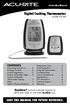 Instruction Manual Digital Cooking Thermometer model 03168 CONTENTS Unpacking Instructions... 2 Package Contents... 2 Product Registration... 2 Features & Benefits: Pager... 2 Features & Benefits: Thermometer
Instruction Manual Temp 4/5/6 Temperature Meter Series
 Instruction Manual Temp 4/5/6 Temperature Meter Series 68X243607 Technology Made Easy... Rev. 2 01/03-1 - Preface This instruction manual serves to explain the use of the Temp 4/5/6 temperature meter.
ER102. Emergency Crank Weather Radio Owner s Manual. www.midlandradio.com
 ER102 Emergency Crank Weather Radio Owner s Manual Table of Contents Welcome to the World of Midland Electronics Major ER102 Features ER102 Controls and Functions ER102 Power Sources - Built-in Rechargeble
EF-S18-55mm f/3.5-5.6 IS II COPY ENG. Instruction
 EF-S18-55mm f/3.5-5.6 IS II ENG Instruction Thank you for purchasing a Canon product. The Canon EF-S18-55mm f/3.5-5.6 IS II lens is a high-performance standard zoom lens developed for digital SLRs compatible
Model 70A00-1. GSM Cellular Communications Center
 Home Automation, Inc. Model 70A00-1 GSM Cellular Communications Center Operation Manual Document Number 70I00-1 Rev A August, 2009 Contents Description... 1 Use with security systems...1 Everyday use...2
BROOKFIELD MODEL VTE250 ELECTRIC VISCOSEL PROCESS VISCOMETER. Installation, Operation, and Maintenance Instructions. Manual No.
 BROOKFIELD MODEL VTE250 ELECTRIC VISCOSEL PROCESS VISCOMETER Installation, Operation, and Maintenance Instructions Manual No. M06-512 SPECIALISTS IN THE MEASUREMENT AND CONTROL OF VISCOSITY BROOKFIELD
Platelet Incubator Operation Manual
 Platelet Incubator Operation Manual i.series and Horizon Series Model Group i.series Horizon Series Countertop PC100i, PC900i, PC1200i (Version A) PC100h, PC900h, PC1200h (Version A) Floor PC2200i, PC3200i,
PORTABLE ALARM CLOCK. Dual Alarm. FM Radio. Wake-up Sounds. USB Phone Charger G-1CR
 G-BUZZ PORTABLE ALARM CLOCK Dual Alarm FM Radio Wake-up Sounds USB Phone Charger G-1CR Welcome Alarm clocks can be boring. Get ready to shake things up with your new G-BUZZ. Slap the snooze for more ZZZ
Installation Guide. Wyse VX0L and VX0LE Thin Clients 1-GB RAM Upgrade Option Kit. Issue: 022808 PN: 883884-07L Rev. A
 Installation Guide Wyse VX0L and VX0LE Thin Clients 1-GB RAM Upgrade Option Kit Issue: 022808 PN: 883884-07L Rev. A ii Copyright Notice 2008, Wyse Technology Inc. All rights reserved. This manual and the
T55003. TPMS Tool Manual 1. T55003 INTRODUCTION 2. KEYPAD SUMMARY AND FUNCTIONS
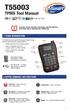 T55003 TPMS Tool Manual To ensure correct operation and service, read the following instructions before operating the T55003 Tool. 1. T55003 INTRODUCTION The T55003 interacts with the tire pressure sensor
User Guide Microsoft Screen Sharing for Lumia Phones (HD-10)
 User Guide Microsoft Screen Sharing for Lumia Phones (HD-10) Issue 1.1 EN-US User Guide Microsoft Screen Sharing for Lumia Phones (HD-10) Contents Safety 3 About your accessory 4 Keys and parts 5 Connect
A. GENERAL INFORMATION No. 33 (1) GUIDELINES FOR COMBI-OVENS
 A. GENERAL INFORMATION No. 33 (1) GUIDELINES FOR COMBI-OVENS A combi-oven is a versatile piece of equipment that combines three modes of cooking in one oven: steam, circulated hot air or a combination
KEYPAD LOCK USERS MANUAL
 KEYPAD LOCK USERS MANUAL READ ALL INSTRUCTIONS CLOSELY PRIOR TO USE SAVE THESE INSTRUCTIONS CONTENTS Keypad Parts and Features 2 Programming the Master Code 3 Programming User Codes 4 Using Your Keypad
RUBY XL HD HD Handheld Video Magnifier User s Guide. 440619-001 Rev. D
 RUBY XL HD HD Handheld Video Magnifier User s Guide 440619-001 Rev. D Freedom Scientific, Inc., 11800 31 st Court North, St. Petersburg, Florida 33716-1805, USA www.freedomscientific.com. Copyright 2013
EK908FHL - Thermostat for floor heating
 EK908FHL - Thermostat for floor heating EK908FHL is a programmable thermostat designed for floor warming application or helping to limit floor temperature. This thermostat can be used for hot water radiant
ELECTRONIC THERMOSTAT AND THERMOMETER With SPEED CONTROL
 148 OLD CONCORD TURNPIKE, BARRINGTON NH 03825 USA TEL (603) 868-5720 FAX (603) 868-1040 1-800-435-6708 E-Mail:[email protected] www.seafrost.com ELECTRONIC THERMOSTAT AND THERMOMETER With SPEED CONTROL
HP-1000E v2. User s Manual. Powerline Ethernet Adapter. HP1000E v2 User s Manual
 HP-1000E v2 Powerline Ethernet Adapter User s Manual HP1000E v2 User s Manual Table of Contents Chapter 1: Introduction...1 Chapter 2: Planning your Powerline Network...1 Network Topology...1 Chapter 3:
1. The Determination of Boiling Point
 1. The Determination of Boiling Point Objective In this experiment, you will first check your thermometer for errors by determining the temperature of two stable equilibrium systems. You will then use
About the HotWire 7900 10-Slot Standalone Shelf
 TM HotWire Model 7900 10-Slot Standalone Shelf Installation Instructions Document Number 7900-A2-GN10-10 About the HotWire 7900 10-Slot Standalone Shelf The HotWire 7900 10-Slot Standalone Shelf is designed
USB Mini Print Server PS121. Installation Guide
 USB Mini Print Server PS121 Installation Guide Introduction Thank you for purchasing a NETGEAR PS121 USB Mini Print Server. With this print server you can share your printer with all the computers in your
Programmable Thermostat MODEL 3312026.XXX With Dehumidify 3312024.XXX With Out Dehumidify
 Comfort Control Center 2 Thermostat Operating Instructions Programmable Thermostat MODEL 3312026.XXX With Dehumidify 3312024.XXX With Out Dehumidify TABLE OF CONTENTS About your new thermostat Features...2
Applied Electronics. Commercial Dimming System UPDATE NOTICE
 REV. A Applied Electronics Commercial Dimming System UPDATE NOTICE This notice is to inform the end user of an additional feature added to this DP12/2400 dimming unit. This unit has been outfitted with
TABLE 1: Wiring Terminals. Connect to... 1C 1H 2C 2H 1H1C 2H1C 2H2C 3H2C
 Installation TURN OFF POWER TO THE SYSTEM AT THE MAIN POWER PANEL TO AVOID ELECTRICAL SHOCK. Installation should be carried out by an electrician or a qualified technician. 1.1 Find a Location for the
EF-S18-135mm f/3.5-5.6 IS
 EF-S18-135mm f/3.5-5.6 IS ENG Instruction Thank you for purchasing a Canon product. The Canon EF-S18-135mm f/3.5-5.6 IS lens is a high-performance high-magnification zoom lens equipped with an Image Stabilizer,
Wireless Optical Mouse
 Wireless Optical Mouse User s Manual Model PD950P FCC STATEMENT PD950P This device complies with part 15 of FCC Rules. Operation is subject to the following two conditions: (1) this device may not cause
FUTURE CALL PICTURE CARE PHONE MODEL: FC-1007 USER MANUAL
 FUTURE CALL PICTURE CARE PHONE MODEL: FC-1007 USER MANUAL Please follow instructions for repairing if any otherwise do not alter or repair any parts of device except specified. IMPORTANT SAFETY INSTRUCTIONS
WARRANTY AND DISCLAIMER
 2036 Fillmore Street Davenport, Ia. 52804 563-324-1046 www.racedigitaldelay.com MEGA 350/450 WARRANTY AND DISCLAIMER DIGITAL DELAY INC. WARRANTS THE PRODUCTS IT MANUFACTURES AGAINST DEFECTS IN MATERIALS
Alarm Clock USER GUIDE
 Alarm Clock USER GUIDE Jazwares, Inc. 2010 1 CONTENTS Please read the instructions along with the alarm clock carefully before you use it, so that you can operate it conveniently. WELCOME, Safety Tips
EF70-300mm f/4-5.6 IS USM
 EF70-300mm f/4-5.6 IS USM ENG Instruction Thank you for purchasing a Canon product. Dedicated to EOS cameras, the Canon EF70-300mm f/4-5.6 IS USM lens is a highperformance telephoto zoom lens equipped
INSTALLER S & OWNER S MANUAL
 INSTALLER S & OWNER S MANUAL HVAC INSTALLER: PLEASE LEAVE MANUAL FOR HOMEOWNER DEH 3000 DEH 3000 Part No. 4028539 Dehumidifier & Ventilation System Controller P.O. Box 8680 Madison, WI 53708 TOLL-FREE
User Guide. Temperature and Humidity Datalogger. Model 42280
 User Guide Temperature and Humidity Datalogger Model 42280 Introduction Congratulations on your purchase of the Extech 42280 Thermometer and Relative Humidity Datalogger. The 42280 is a wall-mount, tripod
TS-E24mm f/3.5l TS-E45mm f/2.8 TS-E90mm f/2.8 Instructions
 TS-E24mm f/3.5l TS-E45mm f/2.8 TS-E90mm f/2.8 ENG Instructions Thank you for purchasing a Canon product. Canon s TS-E lenses are tilt-shift lenses designed for EOS cameras. The tilt-shift mechanism enables
Security System. User Guide for the LED Command Center
 Security System User Guide for the LED Command Center MY SECURITY COMPANY IS: CALL BEFORE TEST: THIS SECURITY SYSTEM IS CONNECTED TO TELEPHONE NUMBER: THE SECURITY CONTROL PANEL IS CONNECTED TO THE PHONE
Simon XTi Installation Guide
 Simon XTi Installation Guide Content Contact information... 1 Description... 1 Installation... 1 Connecting hardwired devices... 2 Wiring phone lines... 3 Wiring the power transformer... 4 Resetting memory
KNOW YOUR FOOD SLICER
 KNOW YOUR FOOD SLICER Your food slicer is suitable for cutting bread, all kinds of meats (such as ham or sausage meat), as well as cheese and vegetables. Thickness guide Blade switch Sliding meat table
Universal Laptop Charger
 USER GUIDE Universal Laptop Charger NS-PWLC591/NS-PWLC591-C Before using your new product, please read these instructions to prevent any damage. NS-PWLC591/NS-PWLC591-C Insignia NS-PWLC591/ NS-PWLC591-C
StorTrends 3400 Hardware Guide for Onsite Support
 StorTrends 3400 Hardware Guide for Onsite Support MAN-3400-SS 11/21/2012 Copyright 1985-2012 American Megatrends, Inc. All rights reserved. American Megatrends, Inc. 5555 Oakbrook Parkway, Building 200
56-K61A-15000. Plantronics Calisto Headset with Bluetooth USB Adapter. User Guide
 56-K61A-15000 Plantronics Calisto Headset with Bluetooth USB Adapter User Guide Table of Contents Package Contents... 1 Product Features... 2 Wearing Your Headset... 3 Powering... 4 Charging... 5 Indicator
Microwave Oven. Warning: a) This oven is not for commercial use. b) Don't open the cover of the machine except professional person.
 HOME ELECTRONICS HE900E/CONV-SS Instruction manual for electronic control microwave oven CONTENTS 1. Specifications 2. Check after unpacking 3. General Safety instructions 4. Special safety instruction
Deluxe Bottle Warmer
 Deluxe Bottle Warmer IMPORTANT SAFEGUARDS This product is for household use only. When using electrical appliances, basic safety precautions should always be followed including the following: Read all
Thank You... On behalf of the entire team at Thane Housewares, we appreciate your recent purchase
 User s Guide Thank You... On behalf of the entire team at Thane Housewares, we appreciate your recent purchase of the FLAVORCHEF cooking system, which will provide you with healthy and tasty meals for
D I G I T A L C L A M
 T h e M A X X P r e s s D I G I T A L C L A M O P E R A T O R S M A N U A L 6 x0 x5 5 x5 Folie & Papper Sweden AB Box 90 00 9 Göteborg Telefon 03-9 00 80 Fax 03-9 00 89 www.foliepapper.se Safety Instructions
ENGLISH INSTRUCTION & INSTALLATION MANUAL DUCTLESS MINI SPLIT AIR CONDITIONING SYSTEMS
 ENGLISH INSTRUCTION & INSTALLATION MANUAL DUCTLESS MINI SPLIT AIR CONDITIONING SYSTEMS Céliera Corporation. All rights reserved. Unauthorized duplication, reproduction prohibited. CONTENTS SAFETY PRECAUTIONS...
MULTICOM 2000 Administrative Communications System Operating Instructions
 MULTICOM 2000 Administrative Communications System Operating Instructions Specifications subject to change without notice. 2005 Bogen Communications, Inc. All rights reserved. 54-5912-06D 1002 Compliance
How To Set Off An Alarm On A Car With A Car Alarm On It
 AUTO SECURITY SYSTEM USER S OPERATION GUIDE FCC ID NOTICE This device complies with Part 15 of the FCC rules. Operation is subject to the following conditions: 1. This device may not cause harmful interference,
User guide. Miracast Wireless Display IM10
 User guide Miracast Wireless Display IM10 Contents Miracast Wireless Display User guide...3 Setting up the Miracast Wireless Display...4 Hardware overview...4 Turning on and connecting the Miracast Wireless
SAFETY WARNINGS. Important Safety Instructions. FCC Notice. Caution
 Table of Contents SAFETY WARNINGS...2 FCC Notice...2 Caution...2 Important Safety Instructions...2 Basic Instructions...3 Equipment checklist...3 Input Voltage...3 Power Indicator Light...3 Function Keys...3
Owner s Manual for 3QT Air Fryer
 Owner s Manual for 3QT Air Fryer General Description (Fig. 1) 1. Pan 2. Basket handle 3. Basket release button 4. Basket 5. Power-on button/ Cancel button 6. LCD (Liquid Crystal Display) 7. Timer (0-30
User s Manual AURORA 1.2K/2.2K
 User s Manual AURORA 1.2K/2.2K Uninterruptible Power System Safety CAUTION This UPS utilizes voltages that may be hazardous. Do not attempt to disassemble the unit. The unit contains no user serviceable
Multi-Range Programmable DC Power Supplies 9115 Series
 Data Sheet Multi-Range Programmable DC Power Supplies 1200 W / 3000 W Multi-Range DC Power Supplies Features & Benefits Any model can replace several supplies on your bench or in your rack. Unlike conventional
PR-2500 Portable Receiver. Owner s Manual
 PR-2500 Portable Receiver Owner s Manual CONTENTS The PR-2500, battery charger, and belt clip. (figure 1) Figure 1 Warning This device complies with Part 15 of the FCC rules, operation of this device is
PROGRAMMING & OPERATING INSTRUCTIONS CL5000 AUDIT TRAIL
 PROGRAMMING & OPERATING INSTRUCTIONS CL5000 AUDIT TRAIL 1 CODES AND OPERATION CODES The factory set Master Code is #1234. This should be changed immediately after installation (see Program 10). The Master
EF-S55-250mm f/4-5.6 IS STM COPY ENG. Instructions
 EF-S55-250mm f/4-5.6 IS STM ENG Instructions Thank you for purchasing a Canon product. The Canon EF-S55-250mm f/4-5.6 IS STM is a high-performance telephoto zoom lens that makes movie shooting comfortable.
56-A11A-10511. Plantronics Calisto Headset with Bluetooth USB Adapter. User Guide
 56-A11A-10511 Plantronics Calisto Headset with Bluetooth USB Adapter User Guide Table of Contents Package Contents... 1 Product Features... 2 Wearing Your Headset... 3 Powering... 4 Charging... 5 Indicator
Digital Cooking Thermometer models 00278 / 00282
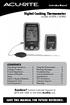 Instruction Manual Digital Cooking Thermometer models 00278 / 00282 CONTENTS Unpacking Instructions... 2 Package Contents... 2 Product Registration... 2 Features & Benefits... 2 Setup... 4 Install or Replace
4.3-inch Back-Up Camera
 TM 4.-inch Back-Up Camera Model No.: PKC0BU4 Owner s Manual and Warranty Information Read these instructions completely before using this product. Retain this Owner s Manual for future reference. INTRODUCTION
INSTALLATION GUIDE. www.security.soundstream.com FCC ID NOTICE
 AL.1 AUTO SECURITY SYSTEM INSTALLATION GUIDE www.security.soundstream.com FCC ID NOTICE This device complies with Part 15 of the FCC rules. Operation is subject to the following conditions: 1. This device
Article: 08090705 Version: 01.02. www.devi.com
 Article: 08090705 Version: 01.02 www.devi.com GB User s Guide - devireg 550 Thermostat User s Guide - devireg 550 Thermostat About the thermostat Pages 2-5 Configurations Pages 6-9 Set weekday and clock
Owner s Guide. ca6554
 PROFESSIONAL SERIES Owner s Guide For Models: ca6554 Deluxe Vehicle Security and Remote Start System with 2 Way Confirming LCD Remote Control IMPORTANT NOTE: The operation of the Security and Convenience
Owner s Guide Guide du propriétaire Guía para el usuario TH115-AF-GB-10. Programmable thermostat Thermostat programmable Termostato programable
 Owner s Guide Guide du propriétaire Guía para el usuario TH115-AF-GB-10 Programmable thermostat Thermostat programmable Termostato programable Read and save these instructions. Veuillez lire le mode d
CQ-Series. User Manual. American Weigh Scales, Inc. CQ-350 (350x0.1g) CQ-500 (500x0.1g) Digital Pocket Scale . = + CALC AC CE % TARE OFF ON MC MR CALI
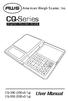 American Weigh Scales, Inc. CQ-Series Digital Pocket Scale 7 4 1 0. 8 9 5 6 2 3 x = - CALI + CALC MODE M CAL AC CE % TARE OFF ON MC MR CQ-350 (350x0.1g) CQ-500 (500x0.1g) User Manual CQ-Series Manual Thank
HILLS Series LED Code Pad User Manual
 HILLS Series LED Code Pad User Manual Not all features may be available on your system Check with your installer to find out which features are programmed Page 2 TABLE OF CONTENTS Code Pad Diagrams...2
HILLS Series LED Code Pad User Manual
 HILLS Series LED Code Pad User Manual Not all features may be available on your system Check with your installer to find out which features are programmed Page 2 TABLE OF CONTENTS Code Pad Diagrams...2
SECTION G2: CABLE PROCESSOR MODULE MAINTENANCE
 SECTION G2: CABLE PROCESSOR MODULE MAINTENANCE Cable Processor Module overview WARNING! When tipping the Cable Processor Module back, (after removing the toggle arm pin), use extreme caution not to drop
Reference Guide and Step-by-Step Installation Manual. Table of Contents
 Part #674 Revision Date: 6.7.07 Reference Guide and Step-by-Step Installation Manual Some adjustable features listed on the following pages are NOT applicable for all applications. The year, make, and