
7750 SR OS System Management Guide
|
|
|
- Juniper Dennis
- 10 years ago
- Views:
Transcription
1 7750 SR OS System Management Guide Software Version: 7750 SR OS 10.0 R4 July 2012 Document Part Number: * *

2 This document is protected by copyright. Except as specifically permitted herein, no portion of the provided information can be reproduced in any form, or by any means, without prior written permission from Alcatel-Lucent. Alcatel, Lucent, Alcatel-Lucent and the Alcatel-Lucent logo are trademarks of Alcatel-Lucent. All other trademarks are the property of their respective owners. The information presented is subject to change without notice. Alcatel-Lucent assumes no responsibility for inaccuracies contained herein. Copyright 2012 Alcatel-Lucent Alcatel-Lucent. All rights reserved.

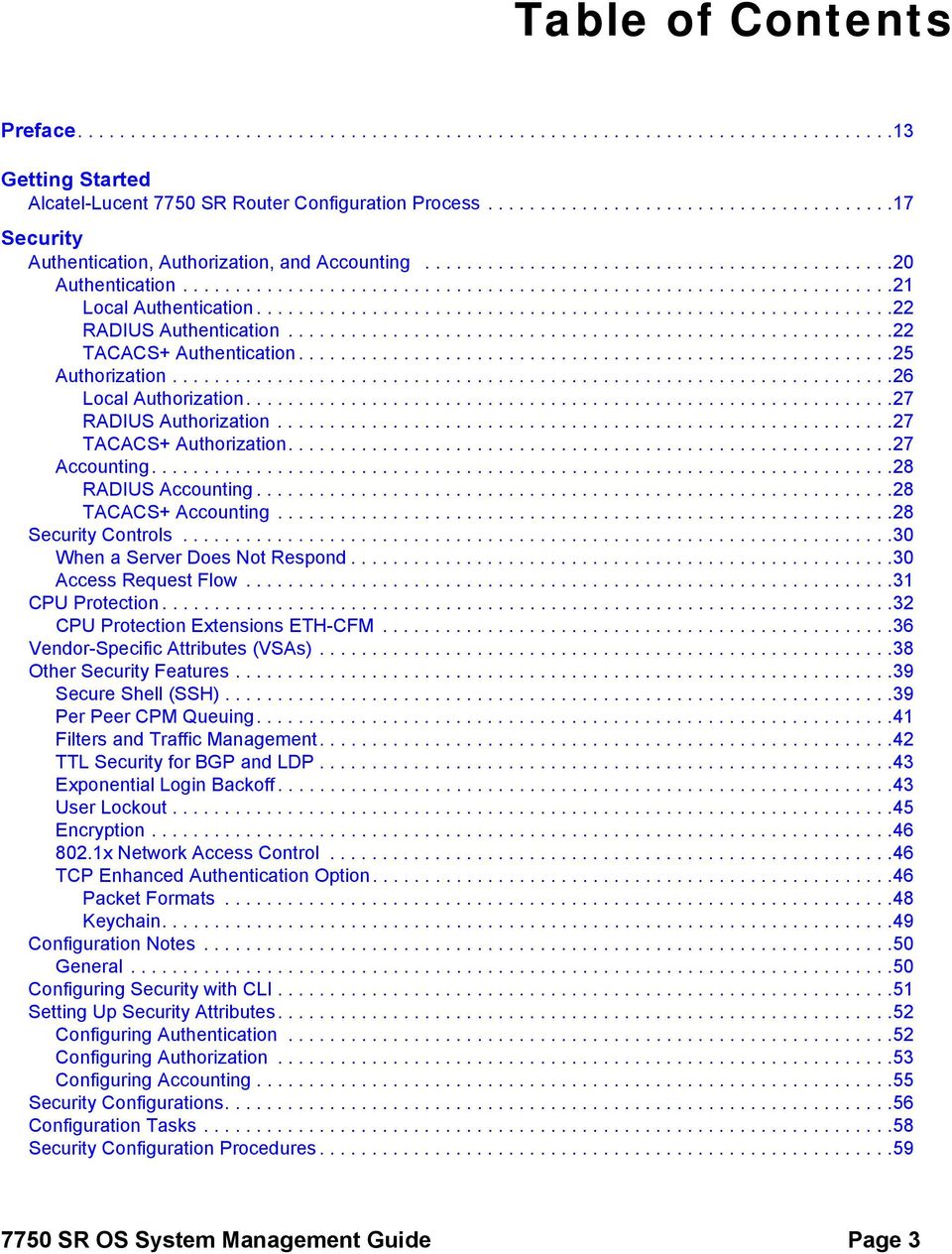
3 Table of Contents Preface Getting Started Alcatel-Lucent 7750 SR Router Configuration Process Security Authentication, Authorization, and Accounting Authentication Local Authentication RADIUS Authentication TACACS+ Authentication Authorization Local Authorization RADIUS Authorization TACACS+ Authorization Accounting RADIUS Accounting TACACS+ Accounting Security Controls When a Server Does Not Respond Access Request Flow CPU Protection CPU Protection Extensions ETH-CFM Vendor-Specific Attributes (VSAs) Other Security Features Secure Shell (SSH) Per Peer CPM Queuing Filters and Traffic Management TTL Security for BGP and LDP Exponential Login Backoff User Lockout Encryption x Network Access Control TCP Enhanced Authentication Option Packet Formats Keychain Configuration Notes General Configuring Security with CLI Setting Up Security Attributes Configuring Authentication Configuring Authorization Configuring Accounting Security Configurations Configuration Tasks Security Configuration Procedures SR OS System Management Guide Page 3
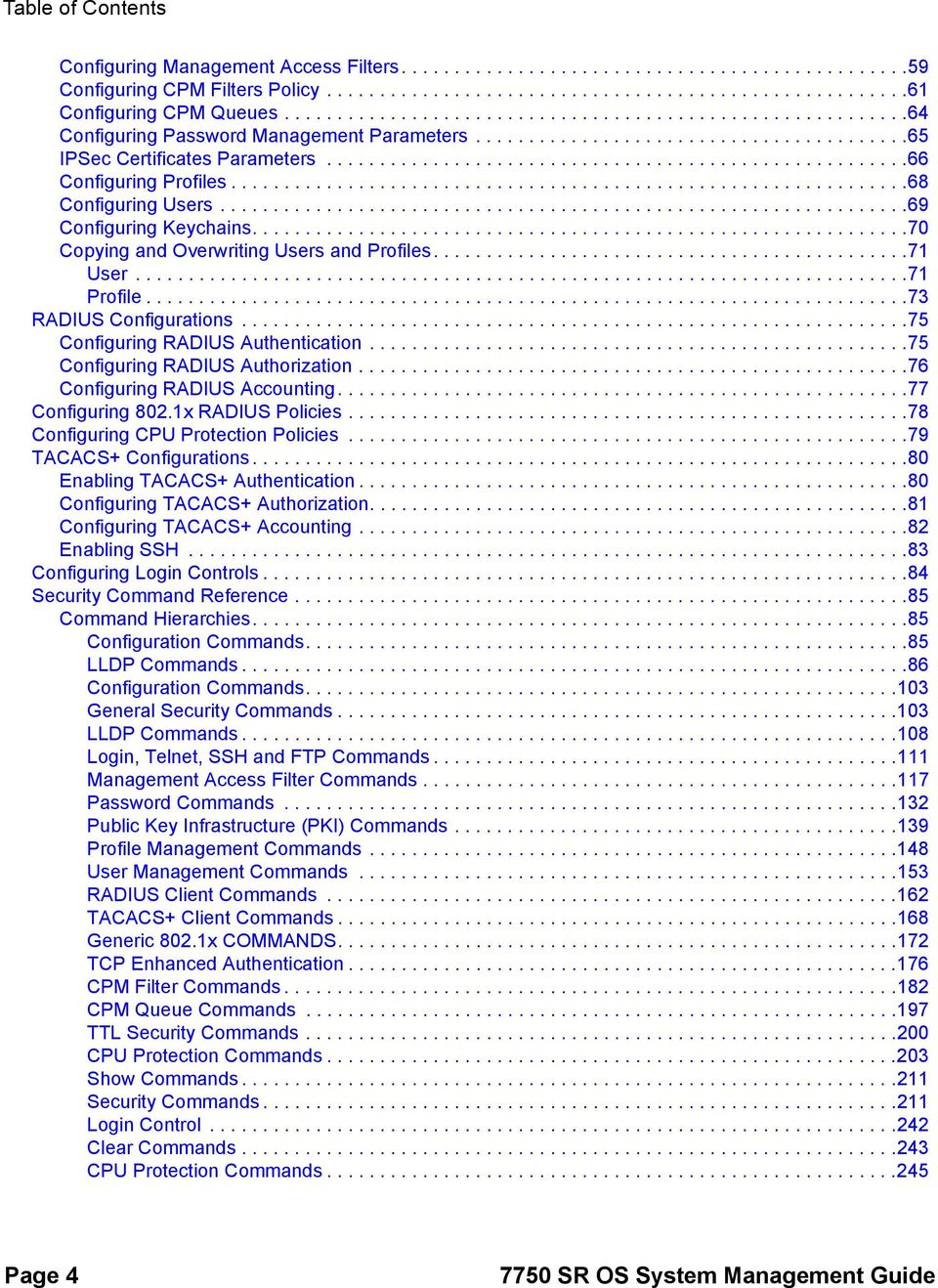
4 Table of Contents Configuring Management Access Filters Configuring CPM Filters Policy Configuring CPM Queues Configuring Password Management Parameters IPSec Certificates Parameters Configuring Profiles Configuring Users Configuring Keychains Copying and Overwriting Users and Profiles User Profile RADIUS Configurations Configuring RADIUS Authentication Configuring RADIUS Authorization Configuring RADIUS Accounting Configuring 802.1x RADIUS Policies Configuring CPU Protection Policies TACACS+ Configurations Enabling TACACS+ Authentication Configuring TACACS+ Authorization Configuring TACACS+ Accounting Enabling SSH Configuring Login Controls Security Command Reference Command Hierarchies Configuration Commands LLDP Commands Configuration Commands General Security Commands LLDP Commands Login, Telnet, SSH and FTP Commands Management Access Filter Commands Password Commands Public Key Infrastructure (PKI) Commands Profile Management Commands User Management Commands RADIUS Client Commands TACACS+ Client Commands Generic 802.1x COMMANDS TCP Enhanced Authentication CPM Filter Commands CPM Queue Commands TTL Security Commands CPU Protection Commands Show Commands Security Commands Login Control Clear Commands CPU Protection Commands Page SR OS System Management Guide
5 Table of Contents Debug Commands SNMP SNMP Overview SNMP Architecture Management Information Base SNMP Protocol Operations SNMP Versions Management Information Access Control User-Based Security Model Community Strings Views Access Groups Users Which SNMP Version to Use? Configuration Notes General Configuring SNMP with CLI SNMP Configuration Overview Configuring SNMPv1 and SNMPv2c Configuring SNMPv Basic SNMP Security Configuration Configuring SNMP Components Configuring a Community String Configuring View Options Configuring Access Options Configuring USM Community Options Configuring Other SNMP Parameters SNMP Command Reference Command Hierarchies Configuration Commands Configuration Commands SNMP System Commands SNMP Security Commands Show Commands Event and Accounting Logs Logging Overview Log Destinations Console Session Memory Logs Log Files SNMP Trap Group Syslog Event Logs Event Sources Event Control Log Manager and Event Logs Event Filter Policies Event Log Entries SR OS System Management Guide Page 5

6 Table of Contents Simple Logger Event Throttling Default System Log Accounting Logs Accounting Records Accounting Files Design Considerations Reporting and Time-Based Accounting Overhead Reduction in Accounting: Custom Record User Configurable Records Changed Statistics Only Configurable Accounting Records Significant Change Only Reporting Immediate Completion of Records Configuration Notes Configuring Logging with CLI Log Configuration Overview Log Types Basic Event Log Configuration Common Configuration Tasks Configuring an Event Log Configuring a File ID Configuring an Accounting Policy Configuring Event Control Configuring Throttle Rate Configuring a Log Filter Configuring an SNMP Trap Group Setting the Replay Parameter Shutdown In-Band Port No Shutdown Port Configuring a Syslog Target Configuring an Accounting Custom Record Log Management Tasks Modifying a Log File Deleting a Log File Modifying a File ID Deleting a File ID Modifying a Syslog ID Deleting a Syslog Modifying an SNMP Trap Group Deleting an SNMP Trap Group Modifying a Log Filter Deleting a Log Filter Modifying Event Control Parameters Returning to the Default Event Control Configuration Log Command Reference Command Hierarchies Configuration Commands Generic Commands Event Control Page SR OS System Management Guide

7 Table of Contents Log File Commands Log Filter Commands Log Filter Entry Commands Log Filter Entry Match Commands Syslog Commands SNMP Trap Groups Logging Destination Commands Accounting Policy Commands Show Commands Clear Commands Facility Alarms Facility Alarms Overview Facility Alarms vs. Log Events Facility Alarm Severities and Alarm LED Behavior Facility Alarm Hierarchy Facility Alarm List Configuring Logging with CLI Basic Facility Alarm Configuration Common Configuration Tasks Configuring the Maximum Number of Alarms To Clear Facility Alarms Command Reference Command Hierarchies Configuration Commands Generic Commands Show Commands Standards and Protocol Support Index SR OS System Management Guide Page 7

8 Table of Contents Page SR OS System Management Guide

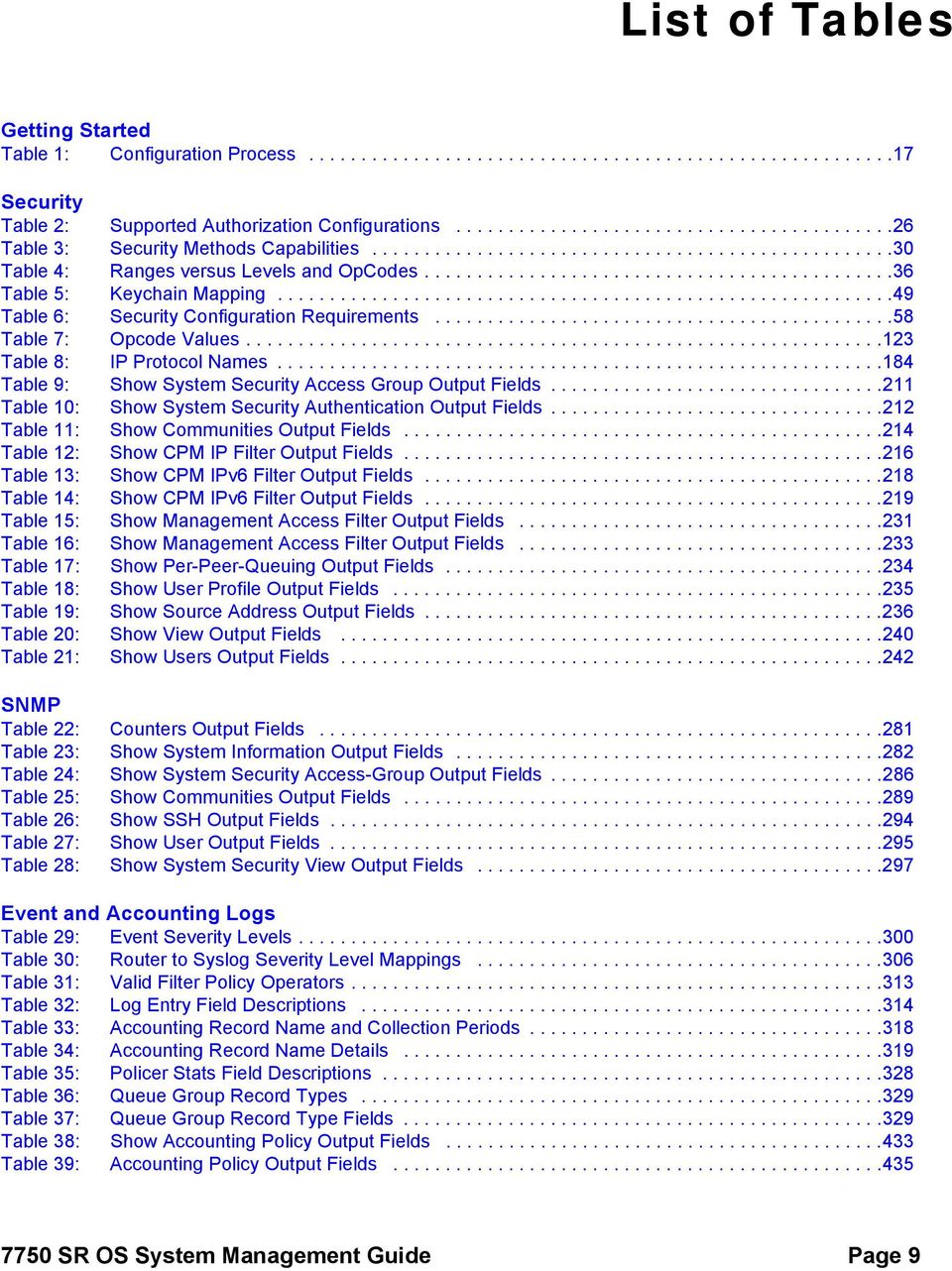
9 List of Tables Getting Started Table 1: Configuration Process Security Table 2: Supported Authorization Configurations Table 3: Security Methods Capabilities Table 4: Ranges versus Levels and OpCodes Table 5: Keychain Mapping Table 6: Security Configuration Requirements Table 7: Opcode Values Table 8: IP Protocol Names Table 9: Show System Security Access Group Output Fields Table 10: Show System Security Authentication Output Fields Table 11: Show Communities Output Fields Table 12: Show CPM IP Filter Output Fields Table 13: Show CPM IPv6 Filter Output Fields Table 14: Show CPM IPv6 Filter Output Fields Table 15: Show Management Access Filter Output Fields Table 16: Show Management Access Filter Output Fields Table 17: Show Per-Peer-Queuing Output Fields Table 18: Show User Profile Output Fields Table 19: Show Source Address Output Fields Table 20: Show View Output Fields Table 21: Show Users Output Fields SNMP Table 22: Counters Output Fields Table 23: Show System Information Output Fields Table 24: Show System Security Access-Group Output Fields Table 25: Show Communities Output Fields Table 26: Show SSH Output Fields Table 27: Show User Output Fields Table 28: Show System Security View Output Fields Event and Accounting Logs Table 29: Event Severity Levels Table 30: Router to Syslog Severity Level Mappings Table 31: Valid Filter Policy Operators Table 32: Log Entry Field s Table 33: Accounting Record Name and Collection Periods Table 34: Accounting Record Name Details Table 35: Policer Stats Field s Table 36: Queue Group Record Types Table 37: Queue Group Record Type Fields Table 38: Show Accounting Policy Output Fields Table 39: Accounting Policy Output Fields SR OS System Management Guide Page 9
10 List of Tables Table 40: Event Log Filter Summary Output Fields Table 41: Event Log Filter Detail Output Fields Table 42: Log Filter Match Criteria Output Fields Table 43: Show Log-Collector Output Fields Table 44: SNMP Trap Group Output Fields Table 45: Show Log Syslog Output Fields Facility Alarms Table 46: Alarm, Alarm Name/Raising Event, Sample Details String and Clearing Event Table 47: Alarm Name/Raising Event, Cause, Effect and Recovery Table 48: linkdown Facility Alarm Support Table 49: Show Facility Alarms Output Fields Page SR OS System Management Guide

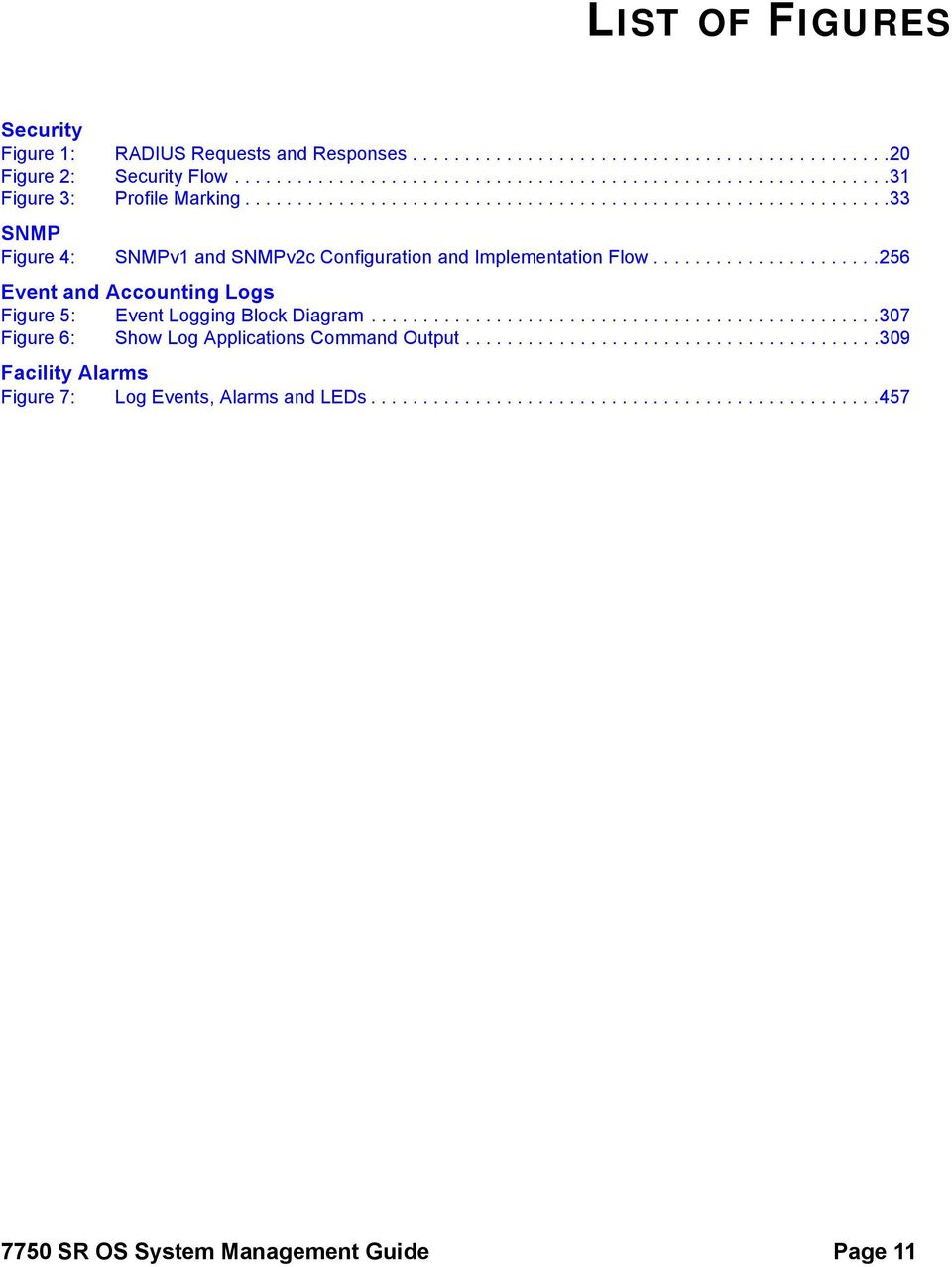
11 LIST OF FIGURES Security Figure 1: RADIUS Requests and Responses Figure 2: Security Flow Figure 3: Profile Marking SNMP Figure 4: SNMPv1 and SNMPv2c Configuration and Implementation Flow Event and Accounting Logs Figure 5: Event Logging Block Diagram Figure 6: Show Log Applications Command Output Facility Alarms Figure 7: Log Events, Alarms and LEDs SR OS System Management Guide Page 11
12 List of Figures Page SR OS System Management Guide

13 Preface About This Guide This guide describes the services and protocol support provided by the OS and presents examples to configure and implement MPLS, RSVP, and LDP protocols. This document is organized into functional chapters and provides concepts and descriptions of the implementation flow, as well as Command Line Interface (CLI) syntax and command usage. Audience This manual is intended for network administrators who are responsible for configuring routers. It is assumed that the network administrators have an understanding of networking principles and configurations. Protocols and concepts described in this manual include the following: Multiprotocol Label Switching (MPLS) Resource Reservation Protocol (RSVP) Label Distribution Protocol (LDP) 7750 SR OS System Management Guide Page 13

14 List of Technical Publications The 7750 SR documentation set is composed of the following books: 7750 SR OS Basic System Configuration Guide This guide describes basic system configurations and operations SR OS System Management Guide This guide describes system security and access configurations as well as event logging and accounting logs SR OS Interface Configuration Guide 7750 SR OS Router Configuration Guide This guide describes logical IP routing interfaces and associated attributes such as an IP address, as well as IP and MAC-based filtering, and VRRP and Cflowd SR OS Routing Protocols Guide This guide provides an overview of routing concepts and provides configuration examples for RIP, OSPF, IS-IS, BGP, and route policies SR OS MPLS Guide This guide describes how to configure Multiprotocol Label Switching (MPLS) and Label Distribution Protocol (LDP) SR OS Services Guide This guide describes how to configure service parameters such as service distribution points (SDPs), customer information, and user services SR OAM and Diagnostic Guide This guide describes how to configure features such as service mirroring and Operations, Administration and Management (OAM) tools SR OS Triple Play Guide This guide describes Triple Play services and support provided by the 7750 SR and presents examples to configure and implement various protocols and services SR OS Quality of Service Guide This guide describes how to configure Quality of Service (QoS) policy management. OS Multi-Service ISA Guide This guide describes services provided by integrated service adapters such as Application Assurance, IPSec, ad insertion (ADI) and Network Address Translation (NAT). Page SR OS System Management Guide
15 Technical Support If you purchased a service agreement for your router and related products from a distributor or authorized reseller, contact the technical support staff for that distributor or reseller for assistance. If you purchased an Alcatel-Lucent service agreement, contact your welcome center: Web: SR OS System Management Guide Page 15

16 Page SR OS System Management Guide

17 Getting Started In This Chapter This chapter provides process flow information to configure system security and access functions as well as event and accounting logs. Alcatel-Lucent 7750 SR Router Configuration Process Table 1 lists the tasks necessary to configure system security and access functions and logging features. Each chapter in this book is presented in an overall logical configuration flow. Each section describes a software area and provides CLI syntax and command usage to configure parameters for a functional area. Table 1: Configuration Process Area Task Chapter System security Configure system security parameters, such as authentication, authorization, and accounting. Security on page 19 Network management Configure SNMP elements. SNMP on page 249 Operational functions Reference Configure event and accounting logs. List of IEEE, IETF, and other proprietary entities. Event and Accounting Logs on page 299 Standards and Protocol Support on page SR OS System Management Guide Page 17
18 Page SR OS System Management Guide

19 Security In This Chapter This chapter provides information to configure security parameters. Topics in this chapter include: Authentication, Authorization, and Accounting on page 20 Authentication on page 21 Authorization on page 26 Accounting on page 28 Security Controls on page 30 When a Server Does Not Respond on page 30 Access Request Flow on page 31 CPU Protection on page 32 Vendor-Specific Attributes (VSAs) on page 38 Other Security Features on page 39 CPM Filters and Traffic Management on page 36 Secure Shell (SSH) on page 39 Encryption on page 46 Configuration Notes on page SR OS System Management Guide Page 19
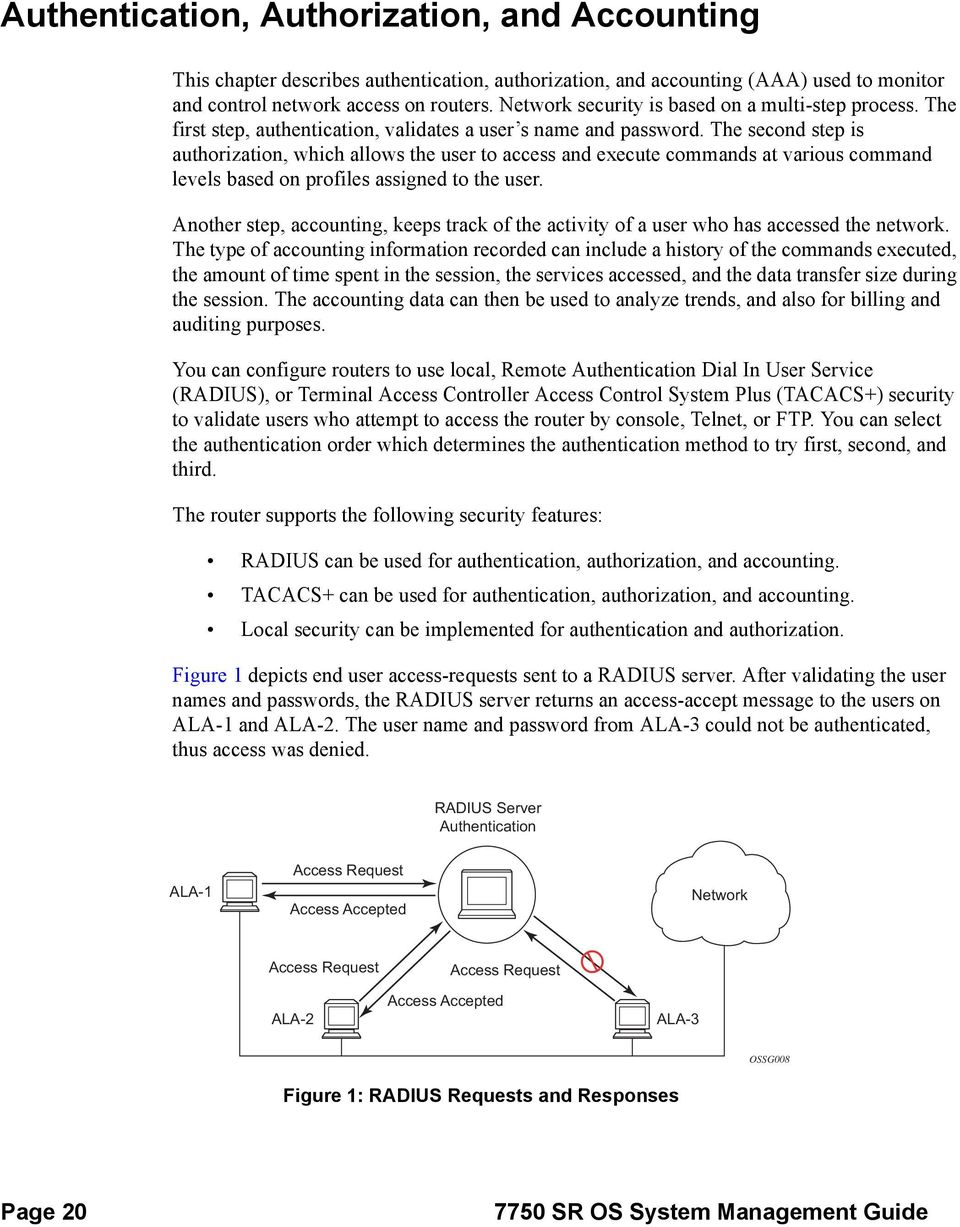
20 Authentication, Authorization, and Accounting This chapter describes authentication, authorization, and accounting (AAA) used to monitor and control network access on routers. Network security is based on a multi-step process. The first step, authentication, validates a user s name and password. The second step is authorization, which allows the user to access and execute commands at various command levels based on profiles assigned to the user. Another step, accounting, keeps track of the activity of a user who has accessed the network. The type of accounting information recorded can include a history of the commands executed, the amount of time spent in the session, the services accessed, and the data transfer size during the session. The accounting data can then be used to analyze trends, and also for billing and auditing purposes. You can configure routers to use local, Remote Authentication Dial In User Service (RADIUS), or Terminal Access Controller Access Control System Plus (TACACS+) security to validate users who attempt to access the router by console, Telnet, or FTP. You can select the authentication order which determines the authentication method to try first, second, and third. The router supports the following security features: RADIUS can be used for authentication, authorization, and accounting. TACACS+ can be used for authentication, authorization, and accounting. Local security can be implemented for authentication and authorization. Figure 1 depicts end user access-requests sent to a RADIUS server. After validating the user names and passwords, the RADIUS server returns an access-accept message to the users on ALA-1 and ALA-2. The user name and password from ALA-3 could not be authenticated, thus access was denied. RADIUS Server Authentication ALA-1 Access Request Access Accepted Network Access Request ALA-2 Access Accepted Access Request ALA-3 OSSG008 Figure 1: RADIUS Requests and Responses Page SR OS System Management Guide
21 Security Authentication Authentication validates a user name and password combination when a user attempts to log in. When a user attempts to log in through the console, Telnet, SSH, SCP, or FTP, the client sends an access request to a RADIUS, TACACS+, or local database. Transactions between the client and a RADIUS server are authenticated through the use of a shared secret. The secret is never transmitted over the network. User passwords are sent encrypted between the client and RADIUS server which prevents someone snooping on an insecure network to learn password information. If the RADIUS server does not respond within a specified time, the router issues the access request to the next configured servers. Each RADIUS server must be configured identically to guarantee consistent results. If any RADIUS server rejects the authentication request, it sends an access reject message to the router. In this case, no access request is issued to any other RADIUS servers. However, if other authentication methods such as TACACS+ and/or local are configured, then these methods are attempted. If no other authentication methods are configured, or all methods reject the authentication request, then access is denied. For the RADIUS server selection, round-robin is used if multiple RADIUS servers are configured. Although, if the first alive server in the list cannot find a user-name, the router does not re-query the next server in the RADIUS server list and denies the access request. It may get authenticated on the next login attempt if the next selected RADIUS server has the appropriate user-name. It is recommended that the same user databases are maintained for RADIUS servers in order to avoid inconsistent behavior. The user login is successful when the RADIUS server accepts the authentication request and responds to the router with an access accept message. Implementing authentication without authorization for the routers does not require the configuration of VSAs (Vendor Specific Attributes) on the RADIUS server. However, users, user access permissions, and command authorization profiles must be configured on each router. Any combination of these authentication methods can be configured to control network access from a router: Local Authentication on page 22 RADIUS Authentication on page 22 TACACS+ Authentication on page SR OS System Management Guide Page 21
22 Local Authentication Local authentication uses user names and passwords to authenticate login attempts. The user names and passwords are local to each router not to user profiles. By default, local authentication is enabled. When one or more of the other security methods are enabled, local authentication is disabled. Local authentication is restored when the other authentication methods are disabled. Local authentication is attempted if the other authentication methods fail and local is included in the authentication order password parameters. Locally, you can configure user names and password management information. This is referred to as local authentication. Remote security servers such as RADIUS or TACACS+, are not enabled. RADIUS Authentication Remote Authentication Dial-In User Service (RADIUS) is a client/server security protocol and software that enables remote access servers to communicate with a central server to authenticate dial-in users and authorize access to the requested system or service. RADIUS allows you to maintain user profiles in a shared central database and provides better security, allowing a company to set up a policy that can be applied at a single administered network point. RADIUS Server Selection The RADIUS server selection algorithm is used by different applications: RADIUS operator management RADIUS authentication for Enhanced Subscriber Management RADIUS accounting for Enhanced Subscriber Management RADIUS PE-discovery In all these applications, up to 5 RADIUS servers pools (per RADIUS policy, if used) can be configured. The RADIUS server selection algorithm can work in 2 modes, either Direct mode or Roundrobin mode. Page SR OS System Management Guide
23 Security Direct Mode The first server is used as the primary server. If this server is unreachable, the next server, based on the server index, of the server pool is used. This continues until either all servers in the pool have been tried or an answer is received. If a server is unreachable, it will not be used again by the RADIUS application for the next 30 seconds to allow the server to recover from its unreachable state. After 30 seconds the unreachable server is available again for the RADIUS application. If in these 30 seconds the RADIUS application receives a valid response for a previously sent RADIUS packet on that unreachable server, the server will be available for the RADIUS application again, immediately after reception of that response. Round-Robin Mode The RADIUS application sends the next RADIUS packet to the next server in the server pool. The same server non-reachability behavior is valid as in the Direct mode. Server Reachability Detection A server is reachable, when the operational state UP, when a valid response is received within a timeout period which is configurable by the retry parameter on the RADIUS policy level. A server is treated as not-reachable, when the operational state down, when the following occurs: A timeout If a number of consecutive timeouts are encountered for a specific server. This number is configurable by the retry parameter on RADIUS policy level. A send failed If a packet cannot be sent to the RADIUS server because the forwarding path towards the RADIUS server is broken (for example, the route is not available, the is interface shutdown, etc.), then, no retry mechanism is invoked and immediately, the next server in line is used. A server that is down can only be used again by the RADIUS algorithm after 30 seconds, unless, during these 30 seconds a valid RADIUS reply is received for that server. Then, the server is immediately marked UP again. The operational state of a server can also be unknown if the RADIUS application is not aware of the state of the RADIUS server (for example, if the server was previously down but no requests had been sent to the server, thus, it is not certain yet whether the server is actually reachable) SR OS System Management Guide Page 23
24 Application Specific Behavior Operator Management The server access mode is fixed to Round-Robin (Direct cannot be configured for operator management). A health-check function is available for operator management, which can optionally be disabled. The health-check polls the server once every 10 seconds with an improbable user name. If the server does not respond to this health-check, it will be marked down. If the first server in the list cannot find a user, the next server in the RADIUS server list is not queried and access is denied. If multiple RADIUS servers are used, it is assumed they all have the same user database. RADIUS Authentication If the first server in the list cannot find a user, the next server in the RADIUS server list is not queried and access is denied. If multiple RADIUS servers are used, it is assumed they all have the same user database. RADIUS Accounting The RADIUS accounting application will try to send all the concerned packets of a subscriber host to the same server. If that server is down, then the packet is sent to the next server and, from that moment on, the RADIUS application uses that server to send its packets for that subscriber host. RADIUS PE-Discovery If the first server in the list cannot find a user, the next server in the RADIUS server list is not queried and access is denied. If multiple RADIUS servers are used, it is assumed they all have the same user database. The RADIUS PE-discovery application makes use of a 10 second time period instead of the generic 30 seconds and uses a fixed consecutive timeout value of 2 (see Server Reachability Detection on page 23). As long as the Session-Timeout (attribute in the RADIUS user file) is specified, it is used for the polling interval. Otherwise, the configured polling interval will be used (60 seconds by default). Page SR OS System Management Guide
25 Security TACACS+ Authentication Terminal Access Controller Access Control System, commonly referred to as TACACS is an authentication protocol that allows a remote access server to forward a user's logon password to an authentication server to determine whether access can be allowed to a given system. TACACS is an encryption protocol and therefore less secure than the later Terminal Access Controller Access Control System Plus (TACACS+) and RADIUS protocols. TACACS+ and RADIUS have largely replaced earlier protocols in the newer or recently updated networks. TACACS+ uses Transmission Control Protocol (TCP) and RADIUS uses the User Datagram Protocol (UDP). TACACS+ is popular as TCP is thought to be a more reliable protocol. RADIUS combines authentication and authorization. TACACS+ separates these operations SR OS System Management Guide Page 25
26 Authorization Routers support local, RADIUS, and TACACS+ authorization to control the actions of specific users by applying a profile based on user name and password configurations once network access is granted. The profiles are configured locally as well as VSAs on the RADIUS server. See Vendor-Specific Attributes (VSAs) on page 38. Once a user has been authenticated using RADIUS (or another method), the router can be configured to perform authorization. The RADIUS server can be used to: Download the user profile to the router Send the profile name that the node should apply to the router. Profiles consist of a suite of commands that the user is allowed or not allowed to execute. When a user issues a command, the authorization server looks at the command and the user information and compares it with the commands in the profile. If the user is authorized to issue the command, the command is executed. If the user is not authorized to issue the command, then the command is not executed. Profiles must be created on each router and should be identical for consistent results. If the profile is not present, then access is denied. Table 2 displays the following scenarios: Remote (RADIUS) authorization cannot be performed if authentication is done locally (on the router). The reverse scenario is supported if RADIUS authentication is successful and no authorization is configured for the user on the RADIUS server, then local ( router) authorization is attempted, if configured in the authorization order. When authorization is configured and profiles are downloaded to the router from the RADIUS server, the profiles are considered temporary configurations and are not saved when the user session terminates. Table 2: Supported Authorization Configurations Router RADIUS Supplied Profile Routerconfigured user Supported Not Supported RADIUS server configured user Supported Supported TACACS+ server configured user Supported Not Supported Page SR OS System Management Guide
27 Security When using authorization, maintaining a user database on the router is not required. User names can be configured on the RADIUS server. User names are temporary and are not saved in the configuration when the user session terminates. Temporary user login names and their associated passwords are not saved as part of the configuration. Local Authorization on page 27 RADIUS Authorization on page 27 TACACS+ Authorization on page 27 Local Authorization Local authorization uses user profiles and user access information after a user is authenticated. The profiles and user access information specifies the actions the user can and cannot perform. By default, local authorization is enabled. Local authorization is disabled only when a different remote authorization method is configured (RADIUS authorization). Local authorization is restored when RADIUS authorization is disabled. You must configure profile and user access information locally. RADIUS Authorization RADIUS authorization grants or denies access permissions for a router. Permissions include the use of FTP, Telnet, SSH (SCP), and console access. When granting Telnet, SSH (SCP) and console access to the router, authorization can be used to limit what CLI commands the user is allowed to issue and which file systems the user is allowed or denied access. TACACS+ Authorization Like RADIUS authorization, TACACS+ grants or denies access permissions for a router. The TACACS+ server sends a response based on the username and password. TACACS+ separates the authentication, authorization, and accounting function. RADIUS combines the authentication and authorization functions SR OS System Management Guide Page 27
28 Accounting When enabled, RADIUS accounting sends command line accounting from the router to the RADIUS server. The router sends accounting records using UDP packets at port 1813 (decimal). The router issues an accounting request packet for each event requiring the activity to be recorded by the RADIUS server. The RADIUS server acknowledges each accounting request by sending an accounting response after it has processed the accounting request. If no response is received in the time defined in the timeout parameter, the accounting request must be retransmitted until the configured retry count is exhausted. A trap is issued to alert the NMS (or trap receiver) that the server is unresponsive. The router issues the accounting request to the next configured RADIUS server (up to 5). User passwords and authentication keys of any type are never transmitted as part of the accounting request. RADIUS Accounting Accounting tracks user activity to a specified host. When RADIUS accounting is enabled, the server is responsible for receiving accounting requests and returning a response to the client indicating that it has successfully received the request. Each command issued on the router generates a record sent to the RADIUS server. The record identifies the user who issued the command and the timestamp. Accounting can be configured independently from RADIUS authorization and RADIUS authentication. TACACS+ Accounting The OS allows you to configure the type of accounting record packet that is to be sent to the TACACS+ server when specified events occur on the device. The accounting record-type parameter indicates whether TACACS+ accounting start and stop packets be sent or just stop packets be sent. Start/stop messages are only sent for individual commands, not for the session. When a user logs in to request access to the network using Telnet or SSH, or a user enters a command for which accounting parameters are configured, or a system event occurs, such as a reboot or a configuration file reload, the router checks the configuration to see if TACACS+ accounting is required for the particular event. Page SR OS System Management Guide
29 Security If TACACS+ accounting is required, then, depending on the accounting record type specified, sends a start packet to the TACACS+ accounting server which contains information about the event. The TACACS+ accounting server acknowledges the start packet and records information about the event. When the event ends, the device sends a stop packet. The stop packet is acknowledged by the TACACS+ accounting server SR OS System Management Guide Page 29
30 Security Controls You can configure routers to use RADIUS, TACACS+, and local authentication to validate users requesting access to the network. The order in which password authentication is processed among RADIUS, TACACS+ and local passwords can be specifically configured. In other words, the authentication order can be configured to process authorization through TACACS+ first, then RADIUS for authentication and accounting. Local access can be specified next in the authentication order in the event that the RADIUS and TACACS+ servers are not operational. Table 3: Security Methods Capabilities Method Authentication Authorization Accounting* Local Y Y N TACACS+ Y Y Y RADIUS Y Y Y * Local commands always perform account logging using the config log command. When a Server Does Not Respond A trap is issued if a RADIUS + server is unresponsive. An alarm is raised if RADIUS is enabled with at least one RADIUS server and no response is received to either accounting or user access requests from any server. Periodic checks to determine if the primary server is responsive again are not performed. If a server is down, it will not be contacted for 5 minutes. If a login is attempted after 5 minutes, then the server is contacted again. When a server does not respond with the health check feature enabled, the server s status is checked every 30 seconds. Health check is enabled by default. When a service response is restored from at least one server, the alarm condition is cleared. Alarms are raised and cleared on Alcatel-Lucent s Fault Manager or other third party fault management servers. The servers are accessed in order from lowest to highest specified index (from 1 to 5) for authentication requests until a response from a server is received. A higher indexed server is only queried if no response is received, implying a lower indexed server is not available. If a response from the server is received, no other server is queried. Page SR OS System Management Guide
31 Security Access Request Flow In Figure 2, the authentication process is defined in the config>system>security> password context. The authentication order is determined by specifying the sequence in which password authentication is attempted among RADIUS, TACACS+, and local passwords. This example uses the authentication order of RADIUS, then TACACS+, and finally, local. An access request is sent to RADIUS server 1. One of two scenarios can occur. If there is no response from the server, the request is passed to the next RADIUS server with the next lowest index (RADIUS server 2) and so on, until the last RADIUS server is attempted (RADIUS server 5). If server 5 does not respond, the request is passed to the TACACS+ server 1. If there is no response from that server, the request is passed to the next TACACS+ server with the next lowest index (TACACS+ server 2) and so on. If a request is sent to an active RADIUS server and the user name and password is not recognized, access is denied and passed on to the next authentication option, in this case, the TACACS+ server. The process continues until the request is either accepted, denied, or each server is queried. Finally, if the request is denied by the active TACACS+ server, the local parameters are checked for user name and password verification. This is the last chance for the access request to be accepted. No Response No Response No Response No Response Start RADIUS Server 1 RADIUS Server 2 RADIUS Server 3 RADIUS Server 4 RADIUS Server 5 Deny Access Denied Access Denied Access Denied Access Denied No Response No Response No Response No Response TACACS+ Server 1 TACACS+ Server 2 TACACS+ Server 3 TACACS+ Server 4 TACACS+ Server 5 Accept Access Denied Access Denied Deny Local Deny Access OSRG009 Figure 2: Security Flow 7750 SR OS System Management Guide Page 31
32 CPU Protection CPU protection protects the CPU of the node that it is configured on from a DOS attack by limiting the amount of traffic coming in from one of its ports and destined to the CPM (to be processed by its CPU) using a combination of the configurable limits. Some of the limits are configured globally for the node, and some of the limits are configured in CPU Protection profiles which are assigned to interfaces. The following limits are configured globally for the node: link-specific rate Applies to the link-specific protocol LACP (LAG control).the rate is a per-link limit (each link in the system will have LACP packets limited to this rate). port-overall-rate Applies to all control traffic each port. The rate is a per-port limit (each port in the system will have control traffic destined to the CPM limited to this rate). protocol-protection Blocks network control traffic for unconfigured protocols. If IS-IS is not configured on an IP interface all IS-IS-related traffic will be dropped and not reach the CPU. The following limits are configured within CPU Protection policies (1-255). CPU Protection policies are created, configured, and then assigned to interfaces. overall-rate Applies to all control traffic (DHCP only for ip-src-monitoring) destined to the CPM (all sources) received on the interface (only where the policy is applied). This is a per-interface limit. Control traffic received above this rate will be discarded. per-source-rate Applies to all control traffic destined to the CPM that is received from the same source (SAP + MAC address or SAP + IP source address) (only where the policy is applied). This is a per-source limit. out-profile-rate Applies to all control traffic destined to the CPM (all sources) received on the interface (only where the policy is applied). This is a per-interface limit. Control traffic received above this rate will be marked as discard eligible and is more likely to be discarded if there is contention for CPU resources. A three-color marking mechanism uses a green, yellow and red marking function. This allows greater flexibility in how traffic limits are implemented. A CLI command within the DoS protection policy called out-profile-rate maps to the boundary between the green (accept) and yellow (mark as discard eligible) regions. The overall-rate command marks the boundary between the yellow and red (drop) regions point for the associated policy (Figure 3). Page SR OS System Management Guide
33 Security Out-profile-rate Overall-rate OSSG339 Figure 3: Profile Marking There are two default CPU protection policies. They are modifiable, but cannot be deleted. Policy 254: This is the default policy that is automatically applied to access interfaces Traffic above 6000 pps is discarded overall-rate = 6000 per-source-rate = max out-profile-rate = 6000 Policy 255: This is the default policy that is automatically applied to Network interfaces Traffic above 3000 pps is marked as discard eligible, but is not discarded unless there is congestion in the queueing towards the CPU overall-rate = max per-source-rate = max out-profile-rate = 3000 All traffic destined to the CPM and that will be processed by its CPU will be subject to the limit specified. Therefore, if there is a protocol running on the violating interface, then protocol traffic on that interface will be affected. The objective of CPU protection is to limit the amount of traffic that the CPU will process at an early stage, therefore, the good and bad traffic coming in cannot be distinguished when it arrives at a rate higher than the userconfigured limit. If the overall rate is set to 1000 pps and as long as the total traffic that is destined to the CPM and intended to be processed by the CPU is less than or equal to 1000 pps, all traffic will be processed. If the rate exceeds 1000 pps, then protocol traffic is discarded (or marked as discard eligible in the case of the out-profile-rate) and traffic on the interface is affected SR OS System Management Guide Page 33
34 This protects all the other interfaces on the system and make sure that a violation from one interface does not affect the rest of the box. The protocol-protection configuration is not a rate (just an enable/disable configuration). When enabled, this feature causes the network processor on the CPM to discard all packets received for protocols that are not configured on the particular interface. This helps mitigate DoS attacks by filtering invalid control traffic before it hits the CPU. The system automatically populates and maintains a per-interface list of configured (such as valid) protocols (based on interface config, etc). For example, if an interface does not have IS-IS configured, then protocol-protection will discard any IS-IS packets received on that interface. Some protocols are not bound to a specific interface, for example, BGP. SR-OS will discard packets for these protocols if the protocol is not configured anywhere in the system. Note that protection for the following protocols is achieved using the per-peer-queueing feature of SR- OS: BGP, T-LDP, LDP, MSDP, Telnet and SSH. Protocols controlled by the protocol-protection mechanism include: OSPFv2 OSPFv3 IS-IS RSVP-TE RIP PIM MLD IGMP BFD L2TP PPP Note: If PIM or PIM snooping is not configured on any interfaces/saps then all PIM packets will be discarded. If PIM or PIM snooping is configured on an interface/sap, then multicast PIM messages are filter based on PIM being enabled on that particular interface. All unicast PIM messages are sent to the CPU to be processed. The CPU protection features are supported on the following platforms: 7750 SR-7/SR ESS-6/ESS-7/ESS-12 The CPU protection features are not supported on the following platforms: 7750 SR-1 Page SR OS System Management Guide
35 Security 7450 ESS SR-c4/c SR-c4/c SR OS System Management Guide Page 35
36 CPU Protection Extensions ETH-CFM CPU protection has been extended to provide the ability to explicitly limit the amount of ETH- CFM traffic that arrives at the CPU for processing. ETH-CFM packets that are redirected to the CPU by either a Management Endpoint (MEP) or a Management Intermediate Point (MIP) will be subject to the configured limit of the associated policy. Up to four CPU protection policies may include up to ten individual eth-cfm specific entries. The eth-cfm entries allow the operator to apply a packet per second rate limit to the matching combination of level and opcode, for eth-cfm packet that are redirected to the CPU. Any eth-cfm traffic that is redirected to the CPU by a Management Point (MP) that does not match any entries of the applied policy is still subject to the overall rate limit of the policy itself. Any eth-cfm packets that are not redirected to the CPU are not subject to this function and are treated as transit data, subject to the applicable QoS policy. The operator first creates a CPU Policy and includes the required eth-cfm entries. Overlap is allowed for the entries within a policy, first match logic is applied. This means ordering the entries in the proper sequence is important to ensure the proper behavior is achieved. Even thought the number of eth-cfm entries is limited to ten, the entry numbers have a valid range from to allow for ample space to insert policies between one and other. Ranges are allowed when configuring the Level and the OpCode. Ranges provide the operator a simplified method for configuring multiple combinations. When more than one Level or OpCode is configured in this manner the configured rate limit is applied separately to each combination of level and OpCode match criteria. For example, if the Levels are configured with using a range of 5-7 and the OpCode is configured for 3,5 with a rate of 1. That restricts all possible combinations on that single entry to a rate of 1 packet per second. In this example six different match conditions are programmed behind the scene. Table 4: Ranges versus Levels and OpCodes Level OpCode Rate Once the policy is created it must be applied to a SAP/Binding within a service for these rates to take affect. This means the rate is on a per SAP/Binding basis. Only a single policy may be applied to a SAP/Binding. The eth-cfm-monitoring option must be configured in order for the eth-cfm entries to be applied when the policy is applied to the SAP/Binding. If this option Page SR OS System Management Guide
37 Security is not configured, eth-cfm entries in the policy will be ignored. It is also possible to apply a policy to a SAP/Binding configuring eth-cfm-monitoring which does not have an MP. In this case, although these entries are enforced, no packets are being redirect to the CPU due to the lack of an MP. By default, rates are applied on a per peer basis. This means each individual peer is subject to the rate. However, it is suggested that the aggregate option be configured to apply the rate to the sum total of all peers. MIPs for example only respond to Loopback Messages and Linktrace Messages. These are typically on demand functions and per peer rate limiting is likely not required thus making the aggregate function a more appealing model. eth-cfm-monitoring and mac-monitoring are mutually exclusive and cannot be configured on the same SAP/Binding. mac-monitoring is used in combination with the traditional CPU protection and is not specific to the eth-cfm rate limiting feature describe here. When an MP is configured on a SAP/Binding within a service which allows an external source to communicate with that MP, for example a User to Network Interface (UNI), it is suggested that eth-cfm-monitoring with the aggregate option be configured on all SAP/ Bindings to provide the highest level of rate control. The example below shows a sample configuration for a policy and the application of that policy to a SAP in a VPLS service configured with a MP. Policy 1 entry 10 limits all eth-cfm traffic redirected to the CPU for all possible combinations to 1 packet per second. Policy 1 entry 20 limits all possible combinations to a rate of zero, dropping all request which match any combination. If entry 20 did not exist then only rate limiting of the entry 10 matches would occur and any other eth-cfm packets redirected to the CPU would not be bound by a CPU protection rate. config>sys>security>cpu-protection# policy 1 eth-cfm entry 10 level 5-7 opcode 3,5 rate 1 entry 20 level 0-7 opcode rate 0 config>service>vpls# sap 1/1/4:100 cpu-protection 1 eth-cfm-monitoring aggregate eth-cfm mip no shutdown IOM1s are restricted to Down MEPs and ingress MIP for this feature. This feature is not supported on UP MEPs and egress MIPs for this IOM type SR OS System Management Guide Page 37
38 Vendor-Specific Attributes (VSAs) The software supports the configuration of Alcatel-Lucent-specific RADIUS attributes. These attributes are known as vendor-specific attributes (VSAs) and are discussed in RFC VSAs must be configured when RADIUS authorization is enabled. It is up to the vendor to specify the format of their VSA. The attribute-specific field is dependent on the vendor's definition of that attribute. The Alcatel-Lucent-defined attributes are encapsulated in a RADIUS vendor-specific attribute with the vendor ID field set to 6527, the vendor ID number. Note that the PE-record entry is required in order to support the RADIUS Discovery for Layer 2 VPN feature. Note that a PE-record is only relevant if the RADIUS Discovery feature is used, not for the standard RADIUS setup. The following RADIUS vendor-specific attributes (VSAs) are supported by Alcatel-Lucent. timetra-access <ftp> <console> <both> This is a mandatory command that must be configured. This command specifies if the user has FTP and /or console (serial port, Telnet, and SSH) access. timetra-profile <profile-name> When configuring this VSA for a user, it is assumed that the user profiles are configured on the local router and the following applies for local and remote authentication: 1. The authentication-order parameters configured on the router must include the local keyword. 2. The user name may or may not be configured on the router. 3. The user must be authenticated by the RADIUS server 4. Up to 8 valid profiles can exist on the router for a user. The sequence in which the profiles are specified is relevant. The most explicit matching criteria must be ordered first. The process stops when the first complete match is found. If all the above mentioned conditions are not met, then access to the router is denied and a failed login event/trap is written to the security log. timetra-default-action <permit-all deny-all none> This is a mandatory command that must be configured even if the timetra-cmd VSA is not used. This command specifies the default action when the user has entered a command and no entry configured in the timetra-cmd VSA for the user resulted in a match condition. timetra-cmd <match-string> Configures a command or command subtree as the scope for the match condition. The command and all subordinate commands in subordinate command levels are specified. Page SR OS System Management Guide
39 Security Other Security Features Secure Shell (SSH) Secure Shell Version 1 (SSH) is a protocol that provides a secure, encrypted Telnet-like connection to a router. A connection is always initiated by the client (the user). Authentication takes places by one of the configured authentication methods (local, RADIUS, or TACACS+). With authentication and encryption, SSH allows for a secure connection over an insecure network. The OS allows you to configure Secure Shell (SSH) Version 2 (SSH2). SSH1 and SSH2 are different protocols and encrypt at different parts of the packets. SSH1 uses server as well as host keys to authenticate systems whereas SSH2 only uses host keys. SSH2 does not use the same networking implementation that SSH1 does and is considered a more secure, efficient, and portable version of SSH. SSH runs on top of a transport layer (like TCP or IP), and provides authentication and encryption capabilities. The OS has a global SSH server process to support inbound SSH and SCP sessions initiated by external SSH or SCP client applications. The SSH server supports SSHv1. Note that this server process is separate from the SSH and SCP client commands on the routers which initiate outbound SSH and SCP sessions. Inbound SSH sessions are counted as inbound telnet sessions for the purposes of the maximum number of inbound sessions specified by Login Control. Inbound SCP sessions are counted as inbound ftp sessions by Login Control. When SSH server is enabled, an SSH security key is generated. The key is only valid until either the node is restarted or the SSH server is stopped and restarted (unless the preserve-key option is configured for SSH). The key size is non-configurable and set at 1024 bits. When the server is enabled, both inbound SSH and SCP sessions will be accepted provided the session is properly authenticated. When the global SSH server process is disabled, no inbound SSH or SCP sessions will be accepted. When using SCP to copy files from an external device to the file system, the SCP server will accept either forward slash ( / ) or backslash ( \ ) characters to delimit directory and/or filenames. Similarly, the SCP client application can use either slash or backslash characters, but not all SCP clients treat backslash characters as equivalent to slash characters. In particular, UNIX systems will often times interpret the backslash character as an escape character which does not get transmitted to the SCP server. For example, a destination 7750 SR OS System Management Guide Page 39
40 directory specified as cf1:\dir1\file1 will be transmitted to the SCP server as cf1:dir1file1 where the backslash escape characters are stripped by the SCP client system before transmission. On systems where the client treats the backslash like an escape character, a double backslash \\ or the forward slash / can typically be used to properly delimit directories and the filename. Page SR OS System Management Guide
41 Security Per Peer CPM Queuing System-level security is crucial in service provider networks to address the increased threat of Denial-of-Service (DoS) attacks. Control Processor Module Queuing (CPMQ) implements separate hardware-based queues which are allocated on a per-peer basis. CPMQ allocates a separate queue for each LDP and BGP peer and ensures that each queue is served in a round-robin fashion. This mechanism guarantees fair and non-blocking access to shared CPU resources across all peers. This would ensure, for example, that an LDP-based DoS attack from a given peer would be mitigated and compartmentalized so that not all CPU resources would be dedicated to the otherwise overwhelming control traffic sent by that specific peer. CPMQ, using the per-peer-queuing command, ensures that service levels would not (or only partially be) impacted in case of an attack from a spoofed LDP or BGP peer IP address. Per Peer CPM Queueing is supported on the 7750 SR-7/12 and 7750 SR-c12 platforms. It is not supported on the 7750 SR SR OS System Management Guide Page 41
42 Filters and Traffic Management Alcatel-Lucent routers have traffic management and queuing hardware dedicated to protecting the control plane. CPMCFM filters are supported on the following platforms: 7750 SR-7/SR- 12/SR-c SR-c4/SR-c12. The filters can be used to drop or accept packets, as well as allocate dedicated hardware shaping queues for traffic directed to the control processors. Users can allocate dedicated CPM hardware queues for certain traffic designated to the CPUs and can set the corresponding rate-limit for the queues. CPM queueing is supported on the following platforms: 7750 SR-7/SR-12 and 7750 SR-c12 (not 7750 SR-1). The following traffic management features are supported: Traffic classification using these filters: Packets going to the CPM are first classified by the IOM into forwarding classes (FCs) before CPM hardware sees them. CPM filters can be used to further classify the packets using Layer 3/Layer 4 information (for example, destination IP, DSCP value, TCP SYN/ACK, etc.). Queue allocation: Allocatable queues: Queues 1 8 are default queues. They cannot be modified or deleted. Queues 9 32 are reserved for future use. Queues are used for per-peer queuing. Specifying PIR, CIR, CBS, and MBS for the queues The queuing scheduler works in such a way that the queues within their CIR will be scheduled first in a round-robin fashion, followed by the queues above their CIR. Unclassified traffic is directed to default queues (1 8). Page SR OS System Management Guide
43 Security TTL Security for BGP and LDP The BGP TTL Security Hack (BTSH) was originally designed to protect the BGP infrastructure from CPU utilization-based attacks. It is derived on the fact that the vast majority of ISP ebgp peerings are established between adjacent routers. Since TTL spoofing cannot be performed, a mechanism based on an expected TTL value can provide a simple and reasonably robust defense from infrastructure attacks based on forged BGP packets. While TSH is most effective in protecting directly connected peers, it can also provide a lower level of protection to multi-hop sessions. When a multi-hop BGP session is required, the expected TTL value can be set to 255 minus the configured range-of-hops. This approach can provide a qualitatively lower degree of security for BGP (for example, a DoS attack could, theoretically, be launched by compromising a box in the path). However, BTSH will catch a vast majority of observed distributed DoS (DDoS) attacks against ebgp. For further information, refer to draft-gill-btsh-xx.txt, The BGP TTL Security Hack (BTSH). TSH can be used to protect LDP peering sessions as well. For details, see draft-chen-ldp-ttlxx.txt, TTL-Based Security Option for LDP Hello Message. The TSH implementation supports the ability to configure TTL security per BGP/LDP peer and evaluate (in hardware) the incoming TTL value against the configured TTL value. If the incoming TTL value is less than the configured TTL value, the packets are discarded and a log is generated. Exponential Login Backoff A malicious user may attempt to gain CLI access by means of a dictionary attack using a script to automatically attempt to login as an admin user and using a dictionary list to test all possible passwords.using the exponential-backoff feature in the config>system>logincontrol context the OS increases the delay between login attempts exponentially to mitigate attacks. A malicious user may attempt to gain CLI access by means of a dictionary attack using a script to automatically attempt to login as an admin user and using a dictionary list to test all possible passwords.using the exponential-backoff feature in the config>system>login-control context the OS increases the delay between login attempts exponentially to mitigate attacks. When a user tries to login to a router using a Telnet or an SSH session, there are a limited number of attempts allowed to enter the correct password. The interval between the unsuccessful attempts change after each try (1, 2 and 4 seconds). If the system is configured for user lockout, then the user will be locked out when the number of attempts is exceeded SR OS System Management Guide Page 43
44 However, if lockout is not configured, there are three password entry attempts allowed after the first failure, at fixed 1, 2 and 4 second intervals, in the first session, and then the session terminates. Users do not have an unlimited number of login attempts per session. After each failed password attempt, the wait period becomes longer until the maximum number of attempts is reached. The OS terminates after four unsuccessful tries. A wait period will never be longer than 4 seconds. The periods are fixed and will restart in subsequent sessions. Note that the config>system>login-control>[no] exponential-backoff command works in conjunction with the config>system>security>password>attempts command which is also a system wide configuration. For example: *A:ALA-48>config>system# security password attempts - attempts <count> [time <minutes1>] [lockout <minutes2>] - no attempts <count> : [1..64] <minutes1> : [0..60] <minutes2> : [ ] Exponential backoff applies to any user and by any login method such as console, SSH and Telnet. Refer to Configuring Login Controls on page 84. The commands are described in Login, Telnet, SSH and FTP Commands on page 111. Page SR OS System Management Guide
45 Security User Lockout When a user exceeds the maximum number of attempts allowed (the default is 3 attempts) during a certain period of time (the default is 5 minutes) the account used during those attempts will be locked out for a pre-configured lock-out period (the default is 10 minutes). An security event log will be generated as soon as a user account has exceeded the number of allowed attempts and the show>system>security>user command can be used to display the total number of failed attempts per user. The account will be automatically re-enabled as soon as the lock-out period has expired. The list of users who are currently locked-out can be displayed with "show system security user lockout". A lock-out for a specific user can be administratively cleared using the "admin user x clearlockout" SR OS System Management Guide Page 45
46 Encryption Data Encryption Standard (DES) and Triple DES (3DES) are supported for encryption. DES is a widely-used method of data encryption using a private (secret) key. Both the sender and the receiver must know and use the same private key. 3DES is a more secure version of the DES protocol x Network Access Control The Alcatel-Lucent OS supports network access control of client devices (PCs, STBs, etc.) on an Ethernet network using the IEEE x standard x is known as Extensible Authentication Protocol (EAP) over a LAN network or EAPOL. TCP Enhanced Authentication Option The TCP Enhanced Authentication Option, currently covered in draft-bonica-tcp-auth-05.txt, Authentication for TCP-based Routing and Management Protocols, extends the previous MD5 authentication option to include the ability to change keys without tearing down the session, and allows for stronger authentication algorithms to be used. Page SR OS System Management Guide
47 Security The TCP Enhanced Authentication Option is a TCP extension that enhances security for BGP, LDP and other TCP-based protocols. This includes the ability to change keys in a BGP or LDP session seamlessly without tearing down the session. It is intended for applications where secure administrative access to both the end-points of the TCP connection is normally available. TCP peers can use this extension to authenticate messages passed between one another. This strategy improves upon current practice, which is described in RFC 2385, Protection of BGP Sessions via the TCP MD5 Signature Option. Using this new strategy, TCP peers can update authentication keys during the lifetime of a TCP connection. TCP peers can also use stronger authentication algorithms to authenticate routing messages SR OS System Management Guide Page 47
48 Packet Formats Kind Length T K Alg ID Res Key ID Authentication Data // Option Kind: 8 bits The Kind field identifies the TCP Enhanced Authentication Option. This value will be assigned by IANA. Length: 8 bits The Length field specifies the length of the TCP Enhanced Authentication Option, in octets. This count includes two octets representing the Kind and Length fields. The valid range for this field is from 4 to 40 octets, inclusive. For all algorithms specified in this memo the value will be 16 octets. T-Bit: 1 bit The T-bit specifies whether TCP Options were omitted from the TCP header for the purpose of MAC calculation. A value of 1 indicates that all TCP options other than the Extended Authentication Option were omitted. A value of 0 indicates that TCP options were included. The default value is 0. K-Bit: 1 bit This bit is reserved for future enhancement. Its value MUST be equal to zero. Alg ID: 6 bits The Alg ID field identifies the MAC algorithm. Res: 2 bits These bits are reserved. They MUST be set to zero. Key ID: 6 bits The Key ID field identifies the key that was used to generate the message digest. Authentication Data: Variable length The Authentication Data field contains data that is used to authenticate the TCP segment. This data includes, but need not be restricted to, a MAC. The length and format of the Authentication Data Field can be derived from the Alg ID. The Authentication for TCP-based Routing and Management Protocols draft provides and overview of the TCP Enhanced Authentication Option. The details of this feature are described in draft-bonica-tcp-auth-04.txt. Page SR OS System Management Guide
49 Security Keychain A keychain is a set of up to 64 keys, where each key is {A[i], K[i], V[i], S[i], T[i], S'[i], T'[i]} as described in draft-bonica-tcp-auth-05.txt, Authentication for TCP-based Routing and Management Protocols. They keys can be assigned to both sides of a BGP or LDP peer.the individual keys in a keychain have a begin- and end-time indicating when to use this key. These fields map to the CLI tree as: Table 5: Keychain Mapping Field Definition CLI i A[i] The key identifier expressed as an integer (0...63) Authentication algorithm to use with key[i] config>system>security>keychain>direction>bi>entry config>system>security>keychain>direction>uni>receive>entry config>system>security>keychain>direction>uni>send>entry config>system>security>keychain>direction>bi>entry with algorithm algorithm parameter. config>system>security>keychain>direction>uni>receive>entry with algorithm algorithm parameter. config>system>security>keychain>direction>uni>send>entry with algorithm algorithm parameter. K[i] Shared secret to use with key[i]. config>system>security>keychain>direction>uni>receive>entry with shared secret parameter config>system>security>keychain>direction>uni>send>entry with shared secret parameter config>system>security>keychain>direction>bi>entry with shared secret parameter V[i] S[i] T[i] S'[i] T'[i] A vector that determines whether the key[i] is to be used to generate MACs for inbound segments, outbound segments, or both. Start time from which key[i] can be used by sending TCPs. End time after which key[i] cannot be used by sending TCPs. Start time from which key[i] can be used by receiving TCPs. End time after which key[i] cannot be used by receiving TCPs config>system>security>keychain>direction config>system>security>keychain>direction>bi>entry>begin-time config>system>security>keychain>direction>uni>send>entry >begintime Inferred by the begin-time of the next key (youngest key rule). config>system>security>keychain>direction>bi>entry>begin-time config>system>security>keychain>direction>bi>entry>tolerance config>system>security>keychain>direction>uni>receive>entry >begin-time config>system>security>keychain>direction>uni>receive>entry >tolerance config>system>security>keychain>direction>uni>receive>entry>endtime 7750 SR OS System Management Guide Page 49
50 Configuration Notes This section describes security configuration caveats. General If a RADIUS or a TACACS+ server is not configured, then password, profiles, and user access information must be configured on each router in the domain. If a RADIUS authorization is enabled, then VSAs must be configured on the RADIUS server. Page SR OS System Management Guide
51 Security Configuring Security with CLI This section provides information to configure security using the command line interface. Topics in this section include: Setting Up Security Attributes on page 52 Configuring Authorization on page 53 Configuring Authorization on page 53 Configuring Accounting on page 55 Configuration Tasks on page 58 Security Configuration Procedures on page 59 Configuring Management Access Filters on page 59 Configuring CPM Filters Policy on page 61 Configuring MAC CPM Filters on page 65 Configuring IPv6 CPM Filters on page 66 Configuring CPM Queues on page 64 Configuring Password Management Parameters on page 65 Configuring Profiles on page 68 Configuring Users on page 69 Copying and Overwriting Users and Profiles on page 71 Enabling SSH on page 83 Configuring Login Controls on page 84 RADIUS Configurations on page 75 Configuring RADIUS Authentication on page 75 Configuring RADIUS Authorization on page 76 Configuring RADIUS Accounting on page 77 TACACS+ Configurations on page 80 Enabling TACACS+ Authentication on page 80 Configuring TACACS+ Authorization on page 81 Configuring TACACS+ Accounting on page 82 Configuring Login Controls on page SR OS System Management Guide Page 51
52 Setting Up Security Attributes Configuring Authentication Refer to the following sections to configure authentication: Local authentication Configuring Password Management Parameters on page 65 Configuring Profiles on page 68 Configuring Users on page 69 RADIUS authentication (only) By default, authentication is enabled locally. Perform the following tasks to configure security on each participating router: Configuring Profiles on page 68 Configuring RADIUS Authentication on page 75 Configuring Users on page 69 RADIUS authentication To implement only RADIUS authentication, with authorization, perform the following tasks on each participating router: Configuring RADIUS Authentication on page 75 Configuring RADIUS Authorization on page 76 TACACS+ authentication To implement only TACACS+ authentication, perform the following tasks on each participating router: Configuring Profiles on page 68 Configuring Users on page 69 Enabling TACACS+ Authentication on page 80 Page SR OS System Management Guide
53 Security Configuring Authorization Refer to the following sections to configure authorization. Local authorization For local authorization, configure these tasks on each participating router: Configuring Profiles on page 68 Configuring Users on page 69 RADIUS authorization (only) For RADIUS authorization (without authentication), configure these tasks on each participating router: Configuring RADIUS Authorization on page 76 Configuring Profiles on page 68 For RADIUS authorization, VSAs must be configured on the RADIUS server. See Vendor-Specific Attributes (VSAs) on page 38. RADIUS authorization For RADIUS authorization (with authentication), configure these tasks on each participating router: Configuring RADIUS Authorization on page 76 For RADIUS authorization, VSAs must be configured on the RADIUS server. See Vendor-Specific Attributes (VSAs) on page 38. Configuring RADIUS Authentication on page 75 Configuring Profiles on page 68 TACACS+ authorization (only) For TACACS+ authorization (without authentication), configure these tasks on each participating router: Configuring TACACS+ Authorization on page 81 TACACS+ authorization 7750 SR OS System Management Guide Page 53
54 For TACACS+ authorization (with authentication), configure these tasks on each participating router: Enabling TACACS+ Authentication on page 80 Configuring TACACS+ Authorization on page 81 Page SR OS System Management Guide
55 Security Configuring Accounting Refer to the following sections to configure accounting. Local accounting is not implemented. For information about configuring accounting policies, refer to Configuring Logging with CLI on page 337 Configuring RADIUS Accounting on page 77 Configuring TACACS+ Accounting on page SR OS System Management Guide Page 55
56 Security Configurations This section provides information to configure security and configuration examples of configuration tasks. To implement security features, configure the following components: Management access filters Profiles User access parameters Password management parameters Enable RADIUS and/or TACACS+ One to five RADIUS and/or TACACS+ servers RADIUS and/or TACACS+ parameters The following example displays default values for security parameters. A:ALA-1>config>system>security# info detail no hash-control telnet-server no telnet6-server no ftp-server management-access-filter ip-filter no shutdown exit mac-filter no shutdown exit exit profile "default" default-action none no li entry 10 no description match exec action permit... password authentication-order radius tacplus local no aging minimum-length 6 attempts 3 time 5 lockout 10 complexity exit user "admin" password "./3kQWERTYn0Q6w" hash access console no home-directory no restricted-to-home Page SR OS System Management Guide
57 Security console no login-exec no cannot-change-password no new-password-at-login member "administrative" exit exit snmp view iso subtree 1 mask ff type included exit... access group snmp-ro security-model snmpv1 security-level no-auth-no-privacy read no-security notify no-security access group snmp-ro security-model snmpv2c security-level no-auth-no-privacy read no-security notify no-security access group snmp-rw security-model snmpv1 security-level no-auth-no-privacy read no-security write no-security notify no-security access group snmp-rw security-model snmpv2c security-level no-auth-no-privacy read no-security write no-security notify no-security access group snmp-rwa security-model snmpv1 security-level no-auth-no-privacy read iso write iso notify iso access group snmp-rwa security-model snmpv2c security-level no auth-no-privacy read iso write iso notify iso access group snmp-trap security-model snmpv1 security-level no-auth-no-privacy notify iso access group snmp-trap security-model snmpv2c security-level no-auth-no-privacy notify iso access group cli-readonly security-model snmpv2c security-level no-auth-no-privacy read iso notify iso access group cli-readwrite security-model snmpv2c security-level no-auth-no-privacy read iso write iso notify iso attempts 20 time 5 lockout 10 exit no ssh 7750 SR OS System Management Guide Page 57
58 Configuration Tasks This section provides a brief overview of the tasks that must be performed to configure security and provides the CLI commands. Table 6 depicts the capabilities of authentication, authorization, and accounting configurations. For example, authentication can be enabled locally and on RADIUS and TACACS+ servers. Authorization can be executed locally, on a RADIUS server, or on a TACACS+ server. Accounting can be performed on a RADIUS or TACACS+ server. Table 6: Security Configuration Requirements Authentication Authorization Accounting Local Local None RADIUS Local and RADIUS RADIUS TACACS+ Local TACACS+ Page SR OS System Management Guide
59 Security Security Configuration Procedures Configuring Management Access Filters on page 59 Configuring CPM Filters Policy on page 61 Configuring CPM Queues on page 64 Configuring Password Management Parameters on page 65 Configuring Profiles on page 68 Configuring Users on page 69 Copying and Overwriting Users and Profiles on page 71 Enabling SSH on page 83 Configuring Management Access Filters Creating and implementing management access filters is optional. Management access filters are software-based filters that control all traffic going in to the CPM, including all routing protocols. They apply to packets from all ports. The filters can be used to restrict management of the router by other nodes outside either specific (sub)networks or through designated ports. By default, there are no filters associated with security options. The management access filter and entries must be explicitly created on each router. These filters also apply to the management Ethernet port. The OS implementation exits the filter when the first match is found and execute the actions according to the specified action. For this reason, entries must be sequenced correctly from most to least explicit. When both mac-filter and ip-filter/ipv6-filter are to be applied to a given traffic, mac-filter is applied first. An entry may not have any match criteria defined (in which case, everything matches) but must have at least an action keyword specified to be considered active. Entries without the action keyword are considered incomplete and will be rendered inactive. Management Access Filter must have at least one active entry defined for the filter to be active. The following is an example of a management access filter configuration that accepts packets matching the criteria specified in IP, IPv6 and MAC entries. Non-matching packets are denied for IPv4 filter and permitted for IPv6 and MAC filters. *A:Dut-C>config>system>security>mgmt-access-filter# info ip-filter default-action deny 7750 SR OS System Management Guide Page 59
60 entry 10 description "Accept SSH from mgmnt subnet" src-ip /26 protocol tcp dst-port action permit exit exit ipv6-filter default-action permit entry 10 src-ip 3FFE::1:1/128 next-header rsvp log action deny exit exit mac-filter default-action permit entry 12 match frame-type ethernet_ii svc-id 1 src-mac 00:01:01:01:01:01 ff:ff:ff:ff:ff:ff exit action permit exit exit *A:Dut-C>config>system>security>mgmt-access-filter# Page SR OS System Management Guide
61 Security Configuring CPM Filters Policy CPM filters and queues control all traffic going in to the CPM from IOMs, including all routing protocols. CPM filters apply to packets from all network and access ports, but not to packets from a management Ethernet port. CPM packet filtering and queuing is performed by network processor hardware using no resources on the main CPUs. There are three filters that can be configured as part of the CPM filter policy: IP (v4) fitter, IPv6 filter and MAC filter. The SROS filter implementation exits the filter when the first match is found and execute the actions according to the specified action. For this reason, entries must be sequenced correctly from most to least explicit. When both mac-filter and ip-filter/ipv6-filter are to be applied to a given traffic, mac-filter is applied first. An entry of an IP(v4), IPv6, MAC CPM filters must have at least one match criteria defined to be active. A default action can be specified for CPM filter policy that applies to each of IP, IPv6, MAC filters that are in a no "shutdown" state as long as the CPM filter policy has at least one active filter entry in any of the IP(v4), IPv6, and MAC filters SR OS System Management Guide Page 61
62 The following displays an IP CPM filter configuration example: *A:Dut-C>config>sys>security>cpm-filter# info ip-filter shutdown entry 100 create action queue 50 log 110 match protocol icmp fragment true icmp-type dest-unreachable icmp-code host-unreachable multiple-option false option-present true src-ip /24 exit exit exit ipv6-filter shutdown entry 30 create action drop log 190 match next-header tcp dscp ef dst-ip 3FFE::2:2/128 src-port tcp-syn true tcp-ack false flow-label 10 exit exit exit mac-filter shutdown entry 40 create action accept log 101 match frame-type ethernet_ii svc-id 12 dst-mac 00:03:03:03:01:01 ff:ff:ff:ff:ff:ff etype 0x8902 cfm-opcode gt 100 exit exit exit *A:Dut-C>config>sys>security>cpm-filter# The following displays a MAC CPM filter configuration example: *A:ALA-49>config>sys>sec>cpm>mac-filter# info Page SR OS System Management Guide
63 Security entry 10 create description "MAC-CPM-Filter #007" match exit log 101 action drop exit entry 20 create description "MAC-CPM-Filter #008" match exit log 101 action drop exit no shutdown *A:ALA-49>config>sys>sec>cpm>mac-filter# The following example displays an IPv6 CPM filter configuration: A:ALA-48>config>sys>sec>cpm>ipv6-filter# info entry 10 create description "IPv6 CPM Filter" log 101 match next-header igp dst-ip 1000:1:1:1:1:1:1:1/112 src-ip 2000:1::1/96 flow-label 5000 exit exit entry 20 create description "CPM-Filter #201" log 101 match next-header tcp dscp af11 dst-ip 3FEE:12E1:2AC1:EA32::/64 src-ip 3FEE:1FE1:2AC1:EA32::/64 flow-label 5050 exit exit no shutdown A:ALA-48>config>sys>sec>cpm>ipv6-filter# 7750 SR OS System Management Guide Page 63
64 Configuring CPM Queues CPM queues can be used to provide TM capabilities for traffic destined to CPM as described in an earlier section of this document. The following example displays a CPM queue configuration: A:ALA-987>config>sys>security>cpm-queue# info queue 33 create exit queue 101 create cbs 5 mbs 5 rate 5 cir 5 exit queue 102 create cbs 5 mbs 5 rate 5 cir 5 exit queue 103 create cbs 5 mbs 5 rate 5 cir 5 exit queue 104 create cbs 5 mbs 5 rate 5 cir A:ALA-987>config>sys>security>cpm-queue# Page SR OS System Management Guide
65 Security Configuring Password Management Parameters Password management parameters consists of defining aging, the authentication order and authentication methods, password length and complexity, as well as the number of attempts a user can enter a password. Depending on the your authentication requirements, password parameters are configured locally. Use the following CLI commands to configure password support: CLI : config>system>security password admin-password password [hash hash2] aging days attempts count [time minutes1] [lockout minutes2] authentication-order [method-1] [method-2] [method-3] [exit-on-reject] complexity [numeric] [special-character] [mixed-case] health-check minimum-length value The following example displays a password configuration: A:ALA-1>config>system>security# info password authentication-order radius tacplus local aging 365 minimum-length 8 attempts 5 time 5 lockout 20 exit A:ALA-1>config>system>security# 7750 SR OS System Management Guide Page 65
66 IPSec Certificates Parameters The following is an example to importing a certificate from a pem format: *A:SR-7/Dut-A# admin certificate import type cert input cf3:/pre-import/r1-0cert.pem output R1-0cert.der format pem The following is an example for exporting a certificate to pem format: *A:SR-7/Dut-A# admin certificate export type cert input R1-0cert.der output cf3:/r1-0cert.pem format pem The following displays an example of profile output: *A:SR-7/Dut-A>config>system>security>pki# info ca-profile "Root" create description "Root CA" cert-file "R1-0cert.der" crl-file "R1-0crl.der" no shutdown exit *A:SR-7/Dut-A>config>system>security>pki# The following displays an example of an ike-policy with cert-auth output: :SR-7/Dut-A>config>ipsec>ike-policy# info ike-version 2 auth-method cert-auth own-auth-method psk The following displays an example ofa static lan-to-lan configuration using cert-auth: interface "VPRN1" tunnel create sap tunnel-1.private:1 create ipsec-tunnel "Sanity-1" create security-policy 1 local-gateway-address peer delivery-service 300 dynamic-keying ike-policy 1 pre-shared-key "Sanity-1" transform 1 cert trust-anchor "R1-0" cert "M2cert.der" key "M2key.der" Page SR OS System Management Guide
67 Security exit exit no shutdown exit exit exit 7750 SR OS System Management Guide Page 67
68 Configuring Profiles Profiles are used to deny or permit access to a hierarchical branch or specific commands. Profiles are referenced in a user configuration. A maximum of sixteen user profiles can be defined. A user can participate in up to sixteen profiles. Depending on the the authorization requirements, passwords are configured locally or on the RADIUS server. Use the following CLI commands to configure user profiles: CLI : config>system>security profile user-profile-name default-action {deny-all permit-all none} renum old-entry-number new-entry-number entry entry-id description description-string match command-string action {permit deny} The following example displays a user profile output: A:ALA-1>config>system>security# info profile "ghost" default-action permit-all entry 1 match "configure" action permit exit entry 2 match "show" exit entry 3 match "exit" exit exit A:ALA-1>config>system>security# Page SR OS System Management Guide
69 Security Configuring Users Configure access parameters for individual users. For user, define the login name for the user and, optionally, information that identifies the user. Use the following CLI commands to configure RADIUS support: CLI : config>system>security user user-name access [ftp] [snmp] [console] [li] console cannot-change-password login-exec url-prefix:source-url member user-profile-name [user-profile-name...(up to 8 max)] new-password-at-login home-directory url-prefix [directory][directory/directory..] password [password] [hash hash2] restricted-to-home snmp authentication {[none] [[hash] {md5 key-1 sha key-1} privacy {none des-key aes-128-cfb-key key-2]} group group-name user-template template-name The following displays a user configuration example: A:ALA-1>config>system>security# info user "49ers" password "qqbnuzld7h/vxgduqdh7be" hash2 access console ftp snmp restricted-to-home console member "default" member "ghost" exit exit A:ALA-1>config>system>security# 7750 SR OS System Management Guide Page 69
70 Configuring Keychains The following displays a keychain configuration. A:ALA-1>config>system>security# info keychain "abc" direction bi entry 1 key "ZcvSElJzJx/wBZ9biCtOVQJ9YZQvVU.S" hash2 alg orithm aes-128-cmac-96 begin-time 2006/12/18 22:55:20 exit exit exit exit keychain "basasd" direction uni receive entry 1 key "Ee7xdKlYO2DOm7v3IJv/84LIu96R2fZh" hash2 algorithm aes-128-cmac-96 tolerance forever exit exit exit exit exit A:ALA-1>config>system>security# Page SR OS System Management Guide
71 Security Copying and Overwriting Users and Profiles You can copy a profile or user. You can copy a profile or user or overwrite an existing profile or user. The overwrite option must be specified or an error occurs if the destination profile or username already exists. User CLI : config>system>security# copy {user source-user profile source-profile} to destination [overwrite] Example: flag. overwrite config>system>security# copy user testuser to testusera MINOR: CLI User "testusera" already exists - use overwrite config>system>security# config>system>security# copy user testuser to testusera config>system>security# The following output displays the copied user configurations: A:ALA-12>config>system>security# info user "testuser" password "F6XjryaATzM" hash access snmp snmp authentication hash md5 e14672e71d3e96e7a1e ee969 privacy none group "testgroup" exit exit user "testusera" password "" hash2 access snmp console new-password-at-login exit snmp authentication hash md5 e14672e71d3e96e7a1e ee969 privacy none group "testgroup" exit exit A:ALA-12>config>system>security# info 7750 SR OS System Management Guide Page 71
72 Note that the cannot-change-password flag is not replicated when a copy user command is performed. A new-password-at-login flag is created instead. A:ALA-12>config>system>security>user# info password "F6XjryaATzM" hash access snmp console cannot-change-password exit snmp authentication hash md5 e14672e71d3e96e7a1e ee969 privacy none group "testgroup" exit A:ALA-12>config>system>security>user# exit A:ALA-12>config>system>security# user testusera A:ALA-12>config>system>security>user# info password "" hash2 access snmp console new-password-at-login exit snmp authentication hash md5 e14672e71d3e96e7a1e ee969 privacy none group "testgroup" exit A:ALA-12>config>system>security>user# Page SR OS System Management Guide
73 Security Profile CLI : config>system>security# copy {user source-user profile source-profile} to destination [overwrite] Example: config>system>security# copy profile default to testuser The following output displays the copied profiles: A:ALA-49>config>system>security# info A:ALA-49>config>system>security# info detail profile "default" default-action none entry 10 no description match "exec" action permit exit entry 20 no description match "exit" action permit exit entry 30 no description match "help" action permit exit entry 40 no description match "logout" action permit exit entry 50 no description match "password" action permit exit entry 60 no description match "show config" action deny exit entry 70 no description match "show" action permit exit entry 80 no description match "enable-admin" 7750 SR OS System Management Guide Page 73
74 action permit exit exit profile "testuser" default-action none entry 10 no description match "exec" action permit exit entry 20 no description match "exit" action permit exit entry 30 no description match "help" action permit exit entry 40 no description match "logout" action permit exit entry 50 no description match "password" action permit exit entry 60 no description match "show config" action deny exit entry 70 no description match "show" action permit exit entry 80 no description match "enable-admin" action permit exit exit profile "administrative" default-action permit-all exit A:ALA-12>config>system>security# Page SR OS System Management Guide
75 Security RADIUS Configurations Configuring RADIUS Authentication on page 75 Configuring RADIUS Authorization on page 76 Configuring RADIUS Accounting on page 77 Configuring 802.1x RADIUS Policies on page 78 Configuring RADIUS Authentication RADIUS is disabled by default and must be explicitly enabled. The mandatory commands to enable RADIUS on the local router are radius and server server-index address ipaddress secret key. Also, the system IP address must be configured in order for the RADIUS client to work. See Configuring a System Interface of the 7750 SR OS Router Configuration Guide. The other commands are optional. The server command adds a RADIUS server and configures the RADIUS server s IP address, index, and key values. The index determines the sequence in which the servers are queried for authentication requests. On the local router, use the following CLI commands to configure RADIUS authentication: CLI : config>system>security radius port port retry count server server-index address ip-address secret key timeout seconds no shutdown The following displays a RADIUS authentication configuration example: A:ALA-1>config>system>security# info retry 5 timeout 5 server 1 address secret "test1" server 2 address secret "test2" server 3 address secret "test3" server 4 address secret "test4" A:ALA-1>config>system>security# 7750 SR OS System Management Guide Page 75
76 Configuring RADIUS Authorization In order for RADIUS authorization to function, RADIUS authentication must be enabled first. See Configuring RADIUS Authentication on page 75. In addition to the local configuration requirements, VSAs must be configured on the RADIUS server. See Vendor-Specific Attributes (VSAs) on page 38. On the local router, use the following CLI commands to configure RADIUS authorization: CLI : config>system>security radius authorization The following displays a RADIUS authorization configuration example: A:ALA-1>config>system>security# info radius authorization retry 5 timeout 5 server 1 address secret "test1" server 2 address secret "test2" server 3 address secret "test3" server 4 address secret "test4" exit A:ALA-1>config>system>security# Page SR OS System Management Guide
77 Security Configuring RADIUS Accounting On the local router, use the following CLI commands to configure RADIUS accounting: CLI : config>system>security radius accounting The following displays RADIUS accounting configuration example: A:ALA-1>config>system>security# info radius shutdown authorization accounting retry 5 timeout 5 server 1 address secret "test1" server 2 address secret "test2" server 3 address secret "test3" server 4 address secret "test4" exit A:ALA-1>config>system>security# 7750 SR OS System Management Guide Page 77
78 Configuring 802.1x RADIUS Policies Use the following CLI commands to configure generic authentication parameters for clients using 802.1x EAPOL. Additional parameters are configured per Ethernet port. Refer to the 7750 SR OS Interface Configuration Guide To configure generic parameters for 802.1x authentication, enter the following CLI syntax. CLI : config>system>security dot1x radius-plcy policy-name server server-index address ip-address secret key [port port] source-address ip-address no shutdown The following displays a 802.1x configuration example: A:ALA-1>config>system>security# info dot1x radius-plcy "dot1x_plcy" create server 1 address port secret "a" server 2 address port 6555 secret "a" source-address no shutdown A:ALA-1>config>system# Page SR OS System Management Guide
79 Security Configuring CPU Protection Policies The CPU protection features are supported on the 7750 SR-7/12 platforms. These features are not available on the 7750 SR-1 or 7750 SR-c12. The following output displays a configuration of the CPU protection parameters and a CPU protection policy: Node_3>config>sys>security>cpu-protection# info link-specific-rate 4000 policy 4 create no alarm description "My new CPU Protection policy" overall-rate 9000 per-source-rate 2000 out-profile-rate 4000 exit policy 254 create exit policy 255 create exit port-overall-rate protocol-protection Node_3>config>sys>security>cpu-protection# The following output displays an application to an interface: Node_3>config>service>ies>if# info cpu-protection 4 sap 1/1/5 create exit Node_3>config>sys>security>cpu-protection# 7750 SR OS System Management Guide Page 79
80 TACACS+ Configurations Enabling TACACS+ Authentication on page 80 Configuring TACACS+ Authorization on page 81 Configuring TACACS+ Accounting on page 82 Enabling TACACS+ Authentication To use TACACS+ authentication on the router, configure one or more TACACS+ servers on the network. Use the following CLI commands to configure profiles: CLI : config>system>security tacplus server server-index address ip-address secret key timeout seconds no shutdown The following displays a TACACS+ authentication configuration example: A:ALA-1>config>system>security>tacplus# info timeout 5 server 1 address secret "test1" server 2 address secret "test2" server 3 address secret "test3" server 4 address secret "test4" server 5 address secret "test5" A:ALA-1>config>system>security>tacplus# Page SR OS System Management Guide
81 Security Configuring TACACS+ Authorization In order for TACACS+ authorization to function, TACACS+ authentication must be enabled first. See Enabling TACACS+ Authentication on page 80. On the local router, use the following CLI commands to configure RADIUS authorization: CLI : config>system>security tacplus authorization no shutdown The following displays a TACACS+ authorization configuration example: A:ALA-1>config>system>security>tacplus# info authorization timeout 5 server 1 address secret "test1" server 2 address secret "test2" server 3 address secret "test3" server 4 address secret "test4" server 5 address secret "test5" A:ALA-1>config>system>security>tacplus# 7750 SR OS System Management Guide Page 81
82 Configuring TACACS+ Accounting On the local router, use the following CLI commands to configure TACACS+ accounting: CLI : config>system>security tacplus accounting The following displays a TACACS+ accounting configuration example: A:ALA-1>config>system>security>tacplus# info accounting authorization timeout 5 server 1 address secret "test1" server 2 address secret "test2" server 3 address secret "test3" server 4 address secret "test4" server 5 address secret "test5" A:ALA-1>config>system>security>tacplus# Page SR OS System Management Guide
83 Security Enabling SSH Use the SSH command to configure the SSH server as SSH1, SSH2 or both. The default is SSH2 (SSH version 2). This command should only be enabled or disabled when the SSH server is disabled. This setting should not be changed while the SSH server is running since the actual change only takes place after SSH is disabled or enabled. CLI : config>system>security ssh preserve-key no server-shutdown version ssh-version The following displays a SSH server configuration as both SSH and SSH2 using a host-key: A:sim1>config>system>security>ssh# info preserve-key version A:sim1>config>system>security>ssh# 7750 SR OS System Management Guide Page 83
84 Configuring Login Controls Configure login control parameters for console, Telnet, and FTP sessions. To configure login controls, enter the following CLI syntax. CLI : config>system login-control exponential-backoff ftp inbound-max-sessions value telnet inbound-max-sessions value outbound-max-sessions value idle-timeout {minutes disable} pre-login-message login-text-string [name] login-banner motd {url url-prefix: source-url text motd-text-string} The following displays a login control configuration example: A:ALA-1>config>system# info login-control ftp inbound-max-sessions 5 exit telnet inbound-max-sessions 7 outbound-max-sessions 2 exit idle-timeout 1440 pre-login-message "Property of Service Routing Inc. Unauthorized access prohibited." motd text "Notice to all users: Software upgrade scheduled 3/2 1:00 AM" exit no exponential-backoff A:ALA-1>config>system# Page SR OS System Management Guide
85 Security Security Command Reference Command Hierarchies Configuration Commands Security Commands LLDP Commands on page 86 Management Access Filter Commands on page 87 CPM Filter Commands on page 89 IP CPM Filter Commands on page 92 IPv6 CPM Filter Commands on page 93 MAC CPM Filter Commands on page 94 CPM Queue Commands on page 92 CPU Protection Commands on page 93 Password Commands on page 95 Public Key Infrastructure (PKI) Commands on page 96 Profile Commands on page 96 RADIUS Commands on page 97 SSH Commands on page 97 TACACS+ Commands on page 97 User Commands on page 97 Dot1x Commands on page 98 Keychain Commands on page 98 TCP Enhanced Authentication Commands on page 99 Login Control Commands on page 100 Show Commands on page 101 Clear Commands on page 102 Debug Commands on page SR OS System Management Guide Page 85
86 Security Commands LLDP Commands config system security copy {user source-user profile source-profile} to destination [overwrite] [no] ftp-server hash-control [read-version {1 2 all}] [write-version {1 2}] no hash-control [no] per-peer-queuing source-address application app [ip-int-name ip-address] no application app application6 app ipv6-address [no] telnet-server [no] telnet6-server vprn-network-exceptions number seconds configure system lldp message-fast-tx time no message-fast-tx message-fast-tx-init count no message-fast-tx-init notification-interval time no notification-interval reinit-delay time no reinit-delay tx-credit-max count no tx-credit-max tx-hold-multiplier multiplier no tx-hold-multiplier tx-interval interval no tx-interval Page SR OS System Management Guide
87 Security Management Access Filter Commands config system security [no] management-access-filter [no] ip-filter default-action {permit deny} [no] entry entry-id action {permit deny deny-host-unreachable} no action description description-string no description dst-port value [mask] no dst-port [no] log protocol protocol-id no protocol router {router-instance} no router src-ip {ip-prefix/mask ip-prefix netmask} no src-ip src-port {port-id cpm lag lag-id } no src-port src-port old-entry-number new-entry-number renum old-entry-number new-entry-number [no] shutdown [no] ipv6-filter default-action {permit deny deny-host-unreachable} [no] entry entry-id action {permit deny deny-host-unreachable} no action description description-string no description dst-port value [mask] no dst-port flow-label value no flow-label [no] log next-header next-header no next-header router {router-instance} no router src-ip {ip-prefix/mask ip-prefix netmask} no src-ip src-port {port-id cpm lag lag-id } no src-port renum old-entry-number new-entry-number [no] shutdown [no] mac-filter default-action {permit deny} [no] entry entry-id action {permit deny deny-host-unreachable} 7750 SR OS System Management Guide Page 87
88 no action description description-string no description [no] log match frame-type frame-type no match cfm-opcode {lt gt eq} opcode cfm-opcode range start end no cfm-opcode dot1p dot1p-value [dot1p-mask] dsap dsap-value [dsap-mask] dst-mac ieee-address [ieee-address-mask] no dst-mac etype 0x xfff no etype snap-oui {zero non-zero} snap-pid snap-pid no snap-pid src-mac ieee-address [ieee-address-mask] no src-mac ssap ssap-value [ssap-mask] no ssap svc-id service-id no svc-id renum old-entry-number new-entry-number [no] shutdown Page SR OS System Management Guide
89 Security CPM Filter Commands config system security [no] cpm-filter default-action {accept drop} [no] ip-filter [no] entry entry-id action [accept drop queue queue-id]} no action description description-string no description log log-id no log match [protocol protocol-id] no match dscp dscp-name no dscp dst-ip {ip-address/mask ip-address netmask ipprefix-list prefix-list-name} no dst-ip dst-port [tcp/udp port-number] [mask] no dst-port fragment {true false} no fragment icmp-code icmp-code no icmp-code icmp-type icmp-type no icmp-type ip-option [ip-option-value] [ip-option-mask] no ip-option multiple-option {true false} no multiple-option option-present {true false} no option-present router service-name service-name router [router-instance] no router src-ip {ip-address/mask ip-address netmask ipprefix-list prefix-list-name} no src-ip src-port [src-port-number] [mask] no src-port tcp-ack {true false} no tcp-ack tcp-syn {true false} no tcp-syn renum old-entry-id new-entry-id [no] shutdown 7750 SR OS System Management Guide Page 89
90 [no] ipv6-filter [no] entry entry-id action [accept drop queue queue-id]} no action description description-string no description log log-id no log match [next-header next-header] no match dscp dscp-name no dscp dst-ip [ipv6-address/prefix-length] no dst-ip dst-port [tcp/udp port-number] [mask] no dst-port flow-label value no flow-label icmp-code icmp-code no icmp-code icmp-type icmp-type no icmp-type router [router-name service-id] no router src-ip [ipv6-address/prefix-length] no src-ip src-port [src-port-number] [mask] no src-port tcp-ack {true false} no tcp-ack tcp-syn {true false} no tcp-syn renum old-entry-id new-entry-id [no] shutdown Page SR OS System Management Guide
91 Security [no] mac-filter [no] entry entry-id action [accept drop queue queue-id]} no match description description-string no description log log-id no log match [frame-type frame-type] no match cfm-opcode {lt gt eq} opcode cfm-opcode range start end no cfm-opcode dsap dsap-value [dsap-mask] dst-mac ieee-address [ieee-address-mask] no dst-mac etype 0x xfff no etype src-mac ieee-address [ieee-address-mask] no src-mac ssap ssap-value [ssap-mask] no ssap svc-id service-id no svc-id renum old-entry-number new-entry-number [no] shutdown 7750 SR OS System Management Guide Page 91
92 CPM Queue Commands config system security [no] cpm-queue [no] queue queue-id cbs cbs no cbs mbs mbs no mbs rate rate [cir cir] no rate Page SR OS System Management Guide
93 Security CPU Protection Commands config system security cpu-protection link-specific-rate packet-rate-limit no link-specific-rate policy cpu-protection-policy-id [create] no policy cpu-protection-policy-id [no] alarm description description-string no description eth-cfm entry <entry> levels <levels> opcodes <opcodes> rate <packet-rate-limit> no eth-cfm out-profile-rate packet-rate-limit no out-profile-rate overall-rate packet-rate-limit no overall-rate per-source-rate packet-rate-limit no per-source-rate port-overall-rate packet-rate-limit no port-overall-rate [no] protocol-protection [allow-sham-links] Refer to the OS Services Guide and the Multi-Service ISA Guide for command, syntax, and usage information about applying CPU Protection policies to interfaces. CPU protection policies are applied by default (and customer policies can be applied) to a variety of entities including interfaces and SAPs. Refer to the appropriate guides (See Preface for document titles) for command syntax and usage for applying CPU protection policies. Examples of entities that can have CPU protection policies applied to them include: configure>router>interface>cpu-protection policy-id configure>service>epipe>sap>cpu-protection policy-id [mac-monitoring] [eth-cfm-monitoring [aggregate][car]] configure>service>epipe>spoke-sdp>cpu-protection policy-id [mac-monitoring] [eth-cfm-monitoring [aggregate][car]] configure>service>ies>interface>cpu-protection policy-id configure>service>ies>interfac>sap>cpu-protection policy-id [mac-monitoring] [eth-cfm-monitoring [aggregate][car]] configure>service>template>vpls-sap-template>cpu-protection policy-id [mac-monitoring] [eth-cfmmonitoring [aggregate][car]] configure>service>vpls>sap>cpu-protection policy-id [mac-monitoring] [eth-cfm-monitoring [aggregate][car]] configure>service>vpls>video-interface>cpu-protection policy-id 7750 SR OS System Management Guide Page 93
94 configure>service>vprn>interface>cpu-protection policy-id configure>service>vprn >interface>sap>cpu-protection policy-id [mac-monitoring] [eth-cfmmonitoring [aggregate][car]] configure>service>vprn>network-interface>cpu-protection policy-id configure>service>vprn>subscriber-interface>group-interface>sap>cpu-protection policy-id [macmonitoring] [eth-cfm-monitoring [aggregate][car]] configure>subscriber-mgmt>msap-policy>cpu-protection policy-id [mac-monitoring ] Page SR OS System Management Guide
95 Security Password Commands Security Password Commands config system security password admin-password password [hash hash2] no admin-password aging days no aging attempts count [time minutes1] [lockout minutes2] no attempts authentication-order [method-1] [method-2] [method-3] [exit-on-reject] no authentication-order [no] complexity [numeric] [special-character] [mixed-case] [no] health-check [interval interval] minimum-length value no minimum-length 7750 SR OS System Management Guide Page 95
96 Public Key Infrastructure (PKI) Commands Profile Commands Profile Commands config system security pki ca-profile name [create] no ca-profile name cert-file filename no cert-file crl-file filename no crl-file description description-string no description [no] shutdown maximum-cert-chain-depth level no maximum-cert-chain-depth admin http-download http-url to local-url router {base management} [force] certificate display type {cert key crl cert-request} url-string format {pkcs10 pkcs12 pkcs7-der pkcs7- pem pem der} [password [32 chars max]] export type {cert key crl} input filename output url-string format output-format [password [32 chars max]] [pkey filename] gen-keypair url-string [size { }] [type {rsa dsa}] gen-local-cert-req keypair url-string subject-dn subject-dn [domain-name [255 chars max]] [ipaddr ip-address] file url-string import type {cert key crl} input url-string output filename format input-format [password [32 chars max]] reload type {cert key} filename config system security [no] profile user-profile-name default-action {deny-all permit-all none} [no] entry entry-id action {deny permit} description description-string no description security command-string no security renum old-entry-number new-entry-number Page SR OS System Management Guide
97 Security RADIUS Commands RADIUS Commands config system security [no] radius access-algorithm {direct round-robin} no access-algorithm [no] accounting accounting-port port no accounting-port [no] authorization port port no port retry count no retry server server-index address ip-address secret key [hash hash2] no server server-index [no] shutdown timeout seconds no timeout [no] use-default-template SSH Commands SSH Commands config system security ssh [no] preserve-key [no] server-shutdown [no] version SSH-version TACPLUS Commands TACACS+ Commands User Commands User Commands config system security [no] tacplus accounting [record-type {start-stop stop-only}] no accounting [no] authorization server server-index address ip-address secret key [hash hash2] [port port] no server server-index [no] shutdown timeout seconds no timeout [no] use-default-template config system security [no] user user-name 7750 SR OS System Management Guide Page 97
98 User Template Commands Dot1x Commands Dot1x Commands Keychain Commands [no] access [ftp] [snmp] [console] [li] console [no] cannot-change-password login-exec url-prefix::source-url no login-exec member user-profile-name [user-profile-name (up to 8 max)] no member user-profile-name [no] new-password-at-login home-directory url-prefix [directory] [directory/directory ] no home-directory password [password] [hash hash2] [no] restricted-to-home [no] rsa-key snmp authentication {[none] [[hash] {md5 key-1 sha key-1 } privacy {none des-key aes-128-cfb-key key-2}]} group group-name no group config system security user-template {tacplus_default radius_default} [no] access [ftp] [console] console login-exec url-prefix:source-url no login-exec home-directory url-prefix [directory][directory/directory..] no home-directory profile user-profile-name no profile [no] restricted-to-home config system security dot1x radius-plcy name retry count no retry server (dot1x) server-index address ip-address secret key [port port] source-address ip-address [no] shutdown timeout seconds no timeout [no] shutdown config system security Page SR OS System Management Guide
99 Security TCP Enhanced Authentication Commands [no] keychain keychain-name description description-string no description direction {uni bi} bi entry entry-id key [authentication-key hash-key hash2- key] [hash hash2] algorithm algorithm begin-time [date] [hours-minutes] [UTC] [now] [forever] [no] shutdown tolerance [seconds forever] uni receive entry entry-id key [authentication-key hash-key hash2- key] [hash hash2] algorithm algorithm begin-time [date] [hours-minutes] [UTC] [now] [forever] end-time [date][hours-minutes] [UTC] [now] [forever] [no] shutdown tolerance [seconds forever] send entry entry-id key [authentication-key hash-key hash2-key] [hash hash2] algorithm algorithm begin-time [date] [hours-minutes] [UTC] [now] [forever] [no] shutdown [no] shutdown tcp-option-number receive option-number send option-number TTL Security Commands config router bgp config router ldp config system login-control ssh config system login-control telnet group ttl-security min-ttl-value neighbor ttl-security min-ttl-value peer-parameters peer ttl-security min-ttl-value ttl-security 7750 SR OS System Management Guide Page 99
100 Login Control Commands Login Control Commands ttl-security config system login-control [no] exponential-backoff ftp inbound-max-sessions value no inbound-max-sessions idle-timeout {minutes disable} no idle-timeout [no] login-banner motd {url url-prefix: source-url text motd-text-string} no motd pre-login-message login-text-string [name] no pre-login-message ssh disable-graceful-shutdown inbound-max-sessions outbound-max-sessions ttl-security telnet enable-graceful-shutdown inbound-max-sessions value no inbound-max-sessions outbound-max-sessions value no outbound-max-sessions ttl-security Page SR OS System Management Guide
101 Security Show Commands Login Control Security show system security access-group [group-name] authentication [statistics] communities cpm-filter ip-filter [entry entry-id] ipv6-filter [entry entry-id] mac-filter [entry entry-id] cpm-queue queue-id cpu-protection excessive-sources [service-id service-id sap-id sap-id] policy [policy-id] association protocol-protection violators [port] [interface] [sap] [video] keychain keychain-name [detail] management-access-filter ip-filter [entry entry-id] ipv6-filter [entry entry-id] mac-filter [entry entry-id] password-options per-peer-queuing profile [profile-name] source-address ssh user [user-id] [detail] view [view-name] [detail] show user 7750 SR OS System Management Guide Page 101
102 Clear Commands Authentication clear router authentication statistics [interface ip-int-name ip-address] CPM Filter cpm-filter ip-filter [entry entry-id] ipv6-filter [entry entry-id] mac-filter [entry entry-id] CPU Protection clear cpu-protection excessive-sources protocol-protection violators [port] [interface] [sap] Clear CPU Stats clear cpm-queue queue-id Clear RADIUS Proxy Server clear router radius-proxy-server server-name statistics Debug Commands debug radius [detail] [hex] no radius Page SR OS System Management Guide
103 Security Configuration Commands General Security Commands description Default Parameters description description-string no description config>system>security>mgmt-access-filter>ip-filter>entry config>system>security>mgmt-access-filter>ipv6-filter>entry config>sys>sec>cpm>ip-filter>entry config>sys>sec>cpm>ipv6-filter>entry config>sys>sec>cpm>mac-filter>entry config>sys>security>keychain>direction>bi>entry config>system>security>keychain>direction>uni>receive>entry config>system>security>keychain>direction>uni>send>entry config>system>security>pki>ca-profile config>sys>security>cpu-protection>policy config>system>security>mgmt-access-filter>mac-filter>entry config>system>security>cpm-filter>mac-filter>entry This command creates a text description stored in the configuration file for a configuration context. This command associates a text string with a configuration context to help identify the context in the configuration file. The no form of the command removes the string. No description associated with the configuration context. string The description character string. Allowed values are any string up to 80 characters long composed of printable, 7-bit ASCII characters. If the string contains special characters (#, $, spaces, etc.), the entire string must be enclosed within double quotes. shutdown [no] shutdown config>system>security>mgmt-access-filter>ip-filter config>system>security>mgmt-access-filter>ipv6-filter config>sys>sec>cpm>ip-filter config>system>security>keychain>direction>bi>entry config>system>security>keychain>direction>uni>receive>entry config>system>security>keychain>direction>uni>send>entry config>system>security>pki>ca-profile 7750 SR OS System Management Guide Page 103
104 config>sys>sec>cpm>ipv6-filter config>sys>sec>cpm>mac-filter>entry Default The shutdown command administratively disables the entity. When disabled, an entity does not change, reset, or remove any configuration settings or statistics. Many entities must be explicitly enabled using the no shutdown command. The operational state of the entity is disabled as well as the operational state of any entities contained within. Many objects must be shut down before they may be deleted. The no form of the command puts an entity into the administratively enabled state. no shutdown security security config>system This command creates the context to configure security settings. Security commands manage user profiles and user membership. Security commands also manage user login registrations. ftp-server [no] ftp-server config>system>security This command enables FTP servers running on the system. FTP servers are disabled by default. At system startup, only SSH server are enabled. The no form of the command disables FTP servers running on the system. hash-control hash-control [read-version {1 2 all}] [write-version {1 2}] no hash-control config>system>security Whenever the user executes a save or info command, the system will encrypt all passwords, MD5 keys, etc., for security reasons. At present, two algorithms exist. The first algorithm is a simple, short key that can be copied and pasted in a different location when the user wants to configure the same password. However, because it is the same password and the hash key is limited to the password/key, even the casual observer will notice that it is the same key. Page SR OS System Management Guide
105 Security The second algorithm is a more complex key, and cannot be copied and pasted in different locations in the configuration file. In this case, if the same key or password is used repeatedly in different contexts, each encrypted (hashed) version will be different. Default all read-version set to accept both versions 1 and 2 Parameters read-version {1 2 all} When the read-version is configured as all, both versions 1 and 2 will be accepted by the system. Otherwise, only the selected version will be accepted when reading configuration or exec files. The presence of incorrect hash versions will abort the script/startup. write-version {1 2} Select the hash version that will be used the next time the configuration file is saved (or an info command is executed). Be careful to save the read and write version correctly, so that the file can be properly processed after the next reboot or exec. per-peer-queuing Default [no] per-peer-queuing config>system>security This command enables CPM hardware queuing per peer. This means that when a peering session is established, the router will automatically allocate a separate CPM hardware queue for that peer. The no form of the command disables CPM hardware queuing per peer. per-peer-queuing source-address source-address config>system>security This command specifies the source address that should be used in all unsolicited packets sent by the application. This feature only applies on inband interfaces and does not apply on the outband management interface. Packets going out the management interface will keep using that as source IP address. IN other words, when the RADIUS server is reachable through both the management interface and a network interface, the management interface is used despite whatever is configured under the source-address statement SR OS System Management Guide Page 105
106 application Parameters application app [ip-int-name ip-address] no application app config>system>security>source-address This command specifies the application to use the source IP address specified by the source-address command. app Specify the application name. Values cflowd, dns, ftp, ntp, ping, ptp, radius, snmptrap, sntp, ssh, syslog, tacplus, telnet, traceroute, mcreporter ip-int-name ip-address Specifies the name of the IP interface or IP address. If the string contains special characters (#, $, spaces, etc.), the entire string must be enclosed within double quotes. application6 Parameters application6 app ipv6-address no application6 config>system>security>source-address This command specifies the application to use the source IPv6 address specified by the sourceaddress command. app Specify the application name. Values dns, ftp, ping, radius, snmptrap, syslog, tacplus, telnet, traceroute ipv6-address Specifies the name of the IPv6 address. telnet-server [no] telnet-server config>system>security This command enables Telnet servers running on the system. Telnet servers are off by default. At system startup, only SSH servers are enabled. Telnet servers in networks limit a Telnet clients to three retries to login. The Telnet server disconnects the Telnet client session after three retries. The no form of the command disables Telnet servers running on the system. Page SR OS System Management Guide
107 Security telnet6-server [no] telnet6-server config>system>security This command enables Telnet IPv6 servers running on the system. Telnet servers are off by default. At system startup, only SSH server are enabled. The no form of the command disables Telnet IPv6 servers running on the system. vprn-network-exceptions Default vprn-network-exceptions number seconds config>system>security This command configures the rate to limit for replies to all TTL expiry and ICMP messages received within all VPRN sentences in the system and from all network IP interfaces. The no form of the command disables the rate limiting of the reply to these packets. no security vprn-network-exceptions Parameters number 10 10,000 seconds SR OS System Management Guide Page 107
108 LLDP Commands lldp lldp config>system This command enables the context to configure system-wide Link Layer Discovery Protocol parameters. message-fast-tx Parameters message-fast-tx time no message-fast-tx config>system>lldp This command configures the duration of the fast transmission period. time Specifies the fast transmission period in seconds. Values Default 1 message-fast-tx-init Parameters message-fast-tx-init count no message-fast-tx-init config>system>lldp This command configures the number of LLDPDUs to send during the fast transmission period. count Specifies the number of LLDPDUs to send during the fast transmission period. Values 1 8 Default 4 Page SR OS System Management Guide
109 Security notification-interval Parameters notification-interval time no notification-interval config>system>lldp This command configures the minimum time between change notifications. time Specifies the minimum time, in seconds, between change notifications. Values Default 5 reinit-delay Parameters reinit-delay time no reinit-delay config>system>lldp This command configures the time before re-initializing LLDP on a port. time Specifies the time, in seconds, before re-initializing LLDP on a port. Values 1 10 Default 2 tx-credit-max Parameters tx-credit-max count no tx-credit-max config>system>lldp This command configures the maximum consecutive LLDPDUs transmitted. count Specifies the maximum consecutive LLDPDUs transmitted. Values Default SR OS System Management Guide Page 109
110 tx-hold-multiplier Parameters tx-hold-multiplier multiplier no tx-hold-multiplier config>system>lldp This command configures the multiplier of the tx-interval. multiplier Specifies the multiplier of the tx-interval. Values 2 10 Default 4 tx-interval Parameters tx-interval interval no tx-interval config>system>lldp This command configures the LLDP transmit interval time. interval Specifies the LLDP transmit interval time. Values Default 5 Page SR OS System Management Guide
111 Security Login, Telnet, SSH and FTP Commands exponential-backoff Default [no] exponential-backoff config>system>login-control This command enables the exponential-backoff of the login prompt. The exponential-backoff command is used to deter dictionary attacks, when a malicious user can gain access to the CLI by using a script to try admin with any conceivable password. The no form of the command disables exponential-backoff. no exponential-backoff ftp ftp config>system>login-control This command creates the context to configure FTP login control parameters. idle-timeout Default Parameters idle-timeout {minutes disable} no idle-timeout config>system>login-control This command configures the idle timeout for FTP, console, or Telnet sessions before the session is terminated by the system. By default, an idle FTP, console, SSH or Telnet session times out after 30 minutes of inactivity. This timer can be set per session. The no form of the command reverts to the default value. 30 Idle timeout set for 30 minutes. minutes The idle timeout in minutes. Allowed values are 1 to implies the sessions never timeout. Values disable When the disable option is specified, a session will never timeout. To re-enable idle timeout, enter the command without the disable option SR OS System Management Guide Page 111
112 inbound-max-sessions inbound-max-sessions value no inbound-max-sessions config>system>login-control>ftp This command configures the maximum number of concurrent inbound FTP sessions. This value is the combined total of inbound and outbound sessions. The no form of the command reverts to the default value. Default 3 Parameters value The maximum number of concurrent FTP sessions on the node. Values 0 5 inbound-max-sessions inbound-max-sessions value no inbound-max-sessions config>system>login-control>telnet This parameter limits the number of inbound Telnet and SSH sessions. A maximum of 15 telnet and ssh connections can be established to the router. The local serial port cannot be disabled. The no form of the command reverts to the default value. Default 5 Parameters value The maximum number of concurrent inbound Telnet sessions, expressed as an integer. Values 0 15 login-banner [no] login-banner config>system>login-control This command enables or disables the display of a login banner. The login banner contains the 7750 SR OS copyright and build date information for a console login attempt. The no form of the command causes only the configured pre-login-message and a generic login prompt to display. Page SR OS System Management Guide
113 Security login-control login-control config>system This command creates the context to configure the session control for console, Telnet and FTP. motd Default Parameters motd {url url-prefix: source-url text motd-text-string} no motd config>system>login-control This command creates the message of the day displayed after a successful console login. Only one message can be configured. The no form of the command removes the message. No motd is defined. url url-prefix: source-url When the message of the day is present as a text file, provide both urlprefix and the source-url of the file containing the message of the day. The URL prefix can be local or remote. text motd-text-string The text of the message of the day. The motd-text-string must be enclosed in double quotes. Multiple text strings are not appended to one another. Some special characters can be used to format the message text. The \n character creates multiline MOTDs and the \r character restarts at the beginning of the new line. For example, entering \n\r will start the string at the beginning of the new line, while entering \n will start the second line below the last character from the first line. outbound-max-sessions outbound-max-sessions value no outbound-max-sessions config>system>login-control>telnet This parameter limits the number of outbound Telnet and SSH sessions. A maximum of 15 telnet and ssh connections can be established from the router. The local serial port cannot be disabled. The no form of the command reverts to the default value. Default 5 Parameters value The maximum number of concurrent outbound Telnet sessions, expressed as an integer. Values SR OS System Management Guide Page 113
114 pre-login-message Default Parameters pre-login-message login-text-string [name] no pre-login-message config>system>login-control This command creates a message displayed prior to console login attempts on the console via Telnet. Only one message can be configured. If multiple pre-login-messages are configured, the last message entered overwrites the previous entry. It is possible to add the name parameter to an existing message without affecting the current pre-login-message. The no form of the command removes the message. No pre-login-message is defined. login-text-string The string can be up to 900 characters. Any printable, 7-bit ASCII characters can be used. If the string contains special characters (#, $, spaces, etc.), the entire string must be enclosed within double quotes. name When the keyword name is defined, the configured system name is always displayed first in the login message. To remove the name from the login message, the message must be cleared and a new message entered without the name. ssh ssh config>system>login-control This command enables the context to configure the SSH parameters. disable-graceful-shutdown [no] disable-graceful-shutdown config>system>login-control>ssh This command enables graceful shutdown of SSH sessions. The no form of the command disables graceful shutdown of SSH sessions. preserve-key [no] preserve-key config>system>security>ssh Page SR OS System Management Guide
115 Security Default After enabling this command, private keys, public keys, and host key file will be saved by the server. It is restored following a system reboot or the ssh server restart. The no form of the command specifies that the keys will be held in memory by the SSH server and is not restored following a system reboot. no preserve-key server-shutdown Default [no] server-shutdown config>system>security>ssh This command enables the SSH servers running on the system. At system startup, only the SSH server is enabled. version version ssh-version no version config>system>security>ssh Specifies the SSH protocol version that will be supported by the SSH server. Default 2 Parameters ssh-version Specifies the SSH version. Values 1 Specifies that the SSH server will only accept connections from clients that support SSH protocol version 1 2 Specifies that the SSH server will accept connections from clients supporting either SSH protocol version Specifies that the SSH server will accept connections from clients supporting either SSH protocol version 1, or SSH protocol version 2 or both. telnet telnet config>system>login-control This command creates the context to configure the Telnet login control parameters. enable-graceful-shutdown 7750 SR OS System Management Guide Page 115
116 [no] enable-graceful-shutdown config>system>login-control>telnet This command enables graceful shutdown of telnet sessions. The no form of the command disables graceful shutdown of telnet sessions. Page SR OS System Management Guide
117 Security Management Access Filter Commands management-access-filter Default [no] management-access-filter config>system>security This command creates the context to edit management access filters and to reset match criteria. Management access filters control all traffic in and out of the CPM. They can be used to restrict management of the router by other nodes outside either specific (sub)networks or through designated ports. Management filters, as opposed to other traffic filters, are enforced by system software. The no form of the command removes management access filters from the configuration. No management access filters are defined. ip-filter [no] ip-filter config>system>security>mgmt-access-filter This command enables the context to configure management access IP filter parameters. ipv6-filter [no] ipv6-filter config>system>security>mgmt-access-filter This command enables the context to configure management access IPv6 filter parameters. mac-filter [no] mac-filter config>system>security>mgmt-access-filter This command configures a management access MAC-filter SR OS System Management Guide Page 117
118 action Default Parameters action {permit deny deny-host-unreachable} no action config>system>security>mgmt-access-filter>ip-filter>entry config>system>security>mgmt-access-filter>ipv6-filter>entry config>system>security>mgmt-access-filter>mac-filter This command creates the action associated with the management access filter match criteria entry. The action keyword is required. If no action is defined, the filter is ignored. If multiple action statements are configured, the last one overwrites previous configured actions. If the packet does not meet any of the match criteria the configured default action is applied. none The action is specified by default-action command. permit Specifies that packets matching the configured criteria will be permitted. deny Specifies that packets matching the configured selection criteria will be denied and that a ICMP host unreachable message will not be issued. deny-host-unreachable Specifies that packets matching the configured selection criteria will be denied and that a host unreachable message will not be issued. Note: deni-host-unreachable only applies to ip-filter and ipv6filter. default-action Default Parameters default-action {permit deny deny-host-unreachable} config>system>security>mgmt-access-filter>ip-filter config>system>security>mgmt-access-filter>ipv6-filter config>system>security>mgmt-access-filter>mac-filter This command creates the default action for management access in the absence of a specific management access filter match. The default-action is applied to a packet that does not satisfy any match criteria in any of the management access filters. Whenever management access filters are configured, the default-action must be defined. No default-action is defined. permit Specifies that packets not matching the configured selection criteria in any of the filter entries will be permitted. deny Specifies that packets not matching the selection criteria be denied and that an ICMP host unreachable message will not be issued. deny-host-unreachable Specifies that packets not matching the selection criteria be denied access and that an ICMP host unreachable message will be issued. Note: deni-host-unreachable only applies to ip-filter and ipv6filter. Page SR OS System Management Guide
119 Security dst-port Default Parameters [no] dst-port value [mask] config>system>security>mgmt-access-filter>ip-filter>entry config>system>security>mgmt-access-filter>ipv6-filter>entry This command configures a source TCP or UDP port number or port range for a management access filter match criterion. The no form of the command removes the source port match criterion. No dst-port match criterion. value The source TCP or UDP port number as match criteria. Values (decimal) mask Mask used to specify a range of source port numbers as the match criterion. This 16 bit mask can be configured using the following formats: Format Style Format Example Decimal DDDDD Hexadecimal 0xHHHH 0xF800 Binary 0bBBBBBBBBBBBBBBBB 0b To select a range from 1024 up to 2047, specify xFC00 for value and mask. Default (exact match) Values (decimal) entry [no] entry entry-id config>system>security>mgmt-access-filter>ip-filter config>system>security>mgmt-access-filter>ipv6-filter config>system>security>mgmt-access-filter>mac-filter This command is used to create or edit a management access IP(v4), IPv6, or MAC filter entry. Multiple entries can be created with unique entry-id numbers. The OS exits the filter upon the first match found and executes the actions according to the respective action command. For this reason, entries must be sequenced correctly from most to least explicit. An entry may not have any match criteria defined (in which case, everything matches) but must have at least the keyword action defined to be considered complete. Entries without the action keyword are considered incomplete and inactive SR OS System Management Guide Page 119
120 The no form of the command removes the specified entry from the management access filter. Default Parameters No entries are defined. entry-id An entry ID uniquely identifies a match criteria and the corresponding action. It is recommended that entries are numbered in staggered increments. This allows users to insert a new entry in an existing policy without having to renumber the existing entries. Values flow-label Parameters flow-label value no flow-label config>system>security>mgmt-access-filter>ipv6-filter>entry This command configures flow label match conditions. Flow labeling enables the labeling of packets belonging to particular traffic flows for which the sender requests special handling, such as nondefault quality of service or real-time service. value Specify the flow identifier in an IPv6 packet header that can be used to discriminate traffic flows (See RFC 3595, Textual Conventions for IPv6 Flow Label.) Values log Default [no] log config>system>security>mgmt-access-filter>ip-filter>entry config>system>security>mgmt-access-filter>ipv6-filter>entry config>system>security>mgmt-access-filter>mac-filter This command enables match logging. When enabled, matches on this entry will cause the Security event mafentrymatch to be raised. no log next-header next-header next-header no next-header config>system>security>mgmt-access-filter>ipv6-filter>entry Page SR OS System Management Guide
121 Security Parameters This command specifies the next header to match. The protocol type such as TCP / UDP / OSPF is identified by its respective protocol number. Well-known protocol numbers include ICMP(1), TCP(6), UDP(17). IPv6 Extension headers are identified by the next header IPv6 numbers as per RFC2460. next-header Specifies for IPv4 MAF the IP protocol field, and for IPv6 the next header type to be used in the match criteria for this Management Access Filter Entry. Values next-header: 0 255, protocol numbers accepted in DHB keywords: none, crtp, crudp, egp, eigrp, encap, ether-ip, gre, icmp, idrp, igmp, igp, ip, ipv6, ipv6-icmp, ipv6-no-nxt, isis, iso-ip, l2tp, ospf-igp, pim, pnni, ptp, rdp, rsvp, stp, tcp, udp, vrrp protocol Default Parameters [no] protocol protocol-id config>system>security>mgmt-access-filter>ip-filter>entry This command configures an IP protocol type to be used as a management access filter match criterion. The protocol type, such as TCP, UDP, and OSPF, is identified by its respective protocol number. Wellknown protocol numbers include ICMP (1), TCP (6), and UDP (17). The no form the command removes the protocol from the match criteria. No protocol match criterion is specified. protocol The protocol number for the match criterion. Values 1 to 255 (decimal) router Parameters router service-name service-name router {router-instance} no router config>system>security>mgmt-access-filter>ip-filter>entry config>system>security>mgmt-access-filter>ipv6-filter>entry This command configures a router name or service ID to be used as a management access filter match criterion. The no form the command removes the router name or service ID from the match criteria. router-instance Specify one of the following parameters for the router instance: router-name Specifies a router name up to 32 characters to be used in the match criteria. service-id Specifies an existing service ID to be used in the match criteria SR OS System Management Guide Page 121
122 Values service-name service-name Specifies an existing service name up to 64 characters in length. renum Parameters renum old-entry-number new-entry-number config>system>security>mgmt-access-filter>ip-filter config>system>security>mgmt-access-filter>ipv6-filter config>system>security>mgmt-access-filter>mac-filter This command renumbers existing management access filter entries for an IP(v4), IPv6, or MAC filter to re-sequence filter entries. The exits on the first match found and executes the actions in accordance with the accompanying action command. This may require some entries to be re-numbered differently from most to least explicit. old-entry-number Enter the entry number of the existing entry. Values new-entry-number Enter the new entry number that will replace the old entry number. Values shutdown [no] shutdown config>system>security>mgmt-access-filter>ip-filter config>system>security>mgmt-access-filter>ipv6-filter config>system>security>mgmt-access-filter>mac-filter This command shutdowns the management-access-filter. match Parameters match [frame-type frame-type] no match config>system>security>mgmt-access-filter>mac-filter>entry This command configures math criteria for this MAC filter entry. frame-type frame-type Specifies the type of MAC frame to use as match criteria. Values none, 802dot2-llc, ethernet_ii Page SR OS System Management Guide
123 Security cfm-opcode cfm-opcode {lt gt eq} opcode cfm-opcode range start end no cfm-opcode config>system>security>mgmt-access-filter>mac-filter>entry This command specifies the type of opcode checking to be performed. If the cfm-opcode match condition is configured then a check must be made to see if the Ethertype is either IEEE802.1ag or Y1731. If the Ethertype does not match then the packet is not CFM and no match to the cfm-opcode is attempted. The CFM (ieee802.1ag or Y1731) opcode can be assigned as a range with a start and an end number or with a (less than lt, greater than gt, or equal to eq) operator. If no range with a start and an end or operator (lt, gt, eq) followed by an opcode with the value between 0 and 255 is defined then the command is invalid. The following table provides opcode values. Table 7: Opcode Values CFM PDU or Organization Acronym ConfIgurable Numeric Value (Range) Reserved for IEEE Continuity Check Message CCM 1 Loopback Reply LBR 2 Loopback Message LBM 3 Linktrace Reply LTR 4 Linktrace Message LTM 5 Reserved for IEEE Reserved for ITU 32 AIS 33 Reserved for ITU 34 LCK 35 Reserved for ITU 36 TST 37 Reserved for ITU 38 APS 39 Reserved for ITU 40 MCC 41 LMR SR OS System Management Guide Page 123
124 Table 7: Opcode Values (Continued) CFM PDU or Organization Acronym ConfIgurable Numeric Value (Range) LMM 43 Reserved for ITU 44 1DM 45 DMR 46 DMM 47 Reserved for ITU Reserved for IEEE Defined by ITU-T Y Defined by IEEE Default Parameters no cfm-opcode opcode Specifies the opcode checking to be performed. start specifies the start number. Values end Specifies the end number. Values lt gt eq keywords dot1p Parameters dot1p dot1p-value [dot1p-mask] config>system>security>mgmt-access-filter>mac-filter>entry>match This command configures Dot1p match conditions. dot1p-value The IEEE 802.1p value in decimal. Values 0 7 mask This 3-bit mask can be configured using the following formats: Values 0 7 dsap dsap dsap-value [dsap-mask] Page SR OS System Management Guide
125 Security config>system>security>mgmt-access-filter>mac-filter>entry>match This command configures dsap match conditions. Format Style Format Example Decimal D 4 Hexadecimal 0xH 0x4 Binary 0bBBB 0b100 Parameters dsap-value The 8-bit dsap match criteria value in hexadecimal. Values 0x00 0xFF (hex) mask This is optional and may be used when specifying a range of dsap values to use as the match criteria. This 8 bit mask can be configured using the following formats: Format Style Format Example Decimal DDD 240 Hexadecimal 0xHH 0xF0 Binary 0bBBBBBBBB 0b Default Values FF (hex) (exact match) 0x00 0xFF dst-mac Parameters dst-mac ieee-address [ieee-address-mask] no dst-mac config>system>security>mgmt-access-filter>mac-filter>entry>match This command configures the destination MAC match condition. ieee-address The MAC address to be used as a match criterion. Values HH:HH:HH:HH:HH:HH or HH-HH-HH-HH-HH-HH where H is a hexadecimal digit mask A 48-bit mask to match a range of MAC address values. etype 7750 SR OS System Management Guide Page 125
126 Default Parameters etype 0x0600xx0xffff no etype config>system>security>mgmt-access-filter>mac-filter>entry>match Configures an Ethernet type II Ethertype value to be used as a MAC filter match criterion. The Ethernet type field is a two-byte field used to identify the protocol carried by the Ethernet frame. For example, 0800 is used to identify the IPv4 packets. The Ethernet type field is used by the Ethernet version-ii frames. IEEE Ethernet frames do not use the type field. For IEEE frames, use the dsap, ssap or snap-pid fields as match criteria. The snap-pid field, etype field, ssap and dsap fields are mutually exclusive and may not be part of the same match criteria. Refer to the Router Configuration Guide for information about MAC Match Criteria Exclusivity Rules fields that are exclusive based on the frame format. The no form of the command removes the previously entered etype field as the match criteria. no etype ethernet-type The Ethernet type II frame Ethertype value to be used as a match criterion expressed in hexadecimal. Values 0x0600 0xFFFF snap-oui Default Parameters snap-oui {zero non-zero} config>system>security>mgmt-access-filter>mac-filter>entry>match This command configures an IEEE LLC SNAP Ethernet Frame OUI zero or non-zero value to be used as a MAC filter match criterion. The no form of the command removes the criterion from the match criteria. no snap-oui zero Specifies to match packets with the three-byte OUI field in the SNAP-ID set to zero. non-zero Specifies to match packets with the three-byte OUI field in the SNAP-ID not set to zero. snap-pid snap-pid snap-pid no snap-pid config>system>security>mgmt-access-filter>mac-filter>entry>match This command configures an IEEE LLC SNAP Ethernet Frame PID value to be used as a MAC filter match criterion. This is a two-byte protocol id that is part of the IEEE LLC SNAP Ethernet Frame that follows Page SR OS System Management Guide
127 Security the three-byte OUI field. The snap-pid field, etype field, ssap and dsap fields are mutually exclusive and may not be part of the same match criteria. Refer to the Router Configuration Guide for information about MAC Match Criteria Exclusivity Rules fields that are exclusive based on the frame format. Note: The snap-pid match criterion is independent of the OUI field within the SNAP header. Two packets with different three-byte OUI fields but the same PID field will both match the same filter entry based on a snap-pid match criteria. The no form of the command removes the snap-pid value as the match criteria. Default Parameters no snap-pid pid-value The two-byte snap-pid value to be used as a match criterion in hexadecimal. Values 0x0000 0xFFFF src-mac Default Parameters src-mac ieee-address [ieee-address-mask] no src-mac config>system>security>mgmt-access-filter>mac-filter>entry>match This command configures a source MAC address or range to be used as a MAC filter match criterion. The no form of the command removes the source mac as the match criteria. no src-mac ieee-address Enter the 48-bit IEEE mac address to be used as a match criterion. Values HH:HH:HH:HH:HH:HH or HH-HH-HH-HH-HH-HH where H is a hexadecimal digit ieee-address-mask This 48-bit mask can be configured using: Format Style Format Example Decimal DDDDDDDDDDDDDD Hexadecimal 0xHHHHHHHHHHHH 0x0FFFFF Binary 0bBBBBBBB...B 0b B To configure so that all packets with a source MAC OUI value of FA are subject to a match condition then the entry should be specified as: 003FA xFFFFFF Default 0xFFFFFFFFFFFF (exact match) Values 0x xFFFFFFFFFFFF ssap 7750 SR OS System Management Guide Page 127
128 Default Parameters ssap ssap-value [ssap-mask] no ssap config>system>security>mgmt-access-filter>mac-filter>entry>match This command configures an Ethernet LLC SSAP value or range for a MAC filter match criterion. This is a one-byte field that is part of the LLC header of the IEEE Ethernet Frame. The snap-pid field, etype field, ssap and dsap fields are mutually exclusive and may not be part of the same match criteria. Refer to the Router Configuration Guide for information about MAC Match Criteria Exclusivity Rules fields that are exclusive based on the frame format. The no form of the command removes the ssap match criterion. no ssap ssap-value The 8-bit ssap match criteria value in hex. Values 0x00 0xFF ssap-mask This is optional and may be used when specifying a range of ssap values to use as the match criteria. svc-id Parameters svc-id service-id no svc-id config>system>security>mgmt-access-filter>mac-filter>entry>match This command specifies an existing svc-id to use as a match condition. service-id Specifies a service-id to match. Values service-id: svc-name: 64 characters maximum src-port src-port {port-id cpm lag port-id} no src-port config>system>security>mgmt-access-filter>ip-filter>entry config>system>security>mgmt-access-filter>ipv6-filter>entry This command restricts ingress management traffic to either the CPMCCM Ethernet port or any other logical port (for example LAG) on the device. When the source interface is configured, only management traffic arriving on those ports satisfy the match criteria. Page SR OS System Management Guide
129 Security The no form of the command reverts to the default value. Default Parameters any interface port-id The port ID in the following format: slot[/mda]/port. For example: To configure port 3 on MDA 2 on card 1 would be specified as 1/2/3. Values port-id slot/mda/port[.channel] encap-val 0 for null for dot1q aps-id aps-group-id[.channel] aps keyword group-id 1 64ccag-idccag-id. path-id[cc-type] ccag keyword id 1 8 path-id a, b cc-type.sap-net,.net-sap cc-id lag-id lag-id lag keyword id cpm keyword cpm Configure the Ethernet port on the primary to match the criteria. src-ip Default Parameters [no] src-ip {[ip-prefix/mask] [ip-prefix] ip-prefix-list prefix-list-name} config>system>security>mgmt-access-filter>ip-filter>entry This command configures a source IP address range prefix to be used as a management access filter match criterion. The no form of the command removes the source IP address match criterion. No source IP match criterion is specified. ip-prefix mask The IP prefix for the IP match criterion in dotted decimal notation. ip-prefix-list Creates a list of IPv4 prefixes for match criteria in IPv4 ACL and CPM filter policies. ip-prefix-list-name A string of up to 32 characters of printable ASCII characters. If special characters are used, the string must be enclosed within double quotes. mask Specifies the subnet mask length expressed as a decimal integer. Values 1 32 (mask length), (dotted decimal) src-ip 7750 SR OS System Management Guide Page 129
130 Default Parameters [no] src-ip {[ip-prefix/mask] [ip-prefix] ip-prefix-list prefix-list-name} config>system>security>mgmt-access-filter>ipv6-filter>entry This command configures a source IPv6 address range prefix to be used as a management access filter match criterion. The no form of the command removes the source IPv6 address match criterion. No source IP match criterion is specified. ip-prefix mask The IP prefix for the IP match criterion in dotted decimal notation. ip-prefix-list Creates a list of IPv4 prefixes for match criteria in IPv4 ACL and CPM filter policies. ipv6-prefix-list-name A string of up to 32 characters of printable ASCII characters. If special characters are used, the string must be enclosed within double quotes. mask Specifies the subnet mask length expressed as a decimal integer. Values 1 32 (mask length), (dotted decimal) Page SR OS System Management Guide
131 Security 7750 SR OS System Management Guide Page 131
132 Password Commands admin-password Default Parameters admin-password password [hash hash2] no admin-password config>system>security>password This command allows a user (with admin permissions) to configure a password which enables a user to become an administrator. This password is valid only for one session. When enabled, no authorization to TACACS+ or RADIUS is performed and the user is locally regarded as an admin user. This functionality can be enabled in two contexts: config>system>security>password>admin-password <global> enable-admin NOTE: See the description for the enable-admin on the next page. If the admin-password is configured in the config>system>security>password context, then any user can enter the special mode by entering the enable-admin command. enable-admin is in the default profile. By default, all users are given access to this command. Once the enable-admin command is entered, the user is prompted for a password. If the password matches, user is given unrestricted access to all the commands. The minimum length of the password is determined by the minimum-length command. The complexity requirements for the password is determined by the complexity command. NOTE: The password argument of this command is not sent to the servers. This is consistent with other commands which configure secrets. Also note that usernames and passwords in the FTP and TFTP URLs will not be sent to the authorization or accounting servers when the file>copy source-url dest-url command is executed. For example: file copy ftp://test:secret@ /test/srcfile cf1:\destfile In this example, the username 'test' and password 'secret' will not be sent to the AAA servers (or to any logs). They will be replaced with '****'. The no form of the command removes the admin password from the configuration. no admin-password password Configures the password which enables a user to become a system administrator. The maximum length can be up to 20 characters if unhashed, 32 characters if hashed, 54 characters if the hash2 keyword is specified. hash Specifies the key is entered in an encrypted form. If the hash parameter is not used, the key is assumed to be in a non-encrypted, clear text form. For security, all keys are stored in encrypted Page SR OS System Management Guide
133 Security hash2 Specifies the key is entered in a more complex encrypted form. If the hash2 parameter is not used, the less encrypted hash form is assumed. enable-admin enable-admin <global> NOTE: See the description for the admin-password on the previous page. If the admin-password is configured in the config>system>security>password context, then any user can enter the special administrative mode by entering the enable-admin command. enable-admin is in the default profile. By default, all users are given access to this command. Once the enable-admin command is entered, the user is prompted for a password. If the password matches, user is given unrestricted access to all the commands. The minimum length of the password is determined by the minimum-length command. The complexity requirements for the password is determined by the complexity command. There are two ways to verify that a user is in the enable-admin mode: show users Administrator can know which users are in this mode. Enter the enable-admin command again at the root prompt and an error message will be returned. A:ALA-1# show users =============================================================================== User Type From Login time Idle time =============================================================================== admin Console -- 10AUG :55:24 0d 19:42:22 admin Telnet AUG :35:23 0d 00:00:00 A Number of users : 2 'A' indicates user is in admin mode =============================================================================== A:ALA-1# A:ALA-1# enable-admin MINOR: CLI Already in admin mode. A:ALA-1# aging aging days no aging config>system>security>password 7750 SR OS System Management Guide Page 133
134 Default Parameters This command configures the number of days a user password is valid before the user must change their password. This parameter can be used to force the user to change the password at the configured interval. The no form of the command reverts to the default value. No aging is enforced. days The maximum number of days the password is valid. Values attempts attempts count [time minutes1 [lockout minutes2] no attempts config>system>security>password This command configures a threshold value of unsuccessful login attempts allowed in a specified time frame. If the threshold is exceeded, the user is locked out for a specified time period. If multiple attempts commands are entered, each command overwrites the previously entered command. The no attempts command resets all values to default. Default count: 3 time minutes: 5 lockout minutes: 10 Parameters count The number of unsuccessful login attempts allowed for the specified time. This is a mandatory value that must be explicitly entered. Values 1 64 time minutes The period of time, in minutes, that a specified number of unsuccessful attempts can be made before the user is locked out. Values 0 60 lockout minutes The lockout period in minutes where the user is not allowed to login. Allowed values are decimal integers. Values When the user exceeds the attempted count times in the specified time, then that user is locked out from any further login attempts for the configured time period. Default 10 Values Page SR OS System Management Guide
135 Security authentication-order authentication-order [method-1] [method-2] [method-3] [exit-on-reject] no authentication-order config>system>security>password This command configures the sequence in which password authentication, authorization, and accounting is attempted among RADIUS, TACACS+, and local passwords. The order should be from the most preferred authentication method to the least preferred. The presence of all methods in the command line does not guarantee that they are all operational. Specifying options that are not available delays user authentication. If all (operational) methods are attempted and no authentication for a particular login has been granted, then an entry in the security log register the failed attempt. Both the attempted login identification and originating IP address is logged with the a timestamp. The no form of the command reverts to the default authentication sequence. Default authentication-order radius tacplus local - The preferred order for password authentication is 1. RADIUS, 2. TACACS+ and 3. local passwords. Parameters method-1 The first password authentication method to attempt. Default radius Values radius, tacplus, local method-2 The second password authentication method to attempt. Default tacplus Values radius, tacplus, local method-3 The third password authentication method to attempt. Default local Values radius, tacplus, local radius RADIUS authentication. tacplus TACACS+ authentication. local Password authentication based on the local password database. exit-on-reject When enabled and if one of the AAA methods configured in the authentication order sends a reject, then the next method in the order will not be tried. If the exit-on-reject keyword is not specified and if one AAA method sends a reject, the next AAA method will be attempted. If in this process, all the AAA methods are exhausted, it will be considered as a reject. Note that a rejection is distinct from an unreachable authentication server. When the exit-onreject keyword is specified, authorization and accounting will only use the method that provided an affirmation authentication; only if that method is no longer readable or is removed from the configuration will other configured methods be attempted. If the local keyword is the first authentication and: 7750 SR OS System Management Guide Page 135
136 exit-on-reject is configured and the user does not exist, the user will not be authenticated. The user is authenticated locally, then other methods, if configured, will be used for authorization and accounting. The user is configured locally but without console access, login will be denied. complexity Default Parameters [no] complexity [numeric] [special-character] [mixed-case] config>system>security>password This command configures the complexity requirements of locally administered passwords, HMAC- MD5-96, HMAC-SHA-96 and des-keys configured in the authentication section. If more than one complexity command is entered, each command overwrites the previous command. The no form of the command cancels all requirements. To remove a single requirement, enter the no form of the command followed by the requirement that needs to be removed. For example, no complexity numeric. No complexity requirements are configured. mixed-case Specifies that at least one upper and one lower case character must be present in the password. This keyword can be used in conjunction with the numeric and special-character parameters. However, if this command is used with the authentication none command, the complexity command is rejected. numeric Specifies that at least one numeric character must be present in the password. This keyword can be used in conjunction with the mixed-case and special-character parameters. However, if this command is used with the authentication none command, the complexity command is rejected. special-character Specifies that at least one special character must be present in the password. This keyword can be used in conjunction with the numeric and special-character parameters. However, if this command is used with the authentication none command, the complexity command is rejected. Special characters include: ~!@#$%^&*()_+ {}: <>?`-=\[];,./. health-check [no] health-check[interval interval] config>system>security>password This command specifies that RADIUS and TACACS+ servers are monitored for 3 seconds each at 30 second intervals. Servers that are not configured will have 3 seconds of idle time. If in this process a Page SR OS System Management Guide
137 Security server is found to be unreachable, or a previously unreachable server starts responding, based on the type of the server, a trap will be sent. The no form of the command disables the periodic monitoring of the RADIUS and TACACS+ servers. In this case, the operational status for the active server will be up if the last access was successful. Default health-check 30 Parameters interval interval Specifies the polling interval for RADIUS servers. Values minimum-length minimum-length value no minimum-length config>system>security>password This command configures the minimum number of characters required for locally administered passwords, HMAC-MD5-96, HMAC-SHA-96, and des-keys configured in the system security section. If multiple minimum-length commands are entered each command overwrites the previous entered command. The no form of the command reverts to default value. Default minimum-length 6 Parameters value The minimum number of characters required for a password. Values 1 8 password password config>system>security This command creates the context to configure password management parameters SR OS System Management Guide Page 137
138 Page SR OS System Management Guide
139 Security Public Key Infrastructure (PKI) Commands pki Default pki config>system>security This command enables the context to configure certificate parameters. none ca-profile Parameters ca-profile name [create] no ca-profile name config>system>security>pki This command creates a new ca-profile or enter the configuration context of an existing ca-profile. Up to 128 ca-profiles could be created in the system. A shutdown the ca-profile will not affect the current up and running ipsec-tunnel or ipsec-gw that associated with the ca-profile. But authentication afterwards will fail with a shutdown ca-profile. Executing a no shutdown command in this context will cause system to reload the configured certfile and crl-file. A ca-profile can be applied under the ipsec-tunnel or ipsec-gw configuration. The no form of the command removes the name parameter from the configuration. A ca-profile can not be removed until all the association(ipsec-tunnel/gw) have been removed. name Specifies the name of the ca-profile, a string up to 32 characters. create Keyword used to create a new ca-profile. The create keyword requirement can be enabled/ disabled in the environment>create context. cert-file cert-file filename no cert-file config>system>security>pki>ca-profile Specifies the filename of a file in cf3:\system-pki\cert as the CA s certificate of the ca-profile. Notes: 7750 SR OS System Management Guide Page 139
140 The system will perform following checks against configured cert-file when a no shutdown command is issued: Configured cert-file must be a DER formatted X.509v3 certificate file. All non-optional fields defined in section 4.1 of RFC5280 must exist and conform to the RFC5280 defined format. Check The version field to see if its value is 0x2. Check The Validity field to see that if the certificate is still in validity period. X509 Basic Constraints extension must exists, and CA Boolean must be True. If Key Usage extension exists, then at least keycertsign and crlsign should be asserted. If the certificate is not a self-signing certificate, then system will try to look for issuer s CA s certificate to verify if this certificate is signed by issuer s CA; but if there is no such CA-profile configured, then system will just proceed with a warning message. If the certificate is not a self-signing certificate, then system will try to look for issuer s CA s CRL to verify that it has not been revoked; but if there is no such CA-profile configured or there is no such CRL, then system will just proceed with a warning message. If any of above checks fails, then the no shutdown command will fails. Changing or removing of cert-file is only allowed when the ca-profile is in a shutdown state. The no form of the command removes the filename from the configuration. Parameters filename Specifies a local CF card file URL crl-file crl-file filename no crl-file config>system>security>pki>ca-profile This command specifies the name of a file in cf3:\system-pki\crl as the Certification Revoke List file of the ca-profile. Notes: The system will perform following checks against configured crl-file when a no shutdown command is issued: A valid cert-file of the ca-profile must be already configured. Configured crl-file must be a DER formated CRLv2 file. All non-optional fields defined in section 5.1 of RFC5280 must exist and conform to the RFC5280 defined format. Check the version field to see if its value is 0x1. Delta CRL Indicator must NOT exists (delta CRL is not supported). CRL s signature must be verified by using the cert-file of ca-profile. Page SR OS System Management Guide
141 Security If any of above checks fail, the no shutdown command will fail. Changing or removing the crl-file is only allowed when the ca-profile is in a shutdown state. The no form of the command removes the filename from the configuration. Default Parameters none filename Specifies the name of CRL file stored in cf3:\system-pki\crl. maximum-cert-chain-depth maximum-cert-chain-depth level no maximum-cert-chain-depth config>system>security>pki This command defines the maximum depth of certificate chain verification. This number is applied system wide. The no form of the command reverts to the default. Default 7 Parameters level Specifies the maximum depth level of certificate chain verification, range from 1 to 7. the certificate under verification is not counted in. for example, if this parameter is set to 1, then the certificate under verification must be directly signed by trust anchor CA. Values 1 7 shutdown Default [no] shutdown config>system>security>pki>ca-profile> Use this command to enable or disable the ca-profile. The system will verify the configured cert-file and crl-file. If the verification fails, then the no shutdown command will fail. The ca-profile in a shutdown state cannot be used in certificate authentication. shutdown http-download http-download http-url to local-url router {base management} [force] file 7750 SR OS System Management Guide Page 141
142 Default Parameters This is a file utility command to download files via the HTTP protocol. This command works with both IPv4 and IPv6. Use the config>system>dns>address-pref command to decide the protocol preference. none local-file-url Specifies the local CF card path and filename to save remote-url Specifies an http URL to download file from, has the format of username:password@remote-url, username and password are used when HTTP server require basic or digest access authentication. router Specifies the router instance that is applicable for the HTTP download. force With this parameter, the existing local file will be overwritten without confirmation; otherwise system will promote for confirmation if a local file with the same path/name already exists. certificate certificate admin This command enables the context to configure X.509 certificate related operational parameters. display display type {cert key crl cert-request} url-string format {pkcs10 pkcs12 pkcs7- der pkcs7-pem pem der} [password [32 chars max]] admin>certificate This command displays the content of an input file in plain text. Note that when displaying the key file content, only the key size and type are displayed. The following list summarizes the formats supported by this command: Certificate 7750 system format PKCS #12 PKCS #7 PEM encoded PKCS #7 DER encoded RFC4945 Certificate Request PKCS #10 Key 7750 system format Page SR OS System Management Guide
143 Security PKCS #12 CRL 7750 system format PKCS #7 PEM encoded PKCS #7 DER encoded RFC4945 Default Parameters none file-url Specifies the local CF card url of the input file. Values url-string <local-url> - [99 chars max] local-url <cflash-id>/<file-path> cflash-id cf1: cf2: cf3: type Specifies the type of input file, possible values are cert/key/crl/cert-request. Values cert, key, crl, cert-request format Specifies the format of input file. Values pkcs10, pkcs12, pkcs7-der, pkcs7-pem, pem, der password Specifies the password to decrypt the input file in case that it is a encrypted PKCS#12 file, up to 99 characters in length. export export type {cert key crl} input filename output url-string format output-format [password [32 chars max]] [pkey filename] admin>certificate This command performs certificate operations. gen-keypair Parameters gen-keypair url-string [size { }] [type {rsa dsa}] admin>certificate This command generatse a RSA or DSA private key/public key pairs and store them in a local file in cf3:\system-pki\key url-string Specifies the name of the key file. Values url-string <local-url> - [99 chars max] local-url <cflash-id>/<file-path> cflash-id cf1: cf2: cf3: size Specifies the key size in bits SR OS System Management Guide Page 143
144 possible choice are 512/1024/2048; the default value is Default 2048 type Specifies the type of key. Default rsa gen-local-cert-req Default Parameters gen-local-cert-req keypair url-string subject-dn subject-dn [domain-name [255 chars max]] [ip-addr ip-address] file url-string admin>certificate This command generate a PKCS#10 formatted certificate request by using a local existing key pair file. none url-string Specifies the name of the keyfile in cf3:\system-pki\key that used to generate certificate request. Values url-string <local-url> - [99 chars max] local-url <cflash-id>/<file-path> cflash-id cf1: cf2: cf3: subject-dn Specifies the distinguish name that used as subject in certificate request, including: C-Country ST-State O-Organization name OU-Organization Unit name CN-common name This parameter is formatted as a text string includes any of above attributes, the attribute and its value is linked by using =, and, is used to separate different attributes. For example: C=US,ST=CA,O=ALU,CN=7750 SR12 Values attr1=val1,attr2=val2... where: attrn={c ST O OU CN}, 256 chars max domain-name optionally, a domain name string can be specified and included as dnsname in Subject Alternative Name extension of the certificate request. ip-address optionally, an IPv4 address string can be specified and included as ipaddress in Subject Alternative Name extension of the certificate request. cert-req-file-url this url could be either a local CF card path and filename to save the certificate request; or a FTP url to upload the certificate request. Page SR OS System Management Guide
145 Security import Default Parameters import type {cert key crl} input url-string output filename format input-format [password [32 chars max]] admin>certificate# This command converts an input file(key/certificate/crl) to a 7750 system format file. The following list summarizes the formats supported by this command: Certificate PKCS #12 PKCS #7 PEM encoded PKCS #7 DER encoded PEM DER Key PKCS #12 PEM DER CRL PKCS #7 PEM encoded PKCS #7 DER encoded PEM DER Note that if there are multiple objects with same type in the input file, only first object will be extracted and converted. none input url-string Specifies the URL for the input file. This URL could be either a local CF card URL file or a FP URL to download the input file. output url-string Specifies the name of output file up to 95 characters in length. The output directory depends on the file type like following: Key: cf3:\system-pki\key Cert: cf3:\system-pki\cert CRL: cf3:\system-pki\crl Values url-string <local-url> - [99 chars max] local-url <cflash-id>/<file-path> cflash-id cf1: cf2: cf3: type The type of input file. Values cert, key, crl 7750 SR OS System Management Guide Page 145
146 format Specifies the format of input file. Values pkcs12, pkcs7-der, pkcs7-pem, pem, der password Specifies the password to decrypt the input file in case that it is a encrypted PKCS#12 file. reload Parameters reload type {cert key} filename admin>certificate This command reloads the certificate/key file. filename Specifies the file name up to 95 characters in length. Page SR OS System Management Guide
147 Security 7750 SR OS System Management Guide Page 147
148 Profile Management Commands action Parameters action {deny permit} config>system>security>profile user-profile-name>entry entry-id This command configures the action associated with the profile entry. deny Specifies that commands matching the entry command match criteria are to be denied. permit Specifies that commands matching the entry command match criteria will be permitted. match Default Parameters match command-string no match config>system>security>profile user-profile-name>entry entry-id This command configures a command or subtree commands in subordinate command levels are specified. Because the OS exits when the first match is found, subordinate levels cannot be modified with subsequent action commands. More specific action commands should be entered with a lower entry number or in a profile that is evaluated prior to this profile. All commands below the hierarchy level of the matched command are denied. The no form of this command removes a match condition none command-string The CLI command or CLI tree level that is the scope of the profile entry. copy Parameters copy {user source-user profile source-profile} to destination [overwrite] config>system>security This command copies a profile or user from a source profile to a destination profile. source-profile The profile to copy. The profile must exist. dest-profile The copied profile is copied to the destination profile. Page SR OS System Management Guide
149 Security overwrite Specifies that the destination profile configuration will be overwritten with the copied source profile configuration. A profile will not be overwritten if the overwrite command is not specified. default-action Default Parameters default-action {deny-all permit-all none} config>system>security>profile user-profile-name This command specifies the default action to be applied when no match conditions are met. none deny-all Sets the default of the profile to deny access to all commands. permit-all Sets the default of the profile to permit access to all commands. Note: permit-all does not change access to security commands. Security commands are only and always available to members of the super-user profile. none Sets the default of the profile to no-action. This option is useful to assign multiple profiles to a user. For example, if a user is a member of two profiles and the default action of the first profile is permit-all, then the second profile will never be evaluated because the permit-all is executed first. Set the first profile default action to none and if no match conditions are met in the first profile, then the second profile will be evaluated. If the default action of the last profile is none and no explicit match is found, then the default deny-all takes effect. description Default Parameters description description-string no description config>system>security>profile user-profile-name>entry entry-id This command creates a text description stored in the configuration file for a configuration context. The description command associates a text string with a configuration context to help identify the context in the configuration file. The no form of the command removes the string from the context. No description is configured. string The description character string. Allowed values are any string up to 80 characters long composed of printable, 7-bit ASCII characters. If the string contains special characters (#, $, spaces, etc.), the entire string must be enclosed within double quotes SR OS System Management Guide Page 149
150 entry Default Parameters [no] entry entry-id config>system>security>profile user-profile-name This command is used to create a user profile entry. More than one entry can be created with unique entry-id numbers. Exits when the first match is found and executes the actions according to the accompanying action command. Entries should be sequenced from most explicit to least explicit. An entry may not have any match criteria defined (in which case, everything matches) but must have at least the keyword action for it to be considered complete. The no form of the command removes the specified entry from the user profile. No entry IDs are defined. entry-id An entry-id uniquely identifies a user profile command match criteria and a corresponding action. If more than one entry is configured, the entry-ids should be numbered in staggered increments to allow users to insert a new entry without requiring renumbering of the existing entries. Values profile Default Parameters [no] profile user-profile-name config>system>security This command creates a context to create user profiles for CLI command tree permissions. Profiles are used to either deny or permit user console access to a hierarchical branch or to specific commands. Once the profiles are created, the user command assigns users to one or more profiles. You can define up to 16 user profiles but a maximum of 8 profiles can be assigned to a user. The user-profilename can consist of up to 32 alphanumeric characters. The no form of the command deletes a user profile. user-profile default user-profile-name The user profile name entered as a character string. The string is case sensitive and limited to 32 ASCII 7-bit printable characters with no spaces. renum renum old-entry-number new-entry-number config>system>security>profile user-profile-name Page SR OS System Management Guide
151 Security Parameters This command renumbers profile entries to re-sequence the entries. Since the OS exits when the first match is found and executes the actions according to accompanying action command, re-numbering is useful to rearrange the entries from most explicit to least explicit. old-entry-number Enter the entry number of an existing entry. Values new-entry-number Enter the new entry number. Values SR OS System Management Guide Page 151
152 Page SR OS System Management Guide
153 Security User Management Commands access Default Parameters [no] access [ftp] [snmp] [console] [li] config>system>security>user config>system>security>user-template This command grants a user permission for FTP, SNMP, console or lawful intercept (LI) access. If a user requires access to more than one application, then multiple applications can be specified in a single command. Multiple commands are treated additively. The no form of command removes access for a specific application. no access denies permission for all management access methods. To deny a single access method, enter the no form of the command followed by the method to be denied, for example, no access FTP denies FTP access. No access is granted to the user by default. ftp Specifies FTP permission. snmp Specifies SNMP permission. This keyword is only configurable in the config>system>security>user context. console Specifies console access (serial port or Telnet) permission. li Allows user to access CLI commands in the lawful intercept (LI) context. authentication Default Parameters authentication {[none] [[hash] {md5 key-1 sha key-1} privacy {none des-key aes-128- cfb-key key-2}] config>system>security>user>snmp This command configures the authentication and encryption method the user must use in order to be validated by the router. SNMP authentication allows the device to validate the managing node that issued the SNMP message and determine if the message has been tampered. The user password is encrypted first by the MD5/SHA/DES algorithm. The output of the algorithm is always a fixed length string (key). Copy the password key and paste the output in the appropriate authentication command key parameter. authentication none - No authentication is configured and privacy cannot be configured. none Do not use authentication. If none is specified, then privacy cannot be configured SR OS System Management Guide Page 153
154 hash When hash is not specified, then non-encrypted characters can be entered. When hash is configured, then all specified keys are stored in an encrypted format in the configuration file. The password must be entered in encrypted form when the hash parameter is used. md5 key The authentication protocol can either be HMAC-MD5-96 or HMAC-SHA-96. The MD5 authentication key is stored in an encrypted format. The minimum key length is determined by the config>system>security>password>minimum-length value. The maximum length is 16 octets (32 printable characters). The complexity of the key is determined by the complexity command. sha key The authentication protocol can be either HMAC-MD5-96 or HMAC-SHA-96. The sha authentication key is stored in an encrypted format. The minimum key length is determined by the config>system>security>password>minimum-length value. The maximum length is 20 octets (40 printable characters). The complexity of the key is determined by the complexity command. privacy none Do not perform SNMP packet encryption. Default privacy none privacy des-key key-2 Use DES for SNMP payload encryption and configure the key. The key must be a 32 hex-character string and is stored in an encrypted format. privacy aes-128-cfb-key key-2 Use 128 bit CFB mode AES for SNMP payload encryption and configure the key. The key must be a 32 hex-character string and is stored in an encrypted format. Default privacy none group Default Parameters group group-name no group config>system>security>user>snmp This command associates (or links) a user to a group name. The group name must be configured with the config>system>security>user >snmp>group command. The access command links the group with one or more views, security model (s), security level (s), and read, write, and notify permissions No group name is associated with a user. group-name Enter the group name (between 1 and 32 alphanumeric characters) that is associated with this user. A user can be associated with one group-name per security model. cannot-change-password [no] cannot-change-password Page SR OS System Management Guide
155 Security Default config>system>security>user>console This command allows a user the privilege to change their password for both FTP and console login. To disable a user s privilege to change their password, use the cannot-change-password form of the command. Note that the cannot-change-password flag is not replicated when a user copy is performed. A newpassword-at-login flag is created instead. no cannot-change-password console console config>system>security>user config>system>security>user-template This command creates the context to configure user profile membership for the console (either Telnet or CPM serial port user). copy Parameters copy {user source-user profile source-profile} to destination [overwrite] config>system>security This command copies a specific user s configuration parameters to another (destination) user. The password is set to a carriage return and a new password at login must be selected. source-user The user to copy. The user must already exist. dest-user The copied profile is copied to a destination user. overwrite Specifies that the destination user configuration will be overwritten with the copied source user configuration. A configuration will not be overwritten if the overwrite command is not specified. home-directory home-directory url-prefix [directory] [directory/directory ] no home-directory config>system>security>user config>system>security>user-template This command configures the local home directory for the user for both console and FTP access SR OS System Management Guide Page 155
156 If the URL or the specified URL/directory structure is not present, then a warning message is issued and the default is assumed. The no form of the command removes the configured home directory. Default Parameters no home-directory NOTE: If restrict-to-home has been configured no file access is granted and no home-directory is created, if restrict-to-home is not applied then root becomes the user s home-directory. local-url-prefix [directory] [directory/directory ] The user s local home directory URL prefix and directory structure up to 190 characters in length. profile Parameters profile user-profile-name no profile config>system>security>user-template This command configures the profile for the user based on this template. user-profile-name The user profile name entered as a character string. The string is case sensitive and limited to 32 ASCII 7-bit printable characters with no spaces. login-exec Default Parameters [no] login-exec url-prefix: source-url config>system>security>user>console config>system>security>user-template>console This command configures a user s login exec file which executes whenever the user successfully logs in to a console session. Only one exec file can be configured. If multiple login-exec commands are entered for the same user, each subsequent entry overwrites the previous entry. The no form of the command disables the login exec file for the user. No login exec file is defined. url-prefix: source-url Enter either a local or remote URL, up to 200 characters in length, that identifies the exec file that will be executed after the user successfully logs in. member member user-profile-name [user-profile-name ] no member user-profile-name Page SR OS System Management Guide
157 Security Default Parameters config>system>security>user>console This command is used to allow the user access to a profile. A user can participate in up to eight profiles. The no form of this command deletes access user access to a profile. default user-profile-name The user profile name. new-password-at-login Default [no] new-password-at-login config>system>security>user>console This command forces the user to change a password at the next console login. The new password applies to FTP but the change can be enforced only by the console, SSH, or Telnet login. The no form of the command does not force the user to change passwords. no new-password-at-login password password [password] [hash hash2] config>system>security>user This command configures the user password for console and FTP access. The use of the hash keyword sets the initial password when the user is created or modifies the password of an existing user and specifies that the given password was hashed using hashing algorithm version 1. The password is stored in an encrypted format in the configuration file when specified. Passwords should be encased in double quotes (" ") at the time of the password creation. The double quote character (") is not accepted inside a password. It is interpreted as the start or stop delimiter of a string. The use of the hash2 keyword specifies that the given password is already hashed using hashing algorithm version 2. A semantic check is performed on the given password field to verify if it is a valid hash 2 key to store in the database. In previous releases, the password command syntax included the hash (hash version 1) parameter that allowed you to specify a password and encryption. For example, config>system>security>user# password testuser1 The password was hashed by default. For example: config>system>security# user testuser SR OS System Management Guide Page 157
158 config>system>security>user$ password xyzabcd1 config>system>security>user# exit config>system>security# info user "testuser1" password "I/VhQSk/FWY" hash exit config>system>security# In the current release, the password command allows you also to specify a different hashing scheme, hash version 2. For example, config>system>security# user testuser1 config>system>security>user$ password "zx/uhcn6remoz3bvrwcvk." hash2 config>system>security>user# exit config>system>security# info user "testuser1" password "zx/uhcn6remoz3bvrwcvk." hash2 exit config>system>security# Parameters password This is the password for the user that must be entered by this user during the login procedure. The minimum length of the password is determined by the minimum-length command. The maximum length can be up to 20 chars if unhashed, 32 characters if hashed. The complexity requirements for the password is determined by the complexity command. All password special characters (#, $, spaces, etc.) must be enclosed within double quotes. For example: config>system>security>user# password south#bay? The question mark character (?) cannot be directly inserted as input during a telnet connection because the character is bound to the help command during a normal Telnet/console connection. To insert a # or? characters, they must be entered inside a notepad or clipboard program and then cut and pasted into the Telnet session in the password field that is encased in the double quotes as delimiters for the password. If a password is entered without any parameters, a password length of zero is implied: (carriage return). hash Specifies that the given password is already hashed using hashing algorithm version 1. A semantic check is performed on the given password field to verify if it is a valid hash 1 key to store in the database. Page SR OS System Management Guide
159 Security hash2 Specifies that the given password is already hashed using hashing algorithm version 2. A semantic check is performed on the given password field to verify if it is a valid hash 2 key to store in the database. restricted-to-home Default [no] restricted-to-home config>system>security>user config>system>security>user-template This command prevents users from navigating above their home directories for file access. A user is not allowed to navigate to a directory higher in the directory tree on the home directory device. The user is allowed to create and access subdirectories below their home directory. If a home-directory is not configured or the home directory is not available, then the user has no file access. The no form of the command allows the user access to navigate to directories above their home directory. no restricted-to-home rsa-key Default [no] rsa-key key config>system>security>user This command allows the user to associate an RSA public key with the user-name. The public key must be enclosed in quotation marks. This command may be used several times since a user may have multiple public keys. none snmp snmp config>system>security>user This command creates the context to configure SNMP group membership for a specific user and defines encryption and authentication parameters. All SNMPv3 users must be configured with the commands available in this CLI node. The OS always uses the configured SNMPv3 user name as the security user name SR OS System Management Guide Page 159
160 user-template Parameters user-template {tacplus_default radius_default} config>system>security This command configures default security user template parameters. tacplus_default Specifies that the default TACACS+ user template is actively applied to the TACACS+ user. radius_default specifies that the default RADIUS user template is actively applied to the RADIUS user if no VSAs are returned with the auth-accept from the RADIUS server. user Default Parameters [no] user user-name config>system>security This command creates a local user and a context to edit the user configuration. If a new user-name is entered, the user is created. When an existing user-name is specified, the user parameters can be edited. When creating a new user and then entering the info command, the system displays a password in the output. This is expected behavior in the hash2 scenario. However, when using that user name, there will be no password required. The user can login to the system and then <ENTER> at the password prompt, the user will be logged in. Unless an administrator explicitly changes the password, it will be null. The hashed value displayed uses the username and null password field, so when the username is changed, the displayed hashed value will change. The no form of the command deletes the user and all configuration data. Users cannot delete themselves. none user-name The name of the user up to 16 characters. Page SR OS System Management Guide
161 Security 7750 SR OS System Management Guide Page 161
162 RADIUS Client Commands access-algorithm Default Parameters access-algorithm {direct round-robin} no access-algorithm config>system>security>radius This command indicates the algorithm used to access the set of RADIUS servers. direct direct The first server will be used as primary server for all requests, the second as secondary and so on. round-robin The first server will be used as primary server for the first request, the second server as primary for the second request, and so on. If the router gets to the end of the list, it starts again with the first server. accounting Default [no] accounting config>system>security>radius This command enables RADIUS accounting. The no form of this command disables RADIUS accounting. no accounting accounting-port Parameters accounting-port port no accounting-port config>system>security>radius This command specifies a UDP port number on which to contact the RADIUS server for accounting requests. port Specifies the UDP port number. Values Default 1813 Page SR OS System Management Guide
163 Security authorization Default [no] authorization config>system>security>radius This command configures RADIUS authorization parameters for the system. no authorization port port port no port config>system>security>radius This command configures the TCP port number to contact the RADIUS server. The no form of the command reverts to the default value. Default 1812 (as specified in RFC 2865, Remote Authentication Dial In User Service (RADIUS) ) Parameters port The TCP port number to contact the RADIUS server. Values radius [no] radius config>system>security This command creates the context to configure RADIUS authentication on the router. Implement redundancy by configuring multiple server addresses for each router. The no form of the command removes the RADIUS configuration. retry retry count no retry config>system>security>radius config>system>security>dot1x>radius-plcy This command configures the number of times the router attempts to contact the RADIUS server for authentication if there are problems communicating with the server SR OS System Management Guide Page 163
164 Default 3 The no form of the command reverts to the default value. Parameters count The retry count. Values 1 10 server Default Parameters server index address ip-address secret key [hash hash2] no server index config>system>security>radius This command adds a RADIUS server and configures the RADIUS server IP address, index, and key values. Up to five RADIUS servers can be configured at any one time. RADIUS servers are accessed in order from lowest to highest index for authentication requests until a response from a server is received. A higher indexed server is only queried if no response is received from a lower indexed server (which implies that the server is not available). If a response from a server is received, no other RADIUS servers are queried. It is assumed that there are multiple identical servers configured as backups and that the servers do not have redundant data. The no form of the command removes the server from the configuration. No RADIUS servers are configured. index The index for the RADIUS server. The index determines the sequence in which the servers are queried for authentication requests. Servers are queried in order from lowest to highest index. Values 1 5 address ip-address The IP address of the RADIUS server. Two RADIUS servers cannot have the same IP address. An error message is generated if the server address is a duplicate. Values ipv4-address a.b.c.d (host bits must be 0) ipv6-address x:x:x:x:x:x:x:x (eight 16-bit pieces) x:x:x:x:x:x:d.d.d.d x: [0..FFFF]H d: [0..255]D secret key The secret key to access the RADIUS server. This secret key must match the password on the RADIUS server. Values Up to 128 characters in length. hash Specifies the key is entered in an encrypted form. If the hash parameter is not used, the key is assumed to be in a non-encrypted, clear text form. For security, all keys are stored in encrypted form in the configuration file with the hash parameter specified. hash2 Specifies the key is entered in a more complex encrypted form. If the hash2 parameter is not used, the less encrypted hash form is assumed. Page SR OS System Management Guide
165 Security shutdown Default [no] shutdown config>system>security>radius This command administratively disables the RADIUS protocol operation. Shutting down the protocol does not remove or change the configuration other than the administrative state. The operational state of the entity is disabled as well as the operational state of any entities contained within. Many objects must be shut down before they may be deleted. The no form of the command administratively enables the protocol which is the default state. no shutdown timeout Default Parameters timeout seconds no timeout config>system>security>radius This command configures the number of seconds the router waits for a response from a RADIUS server. The no form of the command reverts to the default value. 3 seconds seconds The number of seconds the router waits for a response from a RADIUS server, expressed as a decimal integer. Values SR OS System Management Guide Page 165
166 use-default-template [no] use-default-template config>system>security>radius This command specifies whether the RADIUS user template is actively applied to the RADIUS user if no VSAs are returned with the auth-accept from the RADIUS server. When enabled, the RADIUS user template is actively applied if no VSAs are returned with the auth-accept from the RADIUS server. The no form of the command disables the command. Page SR OS System Management Guide
167 Security 7750 SR OS System Management Guide Page 167
168 TACACS+ Client Commands server Default Parameters server index address ip-address secret key [port port] no server index config>system>security>tacplus This command adds a TACACS+ server and configures the TACACS+ server IP address, index, and key values. Up to five TACACS+ servers can be configured at any one time. TACACS+ servers are accessed in order from lowest index to the highest index for authentication requests. The no form of the command removes the server from the configuration. No TACACS+ servers are configured. index The index for the TACACS+ server. The index determines the sequence in which the servers are queried for authentication requests. Servers are queried in order from the lowest index to the highest index. Values 1 5 address ip-address The IP address of the TACACS+ server. Two TACACS+ servers cannot have the same IP address. An error message is generated if the server address is a duplicate. Values ipv4-address a.b.c.d (host bits must be 0) ipv6-address x:x:x:x:x:x:x:x (eight 16-bit pieces) x:x:x:x:x:x:d.d.d.d x: [0..FFFF]H d: [0..255]D secret key The secret key to access the RADIUS server. This secret key must match the password on the RADIUS server. Values Up to 128 characters in length. hash Specifies the key is entered in an encrypted form. If the hash parameter is not used, the key is assumed to be in a non-encrypted, clear text form. For security, all keys are stored in encrypted form in the configuration file with the hash parameter specified. hash2 Specifies the key is entered in a more complex encrypted form. If the hash2 parameter is not used, the less encrypted hash form is assumed. port port Specifies the port ID. Values shutdown Page SR OS System Management Guide
169 Security Default [no] shutdown config>system>security>tacplus This command administratively disables the TACACS+ protocol operation. Shutting down the protocol does not remove or change the configuration other than the administrative state. The operational state of the entity is disabled as well as the operational state of any entities contained within. Many objects must be shut down before they may be deleted. The no form of the command administratively enables the protocol which is the default state. no shutdown tacplus [no] tacplus config>system>security This command creates the context to configure TACACS+ authentication on the router. Configure multiple server addresses for each router for redundancy. The no form of the command removes the TACACS+ configuration. accounting Default Parameters accounting [record-type {start-stop stop-only}] no accounting config>system>security>tacplus This command configures the type of accounting record packet that is to be sent to the TACACS+ server. The record-type parameter indicates whether TACACS+ accounting start and stop packets be sent or just stop packets be sent. record-type stop-only record-type start-stop Specifies that a TACACS+ start packet is sent whenever the user executes a command. record-type stop-only Specifies that a stop packet is sent whenever the command execution is complete. authorization [no] authorization config>system>security>tacplus 7750 SR OS System Management Guide Page 169
170 Default This command configures TACACS+ authorization parameters for the system. no authorization timeout timeout seconds no timeout config>system>security>tacplus This command configures the number of seconds the router waits for a response from a TACACS+ server. The no form of the command reverts to the default value. Default 3 Parameters seconds The number of seconds the router waits for a response from a TACACS+ server, expressed as a decimal integer. Values 1 90 shutdown Default [no] shutdown config>system>security>tacplus This command administratively disables the TACACS+ protocol operation. Shutting down the protocol does not remove or change the configuration other than the administrative state. The operational state of the entity is disabled as well as the operational state of any entities contained within. Many objects must be shut down before they may be deleted. The no form of the command administratively enables the protocol which is the default state. no shutdown use-default-template [no] use-default-template config>system>security>tacplus This command specifies whether or not the user template defined by this entry is to be actively applied to the TACACS+ user.. Page SR OS System Management Guide
171 Security 7750 SR OS System Management Guide Page 171
172 Generic 802.1x COMMANDS dot1x [no] dot1x config>system>security This command creates the context to configure 802.1x network access control on the router. The no form of the command removes the 802.1x configuration. radius-plcy [no] radius-plcy config>system>security> dot1x This command creates the context to configure RADIUS server parameters for 802.1x network access control on the router. NOTE: The RADIUS server configured under the config>system>security>dot1x>radius-plcy context authenticates clients who get access to the data plane of the router as opposed to the RADIUS server configured under the config>system>radius context which authenticates CLI login users who get access to the management plane of the router. The no form of the command removes the RADIUS server configuration for 802.1x. retry retry count no retry config>system>security> dot1x This command configures the number of times the router attempts to contact the RADIUS server for authentication if there are problems communicating with the server. The no form of the command reverts to the default value. Default 3 Parameters count The retry count. Values 1 10 Page SR OS System Management Guide
173 Security server (dot1x) Default Parameters server server-index address ip-address secret key [hash hash2] [auth-port auth-port] [acct-port acct-port] [type server-type] no server index config>system>security> dot1x>radius-plcy This command adds a Dot1x server and configures the Dot1x server IP address, index, and key values. Up to five Dot1x servers can be configured at any one time. Dot1x servers are accessed in order from lowest to highest index for authentication requests until a response from a server is received. A higher indexed server is only queried if no response is received from a lower indexed server (which implies that the server is not available). If a response from a server is received, no other Dot1x servers are queried. It is assumed that there are multiple identical servers configured as backups and that the servers do not have redundant data. The no form of the command removes the server from the configuration. No Dot1x servers are configured. server-index The index for the Dot1x server. The index determines the sequence in which the servers are queried for authentication requests. Servers are queried in order from lowest to highest index. Values 1 5 address ip-address The IP address of the Dot1x server. Two Dot1x servers cannot have the same IP address. An error message is generated if the server address is a duplicate. secret key The secret key to access the Dot1x server. This secret key must match the password on the Dot1x server. Values Up to 128 characters in length. hash Specifies the key is entered in an encrypted form. If the hash parameter is not used, the key is assumed to be in a non-encrypted, clear text form. For security, all keys are stored in encrypted form in the configuration file with the hash parameter specified. hash2 Specifies the key is entered in a more complex encrypted form. If the hash2 parameter is not used, the less encrypted hash form is assumed. acct-port acct-port The UDP port number on which to contact the RADIUS server for accounting requests. auth-port auth-port specifies a UDP port number to be used as a match criteria. Values type server-type Specifies the server type. Values authorization, accounting, combined 7750 SR OS System Management Guide Page 173
174 source-address Default Parameters source-address ip-address no source-address config>system>security> dot1x>radius-plcy This command configures the NAS IP address to be sent in the RADIUS packet. The no form of the command reverts to the default value. By default the System IP address is used in the NAS field. ip-address The IP prefix for the IP match criterion in dotted decimal notation. Values shutdown Default [no] shutdown config>system>security>dot1x config>system>security>dot1x>radius-plcy This command administratively disables the 802.1x protocol operation. Shutting down the protocol does not remove or change the configuration other than the administrative state. The operational state of the entity is disabled as well as the operational state of any entities contained within. The no form of the command administratively enables the protocol which is the default state. shutdown timeout Default Parameters timeout seconds no timeout config>system>security> dot1x>radius-plcy This command configures the number of seconds the router waits for a response from a RADIUS server. The no form of the command reverts to the default value. 3 seconds seconds The number of seconds the router waits for a response from a RADIUS server, expressed as a decimal integer. Values 1 90 Page SR OS System Management Guide
175 Security 7750 SR OS System Management Guide Page 175
176 TCP Enhanced Authentication keychain Default Parameters [no] keychain keychain-name config>system>security This command enables the context to configure keychain parameters. A keychain must be configured on the system before it can be applied to a session. The no form of the command removes the keychain nodal context and everything under it from the configuration. If the keychain to be removed is in use when the no keychain command is entered, the command will not be accepted and an error indicating that the keychain is in use will be printed. none keychain-name Specifies a keychain name which identifies this particular keychain entry. Values An ASCII string up to 32 characters. direction Default direction config>system>security>keychain This command specifies the data type that indicates the TCP stream direction to apply the keychain. none bi Default bi config>system>security>keychain>direction This command configures keys for both send and receive stream directions. none uni uni config>system>security>keychain>direction Page SR OS System Management Guide
177 Security Default This command configures keys for send or receive stream directions. none receive Default receive config>system>security>keychain>direction>uni This command enables the receive nodal context. Entries defined under this context are used to authenticate TCP segments that are being received by the router. none send Default send config>system>security>keychain>direction>uni This command specifies the send nodal context to sign TCP segments that are being sent by the router to another device. none entry entry entry-id key [authentication-key hash-key hash2-key] [hash hash2] algorithm algorithm no entry entry-id config>system>security>keychain>direction>bi config>system>security>keychain>direction>uni>receive config>system>security>keychain>direction>uni>send This command defines a particular key in the keychain. Entries are defined by an entry-id. A keychain must have valid entries for the TCP Enhanced Authentication mechanism to work. The no form of the command removes the entry from the keychain. If the entry is the active entry for sending, then this will cause a new active key to be selected (if one is available using the youngest key rule). If it is the ONLY possible send key, then the system will reject the command with an error indicating the configured key is the only available send key. If the key is one of the eligible keys for receiving, it will be removed. If the key is the ONLY possible eligible key, then the command will not be accepted, and an error indicating that this is the only eligible key will be output. The no form of the command deletes the entry SR OS System Management Guide Page 177
178 Default Parameters There are no default entries. entry-id Specifies an entry that represents a key configuration to be applied to a keychain. Values 0 63 key Specifies a key ID which is used along with keychain-name and direction to uniquely identify this particular key entry. authentication-key Specifies the authentication-key that will be used by the encryption algorithm. The key is used to sign and authenticate a protocol packet. The authentication-key can be any combination of letters or numbers.. Values A key must be 160 bits for algorithm hmac-sha-1-96 and must be 128 bits for algorithm aes-128-cmac-96. If the key given with the entry command amounts to less than this number of bits, then it is padded internally with zero bits up to the correct length. algorithm-algorithm Specifies an enumerated integer that indicates the encryption algorithm to be used by the key defined in the keychain. Values aes-128-cmac-96 Specifies an algorithm based on the AES standard hmac-sha-1-96 Specifies an algorithm based on SHA-1. hash-key hash2-key The hash key. The key can be any combination of ASCII characters up to 33 for the hash-key and 96 characters for the hash2-key in length (encrypted). If spaces are used in the string, enclose the entire string in quotation marks ( ). This is useful when a user must configure the parameter, but, for security purposes, the actual unencrypted key value is not provided. hash Specifies the key is entered in an encrypted form. If the hash parameter is not used, the key is assumed to be in a non-encrypted, clear text form. For security, all keys are stored in encrypted form in the configuration file with the hash parameter specified. hash2 Specifies the key is entered in a more complex encrypted form. begin-time Parameters begin-time [date] [hours-minutes] [UTC] [now] [forever] config>system>security>keychain>direction>bi>entry config>system>security>keychain>direction>uni>receive>entry config>system>security>keychain>direction>uni>send>entry This command specifies the calendar date and time after which the key specified by the keychain authentication key is used to sign and/or authenticate the protocol stream. If no date and time is set, the begin-time is represented by a date and time string with all NULLs and the key is not valid by default. date hours-minutes Specifies the date and time for the key to become active. Values date: YYYY/MM/DD hours-minutes: hh:mm[:ss] Page SR OS System Management Guide
179 Security now Specifies the the key should become active immediately. forever Specifies that the key should always be active. end-time Default Parameters end-time [date] [hours-minutes] [UTC] [now] [forever] config>system>security>keychain>direction>uni>receive>entry config>system>security>keychain>direction>uni>send>entry This command specifies the calendar date and time after which the key specified by the authentication key is no longer eligible to sign and/or authenticate the protocol stream. forever date Specifies the calendar date after which the key specified by the authentication key is no longer eligible to sign and/or authenticate the protocol stream in the YYYY/MM/DD format. When no year is specified the system assumes the current year. hours-minutes Specifies the time after which the key specified by the authentication key is no longer eligible to sign and/or authenticate the protocol stream in the hh:mm[:ss] format. Seconds are optional, and if not included, assumed to be 0. UTC Indicates that time is given with reference to Coordinated Universal Time in the input. now Specifies a time equal to the current system time. forever Specifies a time beyond the current epoch. tolerance Parameters tolerance [seconds forever] config>system>security>keychain>direction>bi>entry config>system>security>keychain>direction>uni>receive>entry config>system>security>keychain>direction>uni>send>entry This command configures the amount of time that an eligible receive key should overlap with the active send key or to never expire. seconds Specifies the duration that an eligible receive key overlaps with the active send key. Values seconds forever Specifies that an eligible receive key overlap with the active send key forever. tcp-option-number tcp-option-number 7750 SR OS System Management Guide Page 179
180 config>system>security>keychain This command enables the context to configure the TCP option number to be placed in the TCP packet header. receive receive option-number config>system>security>keychain>tcp-option-number This command configures the TCP option number accepted in TCP packets received. Default 254 Parameters option-number Specifies an enumerated integer that indicates the TCP option number to be used in the TCP header. Values 253, 254, 253&254 send send option-number config>system>security>keychain>tcp-option-number This command configures the TCP option number accepted in TCP packets sent. Default 254 Parameters option-number Specifies an enumerated integer that indicates the TCP option number to be used in the TCP header. Values 253, 254 Page SR OS System Management Guide
181 Security 7750 SR OS System Management Guide Page 181
182 CPM Filter Commands cpm-filter cpm-filter config>system>security This command enables the context to configure a CPM filter. A CPM filter is a hardware filter done by the P chip on the CPMCFM that applies to all the traffic going to the CPM CPU. It can be used to drop, accept packets, as well as allocate dedicated hardware queues for the traffic. The no form of the command disables the CPM filter. default-action Default Parameters default-action {accept drop} config>system>security>cpm-filter This command specifies the action to take on the traffic when the filter entry matches. If there are no filter entry defined, the packets received will either be dropped or forwarded based on that default action. accept accept Specfies that packets matching the filter entry are forwarded. drop Specifies that packets matching the filter entry are dropped. ip-filter Default [no] ip-filter config>system>security>cpm-filter This command enables the context to configure CPM IP filter parameters. shutdown ipv6-filter [no] ipv6-filter config>system>security>cpm-filter Page SR OS System Management Guide
183 Security Default This command enables the context to configure CPM IPv6 filter parameters. shutdown mac-filter Default [no] mac-filter config>system>security>cpm-filter This command enables the context to configure CPM MAC-filter parameters. shutdown entry Parameters entry entry-id config>sys>sec>cpm>ip-filter config>sys>sec>cpm>ipv6-filter config>sys>sec>cpm>mac-filter This command specifies a particular CPM filter match entry. Every CPM filter must have at least one filter match entry. Entries are created and deleted by user. The default match criteria is match none. entry-id Identifies a CPM filter entry as configured on this system. Values action Default Parameters action [accept drop queue queue-id] no action config>sys>sec>cpm>ip-filter>entry config>sys>sec>cpm>ipv6-filter>entry config>sys>sec>cpm>mac-filter>entry This command specifies the action to take for packets that match this filter entry. drop accept Specifies packets matching the entry criteria will be forwarded. drop Specifies packets matching the entry criteria will be dropped. queue queue-id Specifies packets matching the entry criteria will be forward to the specified CPM hardware queue SR OS System Management Guide Page 183
184 log Parameters log log-id config>sys>sec>cpm>ip-filter>entry config>sys>sec>cpm>ipv6-filter>entry config>sys>sec>cpm>mac-filter>entry This command specifies the log in which packets matching this entry should be entered. The value zero indicates that logging is disabled. The no form of the command deletes the log ID. log-id Specifies the log ID where packets matching this entry should be entered. match Parameters match [protocol protocol-id] no match config>sys>sec>cpm>ip-filter>entry This command enables the context to enter match criteria for the filter entry. When the match criteria have been satisfied the action associated with the match criteria is executed. If more than one match criteria (within one match statement) are configured then all criteria must be satisfied (AND function) before the action associated with the match is executed. A match context may consist of multiple match criteria, but multiple match statements cannot be entered per entry. The no form of the command removes the match criteria for the entry-id. protocol Configures an IP protocol to be used as an IP filter match criterion. The protocol type such as TCP or UDP is identified by its respective protocol number. protocol-id Configures the decimal value representing the IP protocol to be used as an IP filter match criterion. Well known protocol numbers include ICMP(1), TCP(6), UDP(17). The no form the command removes the protocol from the match criteria. Values (values can be expressed in decimal, hexidecimal, or binary) keywords - none, crtp, crudp, egp, eigrp, encap, ether-ip, gre, icmp, idrp, igmp, igp, ip, ipv6, ipv6-frag, ipv6-icmp, ipv6-no-nxt, ipv6-opts, ipv6-route, isis, iso-ip, l2tp, ospf-igp, pnni, ptp, rdp, rsvp, stp, tcp, udp, vrrp, * udp/tcp wildcard Table 8: IP Protocol Names Protocol Protocol ID icmp 1 Internet Control Message igmp 2 Internet Group Management ip 4 IP in IP (encapsulation) Page SR OS System Management Guide
185 Security Table 8: IP Protocol Names (Continued) Protocol Protocol ID tcp 6 Transmission Control egp 8 Exterior Gateway Protocol igp 9 any private interior gateway (used by Cisco for their IGRP) udp 17 User Datagram rdp 27 Reliable Data Protocol ipv6 41 IPv6 ipv6-route 43 Routing Header for IPv6 ipv6-frag 44 Fragment Header for IPv6 idrp 45 Inter-Domain Routing Protocol rsvp 46 Reservation Protocol gre 47 General Routing Encapsulation ipv6-icmp 58 ICMP for IPv6 ipv6-no-nxt 59 No Next Header for IPv6 ipv6-opts 60 Destination Options for IPv6 iso-ip 80 ISO Internet Protocol eigrp 88 EIGRP ospf-igp 89 OSPFIGP ether-ip 97 Ethernet-within-IP Encapsulation encap 98 Encapsulation Header pnni 102 PNNI over IP pim 103 Protocol Independent Multicast vrrp 112 Virtual Router Redundancy Protocol l2tp 115 Layer Two Tunneling Protocol stp 118 Spanning Tree Protocol ptp 123 Performance Transparency Protocol isis 124 ISIS over IPv4 crtp 126 Combat Radio Transport Protocol crudp 127 Combat Radio User Datagram match match [next-header next-header] 7750 SR OS System Management Guide Page 185
186 no match Parameters config>sys>sec>cpm>ipv6-filter>entry This command specifies match criteria for the IP filter entry. The no form of this command removes the match criteria for the entry-id. next-header next-header Specifies the next header to match. The protocol type such as TCP / UDP / OSPF is identified by its respective protocol number. Well-known protocol numbers include ICMP(1), TCP(6), UDP(17). Values next-header: 1 42, 45 49, 52 59, protocol numbers accepted in DHB keywords: none, crtp, crudp, egp, eigrp, encap, ether-ip, gre, icmp, idrp, igmp, igp, ip, ipv6, ipv6-icmp, ipv6-no-nxt, isis, iso-ip, l2tp, ospf-igp, pim, pnni, ptp, rdp, rsvp, stp, tcp, udp, vrrp * udp/tcp wildcard dscp Default Parameters dscp dscp-name no dscp config>sys>sec>cpm>ip-filter>entry>match config>sys>sec>cpm>ipv6-filter>entry>match config>sys>sec>cpm>mac-filter>entry>match This command configures a DiffServ Code Point (DSCP) name to be used as an IP filter match criterion. The no form of the command removes the DSCP match criterion. no dscp No dscp match criterion. dscp-name Configures a dscp name that has been previously mapped to a value using the dscpname command. The DiffServ code point may only be specified by its name. dst-ip dst-ip {ip-address/mask ip-address netmask ip-prefix-list prefix-list-name} no dst-ip config>sys>sec>cpm>ip-filter>entry>match This command configures a destination IP address range to be used as an IP filter match criterion. To match on the destination IP address, specify the address and its associated mask, for example, /16. The conventional notation of may also be used. The no form of the command removes the destination IP address match criterion. Page SR OS System Management Guide
187 Security Default Parameters No destination IP match criterion ip-address Specifies the IP address for the IP match criterion in dotted decimal notation. Values ip-prefix-list Creates a list of IPv4 prefixes for match criteria in IPv4 ACL and CPM filter policies. ip-prefix-list-name A string of up to 32 characters of printable ASCII characters. If special characters are used, the string must be enclosed within double quotes. mask Specifies the subnet mask length expressed as a decimal integer. Values 1 32 netmask Specifies the dotted quad equivalent of the mask length. Values dst-ip Default Parameters dst-ip [ipv6-address /prefix-length] [ip-prefix-list prefix-list-name] no dst-ip config>sys>sec>cpm>ipv6-filter>entry>match This command configures a destination IPv6 address range to be used as an IPv6 filter match criterion. To match on the destination IPv6 address, specify the address. The no form of the command removes the destination IP address match criterion. No destination IP match criterion ipv6-address/prefix-length Specifies the IPv6 address for the IPv6 match criterion in dotted decimal notation. An IPv6 IP address is written as eight 4-digit (16-bit) hexadecimal numbers separated by colons. One string of zeros per address can be left out, so that 1010::700:0:217A is the same as 1010:0:0:0:0:700:0:217A. Values x:x:x:x:x:x:x:x (eight 16-bit pieces) x:x:x:x:x:x:d.d.d.d x: [0.FFFF]H d: [0 255]D prefix-length: ip-prefix-list Creates a list of IPv4 prefixes for match criteria in IPv4 ACL and CPM filter policies. ip-prefix-list-name A string of up to 32 characters of printable ASCII characters. If special characters are used, the string must be enclosed within double quotes. dst-port 7750 SR OS System Management Guide Page 187
188 Parameters dst-port [tcp/udp port-number] [mask] no dst-port config>sys>sec>cpm>ip-filter>entry>match config>sys>sec>cpm>ipv6-filter>entry>match This command specifies the TCP/UDP port to match the destination-port of the packet. Note that an entry containing L4 match criteria will not match non-initial (2nd, 3rd, etc) fragments of a fragmented packet since only the first fragment contains the L4 information. The no form of the command removes the destination port match criterion. dst-port-number Specifies the destination port number to be used as a match criteria expressed as a decimal integer. Values (accepted in decimal hex or binary) mask Specifies the 16 bit mask to be applied when matching the destination port. flow-label Parameters flow-label value no flow-label config>sys>sec>cpm>ipv6-filter>entry>match This command configures flow label match conditions. Flow labeling enables the labeling of packets belonging to particular traffic flows for which the sender requests special handling, such as nondefault quality of service or real-time service. value Specify the flow identifier in an IPv6 packet header that can be used to discriminate traffic flows (See RFC 3595, Textual Conventions for IPv6 Flow Label.) Values fragment Default fragment {true false} no fragment config>sys>sec>cpm>ip-filter>entry>match This command configures fragmented or non-fragmented IP packets as an IP filter match criterion. Note that an entry containing Layer 4 match criteria will not match non-initial (2nd, 3rd, etc) fragments of a fragmented packet since only the first fragment contains the L4 information. The no form of the command removes the match criterion. no fragment Page SR OS System Management Guide
189 Security Parameters true Configures a match on all fragmented IP packets. A match will occur for all packets that have either the MF (more fragment) bit set OR have the Fragment Offset field of the IP header set to a non-zero value. false Configures a match on all non-fragmented IP packets. Non-fragmented IP packets are packets that have the MF bit set to zero and have the Fragment Offset field also set to zero. icmp-code Default Parameters icmp-code icmp-code no icmp-code config>sys>sec>cpm>ip-filter>entry>match config>sys>sec>cpm>ipv6-filter>entry>match This command configures matching on ICMP code field in the ICMP header of an IP packet as an IP filter match criterion. Note that an entry containing L4 match criteria will not match non-initial (2nd, 3rd, etc) fragments of a fragmented packet since only the first fragment contains the Layer 4 information. The behavior of the icmp-code value is dependent on the configured icmp-type value, thus a configuration with only an icmp-code value specified will have no effect. To match on the icmp-code, an associated icmp-type must also be specified. The no form of the command removes the criterion from the match entry. no icmp-code - no match criterion for the ICMP code. icmp-code Specifies the ICMP code values that must be present to match. Values icmp-type Default Parameters icmp-type icmp-type no icmp-type config>sys>sec>cpm>ip-filter>entry>match config>sys>sec>cpm>ipv6-filter>entry>match This command configures matching on ICMP type field in the ICMP header of an IP packet as an IP filter match criterion. Note that an entry containing L4 match criteria will not match non-initial (2nd, 3rd, etc) fragments of a fragmented packet since only the first fragment contains the L4 information. The no form of the command removes the criterion from the match entry. no icmp-type No match criterion for the ICMP type. icmp-type Specifies the ICMP type values that must be present to match. Values SR OS System Management Guide Page 189
190 ip-option Default Parameters ip-option ip-option-value ip-option-mask no ip-option config>sys>sec>cpm>ip-filter>entry>match This command configures matching packets with a specific IP option or a range of IP options in the IP header as an IP filter match criterion. The option-type octet contains 3 fields: 1 bit copied flag (copy options in all fragments) 2 bits option class, 5 bits option number. The no form of the command removes the match criterion. No IP option match criterion ip-option-value Enter the 8 bit option-type as a decimal integer. The mask is applied as an AND to the option byte, the result is compared with the option-value. The decimal value entered for the match should be a combined value of the eight bit option type field and not just the option number. Thus to match on IP packets that contain the Router Alert option (option number =20), enter the option type of 148 ( ). Values ip-option-mask Specifies a range of option numbers to use as the match criteria. This 8 bit mask can be configured using the following formats: Format Style Format Example Decimal DDD 20 Hexadecimal 0xHH 0x14 Binary 0bBBBBBBBB 0b Default Values 255 (decimal) (exact match) (decimal) multiple-option multiple-option {true false} no multiple-option config>sys>sec>cpm>ip-filter>entry>match Page SR OS System Management Guide
191 Security Default Parameters This command configures matching packets that contain more than one option fields in the IP header as an IP filter match criterion. The no form of the command removes the checking of the number of option fields in the IP header as a match criterion. no multiple-option No checking for the number of option fields in the IP header true Specifies matching on IP packets that contain more that one option field in the header. false Specifies matching on IP packets that do not contain multiple option fields present in the header. option-present Parameters option-present {true false} no option-present config>sys>sec>cpm>ip-filter>entry>match This command configures matching packets that contain the option field or have an option field of zero in the IP header as an IP filter match criterion. The no form of the command removes the checking of the option field in the IP header as a match criterion. true Specifies matching on all IP packets that contain the option field in the header. A match will occur for all packets that have the option field present. An option field of zero is considered as no option present. false Specifies matching on IP packets that do not have any option field present in the IP header (an option field of zero). An option field of zero is considered as no option present. router Parameters router service-name service-name router router-instance no router config>sys>sec>cpm>ip-filter>entry>match config>sys>sec>cpm>ipv6-filter>entry>match This command specifies a router name or a service-id to be used in the match criteria. router-instance Specify one of the following parameters for the router instance: router-name Specifies a router name up to 32 characters to be used in the match criteria. service-id Specifies an existing service ID to be used in the match criteria. Values service-name service-name Specifies an existing service name up to 64 characters in length SR OS System Management Guide Page 191
192 src-ip Default Parameters src-ip [ip-address/mask ip-prefix-list prefix-list-name] no src-ip config>sys>sec>cpm>ip-filter>entry>match This command specifies the IP address to match the source IP address of the packet. To match on the source IP address, specify the address and its associated mask, such as /16. The conventional notation of may also be used. The no form of the command removes the source IP address match criterion. no src-ip No source IP match criterion. ip-address/mask Specifies the IP address for the match criterion in dotted decimal notation. An IP address is written as eight 4-digit (16-bit) hexadecimal numbers separated by colons. One string of zeros per address can be left out, so that 1010::700:0:217A is the same as 1010:0:0:0:0:700:0:217A. Values ipv4-address a.b.c.d (host bits must be 0) x:x:x:x:x:x:d.d.d.d[-interface] x: [0..FFFF]H d: [0..255]D interface: 32 characters maximum, mandatory for link local addresses mask: Specifies the 16 bit mask to be applied when matching the source IP address ip-prefix-list Creates a list of IPv4 prefixes for match criteria in IPv4 ACL and CPM filter policies. ip-prefix-list-name A string of up to 32 characters of printable ASCII characters. If special characters are used, the string must be enclosed within double quotes. src-ip Default src-ip [ip-address/mask ip-prefix-list prefix-list-name] no src-ip config>sys>sec>cpm>ipv6-filter>entry>match This command specifies the IPv6 address to match the source IPv6 address of the packet. To match on the source IP address, specify the address and its associated mask, such as /16. The conventional notation of may also be used. The no form of the command removes the source IP address match criterion. no src-ip No source IP match criterion. Page SR OS System Management Guide
193 Security Parameters ip-address/mask Specifies the IP address for the match criterion in dotted decimal notation. An IP address is written as eight 4-digit (16-bit) hexadecimal numbers separated by colons. One string of zeros per address can be left out, so that 1010::700:0:217A is the same as 1010:0:0:0:0:700:0:217A. Values ipv6-address x:x:x:x:x:x:x:x[-interface] x:x:x:x:x:x:d.d.d.d[-interface] x: [0..FFFF]H d: [0..255]D interface: 32 characters maximum, mandatory for link local addresses mask: Specifies the 16 bit mask to be applied when matching the source IP address ip-prefix-list Creates a list of IPv6 prefixes for match criteria in IPv6 ACL and CPM filter policies. ip-prefix-list-name A string of up to 32 characters of printable ASCII characters. If special characters are used, the string must be enclosed within double quotes. src-port Parameters src-port src-port-number [mask] config>sys>sec>cpm>ip-filter>entry>match config>sys>sec>cpm>ipv6-filter>entry>match This command specifies the TCP/UDP port to match the source port of the packet. Note that an entry containing L4 match criteria will not match non-initial (2nd, 3rd, etc) fragments of a fragmented packet since only the first fragment contains the L4 information. src-port-number The source port number to be used as a match criteria expressed as a decimal integer. Values mask Specifies the 16 bit mask to be applied when matching the source port. Values tcp-ack tcp-ack {true false} no tcp-ack config>sys>sec>cpm>ip-filter>entry>match config>sys>sec>cpm>ipv6-filter>entry>match This command configures matching on the ACK bit being set or reset in the control bits of the TCP header of an IP or IPv6 packet as an IP filter match criterion. Note that an entry containing L4 match 7750 SR OS System Management Guide Page 193
194 criteria will not match non-initial (2nd, 3rd, etc) fragments of a fragmented packet since only the first fragment contains the L4 information. The no form of the command removes the criterion from the match entry. Default Parameters No match criterion for the ACK bit true Specifies matching on IP or IPv6 packets that have the ACK bit set in the control bits of the TCP header of an IP or IPv6 packet. false Specifies matching on IP or IPv6 packets that do not have the ACK bit set in the control bits of the TCP header of the IP or IPv6 packet. tcp-syn Default Default Parameters tcp-syn {true false} no tcp-syn config>sys>sec>cpm>ip-filter>entry>match config>sys>sec>cpm>ipv6-filter>entry>match config>sys>sec>cpm>ipv6-filter>entry>match This command configures matching on the SYN bit being set or reset in the control bits of the TCP header of an IP or IPv6 packet as an IP filter match criterion. Note that an entry containing L4 match criteria will not match non-initial (2nd, 3rd, etc) fragments of a fragmented packet since only the first fragment contains the L4 information. The SYN bit is normally set when the source of the packet wants to initiate a TCP session with the specified destination IP or IPv6 address. The no form of the command removes the criterion from the match entry. No match criterion for the SYN bit Use the no form of this command to remove this as a criterion from the match entry. none true Specifies matching on IP or IPv6 packets that have the SYN bit set in the control bits of the TCP header. false Specifies matching on IP or IPv6 packets that do not have the SYN bit set in the control bits of the TCP header. renum renum old-entry-id new-entry-id config>sys>sec>cpm>ip-filter config>sys>sec>cpm>ipv6-filter>entry>match config>sys>sec>cpm>mac-filter>entry>match Page SR OS System Management Guide
195 Security Parameters This command renumbers existing IP(IPv4), IPv6, or MAC filter entries to re-sequence filter entries. This may be required in some cases since the OS exits when the first match is found and execute the actions according to the accompanying action command. This requires that entries be sequenced correctly from most to least explicit. old-entry-id Enter the entry number of an existing entry. Values new-entry-id Enter the new entry-number to be assigned to the old entry. Values shutdown Default shutdown config>sys>sec>cpm>ip-filter config>sys>sec>cpm>ipv6-filter config>sys>sec>cpm>mac-filter This command enables IP(v4), IPv6 or MAC CPM filter. The no form of this command disable the filter. shutdown 7750 SR OS System Management Guide Page 195
196 Page SR OS System Management Guide
197 Security CPM Queue Commands cpm-queue cpm-queue config>system>security This command enables the context to configure a CPM queue. queue queue queue-id config>system>security>cpm-queue This command allows users to allocate dedicated CPM. cbs Parameters cbs cbs no cbs config>system>cpm-queue>queue This command specifies the amount of buffer that can be drawn from the reserved buffer portion of the queue s buffer pool. cbs Specifies the commited burst size in kbytes. mbs Parameters mbs mbs no mbs config>system>security>cpm-queue>queue This command specifies the maximum queue depth to which a queue can grow. mbs Specifies the maximum burst size in kbytes SR OS System Management Guide Page 197
198 rate Parameters rate rate [cir cir] no rate config>system>security>cpm-queue>queue This command specifies the maximum bandwidth that will be made available to the queue in kilobits per second (kbps). rate Specifies the administrative Peak Information Rate (PIR) for the queue. cir cir Specifies the amount of bandwidth committed to the queue. Page SR OS System Management Guide
199 Security 7750 SR OS System Management Guide Page 199
200 TTL Security Commands ttl-security Parameters ttl-security min-ttl-value no ttl-security config>router>bgp>group config>router>bgp>group>neighbor This command configures TTL security parameters for incoming packets. When the feature is enabled, LDP will accept incoming IP packets from a peer only if the TTL value in the packet is greater than or equal to the minimum TTL value configured for that peer. Per-peer-queueing must be enabled in order for TTL protection to operate. The no form of the command disables TTL security. min-ttl-value Specify the minimum TTL value for an incoming BGP packet. Values ttl-security Default Parameters ttl-security min-ttl-value no ttl-security config>router>ldp>peer-parameters>peer This command configures TTL security parameters for incoming packets. When the feature is enabled, BGP will accept incoming IP packets from a peer only if the TTL value in the packet is greater than or equal to the minimum TTL value configured for that peer. Per-peer-queueing must be enabled in order for TTL protection to operate. The no form of the command disables TTL security. no ttl-security min-ttl-value Specifies the minimum TTL value for an incoming LDP packet. Values ttl-security ttl-security min-ttl-value no ttl-security config>system>login-control>ssh Page SR OS System Management Guide
201 Security config>system>login-control>telnet Parameters This command configures TTL security parameters for incoming packets. When the feature is enabled, SSH/Telnet will accept incoming IP packets from a peer only if the TTL value in the packet is greater than or equal to the minimum TTL value configured for that peer. Per-peer-queueing must be enabled in order for TTL protection to operate. The no form of the command disables TTL security. min-ttl-value Specify the minimum TTL value for an incoming BGP packet. Values SR OS System Management Guide Page 201
202 Page SR OS System Management Guide
203 Security CPU Protection Commands cpu-protection cpu-protection config>sys>security This command enters the context to configure CPU protection parameters. link-specific-rate Default Parameters link-specific-rate packet-rate-limit no link-specific-rate config>sys>security>cpu-protection This command configures a link-specific rate for CPU protection. This limit is applied to all ports within the system. The CPU will receive no more than the configured packet rate for all link level protocols such as LACP from any one port. The measurement is cleared each second and is based on the ingress port. max (no limit) packet-rate-limit Specifies a packet arrival rate limit, in packets per second, for link level protocols. Values , max (no limit) policy Default policy cpu-protection-policy-id [create] no policy cpu-protection-policy-id config>sys>security>cpu-protection This command configures CPU protection policies. The no form of the command deletes the specified policy from the configuration. Policies 254 and 255 are reserved as the default access and network interface policies, and cannot de deleted. The parameters within these policies can be modified. An event will be logged (warning) when the default policies are modified. Policy 254 (default access interface policy): per-source-rate: max (no limit) overall-rate : SR OS System Management Guide Page 203
204 out-profile rate: 6000 alarm Policy 255 (default network interface policy): per-source-rate: max (no limit) overall-rate : max (no limit) out-profile-rate: 3000 alarm Parameters cpu-protection-policy-id Assigns a policy ID to the specific CPU protection policy. Values create Keyword used to create CPU protection policy. The create keyword requirement can be enabled/disabled in the environment>create context. alarm Default [no] alarm config>sys>security>cpu-protection>policy This command enables the generation of an event when a rate is exceed. The event includes information about the offending source. Only one event is generated per monitor period. The no form of the command disables the notifications. no alarm eth-cfm Default eth-cfm no eth-cfm config>sys>security>cpu-protection>policy Provides the construct under which the different entries within CPU policy can define the match criteria and overall arrival rate of the Ethernet Configuration and Fault Management (ETH-CFM) packets at the CPU. None entry entry <entry> levels <levels> opcodes <opcodes> rate <packet-rate-limit> no entry Page SR OS System Management Guide
205 Security Default Parameters config>sys>security>cpu-protection>eth-cfm> Builds the specific match and rate criteria. Up to ten entries may exist in up to four CPU protection policies. The no form of the command reverses the match and rate criteria configured. no entry rate Specifies a packet rate limit in frames per second, where a 0 means drop all. Values level Specifies a domain level. Values all Wildcard entry level range 0 7: within specified range, multiple ranges allowed number : specific level number, may be combined with range opcode Specifies an operational code that identifies the application. Values range 0 255: within specified range, multiple ranges allowed number : specific level number, may be combined with range out-profile-rate out-profile-rate packet-rate-limit no out-profile-rate config>sys>security>cpu-protection>policy This command applies a packet arrival rate limit for the entire SAP/interface, above which packets will be market as discard eligible. The rate defined is a global rate limit for the interface regardless of the number of traffic flows. It is a per-sap/interface rate. The no form of the command sets out-profile-rate parameter back to the default value. Default 3000 for cpu-protection-policy-id for cpu-protection-policy-id 254 (default access interface policy) 3000 for cpu-protection-policy-id 255 (default network interface policy) Parameters packet-rate-limit Specifies a packet arrival rate limit in packets per second. Values , max (max indicates no limit) overall-rate overall-rate packet-rate-limit no overall-rate config>sys>security>cpu-protection>policy 7750 SR OS System Management Guide Page 205
206 This command applies a maximum packet arrival rate limit (applied per SAP/interface) for the entire SAP/interface, above which packets will be discarded immediately. The rate defined is a global rate limit for the interface regardless of how many traffic flows are present on the SAP/interface. It is a per-sap/interface rate. The no form of the command sets overall-rate parameter back to the default value. Default max for cpu-protection-policy-id for cpu-protection-policy-id 254 (default access interface policy) max for cpu-protection-policy-id 255 (default network interface policy) Parameters packet-rate-limit Specifies a packet arrival rate limit in packets per second. Values , max (max indicates no limit) per-source-rate Default Parameters per-source-rate packet-rate-limit no per-source-rate config>sys>security>cpu-protection>policy This command configures a per-source packet arrival rate limit. Use this command to apply a packet arrival rate limit on a per source basis. A source is defined as a unique combination of SAP and MAC source address (mac-monitoring). or SAP and source IP address (ip-src-monitoring). The CPU will receive no more than the configured packet rate from each source (only the DHCP protocol is rate limited for ip-src-monitoring). the measurement is cleared each second. This parameter is only applicable if the policy is assigned to an interface (some examples include saps, subscriber-interfaces, and spoke-sdps), and the mac-monitor or ip-src-monitor keyword is specified in the cpu-protection configuration of that interface. max, no limit packet-rate-limit Specifies a per-source packet (per SAP/MAC source address or per SAP/IP source address) arrival rate limit in packets per second. Values , max (max indicates no limit) port-overall-rate Parameters port-overall-rate packet-rate-limit no port-overall-rate config>sys>security>cpu-protection This command configures a per-port overall rate limit for CPU protection. packet-rate-limit Specifies an overall per-port packet arrival rate limit in packets per second. Values , max (indicates no limit) Page SR OS System Management Guide
207 Security protocol-protection Default Parameters protocol-protection [allow-sham-links] no protocol-protection config>sys>security>cpu-protection This command causes the network processor on the CPM to discard all packets received for protocols that are not configured on the particular interface. This helps mitigate DoS attacks by filtering invalid control traffic before it hits the CPU. For example, if an interface does not have IS-IS configured, then protocol protection will discard any IS-IS packets received on that interface. no protocol-protection allow-sham-links Allows sham links. As OSPF sham links form an adjacency over the MPLS- VPRN backbone network, when protocol-protection is enabled, the tunneled OSPF packets to be received over the backbone network must be explicitly allowed. cpu-protection Default cpu-protection policy-id no cpu-protection config>router>interface config>service>ies>interface config>service>ies>video-interface config>service>vpls>video-interface config>service>vprn>interface config>service>vprn>network-interface config>service>vprn>video-interface Use this command to apply a specific CPU protection policy to the associated interface. For these interface types, the per-source rate limit is not applicable. If no CPU-protection policy is assigned to an interface, then the default policy is used to limit the overall-rate. The default policy is policy number 254 for access interfaces, 255 for network interfaces and no policy for video interfaces. The no form of the command reverts to the default values. cpu-protection 254 (for access interfaces) cpu-protection 255 (for network interfaces) none (for video-interfaces, shown as no cpu-protection in CLI) The configuration of no cpu-protection returns the interface to the default policies as shown above. cpu-protection cpu-protection policy-id [mac-monitoring] 7750 SR OS System Management Guide Page 207
208 no cpu-protection Default Parameters config>subscriber-mgmt>msap-policy Use this command to apply a specific CPU protection policy to the associated msap-policy. The specified cpu-protection policy will automatically be applied to any MSAPs that are create using the msap-policy. If no CPU-protection policy is assigned to a SAP, then a default policy is used to limit the overall-rate according to the default policy. The default policy is policy number 254 for access interfaces, 255 for network interfaces and no policy for video interfaces. The no form of the command reverts to the default values. cpu-protection 254 (for access interfaces) cpu-protection 255 (for network interfaces) The configuration of no cpu-protection returns the msap-policy to the default policies as shown above. mac-monitoring Enables per SAP + source MAC address rate limiting using the per-source-rate from the associated cpu-protection policy. cpu-protection Default Parameters cpu-protection policy-id [mac-monitoring] [eth-cfm-monitoring [aggregate][car]] [ipsrc-monitoring] no cpu-protection config>service>ies>sub-if>grp-if>sap Use this command to apply a specific CPU protection policy to the associated msap-policy. The specified cpu-protection policy will automatically be applied to any MSAPs that are create using the msap-policy. If no CPU-protection policy is assigned to a SAP, then a default policy is used to limit the overall-rate according to the default policy. The default policy is policy number 254 for access interfaces, 255 for network interfaces and no policy for video interfaces. The no form of the command reverts to the default values. cpu-protection 254 (for access interfaces) cpu-protection 255 (for network interfaces) The configuration of no cpu-protection returns the msap-policy to the default policies as shown above. mac-monitoring Enables per SAP + source MAC address rate limiting using the per-source-rate from the associated cpu-protection policy. ip-src-monitoring Enables per SAP + IP source address rate limiting for DHCP packets using the per-source-rate from the associated cpu-protection policy. Page SR OS System Management Guide
209 Security cpu-protection Default Parameters cpu-protection policy-id [mac-monitoring] [eth-cfm-monitoring [aggregate][car]] no cpu-protection config>service>epipe>sap config>service>epipe>spoke-sdp config>service>ies>interface>sap config>service>ies>interface>spoke-sdp config>service>ipipe>sap config>service>template>vpls-sap-template config>service>vpls>mesh-sdp config>service>vpls>sap config>service>vpls>spoke-sdp config>service>vprn>interface>sap config>service>vprn>interface>spoke-sdp config>service>vprn>sub-if>grp-if>sap Use this command to apply a specific CPU protection policy to the associated SAP, SDP or template. If the mac-monitoring keyword is given then per MAC rate limiting should be performed, using the per-source-rate from the associated cpu-protection policy. If no CPU-protection policy is assigned to a SAP, then a default policy is used to limit the overall-rate according to the default policy. The default policy is policy number 254 for access interfaces, 255 for network interfaces and no policy for video interfaces. The no form of the command reverts to the default values. cpu-protection 254 (for access interfaces) cpu-protection 255 (for network interfaces) The configuration of no cpu-protection returns the SAP/SDP/template to the default policies as shown above. mac-monitoring Enables per SAP + source MAC address rate limiting using the per-source-rate from the associated cpu-protection policy. eth-cfm-monitoring Enables the Ethernet Connectivity Fault Management cpu-protection extensions on the associated SAP/SDP/template. aggregate applies the rate limit to the sum of the per-peer packet rates. car (Committed Access Rate) Ignores Eth-CFM packets when enforcing overall-rate SR OS System Management Guide Page 209
210 Page SR OS System Management Guide
211 Security Show Commands Security Commands access-group Parameters Output access-group [group-name] show>system>security This command displays SNMP access group information. group-name This command displays information for the specified access group. Security Access Group Output The following table describes security access group output fields.. Table 9: Show System Security Access Group Output Fields Label Group name Security model Security level Read view Write view Notify view The access group name. The security model required to access the views configured in this node. Specifies the required authentication and privacy levels to access the views configured in this node. Specifies the variable of the view to read the MIB objects. Specifies the variable of the view to configure the contents of the agent. Specifies the variable of the view to send a trap about MIB objects. Sample Output A:ALA-4# show system security access-group =============================================================================== Access Groups =============================================================================== group name security security read write notify model level view view view snmp-ro snmpv1 none no-security no-security snmp-ro snmpv2c none no-security no-security snmp-rw snmpv1 none no-security no-security no-security snmp-rw snmpv2c none no-security no-security no-security snmp-rwa snmpv1 none iso iso iso snmp-rwa snmpv2c none iso iso iso 7750 SR OS System Management Guide Page 211
212 snmp-trap snmpv1 none iso snmp-trap snmpv2c none iso =============================================================================== A:ALA-7# authentication Parameters Output authentication [statistics] show>system>security This command displays system login authentication configuration and statistics. statistics Appends login and accounting statistics to the display. Authentication Output The following table describes system security authentication output fields. Table 10: Show System Security Authentication Output Fields Label Sequence Server address Status Type Timeout (secs) Single connection The sequence in which authentication is processed. The IP address of the RADIUS server. Current status of the RADIUS server. The authentication type. The number of seconds the router waits for a response from a RADIUS server. Enabled Specifies a single connection to the TACACS+ server and validates everything via that connection. Disabled The TACACS+ protocol operation is disabled. Retry count Connection errors Accepted logins Rejected logins Sent packets Rejected packets Displays the number of times the router attempts to contact the RADIUS server for authentication if there are problems communicating with the server. Displays the number of times a user has attempted to login irrespective of whether the login succeeded or failed. The number of times the user has successfully logged in. The number of unsuccessful login attempts. The number of packets sent. The number of packets rejected. Page SR OS System Management Guide
213 Security Sample Output A:ALA-4# show system security authentication =============================================================================== Authentication sequence : radius tacplus local =============================================================================== server address status type timeout(secs) single connection retry count up radius 5 n/a up radius 5 n/a up radius 5 n/a up radius 5 n/a radius admin status : down tacplus admin status : up health check : enabled No. of Servers: 4 =============================================================================== A:ALA-4# A:ALA-7>show>system>security# authentication statistics =============================================================================== Authentication sequence : radius tacplus local =============================================================================== server address status type timeout(secs) single connection retry count up radius 5 n/a up radius 5 n/a up radius 5 n/a up radius 5 n/a radius admin status : down tacplus admin status : up health check : enabled No. of Servers: 4 =============================================================================== Login Statistics =============================================================================== server address connection errors accepted logins rejected logins local n/a 1 0 =============================================================================== Authorization Statistics (TACACS+) =============================================================================== server address connection errors sent packets rejected packets =============================================================================== Accounting Statistics =============================================================================== server address connection errors sent packets rejected packets SR OS System Management Guide Page 213
214 =============================================================================== A:ALA-7# *A:Dut-C# show system security authentication statistics ============================================================================== Authentication sequence : radius tacplus local ============================================================================== type status timeout single retry server address (secs) conn count health check : enabled (interval 30) =============================================================================== Login Statistics =============================================================================== server address conn accepted rejected errors logins logins local n/a 4 0 =============================================================================== Authorization Statistics (TACACS+) =============================================================================== server address conn sent rejected errors pkts pkts =============================================================================== Accounting Statistics =============================================================================== server address conn sent rejected errors pkts pkts ============================================================================== communities Output communities show>system>security This command displays SNMP communities. Communities Output The following table describes community output fields. Table 11: Show Communities Output Fields Label Community The community string name for SNMPv1 and SNMPv2c access only. Page SR OS System Management Guide
215 Security Table 11: Show Communities Output Fields (Continued) Label Access r The community string allows read-only access. rw The community string allows read-write access. rwa The community string allows read-write access. mgmt The unique SNMP community string assigned to the management router. View Version Group Name No of Communities The view name. The SNMP version. The access group name. The total number of configured community strings. Sample Output A:ALA-48# show system security communities ============================================================================= Communities ============================================================================= community access view version group name cli-readonly r iso v2c cli-readonly cli-readwrite rw iso v2c cli-readwrite public r no-security v1 v2c snmp-ro No. of Communities: 3 ============================================================================= A:ALA-48# cpm-filter cpm-filter show>system>security This command displays CPM filters. ip-filter ip-filter [entry entry-id] show>system>security>cpm-filter This command displays CPM IP filters SR OS System Management Guide Page 215
216 Parameters Output entry entry-id Identifies a CPM filter entry as configured on this system. Values CPM Filter Output The following table describes CPM IP filter output fields.. Table 12: Show CPM IP Filter Output Fields Label Entry-Id Dropped Forwarded Log ID Src IP Dest. IP Src Port Dest. Port Protocol Dscp Fragment ICMP Type ICMP Code TCP-syn TCP-ack Match action Next Hop Dropped pkts Forwarded pkts Displays information about the specified management access filter entry Displays the number of dropped events. Displays the number of forwarded events. Displays the CPM filter description. Displays the log ID where matched packets will be logged. Displays the source IP address(/netmask or prefix-list) Displays the destination IP address(/netmask). Displays the source port number (range). Displays the destination port number (range). Displays the Protocol field in the IP header. Displays the DSCP field in the IP header. Displays the 3-bit fragment flags or 13-bit fragment offset field. Displays the ICMP type field in the ICMP header. Displays the ICMP code field in the ICMP header. Displays the SYN flag in the TCP header. Displays the ACK flag in the TCP header When the criteria matches, displays drop or forward packet. In case match action is forward, indicates destination of the matched packet. Indicates number of matched dropped packets Indicates number of matched forwarded packets. Sample Output A:ALA-35# show system security cpm-filter ip-filter =============================================================================== CPM IP Filters Page SR OS System Management Guide
217 Security =============================================================================== Entry-Id Dropped Forwarded CPM-Filter # CPM-Filter # CPM-Filter # CPM-Filter # CPM-Filter # CPM-Filter # CPM-Filter # CPM-Filter # CPM-Filter # CPM-Filter # CPM-Filter # CPM-Filter # CPM-Filter # CPM-Filter # CPM-Filter # CPM-Filter #116 =============================================================================== A:ALA-35# A:ALA-35# show system security cpm-filter ip-filter entry 101 =============================================================================== CPM IP Filter Entry =============================================================================== Entry Id : 101 : CPM-Filter # Filter Entry Match Criteria : Log Id : n/a Src. IP : /32 Src. Port : 0 Dest. IP : /32 Dest. Port : 0 Protocol : 6 Dscp : ef ICMP Type : Undefined ICMP Code : Undefined Fragment : True Option-present : Off IP-Option : 130/255 Multiple Option : True TCP-syn : Off TCP-ack : True Match action : Drop =============================================================================== A:ALA-35# ipv6-filter Parameters ip-filter [entry entry-id] show>system>security>cpm-filter Displays CPM IPv6 filters. entry entry-id Identifies a CPM IPv6 filter entry as configured on this system. Values SR OS System Management Guide Page 217
218 Output CPM Filter Output The following table describes CPM IPv6 filter output fields.. Table 13: Show CPM IPv6 Filter Output Fields Label Entry-Id Dropped Forwarded Log ID Src IP Dest. IP Src Port Dest. Port next-header Dscp ICMP Type ICMP Code TCP-syn TCP-ack Match action Next Hop Dropped pkts Forwarded pkts Displays information about the specified management access filter entry Displays the number of dropped events. Displays the number of forwarded events. Displays the CPM filter description. Log Id where matched packets will be logged. Displays Source IP address(/netmask) Displays Destination IP address(/netmask). Displays Source Port Number (range). Displays Destination Port Number (range). Displays next-header field in the IPv6 header. Displays Traffic Class field in the IPv6 header. Displays ICMP type field in the icmp header. Displays ICMP code field in the icmp header. Displays the SYN flag in the TCP header. Displays the ACK flag in the TCP header When criteria matches, displays drop or forward packet. In case match action is forward, indicates destination of the matched packet. Indicating number of matched dropped packets Indicating number of matched forwarded packets. Sample Output A:ALA-35# show system security cpm-filter ipv6-filter =============================================================================== CPM IPv6 Filters =============================================================================== Entry-Id Dropped Forwarded CPM-Filter 11::101:2 # CPM-Filter 11::102:2 # CPM-Filter 11::103:2 #103 Page SR OS System Management Guide
219 Security CPM-Filter 11::104:2 # CPM-Filter 11::105:2 # CPM-Filter 11::106:2 # CPM-Filter 11::107:2 # CPM-Filter 11::108:2 # CPM-Filter 11::109:2 #109 =============================================================================== A:ALA-35# A:ALA-35# show system security cpm-filter ipv6-filter entry 101 =============================================================================== CPM IPv6 Filter Entry =============================================================================== Entry Id : 1 : CPM-Filter 11::101:2 # Filter Entry Match Criteria : Log Id : n/a Src. IP : 11::101:2 Src. Port : 0 Dest. IP : 11::101:1 Dest. Port : 0 next-header : none Dscp : Undefined ICMP Type : Undefined ICMP Code : Undefined TCP-syn : Off TCP-ack : Off Match action : Drop Dropped pkts : Forwarded pkts : 0 =============================================================================== A:ALA-35# cpm-queue Parameters cpm-queue queue-id show>system>security Displays CPM queues. queue-id Specifies an integer value that identifies a CPM queue. Values 0, CPM queue Output The following table describes CPM queue output fields.. Table 14: Show CPM IPv6 Filter Output Fields Label PIR CIR CBS MBS Displays the administrative Peak Information Rate (PIR) for the queue. Displays the amount of bandwidth committed to the queue. Displays the amount of buffer drawn from the reserved buffer portion of the queue s buffer pool. Displays the maximum queue depth to which a queue can grow SR OS System Management Guide Page 219
220 Sample Output A:ALA-35# show system security cpm-queue 1001 =============================================================================== CPM Queue Entry =============================================================================== Queue Id : Queue Parameters : PIR : CIR : CBS : 4096 MBS : 8192 =============================================================================== A:ALA-35# cpu-protection cpu-protection show>system>security This command enables the context to display CPU protection information. Sample Output show system security cpu-protection eth-cfm-monitoring =============================================================================== SAP's where the protection policy Eth-CFM rate limit is exceeded =============================================================================== SAP-Id Service-Id Plcy /1/ SAP('s) found =============================================================================== =============================================================================== SDP's where the protection policy Eth-CFM rate limit is exceeded =============================================================================== SDP-Id Service-Id Plcy : SDP('s) found =============================================================================== show system security cpu-protection eth-cfm-monitoring service-id 3 sap-id 1/1/1 =============================================================================== Flows exceeding the Eth-CFM monitoring rate limit =============================================================================== Service-Id : 3 SAP-Id : 1/1/1 Plcy : Limit MAC-Address Level OpCode First-Time Last-Time Violation-Periods Page SR OS System Management Guide
221 Security c:8c:8c:8c:8c:8c /21/ :32:29 03/21/ :34: d:8d:8d:8d:8d:8d /21/ :32:39 03/21/ :34: Aggregated /21/ :32:49 03/21/ :35: f:8f:8f:8f:8f:8f /21/ :32:59 03/21/ :35: :90:90:90:90: /21/ :33:09 03/21/ :35: :91:91:91:91: /21/ :33:19 03/21/ :36: :92:92:92:92: /21/ :33:29 03/21/ :36: max Aggregated /21/ :33:39 03/21/ :36: :94:94:94:94: /21/ :33:49 03/21/ :37: flows(s) found =============================================================================== show system security cpu-protection eth-cfm-monitoring service-id 3 sdp-id 1:3 =============================================================================== Flows exceeding the Eth-CFM monitoring rate limit =============================================================================== Service-Id : 3 SDP-Id : 1:3 Plcy : Limit MAC-Address Level OpCode First-Time Last-Time Violation-Periods c:8c:8c:8c:8c:8c /21/ :32:29 03/21/ :34: d:8d:8d:8d:8d:8d /21/ :32:39 03/21/ :34: Aggregated /21/ :32:49 03/21/ :35: f:8f:8f:8f:8f:8f /21/ :32:59 03/21/ :35: :90:90:90:90: /21/ :33:09 03/21/ :35: :91:91:91:91: /21/ :33:19 03/21/ :36: :92:92:92:92: /21/ :33:29 03/21/ :36: max Aggregated /21/ :33:39 03/21/ :36: :94:94:94:94: /21/ :33:49 03/21/ :37: flow(s) found =============================================================================== show system security cpu-protection excessive-sources service-id 3 sdp-id 1:3 =============================================================================== 7750 SR OS System Management Guide Page 221
222 Sources exceeding the per-source rate limit =============================================================================== Service-Id : 3 SDP-Id : 1:3 Plcy : 100 Limit : MAC-Address First-Time Last-Time Violation-Periods :00:00:00:00:01 03/22/ :41:59 03/22/ :53: :00:00:00:00:02 03/22/ :43:39 03/22/ :56: :00:00:00:00:03 03/22/ :45:19 03/22/ :00: :00:00:00:00:04 03/22/ :46:59 03/22/ :03: :00:00:00:00:05 03/22/ :48:39 03/22/ :06: source(s) found =============================================================================== show system security cpu-protection violators sdp =============================================================================== SDP's where the protection policy overall rate limit is violated =============================================================================== SDP-Id Service-Id Plcy Limit First-Time Last-Time Violation-Periods : /01/ :43:53 06/27/ :37: : max 05/01/ :43:55 06/27/ :37: : /01/ :43:57 06/27/ :37: : max 05/01/ :43:59 06/27/ :37: : /01/ :44:01 06/27/ :37: SDP('s) found =============================================================================== show system security cpu-protection excessive-sources =============================================================================== SAP's where the protection policy per-source rate limit is exceeded =============================================================================== SAP-Id Service-Id Plcy Limit /1/ SAP('s) found =============================================================================== SDP's where the protection policy per-source rate limit is exceeded =============================================================================== SDP-Id Service-Id Plcy Limit : : max Page SR OS System Management Guide
223 Security 1: SDP('s) found =============================================================================== show system security cpu-protection policy association =============================================================================== Associations for CPU Protection policy 100 =============================================================================== : (Not Specified) SAP associations Service Id : 3 Type : VPLS SAP 1/1/1 mac-monitoring SAP 1/1/2 eth-cfm-monitoring aggr car SAP 1/1/3 eth-cfm-monitoring SAP 1/1/ Number of SAP's : 4 SDP associations Service Id : 3 Type : VPLS SDP 1:1 eth-cfm-monitoring aggr car SDP 1:3 eth-cfm-monitoring aggr SDP 1:5 mac-monitoring SDP 17407: eth-cfm-monitoring car Number of SDP's : 4 Interface associations None Managed SAP associations None Video-Interface associations None =============================================================================== Associations for CPU Protection policy 254 =============================================================================== : Default (Modifiable) CPU-Protection Policy assigned to Access Interfaces SAP associations None SDP associations None Interface associations 7750 SR OS System Management Guide Page 223
224 Router-Name : Base ies6if Router-Name : vprn7 vprn7if Number of interfaces : 2 Managed SAP associations None Video-Interface associations None =============================================================================== Associations for CPU Protection policy 255 =============================================================================== : Default (Modifiable) CPU-Protection Policy assigned to Network Interfaces SAP associations None SDP associations Service Id : 3 Type : VPLS SDP 1:2 SDP 1:4 eth-cfm-monitoring Service Id : 6 Type : IES SDP 1:6 Service Id : 7 Type : VPRN SDP 1:7 Service Id : 9 Type : Epipe SDP 1:9 Service Id : 300 Type : VPLS SDP 1: Number of SDP's : 6 Interface associations Router-Name : Base system Number of interfaces : 1 Managed SAP associations None Video-Interface associations None =============================================================================== show system security cpu-protection policy 100 association Page SR OS System Management Guide
225 Security =============================================================================== Associations for CPU Protection policy 100 =============================================================================== : (Not Specified) SAP associations Service Id : 3 Type : VPLS SAP 1/1/1 mac-monitoring SAP 1/1/2 eth-cfm-monitoring aggr car SAP 1/1/3 eth-cfm-monitoring SAP 1/1/ Number of SAP's : 4 SDP associations Service Id : 3 Type : VPLS SDP 1:1 eth-cfm-monitoring aggr car SDP 1:3 eth-cfm-monitoring aggr SDP 1:5 mac-monitoring SDP 17407: eth-cfm-monitoring car Number of SDP's : 4 Interface associations None Managed SAP associations None Video-Interface associations None =============================================================================== A:bksim130# show system security cpu-protection violators ============================================================================== Ports where a rate limit is violated =============================================================================== Port-Id Type Limit First-Time Last-Time Violation-Periods No ports found =============================================================================== =============================================================================== Interfaces where the protection policy overall rate limit is violated =============================================================================== Interface-Name Router-Name Plcy Limit First-Time Last-Time Violation-Periods No interfaces found =============================================================================== =============================================================================== 7750 SR OS System Management Guide Page 225
226 SAP's where the protection policy overall rate limit is violated =============================================================================== SAP-Id Service-Id Plcy Limit First-Time Last-Time Violation-Periods /1/ /01/ :43:41 06/27/ :37: SAP('s) found =============================================================================== =============================================================================== SDP's where the protection policy overall rate limit is violated =============================================================================== SDP-Id Service-Id Plcy Limit First-Time Last-Time Violation-Periods : /01/ :43:41 06/27/ :37: : max 05/01/ :43:43 06/27/ :37: : /01/ :43:45 06/27/ :37: : max 05/01/ :43:47 06/27/ :37: : /01/ :43:49 06/27/ :37: SDP('s) found =============================================================================== =============================================================================== Video clients where the protection policy per-source rate limit is violated =============================================================================== Client IP Address Video-Interface Service-Id Plcy Limit First-Time Last-Time Violation-Periods No clients found =============================================================================== excessive-sources Parameters excessive-sources [service-id service-id sap-id sap-id] show>system>security>cpu-protection This command displays sources exceeding their per-source rate limit. service-id service-id Displays information for services exceeding their per-source rate limit. sap-id sap-id Displays information for SAPs exceeding their per-source rate limit. Page SR OS System Management Guide
227 Security policy Parameters policy [policy-id] association show>system>security>cpu-protection This command displays CPU protection policy information. policy-id Displays CPU protection policy information for the specified policy ID> association This keyword displays policy-id associations. protocol-protection protocol-protection show>system>security>cpu-protection This command display all interfaces with non-zero drop counters. violators Parameters violators [port] [interface] [sap] [video] show>system>security>cpu-protection This command displays all interfaces, ports or SAPs with CPU protection policy violators. port Displays violators associated with the port. interface Displays violators associated with the interface. sap Displays violators associated with the SAP. video Displays violators associated with the video entity. mac-filter Parameters mac-filter [entry entry-id] show>system>security>cpm-filter This command displays CPM MAC filters. entry entry-id Displays information about the specified entry. Values SR OS System Management Guide Page 227
228 Sample Output *B:bksim67# show system security cpm-filter mac-filter =============================================================================== CPM Mac Filter (applied) =============================================================================== Entry-Id Dropped Forwarded Num CPM Mac filter entries: 1 =============================================================================== *B:bksim67# mac-filter Parameters mac-filter [entry entry-id] show>system>security>management-access-filter This command displays management access MAC filters. entry entry-id Displays information about the specified entry. Values Sample Output *B:bksim67# show system security management-access-filter mac-filter ============================================================================= Mac Management Access Filter ============================================================================= filter type : mac Def. Action : permit Admin Status : enabled (no shutdown) Entry : 1 Action : deny FrameType : ethernet_ii Svc-Id : Undefined Src Mac : Undefined Dest Mac : Undefined Dot1p : Undefined Ethertype : Disabled DSAP : Undefined SSAP : Undefined Snap-pid : Undefined ESnap-oui-zero : Undefined cfm-opcode : Undefined Log : disabled Matches : 0 ============================================================================= *B:bksim67# Page SR OS System Management Guide
229 Security keychain Parameters keychain [key-chain] [detail] show>system>security This command displays keychain information. key-chain Specifies the keychain name to display. detail Displays detailed keychain information. Sample Output *A:ALA-A# show system security keychain test =============================================================================== Key chain:test =============================================================================== TCP-Option number send : 254 Admin state : Up TCP-Option number receive : 254 Oper state : Up =============================================================================== *A:ALA-A# *A:ALA-A# show system security keychain test detail =============================================================================== Key chain:test =============================================================================== TCP-Option number send : 254 Admin state : Up TCP-Option number receive : 254 Oper state : Up =============================================================================== Key entries for key chain: test =============================================================================== Id : 0 Direction : send-receive Algorithm : hmac-sha-1-96 Admin State : Up Valid : Yes Active : Yes Tolerance : 300 Begin Time : 2007/02/15 18:28:37 Begin Time (UTC) : 2007/02/15 17:28:37 End Time : N/A End Time (UTC) : N/A =============================================================================== Id : 1 Direction : send-receive Algorithm : aes-128-cmac-96 Admin State : Up Valid : Yes Active : No Tolerance : 300 Begin Time : 2007/02/15 18:27:57 Begin Time (UTC) : 2007/02/15 17:27:57 End Time : 2007/02/15 18:28:13 End Time (UTC) : 2007/02/15 17:28:13 =============================================================================== Id : 2 Direction : send-receive Algorithm : aes-128-cmac-96 Admin State : Up Valid : Yes Active : No Tolerance : 500 Begin Time : 2007/02/15 18:28:13 Begin Time (UTC) : 2007/02/15 17:28:13 End Time : 2007/02/15 18:28:37 End Time (UTC) : 2007/02/15 17:28:37 =============================================================================== *A:ALA-A# 7750 SR OS System Management Guide Page 229
230 management-access-filter management-access-filter show>system>security This commend displays management access filter information for IP and MAC filters. Page SR OS System Management Guide
231 Security ip-filter Parameters Output ip-filter [entry entry-id] show>system>security>mgmt-access-filter This command displays management-access IP filters. entry-id Displays information for the specified entry. Values Management Access Filter Output The following table describes management access filter output fields. Table 15: Show Management Access Filter Output Fields Label Def. action Permit Specifies that packets not matching the configured selection criteria in any of the filter entries are permitted. Deny Specifies that packets not matching the configured selection criteria in any of the filter entries are denied and that a ICMP host unreachable message will be issued. Deny-host-unreachble Specifies that packets not matching the configured selection criteria in the filter entries are denied. Entry Src IP Src interface Dest port Matches Protocol Action The entry ID in a policy or filter table. A text string describing the filter. The source IP address used for management access filter match criteria. The interface name for the nexthop to which the packet should be forwarded if it hits this filter entry. The destination port. The number of times a management packet has matched this filter entry. The IP protocol to match. The action to take for packets that match this filter entry. *A:Dut-F# show system security management-access-filter ip-filter ============================================================================= 7750 SR OS System Management Guide Page 231
232 IPv4 Management Access Filter ============================================================================= filter type: : ip Def. Action : permit Admin Status : enabled (no shutdown) Entry : 1 Src IP : /16 Src interface : undefined Dest port : undefined Protocol : undefined Router : undefined Action : none Log : disabled Matches : 0 ============================================================================= *A:Dut-F# ipv6-filter Parameters ipv6-filter [entry entry-id] show>system>security>mgmt-access-filter This command displays management-access IPv6 filters. entry-id Specifies the IPv6 filter entry ID to display. Values Output *A:Dut-C# show system security management-access-filter ipv6-filter entry 1 ============================================================================= IPv6 Management Access Filter ============================================================================= filter type : ipv6 Def. Action : permit Admin Status : enabled (no shutdown) Entry : 1 Src IP : 2001::1/128 Flow label : undefined Src interface : undefined Dest port : undefined Next-header : undefined Router : undefined Action : permit Log : enabled Matches : 0 ============================================================================= *A:Dut-C# s Page SR OS System Management Guide
233 Security password-options Output password-options show>system>security This command displays configured password options. Password Options Output The following table describes password options output fields. Table 16: Show Management Access Filter Output Fields Label Password aging in days Number of invalid attempts permitted per login Time in minutes per login attempt Lockout period (when threshold breached) Authentication order Configured complexity options Minimum password length Displays the number of days a user password is valid before the user must change their password. Displays the number of unsuccessful login attempts allowed for the specified time. Displays the period of time, in minutes, that a specified number of unsuccessful attempts can be made before the user is locked out. Displays the lockout period in minutes where the user is not allowed to login. Displays the sequence in which password authentication is attempted among RADIUS, TACACS+, and local passwords. Displays the complexity requirements of locally administered passwords, HMAC-MD5-96, HMAC-SHA-96 and DES-keys configured in the authentication section. Displays the minimum number of characters required for locally administered passwords, HMAC-MD5-96, HMAC-SHA-96, and DESkeys configured in the system security section. Sample Output A:ALA-7# show system security password-options =============================================================================== Password Options =============================================================================== Password aging in days : none Number of invalid attempts permitted per login : 3 Time in minutes per login attempt : 5 Lockout period (when threshold breached) : 10 Authentication order : radius tacplus local Configured complexity options : Minimum password length : 6 =============================================================================== A:ALA-7# 7750 SR OS System Management Guide Page 233
234 per-peer-queuing Output per-peer-queuing show>system>security This command enables or disables CPMCFM hardware queuing per peer. TTL security only operates when per-peer-queuing is enabled. Per-Peer-Queuing Output The following table describes per-peer-queuing output fields. Table 17: Show Per-Peer-Queuing Output Fields Label Per Peer Queuing Total Num of Queues Num of Queues In Use Displays the status (enabled or disabled) of CPM hardware queuing per peer. Displays the total number of hardware queues. Displays the total number of hardware queues in use. Sample Output A:ALA-48# show system security per-peer-queuing ================================================= CPM Hardware Queuing ================================================= Per Peer Queuing : Enabled Total Num of Queues : 8192 Num of Queues In Use : 2 ================================================= A:ALA-48# configure profile Parameters profile [profile-name] show>system>security This command displays user profile information. If the profile-name is not specified, then information for all profiles are displayed. profile-name Displays information for the specified user profile. Page SR OS System Management Guide
235 Security Output User Profile Output The following table describes user profile output fields. Table 18: Show User Profile Output Fields Label User Profile Def. action Displays the profile name used to deny or permit user console access to a hierarchical branch or to specific commands. Permit all Permits access to all commands. Deny Denies access to all commands. None No action is taken. Entry Match Command Action The entry ID in a policy or filter table. Displays the text string describing the entry. Displays the command or subtree commands in subordinate command levels. Permit all Commands matching the entry command match criteria are permitted. Deny Commands not matching the entry command match criteria are not permitted. No. of profiles The total number of profiles listed. Sample Output A:ALA-7# show system security profile administrative =============================================================================== User Profile =============================================================================== User Profile : administrative Def. Action : permit-all Entry : 10 : Match Command: configure system security Action : permit Entry : 20 : Match Command: show system security Action : permit No. of profiles: =============================================================================== A:ALA-7# 7750 SR OS System Management Guide Page 235
236 source-address Output source-address show>system>security This command displays source-address configured for applications. Source Address Output The following table describes source address output fields. Table 19: Show Source Address Output Fields Label Application IP address Interface Name Oper status Displays the source-address application. Displays the source address IP address or interface name. Up The source address is operationally up. Down The source address is operationally down. Sample Output A:SR-7# show system security source-address =============================================================================== Source-Address applications =============================================================================== Application IP address/interface Name Oper status telnet Up radius loopback1 Up =============================================================================== A:SR-7# ssh ssh show>system>security This command displays all the SSH sessions as well as the SSH status and fingerprint. Output SSH Options Output The following table describes SSH output fields. Label SSH status SSH is enabled Displays that SSH server is enabled. SSH is disabled Displays that SSH server is disabled. Page SR OS System Management Guide
237 Security SSH Preserve Key SSH protocol version 1 SSH protocol version 2 Key fingerprint Connection Encryption Username Label Number of SSH sessions Enabled Displays that preserve-key is enabled. Disabled Displays that preserve-key is disabled. Enabled Displays that SSH1 is enabled. Disabled Displays that SSH1 is disabled. Enabled Displays that SSH2 is enabled. Disabled Displays that SSH2 is disabled. The key fingerprint is the server s identity. Clients trying to connect to the server verify the server's fingerprint. If the server fingerprint is not known, the client may not continue with the SSH session since the server might be spoofed. The IP address of the connected router(s) (remote client). des Data encryption using a private (secret) key. 3des An encryption method that allows proprietary information to be transmitted over untrusted networks. The name of the user. The total number of SSH sessions. (Continued) Sample output ALA-7# show system security ssh SSH is enabled SSH preserve key: Enabled SSH protocol version 1: Enabled RSA host key finger print:c6:a9:57:cb:ee:ec:df:33:1a:cd:d2:ef:3f:b5:46:34 SSH protocol version 2: Enabled DSA host key finger print:ab:ed:43:6a:75:90:d3:fc:42:59:17:8a:80:10:41:79 ======================================================= Connection Encryption Username ======================================================= des admin Number of SSH sessions : 1 ======================================================= ALA-7# A:ALA-49>config>system>security# show system security ssh SSH is disabled A:ALA-49>config>system>security# 7750 SR OS System Management Guide Page 237
238 user Parameters Output user [user-id] [detail] user [user-id] lockout show>system>security This command displays user registration information. If no command line options are specified, summary information for all users displays. user-id Displays information for the specified user. Default All users detail Displays detailed user information to the summary output. lockout Displays information about any users who are currently locked out. User Output The following table describes user output fields. Label User ID Need new pwd The name of a system user. Y The user must change his password at the next login. N The user is not forced to change his password at the next login. Cannot change pw Y The user has the ability to change the login password. N The user does not have the ability to change the login password. User permissions Console Y - The user is authorized for console access. N- The user is not authorized for console access. FTP Y - The user is authorized for FTP access. N - The user is not authorized for FTP access. SNMP Y - The user is authorized for SNMP access. N - The user is not authorized for SNMP access. Password expires Attempted logins Failed logins Local conf The number of days in which the user must change his login password. The number of times the user has attempted to login irrespective of whether the login succeeded or failed. The number of unsuccessful login attempts. Y Password authentication is based on the local password database. N Password authentication is not based on the local password database. Page SR OS System Management Guide
239 Security Label Home directory Restricted to home (Continued) Specifies the local home directory for the user for both console and FTP access. Yes The user is not allowed to navigate to a directory higher in the directory tree on the home directory device. No The user is allowed to navigate to a directory higher in the directory tree on the home directory device. Login exec file Displays the user s login exec file which executes whenever the user successfully logs in to a console session. profile - the security profile(s) associated with the user locked-out - no / yes (time remaining). Indicates the the user is currently locked-out. After the time expires, or the lockout is manually cleared, the user will be able to attempt to log into the node again. Remaining Login attempts - number of login attempts remaining until the user will be locked-out Remaining Lockout Time - The time until the lockout is automatically cleared and the user can attempt to log into the node again. Sample Output *A:Dut-C# show system security user detail =============================================================================== Users =============================================================================== User ID New User Permissions Password Login Failed Local Pwd console ftp li snmp Expires Attempts Logins Conf admin n y n n n never 4 0 y Number of users : 1 =============================================================================== *A:Dut-C# show system security user detail =============================================================================== User Configuration Detail =============================================================================== =============================================================================== user id : admin console parameters new pw required : no cannot change pw : no home directory : restricted to home : no login exec file : 7750 SR OS System Management Guide Page 239
240 profile : administrative locked-out : yes (9:23 remaining) snmp parameters =============================================================================== *A:Node234# show system security user lockout =============================================================================== Currently Failed Login Attempts =============================================================================== User ID Remaining Login attempts Remaining Lockout Time (min:sec) jason123 N/A 9: Number of users : 1 =============================================================================== view Parameters Output view [view-name] [detail] show>system>security This command displays the SNMP MIB views. view-name Specify the name of the view to display output. If no view name is specified, the complete list of views displays. detail Displays detailed view information. View Output The following table describes show view output fields. Table 20: Show View Output Fields Label view name oid tree mask permission No. of Views The name of the view. Views control the accessibility of a MIB object within the configured MIB view and subtree. The object identifier of the ASN.1 subtree. The bit mask that defines a family of view subtrees. Indicates whether each view is included or excluded Displays the total number of views. Sample Output A:ALA-48# show system security view =============================================================================== Views Page SR OS System Management Guide
241 Security =============================================================================== view name oid tree mask permission iso 1 included read included write included testview included testview excluded mgmt-view included mgmt-view included mgmt-view included mgmt-view included mgmt-view included mgmt-view included mgmt-view included mgmt-view included mgmt-view included vprn-view included vprn-view included vprn-view included vprn-view included vprn-view included vprn-view included vprn-view included vprn-view included vprn-view included vprn-view included vprn-view included vprn-view included vprn-view included no-security 1 included no-security excluded no-security included no-security included no-security included on-security included No. of Views: 33 =============================================================================== A:ALA-48# 7750 SR OS System Management Guide Page 241
242 Login Control users Output users show Displays console user login and connection information. Users Output The following table describes show users output fields. Table 21: Show Users Output Fields Label User Type From Login time Idle time Number of users The user name. The user is authorized this access type. The originating IP address. The time the user logged in. The amount of idle time for a specific login. Displays the total number of users logged in. Sample Console Users Output A:ALA-7# show users =============================================================================== User Type From Login time Idle time =============================================================================== testuser Console -- 21FEB :58:55 0d 00:00:00 A Number of users : 1 'A' indicates user is in admin mode =============================================================================== A:ALA-7# Page SR OS System Management Guide
243 Security Clear Commands statistics Parameters statistics [interface ip-int-name ip-address] clear>router>authentication This command clears authentication statistics. ip-int-name Clears the authentication statistics for the specified interface name. If the string contains special characters (#, $, spaces, etc.), the entire string must be enclosed within double quotes ip-address Clears the authentication statistics for the specified IP address. ip-filter Parameters ip-filter [entry entry-id] clear>cpm-filter This command clears IP filter statistics. entry entry-id Specifies a particular CPM IP filter entry. Values mac-filter Parameters mac-filter [entry entry-id] clear>cpm-filter This command clears MAC filter statistics. entry entry-id Specifies a particular CPM MAC filter entry. Values SR OS System Management Guide Page 243
244 ipv6-filter Parameters ipv6-filter [entry entry-id] clear>cpm-filter This command clears IPv6 filter information. entry entry-id Specifies a particular CPM IPv6 filter entry. Values Page SR OS System Management Guide
245 Security CPU Protection Commands cpu-protection cpu-protection clear This command enables the context to clear CPU protection data. excessive-sources excessive-sources clear>cpu-protection This command clears the records of sources exceeding their per-source rate limit. protocol-protection protocol-protection clear>cpu-protection This command clears the interface counts of packets dropped by protocol protection. violators Parameters violators [port][interface][sap] clear>cpu-protection This command clears the rate limit violator record. port Clears entries for ports. interface Clears entries for interfaces. sap Clears entries for SAPs SR OS System Management Guide Page 245
246 cpm-queue Parameters cpm-queue queue-id clear This command clears CPM queue information. queue-id Specifies the CPM queue ID. Values radius-proxy-server Parameters radius-proxy-server server-name statistics clear>router This command clears RADIUS proxy server data. server-name Specifies the proxy server name. statistics Clears statistics for the specified server. Page SR OS System Management Guide
247 Security Debug Commands radius Parameters radius [detail] [hex] no radius debug This command enables debugging for RADIUS connections. The no form of the command disables the debugging. detail Displays detailed output. hex Displays the packet dump in hex format SR OS System Management Guide Page 247
248 Page SR OS System Management Guide
249 SNMP In This Chapter This chapter provides information to configure SNMP. Topics in this chapter include: SNMP Overview on page 250 SNMP Architecture on page 250 Management Information Base on page 250 SNMP Protocol Operations on page 251 SNMP Versions on page 251 Management Information Access Control on page 252 User-Based Security Model Community Strings on page 253 Views on page 253 Access Groups on page 253 Users on page 254 Which SNMP Version to Use? on page 255 Configuration Notes on page SR OS System Management Guide Page 249
250 SNMP Overview SNMP Architecture The Service Assurance Manager (SAM) is comprised of two elements: managers and agents. The manager is the entity through which network management tasks are facilitated. Agents interface managed objects. Managed devices, such as bridges, hubs, routers, and network servers can contain managed objects. A managed object can be a configuration attribute, performance statistic, or control action that is directly related to the operation of a device. Managed devices collect and store management information and use Simple Network Management Protocol (SNMP). SNMP is an application-layer protocol that provides a message format to facilitate communication between SNMP managers and agents. SNMP provides a standard framework to monitor and manage devices in a network from a central location. An SNMP manager controls and monitors the activities of network hosts which use SNMP. An SNMP manager can obtain (get) a value from an SNMP agent or store (set) a value in the agent. The manager uses definitions in the management information base (MIB) to perform operations on the managed device such as retrieving values from variables or blocks of data, replying to requests, and processing traps. Between the SNMP agent and the SNMP manager the following actions can occur: The manager can get information from the agent. The manager can set the value of a MIB object that is controlled by an agent. The agent can send traps to notify the manager of significant events that occur on the router. Management Information Base A MIB is a formal specifications document with definitions of management information used to remotely monitor, configure, and control a managed device or network system. The agent s management information consists of a set of network objects that can be managed with SNMP. Object identifiers are unique object names that are organized in a hierarchical tree structure. The main branches are defined by the Internet Engineering Task Force (IETF). When requested, the Internet Assigned Numbers Authority (IANA) assigns a unique branch for use by a private organization or company. The branch assigned to Alcatel-Lucent (TiMetra) is Page SR OS System Management Guide
251 SNMP The SNMP agent provides management information to support a collection of IETF specified MIBs and a number of MIBs defined to manage device parameters and network data unique to Alcatel-Lucent s router. SNMP Protocol Operations Between the SNMP agent and the SNMP manager the following actions can occur: The manager can get information from the agent. The manager can set the value of a MIB object that is controlled by an agent. The agent notifies the manager of significant events that occur on the router. SNMP Versions The agent supports multiple versions of the SNMP protocol. SNMP Version 1 (SNMPv1) is the original Internet-standard network management framework. SNMPv1 uses a community string match for authentication. The OS implementation uses SNMPv2c, the community-based administrative framework for SNMPv2. SNMPv2c uses a community string match for authentication. In SNMP Version 3 (SNMPv3), USM defines the user authentication and encryption features. View Access Control MIB (VACM) defines the user access control features. The SNMP-COMMUNITY-MIB is used to associate SNMPv1/SNMPv2c community strings with SNMPv3 VACM access control. SNMPv3 uses a username match for authentication SR OS System Management Guide Page 251
252 Management Information Access Control By default, the OS implementation of SNMP uses SNMPv3. SNMPv3 incorporates security model and security level features. A security model is the authentication type for the group and the security level is the permitted level of security within a security model. The combination of the security level and security model determines which security mechanism handles an SNMP packet. To implement SNMPv1 and SNMPv2c configurations, several access groups are predefined. These access groups provide standard read-only, read-write, and read-write-all access groups and views that can simply be assigned community strings. In order to implement SNMP with security features, security models, security levels, and USM communities must be explicitly configured. Optionally, additional views which specify more specific OIDs (MIB objects in the subtree) can be configured. Access to the management information in as SNMPv1/SNMPv2c agent is controlled by the inclusion of a community name string in the SNMP request. The community defines the subset of the agent s managed objects can be accessed by the requester. It also defines what type of access is allowed: read-only or read-write. The use of community strings provide minimal security and context checking for both agents and managers that receive requests and initiate trap operations. A community string is a text string that acts like a password to permit access to the agent on the router. Alcatel-Lucent s implementation of SNMP has defined three levels of community-named access: Read-Only permission Grants only read access to objects in the MIB, except security objects. Read-Write permission Grants read and write access to all objects in the MIB, except security objects. Read-Write-All permission Grants read and write access to all objects in the MIB, including security objects. Page SR OS System Management Guide
253 SNMP User-Based Security Model Community Strings User-based security model (USM) community strings associates a community string with an SNMPv3 access group and its view. The access granted with a community string is restricted to the scope of the configured group. Views Views control the access to a managed object. The total MIB of a router can be viewed as a hierarchical tree. When a view is created, either the entire tree or a portion of the tree can be specified and made available to a user to manage the objects contained in the subtree. Object identifiers (OIDs) uniquely identify managed objects. A view defines the type of operations for the view such as read, write, or notify. OIDs are organized in a hierarchical tree with specific values assigned to different organizations. A view defines a subset of the agent s managed objects controlled by the access rules associated with that view. Pre-defined views are available that are particularly useful when configuring SNMPv1 and SNMPv2c. The Alcatel-Lucent SNMP agent associates SNMPv1 and SNMPv2c community strings with a SNMPv3 view. Access Groups Access groups associate a user group and a security model to the views the group can access. An access group is defined by a unique combination of a group name, security model (SNMPv1, SNMPv2c, or SNMPv3), and security level (no-authorization-no privacy, authorization-no-privacy, or privacy). An access group, in essence, is a template which defines a combination of access privileges and views. A group can be associated to one or more network users to control their access privileges and views. Additional access parameters must be explicitly configured if the preconfigured access groups and views for SNMPv1 and SNMPv2c do not meet your security requirements SR OS System Management Guide Page 253
254 Users By default, authentication and encryption parameters are not configured. Authentication parameters which a user must use in order to be validated by the router can be modified. SNMP authentication allows the device to validate the managing node that issued the SNMP message and determine if the message has been tampered with. User access and authentication privileges must be explicitly configured. In a user configuration, a user is associated with an access group, which is a collection of users who have common access privileges and views (see Access Groups). Page SR OS System Management Guide
255 SNMP Which SNMP Version to Use? SNMPv1 and SNMPv2c do not provide security, authentication, or encryption. Without authentication, a non authorized user could perform SNMP network management functions and eavesdrop on management information as it passes from system to system. Many SNMPv1 and SNMPv2c implementations are restricted read-only access, which, in turn, reduces the effectiveness of a network monitor in which network control applications cannot be supported. To implement SNMPv3, an authentication and encryption method must be assigned to a user in order to be validated by the router. SNMP authentication allows the router to validate the managing node that issued the SNMP message and determine if the message was tampered with. Figure 4 depicts the configuration requirements to implement SNMPv1/SNMPv2c, and SNMPv SR OS System Management Guide Page 255
256 START SNMPv3? YES NO YES USE PREDEFINED ACCESS GROUP CONFIGURATION? CONFIGURE COMMUNITY STRING WITH R, RW, RWA ACCESS (SNMPv1 & SNMPv2cONLY) NO CONFIGURE VIEWS CONFIGURE VIEWS CONFIGURE ACCESS GROUPS CONFIGURE ACCESS GROUPS CONFIGURE USM COMMUNITY CONFIGURE SNMP USERS EXIT Figure 4: SNMPv1 and SNMPv2c Configuration and Implementation Flow Page SR OS System Management Guide
257 SNMP Configuration Notes This section describes SNMP configuration caveats. General To avoid management systems attempting to manage a partially booted system, SNMP will remain in a shut down state if the configuration file fails to complete during system startup. While shutdown, SNMP gets and sets are not processed. However, notifications are issued if an SNMP trap group has been configured. In order to enable SNMP, the portions of the configuration that failed to load must be initialized properly. Start SNMP with the config>system>snmp>no shutdown CLI command. Use caution when changing the SNMP engine ID. If the SNMP engine ID is changed in the config>system>snmp> engineid engine-id context, the current configuration must be saved and a reboot must be executed. If not, the previously configured SNMP communities and logger trap-target notify communities will not be valid for the new engine ID SR OS System Management Guide Page 257
258 Page SR OS System Management Guide
259 SNMP Configuring SNMP with CLI This section provides information about configuring SNMP with CLI. Topics in this chapter include: SNMP Configuration Overview on page 260 Basic SNMP Security Configuration on page 261 Configuring SNMP Components on page SR OS System Management Guide Page 259
260 SNMP Configuration Overview This section describes how to configure SNMP components which apply to SNMPv1 and SNMPv2c, and SNMPv3 on the router. Configuring SNMPv1 and SNMPv2c on page 260 Configuring SNMPv3 on page 260 Configuring SNMPv1 and SNMPv2c Alcatel-Lucent routers are based on SNMPv3. To use the routers with SNMPv1 and/or SNMPv2c, SNMP community strings must be configured. Three pre-defined access methods are available when SNMPv1 or SNMPv2c access is required. Each access method (r, rw, or rwa) is associated with an SNMPv3 access group that determines the access privileges and the scope of managed objects available. The community command is used to associate a community string with a specific access method and the required SNMP version (SNMPv1 or SNMPv2c). The access methods are: Read-Only Grants read only access to the entire management structure with the exception of the security area. Read-Write Grants read and write access to the entire management structure with the exception of the security area. Read-Write-All Grants read and write access to the entire management structure, including security. If the predefined access groups do not meet your access requirements, then additional access groups and views can be configured. The usm-community command is used to associate an access group with an SNMPv1 or SNMPv2c community string. SNMP trap destinations are configured in the config>log>snmp-trap-group context. Configuring SNMPv3 The OS implements SNMPv3. If security features other than the default views are required, then the following parameters must be configured: Configure views Configure access groups Configure SNMP users Page SR OS System Management Guide
261 SNMP Basic SNMP Security Configuration This section provides information to configure SNMP parameters and provides examples of common configuration tasks. The minimal SNMP parameters are: For SNMPv1 and SNMPv2c: Configure community string parameters. For SNMPv3: Configure view parameters Configure SNMP group Configure access parameters Configure user with SNMP parameters The following displays SNMP default views, access groups, and attempts parameters. A:ALA-1>config>system>security>snmp# info detail view iso subtree 1 mask ff type included exit view no-security subtree 1 mask ff type included exit view no-security subtree mask ff type excluded exit view no-security subtree mask ff type included exit view no-security subtree mask ff type included exit view no-security subtree mask ff type included exit access group snmp-ro security-model snmpv1 security-level no-auth-no-privacy read no-security notify no-security access group snmp-ro security-model snmpv2c security-level no-auth-no-privacy read no-security notify no-security access group snmp-rw security-model snmpv1 security-level no-auth-no-privacy read no-security write no-security notify no-security access group snmp-rw security-model snmpv2c security-level no-auth-no-privacy read no-security write no-security notify no-security access group snmp-rwa security-model snmpv1 security-level no-auth-no-privacy read iso write iso notify iso access group snmp-rwa security-model snmpv2c security-level no-auth-no-privacy read iso write iso notify iso access group snmp-trap security-model snmpv1 security-level no-auth-no-privacy notify iso access group snmp-trap security-model snmpv2c security-level no-auth-noprivacy notify iso attempts 20 time 5 lockout SR OS System Management Guide Page 261
262 Configuring SNMP Components Use the CLI syntax displayed below to configure the following SNMP scenarios: Configuring a Community String on page 263 Configuring View Options on page 264 Configuring Access Options on page 265 Configuring USM Community Options on page 267 Configuring Other SNMP Parameters on page 268 CLI : config>system>security>snmp attempts [count] [time minutes1] [lockout minutes2] community community-string access-permissions [version SNMP version] usm-community community-string group group-name view view-name subtree oid-value mask mask-value [type {included excluded}] access group group-name security-model security-model security-level security-level [context context-name [prefix-match]] [read view-name-1] [write view-name-2] [notify view-name-3] Page SR OS System Management Guide
263 SNMP Configuring a Community String SNMPv1 and SNMPv2c community strings are used to define the relationship between an SNMP manager and agent. The community string acts like a password to permit access to the agent. The access granted with a community string is restricted to the scope of the configured group. One or more of these characteristics associated with the string can be specified: Read-only, read-write, and read-write-all permission for the MIB objects accessible to the community. The SNMP version, SNMPv1 or SNMPv2c. Default access features are pre-configured by the agent for SNMPv1/SNMPv2c. Use the following CLI syntax to configure community options: CLI : config>system>security>snmp community community-string access-permissions [version SNMP version] The following displays an SNMP community configuration example: *A:cses-A13>config>system>security>snmp# info community "utdc9j48pbrkxn5dcsjchk" hash2 rwa version both community "Lla.RtAyRW2" hash2 r version v2c community "r0a159kiofg" hash2 r version both *A:cses-A13>config>system>security>snmp# 7750 SR OS System Management Guide Page 263
264 Configuring View Options Use the following CLI syntax to configure view options: CLI : config>system>security>snmp view view-name subtree oid-value mask mask-value [type {included excluded}] The following displays a view configuration example: *A:cses-A13>config>system>security>snmp# info view "testview" subtree "1" mask ff exit view "testview" subtree " " mask ff type excluded exit community "utdc9j48pbrkxn5dcsjchk" hash2 rwa version both community "Lla.RtAyRW2" hash2 r version v2c community "r0a159kiofg" hash2 r version both *A:cses-A13>config>system>security>snmp# Page SR OS System Management Guide
265 SNMP Configuring Access Options The access command creates an association between a user group, a security model and the views that the user group can access. Access must be configured unless security is limited to the preconfigured access groups and views for SNMPv1 and SNMPv2. An access group is defined by a unique combination of the group name, security model and security level. Use the following CLI syntax to configure access features: CLI : config>system>security>snmp access group group-name security-model security-model security-level security-level [context context-name [prefix-match]] [read view-name-1] [write view-name-2] [notify view-name-3] The following displays an access configuration with the view configurations. *A:cses-A13>config>system>security>snmp# info view "testview" subtree "1" mask ff exit view "testview" subtree " " mask ff type excluded exit access group "test" security-model usm security-level auth-no-pr ivacy read "testview" write "testview" notify "testview" community "utdc9j48pbrkxn5dcsjchk" hash2 rwa version both community "Lla.RtAyRW2" hash2 r version v2c community "r0a159kiofg" hash2 r version both *A:cses-A13>config>system>security>snmp# 7750 SR OS System Management Guide Page 265
266 Use the following CLI syntax to configure user group and authentication parameters: CLI : config>system>security# user user-name access [ftp] [snmp] [console] snmp authentication [none] [[hash]{md5 key sha key } privacy {none des-key aes-128-cfb-key key}] group group-name The following displays a user s SNMP configuration example. A:ALA-1>config>system>security# info user "testuser" access snmp snmp authentication hash md5 e14672e71d3e96e7a1e ee969 privacy none group testgroup exit exit A:ALA-1>config>system>security# Page SR OS System Management Guide
267 SNMP Configuring USM Community Options User-based security model (USM) community strings associate a community string with an SNMPv3 access group and its view. The access granted with a community string is restricted to the scope of the configured group. By default, the OS implementation of SNMP uses SNMPv3. However, to implement SNMPv1 and SNMPv2c, USM community strings must be explicitly configured. Use the following CLI syntax to configure USM community options: CLI : config>system>security>snmp usm-community community-string group group-name The following displays a SNMP community configuration example: A:ALA-1>config>system>security>snmp# info view "testview" subtree "1" mask ff exit view "testview" subtree " " mask ff type excluded exit access group "test" security-model usm security-level auth-no-pr ivacy read "testview" write "testview" notify "testview" community "utdc9j48pbrkxn5dcsjchk" hash2 rwa version both community "Lla.RtAyRW2" hash2 r version v2c community "r0a159kiofg" hash2 r version both A:ALA-1>config>system>security>snmp# The group grouptest was configured in the config>system>security>snmp>access CLI context SR OS System Management Guide Page 267
268 ID Configuring Other SNMP Parameters Use the following CLI syntax to modify the system SNMP options: CLI : config>system>snmp engineid engine-id general-port port packet-size bytes no shutdown The following example displays the system SNMP default values: A:ALA-104>config>system>snmp# info detail shutdown engineid "0000xxxx xxxxx00" packet-size 1500 general-port A:ALA-104>config>system>snmp# Page SR OS System Management Guide
269 SNMP SNMP Command Reference Command Hierarchies Configuration Commands SNMP System Commands SNMP Security Commands config system snmp engineid engine-id no engineid general-port port no general-port packet-size bytes no packet-size [no] shutdown config system security snmp access group group-name security-model security-model securitylevel security-level [context context-name [prefix-match]] [read viewname-1] [write view-name-2] [notify view-name-3] no access group group-name [security-model security-model] [security-level security-level] [context context-name [prefix-match]] [read view-name-1] [write view-name-2] [notify view-name-3 attempts [count] [time minutes1] [lockout minutes2] no attempts community community-string access-permissions [version SNMP-version] no community community-string usm-community community-string group group-name no usm-community community-string view view-name subtree oid-value no view view-name [subtree oid-value] mask mask-value [type {included excluded}] no mask 7750 SR OS System Management Guide Page 269
270 The following commands configure user-specific SNMP features. Refer to the Security section for CLI syntax and command descriptions. config system security [no] user user-name [no] snmp authentication {[none] [[hash] {md5 key-1 sha key-1} privacy {none des-key aes-128-cfb-key key-2}] group group-name [no] group Show Commands show snmp counters system information security access-group [group-name] authentication [statistics] communities password-options [entry-id] password-options per-peer-queuing profile [profile-name] ssh user [user-id] [detail] view [view-name] [detail] Page SR OS System Management Guide
271 SNMP Configuration Commands SNMP System Commands engineid Default Parameters [no] engineid engine-id config>system>snmp This command sets the SNMP engineid to uniquely identify the SNMPv3 node. By default, the engineid is generated using information from the system backplane. If SNMP engine ID is changed in the config>system>snmp> engineid engine-id context, the current configuration must be saved and a reboot must be executed. If not, the previously configured SNMP communities and logger trap-target notify communities will not be valid for the new engine ID. Note: In conformance with IETF standard RFC 2274, User-based Security Model (USM) for version 3 of the Simple Network Management Protocol (SNMPv3), hashing algorithms which generate SNMPv3 MD5 or SHA security digest keys use the engineid. Changing the SNMP engineid invalidates all SNMPv3 MD5 and SHA security digest keys and may render the node unmanageable. When a chassis is replaced, use the engine ID of the first system and configure it in the new system to preserve SNMPv3 security keys. This allows management stations to use their existing authentication keys for the new system. Ensure that the engine IDs are not used on multiple systems. A management domain can only have one instance of each engineid. The no form of the command reverts to the default setting. The engine ID is system generated. engine-id An identifier from 10 to 64 hexadecimal digits (5 to 32 octet number), uniquely identifying this SNMPv3 node. This string is used to access this node from a remote host with SNMPv SR OS System Management Guide Page 271
272 general-port general-port port-number no general-port config>system>snmp This command configures the port number used by this node to receive SNMP request messages and to send replies. Note that SNMP notifications generated by the agent are sent from the port specified in the config>log>snmp-trap-group>trap-target CLI command. The no form of the command reverts to the default value. Default 161 Parameters port-number The port number used to send SNMP traffic other than traps. Values (decimal) packet-size Default Parameters packet-size bytes no packet-size config>system>snmp This command configures the maximum SNMP packet size generated by this node. If the packet size exceeds the MTU size of the egress interface the packet will be fragmented. The no form of this command to revert to default bytes bytes The SNMP packet size in bytes. Values snmp snmp config>system This command creates the context to configure SNMP parameters. Page SR OS System Management Guide
273 SNMP shutdown Default [no] shutdown config>system>snmp This command administratively disables SNMP agent operations. System management can then only be performed using the command line interface (CLI). Shutting down SNMP does not remove or change configuration parameters other than the administrative state. This command does not prevent the agent from sending SNMP notifications to any configured SNMP trap destinations. SNMP trap destinations are configured under the config>log>snmp-trap-group context. This command is automatically invoked in the event of a reboot when the processing of the configuration file fails to complete or when an SNMP persistent index file fails while the bof persist on command is enabled. The no form of the command administratively enables SNMP which is the default state. no shutdown 7750 SR OS System Management Guide Page 273
274 SNMP Security Commands access group Default Parameters [no] access group group-name security-model security-model security-level securitylevel [context context-name [prefix-match]] [read view-name-1] [write view-name-2] [notify view-name-3] config>system>security>snmp This command creates an association between a user group, a security model, and the views that the user group can access. Access parameters must be configured unless security is limited to the preconfigured access groups and views for SNMPv1 and SNMPv2. An access group is defined by a unique combination of the group name, security model and security level. Access must be configured unless security is limited to SNMPv1/SNMPv2c with community strings (see the community on page 276). Default access group configurations cannot be modified or deleted. To remove the user group with associated, security model(s), and security level(s), use: no access group group-name To remove a security model and security level combination from a group, use: no access group group-name security-model {snmpv1 snmpv2c usm} security-level {no-authno-privacy auth-no-privacy privacy} none group-name Specify a unique group name up to 32 characters. security-model {snmpv1 snmpv2c usm} Specifies the security model required to access the views configured in this node. A group can have multiple security models. For example, one view may only require SNMPv1/ SNMPv2c access while another view may require USM (SNMPv3) access rights. security-level {no-auth-no-priv auth-no-priv privacy} Specifies the required authentication and privacy levels to access the views configured in this node. security-level no-auth-no-privacy Specifies that no authentication and no privacy (encryption) is required. When configuring the user s authentication, select the none option. security-level auth-no-privacy Specifies that authentication is required but privacy (encryption) is not required. When this option is configured, both the group and the user must be configured for authentication. security-level privacy Specifies that both authentication and privacy (encryption) is required. When this option is configured, both the group and the user must be configured for authentication. The user must also be configured for privacy. context context-name Specifies a set of SNMP objects that are associated with the context-name. Page SR OS System Management Guide
275 SNMP The context-name is treated as either a full context-name string or a context name prefix depending on the keyword specified (exact or prefix). prefix-match Specifies the context name prefix-match keywords, exact or prefix. The VPRN context names begin with a vprn prefix. The numerical value is associated with the service ID that the VPRN was created with and identifies the service in the service domain. For example, when a new VPRN service is created such as config>service>vprn 2345 customer 1, a VPRN with context name vprn2345 is created. The exact keywork specifies that an exact match between the context name and the prefix value is required. For example, when context vprn2345 exact is entered, matches for only vprn2345 are considered. The prefix keyword specifies that only a match between the prefix and the starting portion of context name is required. If only the prefix keyword is specified, simple wildcard processing is used. For example, when context vprn prefix is entered, all vprn contexts are matched. Default exact read view-name Specifies the keyword and variable of the view to read the MIB objects. This command must be configured for each view to which the group has read access. Default none write view-name Specifies the keyword and variable of the view to configure the contents of the agent. This command must be configured for each view to which the group has write access. Values Up to 32 characters notify view-name specifies keyword and variable of the view to send a trap about MIB objects. This command must be configured for each view to which the group has notify access. Values none attempts attempts [count] [time minutes1] [lockout minutes2] no attempts config>system>security>snmp This command configures a threshold value of unsuccessful SNMP connection attempts allowed in a specified time frame. The command parameters are used to counter denial of service (DOS) attacks through SNMP. If the threshold is exceeded, the host is locked out for the lockout time period. If multiple attempts commands are entered, each command overwrites the previously entered command. The no form of the command resets the parameters to the default values. Default attempts 20 time 5 lockout failed SNMP attempts allowed in a 5 minute period with a 10 minute lockout for the host if exceeded SR OS System Management Guide Page 275
276 Parameters count The number unsuccessful SNMP attempts allowed for the specified time. Default 20 Values 1 64 time minutes1 The period of time, in minutes, that a specified number of unsuccessful attempts can be made before the host is locked out. Default 5 Values 0 60 lockout minutes2 The lockout period in minutes where the host is not allowed to login. When the host exceeds the attempted count times in the specified time, then that host is locked out from any further login attempts for the configured time period. Default 10 Values community Default Parameters community community-string access-permissions [version SNMP-version] no community community-string] config>system>security>snmp This command creates SNMP community strings for SNMPv1 and SNMPv2c access. This command is used in combination with the predefined access groups and views. To create custom access groups and views and associate them with SNMPv1 or SNMPv2c access use the usm-community command. When configured, community implies a security model for SNMPv1 and SNMPv2c only. For SNMPv3 security, the access group command on page 274 must be configured. The no form of the command removes a community string. none community-string Configure the SNMPv1 / SNMPv2c community string. access-permissions r Grants only read access to objects in the MIB, except security objects. rw Grants read and write access to all objects in the MIB, except security. rwa Grants read and write access to all objects in the MIB, including security. vpls-mgmt Assigns a unique SNMP community string to the management virtual router. version {v1 v2c both} Configures the scope of the community string to be for SNMPv1, SNMPv2c, or both SNMPv1 and SNMPv2c access. Default both Page SR OS System Management Guide
277 SNMP mask mask mask-value [type {included excluded} ] no mask Default Parameters config>system>security>snmp>view view-name The mask value and the mask type, along with the oid-value configured in the view command, determines the access of each sub-identifier of an object identifier (MIB subtree) in the view. Each bit in the mask corresponds to a sub-identifier position. For example, the most significant bit for the first sub-identifier, the next most significant bit for the second sub-identifier, and so on. If the bit position on the sub-identifier is available, it can be included or excluded. For example, the MIB subtree that represents MIB-II is The mask that catches all MIB-II would be 0xfc or 0b Only a single mask may be configured per view and OID value combination. If more than one entry is configured, each subsequent entry overwrites the previous entry. Per RFC 2575, View-based Access Control Model (VACM) for the Simple Network Management Protocol (SNMP), each MIB view is defined by two sets of view subtrees, the included view subtrees, and the excluded view subtrees. Every such view subtree, both the included and the excluded ones, are defined in this table. To determine if a particular object instance is in a particular MIB view, compare the object instance s object identifier (OID) with each of the MIB view s active entries in this table. If none match, then the object instance is not in the MIB view. If one or more match, then the object instance is included in, or excluded from, the MIB view according to the value of vacmviewtreefamilytype in the entry whose value of vacmviewtreefamilysubtree has the most sub-identifiers. The no form of this command removes the mask from the configuration. none mask-value The mask value associated with the OID value determines whether the sub-identifiers are included or excluded from the view. (Default: all 1 s ) The mask can be entered either: In hex. For example, 0xfc. In binary. For example, 0b Note: If the number of bits in the bit mask is less than the number of sub-identifiers in the MIB subtree, then the mask is extended with ones until the mask length matches the number of subidentifiers in the MIB subtree. type {included excluded} Specifies whether to include or exclude MIB subtree objects. included - All MIB subtree objects that are identified with a 1 in the mask are available in the view. (Default: included). excluded - All MIB subtree objects that are identified with a 1 in the mask are denied access in the view. (Default: included). Default included 7750 SR OS System Management Guide Page 277
278 snmp snmp config>system>security This command creates the context to configure SNMPv1, SNMPv2, and SNMPv3 parameters. usm-community Default Parameters usm-community community-string group group-name no usm-community community-string config>system>security>snmp This command is used to associate a community string with an SNMPv3 access group and its view. The access granted with a community string is restricted to the scope of the configured group. Alcatel-Lucent s SR OS implementation of SNMP uses SNMPv3. In order to implement SNMPv1 and SNMPv2c configurations, several access groups are predefined. In order to implement SNMP with security features (Version 3), security models, security levels, and USM communities must be explicitly configured. Optionally, additional views which specify more specific OIDs (MIB objects in the subtree) can be configured. The no form of this command removes a community string. none community-string Configures the SNMPv1/SNMPv2c community string to determine the SNMPv3 access permissions to be used. group Specify the group that governs the access rights of this community string. This group must be configured first in the config system security snmp access group context. (Default: none) view view view-name subtree oid-value no view view-name [subtree oid-value] config>system>security>snmp This command configures a view. Views control the accessibility of a MIB object within the configured MIB view and subtree. Object identifiers (OIDs) uniquely identify MIB objects in the subtree. OIDs are organized hierarchically with specific values assigned by different organizations. Once the subtree (OID) is identified, a mask can be created to select the portions of the subtree to be included or excluded for access using this particular view. See the mask command. The view(s) configured with this command can subsequently be used in read, write, and notify commands which Page SR OS System Management Guide
279 SNMP are used to assign specific access group permissions to created views and assigned to particular access groups. Multiple subtrees can be added or removed from a view name to tailor a view to the requirements of the user access group. The no view view-name command removes a view and all subtrees. The no view view-name subtree oid-value removes a sub-tree from the view name. Default Parameters No views are defined. view-name Enter a 1 to 32 character view name. (Default: none) oid-value The object identifier (OID) value for the view-name. This value, for example, , combined with the mask and include and exclude statements, configures the access available in the view. It is possible to have a view with different subtrees with their own masks and include and exclude statements. This allows for customizing visibility and write capabilities to specific user requirements SR OS System Management Guide Page 279
280 Page SR OS System Management Guide
281 SNMP Show Commands counters Output counters show>snmp This command displays SNMP counters information. SNMP counters will continue to increase even when SNMP is shut down. Some internal modules communicate using SNMP packets. Counters Output The following table describes SNMP counters output fields. Table 22: Counters Output Fields Label in packets in gets in getnexts in sets out packets out get responses out traps variables requested variables set Displays the total number of messages delivered to SNMP from the transport service. Displays the number of SNMP get request PDUs accepted and processed by SNMP. Displays the number of SNMP get next PDUs accepted and processed by SNMP. Displays the number of SNMP set request PDUs accepted and processed by SNMP. Displays the total number of SNMP messages passed from SNMP to the transport service. Displays the number of SNMP get response PDUs generated by SNMP. Displays the number of SNMP Trap PDUs generated by SNMP. Displays the number of MIB objects requested by SNMP. Displays the number of MIB objects set by SNMP as the result of receiving valid SNMP set request PDUs. Sample Output A:ALA-1# show snmp counters ============================================================================== SNMP counters: ============================================================================== in packets : SR OS System Management Guide Page 281
282 in gets : 93 in getnexts : 0 in sets : 370 out packets: out get responses : 463 out traps : 0 variables requested: 33 variables set : 497 ============================================================================== A:ALA-1# information Output information show>system This command lists the SNMP configuration and statistics. System Information Output Fields The following table describes system information output fields. Table 23: Show System Information Output Fields Label System Name System Contact System Location System Coordinates System Up Time SNMP Port SNMP Engine ID SNMP Max Message Size SNMP Admin State The name configured for the device. The text string that identifies the contact name for the device. The text string that identifies the location of the device. The text string that identifies the system coordinates for the device location. For example, " is read as latitude north and longitude west. The time since the last reboot. The port which SNMP sends responses to management requests. The ID for either the local or remote SNMP engine to uniquely identify the SNMPv3 node. The maximum size SNMP packet generated by this node. Enabled SNMP is administratively enabled. Disabled SNMP is administratively disabled. SNMP Oper State Enabled SNMP is operationally enabled. Disabled SNMP is operationally disabled. Page SR OS System Management Guide
283 SNMP Table 23: Show System Information Output Fields (Continued) Label SNMP Index Boot Status Persistent Persistent indexes at the last system reboot was enabled. Disabled Persistent indexes at the last system reboot was disabled. SNMP Sync State Telnet/SSH/FTP Admin Telnet/SSH/FTP Oper BOF Source Image Source The state when the synchronization of configuration files between the primary and secondary CPMs finish. Displays the administrative state of the Telnet, SSH, and FTP sessions. Displays the operational state of the Telnet, SSH, and FTP sessions. The boot location of the BOF. primary Specifies whether the image was loaded from the primary location specified in the BOF. secondary Specifies whether the image was loaded from the secondary location specified in the BOF. tertiary Specifies whether the image was loaded from the tertiary location specified in the BOF. Config Source primary Specifies whether the configuration was loaded from the primary location specified in the BOF. secondary Specifies whether the configuration was loaded from the secondary location specified in the BOF. tertiary Specifies whether the configuration was loaded from the tertiary location specified in the BOF. Last Booted Config File Last Boot Cfg Version Last Boot Config Header Last Boot Index Version Last Boot Index Header Last Saved Config Displays the URL and filename of the configuration file used for the most recent boot. Displays the version of the configuration file used for the most recent boot. Displays header information of the configuration file used for the most recent boot. Displays the index version used in the most recent boot. Displays the header information of the index used in the most recent boot. Displays the filename of the last saved configuration SR OS System Management Guide Page 283
284 Table 23: Show System Information Output Fields (Continued) Label Time Last Saved Changes Since Last Save Displays the time the configuration was most recently saved. Yes The configuration changed since the last save. No The configuration has not changed since the last save. Time Last Modified Max Cfg/BOF Backup Rev Cfg-OK Script Displays the time of the last modification. The maximum number of backup revisions maintained for a configuration file. This value also applies to the number of revisions maintained for the BOF file. URL The location and name of the CLI script file executed following successful completion of the boot-up configuration file execution. N/A No CLI script file is executed. Cfg-OK Script Status Successful/Failed The results from the execution of the CLI script file specified in the Cfg-OK Script location. Not used No CLI script file was executed. Cfg-Fail Script URL The location and name of the CLI script file executed following a failed boot-up configuration file execution. Not used No CLI script file was executed. Cfg-Fail Script Status Successful/Failed The results from the execution of the CLI script file specified in the Cfg-Fail Script location. Not used No CLI script file was executed. Management IP address DNS Server DNS Domain BOF Static Routes The Management IP address of the node. The DNS address of the node. The DNS domain name of the node. To The static route destination. Next Hop The next hop IP address used to reach the destination. Metric Displays the priority of this static route versus other static routes. None No static routes are configured. Page SR OS System Management Guide
285 SNMP Sample Output A:ALA-1# show system information =============================================================================== System Information =============================================================================== System Name : ALA-1 System Type : 7750 SR-12 System Version : B-0.0.I1204 System Contact : System Location : System Coordinates : System Active Slot : A System Up Time : 1 days, 02:12:57.84 (hr:min:sec) SNMP Port : 161 SNMP Engine ID : f ff SNMP Max Message Size : 1500 SNMP Admin State : Enabled SNMP Oper State : Enabled SNMP Index Boot Status : Not Persistent SNMP Sync State : OK Telnet/SSH/FTP Admin Telnet/SSH/FTP Oper : Enabled/Enabled/Disabled : Up/Up/Down BOF Source : cf1: Image Source : primary Config Source : primary Last Booted Config File: ftp:// /./debby-sim1/debby-sim1-config.cfg Last Boot Cfg Version : THU FEB 15 16:58: UTC Last Boot Config Header: # TiMOS-B-0.0.I1042 both/i386 Alcatel-Lucent SR 7750 Copyright (c) Alcatel-Lucent. # All rights reserved. All use subject to applicable license agreements. # Built on Sun Feb 11 19:26:23 PST 2007 by builder in /rel0.0/i1042/panos/main # Generated THU FEB 11 16:58: UTC Last Boot Index Version: N/A Last Boot Index Header : # TiMOS-B-0.0.I1042 both/i386 Alcatel-Lucent SR 7750 Copyright (c) Alcatel-Lucent. # All rights reserved. All use subject to applicable license agreements. # Built on Sun Feb 11 19:26:23 PST 2007 by builder in /rel0.0/i1042/panos/main # Generated THU FEB 15 16:58: UTC Last Saved Config : N/A Time Last Saved : N/A Changes Since Last Save: No Max Cfg/BOF Backup Rev : 5 Cfg-OK Script : N/A Cfg-OK Script Status : not used Cfg-Fail Script : N/A Cfg-Fail Script Status : not used Management IP Addr : /20 DNS Server : DNS Domain : eng.timetra.com BOF Static Routes : 7750 SR OS System Management Guide Page 285
286 access-group Output access-group group-name show>system>security This command displays access-group information. System Information Output The following table describes the access-group output fields. Table 24: Show System Security Access-Group Output Fields Label Group name Security model Security level Read view Write view Notify view No. of access groups The access group name. The security model required to access the views configured in this node. Specifies the required authentication and privacy levels to access the views configured in this node. Specifies the view to read the MIB objects. Specifies the view to configure the contents of the agent. Specifies the view to send a trap about MIB objects. The total number of configured access groups. Sample Output A:ALA-1# show system security access-group =============================================================================== Access Groups =============================================================================== group name security security read write notify model level view view view snmp-ro snmpv1 none no-security no-security snmp-ro snmpv2c none no-security no-security snmp-rw snmpv1 none no-security no-security no-security snmp-rw snmpv2c none no-security no-security no-security snmp-rwa snmpv1 none iso iso iso snmp-rwa snmpv2c none iso iso iso snmp-trap snmpv1 none iso snmp-trap snmpv2c none iso No. of Access Groups: 8 =============================================================================== A:ALA-1# A:ALA-1# show system security access-group detail Page SR OS System Management Guide
287 SNMP =============================================================================== Access Groups =============================================================================== group name security security read write notify model level view view view snmp-ro snmpv1 none no-security no-security No. of Access Groups:... =============================================================================== A:ALA-1# authentication Output authentication [statistics] show>system>security This command displays authentication information. Authentication Output The following table describes the authentication output fields. sequence Label server address status type timeout (secs) single connection retry count radius admin status tacplus admin status The authentication order in which password authentication, authorization, and accounting is attempted among RADIUS, TACACS+, and local passwords. The address of the RADIUS, TACACS+, or local server. The status of the server. The type of server. Number of seconds the server will wait before timing out. Specifies whether a single connection is established with the server. The connection is kept open and is used by all the TELNET/SSH/FTP sessions for AAA operations. The number of attempts to retry contacting the server. The administrative status of the RADIUS protocol operation. The administrative status of the TACACS+ protocol operation SR OS System Management Guide Page 287
288 Label health check No. of Servers Specifies whether the RADIUS and TACACS+ servers will be periodically monitored. Each server will be contacted every 30 seconds. If in this process a server is found to be unreachable, or a previously unreachable server starts responding, based on the type of the server, a trap will be sent. The total number of servers configured. Sample Output A:ALA-49>show>system>security# authentication =============================================================================== Authentication sequence : radius tacplus local =============================================================================== server address status type timeout(secs) single connection retry count up radius 5 n/a up radius 5 n/a up radius 5 n/a up radius 5 n/a radius admin status : down tacplus admin status : up health check : enabled No. of Servers: 4 =============================================================================== A:ALA-49>show>system>security# communities Output communities show>system>security This command lists SNMP communities and characterisics. Communities Ouput The following table describes the communities output fields. Page SR OS System Management Guide
289 SNMP Sample Output Table 25: Show Communities Output Fields Label Community Access The community string name for SNMPv1 and SNMPv2c access only. r The community string allows read-only access. rw The community string allows read-write access. rwa The community string allows read-write access. mgmt The unique SNMP community string assigned to the management router. View Version Group Name No of Communities The view name. The SNMP version. The access group name. The total number of configured community strings. A:ALA-1# show system security communities ============================================================================= Communities ============================================================================= community access view version group name private rw iso v1 v2c snmp-rwa public r no-security v1 v2c snmp-ro rwa rwa n/a v2c snmp-trap No. of Communities: 3 ============================================================================= A:ALA-1# password-options password-options show>system>security This command displays password options SR OS System Management Guide Page 289
290 Output Password-Options Output The following table describes password-options output fields. Label Password aging in days Number of invalid attempts permitted per login Time in minutes per login attempt Lockout period (when threshold breached) Authentication order Configured complexity options Minimum password length Number of days a user password is valid before the user must change his password. Displays the maximum number of unsuccessful login attempts allowed for a user. Displays the time in minutes that user is to be locked out. Displays the number of minutes the user is locked out if the threshold of unsuccessful login attempts has exceeded. Displays the most preferred method to authenticate and authorize a user. Displays the complexity requirements of locally administered passwords, HMAC-MD5-96, HMAC-SHA-96 and DES-keys configured in the authentication section. Displays the minimum number of characters required in the password. Sample Output A:ALA-48>show>system>security# password-options =============================================================================== Password Options =============================================================================== Password aging in days : 365 Number of invalid attempts permitted per login : 5 Time in minutes per login attempt : 5 Lockout period (when threshold breached) : 20 Authentication order : radius tacplus local Configured complexity options : Minimum password length : 8 =============================================================================== A:ALA-48>show>system>security# per-peer-queuing per-peer-queuing show>system>security This command displays displays the number of queues in use by the Qchip, which in turn is used by PPQ, CPM filter, SAP, etc. Page SR OS System Management Guide
291 SNMP Output Per-Peer_Queuing Output The following table describes the per-peer-queuing output fields. Label Per Peer Queuing Total Num of Queues Num of Queues In Use Displays whether per-peer-queuing is enabled or disabled. When enabled, a peering session is established and the router will automatically allocate a separate CPM hardware queue for that peer. When disabled, no hardware queuing per peer occurs. Displays the total number of CPM hardware queues. Displays the number of CPM hardware queues that are in use. Sample Output A:ALA-48>show>system>security# per-peer-queuing ================================================= CPM Hardware Queuing ================================================= Per Peer Queuing : Enabled Total Num of Queues : 8192 Num of Queues In Use : 0 ================================================= A:ALA-48>show>system>security# 7750 SR OS System Management Guide Page 291
292 profile Parameters Output profile [profile-name] show>system>security This command displays user profiles for CLI command tree permissions. profile-name Specify the profile name to display information about a single user profile. If no profile name is displayed, the entire list of profile names are listed. Profile Output The following table describes the profile output fields. Label User Profile default The action to be given to the user profile if none of the entries match the command. administrative specifies the administrative state for this profile. Def. Action none No action is given to the user profile when none of the entries match the command. permit-all The action to be taken when an entry matches the command. Entry Each entry represents the configuration for a system user. A text string describing the entry. Page SR OS System Management Guide
293 SNMP Label Match Command administrative Enables the user to execute all commands. configure system security Enables the user to execute the config system security command. enable-admin Enables the user to enter a special administrative mode by entering the enable-admin command. exec Enables the user to execute (exec) the contents of a text file as if they were CLI commands entered at the console. exit Enables the user to execute the exit command. help Enables the user to execute the help command. logout Enables the user to execute the logout command. password Enables the user to execute the password command. show config Enables the user to execute the show config command. show Enables the user to execute the show command. show system security Enables the user to execute the show system security command. Action permit Enables the user access to all commands. deny-all Denies the user access to all commands. A:ALA-48>config>system>snmp# show system security profile =============================================================================== User Profile =============================================================================== User Profile : test Def. Action : none Entry : 1 : Match Command: Action : unknown =============================================================================== User Profile : default Def. Action : none Entry : 10 : Match Command: exec Action : permit Entry : 20 : Match Command: exit 7750 SR OS System Management Guide Page 293
294 Action : permit Entry : 30 : Match Command: help Action : permit Entry : 80 : Match Command: enable-admin Action : permit =============================================================================== User Profile : administrative Def. Action : permit-all Entry : 10 : Match Command: configure system security Action : permit Entry : 20 : Match Command: show system security Action : permit =============================================================================== No. of profiles: 3 =============================================================================== A:ALA-48>config>system>snmp# ssh Output ssh show>system>security This command displays all the SSH sessions as well as the SSH status and fingerprint. SSH Options Output The following table describes SSH output fields. Table 26: Show SSH Output Fields SSH status Label SSH is enabled Displays that SSH server is enabled. SSH is disabled Displays that SSH server is disabled. Key fingerprint The key fingerprint is the server s identity. Clients trying to connect to the server verify the server's fingerprint. If the server fingerprint is not known, the client may not continue with the SSH session since the server might be spoofed. Page SR OS System Management Guide
295 SNMP Table 26: Show SSH Output Fields (Continued) Connection Encryption Label The IP address of the connected router(s) (remote client). des Data encryption using a private (secret) key. 3des An encryption method that allows proprietary information to be transmitted over untrusted networks. Username Number of SSH sessions The name of the user. The total number of SSH sessions. Sample output A:ALA-7# show system security ssh SSH is enabled Key fingerprint: 34:00:f4:97:05:71:aa:b1:63:99:dc:17:11:73:43:83 ======================================================= Connection Encryption Username ======================================================= des admin Number of SSH sessions : 1 ======================================================= A:ALA-7# A:ALA-49>config>system>security# show system security ssh SSH is disabled A:ALA-49>config>system>security# user Output users [user-id] [detail] show>system>security This command displays user information. User Output The following table describes user information output fields. Table 27: Show User Output Fields Label User ID The name of a system user SR OS System Management Guide Page 295
296 Table 27: Show User Output Fields (Continued) Label Need New PWD Yes The user must change his password at the next login. No The user is not forced to change his password at the next login. User Permission Console Specifies whether the user is permitted console/telnet access. FTP Specifies whether the user is permitted FTP access. SNMP Specifies whether the user is permitted SNMP access. Password expires Attempted logins Failed logins Local Conf. The date on which the current password expires. The number of times the user has attempted to login irrespective of whether the login succeeded or failed. The number of unsuccessful login attempts. Y Password authentication is based on the local password database. N Password authentication is not based on the local password database. Sample Output A:ALA-1# show system security user =============================================================================== Users =============================================================================== user id need user permissions password attempted failed local new pwd console ftp snmp expires logins logins conf admin n y n n never 2 0 y testuser n n n y never 0 0 y Number of users : 2 view view [view-name] [detail] show>system>security This command lists one or all views and permissions in the MIB-OID tree. Page SR OS System Management Guide
297 SNMP Output System Security View Output The following table describes system security view output fields. Table 28: Show System Security View Output Fields Label View name OID tree Mask Permission The name of the view. Views control the accessibility of a MIB object within the configured MIB view and subtree. The Object Identifier (OID) value. OIDs uniquely identify MIB objects in the subtree. The mask value and the mask type, along with the oid-value configured in the view command, determines the access of each sub-identifier of an object identifier (MIB subtree) in the view. Included Specifies to include MIB subtree objects. Excluded Specifies to exclude MIB subtree objects. No. of Views Group name The total number of configured views. The access group name. Sample Output A:ALA-1# show system security view =============================================================================== Views =============================================================================== view name oid tree mask permission iso 1 included no-security 1 included no-security excluded no-security included no-security included no-security included No. of Views: 6 =============================================================================== A:ALA-1# A:ALA-1# show system security view no-security detail =============================================================================== Views =============================================================================== view name oid tree mask permission no-security 1 included no-security excluded no-security included 7750 SR OS System Management Guide Page 297
298 no-security included no-security included No. of Views: 5 =============================================================================== ======================================= no-security used in ======================================= group name snmp-ro snmp-rw ======================================= A:ALA-1# Page SR OS System Management Guide
299 Event and Accounting Logs In This Chapter This chapter provides information about configuring event and accounting logs in the system. Topics in this chapter include: Logging Overview on page 300 Log Destinations on page 302 Event Logs on page 307 Event Sources on page 308 Event Control on page 310 Log Manager and Event Logs on page 312 Event Filter Policies on page 313 Event Log Entries on page 314 Simple Logger Event Throttling on page 316 Default System Log on page 317 Accounting Logs on page 318 Accounting Records on page 318 Accounting Files on page 330 Design Considerations on page 330 Reporting and Time-Based Accounting on page 331 Configuration Notes on page SR OS System Management Guide Page 299
300 Logging Overview The two primary types of logging supported in the OS are event logging and accounting logs. Event logging controls the generation, dissemination and recording of system events for monitoring status and troubleshooting faults within the system. The OS groups events into three major categories or event sources: Security events Events that pertain to attempts to breach system security. Change events Events that pertain to the configuration and operation of the node. Main events Events that pertain to applications that are not assigned to other event categories/sources. Debug events Events that pertain to trace or other debugging infomation. The following are events within the OS and have the following characteristics: A time stamp in UTC or local time. The generating application. A unique event ID within the application. The VRF-ID. A subject identifying the affected object. A short text description. Event control assigns the severity for each application event and whether the event should be generated or suppressed. The severity numbers and severity names supported in the OS conform to ITU standards M.3100 X.733 & X.21 and are listed in Table 29. Table 29: Event Severity Levels Severity Number Severity Name 1 cleared 2 indeterminate (info) 3 critical 4 major 5 minor 6 warning Events that are suppressed by event control will not generate any event log entries. Event control maintains a count of the number of events generated (logged) and dropped (suppressed) for each application event. The severity of an application event can be configured in event control. Page SR OS System Management Guide
301 Event and Accounting Logs An event log within the OS associates the event sources with logging destinations. Examples of logging destinations include, the console session, a specific telnet or SSH session, memory logs, file destinations, SNMP trap groups and syslog destinations. A log filter policy can be associated with the event log to control which events will be logged in the event log based on combinations of application, severity, event ID range, VRF ID, and the subject of the event. The OS accounting logs collect comprehensive accounting statistics to support a variety of billing models. The routers collect accounting data on services and network ports on a per-service class basis. In addition to gathering information critical for service billing, accounting records can be analyzed to provide insight about customer service trends for potential service revenue opportunities. Accounting statistics on network ports can be used to track link utilization and network traffic pattern trends. This information is valuable for traffic engineering and capacity planning within the network core. Accounting statistics are collected according to the parameters defined within the context of an accounting policy. Accounting policies are applied to customer Service Access Points (SAPs) and network ports. Accounting statistics are collected by counters for individual service queues defined on the customer s SAP or by the counters within forwarding class (FC) queues defined on the network ports. The type of record defined within the accounting policy determines where a policy is applied, what statistics are collected and time interval at which to collect statistics. The only supported destination for an accounting log is a compact flash system device (cf1or cf2). Accounting data is stored within a standard directory structure on the device in compressed XML format SR OS System Management Guide Page 301
302 Log Destinations Both event logs and accounting logs use a common mechanism for referencing a log destination. routers support the following log destinations: Console on page 302 Session on page 302 Memory Logs on page 302 Log Files on page 303 SNMP Trap Group on page 305 Syslog on page 305 Only a single log destination can be associated with an event log or with an accounting log. An event log can be associated with multiple event sources, but it can only have a single log destination. A file destination is the only type of log destination that can be configured for an accounting log. Console Sending events to a console destination means the message will be sent to the system console The console device can be used as an event log destination. Session A session destination is a temporary log destination which directs entries to the active telnet or SSH session for the duration of the session. When the session is terminated, for example, when the user logs out, the event log is removed. Event logs configured with a session destination are not stored in the configuration file. Event logs can direct log entries to the session destination. Memory Logs A memory log is a circular buffer. When the log is full, the oldest entry in the log is replaced with the new entry. When a memory log is created, the specific number of entries it can hold can be specified, otherwise it will assume a default size. An event log can send entries to a memory log destination. Page SR OS System Management Guide
303 Event and Accounting Logs Log Files Log files can be used by both event logs and accounting logs and are stored on the compact flash devices (specifically cf1: or cf2:) in the file system. It is recommended that event and accounting logs not be configured on the cf3: device that is used for software images and bootup configuration. A log file is identified with a single log file ID, but a log file will generally be composed of a number individual files in the file system. A log file is configured with a rollover parameter, expressed in minutes, which represents the length of time an individual log file should be written to before a new file is created for the relevant log file ID. The rollover time is checked only when an update to the log is performed. Thus, complying to this rule is subject to the incoming rate of the data being logged. For example, if the rate is very low, the actual rollover time may be longer than the configured value. The retention time for a log file specifies the amount of time the file should be retained on the system based on the creation date and time of the file. When a log file is created, only the compact flash device for the log file is specified. Log files are created in specific subdirectories with standardized names depending on the type of information stored in the log file. Event log files are always created in the \log directory on the specified compact flash device. The naming convention for event log files is: log eeff-timestamp where: ee is the event log ID ff is the log file destination ID timestamp is the timestamp when the file is created in the form of yyyymmdd-hhmmss where: yyyy is the four-digit year (for example, 2007) mm is the two digit number representing the month (for example, 12 for December) dd is the two digit number representing the day of the month (for example, 03 for the 3rd of the month) hh is the two digit hour in a 24-hour clock (for example, 04 for 4 a.m.) mm is the two digit minute (for example, 30 for 30 minutes past the hour) ss is the two digit second (for example, 14 for 14 seconds) 7750 SR OS System Management Guide Page 303
304 Accounting log files are created in the \act-collect directory on a compact flash device (specifically cf1 or cf2). The naming convention for accounting log files is nearly the same as for log files except the prefix act is used instead of the prefix log. The naming convention for accounting logs is: act aaff-timestamp.xml.gz where: aa is the accounting policy ID ff is the log file destination ID timestamp is the timestamp when the file is created in the form of yyyymmdd-hhmmss where: yyyy is the four-digit year (for example, 2007) mm is the two digit number representing the month (for example, 12 for December) dd is the two digit number representing the day of the month (for example, 03 for the 3rd of the month) hh is the two digit hour in a 24-hour clock (for example, 04 for 4 a.m.) mm is the two digit minute (for example, 30 for 30 minutes past the hour) ss is the two digit second (for example, 14 for 14 seconds) Accounting logs are.xml files created in a compressed format and have a.gz extension. The \act-collect directory is where active accounting logs are written. When an accounting log is rolled over, the active file is closed and archived in the \act directory before a new active accounting log file created in \act-collect. Page SR OS System Management Guide
305 Event and Accounting Logs SNMP Trap Group An event log can be configured to send events to SNMP trap receivers by specifying an SNMP trap group destination. An SNMP trap group can have multiple trap targets. Each trap target can have different operational parameters. A trap destination has the following properties: The IP address of the trap receiver. The UDP port used to send the SNMP trap. SNMP version (v1, v2c, or v3) used to format the SNMP notification. SNMP community name for SNMPv1 and SNMPv2c receivers. Security name and level for SNMPv3 trap receivers. For SNMP traps that will be sent out-of-band through the Management Ethernet port on the SF/ CPM, the source IP address of the trap is the IP interface address defined on the Management Ethernet port. For SNMP traps that will be sent in-band, the source IP address of the trap is the system IP address of the router. Each trap target destination of a trap group receives the identical sequence of events as defined by the log ID and the associated sources and log filter applied. Syslog An event log can be configured to send events to one syslog destination. Syslog destinations have the following properties: Syslog server IP address. The UDP port used to send the syslog message. The Syslog Facility Code (0-23) (default 23 - local 7). The Syslog Severity Threshold (0-7) - events exceeding the configured level will be sent SR OS System Management Guide Page 305
306 Because syslog uses eight severity levels whereas the router uses six internal severity levels, the severity levels are mapped to syslog severities. Table 30 displays the severity level mappings to syslog severities. Table 30: Router to Syslog Severity Level Mappings Severity Level Numerical Severity (highest to lowest) Syslog Configured Severity 0 emergency System is unusable Definition 3 1 alert Action must be taken immediately 4 2 critical Critical conditions 5 3 error Error conditions 6 4 warning Warning conditions 5 notice Normal but significant condition 1 cleared 6 info Informational messages 2 indeterminate 7 debug Debug-level messages Page SR OS System Management Guide
307 Event and Accounting Logs Event Logs Event logs are the means of recording system generated events for later analysis. Events are messages generated by the system by applications or processes within the router. Figure 5 depicts a function block diagram of event logging. EVENT SOURCES EVENT CONTROL LOG MANAGER Main Security Log Manager Filter Policy Log Destination Change Logs Console Session Memory File Trap Group Syslog Debug = Different Events = Event with Severity Marked CLI0001B Figure 5: Event Logging Block Diagram 7750 SR OS System Management Guide Page 307
308 Event Sources In Figure 5, the event sources are the main categories of events that feed the log manager. Security The security event source is all events that affect attempts to breach system security such as failed login attempts, attempts to access MIB tables to which the user is not granted access or attempts to enter a branch of the CLI to which access has not been granted. Security events are generated by the SECURITY application and the authenticationfailure event in the SNMP application. Change The change activity event source is all events that directly affect the configuration or operation of the node. Change events are generated by the USER application. The Change event stream also includes the tmnxconfigmodify (#2006), tmnxconfigcreate (#2007), tmnxconfigdelete (#2008) and tmnxstatechange (#2009) change events from the SYSTEM application. Debug The debug event source is the debugging configuration that has been enabled on the system. Debug events are generated by the DEBUG application. Main The main event source receives events from all other applications within the router. Examples of applications within the system include IP, MPLS, OSPF, CLI, services, etc. Figure 6 displays a partial sample of the show log applications command output which displays all applications. Page SR OS System Management Guide
309 Event and Accounting Logs *A:ALA-48# show log applications ================================== Log Event Application Names ================================== Application Name BGP CCAG CFLOWD CHASSIS... MPLS MSDP NTP... TOD USER VRRP VRTR ================================== *A:ALA-48# Figure 6: Show Log Applications Command Output 7750 SR OS System Management Guide Page 309
310 Event Control Event control pre-processes the events generated by applications before the event is passed into the main event stream. Event control assigns a severity to application events and can either forward the event to the main event source or suppress the event. Suppressed events are counted in event control, but these events will not generate log entries as it never reaches the log manager. Simple event throttling is another method of event control and is configured similarly to the generation and suppression options. See Simple Logger Event Throttling on page 316. Events are assigned a default severity level in the system, but the application event severities can be changed by the user. Application events contain an event number and description that explains why the event is generated. The event number is unique within an application, but the number can be duplicated in other applications. The following example, generated by querying event control for application generated events, displays a partial list of event numbers and names. router# show log event-control ======================================================================= Log Events ======================================================================= Application ID# Event Name P g/s Logged Dropped BGP: 2001 bgpestablished MI gen bgpbackwardtransition WA gen tbgpmaxprefix90 WA gen CCAG: CFLOWD: 2001 cflowdcreated MI gen cflowdcreatefailure MA gen cflowddeleted MI gen CHASSIS: 2001 cardfailure MA gen cardinserted MI gen cardremoved MI gen ,,, DEBUG: L 2001 traceevent MI gen 0 0 DOT1X: FILTER: 2001 filterpbrpacketsdropped MI gen 0 0 IGMP: 2001 vrtrigmpifrxqueryvermismatch WA gen vrtrigmpifcmoderxquerymismatch WA gen 0 0 IGMP_SNOOPING: Page SR OS System Management Guide
311 Event and Accounting Logs IP: L 2001 clearrtmerror MI gen 0 0 L 2002 ipetherbroadcast MI gen 0 0 L 2003 ipduplicateaddress MI gen ISIS: 2001 vrtrisisdatabaseoverload WA gen SR OS System Management Guide Page 311
312 Log Manager and Event Logs Events that are forwarded by event control are sent to the log manager. The log manager manages the event logs in the system and the relationships between the log sources, event logs and log destinations, and log filter policies. An event log has the following properties: A unique log ID The log ID is a short, numeric identifier for the event log. A maximum of ten logs can be configured at a time. One or more log sources The source stream or streams to be sent to log destinations can be specified. The source must be identified before the destination can be specified. The events can be from the main event stream, events in the security event stream, or events in the user activity stream. One event log destination A log can only have a single destination. The destination for the log ID destination can be one of console, session, syslog, snmp-trap-group, memory, or a file on the local file system. An optional event filter policy An event filter policy defines whether to forward or drop an event or trap-based on match criteria. Page SR OS System Management Guide
313 Event and Accounting Logs Event Filter Policies The log manager uses event filter policies to allow fine control over which events are forwarded or dropped based on various criteria. Like other policies with the 7750 SR, filter policies have a default action. The default actions are either: Forward Drop Filter policies also include a number of filter policy entries that are identified with an entry ID and define specific match criteria and a forward or drop action for the match criteria. Each entry contains a combination of matching criteria that define the application, event number, router, severity, and subject conditions. The entry s action determines how the packets should be treated if they have met the match criteria. Entries are evaluated in order from the lowest to the highest entry ID. The first matching event is subject to the forward or drop action for that entry. Valid operators are displayed in Table 31: Table 31: Valid Filter Policy Operators Operator eq neq lt lte gt gte equal to not equal to less than less than or equal to greater than greater than or equal to A match criteria entry can include combinations of: Equal to or not equal to a given system application. Equal to, not equal to, less than, less than or equal to, greater than or greater than or equal to an event number within the application. Equal to, not equal to, less than, less than or equal to, greater than or greater than or equal to a severity level. Equal to or not equal to a router name string or regular expression match. Equal to or not equal to an event subject string or regular expression match SR OS System Management Guide Page 313
314 Event Log Entries Log entries that are forwarded to a destination are formatted in a way appropriate for the specific destination whether it be recorded to a file or sent as an SNMP trap, but log event entries have common elements or properties. All application generated events have the following properties: A time stamp in UTC or local time. The generating application. A unique event ID within the application. A router name identifying the VRF-ID that generated the event. A subject identifying the affected object. A short text description. The general format for an event in an event log with either a memory, console or file destination is as follows. nnnn YYYY/MM/DD HH:MM:SS.SS <severity>:<application> # <event_id> <router-name> <subject> description The following is an event log example: /11/27 00:19:40.38 WARNING: SNMP #2007 Base 1/1/1 "interface 1/1/1 came up" The specific elements that compose the general format are described in Table 32. Table 32: Log Entry Field s Label nnnn YYYY/MM/DD HH:MM:SS.SS The log entry sequence number. The UTC date stamp for the log entry. YYYY Year MM Month DD Date The UTC time stamp for the event. HH Hours (24 hour format) MM Minutes SS.SS Seconds Page SR OS System Management Guide
315 Event and Accounting Logs Table 32: Log Entry Field s (Continued) Label <severity> <application> <event_id> <router> <subject> <description> The severity level name of the event. CLEARED A cleared event (severity number 1). INFO An indeterminate/informational severity event (severity level 2). CRITICAL A critical severity event (severity level 3). MAJOR A major severity event (severity level 4). MINOR A minor severity event (severity level 5). WARNING A warning severity event (severity 6). The application generating the log message. The application s event ID number for the event. The router name representing the VRF-ID that generated the event. The subject/affected object for the event. A text description of the event SR OS System Management Guide Page 315
316 Simple Logger Event Throttling Simple event throttling provides a mechanism to protect event receivers from being overloaded when a scenario causes many events to be generated in a very short period of time. A throttling rate, # events/# seconds, can be configured. Specific event types can be configured to be throttled. Once the throttling event limit is exceeded in a throttling interval, any further events of that type cause the dropped events counter to be incremented. Dropped events counts are displayed by the show>log>event-control context. Events are dropped before being sent to one of the logger event collector tasks. There is no record of the details of the dropped events and therefore no way to retrieve event history data lost by this throttling method. A particular event type can be generated by multiple managed objects within the system. At the point this throttling method is applied the logger application has no information about the managed object that generated the event and cannot distinguish between events generated by object "A" from events generated by object "B". If the events have the same event-id, they are throttled regardless of the managed object that generated them. It also does not know which events may eventually be logged to destination log-id <n> from events that will be logged to destination log-id <m>. Throttle rate applies commonly to all event types. It is not configurable for a specific event-type. A timer task checks for events dropped by throttling when the throttle interval expires. If any events have been dropped, a TIMETRA-SYSTEM-MIB::tmnxTrapDropped notification is sent. Page SR OS System Management Guide
317 Event and Accounting Logs Default System Log Log 99 is a pre-configured memory-based log which logs events from the main event source (not security, debug, etc.). Log 99 exists by default. The following example displays the log 99 configuration. ALA-1>config>log# info detail # echo "Log Configuration " # snmp-trap-group 7 exit... log-id 99 description "Default system log" no filter from main to memory 500 no shutdown exit ALA-1>config>log# 7750 SR OS System Management Guide Page 317
318 Accounting Logs Before an accounting policy can be created a target log file must be created to collect the accounting records. The files are stored in system memory on compact flash (cf1: or cf2:) in a compressed (tar) XML format and can be retrieved using FTP or SCP. A file ID can only be assigned to either one event log ID or one accounting log. Accounting Records An accounting policy must define a record name and collection interval. Only one record name can be configured per accounting policy. Also, a record name can only be used in one accounting policy. The record name, sub-record types, and default collection period for service and network accounting policies are shown below. Table 35, Table 36, and Table 37 provide field descriptions. Table 33: Accounting Record Name and Collection Periods Record Name Sub-Record Types Accounting Object Default Collection Period (minutes) service-ingress-octets sio SAP 5 service-egress-octets seo SAP 5 service-ingress-packets sip SAP 5 service-egress-packets sep SAP 5 network-ingress-octets nio Network port 15 network-egress-octets neo Network port 15 network-egress-packets nep Network port 15 network-ingress-packets nio Network port 15 compact-service-ingress-octets ctsio SAP 5 combined-service-ingress cmsipo SAP 5 combined-network-ing-egr-octets cmnio & cmneo Network port 15 combined-service-ing-egr-octets cmsio & cmseo SAP 5 complete-service-ingress-egress cpsipo & cpsepo SAP 5 combined-sdp-ingress-egress cmsdpipo and SDP and SDP binding 5 cmsdpepo complete-sdp-ingress-egress cmsdpipo, SDP and SDP binding 5 cmsdpepo, cpsdpipo and cpsdpepo complete-subscriber-ingress-egress cpsbipo & cpsbepo Subscriber profile 5 Page SR OS System Management Guide
319 Event and Accounting Logs Table 33: Accounting Record Name and Collection Periods (Continued) Record Name Sub-Record Types Accounting Object Default Collection Period (minutes) aa-protocol aaprot AA ISA Group 15 aa-application aaapp AA ISA Group 15 aa-app-group aaappgrp AA ISA Group 15 aa-subscriber-protocol aasubprot Special study AA 15 subscriber aa-subscriber-application aasubapp Special study AA 15 subscriber custom-record-aa-sub aasubcustom AA subscriber 15 combined-mpls-lsp-egress mplslspegr LSP 5 combined-mpls-lsp-ingress mplslspin LSP 5 saa saa png trc hop SAA or SAA test 5 When creating accounting policies, one service accounting policy and one network accounting policy can be defined as default. If statistics collection is enabled on a SAP or network port and no accounting policy is applied, then the respective default policy is used. If no default policy is defined, then no statistics are collected unless a specifically defined accounting policy is applied. Each accounting record name is composed of one or more sub-records which is in turn composed of multiple fields. Table 34 lists the accounting policy record names and the statistics that are collected. Refer to the Application Assurance Statistics Fields Generated per Record table in the 7750 SR- Series OS Integrated Services Adapter Guide for fields names for Application Assurance records. Table 34: Accounting Record Name Details Record Name Sub-Record Field Field Service-ingress-octets (sio) (**) sio svc SvcId sap SapId qid QueueId hoo OfferedHiPrioOctets hod DroppedHiPrioOctets loo LowOctetsOffered lod LowOctetsDropped uco UncoloredOctetsOffered iof InProfileOctetsForwarded oof OutOfProfileOctetsForwarded 7750 SR OS System Management Guide Page 319
320 Table 34: Accounting Record Name Details (Continued) Record Name Sub-Record Field Field Service-egress-octets (seo) (**) seo svc SvcId sap SapId qid QueueId iof InProfileOctetsForwarded iod InProfileOctetsDropped oof OutOfProfileOctetsForwarded ood OutOfProfileOctetsDropped Service-ingress-packets (sip) (*) (**) sip svc SvcId sap SapId qid QueueId hpo HighPktsOffered hpd HighPktsDropped lpo LowPktsOffered lpd LowPktsDropped ucp UncoloredPacketsOffered ipf InProfilePktsForwarded opf OutOfProfilePktsForwarded Service-egress-packets (sep) (*) (**) sep svc SvcId sap SapId qid QueueId ipf InProfilePktsForwarded ipd InProfilePktsDropped opf OutOfProfilePktsForwarded opd OutOfProfilePktsDropped Network-ingress-octets (nio) nio port PortId qid QueueId iof InProfileOctetsForwarded iod InProfileOctetsDropped oof OutOfProfileOctetsForwarded ood OutOfProfileOctetsDropped Network-egress-octets (neo) neo port PortId qid QueueId iof InProfileOctetsForwarded iod InProfileOctetsDropped oof OutOfProfileOctetsForwarded ood OutOfProfileOctetsDropped Page SR OS System Management Guide
321 Event and Accounting Logs Table 34: Accounting Record Name Details (Continued) Record Name Sub-Record Field Field Network-ingress-packets (nip) nip port PortId qid QueueId ipf InProfilePktsForwarded ipd InProfilePktsDropped opf OutOfProfilePktsForwarded opd OutOfProfilePktsDropped Network Egress Packets (nep) nep port PortId qid QueueId ipf InProfilePktsForwarded ipd InProfilePktsDropped opf OutOfProfilePktsForwarded opd OutOfProfilePktsDropped Compact-service-ingress-octets (ctsio) ctsio svc SvcId sap SapId qid QueueId hoo OfferedHiPrioOctets hod DroppedHiPrioOctets loo LowOctetsOffered lod LowOctetsDropped uco UncoloredOctetsOffered Combined-service-ingress (cmsipo) cmsipo svc SvcId sap SapId qid QueueId hpo HighPktsOffered hpd HighPktsDropped lpo LowPktsOffered lpd LowPktsDropped ucp UncoloredPacketsOffered hoo OfferedHiPrioOctets hod DroppedHiPrioOctets loo LowOctetsOffered lod LowOctetsDropped uco UncoloredOctetsOffered ipf InProfilePktsForwarded opf OutOfProfilePktsForwarded iof InProfileOctetsForwarded oof OutOfProfileOctetsForwarded 7750 SR OS System Management Guide Page 321
322 Table 34: Accounting Record Name Details (Continued) Record Name Sub-Record Field Field Combined-network-ing-egr-octets (cmnio & cmneo ) Combined-service-ingr-egr-octets (cmsio & CmSeo) cmnio port PortId qid QueueId iof InProfileOctetsForwarded iod InProfileOctetsDropped oof OutOfProfileOctetsForwarded ood OutOfProfileOctetsDropped cmneo port PortId qid QueueId iof InProfileOctetsForwarded iod InProfileOctetsDropped oof OutOfProfileOctetsForwarded ood OutOfProfileOctetsDropped cmsio svc SvcId sap SapId qid QueueId hoo OfferedHiPrioOctets hod DroppedHiPrioOctets loo LowOctetsOffered lod LowOctetsDropped uco UncoloredOctetsOffered iof InProfileOctetsForwarded oof OutOfProfileOctetsForwarded cmseo svc SvcId sap SapId qid QueueId iof InProfileOctetsForwarded iod InProfileOctetsDropped oof OutOfProfileOctetsForwarded ood OutOfProfileOctetsDropped Page SR OS System Management Guide
323 Event and Accounting Logs Table 34: Accounting Record Name Details (Continued) Record Name Sub-Record Field Field Complete-service-ingress-egress (cpsipo & cpsepo) Complete-sdp-ingress-egress (cpsdpipo & cpsdpepo) cpsipo svc SvcId sap SapId qid QueueId hpo HighPktsOffered hpd HighPktsDropped lpo LowPktsOffered lpd LowPktsDropped ucp UncoloredPacketsOffered hoo OfferedHiPrioOctets hod DroppedHiPrioOctets loo LowOctetsOffered lod LowOctetsDropped uco UncoloredOctetsOffered ipf InProfilePktsForwarded opf OutOfProfilePktsForwarded iof InProfileOctetsForwarded oof OutOfProfileOctetsForwarded cpsepo svc SvcId sap SapId qid QueueId ipf InProfilePktsForwarded ipd InProfilePktsDropped opf OutOfProfilePktsForwarded opd OutOfProfilePktsDropped iof InProfileOctetsForwarded iod InProfileOctetsDropped oof OutOfProfileOctetsForwarded ood OutOfProfileOctetsDropped cpsdpipo sdp SdpID tpf TotalPacketsForwarded tpd TotalPacketsDropped tof TotalOctetsForwarded tod TotalOctetsDropped cpsdpepo sdp SdpID tpd TotalPacketsDropped tod TotalOctetsDropped 7750 SR OS System Management Guide Page 323
324 Table 34: Accounting Record Name Details (Continued) Record Name Sub-Record Field Field Combined-sdp-ingress-egress (cmsdpipo & cmsdpepo) Complete-sdp-ingress-egress (cmsdpipo & cmsdpepo) (cpsdpip & cpsdpepo) cmsdpipo svc SvcID sdp SdpID tpf TotalPacketsForwarded tpd TotalPacketsDropped tof TotalOctetsForwarded tod TotalOctetsDropped cmsdpepo svc SvcID sdp SdpID tpf TotalPacketsForwarded tof TotalOctetsForwarded cmsdpipo svc SvcID sdp SdpID tpf TotalPacketsForwarded tpd TotalPacketsDropped tof TotalOctetsForwarded tod TotalOctetsDropped cmsdpepo svc SvcID sdp SdpID tpf TotalPacketsForwarded tof TotalOctetsForwarded cpsdpipo sdp SdpID tpf TotalPacketsForwarded tpd TotalPacketsDropped tof TotalOctetsForwarded tod TotalOctetsDropped cpsdpepo sdp SdpID tpf TotalPacketsForwarded tof TotalOctetsForwarded Page SR OS System Management Guide
325 Event and Accounting Logs Table 34: Accounting Record Name Details (Continued) Record Name Sub-Record Field Field Complete-subscriber-ingress-egress (cpsbipo & cpsbepo) (cpsbipooc & cpsbepooc) *** SubscriberInform ation Sla- Information**** subid subprofile svc sap slaprofile SubscriberId SubscriberProfile SvcId SapId SlaProfile cpsbipo qid QueueId hpo HighPktsOffered **** hpd HighPktsDropped lpo LowPktsOffered **** lpd LowPktsDropped ucp UncolouredPacketsOffered hoo OfferedHiPrioOctets **** hod DroppedHiPrioOctets loo LowOctetsOffered **** lod LowOctetsDropped apo AllPktsOffered **** aoo AllOctetsOffered **** uco UncolouredOctetsOffered ipf InProfilePktsForwarded opf OutOfProfilePktsForwarded iof InProfileOctetsForwarded oof OutOfProfileOctetsForwarded cpsbepo qid QueueId ipf InProfilePktsForwarded ipd InProfilePktsDropped opf OutOfProfilePktsForwarded opd OutOfProfilePktsDropped iof InProfileOctetsForwarded iod InProfileOctetsDropped oof OutOfProfileOctetsForwarded ood OutOfProfileOctetsDropped 7750 SR OS System Management Guide Page 325
326 Table 34: Accounting Record Name Details (Continued) Record Name Sub-Record Field Field (continued) cpsbipooc *** cid OverrideCounterId Complete-subscriber-ingress-egress (cpsbipo & cpsbepo) (cpsbipooc & cpsbepooc) *** apo AllPktsOffered hpd HighPktsDropped lpd LowPktsDropped aoo AllOctetsOffered hod DroppedHiPrioOctets lod LowOctetsDropped ipf InProfilePktsForwarded opf OutOfProfilePktsForwarded iof InProfileOctetsForwarded oof OutOfProfileOctetsForwarded ucp UncolouredPacketsOffered uco UncolouredOctetsOffered cpsbepooc *** cid OverrideCounterId ipf InProfilePktsForwarded ipd InProfilePktsDropped ofp OutOfProfilePktsForwarded opd OutOfProfilePktsDropped ipd InProfileOctetsForwarded iod InProfileOctetsDropped oof OutOfProfileOctetsForwarded ood OutOfProfileOctetsDropped saa saa tmd TestMode own OwnerName tst TestName png PingRun subrecord rid RunIndex trr TestRunResult mnr MinRtt mxr MaxRtt avr AverageRtt rss RttSumOfSquares pbr ProbeResponses spb SentProbes mnt MinOutTt mxt MaxOutTt avt AverageOutTt Page SR OS System Management Guide
327 Event and Accounting Logs Table 34: Accounting Record Name Details (Continued) Record Name Sub-Record Field Field tss OutTtSumOfSquares mni MinInTt mxi MaxInTt avi AverageInTt iss InTtSumOfSqrs ojt OutJitter ijt InJitter rjt RtJitter prt ProbeTimeouts prf ProbeFailures trc rid RunIndex trr TestRunResult lgp LastGoodProbe hop hop TraceHop hid HopIndex mnr MinRtt mxr MaxRtt avr AverageRtt rss RttSumOfSquares pbr ProbeResponses spb SentProbes mnt MinOutTt mxt MaxOutTt avt AverageOutTt tss OutTtSumOfSquares mni MinInTt mxi MaxInTt avi AverageInTt iss InTtSumOfSqrs ojt OutJitter ijt InJitter rjt RtJitter prt ProbeTimeouts prf ProbeFailures tat TraceAddressType tav TraceAddressValue (*) For a SAP in AAL5 SDU mode, packet counters refer to the number of SDU. (*) For a SAP in N-to-1 cell mode, packet counters refer to the number of cells SR OS System Management Guide Page 327
328 (**) The number of octets in an ATM sap excludes the Header Error Control (HEC) byte, thus meaning each packet/cell has only 52 bytes instead of the usual 53. (***) If override counters on the HSMDA are configured (see the 7750 SR Quality of Service Guide). (****) Not used to identify stats from HSMDA due to MDA architecture. If the statistics are from HSMDA: apo, aoo else lpo/hpo, loo/hoo. Table 35, Table 36, and Table 37 provide field descriptions. Table 35: Policer Stats Field s Field Field pid PolicerId statmode PolicerStatMode aod AllOctetsDropped aof AllOctetsForwarded aoo AllOctetsOffered apd AllPacketsDropped apf AllPacketsForwarded apo AllPacketsOffered hod HighPriorityOctetsDropped hof HighPriorityOctetsForwarded hoo HighPriorityOctetsOffered hpd HighPriorityPacketsDropped hpf HighPriorityPacketsForwarded hpo HighPriorityPacketsOffered iod InProfileOctetsDropped iof InProfileOctetsForwarded ioo InProfileOctetsOffered ipd InProfilePacketsDropped ipf InProfilePacketsForwarded ipo InProfilePacketsOffered lod LowPriorityOctetsDropped lof LowPriorityOctetsForwarded loo LowPriorityOctetsOffered lpd LowPriorityPacketsDropped lpf LowPriorityPacketsForwarded lpo LowPriorityPacketsOffered opd OutOfProfilePacketsDropped opf OutOfProfilePacketsForwarded opo OutOfProfilePacketsOffered ood OutOfProfileOctetsDropped Page SR OS System Management Guide
329 Event and Accounting Logs Table 35: Policer Stats Field s (Continued) Field Field oof OutOfProfileOctetsForwarded ooo OutOfProfileOctetsOffered uco UncoloredOctetsOffered Table 36: Queue Group Record Types Record Name qgone PortQueueGroupOctetsNetworkEgress qgosi PortQueueGroupOctetsServiceIngress qgose PortQueueGroupOctetsServiceEgress qgpne PortQueueGroupPacketsNetworkEgress qgpsi PortQueueGroupPacketsServiceIngress qgpse PortQueueGroupPacketsServiceEgress fpqgosi ForwardingPlaneQueueGroupOctetsServiceIngress fpqgoni ForwardingPlaneQueueGroupOctetsNetworkIngress fpqgpsi ForwardingPlaneQueueGroupPacketsServiceIngress fpqgpni ForwardingPlaneQueueGroupPacketsNetworkIngress Table 37: Queue Group Record Type Fields Field Field data port Port (used for port based Queue Groups) member-port LAGMemberPort (used for port based Queue Groups) data slot Slot (used for Forwarding Plane based Queue Groups) forwarding-plane ForwardingPlane (used for Forwarding Plane based Queue Groups) queue-group QueueGroupName instance QueueGroupInstance qid QueueId pid PolicerId statmode PolicerStatMode aod...ucp same as above 7750 SR OS System Management Guide Page 329
330 Accounting Files When a policy has been created and applied to a service or network port, the accounting file is stored on the compact flash in a compressed XML file format. The router creates two directories on the compact flash to store the files. The following output displays a directory named act-collect that holds accounting files that are open and actively collecting statistics. The directory named act stores the files that have been closed and are awaiting retrieval. ALA-1>file cf1:\# dir act* 12/19/ :08a <DIR> act-collect 12/19/ :08a <DIR> act ALA-1>file cf1:\act-collect\ # dir Directory of cf1:\act-collect# 12/23/ :46a <DIR>. 12/23/ :47a <DIR>.. 12/23/ :46a 112 act xml.gz 12/23/ :38a 197 act xml.gz Accounting files always have the prefix act followed by the accounting policy ID, log ID and timestamp. The accounting log file naming and log file destination properties like rollover and retention are discussed in more detail in Log Files on page 303. Design Considerations The router has ample resources to support large scale accounting policy deployments. When preparing for an accounting policy deployment, verify that data collection, file rollover, and file retention intervals are properly tuned for the amount of statistics to be collected. If the accounting policy collection interval is too brief there may be insufficient time to store the data from all the services within the specified interval. If that is the case, some records may be lost or incomplete. Interval time, record types, and number of services using an accounting policy are all factors that should be considered when implementing accounting policies. The rollover and retention intervals on the log files and the frequency of file retrieval must also be considered when designing accounting policy deployments. The amount of data stored depends on the type of record collected, the number of services that are collecting statistics, and the collection interval that is used. For example, with a 1GB CF and using the default collection interval, the system is expected to hold 48 hours worth of billing information. Page SR OS System Management Guide
331 Event and Accounting Logs Reporting and Time-Based Accounting Node support for volume and time-based accounting concept provides an extra level of intelligence at the network element level in order to provide service models such as prepaid access in a scalable manner. This means that the network element gathers and stores persubscriber accounting information and compare it with pre-defined quotas. Once a quota is exceeded, the pre-defined action (such as re-direction to a web portal or disconnect) is applied SR OS System Management Guide Page 331
332 Overhead Reduction in Accounting: Custom Record User Configurable Records Users can define a collection of fields that make up a record. These records can be assigned to an accounting policy. These are user-defined records rather than being limited to pre-defined record types. The operator can select what queues and the counters within these queues that need to be collected. Refer to the predefined records containing a given field for XML field name of a custom record field. Changed Statistics Only A record is only generated if a significant change has occurred to the fields being written in a given the record. This capability applies to both ingress and egress records regardless on the method of delivery (such as RADIUS and XML). The capability also applies to Application Assurance records; however without an ability to specify different significant change values and per-field scope (for example, all fields of a custom record are collected if any activity was reported against any of the statistics that are part of the custom record). Page SR OS System Management Guide
333 Event and Accounting Logs Configurable Accounting Records XML Accounting Files for Service and ESM-Based Accounting on page 333 RADIUS Accounting in Networks Using ESM on page 333 Application Assurance on page 333 XML Accounting Files for Service and ESM-Based Accounting The custom-record command in the config>log>accounting-policy context provide the flexibility to reduce the volume of data generated, network operators can define the record that needs to be collected. This can eliminate queues or selected counters within these queues that are not relevant for billing. Record headers including information such as service-id, SAP-ID, etc., will always be generated. RADIUS Accounting in Networks Using ESM The custom-record command in the config>subscr-mgmt>radius-accounting-policy context provide the flexibility to include individual counters in RADIUS accounting messages. See the CLI tree for commands and syntax. Application Assurance An operator can also configure per-aa record type fields of interest to be reported to reduce the volume of statistics and processing times SR OS System Management Guide Page 333
334 Significant Change Only Reporting Another way to decrease accounting messaging related to overhead is to include only active objects in a periodical reporting. An active object in this context is an object which has seen a significant change in corresponding counters. A significant change is defined in terms of a cumulative value (the sum of all reference counters). This concept is applicable to all methods used for gathering accounting information, such as an XML file and RADIUS, as well as to all applications using accounting, such as service-acct, ESMacct, and Application Assurance. Accounting records are reported at the periodical intervals. This periodic reporting is extended with an internal filter which omits periodical updates for objects whose counter change experienced lower changes than a defined (configurable) threshold. Specific to RADIUS accounting the significant-change command does not affect ACCT-STOP messages. ACCT-STOP messages will be always sent, regardless the amount of change of the corresponding host. For Application Assurance records, a significant change of 1 in any field of a customized record (send a record if any field changed) is supported. When configured, if any statistic field records activity, an accounting record containing all fields will be collected. Page SR OS System Management Guide
335 Event and Accounting Logs Immediate Completion of Records Record Completion for XML Accounting For ESM RADIUS accounting, an accounting stop message is sent when : A subscriber/subscriber-host is deleted. An SLA profile instance (non-hsmda) or subscriber instance (HSMDA) is changed. A similar concept is also used for XML accounting. In case the accounted object is deleted or changed, the latest information will be written in the XML file with a final tag indication in the record header SR OS System Management Guide Page 335
336 Configuration Notes This section describes logging configuration caveats. A file or filter cannot be deleted if it has been applied to a log. File IDs, syslog IDs, or SNMP trap groups must be configured before they can be applied to a log ID. A file ID can only be assigned to either one log ID or one accounting policy. Accounting policies must be configured in the config>log context before they can be applied to a service SAP or service interface, or applied to a network port. The snmp-trap-id must be the same as the log-id. Page SR OS System Management Guide
337 Event and Accounting Logs Configuring Logging with CLI This section provides information to configure logging using the command line interface. Topics in this section include: Log Configuration Overview on page 338 Log Types on page 338 Basic Event Log Configuration on page 339 Common Configuration Tasks on page 340 Log Management Tasks on page SR OS System Management Guide Page 337
338 Log Configuration Overview Configure logging parameters to save information in a log file or direct the messages to other devices. Logging does the following: Provides you with logging information for monitoring and troubleshooting. Allows you to select the types of logging information to be recorded. Allows you to assign a severity to the log messages. Allows you to select the source and target of logging information. Log Types Logs can be configured in the following contexts: Log file Log files can contain log event message streams or accounting/billing information. Log file IDs are used to direct events, alarms/traps and debug information to their respective targets. SNMP trap groups SNMP trap groups contain an IP address and community names which identify targets to send traps following specified events. Syslog Information can be sent to a syslog host that is capable of receiving selected syslog messages from a network element. Event control Configures a particular event or all events associated with an application to be generated or suppressed. Event filters An event filter defines whether to forward or drop an event or trap based on match criteria. Accounting policies An accounting policy defines the accounting records that will be created. Accounting policies can be applied to one or more service access points (SAPs). Event logs An event log defines the types of events to be delivered to its associated destination. Event throttling rate Defines the rate of throttling events. Page SR OS System Management Guide
339 Event and Accounting Logs Basic Event Log Configuration The most basic log configuration must have the following: Log ID or accounting policy ID A log source A log destination The following displays a log configuration example. A:ALA-12>config>log# info # echo "Log Configuration " # event-control "bgp" 2001 generate critical file-id 1 description "This is a test file-id." location cf1: exit file-id 2 description "This is a test log." location cf1: exit snmp-trap-group 7 trap-target "snmpv2c" notify-community "public" exit log-id 2 from main to file 2 exit A:ALA-12>config>log# 7750 SR OS System Management Guide Page 339
340 Common Configuration Tasks The following sections are basic system tasks that must be performed. Configuring a File ID on page 342 Configuring an Event Log on page 340 Configuring an Accounting Policy on page 343 Configuring Event Control on page 344 Configuring a Log Filter on page 346 Configuring an SNMP Trap Group on page 347 Configuring a Syslog Target on page 355 Configuring an Event Log A event log file contains information used to direct events, alarms, traps, and debug information to their respective destinations. One or more event sources can be specified. File IDs, SNMP trap groups, or syslog IDs must be configured before they can be applied to an event log ID. Use the following CLI syntax to configure a log file: CLI : config>log log-id log-id description description-string filter filter-id from {[main] [security] [change] [debug-trace]} to console to file file-id to memory [size] to session to snmp [size] to syslog syslog-id} time-format {local utc} no shutdown Page SR OS System Management Guide
341 Event and Accounting Logs The following displays a log file configuration example: ALA-12>config>log>log-id# info log-id 2 description "This is a test log file." filter 1 from main security to file 1 exit ALA-12>config>log>log-id# 7750 SR OS System Management Guide Page 341
342 Configuring a File ID To create a log file a file ID is defined, specifies the target CF drive, and the rollover and retention interval period for the file. The rollover interval is defined in minutes and determines how long a file will be used before it is closed and a new log file is created. The retention interval determines how long the file will be stored on the CF before it is deleted. Use the following CLI syntax to configure a log file: CLI : config>log file-id log-file-id description description-string location cflash-id [backup-cflash-id] rollover minutes [retention hours] The following displays a log file configuration example: A:ALA-12>config>log# info file-id 1 description "This is a log file." location cf1: rollover 600 retention 24 exit A:ALA-12>config>log# Page SR OS System Management Guide
343 Event and Accounting Logs Configuring an Accounting Policy Before an accounting policy can be created a target log file must be created to collect the accounting records. The files are stored in system memory of compact flash (cf1: or cf2:) in a compressed (tar) XML format and can be retrieved using FTP or SCP. See Configuring an Event Log on page 340 and Configuring a File ID on page 342. Accounting policies must be configured in the config>log context before they can be applied to a service SAP or service interface, or applied to a network port. The default accounting policy statement cannot be applied to LDP nor RSVP statistics collection records. An accounting policy must define a record type and collection interval. Only one record type can be configured per accounting policy. When creating accounting policies, one service accounting policy and one network accounting policy can be defined as default. If statistics collection is enabled on a SAP or network port and no accounting policy is applied, then the respective default policy is used. If no default policy is defined, then no statistics are collected unless a specifically defined accounting policy is applied. Use the following CLI syntax to configure an accounting policy: CLI : config>log> accounting-policy acct-policy-id interval minutes description description-string default record record-name to file log-file-id no shutdown The following displays a accounting policy configuration example: A:ALA-12>config>log# info accounting-policy 4 description "This is the default accounting policy." record complete-service-ingress-egress default to file 1 exit accounting-policy 5 description "This is a test accounting policy." record service-ingress-packets to file 3 exit A:ALA-12>config>log# 7750 SR OS System Management Guide Page 343
344 Configuring Event Control Use the following CLI syntax to configure event control. Note that the throttle parameter used in the event-control command syntax enables throttling for a specific event type. The config>log>throttle-rate command configures the number of events and interval length to be applied to all event types that have throttling enabled by this event-control command. CLI : config>log event-control application-id [event-name event-number] generate [severity-level] [throttle] event-control application-id [event-name event-number] suppress throttle-rate events [interval seconds] The following displays an event control configuration: A:ALA-12>config>log# info # echo "Log Configuration" # throttle-rate 500 interval 10 event-control "oam" 2001 generate throttle event-control "ospf" 2001 suppress event-control "ospf" 2003 generate cleared event-control "ospf" 2014 generate critical A:ALA-12>config>log>filter# Page SR OS System Management Guide
345 Event and Accounting Logs Configuring Throttle Rate This command configures the number of events and interval length to be applied to all event types that have throttling enabled by the event-control command. Use the following CLI syntax to configure the throttle rate. CLI : config>log# throttle-rate events [interval seconds] The following displays a throttle rate configuration example: *A:gal171>config>log# info throttle-rate 500 interval 10 event-control "bgp" 2001 generate throttle *A:gal171>config>log# 7750 SR OS System Management Guide Page 345
346 Configuring a Log Filter Use the following CLI syntax to configure a log filter: CLI : config>log filter filter-id default-action {drop forward} description description-string entry entry-id action {drop forward} description description-string match application {eq neq} application-id number {eq neq lt lte gt gte} event-id router {eq neq} router-instance [regexp] severity {eq neq lt lte gt gte} severity-level subject {eq neq} subject [regexp] The following displays a log filter configuration example: A:ALA-12>config>log# info # echo "Log Configuration " # file-id 1 description "This is our log file." location cf1: rollover 600 retention 24 exit filter 1 default-action drop description "This is a sample filter." entry 1 action forward match application eq "mirror" severity eq critical exit exit exit... log-id 2 shutdown description "This is a test log file." filter 1 from main security to file 1 exit A:ALA-12>config>log# Page SR OS System Management Guide
347 Event and Accounting Logs Configuring an SNMP Trap Group The associated log-id does not have to configured before a snmp-trap-group can be created, however, the snmp-trap-group must exist before the log-id can be configured to use it. Use the following CLI syntax to configure an SNMP trap group: CLI : config>log snmp-trap-group log-id trap-target name [address ip-address] [port port] [snmpv1 snmpv2c snmpv3] notify-community communityname snmpv3securityname [security-level {noauth-no-privacy auth-no-privacy privacy}] [replay] The following displays a basic SNMP trap group configuration example: A:ALA-12>config>log# info snmp-trap-group 2 trap-target :5 "snmpv3" notify-community "coummunitystring" exit... log-id 2 description "This is a test log file." filter 1 from main security to file 1 exit A:ALA-12>config>log# 7750 SR OS System Management Guide Page 347
348 The following displays a SNMP trap group, log, and interface configuration examples: A:SetupCLI>config>log# snmp-trap-group 44 A:SetupCLI>config>log>snmp-trap-group# info trap-target "xyz-test" address xx.xx.x.x snmpv2c notify-community "xyztesting" trap-target "test2" address xx.xx.xx.x snmpv2c notify-community "xyztesting" *A:SetupCLI>config>log>log-id# info from main to snmp *A:SetupCLI>config>router# interface xyz-test *A:SetupCLI>config>router>if# info address xx.xx.xx.x/24 port 1/1/ *A:SetupCLI>config>router>if# Page SR OS System Management Guide
349 Event and Accounting Logs Setting the Replay Parameter For this example the replay parameter was set by a SNMP SET request for the trap-target address which is bound to port-id 1/1/1. A:SetupCLI>config>log>snmp-trap-group 44 A:SetupCLI>config>log>snmp-trap-group# info trap-target "xyz-test" address snmpv2c notify-community "xyztesting" replay trap-target "test2" address snmpv2c notify-community "xyztesting" A:SetupCLI>config>log>snmp-trap-group# In the following output, note that the Replay field changed from disabled to enabled. A:SetupCLI>config>log>snmp-trap-group# show log snmp-trap-group 44 =============================================================================== SNMP Trap Group 44 =============================================================================== : none Name : xyz-test Address : Port : 162 Version : v2c Community : xyztesting Sec. Level : none Replay : enabled Replay from : n/a Last replay : never Name : test2 Address : Port : 162 Version : v2c Community : xyztesting Sec. Level : none Replay : disabled Replay from : n/a Last replay : never =============================================================================== A:SetupCLI>config>log>snmp-trap-group# 7750 SR OS System Management Guide Page 349
350 Since no events are waiting to be replayed, the log displays as before. A:SetupCLI>config>log>snmp-trap-group# show log log-id 44 =============================================================================== Event Log 44 =============================================================================== SNMP Log contents [size=100 next event=3819 (wrapped)] /04/22 23:35:39.89 UTC WARNING: SYSTEM #2009 Base IP "Status of vrtriftable: router Base (index 1) interface xyz-test (index 35) changed administrative state: inservice, operational state: inservice" /04/22 23:35:39.89 UTC WARNING: SNMP #2005 Base xyz-test "Interface xyz-test is operational" /04/22 23:35:39.89 UTC WARNING: SNMP #2005 Base 1/1/1 "Interface 1/1/1 is operational" /04/22 23:35:39.71 UTC WARNING: SYSTEM #2009 Base CHASSIS "Status of Mda 1/1 changed administrative state: inservice, operational state: inservice" /04/22 23:35:38.88 UTC MINOR: CHASSIS #2002 Base Mda 1/2 "Class MDA Module : inserted" /04/22 23:35:38.88 UTC MINOR: CHASSIS #2002 Base Mda 1/1 Page SR OS System Management Guide
351 Event and Accounting Logs Shutdown In-Band Port A shutdown on the in-band port that the trap-target address is bound to causes the route to that particular trap target to be removed from the route table. When the SNMP module is notified of this event, it marks the trap-target as inaccessible and saves the sequence-id of the first SNMP notification that will be missed by the trap-target. Example: config>log>snmp-trap-group# exit all #configure port 1/1/1 shutdown # # tools perform log test-event # The Replay from field is updated with the sequence-id of the first event that will be replayed when the trap-target address is added back to the route table. *A:SetupCLI# show log snmp-trap-group 44 =============================================================================== SNMP Trap Group 44 =============================================================================== : none Name : xyz-test Address : Port : 162 Version : v2c Community : xyztesting Sec. Level : none Replay : enabled Replay from : event #3819 Last replay : never Name : test2 Address : Port : 162 Version : v2c Community : xyztesting Sec. Level : none Replay : disabled Replay from : n/a Last replay : never =============================================================================== *A:SetupCLI# 7750 SR OS System Management Guide Page 351
352 A display of the event log indicates which trap targets are not accessible and waiting for notification replay and the sequence ID of the first notification that will be replayed. Note that if there are more missed events than the log size, the replay will actually start from the first available missed event. *A:SetupCLI# show log log-id 44 =============================================================================== Event Log 44 =============================================================================== SNMP Log contents [size=100 next event=3821 (wrapped)] Cannot send to SNMP target address Waiting to replay starting from event # /04/22 23:41:28.00 UTC INDETERMINATE: LOGGER #2011 Base Event Test "Test event has been generated with system object identifier tmnxmodelsr12reg. System description: TiMOS-B-0.0.private both/i386 ALCATEL SR 7750 Copyright (c) Alcatel-Lucent. All rights reserved. All use subject to applicable license agreements. Built on Tue Apr 22 14:41:18 PDT 2008 by test123 in /test123/ws/panos/main" /04/22 23:41:20.37 UTC WARNING: MC_REDUNDANCY #2022 Base operational state of peer chan* "The MC-Ring operational state of peer changed to outofservice." /04/22 23:35:39.89 UTC WARNING: SYSTEM #2009 Base IP "Status of vrtriftable: router Base (index 1) interface xyz-test (index 35) changed administrative state: inservice, operational state: inservice" /04/22 23:41:49.82 UTC WARNING: SNMP #2005 Base xyz-test "Interface xyz-test is operational" Page SR OS System Management Guide
353 Event and Accounting Logs No Shutdown Port A no shutdown command executed on the in-band port to which the trap-target address is bound will cause the route to that trap target to be re-added to the route table. When the SNMP trap module is notified of this event, it resends the notifications that were missed while there was no route to the trap-target address. Example: configure# port 1/1/1 no shutdown # # tools perform log test-event After the notifications have been replayed the Replay from field indicates n/a because there are no more notifications waiting to be replayed and the Last replay field timestamp has been updated. *A:SetupCLI# show log snmp-trap-group 44 =============================================================================== SNMP Trap Group 44 =============================================================================== : none Name : xyz-test Address : Port : 162 Version : v2c Community : xyztesting Sec. Level : none Replay : enabled Replay from : n/a Last replay : 04/22/ :52: Name : test2 Address : Port : 162 Version : v2c Community : xyztesting Sec. Level : none Replay : disabled Replay from : n/a Last replay : never =============================================================================== *A:SetupCLI# 7750 SR OS System Management Guide Page 353
354 A display of the event log shows that it is no longer waiting to replay notifications to one or more of its trap target addresses. An event message has been written to the logger that indicates the replay to the trap-target address has happened and displays the notification sequence ID of the first and last replayed notifications. *A:SetupCLI# show log log-id 44 =============================================================================== Event Log 44 =============================================================================== SNMP Log contents [size=100 next event=3827 (wrapped)] /04/22 23:42:02.15 UTC MAJOR: LOGGER #2015 Base Log-id 44 "Missed events 3819 to 3825 from Log-id 44 have been resent to SNMP notification target address " /04/22 23:42:02.15 UTC INDETERMINATE: LOGGER #2011 Base Event Test "Test event has been generated with system object identifier tmnxmodelsr12reg. System description: TiMOS-B-0.0.private both/i386 ALCATEL SR 7750 Copyright (c) Alcatel-Lucent. All rights reserved. All use subject to applicable license agreements. Built on Tue Apr 22 14:41:18 PDT 2008 by test123 in /test123/ws/panos/main" /04/22 23:41:49.82 UTC WARNING: SYSTEM #2009 Base IP "Status of vrtriftable: router Base (index 1) interface xyz-test (index 35) changed administrative s tate: inservice, operational state: inservice" /04/22 23:41:49.82 UTC WARNING: SNMP #2005 Base xyz-test "Interface xyz-test is operational" Page SR OS System Management Guide
355 Event and Accounting Logs Configuring a Syslog Target Log events cannot be sent to a syslog target host until a valid syslog ID exists. Use the following CLI syntax to configure a syslog file: CLI : config>log syslog syslog-id description description-string address ip-address log-prefix log-prefix-string port port level {emergency alert critical error warning notice info debug} facility syslog-facility The following displays a syslog configuration example: A:ALA-12>config>log# info syslog 1 description "This is a syslog file." address facility user level warning exit A:ALA-12>config>log# 7750 SR OS System Management Guide Page 355
356 Configuring an Accounting Custom Record A:ALA-48>config>subscr-mgmt>acct-plcy# info custom-record queue 1 i-counters high-octets-discarded-count low-octets-discarded-count in-profile-octets-forwarded-count out-profile-octets-forwarded-count exit e-counters in-profile-octets-forwarded-count in-profile-octets-discarded-count out-profile-octets-forwarded-count out-profile-octets-discarded-count exit exit significant-change 20 ref-queue all i-counters in-profile-packets-forwarded-count out-profile-packets-forwarded-count exit e-counters in-profile-packets-forwarded-count out-profile-packets-forwarded-count exit exit A:ALA-48>config>subscr-mgmt>acct-plcy# Page SR OS System Management Guide
357 Event and Accounting Logs Log Management Tasks This section discusses the following logging tasks: Modifying a Log File on page 358 Deleting a Log File on page 360 Modifying a File ID on page 361 Deleting a File ID on page 362 Modifying a Syslog ID on page 363 Deleting a Syslog on page 364 Modifying an SNMP Trap Group on page 365 Deleting an SNMP Trap Group on page 366 Modifying a Log Filter on page 367 Deleting a Log Filter on page 369 Modifying Event Control Parameters on page 370 Returning to the Default Event Control Configuration on page SR OS System Management Guide Page 357
358 Modifying a Log File Use the following CLI syntax to modify a log file: CLI : config>log log-id log-id description description-string filter filter-id from {[main] [security] [change] [debug-trace]} to console to file file-id to memory [size] to session to snmp [size] to syslog syslog-id} The following displays the current log configuration: ALA-12>config>log>log-id# info log-id 2 description "This is a test log file." filter 1 from main security to file 1 exit ALA-12>config>log>log-id# The following displays an example to modify log file parameters: Example: config# log config>log# log-id 2 config>log>log-id# description "Chassis log file." config>log>log-id# filter 2 config>log>log-id# from security config>log>log-id# exit Page SR OS System Management Guide
359 Event and Accounting Logs The following displays the modified log file configuration: A:ALA-12>config>log# info log-id 2 description "Chassis log file." filter 2 from security to file 1 exit A:ALA-12>config>log# 7750 SR OS System Management Guide Page 359
360 Deleting a Log File The log ID must be shutdown first before it can be deleted. In a previous example, file 1 is associated with log-id 2. A:ALA-12>config>log# info file-id 1 description "LocationTest." location cf1: rollover 600 retention 24 exit... log-id 2 description "Chassis log file." filter 2 from security to file 1 exit A:ALA-12>config>log# Use the following CLI syntax to delete a log file: CLI : config>log no log-id log-id shutdown The following displays an example to delete a log file: Example: config# log config>log# log-id 2 config>log>log-id# shutdown config>log>log-id# exit config>log# no log-id 2 Page SR OS System Management Guide
361 Event and Accounting Logs Modifying a File ID NOTE: When the file-id location parameter is modified, log files are not written to the new location until a rollover occurs or the log is manually cleared. A rollover can be forced by using the clear>log command. Subsequent log entries are then written to the new location. If a rollover does not occur or the log not cleared, the old location remains in effect. Use the following CLI syntax to modify a log file: CLI : config>log file-id log-file-id description description-string location [cflash-id] [backup-cflash-id] rollover minutes [retention hours] The following displays the current log configuration: A:ALA-12>config>log# info file-id 1 description "This is a log file." location cf1: rollover 600 retention 24 exit A:ALA-12>config>log# The following displays an example to modify log file parameters: Example: config# log config>log# file-id 1 config>log>file-id# description "LocationTest." config>log>file-id# location cf2: config>log>file-id# rollover 2880 retention 500 config>log>file-id# exit The following displays the file modifications: A:ALA-12>config>log# info file-id 1 description "LocationTest." location cf2: rollover 2880 retention 500 exit A:ALA-12>config>log# 7750 SR OS System Management Guide Page 361
362 Deleting a File ID NOTE: All references to the file ID must be deleted before the file ID can be removed. Use the following CLI syntax to delete a log ID: CLI : config>log no file-id log-file-id The following displays an example to delete a file ID: Example: config>log# no file-id 1 Page SR OS System Management Guide
363 Event and Accounting Logs Modifying a Syslog ID NOTE: All references to the syslog ID must be deleted before the syslog ID can be removed. Use the following CLI syntax to modify a syslog ID parameters: CLI : config>log syslog syslog-id description description-string address ip-address log-prefix log-prefix-string port port level {emergency alert critical error warning notice info debug} facility syslog-facility The following displays an example of the syslog ID modifications: Example: config# log config>log# syslog 1 config>log>syslog$ description "Test syslog." config>log>syslog# address config>log>syslog# facility mail config>log>syslog# level info The following displays the syslog configuration: A:ALA-12>config>log# info syslog 1 description "Test syslog." address facility mail level info exit A:ALA-12>config>log# 7750 SR OS System Management Guide Page 363
364 Deleting a Syslog Use the following CLI syntax to delete a syslog file: CLI : config>log no syslog syslog-id The following displays an example to delete a syslog ID: Example: config# log config>log# no syslog 1 Page SR OS System Management Guide
365 Event and Accounting Logs Modifying an SNMP Trap Group Use the following CLI syntax to modify an SNMP trap group: CLI : config>log snmp-trap-group log-id trap-target name [address ip-address] [port port] [snmpv1 snmpv2c snmpv3] notify-community communityname snmpv3securityname [security-level {noauth-no-privacy auth-no-privacy privacy}] The following displays the current SNMP trap group configuration: A:ALA-12>config>log# info snmp-trap-group 10 trap-target :5 "snmpv3" notify-community "coummunitystring" exit A:ALA-12>config>log# The following displays an example of the command usage to modify an SNMP trap group: Example: config# log config>log# snmp-trap-group 10 config>log>snmp-trap-group# no trap-target :5 config>log>snmp-trap-group# snmp-trap-group# trap-target :1 snmpv2c notify-community "com1" The following displays the SNMP trap group configuration: A:ALA-12>config>log# info snmp-trap-group 10 trap-target :1 "snmpv2c" notify-community "com1 exit A:ALA-12>config>log# 7750 SR OS System Management Guide Page 365
366 Deleting an SNMP Trap Group Use the following CLI syntax to delete a trap target and SNMP trap group: CLI : config>log no snmp-trap-group log-id no trap-target name The following displays the SNMP trap group configuration: A:ALA-12>config>log# info snmp-trap-group 10 trap-target :1 "snmpv2c" notify-community "com1" exit A:ALA-12>config>log# The following displays an example to delete a trap target and an SNMP trap group. Example: config>log# snmp-trap-group 10 config>log>snmp-trap-group# no trap-target :1 config>log>snmp-trap-group# exit config>log# no snmp-trap-group 10 Page SR OS System Management Guide
367 Event and Accounting Logs Modifying a Log Filter Use the following CLI syntax to modify a log filter: CLI : config>log filter filter-id default-action {drop forward} description description-string entry entry-id action {drop forward} description description-string match application {eq neq} application-id number {eq neq lt lte gt gte} event-id router {eq neq} router-instance [regexp] severity {eq neq lt lte gt gte} severity-level subject {eq neq} subject [regexp] The following output displays the current log filter configuration: ALA-12>config>log# info # echo "Log Configuration " # filter 1 default-action drop description "This is a sample filter." entry 1 action forward match application eq "mirror" severity eq critical exit exit exit ALA-12>config>log# The following displays an example of the log filter modifications: Example: config# log config>log# filter 1 config>log>filter# description "This allows <n>." config>log>filter# default-action forward config>log>filter# entry 1 config>log>filter>entry$ action drop config>log>filter>entry# match config>log>filter>entry>match# application eq user 7750 SR OS System Management Guide Page 367
368 config>log>filter>entry>match# number eq 2001 config>log>filter>entry>match# no severity config>log>filter>entry>match# exit The following displays the log filter configuration: A:ALA-12>config>log>filter# info filter 1 description "This allows <n>." entry 1 action drop match application eq "user" number eq 2001 exit exit exit A:ALA-12>config>log>filter# Page SR OS System Management Guide
369 Event and Accounting Logs Deleting a Log Filter Use the following CLI syntax to delete a log filter: CLI : config>log no filter filter-id The following output displays the current log filter configuration: A:ALA-12>config>log>filter# info filter 1 description "This allows <n>." entry 1 action drop match application eq "user" number eq 2001 exit exit exit A:ALA-12>config>log>filter# The following displays an example of the command usage to delete a log filter: Example: config>log# no filter SR OS System Management Guide Page 369
370 Modifying Event Control Parameters Use the following CLI syntax to modify event control parameters: CLI : config>log event-control application-id [event-name event-number] generate[severity-level] [throttle] event-control application-id [event-name event-number] suppress The following displays the current event control configuration: A:ALA-12>config>log# info event-control "bgp" 2014 generate critical A:ALA-12>config>log# The following displays an example of an event control modifications: Example: config# log config>log# event-control bgp 2014 suppress The following displays the log filter configuration: A:ALA-12>config>log# info event-control "bgp" 2014 suppress A:ALA-12>config>log# Page SR OS System Management Guide
371 Event and Accounting Logs Returning to the Default Event Control Configuration The no form of the event-control command returns modified values back to the default values. Use the following CLI syntax to modify event control parameters: CLI : config>log no event-control application [event-name event-nunmber] The following displays an example of the command usage to return to the default values: Example: config# log config>log# no event-control "bgp" 2001 config>log# no event-control "bgp" 2002 config>log# no event-control "bgp" 2014 A:ALA-12>config>log# info detail # echo "Log Configuration" # event-control "bgp" 2001 generate minor event-control "bgp" 2002 generate warning event-control "bgp" 2003 generate warning event-control "bgp" 2004 generate critical event-control "bgp" 2005 generate warning event-control "bgp" 2006 generate warning event-control "bgp" 2007 generate warning event-control "bgp" 2008 generate warning event-control "bgp" 2009 generate warning event-control "bgp" 2010 generate warning event-control "bgp" 2011 generate warning event-control "bgp" 2012 generate warning event-control "bgp" 2013 generate warning event-control "bgp" 2014 generate warning event-control "bgp" 2015 generate critical event-control "bgp" 2016 generate warning A:ALA-12>config>log# 7750 SR OS System Management Guide Page 371
372 Page SR OS System Management Guide
373 Event and Accounting Logs Log Command Reference Command Hierarchies Log Command Reference on page 373 Accounting Policy Commands on page 374 Custom Record Commands on page 375 File ID Commands on page 377 Event Filter Commands on page 378 Log ID Commands on page 379 SNMP Trap Group Commands on page 379 Syslog Commands on page 380 Show Commands on page 380 Clear Command on page 380 Log Configuration Commands config log event-control application-id [event-name event-number] [generate [severity-level] [throttle] event-control application-id [event-name event-number] suppress no event-control application [event-name event-number] [no] event-damping route-preference primary {inband outband} secondary {inband outband none} no route-preference throttle-rate events [interval seconds] no throttle-rate 7750 SR OS System Management Guide Page 373
374 ACCOUNTING POLICY COMMANDS config log collection-interval minutes no collection-interval accounting-policy acct-policy-id no accounting-policy acct-policy-id [no] auto-bandwidth [no] default description description-string no description record record-name no record [no] shutdown to file log-file-id Page SR OS System Management Guide
375 Event and Accounting Logs CUSTOM RECORD COMMANDS config log accounting-policy acct-policy-id [interval minutes] no accounting-policy acct-policy-id collection-interval minutes no collection-interval [no] custom-record [no] aa-specific aa-sub-counters [all] no aa-sub-counters [no] long-duration-flow-count [no] medium-duration-flow-count [no] short-duration-flow-count [no] total-flow-duration [no] total-flows-completed-count from-aa-sub-counters [all] no from-aa-sub-counters [no] flows-active-count[all] [no] flows-admitted-count [no] flows-denied-count [no] max-throughput-octet-count [no] max-throughput-packet-count [no] max-throughput-packet-count [no] octets-admitted-count [no] octets-denied-count [no] packets-admitted-count [no] packets-denied-count to-aa-sub-counters [all] to-aa-sub-counters all [no] flows-active-count[all] [no] flows-admitted-count [no] flows-denied-count [no] max-throughput-octet-count [no] max-throughput-packet-count [no] max-throughput-packet-count [no] octets-admitted-count [no] octets-denied-count [no] packets-admitted-count [no] packets-denied-count [no] override-counter override-counter-id e-counters [all] no e-counters [no] in-profile-octets-discarded-count [no] in-profile-octets-forwarded-count [no] in-profile-packets-discarded-count [no] in-profile-packets-forwarded-count [no] out-profile-octets-discarded-count [no] out-profile-octets-forwarded-count [no] out-profile-packets-discarded-count [no] out-profile-packets-forwarded-count i-counters [all] 7750 SR OS System Management Guide Page 375
376 no i-counters [no] in-profile-octets-discarded-count [no] in-profile-octets-forwarded-count [no] in-profile-packets-discarded-count [no] in-profile-packets-forwarded-count [no] out-profile-octets-discarded-count [no] out-profile-octets-forwarded-count [no] out-profile-packets-discarded-count [no] out-profile-packets-forwarded-count [no] queue queue-id e-counters [all] no e-counters [no] in-profile-octets-discarded-count [no] in-profile-octets-forwarded-count [no] in-profile-packets-discarded-count [no] in-profile-packets-forwarded-count [no] out-profile-octets-discarded-count [no] out-profile-octets-forwarded-count [no] out-profile-packets-discarded-count [no] out-profile-packets-forwarded-count i-counters [all] no i-counters [no] all-octets-offered-count [no] all-packets-offered-count [no] high-octets-discarded-count [no] high-octets-offered-count [no] high-packets-discarded-count [no] high-packets-offered-count [no] in-profile-octets-forwarded-count [no] in-profile-packets-forwarded-count [no] low-octets-discarded-count [no] low-packets-discarded-count [no] low-octets-offered-count [no] low-packets-offered-count [no] out-profile-octets-forwarded-count [no] out-profile-packets-forwarded-count [no] uncoloured-octets-offered-count [no] uncoloured-packets-offered-count ref-aa-specific-counter any no ref-aa-specific-counter ref-override-counter ref-override-counter-id ref-override-counter all no ref-override-counter e-counters [all] no e-counters [no] in-profile-octets-discarded-count [no] in-profile-octets-forwarded-count [no] in-profile-packets-discarded-count [no] in-profile-packets-forwarded-count [no] out-profile-octets-discarded-count [no] out-profile-octets-forwarded-count [no] out-profile-packets-discarded-count [no] out-profile-packets-forwarded-count i-counters [all] no i-counters Page SR OS System Management Guide
377 Event and Accounting Logs [no] all-octets-offered-count [no] all-packets-offered-count [no] high-octets-discarded-count [no] high-octets-offered-count [no] high-packets-discarded-count [no] high-packets-offered-count [no] in-profile-octets-forwarded-count [no] in-profile-packets-forwarded-count [no] low-octets-discarded-count [no] low-packets-discarded-count [no] low-octets-offered-count [no] low-packets-offered-count [no] out-profile-octets-forwarded-count [no] out-profile-packets-forwarded-count [no] uncoloured-octets-offered-count [no] uncoloured-packets-offered-count ref-queue queue-id ref-queue all no ref-queue e-counters [all] no e-counters [no] in-profile-octets-discarded-count [no] in-profile-octets-forwarded-count [no] in-profile-packets-discarded-count [no] in-profile-packets-forwarded-count [no] out-profile-octets-discarded-count [no] out-profile-octets-forwarded-count [no] out-profile-packets-discarded-count [no] out-profile-packets-forwarded-count i-counters [all] no i-counters [no] all-octets-offered-count [no] all-packets-offered-count [no] high-octets-discarded-count [no] high-octets-offered-count [no] high-packets-discarded-count [no] high-packets-offered-count [no] in-profile-octets-forwarded-count [no] in-profile-packets-forwarded-count [no] low-octets-discarded-count [no] low-packets-discarded-count [no] low-octets-offered-count [no] low-packets-offered-count [no] out-profile-octets-forwarded-count [no] out-profile-packets-forwarded-count significant-change delta no significant-change FILE ID COMMANDS config log [no] file-id log-file-id description description-string no description location cflash-id [backup-cflash-id] 7750 SR OS System Management Guide Page 377
378 rollover minutes [retention hours] no rollover EVENT FILTER COMMANDS config log [no] filter filter-id default-action {drop forward} no default-action description description-string no description [no] entry entry-id action {drop forward} no action description description-string no description [no] match application {eq neq} application-id no application number {eq neq lt lte gt gte} event-id no number router {eq neq} router-instance [regexp] no router severity {eq neq lt lte gt gte} severity-level no severity subject {eq neq} subject [regexp] no subject Page SR OS System Management Guide
379 Event and Accounting Logs LOG ID COMMANDS config log [no] log-id log-id description description-string no description filter filter-id no filter from {[main] [security] [change] [debug-trace]} no from [no] shutdown [no] shutdown time-format {local utc} to console to file log-file-id to memory [size] to session to snmp [size] to syslog syslog-id SNMP TRAP GROUP COMMANDS config log [no] snmp-trap-group log-id description description-string no description trap-target name [address ip-address] [port port] [snmpv1 snmpv2c snmpv3] notify-community communityname snmpv3securityname [security-level {noauth-no-privacy auth-no-privacy privacy}] [replay] no trap-target name 7750 SR OS System Management Guide Page 379
380 SYSLOG COMMANDS config log [no] syslog syslog-id address ip-address no address description description-string no description facility syslog-facility no facility level {emergency alert critical error warning notice info debug} no level log-prefix log-prefix-string no log-prefix port port no port Show Commands show log accounting-policy [acct-policy-id] [access network] accounting-records applications event-control [application [event-name event-number]] file-id [log-file-id] filter-id [filter-id] log-collector log-id [log-id] [severity severity-level] [application application] [sequence from-seq [toseq]] [count count] [subject subject] [ascending descending] snmp-trap-group [log-id] syslog [syslog-id] Clear Command clear log log-id Page SR OS System Management Guide
381 Event and Accounting Logs Configuration Commands Generic Commands description Default Parameters description string no description config>log>filter config>log>filte>entry config>log>log-id config>log>accounting-policy config>log>file-id config>log>syslog config>log>snmp-trap-group This command creates a text description stored in the configuration file for a configuration context. The description command associates a text string with a configuration context to help identify the content in the configuration file. The no form of the command removes the string from the configuration. No text description is associated with this configuration. The string must be entered. string The description can contain a string of up to 80 characters composed of printable, 7-bit ASCII characters. If the string contains special characters (#, $, spaces, etc.), the entire string must be enclosed within double quotes. shutdown Default Special Cases [no] shutdown config>log>log-id config>log>accounting-policy This command administratively disables an entity. When disabled, an entity does not change, reset, or remove any configuration settings or statistics. The operational state of the entity is disabled as well as the operational state of any entities contained within. Many objects must be shut down before they may be deleted. The no form of this command administratively enables an entity. no shutdown log-id log-id When a log-id is shut down, no events are collected for the entity. This leads to the loss of event data SR OS System Management Guide Page 381
382 accounting-policy accounting Policy When an accounting policy is shut down, no accounting data is written to the destination log ID. Counters in the billing data reflect totals, not increments, so when the policy is re-enabled (no shutdown) the counters include the data collected during the period the policy was shut down. Page SR OS System Management Guide
383 Event and Accounting Logs Event Control event-control Default Parameters event-control application-id [event-name event-number] [generate [severity-level] [throttle] event-control application-id [event-name event-number] suppress no event-control application [event-name event-number] config>log This command is used to specify that a particular event or all events associated with an application is either generated or suppressed. Events are generated by an application and contain an event number and description explaining the cause of the event. Each event has a default designation which directs it to be generated or suppressed. Events are generated with a default severity level that can be modified by using the severity-level option. Events that are suppressed by default are typically used for debugging purposes. Events are suppressed at the time the application requests the event s generation. No event log entry is generated regardless of the destination. While this feature can save processor resources, there may be a negative effect on the ability to troubleshoot problems if the logging entries are squelched. In reverse, indiscriminate application may cause excessive overhead. The rate of event generation can be throttled by using the throttle parameter. The no form of the command reverts the parameters to the default setting for events for the application or a specific event within the application. The severity, generate, suppress, and throttle options will also be reset to the initial values. Each event has a set of default settings. To display a list of all events and the current configuration use the event-control command. application-id The application whose events are affected by this event control filter. Default None, this parameter must be explicitly specified. Values A valid application name. To display a list of valid application names, use the applications command. Some examples of valid applications are: bgp, cflowd, chassis, debug, igmp, lldp, mirror, ospf, pim, port, snmp, system, user, vrtr event-name event-number To generate, suppress, or revert to default for a single event, enter the specific number or event short name. If no event number or name is specified, the command 7750 SR OS System Management Guide Page 383
384 applies to all events in the application. To display a list of all event short names use the eventcontrol command. Default none Values A valid event name or event number. generate Specifies that logger event is created when this event occurs. The generate keyword can be used with two optional parameters, severity-level and throttle. Default generate severity-name An ASCII string representing the severity level to associate with the specified generated events Default The system assigned severity name Values One of: cleared, indeterminate, critical, major, minor, warning. throttle Specifies whether or not events of this type will be throttled. By default, event throttling is on for most event types. suppress This keyword indicates that the specified events will not be logged. If the suppress keyword is not specified then the events are generated by default. For example, event-control bgp suppress will suppress all BGP events. Default generate event-damping [no] event-damping config>log This command allows the user to set the event damping algorithm to suppress QoS or filter change events. Note that while this event damping is original behavior for some modules such as service manager, QoS, and filters it can result in the NMS system database being out of sync because of missed change events. On the other hand, if the damping is disabled (no event-damping), it may take much longer for a large CLI configuration file to be processed when manually execed after system bootup. route-preference route-preference primary {inband outband} secondary {inband outband none} no route-preference config>log This command specifies the primary and secondary routing preference for traffic generated for SNMP notifications and syslog messages. If the remote destination is not reachable through the routing context specified by primary route preference then the secondary routing preference will be attempted. Page SR OS System Management Guide
385 Event and Accounting Logs The no form of the command reverts to the default values. Default Parameters no route-preference primary Specifies the primary routing preference for traffic generated for SNMP notifications and syslog messages. Default outband secondary Specifies the secondary routing preference for traffic generated for SNMP notifications and syslog messages. The routing context specified by the secondary route preference will be attempted if the remote destination was not reachable by the primary routing preference, specified by primary route preference. The value specified for the secondary routing preference must be distinct from the value for primary route preference. Default inband inband Specifies that the logging utility will attempt to use the base routing context to send SNMP notifications and syslog messages to remote destinations. outband Specifies that the logging utility will attempt to use the management routing context to send SNMP notifications and syslog messages to remote destinations. none Specifies that no attempt will be made to send SNMP notifications and syslog messages to remote destinations SR OS System Management Guide Page 385
386 Log File Commands file-id [no] file-id file-id config>log This command creates the context to configure a file ID template to be used as a destination for an event log or billing file. This command defines the file location and characteristics that are to be used as the destination for a log event message stream or accounting/billing information. The file defined in this context is subsequently specified in the to command under log-id or accounting-policy to direct specific logging or billing source streams to the file destination. A file ID can only be assigned to either one log-id or one accounting-policy. It cannot be reused for multiple instances. A file ID and associated file definition must exist for each log and billing file that must be stored in the file system. A file is created when the file ID defined in this command is selected as the destination type for a specific log or accounting record. Log files are collected in a log directory. Accounting files are collected in an act directory. The file names for a log are created by the system as summarized in the table below: File Type File Name Log File Accounting File logllff-timestamp actaaff-timestamp Where: ll is the log-id aa is the accounting policy-id ff is the file-id The timestamp is the actual timestamp when the file is created. The format for the timestamp is yyyymmdd-hhmmss where: yyyy is the year (for example, 2006) mm is the month number (for example, 12 for December) dd is the day of the month (for example, 03 for the 3rd of the month) hh is the hour of the day in 24 hour format (for example, 04 for 4 a.m.) mm is the minutes (for example, 30 for 30 minutes past the hour) ss is the number of seconds (for example, 14 for 14 seconds) The accounting file is compressed and has a gz extension. Page SR OS System Management Guide
387 Event and Accounting Logs When initialized, each file will contain: The log-id description. The time the file was opened. The reason the file was created. If the event log file was closed properly, the sequence number of the last event stored on the log is recorded. If the process of writing to a log file fails (for example, the compact flash card is full) and if a backup location is not specified or fails, the log file will not become operational even if the compact flash card is replaced. Enter either a clear log command or a shutdown/no shutdown command to reinitialize the file. If the primary location fails (for example, the compact flash card fills up during the write process), a trap is sent and logging continues to the specified backup location. This can result in truncated files in different locations. The no form of the command removes the file-id from the configuration. A file-id can only be removed from the configuration if the file is not the designated output for a log destination. The actual file remains on the file system. Default Parameters No default file IDs are defined. file-id The file identification number for the file, expressed as a decimal integer. Values 1 99 location location cflash-id [backup-cflash-id] no location config>log>file file-id This command specifies the primary and optional backup location where the log or billing file will be created. The location command is optional. If the location command not explicitly configured, log files will be created on cf1: and accounting files will be created on cf2: without overflow onto other devices. Generally, cf3: is reserved for system files (configurations, images, etc.). When multiple location commands are entered in a single file ID context, the last command overwrites the previous command. When the location of a file ID that is associated with an active log ID is changed, the log events are not immediately written to the new location. The new location does not take affect until the log is rolled over either because the rollover period has expired or a clear log log-id command is entered to manually rollover the log file. When creating files, the primary location is used as long as there is available space. If no space is available, an attempt is made to delete unnecessary files that are past their retention date SR OS System Management Guide Page 387
388 If sufficient space is not available an attempt is made to remove the oldest to newest closed log or accounting files. After each file is deleted, the system attempts to create the new file. A medium severity trap is issued to indicate that a compact flash is either not available or that no space is available on the specified flash and that the backup location is being used. A high priority alarm condition is raised if none of the configured compact flash devices for this file ID are present or if there is insufficient space available. If space does becomes available, then the alarm condition will be cleared. Use the no form of this command to revert to default settings. Default Parameters Log files are created on cf1: and accounting files are created on cf2:. cflash-id Specify the primary location. Values cflash-id: cf1:, cf2:, cf3: backup-cflash-id Specify the secondary location. Values cflash-id: cf1:, cf2:, cf3: rollover rollover minutes [retention hours] no rollover config>log>file file-id This command configures how often an event or accounting log is rolled over or partitioned into a new file. An event or accounting log is actually composed of multiple, individual files. The system creates a new file for the log based on the rollover time, expressed in minutes. The retention option, expressed in hours, allows you to modify the default time to keep the file in the system. The retention time is based on the rollover time of the file. When multiple rollover commands for a file-id are entered, the last command overwrites the previous command. Default rollover 1440 retention 12 Parameters minutes The rollover time, in minutes. Values retention hours. The retention period in hours, expressed as a decimal integer. The retention time is based on the time creation time of the file. The file becomes a candidate for removal once the creation datestamp + rollover time + retention time is less than the current timestamp. Default 12 Values Page SR OS System Management Guide
389 Event and Accounting Logs Log Filter Commands filter Default Parameters [no] filter filter-id config>log This command creates a context for an event filter. An event filter specifies whether to forward or drop an event or trap based on the match criteria. Filters are configured in the filter filter-id context and then applied to a log in the log-id log-id context. Only events for the configured log source streams destined to the log ID where the filter is applied are filtered. Any changes made to an existing filter, using any of the sub-commands, are immediately applied to the destinations where the filter is applied. The no form of the command removes the filter association from log IDs which causes those logs to forward all events. No event filters are defined. filter-id The filter ID uniquely identifies the filter. Values default-action Default Parameters default-action {drop forward} no default-action config>log>filter filter-id The default action specifies the action that is applied to events when no action is specified in the event filter entries or when an event does not match the specified criteria. When multiple default-action commands are entered, the last command overwrites the previous command. The no form of the command reverts the default action to the default value (forward). default-action forward The events which are not explicitly dropped by an event filter match are forwarded. drop The events which are not explicitly forwarded by an event filter match are dropped. forward The events which are not explicitly dropped by an event filter match are forwarded SR OS System Management Guide Page 389
390 Log Filter Entry Commands action Default Parameters action {drop forward} no action config>log>filter filter-id>entry entry-id This command specifies a drop or forward action associated with the filter entry. If neither drop nor forward is specified, the default-action will be used for traffic that conforms to the match criteria. This could be considered a No-Op filter entry used to explicitly exit a set of filter entries without modifying previous actions. Multiple action statements entered will overwrite previous actions. The no form of the command removes the specified action statement. Action specified by the default-action command will apply. drop Specifies packets matching the entry criteria will be dropped. forward Specifies packets matching the entry criteria will be forwarded. entry Default [no] entry entry-id config>log>filter filter-id This command is used to create or edit an event filter entry. Multiple entries may be created using unique entry-id numbers. The TiMOS implementation exits the filter on the first match found and executes the action in accordance with the action command. Comparisons are performed in an ascending entry ID order. When entries are created, they should be arranged sequentially from the most explicit entry to the least explicit. Matching ceases when a packet matches an entry. The entry action is performed on the packet, either drop or forward. To be considered a match, the packet must meet all the conditions defined in the entry. An entry may not have any match criteria defined (in which case, everything matches) but must have at least the keyword action for it to be considered complete. Entries without the action keyword will be considered incomplete and are rendered inactive. The no form of the command removes the specified entry from the event filter. Entries removed from the event filter are immediately removed from all log-id s where the filter is applied. No event filter entries are defined. An entry must be explicitly configured. Page SR OS System Management Guide
391 Event and Accounting Logs Parameters entry-id. The entry ID uniquely identifies a set of match criteria corresponding action within a filter. Entry ID values should be configured in staggered increments so you can insert a new entry in an existing policy without renumbering the existing entries. Values SR OS System Management Guide Page 391
392 Log Filter Entry Match Commands match Default [no] match config>log>filter filter-id>entry entry-id This command creates context to enter/edit match criteria for a filter entry. When the match criteria is satisfied, the action associated with the entry is executed. If more than one match parameter (within one match statement) is specified, then all the criteria must be satisfied (AND functional) before the action associated with the match is executed. Use the application command to display a list of the valid applications. Match context can consist of multiple match parameters (application, event-number, severity, subject), but multiple match statements cannot be entered per entry. The no form of the command removes the match criteria for the entry-id. No match context is defined. application Default Parameters application {eq neq} application-id no application config>log>filter filter-id>entry entry-id>match This command adds an OS application as an event filter match criterion. An OS application is the software entity that reports the event. Applications include IP, MPLS, OSPF, CLI, SERVICES etc. Only one application can be specified. The latest application command overwrites the previous command. The no form of the command removes the application as a match criterion. no application No application match criterion is specified. eq neq The operator specifying the type of match. Valid operators are listed in the table below. Operator eq neq Notes equal to not equal to application-id The application name string. Values port, ppp, rip, route_policy, rsvp, security, snmp, stp, svcmgr, system, user, vrrp, vrtr Page SR OS System Management Guide
393 Event and Accounting Logs number Default Parameters number {eq neq lt lte gt gte} event-id no number config>log>filter filter-id>entry entry-id>match This command adds an SR OS application event number as a match criterion. SR OS event numbers uniquely identify a specific logging event within an application. Only one number command can be entered per event filter entry. The latest number command overwrites the previous command. The no form of the command removes the event number as a match criterion. no event-number No event ID match criterion is specified. eq neq lt lte gt gte This operator specifies the type of match. Valid operators are listed in the table below. Valid operators are: Operator eq neq lt lte gt gte Notes equal to not equal to less than less than or equal to greater than greater than or equal to event-id The event ID, expressed as a decimal integer. Values router Parameters router {eq neq} router-instance [regexp] no router config>log>filter>entry>match This command specifies the log event matches for the router. eq Determines if the matching criteria should be equal to the specified value. neq Determines if the matching criteria should not be equal to the specified value. router-instance Specifies a router name up to 32 characters to be used in the match criteria SR OS System Management Guide Page 393
394 regexp Specifies the type of string comparison to use to determine if the log event matches the value of router command parameters. When the regexp keyword is specified, the string in the router command is a regular expression string that will be matched against the subject string in the log event being filtered. severity Default Parameters severity {eq neq lt lte gt gte} severity-level no severity config>log>filter>entry>match This command adds an event severity level as a match criterion. Only one severity command can be entered per event filter entry. The latest severity command overwrites the previous command. The no form of the command removes the severity match criterion. no severity No severity level match criterion is specified. eq neq lt lte gt gte This operator specifies the type of match. Valid operators are listed in the table below. Operator eq neq lt lte gt gte Notes equal to not equal to less than less than or equal to greater than greater than or equal to severity-name The ITU severity level name. The following table lists severity names and corresponding numbers per ITU standards M.3100 X.733 & X.21 severity levels. Severity Number Severity Name 1 cleared 2 indeterminate (info) 3 critical 4 major 5 minor 6 warning Values cleared, intermediate, critical, major, minor, warning Page SR OS System Management Guide
395 Event and Accounting Logs subject Default Parameters subject {eq neq} subject [regexp] no subject config>log>filter filter-id>entry entry-id>match This command adds an event subject as a match criterion. The subject is the entity for which the event is reported, such as a port. In this case the port-id string would be the subject. Only one subject command can be entered per event filter entry. The latest subject command overwrites the previous command. The no form of the command removes the subject match criterion. no subject No subject match criterion specified. eq neq This operator specifies the type of match. Valid operators are listed in the following table: Operator Notes eq neg equal to not equal to subject A string used as the subject match criterion. regexp Specifies the type of string comparison to use to determine if the log event matches the value of subject command parameters. When the regexp keyword is specified, the string in the subject command is a regular expression string that will be matched against the subject string in the log event being filtered. When regexp keyword is not specified, the subject command string is matched exactly by the event filter SR OS System Management Guide Page 395
396 Syslog Commands syslog Default Parameters [no] syslog syslog-id config>log This command creates the context to configure a syslog target host that is capable of receiving selected syslog messages from this network element. A valid syslog-id must have the target syslog host address configured. A maximum of 10 syslog-id s can be configured. No log events are sent to a syslog target address until the syslog-id has been configured as the log destination (to) in the log-id node. No syslog IDs are defined. syslog-id The syslog ID number for the syslog destination, expressed as a decimal integer. Values 1 10 address Default Parameters address ip-address no address config>log>syslog syslog-id This command adds the syslog target host IP address to/from a syslog ID. This parameter is mandatory. If no address is configured, syslog data cannot be forwarded to the syslog target host. Only one address can be associated with a syslog-id. If multiple addresses are entered, the last address entered overwrites the previous address. The same syslog target host can be used by multiple log IDs. The no form of the command removes the syslog target host IP address. no address There is no syslog target host IP address defined for the syslog ID. ip-address The IP address of the syslog target host in dotted decimal notation. Values ipv4-address a.b.c.d ipv6-address x:x:x:x:x:x:x:x[-interface] x:x:x:x:x:x:d.d.d.d[-interface] x: [0..FFFF]H d: [0..255]D Page SR OS System Management Guide
397 Event and Accounting Logs interface: 32 characters maximum, mandatory for link local addressesipv6-addressx:x:x:x:x:x:x:x[-interface] x:x:x:x:x:x:d.d.d.d[-interface] x: [0..FFFF]H d: [0..255]D interface: 32 characters maximum, mandatory for link local addresses facility Default Parameters facility syslog-facility no facility config>log>syslog syslog-id This command configures the facility code for messages sent to the syslog target host. Multiple syslog IDs can be created with the same target host but each syslog ID can only have one facility code. If multiple facility codes are entered, the last facility-code entered overwrites the previous facility-code. If multiple facilities need to be generated for a single syslog target host, then multiple log-id entries must be created, each with its own filter criteria to select the events to be sent to the syslog target host with a given facility code. The no form of the command reverts to the default value. local7 syslog entries are sent with the local7 facility code. syslog-facility The syslog facility name represents a specific numeric facility code. The code should be entered in accordance with the syslog RFC. However, the software does not validate if the facility code configured is appropriate for the event type being sent to the syslog target host. Values kernel, user, mail, systemd, auth, syslogd, printer, netnews, uucp, cron, authpriv, ftp, ntp, logaudit, logalert, cron2, local0, local1, local2, local3, local4, local5, local6, local7 Valid responses per RFC3164, The BSD syslog Protocol, are listed in the table below. Numerical Code Facility Code 0 kernel 1 user 2 mail 3 systemd 4 auth 5 syslogd 6 printer 7 net-news 8 uucp 7750 SR OS System Management Guide Page 397
398 Numerical Code Values 0 23 Facility Code 9 cron 10 auth-priv 11 ftp 12 ntp 13 log-audit 14 log-alert 15 cron2 16 local0 17 local1 18 local2 19 local3 20 local4 21 local5 22 local6 23 local7 log-prefix Default Parameters log-prefix log-prefix-string no log-prefix config>log>syslog syslog-id This command adds the string prepended to every syslog message sent to the syslog host. RFC3164, The BSD syslog Protocol, allows a alphanumeric string (tag) to be prepended to the content of every log message sent to the syslog host. This alphanumeric string can, for example, be used to identify the node that generates the log entry. The software appends a colon (:) and a space to the string and it is inserted in the syslog message after the date stamp and before the syslog message content. Only one string can be entered. If multiple strings are entered, the last string overwrites the previous string. The alphanumeric string can contain lowercase (a-z), uppercase (A-Z) and numeric (0-9) characters. The no form of the command removes the log prefix string. no log-prefix no prepend log prefix string defined. log-prefix-string An alphanumeric string of up to 32 characters. Spaces and colons ( : ) cannot be used in the string. Page SR OS System Management Guide
399 Event and Accounting Logs level Parameters level syslog-level no level config>log>syslog syslog-id This command configures the syslog message severity level threshold. All messages with severity level equal to or higher than the threshold are sent to the syslog target host. Only a single threshold level can be specified. If multiple levels are entered, the last level entered will overwrite the previously entered commands. The no form of the command reverts to the default value. value The threshold severity level name. Values emergency, alert, critical, error, warning, notice, info, debug Router severity level Numerical Severity (highest to lowest) Configured Severity Definition 0 emergency system is unusable 3 1 alert action must be taken immediately 4 2 critical critical condition 5 3 error error condition 6 4 warning warning condition 5 notice normal but significant condition 1 cleared 2 indeterminate 6 info informational messages 7 debug debug-level messages port port value no port config>log>syslog syslog-id This command configures the UDP port that will be used to send syslog messages to the syslog target host. The port configuration is needed if the syslog target host uses a port other than the standard UDP syslog port SR OS System Management Guide Page 399
400 Only one port can be configured. If multiple port commands are entered, the last entered port overwrites the previously entered ports. The no form of the command reverts to default value. Default Parameters no port value The value is the configured UDP port number used when sending syslog messages. Values throttle-rate Parameters throttle-rate events [interval seconds] no throttle-rate config>log This command configures an event throttling rate. events Specifies the number of log events that can be logged within the specified interval for a specific event. Once the limit has been reached, any additional events of that type will be dropped, for example, the event drop count will be incremented. At the end of the throttle interval if any events have been dropped a trap notification will be sent. Values Default 2000 interval seconds Specifies the number of seconds that an event throttling interval lasts. Values Default 1 Page SR OS System Management Guide
401 Event and Accounting Logs SNMP Trap Groups snmp-trap-group Default Parameters [no] snmp-trap-group log-id config>log This command creates the context to configure a group of SNMP trap receivers and their operational parameters for a given log-id. A group specifies the types of SNMP traps and specifies the log ID which will receive the group of SNMP traps. A trap group must be configured in order for SNMP traps to be sent. To suppress the generation of all alarms and traps see the event-control command. To suppress alarms and traps that are sent to this log-id, see the filter command. Once alarms and traps are generated they can be directed to one or more SNMP trap groups. Logger events that can be forwarded as SNMP traps are always defined on the main event source. The no form of the command deletes the SNMP trap group. There are no default SNMP trap groups. log-id The log ID value of a log configured in the log-id context. Alarms and traps cannot be sent to the trap receivers until a valid log-id exists. Values 1 99 trap-target trap-target name [address ip-address] [port port] [snmpv1 snmpv2c snmpv3] notifycommunity communityname snmpv3securityname [security-level {no-auth-no-privacy auth-no-privacy privacy}] [replay] no trap-target name config>log>snmp-trap-group This command adds/modifies a trap receiver and configures the operational parameters for the trap receiver. A trap reports significant events that occur on a network device such as errors or failures. Before an SNMP trap can be issued to a trap receiver, the log-id, snmp-trap-group and at least one trap-target must be configured. The trap-target command is used to add/remove a trap receiver from an snmp-trap-group. The operational parameters specified in the command include: The IP address of the trap receiver The UDP port used to send the SNMP trap SNMP version 7750 SR OS System Management Guide Page 401
402 SNMP community name for SNMPv1 and SNMPv2c receivers. Security name and level for SNMPv3 trap receivers. A single snmp-trap-group log-id can have multiple trap-receivers. Each trap receiver can have different operational parameters. An address can be configured as a trap receiver more than once as long as a different port is used for each instance. To prevent resource limitations, only configure a maximum of 10 trap receivers. Note that if the same trap-target name port port parameter value is specified in more than one SNMP trap group, each trap destination should be configured with a different notify-community value. This allows a trap receiving an application, such as NMS, to reconcile a separate event sequence number stream for each router event log when multiple event logs are directed to the same IP address and port destination. The no form of the command removes the SNMP trap receiver from the SNMP trap group. Default Parameters No SNMP trap targets are defined. name Specifies the name of the trap target up to 28 characters in length. address ip-address The IP address of the trap receiver in dotted decimal notation. Only one IP address destination can be specified per trap destination group. Values ipv4-address a.b.c.d (host bits must be 0) ipv6-address x:x:x:x:x:x:x:x[-interface] x:x:x:x:x:x:d.d.d.d[-interface] x: [0..FFFF]H d: [0..255]D interface: 32 characters maximum, mandatory for link local addresses port port The destination UDP port used for sending traps to the destination, expressed as a decimal integer. Only one port can be specified per trap-target statement. If multiple traps need to be issued to the same address then multiple ports must be configured. Default 162 Values snmpv1 snmpv2c snmpv3 Specifies the SNMP version format to use for traps sent to the trap receiver. The keyword snmpv1 selects the SNMP version 1 format. When specifying snmpv1, the notifycommunity must be configured for the proper SNMP community string that the trap receiver expects to be present in alarms and traps messages. If the SNMP version is changed from snmpv3 to snmpv1, then the notify-community parameter must be changed to reflect the community string rather than the security-name that is used by snmpv3. The keyword snmpv2c selects the SNMP version 2c format. When specifying snmpv2c, the notify-community must be configured for the proper SNMP community string that the trap receiver expects to be present in alarms and traps messages. If the SNMP version is changed from snmpv3 to snmpv2c, then the notify-community parameter must be changed to reflect the community string rather than the security-name that is used by snmpv3. Page SR OS System Management Guide
403 Event and Accounting Logs The keyword snmpv3 selects the SNMP version 3 format. When specifying snmpv3, the notifycommunity must be configured for the SNMP security-name. If the SNMP version is changed from snmpv1 or snmpv2c to snmpv3, then the notify-community parameter must be changed to reflect the security-name rather than the community string used by snmpv1 or snmpv2c. Pre-existing conditions are checked before the snmpv3securityname is accepted. These are: The user name must be configured. The v3 access group must be configured. The v3 notification view must be configured. Default snmpv3 Values snmpv1, snmpv2c, snmpv3 notify-community community security-name Specifies the community string for snmpv1 or snmpv2c or the snmpv3 security-name. If no notify-community is configured, then no alarms nor traps will be issued for the trap destination. If the SNMP version is modified, the notify-community must be changed to the proper form for the SNMP version. community The community string as required by the snmpv1 or snmpv2c trap receiver. The community string can be an ASCII string up to 31 characters in length. security-name The security-name as defined in the config>system>security>user context for SNMP v3. The security-name can be an ASCII string up to 31 characters in length. security-level {no-auth-no-privacy auth-no-privacy privacy} Specifies the required authentication and privacy levels required to access the views configured on this node when configuring an snmpv3 trap receiver. The keyword no-auth-no-privacy specifies no authentication and no privacy (encryption) are required. The keyword auth-no-privacy specifies authentication is required but no privacy (encryption) is required. When this option is configured the security-name must be configured for authentication. The keyword privacy specifies both authentication and privacy (encryption) is required. When this option is configured the security-name must be configured for authentication and privacy. Default Values no-auth-no-privacy. This parameter can only be configured if SNMPv3 is also configured. no-auth-no-privacy, auth-no-privacy, privacy replay Enable replay of missed events to target. If replay is applied to an SNMP trap target address, the address is monitored for reachability. Reachability is determined by whether or not there is a route in the routing table by which the target address can be reached. Before sending a trap to a target address, the SNMP module asks the PIP module if there is either an in-band or out-of-band route to the target address. If there is no route to the SNMP target address, the SNMP module saves the sequence-id of the first event that will be missed by the trap target. When the routing table changes again so that there is now a route by which the SNMP target address can be reached, the SNMP module replays (for example, retransmits) all events generated to the SNMP notification log while the target address was removed from the route table SR OS System Management Guide Page 403
404 Note that because of route table change convergence time, it is possible that one or more events may be lost at the beginning or end of a replay sequence. Page SR OS System Management Guide
405 Event and Accounting Logs Logging Destination Commands filter Default Parameters filter filter-id no filter config>log>log-id log-id This command adds an event filter policy with the log destination. The filter command is optional. If no event filter is configured, all events, alarms and traps generated by the source stream will be forwarded to the destination. An event filter policy defines (limits) the events that are forwarded to the destination configured in the log-id. The event filter policy can also be used to select the alarms and traps to be forwarded to a destination snmp-trap-group. The application of filters for debug messages is limited to application and subject only. Accounting records cannot be filtered using the filter command. Only one filter-id can be configured per log destination. The no form of the command removes the specified event filter from the log-id. no filter No event filter policy is specified for a log-id. filter-id. The event filter policy ID is used to associate the filter with the log-id configuration. The event filter policy ID must already be defined in config>log>filter filter-id. Values from from {[main] [security] [change] [debug-trace]} no from config>log>log-id log-id This command selects the source stream to be sent to a log destination. One or more source streams must be specified. The source of the data stream must be identified using the from command before you can configure the destination using the to command. The from command can identify multiple source streams in a single statement (for example: from main change debug-trace). Only one from command may be entered for a single log-id. If multiple from commands are configured, then the last command entered overwrites the previous from command. The no form of the command removes all previously configured source streams SR OS System Management Guide Page 405
406 Default Parameters No source stream is configured. main Instructs all events in the main event stream to be sent to the destination defined in the to command for this destination log-id. The main event stream contains the events that are not explicitly directed to any other event stream. To limit the events forwarded to the destination, configure filters using the filter command. security Instructs all events in the security event stream to be sent to the destination defined in the to command for this destination log-id. The security stream contains all events that affect attempts to breach system security such as failed login attempts, attempts to access MIB tables to which the user is not granted access or attempts to enter a branch of the CLI to which access has not been granted. To limit the events forwarded to the destination, configure filters using the filter command. change Instructs all events in the user activity stream to be sent to the destination configured in the to command for this destination log-id. The change event stream contains all events that directly affect the configuration or operation of this node. To limit the events forwarded to the change stream destination, configure filters using the filter command. debug-trace Instructs all debug-trace messages in the debug stream to be sent to the destination configured in the to command for this destination log-id. Filters applied to debug messages are limited to application and subject. log-id [no] log-id log-id config>log This command creates a context to configure destinations for event streams. The log-id context is used to direct events, alarms/traps, and debug information to respective destinations. A maximum of 10 logs can be configured. Before an event can be associated with this log-id, the from command identifying the source of the event must be configured. Only one destination can be specified for a log-id. The destination of an event stream can be an inmemory buffer, console, session, snmp-trap-group, syslog, or file. Use the event-control command to suppress the generation of events, alarms, and traps for all log destinations. An event filter policy can be applied in the log-id context to limit which events, alarms, and traps are sent to the specified log-id. Log-IDs 99 and 100 are created by the agent. Log-ID 99 captures all log messages. Log-ID 100 captures log messages with a severity level of major and above. Note that Log-ID 99 provides valuable information for the admin-tech file. Removing or changing the log configuration may hinder debugging capabilities. It is strongly recommended not to alter the configuration for Log-ID 99. Page SR OS System Management Guide
407 Event and Accounting Logs The no form of the command deletes the log destination ID from the configuration. Default Parameters No log destinations are defined. log-id The log ID number, expressed as a decimal integer. Values to console Default to console config>log>log-id log-id This command specifies a log ID destination. This parameter is mandatory when configuring a log destination. This command instructs the events selected for the log ID to be directed to the console. If the console is not connected, then all the entries are dropped. The source of the data stream must be specified in the from command prior to configuring the destination with the to command. The to command cannot be modified or re-entered. If the destination or maximum size of an SNMP or memory log needs to be modified, the log ID must be removed and then re-created. No destination is specified. to file Default Parameters to file log-file-id config>log>log-id log-id This command specifies a log ID destination. This parameter is mandatory when configuring a log destination. This command instructs the events selected for the log ID to be directed to a specified file. The source of the data stream must be specified in the from command prior to configuring the destination with the to command. The to command cannot be modified or re-entered. If the destination or maximum size of an SNMP or memory log needs to be modified, the log ID must be removed and then re-created. No destination is specified. log-file-id Instructs the events selected for the log ID to be directed to the log-file-id. The characteristics of the log-file-id referenced here must have already been defined in the config>log>file log-file-id context. Values SR OS System Management Guide Page 407
408 to memory Default Parameters to memory [size] config>log>log-id log-id This command specifies a log ID destination. This parameter is mandatory when configuring a log destination. This command instructs the events selected for the log ID to be directed to a memory log. A memory file is a circular buffer. Once the file is full, each new entry replaces the oldest entry in the log. The source of the data stream must be specified in the from command prior to configuring the destination with the to command. The to command cannot be modified or re-entered. If the destination or maximum size of an SNMP or memory log needs to be modified, the log ID must be removed and then re-created. none size The size parameter indicates the number of events that can be stored in the memory. Default 100 Values to session Default to session config>log>log-id log-id This command specifies a log ID destination. This parameter is mandatory when configuring a log destination. This command instructs the events selected for the log ID to be directed to the current console or telnet session. This command is only valid for the duration of the session. When the session is terminated the log ID is removed. A log ID with a session destination is not saved in the configuration file. The source of the data stream must be specified in the from command prior to configuring the destination with the to command. The to command cannot be modified or re-entered. If the destination or maximum size of an SNMP or memory log needs to be modified, the log ID must be removed and then re-created. none Page SR OS System Management Guide
409 Event and Accounting Logs to snmp Default Parameters to snmp [size] config>log>log-id log-id This is one of the commands used to specify the log ID destination. This parameter is mandatory when configuring a log destination. This command instructs the alarms and traps to be directed to the snmp-trap-group associated with log-id. A local circular memory log is always maintained for SNMP notifications sent to the specified snmptrap-group for the log-id. The source of the data stream must be specified in the from command prior to configuring the destination with the to command. The to command cannot be modified or re-entered. If the destination or maximum size of an SNMP or memory log needs to be modified, the log ID must be removed and then re-created. none size The size parameter defines the number of events stored in this memory log. Default 100 Values to syslog Default Parameters to syslog syslog-id config>log>log-id This is one of the commands used to specify the log ID destination. This parameter is mandatory when configuring a log destination. This command instructs the alarms and traps to be directed to a specified syslog. To remain consistent with the standards governing syslog, messages to syslog are truncated to 1k bytes. The source of the data stream must be specified in the from command prior to configuring the destination with the to command. The to command cannot be modified or re-entered. If the destination or maximum size of an SNMP or memory log needs to be modified, the log ID must be removed and then re-created. none syslog-id Instructs the events selected for the log ID to be directed to the syslog-id. The characteristics of the syslog-id referenced here must have been defined in the config>log>syslog syslog-id context. Values SR OS System Management Guide Page 409
410 time-format Default Parameters time-format {local utc} config>log>log-id This command specifies whether the time should be displayed in local or Coordinated Universal Time (UTC) format. utc local Specifies that timestamps are written in the system s local time. utc Specifies that timestamps are written using the UTC value. This was formerly called Greenwich Mean Time (GMT) and Zulu time. Page SR OS System Management Guide
411 Event and Accounting Logs Accounting Policy Commands accounting-policy Default Parameters accounting-policy policy-id [interval minutes] no accounting-policy policy-id config>log This command creates an access or network accounting policy. An accounting policy defines the accounting records that are created. Access accounting policies are policies that can be applied to one or more SAPs. Changes made to an existing policy, using any of the sub-commands, are applied immediately to all SAPs where this policy is applied. If an accounting policy is not specified on a SAP, then accounting records are produced in accordance with the access policy designated as the default. If a default access policy is not specified, then no accounting records are collected other than the records for the accounting policies that are explicitly configured. Only one policy can be regarded as the default access policy. If a policy is configured as the default policy, then a no default command must be used to allow the data that is currently being collected to be written before a new access default policy can be configured. Network accounting policies are policies that can be applied to one or more network ports or SONET/ SDH channels. Any changes made to an existing policy, using any of the sub-commands, will be applied immediately to all network ports or SONET/SDH channels where this policy is applied. If no accounting policy is defined on a network port, accounting records will be produced in accordance with the default network policy as designated with the default command. If no network default policy is created, then no accounting records will be collected other than the records for the accounting policies explicitly configured. Only one policy can be regarded as the default network policy. If a policy is configured as the default policy, then a no default command must be used to allow the data that is currently being collected to be written before a new network default policy can be configured. The no form of the command deletes the policy from the configuration. The accounting policy cannot be removed unless it is removed from all the SAPs, network ports or channels where the policy is applied. No default accounting policy is defined. policy-id The policy ID that uniquely identifies the accounting policy, expressed as a decimal integer. Values SR OS System Management Guide Page 411
412 collection-interval Parameters collection-interval minutes no collection-interval config>log>acct-policy This command configures the accounting collection interval. minutes Specifies the interval between collections, in minutes. Values A range of 1 4 is only allowed when the record type is set to SAA. auto-bandwidth Default [no] auto-bandwidth config>log>accounting-policy In the configuration of an accounting policy this designates the accounting policy as the one used for auto-bandwidth statistics collection. no auto-bandwidth default [no] default config>log>accounting-policy This command configures the default accounting policy to be used with all SAPs that do not have an accounting policy. If no access accounting policy is defined on a SAP, accounting records are produced in accordance with the default access policy. If no default access policy is created, then no accounting records will be collected other than the records for the accounting policies that are explicitly configured. If no network accounting policy is defined on a network port, accounting records will be produced in accordance with the default network policy. If no network default policy is created, then no accounting records will be collected other than the records for the accounting policies explicitly configured. Only one access accounting policy ID can be designated as the default access policy. Likewise, only one network accounting policy ID can be designated as the default network accounting policy. The record name must be specified prior to assigning an accounting policy as default. If a policy is configured as the default policy, then a no default command must be issued before a new default policy can be configured. Page SR OS System Management Guide
413 Event and Accounting Logs The no form of the command removes the default policy designation from the policy ID. The accounting policy will be removed from all SAPs or network ports that do not have this policy explicitly defined. record [no] record record-name config>log>accounting-policy policy-id This command adds the accounting record type to the accounting policy to be forwarded to the configured accounting file. A record name can only be used in one accounting policy. To obtain a list of all record types that can be configured, use the show log accounting-records command. NOTE: aa, video and subscriber records are not applicable to the 7950 XRS. A:ALA-49# show log accounting-records ========================================================== Accounting Policy Records ========================================================== Record # Record Name Def. Interval service-ingress-octets 5 2 service-egress-octets 5 3 service-ingress-packets 5 4 service-egress-packets 5 5 network-ingress-octets 15 6 network-egress-octets 15 7 network-ingress-packets 15 8 network-egress-packets 15 9 compact-service-ingress-octets 5 10 combined-service-ingress 5 11 combined-network-ing-egr-octets combined-service-ing-egr-octets 5 13 complete-service-ingress-egress 5 14 combined-sdp-ingress-egress 5 15 complete-sdp-ingress-egress 5 16 complete-subscriber-ingress-egress 5 17 aa-protocol aa-application aa-app-group aa-subscriber-protocol aa-subscriber-application aa-subscriber-app-group custom-record-subscriber 5 24 custom-record-service 5 25 custom-record-aa-sub queue-group-octets queue-group-packets combined-queue-group combined-mpls-lsp-ingress 5 30 combined-mpls-lsp-egress 5 31 combined-ldp-lsp-egress 5 32 saa 5 ========================================================== A:ALA-49# 7750 SR OS System Management Guide Page 413
414 To configure an accounting policy for access ports, select a service record (for example, serviceingress-octets). To change the record name to another service record then the record command with the new record name can be entered and it will replace the old record name. When configuring an accounting policy for network ports, a network record should be selected. When changing the record name to another network record, the record command with the new record name can be entered and it will replace the old record name. If the change required modifies the record from network to service or from service to network, then the old record name must be removed using the no form of this command. Only one record may be configured in a single accounting policy. For example, if an accountingpolicy is configured with a access-egress-octets record, in order to change it to service-ingressoctets, use the no record command under the accounting-policy to remove the old record and then enter the service-ingress-octets record. Note that collecting excessive statistics can adversely affect the CPU utilization and take up large amounts of storage space. The no form of the command removes the record type from the policy. Default Parameters No accounting record is defined record-name The accounting record name. The following table lists the accounting record names available and the default collection interval. Record Type a Accounting Record Name Default Interval 1 service-ingress-octets 5 minutes 2 service-egress-octets 5 minutes 3 service-ingress-packets 5 minutes 4 service-egress-packets 5 minutes 5 network-ingress-octets 15 minutes 6 network-egress-octets 15 minutes 7 network-ingress-packets 15 minutes 8 network-egress-packets 15 minutes 9 compact-service-ingress-octets 15 minutes 10 combined-service-ingress 5 minutes 11 network-ingr-egr-octets 15 minutes 12 combined-svc-ingr-egr-octets 5 minutes 13 complete-service-ingress-egress 5 minutes 14 complete-sdp-ingress-egress 5 minutes Page SR OS System Management Guide
415 Event and Accounting Logs Record Type a Accounting Record Name Default Interval 15 combined-sdp-ingress-egress 5 minutes 16 complete-subscriber- ingress-egress 5 minutes 17 aa-protocol 15 minutes 18 aa-application 15 minutes 19 aa-application-group 15 minutes 20 aa-subscriber-protocol 15 minutes 21 a-subscriber-application 15 minutes 22 aa-subscriber-application-group 15 minutes 23 custom-record-subscriber 5 24 custom-record-service 5 25 custom-record-aa-sub queue-group-octets queue-group-packets combined-queue-group combined-mpls-lsp-ingress 5 30 saa 5 31 combined-mpls-lsp-egress 5 32 combined-ldp-lsp-egress 5 a. aa, video and subscriber records are not applicable to the 7950 XRS. to Default Parameters to file file-id config>log>accounting-policy policy-id This command specifies the destination for the accounting records selected for the accounting policy. No destination is specified. file-id The file-id option specifies the destination for the accounting records selected for this destination. The characteristics of the file-id must have already been defined in the config>log>file context. A file-id can only be used once SR OS System Management Guide Page 415
416 The file is generated when the file policy is referenced. This command identifies the type of accounting file to be created. The file definition defines its characteristics. If the to command is executed while the accounting policy is in operation, then it becomes active during the next collection interval. Values 1 99 Page SR OS System Management Guide
417 Event and Accounting Logs Accounting Policy Custom Record Commands collection-interval collection-interval minutes no collection-interval config>log>acct-policy This command configures the accounting collection interval. The no form of the command returns the value to the default. Default 60 Parameters minutes Specifies the collection interval in minutes. Values custom-record [no] custom-record config>log>acct-policy This command enables the context to configure the layout and setting for a custom accounting record associated with this accounting policy. The no form of the command reverts the configured values to the defaults. aa-specific [no] aa-specific config>log>acct-policy>cr This command enables the context to configure information for this custom record. The no form of the command 7750 SR OS System Management Guide Page 417
418 aa-sub-counters Parameters aa-sub-counters [all] no aa-sub-counters config>log>acct-policy>cr>aa This command enables the context to configure subscriber counter information. The no form of the command all Specifies all counters. long-duration-flow-count Default long-duration-flow-count config>log>acct-policy>cr>aa>aa-sub-cntr This command includes the long duration flow count. The no form of the command excludes the long duration flow count in the AA subscriber's custom record. no long-duration-flow-count medium-duration-flow-count Default [no] medium-duration-flow-count config>log>acct-policy>cr>aa>aa-sub-cntr This command includes the medium duration flow count in the AA subscriber's custom record. The no form of the command excludes the medium duration flow count. no medium-duration-flow-count short-duration-flow-count Default [no] short-duration-flow-count config>log>acct-policy>cr>aa>aa-sub-cntr This command includes the short duration flow count in the AA subscriber's custom record. The no form of the command excludes the short duration flow count. no short-duration-flow-count Page SR OS System Management Guide
419 Event and Accounting Logs total-flow-duration [no] total-flow-duration config>log>acct-policy>cr>aa>aa-sub-cntr This command includes the total flow duration flow count in the AA subscriber's custom record. The no form of the command excludes the total flow duration flow count. total-flows-completed-count [no] total-flows-completed-count config>log>acct-policy>cr>aa>aa-sub-cntr This command includes the total flows completed count in the AA subscriber's custom record. The no form of the command excludes the total flow duration flow count. from-aa-sub-counters [no] from-aa-sub-counters config>log>acct-policy>cr>aa This command enables the context to configure Application Assurance from subscriber counter parameters. The no form of the command excludes the from subscriber count. all Default all config>log>acct-policy>cr>aa>aa-to-sub-cntr This command include all counters. flows-active-count [no] flows-active-count config>log>acct-policy>cr>aa>aa-from-sub-cntr config>log>acct-policy>cr>aa>aa-to-sub-cntr This command includes the active flow count SR OS System Management Guide Page 419
420 The no form of the command excludes the active flow count in the AA subscriber's custom record. Default no flows-active-count flows-admitted-count Default [no] flows-admitted-count config>log>acct-policy>cr>aa>aa-from-sub-cntr config>log>acct-policy>cr>aa>aa-to-sub-cntr This command includes the admitted flow count. The no form of the command excludes the flow s admitted count in the AA subscriber's custom record. no flows-admitted-count flows-denied-count Default [no] flows-denied-count config>log>acct-policy>cr>aa>aa-from-sub-cntr config>log>acct-policy>cr>aa>aa-to-sub-cntr This command includes the flow s denied count in the AA subscriber's custom record. The no form of the command excludes the flow s denied count. no flows-denied-count max-throughput-octet-count [no] max-throughput-octet-count config>log>acct-policy>cr>aa>aa-from-sub-cntr config>log>acct-policy>cr>aa>aa-to-sub-cntr This command includes the maximum throughput as measured in the octet count. The no form of the command excludes the maximum throughput octet count. Page SR OS System Management Guide
421 Event and Accounting Logs max-throughput-packet-count [no] max-throughput-packet-count config>log>acct-policy>cr>aa>aa-from-sub-cntr config>log>acct-policy>cr>aa>aa-to-sub-cntr This command includes the maximum throughput as measured in the packet count. The no form of the command excludes the maximum throughput packet count. max-throughput-timestamp [no] max-throughput-timestamp config>log>acct-policy>cr>aa>aa-from-sub-cntr config>log>acct-policy>cr>aa>aa-to-sub-cntr This command includes the timestamp of the maximum throughput. The no form of the command excludes the timestamp. octets-admitted-count Default [no] octets-admitted-count config>log>acct-policy>cr>aa>aa-from-sub-cntr config>log>acct-policy>cr>aa>aa-to-sub-cntr This command includes the admitted octet count in the AA subscriber's custom record. The no form of the command excludes the admitted octet count. no octets-admitted-count octets-denied-count Default [no] octets-denied-count config>log>acct-policy>cr>aa>aa-from-sub-cntr config>log>acct-policy>cr>aa>aa-to-sub-cntr This command includes the denied octet count in the AA subscriber's custom record. The no form of the command excludes the denied octet count. no octets-denied-count 7750 SR OS System Management Guide Page 421
422 packets-admitted-count Default [no] packets-admitted-count config>log>acct-policy>cr>aa>aa-from-sub-cntr config>log>acct-policy>cr>aa>aa-to-sub-cntr This command includes the admitted packet count in the AA subscriber's custom record. The no form of the command excludes the admitted packet count. no packets-admitted-count packets-denied-count Default [no] packets-denied-count config>log>acct-policy>cr>aa>aa-from-sub-cntr config>log>acct-policy>cr>aa>aa-to-sub-cntr This command includes the denied packet count in the AA subscriber's custom record. The no form of the command excludes the denied packet count. no packets-denied-count to-aa-sub-counters to-aa-sub-counters no to-aa-sub-counters config>log>acct-policy>cr>aa This command enables the context to configure Application Assurance to subscriber counter parameters. The no form of the command excludes the to subscriber count. override-counter Parameters [no] override-counter override-counter-id config>log>acct-policy>cr This command enables the context to configure override counter (HSMDA) parameters. The no form of the command removes the ID from the configuration. override-counter-id Specifies the override counter ID. Values 1 8 Page SR OS System Management Guide
423 Event and Accounting Logs queue Parameters [no] queue queue-id config>log>acct-policy>cr This command specifies the queue-id for which counters will be collected in this custom record. The counters that will be collected are defined in egress and ingress counters. The no form of the command reverts to the default value. queue-id Specifies the queue-id for which counters will be collected in this custom record. e-counters [no] e-counters config>log>acct-policy>cr>override-cntr config>log>acct-policy>cr>queue config>log>acct-policy>cr>ref-override-cntr config>log>acct-policy>cr>ref-queue This command configures egress counter parameters for this custom record. The no form of the command reverts to the default value. i-counters Parameters i-counters [all] no i-counters config>log>acct-policy>cr>override-cntr config>log>acct-policy>cr>ref-override-cntr config>log>acct-policy>cr>ref-queue This command configures ingress counter parameters for this custom record. The no form of the command all Specifies all ingress counters should be included SR OS System Management Guide Page 423
424 in-profile-octets-discarded-count [no] in-profile-octets-discarded-count config>log>acct-policy>cr>oc>e-count config>log>acct-policy>cr>roc>e-count config>log>acct-policy>cr>queue>e-count config>log>acct-policy>cr>ref-queue>e-count This command includes the in-profile octets discarded count. The no form of the command excludes the in-profile octets discarded count. in-profile-octets-forwarded-count [no] in-profile-octets-forwarded-count config>log>acct-policy>cr>oc>e-count config>log>acct-policy>cr>roc>e-count config>log>acct-policy>cr>queue>e-count config>log>acct-policy>cr>ref-queue>e-count This command includes the in-profile octets forwarded count. The no form of the command excludes the in-profile octets forwarded count. in-profile-packets-discarded-count [no] in-profile-packets-discarded-count config>log>acct-policy>cr>oc>e-count config>log>acct-policy>cr>roc>e-count config>log>acct-policy>cr>queue>e-count config>log>acct-policy>cr>ref-queue>e-count This command includes the in-profile packets discarded count. The no form of the command excludes the in-profile packets discarded count. Page SR OS System Management Guide
425 Event and Accounting Logs in-profile-packets-forwarded-count [no] in-profile-packets-forwarded-count config>log>acct-policy>cr>oc>e-count config>log>acct-policy>cr>roc>e-count config>log>acct-policy>cr>queue>e-count config>log>acct-policy>cr>ref-queue>e-count This command includes the in-profile packets forwarded count. The no form of the command excludes the in-profile packets forwarded count. out-profile-octets-discarded-count [no] out-profile-octets-discarded-count config>log>acct-policy>cr>oc>e-count config>log>acct-policy>cr>roc>e-count config>log>acct-policy>cr>queue>e-count config>log>acct-policy>cr>ref-queue>e-count This command includes the out of profile packets discarded count. The no form of the command excludes the out of profile packets discarded count. out-profile-octets-forwarded-count [no] out-profile-octets-forwarded-count config>log>acct-policy>cr>oc>e-count config>log>acct-policy>cr>roc>e-count config>log>acct-policy>cr>queue>e-count config>log>acct-policy>cr>ref-queue>e-count This command includes the out of profile octets forwarded count. The no form of the command excludes the out of profile octets forwarded count SR OS System Management Guide Page 425
426 out-profile-packets-discarded-count [no] out-profile-packets-discarded-count config>log>acct-policy>cr>oc>e-count config>log>acct-policy>cr>roc>e-count config>log>acct-policy>cr>queue>e-count config>log>acct-policy>cr>ref-queue>e-count This command includes the out of profile packets discarded count. The no form of the command excludes the out of profile packets discarded count. out-profile-packets-forwarded-count [no] out-profile-packets-forwarded-count config>log>acct-policy>cr>oc>e-count config>log>acct-policy>cr>roc>e-count config>log>acct-policy>cr>queue>e-count config>log>acct-policy>cr>ref-queue>e-count This command includes the out of profile packets forwarded count. The no form of the command excludes the out of profile packets forwarded count. all-octets-offered-count Default [no] all-octets-offered-count config>log>acct-policy>cr>oc>i-count config>log>acct-policy>cr>roc>i-count config>log>acct-policy>cr>queue>i-count config>log>acct-policy>cr>ref-queue>i-count This command includes all octets offered in the count. The no form of the command excludes the octets offered in the count. no all-octets-offered-count Page SR OS System Management Guide
427 Event and Accounting Logs all-packets-offered-count Default [no] all-packets-offered-count config>log>acct-policy>cr>oc>i-count config>log>acct-policy>cr>roc>i-count config>log>acct-policy>cr>queue>i-count config>log>acct-policy>cr>ref-queue>i-count This command includes all packets offered in the count. The no form of the command excludes the packets offered in the count. no all-packets-offered-count high-octets-discarded-count Default [no] high-octets-discarded-count config>log>acct-policy>cr>oc>i-count config>log>acct-policy>cr>roc>i-count config>log>acct-policy>cr>queue>i-count config>log>acct-policy>cr>ref-queue>i-count This command includes the high octets discarded count. The no form of the command excludes the high octets discarded count. no high-octets-discarded-count high-octets-offered-count [no] high-octets-offered-count config>log>acct-policy>cr>oc>i-count config>log>acct-policy>cr>roc>i-count config>log>acct-policy>cr>queue>i-count config>log>acct-policy>cr>ref-queue>i-count This command includes the high octets offered count. The no form of the command excludes the high octets offered count SR OS System Management Guide Page 427
428 high-packets-discarded-count Default [no] high-packets-discarded-count config>log>acct-policy>cr>oc>i-count config>log>acct-policy>cr>roc>i-count config>log>acct-policy>cr>queue>i-count config>log>acct-policy>cr>ref-queue>i-count This command includes the high packets discarded count. The no form of the command excludes the high packets discarded count. no high-packets-discarded-count high-packets-offered-count Default [no] high-packets-offered-count config>log>acct-policy>cr>oc>i-count config>log>acct-policy>cr>roc>i-count config>log>acct-policy>cr>queue>i-count config>log>acct-policy>cr>ref-queue>i-count This command includes the high packets offered count. The no form of the command excludes the high packets offered count. no high-packets-offered -count in-profile-octets-forwarded-count Default [no] in-profile-octets-forwarded-count config>log>acct-policy>cr>oc>i-count config>log>acct-policy>cr>roc>i-count config>log>acct-policy>cr>queue>i-count config>log>acct-policy>cr>ref-queue>i-count This command includes the in profile octets forwarded count. The no form of the command excludes the in profile octets forwarded count. no in-profile-octets-forwarded-count Page SR OS System Management Guide
429 Event and Accounting Logs in-profile-packets-forwarded-count Default [no] in-profile-packets-forwarded-count config>log>acct-policy>cr>oc>i-count config>log>acct-policy>cr>roc>i-count config>log>acct-policy>cr>queue>i-count config>log>acct-policy>cr>ref-queue>i-count This command includes the in profile packets forwarded count. The no form of the command excludes the in profile packets forwarded count. no in-profile-packets-forwarded-count low-octets-discarded-count Default [no] low-octets-discarded-count config>log>acct-policy>cr>oc>i-count config>log>acct-policy>cr>roc>i-count config>log>acct-policy>cr>queue>i-count config>log>acct-policy>cr>ref-queue>i-count This command includes the low octets discarded count. The no form of the command excludes the low octets discarded count. no low-octets-discarded-count low-packets-discarded-count Default [no] low-packets-discarded-count config>log>acct-policy>cr>oc>i-count config>log>acct-policy>cr>roc>i-count config>log>acct-policy>cr>queue>i-count config>log>acct-policy>cr>ref-queue>i-count This command includes the low packets discarded count. The no form of the command excludes the low packets discarded count. no low-packets-discarded-count 7750 SR OS System Management Guide Page 429
430 low-octets-offered-count [no] low-octets-offered-count config>log>acct-policy>cr>oc>i-count config>log>acct-policy>cr>roc>i-count config>log>acct-policy>cr>queue>i-count config>log>acct-policy>cr>ref-queue>i-count This command includes the low octets discarded count. The no form of the command excludes the low octets discarded count. low-packets-offered-count [no] low-packets-offered-count config>log>acct-policy>cr>oc>i-count config>log>acct-policy>cr>roc>i-count config>log>acct-policy>cr>queue>i-count config>log>acct-policy>cr>ref-queue>i-count This command includes the low packets discarded count. The no form of the command excludes the low packets discarded count. out-profile-octets-forwarded-count Default [no] out-profile-octets-forwarded-count config>log>acct-policy>cr>oc>i-count config>log>acct-policy>cr>roc>i-count config>log>acct-policy>cr>queue>i-count config>log>acct-policy>cr>ref-queue>i-count This command includes the out of profile octets forwarded count. The no form of the command excludes the out of profile octets forwarded count. no out-profile-octets-forwarded-count Page SR OS System Management Guide
431 Event and Accounting Logs out-profile-packets-forwarded-count Default [no] out-profile-packets-forwarded-count config>log>acct-policy>cr>oc>i-count config>log>acct-policy>cr>roc>i-count config>log>acct-policy>cr>queue>i-count config>log>acct-policy>cr>ref-queue>i-count This command includes the out of profile packets forwarded count. The no form of the command excludes the out of profile packets forwarded count. no out-profile-packets-forwarded-count uncoloured-octets-offered-count [no] uncoloured-packets-offered-count config>log>acct-policy>cr>queue>i-count config>log>acct-policy>cr>ref-queue>i-count This command includes the uncoloured octets offered in the count. The no form of the command excludes the uncoloured octets offered in the count. uncoloured-packets-offered-count [no] uncoloured-packets-offered-count config>log>acct-policy>cr>queue>i-count config>log>acct-policy>cr>ref-queue>i-count This command includes the uncolored packets offered count. The no form of the command excludes the uncoloured packets offered count. ref-aa-specific-counter ref-aa-specific-counter any no ref-aa-specific-counter config>log>acct-policy>cr This command enables the use of significant-change so only those aa-specific records which have changed in the last accounting interval are written. The no form of the command disables the use of significant-change so all aa-specific records are written whether or not they have changed within the last accounting interval SR OS System Management Guide Page 431
432 Parameters any Indicates that a record is collected as long as any field records activity when non-zero significant-change value is configured. ref-override-counter Default ref-override-counter ref-override-counter-id ref-override-counter all no ref-override-counter config>log>acct-policy>cr This command configures a reference override counter. The no form of the command reverts to the default value. no ref-override-counter ref-queue Default ref-queue queue-id ref-queue all no ref-queue config>log>acct-policy>cr This command configures a reference queue. The no form of the command reverts to the default value. no ref-queue significant-change Parameters significant-change delta no significant-change config>log>acct-policy>cr This command configures the significant change required to generate the record. delta Specifies the delta change (significant change) that is required for the custom record to be written to the xml file. Values (For custom-record-aa-sub only values 0 or 1 are supported.) Page SR OS System Management Guide
433 Event and Accounting Logs Show Commands accounting-policy Parameters Output accounting-policy [acct-policy-id] [access network] show>log This command displays accounting policy information. policy-id The policy ID that uniquely identifies the accounting policy, expressed as a decimal integer. Values 1 99 access Only displays access accounting policies. network Only displays network accounting policies. Accounting Policy Output The following table describes accounting policy output fields. Table 38: Show Accounting Policy Output Fields Label Policy ID Type The identifying value assigned to a specific policy. Identifies accounting record type forwarded to the configured accounting file. access Indicates that the policy is an access accounting policy. network Indicates that the policy is a network accounting policy. none Indicates no accounting record types assigned. Def Yes Indicates that the policy is a default access or network policy. No Indicates that the policy is not a default access or network policy. Admin State Displays the administrative state of the policy. Up Indicates that the policy is administratively enabled. Down Indicates that the policy is administratively disabled. Oper State Displays the operational state of the policy. Up Indicates that the policy is operationally up. Down Indicates that the policy is operationally down SR OS System Management Guide Page 433
434 Table 38: Show Accounting Policy Output Fields (Continued) Label Intvl File ID Record Name This policy is applied to Displays the interval, in minutes, in which statistics are collected and written to their destination. The default depends on the record name type. The log destination. The accounting record name which represents the configured record type. Specifies the entity where the accounting policy is applied. Sample Output A:ALA-1# show log accounting-policy ============================================================================== Accounting Policies ============================================================================== Policy Type Def Admin Oper Intvl File Record Name Id State State Id network No Up Up 15 1 network-ingress-packets 2 network Yes Up Up 15 2 network-ingress-octets 10 access Yes Up Up 5 3 complete-service-ingress-egress ============================================================================== A:ALA-1# A:ALA-1# show log accounting-policy 10 ============================================================================== Accounting Policies ============================================================================== Policy Type Def Admin Oper Intvl File Record Name Id State State Id access Yes Up Up 5 3 complete-service-ingress-egress : (Not Specified) This policy is applied to: Svc Id: 100 SAP : 1/1/8:0 Collect-Stats Svc Id: 101 SAP : 1/1/8:1 Collect-Stats Svc Id: 102 SAP : 1/1/8:2 Collect-Stats Svc Id: 103 SAP : 1/1/8:3 Collect-Stats Svc Id: 104 SAP : 1/1/8:4 Collect-Stats Svc Id: 105 SAP : 1/1/8:5 Collect-Stats Svc Id: 106 SAP : 1/1/8:6 Collect-Stats Svc Id: 107 SAP : 1/1/8:7 Collect-Stats Svc Id: 108 SAP : 1/1/8:8 Collect-Stats Svc Id: 109 SAP : 1/1/8:9 Collect-Stats... ============================================================================== A:ALA-1# Page SR OS System Management Guide
435 Event and Accounting Logs A:ALA-1# show log accounting-policy network ============================================================================== Accounting Policies ============================================================================== Policy Type Def Admin Oper Intvl File Record Name Id State State Id network No Up Up 15 1 network-ingress-packets 2 network Yes Up Up 15 2 network-ingress-octets ============================================================================== A:ALA-1# A:ALA-1# show log accounting-policy access ============================================================================== Accounting Policies ============================================================================== Policy Type Def Admin Oper Intvl File Record Name Id State State Id access Yes Up Up 5 3 complete-service-ingress-egress ============================================================================== A:ALA-1# accounting-records Output accounting-records show>log This command displays accounting policy record names. Accounting Records Output. The following table describes accounting records output fields. Table 39: Accounting Policy Output Fields Label Record # Record Name Def. Interval The record ID that uniquely identifies the accounting policy, expressed as a decimal integer. The accounting record name. The default interval, in minutes, in which statistics are collected and written to their destination. Sample Output NOTE: aa, video and subscriber records are not applicable to the 7950 XRS. A:ALA-1# show log accounting-records ========================================================== Accounting Policy Records ========================================================== 7750 SR OS System Management Guide Page 435
436 Record # Record Name Def. Interval service-ingress-octets 5 2 service-egress-octets 5 3 service-ingress-packets 5 4 service-egress-packets 5 5 network-ingress-octets 15 6 network-egress-octets 15 7 network-ingress-packets 15 8 network-egress-packets 15 9 compact-service-ingress-octets 5 10 combined-service-ingress 5 11 combined-network-ing-egr-octets combined-service-ing-egr-octets 5 13 complete-service-ingress-egress 5 14 combined-sdp-ingress-egress 5 15 complete-sdp-ingress-egress 5 16 complete-subscriber-ingress-egress 5 17 aa-protocol aa-application aa-app-group aa-subscriber-protocol aa-subscriber-application aa-subscriber-app-group 15 ========================================================== A:ALA-1# applications Output applications show>log This command displays a list of all application names that can be used in event-control and filter commands. Sample Output *A:7950 XRS-20# show log applications =================================== Log Event Application Names =================================== Application Name BGP... CHASSIS... IGMP... LDP LI... MIRROR... MPLS Page SR OS System Management Guide
437 Event and Accounting Logs... OSPF PIM... PORT... SYSTEM... USER... VRTR... =================================== A:ALA-1# event-control Parameters Output event-control [application [event-name event-number]] show>log This command displays event control settings for events including whether the event is suppressed or generated and the severity level for the event. If no options are specified all events, alarms and traps are listed. application Only displays event control for the specified application. Default All applications. Values bgp, cflowd, chassis, debug, igmp, lldp, mirror, ospf, pim, port, snmp, system, user, vrtr event-name Only displays event control for the named application event. Default All events for the application. event-number Only displays event control for the specified application event number. Default All events for the application. Show Event Control Output The following table describes the output fields for the event control. Label Application ID# Event Name P The application name. The event ID number within the application. L ID# An L in front of an ID represents event types that do not generate an associated SNMP notification. Most events do generate a notification, only the exceptions are marked with a preceding L. The event name. CL The event has a cleared severity/priority SR OS System Management Guide Page 437
438 Label (Continued) CR The event has critical severity/priority. IN The event has indeterminate severity/priority. MA The event has major severity/priority. MI The event has minor severity/priority. WA The event has warning severity/priority. g/s gen The event will be generated/logged by event control. sup The event will be suppressed/dropped by event control. thr Specifies that throttling is enabled. Logged Dropped The number of events logged/generated. The number of events dropped/suppressed. Sample Output A:gal171# show log event-control ======================================================================= Log Events ======================================================================= Application ID# Event Name P g/s Logged Dropped BGP: 2001 bgpestablished MI gen bgpbackwardtransition WA gen tbgpmaxprefix90 WA gen tbgpmaxprefix100 CR gen 0 0 L 2005 sendnotification WA gen 0 0 L 2006 receivenotification WA gen 0 0 L 2007 bgpinterfacedown WA gen 0 0 L 2008 bgpconnnoka WA gen 0 0 L 2009 bgpconnnoopenrcvd WA gen 0 0 L 2010 bgprejectconnbadlocaddr WA gen 0 0 L 2011 bgpremoteendclosedconn WA gen 0 0 L 2012 bgppeernotfound WA gen 0 0 L 2013 bgpconnmgrterminated WA gen 0 0 L 2014 bgpterminated WA gen 0 0 L 2015 bgpnomemorypeer CR gen 0 0 L 2016 bgpvariablerangeviolation WA gen 0 0 L 2017 bgpcfgviol WA gen 0 0 CFLOWD: 2001 cflowdcreated MI gen cflowdcreatefailure MA gen cflowddeleted MI gen cflowdstatechanged MI gen cflowdcleared MI gen cflowdflowcreatefailure MI gen cflowdflowflushfailure MI gen cflowdflowunsuppproto MI sup 0 0 CCAG: Page SR OS System Management Guide
439 Event and Accounting Logs... CHASSIS: 2001 cardfailure MA gen cardinserted MI gen cardremoved MI gen cardwrong MI gen EnvTemperatureTooHigh MA gen DEBUG: L 2001 traceevent MI gen 0 0 DOT1X: FILTER: 2001 filterpbrpacketsdropped MI gen 0 0 IGMP: 2001 vrtrigmpifrxqueryvermismatch WA gen vrtrigmpifcmoderxquerymismatch WA gen 0 0 IGMP_SNOOPING: IP: L 2001 clearrtmerror MI gen 0 0 L 2002 ipetherbroadcast MI gen 0 0 L 2003 ipduplicateaddress MI gen 0 0 L 2004 iparpinfooverwritten MI gen 0 0 L 2005 fibaddfailed MA gen 0 0 L 2006 qosnetworkpolicymallocfailed MA gen 0 0 L 2007 iparpbadinterface MI gen 0 0 L 2008 iparpduplicateipaddress MI gen 0 0 L 2009 iparpduplicatemacaddress MI gen 0 0 ISIS: 2001 vrtrisisdatabaseoverload WA gen vrtrisismanualaddressdrops WA gen vrtrisiscorruptedlspdetected WA gen vrtrisismaxseqexceedattempt WA gen vrtrisisidlenmismatch WA gen vrtrisismaxareaaddrsmismatch WA gen USER: L 2001 cli_user_login MI gen 2 0 L 2002 cli_user_logout MI gen 1 0 L 2003 cli_user_login_failed MI gen 0 0 L 2004 cli_user_login_max_attempts MI gen 0 0 L 2005 ftp_user_login MI gen 0 0 L 2006 ftp_user_logout MI gen 0 0 L 2007 ftp_user_login_failed MI gen 0 0 L 2008 ftp_user_login_max_attempts MI gen 0 0 L 2009 cli_user_io MI sup 0 48 L 2010 snmp_user_set MI sup 0 0 L 2011 cli_config_io MI gen VRRP: 2001 vrrptrapnewmaster MI gen vrrptrapauthfailure MI gen tmnxvrrpiplistmismatch MI gen tmnxvrrpiplistmismatchclear MI gen tmnxvrrpmultipleowners MI gen tmnxvrrpbecamebackup MI gen 0 0 L 2007 vrrppacketdiscarded MI gen 0 0 VRTR: 2001 tmnxvrtrmidroutetca MI gen tmnxvrtrhighroutetca MI gen tmnxvrtrhighroutecleared MI gen SR OS System Management Guide Page 439
440 2004 tmnxvrtrillegallabeltca MA gen tmnxvrtrmcastmidroutetca MI gen tmnxvrtrmcastmaxroutestca MI gen tmnxvrtrmcastmaxroutescleared MI gen tmnxvrtrmaxarpentriestca MA gen tmnxvrtrmaxarpentriescleared MI gen tmnxvrtrmaxroutes MI gen 0 0 ======================================================================= A:ALA-1# A:ALA-1# show log event-control ospf ======================================================================= Log Events ======================================================================= Application ID# Event Name P g/s Logged Dropped ospfvirtifstatechange WA gen ospfnbrstatechange WA gen ospfvirtnbrstatechange WA gen ospfifconfigerror WA gen ospfvirtifconfigerror WA gen ospfifauthfailure WA gen ospfvirtifauthfailure WA gen ospfifrxbadpacket WA gen ospfvirtifrxbadpacket WA gen ospftxretransmit WA sup ospfvirtiftxretransmit WA sup ospforiginatelsa WA sup ospfmaxagelsa WA gen ospflsdboverflow WA gen ospflsdbapproachingoverflow WA gen ospfifstatechange WA gen ospfnssatranslatorstatuschange WA gen vrtrospfspfrunsstopped WA gen vrtrospfspfrunsrestarted WA gen vrtrospfoverloadentered WA gen vrtrospfoverloadexited WA gen ospfrestartstatuschange WA gen ospfnbrrestarthelperstatuschange WA gen ospfvirtnbrrestarthelperstschg WA gen 0 0 ======================================================================= A:ALA-1# A:ALA-1# show log event-control ospf ospfvirtifstatechange ======================================================================= Log Events ======================================================================= Application ID# Event Name P g/s Logged Dropped ospfvirtifstatechange WA gen 0 0 ======================================================================= A:ALA-1# Page SR OS System Management Guide
441 Event and Accounting Logs file-id Parameters Output file-id [log-file-id] show>log This command displays event file log information. If no command line parameters are specified, a summary output of all event log files is displayed. Specifying a file ID displays detailed information on the event file log. log-file-id Displays detailed information on the specified event file log. Log File Output The following table describes the output fields for a log file summary. Label file-id rollover retention admin location The log file ID. The rollover time for the log file which is how long in between partitioning of the file into a new file. The retention time for the file in the system which is how long the file should be retained in the file system. The primary flash device specified for the file location. none indicates no specific flash device was specified. backup location The secondary flash device specified for the file location if the admin location is not available. none Indicates that no backup flash device was specified. oper location file-id rollover retention file name expired state The actual flash device on which the log file exists. The log file ID. The rollover time for the log file which is how long in between partitioning of the file into a new file. The retention time for the file in the system which is how long the file should be retained in the file system. The complete pathname of the file associated with the log ID. Indicates whether or not the retention period for this file has passed. in progress Indicates the current open log file. complete Indicates the old log file SR OS System Management Guide Page 441
442 Sample Output A:ALA-1# show log file-id ============================================================= File Id List ============================================================= file-id rollover retention admin backup oper location location location cf1: cf2: cf1: cf1: cf3: cf1: cf1: none cf1: cf1: none none cf1: none none cf1: none none cf1: none none ============================================================= A:ALA-1# A:ALA-1# show log file-id 10 ============================================================= File Id List ============================================================= file-id rollover retention admin backup oper location location location cf3: cf2: cf1: : Main =============================================================== File Id 10 Location cf1: =============================================================== file name expired state cf1:\log\log yes complete cf1:\log\log yes complete cf1:\log\log yes complete cf1:\log\log yes in progress ============================================================= A:ALA-1# filter-id Parameters filter-id [filter-id] show>log This command displays event log filter policy information. filter-id Displays detailed information on the specified event filter policy ID. Page SR OS System Management Guide
443 Event and Accounting Logs Output Event Log Filter Summary Output The following table describes the output fields for event log filter summary information. Table 40: Event Log Filter Summary Output Fields Label Filter Id Applied Default Action The event log filter ID. no. The event log filter is not currently in use by a log ID. yes. The event log filter is currently in use by a log ID. drop. The default action for the event log filter is to drop events not matching filter entries. forward. The default action for the event log filter is to forward events not matching filter entries. The description string for the filter ID. Sample Output *A:ALA-48>config>log# show log filter-id ============================================================================= Log Filters ============================================================================= Filter Applied Default Id Action no forward 5 no forward 10 no forward 1001 yes drop Collect events for Serious Errors Log ============================================================================= *A:ALA-48>config>log# Event Log Filter Detailed Output The following table describes the output fields for detailed event log filter information. Table 41: Event Log Filter Detail Output Fields Label Filter-id Applied The event log filter ID. no The event log filter is not currently in use by a log ID. yes The event log filter is currently in use by a log ID SR OS System Management Guide Page 443
444 Table 41: Event Log Filter Detail Output Fields (Continued) Label Default Action drop The default action for the event log filter is to drop events not matching filter entries. forward The default action for the event log filter is to forward events not matching filter entries. (Filter-id) The description string for the filter ID.. Table 42: Log Filter Match Criteria Output Fields Entry-id Action Label The event log filter entry ID. default There is no explicit action for the event log filter entry and the filter s default action is used on matching events. drop The action for the event log filter entry is to drop matching events. forward The action for the event log filter entry is to forward matching events. (Entry-id) Application Event Number Severity The description string for the event log filter entry. The event log filter entry application match criterion. The event log filter entry application event ID match criterion. cleared The log event filter entry application event severity cleared match criterion. indeterminate The log event filter entry application event severity indeterminate match criterion. critical The log event filter entry application event severity critical match criterion. major The log event filter entry application event severity cleared match criterion. minor The log event filter entry application event severity minor match criterion. warning The log event filter entry application event severity warning match criterion. Page SR OS System Management Guide
445 Event and Accounting Logs Table 42: Log Filter Match Criteria Output Fields (Continued) Label Subject Router Operator Displays the event log filter entry application event ID subject string match criterion. Displays the event log filter entry application event ID router routerinstance string match criterion. There is an operator field for each match criteria: application, event number, severity, and subject. equal Matches when equal to the match criterion. greaterthan Matches when greater than the match criterion. greaterthanorequal Matches when greater than or equal to the match criterion. lessthan Matches when less than the match criterion. lessthanorequal Matches when less than or equal to the match criterion. notequal Matches when not equal to the match criterion. off No operator specified for the match criterion. Sample Output *A:ALA-48>config>log# show log filter-id 1001 ========================================================================== Log Filter ========================================================================== Filter-id : 1001 Applied : yes Default Action: drop : Collect events for Serious Errors Log Log Filter Match Criteria Entry-id : 10 Action : forward Application : Operator : off Event Number : 0 Operator : off Severity : major Operator : greaterthanorequal Subject : Operator : off Match Type : exact string : Router : Operator : off Match Type : exact string : : Collect only events of major severity or higher ========================================================================== *A:ALA-48>config>log# 7750 SR OS System Management Guide Page 445
446 log-collector Output log-collector show>log Show log collector statistics for the main, security, change and debug log collectors. Log-Collector Output The following table describes log-collector output fields. Table 43: Show Log-Collector Output Fields Label <Collector Name> Main The main event stream contains the events that are not explicitly directed to any other event stream. Security The security stream contains all events that affect attempts to breach system security such as failed login attempts, attempts to access MIB tables to which the user is not granted access or attempts to enter a branch of the CLI to which access has not been granted. Change The change event stream contains all events that directly affect the configuration or operation of this node. Debug The debug-trace stream contains all messages in the debug stream. Dest. Log ID Filter ID Status Specifies the event log stream destination. The value is the index to the entry which defines the filter to be applied to this log's source event stream to limit the events output to this log's destination. If the value is 0, then all events in the source log are forwarded to the destination. Enabled Logging is enabled. Disabled Logging is disabled. Dest. Type Console A log created with the console type destination displays events to the physical console device. Events are displayed to the console screen whether a user is logged in to the console or not. A user logged in to the console device or connected to the CLI via a remote telnet or SSH session can also create a log with a destination type of 'session'. Events are displayed to the session device until the user logs off. When the user logs off, the 'session' type log is deleted. Syslog All selected log events are sent to the syslog address. SNMP traps Events defined as SNMP traps are sent to the configured SNMP trap destinations and are logged in NOTIFICATION- LOG-MIB tables. Page SR OS System Management Guide
447 Event and Accounting Logs Table 43: Show Log-Collector Output Fields (Continued) Label File All selected log events will be directed to a file on one of the CPM s compact flash disks. Memory All selected log events will be directed to an in-memory storage area. Sample Output A:ALA-1# show log log-collector =============================================================================== Log Collectors =============================================================================== Main Logged : 1224 Dropped : 0 Dest Log Id: 99 Filter Id: 0 Status: enabled Dest Type: memory Dest Log Id: 100 Filter Id: 1001 Status: enabled Dest Type: memory Security Logged : 3 Dropped : 0 Change Logged : 3896 Dropped : 0 Debug Logged : 0 Dropped : 0 =============================================================================== A:ALA-1# log-id log-id [log-id] [severity severity-level] [application application] [sequence from-seq [toseq]] [count count] [router router-instance [expression]] [subject subject [regexp]] [ascending descending] show>log This command displays an event log summary with settings and statistics or the contents of a specific log file, SNMP log, or memory log. If the command is specified with no command line options, a summary of the defined system logs is displayed. The summary includes log settings and statistics. If the log ID of a memory, SNMP, or file event log is specified, the command displays the contents of the log. Additional command line options control what and how the contents are displayed. Contents of logs with console, session or syslog destinations cannot be displayed. The actual events can only be viewed on the receiving syslog or console device SR OS System Management Guide Page 447
448 Parameters Output log-id Displays the contents of the specified file log or memory log ID. The log ID must have a destination of an SNMP or file log or a memory log for this parameter to be used. Default Displays the event log summary Values 1 99 severity severity-level Displays only events with the specified and higher severity. Default All severity levels Values cleared, indeterminate, critical, major, minor, warning application application Displays only events generated by the specified application. Default All applications Values bgp, cflowd, chassis, debug, igmp, lldp, mirror, ospf, pim, port, snmp, system, user, vrtr expression Specifies to use a regular expression as match criteria for the router instance string. sequence from-seq [to-seq] Displays the log entry numbers from a particular entry sequence number (from-seq) to another sequence number (to-seq). The to-seq value must be larger than the from-seq value. If the to-seq number is not provided, the log contents to the end of the log is displayed unless the count parameter is present in which case the number of entries displayed is limited by the count. Default All sequence numbers Values count count Limits the number of log entries displayed to the number specified. Default All log entries Values router-instance Specifies a router name up to 32 characters to be used in the display criteria. subject subject Displays only log entries matching the specified text subject string. The subject is the object affected by the event, for example the port-id would be the subject for a link-up or link-down event. regexp Specifies to use a regular expression as parameters with the specified subject string.. ascending descending Specifies sort direction. Logs are normally shown from the newest entry to the oldest in descending sequence number order on the screen. When using the ascending parameter, the log will be shown from the oldest to the newest entry. Default Descending Show Log-ID Output The following table describes the log ID field output. Label Log Id Source An event log destination. no The event log filter is not currently in use by a log ID. Page SR OS System Management Guide
449 Event and Accounting Logs Label (Continued) yes The event log filter is currently in use by a log ID. Filter ID Admin State The value is the index to the entry which defines the filter to be applied to this log's source event stream to limit the events output to this log's destination. If the value is 0, then all events in the source log are forwarded to the destination. Up Indicates that the administrative state is up. Down Indicates that the administrative state is down. Oper State Up Indicates that the operational state is up. Down Indicates that the operational state is down. Logged Dropped Dest. Type The number of events that have been sent to the log source(s) that were forwarded to the log destination. The number of events that have been sent to the log source(s) that were not forwarded to the log destination because they were filtered out by the log filter. Console All selected log events are directed to the system console. If the console is not connected, then all entries are dropped. Syslog All selected log events are sent to the syslog address. SNMP traps Events defined as SNMP traps are sent to the configured SNMP trap destinations and are logged in NOTIFICATION- LOG-MIB tables. File All selected log events will be directed to a file on one of the CPM's compact flash disks. Memory All selected log events will be directed to an in-memory storage area. Dest ID Size Time format The event log stream destination. The allocated memory size for the log. The time format specifies the type of timestamp format for events sent to logs where log ID destination is either syslog or file. When the time format is UTC, timestamps are written using the Coordinated Universal Time value. When the time format is local, timestamps are written in the system's local time. Sample Output A:ALA-1# show log log-id ===================================================================== 7750 SR OS System Management Guide Page 449
450 Event Logs ===================================================================== Log Source Filter Admin Oper Logged Dropped Dest Dest Size Id Id State State Type Id none none up down 52 0 file 10 N/A 2 C none up up 41 0 syslog 1 N/A 99 M none up up memory 500 ===================================================================== A:ALA-1# Sample Memory or File Event Log Contents Output A:gal171# show log log-id 99 =============================================================================== Event Log 99 =============================================================================== : Default System Log Memory Log contents [size=500 next event=70 (not wrapped)] /01/25 18:20:40.00 UTC CRITICAL: SYSTEM #2029 Base Redundancy "The active CPM card A is operating in singleton mode. There is no standby CPM card." /01/25 17:48:38.16 UTC WARNING: SYSTEM #2006 Base LOGGER "New event throttle interval 10, configuration modified" /01/25 00:34:53.97 UTC CRITICAL: SYSTEM #2029 Base Redundancy "The active CPM card A is operating in singleton mode. There is no standby CPM card." /01/24 22:59:22.00 UTC CRITICAL: SYSTEM #2029 Base Redundancy "The active CPM card A is operating in singleton mode. There is no standby CPM card." /01/24 02:08:47.92 UTC CRITICAL: SYSTEM #2029 Base Redundancy "The active CPM card A is operating in singleton mode. There is no standby CPM card."... =============================================================================== A:gal171 A:NS >config>log>snmp-trap-group# show log log-id 1 =============================================================================== Event Log 1 =============================================================================== SNMP Log contents [size=100 next event=3 (not wrapped)] Cannot send to SNMP target address Waiting to replay starting from event # /01/05 00:54:09.11 UTC WARNING: MPLS #2007 Base VR 1: "Instance is in administrative state: inservice, operational state: inservice" /01/05 00:54:09.11 UTC WARNING: MPLS #2008 Base VR 1: "Interface linktoixia is in administrative state: inservice, operational state: inservice"... =============================================================================== A:NS >config>log>snmp-trap-group# Page SR OS System Management Guide
451 Event and Accounting Logs snmp-trap-group Parameters Output snmp-trap-group [log-id] show>log This command displays SNMP trap group configuration information. log-id Displays only SNMP trap group information for the specified trap group log ID. Values 1 99 SNMP Trap Group Output The following table describes SNMP trap group output fields. Table 44: SNMP Trap Group Output Fields Label Log-ID Address Port Version Community Security-Level Replay Replay from Last Replay The log destination ID for an event stream. The IP address of the trap receiver, The destination UDP port used for sending traps to the destination, expressed as a decimal integer. Specifies the SNMP version format to use for traps sent to the trap receiver. Valid values are snmpv1, snmpv2c, snmpv3. The community string required by snmpv1 or snmpv2c trap receivers. The required authentication and privacy levels required to access the views on this node. Indicates whether or not the replay parameter has been configured, enabled or disabled, for the trap-target address. Indicates the sequence ID of the first missed notification that will be replayed when a route is added to the routing table by which trap-target address can be reached. If no notifications are waiting to be replayed this field shows n/a. Indicates the last time missed events were replayed to the trap-target address. If no events have ever been replayed this field shows never. Sample SNMP Trap Group Output A:SetupCLI>config>log>snmp-trap-group# show log snmp-trap-group 44 =============================================================================== SNMP Trap Group 44 =============================================================================== : none Name : ntt-test Address : Port : SR OS System Management Guide Page 451
452 Version : v2c Community : ntttesting Sec. Level : none Replay : disabled Replay from : n/a Last replay : never Name : test2 Address : Port : 162 Version : v2c Community : ntttesting Sec. Level : none Replay : disabled Replay from : n/a Last replay : never =============================================================================== A:SetupCLI>config>log>snmp-trap-group# syslog Parameters Output syslog [syslog-id] show>log This command displays syslog event log destination summary information or detailed information on a specific syslog destination. syslog-id Displays detailed information on the specified syslog event log destination. Values 1 10 Syslog Event Log Destination Summary Output The following table describes the syslog output fields. Table 45: Show Log Syslog Output Fields Label Syslog ID IP Address Port Facility Severity Level Below Level Dropped The syslog ID number for the syslog destination. The IP address of the syslog target host. The configured UDP port number used when sending syslog messages. The facility code for messages sent to the syslog target host. The syslog message severity level threshold. A count of messages not sent to the syslog collector target because the severity level of the message was above the configured severity. The higher the level, the lower the severity. Page SR OS System Management Guide
453 Event and Accounting Logs Table 45: Show Log Syslog Output Fields (Continued) Label Prefix Present Yes A log prefix was prepended to the syslog message sent to the syslog host. No A log prefix was not prepended to the syslog message sent to the syslog host. LogPrefix Log-id A text description stored in the configuration file for a configuration context. The prefix string prepended to the syslog message. Events are directed to this destination. Sample Syslog Event Log Destination Summary Output *A:ALA-48>config>log# show log syslog =============================================================================== Syslog Target Hosts =============================================================================== Id Ip Address Port Sev Level Below Level Drop Facility Pfx Level unknown 514 info 0 local7 yes 3 unknown 514 info 0 local7 yes 5 unknown 514 info 0 local7 yes 10 unknown 514 info 0 local7 yes =============================================================================== *A:ALA-48>config>log# *A:MV-SR>config>log# show log syslog 1 =============================================================================== Syslog Target 1 =============================================================================== IP Address : Port : 514 Log-ids : none Prefix : Sr12 Facility : local1 Severity Level : info Prefix Level : yes Below Level Drop : 0 : Linux Station Springsteen =============================================================================== *A:MV-SR>config>log# 7750 SR OS System Management Guide Page 453
454 Clear Commands log Parameters log log-id clear Reinitializes/rolls over the specified memory/file event log ID. Memory logs are reinitialized and cleared of contents. File logs are manually rolled over by this command. This command is only applicable to event logs that are directed to file destinations and memory destinations. SNMP, syslog and console/session logs are not affected by this command. log-id. The event log ID to be initialized/rolled over. Values Page SR OS System Management Guide
455 Facility Alarms In This Chapter This chapter provides information about configuring event and accounting logs in the system. Topics in this chapter include: Facility Alarms Overview on page 456 Facility Alarms vs. Log Events on page 457 Facility Alarm Severities and Alarm LED Behavior on page 459 Facility Alarm Hierarchy on page 460 Facility Alarm Hierarchy on page SR OS System Management Guide Page 455
456 Facility Alarms Overview Facility Alarms provide a useful tool for operators to easily track and display the basic status of their equipment facilities. CLI display (show routines) allows the system operator to easily identify current facility alarm conditions and recently cleared alarms without searching event logs or monitoring various card and port show commands to determine the health of managed objects in the system such as cards and ports. The SR-OS alarm model is based on RFC 3877, Alarm Management Information Base (MIB), (which evolved from the IETF DISMAN drafts). Page SR OS System Management Guide
457 Facility Alarms Facility Alarms vs. Log Events Facility Alarms are different than (log) events. Events are a single point in time and are generally stateless. Facility Alarms have a state (at least two states: active and clear) and duration and can be modelled with state transition events (raised, cleared). The Facility Alarms module processes log events in order to generate the raised and cleared state for the alarms. If a raising log event is suppressed under event-control, then the associated Alarm will not be raised. If a clearing log event is suppressed under event-control, then it is still processed for the purpose of clearing the associated alarm. Log event filtering, throttling and discarding of events during overload do not affect Facility Alarm processing. Log events are processed by the Facility Alarm module before they are discarded in all cases. Figure 7 illustrates the relationship of log events, alarms and the LEDs. 1 Port Goes Down Major Over Temp Condition Detected 2 Event Generation, Control and Processing 3 Facility Alarm Processing 7750 SR Event Module Facility Alarm Module Event Sub-system Raises A Log Event (if it Isn t Suppressed) and Sends it to the Appropriate Log(s) Port Down Log Event Over Temp Log Event Facility Alarm Sub-system Raises Alarms Based on Log Events 4 Active Alarm Table (# Show System Alarms) Port A Down Port X Down Card 1 Overtemp IOM M Down 5 Is There at Least One Active Major Alarm? Compact Hast Alarms DT Cnt Maj Min BIT LEDs on CPM OSSG651 Figure 7: Log Events, Alarms and LEDs Facility Alarms are different and independent functionality from other uses of the term alarm in SR-OS such as: Log events that use the term alarm (tmnxeqportsonetalarm) configure card fp hi-bw-mcast-src [alarm] configure mcast-management multicast-info-policy bundle channel source-override video analyzer alarms configure port ethernet report-alarm 7750 SR OS System Management Guide Page 457
458 configure system thresholds no memory-use-alarm configure system thresholds rmon no alarm configure system security cpu-protection policy alarm Page SR OS System Management Guide
459 Facility Alarms Facility Alarm Severities and Alarm LED Behavior The Alarm LEDs on the CPM/CCM reflects the current status of the Facility Alarms: The Critical Alarm LED is lit if there is 1 or more active Critical Facility Alarms Similarly with the Major and Minor alarm LEDs The OT Alarm LED is not controlled by the Facility Alarm module The supported alarm severities are as follows: Critical (with an associated LED on the CPM/CCM) Major (with an associated LED on the CPM/CCM) Minor (with an associated LED on the CPM/CCM) Warning (no LED) Alarms inherit their severity from the raising event. Log events that are a raising event for a facility alarm configured with a severity of indeterminate or cleared will result in those alarms not being raised (but clearing events are processed in order to clear alarms regardless of the severity of the clearing event). Changing the severity of a raising event only affects subsequent occurrences of that event and alarms. Alarms that are already raised when their raising event severity is changed maintain their original severity SR OS System Management Guide Page 459
460 Facility Alarm Hierarchy Facility Alarms for children objects is not raised for failure of a parent object. For example, when an IOM fails (or is shutdown ) there is not a set of port alarms raised. When a parent alarm is cleared, children alarms that are still in occurrence on the node appears in the active alarms list. e.g. When a port fails there is a port alarm, but if the XMA/MDA is later shutdown the port alarm is cleared (and a card alarm will be active for the XMA/MDA). If the XMA/MDA comes back into service, and the port is still down, then a port alarm becomes active once again. The supported Facility Alarm hierarchy is as follows (parent objects that are down cause alarms in all children to be masked): CHASSIS -> CPM CHASSIS -> CCM -> flash CHASSIS -> fabric CHASSIS -> fan CHASSIS -> power supply CHASSIS -> IOM -> XMA/MDA -> port Note that a masked alarm is not the same as a cleared alarm. The cleared alarm queue does not display entries for previously raised alarms that are currently masked. If the masking event goes away, then the previously raised alarms will once again be visible in the active alarm queue. Page SR OS System Management Guide
461 Facility Alarms Facility Alarm List The following table(s) show the supported Facility Alarms. Table 46: Alarm, Alarm Name/Raising Event, Sample Details String and Clearing Event Alarm *1 Alarm Name/Raising Event Sample Details String Clearing Event tmnxeqcardfailure Class MDA Module: failed, reason: Mda 1 failed startup tests tmnxchassisnotification Clear tmnxeqcardremoved Class CPM Module: removed tmnxeqcardinserted tmnxeqwrongcard Class IOM Module: wrong type inserted tmnxchassisnotification Clear tmnxenvtemptoohigh Chassis 1: temperature too high tmnxchassisnotification Clear tmnxeqfanfailure Fan 2 failed tmnxchassisnotification Clear tmnxeqpowersupplyfailureovt Power supply 2 over temperature tmnxchassisnotification Clear tmnxeqpowersupplyfailureac Power supply 1 AC failure tmnxchassisnotification Clear tmnxeqpowersupplyfailuredc Power supply 2 DC failure tmnxchassisnotification Clear tmnxeqpowersupplyremoved Power supply 1, power lost tmnxeqpowersupplyinser ted tmnxeqsynciftimingholdover Synchronous Timing interface in holdover state tmnxeqsynciftiminghol doverclear tmnxeqsynciftimingref1alarm with attribute tmnxsynciftimingnotifyalarm == 'los(1)' tmnxeqsynciftimingref1alarm with attribute tmnxsynciftimingnotifyalarm == 'oof(2)' tmnxeqsynciftimingref1alarm with attribute tmnxsynciftimingnotifyalarm == 'oopir(3)' Synchronous Timing interface, alarm los on reference 1 Synchronous Timing interface, alarm oof on reference 1 Synchronous Timing interface, alarm oopir on reference 1 tmnxeqsynciftimingref 1AlarmClear same as same as x same as x but for ref2 same as x but for ref2 same as x but for ref x same as x but for the BITS input same as x but for the BITS input same as x but for the BITS input tmnxchassisupgradeinprogress Class CPM Module: software upgrade in progress tmnxchassisupgradecom plete 7750 SR OS System Management Guide Page 461
462 Table 46: Alarm, Alarm Name/Raising Event, Sample Details String and Clearing Event (Continued) Alarm *1 Alarm Name/Raising Event Sample Details String Clearing Event tmnxeqpowersupplyfailureinput Power supply 1 input failure tmnxchassisnotification Clear tmnxeqpowersupplyfailureoutput Power supply 1 output failure tmnxchassisnotification Clear x same as x but for the BITS2 input same as x but for the BITS2 input same as x but for the BITS2 input linkdown Interface intf-towards-node-b22 is not operational linkup Page SR OS System Management Guide
463 Facility Alarms Table 47: Alarm Name/Raising Event, Cause, Effect and Recovery Alarm *1 Alarm Name/Raising Event tmnxeqcardfailure Generated when one of the cards in a chassis has failed. The card type may be IOM, MDA, MCM, Compact Flash, etc. The reason is indicated in the details of the log event or alarm, and is also available in the tmnxchassisnotifycar dfailurereason attribute included in the SNMP notification tmnxeqcardremoved Generated when a card is removed from the chassis. The card type may be IOM, MDA, MCM, Compact Flash, etc tmnxeqwrongcard Generated when the wrong type of card is inserted into a slot of the chassis. Even though a card may be physically supported by the slot, it may have been administratively configured to allow only certain card types in a particular slot location. The card type may be IOM, MDA, MCM, Compact Flash, etc. Cause Effect Recovery The effect is dependant on the card that has failed. IOM, failure will cause a loss of service for all services running on that IOM, MDA. A fabric failure can impact traffic to/ from all cards. The effect is dependant on the card that has been removed. IOM, removal will cause a loss of service for all services running on that IOMMDA. A fabric removal can impact traffic to/from all cards. The effect is dependant on the card that has been incorrectly inserted. Incorrect IOMnsertion will cause a loss of service for all services running on that IOMMDA. Before taking any recovery steps collect a tech-support file, then try resetting (clear) the card. If that doesn't work then try removing and then re-inserting the card. If that doesn't work then replace the card. Before taking any recovery steps collect a tech-support file, then try re-inserting the card. If that doesn't work then replace the card. Insert the correct card into the correct slot, and ensure the slot is configured for the correct type of card SR OS System Management Guide Page 463
464 Table 47: Alarm Name/Raising Event, Cause, Effect and Recovery (Continued) Alarm *1 Alarm Name/Raising Event tmnxenvtemptoohigh Generated when the temperature sensor reading on an equipment object is greater than its configured threshold tmnxeqfanfailure Generated when one of the fans in a fan tray has failed tmnxeqpowersupplyfailure Ovt tmnxeqpowersupplyfailure Ac tmnxeqpowersupplyfailure Dc tmnxeqpowersupplyremov ed Cause Effect Recovery Generated when the temperature sensor reading on a power supply module is greater than its configured threshold. Generated when an AC failure is detected on a power supply. Generated when an DC failure is detected on a power supply. Generated when one of the chassis's power supplies is removed. This could be causing intermittent errors and could also cause permanent damage to components. This could be cause temperature to rise and resulting intermittent errors and could also cause permanent damage to components. This could be causing intermittent errors and could also cause permanent damage to components. Reduced power can cause intermittent errors and could also cause permanent damage to components. Reduced power can cause intermittent errors and could also cause permanent damage to components. Reduced power can cause intermittent errors and could also cause permanent damage to components. Remove or power down the affected cards, or improve the cooling to the node. More powerful fan trays may also be required. Replace the fan tray immediately, improve the cooling to the node, or reduce the heat being generated in the node by removing cards or powering down the node. Remove or power down the affected power supply module or improve the cooling to the node. More powerful fan trays may also be required. The power supply itself may be faulty so replacement may be necessary. First try re-inserting the power supply. If that doesn't work, then replace the power supply. First try re-inserting the power supply. If that doesn't work, then replace the power supply. Re-insert the power supply. Page SR OS System Management Guide
465 Facility Alarms Table 47: Alarm Name/Raising Event, Cause, Effect and Recovery (Continued) Alarm * tmnxeqsynciftimingholdov er tmnxeqsynciftimingref1al arm with attribute tmnxsynciftimingnotifyala rm == 'los(1)' Generated when the synchronous equipment timing subsystem transitions into a holdover state. Generated when an alarm condition on the first timing reference is detected. The type of alarm (los, oof, etc) is indicated in the details of the log event or alarm, and is also available in the tmnxsynciftimingnoti fyalarm attribute included in the SNMP notification. The SNMP notification will have the same indices as those of the tmnxcpmcardtable tmnxeqsynciftimingref1al arm with attribute tmnxsynciftimingnotifyala rm == 'oof(2)' tmnxeqsynciftimingref1al arm with attribute tmnxsynciftimingnotifyala rm == 'oopir(3)' x same as x but for ref2 same as x but for the second timing reference x Alarm Name/Raising Event same as x but for the BITS input Cause Effect Recovery Any node-timed ports will have very slow frequency drift limited by the central clock oscillator stability. The oscillator meets the holdover requirements of a Stratum 3 and G.813 Option 1 clock. Timing reference 1 cannot be used as a source of timing into the central clock. Address issues with the central clock input references. Address issues with the signal associated with timing reference 1. same as same as same as same as same as same as same as x but for the BITS timing reference same as x but for the second timing reference same as x but for the BITS timing reference same as x but for the second timing reference same as x but for the BITS timing reference 7750 SR OS System Management Guide Page 465
466 Table 47: Alarm Name/Raising Event, Cause, Effect and Recovery (Continued) Alarm * tmnxchassisupgradeinprogr ess tmnxeqpowersupplyfailurei nput tmnxeqpowersupplyfailure Output x Alarm Name/Raising Event same as x but for the BITS2 input The tmnxchassisupgradein Progress notification is generated only after a CPM switchover occurs and the new active CPM is running new software, while the IOMs are still running old software. This is the start of the upgrade process. The tmnxchassisupgradein Progress notification will continue to be generated every 30 minutes while at least one IOM is still running older software. Generated when an input failure is detected on a power supply. Generated when an output failure is detected on a power supply. same as x but for the BITS 2 timing reference linkdown A linkdown trap signifies that the SNMP entity, acting in an agent role, has detected that the ifoperstatus object for one of its communication links is about to enter the down state from some other state (but not from the notpresent state). Cause Effect Recovery A s/w mismatch between the CPM and IOM is generally fine for a short duration (during an upgrade) but may not allow for correct long term operation. Reduced power can cause intermittent errors and could also cause permanent damage to components. Reduced power can cause intermittent errors and could also cause permanent damage to components. same as x but for the BITS 2 timing reference The indicated interface is taken down. Complete the upgrade of all IOMs. First try re-inserting the power supply. If that doesn't work, then replace the power supply. First try re-inserting the power supply. If that doesn't work, then replace the power supply. same as x but for the BITS 2 timing reference If the ifadminstatus is down then the interface state is deliberate and there is no recovery. If the ifadminstatus is up then try to determine that cause of the interface going down: cable cut, distal end went down, etc. Page SR OS System Management Guide
467 Facility Alarms The linkdown Facility Alarm is supported for the following objects: Table 48: linkdown Facility Alarm Support Object Ethernet Ports Sonet Section, Line and Path (POS) Ethernet LAGs Supported? Yes Yes No 7750 SR OS System Management Guide Page 467
468 Page SR OS System Management Guide
469 Facility Alarms Configuring Logging with CLI This section provides information to configure logging using the command line interface. Topics in this section include: Basic Facility Alarm Configuration on page 470 Common Configuration Tasks on page SR OS System Management Guide Page 469
470 Basic Facility Alarm Configuration The most facility alarm configuration must have the following: Log ID or accounting policy ID A log source A log destination The following displays an alarm configuration example. A:ALA-12>config>system# alarms # no shutdown exit Page SR OS System Management Guide
471 Facility Alarms Common Configuration Tasks The following sections are basic alarm tasks that can be performed. Configuring the Maximum Number of Alarms To Clear on page 471 Configuring the Maximum Number of Alarms To Clear The number of alarms to clear can be configured using the command listed below. Use the following CLI syntax to configure a log file: CLI : config>system alarms max-cleared max-alarms The following displays facility alarm configuration example: ALA-12>config>system# alarms max-cleared 100 exit SR OS System Management Guide Page 471
472 Page SR OS System Management Guide
473 Facility Alarms Facility Alarms Command Reference Command Hierarchies Facility Alarm Configuration Commands on page 473 Show Commands on page 473 Facility Alarm Configuration Commands config system alarms max-cleared max-alarms [no] shutdown Show Commands show system alarms [cleared] [severity <severity-level>] [count <count>] [newer-than <days>] 7750 SR OS System Management Guide Page 473
474 Page SR OS System Management Guide
475 Facility Alarms Configuration Commands Generic Commands alarms alarms config>system This command enters the context to configure facility alarm parameters. max-cleared max-cleared <max-alarms> config>system>alarms This command configures the maximum number of cleared alarms that the system will store and display. Default 500 Parameters max-alarms Specify the maximum number of cleared alarms. shutdown Default [no] shutdown config>system>alarms This command enables or disables the Facility Alarm functionality. When enabled, the Facility Alarm sub-system tracks active and cleared facility alarms and controls the Alarm LEDs on the CPMs/ CFMs. When Facility Alarm functionality is enabled, the alarms are viewed using the show system alarms command(s). no shutdown 7750 SR OS System Management Guide Page 475
476 Page SR OS System Management Guide
477 Facility Alarms Show Commands alarms Output show system alarms [cleared] [severity <severity-level>] [count <count>] [newer-than <days>] show>system This command displays facility alarms on the system. Facility Alarm Output The following table describes the alarms output fields. Sample Output Table 49: Show Facility Alarms Output Fields Label Index Date/Time Severity Alarm Resource Details Alarm index number. Date and time string for the alarm. Severity level of the alarm. Alarm identifier. Facility associated with the alarm. of the alarm. A:Dut-A# show system alarms =============================================================================== Alarms [Critical:1 Major:2 Minor:0 Warning:0 Total:3] =============================================================================== Index Date/Time Severity Alarm Resource Details /04/01 18:36:43.80 MAJOR Power Supply 1 Power supply 1, power lost /04/01 18:35:57.00 MAJOR Chassis 1 Chassis 1: temperature too high /04/01 18:35:24.80 CRITICAL Fan 1 Fan 1 failed =============================================================================== Cleared alarms table: 7750 SR OS System Management Guide Page 477
478 A:Dut-A# show system alarms cleared =============================================================================== Cleared Alarms [Size:500 Total:5 (not wrapped)] =============================================================================== Index Date/Time Severity Alarm Resource Details /04/01 18:11:55.00 MAJOR Chassis 1 Clear Chassis temperature too high alarm /04/01 18:11:54.50 CRITICAL Power Supply 1 Clear Power Supply failure /04/01 18:11:54.40 CRITICAL Power Supply 1 Clear Power Supply failure /04/01 18:11:54.10 MINOR Fan 1 Clear Fan wrong type failure /04/01 18:11:54.00 CRITICAL Power Supply 1 Clear Power Supply failure =============================================================================== Page SR OS System Management Guide
479 Standards and Protocol Support Standards Compliance IEEE 802.1ab-REV/D3 Station and Media Access Control Connectivity Discovery IEEE 802.1d Bridging IEEE 802.1p/Q VLAN Tagging IEEE 802.1s Multiple Spanning Tree IEEE 802.1w Rapid Spanning Tree Protocol IEEE 802.1x Port Based Network Access Control IEEE 802.1ad Provider Bridges IEEE 802.1ah Provider Backbone Bridges IEEE 802.1ag Service Layer OAM IEEE 802.3ah Ethernet in the First Mile IEEE 802.1ak Multiple MAC Registration Protocol IEEE BaseT IEEE 802.3ad Link Aggregation IEEE 802.3ae 10Gbps Ethernet IEEE 802.3ah Ethernet OAM IEEE 802.3u 100BaseTX IEEE 802.3x Flow Control IEEE 802.3z 1000BaseSX/LX ITU-T Y.1731 OAM functions and mechanisms for Ethernet based networks ITU-T G.8031 Ethernet linear protection switching ITU-T G.8032 Ethernet Ring Protection Switching (version 2) Protocol Support OSPF RFC 1765 OSPF Database Overflow RFC 2328 OSPF Version 2 RFC 2370 Opaque LSA Support RFC 2740 OSPF for IPv6 (OSPFv3) draft-ietf-ospf-ospfv3-update-14.txt RFC 3101 OSPF NSSA Option RFC 3137 OSPF Stub Router Advertisement RFC 3623 Graceful OSPF Restart GR helper RFC 3630 Traffic Engineering (TE) Extensions to OSPF Version 2 RFC Shared Risk Link Group (SRLG) sub-tlv RFC 5185 OSPF Multi-Area Adjacency RFC 3623 Graceful OSPF Restart GR helper RFC 3630 Traffic Engineering (TE) Extensions to OSPF Version 2 RFC 4203 for Shared Risk Link Group (SRLG) sub-tlv BGP RFC 1397 BGP Default Route Advertisement RFC 1772 Application of BGP in the Internet RFC 1965 Confederations for BGP RFC 1997 BGP Communities Attribute RFC 2385 Protection of BGP Sessions via MD5 RFC 2439 BGP Route Flap Dampening RFC 2547bis BGP/MPLS VPNs RFC 2918 Route Refresh Capability for BGP-4 RFC 3107 Carrying Label Information in BGP-4 RFC 3392 Capabilities Advertisement with BGP4 RFC 4271 BGP-4 (previously RFC 1771) RFC 4360 BGP Extended Communities Attribute RFC 4364 BGP/MPLS IP Virtual Private Networks (VPNs) (previously RFC 2547bis BGP/MPLS VPNs) RFC 4456 BGP Route Reflection: Alternative to Full-mesh IBGP (previously RFC 1966 & 2796) RFC 4486 Subcodes for BGP Cease Notification Message RFC 4577 OSPF as the Provider/ Customer Edge Protocol for BGP/ MPLS IP Virtual Private Networks (VPNs) RFC 4659 BGP-MPLS IP Virtual Private Network (VPN) Extension for IPv6 VPN RFC 4684 Constrained Route Distribution for Border Gateway Protocol/MultiProtocol Label Switching (BGP/MPLS) Internet Protocol (IP) Virtual Private Networks (VPNs) RFC 4724 Graceful Restart Mechanism for BGP GR helper RFC 4760 Multi-protocol Extensions for BGP RFC 4798 Connecting IPv6 Islands over IPv4 MPLS Using IPv6 Provider Edge Routers (6PE) RFC 4893 BGP Support for Four-octet AS Number Space RFC 5004 Avoid BGP Best Path Transitions from One External to Another RFC 5065 Confederations for BGP (obsoletes 3065) RFC 5291 Outbound Route Filtering Capability for BGP-4 RFC 5575 Dissemination of Flow Specification Rules RFC Octet AS Specific BGP Extended Community draft-ietf-idr-add-paths draft-ietf-idr-best-external IS-IS RFC 1142 OSI IS-IS Intra-domain Routing Protocol (ISO 10589) RFC 1195 Use of OSI IS-IS for routing in TCP/IP & dual environments RFC 2763 Dynamic Hostname Exchange for IS-IS RFC 2966 Domain-wide Prefix Distribution with Two-Level IS-IS RFC 2973 IS-IS Mesh Groups RFC 3373 Three-Way Handshake for Intermediate System to Intermediate System (IS-IS) Point-to-Point Adjacencies Standards and Protocols Page 479
480 Standards and Protocols RFC 3567 Intermediate System to Intermediate System (ISIS) Cryptographic Authentication RFC 3719 Recommendations for Interoperable Networks using IS-IS RFC 3784 Intermediate System to Intermediate System (IS-IS) Extensions for Traffic Engineering (TE) RFC 3787 Recommendations for Interoperable IP Networks RFC 3847 Restart Signaling for IS-IS GR helper RFC 4205 for Shared Risk Link Group (SRLG) TLV draft-ietf-isis-igp-p2p-over-lan-05.txt IPSec RFC 2401 Security Architecture for the Internet Protocol RFC 2409 The Internet Key Exchange (IKE) RFC 3706 IKE Dead Peer Detection RFC 3947 Negotiation of NAT-Traversal in the IKE RFC 3948 UDP Encapsulation of IPsec ESP Packets draft-ietf-ipsec-isakmp-xauth-06.txt Extended Authentication within ISAKMP/Oakley (XAUTH) draft-ietf-ipsec-isakmp-modecfg-05.txt The ISAKMP Configuration Method IPv6 RFC 1981 Path MTU Discovery for IPv6 RFC 2375 IPv6 Multicast Address Assignments RFC 2460 Internet Protocol, Version 6 (IPv6) Specification RFC 2461 Neighbor Discovery for IPv6 RFC 2462 IPv6 Stateless Address Auto configuration RFC 2463 Internet Control Message Protocol (ICMPv6) for the Internet Protocol Version 6 Specification RFC 2464 Transmission of IPv6 Packets over Ethernet Networks RFC 2529 Transmission of IPv6 over IPv4 Domains without Explicit Tunnels RFC 2545 Use of BGP-4 Multiprotocol Extension for IPv6 Inter-Domain Routing RFC 2710 Multicast Listener Discovery (MLD) for IPv6RFC 2740 OSPF for IPv6 RFC 3306 Unicast-Prefix-based IPv6 Multicast Addresses RFC 3315 Dynamic Host Configuration Protocol for IPv6 RFC 3587 IPv6 Global Unicast Address Format RFC3590 Source Address Selection for the Multicast Listener Discovery (MLD) Protocol RFC 3810 Multicast Listener Discovery Version 2 (MLDv2) for IPv6 RFC 4007 IPv6 Scoped Address Architecture RFC 4193 Unique Local IPv6 Unicast Addresses RFC 4291 IPv6 Addressing Architecture RFC 4552 Authentication/Confidentiality for OSPFv3 RFC 4659 BGP-MPLS IP Virtual Private Network (VPN) Extension for IPv6 VPN RFC 5072 IP Version 6 over PPP RFC 5095 Deprecation of Type 0 Routing Headers in IPv6 draft-ietf-isis-ipv6-05 draft-ietf-isis-wg-multi-topology-xx.txt Multicast RFC 1112 Host Extensions for IP Multicasting (Snooping) RFC 2236 Internet Group Management Protocol, (Snooping) RFC 3376 Internet Group Management Protocol, Version 3 (Snooping) RFC 2362 Protocol Independent Multicast-Sparse Mode (PIMSM) RFC 3618 Multicast Source Discovery Protocol (MSDP) RFC 3446 Anycast Rendevous Point (RP) mechanism using Protocol Independent Multicast (PIM) and Multicast Source Discovery Protocol (MSDP) RFC 4601 Protocol Independent Multicast - Sparse Mode (PIM-SM): Protocol Specification (Revised) RFC 4604 Using IGMPv3 and MLDv2 for Source-Specific Multicast RFC 4607 Source-Specific Multicast for IP RFC 4608 Source-Specific Protocol Independent Multicast in 232/8 RFC 4610 Anycast-RP Using Protocol Independent Multicast (PIM) RFC 5186, Internet Group Management Protocol Version 3 (IGMPv3)/ Multicast Listener Discovery Version 2 (MLDv2) and Multicast Routing Protocol Interaction draft-ietf-pim-sm-bsr-06.txt draft-rosen-vpn-mcast-15.txt Multicast in MPLS/BGP IP VPNs draft-ietf-mboned-msdp-mib-01.txt draft-ietf-l3vpn-2547bis-mcast-07: Multicast in MPLS/BGP IP VPNs draft-ietf-l3vpn-2547bis-mcast-bgp-05: BGP Encodings and Procedures for Multicast in MPLS/BGP IP VPNs RFC 3956: Embedding the Rendezvous Point (RP) Address in an IPv6 Multicast Address MPLS General RFC 2430 A Provider Architecture DiffServ & TE RFC 2474 Definition of the DS Field the IPv4 and IPv6 Headers (Rev) RFC 2597 Assured Forwarding PHB Group (rev3260) RFC 2598 An Expedited Forwarding PHB RFC 3031 MPLS Architecture RFC 3032 MPLS Label Stack Encoding RFC 3443 Time To Live (TTL) Processing in Multi-Protocol Label Switching (MPLS) Networks RFC 4182 Removing a Restriction on the use of MPLS Explicit NULL RFC 3140 Per-Hop Behavior Identification Codes RFC 4905, Encapsulation methods for transport of layer 2 frames over MPLS RFC 5332 MPLS Multicast Encapsulations MPLS LDP RFC 3037 LDP Applicability Page 480 Standards and Protocols
481 Standards and Protocols RFC 3478 Graceful Restart Mechanism for LDP GR helper RFC 5036 LDP Specification RFC 5283 LDP extension for Inter-Area LSP RFC 5443 LDP IGP Synchronization draft-ietf-mpls-ldp-p2mp-05 LDP Extensions for Point-to-Multipoint and Multipoint-to-Multipoint LSP draft-ietf-mpls-mldp-in-band-signaling- 05 Multipoint LDP in-band signaling for Point-to-Multipoint and Multipoint-to-Multipoint Label Switched Paths MPLS/RSVP-TE RFC 2702 Requirements for Traffic Engineering over MPLS RFC2747 RSVP Cryptographic Authentication RFC3097 RSVP Cryptographic Authentication RFC 3209 Extensions to RSVP for Tunnels RFC 3564 Requirements for Diff-Servaware TE RFC 3906 Calculating Interior Gateway Protocol (IGP) Routes Over Traffic Engineering Tunnels RFC 4090 Fast reroute Extensions to RSVP-TE for LSP Tunnels RFC 4124 Protocol Extensions for Support of Diffserv-aware MPLS Traffic Engineering RFC 4125 Maximum Allocation Bandwidth Constraints Model for Diffserv-aware MPLS Traffic Engineering RFC 4127 Russian Dolls Bandwidth Constraints Model for Diffservaware MPLS Traffic Engineering RFC 4561 Definition of a RRO Node-Id Sub-Object RFC 4875 Extensions to Resource Reservation Protocol - Traffic Engineering (RSVP-TE) for Pointto-Multipoint TE Label Switched Paths (LSPs) RFC 5151 Inter-domain MPLS and GMPLS Traffic Engineering RSVP-TE Extensions RFC 5712 MPLS Traffic Engineering Soft Preemption draft-newton-mpls-te-dynamicoverbooking-00 A Diffserv-TE Implementation Model to dynamically change booking factors during failure events RFC 5817 Graceful Shutdown in GMPLS Traffic Engineering Networks MPLS OAM RFC 4379 Detecting Multi-Protocol Label Switched (MPLS) Data Plane Failures RFC 6425 Detecting Data Plane Failures in Point-to-Multipoint Multiprotocol Label Switching (MPLS) - Extensions to LSP Ping RIP RFC 1058 RIP Version 1 RFC 2082 RIP-2 MD5 Authentication RFC 2453 RIP Version 2 TCP/IP RFC 768 UDP RFC 1350 The TFTP Protocol (Rev. RFC 791 IP RFC 792 ICMP RFC 793 TCP RFC 826 ARP RFC 854 Telnet RFC 951 BootP (rev) RFC 1519 CIDR RFC 1542 Clarifications and Extensions for the Bootstrap Protocol RFC 1812 Requirements for IPv4 Routers RFC 2347 TFTP option Extension RFC 2328 TFTP Blocksize Option RFC 2349 TFTP Timeout Interval and Transfer Size option RFC 2401 Security Architecture for Internet Protocol RFC 2428 FTP Extensions for IPv6 and NATs RFC 3596 DNS Extensions to Support IP version 6 draft-ietf-bfd-mib-00.txtbidirectional Forwarding Detection Management Information Base RFC 5880 Bidirectional Forwarding Detection RFC 5881 BFD IPv4 and IPv6 (Single Hop) RFC 5883 BFD for Multihop Paths VRRP RFC 2787 Definitions of Managed Objects for the Virtual Router Redundancy Protocol RFC 3768 Virtual Router Redundancy Protocol RFC 5798, Virtual Router Redundancy Protocol Version 3 for IPv4 and IPv6 PPP RFC 1332 PPP IPCP RFC 1377 PPP OSINLCP RFC 1638/2878PPP BCP RFC 1661 PPP (rev RFC2151) RFC 1662 PPP in HDLC-like Framing RFC 1877 PPP Internet Protocol Control Protocol Extensions for Name Server Addresses RFC 1989 PPP Link Quality Monitoring RFC 1990 The PPP Multilink Protocol (MP) RFC 1994 PPP Challenge Handshake Authentication Protocol (CHAP) RFC 2615 PPP over SONET/SDH RFC 2516 A Method for Transmitting PPP Over Ethernet RFC 2686 The Multi-Class Extension to Multi-Link PPP Frame Relay FRF PVC User-to-Network Interface (UNI) Implementation Agreement FRF.5 - Frame Relay/ATM PVC Network Interworking Implementation ANSI T1.617 Annex D, DSS1 Signalling Specification For Frame Relay Bearer Service. FRF2.2 -PVC Network-to- Network Interface (NNI) Implementation Agreement. FRF.12 Frame Relay Fragmentation Implementation Agreement FRF.16.1 Multilink Frame Relay UNI/ NNI Implementation Agreement ITU-T Q.933 Annex A- Additional procedures for Permanent Virtual Connection (PVC) status management Standards and Protocols Page 481
482 Standards and Protocols ATM RFC 1626 Default IP MTU for use over ATM AAL5 RFC 2514 Definitions of Textual Conventions and OBJECT_IDENTITIES for ATM Management RFC 2515 Definition of Managed Objects for ATM Management RFC 2684 Multiprotocol Encapsulation over ATM Adaptation Layer 5 AF-TM Traffic Management Specification Version 4.1 ITU-T Recommendation I B-ISDN Operation and Maintenance Principles and Functions version 11/ 95 ITU-T Recommendation I BISDN user-network interface Physical layer specification: General characteristics GR-1248-CORE - Generic Requirements for Operations of ATM Network Elements (NEs). Issue 3 GR-1113-CORE - Bellcore, Asynchronous Transfer Mode (ATM) and ATM Adaptation Layer (AAL) Protocols Generic Requirements, Issue 1 AF-ILMI Integrated Local Management Interface (ILMI) Version 4.0 AF-TM Addendum to Traffic Management v4.1 optional minimum desired cell rate indication for UBR AF-PHY , Inverse Multiplexing for ATM (IMA) Specification Version 1.1 DHCP RFC 2131 Dynamic Host Configuration Protocol (REV) RFC 3046 DHCP Relay Agent Information Option (Option 82) RFC 1534 Interoperation between DHCP and BOOTP VPLS RFC 4762 Virtual Private LAN Services Using LDP RFC5501: Requirements for Multicast Support in Virtual Private LAN Services (previously draft-ietfl2vpn-vpls-mcast-reqts-04) draft-ietf-l2vpn-vpls-mcast-reqts-04 draft-ietf-l2vpn-signaling-08 PSEUDOWIRE RFC 3985 Pseudo Wire Emulation Edgeto-Edge (PWE3) RFC 4385 Pseudo Wire Emulation Edgeto-Edge (PWE3) Control Word for Use over an MPLS PSN RFC 3916 Requirements for Pseudo- Wire Emulation Edge-to-Edge (PWE3) RFC 4717 Encapsulation Methods for Transport ATM over MPLS Networks (draft-ietf-pwe3-atmencap-10.txt) RFC 4816 PWE3 ATM Transparent Cell Transport Service (draft-ietf-pwe3- cell-transport-04.txt) RFC 4448 Encapsulation Methods for Transport of Ethernet over MPLS Networks (draft-ietf-pwe3-ethernetencap-11.txt) RFC 4619 Encapsulation Methods for Transport of Frame Relay over MPLS Networks (draft-ietf-pwe3- frame-relay-07.txt) RFC 4446 IANA Allocations for PWE3 RFC 4447 Pseudowire Setup and Maintenance Using LDP (draft-ietfpwe3-control-protocol-17.txt) RFC 5085, Pseudowire Virtual Circuit Connectivity Verification (VCCV): A Control Channel for Pseudowires RFC 5659 An Architecture for Multi- Segment Pseudowire Emulation Edge-to-Edge draft-ietf-l2vpn-vpws-iw-oam-02.txt, OAM Procedures for VPWS Interworking RFC6310, Pseudowire (PW) OAM Message Mapping draft-ietf-l2vpn-arp-mediation-19.txt, ARP Mediation for IP Interworking of Layer 2 VPN RFC6073, Segmented Pseudowire (draftietf-pwe3-segmented-pw-18.txt) draft-ietf-pwe3-dynamic-ms-pw-14.txt, Dynamic Placement of Multi Segment Pseudo Wires draft-ietf-pwe3-redundancy-bit-06.txt, Pseudowire Preferential Forwarding Status bit definition draft-ietf-pwe3-redundancy-06.txt, Pseudowire (PW) Redundancy RFC6391 Flow Aware Transport of Pseudowires over an MPLS PSN MFA Forum The Use of Virtual trunks for ATM/MPLS Control Plane Interworking MFA Forum Multiservice Interworking - Ethernet over MPLS MFA forum Fault Management for Multiservice Interworking v1.0 MFA Forum Multiservice Interworking - IP over MPLS ANCP/L2CP RFC5851 ANCP framework draft-ietf-ancp-protocol-02.txt ANCP Protocol Voice /Video Performance ITU-T G.107 The E Model- A computational model for use in planning. ETSI TS Annex E extensions- QoS Measurement for VoIP - Method for determining an Equipment Impairment Factor using Passive Monitoring ITU-T Rec. P Conformance testing for voice over IP transmission quality assessment models ITU-T G Appendix I - Performance Parameter Definitions for Quality of Speech and other Voiceband Applications Utilizing IP Networks- Mean Absolute Packet Delay Variation.& Markov Models. RFC 3550 Appendix A.8- RTP: A Transport Protocol for Real-Time Applications- Estimating the Interarrival Jitter CIRCUIT EMULATION RFC 4553 Structure-Agnostic Time Division Multiplexing (TDM) over Packet (SAToP) RFC 5086 Structure-Aware Time Division Multiplexed (TDM) Circuit Emulation Service over Packet Switched Network (CESoPSN) Page 482 Standards and Protocols
483 Standards and Protocols MEF-8 Implementation Agreement for the Emulation of PDH Circuits over Metro Ethernet Networks, October 2004 RFC 5287 Control Protocol Extensions for the Setup of Time-Division Multiplexing (TDM) Pseudowires in MPLS Networks SONET/SDH ITU-G.841 Telecommunication Standardization Section of ITU, Types and Characteristics of SDH Networks Protection Architecture, issued in October 1998 and as augmented by Corrigendum1 issued in July 2002 RADIUS RFC 2865 Remote Authentication Dial In User Service RFC 2866 RADIUS Accounting SSH RFC 4250 The Secure Shell (SSH) Protocol draft-ietf-secsh-architecture.txtssh Protocol Architecture draft-ietf-secsh-userauth.txt SSH Authentication Protocol draft-ietf-secsh-transport.txt SSH Transport Layer Protocol draft-ietf-secsh-connection.txt SSH Connection Protocol draft-ietf-secsh- newmodes.txt SSH Transport Layer Encryption Modes TACACS+ draft-grant-tacacs-02.txt Timing GR-253-CORE SONET Transport Systems: Common Generic Criteria. Issue 3, September 2000 ITU-T G.781 Telecommunication Standardization Section of ITU, Synchronization layer functions, issued 09/2008 ITU-T G.813 Telecommunication Standardization Section of ITU, Timing characteristics of SDH equipment slave clocks (SEC), issued 03/2003. GR-1244-CORE Clocks for the Synchronized Network: Common Generic Criteria, Issue 3, May 2005 ITU-T G.8261 Telecommunication Standardization Section of ITU, Timing and synchronization aspects in packet networks, issued 04/2008. ITU-T G.8262 Telecommunication Standardization Section of ITU, Timing characteristics of synchronous Ethernet equipment slave clock (EEC), issued 08/2007. ITU-T G.8264 Telecommunication Standardization Section of ITU, Distribution of timing information through packet networks, issued 10/ NETWORK MANAGEMENT ITU-T X.721: Information technology- OSI-Structure of Management Information ITU-T X.734: Information technology- OSI-Systems Management: Event Report Management Function M.3100/3120 Equipment and Connection Models TMF 509/613 Network Connectivity Model RFC 1157 SNMPv1 RFC 1215 A Convention for Defining Traps for use with the SNMP RFC 1657 BGP4-MIB RFC 1724 RIPv2-MIB RFC 1850 OSPF-MIB RFC 1907 SNMPv2-MIB RFC 2011 IP-MIB RFC 2012 TCP-MIB RFC 2013 UDP-MIB RFC 2138 RADIUS RFC 2206 RSVP-MIB RFC 2452 IPv6 Management Information Base for the Transmission Control Protocol RFC 2454 IPv6 Management Information Base for the User Datagram Protocol RFC 2465 Management Information Base for IPv6: Textual Conventions and General Group RFC 2558 SONET-MIB RFC 2571 SNMP-Framework MIB RFC 2572 SNMP-MPD-MIB RFC 2573 SNMP-Target-&-notification- MIB RFC 2574 SNMP-User-based-SMMIB RFC 2575 SNMP-View-based ACM- MIB RFC 2576 SNMP-Community-MIB RFC 2665 EtherLike-MIB RFC 2819 RMON-MIB RFC 2863 IF-MIB RFC 2864 Inverted-stack-MIB RFC 2987 VRRP-MIB RFC 3014 Notification-log MIB RFC 3019 IP Version 6 Management Information Base for The Multicast Listener Discovery Protocol RFC 3164 Syslog RFC 3273 HCRMON-MIB RFC 3411 An Architecture for Describing Simple Network Management Protocol (SNMP) Management Frameworks RFC 3412 Message Processing and Dispatching for the Simple Network Management Protocol (SNMP) RFC 3413 Simple Network Management Protocol (SNMP) Applications RFC 3414 User-based Security Model (USM) for version 3 of the Simple Network Management Protocol (SNMPv3) RFC 3418 SNMP MIB RFC 4292 IP-Forward-MIB RFC 4293 MIB for the Internet Protocol RFC 5101 Specification of the IP Flow Information Export (IPFIX) Protocol for the Exchange of IP Traffic Flow Information draft-ietf-ospf-mib-update-04.txt draft-ietf-mpls-lsr-mib-06.txt draft-ietf-mpls-te-mib-04.txt draft-ietf-mpls-ldp-mib-07.txt draft-ietf-isis-wg-mib-05.txt IANA-IFType-MIB IEEE8023-LAG-MIB Proprietary MIBs TIMETRA-APS-MIB.mib TIMETRA-ATM-MIB.mib TIMETRA-BGP-MIB.mib TIMETRA-BSX-NG-MIB.mib TIMETRA-CAPABILITY V4v0.mib Standards and Protocols Page 483
484 Standards and Protocols TIMETRA-CFLOWD-MIB.mib TIMETRA-CHASSIS-MIB.mib TIMETRA-CLEAR-MIB.mib TIMETRA-FILTER-MIB.mib TIMETRA-GLOBAL-MIB.mib TIMETRA-IGMP-MIB.mib TIMETRA-ISIS-MIB.mib TIMETRA-LAG-MIB.mib TIMETRA-LDP-MIB.mib TIMETRA-LOG-MIB.mib TIMETRA-MIRROR-MIB.mib TIMETRA-MPLS-MIB.mib TIMETRA-NG-BGP-MIB.mib TIMETRA-OAM-TEST-MIB.mib TIMETRA-OSPF-NG-MIB.mib TIMETRA-OSPF-V3-MIB.mib TIMETRA-PIM-NG-MIB.mib TIMETRA-PORT-MIB.mib TIMETRA-PPP-MIB.mib TIMETRA-QOS-MIB.mib TIMETRA-RIP-MIB.mib TIMETRA-ROUTE-POLICY-MIB.mib TIMETRA-RSVP-MIB.mib TIMETRA-SECURITY-MIB.mib TIMETRA-SERV-MIB.mib TIMETRA-SUBSCRIBER- MGMTMIB.mib TIMETRA-SYSTEM-MIB.mib TIMETRA-TC-MIB.mib TIMETRA-VRRP-MIB.mib TIMETRA-VRTR-MIB.mib Page 484 Standards and Protocols
485 Index B BOF overview compact flash storing log files 303 I in-band port (no shutdown) 353 in-band port (shutdown) 351 L Log overview 300, 456 accounting 318 accounting design considerations 330 accounting files 330 accounting records 318 default system log 317 destinations 302 event control 310 event filter policies 313 event log entries 314 event logs 307 event sources 308 log files 303 log manager 312 SNMP trap groups 305 syslog 305 configuring accounting policy 343 basic 339, 470 command reference file ID commands 377 filter commands 378 log ID commands 379 syslog commands 380 event control 344 event log 340, 471 file ID 342 log filter 346 R log types 338 management tasks 357 overview 338 SNMP trap group 347 syslog target 355 replay parameter 349 S Security overview AAA 20 accounting 28 RADIUS 28 TACACS+ 28 authentication 21 RADIUS 22 TACACS+ 25 authorization local 27 RADIUS 27 TACACS+ 27 controls 30 encryption 46 SSH 39 configuring accounting 55 RADIUS 77 TACACS+ 82 authentication 52 RADIUS 75 TACACS+ 80 authorization 53 RADIUS 76 TACACS+ 81 basic 56 login controls 84 management access filters SR OS System Management Guide Page 485
486 Index password management 65 profiles 68 SSH 83 users 69 encryption 46 keychains 49 peer CPM queuing 41 SSH 39 VSAs 38 SNMP overview access control 252 access groups 253 users 254 USMs 253 views 253 architecture 250 MIBs 250 versions 251 configuring access options 265 basic 261 command reference security commands 269 show commands 270, 473 system commands 269 community strings 263 SNMPv1 and SNMPv2 260 SNMPv3 260 USM community options 267 view options 264 command reference system commands 269 user commands 270 Page SR OS System Management Guide
7450 ESS OS System Management Guide. Software Version: 7450 ESS OS 10.0 R1 February 2012 Document Part Number: 93-0101-09-01 *93-0101-09-01*
 7450 ESS OS System Management Guide Software Version: 7450 ESS OS 10.0 R1 February 2012 Document Part Number: 93-0101-09-01 *93-0101-09-01* This document is protected by copyright. Except as specifically
Configuring CSS Remote Access Methods
 CHAPTER 11 Configuring CSS Remote Access Methods This chapter describes how to configure the Secure Shell Daemon (SSH), Remote Authentication Dial-In User Service (RADIUS), and the Terminal Access Controller
642 523 Securing Networks with PIX and ASA
 642 523 Securing Networks with PIX and ASA Course Number: 642 523 Length: 1 Day(s) Course Overview This course is part of the training for the Cisco Certified Security Professional and the Cisco Firewall
RADIUS Authentication and Accounting
 5 RADIUS Authentication and Accounting Contents Overview...................................................... 5-2 Terminology................................................... 5-3 Switch Operating Rules
Configuring Logging with CLI
 Event and Accounting Logs Configuring Logging with CLI This section provides information to configure logging using the command line interface. Topics in this section include: Log Configuration Overview
Network QoS Policies. In This Section. 7950 XRS Quality of Service Guide Page 79
 Network QoS Policies In This Section This section provides information to configure network QoS policies using the command line interface. Topics in this section include: Overview on page 80 Basic Configurations
Remote Management. Vyatta System. REFERENCE GUIDE SSH Telnet Web GUI Access SNMP VYATTA, INC.
 VYATTA, INC. Vyatta System Remote Management REFERENCE GUIDE SSH Telnet Web GUI Access SNMP Vyatta Suite 200 1301 Shoreway Road Belmont, CA 94002 vyatta.com 650 413 7200 1 888 VYATTA 1 (US and Canada)
For the protocol access paths listed in the following table, the Sentry firmware actively listens on server ports to provide security for the CDU.
 CDU Security This provides a quick reference for access paths to Server Technology s Cabinet Distribution Unit (CDU) products, shows if the access path is secure, and if so, provides an overview of how
Simple Network Management Protocol
 CHAPTER 4 This chapter gives an overview of (SNMP). It contains the following sections: Overview, page 4-1 SNMP Versioning, page 4-2 SNMP and Cisco Unified CM Basics, page 4-3 SNMP Basic Commands, page
Tech Note Cisco IOS SNMP Traps Supported and How to Conf
 Tech Note Cisco IOS SNMP Traps Supported and How to Conf Table of Contents Cisco IOS SNMP Traps Supported and How to Configure Them...1 Introduction...1 Before You Begin...1 Conventions...1 Prerequisites...1
SIMPLE NETWORK MANAGEMENT PROTOCOL (SNMP)
 1 SIMPLE NETWORK MANAGEMENT PROTOCOL (SNMP) Mohammad S. Hasan Agenda 2 Looking at Today What is a management protocol and why is it needed Addressing a variable within SNMP Differing versions Ad-hoc Network
P330-ML Version 4.5 Release Notes
 Avaya P330-ML Version 4.5 Release Notes 1. Introduction This document contains information related to the Avaya P332G-ML, P332GT-ML and P334T-ML stackable switches that was not included in the User's Guide.
Implementing Secured Converged Wide Area Networks (ISCW) Version 1.0
 COURSE OVERVIEW Implementing Secure Converged Wide Area Networks (ISCW) v1.0 is an advanced instructor-led course that introduces techniques and features that enable or enhance WAN and remote access solutions.
Configuring Simple Network Management Protocol (SNMP)
 Configuring Simple Network Management Protocol (SNMP) This chapter describes the Simple Network Management Protocol (SNMP), SNMP Management Information Bases (MIBs), and how to configure SNMP on Cisco
NQA Technology White Paper
 NQA Technology White Paper Keywords: NQA, test, probe, collaboration, scheduling Abstract: Network Quality Analyzer (NQA) is a network performance probe and statistics technology used to collect statistics
NMS300 Network Management System
 NMS300 Network Management System User Manual June 2013 202-11289-01 350 East Plumeria Drive San Jose, CA 95134 USA Support Thank you for purchasing this NETGEAR product. After installing your device, locate
0DQDJLQJ#0XOWLVHUYLFH#1HWZRUNV
 Best Connections in the Business ProSphere NMS 0DQDJLQJ#0XOWLVHUYLFH#1HWZRUNV Figure 1: Xedge Switches managed by ProSphere NMS 7KH#0XOWLVHUYLFH#&KDOOHQJH Managing diverse protocols, applications and topologies
Introduction to the Junos Operating System
 Introduction to the Junos Operating System Chapter 5: Secondary System Configuration 2012 Juniper Networks, Inc. All rights reserved. www.juniper.net Worldwide Education Services Chapter Objectives After
Troubleshooting the Firewall Services Module
 CHAPTER 25 This chapter describes how to troubleshoot the FWSM, and includes the following sections: Testing Your Configuration, page 25-1 Reloading the FWSM, page 25-6 Performing Password Recovery, page
Magnum Network Software DX
 Magnum Network Software DX Software Release Notes Software Revision 3.0.1 RC5, Inc. www..com www..com/techsupport email: [email protected] This document contains Confidential information or Trade Secrets, or
Troubleshooting the Firewall Services Module
 25 CHAPTER This chapter describes how to troubleshoot the FWSM, and includes the following sections: Testing Your Configuration, page 25-1 Reloading the FWSM, page 25-6 Performing Password Recovery, page
Firewall Authentication Proxy for FTP and Telnet Sessions
 Firewall Authentication Proxy for FTP and Telnet Sessions First Published: May 14, 2003 Last Updated: August 10, 2010 Before the introduction of the Firewall Authentication Proxy for FTP and Telnet Sessions
SonicWALL PCI 1.1 Implementation Guide
 Compliance SonicWALL PCI 1.1 Implementation Guide A PCI Implementation Guide for SonicWALL SonicOS Standard In conjunction with ControlCase, LLC (PCI Council Approved Auditor) SonicWall SonicOS Standard
Executive Summary and Purpose
 ver,1.0 Hardening and Securing Opengear Devices Copyright Opengear Inc. 2013. All Rights Reserved. Information in this document is subject to change without notice and does not represent a commitment on
RuggedCom Solutions for
 RuggedCom Solutions for NERC CIP Compliance Rev 20080401 Copyright RuggedCom Inc. 1 RuggedCom Solutions Hardware Ethernet Switches Routers Serial Server Media Converters Wireless Embedded Software Application
HP A5820X & A5800 Switch Series Network Management and Monitoring. Configuration Guide. Abstract
 HP A5820X & A5800 Switch Series Network Management and Monitoring Configuration Guide Abstract This document describes the software features for the HP A Series products and guides you through the software
Network Configuration Example
 Network Configuration Example Logging Network Statistics Using Accounting Profiles Published: 2014-01-10 Juniper Networks, Inc. 1194 North Mathilda Avenue Sunnyvale, California 94089 USA 408-745-2000 www.juniper.net
PT Activity: Configure Cisco Routers for Syslog, NTP, and SSH Operations
 PT Activity: Configure Cisco Routers for Syslog, NTP, and SSH Operations Instructor Version Topology Diagram Addressing Table Device Interface IP Address Subnet Mask Default Gateway Switch Port R1 FA0/1
Configuring Logging. Information About Logging CHAPTER
 52 CHAPTER This chapter describes how to configure and manage logs for the ASASM/ASASM and includes the following sections: Information About Logging, page 52-1 Licensing Requirements for Logging, page
Using RADIUS Agent for Transparent User Identification
 Using RADIUS Agent for Transparent User Identification Using RADIUS Agent Web Security Solutions Version 7.7, 7.8 Websense RADIUS Agent works together with the RADIUS server and RADIUS clients in your
ProCurve Networking. Hardening ProCurve Switches. Technical White Paper
 ProCurve Networking Hardening ProCurve Switches Technical White Paper Executive Summary and Purpose... 3 Insecure Protocols and Secure Alternatives... 3 Telnet vs. Secure Shell... 3 HTTP vs. HTTPS... 3
HP IMC Firewall Manager
 HP IMC Firewall Manager Configuration Guide Part number: 5998-2267 Document version: 6PW102-20120420 Legal and notice information Copyright 2012 Hewlett-Packard Development Company, L.P. No part of this
Configuring RADIUS Server Support for Switch Services
 7 Configuring RADIUS Server Support for Switch Services Contents Overview...................................................... 7-2 Configuring a RADIUS Server To Specify Per-Port CoS and Rate-Limiting
login timeout 30 access list ALL line 20 extended permit ip any any port 9053 interval 15 passdetect interval 30
 logging enable logging console 4 logging timestamp logging trap 5 logging buffered 4 logging device id hostname logging host 10.0.128.240 udp/514 format emblem logging host 10.0.143.24 udp/514 login timeout
CISCO IOS NETWORK SECURITY (IINS)
 CISCO IOS NETWORK SECURITY (IINS) SEVENMENTOR TRAINING PVT.LTD [Type text] Exam Description The 640-553 Implementing Cisco IOS Network Security (IINS) exam is associated with the CCNA Security certification.
1. Cyber Security. White Paper Data Communication in Substation Automation System (SAS) Cyber security in substation communication network
 WP 1004HE Part 5 1. Cyber Security White Paper Data Communication in Substation Automation System (SAS) Cyber security in substation communication network Table of Contents 1. Cyber Security... 1 1.1 What
Authentication, Authorization and Accounting (AAA) Protocols
 Authentication, Authorization and Accounting (AAA) Protocols Agententechnologien in der Telekommunikation Sommersemester 2009 Babak Shafieian [email protected] 10.06.2009 Agententechnologien
HP A-IMC Firewall Manager
 HP A-IMC Firewall Manager Configuration Guide Part number: 5998-2267 Document version: 6PW101-20110805 Legal and notice information Copyright 2011 Hewlett-Packard Development Company, L.P. No part of this
Fireware How To Authentication
 Fireware How To Authentication How do I configure my Firebox to authenticate users against my existing RADIUS authentication server? Introduction When you use Fireware s user authentication feature, you
W H I T E P A P E R. Security Features of the 7705 Service Aggregation Router
 W H I T E P A P E R Security Features of the 7705 Service Aggregation Router NOV, 2009 Table of Contents 1 Executive Summary... 3 2 ITU-T x.805 Security Architecture... 4 3 7705 SAR Security Feature Summary...
Monitoring DoubleTake Availability
 Monitoring DoubleTake Availability eg Enterprise v6 Restricted Rights Legend The information contained in this document is confidential and subject to change without notice. No part of this document may
A Guide to Understanding SNMP
 A Guide to Understanding SNMP Read about SNMP v1, v2c & v3 and Learn How to Configure SNMP on Cisco Routers 2013, SolarWinds Worldwide, LLC. All rights reserved. Share: In small networks with only a few
Configuring Timeout, Retransmission, and Key Values Per RADIUS Server
 Configuring Timeout, Retransmission, and Key Values Per RADIUS Server Feature Summary The radius-server host command functions have been extended to include timeout, retransmission, and encryption key
Brocade to Cisco Comparisons
 1 2 3 Console cables - The console cables are not interchangeable between Brocade and Cisco. Each vendor provides their console cable with each manageable unit it sells. Passwords - Neither Cisco or Brocade
SolarWinds Certified Professional. Exam Preparation Guide
 SolarWinds Certified Professional Exam Preparation Guide Introduction The SolarWinds Certified Professional (SCP) exam is designed to test your knowledge of general networking management topics and how
Web Browser Interface User s Guide
 Management Software AT-S62 Web Browser Interface User s Guide AT-8516F/SC, AT-8524M, AT-8524POE, AT-8550GB and AT-8550SP LAYER 2+ FAST ETHERNET SWITCHES VERSION 1.3.0 PN 613-000127 Rev A Copyright 2005
NNMi120 Network Node Manager i Software 9.x Essentials
 NNMi120 Network Node Manager i Software 9.x Essentials Instructor-Led Training For versions 9.0 9.2 OVERVIEW This course is designed for those Network and/or System administrators tasked with the installation,
ISE TACACS+ Configuration Guide for Cisco NX-OS Based Network Devices. Secure Access How-to User Series
 ISE TACACS+ Configuration Guide for Cisco NX-OS Based Network Devices Secure Access How-to User Series Author: Technical Marketing, Policy and Access, Security Business Group, Cisco Systems Date: January
The Cisco IOS Firewall feature set is supported on the following platforms: Cisco 2600 series Cisco 3600 series
 Cisco IOS Firewall Feature Set Feature Summary The Cisco IOS Firewall feature set is available in Cisco IOS Release 12.0. This document includes information that is new in Cisco IOS Release 12.0(1)T, including
Monitoring the Firewall Services Module
 24 CHAPTER This chapter describes how to configure logging and SNMP for the FWSM. It also describes the contents of system log messages and the system log message format. This chapter does not provide
Management Software. Web Browser User s Guide AT-S106. For the AT-GS950/48 Gigabit Ethernet Smart Switch. Version 1.0.0. 613-001339 Rev.
 Management Software AT-S106 Web Browser User s Guide For the AT-GS950/48 Gigabit Ethernet Smart Switch Version 1.0.0 613-001339 Rev. A Copyright 2010 Allied Telesis, Inc. All rights reserved. No part of
Table of Contents. Configuring IP Access Lists
 Table of Contents...1 Introduction...1 Prerequisites...2 Hardware and Software Versions...2 Understanding ACL Concepts...2 Using Masks...2 Summarizing ACLs...3 Processing ACLs...4 Defining Ports and Message
Basic System. Vyatta System. REFERENCE GUIDE Using the CLI Working with Configuration System Management User Management Logging VYATTA, INC.
 VYATTA, INC. Vyatta System Basic System REFERENCE GUIDE Using the CLI Working with Configuration System Management User Management Logging Vyatta Suite 200 1301 Shoreway Road Belmont, CA 94002 vyatta.com
CCT vs. CCENT Skill Set Comparison
 Operation of IP Data Networks Recognize the purpose and functions of various network devices such as Routers, Switches, Bridges and Hubs Select the components required to meet a given network specification
Virtual private network. Network security protocols VPN VPN. Instead of a dedicated data link Packets securely sent over a shared network Internet VPN
 Virtual private network Network security protocols COMP347 2006 Len Hamey Instead of a dedicated data link Packets securely sent over a shared network Internet VPN Public internet Security protocol encrypts
Using LiveAction with Cisco Secure ACS (TACACS+ Server)
 LiveAction Application Note Using LiveAction with Cisco Secure ACS (TACACS+ Server) September 2012 http://www.actionpacked.com Table of Contents 1. Introduction... 1 2. Cisco Router Configuration... 2
Cisco ASA. Administrators
 Cisco ASA for Accidental Administrators Version 1.1 Corrected Table of Contents i Contents PRELUDE CHAPTER 1: Understanding Firewall Fundamentals What Do Firewalls Do? 5 Types of Firewalls 6 Classification
Internet Protocol: IP packet headers. vendredi 18 octobre 13
 Internet Protocol: IP packet headers 1 IPv4 header V L TOS Total Length Identification F Frag TTL Proto Checksum Options Source address Destination address Data (payload) Padding V: Version (IPv4 ; IPv6)
Avaya G700 Media Gateway Security - Issue 1.0
 Avaya G700 Media Gateway Security - Issue 1.0 Avaya G700 Media Gateway Security With the Avaya G700 Media Gateway controlled by the Avaya S8300 or S8700 Media Servers, many of the traditional Enterprise
SonicOS 5.9 / 6.0.5 / 6.2 Log Events Reference Guide with Enhanced Logging
 SonicOS 5.9 / 6.0.5 / 6.2 Log Events Reference Guide with Enhanced Logging 1 Notes, Cautions, and Warnings NOTE: A NOTE indicates important information that helps you make better use of your system. CAUTION:
Network Management Card Security Implementation
 [ APPLICATION NOTE #67 ] OFFER AT A GLANCE Offers Involved Network Management Card, APC Security Wizard Applications Configuration and monitoring of network managed devices Broad Customer Problem Secure
LifeSize Control Installation Guide
 LifeSize Control Installation Guide April 2005 Part Number 132-00001-001, Version 1.0 Copyright Notice Copyright 2005 LifeSize Communications. All rights reserved. LifeSize Communications has made every
orrelog SNMP Trap Monitor Software Users Manual
 orrelog SNMP Trap Monitor Software Users Manual http://www.correlog.com mailto:[email protected] CorreLog, SNMP Trap Monitor Software Manual Copyright 2008-2015, CorreLog, Inc. All rights reserved. No
EXPLORER. TFT Filter CONFIGURATION
 EXPLORER TFT Filter Configuration Page 1 of 9 EXPLORER TFT Filter CONFIGURATION Thrane & Thrane Author: HenrikMøller Rev. PA4 Page 1 6/15/2006 EXPLORER TFT Filter Configuration Page 2 of 9 1 Table of Content
Net Inspector 2015 GETTING STARTED GUIDE. MG-SOFT Corporation. Document published on October 16, 2015. (Document Version: 10.6)
 MG-SOFT Corporation Net Inspector 2015 GETTING STARTED GUIDE (Document Version: 10.6) Document published on October 16, 2015 Copyright 1995-2015 MG-SOFT Corporation Introduction In order to improve the
7750 SR OS OAM and Diagnostics Guide. Software Version: 7750 SR OS 9.0 r1 March 2011 Document Part Number: 93-0181-05-01 *93-0181-05-01 *
 7750 SR OS OAM and Diagnostics Guide Software Version: 7750 SR OS 9.0 r1 March 2011 Document Part Number: 93-0181-05-01 *93-0181-05-01 * This document is protected by copyright. Except as specifically
Telnet, Console and AUX Port Passwords on Cisco Routers Configuration Example
 Telnet, Console and AUX Port Passwords on Cisco Routers Configuration Example Document ID: 45843 Introduction Prerequisites Requirements Components Used Conventions Background Information Configure Passwords
ProSafe Managed Switch
 ProSafe Managed Switch Web Management User Manual Version 9.0.2 GSM5212P GSM7212F GSM7212P GSM7224P 350 East Plumeria Drive San Jose, CA 95134 USA November, 2011 202-10967-01 v1.0 2011 NETGEAR, Inc. All
Configuring System Message Logging
 CHAPTER 1 This chapter describes how to configure system message logging on the Cisco 4700 Series Application Control Engine (ACE) appliance. Each ACE contains a number of log files that retain records
Configuring Health Monitoring
 CHAPTER 6 This chapter describes how to configure the health monitoring on the CSM and contains these sections: Configuring Probes for Health Monitoring, page 6-1 Configuring Route Health Injection, page
Configuring Syslog Server on Cisco Routers with Cisco SDM
 Configuring Syslog Server on Cisco Routers with Cisco SDM Syslog is a standard for forwarding log messages in an Internet Protocol (IP) computer network. It allows separation of the software that generates
Network Monitoring with SNMP
 Network Monitoring with SNMP This document describes how SNMP is used in WhatsUp Gold v11 and provides examples on how to configure performance, active, and passive monitors. Introduction SNMP (Simple
Configuring the Cisco Secure PIX Firewall with a Single Intern
 Configuring the Cisco Secure PIX Firewall with a Single Intern Table of Contents Configuring the Cisco Secure PIX Firewall with a Single Internal Network...1 Interactive: This document offers customized
Configuring the Cisco ISA500 for Active Directory/LDAP and RADIUS Authentication
 Configuring the Cisco ISA500 for Active Directory/LDAP and RADIUS Authentication This application note describes how to authenticate users on a Cisco ISA500 Series security appliance. It includes these
Deploying ACLs to Manage Network Security
 PowerConnect Application Note #3 November 2003 Deploying ACLs to Manage Network Security This Application Note relates to the following Dell PowerConnect products: PowerConnect 33xx Abstract With new system
Cisco Configuring Commonly Used IP ACLs
 Table of Contents Configuring Commonly Used IP ACLs...1 Introduction...1 Prerequisites...2 Hardware and Software Versions...3 Configuration Examples...3 Allow a Select Host to Access the Network...3 Allow
Cisco Configuring Secure Shell (SSH) on Cisco IOS Router
 Cisco Configuring Secure Shell (SSH) on Cisco IOS Router Table of Contents Configuring Secure Shell (SSH) on Cisco IOS Routers...1 Contents...1 Introduction...1 Hardware and Software Versions...1 SSHv1
How To - Implement Clientless Single Sign On Authentication with Active Directory
 How To Implement Clientless Single Sign On in Single Active Directory Domain Controller Environment How To - Implement Clientless Single Sign On Authentication with Active Directory Applicable Version:
LifeSize Video Communications Systems Administrator Guide
 LifeSize Video Communications Systems Administrator Guide November 2009 Copyright Notice 2005-2009 LifeSize Communications Inc, and its licensors. All rights reserved. LifeSize Communications has made
Innominate mguard Version 6
 Innominate mguard Version 6 Configuration Examples mguard smart mguard PCI mguard blade mguard industrial RS EAGLE mguard mguard delta Innominate Security Technologies AG Albert-Einstein-Str. 14 12489
Fifty Critical Alerts for Monitoring Windows Servers Best practices
 Fifty Critical Alerts for Monitoring Windows Servers Best practices The importance of consolidation, correlation, and detection Enterprise Security Series White Paper 6990 Columbia Gateway Drive, Suite
Configuring SSL VPN on the Cisco ISA500 Security Appliance
 Application Note Configuring SSL VPN on the Cisco ISA500 Security Appliance This application note describes how to configure SSL VPN on the Cisco ISA500 security appliance. This document includes these
Cisco ASA, PIX, and FWSM Firewall Handbook
 Cisco ASA, PIX, and FWSM Firewall Handbook David Hucaby, CCIE No. 4594 Cisco Press Cisco Press 800 East 96th Street Indianapolis, Indiana 46240 USA Contents Foreword Introduction xxii xxiii Chapter 1 Firewall
An Overview of SNMP on the IMG
 An Overview of SNMP on the IMG Description SNMP The SNMP provides a way to control and monitor a variety of equipment using one network management protocol. To do this, SNMP uses a number of common Management
"Charting the Course...
 Description "Charting the Course... Course Summary Interconnecting Cisco Networking Devices: Accelerated (CCNAX), is a course consisting of ICND1 and ICND2 content in its entirety, but with the content
Barracuda Link Balancer
 Barracuda Networks Technical Documentation Barracuda Link Balancer Administrator s Guide Version 2.2 RECLAIM YOUR NETWORK Copyright Notice Copyright 2004-2011, Barracuda Networks www.barracuda.com v2.2-110503-01-0503
Linux Network Security
 Linux Network Security Course ID SEC220 Course Description This extremely popular class focuses on network security, and makes an excellent companion class to the GL550: Host Security course. Protocols
AT-S63 Version 3.1.0 Management Software for the AT-9400 Basic Layer 3 Gigabit Ethernet Switches Software Release Notes
 AT-S63 Version 3.1.0 Management Software for the AT-9400 Basic Layer 3 Gigabit Ethernet Switches Software Release Notes Please read this document before you begin to use the management software. Supported
Configuring Access Service Security
 CHAPTER 3 Configuring Access Service Security The access service security paradigm presented in this guide uses the authentication, authorization, and accounting (AAA) facility. Authentication requires
Chapter 29 User Authentication
 Chapter 29 User Authentication Introduction...29-3 Privilege Levels...29-3 User Level... 29-3 Manager Level... 29-4 Security Officer Level... 29-5 Remote Security Officer Level... 29-6 Operating Modes...29-6
Lesson Plans Managing a Windows 2003 Network Infrastructure
 Lesson Plans Managing a Windows 2003 Network Infrastructure (Exam 70-291) Table of Contents Course Overview... 2 Section 0.1: Introduction... 3 Section 1.1: Client Configuration... 4 Section 1.2: IP Addressing...
IPv6 Diagnostic and Troubleshooting
 8 IPv6 Diagnostic and Troubleshooting Contents Introduction.................................................. 8-2 ICMP Rate-Limiting........................................... 8-2 Ping for IPv6 (Ping6)..........................................
Management Software. User s Guide AT-S84. For the AT-9000/24 Layer 2 Gigabit Ethernet Switch. Version 1.1. 613-000368 Rev. B
 Management Software AT-S84 User s Guide For the AT-9000/24 Layer 2 Gigabit Ethernet Switch Version 1.1 613-000368 Rev. B Copyright 2006 Allied Telesyn, Inc. All rights reserved. No part of this publication
AlliedWare Plus OS How To Configure Switches for Maximum Security and Network Stability
 AlliedWare Plus OS How To Configure Switches for Maximum Security and Network Stability Introduction Increasingly we see the deployment of switched networks in the Enterprise and the use of switches in
Cisco Secure PIX Firewall with Two Routers Configuration Example
 Cisco Secure PIX Firewall with Two Routers Configuration Example Document ID: 15244 Interactive: This document offers customized analysis of your Cisco device. Contents Introduction Prerequisites Requirements
www.pwc.com Network Security Auditing April 2015
 www.pwc.com Network Security Auditing Agenda Objectives Concepts Definitions Key Review Areas Architecture Assessment Types Nipper Overview Firewall Configuration Review Case Study AlgoSec Overview Firewall
Network-Enabled Devices, AOS v.5.x.x. Content and Purpose of This Guide...1 User Management...2 Types of user accounts2
 Contents Introduction--1 Content and Purpose of This Guide...........................1 User Management.........................................2 Types of user accounts2 Security--3 Security Features.........................................3
Switch Configuration Required to Support Cisco ISE Functions
 APPENDIXC Switch Configuration Required to Support Cisco ISE Functions To ensure Cisco ISE is able to interoperate with network switches and functions from Cisco ISE are successful across the network segment,
Chapter 7 Configuring Trunk Groups and Dynamic Link Aggregation
 Chapter 7 Configuring Trunk Groups and Dynamic Link Aggregation This chapter describes how to configure trunk groups and 802.3ad link aggregation. Trunk groups are manually-configured aggregate links containing