
BIS Automation Engine
|
|
|
- Ross Williamson
- 10 years ago
- Views:
Transcription
1 BIS Automation Engine Installation manual en English

2

3 BIS Automation Engine en Table of Contents Legal 5. Trademarks 5. Software License Agreement 5.. Limited Warranty 5.. Remedy 6 Introduction 7. About this Manual 7 Installation 8. Software Installation 8. Hardware Installation 8.. Connection Using OVS Interface Converter 8.. Modem Connections 4.. Fiber-Optic Connections 5..4 Connecting a Bus Coupler 8..5 Connecting a Video Matrix Bosch Sicherheitssysteme GmbH V.0 0.0

4 4 en BIS Automation Engine V Bosch Sicherheitssysteme GmbH

5 BIS Automation Engine Legal en 5 Legal. Trademarks Microsoft, ActiveX, Windows 000, and XP are either registered trademarks or trademarks of Microsoft Corporation in the United States and/or other countries.. Software License Agreement i NOTE! This software relates to security. Limit access to authorized individuals. This software contains provisions for setting security passwords. Establish appropriate security levels and set passwords before allowing operating personnel access to this software. Safeguard the original disk against unauthorized use. Additionally, Bosch control panels contain passwords to prevent unauthorized access. These passwords must also be set and their identity carefully safeguarded. You may not transfer this program or license to any other party without the express written approval of Bosch... Limited Warranty Bosch Sicherheitssysteme GmbH warrants that the program substantially conforms to the published specifications and documentation, provided that it is used on the computer hardware and with the operating system for which it was designed. Bosch also warrants that the magnetic media on which the program is distributed and the documentation are free of defects in materials and workmanship. No Bosch dealer, distributor, agent, or employee is authorized to make any modification or addition to this warranty, oral or written. Except as specifically provided above, Bosch makes no warranty or representation, either express or implied, with respect to this program or documentation, including their quality, performance, merchantability, or fitness for a particular purpose. Bosch Sicherheitssysteme GmbH V.0 0.0

6 6 en Legal BIS Automation Engine.. Remedy Bosch will replace defective media or documentation, or correct substantial program errors at no charge, provided you return the item with proof of purchase to Bosch within 90 days of the date of delivery. If Bosch is unable to replace defective media or documentation, or correct substantial program errors, Bosch will refund the license fee. These are your sole remedies for any breach of warranty. Because programs are inherently complex and may not be completely free of errors, you are advised to verify your work. In no event is Bosch liable for direct, indirect, incidental, or consequential damages arising out of the use or inability to use the program or documentation, even if advised of the possibility of such damages. Specifically, Bosch is not responsible for any costs including, but not limited to, those incurred as a result of lost profits or revenue, loss of use of the computer programs or data, the cost of any substitute program, claims by third parties, or for other similar costs. Bosch does not represent that the licensed programs may not be compromised or circumvented. In no case shall Bosch's liability exceed the amount of the license. Some states do not allow the exclusion or limitation of implied warranties, or limitation of liability for incidental or consequential damages, so the above limitation or exclusion might not apply to you. Bosch Sicherheitssysteme GmbH retains all rights not expressly granted. Nothing in this license constitutes a waiver of Bosch's rights under the U.S. Copyright laws or any other Federal or state law. If you have any questions concerning this license, write to Bosch Sicherheitssysteme GmbH, Postfach 70, Ottobrunn, GERMANY. V Bosch Sicherheitssysteme GmbH

7 BIS Automation Engine Introduction en 7 Introduction Building Integration System (BIS) is a private Internet building management solution. It combines building management systems and access control into a single user interface. You can also manage intrusion, CCTV, fire, and other building systems using BIS. Developed using OPC (Object Linking and Embedding for Process Control) standards, BIS instantly integrates OPC-compliant systems.. About this Manual This guide covers topics including the installation of software and hardware specific to the BIS Automation Engine. You can find general BIS installation information in the BIS Installation Manual. After the installation is complete, configure BIS using the BIS Manager configuration software, as described in the BIS Configuration online help. Bosch Sicherheitssysteme GmbH V.0 0.0

8 8 en Installation BIS Automation Engine Installation. Software Installation For information regarding the installation of BIS software, refer to the BIS Installation Manual (P/N F.0U ).. Hardware Installation Several options exist for connecting system hardware to the BIS PC: OVS interface converter (opto-coupler V.4 interface) Modem line Fiber-optic cable Local area network (LAN).. Connection Using OVS Interface Converter At distances of up to 000 m (8 ft) between the BIS computer and the control center of the security system, OVS interface converters are the most commonly used form of connection. The OVS converter converts the BIS V.4 interface signals into a 0 ma current loop. BIS PC m (6.5 ft) OVS ( ) 000 m (8 ft) maximum GMA V.4 Cable ( ) 0 ma 4-Wire Cable ( ) Fig.. OVS Connection Diagram No specific BIS modifications are necessary at the control center of the relevant security system, except for the data transmissions release. All necessary settings are entered using the BIS user interface. V Bosch Sicherheitssysteme GmbH

9 BIS Automation Engine Installation en 9 Connecting the BIS PC to the OVS The connection between the BIS computer and the OVS is established using one of the COM interfaces on the server and from the OVS V.4 output. BIS PC OVS COM x (SUB 9) 5 Standard V.4 Cable 5 V.4 to GMA (Refer to the following sections) Fig.. OVS to BIS PC Connection Diagram! DANGER! Disconnect the main power before working on the installation. OVS Jumper Assignments OVS BR4 BR5 ST - Connector V/4 V + With V/4 V Power Supplies BR4 BR5 BR6 BR6 BR BR ST OPTO V.4 (to GMA) (to BIS) With 0 V Power Supplies BR4 BR5 BR6 Fig.. OVS Jumper Assignments Bosch Sicherheitssysteme GmbH V.0 0.0

10 0 en Installation BIS Automation Engine Jumpers BR and BR In order to correct any wiring errors when creating the V.4 transmitter and receiver lines, you can exchange the jumper positions of BR and BR. Refer to Figure.4. Option : Option : BR BR BR BR ST : Pin = Transmission line Pin = Receive line ST : Pin = Receive line Pin = Transmission line OPTO (9-pin) V.4 (9-pin) Direction Terminal Direction Terminal Input + Transmitter/Receiver Input - 6 Receiver/Transmitter Output V 5 Output - 9 NOTE: The shield must connect to the control panel side only. Never connect both ends of the shield. Fig..4 Jumper BR and BR Options BZ 500 Connection BZ 500 OVS SM 0 ANNE 0 BIS ma Interface SDI + SDI - SDO + SDO - RXD 0V TXD + DIR COM COM * NOTE: Connect shield only at the UGM side. Installation cable J-Y (St) Y 4x0.6 mm ( ) * COM and COM only with extension board ERSE 0 Fig..5 BZ 500 Connection Diagram V Bosch Sicherheitssysteme GmbH

11 BIS Automation Engine Installation en UEZ 000 (GLT) Connection UEZ 000 OVS 0 ma Interface AVK BIS SDI + SDI - SDO + SDO - NOTE: Connect shield only at the UEZ side. Installation cable J-Y (St) Y 4x0.6 mm ( ) Fig..6 UEZ 000 (GLT) Connection Diagram UEZ 000/000 (LSN) Connection UEZ 000/000 OVS SM 0 AVM 00 BIS ma Interface SDI + SDI - SDO + SDO - RXD 0V TXD + DIR COM COM 5* NOTE: Connect shield only at the UEZ side. Installation cable J-Y (St) Y 4x0.6 mm ( ) * COM 4 and COM 5 only with extension board SEMO Fig..7 UEZ 000/000 (LSN) Connection Diagram Bosch Sicherheitssysteme GmbH V.0 0.0

12 en Installation BIS Automation Engine UGM 00 Using UESS Connection UGM 00 BIS OVS ma Interface UESS A0 B0 A B SGK Software Version: SGKUGM A.5 or higher Ribbon cable EPCx EAPS 4 or higher NOTE: Connect shield only at the UGM side. Installation cable J-Y (St) Y 4x0.6 mm ( ) Fig..8 UGM 00 Using UESS Connection Diagram i NOTE! The standard SGK software can be used for the connection shown above. For this purpose, the definition jumpers for station A and the definition jumpers B4, B5 and B0 (= new data model/new 4a protocol) need to be set. Refer to the UGM installation manuals for more information. UGM 00 Using UESS (With Redundancy) Connection To ensure a continued connection in the event of failure of the interface to the UGM, install a redundant connecting line between the BIS and the UGM. Install an additional OVS line to the UGM by using an additional COM interface on the BIS computer. (Assign the second interface to the corresponding LSN-OPC servers in the configuration of BIS as well.) The redundancy relates only to the connecting line and the processing in the UGM, but not the processing in BIS. As in the BIS V Bosch Sicherheitssysteme GmbH

13 BIS Automation Engine Installation en system, both interfaces are handled by one process. The connection to the UGM is interrupted if this process fails. UGM 00.OVS 0 ma Interface UESS SGK EPCx BIS A0 B0 A B Software Version: SGKUGM A.5 or higher EAPS 6 or higher.ovs BIS A B A B Ribbon cable NOTE: Connect shield only at the UGM side. Installation cable J-Y (St) Y 4x0.6 mm ( ) Fig..9 UGM 00 Using UESS (With Redundancy) Connection Diagram i NOTE! Depending on the local conditions of the UGM, the second OVS can also be connected to its own UESS. In this case, the selection of the connection points on the second UESS is the same as for the first OVS. 00 and UGM 005/00 Using APP Connection UGM BIS OVS ma Interface APP a b a b SGK EPC Software Version: SGKUGM A.5 or EAPS higher Ribbon cable NOTE: Connect shield only at the UGM side. Installation cable J-Y (St) Y 4x0.6 mm ( ) APP SGK connection: OUT A II 6, C II 6 IN A II 5, C II 5 Fig and UGM 005/00 Using APP Connection Diagram Bosch Sicherheitssysteme GmbH V.0 0.0

14 4 en Installation BIS Automation Engine UGM 005/00 Using UESL Connection UGM BIS OVS ma Interface UESL b0 a0 b a SGK Software- Version: SGKUGM A.5 or higher Ribbon cable EPC EAPS NOTE: Connect shield only at the UGM side. Installation cable J-Y (St) Y 4x0.6 mm ( ) Fig.. UGM 005/00 Using UESL Connection Diagram Use the following jumpers when connecting the UGM using UESL. EAPS Version Jumper Settings EPC with EAPS 5 or later EPC with EAPS < 5 B, B9B, B4, B5, B0 B, B9A, B4, B5, B0 Table. UESL Jumper Settings.. Modem Connections The connection of hardware systems to BIS using a modem line (-wire copper line) uses telephone lines and is therefore distance-independent. Because of the automatic error correction processes on a modem line, this method is particularly recommended if the quality of the transmission is extremely important. V Bosch Sicherheitssysteme GmbH

15 BIS Automation Engine Installation en 5 Depending on the local conditions, with or without a modem cable, one modem is required for each interface. BIS PC Modem Modem GMA m (6.5 ft) m (6.5 ft) V.4 Cable Phone line V.4 Cable Fig.. Modem Connection Diagram i NOTE! Direct any questions regarding this type of connection, including proper modem AT-command settings, to Bosch Technical Support... Fiber-Optic Connections The connection of hardware systems to BIS using fiber-optic lines is recommended in all cases where high transfer rates and highest levels of immunity to faults are required over long distances. Depending on the local conditions, with or without a main cable, one converter is required for each interface.! WARNING! All voltage supplies must be switched off while installation work is performed. WARNING! The fiber optics must be routed in a way that prevents chafing on sharp edges. WARNING! The lines must not be bent less than the minimum bending radius of 4 cm (.5 in.). WARNING! When cutting fiber-optic lines, ensure that the resulting cut surfaces are smooth. WARNING! Do not use connectors for fiber optics. Instead, connect the fiber-optic cable directly into the converter. Bosch Sicherheitssysteme GmbH V.0 0.0

16 6 en Installation BIS Automation Engine BIS PC Converter Converter GMA m (6.5 ft) m (6.5 ft) V.4 Cable Fiber-optic cable ( ) V.4 Cable Fig.. Fiber-Optic Connection Diagram i NOTE! To prevent radio interference, the connecting line between the BIS PC and the converter or between the security system and the converter should be as short as possible. NOTE! On the security system side, the control center can provide the power to the fiber-optic converter. Connection of BIS to the GO Fiber-Optic Converter WARNING: Disconnect the power supply before making! connections. SYSTEM GO F GO M 5 SUB 9 7 RX DCE TX SUB 5 TX DCE RX GMA COM # 9V ~ Power Supply 9V ~ Power Supply Fig..4 BIS to GO Converter Connection Diagram V Bosch Sicherheitssysteme GmbH

17 BIS Automation Engine Installation en 7 Connection of the Fiber-Optic Cable to the UGM 005/00 UGM 005/00 GO M APP VGK/SGK EPC GOF/ SYSTEM 7 SUB 5 wht brn grn 7 SW Version: VGKRUB, SGKUGM EAPS- Ribbon cable 5 pin connector NOTE: If the GO M converter is not connected directly, but is connected through wires, short pins 4 and 5 together, and short pins 6, 8, and 0 together. Fig..5 Fiber-Optic Cable to UGM 005/00 Connection Diagram Connection of the Fiber-Optic Cable to the UGM 00 UGM 00 GO M Connection Plate SGK EPC x GOF/ SYSTEM 7 SUB 5 wht brn grn Cannon field at backplate 7 SW Version: SGKUGM A.5 or higher EAPS-4 or higher Round cable 5 pin connector NOTE: Shorting pins at the 5-pin connector is not necessary. Pins are shorted at the 64-pin ribbon cable. Fig..6 Fiber-Optic Cable to UGM 00 Connection Diagram i NOTE! Direct any questions relating to the connection of other converter types to the Security Technology product department. Bosch Sicherheitssysteme GmbH V.0 0.0

18 8 en Installation BIS Automation Engine..4 Connecting a Bus Coupler Use a bus terminal system to connect external systems (for example, building systems, measuring systems, environmental technology, industrial installations, and so on) to BIS. Make the connection using the relevant COM interface at the BIS computer and at the coupler element of the bus terminal system (with standard V.4 cables and, if necessary, a suitable transmission system). The details on the following pages relate to the Beckhoff BK 800 bus coupler with an RS-C (V.4) interface. Use the following terminal types with the OPC server installed in the BIS server: Terminal Type Description Terminal 04 Terminal 0 Terminal 4 Terminal 6 Terminal 900 Digital input terminal with 4 inputs, 4 VDC,.0 ms filter. Analog input terminal with inputs. Digital output terminal with 4 outputs, 4VDC. Digital output terminal with relay outputs, 5 VAC, 0.5 A, potentialfree change-over. Bus end terminal. Table. OPC Server Terminal Types You can use other types of couplers and terminals. In these cases, however, you must load the corresponding OPC server of V Bosch Sicherheitssysteme GmbH

19 BIS Automation Engine Installation en 9 the bus terminal manufacturer. For more information, refer to Bus coupler Power supply Additional terminals End terminal (KL900) Field bus connector Bus address selector Note: Do not open this door. Opening the door voids the warranty. Fig..7 Bus Terminal System Diagram Select any sequence of bus terminals at the bus coupler. You should, however, position potential-free output terminals at the end of the row. If they are not positioned at the end of the row, use a jumper connector if subsequent terminals require a voltage supply. Every bus terminal system must have an end terminal (bus end terminal) at the end of the terminal rows. Using the selector switch, select the station address on the bus coupler according to the configuration. i NOTE! You must configure the bus terminal system after connection. Refer to the product documentation for more information. Several options exist for connecting the bus coupler/bus terminal system to the BIS computer:. OVS interface converter (opto-coupler V.4 interface). Modem line. Fiber-optic cable 4. Local area network (LAN) (depends on the type of bus coupler) Contact Bosch Technical Support with questions regarding modem, fiber-optic cable, and LAN connections. Bosch Sicherheitssysteme GmbH V.0 0.0

20 0 en Installation BIS Automation Engine Connection Using OVS Interface Converter You can use an OVS interface converter with distances of up to 000 m (80 ft) between the BIS computer and the bus coupler. The OVS converter converts the BIS V.4 interface signals into a 0 ma current loop. BIS m (6.5 ft) OVS ( ) OVS ( ) 000 m (8 feet) m (6.5 ft) Bus coupler COMx V.4 cable 0 ma 4-wire cable ( ) V.4 cable Fig..8 OVS Interface Converter Diagram Refer to the manufacturer's documentation for the Beckhoff bus coupler connection settings.! WARNING! Disconnect all supply voltages before making these connections. V Bosch Sicherheitssysteme GmbH

21 BIS Automation Engine Installation en OVS Jumper Assignments OVS BR4 ST Connector V/4 V BR6 BR BR ST OPTO V.4 (to GMA) (to BIS) BR5 - + With V/4 V Power Supplies BR4 BR5 BR6 With 0 V Power Supplies BR4 BR5 BR6 Fig..9 OVS Jumper Assignments Bosch Sicherheitssysteme GmbH V.0 0.0
22 en Installation BIS Automation Engine BR and BR Jumpers To correct wiring errors when creating the V.4 transmitter and receiver lines, you can exchange the BR and BR jumper positions. Choose one of the two following configurations. Option : Option : BR BR BR BR ST : Pin = Transmission line Pin = Receive line ST : Pin = Receive line Pin = Transmission line OPTO (9-pin) V.4 (9-pin) Direction Terminal Direction Terminal Input + Transmitter/Receiver Input - 6 Receiver/Transmitter Output V 5 Output - 9 NOTE: Connect the shield to the control panel side only. Never connect both ends of the shield. Fig..0 BR and BR Jumper Postions..5 Connecting a Video Matrix You can start control processes on the video matrix (and the cameras connected to it) by connecting a video matrix to BIS. Connect V.4 cables to a COM interface on the BIS server (using a suitable transmission system, if necessary). V Bosch Sicherheitssysteme GmbH
23 BIS Automation Engine Installation en All OPC servers required for LTC 8x00 video matrices are already installed in the BIS. Server-PC Matrix Serial cable Optional video to IP converter (for example, VideoJet) to transfer and display video streams...cameras.. Video outputs Fig.. Video Matrix Connection SYSTEM (COM interface) Matrix LTC port 4 Rx Tx 8 5 SUB D 9-female GND Data nc * nc * nc * SUB D 9-male * nc = not connected Fig.. BIS Interface to LTC 800 to 8900 Video Matrix Bosch Sicherheitssysteme GmbH V.0 0.0
24 4 en Installation BIS Automation Engine Notes V Bosch Sicherheitssysteme GmbH
25
26 Bosch Sicherheitssysteme GmbH Robert-Bosch-Ring 5 D-8560 Grasbrunn Germany Phone Fax Bosch Sicherheitssysteme GmbH, 0
F2400 FOM II Series Fiber Optic Modem Technical Manual
 F2400 FOM II Series Fiber Optic Modem Technical Manual T1 Revision B Copyright April 2003 VERSITRON, Inc. 83 Albe Drive / Suite C Newark, DE 19702 www.versitron.com A030430283T PROPRIETARY DATA All data
TTL to RS232 Adapter User Guide
 TTL to RS232 Adapter User Guide Revision D March 28, 2011 Document Part Number GC-800-313d Copyright and Trademark Copyright 2006-2011, Grid Connect, Inc. All rights reserved. No part of this manual may
TCP/IP MODULE CA-ETHR-A INSTALLATION MANUAL
 TCP/IP MODULE CA-ETHR-A INSTALLATION MANUAL w w w. c d v g r o u p. c o m CA-ETHR-A: TCP/IP Module Installation Manual Page Table of Contents Introduction...5 Hardware Components... 6 Technical Specifications...
2 To 1 Serial (RS-232) AUTO SWITCH. AS-251S User Manual
 2 To 1 Serial (RS-232) AUTO SWITCH AS-251S User Manual Read this manual thoroughly and follow the installation procedures carefully to prevent any damage to the AS-251S and/or the devices it connects to.
Crow Limited Warranty. Print Version 017
 Crow Limited Warranty (Crow) warrants this product to be free from defects in materials and workmanship under normal use and service for a period of one year from the last day of the week and year whose
MACTek Corporation. USB HART Interface. Users Manual
 MACTek Corporation USB HART Interface DM01003100AA February, 2003 LIMITED WARRANTY VIATOR Interface for HART MACTek Corporation warrants this Interface and all of its component against defects in materials
GPS 35 USB. installation and quick start guide
 GPS 35 USB installation and quick start guide 2001 GARMIN Corporation GARMIN International, Inc. 1200 E 151 st Street, Olathe, Kansas 66062 U.S.A. Tel. 913/397.8200 Fax. 913/397.8282 GARMIN (Europe) Ltd.
Manual Serial PCI Cards
 Manual Serial PCI Cards W&T Models 13011, 13410 13411, 13610 13611, 13812 Version 1.4 Subject to error and alteration 37 01/2005 by Wiesemann & Theis GmbH Subject to errors and changes: Since we can make
Powerware Relay-Serial Card User s Guide
 Powerware Relay-Serial Card User s Guide Special Symbols The following are examples of symbols used on the UPS and accessories to alert you to important information: This symbol indicates that you should
Triple Expansion Chassis
 Triple Expansion Chassis AP9604 Installation Manual Contents Introduction............................. 1 Installation.............................. 2 Power Considerations...................... 5 Operations..............................
Model SRMD Setra Remote Monitoring Display
 Model SRMD Setra Remote Monitoring Display 1.0 GENERAL INFORMATION Thank you for purchasing the Setra Remote Monitoring Display (SRMD). The SRMD is a digital panel meter with a bright 1 LED display for
RS-232 COMMUNICATIONS
 Technical Note D64 0815 RS-232 COMMUNICATIONS RS-232 is an Electronics Industries Association (EIA) standard designed to aid in connecting equipment together for serial communications. The standard specifies
User Manual IC-485AI 2002-09-27
 User Manual IC-485AI Note: This equipment has been tested and found to comply ith the limits for a Class A digital device pursuant to Part 15 of the FCC Rules. These limits are designed to provide reasonable
FOSTCDR. Industrial Serial to Multimode Fiber Optic Converter PRODUCT INFORMATION B&B ELECTRONICS. Specifications Serial Technology
 FOSTCDR pn 8684R1 FOSTCDR-0812ds page 1/5 Industrial Serial to Multimode Fiber Optic Converter Data Rates up to 115.2 kbps 2.5 Mile (4 km) Range 10 to 30 VDC Input Voltage Wide Operating Temperature 2000V
Hi5. HD-SDI/SDI To HDMI Video and Audio Converter User Manual. December 17, 2008 P/N 101663-01. For Hi5 Serial Number 13899 or Later
 Hi5 HD-SDI/SDI To HDMI Video and Converter User Manual December 7, 2008 P/N 0663-0 For Hi5 Serial Number 3899 or Later 2 Trademarks AJA, KONA, and XENA are registered trademarks of AJA Video, Inc. Io HD
HDMI Fiber Optic Cable. DVI-D Fiber Optic Cable. User Guide
 HDMI Fiber Optic Cable DVI-D Fiber Optic Cable User Guide 1. Product Description Thank you for purchasing this HDMI Fiber Optic Cable. This cable is capable of transmitting digital HDMI (or DVI) signals
GMB HR84 GMM F346 TECHNICL MANUAL. grifo ITALIAN TECHNOLOGY. grifo Mini BLOCK Housing, 8 Opto Input, 4 Relay Outputs
 grifo Mini BLOCK Housing, 8 Opto Input, 4 Relay Outputs grifo Mini Module Silicon Lab. C8051 TECHNICL MANUAL Via dell' Artigiano, 8/6 40016 San Giorgio di Piano (Bologna) ITALY E-mail: [email protected] http://www.grifo.it
XPort Universal Demo Board User Guide
 XPort Universal Demo Board User Guide Part Number 900-563 Revision A September 2009 Copyright and Trademark Contacts 2009 Lantronix. All rights reserved. No part of the contents of this book may be transmitted
Copyrights 2010 Victron Energy B.V. All Rights Reserved
 Manual EN 1 Copyrights 2010 Victron Energy B.V. All Rights Reserved This publication or parts thereof may not be reproduced in any form, by any method, for any purpose. For conditions of use and permission
BroadBand PowerShield. User Manual
 BroadBand PowerShield User Manual 990-0375G 12/2006 Chapter 1 General Information The PowerShield provides a power source for broadband telephony and other DC applications. Safety This Safety Guide contains
DTS/DRS-1000RV. Owner s Manual. DTS-1000RV: DVI/HDMI or VGA, Audio, RS-232C Transmitter Extender
 DTS/DRS-1000RV Owner s Manual DTS-1000RV: DVI/HDMI or VGA, Audio, RS-232C Transmitter Extender DRS-1000RV: DVI/VGA or VGA, Audio, RS-232C Receiver Extender Dtrovision LLC 9A Bergen Turnpike Little Ferry,
DVI to Analog Converter
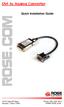 DVI to Analog Converter Quick Installation Guide 10707 Stancliff Road Phone: (281) 933-7673 Houston, Texas 77099 WWW.ROSE.COM LIMITED WARRANTY Rose Electronics warrants the DVI to VGA converter to be
VS-0202 VS-0204. User Manual
 User Manual VS-0202 VS-0204 Read this guide thoroughly and follow the installation and operation procedures carefully in order to prevent any damage to the units and/or any devices that connect to them.
Using the RS232 serial evaluation boards on a USB port
 Document information Info Content Keywords Serial evaluation Board, PN512,PN532, MFRC663, MFRC522, MFRC523, MFRC52x, MFRD522, MFRD523, MFRD52x MIFARE Contactless Smart Card Reader Reference Design, MIFARE
Instructions for Connecting PETROSMART EZ Control Systems To Wayne Electronic Dispensers With/Without CAT CREDIT CARD MODULES
 Installation Instructions Instructions for Connecting PETROSMART EZ Control Systems To Wayne Electronic Dispensers With/Without CAT CREDIT CARD MODULES Read This Book This book has important information
BACnet Automation Interface Module (Network Version)
 Sense +V Tx Rx LAN LINK Over ARCNET KBaud BACnet Rx BACnet Tx Archive Valid Port S Tx Port S Rx Low Battery Network- Enhanced Access Default MSTP PTP = Download Required on Rnet and Port S IP Address IP
Hardware Reference. Linux Device Server IGW/922 with DIL/NetPC ADNP/9200
 Linux Device Server IGW/922 with DIL/NetPC ADNP/9200 Hardware Reference SSV Embedded Systems Heisterbergallee 72 D-30453 Hannover Phone: +49 (0)511/40 000-0 Fax: +49 (0)511/40 000-40 E-mail: [email protected]
Video Splitter VS-104 / VS-108 User's Manual
 Video Splitter VS-104 / VS-108 User's Manual VS-1048 07-11-02 Page 1 of 6 Packing Checklist 1 VS-104/VS-108 Video Splitter 1 DC 9V 300mA (min.) Power Adapter 1 User's Manual Please read this manual thoroughly
AVerMedia AVerKey imicro User s Manual
 FCC NOTICE This device has been tested and found to comply with the limits for a Class B digital device, pursuant to Part 15 of the FCC Rules. These limits are designed to provide reasonable protection
Commercial Cardiovascular Equipment
 Commercial Cardiovascular Equipment Limited Warranty Limited Warranty. PLEASE READ THESE WARRANTY TERMS AND CONDITIONS CAREFULLY BEFORE USING YOUR PRECOR INCORPORATED PRODUCT. BY USING THE EQUIPMENT, YOU
HDCATS-100. Installation Guide
 HDCATS-100 Installation Guide 1 Contents Description... 3 Features... 4 Application Diagram... 4 Installation... 5 Local HD port... 6 IR Configuration... 7 Serial Data(RS232)... 8 Ethernet Data... 9 Specifications...
DMX USB PRO. User Manual. www.enttec.com
 DMX USB PRO User Manual www.enttec.com Firmware V1.43 February 2007 Package Contents Your DMX USB PRO package should contain these items: DMX USB PRO (Part No. 70304) Driver for Windows software on the
USER GUIDE Programming Adapter Cable for Fujitsu Flash Microcontroller- F²MC-16LX/FR Family Fujitsu Microelectronics America, Inc.
 USER GUIDE Programming Adapter Cable for Fujitsu Flash Microcontroller- F²MC-16LX/FR Family Fujitsu Microelectronics America, Inc. 1 Revision History Revision # Date Comment 1.0 03.25.2001 New Document
KVM - DVI, USB 2.0, Cat 5 Extender
 KVM - DVI, USB 2.0, Cat 5 Extender 330 feet (100 meters) EL5100 User Guide Powered by Thank you for purchasing the KVM - DVI, USB 2.0, Cat 5 Extender 330 feet (100 meters) Please read this guide thoroughly.
SCREENLOGIC INTERFACE WIRELESS CONNECTION KIT
 SCREENLOGIC INTERFACE WIRELESS CONNECTION KIT FOR INTELLITOUCH AND EASYTOUCH CONTROL SYSTEMS INSTALLATION GUIDE IMPORTANT SAFETY INSTRUCTIONS READ AND FOLLOW ALL INSTRUCTIONS SAVE THESE INSTRUCTIONS Technical
AC 800M. EtherNet/IP DeviceNet Linking Device LD 800DN. Power and productivity for a better world TM SP1134
 AC 800M EtherNet/IP DeviceNet Linking Device LD 800DN SP1134 Power and productivity for a better world TM AC 800M EtherNet/IP DeviceNet Linking Device LD 800DN NOTICE This document contains information
User Guide. DVI-D Fiber Optic Cable. DVI + Digital Audio to HDMI Converter. HDMI to DVI + Digital Audio Converter DVI-3510a.
 User Guide DVI-D Fiber Optic Cable DVI + Digital Audio to HDMI Converter DVI-3150a HDMI to DVI + Digital Audio Converter DVI-3510a Table of Contents Section Page 1.0 Introduction.......................................
AT&T. PARTNER Plus Door Phone. Installation and Operation Manual
 AT&T PARTNER Plus Door Phone Installation and Operation Manual Copyright 1990 AT&T All Rights Reserved Printed in U.S.A. CIC# 999-500-317 OII722050-051 Issue 1 October 1990 PARTNER Plus Door Phone is a
Temperature & Humidity SMS Alert Controller
 Temperature & Humidity SMS Alert Controller Version 7 [Windows XP/Vista/7] GSMS THR / GSMS THP Revision 110507 [Version 2.2.14A] ~ 1 ~ SMS Alarm Messenger Version 7 [Windows XP/Vista/7] SMS Pro series
TRANSLATOR INSTALLATION AND OPERATIONS MANUAL KEYBOARD AND MOUSE CONVERTER. 10707 Stancliff Road Phone: (281) 933-7673
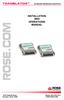 TRANSLATOR KEYBOARD AND MOUSE CONVERTER INSTALLATION AND OPERATIONS MANUAL 10707 Stancliff Road Phone: (281) 933-7673 Houston, Texas 77099 WWW.ROSE.COM . LIMITED WARRATY Rose Electronics warrants the Translator
User Manual PT-E-HIP
 User Manual PT-E-HIP PT-E-HIP User Manual Contents PT-E-HIP-TX Transmitter 1. Introduction 2. How It Connects 3. Features 4. Transmitter Unit Panel Layout PT-E-HIP-RX Receiver 5. Transmitter Unit Panel
VOT-320. VOT-320V0xxL VOT-320V0xxH. Quick Installation Guide
 VOT-320 VOT-320V0xxL VOT-320V0xxH en Quick Installation Guide VOT-320 Table of Contents en 3 Table of Contents 1 General information 4 2 Parts included 5 3 Unpacking 6 4 Installing and connecting 7 4.1
LF-IRX. Limited Warranty LF-IRX. Remote Control Extender OWNER S MANUAL
 Limited Warranty OWNER S MANUAL Audiovox Corporation (Audiovox) warrants this product against defects in materials or workmanship for one (1) year from the date of purchase. During this period, this product
1 Port FTDI USB to RS232 Null Modem Adapter
 1 Port FTDI USB to RS232 Null Modem Adapter ICUSB232FTN *actual product may vary from photos DE: Bedienungsanleitung - de.startech.com FR: Guide de l'utilisateur - fr.startech.com ES: Guía del usuario
User Guide. HDMI Active Cable Extender. DVI-7370c
 User Guide HDMI Active Cable Extender DVI-7370c TABLE OF CONTENTS SECTION PAGE PRODUCT SAFETY...1 PRODUCT LIABILITY...1 1.0 INTRODUCTION...2 2.0 SPECIFICATIONS...3 3.0 PACKAGE CONTENTS...4 4.0 CONNECTING
RJ11 RS-232 Interface
 H NS TN30 RJ11 RS-232 Interface 1.0 General The back panel of the CPP-3794 provides a combination of 9 pin DB connectors and RJ11 connectors for connecting RS-232 serial cables. The 9 pin DB connector
24.2L M.A.N. V12 Engine Module
 24.2L M.A.N. V12 Engine Module MANV1224 INSTALLATION INSTRUCTIONS For 24.2L M.A.N. V12 Engines V12 M.A.N. Engine Instructions Module ECM s (male and female, connect to the same ECM) ECM s (male and female,
USB Rover 2850. 2-port USB 1.1 40m Cat 5 Extender. User Guide
 USB Rover 2850 2-port USB 1.1 40m Cat 5 Extender User Guide Thank you for purchasing the USB Rover 2850, 2-port USB 1.1 40 m (131 ft) Cat 5 Extender Please read this guide thoroughly. FCC Radio Frequency
Advantium 2 Plus Alarm
 ADI 9510-B Advantium 2 Plus Alarm INSTALLATION AND OPERATING INSTRUCTIONS Carefully Read These Instructions Before Operating Carefully Read These Controls Corporation of America 1501 Harpers Road Virginia
Liquid Carbon Balanced Transportable Headphone Amplifier. Cavalli audio. Copyright 2015-2016 Cavalli Audio, LLC All Rights Reserved
 Liquid Carbon Balanced Transportable Headphone Amplifier Cavalli audio All Rights Reserved Page 2 of 15 Congratulations! You re now the proud owner of the Cavalli Audio Liquid Carbon Balanced Transportable
FriendlyNet Hub 5-Port or 8-Port Ethernet Hub User s Manual
 FriendlyNet Hub 5-Port or 8-Port Ethernet Hub User s Manual Asanté Technologies, Inc. 821 Fox Lane San Jose, CA 95131 Copyright Notice Copyright 1997 by Asanté Technologies, Inc. All rights reserved. No
NEWSTAR 2-PORT VGA VIDEO SPLITTER Broadcast Video Signals on to 2 Monitors. User Manual. www.newstar.nl
 User Manual NEWSTAR 2-PORT VGA VIDEO SPLITTER Broadcast Video Signals on to 2 Monitors User Manual www.newstar.nl TABLE OF CONTENTS INTRODUCTION----------------------------------------------------------------------------
Technical Manual. For use with Caller ID signaling types: Belcore 202, British Telecom, & ETSI
 Technical Manual For use with Caller ID signaling types: Belcore 202, British Telecom, & ETSI Caller ID.com WHOZZ CALLING? POS 2 Caller ID Monitoring Unit Technical Manual For use with Caller ID signaling
VM-4 USB Desktop Audio Device Installation Guide
 VM-4 USB Desktop Audio Device Installation Guide THE POSSIBILITIES ARE ENDLESS. 9 Austin Drive, Marlborough, CT 06447 (860) 295-8100 www.essentialtel.com [email protected] Table of Contents Introduction...3
Paragon Explorer Lite Communication Software
 CU-111 APRIL 11, 2013 Paragon Explorer Lite Communication Software For Fireye Paragon Scanners using Windows XP DESCRIPTION Paragon Explorer Lite, is the basic PC based configuration tool for Paragon model
ScreenLogic Wireless Connection Kit. Installation Guide. pool/spa control system
 pool/spa control system ScreenLogic Wireless Connection Kit Installation Guide P/N 520663 - Rev B 8 Technical Support Contact Technical Support at: Sanford, North Carolina (8 A.M. to 5 P.M.) Phone: (800)
Belden Certified Industrial Network Provider Program
 Belden Certified Industrial Network Provider Program Be Certain Be Belden Certified Building an industrial Ethernet network business? Interested in: Offering Belden Certified Industrial Networks Providing
ABB RTU560A Series CMU & Modules
 ABB RTU560A Series CMU & Modules 1KGT 150 648 V1.02 March 4, 2012 Slide 1 Contents RTU560A rack solutions March 4, 2012 Slide 2 560CSR01 Available for wall mounting and swing frame Supports redundant power
VM-8 USB Desktop Audio Device Installation Guide
 VM-8 USB Desktop Audio Device Installation Guide THE POSSIBILITIES ARE ENDLESS. 9 Austin Drive, Marlborough, CT 06447 (860) 295-8100 www.essentialtel.com [email protected] Table of Contents Introduction...3
Communication Unit 560CMU05 Data sheet
 RTU560 product line Communication Unit 560CMU05 Data sheet E1 10/100 MB LAN E2 10/100 MB LAN CP1, CP2 RS232C or RS485 Ethernet Controller Ethernet Controller USART Processor bus MPU ELAN520 /Flash Memory
C24-CAMANL Video Server/Encoder
 C24-CAMANL Video Server/Encoder User s Guide Table of Contents CHAPTER 1 INTRODUCTION... 1 Overview... 1 Physical Details - Video Server... 2 Package Contents... 3 CHAPTER 2 BASIC SETUP... 4 System Requirements...
1080P. Extender for HDMI over one CAT5. GTV-HDBT-CAT5 User Manual. gefentv.com
 1080P Extender for HDMI over one CAT5 GTV-HDBT-CAT5 User Manual gefentv.com ASKING FOR ASSISTANCE Technical Support: Telephone (818) 772-9100 (800) 545-6900 Fax (818) 772-9120 Technical Support Hours:
PIR-1 Owner s Manual
 PIR-1 Owner s Manual PIR-1 Owner s Manual 2010 Universal Remote Control, Inc. The information in this manual is copyright protected. No part of this manual may be copied or reproduced in any form without
EZmoto V2. Product description Rev. 6 10/01/2014. EZmoto V2 Product description Rev.6 10/01/2014
 EZmoto V2 Product description Rev. 6 10/01/2014 1 Contents 1. Overview... 3 2. Hardware Interface Description... 3 2.1 Main features of the EZmoto... 3 2.2 Hardware block diagram... 4 2.3 Internal Hardware
2G-1.1.0, 200M-2.0.3, 200M-1.0.1
 Unmanaged PoE Switches and Media Converters of LAN-BUS System, 200M-2.0.3, SWITCH* MEDIA CONVERTER* RACK IP65 I Bus/ star topology I MM/SM universal I Overvoltage protections I Working temperature 40 +70
USER MANUAL MODEL 2300M SERIES. OpticLink Ethernet Media Converters (2300M, 2310M, 2311M, & 2312M)
 USER MANUAL MODEL 2300M SERIES OpticLink Ethernet Media Converters (2300M, 2310M, 2311M, & 2312M) An ISO-9001 Certified Company Part# 07M2300M Doc# 077321U Rev. A Revised 4/14/03 SALES OFFICE (301) 975-1000
SUPPORT GUIDE FOR. NOKIA MODEM DRIVER AND DIAL-UP for the Nokia 810. Copyright Nokia. All rights reserved Issue 0.4
 SUPPORT GUIDE FOR NOKIA MODEM DRIVER AND DIAL-UP for the Nokia 810 Copyright Nokia. All rights reserved Issue 0.4 Contents 1. INTRODUCTION...1 2. SYSTEM REQUIREMENTS...1 3. INSTALLING THE NOKIA 810 MODEM
DVI Video Splitter USER MANUAL VS-162 / VS-164
 DVI Video Splitter USER MANUAL VS-162 / VS-164 FCC Information This equipment has been tested and found to comply with the limits for a Class B digital device, pursuant to Part 15 of the FCC Rules. These
ALL-USB-RS422/485. User Manual. USB to Serial Converter RS422/485. ALLNET GmbH Computersysteme 2015 - Alle Rechte vorbehalten
 ALL-USB-RS422/485 USB to Serial Converter RS422/485 User Manual ALL-USB-RS422/485 USB to RS-422/485 Plugin Adapter This mini ALL-USB-RS422/485 is a surge and static protected USB to RS-422/485 Plugin Adapter.
RS232 Programming and Troubleshooting Guide for Turbo Controls
 RS232 Programming and Troubleshooting Guide for Turbo Controls This Troubleshooting guide is intended for the set up and troubleshooting of the control panels onboard RS232 output. Refer to the Installation
Cable Pinouts. SRP I/O Module
 Cable Pinouts C This appendix lists the cables and connector pinout assignments for the cables used with the ERX-700 series and ERX-1400 series. Topic Page SRP I/O Module C-1 CT1 and CE1 I/O Modules C-4
Installation and Operation Manual. for the. IPC-1, Bi-Directional stereo level matching interface
 for the Copyright 1996 2004 by All rights reserved. Except as permitted under the United States Copyright Act of 1976, no part of this document may be reproduced or distributed without permission All specifications
Automatic AES Change-Over
 Automatic AES Change-Over Thank you for choosing a GHIELMETTI product. We are convinced that your choice will prove to be a wise and worthy decision for many years to come. Your GHIELMETTI product has
Model 201 Wiegand Touchpad Reader Installation Guide
 Model 201 Wiegand Touchpad Reader Installation Guide P/N 460353001C 15AUG11 2011 UTC Fire & Security. All rights reserved. This document may not be copied in whole or in part or otherwise reproduced without
USER MANUAL. MODEL 460 Series G.703 Coax to Twisted Pair Adapter (Balun)
 USER MANUAL MODEL 460 Series G.703 Coax to Twisted Pair Adapter (Balun) An ISO-9001 Certified Company Part #07M460-E Doc. #019021UE Revised 02/23/00 SALES OFFICE (301) 975-1000 TECHNICAL SUPPORT (301)
SUPPORT GUIDE FOR. NOKIA MODEM DRIVER AND DIAL-UP for the Nokia 610. Copyright Nokia. All rights reserved Issue 0.4
 SUPPORT GUIDE FOR NOKIA MODEM DRIVER AND DIAL-UP for the Nokia 610 Copyright Nokia. All rights reserved Issue 0.4 Contents 1. INTRODUCTION...1 2. SYSTEM REQUIREMENTS...1 3. INSTALLING THE NOKIA 610 MODEM
/ WMS / LITE INDUSTRIAL)
 Acknowledgements Trademark Information COREflex Software Microsoft, Windows, Windows NT/ 2000/ XP, and Access are registered trademarks of Microsoft Corporation. Quickbooks is a registered trademark of
Redundant Gigabit Backbone Adds Speed and Reliability to Industrial Networks
 Adds Speed and Reliability to Industrial Networks by Harry Hsiao, MOXA Product Manager [email protected] Introduction Gigabit network applications are becoming more and more popular in the modern networking
USB to RS232 Adapter User s Manual
 USB to RS232 Adapter User s Manual 34000212 Rev0 Table of Contents Warnings...3 Introduction...4 USB to RS232 Adapter Package Contents...4 Setup Procedure...5 Setup Procedure for Windows 98, ME, and 2000...5
SOFTWARE LICENSE LIMITED WARRANTY
 CYBEROAM INSTALLATION GUIDE VERSION: 6..0..0..0 IMPORTANT NOTICE Elitecore has supplied this Information believing it to be accurate and reliable at the time of printing, but is presented without warranty
Universal Serial Bus (USB) to DH-485 Interface Converter
 Installation Instructions Universal Serial Bus (USB) to DH-485 Interface Converter Catalog Number 1747-UIC Contents Overview..................................................3 Computer and Operating System
Evaluation Board. i-modul and Socket. Manual
 Evaluation Board i-modul and Socket Manual Copyright March 14 INSYS MICROELECTRONICS GmbH Any duplication of this manual is prohibited. All rights on this documentation and the devices are with INSYS
RS-232 to TTL Converter Cables SuperDroid Robots 2013 www.superdroidrobots.com
 Description: Designed for easy conversion of a RS-232 signals from a computer to TTL signals in order to interface a computer to a microcontroller or similar electronic devices Features: 72-inch in length
Industrial RS-232/ RS-422/ RS-485 over Ethernet Media Converter
 ICS-2 S15 Industrial RS-232/ RS-422/ RS-485 over Ethernet Media Converter Cost Effective Solution for RS-232 / RS-422 / RS-485 to Industrial Ethernet Application PLANET ICS-210x series Smart Media Converter
Nest Learning Thermostat Installation Guide. Installation step-by-step
 Nest Learning Thermostat Installation Guide Installation step-by-step Contents Compatibility. 3 In the box. 4 Before you start. 5 Choose an installation method. 6 Replacing an existing wired thermostat.
4-CH Video Server SED-2310Q. Ver. 061031. User s Manual
 4-CH Video Server SED-2310Q Ver. 061031 User s Manual 0 0 PRECAUTIONS 1. Read these instructions All the safety and operating instructions should be read before the product is operated. 2. Heed all warnings
8-Port HDMI Switch USER MANUAL VS0801H
 8-Port HDMI Switch USER MANUAL VS0801H FCC Information This equipment has been tested and found to comply with the limits for a Class B digital device, pursuant to Part 15 of the FCC Rules. These limits
Documentation for. KL2602 and KL2622. Two-channel Relay Output Terminals for 230 V AC / 30 V DC. Version: 1.4 Date: 2013-03-20
 Documentation for KL2602 and KL2622 Two-channel Relay Output Terminals for 230 V AC / 30 V DC Version: 1.4 Date: 2013-03-20 Table of contents Table of contents 1 Foreword 1 1.1 Notes on the documentation
with Electronic Assistant
 TECHNICAL DATASHEET #TDAX100200 BLDC Motor Drive Drives a 12V, 24V or 48V BLDC motor Bidirectional, up to 25A Smooth speed control using Hall Sensors CAN (SAE J1939) with Electronic Assistant Features:
GSC/VRC IP Converter. Installation and Operation Manual
 GSC/VRC IP Converter Installation and Operation Manual Table of Contents Introduction... 2 Compatibility... 2 Remote Control Hardware... 2 PC Software... 2 Unpacking... 2 Front Panel Indicators... 3 Hardware
InHome Water Leak Detection Package
 InHome Water Leak Detection Package For Model Numbers ILD10A-L and ILD10A-B Installation Guide / Wiring Diagram For Creating Water Leak Detection-based Events with Line-Powered or Battery-Powered Sensors
9,'(2 #6(3$5$725 8VHU V#0DQXDO
 9,'(2 #6(3$5$725 8VHU V#0DQXDO 960435 960437 Introduction 3 Features 3 Specifications 4 Installation 4 Stand-Alone Installation 4 Daisy-Chain Installation 5 Preventing Radio & TV Interference 6 Limited
ARCHOS (www.archos.com/support).
 1 ! www.archos.com/register, ARCHOS.. ARCHOS, (www.archos.com/register).. ARCHOS (www.archos.com/support)., Windows, Windows Help Start ( ), Help and Support.. ARCHOS. 2 ,.! /, : ARCHOS 9,,,,,. -.,. ARCHOS
USB-to-Serial RS-232 Hub USB-to-Serial RS-422/485 Hub USER MANUAL UC2322 / UC2324 / UC4852 / UC4854
 USB-to-Serial RS-232 Hub USB-to-Serial RS-422/485 Hub USER MANUAL UC2322 / UC2324 / UC4852 / UC4854 FCC Information This equipment has been tested and found to comply with the limits for a Class B digital
How To Use A 1232 On A 1236 On A Computer Or A Cell Phone
 12-36-1000 Autodialler and Relay Telephone Interface 1.0 INTRODUCTION 12-36-1000 I/O Telephone Interface with AutoDialer The 12-36-1000 is a autodialer and telephone interface that can be used autonomously
4 Port Hub User Manual
 P73153/F5U101/US/man.qxd 1/7/00 5:16 PM Page 1 4 Port Hub User Manual P73153 F5U101 P73153/F5U101/US/man.qxd 1/7/00 5:16 PM Page 2 P73153/F5U101/US/man.qxd 1/7/00 5:16 PM Page 1 Introduction Please read
HA5. HDMI To HD-SDI/SDI Video and Audio Converter User Manual
 HA5 HDMI To HD-SDI/SDI Video and Audio Converter User Manual May 13, 2008 2 Trademarks AJA, KONA, and XENA are registered trademarks of AJA Video, Inc. Io HD and Io are trademarks of AJA Video, Inc. HDMI,
RI-215A Operator s Manual. Part Number: 71-0045RK Revision 0 Released: 10/3/05
 RI-215A Operator s Manual Part Number: 71-0045RK Revision 0 Released: 10/3/05 Warranty RKI Instruments, Inc., warrants gas alarm equipment sold by us to be free from defects in materials and workmanship,
Owner s Manual. MRX-2 Network Base Station
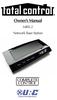 Owner s Manual MRX-2 Network Base Station MRX-2 Owner s Manual 2014 Universal Remote Control, Inc. The information in this manual is copyright protected. No part of this manual may be copied or reproduced