
Exelis Master Brand Guidelines
|
|
|
- May Barnett
- 10 years ago
- Views:
Transcription
1 Exelis Master Brand Guidelines 2014

2 Contents INTRODUCTION UNDERSTANDING OUR BRAND Our Vision and Values...5 Our Brand Character...6 Our Brand Essence...7 Our Voice...8 Our Name and Tagline...9 Our Brand Center...10 CORE ELEMENTS Overview Corporate Logo Exelis Logo...14 Logo Configurations...15 Clear Space and Minimum Size...16 Logo Color Variations and Backgrounds...17 Logo Placement...18 Incorrect Use of Logo...19 Exelis Logo Artwork File Naming...20 Exelis Logo Artwork Legend...21 Partnerships and Co-branding Copyright and Disclaimer Requirements Color Palette Overview...26 Applying Color Palette to Microsoft Office Documents...27 Effective Use of Color...28 Incorrect Use of Color...29 Focal Lines Overview...30 Framing Device...31 Pinpointing Device...34 Highlighting Device...36 Focal Line Weights...38 Incorrect Use of Focal Lines...39 Typography Primary Typeface...41 Additional Typefaces...42 International Typefaces...43 Using Typography Effectively...44 Incorrect Use of Typography...45 Imagery and Photography Photography Styles and Categories...46 Incorrect Use of Photography...47 Brand Architecture Overview...48 How It Appears in Stationery...49 How It Appears in Collateral...50 How It Appears in Trade Show Signage...51 APPLICATIONS Corporate Identity Stationery...53 Business Card...54 Press Release Letterhead...55 PowerPoint Presentations...56 Presentation Folders...58 Executive Bio...59 Employee Badges...60 Interoffice Correspondence...64 CD/DVD Label Templates...65 Security Vehicles...66 Apparel...67 Product Identification...68 Printed Collateral Materials Brochures...69 Banners...74 Specification Sheets...76 Product Data Sheets...79 Infographics...83 Advertising Guidelines Overview...85 Typography...86 Our Voice...87 Key Messages...88 Photography...89 Print Advertising...90 Additional Elements...92 Digital Advertising...93 Outdoor Advertising...94 Employment/Recruitment Advertising...95 Digital and Online Signature...96 HTML s...99 Evite Template Social Media Icons Windows Icon QR Codes Screensaver and Wallpaper Video Tips and Tails Trade Show Display Graphics Graphics Promotional Items Employee Communications Vision & Values Posters Certificates The Short Report Posters Ethics and Compliance Building Signage and Décor EXELIS ACTION CORP BRAND GUIDELINES EAC Logo Overview Clear Space and Minimum Size Logo Color Variations and Backgrounds Logo Placement Incorrect Use of Logo Partner Logos EAC Color Palette EAC Typography EAC Imagery and Photography People in Action Still-life Imagery Incorrect Use of Photography EAC Banners EAC Poster Graphics EAC Newsletter EAC PowerPoint Presentations EAC Video Tips and Tails QUESTIONS?

3 Introduction Our brand is a direct reflection of who we are as an organization and the relationships that we share with our customers. Our brand is more than a logo; it s the entire set of experiences the marketplace has with our product, services and organization. Within that context, it s critical that we communicate using a consistent look and feel. These guidelines have been developed to help us accomplish this goal. They outline the basic elements used to visually communicate our brand and demonstrate how these elements come together to create a consistent and cohesive expression. You ll also find details on how to use the various elements in specific situations. When our brand is clear and defined, and when we follow through on that brand in every interaction, we gain a distinct competitive advantage. Please be sure you, your vendors and other third-party providers apply these standards. It is recommended that you read through this document and always keep it handy to reference as you develop communications materials.
4 Understanding Our Brand

5 Understanding Our Brand Our Vision and Values Our vision and values capture our promise to adhere to the highest standards of ethical behavior and to hold the security and progress of our world as our driving mission. These powerful words unite us, and we are proud that they describe the commitment that each Exelis employee brings to our relationships and to our daily work. Our Vision Inspired people who ACT in support of customers critical missions, delivering exceptional performance by... Adapting to meet the needs of a changing world, Collaborating with coworkers and customers, and Transforming our world through ingenious thinking. Our Values Respect We are: > fair and courteous > collaborative and helpful > open-minded and inclusive Responsibility We are: > accountable for our words and actions > committed to quality and safety > caring for our communities Integrity We are: > ethical and honest > trustworthy and consistent > candid and courageous communicators 5

6 Understanding Our Brand Our Brand Character The human impact Our brand character is the set of traits that collectively define our Exelis personality. It s what gives Exelis its human quality making us more able to connect in a consistent and compelling way. These traits will help us guide the tone and manner of our communications, as we build understanding and awareness both internally and externally of the kind of brand that we are at our core. We have an expeditionary spirit, moving forward and looking ahead in a united effort. We have the exceptional foresight to anticipate and adapt to our customers needs and to a changing world. We are committed to working resourcefully within constraints and see every challenge as an opportunity. 6

7 Understanding Our Brand Our Brand Essence Adaptive ingenuity Adaptive ingenuity speaks to the agility and inventive, yet reliable, brilliance that we bring to our role, emphasizing the importance of adapting to our customers and the world s needs. In two powerful words, Adaptive ingenuity summarizes who we are and what we want to be. Our brand essence is an internally-facing element of our brand. Because it hasn t been registered for proprietary use, we should not feature it in external communications. 7

8 Understanding Our Brand Our Voice Clear, active and engaging At Exelis, we re motivated by our customers complex challenges. We are agile and resourceful, and this dynamic energy must shine through in the way we speak and write in advertising. We communicate to create connections between people and ideas, and between ideas and ingenious solutions. That s a lot of power to place in our words, and it s important to know how to use it. Our voice is CLEAR, remembering that the simplest expression of an idea is always its most powerful. Because we are sure of our expertise, we don t need lengthy, complex, cluttered copy. We back up what we say with specific proof, building our audience s trust and confidence. Our voice is ACTIVE, not passive, conveying creativity, agility and positive energy. That s key to ENGAGING readers and listeners. Active language puts what we do at the forefront and draws in our customers, investors and fellow employees. Our tone reflects our audience. Internal communications can use a more familiar voice, incorporating words like we, you, us and they. Due to the nature of our products and customer set, external, customer-facing collateral materials should use more formal language. It is appropriate to speak in the third person on external communications. 8

9 Understanding Our Brand Our Name and Tagline Exelis Our name is a key signal of our evolution. Derived from excel, the name Exelis captures our enterprising spirit and our commitment to providing exceptional, ingenious solutions. It is an energetic name that suggests forward movement in both tone and meaning. We are confident that it will serve our business well, as we continue to gain momentum and perform beyond expectations. Our name, Exelis, should be written as such, with a capital E in Exelis. The power of ingenuity Our tagline is an emotional expression of our brand. While our brand essence, Adaptive ingenuity, focuses our strategy internally, our tagline provides a glimpse into our strategy for the outside world while inspiring all audiences, both internal and external. Our tagline highlights what matters most to us and elevates what matters most to a place of honor with our name to ground it in our positioning and essence. Our tagline is an externally-facing, trademarked element of our brand. It translates our essence into an inspiring and accessible line to engage all audiences. 9
10 Understanding Our Brand Our Brand Center The Exelis Brand Center is an online resource which gives you access to all of the guidelines in this document, plus the ability to download logos, templates and other files. You can also create a custom PDF of specific site pages for handy reference. When you visit the online Brand Center at you will need to create a login and password. This process is quick and easy and gives you instant access to all of the tools and information you will need to successfully implement our brand. Visit the site frequently for the most up-to-date information and to keep abreast of any additions or changes to the Exelis brand. 10

11 Core Elements

12 Intelligence, Surveillance & Reconnaissance Exelis Inc Tysons Boulevard Fax Suite McLean, VA Month Day, Year Company Address Street Address City, State, Zip code Dear Addressee: This is a sample of the new Exelis U.S. standard letterhead. The clean, organized structure of the flush-left format gives our business communications a highly professional profile. Type all body copy in 11-point Calibri Regular (if available), upper-and-lowercase, on 15 points of leading. Set the left margin of the page at 1.00" and the right margin at 1.00". Type the date 2.25" from the top of the page. Skip one line before typing the Addressee s name and address flush left with the date line. Skip one line between the last address line and the salutation. Then skip one line between the salutation and the body of the letter. Do not indent at the beginning of paragraphs, and always skip one line between paragraphs. When your letter is complete, skip two lines before the closing. Then skip four lines between the closing and the Sender s typed name to allow space for the Sender s signature. Finally, skip one line between the Sender s typed name and the Typist s initials. Sincerely, Sender s Name SN:tn LOREM IPSUM SIT DOLOR Sed ut perspiciatis unde omnis iste natus error sit voluptatem accusantium doloremque laudantium, totam rem aperiam, eaque ipsa quae ab illo inventore veritatis et quasi architecto beatae vitae dicta sunt explicabo. Nemo enim ipsam voluptatem quia voluptas sit aspernatur aut odit aut fugit, sed quia consequuntur magni dolores eos qui ratione voluptatem sequi nesciunt. Neque porro quisquam est, qui dolorem ipsum quia dolor sit amet, consectetur, adipisci velit, sed quia non numquam eius modi tempora incidunt ut labore et dolore magnam aliquam quaerat voluptatem. Ut enim ad minima veniam. LOREM IPSUM SIT DOLOR Sed ut perspiciatis unde omnis iste natus error sit voluptatem accusantium doloremque laudantium, totam rem aperiam, eaque ipsa quae ab illo inventore veritatis et quasi architecto beatae vitae dicta sunt explicabo. Nemo enim ipsam voluptatem quia voluptas sit aspernatur aut odit aut fugit, sed quia consequuntur magni dolores eos qui ratione voluptatem sequi nesciunt. LOREM IPSUM SIT DOLOR Sed ut perspiciatis unde omnis iste natus error sit voluptatem accusantium doloremque laudantium, totam rem aperiam, eaque ipsa quae ab illo inventore veritatis et quasi architecto beatae vitae dicta sunt explicabo. Nemo enim ipsam voluptatem quia voluptas sit aspernatur aut odit aut fugit, sed quia consequuntur magni dolores eos qui ratione voluptatem sequi nesciunt. LOREM IPSUM SIT DOLOR Sed ut perspiciatis unde omnis iste natus error sit voluptatem accusantium doloremque laudantium, totam rem aperiam, eaque ipsa quae ab illo inventore veritatis et quasi architecto beatae vitae dicta sunt explicabo. Nemo enim ipsam voluptatem quia voluptas sit aspernatur aut odit aut fugit, sed quia consequuntur magni dolores eos qui ratione voluptatem sequi nesciunt. Neque porro quisquam est, qui dolorem ipsum quia dolor sit amet, consectetur, adipisci velit, sed quia non numquam eius modi tempora incidunt ut labore et dolore magnam aliquam quaerat voluptatem. Ut enim ad minima veniam. Aspernatur aut odit aut fugit, sed quia consequuntur magni dolores eos. John M. Smith Vice President Communications Exelis Inc Tysons Boulevard Suite 1700 McLean, VA Cell [email protected] The smallest combat proven wideband data radio providing advanced wireless, ad hoc networking Presentation title Calibri Regular 9 pt Month Date, Year Page # Lorem ipsum dolor sit amet, consectetuer adipiscing elit, magna aliquam erat volutpat. Ut wisi enim ad minim veniam, quis nostrud exerci tation ullamcorper suscipit lobortis nisl ut aliquip ex ea commodo consequat. Suscipit lobortis nisl ut aliquip ex ea commodo consequat. Duis autem vel eum iriure dolor in hendrerit in vulputate velit esse molestie consequat, ea commodo consequat. Duis autem vel eum iriure dolor in hendrerit in vulputate velit esse molestievel illum dolore eu feugiat exerci tation ullamcorper vel eum iriure dolor. Duis autem vel eum iriure dolor in hendrerit in vulputate velit esse molestie consequat, vel illum dolore eu feugiat nulla facilisis at vero eros et accumsan et iusto odio dignissim qui blandit praesent luptatum zzril delenit augue duis dolore te feugait nulla facilisi. Lorem ipsum dolor sit amet, consem ad minim veniam, quis nostrud exerci tation ullamcorper. Suscipit lobortis nisl ut aliquip ex ea commodo consequat. Duis autem vel eum iriure dolor in hendrerit in vulputate velit esse molestie consequat, ea commodo consequat. Duis autem vel eum iriure dolor in hendrerit in vulputate velit esse molestievel illum dolore eu feugiat. Nam liber tempor cum soluta nobis eleifend option congue nihil imperdiet doming id quod mazim placerat facer possim assum. Lorem sed diam nonummy nibh euismod tincidunt ut laoreet dolore magna aliquam erat. David F. Melcher Chief Executive Officer This and any files transmitted with it may be proprietary and are intended solely for the use of the individual or entity to whom they are addressed. If you have received this in error please notify the sender. Please note that any views or opinions presented in this are solely those of the author and do not necessarily represent those of ITT Exelis. The recipient should check this and any attachments for the presence of viruses. ITT Exelis accepts no liability for any damage caused by any virus transmitted by this . Chart title lorem ipsum dolor sit amet consectetur Lorem ipsum dolor sit amet, consectetur adipisicing elit, sed do eiusmod tempor incididunt ut labore et dolore magna aliqua. Ut enim ad minim veniam, quis nostrud exercitation ullamco laboris nisi ut aliquip ex ea commodo consequat. Duis aute irure dolor in reprehenderit in voluptate velit esse cillum dolore eu fugiat nulla pariatur. Excepteur sint occaecat cupidatat non proident, sunt in culpa qui officia deserunt mollit anim id est laborum. Sed ut perspiciatis unde omnis iste natus error sit voluptatem accusantium doloremque laudantium, totam rem aperiam, eaque ipsa quae ab illo inventore veritatis et quasi architecto beatae vitae dicta sunt explicabo. Nemo enim ipsam voluptatem quia voluptas sit aspernatur aut odit aut fugit. Lorem ipsum dolor sit amet, consectetur adipisicing elit, sed do eiusmod tempor incididunt ut labore et dolore magna aliqua. Ut enim ad minim veniam, quis nostrud exercitation ullamco laboris nisi ut aliquip ex ea commodo consequat. Duis aute irure dolor in reprehenderit in voluptate velit esse proident, sunt in culpa qui officia deserunt mollit nout anim id est laborum. PHYSICAL CHARACTERISTICS Size 2.45 wide x 1.76 deep x 0.38 high (62.23mm wide x 44.70mm deep x 9.65mm high) Weight 31 grams (1.1 oz) SPECIFICATIONS Frequency tracking L1/L2 dual UTC Time Accuracy < 30ns (95%) Time to First Fix Cold 200 sec (95%) Warm 40 sec (95%) Hot 20 sec (95%) Hot Start External data Time (1 PPS) Coordinate system at/long and MGRS Protocols IS-GPS-153 COM Ports RS-232 and CMOS support for COM 1 CMOS support for BDDP, COM 2 and COM 3 Timing Interface 1 PPS and 10 PPS Electrical Interface 80 pin GPS SSI connector Key Fill DS-101/RS-232 mode KYK-13/KOI-18 (in DS-102 mode) POWER Primary -3.3 VDC +/- 5% Aux +3.0 to +6.0 VDC <1.5W steady-state tracking ENVIRONMENTAL Temperature Operating: -40 to +85 C Storage: -55 to +85 C Lorem 2010 Lorem 2010 Lorem 2010 Lorem 2010 Lorem 2010 Presentation title Calibri Regular 9 pt Month Date, Year Page # Ovit, erion pore quatur magniam sed enim il ilis erum faccullatque consen dipit as conseni hicturi autas excest, ium unt eveliqui deseque volenis res dolorati doluptate re nones eaquam reius magnimil ereriat. Ximus dolor est, nita ium susdandion non niscias dolor sam imagnit essequi cus apedit ad explam, am et expe atio tem eum quam que alitionsequi aut adit. Perferferum fugiatem sitatur, si nest ut vit magni aut expella ciliam aut lantem. Itatum es etur autem sitatem poratio voluptate cullacc. Legal Name 123 Street Address City, NY Country Copyright 2011 ITT Exelis. All rights reserved. Core Elements Overview Our visual system expresses who we are through how we look, bringing our Exelis personality to life. Everything that we do and every image or graphic element that we use reflects deliberate choices that are rooted in our brand essence and our brand character. At every point of contact with our fellow employees, customers and stakeholders, we aim to present a clear and focused perspective. Earth and Space Science Systems Geospatials Systems Delivering full-spectrum, next generations digital imaging and positioning solutions. Digital sensor data dolor sit amet, consectetur adipisicing nomte. SpearNet Team Member Radio AN/AVS-9 Night Vision Goggle/ Image Intensifier Product Headline Clan Pro Book 18/24 pt Title Case A message from Dave Melcher Dear team, Mission Systems Capabilities Overview January 6, 2012 Mission Systems Capabilities Overview January 6, 2012 Air Traffic Management Solutions Headlines Calibri Regular 26 pt Sentense Case Headlines Calibri Regular 26 pt Sentense Case Body text Calibri Regular 20 pt lorem ipsum dolor sit amet, consectetur adipiscing elit, sed do eiusmod tempor et monte aliqua. Subheadline Calibri Bold can be highlighted with color > Bullets Calibri regular point 18 pt > Bullets lorem ipsum sit dolor > Bullets lorem ipsum sit dolor > Bullets lorem ipsum sit dolor > Bullets lorem ipsum sit dolor Call-out Calibri regular 20 pt lorem ipsum dolor sit amet, consectetur adipiscing elit, sed do eiusmod tempor et monte aliqua. 12
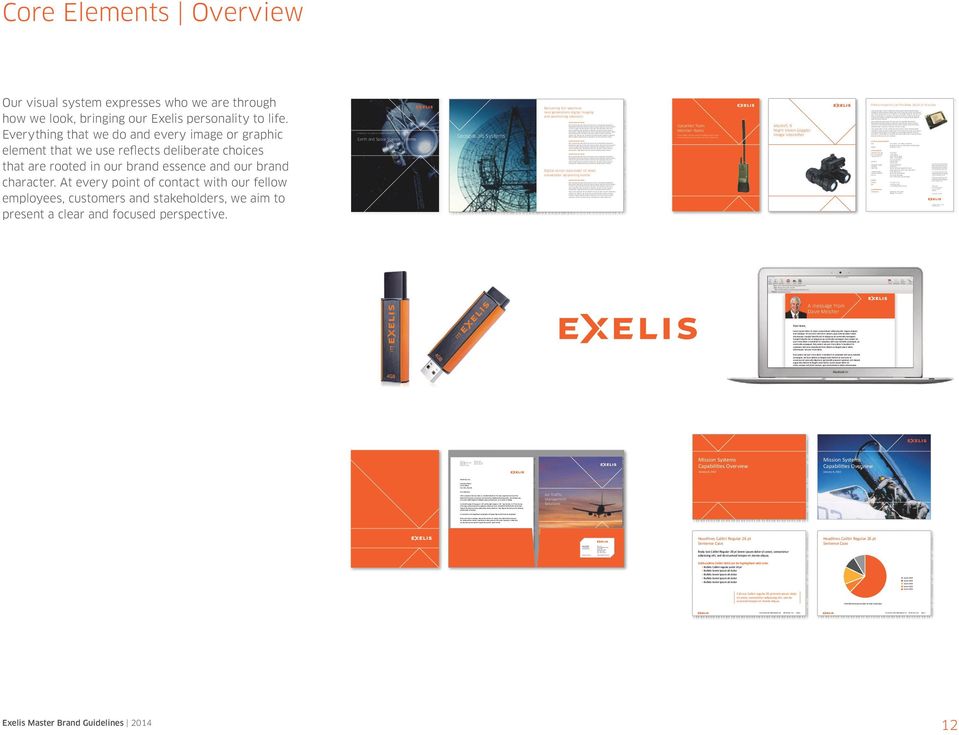
13 Core Elements Overview Our logo, color palette, focal lines, typography and photographic style, all displayed at right, comprise our Core Elements. When used in combination, these elements become a powerful expression of the promise of our brand. Our bold, confident color palette, distinctive focal lines and dynamic, engaging photography all support a larger brand experience, alluding to our expeditionary spirit and our ability to anticipate needs and adapt quickly in a changing world. While it s important that we apply each element in a consistent manner, there is flexibility in how we bring them together. This allows us to develop communications and experiences that are engaging and brand-building. Exelis logo Color palette Typography Clan Pro Book ABCDEFGHIJKLMNOPQRSTUVWXYZ abcdefghijklmnopqrstuvwxyz Book Italic / Medium / Medium Italic / Bold / Bold Italic Calibri Regular ABCDEFGHIJKLMNOPQRSTUVWXYZ abcdefghijklmnopqrstuvwxyz Italic / Bold / Bold Italic Book Antiqua Regular ABCDEFGHIJKLMNOPQRSTUVWXYZ abcdefghijklmnopqrstuvwxyz Italic / Bold / Bold Italic Photography Focal lines 13
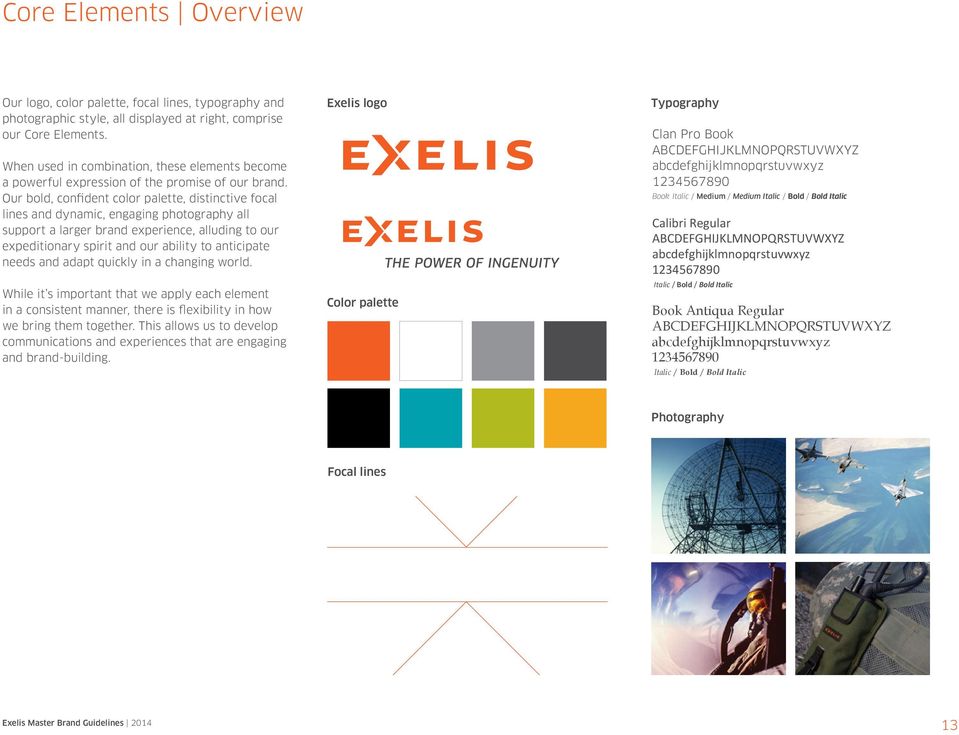
14 Core Elements Corporate Logo Exelis Logo Our logo expresses our expeditionary spirit. The letterforms are bold and modern, capturing the solidity of our established presence. Within the logotype, we ve emphasized the X to create a dynamic arrow. Pointing to a bright future for our business, our customers and our world, the arrow captures our foresight and focus. The X also has two arrows that join at the center of the letter, highlighting our united effort in solving challenging problems head-on. The orange color used in our logo, Exelis Orange, is bold and confident, helping us stand out among our competitors. Exelis logo Note: The X within the Exelis logotype is an important part of our logo and should never be disassembled. It is not a symbol and, therefore, should never be featured on its own. Exelis logo with tagline (for advertising campaign use) 14

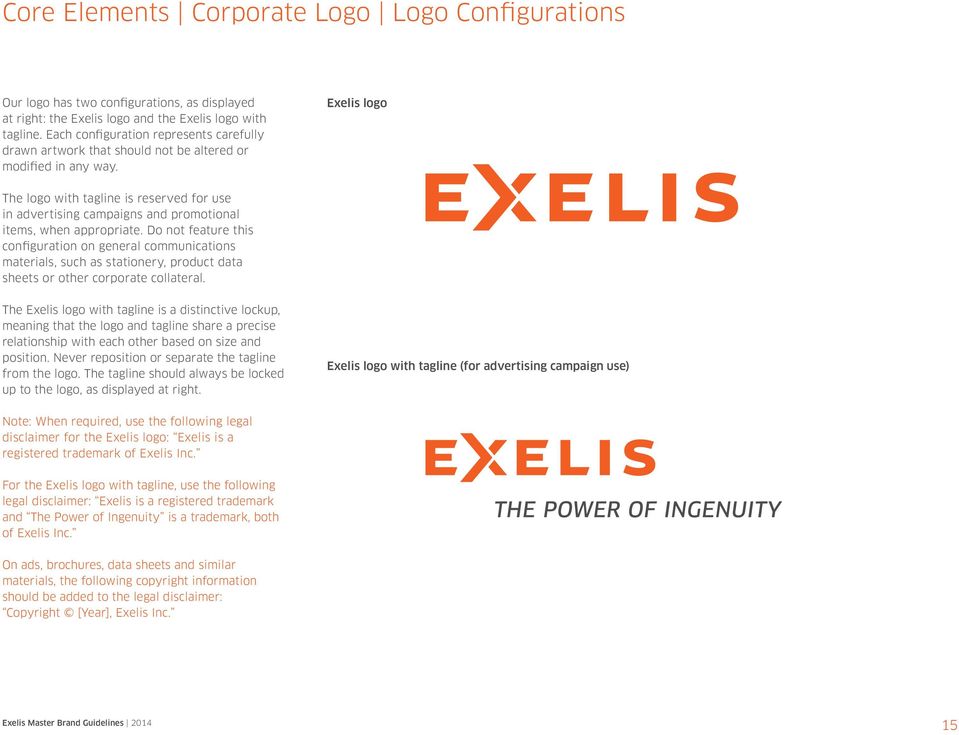
15 Core Elements Corporate Logo Logo Configurations Our logo has two configurations, as displayed at right: the Exelis logo and the Exelis logo with tagline. Each configuration represents carefully drawn artwork that should not be altered or modified in any way. Exelis logo The logo with tagline is reserved for use in advertising campaigns and promotional items, when appropriate. Do not feature this configuration on general communications materials, such as stationery, product data sheets or other corporate collateral. The Exelis logo with tagline is a distinctive lockup, meaning that the logo and tagline share a precise relationship with each other based on size and position. Never reposition or separate the tagline from the logo. The tagline should always be locked up to the logo, as displayed at right. Exelis logo with tagline (for advertising campaign use) Note: When required, use the following legal disclaimer for the Exelis logo: Exelis is a registered trademark of Exelis Inc. For the Exelis logo with tagline, use the following legal disclaimer: Exelis is a registered trademark and The Power of Ingenuity is a trademark, both of Exelis Inc. On ads, brochures, data sheets and similar materials, the following copyright information should be added to the legal disclaimer: Copyright [Year], Exelis Inc. 15
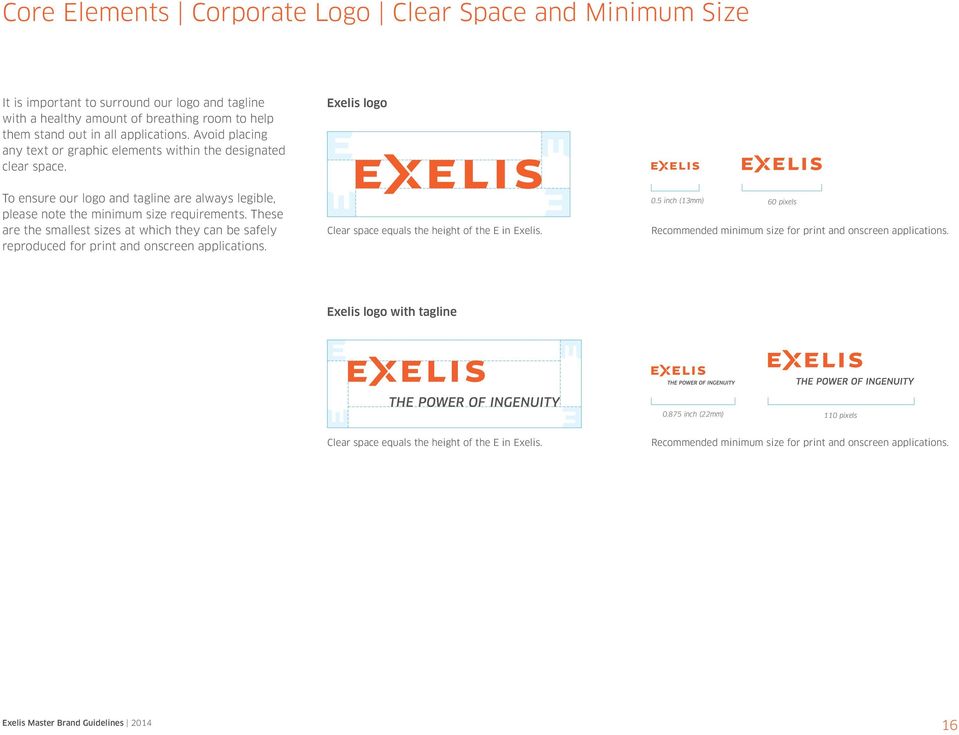
16 Core Elements Corporate Logo Clear Space and Minimum Size It is important to surround our logo and tagline with a healthy amount of breathing room to help them stand out in all applications. Avoid placing any text or graphic elements within the designated clear space. Exelis logo To ensure our logo and tagline are always legible, please note the minimum size requirements. These are the smallest sizes at which they can be safely reproduced for print and onscreen applications. Clear space equals the height of the E in Exelis. 0.5 inch (13mm) 60 pixels Recommended minimum size for print and onscreen applications. Exelis logo with tagline inch (22mm) 110 pixels Clear space equals the height of the E in Exelis. Recommended minimum size for print and onscreen applications. 16
17 Core Elements Corporate Logo Logo Color Variations and Backgrounds A set number of color variations and recommended backgrounds for our logo and tagline ensure that it s always clear and legible in our communications. Exelis Orange logo The color variation that you select should maximize visibility and recognition by providing good contrast and readability. The Exelis Orange variation best represents our brand use it whenever possible. When necessary, use the white variation to provide better contrast for the logo and tagline. The black variation is reserved only for one-color printing or in material treatments. Note: The boxes surrounding the signatures displayed at right are for illustrative purposes only and to represent a background. The logo and tagline should never appear framed in a box. This is the preferred variation of our logo. The vibrancy of the orange appears well on most light and dark backgrounds and photography, although you may need to swap the dark gray tagline for white in some instances. White logo Use this variation when the background color or photography adversely affects the legibility of the Exelis Orange logo. Black logo Limit the use of this variation to one-color or two-color printing for which Exelis Orange is not available or in material treatments (e.g., fax, stamping, embossing). 17

18 Exelis Inc Tysons Boulevard Suite 1700 McLean, VA Fax John M. Smith Vice President Communications Exelis Inc Tysons Boulevard Suite 1700 McLean, VA Cell This and any files transmitted with it may be proprietary and are intended solely for the use of the individual or entity to whom they are addressed. If you have received this in error please notify the sender. Please note that any views or opinions presented in this are solely those of the author and do not necessarily represent those of ITT Exelis. The recipient should check this and any attachments for the presence of viruses. ITT Exelis accepts no liability for any damage caused by any virus transmitted by this . Core Elements Corporate Logo Logo Placement The way we position our logo within an application says a lot about the way we think about our brand. By placing our logo in the upper right-hand corner, we elevate and push the logo forward and reinforce our organization s bold and expeditionary character. Displayed at right are a few examples that illustrate the effective placement of our logo across different application types. Sample applications Air Traffic Management Solutions Department Name Headline Clan Pro Book 30 pt Thursday, May PM At Lorem Ipsum room Consectetur adipiscing elit, morbi facilisis blandit leo ac semper. Class aptent taciti sociosqu litora massa pellentesque dictum etiam eget est eget lectus rutrum. Lorem ipsum dolor sit amet, consectetuer adipiscing elit, magna aliquam erat volutpat. Ut wisi enim ad minim veniam, quis nostrud exerci tation ullamcorper suscipit lobortis nisl ut aliquip ex ea commodo consequat. Duis autem vel eum iriure dolor in hendrerit in vulputate velit esse molestie consequat, vel illum dolore eu feugiat nulla facilisis at vero eros et accumsan et iusto odio dignissim qui blandit praesent luptatum zzril delenit augue duis dolore te feugait nulla facilisi. Lorem ipsum dolor sit. Fleet Systems Engineering Team (FSET) Meeting changing Fleet Mission requirements Subheadline Note: In situations where it is impossible to feature the logo in the upper right-hand corner due to technical constraints or a specific application s best practices for logo visibility (such as on a webpage), the preferred position for the logo is either in the upper left-hand or the lower right-hand corner. Avoid placing the logo in the lower left-hand corner. Brochure cover Duis autem vel eum iriure dolor in hendrerit in vulputate velit esse molestie consequat, vel illum dolore eu feugiat nulla facilisis at vero eros et accumsan et iusto odio dignissim qui blandit praesent luptatum zzril delenit augue duis dolore te feugait nulla facilisi. Lorem ipsum dolor sit amet, consem ad minim veniam, quis nostrud exerci tation ullamcorper. Contact Name Lastname Title Department [email protected] HTML banner Product data sheet cover Also displayed at right is an example of a CAD drawing with the Exelis logo applied to the title block. The Exelis logo files sized for this CAD drawing application are available for download from the online Brand Center ( Month Day, Year Company Address Street Address City, State, Zip code Dear Addressee: This is a sample of the new Exelis U.S. standard letterhead. The clean, organized structure of the Note: Please consult your Legal/Contract representative prior to changing drawing title blocks to the Exelis logo. flush-left format gives our business communications a highly professional profile. Type all body copy in 11-point Calibri Regular (if available), upper-and-lowercase, on 15 points of leading. Set the left margin of the page at 1.00" and the right margin at 1.00". Type the date 2.25" from the top of the page. Skip one line before typing the Addressee s name and address flush left with the date line. Skip one line between the last address line and the salutation. Then skip one line between the salutation and the body of the letter. Do not indent at the beginning of paragraphs, and always skip one line between paragraphs. When your letter is complete, skip two lines before the closing. Then skip four lines between the closing and the Sender s typed name to allow space for the Sender s signature. Finally, skip one line between the Sender s typed name and the Typist s initials. Sincerely, CAD drawing title block logo application Sender s Name SN:tn Stationery 18

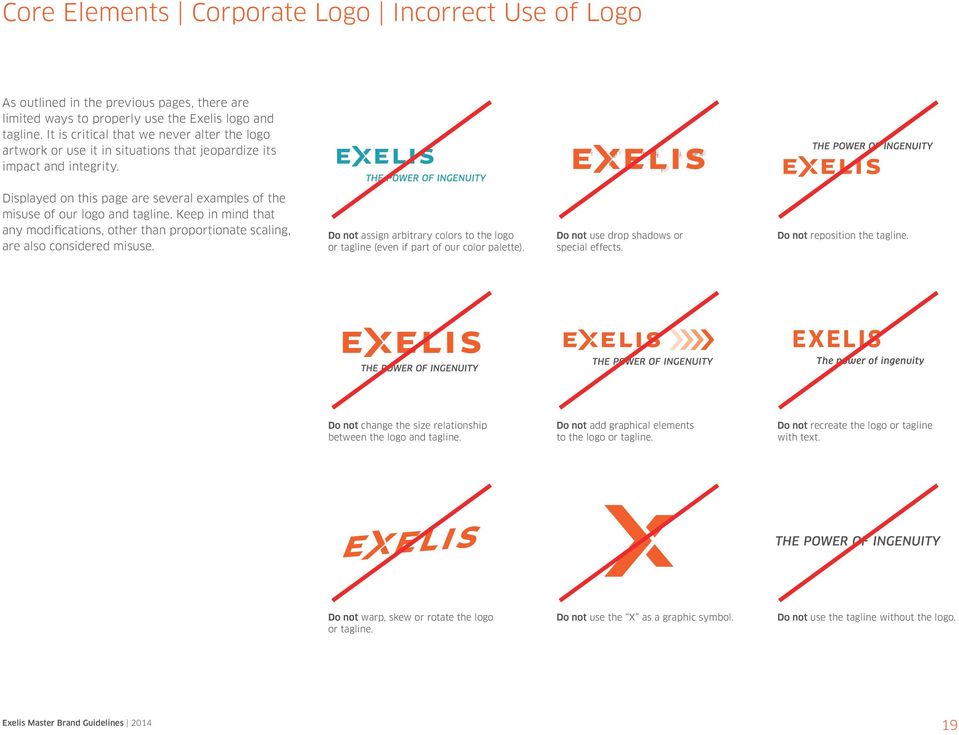
19 Core Elements Corporate Logo Incorrect Use of Logo As outlined in the previous pages, there are limited ways to properly use the Exelis logo and tagline. It is critical that we never alter the logo artwork or use it in situations that jeopardize its impact and integrity. Displayed on this page are several examples of the misuse of our logo and tagline. Keep in mind that any modifications, other than proportionate scaling, are also considered misuse. Do not assign arbitrary colors to the logo or tagline (even if part of our color palette). Do not use drop shadows or special effects. Do not reposition the tagline. EXELIS The power of ingenuity Do not change the size relationship between the logo and tagline. Do not add graphical elements to the logo or tagline. Do not recreate the logo or tagline with text. Do not warp, skew or rotate the logo or tagline. Do not use the X as a graphic symbol. Do not use the tagline without the logo. 19
20 Core Elements Corporate Logo Exelis Logo Artwork File Naming Identifier The file name prefix distinguishes Exelis logos. Logo artwork file naming Color There are three versions of the logo. c, 4c or RGB = Exelis Orange color logo w = White logo k = Black logo File extension eps = Vector file, for use in print or signage applications. jpg = Raster RGB, for use onscreen or in office applications such as Microsoft Word or PowerPoint ; small size at 150 dpi. png = Raster RGB, for use onscreen or in office applications such as Microsoft Word or PowerPoint ; small size at 150 dpi; transparent background. Note: Some logo versions are also available in wmf (Windows Metafile), bmp (bitmap) or dwg (AutoCAD) formats. Identifier Exelis logo Exelis_4c.eps Identifier Exelis logo Color c = Spot color 4c = 4-color process rgb = RGB color space w = White k = Black Tagline tag = Logo with tagline File extension eps = Vector file jpg = Raster RGB file png = Raster RGB file, transparent background Exelis_tag_4c_w.eps File extension eps = Vector file jpg = Raster RGB file png = Raster RGB file, transparent background Color c = Spot color c_w = Spot color with white tagline 4c = 4-color process 4c_w = 4-color process with white tagline rgb = RGB color space w = White k = Black 20

21 Core Elements Corporate Logo Exelis Logo Artwork Legend Exelis Orange logos Exelis_c.eps Exelis_tag_c.eps Exelis_tag_c_w.eps Use in spot color applications such as stationery. Exelis_4c.eps Exelis_tag_4c.eps Exelis_tag_4c_w.eps Use in all-color print applications such as advertisements. Exelis_c.eps Exelis_4c.eps Exelis_c.jpg Exelis_rgb.png Exelis_tag_c.eps Exelis_tag_4c.eps Exelis_tag_c.jpg Exelis_tag_rgb.png Exelis_c.jpg Exelis_tag_c.jpg Exelis_rgb.png Exelis_tag_rgb.png Use in onscreen applications such as PowerPoint. Exelis_tag_c_w.eps Exelis_tag_4c_w.eps White logos Exelis_w.eps Exelis_tag_w.eps Exelis_w.png Exelis_tag_w.png Use in all-color or one-color applications. Exelis_w.eps Exelis_w.png Exelis_tag_w.eps Exelis_tag_w.png Black logos Exelis_k.eps Exelis_tag_k.eps Exelis_k.jpg Exelis_tag_k.jpg Exelis_k.png Exelis_tag_k.png Use in one-color applications. Exelis_k.eps Exelis_k.jpg Exelis_k.png Exelis_tag_k.eps Exelis_tag_k.jpg Exelis_tag_k.png 21
22 Core Elements Partnerships and Co-branding As representatives of Exelis, it is the responsibility of all Exelis employees to safeguard the brand and use it correctly. The Exelis brand is our marketing identity to the world and should only be used in accordance with the Exelis brand guidelines. Our brand communications team must be consulted and provide approval in all situations that may involve the creation of new logos, sub-brands or when our logo is featured alongside that of any other organization. The use of the Exelis logo by other companies such as distributors also requires approval. Note: Our brand communications team may be reached via at Mergers and acquisitions Mergers and acquisitions should be folded into the existing Exelis organizational structure and adopt the Exelis brand as soon as possible. If operating as a subsidiary, the newly acquired company should follow the subsidiary guidelines above. Merger and acquisition project managers should consult with their Division communications staff for details on this process. If it is deemed necessary to maintain the newly acquired company s legacy brand for a time, the Division must develop a brand transition plan, to be approved by the brand communications team. New logos, brands or sub-brands The creation of new logos, brands or sub-brands is prohibited. This applies to the production of any electronic or print marketing materials, as well as any promotional items, stationery or business cards. Subsidiaries Subsidiaries should be referenced as a subsidiary of Exelis Inc. (e.g. Space Computer Corporation, a subsidiary of Exelis Inc.) and should follow Exelis brand guidelines so as not to differ from the company as a whole. As a wholly owned subsidiary of Exelis Inc., the subsidiary legal entity name will be used in conjunction with the Exelis logo on business cards, stationery, marketing materials, signatures, etc. in accordance with our guidelines. 22
23 Core Elements Partnerships and Co-branding Team and partnership logos Team logos and brands are prohibited except when formal joint ventures or legal teaming agreements are approved. It is important to address our branding rights while teaming agreements are being drafted. Business Development, Legal and Communications are all partners in this effort. Adding language to teaming agreements to specify how and when team members employ each other s respective brands will help mitigate future disputes about things like brochures, websites and ads. The brand communications team should be consulted before branding for any joint venture is developed to ensure compliance with our brand guidelines in all team materials. What works well Partner logo Partner logo Partner logo Partner logo Displayed at right are a few examples illustrating the effective placement and sizing of our logo when it is featured next to the logo of an organization with which we are partnering. The two logos should appear visually balanced and separated by a thin Exelis Dark Gray rule with appropriate and equal clear space on each side. Partner logo It is always desired to feature the Exelis Orange color variation of our logo. When this is not possible, use either the white or black variation. Although sponsorship partners may have their own color palettes, never assign an arbitrary color to our logo in an attempt to match the partner s color palette within a particular application. What to avoid Partner logo Partner logo Partner logo The weight of the thin gray rule that separates the logos should be 0.25 pt in most applications. For oversized applications, increase the weight of the focal lines proportionately. Do not assign arbitrary colors to our logo to match a partner s color palette. Do not feature logos in a manner that lacks visual balance. Do not lock up the logos or violate our clear space requirements. 23
24 Core Elements Partnerships and Co-branding Exelis logo use by other companies The only people authorized to have Exelis business cards are direct employees of Exelis and our subsidiaries. Consultants or subcontractors working for a company other than Exelis are prohibited from having Exelis business cards. Exceptions may be made in some instances with Corporate HQ Communications and Legal approval. Lockup specifications Line weight can be increased when featuring the logos at large sizes. The line should always look thin and clear. Minimum line weight = 0.25 pt. 1 E It is important that our brand is presented in an approved and consistent manner in authorized distribution situations. Our approach for ensuring consistency uses logo lockups that display the authorized distributor qualification and the distributor s name locked up to the Exelis logo. Clan Pro Medium Clan Pro Medium 0.5 E 0.35 E 0.35 E 0.55 E Authorized distributors of our products must have approval from the brand communications team prior to using the Exelis logo in any marketing materials. The request should reference a specific contract, approved by Legal, that stipulates how the distributor may use the logo and the time period for which permission is granted. Sample lockup Detailed specifications for creating authorized distributor logo lockups are displayed at right. Please note, the weight of the thin gray rule that separates the logos should be 0.25 pt in most applications. For oversized applications, increase the weight of the focal lines proportionally. Authorized Distributor Morovision Night Vision 24
25 Core Elements Copyright and Disclaimer Requirements The Exelis name and logo are registered trademarks and must be protected as such. When required, use the following legal disclaimer for the Exelis logo: Exelis is a registered trademark of Exelis Inc. For the Exelis logo with tagline, use the following legal disclaimer: Exelis is a registered trademark and The Power of Ingenuity is a trademark, both of Exelis Inc. On ads, brochures, data sheets and similar materials, the following copyright information should be added to the legal disclaimer: Copyright [Year], Exelis Inc. Photo credit In addition to the legal disclaimer and copyright information listed on the back of our brochures and other collateral materials, there is a section in the legal copy block for photo credit information, if applicable. Exelis will use photos taken by different branches of the U.S. Military. In these instances, please give proper credit such as: Photo courtesy of the U.S. Air Force. Photos that are owned by Exelis do not need additional copyright information as they are covered by the Exelis Inc. copyright. 25
26 Core Elements Color Palette Overview Color plays an important role in our visual identity. Color helps ensure that we stand apart from our competitors and serves as a tool for organizing information. Core colors Exelis Orange Pantone 166 C White Core colors Exelis Orange, the color used in our logo, is the most important color in our visual system an alert and vibrant color that is unique in the industry and among our competitors. To provide a clean canvas for our Exelis Orange to stand proud, build a healthy amount of white space into our communications. CMYK 0/79/100/0 RGB 227/82/5 Hex #e35205 CMYK 0/0/0/0 RGB 255/255/255 Hex #ffffff Secondary colors Our secondary colors are grounded in shades of gray to help balance our color palette and provide a neutral counterpart for Exelis Orange. Use Exelis Light Gray for backgrounds, Exelis Dark Gray for highlighting elements and Black for typography. Exelis Dark and Light Gray follow Exelis Orange in prominence and can be widely used. Secondary colors Exelis Light Gray Pantone Cool Gray 8 C CMYK 0/0/0/50 RGB 136/139/141 Hex #888b8d Exelis Dark Gray Pantone Cool Gray 11 C CMYK 0/0/0/85 RGB 83/86/90 Hex #53565a Black CMYK 0/0/0/100 RGB 0/0/0 Hex # Accent colors These colors are meant to enhance Exelis Orange, not compete with it. As such, these colors should be used sparingly and only to help highlight key information. The accent colors may be used to enhance charts, graphs or infographics as well as employee communications and other internal company initiatives. They are not to be used on customer-facing materials, as main or background colors, focal lines, or to highlight text. Please remember that Exelis Orange is our primary color, and any additional colors need to remain secondary. Accent colors Exelis Teal Pantone 320 C CMYK 100/0/31/7 RGB 0/160/175 Hex #0098aa Exelis Green Pantone 383 C CMYK 20/0/100/19 RGB 178/187/30 Hex #a2ad00 Exelis Yellow Pantone 130 C CMYK 2/38/100/0 RGB 245/168/28 Hex #f5a81c Included on this page are color specifications for general print and onscreen use. When using uncoated or alternative paper stocks, work closely with your production teams and vendors to achieve the closest color match to the Pantone C values listed on this page. The colors shown on this page and throughout these guidelines have not been evaluated by Pantone, Inc. for accuracy and may not match the PANTONE Publication for accurate color. PANTONE is the property of Pantone, Inc. 26
27 Core Elements Color Palette Applying Color Palette to Microsoft Office Documents Copying from some older Exelis Microsoft Office documents into a newer template may cause unexpected color shifts. One way to minimize the changes is to transfer the color theme that has been incorporated into our PowerPoint template to your computer and then apply it to any converted documents. Since customized document themes are shared across all Office programs (including PowerPoint, Word and Excel ), the new colors would become available to Word and Excel documents as well. This one-time setup procedure would need to be carried out on all computers that are converting old documents to the new templates. Procedure Download and open the Exelis PowerPoint template from the online Brand Center ( and do the following: You can choose to apply just the color palette (leaving fonts and other elements unchanged) by only selecting the correct palette in the Colors drop down menu. Color shifts may still occur with this procedure and require some manual adjustments to documents, but it will provide a starting basis consistent with the Exelis brand. The new colors should now be available in Word (the application may need to be restarted before the colors are visible). Open a Word document to be converted. 27
28 WIRELESS INTEGRATION SpearNet s mobile ad hoc network provides voice, integrated GPS with SA reporting, and data transfer ( kbps) across dismounted networks spanning 6 km. SpearNet maintains voice and data communications within difficult environments such as tunnels, ship cargo holds, fast moving vehicles and buildings. SIP/VOIP NETWORKS SpearNet includes SIP/VoIP for interconnection with telephone networks. SIP provides the ability, when connected with a backhaul such as SATCOM and a SIP server, for the deployed Soldier to speak directly and securely with his in-country commanders. Also available are high speed data transfer (>1 Mbps for video surveillance or mission plans) and selectable GPS position reporting. IP INFRASTRUCTURE Simple to use, lightweight and robust, this radio works using an IP infrastructure communication system. SpearNet can be configured as an IPv4 router connecting its RF, Ethernet, and USB interfaces to allow seamless interconnection of IP compliant computers, sensors, cameras, and other tactical networks. Each radio is AES 256 bit encrypted, providing each individual soldier with secure communications from any potential enemy. Presentation title Calibri Regular 9 pt Month Date, Year Page # MOBILE AD-HOC NETWORKING (MANET) SpearNet is a MANET radio, which maximizes net coverage at all times, especially in urban environments and conditions where normal one-hop/point-to-point radios are unable to maintain coherent network coverage. Being a low latency multi-hop radio means that the range is only required to the next Soldier. Having multiple active SpearNet radios creates a network and consequently the range is extended. The Soldier does not need to manually update the radio; it is self-healing and rapidly updates the network as connectivity changes. This is transparent to the individual Soldier who can concentrate on his primary task without the worry of a no-comms scenario. VIDEO STREAMING SpearNet has a proven high speed data capability which can provide real-time video streaming and can even allow for satellite or aerial imagery to be sent to individuals. Connecting a PDA or laptop will allow the Soldier to view updated images supporting what he is actually seeing with his own eyes. This can assist with rapid tactical decision making when timing is critical. SPEARNET VEHICULAR MOUNT (SNVM) Mounted forces can also benefit from SpearNet with a 20W power amplifier vehicle adapter. This significantly increases the point-point and the overall networking range of the radio system. Testing has shown a minimum of 8 km point-to point range with SNVM. Sustained links of up to 16 km have been demonstrated. A networking range of km can be expected with properly placed relays. The SNVM contains two Ethernet, one USB, a vehicular intercom, vehicular loudspeaker, and remote control unit interfaces. Tethered Aerostat Radar System (TARS) by Exelis TARS Employee Eduardo Rasado. Lorem ipsum sit dolor at Exelis nomto new netnedfom vel illum eurinem sit dolor. Core Elements Color Palette Effective Use of Color To ensure that our communications stand apart from our competitors, we follow a color strategy that focuses on giving prominence to our core color, Exelis Orange, and supporting it with neutral shades of gray, white space, photography and limited use of our accent colors. Displayed at right are examples of our color strategy in action. Notice how, regardless of the balance of color assigned to the applications, Exelis Orange still appears as the most distinctive color across our communications. This is the advantage of keeping our palette limited and focused. Sample applications SpearNet Team Member Radio The smallest combat proven wideband data radio providing advanced wireless, ad hoc networking SpearNet Team Member Radio Today s dismounted Soldier needs compact and secure networked communications that are not limited by traditional radio frequency line of sight. SpearNet Team Member Radio is a 21st century communications system bringing voice, Situational Awareness (SA) and inter-networking access that surpasses traditional point-to-point communication system limitations on range and data rate. ISSUE 6, 2012 Mission Systems Newsletter Consectetur adipiscing elit, morbi facilisis blandit leo ac semper. Class aptent taciti sociosqu litora massa pellentesque dictum etiam eget est eget lectus rutrum. Lorem ipsum dolor sit amet, consectetuer adipiscing elit, magna aliquam erat volutpat. Ut wisi enim ad minim veniam, quis nostrud exerci tation ullamcorper suscipit lobortis nisl ut aliquip ex ea commodo consequat. Duis autem vel eum iriure dolor in hendrerit in vulputate velit esse molestie consequat, vel illum dolore eu feugiat nulla facilisis at vero eros et accumsan et iusto odio dignissim qui blandit praesent luptatum zzril delenit augue duis dolore te feugait nulla facilisi. Lorem ipsum dolor sit. Subheadline lorem ipsum sit dolor Duis autem vel eum iriure dolor in hendrerit in vulputate velit esse molestie consequat, vel illum dolore eu feugiat nulla facilisis at vero eros et accumsan et iusto odio dignissim qui blandit praesent luptatum zzil delenit. Q: Maugue duis dolore te feugait nulla facilisi. Lorem ipsum dolor sit amet, consem ad minim veniam, quis nostrud exerci tation ullamcorper. A: Duis autem vel eum iriure dolor in hendrerit in vulputate velit esse molestie consequat, vel illum dolore eu feugiat nulla facilisis at. Iusto odio dignissim qui blandit praesent luptatum zzil delenit. Data sheet or brochure cover Data sheet page Electronic newsletter Presentation Headline Calibri Regular 36 pt Month Date, Year Calibri Regular 18 pt PowerPoint cover slide The content slides feature Exelis Orange to ensure that the presentation adheres to our color strategy. Headlines Calibri Regular 28 pt Sentense Case Body text Calibri Regular 20 pt lorem ipsum dolor sit amet, consectetur adipiscing elit, sed do eiusmod tempor et monte aliqua. Subheadline Calibri Bold can be highlighted with color > Bullets Calibri regular point 18 pt > Bullets lorem ipsum sit dolor > Bullets lorem ipsum sit dolor > Bullets lorem ipsum sit dolor > Bullets lorem ipsum sit dolor Call-out Calibri regular 20 pt lorem ipsum dolor sit amet, consectetur adipiscing elit, sed do eiusmod tempor et monte aliqua. Infographic incorporating accent colors 28
29 WIRELESS INTEGRATION MOBILE AD-HOC NETWORKING (MANET) SpearNet s mobile ad hoc network provides voice, SpearNet is a MANET radio, which maximizes net coverage integrated GPS with SA reporting, and data transfer (100 at all times, especially in urban environments and 1500 kbps) across dismounted networks spanning 6 km. conditions where normal one-hop/point-to-point radios SpearNet maintains voice and data communications within are unable to maintain coherent network coverage. Being difficult environments such as tunnels, ship cargo holds, a low latency multi-hop radio means that the range is fast moving vehicles and buildings. only required to the next Soldier. Having multiple active SpearNet radios creates a network and consequently the range is extended. The Soldier does not need to manually SIP/VOIP NETWORKS update the radio; it is self-healing and rapidly updates the SpearNet includes SIP/VoIP for interconnection with network as connectivity changes. This is transparent to telephone networks. SIP provides the ability, when the individual Soldier who can concentrate on his primary connected with a backhaul such as SATCOM and a task without the worry of a no-comms scenario. SIP server, for the deployed Soldier to speak directly and securely with his in-country commanders. Also VIDEO STREAMING available are high speed data transfer (>1 Mbps for video surveillance or mission plans) and selectable SpearNet has a proven high speed data capability which GPS position reporting. can provide real-time video streaming and can even allow for satellite or aerial imagery to be sent to individuals. Connecting a PDA or laptop will allow the Soldier to view IP INFRASTRUCTURE updated images supporting what he is actually seeing with Simple to use, lightweight and robust, this radio works his own eyes. This can assist with rapid tactical decision using an IP infrastructure communication system. making when timing is critical. SpearNet can be configured as an IPv4 router connecting its RF, Ethernet, and USB interfaces to allow seamless SPEARNET VEHICULAR MOUNT (SNVM) interconnection of IP compliant computers, sensors, cameras, and other tactical networks. Each radio is AES Mounted forces can also benefit from SpearNet with 256 bit encrypted, providing each individual soldier with a 20W power amplifier vehicle adapter. This significantly secure communications from any potential enemy. increases the point-point and the overall networking range of the radio system. Testing has shown a minimum of 8 km point-to point range with SNVM. Sustained links of up to 16 km have been demonstrated. A networking range of km can be expected with properly placed relays. The SNVM contains two Ethernet, one USB, a vehicular intercom, vehicular loudspeaker, and remote control unit interfaces. Core Elements Color Palette Incorrect Use of Color There are several things to avoid when working with color. Displayed on this page are some, but not all, examples of incorrect use of color. Always keep our color strategy in mind and follow the color specifications outlined in this document to help promote the consistent presentation of our visual identity. Headline Clan Pro Book 26/34 pt Title Case Subheadline Clan Pro book 12/16 pt sentence case Headline Clan Pro Book 26/34 pt Title Case Subheadline Clan Pro book 12/16 pt sentence case Do not use colors outside our prescribed color palette. Do not feature black as a background color option. Do not use accent colors in place of core or secondary colors. Headline Clan Pro Book 26/34 pt Title Case Subheadline Clan Pro book 12/16 pt sentence case Headline Clan Pro Bold 26/34 pt Title Case Subheadline Clan Pro bold 12/16 pt sentence case Headline Clan Pro Book 26/34 pt Title Case Subheadline Clan Pro book 12/16 pt sentence case Do not combine background colors. Do not combine colors that do not provide sufficient contrast for legibility. Do not apply gradients or tints of color to backgrounds. SpearNet Team Member Radio Today s dismounted Soldier needs compact and secure networked communications that are not limited by traditional radio frequency line of sight. SpearNet Team Member Radio is a 21st century communications system bringing voice, Situational Awareness (SA) and inter-networking access that surpasses traditional point-to-point communication system limitations on range and data rate. Do not overuse Exelis Orange Do not apply accent colors Do not overuse accent colors. in text. to large blocks of text. 29
30 Core Elements Focal Lines Overview Focal lines are graphic elements inspired by the shapes in the X of Exelis. When used correctly, these thin, precise lines serve as simple and powerful visual cues that reinforce our collaborative nature while providing a flexible framework for directing focus within layouts. Focal line variations There are three variations of focal lines, called devices. Each device has a specific purpose within our visual system. The next few pages illustrate how to use these devices effectively when developing branded communications materials. Framing device Use the framing device in situations where a strong first impression of the brand can be made, such as: > Advertisements > Brochure covers > Product data sheet covers > Presentation cover slides > Press kit/sales folders > Binder covers > CD/DVD covers > Trade show back wall/panels > Posters > Billboards > Website landing pages Pinpointing device Use the pinpointing device in situations that are more content-heavy or secondary in nature, such as: > Advertisements > Brochure interior pages > Product data sheet interior pages > Presentation divider slides > Trade show informational wall/panels > Informational posters > Website interior pages The pinpointing device may also be used in limited-space situations where using the framing device is not practical, such as: > Newsletter mastheads > /Web banners Highlighting device Use the highlighting device in situations that are more content-heavy or secondary in nature, such as: > Brochure interior pages > Product data sheet interior pages > Presentation content slides > Trade show informational wall/panels > Informational posters > Website interior pages 30
31 Core Elements Focal Lines Framing Device The framing device is constructed by assembling six focal lines to create two arrow-like targets. These targets draw the eyes of the viewer into the focus area the space between the two targets that is reserved for a key element, such as a headline, photograph, or an area of interest within a particular photograph. Framing device specifications Device construction Focal lines Orientation options The specifications for building a framing device are displayed at right. The focal lines may be extended outward in all directions, and the focus area may be increased or decreased to accommodate a variety of layout needs. Always construct the device as displayed at right to establish its consistent presentation across our communications. 45º Focus area 45º The framing device may be rotated only in 90-degree increments. Color and background options The framing device may be positioned horizontally or vertically but should be rotated only in 90-degree increments. When placing headlines within the focus area, a horizontal orientation of the framing device is preferred. The approved color options for the framing device are also displayed at right. White focal lines are the primary use, as they work well on either color or photographic backgrounds. On white or lightcolor backgrounds, use Exelis Orange focal lines; in situations where application of color is not possible, use black. Note: Matching the color of the focal lines to the color used in any text featured within the focus area promotes a clean, focused type hierarchy. 90º Sample applications Information Systems Information Integration Systems and Solutions Full life-cycle transformation of data and information into actionable knowledge The focal lines may be white on a color or photographic background or either Exelis Orange or black on a white background. Presentation Headline Calibri Regular 36 pt Month Date, Year Calibri Regular 18 pt Brochure cover Presentation folder PowerPoint cover slide 31
32 Core Elements Focal Lines Framing Device The framing device may be used in a variety of ways to direct focus, as illustrated at right. There are three appropriate levels of focus: general, selective and precise. When developing communications materials, select the level(s) that works best to accomplish the goals of your specific application. Levels of focus Position the arrow-like targets of the device so that they draw attention to a particular area of significance perhaps a headline or part of an image that warrants accentuation. When working with photography to achieve the selective focus effect, be mindful of the grayscale settings that you assign. The resulting image should have a healthy balance of dark and light grays. As displayed at lower right, the grayscale settings should produce an image with a balance of grays ranging from roughly 15% to 85%. There should be no pure black or pure white in the resulting look. General focus Features the focal lines on a full-color photographic background. Selective focus Features photography that appears full-color within and grayscale outside the focus area. Precise focus Features a full-color photograph within the focus area only. Note: Depending on the photo, grayscale settings may need to be slightly more or less than described above in order to achieve the desired look. Applying selective focus Incorrect setting Too dark and suppressed. Correct setting Good range and balance of light and dark grays. Incorrect setting Too light and washed out. Incorrect setting Do not colorize photography. 32
33 Core Elements Focal Lines Framing Device The framing device is an incredibly flexible graphical element that may be placed in a variety of ways to accommodate layout needs. Focus area sizing While the device may be horizontally or vertically oriented, the focus area should take up only a limited amount of space in a layout a minimum of approximately 20% and a maximum of approximately 70% of a defined layout area. 20% minimum 70% maximum Following these recommendations will ensure that the device properly directs the eyes of a viewer into the focus area. A focus area that is too large fails to provide a clearly defined area of focus. A focus area that is too small loses its purpose and gives the appearance of a decorative element rather than a visual tool with strategic implications. The focus area should occupy between 20% and 70% of the canvas area. Applying focus area sizing Note: When placing headlines within the focus area, the horizontal orientation is preferred, as it frames the text well. Incorrect setting The focus area occupies less than 20% of the canvas area. Correct setting The focus area occupies between 20% and 70% of the canvas area. Incorrect setting The focus area occupies more than 70% of the canvas area. 33
34 This and any files transmitted with it may be proprietary and are intended solely for the use of the individual or entity to whom they are addressed. If you have received this in error please notify the sender. Please note that any views or opinions presented in this are solely those of the author and do not necessarily represent those of ITT Exelis. The recipient should check this and any attachments for the presence of viruses. ITT Exelis accepts no liability for any damage caused by any virus transmitted by this . Core Elements Focal Lines Pinpointing Device The pinpointing device is constructed by assembling two focal lines to create an arrow-like target that may be used to pull the viewer s eyes from one area of focus to another. Since this device is reserved for typographic use, this focus area should feature text elements, such as a headline or block of copy. In some situations, the focus area may feature our logo or a particular area of interest within a photograph. The specifications for building the pinpointing device are displayed at right. The focal lines may be extended outward in both directions to accommodate a variety of layout needs. Always construct this device as displayed at right to establish its consistent presentation across our communications. The pinpointing device may be positioned horizontally or vertically and should be rotated only in 90-degree increments. Pinpointing device specifications Device construction Focal lines 90º Focus area Sample applications Orientation options The pinpointing device may be rotated only in 90-degree increments. Color and background options The focal lines may be white on a color or photographic background or either Exelis Orange or black on a white background. The approved color options for the pinpointing device are also displayed at right. White focal lines are the primary use, as they work well on either color or photographic backgrounds. On white or light-color backgrounds, use Exelis Orange focal lines; in situations where application of color is not possible, use black. Note: Matching the color of the focal lines to the color used in the text featured in the focus area promotes a clean, focused type hierarchy. A message from our CEO Dear team, Lorem ipsum dolor sit amet, consectetuer adipiscing elit, magna aliquam erat volutpat. Ut wisi enim ad minim veniam, quis nostrud exerci tation ullamcorper suscipit lobortis nisl ut aliquip ex ea commodo consequat. Suscipit lobortis nisl ut aliquip ex ea commodo consequat. Duis autem vel eum iriure dolor in hendrerit in vulputate velit esse molestie consequat, ea commodo consequat. Duis autem vel eum iriure dolor in hendrerit in vulputate velit esse molestievel illum dolore eu feugiat exerci tation ullamcorper vel eum iriure dolor. Duis autem vel eum iriure dolor in hendrerit in vulputate velit esse molestie consequat, vel illum dolore eu feugiat nulla facilisis at vero eros et accumsan et iusto odio dignissim qui blandit praesent luptatum zzril delenit augue duis dolore te feugait nulla facilisi. Lorem ipsum dolor sit amet, consem ad minim veniam, quis nostrud exerci tation ullamcorper. Suscipit lobortis nisl ut aliquip ex ea commodo consequat. Duis autem vel eum iriure dolor in hendrerit in vulputate velit esse molestie consequat, ea commodo consequat. Duis autem vel eum iriure dolor in hendrerit in vulputate velit esse molestievel illum dolore eu feugiat. Nam liber tempor cum soluta nobis eleifend option congue nihil imperdiet doming id quod mazim placerat facer possim assum. Lorem sed diam nonummy nibh euismod tincidunt ut laoreet dolore magna aliquam erat. Agnatura duissit aut ut ellabor ecatiam im volupta temperc iducipsae earum eatius esto qui comniet quo et utae aut es anderit magni il illiquibus asi di blaciatist, quodisc itatquu lupta sit. Lorem ipsum et David F. Melcher Chief Executive Officer banner Inside spread of a brochure 34
35 LOREM IPSUM SIT DOLOR Sed ut perspiciatis unde omnis iste natus error sit voluptatem accusantium doloremque laudantium, totam rem aperiam, eaque ipsa quae ab illo inventore veritatis et quasi architecto beatae vitae dicta sunt explicabo. Nemo enim ipsam voluptatem quia voluptas sit aspernatur aut odit aut fugit, sed quia consequuntur magni dolores eos qui ratione voluptatem sequi nesciunt. Neque porro quisquam est, qui dolorem ipsum quia dolor sit amet, consectetur, adipisci velit, sed quia non numquam eius modi tempora incidunt ut labore et dolore magnam aliquam quaerat voluptatem. Ut enim ad minima veniam. LOREM IPSUM SIT DOLOR Sed ut perspiciatis unde omnis iste natus error sit voluptatem accusantium doloremque laudantium, totam rem aperiam, eaque ipsa quae ab illo inventore veritatis et quasi architecto beatae vitae dicta sunt explicabo. Nemo enim ipsam voluptatem quia voluptas sit aspernatur aut odit aut fugit, sed quia consequuntur magni dolores eos qui ratione voluptatem sequi nesciunt. LOREM IPSUM SIT DOLOR Sed ut perspiciatis unde omnis iste natus error sit voluptatem accusantium doloremque laudantium, totam rem aperiam, eaque ipsa quae ab illo inventore veritatis et quasi architecto beatae vitae dicta sunt explicabo. Nemo enim ipsam voluptatem quia voluptas sit aspernatur aut odit aut fugit, sed quia consequuntur magni dolores eos qui ratione voluptatem sequi nesciunt. LOREM IPSUM SIT DOLOR Sed ut perspiciatis unde omnis iste natus error sit voluptatem accusantium doloremque laudantium, totam rem aperiam, eaque ipsa quae ab illo inventore veritatis et quasi architecto beatae vitae dicta sunt explicabo. Nemo enim ipsam voluptatem quia voluptas sit aspernatur aut odit aut fugit, sed quia consequuntur magni dolores eos qui ratione voluptatem sequi nesciunt. Neque porro quisquam est, qui dolorem ipsum quia dolor sit amet, consectetur, adipisci velit, sed quia non numquam eius modi tempora incidunt ut labore et dolore magnam aliquam quaerat voluptatem. Ut enim ad minima veniam. Aspernatur aut odit aut fugit, sed quia consequuntur magni dolores eos. LOREM IPSUM SIT DOLOR Sed ut perspiciatis unde omnis iste natus error sit voluptatem accusantium doloremque laudantium, totam rem aperiam, eaque ipsa quae ab illo inventore veritatis et quasi architecto beatae vitae dicta sunt explicabo. Nemo enim ipsam voluptatem quia voluptas sit aspernatur aut odit aut fugit, sed quia consequuntur magni dolores eos qui ratione voluptatem sequi nesciunt. Neque porro quisquam est, qui dolorem ipsum quia dolor sit amet, consectetur, adipisci velit, sed quia non numquam eius modi tempora incidunt ut labore et dolore magnam aliquam quaerat voluptatem. Ut enim ad minima veniam. LOREM IPSUM SIT DOLOR Sed ut perspiciatis unde omnis iste natus error sit voluptatem accusantium doloremque laudantium, totam rem aperiam, eaque ipsa quae ab illo inventore veritatis et quasi architecto beatae vitae dicta sunt explicabo. Nemo enim ipsam voluptatem quia voluptas sit aspernatur aut odit aut fugit, sed quia consequuntur magni dolores eos qui ratione voluptatem sequi nesciunt. LOREM IPSUM SIT DOLOR Sed ut perspiciatis unde omnis iste natus error sit voluptatem accusantium doloremque laudantium, totam rem aperiam, eaque ipsa quae ab illo inventore veritatis et quasi architecto beatae vitae dicta sunt explicabo. Nemo enim ipsam voluptatem quia voluptas sit aspernatur aut odit aut fugit, sed quia consequuntur magni dolores eos qui ratione voluptatem sequi nesciunt. LOREM IPSUM SIT DOLOR Sed ut perspiciatis unde omnis iste natus error sit voluptatem accusantium doloremque laudantium, totam rem aperiam, eaque ipsa quae ab illo inventore veritatis et quasi architecto beatae vitae dicta sunt explicabo. Nemo enim ipsam voluptatem quia voluptas sit aspernatur aut odit aut fugit, sed quia consequuntur magni dolores eos qui ratione voluptatem sequi nesciunt. Neque porro quisquam est, qui dolorem ipsum quia dolor sit amet, consectetur, adipisci velit, sed quia non numquam eius modi tempora incidunt ut labore et dolore magnam aliquam quaerat voluptatem. Ut enim ad minima veniam. Aspernatur aut odit aut fugit, sed quia consequuntur magni dolores eos. Core Elements Focal Lines Pinpointing Device Use the pinpointing device mainly on the interior pages of applications and in content-heavy layouts. What works well When setting the pinpointing device within applications, make certain that it directs the attention of the viewer toward a particular area of interest within the layout, such as a headline, a block of text or an area of importance within a photograph. Geospatials Systems Delivering full-spectrum, next generations digital imaging and positioning solutions. Base Operations and Logistics Sustainment and transformational readiness. Exelis provides base operations, forwarddeployed infrastructure logistics, maintenance, supply chain, and security services at US government installations throughout the world. When combining the pinpointing device with text elements, assign a color and line weight that visually matches the text that it accompanies. On a photographic background, for example, use white for both the text and pinpointing device to create a clean, unified appearance. Digital sensor data dolor sit amet, consectetur adipisicing nomte. The pinpointing device directs the attention of the viewer toward a particular area of interest within the layout, and its color and line weight visually match the text that it accompanies. As displayed in the examples to avoid, at lower right, the pinpointing device loses its purpose and gives the appearance of a decorative element when it is positioned on the page without thought or care. What to avoid Base Operations and Logistics Geospatials Systems Delivering full-spectrum, next generations digital imaging and positioning solutions. Sustainment and transformational readiness. Exelis provides base operations, forwarddeployed infrastructure logistics, maintenance, supply chain, and security services at US government installations throughout the world. Digital sensor data dolor sit amet, consectetur adipisicing nomte. Incorrect setting The line weight and color of the pinpointing device do not visually match the text that it accompanies. Incorrect setting The pinpointing device directs the attention of the viewer toward an inconsequential area within the layout. 35
36 Consectetur adipisicing elit, sed do eiusmod tempor incididunt ut labore et dolore Consectetur adipisicing elit, sed do eiusmod tempor incididunt ut labore et dolore Consectetur adipisicing elit, sed do eiusmod tempor incididunt ut labore et dolore Consectetur adipisicing elit, sed do eiusmod tempor incididunt ut labore et dolore Core Elements Focal Lines Highlighting Device Construct the highlighting device by positioning two parallel focal lines on either end of the focus area. Since this device is for use with typography, the focus area content should consist of a block of copy introductory text, a call-out, quote or other block of copy warranting accentuation. Highlighting device specifications Device construction Orientation options The specifications for building this device are displayed at right. The focal lines may be extended in both directions but should always remain parallel and equal in length to maintain a consistent look. The focus area may increase or decrease in either direction to accommodate a variety of layout needs. Focus area Focal lines The highlighting device may be rotated only in 90-degree increments. Color and background options The highlighting device may be positioned only horizontally or vertically and should never be featured at an angle. The approved color options for the device are also displayed at right. White focal lines are the primary use, as they work well on color or photographic backgrounds. On white or light-color backgrounds, use Exelis Orange focal lines; in situations where application of color is not possible, use black. Note: Matching the color of the focal lines to the color used in the text featured within the focus area promotes a clean, focused type hierarchy. Sample applications SpearNet Team Member Radio Today s dismounted Soldier needs compact and secure networked communications that are not limited by traditional radio frequency line of sight. SpearNet Team Member Radio is a 21st century communications system bringing voice, Situational Awareness (SA) and inter-networking access that surpasses traditional point-to- point communication system limitations on range and data rate. WIRELESS INTEGRATION MOBILE AD-HOC NETWORKING (MANET) SpearNet s mobile ad hoc network provides voice, SpearNet is a MANET radio, which maximizes net coverage integrated GPS with SA reporting, and data transfer (100 at all times, especially in urban environments and 1500 kbps) across dismounted networks spanning 6 km. conditions where normal one-hop/point-to-point radios SpearNet maintains voice and data communications within are unable to maintain coherent network coverage. Being difficult environments such as tunnels, ship cargo holds, a low latency multi-hop radio means that the range is fast moving vehicles and buildings. only required to the next Soldier. Having multiple active SpearNet radios creates a network and consequently the range is extended. The Soldier does not need to manually SIP/VOIP NETWORKS update the radio; it is self-healing and rapidly updates the SpearNet includes SIP/VoIP for interconnection with network as connectivity changes. This is transparent to telephone networks. SIP provides the ability, when the individual Soldier who can concentrate on his primary connected with a backhaul such as SATCOM and a task without the worry of a no-comms scenario. SIP server, for the deployed Soldier to speak directly and securely with his in-country commanders. Also VIDEO STREAMING available are high speed data transfer (>1 Mbps for video surveillance or mission plans) and selectable SpearNet has a proven high speed data capability which GPS position reporting. can provide real-time video streaming and can even allow for satellite or aerial imagery to be sent to individuals. Connecting a PDA or laptop will allow the Soldier to view IP INFRASTRUCTURE updated images supporting what he is actually seeing with Simple to use, lightweight and robust, this radio works his own eyes. This can assist with rapid tactical decision using an IP infrastructure communication system. making when timing is critical. SpearNet can be configured as an IPv4 router connecting its RF, Ethernet, and USB interfaces to allow seamless SPEARNET VEHICULAR MOUNT (SNVM) interconnection of IP compliant computers, sensors, cameras, and other tactical networks. Each radio is AES Mounted forces can also benefit from SpearNet with 256 bit encrypted, providing each individual soldier with a 20W power amplifier vehicle adapter. This significantly secure communications from any potential enemy. increases the point-point and the overall networking range of the radio system. Testing has shown a minimum of 8 km point-to point range with SNVM. Sustained links of up to 16 km have been demonstrated. A networking range of km can be expected with properly placed relays. The SNVM contains two Ethernet, one USB, a vehicular intercom, vehicular loudspeaker, and remote control unit interfaces. Headlines Calibri Regular 26 pt Sentense Case The focal lines may be white on a color or photographic background or either Exelis Orange or black on a white background. Body text Calibri Regular 20 pt lorem ipsum dolor sit amet, consectetur adipiscing elit, sed do eiusmod tempor et monte aliqua. Subheadline Calibri Bold can be highlighted with color > Bullets Calibri regular point 18 pt > Bullets lorem ipsum sit dolor > Bullets lorem ipsum sit dolor > Bullets lorem ipsum sit dolor > Bullets lorem ipsum sit dolor Call-out Calibri regular 20 pt lorem ipsum dolor sit amet, consectetur adipiscing elit, sed do eiusmod tempor et monte aliqua. Lorem Ipsum Sit Dolor Presentation title Calibri Regular 9 pt Month Date, Year Page # Introductory copy on a brochure page Call-out on a presentation slide Framing content on a trade show backdrop 36
37 LOREM IPSUM SIT DOLOR Sed ut perspiciatis unde omnis iste natus error sit volup tatem accusantium doloremque laudantium, totam rem aperiam, eaque ipsa quae ab illo inventore veritatis et quasi architecto beatae vitae dicta sunt explicabo. Nemo enim ipsam voluptatem quia voluptas sit, sed quia consequuntur magni dolores eos qui ratione voluptatem sequi nesciunt beatae vitae. LOREM IPSUM SIT DOLOR Sed ut perspiciatis unde omnis iste natus error sit volup tatem accusantium doloremque laudantium, totam rem aperiam, eaque ipsa quae ab illo inventore veritatis et quasi architecto beatae vitae dicta sunt explicabo. Nemo enim ipsam voluptatem quia voluptas sit. PAC NORTHWEST SAN DIEGO HAWAII FLORIDA NORFOLK Nemo enim ipsam voluptatem quia voluptas sit SPAIN LOREM IPSUM SIT DOLOR Sed ut perspiciatis unde omnis iste natus error sit volup tatem accusantium doloremque laudantium, totam rem aperiam, eaque ipsa quae ab illo inventore veritatis et quasi architecto beatae vitae dicta sunt explicabo. Nemo enim ipsam voluptatem quia voluptas sit. LOREM IPSUM SIT DOLOR Sed ut perspiciatis unde omnis iste natus error sit volup tatem accusantium doloremque laudantium, totam rem aperiam, eaque ipsa quae ab illo inventore veritatis et quasi architecto beatae vitae dicta sunt explicabo. Nemo enim ipsam voluptatem quia voluptas sit, sed quia consequuntur magni dolores eos qui ratione voluptatem sequi nesciunt uae ab beatae vitae. ITALY GREECE BAHRAIN SINGAPORE KOREA JAPAN SPEARNET RADIO SYSTEM SPECIFICATIONS Transmit power Up to 600 mw transmit power Range Nominal 2 km range per hop LOS; demonstrated at 6 km with 4 hops Operating bands GHz tunable GPS Embedded SA with selectable reporting Standard interfaces Ethernet, USB, RS-232 Presets 8 channel Networking Self-organizing, self-healing Multi-hop, inter-networking Tactical LAN on the move (no server required) PTT Dual; with priority call 16 voice talk groups per radio SIP protocol for worldwide telephone access Data Secure voice, data and video Maximum 6 Mbps transmission data burst rate, 1.5 Mbps sustained IPv4 for inter-networking with SATCOM and long-range radio systems Multi-channel CSMA/CA channel access algorithm Adaptive Transmission Protocol (ATP) Continuously adapts data rate to maintain signal quality Protocol Superior performance to single channel radios in jamming environments Security Customer-specific, proven AES 256-bit encryption TRANSEC Customer selectable Modulation Direct Sequence Spread Spectrum for optimal urban operation ENVIRONMENTAL Operating Temperature -20 C to +55 C Testing Meets MIL-STD-810F: humidity, rain, dust, drop, loose cargo, salt fog, immersion to 1 m, altitude MIL-STD-461 EMI PHYSICAL CHARACTERISTICS Size cm high x 7.59 cm wide x 4.75 cm 3.05 cm deep (7.72 high x 2.99 wide x deep) Weight < 700 g (1.5 lbs) including battery ANCILLARIES Available Ancillaries Details on SpearNet ancillaries can be found at communications.itt.com/spearnet Lorem ipsum dolor sit amet Consectetur adipisicing elit, sed do eiusmod tempor incididunt ut labore et dolore magna aliqua. Ut enim ad minim veniam, quis nostrud exercitation ullamco laboris nisi ut aliquip exea monte commodo consequat. Duis aute irure dolor in reprehenderit in voluptate velit esse cillum dolore eu fugiat nulla pariatur sit dolor amet. Lorem ipsum dolor sit amet, consectetur adipisicing elit, sed do eiusmod tempor incididunt ut labore et dolore magna aliqua. Ut enim ad minim veniam, quis nostrud exercitation ullamco laboris nisi ut. Lorem ipsum dolor sit amet Consectetur adipisicing elit, sed do eiusmod tempor incididunt ut labore et dolore magna aliqua. Ut enim ad minim veniam, quis nostrud exercitation ullamco laboris nisi ut aliquip exea monte commodo consequat. Duis aute irure dolor in reprehenderit in voluptate velit esse cillum dolore eu fugiat nulla pariatur sit dolor amet. Lorem ipsum dolor sit amet, consectetur adipisicing elit, sed do eiusmod tempor incididunt ut labore et dolore magna aliqua. Ut enim ad minim veniam, quis nostrud exercitation ullamco laboris nisi ut. Lorem ipsum dolor sit amet Consectetur adipisicing elit, sed do eiusmod tempor incididunt ut labore et dolore magna aliqua. Ut enim ad minim veniam, quis nostrud exercitation ullamco laboris nisi. Lorem ipsum dolor sit amet Consectetur adipisicing elit, sed do eiusmod tempor incididunt ut labore et dolore magna aliqua. Ut enim ad minim veniam, quis nostrud exercitation ullamco laboris nisi ut aliquip exea monte commodo consequat. Duis aute irure dolor in reprehenderit in voluptate velit esse cillum dolore eu fugiat nulla pariatur sit dolor amet. Lorem ipsum dolor sit amet Consectetur adipisicing elit, sed do eiusmod tempor incididunt ut labore et dolore magna aliqua. Ut enim ad minim veniam, quis nostrud exercitation ullamco laboris nisi. Lorem ipsum dolor sit amet Consectetur adipisicing elit, sed do eiusmod tempor incididunt ut labore et dolore magna aliqua. Ut enim ad minim veniam, quis nostrud exercitation ullamco laboris nisi ut aliquip exea monte commodo consequat. Duis aute irure dolor in reprehenderit in voluptate velit esse cillum dolore eu fugiat nulla pariatur sit dolor amet. Lorem ipsum dolor sit amet, consectetur adipisicing elit, sed do eiusmod tempor incididunt ut labore et dolore magna aliqua. Ut enim ad minim veniam. LOREM IPSUM SIT DOLOR Sed ut perspiciatis unde omnis iste natus error sit voluptatem accusantium doloremque laudantium, totam rem aperiam, eaque ipsa quae ab illo inventore veritatis et quasi architecto beatae vitae dicta sunt explicabo. Nemo enim ipsam voluptatem quia voluptas sit aspernatur aut odit aut fugit, sed quia consequuntur magni dolores eos qui ratione voluptatem sequi nesciunt. Neque porro quisquam est, qui dolorem ipsum quia dolor sit amet, consectetur, adipisci velit, sed quia non numquam eius modi tempora incidunt ut labore et dolore magnam aliquam quaerat voluptatem. Ut enim ad minima veniam. LOREM IPSUM SIT DOLOR Sed ut perspiciatis unde omnis iste natus error sit voluptatem accusantium doloremque laudantium, totam rem aperiam, eaque ipsa quae ab illo inventore veritatis et quasi architecto beatae vitae dicta sunt explicabo. Nemo enim ipsam voluptatem quia voluptas sit aspernatur aut odit aut fugit, sed quia consequuntur magni dolores eos qui ratione voluptatem sequi nesciunt. LOREM IPSUM SIT DOLOR Sed ut perspiciatis unde omnis iste natus error sit voluptatem accusantium doloremque laudantium, totam rem aperiam, eaque ipsa quae ab illo inventore veritatis et quasi architecto beatae vitae dicta sunt explicabo. Nemo enim ipsam voluptatem quia voluptas sit aspernatur aut odit aut fugit, sed quia consequuntur magni dolores eos qui ratione voluptatem sequi nesciunt. LOREM IPSUM SIT DOLOR Sed ut perspiciatis unde omnis iste natus error sit voluptatem accusantium doloremque laudantium, totam rem aperiam, eaque ipsa quae ab illo inventore veritatis et quasi architecto beatae vitae dicta sunt explicabo. Nemo enim ipsam voluptatem quia voluptas sit aspernatur aut odit aut fugit, sed quia consequuntur magni dolores eos qui ratione voluptatem sequi nesciunt. Neque porro quisquam est, qui dolorem ipsum quia dolor sit amet, consectetur, adipisci velit, sed quia non numquam eius modi tempora incidunt ut labore et dolore magnam aliquam quaerat voluptatem. Ut enim ad minima veniam. Aspernatur aut odit aut fugit, sed quia consequuntur magni dolores eos. Core Elements Focal Lines Highlighting Device The highlighting device is primarily a typographic element used on the interior pages of applications and in more content-heavy layouts. Use it sparingly within layouts to draw the attention of the viewer toward an important block of text or to give structure to the text featured within a layout. The examples at right demonstrate effective use of the highlighting device. Assign a color and line weight to the highlighting device that visually match the text in the focus area. For example, when highlighting an Exelis Orange block of text, using Exelis Orange for the highlighting device will result in a clean, unified appearance. What works well Techical Support Services In Today s tough economic market, providers of technology hardware products need to focus on their core competencies of developing and delivering their products and services, and at the same time reduce expense. Exelis develops intelligent and innovative programs which allow our clients to concentrate on core business activities with confidence in the quality of their technical support service. Exelis Lorem Ipsum Dolor Lorem ipsum dolor sit amet, consectetur adipisicing elit, sed do eiusmod tempor incididunt ut labore et dolore magna eto. nostrud exercitation Lorem Ipsum Sit Dolor Consectetur Adipis Sede Lorem Ipsum Dolor Sit Lorem Ipsum Dolor Sit Lorem Ipsum Dolor Sit Lorem Ipsum Dolor Sit Use the highlighting device thoughtfully within layouts. Its ability to highlight key pieces of information is lost when it is overused or set incorrectly within a layout, as displayed in the examples to avoid, at lower right. The highlighting device is used to highlight key information or to structure typography within a a layout. Its Its color and and visual weight matches that that of of the the text text in in the the focus area. What to avoid SpearNet Team Member Radio Today s dismounted Soldier needs compact and secure networked communications that are not limited by traditional radio frequency line of sight. SpearNet Team Member Radio is a 21st century communications system bringing voice, Situational Awareness (SA) and inter-networking access that surpasses traditional point-to-point communication system limitations on range and data rate. WIRELESS INTEGRATION MOBILE AD-HOC NETWORKING (MANET) SpearNet s mobile ad hoc network provides voice, SpearNet is a MANET radio, which maximizes net coverage integrated GPS with SA reporting, and data transfer (100 at all times, especially in urban environments and 1500 kbps) across dismounted networks spanning 6 km. conditions where normal one-hop/point-to-point radios SpearNet maintains voice and data communications within are unable to maintain coherent network coverage. Being difficult environments such as tunnels, ship cargo holds, a low latency multi-hop radio means that the range is fast moving vehicles and buildings. only required to the next Soldier. Having multiple active SpearNet radios creates a network and consequently the range is extended. The Soldier does not need to manually SIP/VOIP NETWORKS update the radio; it is self-healing and rapidly updates the SpearNet includes SIP/VoIP for interconnection with network as connectivity changes. This is transparent to telephone networks. SIP provides the ability, when the individual Soldier who can concentrate on his primary connected with a backhaul such as SATCOM and a task without the worry of a no-comms scenario. SIP server, for the deployed Soldier to speak directly and securely with his in-country commanders. Also VIDEO STREAMING available are high speed data transfer (>1 Mbps for video surveillance or mission plans) and selectable SpearNet has a proven high speed data capability which GPS position reporting. can provide real-time video streaming and can even allow for satellite or aerial imagery to be sent to individuals. Connecting a PDA or laptop will allow the Soldier to view IP INFRASTRUCTURE updated images supporting what he is actually seeing with Simple to use, lightweight and robust, this radio works his own eyes. This can assist with rapid tactical decision using an IP infrastructure communication system. making when timing is critical. SpearNet can be configured as an IPv4 router connecting its RF, Ethernet, and USB interfaces to allow seamless SPEARNET VEHICULAR MOUNT (SNVM) interconnection of IP compliant computers, sensors, cameras, and other tactical networks. Each radio is AES Mounted forces can also benefit from SpearNet with 256 bit encrypted, providing each individual soldier with a 20W power amplifier vehicle adapter. This significantly secure communications from any potential enemy. increases the point-point and the overall networking range of the radio system. Testing has shown a minimum of 8 km point-to point range with SNVM. Sustained links of up to 16 km have been demonstrated. A networking range of km can be expected with properly placed relays. The SNVM contains two Ethernet, one USB, a vehicular intercom, vehicular loudspeaker, and remote control unit interfaces. Lorem ipsum dolor sit amet, consectetur adipisicing elit, sed do eiusmod tempor incididunt ut labore et dolore magna eto. nostrud exercitation Delivering full-spectrum, next generations digital imaging and positioning solutions. Digital sensor data dolor sit amet, consectetur adipisicing nomte. Incorrect setting The highlighting device does not match the visual weight and color of the text within its focus area. Incorrect setting The highlighting device is overused in the layout, diluting its ability to serve as a tool for highlighting key information. 37
38 This and any files transmitted with it may be proprietary and are intended solely for the use of the individual or entity to whom they are addressed. If you have received this in error please notify the sender. Please note that any views or opinions presented in this are solely those of the author and do not necessarily represent those of ITT Exelis. The recipient should check this and any attachments for the presence of viruses. ITT Exelis accepts no liability for any damage caused by any virus transmitted by this . Core Elements Focal Lines Focal Line Weights Focal lines should appear consistent across our communications. One of the critical factors affecting the look of our focal lines is the weights of the lines themselves. To help promote a uniform appearance of our focal lines, we have developed recommendations for line weights at common sizes. Sample applications Print applications As a general rule, focal lines should have a weight of 0.75 pt in print applications that are 12x12 inches in size or smaller pt Digital/onscreen applications When building focal lines for digital applications, base line weights on solid pixel widths. For most Web or small-screen communications, 1.0 pixel lines work well. Note: For oversized applications, increase the weight of the focal lines proportionately. For example, using a weight of 7.5 pt in an application that is 60x120 inches should achieve the desired appearance (ten times the weight specified for a 12x12 inch application). Focal lines should be thin, clear and not intrusive. Press kit/sales folder (9x12 ) A message from Dave Melcher Dear team, Lorem ipsum dolor sit amet, consectetuer adipiscing elit, magna aliquam erat volutpat. Ut wisi enim ad minim veniam, quis nostrud exerci tation ullamcorper suscipit lobortis nisl ut aliquip ex ea commodo consequat. Suscipit lobortis nisl ut aliquip ex ea commodo consequat. Duis autem vel eum iriure dolor in hendrerit in vulputate velit esse molestie consequat, ea commodo consequat. Duis autem vel eum iriure dolor in hendrerit in vulputate velit esse molestievel illum dolore eu feugiat exerci tation ullamcorper vel eum iriure dolor. Duis autem vel eum iriure dolor in hendrerit in vulputate velit esse molestie consequat, vel illum dolore eu feugiat nulla facilisis at vero eros et accumsan et iusto odio dignissim qui blandit praesent luptatum zzril delenit augue duis dolore te feugait nulla facilisi. Lorem ipsum dolor sit amet, consem ad minim veniam, quis nostrud exerci tation ullamcorper. Suscipit lobortis nisl ut aliquip ex ea commodo consequat. Duis autem vel eum iriure dolor in hendrerit in vulputate velit esse molestie consequat, ea commodo consequat. Duis autem vel eum iriure dolor in hendrerit in vulputate velit esse molestievel illum dolore eu feugiat. Nam liber tempor cum soluta nobis eleifend option congue nihil imperdiet doming id quod mazim placerat facer possim assum. Lorem sed diam nonummy nibh euismod tincidunt ut laoreet dolore magna aliquam erat. 1.0 pixel Headline Lorem Ipsum > Subheadline lorem ipsum > Subheadline lorem ipsum > Subheadline lorem ipsum 7.5 pt The weight of the focal lines visually match the weight of the primary headline. Note: Regardless of the size of the canvas, avoid building focal lines at a weight of less than 0.25 pt in print applications or less than 1.0 pixel in onscreen applications, as that can result in a blurry or fragmented appearance. David F. Melcher Chief Executive Officer Note: While there is no one-size-fits-all solution for assigning focal line weights, keep these general principles in mind. banner (725px wide) Trade show display (60x120 ) The height of the trade show display is ten times the height of the press kit/sales folder (10 x 0.75 pt = 7.5 pt focal line weight). 38
39 Core Elements Focal Lines Incorrect Use of Focal Lines Focal lines are incredibly flexible design elements. And while they can be used in a variety of ways to help build impactful communications, there are several things to avoid. Displayed on this page and the next page are several examples of misuse. Headline Clan Book 26/34 pt Title Case Subheadline Clan book 12/16 pt Headline Clan Pro Book Headline Clan Pro Book 26/34 pt Title Case Subheadline Clan Pro book 12/16 pt sentense case Do not position focal lines too close to the logo. Do not assign arbitrary colors to focal lines (even if the color is in our palette). Do not make unapproved focal line constructions. Headline Clan Pro Book 26/34 pt Title Case Subheadline Clan Pro book 12/16 pt sentense case Headline Clan Book sit, consectetur adipisicing. LOREM IPSUM SIT DOLOR Sed ut perspiciatis unde omnis iste natus error sit voluptatem accusantium doloremque laudantium, totam rem aperiam, eaque ipsa quae ab illo inventore veritatis et quasi architecto beatae vitae dicta sunt explicabo. Nemo enim ipsam voluptatem quia voluptas sit aspernatur aut odit aut fugit, sed quia consequuntur magni dolores eos qui ratione voluptatem sequi nesciunt. Neque porro quisquam est, qui dolorem ipsum quia dolor sit amet, consectetur, adipisci velit, sed quia non numquam eius modi tempora incidunt Subheadline ut labore Clan Pro book 12/16 pt et dolore magnam aliquam quaerat voluptatem. Ut enim ad minima sentense veniam. case Aspernatur aut odit aut fugit, sed quia consequuntur magni dolores eos. Headline Clan Pro Book 26/34 pt Title Case LOREM IPSUM SIT DOLOR Sed ut perspiciatis unde omnis iste natus error sit voluptatem accusantium doloremque laudantium, totam rem aperiam, eaque ipsa quae ab illo inventore veritatis et quasi architecto beatae vitae dicta sunt explicabo. Nemo enim ipsam voluptatem quia voluptas sit aspernatur aut odit aut fugit, sed quia consequuntur magni dolores eos qui ratione voluptatem sequi nesciunt. Neque porro quisquam est, qui dolorem ipsum quia dolor sit amet, consectetur, adipisci velit, sed quia non numquam eius modi tempora incidunt ut labore et dolore magnam aliquam quaerat voluptatem. Ut enim ad minima veniam. LOREM IPSUM SIT DOLOR Do not misalign the arrow-like targets within the framing device. Do not distort or add special effects to focal lines. Sed ut perspiciatis unde omnis iste natus error sit voluptatem accusantium doloremque laudantium, totam rem aperiam, eaque ipsa quae ab illo inventore veritatis et quasi architecto beatae vitae dicta sunt explicabo. Nemo enim ipsam voluptatem quia voluptas sit aspernatur aut odit aut fugit, sed quia consequuntur magni dolores eos qui ratione voluptatem sequi nesciunt. Neque porro quisquam est, qui dolorem ipsum quia dolor sit amet, consectetur, adipisci velit, sed quia non numquam eius modi tempora incidunt ut labore et dolore magnam aliquam quaerat voluptatem. Ut enim ad minima veniam. Do not fill the focus area when placing focal lines over a photograph. 39
40 Core Elements Focal Lines Incorrect Use of Focal Lines Focal lines are incredibly flexible design elements. And while they can be used in a variety of ways to help build impactful communications, there are several things to avoid. Displayed on this page and the previous page are some examples of misuse. Headline Clan Pro Book 26/34 pt Title Case Subheadline Clan Pro book 12/16 pt sentense case Headline Clan Pro Book 26/34 pt Title Case Subheadline Clan Pro book 12/16 pt sentense case Headline Clan Pro Book Do not make the focal lines too thick in weight. Do not repeat focal line devices within a given canvas. Do not place the framing device without all lines extended beyond the canvas. SYSTEMSNEWS ISSUE 6, 2012 Headline Clan Pro Book 26/34 pt Title Case Subheadline Clan Pro book 12/16 pt sentense case PRESIDENT S MESSAGE As many of you know, our government customer is increasingly emphasizing price as a decision factor. While ITT Exelis s goal is to provide the best value, it is clear that we must adapt to remain a market leader. To do this, we have made several organizational changes, including bringing aboard a new director of Business Development, Janet Oliver; unifying competitiveintelligence and price-to-win under John Meyer; hiring Reggie Fernando to lead pricing and estimating; and creating internal teams to focus on productivity and competitiveness. Michael L. Gulino President and General Manager We must be more thorough than ever in finding ways to be cost-efficient and, thus, competitive in our bids. While our Lean Six Sigma efforts are yielding savings, I have asked every BAT and COE leader to identify opportunities to drive out overhead and other costs. I m also asking each employee to do the same. Look at the business processes you touch each day, think creatively about how we can be more efficient, and then let your manager or a member of the senior staff know about it. Every dollar of savings helps us price more competitively, which is a necessity in this environment. We have a number of opportunities awaiting award and even more we will bid in If we act decisively and keep our goals top of mind, I m confident that we will enhance our winning ways. Do not use focal lines to draw focus to areas of little or no importance. Do not use the highlighting device to frame the logo. Do not change the angles in the framing or pinpointing devices. 40
41 Core Elements Typography Primary Typeface Typography is an important element within our visual system. When applied consistently, it helps us establish and maintain a unique and cohesive voice across our communications. Just as we have a limited color palette, we also have a very focused typography palette. Primary typeface Clan Pro Book, our primary font, is an essential part of the Exelis personality. It is a clean, wellcrafted typeface with a modern and innovative feel. As our primary font, it should be assigned to both headlines and body copy to ensure the materials we develop reflect our personality. Two additional weights, Clan Pro Medium and Clan Pro Bold, broaden the type palette. These two weights help us establish a clear type hierarchy within our communications, making them more engaging and easy to read. Use these weights sparingly and only where necessary to establish a strong type hierarchy. Clan Pro Medium and Clan Pro Bold are not intended for use in headlines. Note: Clan Pro is available for purchase from Fontshop.com at: downloads/fontfont/ff_clan_pro_1/ Primary typeface Clan Pro Book ABCDEFGHIJKLMNOPQRSTUVWXYZ abcdefghijklmnopqrstuvwxyz Book Italic / Medium / Medium Italic / Bold / Bold Italic Office desktop typeface Calibri Regular ABCDEFGHIJKLMNOPQRSTUVWXYZ abcdefghijklmnopqrstuvwxyz Italic / Bold / Bold Italic Secondary typeface Book Antiqua Regular ABCDEFGHIJKLMNOPQRSTUVWXYZ abcdefghijklmnopqrstuvwxyz Italic / Bold / Bold Italic 41
42 ABCDEFGHIJKLMNOPQRSTUVWXYZ abcdefghijklmnopqrstuvwxyz Core Elements Typography Additional Typefaces Book Italic / Medium / Medium Italic / Bold / Bold Italic Office desktop applications Use Calibri, a standard system font, for all general office desktop applications including Microsoft PowerPoint and Microsoft Word. This will help us share presentations internally and externally without technical conflicts. Secondary serif typeface A secondary serif typeface, Book Antiqua, has been chosen to support Clan Pro in very limited use. A serif typeface is useful to make small print, such as legal copy, more legible and to add formality to items like invitations or holiday cards. Clan Pro should always be the first choice when selecting a font. Book Antiqua may be used in legal copy, invitations or cards, employee communications, or other internal messaging such as posters. Book Antiqua is a standard system font available on both PCs and Macs. Two sample applications of Book Antiqua are shown at right. CAD/engineering drawing applications For CAD/engineering drawings you may use the default font for your specific CAD program or a previously selected font based on customer agreements. Use of the Clan Pro or Calibri fonts in CAD/engineering drawings is not required. Office desktop typeface Calibri Regular ABCDEFGHIJKLMNOPQRSTUVWXYZ abcdefghijklmnopqrstuvwxyz Italic / Bold / Bold Italic Secondary typeface Book Antiqua Regular ABCDEFGHIJKLMNOPQRSTUVWXYZ abcdefghijklmnopqrstuvwxyz Italic / Bold / Bold Italic Sample applications 42
43 Core Elements Typography International Typefaces To help promote the consistent presentation of our visual identity across global markets, we have established font recommendations for the languages in which we commonly communicate. The fonts specified at right for Arabic, Chinese, Japanese and Korean represent close visual matches to Clan Pro and Calibri. Note: Details regarding where the individual fonts may be reviewed and purchased are indicated in the footnotes. Language Primary font Desktop substitute English Clan Pro 1 Calibri Czech Clan Pro 1 Calibri German Clan Pro 1 Calibri Spanish Clan Pro 1 Calibri Italian Clan Pro 1 Calibri Dutch Clan Pro 1 Calibri Portuguese Clan Pro 1 Calibri Other Latin and Central European Clan Pro 1 Calibri Russian and Cyrillic Clan Pro 1 Calibri Arabic Tanseek Pro Modern 2 Geeza Pro (or similar sans-serif) Chinese (Simplified) M Hei PRC 2 Hei (or similar sans-serif) Chinese (Traditional) M Hei HK 2 Hei (or similar sans-serif) Japanese ShinGo 3 Kaku Gothic (or similar sans-serif) Korean Yoon Gothic 4 Dotum (or similar sans-serif) 1 Font may be purchased from Fontshop.com 2 Font may be purchased from Linotype.com 3 Font may be purchased from Morisawa.co.jp 4 Font may be purchased from Yoondesign.com 43
44 Core Elements Typography Using Typography Effectively A consistent approach to type hierarchy and layout is important for creating engaging, easy-to-read communications. As a general rule, Clan Pro Book is the preferred weight for headlines, introductory text, call-outs and body text. Its thin, clean appearance brings agility and nimbleness, yet a highly-engineered quality, to our communications. Displayed at right is a sample interior page from a brochure, demonstrating a well-designed type hierarchy. The headline is the largest-size text on the page and is set in Exelis Orange, ensuring it will grab the reader s attention first. The introductory text immediately following the headline is a smaller size than the headline but larger than the body text. The introductory text also uses the highlighting device, which helps give it prominence on the page and allows an easy-toread transition into the content-heavy portion of the page. Section headers are a slightly larger size than the body text and are set in all caps using Clan Pro Medium and Exelis Orange, signifying a break in content. The body text is set in Clan Pro Book and Exelis Black. Bold and italic treatments are used sparingly and only to attract attention to critical points. Sample type hierarchy SpearNet Team Member Radio Today s dismounted Soldier needs compact and secure networked communications that are not limited by traditional radio frequency line of sight. SpearNet Team Member Radio is a 21st century communications system bringing voice, Situational Awareness (SA) and inter-networking access that surpasses traditional point-to-point communication system limitations on range and data rate. WIRELESS INTEGRATION MOBILE AD-HOC NETWORKING (MANET) SpearNet s mobile ad hoc network provides voice, integrated GPS with SA reporting, and data transfer ( kbps) across dismounted networks spanning 6 km. SpearNet maintains voice and data communications within difficult environments such as tunnels, ship cargo holds, fast moving vehicles and buildings. SIP/VOIP NETWORKS SpearNet includes SIP/VoIP for interconnection with telephone networks. SIP provides the ability, when connected with a backhaul such as SATCOM and a SIP server, for the deployed Soldier to speak directly and securely with his in-country commanders. Also available are high speed data transfer (>1 Mbps for video surveillance or mission plans) and selectable GPS position reporting. IP INFRASTRUCTURE Simple to use, lightweight and robust, this radio works using an IP infrastructure communication system. SpearNet can be configured as an IPv4 router connecting its RF, Ethernet, and USB interfaces to allow seamless interconnection of IP compliant computers, sensors, cameras, and other tactical networks. Each radio is AES 256 bit encrypted, providing each individual soldier with secure communications from any potential enemy. SpearNet is a MANET radio, which maximizes net coverage at all times, especially in urban environments and conditions where normal one-hop/point-to-point radios are unable to maintain coherent network coverage. Being a low latency multi-hop radio means that the range is only required to the next Soldier. Having multiple active SpearNet radios creates a network and consequently the range is extended. The Soldier does not need to manually update the radio; it is self-healing and rapidly updates the network as connectivity changes. This is transparent to the individual Soldier who can concentrate on his primary task without the worry of a no-comms scenario. VIDEO STREAMING SpearNet has a proven high speed data capability which can provide real-time video streaming and can even allow for satellite or aerial imagery to be sent to individuals. Connecting a PDA or laptop will allow the Soldier to view updated images supporting what he is actually seeing with his own eyes. This can assist with rapid tactical decision making when timing is critical. SPEARNET VEHICULAR MOUNT (SNVM) Mounted forces can also benefit from SpearNet with a 20W power amplifier vehicle adapter. This significantly increases the point-point and the overall networking range of the radio system. Testing has shown a minimum of 8 km point-to point range with SNVM. Sustained links of up to 16 km have been demonstrated. A networking range of km can be expected with properly placed relays. The SNVM contains two Ethernet, one USB, a vehicular intercom, vehicular loudspeaker, and remote control unit interfaces. Headline Clan Pro Book Title case Exelis Orange Focal lines Highlighting device Exelis Orange Introductory text Clan Pro Book Sentence case Exelis Orange Section header Clan Pro Medium All caps Exelis Orange Body text Clan Pro Book Sentence case Exelis Black Note: While there is no one-size-fits-all solution for type hierarchy, keep these general principles in mind when setting text. 44
45 Core Elements Typography Incorrect Use of Typography There are a few things to avoid when working with typography. Displayed on this page are some examples of misuse. Headline Clan Pro Book Title Case Lorem ipsum dolor sit amet, consectetur adipisicing elit, sed do eiusmod tempor incididunt ut labore et dolore magna aliqua. Ut enim ad minim veniam, quis nostrud exercitation ullamco laboris nisi ut aliquip ex ea commodo consequat. Duis aute irure dolor in reprehenderit in voluptate velit esse cillum dolore eu fugiat nulla pariatur. Excepteur sint occaecat cupidatat non proident, sunt in culpa qui officia deserunt mollit anim id est laborum. Sed ut perspiciatis unde omnis iste natus error sit voluptatem accusantium doloremque laudantium, totam rem aperiam, eaque ipsa quae ab illo inventore veritatis et quasi architecto beatae vitae dicta sunt explicabo. Nemo enim ipsam voluptatem quia voluptas sit aspernatur aut odit aut fugit. Lorem ipsum dolor sit amet, consectetur adipisicing elit, sed do eiusmod tempor incididunt ut labore et dolore magna aliqua. Ut enim ad minim veniam, quis nostrud exercitation ullamco laboris nisi ut aliquip ex ea commodo consequat. Duis aute irure dolor in reprehenderit in voluptate velit esse proident, sunt in culpa qui officia deserunt mollit nout anim id est laborum. PHYSICAL CHARACTERISTICS Size 2.45 wide x 1.76 deep x 0.38 high (62.23mm wide x 44.70mm deep x 9.65mm high) Weight 31 grams (1.1 oz) SPECIFICATIONS Frequency tracking L1/L2 dual UTC Time Accuracy < 30ns (95%) Time to First Fix Cold 200 sec (95%) Warm 40 sec (95%) Hot 20 sec (95%) Hot Start External data Time (1 PPS) Coordinate system at/long and MGRS Protocols IS-GPS-153 COM Ports RS-232 and CMOS support for COM 1 CMOS support for BDDP, COM 2 and COM 3 Timing Interface 1 PPS and 10 PPS Electrical Interface 80 pin GPS SSI connector Key Fill DS-101/RS-232 mode KYK-13/KOI-18 (in DS-102 mode) Do not assign colors to text that are outside our designated palette. POWER Primary -3.3 VDC +/- 5% Aux +3.0 to +6.0 VDC <1.5W steady-state tracking ENVIRONMENTAL Temperature Operating: -40 to +85 C Storage: -55 to +85 C Headline Clan Pro Book 26/34 pt Title Case Subheadline Clan Pro book 12/16 pt sentense case Copyright 2011 ITT Exelis. All rights reserved. The GPS Wing has determined this information is suitable for public release - case Specifications are subject to change without notice. Sales of militarized GPS equipment isrestricted to authorized users only. Consult the Global Positioning Systems Wing at af.mil or reference CZU for information on how to obtain GPS Host Application Equipment. EGR , approved for public release 08-10, EXPID8543 Photos courtesy of the U.S. DoD and ITT Exelis Do not use Book Antiqua where Clan Pro should be used, such as on brochures or other customer-facing materials. ITT Exelis Electronic Systems Communications Systems 2193 Anchor Court Thousand Oaks, CA 91320, USA Phone: [email protected] Headline Clan Pro Book SpearNet Team Member Radio Today s dismounted Soldier needs compact and secure networked communications that are not limited by traditional radio frequency line of sight. SpearNet Team Member Radio is a 21st century communications system bringing voice, Situational Awareness (SA) and inter-networking access that surpasses traditional point-to-point WIRELESS INTEGRATION communication system limitations on range and data rate. SpearNet s mobile ad hoc network provides voice, integrated GPS with SA reporting, and data transfer ( kbps) across dismounted networks spanning 6 km. SpearNet maintains voice and data communications within difficult environments such as tunnels, ship cargo holds, fast moving vehicles and buildings. SIP/VOIP NETWORKS SpearNet includes SIP/VoIP for interconnection with telephone networks. SIP provides the ability, when connected with a backhaul such as SATCOM and a SIP server, for the deployed Soldier to speak directly and securely with his in-country commanders. Also available are high speed data transfer (>1 Mbps for video surveillance or mission plans) and selectable GPS position reporting. IP INFRASTRUCTURE Simple to use, lightweight and robust, this radio works using an IP infrastructure communication system. SpearNet can be configured as an IPv4 router connecting its RF, Ethernet, and USB interfaces to allow seamless interconnection of IP compliant computers, sensors, cameras, and other tactical networks. Each radio is AES 256 bit encrypted, providing each individual soldier with secure communications from any potential enemy. What works well MOBILE AD-HOC NETWORKING (MANET) SpearNet is a MANET radio, which maximizes net coverage at all times, especially in urban environments and conditions where normal one-hop/point-to-point radios are unable to maintain coherent network coverage. Being a low latency multi-hop radio means that the range is only required to the next Soldier. Having multiple active SpearNet radios creates a network and consequently the range is extended. The Soldier does not need to manually update the radio; it is self-healing and rapidly updates the network as connectivity changes. This is transparent to the individual Soldier who can concentrate on his primary task without the worry of a no-comms scenario. VIDEO STREAMING SpearNet has a proven high speed data capability which can provide real-time video streaming and can even allow for satellite or aerial imagery to be sent to individuals. Connecting a PDA or laptop will allow the Soldier to view updated images supporting what he is actually seeing with his own eyes. This can assist with rapid tactical decision making when timing is critical. SPEARNET VEHICULAR MOUNT (SNVM) Mounted forces can also benefit from SpearNet with a 20W power amplifier vehicle adapter. This significantly increases the point-point and the overall networking range of the radio system. Testing has shown a minimum of 8 km point-to point range with SNVM. Sustained links of up to 16 km have been demonstrated. A networking range of km can be expected with properly placed relays. The SNVM contains two Ethernet, one USB, a vehicular intercom, vehicular loudspeaker, and remote control unit interfaces. Do not justify or right-align paragraphs of text. or communications.exelis.com AS MANY OF YOU KNOW, OUR GOVERNMENT CUSTOMER IS INCREASINGLY EMPHASIZING PRICE AS A Headline Clan Pro Bold DECISION FACTOR. WHILE EXELIS S GOAL IS TO PROVIDE THE BEST VALUE, IT IS CLEAR THAT WE MUST 26/34 pt Title Case ADAPT TO REMAIN A MARKET LEADER. TO DO THIS, WE HAVE MADE SEVERAL ORGANIZATIONAL Subheadline Clan Pro bold 12/16 pt CHANGES, INCLUDING BRINGING ABOARD A NEW DIRECTOR OF sentense BUSINESS case DEVELOPMENT, JANET OLIVER; UNIFYING COMPETITIVEINTELLIGENCE AND PRICE-TO-WIN UNDER JOHN MEYER; HIRING REGGIE FERNANDO TO LEAD PRICING AND ESTIMATING; AND CREATING INTERNAL TEAMS TO FOCUS ON PRODUCTIVITY AND COMPETITIVENESS. WE MUST BE MORE THOROUGH THAN EVER IN FINDING WAYS TO BE COST-EFFICIENT AND, THUS, COMPETITIVE IN OUR BIDS. WHILE OUR LEAN SIX SIGMA EFFORTS ARE YIELDING SAVINGS, I HAVE ASKED EVERY BAT AND COE LEADER TO IDENTIFY OPPORTUNITIES TO DRIVE OUT OVERHEAD AND OTHER COSTS. I M ALSO ASKING EACH EMPLOYEE TO DO THE SAME. LOOK AT THE BUSINESS PROCESSES YOU TOUCH EACH DAY, THINK CREATIVELY ABOUT HOW WE CAN BE MORE EFFICIENT, AND THEN LET YOUR MANAGER OR A MEMBER OF THE SENIOR STAFF KNOW ABOUT IT. EVERY DOLLAR OF SAVINGS HELPS US PRICE MORE COMPETITIVELY, WHICH IS A NECESSITY IN THIS ENVIRONMENT. WE HAVE A NUMBER OF OPPORTUNITIES AWAITING AWARD AND EVEN MORE WE WILL BID IN IF WE ACT DECISIVELY AND KEEP OUR GOALS TOP OF MIND, I M CONFIDENT THAT WE WILL ENHANCE OUR WINNING WAYS. Do not place text over focal lines. Do not use all-caps for long blocks of text or body copy. Do not use Clan Pro Bold in headlines. 45
46 Core Elements Imagery and Photography Photography Styles and Categories The photography that we feature within our communications has a profound effect on our brand. This is why we select images that exhibit characteristics that are in line with our brand character. Our photographic style is based on simple, clear imagery with dynamic composition and cropping that conveys our expeditionary spirit, united effort and exceptional foresight. Product environments Product environments Environments photography focuses on representing the types of industries in which our customers engage. These compositions should feature dramatic use of scale and perspective to add visual interest. People in action People in action When featuring people, they should be active in real-life environments and focused on missiondriven undertakings. Products where they are found When possible, products should be displayed in the context of mission-driven activities. In these situations, make sure the product appears authentic within the composition. Silhouetted products When necessary, remove products from staged or distracting backgrounds by silhouetting them. Product photos should be well-lit and taken from angles of perspective, appearing as an integrated part of our clean design approach. Products where they are found Silhouetted products Note: When using photography in communications outside the United States, ensure that images are relevant and culturally sensitive to a global audience. 46
47 Core Elements Imagery and Photography Incorrect Use of Photography Since photography is a significant part of our visual system, it is important to select and apply it correctly. Displayed at right are some examples that misinterpret our photographic style. Do not create photographic montages. Do not feature images with complex or confusing compositions. Do not crop images in a manner that removes visual tension or interest. sentense case Headline Clan Pro Book 26/34 pt Title Case Subheadline Clan Pro book 12/16 pt sentense case Headline Lorem Ipsum Dolor Sit Amet Subheadline lorem ipsum dolor sit amet. Do not add special effects to silhouetted products. Do not crop images within shapes that exist outside the focus area. Do not group photos that feature unrelated content. 47
48 Core Elements Brand Architecture Overview Our brand architecture is a visual hierarchy that clarifies the relationship among the Exelis brand, the Divisions and the business areas that make up our company. Our brand architecture is firmly grounded in a master brand approach, meaning that we intend to concentrate brand equity by going to market with one brand: Exelis, our master brand. Master brand Our brand architecture is illustrated at right. Exelis, our parent organization, is represented by our logo. Our Divisions and our business areas always go to market under the Exelis master brand. This section will show how our brand architecture comes to life within our communications materials. Note: The only approved Divisions and business areas are displayed at right. Do not create new Divisions or business areas. Divisions Business areas Aerostructures* Electronic Systems Electronic Attack & Release Systems Integrated Electronic Warfare Systems Radar, Reconnaissance & Undersea Systems Specialty Applications Geospatial Systems Geospatial Intelligence Solutions Integrated Geospatial Sensing Systems Precision Instruments Note: Divisions primarily serve to bring internal structure to our organization, while the business areas best convey our organization s capabilities. Divisions Information Systems Mission Systems Night Vision & Communications Solutions Business areas Advanced Information Systems Air Traffic Management C3 Systems Base Operations Programs Logistics Programs Network & Communications Programs International Night Vision & Communications Systems Communications Solutions Night Vision * Aerostructures is a business area reporting directly to Exelis HQ. 48
49 Core Elements Brand Architecture How It Appears in Stationery The primary purpose of some stationery items, such as business cards and signatures, is to communicate the role of the employee within our organization. For that reason, it is imperative these items reflect our brand architecture. Sample business cards and signatures Displayed at right are examples of the proper application of our brand architecture. Four levels may be communicated on an Exelis business card or within an signature. Corporate executive At the executive level, employee title and function or department is the only information that may appear beneath the employee name. John M. Smith Vice President Communications Tysons Boulevard Suite 1700 Ryan D. Taylor McLean, VA Vice President Geospatial Systems Fax Cell Initiative Drive Rochester, NY Patrick T. Ford Vice President Fax Night Vision Cell Initiative Drive Rochester, NY Rebecca Clark Vice President Fax Human Resources Cell Electronic Systems Exelis Inc. 77 River Road Clifton, NJ Fax Cell Division executive For Division executives, the employee name is followed by the employee title and the name of the Division. Corporate executive Division executive Business area executive Division or business area functional leader Business area executive For business area executives, the employee name is followed by the employee title and the name of the business area. Division or business area functional leader For functional leaders within Divisions or business areas, the employee title, function and Division or business area appear under the employee name. Note: Please reference the sample application pages within these guidelines to find more detailed information on developing these types of materials. John M. Smith Vice President Communications Exelis Inc Tysons Boulevard Suite 1700 McLean, VA Fax Cell Ryan D. Taylor Vice President Geospatial Systems Exelis Inc. 400 Initiative Drive Rochester, NY Fax Cell Patrick T. Ford Vice President Night Vision Exelis Inc Plantation Road Roanoke, VA Fax Cell Rebecca Clark Vice President Human Resources Electronic Systems Exelis Inc. 77 River Road Clifton, NJ Fax Cell 49
50 Core Elements Brand Architecture How It Appears in Collateral Displayed at right are examples that reflect the three levels of brand architecture that may be communicated within collateral materials. Sample brochure covers Exelis focus materials Division focus materials Exelis focus materials The cover of materials that provide a corporate overview or an overview of our company s offerings spanning multiple Divisions should feature only the Exelis logo and the headline. Master brand Exelis logo Division focus materials The cover of materials that focus specifically on providing an overview of the capabilities of a particular Division should feature the Exelis logo with the name of the Division called out above the headline. Headline Placement Division Clan Pro Book Master brand Exelis logo Information Systems Headline Placement In some situations it may be necessary to feature both the Division and the business area on the cover of a brochure. In these situations, set the Division in Clan Pro Medium text with the business area below and slightly indented in order to distinguish it. Division Clan Pro Medium Business Area Clan Pro Book Information Systems Air Traffic Management Headline Placement Business area focus materials The cover of materials that focus on capabilities within specific business areas should feature the Exelis logo with the business area name called out above the document title. Legal Name 123 Street Address City, NY Country Business area focus materials Note: Please reference the sample application pages within these guidelines to find more detailed information on developing brochures and other types of collateral materials. Sample back cover Copyright 2011 Exelis. All rights reserved. Master brand Exelis logo Business Area Clan Pro Book Information Systems Headline Placement 50
51 Core Elements Brand Architecture How It Appears in Trade Show Signage At trade shows, feature business area names rather than Division names on displays, as they better convey our capabilities. Sample trade show display for the Electronic Systems Division Illustrated at right is a sample display created for an Electronic Systems-related trade show. The display correctly features the Exelis logo, with the business area names listed in a uniform manner below and outside the logo clear space. Note: Never lock up business area names to the Exelis logo; the names should appear outside of the logo clear space. See the logo section of these guidelines for more information on proper use of the Exelis logo. Note: Please reference the sample application pages within these guidelines to find more detailed information on developing trade show signage. Master brand Exelis logo Business areas Clan Pro Book Electronic Attack & Release Systems Integrated Electronic Warfare Systems Radar, Reconnaissance & Undersea Systems Specialty Applications 51
52 Applications
53 Applications Corporate Identity Stationery Letterhead, envelopes, business cards and the other stationery items that we frequently use should reflect our visual identity. Exelis Inc Tysons Boulevard Suite 1700 McLean, VA Fax Exelis Inc Tysons Boulevard Suite 1700 McLean, VA Fax PRESS RELEASE Displayed at right is our stationery design. The layouts are clean and open and feature our defined colors, our typefaces and our logo without the tagline. Notice that we position our logo at the top right-hand corner of the applications, when possible, to reinforce our strategy as a forwardthinking and innovative organization. Month Day, Year Company Address Street Address City, State, Zip code Dear Addressee: This is a sample of the new Exelis U.S. standard letterhead. The clean, organized structure of the flush-left format gives our business communications a highly professional profile. Type all body copy in 11-point Calibri Regular (if available), upper-and-lowercase, on 15 points of leading. Set the left margin of the page at 1.00" and the right margin at 1.00". Type the date 2.25" from the top of the page. Skip one line before typing the Addressee s name and address flush left with the date line. Skip one line between the last address line and the salutation. Then skip one line between the salutation and the body of the letter. Do not indent at the beginning of paragraphs, and always skip one line between paragraphs. When your letter is complete, skip two lines before the closing. Then skip four lines between the closing and the Sender s typed name to allow space for the Sender s signature. Finally, skip one line between the Sender s typed name and the Typist s initials. Sincerely, Contact Name Title Line 1 Title Line 2 Telephone Number Address Press release headline here ROANOKE, Va., July 26, Exelis (NYSE:XLS) Lorem ipsum dolor sit amet, consectetur adipisicing elit, sed do eiusmod tempor incididunt ut labore et dolore magna aliqua. Ut enim ad minim veniam, quis nostrud exercitation ullamco laboris nisi ut aliquip ex ea commodo consequat. Duis aute irure dolor in reprehenderit in voluptate velit esse cillum dolore eu fugiat nulla pariatur. Excepteur sint occaecat cupidatat non proident, sunt in culpa qui officia deserunt mollit anim id est laborum. Sed ut perspiciatis unde omnis iste natus error sit voluptatem accusantium doloremque laudantium, totam rem aperiam, eaque ipsa quae ab illo inventore veritatis et quasi architecto beatae vitae dicta sunt explicabo. Nemo enim ipsam voluptatem quia voluptas sit aspernatur aut odit aut fugit, sed quia consequuntur magni dolores eos qui ratione voluptatem sequi nesciunt. Neque porro quisquam est, qui dolorem ipsum quia dolor sit amet, consectetur, adipisci velit, sed quia non numquam eius modi tempora incidunt ut labore et dolore magnam aliquam quaerat voluptatem. ABOUT EXELIS Sed ut perspiciatis unde omnis iste natus error sit voluptatem accusantium doloremque laudantium, totam rem aperiam, eaque ipsa quae ab illo inventore veritatis et quasi architecto beatae vitae dicta sunt explicabo. Nemo enim ipsam voluptatem quia voluptas sit aspernatur aut odit aut fugit, sed quia consequuntur magni dolores eos qui ratione voluptatem sequi nesciunt. Neque porro quisquam est, qui dolorem ipsum quia dolor sit amet. Sender s Name SN:tn Letterhead Press release 1650 Tysons Boulevard Suite 1700 McLean, VA John M. Smith Vice President Communications Exelis Inc Tysons Boulevard Suite 1700 McLean, VA Cell [email protected] Business envelope Business card 53
54 Applications Corporate Identity Business Card Our business card is a critical component of our stationery system. It often serves as the key communicator of the name and role of our employee and may even be the first interaction that potential customers have with our visual identity. Our business card template, illustrated at right, features the proper hierarchy for information that may appear on a card. There are three levels that may be communicated on an Exelis business card. For some roles, a title may need to be qualified by a function (e.g., Communications or Accounting). For Division and functional leaders, titles should be qualified by either the Division or business area in which the employee has responsibility. In these cases, use the appropriate Division or business area from the approved list found in the Brand Architecture section of these guidelines. Name Lastname Title Function or Department Division or Business Area Legal name Address line 1 Address line 2 Address line Fax Cell [email protected] A legal entity name is required to be included above the address. The legal entity name default will be Exelis Inc. ; however, other relevant subsidiary legal entity names may be used in some cases. When a second language is required, feature it on the back of the business card and in the same format as the content on the front of the card (e.g., English on card front with Chinese translation on card back). Note: For more information regarding the proper assignment of information to business cards contact a brand representative at [email protected]. Note: To see examples of our business card in practice, reference the Brand Architecture section of these guidelines. 54
55 Applications Corporate Identity Press Release Letterhead Displayed at right is an example of our press Exelis Inc Tysons Boulevard Fax Suite release design, which is based on the templates McLean, VA for stationery. The layout is clean and open and features our defined colors, our typefaces and our logo without Month the Day, Yeartagline. Template files are Company Address available for download from the online Brand Street Address City, State, Zip code Center ( in Microsoft Dear Addressee: Word and Adobe InDesign formats. This is a sample of the new Exelis U.S. standard letterhead. The clean, organized structure of the flush-left format gives our business communications a highly professional profile. Type all body copy in 11-point Calibri Regular (if available), upper-and-lowercase, on 15 points of leading. Set the left margin of the page at 1.00" and the right margin at 1.00". Type the date 2.25" from the top of the page. Skip one line before typing the Addressee s name and address flush left with the date line. Skip one line between the last address line and the salutation. Then skip one line between the salutation and the body of the letter. Do not indent at the beginning of paragraphs, and always skip one line between paragraphs. When your letter is complete, skip two lines before the closing. Then skip four lines between the closing and the Sender s typed name to allow space for the Sender s signature. Finally, skip one line between the Sender s typed name and the Typist s initials. Sincerely, Exelis Inc Tysons Boulevard Fax Suite McLean, VA PRESS RELEASE Contact Name Title Line 1 Title Line 2 Telephone Number Address Press release headline here ROANOKE, Va., July 26, Exelis (NYSE:XLS) Lorem ipsum dolor sit amet, consectetur adipisicing elit, sed do eiusmod tempor incididunt ut labore et dolore magna aliqua. Ut enim ad minim veniam, quis nostrud exercitation ullamco laboris nisi ut aliquip ex ea commodo consequat. Duis aute irure dolor in reprehenderit in voluptate velit esse cillum dolore eu fugiat nulla pariatur. Excepteur sint occaecat cupidatat non proident, sunt in culpa qui officia deserunt mollit anim id est laborum. Sed ut perspiciatis unde omnis iste natus error sit voluptatem accusantium doloremque laudantium, totam rem aperiam, eaque ipsa quae ab illo inventore veritatis et quasi architecto beatae vitae dicta sunt explicabo. Nemo enim ipsam voluptatem quia voluptas sit aspernatur aut odit aut fugit, sed quia consequuntur magni dolores eos qui ratione voluptatem sequi nesciunt. Neque porro quisquam est, qui dolorem ipsum quia dolor sit amet, consectetur, adipisci velit, sed quia non numquam eius modi tempora incidunt ut labore et dolore magnam aliquam quaerat voluptatem. ABOUT EXELIS Sed ut perspiciatis unde omnis iste natus error sit voluptatem accusantium doloremque laudantium, totam rem aperiam, eaque ipsa quae ab illo inventore veritatis et quasi architecto beatae vitae dicta sunt explicabo. Nemo enim ipsam voluptatem quia voluptas sit aspernatur aut odit aut fugit, sed quia consequuntur magni dolores eos qui ratione voluptatem sequi nesciunt. Neque porro quisquam est, qui dolorem ipsum quia dolor sit amet. Sender s Name SN:tn Letterhead Press release 1650 Tysons Boulevard Suite 1700 McLean, VA John M. Smith Vice President Communications Exelis Inc Tysons Boulevard Suite 1700 McLean, VA Cell [email protected] Business envelope Business card 55
56 Applications Corporate Identity PowerPoint Presentations Onscreen presentations, such as PowerPoint, are a critical touch point and one of the most common forms of business communication today. A wide range of users, from key executives to executive assistants and all with varying computer skills and presentation styles, need to be able to develop materials quickly and easily. Presentation Headline Calibri Regular 36 pt Month Date, Year Calibri Regular 18 pt Presentation Headline Calibri Regular 36 pt Month Date, Year Calibri Regular 18 pt Presentation Headline Calibri Regular 36 pt Month Date, Year Calibri Regular 18 pt To help make things easy and to ensure that the PowerPoint presentations that we develop across our organization are consistent, we have created a template featuring our visual look and feel. Always use this template, displayed at right, as a starting point, whether you re building a presentation for internal or external use. The template may be downloaded from the online Brand Center ( Sample title slides Headlines Calibri Regular 26 pt Sentense Case Body text Calibri Regular 20 pt lorem ipsum dolor sit amet, consectetur adipiscing elit, sed do eiusmod tempor et monte aliqua. Subheadline Calibri Bold can be highlighted with color > Bullets Calibri regular point 18 pt > Bullets lorem ipsum sit dolor > Bullets lorem ipsum sit dolor > Bullets lorem ipsum sit dolor > Bullets lorem ipsum sit dolor Quote or call-out sample Calibri regular 28 pt. Stroke weight 1 pt. lorem ipsum dolor sit amet, consectetur adip iscing elit, sed do eiusmod tempor et monte at aliqua montento. Name Lastname Full-bleed image usage sample Call-out Calibri regular 20 pt lorem ipsum dolor sit amet, consectetur adipiscing elit, sed do eiusmod tempor et monte aliqua. Presentation title Calibri Regular 9 pt Month Date, Year Page # Presentation title Calibri Regular 9 pt Month Date, Year Page # Presentation title Calibri Regular 9 pt Month Date, Year Page # Headlines Calibri Regular 26 pt Sentense Case Headlines Calibri Regular 26 pt Sentense Case Body text Calibri Regular 20 pt lorem ipsum dolor sit amet, consectetur adipiscing elit, sed do eiusmod tempor et monte aliqua. Subheadline Calibri Bold can be highlighted with color > Bullets Calibri regular point 18 pt > Bullets lorem ipsum sit dolor > Bullets lorem ipsum sit dolor > Bullets lorem ipsum sit dolor > Bullets lorem ipsum sit dolor Lorem 2010 Lorem 2010 Lorem 2010 Lorem 2010 Lorem 2010 Section Divider Headline 32 pt Subheadline Calibri Regular 18 pt Chart title lorem ipsum dolor sit amet consectetur Presentation title Calibri Regular 9 pt Month Date, Year Page # Presentation title Calibri Regular 9 pt Month Date, Year Page # Sample content slides Sample divider slide 56
57 Applications Corporate Identity PowerPoint Presentations Charts and graphs When designing charts and graphs in PowerPoint, it is best to work only within the core and secondary palette when assigning colors to data variables. However, depending on the nature of the data presented within the chart or graph, it might be necessary to call attention to a specific data point or to ensure that each data point is equally distinctive. Sample data stories Lorem 2010 Lorem 2010 Lorem 2010 Lorem 2010 Lorem 2010 Lorem 2010 Lorem 2010 Lorem 2010 Lorem 2010 Lorem 2010 When tints of our core and secondary colors still do not provide a palette broad enough to meet the requirements of your particular data story, our accent colors, as well as one additional color, are available for use, as illustrated at right. Chart title lorem ipsum 75% 100% Presentation title Calibri Regular 9 pt Month Date, Year Page # 75% Chart title lorem ipsum Presentation title Calibri Regular 9 pt Month Date, Year Page # Displayed at right are examples of the proper use of color within various data stories using our core and secondary colors, as well as the additional colors. 50% 50% 50% Lorem 2009 Lorem 2010 Lorem 2009 Lorem Lorem 2005 Lorem 2006 Lorem 2007 Lorem 2008 Lorem 2009 Lorem 2010 Note: While there is flexibility in our system to use these additional colors for charts and graphs in PowerPoint, our color strategy is specifically defined. Please reference the Color section of these guidelines for more information on the limitations of using our accent colors. Lorem Ipsum Sit dolor Chart title lorem ipsum dolor sit amet consectetur Presentation title Calibri Regular 9 pt Month Date, Year Page # Calling out specific variables Colors available for use in charts and graphs Lorem Ipsum Sit dolor Chart title lorem ipsum dolor sit amet consectetur Presentation title Calibri Regular 9 pt Month Date, Year Page # Giving each variable distinction Applying new color palette to existing Microsoft Office documents Copying from some older Exelis Microsoft Office documents into a newer template may cause unexpected color shifts. One way to minimize the changes is to transfer the color theme that has been incorporated in our PowerPoint template to your computer and then apply it to any converted documents. Please see the Color Palette section for more information on applying this procedure. Exelis Orange Exelis Light Gray Exelis Dark Gray White Black Exelis Teal Exelis Green Exelis Yellow RGB 232/119/34 Additional colors 57
58 Exelis Inc Tysons Boulevard Suite 1700 McLean, VA Fax John M. Smith Vice President Communications Exelis Inc Tysons Boulevard Suite 1700 McLean, VA Cell Applications Corporate Identity Presentation Folders Press kit/sales folders enclose a variety of our communications materials, including corporate stationery, brochures and product data sheets. Keep the design of these folders simple and leverage our core colors and primary graphic devices. This will provide enough visual cues to effectively represent our brand, while being simple enough to minimize any visual discord with the marketing literature that the folder might hold. For that reason, also avoid featuring photography in presentation folder designs. Month Day, Year Company Address Street Address City, State, Zip code Dear Addressee: This is a sample of the new Exelis U.S. standard letterhead. The clean, organized structure of the flush-left format gives our business communications a highly professional profile. Type all body copy in 11-point Calibri Regular (if available), upper-and-lowercase, on 15 points of leading. Set the left margin of the page at 1.00" and the right margin at 1.00". Type the date 2.25" from the top of the page. Skip one line before typing the Addressee s name and address flush left with the date line. Skip one line between the last address line and the salutation. Then skip one line between the salutation and the body of the letter. Do not indent at the beginning of paragraphs, and always skip one line between paragraphs. When your letter is complete, skip two lines before the closing. Then skip four lines between the closing and the Sender s typed name to allow space for the Sender s signature. Finally, skip one line between the Sender s typed name and the Typist s initials. Sincerely, Air Traffic Management Solutions Displayed at right are examples of two folder designs that meet our criteria for success. Templates for these designs can be downloaded from the online Brand Center ( Folder cover Sender s Name SN:tn Personalized banner Folder interior (with materials) Alternate folder cover (logo and focal lines are blind embossed) Folder interior (without materials) 58
59 Applications Corporate Identity Executive Bio Displayed at right is an example of an Executive Bio document. Templates are available for download from the online Brand Center ( in both Adobe InDesign and Microsoft Word formats. The templates allow users to change the name and title, body copy and image in the document. 59
60 Applications Corporate Identity Employee Badges In order to ensure the security of our personnel and facilities, all employees should be issued an identification badge. Consistent size and placement of the Exelis logo, employee photo and name will ensure a quick and easy read of the information. Employee badge (U.S. and non-u.s. versions) Badge elements Several elements combine to create a consistent and effective badge design. Size, placement, and other specifications for each badge element are described in detail on the following pages. 60
61 Applications Corporate Identity Employee Badges Overall size/border The correct orientation of the badge is a vertical format measuring inches (86 mm) by inches (54 mm). The badge has two versions, a U.S. version and a non-u.s. version (with red border). The border should be.125 inches (3.175 mm) wide along the edge of the entire badge. Overall size/border Exelis logo A 1.5 inch (38 mm) wide Exelis logo is placed near the top of the badge and centered as indicated in the diagram. The color logo is provided for download from the online Brand Center ( in jpg format at the correct size. Do not use the Exelis logo with tagline on the badge. Exelis logo 61
62 Applications Corporate Identity Employee Badges Photo Photos should be taken with a white or neutral colored background. Place photos at the location indicated in the diagram. The photo measures 1.0 inch (25 mm) wide by 1.0 inch (25 mm) high. Photo Name and Division Calibri Bold is used for all information on the front of the badge, including first name, surname and Division. Input employee name and Division in black in all capital letters in the size and place indicated on the diagram. Name and Division 62
63 Applications Corporate Identity Employee Badges Pinpointing arrow The pinpointing arrow graphic is placed at the bottom of the badge and centered as indicated in the diagram. The pinpointing arrow graphic is provided for download from the online Brand Center ( in jpg format at the correct size. Pinpointing arrow Back legal copy The back side of the badge contains legal copy, a return address, citizenship designation and an area available for additional information. Please follow the guidelines at right for size and placement of legal copy and address information. The citizenship designation should be one of the following: 1. U.S. or 2. Name of country of citizenship or 3. Permanent Resident Alien or Back legal copy 4. If dual citizen, name of country / name of country Any available space remaining may be used for additional information at the discretion of individual Divisions. 63
64 Applications Corporate Identity Interoffice Correspondence Displayed at right are examples of our proprietary information envelopes and stickers. These documents are to be used for confidential interoffice communications. Template files are available for download from the online Brand Center ( in Adobe InDesign format. Proprietary Information Envelope 9 12 Proprietary Information Small Envelope Proprietary Information Sticker 64
65 Applications Corporate Identity CD/DVD Label Templates Displayed at right are examples of the Exelis CD/DVD label templates. The template files are available for download from the online Brand Center ( in Adobe Illustrator and Microsoft Word formats. The preferred colors are orange, white and black with light and dark gray also available as alternates. The Illustrator template uses the Clan Pro font while the Word template uses the Calibri font. Please ensure these fonts are active on your computer before using the templates to ensure proper formatting. Preferred CD/DVD label templates Alternate CD/DVD label templates 65
66 Applications Corporate Identity Security Vehicles The Exelis logo should replace current branding on security vehicles. At right are examples of proper placement of the Exelis logo. Please reference the logo clear space guidelines when sizing decals for vehicle application to ensure a healthy amount of breathing room around the logo. Chevy Trailblazer security vehicle example Note: Use the Exelis Orange logo whenever possible for vehicle decals. On vehicles with a paint color that is too dark to create adequate contrast with the orange logo, use of the white logo is an acceptable alternative. GMC Savana cargo van security vehicle example 66
67 Applications Corporate Identity Apparel On apparel it is important to maintain the brand structure with correct sizing, placement and colors of the logo and tagline whenever possible. Every effort should be made to match specified Pantone values (see Color Palette section of these guidelines) when choosing colors for fabric, embroidery or screen printing. White, Exelis Orange, gray and black are appropriate colors for shirts, hats and other apparel items. Sample apparel applications In general, the Exelis logo should be embroidered or screen printed in color on the left front chest area on shirts. The Exelis logo should never be the same color as the shirt; always use a contrasting color. See examples at right for correct combinations of logo/shirt color. An adequate logo size for most applications would fall between 2 and 3 inches. Please work with your vendor on specific size/technical requirements for individual apparel items. Reference the logo clear space guidelines when applying the logo to apparel to ensure adequate spacing around the logo. Exelis logo applied to orange shirt. Exelis logo with tagline applied to black shirt. For apparel that requires the inclusion of Division or business area names, please follow the guidelines for the Exelis Division/business area logo lockup at right. Exelis logo and additional logos and text applied to white shirt. Exelis Division/business area logo lockup applied to white shirt. The left sleeve and area beneath the back collar are acceptable locations for placement of additional program names or logos. Additional logos and/or text should not appear more prominent than the Exelis logo on apparel. On white apparel, additional logos and/or text should appear in Exelis Dark Gray. On orange or black apparel, additional logos and/or text should appear in white. Do not use colors outside the Exelis palette for additional logos and/or text. Exelis Division/business area logo lockup specifications Exelis Division/business area logo lockup sample 67
68 Applications Corporate Identity Product Identification It is important that we apply our visual identity consistently across our corporate and marketing communications and through the products on which our name appears, as well. Sample applications When featuring our logo on products, follow the principles and parameters outlined in the Logo section of these guidelines to ensure the logo s prominence and legibility. Displayed at right are examples of our logo applied successfully on our products. Note: The examples displayed at right are only for inspirational purposes and are not intended for direct application. 68
69 Legal Name 123 Street Address City, NY Country Copyright 2011 ITT Exelis. All rights reserved. Legal Name 123 Street Address City, NY Country Copyright 2011 Exelis. All rights reserved. Legal Name 123 Street Address City, NY Country Copyright 2011 Exelis. All rights reserved. Legal Name 123 Street Address City, NY Country Copyright 2011 Exelis. All rights reserved. Electronic Systems Information Systems Full life-cycle transformation of data and information into actionable knowledge Information Systems Full life-cycle transformation of data and information into actionable knowledge Meeting changing Fleet Mission requirements Applications Printed Collateral Materials Brochures To help ensure correct application of our visual system across our print collateral, use the brochure template as a starting point for designing covers and interior pages per the following. Cover options Integrated Electronic Warfare Systems Brochure covers Brochure covers feature the framing device, which may be placed in a variety of ways to accommodate a variety of layout needs. Always place our logo in the top right-hand corner of the layout. While the placement of information on the front cover of our brochures is somewhat flexible, content for the back cover appears in a uniform manner. The placement of the address block, logo and copyright information should remain consistent across all our brochures. Air Traffic Management Solutions Photo cover Information Integration Systems and Solutions Exelis Orange and photo cover Illustrated at right are four recommended cover options for brochures. Brochure covers may feature photography that bleeds off all edges on both the front and back cover or may also feature full-bleed photography on the front cover, paired with an Exelis Orange back cover. On brochures that feature an Exelis Orange or Exelis Light Gray front cover, use the same color on the back cover. Sample cover Legal Name 123 Street Address City, NY Country Exelis Orange cover Information Integration Systems and Solutions Fleet Systems Engineering Team (FSET) Templates for these designs can be downloaded from the online Brand Center ( Copyright 2011 Exelis. All rights reserved. Sample back cover Exelis Light Gray and photo cover 69
70 LOREM IPSUM SIT DOLOR Sed ut perspiciatis unde omnis iste natus error sit voluptatem accusantium doloremque laudantium, totam rem aperiam, eaque ipsa quae ab illo inventore veritatis et quasi architecto beatae vitae dicta sunt explicabo. Nemo enim ipsam voluptatem quia voluptas sit aspernatur aut odit aut fugit, sed quia consequuntur magni dolores eos qui ratione voluptatem sequi nesciunt. Neque porro quisquam est, qui dolorem ipsum quia dolor sit amet, consectetur, adipisci velit, sed quia non numquam eius modi tempora incidunt ut labore et dolore magnam aliquam quaerat voluptatem. Ut enim ad minima veniam. LOREM IPSUM SIT DOLOR Sed ut perspiciatis unde omnis iste natus error sit voluptatem accusantium doloremque laudantium, totam rem aperiam, eaque ipsa quae ab illo inventore veritatis et quasi architecto beatae vitae dicta sunt explicabo. Nemo enim ipsam voluptatem quia voluptas sit aspernatur aut odit aut fugit, sed quia consequuntur magni dolores eos qui ratione voluptatem sequi nesciunt. LOREM IPSUM SIT DOLOR Sed ut perspiciatis unde omnis iste natus error sit voluptatem accusantium doloremque laudantium, totam rem aperiam, eaque ipsa quae ab illo inventore veritatis et quasi architecto beatae vitae dicta sunt explicabo. Nemo enim ipsam voluptatem quia voluptas sit aspernatur aut odit aut fugit, sed quia consequuntur magni dolores eos qui ratione voluptatem sequi nesciunt. LOREM IPSUM SIT DOLOR Sed ut perspiciatis unde omnis iste natus error sit voluptatem accusantium doloremque laudantium, totam rem aperiam, eaque ipsa quae ab illo inventore veritatis et quasi architecto beatae vitae dicta sunt explicabo. Nemo enim ipsam voluptatem quia voluptas sit aspernatur aut odit aut fugit, sed quia consequuntur magni dolores eos qui ratione voluptatem sequi nesciunt. Neque porro quisquam est, qui dolorem ipsum quia dolor sit amet, consectetur, adipisci velit, sed quia non numquam eius modi tempora incidunt ut labore et dolore magnam aliquam quaerat voluptatem. Ut enim ad minima veniam. Aspernatur aut odit aut fugit, sed quia consequuntur magni dolores eos. WIRELESS INTEGRATION MOBILE AD-HOC NETWORKING (MANET) SpearNet s mobile ad hoc network provides voice, integrated GPS with SA reporting, and data transfer ( kbps) across dismounted networks spanning 6 km. SpearNet maintains voice and data communications within difficult environments such as tunnels, ship cargo holds, fast moving vehicles and buildings. SIP/VOIP NETWORKS SpearNet includes SIP/VoIP for interconnection with telephone networks. SIP provides the ability, when connected with a backhaul such as SATCOM and a SIP server, for the deployed Soldier to speak directly and securely with his in-country commanders. Also VIDEO STREAMING available are high speed data transfer (>1 Mbps for video surveillance or mission plans) and selectable GPS position reporting. IP INFRASTRUCTURE Simple to use, lightweight and robust, this radio works using an IP infrastructure communication system. making when timing is critical. SpearNet can be configured as an IPv4 router connecting its RF, Ethernet, and USB interfaces to allow seamless SPEARNET VEHICULAR MOUNT (SNVM) interconnection of IP compliant computers, sensors, cameras, and other tactical networks. Each radio is AES 256 bit encrypted, providing each individual soldier with secure communications from any potential enemy. SpearNet is a MANET radio, which maximizes net coverage at all times, especially in urban environments and conditions where normal one-hop/point-to-point radios are unable to maintain coherent network coverage. Being a low latency multi-hop radio means that the range is only required to the next Soldier. Having multiple active SpearNet radios creates a network and consequently the range is extended. The Soldier does not need to manually update the radio; it is self-healing and rapidly updates the network as connectivity changes. This is transparent to the individual Soldier who can concentrate on his primary task without the worry of a no-comms scenario. SpearNet has a proven high speed data capability which can provide real-time video streaming and can even allow for satellite or aerial imagery to be sent to individuals. Connecting a PDA or laptop will allow the Soldier to view updated images supporting what he is actually seeing with his own eyes. This can assist with rapid tactical decision Mounted forces can also benefit from SpearNet with a 20W power amplifier vehicle adapter. This significantly increases the point-point and the overall networking range of the radio system. Testing has shown a minimum of 8 km point-to point range with SNVM. Sustained links of up to 16 km have been demonstrated. A networking range of km can be expected with properly placed relays. The SNVM contains two Ethernet, one USB, a vehicular intercom, vehicular loudspeaker, and remote control unit interfaces. SPEARNET RADIO SYSTEM SPECIFICATIONS Transmit power Up to 600 mw transmit power Range Nominal 2 km range per hop LOS; demonstrated at 6 km with 4 hops Operating bands GHz tunable GPS Embedded SA with selectable reporting Standard interfaces Ethernet, USB, RS-232 Presets 8 channel Networking Self-organizing, self-healing Multi-hop, inter-networking Tactical LAN on the move (no server required) PTT Dual; with priority call 16 voice talk groups per radio SIP protocol for worldwide telephone access Data Secure voice, data and video Maximum 6 Mbps transmission data burst rate, 1.5 Mbps sustained IPv4 for inter-networking with SATCOM and long-range radio systems Multi-channel CSMA/CA channel access algorithm Adaptive Transmission Protocol (ATP) Continuously adapts data rate to maintain signal quality Protocol Superior performance to single channel radios in jamming environments Security Customer-specific, proven AES 256-bit encryption TRANSEC Customer selectable Modulation Direct Sequence Spread Spectrum for optimal urban operation ENVIRONMENTAL Operating Temperature -20 C to +55 C Testing Meets MIL-STD-810F: humidity, rain, dust, drop, loose cargo, salt fog, immersion to 1 m, altitude MIL-STD-461 EMI PHYSICAL CHARACTERISTICS Size cm high x 7.59 cm wide x 4.75 cm 3.05 cm deep (7.72 high x 2.99 wide x deep) Weight < 700 g (1.5 lbs) including battery ANCILLARIES Available Ancillaries Details on SpearNet ancillaries can be found at communications.itt.com/spearnet Applications Printed Collateral Materials Brochures Brochure interior pages Displayed at right are sample interior spreads, developed using our brochure template, that demonstrate proper use of our color palette, focal lines, type hierarchy and photographic style. It is critical the interior pages of our brochures share a consistent look and feel. Use a 6-column grid for organizing information to promote the development of clean, structured layouts. Techical Support Services In Today s tough economic market, providers of technology hardware products need to focus on their core competencies of developing and delivering their products and services, and at the same time reduce expense. Exelis develops intelligent and innovative programs which allow our clients to concentrate on core business activities with confidence in the quality of their technical support service. LOREM IPSUM SIT DOLOR LOREM IPSUM SIT DOLOR Sed ut perspiciatis unde omnis iste natus error sit volup Sed ut perspiciatis unde omnis iste natus error sit volup tatem accusantium doloremque laudantium, totam rem tatem accusantium doloremque laudantium, totam rem aperiam, eaque ipsa quae ab illo inventore veritatis aperiam, eaque ipsa quae ab illo inventore veritatis et et quasi architecto beatae vitae dicta sunt explicabo. quasi architecto beatae vitae dicta sunt explicabo. Nemo Nemo enim ipsam voluptatem quia voluptas sit, sed quia enim ipsam voluptatem quia voluptas sit. consequuntur magni dolores eos qui ratione voluptatem sequi nesciunt beatae vitae. LOREM IPSUM SIT DOLOR Sed ut perspiciatis unde omnis iste natus error sit volup LOREM IPSUM SIT DOLOR tatem accusantium doloremque laudantium, totam rem Sed ut perspiciatis unde omnis iste natus error sit volup aperiam, eaque ipsa quae ab illo inventore veritatis tatem accusantium doloremque laudantium, totam rem et quasi architecto beatae vitae dicta sunt explicabo. aperiam, eaque ipsa quae ab illo inventore veritatis et Nemo enim ipsam voluptatem quia voluptas sit, sed quia quasi architecto beatae vitae dicta sunt explicabo. Nemo consequuntur magni dolores eos qui ratione voluptatem enim ipsam voluptatem quia voluptas sit. sequi nesciunt uae ab beatae vitae. Lorem ipsum dolor sit amet, consectetur adipisicing elit, sed do eiusmod tempor incididunt ut labore et dolore magna eto. nostrud exercitation Exelis Lorem Ipsum Dolor PAC NORTHWEST SAN DIEGO FLORIDA NORFOLK SPAIN ITALY GREECE KOREA JAPAN HAWAII BAHRAIN SINGAPORE Nemo enim ipsam voluptatem quia voluptas sit Sample interior spread 6-column layout grid Geospatials Systems Delivering full-spectrum, next generations digital imaging and positioning solutions. Base Operations and Logistics Sustainment and transformational readiness. Exelis provides base operations, forwarddeployed infrastructure logistics, maintenance, supply chain, and security services at US government installations throughout the world. SpearNet Team Member Radio Digital sensor data dolor sit amet, consectetur adipisicing nomte. Additional samples 70
71 Applications Printed Collateral Materials Brochures The brochure template file provides style sheets for typography and gives multiple options for front and back cover layouts. Guidelines and grids are included in the template to assist in positioning and sizing elements on all pages. At right is a brief overview of several specific guidelines to use as a quick reference supplement to the template file itself. Brochure cover guidelines There are multiple layout options for brochure covers included in the template. Cover backgrounds may be a solid color, a full-page image, or image within focal lines on either orange or white background. The focal lines and image area can be adjusted or repositioned on the page to accommodate the required content. The arrow portion of the focal lines should be placed to highlight the area of focus within the image. The focal line weight is 0.75 pt. Exelis brochure cover option 1c The cover page margins on all sides should be 0.5 inches. The logo should always be placed in the upper right corner, aligned to the margins at 2.1 inches wide. Text styles are built into the template and samples are outlined at right. Exelis brochure cover option 3a 71
72 Applications Printed Collateral Materials Brochures Brochure inside spread guidelines The layout of the inside spread is structured on a 6-column grid (shown at right). This grid allows great flexibility within a structured framework to arrange text and images on the page to best fit your content. The inside spread margins on the top and bottom should be inches, the left and right margins should be 0.75 inches and the gutter width (space between columns) should be inches. Text styles are built into the template and a sample is outlined at right. Exelis brochure inside spread grid Exelis brochure inside spread sample 72
73 Applications Printed Collateral Materials Brochures Brochure back cover guidelines There are multiple color options for brochure back covers included in the template. Back covers may use orange, white or gray for a background color. The back cover page margins on all sides should be 0.5 inches. The logo should always be placed between the address and legal copy, 1.6 inches wide with the point of the x in the logo aligned at the X = " mark. Text styles are built into the template and a sample is outlined at right. There is a section in the legal copy block for photo credit information, if applicable. Exelis will use photos taken by different branches of the U.S. Military. In these instances, please give proper credit such as: Photo courtesy of the U.S. Air Force. Photos that are owned by Exelis do not need additional copyright information as they are covered by the Exelis Inc. copyright. If copyright info requires more space than the template makes available, please shift the address text, Exelis logo and legal copy up as a unit to maintain correct spacing and align the last line of legal copy to the bottom margin. Exelis brochure back cover option 1 73
74 Applications Printed Collateral Materials Banners To help ensure that banners share a consistent look, we have developed a template with our visual system applied. Banner template files are available in four sizes: 31.5" x 83", 31.5" x 95.35", 33.5" x 90" and 35" x 86". These template files contain several different layouts with sample placement of images and text, which you may change to fit your desired content. At right is a brief overview of several specific guidelines for banners to use as a quick reference supplement to the template files. Banner template examples Banner template (31.5" x 83") The examples at right are based on the 31.5" x 83" template; however, the margins and font sizes are consistent throughout all four available sizes. The top and bottom margins should be 2.75 inches with the left and right margins at 2.5 inches. Text styles are built into the template and samples are outlined on the next page. The logo should always be placed in the upper right corner at 18.5" wide. 74
75 Applications Printed Collateral Materials Banners Banner examples created from our template At right are four examples of banners created from the layouts available in our template. These examples illustrate various acceptable combinations of text and images. Banner layout 1 uses the framing focal lines to place emphasis on an image. Banner layouts 2 and 3 both utilize a full page image which fades to black on both ends. The text on these layouts show examples of a highlighted copy block and bulleted list. The 4th layout frames both image and a copy block within highlighting focal lines. Within the template file, layouts 1 and 4 have an alternate white background available. Sample banners Note: Banners created from the template are available for download from the online Brand Center ( as print ready PDF files. 75
76 Applications Printed Collateral Materials Specification Sheets It is critical to design our product specification sheets in a uniform manner across our organization. To help ensure that spec sheets share a consistent look, we have developed a template with our visual system applied. Displayed at right are sample pages, demonstrating the look and feel achieved when using our spec sheet template. The template allows for flexibility of layout to best fit a variety of content, from images to specification tables to mechanical drawings. While flexible, the template also maintains consistency in the placement of the logo and headlines while ensuring a uniform appearance of typography and tables. Keep layouts clean and open and follow the 6-column grid provided in the template for organizing information on the page. Sample specification pages 6-column layout grid Additional samples 76
77 Applications Printed Collateral Materials Specification Sheets The specification sheet template file provides style sheets for typography and gives multiple options for page layouts. Guidelines and grids are included in the template to assist in positioning and sizing elements on all pages. At right is a brief overview of several specific guidelines for specification sheet pages to use as a quick reference supplement to the template file itself. Specification sheet front page guidelines The front page for specification sheets is structured on a 6-column grid (shown at right). The cover page margins on the top, bottom and outside should be 0.5 inches and the inside margin should be 0.75 inches. The logo should always be placed in the upper right corner, aligned to the margins at 2.1 inches wide. Text and chart styles are built into the template and a sample is shown at right. Exelis specification sheet front page grid Exelis specification sheet front page example 77
78 Applications Printed Collateral Materials Specification Sheets Specification sheet back page guidelines The back page for specification sheets is structured on a 6-column grid (shown at right). The back page margins on the top, bottom and outside should be 0.5 inches and the inside margin should be 0.75 inches. The logo should always be placed between the address and legal copy, 1.6 inches wide with the point of the x in the logo aligned at the X = " mark. Text styles are built into the template and a sample is shown at right. Exelis specification sheet back page grid Exelis specification sheet back page text and chart example 78
79 Ovit, erion pore quatur magniam sed enim il ilis erum faccullatque consen dipit as conseni hicturi autas excest, ium unt eveliqui deseque volenis res dolorati doluptate re nones eaquam reius magnimil ereriat. Ximus dolor est, nita ium susdandion non niscias dolor sam imagnit essequi cus apedit ad explam, am et expe atio tem eum quam que alitionsequi aut adit. Perferferum fugiatem sitatur, si nest ut vit magni aut expella ciliam aut lantem. Itatum es etur autem sitatem poratio voluptate cullacc. Copyright 2011 Exelis. All rights reserved. Copyright 2011 Exelis. All rights reserved. Applications Printed Collateral Materials Product Data Sheets Data sheets for individual products are often grouped together when presented or sent to customers. For this reason, it is critical to design our data sheets in a uniform manner across our organization. SpearNet Team Member Radio The smallest combat proven wideband data radio providing advanced wireless, ad hoc networking To help ensure that data sheets share a consistent look, we have developed a template with our visual system applied. Displayed at right are sample covers and pages, demonstrating the look and feel achieved when using our data sheet template. Notice the consistent placement of the logo, focal lines and headlines, ensuring a uniform appearance. AN/AVS-9 Night Vision Goggle/ Image Intensifier Fleet Systems Engineering Team (FSET) Meeting changing Fleet Mission requirements Keep layouts clean and open and follow a 6-column grid for organizing information on the page. Sample covers Templates for these designs can be downloaded from the online Brand Center ( Sample cover Product Headline Clan Pro Book 18/24 pt Title Case Lorem ipsum laboris dolor sites amet, conssectetur adipisicing elit, sed incididunt ut labore et dolore deflaboris asdf magna in aliqua. Ut enim ad, laboris exercitation ullamco laboris ndisi utunum aliquip ex ea commodo dolor in laboris fer reprehenderit in volupt asdate velit esse cillum fugialla. Excepteur sint occaecat cupidatat ullans de nf non proident, in qui officia mollit anim id est laborum. 6-column layout grid Page Headline set in Clan Pro Book 18/22pt Body text set in Clan Book 8.5/12pt. Giam, sitatur ibust, qui maximpore alicient hil moluptas mintus, quo eatium qui sit, velit invel maxim pore alicient hil moluptas mintus, quo beaque si quid moloreiusae vent. Giam, sitatur ibust, qui sit, eatium qui beaque si quid moloreiusae vent, ommolesecta velit invel maxim pore alicient hil moluptas mintus, quo eatium volorecabore cum fuga. Dicimilit explici musapeliquis sequis qui beaque si quid moloreiusae vent, ommolesecta volore eum remporis nemque comnihi cipsunti doloreris nobit, cabore cum fuga. Dicimilit explici musapeliquis sequis eum sit, velit invel maxim pore alicient hil moluptas mintus, quo remporis nemque comnihi cipsunti doloreris nobit. Sed ut laboris perspiciatis unde omnis quia imfsd ste avoluptatem acetium doloremque laboris laudantium, totam rem ope wess aperiam, nisis fe eaque veritatis et quasi architecto laboris beh e atae awer vitae dicta sunt explicab voluptatem quia voluptas sit aspernatur aut odit aut fugit. Lorem ipsum dolor sit amet, laboris conse mefd ctetur adipisicing elit, sed incididunt ut labore et dolore magna lneded aboris asdf aliqua. Ut enim adis laboris exercitation ullamco laboris nisi ut aliquip ex ea commodo unumer irure dolor in reprehenderit in bune laboris voluptate velit yenter proident, deserunt mollit nout anim id est laborum. PAC NORTHWEST SAN DIEGO HAWAII FLORIDA NORFOLK SPAIN ITALY GREECE BAHRAIN KOREA JAPAN GUAM SINGAPORE PHYSICAL CHARACTERISTICS Size Weight 2.45 wide x 1.76 deep x 0.38 high (62.23mm wide x 44.70mm deep x 9.65mm high) 31 grams (1.1 oz) 2009 Worldwide Support 6-column layout grid SPECIFICATIONS Frequency tracking L1/L2 dual UTC Time Accuracy < 30ns (95%) Time to First Fix Cold 200 sec (95%) Warm 40 sec (95%) Hot 20 sec (95%) Hot Start External data Time (1 PPS) Coordinate system at/long and MGRS Protocols IS-GPS-153 COM Ports RS-232 and CMOS support for COM 1 CMOS support for BDDP, COM 2 and COM 3 Timing Interface 1 PPS and 10 PPS Electrical Interface 80 pin GPS SSI connector Key Fill DS-101/RS-232 mode KYK-13/KOI-18 (in DS-102 mode) POWER Primary -3.3 VDC +/- 5% Aux +3.0 to +6.0 VDC <1.5W steady-state tracking ENVIRONMENTAL Temperature Operating: -40 to +85 C Storage: -55 to +85 C Legal Name 123 Street Address City, NY Country BODY SUBHEAD SET IN CLAN PRO MEDIUM 8.5/12PT > Body bullets set in Clan Book 8.5/12pt. > Giam, sitatur ibust > Qui sit, velit invel maxim pore alicient BODY SUBHEAD SET IN CLAN PRO MEDIUM 8.5/12PT > Dicimilit explici musapeliquis > Sequis eum remporis nemque comnihi cipsunti doloreris > Qui sit, velit invel maxim > Giam, sitatur ibust > Qui sit, velit invel > Giam, sitatur ibust > Qui sit, velit invel maxim pore alicient > Qui sit, velit invel > Giam, sitatur ibust BODY SUBHEAD SET IN CLAN PRO MEDIUM 8.5/12PT > Dicimilit explici musapeliquis > Sequis eum remporis nemque comnihi cipsunti doloreris > Qui sit, velit invel > Giam, sitatur ibust > Qui sit, velit invel > Giam, sitatur ibust > Qui sit, velit invel maxim pore BODY SUBHEAD SET IN CLAN PRO MEDIUM 8.5/12PT > Body bullets set in Clan Book 8.5/12pt. > Giam, sitatur ibust > Qui sit, velit invel maxim pore alicient BODY SUBHEAD SET IN CLAN PRO MEDIUM 8.5/12PT > Dicimilit explici musapeliquis > Sequis eum remporis nemque comnihi cipsunti doloreris > Qui sit, velit invel maxim > Giam, sitatur ibust > Qui sit, velit invel > Giam, sitatur ibust > Qui sit, velit invel maxim pore alicient > Qui sit, velit invel > Giam, sitatur ibust BODY SUBHEAD SET IN CLAN PRO MEDIUM 8.5/12PT > Dicimilit explici musapeliquis > Sequis eum remporis nemque comnihi cipsunti doloreris > Qui sit, velit invel > Giam, sitatur ibust > Qui sit, velit invel > Giam, sitatur ibust > Qui sit, velit invel maxim pore Legal Name 123 Street Address City, NY Country Sample back covers 79
80 Applications Printed Collateral Materials Product Data Sheets The data sheet template file provides style sheets for typography and gives multiple options for page layouts. Guidelines and grids are included in the template to assist in positioning and sizing elements on all pages. At right is a brief overview of several specific guidelines to use as a quick reference supplement to the template file itself. Data sheet cover guidelines The cover background for data sheets should be white with orange focal lines framing an image. The focal lines and image area can be adjusted or repositioned on the page to accommodate the required content. The arrow portion of the focal lines should be placed to highlight the area of focus within the image. The focal line weight is 0.75 pt. The cover page margins on the top, bottom and outside should be 0.5 inches and the inside margin should be 0.75 inches. The logo should always be placed in the upper right corner, aligned to the margins at 2.1 inches wide. Text styles are built into the template and a sample is outlined at right. Exelis data sheet cover 80
81 Applications Printed Collateral Materials Product Data Sheets Data sheet inside spread guidelines The layout of the inside spread is structured on a 6-column grid (shown at right). This grid allows great flexibility within a structured framework to arrange text and images on the page to best fit your content. The inside spread margins on the top and bottom should be 0.5 inches, the inside margins should be 0.75 inches, the outside margins should be 0.5 inches and the gutter width (space between columns) should be inches. Text styles are built into the template and a sample is outlined at right. Exelis data sheet inside spread grid Exelis data sheet inside spread sample 81
82 Applications Printed Collateral Materials Product Data Sheets Data sheet back cover guidelines The back cover of data sheets should be white. The page margins on the top, bottom and outside should be 0.5 inches and the inside margin should be 0.75 inches. The logo should always be placed between the address and legal copy, 1.6 inches wide with the point of the x in the logo aligned at the X = " mark. Text styles are built into the template and a sample is outlined at right. There is a section in the legal copy block for photo credit information, if applicable. Exelis will use photos taken by different branches of the U.S. Military. In these instances, please give proper credit such as: Photo courtesy of the U.S. Air Force. Photos that are owned by Exelis do not need additional copyright information as they are covered by the Exelis Inc. copyright. If copyright info requires more space than the template makes available, please shift the address text, Exelis logo and legal copy up as a unit to maintain correct spacing and align the last line of legal copy to the bottom margin. Exelis data sheet back cover 82
83 Applications Printed Collateral Materials Infographics Using infographics in our communications can help to illustrate statistics, clarify relationships and convey complex ideas that cannot be captured with photography. We must use care when creating infographics. We do not want them to be confusing and complex with many small elements. We must simplify the idea and make it easy to understand at a glance. Our infographic style is closely aligned with other visual aspects of our brand. Infographics must use the Exelis color palette and fonts. Elements should consist of simple silhouettes or outlines without photos, transparencies, shadows, gradients or other effects applied. Do not crowd elements on a page, and keep them well organized so relationships are clear. Use the minimum amount of graphics and text necessary to tell the story. Whenever possible, reuse graphic elements that have already been created and approved. This will help maintain style consistency across the company. To assist you, an infographic icon library has been added to the online Brand Center ( The icons shown at right are vector artwork that can be downloaded for use in your infographics. 83
84 Applications Printed Collateral Materials Infographics Several successful infographic examples are shown at right for you to emulate. Use their style as a starting point to develop your own infographics. To ensure our infographics properly convey the Exelis brand, please note that all infographics must be submitted to HQ for approval prior to use. Sample infographics Initial Cap Title Text - Clan Pro Medium 66/80pt Sentence case body text - Clan Pro Book 50/72pt Sentence case body text - Clan Pro Book 50/72pt Sentence case body text - Clan Pro Book 50/72pt Sentence case body text - Clan Pro Book 50/72pt Classified Network Real-Time Monitoring Terminal System Unclassified Network Family of Devices Real-Time Monitoring & Remote C2 84
85 Applications Advertising Guidelines Overview Visual System These guidelines will help you create print and digital advertising for Exelis and its products. These guidelines reflect the Exelis brand, and will ensure consistency in all Exelis advertising. Our visual system expresses who we are through how we look and how we bring our Exelis personality to life. Everything that we do and every image or graphical element that we use reflects deliberate choices that are rooted in our essence, vision and values. At every point of contact with our fellow employees, customers and stakeholders, we present a clear and focused perspective. Three-line headlines. Focal lines indicate forward momentum and thought leadership. Logo placement is top-right, whenever possible, and includes tagline. Our brand elements are the key ingredients that we use to create a unique visual expression. These graphic elements include: Exelis Web address, copyright and photographer credit (if necessary). Exelis logo Color palette Products are showcased in orange footer boxes. Key graphics Typography 8 Photography Since our advertising is an extension of our Exelis brand, please follow any applicable Exelis guidelines for the use of color, imagery, typography, focal lines or composition in addition to the specific guidelines listed in this section. 85
86 Applications Advertising Guidelines Typography Clan Pro Book, our primary font, is an essential part of the Exelis personality. It is a clean, wellcrafted typeface with a modern and innovative feel. As our primary font, it should be assigned to both headlines and body copy to ensure that the materials that we develop reflect our personality. Headlines in advertisements should be presented in Clan Medium, while body copy should be rendered using the lighter Book face. An additional weight, Clan Pro Bold, broadens the type palette. These varying weights help establish a clear type hierarchy within our communications, making them more engaging and easy to read. Use varying weights sparingly and only where necessary to establish a strong type hierarchy. Clan Pro Bold is not intended for use in headlines. Ad headlines should be set no smaller than 20 points and no larger than 30 points. For example, on a full-page advertisement the headline should be set near 21 points with 28 point leading in Clan Pro Book or Clan Pro Medium. Body copy in a similar ad would be sized near 10 points with 16 point leading in Clan Pro Book. Body copy should be no smaller than 8 points and no larger than 14 points. Primary typeface Clan Pro Book ABCDEFGHIJKLMNOPQRSTUVWXYZ abcdefghijklmnopqrstuvwxyz Book Italic / Medium / Medium Italic / Bold / Bold Italic Office desktop typeface Calibri Regular ABCDEFGHIJKLMNOPQRSTUVWXYZ abcdefghijklmnopqrstuvwxyz Italic / Bold / Bold Italic Secondary typeface Book Antiqua Regular ABCDEFGHIJKLMNOPQRSTUVWXYZ abcdefghijklmnopqrstuvwxyz Italic / Bold / Bold Italic 86
87 Applications Advertising Guidelines Our Voice Messaging At Exelis, we re motivated by our customers complex challenges. We are agile and resourceful, and this dynamic energy must shine through in the way we speak and write in advertising. We communicate to create connections between people and ideas, and between ideas and ingenious solutions. That s a lot of power to place in our words, and it s important to know how to use it. Voice Our voice is clear, concise, active, engaging, confident and compelling. Headlines Headlines for Exelis advertisements link the benefit of working with Exelis to the capabilities of the product or offering on display in the ad. Headlines are composed of succinct, declarative statements. Some examples are shown at right. Legal disclaimer Note: the following disclaimer must appear at the bottom of all Exelis advertisements where size and space allow. Exelis is a registered trademark and The Power of Ingenuity is a trademark, both of Exelis Inc. Sample headlines Agile thinking. Affordable solutions. Focused problem solving. Fresh insight. Long-range focus. A powerful vision. Intelligent solutions. Exceptional value. Sophisticated results. Copyright [Year] Exelis Inc. 87
88 Applications Advertising Guidelines Key Messages Our messages will be our framework for communicating as Exelis. To customers, we should emphasize To investors, we should emphasize To employees, we should emphasize We ve created tailored messages for our priority audiences to capture what each group wants and needs to know about our business and our brand. Our approach We are agile and adaptive to meet our customers needs. Our skills We provide diversified, networked solutions. Our goals We solve complex and critical challenges with adaptive ingenuity. Our values Our business is based upon our vision and core values. Our offerings We provide highly engineered, creative solutions. Our customer commitment We are committed to customer partnerships and continuity. Our reach We apply intelligent technology to critical applications in high-growth areas. Our competitive advantage We are adaptive, collaborative and innovative. Our strategy We are committed to driving growth strategically. Our culture We present a united effort, working as one company and partnering with our customers. Our skills We offer agility and ingenuity in engineering. Our strategy We continually innovate to capitalize on new opportunities. 88
89 Applications Advertising Guidelines Photography Photography plays an important role in our system, as color within the images will help create a broader spectrum to offset the power and elegance of our Exelis color palette. Our photography should always convey our expeditionary spirit and our commitment to working toward solutions for our customers. The photography that we use should be high-quality and dynamic. Whenever possible, our photography should take place in a realistic setting our work isn t done on a studio set, and our products and solutions are best showcased in the world that they protect. Note: Images of service personnel should always have unit and other personnel identifiers removed. 89
90 Applications Advertising Guidelines Print Advertising Print advertising can be used to promote Exelis overall, specific capabilities and solutions, specific products and events. Ads for products and ads for capabilities differ in layout and structure. The minimum acceptable ad size and specification for print advertising is a full-page, four-color bleed unit. Fractional or black-and-white ads are not allowed. We insist on these minimums in order to preserve the stature of Exelis in the marketplace. 90
91 Applications Advertising Guidelines Print Advertising Print Advertising: Solution Print Advertising: Spread Samples for specific types of print advertising are shown at right. Print advertising: solution Print Advertising: Product Print advertising: spread Print advertising: product 22 91
92 Applications Advertising Guidelines Additional Elements Print Advertising: QR codes Trade show snipes When advertising placements support a specific show (e.g., a show daily, program insert or other trade show specific publication) we sometimes add snipes. These are graphic elements that are overlayed on an existing ad to call attention to the location of the Exelis booth at that particular show. The snipe is designed in Exelis Orange and only features information pertinent to the location of Exelis booth. QR codes (abbreviated from Quick Response code) are a type of matrix bar code (or two-dimensional code). In ad usage, QR codes should be placed clear of the text and logos, preferably in the bottom right. The code area should not be smaller than half an inch when placed in print ads. On outdoor advertising, the code should be large enough to be noticed and read by a mobile phone user at a distance of at least three feet. QR codes QR codes (abbreviated from Quick Response code) are a type of matrix bar code (or twodimensional code). In ad usage, QR codes should be placed clear of the text and logos, preferably in the bottom right. The code area should not be smaller than half an inch when placed in print ads. On outdoor advertising the code should be large enough to be noticed and read by a mobile phone user at a distance of at least three feet. Trade show snipes QR code 25 More information about QR codes can be found in the Digital and Online section of these guidelines. Social media icons Social media icons may be added to the footer of advertisements, space permitting. If space permits, include both the URL and the social media icons. Social media icons If space permits, include both the Exelis URL and the social media icons
93 Applications Advertising Guidelines Digital Advertising igital Advertising Digital Advertising orizontal Example: Images with Exelis Orange overlay Multiframe Animated Horizontal Example: Images with Exelis Orange overlay Mu Digital advertising can be traditional or rich. Rich media ads can feature videos, interactivity, roll outs for more content and other executions. These ads are recommended for product offerings that have more to communicate than a banner ad can generally contain. Horizontal example: images with Exelis Orange overlay Digital Advertising Multiframe animated Rich example Media Example 29 Rolled-Over State Original Rich media State example 30 93
94 Applications Advertising Guidelines Outdoor Advertising Outdoor advertising refers to any space specific media billboards, metro cars, bus wraps, etc. They are best used to target audiences by location (e.g., with a billboard outside a potential client s headquarters) or to promote a big event (e.g., presence at AUSA with metro station domination). Outdoor Basic template Advertising Additional examples 33 94
95 Applications Advertising Guidelines Employment/Recruitment Advertising Recruitment Advertising Recruitment ads often require much more text than our products and services ads do. Follow these guidelines to break the rules for these types of exceptions while still maintaining the character of the Exelis brand. Logo should be positioned topright whenever possible. Lines should point to a product, toward text, or off the frame to emphasize forward momentum. Headline structure deviates from three-line standard to accomodate the different needs of recruitment. Images emphasizing Exelis solution areas can be used instead of product images. Note: Recruitment ads are often smaller and placed in newspapers. As such, white backgrounds and orange lines are used to evoke the brand
96 Applications Digital and Online Signature In today s fast-paced world, has replaced formal business correspondence for much of our day-to-day communications. And while this change has brought a more casual and conversational tone to our written correspondence, it s still important that we present a professional and consistent image. Using a common format for all signatures is one simple way to do this. A straightforward signature ensures that the recipient can contact the sender using whatever means of communication is most convenient. signatures should be concise. An extended signature can become cumbersome when scrolling through lengthy conversations and detract from the content of the message. Although we often feel the need to supply as much information as possible, it is important to include only the necessary and most relevant contact information. For the same reasons that individuals can t modify official company letterhead, signatures should not become a vehicle for promoting individual interests, departmental calls to action, sales or promotional offers or other types of messaging. Customized message lines dilute our focused communications efforts and, in some instances, may be in conflict with approved claims. At right are the recommended elements for an signature and their approved order. There are two versions: the preferred abbreviated version, and a full version that includes additional optional lines. The elements marked optional are not mandatory and you may remove these items from the list if not necessary for your specific implementation. Please maintain the order shown for included items in your signatures. Specifications All text should be set in Calibri Regular in black at 14 pt, with the exception of the employee name which should be set in Calibri Bold in black at 14 pt. Note: Do not change the fonts, colors or the order of information within our signature from that specified on this page. With the exception of the social media icon bar, never add any photos, graphics or messaging to our signature. Full signature Name Lastname Title Function or Department Division or Business Area Exelis logo or Exelis Inc. (if legal entity is not Exelis Inc. it should be followed by, a subsidiary of Exelis Inc. ) Address line 1 optional Address line 2 optional Address line 3 optional Mobile optional Fax optional [email protected] FOLLOW EXELIS Preferred abbreviated signature Name Lastname Title Division or Business Area Exelis logo or Exelis Inc. (if legal entity is not Exelis Inc. it should be followed by, a subsidiary of Exelis Inc. ) Mobile optional Fax optional [email protected] FOLLOW EXELIS (social media icons are optional) (social media icons are optional) 96
97 Applications Digital and Online Signature A Microsoft Word template of the signatures and the Exelis logo sized for inclusion in the signatures are both available for download from the online Brand Center ( Directions to create and insert an signature in Microsoft Outlook are provided at right. Steps to create a signature 1. Open a new message. On the Message tab, in the Include group, click Signature, and then click Signatures. 2. On the Signature tab, click New. 3. Type a name for the signature, and then click OK. 4. In the Edit Signature box, type the text that you want to include in the signature. 5. To format the text, select the text, and then use the style and formatting buttons to select the options that you want. 6. To add elements besides text, click where you want the element to appear, and then do any of the following: Adding an signature Signatures can be added automatically to all outgoing messages, or you can choose which messages include a signature. Note: Each message can contain only one signature. Insert a signature automatically 1. On the Message tab, in the Include group, click Signature, and then click Signatures. 2. Under Choose default signature, in the account list, click an account with which you want to associate the signature. 3. In the New messages list, select the signature that you want to include. 4. If you want a signature to be included when you reply to or forward messages, in the Replies/ forwards list, select the signature. Otherwise, click (none). Insert a signature manually 1. In a new message, on the Message tab, in the Include group, click Signature, and then click the signature that you want. Tip: To remove a signature from an open message, select the signature in the message body, and then press DELETE. 97
98 Applications Digital and Online Signature Social media links bar Links to Exelis social media may also be added to the end of an signature if desired. Use the format and directions provided at right to add the social media links bar to your signature. Adding the Follow Exelis social media links bar 1. Select the entire Social Bar (shown below) found on the Signature page of the online Brand Center ( by highlighting it with your mouse in your web browser. 2. Copy the selection to your clipboard (ctrl+c on your keyboard). 3. In the Edit signature box, paste the selection (ctrl+v on your keyboard). Note: The Social Bar will not display in plain text s. 98
99 This and any files transmitted with it may be proprietary and are intended solely for the use of the individual or entity to whom they are addressed. If you have received this in error please notify the sender. Please note that any views or opinions presented in this are solely those of the author and do not necessarily represent those of Exelis. The recipient should check this and any attachments for the presence of viruses. Exelis accepts no liability for any damage caused by any virus transmitted by this . This and any files transmitted with it may be proprietary and are intended solely for the use of the individual or entity to whom they are addressed. If you have received this in error please notify the sender. Please note that any views or opinions presented in this are solely those of the author and do not necessarily represent those of Exelis. The recipient should check this and any attachments for the presence of viruses. Exelis accepts no liability for any damage caused by any virus transmitted by this . This and any files transmitted with it may be proprietary and are intended solely for the use of the individual or entity to whom they are addressed. If you have received this in error please notify the sender. Please note that any views or opinions presented in this are solely those of the author and do not necessarily represent those of Exelis. The recipient should check this and any attachments for the presence of viruses. Exelis accepts no liability for any damage caused by any virus transmitted by this . Applications Digital and Online HTML s Creating and sending HTML-driven s is a common tactic used across a range of internal and external communications. To promote a consistent, high-quality approach to our communications, please refer to the examples displayed at right, and use the templates available for download from the online Brand Center ( templates are available in HTML and Microsoft Word formats. Templates for banner graphics are available in Adobe Illustrator format for their corresponding HTML and Word versions. Use the Illustrator template to customize your header text and/or image, export the file as a.png image and then place into either the HTML or Word template. More detailed specifications for each of the banner templates can be found on the next page. banner with photo inset banner with framing device banner with pinpointing device banner with full bleed photo When working with HTML s, maintain a strong type hierarchy and avoid excessive use of imagery or graphic elements. Keep formatting clean and simple to allow for easy reading and navigation. Body copy should be left aligned following the template styles for size and color. Customize your message with one of the banner styles provided. Dear team, Lorem ipsum dolor sit amet, consectetuer adipiscing elit, magna aliquam erat volutpat. Ut wisi enim ad minim veniam, quis nostrud exerci tation ullamcorper suscipit lobortis nisl ut aliquip ex ea commodo consequat. Suscipit lobortis nisl ut aliquip ex ea commodo consequat. Duis autem vel eum iriure dolor in hendrerit in vulputate velit esse molestie consequat, ea commodo consequat. Duis autem vel eum iriure dolor in hendrerit in vulputate velit esse molestievel illum dolore eu feugiat exerci tation ullamcorper vel eum iriure dolor. Duis autem vel eum iriure dolor in hendrerit in vulputate velit esse molestie consequat, vel illum dolore eu feugiat nulla facilisis at vero eros et accumsan et iusto odio dignissim qui blandit praesent luptatum zzril delenit augue duis dolore te feugait nulla facilisi. Lorem ipsum dolor sit amet, consem ad minim veniam, quis nostrud exerci tation ullamcorper. Suscipit lobortis nisl ut aliquip ex ea commodo consequat. Duis autem vel eum iriure dolor in hendrerit in vulputate velit esse molestie consequat, ea commodo consequat. Duis autem vel eum iriure dolor in hendrerit in vulputate velit esse molestievel illum dolore eu feugiat. Nam liber tempor cum soluta nobis eleifend option congue nihil imperdiet doming id quod mazim placerat facer possim assum. Lorem sed diam nonummy nibh euismod tincidunt ut laoreet dolore magna aliquam erat. A Message from our CEO Department Name Headline Clan Book 30 pt Thursday, May PM At Lorem Ipsum room Consectetur adipiscing elit, morbi facilisis blandit leo ac semper. Class aptent taciti sociosqu litora massa pellentesque dictum etiam eget est eget lectus rutrum. Lorem ipsum dolor sit amet, consectetuer adipiscing elit, magna aliquam erat volutpat. Ut wisi enim ad minim veniam, quis nostrud exerci tation ullamcorper suscipit lobortis nisl ut aliquip ex ea commodo consequat. Duis autem vel eum iriure dolor in hendrerit in vulputate velit esse molestie consequat, vel illum dolore eu feugiat nulla facilisis at vero eros et accumsan et iusto odio dignissim qui blandit praesent luptatum zzril delenit augue duis dolore te feugait nulla facilisi. Lorem ipsum dolor sit. Lorem ipsum dolor sit amet, consectetur adipiscing elit. Suspendisse a sapien mauris. Donec et gravida urna. Nulla ac arcu at enim tempor gravida a non metus. Aliquam erat volutpat. Duis hendrerit sem eget enim ultricies congue. Praesent quis dui ullamcorper mauris ornare semper. Vivamus rutrum sollicitudin metus in mattis. Phasellus pulvinar imperdiet diam, porttitor condimentum eros ullamcorper vel. Vestibulum magna urna, varius sit amet faucibus non, auctor eget ipsum. Aliquam metus mauris, laoreet id ornare vel, vehicula non arcu. Donec dapibus dui non eros malesuada vulputate. Aliquam pulvinar venenatis nulla, at fermentum risus semper vitae. Orange is an excellent color for use in banner graphics. In situations where a more toned-down message is desired, using Exelis Dark or Light Gray in the banner is a good alternative. David F. Melcher Chief Executive Officer Subheadline Duis autem vel eum iriure dolor in hendrerit in vulputate velit esse molestie consequat, vel illum dolore eu feugiat nulla facilisis at vero eros et accumsan et iusto odio dignissim qui blandit praesent luptatum zzril delenit augue duis dolore te feugait nulla facilisi. Lorem ipsum dolor sit amet, consem ad minim veniam, quis nostrud exerci tation ullamcorper. Contact Name Lastname Title Department [email protected] Subheadline Class aptent taciti sociosqu ad litora torquent per conubia nostra, per inceptos himenaeos. Curabitur lectus arcu, fermentum tristique rhoncus id, tempor tincidunt urna. Duis varius ultrices ipsum. Personalized message Division or business area messages 99
100 This and any files transmitted with it may be proprietary and are intended solely for the use of the individual or entity to whom they are addressed. If you have received this in error please notify the sender. Please note that any views or opinions presented in this are solely those of the author and do not necessarily represent those of Exelis. The recipient should check this and any attachments for the presence of viruses. Exelis accepts no liability for any damage caused by any virus transmitted by this . This and any files transmitted with it may be proprietary and are intended solely for the use of the individual or entity to whom they are addressed. If you have received this in error please notify the sender. Please note that any views or opinions presented in this are solely those of the author and do not necessarily represent those of Exelis. The recipient should check this and any attachments for the presence of viruses. Exelis accepts no liability for any damage caused by any virus transmitted by this . Applications Digital and Online HTML s banner with photo inset The banner with photo inset measures 600 pixels wide by 132 pixels high. The Exelis logo is placed in the upper right at 145 pixels wide, and a brief headline is right aligned below the logo set in Clan Pro Book 26 pt. Choose a photo relevant to your content to inset on the left side of the banner and frame with a 2 pixel white focal line. The photo area can vary in size depending on the length of the headline and the subject matter of the photo up to half the width of the banner, but no less than one-fifth the width. Please reference the Imagery and Photography section of these guidelines for information on correct use of photos. Use Exelis Dark Gray or Exelis Orange for the background color. banner with framing device The banner with framing device uses focal lines to frame the Exelis logo and headline on a field of Exelis Dark Gray. The banner measures 600 pixels wide by 150 pixels high with the Exelis logo 150 pixels wide in orange on the right side of the banner. Set the headline in Clan Pro Book 25/30 pt, left aligned, and the Division or department name, if needed, in Clan Pro Book 11 pt above the headline. Maintain a 45 pixel margin from the left edge. banner with pinpointing device The banner with pinpointing device and orange background is a good alternative to the banner with framing device for high alert messages. The banner measures 600 pixels wide by 132 pixels high with the Exelis logo 100 pixels wide in the upper right. A one pixel focal line points to the logo. Set the headline in Clan Pro Book 25/30 pt, left aligned, and the Division or department name, if needed, in Clan Pro Book 11 pt above the headline. Maintain a 45 pixel margin from the left edge and pixels from the top and bottom. banner with full bleed photo The banner with full bleed photo can be used to make an impactful visual statement. In order to be successful, the photo must be simple, dramatic and allow for the text, pinpointing device and logo to be read easily. Please reference the Imagery and Photography section of these guidelines for information on correct use of photos. The banner measures 600 pixels wide by 132 pixels high with the Exelis logo placed in the upper right at 145 pixels wide. A very brief headline is set 25 pixels from the left edge in Clan Pro Book 27/33 pt, left aligned. Use a 2 pixel pinpointing focal line to emphasize an area of importance within the photo. banner with photo inset banner with photo inset A Message from our CEO banner with framing device Dear team, Lorem ipsum dolor sit amet, consectetuer adipiscing elit, magna aliquam erat volutpat. Ut wisi enim ad minim veniam, quis nostrud exerci tation ullamcorper suscipit lobortis nisl ut aliquip ex ea commodo consequat. Suscipit lobortis nisl ut aliquip ex ea commodo consequat. Duis autem vel eum iriure dolor in hendrerit in vulputate velit esse molestie consequat, ea commodo consequat. Duis autem vel eum iriure dolor in hendrerit in vulputate velit esse molestievel illum dolore eu feugiat exerci tation ullamcorper vel eum iriure dolor. Duis autem vel eum iriure dolor in hendrerit in vulputate velit esse molestie consequat, vel illum dolore eu feugiat nulla facilisis at vero eros et accumsan et iusto odio dignissim qui blandit praesent luptatum zzril delenit augue duis dolore te feugait nulla facilisi. Lorem ipsum dolor sit amet, consem ad minim veniam, quis nostrud exerci tation ullamcorper. Suscipit lobortis nisl ut aliquip ex ea commodo consequat. Duis autem vel eum iriure dolor in hendrerit in vulputate velit esse molestie consequat, ea commodo consequat. Duis autem vel eum iriure dolor in hendrerit in vulputate velit esse molestievel illum dolore eu feugiat. banner with pinpointing device Nam liber tempor cum soluta nobis eleifend option congue nihil imperdiet doming id quod mazim placerat facer possim assum. Lorem sed diam nonummy nibh euismod tincidunt ut laoreet dolore magna aliquam erat. David F. Melcher Chief Executive Officer Personalized banner with full message bleed photo Department Name Headline Clan Book 30 pt Thursday, May PM At Lorem Ipsum room Consectetur adipiscing elit, morbi facilisis blandit leo ac semper. Class aptent taciti sociosqu litora massa pellentesque dictum etiam eget est eget lectus rutrum. ba ba ba Lorem ipsum dolor sit amet, consectetuer adipiscing elit, magna aliquam erat volutpat. Ut wisi enim ad minim veniam, quis nostrud exerci tation ullamcorper suscipit lobortis nisl ut aliquip ex ea commodo consequat. Duis autem vel eum iriure dolor in hendrerit in vulputate velit esse molestie consequat, vel illum dolore eu feugiat nulla facilisis at vero eros et accumsan et iusto odio dignissim qui blandit praesent luptatum zzril delenit augue duis dolore te feugait nulla facilisi. Lorem ipsum dolor sit. Subheadline Duis autem vel eum iriure dolor in hendrerit in vulputate velit esse molestie consequat, vel illum dolore eu feugiat nulla facilisis at vero eros et accumsan et iusto odio dignissim qui blandit praesent luptatum zzril delenit augue duis dolore te feugait nulla facilisi. Lorem ipsum dolor sit amet, consem ad minim veniam, quis nostrud exerci tation ullamcorper. Contact Name Lastname Title Department [email protected] Division or business area ema Department Name Headline A Message from our CEO Clan Book 30 pt 100 Dear team, Lorem ipsum dolor sit amet, consectetuer adipiscing elit, magna aliquam erat volutpat. Ut wisi enim ad minim veniam, quis nostrud exerci tation ullamcorper suscipit lobortis nisl ut aliquip ex ea commodo consequat. Suscipit lobortis nisl ut aliquip ex ea commodo consequat. Duis autem vel Thursday, May PM At Lorem Ipsum room Consectetur adipiscing elit, morbi facilisis blandit leo ac semper. Class aptent taciti sociosqu litora massa Lorem ipsum dolor sit amet, consectetur adipiscing elit. Suspendisse a sapien mauris. Donec et gravida urna. Nulla ac arcu at enim tempor gravida a non metus. Aliquam erat volutpat. Duis hendrerit sem eget enim ultricies congue. Praesent quis dui ullamcorper mauris ornare semper. Vivamus
101 Applications Digital and Online Evite Template Follow the directions within this PowerPoint template, downloadable from the online Brand Center ( to create and customized event invitations. Several imagery options are available within the template for you to choose from, and space is available to customize your message. 101
102 Applications Digital and Online Social Media Icons Displayed at right are examples of our social media icons for use in print, desktop and web applications. Icon files are available for download from the online Brand Center ( as png or eps files in either orange or white. Exelis social media icons - orange Exelis social media icons - white 102
103 Applications Digital and Online Windows Icon Displayed at right is an example of the Windows icon for use in software, desktop and web applications. Icon files are available for download from the online Brand Center ( in 5 different sizes (16 x 16 pixels, 32 x 32 pixels, 48 x 48 pixels, 96 x 96 pixels and 256 x 256 pixels) in 3 different color depths (24 bit, 8 bit and 4 bit). 103
104 Applications Digital and Online QR Codes QR Codes are a new technology used by many organizations across a wide variety of communications channels, including direct mail, print collateral and environmental signage. By scanning the two-dimensional barcode, using an appropriate mobile device app, an action is triggered on the device (e.g., opening a website). QR codes may be used to provide an additional level of information beyond what is provided on the source material. They serve as a powerful tool for connecting printed communications to rich, online experiences. Sample QR code Headline Clan Pro Book 20/24 pt Title Case Subheadline Clan Pro book 10/14 pt sentence case Displayed at right are two examples that illustrate how QR codes may be placed on our materials. Place the code in a corner of the layout, where it can be easily recognized while not disrupting the integrity of the design. Note: Many technical requirements need to be followed when working with QR codes to ensure proper functionality. Work closely with your production and vendor teams to make certain that these requirements are met. John M. Smith Vice President Communications Exelis Inc Tysons Boulevard Suite 1700 McLean, VA Cell [email protected] QR code placed on the back of a business card QR code placed on the back of a brochure 104
105 Applications Digital and Online Screensaver and Wallpaper Screensaver Displayed at right are examples of screensaver images. The layouts feature dynamic photography, framing focal lines and our logo. The screensaver is intended to be a slideshow of images, which may be customized by individual Divisions to best fit their areas of interest. Several screensaver images are available for download from the online Brand Center ( along with a template file to create additional slides if needed. Screensaver Note: Screensaver images and templates are available in four different resolutions (1024 x 768, 1280 x 800, 1600 x 1200 and 2560 x 1440). Vertical framing lines Horizontal framing lines Wallpaper Displayed at right are examples of our desktop wallpaper. The layouts are clean and open and feature our defined colors and our logo. Wallpaper with the logo and tagline are also available. Wallpaper Note: Wallpapers are available in four different resolutions (1024 x 768, 1280 x 800, 1600 x 1200 and 2560 x 1440). Orange background Light gray background White background 105
106 Applications Digital and Online Video Tips and Tails The logo animations shown at right are available for use as an intro or sign off on Exelis branded videos. They can be downloaded from the online Brand Center ( Logo Stinger ( mov) Logo Reveal ( mov) Intro ( mov) Outro ( mov) 106
107 Applications Trade Show Display Graphics The design of trade show graphics will vary in order to best suit each individual show s requirements. At right are a few examples of trade show graphics for inspirational purposes, and below are some general rules to follow when creating new displays. General rules The primary rule in creating designs for trade show graphics is to keep them within the scope of our visual system. Use our color palette, typography, focal lines and other brand elements to organize and visualize information. Please reference the guidelines for these individual brand elements prior to creating trade show graphics. An aim of our brand is to present a clear and focused perspective, and this should be represented in our trade show graphics. When developing text content please keep it to the point to avoid lengthy blocks of copy. Use of imagery in combination with text is encouraged. However, remember that too many images can distract the viewer s attention. Keep things simple and focused. Display wall panels graphics are popular for displaying in trade show environments. These graphics have their own set of guidelines and templates which are available for download from the online Brand Center ( Please reference these guidelines for any square formatted displays for trade shows graphic Pop-up booth 107
108 Applications Trade Show Display Graphics Typography In order to maintain consistency in how text is displayed across multiple applications please use the following recommended typeface hierarchy: For headline text use Clan Pro Book in all caps. For subheadline text use Clan Pro Medium in all caps. For content text use Clan Pro Book in sentence case. See the example at right for a sample application of the typeface hierarchy. The size of text will be determined by your varying applications. Please use white type when using an orange background. For white backgrounds, the use of orange should be limited to headlines or for highlighting an area of text. Don t overuse orange in text applications on trade show graphics. The example above shows the suggested use of orange for headlines and dark gray for subheadlines and content text. While this suggested use of color would be preferred to create a hierarchy of information, the use of black text as a substitute would also be acceptable on white background applications. 108
109 Applications Trade Show Display Graphics Text and image heavy graphics While is it preferred to keep the layouts simple and focused with minimal text and images, there are instances where larger amounts of content are unavoidable. In such applications please keep the design clean and organized in order to avoid the display appearing cluttered. Large blocks of copy present readability issues at busy trade shows and aren t recommended. Using bulleted lists is a preferred way to highlight multiple points instead of full paragraphs. When using a bulleted list it is suggested that they be limited to 6 bullet points. See the examples at right for recommended layouts of a display which contains large amounts of copy and images. The highlighting focal lines are used to bracket the blocks of content in this instance. 109
110 Applications Trade Show Display Graphics Background imagery In some applications the use of a full background image would be appropriate. Please work closely with your designers and vendors to ensure that the chosen image is high resolution and will be of good quality when increased in size to fit your application. See the example at right for a sample application of a background image. Please also notice the recommendation that instead of a hard edge the image blends to the background to create a soft edge. This is created with a gradient mask. At right is a technical breakdown of the gradient mask. Work with your designers in achieving this look on similar applications. 110
111 Applications Trade Show Display Graphics Complicated display environments In complicated display environments it can be difficult to arrange elements on graphic displays. Each individual display will create its own challenge; however, the goal is to keep the content focused to avoid a cluttered appearance. See the example at right for a sample application of an environment with many floor and wall displays, which leaves little room for the wall mural. In these instances it is important to keep text content short and be mindful of the space available for images so that they won t be obscured by a display. Silhouetted images can also be useful to make the best use of the space available. 111
112 Applications Trade Show Display Graphics Wall combinations When combining display panels together it is important to consider how the graphics from each panel interact as a unit. At right are several examples of proper combinations of displays. The examples show how the orange arrow shape interacts with other elements to create a unified appearance across the seam. These combinations of color and shape naturally guide the viewer s eye through the entire display instead of causing an abrupt transition. 112
113 Applications Trade Show Display Graphics Pop-up booth Pop-up booths are a simple way to brand a trade show space. These often consist of the logo printed as a header on fabric with other graphics/posters attached beneath. For small booths one logo, centered in the header space is acceptable. On wide booths, including two logos with one at each end is preferred. While black is outside our approved background colors for printed items an exception is made for trade show pop-up booths, which use a black fabric as a background. Use the Exelis orange logo on the black background. At right are a few examples of acceptable displays of the Exelis logo for this application. Pop-up booth, single logo application Wide pop-up booth, multiple logo application 113
114 Applications Trade Show Graphics To ensure our graphics share a consistent look, we have developed templates in line with our visual system. The guidelines on these pages should be followed in creating new 30 30s. There are several options for graphics, all of which incorporate an Exelis Dark Gray bar as a background for text on the lower portion. The gray bar unifies various styles and allows the graphics to stand out on either an orange or white wall. This style also allows for the inclusion of multiple photos or infographics, and may be used for trade show or internal display. While 30 x 30 is the standard trade show graphic size for domestic and international shows, other sizes may be used, when appropriate. Square formatted graphics of any size should use the guidelines as a reference and be scaled uniformly to the new size to maintain the same proportions. The templates consist of an Adobe InDesign file for editing text and placing final imagery and are available for download from the online Brand Center ( 114
115 Applications Trade Show Graphics graphics template with full bleed photo The most commonly used option, this template has a photo that bleeds to the edge of the document, and is grounded by an Exelis Dark Gray bar in the lower portion. Other elements are structured by a 2 inch margin on all sides. The Exelis logo is placed in the upper right corner at 9 inches wide. Body copy should extend to the maximum widths allowed by the margins and be aligned to the bottom margin. It is set in Clan Pro Book at 50/72 pt, left aligned in sentence case. Headline copy is set in Clan Pro Medium at 66/80 pt, left aligned in title case. There should be 1 inch between the baseline of the headline and the top of lower case letters without ascenders/ descenders (such as x, w, v, u & z) in the body copy. The gray copy box maintains a 2 inch margin around the type. The photo chosen should have a central focus point. Please reference the Imagery and Photography section of these guidelines for additional information on correct use of photos. 115
116 Applications Trade Show Graphics graphics template with multiple photos Multiphoto 30 30s can be used to identify multiple elements within a system configuration. System solutions can be hard to convey in a single photo so multiphoto graphics enable a number of photos to tell the story. The template for multiphoto 30 30s has been designed to accommodate 3 photos the best configuration; however, a grid of two or four images can also be used. Keep descriptions under the photos brief and concise, set in Clan Pro Medium at 28/34 pt, tracked at +20 and left aligned in all caps. The remainder of the multiphoto remains consistent with a dark gray copy bar at the bottom and 2 inch margin on all sides. The Exelis logo remains in the upper right at 9 inches wide. Body copy extends the width of the margins and is aligned to the bottom margin. It is set in Clan Pro Book at 50/72 pt, left aligned in sentence case. Headline copy is set in Clan Pro Medium at 66/80 pt, left aligned in title case. There should be 1 inch between the baseline of the headline and the top of lower case letters without ascenders/ descenders (such as x, w, v, u & z) in the body copy. The dark gray copy box maintains a 2 inch margin around the type. The photo background Is a 25% screen of Exelis Light Gray, or 12.5% Black. 2-photo option 4-photo option 116
117 Applications Trade Show Graphics graphics template with infographic Infographic 30 30s are meant to convey big ideas that cannot be captured in a single photo. Please use care when creating infographics. We do not want them to be confusing and complex with many small elements. We must simplify ideas and make them easy to understand at a glance. In order to maintain style consistency across the company, an infographic icon library has been added to the online Brand Center ( Please reference these icons and the Infographics section of these guidelines for additional information on creating your infographic. To ensure our infographic 30 30s properly convey the Exelis brand, all infographics must be submitted to HQ for approval prior to use. The remainder of the infographic remains consistent with a dark gray copy bar at the bottom, 2 inch margin on all sides and the Exelis logo in the upper right. Body copy extends the width of the margins and is aligned to the bottom margin. It is set in Clan Pro Book at 50/72 pt, left aligned in sentence case. Headline copy is set in Clan Pro Medium at 66/80 pt, left aligned in title case. There should be 1 inch between the baseline of the headline and the top of lower case letters without ascenders/descenders (such as x, w, v, u & z) in the body copy. The dark gray copy box maintains a 2 inch margin around the type. The infographic background Is a 25% screen of Exelis Light Gray, or 12.5% Black. 117
118 Applications Trade Show Promotional Items The Exelis brand elements may be used for promotional items, such as shirts, hats, golf balls, folders or giveaway items. What works well What to avoid Observe high-quality standards when choosing promotional items. Always consider their appropriateness for the intended audience and to our brand. Give the Exelis logo a place of honor and refrain from placing it in any way or anywhere that might diminish its impact. Displayed at right are examples of what works well and what doesn t when working with promotional items. Do not use materials that feature patterns. Do not use colors that are outside our system. When you choose to feature our logo with tagline on promotional items, always ensure that it remains locked up, as specified in the Logo section of these guidelines. Avoid featuring the logo with tagline in situations where size or production constraints jeopardize its legibility. Note: Always match to the Pantone values for Exelis Orange, Exelis Light Gray and Exelis Dark Gray when choosing color specifications for embroidery, screen printing or other production methods. Do not select products of low perceived quality. Do not disassemble dissemble our our logo. logo. The X X is is not a symbol. The Company Store, found at is the place to purchase Exelis-branded merchandise for your employees, customers and suppliers. Do not apply the logo in a repeat pattern. Do not separate the tagline from our logo. 118
119 Applications Employee Communications Vision & Values Posters Vision & Values poster files are available for download from the online Brand Center ( in four standard sizes: 8.5" x 11", 11" x 17", 16" x 20" and 24" x 36" as print ready PDF files. Download, print and display this poster in hightraffic areas for employees to view and become familiar with the vision and values of Exelis. 119
120 Applications Employee Communications Certificates Displayed at right is an example of our certificate template. The layout incorporates the vision and values graphic with editable text you can customize to fit your program. A template file is available for download from the online Brand Center ( in Microsoft PowerPoint format. 120
121 Applications Employee Communications The Short Report The Short Report shares company news in a brief, easy-to-digest format. The print version of The Short Report is issued once a month, and covers all business areas along with relevant corporate news. Template sample page layouts HTML template sample A flexible layout template for The Short Report is available for download from the online Brand Center ( The template provides several examples of how text and images can be organized on the page. Use these examples as a reference while understanding that content will vary and may require a different layout solution than the ones provided. A 6-column grid is the basic structure used to lay out elements on the page and paragraph styles are used to maintain consistency in the appearance of text. There are a few considerations to keep in mind when using the template. Keep the layouts clean and limit the number of graphic elements. Use imagery that complements the content to bring the design to life, establish a strong type hierarchy and use the layout grid to organize and structure the content on the page. HTML template The Short Report stories can also be made available in an HTML format. The HTML contains only text. An HTML template is available for download from the online Brand Center ( along with a template header file to update the issue date. 121
122 Applications Employee Communications Posters To help ensure that posters share a consistent look, we have developed a template with our visual system applied. Displayed at right are sample posters, demonstrating the look and feel achieved when using our poster template. Poster template Poster template files are available in four standard sizes: 8.5" x 11", 11" x 17", 16" x 20" and 24" x 36". These template files provide a basic structure to follow; however, they may be manipulated to best fit your content. When altering any focal lines, text or images within the template, please closely consult the brand guidelines for these specific elements to ensure proper usage. The template files contain sample placement of images and text, which you may change to your desired content. Note: Sample posters created from the template are available for download from the online Brand Center ( as print ready PDF files. Download, print and display these posters in high-traffic areas for employees to view. Poster examples created from our template Power of Adaptive Ingenuity poster Our People poster 122
123 Applications Employee Communications Ethics and Compliance Ethics and Compliance posters Ethics and Compliance poster files are available for download from the online Brand Center ( in four standard sizes: 8.5" x 11", 11" x 17", 16" x 20" and 24" x 36" as print ready PDF files. Ethics and Compliance posters Download, print and display the posters in hightraffic areas for employees to view as a reminder of what Exelis stands for and how we do business. Code of Conduct summary tri-fold This single page pamphlet-like document folds into an 8.5" x 11" handout that can be used as a supporting tool for employees, contractors, temporaries, and the like to re-enforce the Exelis Code of Conduct by highlighting its key elements. Ethics/emergency contacts wallet card These wallet cards provide employees contact information in the event of a potential conduct or compliance violation. Also included is contact information for health, safety or security emergencies both domestically and internationally. Code of Conduct summary tri-fold Ethics/emergency contacts wallet card 123
124 Applications Building Signage and Décor When displaying signage at our facilities, please give careful consideration to appropriateness, size and location. Signs present a unique opportunity to communicate to thousands of people through roadside visibility. Directionals The quality of materials and design implementation reflects on our people, our products and services. Care and attention should be given to every detail in planning and execution. Several examples of signage applications are shown at right and on the next page. For questions about the Exelis signage program please contact the individuals listed below: David Albritton, Vice President and Chief Communications Officer, Exelis Inc. [email protected] Monuments Bryan Gause, Senior Project Manager, Colite International [email protected] Monuments Exterior monument signage can be illuminated or non-illuminated, single or double faced. The location address is placed in the lower right corner of the monument. Monuments are available in four different sizes. An example of the monument design is shown at right. Directionals Directional signage includes both hanging and free-standing structures. Several different styles are available with various combinations of frames and direction boards with and without the use of the Exelis logo. Examples of the directional signage designs are shown at right. 124
125 Applications Building Signage and Décor Lettersets Exelis lettersets are available in full color and white, illuminated and non-illuminated. These lettersets are used for building exterior use and are available in five different sizes. Examples of the lettersets design are shown at right. Lettersets Exterior wall sign Exterior wall signs The exterior wall signs utilize the same design as monument, directional and interior signage. Exterior signs are available in four different sizes. An example of the exterior wall sign design is shown at right. Interior wall sign The interior wall signs utilize the same design as monument, directional and exterior signage. Interior signs are available in three different sizes. An example of the interior wall sign design is shown at right. Interior wall sign Lobby lettersets Lobby lettersets Exelis lobby lettersets are available in full color and brushed aluminum, illuminated and non-illuminated. These lettersets are used for building interior use and are available in three different sizes. Examples of the lobby lettersets design are shown at right. Door vinyls Exelis door vinyls are available in both color and white in two different sizes. An example of the door vinyl design is shown at right. Door vinyls 125
126 Exelis Action Corp Brand Guidelines
127 EAC Brand Guidelines EAC Logo Overview Exelis Action Corps (EAC) is a signature, multiyear initiative that will leverage our company s resources and voice, as well as rely on the commitment and skills of our employees to support veterans, service members and their families. Our program logo incorporates the forward-looking arrow from our Exelis logotype into a star motif which signifies our commitment to support military veterans and their families. Since the Exelis Action Corps logo is an extension of our Exelis brand, please follow any applicable Exelis guidelines for the use of color, imagery, typography, focal lines or composition in addition to the guidelines listed in this section. The Exelis Action Corps logo is a distinctive lockup, meaning the Action Corps logotype, Exelis logo and tagline share a precise relationship with each other based on size and position. Never reposition or separate the individual elements of the logo. They should always be locked up as displayed at right. Note: The star motif within the Exelis Action Corps logotype is an important part of our logo and should never be disassembled. It is not a symbol and, therefore, should never be featured on its own. 127
128 EAC Brand Guidelines EAC Logo Clear Space and Minimum Size It is important to surround the Exelis Action Corps logo with a healthy amount of breathing room to help it stand out in all applications. Avoid placing any text or graphic elements within the designated clear space. Clear space To ensure the logo is always legible, please note the minimum size requirements. These are the smallest sizes at which the logo can be safely reproduced for print and onscreen applications. Clear space is equal to the height of the orange Action Corps arrow. Minimum size Recommended minimum size for print and onscreen applications. 128
129 EAC Brand Guidelines EAC Logo Logo Color Variations and Backgrounds A set number of color variations and recommended backgrounds for the Exelis Action Corps logo ensures that it s always clear and legible in our communications. Dark gray and orange logo The color variation that you select should maximize visibility and recognition by providing good contrast and readability. The dark gray and orange variation shown at right is the preferred version use it whenever possible on a white background or over a light-colored area of a photograph. It can also be used on the Exelis Action Corps gradient background described on the next page. When necessary, use the white and orange variation to provide better contrast for the logo on darker photo areas or on Exelis Dark Gray. The dark gray and white variation should only be used when the logo is placed on a field of Exelis Orange. The one-color black and one-color white variations are reserved for onecolor printing or in material treatments (e.g., fax, stamping, embossing, embroidery). It is acceptable to place the Exelis Action Corps logo over photography as long as it provides sufficient contrast and legibility. Avoid busy and high contrast areas of images that interfere with the readability of the logo, or solid colored areas that are too similar to the logo color. A solid white background is preferred. This is the preferred variation of our logo. Use this variation (filename: EAC_Gray-Orange) whenever possible on a white background, over a light-colored area of photography or on the Exelis Action Corps gradient background. White and orange logo Use this variation (filename: EAC_White-Orange) on a dark field of color such as Exelis Dark Gray or Black, or over a dark-colored area of photography. Dark gray and white logo Use this variation (filename: EAC_Gray-White) over a field of Exelis Orange only. One-color logos Limit the use of these variations (filenames: EAC_Black and EAC_White, respectively) to one-color printing or in material treatments (e.g., fax, stamping, embossing, embroidery). 129
130 EAC Brand Guidelines EAC Logo Logo Color Variations and Backgrounds Exelis Action Corps gradient background In order to add subtle interest and to visually differentiate Exelis Action Corps from Exelis, we have developed a gradient background that can be used sparingly to distinguish our communications. The specifications for creating the gradient are shown at right, but please also adhere to the following guidelines when using the gradient background: Gradient specifications Only use the preferred dark gray and orange logo variation on top of the gradient background. If using focal lines on the gradient background, use only white lines and keep them in the darkest areas of the gradient to ensure visibility of the entire line. Do not allow the white lines to get lost in the light area of the gradient. Keep the gradient horizontal (darker at the top and bottom). Do not use a vertical gradient (darker at the left and right edges), and do not place the gradient at any angle other than
131 EAC Brand Guidelines EAC Logo Logo Placement The way we position our logo within an application says a lot about the way we think about our brand. In any layout, the Exelis Action Corps logo should be placed away from other graphic elements or text and should not visually compete with any background imagery. The upper left-hand corner or upper or lower right-hand corners are good options for placement. The logo may also be centered within a layout when there is no other way to avoid visual competition with other elements. Regardless of placement, be sure to maintain the guidelines regarding clear space that are outlined previously. Sample applications Displayed at right are a few examples that illustrate the effective placement of our logo across different application types. Note: Since the Exelis Action Corps logo incorporates the Exelis logo in its lockup, it is unnecessary to include an additional Exelis logo in an application layout Newsletter Poster Banner PowerPoint template 131
132 EAC Brand Guidelines EAC Logo Incorrect Use of Logo As outlined on the previous pages, there are limited ways to properly use the Exelis Action Corps logo. It is critical that we never alter the logo artwork or use it in situations that jeopardize its impact and integrity. Displayed at right are several examples of the misuse of our logo. These samples do not illustrate every misuse, but the general guidelines that they represent can be broadly applied when working with our logo. Keep in mind that any modifications, other than proportionate scaling, are also considered misuse. Do not use the star as a graphic symbol. Do not remove the tagline or other elements from the logo, except in special circumstances when space is restricted and the logo would appear too small to adequately display the tagline. Approval from the brand communications team is required for all special exceptions. Do not assign arbitrary colors to the logo (even if part of our color palette). Do not use drop shadows or other special effects. Do not use the logo on a competing background. Do not change the size relationship between any elements of the logo. Do not add graphical elements to the logo. Do not place the logo on an angle or distort it in any way. Do not reposition the tagline or rearrange any elements of the logo. 132
133 EAC Brand Guidelines EAC Logo Partner Logos In order to achieve the objectives of the Exelis Action Corps, we are partnering with the national nonprofit Points of Light to support and advance the Community Blueprint. The logos for these two organizations, as well as specific guidelines for their use, are available for download from the online Brand Center ( Further information about the Points of Light brand can be found at 133
134 EAC Brand Guidelines EAC Color Palette Color plays an important role in our visual identity. To promote the consistent reproduction of the colors in our palette, target specifications have been established. In addition to the guidelines at right, please follow any applicable Exelis guidelines for the use of color found in this book. Logo colors Exelis Orange Pantone 166 C CMYK 0/79/100/0 RGB 227/82/5 Exelis Dark Gray Pantone Cool Gray 11 C CMYK 0/0/0/85 RGB 83/86/90 Logo colors The Exelis Action Corps preferred logo consists of Exelis Orange and Exelis Dark Gray, specified at right. Since the preferred background for our logo is white, be sure to build a healthy amount of white space into our communications. Hex #e35205 Secondary colors Hex #53565a Secondary colors The Exelis Action Corps logo is an extension of the Exelis brand; therefore, our color palette extends the use of Exelis Light Gray and Exelis Dark Gray into our secondary colors. Although the Exelis Grays should not be used as the dominant color in a layout, they work well as accents to help balance our color palette and provide a neutral counterpart for Exelis Orange. Exelis Dark Gray works well for typography, but where the legibility of Exelis Dark Gray may be a concern, use Black. Exelis Light Gray Pantone Cool Gray 8 C CMYK 0/0/0/50 RGB 136/139/141 Hex #888b8d EAC gradient background Exelis Dark Gray Pantone Cool Gray 11 C CMYK 0/0/0/85 RGB 83/86/90 Hex #53565a Black CMYK 0/0/0/100 RGB 0/0/0 Hex # White CMYK 0/0/0/0 RGB 255/255/255 Hex #ffffff EAC gradient background In addition to the solid colors, we have developed a gradient that can be used sparingly as a background option for some communications. See the guidelines for EAC Logo Color Variations and Backgrounds for specifications. Included on this page are color specifications for general print and onscreen use. When using uncoated or alternative paper stocks, work closely with your production teams and vendors to achieve the closest color match to the Pantone C values listed on this page. The colors shown on this page and throughout these guidelines have not been evaluated by Pantone, Inc. for accuracy and may not match the PANTONE Publication for accurate color. PANTONE is the property of Pantone, Inc. 134
135 EAC Brand Guidelines EAC Typography Typography is an important element within our visual system. When applied consistently, it helps us establish and maintain a unique and cohesive voice across our communications. Just as we have a limited color palette, we also have a very focused typography palette. In addition to the guidelines below, please follow any applicable Exelis guidelines for the use of typography found in this book. Primary typeface Clan Pro Book, our primary font, is an essential part of the Exelis Action Corps personality. It is a clean, well-crafted typeface with a modern and innovative feel. As our primary font, it should be assigned to both headlines and body copy to ensure the materials we develop reflect our personality. Two additional weights, Clan Pro Medium and Clan Pro Bold, broaden the type palette. These two weights help us establish a clear type hierarchy within our communications, making them more engaging and easy to read. Use these weights sparingly and only where necessary to establish a strong type hierarchy. Clan Pro Medium and Clan Pro Bold are not intended for use in headlines. Note: Clan Pro is available for purchase from Fontshop.com at: downloads/fontfont/ff_clan_pro_1/ Office desktop typeface Use Calibri, a standard system font, for all general office desktop applications including Microsoft PowerPoint and Microsoft Word. This will help us share presentations internally and externally without technical conflicts. Primary typeface Clan Primary typeface Pro Book ABCDEFGHIJKLMNOPQRSTUVWXYZ Clan Pro Book abcdefghijklmnopqrstuvwxyz ABCDEFGHIJKLMNOPQRSTUVWXYZ abcdefghijklmnopqrstuvwxyz Book Italic / Medium / Medium Italic / Bold / Bold Italic Office desktop typeface Book Italic / Medium / Medium Italic / Bold / Bold Italic Calibri Regular Office desktop typeface ABCDEFGHIJKLMNOPQRSTUVWXYZ Calibri Regular abcdefghijklmnopqrstuvwxyz ABCDEFGHIJKLMNOPQRSTUVWXYZ abcdefghijklmnopqrstuvwxyz Italic / Bold / Bold Italic Secondary typeface Italic / Bold / Bold Italic Book Secondary typeface Antiqua Regular ABCDEFGHIJKLMNOPQRSTUVWXYZ Book Antiqua Regular abcdefghijklmnopqrstuvwxyz ABCDEFGHIJKLMNOPQRSTUVWXYZ abcdefghijklmnopqrstuvwxyz Italic / Bold / Bold Italic Italic / Bold / Bold Italic 135
136 EAC Brand Guidelines EAC Imagery and Photography People in Action The photography that we feature within our communications has a profound effect on our brand. This is why we select images that exhibit characteristics that are in line with our brand character. Our photographic style is based on simple, clear imagery with dynamic composition and cropping that conveys our mission of support to returning military veterans and their families. People in action People in action When choosing imagery of people, we want to use photos that are inspirational, purposeful, dynamic, engaging and real. Incorporate photos which include the following attributes whenever possible: People in action, doing the work of our mission People working together and helping each other People smiling, happy and enjoying volunteer activities People wearing or using Exelis Action Corps branded gear At right are some examples of photography that successfully incorporate the attributes above. 136
137 EAC Brand Guidelines EAC Imagery and Photography Still-life Imagery Still-life imagery In addition to imagery of people in action, stilllife composition is another option when choosing photography. By using still-life imagery, we have the opportunity to show the magnitude and scale, as well as the impact of our efforts. A photo of a single object or a group of objects can represent the reallife results of a day of volunteer work. Use close-up shots with dynamic angles and tight cropping to add interest and emphasis to the subject matter. Although still-life photography is an important tool to consider when choosing imagery, it should remain secondary to photos of people in action. Still-life imagery At right are some examples of photography that successfully incorporate still-life imagery. 137
138 EAC Brand Guidelines EAC Imagery and Photography Incorrect Use of Photography What to avoid Since photography is an important part of our visual system, it is critical to select and apply it correctly. At right are some examples that misinterpret our photographic style and should be avoided. Do not blend photography to create a photographic montage. Do not feature images with complex or confusing compositions. Do not use images that feel unauthentic, staged or cliché. Do not use low-quality images that are blurred, have low contrast or insufficient resolution for the application. 138
139 EAC Brand Guidelines EAC Banners To help ensure that banners share a consistent look, we have developed a template with our visual system applied. The banner template is 31.2" x 79.2" and contains two different layout options. Both options consist of a photo area with emphasizing focal lines at the top and a copy area of Exelis Orange below the image. In the first template option, the orange fades into the photo, while option 2 distinguishes the copy area with a hard edge. Below is a brief overview of several specific guidelines for banners to use as a quick reference supplement to the template file. Template option 1 Template option 2 Banner template The left, right and top margins should be 1.5 inches, and the bottom margin is set at 4 inches (in order to accommodate attachment to the banner retraction hardware). The orange area, photo and focal lines bleed to the edge of the document while all other elements are within the page margins. The photo background should have a central focus point. Align the point of the focal lines with the focus point of the image, or use the focal lines to frame the focus point of the image. The focal lines should use a 6 pt weight. Please reference the Imagery and Photography section of the Exelis Action Corps guidelines for additional information on correct use of photos. Text styles are built into the template, and samples are shown on the next page. The examples shown are based on the 31.2" x 79.2" template; however, banner specifications may vary slightly between manufacturers. Use the template and guidelines as a starting point to adjust your layout to manufacturer specifications as needed. Scale elements uniformly to the new size, and maintain the same proportions whenever possible. 139
140 EAC Brand Guidelines EAC Banners Banner examples created from our template At right are four examples of banners created from the layouts available in our template. These examples illustrate acceptable combinations of text and images. The first two layouts show template option 1 with a single copy block, and the other examples use template option 2 with a headline and bulleted list. Social media icons and website information are included consistently at the bottom of each layout. Sample banners 140
141 EAC Brand Guidelines EAC Poster Graphics We have developed templates for Exelis Action Corps poster graphics that can be used both at trade shows as well as within our facilities such as conference rooms. There are two different options for the template. Both options consist of a photo area with emphasizing focal lines at the top and a copy area of Exelis Orange below the image. In the first template option, the orange fades into the photo, while option 2 distinguishes the copy area with a hard edge. Below is a brief overview of several specific guidelines to use as a quick reference supplement to the template files. Template option 1 While 30" x 30" is the standard trade show graphic size for domestic and international shows, other sizes may be used when appropriate. Use the templates and guidelines as a starting point to adjust your layout to manufacturer specifications as needed. Scale elements uniformly to the new size, and maintain the same proportions whenever possible poster graphic template The templates are structured with a 2 inch margin on all sides. The orange copy area, photo and focal lines bleed to the edge of the document while all other elements are within the page margins. The photo background should have a central focus point. Align the point of the focal lines with the focus point of the image, or use the focal lines to frame the focus point of the image. The focal lines should use a 6 pt weight. Please reference the Imagery and Photography section of the Exelis Action Corps guidelines for additional information on correct use of photos. Headline and body copy should extend to the maximum widths allowed by the margins and be aligned to the bottom margin. Text styles are built into the template, and samples are shown on the next page. Template option 2 141
142 EAC Brand Guidelines EAC Poster Graphics poster graphic examples created from our template At right are two examples of poster graphics created from our templates. These examples illustrate acceptable combinations of text and images. Sample poster graphics 142
143 EAC Brand Guidelines EAC Newsletter The Exelis Action Corps newsletter shares organization news in a brief, easy-to-digest format. A flexible layout template for the print version of the newsletter is available for download from the online Brand Center ( The template provides a consistent header graphic and several examples of how text and images can be organized on the page. Use these examples as a reference while understanding that content will vary and may require a different layout solution than the ones provided. A 6-column grid is the basic structure used to lay out elements on the page, and paragraph styles are used to maintain consistency in the appearance of text. The header graphic should not be altered, with the exception of the title and issue information. Sample newsletter There are a few other considerations to keep in mind when using the template. Keep the layouts clean and limit the number of graphic elements. Use imagery that complements the content to bring the design to life, establish a strong type hierarchy and use the layout grid to organize and structure the content on the page. When applying any focal lines, text or images within the template, please closely consult the brand guidelines for these specific elements to ensure proper usage. The template files contain sample placement of images and text, which you may change to your desired content. 143
144 EAC Brand Guidelines EAC Newsletter HTML newsletter template Newsletter stories can also be made available in an HTML format. Two different templates, each with a header, formatted body copy and legal disclaimer are available for download from the online Brand Center ( Choose the template that fits your needs and edit the content using HTML editing software. Maintain a strong type hierarchy and avoid excessive use of imagery. Sample HTML newsletters 144
145 EAC Brand Guidelines EAC PowerPoint Presentations Onscreen presentations, such as PowerPoint, are a critical touch point and one of the most common forms of business communication today. A wide range of users, from key executives to executive assistants and all with varying computer skills and presentation styles, need to be able to develop materials quickly and easily. To help make things easy and to ensure that the PowerPoint presentations that we develop across our organization are consistent, we have developed a template featuring our visual look and feel. Always use this template as a starting place, whether you re building a presentation for internal or external use. Sample title slides There are two different styles of slides within the template file. One option uses the Exelis Action Corps gradient background in title and divider slides as well as in content slide headers. The other option uses a cleaner white background with orange focal lines. Please use one style consistently throughout your presentation. The template is available to download from the online Brand Center ( and examples of some of the slides available are shown at right. Sample content slides Sample divider slides 145
146 EAC Brand Guidelines EAC Video Tips and Tails The logo animation shown at right is available for use as a sign off on Exelis Action Corps branded videos. It can be downloaded from the online Brand Center ( EAC Outro Website Combo ( mov) 146
147 Questions? Should you have any questions regarding the guidelines set forth in this document, or if you need help with a particular application on which you are working, please contact a representative of our brand team by sending an to [email protected].
Branding Guidelines CONEXPO Latin America, Inc. 2013 10-1657 (Rev-1) 08.2010 1
 Branding Guidelines CONEXPO Latin America, Inc. 2013 10-1657 (Rev-1) 08.2010 1 UNDERSTANDING THE BRAND CONEXPO Latin America AEM sets the global standard in the organization and operation of high quality
Table of Contents. Government of Newfoundland and Labrador Graphic Standards Manual. Graphic Standards
 Graphic Standards Table of Contents Graphic Standards Four Colour Brand Signature Master Artwork... 1 The Brand Signature ~ Overview... 2 Department Logos... 4 Special Brand Signatures... 6 Measurement
UIAA INTERNATIONAL MOUNTAINEERING AND CLIMBING FEDERATION BRAND MANUAL. VERSION 1.0 - december 2008
 UIAA INTERNATIONAL MOUNTAINEERING AND CLIMBING FEDERATION BRAND MANUAL VERSION 1.0 - december 2008 1 Contents UIAA - International Mountaineering and Climbing Federation a - The UIAA logo b - The Composite
CONTENTS. 03 BRAND IDENTITY 04 Logo 06 Wordmark 07 Graphic Element 08 Logo Usage 13 Logo Elements
 GRAPHIC STANDARDS 1 CONTENTS 2 03 BRAND IDENTITY 04 Logo 06 Wordmark 07 Graphic Element 08 Logo Usage 13 Logo Elements 14 SUPPORTING ELEMENTS 15 Color Specifications 16 Typography 17 Layout & Photography
Bold Future 2007 Building our Company with the needs of future generations in mind Activity Report 2007
 Bold Future 2007 Building our Company with the needs of future generations in mind Activity Report 2007 Key Figures ArcelorMittal is the largest and the most integrated steel company in the world, with
DevOps: Extending Agile Development Disciplines to Deployment. 2009 IBM Corporation
 DevOps: Extending Agile Development Disciplines to Deployment Please note IBM Corporation 2012 The information contained in this presentation is provided for informational purposes only. While efforts
Image. Brand Promise. Trademark Logotype. Identity. Signature. Logo. Gonzaga University. Seal. Colors. Value. Usage. Design.
 Identity Value Design Visual Identity and Graphic Standards Guide Trademark Logotype Business Package Signature Colors Specialty Applications Logotype Components Seal Image Department Usage Typography
franchise applications
 using this style guide business card stationery PowerPoint RFP cover fax coversheet e-mail signature grammar style building signage trucks boxes yellow pages marketing materials web sites 1 business card
Mac. Logo Guidelines. November 2015
 Mac Logo Guidelines November 2015 Overview These guidelines explain the correct use of the Mac logo and provide instructions for using the logo on packaging and marketing communications. When promoting
Jessica McCreary 713.408.3185
 it s all about you My real estate business has been built around one guiding principle: It's all about you. Your needs Your dreams Your concerns Your questions Your finances Your time Your life My entire
Logo Usage Manual Standards, Guidelines and Rules for Using the Logo and Related Materials
 Logo Usage Manual Standards, Guidelines and Rules for Using the Logo and Related Materials Second edition May 2005 To the Cuyamaca College Community: It gives me great pleasure to introduce the Cuyamaca
Corporate Design Manual. Design Guidelines / United Kingdom
 Corporate Design Manual Design Guidelines / United Kingdom comdirect CD-Manual 1.0 United Kingdom 05.2001 Editorial Why do we need a uniform corporate image? Our corporate image is characterised externally
Design Guidelines. Discover. Interact. Optimize. MAY 2 7 Las Vegas, NV
 Design Guidelines Table of Contents Introduction................................................. 2 IBM Brand Elements.......................................... 3 IBM logo....................................................
Thesis Format Guidelines. Department of Curriculum and Instruction Purdue University
 Thesis Format Guidelines Department of Curriculum and Instruction Purdue University 2 Overview All theses must be prepared according to both departmental format requirements and University format requirements,
University at Albany Graphic Identity Manual
 University at Albany Identity Guidelines 1 University at Albany Graphic Identity Manual Version 4.0 (Updated 01/11) University at Albany Graphic Identity Manual 1 Contents 1 Introduction 1.1 The World
Pre-Registration Consumer DSL/FiOS. Storyboard 8.5.01/5.5.01 07/31/09
 Consumer DSL/FiOS Storyboard 8.5.01/5.5.01 07/31/09 Revision History Version Date Author Description 7.3.01 10/17/08 Kevin Cornwall - Based on 7.2.03 - Revised More Info text for I ll Decide Later - New
Brand Protection. Tokyo 2020 Games. The Tokyo Organising Committee of the Olympic and Paralympic Games
 Brand Protection Tokyo 2020 Games Ver.3.1 2016 August The Tokyo Organising Committee of the Olympic and Paralympic Games Introduction This document provides an overview of the protection standards for
Identity Guidelines. by SMARTBEAR
 Identity Guidelines version 1.0 nov 2 2012 Conteents SmartBear Corporate Identity Guide Contents 3...Introduction 4... Brand Architecture 5... The SmartBear Brand 6-7... Sub-Brand Family 8... Why and How
The Culinary Institute of America Brand Identity and Graphic Standards 2005
 The Culinary Institute of America Brand Identity and Graphic Standards 2005 The Culinary Institute of America Brand Identity Guidelines: Introduction i Welcome to The Culinary Brand Identity Guidelines
How to Extend your Identity Management Systems to use OAuth
 How to Extend your Identity Management Systems to use OAuth THE LEADER IN API AND CLOUD GATEWAY TECHNOLOGY How to extend your Identity Management Systems to use OAuth OAuth Overview The basic model of
BlackBerry Branding Guidelines. Version 4.0
 BlackBerry Branding Guidelines Version 4.0 last updated: March 2007 Table of Contents 1.0 Introduction 1.1 Terms and Conditions..................................1 1.2 Trademarks..........................................2
www.xad.com Creative GUIDELINES
 www.xad.com Creative GUIDELINES General Guidelines Required Assets For best results, please provide fully editable assets. FILES Design Files - Layered PSD (Photoshop) / Layered PNG (Fireworks) Fonts -
DeVry University s Keller Graduate School of Management Brand Guidelines
 DeVry University s Keller Graduate School of Management Brand Guidelines Keller Brand Guidelines Contents Branding Keller 1 Introduction 4 Logo 5 Background Art 7 Background Art with the Keller logo 15
2013-14. CONTENTS Colors Typography Logos Photography Letterhead
 2013-14 CONTENTS Colors Typography Logos Photography Letterhead brand Standards Colors Primary Color Our primary color is green, Pantone 356. Green symbolizes growth, harmony, hope, healing, life, peace,
A BERKSHIRE MARKETING GROUP CASE STUDY JEFFERSON COMMUNITY COLLEGE
 A BERKSHIRE MARKETING GROUP CASE STUDY JEFFERSON COMMUNITY COLLEGE There Really Is More Here With this one simple secret, you can change the world. LEARN MORE AT SUNYJEFFERSON.EDU JEFFERSON COMMUNITY COLLEGE
lloyd s coverholders brand GUIDELINES
 lloyd s coverholders brand GUIDELINES contents Introduction Quick questions Part One: How may I describe my relationship with Lloyd s? Part Two: How may I use the Coverholder at Lloyd s logo? Further information
VISUAL DESIGN GUIDELINES
 VISUAL DESIGN GUIDELINES 1 OUR LOGO AND VISUAL IDENTITY GUIDELINES 2 OUR VISUAL IDENTITY 7 CORPORATE COLOURS 8 LINES OF MOVEMENT 9 TYPOGRAPHY 9 Print or professionally-produced documents 9 Online applications
Practicing Law with a Virtual Law Office
 Practicing Law with a Virtual Law Office presented by Stephanie Kimbro, MA, JD Attorney, Kimbro Legal Services Technology Consultant, Total Attorneys Greensboro Bar March 29, 2011 Overview Part One: Introduction
The package provides not only Roman fonts, but also sans serif fonts and
 The package provides not only Roman fonts, but also sans serif fonts and typewriter fonts. Times Roman Condensed (c, n). 0123456789, $20, C30, 60. Naïve Æsop s Œuvres in français were my first reading.
Branding Standards Draft 2 - May 2012
 Branding Standards Draft 2 - May 2012 Table of Contents 3 4 5 11 15 17 21 24 26 28 29 30 Welcome! Who We Are Logo Usage Logo Usage - What to Avoid Written Style Typography Colour Palette Photography Graphics
Symantec Identity Guidelines. Version 3 - March 2012
 Symantec Identity Guidelines Contents The Symantec Identity Guidelines explain how to consistently and effectively apply the most visual elements of the Symantec brand. These elements are designed to convey
Volkswagen Service Corporate Design Manual. Last revised: July 2012
 Corporate Design Manual Last revised: July 2012 2 Contents Contents Introduction 3 Das Auto 4 Visual Elements 5 Icons 6 Icon application 7 Brand 8 Dealer ad without grid 9 Retail Offers 10 Retails Sub-Brands
ECKERD COLLEGE BRANDING GUIDELINES
 ECKERD COLLEGE BRANDING GUIDELINES Contents Introduction... p2 Contact... p3 Who to contact with design and writing questions, and the approval process. The Eckerd College Signature...p4 Identifying Eckerd
Graphic Identity Standards Guide
 Graphic Identity Standards Guide MARCH 2014 EDITION Date of Issue: PHase 2, March 2014 This guide is a publication of The office of Communications, Marketing and Brand Management, The College of New Jersey
Poster Design Tips. Academic Technology Center
 Poster Design Tips Academic Technology Center Colors White Background Recommended Full-color backgrounds will be charged extra Use Borders, Images and Graphics to add some color instead Colors Keep it
Brand identity & style guide
 Brand identity & style guide Brand identity & style guide University of Bath School of Management 1 Contents Introduction 01 Introduction 02 04 Our Brand About the School of Management 05 11 Our three
Cincinnati State Admissions UX Design 06.02.14
 Cincinnati State Admissions UX Design 06.0.4 About This Document This documents seeks to establish high level requirements for functionality and UI. It suggests content and ways to accommodate content.
I WORK FOR UX PORTFOLIO GUIDANCE
 I WORK FOR UX PORTFOLIO GUIDANCE CONTENTS INTRODUCTION 3 THE DESIGN OF YOUR PORTFOLIO 4 UX DELIVERABLES CLIENTS WANT TO SEE 8 TIPS 14 ABOUT ZEBRA PEOPLE 15 INTRODUCTION Viewing, sending and receiving feedback
GRAPHIC STANDARDS. Guidelines and sample designs for the production of graphic materials for the Rotman School of Management
 GRAPHIC STANDARDS Guidelines and sample designs for the production of graphic materials for the Rotman School of Management Applicable as of March 2008 CONTENTS 3 The Purpose of this Manual 4 The Rotman
Responsive Email Design
 Responsive Email Design For the Hospitality Industry By Arek Klauza, Linda Tran & Carrie Messmore February 2013 Responsive Email Design There has been a lot of chatter in recent months in regards to Responsive
Canada. MEETING AND TRADESHOW PUBLIC RELATIONS: A HOW-TO GUIDE Get the Most out of Your Meeting and Tradeshow Investment. June 8 12 HOW-TO GUIDE
 IN S ET 1 MI 20 3 1 MI 20 3 RY TH 60 A N N IV E R S A N N U AL M E ET RY TH A G A N N IV E R S IN 60 A G NM NM IN A N N IV E A N N U AL M E S 1 A N N U AL M E ET MEETING AND TRADESHOW PUBLIC RELATIONS:
Software Engineering Research Group MSc Thesis Style
 Software Engineering Research Group MSc Thesis Style Version of July 5, 2007 Leon Moonen Software Engineering Research Group MSc Thesis Style THESIS submitted in partial fulfillment of the requirements
Visual Identity Guidelines for Authorized Distributors & Resellers. v1.0
 Visual Identity Guidelines for Authorized Distributors & Resellers v1.0 These Visual Identity Guidelines for Authorized Distributors and Resellers have been designed to help you implement our new, distinctive
Guide to Promoting your Accreditation
 Guide to Promoting your Accreditation Contents Introduction...3 Marketing 101...4 Explain your accreditation in simple terms...6 Citing and displaying your accreditation...7 Available resources...9 Examples...
ibooks Identity Guidelines September 2013
 is Identity Guidelines September 2013 Contents Overview 3 is Badge Basics 4 Graphic Standards 5 Do s and Don ts 6 Examples 7 Promoting Your s Basics 8 Terminology 9 Do s and Don ts 10 Additional Tools
IDENTITY BRANDING DANIEL DURKEE
 IDENTITY BRANDING DANIEL DURKEE DURKEE IDENTITY BRANDING INTRODUCTION VISION My previous logo lacked a clean design and it relied heavily on gradients to represent the fluid design of the letters D C D
Have a question? Talk to us...
 A. Home (Level 1) Philosophy Overview & Methods Curriculum Philosophy & Overview Methods Classroom Curriculum Training Overview Continuing Classroom Training Education Student Continuing Testimonials Education
Editing the Essay: The Control F Hit List
 Page 1 Editing the Essay: The Control F Hit List Overview: This lesson focuses on the technique of using Microsoft Word s find function to assist students in editing primarily informative, argumentative,
MITEL SIP DESKTOP SOLUTIONS SIP PHONES AND PERIPHERALS
 BROCHURE MITEL SIP DESKTOP SOLUTIONS SIP PHONES AND PERIPHERALS HEADING H1 HEADING H2 Duis autem vel eum iriure dolor in hendrerit in vulputate velit esse molestie consequat, vel illum dolore eu feugiat
Brand Style Guide 2010 v.1
 Brand Style Guide 2010 v.1 Brand Elements The Logo The Expedia logo consists of two main elements: the Expedia symbol and the wordmark. These elements must only be used in the approved relationships and
A Reform in Progress
 A Reform in Progress author year about this publication By Judge Richard Ross (Ret.) with an introduction by Alfred Siegel 2012 Richard Ross was a New York City Family Court judge from 1991 to 2001 and
SA-1 SMOKE ALARM installation & user guide
 SA-1 SMOKE ALARM installation & user guide SA-1 Smoke Alarm A smoke alarm is an excellent safety device and with the IT Watchdogs SA-1, not only will you have the usual audible alarm signal if something
How To Design A History Day Exhibit
 National History Day Making Exhibits Original Presentation made by Wanda Chin, Exhibition and Design Director at the University of Alaska Museum of the North, on November 29, 2006. 1 Category Rules: Exhibit
Public Relations: A How-To Guide for SNMMI Chapters
 Public Relations: A How-To Guide for SNMMI Chapters The Importance of Public Relations Public relations is about managing perceptions and making a good impression. It s about storytelling, and our job
Overview. The following section serves as a guide in applying advertising to market the country at a national or international level.
 Advertising Overview The following section serves as a guide in applying advertising to market the country at a national or international level. The Brand South Africa logo is known as the primary brand
visual identity standards quick guide
 visual identity standards quick guide Branding makes Tufts visible. publications.tufts.edu We can all help to enhance Tufts' visibility in the market by using the logo, color, and typeface standards in
BRAND GUIDELINES. Version 1.1 September 09
 BRAND GUIDELINES Version 1.1 September 09 1 Contents The Story Behind Our Identity 04 Where the wandering water gushes From the hills above Glen Car The New IT Sligo Logo 05 The Name of the Institute &
Visual Identity. Standards Guide Updated: March, 2013
 Visual Identity Standards Guide Updated: March, 2013 1 Branding Guidelines Table of Contents BRAND OVERVIEW 3 About these guidelines 4 IDENTITY GUIDELINES 5 Identity Standards 6 Logo History 7 LOGO 8 Official
Authorized User s Guide
 Authorized User s Guide For the CTE Brand Published 6.1.2011 The CTE brand is a registered trademark of the National Association of State Directors of Career Technical Education Consortium (NASDCTEc).
(or remove the package call from the preamble of this document).
 Example for pageslts keys This example demonstrates the most common uses of package pageslts, v1.2c as of 2014/01/19 (HMM). The used options were pagecontinue=true, alphmult=ab, AlphMulti=AB, fnsymbolmult=true,
Portfolio 2012. Matteo Rosin. Mobile +39 349 5308547 E-mail [email protected] Web ithinkgraphic.com Skype matteo.rosin
 Portfolio 2012 Matteo Rosin Mobile +39 349 5308547 E-mail [email protected] Web ithinkgraphic.com Skype matteo.rosin Portfolio 2012 Brand ID Wol Trading Ltd 2012 Progetto Restyling logo Web design
lloyd s UNDERWRITERS brand guidelines
 lloyd s UNDERWRITERS brand guidelines contents Introduction Quick questions Part One: How may I describe my relationship with Lloyd s? Part Two: How may I use the Lloyd s Underwriters logos? Promotional
BRAND GUIDELINES Version 1.0 10.27.15
 BRAND GUIDELINES Version 1.0 10.27.15 CONTENTS 03 Introduction 04 Brand Positioning 05 Logo 17 Tagline 19 Color 22 Typography 25 Photography 27 Applications BRAND GUIDELINES Version 1.0 10.27.15 3 INTRODUCTION
lloyd s BROKERs brand guidelines
 lloyd s BROKERs brand guidelines contents Introduction Quick questions Part One: How may I describe my relationship with Lloyd s? Part Two: How may I use the Broker at Lloyd s logos? Promotional material
Logo and Design Guidelines for Solution Partners
 Logo and Design Guidelines for Solution Partners April 2011 version 4.0 1 TABLE OF CONTENTS 1 INTRODUCTION 2 LOGOS 3 COLORS 4 TYPOGRAPHY 5 GRAPHICS 6 TEMPLATES 7 CONTACT 2 1 INTRODUCTION WELCOME to the
TABLE OF CONTENTS. SECTION ONE: OVERVIEW... 4 Who are these guidelines for?... 4 What is a visual identity guideline?... 4
 VISUAL IDENTITY TABLE OF CONTENTS SECTION ONE: OVERVIEW... 4 Who are these guidelines for?... 4 What is a visual identity guideline?... 4 SECTION TWO: VISUAL IDENTITY GUIDLINES... 5 Corporate identity
Thetris Project Brand Book
 Thetris Project Brand Book THEmatic Transnational church Route development with the Involvement of local Society www.thetris.eu Table of Contents Logotype Introduction 1 Logo 3 Colors 4 Basic Variation
Partners. In Health. Visual Identity Guidelines 08.13
 Partners Visual Identity Guidelines 08.13 Welcome Our identity guidelines visually represent who we are and what we strive for: accompaniment, innovation, transformation, and commitment. They are not meant
Inventory Planning Methods: The Proper Approach to Inventory Planning
 retail consulting Inventory and Planning industry Methods thought! 1 leadership Inventory Planning Methods: The Proper Approach to Inventory Planning! Inventory Planning Methods! 2 Merchandise planning
Milestone Marketing Method www.unkefer.net
 & associates Marketing & Branding Your Business & associates Fundamentally, your business runs on the quality of the relationships you develop. The Mile Stone Marketing Method (M 3 ) puts you in a position
How To Communicate The Cyber Security Summit Brand To A Large Audience
 STYLE GUIDE Version 2.0b - FOR PUBLIC RELEASE Table of Contents 1.0 Introduction 1.1 Terms + Conditions... 4 1.2 Name Usage... 5 2.0 The Cyber Security Summit Brand 2.1 What Is a Brand?... 7 2.2 Brand
VISUAL BRAND GUIDELINES
 VISUAL BRAND GUIDELINES When creating Toastmasters materials for your club or district, please visit www.toastmasters.org/creatingmaterials for more information before your design is printed or distributed.
2015 Marketing Guidelines. 2015 Parallels IP Holdings GmbH. All rights reserved. Terms of Use Privacy Policy
 2015 Marketing Guidelines 2015 Parallels IP Holdings GmbH. All rights reserved. Terms of Use Privacy Policy Master Brand Components The Parallels logo is the cornerstone of the Parallels brand. Please
Sample Brand Strategy. // LAST MODIFIED May 14, 2014 BY CHRIS FORD //
 Sample Brand Strategy // LAST MODIFIED May 14, 2014 BY CHRIS FORD // INTRODUCTION This document will define the most important aspects of your brand: your brand vision, brand values, the identity of your
Graphic Standards Manual
 A guide to branding & corporate identity: Graphic Standards Manual The Bristol Chamber of Commerce 20 Volunteer Parkway, Bristol, TN 37620 423.989.4850 bristolchamber.org Bristol Chamber of Commerce Graphic
Microsoft Partner Program Certified Partner Logo Usage Guidelines
 This document provides guidelines on the use of logos and visual brand elements on all Microsoft partner marketing and collateral materials. Regardless of whether they originate from Microsoft or the partner,
brand specifications.
 brand specifications. IPP the brand 2 IPP is vibrant, confident and forward looking - always in motion... the dove in flight logo symbolises financial freedom, investment growth and performance. The dove