
U.S. Department of Veterans Affairs Veterans Benefits Administration VA Loan Electronic Reporting Interface VA Servicer Guide. FINAL Version 1.
|
|
|
- Margaret Nicholson
- 10 years ago
- Views:
Transcription
1 U.S. Department of Veterans Affairs Veterans Benefits Administration VA Loan Electronic Reporting Interface VA Servicer Guide FINAL Version 1.2 July 2009

2

3 VA Loan Electronic Reporting Interface VA Servicer Guide FINAL Document Control Change Record Date Version Author Position Notes 2/15/08 V 1.0 Final IBM Contractor Initial version for February 2008 VALERI roll-out 4/25/08 V 1.1 Final IBM Contractor Updated to incorporate changes through April 25, /27/2009 V 1.2 Final IBM Contractor Updated to incorporate changes through July 27, /31/2009 Page i

4 FINAL VA Loan Electronic Reporting Interface VA Servicer Guide Table of Contents Preface to this Edition...1 Significant Changes under the Redesigned Environment...1 Benefits of the Redesigned Environment...2 Modifications to VA Regulations Introduction to Servicer Procedures Objectives of this Guide Overview of the VA Home Loan Program Benefits of the Program Components of the Regional Loan Center Servicer Point of Contact Overview of Servicer Responsibilities Introduction to VALERI Organization of this Guide Introduction to the Servicer Web Portal Access Servicer Web Portal Access Loans Report Events Key-Enter Events Bulk File Exchange Process Event Revision and Withdrawal Reporting Timeframes Late Reporting Transfer Loan Upload Documents in Document Manager Situations Requiring Documentation Uploading Supporting Documentation in VALERI Access Reports Types of Reports Access the Reports Application Regularly Generated Reports Customized Reports User Management...38 Page ii 07/31/2009

5 VA Loan Electronic Reporting Interface VA Servicer Guide FINAL Manage Users Create Users General Loan Servicing Roles and Responsibilities Requirements for a Servicing Organization Servicing Operations Requirements Quality Control Procedures Responses to Written Borrower Inquiries Electronic Reporting Requirements The General Loan Servicing Process Servicer Performs General Loan Servicing Activities Servicer Reports General Loan Events to VA VA Monitors General Loan Events When Necessary Delinquent Loan Servicing Roles and Responsibilities The Delinquent Loan Servicing Process Servicer Contacts Borrower Servicer Attempts to Collect Payments Servicer Orders Property Inspection Servicer Protects and Preserves Property Servicer Reports Electronic Default Notification Servicer Sends Loss Mitigation Letter Servicer Reports Delinquent Loan Events to VA Loss Mitigation Roles and Responsibilities The Loss Mitigation Process Servicer Considers Repayment Plan Servicer Considers Special Forbearance Servicer Considers Loan Modification Servicer Considers Compromise Sale Servicer Considers Deed-in-Lieu of Foreclosure Servicer Considers VA-Recommended Loss Mitigation Option VA Pays Incentives for Approved Loss Mitigation Options /31/2009 Page iii

6 FINAL VA Loan Electronic Reporting Interface VA Servicer Guide Servicer Receives Incentive Payments Refunds Roles and Responsibilities The Refund Process VA Notifies Servicer of Refund Consideration Servicer Submits Refund Settlement Data Servicer Completes Title Search and Orders Appraisal VA Analyzes and Approves or Denies Refund Servicer Submits Title Documentation and Claim Foreclosure Roles and Responsibilities Guidance for Servicers Prior to Foreclosure Reinstatement of Defaulted Loans Prior to Foreclosure Federal Tax Liens Manufactured Home Loans Substantial Equity The Foreclosure Process Servicer Refers Loan for Foreclosure VA Reviews Adequacy of Servicing Servicer Establishes Bid and Completes Foreclosure Sale Servicer Reports Foreclosure Sale Results to VA Property and Title Transfers Roles and Responsibilities The Property and Title Transfer Process Servicer Determines Eligibility to Transfer Custody and Title Servicer Reports Transfer of Custody Event VALERI Accepts or Rejects Transfer of Custody Event VALERI Calculates Acquisition Payment VA Reviews Non-Routine Acquisitions Servicer Receives Acquisition Payment Servicer Submits Insurance Policies and Title Documents VA Approves or Rejects Title The Return of Custody Process Page iv 07/31/2009

7 VA Loan Electronic Reporting Interface VA Servicer Guide FINAL Servicer Reports Event Requiring Return of Custody VA Determines Need to Return Custody VA Issues Bill of Collection (BOC) Servicer Receives Notice of Return of Custody Servicer Satisfies BOC Claims Roles and Responsibilities The Claim Process for Terminated Loans Servicer Prepares and Submits Claim on Terminated Loan VALERI Accepts or Rejects Claim VALERI Calculates Claim Payment VA Reviews Non-Routine Claims Servicer Receives Claim Payment The Claim Process for Refunded Loans Servicer Prepares and Submits Refund Claim and Title Package VALERI Accepts or Rejects Refund Claim VA Reviews and Pays Refund Claim Servicer Receives Claim Payment The Claim Process for Mobile Homes Servicer Submits Mobile Home Claim with Supporting Documents VA Processes Mobile Home Claim Servicer Receives Claim Payment Partial or Total Loss of Guaranty, Debarment, Indemnification Agreements Forgery Fraud or Willful Misrepresentation Violation of VA Requirements Debarment Indemnification Agreements Claims in the Servicer Web Portal Post-Audits Roles and Responsibilities The Post-Audit Process VA Selects Cases for Post-Audit /31/2009 Page v

8 FINAL VA Loan Electronic Reporting Interface VA Servicer Guide Servicer Receives Notification of Post-Audit Selection Servicer Submits Required Documentation Servicer Receives Notification of Post-Audit Results Bills of Collection Roles and Responsibilities The Bill of Collection Process VA Issues BOC Servicer Receives Notice of BOC Servicer Satisfies BOC Appeals Roles and Responsibilities The Appeals Process Servicer Submits Appeal VA Reviews Appeal VA Notifies Servicer of its Decision Appeals in the Servicer Web Portal Pre-Approvals Roles and Responsibilities The Pre-Approval Process Servicer Requests Pre-Approval Servicer Receives Notification of VA Decision Training Roles and Responsibilities Training Needs and Requirements National Training Servicer-Specific Training Servicer Performance Annex 1 Glossary...A-1 Annex 2 Acronyms...A-8 Annex 3 Detailed Claims Data Reporting Requirements...A-10 Annex 4 Event Reporting Requirements and Post-Audit Documents...A-36 Annex 5 Post-Audit Document Definitions...A-77 Annex 6 Federal Disaster Declarations...A-82 Page vi 07/31/2009

9 VA Loan Electronic Reporting Interface VA Servicer Guide FINAL Annex 7 Reports in the Servicer Web Portal...A-83 Annex 8 VALERI Calculation of Total Eligible Indebtedness at Claim...A-97 Annex 9 Additional VA Contact Information...A-105 Annex 10 Transition Period Annex...A-107 Annex 11 Texas Veteran's Land Board Loans...A-124 Annex 12 VA Property Preservation Requirements...A-126 Annex 13 Repurchase Claims...A-133 Annex 14 Loss Mitigation Letter Guidance...A /31/2009 Page vii

10 FINAL VA Loan Electronic Reporting Interface VA Servicer Guide List of Tables Table 1: Timeframes for Reporting General Loan Events...49 Table 2: Timeframes for Reporting Delinquent Loan Events...60 Table 3: Timeframes for Reporting Loss Mitigation Events...73 Table 4: Timeframes for Reporting Refund Event...90 Table 5: Timeframes for Reporting Foreclosure Events...97 Table 6: Timeframe for Reporting Transfer of Custody Event Table 7: Timeframe for Reporting Events Requiring a Return of Custody Table 8: Timeframe for Reporting Basic Claim Event for Terminated Loan Claims Table 9: Credit to Indebtedness for Foreclosure Sales in States without Statutory Bid Requirements Table 10: Credit to Indebtedness for Foreclosure Sales in States with Statutory Bid Requirements Table 11: Calculations Used for Determining Gross Claim Amount for Terminated Loan Claims Table 12: Timeframe for Reporting Basic Claim Event for Refunded Loan Claims Table 13: Detailed Claims Data Reporting Requirements...11 Table 14: Event Summary...38 Table 15: Non-Claim Event Data Elements and Post-Audit Documents...43 Table 16: Other Significant Events...76 Table 17: Post-Audit Document Definitions...77 Table 18: Information in VA Contact Information Report...83 Table 19: Information in Refund Status Report...84 Table 20: Information in Reconveyance Status Report...84 Table 21: Information in Bill of Collections and Offsets Report...85 Table 22: BOC Line Item Data in Bill of Collections Status and Offsets Report Table 23: Cash Receipt Data in Bill of Collections Status and Offsets Report Table 24: Offset Data in Bill of Collections Status and Offsets Report...87 Table 25: Information in Appeal Status Report...87 Table 26: Information in Post-Audit Selections and Results Report...88 Table 27: Disallowed Details in Post-Audit Selections and Results Report...89 Table 28: Questionnaire Results in Post-Audit Selections and Results Report Table 29: Information in Servicer Events Report Log Report...90 Table 30: Loan Details/Borrower Details in Claim Payment Status Report...90 Page viii 07/31/2009

11 VA Loan Electronic Reporting Interface VA Servicer Guide FINAL Table 31: Payment Details in Claim Payment Status Report...91 Table 32: Claim Calculation Details in Claim Payment Status Report...91 Table 33: Credits in Claim Payment Status Report...92 Table 34: Advances in Claim Payment Status Report...93 Table 35: Liquidation Expenses in Claim Payment Status Report...93 Table 36: Information in Claims Summary Report...93 Table 37: Information in Incentive Payment Status Report...94 Table 38: Information in Acquisition Payment Status Report...95 Table 39: Information in Payment Denial Report...95 Table 40: Regional Loan Center Offices of Jurisdiction Information Table 41: Event Reporting Guide for all Loans Table 42: Combined Interest Rate Calculation /31/2009 Page ix

12 FINAL VA Loan Electronic Reporting Interface VA Servicer Guide List of Figures Figure 1: Log into VALERI...10 Figure 2: Applications screen...11 Figure 3: Access Loans on the Servicer Web Portal...12 Figure 4: Loan Information Screen...13 Figure 5: Status Icons and Show All Option...14 Figure 6: Access Information about an Event...15 Figure 7: Access Report an Event Screen...17 Figure 8: Select Event to Report...18 Figure 9: Report an Event...19 Figure 10: Select a Previously Reported Event...20 Figure 11: Revise an Event...21 Figure 12: Withdraw an Event...22 Figure 13: Navigate to Document Management Utility...25 Figure 14: Select the Purpose for Supporting Documents...26 Figure 15: Attach a Supporting Document...27 Figure 16: Access Reports in VALERI...29 Figure 17: Reports Screen...30 Figure 18: Navigate to Servicer Operational Reports...31 Figure 19: Reports Screen...32 Figure 20: Access Latest Report for Incentive Payment Status Report...33 Figure 21: View Incentive Payment Status Report...34 Figure 22: Access Customized Report...35 Figure 23: Customized Report Criteria...36 Figure 24: Export Report...37 Figure 25: Save Report...38 Figure 26: Access User Management Function...39 Figure 27: Manage Existing User...40 Figure 28: User Profile Screen...41 Figure 29: Update User Information...42 Figure 30: Navigate to Add New User function...43 Figure 31: Add New User Step Figure 32: Add New User Step Page x 07/31/2009

13 VA Loan Electronic Reporting Interface VA Servicer Guide FINAL Figure 33: Add New User Step Figure 34: The General Loan Servicing Process...50 Figure 35: The Delinquent Loan Servicing Process...61 Figure 36: The Loss Mitigation Process...74 Figure 37: The Refund Process...91 Figure 38: The Foreclosure Process...97 Figure 39: The Property and Title Transfer Process Figure 40: The Return of Custody Process Figure 41: The Claim Process for Terminated Loans Figure 42: The Claim Process for Refunded Loans Figure 43: The Claim Process for Mobile Homes Figure 44: Select the Basic Claim Event Figure 45: Navigate to the Required Information Form and Other Line Items Figure 46: Complete Required Information Form Figure 47: Navigate to a Screen to Enter a Claim Line Item Figure 48: Add a Line Item to the Claim Figure 49: View a Fee That Was Added to the Claim Figure 50: View Summary of Claim Information Figure 51: View Claim Event Figure 52: Basic Claim Event Summary Figure 53: The Post-Audit Process Figure 54: The Bill of Collection Process Figure 55: The Appeals Process Figure 56: Submit an Appeal on a Paid Claim Figure 57: Submit Appealed Amounts Figure 58: Submit Additional Days of Interest and Justification Figure 59: Select the Purpose for Uploading Documents Figure 60: Initiate Uploading a Supporting Document Figure 61: Locate the Supporting Document Figure 62: Select the Supporting Document Figure 63: Submit Selected Document Figure 64: Confirm Supporting Documents Upload Figure 65: Verify and Submit Claim Appeal /31/2009 Page xi

14 FINAL VA Loan Electronic Reporting Interface VA Servicer Guide Figure 66: Acknowledgement of the Claim Appeal Figure 67: The Pre-Approval Process Page xii 07/31/2009

15 VA Loan Electronic Reporting Interface VA Servicer Guide FINAL Preface to this Edition The U.S. Department of Veterans Affairs (VA) Home Loan Program, administered by the Veterans Benefits Administration (VBA), helps veterans obtain mortgage loans from private lenders by guaranteeing a portion of the loan against loss. VBA also provides services through the Home Loan Program to help veterans avoid losing their homes in the event of temporary financial difficulties. Gradual changes in the program and the consolidation from 46 Regional Offices (ROs) to nine Regional Loan Centers (RLCs) led VBA to redesign the way it administers the program. In the redesigned environment, Loan Administration (LA) conducts the following seven core program activities with many activities delegated to you. Loan Administration: Services loans on an exception basis. Handles inquiries on current loans and monitors partial releases of security. Oversees the foreclosure process. Processes claims. Conducts post-audits. Conducts program management and oversight. Delivers participant training. Significant Changes under the Redesigned Environment VA has implemented some significant changes under the redesigned program. Specifically, VA: Delegates more program responsibilities to you. Services cases on an exception basis only. Collects and manages information as a strategic resource. Conducts standardized, ongoing servicer training. Delegates more program responsibilities to you: VA has delegated more activities, authority, and responsibility to you, while giving you the tools you need to work effectively with veterans, minimize losses to the Government, and adhere to VA standards. Increased decision-making authority: VA gives you more authority to execute loss mitigation options, and manage the foreclosure process. VA expects you to work with the borrower to cure delinquencies early through home retention options but, if unsuccessful, you can analyze alternatives to foreclosure. If alternatives are not feasible, you can refer the case for foreclosure. You are also responsible for calculating total eligible indebtedness, determining the net value, and determining the bid type and bid amount prior to a foreclosure sale. Clear guidelines on program administration: VA gives you clear guidelines on all aspects of servicing VA loans. These functions include current and delinquent 07/31/2009 Page 1

16 FINAL VA Loan Electronic Reporting Interface VA Servicer Guide servicing, loss mitigation, foreclosure, transfers of custody, claim submission, and event reporting. Since you act on VA s behalf, you are expected to comply with VA guidelines. Incentives: VA offers incentives to increase the number of successful home retention options and alternatives to foreclosure. Services cases on an exception basis only: Given that VA delegates more authority to you, VA focuses its efforts on oversight. When cases fail to comply with VA guidelines, VA s loan administration system, the VA Loan Electronic Reporting Interface (VALERI), identifies them for review and analysis. VA also becomes involved in cases at the request of the borrower or after reviewing the adequacy of servicing on the loan and determining that a loss mitigation option should be pursued by the servicer. VA technicians have the ability to analyze loss mitigation options and recommend viable options to servicers. VA distributes workload equally among technicians nationwide and provides standardized guidelines on how cases are handled. Instead of employees specializing in one area, LA employs total case management, allowing technicians to handle cases from the inception of the delinquency through claim payment or until the delinquency cures. This new role in servicing by exception enables VA to step in at critical points in the servicing process to help ensure veterans receive every reasonable opportunity to retain their homes. Collects and manages information as a strategic resource: VA collects, manages, and reports on data received from multiple sources. For example, the Web-enabled Loan Guaranty System (WebLGY), the VA Loan Production (LP) information system, sends baseline loan data to VALERI at loan origination. This includes the Loan Identification Number (LIN), loan origination date, loan interest rate, loan amount, loan term and mortgage type. You send loan servicing events to VALERI through your service bureau or the Servicer Web Portal, an online tool created by VBA to help you manage certain program responsibilities. These events, which you send on each VA loan in your portfolio, allow VA to monitor your activities and become involved in the servicing process when necessary. VA uses data to produce reports that support their business decisions. These reports also measure servicer and employee performance. Conducts standardized, ongoing servicer training: VA conducts standardized servicer training on an ongoing basis to introduce changes and enhance the performance of your delegated duties. The VA Central Office Servicer Liaison (COSL) facilitates servicer training nationwide. Benefits of the Redesigned Environment The redesigned environment offers you several benefits. Specifically, the new environment offers: Paperless reporting. Incentives paid for loss mitigation triggered by electronic reporting. Online access to payment and status information. Streamlined and standardized processes. Page 2 07/31/2009

17 VA Loan Electronic Reporting Interface VA Servicer Guide FINAL Automatic payment of routine claims. Better tools to work with VA. Modifications to VA Regulations 1 As part of the redesign, VA completed the largest revision of the VA Loan Guaranty regulations (38 CFR series) in the history of the Home Loan Program. The following sections provide clarification on the revised regulations and the new regulatory environment. New 38 CFR series. Exceptions to the effective dates of the new rules. New 38 CFR Series To move the Home Loan Program and its participants into the new regulatory environment, VA transitioned servicers in a phased approach over an approximately 11- month timeframe. As VA brought servicers into the new regulatory environment, they became subject to the new regulations, which are found at the new 4800 series in 38 CFR part 36. VA will redesignate the new 4800 series to replace current sections through Exceptions to the Effective Dates of the New Rules There were three exceptions to the phased implementation for the new rules, meaning that all servicers were subject to these proposed exceptions immediately. The first exception is the revision to section (b)(5) on allowable legal fees. The second exception is the provision in new section (d) that allows one year after termination for filing a claim under the guaranty. The third exception is the new authority in section for the Servicer Appraisal Processing Program. 1 Modified 7/2009 to account for the fact that all servicers have gone live. 07/31/2009 Page 3

18 FINAL VA Loan Electronic Reporting Interface VA Servicer Guide 1 Introduction to Servicer Procedures The purpose of this guide is to provide procedural and VA Loan Electronic Reporting Interface (VALERI) system guidance to VA loan servicers. It also discusses roles and responsibilities for VA, Loan Administration (LA) staff, and you the servicer. This manual does not change or supersede any regulation or law affecting the VA Home Loan Program. If there appears to be a discrepancy, please refer to the related regulation or law. 1.1 Objectives of this Guide This guide has three primary objectives: Describe VA Home Loan Program regulatory requirements. Provide you with the procedural guidance needed to service VA loans, including a step-by-step description of activities. Describe the functionality of the VALERI system and how to use it. 1.2 Overview of the VA Home Loan Program Private lenders, such as banks, savings and loans, or mortgage companies, make VA guaranteed loans to eligible veterans for the purchase of a home for personal occupancy. To obtain a loan, a veteran must apply to a lender. If the loan is approved, VA may then guarantee a portion of the loan. This guaranty protects the lender against loss up to the amount guaranteed and allows a veteran to obtain favorable financing terms. Although there is no maximum loan amount set by VA, lenders will generally loan up to four times the veteran s available entitlement without requiring a down payment. This is due to secondary mortgage market considerations, which typically require a 25 percent backing. In most cases, VA only limits the loan amount to the value of the property and the veteran s ability to repay Benefits of the Program The VA Home Loan Program is a Federal benefit program. Specific benefits to the veteran borrower include: Equal opportunity for all qualified veterans to obtain a home loan. No down payment, unless required by the lender or the purchase price is more than the reasonable value of the property. Veteran informed of reasonable value of property being purchased. Negotiable interest rate. Ability to finance the VA funding fee. Reduced funding fees with a down payment of at least five percent. Page 4 07/31/2009

19 VA Loan Electronic Reporting Interface VA Servicer Guide FINAL Exemption from the funding fee requirement for veterans eligible for VA compensation. Closing costs are comparable with other financing types, and may be lower. No mortgage insurance premiums. Mortgage fully assumable. Right to prepay without penalty. When necessary, a warranty from the builder, and assistance from VA to obtain the cooperation of the builder, for homes inspected by VA during construction. Inspections are completed upon request and paid for by the buyer. Assistance to veteran borrowers in default due to temporary financial difficulty Components of the Regional Loan Center The Veterans Benefits Administration (VBA) administers the VA Home Loan Program through nine Regional Loan Centers (RLCs). Each RLC has three components: Construction and Valuation (C&V) Loan Production (LP) Loan Administration (LA) Construction and Valuation C&V values properties for loan guaranty purposes and supervises the construction of Specially Adapted Housing for disabled veterans. Specifically, C&V: Handles all matters related to fee appraisers and compliance inspectors. Issues Notices of Value (NOVs). Reviews plans and specifications. Handles the Lender Appraisal Processing Program (LAPP) and Servicer Appraisal Processing Program (SAPP). Handles issues related to builders and construction complaints. Assigns VA Loan Identification Numbers. Loan Production LP is responsible for loan origination activities. Specifically, LP: Issues Loan Guaranty Certificates (LGCs) on closed VA loans. Monitors the performance of lenders and conducts training of program participants. Processes requests from lenders to participate in the VA Home Loan Program. Processes requests for automatic authority. Loan Administration LA is responsible for all activities involving VA guaranteed loans from origination until the loan is paid in full or terminated. Specifically, LA: Monitors servicer activities and intervenes as needed during the delinquency and foreclosure process. Handles inquiries on current loans and monitors partial releases of security. 07/31/2009 Page 5

20 FINAL VA Loan Electronic Reporting Interface VA Servicer Guide Reviews cases and provides additional assistance to borrowers on an exception basis. Reviews non-routine claims and incentives prior to payment. Monitors servicer performance and the incentive program. Conducts post-audits. Conducts industry and employee training Servicer Point of Contact The VA Central Office Servicer Liaison (COSL) is your point of contact for general program, administrative and training questions. Case specific questions must be directed to an RLC or, in the case of delinquent loans, the assigned technician. 1.3 Overview of Servicer Responsibilities You play a critical role in the VA Home Loan Program, as many essential loan management activities are delegated to you. Among the activities delegated completely or in part are: Delinquent loan servicing. Loss mitigation activities. Appraisal review and determination of fair market value. Determination of net value. Determination of bid type and bid amount at foreclosure. Loan assumptions and releases of liability. Partial releases of security. It is important to note that servicers who do not have automatic authority cannot process releases of liability. Also, authority to review appraisals and issue an NOV on a loan requires automatic authority and participation in SAPP. Given the number and importance of these activities, you have increased responsibilities to both the veteran and VA. Specifically, VA asks that you: Act in the best interest of veterans and the Government. Service VA loans to the highest standard. Respond timely to veteran and VA requests. Aggressively pursue collection and loss mitigation efforts with a focus on home retention. Provide timely and accurate data to VA. Comply with all applicable laws, regulations, handbooks, and procedures. Retain documents required for post-audit. Page 6 07/31/2009

21 VA Loan Electronic Reporting Interface VA Servicer Guide FINAL 1.4 Introduction to VALERI VALERI is VA s web-based system and supports LA employees and servicers operating in the new regulatory environment. VALERI is central to VA operations and helps monitor servicers and the success of the VA Home Loan Program. VA uses VALERI to monitor the servicing of VA loans, generate loss mitigation recommendations, review adequacy of servicing, review non-routine claims and incentives, and conduct post-audits. VALERI also houses reporting tools for you and VA personnel. You access VALERI through the Servicer Web Portal at The Servicer Web Portal enables you to report events, file claims and appeals, upload and send documents to VA, and access various reports. Chapter 2 describes the Servicer Web Portal in greater detail. In addition, a few chapters in this guide will have a Servicer Web Portal component to guide you through its various functions, as necessary. 1.5 Organization of this Guide This guide is organized into 14 core chapters that correspond to the major activities you participate in, conduct, or manage. They are: Chapter 2: Introduction to the Servicer Web Portal. Chapter 3: General Loan Servicing. Chapter 4: Delinquent Loan Servicing Chapter 5: Loss Mitigation. Chapter 6: Refunds. Chapter 7: Foreclosure. Chapter 8: Property and Title Transfers. Chapter 9: Claims. Chapter 10: Post-Audits. Chapter 11: Bills of Collection. Chapter 12: Appeals. Chapter 13: Pre-Approvals. Chapter 14: Training. Chapter 15: Servicer Performance. Each chapter includes detailed information about the topic, including a process description and, if necessary, an explanation of how to use the Servicer Web Portal to perform process tasks. It also includes an explanation of your role and VA s role in the process. Each chapter includes a summary of process steps, a table of reporting requirements, and graphics that call out document retention requirements for postaudit. You will also see system instructions and screen shots to use as a reference when navigating through the Servicer Web Portal. Note that all references to days in this guide refer to calendar days unless otherwise noted. 07/31/2009 Page 7
22 FINAL VA Loan Electronic Reporting Interface VA Servicer Guide This guide also contains annexes to supplement information provided in the chapters or provide additional material to reference when performing servicing activities. They are: Annex 1: Glossary. Annex 2: Acronyms. Annex 3: Detailed Claims Data Reporting Requirements. Annex 4: Event Reporting Requirements and Post-Audit Documents. Annex 5: Post-Audit Document Definitions. Annex 6: Federal Disaster Declarations. Annex 7: Reports in the Servicer Web Portal. Annex 8: VALERI Calculation of Total Eligible Indebtedness at Claim. Annex 9: Additional VA Contact Information. Annex 10: Transition Period Annex. Annex 11: Texas Veteran's Land Board Loans. Annex 12: VA Property Preservation Requirements. Annex 13: Repurchase Claims. Annex 14: Loss Mitigation Letter Guidance Page 8 07/31/2009
23 VA Loan Electronic Reporting Interface VA Servicer Guide FINAL 2 Introduction to the Servicer Web Portal The VA Loan Electronic Reporting Interface (VALERI) is a web-based system that supports VA employees and servicers operating in the new regulatory environment. VALERI is central to overseeing the servicing of VA guaranteed loans. You access VALERI through the Servicer Web Portal. The Servicer Web Portal is a primary means of communicating with VA about your loans and enables you to report events, file claims and appeals, upload and send documents to VA, and access various reports. VA provides status and feedback on your loans through timely and reliable reports on the Servicer Web Portal. If you use a service bureau that has a direct connection with VA, your service bureau submits most servicing events on your behalf through a nightly file exchange process. Otherwise, you use the Servicer Web Portal to submit your events until VA has the opportunity to establish an optional direct connection with your servicing system. By the end of this chapter, you will understand: How to access the Servicer Web Portal. How to access loans. How to report events. How to upload documents. How to access reports. How to perform user management. 2.1 Access Servicer Web Portal You access VALERI through the Servicer Web Portal at and log on to the system through an application called the VALERI Global Security Manager (GSM) as shown in Figure 1: Log into VALERI. 07/31/2009 Page 9
24 FINAL VA Loan Electronic Reporting Interface VA Servicer Guide Figure 1: Log into VALERI Instructions: 1. Enter your User Name. 2. Enter your Password. 3. Enter your Company. 4. Click the Login button to login to the VALERI Application. Once, you have logged in through the GSM screen with the required information, GSM authenticates your credentials and takes you to the VALERI Applications screen as shown in Figure 2. Page 10 07/31/2009
25 VA Loan Electronic Reporting Interface VA Servicer Guide FINAL Figure 2: Applications screen The VALERI Applications screen has several features that you should be familiar with. The tool bar provides the following options: Home: Takes you back to the Applications screen. My Account: Allows you to modify your profile including password. Help: Allows you to access reference materials. Logout: Logs you out from VALERI. The applications links provide you with the following options Reports: Gives you access to reports on your portfolio of loans and provides payment status and other information. Servicer Web Portal: Provides you with access to the Servicer Web Portal. You use the Servicer Web Portal to report events and to work with your loans on an individual basis. 07/31/2009 Page 11
26 FINAL VA Loan Electronic Reporting Interface VA Servicer Guide 2.2 Access Loans Once you have logged into the system, you decide which of your loans you want to work with in VALERI. The Servicer Web Portal allows you to search for your loans based on a variety of loan characteristics. Figure 3 shows how you access your loans. Figure 3: Access Loans on the Servicer Web Portal Instructions: 1. Select the search type that you would like to use to search for your loan in the Search Type list box. VALERI allows you to search on one of the following criteria: VA Loan Number, Servicer Loan Number, Borrower Name, Borrower SSN, Property Address, and Loan Origination Date. 2. Specify your search to a particular region using the Filter by Region filter. 3. Specify your search to a particular loan status using the Filter by Status filter. 4. Enter the VA loan number you are searching for in the VA Loan Number field. This field name may change depending on your search type. 5. Click Search to retrieve your search results. (Note: If the loan search produces several loans, VALERI lists the loans below the Search button) Page 12 07/31/2009
27 VA Loan Electronic Reporting Interface VA Servicer Guide FINAL Once you have accessed a loan, you can view detailed loan information on the Loan Information screen, as shown in Figure 4. Figure 4: Loan Information Screen The Loan Information screen displays information in two panels. The vertical panel on the left hand-side is the Navigation panel. The Navigation panel allows you to access Servicer Web Portal functionality through various links: The Loan Search link allows you to perform another loan search. The Transfer Loan link allows you to transfer a loan from another servicer. The Exit Portal link allows you to exit from VALERI. The Loan Information link allows you to view loan information. The TestServ Employee link provides user information such as user name, user role, company, VA servicer number, and IP address. Your company s name appears in place of TestServ in VALERI. The Report an Event link allows you to report an event to VA. The Submit a Document link allows you to submit electronic documents to VA. The Appeals link allows you to appeal a decision. 07/31/2009 Page 13
28 FINAL VA Loan Electronic Reporting Interface VA Servicer Guide On the right hand-side of the Loan Information screen is the Loan Information panel. The Loan Information panel is further sub-divided in two panels, the Loan Summary panel displays loan summary information, and the Reported Events panel displays events that have been reported on the loan. For each event, VALERI displays the status, the date that event was reported, and the date the event was processed. Events can be in one of five types of status: Pending: This event has yet to be processed. Unprocessed: This event was withdrawn or cancelled before it was processed. Accepted: The event has been accepted with no errors. Accepted with Errors: The event has been accepted, but with at least one failed business rule. Rejected: The event was not accepted by VALERI because the event failed at least one fatal business rule. In addition, you can view all withdrawn and cancelled events by clicking on the Show All option, as shown in Figure 5. Withdrawn and cancelled events are described further in section Event Revision and Withdrawal. Figure 5: Status Icons and Show All Option VALERI provides you with access to more specific information about each event, as shown in Figure 6. Page 14 07/31/2009
29 VA Loan Electronic Reporting Interface VA Servicer Guide FINAL Figure 6: Access Information about an Event Instructions: 1. To retrieve more information on the events that have been reported on a loan, click any Event Name link in the Reported Events panel. 2. To retrieve more information on the status and business rules on the events that have been reported on a loan, click the Status icon of any event in the Reported Events panel. 2.3 Report Events The new reporting requirements apply to VA guaranteed Type 2 or Type 6 loans, excluding manufactured homes that are not affixed to a permanent foundation. You report significant event updates as they occur, pursuant to the new regulatory requirements. VA requires this information in order to monitor its portfolio of active loans and perform oversight of loan servicing activities. Each event you are required to report to VA contains one or more data elements that provide specific information to VA about the event. You have three methods to report events to VA: Automatically through your service bureau If you use a service bureau that has a direct connection with VA to submit loan events, you submit, revise, and withdraw 07/31/2009 Page 15
30 FINAL VA Loan Electronic Reporting Interface VA Servicer Guide these events through your service bureau. You are responsible for entering the event data into your servicing system by the event due date. Manually via Servicer Web Portal If you do not use a service bureau that has a direct connection with VA, you must submit, revise, and withdraw events through the Servicer Web Portal. There are also some events that all servicers must report through the Servicer Web Portal. All servicers must use the Servicer Web Portal to report the following Portal-Only Events: Basic Claim 2, Refunding Settlement, Partial Release of Security, Partial Payment Returned, Invalid Sale Results, and Improper Transfer of Custody. Telephone call, , fax, or letter Only two events are not reported electronically. All servicers must report the Unauthorized Transfer of Ownership and Extenuating Property Circumstances events via telephone call, , fax, or letter. All reporting requirements are discussed prominently throughout this guide. The remainder of this section provides additional detail on event reporting in VALERI: Key-enter events. Bulk file exchange process. Event revision and withdrawal. Reporting timeframes. Late reporting. Transfer loan Key-Enter Events For events that must be reported through the Servicer Web Portal, VALERI provides you with two methods of reporting. This section describes the first method, key-enter events. When you report an event using the key-enter method, you access the Report an Event screen from the Loan Information page, as shown in Figure 7. 2 Corrected Basic Claim event name throughout entire guide on 5/09. Also deleted Transfer of Custody as a Portal-only event. Page 16 07/31/2009
31 VA Loan Electronic Reporting Interface VA Servicer Guide FINAL Figure 7: Access Report an Event Screen Instructions: 1. Click Report an Event link to report an event to VA. Clicking the Report an Event link takes you to the Report an Event screen, which allows you to select an event to report. The events shown are determined by whether you use a service bureau with a direct connection or report all your events on the portal. Figure 8 shows how to report the Partial Release of Security event. (Note: Figure 8 depicts the Report an Event screen for a servicer that uses a service bureau. Only the events that the servicer must report through the Servicer Web Portal are available for selection). 07/31/2009 Page 17
32 FINAL VA Loan Electronic Reporting Interface VA Servicer Guide Figure 8: Select Event to Report Instructions: 1. Click Partial Release of Security link to report a Partial Release of Security event to VA. Once you select the event you want to report, VALERI takes you to the Event screen. The Event screen allows you to enter information about the event and submit the event to VA. Figure 9 provides an example of how to report an even using the Event screen. (Note: the Event screen changes depending on the event you select to report). Page 18 07/31/2009
33 VA Loan Electronic Reporting Interface VA Servicer Guide FINAL Figure 9: Report an Event Instructions: 1. Enter the date that the partial release of security was executed in the Date Partial Release of Security Document Was Executed field. 2. Click the Report Event button to report this event to VA. 3. Click the View Loan Info button to return to the Loan Information screen Bulk File Exchange Process The second method to submit events is the bulk file exchange process. This method allows you to submit a bulk update for multiple loans. VA provides this feature for servicers who would like to submit events for more than one loan at a time. To submit bulk events, complete the bulk upload template located on the VALERI website at http//homeloans.va.gov/valeri.asp. When the template is completed, simply log onto the Servicer Web Portal, search for any loan in your portfolio, and once you are on the loan record click the Report an Event icon, and choose Bulk File Upload to browse in the template. 3 3 Added reference to bulk upload template and instructions for submitting template on 7/ /31/2009 Page 19
34 FINAL VA Loan Electronic Reporting Interface VA Servicer Guide Event Revision and Withdrawal If you reported an event to VA erroneously, you can revise or withdraw the event. VA generally allows you to revise or withdraw events for up to three days from the day you submit the event. 4 To revise an event, you must enter the revised information for data elements by first accessing a previously reported event, as show in Figure 10. Figure 10: Select a Previously Reported Event Instructions: 1. Click the Partial Release of Security link to select this event for revision. Once you select the event, you can modify the data and revise the event. Figure 11 provides an example of how to revise an event. 4 Deleted incorrect revision/withdrawal timeframe language on 7/2009. Page 20 07/31/2009
35 VA Loan Electronic Reporting Interface VA Servicer Guide FINAL Figure 11: Revise an Event Instructions: 1. Delete the previous date in the Date Partial Release of Security Document Was Executed field. 2. Enter the new date in the Date Partial Release of Security Document Was Executed field. 3. Click the Revise Event button to resubmit the event with revised date. If you want to withdraw the event, you use the withdraw event function, as shown in Figure /31/2009 Page 21
36 FINAL VA Loan Electronic Reporting Interface VA Servicer Guide Figure 12: Withdraw an Event Instructions: 1. Click the Withdraw Event button to withdraw the previously submitted event. If you need to withdraw multiple events, you must withdraw the events in reverse chronological order. For example, if you report the Foreclosure Referral event first and the Foreclosure Sale Scheduled event second, and you need to withdraw both of them, you must withdraw the Foreclosure Sale Scheduled event first. If you reported an event erroneously but the timeframe for revising or withdrawing events has passed, you must contact the VA technician assigned to the loan. If the loan is fewer than 61 days delinquent, you may contact any Regional Loan Center (RLC) to request that the event be cancelled Reporting Timeframes You must report all events according to VA-specified timeframes. Most events will be reported on either a monthly basis or on the event. Monthly: Not later than the seventh day of the month following the month for which the reported information applies. On the event: Not later than the seventh day from when the event occurred. Not all events are reported monthly or on the event. You report the following events in VALERI within the specified timeframes: Page 22 07/31/2009
37 VA Loan Electronic Reporting Interface VA Servicer Guide FINAL Refunding Settlement: Within 60 days from the refund approval date. The refund approval date is the date that VA approves a refund. Transfer of Custody: Within 15 days of loan termination if you want to transfer custody of the property to VA. Loan termination for a foreclosure is defined as the date of legal termination as defined under state law, and loan termination for a deed-in-lieu of foreclosure is defined as either the date the deed is recorded, or the date the deed is submitted for recording, whichever you choose to report to VA on the Deed-in-lieu Complete event. 5 Basic Claim: You have 365 days from loan termination to submit your claim and any supplemental claims for a loan terminated through foreclosure, DIL, or compromise sale. You have 60 days from the refund approval date to submit your claim for a refunded loan. All claims are submitted through the Servicer Web Portal. The term day refers to a calendar day unless otherwise stated Late Reporting For every event you submit to VA, VALERI records information regarding the timeliness of the submission. An event is reported late if you fail to submit the event in accordance with the VA specified timeframe. Late reporting is a regulatory infraction that may affect your servicer performance rating Transfer Loan Occasionally, you will need to report events for loans that have recently been transferred to you. If you do not use a service bureau that has partnered with VA, you must use the Servicer Web Portal to report the servicing transfer. You report the servicing transfer to VA differently depending on the status of the loan: Current Loans. Delinquent Loans Current Loans If you are a Servicer Web Portal only user that does not have a direct connection to VA 6, before you begin reporting events for current loans that have recently been transferred to you, you must grab the loan in the Servicer Web Portal. To grab a loan, you click on the Transfer Loan link on the Loan Search page and enter the loan matching information along with the event you are reporting. Match information includes: VA Loan Identification Number (LIN). Original loan amount. Loan origination date. State where the property is located. 5 Clarified Deed-in-lieu Complete event information 5/09. 6 Clarified that this function is for Servicer Web Portal only users on 5/09. 07/31/2009 Page 23
38 FINAL VA Loan Electronic Reporting Interface VA Servicer Guide Servicer loan number. 7 Provided your loan matching information matches the information in VALERI, VALERI would then assign you as the servicer and you become responsible for reporting events on the loan Delinquent Loans You are required to report transfers of servicing rights for loans that are in default. More information on how to report transfers of servicing rights is available in section Transfer of Servicing Rights. 2.4 Upload Documents in Document Manager VA requires you to upload supporting documentation using the Servicer Web Portal. This section describes the situations that require documentation support and the detailed instructions for uploading documentation Situations Requiring Documentation You load supporting documentation for the following scenarios: Refunded loan claims: You must submit the Basic Claim event for refunded loan claims, and upload all documentation that supports the claimed items in the Servicer Web Portal. Refunded loan claims are covered in detail in Chapter 9, Claims, section 0 The Claim Process for Refunded Loans. Mobile home claims: You must file claims for manufactured (mobile) homes not permanently affixed to a foundation by uploading the appropriate paper form and supporting documentation in the Servicer Web Portal. Mobile home claims are covered in detail in Chapter 9, Claims, section 9.4 The Claim Process for Mobile Homes. Post-audits: On a monthly basis, VA notifies you about which cases it has selected for post-audit. When notified, you have 30 days to submit the requested documents in the Servicer Web Portal. Post-audits are covered in detail in Chapter 10, Post- Audits. Appeals: If you choose to appeal a VA decision, you submit documentation in support of the appeal. Appeals are covered in detail in Chapter 12, Appeals. Pre-approvals: If you choose to request a pre-approval, you submit documentation in support of your request. Pre-approvals are covered in detail in Chapter 13, Pre- Approvals. Loan modification reviews: If VA reviews a loan modification that you implemented, you submit supporting documentation to allow VA to review the case. Loan modification reviews are covered in detail in Chapter 5, Loss Mitigation. 7 Added servicer loan number to transfer loan match criteria on 7/2009. Page 24 07/31/2009
39 VA Loan Electronic Reporting Interface VA Servicer Guide FINAL Uploading Supporting Documentation in VALERI To upload a document in VALERI, you navigate to the Loan Summary page of the loan you want to associate the document with. The navigation panel on the left of the screen has the Submit Documents link, as shown in Figure 13. Figure 13: Navigate to Document Management Utility Instructions: 1. Click Submit Documents link in the navigation panel of Servicer Web Portal. When you click the Submit Documents link, the Submit Document page with Document Management Utility displays. The Submit Document screen allows you to select the reason you want to submit the document. Figure 14 shows how to select the purpose of supporting document. 07/31/2009 Page 25
40 FINAL VA Loan Electronic Reporting Interface VA Servicer Guide Figure 14: Select the Purpose for Supporting Documents Instructions: 1. Select the Purpose for submitting the supporting documents. 2. Click the Continue button. Once you click Continue, the Document Management Utility screen displays. Depending on the purpose you choose, the Document Manager Utility screen will vary slightly. Figure 15 describes how to submit supporting documentation for a post-audit. Page 26 07/31/2009
41 VA Loan Electronic Reporting Interface VA Servicer Guide FINAL Figure 15: Attach a Supporting Document Instructions: 1. Click the Upload button to attach a document for the selected document line item. 2. Click the Browse button to select the document to submit from your computer. 3. Click Upload button to upload the selected document. For a post-audit, VALERI displays the list of supporting documentation you are required to submit. You must submit supporting documentation for each line item. Figure 15 also highlights the Add Additional Document, Show, and Remove options. The Add Document option enables you to add an optional document in addition to the list of documents displayed. The Show option enables you to view an uploaded document, and the Remove option enables you to delete a document. 07/31/2009 Page 27
42 FINAL VA Loan Electronic Reporting Interface VA Servicer Guide 2.5 Access Reports You have access to a variety of reports on the Servicer Web Portal. VA provides status, updates, and feedback on your loans through these reports. This section describes the types of reports available to you and the detailed instructions for accessing these reports: Types of reports Accessing the Reports application. Regularly generated reports. Customized reports Types of Reports Reports that you can access in the Servicer Web Portal include: Acquisition Payment Status Report. Appeal Status Report. Bill of Collections Status and Offsets Report. Claim Payment Status Report. Claims Summary Report. Incentive Payment Status Report. Non-matching Report. 8 Post-Audit Selections Report. Post-Audit Selection Detail Report. Post-Audit Results Report. Reconveyance Status Report. Refund Status Report. Servicer Action Required Report. Servicer Events Report Log Report. VA Contact Information Report. Payment Denial Report. For more information on each of these reports, refer to Annex 9, Reports Access the Reports Application You access the Reports application using the Reports link provided in the Applications Screen of VALERI as show in Figure Added new reports to guide on 7/2009. Page 28 07/31/2009
43 VA Loan Electronic Reporting Interface VA Servicer Guide FINAL Figure 16: Access Reports in VALERI Instructions: 1. Click the Reports link in Applications screen to access the reports in VALERI Once you click on the Reports link, VALERI takes you to the Reports screen, as shown in Figure /31/2009 Page 29
44 FINAL VA Loan Electronic Reporting Interface VA Servicer Guide Figure 17: Reports Screen The Reports screen is divided into 3 panels. The horizontal panel at the top of the screen is the Header panel. Use this panel to customize the reports screen and to search for reports. The vertical panel on the left-hand side is the Navigation panel. Use this panel to navigate to different reports. The panel in the center of the screen is the Reports panel, where VALERI displays reports. To view these reports, you start in the Navigation panel. Figure 18 describes how to access servicer operational reports. Page 30 07/31/2009
45 VA Loan Electronic Reporting Interface VA Servicer Guide FINAL Figure 18: Navigate to Servicer Operational Reports Instructions: 1. Expand Public Folders by clicking the expand folder icon. 2. Expand VA Reports by clicking the expand folder icon. 3. Click Servicer Operational Reports to view the list of reports under that category. Once you click on the Servicer Operational Reports link, VALERI lists all of the reports that you may access in the Reports panel, as shown in Figure /31/2009 Page 31
46 FINAL VA Loan Electronic Reporting Interface VA Servicer Guide Figure 19: Reports Screen The Reports panel generally displays the name of the Report and the last date and time the regular report was generated as highlighted in Figure 19. Below the report's name, the actions that can be performed on the report and a brief description of the report are provided. The actions and description of the report can be hidden or displayed by clicking the Arrow icon next to it as highlighted in Figure Regularly Generated Reports VALERI provides you with easy access to regularly generated reports. Your company must schedule regularly generated reports in order for them to be accessible. 9 Figure 20 provides an example of how to access the latest regularly generated report for the Incentive Payment Status report. 9 Added reference to scheduling reports on 7/2009. Page 32 07/31/2009
47 VA Loan Electronic Reporting Interface VA Servicer Guide FINAL Figure 20: Access Latest Report for Incentive Payment Status Report Instructions: 1. Click the View Latest Instance link to access the latest report. In this example, VALERI opens the latest Incentive Payment Status Report. Note: You can also access all of the previously generated reports by using the History link as highlighted in Figure 20. Once you click the View Last Instance link, the latest Incentive Payment Status report displays in the Reports panel. In the Reports panel, a separate group tree column appears to the left of the report, as highlighted in Figure 21. You can use this tree to navigate to the incentive payment status for a specific loan number. When you click on a loan number in the group tree, VALERI takes you to the row where this loan number s incentive payment status is displayed. 07/31/2009 Page 33
48 FINAL VA Loan Electronic Reporting Interface VA Servicer Guide Figure 21: View Incentive Payment Status Report Instructions: 1. Click the Loan Number in the Group Tree Column to navigate to the row where this loan number s incentive payment status is displayed. 2. Click the Close button to close the report after viewing Customized Reports You generate a customized Incentive Payment Status Report between two specific calendar dates by clicking the report s name in the Reports panel as shown in Figure 22. Page 34 07/31/2009
49 VA Loan Electronic Reporting Interface VA Servicer Guide FINAL Figure 22: Access Customized Report Instructions: 1. Click the Report Name to generate a customized report between two specific calendar dates. After you click on the report s name, you specify the search criteria by selecting the report begin and end dates, as shown in Figure /31/2009 Page 35
50 FINAL VA Loan Electronic Reporting Interface VA Servicer Guide Figure 23: Customized Report Criteria Instructions: 1. Click on the Calendar icon and enter the report start date. 2. Click on the Calendar icon and enter the report end date. 3. Click OK to generate the report. You can export the report as a file to your computer in different formats such as Crystal Reports (RPT), Adobe Acrobat (PDF), Excel Spreadsheets (XLS), Microsoft Word documents (DOC), and Rich Text Format documents (RTF). You export the report by clicking the Export icon as shown in Figure 24. Once you click the Export icon, the File Export window displays. You select the file format to which you wish to export and click OK. Page 36 07/31/2009
51 VA Loan Electronic Reporting Interface VA Servicer Guide FINAL Figure 24: Export Report Instructions: 1. Click the Export icon to export the report to your computer. 2. Select the File Format from the list of file formats. 3. Click OK to export the file. Once you click the OK button, the File Download window displays. You click the Save button as shown in Figure 25 to save the file to your computer. 07/31/2009 Page 37
52 FINAL VA Loan Electronic Reporting Interface VA Servicer Guide Figure 25: Save Report Instructions: 1. Click the Save button to save the report to your computer. 2.6 User Management The user management function is performed by each servicer's VALERI Administrator (servicer administrator). You must enter servicer administrator user credentials to access this functionality in VALERI. Servicer administrators can manage user profiles and create new profiles by clicking the Users link as shown in Figure 26: Access User Management Function. Page 38 07/31/2009
53 VA Loan Electronic Reporting Interface VA Servicer Guide FINAL Figure 26: Access User Management Function Instructions: 1. Click Users to access the User Management function. Servicer administrators can perform the following functions in the User Management function: Manage users. Create users Manage Users VALERI allows administrators to: Change user passwords. Reset user passwords and have VALERI send a system generated password to the user by . Restrict users from accessing the Servicer Web Portal. Change user account information. First, you must select the user profile you wish to manage. Use the filter options to select the profile. You can use filter options such as Office, Role, Status, and Login Name to narrow your search. Once you select the filter options and click View Users 07/31/2009 Page 39
54 FINAL VA Loan Electronic Reporting Interface VA Servicer Guide button, the list of users matching the filter criteria displays as highlighted in Figure 27. From the list select the user you want to manage by clicking the user s Login Name. Figure 27: Manage Existing User Instructions: 1. Select the Role of the user from the filter options. 2. Click View Users button to view the list of users matching the filter criteria. 3. Select the user you want to manage by clicking the Login Name of the user. Once you click the Login Name of the User, the User profile displays. On the User Profile screen, you can update the User Profile information including , address, and phone number. The User Profile screen also allows you to change or reset a user s password, as highlighted in Figure 28: Use Change Password if you know the user's current password and wish to change it. Use Reset Password if you do not know the user's current password and want to reset it to a system generated password. VALERI displays the new password and sends the new password to the user via . VALERI locks a user out of the system if the user attempts to log in using an incorrect password more than a specified number of attempts. When this happens, you will see a check mark in the Locked checkbox. You can unlock the user by removing the check Page 40 07/31/2009
55 VA Loan Electronic Reporting Interface VA Servicer Guide FINAL mark. If for any reason you need to prohibit a user to access VALERI, lock the user by selecting and putting a check mark in the Locked checkbox. As highlighted in Figure 28, you can remove a user from the system simply by removing the check mark from the Active User checkbox. Figure 28: User Profile Screen To save the updated information and exit the User Profile screen, click the Save button at the bottom of the page, as shown in Figure /31/2009 Page 41
56 FINAL VA Loan Electronic Reporting Interface VA Servicer Guide Figure 29: Update User Information Instructions: 1. Click the Save button to save the updates Create Users Servicer administrators use the Add New User functionality to provide a new user access to VALERI. The servicer administrator creates a new user by clicking the Add New User link as shown in Figure 30. Page 42 07/31/2009
57 VA Loan Electronic Reporting Interface VA Servicer Guide FINAL Figure 30: Navigate to Add New User function Instructions: 1. Click Add New User to create a new user account. There are three steps in the user creation process: Step 1: Account Settings Administrators enter the new user s office, role, and access rights. Step 2: Products Administrators select the products the new user can access. Step 3: User Information Administrators enter the new user s information, including first name, last name, and address. Clicking on Create User will complete the user creation process. Once you click the Add New User link, VALERI takes you to Step 1 of account creation screen. In Step 1, you provide the account settings such as user s office and role. As highlighted in Figure 31, you select the Locked option if you want to create the user account, but want to delay allowing the user to access VALERI. You select the Company Admin option if you wish to create a servicer administrator user who performs user management functions. If you are creating a servicer administrator user, select the user role as Servicer Admin. The options Available for Work and Available for Case Assignment are applicable only to VA employees. After providing the Account Settings click on the Continue button to proceed to Step 2. 07/31/2009 Page 43
58 FINAL VA Loan Electronic Reporting Interface VA Servicer Guide Figure 31: Add New User Step 1 Instructions: 1. Select the Office of the new user. 2. Select the Role of the new user. 3. Click Continue to proceed to Step 2 of creating the new user. The list of products available in VALERI displays in Step 2. Select the VALERI products that you want to provide for the new user. Servicers have access to the Servicer Web Portal and Reports products. Figure 32 demonstrates how to complete Step 2 and advance to Step 3. Page 44 07/31/2009
59 VA Loan Electronic Reporting Interface VA Servicer Guide FINAL Figure 32: Add New User Step 2 Instructions: 1. Select the product Servicer Web Portal. 2. Select the product Reports. 3. Click Continue to proceed to Step 3 of creating the new user. Enter user information such as user s name, address, phone number, and address in Step 3 of adding a new user. Figure 33 demonstrates how to complete Step 3. 07/31/2009 Page 45
60 FINAL VA Loan Electronic Reporting Interface VA Servicer Guide Figure 33: Add New User Step 3 Instructions: 1. Enter the First Name of the User. 2. Enter the Last Name of the User. 3. Enter the address of the User. 4. Click the Create User button to create the new user profile. Page 46 07/31/2009
61 VA Loan Electronic Reporting Interface VA Servicer Guide FINAL 3 General Loan Servicing You are required to service VA loans in conformity with procedures customarily used by prudent lenders in servicing portfolios of similar conventional and government loans. VA expects you to comply with all applicable local, State, and Federal statutes, such as the Real Estate Settlement Procedures Act (RESPA), as amended, and regulations governing the VA Home Loan Program. VA also requires you to report certain general loan servicing events. These events apply to all loans regardless of delinquency status. VA uses this information to perform oversight of servicing activities. When you have completed this chapter, you will understand: Roles and responsibilities regarding general loan servicing. VA s requirements for a servicing organization. The general loan servicing process. 3.1 Roles and Responsibilities This section describes the roles and responsibilities regarding general loan servicing for you and VA. Your Role You are responsible for servicing loans to the highest standard and complying with all applicable Federal statutes, laws, and regulations governing the VA Home Loan Program. You are also responsible for reporting required general loan events to VA. VA Role VA monitors your activities through event updates to ensure that veterans receive the highest level of service. VA technicians provide information and instructions to borrowers about servicing procedures and will refer borrowers to you for help. 3.2 Requirements for a Servicing Organization (38 CFR , 38 CFR ) VA expects you to operate your servicing organization in a manner consistent with industry standards and in compliance with VA requirements and RESPA. Specifically, you must comply with: Servicing operations requirements. Quality control procedures. Requirements for responding to written borrower inquiries. Electronic reporting requirements. 07/31/2009 Page 47
62 FINAL VA Loan Electronic Reporting Interface VA Servicer Guide Servicing Operations Requirements (38 CFR (b)) You must inform all borrowers of your procedures and systems available for obtaining answers to inquires and remind borrowers of these systems at least annually. You must also provide toll-free or collect calling services at an office capable of responding to requests for information Quality Control Procedures (38 CFR (l)) VA requires that you have internal controls in place that periodically assess the quality of servicing of VA loans and assure that VA servicing standards are met. You must conduct an internal assessment of your servicing activity at least annually. This includes: Collecting and maintaining appropriate data on delinquency rates, loss mitigation options, and foreclosure rates to enable you to evaluate the effectiveness of your collection efforts. Determining how your VA delinquency and foreclosure rates compare with your own loan portfolio and with rates in reports published by the industry, investors, and others. Analyzing significant variances between your foreclosure and delinquency rates and those found in reports and publications, and taking appropriate corrective action Responses to Written Borrower Inquiries RESPA requires the following strict deadlines for response to written borrower inquiries: Twenty business days to acknowledge A qualified written request from a borrower, or agent of the borrower, relating to the servicing of his/her loan must be acknowledged in writing within 20 business days of receipt, unless the action requested is taken within 20 business days. A qualified written request must enable you to identify the name and account of the borrower, and provide sufficient detail as to why the account is in error or other information requested by the borrower. Sixty business days to resolve Within 60 business days of receipt of a qualified written request from a borrower or agent of the borrower about the servicing of his/her loan, you must complete an investigation and notify the homeowner of the results. The findings from this investigation should be used to determine which of the following three courses of action should be taken: correct the borrower's account and notify the borrower in writing of the correction; provide a written explanation to the borrower if the account is correct; or, provide a written explanation if the requested information is unavailable. The name and telephone number of a person to contact must be provided to the borrower in the notification. Prohibition against reporting to credit agencies During the 60 business day investigation period, information indicating a late mortgage payment on the account under investigation may not be reported to credit agencies. Page 48 07/31/2009
63 VA Loan Electronic Reporting Interface VA Servicer Guide FINAL Electronic Reporting Requirements (38 CFR ) Holders of VA guaranteed loans must report certain events to VA according to VAspecified timeframes. This applies to all VA guaranteed loans that are of type 2 or 6, except for loans where the mortgage purpose type is for a manufactured (mobile) home not affixed to a permanent foundation. Events must be reported electronically or, for events that are not reported electronically, by telephone, , fax, or letter so that VA technicians can enter the information electronically into VALERI. Electronic reporting requirements do not apply to loans where the mortgage purpose type is for a manufactured (mobile) home not affixed to a permanent foundation, or loans VA sold to private lenders under 38 CFR The reporting requirements of the 38 CFR series and 38 CFR , respectively, still apply to these loans. VA recognizes that the holder of the VA loan as defined in 38 CFR is ultimately responsible for compliance with VA regulations, however, for performance measurement purposes, VA will monitor servicer compliance with these reporting requirements. A servicer is defined as the servicing agent of a holder or the holder itself if the holder is performing all servicing functions on a loan. 3.3 The General Loan Servicing Process You are required to comply with the laws and regulations governing servicing of VA home loans, as outlined in the 38 CFR series of regulations. You must also comply with general loan event reporting requirements, as outlined in 38 CFR , to provide necessary information to VA on the status of VA guaranteed loans. Late reporting is a regulatory infraction that may affect your servicer performance rating. Refer to Table 1 for a list of general loan events with their respective means of submission and due dates. Detailed information on the data elements and the timeframes for the submission of general loan events can be found in Annex 4, Event Reporting Requirements and Post-Audit Documents. Table 1: Timeframes for Reporting General Loan Events General Loan Events Means of Submission Event Due Date Monthly Loan Status Update Release of Liability Transfer of Ownership Automated via your service bureau or manually through Servicer Web Portal Automated via your service bureau or manually through Servicer Web Portal Automated via your service bureau or manually through Servicer Web Portal By the seventh calendar day of every month, until the loan becomes 61 or more days delinquent By the seventh calendar day of the month following the month in which the servicer released the obligor from liability By the seventh calendar day of the month following the month in which the title holder of the property changed 07/31/2009 Page 49
64 FINAL VA Loan Electronic Reporting Interface VA Servicer Guide General Loan Events Means of Submission Event Due Date Unauthorized Transfer of Ownership Telephone, , fax, or letter By the seventh calendar day of the month following the month in which the servicer discovered that the unauthorized transfer occurred Partial Release of Security Manually via Servicer Web Portal By the seventh calendar day of the month following the month in which the holder released the lien on a part of the security for the loan pursuant to 38 CFR Loan Paid in Full Automated via your service bureau or manually through Servicer Web Portal By the seventh calendar day of the month following the month in which the loan was paid in full Figure 34 illustrates the general loan servicing process. Figure 34: The General Loan Servicing Process Perform general loan servicing activities Report general loan events to VA Monitor general loan events when necessary Servicer Servicer VA The following three steps comprise the general loan servicing process: Servicer performs general loan servicing activities. Servicer reports general loan events to VA. VA monitors general loan events when necessary Servicer Performs General Loan Servicing Activities This section discusses the following categories of general loan servicing activities: Maintenance of records. Income tax statements. Advances. Prepayments. Late charges and other fees. Payment of taxes. Insurance. Escrow accounts. Application of funds. Page 50 07/31/2009
65 VA Loan Electronic Reporting Interface VA Servicer Guide FINAL Legal proceedings. Servicemembers Civil Relief Act (SCRA) Maintenance of Records (38 CFR ) You must maintain a record of loan payments received, disbursements made, and dates of all transactions for each account until VA ceases to be liable as a guarantor on the loan or, if VA paid a claim on the guaranty, until three years after VA paid the claim. If you are unable to support a claim with complete accounting records, VA assumes that all payments were received and applied as scheduled during the period for which you provide no records. You must also maintain records supporting your decision to approve any loss mitigation option for a minimum of three years following receipt of any incentive payment for the option. These records shall include, but not be limited to credit reports; verifications of income, employment, assets, liabilities, and other factors affecting the obligor s credit worthiness; work sheets; and other documents supporting your decision Income Tax Statements (38 CFR (c)) VA requires you to be fully compliant with RESPA when providing statements for income tax purposes to borrowers. You are required to provide the borrower with a statement of the interest paid and the taxes disbursed from the escrow account during the preceding year within 30 days after the end of each calendar year. At the borrower s request, you must furnish a statement of the escrow account that enables the borrower to reconcile the account Advances (38 CFR ) Where legally permitted to do so, you may advance any amount reasonably necessary and proper for: Maintenance or repair of the security. Payment of accrued taxes, special assessments, and ground or water rents. Premiums on fire, flood, or other casualty insurance against loss or damage to the property. Funding fee of one-half of one percent for a transfer of ownership if it is not paid at the time of transfer and the loan originated on or after March 1, You may not include advances for payment of condominium or planned unit development homeowners association assessments in the accounting between a holder and VA unless these fees are a lienable item that survives a foreclosure under state law Prepayments (38 CFR ) The borrower has the right to prepay at any time, without premium or fee: 07/31/2009 Page 51
66 FINAL VA Loan Electronic Reporting Interface VA Servicer Guide The entire indebtedness. Any amount not less than the next monthly principal installment or $100, whichever is less. Any prepayment less than payment in full which is made on a day other than an installment due date need not be credited until the following installment due date, or 30 days after the prepayment, whichever is earlier. For example, if you receive a $150 prepayment on March 21, and the monthly installment due date is March 30, you should credit the payment on March 30. This is because March 30 is fewer than 30 days after you received the prepayment. The following requirements also apply to prepayments: You may accept prepayment amounts which are smaller than the minimum required by regulation. Payment in full must be accepted and credited to the loan account when tendered, and no interest may be charged thereafter. You and the borrower may agree at any time to re-apply prepayments to cure or prevent a default Late Charges and Other Fees (38 CFR ) VA allows you to assess late charges and certain other fees in accordance with VA guidelines. VA encourages you to consider waiving fees and charges when it will help a borrower prevent or resolve a delinquency. Late Charges (38 CFR ) You may collect a late charge on any installment received more than 15 days after its due date, provided the loan instruments contain a provision for a late charge. In addition, the late installment must be paid before the late charge is collected. The late charge may not be: More than four percent of any installment (installment = principal + interest + taxes + insurance). Based on an amount greater than the past due installment. Collected from the escrow account or from an escrow surplus without prior approval of the borrower, in accordance with RESPA. Deducted from regular payments. A late charge discourages late payments only when the borrower is able to pay on time but does not do so. If a borrower is cooperative but unable to pay, or if collection of late charges could prevent a borrower from reinstating a delinquent account, you should consider waiving the late charge. Page 52 07/31/2009
67 VA Loan Electronic Reporting Interface VA Servicer Guide FINAL Other Fees (38 CFR ) Fees for services outside the scope of the usual mortgage transaction depend on the terms of the loan agreement and should be determined by the parties involved. Such charges must be reasonable, considering the work involved and the amount customarily charged in the locality. The charges listed below, while not allowable on a claim under the guaranty, are not considered improper when they are customary, agreed to by the parties, permissible under the loan agreement, and are reasonable in amount: Loan assumption fees. Processing and reprocessing checks that are returned to the servicer for insufficient funds. Substitution of hazard insurance policies during the life of a previously furnished policy, when substitution is made at the request of the mortgagor. Processing partial releases of the mortgaged property. Processing subordination agreements. Marking the mortgage satisfied if authorized or not prohibited by local law Payment of Taxes (38 CFR ) Security instruments uniformly require the obligor to pay taxes timely to prevent a lien with priority over the mortgage. Most security instruments require maintenance of an escrow account by the servicer to ensure timely payments. Since VA requires the holder to maintain the priority status of the mortgage lien, you must have internal controls in place to confirm tax payments by the holder or the obligor. VA will not reimburse late tax penalties should you file a claim Insurance VA has specific requirements related to insurance. You are responsible for complying with VA regulations and following the guidelines described in this section as they relate to: Hazard insurance. Flood insurance. Force placed insurance. Hazard Insurance (38 CFR ) It is your responsibility to ensure that insurance policies are maintained in an amount sufficient to protect the security against risks or hazards and to the extent customary in the locality. VA recommends coverage that is the lesser of the insurable value of the property or the current loan principal balance. The borrower may take out a larger policy 07/31/2009 Page 53
68 FINAL VA Loan Electronic Reporting Interface VA Servicer Guide if desired. Subject to reasonable requirements of mortgagees, borrowers may choose their insurance carrier. Flood Insurance (38 CFR ) VA requires flood insurance on loans closed on or after March 2, 1974, and located in a special flood hazard area designated by the Federal Emergency Management Agency (FEMA). In these areas, flood insurance is usually available under the National Flood Insurance Program and may also be available through private insurers. The amount of insurance should be the lesser of the outstanding balance of the loan or the maximum amount of coverage available. Force Placed Insurance Force placed insurance is a special policy purchased by the servicer to cover the loan when the borrower s insurance lapses or is cancelled. If insurance coverage cannot be obtained except at a high premium and you are requesting reimbursement for an advance to pay for force placed insurance, you should provide the following information to VA at the time of claim submission: Amounts advanced by the servicer to obtain and/or continue yearly or monthly force placed insurance coverage. The effective date for force placed insurance Escrow Accounts (38 CFR ) Although VA does not require you to collect periodic deposits for tax and insurance or maintain a tax and insurance account, you may do so if authorized under the terms of the security instruments. You must comply with the provisions of RESPA and properly apply or disburse any surplus balance accordingly Application of Funds (38 CFR (b)) Payments received from the borrower must be applied in accordance with the terms of the mortgage instruments. You must comply with the provisions of RESPA for the timely application of funds. Partial payments received from the borrower and held in a suspense account should be applied as soon as the aggregate of funds is sufficient to be applied as a full installment. Payments should not be applied first to other amounts due (i.e., attorney fees and costs) unless specifically agreed to by the borrower in writing or by court order. Ineligible partial payments must be returned to the borrower within 10 days. Refer to Chapter 4, Delinquent Loan Servicing, section Servicer Attempts to Collect Payments, for more information on handling partial payments Legal Proceedings (38 CFR ) Any time VA is named as a party to a legal proceeding on a VA guaranteed loan (including probate and bankruptcy proceedings), you must provide copies of notices Page 54 07/31/2009
69 VA Loan Electronic Reporting Interface VA Servicer Guide FINAL about the legal action to the VA Regional Counsel with jurisdiction over the loan. You must also provide copies of notices to the United States Attorney in that area, so that an appropriate answer to the action can be filed. VA no longer requires you to send copies of all legal or procedural papers on regular foreclosures or other actions you take (e.g. motions for relief in bankruptcy cases), unless VA is named as a party to the proceedings. If a veteran has filed one or more bankruptcies and his or her loan is at least 61 days delinquent, you must report the bankruptcy to VA electronically. You must also report bankruptcy status updates electronically each time a significant event with respect to the bankruptcy occurs. Refer to Chapter 4, Delinquent Loan Servicing, for information on reporting bankruptcy events Servicemembers Civil Relief Act The Servicemembers Civil Relief Act (SCRA), as amended, provides relief for veteran borrowers called to active military service. Relief applies to loan obligations the veteran incurred prior to their current period of service. Veterans are eligible for relief if their ability to maintain the loan obligation has been materially affected by entry into military service. The Act also applies to Reservists and National Guard called to active military duty. VA does not administer the Act but seeks to ensure that veterans receive all protections to which they are entitled. Enforcement of the Act is delegated to any court of competent jurisdiction of the United States or of any state. VA advises you to consult counsel to ensure compliance with all provisions of the Act as well as any local statutes that may require the extension of forbearance. At claim, you report SCRA-related data for purposes of interest determination. VA will not include interest on the obligation in excess of six percent for the period of time the veteran was eligible for the rate reduction provisions of the Act. For more information on SCRA, refer to the VA Loan Guaranty website at Servicer Reports General Loan Events to VA (38 CFR ) This section discusses general loan events you report to VA. The following general loan events are reported throughout the life of the loan: Monthly Loan Status Update. Release of Liability. Transfer of Ownership. Unauthorized Transfer of Ownership. Partial Release of Security. Loan Paid in Full Monthly Loan Status Update VA requires you to report a Monthly Loan Status Update for all VA loans that are current or fewer than 61 days delinquent. The Monthly Loan Status Update includes the unpaid principal balance and the payment due date. Monthly updates provide a snapshot of 07/31/2009 Page 55
70 FINAL VA Loan Electronic Reporting Interface VA Servicer Guide how each VA loan is performing and allows VA to forecast future liabilities. VA also requires this information to determine the total number of VA guaranteed loans and each loan s outstanding balance. If a loan becomes at least 61 days delinquent, you must replace the Monthly Loan Status Update with a monthly Delinquency Status Update Release of Liability A mortgagor remains liable on a VA guaranteed mortgage indebtedness unless he or she is released from personal liability. Assumptions of loans which originated on or after March 1, 1988, must have the prior approval of VA or a VA automatic lender. With some exceptions, approval of an assumption of a loan releases the veteran from any future liability to VA, including liability for any loss resulting from the default of the purchaser or subsequent owner of the property. Failure to secure approval could lead to the acceleration of the loan after the transfer. You should advise the veteran that the release of liability agreement does not release the veteran s entitlement, unless the person assuming the loan is a veteran who has entitlement available to use as a substitute. Assumptions and releases of liability are generally processed by holders and include a funding fee and processing charge. For guidance on processing loan assumptions and releases of liability, refer to the Lender s Handbook, VA Pamphlet VA requires you to report the Release of Liability event after releasing an obligor from liability. VA requires the Release of Liability event to determine the liable obligor on the loan. If the loan becomes 61 or more days delinquent, VA expects the liable obligor to participate in any effort to cure the delinquency Transfer of Ownership (38 CFR , 38 CFR ) A transfer of ownership occurs when the title holder of a property changes. A transfer of ownership may not occur on a loan 61 or more days delinquent unless the transfer cures the delinquency. VA requires you to report the Transfer of Ownership event when the title holder of the property securing a VA guaranteed loan changes. You are required to process a release of liability on loans originated on or after March 1, 1988 before reporting the transfer of ownership. A release of liability is not required before reporting a transfer of ownership on a loan originated before March 1, VA requires the transfer of ownership event to determine the liable obligor on the loan. If the loan is or becomes 61 or more days delinquent, VA expects the liable obligor to participate in any effort to cure the delinquency. Page 56 07/31/2009
71 VA Loan Electronic Reporting Interface VA Servicer Guide FINAL Unauthorized Transfer of Ownership (38 CFR ) An unauthorized transfer is a transfer of ownership made on a loan originated on or after March 1, 1988, without the prior approval of VA or an automatic lender. You must notify VA via telephone call, , fax, or letter after learning of an unauthorized transfer of ownership. VA requires this information to determine whether the unauthorized transfer led to foreclosure, and a subsequent claim, on the loan. VA encourages you to attempt to contact the borrower and execute a retroactive release of liability with them upon hearing of an unauthorized transfer of ownership. You should not accelerate the loan if the loan is performing Partial Release of Security (38 CFR ) A partial release of security releases a portion of a property from the lien. For example, partial releases may involve requests from the state or local Government to widen a roadway. Occasionally, borrowers request portions of their properties be released so that they may subdivide or provide gifts of land to their children. In most cases, the borrowers are paid an amount of consideration for the property. When you consider partial release of security requests, you must comply with the following guidelines: No obligated borrower is released from liability. You must obtain a VA appraisal on the security, the portion to be released, and the value of the remaining security prior to making a decision regarding a partial release request. If the information provided by, or on behalf of, the borrower is insufficient for making a decision, the borrower must agree to pay for the cost of a VA appraisal. To order a VA appraisal for a partial release of security, contact the Construction and Valuation office of the Regional Loan Center with jurisdiction over the state in which the property is located. 10 The consideration received for the release should be equal to the fair market value of the property being released. In state or local Government cases, the amount of the consideration is rarely negotiable, and the property will be taken by eminent domain if the servicer does not grant the release. In these cases, the only decision to be made is the disposition of the compensation. No VA appraisal is required for state and local Government property acquisitions. The consideration received for the release must be applied to the principal balance unless the loan to value (LTV) ratio is 80 percent or lower. You calculate the LTV ratio using the current principal balance of the loan and the value of the security remaining after the release. For example, a borrower is offered $10,000 for a portion of the security on her loan. The consideration is appropriate, and the value of the remaining security will be $190,000 after the release. The principal balance of the loan is $160,000, but the balance must be $152,000 ($190,000 x 0.80) to meet VA s LTV ratio requirement before the consideration can be released to the borrower. In this case, the servicer must apply $8,000 of the consideration to reduce the principal 10 Added instructions for obtaining an appraisal for a partial release of security on 7/ /31/2009 Page 57
72 FINAL VA Loan Electronic Reporting Interface VA Servicer Guide balance and the remaining $2,000 can be released to the borrower. Failure to apply the $8,000 to reduce the principal balance is a regulatory infraction that may reduce your claim payment if the loan is terminated. The loan must be current if a portion of the consideration is given to the borrower. If delinquent, a portion of the proceeds may be used to bring the loan current. The portion of the property still subject to the lien must be fit for dwelling purposes. VA requires you to report a partial release of security by the seventh day of the month following the month in which you executed the partial release. You report this event via the Servicer Web Portal. Post-Audit Document Retention Requirements for Partial Release of Security You must retain the following documents for at least three years in accordance with 38 CFR : Partial release of security instrument Ledger/loan payment history Purchase agreement Appraisal for partial release of security For more information on post-audit document requirements, refer to Annex 4, Event Reporting Requirements and Post-Audit Documents Loan Paid in Full A loan is paid in full when the loan obligation has been fully satisfied by receipt of funds and not a servicing transfer. VA requires you to report the Loan Paid in Full event when a loan is paid in full. VA no longer requires you to return the cancelled Loan Guaranty Certificate VA Monitors General Loan Events When Necessary VA uses general loan events to manage its portfolio of active loans and measure servicer compliance with regulatory requirements. VA does not review all general loan events at the time they are reported, but general loan event information is critical to gaining a complete understanding of the activity on a loan when VA: reviews the adequacy of servicing on a loan; conducts a review of an incentive, acquisition, or claim payment; or, conducts a post-audit. Page 58 07/31/2009
73 VA Loan Electronic Reporting Interface VA Servicer Guide FINAL 4 Delinquent Loan Servicing (38 CFR ) You are responsible for servicing delinquent loans and reporting delinquency status updates to VA. This chapter describes when VA considers a loan to be a reportable default, VA s requirements for servicing delinquent loans, and VA s reporting requirements. When you have completed this chapter, you will understand: Roles and responsibilities regarding delinquent loan servicing. The delinquent loan servicing process. 4.1 Roles and Responsibilities This section describes the roles and responsibilities regarding delinquent loan servicing for you and VA. Your Role You are responsible for providing adequate servicing of delinquent loans and for collecting past due payments by means of letters and telephone contact with the borrower. You are also responsible for reporting delinquency status updates to VA. VA Role VA s role is primarily to monitor the delinquent loan servicing process. VA only directly handles delinquent loan cases that are exceptions and require technician analysis. 4.2 The Delinquent Loan Servicing Process A loan becomes delinquent when a borrower misses one or more mortgage payments. You are responsible for servicing delinquent loans and working with the borrower to reach an agreement that brings the loan current. Once the loan is 61 days delinquent, it becomes a reportable default. Once the loan becomes a reportable default, you must report this event to VA, continue to work with the borrower to reach a payment agreement, and report updates on the status of the loan. Late reporting of events is a regulatory infraction and may affect your servicer performance rating. Refer to Table 2 for a list of delinquent loan events with their respective means of submission and due dates. Detailed information on the data elements and the timeframes for the submission of delinquent loan events can be found in Annex 4, Event Reporting Requirements and Post-Audit Documents. 07/31/2009 Page 59
74 FINAL VA Loan Electronic Reporting Interface VA Servicer Guide Table 2: Timeframes for Reporting Delinquent Loan Events Delinquent Loan Events Means of Submission Event Due Date Electronic Default Notification (EDN) Loss Mitigation Letter Sent Delinquency Status Servicing Transfer (transferring servicer) Servicing Transfer (receiving servicer) Contact Information Change Occupancy Status Change Bankruptcy Filed Bankruptcy Update Default Cured/Loan Reinstated Automated via your service bureau or manually through Servicer Web Portal Automated via your service bureau or manually through Servicer Web Portal Automated via your service bureau or manually through Servicer Web Portal Automated via your service bureau or manually through Servicer Web Portal Automated via your service bureau or manually through Servicer Web Portal Automated via your service bureau or manually through Servicer Web Portal Automated via your service bureau or manually through Servicer Web Portal Automated via your service bureau or manually through Servicer Web Portal Automated via your service bureau or manually through Servicer Web Portal Automated via your service bureau or manually through Servicer Web Portal By the seventh day after the 61st calendar day of delinquency 11 By the seventh calendar day of the month following the month in which the servicer sent the loss mitigation letter to the borrower By the seventh calendar day of the month following the month in which the servicer reported the EDN to VA and once per month by the seventh day until default cures By the seventh calendar day of the month following the month in which the servicer transferred the loan By the seventh calendar day of the month following the month in which the servicer boarded the new loan By the seventh calendar day of the month following the month in which the information changed By the seventh calendar day of the month following the month in which there was a change By the seventh calendar day after the servicer discovers that the obligor has filed for bankruptcy By the seventh calendar day after a significant bankruptcy event has occurred By the seventh calendar day of the month following the month in which the default is cured 11 Corrected EDN reporting timeframe on 7/2009. Page 60 07/31/2009
75 VA Loan Electronic Reporting Interface VA Servicer Guide FINAL Delinquent Loan Events Means of Submission Event Due Date Default Reported to Credit Bureau Extenuating Property Circumstances Automated via your service bureau or manually through Servicer Web Portal Telephone, , fax, or letter By the seventh calendar day of the month following the month the servicer reported the default to the credit bureau By the seventh calendar day of the month following the month in which the servicer discovered the extenuating property circumstance Partial Payment Returned Manually via Servicer Web Portal By the seventh calendar day of the month following the month that the servicer returned the partial payment to the borrower Figure 35 illustrates the delinquent loan servicing process. Figure 35: The Delinquent Loan Servicing Process Contact borrower Attempt to collect payments Order property inspection Protect and preserve property Cont. Servicer Servicer Servicer Servicer Cont. Report EDN Send loss mitigation letter Report events to VA Servicer Servicer Servicer The seven steps you will need to complete in the delinquent loan servicing process include: During the life of the delinquency: Servicer contacts borrower. Servicer attempts to collect payments. Servicer orders property inspections. Servicer protects and preserves property. During the reportable default period: Servicer reports Electronic Default Notification (EDN). Servicer sends loss mitigation letter. Servicer report events to VA. 07/31/2009 Page 61
76 FINAL VA Loan Electronic Reporting Interface VA Servicer Guide Servicer Contacts Borrower (38 CFR h) Once a loan enters delinquency, you should contact the borrower in order to reach an agreement that will bring the loan current. VA expects you to continue efforts to contact the borrower to reach a plan that will cure the delinquency. Contact with the borrower is critical. When you establish contact with the borrower, you should evaluate the prospects for curing the delinquency and determine whether any home retention options are feasible. At a minimum, you must make a reasonable effort to establish the following: The reason for the default and whether the reason constitutes a temporary or permanent condition. The borrower s present income and employment. The current monthly expenses of the borrower, including all household and debt obligations. The borrower s current mailing address and telephone number. A realistic and mutually satisfactory arrangement for curing the default if applicable. The borrower s intent with regards to the property. If previous contacts with the borrower have not led to reinstatement of the loan, you must send a delinquency letter no later than the 30th day of delinquency. This letter is a means to alert the borrower to the delinquency and provide information on making the late payments. The letter should: State that the loan is in default. Emphasize the seriousness of the delinquency and the importance of taking prompt action to resolve the default. Report the total amount due. Advise the borrower how to contact you to make arrangements for curing the default Servicer Attempts to Collect Payments You should attempt to work with the borrower and reach an agreement to collect a delinquent payment as early as possible. Early intervention offers the best chance of curing the delinquency and helps ensure veterans are afforded all opportunities to cure their delinquency. You may collect a regular loan payment at any stage of the delinquency. In addition to regular loan payments, partial loan payments may also be collected. Partial Loan Payments (38 CFR ) You are expected to accept all loan payments whether full or partial. A partial payment is a payment on a loan of any amount less than the full amount due under the loan terms. In the event that you return any payment, it must be sent back to the borrower Page 62 07/31/2009
77 VA Loan Electronic Reporting Interface VA Servicer Guide FINAL within 10 days from the date of receipt with a letter of explanation. A partial payment may be returned to the borrower only if one of the preceding conditions exists: The property is wholly or partially tenant-occupied and rental payments are not being remitted to the holder for application to the loan account. The payment is less than one full monthly installment, including escrows and late charge, if applicable, unless the lesser payment amount has been agreed to under a documented repayment plan. The payment is less than 50 percent of the total amount then due, unless the lesser payment amount has been agreed to under a documented repayment plan. The payment is less than the amount agreed to in a documented repayment plan. The amount tendered is in the form of a personal check and the holder has previously notified the mortgagor in writing that only cash or certified remittances are acceptable. A delinquency of any amount has continued for at least six months since the account first became delinquent and no written repayment plan has been arranged. Foreclosure has been commenced by the taking of the first action required for foreclosure under local law. The holder's lien position would be jeopardized by acceptance of the partial payment. If at least one of the above conditions does not exist, you must accept the partial payment. You must either apply it to the borrower s account or identify it with the borrower s account number and hold it in suspense pending disposition. When partial payments held for disposition add up to the full monthly installment, including escrow, you must apply them to the borrower s loan. If you do not accept an eligible partial payment, this may result in a regulatory infraction in the system and a partial or total loss of guaranty. You must notify VA if you do not accept a partial payment for any reason by submitting the Partial Payment Returned event through the Servicer Web Portal. Whenever a partial payment is received, even if it must be accepted pursuant to the regulation, you should contact the borrower to find out why only a partial payment was paid and arrange for payment of the balance due to cure the delinquency. Post-Audit Document Retention Requirements for Partial Payments Returned You must retain the following documents for at least three years in accordance with 38 CFR 4830: Payment Returned Letter For more information on post-audit document requirements, refer to Annex 4, Event Reporting Requirements and Post-Audit Documents. 07/31/2009 Page 63
78 FINAL VA Loan Electronic Reporting Interface VA Servicer Guide Servicer Orders Property Inspection (38 CFR i) You must inspect the mortgaged property immediately after you become aware that its physical condition may be jeopardized. Unless a repayment agreement is in effect, you must conduct a property inspection at the following times: Before the 60th day of delinquency or before referring the case to an attorney to begin foreclosure, whichever is earlier. Once a month after the 60th day of delinquency or referral to an attorney to begin foreclosure, whichever is earlier. A reasonable fee for property inspections may be charged to the borrower if permitted by the loan instruments. These fees may be included in your claim when not paid by the borrower, should the loan not reinstate Servicer Protects and Preserves Property You must protect and preserve the property for the security for the loan. You are required to understand and to ensure compliance with all city, county, state, and Federal ordinances in accordance with the terms of the mortgage loan agreement. Most security instruments have a provision that permits you to protect the property securing the loan. Failure to protect and preserve the security can result in additional losses to you. If your failure to protect and preserve the property increases VA s liability, your claim payment will be adjusted. VA pays up to maximum allowable amounts for property preservation and protection expenses at claim. A list of eligible property preservation and protection expenses and the maximum allowable amounts that VA will pay are available on the VA VALERI website at The following situations are additional concerns regarding property preservation and protection: Extenuating property circumstances. Insurable loss Extenuating Property Circumstances Extenuating property circumstances generally refer to unusual property conditions that decrease the value of the property and may in some cases result in the acceleration of the foreclosure sale, an insurance claim, acquisition of the property by the Government for public use, or seizure of the property by law enforcement officials. You must report all cases of extenuating circumstances on delinquent loans by contacting the technician assigned to the loan. Extenuating circumstances that result in a casualty loss is a data element on the EDN. Thus, if extenuating property circumstances occur during the first 60 days of delinquency, you may also include this information on the EDN. Extenuating property circumstances include the following: Hazardous conditions or material. Significant property deterioration. Condemnation. Page 64 07/31/2009
79 VA Loan Electronic Reporting Interface VA Servicer Guide FINAL Natural disaster. Property seizure. Demolition. Other. When there is an extenuating property circumstance, you are expected to comply with any ordinances or requirements associated with the extenuating property circumstance and take appropriate action. You must retain post-audit documentation for extenuating circumstances. Post-Audit Document Retention Requirements for Extenuating Property Circumstances You must retain the following documents for at least three years in accordance with 38 CFR 4830: Property Inspection Report (only if reason is anything other than demolished, seized, or condemned) Official notice providing evidence on extenuating circumstance (only if property is demolished, seized, or condemned) For more information on post-audit document requirements, refer to Annex 4, Event Reporting Requirements and Post-Audit Documents Insurable Loss Insurable loss is any type of property damage that results in an insurance claim. Insurable losses will be captured at the claim stage. Insurable loss reporting is important because it can affect the calculation of total eligible indebtedness. Failure to obtain and apply an adequate hazard insurance loss settlement in a timely manner may result in a claim adjustment. Causes of insurable loss include the following: Fire damage. Neglect. Vandalism. Freeze. Storm. Flood. Hurricane. Hail. Tornado. Wind. Mudslide/landslide. Earthquake. Boiler explosion. 07/31/2009 Page 65
80 FINAL VA Loan Electronic Reporting Interface VA Servicer Guide Unknown. When an insurable loss occurs for any reason, you are expected to: Ensure appropriate action is taken to secure the property. Ensure the borrower files a claim for the damage with the insurance carrier. If the borrower fails to submit a claim, you must file a claim under the mortgagee clause. Ensure that proceeds from the property damage claim are applied to the restoration of the security or to the loan balance. Post-Audit Document Retention Requirements for Insurable Loss You must retain the following documents for at least three years in accordance with 38 CFR 4830: Insurance Adjuster s Report Loan/Ledger Payment History Property Inspection Report Insurance Claim or Claim Rejection Letter For more information on post-audit document requirements, refer to Annex 4, Event Reporting Requirements and Post-Audit Documents Servicer Reports Electronic Default Notification (38 CFR ) VA depends on you to work with borrowers to resolve delinquencies early and does not require default notification until a loan is 61 days delinquent, except in the case of property problems. If there are property problems that cause a non-financial default on the part of the borrower, you must report the EDN before the 61st day. In all other situations, VA expects you to report the EDN by the 61st day after the payment due date. The EDN contains information on the loan, the borrower, and the reason for default. For the specific data elements required for EDNs, refer to Annex 4, Event Reporting Requirements and Post-Audit Documents. VA uses the EDN to assign a loan to a VA loan technician for oversight. If you report an Electronic Default Notification (EDN) within six months of modifying a loan, a VA technician will review the case and contact you for information. This is considered an Early Payment Default (EPD) on a modified loan and must be reviewed by VA in order to ensure your compliance with VA underwriting requirements. VA may decide to identify a regulatory infraction if underwriting requirements were not met in the modification of the loan Added paragraph on VA review of EPDs on 7/2009. Page 66 07/31/2009
81 VA Loan Electronic Reporting Interface VA Servicer Guide FINAL Servicer Sends Loss Mitigation Letter (38 CFR g) VA encourages you to service loans to the highest standard and send as many letters as you feel is appropriate given your collection strategy. You must send the loss mitigation letter for non-early payment default loans no later than the 75th day of delinquency. In rare situations, the letter may not need to be sent. Refer to Annex 14: Loss Mitigation Letter Guidance, for guidance on whether or not to send the letter in these situations. When a borrower becomes delinquent in the first six months after origination or modification, VA considers the case to be an early payment default (EPD). For these cases, the loss mitigation letter must be sent no later than the 45th day of delinquency. VA requires you to report the Loss Mitigation Letter Sent event no later than the seventh day of the month following the month in which the letter was sent. If you fail to report the Loss Mitigation Letter Sent event by the 100th day of delinquency, a VA technician will review the case and contact you to request information. 13 The letter must: Provide information on how the borrower can contact you. Encourage the borrower to contact you. Explain loss mitigation options available to the borrower. Emphasize that the intent of servicing is to retain home ownership whenever possible. The letter must also include the following VA-drafted paragraphs: The delinquency of your mortgage loan is a serious matter that could result in the loss of your home. If you are the veteran whose entitlement was used to obtain this loan, you can also lose your entitlement to a future VA home loan guaranty. If you are not already working with us to resolve the delinquency, please call us to discuss your workout options. You may be able to make special payment arrangements that will reinstate your loan. You may also qualify for a repayment plan or loan modification. VA has guaranteed a portion of your loan and wants to ensure that you receive every reasonable opportunity to bring your loan current and retain your home. VA can also answer any questions you have regarding your entitlement. If you have access to the Internet and would like to obtain more information, you may access the VA web site at You may also learn where to speak to a VA Loan Administration representative by calling Added information on VA review of unreported loss mitigation letter event on 7/ /31/2009 Page 67
82 FINAL VA Loan Electronic Reporting Interface VA Servicer Guide Post-Audit Document Retention Requirements for Loss Mitigation Letter Sent You must retain the following documents for at least three years in accordance with 38 CFR 4830: Loss mitigation letter For more information on post-audit document requirements, refer to Annex 4, Event Reporting Requirements and Post-Audit Documents Servicer Reports Delinquent Loan Events to VA (38 CFR ) In addition to reporting the loan as delinquent through the EDN and sending the Loss Mitigation letter, VA requires you to report on other relevant information concerning delinquent loans. The following are delinquent loan events that VA requires you to report: Delinquency Status. Default Reported to Credit Bureau. Transfer of Servicing Rights. Borrower Contact Information Change. Occupancy Status Change. Bankruptcy Filed. Bankruptcy Updates. Default Cured/Loan Reinstated Delinquency Status Update On a monthly basis, VA requires you to report the Delinquency Status event on loans for which you have submitted an EDN. The Delinquency Status event update includes the unpaid principal balance (UPB), payment due date, principal and interest (P&I) portion of the monthly installment, taxes and insurance (T&I) portion of the monthly installment, any other portion of the monthly installment, late charges due and expenses incurred to date. This is reported monthly until the loan terminates or the default is cured. This update is important for VA to have up-to-date and accurate information for loans that are assigned to their technicians. Page 68 07/31/2009
83 VA Loan Electronic Reporting Interface VA Servicer Guide FINAL Post-Audit Document Retention Requirements for Delinquency Status Update You must retain the following documents for at least three years in accordance with 38 CFR 4830: Ledger/Loan Payment History For more information on post-audit document requirements, refer to Annex 4, Event Reporting Requirements and Post-Audit Documents Default Reported to Credit Bureau (38 CFR f; 38 CFR ) VA requires servicers to report delinquencies to major credit bureaus no later than the 90th calendar day of delinquency, which is in accordance with the Fair Credit Reporting Act. Credit bureaus must also be notified of loan terminations, upon their completion. You must inform borrowers that such action will be taken. VA requires you to report the Default Reported to Credit Bureau within seven days of the month following the month that you reported the default or loan termination to the credit bureau Transfer of Servicing Rights A transfer of servicing rights occurs when one servicer transfers the rights and obligations associated with servicing a loan to a new servicer. You are required to report on transfers of servicing rights. There are two types of servicing transfer events: (1) Transfer of Servicing Rights: Transferring Servicer and (2) Transfer of Servicing Rights: Receiving Servicer. The Transfer of Servicing Rights: Transferring Servicer event occurs when you are the holder of the loan and transferring it to another servicer. The Transfer of Servicing Rights: Receiving Servicer event occurs when you are receiving the loan from another servicer. VA requires you to report both occurrences. VA uses this information when contacting you or the new servicer regarding the loan Borrower Contact Information Change VA requires you to report the Contact Information Change event when contact information for the current property owner changes. This event includes any changes to the property or mailing address. A VA technician may use this information should they need to contact the borrower for any reason Occupancy Status Change VA requires you to report the Occupancy Status Change event when there is a change in the occupancy stats. Property occupancy change occurs when the home has been vacated or is occupied by a new tenant. This information is used by VA to understand the state of the property. 07/31/2009 Page 69
84 FINAL VA Loan Electronic Reporting Interface VA Servicer Guide Post-Audit Document Retention Requirements for Occupancy Status Change You must retain the following documents for at least three years in accordance with 38 CFR 4830: Property Inspection Report For more information on post-audit document requirements, refer to Annex 4, Event Reporting Requirements and Post-Audit Documents Bankruptcy Notification VA requires you to report the Bankruptcy Filed event when an owner files a bankruptcy petition. If the bankruptcy is updated before an EDN is reported, the event must be reported with the EDN. VA requires this information because it affects the foreclosure process and the sale and transfer of custody of the property should a loan reach that state. VA will automatically add 180 days to the maximum allowable interest timeframe when the Bankruptcy Filed event is reported in VALERI. 14 Post-Audit Document Retention Requirements for Bankruptcy Events You must retain the following documents for at least three years in accordance with 38 CFR 4830: PACER Report (or equivalent) For more information on post-audit document requirements, refer to Annex 4, Event Reporting Requirements and Post-Audit Documents Bankruptcy Updates VA requires you to report the Bankruptcy Update event when there is a significant update concerning a bankruptcy that was filed. VA requires this information because it affects the foreclosure process and the sale and transfer of custody of the property. Significant events include: Relief of stay filed. Relief of stay lifted. Discharge. Dismissal Default Cured/Loan Reinstated VA requires you to report the Default Cured/Loan Reinstated event when a default cures and a loan is reinstated. If a default was originally cured by mistake, usually due to a non-sufficient funds payment or misapplication of funds, then you may revise or 14 Bankruptcy timeframe information added on 7/2009. Page 70 07/31/2009
85 VA Loan Electronic Reporting Interface VA Servicer Guide FINAL withdraw the event if VALERI has not yet processed it. If VALERI has already processed the event, you must call the VA technician assigned to the loan to manually cancel the event. At this point, VA may need to initiate a manual Bill of Collection (BOC) for incentives paid. Post-Audit Document Retention Requirements for Default Cure/Loan Reinstatement You must retain the following documents for at least three years in accordance with 38 CFR : Ledger/Loan Payment History For more information on post-audit document requirements, refer to Annex 4, Event Reporting Requirements and Post-Audit Documents. 07/31/2009 Page 71
86 FINAL VA Loan Electronic Reporting Interface VA Servicer Guide 5 Loss Mitigation Loss mitigation is a way to help veterans avoid foreclosure on delinquent loans and reduce losses to the Government. VA recognizes five loss mitigation options and pays incentives when these options are successfully completed. The five loss mitigation options are divided into home retention options and alternatives to foreclosure. Home retention options include repayment plans, special forbearances, and loan modifications. Alternatives to foreclosure include compromise sales, and deeds-in-lieu of foreclosure. 15 You inform VA of loss mitigation activities by reporting loss mitigation events electronically. VA uses this information to oversee the loss mitigation process by evaluating events that do not comply with VA regulations and guidelines. VA also performs loss mitigation analyses for veterans who are unable or unwilling to work with their servicer, and subsequently recommends loss mitigation options to you to implement. When you have completed this chapter, you will understand: Roles and responsibilities regarding loss mitigation. The loss mitigation process. 5.1 Roles and Responsibilities This section describes the roles and responsibilities regarding loss mitigation for you and VA. Your Role You have the primary role in loss mitigation. You are required to comply with VA regulations for considering and completing loss mitigation options. You are also responsible for reporting required loss mitigation events electronically. You receive incentive payments for successfully completed home retention options and alternatives to foreclosure. VA Role 5.2 The Loss Mitigation Process VA performs oversight of the loss mitigation process and pays incentives when applicable. VA may refer borrowers to you or conduct loss mitigation analyses for borrowers on an exception basis. VA prefers 16 that you first consider loss mitigation options that keep the veteran in their home. VA requires you to choose the best option for all parties and asks that you consider options as early in the delinquency as possible. VA reviews the adequacy of servicing on a loan if it is more than 210 days delinquent. 15 Deleted references to incentives originally contained in this section on 7/ Updated to reflect a VA preferred order of considering loss mitigation options, instead of a required order on 7/2009. Page 72 07/31/2009
87 VA Loan Electronic Reporting Interface VA Servicer Guide FINAL VA prefers that you consider home retention options prior to considering alternatives to foreclosure. The preferred order for considering home retention options is: Repayment plan. Special forbearance. Loan modification. When you complete and report one of these three options, and the loan reinstates, you report the reinstatement to VA to receive an incentive. If you and the borrower cannot resolve the delinquency through a home retention option, you may assess alternatives to foreclosure. VA prefers that you consider alternatives to foreclosure options in the following order: Compromise sale. Deed-in-lieu of foreclosure (DIL). When alternatives to foreclosure are not possible, the loan should be referred for foreclosure as quickly as possible. VA encourages you to continue to pursue loss mitigation options even after initiating the foreclosure process. If a loss mitigation option looks promising, VA would expect you to postpone the foreclosure action. Refer to Chapter 7, Foreclosure, section , Postpone or Cancel a Foreclosure Sale, for more information on foreclosure action postponements. Throughout the loss mitigation process, you must comply with reporting requirements, as outlined in 38 CFR Late reporting is a regulatory infraction that may affect your servicer performance rating. Refer to Table 3 for a list of loss mitigation events, their respective means of submission, and their due dates. Detailed information on the data elements and timeframes for the submission of loss mitigation events can be found in Annex 4, Event Reporting Requirements and Post-Audit Documents. Table 3: Timeframes for Reporting Loss Mitigation Events Loss Mitigation Events Means of Submission Event Due Date Repayment Plan Approved Special Forbearance Approved Loan Modification Approved Automated via your service bureau or manually through Servicer Web Portal Automated via your service bureau or manually through Servicer Web Portal Automated via your service bureau or manually through Servicer Web Portal By the seventh calendar day of the month following the month in which the servicer approved the repayment plan By the seventh calendar day of the month following the month in which the servicer approved the special forbearance agreement By the seventh calendar day of the month following the month in which the servicer approved the loan modification 07/31/2009 Page 73
88 FINAL VA Loan Electronic Reporting Interface VA Servicer Guide Loss Mitigation Events Means of Submission Event Due Date Loan Modification Complete Compromise Sale Complete Deed-in-lieu Complete Automated via your service bureau or manually through Servicer Web Portal Automated via your service bureau or manually through Servicer Web Portal Automated via your service bureau or manually through Servicer Web Portal By the seventh calendar day of the month following the month in which the servicer and borrower executed the loan modification agreement By the seventh calendar day of the month following the month in which the compromise sale closed By the seventh calendar day after the day in which the deed-in-lieu was recorded (note: the date the deed was submitted for recording may be submitted in lieu of the actual recording date) 17 Figure 36 illustrates the loss mitigation process. Figure 36: The Loss Mitigation Process Consider repayment plan Consider special forbearance Consider loan modification Consider compromise sale Cont. Servicer Servicer Servicer Servicer Cont. The following steps are part of the loss mitigation process: Servicer considers loss mitigation options in the preferred order and reports any completed loss mitigation option electronically to VA. Consider deed-in-lieu of foreclosure Servicer Consider VArecommended loss mitigation option Servicer Pay incentives for approved loss mitigation options Servicer considers a VA-recommended loss mitigation option, if applicable. VA pays incentives for approved loss mitigation options Servicer receives incentive payment for successful loss mitigation option Servicer Considers Repayment Plan VA prefers that you consider a repayment plan before any other loss mitigation option. A repayment plan is a written, executed agreement to reinstate a loan that is 61 or more VA Receive incentive for successful loss mitigation option Servicer 17 Updated Deed-in-lieu Complete event information throughout the guide on 7/2009. Page 74 07/31/2009
89 VA Loan Electronic Reporting Interface VA Servicer Guide FINAL days delinquent by paying the normal monthly payment plus a portion of the delinquency each month. A repayment plan is eligible for an incentive payment if: It is completed on a loan that is 61 or more days delinquent. It is at least three months in duration. It cures the default. VA has additional requirements for repayment plans. For example: 18 You must determine that the borrower has the financial ability to support the proposed repayment plan. Once you and the borrower have agreed to a repayment plan, you must apply any down payment to the delinquency and advance the due date of the loan. Funds should be 19 held in suspense pending receipt of scheduled monthly payments. You must review plans each month and take appropriate action if the borrower is not complying with the terms of the plan. Plans may be re-negotiated at anytime. You should encourage borrowers to pay off the delinquency as additional funds become available. You must apply these funds to the arrearage unless the conditions of 38 CFR (b) apply. You must report the Repayment Plan Approved event to VA by the seventh day of the month following the month in which you approve a repayment plan. This informs VA that acceptable terms have been reached to cure the delinquency. Once the loan reinstates, you report the Default Cured/Loan Reinstated event to VA to begin the incentive payment process. Reinstatement occurs when you receive all amounts contractually due at the time of payment (including late fees, legal fees, and property preservation fees), and the due date of the next installment is no earlier than the first of the month following the month the payment was made. Post-Audit Document Retention Requirements for Repayment Plan Approved You must retain the following documents for at least three years in accordance with 38 CFR : Servicing case notes Written executed repayment plan For more information on post-audit document requirements, refer to Annex 4, Event Reporting Requirements and Post-Audit Documents. 18 Deleted you must determine the reason for default and ensure that the reason for default has been resolved 7/ Corrected language to funds should be held in suspense on 7/ /31/2009 Page 75
90 FINAL VA Loan Electronic Reporting Interface VA Servicer Guide Servicer Considers Special Forbearance A special forbearance is a written and executed agreement in which you agree to suspend or reduce payments for one or more months. The borrower must pay the total delinquency at the end of the forbearance period or enter into a repayment plan. A special forbearance may be the best option for borrowers who are unable to make mortgage payments for a fixed period of time but expect additional income in the near future. However, VA prefers that you consider a special forbearance only after determining that a repayment plan is not feasible. A special forbearance is eligible for an incentive payment if: It is completed on a loan at least 61 days delinquent. The forbearance period is at least one month in duration. It cures the default. If a repayment plan is developed at the end of the forbearance period, then the special forbearance is not eligible for an incentive payment, although the subsequent repayment plan will be eligible upon loan reinstatement. VA has additional requirements for special forbearances. For example: 20 You must verify the borrower s financial ability to support the proposed forbearance. Special forbearance plans must result in loan reinstatement to be eligible for an incentive. If the special forbearance does not reinstate the loan but instead the servicer implements a repayment plan that cures the delinquency, the repayment plan would be eligible for an incentive. 21 Special forbearance plans have no maximum duration. You must report the Special Forbearance Approved event to VA by the seventh day of the month following the month in which you approve a special forbearance. This informs VA that acceptable terms have been reached to cure the delinquency. Once the loan reinstates, you report the Default Cured/Loan Reinstated event to VA to begin the incentive payment process. Reinstatement occurs when you receive all amounts contractually due at the time of payment (including late fees, legal fees, and property preservation fees), and the due date of the next installment is no earlier than the first of the month following the month the payment was made. 20 Deleted you must determine a reason for the default and ensure that the reason for default has been resolved 7/ Clarified when the special forbearance would be eligible for an incentive on 7/2009. Page 76 07/31/2009
91 VA Loan Electronic Reporting Interface VA Servicer Guide FINAL Post-Audit Document Retention Requirements for Special Forbearance Approved You must retain the following documents for at least three years in accordance with 38 CFR : Written executed special forbearance agreement Servicing case notes For more information on post-audit document requirements, refer to Annex 4, Event Reporting Requirements and Post-Audit Documents Servicer Considers Loan Modification (38 CFR ) A loan modification is a written agreement that permanently changes one or more of the terms of a loan, and includes re-amortization of the balance due. VA prefers that you consider a loan modification only after determining that a repayment plan and special forbearance are not feasible. You should only modify loans when the borrower has both the ability and desire to retain the home. 22 A loan modification is eligible for an incentive payment if: It is completed on a loan at least 61 days delinquent. It meets all VA requirements. An exception applies if VA granted pre-approval to complete a loan modification that does not meet one or more requirements. The servicer reports the Default Cured/Loan Reinstated event Authority to Modify VA Guaranteed Loans You have the delegated authority to modify a loan when all of the following requirements are met: The loan is in default. The event or circumstances that caused the default has been or will be resolved and is not expected to re-occur. The obligor is considered to be a reasonable credit risk, based on your review of the obligor s creditworthiness under the criteria specified in 38 CFR , including a current credit report. You must determine whether or not the obligor has the financial ability to resume regular mortgage installments when the modification becomes effective based upon a review of the obligor s current and anticipated income, expenses and other obligations as provided in 38 CFR At least 12 full monthly installments have been paid since the closing date of the loan. The current owner(s) are obligated to repay the loan, and are party to the loan modification agreement. 22 Corrected language on 7/2009 from remain in the home to retain the home. 07/31/2009 Page 77
92 FINAL VA Loan Electronic Reporting Interface VA Servicer Guide The loan will be reinstated to performing status by virtue of the loan modification. You may contact VA to request pre-approval to modify a loan when it does not meet one or more of these requirements. For more information on requesting pre-approvals, refer to Chapter 13, Pre-Approvals Requirements for Modifying VA Guaranteed Loans You must comply with the following regulatory requirements when completing a loan modification on a VA guaranteed loan: The loan may not be modified more than once in a three-year period and no more than three times during the life of the loan. The modified loan must bear a fixed-rate of interest, which may not exceed the Government National Mortgage Association (GNMA or Ginnie Mae) current month coupon rate that is closest to par (100) in effect as of the close of business the last business day of the month prior to the approval of the loan modification, plus 50 basis points. A basis point is equal to.01 percent interest. For example, if the current Ginnie Mae production rate is six percent, the corresponding fixed rate for VA-guaranteed loan would be 6.5 percent (the Ginnie Mae production rate plus 50 basis points). The unpaid balance of the modified loan may be re-amortized over the remaining life of the loan. The loan term may extend the maturity date to the shorter of: (1) 360 months from the due date of the first installment required under the modification, or (2) 120 months after the original maturity date of the loan. Only unpaid principal, accrued interest, deficits in taxes and insurance impound accounts and advances required to preserve the lien position, such as homeowner association fees, special assessments, water and sewer liens, etc., may be included in the modified indebtedness. Late fees and other charges may not be capitalized. You may not charge a processing fee under any circumstances to complete a loan modification. However, late fees and any other actual costs incurred and legally chargeable, including but not limited to the cost of a title insurance policy for the modified loan, but which cannot be capitalized in the modified indebtedness, may be collected directly from the borrower as part of the modification process. The modification does not provide the obligor with any cash back. You may contact VA to request pre-approval to approve a loan modification that does not meet one or more of these requirements. For more information on requesting preapprovals, refer to Chapter 13, Pre-Approvals Approval and Execution of Loan Modification Agreement You must report the Loan Modification Approved event to VA by the seventh day of the month following the month in which you approve a loan modification. This event informs VA of the date you approved the loan modification, ensuring that VALERI will check the appropriate Ginnie Mae coupon rate against the interest rate you applied to the loan modification. Page 78 07/31/2009
93 VA Loan Electronic Reporting Interface VA Servicer Guide FINAL Post-Audit Document Retention Requirements for Loan Modification Approved You must retain the following documents for at least three years in accordance with 38 CFR : Loan modification approval letter Servicing case notes For more information regarding post-audit document requirements, refer to Annex 4, Event Reporting Requirements and Post-Audit Documents. Upon execution of the loan modification, you must ensure the first lien status of the modified loan and comply with disclosure or notice requirements applicable under state or Federal law. Any amount of a modified loan that is not in the first priority lien position is excluded from the VA guaranty. No obligors will be released from liability as a result of executing the modification agreement without prior approval from VA. Releasing an obligor from liability to repay the loan releases the Secretary from liability under the guaranty. You must report the Loan Modification Complete event to VA by the seventh day of the month following the month in which you and the borrower executed the loan modification agreement. This event informs VA of the terms of the modified loan and allows VALERI to check the loan for compliance with VA requirements. To begin the incentive payment process, you must report the Default Cured/Loan Reinstated event to VA with the Loan Modification Complete event. If you received a loan modification preapproval, a VA technician must generate a manual incentive payment for the modification. If you complete a modification but do not receive an incentive for the loan modification within a reasonable amount of time, you may contact the technician assigned to the loan to resolve the issue. Post-Audit Document Retention Requirements for Loan Modification Complete You must retain the following documents for at least three years in accordance with 38 CFR : Loan modification agreement Loan modification worksheet Underwriting package For more information regarding post-audit document requirements, refer to Annex 4, Event Reporting Requirements and Post-Audit Documents Review of Loan Modification 23 VA will conduct a review of the loan modification after you report the Loan Modification Complete event, if one or more of the following applies: Deleted the word suspicious on 7/ Deleted the property is other than owner occupied from the bulleted list on 7/ /31/2009 Page 79
94 FINAL VA Loan Electronic Reporting Interface VA Servicer Guide The loan modification completion date reported with the event is before the loan origination date. The loan does not amortize to within $50 of zero over the proposed term. The interest rate exceeds the maximum allowable rate. The maximum allowable rate is calculated by adding 50 basis points to the Ginnie Mae coupon rate applicable for the loan modification approval date. A basis point is equal to.01 percent interest. The term of the loan exceeds the maximum allowable term. The maximum allowable term is the lesser of: (1) 360 months from the due date of the first installment required under the modification, or (2) 120 months after the original maturity date of the loan. The loan received fewer than 12 full monthly payments prior to modification. The loan has been modified three times prior to the current modification. The loan has been modified within three years of a current modification. The due date of the first payment on the modified loan is prior to the loan modification completion date. 25 Upon initiating a review of the loan modification, VA may require you to submit the loan modification approval letter, servicing case notes, loan modification agreement, loan modification worksheet, and underwriting package. Following the review, VA may instruct you to correct the loan modification or allow the modification to go forward without corrections. If you are instructed to correct the loan modification, you have 60 days to correct it. 26 Failure to correct a loan modification within the required timeframe could result in VA s refusal to pay a claim, or an adjustment to the claim, if the loan becomes delinquent and is subsequently terminated Servicer Considers Compromise Sale (38 CFR (e)) A compromise sale is a sale to a third party for an amount less than is sufficient to cover the borrower s total indebtedness on the loan. You may only consider a compromise sale after determining that no home retention options are feasible. You may file a claim upon completion of a compromise sale to recoup the remaining debt owed by the borrower, up to maximum guaranty. The incentive payment for a compromise sale is paid with the claim payment. A private sale may be possible at this point. A private sale occurs when the borrower sells the property for an amount sufficient to cover total indebtedness. VA encourages you to complete private sales for borrowers when possible. Private sales are not eligible for incentive payments. 25 Updated first payment date rule on 7/ Deleted reference to reporting a new Loan Modification Complete event on 7/2009 because a new event does not need to be reported. Page 80 07/31/2009
95 VA Loan Electronic Reporting Interface VA Servicer Guide FINAL The necessary steps for processing a compromise sale are: Step 1: Discuss sale with borrower. Step 2: Obtain an appraisal. Step 3: Determine net value. Step 4: Calculate total eligible indebtedness. Step 5: Evaluate purchase offer. Step 6: Approve or disapprove the compromise sale. Step 7: Complete the compromise sale. Step 8: File a claim with VA. Step 1: Discuss sale with borrower When you have obtained a signed, written purchase agreement, you should discuss the sale with the borrower to ensure that the compromise sale option is agreeable to all parties. VA does not require you to obtain a written request from the borrower in order to consider or complete a compromise sale. Step 2: Obtain an appraisal You are required to obtain a VA appraisal of the property at least 30 days prior to completing a compromise sale. You order VA appraisals by accessing The Appraisal System (TAS). A VA-approved appraiser will then appraise the property. The appraiser must gain access to the property in order to issue the appraisal. 27 If you participate in the Servicer Appraisal Processing Program (SAPP), your designated SAPP Staff Appraisal Reviewer (SAR) reviews the appraisal and determines the reasonable value of the property. The SAPP SAR then issues a Notice of Value (NOV) in TAS. If you do not participate in SAPP, VA Construction and Valuation (C&V) will issue the NOV. You can view any appraisal value once the NOV is issued in TAS. For more information on SAPP, refer to the SAPP regulation (38 CFR ). VA will reimburse you for appraisal costs when you file your claim, and the appraisal costs may be paid over and above the maximum guaranty amount. An appraisal should be ordered early in the process to avoid delays that may jeopardize the sale. If the purchaser is applying for a VA-guaranteed loan, the Notice of Value issued in conjunction with the new loan may be substituted for the appraisal. An appraisal is valid for 180 days unless VA determines that rapidly changing market conditions warrant a shorter validity period. The shorter period will be specified in writing and may not be less than 90 days. If you learn of property damage after obtaining the appraisal but prior to the sale closing, you must contact the appraiser to obtain an updated appraisal report that considers the property damage. You should use the updated NOV to adjust the net value if necessary. For more information on property damage and insurable loss, refer to Chapter 4, sections Servicer Protects and Preserves Property, and Insurable Loss. Step 3: Determine net value Net value is important to calculate when considering a compromise sale because it impacts how VA calculates your claim payment. VA 27 Clarified that the appraiser must gain access to the property on 7/ /31/2009 Page 81
96 FINAL VA Loan Electronic Reporting Interface VA Servicer Guide calculates a compromise sale claim by crediting (subtracting from) the borrower s total eligible indebtedness either net value or the actual proceeds of the sale, whichever is greater. The net value of a property is the fair market value (NOV), minus a cost factor VA determines on an annual basis. The cost factor is a percentage of fair market value and represents the cost to VA of acquiring and disposing of properties. VA publishes the cost factor annually in the Federal Register. For example, if a property has a fair market value of $100,000 and the cost factor is 11.87%, the net value would be calculated as follows: Fair market value (NOV): $100,000 Application of VA cost factor (11.87 percent of $100,000): $11,870 Net value ($100,000 - $11,870): $88,130 Step 4: Calculate total eligible indebtedness Total eligible indebtedness is the amount of the borrower s indebtedness that VA allows on a claim. Calculating total eligible indebtedness and comparing it to net value is important in order to determine if the purchase offer is acceptable or not acceptable. You should use the following calculations when determining total eligible indebtedness: Unpaid principle balance: The UPB as of the last payment date on the loan. Interest: Accrued unpaid interest up to the termination date or the maximum allowable interest date, whichever is sooner. 28 Liquidation expenses: Any liquidation costs that have been paid up to current date. Advances: All advances including escrow advances made on the loan up to the current date. Credits: Any credits on the borrower s account that reduce the borrower s total eligible indebtedness. For detailed information on VA s calculation of total eligible indebtedness at claim, refer to Annex 8, VALERI Calculation of Total Eligible Indebtedness at Claim. Step 5: Evaluate purchase offer You should take into consideration both net value and total eligible indebtedness when considering a purchase offer. Total eligible indebtedness < net value If total eligible indebtedness is less than net value, it is in your and the borrower s interest to accept any offer where the net proceeds of the sale will be equal to or greater than the obligor s total indebtedness. In this situation, the obligor will be completing a private sale and you will not file a claim or receive an incentive payment. Total eligible indebtedness > net value If total eligible indebtedness is greater than net value, it is in your interest to accept any purchase offer where the net proceeds of the sale will be equal to or greater than net value. In this case, you will receive 28 Modified definition on 7/2009. Page 82 07/31/2009
97 VA Loan Electronic Reporting Interface VA Servicer Guide FINAL sufficient funds from the claim to cover the obligor s remaining eligible indebtedness. This assumes that the claim amount is less than or equal to maximum guaranty. To calculate the claim amount, VA credits (subtracts from) total eligible indebtedness the net value or actual proceeds of the sale, whichever is greater. For example, if the net value on the property is $150,000, the total eligible indebtedness is $180,000, and you accept a purchase offer where the net proceeds of the sale will be $152,000, VA calculates your claim as follows: Total eligible indebtedness: $180,000 Greater of net value ($150,000) or actual proceeds of the sale ($152,000): $152,000 Claim payment: ($180,000 - $152,000): $28,000 If the net proceeds of the sale will be less than net value, you may approve the compromise sale but you will not receive sufficient funds from the claim to cover the indebtedness. For example, if the net value on the property is $100,000, the total eligible indebtedness is $110,000, and you accept a purchase offer where the net proceeds of the sale will be $95,000, VA calculates your claim as follows: Total eligible indebtedness: $110,000 Greater of net value ($100,000) or actual proceeds of the sale ($95,000): $100,000 Claim payment: ($110,000 $100,000): $10,000 Your total proceeds on the sale, including claim payment ($95,000 + $10,000): $105,000 Your total loss on the sale ($110,000 - $105,000): $5,000 You may contact VA to request pre-approval to accept a compromise sale where the net proceeds will be less than net value. VA will approve or deny your request based upon the amount of the offer and whether VA believes approving your request would provide cost savings to the Government over foreclosure. If VA approves your request, VA adjusts the claim payment to cover the total eligible indebtedness on the loan, up to maximum guaranty. Refer to Chapter 13, Pre-Approvals, for more information on requesting a pre-approval. Step 6: Approve or disapprove the compromise sale Compromise sales must meet the following requirements for approval: You determine that home retention options are not feasible. The credit to the indebtedness (net proceeds from the compromise sale and any waiver of indebtedness by the holder) equals or exceeds the net value of the property securing the loan. If the compromise sale does not meet this requirement, you may contact VA for a pre-approval to move forward with the sale. 29 You agree in advance to release the lien in exchange for the proceeds of the sale. 29 Added reference to pre-approval option on 7/ /31/2009 Page 83
98 FINAL VA Loan Electronic Reporting Interface VA Servicer Guide The current owner of the property receives no proceeds from the sale. You must notify the obligor in writing when you approve or disapprove a compromise sale. If you approve a compromise sale option on a loan that is less than 61 days delinquent, you will need to report the Electronic Default Notification (EDN) event prior to reporting the completion of the compromise sale. The EDN may be reported prior to the 61st day of delinquency by choosing property problems as the reason for default on the EDN. 30 Step 7: Complete the compromise sale When a compromise sale is approved, you should process the case and take all necessary steps to complete the transaction as quickly as possible. VA requires you to report the Compromise Sale Complete event to VA by the seventh day of the month following the month in which the compromise sale closes (per the HUD-1 settlement date). This event informs VA that the loan has terminated. Step 8: File a claim with VA You have the option of filing a claim for a compromise sale within 365 days of the compromise sale settlement date (per the HUD-1). For information on filing a compromise sale claim, refer to Chapter 9, Claims. 31 Post-Audit Document Retention Requirements for Compromise Sale Complete You must retain the following documents for at least three years in accordance with 38 CFR : Servicing case notes Compromise sale approval letter HUD-1 Purchase agreement Deficiency waiver letter (only necessary in maximum guaranty claim cases) For more information regarding post-audit document retention requirements, refer to Annex 4, Event Reporting Requirements and Post-audit Documents Servicer Considers Deed-in-Lieu of Foreclosure (38 CFR (f)) A deed-in-lieu of foreclosure (DIL) is a voluntary transfer of a property from the borrower to the holder for a release of all obligations under the mortgage. You should consider a DIL only after considering all other loss mitigation options and determining they are not viable. 30 Added reference to early reporting of the EDN event on 7/ Post-audit documents updated to reflect that the deficiency waiver letter is only required on maximum guaranty claim cases on 7/2009. Page 84 07/31/2009
99 VA Loan Electronic Reporting Interface VA Servicer Guide FINAL After the completion of a DIL, you can retain the property or transfer custody of the property to VA. You may only transfer custody of the property to VA if you determine the current owner of the property can convey clear and marketable title to the property. You may also file a claim to recoup funds and apply them to the borrower s indebtedness. The incentive payment for a DIL is paid with the claim payment. The necessary steps for processing a DIL are: Step 1: Discuss DIL with borrower. Step 2: Obtain an appraisal. Step 3: Determine net value. Step 4: Calculate total eligible indebtedness. Step 5: Approve or disapprove the DIL. Step 6: Complete the DIL. Step 7: Choose whether to transfer custody of the property to VA. Step 8: File a claim with VA. Step 1: Discuss DIL with borrower VA does not require you to obtain a written request from the borrower in order to consider or complete a DIL. You should, however, be in contact with the borrower prior to considering a DIL to ensure that the option is agreeable to them. Step 2: Order an appraisal You are required to obtain a VA appraisal of the property at least 30 days prior to completing a DIL. You order VA appraisals using the same method described in section Servicer Considers Compromise Sale, Step 2. VA will reimburse you for appraisal costs when you file your claim, and the appraisal costs may be paid over and above the maximum guaranty amount. An appraisal should be ordered early in the process to avoid delays. An appraisal is valid for 180 days unless VA determines that rapidly changing market conditions warrant a shorter validity period. The shorter period will be specified in writing and may not be less than 90 days. If you learn of property damage after obtaining the appraisal, you must contact the appraiser to obtain an updated appraisal report that considers the property damage. You should use the updated NOV to adjust the net value if necessary. For more information on property damage and insurable loss, refer to Chapter 4, sections Servicer Protects and Preserves Property, and Insurable Loss. Step 3: Determine net value Calculating net value is important when considering a DIL because it impacts how VA will calculate your claim payment. VA calculates a DIL claim by subtracting the net value from the total eligible indebtedness (if the net value is less than total eligible indebtedness), or subtracting the unpaid principal balance from the total eligible indebtedness (if the total indebtedness is less than the net value). You calculate net value using the same method described in section Servicer Considers Compromise Sale, Step 3. Step 4: Calculate total eligible indebtedness Calculating total eligible indebtedness and comparing it to net value is important for servicers to determine the amount to credit to the total eligible indebtedness for the DIL. You calculate total eligible 07/31/2009 Page 85
100 FINAL VA Loan Electronic Reporting Interface VA Servicer Guide indebtedness using the same method described in section Servicer Considers Compromise Sale, Step 4. Step 5: Approve or disapprove the DIL VA encourages you to accept a DIL if it will avoid foreclosure. A summary of the requirements for acceptance of a DIL is provided below: You determine that no home retention options are feasible. You have considered a compromise sale and determined it is not practical (no buyer or insufficient purchase offer). You determine the current owner of the property can convey clear and marketable title to the property. You must notify the obligor in writing when you approve or disapprove a DIL. If you approve a deed-in-lieu option on a loan that is less than 61 days delinquent, you will need to report the Electronic Default Notification (EDN) event prior to reporting the completion of the deed in lieu. The EDN may be reported prior to the 61st day of delinquency by choosing property problems as the reason for default on the EDN. 32 Step 6: Complete the DIL When acceptance of a DIL is approved, you should process the case and take all necessary steps to complete the transaction as quickly as possible. VA requires you to report the Deed-in-lieu Complete event to VA by the seventh day after the DIL is recorded. However, you may choose to report the date the deed was submitted for recording instead of the actual recording date. In this case you would need to report the Deed-in-lieu Complete event within seven days after the deed was submitted for recording. The deed-in-lieu complete event informs VA that the loan has terminated. Step 7: Choose whether to transfer custody of the property to VA You have the option to transfer custody of the property to VA after you record the DIL. You are responsible for understanding the amount VA will pay for the property at acquisition. Total eligible indebtedness < net value If total eligible indebtedness is less than net value, VA considers the DIL a total debt DIL. If you transfer custody of the property to VA, VA will pay the unpaid principal balance on the loan at acquisition, and you may file a claim to recoup the remaining debt owed by the borrower. For a total debt DIL in which you do not transfer custody of the property, you may not file a claim and no incentive will be paid. Total eligible indebtedness > net value If total eligible indebtedness is greater than net value, VA considers the DIL a net value DIL. VA will pay net value at acquisition. You may file a claim to recoup the remaining debt owed by the borrower, up to maximum guaranty. If you choose to transfer custody of the property, you have 15 days from the date the deed is recorded, or the date the deed was submitted for recording, whichever date you choose to report to VA in the Deed-in-lieu Completed event, to initiate the transfer of custody by reporting the Transfer of Custody event to VA. You must report the Deed-inlieu Complete event prior to reporting the Transfer of Custody event to VA. Refer to 32 Inserted reference to early reporting of the EDN event on 7/2009. Page 86 07/31/2009
101 VA Loan Electronic Reporting Interface VA Servicer Guide FINAL Chapter 8, Property and Title Transfers. for specific requirements for reporting the Transfer of Custody event, as well as other requirements for transferring custody of the property to VA. Step 8: File a claim with VA You have the option of filing a claim for a DIL within 365 days of the date the deed is recorded, or the date the deed was submitted for recording, whichever date you choose to report to VA in the Deed-in-lieu Complete event. For information on filing a claim for a DIL, refer to Chapter 9, Claims. 33 Post-Audit Document Retention Requirements for Deed-in-lieu Complete You must retain the following documents for at least three years in accordance with 38 CFR : Servicing case notes DIL approval letter Copy of recorded deed from homeowner to servicer Analysis for bid calculation or credit to indebtedness (including analysis of equity) Deficiency waiver letter (only necessary in maximum guaranty claim cases) For more information regarding post-audit document requirements, refer to Annex 4, Event Reporting Requirements and Post-Audit Documents Servicer Considers VA-Recommended Loss Mitigation Option You have the primary role in considering and completing loss mitigation options, but VA may recommend an option to you on an exception basis. This can occur at any time after reporting the Electronic Default Notification (EDN) and before the loan is reinstated or terminated. VA may recommend a loss mitigation option in two circumstances. First, at the request of a borrower who contacts VA because they are unable or unwilling to work with their servicer. Second, after reviewing the adequacy of servicing on the loan at foreclosure referral or at the 210th day of delinquency, and determining that a loss mitigation option should be pursued by the servicer. VA will contact you to recommend a loss mitigation option after they have performed an analysis of the loan information and borrower financial information. The VA technician will contact you to inform you of their loss mitigation recommendation, and will send you the financial information they used in their analysis. You are expected to complete the VA-recommended loss mitigation option if you determine that it is feasible. If you do not complete the recommended option, VA may choose to adjust the claim amount if the loan subsequently terminates. If you complete a loss mitigation option at the request of VA, you are not eligible for an incentive payment. 33 Post-audit document list was updated to reflect that the deficiency waiver letter is only required in maximum guaranty claim cases. 07/31/2009 Page 87
102 FINAL VA Loan Electronic Reporting Interface VA Servicer Guide VA Pays Incentives for Approved Loss Mitigation Options (38 CFR ) VA pays incentives for successful home retention options and alternatives to foreclosure. Each of the loss mitigation options has a VA-specified incentive amount. VA publishes incentive amounts annually in the Federal Register. This section provides an overview of the following topics regarding incentive payments: Eligibility for incentive payment. Determination of incentive amount. Payment timing and frequency Eligibility for Incentive Payment VA pays incentives based on a tier ranking system that rewards servicers who consistently follow guidelines and meet VA criteria. Servicers in Tiers One, Two, and Three are eligible for incentive payments for defaults cured through a home retention option or alternative to foreclosure. Servicers in Tier Four do not receive incentive payments. VA is in the process of gathering data to develop the tier ranking system. Until then, all servicers will receive Tier Two incentive payment amounts. You are generally eligible for incentive payments if all of the following apply: You are in Tiers One, Two, or Three. You reported the EDN. You reported the Default Cured/Loan Reinstated event (for repayment plans, special forbearances and loan modifications) or you filed a claim (for compromise sales and deeds-in-lieu). Your loss mitigation option adhered to VA regulations and guidelines Determination of Incentive Amount VA determines appropriate incentive amounts for each loss mitigation option annually and publishes the amounts in the Federal Register. The list of incentive amounts also can be viewed by accessing the VA published regulations on the VA VALERI website at 34 VALERI calculates the incentive payment amount after the servicer reports the Default Cured/Loan Reinstated event (for home retention options), or after the servicer files their claim (for alternatives to foreclosure). VALERI calculates the incentive payment amount based upon the loss mitigation option that was completed, and the servicer s tier ranking at the time the incentive payment is calculated. All servicers receive Tier Two incentive payment amounts until VA develops the four-tiered ranking system. 34 Updated link to regulations on 7/2009. Page 88 07/31/2009
103 VA Loan Electronic Reporting Interface VA Servicer Guide FINAL Payment Timing and Frequency VA only pays one incentive per reportable default because the incentive is not paid until the loan reinstates or an alternative to foreclosure claim is paid. It is possible to receive more than one incentive payment per loan. You may receive more than one incentive payment on one loan if: (1) the loan defaults on more than one occasion and (2) you successfully complete a loss mitigation option on each default. VA does not charge any portion of an incentive to the veteran. Incentive payments will not reduce the guaranty. Incentives for repayment plans, special forbearances, and loan modifications are paid when they are certified. Incentives for compromise sales and DILs are paid with the final claim payment Servicer Receives Incentive Payments VALERI posts a notice in the Servicer Web Portal when the incentive payment has been issued. To view the notice, you access the Incentive Payment Status Report. If you have not received payment within 14 days of the VA Financial Management System (FMS) transaction date, or have any questions regarding your payment, you may contact the VA technician assigned to the loan to resolve the issue. You may file an incentive payment appeal if you believe you were entitled to a payment that you did not receive or that you were entitled to a higher payment. Refer to Chapter 12, Appeals, for more information on filing incentive payment appeals. 07/31/2009 Page 89
104 FINAL VA Loan Electronic Reporting Interface VA Servicer Guide 6 Refunds (38 CFR ) The loan refund process occurs when VA elects to purchase a loan from you and assume primary servicing responsibilities. This process is VA s final attempt to keep the veteran in his or her home and occurs on rare occasions after all other loss mitigation options have been explored. This chapter describes the VA loan refund process from initiation through submission of the title documents. The refund claim process is covered briefly here, and is explained in detail in Chapter 9, Claims. When you have completed this chapter, you will understand: Roles and responsibilities regarding refunds. The refund process. 6.1 Roles and Responsibilities This section describes the roles and responsibilities regarding refunds for you and VA. Your Role You are responsible for ordering a title search and appraisal and providing the results of the search to VA. You are also responsible for providing refund settlement data and title documents to assign the loan to VA. You must postpone any termination action when VA notifies you of a refund consideration and cancel any loan termination action if VA approves a refund. Additionally, you must submit the refund claim within the required timeframe. VA Role 6.2 The Refund Process VA initiates the loan refund process. VA posts the decision to consider a refund on the Servicer Web Portal, analyzes the case, approves or denies the refund, and pays a refund claim after approval of the title. VA considers a refund when it determines that it is in the best interest of the borrower and the Government and all other loss mitigation options have been exhausted. When VA notifies you of its decision to refund a loan, you report the Refunding Settlement event according to 38 CFR Table 4 describes the Refunding Settlement event, its means of submission, and its due date. Detailed information on the data elements and the timeframes for the submission of the Refunding Settlement event can be found in Annex 4, Event Reporting Requirements and Post-Audit Documents. Table 4: Timeframes for Reporting Refund Event Refund Event Means of Submission Event Due Date Refunding Settlement Manually via Servicer Web Portal By the 60th calendar day after the refund approval date Page 90 07/31/2009
105 VA Loan Electronic Reporting Interface VA Servicer Guide FINAL Figure 37 illustrates the refund process. Figure 37: The Refund Process Notify servicer of refund consideration Submit refund settlement data Complete title search and order appraisal Analyze and approve or deny refund Submit title documentation and claim VA Servicer Servicer The following steps comprise the refund process: VA notifies servicer of refund consideration. Servicer submits refund settlement data. Servicer completes title search and orders appraisal. VA analyzes and approves or denies refund. Servicer submits title documentation and claim. VA Servicer VA Notifies Servicer of Refund Consideration When VA initiates the refund consideration process, VA notifies you of the refund consideration via the Refund Status report in the Servicer Web Portal. During this step, VA sends a letter requesting that you submit the refund settlement data in the Servicer Web Portal and order a title search and appraisal Servicer Submits Refund Settlement Data VA requires refund settlement data to analyze the refund. Note that while the regulation requires that you submit the refunding settlement event in the Servicer Web Portal after VA approves the refund, VA needs this information in advance of this date in order to complete the refund consideration. Thus, VA encourages you to submit this data as soon as you are notified of a refund consideration. The following information is required as part of the Refunding Settlement event: Insurance type (flood, earthquake, forced place, homeowner's, wind, fire). Policy number. Name of carrier. Expiration date. Insurance premium amount. Date last paid. Tax parcel/identification number(s). Tax type. Next tax payment due date. Annual tax amount. 07/31/2009 Page 91
106 FINAL VA Loan Electronic Reporting Interface VA Servicer Guide Date last paid Servicer Completes Title Search and Orders Appraisal VA requires a title search and appraisal to make a final determination on the refund. You send a copy of the title search results to the VA technician assigned to the loan. If you participate in the Servicer Appraisal Processing Program (SAPP), you also issue a notice of value in TAS VA Analyzes and Approves or Denies Refund VA will analyze the case and decide whether or not refunding is appropriate. VA may approve a loan refund when: All other efforts to cure the default have failed. The servicer is unwilling or unable to extend further forbearance. The refund candidate is the title owner and wishes to retain and occupy the property. The veteran has overcome the reasons for default and regained the ability to resume monthly payments or will have that ability in the very near future. The veteran has an acceptable credit history and is able to verify future income. All current obligors agree to the modification. The Net Value of the property exceeds the unguaranteed portion of the loan. The veteran is willing to accept modification of the loan making the loan nontransferable without prior approval of the Secretary. The refunding of the loan will require that the owner and all obligors sign a modification to the loan documents calling the loan due on sale. Other liens are willing to subordinate their loans. If VA approves the refund, VALERI generates the refund settlement date and updates the Refund Status report on the Servicer Web Portal. The Refund Status report notifies you of the approval date and refund settlement date. You will also be notified by letter. Upon notification, you must stop all efforts to terminate the loan. VA pays the total eligible indebtedness due to you less any late charges. Total eligible indebtedness is calculated using VA maximum allowable fees and expenses. Once a refund is approved, VA contacts the borrower to notify them that the refund has been approved. If VA denies the refund, VALERI updates the Refund Status report on the Servicer Web Portal with the refund denial date. In the case that VA denies a refund, you continue to service the loan or complete termination action Servicer Submits Title Documentation and Claim If VA approves the refund, you submit the following: Title documentation. Refund claim. Page 92 07/31/2009
107 VA Loan Electronic Reporting Interface VA Servicer Guide FINAL Title Documents You must submit your title package within 60 days of refund approval to obtain prompt payment. VA will not release the funds to purchase the loan until the title package is approved. You must send the title documentation to the VA technician assigned to the loan. VA accepts the following as evidence of title conveyance: Original mortgage or deed of trust, or a copy certified by a local authority, with all assignments. Original mortgage note endorsed to the Secretary of Veterans Affairs. Original or copy of origination title policy. Recorded assignment to the Secretary of Veterans Affairs Refund Claim If you submit the refund claim electronically by the settlement date, VA will accept and process the refund claim. If you do not submit the refund claim by the settlement date, VA will pay only the unpaid principal balance, the accrued unpaid interest, and the cost of one appraisal to acquire the loan. Refund Claims are covered in detail in Chapter 9, Claims. 07/31/2009 Page 93
108 FINAL VA Loan Electronic Reporting Interface VA Servicer Guide 7 Foreclosure VA expects you to help veterans retain their homes and mitigate any losses. When a delinquent loan cannot be cured through a loss mitigation option, prompt termination of the loan is in the best interest of all parties. VA delegates the management of the foreclosure process to you, while retaining a supervisory role. This chapter describes the steps of the foreclosure process, from referring the loan to foreclosure to reporting the sale results to VA. Also, this chapter discusses regulatory requirements associated with the foreclosure process. When you have completed this chapter, you will understand: Roles and responsibilities regarding foreclosures. The foreclosure process. 7.1 Roles and Responsibilities This section describes the roles and responsibilities regarding foreclosures for you and VA. Your Role You manage the foreclosure process and follow VA guidelines to complete the process. If foreclosure is the only available option, you must follow state foreclosure law, schedule the foreclosure sale, order an appraisal, determine net value, determine the foreclosure sale bid, and report foreclosure sale events to VA. If you participate in the Servicer Appraisal Processing Program (SAPP), you issue Notices of Value (NOVs). VA Role VA oversees the foreclosure process by reviewing all cases referred for foreclosure to determine the adequacy of servicing on the loan. If you do not participate in the SAPP, VA issues the NOV for the property. VA may recommend postponing a foreclosure action if a technician determines that a loss mitigation option is possible or that there is substantial equity. 7.2 Guidance for Servicers Prior to Foreclosure VA provides the following guidance to servicers before a loan is referred to foreclosure: Reinstating defaulted loans prior to foreclosure. Federal tax liens. Manufactured home loans. Substantial equity. Page 94 07/31/2009
109 VA Loan Electronic Reporting Interface VA Servicer Guide FINAL Reinstatement of Defaulted Loans Prior to Foreclosure (38 CFR ) At anytime prior to the liquidation sale, you must accept funds to cure a delinquency unless: You obtained prior written approval from VA to do otherwise. Reinstatement of the loan would adversely affect the dignity of the lien or is otherwise precluded by state law. Delinquency amounts include the following as detailed in 38 CFR (c): All installment payments (principal, interest, taxes, insurance, etc.) due and unpaid. Advances. Bankruptcy fees. Accumulated late charges. Reasonable liquidation and property preservation expenses incurred and paid by you if foreclosure proceedings have begun. These expenses may include advertising costs, attorney or trustee fees, recording fees, and appraisal costs, winterization fees, yard and home maintenance fees, etc. If a default is cured and the loan is reinstated, you report the Default Cured/Loan Reinstated event electronically as a loan event update by the seventh day of the month following the reinstatement. For more information on loan reinstatement, refer to section Default Cured/Loan Reinstated Federal Tax Liens Federal tax liens are not superior to a mortgage holder s lien with respect to attorney s fees, real estate taxes, and advances for the protection of the mortgage lien including advances for taxes, insurance premiums, and repairs. When a junior Federal tax lien exists, you must name the United States Government a party defendant to the foreclosure action in those States where foreclosure is by judicial process. In non-judicial foreclosures, VA can apply for a release of valid tax liens following loan termination under an arrangement with the Internal Revenue Service if VA acquires the property under the provisions of 38 CFR VA does not require a tax lien search in non-judicial foreclosure cases. Therefore you may not include the cost of a title search for Federal tax liens unless State law requires a title examination prior to a non-judicial foreclosure sale Manufactured Home Loans Manufactured home loans guaranteed by VA deserve special mention. Occasionally VA discovers that information about a manufactured home has not been reported properly, so appropriate actions to ensure compliance with VA requirements were not taken. During loan origination, it may not be clearly noted and reported that a home is actually a manufactured home (originally delivered on a chassis supported by wheels), especially 07/31/2009 Page 95
110 FINAL VA Loan Electronic Reporting Interface VA Servicer Guide when the loan is for an existing home. As a result, the originating lender may not be aware of the need to ensure that VA requirements for manufactured homes, as described in the Lender s Handbook, VA Pamphlet 26-7, are satisfied. These requirements include classifying and taxing the home as real property, properly affixing it to a permanent foundation, ensuring substantial conformance with minimum property requirements and conformance with applicable building code and zoning requirements for real estate. It is extremely important for you to ensure that loans designated as permanently affixed manufactured homes meet the requirements of State law prior to termination. It is also of utmost importance for you to thoroughly explore any indication that a structure may be a manufactured home, even though not designated as such in the loan records. This could first be noted on a delinquent loan property inspection report, or in questions about proper tax amounts. In some cases, a detailed title search prior to loan termination may reveal discrepancies. Any time questions arise, the origination information should be reviewed. If the home did not meet VA requirements, you should consult legal counsel for the State in order to address any shortcomings through corrective action. If the requirements were not met, and cannot be corrected prior to loan termination, then VA may take the position that the property was not eligible for the loan, and the loan was therefore not eligible for guaranty. In this case, conveyance to VA and claim payment is not possible Substantial Equity Any time VALERI receives an updated NOV from TAS and calculates that there may be substantial equity, the VA technician assigned to the loan completes a process to check whether or not there is substantial equity. As part of this process, the VA technician contacts you via telephone or to ask you if there are liens on the property and if you have been in contact with the borrower regarding foreclosure or possible equity. If the technician determines that there is substantial equity, they will contact you again to ask that you postpone loan termination activities to give the borrower an opportunity to sell the property. 7.3 The Foreclosure Process Once you have evaluated all loss mitigation options and determined that they were infeasible, you can refer a loan to foreclosure. It is important to document all of your servicing activities and the referral decision, so that you can answer VA s questions should they contact you during the adequacy of servicing review. Throughout the foreclosure process, you must comply with reporting requirements, as outlined in 38 CFR Late reporting is a regulatory infraction that may affect your performance rating. Refer to Table 5 for a list of foreclosure events, their respective means of submission, and event due dates. Detailed information on the data elements and timeframes for the submission of foreclosure events can be found in Annex 4, Event Reporting Requirements and Post-Audit Documents. Page 96 07/31/2009
111 VA Loan Electronic Reporting Interface VA Servicer Guide FINAL Table 5: Timeframes for Reporting Foreclosure Events Foreclosure Events Means of Submission Event Due Date Foreclosure Referral Foreclosure Sale Scheduled Results of Sale Confirmed Sale Date with no Transfer of Custody Automated via your service bureau or manually through Servicer Web Portal Automated via your service bureau or manually through Servicer Web Portal Automated via your service bureau or manually through Servicer Web Portal Automated via your service bureau or manually through Servicer Web Portal By the seventh calendar day after the day the servicer refers the case to foreclosure attorney By the seventh calendar day after the day that the foreclosure attorney scheduled the foreclosure sale By the seventh calendar day after the sale By the seventh calendar day after the sale is confirmed if the servicer is not transferring custody of the property to VA. Event is only reported in confirmation/ratification of sale states. Figure 38 illustrates the foreclosure process. Figure 38: The Foreclosure Process Refer loan for foreclosure Review Adequacy of Servicing Establish bid and complete foreclosure sale Report foreclosure sale results to VA Servicer VA Servicer The following four steps comprise the foreclosure process: Servicer refers loan for foreclosure. VA reviews adequacy of servicing. Servicer establishes bid and completes foreclosure sale. Servicer reports foreclosure sale results to VA. Servicer Servicer Refers Loan for Foreclosure If the default cannot be resolved through loss mitigation options, you may refer a loan for foreclosure. You may also refer an abandoned property or a property with extenuating circumstances to foreclosure without considering loss mitigation options. As mentioned in Chapter 5, Loss Mitigation, you are encouraged to pursue a loss mitigation option even if you have already referred a case to foreclosure. 07/31/2009 Page 97
112 FINAL VA Loan Electronic Reporting Interface VA Servicer Guide In the rare case that you must refer a loan to foreclosure prior to the 61st day of delinquency, you must first report the Electronic Default Notification (EDN) event to VA by selecting property problems as the reason for default. You must have already reviewed all of the loss mitigation options and determined they were not feasible before taking this step, unless the property is abandoned or there are extenuating property circumstances. 35 You are responsible for following state foreclosure timeframes when terminating a loan. The foreclosure timeframes are located on the VA VALERI website at The maximum allowable timeframe for which VA will pay interest is 210 days from the due date of the last paid installment plus the state foreclosure timeframe. 36 If foreclosure cannot be completed before the established foreclosure timeframe due to events beyond your control, you may request an appeal for a foreclosure timeframe extension after the VA claim is paid. 37 Post-Audit Documentation Retention Requirements for Foreclosure Referral You must retain the following documents for at least three years in accordance with 38 CFR : Foreclosure attorney referral notice Property inspection report Servicing case notes For more information on post-audit document requirements, refer to Annex 4, Event Reporting Requirements and Post-Audit Documents VA Reviews Adequacy of Servicing VA reviews all loans referred for foreclosure for adequacy of servicing. This review ensures that all possible loss mitigation options have been assessed. VA evaluates adequacy of servicing for every loan that you refer to foreclosure, as well as loans that are 210 days delinquent but have not been referred to foreclosure. During this process, VA may contact you to ask questions regarding the servicing of the loan. 38 The following issues may result in a determination of inadequate servicing: 39 Failure to contact borrower You are required to send a delinquency letter prior to foreclosure. You are also required to make a good faith effort to contact the borrower prior to foreclosure. A good faith effort means that you: attempted to contact the borrower by telephone if they have a working telephone number; tried 35 Added reference to early reporting on EDN on 7/ Inserted maximum allowable interest timeframe language on 7/ Changed foreclosure timeframe extensions from a pre-approval to an appeal on 7/ Deleted reference to contacting the servicer regarding regulatory infractions on 7/ Failure to consider loss mitigation options in the required order was removed from this list on 7/2009. Page 98 07/31/2009
113 VA Loan Electronic Reporting Interface VA Servicer Guide FINAL to find the current or last known address of the original or subsequent obligors; attempted to identify sufficient information (social security number for example) to perform a routine trace inquiry on all obligors through a major consumer credit bureau; conducted the trace inquiry using an in-house credit reporting terminal; and reviewed the inquiry results. Failure to consider a loss mitigation option You are required to pursue loss mitigation options before referring a loan to foreclosure unless there are extenuating property circumstances that create the need to accelerate foreclosure. Otherwise, if you do not consider a loss mitigation option, this results in a determination of inadequate servicing. For a loan that is 210 days delinquent, you may be pursuing a loss mitigation option when the technician contacts you. You can explain this to the technician. You are required to report the appropriate loss mitigation event update within the required reporting timeframe. If you are in the process of pursuing loss mitigation at the time the technician calls, this will not be considered inadequate servicing. Failure to complete loss mitigation options Once a loss mitigation option is agreed upon by you and the borrower, you are required to complete that loss mitigation option in a timely manner. If VA determines that you were at fault for a failure to complete an approved loss mitigation option, this results in inadequate servicing on the loan. The technician records the results of the adequacy of servicing review in VALERI and may decide to recommend a loss mitigation option for the borrower if servicing is determined to be inadequate. 40 Inadequate servicing may also result in a claim adjustment Servicer Establishes Bid and Completes Foreclosure Sale (38 CFR ) VA has delegated the foreclosure sale process to you. The foreclosure sale process includes the scheduling, postponing, canceling, or completion of the sale, as well as the determination of the bid type and bid amount. To conduct a foreclosure sale, you first schedule the sale and report the Foreclosure Sale Scheduled event to VA. One of the data elements for the Foreclosure Sale Scheduled event is a designation of the foreclosure as either judicial or non-judicial. Note that in the state of Illinois, if the foreclosure is a consent judgment foreclosure, you must always designate this as a nonjudicial foreclosure. 40 Added reference to VA recommending a loss mitigation option on 7/ /31/2009 Page 99
114 FINAL VA Loan Electronic Reporting Interface VA Servicer Guide Post-Audit Documentation Retention Requirements for Foreclosure Sale Scheduled You must retain the following documents for at least three years in accordance with 38 CFR : Public/official notice of scheduled foreclosure sale For more information on post-audit document requirements, refer to Annex 4, Event Reporting Requirements and Post-Audit Documents Determine Net Value, Bid Type, and Bid Amount (38 CFR ) VA delegates the determination of bid type and bid amount at the foreclosure sale to you. You order property appraisals and if you participate in the SAPP program, review them in accordance with SAPP guidelines and issue the NOV. 41 Otherwise, VA issues the NOV. After fair market value has been determined, you determine net value and calculate total eligible indebtedness. Finally, you determine the final bid amount. You are responsible for any errors in your calculations. The necessary steps to determine the termination bid amount are: Step 1: Obtain a liquidation appraisal. Step 2: Determine net value. Step 3: Calculate total eligible indebtedness. Step 4: Determine final bid amount. Step 1: Obtain a Liquidation Appraisal You are required to order a VA appraisal of the property at least 30 days prior to completing a foreclosure sale. You order VA appraisals by accessing The Appraisal System (TAS). A VA-approved appraiser then appraises the property. If you participate in SAPP, your designated SAPP Staff Appraisal Reviewer (SAR) reviews the appraisal and determines the reasonable value of the property. The SAPP SAR then issues a NOV in TAS. If you do not participate in SAPP, VA Construction and Valuation (C&V) issues the NOV. You can view any appraisal value once the NOV is issued in TAS. VA reimburses you for appraisal costs when you file your claim, and the appraisal costs may be paid over and above the maximum guaranty amount. An appraisal should be ordered early in the process to avoid delays that may jeopardize the sale. An appraisal is valid for 180 days unless VA determines that rapidly changing market conditions warrant a shorter validity period. If you learn of property damage after obtaining the appraisal but prior to the completion of the foreclosure sale, you must contact the appraiser to obtain an updated appraisal report that considers the property damage. You should use the updated NOV and adjust the net value if necessary. For more information on property damage and insurable loss, 41 Clarified that SAPP program participation is required to issue NOVs on 7/2009. Page /31/2009
115 VA Loan Electronic Reporting Interface VA Servicer Guide FINAL refer to Chapter 4, sections Servicer Protects and Preserves Property and Insurable Loss. Step 2: Determine Net Value You use the VA formula to determine net value. You receive the fair market value through the SAPP program or from VA. Net value is the fair market value minus the cost factor. The cost factor is a percentage of fair market value and represents the cost to VA for acquiring and disposing of properties. VA publishes the cost factor annually in the Federal Register, and it is available on the VA Loan Guaranty website at For example, if a property has a fair market value of $100,000 and the VA cost factor is 11.87%, the net value would be calculated as follows: Fair Market Value $100,000 VA Cost Factor (11.87% of $100,000) (11,870) Net Value $88,130 Step 3: Calculate Total Eligible Indebtedness Total eligible indebtedness is the amount of the borrower s indebtedness that VA allows on a claim. You should use the following calculations when determining total eligible indebtedness: Unpaid principle balance: The UPB as of the last payment date on the loan. Interest: Accrued unpaid interest up to the termination date or the maximum allowable interest date, whichever is sooner. 42 Liquidation expenses: Any liquidation costs that have been paid up to current date. Advances: Taxes, Insurance and preservations costs advanced on the loan up to the current date. Credits: Any credits on the borrower s account that reduce the borrower s total eligible indebtedness. For detailed information on VA s calculation of total eligible indebtedness at claim, refer to Annex 8, VALERI Calculation of Total Eligible Indebtedness at Claim. Step 4: Determine Bid Amount To determine whether you should bid total debt or net value, you compare total eligible indebtedness and net value. Total Debt Bid If net value of the property exceeds the total eligible indebtedness, you should bid total indebtedness. Net Value Bid When the net value of the property is less than total eligible indebtedness, you should bid the net value of the property. If the sale takes place in a state with statutory bid requirements, these requirements determine what you must bid at sale. VALERI adjusts the credit to indebtedness based on whether the sale takes place in a state with statutory bid requirements or without requirements. 42 Modified definition on 7/ /31/2009 Page 101
116 FINAL VA Loan Electronic Reporting Interface VA Servicer Guide Postpone or Cancel a Foreclosure Sale You can postpone or cancel a foreclosure sale if warranted. The following are a few examples of situations in which VA would expect you to postpone a foreclosure action: The borrower is expecting an IRS refund or waiting on a 401(k) cashout. The borrower is waiting on payment of a Social Security or VA disability claim. A loan modification is pending. There is a signed purchase agreement or contract pending on the property. If you postpone the foreclosure sale date, you must report the Foreclosure Sale Scheduled event with the new date within seven days of the day that you rescheduled the sale. If you cancel the foreclosure sale, you must cancel the Foreclosure Sale Scheduled event by contacting VA. You may also withdraw the event within three days after you submit it. 43 Post-Audit Documentation Retention Requirements for Foreclosure Sale Postponed/Cancelled You must retain the following documents for at least three years in accordance with 38 CFR : Official public notice of postponement or cancellation of sale For more information on post-audit document requirements, refer to Annex 4, Event Reporting Requirements and Post-Audit Documents Servicer Reports Foreclosure Sale Results to VA Once the foreclosure sale is complete, you must report the Results of Sale event to VA within seven days of the sale in order to submit a claim. If the property is located in a confirmation/ratification of sale state, and the sale is confirmed, but you do not want to transfer custody to VA, you must report the Confirmed Sale Date with no Transfer of Custody event to VA. If you need to change the results of sale after you initially reported them, you can contact VA to have the original Results of Sale event cancelled, and then report a new Results of Sale event. 44 In the case of invalid sale results, refer to Chapter 8, Property and Title Transfers, for more information. You have the option of filing a foreclosure claim within 365 days after the loan termination date. For more information on the foreclosure claim, see Chapter 9, Claims. 43 Clarified event revision/withdrawal timeframe on 7/2009 and deleted reference to pre-approval for a foreclosure restart fee for a cancelled sale. 44 Corrected guidance for reporting changed sale results on 7/2009. Page /31/2009
117 VA Loan Electronic Reporting Interface VA Servicer Guide FINAL Post-Audit Documentation Retention Requirements for Results of Sale and Confirmed Sale Date with no Transfer of Custody You must retain the following documents for at least three years in accordance with 38 CFR : Official foreclosure document (per state requirements) Sheriff s appraisal/nov if applicable in Kentucky, Ohio, Louisiana, and Oklahoma only For more information on post-audit document requirements, refer to Annex 4, Event Reporting Requirements and Post-Audit Documents. 07/31/2009 Page 103
118 FINAL VA Loan Electronic Reporting Interface VA Servicer Guide 8 Property and Title Transfers (38 CFR ) You have the option to transfer custody of a property to VA after a loan is terminated through foreclosure or deed-in-lieu of foreclosure (DIL). A transfer of custody is a transfer of property to VA and is conditional upon VA s approval of title. If there is an invalid sale or improper transfer of custody, or there are title problems, VA returns custody of the property to you. This chapter describes both property transfers and returns of custody. When you have completed this chapter, you will understand: Roles and responsibilities regarding property and title transfers. The property and title transfer process. The return of custody process. 8.1 Roles and Responsibilities This section describes the roles and responsibilities regarding property and title transfers for you and VA. Your Role You are responsible for ensuring that custody of the property is transferred to VA within 15 days after loan termination and submitting complete and acceptable title evidence to VA within the appropriate timeframe. You must also understand the reasons why VA returns custody, and report to VA any time you discover that a return of custody is necessary. VA Role VA accepts custody of properties, makes appropriate acquisition payments, and reviews title evidence to ensure that title is acceptable. VA also returns custody when necessary. 8.2 The Property and Title Transfer Process When a loan terminates through foreclosure or DIL, you have the option to transfer custody of the property to VA by reporting the Transfer of Custody event. VALERI automatically processes routine acquisitions for payment. VA technicians review nonroutine acquisitions, which are acquisitions on loans that have certain VA business rule failures, prior to approval and payment. Table 6 describes the Transfer of Custody event, its means of submission, and the event due date. Detailed information on the data elements and the timeframe for the submission of the Transfer of Custody event can be found in Annex 4, Event Reporting Requirements and Post-Audit Documents. Page /31/2009
119 VA Loan Electronic Reporting Interface VA Servicer Guide FINAL Table 6: Timeframe for Reporting Transfer of Custody Event Transfer of Custody Event Means of Submission Event Due Date Transfer of Custody Automated via your service bureau or manually through Servicer Web Portal 45 By the fifteenth calendar day from the date of loan termination (for foreclosure and deed-in-lieu of foreclosure only) Figure 39 illustrates the property and title transfer process: Figure 39: The Property and Title Transfer Process Determine eligibility to transfer custody and title Report Transfer of Custody event Accept or reject Transfer of Custody event Calculate acquisition payment Cont. Servicer Servicer VALERI VALERI Cont. Review nonroutine acquisitions Review acquisition payment Submit insurance policies and title documents Approve or reject title VA Servicer Servicer There are eight steps in this process: Servicer determines eligibility to transfer custody and title. Servicer reports Transfer of Custody event VALERI accepts or rejects Transfer of Custody event. VALERI calculates acquisition payment. VA reviews non-routine acquisitions. Servicer receives acquisition payment. Servicer submits insurance policies and title documents. VA approves or rejects title. VA Servicer Determines Eligibility to Transfer Custody and Title Prior to initiating a transfer of custody, you must determine eligibility to transfer custody and title. You may initiate a transfer of custody if all of the following conditions are met: The loan was terminated through a foreclosure or DIL. If the net value of the property is less than the unguaranteed portion of the indebtedness (i.e., the total eligible indebtedness minus VA s maximum claim payable under the guaranty), you must write off all indebtedness that will not be 45 Updated method of reporting Transfer of Custody event on 7/ /31/2009 Page 105
120 FINAL VA Loan Electronic Reporting Interface VA Servicer Guide covered by the maximum claim payable and the acquisition payment, and send a deficiency waiver notice to the borrower once the claim is paid. You did not rent the property to a new tenant, or extend the term of an existing tenancy, on other than a month-to-month basis during an after-sale redemption period. The title of the property is or will be acceptable to prudent lending institutions, informed buyers, title companies, and attorneys, generally, in the community in which the property is situated. There has been no breach of any conditions affording a right to the exercise of any reverter. If a partial release of security was granted on the property, there was full compliance with the requirements for partial releases of security as described in 38 CFR Servicer Reports Transfer of Custody Event If you choose to transfer custody of the property following a foreclosure sale or DIL, you must report the Transfer of Custody event to VA within 15 days of the loan termination date. VA defines loan termination as: Foreclosure: The date of legal termination as defined under state law. DIL: The date the deed is recorded, or the date the deed was submitted for recording, whichever date you choose to report on the Deed-in-lieu Complete event. You must provide all insurance information on the property with the Transfer of Custody event. You must also provide property tax information, including all taxing authority property identification numbers, with the Transfer of Custody event. It is important to note that the holder of the loan must pay any taxes, special assessments, or ground rents due within 30 days after the date of transfer of custody to VA. If you fail to submit the Transfer of Custody event by the 15th day after loan termination, you may appeal to VA to allow the transfer of custody to occur. Post-Audit Document Retention Requirements for Transfer of Custody If you report the Transfer of Custody event, you must retain the following document for at least three years in accordance with 38 CFR : Official foreclosure document For more information on post-audit document requirements, refer to Annex 4, Event Reporting Requirements and Post-Audit Documents VALERI Accepts or Rejects Transfer of Custody Event VALERI evaluates your Transfer of Custody event against VA business rules. If the event fails certain rules, VALERI rejects the Transfer of Custody event and notifies you of the rejection via the Servicer Events Report Log report in the Servicer Web Portal. Custody Page /31/2009
121 VA Loan Electronic Reporting Interface VA Servicer Guide FINAL of the property is accepted on the day you report the Transfer of Custody event, as long as VALERI does not reject the event. VALERI rejects the Transfer of Custody event if any of the following conditions apply: 46 The loan is not guaranteed. The loan is not terminated (i.e., you have not reported the appropriate loan termination event to VA). The Notice of Value (NOV) was not valid on the foreclosure sale date or deed-in-lieu complete date. You report the Transfer of Custody event 16 or more days from the date of loan termination. You report the Transfer of Custody event and the successful bidder reported with the Results of Sale event was third party. There is an indemnification agreement in force and the servicer is the originating lender. You report the Transfer of Custody event and you have not satisfied a Bill of Collection (BOC) for a previous return of custody for the same property VALERI Calculates Acquisition Payment VALERI calculates acquisition payments based on net value and bid type. If the acquisition is a routine acquisition, VALERI automatically presents the payment amount to a VA certifying official for certification. For non-routine acquisitions, a VA technician reviews the payment prior to certification. VALERI calculates the following for acquisitions: Net value. Bid type. Acquisition amount Net Value VALERI calculates net value by subtracting the VA cost factor from the Notice of Value (NOV) issued in The Appraisal System (TAS). The VA cost factor is determined by VA and represents the cost to VA of acquiring and disposing of properties. VA publishes the cost factor annually in the Federal Register. For example, if you foreclose on a property with a NOV of $100,000 and the VA cost factor is percent, VALERI calculates the net value as follows: NOV: $100,000 Application of VA cost factor (11.87 percent of $100,000): $11, Deleted you submit an incorrect loan number on 7/2009 and added the NOV was not valid on the foreclosure sale date or deed-in-lieu complete date. 07/31/2009 Page 107
122 FINAL VA Loan Electronic Reporting Interface VA Servicer Guide Net value ($100,000 minus $11,870): $88,130 VALERI compares its calculation of net value to the net value you reported with the Results of Sale or Deed-in-lieu Complete event. If there is a discrepancy, VALERI uses its calculation of net value to determine the acquisition payment Bid Type VALERI determines bid type by comparing the net value to the total eligible indebtedness you reported with the Results of Sale or Deed-in-lieu Complete event. The bid type determines the acquisition amount. Bid type scenarios include: If the net value is greater than or equal to total eligible indebtedness, the bid type is total debt. If the net value is less than total eligible indebtedness, the bid type is net value Acquisition Amount VALERI calculates the acquisition amount using the bid type. For routine acquisitions, VALERI automatically approves the payment and presents it for certification. There are two bid types: total debt bid and net value bid. Total debt bid If the bid type is total debt, the acquisition amount is the unpaid principal balance (UPB) as reported in the most recent Delinquency Status update. Net value bid If the bid type is net value, the acquisition amount is net value VA Reviews Non-Routine Acquisitions VALERI evaluates events reported on your loan for compliance with certain VA business rules. If events fail any of these rules, VALERI determines the acquisition to be a nonroutine acquisition. An example of a failed business rule that would cause a non-routine acquisition is if the date of the foreclosure sale reported with the Results of Sale event was after the expiration date of the Notice of Value (NOV). A non-routine acquisition requires VA review prior to approval and payment. The VA technician assigned to the loan may contact you to request information during their review. You are expected to comply with all requests in a timely manner Servicer Receives Acquisition Payment When VA certifies an acquisition payment, VA notifies you of the payment information via the Acquisition Payment Status report in the Servicer Web Portal. If you have not received payment within 14 days of the VA Financial Management System (FMS) transaction date, or have any questions regarding your payment, you may contact the VA technician assigned to the loan to resolve the issue. You have 30 days to exercise the option to appeal a decision concerning an acquisition payment. For more information on filing appeals, refer to Chapter 12, Appeals Servicer Submits Insurance Policies and Title Documents To complete the property and title transfer process, you must submit insurance policies endorsed to the Secretary of Veterans Affairs or insurance cancellation notices, as well as title documents. Page /31/2009
123 VA Loan Electronic Reporting Interface VA Servicer Guide FINAL Submit Insurance Policies with Endorsements You must request endorsements on all insurance policies naming the Secretary of Veterans Affairs as an insured and forward them to VA s property management contractor at the time of the transfer of the property to VA, or as soon after that time as feasible. An insurance cancellation notice may also be submitted. Refer to the VA VALERI web site at for property management contact information. If an insurer has cancelled a policy on the property, you must account for any unearned premiums received from the insurer when you file your claim under guaranty Submit Title Documents You must submit title evidence to VA s property management contractor within 60 days of the liquidation sale (or recording of the deed-in-lieu) in most jurisdictions. In some cases, due to redemption periods, confirmation hearings after sales, and/or delays in recorders offices, other timeframes may apply for submission of title documents. Refer to the VA VALERI web site at for a list of required title documents, property management contact information, and allowable timeframes for submitting title documents. Please note that the list of required title documents is located in the VALERI Final Regulations document on the VALERI web site VA Approves or Rejects Title VA must approve title documentation submitted by the servicer in conjunction with a transfer of custody of a property. If title is not approved, VA returns custody of the property to the servicer and issues a BOC to recover any acquisition costs, and other appropriate costs. 8.3 The Return of Custody Process VA returns custody of a property if there was an invalid sale or improper transfer of custody, or if there are title problems. The return of custody process can occur after you report an event to VA that requires a return of custody, or after VA determines the need to return custody. VALERI initiates a BOC to recover any acquisition costs, and other appropriate costs, when returning custody of a property. Table 7 describes the events the servicer may report that require a return of custody, their means of submission, and their due dates. Detailed information on the data elements and the timeframes for the submission of these events can be found in Annex 4, Event Reporting Requirements and Post-Audit Documents. Table 7: Timeframe for Reporting Events Requiring a Return of Custody Event Requiring Return of Custody Invalid Sale Results Means of Submission Manually through Servicer Web Portal Event Due Date By the seventh calendar day after the servicer discovered that the foreclosure sale was invalid 07/31/2009 Page 109
124 FINAL VA Loan Electronic Reporting Interface VA Servicer Guide Event Requiring Return of Custody Improper Transfer of Custody Means of Submission Manually though Servicer Web Portal Event Due Date By the seventh calendar day after the servicer discovered that the transfer of custody of the property to VA was improper. Note: Event may NOT be reported unless the acquisition payment has been certified by VA Figure 40 illustrates the return of custody process: Figure 40: The Return of Custody Process Report event requiring return of custody Servicer Determine need to return custody Issue BOC VA Receive notice of return of custody Servicer Satisfy BOC Servicer The following steps are part of the return of custody process: Servicer reports event requiring return of custody or VA determines need to return custody. VA VA issues bill of collection (BOC). Servicer receives notice of return of custody. Servicer satisfies BOC Servicer Reports Event Requiring Return of Custody You must report an invalid sale or an improper transfer of custody to VA. An invalid sale occurs when the sale results are invalid due to bankruptcy, procedural errors (including title problems), or the Servicemembers Civil Relief Act (SCRA). An improper transfer of custody occurs when a third party was the successful bidder or you have chosen to retain the property, and you transferred custody to VA in error. When an invalid sale or improper transfer of custody occurs, you must report the Invalid Sale or Improper Transfer of Custody event in the Servicer Web Portal. It is important to note that if you discover an improper transfer of custody after reporting the Transfer of Custody event, you may not report the Improper Transfer of Custody event until the Page /31/2009
125 VA Loan Electronic Reporting Interface VA Servicer Guide FINAL acquisition payment has been certified by VA. To view the status of the acquisition payment, you access the Acquisition Payment Status report in the Servicer Web Portal. Post-Audit Document Retention Requirements for Invalid Sale Results You must retain the following documents for at least three years in accordance with 38 CFR : PACER Report (or equivalent) only if the reason for the invalid sale is bankruptcy Public/official notice of contested foreclosure only if the reason for the invalid sale is contested foreclosure Evidence of third party s failure to consummate sale only if the reason for the invalid sale is third party failed to consummate sale Attorney s notice of procedural errors only if the reason for the invalid sale is procedural errors Military documentation showing active duty status only if the reason for the invalid sale is SCRA For more information regarding post-audit document requirements, refer to Annex 4, Event Reporting Requirements and Post-Audit Documents VA Determines Need to Return Custody VA returns custody when it learns of an invalid sale or improper transfer of custody from VA s Property Management Oversight Unit (PMOU), the borrower, or a third party. VA also returns custody if title is not approved. If VA determines a need to return custody of the property, a VA technician contacts you to report the appropriate event (Invalid Sale Results or Improper Transfer of Custody) in the Servicer Web Portal VA Issues Bill of Collection (BOC) If you received an acquisition payment for the property, VA issues a BOC. The BOC is based on whether the return was due to an invalid sale or improper transfer of custody, and whether or not VA made a claim payment. To view the BOC details, you access the Bill of Collections Status and Offsets report in the Servicer Web Portal. The report includes the reason for the BOC, the amount of the BOC, the payment due date, and where payment must be sent. Invalid Sale If the reason for the return of custody was an invalid sale, VA issues the BOC for all amounts previously paid for acquisition of the property plus property management assignment fees. You may receive a second BOC from VA for additional property management expenses. If VA paid a claim, VA includes the claim amount in the BOC. Improper Transfer of Custody If the reason for the return of custody was an improper transfer of custody, VA issues the BOC for all amounts previously paid for the acquisition of the property, plus property management assignment fees. You may receive a second BOC from VA for additional property management expenses. If the bid type was total debt, and VA paid a claim, VA includes the claim amount in the BOC. If the bid type was net value, and VA paid a claim, VA recalculates the claim 07/31/2009 Page 111
126 FINAL VA Loan Electronic Reporting Interface VA Servicer Guide amount using a credit to the indebtedness equal to the greater of the net value or proceeds from the foreclosure sale. In addition to this recalculation, VA also includes in the BOC the amount of any advances for taxes and insurance made after the termination date and any fees or expenses you incurred in conjunction with the property transfer to VA. You may appeal a BOC issued for a return of custody within 30 days of receiving notice of the BOC. Refer to Chapter 12, Appeals, for more information on how to file an appeal Servicer Receives Notice of Return of Custody The return of custody of the property occurs on the date the BOC is certified. VALERI posts a notice to the Servicer Web Portal informing the servicer of the return of custody via the Reconveyance Status report. The report includes the date VA returned custody of the property, and the reason for the return of custody Servicer Satisfies BOC You must satisfy the BOC by the payment due date. The timeframe for satisfying a BOC is generally 45 days. If you do not satisfy the BOC by the payment due date, VA offsets future payments until the amount of the BOC is recovered. In addition, if you received a BOC for an invalid sale, VA will not accept a transfer of custody following a subsequent valid foreclosure sale unless the BOC for the return of custody is satisfied. Page /31/2009
127 VA Loan Electronic Reporting Interface VA Servicer Guide FINAL 9 Claims You have the option of filing a claim for loans terminated through foreclosure, deed-inlieu of foreclosure (DIL), and compromise sale. You may also submit claims for refunded loans and terminated mobile home loans. All claims must be submitted through the Servicer Web Portal within the required timeframe. This chapter discusses how to submit a claim, and how VA reviews and pays a claim. This chapter does not discuss claims for Texas Veteran Land Board loans, transition loans, or loans sold under the 4600 series of regulations. Refer to Annex 11, Texas Veteran Land Board Loans, Annex 10, Transition Period Guidance, and Annex 13, Repurchase Claims for more information about claims for these types of loans. When you have completed this chapter, you will understand: Roles and responsibilities regarding claims. The claims process for terminated loans. The claims process for refunded loans. The claims process for mobile homes. VA s policies for partial or total loss of guaranty, debarment, and indemnification agreements. Claims in the Servicer Web Portal. 9.1 Roles and Responsibilities This section describes the roles and responsibilities regarding claims for you and VA. Your Role You are responsible for filing claims within required timeframes. You must also provide the required data for calculating the claim amount and submit supporting documentation if required by VA. VA Role VA reviews, processes, and pays claims. VA also determines whether claim adjustments are necessary. 9.2 The Claim Process for Terminated Loans (38 CFR ) The processes for submitting and paying claims for loans terminated through foreclosure, DIL, and compromise sales are very similar. All terminated loan claims must be submitted to VA electronically through the Servicer Web Portal. VALERI calculates the claim payment and automatically approves routine claims for certification. VA reviews claims that fail certain VA business rules, also known as non-routine claims, and makes adjustments when necessary. 07/31/2009 Page 113
128 FINAL VA Loan Electronic Reporting Interface VA Servicer Guide All terminated loan claims are filed electronically by reporting the Basic Claim 47 event. Table 8 describes the Basic Claim event, how it is submitted, and when it must be reported. Detailed information on the data elements and timeframe for the submission of the Basic Claim event can be found in Annex 4, Event Reporting Requirements and Post-Audit Documents. Table 8: Timeframe for Reporting Basic Claim Event for Terminated Loan Claims Claim Event Means of Submission Event Due Date Basic Claim Manually through Servicer Web Portal By the 365th calendar day after loan termination as defined by VA Figure 41 illustrates the claim process for terminated loans. Figure 41: The Claim Process for Terminated Loans Prepare and submit claim on terminated loan Accept or reject claim Calculate claim payment Review nonroutine claims Receive claim payment Servicer VALERI VALERI There are five steps in this process: Servicer prepares and submits claim on terminated loan. VALERI accepts or reject claim. VALERI calculates claim payment. VA reviews non-routine claims. Servicer receives claim payment. VA Servicer Servicer Prepares and Submits Claim on Terminated Loan You must file claims for loans terminated through compromise sale, DIL, or foreclosure within the required timeframe and report appropriate data with the Basic Claim event to allow VALERI to calculate the claim payment. VA requires you to retain supporting documents for items claimed for at least three years in accordance with 38 CFR You have two options to choose from when filing a terminated loan claim through the Servicer Web Portal: (1) initial claim or (2) supplemental claim. Initial claim An initial claim is the first claim you file on a VA guaranteed loan terminated through foreclosure, DIL, or compromise sale. All refunded loan claims are also initial claims. All initial claims are filed using the Basic Claim event. You must file initial claims for loans terminated through foreclosure, DIL, or compromise sale within 365 days of loan termination. VA defines loan termination as: 47 Updated name of Basic Claim event throughout the guide on 7/2009. Page /31/2009
129 VA Loan Electronic Reporting Interface VA Servicer Guide FINAL Foreclosure: The date of legal termination as defined under state law. Note that this does not include an allowance for after-sale redemption periods. DIL: The date the deed is recorded, or the date the deed was submitted for recording, whichever date you choose to submit in the Deed-in-lieu Complete event. Compromise Sale: The compromise sale settlement date per the HUD-1. Supplemental Claim A supplemental claim may be filed by the 365th day after loan termination for any items omitted from the initial claim or for items paid after the initial claim was submitted. Supplemental claims are also filed using the Basic Claim event. Supporting documents must be uploaded through the Servicer Web Portal any time you file a supplemental claim. To upload documents, you use the Document Manager function. Refer to Annex 3, Detailed Claims Data Reporting Requirements, for information on the supporting documents required for claim line items VALERI Accepts or Rejects Claim VALERI evaluates your initial and supplemental claim submissions against certain VA business rules. If all business rules are met, your claim will continue to be processed by VALERI. If your claim fails these rules, VALERI rejects the claim and notifies you of the rejection via the Servicer Events Report Log report in the Servicer Web Portal. Initial Claim Rejections - VALERI rejects your initial claim automatically if one or more of the following occurs: 48 The loan is not guaranteed. You submit the claim 366 or more days from the loan termination date. You submit a claim for a loan terminated through foreclosure without previously reporting the appropriate loan termination event to VA. You submit a claim for a DIL without previously submitting the Deed-in-lieu Complete event. You submit a claim for a loan terminated through a compromise sale without previously submitting the Compromise Sale Complete event. You submit a claim on a terminated loan where the bid type is total debt and you did not transfer custody of the property to VA. There is an indemnification agreement in force and you are the originating lender. Supplemental Claim Rejections VALERI rejects your supplemental claim automatically if one or more of the following occurs: 49 You submit a supplemental claim 366 or more days from the loan termination date. You submit a supplemental claim for an item included on the initial claim. 48 Deleted you submit an incorrect loan number and you submit a subsequent initial claim for the same case on 7/ Deleted you submit an incorrect loan number on 7/ /31/2009 Page 115
130 FINAL VA Loan Electronic Reporting Interface VA Servicer Guide VALERI Calculates Claim Payment VALERI calculates the payment for foreclosure, DIL, and compromise sale claims based upon total eligible indebtedness, maximum guaranty, and credit to the indebtedness (net value or proceeds from the sale, whichever is greater). If the claim is a routine claim, VALERI automatically presents the claim payment amount to a VA certifying official for certification. For non-routine claims, VA reviews and possibly adjusts the VALERI-calculated claim amount prior to certification of the claim payment. VALERI calculates the following for foreclosure, DIL, and compromise sale claims: Total eligible indebtedness. Maximum guaranty. Credit to the indebtedness. Claim payment Total Eligible Indebtedness VALERI calculates total eligible indebtedness as the unpaid principal balance, accrued unpaid interest, allowable paid liquidation expenses, and allowable advances, less any credits. Refer to Annex 8, VALERI Calculation of Total Eligible Indebtedness at Claim, for an explanation of the calculation of total eligible indebtedness. VALERI uses its calculation of total eligible indebtedness to calculate the claim payment Maximum Guaranty With very limited exception, VA cannot pay a claim amount in excess of the guaranty amount. VA pays the following items in excess of maximum guaranty: VA liquidation appraisal fees prior to loan termination. Title V septic fees in the State of Massachusetts (only if you transferred custody of the property to VA). Incentive payment for a deed-in-lieu of foreclosure or compromise sale. It is important to calculate maximum guaranty because if the remaining indebtedness after the sale is greater than maximum guaranty, and you transferred custody of the property to VA, you must write off the amount not covered by the guaranty. If you write off the remaining indebtedness, you must send a signed deficiency waiver notice to the borrower indicating that neither VA nor any obligor will be pursued for any portion of the indebtedness not repaid by the maximum claim payment and the proceeds of the sale. VALERI calculates maximum guaranty differently on original vs. modified loans: Original loans For original loans that have not been modified, VALERI calculates maximum guaranty as the lesser of the original guaranty amount or the original guaranty percentage applied to total indebtedness at time of liquidation. For example, if VA originally issued a $36,000, 40 percent guaranty on a $90,000 loan and the total indebtedness is $95,000, the guaranty is capped at the original guaranty amount of $36,000. This is because the original guaranty amount of $36,000 is less than the original guaranty percentage applied to the total indebtedness (40% x $95,000 = $38,000). If total indebtedness on the same $90,000 loan is $80,000, the amount of Page /31/2009
131 VA Loan Electronic Reporting Interface VA Servicer Guide FINAL guaranty would be 40 percent of the total indebtedness or $32,000 (40% x $80,000) because this is less than the original guaranty amount. Modified loans For modified loans, VALERI uses two different calculations to determine the maximum claim payable. First, VALERI calculates the adjusted guaranty amount and guaranty percentage for the loan based upon the following scenarios: If the loan was modified before the new regulations went into effect, and the modified loan amount is greater than the original loan amount, the dollar amount of guaranty will be equal to the dollar amount of guaranty on the original loan. In this case the original dollar amount of guaranty remains the same and the guaranty percentage is reduced. If the loan was modified before the new regulations went into effect, and the modified loan amount is less than or equal to the original loan amount, VALERI determines the guaranty percent to be equal to the original percent of guaranty. In this case the guaranty percentage remains the same and the original dollar amount of guaranty is reduced. If the loan was modified on or after the new regulations went into effect, the dollar amount of the guaranty may not exceed the greater of the original guaranty amount of the loan being modified or 25 percent of the loan being modified subject to statutory maximum specified in 38 USC 3703(a)(1)B. When the modified loan amount is greater than the original loan amount, the original dollar amount of guaranty remains the same if greater than 25 percent of the modified loan amount, and the guaranty percentage is reduced. When the modified loan amount is less than or equal to the original loan amount, the guaranty percentage remains the same if greater than 25 percent and the original dollar amount of guaranty is reduced. The guaranty will never drop below 25 percent on loans modified under the new regulations. Second, VALERI calculates the maximum claim payable as the lesser of the modified loan s guaranty amount or the modified loan s guaranty percentage applied to the total indebtedness at time of liquidation Credit to the Indebtedness VA subtracts the credit to indebtedness from the total eligible indebtedness to determine the gross claim payment. Unless the property is located in a state or locality with statutory bid requirements, the credit to indebtedness is always the greater of net value or actual proceeds of the sale. For total debt bids in which you transfer custody of the property to VA, the credit to indebtedness is the unpaid principal balance because VA pays the unpaid principal balance at acquisition. This section discusses credit to the indebtedness for: Foreclosure. DIL. Compromise sale. Foreclosure: For foreclosure sales, VALERI recognizes whether the property is located in a state with or without statutory bid requirements. VALERI then calculates the credit to the indebtedness based upon these factors, as well as the bid type and outcome of 07/31/2009 Page 117
132 FINAL VA Loan Electronic Reporting Interface VA Servicer Guide the sale. Table 9 describes how VALERI calculates the credit to the indebtedness for foreclosure sales in states where there are no statutory bid requirements. Table 9: Credit to Indebtedness for Foreclosure Sales in States without Statutory Bid Requirements Bid Type and Outcome Correct net value holder retains or transfers custody of the property Correct net value third party successful bidder Erroneous net value overbid holder retains or transfers custody of the property Erroneous net value underbid holder retains or transfers custody of the property Correct total debt bid holder transfers custody of the property Erroneous total debt overbid holder transfers custody of the property Erroneous total debt underbid holder transfers custody of the property Credit to Indebtedness Net value Greater of net value or actual proceeds of sale Actual proceeds of sale Net value Unpaid principal balance Unpaid principal balance Unpaid principal balance Table 10 describes the amount VA credits to the indebtedness for foreclosure sales in states with statutory bid requirements. Table 10: Credit to Indebtedness for Foreclosure Sales in States with Statutory Bid Requirements Bid Type and Outcome Statutory net value overbid holder retains the property Statutory net value overbid holder transfers custody of the property Statutory net value overbid third party successful bidder Credit to Indebtedness Actual proceeds of sale Net value Actual proceeds of sale DIL: For a DIL in which net value was less than the borrower s total eligible indebtedness, VA credits net value. For a DIL in which the borrower s total eligible indebtedness was less than net value, VA credits the unpaid principal balance. VALERI rejects a claim on a DIL if the borrower s total eligible indebtedness was less than net value and you did not transfer custody of the property to VA. In these cases, VA does not pay a claim or an incentive. Compromise Sale: For compromise sales, VA credits net value or the actual proceeds of the sale, whichever is higher. Note that if you completed a compromise sale where Page /31/2009
133 VA Loan Electronic Reporting Interface VA Servicer Guide FINAL the net value was less than the unguaranteed portion of the total eligible indebtedness, the VA claim payment will not cover the obligor s debt. In this case, you will be required to write off the portion of the indebtedness not covered by the claim payment. An exception applies if you received pre-approval to complete the sale. For detailed information on completing compromise sales for which the bid type is net value and the proceeds of the sale are less than net value, refer to Chapter 5, Loss Mitigation Claim Payment Once VALERI calculates total eligible indebtedness, maximum guaranty, and the credit to the indebtedness, it follows three steps to calculate the claim payment. If VALERI identifies your claim as non-routine, the claim is reviewed by VA and the amount may be adjusted prior to payment certification. For example, VA may adjust a non-routine claim for a loan with a regulatory infraction by the amount the regulatory infraction caused an additional loss to the Government. VALERI calculates the claim payment for loans terminated through foreclosure, DIL, and compromise sale as follows: Step 1: Determine gross claim amount. Step 2: Compare gross claim amount to guaranty amount. Step 3: Determine total amount payable at claim. Step 1: Determine gross claim amount The gross claim amount equals the total eligible indebtedness minus the credit to the indebtedness. A summary of how to calculate total eligible indebtedness and credit to the indebtedness is provided in Table 11. Table 11: Calculations Used for Determining Gross Claim Amount for Terminated Loan Claims Name of Calculation Total eligible indebtedness How to Calculate Unpaid principal balance + accrued unpaid interest + allowable paid liquidation expenses + allowable advances any credits Credit to the indebtedness (foreclosures) Refer to Table 9 and Table 10 Credit to the indebtedness (DIL in which total eligible indebtedness was less than net value and holder transferred custody of the property to VA) Credit to the indebtedness (DIL in which net value was less than total eligible indebtedness) Credit to the indebtedness (compromise sale in which net value was less than total eligible indebtedness) Unpaid principal balance Net value Net value or actual proceeds of sale, whichever is higher For example, you hold a foreclosure sale on a property with a net value of $88,130 and the borrower s total eligible indebtedness is $95,000. According to VA guidelines, you would bid the lower of net value or total eligible indebtedness. You bid the correct net 07/31/2009 Page 119
134 FINAL VA Loan Electronic Reporting Interface VA Servicer Guide value of $88,130 and are the successful bidder. You keep the property and file a claim for the remainder of the indebtedness. The gross claim amount would be: Total eligible indebtedness: $95,000. Credit to the indebtedness: (in this scenario, the net value of the property because the bid type was correct net value): $88,130. Gross claim amount: ($95,000 - $88,130): $6,870. Step 2: Compare gross claim amount to guaranty amount If the guaranty amount is greater than or equal to the gross claim amount, the claim amount payable is the gross claim amount. If the guaranty amount is less than the gross claim amount, the gross claim amount payable is the guaranty amount plus any VA appraisal fees and/or Title V septic fees (in the State of Massachusetts). Note that VA does not pay Title V septic fees for terminated loans in which you did not transfer custody of the property to VA. Step 3: Determine total amount payable at claim The total amount payable at claim may differ from the amount calculated in Step 2 if the loan termination type was compromise sale or DIL. In these cases, the total amount paid at claim is the claim amount payable plus any incentive amount payable. Incentives are paid only when the case is eligible for an incentive payment. If the claim is a routine claim, VALERI presents the claim amount payable to a certifying VA official for payment certification. For non-routine claims, VA reviews the claim and may decide to adjust the claim amount payable prior to presenting the payment for certification VA Reviews Non-Routine Claims A non-routine claim requires VA review prior to approval and payment. The following claims are non-routine claims: Claims with unresolved regulatory infractions. Claims filed where VA granted pre-approval for any action or exception to VA requirements. Claims with amortization issues. Claims where the total claim amount payable is a negative value. Claims for which a certifying official rejected certification of the claim payment. Claims for joint loans. Claims for step rate loans. Supplemental claims. Claims for transition loans (i.e., loans for which a default was reported to VA prior to when the loan transitioned under the 4800 series in 38 CFR part 36). A non-routine claim review may result in a claim adjustment. For example, if there is a regulatory infraction on the loan, VA determines if the regulatory infraction increased the loss to the Government and adjusts the claim accordingly. Page /31/2009
135 VA Loan Electronic Reporting Interface VA Servicer Guide FINAL Servicer Receives Claim Payment When VA certifies a claim payment, VALERI notifies you of the certification and the claim payment information via the Claim Payment Status report in the Servicer Web Portal. The Claim Payment Status report includes information on how VA calculated the claim payment, including any information on items that were allowed or disallowed. The reason for disallowing an item is also on the report. You may also use the Claim Payment Status report to view the status of your claim from the time you submit the claim through the time it is paid. If you see a claim payment certification in the Claim Payment Status report and you have not received claim payment within 14 days, you may contact the VA technician assigned to the loan to resolve the issue. You have the option to appeal a claim payment or claim rejection within 30 days after notification of the decision. For more information on filing appeals, refer to Chapter 12, Appeals. 9.3 The Claim Process for Refunded Loans (38 CFR ) You are required to file a claim within 60 days after VA approves a loan for refunding. The claim process for refunded loans differs from the process for terminated loan claims. For example, all claims are filed electronically through the Servicer Web Portal by reporting the Basic Claim event, but VA reviews all refund claims prior to payment, and no supplemental claims may be filed for refunded loans. A refund claim is not certified for payment until acceptable title documents have been received and title has been approved by VA. Table 12 describes the Basic Claim event, how it is submitted, and when it must be reported for a refund claim. Table 12: Timeframe for Reporting Basic Claim Event for Refunded Loan Claims Claim Event Means of Submission Event Due Date Basic Claim Manually through Servicer Web Portal By the refund settlement date established by VA. The refund settlement date is 60 calendar days after the refund approval date. 07/31/2009 Page 121
136 FINAL VA Loan Electronic Reporting Interface VA Servicer Guide Figure 42 illustrates the claim process for refunded loans. Page /31/2009
137 VA Loan Electronic Reporting Interface VA Servicer Guide FINAL Figure 42: The Claim Process for Refunded Loans Prepare and submit refund claim and title package Accept or reject claim Review and pay refund claim Receive claim payment There are four steps in this process: Servicer prepares and submits refund claim and title package. VALERI accepts or rejects claim. VA reviews and pays refund claim. Servicer receives claim payment. Note that a refund claim is only one part of the loan refunding process. You must also complete other activities, including submitting refund settlement information, for a refund to be fully completed by VA. Refer to Chapter 6, Refunds, for additional information on the refund process Servicer Prepares and Submits Refund Claim and Title Package Refunded loan claims are initial claims filed through the Servicer Web Portal, and must be submitted within 60 days of the refund approval date. You must submit the appropriate title documents, as well as necessary loan data and all supporting documents justifying the expenses you claim. If you do not submit a refund claim within 60 days of the refund approval date, VA pays only the unpaid principal balance, accrued unpaid interest, and the cost of one appraisal, less any credits. No refund claim may be paid until title documents are approved by VA. VA does not pay a refund claim until you submit the necessary title documents and VA approves the title. The following title documents are required and must be sent by mail to the VA technician assigned to the loan: Servicer VALERI Original mortgage or deed of trust, or a copy certified by a local authority, with all assignments. Original mortgage note endorsed to the Secretary of Veterans Affairs. Original or copy of origination title policy. Recorded assignment to the Secretary of Veterans Affairs VALERI Accepts or Rejects Refund Claim Servicer VALERI accepts or rejects your claim based upon when it is submitted. If you fail to submit the claim by the refund settlement date, VALERI rejects your claim and VA will pay a claim equal to the unpaid principal balance, accrued unpaid interest, and the cost of one appraisal. VA 07/31/2009 Page 123
138 FINAL VA Loan Electronic Reporting Interface VA Servicer Guide VA Reviews and Pays Refund Claim All refunded loan claims are reviewed by VA prior to payment certification. In addition, VA reviews and approves the refund title documentation. When you submit a claim by the refund settlement date, VA calculates the borrower s total eligible indebtedness and pays total eligible indebtedness, regardless of the guaranty amount. To determine total eligible indebtedness, VA reviews the information submitted with the Basic Claim event, and compares the items claimed with the documentation submitted. Any amount claimed that is not accompanied by a required support document will not be allowed in the claim payment. If you do not submit the refund claim by the refunding settlement date established by VA, VALERI will reject your refund claim and VA will be required to determine the claim amount. The claim payment will be limited to the unpaid principal balance, the accrued unpaid interest, and the cost of one appraisal, less any credits Servicer Receives Claim Payment VA does not pay a refund claim until title documentation is approved. When title documentation is approved and VA certifies a refund claim payment, VALERI notifies you of the certification and the claim payment information via the Claim Payment Status report in the Servicer Web Portal. Refer to section Servicer Receives Claim Payment for more information about the Claim Payment Status report. 9.4 The Claim Process for Mobile Homes (38 CFR ) You must file claims for manufactured (mobile) homes not affixed to a permanent foundation by submitting the appropriate paper form and supporting documentation to the St. Paul Regional Loan Center. Mobile home claims will be processed outside of VALERI. It is important to note that any claim filed for a manufactured home affixed to a permanent foundation must be filed using the process described in 9.2 The Claim Process for Terminated Loans. Figure 43 illustrates the claim process for mobile homes. Figure 43: The Claim Process for Mobile Homes Submit mobile home claim with supporting documentation Process mobile home claim Receive claim payment Servicer VA Servicer There are three steps in this process: Servicer submits mobile home claim with supporting documents. VA processes mobile home claim. Page /31/2009
139 VA Loan Electronic Reporting Interface VA Servicer Guide FINAL Servicer receives claim payment Servicer Submits Mobile Home Claim with Supporting Documents To file a claim, you must submit the appropriate paper form after the ultimate sale or other liquidation of the security for the loan. The appropriate form is one of the following: VA Form , Manufactured Home Loan Claim Under Loan Guaranty (Manufactured Home Unit Only). VA Form , Manufactured Home Loan Claim Under Loan Guaranty- Combination Loan-Manufactured Home Unit and Lot or Lot Only. All mobile home claim forms, as well as all supporting documents required to be submitted with the form, must be submitted to the St. Paul Regional Loan Center. The required supporting documents are listed on each form VA Processes Mobile Home Claim All mobile home claims are reviewed and calculated by VA. VA may adjust the claim if you fail to submit one or more supporting documents. You must respond to any VA requests for information during this process in a timely manner Servicer Receives Claim Payment When the claim payment is certified, you will receive payment from the Administrative and Loan Accounting Center (ALAC). 9.5 Partial or Total Loss of Guaranty, Debarment, and Indemnification Agreements (38 CFR ) VA may refuse to pay all or part of a claim payment in certain scenarios, including: Forgery. Fraud or willful misrepresentation. Violation of VA Requirements. VA may also conduct a field examination or referral to the Office of the Inspector General (OIG) upon receipt of possible evidence of these scenarios. Some infractions may result in debarment. When an indemnification agreement is in force, VA does not pay a claim or accept conveyance if you are the originating lender Forgery Forgery of the security instruments, loan or guaranty application, or other loan processing documents which are essential to the underwriting process, releases VA from guaranty liability on the loan, regardless of the current holder. A counterfeit or falsified discharge certificate or certificate of eligibility is similarly treated. 07/31/2009 Page 125
140 FINAL VA Loan Electronic Reporting Interface VA Servicer Guide Fraud or Willful Misrepresentation A finding that the original lender obtained guaranty of a loan as a result of willful and material fraud or misrepresentation will provide a basis for denial of liability by VA if the fraud or misrepresentation affected VA's decision to guaranty the loan. Examples of fraud and willful misrepresentation include: Hiding unacceptable credit by obtaining multiple credit reports and including only the report that shows acceptable credit history in the loan package. Materially false information in the loan package as a result of allowing the veteran to hand-carry employment, deposit or other income or credit verifications instead of mailing them directly to the employer, depository or other proper source of information. Not reporting a second lien executed in connection with the loan closing to reimburse the seller or a third party for costs of the transaction which are not payable by the veteran or not disclosed in the loan package. Egregiously poor underwriting. For example, approval of a loan without resolving obvious discrepancies in the loan package or the veteran's clear failure to meet VA's regulatory credit standards. Denial of liability for fraud or willful misrepresentation applies only to the original lender and not to a "holder in due course." A holder in due course is one who acquired the loan for value and did not participate in or have notice of the fraud or misrepresentation. There is no basis for denial of liability by VA when apparent misrepresentation occurs without the willful complicity of the lender, or when the loan was acquired by a holder in due course. These include cases of relatively minor errors in judgment in processing the loan application resulting from misunderstandings of the lender, and cases in which the veteran or some other party intentionally misinforms the lender as to facts used in underwriting the loan and in which prudent underwriters would not find a basis for questioning the information. If the misrepresentation or error is material to approval of the loan and it is determined that knowledge of it was available to the lender prior to closing, VA may reduce its claim liability to the extent that it can be shown to have been increased by the misrepresentation or error Violation of VA Requirements To the extent that a holder fails to comply with VA servicing requirements, regulations and/or laws applicable to the servicing and origination of VA home loans, a claim is subject to adjustment by VA. VA's general policy in determining the amount of the adjustment is to estimate the dollar amount by which the holder's failure to comply increased the claim payable on the loan. The claim is then adjusted by a corresponding amount. Most claim adjustments are completely avoidable if holders are familiar with VA's requirements for servicing and liquidating VA guaranteed loans and if they maintain internal control systems that monitor compliance. These standards are not significantly different than those expected by Fannie Mae, Freddie Mac, Ginnie Mae, and private mortgage insurers. Page /31/2009
141 VA Loan Electronic Reporting Interface VA Servicer Guide FINAL Debarment (38 CFR ) VA is authorized under section 3704(d) of title 38, United States Code, to debar a holder when a determination has been made that the holder has failed to maintain adequate loan accounting records or demonstrate proper ability to service loans adequately. Under 38 CFR part 44, these debarments can be made effective Government-wide. Under 38 CFR , debarment may also be imposed based on conviction or civil judgment for fraud or criminal offenses, and for willful violation of a statutory or regulatory provision. This includes a willful failure to comply with VA's servicing procedures (38 CFR ). Any debarment action will be preceded by a written notice of intention to debar which will detail the servicing deficiencies or other misconduct found by VA. The holder will be given the opportunity to respond in writing and at a personal hearing before action is taken Indemnification Agreements When VA determines through a site visit or other investigation that a lender committed egregious underwriting errors in processing a VA loan, they may be required to sign an indemnification agreement with VA. When an indemnification agreement is in place, and the servicer is the originating lender, VA will not accept property transfer or conveyance from the holder, nor will VA pay a claim. Any holder who accepts transfer of servicing rights on the loan will be allowed to transfer property and convey title to VA, and receive a claim payment. VA will pursue the originating lender for reimbursement of losses incurred as a result of the termination action. 9.6 Claims in the Servicer Web Portal You access the Servicer Web Portal application to file a claim. Prior to filing a claim, you have to verify that the loan termination information has been reported to VA in the Reported Events panel of the Loan Information screen. You can then navigate to the Report an Event screen to report the Basic Claim event for a given VA loan. Once you navigate to the Report an Event screen, you select the claim event as shown in Figure 44: Select the Basic Claim Event. 07/31/2009 Page 127
142 FINAL VA Loan Electronic Reporting Interface VA Servicer Guide Figure 44: Select the Basic Claim Event Instructions: 1. Click the File a Claim link to report the Basic Claim event to VA. When you click on the File a Claim link, VALERI navigates to the File a Claim screen. As shown in Page /31/2009
143 VA Loan Electronic Reporting Interface VA Servicer Guide FINAL Figure 45, the File a Claim screen includes a link to a Required Information form, as well as a reminder that the claim cannot be submitted until the Required Information form has been completed. The File a Claim screen also includes links to report other categories of claim line items. These categories include Fees and Liquidation Expenses, Credits, Prepayments, Advances, and Interest Rate Changes. You begin the claim process by first filling out the Required Information form and then as many other line items as you need. After completing the information for a line item you are brought back to this screen to select the next line item. 07/31/2009 Page 129
144 FINAL VA Loan Electronic Reporting Interface VA Servicer Guide Figure 45: Navigate to the Required Information Form and Other Line Items Instructions: 1. Click the Required Information link to report the required information for the claim you are filing. When you click the Required Information link, VALERI navigates to the Required Information form. The Required Information form includes several fields. You must fill in any blue field on this screen. Any field that is pre-populated with a 0.00 does not need to be altered unless there is information to report for that field. For example, if an escrow credit balance of $1,000 exists on a loan, change the 0.00 in the Escrow Credit Balance field to Figure 46 shows the fields in the Required Information form. Page /31/2009
145 VA Loan Electronic Reporting Interface VA Servicer Guide FINAL Figure 46: Complete Required Information Form Instructions: 1. Enter information into the appropriate fields. 2. Click the Save and Return button to report the required information as part of the claim you are filing. When you have completed the Required Information field, VALERI navigates back to the File a Claim screen so you can continue to enter additional line item information before submitting the claim. Most claim line items require you to report a payment type, payment amount, and payment date, and some claim items also require you to report a work completion date. For this document, we will explain how to enter an attorney fee for the claim as an example of how to enter claim line items. Figure 47 shows you how you would navigate to enter a line item for Attorney Fees. 07/31/2009 Page 131
146 FINAL VA Loan Electronic Reporting Interface VA Servicer Guide Figure 47: Navigate to a Screen to Enter a Claim Line Item Instructions: 1. Click the link for the appropriate claim line item. When you click on the hyperlink for Attorney Fees, VALERI navigates to the Add Attorney Fees screen, as shown in Figure 48. To add the attorney fee to the claim, you must enter the attorney fee type, payment amount, and payment date. Page /31/2009
147 VA Loan Electronic Reporting Interface VA Servicer Guide FINAL Figure 48: Add a Line Item to the Claim Instructions: 1. Select the attorney fee type from the Type drop down list. 2. Enter a Payment Amount. 3. Enter a Payment Date. 4. Click the Add+ button to add the Attorney Fees payment information. When you click the Add+ button, VALERI adds the fee to the claim and displays the fee on the Add Attorney Fees screen, as shown in Figure 49. To add a new attorney fee to the loan, you can remain on the Add Attorney Fees screen and select a new type, payment date, and payment amount and then click the Add+ button again. Return to the File a Claim screen once you have added all applicable attorney fees for the loan. 07/31/2009 Page 133
148 FINAL VA Loan Electronic Reporting Interface VA Servicer Guide Figure 49: View a Fee That Was Added to the Claim Instructions: 1. Click the Save and Return button to save the fee(s) and return to the File a Claim screen. Once you have added all of your line items, you verify the number of line items you entered for the claim before submitting the claim to VA. The attorney fee that was added to the claim is highlighted in Figure 50. The number 1 displays next to the Attorney Fees link to indicate that one attorney fee was added to the claim. Once you have submitted the claim, you can choose to report another event or view the Loan Information screen. Page /31/2009
149 VA Loan Electronic Reporting Interface VA Servicer Guide FINAL Figure 50: View Summary of Claim Information Instructions: 1. Click the Complete Claim button to submit the claim to VA. 2. Click the View Loan Info button to return to the Loan Information screen. Once the event is processed you can view the claim information by clicking on the status icon for the Basic Claim event, as shown in Figure /31/2009 Page 135
150 FINAL VA Loan Electronic Reporting Interface VA Servicer Guide Figure 51: View Claim Event Instructions: 1. Click the status icon to view more information on the status of the event. When you click on the status icon, VALERI navigates to a summary screen for the Basic Claim event. The summary screen includes the event summary, event business rule results, and data element business rule results. A business rule result displays for every business rule. For this claim, a green check mark displays for all business rules implying all business rules passed. Other icons that can appear next to a business rule under the Result column are as follows: Red X: The rule failed and caused VALERI to reject the claim. Red Check: The rule failed, but did not cause VALERI to reject the claim. Blue Question Mark: The rule requires VA technician review. Blue Triangle: A VA technician completed a review of the rule. When you have finished reviewing the event summary, you return to the Loan Information screen. Page /31/2009
151 VA Loan Electronic Reporting Interface VA Servicer Guide FINAL Figure 52: Basic Claim Event Summary Instructions: 1. Click the Return button to return to the Loan Information screen. 07/31/2009 Page 137
152 FINAL VA Loan Electronic Reporting Interface VA Servicer Guide 10 Post-Audits The post-audit process is essential to ensure the fiscal integrity of the VA Home Loan program and to protect the interests of the veterans and the Government. VA conducts a post-audit on a random selection of loans that meet certain criteria, which includes loans for which servicers received an incentive or claim payment, as well as loans for which servicers completed loss mitigation options, loan terminations, or partial releases of security. VA Loan Production examines lender processed releases of liability as part of its review process. For guidance on Loan Production s review process for releases of liability, refer to the Lender s Handbook, VA Pamphlet VA s audit size is based on the VA sampling methodology and is statistically valid and representative. Should the post-audit reveal non-compliance with VA regulatory requirements, VA may decide to increase the sample size up to 100 percent, mandate training, or conduct an on-site audit. When you have completed this chapter, you will understand: Roles and responsibilities regarding post-audits. The post-audit process Roles and Responsibilities This section describes the roles and responsibilities regarding post-audits for you and VA. Your Role You are expected to retain supporting documentation in accordance with VA guidelines. You are responsible for complying with the post-audit process by submitting appropriate documentation within 30 days of being notified of a post-audit selection. In addition, you may be required to return the incentive or claim payment to VA if they discover that a payment was erroneously paid to you. VA Role VA's role is to review supporting documentation and servicing history for selected post-audit cases on a monthly basis. If the documentation reveals that the incentive or claim payment is not properly or fully supported, VA may issue a bill of collection (BOC), increase your post-audit sample size, require additional training, or conduct an on-site audit. VA may also make a positive adjustment on a payment if VA determines that you were entitled to additional funds beyond those originally paid Inserted positive adjustment reference on 7/2009. Page /31/2009
153 VA Loan Electronic Reporting Interface VA Servicer Guide FINAL 10.2 The Post-Audit Process While VA has the primary responsibility for selecting cases and conducting the postaudit, you are responsible for providing detailed information and supporting documentation on cases selected for post-audit in order to substantiate any incentive payments or claims. Figure 53 illustrates the post-audit process. Figure 53: The Post-Audit Process VA selects cases for post-audit Receive notification of post-audit selection Submit required documentation Receive notification of post-audit results VA Servicer Servicer Servicer There are four steps in the post-audit process: VA selects cases for post-audit. Servicer receives notification of post-audit selection. Servicer submits required documentation. Servicer receives notification of post-audit results VA Selects Cases for Post-Audit VALERI runs a sampling program at the end of every month to select cases for postaudit. VALERI determines all eligible loan cases for post-audit and identifies a sample size based on the number of eligible loans. VALERI also enables the VA Central Office Servicer Liaison (COSL) to identify the additional cases for post-audit out of the remaining eligible cases. Whether a case is selected by VALERI or the COSL, you are notified in the same manner, via the Post-Audit Selections Report in the Servicer Web Portal. Any case with the following associated events is eligible for post-audit: Repayment plan. Special forbearance. Loan modification. Deed-in-lieu. Compromise sale. Terminated loan/foreclosure. Partial release of security Repayment Plan A repayment plan is eligible for post-audit 30 days after the incentive is paid. VA only post-audits repayment plan cases for which an incentive was paid. 07/31/2009 Page 139
154 FINAL VA Loan Electronic Reporting Interface VA Servicer Guide Special Forbearance A special forbearance is eligible for post-audit 30 days after the incentive is paid. VA only post-audits special forbearance cases for which an incentive was paid Loan Modification Loan modifications for which VA paid an incentive are eligible for post-audit 30 days after the incentive is paid. Loan modifications for which VA did not pay an incentive are eligible for post-audit 90 days 51 after VALERI receives the Default Cured event update Deed-in-Lieu A deed-in-lieu for which you filed a claim is eligible for post-audit 60 days after VA makes the claim payment. If you do not file a claim, the deed-in-lieu becomes eligible for post-audit 425 days after the loan termination date Compromise Sale A compromise sale for which you filed a claim is eligible for post-audit 60 days after VA makes the claim payment. If you do not file a claim, the compromise sale becomes eligible for post-audit 425 days after the loan termination date Terminated Loan/Foreclosure A terminated loan/foreclosure for which you filed a claim is eligible for post-audit 60 days after the payment is made. If you do not file a claim, the case becomes eligible for post-audit 425 days after the loan termination date. A total debt case that was either holder-retained or a third-party bid becomes eligible for post-audit 120 days after the loan termination date Partial Release of Security This type of case becomes eligible for post-audit 60 days after VALERI receives the Partial Release of Security event Servicer Receives Notification of Post-Audit Selection VALERI notifies you that a case has been selected for post-audit through the Post-Audit Selections Report on the Servicer Web Portal. VA posts this information to the Servicer Web Portal every month. It is your responsibility to monitor the Servicer Web Portal to receive the notification of post-audit selections in a timely manner Servicer Submits Required Documentation (38 CFR ) VA lists the supporting documentation you are required to submit in the Servicer Web Portal. You must submit all documents electronically within 30 days of notification of post-audit selection. For a list of required documentation for each of the eligible case types, refer to Annex 4, Event Reporting Requirements and Post-Audit Documents. For more information on how to submit supporting documentation using the Servicer Web Portal, refer to section Uploading Supporting Documentation in VALERI. 51 Updated timeframe to 90 days on 7/2009. Page /31/2009
155 VA Loan Electronic Reporting Interface VA Servicer Guide FINAL If you fail to submit the requested supporting documentation within 30 days, VA establishes a bill of collection (BOC) for the entire claim amount or incentive payment because the entire payment lacks support. This could also result in an increase in the sample size of cases audited and an on-site audit Servicer Receives Notification of Post-Audit Results VALERI notifies servicers of results via the Post-Audit Results Report report in the Servicer Web Portal. If the post-audit results in regulatory infractions, the results are recorded and it may affect your performance review. If a post-audit reveals an overpayment on loans for which VA paid incentives or claims, VALERI issues a bill of collection. VALERI posts bills of collection notices in the Bill of Collections Status and Offsets report on the Servicer Web Portal. In addition to the immediate consequences of having incentive or claim payments adjusted, VA examines and analyzes system-generated error reports to identify patterns or trends on a quarterly basis. VA reviews errors to determine whether they are servicer-specific issues or if they are common mistakes made by multiple servicers. During the quarterly review, if VA determines that a trend is isolated to a particular servicer, a servicer s tier ranking may be negatively affected, training may be mandated, the size and frequency of post-audits may increase, full on-site audits may be performed, or the servicer may be referred to the Office of the Inspector General (OIG). VALERI maintains running totals of errors by issue and servicer. The threshold for fraud is zero and Loan Administration refers all fraud cases to the OIG. On the other hand, VA may determine during the quarterly review that there are errors across multiple servicers. This may indicate that VA's guidance is not clear. VA will review policies and procedures and if needed, post revised guidance on the VALERI website at When VA policies or procedures change, VA conducts training as needed. You have the option to appeal regulatory infractions and bills of collection that result from a negative post-audit result. You have 30 days from the day that VA issues the notice of a regulatory infraction or bill of collection to appeal the post-audit decision. For more information on filing appeals, refer to Chapter 12, Appeals. 07/31/2009 Page 141
156 FINAL VA Loan Electronic Reporting Interface VA Servicer Guide 11 Bills of Collection VA issues a bill of collection (BOC) any time it determines that a servicer should not have received all or part of a previous incentive, acquisition, or claim payment. Most BOCs are generated due to post-audit findings, while others may be generated as a result of specific events, such as a cure reversal or a return of custody of a property to the servicer. VA offsets future payments to servicers if they do not satisfy BOCs on time. This chapter describes the situations in which a BOC is issued, and how the BOC is generated. When you have completed this chapter, you will understand: Roles and responsibilities regarding bills of collection. The bill of collection process Roles and Responsibilities This section describes the roles and responsibilities regarding BOCs for you and VA. Your Role When you receive a BOC, you must either appeal the BOC, or satisfy the BOC to avoid future payment offsets. VA Role VA is responsible for issuing BOCs when they determine that a servicer should not have received all or part of a previous incentive, acquisition, or claim payment The Bill of Collection Process BOCs are generated any time VA determines that a servicer should not have received all or part of a previous incentive, acquisition, or claim payment. This may occur when the servicer reports an invalid sale or improper transfer of custody, or in other situations when VA determines that a BOC is necessary. Once a BOC is issued, the servicer is responsible for either appealing the BOC or satisfying the BOC. Figure 54 illustrates the bill of collection process. Figure 54: The Bill of Collection Process Issue BOC Receive Notice of BOC Satisfy BOC VA There are three steps in this process: VA issues BOC. Servicer receives notice of BOC. Servicer satisfies BOC. Servicer Servicer Page /31/2009
157 VA Loan Electronic Reporting Interface VA Servicer Guide FINAL VA Issues BOC VA issues a BOC if there is a: Guaranty issue after VA made any payment. Cure reversal after VA made an incentive payment. Invalid sale after VA made an acquisition and/or claim payment. Improper transfer of custody after VA made an acquisition and/or claim payment. Property acquisition overpayment. Post-audit claim recalculation. Post-audit failure to submit documentation. Post-audit failure to substantiate claimed items. Regulatory infraction identified during post-audit review Guaranty Issue after VA Made Any Payment VA only makes payments on guaranteed loans. If VA discovers that a loan was not eligible for guaranty, and an incentive, acquisition, and/or claim payment was previously made, a BOC will be issued for all payments made on the loan. VA may discover that a loan was not eligible for guaranty after a review by the Inspector General, or a determination that either the veteran or the property was ineligible for guaranty Cure Reversal after VA Made an Incentive Payment A cure reversal occurs when a servicer discovers that they erroneously reported the Default Cured/Loan Reinstated event to VA. You have two options when a cure reversal occurs. You may withdraw the Default Cured/Loan Reinstated event if the event revision and withdrawal timeframe has not expired. In this case, no BOC is required because no incentive was paid. If the timeframe for revising or withdrawing the event has expired, you must contact the technician assigned to the loan via telephone, , fax, or letter. In this case, VA issues a BOC for the amount of any incentive paid on the loan for the current default. If a technician is not assigned to the loan, contact any Regional Loan Center Invalid Sale after VA Made an Acquisition and/or Claim Payment An invalid sale occurs when foreclosure sale results are invalidated due to bankruptcy, procedural errors (including title problems), or the Servicemembers Civil Relief Act (SCRA). VA generates a BOC when the servicer reports the Invalid Sale Results event, or VA discovers the need to return custody, and the servicer previously received an acquisition and/or claim payment. VA calculates the BOC to include all amounts previously paid for acquisition of the property plus property management assignment fees. If VA paid a claim, the claim amount is included in the BOC. 07/31/2009 Page 143
158 FINAL VA Loan Electronic Reporting Interface VA Servicer Guide Improper Transfer of Custody after VA Made an Acquisition and/or Claim Payment An improper transfer of custody occurs when a third party was the successful bidder or you have chosen to retain the property, and you transferred custody to VA in error. VA issues a BOC when the servicer reports the Improper Transfer of Custody event, or VA discovers the need to return custody, and the servicer previously received an acquisition and/or claim payment. VA issues the BOC for all amounts previously paid for the acquisition of the property, plus property management assignment fees. You may receive a second BOC from VA for additional property management expenses. If the bid type was total debt, and VA paid a claim, VA includes the claim amount in the BOC. If the bid type was net value, and VA paid a claim, VA recalculates the claim amount using a credit to the indebtedness equal to the greater of the net value or proceeds from the foreclosure sale. In addition to this recalculation, VA also includes in the BOC the amount of any advances for taxes and insurance made after the termination date and any fees or expenses you incurred in conjunction with the property transfer to VA Property Acquisition Overpayment A property acquisition overpayment is discovered when a negative claim is calculated by VALERI. A negative claim occurs when the credit to indebtedness exceeds the borrower s total eligible indebtedness. VA issues a BOC when a negative claim is approved on a loan for which VA made an acquisition payment. A negative claim on a loan for which VA made an acquisition payment can occur if a servicer incorrectly reported the borrower s total eligible indebtedness at the time of loan termination. For example, you bid at a foreclosure sale and report the following data with the Results of Sale event: Successful bidder: Holder. Total eligible indebtedness: $85,000. Net value: $80,000. Amount of successful bid: $80,000. You transferred custody of the property to VA, and received the acquisition payment equal to the net value of $80,000. You then file a claim on the loan, and VALERI determines the total eligible indebtedness to be $79,000. VALERI calculates the negative claim amount as follows: Total eligible indebtedness: $79,000 Credit to indebtedness (net value): $80,000 Claim amount ($79,000 minus $80,000): - $1,000 In this case, VA issues a BOC for the amount of the negative claim (i.e., -$1,000) Post-Audit Claim Recalculation A post-audit claim recalculation occurs when a technician performs a post-audit analysis of a case and recalculates the claim due to inaccurate information reported by the Page /31/2009
159 VA Loan Electronic Reporting Interface VA Servicer Guide FINAL servicer. For example, the post-audit documentation submitted by the servicer reveals that the unpaid principal balance reported by the servicer in the delinquency status updates was different from the payment history. VA issues a BOC if the post-audit claim recalculation resulted in a net decrease to the claim payment. In this case, VA issues the BOC for the amount of the net decrease in the claim payment Post-Audit Failure to Submit Supporting Documentation A post-audit failure to submit supporting documentation occurs when a servicer fails to submit any of the requested supporting documentation within 30 days of the date the case is selected for post-audit. All supporting documentation must be uploaded to the Servicer Web Portal. In this case, VA issues a BOC for the entire amount of any claim and/or incentive paid for the current default. The BOC will only be issued in cases where the servicer provided none of the required post-audit documents Post-Audit Failure to Substantiate Claimed Items A post-audit failure to substantiate claimed items occurs when a technician performs a post-audit analysis and determines that a servicer failed to substantiate one or more claimed items with supporting documentation. For example, the servicer does not submit an itemized invoice for work completed to substantiate $100 claimed for snow removal expenses, or the invoice that the servicer submitted to substantiate the expense shows that the actual cost of the snow removal was less than $100. In this case, VA issues a BOC for the difference between the submitted and the actual expenses Regulatory Infraction Identified during Post-Audit Review A regulatory infraction identified at post-audit occurs when a VA technician reviews the case during the post-audit process and discovers a previously unidentified regulatory infraction. When a regulatory infraction has increased VA's liability, an adjustment is made to the claim for the additional loss resulting from the regulatory infraction. In this case, VA issues a BOC for the amount of that additional loss Servicer Receives Notice of BOC VALERI posts a notice on the Servicer Web Portal when a BOC is issued. To view the BOC details, you must access the Bill of Collections Status and Offsets report. The report includes the reason for the BOC, the amount of the BOC, the payment due date, and where payment must be sent. You have the option to appeal a BOC within 30 days after notification of the decision. For more information on filing appeals, refer to Chapter 12, Appeals Servicer Satisfies BOC You must satisfy the BOC by the payment due date. You generally have 45 days to satisfy a BOC. If you do not satisfy the BOC by the payment due date, VA offsets future payments until the amount of the BOC is recovered. If you receive a BOC for an invalid 52 Clarified when a BOC will be issued on 7/ /31/2009 Page 145
160 FINAL VA Loan Electronic Reporting Interface VA Servicer Guide sale, VA will not accept a transfer of custody for a subsequent valid foreclosure sale of the property unless the BOC for the return of custody is satisfied. When you provide a check as payment, you authorize VA either to use information from your check to make a one-time electronic fund transfer from your account or to process the payment as a check transaction. When we use information from your check to make an electronic fund transfer, funds may be withdrawn from your account as soon as the same day we receive your payment, and you will not receive your check back from your financial institution. Page /31/2009
161 VA Loan Electronic Reporting Interface VA Servicer Guide FINAL 12 Appeals You may appeal VA s decision on incentives, claims, acquisition payments, late conveyances, regulatory infractions, and Bills of Collection (BOCs). You have 30 days from the date VA posts a decision to the Servicer Web Portal to submit your appeal along with your justification and supporting documentation. When you have completed this chapter, you will understand: Roles and responsibilities regarding appeals. The appeals process. Appeals in the Servicer Web Portal Roles and Responsibilities This section describes the roles and responsibilities regarding appeals for you and VA. Your Role You are responsible for submitting appeals when you disagree with a VA payment or event decision. You submit appeals via the Servicer Web Portal. You are required to provide supporting documentation along with your justification and to abide by the final decision of an appeal. 53 VA Role 12.2 The Appeals Process VA reviews all appeals and makes a final determination. They notify you of their decision via the Servicer Web Portal. You may appeal a VA decision within 30 days from the date VA posted its decision to the Servicer Web Portal. You can only appeal each decision once. However, you can appeal multiple disallowed items on a claim payment. Figure 55 illustrates the appeals process: Figure 55: The Appeals Process Submit appeal Review appeal Notify servicer of its decision Servicer VA VA The following three steps are part of the appeals process: Servicer submits appeal. VA reviews appeal. VA notifies servicer of its decision. 53 Deleted incorrect information on 7/ /31/2009 Page 147
162 FINAL VA Loan Electronic Reporting Interface VA Servicer Guide Servicer Submits Appeal You use the Servicer Web Portal to appeal VA decisions. The Servicer Web Portal allows you to select the type of appeal, enter the justification, and upload supporting documentation. 54 You can appeal the following VA decisions: Unpaid incentives. Claims. Acquisitions. Regulatory infractions. Bills of collection. You have 30 days to submit an appeal on the Servicer Web Portal and upload any supporting documentation. VA uses this documentation as well as your justification and VA guidelines to make a decision on the appeal. Supporting documentation can include post-audit documents as listed in Annex 4, Event Reporting Requirements and Post- Audit Documents as well as any other documentation you have available that would support your appeal. Your justification should identify the specific state laws or regulations that allow additional fees (e.g., attorney fees for foreclosure restarts). VA may contact you for additional information and documents to assess the appeal Unpaid Incentives You may file an incentive payment appeal if you believe you were entitled to a payment that VA denied. You must file an incentive payment appeal within 30 days after VA notifies you of its decision regarding your incentive payment. If VA approves the appeal, VA pays you the incentive payment Claims You can appeal the following: Denied claim. Paid claim. Late claim. Denied claim You can appeal any claim that VA denies. This does not apply to Basic Claim events that are rejected. For a rejected Basic Claim event, you will need to determine the reason for the rejection, and resolve it prior to resubmitting the Basic Claim event. If VA approves the appeal of a denied claim, they will review the original claim for payment Deleted irrelevant information on 7/ Clarified what the servicer is appealing and how the appeal is filed on 7/ Clarified what the servicer is appealing and the result of the appeal on 7/2009. Page /31/2009
163 VA Loan Electronic Reporting Interface VA Servicer Guide FINAL Paid claim You can appeal any partial or complete disallowances, the unpaid principal balance, the credit to indebtedness, 57 and the amount of interest paid on a claim. If VA approves the appeal, VA pays the additional amount owed to you. Late claim You can appeal a Basic Claim event that was rejected because it was submitted late. If VA grants the appeal, they will review your claim for payment Acquisitions You can appeal the following: Denied acquisition. Paid acquisition. Late acquisition. Denied acquisition You can appeal VA s decision to deny a property acquisition. If your appeal is approved, VA will review the acquisition for payment. A denied acquisition only occurs in cases where VALERI accepted the Transfer of Custody event, but then VA determined after its review of the case that the acquisition should be denied. 59 Paid acquisition You can appeal the amount of an acquisition payment if you believe you were entitled to a higher payment amount. If VA approves the appeal, VA pays the additional amount owed to you. Late Acquisition - When you transfer properties to VA, you must report the Transfer of Custody event within 15 days after the legal termination of the loan. If you report the Transfer of Custody event late, VA rejects the event. You can appeal the late transfer of custody within 30 days after you receive notice of the rejected event. If VA approves the appeal, they review the acquisition for payment. 60 For more information on conveyances, refer to Chapter 8, Property and Title Transfers Regulatory Infractions You can appeal an approved regulatory infraction (i.e., instances where you failed to comply with VA regulatory requirements while servicing the loan) on a loan. Regulatory infractions affect your performance and are only approved at the time a claim is paid or a post-audit is certified. 61 If VA accepts your appeal, the infraction will be removed, and your performance may be adjusted. If VA accepts the appeal that affects a claim that has already been paid, VA will pay the additional amount owed to you. 57 Added unpaid principal balance and credit to indebtedness on 7/ Clarified what the servicer is appealing and what happens after the appeal is granted on 7/ Clarified what the servicer is appealing and what happens after the appeal is granted on 7/ Corrected what happens after the appeal is granted on 7/ Deleted Regulatory Infraction Report and clarified what is being appealed on 7/ /31/2009 Page 149
164 FINAL VA Loan Electronic Reporting Interface VA Servicer Guide Bills of Collection You can appeal a BOC issued for a particular loan within 30 days after VA reports the BOC to you in the Bill of Collections Status and Offsets report. If VA has established the BOC and processed an off-set, they will issue a payment of the BOC amount. If an offset has not been processed, VA will remove the BOC from the loan VA Reviews Appeal VA reviews all appeals and makes a final determination. To do so, VA considers the circumstances, your justification, and the supporting documentation in VALERI. VA reviews appeals within 30 days from the time you submit the appeal. The technician may contact you during this time if VA requires additional information or documentation VA Notifies Servicer of its Decision After final determination of your appeal is completed, VA posts its decision to the Servicer Web Portal. The Appeals Status report provides you with a list of the appeals you filed, the status of those appeals, and the results of VA s reviews. The report also provides the dollar amounts associated with the appeals. All decisions on appeals are final Appeals in the Servicer Web Portal You use the Servicer Web Portal to submit appeals to VA. You must first navigate to the loan for which you want to submit an appeal. From the Loan Information page, you can access the Appeals function from the Navigation panel on the left side of the screen. Figure 56: Submit an Appeal on a Paid Claim shows the Appeals screen that allows you to submit an appeal. On this screen, only appeal types that are applicable to the loan you are viewing are displayed as active links. 62 Clarified what happens if an offset has been processed on 7/2009. Page /31/2009
165 VA Loan Electronic Reporting Interface VA Servicer Guide FINAL Figure 56: Submit an Appeal on a Paid Claim Instructions: 1. Click the Appeals link to access the Appeals screen. 2. Click the Paid Claim link to submit an appeal to VA for your recently submitted claim. As shown in 07/31/2009 Page 151
166 FINAL VA Loan Electronic Reporting Interface VA Servicer Guide Figure 57, the Appeals Claims screen displays the category including the description, the date of the advance or expense, the amount you submitted on the claim, and the amount that VA approved for each claim line item. For every line item that you wish to appeal, you enter the amount in the Appealed field. You must have a justification and supporting documentation for each line item. Page /31/2009
167 VA Loan Electronic Reporting Interface VA Servicer Guide FINAL Figure 57: Submit Appealed Amounts Instructions: 1. Enter the amount, you wish to appeal for the attorney service tax, in the Appealed field. 2. Click the Scroll Bar to go to the bottom of the Appeal Claims screen. You can also appeal for additional days of interest provided you have justification and supporting documentation, as shown in Figure /31/2009 Page 153
168 FINAL VA Loan Electronic Reporting Interface VA Servicer Guide Figure 58: Submit Additional Days of Interest and Justification Instructions: 1. Enter the number of days you wish to appeal for additional interest in the Additional Days of Interest field. 2. Enter your justification for the appeal in the Justification field. You must enter a justification for each appealed amount as well as for any additional days of interest. 3. Click the Manage Documents link to upload the supporting documentation for your appeal. Once in the Document Management Utility, you submit the required supporting documentation as shown in Figure 59. Page /31/2009
169 VA Loan Electronic Reporting Interface VA Servicer Guide FINAL Figure 59: Select the Purpose for Uploading Documents Instructions: 1. Select the purpose from the Purpose drop down list. 2. Click Submit button to go to next screen for uploading the supporting documents. The Document Management Utility displays a list of documents you are required to submit. You must submit supporting documentation for each claim appeal line item. Figure 60 demonstrates how to upload supporting documentation for one line item. 07/31/2009 Page 155
170 FINAL VA Loan Electronic Reporting Interface VA Servicer Guide Figure 60: Initiate Uploading a Supporting Document Instructions: 1. Click the Upload link to upload the DIL Recording Document for the claim appeal. You can browse and find the file you want to upload for the selected document as shown in Figure 61. Page /31/2009
171 VA Loan Electronic Reporting Interface VA Servicer Guide FINAL Figure 61: Locate the Supporting Document Instructions: 1. Click Browse button to select the file to upload. After locating the supporting document, you can select it for uploading as shown in Figure /31/2009 Page 157
172 FINAL VA Loan Electronic Reporting Interface VA Servicer Guide Figure 62: Select the Supporting Document Instructions: 1. Click Appeal Document to indicate the file to upload. 2. Click Open to select the document to upload. You can upload the selected supporting documentation for the claim appeal as shown in Figure 63. Page /31/2009
173 VA Loan Electronic Reporting Interface VA Servicer Guide FINAL Figure 63: Submit Selected Document Instructions: 1. Click the OK button to upload the selected document. Once you have submitted all of your supporting documentation, you confirm that all documents have been uploaded. This is shown in Figure /31/2009 Page 159
174 FINAL VA Loan Electronic Reporting Interface VA Servicer Guide Figure 64: Confirm Supporting Documents Upload Instructions: 1. Click the OK button to close Document Management Utility screen and go to Appeal Claims screen to submit the appeal to VA. You can verify the information you provided and then submit the appeal, as shown in Figure 65. Page /31/2009
175 VA Loan Electronic Reporting Interface VA Servicer Guide FINAL Figure 65: Verify and Submit Claim Appeal Instructions: 1. Click the OK button to submit the appeal for your claim. You receive an acknowledgement of the claim appeal submitted to VA, as shown in Figure /31/2009 Page 161
176 FINAL VA Loan Electronic Reporting Interface VA Servicer Guide Figure 66: Acknowledgement of the Claim Appeal Instructions: 1. Click the OK button to acknowledge the submission of the appeal for your claim. Page /31/2009
177 VA Loan Electronic Reporting Interface VA Servicer Guide FINAL 13 Pre-Approvals You are required to follow VA regulations for servicing loans guaranteed by VA unless extenuating circumstances prevent you from doing so. If you must deviate from a regulatory requirement, you may request a pre-approval from VA. A pre-approval means that you may contact VA and request a one-time prior approval to deviate from a regulation on one loan. VA does not grant pre-approvals for events you have already reported. If you deviate from a regulation without a pre-approval, it is considered a regulatory infraction and affects your performance rating. If you claim an amount above the maximum allowable amount for an item without a pre-approval, VALERI automatically adjusts your claim to the maximum allowable amount. VA may request documentation to justify your pre-approval request. This can include any post-audit documentation, as detailed in Annex 4, Event Reporting Requirements and Post-Audit Documents, that is available at the time of your request as well as any additional documents that justify the request. When you have completed this chapter, you will understand: Roles and responsibilities regarding pre-approvals. The pre-approval process Roles and Responsibilities This section describes the roles and responsibilities regarding pre-approvals for you and VA. Your Role You are responsible for complying with VA regulatory requirements pertaining to VA guaranteed home loans. In the event that you discover you cannot comply with a requirement, you may contact VA and request prior approval to deviate from the established requirement. If necessary, you will be required to provide justification and supporting documentation before approval. VA Role 13.2 The Pre-Approval Process VA reviews pre-approval requests and makes a determination to grant or deny the pre-approval request based upon your justification and supporting documentation. VA notifies you of its decision by telephone call and or fax. You request a pre-approval by contacting the VA technician assigned to the loan. After your request, the technician notifies you of VA s decision by telephone and in writing. 07/31/2009 Page 163
178 FINAL VA Loan Electronic Reporting Interface VA Servicer Guide Figure 67 illustrates the pre-approval process. Figure 67: The Pre-Approval Process Request preapproval Receive notification of VA decision Servicer There are two steps in the pre-approval process: Servicer requests pre-approval. Servicer receives notification of VA decision. Servicer Servicer Requests Pre-Approval To request a pre-approval, contact the technician assigned to the loan in writing with your request. The technician may ask you to submit supporting documentation to justify your request. To determine which VA employee handles a particular loan, access the loan in the Servicer Web Portal. 63 You may request a pre-approval for any deviation from regulatory requirements caused by unusual circumstances. The following requirements are the most common examples of issues requiring a pre-approval. Multiple modifications on a loan. Acceptance of a compromise sale for less than net value Multiple Modifications on a Loan VA requires that you follow regulation 38 CFR when modifying loans. You can ask for a pre-approval if extenuating circumstances lead you to consider a modification that does not meet the regulatory requirements. Specifically, you can ask for a preapproval if the loan has been modified three times prior to the current modification or if the loan has been modified within three years of the current modification. Check the Servicer Web Portal for the VA technician assigned to the case and send them a written request (an will suffice) with the following information: Reason for current default (or hardship letter); reason for default for an previous modifications; whether or not the current reason for default is rectified; how many payments were made on the previous modification(s); a copy of the credit report used to decide the borrower is creditworthy; proof of income (such as copies of pay stubs); and a financial worksheet (such as a printout from your loss mitigation tool). You should also send a copy of to the Loan Administration Officer at the office where the Technician is located in case the technician is out of the office for an extended period. 63 Corrected how to find the assigned technician on the loan on 7/2009. Page /31/2009
179 VA Loan Electronic Reporting Interface VA Servicer Guide FINAL The VA technician will provide a decision on your request within seven days, but they may first contact you for more information on why you are choosing to modify the loan over another loss mitigation option Acceptance of a Compromise Sale for Less than Net Value (38 CFR 4301f) VA generally requires that the net proceeds from a compromise sale be greater than the net value of the property. However, you may request pre-approval to accept a compromise sale when the net proceeds from the sale are less than the VA calculated net value of the property. VA evaluates your request based on the amount of the offer and whether or not the compromise sale offers cost savings to the Government over foreclosure. If VA approves the compromise sale, VALERI adjusts your claim, not to exceed maximum guaranty, to help cover total eligible indebtedness. For more information on compromise sales, refer to Chapter 5, Loss Mitigation section Servicer Considers Compromise Sale Servicer Receives Notification of VA Decision After VA reviews your pre-approval request, a VA technician will communicate the preapproval decision by telephone call and or fax. It is important to give the technician your telephone, fax, and contact information when you first request the pre-approval so that the decision can be communicated to you. 07/31/2009 Page 165
180 FINAL VA Loan Electronic Reporting Interface VA Servicer Guide 14 Training To help you service loans in accordance with VA regulations and guidelines, VA offers training based on standard national requirements and servicer specific needs. You can provide feedback on courses through surveys that enable VA to improve training courses and material. When you have completed this chapter, you will understand: Roles and responsibilities regarding training. Training needs and requirements Roles and Responsibilities This section describes the roles and responsibilities regarding training for you and VA. Your Role Your role is to attend VA mandated training and request specialized training to suit your needs. You can also submit feedback on national and servicer specific training. VA Role VA provides mandated training and determines training needs and requirements Training Needs and Requirements The Central Office Servicer Liaison (COSL) works with the Regional Loan Centers (RLCs) and industry partners to determine training needs and requirements. The COSL may use the following factors to determine training needs: Servicer performance evaluations that identify training needs. Depending on the severity of the training needs, VA may recommend or mandate training. Post-audit results that require VA either to clarify its guidance to all servicers through training, or to mandate training for a servicer based on errors isolated to that servicer. A request for training from you or an industry group such as the VA Advisory Group, the Mortgage Bankers Association of America (MBA), USFN, or the American Legal and Financial Network. The COSL is a member of the VA Advisory Group and seeks input from the industry about training needs. VA policy or regulatory changes that necessitate training. There are two types of training that VA provides to servicers. These include: National training. Servicer-specific training National Training VA offers national training sessions to address training needs and requirements that affect all servicers and to introduce program changes and improvements. VA may conduct these sessions via web-based applications or at a conference in a centralized Page /31/2009
181 VA Loan Electronic Reporting Interface VA Servicer Guide FINAL location. VA works with industry partners to plan and promote these sessions. Based on servicer training needs and requests, VA selects high-level topics that affect servicers and discusses new policies, regulations, and program changes Servicer-Specific Training You may request specialized training by contacting the COSL. Also, VA may recommend or mandate training based on post-audit results and servicer performance. VA can conduct training via web-based applications or satellite broadcasts or in person at either a VA facility or your own facility. VA uses standard training materials and may fine-tune the materials to focus on specific needs. To monitor your adherence to mandatory training requirements, VA records and tracks your training accomplishments. 07/31/2009 Page 167
182 FINAL VA Loan Electronic Reporting Interface VA Servicer Guide 15 Servicer Performance VA monitors servicer performance to ensure compliance with VA requirements, determine training needs, and assess trends within the servicing community. VA will be monitoring servicer performance throughout the initiation period of the VALERI project and will gather baseline information that will be used to develop performance measures. During the initiation phase, all servicers will be ranked in Tier 2 for incentive payment purposes. Once VA develops the performance measures, servicers will have the ability to appeal a VA decision on their performance. Page /31/2009
183 VA Loan Electronic Reporting Interface VA Servicer Guide FINAL Annex 1 Glossary 4600 Repurchase: A loan VA originated and then sells to a private lender under the terms of 38 CFR Under this regulation, VA can repurchase the loan when it is in default for three months and the amount of the delinquency equals or exceeds the sum of two monthly installments. Abandonment: The release of a claim or right to a property with the intention of terminating ownership and without giving it to anyone else. Accrued Unpaid Interest: The interest earned for the period of time that has elapsed since interest was last paid. Adequacy of Servicing Review: When a VA technician reviews the servicer s attempts to avoid foreclosure on a loan at the 210th day of delinquency or after foreclosure referral. Adjustable-Rate Mortgage (ARM): A mortgage that permits the holder to adjust its interest rate periodically on the basis of movement in a specified index. Advance: An amount the servicer pays with corporate funds on behalf of the borrower for the (1) maintenance or repair of the security, (2) payment of accrued taxes, special assessments, ground or water rents, (3) premiums on casualty insurance against loss or damage to the property, and (4) funding fee of one-half of one percent for a transfer when it is not paid at the time of transfer. Alternative to Foreclosure: Loss mitigation options considered by the servicer after deeming home retention options infeasible and prior to going to the foreclosure sale. Alternatives to foreclosure include private sales, compromise sales, and deeds-in-lieu of foreclosure. Amortization: Gradual reduction of the mortgage debt through periodic payments scheduled over the mortgage term. Appeal: A request made by the servicer to have a case reviewed again when they disagree with a VA decision. Automatic Lender: A VA designation that allows eligible lenders to conduct the processing and closing of loan applications without VA s prior review. See VA Lender Handbook for more information. Basis Point: One hundredth of a percentage point. One BP equals 0.01 percent. Bill of Collection (BOC): A bill set up by VA to recover funds. Central Office Servicer Liaison (COSL): The servicer s point of contact for general program, administrative, and training questions. Compromise Sale: An alternative to foreclosure that allows borrowers to settle the mortgage debt by selling their home even though the sale proceeds are less than the total indebtedness. Confirmation of Sale: A hearing at which the court confirms the foreclosure sale unless valid objections are raised. Construction and Valuation (C&V): VA unit responsible for valuing property. 07/31/2009 Page A-1
184 FINAL VA Loan Electronic Reporting Interface VA Servicer Guide Conveyance: The act of transferring the title to real property from one party to another. Cost Factor: A percentage of fair market value that represents the estimated cost to VA of acquiring and disposing of the property. Coupon Rate: The coupon rate is the interest rate specified in the evidence of indebtedness secured by the mortgage instrument. The coupon rate on a mortgagebacked security is the rate stated on the face of the security. Custody Transfer: The transfer of responsibility for a property from one party to another. Deed-in-lieu (DIL): A voluntary conveyance of property from the borrower to the holder for a release of all obligations under the mortgage. Default: The failure to make a mortgage payment or to otherwise comply with one or more covenants of the mortgage. There are two types of defaults: (1) fiscal and (2) covenant. (1) A monetary default exists when the owner fails to make any payment due under the mortgage. (2) A covenant default exists when the owner fails to perform any other covenant under the provisions of the mortgage or of the regulatory agreement, which is incorporated into the mortgage. Delinquency: The failure to make a mortgage payment (or payments) when due. Delinquency occurs when all or part of the borrower's monthly installment of principal, interest and, where applicable, escrow is unpaid after the due date. Delinquency Letter: Notice required by VA that is sent to the borrower no later than the 30th day of delinquency. The letter informs the borrower of the seriousness of the delinquency and the amount due. Department of Housing and Urban Development (HUD): A cabinet-level agency of the Government that is responsible for the implementation and administration of housing and urban development programs. Department of Veterans Affairs (VA): A cabinet-level agency of the US Government that is in charge of administering various veterans benefits programs. One benefit program is the guarantee of residential mortgage loans made by lending institutions to qualified veterans of the United States armed forces or their surviving spouses. Early Payment Default (EPD): A situation where the borrower defaults on a loan within six months of loan origination or modification. Electronic Default Notification (EDN): The notice containing specified loan data that servicers are required to report electronically to VA on the 61st day of delinquency. Escrow: Escrow includes all funds collected to cover expenses to be paid under the mortgage including, but not limited to, taxes, special assessments, ground rents and other charges that are or may become first liens on the mortgaged premises, as well as property insurance premiums and mortgage insurance premiums. Amounts held by a mortgagee (or mortgagee's agent) which belong to the mortgagor but are collected to ensure future payment of items such as property taxes and insurance. Event: A significant action or decision made by the servicer. Servicers report events to notify VA that a significant action or decision has been made. Servicers report most 07/31/2009 Page A-2
185 VA Loan Electronic Reporting Interface VA Servicer Guide FINAL events through their service bureau or manually via Servicer Web Portal. Servicers report a few events by telephone call, , fax, or letter. Fair Credit Reporting Act: The law that sets forth legal standards governing the collection, use, and communication of credit data and certain other information about consumers. Fair Market Value: The price at which a property is transferred between a willing buyer and a willing seller, each of whom has a reasonable knowledge of all pertinent facts and neither of whom is under any undue pressure to act. Federal National Mortgage Association (FANNIE MAE): A Government-sponsored enterprise that is the nation s largest mortgage investor. Fannie Mae supports the secondary mortgage market with mortgage purchase and securitization programs. Forbearance Agreement: See Special Forbearance. Funding Fee: The closing cost assessed by VA to originate or assume a loan made after March 1, This fee will vary depending upon the type of VA loan and whether or not this is the first use of VA entitlement. VA does not require disabled veterans or surviving spouses of veterans who died in service or from a service-connected disability to pay a funding fee. Government National Mortgage Association (GINNIE MAE): A wholly owned U.S. Government corporation within the Department of Housing and Urban Development (HUD). Ginnie Mae was created to support a secondary market in Government-insured and guaranteed mortgage loans and guarantees the timely payment of principal and interest on its securities. The full faith and credit of the United States guarantees these payments. Guaranty: The obligation of VA to repay a specified percentage of a loan upon the default of the primary debtor. The guaranty means the lender is protected against loss if the veteran or a later owner fails to repay the loan. Hazard Insurance: Insurance coverage that compensates the insured or the lienholder (mortgagee) for physical damage - by fire, wind, or other natural disasters - to the property. Home Retention Options: Loss mitigation options that enable borrowers to retain homeownership. The home retention options are repayment plan, special forbearance, and loan modification. Homeowner s Assistance Program (HAP): This program authorizes the Department of Defense to provide assistance to eligible military and civilian homeowners by reducing their losses incident to the disposal of their homes when the military installation at which they were employed or serving is ordered to close in whole or in part. Incentives: Payments to servicers for successfully completed loss mitigation options. Indemnification Agreement: An agreement established with originating lenders following a VA Monitoring Unit audit that determines egregious underwriting procedures or an RLC Loan Production review of a loan and referral to CO for approval. The agreement states that VA refuses to pay claims from originating lenders on certain loans. The originating lender must reimburse VA for losses under the guaranty. 07/31/2009 Page A-3
186 FINAL VA Loan Electronic Reporting Interface VA Servicer Guide Insoluble: The determination that a default cannot be cured through a home retention option. This determination should only be made after the servicer has made personal contact with the current owners and has exhausted all reasonable efforts to cure the default. Insurable Loss: Property damage that results in an insurance claim being filed. Invalid Sale: A foreclosure sale deemed without legal force. Judicial Foreclosure: Foreclosure through court action rather than by a power of sale. Lien: A legal hold or claim of one person on the property of another as security for a debt or charge. Loan Administration (LA): VA unit responsible for monitoring servicers of VA loans, disbursing payments for incentives and claims under the guaranty, and intervening in loan servicing as needed. Loan Identification Number (LIN): The twelve-digit VA loan number that identifies the VA office of jurisdiction, the loan type, and the individual loan. Loan Modification: A permanent change in one or more of the terms of a loan and typically includes re-amortization of the balance due. Loan Production (LP): VA unit responsible for all activities involving VA home loan origination. Loan Termination: The date of the legal termination under foreclosure law, the execution of the deed in lieu of foreclosure, repossession, or paid in full date. Loss Mitigation Letter: The second and final collection letter that VA requires servicers to send to borrowers. This notice informs the borrower of the loss mitigation options available and the potential entitlement loss as a result of the continued delinquency. Loss Mitigation Options: Options that reduce either the likelihood of suffering financial losses on a loan or the final dollar value of those losses in the event of a borrower default. Manufactured Housing: Moveable dwelling units designed and constructed for year round occupancy by a single family, on land, containing permanent eating, cooking, sleeping and sanitary facilities. Monitoring Unit: VA unit that performs on-site industry audits. Mortgage: Pledge of real property as security for the repayment of a debt, or the document that creates and represents the lien upon the real property that secures the debt. Mortgage Loan: Debt that is evidenced by a mortgage note and secured by property. Mortgage Note: The evidence of debt that is secured by a mortgage. National Flood Insurance Program (NFIP): A Federal program enabling property owners in participating communities to purchase insurance protection against losses from flooding. If a community adopts and enforces a floodplain management ordinance to reduce future flood risks to new construction in Special Flood Hazard Areas, the 07/31/2009 Page A-4
187 VA Loan Electronic Reporting Interface VA Servicer Guide FINAL Federal Government will make flood insurance available within the community as a financial protection against flood losses. Net Proceeds: The sales price less the seller s expenses and the buyers expenses if stipulated by the sales contract. Net Value: The amount determined by the fair market value of property minus the VA cost factor. Net Value Bid: The amount that servicers bid when the Net Value of the property is greater than the unguaranteed portion of the indebtedness but less than the total indebtedness. Non-Judicial Foreclosure: The authority to terminate a loan through the power of sale. Offset: The result of a servicer failure to satisfy a bill of collection (BOC). VA reduces future payments to the servicer until the amount of the BOC is satisfied. On-Site Audit: A review of on-site operations conducted by the VA Monitoring Unit to supplement other monitoring activities. Partial Payments: A remittance on a loan in default of any amount less than the full amount due under the loan terms in effect when the payment is tendered. Partial Release of Security: When a portion of a secured property is released from the lien. Post-Audit: VA review of the supporting documentation for selected cases. Prepayment: The payment of all, or a portion of the mortgage debt, before it is due. Prime Rate: The rate of interest charged by banks to their best and most creditworthy customers. Private Sale: An alternative to foreclosure that should be considered when the borrower no longer has sufficient income to maintain the mortgage payments and has equity in the home. Property Preservation Expenses: Expenses incurred by the servicer to protect and preserve properties when they become vacant and abandoned. Real Estate Settlement Procedures Act (RESPA): Federal law which regulates the settlement practices within the real estate industry. This law requires the provision of Good Faith Estimates of Closing Costs, prohibits kickbacks for referrals of related services, and standardizes the closing with a required form and format (HUD-1). Reconveyance: The transfer of legal title from VA back to the servicer. Redemption Period: A period of time established by state law during in which a property owner has the right to redeem the property from a forced, public foreclosure sale. Refund: VA option to purchase a loan in default from a servicer and take over the servicing. Regional Loan Center: A Veteran s Benefits Administration office that is a point of contact for servicers with inquiries on specific VA loans. 07/31/2009 Page A-5
188 FINAL VA Loan Electronic Reporting Interface VA Servicer Guide Release of Liability (ROL): A formal agreement absolving a mortgagor from responsibility under a mortgage because another party has agreed to assume the mortgage obligations. Repayment Plan: A written executed agreement to reinstate a loan that is 61 or more calendar days delinquent, by paying over a fixed period (minimum of three months duration) the normal monthly payments plus a portion of the delinquency each month. Return Custody: The act of returning responsibility for maintenance of a property to the servicer. Right of Redemption: A borrower's right to reacquire property lost due to a foreclosure. Servicer Appraisal Processing Program (SAPP): A program that allows approved servicers to review VA liquidation appraisals and establish the fair market value of a property. Servicer Web Portal: A web-based user interface developed to enable servicers to interact with VALERI. The Servicer Web Portal is a primary means of communicating with servicers about their loans and enables servicers to report events, file claims and appeals, upload and send documents to VA, and access various reports. Servicing: Process of billing, collecting and disbursing payments, performing loss mitigation, and filing reports on a mortgage loan. Servicing History: The documented record of loan servicing, including but not limited to contacts with the borrower, current servicing actions, collection actions, and loss mitigation actions. Servicemembers Civil Relief Act (SCRA): A Federal law that provides relief for veteran-borrowers called to active military service on loan obligations incurred prior to their current period of service. Special Forbearance: A written executed agreement where the holder agrees to suspend all payments or accept reduced payments for one or more months, on a loan 61 or more calendar days delinquent, and the borrower agrees to pay the total delinquency at the end of the specified period or enter into a repayment plan. Staff Appraisal Reviewer (SAR): A servicer s employee with VA certification to review VA appraisals and determine the fair market value of the property. Substantial Borrower Equity: A case with a fair market value greater than or equal to 1.2 times the total indebtedness. This is considered during the foreclosure process. Supplemental Claim: A claim a servicer submits to account for expenses not included in the initial claim. Tier Ranking: VA evaluation tool used to measure servicer performance. Total Debt Bid: The amount a servicer bids if the Net Value of the property exceeds the total indebtedness. Total Eligible Indebtedness: Total indebtedness consists of the unpaid principal balance, accrued unpaid interest, allowable paid liquidation expenses, and allowable advances, less any credits. 07/31/2009 Page A-6
189 VA Loan Electronic Reporting Interface VA Servicer Guide FINAL Total Indebtedness: The total amount of debt owed to the servicer by the borrower, including the unpaid principal balance, accrued unpaid interest, and expenses chargeable to the loan. Transition Loan: A loan that existed as a reportable default prior to the implementation of VALERI. Texas Veteran s Land Board (TVLB): The TVLB administers a state benefit called the Veterans Housing Assistance Program (VHAP). This program currently allows Texas veterans to borrow a maximum of $350,000 to purchase a home located entirely in Texas. In cases when the veteran needs more than $350, to purchase a home, a TVLB participating lender must lend the additional funds to the Veteran. This is a two note loan which is underwritten as a co-first lien utilizing one Deed of Trust. Unguaranteed Portion of Indebtedness: The amount of the borrower s debt not covered by the maximum claim payable under the guaranty. VA Loan Electronic Reporting Interface (VALERI): Loan Administration s webbased system that supports VA employees and servicers operating in the new regulatory environment. VALERI is central to overseeing the servicing of VA guaranteed loans. VA Loan: Residential mortgage loan made to veteran borrowers under the VA loan guaranty program. WebLGY: The Web-enabled Loan Guaranty System utilized by VA Loan Production to manage loan origination data. Write-Off: An amount deducted from the indebtedness so that the Net Value is greater than the unguaranteed portion of the indebtedness. 07/31/2009 Page A-7
190 FINAL VA Loan Electronic Reporting Interface VA Servicer Guide Annex 2 Acronyms ALAC ARM BOC C&V CBT CFR CO COSL DIL EDN EPD FEMA FMS Ginnie Mae GNMA HAP HUD ID LA LAPP LGC LIN LP LTV MU NOV OIG OJ P&I PLOU PMOU Administrative and Loan Accounting Center Adjustable Rate Mortgage Bill of Collection Construction and Valuation Computer Based Training Code of Federal Regulations Central Office Central Office Servicer Liaison Deed-in-lieu Electronic Default Notification Early Payment Default Federal Emergency Management Agency Financial Management System Government National Mortgage Association See Ginnie Mae Homeowner s Assistance Program Department of Housing and Urban Development Identification Loan Administration Lender Appraisal Processing Program Loan Guaranty Certificate Loan Identification Number Loan Production Loan to Value Monitoring Unit Notice of Value Office of the Inspector General Office of Jurisdiction Principal and Interest Portfolio Loan Oversight Unit Property Management Oversight Unit 07/31/2009 Page A-8
191 VA Loan Electronic Reporting Interface VA Servicer Guide FINAL RESPA RLC RO ROL SAPP SAR SCRA SLMP T&I TAS TVLB UPB U.S.C. VA VACO VALERI VBA WebLGY Real Estate Settlement Procedures Act Regional Loan Center Regional Office Release of Liability Servicer Appraisal Processing Program Staff Appraisal Reviewer Servicemembers Civil Relief Act Servicer Loss Mitigation Program Taxes and Insurance The Appraisal System Texas Veteran s Land Board Unpaid Principal Balance United States Code Department of Veterans Affairs VA Central Office VA Loan Electronic Reporting Interface Veterans Benefits Administration Web-enabled Loan Guaranty System 07/31/2009 Page A-9
192 FINAL VA Loan Electronic Reporting Interface VA Servicer Guide Annex 3 Detailed Claims Data Reporting Requirements VA requires you to file claims electronically in the Servicer Web Portal. Claims for terminated or refunded loans of type 2 or type 6 must be filed using the Basic Claim event (except for loans where the mortgage purpose type is for a manufactured home not affixed to a permanent foundation). You may revise or withdraw the Basic Claim event within three days of submitting the claim or within the regulatory timeframe, whichever is sooner. The detailed claims data reporting requirements table in this annex explains all of the data elements that may be reported with the Basic Claim event, and contains the following columns of information: Category The category for each data element. All data elements fit into one of the following categories: Claim type. Payee vendor ID. Payee loan number. Prepayments. Interest rate changes. Credits. Advances. Liquidation expenses. Group The group for each data element. A group is a subsection of a category. For example, appraisals and attorney fees are groups within liquidation expenses. Subgroup The subgroup for each data element. A subgroup is a subsection of a group. For example, winterization and yard maintenance are subgroups within property preservation advances. Data element The name of the data element reported with the Basic Claim event. Business definition of data element The definition of each data element and the type of data that must be reported with the data element. For example, the business definition of date SCRA relief requested is month, day, and year assistance under the Servicemembers Civil Relief Act was requested (explicit request or discovery of eligibility during servicing). Document name The name of the post-audit document required to substantiate the information you reported for the data element. For example, an itemized invoice of work completed is a required document for substantiating snow removal expenses. Should VA select the case for post-audit review, you must submit all post-audit documents to VA. 07/31/2009 Page A-10
193 VA Loan Electronic Reporting Interface VA Servicer Guide FINAL Table 13: Detailed Claims Data Reporting Requirements Category Group Subgroup Data Element Business Definition of Data Element Document Name Claim Type Claim type (for the claim submission -- initial, supplemental) Type of claim servicer is submitting, either initial or supplemental No documentation required for post-audit Payee vendor ID Payee vendor ID (per FMS) Unique VA Financial Management Systemassigned number used to identify the payee for VA purposes No documentation required for post-audit Payee loan number Payee loan number (if payee differs from servicer) Unique payee-assigned number, used to identify the account No documentation required for post-audit Prepayments Borrower prepayment amount Any unscheduled payment to principal by the borrower, report all that occurred Ledger/loan payment history Date of prepayment Month, day, and year each prepayment was applied Ledger/loan payment history Interest Rate Changes Interest Rate Changes SCRA 07/31/2009 Page A-11
194 VA Loan Electronic Reporting Interface VA Servicer Guide FINAL Category Group Subgroup Data Element Business Definition of Data Element Document Name Date SCRA relief requested Month, day, & year assistance under the Servicemembers Civil Relief Act was requested (explicit request or discovery of eligibility during servicing) Servicing case notes Effective date of relief (can be prior to request date) Month, day, & year that the veteran became eligible for assistance under the Servicemembers Civil Relief Act Military documentation showing active duty status Expected SCRA relief end date Month, day, & year the relief is expected to end pursuant to the requirements of the Act Military documentation showing active duty status Effective date of interest rate change for SCRA (change date), if applicable Effective date of change for SCRA (change date), if applicable Ledger/loan payment history Interest rate for SCRA change, if applicable Interest rate for SCRA change, if applicable Ledger/loan payment history Interest Rate Changes ARMs Effective dates of changes for ARM loans (change dates) Effective date of change for ARM loans (change date) Mortgage note (includes variable mortgage addendums if applicable - GEM, ARM, GPM) Margin (for ARM interest rate changes) Margin (for ARM interest rate changes) Mortgage note (includes variable mortgage addendums if applicable - GEM, ARM, GPM) ARM interest rate caps Interest rate caps for ARM loans No documentation required for post-audit Page A-12 07/31/2009
195 VA Loan Electronic Reporting Interface VA Servicer Guide FINAL Category Group Subgroup Data Element Business Definition of Data Element Document Name Credit Bureau Reporting Information Date loan termination reported to credit bureaus Month, day, & year that servicer reported to the credit bureau that the loan was terminated No documentation required for post-audit Credits Refunds of insurance premiums Any monies received from refunds of insurance premiums Ledger/loan payment history Tenant rents Any monies received from collection of rents from tenants Ledger/loan payment history Escrow credit balance Amount of monies, if any, remaining in tax and insurance escrow account Ledger/loan payment history Suspended credits (partial payments in suspense) Any other monies being held in suspense Ledger/loan payment history Buydown credits from origination (seller buydowns) Any unapplied seller buy down credits from loan origination Mortgage note (includes variable mortgage addendums if applicable - GEM, ARM, GPM) Amounts of origination buydowns (report all) Amounts of buydowns from origination No documentation required for post-audit Dates of origination buydowns Dates origination buydowns applied to loan No documentation required for post-audit 07/31/2009 Page A-13
196 VA Loan Electronic Reporting Interface VA Servicer Guide FINAL Category Group Subgroup Data Element Business Definition of Data Element Document Name Buydown credits from foreclosure (only for pre- VALERI claims) Amounts applied to 1) principal balance, 2) interest, or 3) escrow to obtain specified bid (pre-valeri terminations). Buydown funds should have been applied, not held in suspense. Ledger/loan payment history Dates of foreclosure buydowns (pre-valeri claims) Date or dates of foreclosure buydowns (pre- VALERI terminations) No documentation required for post-audit Interest on escrow Amount of monies earned from obligor's escrow account as a result of interest payments Ledger/loan payment history Other credits for application to liquidation expenses Amount of other credits for application to liquidation expenses No documentation required for post-audit Other credits for application to advances Amount of other credits for application to advances No documentation required for post-audit Tax refunds Amount of tax refunds No documentation required for post-audit Credits Insurance Loss Proceeds Date claim paid Month, day, and year monies were paid to servicer as a result of insurable loss Insurance adjuster's report Date denied (if applicable) Month, day, & year that the insurance claim for damages was denied Insurance adjuster's report Proceeds from insurance claim Amount of insurance loss proceeds received Insurance adjuster's report Page A-14 07/31/2009
197 VA Loan Electronic Reporting Interface VA Servicer Guide FINAL Category Group Subgroup Data Element Business Definition of Data Element Document Name Date applied to UPB (if applicable) Month, day, & year that the insurance loss proceeds were applied to the unpaid principal balance Ledger/loan payment history Credits Insurance Loss Proceeds Disposition of Proceeds Applied to UPB Amount of insurance loss proceeds applied to the unpaid principal balance of the loan Ledger/loan payment history Used to restore security Amount of insurance loss proceeds used to restore the security Ledger/loan payment history Held in suspense Amount of insurance loss proceeds held in suspense Ledger/loan payment history Advances Advances Special assessments Special assessment payment amount(s)) Amounts advanced by the servicer to pay special assessments against the property (report as many as are applicable) Ledger/loan payment history Special assessment payment date(s)) Dates the special assessment payments were made (report one for each assessment paid Ledger/loan payment history Advances Ground rent Ground rent payment amount Amounts advanced by the servicer to pay ground rent due on the property Ledger/loan payment history Ground rent payment date Date servicer advanced ground rent payment Ledger/loan payment history 07/31/2009 Page A-15
198 VA Loan Electronic Reporting Interface VA Servicer Guide FINAL Category Group Subgroup Data Element Business Definition of Data Element Document Name Advances Association fees Association fees payment amounts Amounts advanced by the servicer to pay HOA, CIA, PUD, &/or Condo association fees Ledger/loan payment history Association fees payment dates Dates the servicer to paid HOA, CIA, PUD, &/or Condo association fees Ledger/loan payment history Advances Insurance Insurance payment amount Amounts of insurance payments advanced by the servicer Ledger/loan payment history Insurance payment date Dates insurance payments advanced by the servicer Ledger/loan payment history Effective date (for forced place insurance) Effective date of forced place insurance coverage Ledger/loan payment history Advances Insurance Insurance Type Force placed (annual) Type of insurance advanced by the servicer to obtain and/or continue yearly force placed insurance coverage Ledger/loan payment history Force placed (monthly binder) Type of insurance advanced by the servicer to obtain and/or continue monthly force placed insurance coverage Ledger/loan payment history Flood Type of insurance advanced by the servicer to obtain and/or continue flood insurance coverage Ledger/loan payment history Page A-16 07/31/2009
199 VA Loan Electronic Reporting Interface VA Servicer Guide FINAL Category Group Subgroup Data Element Business Definition of Data Element Document Name Homeowner's/ Fire/ Hazard Type of insurance advanced by the servicer to obtain and/or continue homeowner's, fire, and/or hazard insurance coverage Ledger/loan payment history Wind Type of insurance advanced by the servicer to obtain and/or continue wind insurance coverage Ledger/loan payment history Earthquake Type of insurance advanced by the servicer to obtain and/or continue earthquake insurance coverage Ledger/loan payment history Advances Taxes Tax payment amount Amount advanced by the servicer to pay selected tax types (report all applicable with tax type) Ledger/loan payment history Tax payment date Date tax payment advanced by the servicer for the selected tax type (report all applicable) Ledger/loan payment history Advances Taxes Tax Type City Type of tax payment advanced by the servicer to pay city taxes Ledger/loan payment history County/ Parish Type of tax payment advanced by the servicer to pay county/parish taxes Ledger/loan payment history School Type of tax payment advanced by the servicer to pay school taxes Ledger/loan payment history 07/31/2009 Page A-17
200 VA Loan Electronic Reporting Interface VA Servicer Guide FINAL Category Group Subgroup Data Element Business Definition of Data Element Document Name Levy Type of tax payment advanced by the servicer to pay levy taxes (Levy taxes are assessed to properties on the Mississippi and protected by Levies. Most of these are in AR, TN, and MS) Ledger/loan payment history Township Type of tax advanced by the servicer to pay township taxes Ledger/loan payment history Municipal Utility District (MUD) Type of tax payment advanced by the servicer to pay MUD taxes Ledger/loan payment history Public Utility District (PUD) Type of tax payment advanced by the servicer to pay PUD taxes Ledger/loan payment history Advances Property Preservation Property preservation item work completion date Date work completed for the property preservation activity (report for each property preservation activity completed on the loan) Itemized invoice of work completed Property preservation item payment date Date payment made for property preservation activity completed (report for each property preservation activity completed on the loan) Itemized invoice of work completed Property preservation item payment amount Amount paid for property preservation activity completed (report for each property preservation activity completed on the loan) Itemized invoice of work completed Advances Property Preservation Yard maintenance Page A-18 07/31/2009
201 VA Loan Electronic Reporting Interface VA Servicer Guide FINAL Category Group Subgroup Data Element Business Definition of Data Element Document Name Initial cut up to 5,000 s.f. Type advanced by the servicer for initial mowing services of up to 5,000 square feet Itemized invoice of work completed Initial cut 5,001-10,000 s.f. Type advanced by the servicer for initial mowing services of between 5,001 and 10,000 square feet Itemized invoice of work completed Initial cut 10,001 s.f. or larger Type advanced by the servicer for initial mowing services of greater than 10,000 square feet Itemized invoice of work completed Recut cut up to 5,000 s.f. Type advanced by the servicer for additional mowing services of up to 5,000 square feet Itemized invoice of work completed Recut cut 5,001-10,000 s.f. Type advanced by the servicer for additional mowing services of between 5,001 and 10,000 square feet Itemized invoice of work completed Recut cut 10,001 s.f. or larger Type advanced by the servicer for additional mowing services of greater than 10,000 square feet Itemized invoice of work completed Trim shrubs Type advanced by the servicer for shrub trimming services performed on the property Itemized invoice of work completed Snow removal Type advanced by the servicer for snow removal services performed on the property Itemized invoice of work completed Advances Property Preservation Winterization Dry heat - 1 unit Type advanced by the servicer to winterize one property unit with dry heat Itemized invoice of work completed 07/31/2009 Page A-19
202 VA Loan Electronic Reporting Interface VA Servicer Guide FINAL Category Group Subgroup Data Element Business Definition of Data Element Document Name Dry heat - addl. units Type advanced by the servicer to winterize any additional property units with dry heat Itemized invoice of work completed Wet heat - 1 unit Type advanced by the servicer to winterize one property unit with wet heat Itemized invoice of work completed Wet heat - addl. unit Type advanced by the servicer to winterize any additional property units with wet heat Itemized invoice of work completed Radiant heat - 1 unit Type advanced by the servicer to winterize one property unit with radiant heat Itemized invoice of work completed Radiant heat - addl. unit Type advanced by the servicer to winterize any additional property units with radiant heat Itemized invoice of work completed Reduced pressure zone (RPZ) valve Type advanced by the servicer to repair, replace, or install (as necessary to comply with state health department requirements) a Reduced Pressure Zone (RPZ) valve Itemized invoice of work completed Pools, spas, and hot tubs winterization Type advanced by the servicer to winterize pools, spas, & hot tubs Itemized invoice of work completed Advances Property Preservation Utilities Electricity Type advanced by the servicer to pay for electricity Bill and evidence of payment Gas Type advanced by the servicer to pay for gas Bill and evidence of payment Oil Type advanced by the servicer to pay for oil Bill and evidence of payment Page A-20 07/31/2009
203 VA Loan Electronic Reporting Interface VA Servicer Guide FINAL Category Group Subgroup Data Element Business Definition of Data Element Document Name Propane Type advanced by the servicer to pay for propane Bill and evidence of payment Water and sewer Type advanced by the servicer to pay for water and sewer services Bill and evidence of payment Advances Property Preservation Equipment repair or replacement Sump pump repair Type advanced by the servicer to pay for repair of a required sump pump Itemized invoice of work completed Sump pump installation Type advanced by the servicer to pay for installation of a required sump pump Itemized invoice of work completed Pumping water from basement Type advanced by the servicer to pay for services related to removing water from the basement of the property Itemized invoice of work completed Water well (pump, tank, and lines) Type advanced by the servicer to pay for necessary water well equipment repair or replacement Itemized invoice of work completed Septic system maintenance Type advanced by the servicer to pay for necessary septic system maintenance Itemized invoice of work completed Advances Property Preservation Securing Resecure property Type advanced by the servicer to resecure the property Itemized invoice of work completed 07/31/2009 Page A-21
204 VA Loan Electronic Reporting Interface VA Servicer Guide FINAL Category Group Subgroup Data Element Business Definition of Data Element Document Name Temporary roof repairs Type advanced by the servicer to make required temporary roof repairs Itemized invoice of work completed In-ground pools Type advanced by the servicer to properly secure in-ground pools Itemized invoice of work completed and materials used Above ground pools Type advanced by the servicer to properly secure above ground pools Itemized invoice of work completed and materials used Hot tubs or spas Type advanced by the servicer to properly secure hot tubs or spas Itemized invoice of work completed and materials used Pools, spas, and hot tubs maintenance Type advanced by the servicer to pay for necessary maintenance to pools, spas, and hot tubs Itemized invoice of work completed and materials used Advances Property Preservation Boarding Boarding - 1/2" plywood Type advanced by the servicer to pay for boarding with 1/2" plywood Itemized invoice of work completed and materials used Boarding - 5/8" plywood Type advanced by the servicer to pay for boarding with 5/8" plywood Itemized invoice of work completed and materials used Boarding - 3/4" plywood Type advanced by the servicer to pay for boarding with 3/4" plywood Itemized invoice of work completed and materials used Page A-22 07/31/2009
205 VA Loan Electronic Reporting Interface VA Servicer Guide FINAL Category Group Subgroup Data Element Business Definition of Data Element Document Name Advances Property Preservation Hazard Abatement Hazard Abatement Type advanced by the servicer to take necessary actions in compliance with state and Federal regulations with regards to environmental hazards (such as asbestos and radon) Itemized invoice of work completed Advances Property Preservation Debris Removal Cubic yards removed Total number of cubic yards of debris removed Itemized invoice of work completed and waste management facility receipt Amount paid per cubic yard Type advanced by the servicer to remove debris from the property, per cubic yard Itemized invoice of work completed and waste management facility receipt Number of units (1, 2, 3, or 4) Type advanced by the servicer for debris removal from one unit Itemized invoice of work completed and waste management facility receipt Vehicle removal Type advanced by the servicer to remove abandoned vehicle(s)) from the property in compliance with state and local requirements Itemized invoice of work completed Liquidation Expenses Liquidation expense item payment date Date payment made for liquidation expense (report for each liquidation expense incurred on the loan) No documentation required for post-audit 07/31/2009 Page A-23
206 VA Loan Electronic Reporting Interface VA Servicer Guide FINAL Category Group Subgroup Data Element Business Definition of Data Element Document Name Liquidation expense item payment amount Amount paid for liquidation expense (report for each liquidation expense incurred on the loan) No documentation required for post-audit Liquidation Expenses Attorney Fees Attorney fee type Foreclosure attorney fees Type of expenses incurred by the servicer for necessary legal representation related to terminating the loan by foreclosure Itemized attorney invoice DIL attorney fees Type of expenses incurred by the servicer for necessary legal representation related to terminating the loan by deed in lieu of foreclosure Itemized attorney invoice Bankruptcy attorney fees - chapter 7 Type of expenses incurred by the servicer for necessary legal representation related to filing for a relief of stay in a Chapter 7 bankruptcy proceeding Itemized attorney invoice Bankruptcy attorney fees - chapter 13/11 Type of expenses incurred by the servicer for necessary legal representation related to filing for a relief of stay in a Chapter 13 or 11 bankruptcy proceeding Itemized attorney invoice Bankruptcy attorney fees - multiple Type of expenses incurred by the servicer for necessary legal representation related to filing for a relief of stay in multiple bankruptcy proceedings Itemized attorney invoice Ad litem/ curator fees/ warning order attorney fees Type of expenses incurred by the servicer for legal representation appointed by a court to act on behalf of another party, which is necessary to terminate the loan Itemized attorney invoice Page A-24 07/31/2009
207 VA Loan Electronic Reporting Interface VA Servicer Guide FINAL Category Group Subgroup Data Element Business Definition of Data Element Document Name Attorney service tax Type of expenses incurred by the servicer for payment of taxes imposed on attorney service fees Itemized attorney invoice Attorney fee for foreclosure restarts Type of expenses incurred by the servicer for necessary legal representation related to terminating the loan in the event that the initial foreclosure was cancelled (not postponed) due to events outside the servicer's control and must be restarted Itemized attorney invoice Liquidation Expenses Appraisals Appraisal date Date appraisal performed Appraiser s invoice Liquidation Expenses Appraisals Appraisal type Single unit Type of expenses incurred by the servicer to have a VA-assigned appraiser determine the market value of the single unit property Appraiser s invoice Duplex Type of expenses incurred by the servicer to have a VA-assigned appraiser determine the market value of the two unit property Appraiser s invoice Three units Type of expenses incurred by the servicer to have a VA-assigned appraiser determine the market value of the three unit property Appraiser s invoice Four units Type of expenses incurred by the servicer to have a VA-assigned appraiser determine the market value of the four unit property Appraiser s invoice 07/31/2009 Page A-25
208 VA Loan Electronic Reporting Interface VA Servicer Guide FINAL Category Group Subgroup Data Element Business Definition of Data Element Document Name Condominium Type of expenses incurred by the servicer to have a VA-assigned appraiser determine the market value of the condominium property Appraiser s invoice Appraisal service tax Type of expenses incurred by the servicer for payment of taxes imposed on services of appraiser. Appraiser's invoice Court appraisal Type of expenses incurred by the servicer to have a court ordered appraisal completed to determine the market value of the property Appraiser's invoice Mileage Type of expenses incurred by the servicer to have a VA-assigned appraiser travel to the property to perform an appraisal Appraiser's invoice Appraisal update Type of expenses incurred by the servicer to have a VA-assigned appraiser update the original appraisal of the property Appraiser s invoice Page A-26 07/31/2009
209 VA Loan Electronic Reporting Interface VA Servicer Guide FINAL Category Group Subgroup Data Element Business Definition of Data Element Document Name Liquidation Expenses Title Title item type Initial termination title review Type of expenses incurred by the servicer is for search of records (performed by title company or attorney) prior to a foreclosure sale (to insure a valid foreclosure). Title searches are done for more than identifying liable parties and parties with an interest. The initial title review is also completed to make sure there are no liens, overdue special assessments, or other claims or outstanding restrictive covenants filed in the record, which would adversely affect the marketability or value of title Itemized attorney invoice 64 Title updates that occur prior to termination Expenses incurred by the servicer for a close examination of all public records that affect the title to the property, including reviewing past deeds, wills, and trusts to make sure the title has passed correctly to each owner & to verify that all prior mortgages, judgments, and other liens have been paid in full Itemized attorney invoice Initial termination title commitment/guaranty Type of expenses incurred by the servicer for a written commitment from the title company stating the conditions under which they will insure title to the property Itemized attorney invoice 64 Changed post-audit document requirement for all title expenses to itemized attorney invoice from title company invoice on 7/ /31/2009 Page A-27
210 VA Loan Electronic Reporting Interface VA Servicer Guide FINAL Category Group Subgroup Data Element Business Definition of Data Element Document Name Final termination title documentation Type of expenses incurred by the servicer to pay required endorsement fees Itemized attorney invoice Title service tax Type of expenses incurred by the servicer to pay taxes imposed on title services. Itemized attorney invoice Liquidation Expenses Filing fees Filing fee type Bankruptcy Type of expenses incurred by the servicer charged by public officials for the recording or filing of bankruptcy-related motions (Specifically, the motion for relief of stay) Itemized attorney invoice Index number Type of expenses incurred by the servicer charged by public officials for the recording or filing of the index number Itemized attorney invoice Lis pendens Type of expenses incurred by the servicer charged by public officials for the recording or filing of notice of the filing of a suit Itemized attorney invoice Summons Type of expenses incurred by the servicer charged by public officials for the recording or filing of a summons Itemized attorney invoice Petition Type of expenses incurred by the servicer charged by public officials for the recording or filing of a petition Itemized attorney invoice Complaint Type of expenses incurred by the servicer charged by public officials for the recording or filing of a complaint Itemized attorney invoice Page A-28 07/31/2009
211 VA Loan Electronic Reporting Interface VA Servicer Guide FINAL Category Group Subgroup Data Element Business Definition of Data Element Document Name Judgment Type of expenses incurred by the servicer charged by public officials for the recording or filing of a judgment Itemized attorney invoice Request for judicial intervention Type of expenses incurred by the servicer charged by public officials for the recording or filing of a request for judicial intervention Itemized attorney invoice Military affidavit Type of expenses incurred by the servicer for a sworn, written statement, affirming that the property owner is not entitled to any rights under the SCRA Itemized attorney invoice Posting notice of sale Type of expenses incurred by the servicer charged by public officials for the posting of the notice of sale Itemized attorney invoice Notice affidavit Type of expenses incurred by the servicer charged by public officials for the recording or filing of the affidavit stating that proper notice of sale was posted Itemized attorney invoice Notice of publication affidavit Type of expenses incurred by the servicer charged by public officials for the recording or filing of the affidavit stating that proper notice of sale was published Itemized attorney invoice Order confirming sale Type of expenses incurred by the servicer charged by public officials for the recording or filing of an order confirming sale Itemized attorney invoice Liquidation Expenses Recording fees Foreclosure recording fee type 07/31/2009 Page A-29
212 VA Loan Electronic Reporting Interface VA Servicer Guide FINAL Category Group Subgroup Data Element Business Definition of Data Element Document Name Substitution of trustee (appointment, agreement, or document) Type of expenses incurred by the servicer charged by public officials for recording or filing the substitution of trustee Itemized attorney invoice Notice of default/foreclosure notice Type of expenses incurred by the servicer charged by public officials for recording or filing the notice of default/foreclosure notice Itemized attorney invoice Summons Type of expenses incurred by the servicer charged by public officials for the recording or filing of a summons Itemized attorney invoice Judgment Type of expenses incurred by the servicer charged by public officials for the recording or filing of a judgment Itemized attorney invoice Certificate of nonredemption Type of expenses incurred by the servicer charged by public officials for the recording or filing of a certificate of non-redemption Itemized attorney invoice Sheriff's/Trustee's certificate of sale Type of expenses incurred by the servicer charged by public officials for recording or filing the Sheriff's certificate of sale Itemized attorney invoice Assignment of sheriff's/trustee's certificate of sale Type of expenses incurred by the servicer charged by public officials for recording or filing the assignment of the Sheriff's certificate of sale Itemized attorney invoice Foreclosure deed (sheriff's, trustee's, referee's, or commissioner's deed) Type of expenses incurred by the servicer charged by public officials for recording or filing of the deed following foreclosure Itemized attorney invoice Page A-30 07/31/2009
213 VA Loan Electronic Reporting Interface VA Servicer Guide FINAL Category Group Subgroup Data Element Business Definition of Data Element Document Name Assignment of sheriff's/trustee's deed Type of expenses incurred by the servicer charged by public officials for recording or filing the assignment of the deed following foreclosure Itemized attorney invoice Deed to VA Type of expenses incurred by the servicer charged by public officials for recording or filing the deed to VA Itemized attorney invoice Liquidation Expenses Recording Fees DIL recording fee type Warranty deed from owner to holder Type of expenses incurred by the servicer charged by public officials for recording or filing the deed from owner to holder Itemized attorney invoice Estoppel affidavit Type of expenses incurred by the servicer charged by public officials for recording or filing the estoppel affidavit Itemized attorney invoice Deed to VA Type of expenses incurred by the servicer charged by public officials for recording or filing the deed to VA Itemized attorney invoice Deed of reconveyance/full release/ satisfaction of mortgage Type of expenses incurred by the servicer charged by public officials for recording or filing the deed of reconveyance/full release Itemized attorney invoice 07/31/2009 Page A-31
214 VA Loan Electronic Reporting Interface VA Servicer Guide FINAL Category Group Subgroup Data Element Business Definition of Data Element Document Name Liquidation Expenses Foreclosure Facilitation Foreclosure facilitation fee type Sheriff's/ administrator/ commissioner fees and costs (includes court costs) Type of expenses incurred by the servicer charged by public officials to facilitate the foreclosure process Itemized attorney invoice 65 Trustee/ referee/ master in equity fees Type of expenses incurred by the servicer to pay the trustee/referee/master in equity for fees charged Itemized attorney invoice Auctioneer's fee Type of expenses incurred by the servicer to pay the auctioneer to conduct the foreclosure sale. Itemized attorney invoice Court recorder fee Type of expenses incurred by the servicer to pay the court recorder for recording services. Itemized attorney invoice Prothonotary/ clerk's fee Type of expenses incurred by the servicer to pay the prothonotary/clerk for fees charged Itemized attorney invoice Attorney notary fee Type of expenses incurred by the servicer to pay the attorney notary fee Itemized attorney invoice Liquidation Expenses Other Fees and Costs 65 Post-audit document requirement for all foreclosure facilitation fees updated to itemized attorney invoice instead of itemized invoice for service provided on 7/2009. Page A-32 07/31/2009
215 VA Loan Electronic Reporting Interface VA Servicer Guide FINAL Category Group Subgroup Data Element Business Definition of Data Element Document Name Publication of sale/ advertisement in newspaper or on the internet Type of expenses incurred by the servicer to pay for publication/advertisement of the notice of sale in an appropriate newspaper Itemized invoice for service provided Non-extinguishable liens Type of expenses incurred by the servicer to pay for any liens that are not extinguished by the foreclosure action Itemized attorney invoice Committee fees and costs Fees and costs incurred by the servicer to convene the committee to confirm the sale when there is equity and/or IRS liens Itemized attorney invoice Transfer tax/ documentary stamps Type of expenses incurred by the servicer for the state or local tax payable upon the transfer of a title Itemized attorney invoice Municipal lien certificate Type of expenses incurred by the servicer to obtain a municipal lien certificate Bill and evidence of payment Title V septic (Mass.) Type of expenses incurred by the servicer to inspect for and certify compliance with Title V septic requirements Bill and evidence of payment Poundage Type of expenses incurred by the servicer to pay a fee charged by the court for handling the funds received from the sale of the property for third party bids Bill and evidence of payment Mennonite notices Type of expenses incurred by the servicer to notify every party holding a legally protected property interest whose name and address can reasonably be determined by diligent efforts Itemized attorney invoice 07/31/2009 Page A-33
216 VA Loan Electronic Reporting Interface VA Servicer Guide FINAL Category Group Subgroup Data Element Business Definition of Data Element Document Name Liquidation Expenses Other Fees and Costs Property inspections Dates inspections completed Months, days, years, property inspections were completed. Ledger/loan payment history showing property inspection date, amount, and payment date 66 Property inspection amount Type of expenses incurred by the servicer is to pay fees charged for required property inspections Ledger/loan payment history showing property inspection date, amount, and payment date Liquidation Expenses Other Fees and Costs Service Personal service (sheriff or private entity) Type of expenses incurred by the servicer to pay for fees charged to personally serve papers on any necessary party of interest Itemized attorney invoice 67 Service by publication Type of expenses incurred by the servicer to pay for fees charged to serve legal notice on any necessary party of interest by publication Itemized attorney invoice 68 Service by certified mail Type of expenses incurred by the servicer to send required notices by certified mail to all parties of interest. Itemized invoice for service provided 66 Post-audit document requirement for property inspection expenses updated to ledger/loan payment history on 7/ Post-audit document requirement updated to itemized attorney invoice on 7/ Post-audit document requirement updated to itemized attorney invoice on 7/2009. Page A-34 07/31/2009
217 VA Loan Electronic Reporting Interface VA Servicer Guide FINAL Category Group Subgroup Data Element Business Definition of Data Element Document Name Investigation fee related to service Type of expenses incurred by the servicer to pay the investigator for fees charged Itemized invoice for service provided 07/31/2009 Page A-35
218 FINAL VA Loan Electronic Reporting Interface VA Servicer Guide Annex 4 Event Reporting Requirements and Post- Audit Documents VA requires you to report significant events on VA guaranteed loans that are loan Type 2 or Type 6, except for loans were the mortgage purpose type is for a manufactured (mobile) home not affixed to a permanent foundation. VA requires this information to monitor its portfolio of active loans and perform oversight of loan servicing activities. Each event you are required to report to VA includes one or more data elements that provide specific information to VA about the event. You must also retain certain documents to substantiate the information provided with the event. VA also requires you to maintain post-audit documentation for other significant events. Other significant events are events that may occur on a loan but are not required to be reported to VA under that name. For example, you are required to report when a cure reversal occurs, but you do not report an event named cure reversal to VA. The method of reporting the cure reversal is either to withdraw the Default Cured/Loan reinstated event or to contact the technician assigned to the loan. This annex includes three tables: Table 14 summarizes the significant events you are required to report to VA, the method of submission for each event and the event due date for each event. Table 15 describes all of the data elements for each reportable non-claim event, and any post-audit documents you must maintain for the event. Refer to Annex 3 for data elements for the Basic Claim event. Table 16 describes the other significant events that may occur on a loan, how they are reported to VA, and the post-audit documents you must maintain for those events. Table 16: Event Summary Table 14 contains the following columns of information: No. A reference number for each event. Event Name The name of each event. Method of Submission How each event must be reported to VA. For example: Automated via your service bureau or manually via Servicer Web Portal: If you use a service bureau that has partnered with VA to submit loan events, you will submit, revise, and withdraw these events through your service bureau. You are responsible for entering the event data into your servicing system by the event due date. If you do not use a service bureau that has partnered with VA, you must submit, revise, and withdraw these events through the Servicer Web Portal. Manually via Servicer Web Portal: All servicers must submit, revise, and withdraw these events in the Servicer Web Portal. Telephone call, , fax, or letter: All servicers must report, revise, and withdraw these events to VA through a telephone call, , fax, or letter. If the loan is 07/31/2009 Page A-36
219 VA Loan Electronic Reporting Interface VA Servicer Guide FINAL current, you must report this event to the Regional Loan Center (RLC) of jurisdiction. If the loan is delinquent, you must report these events to the VA technician assigned to the loan. Event Due Date The due date of each event. For servicers who use a service bureau that has partnered with VA, this is the timeframe in which you must enter the event data into your servicing system. 07/31/2009 Page A-37
220 VA Loan Electronic Reporting Interface VA Servicer Guide FINAL Table 14: Event Summary No. Event Name Method of Submission Event Due Date 1 Monthly Loan Status Update Automated via service bureau or manually via Servicer Web Portal By the seventh calendar day of every month, until the loan becomes 61 or more days delinquent 2 Loan Paid in Full Automated via service bureau or manually via Servicer Web Portal By the seventh calendar day of the month following the month in which the loan was paid in full 3 Transfer of Ownership Automated via service bureau or manually via Servicer Web Portal By the seventh calendar day of the month following the month in which the servicer processed a change in ownership 4 Release of Liability Automated via service bureau or manually via Servicer Web Portal By the seventh calendar day of the month following the month in which the servicer released the obligor from liability 5 Unauthorized Transfer of Ownership Telephone, , fax, or letter By the seventh calendar day of the month following the month in which the servicer discovered that the unauthorized transfer occurred 6 Partial Release of Security Manually via Servicer Web Portal By the seventh calendar day of the month following the month in which the holder released the lien on a part of the security for the loan pursuant to 38 CFR Servicing Transfer (transferring servicer) Automated via service bureau or manually via Servicer Web Portal By the seventh calendar day of the month following the month in which the servicer transferred the loan 8 Servicing Transfer (receiving servicer) Automated via service bureau or manually via Servicer Web Portal By the seventh calendar day of the month following the month in which the servicer boarded the new loan 9 Electronic Default Notification Automated via service bureau or manually via Servicer Web Portal By the seventh calendar day after the 61st calendar day of delinquency 10 Delinquency Status Automated via service bureau or manually via Servicer Web Portal By the seventh calendar day of the month following the month in which the servicer reported the EDN to VA and once per month by the seventh day until default cures 07/31/2009 Page A-38
221 VA Loan Electronic Reporting Interface VA Servicer Guide FINAL No. Event Name Method of Submission Event Due Date 11 Contact Information Change Automated via service bureau or manually via Servicer Web Portal By the seventh calendar day of the month following the month in which the information changed 12 Occupancy Status Change Automated via service bureau or manually via Servicer Web Portal By the seventh calendar day of the month following the month in which there was a change 13 Bankruptcy Filed Automated via service bureau or manually via Servicer Web Portal By the seventh calendar day after the servicer discovered that the obligor filed for bankruptcy 14 Bankruptcy Update Automated via service bureau or manually via Servicer Web Portal By the seventh calendar day after a significant bankruptcy event has occurred 15 Loss Mitigation Letter Sent Automated via service bureau or manually via Servicer Web Portal By the seventh calendar day of the month following the month in which the servicer sent the loss mitigation letter to the borrower 16 Partial Payment Returned Manually via Servicer Web Portal By the seventh calendar day of the month following the month that the servicer returned the partial payment to the borrower 17 Default Cured/Loan Reinstated Automated via service bureau or manually via Servicer Web Portal By the seventh calendar day of the month following the month in which the default is cured 18 Default Reported to Credit Bureau Automated via service bureau or manually via Servicer Web Portal By the seventh calendar day of the month following the month the servicer reported the default to the credit bureau 19 Extenuating Property Circumstances Telephone, , fax, or letter By the seventh calendar day of the month following the month in which the servicer discovered that there were extenuating property circumstances 20 Repayment Plan Approved Automated via service bureau or manually via Servicer Web Portal By the seventh calendar day of the month following the month in which the servicer approved the repayment plan 21 Special Forbearance Approved Automated via service bureau or manually via Servicer Web Portal By the seventh calendar day of the month following the month in which the servicer approved the special forbearance agreement 07/31/2009 Page A-39
222 VA Loan Electronic Reporting Interface VA Servicer Guide FINAL No. Event Name Method of Submission Event Due Date 22 Loan Modification Approved Automated via service bureau or manually via Servicer Web Portal By the seventh calendar day of the month following the month in which the servicer approved the loan modification 23 Loan Modification Complete Automated via service bureau or manually via Servicer Web Portal By the seventh calendar day of the month following the month in which the servicer and borrower executed the loan modification agreement 24 Compromise Sale Complete Automated via service bureau or manually via Servicer Web Portal By the seventh calendar day of the month following the month in which the compromise sale closed 25 Deed-in-lieu Complete Automated via service bureau or manually via Servicer Web Portal By the seventh calendar day after the day in which the deed-in-lieu was recorded (note: the servicer may choose instead to report the date the deed was submitted for recording) 26 Foreclosure Referral Automated via service bureau or manually via Servicer Web Portal By the seventh calendar day after the day the servicer refers the case to a foreclosure attorney 27 Foreclosure Sale Scheduled Automated via service bureau or manually via Servicer Web Portal By the seventh calendar day after the day the foreclosure sale was scheduled 28 Results of Sale Automated via service bureau or manually via Servicer Web Portal By the seventh calendar day after the sale 29 Transfer of Custody Automated via service bureau or manually via Servicer Web Portal By the 15th calendar day after loan termination (for foreclosure and deedin-lieu of foreclosure only) 30 Improper Transfer of Custody Manually via Servicer Web Portal By the seventh calendar day after the day the servicer discovered that the transfer of custody to VA was improper 31 Invalid Sale Results Manually via Servicer Web Portal By the seventh calendar day after the day the servicer discovered that the foreclosure sale was invalid 32 Confirmed sale date with no transfer of custody Automated via service bureau or manually via Servicer Web Portal By the seventh calendar day after the sale is confirmed and the servicer is not transferring custody of the property to VA. Event is reported only in confirmation/ratification of sale states. 07/31/2009 Page A-40
223 VA Loan Electronic Reporting Interface VA Servicer Guide FINAL No. Event Name Method of Submission Event Due Date 33 Basic Claim Manually via Servicer Web Portal By the 365th calendar day after loan termination, or 60 calendar days after the refund approval date 34 Refunding settlement Manually via Servicer Web Portal By the 60th calendar day after the refund approval date 07/31/2009 Page A-41
224 VA Loan Electronic Reporting Interface VA Servicer Guide FINAL Table 17: Non-Claim Event Data Elements and Post-Audit Documents Table 15 contains the following columns of information: No. A reference number for each data element. Event Name The name of the event associated with the data element. The event name Header Information contains information servicers report, and VALERI evaluates, on each event. If the information is not equal to what VA has in its system, VALERI rejects the event. Data elements for the Basic Claim Event are described in Annex 3, Detailed Claims Data Reporting Requirements. Data Element The name of the data element. This is the name as it appears in your servicing system and in the Servicer Web Portal. Business Definition of Data Element The definition of each data element including the type of information required to be reported. For example, for the Monthly Loan Status Update, the business definition of unpaid principal balance is present portion of the loan not yet repaid, exclusive of interest or other charges. Document Name The name(s) of the post-audit document(s) required to substantiate the information you reported for the data element. For example, a property inspection report is required to substantiate all of the data elements reported with the Occupancy Status Change event. You are required to submit the document if the case is selected for post-audit. Refer to Annex 5, Post-Audit Document Definitions, for a complete list of names and definitions of post-audit documents. 07/31/2009 Page A-42
225 VA Loan Electronic Reporting Interface VA Servicer Guide FINAL Table 15: Non-Claim Event Data Elements and Post-Audit Documents No. Event Name Data Element Business Definition of Data Element Document Name 1 Header information VA loan number 12 position unique identifier for each loan guaranteed by VA. The VA Loan Number consists of a two-position numeric code for the regional office which has jurisdiction over the loan (OJ), a two-position numeric code for the regional office which originated the loan (OO), a one-position code for the type of loan (T), and a seven position serial number or loan number (NNNNNNN). The format is OJOOTNNNNNNN. VALERI uses the twelve digit VA loan number as the primary means of identifying loan data No documentation required for post-audit 2 Header information Date of the loan Month, day, & year that the loan originated No documentation required for post-audit 3 Header information Original loan amount Total amount of principal owed on the mortgage at loan origination before any payments are made on the loan No documentation required for post-audit 4 Header information Property state abbreviation The state abbreviation of the expanded property address No documentation required for post-audit 5 Header information Current servicer identification number Unique VA-issued number for the servicer location that is responsible for billing, collecting and disbursing payments, and filing reports on the VA loan. VALERI also uses this as secondary loan identification data, as needed, to identify records No documentation required for post-audit 6 Header information Servicer loan number Unique servicer-issued number given to the VA loan for record keeping on the servicer system. VALERI also uses this as secondary loan identification data, as needed, to identify records No documentation required for post-audit 7 Header information Unique event ID Unique event identification number for event the servicer is reporting No documentation required for post-audit 07/31/2009 Page A-43
226 VA Loan Electronic Reporting Interface VA Servicer Guide FINAL No. Event Name Data Element Business Definition of Data Element Document Name 8 Monthly loan status update Unpaid principal balance Present portion of the loan not yet repaid, exclusive of interest or other charges No documentation required for post-audit 9 Monthly loan status update Payment due date (a.k.a. date of first uncured default) Month, day, & year of the earliest payment not fully satisfied by the proper application of available credits or deposits No documentation required for post-audit 10 Loan paid in full Date loan was paid in full Month, day, and year of full satisfaction of a guaranteed loan No documentation required for post-audit 11 Transfer of ownership Date of transfer of ownership Month, day, & year that loan is assumed by another party (date of settlement) No documentation required for post-audit 12 Transfer of ownership Last name of transferee, if applicable Last name of individual assuming the loan; reported if an individual is assuming the loan and not an entity No documentation required for post-audit 13 Transfer of ownership First name of transferee, if applicable First name of individual assuming the loan; reported if an individual is assuming the loan and not an entity No documentation required for post-audit 14 Transfer of ownership Middle initial of transferee, if applicable Middle initial of individual assuming the loan; reported if an individual is assuming the loan and not an entity No documentation required for post-audit 15 Transfer of ownership Surname of transferee, if applicable Surname of individual assuming loan; reported if an individual is assuming the loan and not an entity No documentation required for post-audit 16 Transfer of ownership Social security number of transferee, if applicable Social security number of individual assuming loan; reported if an individual is assuming the loan and not an entity No documentation required for post-audit 17 Transfer of ownership Name of entity assuming loan, if applicable Name of entity assuming loan, if applicable; reported is an entity is assuming the loan and not an individual No documentation required for post-audit 18 Transfer of ownership Taxpayer identification number, if applicable Taxpayer identification number of entity assuming the loan; reported is an entity is assuming the loan and not an individual No documentation required for post-audit 07/31/2009 Page A-44
227 VA Loan Electronic Reporting Interface VA Servicer Guide FINAL No. Event Name Data Element Business Definition of Data Element Document Name 19 Transfer of ownership Last name of co-transferee, if applicable Last name of second individual assuming the loan; reported if there is a co-transferee No documentation required for post-audit 20 Transfer of ownership First name of co-transferee, if applicable First name of second individual assuming the loan; reported if there is a co-transferee No documentation required for post-audit 21 Transfer of ownership Middle initial of cotransferee, if applicable Middle initial of second individual assuming the loan; reported if there is a co-transferee No documentation required for post-audit 22 Transfer of ownership Surname of co-transferee, if applicable Surname of second individual assuming loan; reported if there is a co-transferee No documentation required for post-audit 23 Transfer of ownership Social security number of cotransferee, if applicable Social security number of second individual assuming loan; reported if there is a co-transferee No documentation required for post-audit 24 Release of liability Date of release Month, day, & year on which the former obligor is no longer responsible for the loan No documentation required for post-audit 25 Unauthorized transfer of ownership Date servicer discovers unauthorized transfer Month, day, and year servicer discovers that a transfer of ownership occurred without prior approval by VA and/or servicer No documentation required for post-audit 26 Partial release of security Date partial release of security document was executed Month, day, & year that the security document releasing a portion of the secured property is executed Partial release of security instrument Ledger/loan payment history Purchase agreement Appraisal for partial release of security 27 Servicing transfer (transferring servicer) Servicing release date Month, day, & year that a servicer transfers responsibility for servicing a guaranteed loan to another servicer No documentation required for post-audit 07/31/2009 Page A-45
228 VA Loan Electronic Reporting Interface VA Servicer Guide FINAL No. Event Name Data Element Business Definition of Data Element Document Name 28 Servicing transfer (transferring servicer) Name of new servicer Name of servicer receiving responsibility for servicing a guaranteed loan No documentation required for post-audit 29 Servicing transfer (receiving servicer) Date loan acquired Month, day, and year on which a servicer became responsible for servicing a guaranteed loan No documentation required for post-audit 30 Servicing transfer (receiving servicer) Previous servicer loan number Loan number associated with the loan on the previous servicer's system No documentation required for post-audit 31 Electronic default notification Date of first payment on the original loan Month, day, and year of the first scheduled payment on the loan (per the loan instruments) No documentation required for post-audit 32 Electronic default notification Payment due date Month, day, & year of the earliest payment not fully satisfied by the proper application of available credits or deposits Ledger/loan payment history 33 Electronic default notification Property address line 1 Location of the security for the loan, including street, city, state, and zip code No documentation required for post-audit 34 Electronic default notification Property address line 2 The second line of the expanded property address No documentation required for post-audit 35 Electronic default notification Property address unit number The unit number of the expanded property address No documentation required for post-audit 36 Electronic default notification Property address city The city name of the expanded property address No documentation required for post-audit 37 Electronic default notification Property address zip code A group of fields containing the zip code +4 of the expanded property address. No documentation required for post-audit 07/31/2009 Page A-46
229 VA Loan Electronic Reporting Interface VA Servicer Guide FINAL No. Event Name Data Element Business Definition of Data Element Document Name 38 Electronic default notification Property address suffix The zip code suffix of the expanded property address No documentation required for post-audit 39 Electronic default notification Property address state abbreviation The state abbreviation of the expanded property address No documentation required for post-audit 40 Electronic default notification Last name of current owner, if applicable Surname of the individual who currently owns the property; if owner is an individual and not an entity No documentation required for post-audit 41 Electronic default notification First name of current owner, if applicable First name of the individual who currently owns the property No documentation required for post-audit 42 Electronic default notification Middle initial of current owner, if applicable First letter of the middle name, if any, of the individual who currently owns the property; if owner is an individual and not an entity No documentation required for post-audit 43 Electronic default notification Suffix of current owner, if applicable Suffix (Jr., Sr., III, etc.), if any, of the individual who currently owns the property; if owner is an individual and not an entity No documentation required for post-audit 44 Electronic default notification Social security number of current owner; if current owner is an individual Unique SSA-issued number assigned to the individual who currently owns the property; if owner is an individual and not an entity No documentation required for post-audit 45 Electronic default notification Last name of current coowner, if applicable Surname of the individual who currently co-owns the property, if applicable No documentation required for post-audit 46 Electronic default notification First name of current coowner, if applicable First name of the individual who currently co-owns the property, if applicable No documentation required for post-audit 47 Electronic default notification Middle initial of current coowner, if applicable First letter of the middle name, if any, of the individual who currently co-owns the property, if applicable No documentation required for post-audit 48 Electronic default notification Suffix of current co-owner, if applicable Suffix (Jr., Sr., III, etc.), if any, of the individual who currently co-owns the property, if applicable No documentation required for post-audit 07/31/2009 Page A-47
230 VA Loan Electronic Reporting Interface VA Servicer Guide FINAL No. Event Name Data Element Business Definition of Data Element Document Name 49 Electronic default notification Social security number of current co-owner; if applicable Unique SSA-issued number assigned to the individual who currently co-owns the property, if applicable No documentation required for post-audit 50 Electronic default notification Name of entity that is current owner, if applicable Name of entity that currently owns the property, if owner is an entity and not an individual No documentation required for post-audit 51 Electronic default notification Taxpayer identification number, if current owner is an entity Unique IRS-issued number assigned to the entity who currently owns the property, if owner is an entity and not an individual No documentation required for post-audit 52 Electronic default notification Mailing address line 1 (if different from property address) First line of the mailing address of current owners No documentation required for post-audit 53 Electronic default notification Mailing address line 2 (if different from property address) Second line of the mailing address of current owners No documentation required for post-audit 54 Electronic default notification Mailing address suffix (if different from property address) The zip code suffix of the mailing address No documentation required for post-audit 55 Electronic default notification Mailing address unit number (if different from property address) The unit number of the expanded mailing address No documentation required for post-audit 56 Electronic default notification Mailing address city (if different from property address) The city name of the expanded mailing address No documentation required for post-audit 57 Electronic default notification Mailing address zip code (if different from property address) A group of fields containing the zip code +4 of the expanded mailing address No documentation required for post-audit 07/31/2009 Page A-48
231 VA Loan Electronic Reporting Interface VA Servicer Guide FINAL No. Event Name Data Element Business Definition of Data Element Document Name 58 Electronic default notification Mailing address state abbreviation (if different from property address) The state abbreviation of the expanded mailing address No documentation required for post-audit 59 Electronic default notification Interest rate on loan Rate of interest charged on the loan, expressed as a percentage, per the loan instruments Mortgage note (includes variable mortgage addendums if applicable - GEM, ARM, GPM) 60 Electronic default notification Unpaid principal balance Present portion of the loan not yet repaid, exclusive of interest or other charges Ledger/loan payment history 61 Electronic default notification Principal and interest (P&I) portion of monthly installment Amount of principal & interest due monthly under the terms of the loan agreement Mortgage note (includes variable mortgage addendums if applicable - GEM, ARM, GPM) 62 Electronic default notification Taxes and insurance (T&I) portion of monthly installment Amount of the tax & insurance deposit due monthly under the terms of the loan agreement and determined by the servicer IAW RESPA Ledger/loan payment history 63 Electronic default notification Other portion of monthly installment Amount due monthly that does not pertain to principal and interest, taxes & insurance, or late charges due under the terms of the obligation as of notice date (example is HOA fees) Ledger/loan payment history 64 Electronic default notification Late charges due Amount due as a result of penalties imposed by the servicer that a borrower must pay when a payment is missed or made after the due date under the terms of the obligation as of notice date No documentation required for post-audit 65 Electronic default notification Occupant of property Status of who currently resides in the property securing the loan obligation, or reason why no one resides there No documentation required for post-audit 66 Electronic default notification Original veteran Individual who signed the loan documents and originated the loan No documentation required for post-audit 07/31/2009 Page A-49
232 VA Loan Electronic Reporting Interface VA Servicer Guide FINAL No. Event Name Data Element Business Definition of Data Element Document Name 67 Electronic default notification Tenant Individual who rents or leases the property securing the loan obligation No documentation required for post-audit 68 Electronic default notification Transferee Individual who purchased the property and may have assumed the loan No documentation required for post-audit 69 Electronic default notification Vacant Property is not occupied by anyone but appears to be maintained & is secure No documentation required for post-audit 70 Electronic default notification Abandoned Property is vacant, is not being maintained, is not offered for sale or rent, and there has been no contact with the current owner No documentation required for post-audit 71 Electronic default notification First phone number (obligor 1) First phone number (obligor 1) No documentation required for post-audit 72 Electronic default notification Phone number type for first phone number (obligor 1) Phone number type for first phone number (obligor 1) No documentation required for post-audit 73 Electronic default notification Home Home No documentation required for post-audit 74 Electronic default notification Work Work No documentation required for post-audit 75 Electronic default notification Cell Cell No documentation required for post-audit 76 Electronic default notification Second phone number (obligor 1) Second phone number (obligor 1) No documentation required for post-audit 77 Electronic default notification Phone number type for second phone number (obligor 1) Phone number type for second phone number (obligor 1) No documentation required for post-audit 07/31/2009 Page A-50
233 VA Loan Electronic Reporting Interface VA Servicer Guide FINAL No. Event Name Data Element Business Definition of Data Element Document Name 78 Electronic default notification Home Home No documentation required for post-audit 79 Electronic default notification Work Work No documentation required for post-audit 80 Electronic default notification Cell Cell No documentation required for post-audit 81 Electronic default notification Phone number (obligor 2) Phone number (obligor 2) No documentation required for post-audit 82 Electronic default notification Phone number type (obligor 2) Phone number type (obligor 2) No documentation required for post-audit 83 Electronic default notification Home Home No documentation required for post-audit 84 Electronic default notification Work Work No documentation required for post-audit 85 Electronic default notification Cell Cell No documentation required for post-audit 86 Electronic default notification Phone number 1 (other authorized party) Phone number 1 (other authorized party) No documentation required for post-audit 87 Electronic default notification Primary reason for default (servicer may report only one) Reason obligor is unable to or did not remit monthly payments Servicing case notes 88 Electronic default notification Business failure Reason for default is the occupation, work, or trade in which obligor is engaged could not meet its financial obligations Servicing case notes 07/31/2009 Page A-51
234 VA Loan Electronic Reporting Interface VA Servicer Guide FINAL No. Event Name Data Element Business Definition of Data Element Document Name 89 Electronic default notification Casualty loss Reason for default is the damage to the property as a result of a fire, storm, accident, flood, earthquake, or other catastrophic event Servicing case notes 90 Electronic default notification Curtailment of income Reason for default is a reduction or the curtailment of obligor's income from employment, investment, or other sources Servicing case notes 91 Electronic default notification Death of borrower Reason for default is that the obligor died Servicing case notes 92 Electronic default notification Death of borrower's family member Reason for default is the death of obligor's relative who is contributing towards the loan (directly or indirectly) and/or that obligor has incurred extraordinary expenses as a result Servicing case notes 93 Electronic default notification Distant employment transfer Reason for default is the result of the borrower being transferred or relocated to a distant job location Servicing case notes 94 Electronic default notification Energy/environmental cost Reason for default is the result of the borrower incurring excessive energy related costs or costs associated with removal of an environmental hazard in or near the property Servicing case notes 95 Electronic default notification Excessive obligations Reason for default is obligor(s) incurred excessive debt in addition to the mortgage obligation or the mortgage payment has increased significantly Servicing case notes 96 Electronic default notification Fraud Reason for default is a legal dispute arising out of a fraudulent or illegal action that occurred in connection with the origination of the mortgage or at a later date Servicing case notes 97 Electronic default notification Illness of borrower Reason for default is a serious illness that keeps the borrower from working and generating income, and/or the borrower has incurred extraordinary expenses as a result of the illness Servicing case notes 07/31/2009 Page A-52
235 VA Loan Electronic Reporting Interface VA Servicer Guide FINAL No. Event Name Data Element Business Definition of Data Element Document Name 98 Electronic default notification Illness of borrower's family Reason for default is the result of obligor(s) incurring extraordinary expenses as the result of the illness of a family member Servicing case notes 99 Electronic default notification Inability to rent property Reason for default is obligor has insufficient income and/or assets to make the monthly mortgage payment and the rental property is vacant Servicing case notes 100 Electronic default notification Inability to sell property Reason for default is obligor has insufficient income and/or assets to make the monthly mortgage payment and is unable to sell the property Servicing case notes 101 Electronic default notification Incarceration Reason for default is the result of obligor being jailed or imprisoned, regardless of whether obligor is still incarcerated Servicing case notes 102 Electronic default notification Marital difficulties Reason for default is problems associated with separation or divorce including dispute over payments during divorce settlement, reduction in income available to pay the mortgage debt, etc. Servicing case notes 103 Electronic default notification Military service Reason for default is the result of obligor being called into active duty status and the military pay is insufficient to make the monthly mortgage payment Servicing case notes 104 Electronic default notification Payment adjustment Reason for default is the result of the borrower being unable to make new payments that resulted from an increase in their monthly payment Servicing case notes 105 Electronic default notification Payment dispute Reason for default is the result of a disagreement between obligor and the mortgage servicer about the amount of the mortgage payment, the acceptance of a partial payment, the application of previous payments, etc. that result in obligor refusing to make payments until the dispute is resolved Servicing case notes 07/31/2009 Page A-53
236 VA Loan Electronic Reporting Interface VA Servicer Guide FINAL No. Event Name Data Element Business Definition of Data Element Document Name 106 Electronic default notification Property problems Reason for default is the result of the condition of the property such as substandard construction, expensive and extensive repairs required, etc. Servicing case notes 107 Electronic default notification Servicing problems Reason for default is the result of obligor being dissatisfied with the Servicer of the loan or with the fact that servicing has been transferred to a new Servicer Servicing case notes 108 Electronic default notification Tenant not paying Reason for default is the result of the obligor's tenant not paying rent Servicing case notes 109 Electronic default notification Transfer of ownership Reason for default is the result of the obligor not making payments while sale of the property is pending Servicing case notes 110 Electronic default notification Unemployment notification Reason for default is the result of a reduction in obligor's income due to loss of job Servicing case notes 111 Electronic default notification Borrower never responded to outreach Reason for default is unknown (unable to get contact or unable to determine the reason) Servicing case notes 112 Delinquency status Unpaid principal balance (UPB) Amount of principal due under the terms of the obligation as of payment due date Ledger/loan payment history 113 Delinquency status Payment due date Month, day, & year of the earliest payment not fully satisfied by the proper application of available credits or deposits Ledger/loan payment history 114 Delinquency status Principal and interest (P&I) portion of monthly installment, if changed Amount of principal & interest due monthly under the terms of the loan agreement, if changed from last report Ledger/loan payment history 115 Delinquency status Taxes and insurance (T&I) portion of monthly installment, if changed Amount of taxes and insurance due monthly under the terms of the loan agreement, if changed from last report No documentation required for post-audit 07/31/2009 Page A-54
237 VA Loan Electronic Reporting Interface VA Servicer Guide FINAL No. Event Name Data Element Business Definition of Data Element Document Name 116 Delinquency status Other portion of monthly installment, if changed Amount due that does not pertain to principal and interest and/or taxes & insurance, due under the terms of the obligation (example is HOA fees), if changed from last report No documentation required for post-audit 117 Delinquency status Late charges due Amount due as a result of penalties imposed by the servicer that a borrower must pay when a payment is missed or made after the due date under the terms of the obligation as of notice date No documentation required for post-audit 118 Delinquency status Expenses incurred to date Any costs that have been paid by the servicer and can be charged to the loan No documentation required for post-audit 119 Contact information change Updated mailing address line 1 (if different from property address) First line of the mailing address of current owners, if changed from last report No documentation required for post-audit 120 Contact information change Updated mailing address line 2 (if different from property address) Second line of the mailing address of current owners, if changed from last report No documentation required for post-audit 121 Contact information change Updated mailing address unit number (if different from property address) The unit number of the expanded mailing address, if changed from last report No documentation required for post-audit 122 Contact information change Updated mailing address city (if different from property address) The city name of the expanded mailing address, if changed from last report No documentation required for post-audit 123 Contact information change Updated mailing address zip code (if different from property address) A group of fields containing the zip code +4 of the expanded mailing address, if changed from last report No documentation required for post-audit 124 Contact information change Updated mailing address suffix (if different from property address) The zip code suffix of the mailing address, if changed from last report No documentation required for post-audit 07/31/2009 Page A-55
238 VA Loan Electronic Reporting Interface VA Servicer Guide FINAL No. Event Name Data Element Business Definition of Data Element Document Name 125 Contact information change Updated mailing address state abbreviation (if different from property address) The state abbreviation of the expanded mailing address, if changed from last report No documentation required for post-audit 126 Contact information change Updated first phone number (obligor 1) First phone number (obligor 1) No documentation required for post-audit 127 Contact information change Updated phone number type for first phone number (obligor 1) Phone number type for first phone number (obligor 1) No documentation required for post-audit 128 Contact information change Home Home No documentation required for post-audit 129 Contact information change Work Work No documentation required for post-audit 130 Contact information change Cell Cell No documentation required for post-audit 131 Contact information change Updated second phone number (obligor 1) Second phone number (obligor 1) No documentation required for post-audit 132 Contact information change Updated phone number type for second phone number (obligor 1) Phone number type for second phone number (obligor 1) No documentation required for post-audit 07/31/2009 Page A-56
239 VA Loan Electronic Reporting Interface VA Servicer Guide FINAL No. Event Name Data Element Business Definition of Data Element Document Name 133 Contact information change Home Home No documentation required for post-audit 134 Contact information change Work Work No documentation required for post-audit 135 Contact information change Cell Cell No documentation required for post-audit 136 Contact information change Updated phone number (obligor 2) Phone number (obligor 2) No documentation required for post-audit 137 Contact information change Updated phone number type (obligor 2) Phone number type (obligor 2) No documentation required for post-audit 138 Contact information change Home Home No documentation required for post-audit 139 Contact information change Work Work No documentation required for post-audit 140 Contact information change Cell Cell No documentation required for post-audit 141 Contact information change Updated phone number 1 (other authorized party) Phone number 1 (other authorized party) No documentation required for post-audit 07/31/2009 Page A-57
240 VA Loan Electronic Reporting Interface VA Servicer Guide FINAL No. Event Name Data Element Business Definition of Data Element Document Name 142 Occupancy status change Date the change in occupancy status is discovered by servicer Month, day, and year that occupancy status change was discovered by the servicer Property inspection report 143 Occupancy status change Occupancy status Status of who currently resides in the property securing the loan obligation, or reason why no one resides there Property inspection report 144 Occupancy status change Original veteran Original veteran currently resides in the property securing the loan obligation Property inspection report 145 Occupancy status change Tenant Individual rents or leases the property securing the loan obligation Property inspection report 146 Occupancy status change Transferee A conveyance was made and an individual/entity currently resides in the property securing the loan obligation Property inspection report 147 Occupancy status change Vacant Property is not occupied by anyone but appears to be maintained & is secure Property inspection report 148 Occupancy status change Abandoned Property is vacant, is not being maintained, and is not offered for sale or rent Property inspection report 149 Bankruptcy filed Date bankruptcy filed Month, day, & year that obligor filed for protection under US bankruptcy codes PACER Report (or equivalent) 150 Bankruptcy filed Type of bankruptcy Type of bankruptcy (chapter number) under which the obligor filed for protection PACER Report (or equivalent) 151 Bankruptcy filed Chapter 7 Chapter of the U.S. bankruptcy code providing for the sale of an obligor's nonexempt property and assets and the distribution of the proceeds to creditors PACER Report (or equivalent) 07/31/2009 Page A-58
241 VA Loan Electronic Reporting Interface VA Servicer Guide FINAL No. Event Name Data Element Business Definition of Data Element Document Name 152 Bankruptcy filed Chapter 11 Chapter of the U.S. bankruptcy code providing obligor or their failing firm protection against all creditors while being reorganized to pay off debts PACER Report (or equivalent) 153 Bankruptcy filed Chapter 12 Chapter of the U.S. bankruptcy code designed to give special relief to obligor if they are a family farmer with seasonal income PACER Report (or equivalent) 154 Bankruptcy filed Chapter 13 Chapter of the U.S. bankruptcy code allowing obligor to begin debt repayment without forfeiting property PACER Report (or equivalent) 155 Bankruptcy filed Bankruptcy case number Case number assigned by the bankruptcy court PACER Report (or equivalent) 156 Bankruptcy filed Bankruptcy code Indicates whether the mortgagor, co-mortgagor, or both are filing bankruptcy PACER Report (or equivalent) 157 Bankruptcy filed Only the obligor has filed Indicates that only the obligor has filed for bankruptcy PACER Report (or equivalent) 158 Bankruptcy filed Only the co-obligor has filed Indicates that only the co-obligor has filed for bankruptcy PACER Report (or equivalent) 159 Bankruptcy filed Both the obligor and coobligor have filed Indicates that both obligor and co-obligor have filed for bankruptcy PACER Report (or equivalent) 160 Bankruptcy filed Name(s) of debtor(s) - report all applicable Name of obligor(s) that filed petition for relief under the U.S. bankruptcy code - report all applicable PACER Report (or equivalent) 161 Bankruptcy filed Alternate debtor This field indicates the second alternate debtor (if any) for the loan PACER Report (or equivalent) 162 Bankruptcy filed Social security number (SSN)(s) of debtor(s) Unique SSA-issued number or unique IRS-issued number (TIN) of the obligor(s) that filed a petition for relief under the U.S. bankruptcy code PACER Report (or equivalent) 07/31/2009 Page A-59
242 VA Loan Electronic Reporting Interface VA Servicer Guide FINAL No. Event Name Data Element Business Definition of Data Element Document Name 163 Bankruptcy filed Alternate debtor social security number (SSN) This field indicates the second alternate debtor social security number (if any) for the loan. PACER Report (or equivalent) 164 Bankruptcy update Bankruptcy event Any significant action taken during the bankruptcy process as defined in the eight following items PACER Report (or equivalent) 165 Bankruptcy update Date relief of stay filed Date a petition was filed by servicer requesting relief from the stay to terminate the loan PACER Report (or equivalent) 166 Bankruptcy update Date of discharge Date of the court order terminating bankruptcy proceedings, usually relieving the obligor of his/her obligation PACER Report (or equivalent) 167 Bankruptcy update Date of dismissal Date of the court order terminating the case without either the entry of a discharge or a denial of discharge; after the case is dismissed, the obligor and the creditors have the same rights as they had before the bankruptcy case was commenced PACER Report (or equivalent) 168 Bankruptcy update Date stay lifted Date of the court order permitting collection/termination actions against the obligor and/or the property that secures the loan PACER Report (or equivalent) 169 Loss mitigation letter sent Date that the letter was sent Month, day, & year loss mitigation (foreclosure avoidance) notice sent by the servicer Loss mitigation letter 170 Partial payment returned Date partial payment returned Month, day, and year that servicer returned the payment Payment return letter 171 Default cured/loan reinstated Date loan reinstated Month, day, & year all delinquent amounts were fully repaid; a loan is current if the payment due date is the first day of the next month (as of the last day of the previous month) Ledger/loan payment history 172 Default reported to credit bureau Date reported Month, day, & year that servicer reports to the credit bureau that obligor has failed to comply with the terms of the loan agreement No documentation required for post-audit 07/31/2009 Page A-60
243 VA Loan Electronic Reporting Interface VA Servicer Guide FINAL No. Event Name Data Element Business Definition of Data Element Document Name 173 Extenuating Property Circumstances Date the extenuating property circumstance was discovered The date the property damage was discovered. Property inspection report 174 Extenuating Property Circumstances Type of unusual property circumstance Basis for determination that foreclosure process should be sped up or delayed due to the condition of obligor's property Property inspection report 175 Extenuating Property Circumstances Hazardous conditions or materials Reason for extenuating property circumstances is the presence of conditions or materials on the property which create an immediate or potential danger to the public health or safety or to the environment Property inspection report 176 Extenuating Property Circumstances Significant property deterioration Reason for extenuating property circumstances is property has deteriorated significantly Property inspection report 177 Extenuating Property Circumstances Condemned Reason for extenuating property circumstances is property is deemed legally unfit for occupancy or continued existence due to its physical defects or for other causes or the property is being acquired by a governmental body for public uses as per receipt of official notice from the appropriate local government office Official notice providing evidence of unusual property circumstance 178 Extenuating Property Circumstances Natural disaster Reason for extenuating property circumstances is the result of a natural disaster, such as fire, storm, accident, flood, earthquake, or other catastrophic event Property inspection report 179 Extenuating Property Circumstances Property seizure Law enforcement officials have taken a property a) that has been used in connection with or acquired by illegal activities or b) to satisfy an unpaid judgment Official notice providing evidence of unusual property circumstance 180 Extenuating Property Circumstances Demolished Reason for extenuating property circumstances is property has been razed Official notice providing evidence of unusual property circumstance 07/31/2009 Page A-61
244 VA Loan Electronic Reporting Interface VA Servicer Guide FINAL No. Event Name Data Element Business Definition of Data Element Document Name 181 Extenuating Property Circumstances Other Reason for extenuating property circumstances is other than one of the reasons listed Property inspection report 182 Repayment plan approved Date repayment plan approved Month, day, & year servicer approved written agreement with the obligor for reinstatement of the loan through a schedule of increased payments Servicing case notes 183 Repayment plan approved Plan start date (month and year) Month & year that repayment plan is documented to begin Written executed repayment plan 184 Repayment plan approved Estimated cure date Estimated month, (day,) & year the delinquency will be fully satisfied by the proper application of available credits or deposits resulting from the repay plan Written executed repayment plan 185 Special forbearance approved Date special forbearance approved Month, day, & year servicer approved written agreement with the obligor for reinstatement of the loan through a special forbearance. Written executed special forbearance agreement Servicing case notes 186 Special forbearance approved Estimated cure date Estimated month, (day,) & year the delinquency will be fully satisfied by the proper application of available credits or deposits resulting from the proposed special forbearance Written executed special forbearance agreement 187 Loan modification approved Date modification of loan approved Month, day, & year that servicer approves a permanent change in one or more of the terms of the loan and usually includes reamortization of the balance due Loan modification approval letter Servicing case notes 188 Loan modification complete Date loan modification fully executed Month, day, & year that servicer and borrower execute the modification agreement thereby completing a permanent change in one or more of the terms of the loan that results in loan reinstatement Loan modification agreement 07/31/2009 Page A-62
245 VA Loan Electronic Reporting Interface VA Servicer Guide FINAL No. Event Name Data Element Business Definition of Data Element Document Name 189 Loan modification complete Modified loan amount Total amount of principal owed on the mortgage after the loan modification and before any payments are made; only unpaid principal, accrued interest, deficits in the taxes and insurance impound accounts, and advances required to preserve the lien position, such as homeowner association fees, special assessments, water and sewer liens, etc., may be included in the modified indebtedness, late fees and other charges may not be capitalized Loan modification agreement Loan modification worksheet Underwriting package 190 Loan modification complete Term Number of months over which the unpaid balance of the modified loan will be repaid Loan modification agreement 191 Loan modification complete Modified loan maturity date Month, day, & year that modified loan will be paid in full Loan modification agreement 192 Loan modification complete Interest rate Rate of interest charged on the loan, expressed as a percentage, per the modified loan instruments Loan modification agreement 193 Loan modification complete Date of first payment Month, day, and year that first installment on modified loan is due Loan modification agreement 07/31/2009 Page A-63
246 VA Loan Electronic Reporting Interface VA Servicer Guide FINAL No. Event Name Data Element Business Definition of Data Element Document Name 194 Loan modification complete New principal and interest (P&I) payment Monthly amount due (for principal & interest) on the modified loan Loan modification agreement 195 Compromise sale complete Actual settlement date Actual month, day, & year that obligor's property was sold to a third party in a private sale and the proceeds were less than the amount required to pay the mortgage in full HUD-1 Compromise sale approval letter Servicing case notes Purchase agreement Deficiency waiver letter (only in cases where a maximum guaranty claim payment was paid) Updated deficiency waiver letter guidance for compromise sales and deeds-in-lieu of foreclosure to require it only in cases where maximum guaranty claims were paid on 7/ /31/2009 Page A-64
247 VA Loan Electronic Reporting Interface VA Servicer Guide FINAL No. Event Name Data Element Business Definition of Data Element Document Name 196 Compromise sale complete Payoff of first mortgage loan (line 504 from HUD-1) Net proceeds from the sale, listed in line 504 from HUD-1 form (also known as the "closing statement" or "settlement sheet"), which will be applied toward the payoff of the first mortgage loan HUD Deed-in-lieu complete Date that deed was recorded Month, day, & year that the deed in lieu of foreclosure was recorded with the local government office Recorded deed from homeowner to servicer Servicing case notes DIL Approval letter Deficiency waiver letter (only in cases where a maximum guaranty claim payment was paid) Note: If the servicer chooses to report the date the deed was submitted for recording rather than the recording date, the servicer must submit either an attorney s letter with the date of submission included, or a deed in lieu delivery receipt Deed-in-lieu complete Net value The fair market value of the property minus the VA cost factor (net value = fair market value of the property * (1-the net value factor)). No documentation required for post-audit 70 Updated post-audit document for cases where the servicer reports the date the deed was submitted for recording on 7/ /31/2009 Page A-65
248 VA Loan Electronic Reporting Interface VA Servicer Guide FINAL No. Event Name Data Element Business Definition of Data Element Document Name 199 Deed-in-lieu complete Total eligible indebtedness The unpaid principal balance, accrued unpaid interest, allowable advances, liquidation expenses, and property preservation expenses (if incurred prior to the actual foreclosure sale date or the end of the foreclosure timeframe, whichever is earlier), less any credits Analysis for bid calculation or credit to indebtedness (includes analysis of equity) 200 Foreclosure referral Date of referral to attorney Month, day, & year servicer refers obligor's loan to legal counsel to initiate the foreclosure process Foreclosure attorney referral notice Foreclosure referral Date of most recent property inspection Month, day, & year of the most recently performed property inspection for the current default Property inspection report 202 Foreclosure referral Updated reason for default at time of foreclosure Basis for determination that foreclosure process should be initiated Servicing case notes 203 Foreclosure referral Business failure Reason for default is the occupation, work, or trade in which obligor is engaged could not meet its financial obligations Servicing case notes 204 Foreclosure referral Casualty loss Reason for default is the damage to the property as a result of a fire, storm, accident, flood, earthquake, or other catastrophic event Servicing case notes 205 Foreclosure referral Curtailment of income Reason for default is a reduction or the curtailment of obligor's income from employment, investment, or other sources Servicing case notes 206 Foreclosure referral Death of borrower Reason for default is that the obligor died Servicing case notes 207 Foreclosure referral Death of borrower's family member Reason for default is the death of obligor's relative who is contributing towards the loan (directly or indirectly) and/or that obligor has incurred extraordinary expenses as a result Servicing case notes 71 Corrected document name on 7/ /31/2009 Page A-66
249 VA Loan Electronic Reporting Interface VA Servicer Guide FINAL No. Event Name Data Element Business Definition of Data Element Document Name 208 Foreclosure referral Distant employment transfer Reason for default is the result of the borrower being transferred or relocated to a distant job location. Servicing case notes 209 Foreclosure referral Energy/environmental cost Reason for default is the result of the borrower incurring excessive energy related costs or costs associated with removal of an environmental hazard in or near the property. Servicing case notes 210 Foreclosure referral Excessive obligations Reason for default is obligor(s) incurred excessive debt in addition to the mortgage obligation or the mortgage payment has increased significantly Servicing case notes 211 Foreclosure referral Fraud Reason for default is a legal dispute arising out of a fraudulent or illegal action that occurred in connection with the origination of the mortgage or at a later date. Servicing case notes 212 Foreclosure referral Illness of borrower Reason for default is a serious illness that keeps the borrower from working and generating income, and/or the borrower has incurred extraordinary expenses as a result of the illness. Servicing case notes 213 Foreclosure referral Illness of borrower's family Reason for default is the result of obligor(s) incurring extraordinary expenses as the result of the illness of a family member Servicing case notes 214 Foreclosure referral Inability to rent property Reason for default is obligor has insufficient income and/or assets to make the monthly mortgage payment and the rental property is vacant Servicing case notes 215 Foreclosure referral Inability to sell property Reason for default is obligor has insufficient income and/or assets to make the monthly mortgage payment and is unable to sell the property Servicing case notes 216 Foreclosure referral Incarceration Reason for default is the result of obligor being jailed or imprisoned, regardless of whether obligor is still incarcerated Servicing case notes 07/31/2009 Page A-67
250 VA Loan Electronic Reporting Interface VA Servicer Guide FINAL No. Event Name Data Element Business Definition of Data Element Document Name 217 Foreclosure referral Marital difficulties Reason for default is problems associated with separation or divorce including dispute over payments during divorce settlement, reduction in income available to pay the mortgage debt, etc. Servicing case notes 218 Foreclosure referral Military service Reason for default is the result of obligor being called into active duty status and the military pay is insufficient to make the monthly mortgage payment. Servicing case notes 219 Foreclosure referral Payment adjustment Reason for default is the result of the borrower being unable to make new payments that resulted from an increase in their monthly payment. Servicing case notes 220 Foreclosure referral Payment dispute Reason for default is the result of a disagreement between obligor and the mortgage servicer about the amount of the mortgage payment, the acceptance of a partial payment, the application of previous payments, etc. that result in obligor refusing to make payments until the dispute is resolved Servicing case notes 221 Foreclosure referral Property problems Reason for default is the result of the condition of the property such as substandard construction, expensive and extensive repairs required, etc. Servicing case notes 222 Foreclosure referral Servicing problems Reason for default is the result of obligor being dissatisfied with the Servicer of the loan or with the fact that servicing has been transferred to a new Servicer Servicing case notes 223 Foreclosure referral Tenant not paying Reason for default is the result of the obligor's tenant not paying rent. Servicing case notes 224 Foreclosure referral Transfer of ownership Reason for default is the result of the obligor not making payments while sale of the property is pending Servicing case notes 225 Foreclosure referral Unemployment notification Reason for default is the result of a reduction in obligor's income due to loss of job Servicing case notes 07/31/2009 Page A-68
251 VA Loan Electronic Reporting Interface VA Servicer Guide FINAL No. Event Name Data Element Business Definition of Data Element Document Name 226 Foreclosure referral Borrower never responded to outreach Reason for default is unknown (unable to get contact or unable to determine the reason) Servicing case notes 227 Foreclosure sale scheduled Date of scheduled foreclosure sale Month, day, & year the property will be sold to satisfy the loan obligation (or month, day, & year it is anticipated the property will be sold to satisfy the loan obligation for states such as South Dakota) No documentation required for post-audit 228 Foreclosure sale scheduled Foreclosure type Type of legal process by which the property is sold to satisfy the loan obligation No documentation required for post-audit 229 Foreclosure sale scheduled Judicial Type of foreclosure process done through court action No documentation required for post-audit 230 Foreclosure sale scheduled Non-judicial Type of foreclosure process done through the power of sale No documentation required for post-audit 231 Results of sale Date of sale Month, day, & year the foreclosure sale was held Official foreclosure document (per state requirements) 232 Results of sale Sheriff s appraised value (if applicable, Kentucky, Ohio. Louisiana, and Oklahoma only) Value of the property as determined by the court-ordered sheriff's appraisal Sheriff s appraisal/ notice of value 233 Results of sale Successful bidder Designates whether the successful bidder was the holder or a third party Official foreclosure document (per state requirements) 234 Results of sale Holder The property was acquired by the holder of the loan Official foreclosure document (per state requirements) 235 Results of sale Third party The property was acquired by a third party Official foreclosure document (per state requirements) 07/31/2009 Page A-69
252 VA Loan Electronic Reporting Interface VA Servicer Guide FINAL No. Event Name Data Element Business Definition of Data Element Document Name 236 Results of sale Amount of successful bid The amount of money bid to acquire the property Official foreclosure document (per state requirements) 237 Results of sale Net value The fair market value of the property minus the VA cost factor (net value = fair market value of the property * (1-the net value factor)). No documentation required for post-audit 238 Results of sale Total eligible indebtedness The unpaid principal balance, accrued unpaid interest, allowable advances, liquidation expenses, and property preservation expenses (if incurred prior to the actual foreclosure sale date or the end of the foreclosure timeframe, whichever is earlier), less any credits Analysis for bid calculation or credit to indebtedness (includes analysis of equity) 239 Transfer of custody Insurance type (flood, earthquake, forced place, homeowner's, wind, fire) - report all applicable Information about insurance policy(ies) in force at the time of transfer of custody to VA No documentation required for post-audit 240 Transfer of custody Flood Reported insurance type is flood insurance No documentation required for post-audit 241 Transfer of custody Earthquake Reported insurance type is earthquake insurance No documentation required for post-audit 242 Transfer of custody Forced place Reported insurance type is forced place insurance No documentation required for post-audit 243 Transfer of custody Homeowner's Reported insurance type is homeowner's insurance No documentation required for post-audit 244 Transfer of custody Wind Reported insurance type is wind insurance No documentation required for post-audit 245 Transfer of custody Fire Reported insurance type is fire insurance No documentation required for post-audit 07/31/2009 Page A-70
253 VA Loan Electronic Reporting Interface VA Servicer Guide FINAL No. Event Name Data Element Business Definition of Data Element Document Name 246 Transfer of custody Policy number Unique insurance company issued number identifying the specific insurance coverage plan No documentation required for post-audit 247 Transfer of custody Name of carrier Name of the company that provides the insurance coverage No documentation required for post-audit 248 Transfer of custody Expiration date Month, day, & year that the insurance coverage terminates No documentation required for post-audit 249 Transfer of custody Tax parcel/ identification number(s) - report as many as are applicable Unique number assigned by the local taxing authority to identify the property No documentation required for post-audit 250 Transfer of custody Date of confirmation/ratification of sale Month, day, & year the foreclosure sale was confirmed or ratified (as required by State law) Official foreclosure document (per state requirements) 251 Transfer of custody Mortgage holder's payee vendor ID (per FMS) Unique FMS-assigned number used to identify the payee for VA purposes; servicer reports own vendor ID if servicer is payee No documentation required for post-audit 252 Transfer of custody Payee loan number (if payee differs from servicer) Unique payee-assigned number, used to identify the account No documentation required for post-audit 253 Improper transfer of custody Reason for the improper transfer of custody Reason servicer erroneously transferred custody of a property to VA. No documentation required for post-audit 254 Improper transfer of custody Holder wanted to keep the property Holder intended to retain property but conveyed to VA in error No documentation required for post-audit 255 Improper transfer of custody Third party was the successful bidder Third party was successful bidder so holder did not have the option to convey to VA No documentation required for post-audit 07/31/2009 Page A-71
254 VA Loan Electronic Reporting Interface VA Servicer Guide FINAL No. Event Name Data Element Business Definition of Data Element Document Name 256 Invalid sale results Reason sale invalidated Basis for determination that results changed or sale invalid No documentation required for post-audit 257 Invalid sale results Bankruptcy Reason that sale was determined to be invalid because petition for relief was filed under U.S. bankruptcy codes by or on behalf of the obligor PACER report (or equivalent) 258 Invalid sale results Contested foreclosure Reason the sale was determined to be invalid was because the foreclosure was contested Public/official notice of contested foreclosure 259 Invalid sale results Third party fails to consummate sale Reason that the sale was determined to be invalid is third party purchaser did not complete the purchase requirements Evidence of third party's failure to consummate sale (could be servicing case notes if no other documentation is available) 260 Invalid sale results Procedural errors Reason that sale was determined to be invalid is procedural errors, such as failure to give notice, legal issues, failure to comply with foreclosure laws, incorrect publication, trustee appointments, recording issues, etc. Attorney's notice of procedural errors 261 Invalid sale results SCRA Reason that sale was determined to be invalid is obligor has filed for relief under or is deemed to be entitled to the Service Members Civil Relief Act Military documentation showing active duty status 262 Confirmed sale date with no transfer of custody Confirmation or ratification date (when no transfer of custody) Month, day, and year of sale confirmation or ratification when the servicer chooses to retain the property and the property is located in a confirmation or ratification of sale state Official foreclosure document (per state requirements) 263 Refunding settlement Insurance type (flood, earthquake, forced place, homeowner's, wind, fire) Information about insurance policy(ies) in force at the time of transfer of custody to VA No documents required 264 Refunding settlement Flood Reported insurance type is flood insurance No documents required 07/31/2009 Page A-72
255 VA Loan Electronic Reporting Interface VA Servicer Guide FINAL No. Event Name Data Element Business Definition of Data Element Document Name 265 Refunding settlement Earthquake Reported insurance type is earthquake insurance No documents required 266 Refunding settlement Forced place Reported insurance type is forced place insurance No documents required 267 Refunding settlement Homeowner's Reported insurance type is homeowner's insurance No documents required 268 Refunding settlement Wind Reported insurance type is wind insurance No documents required 269 Refunding settlement Fire Reported insurance type is fire insurance No documents required 270 Refunding settlement Policy number Unique insurance company issued number identifying the specific insurance coverage plan No documents required 271 Refunding settlement Name of carrier Name of the carrier of the insurance policy No documents required 272 Refunding settlement Expiration date Name of the company that provides the insurance coverage No documents required 273 Refunding settlement Insurance premium amount Month, day, & year that the insurance coverage terminates No documents required 274 Refunding settlement Date last paid Month, day, & year that the insurance was last paid No documents required 275 Refunding settlement Tax parcel/ identification number(s) - report as many as are applicable Unique number assigned by the local taxing authority to identify the property No documents required 07/31/2009 Page A-73
256 VA Loan Electronic Reporting Interface VA Servicer Guide FINAL No. Event Name Data Element Business Definition of Data Element Document Name 276 Refunding settlement Tax Type Type of tax paid on the loan No documents required 277 Refunding settlement City Type of tax payment advanced by the servicer is to pay city taxes No documents required 278 Refunding settlement County/ Parish Type of tax payment advanced by the servicer is to pay county/parish taxes No documents required 279 Refunding settlement School Type of tax payment advanced by the servicer is to pay school taxes No documents required 280 Refunding settlement Levy Type of tax payment advanced by the servicer is to pay levy taxes (Levy taxes on assessed to properties on the Mississippi and protected by Levies. Most of these are in AR, TN, and MS) No documents required 281 Refunding settlement Township Type of tax advanced by the servicer is to pay township taxes No documents required 282 Refunding settlement Municipal Utility District (MUD) Type of tax payment advanced by the servicer is to pay MUD taxes No documents required 283 Refunding settlement Public Utility District (PUD) Type of tax payment advanced by the servicer is to pay PUD taxes No documents required 284 Refunding settlement Next tax payment due date Month, day, & year that the next tax payment is due No documents required 285 Refunding settlement Annual tax amount Amount of the annual tax payment due on the loan No documents required 286 Refunding settlement Date last paid Month, day, & year that the tax was last paid No documents required 07/31/2009 Page A-74
257 VA Loan Electronic Reporting Interface VA Servicer Guide FINAL Table 18: Other Significant Events Table 16 includes the following columns of information: No. A reference number for each event. Event Name The name of the significant event that may occur on the loan. Event Definition A definition of the event that also indicates when the event occurs. Method of Submission When and how to communicate the significant event information to VA. Document Name The name(s) of the post-audit document(s) required to substantiate the event. You are not required to submit associated post-audit documents unless VA selects the loan for post-audit. Refer to Annex 5, Post-Audit Document Definitions, for a complete list of post-audit document names and definitions. 07/31/2009 Page A-75
258 FINAL VA Loan Electronic Reporting Interface VA Servicer Guide Table 16: Other Significant Events No. Event Name Event Definition Method of Submission Document Name 1 Cure reversal When a previously reported cure is invalid 1) Withdraw previously reported Default Cured/Loan Reinstated event in Servicer Web Portal within 3 calendar days of submission or by the end of the regulatory window for reporting the event, whichever is sooner Ledger/Loan Payment History 2) Call technician assigned to the loan if the timeframe for withdrawing the Default Cured/Loan Reinstated event has expired 2 Foreclosure sale postponed or cancelled When a foreclosure sale is postponed or cancelled Report new Foreclosure Sale Scheduled event within seven calendar days of when the new foreclosure sale was scheduled Public/official notice of postponed/cancelled sale 3 Changed sale results When the foreclosure sale results were changed Contact the VA technician assigned to the loan to request that the Results of Sale event be cancelled. Then, report the new Results of Sale event within seven calendar days of when the sale results changed 72 Evidence of third party s failure to consummate sale (could be servicing case notes if no other documentation is available) 72 Updated guidance on 7/2009. Page A-76 07/31/2009
259 VA Loan Electronic Reporting Interface VA Servicer Guide FINAL Annex 5 Post-Audit Document Definitions VA conducts a post-audit on a random selection of cases for which incentive or claim payments were made, loan terminations were completed without a claim payment made, or partial releases of security were completed. You are responsible for complying with the post-audit process by submitting appropriate documentation within 30 days of being notified of a post-audit selection. The following post-audit document definitions table in this annex contains the document name and a definition of each post-audit document. Post-audit documentation requirements for each event can be found in the chapter of this guide for which the event is described, as well as in Annex 3 Detailed Claim Data Reporting Requirements and Annex 4 Event Reporting Requirements and Post-audit Documents. Table 17: Post-Audit Document Definitions No. Document Name Document Definition 1 Analysis for bid calculation or credit to indebtedness (includes analysis of equity) 2 Appraisal for partial release of security For alternatives to foreclosure and foreclosures, the document used for comparison of the net value of the loan security, the total eligible indebtedness, and the unguaranteed portion of the loan to determine the bid type A VA appraisal 73 showing the reasonable value of the security before and after the partial release, as well as the value of the security being released 3 Appraiser's invoice Invoice from appraiser identifying the property that was appraised, completion date and amount due 4 Attorney's notice of procedural errors Document from attorney explaining what procedural error caused either a delay in the foreclosure process or an invalid sale 5 Bill and evidence of payment An invoice from a third party service provider outlining work completed, and evidence the bill has been satisfied 6 Compromise sale approval letter The letter to the borrower that was used to provide authorization from the servicer to complete a compromise sale 7 Copy of check for insurance proceeds A copy of the check issued by insurance company to cover damage to the security 8 Deficiency waiver letter Notification from the holder to the borrower that they would be held harmless from the unguaranteed portion of the loan Clarified that a VA appraisal is required on 7/ Clarified on 7/2009 that the deficiency waiver letter is sent to the borrower, not VA. VA requires the letter only at time of post-audit and only on maximum guaranty claim cases. 07/31/2009 Page A-77
260 FINAL VA Loan Electronic Reporting Interface VA Servicer Guide No. Document Name Document Definition 9 DIL approval letter The DIL approval letter that was sent to the borrower 10 Evidence of the secondary lienholders (title or judgment) 11 Evidence of third party's failure to consummate sale (could be servicing case notes if no other documentation is available) 12 Financial information ("point in time financials") and/or documentation 13 Foreclosure attorney referral notice A lien report, or other legal document, that shows any judgments or liens on a security In the case of a successful third party bid, a document that shows that the third party was unable to come up with the funds bid at sale to complete the transaction All financial documentation that was used to approve the alternative to foreclosure such as income, expenses and residual income Letter to an attorney beginning the foreclosure process HUD-1 A document prepared by a closing agent describing a real estate transaction, including the escrow deposits for taxes, commissions, loan fees, points, and hazard insurance 15 Insurance adjuster's report An insurance adjuster's settlement recommendations for insurance claims or claims for damages. Copy of document(s) providing evidence that an insurance claim was filed. This evidence will also provide information on the approval or denial of the insurance claim 16 Itemized attorney invoice Invoice for any services provided by attorney towards the liquidation of a loan 17 Itemized invoice for service provided 18 Itemized invoice of work completed 19 Itemized invoice of work completed and materials used 20 Itemized invoice of work completed and waste management facility receipt Invoices for any and all services provided A copy of the invoice(s) listing all repairs that have been completed, the materials used, if applicable, and the amount paid An invoice from a property preservation company or general contractor outlining materials and repairs completed to property Invoice from property preservation company as well as receipt from dumping facility outlining debris removal including the date, address of the property from which the debris was removed, number of yards dumped, and description of items being dumped or disposed 75 Updated definition 7/ /31/2009 Page A-78
261 VA Loan Electronic Reporting Interface VA Servicer Guide FINAL No. Document Name Document Definition 21 Ledger/loan payment history All ledger/payment histories showing amounts of all debits and credits to the account. This includes running balances for principal, escrow and suspense/unapplied accounts. For refunds, this also includes the tax and insurance information 22 Loan modification agreement The executed loan modification agreement between the servicer and the borrower that changed one or more terms of an existing mortgage loan such as the interest rate, number of years allowed for repayment, or amount of monthly payment 23 Loan modification approval letter The loan modification approval letter that was sent to the borrower 24 Loan modification worksheet The worksheet used to process the loan modification showing the old and new terms of the loan 25 Loss mitigation analysis Screen shots or other documentation supporting the loss mitigation decision. This would include the documentation showing the compromise sale or DIL completed was a cost savings to VA over foreclosure 26 Loss mitigation letter Letter sent to borrower by the 45th or 75th day of default explaining loss mitigation options 27 Military documentation showing active duty status 28 Mortgage note (includes variable mortgage addendums if applicable - GEM, ARM, GPM) 29 Official foreclosure document (per state requirements) 30 Official notice providing evidence of unusual property circumstance A copy of the mortgagor's military orders which include the date called to duty and length of the activation Written agreement to repay a loan. The note is secured by a mortgage, serves as proof of indebtedness, and states the manner in which it shall be paid. The note also states the actual amount of the debt secured by the mortgage and renders the mortgagor personally responsible for repayment State document required to complete the foreclosure process Any documentation supporting an unusual property circumstance, which explains the problem (i.e., demolition, methamphetamine lab, police seizure) 31 PACER report (or equivalent) A Docket Report from PACER (Public Access to Court Electronic Records) for each Bankruptcy filed during the default period (or equivalent) 32 Partial release of security instrument The legal document used for releasing a portion of the security 33 Payment return letter The document used to explain the reason why the payment was returned 34 Property inspection report A report that includes at minimum the following: date of the property inspection, cost of the inspection, identity of the inspector, occupancy status, and property condition 07/31/2009 Page A-79
262 FINAL VA Loan Electronic Reporting Interface VA Servicer Guide No. Document Name Document Definition 35 Public/official notice of contested foreclosure 36 Public/official notice of postponed/cancelled foreclosure sale 37 Public/official notice of scheduled foreclosure sale (if official notice is not required, provide available documentation) A document filed that shows the borrower has contested the foreclosure action and a delay may ensue State required document showing a foreclosure sale has been either postponed or canceled State required document giving legal notice of the date, time, and place of sale 38 Purchase agreement The legal agreement detailing the sale of the property, including the price and terms of the sale 39 Recorded deed from homeowner to servicer The recorded legal document that was used to transfer ownership from the borrower to the servicer 40 Release of liability A formal agreement absolving a mortgagor from responsibility under a mortgage because another party has agreed to assume the mortgage obligations 41 Servicing case notes All servicing case notes that can be generated from the servicer's operating system during the life of the current default. The servicing notes should include: collection notes, loss mitigation notes, bankruptcy notes, foreclosure notes, and tax/insurance notes, etc Sheriff s appraisal/ notice of value A document that shows the "as-is" value of the property, which is used to determine the bid amount for a foreclosure sale 43 Title company invoice Invoices showing work completed, date completed and amount due 44 Underwriting package All underwriting documentation that was used for the approval of the loan modification such as the credit report, financial information and hardship letter 45 Written executed repayment plan 46 Written executed special forbearance agreement The written repayment plan agreement that was executed by the borrower and servicer The written special forbearance agreement that was executed by the borrower and servicer 76 Modified definition on 7/ /31/2009 Page A-80
263 VA Loan Electronic Reporting Interface VA Servicer Guide FINAL 07/31/2009 Page A-81
264 FINAL VA Loan Electronic Reporting Interface VA Servicer Guide Annex 6 Federal Disaster Declarations In the event that the President declares a major disaster, VA contacts the Federal Coordinating Officer operating under the Federal Emergency Management Agency (FEMA) and any state-coordinating officer at the scene of the disaster so that the full cooperation of VA may be made available. VA will prepare a bulletin and post it on the VA Loan Guaranty website at During major disasters, VA encourages you to extend every possible forbearance to borrowers. It is your responsibility to inspect damages to properties, counsel borrowers as to the assistance that may be available to them under the applicable law, and submit a report of your findings to VA. VA provides support when necessary and informs borrowers through press releases and TV/radio announcements to contact their lenders. Previously Scheduled Foreclosure Sales You should not delay foreclosure sales that were already scheduled except to determine whether the liquidation appraisal remains accurate and to obtain acceptable hazard insurance loss settlements for purposes of 38 CFR Forbearance on New Defaults and Foreclosures A disaster may increase the number of new defaults and increase the severity of existing defaults. VA wants to avoid unnecessary foreclosures resulting from the disaster. Accordingly, VA requests that you extend a 90-day moratorium from the date of the disaster on initiation of new foreclosures for loan secured by properties in the affected areas. Foreclosure timeframes will be extended 90 days for loans secured by properties in the affected areas. If a default is clearly insoluble with no likelihood of reinstatement, you may initiate foreclosure during the period of the moratorium. Concentration of Defaults In the event of a serious increase in the incidence of defaults resulting from general strikes, industrial shutdowns, or adversely affected mortgage payments, it is VA policy to see that everything permissible is done for borrowers who are in temporary financial distress through no fault of their own. VA urges you to extend every possible forbearance to borrowers and recognize the temporary nature of the situation. You should agree to waive principal payments or extend relief for a reasonable period of time. If you refer the case for foreclosure, VA reviews the case to determine the reasonableness of the referral. 07/31/2009 Page A-82
265 VA Loan Electronic Reporting Interface VA Servicer Guide FINAL Annex 7 Reports in the Servicer Web Portal This annex describes each of the operational reports that VALERI generates and posts to the Servicer Web Portal. The data elements in these reports are predefined and generated directly from the VALERI database. Reports that you can access in the Servicer Web Portal include: VA Contact Information Report. Refund Status Report. Reconveyance Status Report. Bill of Collections Status and Offsets Report. Appeal Status Report. Post-Audit Selections and Results Report. Servicer Events Report Log Report. Claim Payment Status Report. Claims Summary Report. Incentive Payment Status Report. Acquisition Payment Status Report. Payment Denial Report. Non Matching Report. 77 VA Contact Information Report This report provides you with the contact information for the VA technician assigned to each loan in your portfolio for which you have reported an Electronic Default Notification (EDN). This report also provides the Regional Loan Center (RLC) the technician is assigned to and the current status of the loan. Table 18 describes the information included in this report. Table 18: Information in VA Contact Information Report Column Number Name Description 1 LIN VA loan identification number (LIN) 2 Servicer Loan Number Servicer loan number 3 Borrower Name Borrower name (first and last name) 4 Loan Status Current status of above loan from VALERI 77 Added non-matching report on 7/ /31/2009 Page A-83
266 FINAL VA Loan Electronic Reporting Interface VA Servicer Guide Column Number Name Description 5 Assigned Technician Assigned technician (first and last name) 6 Assigned technician s address 7 Phone Assigned technician s phone number 8 RLC The RLC where the assigned technician is located 9 RLC Address RLC address Refund Status Report This report notifies you that VA is considering a refund and provides the status of VA refund considerations. Table 19 describes the information included in this report. Table 19: Information in Refund Status Report Column Number Name Description 1 LIN VA loan identification number (LIN) 2 Servicer Loan Number Servicer loan number 3 Borrower Name Borrower name (first and last name) 4 Refund Being Considered Date technician initiated refund consideration process 5 Refund Approved Date Date refund approved 6 Refund Denied Date Date refund denied 7 Settlement Date Date loan transfer documentation due to VA for approved refunded loans 8 Property Address Property address for this loan 9 Assigned Technician Assigned technician (first and last name) 10 Phone Assigned technician phone number Reconveyance Status Report This report provides you with a list of the properties VA reconveyed to you. It includes the date of reconveyance and the reason the property was reconveyed. Table 20 describes the information included in this report. Table 20: Information in Reconveyance Status Report 07/31/2009 Page A-84
267 VA Loan Electronic Reporting Interface VA Servicer Guide FINAL Column Number Name Description 1 LIN VA loan identification number (LIN) 2 Servicer Loan Number Servicer loan number 3 Borrower Name Borrower name (first and last name) 4 Date Reconveyed Date VA reconveyed the property 5 Reasons Reason why VA reconveyed the property (e.g., invalid sales, title problems) 6 Address Street address of property 7 City City in which the property is located 8 State State in which the property is located 9 Zip Code Zip code of the property Bill of Collections Status and Offsets Report This report provides detailed description on all BOC activities including specific line items, reason for the BOC, and dollar amounts. This report also summarizes amounts collected and offsets. Table 21 describes the general information included in this report. Table 21: Information in Bill of Collections and Offsets Report Field Name Description 1 LIN VA loan identification number (LIN) 2 Servicer Loan Number Servicer loan number 3 Servicer ID Servicer ID for the servicer for this loan 4 Servicer Name Servicer name for this Servicer ID 5 Payee Vendor ID Vendor ID for this servicer ID 6 Payee Vendor Tax ID Vendor Tax ID for this vendor ID 7 Borrower Name Borrower name (first and last name) 8 Property Address Property address for this loan 9 Transaction Number FMS transaction number for this BOC 10 Billing Document Number Billing document number for this BOC 07/31/2009 Page A-85
268 FINAL VA Loan Electronic Reporting Interface VA Servicer Guide Field Name Description 11 BOC Payment Desc. Description of the type of payment this BOC is for (incentive, acquisition, or claim) 12 BOC Reason Reason for this BOC (regulatory infractions, negative post-audit findings, reconveyance) 13 BOC Total Amount Total dollar amount of this BOC 14 BOC Due Date Date by which you must pay this BOC 15 BOC Certified Date Date VA certified the BOC A BOC may have multiple line items. Table 22 describes each line item that may be displayed. Table 22: BOC Line Item Data in Bill of Collections Status and Offsets Report Column Number Name Description 1 Reason Reason for this line item 2 Amount Amount of this line item A BOC may have multiple cash receipt transactions. Table 23 describes the line items for each cash receipt transaction. Table 23: Cash Receipt Data in Bill of Collections Status and Offsets Report Column Number Name Description 1 Cleared BOC Amount Dollar amount of BOC that was cleared by this transaction (payment from servicer or offset by VA) 2 Cash Receipt Trans No Cash receipt transaction number 3 Original Payment Line No Line number from the original payment line number 4 Deposit No Deposit number for this transaction 5 Cash Receipt Date Date when this transaction was processed in VALERI A BOC may have multiple offset transactions. Table 24 describes the line items for each offset transaction. 07/31/2009 Page A-86
269 VA Loan Electronic Reporting Interface VA Servicer Guide FINAL Table 24: Offset Data in Bill of Collections Status and Offsets Report Column Number Name Description 1 Cleared BOC Amount Dollar amount of BOC that was cleared by this transaction (payment from servicer or offset by VA) 2 Offset Amount Offset amount for this transaction 3 Check Trace No Check trace number for this transaction 4 Payment Offset No Payment offset number (loan number related to the actual payment being offset) for this transaction 5 Offset Date Date when this transaction was processed in VALERI Appeal Status Report This report provides you with a list of the appeals that you have filed, the status of the appeals, and the results of VA s review. It also provides the dollar amounts associated with the appeals. Table 25 describes the information included in this report. Table 25: Information in Appeal Status Report Column Number Name Description 1 VA LIN LIN for every loan for which there is an appeal outstanding 2 Servicer LIN Servicer loan identification number 3 Borrower Name Borrower name (first and last name) 4 Appeal Submission Date Date you submitted your appeal 5 Type Type of VA decision you are appealing (e.g. BOC, claim adjustment) 6 Review Results Result of appeal review (approved, denied, pending) 7 Reasons Reason for result of completed appeal 8 $ Amount Allowed If original amount that was denied will now be approved, amount to be allowed 9 $ Amount Disallowed Amount of appeal that is disallowed Post-Audit Selections and Results Report This report provides you with a detailed list of the cases VA selected for post-audit, what documentation you must submit, and the results of VA s completed post-audit reviews. Table 26 describes the information included in this report. 07/31/2009 Page A-87
270 FINAL VA Loan Electronic Reporting Interface VA Servicer Guide Table 26: Information in Post-Audit Selections and Results Report Field Name Description 1 LIN VA Loan identification number (LIN) 2 Servicer Loan Number Servicer loan number for this loan 3 Servicer ID Servicer ID for the servicer who is servicing this loan 4 Servicer Name Servicer name for this servicer ID 5 Borrower Name Borrower name (first and last name) 6 Property Address Property address for this loan 7 Date Selected for Post- Audit Date the case was selected for post-audit 8 Case Type Type of case selected for post-audit (partial release of security, special forbearance agreement, loan modification, compromise sale claim, DIL claims, foreclosure claims, and repayment plan) 9 Assigned Technician Assigned technician (first and last name) to post-audit this case 10 Tech Assigned technician s address 11 Tech Phone Assigned technician s phone number 12 Tech RLC The RLC where the assigned technician is located 13 No of Docs Required to be submitted The number of documents VA requires you to submit for this post-audit 14 Case Status Status of this post-audit (pending, completed) 15 Docs Submission Date Date by which you must electronically submit the documentation to VA for this post-audit 16 Completion Date Date VA completed the post-audit 17 No of Docs Submitted by Servicer 18 Recalculated Payment Amt Number of documents you submitted for this post-audit Amount of recalculated payment (if applicable) for this postaudit 19 Payment Type Type of original payment (incentive, acquisition, claim, none) 20 BOC Amount The total dollar value of BOC due to negative findings for this post-audit 21 Payment Amount Amount of original payment (if applicable) for this post-audit 07/31/2009 Page A-88
271 VA Loan Electronic Reporting Interface VA Servicer Guide FINAL Post-audit cases may have multiple items disallowed. Table 27 describes the line items for each item disallowed. Table 27: Disallowed Details in Post-Audit Selections and Results Report Column Number Name Description 1 Disallowed Item Description Description of an item that is disallowed 2 Submitted Amount Submitted amount for this item 3 Corrected Amount The corrected amount for this item 4 Disallowance Reason Reason for disallowance of this item Each post-audit case data includes standard questions and the VA technician s answers. Table 28 describes the line items for each case. Table 28: Questionnaire Results in Post-Audit Selections and Results Report Column Number Name Description 1 Question Text of the question from the questionnaire 2 Answer Technician s answer for the question 07/31/2009 Page A-89
272 FINAL VA Loan Electronic Reporting Interface VA Servicer Guide Servicer Events Report Log Report This report provides processing status information on all servicer events (monthly updates, significant event updates, and claims) received by the system. It includes dates for reporting and processing, all business rules applied, and the results (pass/fail, and fatal/non-fatal) for each event. The report includes all types of events, namely, initial, revised, and withdrawn. Table 29 describes the additional information included in this report for each rejected event. Table 29: Information in Servicer Events Report Log Report Column Number Name Description 1 LIN VA loan identification number (LIN) 2 Servicer Loan Number Servicer loan number for this event 3 Event Name of the event submitted by the servicer 4 Data Element The data element for the event 5 Business Rule The business rule description of a rule that caused the event to reject 6 Event Submitted Date you reported this event to VA 7 Event Processed Date VALERI processed the event 8 Fatal/Non-Fatal Description of whether the event business rule or data element business rule causes a fatal or non-fatal business rule failure 9 Reg Inf Whether or not failure of this rule constitutes a regulatory infraction (Y/N) Claim Payment Status Report This report provides a list of all claim payment activities. It provides a status of all claim payments, specifically the date the payment was certified and the total amount certified. Only certified claims are included in this report. Table 30 describes the information included in the Loan Details/Borrower Details section of this report. Table 30: Loan Details/Borrower Details in Claim Payment Status Report Row Name Description 1 LIN VA loan identification number (LIN) 2 Servicer Loan Number Servicer loan number for this claim 3 Servicer ID Servicer ID for the servicer for this loan 07/31/2009 Page A-90
273 VA Loan Electronic Reporting Interface VA Servicer Guide FINAL Row Name Description 4 Servicer Name Servicer name for this Servicer ID 5 Borrower Name Borrower Name (first and last name) 6 Property Address Property address for this loan 7 Claim ID The ID for this claim Table 31 describes the information included in the Payment Details section of this report. Table 31: Payment Details in Claim Payment Status Report Row Name Description 1 Payment Transaction Number Payment transaction number of the claim payment transaction sent to FMS 2 Payment Cert. Date Date VA certified payment for this claim 3 Claim Type Type of claim 4 Payment Cert. Amt Amount of the payment VA certified for this claim 5 Payment was utilized as an offset? If payment was utilized as an offset (if applicable) for this claim Table 32 describes the information included in the Claim Calculation Details section of this report. Table 32: Claim Calculation Details in Claim Payment Status Report Row Name Description 1 Original Loan Amount Original amount of the loan for this loan 2 No. of Payments Made Total number of payments made to date for this loan and an interest and principal breakdown of the payments 3 Prepayments Number and amount of any prepayments applied to the principal for this loan 4 Total Calculation of the outstanding principal amount remaining to be paid for this loan after subtracting payments and prepayments 5 Accrued Interest Interest accrual start and end dates, total number of days of interest allowed on the claim, and total amount of interest payable based on the allowable number of days of interest 6 Advances Prior to Int. Pmt Dt Dollar amount of advances made prior to the last interest payable date, and the amount of interest owed on the advances 07/31/2009 Page A-91
274 FINAL VA Loan Electronic Reporting Interface VA Servicer Guide Row Name Description 7 Interest Due Total interest due after combining days of interest and interest on advances 8 Principal & Interest Due Total principal and interest due for this loan 9 Escrow & Credit(s) Balance 10 Maximum Guaranty Amount 11 Advances After Interest Payment Date. Balance for the escrow and credits for this loan, and total principal and interest due after applying escrow & credit balance Maximum guaranty dollar amount for this loan Dollar amount of advances made after interest payment date for this loan 12 Liquidation Expense(s) Total liquidation expenses for this claim 13 Total Indebtedness Total indebtedness for this loan 14 Proceeds of sale The proceeds of the sale for this loan 15 Liquidation Appraisal Fees The dollar amount of any liquidation appraisal fees payable for this claim 16 Gross Claim Amount Gross claim amount payable without considering maximum guaranty 17 Net Claim Amount Payable 18 Regulatory Infraction Offset 19 Claim Amt Pybl After Reg Inf Net claim amount payable after considering maximum guaranty Dollar amount of regulatory infraction offsets applied to the claim payment The claim amount payable Claims may have multiple credits incurred. Table 33 describes the line items in the report for each credit incurred. Table 33: Credits in Claim Payment Status Report Row Name Description 1 Incurred Date Date a credit was incurred for this loan 2 Submitted Amount Amount submitted for claim for this credit 3 Certified Amount Amount certified for claim for this credit 4 Disallowed Amount Amount disallowed for claim for this credit 5 Disallowance Reason Reason for disallowing portion of this credit 07/31/2009 Page A-92
275 VA Loan Electronic Reporting Interface VA Servicer Guide FINAL Claims may have multiple advances paid. Table 34 describes the line items in the report for each advance paid. Table 34: Advances in Claim Payment Status Report Row Name Description 1 Incurred Date Date an advance was made for this loan 2 Submitted Amount Amount submitted for claim for this advance 3 Certified Amount Amount certified for claim for this advance 4 Disallowed Amount Amount disallowed for claim for this advance 5 Disallowance Reason Reason for disallowing portion of this advance Claims may have multiple liquidations expenses incurred. Table 35 describes the line items in the report for each liquidation expense incurred. Table 35: Liquidation Expenses in Claim Payment Status Report Row Name Description 1 Incurred Date Date a liquidation expense was incurred for this loan 2 Submitted Amount Amount submitted for claim for this liquidation expense 3 Certified Amount Amount certified for claim for this liquidation expense 4 Disallowed Amount Amount disallowed for claim for this liquidation expense 5 Disallowance Reason Reason for disallowing portion of this liquidation expense Claims Summary Report This report provides a summary list of claim payment activities on your loans. Specifically, it provides the date VA certified the claim payment, the claim amount, and VALERI s calculation of total eligible indebtedness. Only certified claim payments are included in this report. Table 36 describes the information included in this report. Table 36: Information in Claims Summary Report Row Name Description 1 LIN VA loan identification number (LIN) 2 Servicer Loan Number Servicer loan number for this claim 3 Servicer Name Servicer name for this claim 4 Servicer ID Servicer ID for the servicer for this loan 5 Borrower Name Borrower name (first and last name) 07/31/2009 Page A-93
276 FINAL VA Loan Electronic Reporting Interface VA Servicer Guide Row Name Description 6 Property Address Property address for this loan 7 Payment Trans No Payment transaction number sent to FMS for this claim payment 8 Payment Cert Date Date VA certified this claim payment 9 Payment Amount Dollar amount for this claim payment 10 Tot Indebt VALERI s calculation of total eligible indebtedness for this loan 11 Loan Term Date The date this loan terminated Incentive Payment Status Report This report provides a list of incentive payment activities on your loans. It also provides the date VA certified the incentive payment and the total amount certified. Only certified incentive payments are included in this report. Note that the incentive payments for DIL and compromise sales are reflected in the Claim Payment Status report. Table 37 describes the information included in this report. Table 37: Information in Incentive Payment Status Report Column Number Name Description 1 LIN VA loan identification number (LIN) 2 Servicer Loan Number Servicer loan number for this incentive payment 3 Servicer Name Servicer name for this servicer ID 4 Servicer Number Servicer ID for this loan 5 Borrower Name Borrower name (first and last name) 6 Property Address Property address for this loan 7 Payment Trans No Payment transaction number sent to FMS for this incentive payment 8 Payment Certified Date Date VA certified this incentive payment 9 Incentive Payment Amt Dollar amount for this incentive payment 10 Incentive Payment Type The type of incentive payment (repayment plan, special forbearance, loan modification, compromise sale, or deed-inlieu) 07/31/2009 Page A-94
277 VA Loan Electronic Reporting Interface VA Servicer Guide FINAL Acquisition Payment Status Report This report provides a list of acquisition payment activities on your loans. It also provides the date VA certified the acquisition payment and the total amount certified. Only certified acquisition payments are included in this report. Table 38 describes the information included in this report. Table 38: Information in Acquisition Payment Status Report Column Number Name Description 1 LIN VA loan identification number (LIN) 2 Servicer Loan Number Servicer loan number for this acquisition payment 3 Servicer Name Servicer name for this servicer ID 4 Servicer ID Servicer ID for the servicer for this loan 5 Payee Vendor ID Payee vendor ID for this servicer 6 Borrower Name Borrower name (first and last name) 7 Property Address Property address for this loan 8 Payment Trans No Payment transaction number sent to FMS for this acquisition payment 9 Payment Cert Date Date VA certified this acquisition payment 10 Acquisition Amount Dollar amount for this acquisition payment 11 Bid Type Bid type for this acquisition 12 Tot Indebt Total indebtedness for this acquisition 13 Net Value Amount Net value amount for this acquisition 14 Loan Term Date Loan termination date for this loan Payment Denial Report This report provides a list of payments that were denied by VA. The report lists the payment type, amount, and denial date. Table 39 describes the information included in this report. Table 39: Information in Payment Denial Report Column Number Name Description 1 LIN VA loan identification number (LIN) 07/31/2009 Page A-95
278 FINAL VA Loan Electronic Reporting Interface VA Servicer Guide Column Number Name Description 2 Payment Type The type of payment that was denied (incentive, acquisition, claim) 3 Submission Date The date the servicer submitted the event that generated the payment 4 Payment Amount The amount of the payment that was denied 5 Denial Date The date the payment was denied by VA 6 Reason The reason for the denial Non Matching Report This report helps servicers determine when the events they are submitting to VA have not been generated as events in VALERI due to information that is submitted that does not match VA records. The report details the information that did not match that prevented the event from generating. The servicer can use this information to correct the information they have for the loan in their system so that future events can be reported correctly. This report applies only to servicers who have direct connections to VA through their service bureau, and servicers who submit events to VA using the bulk event upload option. Column Number Name Description 1 Servicer Loan Number The servicer loan number reported by the servicer for the event 2 Event Type The event that was reported that did not generate as an event in VALERI 3 LIN The VA loan number reported by the servicer for the event 4 Event Date The date the servicer attempted to report the event to VA 5 Servicer Origination Date 6 Servicer Origination Amount The loan origination date that was reported by the servicer for the loan The original loan amount that was reported by the servicer for the loan 7 Servicer State The two-letter property state abbreviation that was reported by the servicer for the loan 8 VA Origination Date The loan origination date according to VA records 9 VA Origination Amount The original loan amount according to VA records 10 VA State The two-letter property state abbreviation according to VA records 07/31/2009 Page A-96
279 VA Loan Electronic Reporting Interface VA Servicer Guide FINAL Annex 8 VALERI Calculation of Total Eligible Indebtedness at Claim VALERI calculates total eligible indebtedness at the time you file a claim. Total eligible indebtedness is the sum of the unpaid principal balance, accrued unpaid interest, allowable paid liquidation expenses, and allowable advances, less any credits. Liquidation expenses and advances are subject to the maximum allowable amounts determined by VA that applied when you terminated the loan. Refer to the VA VALERI website at for the current list of maximum allowable fees and expenses. To determine your gross claim payment for a loan terminated through compromise sale, deed-in-lieu of foreclosure (DIL), or foreclosure, VALERI subtracts the credit to the indebtedness (net value or actual proceeds of the sale) from its calculation of total eligible indebtedness. To determine the claim payment for a refunded loan, VALERI uses its calculation of total eligible indebtedness as the claim payment. VA may adjust the total eligible indebtedness calculation during a review of a non-routine claim if there are unsubstantiated items. Note that VALERI does not calculate a claim payment for mobile homes. Claims for mobile homes are calculated by VA technicians. Elements of Total Eligible Indebtedness This section discusses the following VALERI calculations: Unpaid principal balance. Accrued unpaid interest. Liquidation expenses. Advances. Credits. Unpaid Principal Balance VALERI calculates the unpaid principal balance as of the date of the foreclosure sale (or the date of confirmation of the sale in confirmation/ratification of sale states), closing date of the compromise sale (HUD-1 settlement date), or date the DIL is recorded or submitted for recording (depending on which date you report in the Deed in Lieu Complete event. VALERI calculates the unpaid principal balance by amortizing the loan based upon the original or modified loan amount. VALERI compares this amount to the amount reported with the most recent delinquency status update, and uses the lower of the two amounts to calculate the total eligible indebtedness. Accrued Unpaid Interest VA pays interest on the unpaid principal balance and advances. Interest on these items is allowed up to the date of loan termination, as long as the date of termination is less than or equal to 210 days from the due date of the last paid installment, plus the 07/31/2009 Page A-97
280 FINAL VA Loan Electronic Reporting Interface VA Servicer Guide maximum allowable state foreclosure timeframe. For example, if the maximum allowable state foreclosure timeframe in your state is 180 days, VA allows interest up to 390 days ( ) from the due date of the last paid installment. VA will pay interest beyond the maximum timeframe if the bankruptcy filed event was reported (VA automatically adds 180 days to the maximum interest timeframe when the bankruptcy filed event is reported). 78 Maximum allowable state foreclosure timeframes are published annually in the Federal Register. VALERI calculates accrued unpaid interest based upon the interest rate reported at loan origination or modification, and adjusts for any interest rate changes reported to VA with the Basic Claim event. The following provide additional detail on: Interest on unpaid principal balance Interest on advances Interest on Unpaid Principal Balance VA pays accrued daily interest on the unpaid principal balance of the loan. The interest applied to any month s unpaid principal balance is the interest rate on the loan for that month. Interest on Advances VA pays interest on amounts advanced prior to the loan termination date. VALERI calculates accrued daily interest on advances using the interest rate on the loan. For example, for loan with a six percent fixed rate of interest, VA will pay six percent on an advance from the day it was advanced to the date of loan termination, subject to the maximum allowable timeframe. Similarly, VALERI calculates the interest on an advance on an Adjustable Rate Mortgage (ARM) based upon each month s unique interest rate. Note that VALERI calculates the interest amount only after it subtracts the escrow credit balance from the earliest advances to the account. For example, if the current escrow credit balance is $500, and the first advances made to the account were $200 for taxes, $200 for insurance, and $100 for mowing, VALERI eliminates any interest owed on these advances from the total interest calculation. Liquidation Expenses VA allows certain liquidation expenses, up to maximum allowable amounts, in the calculation of total eligible indebtedness. The maximum allowable amount for each liquidation expense varies by state and type of foreclosure process (judicial or nonjudicial). Maximum allowable amounts for liquidation expenses are located on the VA VALERI website at VALERI calculates liquidation expenses based upon information reported with the Basic Claim event. Liquidation expenses are grouped into the following categories: Attorney fees. 78 Deleted reference to pre-approval and added information on the bankruptcy timeline on 7/ /31/2009 Page A-98
281 VA Loan Electronic Reporting Interface VA Servicer Guide FINAL Appraisal fees. Title expenses. Filing fees. Recording fees. Foreclosure facilitation fees. Other fees and costs. Attorney Fees Allowable attorney fees must be reported separately at time of claim and include: Foreclosure attorney fees. Foreclosure restart attorney fees after cancellation of a foreclosure sale. (Note: VALERI automatically pays a restart fee of 0 on the claim. These fees will be paid through the servicer s appeal of the paid claim.) DIL attorney fees. Bankruptcy attorney fees. Ad litem/curator fees/warning order attorney fees. Attorney service taxes. Appraisal Fees Allowable appraisal fees include: Cost of having a VA appraiser determine the market value of the property. Cost of having a VA appraiser update the market value of the property. Cost of a court-ordered appraisal. Appraisal service taxes. Mileage expenses for a VA appraiser to travel to the property. Note that VA appraisal fees are payable in addition to the maximum guaranty on a claim. Title Expenses Allowable title expenses include expenses incurred for: Initial termination title review (search of records performed by title company or attorney prior to a foreclosure sale to ensure a valid foreclosure). Title updates that occur prior to termination (close examination of all public records that affect the title to the property, including reviewing past deeds, wills, and trusts). Initial termination title commitment/guaranty from title company (written commitment from the title company stating the conditions under which they will insure title to the property). Final termination title documentation (required endorsement fees). Title service taxes. 07/31/2009 Page A-99
282 FINAL VA Loan Electronic Reporting Interface VA Servicer Guide Filing Fees Allowable filing fee expenses include expenses incurred for the recording or filing of: Bankruptcy-related motions (specifically, the motion for relief of stay). Index number. Lis pendens. Summons. Petition. Complaint. Judgment. Request for judicial intervention. Military affidavit. Posting notice of sale Notice affidavit. Notice of publication affidavit. Order confirming sale. Recording Fees Allowable recording fees include amounts charged by public officials for recording or filing of: A foreclosure sale: the substitution of trustee (appointment, agreement or document), notice of default/foreclosure notice, summons, judgment, certificate of non-redemption, sheriff's/trustee's certificate of sale, assignment of sheriff's/trustee's certificate of sale, foreclosure deed (sheriff's, trustee's, referee's or commissioner's deed), assignment of sheriff's/trustee's deed, and deed to VA. A DIL of foreclosure: warranty deed from the owner to the holder, estoppel affidavit, deed to VA, deed of reconveyance/full release/satisfaction of mortgage. Foreclosure Facilitation Fees Allowable foreclosure facilitation fees include amounts charged by public officials to facilitate the foreclosure process, including: Sheriff's/administrator's/commissioner's fees and costs (including court costs). Trustee/referee/master in equity fees. Auctioneer's fees. Court recorder fees. Prothonotary/clerk s fees. Attorney/notary fees. Other Fees and Costs Allowable other fees and costs include expenses for: 07/31/2009 Page A-100
283 VA Loan Electronic Reporting Interface VA Servicer Guide FINAL Publication of sale (advertisement in appropriate newspaper or on the internet). Personal service of papers on any necessary party of interest. Service of papers by publication. Service of papers by certified mail. Investigation fees related to service. Extinguishing any liens not extinguished by the foreclosure action. Committee fees and costs. Transfer tax/documentary stamps. Municipal lien certificate. Title V septic (Massachusetts) fees and costs. Poundage. Mennonite notices. Property inspections. Advances VA allows advances in the calculation of total eligible indebtedness, up to maximum allowable amounts. If the advance was incurred after the loan termination date, VALERI only reimburses advances paid for any lienable items such as accrued taxes, special assessments, and ground or water rents. The maximum allowable amount for each advance varies by state. Maximum allowable amounts for advances are located on the VA VALERI website at VALERI calculates advances based upon information reported with the Basic Claim event. Advances are grouped into the following categories: Advances for insurance. Advances for taxes. Advances for property preservation. Advances for special assessments. Advances for ground rent payments. Advances for association fees. Advances for Insurance Allowable insurance advances include amounts advanced for payment of flood, homeowners/fire/hazard, wind, earthquake, and force placed insurance coverage prior to the loan termination date. Advances for Taxes Allowable advances for taxes include amounts advanced for payment of city, county/parish, school, levy, township, municipal utility district (MUD), and public utility 07/31/2009 Page A-101
284 FINAL VA Loan Electronic Reporting Interface VA Servicer Guide district (PUD) taxes. Advances for taxes paid after the loan termination date are not allowable if VA did not acquire the property. Advances for Property Preservation Allowable property preservation expenses include amounts advanced prior to loan termination for: Yard maintenance: Mowing, shrub trimming, and snow removal services. Winterization: Winterization of property units with dry/wet/radiant heat, winterization of pools/spas/hot tubs, and amounts paid to repair/replace/install a Reduced Pressure Zone (RPZ) valve. Utilities: Electricity, gas, oil, propane, water and sewer utilities. Equipment repair or replacement: Sump pump repair and/or installation, services for pumping water from basement, water well repair or replacement, and septic system maintenance. Securing: Securing and resecuring the property, temporary roof repairs, securing inground or above ground pools, securing hot tubs or spas, and maintenance of pools, spas, and hot tubs. Boarding the property: Boarding the property with 1/2", 5/8, or 3/4" plywood. Hazard abatement: Advances to take necessary actions in compliance with state and Federal regulations with regards to environmental hazards (such as asbestos and radon). Debris removal: Removal of cubic yards of debris from the property, and removal of vehicles from the property in compliance with state and local requirements. Advances for Special Assessments Amounts advanced by the servicer to pay special assessments against the property (as many as are applicable). Advances for Ground Rent Payments Amounts advanced by the servicer to pay ground rent due on the property. Advances for Association Fees As required by state law, amounts advanced by the servicer to pay Homeowner s Association (HOA), CIA, PUD, and/or condo association fees. Credits Any credits on the borrower s account not already applied to the unpaid principal balance reduce the borrower s total eligible indebtedness. VALERI calculates credits based upon information you report with the Basic Claim event. Credits include: Refunds of insurance premiums. Tenant rents. Insurance loss proceeds. Escrow credit balance. 07/31/2009 Page A-102
285 VA Loan Electronic Reporting Interface VA Servicer Guide FINAL Suspended credits (partial payments held in suspense). Buydown credits from origination (seller buydowns). Buydown credits from foreclosure (only for pre-valeri claims). Interest on escrow. Other credits for application to liquidation expenses. Other credits for application to advances. Tax refunds. Refunds of insurance premiums Any monies received from refunds of insurance premiums. Tenant rents Any monies received from collection of rents from tenants. Insurance loss proceeds Amount of insurance loss proceeds applied to the principal balance as of the date received when not used to restore the security. Escrow credit balance Amount of monies, if any, remaining in tax and insurance escrow account. Suspended credits (partial payments held in suspense) Any other monies being held in suspense. Buydown credits from origination (seller buydowns) Any unapplied seller buydown credits from loan origination. Buydown credits from foreclosure (only for pre-valeri claims) Amounts applied to principal balance, interest, or escrow to obtain specified bid. Buydown funds should have been applied, not held in suspense. Interest on escrow Amount of monies earned from obligor's escrow account as a result of interest payments. Other credits for application to liquidation expenses Amount of other credits for application to liquidation expenses. Other credits for application to advances Amount of other credits for application to advances. Tax refunds Amount of tax refunds. 07/31/2009 Page A-103
286 FINAL VA Loan Electronic Reporting Interface VA Servicer Guide Sample Calculation of Total Eligible Indebtedness VALERI calculates total eligible indebtedness at time of claim using the unpaid principal balance, accrued unpaid interest, paid liquidation expenses, and advances, less any credits. For example, a loan is terminated through foreclosure with: Unpaid principal balance: $80,000 Accrued unpaid interest on UPB and advances: $8,000 Paid liquidation expenses: $4,000 Advances: $2,000 Credits: $900 Total eligible indebtedness ($80,000 + $8,000 + $4, ,000 - $900): $93,100 07/31/2009 Page A-104
287 VA Loan Electronic Reporting Interface VA Servicer Guide FINAL Annex 9 Additional VA Contact Information In most circumstances regarding delinquent loans, the VA technician that is assigned to the loan is your primary point of contact. To find the technician assigned to a delinquent loan, you search the Servicer Web Portal. For loans that have not been assigned to a technician, you may contact the Regional Loan Center. You may also wish to contact the Central Officer Servicer Liaison for questions on training. This annex provides additional contact information for the following VA entities: Regional Loan Center Offices of Jurisdiction. Veterans Affairs Central Office Servicer Liaison. Regional Loan Center Offices of Jurisdiction The Regional Loan Center Offices of Jurisdiction (OJ) are identified by the first two numbers of the Loan Identification Number (LIN) for each loan. Questions on current loans should be directed to the Regional Loan Center identified by the OJ number on the LIN. Questions regarding delinquent loans should be directed to the technician assigned to the loan. Office of Jurisdiction numbers and contact information for the nine RLCs and two regional offices are listed in the table below. Table 40: Regional Loan Center Offices of Jurisdiction Information Station ID # OJ # Office Address Telephone Number , 13, 14, 27, 72 Roanoke Regional Office 210 Franklin Rd., SW Roanoke, VA ext , 18, 19, 20 Atlanta Regional Office 1700 Clairmont Road Decatur, GA , 22, 23, 55 St. Petersburg Regional Office 9500 Bay Pines Boulevard St. Petersburg, FL Mailing Address: P.O. Box 1437 St. Petersburg, FL , 10, 11, 25, 26, 29 Cleveland Regional Office A.J. Celebrezze Federal Building 1240 East 9th St Cleveland, OH , 30, 31, 33, 34, St. Paul Regional Office 1 Federal Drive, Fort Snelling St. Paul, MN /31/2009 Page A-105
288 FINAL VA Loan Electronic Reporting Interface VA Servicer Guide , 79 41, 46, 47, 48, 63 Denver Regional Office 155 Van Gordon St. Lakewood, CO , 43, 44, 45, 77 Phoenix Regional Office 3333 North Central Ave. Phoenix, AZ , 49, 50, 51, 62 Houston Regional Office 6900 Almeda Rd. Houston, TX , 2, 4, 5, 6, 7, 8, 73 Manchester Regional Office Norris Cotton Federal Building 275 Chestnut St Manchester, NH Honolulu Regional Office TAMC, Ward Road, E-Wing, 1st Floor, Honolulu, HI Veterans Affairs Central Office Servicer Liaison The VA Central Office Servicer Liaison (COSL) is the servicer point of contact for general program, administrative, and training questions. To contact the COSL, call the Veterans Benefits Administration Central Office at Updated OJ code 40 from Denver to Phoenix on 7/ /31/2009 Page A-106
289 VA Loan Electronic Reporting Interface VA Servicer Guide FINAL Annex 10 Transition Period Annex This annex provides guidance to servicers for handling transition loans. Transition loans are any Type 2 or Type 6 loans for which you previously reported a default to VA prior to transitioning to VALERI. Loans that are paid in full at the time of your transition to VALERI are not migrated to VALERI and therefore are not transition loans. Before loans migrate into VALERI, servicers follow the old 38 CFR series of regulations to service VA loans. After these loans migrate into VALERI, VA requires servicers to follow the new 38 CFR series of regulations. The different requirements between the 4300 and 4800 series mean that servicers must identify issues related to transition loans and resolve them accordingly. This annex provides you with background information on the transition process and the guidance to resolve each of the issues that may affect a transition loan. This section covers the following transition issues: 80 Event reporting guide for transition loans service bureau servicers. Event reporting guide for transition loans portal only servicers. Non-routine payments. Claims for transition loans that terminated prior to transition. Returns of custody for properties VA acquired prior to transition. Event Reporting Guide for Transition Loans Service Bureau Servicers In the new regulatory environment, VA requires servicers to report events to VA according to the 38 CFR series of regulations. VA has developed specific event reporting guidelines for transition loans. This guidance applies when you need to take one of the following actions: Transfer custody of a property to VA: VALERI accepts the Transfer of Custody event only on loans for which a terminating event has been reported. A terminating event is an event that informs VALERI of the loan s terminated status. For loans that terminated shortly before your VALERI go-live date, and for which a Notice of Election to Convey form was not already processed, you may report the Transfer of Custody event in VALERI. The Transfer of Custody event can only be reported after either the Results of Sale or Deed-in-lieu Complete events. You may need to have a servicer admin report the terminating event on the Servicer Web Portal. To determine if the terminating event has already been reported, you can access the loan information on the Servicer Web Portal. Please note that a valid NOV must have been issued for the loan in order for VA to accept any transfer of custody. File a claim: For loans that terminated on or after your VALERI go-live date, you file a claim by reporting the Basic Claim event in VALERI. VALERI will not accept 80 Deleted servicing transfers during transition period on 7/ /31/2009 Page A-107
290 FINAL VA Loan Electronic Reporting Interface VA Servicer Guide your Basic Claim event unless the appropriate terminating event was previously reported (Compromise Sale Complete, Deed-in-lieu Complete, Results of Sale, Confirmed Sale Date with no Transfer of Custody), and a valid Notice of Value exists in VALERI. For loans that migrate to VALERI in a terminated status, you must submit a paper claim form. This is discussed in detail in the Claims for transition loans that terminated prior to transition section of this annex. Report an invalid sale or improper transfer of custody: VALERI will not accept the Invalid Sale Results or Improper Transfer of Custody events for loans where VA acquired the property prior to your go-live date. Therefore you should not report these events electronically in VALERI. Instructions for reporting invalid sales and improper transfers of custody on these loans are discussed in detail in the Returns of custody for properties VA acquired prior to transition section of this annex. Event Reporting Guide for Transition Loans Portal Only Servicers Prior to reporting a significant event for any transition loan, the Servicer Web Portal ( portal-only ) loan servicer must verify that required predecessor events have been reported on the loan. This ensures that the significant event will be accepted by VALERI and that VA can properly monitor the servicing activity on the loan. Table 41 is an event reporting guide for transition loans and describes the predecessor events that are required for each new event the servicer wants to report. Elements of Table 41 Table 41 lists all of the significant events that must be reported on a transition loan when they occur, the event s predecessors, and the major stages that a loan may pass through during its lifecycle. Loan stages include: Not a Reportable Default: The loan is either current, or in a delinquency that has not reached the reportable default stage. Reportable Default, Not Referred to Foreclosure: The loan has reached a point where the servicer must report an Electronic Default Notification (EDN) to VA. An EDN must be reported when the loan becomes at least 61 days delinquent, or is in default due to property problems. The servicer has not referred the loan to foreclosure. Reportable Default, Referred to Foreclosure: The servicer has referred the loan to a foreclosure attorney and the loan has not yet terminated. Terminated, VA Has Not Acquired the Property: The loan is terminated due to compromise sale, deed-in-lieu of foreclosure (DIL), or foreclosure and VA has not acquired the property. The servicer has not filed a claim. Terminated, VA Acquired the Property: The loan is terminated due to DIL or foreclosure and VA has acquired the property. The servicer has not filed a claim. How to Use Table 41 You use Table 41 when servicing a VA loan and need to report a significant event to VA. To determine the predecessor event(s), you: 07/31/2009 Page A-108
291 VA Loan Electronic Reporting Interface VA Servicer Guide FINAL Locate the significant event you want to report to VA in the Event Servicer Wants to Report column of Table 41. Locate the column that represents the stage of your loan in the Stage of the Loan section of Table 41. Locate the cell of Table 41 that represents the intersection of the event you want to report and the loan stage. Any events listed in the cell are the events that must be reported by the servicer on the loan. For example, you are servicing a transition loan that migrated into VALERI on February 9. At the time of the migration, the loan had been referred to foreclosure and was awaiting the foreclosure sale. The foreclosure sale is held on February 15, and you want to report the Results of Sale event to VA. In Table 41, you locate the Results of Sale event in the Event Servicer Wants to Report column, and the Terminated, VA Hat Not Acquired the Property stage in the Stage of the Loan section. You locate the Terminated, VA Has Not Acquired the Property stage because the loan is terminated at the time you want to report the Results of Sale event. The cell that intersects the Results of Sale row and the Terminated, VA Has Not Acquired the Property column shows the following events: EDN. Foreclosure Referral. Foreclosure Sale Scheduled. Results of Sale. The list of events indicates that the EDN, Foreclosure Referral, and Foreclosure Sale Scheduled events must be reported, in that order, prior to the Results of Sale event. If the events in the cell have already been reported, they do not need to be reported again. To verify that a predecessor event has or has not been reported on a loan, you access the loan s event information on the Servicer Web Portal. 07/31/2009 Page A-109
292 VA Loan Electronic Reporting Interface VA Servicer Guide FINAL Table 41: Event Reporting Guide for all Loans Event Servicer Wants to Report Stage of the Loan Not A Reportable Default Reportable Default, Not Referred to Foreclosure Reportable Default, Referred to Foreclosure Terminated, VA Has Not Acquired the Property Terminated, VA Acquired the Property Monthly Loan Status Update Monthly Loan Status Update N/A N/A N/A N/A Loan Paid in Full Loan Paid in Full Loan Paid in Full Loan Paid in Full N/A N/A Transfer of Ownership* Transfer of Ownership N/A N/A N/A N/A Release of Liability* Release of Liability N/A N/A N/A N/A Partial Release of Security Partial Release of Security EDN Partial Release of Security EDN Foreclosure Referral Partial Release of Security N/A N/A Unauthorized Transfer of Ownership Unauthorized Transfer of Ownership (report by telephone, , fax, or letter) EDN Unauthorized Transfer of Ownership (report by telephone, , fax, or letter) EDN Foreclosure Referral Unauthorized Transfer of Ownership (report by telephone, , fax, or letter) N/A N/A Electronic Default Notification (EDN) N/A EDN EDN N/A N/A Page A /31/2009
293 VA Loan Electronic Reporting Interface VA Servicer Guide FINAL Event Servicer Wants to Report Stage of the Loan Not A Reportable Default Reportable Default, Not Referred to Foreclosure Reportable Default, Referred to Foreclosure Terminated, VA Has Not Acquired the Property Terminated, VA Acquired the Property Servicing Transfer (transferring servicer) N/A EDN Servicing Transfer (transferring servicer) EDN Foreclosure Referral Servicing Transfer (transferring servicer) N/A N/A Servicing Transfer (receiving servicer) N/A Servicing Transfer (receiving servicer) Servicing Transfer (receiving servicer) N/A N/A Delinquency Status N/A EDN EDN N/A N/A Delinquency Status Foreclosure Referral Delinquency Status Contact Information Change N/A EDN Contact Information Change EDN Foreclosure Referral Contact Information Change N/A N/A Occupancy Status Change N/A EDN Occupancy Status Change EDN Foreclosure Referral Occupancy Status Change N/A N/A 07/31/2009 Page A-111
294 VA Loan Electronic Reporting Interface VA Servicer Guide FINAL Event Servicer Wants to Report Stage of the Loan Not A Reportable Default Reportable Default, Not Referred to Foreclosure Reportable Default, Referred to Foreclosure Terminated, VA Has Not Acquired the Property Terminated, VA Acquired the Property Bankruptcy Filed N/A If bankruptcy is filed prior to the reportable default period, the Bankruptcy Filed event must be reported with the EDN EDN Bankruptcy Filed EDN Foreclosure Referral Bankruptcy Filed EDN Foreclosure Referral Foreclosure Sale Scheduled Results of Sale Bankruptcy Filed Note: If VA acquired the property before the loan migrated into VALERI, the predecessor events should not be reported. EDN Foreclosure Referral Foreclosure Sale Scheduled Results of Sale Transfer of Custody Bankruptcy Filed or EDN Deed-in-lieu Complete Transfer of Custody Bankruptcy Filed Page A /31/2009
295 VA Loan Electronic Reporting Interface VA Servicer Guide FINAL Event Servicer Wants to Report Stage of the Loan Not A Reportable Default Reportable Default, Not Referred to Foreclosure Reportable Default, Referred to Foreclosure Terminated, VA Has Not Acquired the Property Terminated, VA Acquired the Property Bankruptcy Update N/A EDN Bankruptcy Filed Bankruptcy Update EDN Foreclosure Referral Bankruptcy Filed Bankruptcy Update EDN Foreclosure Referral Foreclosure Sale Scheduled Results of Sale Bankruptcy Filed Bankruptcy Update Note: If VA acquired the property before the loan migrated into VALERI, the only predecessor event is Bankruptcy Filed. EDN Foreclosure Referral Foreclosure Sale Scheduled Results of Sale Transfer of Custody Bankruptcy Filed Bankruptcy Update or EDN Deed-in-lieu Complete Transfer of Custody Bankruptcy Filed Bankruptcy Update Loss Mitigation Letter Sent N/A N/A N/A N/A N/A 07/31/2009 Page A-113
296 VA Loan Electronic Reporting Interface VA Servicer Guide FINAL Event Servicer Wants to Report Stage of the Loan Not A Reportable Default Reportable Default, Not Referred to Foreclosure Reportable Default, Referred to Foreclosure Terminated, VA Has Not Acquired the Property Terminated, VA Acquired the Property Partial Payment Returned N/A EDN Partial Payment Returned EDN Foreclosure Referral Partial Payment Returned N/A N/A Default Cured/Loan Reinstated N/A EDN Default Cured/Loan Reinstated EDN Foreclosure Referral Default Cured/Loan Reinstated N/A N/A Default Reported to Credit Bureau N/A EDN Default Reported to Credit Bureau EDN Foreclosure Referral Default Reported to Credit Bureau N/A N/A Extenuating Property Circumstances Extenuating Property Circumstances (report by telephone, , fax, or letter) EDN Extenuating Property Circumstances (report by telephone, , fax, or letter) EDN Foreclosure Referral Extenuating Property Circumstances (report by telephone, , fax, or letter) N/A N/A Repayment Plan Approved N/A EDN Repayment Plan Approved EDN Foreclosure Referral Repayment Plan Approved N/A N/A Page A /31/2009
297 VA Loan Electronic Reporting Interface VA Servicer Guide FINAL Event Servicer Wants to Report Stage of the Loan Not A Reportable Default Reportable Default, Not Referred to Foreclosure Reportable Default, Referred to Foreclosure Terminated, VA Has Not Acquired the Property Terminated, VA Acquired the Property Special Forbearance Approved N/A EDN Special Forbearance Approved EDN Foreclosure Referral Special Forbearance Approved N/A N/A Loan Modification Approved N/A EDN Loan Modification Approved EDN Foreclosure Referral Loan Modification Approved N/A N/A Loan Modification Complete N/A EDN Loan Modification Approved Loan Modification Complete EDN Foreclosure Referral Loan Modification Approved Loan Modification Complete N/A N/A Compromise Sale Complete** N/A N/A N/A EDN Compromise Sale Complete N/A Deed-in-lieu Complete** N/A N/A N/A EDN N/A Deed-in-lieu Complete 07/31/2009 Page A-115
298 VA Loan Electronic Reporting Interface VA Servicer Guide FINAL Event Servicer Wants to Report Stage of the Loan Not A Reportable Default Reportable Default, Not Referred to Foreclosure Reportable Default, Referred to Foreclosure Terminated, VA Has Not Acquired the Property Terminated, VA Acquired the Property Foreclosure Referral N/A N/A EDN N/A N/A Foreclosure Referral Foreclosure Sale Scheduled N/A N/A EDN Foreclosure Referral N/A N/A Foreclosure Sale Scheduled Results of Sale*** N/A N/A N/A EDN N/A Foreclosure Referral Foreclosure Sale Scheduled Results of Sale Transfer of Custody N/A N/A N/A EDN N/A Foreclosure Referral Foreclosure Sale Scheduled Results of Sale Transfer of Custody or EDN Deed-in-lieu Complete Transfer of Custody Page A /31/2009
299 VA Loan Electronic Reporting Interface VA Servicer Guide FINAL Event Servicer Wants to Report Stage of the Loan Not A Reportable Default Reportable Default, Not Referred to Foreclosure Reportable Default, Referred to Foreclosure Terminated, VA Has Not Acquired the Property Terminated, VA Acquired the Property Improper Transfer of Custody N/A N/A N/A N/A Note: A servicer may only report the Improper Transfer of Custody event on a transition loan if VA acquired the property after the loan migrated into VALERI EDN Foreclosure Referral Foreclosure Sale Scheduled Results of Sale Transfer of Custody Improper Transfer of Custody or EDN Deed-in-lieu Complete Transfer of Custody Improper Transfer of Custody 07/31/2009 Page A-117
300 VA Loan Electronic Reporting Interface VA Servicer Guide FINAL Event Servicer Wants to Report Stage of the Loan Not A Reportable Default Reportable Default, Not Referred to Foreclosure Reportable Default, Referred to Foreclosure Terminated, VA Has Not Acquired the Property Terminated, VA Acquired the Property Invalid Sale Results**** N/A N/A N/A EDN Foreclosure Referral Foreclosure Sale Scheduled Results of Sale Invalid Sale Results Note: A servicer may only report the Invalid Sale Results event in this stage if VA acquired the property after the loan migrated into VALERI EDN Foreclosure Referral Foreclosure Sale Scheduled Results of Sale Transfer of Custody Invalid Sale Results Confirmed Sale Date with No Transfer of Custody N/A N/A N/A EDN Foreclosure Referral Foreclosure Sale Scheduled N/A Results of Sale Confirmed Sale Date with No Transfer of Custody Page A /31/2009
301 VA Loan Electronic Reporting Interface VA Servicer Guide FINAL Event Servicer Wants to Report Stage of the Loan Not A Reportable Default Reportable Default, Not Referred to Foreclosure Reportable Default, Referred to Foreclosure Terminated, VA Has Not Acquired the Property Terminated, VA Acquired the Property Basic Claim N/A EDN Refunding Settlement Basic Claim N/A NOTE: A servicer may only report this event in this stage for loans that terminated after migrating into VALERI NOTE: A servicer may only report this event in this stage for loans that terminated after migrating into VALERI EDN EDN Foreclosure Referral Foreclosure Referral Foreclosure Sale Scheduled Foreclosure Sale Scheduled Results of Sale Results of Sale Basic Claim Transfer of Custody or Basic Claim EDN or Deed-in-lieu Complete EDN Basic Claim Deed-in-lieu Complete or Transfer of Custody EDN Basic Claim Compromise Sale Complete Basic Claim 07/31/2009 Page A-119
302 VA Loan Electronic Reporting Interface VA Servicer Guide FINAL Event Servicer Wants to Report Stage of the Loan Not A Reportable Default Reportable Default, Not Referred to Foreclosure Reportable Default, Referred to Foreclosure Terminated, VA Has Not Acquired the Property Terminated, VA Acquired the Property Refunding settlement N/A EDN EDN N/A N/A Refunding Settlement Foreclosure Referral Refunding Settlement * It is possible to have a transfer of ownership and a release of liability on a case that is a reportable default. In these cases, an assumption of the loan must bring the loan current, and the servicer must also report the Default Cured/Loan Reinstated event. ** It is possible to have a foreclosure referral prior to the completion of a compromise sale or deed-in-lieu of foreclosure. In these cases, the Foreclosure Referral event is a predecessor to the Compromise Sale Complete and Deed-in-lieu Complete events. *** In a confirmation/ratification of sale state, the loan does not terminate when the sale occurs. In these cases, the servicer must still report the Results of Sale event and its predecessors within seven calendar days of the date of the foreclosure sale. **** In a confirmation/ratification of sale state, the loan does not terminate when the sale occurs. In these cases, if the sale is determined to be invalid prior to the confirmation/ratification of sale date, the servicer must still report the Invalid Sale Results event and its predecessors within seven calendar days of discovering that the sale was invalid. Page A /31/2009
303 VA Loan Electronic Reporting Interface VA Servicer Guide FINAL Non-Routine Payments VA requires technician review of any payment for any transition loan. This section covers the following topics Incentive payments. Claims. Incentive Payments When the servicer is eligible for an incentive payment on a transition loan, a VA technician reviews the case to determine if VA pays the servicer an incentive payment, a SLMP bonus and/or processing fee, or if the servicer is not eligible for either. VA uses the following guidance to determine the servicer s eligibility: If the servicer initiates a repayment plan, special forbearance, or loan modification and the loan reinstates prior to transitioning to VALERI, VA does not pay the servicer an incentive. If the servicer completes a compromise sale or records a deed-in-lieu prior to transitioning to VALERI, and the servicer participated in the SLMP program, VA pays the servicer the SLMP processing fee and bonus, when applicable. If the servicer did not participate in the SLMP program, the servicer would not get a bonus or an incentive. If the servicer initiates a compromise sale or deed-in-lieu prior to transitioning to VALERI, and completes the compromise sale or records the deed-in-lieu after transitioning to VALERI, VA pays the servicer the greater of the SLMP amount or the incentive amount. If VA initiated the loss mitigation option, VA does not pay an incentive. Claims For all transition loans, VA may make adjustments in the following situations: Interest payable VA may adjust the number of days for which interest is paid. VA gives the servicer the benefit of the interest timeframe that is most favorable to the servicer. Credit to indebtedness VA modifies the credit to the indebtedness in the following situations: The servicer notifies VA of a results of sale change from the holder as successful bidder to third party. In this case, VA adjusts the credit to the indebtedness to be the actual proceeds of sale or other appropriate value depending on the circumstances surrounding the sale. VA adjusts the credit to the indebtedness in the event that VA chose to grant prior approval for a compromise sale where the amount of proceeds is less than net value. In this case, VA adjusts the credit to indebtedness to be the actual proceeds of the sale. 07/31/2009 Page A-121
304 FINAL VA Loan Electronic Reporting Interface VA Servicer Guide Incentive payments If you complete a compromise sale after transitioning to VALERI and the amount of the SLMP bonus is greater than the incentive payment, VA will adjust the line item so that it matches the higher amount. Claims for Transition Loans that Terminated Prior to Transition VA uses a paper claim process for transition loans that migrated to VALERI in a terminated status. For these loans, servicers must send the paper claim package to the Regional Loan Center of jurisdiction. To find information on the RLC of jurisdiction, refer to Annex 9, Additional VA Contact Information. Servicers do not file the Basic Claim event in VALERI for these loans. Returns of Custody for Properties VA Acquired Prior to Transition The return of custody process is different if VA acquired the property prior to the servicer s transition to VALERI. In these cases, the servicer may not report the Invalid Sale Results or Improper Transfer of Custody events electronically to VA because VALERI will not be able to process them properly. If you need to report that an invalid sale or improper transfer of custody occurred on a loan in which VA acquired the property prior to transitioning to VALERI, you must contact the technician assigned to the loan via telephone call, , fax, or letter. VA will issue a bill of collection (BOC) for the return of custody of the property. For information on how VA determines the BOC amount, refer to Chapter 8, Property and Title Transfers. Your responsibilities for ensuring that VA can properly process the return of custody are different depending on whether the reason for the return of custody is: Invalid sale, or Improper transfer of custody. Invalid Sale If the reason for the return of custody is an invalid sale, you: Report the invalid sale to the VA technician assigned to the loan within seven calendar days of discovering that the sale results were invalid. Inform the VA technician of the date that the sale results were invalidated. Inform the VA technician of the reason why the sale results were invalidated. Acceptable reasons are bankruptcy, procedural errors (including title problems), contested foreclosure, or a third party failure to consummate the sale. Report events sufficient to allow the new Results of Sale event to be accepted by VALERI. Refer to Table 41: Event Reporting Guide for all Loans, for information on the order in which you must report events. Improper Transfer of Custody If the reason for the return of custody is an improper transfer of custody, you: Page A /31/2009
305 VA Loan Electronic Reporting Interface VA Servicer Guide FINAL Report the improper transfer of custody to the VA technician assigned to the loan within seven calendar days of discovering that an improper transfer of custody occurred. Inform the VA technician of the date you discovered that the transfer of custody to VA was improper. Inform the VA technician of the reason why the transfer of custody to VA was improper. Acceptable reasons are that a third party successfully bid on the property, or the holder chose to retain the property. 07/31/2009 Page A-123
306 FINAL VA Loan Electronic Reporting Interface VA Servicer Guide Annex 11 Texas Veteran's Land Board Loans Background The Texas Veterans Land Board (VLB) has administered a state benefit called the Veterans Housing Assistance Program (VHAP) since its inception in This program currently allows Texas veterans to borrow a maximum of $325,000 to purchase property located entirely within the state of Texas. The maximum amount has changed since the inception of the program. For example, loans created prior to 2000 were set at a maximum of $45,000. This was later raised to $240,000. In cases when the veteran needed more than the maximum to purchase a home, a VLB participating lender loaned the additional funds to the Veteran. This is a two note loan which is underwritten as a co-first lien utilizing one Deed of Trust. The VLB note is called the Program Note and the other note is called the Participant Note. By combining a VHAP loan with another loan at the current market rate, the Veteran has a lower blended rate on the overall mortgage and a lower monthly payment. A Deed of Trust Rider identifies each note amount, interest rate, and terms. The Rider also stipulates that when a loan is in default the holders of the Notes will make arrangements with each other so that they receive equal payment on all liabilities of the borrower with respect to the loan. For more information on the Texas Veterans Land Board, visit Servicing VA guarantees Texas VHAP loans. VALERI treats two-note loans as a single loan and only allows information on one servicer as the primary contact and only allows one claim payment. You enter information on all VHAP loans into the Servicer Web Portal the same as for regular loans. It is important that the information you enter on the loan matches the information in WebLGY exactly in order for VALERI to recognize the loan. All loss mitigation activities must take both loans into account. If the loan is being terminated through a compromise sale or deed-in-lieu, both notes must be terminated at the same time and both servicers should work through the same law firm to complete the termination. Working through one law firm enables an accurate assessment of total eligible indebtedness for bidding purposes. The terms of Texas Veteran Land Board Loans cannot be modified without the prior written approval of the VLB. This includes changes to the loan interest rate, loan maturity date, or monthly payment amount. Foreclosure For two-note loans, both loans must be terminated by foreclosure at the same time. If there is more than one holder, coordination of legal action is required and the foreclosing servicer is responsible for contacting the other servicer. The foreclosure cannot be completed until both note holders are enjoined in the foreclosure action. It is suggested that both holders work with one law firm during the foreclosure process. Total eligible indebtedness should take into account the total eligible indebtedness on both notes and the foreclosure attorney should bid according to instructions in Chapter 7, Foreclosure. Page A /31/2009
307 VA Loan Electronic Reporting Interface VA Servicer Guide FINAL The Texas VLB approves the loan for foreclosure providing all provisions and agency guidelines have been completed by the servicer. If the foreclosing holder or law firm is unaware of the details of the other note, this may cause significant delays in the foreclosure process. If you are pursuing a loss mitigation option or refer a loan to foreclosure and discover that it is a two-note Texas VLB loan, contact the other loan holder immediately. Claims Under Guaranty VA s guaranty applies to both notes. VALERI contains the name of only one payee (holder) for each loan, so only one claim payment can be disbursed. If the loan was a two-note loan, the interest will be paid based on the combined interest rate. This rate is calculated as an average of the interest rates of both loans. Table 42 shows the method that VA uses to calculate a combined interest rate for Texas VLB loans. Table 42: Combined Interest Rate Calculation Interest Rate Percent Principal Balance Amount of Interest 7.5% $10,000 $ % $10,000 $600 Total $20,000 $1,350 In this example, the combined interest rate is 6.75%. This is found by dividing the combined total amount of interest by the combined principal balance. If the borrower continues to make payments on one note while defaulting on the other, the result is different due dates. One way to ensure that both notes have the same due date is for the most current note holder to reverse payments. For example, with a Program Note due June 1 with a principal and interest payment of $100 and the Participant Note due January 1 of the same year with a principal and interest payment of $400, four months payments would have to be reversed from the Program Note loan, and applied to the Participant Note loan. This will result in the same due date for both loans. Otherwise, VA calculates a common due date for the loan based on the due dates for the separate notes and calculate interest based on this date. The Deed of Trust requires that payments be applied on a pro-rata basis. 07/31/2009 Page A-125
308 FINAL VA Loan Electronic Reporting Interface VA Servicer Guide Annex 12 VA Property Preservation Requirements This annex sets forth the minimum requirements for the preservation of all vacant properties securing VA guaranteed loans. If at any time local codes differ from VA requirements, local codes supersede. VA reimburses property preservation advances up to the maximum allowable amounts for each state. It is not the intent of VA to attempt to regulate the amounts that servicers may pay for the services performed, but to simply regulate the maximum amount that VA reimburses for such services. Refer to the VA VALERI website at for the list of maximum allowable amounts for property preservation advances. Holder Responsibility It is the holder s responsibility to protect and preserve properties when they become vacant and abandoned. Holders are to ensure compliance with all city, county, or other ordinances in accordance with the terms of the mortgage loan agreement. A holder may advance any reasonable amount necessary and proper for the maintenance or repair of the security and such an advance may be added to the guaranteed indebtedness. Most security instruments have a provision that permits the holder to protect the property securing the loan. The removal of hazardous materials, the correction of hazardous conditions, and the avoidance of liens are primary concerns. If the property is listed for sale and a sign is posted, the owner or listing agent should be consulted prior to taking any actions. Under 38 CFR , holders bear responsibility for any loss due to damage or destruction of the property or personal injury sustained in respect to such property from the date of acquisition by the holder to the date such risk is assumed by VA. Holders must file hazard insurance claims and obtain a settlement for covered losses. In accordance with 38 CFR , insurance loss proceeds must be applied to reduce the total indebtedness if not used to restore the property. Property Inspections Pursuant to (i), the holder must make an inspection of the mortgaged property whenever they become aware that its physical condition may be in jeopardy. Unless a loss mitigation option is in effect, a property inspection must also be made at the following times: Before the 60th day of delinquency or before initiating action to liquidate a loan, whichever is earlier. At least once each month after liquidation proceedings have been started, unless servicing information shows the property remains owner occupied. For Chicago, Illinois, additional property inspections should be completed when the property is located in the following zip code areas: 60609, 60615, 60621, 60644, 60653, 60627, 60628, 60635, 60647, 60636, 60639, 60641, Properties located in these zip code areas are considered to be in "hot zones". To prevent property demolition by the City of Chicago, VA allows reimbursement for two inspections per month. Page A /31/2009
309 VA Loan Electronic Reporting Interface VA Servicer Guide FINAL In Los Angeles, California, properties should be inspected twice per week, year-round in the following zip codes: 90001, 90002, 90003, 90220, Abandoned Properties Pursuant to 38 CFR , whenever a holder obtains information which indicates that the property securing the loan is abandoned, they must make appropriate arrangements to protect the property from vandalism and the elements. After securing the property, the holder must schedule inspections monthly to prevent unnecessary deterioration due to vandalism, or neglect. If the loan is more than 60 days delinquent, and the property is abandoned, this fact must be reported to VA via the Occupancy Status Change event. Immediate action must be taken to terminate the loan once the abandonment has been confirmed and reported. Reimbursement Subject to the guaranty, VA reimburses holders via the claim under guaranty for property inspections and preservation costs incurred up to the date of loan termination or the expiration of 210 days and the foreclosure timeframe for that state, whichever is earlier. All reimbursements are subject to the maximum allowable amounts. Pre-Approvals VA does not grant pre-approvals for any property preservation item. If there are unusual circumstances that support an additional expense, the servicer may submit a claim appeal via the Servicer Web Portal. The holder is responsible for taking appropriate measures to protect and preserve the security for the loan. The decision as to what action to take to preserve and protect the property is the holder s decision, and it is independent of the amount that VA reimburses. Failure to Comply with Requirements Failure to protect and preserve the security can result in additional losses to the holder. VA adjusts the claim payment by the amount the failure to protect and preserve the property increased VA s liability. Property Preservation Requirements Holders are responsible for complying with property preservation requirements for the following activities: Boarding. Debris removal. Equipment repair or replacement. Hazard Abatement. Securing. Utilities. 81 Inspection guidance for Chicago and Los Angeles added on 7/ /31/2009 Page A-127
310 FINAL VA Loan Electronic Reporting Interface VA Servicer Guide Winterization. Yard Maintenance. Boarding The boarding of windows and doors should only be done in those geographic areas where previous experience has shown vandalism and/or theft to be an ongoing problem, where local ordinances require boarding, if windows are broken, or where special conditions exist that make it necessary. For those properties where it has been determined by the loan holder that boarding is necessary and required, the following requirements should be followed: Windows should be secured with 1/2" plywood. Doors should be secured with 5/8" plywood. French doors and sliding door openings should be secured with 3/4" plywood. Reimbursement for boarding expenses is provided on a per opening basis, up to the maximum allowable amount. Refer to the VA VALERI website at for maximum per opening allowable amounts. The itemized invoice of work completed and materials used must include the amount paid per window or door. Debris Removal Generally, cleanup of the property or removal of debris will be the responsibility of VA once custody of the property is transferred following a foreclosure sale or deed-in-lieu. Holders are required to remove unhealthy or hazardous materials from the exterior and interior of properties prior to transferring custody of vacant properties and should adhere to the local municipal health and safety requirements with respect to the proper disposal of said materials. For clarification, examples of health and safety hazards are highly flammable chemicals, decaying food or other organic matter, dead animals, broken glass or other sharp objects, large quantities of paint or paint products. Holders are further required to check with the local municipality for health and safety hazard requirements. For all debris removal other than vehicle removal, reimbursement is provided per cubic yard of debris removed, up to the maximum allowable amount. The itemized invoice of work completed and waste management receipt must indicate the number of cubic yards removed. Equipment Repair or Replacement The holder may repair or install equipment required in maintaining utilities or properly winterizing a property, including sump pumps, water wells, and septic systems. Pumping water from the basement, if applicable, is also required as part of equipment repair or replacement costs. Page A /31/2009
311 VA Loan Electronic Reporting Interface VA Servicer Guide FINAL Hazard Abatement Hazard abatement (e.g., removing environmental hazards such as asbestos and radon) is not required except to avoid the placement of a lien against the property by a local government. Securing Properties must be secured to prevent unauthorized entry and protect against weather related damage. All windows and doors must be secured. Broken glass should be replaced unless the opening is to be boarded. All exterior doors shall be secured. Do not install new locks on exterior doors unless entry will be required by the servicer prior to transfer of the property to VA (e.g., to allow entry for an appraiser or insurance adjuster or to perform winterization). Non-working locks should be replaced when necessary to secure the property. Lock changes are included in the maximum allowable for securing the property. Please note that fees for boarding, debris removal, equipment repair or replacement, hazard abatement, utilities, winterization, and yard maintenance are claimed separately from securing fees. When applicable, the holder is responsible for the following additional securing activities, which are claimed separately from the overall securing fee: Re-securing the property. Temporary roof repairs. Securing in-ground swimming pools. Securing above-ground swimming pools. Securing hot tubs or spas. Pools, spas, and hot tubs maintenance. Re-securing the property Re-securing the property is allowed, provided the initial securing of the property has been violated (no longer effective). The re-securing fee maximum allowable amount is 0. VA will review re-securing fees on appeal. Temporary Roof Repairs Roof damage left unattended exposes a property to deterioration, moisture accumulation and mold growth. Repairs, such as tarping/patching/replacing loose shingles, should be made immediately upon discovery of roof damage. In all cases, the most cost effective repair method should be used. Securing In-Ground Swimming Pools Holders are required to comply with all local ordinances pertaining to swimming pools. In-ground pools (including any hot tub or spa that shares the same filtering system as the pool) must be secured but not drained. Pools (including the hot tub or spa that shares the pool filtering system) must be covered with material in such a way as to 07/31/2009 Page A-129
312 FINAL VA Loan Electronic Reporting Interface VA Servicer Guide prevent an individual from accidentally falling into them. Fences must be secured to restrict access to the pool. Securing Above Ground Swimming Pools If the property has an above ground pool in good condition, built-up with decking or other infrastructure that will support a pool cover, treat it as an in-ground pool. Above ground pools in poor condition or that cannot be secured, should be removed. Securing Hot Tubs or Spas Holders should drain and secure portable hot tubs and spas. If a hot tub or spa is outdoors, cover it in such a way as to prevent an individual from accidentally falling into it. Pools, Spas, and Hot Tubs Maintenance Holders must perform monthly maintenance and chemical treatment of operational pools and in-ground hot tubs or spas that are attached to the pool filtering system. Holders must comply with city, county, and other local ordinances with respect to maintaining non-operational swimming pools. Utilities Utilities should be turned off unless required to protect the property. This typically involves the maintenance of electrical service for homes to maintain operation of a sump pump, or the maintenance of heat at a minimum temperature of 55 degrees Fahrenheit in northern states to prevent freeze damage. For units that are attached to other units or dwellings, water services and utilities should remain on only if those systems are shared with other units. In some cases, it may be more cost-effective to maintain utility service rather than disconnect the service. For example, in some rural areas, large fees may be charged to re-connect water service. Holders should use proper judgment to determine the most cost-effective method of managing utilities when re-connection fees exist. Winterization In jurisdictions where winterization is required, properties are to be winterized between October 1st and March 31st. Properties should only be winterized once per year. If the initial winterization has been violated (no longer effective) the property should be rewinterized. On the claim under guaranty, the servicer will claim re-winterization expenses as a winterization expense, and will enter a different date from the initial winterization expense. Winterization includes disconnecting the water service and a thorough complete draining of all plumbing and heating systems. Use of air pressure to clear the systems or adding antifreeze to the systems are both acceptable provided that freezing is prevented. Utilities should be turned off except for those properties that require them to remain on due to local weather conditions, Homeowners Association (HOA) requirements, or safety Page A /31/2009
313 VA Loan Electronic Reporting Interface VA Servicer Guide FINAL concerns. When a sump pump is used to keep basements or crawl space dry, check to make sure the pump is operable to ensure that the property is not damaged by flooding. When applicable, the holder must comply with the following guidelines for winterizing properties with: Dry heat. Wet heat, radiant heat, or steam heat. Reduced Pressure Zone (RPZ) valves. Pools, spas, and hot tubs. Dry Heat The hot water heater and all domestic water supply and distribution piping should be thoroughly drained. All faucets and valves should remain open during the process, and then closed after draining is completed. Adequate amounts of antifreeze are to be placed in all fixture traps, including toilet tanks and bowls. Wet Heat, Radiant Heat, and Steam Heat In addition to the requirements for dry heat systems, the house boiler system should be thoroughly drained. All radiator vents should be opened during the process. Bleeder pins should not be removed from the radiators. Any radiant heat piping should be drained and blown dry with the use of air pressure and an adequate amount of antifreeze is to be placed in the radiant piping. Note that steam heat system winterization shall be classified as radiant heat in the holder s claim under guaranty. Reduced Pressure Zone (RPZ) Valves An RPZ device is a type of backflow prevention device used to protect domestic water supplies from contamination. Holders should contact the local health departments and/or state and local agencies with regard to any jurisdictional requirements for the installation and/or use of the RPZ device on all wet heat systems. Pools, Spas, and Hot Tubs Supply lines should be winterized but units should not be drained. Yard Maintenance When applicable, the following yard maintenance activities are the responsibility of the holder: Grass cuts. Trim shrubs. Snow removal. 07/31/2009 Page A-131
314 FINAL VA Loan Electronic Reporting Interface VA Servicer Guide Grass Cuts Lawn cutting (initial and subsequent cuts) includes mowing the lawn, weeding, edge trimming, sweeping of all paved areas (e.g., sidewalks, driveways, patios), and removal of all lawn clippings, related cuttings, and incidental debris (e.g., newspapers, flyers, bottles). These services are included in the cost allowable for an initial cut and subsequent cut (re-cut). Upon notice of vacancy, an initial grass cut should be performed. An initial grass cut is defined as the first cut for each year prior to termination of the loan. Subsequent cuts can be completed twice per month from April 1st to October 31st. In certain areas, more frequent lawn cuts may be performed. Holders should not order lawn maintenance if the service is covered by HOA dues. Trim Shrubs Overgrown shrubs or tree branches that are hazardous or obstruct doorways, public walks, and driveways shall be trimmed or removed. Snow Removal The holder should maintain a safe and accessible property throughout the winter season. Snow should be removed from the entry, walkway, porch and driveway following a minimum three-inch accumulation. Holders must comply with local codes and ordinances governing the removal of snow and ice. Page A /31/2009
315 VA Loan Electronic Reporting Interface VA Servicer Guide FINAL Annex 13 Repurchase Claims (38 CFR ) Loans originated by VA were sold to private lenders under the terms of 38 CFR and are not subject to the electronic reporting requirements in this guide. Servicers of these loans are responsible for complying with servicing requirements as outlined in 38 CFR These loans are sold with recourse and are eligible for VA repurchase when one or more of the following occurs: The loan is in default for three months and the amount of the delinquency equals or exceeds the sum of two monthly installments. The property securing the loan has been abandoned. The borrower has failed to comply with any other covenant or obligation of the loan contract for more than 90 days after a holder demands compliance with the covenant or obligation, except for failure to pay real estate taxes, which must have persisted for a continuing period of 180 days. VA loss mitigation requirements do not apply to these loans, and incentives will not be paid. While you can choose to pursue a workout on a 4600 loan, you are allowed to initiate a repurchase as soon as the loan is eligible. VA initiates the repurchase of the loan when you submit the paper claim. If you do not pursue a repurchase, you must receive the prior approval of VA to initiate any foreclosure action on the loan. Where to Send a Repurchase Claim You must file all repurchase claims by submitting VA Form to the St. Paul Regional Loan Center. How to File the Repurchase Claim The paper form for repurchase claims is VA Form , which is located on the VALERI website at You are responsible for providing all data and documents necessary to substantiate the claim. 07/31/2009 Page A-133
316 FINAL VA Loan Electronic Reporting Interface VA Servicer Guide Annex 14 Loss Mitigation Letter Guidance In rare situations, sending the VA loss mitigation letter to the obligor may not be required. Refer to the following question and answer statements for guidance. If the customer is on an active repay, should the letter still be mailed? Yes. Even though a borrower might be concerned about receiving another collection letter if a plan is in place, the language states that if a borrower is not already working with the servicer to resolve the delinquency, the borrower should call the servicer. VA believes the borrower should be able to recognize that this is a standard form letter that is sent even when a repayment plan is in place. Moreover, the language provides requirements for the letter, but only specifies the exact language in the two paragraphs stated in the rule. Therefore, an introduction designed by the servicer could indicate that the letter is a requirement of the Department of Veterans Affairs, notwithstanding any existing arrangements in effect. If the customer is a cease and desist customer should the letter still be mailed? If the customer has a court order prohibiting contact or collection actions, then it would appear that the letter should not be sent. This issue should be reviewed with the servicer's counsel for more definitive guidance. If the customer is deceased, should the letter still be mailed? Our experience has been that most servicers change account names to read "Estate of..." in such a situation. The letter would be appropriate in that case to provide information to the executor of the estate, or the heirs who may be receiving information on the affairs of the deceased. If the property is vacant, should the letter still be mailed? Yes. The borrower may simply not have provided the servicer with a forwarding address, but the letter will be forwarded if the borrower filed such a request with the Postal Service. The borrower may have made other arrangements (with a neighbor or relative) to collect mail at the property and pass along important communications. Since the letter provides notice of an interest on the part of VA, it must be sent unless otherwise prohibited. If the customer is an active bankruptcy should the letter still be mailed? This should be discussed with your counsel. VA expects that in most such cases the letter will not be sent, as it probably could be viewed as a prohibited collection action. Page A /31/2009
317 VA Loan Electronic Reporting Interface VA Servicer Guide FINAL If the customer is a chapter 7 discharge non reaffirmed, should the letter be mailed? We understand some servicers send special letters under these circumstances. However, this should be discussed with your counsel. Those special letters have been designed with the assistance of counsel to provide the status of the loan and list potential actions by the servicer, without specifically asking for payment (which would probably be the prohibited part). If such a letter contained advice that the loan was guaranteed by VA and provided the VA website address, that might be beneficial to a veteran, as well as the servicer. If there is only a paragraph of required verbiage, can the letter be blended with another letter? The rule contains two paragraphs of specific language, and describes three other general requirements for the letter. VA expects that most servicers will designate the letter with a particular VA identification so that it can be sent in required situations, even though it may contain some language which is similar to other collection letters. Is this letter required on VA vendee loans and mobile homes? The letter is not required and would not be appropriate for vendee loans, as it mentions VA home loan entitlement, which is not used on such loans. For manufactured home loans guaranteed under Title 38, United States Code (U.S.C.), section 3712, the letter is not required, as such loans are governed by the regulations at title 38, Code of Federal Regulations (CFR), sections through , inclusive. However, loans for manufactured homes that are permanently affixed and are guaranteed under 38 U.S.C. 3710, do fall under the new rules and the letter must be sent. Servicers must exercise due caution in reviewing manufactured home loans in their portfolios to ensure that they are properly designated as guaranteed under 3710 or 3712, and if guaranteed under 3710, that the homes are permanently affixed to the lots in accordance with current State laws. Most manufactured home loans are actually guaranteed under 3710, because 3712 requires down payments and limits loan terms, whereas 3710 treats permanently affixed manufactured home loans the same as homes that were built on site. 07/31/2009 Page A-135
Enclosure 2 Background and Statement of Objectives Enclosure 2-1
 Enclosure 2 Background and Statement of Objectives Enclosure 2-1 Table of Contents Background...3 VA Servicing History...3 Current VA Portfolio Origination/Acquisition Process...4 Overview of the Current
Audit of the Administrative and Loan Accounting Center, Austin, Texas
 Department of Veterans Affairs Office of Inspector General Audit of the Administrative and Loan Accounting Center, Austin, Texas The Administrative and Loan Accounting Center needed to strengthen certain
Veterans Benefits Administration Circular 26-14-22 Department of Veterans Affairs September 2, 2014 Washington, DC 20420
 Veterans Benefits Administration Circular 26-14-22 Department of Veterans Affairs September 2, 2014 Washington, DC 20420 VA Making Home Affordable Program 1. Purpose. This Circular provides authority and
MORTGAGE TERMS. Assignment of Mortgage A document used to transfer ownership of a mortgage from one party to another.
 MORTGAGE TERMS Acceleration Clause This is a clause used in a mortgage that can be enforced to make the entire amount of the loan and any interest due immediately. This is usually stipulated if you default
ESCROW REQUIREMENTS UNDER TILA
 Overview Escrow Requirements Reg. Z High Cost Mortgage and Counseling - Reg. Z & X Ability to Repay & Qualified Mortgages Reg. Z & X Mortgage Servicing Reg. Z & X Loan Originator Compensation Reg. Z Copies
Chapter 5. How to Process VA Loans and Submit Them to VA Overview
 Chapter 5. How to Process VA Loans and Submit Them to VA Overview In this Chapter This chapter contains the following topics. Topic Topic name See Page 1 Refinancing Loans 5-2 2 Processing Procedures 5-3
FHA Servicing Compliance The Collingwood Group Conference Call Summary April 12, 2012
 FHA Servicing Compliance The Collingwood Group Conference Call Summary April 12, 2012 Below is a summary of the April 12, 2012 mortgage industry call sponsored by The Collingwood Group. Questions may be
HERMIT Home Equity Reverse Mortgage Information Technology
 HERMIT Home Equity Reverse Mortgage Information Technology Refresher Training Loan Module Session 2 Sept 24, 2012 4:00 5:00 pm EST (Provided By: RMS/QSSI) Training Schedule DAY Time Audience Modules 2:00
Department of Veterans Affairs October 2010 Liabilities for Loan Guarantees Volume VI Chapter 6 0601 OVERVIEW... 2 0602 POLICIES...
 VA Financial Policies and Procedures Liabilities for Loan Guarantees CHAPTER 6 0601 OVERVIEW... 2 0602 POLICIES... 3 0603 AUTHORITY AND REFERENCES... 5 0604 ROLES AND RESPONSIBILITIES... 6 0605 PROCEDURES...
A LENDER S TUTORIAL 1
 A LENDER S TUTORIAL 1 Table of Contents Page How to Navigate the Eligibility Links........ 3 How to Navigate the Eligibility Links In Detail.........3 Search Link.......... 4 Automated Certificate of Eligibility
App-1 Definitions Accrual of Action. For debt collection, this is the point in time after which a legal action may be brought against a debtor.
 APPENDIX 1 1900.25 REV-4 App-1 Definitions Accrual of Action. For debt collection, this is the point in time after which a legal action may be brought against a debtor. Generally, this is recognized as
Claim and Foreclosure Bidding Servicing Guide
 Claims I Mortgage Insurance Claim and Foreclosure Bidding Servicing Guide October 1, 2014 Let s help someone buy a house today. 8783606.0814 GENWORTH MORTGAGE INSURANCE CORPORATION CLAIM AND FORECLOSURE
UNITED STATES OF AMERICA CONSUMER FINANCIAL PROTECTION BUREAU
 2014-CFPB-0006 Document 1 Filed 02/12/2015 Page 1 of 18 UNITED STATES OF AMERICA CONSUMER FINANCIAL PROTECTION BUREAU ADMINISTRATIVE PROCEEDING File No. 2015-CFPB-0006 In the Matter of: CONSENT ORDER Flagship
SONYMA The Mortgage Insurance Fund
 SONYMA The Mortgage Insurance Fund Single Family - Changes to the Revised Servicing Guide 1. Paragraphs, captions, sentences, and phrases were added to broaden and clarify the various topics of the manual
The VA Loan and Guaranty
 Chapter 3 The VA Loan and Guaranty Overview In this Chapter This chapter contains the following topics. Topic See Page 3.01 Basic Elements of a VA-Guaranteed Loan 3-2 3.02 Eligible Loan Purposes 3-5 3.03
Summary of Mortgage Servicing Rules
 February 12, 2013 Summary of Mortgage Servicing Rules The Consumer Financial Protection Bureau (CFPB) released its final rules on mortgage loan servicing on January 17, 2013. These new national standards
Regulatory Practice Letter September 2012 RPL 12-17
 Regulatory Practice Letter September 2012 RPL 12-17 Mortgage Servicing Standards - CFPB Proposed Rule Executive Summary The Bureau of Consumer Financial Protection ( CFBP or Bureau ) released two proposed
Table of Contents. I. Approver Setup Process... 3. II. Client Login and Password Functions... 4. III. Setup Email Notification and Alternates...
 Table of Contents I. Approver Setup Process... 3 II. Client Login and Password Functions... 4 III. Setup Email Notification and Alternates... 6 IV. Email Notification for Approval... 9 V. Viewing/Approving
Department of Veterans Affairs Loan Guaranty Service
 Department of Veterans Affairs Andy Trevayne, Central Office Servicer Liaison Add Your Company Logo Here Introduction: Servicing VA Loans in 2011 2 Introduction: Servicing VA Loans in 2011» VA-Guaranteed
Default Management Servicing and Reporting Guide
 Homeowner Assistance Program I Mortgage Insurance Default Management Servicing and Reporting Guide April 1, 2015 Let s help someone buy a house today. 7566293.0315 GENWORTH MORTGAGE INSURANCE CORPORATION
Single Family Claim Status
 Single Family Claim Status The Single Family Claim Status function provides information on cases for which a claim for FHA single family mortgage insurance benefits were paid or suspended (i.e., not paid
CHAPTER 3: ESCROW, TAXES, AND INSURANCE. SECTION 1: TAX AND INSURANCE REQUIREMENTS [7 CFR 3550.60 and 3550.61]
![CHAPTER 3: ESCROW, TAXES, AND INSURANCE. SECTION 1: TAX AND INSURANCE REQUIREMENTS [7 CFR 3550.60 and 3550.61]](/thumbs/26/8168010.jpg "CHAPTER 3: ESCROW, TAXES, AND INSURANCE. SECTION 1: TAX AND INSURANCE REQUIREMENTS [7 CFR 3550.60 and 3550.61]") . HB-2-3550 CHAPTER 3: ESCROW, TAXES, AND INSURANCE 3.1 INTRODUCTION To protect the Agency s interest in the security property, the Centralized Servicing Center (CSC) must ensure that real estate taxes
. HB-2-3550 CHAPTER 3: ESCROW, TAXES, AND INSURANCE 3.1 INTRODUCTION To protect the Agency s interest in the security property, the Centralized Servicing Center (CSC) must ensure that real estate taxes
NEW CFPB RULES FOR HIGH COST MORTGAGES AND HOMEOWNERSHIP COUNSELING February 3, 2013
 NEW CFPB RULES FOR HIGH COST MORTGAGES AND HOMEOWNERSHIP COUNSELING February 3, 2013 On January 10, 2013, the Consumer Financial Protection Bureau ( CFPB ) issued a final rule that carries out changes
CitiMortgage Home Affordable Foreclosure Alternative (HAFA) Matrix
 CitiMortgage Home Affordable Foreclosure Alternative (HAFA) Matrix All servicers that have signed agreements with the U.S. Department of the Treasury (Treasury) to participate in the Home Affordable Modification
Chapter 5. How to Process VA Loans and Submit Them to VA Overview
 Chapter 5. How to Process VA Loans and Submit Them to VA Overview In this Chapter This chapter contains the following topics. Topic Topic name See Page 1 Refinancing Loans 5-2 2 Processing Procedures 5-3
Case 1:14-cv-01028-RMC Document 65-8 Filed 09/30/14 Page 1 of 10 EXHIBIT G
 Case 1:14-cv-01028-RMC Document 65-8 Filed 09/30/14 Page 1 of 10 EXHIBIT G Case 1:14-cv-01028-RMC Document 65-8 Filed 09/30/14 Page 2 of 10 STATE RELEASE I. Covered Conduct For purposes of this Release,
Supplemental Directive 11-04 May 18, 2011. Making Home Affordable Program Single Point of Contact for Borrower Assistance
 Supplemental Directive 11-04 May 18, 2011 Making Home Affordable Program Single Point of Contact for Borrower Assistance In February 2009, the Obama Administration introduced the Making Home Affordable
Mortgage Servicing Rules (RESPA) Proprietary (non-hamp) Loss Mitigation
 Mortgage Servicing Rules (RESPA) Proprietary (non-hamp) Loss Mitigation Generally Regulation X does not require a servicer to provide any specific loss mitigation option, including the opportunity to apply
I. RETURN INTEGRITY & ACCURACY TO FORECLOSURE AND BANKRUPTCY PROCEEDINGS
 I. RETURN INTEGRITY & ACCURACY TO FORECLOSURE AND BANKRUPTCY PROCEEDINGS A. Put an end to robosigning - signing affidavits filed with the court without personal knowledge. Affidavits/sworn statements utilized
Effective Foreclosure Time Line Management Reference Guide
 Effective Foreclosure Time Line Management Reference Guide A foreclosure time line is the number of days it takes to process a foreclosure, from the due date of the last paid installment (DDLPI) to the
Morgan Stanley. Policy for the Management of Third Party Residential Mortgage Servicing Providers
 Morgan Stanley Policy for the Management of Third Party Residential Mortgage Servicing Providers Title Policy for the Management of Third Party Residential Mortgage Servicing Providers Effective Date Owner
Loss Mitigation Procedures and Foreclosure Hurdles
 Loss Mitigation Procedures and Foreclosure Hurdles Attorney David Pelletier Axley Brynelson, LLP [email protected] 608.260.2495 www.axley.com What does the loss mitigation rule require? Rule does not
Chapter 3. The VA Loan and Guaranty Overview
 Chapter 3. The VA Loan and Guaranty Overview In this Chapter This chapter contains the following topics. Topic Topic Name See Page 1 Basic Elements of a VA-Guaranteed Loan 3-2 2 Eligible Loan Purposes
HAFA Servicer Training 1
 Home Affordable Foreclosure Alternatives (HAFA) Training for Servicers Agenda HAFA Eligibility Criteria HAFA Policy HAFA Documentation Protections Against Unnecessary Foreclosure Resources What Is HAFA?
CHAPTER 3: LENDER APPROVAL 7 CFR 3555.51
 3.1 INTRODUCTION CHAPTER 3: LENDER APPROVAL 7 CFR 3555.51 A lender is defined as an entity that originates, services, or holds a loan guaranteed by the Agency. The SFHGLP is not intended to promote risky
VA IRRL 2. CURRENT FIRST MORTGAGE ELIGIBILITY
 1. PRODUCT DESCRIPTION VA Fixed Rate and ARM Mortgages for Refinance Transactions Fixed Rate Mortgage 10 to 30 years in 5 year increments Fully amortizing Qualified Mortgage (QM) Safe Harbor loans are
How To Serve A Mortgage In The United States
 Break Out Session: Mortgage Loan Servicing and Administration 2 Agenda Mortgage Servicing Rules (Real Estate Settlement Procedures Act [RESPA] and Truth in Lending Act [TILA]) Effective Date: Applications
Section 1. Overview of Relationships and Responsibilities
 CHAPTER 1. INTRODUCTION TO COINSURED LOAN SERVICING 1-1. ORGANIZATION OF HANDBOOK. This Handbook sets forth HUD's requirements regarding owners' management, lenders' loan servicing and oversight and lenders'
State Bank Commissioner Consumer and Mortgage Lending Division
 Agency 75 State Bank Commissioner Consumer and Mortgage Lending Division Editor s Note: The office of the consumer credit commissioner was abolished on July 1, 1999. Powers, duties and functions of the
PROPOSED REGULATION OF THE COMISSIONER OF MORTGAGE LENDING. LCB File No. R091-10
 PROPOSED REGULATION OF THE COMISSIONER OF MORTGAGE LENDING LCB File No. R091-10 NRS 645B MORTGAGE BROKERS EXPLANATION Matter in italics is new; matter in brackets [omitted material] is material to be omitted.
eboutique TM Reverse Mortgage Servicing User s Guide
 eboutique TM Reverse Mortgage Servicing User s Guide January 2008 2007-2008 Fannie Mae. Trademarks of Fannie Mae. eboutique User Guide 1 2007-2008 Fannie Mae. All rights reserved. eboutique is a trademark
Mortgage Servicing: Loss Mitigation (12 CFR 1024.41)
 Mortgage Servicing: Loss Mitigation (12 CFR 1024.41) The Consumer Financial Protection Bureau s (CFPB) new mortgage servicing rule includes requirements and restrictions relating to communicating with
8.1 Subordinate Debt
 8.1 Subordinate Debt Table of Contents Page 8.1.1 Introduction... 1 8.1.2 Uses and Types of Subordinate Finance... 1 A. Uses... 1 B. Types... 2 8.1.3 Basic Terms and Conditions... 3 8.1.4 Required HUD
New CFPB mortgage servicing rules present significant challenges for mortgage servicers
 New CFPB mortgage servicing rules present significant challenges for mortgage servicers Prepared by: Jose Vivar, Director, McGladrey LLP 312-634-4394, [email protected] Michael Sher, Partner, McGladrey
FHA Office of Single Family Housing. Training: Origination Through Post-Closing/ Endorsement
 Training: Origination Through Post-Closing/ Endorsement 1 Module 8A Programs and Products: Refinance Single Family Housing Policy Handbook 4000.1 Title II Insured Housing Program Forward Mortgages Origination
Agency Escrow Accounting Standards.
 Agency Escrow Accounting Standards. Title Insurers State regulatory divisions, financial institutions, national groups, and others rely on Title Insurance underwriters to develop programs and practices
Do You HAFA? The HAFA Short Sale Program under Making Home Affordable 2
 Table of Contents Do You HAFA? The HAFA Short Sale Program under Making Home Affordable 2 INTRODUCTION 2 Overview: Making Home Affordable ( MHA ) 2 HOME AFFORDABLE FORECLOSURE ALTERNATIVES PROGRAM ( HAFA
VA Funding Fee Payment System v2.5 User s Guide
 VA Funding Fee Payment System v2.5 User s Guide April 23, 2007 Financial Management Service Revision History Date Author Description February 27, 2007 D. Kirchgesler FRB Cleveland Initial version March
How To Understand The Veteran Loan Policy
 Chapter 8. Borrower Fees and Charges and the VA Funding Fee Overview In this Chapter This chapter contains the following topics. Topic Topic Name See Page 1 VA Policy on Fees and Charges Paid by the Veteran-Borrower
CHAPTER 24: SINGLE FAMILY, LEVEL PAYMENT POOLS AND LOAN PACKAGES SPECIAL REQUIREMENTS
 24-1: OVERVIEW OF CHAPTER 24-2: MORTGAGE ELIGIBILITY, POOL, AND LOAN PACKAGE REQUIREMENTS (A) Mortgage Eligibility Requirements This chapter describes special requirements that apply for a pool or loan
Making Home Affordable. The Second Lien Modification Program (2MP) for Trusted Advisors
 Making Home Affordable The Second Lien Modification Program (2MP) for Trusted Advisors Agenda 1 2 3 4 5 6 7 8 9 10 11 12 Overview Eligibility Lien Matching Process Evaluation 2MP Modification Waterfall
BEXIL AMERICAN MORTGAGE INC./AMERICAN MORTGAGE NETWORK BROKER GUIDE
 BEXIL AMERICAN MORTGAGE INC./AMERICAN MORTGAGE NETWORK BROKER GUIDE This Broker Guide ( Guide ), as supplemented and amended from time to time by Bexil American Mortgage Inc./American Mortgage Network
Member First Mortgage, LLC, Grand Rapids, MI
 Member First Mortgage, LLC, Grand Rapids, MI HUD s Loss Mitigation Program for FHA-Insured Loans Office of Audit, Region 5 Chicago, IL Audit Report Number: 2015-CH-1005 September 10, 2015 To: From: Subject:
Lender Electronic Assessment Portal. LEAP User Manual. U.S. Department of Housing and Urban Development
 Lender Electronic Assessment Portal LEAP User Manual U.S. Department of Housing and Urban Development Contents 1. Introduction... 6 1.1 System Requirements... 7 2. How to Access LEAP... 8 2.1 IPA User
Borrower Fees and Charges and the VA Funding Fee
 VA Pamphlet 26-7, Revised Chapter 8: Borrower Fees and Charges and the VA Funding Fee Chapter 8 Borrower Fees and Charges and the VA Funding Fee Overview Introduction This chapter contains information
VA Borrower Fees and Charges
 VA Borrower Fees and OVERVIEW Purpose The VA home loan program involves a veteran s benefit. VA policy has evolved around the objective of helping the veteran to use his/her home loan benefit. Therefore,
1. The Application Process
 Criteria for Approving New Mortgage Associate Education Programs and Mortgage Brokerage Education Programs under The Mortgage Brokerages and Mortgage Administrators Act (the Criteria ) The Saskatchewan
Vicki B. Bott, Deputy Assistant Secretary for Single Family Housing, HU
 Issue Date October 25, 2010 Audit Report Number 2011-AT-1001 TO: Vicki B. Bott, Deputy Assistant Secretary for Single Family Housing, HU FROM: //signed// James D. McKay, Regional Inspector General for
Wholesale Originations Best Practices
 Wholesale Originations Best Practices Available at: http://www.freddiemac.com/singlefamily/quality_control.html Table of Contents CHAPTER 1 WHOLESALE ORIGINATIONS...WO1-1 INTRODUCTION... WO1-1 GENERAL
Supplemental Directive 11-12 December 27, 2011. Making Home Affordable Program Servicing Transfers
 Supplemental Directive 11-12 December 27, 2011 Making Home Affordable Program Servicing Transfers In February 2009, the Obama Administration introduced the Making Home Affordable (MHA) Program to stabilize
Department of Veterans Affairs 36.4303
 Department of Veterans Affairs 36.4303 is added to principal during the graduation period without regard to the original maximum dollar amount of guaranty. (Authority: 38 U.S.C. 3703(b) (d)) (i) The amount
Updated March 2013 WHY SHOULD A BORROWER CONSIDER A HAFA SHORT SALE? ELIGIBILITY REQUIREMENTS
 CCO Mortgage, a Division of RBS Citizens NA Home Affordable Foreclosure Alternative (HAFA) Matrix All servicers that signed agreements with the U.S. Department of the Treasury (Treasury) to participate
FHA-Home Affordable Modification Program
 These guidelines supplement requirements outlined in e Letter 2009-23 Guidance e Mortgagors FHA-Home Affordable Modification Program The Servicer of the modified FHA-HAMP mortgage must be FHA-Approved.
West Valley City Grants Department Rehabilitation Loan Program Policy & Information Packet
 West Valley City Grants Department Rehabilitation Loan Program Policy & Information Packet Current Revision: 9/09 1 CONTENTS REHABILITATION LOAN PROGRAM (RLP) POLICY: Section I Section II Section III Section
CHAPTER 24: SINGLE FAMILY, LEVEL PAYMENT POOLS AND LOAN PACKAGES SPECIAL REQUIREMENTS
 24-1: OVERVIEW OF CHAPTER This chapter describes special requirements that apply for a pool or loan package of single family, level payment mortgages. The requirements described in this chapter may modify,
Section B. Acceptable Sources of Borrower Funds
 Overview Section B. Acceptable Sources of Borrower Funds In This Section This section contains the topics listed in the table below. Topic Topic Name See Page 1 General Information on Acceptable Sources
Enrolled Copy S.B. 120
 Enrolled Copy S.B. 120 1 REGULATION OF REVERSE MORTGAGES 2 2015 GENERAL SESSION 3 STATE OF UTAH 4 Chief Sponsor: Wayne A. Harper 5 House Sponsor: Ken Ivory 6 7 LONG TITLE 8 General Description: 9 This
PATHS OF A FORECLOSURE IN NEW YORK STATE
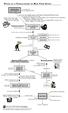 PATHS OF A FORECLOSURE IN NEW YORK STATE BORROWER DELINQUENT 2-3 months late with mortgage payments Lender sends notices, bills, letters to borrower stating that he/she is delinquent Borrower has multiple
HAFA Short Sales, US Treasury, Fannie Mae & Freddie Mac Programs. Learning Objectives
 HAFA Short Sales, US Treasury, Fannie Mae & Freddie Mac Programs Learning Objectives Module 1: HARP, HAMP & HAFA Overview Upon completion of Module 1 the student will be able to: Explain the advantages
Supplemental Directive 10-10 September 17, 2010. Home Affordable Modification Program Modifications of Loans Guaranteed by the Rural Housing Service
 Supplemental Directive 10-10 September 17, 2010 Home Affordable Modification Program Modifications of Loans Guaranteed by the Rural Housing Service In Supplemental Directive 09-01, the Treasury Department
Chapter 1 The Lender Overview
 Chapter 1 The Lender Overview In this Chapter This chapter contains the following topics. Topic See Page 1.01 Definitions and Authorities 1-2 1.02 Before a Lender Starts Making VA Loans 1-6 1.03 Before
VA Refinance Cash Out
 VA Refinance Cash Out This matrix is intended as an aid to help determine whether a property/loan qualifies for certain financing. It is not intended as a replacement for VA guidelines. Users are expected
BYLAWS CALIFORNIA STATE UNIVERSITY, DOMINGUEZ HILLS FOUNDATION A CALIFORNIA NON-PROFIT PUBLIC BENEFIT CORPORATION ARTICLE I CORPORATE SEAL ARTICLE II
 BYLAWS CALIFORNIA STATE UNIVERSITY, DOMINGUEZ HILLS FOUNDATION A CALIFORNIA NON-PROFIT PUBLIC BENEFIT CORPORATION ARTICLE I CORPORATE SEAL The corporate seal shall consist of a circle, having at its circumference
AGENCY MANAGEMENT FRAMEWORK FOR INSURANCE AGENT
 GENERAL INSURANCE ASSOCIATION OF SINGAPORE AGENCY MANAGEMENT FRAMEWORK FOR INSURANCE AGENT APPENDIX B1 OF GIARR General Insurance Association of Singapore 180 Cecil Street, #15-01 Bangkok Bank Building
New Mortgage Rules Update
 New Mortgage Rules Update 1 OBJECTIVES To provide information regarding the new mortgage rules, in particular: Ability-to-Repay/Qualified Mortgages; Mortgage Loan Origination Compensation; High-Cost Loans
Limited Agency/Company Agreement
 Effective, this Agreement is entered into by and between Safepoint MGA, LLC and Safepoint Insurance Company Inc., hereinafter referred to as Company, and hereinafter referred to as Agent. It being the
TO: Freddie Mac Servicers July 15, 2014 2014-14
 TO: Freddie Mac Servicers July 15, 2014 2014-14 SUBJECTS This Single-Family Seller/Servicer Guide ( Guide ) Bulletin updates and revises our Servicing requirements as follows: Updating our alternative
Employer commencement as a self-insurer
 External Guideline #21 Employer commencement as a self-insurer Version 4 1 April 2015 Contents 1 Overview... 4 2 Employer election... 4 3 Election to assume tail claims... 5 3.1 Transfer date... 5 3.2
West Valley City Grants Department Down Payment Assistance Policy & Information Packet
 West Valley City Grants Department Down Payment Assistance Policy & Information Packet Current Revision: 9/09 1 CONTENTS DOWN PAYMENT ASSISTANCE (DPA) POLICY: Section I Section II Section III Section IV
First Source Capital Mortgage, Inc.
 First Source Capital Mortgage, Inc. Please submit the following items along with your application package to expedite your approval process. If you have any questions or need additional information please
VA HOME LOANS A QUICK GUIDE FOR HOMEBUYERS AND REAL ESTATE PROFESSIONALS
 VA HOME LOANS A QUICK GUIDE FOR HOMEBUYERS AND REAL ESTATE PROFESSIONALS Disclaimer: The information contained herein is strictly provided as information only. Veterans seeking more detailed information
Arizona Agency Foreclosure Training January 28, 2007
 Arizona Agency Foreclosure Training January 28, 2007 Presented by: Andrew J. Loubert Community Reinvestment Solutions, Inc. Arizona Foreclosure Process: Notice of Default Notice must specify: 1. The default
38 CFR Ch. I (7 1 10 Edition)
 36.4351 38 CFR Ch. I (7 1 10 Edition) erowe on DSK5CLS3C1PROD with CFR Secretary for inspection on request. Such collection records shall show: (1) The dates and content of letters and notices which were
OFFICE OF AUDIT REGION 6 FORT WORTH, TX. Eustis Mortgage Corporation New Orleans, LA. HUD Federal Housing Administration Direct Endorsement Lender
 OFFICE OF AUDIT REGION 6 FORT WORTH, TX Eustis Mortgage Corporation New Orleans, LA HUD Federal Housing Administration Direct Endorsement Lender 2013-FW-1002 MARCH 21, 2013 Issue Date: March 21, 2013 Audit
FHFA Oversight of Fannie Mae s Reimbursement Process for Pre-Foreclosure Property Inspections
 Federal Housing Finance Agency Office of Inspector General FHFA Oversight of Fannie Mae s Reimbursement Process for Pre-Foreclosure Property Inspections Audit Report AUD-2014-005 January 15, 2014 January
Supply Chain Finance WinFinance
 Supply Chain Finance WinFinance Customer User Guide Westpac Banking Corporation 2009 This document is copyright protected. Apart from any fair dealing for the purpose of private study, research criticism
How To Get A Tax Credit In Rhode Island
 in conjunction with the Table of Contents Page Rule 1. Purpose.... 2 Rule 2. Authority.... 2 Rule 3. Scope.... 2 Rule 4. Severability.... 2 Rule 5. Definitions... 3 Rule 6. Eligibility.... 8 Rule 7. Tax