
Cisco Voice over IP CIPT1. Volume 2. Student Guide. Version 6.0. Editorial, Production, and Web Services:
|
|
|
- Adrian Thompson
- 10 years ago
- Views:
Transcription
1 CIPT1 Cisco Voice over IP Volume 2 Version 6.0 Student Guide Editorial, Production, and Web Services:

2 DISCLAIMER WARRANTY: THIS CONTENT IS BEING PROVIDED AS IS. CISCO MAKES AND YOU RECEIVE NO WARRANTIES IN CONNECTION WITH THE CONTENT PROVIDED HEREUNDER, EXPRESS, IMPLIED, STATUTORY OR IN ANY OTHER PROVISION OF THIS CONTENT OR COMMUNICATION BETWEEN CISCO AND YOU. CISCO SPECIFICALLY DISCLAIMS ALL IMPLIED WARRANTIES, INCLUDING WARRANTIES OF MERCHANTABILITY, NON-INFRINGEMENT AND FITNESS FOR A PARTICULAR PURPOSE, OR ARISING FROM A COURSE OF DEALING, USAGE OR TRADE PRACTICE. This learning product may contain early release content, and while Cisco believes it to be accurate, it falls subject to the disclaimer above.

3 Table of Contents Volume 2 VoIP Gateway Implementation 3-1 Overview 3-1 Module Objectives 3-1 Implementing H.323 Gateways 3-3 Overview 3-3 Objectives 3-3 H.323 Gateway 3-4 H.323 and IP 3-5 H.323 Adapted to an IP Example 3-6 Why H Regional Requirements Example 3-10 H.323 Network Components 3-12 H.323 Terminals 3-12 H.324 Terminals 3-13 H.323 Gateways 3-14 Cisco UBEs 3-15 H.323 Gatekeepers 3-17 Multipoint Control Units 3-19 H.323 Call Establishment and Maintenance 3-20 H.323 Call Signaling 3-21 Basic Call Setup 3-21 H.323 Fast Connect Call Setup 3-22 H.323 Multipoint Conferences 3-23 Configuring H.323 Gateways 3-25 H.323 Configuration Example 3-26 Configuring Codecs on an H.323 Gateway 3-28 Tuning H.323 Timers 3-31 Configuring H.323 Fax Pass-Through and Relay 3-33 Fax Pass-Through Example 3-33 Fax Relay Example 3-35 Configuring H.323 DTMF Relay 3-37 Verifying H.323 Gateway Status 3-39 Summary 3-41 Lesson Self-Check 3-42 Lesson Self-Check Answer Key 3-45 Implementing MGCP Gateways 3-47 Overview 3-47 Objectives 3-47 MGCP Components 3-48 Why MGCP 3-50 MGCP Architecture 3-52 MGCP Gateways 3-54 MGCP Call Agents 3-57 Basic MGCP Concepts 3-58 MGCP Calls and Connections 3-59 MGCP Control Commands 3-60 Package Types 3-62 MGCP Call Flows 3-63 Configuring MGCP Gateways 3-65 MGCP Residential Gateway Configuration Example 3-66 Configuring an MGCP Trunk Gateway Example 3-68 Configuring Fax Relay with MGCP Gateways Example 3-69 Verifying MGCP 3-71 Summary 3-76 Lesson Self-Check 3-77 Lesson Self-Check Answer Key 3-80
4 Implementing SIP Gateways 3-81 Overview 3-81 Objectives 3-81 SIP Fundamentals 3-82 How SIP Works 3-85 Why SIP 3-87 SIP Architecture 3-88 SIP Call Flow 3-90 Direct Call Setup 3-90 Call Setup Using a Proxy Server 3-91 Call Setup Using a Redirect Server 3-93 SIP Addressing 3-94 SIP Addressing Variants Example 3-94 SIP DMTF Considerations 3-97 Configuring SIP Configuring a SIP Gateway Example SIP Dial Peer Example Verifying SIP Gateways Summary Lesson Self-Check Lesson Self-Check Answer Key Module Summary References Dial Plan Implementation on Voice Gateways 4-1 Overview 4-1 Module Objectives 4-1 Understanding Dial Plans 4-3 Overview 4-3 Objectives 4-3 Defining Dial Plans 4-4 Planning Considerations 4-7 Endpoint Addressing 4-9 Call Routing and Path Selection 4-10 Digit Manipulation 4-11 Calling Privileges 4-12 Call Coverage 4-13 Scalable Dial Plans 4-14 PSTN Dial Plan Requirements 4-18 Inbound PSTN Calls Example 4-19 Outbound PSTN Call Example 4-20 ISDN Dial Plan Requirements 4-21 Inbound ISDN Call Example 4-22 Configuring PSTN Dial Plans 4-23 PSTN Dial Plan Example 4-24 Complete Configurations 4-31 Inbound PSTN Call Flow Example 4-32 Outbound PSTN Call Flow Example 4-33 Verifying PSTN Dial Plans 4-34 Q.850 Cause Codes 4-35 debug isdn q Summary 4-44 Lesson Self-Check 4-45 Lesson Self-Check Answer Key 4-47 Implementing Numbering Plans 4-49 Overview 4-49 Objectives 4-49 Numbering Plan Characteristics 4-50 ii Cisco Voice over IP (CVOICE) v Cisco Systems, Inc.
5 Numbering Plan Categories 4-51 Private Numbering Plan Design Considerations 4-52 PSTN Numbering Plan Common Elements 4-52 NANP Example 4-53 Scalable Numbering Plans 4-54 Overlapping Numbering Plans 4-55 Private and Public Numbering Plan Integration 4-56 Integration of Internal and Public Numbering Plans Example 4-59 Enhancing and Extending an Existing Plan to Accommodate VoIP 4-60 Number Normalization Example Services Call Processing 4-64 Implementing a Numbering Plan Example 4-65 Summary 4-67 Lesson Self-Check 4-68 Lesson Self-Check Answer Key 4-70 Configuring Digit Manipulation 4-71 Overview 4-71 Objectives 4-71 Digit Manipulation 4-72 Digit Collection and Consumption 4-75 Digit Collection Example 4-76 Digit Stripping 4-77 Digit Forwarding 4-78 Digit Prefixing 4-79 Number Expansion 4-80 Simple Digit Manipulation for POTS Dial Peers Example 4-81 Number Expansion Example 4-82 Caller ID Number Manipulation 4-83 CLID Commands 4-83 Station ID Commands 4-84 Voice Translation Rules and Profiles 4-88 Understanding Regular Expressions in Translation Rules 4-92 Search and Replace with Voice Translation Rules Example 4-94 Voice Translation Profiles 4-96 Translation Profile Processing 4-98 Voice Translation Profile Search-and-Replace Example 4-99 Voice Translation Profile Call Blocking Example Voice Translation Profiles vs. dialplan-pattern Cisco Unified Communications Manager Express with dialplan-pattern Example Cisco Unified Communications Manager Express with Voice Translation Profiles Example Verifying Voice Translation Rules Configuring Digit Manipulation Basic Digit Manipulation Example Voice Translation Rule and Profile Example Summary Lesson Self-Check Lesson Self-Check Answer Key Configuring Path Selection Overview Objectives Call Routing and Path Selection Dial Peer Matching Matching to Inbound and Outbound Dial Peers Dial-Peer Call Routing and Path Selection Commands Matching Dial Peers in a Hunt Group Best Practices Path Selection Strategies Site-Code Dialing and Toll Bypass Cisco Systems, Inc. Cisco Voice over IP (CVOICE) v6.0 iii

6 Toll Bypass Example Site-Code Dialing and Toll Bypass Example Tail-End Hop-Off TEHO Scenario Example Configuring Site-Code Dialing and Toll Bypass Site-code Dialing and Toll Bypass Scenario Outbound Site-Code Dialing Example Inbound Site-Code Dialing Example Configuring TEHO Complete Configuration Summary Lesson Self-Check Lesson Self-Check Answer Key Implementing Calling Privileges on Cisco IOS Gateways Overview Objectives Calling Privileges Understanding COR on Cisco IOS Gateways COR Behavior Example COR Example Understanding COR for Cisco Unified SRST and Cisco Unified Communications Manager Express COR for SRST and Cisco Unified Communications Manager Example Configuring COR Configuring COR Example Configuring COR for Cisco Unified SRST Example Verifying COR Summary Lesson Self-Check Lesson Self-Check Answer Key Module Summary References iv Cisco Voice over IP (CVOICE) v Cisco Systems, Inc.

7 Module 3 VoIP Gateway Implementation Overview To provide voice communication over an IP network, Real-Time Transport Protocol (RTP) sessions are created. These sessions are dynamically created and facilitated by one of several call control procedures. Typically, these procedures also include mechanisms for signaling events during voice calls, and for managing and collecting statistics about the voice calls. There are several types of protocols used within Cisco Unified Communications networks. In order to select the best protocol for a specific environment, network engineers need to know all of these protocols, how they can be used, and their advantages and disadvantages. This module focuses on three protocols that are used in Cisco Unified Communications networks to implement gateways and offer call-control support for VoIP: the H.323 suite of protocols, the Media Gateway Control Protocol (MGCP), and the session initiation protocol (SIP). Module Objectives Upon completing this module, you will be able to describe the basic signaling protocols that are used on voice gateways and configure a gateway to support calls using the various signaling protocols. This ability includes being able to meet these objectives: Describe the H.323 protocol stack and how to implement H.323 on gateways Describe the MGCP stack and how to implement MGCP on gateways Describe SIP enterprise features and how to implement SIP on gateways

8 3-2 VoIP Gateway Implementation 2008 Cisco Systems, Inc.

9 Lesson 1 Implementing H.323 Gateways Overview Objectives H.323 gateways are among the most common Cisco IOS voice gateways within Cisco Unified Communications Manager environments. H.323 gateways are the endpoints on a LAN that provide real-time, two-way communications between H.323 terminals on the LAN and other ITU-T terminals on the network. H.323 gateways can also communicate with other H.323 gateways. Gateways enable H.323 terminals to communicate with terminals that are not H.323 terminals by converting protocols. Gateways are the point where a circuit-switched call is encoded and repackaged into IP packets. Because gateways function as H.323 endpoints, they provide admission control, address lookup and translation, and accounting services. Upon completing this lesson, you will be able to describe the H.323 protocol stack and how to implement H.323 on gateways. This ability includes being able to meet these objectives: Describe the functions that are performed by a typical H.323 gateway Describe the advantages of H.323 as a voice gateway protocol Describe the functional components that make up an H.323 environment Describe the H.323 call establishment and maintenance process Describe H.323 call signaling Describe the types of multipoint conferences that are supported by H.323 Describe how to configure an H.323 gateway Describe how to configure a single codec or codec negotiation on an H.323 gateway Describe how to tune some H.323 timers Describe how to configure fax pass-through and relay on H.323 gateways Describe how to configure H.323 DTMF relay on an H.323 gateway Describe how to verify the status of an H.323 gateway

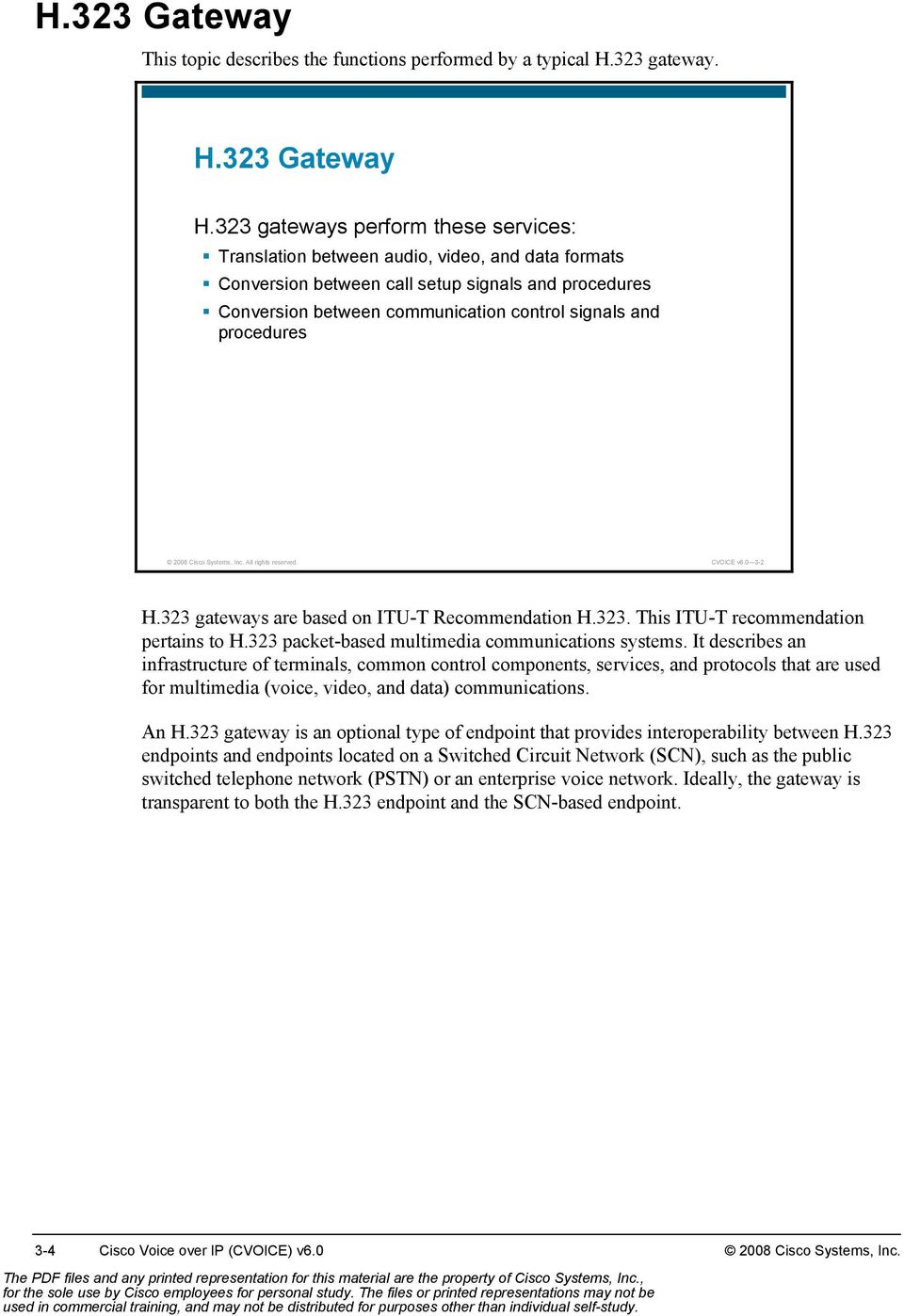
10 H.323 Gateway This topic describes the functions performed by a typical H.323 gateway. H.323 Gateway H.323 gateways perform these services: Translation between audio, video, and data formats Conversion between call setup signals and procedures Conversion between communication control signals and procedures 2008 Cisco Systems, Inc. All rights reserved. CVOICE v H.323 gateways are based on ITU-T Recommendation H.323. This ITU-T recommendation pertains to H.323 packet-based multimedia communications systems. It describes an infrastructure of terminals, common control components, services, and protocols that are used for multimedia (voice, video, and data) communications. An H.323 gateway is an optional type of endpoint that provides interoperability between H.323 endpoints and endpoints located on a Switched Circuit Network (SCN), such as the public switched telephone network (PSTN) or an enterprise voice network. Ideally, the gateway is transparent to both the H.323 endpoint and the SCN-based endpoint. 3-4 Cisco Voice over IP (CVOICE) v Cisco Systems, Inc.
11 H.323 and IP This subtopic describes H.323, its protocols, and how it is used in the IP internetwork environment. Recommendation H.323 Elements System Control and User Interface Video I/O Equipment Audio I/O Equipment User Data Applications T.120 System Control H.245 Control Signaling H.225 Call Signaling RAS Control H.225 Video Codec H.261 H.263 Audio Codec G.711, G.722, G.723, G.723.1, G.728, G.729 Receive Path Delay Session Layer and Above H.225 Layer LAN Stack 2008 Cisco Systems, Inc. All rights reserved. CVOICE v The figure illustrates the elements of an H.323 terminal and highlights the protocol infrastructure of an H.323 endpoint. H.323 was originally created to provide a mechanism for transporting multimedia applications over LANs. Although numerous vendors still use H.323 for videoconferencing applications, it has rapidly evolved to address the growing needs of VoIP networks. H.323 is currently the most widely used VoIP signaling and call control protocol, with international and domestic carriers relying on it to handle billions of minutes of use each year. H.323 is considered an umbrella protocol because it defines all aspects of call transmission, from call establishment to capabilities exchange to network resource availability. H.323 defines these protocols: H.245 for capabilities exchange H.225 for call setup H.225 for Registration, Admission, and Status (RAS) control for call routing 2008 Cisco Systems, Inc. VoIP Gateway Implementation 3-5

12 H.323 is based on the ISDN ITU-T Recommendation Q.931 protocol, which allows H.323 to easily interoperate with legacy voice networks, such as the PSTN or Signaling System 7 (SS7). In addition to providing support for call setup, H.225 provides a message transport mechanism for the H.245 control function and the RAS signaling function. Here is a description of these functions: Call-signaling function: The call-signaling function uses a call-signaling channel that allows an endpoint to create connections with other endpoints. The call-signaling function defines call setup procedures, based on the call setup procedures for ISDN (as defined in ITU-T Recommendation Q.931). The call-signaling function uses messages formatted according to H.225. H.245 control function: The H.245 control function uses a control channel to transport control messages between endpoints or between an endpoint and a common control component, such as a gatekeeper or multipoint controller unit. The control channel used by the H.245 control function is separate from the call-signaling channel. The H.245 control function is responsible for these functions: Logical channel signaling: Opens and closes the channel that carries the media stream Capabilities exchange: Negotiates audio, video, and coder-decoder (codec) capability between the endpoints Master or responder determination: Determines which endpoint is master and which is responder; used to resolve conflicts during the call Mode request: Requests a change in mode, or capability, of the media stream Timer and counter values: Establishes values for timers and counters and agreement of those values by the endpoints RAS signaling function: The RAS signaling function uses a separate signaling channel (an RAS channel) to perform registration, admissions, bandwidth changes, status, and disengage procedures between endpoints and a gatekeeper. The RAS signaling function uses messages formatted according to H.225. H.323 Adapted to an IP Example A typical implementation of H.323 goes beyond the original LAN context of H.323. This example shows a specific application of H.323 on an IP internetwork. 3-6 Cisco Voice over IP (CVOICE) v Cisco Systems, Inc.
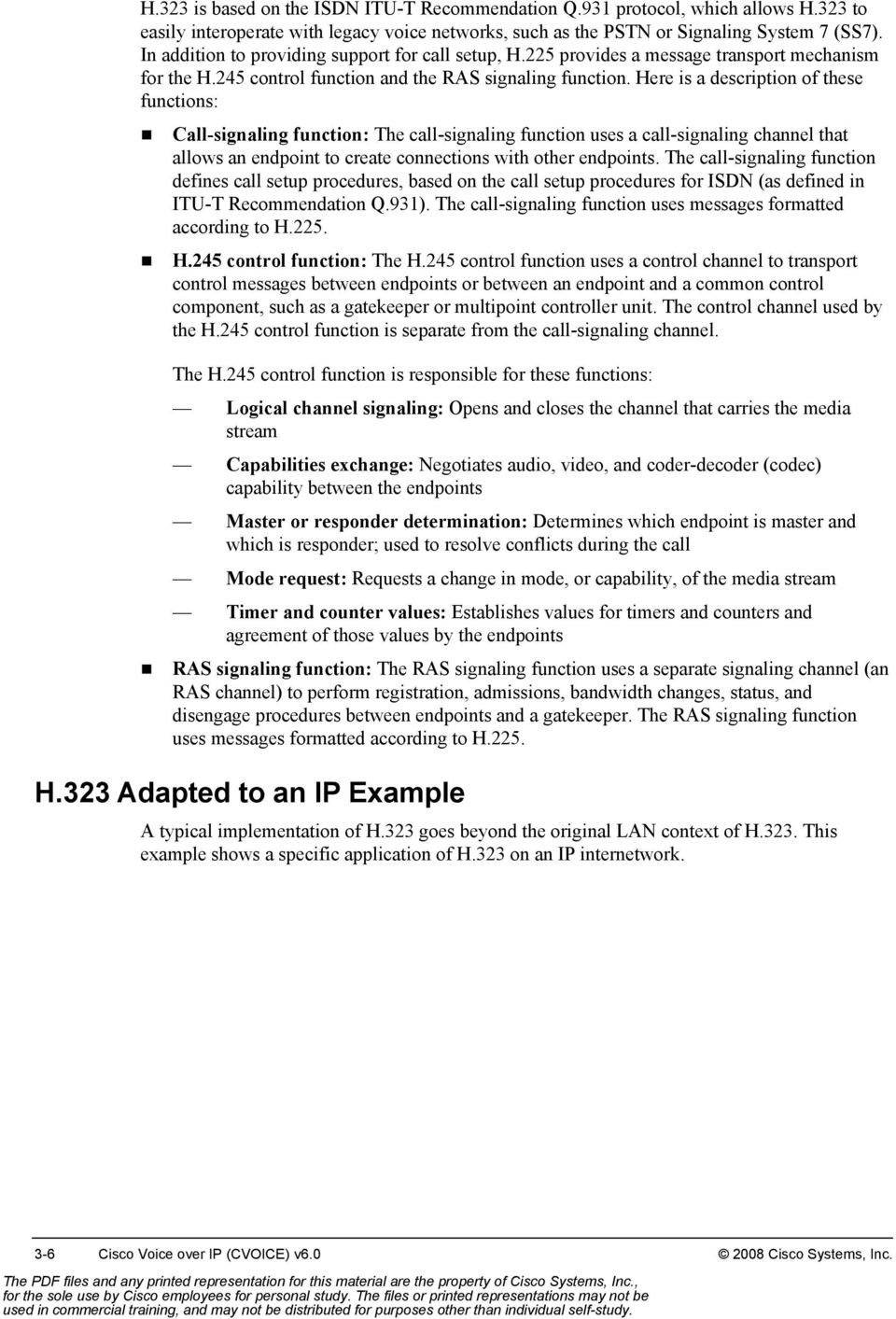
13 H.323 Adapted to IP Video I/O Equipment Audio I/O Equipment User Data Applications T.120 Video Codec H.261, H.263 Audio Codec G.711, G.722, G.723, G.723.1, G.728, G.729 System Control H.225 Layer RTP RTCP UDP IP H.245 Control Signaling TCP H.225 Call Signaling System Control and User Interface RAS Control H.225 UDP 2008 Cisco Systems, Inc. All rights reserved. CVOICE v Notice that the real-time aspects of H.323 rely on User Datagram Protocol (UDP). Both the session-oriented control procedures and the data media type of H.323 use TCP Cisco Systems, Inc. VoIP Gateway Implementation 3-7

14 Why H.323 This topic describes the advantages of H.323 as a voice gateway protocol. Why H.323? Advantages of H.323 gateways: Dial plans can be configured directly on the gateway. Translations can be defined per gateway. Regional conditions can be met within multisite deployments. Call routing configuration can be more specific than on Cisco Communications Manager. There is no need for extra Cisco Unified SRST call routing configuration. There is no dependency on the Cisco Unified Communications Manager version. More voice interface types are supported. ISDN NFAS is supported. Fax support is advanced. Call preservation was enhanced for PRI calls since Cisco IOS Release 12.4(9)T Cisco Systems, Inc. All rights reserved. CVOICE v There are several advantages to using H.323 gateways as voice gateways: Dial plans can be configured directly on the gateway: This makes it possible to handle special calls locally on the gateway, like calls to directly connected analog devices, without routing them to the Cisco Unified Communications Manager. Another option is to route calls on the gateway that are directed to other sites without sending them to the local Cisco Unified Communications Manager cluster. Translations can be defined per gateway: This makes it possible to meet regional requirements such as calling party transformations or special number formats. It also makes it possible to translate all incoming calls directly on the gateway to meet the internally used number format and then process only calls with those internal numbers on the Cisco Unified Communications Manager clusters within the network. Call-routing configuration can be more specific than on Cisco Unified Communications Manager: Cisco IOS gateways enable translating and matching to the called number and the calling number, which can improve call routing. (Cisco Unified Communications Manager matches only the called number.) For example, this makes it possible to route calls from unwanted people to a special destination. There is no need for extra call routing configurations related to Cisco Unified Survivable Remote Site Telephony (SRST): Because the call routing configuration is done directly on the gateway, you do not need to configure the routing twice. This is because Cisco Unified SRST is using the same configuration parameters for call routing as the H.323 gateway does. 3-8 Cisco Voice over IP (CVOICE) v Cisco Systems, Inc.

15 There is no dependency on the Cisco Unified Communications Manager version: Because the configuration is performed on the gateway and the H.323 umbrella is a peerto-peer protocol, the Communications Manager does not need to support a special Cisco IOS version or vice-versa. Only the features that should be used need to be supported on both sides. More voice interface types are supported: Because the Cisco Unified Communications Manager does not need to control the interface cards within H.323 environments, many more interface cards are supported when you use H.323 rather than MGCP or any other protocol based on the client/server model. ISDN Non-Facility Associated Signaling (NFAS) is supported: The H.323 gateway signaling protocol supports NFAS, which MGCP does not. Fax support is improved: Fax support is better on H.323 gateways than on MGCP gateways because H.323 supports T.37 and T.38, and an H.323 gateway can route a fax direct inward dialing (DID) number directly to a Foreign Exchange Station (FXS) port on the gateway. Call preservation is enhanced: The H.323 VoIP call preservation enhancements for WAN link failures sustain connectivity for H.323 topologies when signaling is handled by an entity that is different from the other endpoint, such as Cisco Unified Communications Manager. Call preservation is useful when a gateway and the other endpoint (typically a Cisco Unified IP phone) are collocated at the same site and the call agent is remote and therefore more likely to experience connectivity failures Cisco Systems, Inc. VoIP Gateway Implementation 3-9
16 Regional Requirements Example This slide shows how you can meet regional dialing requirements when you use H.323 gateways. Regional Requirements Example Calling Berni in the United States. 2 Calling party: Type: international 1 Madrid 5 Calling Bill in Germany. Translate calling number and route to destination. 3 U.S. Gateway Germany Gateway 6 Translate calling number and route to destination. Berni 4 I have an external call. To call back, I need to dial I have an external call. To call back, I need to dial Bill 2008 Cisco Systems, Inc. All rights reserved. CVOICE v In this scenario, the number from Spain (Madrid) is calling to the United States and to Germany. Because the International Direct Dialing (IDD) prefix for Spain is 43, the number that is sent out as the calling party by the Spanish provider is with international as the Type of Number (TON). The following procedure then allows number modification to make sure that people are able to call back to Madrid from their Cisco IP phone missed call list: 1. Madrid is calling to Berni in the United States. The calling party number of the Madrid phone is with an international TON. 2. As the call is coming in to the gateway within the United States, the calling party number ( ) is being translated to meet the common dialing regulations of the United States. This means that the number uses these translation parameters: A leading 9 as the access code for external calls from the company network 011 as the international dialing prefix 3. The missed calls list for Berni displays a call from , and she will be able to call back to Madrid as soon as she comes back. 4. Madrid is calling to Bill in Germany. The calling party number of the Madrid phone is with an international TON. 5. As the call is coming in to the gateway in Germany, the calling party number ( ) is being translated to meet the common dialing regulations of Germany. This means that the number uses these translation parameters: A leading 0 as the access code for external calls from the company network 3-10 Cisco Voice over IP (CVOICE) v Cisco Systems, Inc.

17 00 as the international dialing prefix 6. The missed calls list for Bill displays a call from , and he will be able to call back to Madrid as soon as he comes back Cisco Systems, Inc. VoIP Gateway Implementation 3-11

18 H.323 Network Components This topic describes the components that make up an H.323 environment. H.323 Network Components H.323 Terminal H.323 Terminal Gatekeeper Multipoint Control Unit Cisco UBE IP Intranet Internet Gateways PBX PSTN H.320 Terminal (ISDN) ITSP Gateway H.324 Terminal (POTS) H.323 Terminal Speech Only (Telephones) 2008 Cisco Systems, Inc. All rights reserved. CVOICE v The figure above shows some typical terminal devices in an H.323 network. An H.323 network includes the following components: Terminals H.320 ISDN H.323 H.324 plain old telephone service (POTS) Gateways Gatekeepers Multipoint control units Cisco UBEs also know as session border controllers. H.323 Terminals An H.323 terminal is an endpoint that provides real-time voice (and optionally, video and data) communications with another endpoint, such as an H.323 terminal or multipoint control unit. The communications consist of control, indications, audio, moving color video pictures, or data between the two terminals. A terminal may provide audio only; audio and data; audio and video; or audio, data, and video. The terminal can be a computer-based video conferencing system or other device Cisco Voice over IP (CVOICE) v Cisco Systems, Inc.

19 An H.323 terminal must be capable of transmitting and receiving voice that is encoded with G.711 (a-law and µ-law) 64-kb/s pulse code modulation (PCM), and may support other encoded voice formats, such as G.729 and G H.324 Terminals ITU-T Recommendation H.324 defines the overall system structure and therefore the device commonly known as an H.324 terminal. H.324 is an ITU-T recommendation for voice, video, and data transmission over regular analog phone lines. It uses a regular 33,600 b/s modem for transmission, the H.263 codec for video encoding, and G.723 for audio Cisco Systems, Inc. VoIP Gateway Implementation 3-13

20 H.323 Gateways This subtopic describes the functions of H.323 gateways. H.323 Gateways H.323 Gateway H.323 endpoint Protocol translation and media transcoding Non-H.323 endpoint H.323 Terminal Telephone 2008 Cisco Systems, Inc. All rights reserved. CVOICE v The diagram shows a gateway between an H.323 terminal and a terminal that is not an H.323 terminal, such as an analog telephone. An H.323 gateway is an endpoint on the LAN that provides real-time communications between H.323 terminals on the LAN and other ITU terminals on a WAN or to other H.323 gateways. Gateways allow H.323 terminals to communicate with devices that are running other protocols. They provide protocol conversion between the devices that are running different types of protocols. Ideally, the gateway is transparent to both the H.323 endpoint and the non-h.323 endpoint. An H.323 gateway performs these services: Translation between audio, video, and data formats Conversion between call setup signals and procedures Conversion between communication control signals and procedures 3-14 Cisco Voice over IP (CVOICE) v Cisco Systems, Inc.

21 Cisco UBEs This figure shows an example of Cisco Unified Border Elements (Cisco UBEs). Cisco Unified Border Element (Cisco UBE) DGK* Via GK* Public Network x.x Public Network x.x Cisco UBE PSTN DGK Public Network x.x DGK = directory gatekeeper GK = gatekeeper 2008 Cisco Systems, Inc. All rights reserved. CVOICE v A Cisco UBE is an optional H.323 component. The Cisco UBE facilitates easy and costeffective connectivity between independent VoIP service provider networks. Some in the industry refer to Cisco UBEs as session border controllers. The Cisco UBE provides a network-to-network interface point for billing, security, Cisco Unified Communications Manager interconnectivity, Call Admission Control (CAC), and signaling interworking. It will perform most of the same functions of a PSTN-to-IP gateway, but will join two VoIP call legs. Media packets can either flow through the gateway and hide the networks from each other, or flow around the Cisco UBE if network security is not of primary importance. The figure illustrates a basic Cisco UBE network. From the perspective of the private (that is, customer) networks, the Cisco UBE will appear as a single public address that must be routable on their private networks (in this case, a 12.x.x.x address routable on the x.x and x.x networks). Care must be taken at the Cisco UBE to ensure that proper routing restrictions are in place to prevent communication directly between the private networks attached to it. Also note that this model works only if no overlapping address schemes are used on the customer networks. To the hop-off gateways on the public network, all calls will appear to originate from the 12.x.x.x address of the Cisco UBE and not the private addresses on the customer networks. Also note that the gatekeeper and directory gatekeepers shown in the diagram control each zone independently, with the gatekeeper acting as the control point for the public network, and therefore for the Cisco UBE. Codec-order preservation enables a gateway to pass codec preferences to the terminating leg of a VoIP call. This feature was developed primarily for Cisco UBEs, which are configured to use a transparent codec. The transparent codec enables a Cisco UBE to pass codecs from the 2008 Cisco Systems, Inc. VoIP Gateway Implementation 3-15
22 originating endpoint to the terminating endpoint; however, previous versions of the Cisco UBE did not preserve the preferential order of the codecs. With codec-order preservation, the Cisco UBE passes codecs transparently from the originating device, listed in order of preference, to the terminating device. It also enables gateways to pass user-configured codecs in their preferred order when the endpoints exchange capabilities, enabling endpoints to use the codec that best suits both devices Cisco Voice over IP (CVOICE) v Cisco Systems, Inc.
23 H.323 Gatekeepers This subtopic describes the function of H.323 gatekeepers. H.323 Gatekeepers H.323 Terminal H.323 Terminal Gatekeeper Multipoint Control Unit Address translation and access control H.320 Terminal (ISDN) Intranet Internet PSTN H.324 Terminal (POTS) H.323 Terminal 2008 Cisco Systems, Inc. All rights reserved. CVOICE v An H.323 gatekeeper is an H.323 entity on the LAN that provides address translation and that controls access to the LAN for H.323 terminals, gateways, and multipoint control units. Gatekeepers are optional nodes that manage endpoints in an H.323 network. The endpoints communicate with the gatekeeper using the RAS protocol. Endpoints attempt to register with a gatekeeper on startup. When they wish to communicate with another endpoint, they request admission to initiate a call using a symbolic alias for the endpoint, such as an E.164 address or an address. If the gatekeeper decides that the call can proceed, it returns a destination IP address to the originating endpoint. This IP address may not be the actual address of the destination endpoint, but an intermediate address, such as the address of a proxy or a gatekeeper that routes call signaling. The Cisco gatekeeper provides H.323 call management, including admission control, bandwidth management, and routing services for calls in the network. Note Although the gatekeeper is an optional H.323 component, it must be included in the network if proxies are used. The scope of endpoints over which a gatekeeper exercises its authority is called a zone. H.323 defines a one-to-one relationship between a zone and a gatekeeper. When a gatekeeper is included, it must perform these functions: Address translation: Converts an alias address to an IP address Admission control: Limits access to network resources based on call bandwidth restrictions 2008 Cisco Systems, Inc. VoIP Gateway Implementation 3-17
24 Bandwidth control: Responds to bandwidth requests and modifications Zone management: Provides services to registered endpoints The gatekeeper may also perform these functions: Call control signaling: Performs call signaling on behalf of the endpoint (gatekeeper-routed call signaling) Call authorization: Rejects calls based on authorization failure Bandwidth management: Limits the number of concurrent accesses to IP internetwork resources (CAC) Call management: Maintains a record of ongoing calls H.323 gatekeepers are covered in more detail in Module 5: H.323 Gatekeepers Cisco Voice over IP (CVOICE) v Cisco Systems, Inc.
25 Multipoint Control Units This subtopic describes multipoint control units. Multipoint Control Unit H.323 Terminal H.323 Terminal Gatekeeper Multipoint Control Unit Multimedia conferencing mixing audio, video, and data Gateway H.320 Terminal (ISDN) Intranet Internet PSTN H.320 Terminal (POTS) H.323 Terminal 2008 Cisco Systems, Inc. All rights reserved. CVOICE v A multipoint control unit is an endpoint on the network that allows three or more endpoints to participate in a multipoint conference. It controls and mixes video, audio, and data from endpoints to create a robust multimedia conference. A multipoint control unit may also connect two endpoints in a point-to-point conference, which may later develop into a multipoint conference Cisco Systems, Inc. VoIP Gateway Implementation 3-19
26 H.323 Call Establishment and Maintenance This topic describes the H.323 call establishment and maintenance process. Component Relationships for Call Establishment and Management Endpoint (gateway) to endpoint (gateway) Endpoint (gateway) to gatekeeper Gatekeeper to gatekeeper 2008 Cisco Systems, Inc. All rights reserved. CVOICE v Although H.323 is based on the concepts of a distributed call control model, it often embodies centralized call control model concepts. Calls can be established between any of these components: Endpoint to endpoint: The intelligence of H.323 endpoints allows them to operate autonomously. In this mode of operation, endpoints locate other endpoints through nonstandard mechanisms and initiate direct communication between the endpoints. Endpoint to gatekeeper: When a gatekeeper is added to the network, endpoints interoperate with the gatekeeper using the RAS channel. Gatekeeper to gatekeeper: In the presence of multiple gatekeepers, gatekeepers communicate with each other on the RAS channel Cisco Voice over IP (CVOICE) v Cisco Systems, Inc.
27 H.323 Call Signaling This topic describes H.323 call signaling. H.323 Basic Call Setup PSTN/ Private Voice H.323 Gateway IP QoS Network H.323 Gateway PSTN/ Private Voice Setup H.225 (TCP) Signaling Bearer or Media POTS/PSTN Call Setup: Ringing, Answer Connect Capabilities Exchange Open Logical Channel Open Logical Channel Acknowledge RTP Stream RTP Stream RTCP Stream Q.931-Derived Call Setup H.245 (TCP) Capabilities Negotiation Media (UDP) 2008 Cisco Systems, Inc. All rights reserved. CVOICE v H.323 calls may occur with or without the use of a gatekeeper. The diagram above shows an H.323 basic call setup exchange between two gateways. The optional gatekeeper is not present in this example. Although gateways are shown, the same procedure is used when one or both endpoints are H.323 terminals. Basic Call Setup The flow procedure without a gatekeeper includes these steps: 1. The originating gateway initiates an H.225 session with the destination gateway on registered TCP port The gateway determines the IP address of the destination gateway internally. The gateway has the IP address of the destination endpoint in its configuration or it knows a Domain Name System (DNS) resolvable domain name for the destination. 2. Call setup procedures based on Q.931 create a call-signaling channel between the endpoints. 3. The endpoints open another channel for the H.245 control function. The H.245 control function negotiates capabilities and exchanges logical channel descriptions. 4. The logical channel descriptions open Real-Time Transport Protocol (RTP) sessions. 5. The endpoints exchange multimedia over the RTP sessions, including exchanging call quality statistics using Real-Time Transport Control Protocol (RTCP) Cisco Systems, Inc. VoIP Gateway Implementation 3-21
28 H.323 Fast Connect Call Setup This subtopic describes H.323 Fast Connect call setup. H.323 Fast Connect Call Setup H.323 Gateway PSTN IP PSTN H.323 Gateway Signaling Bearer or Media Setup POTS/PSTN Call Setup: Ringing, Progress, Answer Connect RTP Stream RTP Stream RTCP Stream H.2250/H.245 (TCP) Q.931-Derived Call Setup H.245 Open Logical Channel Information Contained in Fast Connect Element Media (UDP) 2008 Cisco Systems, Inc. All rights reserved. CVOICE v The figure shows an H.323 setup exchange that uses the Fast Connect abbreviated procedure available in version 2 of ITU-T Recommendation H.323. The Fast Connect procedure reduces the number of round-trip exchanges and achieves the capability exchange and logical channel assignments in one round trip. The Fast Connect procedure includes these steps: 1. The originating gateway initiates an H.225 session with the destination gateway on registered TCP port Call setup procedures based on Q.931 create a combined call-signaling channel and control channel for H.245. Capabilities and logical channel descriptions are exchanged within the Q.931 call setup procedure. 3. Logical channel descriptions open RTP sessions. 4. The endpoints exchange User Datagram Protocol (UDP) multimedia over the RTP sessions. Note Cisco H.323 voice equipment supports up to version 4 of ITU-T Recommendation H.323 and is backward-compatible to earlier versions Cisco Voice over IP (CVOICE) v Cisco Systems, Inc.
29 H.323 Multipoint Conferences This topic describes the types of multipoint conferences supported by H.323. Multipoint Conferences A F B MCU E C Centralized Multipoint D A B C D E MCU Decentralized Multipoint F A F B MCU E Video Audio C Ad Hoc D MCU = Multipoint Control Unit 2008 Cisco Systems, Inc. All rights reserved. CVOICE v H.323 defines three types of multipoint conferences: centralized, distributed, and ad hoc. H.323 also defines a hybrid of the first two. All types of multipoint conferences rely on a single multipoint control unit to coordinate the membership of a conference. Each endpoint has an H.245 control channel connection to the multipoint control unit. Either the multipoint control unit or the endpoint initiates the control channel setup. H.323 defines the following three types of conferences: Centralized multipoint conference: The endpoints must have their audio, video, or data channels connected to a multipoint processor (MP). The MP performs mixing and switching of the audio, video, and data, and if the MP supports the capability, each endpoint can operate in a different mode. Distributed multipoint conference: The endpoints do not have a connection to an MP. Instead, endpoints multicast their audio, video, and data streams to all participants in the conference. Because an MP is not available for switching and mixing, any mixing of the conference streams is a function of the endpoint, and all endpoints must use the same communication parameters. To accommodate situations in which two streams (audio and video) would be handled by the different multipoint conference models, H.323 defines a hybrid. A hybrid describes a situation in which the audio and video streams are managed by a single H.245 control channel with the multipoint control unit, but where one stream relies on multicast (according to the distributed model) and the other uses the MP (as in the centralized model). Ad hoc multipoint conference: Any two endpoints in a call can convert their relationship into a point-to-point conference. If neither of the endpoints has a collocated MC, the 2008 Cisco Systems, Inc. VoIP Gateway Implementation 3-23
30 services of a gatekeeper are used. When the point-to-point conference is created, other endpoints become part of the conference by accepting an invitation from a current participant, or the endpoint can request to join the conference Cisco Voice over IP (CVOICE) v Cisco Systems, Inc.
31 Configuring H.323 Gateways This topic describes how to configure basic H.323 gateways. Configuring Standalone H.323 Gateways Required Enable VoIP Services Configure VoIP Dial Peers Dial peers default to H.323 protocol Optional Configure Codecs Tune H.323 Timers H.225 settings Configure DTMF and fax relay Others 2008 Cisco Systems, Inc. All rights reserved. CVOICE v Setting up an H.323 gateway includes these points: Enable H.323 VoIP call services (required) Configure an interface as an H.323 gateway interface (required) Configure codecs (optional) Tune H.323 timers (optional) Configure dual tone multifrequency (DTMF) and fax relay (optional) Depending on the deployment scenario, you may be configuring only the required features or many of the options available for an H.323 voice gateway Cisco Systems, Inc. VoIP Gateway Implementation 3-25
32 H.323 Configuration Example This example shows the commands used to configure a H.323 gateway. H.323 Configuration Example PSTN or Private Network Lo0: IP Network PSTN or Private Network router(config)# voice service voip router(conf-voi-serv)# h323 router(conf-voi-serv)# no shutdown router(config)# interface loopback 0 router(config-if)# ip address router(config-if)# h323-gateway voip interface router(config-if)# h323-gateway voip h323-id gw1 router(config-if)# h323-gateway voip bind srcaddr Cisco Systems, Inc. All rights reserved. CVOICE v This figure will be used for the H.323 configuration example. In the scenario above, both sites are using a Cisco IOS H.323 capable gateway for the remote connection. As a network administrator, you have been tasked to set up an H.323-based VoIP network between two corporate sites. The requirements are as follows: Use H.323 as a signaling protocol. The H.323 ID of the gateway should be gw1. A loopback interface (lo0) is to be used as the connection to the remote site. Multiple codecs must be available for negotiation in this order: G.711 G.729 E.164 Address Registration must be configured because there are some phones directly connected to the gateway. H.323 timers need to be tuned. Follow this procedure to configure an H.323 gateway according to network requirements. Step 1 Enable H.323 VoIP services globally. Complete these substeps. 1. Enter voice-service configuration mode to specify a voice-encapsulation type. router(config)# voice service {pots voatm vofr voip} 3-26 Cisco Voice over IP (CVOICE) v Cisco Systems, Inc.
33 Syntax Description pots voatm vofr voip Telephony voice service Voice over ATM (VoATM) encapsulation Voice over Frame Relay (VoFR) encapsulation Voice over IP (VoIP) encapsulation Voice-service configuration mode is used for packet telephony service commands that affect the gateway globally. 2. Enable H.323 call-processing and enable the H.323 voice service configuration commands. router(conf-voi-serv)# h Activate the service. router(conf-voi-serv)# no shutdown Step 2 Configure an interface as an H.323 gateway. Complete these substeps. 1. Enter interface configuration mode for the interface that is connected to the gatekeeper. router(config)# interface interface 2. Assign an IP address to the interface. router(config-if)# ip address ip-address network-mask 3. Identify the interface as a VoIP gateway interface. router(config-if)# h323-gateway voip interface 4. Define the H.323 name of the gateway. router(config-if)# h323-gateway voip h323-id name Note Usually this ID is the name of the gateway, with the gatekeeper domain name appended: name@domainname. 5. Designate a source IP address for the voice gateway. router(config-if)# h323-gateway voip bind srcaddr ip-address This command sets the source IP address that is to be used for this gateway. The IP address is used for outgoing H.323 traffic, which includes H.225, H.245, and RAS messages. You do not have to issue this command on the interface that you defined as the voice gateway interface (although it may be more convenient to do so). Use this command on the interface that contains the IP address to which you want to bind (for example, a loopback interface) Cisco Systems, Inc. VoIP Gateway Implementation 3-27
34 Configuring Codecs on an H.323 Gateway This topic describes how to configure a single codec or codec negotiation on an H.323 gateway. Codec Configuration PSTN or Private Network IP Network PSTN or Private Network router(config)# voice class codec 100 router(config-class)# codec preference 1 g711alaw router(config-class)# codec preference 2 g729br8 router(config)# dial-peer voice 500 voip router(config-dial-peer)# voice-class codec 100 Or router(config-dial-peer)# codec g711alaw To specify a single codec For multiple codec negotiation 2008 Cisco Systems, Inc. All rights reserved. CVOICE v Normally, you only configure one codec when you configure a dial peer on a gateway. However, you can configure a prioritized list of codecs to increase the probability of establishing a connection between endpoints during the H.245 exchange phase. The figure shows how to configure codec negotiation and how to configure a single codec. Codec-order preservation is enabled by default in Cisco gateways running Cisco IOS Release 12.3(1) and later releases. No further configuration is needed. To configure codecs for a dial peer, use the following commands: Step 1 To configure codec negotiation, you must first create a codec voice class and populate a list of codecs in order of their preference. Complete these substeps to configure codec negotiation. 1. Enter the voice-class configuration mode and assign an identification tag number for this codec voice class. router(config)# voice class codec tag This command only creates the voice class for codec selection preference and assigns an identification tag. Use the codec preference command to specify the parameters of the voice class, and use the voice-class codec dial-peer command to apply the voice class to a VoIP dial peer Cisco Voice over IP (CVOICE) v Cisco Systems, Inc.
35 2. Specify a list of preferred codecs to use on a dial peer. router(config-class)# codec preference value codec-type [bytes payload-size] Syntax Description value codec-type The order of preference, with 1 being the most preferred and 14 being the least preferred. The codec preferred. Values are as follows: clear-channel Clear Channel 64,000 bps g711alaw G.711 a-law 64,000 bps g711ulaw G.711 mu-law 64,000 bps g723ar53 G Annex A 5300 bps g723ar63 G Annex A 6300 bps g723r53 G bps g723r63 G bps g726r16 G ,000 bps g726r24 G ,000 bps g726r32 G ,000 bps g728 G ,000 bps g729abr8 G.729 Annex A and Annex B 8000 bps g729br8 G.729 Annex B 8000 bps g729r8 G bps gsmamr-nb Enables Global System for Mobile Communications Adaptive Multirate Narrow Band (GSMAMR-NB) codec capability gsmefr Global System for Mobile Communications Enhanced Full Rate (GSMEFR) 12,200 bps gsmfr Global System for Mobile Communications (GSM) Full Rate (GSMFR) 13,200 bps ilbc internet Low Bit Rate Codec (ilbc) at 13,330 bps or 15,200 bps. transparent Enables codec capabilities to be passed transparently between endpoints Note The transparent keyword is not supported when the call-start command is configured. bytes payload-size (Optional) Number of bytes you specify as the voice payload of each frame. Values depend on the codec type and the packet voice protocol. 3. Enter the dial-peer configuration mode for the VoIP dial peer. router(config)# dial-peer voice tag voip 2008 Cisco Systems, Inc. VoIP Gateway Implementation 3-29
36 4. To specify codec negotiation, you will assign the previously configured codec selection preference list using the following command. router(config-dial-peer)# voice-class codec tag Note Where tag is the codec voice class defined in substep To specify a single codec or to the VoIP dial peer. router(config-dial-peer)# codec {clear-channel g711alaw g711ulaw g723ar53 g723ar63 g723r53 g723r63 g726r16 g726r24 g726r32 g726r53 g726r63 g728 g729abr8 g729ar8 g729br8 g729r8 gsmefr gsmfr} [bytes payload_size] 3-30 Cisco Voice over IP (CVOICE) v Cisco Systems, Inc.
37 Tuning H.323 Timers This topic describes how to tune H.323 timers. Tuning H.323 Parameters PSTN or Private Network IP Network PSTN or Private Network router(config)# voice class h router(config-class)# h225 timeout tcp establish 10 router(config-class)# h225 timeout setup 10 router(config)# dial-peer voice 500 voip router(config-dial-peer)# voice-class h router(config)# voice service voip router(conf-voi-serv)# h323 router(conf-serv-h323)# h225 timeout tcp call-idle never 2008 Cisco Systems, Inc. All rights reserved. CVOICE v Completing the scenario you began earlier, the last part of the scenario requires you to adjust some of the H.323 timers to meet network specifications. The figure shows an example of H.225 timers being tuned. Step 1 Tuning H.323 timers. Complete these substeps to tune your H.323 timers. 1. Create an H.323 voice class and enter the voice class configuration mode. router(config)# voice class h323 tag 2. To set the H.225 TCP establish timeout value for VoIP dial peers, configure the H.225 TCP establish timeout value. router(config-class)# h225 timeout tcp establish seconds The number of seconds for the timeout range is 0 to 30. The default is 15. If you specify 0, the H.225 TCP timer is disabled. 3. Configure the setup response timeout value. Router(config-class)# h225 timeout setup value This command sets the timeout value in seconds for the response of the outgoing setup message. Range: 0 to 30. Default: Enter the dial-peer configuration mode for the VoIP dial peer. router(config)# dial-peer voice tag voip 2008 Cisco Systems, Inc. VoIP Gateway Implementation 3-31
38 5. Assign the previously configured H.323 voice class to this VoIP dial peer. router(config-dial-peer)# voice-class h323 tag 6. Enter voice-service configuration mode to specify a voice-encapsulation type. router(config)# voice service {pots voatm vofr voip} 7. Enable the H.323 voice service configuration commands. router(conf-voi-serv)# h To set a timer for an idle call connection, change the idle timer for concurrent calls. Router(conf-serv-h323)# h225 timeout tcp call-idle {value value never} Syntax Description value value never Timeout value in minutes. Range is 0 to The default is 10. If you specify 0, the timer is disabled and the TCP connection is closed immediately after all the calls are cleared. The connection is maintained permanently or until the other endpoint closes it. This command specifies the time to maintain an established H.225 TCP connection when there are no calls on that connection. If the timer expires, the connection is closed. If the timer is running and any new call is made on that connection, the timer stops. When all the calls are cleared on that connection, the timer starts again Cisco Voice over IP (CVOICE) v Cisco Systems, Inc.
39 Configuring H.323 Fax Pass-Through and Relay This topic describes how to configure fax pass-through and relay on H.323 gateways. Configuring H.323 Fax Pass-Through San Jose H.323 Gateway H.323 Gateway Austin IP Network Ext. 550 Router(config)# dial-peer voice 550 voip Router(config-dial-peer)# destination-pattern 550 Router(config-dial-peer)# session target ipv4: Router(config-dial-peer)# fax protocol pass-through g711ulaw Router(config-dial-peer)# fax rate Cisco Systems, Inc. All rights reserved. CVOICE v The figure shows the dial-peer configuration of a voice gateway that is configured for H.323 and fax pass-through. The fax pass-through is configured to forward faxes from a T1 (mu-law) and fax relay is disabled. Fax Pass-Through Example In this example, the scenario requires a company s headquarters in San Jose to be able to fax to its Austin office using fax pass-through. As a network administrator, your responsibility is to configure the gateway to meet the requirements of the network. The requirements are as follows: Create a dial peer to match a destination pattern for the Austin fax machine extension number. Specify the session target for the VoIP dial peer as the Austin fax. Configure Cisco fax pass-through to be used for fax support between the networks. Specify the codec that is to be used for fax pass-through operation. Specify the fax rate to be used for fax transmission to the Austin fax machine. Complete these steps to configure fax pass-through and relay with dial peers. Step 2 Enter the VoIP dial-peer configuration mode. Router(config)# dial-peer voice id voip 2008 Cisco Systems, Inc. VoIP Gateway Implementation 3-33
40 Step 3 Step 4 Step 5 Specify the destination pattern. Router(config-dial-peer)# destination-pattern pattern Specify the session target for the VoIP dial peer. Router(config-dial-peer)# session target ip-address Specify the fax protocol to be used for a specific VoIP dial peer. Router(config-dial-peer)# fax protocol {cisco none system pass-through {g711ulaw g711alaw}} Use the fax protocol command in dial-peer configuration mode to configure the type of faxrelay capability for a specific dial peer. Note the following command behavior: fax protocol none: Disables all fax handling no fax protocol: Sets the fax protocol for the dial peer to the default, which is system If the fax protocol (voice-service) command is used to set fax relay options for all dial peers and the fax protocol (dial-peer) command is used on a specific dial peer, the dial-peer configuration takes precedence over the global configuration for that dial peer. Step 6 Specify the rate at which a fax is sent to a specified dial peer. Router(config-dial-peer)# fax rate { } {disable voice} [bytes rate] Use this command to specify the fax transmission rate to the specified dial peer. The higher transmission speed values (14,400 bps) provide a faster transmission speed but monopolize a significantly large portion of the available bandwidth. The lower transmission speed values (2400 bps) provide a slower transmission speed and use a relatively small portion of the available bandwidth. Note The fax call is not compressed using the ip rtp header-compression command because User Datagram Protocol (UDP) is being used and not Real-Time Transport Protocol (RTP). For example, a 9600 bps fax call takes approximately 24 kb/s. If the fax rate transmission speed is set higher than the codec rate in the same dial peer, the data sent over the network for fax transmission is above the bandwidth reserved for Resource Reservation Protocol (RSVP). The voice keyword specifies the highest possible transmission speed allowed by the voice rate. For example, if the voice codec is G.711, the fax transmission may occur at a rate of up to 14,400 bps because 14,400 bps is less than the 64k voice rate. If the voice codec is G.729 (8k), the fax transmission speed is 7200 bps Cisco Voice over IP (CVOICE) v Cisco Systems, Inc.
41 Configuring H.323 Fax Relay San Jose Voice Gateway WAN Voice Gateway Austin DNIS: Router(config)# voice service voip Router(conf-voi-serv)# fax protocol t38 Router(conf-voi-serv)# exit Router(config)# dial-peer voice voip Router(config-dial-peer)# destination-pattern Router(config-dial-peer)# session target ipv4: Router(config-dial-peer)# fax-relay ecm disable Router(config-dial-peer)# fax-relay sg3-to-g3 Router(config-dial-peer)# fax rate Router(config-dial-peer)# exit Router(config)# dial-peer voice voip Router(config-dial-peer)# destination-pattern Router(config-dial-peer)# session target ipv4: Router(config-dial-peer)# fax protocol cisco DNIS: Uses fax protocol configuration from voice service VoIP Cisco fax relay used for the other dial peer 2008 Cisco Systems, Inc. All rights reserved. CVOICE v The figure shows the voice service VoIP and dial-peer configuration of a voice gateway that is configured for fax relay. Fax Relay Example In this example, the scenario above requires company headquarters in San Jose to be able to fax to its Austin office using T.38 and Cisco fax relay. As a network administrator, your responsibility is to configure the gateway to meet the requirements of the network. The requirements are as follows: Create two separate dial peers. Configure T.38 fax relay for VoIP dial peers globally. Configure Cisco fax relay for a single VoIP dial peer to override global value. Disable error-correction-mode for a specific dial peer. Specify the fax transmission rate for a specific dial peer. The default fax protocol is set to T.38 using the fax protocol t38 command to the voice service VoIP configuration and then is overridden in dial peer to Cisco. In addition, the fax relay is set to support G3 fax machines and allow a maximum transfer speed of 14.4 kb/s for calls to 14151xx numbers. Follow this procedure to configure H.323 fax relay. Step 1 Enter voice-service configuration mode to specify a voice-encapsulation type. Router(config)# voice service {pots voatm vofr voip} Voice-service configuration mode is used for packet telephony service commands that affect the gateway globally Cisco Systems, Inc. VoIP Gateway Implementation 3-35
42 Step 2 Specify the global default ITU-T T.38 standard fax protocol to be used for all VoIP dial peers. Router(conf-voi-serv)# fax protocol t38 [nse [force]] [lsredundancy value [hs-redundancy value]] [fallback {none pass-through {g711ulaw g711alaw}}] Use the fax protocol t38 command and the voice service voip command to configure T.38 faxrelay capability for all VoIP dial peers. If the fax protocol t38 (voice-service) command is used to set fax relay options for all dial peers and the fax protocol t38 (dial-peer) command is used on a specific dial peer, the dial-peer configuration takes precedence over the global configuration for that dial peer. Step 3 Step 4 Step 5 Exit voice service configuration mode. Router(conf-voi-serv)# exit Enter VoIP dial-peer configuration mode. Router(config)# dial-peer voice id voip Disable fax-relay Error Correction Mode (ECM). Router(config-dial-peer)# fax-relay ecm disable When this command is entered, the digital signal processor (DSP) fax-relay firmware disables ECM by modifying the Digital Information Signal (DIS) T.30 message. This is performed on DIS signals in both directions so that the ECM is disabled in both directions even if only one gateway is configured to have the ECM disabled. Note This setting is provisioned when the DSP channel starts fax relay and cannot be changed during the fax relay session. Step 6 Enable the fax stream between two Super Group 3 (SG3) fax machines to negotiate down to G3 speeds. router(config-dial-peer)# fax-relay sg3-to-g3 [system] 3-36 Cisco Voice over IP (CVOICE) v Cisco Systems, Inc.
43 Configuring H.323 DTMF Relay This topic describes how to configure H.323 dual tone multifrequency (DTMF) relay on an H.323 gateway. DTMF Relay PSTN or Private Network IP Network Non-H.323 Gateway PSTN or Private Network router(config)# dial-peer voice 500 voip router(config-dial-peer)# dtmf-relay h245-alphanumeric 2008 Cisco Systems, Inc. All rights reserved. CVOICE v DTMF is the tone generated when you press a button on a touch-tone phone. This tone is compressed at one end of a call; when the tone is decompressed at the other end, it can become distorted, depending on the codec used. The DTMF relay feature transports DTMF tones generated after call establishment out-of-band by using either a standard H.323 out-of-band method or a proprietary RTP-based mechanism. For session initiation protocol (SIP) calls, the most appropriate method to transport DTMF tones is Real-Time Transport Protocol named telephony event (RTP-NTE) or session initiation protocol notify (SIP Notify). Although DTMF is usually transported accurately when using high-bit-rate voice codecs such as G.711, low-bit-rate codecs such as G.729 and G are highly optimized for voice patterns and tend to distort DTMF tones. As a result, interactive voice response (IVR) systems may not correctly recognize the tones. To specify how an H.323 or SIP gateway relays DTMF tones between telephony interfaces and an IP network, use the dtmf-relay command. Follow this procedure to configure DTMF relay on a Cisco IOS gateway. Step 1 Step 2 Enter the dial-peer configuration mode for the appropriate dial peer. Enable DTMF tone forwarding. router(config-dial-peer)# dtmf-relay {[cisco-rtp] [h245- alphanumeric] [h245-signal] [rtp-nte [digit-drop]] [sipnotify]} 2008 Cisco Systems, Inc. VoIP Gateway Implementation 3-37
44 The principal advantage of the dtmf-relay command is that it sends DTMF tones with greater fidelity than is possible in-band for most low-bandwidth codecs, such as G.729 and G.723. Without the use of DTMF relay, calls established with low-bandwidth codecs may have trouble accessing automated DTMF-based systems, such as voice mail, menu-based automatic call distribution (ACD) systems, and automated banking systems Cisco Voice over IP (CVOICE) v Cisco Systems, Inc.
45 Verifying H.323 Gateway Status This topic describes how to verify the H.323 gateway status. Verifying H.323 Gateways Router# show gateway H.323 ITU-T Version: 4.0 H323 Stack Version: 0.1 H.323 service is up This gateway is not registered to any gatekeeper Alias list (CLI configured) is empty Alias list (last RCF) is empty 2008 Cisco Systems, Inc. All rights reserved. CVOICE v Use the show gateway command to verify that the H.323 gateway is operational and to display the current status of the gateway. The sample output above shows the report that appears when the gateway is not registered with a gatekeeper Cisco Systems, Inc. VoIP Gateway Implementation 3-39
46 Verifying H.323 Gateways (Cont.) Router# show gateway Gateway gateway1 is registered to Gatekeeper gk1 Gateway alias list H323-ID gateway1 H323 resource thresholding is Enabled and Active H323 resource threshold values: DSP: Low threshold 60, High threshold 70 DS0: Low threshold 60, High threshold Cisco Systems, Inc. All rights reserved. CVOICE v This sample output above indicates that an E.164 address has been assigned to the gateway Cisco Voice over IP (CVOICE) v Cisco Systems, Inc.
47 Summary This topic summarizes the key points that were discussed in this lesson. Summary ITU-T Recommendation H.323 describes an infrastructure of terminals, common control components, services, and protocols that are used for multimedia communications. There are at least ten advantages to using H.323 gateways as voice gateways. Functional components of H.323 include terminals, gateways, gatekeepers, Cisco UBEs, and multipoint control units. Calls can be established between endpoints, endpoints to gatekeepers, or gatekeepers to gatekeepers. H.323 calls may occur with or without the use of a gatekeeper. H.323 defines three types of multipoint conferences Cisco Systems, Inc. All rights reserved. CVOICE v Summary (Cont.) Many options are available when setting up an H.323 gateway. When configuring codecs, you can specify one codec or set up codec negotiation. You may want to adjust some of the H.323 timers to meet network requirements. There are several commands used to configure fax features on H.323 gateways. DTMF relay solves the problem of DTMF distortion. Use the show gateway command to verify H.323 gateway status Cisco Systems, Inc. All rights reserved. CVOICE v Cisco Systems, Inc. VoIP Gateway Implementation 3-41
48 Lesson Self-Check Use the questions here to review what you learned in this lesson. The correct answers and solutions are found in the Lesson Self-Check Answer Key. Q1) Which two tasks are performed by the RAS signaling function of H.225? (Choose two.) Relates to: H.323 Gateway Overview A) conducts bandwidth changes B) transports audio messages between endpoints C) conducts disengage procedures between endpoints and a gatekeeper D) allows endpoints to create connections between call agents E) defines call setup procedures based on ISDN call setup Q2) Match the H.245 control function with its description. Relates to: H.323 Gateway Overview A) logical channel signaling B) capabilities exchange C) master/slave determination D) mode request 1. opens and closes the channel that carries the media stream asks for a change in capability of the media stream negotiates audio, video, and codec capability between the endpoints resolves conflicts during the call Q3) Which H.323 component can be collocated with another H.323 component? Relates to: H.323 Network Components A) H.323 terminal B) H.323 gateway C) H.323 gatekeeper D) H.323 multipoint control unit Q4) What is the function of an H.323 gateway? Relates to: H.323 Network Components A) convert an alias address to an IP address B) respond to bandwidth requests and modifications C) transmit and receive G.711 PCM-encoded voice D) perform translation between audio, video, and data formats E) receive and process multiple streams of multimedia input Q5) With H.323 call establishment, which channel do endpoints use to communicate with the gatekeeper when establishing an H.323 call? Relates to: H.323 Call Establishment and Maintenance A) B channel B) RAS channel C) forward channel D) in-band control channel 3-42 Cisco Voice over IP (CVOICE) v Cisco Systems, Inc.
49 Q6) Place in the correct order the steps involved in H.323 basic call setup without a gatekeeper in the correct sequence. Relates to: H.323 Call Flows A) Call setup procedures based on Q.931 create a call-signaling channel between the endpoints. B) The H.245 control function negotiates capabilities and exchanges logical channel descriptions. C) The gateway determines the IP address of the destination gateway internally. D) The logical channel descriptions open RTP sessions. E) The endpoints open another channel for the H.245 control function. F) The originating gateway initiates an H.225 session with the destination gateway on registered TCP port G) The endpoints exchange multimedia over the RTP sessions. 1. Step 1 2. Step 2 3. Step 3 4. Step 4 5. Step 5 6. Step 6 7. Step 7 Q7) How does the abbreviated call setup procedure in version 2 of ITU-T Recommendation H.323 provide fast setup? Relates to: H.323 Call Flows A) The gateway knows a DNS-resolvable domain name for the destination. B) Endpoints use a separate channel for H.245 control functions to speed up signaling. C) Capability exchange and logical channel assignments are completed in one round trip. D) Endpoints and gateways use the same call control model so that no translation is required. Q8) In gatekeeper-routed call signaling, what is the role of the gatekeeper? Relates to: H.323 Call Flows A) establishes an H.245 control channel with both endpoints B) performs call setup, call function, and call control functions C) represents the other endpoint for call signaling D) passes on the request from the originating endpoint to the terminating endpoint Q9) How are audio and video streams managed in hybrid multipoint conferences? Relates to: H.323 Multipoint Conferences A) the audio and video streams use separate control channels B) one stream relies on multicast and the other stream uses the MP C) the audio, video, and data are mixed and switched by the MP D) one stream uses separate control channels, and the other stream relies on multicast 2008 Cisco Systems, Inc. VoIP Gateway Implementation 3-43
50 Q10) In which type of multipoint conference can two endpoints convert to a point-to-point conference? Relates to: H.323 Multipoint Conferences A) centralized B) distributed C) ad hoc D) hybrid Q11) Use the command to designate a source IP address for a voice gateway. Relates to: Configuring H.323 Gateways Q12) Use the command to specify the parameters of the voice class. Relates to: Configuring Codecs on an H.323 Gateway Q13) Use the command to specify the time allowed to maintain an established H.225 TCP connection when there are no calls on that connection. Relates to: Tuning H.323 Timers Q14) Use the command in dial-peer configuration mode to configure the type of fax-relay capability for a specific dial peer. Relates to: Configuring Fax Pass-through and Relay with Dial Peers Q15) The principal advantage of the dtmf-relay command is that it sends DTMF tones with greater fidelity than is possible in-band for most low-bandwidth codecs, such as and. Relates to: Configuring H.323 DTMF Relay Q16) Use the command to verify that the H.323 gateway is operational and display the current status of the gateway. Relates to: Verifying H.323 Gateways 3-44 Cisco Voice over IP (CVOICE) v Cisco Systems, Inc.
51 Lesson Self-Check Answer Key Q1) A, C Q2) 1-A 2-D 3-B 4-C Q3) C Q4) D Q5) B Q6) 1-F 2-C 3-A 4-E 5-B 6-D 7-G Q7) C Q8) C Q9) B Q10) B Q11) h323-gateway voip bind srcaddr Q12) codec preference Q13) h225 timeout tcp call-idle Q14) fax protocol Q15) G.729, G.723 Q16) show gateway 2008 Cisco Systems, Inc. VoIP Gateway Implementation 3-45
52 3-46 Cisco Voice over IP (CVOICE) v Cisco Systems, Inc.
53 Lesson 2 Implementing MGCP Gateways Overview Objectives The Media Gateway Control Protocol (MGCP) enables the remote control and management of voice and data communications devices at the edge of multiservice IP packet networks. Because of its centralized architecture, MGCP overcomes the distributed configuration and administration problems inherent in the use of protocols such as H.323. This lesson describes how to configure MGCP on a gateway, and the features and functions of the MGCP environment. Upon completing this lesson, you will be able to describe the MGCP stack and how to implement MGCP on gateways. This ability includes being able to meet these objectives: Describe MGCP and its associated standards Describe the advantages of MGCP as a voice gateway protocol Describe the basic components of MGCP and their roles Describe the basic concepts of MGCP Describe the interactions between an MGCP call agent and its associated gateways Configure an MGCP residential and trunk gateway on a Cisco router Describe the commands that are used to verify an MGCP configuration
54 MGCP Components This topic describes MGCP and its associated standards. MGCP Components Defined in RFC 3435 which obsoletes RFC 2705 Architecture and requirements defined in RFC 2805 Centralized device control with simple endpoints for basic and enhanced telephony services An extension of the Simple Gateway Control Protocol (SGCP) protocol and supports SGCP functionality in addition to several enhancements Allows remote control of various devices Stimulus protocol Endpoints and gateways cannot function alone Uses IETF SDP Addressing by E.164 telephone number 2008 Cisco Systems, Inc. All rights reserved. CVOICE v MGCP is used within a distributed VoIP system. It is defined in RFC 3435, which makes an earlier definition in RFC 2705 obsolete. Another protocol for the same purpose is Megaco, a coproduction of Internet Engineering Task Force (IETF) (defined in RFC 3525) and ITU (Recommendation H.248-1). Both protocols follow the guidelines of the API Media Gateway Control Protocol Architecture and Requirements at RFC These IETF standards describe MGCP as a centralized device control protocol with simple endpoints. The MGCP protocol allows a central control component, or call agent, to remotely control various devices. This protocol is referred to as a stimulus protocol because the endpoints and gateways cannot function alone. MGCP incorporates the IETF Session Description Protocol (SDP) to describe the type of session to initiate. MGCP is an extension of the earlier version of the protocol Simple Gateway Control Protocol (SGCP) and supports SGCP functionality in addition to several enhancements. Systems using SGCP can easily migrate to MGCP, and MGCP commands are available to enable SGCP capabilities. MGCP is a plaintext protocol that uses a server-to-client relationship between the call agent and the gateway to fully control the gateway and its associated ports. The plaintext commands are sent to gateways from the call agent using User Datagram Protocol (UDP) port Port 2727 is also used to send messages from the gateways to the call agent. An MGCP gateway handles translation between audio signals and the packet network. Gateways interact with a call agent also called a Media Gateway Controller (MGC) that 3-48 Cisco Voice over IP (CVOICE) v Cisco Systems, Inc.
55 performs signal and call processing on gateway calls. In the MGCP configurations that Cisco IOS supports, a gateway can be a Cisco router, access server, or cable modem, and the call agent is a server from a third-party vendor. Configuration commands for MGCP define the path between the call agent and the gateway, the type of gateway, and the type of calls that are handled by the gateway. MGCP uses endpoints and connections to construct a call. Endpoints are sources of or destinations for data and can be physical or logical locations in a device. Connections can be point-to-point or multipoint. Similar to SGCP, MGCP uses UDP for establishing audio connections over IP networks. However, MGCP also uses hair pinning to return a call to the public switched telephone network (PSTN) when the packet network is not available Cisco Systems, Inc. VoIP Gateway Implementation 3-49
56 Why MGCP This topic describes the advantages of MGCP as a voice gateway protocol. Why MGCP Advantages of MGCP gateways: Alternative dial tone for VoIP environments Simplified configuration for VoIP dial peers Simplified migration Centralized dial plan configuration on the Cisco Unified Communications Manager Centralized gateway configuration on the Cisco Unified Communications Manager Simplified Cisco IOS configuration Supports QSIG supplementary services with Cisco Unified Communications Manager 2008 Cisco Systems, Inc. All rights reserved. CVOICE v There are several advantages to using MGCP-controlled gateways as voice gateways: Alternative dial tone for VoIP environments: Deregulation in the telecommunications industry gives competitive local exchange carriers (CLECs) opportunities to provide toll bypass from the incumbent local exchange carriers (ILECs) by means of VoIP. MGCP enables a VoIP system to control call setup and teardown and Custom Local Area Subscriber Services (CLASS) features for less sophisticated gateways. Simplified configuration for static VoIP network dial peers: When you use MGCP as the call agent in a VoIP environment, you do not need to configure static VoIP network dial peers. The MGCP call agent provides functions similar to VoIP-network dial peers. Note Plain old telephone service (POTS) dial peer configuration is still required. Migration paths: Systems using earlier versions of the protocol can migrate easily to MGCP. Centralized dial plan configured on the Cisco Unified Communications Manager: A centralized dial plan configuration on the Cisco Unified Communications Manager enables you to handle and manage the entire dial plan configuration on the Cisco Unified Communications Manager cluster within a multisite network. This simplifies the management and troubleshooting of a company telephone network. Centralized gateway configuration on the Cisco Unified Communications Manager: As in the case of the dial plan, centralized gateway configurations for all gateways are managed through one central configuration page, which simplifies the management and troubleshooting of a company telephone network Cisco Voice over IP (CVOICE) v Cisco Systems, Inc.
57 Caution Some network management tools do not work correctly when performing the configuration through Cisco Unified Communications Manager. In such cases, you may need to manually configure the gateway for MGCP without using the configure network command. Simple Cisco IOS gateway configuration: Because the gateway configuration is mostly done on the Cisco Unified Communications Manager, far fewer Cisco IOS router commands are necessary to bring up the gateway than in any other gateway type. Supports Q Signaling (QSIG) supplementary services with Cisco Unified Communications Manager: With the support of QSIG supplementary services, MGCP is a protocol that you can use to interconnect a Cisco Unified Communications Manager environment with a traditional PBX Cisco Systems, Inc. VoIP Gateway Implementation 3-51
58 MGCP Architecture This topic describes the basic components of MGCP and their roles. MGCP Components Cisco Voice Gateways Call Agent (MGCP) Cisco Unified Communications Manager FXS* PRI IP PRI PSTN Residential Gateway Connecting POTS phones to an IP network Trunking Gateway Connecting PSTN-bearer channels to an IP network FXS = Foreign Exchange Station 2008 Cisco Systems, Inc. All rights reserved. CVOICE v The distributed system is composed of a Call Agent (or Media Gateway Controller), at least one Media Gateway (MG) that performs the conversion of media signals between circuits and packets, and at least one Signaling Gateway (SG) when connected to the PSTN. MGCP defines a number of components and concepts. You must understand the relationships between components and how the components use the concepts to implement a working MGCP environment. Here are the components that are used in an MGCP environment: Endpoints: Represent the point of interconnection between the packet network and the traditional telephone network Gateways: Handle the translation of audio between the Switched Circuit Network (SCN) and the packet network. The gateway uses MGCP to report events (such as off-hook or dialed digits) to the call agent. Call agent: Exercises control over the operation of a gateway. The call agent uses MGCP to tell the gateway this information: what events should be reported to the call agent how endpoints should be connected together what signals should be implemented on endpoints MGCP also allows the call agent to audit the current state of endpoints on a gateway. The figure above shows an MGCP environment with all three components Cisco Voice over IP (CVOICE) v Cisco Systems, Inc.
59 Cisco voice gateways can act as MGCP gateways, and Cisco Unified Communications Manager acts as an MGCP call agent Cisco Systems, Inc. VoIP Gateway Implementation 3-53
60 MGCP Gateways This subtopic lists several standard gateways and describes their functions. MGCP Gateways Call processing is done by a call agent such as Cisco Unified Communications Manager. Calls are routed via route patterns on the Cisco Unified Communications Manager, not by dial peers on the gateway. Supported Gateways Residential gateway Trunking gateway 2008 Cisco Systems, Inc. All rights reserved. CVOICE v Using Cisco IOS software, voice gateways are configured as MGCP gateways. Cisco Unified Communications Manager acts as an MGCP call agent, controlling the setting up and tearing down of connections between the endpoints in a VoIP network and endpoints in the PSTN, while managing all dial-plan-related configuration elements. In the case of MGCP, calls are routed via route patterns on the Cisco Unified Communications Manager, not by dial peers on the gateway. The gateway voice ports must be configured for proper signaling. However, there are no dial peers for MGCP except when a router is using Cisco Unified Survivable Remote Site Telephony (Cisco Unified SRST) for fallback. Supported Gateways MGCP supports both residential and trunking gateways. Residential gateway: A residential gateway provides an interface between analog (RJ-11) calls from a telephone and the VoIP network. The interfaces on a residential gateway may terminate a plain old telephone service (POTS) connection to a phone, a key system, or a PBX. Examples of residential gateways include cable modems and Cisco 2600 Series Routers. Trunking gateway: A trunking gateway provides an interface between PSTN trunks and a VoIP network. A trunk can be a digital service level 0 (DS0), T1, or E1 line. Examples of trunking gateways include access servers and routers Cisco Voice over IP (CVOICE) v Cisco Systems, Inc.
61 MGCP Gateways (Cont.) MGCP uses endpoints and connections to construct a call. Endpoints: Sources of or destinations for data Physical or logical locations in a device Connections: Point-to-point Multipoint MGCP uses UDP for establishing audio connections over IP networks Cisco Systems, Inc. All rights reserved. CVOICE v MGCP uses endpoints and connections to construct a call. Calls are from a source endpoint to a destination endpoint and are either a single call or a conference call. MGCP uses endpoint as sources and destinations for data streams. Endpoints are physical or logical locations in a network device. MGCP gateway connections can be point-to-point or multipoint. A point-to-point connection is an association between two endpoints with the purpose of transmitting data between these endpoints. Data transfer between these endpoints can take place after this association is established for both endpoints. A multipoint connection is established by connecting the endpoint to a multipoint session. Connections can be established over several types of bearer networks: Transmission of audio packets using the Real-Time Transport Protocol (RTP) and UDP over an IP network. Transmission of audio packets using ATM adaptation layer 2 (AAL2) or another adaptation layer over an ATM network. Transmission of packets over an internal connection, such as the time-division multiplexing (TDM) backplane or the interconnection bus of a gateway. This method is used, in particular, for hairpin connections that are connections that terminate in a gateway but are immediately rerouted over the telephone network. Note For point-to-point connections, the endpoints of a connection could be in separate gateways or in the same gateway. Creating a call connection involves a series of signals and events that describe the connection process. Each event causes signal messages to be sent to the call agent, and associated commands are sent back. The signals and events that compose the connection process might include indicators such as the off-hook event that triggers a dial tone signal. These events and 2008 Cisco Systems, Inc. VoIP Gateway Implementation 3-55
62 signals are specific to the type of endpoint that is involved in the call. MGCP groups these events and signals into packages Cisco Voice over IP (CVOICE) v Cisco Systems, Inc.
63 MGCP Call Agents This subtopic describes how a call agent controls gateways and endpoints. Call Agents Call Agent IP Gateway Gateway 2008 Cisco Systems, Inc. All rights reserved. CVOICE v A call agent, or MGC, represents the central controller in an MGCP environment. A call agent exercises control over the operation of a gateway and its associated endpoints by requesting that a gateway observe and report events. In response to the events, the call agent instructs the endpoint what signal, if any, the endpoint should send to the attached telephone equipment. This requires a call agent to recognize each endpoint type that it supports and the signaling characteristics of each physical and logical interface that is attached to a gateway. A call agent uses its directory of endpoints and the relationship that each endpoint has with the dial plan to determine appropriate call routing. Call agents initiate all VoIP call legs Cisco Systems, Inc. VoIP Gateway Implementation 3-57
64 Basic MGCP Concepts This topic describes the basic concepts of MGCP. Basic MGCP Concepts Calls and connections Events and signals Package types 2008 Cisco Systems, Inc. All rights reserved. CVOICE v The basic MGCP concepts are listed here: Calls and connections: Allow end-to-end calls to be established by connecting two or more endpoints Events and signals: Fundamental MGCP concept that allows a call agent to provide instructions for the gateway Package types: Fundamental MGCP concept that allows a gateway to determine the call destination 3-58 Cisco Voice over IP (CVOICE) v Cisco Systems, Inc.
65 MGCP Calls and Connections This subtopic describes MGCP calls and connections. Calls and Connections Create Connection (CRCX) Create Connection (CRCX) Modify Connection (MDCX) Delete Connection (DLCX) User Information Exchange Delete ACK Delete Connection (DLCX) Delete ACK 2008 Cisco Systems, Inc. All rights reserved. CVOICE v End-to-end calls are established by connecting two or more endpoints. To establish a call, the call agent instructs the gateway that is associated with each endpoint to make a connection with a specific endpoint or an endpoint of a particular type. The gateway returns the session parameters of its connection to the call agent, which in turn sends these session parameters to the other gateway. With this method, each gateway acquires the necessary session parameters to establish RTP sessions between the endpoints. All connections that are associated with the same call will share a common call ID and the same media stream. At the conclusion of a call, the call agent sends a DeleteConnection (DLCX) request to each gateway Cisco Systems, Inc. VoIP Gateway Implementation 3-59
66 MGCP Control Commands This subtopic describes some of the MGCP messages used to control and manage endpoints and their connections. Control Commands AuditEndpoint (AUEP) AuditConnection (AUCX) CreateConnection (CRCX) ModifyConnection (MDCX) DeleteConnection (DLCX) NotificationRequest (RQNT) Notify (NTFY) RestartInProgress (RSIP) 2008 Cisco Systems, Inc. All rights reserved. CVOICE v MGCP packets are unlike what is found in many other protocols. Usually wrapped in UDP port 2427, the MGCP datagrams are formatted with white space, much like you would expect to find in TCP protocols. An MGCP packet is either a command or a response. A call agent uses control messages to direct its gateways and their operational behavior. Gateways use the control messages in responding to requests from a call agent and notifying the call agent of events and abnormal behavior. There are eight command verbs. Two verbs are used by a call agent to query the state of a Media Gateway: AuditEndpoint (AUEP): This message requests the status of an endpoint. The call agent issues the command. AuditConnection (AUCX): This message requests the status of a connection. The call agent issues the command. Three verbs are used by a call agent to manage an RTP connection on a Media Gateway. (A Media Gateway can also send a DLCX when it needs to delete a connection for its selfmanagement): CreateConnection (CRCX): This message instructs the gateway to establish a connection with an endpoint. The call agent issues the command. DeleteConnection (DLCX): This message informs the recipient to delete a connection. The call agent or the gateway can issue the command. The gateway or the call agent issues the command to advise that it no longer has the resources to sustain the call. ModifyConnection (MDCX): This message instructs the gateway to update its connection parameters for a previously established connection. The call agent issues the command Cisco Voice over IP (CVOICE) v Cisco Systems, Inc.
67 One verb is used by a call agent to request notification of events on the Media Gateway and to request a Media Gateway to apply signals: NotificationRequest (RQNT): This message instructs the gateway to watch for events on an endpoint and the action to take when they occur. The call agent issues the command. One verb is used by a Media Gateway to indicate to the call agent that it has detected an event for which notification was requested by the call agent (via the RQNT command verb): Notify (NTFY): This message informs the call agent of an event for which notification was requested. The gateway issues the command. One verb is used by a Media Gateway to indicate to the call agent that it is in the process of restarting: RestartInProgress (RSIP): This message notifies the call agent that the gateway and its endpoints are removed from service or are being placed back in service. The gateway issues the message Cisco Systems, Inc. VoIP Gateway Implementation 3-61
68 Package Types This subtopic covers package types. Package Types Enable with the mgcp package-capability command: Trunk Line Dual-tone multifrequency (DTMF) Generic media Real-Time Transport Protocol (RTP) Announcement server Script 2008 Cisco Systems, Inc. All rights reserved. CVOICE v MGCP groups events and signals them into packages. A trunk package, for example, is a group of events and signals relevant to a trunking gateway; an announcement package is a group of events and signals relevant to an announcement server. These packages are enabled by using the mgcp package-capability command. MGCP supports the following seven package types using the provided command example: Trunk: mgcp package-capability trunk-package Line: mgcp package-capability line-package DTMF: mgcp package-capability dtmf-package Generic media: mgcp package-capability gm-package RTP: mgcp package-capability rtp-package Announcement server: mgcp package-capability as-package Script: mgcp package-capability script-package The trunk package and line package are supported by default on certain types of gateways. Although configuring a gateway with additional endpoint package information is optional, you may want to specify packages for your endpoints to add information, or you may want to override the defaults on some of the packages Cisco Voice over IP (CVOICE) v Cisco Systems, Inc.
69 MGCP Call Flows This topic describes the interactions between an MGCP call agent and its associated gateways. Call Flows Gateway A Gateway B Call Agent RQNT RQNT RQNT Response RQNT Response Off Hook and Dialed NTFY CRCX CRCX Response (SDP) MDCX (Encapsulated RQNT, SDP) MDCX Response CRCX (SDP, Encapsulated RQNT) CRCX Response (SDP) Ringing, Then Answer On Hook NTFY RTP Stream RTP Stream RTCP Stream DLCX DLCX Response DLCX DLCX Response 2008 Cisco Systems, Inc. All rights reserved. CVOICE v The figure illustrates a dialog between a call agent and two gateways. Although the gateways in this example are both residential gateways, the principles of operation listed here are the same for other gateway types: 1. The call agent sends a RQNT to each gateway. Because they are residential gateways, the request instructs the gateways to wait for an off-hook transition (event). When the off-hook transition event occurs, the call agent instructs the gateways to supply a dial tone (signal). The call agent asks the gateway to monitor for other events as well. By providing a digit map in the request, the call agent can have the gateway collect digits before it notifies the call agent. 2. The gateways respond to the request. At this point, the gateways and the call agent wait for a triggering event. 3. A user on gateway A goes off hook. As instructed by the call agent in its earlier request, the gateway provides a dial tone. Because the gateway is provided with a digit map, it begins to collect digits (as they are dialed) until either a match is made or no match is possible. For the remainder of this example, assume that the digits match a digit map entry. 4. Gateway A sends an NTFY to the call agent to advise the call agent that a requested event was observed. The NTFY identifies the endpoint, the event, and, in this case, the dialed digits. 5. After confirming that a call is possible based on the dialed digits, the call agent instructs gateway A to create a connection (CRCX) with its endpoint Cisco Systems, Inc. VoIP Gateway Implementation 3-63
70 6. The gateway responds with a session description if it is able to accommodate the connection. The session description identifies at least the IP address and UDP port for use in a subsequent RTP session. The gateway does not have a session description for the remote side of the call, and the connection enters a wait state. 7. The call agent prepares and sends a connection request to gateway B. In the request, the call agent provides the session description obtained from gateway A. The connection request is targeted to a single endpoint (if only one endpoint is capable of handling the call) or to any one of a set of endpoints. The call agent also embeds a notification request that instructs the gateway about the signals and events that it should now consider relevant. In this example in which the gateway is residential, the signal requests ringing and the event is an off-hook transition. Note The interaction between gateway B and its attached user has been simplified. 8. Gateway B responds to the request with its session description. Notice that gateway B has both session descriptions and recognizes how to establish its RTP sessions. 9. The call agent relays the session description to gateway A in an MDCX. This request may contain an encapsulated NTFY request that describes the relevant signals and events at this stage of the call setup. Now gateway A and gateway B have the required session descriptions to establish the RTP sessions over which the audio travels. 10. At the conclusion of the call, one of the endpoints recognizes an on-hook transition. In the example, the user on gateway A hangs up. Because the call agent requested the gateways to notify the call agent in such an event, gateway A notifies the call agent. 11. The call agent sends a DLCX request to each gateway. 12. The gateways delete the connections and respond Cisco Voice over IP (CVOICE) v Cisco Systems, Inc.
71 Configuring MGCP Gateways This topic describes how to configure an MGCP residential and trunk gateway on a Cisco router. Configuring MGCP Gateways Residential gateway Dial peer configuration Trunking gateway Controller configuration 2008 Cisco Systems, Inc. All rights reserved. CVOICE v Configuring MGCP on a gateway depends on what type of gateway you are configuring. Residential gateway configuration is done in the dial peer configuration mode while a trunking gateway is configured at the controller interface. Note After configuring the gateway, the gateway must be added to the call agent. To configure MGCP on a gateway, perform the tasks in the following sections Cisco Systems, Inc. VoIP Gateway Implementation 3-65
72 MGCP Residential Gateway Configuration Example This example shows the configuration of a residential gateway. Configuring an MGCP Residential Gateway 1/0/0 1/0/1 Residential Gateway Cisco Unified Call Manager IP router(config)# ccm-manager mgcp router(config)# mgcp router(config-mgcp)# mgcp call-agent service-type mgcp router(config)# dial-peer voice 1 pots router(config-dialpeer)# service mgcpapp router(config-dialpeer)# port 1/0/0 router(config)# dial-peer voice 2 pots router(config-dialpeer)# service mgcpapp router(config-dialpeer)# port 1/0/1 router(config-dialpeer)# exit router(config)# mgcp package-capability dtmf-package router(config)# mgcp package-capability gm-package router(config)# mgcp package-capability line-package router(config)# mgcp package-capability rtp-package router(config)# mgcp default-package line-package 2008 Cisco Systems, Inc. All rights reserved. CVOICE v MGCP is invoked with the mgcp command. If the call agent expects the gateway to use the default port (UDP 2427), the mgcp command is used without any parameters. If the call agent requires a different port, the port must be configured as a parameter in the mgcp command; for example, mgcp 5036 would tell the gateway to use port 5036 instead of the default port. The figure above highlights the commands required to configure an MGCP residential gateway. Complete these steps to configure a residential gateway: Step 1 Initiate the MGCP application. Note Residential gateways are configured only with MGCP. Step 2 Specify the call-agent IP address or domain name, port, and gateway control service type. At least one mgcp call-agent command is required below the mgcp command. The command identifies the call agent by an IP address or a host name. Using a host name adds a measure of fault tolerance in a network that has multiple call agents. When the gateway asks the Domain Name System (DNS) for the IP address of the call agent, the DNS may provide more than one address, in which case the gateway can use either one. If multiple instances of the mgcp callagent command are configured, the gateway uses the first call agent to respond Cisco Voice over IP (CVOICE) v Cisco Systems, Inc.
73 Step 3 Set up the dial peer for a voice port. Specify the MGCP application to run on the voice port. Specify the voice port to bind with MGCP. When the parameters of the MGCP gateway are configured, the active voice ports (endpoints) are associated with the MGCP. Dial peer 1 illustrates an application mgcpapp subcommand. This command binds the voice port (1/0/0 in this case) to the MGCP. Also, notice that the dial peer does not have a destination pattern. A destination pattern is not used because the relationship between the dial number and the port is maintained by the call agent. Step 4 (Optional) Specify the event packages that are supported on the residential gateway. The default package is line-package. In the example above, the configuration identifies the packages that the gateway expects the call agent to use when it communicates with the gateway Cisco Systems, Inc. VoIP Gateway Implementation 3-67
74 Configuring an MGCP Trunk Gateway Example This example shows the configuration of a trunking gateway. Configuring an MGCP Trunk Gateway Cisco Unified Call Manager WAN IP Phones MGCP Gateway PSTN router(config)# ccm-manager mgcp router(config)# mgcp 4000 router(config)# mgcp call-agent router(config)# controller t1 0/1/0 router(config-controller)# framing esf router(config-controller)# clock source internal router(config-controller)# ds0-group 1 timeslots 1-24 type none service mgcp router(config)# controller t1 0/1/1 router(config-controller)# framing esf router(config-controller)# clock source internal router(config-controller)# ds0-group 1 timeslots 1-24 type none service mgcp 2008 Cisco Systems, Inc. All rights reserved. CVOICE v The figure above illustrates commands for configuring a trunk gateway. Instead of using the application mgcpapp command in a dial peer, a trunk endpoint identifies its association with MGCP using the service mgcp parameter in the ds0-group controller subcommand. As always in MGCP, the call agent maintains the relationship between the endpoint (in this case, a digital trunk) and its address. Complete these steps to configure a trunking gateway: Step 1 Initiate the MGCP application. Note The ccm-manager mgcp command is required only if the call agent is a Cisco Communications Manager. Step 2 Step 3 Step 4 Step 5 Specify the IP address or domain name of the call agent, the port, and gateway control service type. Specify the controller number of the T1 trunk to be used for analog calls and enter controller configuration mode. Configure the channelized T1 time slots to accept the analog calls and use the MGCP service. (Optional) Specify the event packages that are supported on the trunking gateway. The default is trunk-package Cisco Voice over IP (CVOICE) v Cisco Systems, Inc.
75 Configuring Fax Relay with MGCP Gateways Example This example shows how to configure fax pass-through and relay when using MGCPcontrolled gateways. Configuring Fax Pass-Through and Relay with MGCP Gateways San Jose Cisco Unified Call Manager Austin Cisco Unified Call Manager IP Network G3 Fax T.38 Gateway T.38 Gateway G3 Fax Router(config)# ccm-manager mgcp Router(config)# no ccm-manager fax protocol cisco Router(config)# mgcp Router(config)# mgcp call-agent service-type mgcp version 0.1 Router(config)# mgcp package-capability fxr-package Router(config)# mgcp package-capability rtp-package Router(config)# mgcp fax rate Router(config)# mgcp timer 300 Router(config)# mgcp fax-relay sg3-to-g Cisco Systems, Inc. All rights reserved. CVOICE v The figure shows an MGCP configuration of a voice gateway that is configured for T.38 fax support. This scenario requires company headquarters in San Jose to be able to fax to its Austin office using MGCP. As a network administrator, your responsibility is to configure the gateway to meet the requirements of the network. These are the requirements: Configure a call agent to work with the gateway. Disable Cisco fax relay. Enable MGCP on the gateways. Specify additional MGCP package capabilities. Specify the maximum fax rate allowed for MGCP. Adjust the Named Signaling Event (NSE) timers for network conditions. Configure the fax machines to negotiate down to G3 speeds. Follow this procedure to configure fax pass-through with MGCP gateways: Step 1 Enable the gateway to communicate with Cisco Unified Communications Manager through the MGCP. Router(config)# ccm-manager mgcp 2008 Cisco Systems, Inc. VoIP Gateway Implementation 3-69
76 This command enables the gateway to communicate with Cisco Unified Communications Manager through MGCP. This command also enables control agent redundancy when a backup Cisco Unified Communications Manager server is available. Step 2 Disable the Cisco fax relay protocol. Router(config)# no ccm-manager fax protocol cisco Step 3 Allocate resources for the MGCP. Router(config)# mgcp [port] The port option specifies the UDP port for the MGCP gateway. The range is from 1025 to The default is UDP port Step 4 Specify the address and protocol of the call agent for MGCP. Router(config)# mgcp call-agent {host-name ip-address} [port] [service-type type [version protocol-version]] Step 5 Specify the fax relay (FXR) package for fax transmissions. Router(config)# mgcp package-capability package Events specified in the MGCP messages from the call agent must belong to one of the supported packages. Otherwise, connection requests are refused by the gateway. By default, certain packages are configured as supported on each platform type. Using this command, you can configure additional package capability only for packages that are supported by your call agent. You can also disable support for a package with the no form of this command. Enter each package you want to add as a separate command. Step 6 Define the maximum fax rate for MGCP T.38 sessions. Router(config)# mgcp fax rate [ voice] Step 7 Define the timeout period for awaiting NSE responses from the dial peer. Router(config)# mgcp timer {receive-rtcp timer net-cont-test timer nse-response t38 timer} The nse-response t38 option sets the timer for awaiting T.38 NSE responses. This timer is configured to tell the terminating gateway how long to wait for an NSE from a peer gateway. The NSE from the peer gateway can either acknowledge the switch and its readiness to accept packets or indicate that it cannot accept T.38 packets. Step 8 Allow Super Group 3 (SG3) fax machines to operate at Group 3 (G3) speeds in fax relay mode. Router(config)# mgcp fax-relay sg3-to-g3 When this command is entered, the digital signal processor (DSP) fax-relay firmware suppresses the V.8 call menu tone, and the fax machines negotiate down to G3 speeds for the fax stream Cisco Voice over IP (CVOICE) v Cisco Systems, Inc.
77 Verifying MGCP This topic describes commands used to verify an MGCP configuration. Verifying MGCP router# show mgcp MGCP Admin State ACTIVE, Oper State ACTIVE - Cause Code NONE MGCP call-agent: Initial protocol service is MGCP 0.1 MGCP validate call-agent source-ipaddr DISABLED MGCP validate domain name DISABLED MGCP block-newcalls DISABLED MGCP send SGCP RSIP: forced/restart/graceful/disconnected DISABLED MGCP quarantine mode discard/step MGCP quarantine of persistent events is ENABLED MGCP dtmf-relay for VoIP is SDP controlled MGCP dtmf-relay for voaal2 is SDP controlled MGCP voip modem passthrough disabled MGCP voaal2 modem passthrough disabled MGCP voip tremolo modem relay: Disabled MGCP T.38 Named Signalling Event (NSE) response timer: 200 MGCP Network (IP/AAL2) Continuity Test timer: 200 MGCP 'RTP stream loss' timer: 5 MGCP request timeout 500 MGCP maximum exponential request timeout 4000 MGCP gateway port: 4000, MGCP maximum waiting delay Cisco Systems, Inc. All rights reserved. CVOICE v Several show and debug commands provide support for verifying and troubleshooting MGCP. You should be familiar with the information provided from each command and how this information can help you. Use the show mgcp command to verify the status of the router MGCP parameters. You should see the IP address of the Cisco Unified Communications Manager server that you use ( , in this case) and the port you are using to for MGCP. You should also see the administrative and operational states as active. All the other parameters are left at their default behavior in this example Cisco Systems, Inc. VoIP Gateway Implementation 3-71
78 Verifying MGCP (Cont.) MGCP restart delay 0, MGCP vad DISABLED MGCP rtrcac DISABLED MGCP system resource check DISABLED MGCP xpc-codec: DISABLED, MGCP persistent hookflash: DISABLED MGCP persistent offhook: ENABLED, MGCP persistent onhook: DISABLED MGCP piggyback msg ENABLED, MGCP endpoint offset DISABLED MGCP simple-sdp DISABLED MGCP undotted-notation DISABLED MGCP codec type g711ulaw, MGCP packetization period 20 MGCP JB threshold lwm 30, MGCP JB threshold hwm 150 MGCP LAT threshold lwm 150, MGCP LAT threshold hwm 300 MGCP PL threshold lwm 1000, MGCP PL threshold hwm MGCP CL threshold lwm 1000, MGCP CL threshold hwm MGCP playout mode is adaptive 60, 40, 200 in msec MGCP Fax Playout Buffer is 300 in msec MGCP media (RTP) dscp: ef, MGCP signaling dscp: af31 MGCP default package: trunk-package MGCP supported packages: gm-package dtmf-package trunk-package line-package hs-package atm-package ms-package dt-package mo-package res-package mt-package fxr-package md-package MGCP Digit Map matching order: shortest match SGCP Digit Map matching order: always left-to-right MGCP VoAAL2 ignore-lco-codec DISABLED 2008 Cisco Systems, Inc. All rights reserved. CVOICE v Notice the packages supported by the gateway in the figure above. Verifying MGCP (Cont.) MGCP T.38 Max Fax Rate is DEFAULT MGCP T.38 Fax is ENABLED MGCP T.38 Fax ECM is ENABLED MGCP T.38 Fax NSF Override is DISABLED MGCP T.38 Fax Low Speed Redundancy: 0 MGCP T.38 Fax High Speed Redundancy: 0 MGCP Fax relay SG3-to-G3: ENABLED MGCP control bind :DISABLED MGCP media bind :DISABLED MGCP Upspeed payload type for G711ulaw: 0, G711alaw: 8 MGCP Dynamic payload type for G K codec MGCP Dynamic payload type for G K codec MGCP Dynamic payload type for G.Clear codec MGCP Dynamic payload type for NSE is 100 MGCP Dynamic payload type for NTE is 99 MGCP rsip-range is enabled for TGCP only. MGCP Guaranteed scheduler time is disabled MGCP DNS stale threshold is 30 seconds 2008 Cisco Systems, Inc. All rights reserved. CVOICE v Cisco Voice over IP (CVOICE) v Cisco Systems, Inc.
79 Verifying MGCP (Cont.) router# show ccm-manager MGCP Domain Name: cisco-voice-01 Priority Status Host ============================================================ Primary Registered First Backup None Second Backup None Current active Call Manager: Backhaul/Redundant link port: 2428 Failover Interval: 30 seconds Keepalive Interval: 15 seconds Last keepalive sent: 5w1d (elapsed time: 00:00:04) Last MGCP traffic time: 5w1d (elapsed time: 00:00:04) Last failover time: None Switchback mode: Graceful MGCP Fallback mode: Not Selected Last MGCP Fallback start time: 00:00:00 Last MGCP Fallback end time: 00:00:00 Configuration Error History: 2008 Cisco Systems, Inc. All rights reserved. CVOICE v The show ccm-manager command verifies the active and redundant configured Cisco Unified Communications Manager servers. It also indicates if the gateway is currently registered with the Cisco Unified Communications Manager Cisco Systems, Inc. VoIP Gateway Implementation 3-73
80 Verifying MGCP (Cont.) router# show mgcp endpoint Interface T1 0/1/0 ENDPOINT-NAME V-PORT SIG-TYPE ADMIN 0/1/0:1 none up 0/1/0:1 none up 0/1/0:1 none up 0/1/0:1 none up 0/1/0:1 none up 0/1/0:1 none up 0/1/0:1 none up 0/1/0:1 none up 0/1/0:1 none up 0/1/0:1 none up 2008 Cisco Systems, Inc. All rights reserved. CVOICE v The show mgcp endpoint command displays a list of the voice ports that are configured for MGCP Cisco Voice over IP (CVOICE) v Cisco Systems, Inc.
81 Verifying MGCP (Cont.) router# show mgcp statistics UDP pkts rx 8, tx 9 Unrecognized rx pkts 0, MGCP message parsing errors 0 Duplicate MGCP ack tx 0, Invalid versions count 0 CreateConn rx 4, successful 0, failed 0 DeleteConn rx 2, successful 2, failed 0 ModifyConn rx 4, successful 4, failed 0 DeleteConn tx 0, successful 0, failed 0 NotifyRequest rx 0, successful 4, failed 0 AuditConnection rx 0, successful 0, failed 0 AuditEndpoint rx 0, successful 0, failed 0 RestartInProgress tx 1, successful 1, failed 0 Notify tx 0, successful 0, failed 0 ACK tx 8, NACK tx 0 ACK rx 0, NACK rx 0 IP address based Call Agents statistics: IP address , Total msg rx 8, successful 8, failed Cisco Systems, Inc. All rights reserved. CVOICE v Debug Commands The show mgcp statistics command displays a count of the successful and unsuccessful control commands (shown in the figure). You should investigate if there is a high number on an unsuccessful count. These debug commands are useful for monitoring and troubleshooting MGCP: debug voip ccapi inout: This command shows every interaction with the call control application programming interface (API) on the telephone interface and the VoIP side. Watching the output allows users to follow the progress of a call from the inbound interface or VoIP peer to the outbound side of the call. This debug command is very active; you must use it sparingly in a live network. debug mgcp [ all errors events packets parser ]: This command reports all mgcp command activity. You must use this debug command to trace the MGCP request and responses Cisco Systems, Inc. VoIP Gateway Implementation 3-75
82 Summary This topic summarizes the key points that were discussed in this lesson. Summary MGCP defines an environment for controlling telephony gateways from a centralized call agent. There are several advantages to using MGCP controlled gateways as voice gateways. MGCP components include endpoints, gateways, and call agents. Calls and connections are basic concepts in MGCP Cisco Systems, Inc. All rights reserved. CVOICE v Summary (Cont.) MGCP call flow consists of an exchange of messages between the call agent and the gateway. The mgcp command can be used to configure residential and trunk gateways on a Cisco router. Several show and debug commands help to verify an MGCP configuration Cisco Systems, Inc. All rights reserved. CVOICE v Cisco Voice over IP (CVOICE) v Cisco Systems, Inc.
83 Lesson Self-Check Use the questions here to review what you learned in this lesson. The correct answers and solutions are found in the Lesson Self-Check Answer Key. Q1) MGCP uses the control model. Relates to: MGCP Overview Q2) Which protocol does MGCP use to describe the type of session to initiate? Relates to: MGCP Overview A) SIP B) CDP C) SDP D) MGC Q3) When you use MGCP as the call agent in a VoIP environment, you do not need to configure VoIP network dial peers. Relates to: Why MGCP? Q4) Because the gateway configuration is mostly done on the, far fewer Cisco IOS router commands are necessary to bring up the gateway than in any other gateway type. Relates to: Why MGCP? Q5) Which MGCP component represents the place of interconnection between the packet network and the traditional telephone network? Relates to: MGCP Architecture A) endpoint B) gateway C) gatekeeper D) call agent Q6) What is the function of an MGCP gateway? Relates to: MGCP Architecture A) handles the translation of video between the SCN and packet-switched network B) handles the translation of audio between the SCN and packet-switched network C) controls the operation of the endpoints and the call agent D) allows authenticated traffic into the network Q7) Which two messages are issued by a gateway? (Choose two.) Relates to: Basic MGCP Concepts A) AuditConnection B) NotificationRequest C) CreateConnection D) DeleteConnection E) RestartInProgress 2008 Cisco Systems, Inc. VoIP Gateway Implementation 3-77
84 Q8) Match the MGCP control message with its function. Relates to: Basic MGCP Concepts A) AuditConnection B) NotificationRequest C) ModifyConnection D) AuditEndpoint E) RestartInProgress requests the status of an endpoint instructs the gateway on what action to take on the occurrence of an event requests the status of a connection notifies the call agent that the gateway and its endpoints are removed from service instructs the gateway to update its connection parameters for a previously established connection Q9) In an MGCP environment, the call agent sends a to each gateway as the first event in the call setup process. Relates to: MGCP Call Flows Q10) When an off-hook transition event occurs, the call agent instructs the gateways to supply a. Relates to: MGCP Call Flows Q11) Which configuration command enables MGCP on UDP port 5000? Relates to: Configuring MGCP Gateways A) mgcp 5000 global configuration command B) mgcp udp 5000 global configuration command C) mgcp 5000 interface configuration subcommand D) mgcp 2427 global configuration subcommand Q12) How do you configure a router to use MGCP on a digital port? Relates to: Configuring MGCP Gateways A) add the application mgcpapp subcommand to the dial peer B) add the service mgcp subcommand to the dial peer C) add the parameter application mgcpapp to the ds0-group controller subcommand D) add the service mgcp parameter to the ds0-group controller subcommand Q13) Which command displays a list of the voice ports that are configured for MGCP? Relates to: Verifying MGCP A) show mgcp gateway B) show endpoints C) show mgcp endpoint D) show mgcp 3-78 Cisco Voice over IP (CVOICE) v Cisco Systems, Inc.
85 Q14) Which command displays a count of the successful and unsuccessful control commands? Relates to: Verifying MGCP A) show mgcp calls B) show mgcp statistics C) show mgcp D) debug mgcp statistics 2008 Cisco Systems, Inc. VoIP Gateway Implementation 3-79
86 Lesson Self-Check Answer Key Q1) centralized Q2) C Q3) static Q4) Cisco Unified Communications Manager. Q5) A Q6) B Q7) B, E Q8) 1.D, 2.B, 3.A, 4.E, 5.C Q9) RQNT Q10) dial tone Q11) A Q12) D Q13) C Q14) B 3-80 Cisco Voice over IP (CVOICE) v Cisco Systems, Inc.
87 Lesson 3 Implementing SIP Gateways Overview Objectives Session initiation protocol (SIP) is one of the most important voice signaling protocols within service provider VoIP networks and is supported by most IP telephony system vendors. As such, it is an ideal protocol for interconnecting different VoIP systems and networks. An understanding of the features and functions of SIP components, and the relationships that the components establish with each other, is important in implementing a scalable, resilient, and secure SIP environment. This lesson describes how to configure SIP and explores the features and functions of the SIP environment, including its components, how these components interact, and how to accommodate scalability and survivability. Upon completing this lesson, you will be able to describe how to use SIP within Cisco Unified Communications systems and integrate Cisco IOS gateways into SIP-based voice environments. This ability includes being able to meet these objectives: Describe SIP and its related standards Describe the advantages of SIP as a voice gateway protocol Describe the functional and physical components of a SIP network Describe three models for SIP call setup and disconnects: direct, using a proxy server, and using a redirect server Describe SIP address formats, address registration, and address resolution Describe special considerations for dealing with DTMF tones in a SIP environment Configure SIP functionality on Cisco IOS gateways Describe some commands used to verify and troubleshoot a SIP gateway
88 SIP Fundamentals This topic describes SIP and its related standards. SIP Fundamentals SIP is a simple extensible protocol. SIP is defined in IETF RFC 2543 and RFC SIP creates, modifies, and terminates multimedia sessions with one or more participants. SIP leverages various standards: RTP, RTCP, HTTP, SDP, DNS, SAP, MGCP, and RTSP. SIP performs addressing by E.164, , or DNS service record. SIP is ASCII text-based for easy implementation and debugging Cisco Systems, Inc. All rights reserved. CVOICE v SIP is an ASCII text-based application-layer control protocol that can be used to establish, maintain, and terminate calls between two or more endpoints. SIP is an alternative protocol developed by the Internet Engineering Task Force (IETF) for multimedia conferencing over IP. SIP was developed by the IETF. Its features are compliant with IETF RFC 2543, SIP: Session Initiation Protocol, published in March 1999, and IETF RFC 3261, SIP: Session Initiation Protocol, published in June There are many applications of the Internet that require the creation and management of a session, where a session is considered an exchange of data within an association of participants. The implementation of these applications is complicated by the practices of participants: users may move between endpoints, they may be addressable by multiple names, and they may communicate in several different media, sometimes simultaneously. Numerous protocols have been authored that carry various forms of real-time multimedia session data such as voice, video, or text messages. SIP works in concert with these protocols by enabling Internet endpoints (called user agents) to discover one another and to agree on a characterization of a session they would like to share. For locating prospective session participants and other functions, SIP enables the creation of an infrastructure of network hosts (called proxy servers) to which user agents can send registrations, invitations to sessions, and other requests. SIP is an agile, general-purpose tool for creating, modifying, and terminating sessions that works independently of underlying transport protocols and without dependency on the type of session that is being established. SIP is not a standalone communications system. Rather, SIP is a component that can be used with other IETF protocols to build a complete multimedia architecture. These architectures will 3-82 Cisco Voice over IP (CVOICE) v Cisco Systems, Inc.
89 include protocols such as Real-Time Transport Protocol (RTP) for transporting real-time data and providing quality of service (QoS) feedback, Real Time Streaming Protocol (RTSP) for controlling delivery of streaming media, Media Gateway Control Protocol (MGCP) for controlling gateways to the public switched telephone network (PSTN), and Session Description Protocol (SDP) for describing multimedia sessions. Therefore, SIP should be used in conjunction with other protocols in order to provide complete services to the users. However, the basic functionality and operation of SIP does not depend on any of these other protocols. SIP operates on the principle of session invitations based on an HTTP-like request and response transaction model. Each transaction consists of a request that invokes a particular method, or function, on the server and at least one response. Through invitations, SIP initiates sessions or invites participants into established sessions. Descriptions of these sessions are advertised by any one of several means, including the Session Announcement Protocol (SAP) defined in RFC 2974, which incorporates a session description according to the SDP defined in RFC SIP uses other IETF protocols to define other aspects of VoIP and multimedia sessions; for example, URLs for addressing, Domain Name System (DNS) for service location, and Telephony Routing over IP (TRIP) for call routing. Like other VoIP protocols, SIP is designed to address the functions of signaling and session management within a packet telephony network. Signaling allows call information to be carried across network boundaries. Session management provides the ability to control the attributes of an end-to-end call Cisco Systems, Inc. VoIP Gateway Implementation 3-83
90 SIP Fundamentals (Cont.) SIP provides these capabilities: Determines the location of the target endpoint Determines the media capabilities of the target endpoint Determines the availability of the target endpoint Establishes a session between the originating and target endpoints Handles the transfer and termination of calls 2008 Cisco Systems, Inc. All rights reserved. CVOICE v SIP supports five facets of establishing and terminating multimedia communications which result in the following capabilities: Determines the location of the target endpoint: SIP supports address resolution, name mapping, and call redirection. Determines the media capabilities of the target endpoint: SIP determines the lowest level of common services between the endpoints through SDP. Conferences are established using only the media capabilities that can be supported by all endpoints. Determines the availability of the target endpoint: If a call cannot be completed because the target endpoint is unavailable, SIP determines whether the called party is connected to a call already or did not answer in the allotted number of rings. SIP then returns a message indicating why the target endpoint was unavailable. Establishes a session between the originating and target endpoints: If the call can be completed, SIP establishes a session between the endpoints. SIP also supports midcall changes, such as the addition of another endpoint to the conference or the changing of a media characteristic or coder-decoder (codec). Handles the transfer and termination of calls: SIP supports the transfer of calls from one endpoint to another. During a call transfer, SIP simply establishes a session between the transferee and a new endpoint (specified by the transferring party) and terminates the session between the transferee and the transferring party. At the end of a call, SIP terminates the sessions among all parties Cisco Voice over IP (CVOICE) v Cisco Systems, Inc.
91 How SIP Works This subtopic describes how SIP works. How SIP Works ASCI-based protocol User identified by a unique SIP address sip:[email protected] Users register with registrar server using their assigned SIP addresses When user initiates a call, a SIP request is sent to a SIP server Location of end user can be dynamically registered with the SIP server 2008 Cisco Systems, Inc. All rights reserved. CVOICE v SIP is a simple, ASCII-based protocol that uses requests and responses to establish communication among the various components in the network and to ultimately establish a conference between two or more endpoints. Users in a SIP network are identified by unique SIP addresses. A SIP address is similar to an e- mail address and is in the format of sip:[email protected]. The user ID can be either a username or an E.164 address. The gateway can be either a domain (with or without a hostname) or a specific internet IP address. Note An E.164 address is a telephone number with a string of decimal digits that uniquely indicates the public network termination point. The number contains the information necessary to route the call to this termination point. Users register with a registrar server using their assigned SIP addresses. The registrar server provides this information to the location server upon request. When a user initiates a call, a SIP request is sent to a SIP server (either a proxy or a redirect server). The request includes the address of the caller (in the From header field) and the address of the intended called party (in the To header field). Over time, a SIP end user might move between end systems. The location of the end user can be dynamically registered with the SIP server. The location server can use one or more protocols (including Finger, referral whois [rwhois], and lightweight access directory protocol [LDAP]) to locate the end user. Because the end user can be logged in at more than one station and because the location server can sometimes have inaccurate information, it might return more than one address for the end user. If the request is coming through a SIP proxy server, the 2008 Cisco Systems, Inc. VoIP Gateway Implementation 3-85
92 proxy server tries each of the returned addresses until it locates the end user. If the request is coming through a SIP redirect server, the redirect server forwards all the addresses to the caller in the Contact header field of the invitation response Cisco Voice over IP (CVOICE) v Cisco Systems, Inc.
93 Why SIP This topic describes the advantages of SIP as a voice gateway protocol. Why SIP Advantages of SIP gateways: Dial-plan configuration directly on the gateway Translations defined per gateway Advanced support for third-party telephony system integration Interoperability with third-party voice gateways Support of third-party end devices (SIP phones) 2008 Cisco Systems, Inc. All rights reserved. CVOICE v There are five advantages to using SIP gateways as voice gateways: Dial plan configuration directly on the gateway: This makes it possible, for example, to handle special calls, like calls to directly-connected analog devices, locally on the gateway without routing them to the Cisco Unified Communications Manager. Another scenario could be to route calls that are directed to other sites directly on the gateway without sending them to the local Cisco Unified Communications Manager cluster. Translations defined per gateway: This makes it possible to meet regional requirements like calling party transformations or special number formats. This also allows you to translate all incoming calls directly on the gateway to meet the internally used number format and then process calls with only those internal numbers on the Cisco Unified Communications Manager clusters within the network. Advanced support of third-party telephony systems: Because SIP is the most widely used standard within VoIP systems of different vendors and has many features included as non-proprietary functions, using a SIP gateway enables you to integrate third-party telephony systems in the most simple and convenient fashion. Interoperability with third-party voice gateways: Most third-party voice gateways support SIP. Therefore, using SIP would be the most feasible way to connect a Cisco IOS voice gateway to a third-party voice gateway, rather then by using any other VoIP signaling protocol. Support of third-party SIP phones: More and more vendors are providing SIP phones for ned user applications. Cisco IOS voice gateways may still be utilized with existing customer SIP phones Cisco Systems, Inc. VoIP Gateway Implementation 3-87
94 SIP Architecture This topic describes the functional and physical components of a SIP network. SIP Architecture SIP Proxy, Registrar, Location, and Redirect Servers SIP SIP User Agents (UAs) SIP SIP SIP Gateway PSTN RTP T1 or PRI Legacy PBX 2008 Cisco Systems, Inc. All rights reserved. CVOICE v SIP is a peer-to-peer protocol. The peers in a session are called user agents. A user agent can function in one of these two roles: User agent client (UAC): A client application that initiates a SIP request User agent server (UAS): A server application that contacts the user when a SIP invitation is received and then returns a response on behalf of the user to the invitation originator Typically, a SIP user agent (UA) can function as a UAC or a UAS during a session, but not both in the same session. Whether the endpoint functions as a UAC or a UAS depends on the UA that initiated the request; the initiating UA uses a UAC and the terminating UA uses a UAS. From an architectural standpoint, the physical components of a SIP network are grouped into these two categories: Clients (endpoints) Phone: An IP telephone acts as a UAS or UAC on a session-by-session basis. Software telephones and Cisco SIP IP phones initiate SIP requests and respond to requests. Ephones are IP phones that are not configured on the gateway. Gateway: A gateway acts as a UAS or UAC and provides call control support. Gateways provide many services, the most common being a translation function between SIP conferencing endpoints and other terminal types. This function includes translation between transmission formats and between communications procedures Cisco Voice over IP (CVOICE) v Cisco Systems, Inc.
95 Servers A gateway also translates between audio and video signals and performs call setup and clearing on both the IP side and the switched circuit network (SCN) side. Proxy server: an intermediate component that receives SIP requests from a client, and then forwards the requests on behalf of the client to the next SIP server in the network. The next server can be another proxy server or a UAS. Proxy servers can provide functions such as authentication, authorization, network access control, routing, reliable request transmissions, and security. Redirect server: provides the client with information about the next hop or hops that a message should take and then the client contacts the next-hop server or UAS directly. The UA redirects the invitation to the server identified by the redirect server. The server can be another network server or a UA. Registrar server: receives requests from UACs for registration of their current location. Registrar servers are often located near or even collocated with other network servers, most often a location server. Location server: an abstraction of a service providing address resolution services to SIP proxy or redirect servers. A location server embodies mechanisms to resolve addresses. These mechanisms can include a database of registrations or access to commonly used resolution tools such as Finger protocol, (rwhois, LDAP, or operating system-dependent mechanisms. A registrar server can be modeled as one subcomponent of a location server; the registrar server is partly responsible for populating a database associated with the location server. Note In addition, the SIP servers can interact with other application services, such as LDAP servers, location servers, a database application, or an extensible markup language (XML) application. These application services provide back-end services, such as directory, authentication, and billing services Cisco Systems, Inc. VoIP Gateway Implementation 3-89
96 SIP Call Flow This topic describes three models for call setup and disconnects: direct, using a proxy server, and using a redirect server. Direct Call Setup SIP Gateway SIP Gateway IP Calling Party Invite (SDP) 100 Trying 180 Ringing 200 OK Called Party SIP Signaling and SDP (UDP or TCP) ACK RTP Stream BYE 200 OK Bearer or Media (UDP) Signaling 2008 Cisco Systems, Inc. All rights reserved. CVOICE v The call flows between SIP gateways can be direct or through a proxy or redirect server. Direct Call Setup When a UA recognizes the address of a terminating endpoint from cached information, or has the capacity to resolve it by some internal mechanism, the UAC may initiate direct (UAC-to- UAS) call setup procedures. If a UAC recognizes the destination UAS, the client communicates directly with the server. In situations in which the client is unable to establish a direct relationship, the client solicits the assistance of a network server. Direct call setup proceeds as follows: 1. The originating UAC sends an invitation (INVITE) to the UAS of the recipient. The message includes an endpoint description of the UAC and SDP. 2. If the UAS of the recipient determines that the call parameters are acceptable, it responds positively to the originator UAC. 3. The originating UAC issues an acknowledgment (ACK). At this point, the UAC and UAS have all the information that is required to establish RTP sessions between them Cisco Voice over IP (CVOICE) v Cisco Systems, Inc.
97 Call Setup Using a Proxy Server This subtopic covers SIP call setup using a proxy server. Call Setup Using a Proxy Server Proxy Server SIP Gateway SIP Gateway IP Calling Party Invite (SDP) Invite (SDP) Called Party SIP Signaling and SDP (UDP or TCP) 100 Trying 180 Ringing 200 OK ACK 100 Trying 180 Ringing 200 OK ACK Bearer or Media (UDP) BYE RTP Stream BYE 200 OK 200 OK 2008 Cisco Systems, Inc. All rights reserved. CVOICE v The proxy server procedure is transparent to a UA. The proxy server intercepts and forwards an invitation to the destination UA on behalf of the originator. A proxy server responds to the issues of the direct method by centralizing control and management of call setup and providing a more dynamic and up-to-date address resolution capability. The benefit to the UA is that it does not need to learn the coordinates of the destination UA, yet it can still communicate with the destination UA. The disadvantages of this method are that using a proxy server requires more messaging and creates a dependency on the proxy server. If the proxy server fails, the UA is incapable of establishing its own sessions. Note Although the proxy server acts on behalf of a UA for call setup, the UAs establish RTP sessions directly with each other. When a proxy server is used, the call setup procedure is as follows: 1. The originating UAC sends an INVITE to the proxy server. 2. The proxy server, if required, consults the location server to determine the path to the recipient and its IP address. 3. The proxy server sends the INVITE to the UAS of the recipient. 4. If the UAS of the recipient determines that the call parameters are acceptable, it responds positively to the proxy server. 5. The proxy server responds to the originating UAC Cisco Systems, Inc. VoIP Gateway Implementation 3-91
98 6. The originating UAC issues an ACK. 7. The proxy server forwards the ACK to the recipient UAS. The UAC and UAS now have all the information that is required to establish RTP sessions between them Cisco Voice over IP (CVOICE) v Cisco Systems, Inc.
99 Call Setup Using a Redirect Server This subtopic covers SIP call setup using a redirect server. Call Setup Using a Redirect Server Redirect Server SIP Gateway SIP Gateway IP Calling Party Invite Moved Called Party SIP Signaling and SDP (UDP or TCP) Invite Trying Ringing OK ACK Bearer or Media (UDP) RTP Stream BYE 200 OK 2008 Cisco Systems, Inc. All rights reserved. CVOICE v A redirect server is programmed to discover a path to the destination. Instead of forwarding the INVITE to the destination, the redirect server reports back to a UA with the destination coordinates that the UA should try next. A redirect server offers many of the advantages of the proxy server. However, the number of messages involved in redirection is fewer than with the proxy server procedure. The UA has a heavier workload because it must initiate the subsequent invitation. When a redirect server is used, the call setup procedure is as follows: 1. The originating UAC sends an INVITE to the redirect server. 2. The redirect server, if required, consults the location server to determine the path to the recipient and its IP address. 3. The redirect server returns a moved response to the originating UAC with the IP address obtained from the location server. 4. The originating UAC acknowledges the redirection. 5. The originating UAC sends an INVITE to the remote UAS. 6. If the UAS of the recipient determines that the call parameters are acceptable, it responds positively to the UAC. 7. The originating UAC issues an ACK. The UAC and UAS now have all the information that is required to establish RTP sessions between them Cisco Systems, Inc. VoIP Gateway Implementation 3-93
100 SIP Addressing This topic describes SIP address formats, address registration, and address resolution. SIP Addresses Fully qualified domain names E.164 addresses user=phone Mixed addresses sip: ; Cisco Systems, Inc. All rights reserved. CVOICE v An address in SIP is defined in the syntax with sip: or sips: (for secure SIP connections) as the URL type. SIP URLs are used in SIP messages to identify the originator, the current destination, the final recipient, and any contact party. When two UAs communicate directly with each other, the current destination and final recipient URLs are the same. However, the current destination and the final recipient are different if a proxy or redirect server is used. To obtain the IP address of a SIP UAS or a network server, a UAC performs address resolution of a user identifier. An address consists of an optional user ID, a host description, and optional parameters to qualify the address more precisely. The host description may be a domain name or an IP address. A password is associated with the user ID, and a port number is associated with the host description. SIP Addressing Variants Example The figure provides examples of SIP addresses. In the example sip: @gateway.com; user=phone, the user=phone parameter is required to indicate that the user part of the address is a telephone number. Without the user=phone parameter, the user ID is taken literally as a numeric string. The in the URL sip: @ is an example of a numeric user ID. In the same example, the password changeme is defined for the user Cisco Voice over IP (CVOICE) v Cisco Systems, Inc.
101 Address Registration Registrar Server Redirect Server Location Database SIP Proxy (UAS) Register Here I am! SIP UACs SIP UACs SIP Gateway 2008 Cisco Systems, Inc. All rights reserved. CVOICE v A SIP address is acquired in several ways: by interacting with a user, by caching information from an earlier session, or by interacting with a network server. For a network server to assist, it must recognize the endpoints in the network. This knowledge is abstracted to reside in a location server and is dynamically acquired by its registrar server. To contribute to this dynamic knowledge, an endpoint registers its user addresses with a registrar server. The figure illustrates a voice register mode request to a registrar server Cisco Systems, Inc. VoIP Gateway Implementation 3-95
102 Address Resolution Registrar Server Redirect Server Location Database Where is the name or phone number? SIP Proxy 2008 Cisco Systems, Inc. All rights reserved. CVOICE v To resolve an address, a UA uses a variety of internal mechanisms such as a local host table, DNS lookup, Finger protocol, rwhois, or LDAP, or it leaves that responsibility to a network server. A network server uses any of the tools available to a UA or interacts with a location server. In the figure, the SIP proxy server interacts with a location server to derive the location of the end device in question Cisco Voice over IP (CVOICE) v Cisco Systems, Inc.
103 SIP DMTF Considerations This topic describes special considerations for dealing with dual tone multifrequency (DTMF) tones in a SIP environment. SIP DTMF Configuration Considerations SIP DTMF on Cisco Unified Communications Manager SIP DTMF requires MTP on Cisco Unified Communications Manager. SCCP Phone Out-of-Band SCCP Out-of-Band Information RTP MTP In-Band SIP RTP SIP Gateway 2008 Cisco Systems, Inc. All rights reserved. CVOICE v The SIP DTMF relay method is needed in the following situations: When SIP is used to connect a Cisco system to a remote SIP-based interactive voice response (IVR) or voic application When SIP is used to connect a Cisco system to a remote SIP PSTN voice gateway that goes through the PSTN to a voic or IVR application Note The need to use out-of-band DTMF relay conversion is limited to Signaling Connection Control Part (SCCP) phones. SIP phones natively support in-band DTMF relay as specified in RFC SIP usually sends DTMF in-band digits, while SCCP only supports out-of-band digits. The software-based Media Termination Point (MTP) device receives the DTMF out-of-band tones and generates DTMF in-band tones to the SIP client. The figure illustrates a call that begins with media streaming, and the Cisco Unified Communications Manager software-based MTP device has been informed of the dynamic DTMF payload type. Here is the procedure that makes it possible to send SCCP out-of-band DTMF tones to SIP networks: 1. The SCCP IP phone user presses buttons on the keypad. Cisco Unified Communications Manager collects the out-of-band digits from the SCCP IP phone. 2. Cisco Unified Communications Manager passes the out-of-band digits to the MTP device Cisco Systems, Inc. VoIP Gateway Implementation 3-97
104 3. The MTP device converts the digits to RFC 2833-compliant in-band digits and forwards them to the SIP client. Note Because the Cisco Unified Communications Manager software-based MTP can handle only up to 48 media streams in parallel, only 48 SCCP-to-SIP calls are available in older versions of Cisco Unified Communications Manager without a hardware MTP. With older versions, it is necessary to configure the gateway to send DTMF out-of-band. (Cisco Unified Communications Manager Release 5.0 and later can handle SCCP-to-SIP calls without an MTP.) 3-98 Cisco Voice over IP (CVOICE) v Cisco Systems, Inc.
105 SIP DTMF Considerations (Cont.) SIP DTMF on Cisco IOS gateways: SIP DTMF relay is configured on gateways in dial-peer configuration mode. There are two methods: RTP Named Telephony Event: Forwards DTMF tones by using RTP with the NTE payload type SIP NOTIFY: Forwards DTMF tones using SIP NOTIFY messages SCCP IP phones only support out-of band. Therefore SIP NOTIFY must be used Cisco Systems, Inc. All rights reserved. CVOICE v As previously mentioned, SCCP IP phones are capable of sending only out-of-band DTMF digits. To support SCCP devices, originating and terminating SIP gateways can use Cisco proprietary NOTIFY-based out-of-band DTMF relay. In addition, a NOTIFY-based out-ofband DTMF relay can also be used by analog phones attached to analog voice ports (known as a Foreign Exchange Station, or FXS) on the router. A NOTIFY-based out-of-band DTMF relay sends messages bidirectionally between the originating and terminating gateways for a DTMF event during a call. If multiple DTMF-relay mechanisms are enabled on a SIP dial peer and are negotiated successfully, a NOTIFY-based out-of-band DTMF relay takes precedence. The originating gateway sends an INVITE message with SIP Call-Info header to indicate the use of the NOTIFY-based out-of-band DTMF relay. The terminating gateway acknowledges the message with an 18x or 200 Response message, also using the Call-Info header. Whenever a DTMF event occurs, the gateway sends a SIP NOTIFY message for that event after the SIP INVITE and 18x or 200 Response messages negotiate the NOTIFY-based out-of-band DTMFrelay mechanism. In response, the gateway expects to receive a 200 OK message. The NOTIFY-based out-of-band DTMF relay mechanism is similar to the DTMF message format described in RFC Cisco Systems, Inc. VoIP Gateway Implementation 3-99
106 Configuring SIP This topic describes how to configure SIP functionality on Cisco IOS gateways. Configuring a SIP Gateway Enable SIP voice services Configure SIP service Transport Bind interface Configure SIP User Agent (UA) Timers Authentication SIP servers Configure dial-peer SIP parameters Session protocol Session target DTMF relay 2008 Cisco Systems, Inc. All rights reserved. CVOICE v A SIP configuration consists of two parts: the SIP UA and the VoIP dial peers that select SIP as the session protocol. To integrate Cisco IOS gateways into a SIP service provider VoIP network, you must perform at least these steps: Step 1 Step 2 Step 3 Step 4 Enable the SIP voice service within a Cisco IOS gateway. Specify the parameters for the SIP service. (Optional) Configure the SIP UA. (Optional) Configure the SIP-based VoIP dial peers to connect and route calls to the SIP network of the service provider Cisco Voice over IP (CVOICE) v Cisco Systems, Inc.
107 Configuring a SIP Gateway Example This example shows how to configure a SIP gateway. Integrating Cisco IOS Gateways with a SIP ITSP Sip2.cisco.com Configure Cisco Unified Communications Manager Express to connect to a SIP service provider network and route external calls via that connection. SIP ITSP SIP Gateway router(config)# voice service voip router(conf-voi-serv)# sip router(conf-serv-sip)# session transport udp router(conf-serv-sip)# bind control source-interface Loopback 0 router(conf-serv-sip)# bind media source-interface Loopback Cisco Systems, Inc. All rights reserved. CVOICE v This figure shows a scenario where you connect Cisco Unified Communications Manager Express to a SIP Internet telephony service provider (ITSP). The SIP voice service configuration is one part of the SIP configuration. The figure shows an example of a SIP voice service configuration. As a network administrator, one of your duties is to configure a voice gateway to meet network requirements. Specifically, you have been tasked to integrate SIP connectivity to your company s VoIP service provider. These are the requirements: Use SIP as a signaling protocol. Set the transport protocol to UDP. Use interface Fa0/1 as the source interface for SIP. Modify the UA as below: Enable local authentication. Enable E.164 address registration for directly attached analog phones. Configure a SIP server to be used with dial peers. Change the number of SIP INVITE, Response, BYE, and Cancel retries to 2. Follow this procedure to configure a SIP gateway as per network requirements. Step 1 Enter voice-service configuration mode and specify VoIP voice-encapsulation type Cisco Systems, Inc. VoIP Gateway Implementation 3-101
108 router(config)# voice service {pots voatm vofr voip} Step 2 Enter SIP configuration mode. router(conf-voi-serv)# sip Step 3 (Optional) Specify SIP parameters. 1. Specify the underlying transport layer protocol for SIP messages. router(conf-serv-sip)# session transport { tcp udp } 2. Bind the source address for signaling and media packets to the IP address of a specific interface. router(conf-serv-sip)# bind {control media all} sourceinterface interface-id If the bind command is not enabled, the IP layer still provides the best local address. Step 4 Exit SIP configuration mode. router(conf-serv-sip)# exit Cisco Voice over IP (CVOICE) v Cisco Systems, Inc.
109 Integrating Cisco IOS Gateways with a SIP ITSP (Cont.) Sip2.cisco.com SIP ITSP SIP Gateway router(config)# sip-ua router(config-sip-ua)# authentication username JDoe password secret router(config-sip-ua)# registrar dns:sip2.cisco.com expires 3600 router(config-sip-ua)# sip-server dns:sip2.cisco.com router(config-sip-ua)# retry invite 2 router(config-sip-ua)# retry response 2 router(config-sip-ua)# retry bye 2 router(config-sip-ua)# retry cancel Cisco Systems, Inc. All rights reserved. CVOICE v To enable SIP UA configuration commands to configure the user agent, use the sip-ua command in global configuration mode. The figure shows an example of a SIP UA configuration. Step 1 Step 2 Step 3 Enter SIP UA configuration mode. router(config)# sip-ua Configure Digest Authentication. router(config-sip-ua)# authentication username <name> password <password> realm <string> Enable the SIP gateway to register E.164 numbers on behalf of analog telephone voice ports (FXS), IP phone virtual voice ports (EFXS), and SCCP phones with an external SIP proxy or SIP registrar. router(config-sip-ua)# registrar <name> expires <secs> Note EFXS ports are virtual FXS ports created by Cisco Unified Communications Manager Express, which uses these virtual ports to interface with IP phones connected to a switch under the control of Cisco Unified Communications Manager Express. Step 4 Enter the host name or IP address of the SIP server interface. router(config-sip-ua)# sip-server {dns:[hostname] ipv4:ip_addr:[port-num]} If you use this command, you can then specify session target sip-server for each dial peer instead of repeatedly entering the SIP server interface address for each dial peer. Step 5 Adjust the SIP parameters per network requirements Cisco Systems, Inc. VoIP Gateway Implementation 3-103
110 router(config-sip-ua)# retry {invite number response number bye number cancel number} Cisco Voice over IP (CVOICE) v Cisco Systems, Inc.
111 Integrating Cisco IOS Gateways with a SIP ITSP (Cont.) Sip2.cisco.com Cisco Unified Communications Manager: SIP Gateway Ext.: 2 SIP ITSP router(config)# dial-peer voice 2000 voip router(config-dial-peer)# destination-pattern 2... router(config-dial-peer)# session protocol sipv2 router(config-dial-peer)# session target sip-server router(config-dial-peer)# dtmf-relay rtp-nte router(config)# dial-peer voice 2001 voip router(config-dial-peer)# destination-pattern 2... router(config-dial-peer)# session protocol sipv2 router(config-dial-peer)# session target ipv4: router(config-dial-peer)# dtmf-relay sip-notify router(config-dial-peer)# preference 1 router(config)# dial-peer voice 90 voip router(config-dial-peer)# destination-pattern 9T router(config-dial-peer)# session target ipv4: router(config-dial-peer)# session protocol sipv2 router(config-dial-peer)# dtmf-relay rtp-nte 2008 Cisco Systems, Inc. All rights reserved. CVOICE v SIP is selected as the call control protocol from inside a dial peer. SIP is requested by the session protocol sipv2 dial-peer subcommand. SIP Dial Peer Example This example shows that both dial peers include the session protocol sipv2 subcommand, and SIP is used when the destination pattern matches either dial peer. The session target distinguishes one session from the other. In dial-peer 90, the IP address of the server is provided as the session target. The address can be the address of a UA, proxy server, or redirect server. In dial-peer 2000, the session target is the sip-server <parameter>. When the sip-server parameter is the target, the IP address of the actual server is taken from the sip-server subcommand in the SIP UA configuration. This means that from global configuration mode, the network administrator has entered the sip-ua command and the sip-server dns:server subcommand. The address represents the location of a proxy server or redirect server. In this example, the name of the SIP server is sip2.cisco.com. The dial peer must know how to deal with the DTMF signals. The example above uses the dtmf-relay sip-notify command that is used for sending telephone-event notifications via SIP NOTIFY messages from a SIP gateway Cisco Systems, Inc. VoIP Gateway Implementation 3-105
112 Verifying SIP Gateways This topic describes some commands used to verify and troubleshoot a SIP gateway. Verifying SIP Gateways Command show sip-ua service show sip-ua status show sip-ua register status show sip-ua timers show sip-ua connections show sip-ua calls show sip-ua statistics Displays the status of E.164 numbers that a SIP gateway has registered with an external primary SIP registrar. Displays SIP UA timers. Description Displays the status of the SIP VoIP service. Displays the status of the SIP UA. Displays active SIP UA connections. Displays active SIP UA calls. Displays SIP traffic statistics Cisco Systems, Inc. All rights reserved. CVOICE v The seven show commands listed here are valuable when examining the status of SIP components and troubleshooting Cisco Voice over IP (CVOICE) v Cisco Systems, Inc.
113 Verifying SIP Gateways (Cont.) Router# show sip service SIP Service is up Router# show sip-ua status SIP User Agent Status SIP User Agent for UDP : ENABLED SIP User Agent for TCP : ENABLED SIP User Agent bind status(signaling): DISABLED SIP User Agent bind status(media): DISABLED SIP max-forwards : 6 SIP DNS SRV version: 1 (rfc 2052) Redirection (3xx) message handling: ENABLED Router# show sip-ua timers SIP UA Timer Values (millisecs) trying 500, expires , connect 500, disconnect 500 comet 500, prack 500, rel1xx 500, notify 500 refer 500, register Cisco Systems, Inc. All rights reserved. CVOICE v Use the show sip service command to display the status of SIP call service on a SIP gateway. Use the show sip-ua status command to display status for the SIP user agent, including whether call redirection is enabled or disabled. Use the show sip-ua timers command to display the current settings for the SIP user-agent timers Cisco Systems, Inc. VoIP Gateway Implementation 3-107
114 Verifying SIP Gateways (Cont.) Router# show sip-ua register status Line peer expires(sec) registered no no no no 2008 Cisco Systems, Inc. All rights reserved. CVOICE v Use the show sip-ua register status command to display the status of E.164 numbers that a SIP gateway has registered with an external primary SIP registrar Cisco Voice over IP (CVOICE) v Cisco Systems, Inc.
115 Verifying SIP Gateways (Cont.) router# show sip-ua calls SIP UAC CALL INFO Number of SIP User Agent Client(UAC) calls: 0 SIP UAS CALL INFO Call 1 SIP Call ID 6A8F4AD@ : D215F304-7B5A11DC-8005EA1A- State of the call : STATE_ACTIVE (7) Substate of the call : SUBSTATE_NONE (0) Calling Number : Called Number : 1003 Bit Flags : 0x A 0x x488.. CC Call ID : 1 Source IP Address (Sig ): Destn SIP Req Addr:Port : :5060 Destn SIP Resp Addr:Port: :56884 Destination Name : Cisco Systems, Inc. All rights reserved. CVOICE v These figures show the output of the show sip-ua calls command. Verifying SIP Gateways (Cont.).. Number of Media Streams : 1 Number of Active Streams: 1 RTP Fork Object : 0x0 Media Stream 1 State of the stream : STREAM_ACTIVE Stream Call ID : 1 Stream Type : voice-only (0) Negotiated Codec : g729r8 (20 bytes) Codec Payload Type : 18 Negotiated Dtmf-relay : inband-voice Dtmf-relay Payload Type : 0 Media Source IP Addr:Port: :18050 Media Dest IP Addr:Port : :16522 Orig Media Dest IP Addr:Port : :0 Number of SIP User Agent Server(UAS) calls: Cisco Systems, Inc. All rights reserved. CVOICE v Cisco Systems, Inc. VoIP Gateway Implementation 3-109
116 Debug Commands Command debug asnl events debug voip ccapi inout debug voip ccapi protoheaders debug ccsip Description Verifies that the SIP subscription server is up. Shows every interaction with the call control API. Displays messages sent between the originating and terminating gateways. For general SIP debugging; for example views direction-attribute settings and port and network address-translation traces Cisco Systems, Inc. All rights reserved. CVOICE v The thirteen debug commands listed here are valuable when examining the status of SIP components and troubleshooting: debug asn1 events: Use this command to verify that the SIP subscription server is up. The output displays a pending message if, for example, the client is unsuccessful in communicating with the server. debug voip ccapi inout: This command shows every interaction with the call control application programming interface (API) on both the telephone interface and on the VoIP side. By monitoring the output, you can follow the progress of a call from the inbound interface or VoIP peer to the outbound side of the call. This debug command is very active; you must use it sparingly in a live network. debug voip ccapi protoheaders: This command displays messages sent between the originating and terminating gateways. If no headers are being received by the terminating gateway, verify that the header-passing command is enabled on the originating gateway. debug ccsip all: This command enables all ccsip-type debugging. This debug command is very active; you must use it sparingly in a live network. debug ccsip calls: This command displays all SIP call details as they are updated in the SIP call control block. You must use this debug command to monitor call records for suspicious clearing causes. debug ccsip errors: This command traces all errors encountered by the SIP subsystem. debug ccsip events: This command traces events, such as call setups, connections, and disconnections. An events version of a debug command is often the best place to start, because detailed debugs provide a great deal of useful information. debug ccsip info: This command enables tracing of general SIP security parameter index (SPI) information, including verification that call redirection is disabled. debug ccsip media: This command enables tracing of SIP media streams Cisco Voice over IP (CVOICE) v Cisco Systems, Inc.
117 debug ccsip messages: This command shows the headers of SIP messages that are exchanged between a client and a server. debug ccsip preauth: This command enables diagnostic reporting of authentication, authorization, and accounting (AAA) for SIP calls. debug ccsip states: This command displays the SIP states and state changes for sessions within the SIP subsystem. debug ccsip transport: This command enables tracing of the SIP transport handler and the TCP or User Datagram Protocol (UDP) process Cisco Systems, Inc. VoIP Gateway Implementation 3-111
118 Debug Commands (Cont.) HQ-1# debug ccsip messages SIP Call messages tracing is enabled HQ-1# *Mar 6 14:19:14: Sent: INVITE sip: @ ;user=phone;phone-context=unknown SIP/2.0 Via: SIP/2.0/UDP :55820 From: " " <sip: @ > To: <sip: @ ;user=phone;phone-context=unknown> Date: Sat, 06 Mar :19:14 GMT Call-ID: ABBAE7AF E2-0-1CD274BC@ Cisco-Guid: User-Agent: Cisco VoIP Gateway/ IOS 12.x/ SIP enabled CSeq: 101 INVITE Max-Forwards: 6 Timestamp: Contact: <sip: @ :5060;user=phone> Expires: 180 Content-Type: application/sdp Content-Length: Cisco Systems, Inc. All rights reserved. CVOICE v The next figures will show what a successful SIP session between two endpoints will look like with the debug ccsip messages command. The output above shows a SIP INVITE message being sent from one phone to another Cisco Voice over IP (CVOICE) v Cisco Systems, Inc.
119 Debug Commands (Cont.) *Mar 6 14:19:16: Received: SIP/ OK Via: SIP/2.0/UDP :55820 From: " " <sip: @ > To: <sip: @ ;user=phone;phonecontext=unknown>;tag=27dbc6d Date: Mon, 08 Mar :45:12 GMT Call-ID: ABBAE7AF E2-0-1CD274BC@ Timestamp: Server: Cisco VoIP Gateway/ IOS 12.x/ SIP enabled Contact: <sip: @ :5060;user=phone> CSeq: 101 INVITE Content-Type: application/sdp Content-Length: 138 v=0 o=ciscosystemssip-gw-useragent IN IP s=sip Call t=0 0 c=in IP m=audio RTP/AVP Cisco Systems, Inc. All rights reserved. CVOICE v This figure shows the other endpoint returning an OK status. Notice the contact information added to the output Cisco Systems, Inc. VoIP Gateway Implementation 3-113
120 Debug Commands (Cont.) *Mar 6 14:19:19: Received: BYE sip: @ :5060;user=phone SIP/2.0 Via: SIP/2.0/UDP :53600 From: <sip: @ ;user=phone;phonecontext=unknown>;tag=27dbc6d To: " " <sip: @ > Date: Mon, 08 Mar :45:14 GMT Call-ID: ABBAE7AF E2-0-1CD274BC@ User-Agent: Cisco VoIP Gateway/ IOS 12.x/ SIP enabled Max-Forwards: 6 Timestamp: CSeq: 101 BYE Content-Length: Cisco Systems, Inc. All rights reserved. CVOICE v This figure shows the other endpoint ending the session with a BYE message Cisco Voice over IP (CVOICE) v Cisco Systems, Inc.
121 Summary This topic summarizes the key points that were discussed in this lesson. Summary SIP is defined by IETF RFC 2543 and RFC 3261 and allows easy integration with third-party VoIP networks. There are five advantages to using SIP gateways as voice gateways. SIP is modeled on the interworking of UAs and network servers. A SIP call flow consists of signaling and transmitting bearer and media packets Cisco Systems, Inc. All rights reserved. CVOICE v Summary (Cont.) A SIP address consists of an optional user ID, a host description, and optional parameters to qualify the address more precisely. SIP call-setup models include direct, proxy server, and redirection. There are seven commands available on Cisco IOS to configure SIP on Cisco IOS routers. There are at least thirteen commands available on Cisco IOS to verify and troubleshoot a SIP integration Cisco Systems, Inc. All rights reserved. CVOICE v Cisco Systems, Inc. VoIP Gateway Implementation 3-115
122 Lesson Self-Check Use the questions here to review what you learned in this lesson. The correct answers and solutions are found in the Lesson Self-Check Answer Key. Q1) Which IETF protocol does SIP use for call routing? Relates to: SIP Overview A) BGP B) OSPF C) RIP D) TRIP Q2) Which SIP element selects the media type and parameters? Relates to: SIP Overview A) user location services B) user capabilities services C) user availability services D) call setup services E) call handling services Q3) What are three advantages of SIP? (Choose three.) Relates to: Why SIP A) dial-plan configuration directly on the gateway B) support of third-party end devices C) interoperability with H.323 D) translations defined per gateway E) less CPU-intensive F) minimum bandwidth usage Q4) Which four options are SIP servers? Relates to: SIP Architecture A) registrar B) gateway C) redirect D) location E) proxy F) database G) gatekeeper Q5) Which SIP server is often collocated with the location server? Relates to: SIP Architecture A) proxy B) redirect C) registrar D) gateway Cisco Voice over IP (CVOICE) v Cisco Systems, Inc.
123 Q6) Which message does the SIP proxy server send to inform an IP phone that it has forwarded an invitation to the gateway? Relates to: SIP Call Flow A) INVITE B) RINGING C) ACK D) OK Q7) Which message with its contents does the IP phone send to the SIP proxy server when a user initiates a SIP call? Relates to: SIP Call Flow A) INVITE, the E.164 number of the PSTN phone B) INVITE, the E.164 number of the SIP gateway C) ACK, the E.164 number of the PSTN phone D) OK, the E.164 number of the PSTN phone Q8) What are three ways in which a SIP UA can resolve an address? (Choose three.) Relates to: SIP Addressing A) use a local host table B) use rwhois C) let the network server resolve it D) rely on WINS E) use static routing F) use dynamic routing Q9) Which type of SIP address is represented by the following message? sip: @gateway.com;user=phone? Relates to: SIP Addressing A) a fully qualified domain name B) an E.164 address C) a mixed address D) a URL address Q10) What is one disadvantage of the direct call setup method? Relates to: SIP Call Flow A) It relies on cached information, which may be out of date. B) It uses more bandwidth because it requires more messaging. C) It must learn the coordinates of the destination UA. D) It needs the assistance of a network server. Q11) Which statement is true regarding call setup using a proxy server? Relates to: SIP Call Flow A) If the proxy server fails, the UA uses RTP to establish its sessions. B) If the proxy server fails, the UA cannot establish its own sessions. C) The proxy server sends fewer redirection messages than a redirect server. D) The UAs establish RTP sessions through the proxy server Cisco Systems, Inc. VoIP Gateway Implementation 3-117
124 Q12) Which command is required to enable the SIP user agent on a Cisco router? Relates to: Configuring SIP A) sip-ua interface configuration subcommand B) sip-ua dial-peer configuration subcommand C) sip-ua global configuration command D) No special command is required. SIP is on by default. Q13) What does the session target sip-server dial-peer subcommand do? Relates to: Configuring SIP A) It tells the router to use DNS to resolve sip-server. B) It tells the router to use the server identified in the SIP UA configuration. C) It tells the router to use SIP as the session protocol. D) This is invalid syntax, and an error will be generated. Q14) Which show command displays SIP UA response and retry information? Relates to: Verifying SIP Gateways A) show sip-ua retry B) show sip-ua statistics C) show call active voice D) show sip-ua status Q15) Which debug command would you use to trace call setups, connections, and disconnections? Relates to: Verifying SIP Gateways A) debug voip ccapi inout B) debug ccsip calls C) debug ccsip states D) debug ccsip messages E) debug ccsip events Cisco Voice over IP (CVOICE) v Cisco Systems, Inc.
125 Lesson Self-Check Answer Key Q1) D Q2) B Q3) A, B, D Q4) A, C, D, E Q5) C Q6) D Q7) A Q8) A, B, C Q9) B Q10) A Q11) B Q12) C Q13) B Q14) B Q15) E 2008 Cisco Systems, Inc. VoIP Gateway Implementation 3-119
126 3-120 Cisco Voice over IP (CVOICE) v Cisco Systems, Inc.
127 Module Summary This topic summarizes the key points that were discussed in this module. Module Summary H.323 is an extremely flexible gateway signaling protocol that needs a complex dial peer configuration. Implementing MGCP as a gateway signaling protocol within a Cisco Unified Communications Manager environment is quite simple. SIP is ideal as a gateway signaling protocol when connecting to a VoIP service provider with a simple trunk or as a SIP UA Cisco Systems, Inc. All rights reserved. CVOICE v References There are several gateway-signaling protocols used within a Cisco Unified Communications Manager network. Those signaling protocols include the peer-to-peer mode protocols H.323 and SIP as well as the protocols based on the client-server architecture, Media Gateway Control Protocol (MGCP) and session initiation protocol (SIP). Each of these protocols has its own advantages and disadvantages. H.323 and MGCP are best used as gateway-signaling protocols for IP-to-public switched telephone network (PSTN) connections within Cisco Unified Communications Manager environments, while SIP is the most common signaling protocol used by service providers to connect customers. Therefore, SIP is ideal when you are connecting an IP-to-IP gateway or a Cisco Unified Communications Manager Express system to a VoIP service provider. For additional information, refer to these resources: Cisco IOS H.323 Configuration Guide: /h323_c/323confg/index.htm ITU-T Recommendation H.323 (version 4): Cisco IOS Voice, Video, and Fax Configuration Guide, Release 12.2: book09186a ada.html 2008 Cisco Systems, Inc. VoIP Gateway Implementation 3-121
128 Cisco IOS Voice, Video, and Fax Command Reference, Release 12.2: book09186a c8b.html IETF RFC 2705: Media Gateway Control Protocol (MGCP): IETF RFC 3435: Media Gateway Control Protocol (MGCP): IETF RFC 2805: Media Gateway Control Protocol Architecture and Requirements: Cisco IOS MGCP and Related Protocols Configuration Guide: hapter09186a008020bd2f.html Configure MGCP Gateway and FXO/FXS on a CallManager Server e.shtml IETF RFC 2543: Session Initiation Protocol: IETF RFC 3261: Session Initiation Protocol: Cisco IOS SIP Configuration Guide: /sip_c/sipc1_c/index.htm Configuring Session Initiation Protocol for Voice over IP: htm Cisco Voice over IP (CVOICE) v Cisco Systems, Inc.
129 Module 4 Dial Plan Implementation on Voice Gateways Overview Dial plans are essential for any Cisco Unified Communications deployment. Whether implementing single-site or multisite deployments, having a thorough understanding of dial plans and the knowledge of how to implement them on Cisco IOS gateways is essential for any voice implementation engineer. This module describes the characteristics of a dial plan, associated components on Cisco IOS gateways, and how dial plans can be implemented. Module Objectives Upon completing this module, you will be able to define a dial plan, describe the purpose of each dial plan component, and implement a dial plan on a voice gateway. This ability includes being able to meet these objectives: Describe the components and requirements of a dial plan Implement a numbering plan using Cisco IOS gateways Implement digit manipulation using Cisco IOS gateways Describe path selection and how to manipulate it using Cisco IOS gateways Implement calling privileges on Cisco IOS gateways Implement call coverage on Cisco IOS gateways
130 4-2 Dial Plan Implementation on Voice Gateways 2008 Cisco Systems, Inc.
131 Lesson 1 Understanding Dial Plans Overview Objectives A dial plan is the central part of any telephony solution and defines how calls are routed and interconnected. A dial plan consists of various components which can be used in various combinations. This lesson describes the components of a dial plan and how they are used on Cisco IOS gateways. Upon completing this lesson, you will be able to describe the components and requirements of a dial plan. This ability includes being able to meet these objectives: Describe the characteristics and components of a dial plan Describe the concept of endpoint addressing, including overlapping directory number issues Describe the characteristics of call routing and the importance of path selection Describe the characteristics of digit manipulation Describe the characteristics of calling privileges Describe the characteristics of call coverage Describe the characteristics of a scalable dial plan in a VoIP network Describe the requirements for PSTN dial plans in Cisco IOS environments and explain which dial plan components are important Describe the special requirements for ISDN in Cisco IOS gateway deployments Configure a PSTN dial plan on Cisco IOS gateways for inbound and outbound calls, including proper DNIS and ANI modification Verify a PSTN dial plan on Cisco IOS gateways
132 Defining Dial Plans This topic describes the characteristics and components of a dial plan. Defining Dial Plans A dial plan defines how calls are interconnected: Endpoint addressing: Internal destination accessibility can be provided by assigning directory numbers to all endpoints. Call routing and path selection: Different paths can be selected to reach the same destination. Digit manipulation: Digits can be manipulated prior to or after a routing decision has been made. Calling privileges: Different groups of devices can be assigned to different classes of service, by granting or denying access to certain destinations or resources. Call coverage: Special groups of devices can be created to handle incoming calls for a certain service according to different rules, avoiding dropped calls Cisco Systems, Inc. All rights reserved. CVOICE v Although most people are not acquainted with dial plans by name, they use them daily. A dial plan is a numbering plan for the voice-enabled network. It is the way that you assign individual or blocks of telephone numbers (E.164 addresses) to physical lines or circuits. The North American telephone network is based on a 10-digit dial plan consisting of 3-digit area codes and 7-digit telephone numbers. For telephone numbers located within an area code, a 7- digit dial plan is used for the Public Switched Telephone Network (PSTN). Features within a telephone switch (such as Centrex) support a custom 5-digit dial plan for specific customers that subscribe to that service. PBXs also support variable-length dial plans, containing from 3 to 11 digits. Dial plans in the H.323 network contain specific dialing patterns so that users can reach a particular telephone number. Access codes, area codes, specialized codes, and combinations of the numbers of digits dialed are all a part of any particular dial plan. Dial plans used with voicecapable routers essentially describe the process of determining which digits and how many to store in each of the configurations. If the dialed digits match the number and patterns, the call is processed for forwarding. Designing dial plans requires knowledge of the network topology, current telephone number dialing patterns, proposed router and gateway locations, and traffic routing requirements. No standard protocol is defined for the dynamic routing of E.164 telephony addresses. H.323 VoIP dial plans are statically configured and managed on gateway and gatekeeper platforms. A dial plan consists of these components: Endpoint addressing (Numbering Plan): Assigning directory numbers to all endpoints (such as IP phones, fax machines, and analog phones), and applications (such as voic 4-4 Cisco Voice over IP (CVOICE) v Cisco Systems, Inc.
133 systems, auto attendants, and conferencing systems) enables you to access internal and external destinations. Call routing and path selection: Depending on the calling device, you can select different paths to reach the same destination. Moreover, you can use a secondary path when the primary path is not available. For example, a call can be transparently rerouted over the public switched telephone network (PSTN) during an IP WAN failure. Digit manipulation: In some cases, you need to manipulate the dialed string before routing a call; for example, when a call originally dialed using the on-net access code is rerouted over the PSTN, or when an abbreviated code (such as 0 for the operator) is expanded to an extension. This can occur prior to or after a routing decision has been made. Calling privileges: You can assign different groups of devices to different classes of service, by granting or denying access to certain destinations. For example, you might allow lobby phones to reach only internal and local PSTN destinations, while executive phones could have unrestricted PSTN access. Call coverage: You can create special groups of devices to handle incoming calls for a certain service according to different rules (top-down, circular hunt, longest idle, or broadcast). This also ensures that calls are not dropped without being answered. Note Call coverage is not available with stand alone gateways using Cisco Unified Communications Manager Express (Cisco Unified CME) or Cisco Unified SRST. This topic is covered in the Cisco IP Telephony course Cisco Systems, Inc. Dial Plan Implementation on Voice Gateways 4-5
134 Defining Dial Plans (Cont.) Dial Plan Component Endpoint addressing Call routing and path selection Digit manipulation Calling privileges Cisco IOS Gateway POTS* dial peers for FXS ports and ephone-dn if using Cisco Unified CME*/SRST Dial peers Voice translation profiles prefix, digit-strip, forward-digits, and num-exp Class of restriction (COR) and COR lists Cisco Unified Communications Manager Directory number Route patterns, route groups, route lists, translation patterns, partitions, and calling search spaces Translation patterns, route patterns, and route lists Partitions, calling search spaces, and FAC*s Call coverage Dial peers, hunt groups, and call applications Line groups, hunt lists, and hunt pilots *POTS = Plain old telephone service *FXS = Foreign Exchange Station *FACs = Forced Authorization Codes *Unified CME = Cisco Unified Communications Management Express 2008 Cisco Systems, Inc. All rights reserved. CVOICE v Both Cisco Unified Communications Manager and Cisco IOS gateways, including Cisco Unified Communications Manager Express and Cisco Unified Survivable Remote Site Telephony (SRST), support all dial plan components. This table compares the methods that Cisco Unified Communications Manager and Cisco IOS gateways use to implement dial plans. 4-6 Cisco Voice over IP (CVOICE) v Cisco Systems, Inc.
135 Defining Dial Plans (Cont.) San Jose DID: XXX Austin DID: XXX IP WAN Phone Phone Router1 Cisco Unified CME PSTN Router2 Cisco Unified CME Phone Phone Cisco Systems, Inc. All rights reserved. CVOICE v The figure shows a typical dial plan scenario with various dial plan components being deployed. Calls can either be routed via an IP WAN link or a PSTN link, and routing should work for inbound and outbound PSTN calls, intrasite calls, and intersite calls. Planning Considerations The dial plan is the most fundamental attribute of a telephony system. It is at the very core of the user experience because it defines the rules that govern how a user reaches any destination. These rules are included: Extension dialing: determining how many digits must be dialed to reach an extension on the system Extension addressing: determining how many digits are used to identify extensions Dialing privileges: allowing or not allowing certain types of calls Path selection: for example, using the IP network for on-net calls, or using one carrier for local PSTN calls and another for international calls Automated selection of alternate paths in case of network congestion: for example, using the local carrier for international calls if the preferred international carrier cannot handle the call Blocking of certain numbers: for example, preventing pay-per-minute calls Transformation of the called number: for example, retaining only the last five digits of a call dialed as a ten-digit number Transformation of the calling number: for example, replacing a caller's extension with the office's main number when calling the PSTN A dial plan suitable for an IP telephony system is not fundamentally different from a dial plan designed for a traditional time-division multiplexing (TDM) telephony system; however, an IPbased system presents the dial plan architect with some new possibilities. For example, because 2008 Cisco Systems, Inc. Dial Plan Implementation on Voice Gateways 4-7
136 of the flexibility of IP-based technology, telephony users in separate sites who used to be served by different, independent TDM systems can now be included in one, unified IP-based system. These new possibilities afforded by IP-based systems require system planners to think about dial plans in new ways. This section examines some of the elements that a system planner must consider to properly establish the requirements that drive the design of the dial plan. 4-8 Cisco Voice over IP (CVOICE) v Cisco Systems, Inc.
137 Endpoint Addressing This topic describes the concept of endpoint addressing, including overlapping directory number issues. Endpoint Addressing Directory numbers are assigned to endpoints (e.g., phones) Internal extensions are mapped to inbound PSTN calls Often dependant on range of DID numbers Auto-attendant can be used for non-did numbers The biggest challenge: creating an endpoint addressing scheme in multisite environments Primarily a Cisco Unified Communications Manager (Cisco or Unified Communications Manager Express) issue Gateways simply route the call to the call agent Exception: Gateway routes calls during SRST mode 2008 Cisco Systems, Inc. All rights reserved. CVOICE v Endpoint addressing is the dial plan component that is responsible for assigning directory numbers to endpoints such as telephones. This also includes the mapping of internal extensions to available direct inward dialing (DID) ranges assigned by the PSTN. For non-did numbers, an auto-attendant can be used to route calls between the PSTN and the internal network. One of the biggest challenges when you re creating an endpoint addressing scheme for a multisite installation is to come up with a design that allows for flexibility and scalability that has no impact on the end user. A typical issue to overcome in multisite design is existing overlapping directory numbers. This is where the same directory number exists in multiple sites. Note Endpoint addressing is primarily handled by the call agent, such as Cisco Unified Communications Manager or Cisco Unified Communications Manager Express. A pure gateway is usually configured to route inbound calls to the call agent, except gateways in SRST mode Cisco Systems, Inc. Dial Plan Implementation on Voice Gateways 4-9
138 Call Routing and Path Selection This topic describes the characteristics of call routing and the importance of path selection. Call Routing and Path Selection Route the call depending on the dialed number. Select the appropriate path. Handled by dial peers on Cisco IOS gateways: Inbound and outbound dial-peer matching determines the routing. Complexity depends on design Cisco Systems, Inc. All rights reserved. CVOICE v Call routing and path selection are the dial-plan components that define where and how calls should be routed or interconnected. Call routing usually depends on the called number that is, destination-based call routing is usually performed. This is very similar to IP routing, which also relies on destination-based routing. Multiple paths to the same destination might exist, especially in multisite environments for example, a path using an IP connection or a path using a PSTN connection. Path selection helps you decide which of the available paths should be used. A voice gateway might be involved with call routing and path selection, depending on the protocol and design that is used. For example, an H.323 gateway will at least route the call between the call leg that points to the call handler and the call leg that points to the PSTN. When a Cisco IOS gateway performs call routing and path selection, the key components used are dial peers. A Cisco Unified Communications Manager Express dial plan will end up with a high number of dial peers, depending on the complexity of the design Cisco Voice over IP (CVOICE) v Cisco Systems, Inc.
139 Digit Manipulation This topic describes the characteristics of digit manipulation. Digit Manipulation Digit manipulation is closely connected with call routing and path selection. Inbound calls: Called number needs to match internally used patterns. Calling number should be presented as a dialable number. Outbound calls: Called number needs to satisfy internal and PSTN requirements. Calling number needs to be dialable. Special consideration needs to given to emergency calls. Various commands are available for digit manipulation: digit-strip, prefix, forward-digits, num-exp, voice translation-profile, and clid 2008 Cisco Systems, Inc. All rights reserved. CVOICE v Digit manipulation is closely connected with call routing and path selection. For inbound calls, the called number needs to be modified to match internally used patterns. For example, a call from the PSTN might use the DID number , but the internal pattern is Thus the leading needs to be removed to successfully route a call. Also, the inbound calling number should be dialable for example, using the missed calls directory. This would include prefixing a 9 to the calling number of inbound PSTN calls. For outbound calls, digit manipulation ensures that the calling and called party numbers match specific requirements. For example, the PSTN access code 9, which is typically used in telephony environments, needs to be stripped from the called number when sending a call to the PSTN. Several commands and configurations are available on Cisco IOS gateways to perform digit manipulation depending on the scenario. In general, plain old telephone service (POTS) dial peers support a wide range of commands for simple digit stripping and prefixing, whereas VoIP dial peers are primarily dependant on voice translation profiles Cisco Systems, Inc. Dial Plan Implementation on Voice Gateways 4-11
140 Calling Privileges This topic describes the characteristics of calling privileges. Calling Privileges Defines the destinations a user is allowed to call Often used to control telephony charges: Blocks costly service numbers Restricts international calls Often called Class of Service in PBX systems Not the same as Layer 2 CoS Implemented on Cisco IOS gateways using COR lists 2008 Cisco Systems, Inc. All rights reserved. CVOICE v Calling privileges define the destinations which a user is allowed to call. The primary use for this is to control telephony charges by limiting costly service numbers or international calls to a specific user range. In PBX systems, this is often called class of service (CoS), which should not be confused with the networking CoS. CoS in data networks defines the priority of a Layer 2 frame, whereas CoS in telephony networks defines the dialable destinations. Calling privileges are implemented on Cisco IOS gateways using Class of Restriction (COR) and COR lists Cisco Voice over IP (CVOICE) v Cisco Systems, Inc.
141 Call Coverage This topic describes the characteristics of call coverage. Call Coverage Call coverage ensures that all incoming calls are answered: For individuals: Call forwarding if original called phone is not answering For user groups with pilot numbers: Hunt through multiple phones Hunt through multiple user groups 2008 Cisco Systems, Inc. All rights reserved. CVOICE v The goal of call coverage is to lose as few calls as possible. Regardless of which destination is actually dialed, in the end, the call should be answered in the best way possible, the worst being an unanswered call ringing for minutes. Two different call coverage areas exist: Call coverage for individual users tries to forward a call to other users or to voice mail in case the intended user does not answer a call. Pilot numbers with associated user groups are typically used for help desks or operators. Incoming calls are distributed to assigned phones, and various algorithms can be used for distribution. Note Call coverage will be covered in the Cisco IP Telephony course Cisco Systems, Inc. Dial Plan Implementation on Voice Gateways 4-13
142 Scalable Dial Plans This topic describes the characteristics of a scalable dial plan in a VoIP network. Scalable Dial Plans North American Numbering Plan (NANP) N X X - - N X X X X X X 10-Digit Dial Plan User dials Area Code Local Exchange (CO) Subscriber Local PSTN Remote PSTN Dial plans contain specific dialing patterns for a user who wants to reach a particular telephone number Cisco Systems, Inc. All rights reserved. CVOICE v The North American telephone network is designed around a 10-digit numbering plan that consists of 3-digit area codes and 7-digit telephone numbers. For telephone numbers that are located within an area code, the PSTN uses a seven-digit dial plan. Features within a central office-based (CO-based) PBX, such as Centrex, allow the use of a custom five-digit dial plan for customers who subscribe to that service. PBXs are more flexible and allow for variablelength dial plans containing 3 to 11 digits. Dial plans contain specific dialing patterns for a user who wants to reach a particular telephone number. Dial plans also contain access codes, area codes, specialized codes, and combinations of the numbers of digits dialed. Dial plans require knowledge of the customer network topology, current telephone number dialing patterns, proposed router and gateway locations, and traffic-routing requirements. If the dial plans are for a private internal voice network that is not accessed by the outside voice network, the telephone numbers can be any number of digits. Typically, companies that implement VoIP networks carry voice traffic within the least expensive systems and paths. Implementing this type of system involves routing calls through IP networks, private trunks, PBXs, key systems, and the PSTN. The numbering plan to support the system is scalable, easily understood by the user, and transportable between all of the system components. The use of alternate path components reduces instances of call failure. Finally, the numbering plan conforms to all applicable standards and formats for all of the systems involved Cisco Voice over IP (CVOICE) v Cisco Systems, Inc.
143 Scalable Dial Plans (Cont.) Site E Site F Site A Digits Centrex IP 10 Digits 4 Digits Site B Site D 10 Digits 10 Digits 4 Digits Site C Digits 2008 Cisco Systems, Inc. All rights reserved. CVOICE v This figure illustrates a complex voice network that consists of the components discussed in this topic. A comprehensive and scalable dial plan must be well-planned and well-implemented on networks such as this. The Centrex service requires 10-digit dialing between itself and site D. The IP network requires 10-digit dialing toward sites A, B, and C. Each of the PBXs requires four-digit dialing Cisco Systems, Inc. Dial Plan Implementation on Voice Gateways 4-15
144 Attributes of a Scalable Dial Plan Dial plan logic distribution Hierarchical numbering plan summarization Simplicity in provisioning Reduction in postdial delay Availability and fault tolerance Conformance to public standards 2008 Cisco Systems, Inc. All rights reserved. CVOICE v When designing a large-scale dial plan, you must adhere to these attributes: Dial plan logic distribution: Good dial plan architecture relies on the effective distribution of the dial plan logic among the various components: the call processing system, voice gateways, and gatekeepers (if used). Devices that are isolated to a specific portion of the dial plan reduce the complexity of the configuration. Each component focuses on a specific task accomplishment. Generally, the local switch or gateway handles details that are specific to the local point of presence (POP). Higher-level routing decisions are passed along to the gatekeepers and PBXs. For H.323 networks, a well-designed network places the majority of the dial-plan logic at the gatekeeper devices. Hierarchical numbering plan: You must strive to design a hierarchical numbering plan in order to scale the number of devices without introducing interdigit timeout or routing issues due to overlapping numbering ranges. Maintaining a hierarchical design makes the addition and deletion of number groups more manageable. A well-designed hierarchical numbering plan would include good route summarization. Simplicity in provisioning: Keep the dial plan simple and symmetrical when designing a network. Try to keep consistent dial plans on the network by using translation rules to manipulate the local digit dialing patterns. These number patterns are normalized into a standard format or pattern before the digits enter the VoIP core. Putting digits into a standard format simplifies provisioning and dial-peer management. Post dial delay: Consider the effects of post-dial delay in the network when you design a large-scale dial plan. Post-dial delay is the time between when the last digit is dialed and the moment the phone rings at the receiving location. In the PSTN, people expect a short post dial delay and to hear ring back within seconds. The more translations, digit manipulations, and lookups that take place, the longer the post dial delay becomes. Overall network design, translation rules, and alternate paths affect post dial delay. Minimize the amount of dial peers and translations to reduce post-dial delay. Other things to consider are processor-intensive functions that the router might also be performing such as virtual private networks (VPNs) and Network Address Translation (NAT). Anything that utilizes the processor to any degree may affect the ability of the gateway to process calls Cisco Voice over IP (CVOICE) v Cisco Systems, Inc.
145 Availability and fault tolerance: Consider overall network availability and the call success rate when you design a dial plan. Fault tolerance and redundancy are some of advantages of a VoIP network. Calls may be automatically routed over redundant IP paths or through the PSTN. Redundant gateways may be provided for mission critical sites. Cisco Unified Survivable Remote Site Telephony (Cisco Unified SRST) is a gateway feature that allows an IP phone to register with the gateway if no Communications Manager is available. Cisco Unified SRST is beyond the scope of this course. Conformance to public standards: Dial plans that interface to the PSTN need to conform to public standards where applicable Cisco Systems, Inc. Dial Plan Implementation on Voice Gateways 4-17
146 PSTN Dial Plan Requirements This topic describes PSTN dial plan requirements. PSTN Dial Plan Requirements PSTN Requirements Inbound call routing Outbound call routing Correct ANI presentation Dial Plan Components Call routing and path selection for inbound PSTN dial peer to outbound VoIP or local dial peer Digit manipulation to transform inbound DNIS to endpoints Call routing and path selection for inbound VoIP or local dial peer to outbound PSTN dial peer Digit manipulation to transform outbound DNIS to PSTN requirements Digit manipulation to transform ANI to meet PSTN requirements 2008 Cisco Systems, Inc. All rights reserved. CVOICE v A PSTN dial plan has three key requirements: Inbound call routing: Incoming calls from the PSTN need to be routed correctly to their final destination, which might be a directly attached phone, including endpoints that are handled by Cisco Unified Communications Manager or Cisco Unified Communications Manager Express. This inbound call routing also includes digit manipulation to ensure that the incoming Dialed Number Identification Service (DNIS) that is, the incoming called number matches the pattern that is expected by the final destination. Outbound call routing: Outgoing calls to the PSTN need to be routed to the voice interfaces of the gateway for example, a T1/E1 or a Foreign Exchange Office (FXO) connection. As with inbound calls, outbound calls may also require digit manipulation to modify the DNIS according to the PSTN requirements. This outbound call routing usually includes stripping of any PSTN access code that might be included in the original called number. Correct PSTN Automatic Number Identification (ANI) presentation: An oftenneglected aspect is the correct ANI presentation for both inbound and outbound PSTN calls. The ANI for inbound PSTN calls is often left untouched, which may have a negative impact on the end user s experience. The calling number that is presented to the end user should include the PSTN access code and any other identifiers that are required by the PSTN to successfully place a call using that ANI for example, using the missed calls directory Cisco Voice over IP (CVOICE) v Cisco Systems, Inc.
147 Inbound PSTN Calls Example This example shows an inbound PSTN call. Inbound PSTN Calls 3 Gateway modifies DNIS to 2001 and routes to voice port. Phone1-1 rings. 4 Phone Phone Cisco Unified CME Gateway DID XXX 2 PSTN Call setup from PSTN: DNIS User dials Cisco Systems, Inc. All rights reserved. CVOICE v This figure shows a call flow for an inbound call. A site consists of an H.323 gateway that is controlled by Cisco Unified Communications Manager. The DID range of the PSTN trunk is XXX, and phones use the extension range 2XXX. Here is the process the inbound call goes through: 1. A PSTN user places a call to that is, to Phone The call setup is received by the gateway with a DNIS of The gateway modifies the DNIS to 2001, the extension of Phone 1-1, and routes the call to the voice port that was created when the IP phone registered with Cisco Unified Communications Manager Express. 4. The phone rings Cisco Systems, Inc. Dial Plan Implementation on Voice Gateways 4-19
148 Outbound PSTN Call Example This example shows an outbound PSTN call. Outbound PSTN Calls H.323 call setup: DNIS ANI 2001 Gateway modifies DNIS and ANI. 2 1 User dials Phone Phone Cisco Unified CME Gateway DID: XXXX 3 PSTN Q.931 call setup: DNIS ANI PSTN phone rings Cisco Systems, Inc. All rights reserved. CVOICE v This figure shows a call flow for an outbound call. A site consists of an H.323 gateway and a Cisco Unified Communications Manager. The DNIS that Cisco Unified Communications Manager sends to the gateway includes the PSTN access code 9, and the ANI is the four-digit extension of the phone. Here is the process the outbound call goes through: 1. Using Phone 1-1 with the extension 2001, a user places a call to The gateway accepts the call and modifies the DNIS to , stripping off PSTN access code 9. The gateway also modifies the ANI to by prefixing the area code and local code to the four-digit extension. 3. The gateway sends out a Q.931 setup message to the PSTN with an ANI of The PSTN subscriber telephone at rings Cisco Voice over IP (CVOICE) v Cisco Systems, Inc.
149 ISDN Dial Plan Requirements This topic describes ISDN dial plan requirements. ISDN Dial Plan Requirements ISDN Requirements Dial Plan Components Correct PSTN inbound ANI presentation depending on TON Digit manipulation to transform inbound PSTN ANI according to TON Correct ISDN numbering plan and TON presentation Manipulate ISDN numbering plan or TON to meet PSTN and PBX requirements 2008 Cisco Systems, Inc. All rights reserved. CVOICE v When you are using ISDN trunks, additional requirements might exist: Correct PSTN inbound ANI presentation depending on TON: Some ISDN networks present the inbound ANI as the shortest dialable number combined with the type of number (TON). This treatment of the ANI can be a potential problem because simply prefixing the PSTN access code might not result in an ANI that can be called back. The potential problem can be solved by proper digit manipulation on gateways. Correct PSTN outbound ANI presentation depending on TON: Some ISDN networks and PBXs might expect a certain numbering plan and TON for both DNIS and ANI. Using wrong flags may result in incomplete calls or wrong DNIS and ANI presentation. Again, digit manipulation can be used to solve these issues Cisco Systems, Inc. Dial Plan Implementation on Voice Gateways 4-21
150 Inbound ISDN Call Example This example shows an inbound ISDN call. 4 Inbound ISDN Calls San Jose DID range: XXX Phone1-1 rings. ANI H.323 call setup: ANI Gateway prepends 91 to ANI due to TON. 3 Gateway PSTN Phone Phone Call setup from PSTN: ANI TON National 2 1 User dials Cisco Systems, Inc. All rights reserved. CVOICE v This figure shows a call flow for an inbound ISDN call. A site consists of an H.323 gateway that is controlled by Cisco Unified Communications Manager Express. The DID range of the PSTN trunk is XXX, and phones use the extension range 01XX. Here is the process the inbound ISDN call goes through: 1. A PSTN user in Chicago with the number dials The gateway receives an ISDN setup message with the DNIS and the ANI TON National. 3. Based on the ANI TON, the gateway prefixes 91 to the ANI; 9 as the PSTN access code and 1 as the national identifier. 4. The call is routed to Phone 1-1, and the calling number is displayed: A user who misses the call can call back directly using the missed-call directory without any modification Cisco Voice over IP (CVOICE) v Cisco Systems, Inc.
151 Configuring PSTN Dial Plans This topic describes how to configure a PSTN dial plan on Cisco IOS gateways for inbound and outbound calls, including proper DNIS and ANI modification. Configuring PSTN Dial Plans 1. Configure digit manipulation for inbound and outbound PSTN calls. 2. Configure digit manipulation for intersite calls. 3. Configure inbound and outbound dial-peer matching Cisco Systems, Inc. All rights reserved. CVOICE v Follow these steps to configure PSTN dial plans: 1. Configure digit manipulation for PSTN calls. 2. Configure digit manipulation for intersite calls. 3. Configure inbound and outbound dial-peer matching Cisco Systems, Inc. Dial Plan Implementation on Voice Gateways 4-23
152 PSTN Dial Plan Example This example shows a dial plan scenario. PSTN Dial Plan Scenario San Jose PSTN Users should be able to reach the other site via an extension. Austin DID: XXX DID: XXX Phone Phone Router1 Cisco Unified CME IP WAN Router3 Cisco Unified CME Phone Phone Cisco Systems, Inc. All rights reserved. CVOICE v In this example, you are required to develop and implement a dial plan for your company. The dial plan must meet network requirements as specified. The configuration scenario that is represented in this figure will be used throughout this procedure. These are the requirements: San Jose site: Cisco Unified Communications Manager Express on Router 1 DID range XXX Directory number range 2XXX Austin site: Cisco Unified Communications Manager Express on Router 3 DID range XXX Directory number range 3XXX Any intersite calls routed using the PSTN, will require digit manipulation to change the dialed remote extension to a PSTN routable number (for example, 2001 to ) Cisco Voice over IP (CVOICE) v Cisco Systems, Inc.
153 Digit Manipulation for Inbound Calls San Jose Austin PSTN Router1 Cisco Unified CME voice translation-rule 1 rule 1 /^ / /2/ voice translation-profile pstn-in translate called 1 voice-port 0/0/0:23 translation-profile incoming pstn-in Router3 Cisco Unified CME voice translation-rule 1 rule 1 /^ / /3/ voice translation-profile pstn-in translate called 1 voice-port 0/0/0:23 translation-profile incoming pstn-in 2008 Cisco Systems, Inc. All rights reserved. CVOICE v Follow this procedure to create and configure a dial plan: Digit Manipulation for Inbound Calls Here is the digit manipulation that is deployed on Router 1 for inbound calls: Voice translation rule 1 is used to modify the inbound called number to the actual directory number: router(config)# voice translation-rule 1 router(cfg-translation-rule)# rule 1 /^ / /2/ The voice translation profile pstn-in is used to modify the incoming called and calling number: router(config)# voice translation-profile pstn-in router(cfg-translation-profile)# translate called 1 The voice translation profile pstn-in is bound to the voice port and will be used for any incoming call: router(config)# voice-port 0/0/0:23 router(config-voiceport)# translation-profile incoming pstn-in 2008 Cisco Systems, Inc. Dial Plan Implementation on Voice Gateways 4-25
154 Digit Manipulation for Outbound Calls San Jose Austin PSTN Router1 Cisco Unified CME voice translation-rule 2 rule 1 /^2/ / / voice translation-profile pstn-out translate calling 2 voice-port 0/0/0:23 translation-profile outgoing pstn-out Router3 Cisco Unified CME voice translation-rule 2 rule 1 /^3/ / / voice translation-profile pstn-out translate calling 2 voice-port 0/0/0:23 translation-profile outgoing pstn-out 2008 Cisco Systems, Inc. All rights reserved. CVOICE v Digit Manipulation for Outbound Calls Here is the digit manipulation that is deployed on Router 1 for outbound calls. Voice translation rule 2 matches on the four-digit 2XXX extenuation and expands it to DID number XXX: router(config)# voice translation-rule 2 router(cfg-translation-rule)# rule 1 /^2/ / / The voice translation profile pstn-out uses this rule to translate the calling number: router(config)# voice translation-profile pstn-out router(cfg-translation-profile)# translate calling 2 The pstn-out profile is bound to voice port 0/0/0:23 as the outgoing voice translation profile: router(config)# voice-port 0/0/0:23 router(config-voiceport)# translation-profile outgoing pstn-out Here is the digit manipulation that is deployed on Router 3 for outbound calls: router(config)# voice translation-rule 2 router(cfg-translation-rule)# rule 1 /^3/ / / router(config)# voice translation-profile pstn-out router(cfg-translation-profile)# translate calling 2 router(config)# voice-port 0/0/0:23 router(config-voiceport)# translation-profile outgoing pstnout 4-26 Cisco Voice over IP (CVOICE) v Cisco Systems, Inc.
155 Global Digit Manipulation for Intersite Calls San Jose Austin PSTN Router1 Cisco Unified CME Router3 Cisco Unified CME num-exp num-exp Cisco Systems, Inc. All rights reserved. CVOICE v Digit Manipulation for Intersite Calls Here is the configuration that is deployed on Router 1 to allow extension short-dialing to Austin: router(config)# num-exp Here is the configuration that is deployed on Router 3 to allow extension short-dialing to San Jose: router(config)# num-exp Cisco Systems, Inc. Dial Plan Implementation on Voice Gateways 4-27
156 Outbound Dial Peer Matching San Jose Austin PSTN Router1 Cisco Unified CME dial-peer voice 910 pots destination-pattern 9[2-9]..[2-9]... direct-inward-dial port 0/0/0:23 Router3 Cisco Unified CME dial-peer voice 910 pots destination-pattern 9[2-9]..[2-9]... direct-inward-dial port 0/0/0: Cisco Systems, Inc. All rights reserved. CVOICE v After the digit manipulation for inbound calls has been defined, the outbound dial peers need to be created. Both routers require a single dial peer that will be used to route calls to the PSTN. Outbound Dial Peer Matching The easiest configuration is a single dial peer with the destination pattern 9T. router(config)# dial-peer voice 910 pots router(config-dial-peer)# destination-pattern 9[2-9]..[2-9]... router(config-dial-peer)# direct-inward-dial router(config-dial-peer)# port 0/0/0:23 Note that the destination pattern is set to 9[2-9]..[2-9]. This dial peer will also be used for inbound call legs; thus, the direct-inward-dial command is configured to enable call routing using the received called-number information. Note This example shows only the commands used for pure call routing and digit manipulation. Other settings, for example H.323 timers, might be required as well, depending on the deployment scenario Cisco Voice over IP (CVOICE) v Cisco Systems, Inc.
157 Inbound Dial Peer Matching San Jose Austin PSTN Router1 Cisco Unified CME dial-peer voice 910 pots destination-pattern 9[2-9].. [2-9]... incoming called-number 2... direct-inward-dial port 0/0/0:23 Router3 Cisco Unified CME dial-peer voice 910 pots destination-pattern 9[2-9].. [2-9]... incoming called-number 3... direct-inward-dial port 0/0/0: Cisco Systems, Inc. All rights reserved. CVOICE v Next, the dial peers are tuned for dial-peer matching. Although call routing might work without any additional configuration, always configure appropriate inbound dial-peer matching using incoming called-number or answer-address to ensure that a call is actually routed as desired. Inbound Dial Peer Matching On Router 1, dial peer 9 should be the inbound dial peer for PSTN calls. The most common approach is to match the incoming called number. In this case, it is not the DID range XXX but the actual extension, 2XXX. This is due to the voice translation profile configured on the voice port, and it shows that it is important to know the order of digit manipulation and dial-peer matching. Using the incoming called-number 2... command on dial peer 910, inbound PSTN dial-peer matching is configured for dial peer 910: router(config)# dial-peer voice 910 pots router(config-dial-peer)# destination-pattern 9[2-9]..[2-9]... router(config-dial-peer)# direct-inward-dial router(config-dial-peer)# incoming called-number 2... router(config-dial-peer)# port 0/0/0:23 Router 3 is configured for inbound PSTN dial-peer matching using the same concept as on Router 1: router(config)# dial-peer voice 910 pots router(config-dial-peer)# destination-pattern 9[2-9]..[2-9]... router(config-dial-peer)# direct-inward-dial router(config-dial-peer)# incoming called-number Cisco Systems, Inc. Dial Plan Implementation on Voice Gateways 4-29
158 router(config-dial-peer)# port 0/0/0:23 Caution Wrong inbound dial-peer matching configuration is one of the biggest issues with Cisco IOS gateways. The default dial peer 0 will often mask an obvious misconfiguration, but this may often lead to unexpected results, such as wrong coder-decoder (codec) selection and wrong digit manipulation Cisco Voice over IP (CVOICE) v Cisco Systems, Inc.
159 Complete Configurations These are the complete configurations for both routers: Router1 Router3 voice translation-rule 1 rule 1 /^ / /2/ voice translation-rule 2 rule 1 /^2/ / / voice translation-profile pstn-out translate calling 2 voice translation-profile pstn-in translate called 1 voice-port 0/0/0:23 translation-profile incoming pstn-in translation-profile outgoing pstn-out dial-peer voice 910 pots destination-pattern 9[2-9]..[2-9]... incoming called-number 2... direct-inward-dial port 0/0/0:23 num-exp voice translation-rule 1 rule 1 /^ / /3/ voice translation-rule 2 rule 1 /^3/ / / voice translation-profile pstn-out translate calling 2 voice translation-profile pstn-in translate called 1 voice-port 0/0/0:23 translation-profile incoming pstn-in translation-profile outgoing pstn-out dial-peer voice 910 pots destination-pattern 9[2-9]..[2-9]... incoming called-number 3... direct-inward-dial port 0/0/0:23 num-exp Cisco Systems, Inc. Dial Plan Implementation on Voice Gateways 4-31
160 Inbound PSTN Call Flow Example This example shows an inbound PSTN call flow. Inbound PSTN Call Flow 0/0/1 PSTN 2001 DID: XXX voice translation-rule 1 rule 1 /^ / /2/ voice translation-profile pstn-in translate called 1 voice-port 0/0/0:23 translation-profile incoming pstn-in DNIS ANI Incoming Outgoing dial-peer voice 910 pots destination-pattern 9[2-9]..[2-9]... incoming called-number 2... direct-inward-dial port 0/0/0:23 DNIS ANI Incoming Outgoing dial-peer voice 2001 pots destination-pattern 2001 port 0/0/1 DNIS ANI Incoming Outgoing Cisco Systems, Inc. All rights reserved. CVOICE v Here are the specific steps that are involved in this example: Step 1 A user dials and receives an incoming call. The DNIS and ANI are modified by the voice translation profile: Outgoing DNIS: 2001 Outgoing ANI: Step 2 Step 3 The inbound dial peer is matched to dial peer 9 due to the incoming called-number 2... command. The outbound dial peer is matched to dial peer 2001 due to the destination-pattern 2001 command Cisco Voice over IP (CVOICE) v Cisco Systems, Inc.
161 Outbound PSTN Call Flow Example This example shows an outbound PSTN call flow. Outbound PSTN Call Flow PSTN 2001 DID: XXX dial-peer voice 2001 pots destination-pattern 2001 port 0/0/1 DNIS ANI Incoming Outgoing dial-peer voice 910 pots destination-pattern 9[2-9]..[2-9]... incoming called-number 2... direct-inward-dial port 0/0/0:23 DNIS ANI Incoming Outgoing voice translation-rule 2 rule 1 /^2/ / / voice translation-profile pstn-out translate calling 2 voice-port 0/0/0:23 translation-profile outgoing pstn-out DNIS ANI Incoming Outgoing Cisco Systems, Inc. All rights reserved. CVOICE v Here are the specific steps that are involved in this example: Step 1 The inbound dial peer 2001 is matched due to the destination-pattern 2001 command. Step 2 Step 3 The outbound dial peer is matched to dial peer 910 due to the destination-pattern 9[2-9]..[2-9]... command. The 9 is stripped from the DNIS by way of the default POTS dial peer matching behavior. The outgoing voice translation profile on the voice port modifies the ANI to , and the call is routed to the PSTN Cisco Systems, Inc. Dial Plan Implementation on Voice Gateways 4-33
162 Verifying PSTN Dial Plans This topic describes how to verify PSTN dial plans. Verifying PSTN Dial Plans Command show dial-peer voice <number> show dial-peer voice summary show dialplan number dialstring [carrier identifier] [fax huntstop voice] [timeout] Description Displays information for a specific voice dial peer. Displays a short summary of each voice dial peer. Displays which outgoing dial peer is reached when a particular telephone number is dialed Cisco Systems, Inc. All rights reserved. CVOICE v The show dial-peer voice and the show dialplan number commands are used to verify dial plans on a gateway Cisco Voice over IP (CVOICE) v Cisco Systems, Inc.
163 Verifying PSTN Dial Plans (Cont.) router# show dial-peer voice summary Displays a summary of all dial peers Session Target Voice Port Router1# show dial-peer voice summary dial-peer hunt 0 AD PRE PASS OUT TAG TYPE MIN OPER PREFIX DEST-PATTERN FER THRU SESS-TARGET STAT PORT 9 pots up up 9T 0 up 1/0:23 20 voip up up syst ipv4: voip up up syst ipv4: Administrative and Operational States Destination Pattern Preference 2008 Cisco Systems, Inc. All rights reserved. CVOICE v To display information for voice dial peers, use the show dial-peer voice command. router# show dial-peer voice <tag> summary Use this command to display the configuration for all VoIP and POTS dial peers that are configured for a router. To show configuration information for only one specific dial peer, use the number argument to identify the dial peer. To show summary information for all dial peers, use the summary keyword. Q.850 Cause Codes Q.850 cause codes are useful when troubleshooting call disconnect problems. The following table lists standard Q.850 cause codes used for PRI and H.323. Standard Cause Codes Cause Code HEX DEC Definition 0x1 1 Unallocated number 0x3 3 No route to destination 0x6 6 Channel unacceptable 0x7 7 Call awarded and being delivered in an established channel 0x10 16 Normal call clearing 0x11 17 User busy 0x12 18 No user responding 0x13 19 No answer from user 0x15 21 Call rejected 2008 Cisco Systems, Inc. Dial Plan Implementation on Voice Gateways 4-35
164 0x16 22 Number changed 0x1A 26 Nonselected user clearing 0x1B 27 Destination out of order 0x1C 28 Invalid number format 0x1D 29 Facility rejected 0x1E 30 Response to a status enquiry 0x1F 31 Normal, unspecified 0x22 34 No channel available 0x26 38 Network out of order 0x29 41 Temporary failure 0x2A 42 Switching equipment congestion 0x2B 43 Access information discarded 0x2C 44 Request channel not available 0x2F 47 Resource not available 0x31 49 Quality of service unavailable 0x32 50 Requested facility not subscribed 0x39 57 Bearer capability not authorized 0x3A 58 Bearer capability not presently available 0x3F 63 Service or option not available 0x41 65 Bearer capability not implemented 0x42 66 Channel type not implemented 0x45 69 Request facility not implemented 0x46 70 Only restricted digital information bearer capability is available 0x4F 79 Service or option not implemented, unspecified 0x51 81 Invalid call reference value 0x52 82 Identified channel does not exist 0x53 83 Suspended call exists, but call identity does not 0x54 84 Call identity in use 0x55 85 No call suspended 0x56 86 Call with the specified call identity is cleared 0x58 88 Incompatible destination 0x5B 91 Invalid transit network selection 0x5F 95 Invalid message, unspecified 0x60 96 Mandatory information element is missing 0x61 97 Message type nonexistent or not implemented 0x62 98 Message not compatible with call state or message type nonexistent 0x63 99 Information element nonexistent or not implemented 4-36 Cisco Voice over IP (CVOICE) v Cisco Systems, Inc.
165 0x Invalid information element contents 0x Message not compatible with call state 0x Recovery on timer expiry 0x6F 111 Protocol error, unspecified 0x7F 127 Internetworking, unspecified 2008 Cisco Systems, Inc. Dial Plan Implementation on Voice Gateways 4-37
166 Verifying PSTN Dial Plans (Cont.) router# show dialplan number 1001 VoiceEncapPeer20001 peer type = voice, information type = voice, description = `', tag = 20001, destination-pattern = `1001$', answer-address = `', preference=0, CLID Restriction = None CLID Network Number = `' CLID Second Number sent CLID Override RDNIS = disabled, source carrier-id = `', target carrier-id = `', source trunk-group-label = `', target trunk-group-label = `', numbering Type = `unknown' group = 20001, Admin state is up, Operation state is up, incoming called-number = `', connections/maximum = 0/unlimited, DTMF Relay = disabled, URI classes: Destination = huntstop = enabled, in bound application associated: 'DEFAULT' out bound application associated: '' dnis-map = permission :both incoming COR list:maximum capability outgoing COR list:minimum requirement 2008 Cisco Systems, Inc. All rights reserved. CVOICE v Use the show dialplan number command to view dial plan configurations for a specific number. Verifying PSTN Dial Plans (Cont.) Translation profile (Incoming): Translation profile (Outgoing): incoming call blocking: translation-profile = `' disconnect-cause = `no-service' advertise 0x40 capacity_update_timer 25 addrfamily 4 oldaddrfamily 4 type = pots, prefix = `', forward-digits 0 session-target = `', voice-port = `50/0/11', direct-inward-dial = disabled, digit_strip = enabled, register E.164 number with H323 GK and/or SIP Registrar = TRUE fax rate = system, payload size = 20 bytes supported-language = '' Time elapsed since last clearing of voice call statistics never Connect Time = 0, Charged Units = 0, Successful Calls = 2, Failed Calls = 0, Incomplete Calls = 0 Accepted Calls = 0, Refused Calls = 0, Last Disconnect Cause is "10 ", ast Disconnect Text is "normal call clearing (16)", Last Setup Time = Matched: 1001 Digits: 5 Target: 2008 Cisco Systems, Inc. All rights reserved. CVOICE v Cisco Voice over IP (CVOICE) v Cisco Systems, Inc.
167 Verifying PSTN Dial Plans (Cont.) router# debug isdn q931 Debugs ISDN Layer 3 information, which includes DNIS and ANI information router# debug voip dialpeer Debugs dial-peer matching router# debug voice translation Debugs voice-translation-rule operation 2008 Cisco Systems, Inc. All rights reserved. CVOICE v Several debug commands are available for troubleshooting dial plans Cisco Systems, Inc. Dial Plan Implementation on Voice Gateways 4-39
168 debug isdn q931 Router# debug isdn q931 RX <- SETUP pd = 8 callref = 0x06 Bearer Capability i = 0x8890 Channel ID i = 0x89 Calling Party Number i = 0x0083, TX -> CONNECT pd = 8 callref = 0x86 RX <- CONNECT_ACK pd = 8 callref = 0x Cisco Systems, Inc. All rights reserved. CVOICE v The example above is sample output from the debug isdn q931 command of a call setup procedure for an incoming call. debug isdn q931 Use the debug isdn q931 command in privileged EXEC mode to display information about call setup and teardown of ISDN network connections (Layer 3) between the local router (user side) and the network. To disable debugging output, use the no form of this command. The ISDN network layer interface that is provided by the router conforms to the user interface specification that is defined by ITU-T Recommendation Q.931, supplemented by other specifications such as for switch type VN4. The router tracks activities that occur only on the user side, not the network side, of the network connection. The debug isdn q931 command output is limited to commands and responses that are exchanged during peer-to-peer communication and carried over the data channel (D channel). This debug information does not include data that is sent over the bearer channels (B channels), which are also part of the ISDN interface of the router. The peers (network layers) communicate with each other via an ISDN switch over the D channel. A router can be the calling party or the called party of the ISDN Q.931 network-connection call-setup and teardown procedures. If the router is the calling party, the command displays information about an outgoing call. If the router is the called party, the command displays information about an incoming call Cisco Voice over IP (CVOICE) v Cisco Systems, Inc.
169 debug isdn q931 (Cont.) Router# debug isdn q931 TX -> SETUP pd = 8 callref = 0x04 Bearer Capability i = 0x8890 Channel ID i = 0x83 Called Party Number i = 0x80, RX <- CALL_PROC pd = 8 callref = 0x84 Channel ID i = 0x89 RX <- CONNECT pd = 8 callref = 0x84 TX -> CONNECT_ACK pd = 8 callref = 0x04... Success rate is 0 percent (0/5) 2008 Cisco Systems, Inc. All rights reserved. CVOICE v The example above is sample output from the debug isdn q931 command of a call setup procedure for an outgoing call. You can use the debug isdn q931 command with the debug isdn event and debug isdn q921 commands at the same time. The displays will be intermingled. Use the service timestamps debug datetime msec command in global configuration mode to include the time with each message Cisco Systems, Inc. Dial Plan Implementation on Voice Gateways 4-41
170 debug voip dialpeer *Apr 18 21:07:35.291: //-1/xxxxxxxxxxxx/DPM/MatchNextPeer: Result=Success(0); Incoming Dial-peer=1 Is Matched *Apr 18 21:07:35.291: //- 1/xxxxxxxxxxxx/DPM/dpAssociateIncomingPeerCore: Match Rule=DP_MATCH_INCOMING_DNIS; Called Number=83103 *Apr 18 21:07:35.291: //-1/xxxxxxxxxxxx/DPM/dpMatchPeertype: Is Incoming=TRUE, Number Expansion=FALSE *Apr 18 21:07:35.291: //-1/xxxxxxxxxxxx/DPM/dpMatchCore: Dial String=83103, Expanded String=83103, Calling Number= Timeout=TRUE, Is Incoming=TRUE, Peer Info Type=DIALPEER_INFO_FAX *Apr 18 21:07:35.291: //-1/xxxxxxxxxxxx/DPM/dpMatchCore: Result=-1 *Apr 18 21:07:35.291: //- 1/xxxxxxxxxxxx/DPM/dpAssociateIncomingPeerCore: Match Rule=DP_MATCH_ANSWER; Calling Number= *Apr 18 21:07:35.291: //-1/xxxxxxxxxxxx/DPM/dpMatchPeertype: Is Incoming=TRUE, Number Expansion=FALSE 2008 Cisco Systems, Inc. All rights reserved. CVOICE v To display information about the voice dial peers, use the debug voip dialpeer command in privileged EXEC mode. The examples above and below show an event that identifies the incoming dial peer and show that it has been matched. debug voip dialpeer (Cont.) *Apr 18 21:07:35.291: //-1/xxxxxxxxxxxx/DPM/dpMatchCore: Dial String=, Expanded String=, Calling Number= T Timeout=TRUE, Is Incoming=TRUE, Peer Info Type=DIALPEER_INFO_FAX *Apr 18 21:07:35.291: //-1/xxxxxxxxxxxx/DPM/dpMatchCore: Result=-1 *Apr 18 21:07:35.291: //- 1/xxxxxxxxxxxx/DPM/dpAssociateIncomingPeerCore: Match Rule=DP_MATCH_ORIGINATE; Calling Number= *Apr 18 21:07:35.291: //-1/xxxxxxxxxxxx/DPM/dpMatchPeertype: Is Incoming=TRUE, Number Expansion=FALSE *Apr 18 21:07:35.291: //-1/xxxxxxxxxxxx/DPM/dpMatchCore: Dial String=, Expanded String=, Calling Number= T Timeout=TRUE, Is Incoming=TRUE, Peer Info Type=DIALPEER_INFO_FAX *Apr 18 21:07:35.295: //-1/xxxxxxxxxxxx/DPM/dpMatchCore: Result= Cisco Systems, Inc. All rights reserved. CVOICE v Cisco Voice over IP (CVOICE) v Cisco Systems, Inc.
171 debug voice translation Router# debug voice translation 00:51:56:regxrule_get_profile_from_trunkgroup:Voice port 0x64143DA8 does not belong to any trunk group 00:51:56:regxrule_get_profile_from_trunkgroup:Voice port 0x64143DA8 does not belong to any trunk group 00:51:56:regxrule_stack_pop_RegXruleNumInfo:stack=0x63DECAF4; count=1 00:51:56:regxrule_stack_push_RegXruleNumInfo:stack=0x63DECAF4; count=0 This output shows the details of the original number following "regxrule_profile_translate". 00:51:56:regxrule_profile_translate:number= type=unknown plan=unknown numbertype=calling Following "regxrule_profile_match", the output shows that rule 1 in the translation rule 1001 was a match and the details of the SED substitution are shown. 00:51:56:regxrule_profile_match:Matched with rule 1 in ruleset :51:56:regxrule_profile_match:Matched with rule 1 in ruleset :51:56:sed_subst:Successful substitution; pattern= matchpattern=^.* replacepattern= replaced pattern= :51:56:regxrule_subst_num_type:Match Type = none, Replace Type = none Input Type = unknown 00:51:56:regxrule_subst_num_plan:Match Plan = none, Replace Plan = none Input Plan = unknown Then the output shows the details of the translated number following "regxrule_profile_translate". 00:51:56:regxrule_profile_translate:xlt_number= xlt_type=unknown xlt_plan=unknown 00:51:56:regxrule_profile_translate:number= type=unknown plan=unknown 2008 Cisco Systems, Inc. All rights reserved. CVOICE v To view voice translation rule information, use the debug voice translation command. Here is sample output from the debug voice translation command for the following translation rule: voice translation-rule 1001 rule 1 /^.*/ / / debug voice translation (Cont.) numbertype=redirect-called 00:51:56:regxrule_get_RegXrule:Invalid translation ruleset tag=0 In this example, because there was no called number or redirect number translation that was configured on the translation profile, corresponding errors were generated with a message that no match was found. 00:51:56:regxrule_profile_match:Error:ruleset for redirect-called number not found 00:51:56:regxrule_profile_translate:No match:number= type=unknown plan=unknown 00:51:56:regxrule_profile_translate:number= type=unknown plan=unknown numbertype=called 00:51:56:regxrule_get_RegXrule:Invalid translation ruleset tag=0 00:51:56:regxrule_profile_match:Error:ruleset for called number not found 00:51:56:regxrule_profile_translate:No match:number= type=unknown plan=unknown 00:51:56:regxrule_stack_push_RegXruleNumInfo:stack=0x63DECAF4; count=1 Following "regxrule_dp_translate", the output indicates that there is no translation profile for outgoing direction, and then it prints the numbers sent to the outgoing service provider interface (SPI). 00:51:56:regxrule_dp_translate:No profile found in peer for outgoing direction 00:51:56:regxrule_dp_translate:calling_number= calling_octet=0x0 called_number= called_octet=0x80 redirect_number= redirect_type= redirect_plan= :51:56:regxrule_stack_pop_RegXruleNumInfo:stack=0x63DECAF4; count=2 00:51:56:regxrule_stack_push_RegXruleNumInfo:stack=0x63DECAF4; count= Cisco Systems, Inc. All rights reserved. CVOICE v Cisco Systems, Inc. Dial Plan Implementation on Voice Gateways 4-43
172 Summary This topic summarizes the key points that were discussed in this lesson. Summary A dial plan defines how calls are interconnected and routed. Endpoint addressing assigns directory numbers to endpoints. Call routing and path selection define where a call is routed to and usually depends on the called party number. The digit manipulation feature ensures that numbers are presented in the correct format and is closely connected to call routing. Calling privileges define the destinations a user may dial. Call coverage ensures that incoming calls are not lost Cisco Systems, Inc. All rights reserved. CVOICE v Summary (Cont.) Several factors must be considered when designing a scalable dial plan. Interworking with the PSTN requires appropriate call routing and digit manipulation. Digit manipulation based on a TON and numbering plan is required for ISDN networks. Configuring a PSTN dial plan includes configuration of digit manipulation, inbound dial peers, inbound dial-peer matching and outbound dial-peer matching. Verify correct dial-peer matching and digit manipulation using show and debug commands Cisco Systems, Inc. All rights reserved. CVOICE v Cisco Voice over IP (CVOICE) v Cisco Systems, Inc.
173 Lesson Self-Check Use the questions here to review what you learned in this lesson. The correct answers and solutions are found in the Lesson Self-Check Answer Key. Q1) Which dial plan component is responsible for choosing the appropriate path for a call? Relates to: Defining Dial Plans A) endpoint addressing B) call routing and path selection C) call coverage and path selection D) calling privileges Q2) What is the dial-plan component called endpoint addressing responsible for assigning to the endpoints? Relates to: Endpoint Addressing A) IP addresses B) E.164 addresses C) gateways D) directory numbers Q3) Which of the following options implements call routing and path selection on Cisco IOS gateways? Relates to: Call Routing and Path Selection A) call routing tables B) dialer maps C) dial peers D) route patterns Q4) Which destination needs to have the PSTN access code 9 stripped from the called number? Relates to: Digit Manipulation A) UCM B) WAN C) PSTN D) gateway Q5) What is one way to implement call coverage? Relates to: Call Coverage A) COR B) pilot numbers C) digit manipulation D) endpoint addressing 2008 Cisco Systems, Inc. Dial Plan Implementation on Voice Gateways 4-45
174 Q6) Which three of the following are characteristics of a scalable dial plan? (Choose three.) Relates to: Scalable Dial Plans A) fault tolerance B) full digit manipulation C) hierarchical numbering plan D) dial plan logic distribution E) dial plan optimization F) high availability Q7) What would be an appropriate dial peer destination pattern for routing only national calls in the United States? Relates to: PSTN Dial Plan Requirements A) 9T B) 91XXXXXXXXXX C) D) 9 Q8) Which three options are key requirements for a PSTN dial plan? (Choose three.) Relates to: ISDN Dial Plan Requirements A) internal call routing B) inbound call routing C) outbound call routing D) correct PSTN ANI presentation E) internet call routing F) correct DSNI presentation Q9) What might some ISDN networks and PBXs expect along with a certain numbering plan for both DNIS and ANI? Relates to: Configuring PSTN Dial Plans A) TOS B) TON C) QoS D) CoS Q10) Which command should be used to display information for all voice dial peers? Relates to: Verifying PSTN Dial Plans A) show dial-peer voice summary B) show dial-peer voice all C) show dial-peer summary D) show dial-peer all 4-46 Cisco Voice over IP (CVOICE) v Cisco Systems, Inc.
175 Lesson Self-Check Answer Key Q1) B Q2) D Q3) C Q4) C Q5) B Q6) A, C, D Q7) C Q8) B, C, D Q9) B Q10) A 2008 Cisco Systems, Inc. Dial Plan Implementation on Voice Gateways 4-47
176 4-48 Cisco Voice over IP (CVOICE) v Cisco Systems, Inc.
177 Lesson 2 Implementing Numbering Plans Overview Objectives To integrate VoIP networks into existing voice networks, network administrators must have the skills and knowledge to implement a scalable numbering plan to be used within a comprehensive, scalable, and logical dial plan. This lesson describes the attributes of numbering plans for voice networks, addresses the challenges of designing these plans, and identifies the methods of implementing numbering plans. Upon completing this lesson, you will be able to implement a numbering plan using Cisco IOS gateways. This ability includes being able to meet these objectives: Describe the basic characteristics of a numbering plan Describe the different types of numbering plans Describe the attributes of a scalable numbering plan Describe overlapping numbering plans and strategies to address the issue Describe how to integrate internal and external PSTN numbering plans Describe how to integrate existing dial plans into a VoIP network Describe how VoIP operators can provide the location and telephone number of mobile callers to 911 operators Implement a numbering plan
178 Numbering Plan Characteristics This topic describes the basic characteristics of a numbering plan. Numbering Plans Template for: end devices applications Accounts for current needs and future growth 2008 Cisco Systems, Inc. All rights reserved. CVOICE v A numbering plan describes the endpoint addressing scheme used in a VoIP network and is analogous to the IP addressing scheme used in an IP network. A numbering plan identifies each VoIP endpoint and application in the network with a unique telephone number. A well designed numbering plan should evaluate both current requirements and potential growth requirements to avoid the need to renumber as more users connect to the voice network. Implementing a VoIP network involves designing a numbering plan for all endpoints or reviewing an existing numbering plan for scalability and completeness. A dial plan can be designed only after the numbering plan has been completed and after call patterns and connectivity to the public switched telephone network (PSTN) are understood. All implementations of VoIP require both a numbering plan and a dial plan Cisco Voice over IP (CVOICE) v Cisco Systems, Inc.
179 Numbering Plan Categories This topic describes the different types of numbering plans. Numbering Plan Categories Private numbering plans Public numbering plans International numbering plan National numbering plans 2008 Cisco Systems, Inc. All rights reserved. CVOICE v Types of numbering plans include the following: Private numbering plans: Private numbering plans are used to address endpoints and applications within private networks. Private numbering plans are not required to adhere to any specific format and can be created to accommodate the needs of the network. Because most private telephone networks connect to the PSTN at some point in the design, it is good practice to plan the private numbering plan to coincide with publicly assigned number ranges. Number translation may be required when connecting private voice networks to the PSTN. Public or PSTN numbering plans: PSTN or public numbering plans are unique to the country in which they are implemented. The international public telecommunication numbering plan (E.164): The E.164 standard is an international numbering plan for public telephone systems in which each assigned number contains a one-, two-, or three-digit country code (CC) that is followed by a national destination code (NDC) and then by a subscriber number (SN). There can be up to 15 digits in an E.164 number. The E.164 plan was originally developed by the International Telecommunication Union (ITU). National numbering plans: A national numbering plan defines the numbering structure for a specific country or group of countries. An example is the North American Numbering Plan (NANP). It defines a 10-digit numbering plan. This number is represented as XXX XXX-XXXX. First there is a three-digit Numbering Plan Area (NPA) code (commonly referred to as the area code). Next there is a three-digit central office code. Finally, there is a four-digit subscriber line number. The United States, Canada, and parts of the Caribbean all use the NANP for number assignment. Other countries use different national numbering plans Cisco Systems, Inc. Dial Plan Implementation on Voice Gateways 4-51
180 Private Numbering Plan Design Considerations When designing a private numbering plan, the following issues will need to be addressed: Number of addressable devices: Try to use the fewest possible digits for internal dialing to make it easier for users to remember extensions. Number of locations: Use the fewest possible digits for calls within a location and site codes plus extensions for calls between locations. Inbound call routing: Some companies buy a block of numbers from a service provider and allow direct inward dialing (DID) to all numbers. Other companies prefer to use a single number for external callers and then route all calls to a receptionist or an auto attendant who would then forward the call to the intended party. PSTN access codes: PSTN access codes differentiate internal calls from external calls. In the United States, 9 is usually used as a PSTN access code, although many other countries use 8. One effect of using PSTN access codes is that you cannot use the PSTN access code digit to begin an extension. In other words, if you use 9 as a PSTN access code, then you cannot have an extension range of 9XXX. The same thing goes for operator digits (for example, 0). PSTN Numbering Plan Common Elements The numbering plans in most countries share some common elements. The numbering plans usually support the following types or classes of numbers: Emergency services: Some countries provide a single number for all emergency services while other countries have separate numbers. Information or directory services: Most countries have a number for directory services. In the United States, it is typically 411. Local calls: Local calls are usually free and within a local geographic area. Mobile calls: Most countries bill the caller for calls to a mobile phone. The United States is a notable exception because it does not do this. Billing the caller requires that mobile phones be assigned a specific number range. In the United States, the caller is billed for incoming and outgoing calls, so mobile phones can be assigned numbers from the same pool as traditional phones. Long distance or toll: Long distance calls are calls outside of the local geographic area. These calls usually require an access code as well as an area code and subscriber number. Toll free: Toll free calls are free to the person making the call. The call is billed to the recipient by the service provider. Premium: Premium calls incur per-minute or per-call charges. These calls are usually blocked by companies because they are frequently used for entertainment purposes. In the United States, these are usually known as 900 numbers. International: International calls are placed to other countries using an access code followed by the ITU E.164 country code and then the full subscriber number, including area code Cisco Voice over IP (CVOICE) v Cisco Systems, Inc.
181 NANP Example This example shows the operation of the NANP. North American Numbering Plan Texas Long Distance Carrier (Texas) 2 3 Path to 1 (A 1 indicates that the destination is NOT local.) Path to 703 (An area code of 703 summarizes an area in VA.) Virginia Long Distance Carrier (Virginia) 4 Path to 555 (A prefix of 555 summarizes a smaller area in VA.) Local CO 5 Local CO Path to 0123 (Subscriber) 1 Calling Party Dialed number: Called Party 2008 Cisco Systems, Inc. All rights reserved. CVOICE v The figure above shows the operation of the NANP. The call routing process is as follows: 1. A subscriber in Texas dials The local central office (CO) in Texas recognizes that the 1 means that this is not a local call and forwards the call to a long distance carrier in Texas. 3. The long distance carrier in Texas recognizes 703 as an area code in Virginia and forwards the call to a long distance carrier in Virginia. 4. The long distance carrier in Virginia forwards the call to the local CO. 5. The local CO delivers the call to the correct subscriber Cisco Systems, Inc. Dial Plan Implementation on Voice Gateways 4-53
182 Scalable Numbering Plans This topic describes attributes of a scalable numbering plan. Scalable Numbering Plans Simplified provisioning Simplified routing Summarization Scalability Management 2008 Cisco Systems, Inc. All rights reserved. CVOICE v Scalable telephony networks require well designed telephone numbering plans that are hierarchical. A hierarchical design has these five advantages: Simplified provisioning: Refers to the ability to easily add new groups and modify existing groups Simplified routing: Keeps local calls local and uses a specialized number key, such as an area code, for long-distance calls Summarization: Establishes groups of numbers in a specific geographical area or functional group Scalability: Provides additional high-level number groups Management: Controls number groups from a single point in the overall network It is not easy to design a hierarchical numbering plan. Existing numbering plans in the network may include proprietary PBXs, key systems, and telephony services such as Centrex. The necessity to conform to the PSTN at the gateways will also contribute to the complexity of the design. Translation between these systems is a difficult task. If possible, avoid retraining system users. The goal is to design a numbering plan that has these four attributes: Minimal impact on existing systems Minimal impact on users of the system Minimal translation configuration Consideration of anticipated growth 4-54 Cisco Voice over IP (CVOICE) v Cisco Systems, Inc.
183 Overlapping Numbering Plans This topic describes overlapping numbering plans and strategies to address the issue. Overlapping Directory Numbers San Jose Austin IP WAN Phone Phone Router1 Cisco Unified CME PSTN Router2 Cisco Unified CME Phone Phone Same range of directory numbers in two different sites * Cisco Unified CME = Cisco Unified Communications Manager Express 2008 Cisco Systems, Inc. All rights reserved. CVOICE v In some cases, administrators are tasked with connecting two or more voice networks with overlapping number ranges. Overlapping numbering plans occur when the DID numbers assigned by a service provider have the same extension ranges at two or more different locations. For example, when two companies merge, company X may have a user number range of 1xxx, and company Y may also use the number range of 1xxx. When dealing with overlapping number ranges, one solution is to assign a unique site access code to each individual location. Users would then dial the access code, followed by the extension number. The number of digits used for the access code would depend on the total number of locations affected. The figure shows a multisite environment with two sites: San Jose and Austin. Both sites use the same directory number range, 2XXX. When you are connecting the voice networks at both sites, routing will be problematic because a user who dials 2001 might want to reach Phone 1-1 in San Jose or Phone 2-1 in Austin. There are three ways to solve overlapping directory number problems: Redesign the directory number ranges to ensure nonoverlapping directory numbers. Use an intersite access code and a site code that will be prepended to the directory number to create unique dialable numbers. For example, you could use an intersite code of 8, assigning San Jose the site code 801 and Austin the site code 802. Do not assign DID numbers; instead, publish a single number and use a receptionist or auto-attendant Cisco Systems, Inc. Dial Plan Implementation on Voice Gateways 4-55
184 Private and Public Numbering Plan Integration This topic describes how to integrate internal and external PSTN numbering plans. Private and Public Numbering Plan Integration Challenges associated with integration: Varying number lengths Specialized services Voice mail Necessity of prefixes or area codes International dialing consideration End-user training Ease of use 2008 Cisco Systems, Inc. All rights reserved. CVOICE v Numbering plans vary greatly throughout the world. Different countries use different number lengths and hierarchical plans within their borders. Telephony equipment manufacturers and service providers use nonstandard numbering. In an attempt to standardize numbering plans, the ITU developed the E.164 worldwide prefix scheme. Integrating a numbering plan from an internal system such as a VoIP and PBX system to the PSTN requires careful planning. The hierarchical structure of the numbering plan and the problems associated with varying number lengths in different systems make numbering-plan integration complex. Here are some of the challenges that you face with numbering plan integration: Varying number lengths: Within the IP network, consideration is given to varying number lengths that exist outside the IP network. Local, long-distance, key system, and Centrex dialing from within the IP network may require digit manipulation. Specialized services: Services such as Centrex and their equivalents typically have fourdigit or five-digit numbers. Dialing from the PSTN into a private VoIP network and then out to a Centrex extension can also require extensive digit manipulation. Voice mail: When a called party cannot be reached, the network may have to redirect the call to voice mail. Because the voic system can require a completely different numbering plan than the endpoint telephones, translation is necessary. Necessity of prefixes or area codes: It can be necessary to strip or add area codes, or prepend or replace prefixes. Rerouting calls from the IP network to the PSTN for failure recovery can require extra digits Cisco Voice over IP (CVOICE) v Cisco Systems, Inc.
185 International dialing consideration: Country codes and numbering plans vary in length within countries. Dialing through an IP network to another country requires careful consideration. End-user training and ease of use : As the numbering plan is being implemented, time should be taken to train users on the new plan so as to minimize confusion as users are switched over to the new plan. The more training the users get, the easier it is for them to use the new system. Many VoIP implementations have received poor evaluations by users simply because they did not take the time to train users properly before the system switched over to a new numbering plan Cisco Systems, Inc. Dial Plan Implementation on Voice Gateways 4-57
186 Integrating Internal and Public Numbering Plans Calling party dials ? 0123 PSTN VoIP Gateway Cisco Systems, Inc. All rights reserved. CVOICE v This figure shows a call from the PSTN destined for The gateway must realize the true destination. All endpoints conclude with the same digit sequence. Here are some design questions to consider. Which is the correct endpoint? Should the gateway append or prepend digits to the dialed number? Should it strip or omit digits? 4-58 Cisco Voice over IP (CVOICE) v Cisco Systems, Inc.
187 Integration of Internal and Public Numbering Plans Example This example shows how a company integrates its internal numbering plan with the external public numbering plan. Integration of Internal and Public Numbering Plans PSTN San Jose IP WAN 1012 Austin Access Code Integrating PSTN for Backup Call Routing 2008 Cisco Systems, Inc. All rights reserved. CVOICE v In this example, the PSTN will be used as a backup route for calls between San Jose and Austin. Step 1 Step 2 Step 3 The San Jose caller dials the site access code for Austin (5) followed by the fourdigit extension number of the destination phone (1012). The voice gateway determines if the call can be completed using the IP WAN or if the call must be routed via the PSTN. Digit manipulation occurs based on the path chosen. Strip the site access code and send four digits if completing the call across the IP WAN. Strip the site access code and prepend if completing the call across the PSTN Cisco Systems, Inc. Dial Plan Implementation on Voice Gateways 4-59
188 Enhancing and Extending an Existing Plan to Accommodate VoIP This topic describes how to integrate existing dial plans into a VoIP network. Enhancing and Extending an Existing Plan to Accommodate VoIP Number Normalization Site E Site F Site A Digits 10 Digits Digits Site B Frame Relay Site D 10 Digits 10 Digits Site C 4 Digits Digits 2008 Cisco Systems, Inc. All rights reserved. CVOICE v There are many ways that you can enhance and extend an existing numbering plan to accommodate the VoIP network; all of them require careful planning and consideration. In large-scale service provider designs, you might rely on the gateway to perform digit manipulation, whereby the gateway takes a calling (or called) number and strips or adds (prefixes) digits before sending the number to its destination. The process of formatting the number to a predefined pattern is called number normalization. Number Normalization Example When site E ( ) dials , the full 10-digit dialed string is passed through the frame relay cloud to the router at site D. Router D matches the destination pattern and forwards the 10-digit dial string to router A. Router A matches the destination pattern strips off the matching , and forwards the remaining four-digit dial string to the PBX. The PBX matches the correct station and completes the call to the proper extension. Calls in the reverse direction are handled similarly. However, because the Centrex service requires the full 10-digit dial string to complete calls, the plain old telephone service (POTS) dial peer at router D is configured with digit stripping disabled. An alternate solution involves enabling digit stripping and configuring the dial peer with a six-digit prefix (in this case, ), which results in forwarding the full dial string to the Centrex service. This table gives a comparison of digit-stripping for router A and router D Cisco Voice over IP (CVOICE) v Cisco Systems, Inc.
189 Router Digit Stripping Comparison Router A dial-peer voice 1 pots destination-pattern port 1/0:1! dial-peer voice 4 voip destination-pattern session target ipv4: ! dial-peer voice 5 voip destination-pattern session target ipv4: ! Router D dial-peer voice 4 pots destination-pattern no digit-strip port 1/0:1! dial-peer voice 5 pots destination-pattern no digit-strip port 1/0:1! dial-peer voice 1 voip destination-pattern session target ipv4: ! 2008 Cisco Systems, Inc. Dial Plan Implementation on Voice Gateways 4-61
190 911 Services This topic describes how VoIP operators can provide the location and telephone number of mobile callers to 911 operators. 911 Terms and Components ANI: The calling party number ALI: A database record of telephone number-to-geographic location association; typically located in the PSTN PSAP: Normally a police- or sheriff-run call center ERL: The area from which an emergency call is placed and to which a 911 Emergency Response Team (ERT) may be dispatched; used in VoIP mobility environments ELIN: A phone number that is used to route the emergency call to the local PSAP and which the PSAP can use to call back the emergency caller; used in VoIP mobility environments MSAG: Maintained by a government agency; lists which PSAP serves a particular address range Selective router: A specialized telephone switch used for 911 that routes calls to the appropriate PSAP based on the calling number (ANI) instead of the called number CAMA: An analog phone trunk that connects directly to a 911 selective router, bypassing the PSTN 2008 Cisco Systems, Inc. All rights reserved. CVOICE v To understand how VoIP operators can provide the location and telephone number for 911 services, you must understand the function of the basic components. The basic components of 911 services are as follows: Automatic number identification (ANI): ANI is the calling-party number that is included with each call to identify where the call originated. Often in a business environment, the original ANI may be changed by the service provider at the first switch to reflect the billing number of the company instead of reflecting the calling number of the original party. Discussions with the service provider need to ensure that the original ANI is transmitted with all calls. Internal extensions or private numbering plans require mapping or translation for outbound ANI. Automatic location identification (ALI): The ALI database contains the records that map telephone numbers to geographic locations. The ALI database resides in the service provider network. Updates to the ALI database are submitted any time that there is a move, add, or change event in a telephony network. Updates can take up to 48 hours to take effect, thereby making dynamic ALI updates unsuitable in a mobile environment. Public safety answering point (PSAP): The PSAP is the answer point where the emergency call is terminated. Calls are directed to specific PSAPs based on the geographic location of the call origination point. Emergency response location (ERL): ERL is the location from which an emergency call is placed. In a network where VoIP mobility is common, the ANI of the calling telephone does not always identify the location of the emergency, because the callers retain the same extension regardless of where they are actually located. The ERL is used in mobility environments by associating ports and devices to an ERL group. The recommendation is to 4-62 Cisco Voice over IP (CVOICE) v Cisco Systems, Inc.
191 define an ERL group for each floor in a building, each unit in a hotel or motel, or each tenant in a multitenant building. Emergency location identification number (ELIN): An ELIN is a NANP telephone number that is used for routing an emergency call to the appropriate PSAP. In a mobile environment where the ANI is the mobile extension of the user, the ELIN is substituted for the ANI when the call is sent to the PSAP. This substitution enables the PSAP to record the calling number and be able to call the number back if the need arises. Each ERL has a unique ELIN associated with it. When a mobile caller logs into the VoIP phone, the ELIN for the call is determined based on the ERL with which the port is associated. Master street address guide (MSAG): MSAG is a database that is maintained by a government agency. This database maps geographic locations to the PSAPs that are responsible for handling emergency calls for those locations. Selective router: A selective router is a dedicated 911 switch in the service provider network that routes 911 calls to the appropriate PSAP based on the calling number. This approach is different from normal call routing, which routes based on the called number. When a call is routed to the selective router, the router looks at the ANI and determines to which PSAP to send the call. Centralized Automated Message Accounting (CAMA): A CAMA is an analog trunk that connects a customer switch directly to the selective router in the service provider network. A CAMA trunk carries 911 calls only; it does not carry other user calls. It is critical that the network designer understand and adhere to local, municipal, state, and federal laws regarding compliance to 911 requirements Cisco Systems, Inc. Dial Plan Implementation on Voice Gateways 4-63
192 911 Call Processing This subtopic describes 911 call processing. 911 Call Processing in a Nonmobile Environment N. Main St. CO Switch N. Main St , 911 PRI CAMA Local Exchange Carrier (LEC) Network 911 Selective Router ? Route Database Permanent user location: : 123 N. Main St, Bldg. A, Floor 3, Northwest Corner PSAP#? ? ALI Database PSAP # N. Main St. Building A, Floor 3 Northwest Corner PSAP # Cisco Systems, Inc. All rights reserved. CVOICE v This figure shows an environment where telephony end devices remain in their permanent location. The 911 call is processed as follows: 1. The emergency call originates from the device with the ANI of The call is routed via the main PSTN gateway at the headquarters. 3. The PSTN gateway either routes the call directly to the selective router via the CAMA trunk (if present) or routes the call via the normal PRI connection to the CO switch. 4. The CO switch retains the original ANI and does not replace it with the billing number. 5. The CO switch routes the call to the selective router. 6. The selective router queries the database to determine which PSAP is responsible for the location of the ANI. 7. The selective router routes the call to the PSAP. 8. The PSAP queries the ALI database to determine the exact location of the caller Cisco Voice over IP (CVOICE) v Cisco Systems, Inc.
193 Implementing a Numbering Plan Example This example shows how to implement a numbering plan given network requirements. Implementing a Numbering Plan Dallas 1532 Users PSD 945 Users PSTN PSTN Houston HQ 2236 Users Location Houston HQ Numbering Plan xxx xxx xxx WAN Richmond PSD Dallas xxx xxx xxx xxx Richmond 429 Users PSTN 2008 Cisco Systems, Inc. All rights reserved. CVOICE v In this example, your company has multiple locations and is currently evaluating the numbering plan associated with its Houston campuses and the Dallas location. The numbering plan design process includes finding out the number of current users at each location and evaluating future growth requirements. The internal numbering plan will use the PSTN-assigned DID numbers that have been allocated at each site. These are the requirements: Single-digit (1 8) access code identifying each campus Single-digit (9) access code that directs calls to the local PSTN Intrasite dialing that is based on the four-digit extension Intersite dialing that is based on the access code plus the four-digit extension Local PSTN access that requires the access code 9 to be followed by the 10-digit number and also requires that the 9 is stripped and that 10 digits are passed to the PSTN switch Long-distance PSTN access that requires the access code 9 to be followed by the digit 1, followed by the 10-digit number and also that the 9 is stripped and 11 digits are passed to the PSTN switch. The list of specifications for your company dial plan is as follows: The Houston headquarters (HQ) campus number ranges are xxx, xxx, and xxx. The Houston HQ campus site access code is 7. The Dallas campus number ranges are xxx and xxx Cisco Systems, Inc. Dial Plan Implementation on Voice Gateways 4-65
194 The Dallas campus site access code is 5. The PSD gateway (at the airport location) number range is xxx. The PSD site access code is 6. The Richmond campus number range is xxx. The Richmond site access code is 4. The PSTN requires 10 digit dialing for local calls. The PSTN requires a digits for long-distance calls. HQ to PSD is local through PSTN. Houston to Dallas is long distance through PSTN. Intrasite calls require a four-digit extension. Intersite calls require an access code and a four-digit extension. Based on the dial-plan specifications, the appropriate information was filled in each space in the table below. Example Dial Plan Call Information Number Dialed Number Sent to Remote Gateway Through WAN Number Sent to PSTN HQ caller calls Dallas extension 2312 HQ caller calls PSD extension 5087 Dallas caller calls HQ extension 3312 Dallas caller calls Dallas extension 2887 HQ caller calls Richmond extension 4037 Dallas caller calls PSD extension N/A Cisco Voice over IP (CVOICE) v Cisco Systems, Inc.
195 Summary This topic summarizes the key points that were discussed in this lesson. Summary Numbering plans define telephone numbers for voice endpoints and applications, whereas dial plans define call routing and digit manipulation. Numbering plans types include private and public numbering plans. Scalable telephony networks require telephone numbering plans that are hierarchical. Overlapping number ranges are addressed through the use of site access codes Cisco Systems, Inc. All rights reserved. CVOICE v Summary (Cont.) Varying number lengths, specialized services, voice mail, necessity of prefixes or area codes, and international dialing considerations are challenges associated with integrating a private numbering plan with the public numbering plan. Digit manipulation and number normalization are methods to extend and enhance VoIP numbering plans. Cisco Emergency Responder dynamically tracks the adds, moves, and changes of mobile VoIP users and replaces the ANI with the ELIN to identify the current location of the originator. Implementing numbering a plan requires the numbering plan design process include enumerating the number of current users at each location and evaluating future growth requirements Cisco Systems, Inc. All rights reserved. CVOICE v Cisco Systems, Inc. Dial Plan Implementation on Voice Gateways 4-67
196 Lesson Self-Check Use the questions here to review what you learned in this lesson. The correct answers and solutions are found in the Lesson Self-Check Answer Key. Q1) Which function best describes a numbering plan? Relates to: Numbering Plan Characteristics A) determines routes between source and destination B) defines a telephone number of a voice endpoint or application C) performs digit manipulation when sending calls to the PSTN D) performs least-cost routing for VoIP calls Q2) What are two types of numbering plans? (Choose two.) Relates to: Numbering Plan Categories A) universal B) public C) private D) U.S. public Q3) Match the advantage of a hierarchical numbering plan with its definition. Relates to: Scalable Numbering Plans A) simplified provisioning B) simplified routing C) summarization D) scalability E) management 1. adds more high-level number groups provides the ability to add new groups and modify existing groups easily controls number groups from a single point in the overall network establishes a group of numbers in a specific geographical area or functions group keeps local calls local and uses a specialized number key, such as an area code, for long-distance calls Q4) Which of these challenges is associated with integration requires translations? Relates to: Private and Public Numbering Plan Integration A) varying number lengths B) specialized services C) voice mail D) necessity of prefixes or area codes E) international dialing 4-68 Cisco Voice over IP (CVOICE) v Cisco Systems, Inc.
197 Q5) Which worldwide prefix scheme was developed by the ITU to standardize numbering plans? Relates to: Private and Public Numbering Plan Integration A) E.164 B) G.114 C) G.164 D) E.114 Q6) What do we call the process of formatting the number to a predefined pattern? Relates to: Enhancing and Extending an Existing Plan to Accommodate VoIP A) number translation B) number conversion C) number manipulation D) number normalization Q7) Which function best describes the ALI? Relates to: 911 Services A) a database that determines which PSAP services each geographic area B) an analog trunk that connects the gateway directly to the selective router and is used only for 911 calls C) a database that associates a telephone number to a specific location description D) a specialized telephony switch that routes calls based on the calling number as opposed to the called number 2008 Cisco Systems, Inc. Dial Plan Implementation on Voice Gateways 4-69
198 Lesson Self-Check Answer Key Q1) B Q2) B, C Q3) 1-D 2-A 3-E 4-C 5-B Q4) D Q5) A Q6) D Q7) C 4-70 Cisco Voice over IP (CVOICE) v Cisco Systems, Inc.
199 Lesson 3 Configuring Digit Manipulation Overview Objectives There are times when you might need to manipulate the digits of the telephone numbers that come into and go out of your voice gateway. You may need to remove site codes for intersite calls or add area codes and other digits for routing calls through the public switched telephone network (PSTN). This lesson covers digit manipulation and digit manipulation tools. Upon completing this lesson, you will be able to implement digit manipulation using Cisco IOS gateways. This ability includes being able to meet these objectives: Describe basic digit manipulation and why you would need to use it Describe digit stripping using a voice gateway Describe digit forwarding on a voice gateway Describe digit prefixing on a voice gateway Describe number expansion on a voice gateway Describe how a gateway collects and consumes digits and applies them to a dial peer Describe CLID manipulation Describe the capabilities of voice translation rules and profiles Contrast voice translation profiles with the dialplan-pattern command Create a dial plan with digit manipulation commands to route calls to a specified destination
200 Digit Manipulation This topic describes basic digit manipulation and why you would need to use it. Digit Manipulation Various mechanisms for digit manipulations: Simple digit manipulation for dial peers: digit-strip forward-digits prefix clid Number expansion to globally inflate or deflate numbers: num-exp Global command Typically used for short dials and site codes Voice translation rules and profiles: Powerful and complex digit manipulation using regular expressions Digit translation rules used to manipulate the calling number digits (ANI), the called number digits (DNIS), or the redirect number digits for a voice call 2008 Cisco Systems, Inc. All rights reserved. CVOICE v Digit manipulation is the task of adding or subtracting digits from the original dialed number to accommodate user dialing habits or gateway needs. Digit manipulation incorporates adding, subtracting, and changing telephone numbers. For example, you might need to add the area code to a call that will be routed out to the PSTN or remove a site code from an intersite call with the same company. You can manipulate called numbers, calling numbers, redirected numbers, and the number type. You can apply digit manipulation to incoming or outgoing calls or to all calls globally. You can manipulate digits before or after matching a dial peer. Since the call agent performs digit manipulation in a Media Gateway Control Protocol (MGCP) network, digit manipulation may be performed only on H.323 and session initiation protocol (SIP) gateways. Digit manipulation is an important aspect of any dial plan, and various tools exist on Cisco IOS gateways to perform digit manipulation including: Basic digit manipulation: The digit-strip command is a dial-peer command which strips off the matched digits in a destination pattern of a dial peer. The digit-strip command is supported on plain old telephone service (POTS) dial peers only. Digit stripping occurs after the outbound dial peer is matched and before any digits are sent out. The called number is manipulated using digit stripping. Digit stripping is enabled by default on POTS dial peers. The forward-digits {num-digits all extra} command is a dial-peer command which specifies how many matched digits should be forwarded. To specify which digits to forward for voice calls, use the forward-digits command in dial peer configuration mode. To specify that any digits not matching the destination pattern are not to be 4-72 Cisco Voice over IP (CVOICE) v Cisco Systems, Inc.
201 forwarded, use the no form of this command. This command applies only to POTS dial peers. Forwarded digits are always right-justified so that extra leading digits are stripped. The destination pattern includes both explicit digits and wildcards, if present. Digit forwarding occurs after the outbound dial peer is matched and before any digits are sent out. The called number is manipulated using digit forwarding. The prefix command is a dial-peer command which prefixes the specified digits to the number forwarded by the dial peer. Use this command to specify a prefix for a specific dial peer. When an outgoing call is initiated to this dial peer, the prefix string value is sent to the telephony interface first, before the telephone number associated with the dial peer. If you want to configure different prefixes for dialed numbers on the same interface, you need to configure different dial peers. This command is applicable only to POTS dial peers. This command also applies to offramp store-and-forward fax functions. Digit prefixing occurs after the outbound dial peer is matched and before any digits are sent out. The called number is manipulated using digit prefixing. The num-exp command is a global command which applies to all calls and performs a match-and-replace operation to inflate or deflate numbers. This command is typically used for short dials and site codes. Number expansion occurs prior to matching a dial peer. The called number is manipulated using number expansion. The clid command can be used to modify the calling line ID (also known as caller ID or CLID); for example, to restrict caller ID information. Caller ID manipulation occurs after the outbound dial peer is matched and before any digits are sent out. The calling number and name are manipulated using caller ID manipulation. Voice translation rules and profiles: Voice translation rules and profiles are the most powerful Cisco IOS tools you can use to perform digit manipulation. Using regular expressions, a numbering plan, and Type of Number (TON) matching, you can make nearly any possible modification such as manipulating the calling number (ANI Automatic Number Identification), manipulating the called number digits (DNIS Dialed Number Identification Service), or changing the redirect number digits for a voice call. The only drawback is the complex syntax. Thus, voice translation rules are often combined with simpler mechanisms Cisco Systems, Inc. Dial Plan Implementation on Voice Gateways 4-73
202 Digit Manipulation (Cont.) Incoming Call POTS 1. Inbound voice-port translation profile 2. Number expansion 3. Match inbound dial peer 4. CLID 5. Dial-peer voice translation profile VoIP 1. Global voice translation profiles 2. Number expansion 3. Match inbound dial peer 4. CLID 5. Dial peer voice translation profile VoIP 1. Match outbound dial peer 2. Dial-peer voice translation profile 3. CLID POTS 1. Match outbound dial peer 2. Dial-peer voice translation profile 3. CLID 4. Digit strip 5. Prefix digits 6. Forward digits 2008 Cisco Systems, Inc. All rights reserved. CVOICE v The point at which you perform digit manipulation will be a major factor in your dial plan design. If a specific digit manipulation should apply to all calls, or done before a dial peer is matched, then you may use one of the global techniques. If digit manipulation should apply only to certain calls, you may configure it under the dial peers for those calls. The order of operation in digit manipulation follows the call through the gateway, as shown in the figure above. For inbound POTS calls, rules configured on the voice port are applied first, then any global number expansion, followed by rules configured on the incoming dial peer, and then the outgoing dial peer. For inbound VoIP calls, global voice translation profiles are applied first, then any global number expansion, followed by rules configured on the incoming dial peer, and then the outgoing dial peer. Note The num-exp command is applied globally before any inbound dial-peer matching. When possible, you should use a single method of accomplishing the required digit manipulations. For example, do not use both the forward-digits and the prefix commands in a dial-peer configuration. It is possible to use all of the digit manipulation methods in a gateway. A single dial peer can be configured with prefixes, voice translation rules, and clid commands. A call can be modified by the voice port, number expansion, inbound dial-peer, and outbound dial-peer configuration commands in a single or multiple gateways. Understanding the order of operation in digit manipulation is important not only for configuration and test purposes, but also for assisting in troubleshooting Cisco Voice over IP (CVOICE) v Cisco Systems, Inc.
203 Digit Collection and Consumption This topic describes how a gateway collects and consumes digits and applies them to a dial peer. Digit Consumption and Forwarding POTS dial peers: By default, the router consumes the left-justified digits that explicitly match the destination pattern and forwards the remaining digits. Use the no digit-strip command to disable the automatic digitstripping function. VoIP dial peers: By default, the router forwards all digits collected. Example 1: Dialed digits Example 2: Dialed digits dial-peer voice 1 pots destination-pattern port 0/1:1 Explicitly matched digits 555 are consumed and 0124 is forwarded. dial-peer voice 1 pots destination-pattern no digit-strip port 0/1:1 Digits are forwarded Cisco Systems, Inc. All rights reserved. CVOICE v By default, when the terminating router matches a dial string to an outbound POTS dial peer, the router strips off the left-justified digits that explicitly match the destination pattern. The remaining digits are forwarded to the telephony interface, which connects devices such as a PBX or the PSTN. Note This is the default behavior except when using SIP enbloc signaling. Digit stripping is the desired action in some situations. There is no need to forward digits out of a POTS dial peer if it is pointing to a Foreign Exchange Station (FXS) port that connects a telephone or fax machine. When digit stripping is turned off on this type of port, the user will hear tones after answering the call because any unconsumed and unmatched digits are passed through the voice path after the call is answered. When a PBX or the PSTN is connected through the POTS dial peer, digit stripping is not desired because these devices need additional digits to further direct the call. In these situations, the administrator must assess the number of digits that need to be forwarded for the remote device to correctly process the call. With a VoIP dial peer, all digits are passed across the network to the terminating voice-enabled router Cisco Systems, Inc. Dial Plan Implementation on Voice Gateways 4-75
204 Digit Collection 1. The router collects digits, one at a time, until it can match an outbound dial peer. 2. After a match is made, the router immediately places the call. 3. No further digits are collected. Example 1: Dialed digits Example 2: Dialed digits dial-peer voice 1 voip destination-pattern 555 session target ipv4: dial-peer voice 2 voip destination-pattern session target ipv4: Dial peer 1 will match first. Only the collected digits of 555 will be forwarded. dial-peer voice 1 pots destination-pattern session target ipv4: dial-peer voice 2 voip destination-pattern session target ipv4: Dial peer 2 will match first. The collected digits of will be forwarded Cisco Systems, Inc. All rights reserved. CVOICE v When a voice call enters the network, the router collects digits as follows: 1. The originating router collects dialed digits until it matches an outbound dial peer. Note The originating router collects dialed digits until it matches an outbound dial peer except when using enbloc digit collection. 2. The router immediately places the call and forwards the associated dial string. 3. The router collects no additional dialed digits. Digit Collection Example The figure demonstrates the impact that overlapping destination patterns have on the callrouting decision. In example 1, the destination pattern (555) in dial peer 1 is a subset of the destination pattern (555.) in dial peer 2. The router matches one digit at a time against available dial peers. This means that an exact match will always occur on dial peer 1, and dial peer 2 will never be matched. In example 2, the length of the destination patterns in both dial peers is the same. Dial peer 2 has a more specific value than dial peer 1, so it will be matched first. If the path to IP address is unavailable, dial peer 1 will be used Cisco Voice over IP (CVOICE) v Cisco Systems, Inc.
205 Digit Stripping This topic describes digit stripping using a voice gateway. Digit Stripping dial-peer voice 9 pots destination-pattern 9T Dialed number: Transmitted number: PSTN Dialed number: 911 dial-peer voice 911 pots destination-pattern 911 Transmitted number: None! Reorder tone Dialed number: 911 dial-peer voice 911 pots destination-pattern 911 no digit-strip Transmitted number: Cisco Systems, Inc. All rights reserved. CVOICE v Digit stripping strips any outbound digits that explicitly match the destination pattern of a particular dial peer. By default POTS dial peers strip any outbound digits that explicitly match their destination pattern whereas VoIP dial peers transmit all digits in the called number. For example, given a destination pattern of 5551, the number transmitted to the PSTN would contain the last three digits. The first four digits, 5551, would be stripped because they explicitly match the destination pattern. In the example above, users dial a 9 to reach an outside number. If the configured destination pattern is 9T then the 9 is matched and stripped from the called number sent to the PSTN. On the other hand, you may have a dial peer for an emergency number such as 911 in the US. If the destination pattern is 911 then you would not want the numbers stripped when they are explicitly matched. In this case you would need to use the no digit-strip command to disable the automatic digit-stripping function. This allows the router to match digits and pass them to the telephony interface. The figure above shows an example of this behavior Cisco Systems, Inc. Dial Plan Implementation on Voice Gateways 4-77
206 Digit Forwarding This topic describes the digit forwarding operation on a voice gateway. Digit Forwarding dial-peer voice 1000 pots destination-pattern 1 Transmitted number: 234 Dialed number: 1234 Ext.1234 PBX Transmitted number: 1234 Dialed number: 1234 dial-peer voice 1000 pots destination-pattern 1 forward-digits Cisco Systems, Inc. All rights reserved. CVOICE v If you need more control over the digits that are being transmitted to the PSTN, you can use digit forwarding. Digit forwarding specifies the number of digits that must be forwarded to the telephony interface, regardless of whether they match explicitly or with wildcards. When a specific number of digits are configured for forwarding, the count is right-justified. For example, in the figure above, the POTS dial peer has a destination pattern configured to match all extensions in the 1000 range. By default, only the last three digits are forwarded to the PBX that is connected to the specified voice port. If the PBX needs all four digits to route the call, you must use the command forward-digits 4, or forward-digits all, so that the appropriate number of digits are forwarded. Note Digit forwarding applies only to POTS dial peers Cisco Voice over IP (CVOICE) v Cisco Systems, Inc.
207 Digit Prefixing This topic describes the digit prefixing operation on a voice gateway. Digit Prefixing dial-peer voice 2001 pots destination-pattern 2 preference 1 prefix port 0/1:23 Transmitted number: /1 WAN is down! PSTN Dialed number: 2123 WAN dial-peer voice 2000 voip destination-pattern 2 session target ipv4: Cisco Systems, Inc. All rights reserved. CVOICE v Digit prefixing adds digits to the front of the dial string before it is forwarded to the telephony interface. Use the prefix command when the dialed digits leaving the router must be changed from the dialed digits that had originally matched the dial peer. For example, a call is dialed using a 4-digit extension such as 2123, but the call needs to be routed to the PSTN, which requires 10-digit dialing. If the four-digit extension matches the last four digits of the actual PSTN number, you can use the prefix command to prepend the seven additional digits needed for the PSTN to route the call to After the POTS dial peer is matched with the destination pattern of 2123, the prefix command prepends the additional digits and the string is sent out of the voice port to the PSTN Cisco Systems, Inc. Dial Plan Implementation on Voice Gateways 4-79
208 Number Expansion This topic describes the number expansion operation on a voice gateway. Number Expansion Dialed number: Transmitted number: PSTN num-exp dial-peer voice 2000 pots destination-pattern no digit-strip port 0/1: Cisco Systems, Inc. All rights reserved. CVOICE v Number expansion is an alternate method of adding digits to outgoing calls. Whereas prefixing is applied to a single dial peer, number expansion is applied globally to all calls, not just to calls matching a single designated dial peer. The num-exp global command expands a partial telephone number into a full telephone number or replaces one number with another. The number expansion table manipulates the called number. Since number expansion occurs before the outbound dial peer is matched, you must configure the outbound dial peer with the expanded number in the destination pattern instead of the original number for the call to be successful. The number expansion table becomes useful when the PSTN changes the dialing requirements from 7-digit dialing to 10- digit dialing. In this scenario, you can do one of the following: Make all the users dial all 10 digits to match the new POTS dial peer that is pointing to the PSTN Allow the users to continue dialing the 7-digit number as they have before, but expand the number to include the area code before the 10-digit outbound dial peer is matched Note You must use the show num-exp command to view the configured number expansion table. You must use the show dialplan number string command to confirm the presence of a valid dial peer to match the newly expanded number Cisco Voice over IP (CVOICE) v Cisco Systems, Inc.
209 Simple Digit Manipulation for POTS Dial Peers Example This example shows digit manipulation for POTS dial peers. Simple Digit Manipulation for POTS Dial Peer User dials dial-peer voice 9 pots destination-pattern 9T PSTN Phone1-1 H.323 Gateway 2001 DID: XXX Command no digit-strip digit-strip (default) forward-digits 4 prefix 9 and digit-strip DNIS Cisco Systems, Inc. All rights reserved. CVOICE v This figure shows the operation of simple digit manipulation for POTS dial peers. A user dials , and the call is handled by the dial-peer voice 9 pots command on the H.323 gateway. Depending on the commands, the Dialed Number Identification Service (DNIS) will be modified differently: If the no digit-strip command is used, the DNIS will be No digits are modified. If the digit-strip command is used, which is the default on all POTS dial peers, the matched 9 will be stripped off, resulting in DNIS If the forward-digits 4 command is used, only the last four digits will be forwarded, resulting in DNIS If the prefix 9 and digit-strip commands are used in combination, the 9 is first stripped off and then prefixed again, resulting in DNIS Cisco Systems, Inc. Dial Plan Implementation on Voice Gateways 4-81
210 Number Expansion Example This example shows how number expansion works. Digit Manipulation with Number Expansion num-exp dial-peer voice 9 pots destination-pattern 9T Gateway PSTN 2001 User dials Number is expanded to and routed to PSTN. Phone rings Cisco Systems, Inc. All rights reserved. CVOICE v This figure shows how the num-exp command defines short dials. If a user dials 0123, the call should be routed to DNIS : 1. A user dials Because the gateway has the configuration num-exp , DNIS 0123 is matched and modified to This DNIS matches dial peer 9, which routes the call to the PSTN. 3. The PSTN phone rings. Note This example shows how digit manipulation occurs prior to outbound dial-peer matching Cisco Voice over IP (CVOICE) v Cisco Systems, Inc.
211 Caller ID Number Manipulation This topic describes CLID manipulation. Caller ID Number Manipulation The clid command is used to modify the calling number: clid network-number number [second-number strip] Configures a network number in the router for CLID clid second-number strip Prevents the second network number from being sent in the CLID information clid restrict Prevents the calling party number from being presented clid strip [name] Removes the calling party number or name information from the CLID information and prevents the calling party number from being presented 2008 Cisco Systems, Inc. All rights reserved. CVOICE v You can use the clid command to modify caller ID information. The CLID message can include two calling numbers: one user provided, unscreened and one network provided. CLID Commands Following are some of the clid commands: clid network-number number: sets the network-provided number in the information element message and sets the presentation bit to allow the calling party number to be presented. clid second-number strip: removes the user-provided number, or second number, from this IE message. You can also leave the existing network number unaltered while removing the user-provided number from the information element. clid restrict: sets the presentation bit to prevent the display of the CLID information. This command does not remove the calling numbers from the information element message. clid strip: removes the calling numbers completely from the information element message. To remove both the calling number and the calling name, you must enter the clid strip command twice: once with the name option and once without Cisco Systems, Inc. Dial Plan Implementation on Voice Gateways 4-83
212 Caller ID Number Manipulation (Cont.) FXS Port 0/0/0 WAN voice-port 0/0/0 station-id name HQ Fax station-id number Cisco Systems, Inc. All rights reserved. CVOICE v You can use the station-id command to control the caller ID information sent by a FXS or FXO port. The information specified with this command shows up as the caller ID of the device connected to the FXS port. This command is typically used on FXS ports connected to fax machines that make on-net calls. Station ID Commands These are some of the station-id commands: station-id name string: Specifies the name sent in the CLID information station-id number number: Specifies the number sent in the CLID information Cisco Voice over IP (CVOICE) v Cisco Systems, Inc.
213 Displaying Caller ID Information Sometimes it is useful to display the CLID information that will be sent. Caller ID Information router# show dialplan number Macro Exp.: VoiceEncapPeer91 peer type = voice, information type = voice, description = `', tag = 91, destination-pattern = `91...', answer-address = `', preference=0, CLID Restriction = None CLID Network Number = `' CLID Second Number sent CLID Override RDNIS = disabled, source carrier-id = `', target carrier-id = `', source trunk-group-label = `', target trunk-group-label = `', numbering Type = `unknown' 2008 Cisco Systems, Inc. All rights reserved. CVOICE v Use the show dialplan number number command to determine what CLID information will be sent in an IE message. This example shows the dial-plan information with no CLID commands applied Cisco Systems, Inc. Dial Plan Implementation on Voice Gateways 4-85
214 Caller ID Information (Cont.) router(config-dial-peer)# clid network-number router# show dialplan number Macro Exp.: VoiceEncapPeer91 peer type = voice, information type = voice, description = `', tag = 91, destination-pattern = `91...', answer-address = `', preference=0, CLID Restriction = None CLID Network Number = ` ' CLID Second Number sent CLID Override RDNIS = disabled, source carrier-id = `', target carrier-id = `', source trunk-group-label = `', target trunk-group-label = `', numbering Type = `unknown' 2008 Cisco Systems, Inc. All rights reserved. CVOICE v This example shows the result of adding a clid network-number command to the dial peer Cisco Voice over IP (CVOICE) v Cisco Systems, Inc.
215 Caller ID Information (Cont.) router(config-dial-peer)# clid strip router# show dialplan number Macro Exp.: VoiceEncapPeer91 peer type = voice, information type = voice, description = `', tag = 91, destination-pattern = `91...', answer-address = `', preference=0, CLID Restriction = clid strip CLID Network Number = `' CLID Second Number sent CLID Override RDNIS = disabled, source carrier-id = `', target carrier-id = `', source trunk-group-label = `', target trunk-group-label = `', numbering Type = `unknown' 2008 Cisco Systems, Inc. All rights reserved. CVOICE v This example shows the result of using the clid strip command Cisco Systems, Inc. Dial Plan Implementation on Voice Gateways 4-87
216 Voice Translation Rules and Profiles This topic describes voice translation rules and profiles. Voice Translation Rules and Profiles Voice translation rules define up to 15 subrules to manipulate digits, TONs, and numbering plans. Voice translation profiles reference up to three rules: Called: Translation rule for the called number Calling: Translation rule for the calling number Redirect-called: Translation rule for the redirect number Voice translation profiles can be referenced by VoIP dial peers, voice ports, any inbound VoIP call, specific range of source IP addresses in VoIP calls, trunk groups, NFAS controllers, or SRST 2008 Cisco Systems, Inc. All rights reserved. CVOICE v Number translation occurs several times during the call routing process. In both the originating and terminating gateways, the incoming call is translated before an inbound dial peer is matched, before an outbound dial peer is matched, and before a call request is set up. Your dial plan should account for these translation steps when translation rules are defined. Digit translation is a two-step configuration process. First, the translation rule is defined at the global level. Then, the rule is applied at the dial-peer level either as inbound or outbound translation on either the called or calling number. Translation rules also convert a telephone number into a different number before the call is matched to an inbound dial peer, or before the outbound dial peer forwards the call. For example, an employee may dial a five-digit extension to reach another employee of the same company at another site. If the call is routed through the PSTN to reach the other site, the originating gateway may use translation rules to convert the 5- digit extension into the 10-digit format that is recognized by the central office (CO) switch. A translation rule may manipulate a calling-party number ANI or a called-party number DNIS for incoming, outgoing, and redirected calls within voice-enabled gateways. You can also use translation rules to change the numbering type for a call. For example, some gateways may tag a number with more than 11 digits as an international number, even when the user must dial 9 to reach an outside line. In this case, the number that is tagged as an international number needs to be translated into a national number without the 9 before it is sent to the PSTN. Voice translation rules may define up to 15 rules that include expressions similar to Stream EDitor (SED) for processing the call translation. A maximum of 128 translation rules are 4-88 Cisco Voice over IP (CVOICE) v Cisco Systems, Inc.
217 supported. These translation rules are grouped into profiles that are referenced by trunk groups, dial peers, source IP groups, voice ports, and interfaces. The voice translation rules are associated with a voice translation profile, which can reference up to three voice translation rules: A voice translation rule that is used to manipulate the called number that is, the DNIS A voice translation rule that is used to manipulate the calling number that is, the ANI A voice translation rule that is used to manipulate the redirected called number that is, the Redirected Dialed Number Identification Service (RDNIS) The resulting voice translation profile can be attached to these: VoIP dial peers Voice ports Any inbound VoIP call A specific range of source IP addresses in VoIP calls A trunk group A T1/E1 controller that is used for Non-Facility Associated Signaling (NFAS) trunks Survivable Remote Site Telephony (SRST) Each of these can reference two voice translation profiles: one for incoming calls and one for outgoing calls. Use the voice translation-rule command to create the definition of a translation rule. Each definition includes up to 15 rules that include SED-like expressions for processing the call translation. The rules are created using the rule command within the voice translation rule configuration mode. A maximum of 128 translation rules are supported. These translation rules are grouped into profiles that are referenced by trunk groups, dial peers, source IP groups, voice ports, and interfaces Cisco Systems, Inc. Dial Plan Implementation on Voice Gateways 4-89
218 Voice Translation Rules and Profiles (Cont.) Profile VoIP Dial Peer Called Rule Voice Port VoIP Incoming Source IP Group Trunk Group Incoming Outgoing Calling Rule NFAS SRST Redirected Called Rule Cisco Systems, Inc. All rights reserved. CVOICE v This figure illustrates the concept of voice translation profiles and rules. Each voice translation rule can have up to 15 individual subrules. The voice translation rule is then referenced by a voice translation profile for called, calling, and redirected called number. Note that the same voice translation rule can be referenced by multiple voice translation profiles. Note Although you can have up to 15 subrules within a voice translation rule, the first matching rule will be applied and no further subrules will be considered Cisco Voice over IP (CVOICE) v Cisco Systems, Inc.
219 Voice Translation Rules and Profiles (Cont.) Char ^ $ / \ - [list] [^list]. * +? () & Match the expression at the start of a line. Match the expression at the end of the line. Delimiter that marks the start and end of both the matching and replacement strings. Escape the special meaning of the next character. Indicates a range when used within brackets. Match a single character in a list. Do not match a single character specified in the list. Match any single character. Description Repeat the previous regular expression zero or more times. Repeat the previous regular expression one or more times. Repeat the previous regular expression zero or one time (use CTRL-V in order to enter in IOS). Groups regular expressions. Use \1-9 to refer to matched groups. Match the substring (matched string). You may also use \ Cisco Systems, Inc. All rights reserved. CVOICE v Voice translation rules use regular expressions for match-and-replace operations. The syntax is very similar to the UNIX SED tool. The Regular Expressions for Voice Translation Rules table below describes the most important regular expressions available. Regular Expressions for Voice Translation Rules Voice Translation Rule Character ^ Description Match the expression at the start of a line. $ Match the expression at the end of the line. / Delimiter that marks the start and end of both the matching and replacement strings. \ Escape the special meaning of the next character. - [list] [^list] Indicates a range when not in the first/last position. Used with the '[' and ']'. Match a single character in a list. Do not match a single character specified in the list.. Match any single character. * Repeat the previous regex zero or more times. + Repeat the previous regular expression one or more times.? Repeat the previous regular expression zero times or one time. () Groups regular expressions Cisco Systems, Inc. Dial Plan Implementation on Voice Gateways 4-91
220 Understanding Regular Expressions in Translation Rules This subtopic describes regular expressions. It is important that you understand how regular expressions are used in translation rules. Regular Expressions in Translation Rules This regex rule 1 /1 / / / says match 1 and change to Austin PSTN-Out PSTN-In PSTN San Jose User dials 1001 to reach a San Jose extension but has to go through the PSTN WAN 3XXX 2008 Cisco Systems, Inc. All rights reserved. CVOICE v When the router evaluates a translation rule, it is really only performing a match this and change to this operation on the regular expression (regex). Consider the following example: This rule will be used to change the outgoing DNIS to a ten-digit number for routing across the PSTN. The rule will be applied outgoing on an interface, port, or dial peer. Router(config)# voice translation-rule PSTN-out Router(config)# rule 1 /1.../ / / This rule will be used to change the incoming ANI to a 4 digit number after routing across the PSTN. The rule will be applied incoming on an interface, port, or dial peer. Router(config)# voice translation-rule PSTN-in Router(config)# rule 1 / / /1.../ This table shows the match-and-replace operations for each rule: Rule Match This Change To /1.../ / / / / /1.../ / / /1.../ 4-92 Cisco Voice over IP (CVOICE) v Cisco Systems, Inc.
221 Prepending Digits \ = escape character \1 rule 1 /\(^[2-9]...\)/ /9\1/ PSTN User dials to reach a PSTN phone. Gateway needs to add a 9 to route through the PSTN Cisco Systems, Inc. All rights reserved. CVOICE v What if you needed to prepend a 9 to all outgoing calls? It would not be feasible to use individual translation rules for each number because of the number of rules needed. For example: rule 1 / / / / rule 2 / / / / rule 3 / / / / etc. The solution would be using a variable. Translation rule expressions can be divided into sections by using an escape character to create these variables. The regex escape character is the \. For example, you may use the following translation rule to prepend a 9 to outgoing calls for routing through the PSTN: rule 1 /\(^[2-9]...\)/ /9\1/ This rule would prepend a 9 to whatever was matched in the first set of parenthesis (\1); in other words, replace \1 with ^[2-9]...) and add a 9 to the beginning Cisco Systems, Inc. Dial Plan Implementation on Voice Gateways 4-93
222 Search and Replace with Voice Translation Rules Example This example shows how voice translation rules perform search-and-replace operations. Voice Translation Rule Search-and- Replace Examples You may use & or \0 to replace with the original digits input. Rule /^9/ // /^2001/ /3001/ /^[23] / /4000/ /^2 / /801&/ /^2 / /801\0/ /.*/ /91&/ type national national Input String or type national Output String type national 2008 Cisco Systems, Inc. All rights reserved. CVOICE v The Examples of Voice Translation Rules table below lists some search-and-replace operations that use voice translation rules. Examples of Voice Translation Rules Rule Input String Output String /^9/ // /^2001/ /3001/ /^[23] / /4000/ 2025 or /^2 / /801&/ /^2 / /801\0/ /\(9\)\([^10].*\)/ /\11408\2/ /.*/ /91&/ type national national type national type national 4-94 Cisco Voice over IP (CVOICE) v Cisco Systems, Inc.
223 Voice Translation Rule Search-and- Replace Examples (Cont.) Translation Rule: /\(9\)\([^01].*\)/ /\11408\2/ Search Replace / \(9\) \([^01].*\) / / \ \2 / Input Output Cisco Systems, Inc. All rights reserved. CVOICE v This example shows a complex search-and-replace operation in which this rule is configured: rule 1 /\(9\)\([^10].*\)/ /\11408\2/ This example would be good for prepending a long distance 1 and an area code to a dialed number that is exiting the network via the PSTN and accessing a long distance subscriber. The user would be dialing a 9 plus seven digits to access outside numbers. This is how the operation proceeds if the input string is used: 1. The 9 will be reinserted using the \1. 2. This entry is followed by the digits This entry is then followed by , which is referenced by the \2. 4. The resulting string would be Note The first set of parentheses is referenced as \1 and the second set as \ Cisco Systems, Inc. Dial Plan Implementation on Voice Gateways 4-95
224 Voice Translation Profiles This subtopic describes voice translation profiles. Voice Translation Profiles Attribute called calling redirect-called Description Defines the translation profile rule for the called number. Defines the translation profile rule for the calling number. Defines the translation profile rule for the redirectcalled number Cisco Systems, Inc. All rights reserved. CVOICE v Voice translation profiles introduce a new scheme to translate numbers. The older translation rules are to be gradually phased out of the system. Cisco strongly recommends you only use one scheme of translation rules. If you mix the old and new schemes, you can have unforeseen results. Central to the new scheme is the ability to perform regular expression matches and replace sub strings. The SED utility is used to translate numbers. You can define these types of call numbers in a translation profile: called calling redirect-called Each type of call number in the profile can have different translation rules. Once a translation profile is defined, it can be referenced by the following: Trunk Group: Two different translation profiles can be defined in a trunk group in order to perform number translation for incoming and outgoing POTS calls. If an outgoing translation profile is defined in a trunk group, the number translation is done while the outgoing call is setup. Source IP Group: A translation profile can be defined in a source IP group in order to perform number translation for incoming VoIP calls. Dial Peer: Two different translation profiles can be defined in a dial peer in order to perform number translation for incoming and outgoing calls. Voice Port: The translation profile can be defined in a voice port in order to perform number translation for incoming and outgoing POTS calls. If a voice port is also a trunk 4-96 Cisco Voice over IP (CVOICE) v Cisco Systems, Inc.
225 group member, then the incoming translation profile of a voice port overrides the translation profile of a trunk group. Non-Facility Associated Signaling (NFAS) Interface: The translation profile can be defined for an NFAS interface through the translation-profile command line from the global voice service pots configuration in order to perform the number translation for incoming and outgoing NFAS calls. This translation profile has a higher precedence than the translation profile of a voice port and trunk group in case a channel also belongs to a voice port or trunk group with the translation profile defined. VoIP Incoming: The translation profile can be defined globally for all incoming VoIP (H.323/SIP) calls in order to perform number translation. If an incoming H.323/SIP call is associated with a Source IP Group with a translation profile defined, then the translation profile of the Source IP Group overrides the global translation profile for incoming VoIP calls Cisco Systems, Inc. Dial Plan Implementation on Voice Gateways 4-97
226 Translation Profile Processing This subtopic describes the order of translation profile processing. Translation Profile Order Applied Inbound Processing Order Outbound Voice Port/NFAS 1 4 Trunk Group/Source IP 2 3 Global 3 1 Dial Peer Cisco Systems, Inc. All rights reserved. CVOICE v The order in which translation profiles are processed depends are where the profile is applied. The table above shows the order in which voice translation profiles will be processed Cisco Voice over IP (CVOICE) v Cisco Systems, Inc.
227 Voice Translation Profile Search-and-Replace Example This example shows a search-and-replace voice translation profile. Voice Translation Profile Search-and- Replace Example PSTN-IN Called Rule 1 1 /^ / /2/ 1 /^.*/ /9&/ type subscriber subscriber Calling Rule 2 2 /^.*/ /91&/ type national national 3 /^.*/ /9011&/ type international international Redirected Called voice translation-rule 1 rule 1 /^ / /2/ voice translation-rule 2 rule 1 /^.*/ /9&/ type subscriber subscriber rule 2 /^.*/ /91&/ type national national rule 3 /^.*/ /9011&/ type international international voice translation-profile pstn-in translate called 1 translate calling Cisco Systems, Inc. All rights reserved. CVOICE v A voice translation profile is required to perform these manipulations: The incoming DNIS XXX should be modified to 2XXX. The incoming ANI should be prefixed with the appropriate PSTN access code and identifier: Local calls: Prefix 9 National calls: Prefix 91 International calls: Prefix 9011 Here is an example of the steps you would take to configure call blocking: Step 1 Step 2 Step 3 Create a translation rule to manipulate the called (DNIS) number. router(config)# voice translation-rule 1 router(config-translation -rule)# rule 1 /^ / /2/ Create a translation rule to manipulate the calling (ANI) number. router(config)# voice translation-rule 2 router(config-translation -rule)# rule 1 /^.*/ /9&/ type subscriber subscriber router(config-translation -rule)# rule 2 /^.*/ /91&/ type national national router(config-translation -rule)# rule 3 /^.*/ /9011&/ type international international Apply the rules to a translation profile Cisco Systems, Inc. Dial Plan Implementation on Voice Gateways 4-99
228 Step 4 router(config)# voice translation-profile pstn-in router(cfg-translation-profile)# translate called 1 router(cfg-translation-profile)# translate calling 2 Include the translation profile within a dial-peer definition. router(config)# dial-peer voice 111 POTS router(config-dial-peer)# translation-profile incoming pstn-in This procedure describes an example inbound PSTN call: 1. A PSTN user dials from The gateway accepts the call and modifies the DNIS and ANI. The rule /^ / /2/ modifies the DNIS to 2001, and the rule /^.*/ /91&/ type national national modifies the ANI to The phone rings Cisco Voice over IP (CVOICE) v Cisco Systems, Inc.
229 Voice Translation Profile Call Blocking Example This example shows a voice translation profile used for call blocking. Voice Translation Profile Call Blocking Example BLOCK Called Calling Rule 1 1 reject /^408555/ Redirected Called voice translation-rule 1 rule 1 reject /^408555/ voice translation profile block translate calling 1 dial-peer voice 111 pots call-block translation-profile incoming block call-block disconnect-cause incoming invalid_number 2008 Cisco Systems, Inc. All rights reserved. CVOICE v The only option for call blocking is in the incoming direction. From the perspective of the gateway, the incoming direction can be either of these: Incoming from a telephony device directly attached to a voice port on the gateway toward the gateway itself Incoming by way of an inbound VoIP call from a peer gateway Here is an example of the steps you would take to configure call blocking: Step 1 Step 2 Step 3 Define a translation rule with a reject keyword. voice translation-rule 1 rule 1 reject /408555*/ Apply the rule to a translation profile for calling numbers. voice translation profile block translate calling 1 Include the translation profile within a dial-peer definition. dial-peer voice 111 pots call-block translation-profile incoming block call-block disconnect-cause incoming invalid_number In this call blocking example, the gateway blocks any incoming call that successfully matches inbound dial peer 111 and has a calling number that starts with A component of the call block command is the ability to return a disconnect cause. These values include call-reject, invalid-number, unassigned-number, and user-busy. When dial peer 111 matches a dialed 2008 Cisco Systems, Inc. Dial Plan Implementation on Voice Gateways 4-101
230 string starting with , it will reject the call and return a disconnect cause of invalid number to the source of the call Cisco Voice over IP (CVOICE) v Cisco Systems, Inc.
231 Voice Translation Profiles vs. dialplan-pattern This topic contrasts voice translation profiles with the dialplan-pattern command. Voice Translation Profiles vs. dialplan-pattern dialplan-pattern for Cisco Unified Communications Manager Express and Cisco Unified SRST: Creates another dial peer for every ephone-dn: Destination pattern = DID number of the directory number Also used for outbound PSTN calls for correct ANI Can be used to register the DID number with a gatekeeper Problem: Increases the number of dial peers and works only for ephone-dn Solution: Use voice translation profiles on the voice port 2008 Cisco Systems, Inc. All rights reserved. CVOICE v You can use voice translation profiles to replace the Cisco Unified Survivable Remote Site Telephony (Cisco United SRST) and Cisco Unified Communications Manager Express dialplan-pattern. The command maps Ethernet phone-dns (ephone-directory numbers) to inbound (direct inward dialing) DID numbers. This mapping is done by dynamically creating a new dial peer that has the DID number of a phone as the destination pattern. This dial peer is also used for outbound calls to present the correct ANI and can be used to register the full DID number of an ephone with a gatekeeper. Although this technique works for ephone-dns, other devices such as FXS ports and voic pilots are not covered. At the same time, the dialplan-pattern command also increases the number of dial peers, which makes troubleshooting more complex. To solve this problem, voice translation profiles can be used to fully replace the dialplanpattern command, but other interactions need to be considered as well, such as gatekeeper registration issues Cisco Systems, Inc. Dial Plan Implementation on Voice Gateways 4-103
232 Cisco Unified Communications Manager Express with dialplan-pattern Example This example shows a Cisco Unified Communications Manager Express configuration using the dialplan-pattern command. Cisco Unified Communications Manager Express with dialplan-pattern 3 telephony-service dialplan-pattern extension-length 4 dial-peer voice 2001 pots destination-pattern 2001 port 1/0/0 Analog Phone Analog phone will not ring. X 1/0/0 Cisco Unified CME DID: XXX No match on PSTN 2 1 User dials Easy to deploy, with some caveats on dial peers that are not ephone-dn *Cisco Unified CME = Cisco Unified Communications Manager Express 2008 Cisco Systems, Inc. All rights reserved. CVOICE v The figure shows the caveats for the dialplan-pattern command. The figure above shows the configuration that is used. The dialplan-pattern command dynamically creates another dial peer for each ephone-dn. Other devices, such as analog phones that are connected to FXS ports, are not covered. Thus, the analog phone dial peer still has a pattern of The example call flow in the figure illustrates the problem: 1. A PSTN user dials The call is routed to Cisco Unified Communications Manager Express, which has a DID range of XXX. No match is found for DNIS because the dial peer has the pattern The analog phone will not ring Cisco Voice over IP (CVOICE) v Cisco Systems, Inc.
233 Cisco Unified Communications Manager Express with Voice Translation Profiles Example This example shows how Cisco Unified Communications Manager Express is configured to use a voice translation profile instead of the dialplan-pattern command. Cisco Unified Communications Manager Express with Voice Translation Profiles voice translation-rule 1 rule 1 /^ / /2/ voice translation-profile pstn-in translate called 1 voice-port 0/0/0:23 translation-profile incoming pstn-in dial-peer voice 2001 pots destination-pattern 2001 port 1/0/0 Replaces the dial plan pattern and covers inbound and outbound routing of any dial peers Phone rings. FXS Phone Cisco Unified CME DID: XXX Profile modifies DNIS to 2001 PSTN User dials Cisco Systems, Inc. All rights reserved. CVOICE v Again, the hypothetical situation is repeated, but this time voice translation profiles are used. The figure above shows the configuration that is used. Here are the steps in the successful call flow: 1. A PSTN user dials The call is routed to Cisco Unified Communications Manager Express, which has a DID range of XXX. The voice translation profile modifies the DNIS to 2001, which matches the dial peer of Phone The analog phone rings. Tip Depending on the deployment, using voice translation profiles instead of dialplan-pattern might be the preferred solution. With gatekeepers, using the dialplan-pattern often leads to less-complex configurations, and thus a configuration with voice translation profiles combined with dialplan-pattern might be a better solution Cisco Systems, Inc. Dial Plan Implementation on Voice Gateways 4-105
234 Verifying Voice Translation Rules This subtopic describes how to verify voice translation rules: Verifying Translation Rules and Profiles router# test voice translation-rule Matched with rule 5 Original number: Translated number: Original number type: none Translated number type: none Original number plan: none Translated number plan: none router# test voice translation-rule Error: Ruleset 6 not found router# test voice translation-rule Didn't match with any rules 2008 Cisco Systems, Inc. All rights reserved. CVOICE v In order to test the functionality of a translation rule, use the test voice translation-rule command. router# test voice translation-rule number input-test-string [type match-type [plan match-type] ] This will apply the specified voice translation rule on the entered test string Cisco Voice over IP (CVOICE) v Cisco Systems, Inc.
235 Verifying Translation Rules and Profiles (Cont.) router# show voice translation-rule 1 Translation-rule tag: 1 Rule 1: Match pattern: ^555\(...\) Replace pattern: 444\1 Match type: none Match plan: none Rule 2: Match pattern: 777 Replace pattern: 888 Match type: national Match plan: any Replace type: none Replace plan: none Replace type: unknown Replace plan: isdn router# show voice translation-profile Translation Profile: mytranslation Rule for Calling number: Rule for Called number: 1 Rule for Redirect number: 2008 Cisco Systems, Inc. All rights reserved. CVOICE v The show voice translation-rule and show voice translation-profile commands can also be useful. This example shows how to verify configured translation rules and profiles Cisco Systems, Inc. Dial Plan Implementation on Voice Gateways 4-107
236 Configuring Digit Manipulation This topic describes how to configure digit manipulation. Configuring Basic Digit Manipulation San Jose WAN dial-peer voice 3000 pots destination-pattern 3 forward-digits 4 port 0/0:23 1XXX XXXX XXXX num-exp dial-peer voice 4000 pots destination-pattern forward-digits all port0/1:23 dial-peer voice 3000 voip destination-pattern 3 session target ipv4: dial-peer voice 3001 pots destination-pattern 3 prefix preference 1 port 0/1:23 dial-peer voice 911 pots destination-pattern 911 no digit-strip port 0/1:23 0/0 0/1 PSTN XXXX 4XXX 2XXX 3XXX 2008 Cisco Systems, Inc. All rights reserved. CVOICE v /0 Houston Basic Digit Manipulation Example In this example, you will configure basic digit manipulation to meet these network requirements: Sites should be able to call a remote site using just the extensions for that site. The PSTN should be used as a backup in case the WAN link is down or congested. Users should be able to contact 911 emergency services. Follow this procedure to implement digit manipulation: Configure the San Jose gateway to expand the dialed number when calling the 713 area code. router(config)# num-exp router(config)# dial-peer voice 4000 pots router(config-dial-peer)# destination-pattern router(config-dial-peer)# forward-digits all router(config-dial-peer)# port 0/1:23 In the sample configuration using the num-exp command, the extension number 4 is expanded to before an outbound dial peer is matched; for example, the user dials 4001, but the outbound dial peer 4000 is configured to match Configure the San Jose gateway to send all digits when a user dials 911. router(config)# dial-peer voice 911 pots Cisco Voice over IP (CVOICE) v Cisco Systems, Inc.
237 router(config-dial-peer)# destination-pattern 911 router(config-dial-peer)# no digit-strip router(config-dial-peer)# port 0/1:23 In the sample configuration, all three digits are required to process the call through the PSTN. Use the no digit-strip command to send the appropriate three digits to the PSTN. Configure the route to the 281 area code via the WAN. router(config)# dial-peer voice 3000 voip router(config-dial-peer)# destination pattern 3... router(config-dial-peer)# session target ipv4: Configure the PSTN backup to the 281 area code. router(config)# dial-peer voice 3001 pots router(config-dial-peer)# destination pattern 3... router(config-dial-peer)# prefix router(config-dial-peer)# preference 1 router(config-dial-peer)# port 0/1:23 In the sample configuration, all ten digits are required to process the call through the PSTN. Use the prefix command to send the prefix numbers before forwarding the three wildcard-matched digits. Configure digit forwarding at the Houston gateway. router(config)# dial-peer voice 3000 pots router(config-dial-peer)# destination pattern 3... router(config-dial-peer)# forward-digits 4 router(config-dial-peer)# port 0/0:23 In the sample configuration using the forward-digits command allows the PBX to receive the proper number of digits to route the call to the appropriate extension. Note In this example, the DID range is four digits for the Houston gateway from the PSTN Cisco Systems, Inc. Dial Plan Implementation on Voice Gateways 4-109
238 Configuring Translation Rules Dials: voice translation-rule 1 rule 1 /^ / /2/ voice translation-profile pstn-in translate called 1 voice-port 0/1:23 translation-profile incoming pstn-in dial-peer voice 2001 pots destination-pattern 2001 port 1/0/0 PSTN 0/1 1/0/0 DID: XXX FXS Phone Cisco Systems, Inc. All rights reserved. CVOICE v Voice Translation Rule and Profile Example In this example, you will configure digit manipulation using voice translation rules and profiles to meet this requirement: An analog phone connected to an FXS must be able to receive calls from the PSTN. Follow this procedure to configure digit manipulation: Step 1 Configure a search and replace translation rule. router(config)# voice translation-rule 1 router(config-translation-rule)# rule 1 /^ / /2/ There are two types of rules: Match and Replace Rule rule precedence /match-pattern/ /replace-pattern/ [type {match-type replace-type} [plan {match-type replace-type}]] Reject Rule rule precedence reject /match-pattern/ [type match-type [plan match-type]] Step 2 Create a voice translation profile and bind the translation rule created in step 1 to it. router(config)# voice translation-profile pstn-in Note To specify a translation profile for all incoming VoIP calls, use the voip-incoming translation-profile command in global configuration mode. To delete the profile, use the no form of this command. router(cfg-translation-profile)# translate called Cisco Voice over IP (CVOICE) v Cisco Systems, Inc.
239 Step 3 Step 4 Bind the translation profile to a voice port. router(config)# voice-port 0/1:23 router(config-voiceport)# translation-profile incoming pstn-in Configure dial peer to match appropriate extension of analog phone. router(config)# dial-peer voice 2001 pots router(config-dial-peer)# destination-pattern 2001 router(config-dial-peer)# port 1/0/0 In the sample configuration using the translation-rule command, the rule is defined to translate into 2. The translation profile pstn-in notifies the router to translate incoming called numbers. It is applied as an inbound translation to the voice port that connects to the PSTN. The sample configuration replaces the inbound DNIS number and covers inbound and outbound routing of any dial peers Cisco Systems, Inc. Dial Plan Implementation on Voice Gateways 4-111
240 Summary This topic summarizes the key points that were discussed in this lesson. Summary Digit manipulation is the task of adding or subtracting digits from the original dialed number to accommodate user dialing habits or gateway needs. Digit stripping strips off any outbound digits that explicitly match the destination pattern of a particular dial peer. Digit forwarding specifies the number of digits that must be forwarded to the telephony interface. Digit prefixing adds digits to the front of the dial string before it is forwarded to the telephony interface. Number expansion is applied globally to all calls, not just to calls matching a single designated dial peer Cisco Systems, Inc. All rights reserved. CVOICE v Summary (Cont.) By default, when the terminating router matches a dial string to an outbound POTS dial peer, the router strips off the left-justified digits that explicitly match the destination pattern. You can use the clid command to modify caller ID information. Digit translation is a two-step configuration process. You can use voice translation profiles to replace the Cisco Unified Communications Manager Express dialplan-pattern. Configuring digit manipulation may require the use of basic commands as well as voice translation rules and profiles Cisco Systems, Inc. All rights reserved. CVOICE v Cisco Voice over IP (CVOICE) v Cisco Systems, Inc.
241 Lesson Self-Check Use the questions here to review what you learned in this lesson. The correct answers and solutions are found in the Lesson Self-Check Answer Key. Q1) What are we adding to, subtracting from, and then adding to when we use digit manipulation?. Relates to: Digit Manipulation A) telephone numbers B) IP addresses C) voice gateways D) dial peers Q2) By default, when the terminating router matches a dial string to an outbound POTS dial peer, what happens? Relates to: Digit Collection and Consumption A) The router strips off the left-justified digits that do not explicitly match the destination pattern. B) The router strips off the right-justified digits that explicitly match the destination pattern. C) The router strips off the left-justified digits that explicitly match the destination pattern. D) The router strips off the right-justified digits that do not explicitly match the destination pattern. Q3) By default dial peers strip any outbound digits that explicitly match their destination pattern Relates to: Digit Stripping A) PSTN B) WAN C) POTS D) VoIP Q4) Given the following dial-peer configuration, what would be the two correct commands to add that would allow the call to complete to a PBX? (Choose two.) dial-peer voice 1000 pots Destination pattern 1... Relates to: Digit Forwarding A) no digit-strip B) forward-digits all C) forward-digits 3 D) forward-digits 4 E) no forward-digits 2008 Cisco Systems, Inc. Dial Plan Implementation on Voice Gateways 4-113
242 Q5) Given the following dial peer configuration, what would be the correct command to add that would allow the call to complete to the PSTN? dial-peer voice 3000 pots destination pattern 3... port 0/0:23 Relates to: Digit Prefixing A) prefix B) prefix C) prefix D) prefix Q6) Which digit manipulation option is applied globally? Relates to: Number Expansion A) number expansion B) digit prefixing C) digit forwarding D) digit stripping Q7) Which command is used to manipulate the ANI information? Relates to: Caller ID Number Manipulation A) clid B) clid-off C) clid-on D) ani Q8) Which rule would search and replace a 10-digit number with the internal 2XXX extension? Relates to: Voice Translation Rules and Profiles A) rule 1 /^2/ / / B) rule 1 /2/ /^ / C) rule 1 / / /^2/ D) rule 1 /^ / /2/ Cisco Voice over IP (CVOICE) v Cisco Systems, Inc.
243 Lesson Self-Check Answer Key Q1) A Q2) C Q3) C Q4) B, D Q5) B Q6) A Q7) A Q8) D 2008 Cisco Systems, Inc. Dial Plan Implementation on Voice Gateways 4-115
244 4-116 Cisco Voice over IP (CVOICE) v Cisco Systems, Inc.
245 Lesson 4 Configuring Path Selection Overview Objectives Path selection is one of the most important aspects of a well-designed VoIP system. High availability is desirable so that there is usually more than one path for a call to take to its final destination. Multiple paths provide several benefits including redundancy in case of a link failure or insufficient resources on that link and a reduction in toll costs of a call. This lesson introduces you to path selection strategies and tools. Upon completing this lesson, you will be able to describe path selection and how to manipulate it using Cisco IOS gateways. This ability includes being able to meet these objectives: Describe how a call is routed and the correct path is selected Describe how a router matches dial peers to determine path selection Describe how the gateway matches information elements to dial peers Describe some routing and path selection best practices Describe various path selection strategies Describe the characteristics of site-code dialing and toll bypass Describe TEHO Configure site-code dialing and toll bypass Configure TEHO
246 Call Routing and Path Selection This topic describes how a call is routed and the correct path is selected. Call Routing and Path Selection Relies on dial peers Route to TDM IP Cisco IOS associates one dial peer to each call leg 2008 Cisco Systems, Inc. All rights reserved. CVOICE v The call-routing logic on Cisco IOS routers using the H.323 protocol relies on the dial-peer construct. Dial peers are similar to static routes; they define where calls originate and terminate and what path the calls take through the network. Dial peers are used to identify call source and destination endpoints and to define the characteristics applied to each call leg in the call connection. Attributes within the dial peer determine which dialed digits the router collects and forwards to telephony devices. One of the keys to understanding call routing with dial peers is the concept of incoming versus outgoing call legs and, consequently, of incoming versus outgoing dial peers. Each call passing through the Cisco IOS router is considered to have two call legs, one entering the router and one exiting the router. The call leg entering the router is the incoming call leg, while the call leg exiting the router is the outgoing call leg. Call legs can be of two main types: Traditional time-division multiplexing (TDM) telephony call legs that connect the router to the public switched telephone network (PSTN), analog phones, or PBXs IP call legs that connect the router to other gateways, gatekeepers, or Cisco Unified Communications Manager systems Dial peers are also of two main types, according to the type of call leg with which they are associated: Plain old telephone service (POTS) dial peers, associated with traditional TDM telephony call legs VoIP dial peers, associated with IP call legs Cisco Voice over IP (CVOICE) v Cisco Systems, Inc.
247 Dial Peer Matching This topic describes how a router matches dial peers to determine path selection. IP Matching Dial Peers Incoming Call Leg Outgoing Call Leg VoIP POTS H.323 Gateway 1 1 PBX Gateway POTS 2 2 VoIP IP Analog Phone POTS 3 Gateway with Cisco Unified CME* 3 POTS Cisco Unified CM** PSTN Cisco Unified CME*/SRST IP Phone Incoming Dial peers Outgoing Dial peers **Unified CM = Cisco Unified Communications Manager 2008 Cisco Systems, Inc. All rights reserved. CVOICE v Routers must match the correct inbound and outbound dial peers to successfully complete a call. For all calls going through the router, the Cisco IOS router associates one dial peer to each call leg. This figure shows the following examples of different types of calls going through a Cisco IOS router. Call 1 is from another H.323 gateway across the IP network to a traditional PBX connected to the router (for example, via a PRI interface). For this call, an incoming VoIP dial peer and an outgoing POTS dial peer are selected. Call 2 is from an analog phone connected to an FXS port on the router to a Cisco Unified Communications Manager cluster across the IP network. For this call, an incoming POTS dial peer and an outgoing VoIP dial peer are selected by the router. Call 3 is from an IP phone controlled by Cisco Unified Communications Manager Express or Cisco Unified Survivable Remote Site Telephony (SRST) to a PSTN interface on the router (for example, a PRI interface). For this call, an automatically generated POTS dial peer (corresponding to the Ethernet phone [ephone] configured on the router) and an outgoing POTS dial peer are selected Cisco Systems, Inc. Dial Plan Implementation on Voice Gateways 4-119
248 0/0/1 Digit-by-Digit Signaling PSTN User dials /0/0 dial-peer voice 90 pots destination-pattern 9T port 0/0/0:23 dial-peer voice pots destination-pattern 9011T port 0/0/1:23 International Long Distance Carrier 2008 Cisco Systems, Inc. All rights reserved. CVOICE v It is important to understand that a Cisco IOS gateway performs dial-peer matching every time it receives called-party information. For en-bloc signaling, this is straightforward: the calledparty information is used to find the best dial peer. For digit-by-digit signaling such as PSTNs with overlap sending and receiving, Cisco Unified Communications Manager Express and SRST Ethernet phones (ephones), and Foreign Exchange Station (FXS) ports the gateway performs dial-peer matching each time a digit is received. For example, dial peers are configured on a gateway as in the example above. Here s what happens during a call using this example: 1. A user wants to call the international number and starts to dial. 2. Because the first digit received is a 9, the gateway performs dial-peer matching. 3. Dial peer 90 is matched and any further digits are collected by the control character T that indicates that the destination-pattern value is a variable-length dial string. 4. The user finishes dialing and the call is routed using dial peer 90. Dial peer will never be considered. For en-bloc signaling, the Dialed Number Identification Service (DNIS) is used so the process is as follows: 1. A user wants to call the international number and starts to dial. 2. Because en-bloc signaling is enabled, the gateway continues to collect digits until the interdigit timeout value is exceeded. 3. The user finishes dialing and the call is routed using dial peer Cisco Voice over IP (CVOICE) v Cisco Systems, Inc.
249 0/0/1 Destination Pattern Matching WAN User dials /0/0 dial-peer voice 1 pots destination-pattern 555 port 0/0/0:23 dial-peer voice 2 pots destination-pattern port 0/0/1:23 PSTN 2008 Cisco Systems, Inc. All rights reserved. CVOICE v When matching the destination pattern, the Cisco IOS gateway performs a left-aligned match that is, the pattern is matched with the beginning of the received string. In the example above, both dial peers match three digits when is the called number. If the first three digits of the called number is 555, dial peer 1 will be matched because it explicitly matches the called number. The rest of the digits will not be processed Cisco Systems, Inc. Dial Plan Implementation on Voice Gateways 4-121
250 Matching to Inbound and Outbound Dial Peers This subtopic describes how the gateway matches information elements to dial peers. Matching Inbound and Outbound Dial Peers Inbound dial-peer matching: 1. Called number (DNIS) with incoming called-number 2. Calling number (ANI) with answer-address 3. Calling number (ANI) with destination-pattern 4. For POTS: voice-port matches with dial-peer port 5. Still no match: default dial peer 0 is used Outbound dial-peer matching: 1. Gateway tries to match called number (DNIS) with destinationpattern 2. If multiple matches are found, the lowest preference wins. 3. If equal preferences are found, a random dial peer is chosen Cisco Systems, Inc. All rights reserved. CVOICE v When a Cisco IOS gateway routes a call, the inbound and outbound dial peers need to be matched. The gateway will search through all dial peers and apply matching criteria. Once a dial peer has been matched, the gateway selects it as the inbound or outbound dial peer. To match incoming call legs to incoming dial peers, the router selects a dial peer by matching the information elements in the setup message (the called number using DNIS and the calling number using Automatic Number Identification [ANI]) with four configurable dial-peer attributes. Inbound Dial-Peer Matching Calls that are coming into a gateway match dial peers based on the source of the call. If a call enters using a voice port, the inbound dial peer is a plain old telephone service (POTS) dial peer. If a call enters using IP, the inbound dial peer is a VoIP dial peer. Inbound dial-peer matching for digital POTS and VOIP dial peers is prioritized like this: 1. If the called number that is, the DNIS matches the incoming called-number configuration on a dial peer, this dial peer will be selected as the inbound dial peer. No further matching is performed. 2. If no dial peer has been found, the calling number that is, the ANI is checked. If the answer-address configuration of a dial peer is matched, this dial peer will be selected and no further matching is performed. 3. If the calling number (the ANI) matches with the destination-pattern configuration of a dial peer, this dial peer will be selected and no further matching is performed. 4. If none of the above was successful and the call is inbound on a POTS port, a dial peer with a matching voice-port configuration is searched Cisco Voice over IP (CVOICE) v Cisco Systems, Inc.
251 5. If a match is still not found, the default dial peer 0 is used. Tip Default dial-peer matching is not desirable because default call characteristics may not be what we want. The router needs to match only one of these conditions. It is not necessary for all the attributes to be configured in the dial peer or that every attribute match the call setup information. The router stops searching as soon as one dial peer is matched, and the call is routed according to the configured dial-peer attributes. Even if there are other dial peers that would match, only the first match is used. Note A typical misconception about inbound dial-peer matching is that the session-target of a dial peer is used. This is not true. Instead, use the incoming called-number or answeraddress command to ensure that the correct inbound dial peer is selected. Inbound dial-peer matching for dial peers pointing to analog voice ports is prioritized like this: 1. If the station-id number has been set on the port and if the calling number (the ANI) matches with the destination-pattern configuration of a dial peer, this dial peer will be selected and no further matching is performed. 2. If the above was not successful and the call is inbound on a POTS port, a dial peer with a matching voice-port configuration is searched. Outbound Dial-Peer Matching Outbound dial-peer matching is prioritized like this by default: 1. The gateway searches through all dial peers and tries to match the called number (the DNIS) with the destination-pattern configuration. The dial peer with the closest match is selected. 2. If multiple equal matches are found, the dial peer with the lowest preference configuration wins. 3. If equal preferences are found, a random dial peer is selected. Note Default outbound dial-peer matching can be changed using the dial-peer hunt command Cisco Systems, Inc. Dial Plan Implementation on Voice Gateways 4-123
252 Dial-Peer Call Routing and Path Selection Commands This subtopic identifies dial-peer commands that are used to route calls. Call Routing and Path Selection Commands router(config-dial-peer)# destination-pattern [+]string[t] Defines the destination pattern of a dial peer that will be used during outbound dial-peer matching router(config-dial-peer)# incoming called-number [+]string[t] Specifies the incoming called number that will be used during inbound dial-peer matching router(config-dial-peer)# answer-address [+]string[t] Specifies the incoming calling number will be used during inbound dial-peer matching 2008 Cisco Systems, Inc. All rights reserved. CVOICE v The figure above shows commands used to configure ANI and DNIS matching on dial peers. ANI and DNIS Matching on Dial Peers Command destination-pattern [+]string[t] Description Use this command in dial-peer configuration mode to specify either the prefix or the full E.164 telephone number to be used for a dial peer. To disable the configured prefix or telephone number, use the no form of this command. These characters can be used in these ways: The asterisk (*) and pound sign (#) that appear on standard touch-tone dial pads Comma (,), which inserts a pause between digits Period (.), which matches any entered digit (This character is used as a wildcard.) Percent sign (%), which indicates that the preceding digit occurred zero or more times; similar to the wildcard Cisco Voice over IP (CVOICE) v Cisco Systems, Inc.
253 usage Plus sign (+), which indicates that the preceding digit occurred one or more times Note: This plus sign has a different purpose than in the plus sign in front of a digit string, which is used to indicate that the string is an E.164 standard number. Circumflex (^), which indicates a match to the beginning of the string Dollar sign ($), which matches the null string at the end of the input string Backslash symbol (\), which is followed by a single character and matches that character; can be used with a single character with no other significance (than matching that character) Question mark (?), which indicates that the preceding digit occurred zero times or one time Brackets ( [ ] ), which indicate a range (a sequence of characters enclosed in the brackets); only numeric characters from 0 to 9 are allowed in the range incoming called-number [+]string[t] answer-address [+]string[t] Parentheses ( ( ) ), which indicate a pattern and are the same as the regular expression rule Use this command in dial-peer configuration mode to specify a digit string that can be matched by an incoming call to associate the call with a dial peer. To reset to the default, use the no form of this command. Use this command in dial-peer configuration mode to specify the full E.164 telephone number to be used to identify the dial peer of an incoming call. To disable the configured telephone number, use the no form of this command Cisco Systems, Inc. Dial Plan Implementation on Voice Gateways 4-125
254 Call Routing and Path Selection Commands (Cont.) router(config-dial-peer)# direct-inward-dial Uses the inbound POTS DNIS to match the outbound dial peer (usually required for any DID PSTN trunk) Used to prevent two-stage dialing router(config-dial-peer)# preference [0-9] Specifies the preference of a dial peer; lower number = higher priority, default=0 router(config)# no dial-peer outbound status-check pots Disables status checking of outbound POTS dial peers during call setup; always includes dial peer in call routing, even if POTS status is down; useful for some ISDN links 2008 Cisco Systems, Inc. All rights reserved. CVOICE v The figure above shows commands used to configure direct-inward-dialing (DID), dial-peer preferences, and outbound status checks. Direct-Inward-Dial and Dial-Peer Matching Commands Command direct-inward-dial preference [0-9] no dial-peer outbound status-check pots Description Use this command to enable the DID call treatment for an incoming called number. When this feature is enabled, the incoming call is treated as if the digits were received from the DID trunk. The called number is used to select the outgoing dial peer. No dial tone is presented to the caller. Use this command in dial-peer configuration mode to indicate the preferred order of a dial peer within a hunt group. To remove the preference, use the no form of this command. The default is 0 and is not displayed in a configuration. Use this command in privileged EXEC mode to check the status of outbound POTS dial peers during call setup and to disallow for that call any dial peers whose status is down. To disable status checking, use the no form of this command. This may be required on some ISDN links where the central office (CO) ISDN switch activates the ISDN layer only if activity is detected on the link Cisco Voice over IP (CVOICE) v Cisco Systems, Inc.
255 Matching Dial Peers in a Hunt Group This topic describes how the gateway matches information elements to dial peers. Matching Hunt Group Dial Peers Longest match Explicit preference Random selection Least recent use 2008 Cisco Systems, Inc. All rights reserved. CVOICE v By default, dial peers in a hunt group (dial peers with the same destination pattern) are selected according to the following criteria, in the order listed: Longest match in phone number This method selects the destination pattern that matches the greatest number of dialed digits. For example, if one dial peer is configured with a dial string of and a second dial peer is configured with , the router would first select because it has the longest explicit match of the two dial peers. Explicit preference This method uses the priority configured with the preference dial peer command. The lower the preference number, the higher the priority. The highest priority is given to the dial peer with preference order 0. If the same preference is defined in multiple dial peers with the same destination pattern, a dial peer is selected randomly. Random selection In this method, all destination patterns are weighted equally. Least recent use This method selects the dial peer that has not been used recently Cisco Systems, Inc. Dial Plan Implementation on Voice Gateways 4-127
256 You can change this default selection order or choose different methods for hunting dial peers by using the dial-peer hunt global configuration command. Dial-peer hunt options include: 0: Longest match in the phone number, explicit preference, random selection. This is the default hunt-order number. 1: Longest match in the phone number, explicit preference, least recent use. 2: Explicit preference, longest match in the phone number, random selection. 3: Explicit preference, longest match in the phone number, least recent use. 4: Least recent use, longest match in the phone number, explicit preference. 5: Least recent use, explicit preference, longest match in the phone number. 6: Random selection. 7: Least recent use Cisco Voice over IP (CVOICE) v Cisco Systems, Inc.
257 Best Practices This topic describes two routing and path selection best practices. Best Practices dial-peer voice 1 pots incoming called-number. direct-inward-dial Cisco Unified CM PSTN Cisco Unified CM dial-peer voice 100 voip preference 1 destination-pattern 1... session target ipv4: dial-peer voice 101 voip preference 2 destination-pattern 1... session target ipv4: Indicates the primary Cisco Unified CM cluster Indicates the secondary Cisco Unified CM cluster Default POTS dial peer with the direct-inward-dial attribute Provide Cisco Unified Communications Manager redundancy 2008 Cisco Systems, Inc. All rights reserved. CVOICE v Observe the following best practices when configuring H.323 dial peers on a Cisco IOS router: To ensure that incoming PSTN calls are directly routed to their destination based on the DNIS information, create a default POTS dial peer with the direct-inward-dial attribute. Note This should be the first POTS dial peer that you configure on the gateway. It should be the only dial peer that contains a period (.) for the destination pattern and direct inward dial. It should not contain a port number. In the example above, dial peer 1 is used to route calls according to their DNIS. When using the router as an H.323 gateway connected to a Cisco Unified Communications Manager cluster, provide redundancy by configuring at least two VoIP dial peers with the same destination pattern pointing to two different Cisco Unified Communications Manager servers. Use the preference attribute to select the priority order between primary and secondary Cisco Unified Communications Manager servers. In the example above, dial peers 100 and 101 are used to route calls to the primary Cisco Unified Communications Manager cluster unless it has lost connectivity, in which case they are then routed to the backup or secondary Cisco Unified Communications Manager cluster Cisco Systems, Inc. Dial Plan Implementation on Voice Gateways 4-129
258 Path Selection Strategies This topic describes various path selection strategies. Path Selection Strategies PSTN Requirement Site-code dialing Toll bypass Tail-end hop-off (TEHO) Dial Plan Components Call routing and path selection for intersite calls Digit manipulation to support site-code dialing Call routing and path selection to route intersite calls over WAN links with PSTN fallback Digit manipulation to route calls over the WAN or PSTN Call routing and path selection to route PSTN calls over the cheapest possible path Digit manipulation to support PSTN fallback 2008 Cisco Systems, Inc. All rights reserved. CVOICE v When remote sites are involved, different path selection strategies are required. Multisite dial plans include all the requirements of a single-site dial plan, as well as these requirements: Site-code dialing: A typical requirement is the support of site-code dialing. Site-code dialing allows users to place an intersite call by dialing a site code that is typically three to four digits long followed by the actual extension of the remote-site user. Call routing and path selection can support this by using digit manipulation to prefix and strip off site codes where necessary. Toll bypass: Toll bypass uses the WAN link for call routing to avoid PSTN charges for intersite calls. This includes call routing and path selection for the actual call-routing process, including fallback PSTN routing in case the WAN link fails. Again, digit manipulation is also required to ensure proper number formatting. Tail-end hop-off (TEHO): TEHO is similar to toll bypass but extends the WAN usage for PSTN calls as well. The PSTN breakout should be as close as possible to the final PSTN destination to decrease phone charges. The same requirements exist as with toll bypass Cisco Voice over IP (CVOICE) v Cisco Systems, Inc.
259 Site-Code Dialing and Toll Bypass This topic describes the characteristics of site-code dialing and toll bypass. Site-Code Dialing and Toll Bypass Site codes are assigned to sites. Users dial <site code> + <user extension> to reach a user in a specific site. Site codes should be in a single range, if possible (e.g., 8XX). The calling number should also include the site code of the calling party. This can be done via digit manipulation. Easy way to solve overlapping numbering plan issues Cisco Systems, Inc. All rights reserved. CVOICE v When you use site-code dialing, each site is assigned a unique site code. For example, a network with three sites could have the site codes 801, 802, and 803. If a user wants to place a call to a remote site user, the dialed number would be the site code followed by the actual extension. This form of abbreviated dialing greatly improves the end-user experience because of the shorter dialable numbers. The calling-party number, also referred to as Automatic Number Identification (ANI), needs to include the appropriate site code. This allows called users to call back the calling party directly using their missed call list and received call list. You can use digit manipulation to support this as well. You may also use site-code dialing to solve issues with overlapping numbering plans. Because all extensions of a site are prefixed with a unique site code, an overlapping numbering plan (where extensions in multiple sites overlap) can be turned into a unique numbering plan Cisco Systems, Inc. Dial Plan Implementation on Voice Gateways 4-131
260 Toll Bypass Example This example shows the concepts of call routing and path selection in a toll-bypass scenario. Toll Bypass Example 1 WAN is the preferred path with preference 1. IP WAN dial-peer voice 21 voip destination-pattern 2... preference 1 session-target ipv4: dial-peer voice 22 pots destination-pattern 2... prefix preference 2 port 0/0/0:23 Phone San Jose Phone The PSTN path is used if the WAN path is not available. PSTN Phone Austin Phone Cisco Systems, Inc. All rights reserved. CVOICE v This figure shows a scenario with two sites, San Jose and Austin. The Austin Cisco Unified Communications Manager Express gateway is configured to route calls to San Jose primarily over the WAN, and if the WAN link fails, the PSTN link should be used. The first dial-peer configuration is used to route calls that match the destination-pattern 2...command to San Jose using the IP WAN. Because the dial peer is configured with a preference of 1, it is preferred over the PSTN dial peer with a preference of 2. The second dial-peer configuration is used to route calls that match the destination-pattern 2...command to San Jose using the PSTN. The preference of 2 makes this dial peer inferior to dial peer 21 with a preference of Cisco Voice over IP (CVOICE) v Cisco Systems, Inc.
261 Site-Code Dialing and Toll Bypass Example This example shows a scenario for site-code dialing and toll bypass. Site-Code Dialing and Toll Bypass Example 2 San Jose Site Code: 801 Phone1-1 rings. Calling number: dial-peer voice 802 voip destination-pattern 802. session target ipv4: IP WAN Austin Site Code: 802 dial-peer voice 801 voip destination-pattern 801. session target ipv4: R1 R3 Phone Phone PSTN 1 Phone Phone User dials Cisco Systems, Inc. All rights reserved. CVOICE v This figure shows an example scenario for site-code dialing combined with toll bypass. San Jose has the site code 801, and Austin uses the site code 802. Also note that both sites use extensions in the range of 2XXX. This is a typical overlapping numbering plan. Here is the process that the call goes through in this example: Step 1 Step 2 A user in Austin wants to place a call to Phone 1-1. Because Phone 1-1 resides in San Jose and has the site code 801, the user dials that is, the site code 801 followed by the extension The call is routed over the IP WAN link to San Jose. Phone 1-1 rings and displays the calling number that is, the site code 802 of Austin followed by the extension of Phone 2-2, which is Cisco Systems, Inc. Dial Plan Implementation on Voice Gateways 4-133
262 Tail-End Hop-Off This topic describes Tail-End Hop-Off (TEHO). Tail-End Hop-Off Extends the concept of toll bypass Uses the WAN for PSTN calls as much as possible Uses PSTN breakouts closest to the final PSTN destination Uses PSTN paths as possible backup 2008 Cisco Systems, Inc. All rights reserved. CVOICE v TEHO extends the concept of toll bypass. Instead of only routing intersite calls over an IP WAN link, TEHO also uses the IP WAN link for PSTN calls. The goal is to route a call using the IP WAN as close to the final PSTN destination as possible. As with toll bypass, PSTN fallback should always be possible in case the IP WAN link fails. Caution Some countries do not allow TEHO. When implementing TEHO, ensure that the deployment complies with national legal requirements Cisco Voice over IP (CVOICE) v Cisco Systems, Inc.
263 TEHO Scenario Example This example shows a TEHO scenario. TEHO Scenario San Jose Austin 3 Local San Jose gateway is used as the PSTN breakout. DID: XXXX IP WAN 2 Call is routed to San Jose via the WAN. DID: XXXX R1 R3 Phone Phone PSTN Phone Phone The San Jose PSTN phone rings User dials Cisco Systems, Inc. All rights reserved. CVOICE v Here is the process the call goes through: Step 1 Step 2 Step 3 Step 4 Phone 2-1 dials that is, it places a call to a PSTN phone located in San Jose. The call is routed to San Jose using the IP WAN link. The local San Jose voice gateway is used to route the call as a local call to the San Jose PSTN. The San Jose PSTN phone rings Cisco Systems, Inc. Dial Plan Implementation on Voice Gateways 4-135
264 Configuring Site-Code Dialing and Toll Bypass This topic describes how to configure site-code dialing and toll bypass. Configuring Site-Code Dialing and Toll Bypass 1. Configure voice translation profiles for VoIP intersite routing. 2. Define dial peers for VoIP intersite routing. 3. Configure voice translation rules and profiles for PSTN backup routing. 4. Define dial peers for PSTN intersite routing Cisco Systems, Inc. All rights reserved. CVOICE v Site-code dialing and toll bypass configuration are basically the same. Instead of using a complete E.164 telephone number, you will use the extension and add a site code (site-code dialing) to bypass the PSTN (toll bypass). Site-code Dialing and Toll Bypass Scenario In this example, you will configure call routing and path selection to meet these network requirements: All calls from Austin to San Jose should be routed using the WAN link, if possible. If the WAN link fails, the PSTN link should be used. Site codes must be used for intersite dialing. Follow these steps to configure site-code dialing and toll bypass: Step 1 Step 2 Step 3 Step 4 Configure voice translation rules and voice translation profiles for inbound and outbound VoIP intersite routing. Define the dial peers for VoIP intersite routing that route the call using the WAN link. Configure voice translation rules and voice translation profiles for inbound and outbound PSTN intersite routing (PSTN backup). Define the dial peers for PSTN intersite routing that route the call using the PSTN link in case the WAN link is not available Cisco Voice over IP (CVOICE) v Cisco Systems, Inc.
265 Site-Code Dialing and Toll Bypass Scenario San Jose Site code: 801 ext: 2XXX Users should be able to reach other sites via site codes. IP WAN Austin Site code: 802 ext: 2XXX DID: XXXX DID: XXXX R1 R3 Phone Phone PSTN Phone Phone If WAN fails, the PSTN path should be used Cisco Systems, Inc. All rights reserved. CVOICE v The configuration scenario presented here will be used throughout this procedure: San Jose DID range XXX Directory number range 2XXX Site code 801 Austin DID range XXX Directory number range 2XXX Site code Cisco Systems, Inc. Dial Plan Implementation on Voice Gateways 4-137
266 Step 1: Configure Voice Translation Rules and Profiles for Intersite Routing San Jose Site code: 801 ext: 2XXX IP WAN Austin Site code: 802 ext: 2XXX DID: XXXX DID: XXXX R1 R3 voice Phone1-1 translation-rule Phone1-2 1 rule /^2/ /8012/ 2002 voice translation-rule 2 rule 1 /^8012/ /2/ voice translation-profile intersite-out translate calling 1 voice translation-profile intersite-in translate called 2 PSTN voice translation-rule Phone2-11 Phone2-2 rule 1 /^2/ /8022/ voice translation-rule 2 rule 1 /^8022/ /2/ voice translation-profile intersite-out translate calling 1 voice translation-profile intersite-in translate called Cisco Systems, Inc. All rights reserved. CVOICE v To create translation rules and profiles for intersite routing and path selection via the WAN, use the following substeps for each site. 1. Create a rule that prefixes the site code to the calling number. 2. Create a rule that strips off the site code from the called number. 3. Create a voice translation profile to prefix the site code to the outbound calling-party number. 4. Create a voice translation profile to strip off the site code from the inbound called-party number Cisco Voice over IP (CVOICE) v Cisco Systems, Inc.
267 Step 2: Define Dial Peers for VoIP Intersite Routing San Jose Site code: 801 ext: 2XXX IP WAN Austin Site code: 802 ext: 2XXX DID: XXXX DID: XXXX R1 R3 Phone Phone dial-peer voice 8021 voip destination-pattern incoming called-number 801 session-target ipv4: translation-profile incoming intersite-in translation-profile outgoing intersite-out PSTN Phone Phone dial-peer voice 8011 voip destination-pattern incoming called-number 802 session-target ipv4: translation-profile incoming intersite-in translation-profile outgoing intersite-out 2008 Cisco Systems, Inc. All rights reserved. CVOICE v After you configure the voice translation profiles for VoIP routing, you need to define the VoIP dial peers for intersite routing via the WAN. This configuration defines an outbound dial peer that routes the calls to the San Jose site from the Austin site via the WAN: router(config)# dial-peer voice 8011 voip router(config-dial-peer)# destination-pattern router(config-dial-peer)# session-target ipv4: router(config-dial-peer)# translation-profile incoming intersite-in router(config-dial-peer)# translation-profile outgoing intersite-out Note The same dial peer is used for both inbound and outbound call routing. Inbound dial-peer matching relies on the inbound calling number matching the configured destination-pattern Cisco Systems, Inc. Dial Plan Implementation on Voice Gateways 4-139
268 Step 3: Configure Voice Translation Rules and Profiles for PSTN Intersite Routing San Jose Site code: 801 ext: 2XXX IP WAN Austin Site code: 802 ext: 2XXX DID: XXXX DID: XXXX R1 R3 Phone Phone PSTN Phone Phone voice translation-rule 3 rule 1 /^8022/ / / voice translation-profile 802PSTN translate called 3 voice translation-rule 3 rule 1 /^8012/ / / voice translation-profile 801PSTN translate called Cisco Systems, Inc. All rights reserved. CVOICE v To support PSTN fallback routing in case the WAN link fails, you need to configure an additional voice translation rule and profile. This voice translation rule replaces the 801 site code with the PSTN dialable number : router(config)# voice translation-rule 3 router(cfg-translation-rule)# rule 1 /^8012/ / / To modify the called number for outbound calls to a PSTN routable format, use this voice translation profile configuration: router(config)# voice translation-profile 801PSTN router(cfg-translation- profile)# translate called Cisco Voice over IP (CVOICE) v Cisco Systems, Inc.
269 Step 4: Define Dial Peers for PSTN Intersite Routing San Jose Site code: 801 ext: 2XXX IP WAN Austin Site code: 802 ext: 2XXX DID: XXXX DID: XXXX R1 R3 Phone Phone PSTN Phone Phone dial-peer voice 8022 pots destination-pattern port 0/0/0:23 preference 1 translation-profile outgoing 802PSTN dial-peer voice 8012 pots destination-pattern port 0/0/0:23 preference 1 translation-profile outgoing 801PSTN 2008 Cisco Systems, Inc. All rights reserved. CVOICE v Next, you need to create the PSTN fallback dial peer. Here is the configuration for the PSTN fallback dial peer: router(config)# dial-peer voice 8012pots router(config-dial-peer)# destination-pattern router(config-dial-peer)# port 0/0/0:23 router(config-dial-peer)# preference 1 router(config-dial-peer)# translation-profile outgoing 801PSTN Note The PSTN dial peer has a preference of 1, so it is the last dial peer that will be used when routing a call to San Jose. The called number will be translated into the PSTN routable format XXXX after the dial peer has matched Cisco Systems, Inc. Dial Plan Implementation on Voice Gateways 4-141
270 Outbound Site-Code Dialing Example This example shows an outbound site-code dialing call flow. 1 Outbound Site-Code Dialing Example voice translation-rule 1 rule 1 /^2/ /8022/ voice translation-profile intersite-out translate calling 1 dial-peer voice 8010 voip destination-pattern session-target ipv4: translation-profile outgoing intersite-out Site code: 801 IP WAN 1 DNIS ANI Incoming Site code: 802 Outgoing R R PSTN voice translation-rule 3 rule 1 /^8012/ / / voice translation-profile 801PSTN translate called 3 dial-peer voice 8011 pots destination-pattern preference 1 port 0/0/0:23 translation-profile outgoing 801PSTN 2 DNIS ANI Incoming Outgoing Cisco Systems, Inc. All rights reserved. CVOICE v Here are the specific steps that are involved in this example: Step 1 Phone 2-1 in Austin dials that is, it places a call to San Jose Phone 1-1. The incoming called number or Dialed Number Identification Service (DNIS) is and the calling number or ANI is The called number matches three dial peers: 8011, 8012, and Dial peer 8011 is matched because it has the best preference, and the translation profile intersite-out command is applied because this is an outbound call. Thus, the call is routed to San Jose with DNIS and ANI Step 2 If the WAN fails, the call will be routed using dial peer 8012 with preference 1 configured. The translation-profile 801PSTN is used, which modifies the DNIS to that is, the call can be routed by the PSTN to San Jose. Note that the ANI is modified using the global voice translation profiles configured on the voice port, which are used for all PSTN calls. Note In addition to the digit manipulation used for site-code dialing, global voice translation profiles configured on the voice port are used Cisco Voice over IP (CVOICE) v Cisco Systems, Inc.
271 Inbound Site-Code Dialing Example This example shows an inbound site-code dialing call flow. Inbound Site-Code Dialing Example voice translation-rule 2 rule 1 /^8022/ /2/ voice translation-profile intersite-in translate called 2 dial-peer voice 8011 voip destination-pattern session-target ipv4: translation-profile incoming intersite-in DNIS ANI Incoming Outgoing IP WAN Phone PSTN R3 Phone San Jose Austin 2008 Cisco Systems, Inc. All rights reserved. CVOICE v This figure shows how the same VoIP dial peers can be used for both inbound and outbound calls. Because the gateway in San Jose is also configured to prefix the site code to the calling number for calls to Austin, the inbound calling number to Austin matches the destination pattern of the San Jose dial peers. The inbound translation profile then strips off the Austin 802 site code from the inbound called number, and the call can be routed to Phone 2-1 in Austin Cisco Systems, Inc. Dial Plan Implementation on Voice Gateways 4-143
272 Configuring TEHO This topic describes how to configure TEHO. Configuring TEHO 1. Define the VoIP outbound digit manipulation for TEHO. 2. Define the outbound VoIP dial peer for TEHO. 3. Define the outbound POTS dial peer for TEHO Cisco Systems, Inc. All rights reserved. CVOICE v Complete these tasks to configure TEHO: 1. Define the VoIP outbound digit manipulation. 2. Define the outbound VoIP dial peer. 3. Define the outbound POTS dial peer Cisco Voice over IP (CVOICE) v Cisco Systems, Inc.
273 TEHO Scenario San Jose Use the WAN link for calls to the San Jose PSTN. Austin IP WAN DID: XXXX DID: XXXX R1 R3 Phone Phone PSTN Phone Phone If the WAN fails, use the Austin PSTN Cisco Systems, Inc. All rights reserved. CVOICE v The configuration scenario presented here will be used throughout this procedure: San Jose Local PSTN numbering range: 408XXXXXXX Austin Local PSTN numbering range: 512XXXXXXX All calls from Austin to the San Jose PSTN should be routed using the WAN link, if possible. If the WAN link fails, the PSTN link should be used. To ensure that the correct ANI is presented for TEHO calls, a SJC-TEHO-OUT voice translation profile should be configured and attached to both dial peers used for TEHO to the San Jose site Cisco Systems, Inc. Dial Plan Implementation on Voice Gateways 4-145
274 Step 1: Define VoIP Outbound Digit Manipulation for TEHO R3 voice translation-rule 10 rule 1 /^2/ / / voice translation-profile SJC-TEHO-OUT translate calling Cisco Systems, Inc. All rights reserved. CVOICE v The example above defines digit manipulation for the TEHO scenario. router(config)# voice translation-rule 10 router(cfg-translation-rule)# rule 1 /^2/ / / router(config)# voice translation-profile SJC-TEHO-OUT router(cfg-translation- profile)# translate calling Cisco Voice over IP (CVOICE) v Cisco Systems, Inc.
275 Step 2: Define Outbound VoIP TEHO Dial Peer R3 dial-peer voice voip destination-pattern session-target ipv4: translation-profile outgoing SJC-TEHO-OUT 2008 Cisco Systems, Inc. All rights reserved. CVOICE v To ensure that the correct ANI is presented for TEHO calls, a SJC-TEHO-OUT voice translation profile is configured and attached to both VoIP dial peers used for TEHO to the San Jose site: This configuration defines an outbound dial peer that routes calls to San Jose: router(config)# dial-peer voice voip router(config-dial-peer)# destination-pattern router(config-dial-peer)# session-target ipv4: router(config-dial-peer)# translation-profile outgoing SJC- TEHO-OUT 2008 Cisco Systems, Inc. Dial Plan Implementation on Voice Gateways 4-147
276 Step 3: Define Outbound POTS TEHO Dial Peer R3 dial-peer voice pots destination-pattern prefix 1408 preference 1 port 0/0/0: Cisco Systems, Inc. All rights reserved. CVOICE v To support pure PSTN fallback routing in case the WAN link fails, an additional dial peer is configured. The destination pattern and the prefix 1408 prefix the stripped-off national identifier and San Jose area code: router(config)# dial-peer voice pots router(config-dial-peer)# destination-pattern router(config-dial-peer)# prefix 1408 router(config-dial-peer)# preference 1 router(config-dial-peer)# port 0/0/0:23 Note The prefix command could also be replaced by the forward-digits command or a voice translation profile Cisco Voice over IP (CVOICE) v Cisco Systems, Inc.
277 Complete Configuration Here is the complete configuration on Router3 for TEHO: voice translation-rule 10 rule 1 /^2/ / / voice translation-profile SJC-TEHO-OUT translate calling 10 dial-peer voice voip destination-pattern session-target ipv4: translation-profile outgoing SJC-TEHO-OUT dial-peer voice pots destination-pattern prefix 1408 preference 1 port 0/0/0: Cisco Systems, Inc. Dial Plan Implementation on Voice Gateways 4-149
278 Summary This topic summarizes the key points that were discussed in this lesson. Summary The call routing logic on Cisco IOS routers, using the H.323 or SIP protocols, relies on the dial peer construct. Routers must match the correct inbound and outbound dial peers to successfully complete a call. Dial peers in a hunt group are selected according to criteria such as longest match, explicit preference, and random selection. Best practices include a default POTS dial peer and redundant Cisco Unified Communications Manager servers. When remote sites are involved, different path selection strategies are required, including site-code dialing, toll bypass, and TEHO Cisco Systems, Inc. All rights reserved. CVOICE v Summary (Cont.) Site-code dialing uses the concept of prefixing a site code in front of the actual extension and can be combined with toll bypass to route calls over a WAN link instead of a PSTN connection. TEHO extends the concept of toll bypass by routing calls over the WAN to the closest PSTN breakout to avoid costly long distance and international phone charges. Site-code configuration requires that each site be assigned a unique site code. TEHO configuration requires that all calls be routed over the WAN unless it is down or has been oversubscribed and blocked by CAC Cisco Systems, Inc. All rights reserved. CVOICE v Cisco Voice over IP (CVOICE) v Cisco Systems, Inc.
279 Lesson Self-Check Use the questions here to review what you learned in this lesson. The correct answers and solutions are found in the Lesson Self-Check Answer Key. Q1) Which option is used to accomplish call routing and path selection? Relates to: Call Routing and Path Selection A) phone numbers B) IP addresses C) dial peers D) call managers Q2) In Cisco IOS routers, which option is associated to each dial peer? Relates to: Dial-Peer Matching A) call leg B) translation rule C) translation profile D) interface Q3) One best practice is to create a default POTS dial peer with the direct-inward-dial attribute using the wildcard as the destination pattern. Relates to: Best Practices A) * B) # C) ^ D). Q4) Three path selection strategies are,, and. (Choose three.) Relates to: Path Selection Strategies Q5) An easy way to overcome the problem of overlapping directory numbers is to use. Relates to: Site-Code Dialing and Toll Bypass A) B) A technology prefix C) TEHO D) Toll bypass Q6) Instead of only routing intersite calls over an IP WAN link, also uses the IP WAN link for PSTN calls. Relates to: Tail-End Hop-Off A) site-code dialing B) technology prefixes C) TEHO D) toll bypass 2008 Cisco Systems, Inc. Dial Plan Implementation on Voice Gateways 4-151
280 Lesson Self-Check Answer Key Q1) C Q2) A Q3) D Q4) TEHO, site-code dialing, toll bypass Q5) site-code dialing Q6) C Cisco Voice over IP (CVOICE) v Cisco Systems, Inc.
281 Lesson 5 Implementing Calling Privileges on Cisco IOS Gateways Overview Objectives Calling privileges on Cisco IOS gateways are dial plan components that define the types of calls that a phone, or group of phones, is able to place. This lesson describes the concept of calling privileges and how they can be implemented on Cisco IOS gateways using class of restriction (COR). Upon completing this lesson, you will be able to implement calling privileges on Cisco IOS gateways using COR. This ability includes being able to meet these objectives: Describe calling privileges Describe how COR can be used to implement calling privileges on Cisco IOS gateways Describe how COR can be used in Cisco Unified SRST and Cisco United Communications Manager Express environments Configure COR on a Cisco IOS gateway using Cisco Unified Communications Manager Express and Cisco Unified SRST
282 Calling Privileges This topic describes calling privileges. Calling Privileges Calling privileges define the destination a user is allowed to dial. Primarily implemented on Cisco IOS gateways using class of restriction (COR). Dependant on proper call routing. Higher granularity required for dial peers when deploying COR Cisco Systems, Inc. All rights reserved. CVOICE v Calling privileges define the destination to which a user is allowed to dial and connect. COR is a Cisco voice gateway feature that enables class of service (CoS) or calling privileges to be assigned to users. Calling privileges are implemented on Cisco IOS gateways using COR. COR is most commonly used with Cisco Unified Communications Manager Express but can be applied to any dial peer. COR is highly dependent on properly configured call routing. If your calling privileges are not being enforced effectively, it may have something to do with the way your calls are being routed. When deploying COR, you will also have to have more granular dial peers. You cannot use the 9T destination pattern as a catch all for your outgoing dial peer to the PSTN. You must create new dial peers to distinguish between internal, local, long distance, and international calls, and services such as emergency Cisco Voice over IP (CVOICE) v Cisco Systems, Inc.
283 Calling Privileges (Cont.) Emergency calls (with and without 9) Local calls (7-digit dialing) Local calls (10-digit dialing) Long distance calls (11-digit dialing) International calls (variable length) dial-peer voice 911 pots destination-pattern 911 forward-digits all port 0/0/0:23 dial-peer voice 9911 pots destination-pattern 9911 forward-digits 3 port 0/0/0:23 dial-peer voice 97 pots destination-pattern 9[2-9]... port 0/0/0:23 dial-peer voice 910 pots destination-pattern 9[2-9]..[2-9]... port 0/0/0:23 dial-peer voice 9110 pots destination-pattern 91[2-9]..[2-9]... prefix 1 port 0/0/0:23 dial-peer voice 9011 pots destination-pattern 9011T prefix 011 port 0/0/0: Cisco Systems, Inc. All rights reserved. CVOICE v This figure shows a route plan, consisting of multiple public switched telephone network (PSTN) dial peers, ready for COR. The 911 dial peer is used for emergency calls to the PSTN. Notice the forward-digits all command, which sends all matched digits (911 in this case) to the PSTN. Without this command, the dial peer would be matched, but no digits would be sent to the PSTN because of the default digit-strip command. The 9911 dial peer is also used for emergency calls, but this time it also includes the PSTN access code 9. Note that only three digits are sent to the PSTN using the forward-digits 3 command, because the PSTN access code 9 must not be included in the call setup. The 97 dial peer is used for PSTN local calls for seven-digit dialing in the United States. The 910 dial peer is used for PSTN local calls for ten-digit dialing in the United States. The 9110 dial peer is used for PSTN national or long distance calls for eleven-digit dialing in the United States. Because the exactly matched digits are 91, the national identifier 1 needs to be prefixed. This is done using the prefix 1 command. The 9011 dial peer is used for PSTN variable length international calls from the United States. Because 9011 will be stripped due to the digit-strip setting, the prefix 011 command is used to prefix the correct international identifier to the called number Cisco Systems, Inc. Dial Plan Implementation on Voice Gateways 4-155
284 Understanding COR on Cisco IOS Gateways This topic describes how COR can be used to implement calling privileges on Cisco IOS gateways. Understanding COR on Cisco IOS Gateways Calling privileges are implemented using COR. COR lists contain CORs and are used to control call routing. COR lists are assigned to dial peers: Incoming COR list Outgoing COR list For each call, the incoming COR list is matched against the outgoing COR list: If the outgoing COR list is a subset of the incoming COR list, the call is routed. If no incoming COR list is configured, the call is always routed Cisco Systems, Inc. All rights reserved. CVOICE v The COR feature provides the ability to deny certain call attempts based on the incoming and outgoing class of restrictions (CORs) provisioned on the dial peers. COR is used to specify which incoming dial peer can use which outgoing dial peer to make a call. Each dial peer can be provisioned with an incoming and an outgoing COR list. COR functionality provides the ability to deny certain call attempts based on the incoming and outgoing CORs that are provisioned on the dial peers. This functionality provides flexibility in network design, allows users to block calls (for example, calls to 900 numbers), and applies different restrictions to call attempts from different originators. The fundamental mechanism at the center of the COR functionality relies on the definition of incoming and outgoing COR lists. Each COR list is defined to include a number of members, which are simply tags previously defined within Cisco IOS. Multiple CORs are defined, and COR lists are configured which contain these CORs. Each COR list is then assigned to dial peers as an incoming or outgoing list using the corlist incoming or corlist outgoing command. When a call goes through the router, an incoming dial peer and an outgoing dial peer are selected based on the Cisco IOS dial-peer routing logic. If COR lists are associated with the selected dial peers, the following additional check is performed before extending the call: If the COR applied on an incoming dial peer (for incoming calls) is a superset or equal to the COR applied to the outgoing dial peer (for outgoing calls), the call goes through. If the COR applied on an incoming dial peer (for incoming calls) is not a superset or equal to the COR applied to the outgoing dial peer (for outgoing calls), the call is rejected Cisco Voice over IP (CVOICE) v Cisco Systems, Inc.
285 Note Incoming and outgoing are terms used with respect to the voice ports. For example, if you hook up a phone connected to one of the Foreign Exchange Station (FXS) ports of the router and try to make a call from that phone, it is an incoming call for the router and voice port. Similarly, if you make a call to that FXS phone, then it is an outgoing call. If no COR list statements are applied to some dial peers, the following properties apply: When no incoming corlist command is configured on a dial peer, the default incoming COR list is used. The default incoming COR list has the highest possible priority, and it therefore allows this dial peer to access all other dial peers, regardless of their outgoing COR list. When no outgoing corlist command is configured on a dial peer, the default outgoing COR list is used. The default outgoing COR list has the lowest possible priority, and it therefore allows all other dial peers to access this dial peer, regardless of their incoming COR list Cisco Systems, Inc. Dial Plan Implementation on Voice Gateways 4-157
286 COR Behavior Example The example shows the behavior of COR. COR Behavior Outgoing CORlist is a subset of incoming CORlist dial-peer voice 2 pots destination-pattern1 dial-peer voice 1 voip corlist outgoing c2 Member A 1. Call 100 dials 1XXX 2. Call 200 dials 2XXX corlist incoming c1 Member A Member B Member C Outgoing CORlist is NOT a subset of incoming CORlist Member B dial-peer voice 3 pots destination-pattern 2 corlist outgoing c3 Member A Member B Member D 2008 Cisco Systems, Inc. All rights reserved. CVOICE v In this scenario, the VoIP dial peer is associated with the c1 incoming COR list, with members A, B, and C. You can think of members of the incoming COR list as "keys." The first plain old telephone service (POTS) dial peer has a destination-pattern of 1... and is associated with the c2 outgoing COR list, with members A and B. The second POTS dial peer has a destination-pattern of 2 and is associated with the c3 outgoing COR list, with members A, B, and D. You can think of members of the outgoing COR list as "locks." For the call to succeed, the incoming COR list of the incoming dial peer must have all the "keys" needed to open all the "locks" of the outgoing COR list of the outgoing dial peer. In the example shown in the figure above, a first VoIP call with destination 100 is received by the router. The Cisco IOS call routing logic matches the incoming call leg with the VoIP dial peer and the outgoing call leg with the first POTS dial peer. The COR logic is then applied; because the c1 incoming COR list has all the keys needed for the c2 outgoing COR list locks (A and B), the call succeeds. A second VoIP call with destination 200 is then received by the router. The Cisco IOS call routing logic matches the incoming call leg with the VoIP dial peer and the outgoing call leg with the second POTS dial peer. The COR logic is then applied; because the c1 incoming COR list is missing one "key" for the c3 outgoing COR list (D), the call is rejected Cisco Voice over IP (CVOICE) v Cisco Systems, Inc.
287 Understanding COR on Cisco IOS Gateways Incoming COR List Outgoing COR List COR list INTL 911 Local Individual CORs LD INTL COR list LOCAL COR list INTLCall INTL 911 Local 2008 Cisco Systems, Inc. All rights reserved. CVOICE v Calling privileges on Cisco IOS gateways use two components: COR: A COR is the building block of calling privileges. An individual COR is actually a member of a list known as a COR list. COR list: A COR list contains multiple CORs and is bound to dial peers. When a call is routed, the gateway checks the COR list of the inbound dial peer and the COR list of the outbound dial peer. The Call Routing with COR Lists table below describes the various results depending on the configuration: 2008 Cisco Systems, Inc. Dial Plan Implementation on Voice Gateways 4-159
288 Call Routing with COR Lists COR List on Incoming Dial Peer COR List on Outgoing Dial Peer Result Reason No COR No COR Call succeeds. COR is not in the picture. No COR The COR list applied for outgoing calls Call succeeds. The incoming dial peer, by default, has the highest COR priority when no COR is applied. Therefore, if you apply no COR for an incoming call leg to a dial peer, then this dial peer can make calls out of any other dial peer, regardless of the COR configuration on the outgoing dial peer. The COR list applied for incoming calls No COR Call succeeds. The outgoing dial peer, by default, has the lowest priority. Because there are some COR configurations for incoming calls on the incoming, originating dial peer, it is a superset of the outgoing call COR configurations on outgoing, terminating dial peer. The COR list applied for incoming calls (Superset of COR lists applied for outgoing calls on the outgoing dial peer) The COR list applied for outgoing calls (Subset of COR lists applied for incoming calls on the incoming dial peer) Call succeeds. The COR list for incoming calls on the incoming dial peer is a superset of COR lists for outgoing calls on the outgoing dial peer. The COR list applied for incoming calls (Subset of COR lists applied for outgoing calls on the outgoing dial peer) The COR list applied for outgoing calls (Superset of COR lists applied for incoming calls on the incoming dial peer) Call cannot be completed using this outgoing dial peer. COR lists for incoming calls on the incoming dial peer are not a superset of COR lists for outgoing calls on the outgoing dial peer Cisco Voice over IP (CVOICE) v Cisco Systems, Inc.
289 COR Example This example shows the concept of COR on Cisco IOS gateways. COR Example Members Incoming COR List COR list INTL 911 Local LD INTL COR list LD 911 Local LD COR list Local 911 Local Outgoing COR List COR INTL is included in COR list INTL; call is routed. COR list INTLCall INTL dial-peer voice 9011 pots destination-pattern 9011T prefix 011 cor outgoing INTLCall port 0/0:23 0/0 Member COR INTL is not included in COR lists Local or LD; calls are blocked. International Long Distance Service Provider 2008 Cisco Systems, Inc. All rights reserved. CVOICE v A typical application of COR is to define a COR name for the number that an outgoing dial peer serves, then define a list that contains only that COR name and assign that list as corlist outgoing for this outgoing dial peer. For example, the dial peer with destination pattern 9011T can have a corlist outgoing that contains COR INTL, as shown in the example above. In this example, four CORs are defined: 911 Local Long Distance (LD) International (INTL) These four CORs are used to create three incoming COR lists that will be assigned to phones and users: Local: This COR list contains the CORs 911 and Local. This list will allow users to place emergency calls and local PSTN calls. LD: This COR list contains the CORs 911, Local, and LD. This COR list will allow users to place emergency calls, local calls, and long distance PSTN calls. INTL: This COR list contains the CORs 911, Local, LD, and INTL. This COR list will allow users to place any PSTN call Cisco Systems, Inc. Dial Plan Implementation on Voice Gateways 4-161
290 A COR list will be assigned to an outgoing POTS dial peer that is used to route international calls to the International Long Distance Service Provider: INTLCall: This COR list contains the COR INTL and will be used for outbound INTL PSTN calls. When a call is routed using the incoming COR list INTL and is matched against the outgoing COR list INTLCall, the call succeeds because COR INTL is included in the COR list INTL. When a call is routed using the incoming COR list Local, and is matched against the outgoing COR list INTLCall, the call is blocked because COR INTL is not included in the COR list Local Cisco Voice over IP (CVOICE) v Cisco Systems, Inc.
291 Understanding COR for Cisco Unified SRST and Cisco Unified Communications Manager Express This topic describes how COR can be used in Cisco Unified Survivable Remote Site Telephony (SRST) and Cisco Unified Communications Manager Express environments. Understanding COR for SRST and Cisco Unified Communications Manager Express Cisco Unified Communications Manager Express and Cisco Unified SRST use the standard Cisco IOS COR concept. Can be configured for inbound and outbound direction: Inbound: Restrict destinations to which a user can dial Outbound: Restrict who can call a user For Cisco Unified Communications Manager Express, COR lists are assigned to ephones. For Cisco Unified SRST, COR lists are assigned to number ranges Cisco Systems, Inc. All rights reserved. CVOICE v When you use COR with Cisco Unified SRST and Cisco Unified Communications Manager Express, a COR list cannot be simply bound to all dial peers because one call leg will be represented by dynamic dial peers derived from Ethernet phones (ephones). For Cisco Unified Communications Manager Express, the COR list is directly assigned to the appropriate Ethernet phone-dn (ephone-directory number) and will then be included in the dynamic ephone dial peer. Both inbound and outbound COR lists can be applied. An inbound COR list on an ephone restricts the destination a user can dial to, whereas an outbound COR list defines who can call a user. For standard SRST, ephones are not statically configured on the Cisco IOS gateway. Instead, the gateway pulls the configuration from the phone and dynamically creates corresponding ephones. To assign a COR list in SRST mode, a COR list is matched to a range of directory numbers in global SRST configuration mode. Note COR is not limited to Cisco Unified Communications Manager Express or Cisco Unified SRST. COR can be applied to any inbound and outbound dial peer on a Cisco IOS gateway Cisco Systems, Inc. Dial Plan Implementation on Voice Gateways 4-163
292 COR for SRST and Cisco Unified Communications Manager Example The example shows a configuration for Cisco Unified Communications Manager Express and SRST. COR for SRST and Cisco Unified Communications Manager Express Example Cisco Unified CME Incoming COR List Outgoing COR List ephone-dn 1 corlist incoming INTL ephone 1 SRST COR list INTL 911 Local LD INTL COR list INTLCall INTL Extension 2010 call-manager-fallback cor incoming INTL Cisco Unified CME = Cisco Unified Communications Manager Express 2008 Cisco Systems, Inc. All rights reserved. CVOICE v This Cisco Unified Communications Manager Express configuration assigns the incoming COR list INTL to ephone 1: Ephone-dn 1 corlist incoming INTL This SRST configuration assigns the incoming COR list INTL to all phones with the directory number 2000 to 2010: call-manager-fallback cor incoming INTL Note The number that precedes the directory number range in the SRST configuration is the COR list tag. Up to 20 tags can be configured that is, up to 20 different COR lists can be used for SRST ephones Cisco Voice over IP (CVOICE) v Cisco Systems, Inc.
293 Configuring COR This topic describes how to configure COR on a Cisco IOS gateway using Cisco Unified Communications Manager Express. Configuring COR for Cisco Unified Communications Manager Express When using a standalone gateway: 1. Define COR labels. 2. Configure COR lists. 3. Configure dial peers and assign COR lists. When using Cisco Unified Communications Manager Express: 4. Assign COR lists to ephone-dn Cisco Systems, Inc. All rights reserved. CVOICE v In this example, you are required to configure COR according to network requirements. As an example, you might use these three calling privilege classes: Local: This class should allow emergency and local calls. Long Distance: This class should allow emergency, local, and long distance calls. International: This class should allow emergency, local, long distance, and international calls. Note There are no real naming conventions for the privilege classes. Be sure that you choose a descriptive name. Follow these steps to configure COR for Cisco Unified Communications Manager Express: Step 1 Define the four individual "tags" (CORs) to be used as COR list members with the command dial-peer cor custom. Router(config)# dial-peer cor custom Step 2 Step 3 Step 4 Define the COR lists that will be assigned as outgoing to the PSTN dial peers with the command dial-peer cor list corlist-name. Define the COR lists that will be assigned as incoming from the local dial peers with the command dial-peer cor list corlist-name. Associate COR lists with existing VoIP or POTS PSTN dial peers by using the command corlist {incoming outgoing} corlist-name within the dial-peer 2008 Cisco Systems, Inc. Dial Plan Implementation on Voice Gateways 4-165
294 configuration. The dial-peer configuration should match your COR definition. For example, if four PSTN CORs are defined, you need at least four corresponding PSTN dial peers. The COR functionality can also be deployed with Cisco Unified Communications Manager Express. Because the individual IP phones are specifically configured within Cisco Unified Communications Manager Express, you can apply COR lists directly to the IP phones themselves by using the command cor {incoming outgoing} corlist-name within the ephonedn dn-tag configuration mode of each IP phone. Step 5 Step 6 Configure the COR lists for user privileges. Assign the COR lists for user privileges to the corresponding ephone-dns Cisco Voice over IP (CVOICE) v Cisco Systems, Inc.
295 Configuring COR Example This example shows a COR configuration for Cisco Unified Communications Manager Express. Configuring COR Chicago PSTN XXXX Cisco Unified CME 0/0/ Required Calling Privileges Local Emergency, local Long Distance Emergency, local, long distance Phone International International Emergency, local, long distance, international Phone Local Only 2008 Cisco Systems, Inc. All rights reserved. CVOICE v The scenario shown in this figure will be used throughout the configuration steps in this lesson. The Chicago site is handled by a Cisco Unified Communications Manager Express system Cisco Systems, Inc. Dial Plan Implementation on Voice Gateways 4-167
296 Step 1: Define COR Labels Gateway dial-peer cor custom name 911 name local name ld name intl 2008 Cisco Systems, Inc. All rights reserved. CVOICE v The first step is to define the individual CORs. Four COR labels will be defined: 911: Allows calls to emergency 911 local: Allows local calls only ld: Allows long distance calls intl: Allows international calls Follow this procedure to configure these four CORs: Step 1 Step 2 Use the dial-peer cor custom command to enter COR configuration mode. router(config)# dial-peer cor custom Use the name command in COR configuration mode to create the named CORs. router(config-dp-cor)# name 911 router(config-dp-cor)# name local router(config-dp-cor)# name ld router(config-dp-cor)# name intl Cisco Voice over IP (CVOICE) v Cisco Systems, Inc.
297 Step 2: Configure Outbound COR Lists Gateway dial-peer cor list 911call member 911 dial-peer cor list localcall member local dial-peer cor list ldcall member ld dial-peer cor list intlcall member intl 2008 Cisco Systems, Inc. All rights reserved. CVOICE v After you define the CORs, you can configure the incoming and outgoing COR lists. Four outgoing COR lists will be defined: 911call: Allows calls to emergency 911 localcall: Allows local calls only ldcall: Allows long distance calls intlcall: Allows international calls This configuration defines the COR lists used for the outbound PSTN dial peers (note that each COR list contains a single COR member): Step 1 Step 2 Step 3 Define a COR list name for 911 calls. router(config)# dial-peer cor list 911call Add members to dial-peer COR lists. The member needs to reference a previously configured COR tag. router(config-dp-corlist)# member 911 Repeat steps 1 to 2 for the other outgoing COR lists. router(config)# dial-peer cor list localcall router(config-dp-corlist)# member local router(config)# dial-peer cor list ldcall router(config-dp-corlist)# member ld router(config)# dial-peer cor list intlcall router(config-dp-corlist)# member intl 2008 Cisco Systems, Inc. Dial Plan Implementation on Voice Gateways 4-169
298 Step 3: Configure Inbound COR Lists Gateway dial-peer cor list local member 911 member local dial-peer cor list ld member 911 member local member ld dial-peer cor list intl member 911 member local member ld member intl 2008 Cisco Systems, Inc. All rights reserved. CVOICE v After the configuration of the outbound dial peers is complete, you can configure the inbound dial peer. The configuration shows the incoming COR lists that will later be assigned to the ephones and inbound dial peers used for attached phones. Three incoming COR lists will be defined: local: Allows 911 and local calls only. Members are 911 and local ld: Allows 911, local, and long distance calls. Members are 911, local, and ld. intl: Allows 911, local, long distance, and international calls. Members are 911, local, ld, and intl Step 1 Step 2 This configuration creates a COR list that corresponds to the calling privilege allowing only emergency and local calls: router(config)# dial-peer cor list local router(config-dp-corlist)# member 911 router(config-dp-corlist)# member local This configuration creates a COR list that corresponds to the calling privilege allowing only emergency and local calls: router(config)# dial-peer cor list local router(config-dp-corlist)# member 911 router(config-dp-corlist)# member local router(config-dp-corlist)# member ld Cisco Voice over IP (CVOICE) v Cisco Systems, Inc.
299 Step 3 This configuration defines the COR list that corresponds to the calling privilege allowing emergency, local, long distance, and international calls: router(config)# dial-peer cor list intl router(config-dp-corlist)# member 911 router(config-dp-corlist)# member local router(config-dp-corlist)# member ld router(config-dp-corlist)# member intl 2008 Cisco Systems, Inc. Dial Plan Implementation on Voice Gateways 4-171
300 Step 4: Assign Outbound COR Lists to PSTN Dial Peers Gateway dial-peer voice 911 pots destination-pattern 911 forward-digits all corlist outgoing 911call port 0/0/0:23 dial-peer voice 9911 pots destination-pattern 9911 forward-digits 3 corlist outgoing 911call port 0/0/0:23 dial-peer voice 9 pots destination-pattern 9[2-9]... corlist outgoing localcall port 0/0/0:23 dial-peer voice 91 pots destination-pattern 91[2-9]..[2-9]... prefix 1 corlist outgoing ldcall port 0/0/0:23 dial-peer voice 9011 pots destination-pattern 9011T prefix 011 corlist outgoing intlcall port 0/0/0: Cisco Systems, Inc. All rights reserved. CVOICE v You define the corresponding outbound dial peers using the PSTN COR lists. Note that each of the dial peers is configured with the corresponding outgoing COR list: Dial peer 911 has the outgoing 911call COR list. Dial peer 9911 has the outgoing 911call COR list. Dial peer 9 has the outgoing localcall COR list. Dial peer 91 has the outgoing ldcall COR list. Dial peer 9011 has the outgoing intlcall COR list. This configuration shows the complete dial-peer configuration, including correct destination patterns, digit prefixing, and COR list configuration: Step 1 Enter dial-peer configuration mode. router(config)# dial-peer voice 911 pots router(config-dial-peer)# destination-pattern 911 router(config-dial-peer)# forward-digits all Step 2 Step 3 Specify the COR list to be used when a specified dial peer acts as the incoming or outgoing dial peer. The cor-list-name needs to reference a previously configured COR list. router(config-dial-peer)# corlist outgoing 911call router(config-dial-peer)# port 0/0/0:23 Repeat steps 1 and 2 for the remaining dial peers. router(config)# dial-peer voice 9911 pots router(config-dial-peer)# destination-pattern 9911 router(config-dial-peer)# forward-digits Cisco Voice over IP (CVOICE) v Cisco Systems, Inc.
301 router(config-dial-peer)# corlist outgoing 911call router(config-dial-peer)# port 0/0/0:23 router(config)# dial-peer voice 9 pots router(config-dial-peer)# destination-pattern 9[2-9]... router(config-dial-peer)# corlist outgoing localcall router(config-dial-peer)# port 0/0/0:23 router(config)# dial-peer voice 91 pots router(config-dial-peer)# destination-pattern 91[2-9]..[2-9]... router(config-dial-peer)# prefix 1 router(config-dial-peer)# corlist outgoing ldcall router(config-dial-peer)# port 0/0/0:23 router(config)# dial-peer voice 9011 pots router(config-dial-peer)# destination-pattern 9011T router(config-dial-peer)# prefix 011 router(config-dial-peer)# corlist outgoing intlcall router(config-dial-peer)# port 0/0/0: Cisco Systems, Inc. Dial Plan Implementation on Voice Gateways 4-173
302 Step 5: Assign Inbound COR Lists to Incoming Dial Peers and Ephone-DNs ephone-dn 1 ephone-dn 2 0/0/0 0/0/1 Ext: 1003 Unified CME Ext: 1004 dial-peer voice 1003 pots destination-pattern 1003 port 0/0/0 corlist incoming local dial-peer voice 1004 pots destination-pattern 1004 port 0/0/1 corlist incoming intl ephone-dn 1 corlist incoming intl ephone-dn 2 corlist incoming local 2008 Cisco Systems, Inc. All rights reserved. CVOICE v After the configuration of the outbound dial peers are complete, you may configure the inbound dial peers. The configuration above shows the incoming COR lists that are assigned to the directly connected phones. The FXS port 0/0/0 should use the incoming COR list local. The FXS port 0/0/1 should use the incoming COR list intl. ephone-dn 1 should use the incoming COR list intl. ephone-dn 2 should use the incoming COR list local Cisco Voice over IP (CVOICE) v Cisco Systems, Inc.
303 Configuring COR for Cisco Unified SRST Example This example shows how to configure COR for Cisco Unified SRST. COR Configuration for Cisco Unified Cisco Unified SRST call-manager-fallback cor incoming INTL WAN Extensions: Cisco Unified Communications Manager 2008 Cisco Systems, Inc. All rights reserved. CVOICE v To configure COR for Cisco Unified SRST, use the cor command in SRST configuration mode. You can have up to 20 COR lists for each incoming and outgoing call. A default COR is assigned to directory numbers that do not match any COR list numbers or number ranges. An assigned COR is invoked for the dial peers and created for each directory number automatically during Cisco Unified Communications Manager fallback registration. Step 1 Assign an incoming or outgoing COR list to SRST ephones. COR lists can be assigned to a specific directory number range, or a default COR list can be applied. router(config)# call-manager-fallback router(config-cm-fallback)# cor incoming intl These options are available for this command: incoming: COR list to be used by incoming dial peers. outgoing: COR list to be used by outgoing dial peers. cor-list-name: COR list name. cor-list-number: COR list identifier. The maximum number of COR lists that can be created is 20, comprising incoming or outgoing dial peers. The first six COR lists are applied to a range of directory numbers. The directory numbers that do not have a COR configuration are assigned to the default COR list, providing a default COR list has been defined. starting-number - ending-number: Directory number range, such as default: Instructs the router to use an existing default COR list Cisco Systems, Inc. Dial Plan Implementation on Voice Gateways 4-175
304 Verifying COR This subtopic describes how to verify COR. Verifying COR router# show dial-peer cor Class of Restriction name: 911 name: local name: ld name: intl COR list <911call> member: 911 COR list <localcall> member: local COR list <ldcall> member: ld COR list <intlcall> member: intl 2008 Cisco Systems, Inc. All rights reserved. CVOICE v Use the show dial-peer cor command to display COR lists and members Cisco Voice over IP (CVOICE) v Cisco Systems, Inc.
305 Summary This topic summarizes the key points that were discussed in this lesson. Summary Calling privileges are used within a dial plan to define the destination a user is allowed to call. Calling privileges are implemented on Cisco IOS gateways using class of restrictions (COR). For Cisco Unified Communications Manager Express, the COR list is directly assigned to the appropriate ephone; to assign a COR list in Cisco Unified SRST mode, a COR list is matched to a range of directory numbers in global Cisco Unified SRST configuration mode. Configuring COR includes configuring named CORs and COR lists, and assigning COR lists to dial peers, ephones, or Cisco Unified SRST Cisco Systems, Inc. All rights reserved. CVOICE v Cisco Systems, Inc. Dial Plan Implementation on Voice Gateways 4-177
306 Lesson Self-Check Use the questions here to review what you learned in this lesson. The correct answers and solutions are found in the Lesson Self-Check Answer Key. Q1) Which options are used within a dial plan to define the destination a user is allowed to call? Relates to: Calling Privileges A) dial peers B) calling peers C) calling privileges D) destination patterns Q2) What is defined to include a number of members that were previously defined? Relates to: Understanding COR on Cisco IOS Gateways A) dial peer B) cor tags C) dial tags D) COR lists Q3) In Cisco Unified Communications Manager Express, what is a COR list directly assigned to? Relates to: Understanding COR for SRST and Cisco Unified Communications Manager Express A) ephone B) ephone-dn C) dial-peer D) member Q4) Which command is used to display COR lists and members? Relates to: Configuring COR A) show cor B) show dial-peer cor C) show dial-peer D) show corlist Cisco Voice over IP (CVOICE) v Cisco Systems, Inc.
307 Lesson Self-Check Answer Key Q1) C Q2) D Q3) B Q4) B 2008 Cisco Systems, Inc. Dial Plan Implementation on Voice Gateways 4-179
308 4-180 Cisco Voice over IP (CVOICE) v Cisco Systems, Inc.
309 Module Summary This topic summarizes the key points that were discussed in this module. Module Summary A dial plan defines how calls are interconnected and routed. A numbering plan describes the endpoint addressing scheme used in a VoIP network and is analogous to the IP addressing scheme used in an IP network. Digit manipulation is the task of adding or subtracting digits from the original dialed number to accommodate user dialing habits or gateway needs. The call routing logic on Cisco IOS routers using the H.323 protocol relies on dial peers. The key component used to implement calling privileges on Cisco IOS gateways is COR Cisco Systems, Inc. All rights reserved. CVOICE v References Dial plans consist of multiple components including endpoint addressing, numbering plans, and digit manipulation. Combining these components enables a Cisco IOS gateway to determine the appropriate routing and path selection for a call. For additional information, refer to these resources: Designing a Static Dial Plan. Cisco Unified Communications SRND Based on Cisco Unified Communications Manager 6.x: _guide_chapter09186a008085f6ba.html Cisco Voice Gateways and Gatekeepers, Cisco Press. Voice Design and Implementation Guide. Cisco Unified CallManager Express Solution Reference Network Design Guide: n_guide_book09186a00805f05db.html Configuring Class of Restrictions: d649.shtml 2008 Cisco Systems, Inc. Dial Plan Implementation on Voice Gateways 4-181
310 Dial Peer Configuration on Voice Gateway Routers: hapter09186a008086f2e2.html#wp Cisco Voice over IP (CVOICE) v Cisco Systems, Inc.
CVOICE - Cisco Voice Over IP
 CVOICE - Cisco Voice Over IP Table of Contents Introduction Audience At Course Completion Prerequisites Applicable Products Program Contents Course Outline Introduction This five-day course covers the
H.323 and Associated Recommendations. This topic describes H.323 and its protocols and explains how H.323 is used in the IP internetwork environment.
 Configuring H.323 H.323 and Associated Recommendations This topic describes H.323 and its protocols and explains how H.323 is used in the IP internetwork environment. H.323 and Associated Recommendations
Implementing Cisco Voice Communications and QoS
 Implementing Cisco Voice Communications and QoS Course CVOICE v8.0; 5 Days, Instructor-led Course Description Implementing Cisco Voice Communications and QoS (CVOICE) v8.0 teaches learners about voice
Need for Signaling and Call Control
 Need for Signaling and Call Control VoIP Signaling In a traditional voice network, call establishment, progress, and termination are managed by interpreting and propagating signals. Transporting voice
Cisco Networks (ONT) 2006 Cisco Systems, Inc. All rights reserved.
 Optimizing Converged Cisco Networks (ONT) reserved. Lesson 2.4: Calculating Bandwidth Requirements for VoIP reserved. Objectives Describe factors influencing encapsulation overhead and bandwidth requirements
Optimizing Converged Cisco Networks (ONT)
 Optimizing Converged Cisco Networks (ONT) Module 2: Cisco VoIP Implementations (Deploy) Calculating Bandwidth Requirements for VoIP Objectives Describe factors influencing encapsulation overhead and bandwidth
IMPLEMENTING CISCO VOICE COMMUNICATIONS AND QOS Volume 1
 IMPLEMENTING CISCO VOICE COMMUNICATIONS AND QOS Volume 1 Course Introduction Overview Learner Skills and Knowledge Course Goal and Course Flow Additional References Cisco Glossary of Terms Your Training
IP Telephony Deployment Models
 CHAPTER 2 Sections in this chapter address the following topics: Single Site, page 2-1 Multisite Implementation with Distributed Call Processing, page 2-3 Design Considerations for Section 508 Conformance,
Let's take a look at another example, which is based on the following diagram:
 Chapter 3 - Voice Dial Peers In order to understand the concept of dial peers, it is important to understand call legs. A voice call over a packet network is segmented into discrete call legs. A call leg
Hands on VoIP. Content. Tel +44 (0) 845 057 0176 [email protected]. Introduction
 Introduction This 4-day course offers a practical introduction to 'hands on' VoIP engineering. Voice over IP promises to reduce your telephony costs and provides unique opportunities for integrating voice
AT&T IP Flex Reach/ IP Toll Free Configuration Guide IC 3.0 with Interaction SIP Proxy
 INTERACTIVE INTELLIGENCE AT&T IP Flex Reach/ IP Toll Free Configuration Guide IC 3.0 with Interaction SIP Proxy Version 1.7 9/2/2009 TABLE OF CONTENTS 1 AT&T... 5 1.1 Introduction... 5 1.2 Product Descriptions...
Curso de Telefonía IP para el MTC. Sesión 1 Introducción. Mg. Antonio Ocampo Zúñiga
 Curso de Telefonía IP para el MTC Sesión 1 Introducción Mg. Antonio Ocampo Zúñiga Conceptos Generales VoIP Essentials Family of technologies Carries voice calls over an IP network VoIP services convert
IP Telephony v1.0 Scope and Sequence. Cisco Networking Academy Program
 IP Telephony v1.0 Scope and Sequence Cisco Networking Academy Program Table of Content COURSE OVERVIEW...4 Course Description...4 Course Objectives...4 Target Audience...5 Prerequisites...5 Lab Requirements...5
Dial Peer. Example: Dial-Peer Configuration
 Configuring Dial Peers Understanding Dial Peers This topic describes dial peers and their applications. Understanding Dial Peers A dial peer is an addressable call endpoint. Dial peers establish logical
VIDEOCONFERENCING. Video class
 VIDEOCONFERENCING Video class Introduction What is videoconferencing? Real time voice and video communications among multiple participants The past Channelized, Expensive H.320 suite and earlier schemes
CVOICE Exam Topics Cisco Voice over IP Exam #642-432 7/14/2005
 CVOICE Exam Topics Cisco Voice over IP Exam #642-432 7/14/2005 From the Cisco CVOICE 642-432 Exam Topics Voice over IP Technologies Describe the similarities and differences between PSTN and VoIP including
642-436 - Cisco Voice over IP
 642-436 - Cisco Voice over IP Number: 642-436 Passing Score: 825 Time Limit: 120 min File Version: 2.0 http://www.gratisexam.com/ This material is copy from pass4sure 642-436. All answers was collected
Session Initiation Protocol (SIP) The Emerging System in IP Telephony
 Session Initiation Protocol (SIP) The Emerging System in IP Telephony Introduction Session Initiation Protocol (SIP) is an application layer control protocol that can establish, modify and terminate multimedia
Master Kurs Rechnernetze Computer Networks IN2097
 Chair for Network Architectures and Services Institute for Informatics TU München Prof. Carle, Dr. Fuhrmann Master Kurs Rechnernetze Computer Networks IN2097 Prof. Dr.-Ing. Georg Carle Dr. Thomas Fuhrmann
Version dated 25/11/2014. 1.Course Title. NATO Voice over IP Foundation Course. 2.Identification Number (ID) 3. Purpose of the Course
 1.Course Title Version dated 25/11/2014 NATO Voice over IP Foundation Course 2.Identification Number (ID) 095 3. Purpose of the Course There are a number of new technologies (to NATO) that are encompassed
Voice over IP. Presentation Outline. Objectives
 Voice over IP Professor Richard Harris Presentation Outline Brief overview of VoIP and applications Challenges of VoIP IP Support for Voice Protocols used for VoIP (current views) RTP RTCP RSVP H.323 Semester
642-436 Q&A. DEMO Version
 Cisco Voice over IP (CVOICE) Q&A DEMO Version Copyright (c) 2010 Chinatag LLC. All rights reserved. Important Note Please Read Carefully For demonstration purpose only, this free version Chinatag study
Implementing Cisco IOS Telephony and Unified Communications Express (IITUCX)
 Implementing Cisco IOS Telephony and Unified Communications Express (IITUCX) Course Objectives Explain the benefits and components of a Cisco Unified Communications system Describe how traditional telephony
TSIN02 - Internetworking
 TSIN02 - Internetworking Lecture 9: SIP and H323 Literature: Understand the basics of SIP and it's architecture Understand H.323 and how it compares to SIP Understand MGCP (MEGACO/H.248) SIP: Protocol
Operation Manual Voice Overview (Voice Volume) Table of Contents
 Operation Manual Voice Over (Voice Volume) Table of Contents Table of Contents Chapter 1 Voice Over... 1-1 1.1 Introduction to VoIP... 1-1 1.1.1 VoIP System... 1-1 1.1.2 Basic VoIP Call Flow... 1-2 1.1.3
Implementing Cisco IP Telephony & Video, Part 1 CIPTV1 v1.0; 5 Days; Instructor-led
 Implementing Cisco IP Telephony & Video, Part 1 CIPTV1 v1.0; 5 Days; Instructor-led Course Description Implementing Cisco IP Telephony & Video, Part 1 (CIPTV1) v1.0 is a five-day course that prepares the
Troubleshooting Voice Over IP with WireShark
 Hands-On Course Description Voice over IP is being widely implemented both within companies and across the Internet. The key problems with IP voice services are maintaining the quality of the voice service
Configuring Network Side ISDN PRI Signaling, Trunking, and Switching
 Configuring Network Side ISDN PRI Signaling, Trunking, and Switching This chapter describes the Network Side ISDN PRI Signaling, Trunking, and Switching feature. The following main sections are provided:
Configuring Interoperability between Avaya IP Office and Avaya Communication Manager
 Configuring Interoperability between Avaya IP Office and Avaya Communication Issue 01.01 Contents 1.0 Introduction... 3 1.1 Supported Features... 3 1.2 Network Diagram... 6 1.3 Supported Phones... 6 1.4
Overview of Voice Over Internet Protocol
 Overview of Voice Over Internet Protocol Purva R. Rajkotia, Samsung Electronics November 4,2004 Overview of Voice Over Internet Protocol Presentation Outline History of VoIP What is VoIP? Components of
Dial Peer Configuration Examples
 Dial Peer Configuration Examples This appendix contains a series of configuration examples featuring the minimum required components and critical Cisco IOS command lines extracted from voice gateway configuration
Implementing Cisco IOS Telephony and Unified Communications Express (IITUCX)
 Implementing Cisco IOS Telephony and Unified Communications Express (IITUCX) Who should attend The primary audience for this course is as follows: Network administrators Network engineers Systems engineers
Understanding Voice over IP Protocols
 Understanding Voice over IP Protocols Cisco Systems Service Provider Solutions Engineering February, 2002 1 Topics to Discuss History of VoIP VoIP Early Adopters VoIP Standards and Standards Bodies VoIP
Integrate VoIP with your existing network
 Integrate VoIP with your existing network As organisations increasingly recognise and require the benefits voice over Internet Protocol (VoIP) offers, they stop asking "Why?" and start asking "How?". A
Gateways and Their Roles
 Gateways and Their Roles Understanding Gateways This topic describes the role of voice gateways and their application when connecting VoIP to traditional PSTN and telephony equipment. Analog vs. Digital
Voice over IP (VoIP) Part 2
 Kommunikationssysteme (KSy) - Block 5 Voice over IP (VoIP) Part 2 Dr. Andreas Steffen 1999-2001 A. Steffen, 10.12.2001, KSy_VoIP_2.ppt 1 H.323 Network Components Terminals, gatekeepers, gateways, multipoint
Call Setup and Digit Manipulation
 Call Setup and Digit Manipulation End-to-End Calls This topic explains how routers interpret call legs to establish end-to-end calls. End-to-End Calls IP Telephony 2005 Cisco Systems, Inc. All rights reserved.
Cisco Unified Video Conferencing Configuration
 Cisco Unified Video Conferencing Configuration This topic provides a reference configuration for Cisco Unified Video Conferencing within a Cisco Unified Communications deployment. The information is based
4. H.323 Components. VOIP, Version 1.6e T.O.P. BusinessInteractive GmbH Page 1 of 19
 4. H.323 Components VOIP, Version 1.6e T.O.P. BusinessInteractive GmbH Page 1 of 19 4.1 H.323 Terminals (1/2)...3 4.1 H.323 Terminals (2/2)...4 4.1.1 The software IP phone (1/2)...5 4.1.1 The software
How To Use Cisco Cucm For A Test Drive
 IMPLEMENTING CISCO IP TELEPHONY & VIDEO, PART 1 V1.0 (CIPTV1) COURSE OVERVIEW: Implementing Cisco IP Telephony & Video, Part 1 (CIPTV1) v1.0 is a five-day course that prepares the learner for implementing
Configuring the Sonus SBC 2000 with Cisco Unified Call Manager 10.5 for Verizon Deployment
 Configuring the Sonus SBC 2000 with Cisco Unified Call Manager 10.5 for Verizon Deployment Application Notes Rev 1.0 P/N 550-06690 Last Updated: October 26, 2015 Revision History Revision Date Revised
Cisco Multiservice IP-to-IP Gateway the Cisco IOS Session Border Controller
 Cisco Multiservice IP-to-IP Gateway the Cisco IOS Session Border Controller Cisco Unified Communications is a comprehensive IP communications system of voice, video, data, and mobility products and applications.
Implementing Cisco Unified Communications Manager Part 1, Volume 1
 Implementing Cisco Unified Communications Manager Part 1, Volume 1 Course Introduction Overview Learner Skills and Knowledge Course Goal and Course Flow Additional Cisco Glossary of Terms Your Training
Application Notes Rev. 1.0 Last Updated: January 9, 2015
 SBC 1000/2000 Series Configuration Guide with Cisco Unified Call Manager v9.1 for Level 3 Voice Complete SM SIP Trunk Deployments Application Notes Rev. 1.0 Last Updated: January 9, 2015 Contents 1 Document
Understanding Voice over IP
 Introduction Understanding Voice over IP For years, many different data networking protocols have existed, but now, data communications has firmly found its home in the form of IP, the Internet Protocol.
Application Notes for Avaya IP Office 7.0 Integration with Skype Connect R2.0 Issue 1.0
 Avaya Solution & Interoperability Test Lab Application Notes for Avaya IP Office 7.0 Integration with Skype Connect R2.0 Issue 1.0 Abstract These Application Notes describe the steps to configure an Avaya
159.334 Computer Networks. Voice over IP (VoIP) Professor Richard Harris School of Engineering and Advanced Technology (SEAT)
 Voice over IP (VoIP) Professor Richard Harris School of Engineering and Advanced Technology (SEAT) Presentation Outline Basic IP phone set up The SIP protocol Computer Networks - 1/2 Learning Objectives
This topic describes dial peers and their applications.
 Dial Peers What is Dial Peer? This topic describes dial peers and their applications. What is a Dial Peer? A dial peer is an addressable call endpoint. Dial peers establish logical connections, called
StarLeaf Network Guide
 Network Guide Contents Introduction------------------------------------------------------------------------------------------------------------------------- 3 Registration to the ------------------------------------------------------------------------------------------
White paper. SIP An introduction
 White paper An introduction Table of contents 1 Introducing 3 2 How does it work? 3 3 Inside a normal call 4 4 DTMF sending commands in sip calls 6 5 Complex environments and higher security 6 6 Summary
EarthLink Business SIP Trunking. Cisco Call Manager and Cisco CUBE Customer Configuration Guide
 EarthLink Business SIP Trunking Cisco Call Manager and Cisco CUBE Customer Configuration Guide Publication History First Release: Version 2.0 April 20, 2012 CHANGE HISTORY Version Date Change Details Changed
SIP Trunking. Cisco Press. Christina Hattingh Darryl Sladden ATM Zakaria Swapan. 800 East 96th Street Indianapolis, IN 46240
 SIP Trunking Christina Hattingh Darryl Sladden ATM Zakaria Swapan Cisco Press 800 East 96th Street Indianapolis, IN 46240 SIP Trunking Contents Introduction xix Part I: From TDM Trunking to SIP Trunking
Application Notes Rev. 1.0 Last Updated: February 3, 2015
 SBC 1000/2000 Series Configuration Guide with Cisco Unified Call Manager v8.6 for Level 3 Voice Complete SM Deployments Application Notes Rev. 1.0 Last Updated: February 3, 2015 Contents 1 Document Overview...
Application Notes for Configuring Intelepeer SIP Trunking with Avaya IP Office 7.0 - Issue 1.0
 Avaya Solution & Interoperability Test Lab Application Notes for Configuring Intelepeer SIP Trunking with Avaya IP Office 7.0 - Issue 1.0 Abstract These Application Notes describe the procedures for configuring
An Introduction to VoIP Protocols
 An Introduction to VoIP Protocols www.netqos.com Voice over IP (VoIP) offers the vision of a converged network carrying multiple types of traffic (voice, video, and data, to name a few). To carry out this
1 SIP Carriers. 1.1.1 Warnings. 1.1.2 Vendor Contact Vendor Web Site : http://www.wind.it. 1.1.3 Versions Verified SIP Carrier status as of 9/11/2011
 1 SIP Carriers 1.1.1 Warnings Check the SIP 3 rd Party SIP Carrier Matrix for certification status, and supported features. More info about the SIP 3 rd Party SIP Carrier Matrix can be found in the SIP
Encapsulating Voice in IP Packets
 Encapsulating Voice in IP Packets Major VoIP Protocols This topic defines the major VoIP protocols and matches them with the seven layers of the OSI model. Major VoIP Protocols 15 The major VoIP protocols
Packetized Telephony Networks
 Packetized Telephony Networks Benefits of Packet Telephony Networks Traditionally, the potential savings on long-distance costs was the driving force behind the migration to converged voice and data networks.
Special Module on Media Processing and Communication
 Special Module on Media Processing and Communication Multimedia Communication Fundamentals Dayalbagh Educational Institute (DEI) Dayalbagh Agra PHM 961 Indian Institute of Technology Delhi (IITD) New Delhi
Implementing Cisco IP Telephony & Video, Part 1
 Course Code: CI-CIPTV1 Vendor: Cisco Course Overview Duration: 5 RRP: 2,320 Implementing Cisco IP Telephony & Video, Part 1 Overview Implementing Cisco IP Telephony & Video, Part 1 (CIPTV1) v1.0 is a five-day
Frequently Asked Questions about Integrated Access
 Frequently Asked Questions about Integrated Access Phone Service How are local, long distance, and international calls defined? Local access transport areas (LATAs) are geographical boundaries set by the
Combining Voice over IP with Policy-Based Quality of Service
 TechBrief Extreme Networks Introduction Combining Voice over IP with Policy-Based Quality of Service Businesses have traditionally maintained separate voice and data networks. A key reason for this is
Introducing Cisco Voice and Unified Communications Administration Volume 1
 Introducing Cisco Voice and Unified Communications Administration Volume 1 Course Introduction Overview Learner Skills and Knowledge Course Goal and Course Flow Additional Cisco Glossary of Terms Your
Application Notes for Configuring SIP Trunking between Metaswitch MetaSphere CFS and Avaya IP Office Issue 1.0
 Avaya Solution & Interoperability Test Lab Application Notes for Configuring SIP Trunking between Metaswitch MetaSphere CFS and Avaya IP Office Issue 1.0 Abstract These Application Notes describe the steps
- Basic Voice over IP -
 1 Voice over IP (VoIP) - Basic Voice over IP - Voice over IP (VoIP) is a digital form of transport for voice transmissions, replacing analog phone systems. The benefits of VoIP are considerable: Better
802.1p An IEEE standard for providing QoS using three bits (defined in 802.1q) to allow switches to reorder packets based on priority level.
 Glossary and Terms 802.1p An IEEE standard for providing QoS using three bits (defined in 802.1q) to allow switches to reorder packets based on priority level. 802.1q An IEEE standard for providing virtual
"Charting the Course... Implementing Cisco IP Telephony & Video, Part 1 v1.0 ( CIPTV1 ) Course Summary
 Description Course Summary Implementing Cisco IP Telephony & Video, Part 1 (CIPTV1) v1.0 is a five-day course that prepares the learner for implementing a Cisco Collaboration solution at a single-site
Software-Powered VoIP
 Software-Powered VoIP Ali Rohani Anthony Murphy Scott Stubberfield Unified Communications Architecture Core Scenarios UC endpoints QOE Monitoring Archiving CDR AOL Public IM Clouds Yahoo Remote Users MSN
Note: As of Feb 25, 2010 Priority Telecom has not completed FXS verification of fax capabilities. This will be updated as soon as verified.
 1 SIP Carriers 1.1 Priority Telecom 1.1.1 Warnings Check the SIP 3 rd Party SIP Carrier Matrix for certification status, and supported features. More info about the SIP 3 rd Party SIP Carrier Matrix can
MITEL SIP CoE. Technical. Configuration Notes. Configure MCD 6.X for use with babytel SIP trunks. SIP CoE 13-4940-00266
 MITEL SIP CoE Technical Configuration Notes Configure MCD 6.X for use with babytel SIP trunks SIP CoE 13-4940-00266 NOTICE The information contained in this document is believed to be accurate in all respects
Alkit Reflex RTP reflector/mixer
 Alkit Reflex RTP reflector/mixer Mathias Johanson, Ph.D. Alkit Communications Introduction Real time audio and video communication over IP networks is attracting a lot of interest for applications like
IP Ports and Protocols used by H.323 Devices
 IP Ports and Protocols used by H.323 Devices Overview: The purpose of this paper is to explain in greater detail the IP Ports and Protocols used by H.323 devices during Video Conferences. This is essential
PacketizerTM. Overview of H.323 http://www.packetizer.com/voip/h323/papers/ Paul E. Jones. Rapporteur, ITU-T Q2/SG16 paulej@packetizer.
 A resource for packet-switched conversational protocols Overview of H.323 http:///voip/h323/papers/ Paul E. Jones Rapporteur, ITU-T Q2/SG16 [email protected] June 2004 Copyright 2004 Executive Summary
Cisco Voice over IP CIPT1. Volume 1. Student Guide. Version 6.0. Editorial, Production, and Web Services: 02.15.08
 CIPT1 Cisco Voice over IP Volume 1 Version 6.0 Student Guide Editorial, Production, and Web Services: 02.15.08 DISCLAIMER WARRANTY: THIS CONTENT IS BEING PROVIDED AS IS. CISCO MAKES AND YOU RECEIVE NO
IMPLEMENTING CISCO IOS TELEPHONY AND UNIFIED COMMUNICATIONS EXPRESS (IITUCX)
 Temario IMPLEMENTING CISCO IOS TELEPHONY AND UNIFIED COMMUNICATIONS EXPRESS (IITUCX) This course is designed to be the primary training for Cisco Unified Communications Manager Express and Cisco Unity
By Paolo Galtieri The public switched telephone network The Internet Convergence
 By Paolo Galtieri This article provides an overview of Voice over Internet Protocol (VoIP), one of the many applications taking advantage of the enormous growth of the Internet over the last several years.
VOICE over IP H.323 Advanced Computer Network SS2005 Presenter : Vu Thi Anh Nguyet
 VOICE over IP H.323 Advanced Computer Network SS2005 Presenter : Vu Thi Anh Nguyet 1 Outlines 1. Introduction 2. QoS in VoIP 3. H323 4. Signalling in VoIP 5. Conclusions 2 1. Introduction to VoIP Voice
Enterprise Voice and Online Services with Microsoft Lync Server 2013
 Course 20337B: Enterprise Voice and Online Services with Microsoft Lync Server 2013 Course Details Course Outline Module 1: Voice Architecture This module introduce Enterprise Voice features of Lync Server
Configuring T.38 Fax Relay
 Configuring T38 Fax Relay This chapter describes configuration for T38 fax relay on an IP network T38 is an ITU standard that defines how fax communications are packetized and transported over IP networks
Technical Configuration Notes
 MITEL SIP CoE Technical Configuration Notes Configure MCD for use with OpenIP SIP Trunking service SIP CoE 11-4940-00186 NOTICE The information contained in this document is believed to be accurate in
Cisco Unified Survivable Remote Site Telephony Version 4.1
 Survivable Remote Site Telephony Version 4.1 As the enterprise extends its IP telephony deployments from central sites to remote offices, a critical factor in achieving a successful deployment is the capability
Cisco Voice Gateways. PacNOG6 VoIP Workshop Nadi, Fiji. November 2009. Jonny Martin - [email protected]
 Cisco Voice Gateways PacNOG6 VoIP Workshop Nadi, Fiji. November 2009 Jonny Martin - [email protected] Voice Gateways Any device with one or more TDM PSTN interfaces on them TDM - Time Division Multiplexing
SIP Trunking Manual 05.15. Technical Support Web Site: http://ws1.necii.com (registration is required)
 SIP Trunking Manual 05.15 Technical Support Web Site: http://ws1.necii.com (registration is required) This manual has been developed by NEC Unified Solutions, Inc. It is intended for the use of its customers
ACD: Average Call Duration is the average duration of the calls routed bya a VoIP provider. It is a quality parameter given by the VoIP providers.
 ACD: Average Call Duration is the average duration of the calls routed bya a VoIP provider. It is a quality parameter given by the VoIP providers. API: An application programming interface (API) is a source
EarthLink Business SIP Trunking. NEC SV8100 IP PBX Customer Configuration Guide
 EarthLink Business SIP Trunking NEC SV8100 IP PBX Customer Configuration Guide Publication History First Release: Version 1.0 August 30, 2011 CHANGE HISTORY Version Date Change Details Changed By 1.0 8/30/2011
Configuring SIP Support for SRTP
 Configuring SIP Support for SRTP This chapter contains information about the SIP Support for SRTP feature. The Secure Real-Time Transfer protocol (SRTP) is an extension of the Real-Time Protocol (RTP)
Implementing Intercluster Lookup Service
 Appendix 11 Implementing Intercluster Lookup Service Overview When using the Session Initiation Protocol (SIP), it is possible to use the Uniform Resource Identifier (URI) format for addressing an end
Cisco Survivable Remote Site Telephony Version 7.0
 Survivable Remote Site Telephony Version 7.0 Communications solutions unify voice, video, data, and mobile applications on fixed and mobile networks, enabling easy collaboration every time from any workspace.
Integrating VoIP Phones and IP PBX s with VidyoGateway
 Integrating VoIP Phones and IP PBX s with VidyoGateway Updated February 2011 INDEX: I. ABSTRACT.1 II. III. IV. VIDYOGATEWAY OVERVIEW.. 1 NETWORK TOPOLOGIES AND DEFINITIONS...2 CONNECTING TO VIDYOCONFERENCES
Configuring Voice over IP for Cisco MC3810 Series Concentrators
 Configuring Voice over IP for Cisco MC3810 Series Concentrators Feature Summary Voice over IP (VoIP) enables a Cisco MC3810 concentrator to carry voice traffic (for example, telephone calls and faxes)
NAT TCP SIP ALG Support
 The feature allows embedded messages of the Session Initiation Protocol (SIP) passing through a device that is configured with Network Address Translation (NAT) to be translated and encoded back to the
Methods for Lawful Interception in IP Telephony Networks Based on H.323
 Methods for Lawful Interception in IP Telephony Networks Based on H.323 Andro Milanović, Siniša Srbljić, Ivo Ražnjević*, Darryl Sladden*, Ivan Matošević, and Daniel Skrobo School of Electrical Engineering
Session Border Controller
 CHAPTER 13 This chapter describes the level of support that Cisco ANA provides for (SBC), as follows: Technology Description, page 13-1 Information Model Objects (IMOs), page 13-2 Vendor-Specific Inventory
MITEL SIP CoE Technical. Configuration Note. Configure MCD for use with Thinktel SIP Trunking Service. SIP CoE 12-4940-00197
 MITEL SIP CoE Technical Configuration Note Configure MCD for use with SIP Trunking Service SIP CoE NOTICE The information contained in this document is believed to be accurate in all respects but is not
1 ABSTRACT 3 2 CORAL IP INFRASTRUCTURE 4
 Coral IP Solutions TABLE OF CONTENTS 1 ABSTRACT 3 2 CORAL IP INFRASTRUCTURE 4 2.1 UGW 4 2.2 IPG 4 2.3 FLEXSET IP 5 2.4 FLEXIP SOFTPHONE 6 2.5 TELEPORT FXS/FXO GATEWAYS 7 2.6 CORAL SENTINEL 7 3 CORAL IP
Voice over IP Basics for IT Technicians
 Voice over IP Basics for IT Technicians White Paper Executive summary The IP phone is coming or has arrived on desk near you. The IP phone is not a PC, but does have a number of hardware and software elements
Application Notes for Configuring Cablevision Optimum Voice SIP Trunking with Avaya IP Office - Issue 1.1
 Avaya Solution & Interoperability Test Lab Application Notes for Configuring Cablevision Optimum Voice SIP Trunking with Avaya IP Office - Issue 1.1 Abstract These Application Notes describe the procedures
Building a Scalable Numbering Plan
 Building a Scalable Numbering Plan Scalable Numbering Plan This topic describes the need for a scalable numbering plan in a VoIP network. Dial Plans Dial plans contain specific dialing patterns for a user
Course 4: IP Telephony and VoIP
 Course 4: IP Telephony and VoIP Telecommunications Technical Curriculum Program 3: Voice Knowledge 6/9/2009 1 Telecommunications Technical Curriculum Program 1: General Industry Knowledge Course 1: General
An Introduction to Voice over the IP. Test1 Pool Questions
 Dr. Mona Cherri Business and Technology North Lake College/DCCCD An Introduction to Voice over the IP I. True and False Questions Test1 Pool Questions 1. The first Internet-telephony software, Internet