
Kaspersky Lab Scan Exclusions by Application
|
|
|
- Miranda Park
- 10 years ago
- Views:
Transcription
1 Kaspersky Lab Scan Exclusions by Application One of the first steps in the implementation of antivirus protection is creation of antivirus policies. On a product by product basis, software vendors generally provide information as to what files, folders, processes and file extensions should be excluded from scanning by an antivirus product. It s not a strict requirement but it is generally done to improve performance of a system and/or increase system stability. In the end, it becomes a determination of stability / performance versus security and should be handled on a case by case basis given a specific product. This article describes exclusions provided by Microsoft for its products specifically for: Kaspersky Endpoint Security 10 for Windows Kaspersky Anti-Virus 8.0 for Windows Servers Enterprise Edition Transport level or product aware scanners like Kaspersky Anti-Virus for Microsoft ISA Server and Kaspersky Security for Microsoft Exchange Server are out of scope of this document. In addition, non-windows based clients / servers are out of scope. In some cases, additional configuration, such as disabling the firewall component of the antivirus software, is required for optimal operation of a server; however, agent configuration beyond exclusions is out of scope. Many of these items are also included in the default exclusion list available in KES 10 & WSEE 8.0 however additional configuration may be required on a case by case basis. We have also included citations for the specific Microsoft sites that discuss the exclusion in each section. Below, all recommendations are given for default paths. If you use non default locations you should adjust these settings. All settings should be applied temporary at first to evaluate a system. In the current article you can find exclusions for: Virus Scan Exclusions for Microsoft Products...1 General Exclusions for Microsoft Windows 2008 R2, Windows 2008, Windows 2003 R2, Windows 2003, Windows 2000, Windows 7, Windows Vista and Windows XP...3 Windows Updates or Automatic Updates related files (database)...3 Windows Updates or Automatic Updates related files (logs)...4 Windows Security files...4 Group Policy related files....4 Print Spooler...4 Paging file...4 MSMQ...4 Domain Controllers on Microsoft Windows 2008 R2, Windows 2008, Windows 2003 R2, Windows 2003, Windows Active Directory related files (NTDS database)...5 Active Directory related files (transaction logs)....5 Page 1 of 29

2 Active Directory related files (NTDS working directory)....5 Sysvol files (FRS working directory)...5 Sysvol files (FRS database logs)...5 Sysvol files (staging files)....6 Sysvol subfolder....6 Sysvol files (FRS preinstall directory)....6 DFS files (database, logs and working folders)...6 DHCP Servers...7 DNS Servers...7 WINS Servers...7 IIS Servers 6.0/ WSUS Servers...8 Server Clusters...8 SQL Servers...8 Common Exclusions...8 SQL Server SQL Server SQL Server 2008 R2...9 SQL Server ISA and Forefront Servers...9 ISA ISA 2004/2006 SE/EE...10 IAG TMG MBE...11 TMG UAG System Center Products and Their Predecessors...12 SMS SCCM SCCM SCDPM SCOM 2007/2012 and MOM Page 2 of 29

3 SharePoint Servers & Services...13 SharePoint Service SharePoint Portal Server 2001/ SharePoint Server SharePoint Foundation SharePoint Server SharePoint Foundation SharePoint Server Virtualization Solutions...15 Hyper-V Servers...15 MED-V...15 App-V...16 Microsoft SBS Microsoft Exchange Servers...16 Exchange 2003 Servers...16 Exchange 2007 Servers...17 Exchange 2010 Servers...20 Lync Server Data Protection Manager...24 Dynamics AX BizTalk 2004 Servers...25 How to Add Exclusions in KES 10 for Windows...26 How to Add Exclusions in KAV 8.0 for Windows Servers EE...28 Information about how to add these exclusions is located at the end of article. General Exclusions for Microsoft Windows 2008 R2, Windows 2008, Windows 2003 R2, Windows 2003, Windows 2000, Windows 7, Windows Vista and Windows XP Windows Updates or Automatic Updates related files (database) Exclusion: %windir%\softwaredistribution\datastore\datastore.edb Page 3 of 29

4 Windows Updates or Automatic Updates related files (logs) Exclusion: %windir%\softwaredistribution\datastore\logs\res*.log %windir%\softwaredistribution\datastore\logs\res*.jrs %windir%\softwaredistribution\datastore\logs\edb.chk %windir%\softwaredistribution\datastore\logs\tmp.edb Windows Security files Scanning of these files may prevent security policy from being applied. Exclusion: %windir%\security\database\*.edb %windir%\security\database\*.sdb %windir%\security\database\*.log %windir%\security\database\*.chk %windir%\security\database\*.jrs Group Policy related files. Exclusion: %allusersprofile%\ntuser.pol %Systemroot%\System32\GroupPolicy\Registry.pol Print Spooler Service which manages print queues and controls printing jobs Exclusion: spoolsv.exe Paging file An important part of virtual memory implementation Exclusion: pagefile.sys MSMQ A messaging protocol that allows applications running on separate servers to communicate in a failsafe manner Exclusion: %SystemRoot%\system32\MSMQ\ %SystemRoot%\system32\MSMQ\storage Page 4 of 29

5 Domain Controllers on Microsoft Windows 2008 R2, Windows 2008, Windows 2003 R2, Windows 2003, Windows 2000 Active Directory related files (NTDS database). Exclusion: %windir%\ntds\ntds.dit %windir%\ntds\ntds.pat Non default path could be found here: HKEY_LOCAL_MACHINE\System\CurrentControlSet\Services\NTDS\Parameters\DSA Database File Active Directory related files (transaction logs). Exclusion: %windir%\ntds\edb*.log %windir%\ntds\res*.log %windir%\ntds\res*.jrs Non default path could be found here: HKEY_LOCAL_MACHINE\System\CurrentControlSet\Services\NTDS\Parameters\DSA Working Directory Active Directory related files (NTDS working directory). Exclusion: %windir%\ntds\temp.edb %windir%\ntds\edb.chk Non default path could be found here: HKEY_LOCAL_MACHINE\System\CurrentControlSet\Services\NTDS\Parameters\DSA Working Directory Sysvol files (FRS working directory) System volume is a shared folder that stores public files (elements of Group Policy, scripts, etc) distributed to other domain controllers via File Replication service. Exclusion: %windir%\ntfrs\edb.chk %windir%\ntfrs\ntfrs.jdb %windir%\ntfrs\*.log Non default path could be found here: HKEY_LOCAL_MACHINE\System\CurrentControlSet\Services\NtFrs\Parameters\Working Directory Sysvol files (FRS database logs) Located in %windir%\ntfrs. Exclusion: Eedb*.log (if the registry key is not set) FRS Working Dir\Jet\Log\Edb*.jrs (Windows 2008 and Windows 2008 R2) Page 5 of 29

6 Non default path could be found here: HKEY_LOCAL_MACHINE\System\Currentcontrolset\Services\Ntfrs\Parameters\DB Log File Directory Sysvol files (staging files). Exclusion: %systemroot%\sysvol\staging areas\nntfrs_cmp*.* Non default path could be found here: HKEY_LOCAL_MACHINE\System\Currentcontrolset\Services\NtFrs\Parameters\Replica Sets\GUID\Replica\Set Stage Sysvol subfolder. Default location is %systemroot%\sysvol\sysvol. Exclude the following files from this folder and all its subfolders: *.adm *admx *.adml Registry.pol *.aas *.inf Fdeploy.inf Scripts.ini *.ins Oscfilter.ini Sysvol files (FRS preinstall directory). Exclusion: %windir%\sysvol\domain\do_not_remove_ntfrs_preinstall_directory DFS files (database, logs and working folders) Distributed File System technology offers WAN friendly replication and simplified fault-tolerant access to geographically dispersed files. Default location is %systemdrive%\system Volume Information\DFSR. Exclude the following files from this folder and all its subfolders: $db_normal$ FileIDTable_2 SimilarityTable_2 *.xml $db_dirty$ Dfsr.db Fsr.chk *.log Fsr*.jrs Tmp.edb Page 6 of 29

7 Also, exclude the following replicated folder: %systemdrive%\<replicated folder>\dfsrprivate\staging\*.frx Non default path could be found here: HKEY_LOCAL_MACHINE\System\Currentcontrolset\Services\DFSR\Parameters\Replication Groups\GUID\Replica Set Configuration File=Path > Please use this link & this link for more detailed information. DHCP Servers By default DHCP related files are located in %systemroot%\system32\dhcp. Exclude the following files from this folder and all its subfolders: *.mdb *.pat *.log *.chk *.edb Non default path could be found here: HKEY_LOCAL_MACHINE\System\CurrentControlSet\Services\DHCPServer\Parameters DNS Servers By default DNS related files are located in %systemroot%\system32\dns. Exclude the following files from this folder and all its subfolders: *.log *.dns BOOT WINS Servers By default WINS related files are located in %systemroot%\system32\wins. Exclude the following files from this folder and all its subfolders: *.chk *.log *.mdb IIS Servers 6.0/7.0 %systemroot%\iis Temporary Compressed Files (IIS 6.0) %SystemDrive%\inetpub\temp\IIS Temporary Compressed Files (IIS 7.0) %systemroot%\system32\inetsrv Page 7 of 29

8 WSUS Servers Wsusscan.cab Wsusscn2.cab \WSUS\WSUSContent \WSUS\UpdateServicesDBFiles \SoftwareDistribution\Datastore \SoftwareDistribution\Download Please use this link and link for more detailed information. Server Clusters Q:\ (Quorum drive) - The path of the \mscs folder on the quorum hard disk. For example, exclude the Q:\mscs folder from virus scanning. C:\Windows\Cluster - The %Systemroot%\Cluster folder. The temp folder for the Cluster Service account. For example, exclude the \clusterserviceaccount\local Settings\Temp folder from virus scanning. SQL Servers Common Exclusions Exclude data files: *.mdf *.ndf Exclude logs: *.ldf Exclude backup files: *.bak *.trn Exclude SQL Audit Files *.sqlaudit Exclude SQL Trace Files *.trc Exclude full-text catalog files: FTData folders Page 8 of 29

9 Default instance: Program Files\Microsoft SQL Server\MSSQL\FTDATA Named instance: Program Files\Microsoft SQL Server\MSSQL$instancename\FTDATA Exclude Analysis Services data: %ProgramFiles%\Microsoft SQL Server\MSSQL.X\OLAP\data Exclude Analysis Services backup files: %ProgramFiles%\Microsoft SQL Server\MSSQL.X\OLAP\Backup Exclude Analysis Services logs: %ProgramFiles%\Microsoft SQL Server\MSSQL.X\OLAP\Log SQL Server 2005 %ProgramFiles%\Microsoft SQL Server\MSSQL.1\MSSQL\Binn\SQLServr.exe %ProgramFiles%\Microsoft SQL Server\MSSQL.3\Reporting Services\ReportServer\Bin\ReportingServicesService.exe %ProgramFiles%\Microsoft SQL Server\MSSQL.2\OLAP\Bin\MSMDSrv.exe SQL Server 2008 %ProgramFiles%\Microsoft SQL Server\MSSQL10.<Instance Name>\MSSQL\Binn\SQLServr.exe %ProgramFiles%\Microsoft SQL Server\MSSQL10.<Instance Name>\Reporting Services\ReportServer\Bin\ReportingServicesService.exe %ProgramFiles%\Microsoft SQL Server\MSSQL10.<Instance Name>\OLAP\Bin\MSMDSrv.exe SQL Server 2008 R2 %ProgramFiles%\Microsoft SQL Server\MSSQL10_50.<Instance Name>\MSSQL\Binn\SQLServr.exe %ProgramFiles%\Microsoft SQL Server\MSSQL10_50.<Instance Name>\Reporting Services\ReportServer\Bin\ReportingServicesService.exe %ProgramFiles%\Microsoft SQL Server\MSSQL10_50.<Instance Name>\OLAP\Bin\MSMDSrv.exe SQL Server 2012 %ProgramFiles%\Microsoft SQL Server\MSSQL11.<Instance Name>\MSSQL\Binn\SQLServr.exe %ProgramFiles%\Microsoft SQL Server\MSRS11.<Instance Name>\Reporting Services\ReportServer\Bin\ReportingServicesService.exe %ProgramFiles%\Microsoft SQL Server\MSAS11.<Instance Name>\OLAP\Bin\MSMDSrv.exe ISA and Forefront Servers This section contains information about: Internet Security and Acceleration (ISA) Server 2000/2004/2006 Standard/Enterprise Editions. Intelligent Application Gateway (IAG) Forefront Threat Management Gateway (TMG) Medium Business Edition. Forefront Threat Management Gateway (TMG) Forefront Unified Access Gateway (UAG) General exclusions: Application s working directory Page 9 of 29

10 Logs Configuration storage Cache storage Application s processes General folders and files mentioned in sections above ISA/Forefront-aware antivirus program folders. ISA 2000 %ProgramFiles%\Microsoft ISA Server %ProgramFiles%\Microsoft ISA Server\ISALogs ISA Server Web cache %ProgramFiles%\Microsoft ISA Server\dailysum.exe %ProgramFiles%\Microsoft ISA Server\repgen.exe %ProgramFiles%\Microsoft ISA Server\mspadmin.exe %ProgramFiles%\Microsoft ISA Server\w3prefch.exe %ProgramFiles%\Microsoft ISA Server\wspsrv.exe ISA 2004/2006 SE/EE %ProgramFiles%\Microsoft ISA Server %ProgramFiles%\Microsoft SQL Server ISA Server Web cache %ProgramFiles%\Microsoft ISA Server\dailysum.exe %ProgramFiles%\Microsoft ISA Server\isastg.exe %ProgramFiles%\Microsoft ISA Server\mspadmin.exe %ProgramFiles%\Microsoft ISA Server\w3prefch.exe %ProgramFiles%\Microsoft ISA Server\wspsrv.exe %ProgramFiles%\Microsoft SQL Server\80\Tools\Binn\sqlmangr.exe %ProgramFiles%\Microsoft SQL Server\MSSQL$MSFW\sqlservr.exe %WinDir%\System32\dsamain.exe (Enterprise version only) IAG 2007 The same files which were excluded for IIS. The same files which were excluded for ISA c:\whale-com\e-gap\ %WinDir%\System32\inetsrv\inetinfo.exe %WinDir%\System32\inetsrv\w3wp.exe %SystemDrive%\Whale-Com\e-Gap\common\bin\MonitorMgrCom.exe %SystemDrive%\Whale-Com\e-Gap\common\bin\SessionMgrCom.exe %SystemDrive%\Whale-Com\e-Gap\von\FileAccess\ShareAccess.exe %SystemDrive%\Whale-Com\e-Gap\common\bin\UserMgrCom.exe %SystemDrive%\Whale-Com\e-Gap\common\bin\whlerrsrvd.exe %SystemDrive%\Whale-Com\e-Gap\common\bin\whlios.exe Page 10 of 29

11 TMG MBE %ProgramFiles%\Microsoft ISA Server %ProgramFiles(x86)%\Microsoft SQL Server %SystemRoot%\Temp\ScanStorage %ProgramFiles(x86)%\Microsoft ISA Server\Logs TMG Web cache %SystemDrive%\InetPub %ProgramFiles(x86)%\Microsoft ISA Server\dailysum.exe %ProgramFiles(x86)%\Microsoft ISA Server\isarepgen.exe %ProgramFiles(x86)%\Microsoft ISA Server\isadlviewer.exe %ProgramFiles(x86)%\Microsoft ISA Server\isastg.exe %ProgramFiles(x86)%\Microsoft ISA Server\mspadmin.exe %ProgramFiles(x86)%\Microsoft ISA Server\wspsrv.exe %ProgramFiles(x86)%\Microsoft ISA Server\w3prefch.exe %ProgramFiles(x86)%\Microsoft SQL Server\MSSQL.1\MSSQL\Binn\sqlservr.exe %ProgramFiles(x86)%\Microsoft SQL Server\MSSQL.2\MSSQL\Binn\sqlservr.exe %ProgramFiles(x86)%\Microsoft SQL Server\90\Shared\sqlwriter.exe %WinDir%\System32\dsamain.exe %WinDir%\System32\inetsrv\inetinfo.exe %WinDir%\System32\inetsrv\w3wp.exe TMG %ProgramFiles%\Microsoft Forefront Threat Management Gateway %ProgramFiles%\Microsoft SQL Server\MSSQL10.ISARS %ProgramFiles%\Microsoft SQL Server\MSSQL10.MSFW %SystemRoot%\Temp\ScanStorage %ProgramFiles%\Microsoft Forefront Threat Management Gateway\Logs\Web cache TMG Web cache %ProgramFiles%\Microsoft Forefront Threat Management Gateway\dailysum.exe %ProgramFiles%\Microsoft Forefront Threat Management Gateway\isarepgen.exe %ProgramFiles%\Microsoft Forefront Threat Management Gateway\isadlviewer.exe %ProgramFiles%\Microsoft Forefront Threat Management Gateway\IsaManagedCtrl.exe %ProgramFiles%\Microsoft Forefront Threat Management Gateway\isastg.exe %ProgramFiles%\Microsoft Forefront Threat Management Gateway\mspadmin.exe %ProgramFiles%\Microsoft Forefront Threat Management Gateway\wspsrv.exe %ProgramFiles%\Microsoft Forefront Threat Management Gateway\w3prefch.exe %ProgramFiles%\Microsoft SQL Server\MSSQL10.ISARS\MSSQL\Binn\sqlservr.exe %ProgramFiles%\Microsoft SQL Server\MSSQL10.ISARS\MSSQL\Binn\ReportingServicesService.exe %ProgramFiles%\Microsoft SQL Server\MSSQL10.MSFW\MSSQL\Binn\sqlservr.exe %WinDir%\System32\dsamain.exe UAG The same files which were excluded for IIS. The same files which were excluded for TMG Page 11 of 29

12 %ProgramFiles%\Microsoft Forefront Unified Access Gateway. %ProgramFiles%\Microsoft Forefront Unified Access Gateway\DnsAlgSrv.exe %ProgramFiles%\Microsoft Forefront Unified Access Gateway\MonitorMgrCom.exe %ProgramFiles%\Microsoft Forefront Unified Access Gateway\SessionMgrCom.exe %ProgramFiles%\Microsoft Forefront Unified Access Gateway\ShareAccess.exe %ProgramFiles%\Microsoft Forefront Unified Access Gateway\uagqessvc.exe %ProgramFiles%\Microsoft Forefront Unified Access Gateway\uagrdpsvc.exe %ProgramFiles%\Microsoft Forefront Unified Access Gateway\UserMgrCom.exe %ProgramFiles%\Microsoft Forefront Unified Access Gateway\WatchDogSrv.exe %ProgramFiles%\Microsoft Forefront Unified Access Gateway\whlerrsrv.exe %ProgramFiles%\Microsoft Forefront Unified Access Gateway\whlios.exe System Center Products and Their Predecessors This section contains information about: Systems Management Server (SMS) 2003 and Configuration Manager (SCCM) System Center Data Protection Manager (SCDPM) System Center Operations Manager (SCOM) 2007 and Operations Manager (MOM) SMS SMS\Inboxes directory on Microsoft Systems Management Server site servers. SMS_CCM\ServiceData directory on Microsoft SMS Management Points. SCCM 2012 C:\Windows\TEMP\BootImages\{GUID} \Windows\TEMP\BootImages\* \ConfigMgr_OfflineImageServicing %allusersprofile%\ntuser.pol %systemroot%\system32\grouppolicy\registry.pol %windir%\security\database\*.chk %windir%\security\database\*.edb %windir%\security\database\*.jrs %windir%\security\database\*.log %windir%\security\database\*.sdb %windir%\softwaredistribution\datastore\datastore.edb %windir%\softwaredistribution\datastore\logs\edb.chk %windir%\softwaredistribution\datastore\logs\edb*.log %windir%\softwaredistribution\datastore\logs\edbres00001.jrs %windir%\softwaredistribution\datastore\logs\edbres00002.jrs %windir%\softwaredistribution\datastore\logs\res1.log %windir%\softwaredistribution\datastore\logs\res2.log %windir%\softwaredistribution\datastore\logs\tmp.edb Page 12 of 29

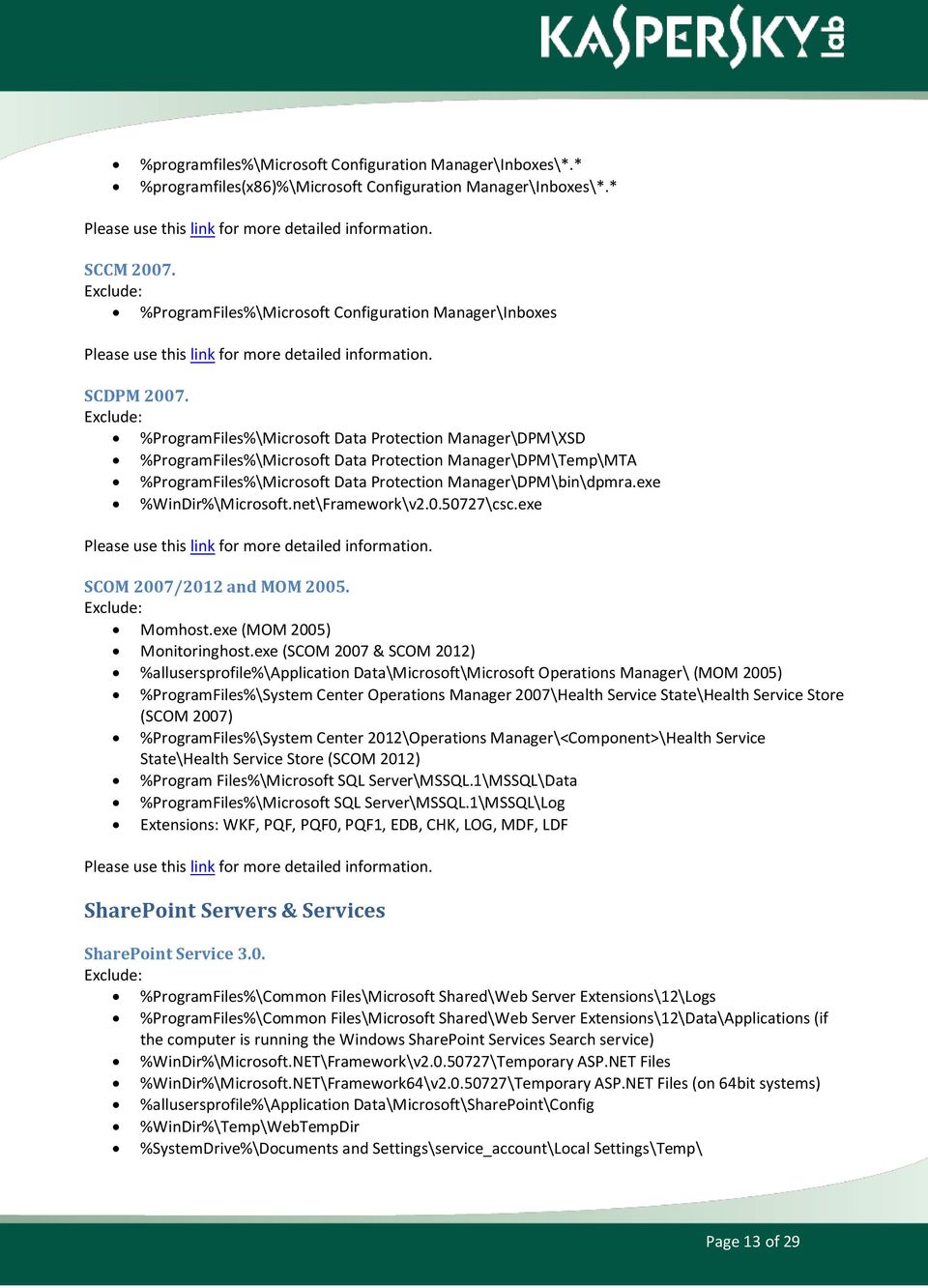
13 %programfiles%\microsoft Configuration Manager\Inboxes\*.* %programfiles(x86)%\microsoft Configuration Manager\Inboxes\*.* SCCM %ProgramFiles%\Microsoft Configuration Manager\Inboxes SCDPM %ProgramFiles%\Microsoft Data Protection Manager\DPM\XSD %ProgramFiles%\Microsoft Data Protection Manager\DPM\Temp\MTA %ProgramFiles%\Microsoft Data Protection Manager\DPM\bin\dpmra.exe %WinDir%\Microsoft.net\Framework\v \csc.exe SCOM 2007/2012 and MOM Momhost.exe (MOM 2005) Monitoringhost.exe (SCOM 2007 & SCOM 2012) %allusersprofile%\application Data\Microsoft\Microsoft Operations Manager\ (MOM 2005) %ProgramFiles%\System Center Operations Manager 2007\Health Service State\Health Service Store (SCOM 2007) %ProgramFiles%\System Center 2012\Operations Manager\<Component>\Health Service State\Health Service Store (SCOM 2012) %Program Files%\Microsoft SQL Server\MSSQL.1\MSSQL\Data %ProgramFiles%\Microsoft SQL Server\MSSQL.1\MSSQL\Log Extensions: WKF, PQF, PQF0, PQF1, EDB, CHK, LOG, MDF, LDF SharePoint Servers & Services SharePoint Service 3.0. %ProgramFiles%\Common Files\Microsoft Shared\Web Server Extensions\12\Logs %ProgramFiles%\Common Files\Microsoft Shared\Web Server Extensions\12\Data\Applications (if the computer is running the Windows SharePoint Services Search service) %WinDir%\Microsoft.NET\Framework\v \Temporary ASP.NET Files %WinDir%\Microsoft.NET\Framework64\v \Temporary ASP.NET Files (on 64bit systems) %allusersprofile%\application Data\Microsoft\SharePoint\Config %WinDir%\Temp\WebTempDir %SystemDrive%\Documents and Settings\service_account\Local Settings\Temp\ Page 13 of 29
14 SharePoint Portal Server 2001/2003. %ProgramFiles%\SharePoint Portal Server %ProgramFiles%\Common Files\Microsoft Shared\Web Storage System %WinDir%\Temp\Frontpagetempdir (If use are using SPS 2003 SP1) SharePoint Server %ProgramFiles%\Microsoft Office Servers\12.0\Data %ProgramFiles%\Microsoft Office Servers\12.0\Logs %ProgramFiles%\Microsoft Office Servers\12.0\Bin SharePoint Foundation 2010 Drive:\Program Files\Common Files\Microsoft Shared\Web Server Extensions\14\Logs Drive:\Program Files\Common Files\Microsoft Shared\Web Server Extensions\14\Data\Applications Drive:\Windows\Microsoft.NET\Framework64\v \Temporary ASP.NET Files Drive: \Users\ServiceAccount\AppData\Local\Temp\WebTempDir Drive:\ProgramData\Microsoft\SharePoint Drive:\Users\account that the search service is running as\appdata\local\temp Drive:\WINDOWS\system32\LogFiles Drive:\Windows\Syswow64\LogFiles Drive:\Users\ServiceAccount\AppData\Local\Temp Drive:\Users\Default\AppData\Local\Temp SharePoint Server 2010 Drive:\Program Files\Microsoft Office Servers\14.0\Data (This folder is used for the indexing process. If the Index files are configured to be located in a different folder, you also have to exclude that location.) Drive:\Program Files\Microsoft Office Servers\14.0\Logs Drive:\Program Files\Microsoft Office Servers\14.0\Bin Drive:\Program Files\Microsoft Office Servers\14.0\Synchronization Service Any location in which you decided to store the disk-based binary large object (BLOB) cache (for example, C:\Blobcache) Page 14 of 29

15 SharePoint Foundation 2013 Drive:\Program Files\Common Files\Microsoft Shared\Web Server Extensions\15\Logs Drive:\Program Files\Common Files\Microsoft Shared\Web Server Extensions\15\Data\Applications Drive:\Windows\Microsoft.NET\Framework64\v \Temporary ASP.NET Files Drive: \Users\ServiceAccount\AppData\Local\Temp\WebTempDir Drive:\ProgramData\Microsoft\SharePoint Drive:\Users\account that the search service is running as\appdata\local\temp Drive:\WINDOWS\System32\LogFiles Drive:\Windows\Syswow64\LogFiles Drive:\Users\ServiceAccount\AppData\Local\Temp Drive:\Users\Default\AppData\Local\Temp SharePoint Server 2013 Drive:\Program Files\Microsoft Office Servers\15.0\Data (This folder is used for the indexing process. If the index files are configured to be located in a different folder, you also have to exclude that location.) Drive:\Program Files\Microsoft Office Servers\15.0\Logs Drive:\Program Files\Microsoft Office Servers\15.0\Bin Drive:\Program Files\Microsoft Office Servers\15.0\Synchronization Service Any location in which you decided to store the disk-based binary large object (BLOB) cache (for example, C:\Blobcache). Virtualization Solutions Hyper-V Servers Vmms.exe Vmwp.exe C:\ProgramData\Microsoft\Windows\Hyper-V C:\Users\Public\Documents\Hyper-V\Virtual Hard Disks %systemdrive%\programdata\microsoft\windows\hyper-v\snapshots MED-V *.VHD - These represent the Virtual Hard Disk Image files. These will appear on test workstations when test images are being used to finalize workspace policies. *.VUD - These represent Virtual PC Undo Disk Files. These will appear on test workstations when test images are being used to finalize workspace policies. Page 15 of 29

16 *.VSV - These represent Virtual PC Saved State files. These will be on all MED-V clients running Workspaces. *.CKM - This is the packed image format used by MED-V (Kidaro Compressed Machine.) These will be present on MED-V Servers, Image Distribution Servers, locally packed images on MED-V Administration workstations, and as pre-staged images on clients. *.VMC - These represent the Base Virtual Machine Settings File. Will be found on all MED-V Clients and Test Workstations. *.INDEX - These are index files used by the TrimTransfer Feature. These will be found on both clients and servers. *.EVHD - These are the encrypted virtual hard disk files used on MED-V Clients running workspaces. App-V Windows Vista, Windows Server 2008 or later %USERPROFILE%\AppData\Local\SoftGrid Client %USERPROFILE%\AppData\Roaming\SoftGrid Client %PROGRAMDATA%\Microsoft\Application Virtualization Client\SoftGrid Client Windows XP or Windows Server 2003 %USERPROFILE%\Application Data\SoftGrid Client %ALLUSERSPROFILE%\Application Data\Microsoft\Application Virtualization Client\ %ALLUSERSPROFILE%\Documents\SoftGrid Client Microsoft SBS 2003 %PROGRAMFILES%\Exchsrvr\Mailroot\vsi 1\PickUp %PROGRAMFILES%\Exchsrvr\Mailroot\ %PROGRAMFILES%\Microsoft Windows Small Business Server\\Networking\POP3\Failed Mail Microsoft Exchange Servers Exchange 2003 Servers Databases and log files across all storage groups are located in Exchsrvr\Mdbdata. MTA files are located in Exchsrvr\Mtadata. Additional log files such as Exchsrvr\server_name.log directory. Exchsrvr\Mailroot virtual server folder.working folder used to store streaming.tmp files that are used for message conversion is located in Exchsrvr\Mdbdata. Temporary folder used in conjunction with offline maintenance utilities such as Eseutil.exe is located in folder where the.exe file is run from. Site Replication Service files are located in Exchsrvr\Srsdata. IIS system files are located in %SystemRoot%\System32\Inetsrv. Page 16 of 29

17 IIS 6.0 compression folder used with Outlook Web Access 2003 is located in %systemroot%\iis Temporary Compressed Files. Quorum disk and %Winnt%\Cluster (for clusters). Exchsrvr\Conndata. Exchange-aware antivirus program folders. Cdb.exe Cidaemon.exe Store.exe Emsmta.exe Mad.exe Mssearch.exe Inetinfo.exe W3wp.exe Exchange 2007 Servers Mailbox server role including clustered mailbox server Databases, checkpoint files, log files and database content indexes located in subfolders under %Program Files%\Microsoft\Exchange Server\Mailbox. General log files like message tracking log files are located in subfolders under %Program Files%\Microsoft\Exchange Server\TransportRoles\Logs and %Program Files%\Microsoft\Exchange Server\Logging. Offline Address Book files are located in subfolders under %Program Files%\Microsoft\Exchange Server\ExchangeOAB. IIS system files located in %SystemRoot%\System32\Inetsrv. Temporary folder used in conjunction with offline maintenance utilities such as Eseutil.exe is located in the folder where the.exe file is run from. Temporary folders used for conversions are located in server s TMP folder, %Program Files%\Microsoft\Exchange Server\Working\OleConvertor and %Program Files%\Microsoft\Exchange Server\Mailbox\MDBTEMP. The quorum disk and the %Winnt%\Cluster. Exchange-aware antivirus program folders. Hub Transport server role General log files are located in subfolders under %Program Files%\Microsoft\Exchange Server\TransportRoles\Logs. Message folders are located in subfolders under %Program Files%\Microsoft\Exchange Server\TransportRoles. Queue database, checkpoint and log files are located in %Program Files%\Microsoft\Exchange Server\TransportRoles\Data\Queue. Sender Reputation database, checkpoint and log files are located in %Program Files%\Microsoft\Exchange Server\TransportRoles\Data\SenderReputation. Page 17 of 29

18 IP filter database, checkpoint and log files are located in %Program Files%\Microsoft\Exchange Server\TransportRoles\Data\IpFilter. Temporary folders used for conversions are located in server s TMP folder and %Program Files%\Microsoft\Exchange Server\Working\OleConvertor. Exchange-aware antivirus program folders. Edge Transport server role. Active Directory Application Mode (ADAM) database and log files are located in %Program Files%\Microsoft\Exchange Server\TransportRoles\Data\Adam. General log files are located in subfolders under %Program Files%\Microsoft\Exchange Server\TransportRoles\Log Message folders are located in %Program Files%\Microsoft\Exchange Server\TransportRoles. Queue database, checkpoint and log files are located in %Program Files%\Microsoft\Exchange Server\TransportRoles\Data\Queue. Sender Reputation database, checkpoint and log files are located in %Program Files%\Microsoft\Exchange Server\TransportRoles\Data\SenderReputation. IP filter database, checkpoint and log files are located in %Program Files%\Microsoft\Exchange Server\TransportRoles\Data\IpFilter. Temporary folders used for conversions are located in server s TMP folder and %Program Files%\Microsoft\Exchange Server\Working\OleConvertor.Exchange-aware antivirus program folders. Client Access server role Internet Information Services (IIS) 6.0 compression folder used with Microsoft Outlook Web Access is located in %systemroot%\iis Temporary Compressed Files. IIS system files are located in %SystemRoot%\System32\Inetsrv. Internet-related files are located in subfolders under %Program Files%\Microsoft\Exchange Server\ClientAccess. Temporary folder used for conversions is located in server s TMP folder. Unified Messaging server role Grammar files are located in subfolders under %Program Files%\Microsoft\Exchange Server\UnifiedMessaging\grammars. Voice prompts located in subfolders under %Program Files%\Microsoft\Exchange Server\UnifiedMessaging\Prompts. Voic files are located in %Program Files%\Microsoft\Exchange Server\UnifiedMessaging\voic . Bad voic files are located in %Program Files%\Microsoft\Exchange Server\UnifiedMessaging\badvoic . Cdb.exe Cidaemon.exe Cluster.exe Dsamain.exe Edgecredentialsvc.exe Page 18 of 29

19 Edgetransport.exe Galgrammargenerator.exe Inetinfo.exe Mad.exe Microsoft.Exchange.Antispamupdatesvc.exe Microsoft.Exchange.Contentfilter.Wrapper.exe Microsoft.Exchange.Cluster.Replayservice.exe Microsoft.Exchange.Edgesyncsvc.exe Microsoft.Exchange.Imap4.exe Microsoft.Exchange.Imap4service.exe Microsoft.Exchange.Infoworker.Assistants.exe Microsoft.Exchange.Monitoring.exe Microsoft.Exchange.Pop3.exe Microsoft.Exchange.Pop3service.exe Microsoft.Exchange.Search.Exsearch.exe Microsoft.Exchange.Servicehost.exe Msexchangeadtopologyservice.exe Msexchangefds.exe Msexchang boxassistants.exeMsexchang submission.exe Msexchangetransport.exe Msexchangetransportlogsearch.exe Msftefd.exe Msftesql.exe Oleconverter.exe Powershell.exe Sesworker.exe Speechservice.exe Store.exe Transcodingservice.exe Umservice.exe Umworkerprocess.exe W3wp.exe Extension exclusions In addition to excluding specific directories and processes, you should exclude the following Exchange specific file name extensions in case directory exclusions fail or files are moved from their default locations. Application-related extensions:.config.dia.wsb Database-related extensions:.chk.log.edb.jrs Page 19 of 29

20 .que Offline address book-related extensions:.lzx Content Index-related extensions:.ci.dir.wid Unified Messaging-related extensions:.cfg.grxml GroupMetrics:.dsc.bin.xml Exchange 2010 Servers Mailbox server role including clustered mailbox server Databases, checkpoint files, log files and database content indexes located in subfolders under %ExchangeInstallPath%\Mailbox. Group Metrics files are located in %ExchangeInstallPath%\GroupMetrics. General log files like message tracking log files are located in subfolders under %ExchangeInstallPath%\TransportRoles\Logs and %ExchangeInstallPath%\Logging. Offline Address Book files are located in subfolders under %ExchangeInstallPath%\ExchangeOAB. IIS system files located in %SystemRoot%\System32\Inetsrv. Temporary folder used in conjunction with offline maintenance utilities such as Eseutil.exe is located in the folder where the.exe file is run from. Mailbox database temporary folder is located in %ExchangeInstallPath%\Mailbox\MDBTEMP. The quorum disk and the %Winnt%\Cluster. Exchange-aware antivirus program folders. Hub Transport server role General log files are located in subfolders under %ExchangeInstallPath%\TransportRoles\Logs. Pickup and Replay message directory folders are located in %ExchangeInstallPath%\TransportRoles. Queue database, checkpoint and log files are located in %ExchangeInstallPath%\TransportRoles\Data\Queue. Page 20 of 29

21 Sender Reputation database, checkpoint and log files are located in %ExchangeInstallPath%\TransportRoles\Data\SenderReputation. IP filter database, checkpoint and log files are located in %ExchangeInstallPath%\TransportRoles\Data\IpFilter. Temporary folders used for conversions are located in server s TMP folder and %ExchangeInstallPath%\Working\OleConvertor. Exchange-aware antivirus program folders. Edge Transport server role Active Directory Application Mode (ADAM) database and log files are located in %ExchangeInstallPath%\TransportRoles\Data\Adam. General log files are located in subfolders under %ExchangeInstallPath%\TransportRoles\Logs.Pickup and Replay message folders are located in %ExchangeInstallPath%\TransportRoles. Queue database, checkpoint and log files are located in %ExchangeInstallPath%\TransportRoles\Data\Queue. Sender Reputation database, checkpoint and log files are located in %ExchangeInstallPath%\TransportRoles\Data\SenderReputation. IP filter database, checkpoint and log files are located in %ExchangeInstallPath%\TransportRoles\Data\IpFilter. Temporary folders used for conversions are located in server s TMP folder and %ExchangeInstallPath%\Working\OleConvertor. Exchange-aware antivirus program folders. Client Access server role Internet Information Services (IIS) 7.0 compression folder used with Microsoft Outlook Web App is located in %SystemDrive%\inetpub\temp\IIS Temporary Compressed Files. Internet Information Services (IIS) 7.0 compression folder used with Microsoft Outlook Web App is located in %systemroot%\iis Temporary Compressed Files. IIS system files are located in %SystemRoot%\System32\Inetsrv. Inetpub\logs\logfiles\w3svc. Internet-related files are located in subfolders under %ExchangeInstallPath%\ClientAccess. For servers that have protocol logging enabled for POP3 or IMAP4: %ExchangeInstallPath%\Logging\POP3 and %ExchangeInstallPath%\Logging\IMAP4. Temporary folder used for conversions is located in server s TMP folder and %ExchangeInstallPath%\Working\OleConvertor. Unified Messaging server role Grammar files are located in subfolders under %ExchangeInstallPath%\UnifiedMessaging\grammars. Voice prompts, greetings and informational message files are located in subfolders under %ExchangeInstallPath%\UnifiedMessaging\Prompts. Voic files are located in %ExchangeInstallPath%\UnifiedMessaging\voic . Temporary files generated by Unified Messaging are located in %ExchangeInstallPath%\UnifiedMessaging\temp. Cdb.exe Page 21 of 29
22 Cidaemon.exe Cluster.exeDsamain.exe EdgeCredentialSvc.exe EdgeTransport.exe ExFBA.exe GalGrammarGenerator.exe Inetinfo.exe Mad.exe Microsoft.Exchange.AddressBook.Service.exe Microsoft.Exchange.AntispamUpdateSvc.exe Microsoft.Exchange.ContentFilter.Wrapper.exe Microsoft.Exchange.EdgeSyncSvc.exe Microsoft.Exchange.Imap4.exe Microsoft.Exchange.Imap4service.exe Microsoft.Exchange.Infoworker.Assistants.exe Microsoft.Exchange.Monitoring.exe Microsoft.Exchange.Pop3.exe Microsoft.Exchange.Pop3service.exe Microsoft.Exchange.ProtectedServiceHost.exe Microsoft.Exchange.RPCClientAccess.Service.exe Microsoft.Exchange.Search.Exsearch.exe Microsoft.Exchange.Servicehost.exe MSExchangeASTopologyService.exe MSExchangeFDS.exe MSExchang boxAssistants.exe MSExchang boxReplication.exe MSExchang Submission.exe MSExchangeRepl.exe MSExchangeTransport.exe MSExchangeTransportLogSearch.exe MSExchangeThrottling.exe Msftefd.exe Msftesql.exe OleConverter.exe Powershell.exe SESWorker.exe SpeechService.exe Store.exe TranscodingService.exe UmService.exe UmWorkerProcess.exe W3wp.exe Extension exclusions In addition to excluding specific directories and processes, you should exclude the following Exchange specific file name extensions in case directory exclusions fail or files are moved from their default locations. Page 22 of 29
23 Application-related extensions:.config.dia.wsb Database-related extensions:.chk.log.edb.jrs.que Offline address book-related extensions:.lzx Content Index-related extensions:.ci.dir.wid Unified Messaging-related extensions:.cfg.grxml GroupMetrics:.dsc.bin.xml Lync Server 2010 Processes: ASMCUSvc.exe AVMCUSvc.exe DataMCUSvc.exe DataProxy.exe FileTransferAgent.exe IMMCUSvc.exe MasterReplicatorAgent.exe MediaRelaySvc.exe MediationServerSvc.exe MeetingMCUSvc.exe Page 23 of 29
24 MRASSvc.exe OcsAppServerHost.exe QmsSvc.exe ReplicaReplicatorAgent.exe RTCArch.exe RtcCdr.exe RTCSrv.exe IIS processes: %systemroot%\system32\inetsrv\w3wp.exe %systemroot%\syswow64\inetsrv\w3wp.exe SQL Server processes: %ProgramFiles%\Microsoft SQL Server\MSSQL10.MSSQLSERVER\MSSQL\Binn\SQLServr.exe %ProgramFiles%\Microsoft SQL Server\MSRS10.MSSQLSERVER\Reporting Services\ReportServer\Bin\ReportingServicesService.exe %ProgramFiles%\Microsoft SQL Server\MSAS10.MSSQLSERVER\OLAP\Bin\MSMDSrv.exe Directories and files: %systemroot%\system32\logfiles %systemroot%\syswow64\logfiles %systemroot%\windows\assembly\gac_msil %programfiles%\microsoft Lync Server 2010 %programfiles%\commonfiles\microsoft Lync Server 2010 %SystemDrive%\RtcReplicaRoot File share store (specified in Topology Builder). File stores are specified in Topology Builder. SQL Server data and log files, including those for the back-end database, user store, archiving store, monitoring store, and application store. Database and log files can be specified in Topology Builder. Data Protection Manager \XSD \Temp\MTA Dpmra.exe Csc.exe Dynamics AX 2009 For versions up to AX 2009 exclude: All the AOD, AOI, ADD, ADI, KHD & KHI files, or alternatively, the whole application folder Page 24 of 29
25 BizTalk 2004 Servers Exclude any file receive queue folders. EntSSO.exe, MSDTC.exe, BTSNTSvc.exe, BTSNTSvc64.exe, SQLServr.exe, but also others as IIS, Customer WCF services, MSMQ, Rule Engine, SQL Agent, SSIS, SSNS and other applications used in integration scenarios. Page 25 of 29


26 How to Add Exclusions in KES 10 for Windows The first way to create a default exclusion which includes many of the default Windows Workstation / Server lists list is during policy creation. During creation, the two checkboxes to create default rules will need to be checked. Page 26 of 29
27 Examples of auto-generated rules: Alternatively, specific exclusions can be created after the policy has been created in the General Protection Settings area of the policy. Page 27 of 29
28 How to Add Exclusions in KAV 8.0 for Windows Servers EE Please note that many of the exclusions mentioned above are prepopulated due to this product being specifically targeted at Server environment. Review these default exclusions will be necessary if there has been customization in your environment, specifically looking for non-default installation paths and updating as needed will ensure proper exclusion. The exclusion rules can be found in the Advanced area of the policy under Trusted Zone -> Settings. Page 28 of 29
29 Page 29 of 29
File-Level Antivirus Scanning on Exchange 2007
 File-Level Antivirus Scanning on Exchange 2007: Exchange 2007 Help 1 of 6 2009 Microsoft Corporation. All rights reserved. File-Level Antivirus Scanning on Exchange 2007 Applies to: Exchange Server 2007
Implementing Microsoft File Exclusions in Trend Micro OfficeScan 8.0
 A Trend Micro TrendEdge Solution Advanced Technologies and Techniques to Enhance Your Product Implementing Microsoft File Exclusions in Trend Micro OfficeScan 8.0 Mike Canavan Senior Solutions Architect
BitDefender Security for File Servers RECOMMENDED CONFIGURATION
 BitDefender Security for File Servers RECOMMENDED CONFIGURATION Summary Computers running Windows Server 2003, Windows 2000 or Windows XP... 3 Computers Running Windows Server 2003 and Windows 2000 Domain
For computers that are running Windows Server 2008 R2, Windows Server 2008, Windows Server 2003, Windows 2000, Windows XP, or Windows Vista
 Article ID: 822158 - Last Review: September 4, 2009 - Revision: 11.0 Virus scanning recommendations for computers that are running Windows Server 2008 Windows Server 2008, Windows Server 2003, Windows
Roles for Servers in the SCW Database
 Roles for Servers in the SCW Database Application BizTalk 2004 Business Activity BizTalk 2004 Messaging and Orchestration ASP.NET session state BizTalk 2004 EDI Integration BizTalk 2004 Rules Engine Audit
EAsE and Integrated Archive Platform (IAP)
 EAsE and Integrated Archive Platform (IAP) HP Outlook Web Access (OWA) Extension on Exchange 2007 Table of Contents Overview... 2 Microsoft Outlook Web Access 2007 (OWA 2007)... 2 HP Outlook Web Access
Hardware/Software Guidelines
 There are many things to consider when preparing for a TRAVERSE v11 installation. The number of users, application modules and transactional volume are only a few. Reliable performance of the system is
1 (11) Paperiton DMS Document Management System System Requirements Release: 2012/04 2012-04-16
 1 (11) Paperiton DMS Document Management System System Requirements Release: 2012/04 2012-04-16 2 (11) 1. This document describes the technical system requirements for Paperiton DMS Document Management
Migrate to Windows Small Business Server 2011 Standard from Windows Small Business Server 2003
 Migrate to Windows Small Business Server 2011 Standard from Windows Small Business Server 2003 Microsoft Corporation Published: March 2011 Version: 11.03.11 Abstract This guide explains how to install
End-to-End Infrastructure Solutions
 End-to-End Infrastructure Solutions Thakral One www.thakralone.com www.thakralone.com 1 Agenda 1 2 3 Maximizing Infrastructure Investments End-to-End Infrastructure Solutions Thakral One and Our Value
10135A: Configuring, Managing, and Troubleshooting Microsoft Exchange Server 2010
 10135A: Configuring, Managing, and Troubleshooting Microsoft Exchange Server 2010 Course Number: 10135A Course Length: 5 Day Course Overview This instructor-led course will provide you with the knowledge
5053A: Designing a Messaging Infrastructure Using Microsoft Exchange Server 2007
 5053A: Designing a Messaging Infrastructure Using Microsoft Exchange Server 2007 Course Number: 5053A Course Length: 3 Days Course Overview This three-day instructor-led course provides students with the
SharePoint 2013 Infrastructure Planning
 SharePoint 2013 Infrastructure Planning SharePoint Configuration March 3, 2014 SharePoint 2013 Infrastructure Planning Confidential and Proprietary Information Entire contents Scholantis Learning Software
MCSA/MCITP: Enterprise Windows Server 2008 Course 9952; 14 Days, Instructor-led
 MCSA/MCITP: Enterprise Windows Server 2008 Course 9952; 14 Days, Instructor-led Course Description Whether you are looking to learn new technology, gain Server 2008 certification, or simply improve your
Microsoft Exchange Server 2007, Upgrade from Exchange 2000/2003 (3938. 3938/5049/5050) Course KC3065 5 Days OVERVIEW COURSE OBJECTIVES AUDIENCE
 Microsoft Exchange, Upgrade from Exchange 2000/2003 COURSE OVERVIEW This instructor-led course offers Microsoft Exchange Server administrators with the skills they need to manage a Microsoft Exchange infrastructure.
13 Courses Quick Guide
 13 Courses Quick Guide Microsoft Network Infrastructure 2008 Microsoft Certified Solution Associate (MCSA 2012) MCSE 2012 (Private Cloud) MCSE Server infrastructure 2012 Administering & Configuring Microsoft
Egress Switch Client Deployment Guide V4.x
 Egress Switch Client Deployment Guide V4.x www.egress.com 2007-2013 Egress Software Technologies Ltd Table of Contents System Requirements... 4 Deployment Process... 4 Computer & User Based Policy Application...
System Requirements for Microsoft Dynamics NAV 2009
 System Requirements for Microsoft Dynamics NAV 2009 RoleTailored client Microsoft Windows XP Professional SP3 or later (X86 or Microsoft Windows Vista (Business, Enterprise, or Ultimate) SP1 or later (X86
70-662: Deploying Microsoft Exchange Server 2010
 70-662: Deploying Microsoft Exchange Server 2010 Course Introduction Course Introduction Chapter 01 - Active Directory and Supporting Infrastructure Active Directory and Supporting Infrastructure Network
MCITP MCITP: Enterprise Administrator on Windows Server 2008 (5 Modules)
 MCITP Windows 2008 Enterprise Edition is considered as Microsoft s most reliable, scalable and high-performing server operating system. It has been designed to simplify the process of Migration from the
Building Your Complete Remote Access Infrastructure on Windows Server 2012
 Building Your Complete Remote Access nappliance White Paper August 2012 Introduction Remote access is a complex challenge for IT administrators. Providing system access to remote users involves a broad
6445A - Implementing and Administering Small Business Server 2008
 6445A - Implementing and Administering Small Business Server 2008 Table of Contents Introduction Audience At Clinic Completion Prerequisites Microsoft Certified Professional Exams Student Materials Course
70-682. Microsoft. Pro: Upgrading to Windows 7 MCITP Enterprise Desktop Support Technician. http://www.pass4sureofficial.com. www.dumpspdf.
 70-682 Microsoft Pro: Upgrading to Windows 7 MCITP Enterprise Desktop Support Technician http://www.pass4sureofficial.com Dumpspdf.com is a reputable IT certification examination guide, study guides and
Kaspersky Endpoint Security 10 for Windows. Deployment guide
 Kaspersky Endpoint Security 10 for Windows Deployment guide Introduction Typical Corporate Network Network servers Internet Gateway Workstations Mail servers Portable media Malware Intrusion Routes Viruses
MOC 5047B: Intro to Installing & Managing Microsoft Exchange Server 2007 SP1
 MOC 5047B: Intro to Installing & Managing Microsoft Exchange Server 2007 SP1 Course Number: 5047B Course Length: 3 Days Certification Exam This course will help you prepare for the following Microsoft
Symantec Enterprise Vault. Upgrading to Enterprise Vault 11.0.1
 Symantec Enterprise Vault Upgrading to Enterprise Vault 11.0.1 Symantec Enterprise Vault: Upgrading to Enterprise Vault 11.0.1 The software described in this book is furnished under a license agreement
How To Migrate From 2003 To 2010 On An Exchange 2003 Server 2003 (For A Large Organization)
 Copyright 2010 LockLAN Systems Pty Ltd The right of LockLAN Systems Pty Ltd to be identified as author and copyright owner of this work is asserted by LockLAN Systems Pty Ltd in accordance with Australian
Fujitsu PRIMEFLEX reference architectures
 SharePoint, Exchange, Lync, OfficeMaster Gate Fujitsu PRIMEFLEX reference architectures 0 Fujitsu PRIMEFLEX for SharePoint based on Microsoft SharePoint 2013 SP1 on-premise solution designed for 250 SharePoint
Qualifying Microsoft Training for Software Assurance Training Vouchers (SATVs)
 Qualifying Microsoft Training for Software Assurance Training Vouchers (SATVs) Product Technology Product Number Title License Management, License Management 55071 Course 55071 : Microsoft Software Asset
Configuring, Managing and Troubleshooting Microsoft Exchange Server 2010 Service Pack 2
 Course 10135 Configuring, Managing and Troubleshooting Microsoft Exchange Server 2010 Service Pack 2 Length: 5 Days Language(s): English Audience(s): IT Professionals Level: 200 Technology: Microsoft Exchange
Configuring, Managing and Troubleshooting Microsoft Exchange Server 2010 Service Pack 2
 Course 10135B: Configuring, Managing and Troubleshooting Microsoft Exchange Server 2010 Service Pack 2 Length: 5 Days Audience(s): IT Professionals Level: 200 Technology: Microsoft Exchange Server 2010
MS-10135 - Configuring, Managing and Troubleshooting Microsoft Exchange Server 2010
 MS-10135 - Configuring, Managing and Troubleshooting Microsoft Exchange Server 2010 Introduction This course will provide you with the knowledge and skills to configure and manage a Microsoft Exchange
Planning for Windows Server 2008 Servers
 Planning for Windows Server 2008 Servers Course Number: 6430B Course Length: 3 Days Course Overview This 3-day course is intended for IT pros who are interested in the knowledge and skills necessary to
MCSA Objectives. Exam 70-236: TS:Exchange Server 2007, Configuring
 MCSA Objectives Exam 70-236: TS:Exchange Server 2007, Configuring Installing and Configuring Microsoft Exchange Servers Prepare the infrastructure for Exchange installation. Prepare the servers for Exchange
Enterprise Vault. For Microsoft Exchange Server. Installing and Configuring Version 5.0
 Enterprise Vault For Microsoft Exchange Server Installing and Configuring Version 5.0 March 2005 This publication and the software it describes are the intellectual property of kvault Software Ltd (KVS).
MS 10135B Configuring, Managing and Troubleshooting Microsoft Exchange Server 2010
 MS 10135B Configuring, Managing and Troubleshooting Microsoft Exchange Server 2010 Description: Days: 5 Prerequisites: This course will provide you with the knowledge and skills to configure and manage
Network Configuration/Bandwidth Planning Scope
 Network Configuration/Bandwidth Planning Scope Workshop Focus and Objective Workshop Focus Drive key planning considerations for Office 365 domain and domain name service (DNS) records configuration Network
This course is intended for IT professionals who are responsible for the Exchange Server messaging environment in an enterprise.
 10233A: Designing and Deploying Messaging Solutions with Microsoft Exchange Server 2010 Course Number: 10233A Course Length: 5 Day Course Overview This instructor-led course provides you with the knowledge
Deploying Exchange Server 2007 SP1 on Windows Server 2008
 Deploying Exchange Server 2007 SP1 on Windows Server 2008 Product Group - Enterprise Dell White Paper By Ananda Sankaran Andrew Bachler April 2008 Contents Introduction... 3 Deployment Considerations...
Advanced Event Viewer Manual
 Advanced Event Viewer Manual Document version: 2.2944.01 Download Advanced Event Viewer at: http://www.advancedeventviewer.com Page 1 Introduction Advanced Event Viewer is an award winning application
MCSE Objectives. Exam 70-236: TS:Exchange Server 2007, Configuring
 MCSE Objectives Exam 70-236: TS:Exchange Server 2007, Configuring Installing and Configuring Microsoft Exchange Servers Prepare the infrastructure for Exchange installation. Prepare the servers for Exchange
Build Your Knowledge!
 About this Course This course will provide you with the knowledge and skills to configure and manage a Microsoft Exchange Server 2010 messaging environment. This course will teach you how to configure
Advanced Diploma In Hardware, Networking & Server Configuration
 Advanced Diploma In Hardware, Networking & Server Configuration Who should do this course? This course is meant for those persons who have a dream of getting job based on Computer Hardware, Networking
6445A - Implementing and Administering Windows Small Business Server 2008
 6445A - Implementing and Administering Windows Small Business Server 2008 Course Number: 6445A Course Length: 5 Days Course Overview This 5 day course provides students with the necessary knowledge to
Course 6331A: Deploying and Managing Microsoft System Center Virtual Machine Manager
 Course 6331A: Deploying and Managing Microsoft System Center Virtual Machine Manager Length: 3 Days Language(s): English Audience(s): IT Professionals Level: 300 Technology: Microsoft System Center Virtual
Migrating from Microsoft ISA Server 2004/2006 to Forefront Threat Management Gateway (TMG) 2010
 Migrating from Microsoft ISA Server 2004/2006 to Forefront Threat Management Gateway (TMG) 2010 Richard Hicks Forefront MVP MCSE, MCITP:EA, WCE-WS Senior Sales Engineer Product Specialist Edge Security
Installing GFI MailEssentials
 Installing GFI MailEssentials Introduction to installing GFI MailEssentials This chapter shows you how to install and configure GFI MailEssentials. GFI MailEssentials can be installed in two ways: Installation
System Requirements for Web Applications
 for Web Overview This document contains the Web server recommendations and client workstation requirements for Business Portal for Microsoft Dynamics GP 2010, Workflow, Web Services and SQL Reporting Services
Course 5431: Getting Started with Microsoft Office PowerPoint 2007. Course 5420: Editing and Proofreading Documents in Microsoft Office Word 2007
 This level of training is designed to help you make the most of your first steps into computing. They cover a basic introduction to a range of Microsoft products such as Word, Power Point and Excel. Course
GFI Product Manual. Deployment Guide
 GFI Product Manual Deployment Guide http://www.gfi.com [email protected] The information and content in this document is provided for informational purposes only and is provided "as is" with no warranty of
See requirements for Microsoft SQL Server 2000 or Microsoft SQL Server 2005
 System Requirements System Requirements for Microsoft Dynamics NAV 5.0 SQL Server Option About 250 MB (full installation incl. two language modules) About 110 MB (minimal installation incl. two language
MS 10135 Configuring, Managing and Troubleshooting Microsoft Exchange Server 2010 Service Pack 2
 MS 10135 Configuring, Managing and Troubleshooting Microsoft Exchange Server 2010 Service Pack 2 P a g e 1 of 10 About this Course This course will provide you with the knowledge and skills to configure
McAfee VirusScan Enterprise 8.8 Best Practices Guide
 Best Practices Guide COPYRIGHT Copyright 2010 McAfee, Inc. All Rights Reserved. No part of this publication may be reproduced, transmitted, transcribed, stored in a retrieval system, or translated into
MCSE: server infrastructure Syllabus
 MCSE: server infrastructure Syllabus General Information Description The Microsoft Certified Solutions Expert (MCSE): Server Infrastructure course trains you to acquire the skills needed to run a highly
NE-6416D Updating Your Windows Server 2003 Technology Skills to Windows Server 2008
 NE-6416D Updating Your Windows 2003 Technology Skills to Windows Summary Duration Vendor Audience 5 Days Microsoft IT Professionals Published Level Technology 25 October 2011 200 Delivery Method Instructor-led
Microsoft Agreement FAQ
 Microsoft Agreement FAQ 1. Why did the University of Utah seek to establish the Microsoft Campus Agreement? In years past, Microsoft has allowed the University to utilize multiple agreements (Select and
Sophos Enterprise Console server to server migration guide. Product version: 5.2
 Sophos Enterprise Console server to server migration guide Product : 5.2 Document date: December 2014 Contents 1 About this guide...3 2 Terminology...4 3 Assumptions...5 4 Prerequisite...6 5 What are the
Release Notes for Websense Email Security v7.2
 Release Notes for Websense Email Security v7.2 Websense Email Security version 7.2 is a feature release that includes support for Windows Server 2008 as well as support for Microsoft SQL Server 2008. Version
MS-6416D: Updating Your Windows Server 2003 Technology Skills to Windows Server 2008
 MS-6416D: Updating Your Windows Server 2003 Technology Skills to Windows Server 2008 Description This five-day instructor-led course teaches the features and technologies of Windows Server 2008 and Windows
Cisco ICM/IPCC Enterprise and Hosted Anti-Virus Software Guidelines
 Introduction Cisco ICM/IPCC Enterprise and Hosted Anti-Virus Software Guidelines This document provides guidelines for implementing anti-virus software in a Cisco ICM/IPCC Enterprise (or Hosted) solution.
Workshop 5051A: Monitoring and Troubleshooting Microsoft Exchange Server 2007
 Course Syllabus Workshop 5051A: Monitoring and Troubleshooting Microsoft Exchange Server 2007 About This Workshop Elements of this syllabus are subject to change. This two-day workshop teaches messaging
Updating Your Windows Server 2003 Technology Skills to Windows Server 2008
 Updating Your Windows Server 2003 Technology Skills to MS6416: 5 Days Course Overview This five-day instructor-led course teaches the features and technologies of and R2 to IT professionals who have specialist
Optimizing Microsoft Exchange in the Enterprise Part II: Hub Transport Server and Lync-SharePoint Integration
 Expert Reference Series of White Papers Optimizing Microsoft Exchange in the Enterprise Part II: Hub Transport Server and Lync-SharePoint Integration 1-800-COURSES www.globalknowledge.com Optimizing Microsoft
Configuring, Managing and Troubleshooting Microsoft Exchange Server 2010 Service Pack 2
 Configuring, Managing and Troubleshooting Microsoft Exchange Server 2010 Service Pack 2 Course Details Course Code: Duration: 10135B 5 day(s) Elements of this syllabus are subject to change. This course
Getting Started Guide
 GFI MailArchiver for Exchange Getting Started Guide By GFI Software Ltd. http://www.gfi.com Email: [email protected] Information in this document is subject to change without notice. Companies, names, and
E-MAIL AND SERVER SECURITY
 E-MAIL AND SERVER SECURITY DEPLOYMENT GUIDE 1 E-MAIL AND SERVER SECURITY Deployment Guide 2 CONTENTS 1. Overview 3 1.1 How the product works 3 1.2 Product contents 4 2. Deployment scenarios 5 2.1 Stand-alone
Course Outline: Course 6331: Deploying and Managing Microsoft System Center Virtual Machine Manager Learning Method: Instructor-led Classroom Learning
 Course Outline: Course 6331: Deploying and Managing Microsoft System Center Virtual Machine Manager Learning Method: Instructor-led Classroom Learning Duration: 3.00 Day(s)/ 24 hrs Overview: This three-day
E-MAIL AND SERVER SECURITY
 E-MAIL AND SERVER SECURITY DEPLOYMENT GUIDE 1 E-MAIL AND SERVER SECURITY Deployment Guide 2 CONTENTS 1. Overview 3 2. Deployment scenarios 5 2.1 Stand-alone server 5 2.2 Deploying the product with F-Secure
MS-50292 - MCITP: Windows 7 Enterprise Desktop Support Technician Boot Camp
 MS-50292 - MCITP: Windows 7 Enterprise Desktop Support Technician Boot Camp Table of Contents Introduction Audience At Completion Prerequisites Microsoft Certified Professional Exams Student Materials
MCSE SYLLABUS. Exam 70-290 : Managing and Maintaining a Microsoft Windows Server 2003:
 MCSE SYLLABUS Course Contents : Exam 70-290 : Managing and Maintaining a Microsoft Windows Server 2003: Managing Users, Computers and Groups. Configure access to shared folders. Managing and Maintaining
Configuring, Managing and Troubleshooting Microsoft Exchange Server 2010 Service Pack 2
 Course 10135B: Configuring, Managing and Troubleshooting Microsoft Exchange Server 2010 Service Pack 2 Course Details Course Outline Module 1: Deploying Microsoft Exchange Server 2010 This module describes
Course 10534A: Planning and Designing a Microsoft Lync Server 2010 Solution
 Course 10534A: Planning and Designing a Microsoft Lync Server 2010 Solution OVERVIEW About this Course This five-day instructor-led course teaches how to plan and design a Microsoft Lync Server 2010 solution
Planning and Implementing Windows Server 2008
 Planning and Implementing Windows Server 2008 Course Number: 6433A Course Length: 5 Days Course Overview This five day course is intended for IT Professionals who are interested in the knowledge and skills
How To Install Powerpoint 6 On A Windows Server With A Powerpoint 2.5 (Powerpoint) And Powerpoint 3.5.5 On A Microsoft Powerpoint 4.5 Powerpoint (Powerpoints) And A Powerpoints 2
 DocAve 6 Service Pack 1 Installation Guide Revision C Issued September 2012 1 Table of Contents About the Installation Guide... 4 Submitting Documentation Feedback to AvePoint... 4 Before You Begin...
Designing and Deploying Messaging Solutions with Microsoft Exchange Server 2010 Service Pack 2 MOC 10233
 Designing and Deploying Messaging Solutions with Microsoft Exchange Server 2010 Service Pack 2 MOC 10233 Course Outline Module 1: Introduction to Designing a Microsoft Exchange Server 2010 Deployment This
Network Computing Architects Inc. (NCA) Network Operations Center (NOC) Services
 Network Computing Architects Inc. (NCA), provides outsourced IT services by monitoring and managing clients computing assets. Included Services: For all systems covered under NOC Support, the following
EVault for Data Protection Manager. Course 321 Protecting Exchange 2010 with DPM
 EVault for Data Protection Manager Course 321 Protecting Exchange 2010 with DPM Table of Contents Objectives... 3 Scenario... 3 Estimated Time to Complete This Lab... 3 Requirements for This Lab... 3 Computers
CTERA Agent for Windows
 User Guide CTERA Agent for Windows September 2013 Version 4.0 Copyright 2009-2013 CTERA Networks Ltd. All rights reserved. No part of this document may be reproduced in any form or by any means without
Designing a Windows Server 2008 Network Infrastructure
 Designing a Windows Server 2008 Network Infrastructure MOC6435 About this Course This five-day course will provide students with an understanding of how to design a Windows Server 2008 Network Infrastructure
Installing SBS2003 Service Pack 1 Version 1.03
 Installing SBS2003 Service Pack 1 Version 1.03 Need to Know TM Microsoft Small Business Server 2003 now has Service Pack 1 available. This document details how to install that service pack onto servers.
INNOVATION & SUPPORT CENTER
 INNOVATION & SUPPORT CENTER About the Center The Innovation and Support Center is managed by highly trained and qualified professional Omanis; not only to keep pace with global development in the provision
2208 Course 2208: Updating Support Skills from Microsoft Windows NT 4.0 to Windows Server 2003 2263 Clinic 2263: Exam Preparation for the MCDST
 Course ID Course 2208 Course 2208: Updating Support Skills from Microsoft Windows NT 4.0 to Windows Server 2003 2263 Clinic 2263: Exam Preparation for the MCDST Certification 2275 Course 2275: Maintaining
Implementing and Administering Windows Small Business Server 2008
 Implementing and Administering Windows Small Business Server 2008 MOC6445 About this Course This five-day hands-on workshop provides students with the necessary knowledge to plan and implement Windows
Configuring Managing and Troubleshooting Microsoft Exchange Server 2010
 Course Code: M10135 Vendor: Microsoft Course Overview Duration: 5 RRP: 1,980 Configuring Managing and Troubleshooting Microsoft Exchange Server 2010 Overview This course will provide you with the knowledge
Installing GFI MailSecurity
 Installing GFI MailSecurity Introduction This chapter explains how to install and configure GFI MailSecurity. You can install GFI MailSecurity directly on your mail server or you can choose to install
Implementing, Managing, and Maintaining a Microsoft Windows Server 2003 Network Infrastructure
 Question Number (ID) : 1 (jaamsp_mngnwi-025) Lisa would like to configure five of her 15 Web servers, which are running Microsoft Windows Server 2003, Web Edition, to always receive specific IP addresses
GFI Product Manual. Getting Started Guide
 GFI Product Manual Getting Started Guide The information and content in this document is provided for informational purposes only and is provided "as is" with no warranty of any kind, either express or
Sage HRMS 2014 Sage Employee Self Service
 Sage HRMS 2014 Sage Employee Self Service Pre-Installation Guide October 2013 This is a publication of Sage Software, Inc. Document version: October 17, 2013 Copyright 2013. Sage Software, Inc. All rights
Module 1: Overview of Network Infrastructure Design This module describes the key components of network infrastructure design.
 SSM6435 - Course 6435A: Designing a Windows Server 2008 Network Infrastructure Overview About this Course This five-day course will provide students with an understanding of how to design a Windows Server
Copyright 2011 Sophos Ltd. Copyright strictly reserved. These materials are not to be reproduced, either in whole or in part, without permissions.
 PureMessage for Microsoft Exchange protects Microsoft Exchange servers and Windows gateways against email borne threats such as from spam, phishing, viruses, spyware. In addition, it controls information
Windows Server on WAAS: Reduce Branch-Office Cost and Complexity with WAN Optimization and Secure, Reliable Local IT Services
 Windows Server on WAAS: Reduce Branch-Office Cost and Complexity with WAN Optimization and Secure, Reliable Local IT Services What You Will Learn Windows Server on WAAS reduces the cost and complexity
BACKUP & RESTORE (FILE SYSTEM)
 Table of Contents Table of Contents... 1 Perform a Backup (File System)... 1 What Gets Backed Up... 2 What Does Not Get Backed Up... 3 Perform a Restore... 4 Perform a Backup (File System) The following
MS-10534 - Planning and Designing a Microsoft Lync Server 2010 Solution
 MS-10534 - Planning and Designing a Microsoft Lync Server 2010 Solution Table of Contents Introduction Audience At Course Completion Prerequisites Microsoft Certified Professional Exams Student Materials