
INDIANA DEPARTMENT OF
|
|
|
- Berniece Howard
- 10 years ago
- Views:
Transcription
1 INDIANA DEPARTMENT OF HOMELAND SECURITY Joe Wainscott, Executive Director
2 The Indiana Grants Management System (igms) igms login/dashboard Creating a proposal Creating a budget Agreements Performance periods Creating a GAN Creating a request for expenditure (RFE)


3 Introduction Development of the igms began in late Initially designed to function primarily as a budgeting and expense tracking tool. Grown into a broader project management tool. Provides real-time information to project managers, sub-recipients and IDHS field staff.

4 igms Account New users are required to contact the Grants Management Section to request an account. This contact may be made by to Can enter the igms from any computer with internet Web Site:
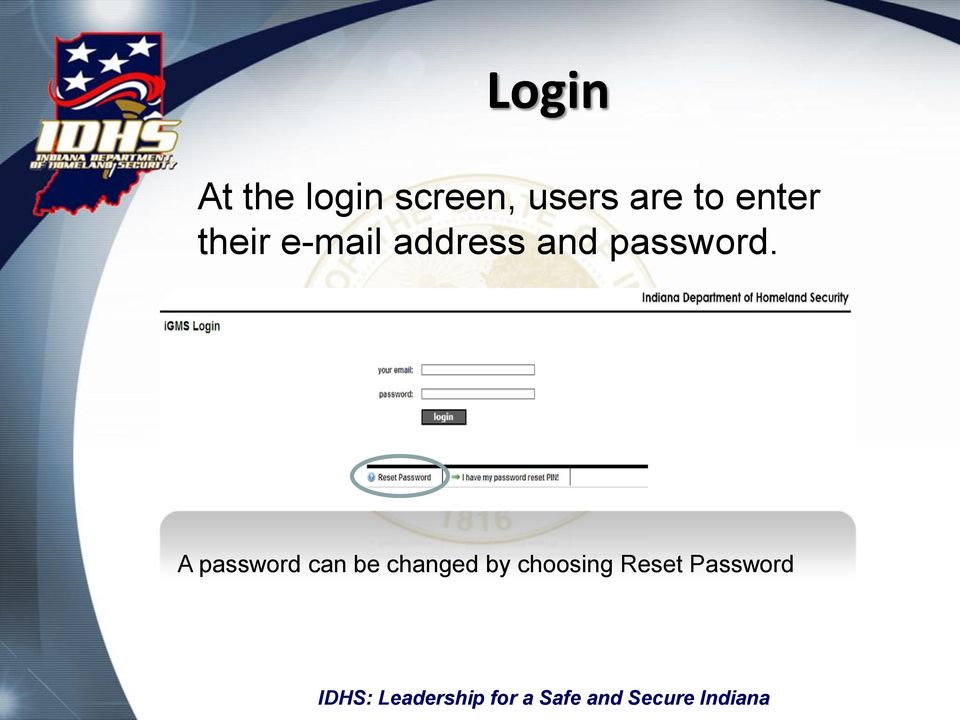
5 Login At the login screen, users are to enter their address and password. A password can be changed by choosing Reset Password

6 Dashboard
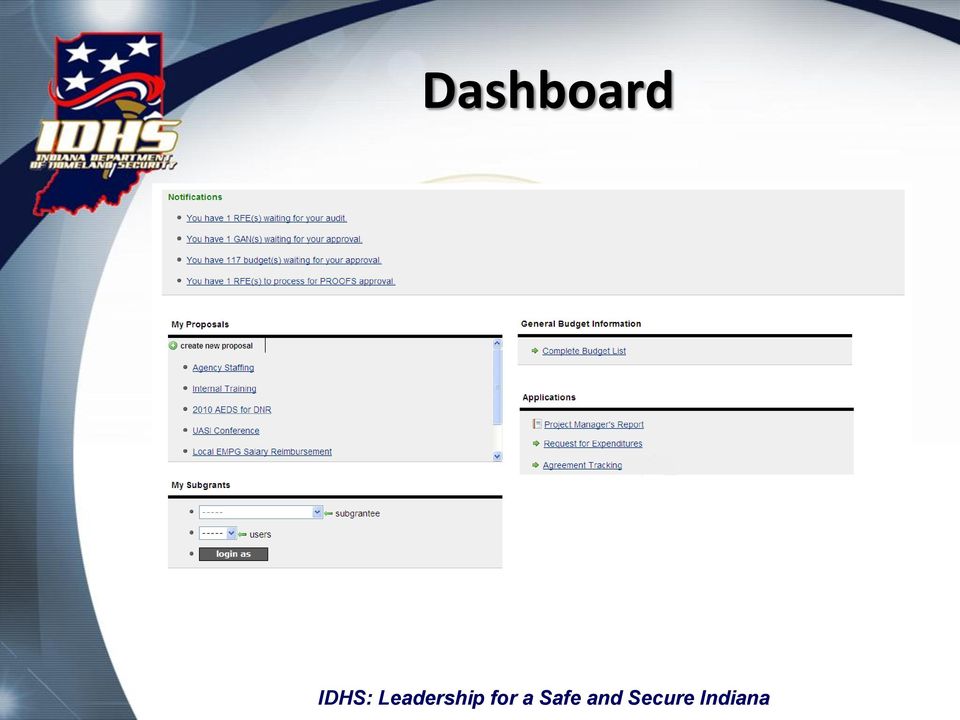
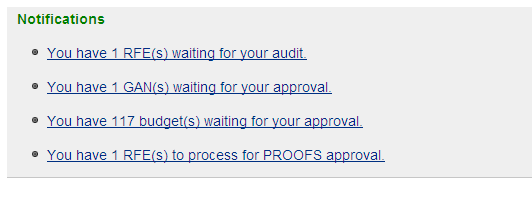
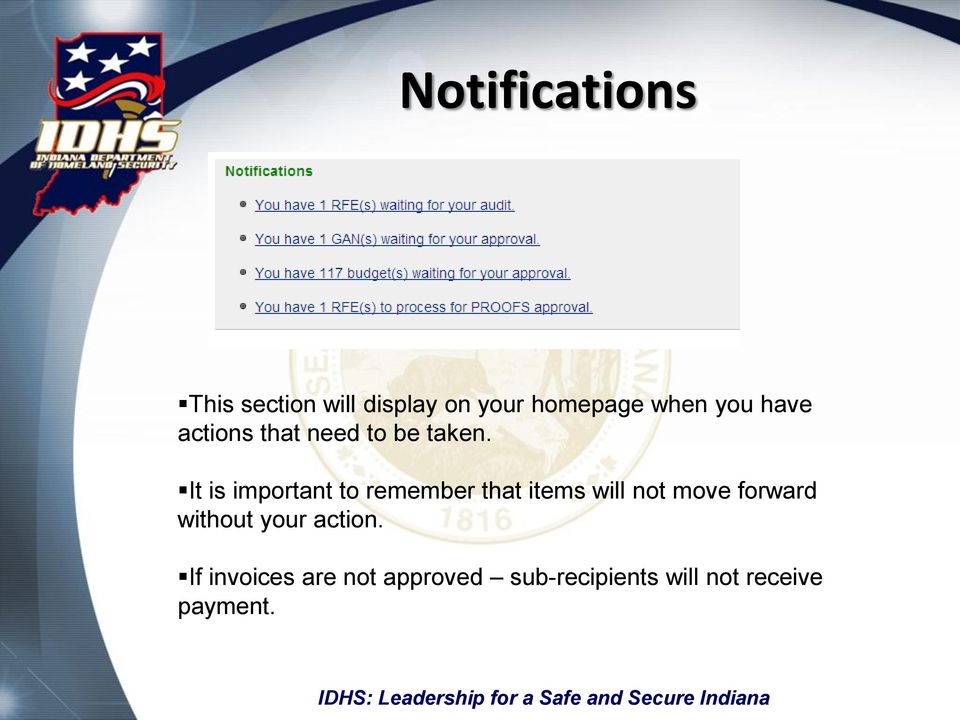
7 Notifications This section will display on your homepage when you have actions that need to be taken. It is important to remember that items will not move forward without your action. If invoices are not approved sub-recipients will not receive payment.
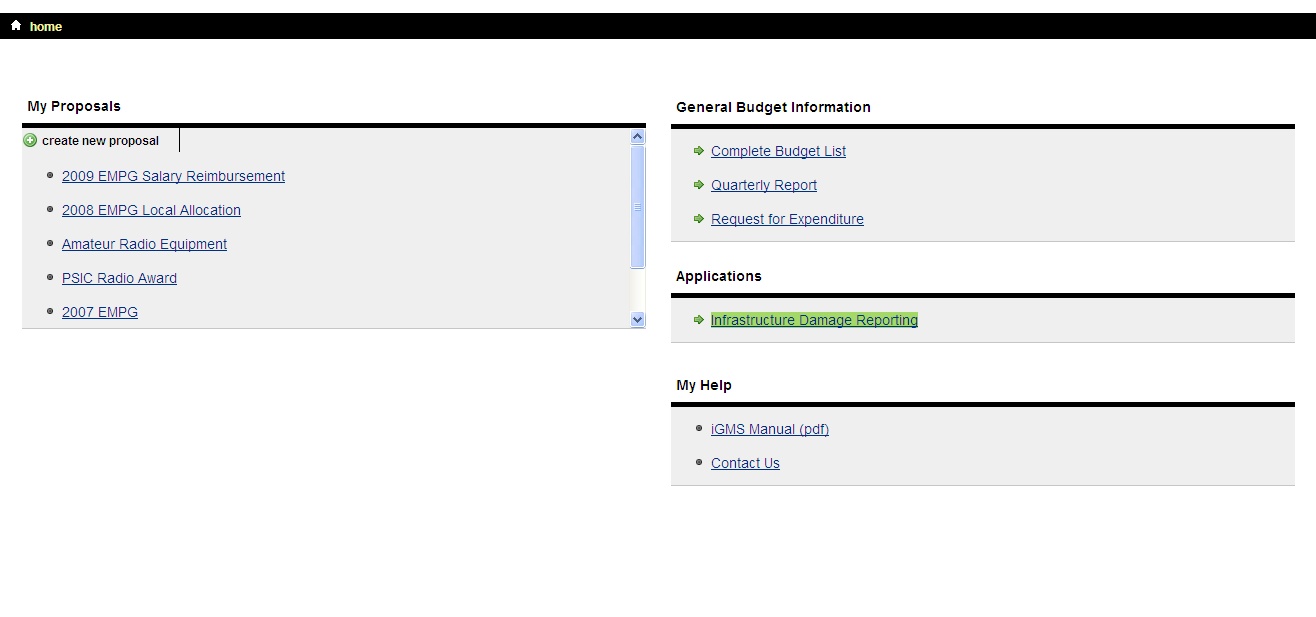
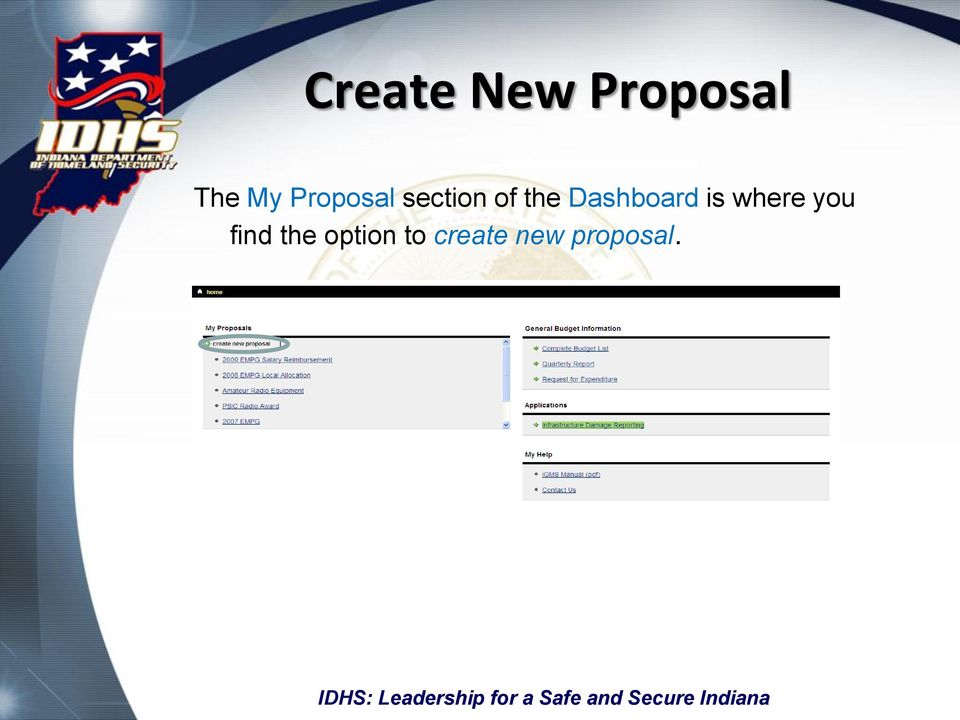
8 Create New Proposal The My Proposal section of the Dashboard is where you find the option to create new proposal.
9 Title: This is where you will choose a name for your proposal. The title should identify the project you wish to submit for funding consideration. Proposal Template: This is where you will choose the proposal template that is applicable to your request. Templates are designed to mirror the information requested by the funding agency and are specific to the type of grant being requested. Proposal templates may include, but are not limited to: Homeland Security Grant Program (HSGP) State Homeland Security Grant Program (SHSP) Urban Area Security Initiative (USAI) Metropolitan Medical Response System (MMRS) Citizen Corps Program (CCP) Indiana Homeland Security Foundation Hazardous Materials Emergency Preparedness Program (HMEP) Emergency Management Preparedness Grant (EMPG)

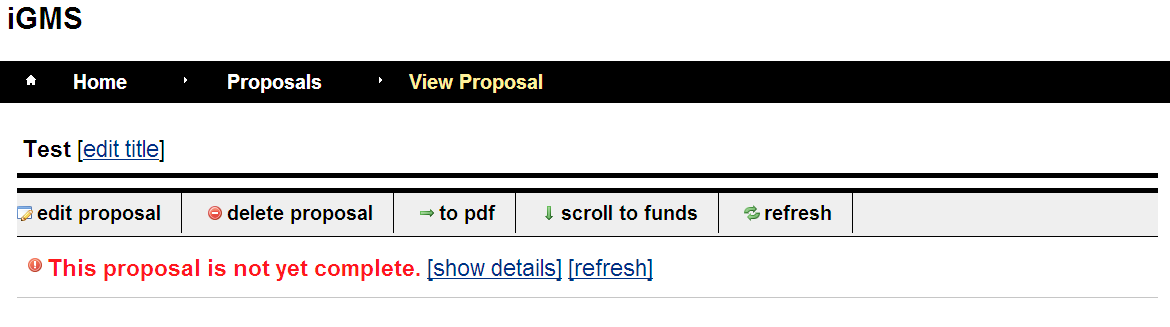
10 Navigating the Proposal The Proposal is not yet complete notification tells you that you have an area that has not been addressed. By clicking on show details you can see exactly what section needs to be completed.

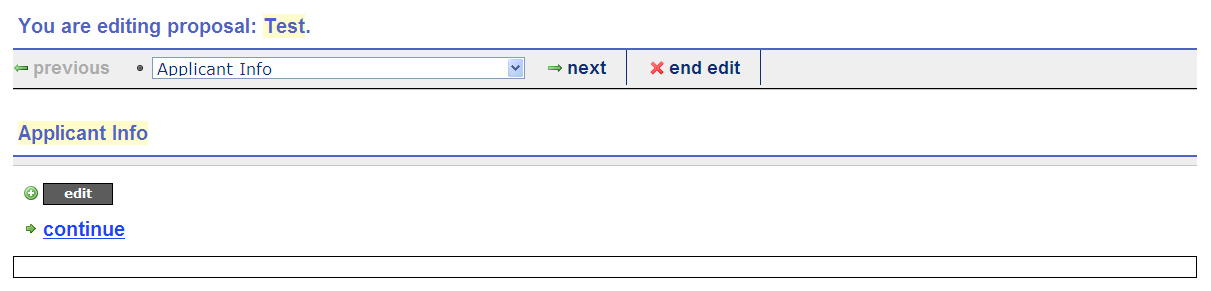
11 Editing a Proposal Once a Proposal has been created all additional work in completing the application will be done in the edit mode.
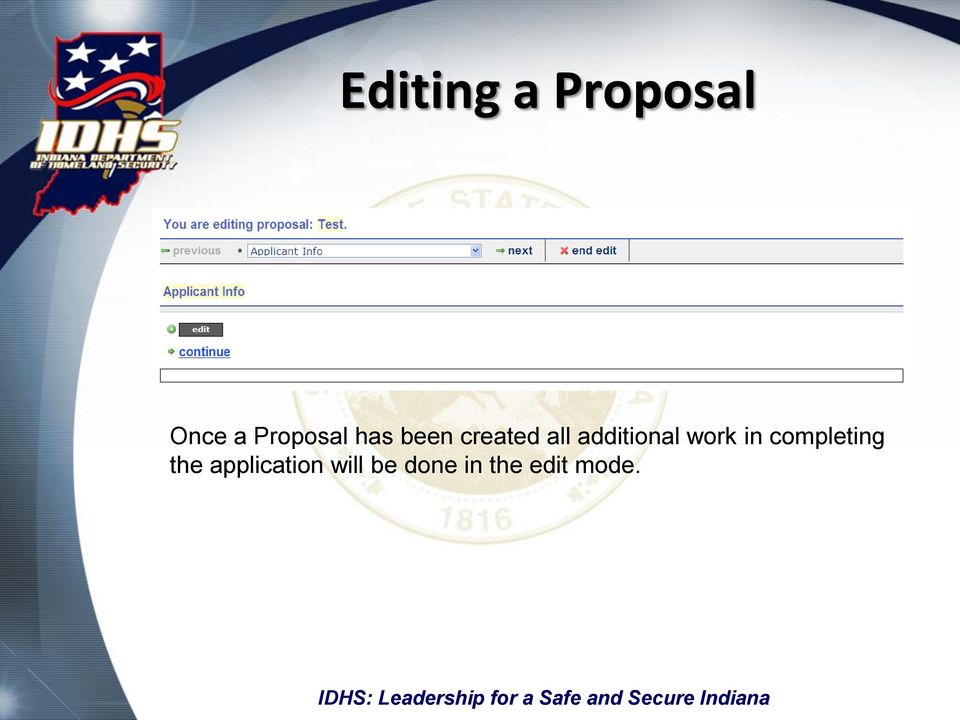

12 Applicant Information Choosing the edit button on this section displays a screen requesting information about the applying entity.

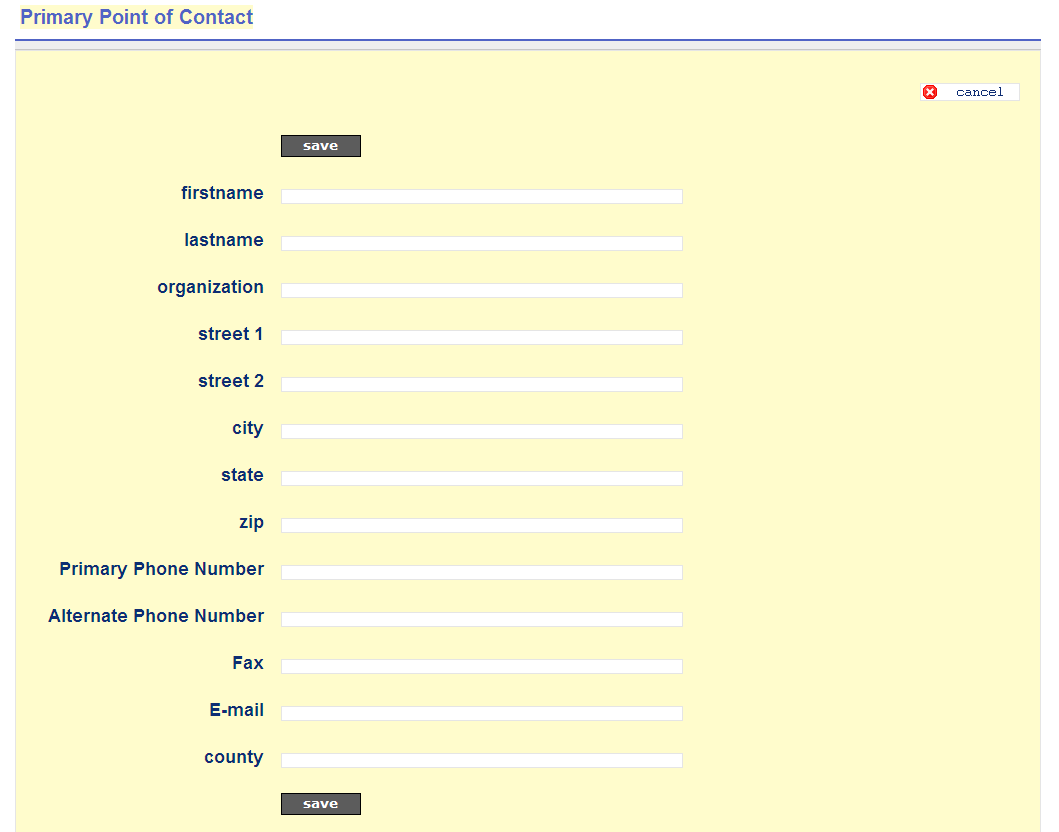
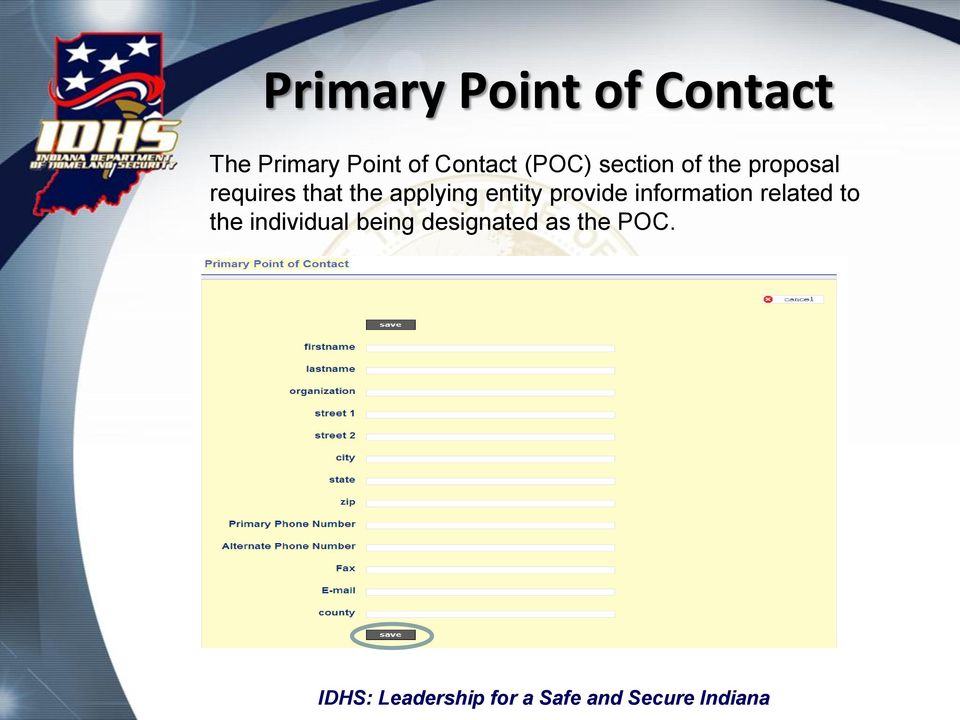
13 Primary Point of Contact The Primary Point of Contact (POC) section of the proposal requires that the applying entity provide information related to the individual being designated as the POC.

14 Project Justification In this space the Project Manager will create a project justification that will address the needs of the project and what the project will accomplish.

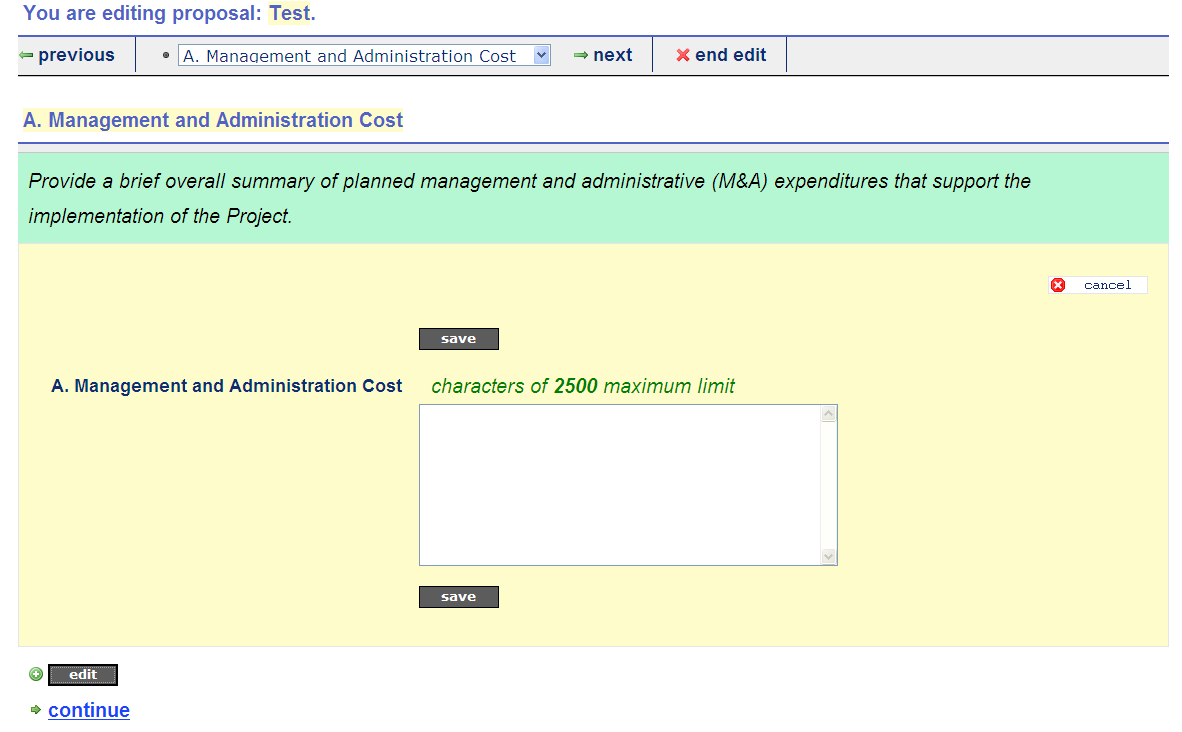
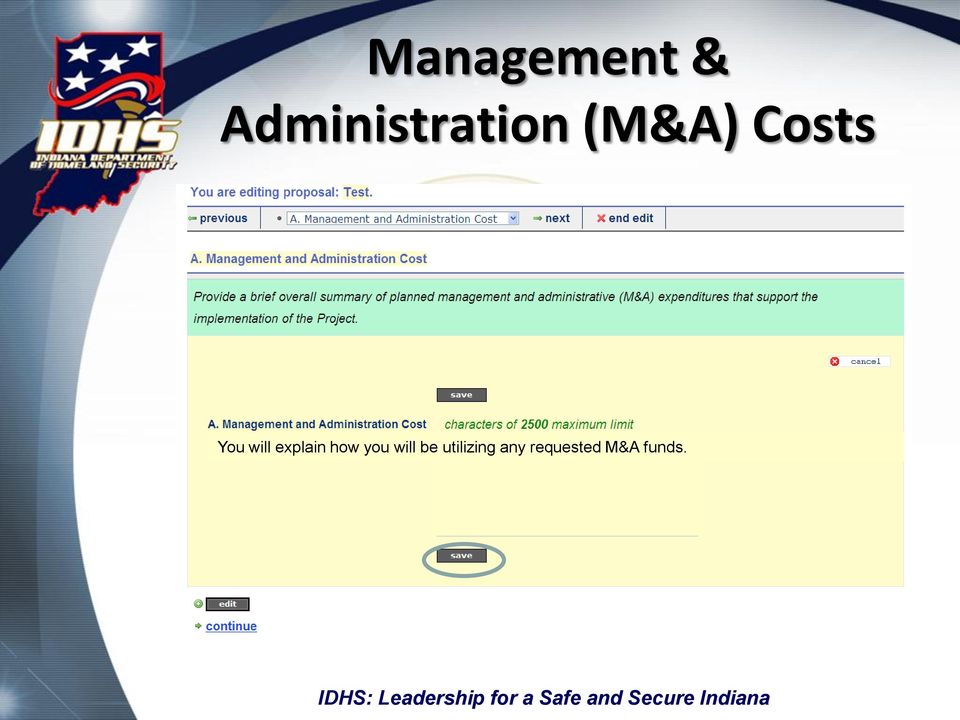
15 Management & Administration (M&A) Costs You will explain how you will be utilizing any requested M&A funds.
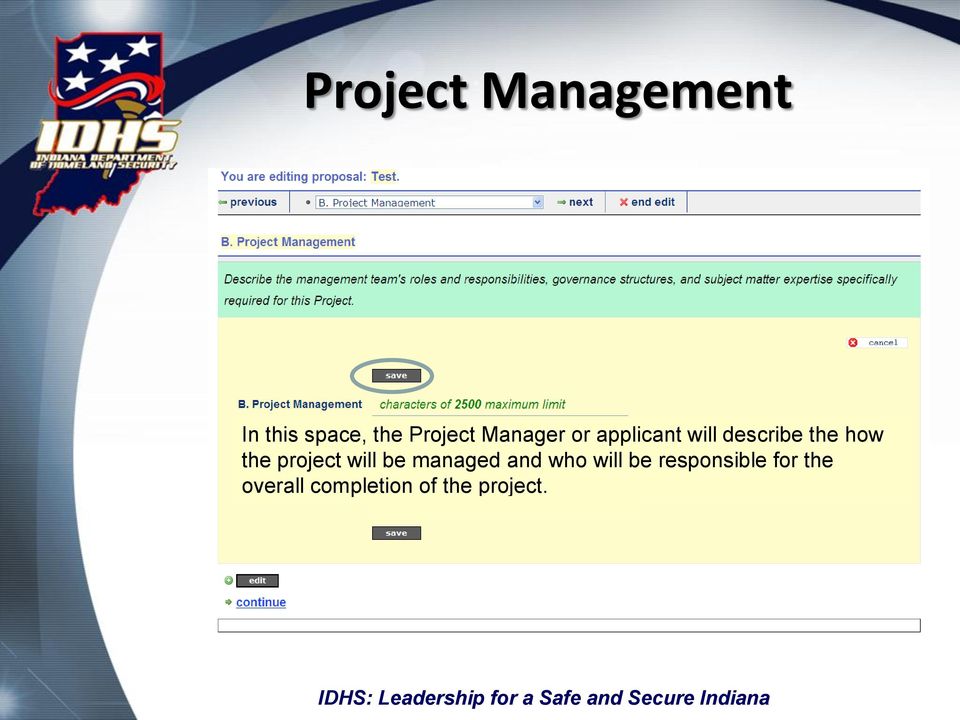
16 Project Management In this space, the Project Manager or applicant will describe the how the project will be managed and who will be responsible for the overall completion of the project.

17 Baseline
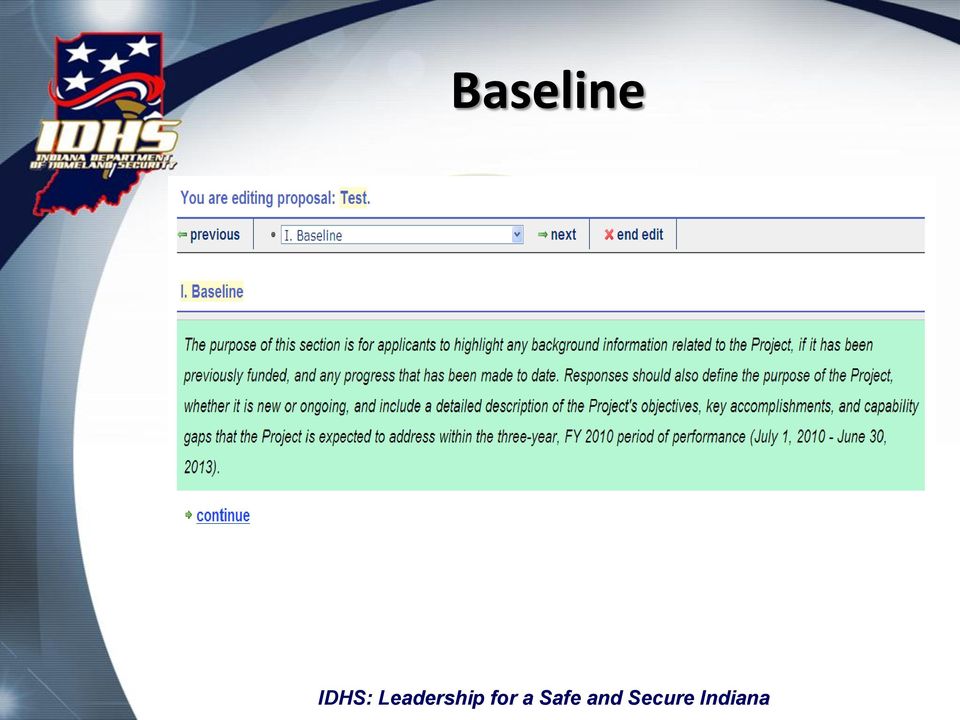

18 Previous Request Name and Funding In this area you will describe all previous funding awarded to the project.

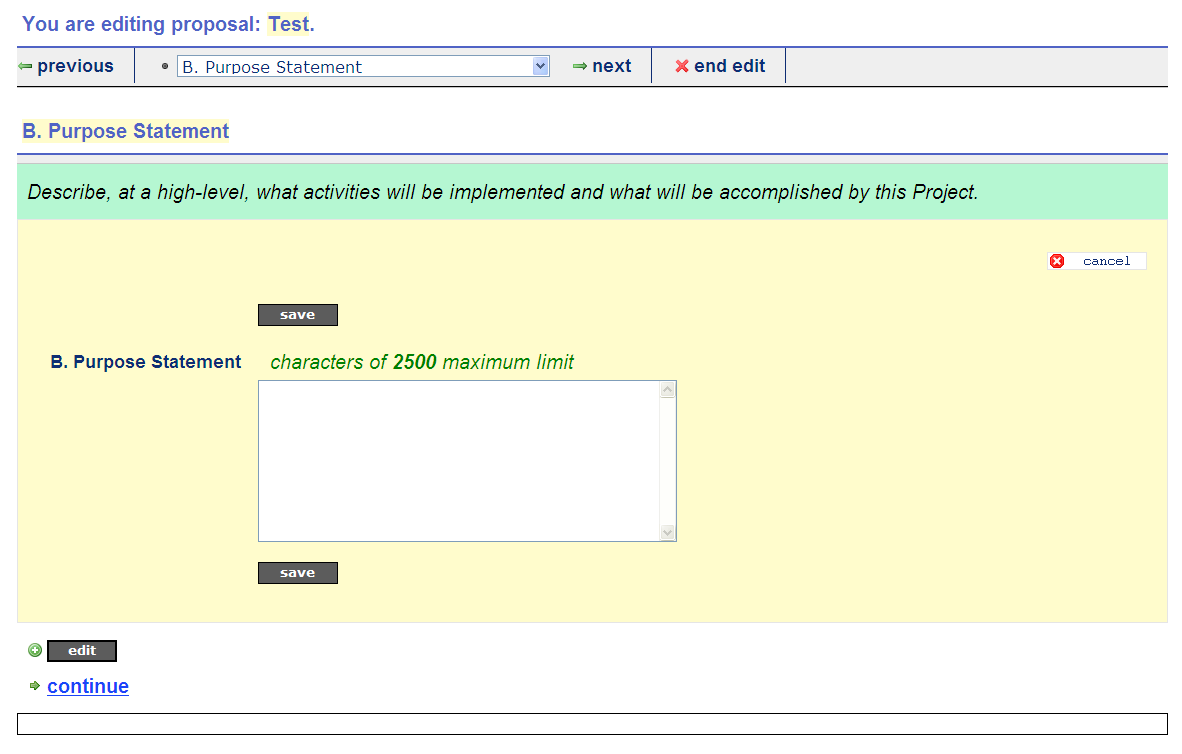
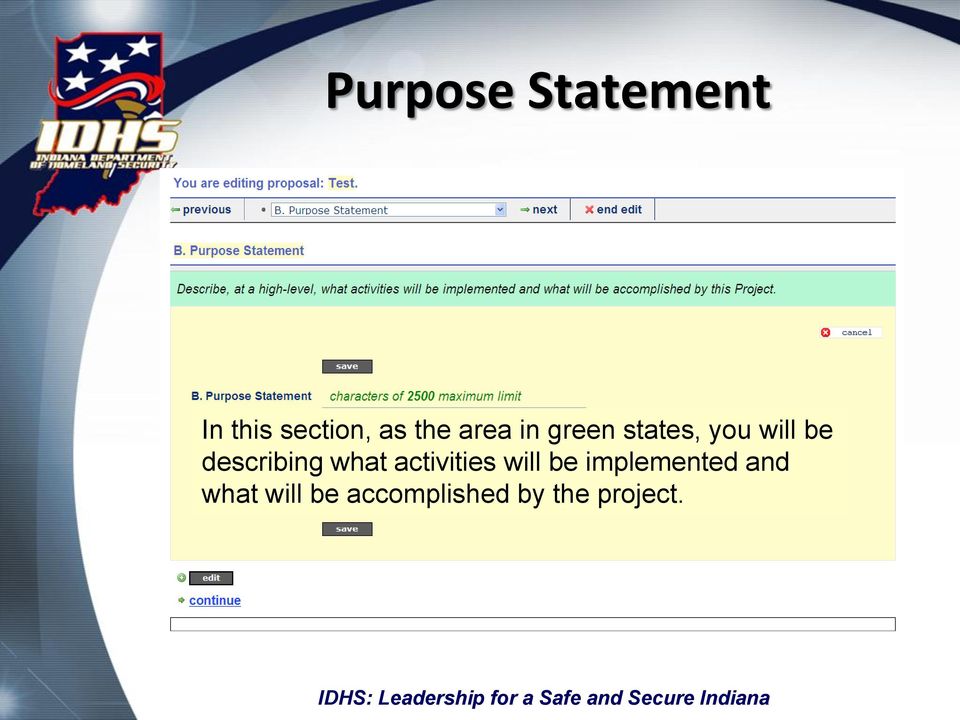
19 Purpose Statement In this section, as the area in green states, you will be describing what activities will be implemented and what will be accomplished by the project.

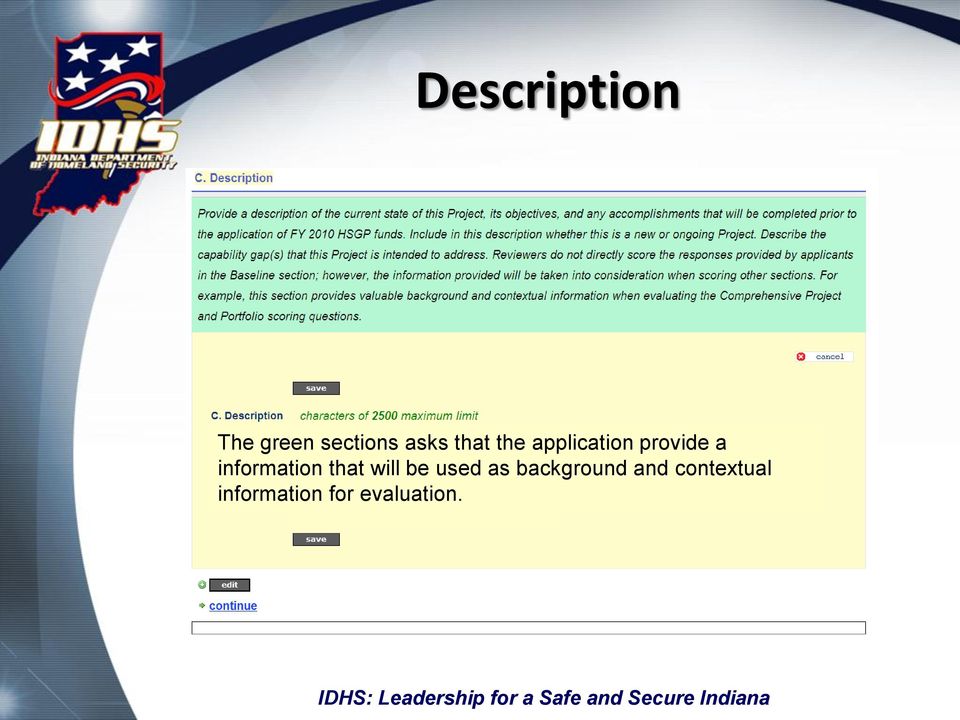
20 Description The green sections asks that the application provide a information that will be used as background and contextual information for evaluation.

21 Strategy The Strategy section is where you will identify how your proposed project corresponds to identified state and national goals, objectives, capabilities, and priorities. This section consists of three (3) distinct areas: Goals and Objectives This area is related to the Indiana Strategy for Homeland Security and asks for information on how the proposed project would meet those goals and objectives. Target Capabilities This area is related to the target capabilities list identified by the US DHS and asks for information on how the proposed project would meet those capabilities. The target capabilities can be found at: National Priorities This area is related to the National Priorities identified by US DHS/FEMA and asks for information on how the proposed project would meet those priorities. The national priorities can be found at:
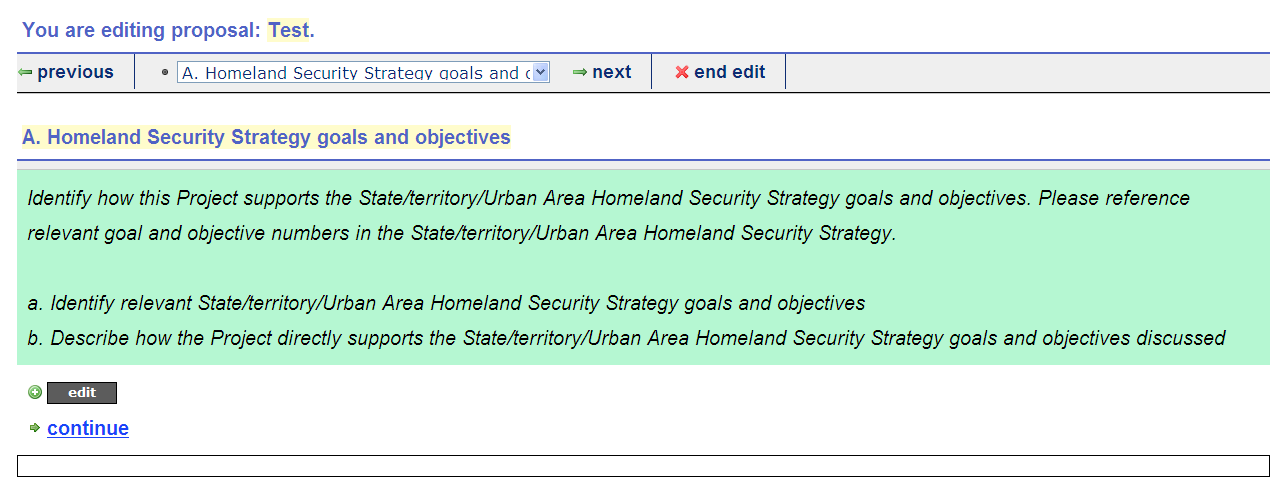
22 Homeland Security Goals and Objectives

23 Clicking on the arrows will show a list of available goals and objectives from which to choose. The purchase of this equipment will allow our responders to better report conditions and coordinate response efforts. Training will allow our responders to respond more efficiently and effectively to incidents involving hazardous materials.
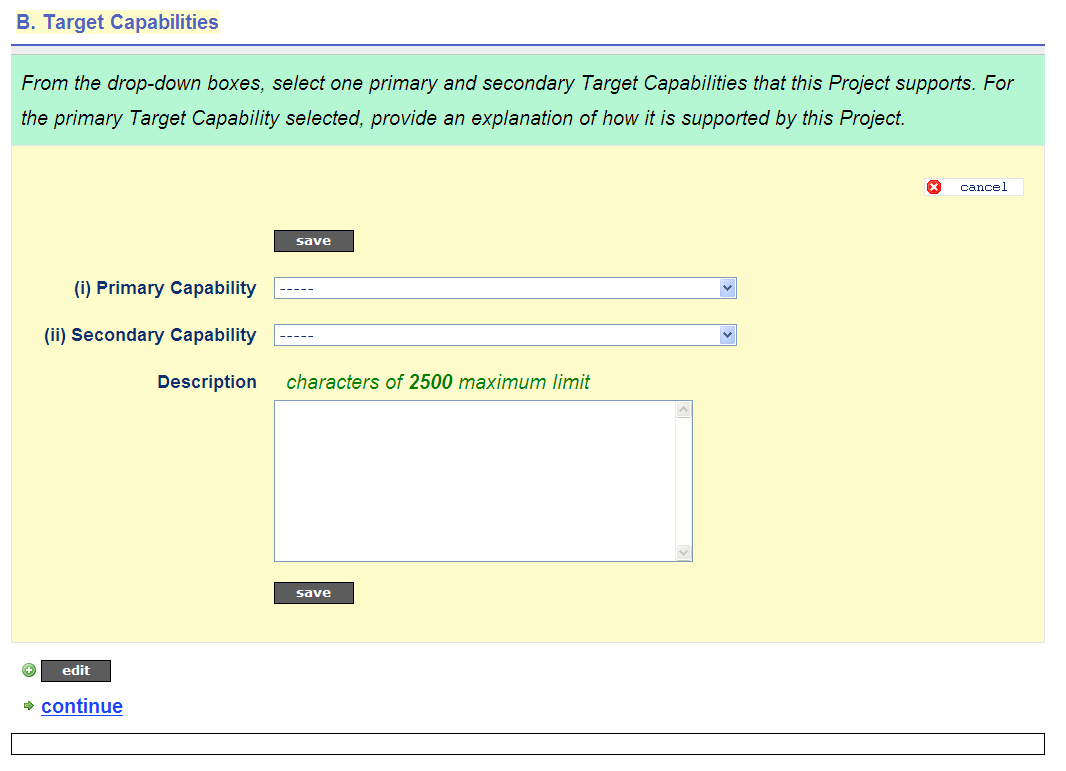
24 Target Capabilities Clicking on the arrows will show a list of available capabilities from which to choose. This award will allow increases in public safety and security by having an updated EOC and additional training for responders.

25 National Priorities
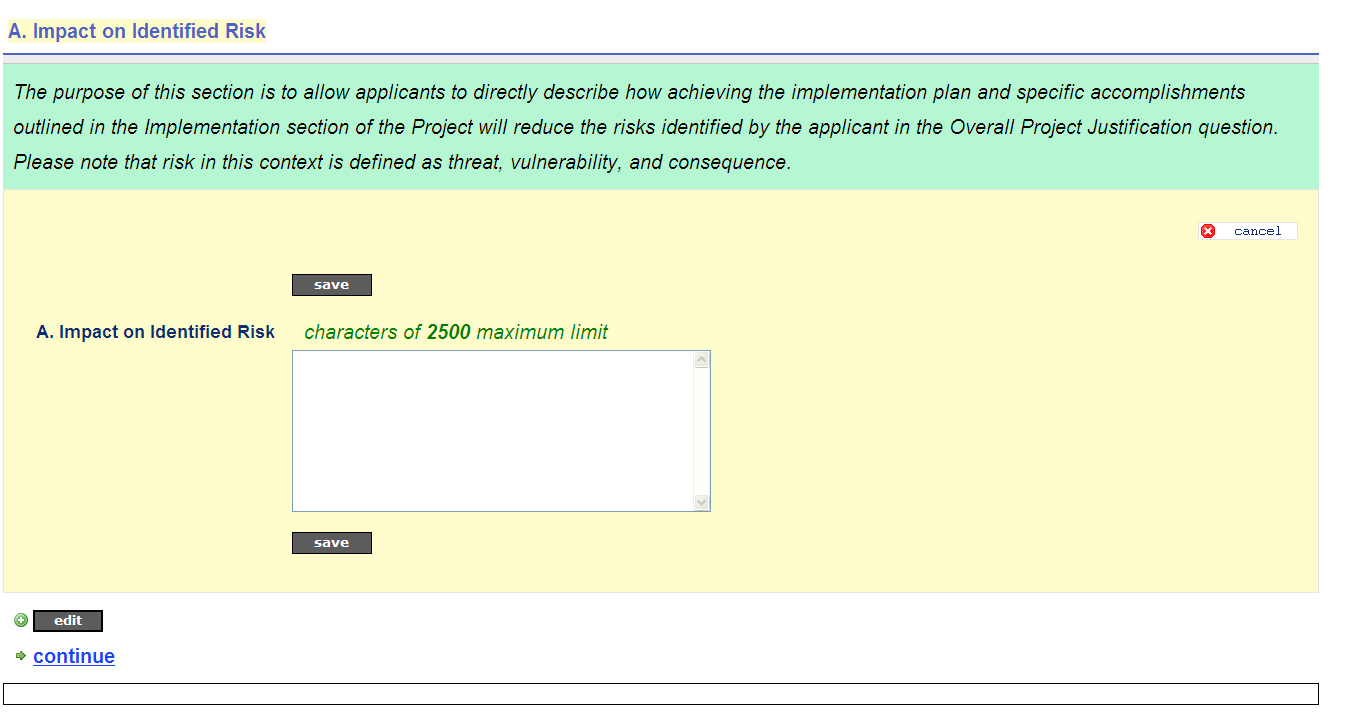
26 Implementation In this section applicants must identify how the project will be implemented. There are three (3) distinct areas that are to be addressed. Funding Plan this area asks for information on how the project funds will be used including any matching funds. Accomplishments this area asks that applicants identify key events associated with achieving the overall objective of the project. Applicants will also be asked to identify specific milestones that will mark progress toward the accomplishments. In addition to the accomplishments and milestones, in this section, applicants will identify challenges that could potentially impact achievement of the milestones/accomplishments. Challenge Mitigation this area asks applicants to describe how the specific challenges identified in the previous section will be mitigated.

27 Funding Plan

28 These activities will be funded 100% with grant funds.
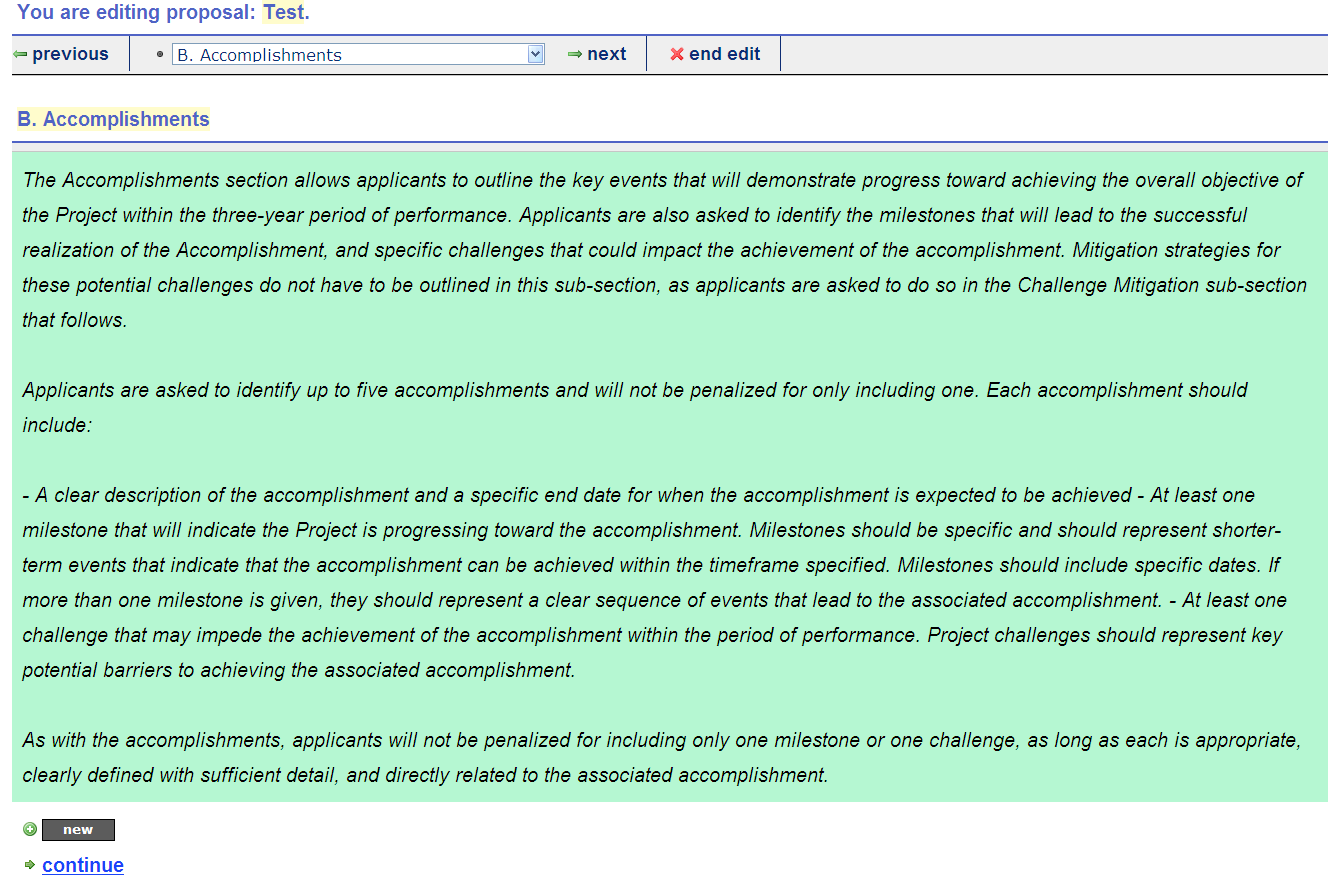
29 Accomplishments

30 Provide HazMat Training 08/31/10

31 Challenge Mitigation

32 Schedule training for optimum attendance Work with training provider to ensure a variety of times and dates are available.
33 Impact on Identified Risk The EOC Enhancements will help close the gaps identified in the AAR of the July, 2009 exercise. In addition, the training will ensure effective response in instances of hazardous materials events.
34 Optional Attachments Applicants have the option of including graphic file attachments. The preferred method is as a.pdf file.

35 Add Funds
36 Creating a Budget Fund Is based on the funding added to the proposal. Project Manager Is identified based on the IDHS assigned project manager of the funding. Proposal Identifies the proposal to which the funding is tied. Status Indicates whether the budget is in initial status, has been submitted, and/or approved. Fully Executed Agreement Indicates whether an agreement has been completed. A red X indicates an agreement has not been fully executed while a green check mark indicates it has and you can link to it. Encompass Project ID Is assigned based on funding choice. Budget is not allowed to be submitted without an Encompass Project ID assigned by IDHS fiscal. This will be populated for all budgets by IDHS.
37 Allocated Indicates the amount of funding assigned to the project. May also read open to indicate an active solicitation with no amount set. Budgeted Indicates the amount of funding assigned to individual line items. A budget may not be submitted if it does not total the allocated amount (if applicable). Balance Indicates the difference between the allocated amount and the budgeted amount (if applicable). Contact Indicates the primary contact person for the budget. If the IDHS contact on the budget needs to be changed, please submit a fund change request via the igms.
38 Editing Contact Information It is important to periodically check and update the contact information. To edit the contact information, choose contact info from the dashboard.


39 Budget Detail This is the area where items to be purchased and/or activities funded with grant dollars are described in detail. Once approved, the budget must be followed to avoid monitoring findings, disallowed costs or other penalties.
40 Create New Item Choosing create new item from the budget screen will allow users to enter specific line item information related to proposed expenditures
41 Budget Item Form
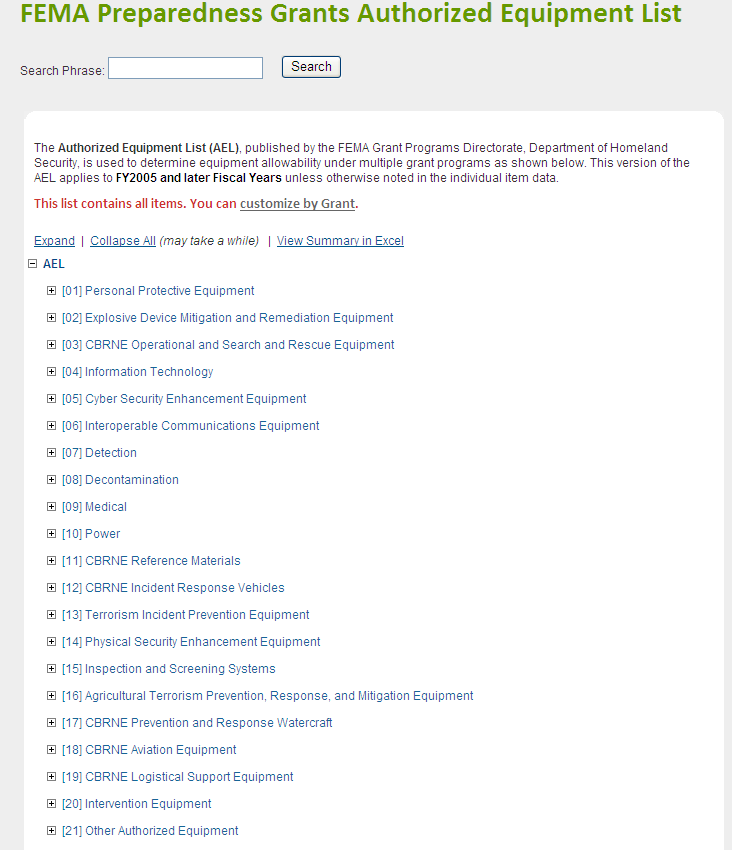
42 Budget Item Form Fields Balance Description Solution Area Category Discipline Quantity Unit Price Unit Approved Equipment ID Narrative
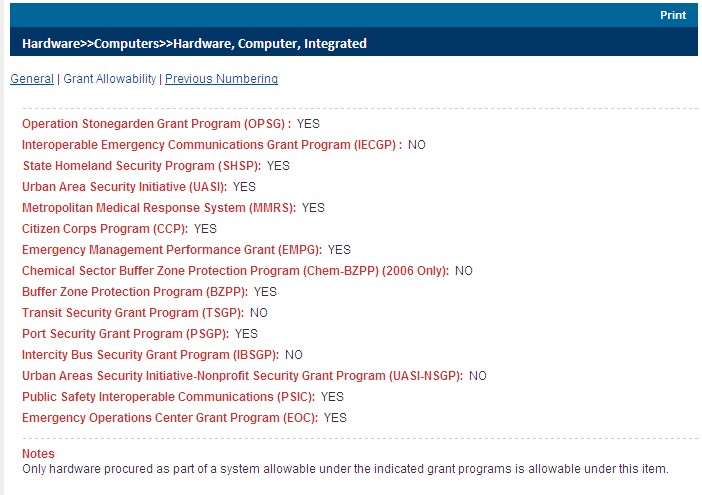
43 Equipment Solution Area Agricultural Terrorism Prevention, Response, and Mitigation Equipment CBRNE Aviation Equipment CBRNE Incident Response Vehicles CBRNE Logistical Support Equipment CBRNE Operational and Search & Rescue Equipment CBRNE Prevention and Response Watercraft CBRNE Reference Materials Cyber Security Enhancement Equipment Decontamination Equipment Explosive Device Mitigation and Remediation Information Technology Inspection and Screening Systems Interoperable Communications Equipment Intervention Equipment Medical Other Authorized Equipment Personal Protective Equipment Physical Security Enhancement Equipment Power Terrorism Incident Prevention Equipment
44 Exercise Solution Area Backfill Contractors/Consultants/Instructors Evaluation Full or Part-time Staff Materials and Supplies Meeting Space Meeting and/or Facilitation Costs Other Overtime Planning and/or Exercise Plan Development Travel
45 Management & Administration Solution Area Contractors/Consultants/Instructors Fees/Charges Meeting-related Expenses Office Equipment/Supplies Office Rent/Lease Other Staff/Salary Travel
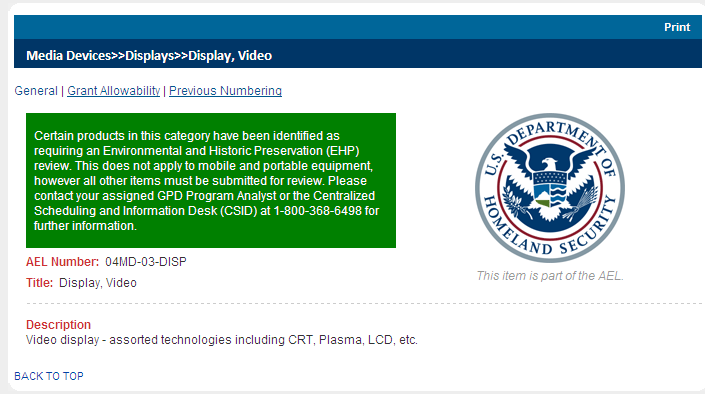
46 Planning Solution Area Citizen and Family Coordination Communications Development Conference Cyber Risks Mitigation Plans Cyber Risks and Vulnerability Assessment Cyber Security Plans Emergency Operation Plans Commodity Flow Study Government Plans Development Hiring Implementation Meetings Materials Mutual Aid Agreements Point Vulnerability Assessments Response and Recovery Plans Terrorism Deterrence Plans Travel
47 Training Solution Area Backfill Conference Contractors/Consult ants/instructors Evaluation (HSEEP) Full or Part-time Staff Materials and Supplies Used and/or Expended Meeting Space Meeting and/or Facilitation Costs Other Overtime Training Plan Development Costs Travel
48 Available Disciplines Agriculture Cyber Security EMS (Fire Based) EMS (non-fire Based) Emergency Management Fire Service Governmental / Administrative Hazmat Health Care Law Enforcement Non-Profit Public Health Public Safety Communications Public Works
49 Approved Equipment ID This ID number corresponds to the Authorized Equipment List (AEL) located within the Responder Knowledge Base at ants.cfm The AEL number designates the category and type of equipment being requested, as well as, eligibility for the grant ALL equipment purchases must have an AEL number and must be listed as eligible under the funding source being utilized.
50 Authorized Equipment List Eligibility Based on Grant Information Technology Category

51 Where possible, copy and paste the description provided by the AEL as the narrative in your budget.
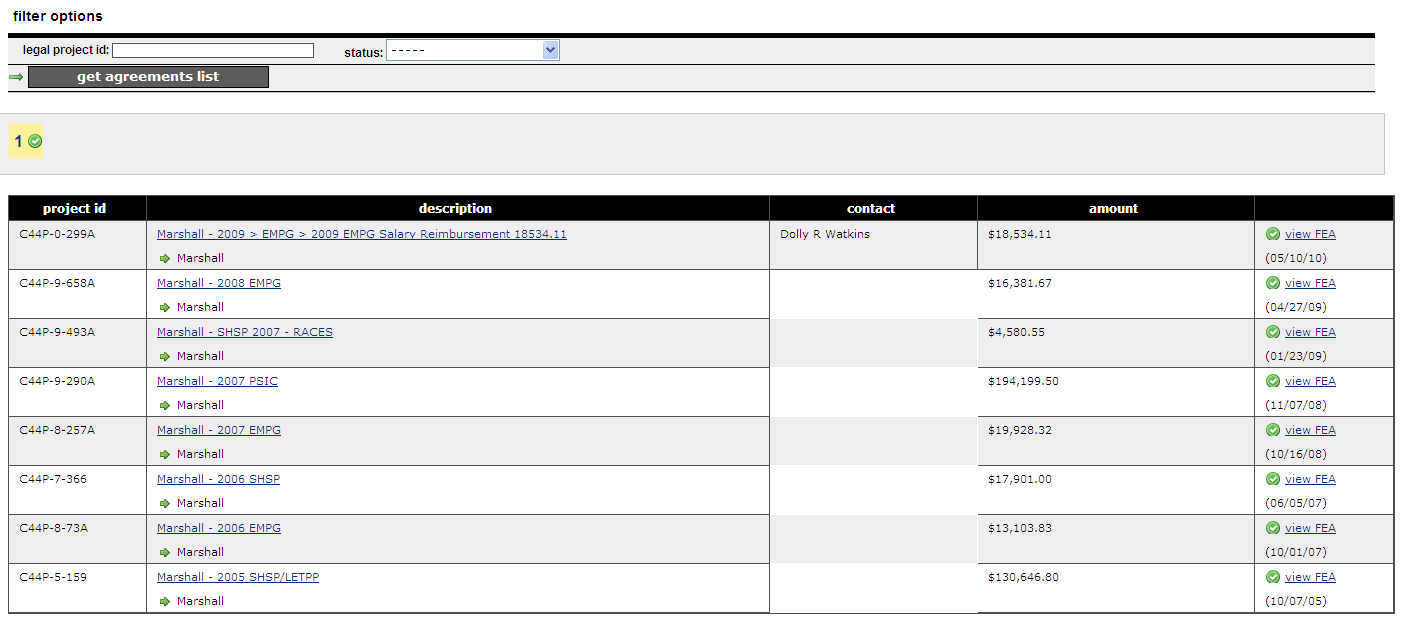
52
53 Environmental, Historic Preservation (EHP) Requirement
54 AEL Problems Incomplete AEL Numbers AEL not being eligible for the grant program If an item is not eligible for funding changing the AEL to a miscellaneous number will NOT make it eligible
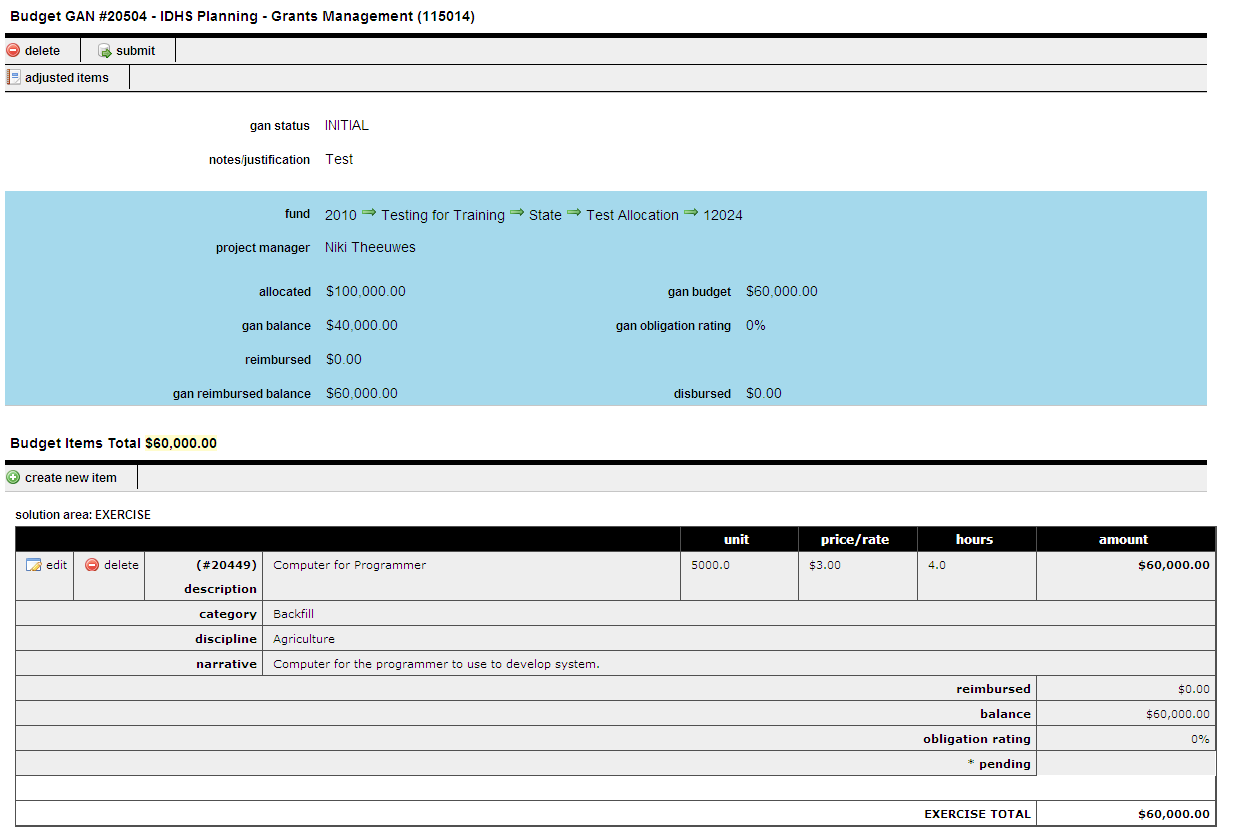
55 Budget/Proposal Submission
56 Budget / Proposal Approval Once a Proposal / Budget has been submitted in response to a request related to a federal application: Budgets/Proposals are reviewed at the IDHS Level Applicants may be asked to make changes IDHS submits application to FEMA / US DHS FEMA / US DHS approves projects Applicants may be asked to make changes based on final award figures Budgets are approved Sub-grant agreements are drafted

57 Budget Approval Responsibility It is the responsibility of the Project Manager to review and approve all sub-grant budgets for which they have oversight. AELs continue to have issues. It is recommended that Project Managers are familiar with appropriate AELs for their projects and review those submitted prior to approval. Sub-grant agreements CANNOT be drafted without an approved budget. In most instances the philosophy of Grants Management is that we should be viewed as the can we do while Project Managers are the should we do

58 Agreements Currently IDHS uses three (3) types of agreements: Sub-Recipient Agreement used to convey funds from IDHS to a sub-recipient. Sub-recipients are entities such as a county, city, township, or other legal entity. Memorandum of Understanding (MOU) used to convey funds to another state agency. Examples are: Indiana Department of Transportation and Indiana State Police. Letter of Consent used to give IDHS authorization to expend money on behalf of local partners.
59 Fully Executed Agreements An agreement is considered fully executed when it has been signed by all parties including those required at the state level. No purchases or activities should take place prior to having an agreement fully executed. Fully executed agreements (FEAs) received from legal are uploaded to igms on a weekly basis.
60 Agreement Tracking The igms allows users to see the status of all agreements.
61 Performance Periods Projects are granted an initial six (6) month performance period with the provision for an extension. Extensions to the performance period must be made via the igms and must include a reasonable justification. Extensions are not guaranteed Grants Management reserves the right to deobligate unexpended funds and/or deny an extension.
62 Budget Adjustments When a user needs to make adjustments to an approved budget they must submit a Grant Adjustment Notice (GAN) for approval. GANs are to be used for the following: Request an extension to a performance period Adjust the price of an item(s) Modify activities/purchases Return unexpended funds Zero out or close out a budget
63 GAN Approvals GANs must be submitted those in initial status are not visible for action GANs MUST include a justification of why the request is being made Project Managers must review and approve prior to Grants Management AEL(s) will be checked and may require EHP(s) prior to approval End date GANs will not be approved too close to the federal performance period end

64 Create a GAN Available Options: End date GAN Budget GAN
65 End-date GAN
66 Budget GAN

67 Request for Expenditures Commonly referred to as RFE(s). Required for all expenditures. Must be approved prior to expending funds. From the dashboard you will choose Request for Expenditure from the General Budget Information section.
68 Create a New Request If IT related this field MUST be selected. Failure to secure IT approval for IT related expenses will result in the RFE being denied
69 Budget Not Available If a budget is not showing it could be caused by the following: The budget has not been approved or it has a Grant Adjustment Notice (GAN) that has not be approved (regardless of the type of GAN or whether in initial or submitted status). An Encompass ID has not yet been assigned The performance period of the budget has expired.
70 RFE Summary Function Task Bar RFE Status Create/Update Information
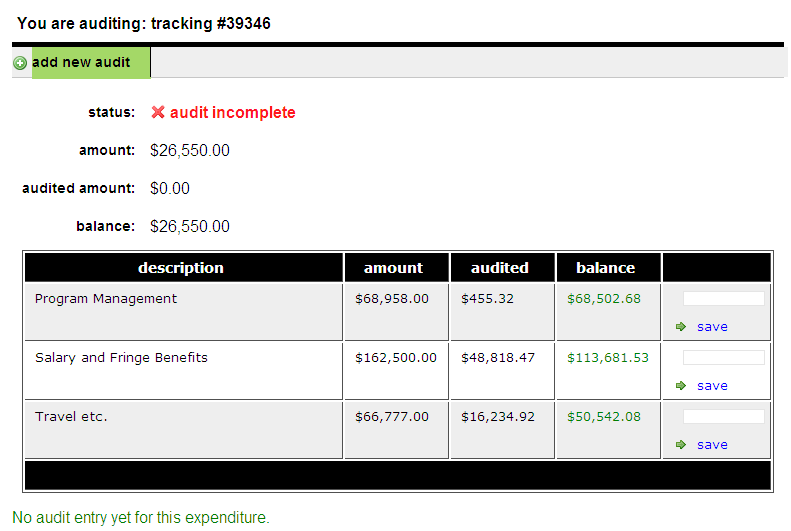
71 Funding Section of Summary This area of the RFE should always be double-checked to ensure the correct funding source is listed on the RFE.
72 Vendors In this section of the RFE the requestor will identify potential/preferred vendors for the item(s) to be purchased. Choosing create a new vendor will bring up an additional screen to enter the vendor information. Frequently used vendors: Staples Inc. and Subsidiaries Dell Marketing L.P. W.W. Grainger, Inc. Motorola PEN Products (business cards) PEN Products (non-business cards) Kroger Motor Pool International Code Council, Inc.
73 Procurement Policies* Indicate the following: For QPA purchases and items less than $500 only one (1) vendor is required; For items between $ and $2,499.00, three (3) vendors and the associated quotes (less than 30 days old) are required; and For items over $2,500 requestors are asked to list three (3) preferred vendors. IDHS procurement staff will then process the required bid materials on your behalf. * As policies may change, please check with the IDHS procurement staff to ensure you are following the most current procurement policies.
74 Item Section of the RFE In this section of the RFE, the user will enter the item(s) and associated amounts the RFE will cover. Choosing add new RFE item will be up an additional screen for this information
75 New RFE Item Johnson Hotel Group Lodging for conference attendees. Date of conference is May 18, 2010 $26, Invoice 100 May 18, 2010
76 Upload a File

77 RFE Actions Grants Management Section recommends that users with Audit and/or approval responsibilities periodically check the igms for items requiring action. When logging into the igms, a notification bar will be visible indicating the actions that need to be taken.

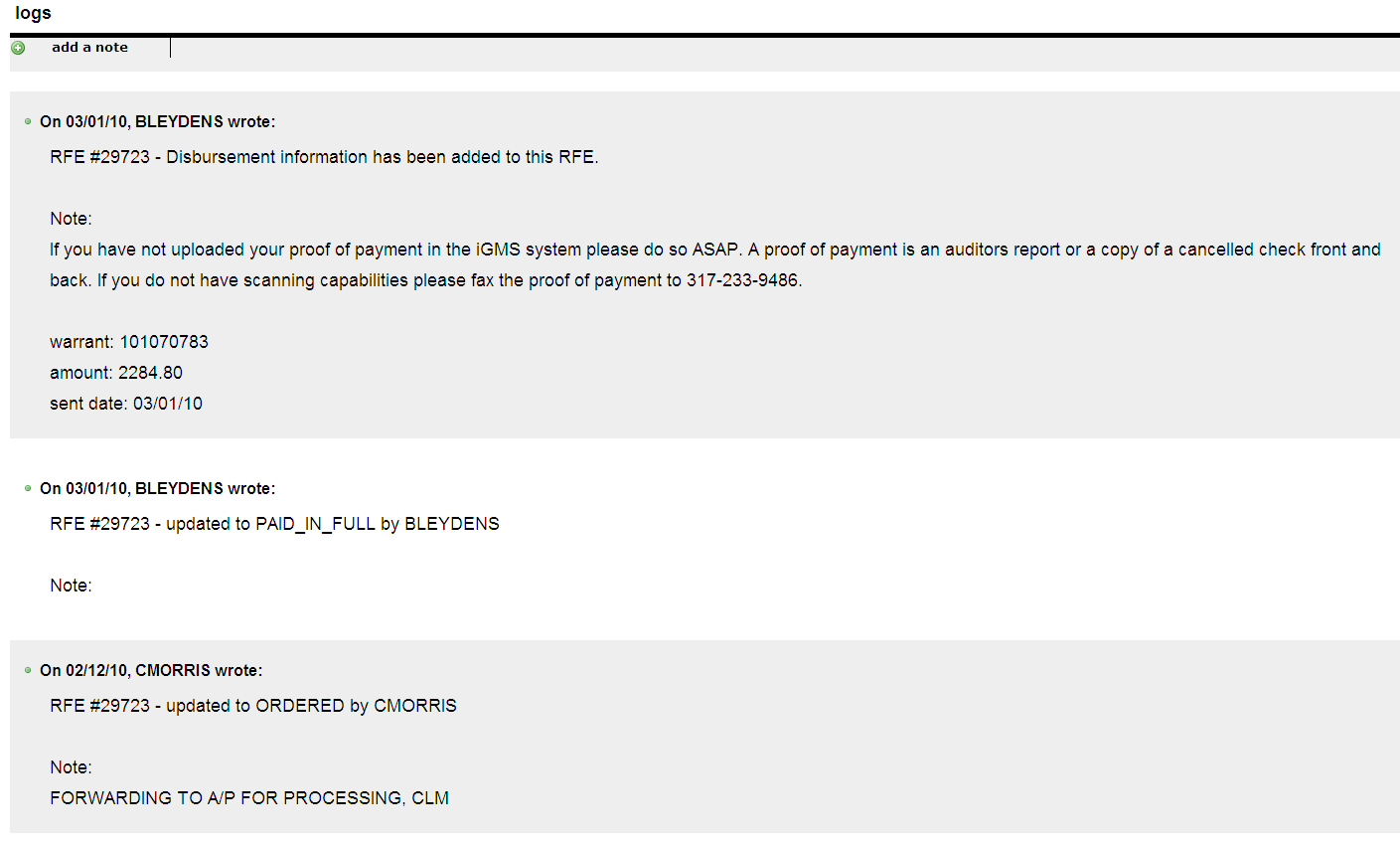
78 Audit An RFE All RFEs MUST be assigned to a funding source. For RFEs that are being charged to federal grant awards, the Project Manager must not only identify which grant or project is going to pay for each RFE, but what budget line item they are to be charged to. Clicking on this RFE number will bring up the RFE for audit. The items section of the RFE Summary will indicate that the audit is incomplete. Choosing this option begins the audit an RFE function.
79 Add New Audit $26, The individual completing the audit is required to type in the amount being charged from this RFE to the appropriate line item and click save. This may be repeated until the full RFE amount is appropriate charged. Once that occurs, the audit status will indicate the audit has been completed.
80 Submit RFE When the RFE shows that the audit has been completed. You will choose submit from the RFE task bar to send it for approval. If it is in initial status it will NOT be forwarded.
81 RFE Approval The RFE module requires that all RFEs receive approval before fiscal processing begins. RFEs require the following approvals: Supervisor level approval Grants Section approval (grants management in igms) Division Director approval IT Director approval (if the items to be purchased are IT related) Executive Approval

82 RFE Approval Purchases CANNOT be made prior to obtaining RFE approval. The approval section of the RFE indicates if approval has been granted.
83 Approving an RFE While users with audit and/or approval responsibilities should receive an notification when they have actions that need to be taken, the Grants Management Section recommends that they also periodically check the igms. The homepage will also display a notification.

84 The RFE number is a link that can be chosen to go directly to that RFE. The option to approve or deny is available on the RFE summary screen.
85 RFE Logs The logs feature can be used to show actions that have been taken. Activity can be updated by using the add a note option.
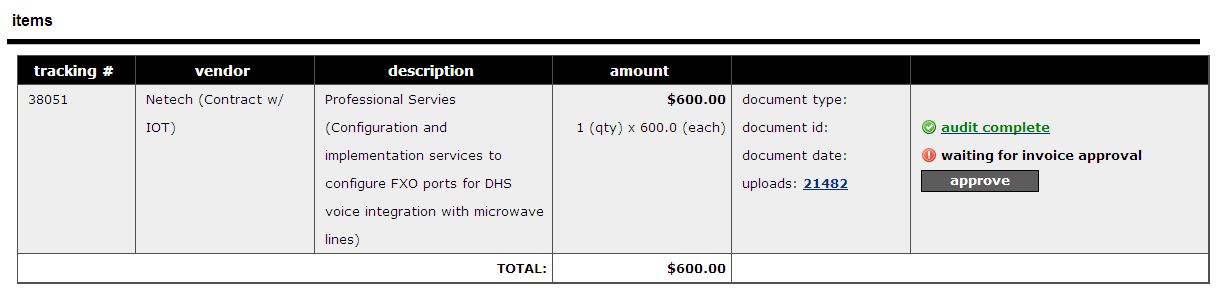
86 Approve an Invoice The igms will display an notification when there are invoices that require approval. Users can access the items requiring action by clicking on the link displayed here.
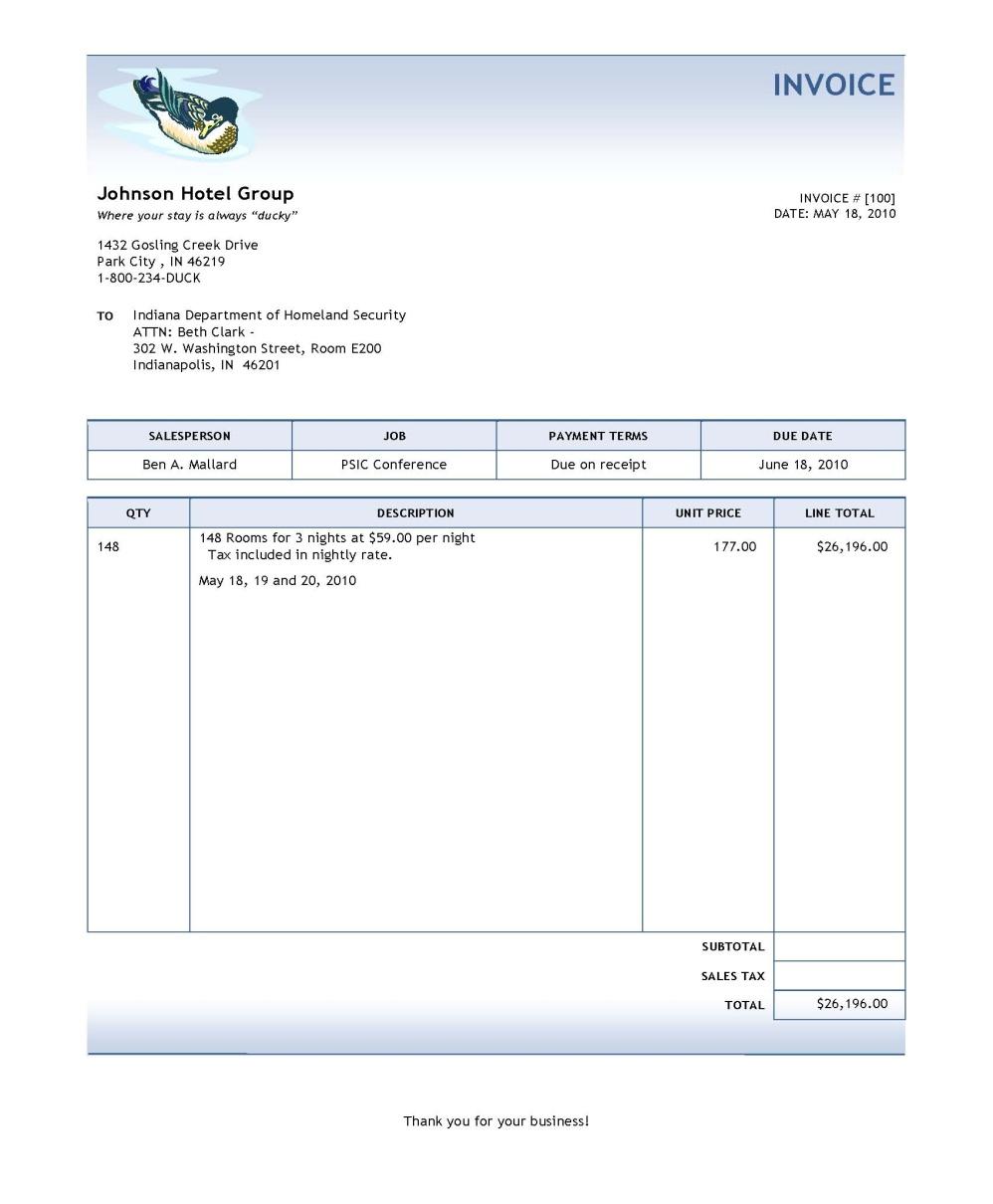
87 Invoice Example
88 Invoices that Should NOT be Approved Invoices that should not be approved include the following: Pro-forma Invoices Purchases made outside the performance period Purchases for ineligible items

89 Project Manager Report This function can be accessed from the Applications section of the Dashboard. It allows Project Managers to see information related to all their assigned projects.

90 Project Manager Report Information Specific information includes: Recipient where the funds were assigned Award amount of funds allocated for the project Budgeted amount of funds budgeted Reimbursed amount of funds paid or charged against the project Balance any funds not reimbursed or charged from the budgeted amount Obligation rating percentage of awarded funds budgeted End date the performance period end date (last date the money can be obligated)


91 Q&A
Emergency Management Performance Grant (EMPG) Administrative Plan
 New Hampshire Homeland Security and Emergency Management Emergency Management Performance Grant (EMPG) Administrative Plan This document and its attachments can be found at the link listed below http://www.nh.gov/safety/divisions/hsem/forms.html
Homeland Security Grants Management Louisiana Emergency Preparedness Association (LEPA)
 Homeland Security Grants Management Louisiana Emergency Preparedness Association (LEPA) An LEM Basic Credentialing Course 1 Objectives Using local government management systems perform: Homeland security
U.S. Department of Homeland Security. Preparedness Grant Programs Federal Emergency Management Agency Grant Programs Directorate
 U.S. Department of Homeland Security Preparedness Grant Programs Federal Emergency Management Agency Grant Programs Directorate 0 DHS Organizational Chart 1 FEMA Organizational Chart 2 FEMA Grant Programs
The Indiana Grant Management System: Institutionalizing Success in Grant Management
 The Indiana Grant Management System: Institutionalizing Success in Grant Management Caitlin McKenna Chief Financial Officer Indiana Department of Homeland Security Overview History igms From Idea to Implementation
Capital Area Council of Governments FY 2015 Homeland Security Program Regional Grant Process
 Capital Area Council of Governments FY 2015 Homeland Security Program Regional Grant Process General Information Texas uses a regional approach to the State Homeland Security Grant Program (HSGP), providing
State Homeland Security Program (SHSP)
 FY 2009 State Homeland Security Program (SHSP) Program Guidance NYS Office of Homeland Security Table of Contents I. Program Overview..3 II. General Updates..3-4 III. E-Grants Guidance..4 IV. 2009 Programmatic
Fiscal Year 2016 Homeland Security Grant Program Guidance for Maine Sub-Recipients May 2016
 Fiscal Year 2016 Homeland Security Grant Program Guidance for Maine Sub-Recipients May 2016 **PLEASE READ CAREFULLY BEFORE PREPARING APPLICATIONS** A. Overview: Funding has been provided by the federal
STATE HOMELAND SECURITY GRANT PROGRAM
 FY2015 State Homeland Security Program Guidance STATE HOMELAND SECURITY GRANT PROGRAM OREGON EMERGENCY MANAGEMENT www.oregon.gov/omd/oem Mailing address: P.O. Box 14370 Salem, OR 97309-5062 Physical address:
Federal Fiscal Year 2014 Homeland Security Grant Program (HSGP) State Homeland Security Program (SHSP) Application Kit State Overview and Guidelines
 Federal Fiscal Year 2014 Homeland Security Grant Program (HSGP) State Homeland Security Program (SHSP) Application Kit State Overview and Guidelines I. Overview The Alaska Division of Homeland Security
Historical Grant Funding Awarded to U.S. Colleges and Universities
 Historical Overview of DHS-FEMA Grant Programs Awarded to U.S. Colleges and Universities The preparedness programs administered by the Grant Programs Directorate within the Federal Emergency Management
City of Watsonville Watsonville Fire M E M O R A N D U M. AGENDA ITEM: January 27, 2015 City Council
 City Council 4.3a City of Watsonville Watsonville Fire M E M O R A N D U M DATE: January 21, 2015 TO: FROM: SUBJECT: Marcela Tavantzis, Interim City Manager Pablo Barreto, Fire Chief Rosa Meyer, Administrative
Overview of Homeland Security Funding 1999 to Present National Incident Management System Mandates and Training Requirements
 Overview of Homeland Security Funding 1999 to Present National Incident Management System Mandates and Training Requirements Jim Weldin Delaware League of Local Governments 1 Homeland Security Grant Funding
RIEMA RHODE ISLAND EMERGENCY MANAGEMENT AGENCY
 RIEMA RHODE ISLAND EMERGENCY MANAGEMENT AGENCY Revised December 2013 SubRecipient Grant Management Handbook Rhode Island Emergency Management Agency 645 New London Ave. Cranston, RI 02920 P: (401) 9469996
COURSE REVIEW AND APPROVAL PROCESS (STATE AND FEDERAL SPONSORED COURSES)
 Federal Emergency Management Agency National Preparedness Directorate National Training Education, and Exercises National Training and Education Division COURSE REVIEW AND APPROVAL PROCESS (STATE AND FEDERAL
State Homeland Security Strategy (2012)
 Section 1 > Introduction Purpose The purpose of the State Homeland Security Strategy (SHSS) is to identify statewide whole community priorities to achieve and sustain a strengthened ability to prevent,
New Mexico Homeland Security and Emergency Management REQUEST TO USE FEDERAL GRANT FUNDS For Training, Conferences or Exercise Activities
 New Mexico Homeland Security and Emergency Management REQUEST TO USE FEDERAL GRANT FUNDS For Training, Conferences or Exercise Activities NMDHSEM, State Administrative Agency (SAA) PO Box, 27111, Santa
NEBRASKA STATE HOMELAND SECURITY STRATEGY
 NEBRASKA STATE HOMELAND SECURITY STRATEGY 2014-2016 Nebraska Homeland Security Policy Group/Senior Advisory Council This document provides an overall framework for what the State of Nebraska hopes to achieve
Texas Exercise Frequently Asked Questions 2013
 What documents or resources are available for EMPG exercise requirements? Each fiscal year s Local EMPG Guide and associated Information Bulletins are available at http://www.txdps.state.tx.us/dem/councilscommittees/empg/index.htm
Audit of the Office of Emergency Management and Homeland Security: FEMA Urban Area Security Initiative Grant Management 2012 through 2014
 Audit of the Office of Emergency Management and Homeland Security: FEMA Urban Area Security Initiative Grant Management 2012 through 2014 MARTIN MATSON City Comptroller STACEY MAZMANIAN Audit Manager City
STATE HOMELAND SECURITY GRANT PROGRAM
 FY2015 State Homeland Security Investment Justifications STATE HOMELAND SECURITY GRANT PROGRAM OREGON OFFICE OF EMERGENCY MANAGEMENT www.oregon.gov/omd/oem Mailing address: P.O. Box 14370 Salem, OR 97309-5062
Capital Area Council of Governments FY 2016 State Homeland Security Program Regional Grant Process
 General Information Capital Area Council of Governments FY 2016 State Homeland Security Program Regional Grant Process Texas uses a regional approach to the Homeland Security Grant Program (HSGP), providing
Napa County, California, Needs Additional Technical Assistance and Monitoring to Ensure Compliance with Federal Regulations
 Napa County, California, Needs Additional Technical Assistance and Monitoring to Ensure Compliance with Federal Regulations OIG-15-135-D August 28, 2015 August 28, 2015 Why We Did This On August 24, 2014,
Instructions for Completing the FY15 State Homeland Security Program (SHSP) Subrecipient Project Submission Form (SPSF)
 GENERAL Instructions for Completing the FY15 State Homeland Security Program (SHSP) Subrecipient Project Submission Form (SPSF) All 2015 project applications are to be submitted by the COG using the FY15
Department of Homeland Security
 Hawaii s Management of Homeland Security Grant Program Awards for Fiscal Years 2009 Through 2011 OIG-14-25 January 2014 Washington, DC 20528 / www.oig.dhs.gov JAN 7 2014 MEMORANDUM FOR: FROM: SUBJECT:
National Continuity Programs Directorate Integrated Public Alert and Warning (IPAWS) Fiscal Year 2013
 National Continuity Programs Directorate Integrated Public Alert and Warning (IPAWS) Fiscal Year 2013 Supplemental Guidance on Public Alert and Warning A Message to Stakeholders On behalf of the IPAWS
New York's Management of Homeland Security Grant Program Awards for Fiscal Years 2010-12
 New York's Management of Homeland Security Grant Program Awards for Fiscal Years 2010-12 June 19, 2015 OIG-15-107 DHS OIG HIGHLIGHTS New York s Management of Homeland Security Grant Program Awards for
REIMBURSEMENT PROCEDURE for FEMA PUBLIC ASSISTANCE
 REIMBURSEMENT PROCEDURE for FEMA PUBLIC ASSISTANCE Financial Assistance Availability The impact of major or catastrophic emergencies can exceed local financial resources. Financial aid and assistance may
National Capital Region: Urban Area Security Initiatives Subgrants as of 02/01/12
 National Capital Region: Urban Area Initiatives Subgrants as of 02/01/12 Year Subgrantee Subgrant Name Award American Red Cross of the National Capital Area Mass Care (Maintenance) 146,258 American Red
Arizona Department of Homeland Security
 Arizona Department of Homeland Security Arizona Integrated Planning System (AZIPS) Five-Year Strategic Plan 2013-2018 SEPTEMBER 2012 MISSION STATEMENT The mission of the Arizona Department of Homeland
FY 2012 PERFORMANCE PLAN. Homeland Security and Emergency Management Agency
 FY 2012 PERFORMANCE PLAN District of Columbia MISSION The Mission of the District of Columbia is to support and coordinate homeland security and emergency management efforts, ensuring that the District
DRAFT AFTER ACTION REPORT/IMPROVEMENT PLAN
 f[note for Template: Text found in this document that is highlighted and bracketed is included to provide instruction or to indicate a location to input text. All text that is not highlighted is to be
National Capital Region: Urban Area Security Initiatives Grants Subgrants as of 01/31/14
 National Capital Region: Urban Area Initiatives Grants Subgrants as of 01/31/14 Year Subgrantee Subgrant Name Award All Hazards Consortium HSEMA Performance and Professional Development Initiative (DC
California Emergency Management Agency (CalEMA)
 California Emergency Management Agency (CalEMA) 9 th annual The Security Summit West San Diego as a Living Test Bed May 09 10, 2012 Pat A. Dennen Southern Region Administrator Our Purpose To Foster Innovation
Administrator Instructions for Link2CDMS Contractor Document Management System
 Table of Contents Administrator Instructions for Link2CDMS Contractor Document Management System Getting Started... 2 Viewing Your Approvals Dashboard... 2 Specifying Contractor Approval Status... 7 Adding
The New GRANT MANAGEMENT SYSTEM
 The New GRANT MANAGEMENT SYSTEM An ESF 8 Portal Application User Guide Version 1 Created: May 2013 Updated: August 2013 Table of Contents Before Getting Started... 1 Introduction... 1 Accessing the System...
B E F O R E T H E E M E R G E N C Y
 B E F O R E T H E E M E R G E N C Y RESPONSIBILITY / LIABILITY for Homeland Security / Emergency Management Duty of Care - Counties and Cities ARE responsible for the safety of their citizens. Following
CRS Report for Congress
 CRS Report for Congress Received through the CRS Web Order Code RS22383 February 17, 2006 FY2007 Appropriations for State and Local Homeland Security Summary Shawn Reese Analyst in American National Government
Ohio Homeland Security Strategic Plan 2013-2016
 GOAL 1 Strengthen Ohio s intelligence and information sharing system for the detection and prevention of threats to public safety. Objective 1.1 Support continued development of the information sharing
Rhode Island Emergency Management Agency
 Rhode Island Emergency Management Agency Notice of Funding Opportunity (NOFO) FY 2015 EMPG Emergency Management Performance Grant $500,000 Date Issued: April 16, 2015 Application Due: May 15, 2015 Notice
The Commonwealth of Massachusetts State Homeland Security Strategy
 The Commonwealth of Massachusetts State Homeland Security Strategy Massachusetts Executive Office of Public Safety and Security December 2014 The Commonwealth of Massachusetts Executive Office of Public
External Account Creation and Upload Instructions for the Local Government (LG) Audit Report Collection System
 External Account Creation and Upload Instructions for the Local Government (LG) Audit Report Collection System In order to submit data for any Department of Audits and Accounts (DOAA) web application,
GRANT APPLICATION DETAILS and INSTRUCTIONS
 STATE OF ARIZONA DEPARTMENT OF EDUCATION PILOT PROGRAM ON SCHOOL EMERGENCY READINESS FY 2016 COMPETITIVE GRANT ANNOUNCEMENT VIA SENATE BILL 1476 GRANT APPLICATION DETAILS and INSTRUCTIONS ELIGIBILITY Arizona
Kroger Supplier Information Management System (SIM) Training Documentation
 Kroger Supplier Information Management System (SIM) Training Documentation Introduction All Kroger suppliers are required to register in Kroger s new Supplier Information Management (SIM) system. The SIM
Health and Homeland Alert Network Alert Level License Training
 Health and Homeland Alert Network Alert Level License Training The Health and Homeland Alert Network (HHAN) provides secure web-based communication and information sharing capabilities to the Commonwealth
PCard Reconciliation. WVOasis. Things you will need: My Apps Password. Scanned image of signed receipts. Funding information
 PCard Reconciliation WVOasis Things you will need: My Apps Password Scanned image of signed receipts Funding information Go to the following website and bookmark: http://www.wvsao.gov Click on the myapps
TigerTracks Incident Management Customer Guide Revision: 0.2
 TigerTracks Incident Management Customer Guide Revision: 0.2 May 14, 2010 Version 0.2 Page 1 of 16 Contents Contents... 2 1.0 TigerTracks Incident Management... 3 1.1 Create an account... 3 1.2 Log into
Pre-Award Frequently Asked Questions (FAQ) for 2015 COPS Office Hiring Program (CHP)
 Pre-Award Frequently Asked Questions (FAQ) for 2015 COPS Office Hiring Program (CHP) Getting Started Q: What is the purpose of COPS Office Hiring Program (CHP) funding? A: CHP is a competitive grant program
TEXAS HOMELAND SECURITY STRATEGIC PLAN 2015-2020: PRIORITY ACTIONS
 TEXAS HOMELAND SECURITY STRATEGIC PLAN 2015-2020: PRIORITY ACTIONS INTRODUCTION The purpose of this document is to list the aligned with each in the Texas Homeland Security Strategic Plan 2015-2020 (THSSP).
SECURE SCHOOL SAFETY GRANT PROGRAM
 SECURE SCHOOL SAFETY GRANT PROGRAM Senate Enrolled Act (SEA) 1 Indiana Secured School Safety Fund Enacted July 1, 2013 (start of State Fiscal Year [SFY] 2014) Provide matching grants to local school corporations,
Performance and Contract Management System Data Submission Guide
 This guide is a review of how to submit data into the Performance and Contract Management System (PCMS). Contents Logging in... 2 Performance Reporting - Accessing Contract Deliverables... 2 Deliverable
Maricopa County Emergency Management
 Maricopa County Emergency Management Mission Provide community-wide education, planning, coordination, and continuity of government for the people of Maricopa County in order to protect lives, property
APPROVING WSU E-Forms
 APPROVING WSU E-Forms Electronic Travel Expense Voucher Training for Approvers Office of Procedures, Records, and Forms Advantages of electronic processing Sign in procedures How to sign and route a form
MUNIS Leave Request System (Employee Self Service) Time Off Approver
 MUNIS Leave Request System (Employee Self Service) Time Off Approver The MUNIS software system will be utilized by all employees to request time off beginning April 2, 2014. REVIEW AN EMPLOYEE S TIME OFF
CobbleStone Systems. ContractInsight. The Ultimate Web-based Contract Management Solution. Training & User Guide. Prepared for: State of Colorado
 CobbleStone Systems ContractInsight The Ultimate Web-based Contract Management Solution Training & User Guide Prepared for: State of Colorado Last Revised: May 26, 2009 2009 CobbleStone Systems, Inc. All
I-9 System User Manual
 I-9 System User Manual for Human Resource Professionals For any questions, please contact: VISANOW Customer Support t: 855.847.2669 (prompt 1) e: [email protected] Introduction Welcome to VISANOW
Managing Vendors on Procurement Management Portal
 Managing Vendors on Procurement Management Portal Contents 1.0 Vendor registration... 4 1.1 Temporary Registration.... 4 1.2 Registration Verification... 5 1.3 Terms and Conditions... 5 1.4 Full Registration
The Oregon Department of Education. E-Grant Management System
 The Oregon Department of Education E-Grant Management System CUSTOMER USER GUIDE Page 1 of 34 EGMS CONTACTS Phyllis Reynolds, Grants Coordinator Procurement Services Oregon Department of Education 255
Readiness: Training Identification and Preparedness Planning. Course Design Document ILT. Version 1.0CRa
 Readiness: Training Identification and Preparedness Planning Course Design Document ILT Version 1.0CRa Copyright Information Readiness: Training Identification National Center for Biomedical Research and
Onboarding for Administrators
 This resource will walk you through the quick and easy steps for configuring your Paylocity Onboarding module and managing events. Login Launch Events Complete Tasks Create Records Configure Events Module
Homeland Security Grant Program Senior Advisory Committee Charter
 Homeland Security Grant Program Senior Advisory Committee Charter Overall Roles and Responsibilities The Senior Advisory Committee exists to build and implement homeland security initiatives that leverage
Office of Homeland Security
 Office of Homeland Security City Council City Manager OFFICE OF HOMELAND SECURITY Mitigation Program Preparedness Program Recovery Program Response Program Mission Statement To establish and maintain a
unified command course (MGT-314)
 enhanced ALL-HAZARDS incident management/ unified command course (MGT-314) I was sent to St. Bernard Parish, Louisiana, as the incident commander for 16 days following Hurricane Katrina. The training I
Alabama Emergency Management Agency Certified Local Emergency Manager (CLEM) Process
 Alabama Emergency Management Agency Certified Local Emergency Manager (CLEM) Process In accordance with Act 2007-462, as passed by the Alabama legislature and signed into law by Governor Bob Riley, the
PART TWO FINANCE/ADMINISTRATION SECTION
 PART TWO CONTENTS GENERAL INFORMATION... F-3 Purpose... F-3 Overview... F-3 Objectives... F-3 Concept of Operations... F-4 Section Activation Procedures... F-5 STAFF... F-6 COMMON CHECKLISTS... P-7 SEMS/NIMS
Beacon Health Strategies Provider eservices Manual
 Provider eservices Manual Elizabeth Pattullo, Chief Executive Officer Timothy Murphy, President Beacon Health Strategies Electronic Data Interchange and eservices User Manual INTRODUCTION... 2 Beacon Health
Training Opportunities
 FEMA Independent Study Courses IS-288.A: The Role of Voluntary Organizations in Emergency Management To complete the above course please visit the FEMA Independent Study Website at: http://training.fema.gov/is
Department of Homeland Security
 FEMA Public Assistance Grant Funds Awarded to South Florida Water Management District Under Hurricane Charley DA-12-23 August 2012 Washington, DC 20528 / www.oig.dhs.gov AUG 2 7 2012 MEMORANDUM FOR: agement