
Owner s Manual. AT1500CV 1500 Watt Antenna Tuner
|
|
|
- Junior Jordan
- 9 years ago
- Views:
Transcription
1 Palstar Incorporated 9676 N. Looney Rd., Piqua, OH USA Customer Service and Sales Telephone: Fax: AT1500CV 1500 Watt Antenna Tuner Owner s Manual Copyright 2005 Palstar Inc. Printed in the U.S.A.
2 2 Important Safeguards Service and Warranty 15 WARNING: TO PREVENT FIRE OR ELECTRICAL SHOCK DO NOT EXPOSE TO RAIN OR MOISTURE 1. Read Instructions All the safety and operating instructions should be read before the appliance is operated. 2. Retain Instructions The safety and operating instructions should be retained for future reference. 3. Heed Warnings All warnings on the appliance should be adhered to. 4. Follow Instructions All operating and use instructions should be followed. 5. Cleaning Unplug this appliance from the wall outlet before cleaning. Do not use liquid cleaners or aerosol cleaners. Use a damp cloth for cleaning. 6. Do Not Use Attachments not recommended by the manufacturer or they may cause hazards. 7. Water and Moisture Do not use this product near water for example, near a bathtub, wash bowl, kitchen sink, laundry tub, in a wet basement, or near a swimming pool and the like. 8. Accessories Do not place this product on an unstable cart, stand, tripod, bracket, or table. The product may fall, causing serious injury to a child or adult, and serious damage to the appliance. 9. Ventilation This product should never be placed near or over a radiator or heat register. This product should not be placed in a built-in installation such as a bookcase or rack unless An appliance and cart combination should be moved with care. Quick stops, excessive force and uneven surfaces may cause the appliance and cart combination to overturn. The lightning flash with arrow head symbol, within an equilateral triangle, is intended to alert the user to the presence of uninsulated dangerous voltage within the product s enclosure that may be of sufficient magnitude to constitute a risk of electric shock to persons. The exclamation point within an equilateral triangle is intended to alert the user to the presence of important operating and maintenance (servicing) instructions in the literature accompanying the appliance. WARNING: TO REDUCE THE RISK OF FIRE OR ELECTRIC SHOCK, DO NOT EXPOSE THIS APPLIANCE TO RAIN OR MOISTURE. DO NOT OPEN THE CABINET WHILE OPERATING. REFER SERVICING TO QUALIFIED PERSONNEL ONLY. CAUTION: TO PREVENT ELECTRIC SHOCK, DO NOT USE THE THREE WIRE CORD WITH AN EXTENSION CORD RECEPTIACLE OR OTHER OUTLET UNLESS THE BLADES CAN BE FULLY INSERTED TO PREVENT BLADE EXPOSURE. proper ventilation is provided or the manufacturer s instructions have been adhered to. Any slots or openings in the cabinet are provided for ventilation. To ensure reliable operation of the video product and to protect it from overheating, these openings must not be blocked or covered. The openings should never be blocked by placing the product on a bed, sofa, rug, or other similar surface. 10. Grounding or Polarization this product is equipped with a 3-wire line cord receptacle. It is intended for use with a 3-wire properly grounded power socket. Do not defeat the safety purpose of the supplied line cord and plug. 11. Power Sources This product should be operated only from the type of power source indicated on the marketing label. If you are not sure of the type of power supplied to your home, consult your appliance dealer or local power company. 12. Power-cord Protection Power-supply cords should be routed so they are not likely to be walked on or pinched by items placed upon or against them. Pay particular attention to cords at plugs, convenience receptacles, and the point where they exit. 13. Lightning For added protection for this product during a lightning storm, or when it is left unattended and unused for long periods of time, unplug it from the wall outlet. Limited Warranty Palstar Inc. warrants products manufactured by it to be free from defects in material and workmanship under normal use and service for a period of one (1) year from the date of delivery to the first buyer (the Warranty Period ). Palstar Inc s obligation under this warranty is limited to repair or replacement of the product; at its option at the Palstar factory in Piqua, OH. Effective only when the product is returned to the factory with all transportation charges prepaid and examination of the product discloses in Palstar s judgment, to have been defective during the Warranty Period. The Warranty Period shall not extend beyond its original term with respect to interim in-warranty repairs by Palstar. This Warranty Period shall not apply to any product which has been repaired or altered by anyone other than Palstar without prior written authorization. Warranty does not extend to any products which have been subject to damage from improper installation, application or maintenance in accordance with the operating specification. Palstar neither assumes nor authorizes any person to assume for it any obligation or liability other than herein stated. Repair Policy When sending in a product for service, please double box it carefully and ship it insured for your protection. Please include a note clearly describing the problem, how you wish the item returned and how you wish to pay for the service. Package your unit properly. Palstar, Inc. is not responsible for merchandise damaged in shipment. Our service rate is $30 per hour (1/2 hr. minimum). Return Policy All returns must receive prior authorization from Palstar. Returned items must be received in original AS SHIPPED condition including the original box, manuals, accessories, and copy of sales receipt. Returns must be within 14 days of purchase. Returned items are subject to a 25% restocking fee. Shipping is not refundable.
3 14 Operating Your AT1500CV cont d Important Safeguards cont d 3 Notes 1. An SWR of 1:1 is best, but an SWR as high as 2:1 may be acceptable. Check your transmitter/amplifier manual for details. 2. If you cannot get an acceptable SWR, lengthen or shorten your antenna and/or feedlines and retune. 3. If you get low SWR readings at more than one setting, use the setting that gives: - highest FORWARD power reading - lowest REFLECTED power reading - uses the largest capacitance (highest number) on the INPUT and AN- TENNA controls. 4. Once every 4-6 months clean the roller coil with 70% isopropyl alcohol and a clean cotton cloth. Do not transfer any of the conducting grease on the rod that guides the roller wheel as this will contaminate the windings on the roller coil body. 5. Any time a new or different antenna is connected, it is necessary to repeat the tuning procedure for each antenna. 14. Power Lines An outside antenna system should not be located in the vicinity of overhead power lines, other electric light or power circuits, where it can fall into such power lines or circuits. When installing an outside antenna system, extreme care should be taken to keep from touching such power lines or circuits as contact with them may be fatal. 15. Overloading Do not overload wall outlets and extension cords as this can result in a risk of fire or electric shock. 16. Object and Liquid Entry Never push objects of any kind into this product through openings as they may touch dangerous voltage points or short-out parts that could result in a fire or electric shock. Never spill liquid of any kind on the product. 17. Servicing Do not attempt to service this product yourself as opening or removing covers may expose you to dangerous voltage or other hazards. Refer all servicing to qualified service personnel. 18. Damage Requiring Service Unplug this product from the wall outlet and refer servicing to qualified service personnel under the following conditions: a. When the power-supply cord or plug is damaged. b. If liquid has been spilled, or objects have fallen into the product. c. If the product has been exposed to rain or water. d. If the product does not operate normally by following the operating instructions. Adjust only those controls that are covered by the operating instructions. An improper adjustment may result in damage and will often require extensive work by a qualified technician to restore the product to its normal operation. e. If the product has been dropped or the cabinet has been damaged. f. When the product exhibits a distinct change in performance this indicates a need for service. 19. Replacement Parts when replacement parts are required, be sure the service technician has used replacement parts specified by the manufacturer or have the same characteristics as the original parts. Unauthorized substitutes may result in fire, electric shock or other hazards. 20. Safety Checks Upon completion of any service or repairs to this product, ask the service technician to perform safety checks to determine that the product is in proper operating condition. 21. Outdoor Antenna Grounding Before attempting to install this product, be sure the antenna or cable system is grounded so as to provide some protection against voltage surges and built-up static charges. a. Use No.10 AWG copper, No.8AWG aluminum, No.17AWB copper-clad steel or bronze wire or larger, as ground wire. b. Secure antenna lead-in and ground wires to house with stand-off insulators spaced from 4 feet to 6 feet apart. c. Mount antenna discharge unit as close as possible to where lead-in enters house. d. A driven rod may be used as the grounding electrode where other types of electrode systems do not exist. Refer to the National Electric Code, ANSI/NFPA for information. e. Use jumper wire not smaller than No.6 AWG copper or equivalent, when a separate antenna grounding electrode is used.
4 4 Table of Contents Operating Your AT1500CV cont d 13 Thank you for purchasing a Palstar AT1500CV Antenna Tuner. This antenna tuner has been designed and manufactured to high quality standards, and will provide reliable operation for many years. Important safeguards 2 Table of Contents 4 General Description 5 Specifications 6 Installation 7 Unpacking 7 Location 7 Installation Procedures 7 AT1500CV Schematic 8 Rear Panel Connections 10 Front Panel Description 11 Operating Your AT1500CV 12 Before Operating 12 Tuning 12 Notes 14 Service and Warranty 15 Please carefully read the Owner s Manual in order to take advantage of the many interesting features that will provide years of enjoyable amateur radio operation. 7. Rotate the INPUT, ANTENNA and INDUCTOR controls for maximum noise or signal as heard on your receiver. Refer to preset tuning chart on page Key your transmitter and adjust the power level for a reading of watts on the FORWARD scale. Adjust the INPUT, OUTPUT and INDUC- TOR controls for a minimum RE- FLECTED reading while maintaining a FORWARD reading of watts using your transmitter power control. 9. Read the SWR on the red scale at the point where the two needles intersect. Repeat TUNING the input and antenna controls until the lowest SWR reading is obtained. The SWR should be 2:1 or lower. This procedure takes patience the first time. The input and antenna controls vary the capacitors and provide fine adjustments. The roller inductor crank control provides coarse adjustment. 10. When you have tuned your antenna to the best SWR, record the settings of the INPUT, ANTENNA and INDUCTANCE controls on the chart above for future reference. When you retune, use these settings as your starting point.
5 12 Operating Your AT1500CV General Description 5 Before Operating 1. To avoid possible damage to the AT1500CV set INPUT, OUTPUT, INDUCTOR, and POWER RANGE switches as outlined in the chart below before applying transmitter power. 2. Begin tuning with your transmitter/ lamp into the tuner set at a low output power setting ( Watts). 4. If you use a linear amplifier, set it to Standby. Do not use the linear amplifier until the AT1500CV is tuned. Do not exceed 1200 watts average (single tone). 5. Set RANGE switch to 300 W (button out). WARNING: DO NOT OPERATE THE AT1500CV WITH THE COVER OFF. Tuning 1. Select the band and frequency of desired operation. 2. Set TUNE and INDUCTOR controls to the suggested setting before applying transmitter power (see chart). Actual settings will vary from antenna to antenna. BAND 3. Set your transmitter/amplifier to a low power output. If your transmitter has a TUNE position, select that position. 6. Set the DIRECT/TUNED mode switch to BYPASS or the position matching your antenna connection. To tune your antenna, the switch selection must be set to: COAX 1 TUNED, COAX 2 TUNED or WIRE (BALANCED ANTENNA). INPUT ANTENNA INDUCTOR SUGGESTED ACTUAL SUGGESTED ACTUAL SUGGESTED ACTUAL 160 M M M M M M M M Selecting COAX 1 DIRECT, COAX 2 DIRECT or BYPASS bypasses the tuning selection. The Palstar AT1500CV Antenna Tuner is an American made impedance matching network. The AT1500CV optimizes the performance of your antenna and transmitter by providing adjustable impedance matching using a T-type circuit configuration. The AT1500CV also measures the power and Voltage Standing Wave Ratio (VSWR or SWR) which allows you to tune the SWR to the lowest ratio possible for the selected transmission frequency. The AT1500CV also features a precision steatite ceramic core roller inductor with a silver plated roller and roller shaft. Front panel controls allow for selection between coax feed lines or end fed wire antenna or direct bypass which bypasses the impedance matching circuit but allows for the SWR, FOR- WARD, and REFLECTED power meter readings. Tuning is achieved with the front panel mounted controls. The Vernier dials allow for tuning with precision and accuracy, while the Inductor crank handle facilitates coarse adjustments. The range of the meter (300W/3000W) is selected by a push button switch located on the front panel.
6 6 Specifications Front Panel Description 11 Front Panel Indicators and Controls Metering Dual movement cross needle power and frequency compensated coupler Controls Input Tuning Variable capacitor 315 pf 4.5 kv 6:1 Vernier Drive Antenna Tuning Variable capacitor 315 pf 4.5 kv 6:1 Vernier Drive Inductance 26 µh roller inductor 12 ga. wire wound on steatite ceramic core, silver plated shaft/wheel Antenna Selector Switch 6 position: Coax 1 tuned and tuner bypass Coax 2 tuned and tuner bypass Bypass and balanced antenna Switch wafers are ceramic (3kV rated) Power Range Switch 2 position 300 W /3000 W Rear Panel Connectors Coax 1 SO239 connector Coax 2 SO239 connector Bypass SO239 connector RF INPUT SO239 connector Balanced Line Dual High Voltage Nylon66 TM terminal post End Fed Wire Dual High Voltage Nylon66 TM terminal post 12 VDC Input Adaptor for meter light 2.1 mm con. (center positive) Other Frequency Coverage MHz Power Maximum 1500 W PEP SSB, 1200 W single tone continuous Impedance Range 20 to 1500 Ω 160 m to 10 m (assuming resistive load) Reduce power for lower Z range Balanced Output 4:1 Ruthroff voltage type balun Dimensions 4.5 H x 12.6 W x 12 D (incl. terminals) Weight 10 lbs. Materials Chassis and top cover is 11 ga. (.090) aluminum that has been chem.-film treated in gold color. Front Panel powder coated and epoxy screened POWER/SWR METER Dual needle meter displays FORWARD and REFLECTED power in watts. SWR is measured where the two needles intersect on the red scale. 2. LAMP A two position button selects whether the meter is illuminated. 3. RANGE Two-position switch selects the range of FORWARD and REFLECTED power displayed on the power meter. When the RANGE button is out, the FOR- WARD meter scale reads 300 watts full scale and the REFLECTED meter scale reads 60 watts full scale. When the RANGE button is in the FORWARD meter scale reads 3000 watts full scale and the RE- FLECTED meter scale reads 600 watts full scale. 4. INDUCTOR 26 µh continuously variable ceramic roller inductor driven by a crank handle. Coupled to the crank handle is a gear-driven precision mechanical counter. 5. OUTPUT Continuously adjustable output capacitor. 6. INPUT Continuously adjustable input capacitor DIRECT-TUNED MODE SWITCH Six-position rotary switch selects an output coaxial connector. a. DIRECT BYPASS selects BYPASS COAX connector bypassing the impedance matching circuit but providing SWR, FORWARD and REFLECTED power meter readings. b. DIRECT COAX 1 selects COAX 1 connector bypassing the tuner matching circuit but providing SWR, FORWARD and REFLECTED meter readings. c. DIRECT COAX 2 selects COAX 2 connector bypassing the tuner matching circuit but providing SWR, FORWARD and REFLECTED meter readings. d. TUNED COAX 1 selects COAX 1 connector through the impedance matching T circuit. e. TUNED COAX 2 selects COAX 2 connector through the impedance matching T circuit. f. TUNED WIRE/BAL selects the END FED WIRE connector through the impedance matching circuit. For balanced antennas, the end fed wire antenna post must be connected to the balanced line post using a copper jumper strap. 4
7 10 Installation cont d. Installation 7 END FED WIRE post connector for output to a single-wire antenna (do not connect to BALANCED OUTPUT). Ground post must be connected to a good RF ground. BALANCED OUTPUT two nylon High Voltage post connectors for output to RF balanced wire fed antennas. Place copper strap jumper between lower post and END FED WIRE post to use balanced output. COAX 2 coaxial connector for output to Antenna Two. COAX 1 coaxial connector for output to Antenna One. RF INPUT coaxial connector for input from transmitter or amplifier. Unpacking Carefully remove the AT1500CV from the shipping carton and inspect it for signs of damage. If any damage is apparent, notify the transportation carrier or dealer immediately. We recommend keeping the packing carton for moving, storing or reshipping the tuner to us for repair if required. Location Select a location for the AT1500CV that allows the connectors to be free from any possible contact during operation Connect coax cable(s) from your antenna to COAX 1 or COAX 2 connectors on the rear panel. These connectors are either direct from the transmitter or through the tuned circuit depending on the setting of the DIRECT/TUNED mode switch on the front panel. For a balanced feed antenna connect a balanced feed line to the upper white Nylon66 TM BAL- ANCED OUTPUT post (back panel) and connect a jumper to the lower white Nylon66 TM BAL- ANCED OUTPUT post. If using a single wire antenna, WARNING: Balanced antennas will produce high RF voltages at the output post connectors. RF burns may result if touched during transmission. GROUND post/wing nut type ground connector. BYPASS coaxial connector for output to dummy load or third coax output. Bypasses tuner, but meter circuits are on if AC adaptor is connected to jack located on rear panel. 12 VDC INPUT (2.1 mm plug) for supplied 12VDC ac adapter at 500mA to power the meter lamp and fan. Note: there is a ferrite TOROIDAL core on the end of the adapter connector to minimize the ingress of RF into the active circuits in the tuner. PLEASE DO NOT REMOVE FIGURE 1 REAR PANEL CONNECTORS and with unrestricted air flow for cooling. Installation Procedures Connect a coax cable from your transmitter to the RF INPUT connector on the rear panel. Keep the cable as short as possible. If you use a linear amplifier, connect your transmitter to the linear amplifier input and the linear amplifier output to the AT1500CV. Do not use more than 1200 watts average (single tone) through the tuner. connect it to the lower post with out installing a jumper. Connect a dummy load to the BYPASS connector using a coax cable. This lets you select the dummy load from the DIRECT/TUNED mode switch. Any antenna that does not require the use of an antenna tuner may be connected to the BYPASS connector, if desired.
8 8 AT1500CV Schematic AT1500CV Schematic 9 315pf 315pf 26uH
ANI-9005. Instruction Manual DIGITAL INDOOR/OUTDOOR TV ANTENNA OMNI-DIRECTIONAL WITH AMPLIFIER INTRODUCTION:
 INTRODUCTION: This is a specially designed new concept antenna for digital indoor, outdoor analogue, and terrestrial HDTV broadcasting reception. It is the best solution for home reception and digital
Doorbell Intercom Security System
 Doorbell Intercom Security System POWER IN USE OFF A B C LOCK CALL TALK Installation Guide Model WHDB-301 EXPLANATION OF GRAPHIC WARNING SYMBOLS This symbol is intended to alert the user to the presence
AM/FM ALARM CLOCK RADIO
 AM/FM ALARM CLOCK RADIO Instruction Manual JL-206 Please read this manual carefully before operating and save it for future reference. Have a question? Please visit http:// INTRODUCTION Thank you for purchasing
XPanel V2. Remote Control Panel. User Manual. XILICA Audio Design
 XPanel V2 Remote Control Panel User Manual XILICA Audio Design Important Safety Instructions 1. READ THESE INSTRUCTIONS All the safety and operating instructions should be read before the product is operated.
12-Volt 10-Amp Regulated Power Supply
 22-506.fm Page 1 Friday, August 6, 1999 12:55 PM Cat. No. 22-506 OWNER S MANUAL Please read before using this equipment. 12-Volt 10-Amp Regulated Power Supply 22-506.fm Page 2 Friday, August 6, 1999 12:55
FUTURE CALL PICTURE CARE PHONE MODEL: FC-1007 USER MANUAL
 FUTURE CALL PICTURE CARE PHONE MODEL: FC-1007 USER MANUAL Please follow instructions for repairing if any otherwise do not alter or repair any parts of device except specified. IMPORTANT SAFETY INSTRUCTIONS
PR-D9W. GB Version 1
 PR-D9W Version 1 Table of contents Important safety instructions... 2-3 Introduction... 4 Controls... 5-8 Using your weather alert radio for the first time... 9 Operating your radio Search tuning AM/FM...
IMPORTANT SAFETY INSTRUCTIONS
 IMPORTANT SAFETY INSTRUCTIONS Before you install or use the apparatus, you must read and understand these Important Safety Instructions. At all times when using the apparatus you must follow these Important
RCR-22 AM/MW 2 bands Digital Clock Radio instruction manual
 RCR-22 AM/MW 2 bands Digital Clock Radio instruction manual Important safety instructions 1. Read and understand all safety and operating instructions before the radio is operated. 2. Retain instruction:
HOME THEATER SYSTEM. Instruction Manual. Model ASR150. Please read the instruction manual carefully before using your unit.
 SURROUND SOUND HOME THEATER SYSTEM Instruction Manual Model ASR150 Please read the instruction manual carefully before using your unit. For support visit : www.1800customersupport.com GENERAL TABLE OF
Home Gateway. User s Installation Guide. In This Guide
 Explorer 4250 Home Gateway User s Installation Guide In This Guide Safety Information... 2 Safety First... 6 Explorer eclub... 6 Explorer 4250 Home Gateway Serial Number... 6 What s On the Front Panel?...
Panasonic. Proprietary Telephone for Electronic Modular Switching System MODEL NO. KX-17030. Illustrated Model: White 1
 Panasonic Proprietary Telephone for Electronic Modular Switching System MODEL NO. KX-17030 Illustrated Model: White 1 KX-T7030 is compatible with all of the Panasonic Electronic Modular Switching Systems
BIG GAMES HOME VIDEO ARCADE ASSEMBLY INSTRUCTIONS
 TM BIG GAMES HOME VIDEO ARCADE ASSEMBLY INSTRUCTIONS IN-HOME ASSEMBLY OF YOUR BIGGAMES HOME VIDEO ARCADE MAY BE AVAILABLE IN YOUR AREA FOR AN ADDITIONAL CHARGE. FOR INFORMATION, PLEASE CALL (800) 749-4345.
2 series II COMPANION MULTIMEDIA SPEAKERS
 COMPANION MULTIMEDIA SPEAKERS Quick Setup Guide and Safety Information GuÍa rápida de instalación y información de seguridad Notice de montage et informations relatives à la sécurité 2 series II For additional
BOSE. Link AL8 HOMEWIDE WIRELESS AUDIO LINK
 BOSE Link AL8 HOMEWIDE WIRELESS AUDIO LINK Français English SAFETY INFORMATION Please read this owner s guide Please take the time to follow the instructions in this owner s guide carefully. It will help
MPA-101. WARNING: Improper installation could result in damage to the amplifier and/or speakers. Read all instructions before installation.
 MPA-101 WARNING: Improper installation could result in damage to the amplifier and/or speakers. Read all instructions before installation. The lightning flash with arrowhead, within an equilateral triangle,
user s manual Battery Case model #: SPB3200 Battery Case Charger for Samsung Galaxy S 4
 user s manual model #: SPB3200 Charger for Samsung Galaxy S 4 What s Included Unpack the battery case and make sure all accessories are put aside so they will not be lost. hello. USB to Micro USB Cable
DAR-101. GB Version 1
 DAR-101 Version 1 Table of contents Important security notice... 2-3 Introduction... 4 Controls and connections... 5-9 Battery operation... 10 Using the AC adaptor / Charging the batteries... 11 Setting
Model PS-4001 Power Supply User Instructions
 Model PS-4001 Power Supply User Instructions 9350-7710-000 Rev E 9/2009 PROPRIETARY NOTICE The product information and design disclosed herein were originated by and are the property of Bosch Security
RC930 Manual 6/10/99 1:23 PM Page 1. Wireless Modem Jack
 RC930 Manual 6/10/99 1:23 PM Page 1 Wireless Modem Jack Table of Contents Safety Precautions...1 Important Notes...4 Getting Started...5 System Installation...5 Connecting to Computer...6 Trouble Shooting...7
SOUNDDOCK DIGITAL MUSIC SYSTEM. Owner s Guide Guía de usuario Notice d utilisation
 SOUNDDOCK DIGITAL MUSIC SYSTEM Owner s Guide Guía de usuario Notice d utilisation TAB 8 TAB 7 TAB 6 TAB 5 TAB 4 TAB 3 TAB 2 English IMPORTANT SAFETY INSTRUCTIONS Please read this owner s guide Please take
Owner s Instruction Manual. 2500/2554 Telephones Message Waiting
 Owner s Instruction Manual 2500/2554 Telephones Message Waiting THANK YOU FOR PURCHASING THIS TELEPHONE We want you to know all about your new telephone, how to install it, the features it provides, and
Ultrasonic Jewelry/DVD Cleaner. make jewelry, dvds and more sparkle like new
 Ultrasonic Jewelry/DVD Cleaner make jewelry, dvds and more sparkle like new Table of contents Cautions & Warnings...................................................... 2-4 Location of Controls........................................................
Big Button Plus 20200
 Big Button Plus 20200 Congratulations on your selection of the Big Button Plus 20200 from Northwestern Bell Phones. This quality telephone, like all Genuine BELL products, has been designed to give you
USER MANUAL Stand Alone Power Supply PSQ 2909 / PSQ 3909 / PSQ 4909 PSQ 2920 / PSQ 3920 / PSQ 4920
 USER MANUAL Stand Alone Power Supply PSQ 2909 / PSQ 3909 / PSQ 4909 PSQ 2920 / PSQ 3920 / PSQ 4920 [This page intentionally left blank] Warning for Your Protection 1. Read these instructions. 2. Keep these
The Bouncer Bluetooth Stereo Speaker
 The Bouncer Bluetooth Stereo Speaker 1 Welcome to JLab! Thank you for purchasing The Bouncer Bluetooth Speaker! Enjoy your music wirelessly from any smartphone, tablet, laptop, or other Bluetooth enabled
Evolution Digital HD Set-Top Box Important Safety Instructions
 Evolution Digital HD Set-Top Box Important Safety Instructions 1. Read these instructions. 2. Keep these instructions. 3. Heed all warnings. 4. Follow all instructions. 5. Do not use this apparatus near
CAUTION RISK OF ELECTRIC SHOCK NO NOT OPEN
 Evolution Digital HD Set-Top Box Important Safety Instructions 1. Read these instructions. 2. Keep these instructions. 3. Heed all warnings. 4. Follow all instructions. 5. Do not use this apparatus near
Altec Lansing Computer Speaker System
 Altec Lansing Computer Speaker System User Guide ACS45.1 IMPORTANT If you experience any difficulties with your computer speaker system, please call us. It may be a simple problem that we can help you
Albrecht DR314. DAB/DAB+/FM Radio 1.) User Manual
 Albrecht DR314 DAB/DAB+/FM Radio 1.) User Manual -1- Important Safety Notes TO PREVENT FIRE OR SHOCK HAZARD, DO NOT USE THIS PLUG WITH AN EXTENSION CORD, RECEPTACLE OR OTHER OUTLET UNLESS THE BLADES CAN
COMPANION 2 Series II MULTIMEDIA SPEAKERS
 COMPANION 2 Series II MULTIMEDIA SPEAKERS Owner s Guide Guia del usuario Notice d utilisation Français English SAFETY INFORMATION Please read this owner s guide Please take the time to follow the instructions
IMPORTANT SAFETY INSTRUCTIONS
 Contents Important Safety Instructions.. 1 Location of Controls 4 Remote Control Unit 5 Connections... 7 Install Guide. 9 Basic Functions 10 Volume Control 10 Select Channel. 10 Signal Strength.... 11
INSTRUCTION MANUAL MODEL PCD-88
 INSTRUCTION MANUAL MODEL PCD-88 CLOSED CAPTION DECODER LINK ELECTRONICS, INC. 2137 Rust Avenue Cape Girardeau, Missouri 63703 Phone: 573-334-4433 Fax: 573-334-9255 e-mail: sales @ linkelectronics.com website:
Installation and Operation Guide
 Video Intercom System Door Station Installation and Operation Guide Model No. VL-GC002A Thank you for purchasing a Panasonic Door Station. Please read this Installation and Operation Guide before using
DLT-15A Powered Professional Two-Way Sound Reinforcement Loudspeaker
 DLT-15A Powered Professional Two-Way Sound Reinforcement Loudspeaker 11/11 Contents CUSTOMER SUPPORT...2 UNPACKING...2 HANDLING PRECAUTIONS...3 FEATURES...4 PRODUCT REGISTRATION...5 REAR PANEL CONTROLS...7
B100. single-line business telephone
 users guide B100 single-line business telephone B100 TELEPHONE DIAGRAM TABLE OF CONTENTS 1) FEATURES......2 1.1 FLASH 1.2 LAST NUMBER REDIAL 1.3 MUTE 1.4 HANDSET VOLUME CONTROL 1.5 DATA PORT 1.6 HEARING
How To Use A Video Game Console With A Video Card (Video Card)
 1GHz Broadband Push-Pull Distribution Amplifier Installation and Operation Manual Operation Manual Safeguards Product Inspection Inspect the equipment for shipping damage. Should any damage be discovered,
Instruction Manual. 5.1 Power Amplified Home Theatre Speaker System w/ Remote Control DSS-200
 R Instruction Manual DSS-200 R 5.1 Power Amplified Home Theatre Speaker System w/ Remote Control Read this manual carefully to get the excellent acoustics from this unit. SPECIFICATIONS SAFETY INFORMATION
LDG DTS-4/4R Desktop Coaxial Switch / Remote
 LDG DTS-4/4R Desktop Coaxial Switch / Remote LDG Electronics 1445 Parran Road, PO Box 48 St. Leonard MD 20685-2903 USA Phone: 410-586-2177 Fax: 410-586-8475 [email protected] www.ldgelectronics.com
ReadyNet Easy Jack 2 Voice/Data and Data Only Owner s Manual PX-211d and PX-211v
 ReadyNet Easy Jack 2 Voice/Data and Data Only Owner s Manual PX-211d and PX-211v Phonex Broadband Corporation dba ReadyNet 6952 High Tech Drive Midvale, Utah 84047 801.566.0100 Phone 801.566.0880 Fax www.readynetsolutions.com
DAB Adapter 2+ Dear Customer,
 Dear Customer, Quality has always been our driving force and founding Argon Audio is a natural extension of this philosophy. We have 20 years' experience in creating and specifying high quality products,
Important Safety Instructions
 PR-D7 GB Revision 1 Important Safety Instructions 1. Read these instructions. 2. Keep these instructions. 3. Heed all warnings. 4. Follow all instructions. 5. Do not use this apparatus near water. 6. Clean
Connecting the. Explorer 1850 TM Digital Home Communications Terminal
 Connecting the Explorer 1850 TM Digital Home Communications Terminal Notice for CATV Installers Notice for CATV Installers: If you are a CATV installer, read the information in the box below. Note to CATV
Tone Hammer 500. Owners Manual. Manual Version 1.0
 Tone Hammer 500 Owners Manual Manual Version 1.0 1. Incorporating the preamp from the popular Tone Hammer preamp/di pedal this superlight bass head combines three bands of flexible EQ, a colorful "Drive"
Digital Satellite Receiver
 USER GUIDE Digital Satellite Receiver Models DSR207, DSR317, DSR505, and DSR530 CONTENTS IMPORTANT SAFETY INSTRUCTIONS...1 DSR BASICS SYMBOLS/ICONS...6 Front Panel...6 Back Panel...7 CONNECTING YOUR DSR...10
esata External Storage
 esata External Storage Operation Manual DA-ES110 Before reading this manual This operation manual contains basic instruction on installing and using esata External Storage, an IDIS product. Users who are
ATTENTION RISQUE D ÉLECTROCUTION! NE PAS OUVRIR!
 Quick Start Guide ATTENTION RISQUE D ÉLECTROCUTION! NE PAS OUVRIR! CAUTION: TO REDUCE THE RISK OF ELECTRIC SHOCK, DO NOT REMOVE COVER (OR BACK). NO USER-SERVICEABLE PARTS INSIDE. REFER SER- VICING TO QUALIFIED
MODEL NPB-252 PORTABLE CD MP3 RADIO PLAYER
 MODEL NPB-252 PORTABLE CD MP3 RADIO PLAYER PLEASE READ THIS USER MANUAL COMPLETELY BEFORE OPERATING THIS UNIT AND RETAIN THIS BOOKLET FOR FUTURE REFERENCE. WARNING TO PREVENT FIRE OR SHOCK HAZARD, DO NOT
IR Repeater. Operation Manual P8620
 IR Repeater Operation Manual P8620 Congratulations on your purchase of the P8620 IR Repeater. This operating manual will provide a guide to installation and operation of the product. Please read thoroughly
Wireless Phone Jack System
 926 Manual V2.0(1J9643) 6/10/99 1:39 PM Page 1 RC926 Wireless Phone Jack System (Digital Satellite System # D916) The Wireless Phone Jack System works with most telephone line devices, such as: Answering
Fig 1. Fig 3 Fig 4a. Fig 2. Fig 4c. Fig 4b. a b c de fgh i 1) a b. Cyrus CD Player. X Power. Cyrus FM tuner. Cyrus Preamplifier.
 a b c de fgh i 1) X Power 1$ 1# 1@ 1! Fig 1 a b X Power c BIAMPING Cyrus CD Player Cyrus FM tuner Cyrus Preamplifier Cyrus Power amplifier Fig 2 Fig 3 Fig 4a Fig 4c Fig 4b BIWIRING MONO BIWIRING IMPORTANT!
DAB2+ Dear Customer, Congratulations with your new Argon DAB2+
 Dear Customer, Quality has always been our driving force and founding Argon Audio is a natural extension of this philosophy. We have 20 years' experience in creating and specifying high quality products,
Movie Cube N150H. User s Manual
 Movie Cube N150H User s Manual (v1.0) TABLE OF CONTENTS 1. Main Features... 4 1.1 Front panel... 4 1.2 Back panel... 4 2. Remote Control... 5 3. Welcome Page... 6 4. Installation Guide... 6 5. Program...
DIGITAL CABLE TV RECEIVER OPERATION MANUAL DVB-C8080AL DIGITAL CABLE RECEIVER DEAR CONSUMER
 DIGITAL CABLE TV RECEIVER OPERATION MANUAL DVB-C8080AL DIGITAL CABLE RECEIVER DEAR CONSUMER GREAT APPRECIATION FOR PURCHASING OUR PRODUCT TO ENSURE THE BEST PERFORMANCE AND THE HIGHEST SAFETY, PLEASE READ
User Guide. MT-91 / MT-90 / MT-92 Interlinking Transmitter Module MT-90/MT-92 MT-91
 User Guide MT-9 / MT-90 / MT-9 MT-90/MT-9 All rights reserved. MN 04/08 Do not copy or forward without prior approvals MIPRO. Specifications and design subject to change without notice. CE5 0 4 A MT-9
NOTE: Additional user information for your printer may be available in the "Manuals" section at support.dell.com.
 CAUTION: General Safety Instructions Use the following safety guidelines to help ensure your own personal safety and to help protect your equipment and working environment from potential damage. NOTE:
Connecting the TM. Explorer 8300 Digital Video Recorder
 Connecting the TM Explorer 8300 Digital Video Recorder Notice for CATV Installers CATV Installers Notice If you are a CATV installer, read the information in the box below. Note to CATV System Installer
Conference Phone UserÕs Manual. Part No. 54-2070-01R1 Printed in Korea. 2002 Bogen Communications, Inc.
 Part No. 54-2070-01R1 Printed in Korea. 2002 Bogen Communications, Inc. UserÕs Manual Notice Every effort was made to ensure that the information in this guide was complete and accurate at the time of
INSTRUCTION MANUAL PLEASE READ ALL THE INSTRUCTIONS COMPLETELY BEFORE USE AND SAVE THIS MANUAL FOR FUTURE REFERENCE
 INSTRUCTION MANUAL PLEASE READ ALL THE INSTRUCTIONS COMPLETELY BEFORE USE AND SAVE THIS MANUAL FOR FUTURE REFERENCE m Before Use Please read IMPORTANT SAFETY INSTRUCTIONS on page 10 before use. It is important
Panasonic. With Speaker Phone. Proprietary Telephone for Electronic Modular Switching System MODEL NO. KX-T7020. Illustrated Model: White
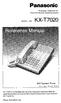 Panasonic Proprietary Telephone for Electronic Modular Switching System MODEL NO. KX-T7020 With Speaker Phone Illustrated Model: White KX-T7020 is compatible with all of the Panasonic Electronic Modular
Model 1756 Test Lead Kit
 Keithley Instruments 28775 Aurora Road Cleveland, Ohio 44139 1-888-KEITHLEY http://www.keithley.com Model 1756 Test Lead Kit Gerneral Purpose Test Lead Information Description These test leads allow you
Prescott. CD Alarm Clock Radio INSTRUCTION MANUAL
 1215205 Prescott CD Alarm Clock Radio INSTRUCTION MANUAL Important Safety Instructions CAUTION RISK OF ELECTRIC SHOCK DO NOT OPEN The lightning flash with arrowhead symbol, within an equilateral triangle
DCT 2000. User Guide CURSOR CHANNEL POWER GUIDE INFO MENU A/B SELECT
 POWER DCT 2000 User Guide CURSOR MESSAGES REMOTE CHANNEL A/B POWER GUIDE FO MENU SELECT A/B CAUTION RISK OF ELECTRIC SHOCK DO NOT OPEN CAUTION: TO REDUCE THE RISK OF ELECTRIC SHOCK, DO NOT REMOVE COVER
LDG DTS-6/6R Desktop Coaxial Switch / Remote
 LDG DTS-6/6R Desktop Coaxial Switch / Remote LDG Electronics 1445 Parran Road, PO Box 48 St. Leonard MD 20685-2903 USA Phone: 410-586-2177 Fax: 410-586-8475 [email protected] www.ldgelectronics.com
Digital Photo Picture Frame. Operation Manual
 Digital Photo Picture Frame Operation Manual 20070309 CONGRATULATIONS on your purchase of a Polaroid 7 LCD Digital Photo Picture Frame. Please read carefully and follow all warnings and instructions in
Operating Guide Manuel de l utilisateur
 Operating Guide Manuel de l utilisateur Model RF-110 Modèle RF-110 English Thank you for purchasing this Ringmaster; please read this operating guide carefully before use and keep it for future reference.
FourPointSurround FPS2000 Digital
 Information in this document is subject to change without notice and does not represent a commitment on the part of Creative Technology Ltd. No part of this manual may be reproduced or transmitted in any
LDG M-7700 External Meter for Icom IC-7700
 M-7700 OPERATIONS MANUAL MANUAL REV A LDG M-7700 External Meter for Icom IC-7700 LDG Electronics 1445 Parran Road St. Leonard MD 20685 Phone: 410-586-2177 Fax: 410-586-8475 [email protected] www.ldgelectronics.com
Single Day Alarm Clock with. Bluetooth and USB Play-through
 Single Day Alarm Clock with Bluetooth and USB Play-through MODEL : BSC 200 READ THIS INSTRUCTION MANUAL BEFORE OPERATING THE APPLIANCE. SAVE THIS MANUAL FOR FUTURE REFERENCE. TABLE OF CONTENTS IMPORTANT
Product Manual. Precision Inbound Call Routing Fast Outbound Line Hunting Streamlined Telecommunications
 MJNOVIS Expanding Communications Product Manual Precision Inbound Call Routing Fast Outbound Line Hunting Streamlined Telecommunications 1 LINE 2 3 4 1 2 3 4 5 6 7 8 9 10 11 12 LINE 2 LINE 3 LINE 4 MULTI-LINK
PORTABLE ALARM CLOCK. Dual Alarm. FM Radio. Wake-up Sounds. USB Phone Charger G-1CR
 G-BUZZ PORTABLE ALARM CLOCK Dual Alarm FM Radio Wake-up Sounds USB Phone Charger G-1CR Welcome Alarm clocks can be boring. Get ready to shake things up with your new G-BUZZ. Slap the snooze for more ZZZ
AM / FM Tuner + RDS. Model: TU-101. www.pulse-audio.co.uk
 AM / FM Tuner + RDS Model: TU-101 www.pulse-audio.co.uk 1 Safety Information The lightning bolt within a triangle is intended to alert the user to the presence of dangerous voltage levels within the product
LF-IRX. Limited Warranty LF-IRX. Remote Control Extender OWNER S MANUAL
 Limited Warranty OWNER S MANUAL Audiovox Corporation (Audiovox) warrants this product against defects in materials or workmanship for one (1) year from the date of purchase. During this period, this product
Operation Manual. Multi Channel Power Amplifier DPA-430L
 Operation Manual Multi Channel Power Amplifier DPA-430L Welcome A personal welcome to you from the management and employees of Inter-M All of the co-workers here at Inter-M are dedicated to providing excellent
ANTENNA DISTRIBUTION SYSTEM USER'S GUIDE
 Model User Guide ANTENNA DISTRIBUTION SYSTEM USER'S GUIDE 2009 Shure Incorporated 27AS8862 (Rev.4) Printed in U.S.A. POWERING ON/POWERING OFF THE Last powered on First powered off To avoid damaging internal
HP UPS R1500 Generation 3
 HP UPS R1500 Generation 3 Installation Instructions Part Number 650952-001 NOTE: The rating label on the device provides the class (A or B) of the equipment. Class B devices have a Federal Communications
GSM Door Phone System
 GSM Door Phone System System Installation, Setting and Operation Manual User Manual (263-S V1) Please read this user manual completely before operating this system and keep it in a safe place for future
EOSP-500 Dual Zone Streaming Music Player User Manual
 EOSP-500 Dual Zone Streaming Music Player menu User Manual TM commercial wireless audio Thank You For Choosing Eos Wireless! We hope you will get much enjoyment from your wireless audio system. Please
ANI-64S-xRU. Single Section Wall Cabinet INSTRUCTION MANUAL
 ANI-64S-xRU Single Section Wall Cabinet INSTRUCTION MANUAL 122 Rose Ln., Suite 303, Frisco, Texas 75034 TOLL FREE: 1-877-ANEUTRON TOLL: (469) 362-9228 Email: [email protected] A-Neutronics.com SAFETY
OWNER S MANUAL Dual Alarm Speaker
 OWNER S MANUAL Dual Alarm Speaker ALARM OFF ALARM ON Important Safety Instructions 1. Read and keep these instructions. 2. Heed all warnings. 3. Follow all instructions. 4. Warning: To reduce the risk
OPERATING INSTRUCTIONS
 OPERATING INSTRUCTIONS OPERATING INSTRUCTIONS MAG & Electric Blue Amplifier Heads and Combos Thank you for purchasing your Ashdown Engineering Amplifier. If you live in the UK, please register your purchase
How To Use A Cdm250 Digital Multimeter
 User Manual CDM250 Digital Multimeter 070-6736-03 Copyright Tektronix, Inc. 1987. All rights reserved. Tektronix products are covered by U.S. and foreign patents, issued and pending. Information in this
MS-800B Mobile Video Studio
 MS-800B Mobile Video Studio Instruction Manual http:// www.datavideo-tek.com Rev: 141206 Contents Warnings and Precautions ----------------------------------------------------------------------------------3
Dual Alarm Clock with USB Charging & Night Light
 Model T128 Dual Alarm Clock with USB Charging & Night Light For additional information, online registration, and exclusive special offers please visit our website: Introduction Thank you for selecting
WARNING: WARNING: BABY LINK WIFI INTERNET VIEWING CAMERA
 28660 Please read the following instructions and warnings carefully. Keep this instruction manual for future reference. Tools required for wall mount: screwdriver and drill (not included) For technical
Antenna Splitter ASA 1. Instruction manual
 Antenna Splitter ASA 1 Instruction manual Contents Important safety instructions... 2 The ASA 1 active antenna splitter... 4 Delivery includes... 4 Operating elements... 5 Putting the ASA 1 into operation...
Safety Warnings and Guidelines
 Safety Warnings and Guidelines Thank you for purchasing this Wireless Speaker Amplifier! For best results, please thoroughly read this manual and carefully follow the instructions. Please pay extra attention
Indoor Remote Controlled Power Points
 Indoor Remote Controlled Power Points Model Number: HE214039 INSTRUCTION MANUAL Description goes here Indoor Remote Controlled Power Points Warranty Details The product is guaranteed to be free from defects
Advantium 2 Plus Alarm
 ADI 9510-B Advantium 2 Plus Alarm INSTALLATION AND OPERATING INSTRUCTIONS Carefully Read These Instructions Before Operating Carefully Read These Controls Corporation of America 1501 Harpers Road Virginia
SDM-190M. User Guide
 SDM-190M User Guide High Resolution Stereoscopic 3D Monitor TRUE3Di CONTENTS Parts Included... 3 Button Function description... 5 Installation guide... 7 Stereoscopic driver installation guide... 17 Quadro
C 316BEE Stereo Integrated Amplifier
 C 316BEE Stereo Integrated Amplifier РУССКИЙ SVENSKA DEUTSCH ENGLISH NEDERLANDS ITALIANO ESPAÑOL FRANÇAIS Owner s Manual IMPORTANT SAFETY INSTRUCTIONS ENGLISH FRANÇAIS ESPAÑOL ITALIANO DEUTSCH NEDERLANDS
Setup Guide. www.audioengineusa.com D1. Premium 24-bit DAC
 Setup Guide www.audioengineusa.com D1 24-bit DAC Premium 24-bit DAC Contents Introduction Package Contents Cleaning Features Overview Quick Setup Troubleshooting Specifications Contact Us About Audioengine
2-3 SAS/SATA II HDD Canister USER S MANUAL XC-23D1-SA10-0-R. Document number: MAN-00076-A
 2-3 SAS/SATA II HDD Canister XC-23D1-SA10-0-R USER S MANUAL Document number: MAN-00076-A ii Preface Important Information Warranty Our product is warranted against defects in materials and workmanship
Spider IV 15. Pilot s Handbook Manuel de pilotage Pilotenhandbuch Pilotenhandboek Manual del Piloto 取 扱 説 明 書
 Spider IV 15 Pilot s Handbook Manuel de pilotage Pilotenhandbuch Pilotenhandboek Manual del Piloto 取 扱 説 明 書 40-00-0187 Pilot s Handbook available @ www.line6.com/manuals Rev D Important Safety Instructions
User Guide. BlackBerry Remote Stereo Gateway
 User Guide BlackBerry Remote Stereo Gateway MAT-17698-001 PRINTSPEC-021 SWD-324580-0416090732-001 Contents Basics...3 About the BlackBerry Remote Stereo Gateway...3 Components...4 LED notification...5
CMP30. User Manual. www.audac.eu
 CMP30 User Manual www.audac.eu 2 Index Introduction 4 Precautions 5 Safety requirements 5 Caution servicing 5 EC Declaration of Conformity 5 Waste of Electrical and Electronic Equipment (WEEE) 6 Caution
Rock-Ola Music Center Set-Up and Installation Guide For all Q-Series models 230V, Export
 Part No. 61745-01 Rock-Ola Music Center Set-Up and Installation Guide For all Q-Series models 230V, Export IMPORTANT SAFETY INSTRUCTIONS a. Read these instructions. b. Keep these instructions. c. Follow
CAUTION RISK OF ELECTRIC SHOCK DO NOT OPEN
 BeoLab 7-6 Guide CAUTION RISK OF ELECTRIC SHOCK DO NOT OPEN CAUTION: To reduce the risk of electric shock, do not remove cover (or back). No User-serviceable parts inside. Refer servicing to qualified
HD udta Quick-Start Guide
 HD udta Quick-Start Guide Vyve Broadband HD Set-Top Box Important Safety Instructions 1. Read these instructions. 2. Keep these instructions. 3. Heed all warnings. 4. Follow all instructions. 5. Do not