
LDG DTS-6/6R Desktop Coaxial Switch / Remote
|
|
|
- Terence Floyd
- 9 years ago
- Views:
Transcription
1 LDG DTS-6/6R Desktop Coaxial Switch / Remote LDG Electronics 1445 Parran Road, PO Box 48 St. Leonard MD USA Phone: Fax: [email protected] 1

2 LDG DTS-6/6R Desktop Coaxial Switch / Remote Table of Contents Introduction 2 Jumpstart, or Real hams don t read manuals! 3 Specifications 3 Getting to know your DTS-6 3 About the Radio Sense feature 6 Installation 7 Operation 8 Selecting an antenna 8 Grounding all inputs 8 Setting Radio Sense mode On and Off 8 Application Notes 8 Remote Control Protocol 9 Technical Support 12 Warranty and Service 12 Feedback 12 Introduction Congratulations on selecting the LDG DTS-6 desktop coaxial switch. The DTS-6 is a breakthrough product, electronically switching your rig between six antennas, and automatically grounding all inputs when your rig is off. The DTS-6 can be mounted on your operating desk, or operated remotely using the LDG DTS-6R Remote Control. LDG pioneered the automatic, wide-range switched-l tuner in From its laboratories in St. Leonard, Maryland LDG continues to define the state of the art in this field with innovative automatic tuners and related products for every amateur need. 2

3 Jumpstart, or Real hams don t read manuals! Ok, but at least read this one section before you transmit: 1. Attach the RF input jack (center connector, marked TX) to your transmitter or transceiver with a 50 ohm coaxial jumper cable. 2. Attach your antennas to the other RF ports. 3. Connect a 12 volt power supply capable of providing 500 ma to the 2.5 x 5.5 mm coaxial power jack (center positive). 4. Press a front panel button to select the desired antenna. Specifications Switches up to 1,500 watts of RF power (1000 watts on 6M) Six SO-239 antenna ports Automatic grounding with most modern transceivers (when used with the DTS-6R) Remote operation from DTS-6R or your PC Requires 12 volts at 500 ma, 2.5 x 5.5 mm jack, center positive IMPORTANT SAFETY WARNING Never install antennas or transmission lines over or near power lines. You can be seriously injured or killed if any part of the antenna, support or transmission line touches a power line. Always follow this antenna safety rule: the distance to the nearest power line should be at least twice the length of the longest antenna, transmission line or support dimension. 3

4 Getting to know your DTS-6 Your DTS-6 is a quality, precision instrument that will give you many years of outstanding service; take a few minutes to get to know it. On the front panel there are six buttons and six LED indicator lights. The six buttons select the six antennas connected to the rear ports. Pressed in pairs, they select special functions. The red LEDs show which antenna is presently selected. For special functions, they blink in groups of two or six. The DTS-6 has no power switch. It powers up when you plug it into the DC supply, and draws current continuously. When no antenna is selected (that is, all inputs are grounded) the current draw is relatively low. On the rear panel, there are seven SO-239 RF connectors. The center connector (TX) is the output to your rig. The other six go to any coax-fed antenna, or to a dummy load. 4

5 The 2.5 x 5.5 mm jack coaxial DC power connector is on the right. The ground connection is via the wingnut. The control cable input is a 1/8" stereo jack; the control cable is included with the DTS-6R remote. The DTS-6R remote is smaller than the DTS-6, but has the same six switches and six LED lights on the front. On the back, it has the same power, and control jacks, and a radio sense connector, but of course no coax connectors. 5

6 About the Radio Sense feature Radio Sense is an exclusive LDG feature that automatically grounds all inputs when you turn your radio off. It is available only if you are using the DTS-6 with the DTS-6R remote; the DTS- 6 by itself does not support this feature. A sense line connects the DTS-6R to any DC output port on your radio providing at least 2 volts DC at 1 ma when the radio is turned on; most modern radios have at least one such DC output. When this mode is enabled, the DTS-6R senses the DC output port go to zero volts when you turn your radio off, and automatically grounds all inputs, protecting the rig from static discharges. When you turn your rig back on, the DTS-6R senses the voltage on the DC output port and automatically selects the antenna you were using when you powered down. You can also manually ground all inputs from the front panel with a single press of the control buttons. 6

7 Installation The DTS-6 and -6R are intended for indoor use only; they are not water resistant. If you use them outdoors (Field Day, for example) you must protect them from rain. Position your DTS-6 in a convenient spot on your operating desk, as close to your transceiver or transmitter as practical. If you are using the DTS-6R remote, you can position the DTS-6 switch anywhere within reach of the control cable. Connect the input jack (center SO-239 connector marked TX) to your transceiver with a 50 ohm coaxial jumper cable (not provided) of suitable power handling capacity. Connect the coax from your antennas to the input connectors as desired. You can note which antenna is on which port in pencil on the white label panels provided above each button on the front panel. You can also connect a dummy load if you wish. LDG strongly recommends that you use a high-quality, properly installed and grounded lightning arrestor in each antenna line. Connect the ground post (wingnut) to ground. Ideally this will be a dedicated 6' - 8' copper ground rod installed near the operation position, say, just outside the window or door. If this is not possible, a cold water pipe can be used. Connect the DTS-6 to the ground using heavy gauge copper wire or braid. If you are using the DTS-6R remote, connect the provided control cable to the Control ports of the DTS-6 and DTS-6R. Radio Sense is an optional feature of the DTS-6R; your DTS-6 and DTS-6R will work fine without connecting the sense port to your rig. However, if you don't use it you'll be missing out on one of the unit's main advantages. Connect the Radio Sense port on the DTS-6R to any source of DC on your transceiver, transmitter or receiver that is switched on and off with the radio's main power. This is often on a DIN connector on the back of the radio. The DC port must provide at least 2 volts DC at 1 ma, but not more than 20 volts DC. Your DTS-6 requires 12 volts DC at 500 ma. Connect a suitable power supply to the 2.5 x 5.5 mm coaxial DC input jack using the provided 2.5 x 5.5 mm jack coaxial power connector (center positive). The DTS-6R remote also requires 12 volts, at 100ma; you can use the same power supply as the DTS-6 if you wish, providing it can source the total required current. An important word about RF power levels Your DTS-6 is rated up to 1,500 watts of RF power. However, some amateur amplifiers generate RF at even higher power levels. Power levels significantly greater than 1,500 watts will definitely damage or destroy your DTS-6. If the DTS-6 fails due to overload it could damage your transmitter. Always observe the specified power limitation. Caution: High RF voltages may be present on internal components when transmitting. Never operate your DTS-6 with the cover removed. 7

8 Operation Your DTS-6/6R has no power switch; it powers up when you plug it in. The relay associated with the selected antenna is energized and draws current all the time. Operation is exactly the same whether you use the DTS-6 directly, or remotely with the DTS-6R remote control. Selecting an antenna Never attempt to change antennas while transmitting. If you attempt to do so, the DTS-6 will not switch, and all six LEDs will flash to indicate the error condition. To change antennas, stop transmitting and press the button on the DTS-6 or DTS-6R corresponding to the desired antenna. You will hear a distinct "click" as the relays change state. You can change antennas as often as needed; just be sure to stop transmitting before you press a button. Grounding all inputs To ground all inputs, stop transmitting, then press buttons 5 and 6 together. All ports are grounded; lights 5 and 6 will flash twice to confirm grounding. Never attempt to transmit when the DTS-6 inputs are grounded; your transceiver or transmitter may be damaged. When all inputs are grounded, all four LEDs are out. To unground, simply press the button for the desired antenna. The LED for the selected antenna will light, indicating that it is ungrounded. Setting Radio Sense mode On and Off To set Radio Sense mode on, press buttons 1 and 2 together. All six lights will blink twice to confirm that Radio Sense mode is on. Whenever your rig is off (that is, the DC power port on the radio is off), the DTS-6R will automatically ground all inputs. If you press an antenna selection button while the DTS-6R is grounded in Radio Sense mode, lights 1 and 2 will blink three times to remind you; the antenna will not be selected. To set Radio Sense mode off, press buttons 3 and 4 together. Lights 3 and 4 will blink twice to confirm that Radio Sense mode is off. The last antenna you were using will be automatically selected. Application Notes Your DTS-6 is perfectly suited to mobile use. Simply install it in a convenient location near your operating position, and provide 12 volts DC through a fused line (fuse not included; LDG recommends a 1 amp fast-blow fuse). Or, you can install the DTS-6 in the trunk near your mobile antennas, and use the DTS-6R near the operation position. The DTS-6R also requires a fused power line. Many modern transceivers have a "auto off" function, allowing you to program the rig to turn itself off at a specified time. Using this function along with the Radio Sense function of your DTS-6 insures that the rig will be protected even if you forget to turn it off. At the programmed time (midnight, for example) the rig will switch itself off. With Radio Sense mode enabled, the DTS-6 will then automatically ground all inputs, protecting the rig. 8

9 Antenna 1 Selected Antenna 2 Selected Antenna 3 Selected Antenna 4 Selected Antenna 5 Selected Antenna 6 Selected Radio Sense On Radio Sense Off Ground All Button Command Summary Antenna 1 Selected Antenna 2 Selected Antenna 3 Selected Antenna 4 Selected Antenna 5 Selected Antenna 6 Selected Radio Sense On* Ant. Selected while in Radio Sense Ground** Radio Sense Off* Ground All* Button Press While Transmitting* All Inputs Grounded * Double Blink ** Triple Blink Indicator Light Summary 9

10 Remote Control Protocol The control port of your DTS-6 is in fact a serial I/O port compatible with standard USB ports. In the future, LDG may release Windows software and a USB cable enabling you to control your DTS-6 from your PC! In the meantime, this section documents the control protocol; you can write your own software to control the switch. The protocol below describes the dialog between the DTS-6R remote and the DTS-6 switch. Under PC control, the PC program you write would take the place of the remote. Simply open the port, send the appropriate commands as character text strings, and receive and process the replies as desired. Note the space between the letter prefix (M or R) and the numeric code. Example: to select antenna 1, your program would send the characters "R 02" to the switch via the USB connection. Your program would then receive the code "M 02" from the switch, indicating that the switch is set. Codes sent by the DTS-6 switch to the DTS-6R remote: M 00 - Main unit tells remote that buttons 5&6 were pushed. Causes remote to flash LEDs 5&6 twice M 01 - Main unit tells remote that all relays are grounded. Remote turns all LEDs off. M 02 - Main tells remote that antenna 1 is selected. Remote lights proper LED. M 03 - Main tells remote that antenna 2 is selected. Remote lights proper LED. M 04 - Main tells remote that antenna 3 is selected. Remote lights proper LED. M 05 - Main tells remote that antenna 4 is selected. Remote lights proper LED. M 06 - Main tells remote that antenna 5 is selected. Remote lights proper LED. M 07 - Main tells remote that antenna 6 is selected. Remote lights proper LED. M 09 - Not used. M 10 - Main tells remote that the radio sense mode is now off. Remote flashes LEDs 2 & 3 twice. M 11 - Main tells remote that the radio sense mode is now on. Remote flashes LEDs 1 & 2 twice. M 15 - Main sends this when RF is present and a button was pressed or command received. M 17 - Main tells remote that an operation failed because radio sense is on and there is no radio. Remote flashes LEDs 1 and 2 three times. M 18 - Not used. M 19 - Main will force remote to check status of the radio. Remote responds with radio status. M 20 - Main asks remote to do a self-check. Main expects a response of R 21 to show the remote has started the check. If R 21 is not received, then Main flashes LEDs 1 and 4. If R 21 is received, main unit will scroll the LEDs and wait for another response. M 21 - This is sent to the remote when the remote requests a self-check of the main unit. M 22 - After doing a self-check, everything is correct, so main tells remote. M 23 - After doing a self-check, button 1 is stuck, so main tells remote. M 24 - After doing a self-check, button 2 is stuck, so main tells remote. M 25 - After doing a self-check, button 3 is stuck, so main tells remote. M 26 - After doing a self-check, button 4 is stuck, so main tells remote. M 27 - After doing a self-check, button 5 is stuck, so main tells remote. M 28 - After doing a self-check, button 6 is stuck, so main tells remote. 10

11 Codes sent by the DTS-6R remote to the DTS-6 switch R 00 - Remote is telling main unit that buttons 4&5 were pushed user wants to ground all antennas. R 01 - Not used. Remote doesn t give the command to ground all. R 02 - Remote tells main unit that button 1 is selected user wants to select antenna 1. R 03 - Remote tells main unit that button 2 is selected user wants to select antenna 2. R 04 - Remote tells main unit that button 3 is selected user wants to select antenna 3. R 05 - Remote tells main unit that button 4 is selected user wants to select antenna 4. R 06 - Remote tells main unit that button 5 is selected user wants to select antenna 5. R 07 - Remote tells main unit that button 6 is selected user wants to select antenna 6. R 09 - Remote asks main for the current antenna position. Expects a response from main of M 00, M 01, M 02, M 03, M 04, or M 05. R 10 - Remote tells main that the user wants to turn the radio sense mode off. R 11 - Remote tells main that the user wants to turn the radio sense mode on. R 12 - Remote asks main for current radio mode. Expects a response from main of M 10 or M 11. R 14 - Not used. R 17 - Remote tells main that it does not detect radio power. R 18 - Remote tells main that it has radio power. R 19 - Not used. R 20 - Remote asks main to do a self-check. Remote expects a response of M 21 to show the remote has started the check. If M 21 is not received, then remote flashes LEDs 1 and 4. If M 21 is received, remote will scroll the LEDs and wait for another response. R 21 - Remote tells main that its self-check returned no errors. R 22 - After doing a self-check, everything is correct, so remote tells main. R 23 - After doing a self-check, button 1 is stuck, so remote tells main. R 24 - After doing a self-check, button 2 is stuck, so remote tells main. R 25 - After doing a self-check, button 3 is stuck, so remote tells main. R 26 - After doing a self-check, button 4 is stuck, so remote tells main. R 27 - After doing a self-check, button 5 is stuck, so remote tells main. R 28 - After doing a self-check, button 6 is stuck, so remote tells main. 11

12 Care and Maintenance Your DTS-6/6R switch/remote are essentially maintenance-free; just be sure to observe the power and voltage limits discussed in this manual. Never attempt to change antennas while transmitting; always switch in receive mode. The outer case may be cleaned as needed with a soft cloth slightly dampened in a mild household cleaning solution. As with any modern electronic device, your DTS-6/6R can be damaged by temperature extremes, water, impact or static discharge. LDG strongly recommends that you use a good quality, properly installed lightning arrestor in each antenna lead. You should never have to remove the cover, but if you do, replace it before operating. High RF voltages may be present on internal components. Technical Support We are happy to help you with your product. For detailed tech support, submit our Tech Support form on our web site under Support/Manuals, then Tech Support. You can find us at Warranty and Service Your product is warranted against defects in parts or workmanship for two years from purchase. The warranty does not cover damage due to abuse or exceeding specifications. This warranty applies to the original purchaser only; it is not transferable. A copy of the receipt showing the purchaser s name and the date of purchase must accompany units returned for warranty service. All returns must be shipped to us pre-paid; we will not accept units with postage due. Please fill out and print the return form from our web site under Support/Manual, then Tech Support- Warranty. If you need to return your unit to us for service, package it carefully, keeping in mind that we will re-use your packaging to return the unit to you. Include a full description of the problem, along with your name, address and a phone number or address on the web form. Repairs average about 3 to 6 weeks. We will be glad to service your unit after the warranty period has ended. We will notify you of repair charges by phone or , and bill you after repairs are completed. Feedback We encourage everyone who uses the DTS-6/6R to contact us (card, letter or preferred) telling us how well it works for you. We are also always looking for photographs of our products in use; we frequently place such pictures on our Web site ( 12

LDG DTS-4/4R Desktop Coaxial Switch / Remote
 LDG DTS-4/4R Desktop Coaxial Switch / Remote LDG Electronics 1445 Parran Road, PO Box 48 St. Leonard MD 20685-2903 USA Phone: 410-586-2177 Fax: 410-586-8475 [email protected] www.ldgelectronics.com
LDG M-7700 External Meter for Icom IC-7700
 M-7700 OPERATIONS MANUAL MANUAL REV A LDG M-7700 External Meter for Icom IC-7700 LDG Electronics 1445 Parran Road St. Leonard MD 20685 Phone: 410-586-2177 Fax: 410-586-8475 [email protected] www.ldgelectronics.com
LDG SLS-2 Two-Port RJ45 Switch
 SLS-2 OPERATIONS MANUAL MANUAL REV. A LDG SLS-2 Two-Port RJ45 Switch LDG Electronics 1445 Parran Road St. Leonard MD 20685-2903 USA Phone: 410-586-2177 Fax: 410-586-8475 [email protected] www.ldgelectronics.com
LDG RBA-4:1Balun LDG RBA-1:1Balun
 LDG RBA-4:1Balun LDG RBA-1:1Balun Table of Contents Features 1 Specifications 1 Preparation 2 An important word about power levels: 2 Installation 2 Care and Maintenance 6 Technical Support 6 Warranty
Z-100 Automatic Antenna Tuner Manual Version 1.1
 Z-100 Automatic Antenna Tuner Manual Version 1.1 LDG Electronics 1445 Parran Road, PO Box 48 St. Leonard MD 20685-2903 USA Phone: 410-586-2177 Fax: 410-586-8475 [email protected] www.ldgelectronics.com
LDG IT-100 100-Watt Automatic Tuner for Icom Transceivers
 IT-100 OPERATIONS MANUAL MANUAL REV A LDG IT-100 100-Watt Automatic Tuner for Icom Transceivers LDG Electronics 1445 Parran Road St. Leonard MD 20685-2903 USA Phone: 410-586-2177 Fax: 410-586-8475 [email protected]
LDG YT-847 100-Watt Automatic Tuner for Yaesu FT-847 Transceivers
 YT-847 OPERATIONS MANUAL MANUAL REV A LDG YT-847 100-Watt Automatic Tuner for Yaesu FT-847 Transceivers LDG Electronics 1445 Parran Road St. Leonard MD 20685-2903 USA Phone: 410-586-2177 Fax: 410-586-8475
LDG Electronics External Meter Serial Communications Protocol Specification
 M1000 METER PROTOCOL SPECIFICATION MANUAL REV A LDG Electronics External Meter Serial Communications Protocol Specification LDG Electronics 1445 Parran Road St. Leonard MD 20685-2903 USA Phone: 410-586-2177
LDG Z-100Plus 100-Watt Automatic Tuner
 Z-100PLUS OPERATIONS MANUAL MANUAL REV A LDG Z-100Plus 100-Watt Automatic Tuner LDG Electronics 1445 Parran Road St. Leonard MD 20685-2903 USA Phone: 410-586-2177 Fax: 410-586-8475 [email protected]
LDG Z-817H 75-Watt Automatic Tuner
 Z-817H OPERATIONS MANUAL MANUAL REV A LDG Z-817H 75-Watt Automatic Tuner for Yaesu FT-817 and Other QRP Radios with Amplifiers LDG Electronics 1445 Parran Road St. Leonard MD 20685-2903 USA Phone: 410-586-2177
LDG YT-450 100-Watt Automatic Tuner for Yaesu FT-450 and FT-950 Transceivers
 YT-450 OPERATIONS MANUAL MANUAL REV A LDG YT-450 100-Watt Automatic Tuner for Yaesu FT-450 and FT-950 Transceivers LDG Electronics 1445 Parran Road St. Leonard MD 20685-2903 USA Phone: 410-586-2177 Fax:
LDG Z-817 20-Watt Automatic Tuner with FT-817 Integration
 Z-817 OPERATIONS MANUAL MANUAL REV A LDG Z-817 20-Watt Automatic Tuner with FT-817 Integration LDG Electronics 1445 Parran Road St. Leonard MD 20685-2903 USA Phone: 410-586-2177 Fax: 410-586-8475 [email protected]
AT-897Plus Automatic Tuner for Yaesu FT-897(D)
 AT-897PLUS OPERATIONS MANUAL MANUAL REV B AT-897Plus Automatic Tuner for Yaesu FT-897(D) LDG Electronics 1445 Parran Road St. Leonard MD 20685-2903 USA Phone: 410-586-2177 Fax: 410-586-8475 [email protected]
LDG AT-200ProII 200W Automatic Antenna Tuner
 AT-200PROII OPERATIONS MANUAL MANUAL REV B LDG AT-200ProII 200W Automatic Antenna Tuner LDG Electronics 1445 Parran Road St. Leonard MD 20685-2903 USA Phone: 410-586-2177 Fax: 410-586-8475 [email protected]
MARS-ALE Application Note. RS-232 Computer Control Interface for LDG Electronics DTS-4/DTS-6 Desktop Coaxial Switches. Version 1.
 MARS-ALE Application Note RS-232 Computer Control Interface for LDG Electronics DTS-4/DTS-6 Desktop Coaxial Switches Version 1.02 08 April 2006 POC for this document is AAR2EY/NJ U.S. Army MARS [email protected]
The Bouncer Bluetooth Stereo Speaker
 The Bouncer Bluetooth Stereo Speaker 1 Welcome to JLab! Thank you for purchasing The Bouncer Bluetooth Speaker! Enjoy your music wirelessly from any smartphone, tablet, laptop, or other Bluetooth enabled
LDG AT-1000ProII 1000W Automatic Antenna Tuner
 AT-1000PROII OPERATIONS MANUAL MANUAL REV A LDG AT-1000ProII 1000W Automatic Antenna Tuner LDG Electronics 1445 Parran Road St. Leonard MD 20685-2903 USA Phone: 410-586-2177 Fax: 410-586-8475 [email protected]
AT-200PC Automatic PC-Controlled Antenna Tuner Manual Version 1.1
 AT-200PC Automatic PC-Controlled Antenna Tuner Manual Version 1.1 LDG Electronics 1445 Parran Road, PO Box 48 St. Leonard MD 20685-2903 USA Phone: 410-586-2177 Fax: 410-586-8475 [email protected]
Troubleshooting Tips Lifestyle SA-2 & SA-3 Amplifier. Troubleshooting Tips
 Troubleshooting Tips Lifestyle SA-2 & SA-3 Amplifier Refer to the Lifestyle SA-2 & SA-3 Amplifier service manuals, part number 271720 for schematics, PCB layouts and parts lists. Preventative Repair Measures
TUNABLE ANTENNAFIER LT/DT SERIES INSTALLATION INSTRUCTIONS
 Amplifier Kit Contents: Qty Description 1 Antennafier TM Amplifier with CD ROM & USB cable 1 Aluminum L Mounting bracket 1 12VDC Power Supply 2 1/4 x20 Stainless Steel Pan Head 1 DC Injector (LTX/DTX models)
Short Range Wireless Switch System Handheld 8 Installation and Operations Guide
 Phone: (866) 701-1146 Fax: (425) 216-7558 www.remotecontroltech.com Short Range Wireless Switch System Handheld 8 Installation and Operations Guide Introduction... 2 Before Installation... 2 Receiver Installation...
Z-11Pro Automatic Antenna Tuner Manual Version 1.1
 Z-11Pro Automatic Antenna Tuner Manual Version 1.1 LDG Electronics 1445 Parran Road, PO Box 48 St. Leonard MD 20685-2903 USA Phone: 410-586-2177 Fax: 410-586-8475 [email protected] www.ldgelectronics.com
Safety Warnings and Guidelines
 Safety Warnings and Guidelines Thank you for purchasing this Wireless Speaker Amplifier! For best results, please thoroughly read this manual and carefully follow the instructions. Please pay extra attention
Recommended Tools and Supplies: Small Flat Blade Screwdriver, 35mm x 7.5mm DIN Rail. Qwik Install
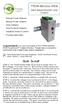 TPDIN-Monitor-WEB Web Based Monitor and Control Remote Power Stations Backup Power Systems Solar Systems Wind Powered Systems Industrial Sense & Control Process Automation Congratulations! on your purchase
Setup guide. point to point wall plate extenders
 SDS-1002/3 point to point wall plate extenders Setup guide For more information visit our website, or talk to one of our technical team tel: +44 (0) 1306 628264 www.smart-e.co.uk SDS-1002 & 1003 SETUP
Model DB 750 Tube Bass Head
 Model DB 750 Tube Bass Head Congratulations on purchasing Aguilar Amplification s DB 750 Tube Bass Head! The DB 750 is a groundbreaking hybrid amplifier with a discrete Mosfet output section and an all
RACEAIR REMOTE PAGER SYSTEM
 Computech Systems, Inc. 301-884-5712 30071 Business Center Dr. Charlotte Hall, MD 20622 RACEAIR REMOTE PAGER SYSTEM TM Introduction: Computech s RaceAir Remote Competition Weather Station with the Data
Table of Contents Function Keys of Your RF Remote Control Quick Setup Guide Advanced Features Setup Troubleshooting
 Congratulations on your purchase of the AT&T U-verse TV Point Anywhere RF Remote Control. This product has been designed to provide many unique and convenient features to enhance your AT&T U-verse experience.
Ameritron ATP-102 Tuning Pulser II
 Ameritron ATP-102 The Ameritron ATP-102 relieves temperature related stress on amplifiers, tuners, and dummy loads while allowing proper system adjustments. It allows amplifiers to be properly adjusted
OPERATING INSTRUCTIONS Model ST-888 DTMF ANI/ENI Display Decoder
 P R O D U C T G R O U P OPERATING INSTRUCTIONS Model ST-888 DTMF ANI/ENI Display Decoder Manual # 600-0901 November 30, 1999 Rev. D - 99068 DESCRIPTION The ST-888 Mobilecall Display Decoder is a desktop
PM1122 INT DIGITAL INTERFACE REMOTE
 PM1122 INT DIGITAL INTERFACE REMOTE PM1122 INT front panel description: 1. Clear wireless remotes knob: push this button for more than 2 seconds to clear the list of all assigned wireless remote settings
HDTV. Amplified Indoor Outdoor Antenna. indoor outdoor. 10 db Amplification. Paintable. Versatile TERRESTRIAL VHF UHF
 Amplified Indoor Outdoor Antenna VHF UHF 10 db Amplification fixed 10 db amplification for improved reception of weak signals Paintable customize your antenna color to match your interior or exterior décor
CONTROL SWITCHER User s Manual (Preliminary)
 CONTROL SWITCHER User s Manual (Preliminary) www.voodoolab.com Copyright 2010 by Digital Music Corporation. This publication is protected by copyright and all rights are reserved. Voodoo Lab, Control Switcher,
Technical Manual. For use with Caller ID signaling types: Belcore 202, British Telecom, & ETSI
 Technical Manual For use with Caller ID signaling types: Belcore 202, British Telecom, & ETSI Caller ID.com WHOZZ CALLING? POS 2 Caller ID Monitoring Unit Technical Manual For use with Caller ID signaling
User and Installation Guide
 Connect the AC adapter with the amplifier BEFORE plugging the AC adapter into an outlet to avoid spark generation! User and Installation Guide BlueFIDELITYTM Bluetooth Audio Amplifier Model 300 Contents
Operation and Installation Manual
 Operation and Installation Manual RCM-10 Remote Control Monitor and RSM-10 Remote Status Monitor for the CNA-100 & CNA-200 Automations Revision 1.1 9/98 WARRANTY INFORMATION The RCM-10 Remote Control
Single Station Remote Alarm
 ADI 5106G Certified ISO 9001:2000 Single Station Remote Alarm 529 5106-01-120 529 5106-01-220 INSTALLATION AND OPERATING INSTRUCTIONS Carefully Read These Instructions Before Operating Controls Corporation
MGL Avionics CAN bus interface for Trig Avionics TT21/TT22 transponders
 MGL Avionics CAN bus interface for Trig Avionics TT21/TT22 transponders General The MGL Avionics CAN bus interface for the Trig Avionics TT21 and TT22 transponders provides a simple solution to allow any
Owner s Manual 900.4. 4 channel amplifier
 Owner s Manual 900.4 4 channel amplifier THANK YOU Limited Warranty: for purchasing RE AUDIO Bluetooth amplifiers BT-900.4. With almost no sacrifice on sound quality, BT-900.4 easily plays the music from
Indoor/Outdoor Color Camera with Built-in 2.4 GHz Wireless Transmitter, plus X10 controlled power supply, and Video Receiver.
 Indoor/Outdoor Color Camera with Built-in 2.4 GHz Wireless Transmitter, plus X10 controlled power supply, and Video Receiver. OWNER'S MANUAL VR36A XC18A XM13A MODEL VK69A (INCLUDES XC18A CAMERA, XM13A
Coax Mapping Tester User's Guide. www.jdsu.com/know
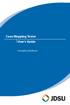 Coax Mapping Tester User's Guide www.jdsu.com/know Tone On LED Testing LED Open/Short LEDs Remote I.D. detected LEDs Test Button (Hold for Tone Mode) Voltage/Battery Low LED (Flashes when Battery is Low)
MidiStream. UHF Wireless MIDI System Operating Manual
 MidiStream UHF Wireless MIDI System Operating Manual Introduction Congratulations on your purchase of the MidiStream UHF wireless MIDI system. The MidiStream system is very easy to use, but please take
Model: 308-1412 Manual DC: 080215 WIRELESS COLOR FORECAST STATION
 Model: 308-1412 Manual DC: 080215 WIRELESS COLOR FORECAST STATION FRONT VIEW SENSOR TX141TH-Bv2 LED TX Sensor Battery Cover Sensor Battery Compartment 2 AA Buttons Battery Compartment 3 AAA BACK VIEW Battery
Micro HDMI to VGA with Audio Adapter. Quick Installation Guide. Introduction. Key Features and Benefits. System Requirements.
 Introduction Micro HDMI to VGA with Audio Adapter Quick Installation Guide The Micro HDMI to VGA with Audio Adapter converts HDMI signals from a portable device, such as a laptop, smart phone or tablet
Light Meter (Foot Candles)
 Light Meter (Foot Candles) 840021 Instruction Manual SPER SCIENTIFIC LTD. TABLE OF CONTENTS 1. INTRODUCTION... 2 2. PANEL DESCRIPTION... 3 3. MEASUREMENT PROCEDURES... 4 4. ZERO ADJUSTMENT & CALIBRATION...
WIRELESS INTERNET TROUBLESHOOTING GUIDE. 320.834.5151 888.236.3574 www.gctel.com. Help Desk 320.834.5155
 WIRELESS INTERNET TROUBLESHOOTING GUIDE 320.834.5151 888.236.3574 www.gctel.com Help Desk 320.834.5155 Table of Contents Check Physical Connection Connection Diagram - Page 1 Power Inserter - Page 2 Identify
Byonics Micro Trak 1000 High Altitude Balloon Tracker
 Byonics Micro Trak 1000 High Altitude Balloon Tracker The Micro Trak 1000 (MT 1000) is a high altitude balloon (HAB) tracker. It is usually sold as a combination to provide a simple, turn key tracking
Portable Bluetooth Speaker. Quick Start Guide. Model: BTS201
 Portable Bluetooth Speaker Quick Start Guide Model: BTS201 Disclaimer All the information, design and specifications contained in this manual were correct at the time of publication. However, as the product
IPX AUTOMATIC IP NETWORK LOSS BACKUP A/B SWITCH INSTRUCTION BOOK IB6444-02
 IPX AUTOMATIC IP NETWORK LOSS BACKUP A/B SWITCH INSTRUCTION BOOK IB6444-02 TABLE OF CONTENTS DESCRIPTION 2 MOUNTING INSTRUCTIONS 2 HOW TO CABLE THE IPX 2/3 POWER SUPPLY INSTALLATION 3 OPERATION 3 CARE
EtherNet-RS232/485. London Electronics Limited. Ethernet to RS232 or RS485 data converter. Connection details and general information
 London Electronics Limited Warren Court, Chicksands, Shefford, Bedfordshire SG17 5QB Tel +44(0)1462-850967 Fax +44(0)1462-850968 www.london-electronics.com [email protected] Ethernet to RS232
QLINK User Manual Stereo Audio Transmitter
 QLINK User Manual Stereo Audio Transmitter ClearSounds QLINK Bluetooth Stereo Transmitter Contents Before use.1 1. About the QLINK... 1 2. Overview..2 Getting started. 1 1. Parts Checklist. 1 2. Charging
12-Volt 10-Amp Regulated Power Supply
 22-506.fm Page 1 Friday, August 6, 1999 12:55 PM Cat. No. 22-506 OWNER S MANUAL Please read before using this equipment. 12-Volt 10-Amp Regulated Power Supply 22-506.fm Page 2 Friday, August 6, 1999 12:55
Mini-HDMI Series MINIATURE MULTIMODE FIBER OPTIC HDMI TRANSMISSION SYSTEM
 Mini-HDMI Series MINIATURE MULTIMODE FIBER OPTIC HDMI TRANSMISSION SYSTEM BCI reserves the right to make changes to the products described herein without prior notice or consent. No liability is assumed
Installation and Operation Manual. Digital Remote Meter for Monitoring System Performance. Version: RM-1
 REMOTE METER TM Installation and Operation Manual. Digital Remote Meter for Monitoring System Performance. Version: RM-1 1098 Washington Crossing Road Washington Crossing, PA 18977 USA www.morningstarcorp.com
Bluetooth Audio Receiver GDI-BTPB300. Quick Start Guide
 Bluetooth Audio Receiver GDI-BTPB300 Quick Start Guide 1. Before You Start Using Your 3play Bluetooth Audio Receiver Important Safety Instructions and Warnings Please read this user guide carefully before
Bluetooth HC-06 with serial port module Easy guide
 1 Bluetooth HC-06 with serial port module Easy guide This manual consists of 3 parts: PART 1. Overview of Bluetooth HC-06 module with serial port. PART 2. Installing Bluetooth HC-06 module with Bolt 18F2550
CelluLine CGW-TS GSM Cellular Gateway. Installation and Programming Manual
 CelluLine CGW-TS GSM Cellular Gateway Installation and Programming Manual CelluLine CGW-TS GSM Cellular Gateway Installation and Programming Manual CGWTS-M001A Version 1, Release 1, December 2004 NOTICE
USB Focus Motor Controller User Manual Model FCUSB
 USB Focus Motor Controller User Manual Model FCUSB Revision 1.1 Copyright 2006, Shoestring Astronomy www.shoestringastronomy.com Page 1 Introduction The Shoestring Astronomy USB Focus Motor Controller
IMMS-CCC. IMMS-CCC Hardwire Central Interface. Installation Instructions
 IMMS-CCC IMMS-CCC Hardwire Central Interface Installation Instructions TABLE OF CONTENTS... Choose a Location... 1 Connections... 2 Operations... 3 Software Configuration... 4 Troubleshooting... 5 Loopback
Bluetooth Portable Boombox
 www.sharkk.com Bluetooth Portable Boombox Owner s Guide Introduction Thank you for your purchase of the SHARKK Bluetooth 4.0 Box Speaker. Please take the time to read this manual carefully before you begin
Business Audio System: Music & Messaging MP3 Player. by Grace Digital Audio. User Guide. Model No. GDI-USBM10
 Business Audio System: Music & Messaging MP3 Player by Grace Digital Audio User Guide Model No. GDI-USBM10 User Guide Contents Introduction 2 Safety & General Use Information 2 Features 3 Set Up & Operation
19 LED Tube Controller ORDERCODE 41003
 19 LED Tube Controller ORDERCODE 41003 Congratulations! You have bought a great, innovative product from Showtec. The Showtec 19 LED Tube Controller brings excitement to any venue. Whether you want simple
Touch Tone Controller. Model TR16A. Owner s Manual
 Touch Tone Controller Model TR16A Owner s Manual CONTENTS IMPORTANT NOTICE Features... 2 Introduction... 2 Important Notice...3 How it Works... 4 Installation... 4 Operation a... 5 From the Touch Tone
Getting started with
 PART NO. CMA113 MADE IN CHINA 1. Measuring CAT II 2. Max. voltage 250V ~ 3. Max. current 71 Amp Getting started with Electricity consumption monitoring single phase for homes and some smaller light commercial
162 CB CABLE TRACER. Filter Probe & Tone Generator INSTRUCTION MANUAL
 162 CB CABLE TRACER Filter Probe & Tone Generator INSTRUCTION MANUAL INDEX PAGE 1. INTRODUCTION... 1 2. FILTER PROBE... 1-3 3. TONE GENERATOR... 3-6 4. SPECIFICATION... 7-8 5. MAINTENANCE... 8 1. INTRODUCTION
MANUAL PC1000R [email protected]
 MANUAL PC1000R [email protected] Features The APart PC1000R is a professional multisource CD/USB/SD card music player, equipped with balanced and unbalanced analog outputs, coaxial and optical digital
USB 2.0 4-Port Extender Kit
 USB 2.0 4-Port Extender Kit 500072 MuxLab Inc. 2014 94-000760-A / SE-000760-A Table of Contents 1. Introduction... 2 2. Features... 2 3. Specifications... 2 4. Package Contents... 3 5. Physical Diagram...
SB-1000 Link-All-3.0 USB Radio interface Operating Manual CG Antenna Co. Ltd.
 CG Antenna SB-1000 Link-All-3.0 USB Radio interface Operating Manual CG Antenna Co. Ltd. Shanghai, China - 1 - http://www.cgantenna.com FEATURES Connect your computer with USB port. No need serial or parallel
Mini Power Bank and Charger
 Mini Power Bank and Charger Owner s Manual Please read before using this equipment. Your charger is ETL listed to UL standards and meets all applicable FCC standards. WARNING: To reduce the risk of fire
Dual-Cool Notebook Cooler Pad. User s Manual
 Dual-Cool Notebook Cooler Pad Model #: CF4500U User s Manual Rev. 060801 User s Record: To provide quality customer service and technical support, it is suggested that you keep the following information
Global Water Instrumentation, Inc.
 Global Water Instrumentation, Inc. 11390 Amalgam Way Gold River, CA 95670 T: 800-876-1172 Int l: (916) 638-3429, F: (916) 638-3270 Solar Panels 2 Watt Solar Panel: SP101 5 Watt Solar Panel: SP102 01-752
Laser Wireless Rechargeable Mouse. User s Manual
 Laser Wireless Rechargeable Mouse Model #: LM8000WR User s Manual Rev. 060801 User s Record: To provide quality customer service and technical support, it is suggested that you keep the following information
SB-2000 USB Radio Interface Operating Manual CG Antenna Co. Ltd.
 CG Antenna SB-2000 USB Radio Interface Operating Manual CG Antenna Co. Ltd. Shanghai, China FEATURES Connect your computer with USB port. No need serial or parallel port. Most of Radio programs are built
TCP/IP MODULE CA-ETHR-A INSTALLATION MANUAL
 TCP/IP MODULE CA-ETHR-A INSTALLATION MANUAL w w w. c d v g r o u p. c o m CA-ETHR-A: TCP/IP Module Installation Manual Page Table of Contents Introduction...5 Hardware Components... 6 Technical Specifications...
www.iconnectivity.com
 www.iconnectivity.com USER GUIDE WARRANTY INFORMATION iconnectivity warrants to the original purchaser that this unit is free of defects in materials and workmanship under normal use and maintenance for
MR8 Loop System OWNER'S MANUAL
 MR8 Loop System OWNER'S MANUAL Contents Introduction... 3 Warranty... 4 Precautions... 5 Front panel... 6 Rear panel... 7 Block diagram... 9 Loop configurations. 10 Control functions. 12 Midi Control Assignments...
OPERATION MANUAL. Pen type, separate electrode SOIL PH METER Model : PH-220S
 Pen type, separate electrode SOIL PH METER Model : PH-220S Your purchase of this SOIL PH METER marks a step forward for you into the field of precision measurement. Although this METER is a complex and
ANTI-THEFT SYSTEM. 1995 Volvo 850 DESCRIPTION & OPERATION BASIC ALARM. 1995-96 ACCESSORIES & EQUIPMENT Volvo Anti-Theft Systems
 ANTI-THEFT SYSTEM 1995 Volvo 850 1995-96 ACCESSORIES & EQUIPMENT Volvo Anti-Theft Systems 850 DESCRIPTION & OPERATION WARNING: Deactivate air bag system before performing any service operation. For 1995
ASP-DTH. DVI & Audio to HDMI Converter. User Manual. Manual Number: 100901
 ASP-DTH DVI & Audio to HDMI Converter User Manual Manual Number: 100901 Safety and Notice The ASP-DTH DVI & Audio to HDMI Converter has been tested for conformity to safety regulations and requirements,
USER GUIDE. Publication AP7080. Allen & Heath 1 XONE:1D User Guide
 USER GUIDE Publication AP7080 Allen & Heath 1 XONE:1D User Guide Limited One Year Warranty This product is warranted to be free from defects in materials or workmanship for period of one year from the
Manual made by PC4U, The Netherlands, [email protected] Pag 1
 PMSDR (you don t need the switchboard plug- in!) FT1000mp Soundcard for the PMSDR (I use the EMU 0202 USB) WinradHD ( now called HDSDR) Omnirig Cat software (A COM component for transceiver/receiver CAT
Business/Home GSM Alarm System. Installation and User Manual
 Business/Home GSM Alarm System Installation and User Manual Brief Introduction: GSM 900/1800/1900 bands, can be used in most parts of the world Full duplex communication with the host Monitor the scene
SP1790JK 900MHz Wireless Indoor/Outdoor Speakers. User Manual INTRODUCTION FEATURES IMPORTANT SAFETY INFORMATION
 SP1790JK 900MHz Wireless Indoor/Outdoor Speakers INTRODUCTION This 900 MHz digital hybrid wireless speaker system uses the latest wireless technology that enables you to enjoy music and TV sound anywhere
Smarthome SELECT Bluetooth Wireless Stereo Audio Receiver and Amplifier INTRODUCTION
 Smarthome SELECT Bluetooth Wireless Stereo Audio Receiver and Amplifier INTRODUCTION The Smarthome SELECT Bluetooth Wireless Stereo Audio Receiver and Amplifier is a multi-functional compact device. It
FCC COMPLIANCE STATEMENT
 MEDIA CONVERTER Fiber to UTP Ethernet Media Converter ET90110SC ET90110ST Instruction Guide * Actual product may vary from photo Revised: December 6, 2002 The Professionals Source For Hard-to-Find Computer
Key. ➍ Micro USB Port ➎ Operating System Toggle Keys ➏ Foam Screen Protectors. ➊ On/Off switch ➋ Bluetooth Connect Button (flashes when searching)
 INSTRUCTION MANUAL ➏ ➋ ➊ Product Features ➎ ➍ ➌ Built-in wireless Bluetooth 3.0 keyboard Compatible across ios, Android, and Windows, enabling you to mix and match with devices Ultra-thin, lightweight
CABLE MODEM QUICK START
 CABLE MODEM QUICK START This Quick Start describes how to connect your Zoom cable modem to a cable modem service. This lets your cable modem provide Internet access to a computer or other device connected
1. Product Description. 2. Product Overview
 1. Product Description Avantree BTTC-200 is a 2-in-1 Bluetooth stereo audio transceiver, which can easily switch between receive and transmit modes. With standard 3.5mm audio jack, it's plug & play, no
Quick start: Energy Switch EU
 Technical specifications Normal operating voltage Quick start: Energy Switch EU 230Vac/50Hz Recommended max. load 3000W 600W Frequency range Wireless range Energy measurement 868.42 MHz 30~100 meters in
BTC450 Bluetooth Car Kit
 BTC450 Bluetooth Car Kit User Manual 2012 Kinivo LLC. All rights reserved. Kinivo is a trademark of Kinivo LLC. Bluetooth word mark and the Bluetooth logo are registered trademarks of Bluetooth SIG. All
How To Use A Cdm250 Digital Multimeter
 User Manual CDM250 Digital Multimeter 070-6736-03 Copyright Tektronix, Inc. 1987. All rights reserved. Tektronix products are covered by U.S. and foreign patents, issued and pending. Information in this
Liquid Carbon Balanced Transportable Headphone Amplifier. Cavalli audio. Copyright 2015-2016 Cavalli Audio, LLC All Rights Reserved
 Liquid Carbon Balanced Transportable Headphone Amplifier Cavalli audio All Rights Reserved Page 2 of 15 Congratulations! You re now the proud owner of the Cavalli Audio Liquid Carbon Balanced Transportable
PS/2 Extender USER MANUAL. www.gefen.com
 PS/2 Extender USER MANUAL www.gefen.com Technical Support: Telephone (818) 884-6294 (800) 545-6900 Fax (818) 884-3108 Technical Support Hours: 9:00 AM to 5:00 PM Monday thru Friday. Write To: Gefen Inc.
STAGE SETTER-8. User Instructions. Elation Professional
 STAGE SETTER-8 User Instructions Elation Professional A Division of the American DJ Group of Companies 4295 Charter Street Los Angeles, CA 90058 USA Tel: 323-582-2650 Fax: 323-582-2610 Web: www.elationlighting.com
RouteFinder SOHO. Quick Start Guide. SOHO Security Appliance. EDGE Models RF825-E, RF825-E-AP CDMA Models RF825-C-Nx, RF825-C-Nx-AP
 RouteFinder SOHO SOHO Security Appliance EDGE Models RF825-E, RF825-E-AP CDMA Models RF825-C-Nx, RF825-C-Nx-AP Quick Start Guide RouteFinder RF825 Series Quick Start Guide RouteFinder SOHO Security Appliance
User manual BETSO WTCS. 16 channel wireless digital TC slate. 1 Copyright BETSO ELECTRONICS Ltd.
 16 channel wireless digital TC slate 1 Copyright BETSO ELECTRONICS Ltd. Contents 1. Product description...3 2. Top features...3 3. Control elements...4 4. Insertion of batteries / accumulators...6 5. External
FAQs. Conserve package. Gateway... 2 Range Extender... 3 Smart Plug... 3 Thermostat... 4 Website... 7 App and Mobile Devices... 7
 FAQs Conserve package Gateway... 2 Range Extender... 3 Smart Plug... 3 Thermostat... 4 Website... 7 App and Mobile Devices... 7 FAQs Gateway Can I have someone install my system for me? If you are concerned
13 Watt PORTABLE SOLAR POWER KIT
 3 Watt PORTABLE SOLAR POWER KIT User s Manual Thank you for purchasing a Sunforce Portable Solar Power Kit. Please read these instructions carefully and thoroughly before using the product. Your new Portable
MidNite Solar Communication Adapter. User Manual. P/N 10-269-1 Rev-A
 MidNite Solar Communication Adapter User Manual P/N 10-269-1 Rev-A Notice of Copyright MidNite Solar Communication Adapter User s Manual Copyright 2013 all rights reserved. Disclaimer Unless specifically
BTH360-S Bluetooth Stereo Headset Specifications & User's Guide
 BTH360-S Bluetooth Stereo Headset Specifications & User's Guide www.kinivo.com Email: [email protected] Warranty BTH360-S is covered under 1 year limited hardware warranty. Please contact Kinivo technical