
Cisco UCS C240 M3 High-Density Rack Server (Large Form Factor Hard Disk Drive Model)
|
|
|
- Gyles Simon
- 10 years ago
- Views:
Transcription
1 Spec Sheet Cisco UCS C240 M3 High-Density Rack Server (Large Form Factor Hard Disk Drive Model) CISCO SYSTEMS PUBLICATION HISTORY 170 WEST TASMAN DR. SAN JOSE, CA, REV E.5 JUNE 29,

2 OVERVIEW DETAILED VIEWS Chassis Front View Chassis Rear View BASE SERVER STANDARD CAPABILITIES and FEATURES CONFIGURING the SERVER STEP 1 VERIFY SERVER SKU STEP 2 SELECT CPU(s) STEP 3 SELECT MEMORY STEP 4 SELECT RAID CONFIGURATION STEP 5 SELECT HARD DISK DRIVES (HDDs) STEP 6 SELECT PCIe OPTION CARD(s) STEP 7 ORDER OPTIONAL NETWORK CARD ACCESSORIES STEP 8 ORDER GPU CARDS and ACCESSORIES (OPTIONAL) STEP 9 ORDER POWER SUPPLY STEP 10 SELECT AC POWER CORD(s) STEP 11 ORDER OPTIONAL REVERSIBLE CABLE MANAGEMENT ARM STEP 12 SELECT NIC MODE (OPTIONAL) STEP 13 ORDER A TRUSTED PLATFORM MODULE (OPTIONAL) STEP 14 ORDER CISCO FLEXIBLE FLASH SD CARD MODULE (OPTIONAL) STEP 15 ORDER USB 2.0 DRIVE (OPTIONAL) STEP 16 SELECT OPERATING SYSTEM AND VALUE-ADDED SOFTWARE STEP 17 SELECT OPERATING SYSTEM MEDIA KIT STEP 18 SELECT SERVICE and SUPPORT LEVEL OPTIONAL STEP - ORDER RACK(s) OPTIONAL STEP - ORDER PDU SUPPLEMENTAL MATERIAL CHASSIS CPUs and DIMMs Physical Layout Memory Population Rules DIMM Population Order Recommended Memory Configuration Additional DIMM Populations Low-Voltage DIMM Considerations RAID Details RAID Option ROM (OPROM) Settings Serial Port Details Upgrade and Servicing-Related Parts Drive Blanking Panels Upgrading your Server from Intel Xeon E to Intel Xeon E v2 CPUs (or downgrading from Intel Xeon E v2 to Intel Xeon E CPUs) Adding an Additional CPU (with CPU heat sink) Motherboard Lithium Battery CPU Removal and Installation ( pick n place ) Tool Set Thermal Grease (with syringe applicator) for CPU to Heatsink Seal Air Baffle Replacement Kit CPU Heat Sink Cleaning Kit RACKS PDUs KVM CABLE Motherboard USB and SD Ports, and RAID Card Backup Locations

3 CONTENTS TECHNICAL SPECIFICATIONS Dimensions and Weight Power Specifications Environmental Specifications Compliance Requirements

4 4

5 OVERVIEW OVERVIEW The UCS C240 M3 rack server is designed for both performance and expandability over a wide range of storage-intensive infrastructure workloads from big data to collaboration The enterprise-class UCS C240 M3 server extends the capabilities of Cisco s Unified Computing System portfolio in a 2U form factor with the addition of the Intel Xeon E v2 and E series processor family CPUs that deliver significant performance and efficiency gains. In addition, the UCS C240 M3 server provides 24 DIMM slots, up to twelve 3.5-inch drives and 4 x 1 GbE LOM ports to provide outstanding levels of internal memory and storage expandability along with exceptional performance. Figure 1 Cisco UCS C240 M3 High-Density LFF Rack Server Front View Rear View 5

6 DETAILED VIEWS DETAILED VIEWS Chassis Front View Figure 2 shows the Cisco UCS C240 M3 High-Density LFF Rack Server. Figure 2 Chassis Front View 1 2 HDD 1 HDD 2 HDD 3 HDD 4 4 HDD 5 HDD 9 HDD 6 HDD 10 HDD 7 HDD 11 HDD 8 HDD KVM connector 6 Temperature status LED (used with KVM cable that provides two USB, one VGA, and one serial connector) 2 Asset tag (serial number) 7 Fan status LED 3 Drives (up to inch hot-swappable 8 System status LED drives) 4 Network link activity LED 9 Identification button/led 5 Power supply status LED 10 Power button/power status LED For more information about the KVM cable connection, see KVM CABLE, page 82. 6

7 DETAILED VIEWS Chassis Rear View Figure 3 shows the external features of the rear panel. Figure 3 Chassis Rear View PSU1 PSU2 PCIe 5 PCIe 4 PCIe 1 PCIe 2 PCIe Power supplies (up to two) 7 One RJ-45 10/100/1000 Ethernet dedicated management port 2 Standard-profile PCIe slot on riser 2: PCIe 5 full-height, 3/4-length (approximately 10.5 in. long), x16 lane width, x24 connector, GPU ready, and supports Cisco Virtual Interface Card (VIC) 3 PCIe slot on riser 2: PCIe 4 half-height, half-length (9.64 in.), x8 lane width, x16 connector, no NCSI 2 support 8 USB 2.0 port 9 Quad 1-GbE ports (LAN1, LAN2, LAN3, and LAN4) 4 VGA video connector 10 Standard-profile PCIe slots on riser 1(three): PCIe 1 full-height, 3/4-length, x8 lane width, x16 connector 1 5 Serial connector (RJ-45) 2 6 USB 2.0 port Notes PCIe slot 1 is not available when a double-width GPU is installed in slot For serial port pinout details, see Serial Port Details, page 74 PCIe 2 full-height, 3/4-length (approximately 10.5 in. long), x16 lane width, x24 connector, GPU ready, and supports Cisco Virtual Interface Card (VIC) PCIe 3 full-height, half-length, x8 lane width, x16 connector 11 Rear Identification button/led 7

8 BASE SERVER STANDARD CAPABILITIES and FEATURES BASE SERVER STANDARD CAPABILITIES and FEATURES Table 1 lists the capabilities and features of the base server. Details about how to configure the server for a particular feature or capability (for example, number of processors, disk drives, or amount of memory) are provided in CONFIGURING the SERVER, page 11. Table 1 Capabilities and Features Capability/Feature Chassis CPU Chipset Memory Multi-bit Error Protection NIC Expansion slots Internal storage devices Cisco Flexible Flash drives Description Two rack unit (2RU) chassis One or two Intel Xeon E v2 or E series processor family CPUs Intel C600 series chipset 24 slots for registered or unbuffered ECC DIMMs (RDIMMs or UDIMMs) or load-reduced DIMMs (LRDIMMs) This server supports multi-bit error protection. Embedded quad-port Intel i350 PCIe-based Gigabit Ethernet controller, supporting the following: Pre-Execution Boot (PXE boot) iscsi boot Checksum and segmentation offload NIC teaming Five PCIe slots (on two riser cards) Riser 1 (PCIe slots 1, 2, and 3) Riser 2 (PCIe slots 4 and 5) Drives are installed into front-panel drive bays that provide hot-pluggable access. Large Form Factor (LFF) drives. The server can hold up to twelve 3.5-inch SAS or SATA hard disk drives (HDDs). The server uses a 12-drive backplane with a SAS expander. The server also contains one internal USB 2.0 port on the motherboard that you can use with a USB thumb drive for additional storage. UCS Storage Accelerator are also available. These PCIe flash storage devices provide independent high-speed storage. The server supports up to two internal 32 GB Cisco Flexible Flash drives (SD cards). The second SD card is blank and can be used to mirror the first SD card. It can be used to protect the Hypervisor Partition with RAID1. 8

9 BASE SERVER STANDARD CAPABILITIES and FEATURES Capability/Feature Description Storage controller 2008M-8i Mezzanine Cards - two versions Video Cisco UCSC RAID SAS 2008M-8i Mezzanine Card supports up to 16 SAS+SATA drives (limited to 12 drives in the C240 M3 LFF chassis) supporting RAID 0, 1, 5, 10, and 50. This card has a product ID (PID) of UCSC-RAID-11-C240. Cisco UCSC RAID SAS 2008M-8i Mezzanine Card supports up to 16 SAS+SATA drives (limited to 12 drives in the C240 M3 LFF chassis) supporting RAID 0, 1, and 10. This card has a product ID (PID) of UCSC-RAID-MZ-240. PCIe RAID Controllers LSI MegaRAID SAS i or 9271CV-8i 8-port PCIe RAID controllers with on-board 1 GB data cache and chassis-mounted (remote) supercap for data cache power backup (supercap not present on i), supporting RAID levels 0, 1, 5, 6, 10, 50, 60 and up to 16 internal SAS or SATA drives (limited to 12 drives in the C240 M3 LFF chassis). LSI MegaRAID 9285CV-8e, or 9286CV-8e 8-port PCIe RAID controllers with on-board 1 GB cache and chassis-mounted (remote) supercap for data cache power backup, supporting RAID levels 0, 1, 5, 6, 10, 50, 60. Supports 8 external SAS ports (up to 240 external drives). Cisco Nytro MegaRAID 200 GB PCIe RAID controller with on-board 1 GB data cache and 200 GB flash memory. Supports RAID levels 0, 1, 5, 6, 10, 50, and 60. Up to 12 SAS + SATA drives are supported. The Cisco Integrated Management Controller (CIMC) provides video using the Matrox G200e video/graphics controller: Integrated 2D graphics core with hardware acceleration DDR2/3 memory interface supports up to 512 MB of addressable memory (8 MB is allocated by default to video memory) Supports display resolutions up to 1920 x Hz High-speed integrated 24-bit RAMDAC Single lane PCI-Express host interface running at Gen 1 speed 9

10 BASE SERVER STANDARD CAPABILITIES and FEATURES Capability/Feature Interfaces WoL InfiniBand Front Panel Power subsystem ACPI Fans Integrated management processor Description Rear panel One RJ-45 10/100/1000 Ethernet management port, using Cisco Integrated Management Controller (CIMC) firmware Four 1-GbE (10/100/1000 Mbps capable) LOM ports One RJ45 serial port connector Two USB 2.0 port connectors One DB15 VGA connector Various PCIe card ports (dependent on which cards are installed) Converged Network Adapter (CNA) ports Network Interface Card (NIC) ports Host Bus Adapter (HBA) ports Front panel One KVM console connector (supplies two USB 2.0, one VGA, and one serial connector) The 1-Gb Base-T Ethernet LAN ports support the wake-on-lan (WoL) standard. The bus slots in this server support the InfiniBand architecture. A front panel controller provides status indications and control buttons Two power supplies are required (either 650 W AC or 1200 W AC or 930 W DC). Redundant as This server supports the advanced configuration and power interface (ACPI) 4.0 standard. Chassis: Six hot-swappable fans for front-to-rear cooling. Power supply: Each power supply is equipped with a fan. BMC running Cisco Integrated Management Controller (CIMC) firmware. Depending on your CIMC settings, the CIMC can be accessed through the 1-GbE dedicated management port, the 1-GbE LOM ports, or a Cisco virtual interface card (VIC). 10

11 CONFIGURING the SERVER Follow these steps to configure the Cisco UCS C240 M3 High-Density LFF Rack Server: STEP 1 VERIFY SERVER SKU, page 12 STEP 2 SELECT CPU(s), page 13 STEP 3 SELECT MEMORY, page 16 STEP 4 SELECT RAID CONFIGURATION, page 22 STEP 5 SELECT HARD DISK DRIVES (HDDs), page 29 STEP 6 SELECT PCIe OPTION CARD(s), page 31 STEP 7 ORDER OPTIONAL NETWORK CARD ACCESSORIES, page 34 STEP 8 ORDER GPU CARDS and ACCESSORIES (OPTIONAL), page 38 STEP 9 ORDER POWER SUPPLY, page 42 STEP 10 SELECT AC POWER CORD(s), page 43 STEP 11 ORDER OPTIONAL REVERSIBLE CABLE MANAGEMENT ARM, page 46 STEP 12 SELECT NIC MODE (OPTIONAL), page 47 STEP 13 ORDER A TRUSTED PLATFORM MODULE (OPTIONAL), page 48 STEP 14 ORDER CISCO FLEXIBLE FLASH SD CARD MODULE (OPTIONAL), page 49 STEP 15 ORDER USB 2.0 DRIVE (OPTIONAL), page 50 STEP 16 SELECT OPERATING SYSTEM AND VALUE-ADDED SOFTWARE, page 51 STEP 17 SELECT OPERATING SYSTEM MEDIA KIT, page 54 STEP 18 SELECT SERVICE and SUPPORT LEVEL, page 55 OPTIONAL STEP - ORDER RACK(s), page 60 OPTIONAL STEP - ORDER PDU, page 61 11

12 STEP 1 VERIFY SERVER SKU Verify the product ID (PID) of the server as shown in Table 2. Table 2 PID of the C240 M3 High-Density LFF Rack Base Server Product ID (PID) UCSC-C240-M3L Description UCS C240 M3 LFF, no CPU, memory, HDD, power supply, SD cards, or PCIe cards, with rail kit The Cisco C240 M3 LFF server: Includes one tool-less rail kit (UCSC-RAIL-2U), adjustable from 26 inches (660 mm) to 36 inches (914 mm) Does not include power supply, CPU, memory, hard disk drives (HDDs), SD cards, or plug-in PCIe cards. NOTE: Use the steps on the following pages to configure the server with the components that you want to include. 12

13 STEP 2 SELECT CPU(s) The standard CPU features are: Intel Xeon E v2 and E series processor family CPUs (see the following link for instructions on how to upgrade your server from Intel Xeon E to Intel Xeon E v2 CPUs: Intel C600 series chipset Cache sizes of up to 30 MB Select CPUs The available CPUs are listed in Table 3. Table 3 Available Intel CPUs: Intel Xeon E v2 and E series processor family CPUs Product ID (PID) Intel Number Clock Freq (GHz) Power (W) Cache Size (MB) Cores QPI Highest DDR3 DIMM Clock Support (MHz) 1 Intel Xeon E v2 UCS-CPU-E52697B E v GT/s 1866 UCS-CPU-E52695B E v GT/s 1866 UCS-CPU-E52690B E v GT/s 1866 UCS-CPU-E52680B E v GT/s 1866 UCS-CPU-E52670B E v GT/s 1866 UCS-CPU-E52667B E v GT/s 1866 UCS-CPU-E52660B E v GT/s 1866 UCS-CPU-E52650B E v GT/s 1866 UCS-CPU-E52640B E v GT/s 1600 UCS-CPU-E52637B E v GT/s 1866 UCS-CPU-E52630B E v GT/s 1600 UCS-CPU-E52620B E v GT/s 1600 UCS-CPU-E52643B E v GT/s 1866 UCS-CPU-E52650LB E5-2650L v GT/s 1600 UCS-CPU-E52630LB E5-2630L v GT/s 1600 UCS-CPU-E52609B E v GT/s

14 Table 3 Available Intel CPUs: Intel Xeon E v2 and E series processor family CPUs Product ID (PID) Intel Number Clock Freq (GHz) Power (W) Cache Size (MB) Cores QPI Highest DDR3 DIMM Clock Support (MHz) 1 Intel Xeon E UCS-CPU-E E GT/s 1600 UCS-CPU-E E GT/s 1600 UCS-CPU-E E GT/s 1600 UCS-CPU-E E GT/s 1600 UCS-CPU-E E GT/s 1600 UCS-CPU-E E GT/s 1600 UCS-CPU-E E GT/s 1600 UCS-CPU-E5-2650L E5-2650L GT/s 1600 UCS-CPU-E E GT/s 1600 UCS-CPU-E E GT/s 1333 UCS-CPU-E E GT/s 1333 UCS-CPU-E5-2630L E5-2630L GT/s 1333 UCS-CPU-E E GT/s 1333 UCS-CPU-E E GT/s 1066 Notes If higher or lower speed DIMMs are selected than what is shown in the table for a given CPU, the DIMMs will be clocked at the lowest common denominator of CPU clock and DIMM clock. 14

15 Approved Configurations (1) 1-CPU configurations: Select any one CPU listed in Table 3. (2) 2-CPU Configurations: Select two identical CPUs from any one of the rows of Table 3 on page 13. Caveats You can select either one processor or two identical processors. For optimal performance, select DIMMs with the highest clock speed for a given processor (see Table 3 on page 13). If you select DIMMs whose speeds are lower or higher than that shown in the tables, suboptimal performance will result. 15

16 STEP 3 SELECT MEMORY The standard memory features are: DIMMs Clock speed: 1866, 1600, or 1333 MHz Ranks per DIMM: 1, 2, or 4 Operational voltage: 1.5 V or 1.35 V Registered or Unbuffered ECC DDR3 DIMMs (RDIMMs or UDIMMs) or load-reduced DIMMs (LRDIMMs) Memory is organized with four memory channels per CPU, with up to three DIMMs per channel, as shown in Figure 4. Figure 4 C240 M3 LFF Memory Organization 16

17 Select DIMMs and Memory Mirroring Select the memory configuration and whether or not you want the memory mirroring option. The available memory DIMMs and mirroring option are listed in Table 4. NOTE: When memory mirroring is enabled, the memory subsystem simultaneously writes identical data to two channels. If a memory read from one of the channels returns incorrect data due to an uncorrectable memory error, the system automatically retrieves the data from the other channel. A transient or soft error in one channel does not affect the mirrored data, and operation continues unless there is a simultaneous error in exactly the same location on a DIMM and its mirrored DIMM. Memory mirroring reduces the amount of memory available to the operating system by 50% because only one of the two populated channels provides data. Table 4 Available DDR3 DIMMs Product ID (PID) PID Description Voltage DIMM Options UCS-ML-1X324RY-A 32 GB DDR MHz LR DIMM/PC /4R/x4/1.35v 1.5/1.35 V 1 UCS-ML-1X324RZ-A 32 GB DDR MHz LR DIMM/PC /4R/4x/1.5v 1.5 V 4 UCS-MR-1X162RY-A 16 GB DDR MHz RDIMM/PC /2R/x4/1.35v 1.5/1.35 V 2 2 UCS-MR-1X162RZ-A 16 GB DDR MHz RDIMM PC /2R/x4/ 1.5 V 2 UCS-MR-1X082RY-A 8 GB DDR MHz RDIMM/PC /2R/x4/1.35v 1.5/1.35 V 2 2 UCS-MR-1X082RX-A 2 8 GB DDR MHz RDIMM/PC /2R/x4/1.35v 1.5/1.35 V 2 2 UCS-MR-1X082RZ-A 8 GB DDR MHz RDIMM/PC /2R/x4/ 1.5 V 2 UCS-MR-1X041RY-A 4 GB DDR MHz RDIMM/PC /1R/x4/1.35v 1.5/1.35 V 2 1 UCS-MR-1X041RX-A 3 4 GB DDR MHz RDIMM/PC /1R/x4/1.35v 1.35 V 1 UCS-MU-1X042RE-A 3 4 GB DDR MHz ECC UDIMM/PC /2R/x8/1.35v 1.35 V 2 Memory Mirroring Option N01-MMIRROR Memory mirroring option Notes Dual voltage DIMM (operates at 1.5 V with BIOS is set for memory performance mode (default), or 1.35 V when BIOS is set for power-savings mode). 2. No longer shipping as of November, 2013 Ranks/ DIMM 4 Approved Configurations (1) 1-CPU configuration without memory mirroring: 17

18 Select from 1 to 12 DIMMs. Refer to Memory Population Rules, page 65, for more detailed information. (2) 1-CPU configuration with memory mirroring: Select 2, 4, 6, 8, 10, or 12 identical DIMMs. The DIMMs will be placed by the factory as shown in the following table. Total Number of DIMMs Blue Slot (Slot 1) CPU 1 DIMM Placement in Channels (for identical DIMMs) Black Slot (Slot 2) Black Slots (Slot 3) 2 (A1, B1) 4 (A1,B1); (C1,D1) 6 1 (A1,B1, C1) (A2, B2, C2) 8 (A1,B1); (C1,D1) (A2,B2); (C2,D2) 12 2 (A1,B1); (C1,D1) (A2,B2); (C2,D2) (A3,B3); (C3,D3) Notes Not recommended (for performance reasons) 2. If this 3DPC configuration is implemented with quad-rank DIMMs (the 32 GB LR DIMM), the maximum DIMM speed will be 1066 MHz, even though the DIMM is specified to operate at a higher speed. Select the memory mirroring option (N01-MMIRROR) as shown in Table 4 on page 17. (3) 2-CPU configuration without memory mirroring: Select from 1 to 12 DIMMs per CPU. Refer to Memory Population Rules, page 65, for more detailed information. 18

19 (4) 2-CPU configuration with memory mirroring: Select 2, 4, 6, 8, or 12 identical DIMMs per CPU. The DIMMs will be placed by the factory as shown in the following table. Number of DIMMs per CPU CPU 1 DIMM Placement in Channels (for identical DIMMs) CPU 2 DIMM Placement in Channels (for identical DIMMs) Blue Slots Black Slots Black Slots Blue Slots Black Slots Black Slots 2 (A1, B1) (E1, F1) 4 (A1,B1); (C1,D1) (E1,F1); (G1,H1) 6 1 (A1,B1, C1) (A2, B2, C2) (E1,F1, G1) (E2, F2, G2) 8 (A1,B1); (C1,D1) (A2,B2); (C2,D2) (E1,F1); (G1,H1) (E2,F2); (G2,H2) 12 2 (A1,B1); (C1,D1) (A2,B2); (C2,D2) (A3,B3); (C3,D3) (E1,F1); (G1,H1) (E2,F2); (G2,H2) (E3,F3); (G3,H3) Notes Not recommended (for performance reasons) 2. If this 3DPC configuration is implemented with quad-rank DIMMs (the 32 GB LR DIMM), the maximum DIMM speed will be 1066 MHz, even though the DIMM is specified to operate at a higher speed. Select the memory mirroring option (N01-MMIRROR) as shown in Table 4 on page 17. NOTE: System performance is optimized when the DIMM type and quantity are equal for both CPUs, and when all channels are filled equally across the CPUs in the server. 19

20 Caveats System speed is dependent on how many DIMMs are populated per channel. See Table 5 for details. Table 5 DIMM Memory Speeds 1333-MHz Capable CPU 1600-MHz Capable CPU 1866-MHz Capable CPU DIMM Speed DPC LRDIMM RDIMM (DR, SR) LRDIMM RDIMM (DR, SR) LRDIMM RDIMM (DR, SR) Voltages Voltages Voltages Voltages Voltages Voltages 1.3 V 1.5 V 1.3 V 1.5 V 1.3 V 1.5 V 1.3 V 1.5 V 1.3 V 1.5 V 1.3 V 1.5 V 1333 DIMM 1600 DIMM 1866 DIMM 1DPC DPC DPC NA NA NA DPC DPC DPC NA NA NA DPC NA NA NA NA NA NA DPC NA NA NA NA NA NA DPC NA NA NA NA NA NA Notes NA = not applicable 2. These DIMMs operate at 1333 MHz instead of 1600 MHz when used with any E CPUs. They operate at 1600 MHz when used with E v2 CPUs that support and 1866-MHz speeds. For optimum performance, do not mix DIMMs with different frequencies. If you mix DIMM frequencies, the system defaults to the lower frequency. Do not mix RDIMMs with LRDIMMs DIMMs for CPU 1 and CPU 2 (when populated) must always be configured identically. Memory mirroring reduces the amount of available memory by 50% (quantity of DIMMs must be even for mirroring). By default, starting with UCSM 2.0.4, DIMMs run in memory performance mode (1.5v) by BIOS default, which yields faster memory speeds than when the BIOS is set for the memory to run in power-savings mode. Memory speed is dependent on factors such as: CPU choice DIMM choice DIMM population (how many DIMMs per channel are populated) 20

21 BIOS setting. For the DIMMs to run in power-savings mode (1.35 V, if the DIMM supports this), change the BIOS setting to power-savings mode. With 3 RDIMMs populated per channel, memory always runs at 1.5 V regardless if the BIOS setting is power-savings mode (1.35 V) or performance mode (1.5 V). With 3 LRDIMMs populated per channel, memory can operate at 1.5 V or 1.35 V, depending on the BIOS setting. For more information regarding memory, see CPUs and DIMMs, page
22 STEP 4 SELECT RAID CONFIGURATION NOTE: When creating a RAID volume, follow these guidelines: Use the same capacity for each drive in the volume Use either all SAS drives or all SATA drives Use either all HDDs or all SSDs NOTE: The number of RAID groups (virtual drives) supported per controller is as follows: LSI MegaRAID i or 9271CV-8i RAID controller card = 64 LSI MegaRAID 9285CV-8e or 9286CV-8e RAID controller card = 64 Cisco Nytro MegaRAID 200 GB PCIe RAID controller = 64 Cisco UCSC RAID SAS 2008M-8i Mezzanine Card = 16 The RAID controller choices are: (1) Mezzanine RAID controllers (2) PCIe RAID controllers Cisco can provide factory-configured RAID systems depending on the RAID controller chosen and the number of drives ordered. Factory-configured RAID options are listed with each RAID card description. Select RAID Options Select as follows (these choices are dependent on the number of CPUs installed): One mezzanine RAID controller, or One mezzanine RAID controller and one external RAID controller, or One internal RAID controller, or One external RAID controller, or One internal RAID controller and one external RAID controller NOTE: For all valid combinations of mezzanine RAID and internal/external RAID controller combinations, see Table 8 on page 26 and RAID Details, page
23 Table 6 Available Mezzanine Card RAID Options Product ID (PID) PID Description RAID Controllers UCSC-RAID-11-C240 Cisco UCSC RAID SAS 2008M-8i Mezzanine Card (RAID 0, 1, 5, 10, and 50 supported), operating at 6 Gbs. Supports up to 12 internal SAS+SATA drives (with the 12-drive backplane). SAS and SATA drives can be mixed. Factory-configured RAID options available: RAID 0, 1, 5, and 10 (see the RAID PIDs section in this table) No data cache backup UCSC-RAID-MZ-240 Cisco UCSC RAID SAS 2008M-8i Mezzanine Card (RAID 0, 1, 10 supported), operating at 6 Gbs. Supports up to 12 internal SAS+SATA drives (with the 12-drive backplane). SAS and SATA drives can be mixed. Factory-configured RAID options available: RAID 0, 1, and 10 (see the RAID PIDs section in this table) No data cache backup Table 7 Available PCIe RAID Controller Options Product ID (PID) PID Description RAID Controllers 1 Note that PCIe RAID controllers are installed by default in slot 3 for 1-CPU systems and slot 4 for 2-CPU systems) UCS-RAID9271-8I or UCS-RAID9271CV-8I LSI MegaRAID SAS i or 9271CV-8i RAID controller card with data cache backup (RAID 0, 1, 5, 6, 10, 50, 60), operating at 6 Gbps Supports up to 16 internal SAS+SATA drives (limited to 12 drives for the C240 M3 LFF chassis). SAS and SATA drives can be mixed. Includes a 1 GB Transportable Memory Module (TMM) and a chassis-mounted (remote) supercapacitor for data cache power backup (supercapacitor not available on the i) Factory-configured RAID options available: RAID 0, 1, 5, 6, and 10 (see the RAID PIDs section in this table) NOTE: For applications requiring Virtualization support (VMs), with write cache/scalable performance, use the 9271CV-8I RAID controller instead of the mezzanine RAID controllers (UCSC-RAID-11-C240 or UCSC-RAID-MZ-240), as the latter controllers do not support a write cache. 23
24 Table 7 Available PCIe RAID Controller Options (continued) Product ID (PID) UCS-RAID-9285CV-E or UCS-RAID9286CV-8E PID Description LSI MegaRAID SAS 9285CV-8e or 9286CV-8e (RAID 0, 1, 5, 6, 10) Supports from one to eight external SAS ports (up to 240 external drives). NOTE: For SAS 9285CV-8e or 9286CV-8e external drive enclosure support, see the compatibility list (enclosure section) at the following link: Cisco is able to support customers with questions related to the SAS 9285CV-8e or 9286CV-8e RAID card; however, customers should contact their storage vendor for technical support related to enclosure/jbod. Includes an chassis-mount (remote) supercapacitor to power on-board 1 GB flash-backed write cache. Factory-configured RAID options: RAID 0, 1, 5, 6, 10 (see the RAID Configuration section in this table). Note that factory RAID configuration is not available for these controllers, because the factory does not control the storage array attached to them. UCSC-NYTRO-200GB Cisco Nytro MegaRAID 200 GB RAID controller Supports up to 12 internal SAS+SATA drives. SAS and SATA drives can be mixed. 1 GB data cache backup 200 GB flash memory. Supports RAID 0, 1, 5, 6, 10, 50, and 60 Operates at 6 Gbps. NOTE: Must be installed in slot 3 only. Supported only with the operating systems listed in ng/unified-computing-system/products-technical-reference-list. html Supported only in 2-CPU systems. Supports only HDDs (not SSDs). Cannot coexist with multiple RAID controllers (embedded RAID, mezzanine RAID card, or PCIe RAID controller). 24
25 Table 7 Available PCIe RAID Controller Options (continued) Product ID (PID) PID Description Supercapacitor Option UCS-RAID-CV-SC= LSI CacheVault Power Module. This is a spare supercapacitor. It is the exact same supercapacitor that ships with the 9271CV-8i, 9285CV-8e, and 9286CV-8e cards listed earlier in this table and can be used as a replacement or upgrade part. RAID Configuration Options R2XX-SRAID0 R2XX-RAID0 R2XX-RAID1 R2XX-RAID5 R2XX-RAID6 R2XX-RAID10 Enable Single Disk Raid 0 Setting (for the following PIDs only): UCS-RAID9271-8i or UCS-RAID9271CV-8I UCSC-RAID-11-C240 UCSC-RAID-MZ-240 Factory preconfigured RAID striping option Enable RAID 0 Setting. Requires a minimum of one hard drive. Factory preconfigured RAID mirroring option Enable RAID 1 Setting. Requires exactly two drives with the same size, speed, capacity. Factory preconfigured RAID option Enable RAID 5 Setting. Requires a minimum of three drives of the same size, speed, capacity. Factory preconfigured RAID option Enable RAID 6 Setting. Requires a minimum of four drives of the same size, speed, capacity. Factory preconfigured RAID option Enable RAID 10 Setting. Requires a even number of drives (minimum of four drives) of the same size, speed, capacity. Notes The SAS 9285CV-8e is compatible with PCI Express Gen 2. The i, 9271CV-8i, 9286CV-8e, and Cisco Nytro MegaRAID 200 GB support PCIe Gen 3. NOTE: The 9266CV-8i and 9285CV-8e RAID controllers will reach end-of-life (EOL) in November, After then, they will no longer be available. NOTE: Although RAID levels 50 and 60 are not orderable from the factory, they are supported for selected controllers as shown in Table 7 25
26 CAUTION: If one of your RAID cards is equipped with a battery backup unit (BBU), be aware that hot swapping the BBU is not supported. Please perform a graceful shutdown of the server prior to replacing the BBU. Approved Configurations The C240 M3 LFF server has a 12-drive backplane with a SAS expander and supports the following RAID options: Mezzanine card (UCSC-RAID-11-C240) supports up to 12 internal drives. Mezzanine card (UCSC-RAID-MZ-240) supports up to 12 internal drives. LSI MegaRAID SAS i and 9271CV-8i PCIe cards support up to 12 internal drives. LSI MegaRAID SAS 9285CV-8e and 9286CV-8e PCIe cards support up to 8 external SAS ports (240 external drives). The Cisco Nytro MegaRAID 200 GB card supports up to 12 internal drives. See Table 8 for a summary of the supported RAID configuration options. NOTE: As shown in the table, the NYTRO MegaRAID 200 RAID controller is supported only in slot 3 of a 2-CPU system. Table 8 Supported RAID Configurations Server # CPUs Mezz RAID 1 NYTRO MegaRAID 200 RAID Card Internal PCIe RAID #1 2 Internal PCIe RAID #2 External PCIe RAID 3 # Drives Supported PCIe Slots C240 M3 LFF 12 HDD 1 Not allowed 5 Not allowed Installed slot 3 (default) 6 Not allowed Not allowed 12 internal A A O U U C240 M3 LFF 12 HDD 1 Not allowed Not allowed Not allowed Not allowed Installed in slots 1, 2, or 3 0 internal 240 external A A A U U C240 M3 LFF 12 HDD 2 Installed Not allowed Not allowed Not allowed Card absent 12 internal A A A A A C240 M3 LFF 12 HDD 2 Not allowed Not allowed Installed slot 4 (default) Not allowed Card absent 12 internal A A A O A C240 M3 LFF 12 HDD 2 Not allowed Installed slot 3 Not allowed Not allowed Not allowed 12 internal A A O A A 26
27 Table 8 Supported RAID Configurations (continued) Server # CPUs Mezz RAID 1 NYTRO MegaRAID 200 RAID Card Internal PCIe RAID #1 2 Internal PCIe RAID #2 External PCIe RAID 3 # Drives Supported PCIe Slots C240 M3 LFF 12 HDD 2 Card absent Not allowed Card absent Not allowed Installed any slot 0 internal 240 external 12 internal 240 external 12 internal 240 external A A A A A C240 M3 LFF 12 HDD 2 Not allowed Not allowed Installed slot 4 (default) Not allowed Installed in slots 1, 2, 3, or 5 A A A O A C240 M3 LFF 12 HDD 2 Installed Not allowed Not allowed Not allowed Installed any slot A A A A A Notes Never disable OPROM for the mezzanine slot if the mezzanine card is present, or the system will not boot. If you remove the mezzanine card and disable its OPROM, you can boot from another bootable device (RAID card, or from SAN via an HBA or CNA card). When you boot from a device, make sure its OPROM is enabled, it is in the proper boot sequence, and its BIOS is configured for a bootable device. 2. If you want to boot from a device other than the i or 9271CV-8i MegaRAID PCIe card, you can leave the card installed. Just disable the OPROM for its slot, and the system will boot even with the card installed. 3. External RAID card is the 9285CV-8e or 9286CV-8e. Any of these can be installed simultaneously with either one mezzanine RAID controller card or one internal RAID controller card (9271-8i or 9271CV-8i). 4. A = available slot, O = occupied slot, U = unsupported slot (slots 4 and 5 are not supported in 1-CPU systems) 5. The mezzanine cards are not supported in 1-CPU systems 6. The OPROM is enabled for the default PCIe RAID controller slots. If you want to enable a different slot, you must go into the BIOS and enable the OPROM for the desired slot and disable the OPROM for the default PCIe slot (see Figure 9 on page 73). Caveats Note that when just one CPU is populated, only a single Cisco 1225 or 1285 Virtual Interface Card (VIC) card is supported and it must be installed in the full-height PCIe slot (slot 2) on riser 1. So take this into account when populating RAID controller cards. When two CPUs are populated, two VIC cards are supported (the Cisco VIC 1225 or 1285). One can be installed in slot 2 of riser 1 and one in slot 5 of riser 2. The primary slot for a VIC card is slot 2. If you have only one of these cards, install it in slot 2. You can choose an optional RAID configuration (RAID 0, 1, 5, 6, or 10), which is preconfigured at the factory. The RAID level you choose must be an available RAID choice for the controller selected. RAID levels 50 and 60 are supported, although they are not available as configuration options. NOTE: RAID for the external RAID controllers (LSI MegaRAID SAS 9286CV-e and LSI MegaRAID SAS 9285CV-e) is not factory configured. 27
28 NOTE: For more important information regarding RAID support, see RAID Details, page 72 and RAID Option ROM (OPROM) Settings, page
29 STEP 5 SELECT HARD DISK DRIVES (HDDs) The standard disk drive features are: 3.5-inch large form factor Hot-pluggable Sled-mounted Select Drives The available drives are listed in Table 9. Table 9 Available Hot-Pluggable Sled-Mounted HDDs Product ID (PID) PID Description Drive Type Capacity HDDs UCS-HD4T7KS3-E 4 TB SAS 7.2K RPM 3.5 inch HDD SAS 4 TB UCS-HDD3TI2F214 3 TB SAS 7.2K RPM 3.5 inch HDD SAS 3 TB UCS-HDD2TI2F213 2 TB SAS 7.2K RPM 3.5 inch HDD SAS 2 TB UCS-HDD1TI2F212 1 TB SAS 7.2K RPM 3.5 inch HDD SAS 1 TB NOTE: When creating a RAID volume, follow these guidelines: Use the same capacity for each drive in the volume Use either all SAS drives or all SATA drives Use either all HDDs or all SSDs 29
30 Approved Configurations (1) Mezzanine cards, and all internal drive PCIe RAID controllers Caveats Select up to 12 SAS+SATA drives listed in Table 9. You can mix SATA and SAS drives. 30
31 STEP 6 SELECT PCIe OPTION CARD(s) The standard PCIe card offerings are: Converged Network Adapters (CNAs) Network Interface Cards (NICs) Host Bus Adapters (HBAs) UCS Storage Accelerators Select PCIe Option Cards The available PCIe option cards are listed in Table 10. Table 10 Available PCIe Option Cards Product ID (PID) PID Description Card Height Converged Network Adapters (CNAs) UCSC-PCIE-CSC-02 Cisco VIC 1225 Dual Port 10Gb SFP+ CNA Half UCSC-PCIE-C10T-02 Cisco VIC 1225T Dual Port 10GBaseT CNA Half UCSC-PCIE-C40Q-02 Cisco VIC 1285 Dual Port 40 Gb QSFP CNA Half UCSC-PCIE-ESFP Emulex OCe11102-FX dual-port 10 GbE FCoE CNA (Gen 3 CNA) Half UCSC-PCIE-B3SFP Broadcom Gb A-FEX SFP+ Half UCSC-PCIE-Q8362 Qlogic QLE8362 dual-port 10 GbE FCoE CNA Half Network Interface Cards (NICs) N2XX-ABPCI01-M3 Broadcom 5709 Dual Port 1Gb w/toe iscsi for M3 Servers Half N2XX-ABPCI03-M3 Broadcom 5709 Quad Port 1Gb w/toe iscsi for M3 Servers Half N2XX-AIPCI01 Intel X520 Dual Port 10Gb SFP+ Adapter Half UCSC-PCIE-ITG Intel X540 Dual Port 10GBase-T Adapter Half UCSC-PCIE-IRJ45 Intel i350 Quad Port 1Gb Adapter Half UCSC-PCIE-BTG Broadcom Dual Port 10GBASE-T w/toe iscsi Half Host Bus Adapters (HBAs) N2XX-AEPCI03 Emulex LPe Dual Port 4Gb Fibre Channel HBA Half N2XX-AEPCI05 Emulex LPe Dual Port 8Gb Fibre Channel HBA Half N2XX-AQPCI03 Qlogic QLE2462 Dual Port 4Gb Fibre Channel HBA Half N2XX-AQPCI05 Qlogic QLE2562 Dual Port 8Gb Fibre Channel HBA Half UCSC-PCIE-Q2672 Qlogic QLE2672-CSC, 16Gb Fibre Channel HBA with SR Optics Half 31
32 Table 10 Available PCIe Option Cards (continued) Product ID (PID) PID Description Card Height UCSC-PCIE-E16002 Emulex LPe16002-M6, 16Gb Fibre Channel HBA with SR Optics Half UCS Storage Accelerators UCSC-F-FIO-5200MP UCS 5200 GB Fusion iomemory3 PX Performance line for C-Series Full UCSC-F-FIO-2600MP UCS 2600 GB Fusion iomemory3 PX Performance line for C-Series Half UCSC-F-FIO-1300MP UCS 1300 GB Fusion iomemory3 PX Performance line for C-Series Half UCSC-F-FIO-1000MP UCS 1000 GB Fusion iomemory3 PX Performance line for C-Series Half UCSC-F-FIO-3000M Cisco UCS 3.0 TB MLC Fusion iodrive2 for C-Series Servers Full UCSC-F-FIO-1205M Cisco UCS 1205 GB MLC Fusion iodrive2 for C-Series Servers Half UCSC-F-FIO-785M Cisco UCS 785 GB MLC Fusion iodrive2 for C-Series Servers Half UCSC-F-FIO-365M Cisco UCS 365GB MLC Fusion iodrive2 for C-Series Servers Half Approved Configurations (1) No RAID controller If you did not choose a RAID controller (for example, you are using the mezzanine RAID controller), you can select up to three PCIe option cards listed in Table 10 for a 1-CPU system or up to five for a 2-CPU system. (2) One PCIe RAID controller If you selected a PCIe RAID controller, you can select up to two of the optional PCIe cards listed in Table 10 for a 1-CPU system or up to four for a 2-CPU system. Caveats Do not mix Fusion io storage accelerator families (do not mix MP family cards with M family cards). For 1-CPU systems: Only the three PCIe slots on PCIe riser 1 (slots 1, 2, and 3) are available (see Figure 3 on page 7). These are the three slots on the right when looking at the rear of the server. Neither the PCIe riser 2 (with the two PCIe slots numbered PCIe 4 and PCIe 5, at the left when viewing the server from the rear) nor the mezzanine card are supported on 1-CPU systems. Only a single VIC card (the Cisco VIC 1225 or 1285 PCIe card) is supported and it must be installed in slot 2 (a full-height slot). See Table 1 on page 8 for the slot descriptions. 32
33 Fusion iodrive2 cards can be installed in slots 1, 2, or 3. Note that only the Cisco UCS 3.0 TB MLC Fusion iodrive2 and Cisco UCS 5200 GB Fusion iomemory3 cards are full-height; all other Fusion io cards are half-height and therefore may need an adapter to hold them securely in the full-height slot. For 2-CPU systems: Five PCIe slots are supported, three on PCIe riser 1 (PCIe slots 1, 2, and 3) and two on PCIe riser 2 (PCIe slots 4 and 5). All of the slots are full-height except one. Two VIC cards may be installed in 2-CPU systems, using slots 2 or 5. See Table 1 on page 8 for the slot descriptions. Up to four Cisco UCS 3.0 TB MLC Fusion iodrive2 full-height cards are supported and can be installed in slots 1, 2, 3, or 5. Up to five of the other Fusion io cards are supported and can be installed in slots 1, 2, 3, 4, and 5, although an adapter may be needed when installing one of these half-height cards in slots 1, 2, 3, or 5 (the full-height slots). Additional considerations for the Cisco VIC 1225 and 1285: Supports 10G SFP+ optical and copper twinax connections. The server supports installation of up to two Cisco VIC cards and they are supported only in PCIe slots 2 and 5. The primary slot for the Cisco VIC is PCIe slot 2. If there is only one card, it must be installed in PCIe slot 2. To use the Cisco Card NIC mode, this card must be installed in PCIe slot 2. Slot 2 can operate while the server is in standby power mode. Requires that the server has CIMC firmware version 1.4(6) or later installed. There is a heartbeat LED on the top of the card that indicates when firmware is active. To use this card for UCS integration (Cisco UCS Manager mode) with Cisco UCS Manager 2.1(0) or later, the minimum card-firmware and uboot image level is 2.1(0.306). To help ensure that your operating system is compatible with the card you have selected, or to see additional cards that have been qualified to work with the UCS C240 M3 server, but are not sold on the Cisco pricelist, check the Hardware Compatibility List at this URL: 33
34 STEP 7 ORDER OPTIONAL NETWORK CARD ACCESSORIES Copper twinax cables and SFP optical modules may be ordered to support the two-port network cards that are available with the server. Choose Optional Twinax Cables Table 11 lists the copper twinax cables available for the PCIe cards. You can choose cable lengths of 1, 3, 5, 7, or 10 meters. The two longer cables (7 and 10 meters) are active, which means that they contain active components within the SFP+ housing to improve signal quality. Table 11 Available Twinax Cables Product ID (PID) PID Description SFP-H10GB-CU1M 10GBASE-CU SFP+ Cable (1 M) SFP-H10GB-CU3M 10GBASE-CU SFP+ Cable (3 M) SFP-H10GB-CU5M 10GBASE-CU SFP+ Cable (5 M) SFP-H10GB-ACU7M 10GBASE-CU SFP+ Cable (7 M) SFP-H10GB-ACU10M 10GBASE-CU SFP+ Cable (10 M) Approved Configurations (1) Choose Up to Two Twinax Cables for Each Network Card Ordered You may choose one or two twinax cables for each compatible PCIe network card ordered. The cables can be different lengths; however, you would normally order two cables of equal lengths to connect to the primary and redundant network switching equipment. Choose Optional SFP Modules Optical Cisco SFP+ modules are listed in Table 12. Table 12 Available SFP Modules Product ID (PID) SFP-10G-SR DS-SFP-FC8G-SW PID Description 10GBASE-SR SFP+ Module 850 nm, multimode, SR, 3.3V, LC connector, with Digital Optical Monitoring 8 Gbit SFP+ Module 850 nm, multimode, SR, 3.3V, LC connector, with Digital Optical Monitoring 34
35 Approved Configurations (1) Choose Up to Two SFP+ Modules for Each Network Card Ordered You may choose one or two SFP+ optical modules cables for each compatible PCIe network card ordered. You would normally order two modules for connecting to the primary and redundant network switching equipment. With the SFP+ optical modules, you can use common fiber optic cables, widely available. Caveats See the Figure 5 on page 37 for typical SFP+ and twinax connections to the network cards. Check the table on the following page for compatibility between the PCIe network cards and SFPs or twinax cables. NOTE: The table shows all PCIe network cards for all C-series servers. Not all of the cards shown in the table are supported in this server. The intent of the table is to show compatibility between cards and twinax cables or SFPs. 35
36 Table 13 PCIe Card Compatibility PCIe Cards Twinax Cables SFP-10G-SR Cisco SFP Modules DS-SFP-FC8G-SW Converged Network Adapters (CNAs) UCSC-PCIE-BSFP (Broadcom Dual Port 10Gb SFP+ w/toe iscsi) UCSC-PCIE-CSC-02 (Cisco VIC 1225 Dual Port 10Gb SFP+ CNA) UCSC-PCIE-C10T-02 (Cisco VIC 1225T Dual Port 10GBaseT CNA) UCSC-PCIE-C40Q-02 (Cisco VIC 1285 Dual Port 40Gb QSFP CNA) UCSC-PCIE-C40Q-03 (Cisco VIC 1385 Dual Port 40Gb QSFP+ CNA w/rdma) UCSC-PCIE-ESFP (Emulex OCe11102-FX dual-port 10 GbE FCoE CNA (Gen 3 CNA)) UCSC-PCIE-QSFP (QLogic QLE8242-CU dual-port 10 GbE FCoE CNA) UCSC-PCIE-B3SFP (Broadcom Gb A-FEX SFP+ UCSC-PCIE-Q8362 (Qlogic QLE8362 dual-port 10 GbE FCoE CNA) UCSC-PCIE-E14102 (Emulex OCe14102-UX dual-port 10 GbE FCoE CNA) Network Interface Cards (NICs) N2XX-ABPCI01-M3 (Broadcom 5709 Dual-Port Ethernet PCIe Adapter for M3 Servers) N2XX-ABPCI03-M3 (Broadcom 5709 Quad Port 10/100/1Gb NIC w/toe iscsi for M3 Servers N2XX-AIPCI01 (Intel X520 Dual Port 10Gb SFP+ Adapter) UCSC-PCIE-ITG (Intel X540 Dual Port 10GBase-T Adapter) UCSC-PCIE-IRJ45 (Intel i350 Quad Port 1Gb Adapter UCSC-PCIE-BTG (Broadcom Dual Port 10GBASE-T w/toe iscsi) Host Bus Adapters (HBAs) N2XX-AEPCI03 (Emulex LPe Dual Port 4Gb Fibre Channel HBA N2XX-AEPCI05 (Emulex LPe Dual Port 8Gb Fibre Channel HBA) N2XX-AQPCI03 (QLogic QLE2462 Dual Port 4Gb Fibre Channel HBA) Yes Yes No Yes Yes No No No No Yes No 1 No Yes No 1 No Yes Yes No Yes Use Qlogic SFP Yes Yes No Yes Use Qlogic SFP Yes Yes No Use RJ45 Ethernet cable Use RJ45 Ethernet cable Yes Use Intel SFP Use RJ45 Ethernet cable Use RJ45 Ethernet cable Yes No No No Preinstalled - do not change SFP No Preinstalled - do not change SFP No Preinstalled - do not change SFP 36
37 Table 13 PCIe Card Compatibility (continued) PCIe Cards N2XX-AQPCI05 (QLogic QLE2562 Dual Port 8Gb Fibre Channel HBA) UCSC-PCIE-Q2672 (Qlogic QLE2672-CSC, 16Gb Fibre Channel HBA with SR Optics) UCSC-PCIE-E16002 (Emulex LPe16002-M6, 16Gb Fibre Channel HBA with SR Optics) Notes This card supports a 4x10 Gbps QSFP to SFP breakout fiber cable. Twinax Cables No No No Cisco SFP Modules SFP-10G-SR DS-SFP-FC8G-SW Preinstalled - do not change SFP Preinstalled - do not change SFP Preinstalled - do not change SFP Figure 5 Network Card Connections 37
38 STEP 8 ORDER GPU CARDS and ACCESSORIES (OPTIONAL) The GPU offerings are: GPU upgrade kit GPU PCIe cards GPU power cables Select GPU Options The available GPU PCIe options are listed in Table 14. Table 14 Available PCIe Options Product ID (PID) PID Description Card Size GPU Kit UCSC-GPUKIT1-C240 GPU PCIe Cards C240 GPU upgrade kit for NVIDIA GPU with two PCIe replacement risers, brace, a Y power cable (for dual GPUs), a straight power cable (for single GPU), and an adapter cable for the power cables 1 N/A UCSC-GPU-VGXK1 NVIDIA GRID K1 Full-height, double wide UCSC-GPU-VGXK2 NVIDIA GRID K2 Full-height, double wide UCSC-GPU-K10 NVIDIA Tesla K10 Full-height, double wide UCSC-GPU-K20 NVIDIA Tesla K20 Full-height, double wide UCSC-GPU-K20X NVIDIA Tesla K20X Full-height, double wide GPU Individual Power Cables 2 UCSC-GPUCBL-88Y= UCSC-GPUCBL-88S= UCSC-GPUCBL-KIT= 8-to-8 pin Y GPU power cable for dual K1 or dual K2 in the C240 M3 server 8-to-8 pin straight GPU power cable for single K1 or K2 in the C240 M3 server GPU power cable kit, containing 8-to-8 pin Y and straight cables Notes The upgrade kit is not needed for the v02 and later chassis. It is only required for the older v01 C240 M3 chassis version. 2. These cables are for the v02 and later chassis version. 38
39 Approved Configurations (1) GPU Kit Select a GPU kit to prepare the C240 M3 chassis (v01 chassis version only) for GPU capability. If you have a newer v02 and later chassis, you do not need a GPU kit. (2) GPU Power Cables When you order one or two GPUs for a v02 or later chassis version, you also need to order one or two power cables. Order the Y power cable (UCSC-GPUCBL-88Y=) for 2 GPUs and the straight power cable (UCSC-GPUCBL-88S=) for a single GPU. (3) NVIDIA GRID GPU Slot Population Rules Table 15 shows the rules for populating NVIDIA GRID K1 or K2 GPU cards in the server. CAUTION: When using dual NVIDIA GRID K2 GPU cards, you must preserve at least 10 mm of space between servers to ensure adequate airflow and cooling. NVIDIA GRID K1 GPU cards do not require this gap. CAUTION: When using GRID GPU cards, the operating temperature range is 32 to 95 F (0 to 35 C). Table 15 NVIDIA GRID GPU Population Rules by Server Version C240 M3 Server Version Single K1 GPU Dual K1 GPUs Single K2 GPU Dual K2 GPUs Server version v01 Slot 5 Slots 2 1 and 5 Slot 5 Not supported Server version v02 and later Slot 5 Slots 2 1 and 5 Slot 5 Slots 2 1 and 5 Notes When a GPU is installed in slot 2, slot 1 is blocked and unavailable for use. 39
40 (4) NVIDIA Tesla GPU Slot Population Rules Table 16 shows the rules for populating NVIDIA Tesla K20 or K20X GPU cards in the server. CAUTION: When using dual NVIDIA Tesla GPU cards, you must preserve at least 10 mm of space between servers to ensure adequate airflow and cooling. CAUTION: When using NVIDIA Tesla GPU cards, the operating temperature range is 32 to 95 F (0 to 35 C). Table 16 NVIDIA Tesla GPU Population Rules by Server Version C240 M3 Server Version Single Tesla GPU Dual Tesla GPUs Server version v01 Slot 5 Not supported Server version v02 and later Slot 5 Slots 2 and 5 Caveats The v01 server version requires ordering a GPU upgrade kit (two PCIe risers, brace, Y power cable, straight power cable, and power cable adapter). The v02 or later server version requires ordering a Y power cable to support two GPUs or a straight power cable to support a single GPU. The power cable plugs into the motherboard GPU power connector and to the appropriate GPU(s). Slot 5 is the preferred slot for the first GPU. NVIDIA GRID K1 and K2 GPUs can be mixed. No other GPU mixing is allowed. If two GPUs are installed, a VIC card cannot be selected because a VIC card can only be plugged into either slot 2 or slot 5 in a 2-CPU system. NOTE: To discover your chassis version (v01 or v02 and later), look at the label on the top left side of the chassis (see Figure 6 on page 41). The version number (v01 or v02 and later) is shown in the label. NOTE: See Figure 7 on page 62 for the location of the 8-pin GPU power connector on the motherboard. Connect cable(s) as appropriate from this connector to the power connector on the GPU(s). 40
41 Figure 6 Serial Number Label and Chassis Version ID 1 PID VID: 2 UCSC-C240-M3S V PID/VID label on top of server 2 Version ID on label 41
42 STEP 9 ORDER POWER SUPPLY The C240 M3 server requires at least one power supply. A lightly loaded server may require one or two 650 W power supplies. A fully loaded server might need to be powered with two 1200 W power supplies. A server with one or two GPUs always requires two 1200 W power supplies. Use the power calculator at the following link to determine the needed power based on the options chosen (CPUs, drives, memory, and so on): Table 17 Power Supply Product ID (PID) UCSC-PSU-650W UCSC-PSU UCSC-PSU-930WDC PID Description 650 W power supply (CSCI platinum) W power supply (CSCI platinum). 930 W -48V DC power supply NOTE: In a two power supply server, both power supplies must be identical. 42
43 STEP 10 SELECT AC POWER CORD(s) Using Table 18, select the appropriate AC power cords. You can select a minimum of no power cords and a maximum of two. If you select the option R2XX-DMYMPWRCORD, no power cord is shipped with the server. Table 18 Available Power Cords Product ID (PID) PID Description Images R2XX-DMYMPWRCORD CAB-N5K6A-NA No power cord (dummy PID to allow for a no power cord option) Power Cord, 200/240V 6A, North America Not applicable Plug: NEMA 6-15P Cordset rating: 10 A, 250 V Length: 8.2 ft Connector: IEC60320/C CAB-AC-L620-C13 AC Power Cord, NEMA L C13, 2M/6.5ft CAB-C13-CBN CABASY,WIRE,JUMPER CORD, 27" L, C13/C14, 10A/250V CAB-C13-C14-2M CABASY,WIRE,JUMPER CORD, PWR, 2 Meter, C13/C14,10A/250V CAB-C13-C14-AC CORD,PWR,JMP,IEC60320/C14,IEC6 0320/C13, 3.0M 43
44 16A 250V OVE CONFIGURING the SERVER Table 18 Available Power Cords Product ID (PID) PID Description Images CAB-250V-10A-AR Power Cord, SFS, 250V, 10A, Argentina 2500 mm Plug: EL 219 (IRAM 2073) Cordset rating: 10 A, 250/500 V MAX Length: 8.2 ft Connector: EL 701 (IEC60320/C13) CAB-9K10A-AU Power Cord, 250VAC 10A 3112 Plug, Australia Cordset rating: 10 A, 250 V/500 V MAX Length: 2500mm Plug: EL 210 (BS 1363A) 13 AMP fuse Connector: EL 701C (EN 60320/C15) SFS-250V-10A-CN Power Cord, SFS, 250V, 10A, China Plug: EL 218 (CCEE GB2009) Cordset rating 10A, 250V (2500 mm) Connector: EL 701 (IEC60320/C13) CAB-250V-10A-CN AC Power Cord - 250V, 10A - PRC CAB-9K10A-EU Power Cord, 250VAC 10A CEE 7/7 Plug, EU Plug: M2511 Cordset rating: 10A/16 A, 250 V Length: 8 ft 2 in. (2.5 m) Connector: VSCC SFS-250V-10A-ID Power Cord, SFS, 250V, 10A, India Plug: EL 208 Cordset rating 16A, 250V (2500mm) Connector: EL SFS-250V-10A-IS Power Cord, SFS, 250V, 10A, Israel EL-212 Cordset rating 10A, 250V/500V MAX (2500 mm) Plug: EL 212 (SI-32) Connector: EL 701B (IEC60320/C13)
45 From Plug End CONFIGURING the SERVER Table 18 Available Power Cords Product ID (PID) PID Description Images CAB-9K10A-IT Power Cord, 250VAC 10A CEI 23-16/VII Plug, Italy Plug: I/3G (CEI 23-16) Cordset rating: 10 A, 250 V Length: 8 ft 2 in. (2.5 m) Connector C15M (EN60320/C15 ) CAB-9K10A-SW Power Cord, 250VAC 10A MP232 Plug, Switzerland Plug: MP232-R Cordset rating: 10 A, 250 V Length: 8 ft. 2 in (2.5 m) Connector: IEC C CAB-9K10A-UK Power Cord, 250VAC 10A BS1363 Plug (13 A fuse), UK Cordset rating: 10 A, 250 V/500 V MAX Length: 2500mm Plug: EL 210 (BS 1363A) 13 AMP fuse Connector: EL 701C (EN 60320/C15) CAB-250V-10A-BR Power Cord - 250V, 10A - Brazil 2,133.6 ± 25 CAB-9K12A-NA Power Cord, 125VAC 13A NEMA 5-15 Plug, North America Image not available CAB-JPN-3PIN Power Cord 3PIN, Japan Image not available 45
46 STEP 11 ORDER OPTIONAL REVERSIBLE CABLE MANAGEMENT ARM The reversible cable management arm mounts on either the right or left slide rails at the rear of the server and is used for cable management. Use Table 19 to order a cable management arm. Table 19 Cable Management Arm Product ID (PID) UCSC-CMA2 PID Description Cable Management Arm for C240 rack servers For more information about the cable management arm, see the Cisco UCS C240 M3 Installation and Service Guide at this URL: NOTE: All UCS C240 M3 servers ship with a tool-less rail kit. 46
47 STEP 12 SELECT NIC MODE (OPTIONAL) By default, the C240 M3 server NIC mode is configured to be Shared LOM Extended. This NIC mode allows any LOM port or adapter card port to be used to access the Cisco Integrated Management Controller (CIMC). The Cisco adapter card must be installed in a slot with NCSI support. To change the default NIC mode to Dedicated, select the PID shown in Table 20. In Dedicated NIC mode, the CIMC can be accessed only through the dedicated management port. See Chassis Rear View, page 7 for the location of the management port. For more details on all the NIC mode settings, see Cisco_UCS_C-series_GUI_Configuration_Guide_201.pdf Table 20 Dedicated NIC Mode Ordering Information Product ID (PID) UCSC-DLOM-01 PID Description Dedicated Mode BIOS setting for C-Series Servers 47
48 STEP 13 ORDER A TRUSTED PLATFORM MODULE (OPTIONAL) Trusted Platform Module (TPM) is a computer chip (microcontroller) that can securely store artifacts used to authenticate the platform (server). These artifacts can include passwords, certificates, or encryption keys. A TPM can also be used to store platform measurements that help ensure that the platform remains trustworthy. Authentication (ensuring that the platform can prove that it is what it claims to be) and attestation (a process helping to prove that a platform is trustworthy and has not been breached) are necessary steps to ensure safer computing in all environments. The TPM ordering information is listed in Table 21. Table 21 Trusted Platform Module Product ID (PID) UCSX-TPM1-001 PID Description Trusted Platform Module NOTE: The module used in this server conforms to TPM v1.2/1.3, as defined by the Trusted Computing Group (TCG). 48
49 STEP 14 ORDER CISCO FLEXIBLE FLASH SD CARD MODULE (OPTIONAL) You can order either one or two 32 GB SD cards. See Figure 7 on page 62 for the location of the SD cards. There are two locations, SD1 and SD2. Table GB Secure Digital (SD) Card Product ID (PID) UCS-SD-32G-S PID Description 32 GB SD Card for UCS servers Caveats The following configurations are valid: One 32 GB SD card Two 32 GB cards 49
50 STEP 15 ORDER USB 2.0 DRIVE (OPTIONAL) You can order one optional USB 2.0 drive. The USB drive ordering information is listed in Table 23. Table 23 USB 2.0 Drive Product ID (PID) UCS-USBFLSH-S-4GB PID Description 4GB Flash USB Drive (shorter length) for all servers except C260 See Figure 7 on page 62 for the location of the USB connector. 50
51 STEP 16 SELECT OPERATING SYSTEM AND VALUE-ADDED SOFTWARE Several operating systems and value-added software programs are available. Select as desired from Table 24. Table 24 OSs and Value-Added Software (for 2-CPU servers) PID Description Product ID (PID) Cisco One C1F2PUCSK9 Cisco ONE Foundation Perpetual UCS C1F2SICFBK9 Cisco ONE Foundation Subsr Intercloud Fabric For Business C1A1PUCSK9 Cisco ONE Enterprise Cloud Perpetual UCS C1UCS-OPT-OUT Cisco One Data Center Compute Opt Out Option Microsoft Windows Server MSWS-12-ST2S Windows Server 2012 Standard (2 CPU/2 VMs) MSWS-12-DC2S Windows Server 2012 Datacenter (2 CPU/Unlimited VMs) MSWS-12-ST2S-NS Windows Server 2012 Standard (2 CPU/2 VMs) No Cisco SVC MSWS-12-DC2S-NS Windows Server 2012 Datacenter (2 CPU/Unlim VM) No Cisco SVC MSWS-12R2-ST2S Windows Server 2012 R2 Standard (2 CPU/2 VMs) MSWS-12R2-DC2S Windows Server 2012 R2 Datacenter (2 CPU/Unlimited VMs) MSWS-12R2-ST2S-NS Windows Server 2012 R2 Standard (2 CPU/2 VMs) No Cisco SVC MSWS-12R2-DC2S-NS Windows Server 2012 R2 Datacen (2 CPU/Unlim VM) No Cisco Svc SUSE SLES-2S2V-1A SUSE Linux Enterprise Srvr (1-2 CPU,1 Phys);1yr Support Reqd SLES-2S2V-3A SUSE Linux Enterprise Srvr (1-2 CPU,1 Phys);3yr Support Reqd SLES-2S2V-5A SUSE Linux Enterprise Srvr (1-2 CPU,1 Phys);5yr Support Reqd SLES-2SUV-1A SUSE Linux Enterprise Svr (1-2 CPU,Unl Vrt);1yr Support Reqd SLES-2SUV-3A SUSE Linux Enterprise Svr (1-2 CPU,Unl Vrt);3yr Support Reqd SLES-2SUV-5A SUSE Linux Enterprise Svr (1-2 CPU,Unl Vrt);5yr Support Reqd SLES-2S-HA-1S SUSE Linux High Availability Ext (1-2 CPU); 1yr Support Reqd SLES-2S-HA-3A SUSE Linux High Availability Ext (1-2 CPU); 3yr Support Reqd SLES-2S-HA-5A SUSE Linux High Availability Ext (1-2 CPU); 5yr Support Reqd SLES-2S-GC-1S SUSE Linux GEO Clustering for HA (1-2 CPU); 1yr Support Reqd SLES-2S-GC-3S SUSE Linux GEO Clustering for HA (1-2 CPU); 3yr Support Reqd SLES-2S-GC-5S SUSE Linux GEO Clustering for HA (1-2 CPU); 5yr Support Reqd SLES-SAP-2S2V-1A SLES for SAP Applications (1-2 CPU,1 Phys); 1yr Support Reqd SLES-SAP-2S2V-3A SLES for SAP Applications (1-2 CPU,1 Phys); 3yr Support Reqd SLES-SAP-2S2V-5A SLES for SAP Applications (1-2 CPU,1 Phys); 5yr Support Reqd SLES-SAP-2SUV-1A SLES for SAP Applications (1-2 CPU,Unl Vrt);1yr Support Reqd SLES-SAP-2SUV-3A SLES for SAP Applications (1-2 CPU,Unl Vrt);3yr Support Reqd SLES-SAP-2SUV-5A SLES for SAP Applications (1-2 CPU,Unl Vrt);5yr Support Reqd 51
52 Table 24 OSs and Value-Added Software (for 2-CPU servers) (continued) PID Description Product ID (PID) Red Hat Enterprise Linux RHEL-2S-1G-1A RHEL/2 Socket/1 Guest/1Yr Svcs Required RHEL-2S-1G-3A RHEL/2 Socket/1 Guest/3Yr Svcs Required RHEL-HA-2S-1A RHEL Option/High-Availability/2 Socket/1Yr Svcs Required RHEL-HA-2S-3A RHEL Option/High-Availability/2 Socket/3Yr Svcs Required RHEL-RS-2S-1A RHEL Option/Resilient w/ha /2 Socket/1 Yr Svcs Required RHEL-RS-2S-3A RHEL Option/Resilient Storage w/ HA /2 Socket/3 Yr Svcs Reqd RHEL-SFS-2S-1A RHEL Option/Scalable File System/2 Socket/1 Yr Svcs Required RHEL-SFS-2S-3A RHEL Option/Scalable File System/2 Socket/1 Yr Svcs Required Nexus 1000V for Hyper-V and vsphere N1K-VSG-UCS-BUN Over half off N1K and VSG w/ purchase of UCS B/C Series N1K-VLEM-UCS-1 Nexus 1000V License Paper Delivery (1 CPU) for bundles VSG-VLEM-UCS-1 VSG License Paper Delivery (1 CPU) for bundles UCS Director CUIC-PHY-SERV-BM-U Cisco Cloupia Resource Lic - One Phy Server node bare metal CUIC-PHY-SERV-U Cisco Cloupia Resource Lic - One physical Server node CUIC-TERM Acceptance of Cisco Cloupia License Terms UCS Performance Manager UCS-PM-IE UCS Performance Manager UCS-PM-EE UCS Performance Manager Express EVAL-UCS-PM-IE UCS Performance Manager - 60 days evaluation EVAL-UCS-PM-EE UCS Performance Manager Express - 60 days evaluation NFR-UCS-PM-IE UCS Performance Manager - Not For Resale NFR-UCS-PM-EE CS Performance Manager Express - Not For Resale IMC Supervisor EVAL-CIMC-SUP EVAL: IMC Supervisor-Branch Mgt SW for C/E-Series - 50 Svrs EVAL-CIMC-SUP-BAS EVAL: IMC Supervisor One-time Site Installation License CIMC-SUP-B01 IMC Supervisor-Branch Mgt SW for C-Series & E-Series up to 100 Svrs CIMC-SUP-B02 IMC Supervisor- Branch Mgt SW for C-Series & E-Series up to 250 Svrs CIMC-SUP-B10 IMC Supervisor- Branch Mgt SW for C-Series & E-Series up to 1K Svrs CIMC-SUP-BASE-K9 IMC Supervisor One-time Site Installation License CIMC-SUP-TERM Acceptance of Cisco IMC Supervisor License Terms VMware 5 VMW-VS5-STD-1A VMware vsphere 5 Standard for 1 Processor, 1 Year, Support Rqd VMW-VS5-STD-2A VMware vsphere 5 Standard for 1 Processor, 2 Year, Support Rqd VMW-VS5-STD-3A VMware vsphere 5 Standard for 1 Processor, 3 Year, Support Rqd VMW-VS5-STD-4A VMware vsphere 5 Standard for 1 Processor, 4 Year, Support Rqd VMW-VS5-STD-5A VMware vsphere 5 Standard for 1 Processor, 5 Year, Support Rqd 52
53 Table 24 OSs and Value-Added Software (for 2-CPU servers) (continued) PID Description VMW-VS5-ENT-1A VMW-VS5-ENT-2A VMW-VS5-ENT-3A VMW-VS5-ENT-4A VMW-VS5-ENT-5A VMW-VS5-ENTP-1A VMW-VS5-ENTP-2A VMW-VS5-ENTP-3A VMW-VS5-ENTP-4A VMW-VC5-STD-1A VMW-VC5-STD-2A VMW-VC5-STD-3A VMW-VC5-STD-4A VMW-VC5-STD-5A Product ID (PID) VMware vsphere 5 Enterprise for 1 Processor, 1 Year Support Rqd VMware vsphere 5 Enterprise for 1 CPU, 2 Yr Support Rqd VMware vsphere 5 Enterprise for 1 CPU, 3 Yr Support Rqd VMware vsphere 5 Enterprise for 1 Processor, 4 Year Support Rqd VMware vsphere 5 Enterprise for 1 CPU, 5 Yr Support Rqd VMware vsphere 5 Enterprise Plus for 1 Processor, 1 Year Support Rqd VMware vsphere 5 Enterprise Plus for 1 CPU, 2 Yr Support Rqd VMware vsphere 5 Enterprise Plus for 1 Processor, 3 Year Support Rqd VMware vsphere 5 Enterprise Plus for 1 Processor, 4 Year Support Rqd VMware vcenter 5 Server Standard, 1 yr support required VMware vcenter 5 Server Standard, 2 yr support required VMware vcenter 5 Server Standard, 3 yr support required VMware vcenter 5 Server Standard, 4 yr support required VMware vcenter 5 Server Standard, 5 yr support required 53
54 STEP 17 SELECT OPERATING SYSTEM MEDIA KIT Select the optional operating system media listed in Table 25. Table 25 OS Media Product ID (PID) RHEL-6 SLES-11 MSWS-08R2-STHV-RM MSWS-08R2-ENHV-RM MSWS-08R2-DCHV-RM MSWS-12-ST2S-RM MSWS-12-DC2S-RM MSWS-12R2-ST2S-RM MSWS-12R2-DC2S-RM PID Description RHEL 6 Recovery Media Only (Multilingual) SLES 11 media only (multilingual) Windows Svr 2008 R2 ST (1-4CPU, 5CAL), Media Windows Svr 2008 R2 EN (1-8CPU, 25CAL), Media Windows Svr 2008 R2 DC (1-8CPU, 25CAL), Media Windows Server 2012 Standard (2 CPU/2 VMs) Recovery Media Windows Server 2012 Datacenter(2 CPU/Unlimited VM) Rec Media Windows Server 2012 R2 Standard (2 CPU/2 VMs) Recovery Media Windows Server 2012 R2 Datacen(2 CPU/Unlimited VM) Rec Media 54
55 STEP 18 SELECT SERVICE and SUPPORT LEVEL A variety of service options are available, as described in this section. Unified Computing Warranty, No Contract If you have noncritical implementations and choose to have no service contract, the following coverage is supplied: Three-year parts coverage. Next business day (NBD) onsite parts replacement eight hours a day, five days a week. 90-day software warranty on media. Ongoing downloads of BIOS, drivers, and firmware updates. UCSM updates for systems with Unified Computing System Manager. These updates include minor enhancements and bug fixes that are designed to maintain the compliance of UCSM with published specifications, release notes, and industry standards. SMARTnet for UCS For support of the entire Unified Computing System, Cisco offers the Cisco SMARTnet for UCS Service. This service provides expert software and hardware support to help sustain performance and high availability of the unified computing environment. Access to Cisco Technical Assistance Center (TAC) is provided around the clock, from anywhere in the world. For UCS blade servers, there is Smart Call Home, which provides proactive, embedded diagnostics and real-time alerts. For systems that include Unified Computing System Manager, the support service includes downloads of UCSM upgrades. The Cisco SMARTnet for UCS Service includes flexible hardware replacement options, including replacement in as little as two hours. There is also access to Cisco's extensive online technical resources to help maintain optimal efficiency and uptime of the unified computing environment. You can choose a desired service listed in Table 26. Table 26 Cisco SMARTnet for UCS Service Product ID (PID) On Site? Description CON-PREM-C240M3LF Yes ONSITE 24X7X2 UCS C240 M3 Server - LFF CON-OSP-C240M3LF Yes ONSITE 24X7X4 UCS C240 M3 Server - LFF CON-OSE-C240M3LF Yes ONSITE 8X5X4 UCS C240 M3 Server - LFF CON-OS-C240M3LF Yes ONSITE 8X5XNBD UCS C240 M3 Server - LFF CON-S2P-C240M3LF No SMARTNET 24X7X2 UCS C240 M3 Server - LFF CON-SNTP-C240M3LF No SMARTNET 24X7X4 UCS C240 M3 Server - LFF CON-SNTE-C240M3LF No SMARTNET 8X5X4 UCS C240 M3 Server - LFF CON-SNT-C240M3LF No SMARTNET 8X5XNBD UCS C240 M3 Server - LFF 55
56 SMARTnet for UCS Hardware Only Service For faster parts replacement than is provided with the standard Cisco Unified Computing System warranty, Cisco offers the Cisco SMARTnet for UCS Hardware Only Service. You can choose from two levels of advanced onsite parts replacement coverage in as little as four hours. SMARTnet for UCS Hardware Only Service provides remote access any time to Cisco support professionals who can determine if a return materials authorization (RMA) is required. You can choose a service listed in Table 27. Table 27 SMARTnet for UCS Hardware Only Service Product ID (PID) Service Level GSP On Site? Description CON-UCW7-C240M3LF UCW7 Yes UC PLUS 24X7X4OS UCS C240 M3 Server - LFF CON-UCW5-C240M3LF UCW5 Yes UC PLUS 8X5XNBDOS UCS C240 M3 Server - LFF Unified Computing Partner Support Service Cisco Partner Support Service (PSS) is a Cisco Collaborative Services service offering that is designed for partners to deliver their own branded support and managed services to enterprise customers. Cisco PSS provides partners with access to Cisco's support infrastructure and assets to help them: Expand their service portfolios to support the most complex network environments Lower delivery costs Deliver services that increase customer loyalty Partner Unified Computing Support Options enable eligible Cisco partners to develop and consistently deliver high-value technical support that capitalizes on Cisco intellectual assets. This helps partners to realize higher margins and expand their practice. PSS is available to all Cisco PSS partners, but requires additional specializations and requirements. For additional information, see the following URL: The two Partner Unified Computing Support Options include: Partner Support Service for UCS Partner Support Service for UCS Hardware Only 56
57 Partner Support Service for UCS provides hardware and software support, including triage support for third party software, backed by Cisco technical resources and level three support. See Table 28. Table 28 Partner Support Service for UCS Product ID (PID) Service Level GSP On Site? Description CON-PSJ1-C240M3LF PSJ1 No UCS SUPP PSS 8X5XNBD UCS C240 M3 Server - LFF CON-PSJ2-C240M3LF PSJ2 No UCS SUPP PSS 8X5X4 UCS C240 M3 Server - LFF CON-PSJ3-C240M3LF PSJ3 No UCS SUPP PSS 24X7X4 UCS C240 M3 Server - LFF CON-PSJ4-C240M3LF PSJ4 No UCS SUPP PSS 24X7X2 UCS C240 M3 Server - LFF Partner Support Service for UCS Hardware Only provides customers with replacement parts in as little as two hours. See Table 29. Table 29 Partner Support Service for UCS (Hardware Only) Product ID (PID) Service Level GSP On Site? Description CON-PSW2-C240M3LF PSW2 No UCS W PL PSS 8X5X4 UCS C240 M3 Server - LFF CON-PSW3-C240M3LF PSW3 No UCS W PL PSS 24X7X4 UCS C240 M3 Server - LFF CON-PSW4-C240M3LF PSW4 No UCS W PL PSS 24X7X2 UCS C240 M3 Server - LFF Unified Computing Combined Support Service Combined Services makes it easier to purchase and manage required services under one contract. SMARTnet services for UCS help increase the availability of your vital data center infrastructure and realize the most value from your unified computing investment. The more benefits you realize from the Cisco Unified Computing System (Cisco UCS), the more important the technology becomes to your business. These services allow you to: Optimize the uptime, performance, and efficiency of your UCS Protect your vital business applications by rapidly identifying and addressing issues Strengthen in-house expertise through knowledge transfer and mentoring Improve operational efficiency by allowing UCS experts to augment your internal staff resources Enhance business agility by diagnosing potential issues before they affect your operations 57
58 You can choose a service listed in Table 30. Table 30 UCS Computing Combined Support Service Product ID (PID) Service Level GSP On Site? Description CON-NCF2-C240M3LF NCF2 No CMB SPT SVC 24X7X2 UCS C240 M3 Server - LFF CON-NCF2P-C240M3LF NCF2P Yes CMB SPT SVC 24X7X2OS UCS C240 M3 Server - LFF CON-NCF4P-C240M3LF NCF4P Yes CMB SPT SVC 24X7X4OS UCS C240 M3 Server - LFF CON-NCF4S-C240M3LF NCF4S Yes CMB SPT SVC 8X5X4OS UCS C240 M3 Server - LFF CON-NCFCS-C240M3LF NCFCS Yes CMB SPT SVC 8X5XNBDOS UCS C240 M3 Server - LFF CON-NCFE-C240M3LF NCFE No CMB SPT SVC 8X5X4 UCS C240 M3 Server - LFF CON-NCFP-C240M3LF NCFP No CMB SPT SVC 24X7X4 UCS C240 M3 Server - LFF CON-NCFT-C240M3LF NCFT No CMB SPT SVC 8X5XNBD UCS C240 M3 Server - LFF Unified Computing Drive Retention Service With the Cisco Unified Computing Drive Retention (UCDR) Service, you can obtain a new disk drive in exchange for a faulty drive without returning the faulty drive. In exchange for a Cisco replacement drive, you provide a signed Certificate of Destruction (CoD) confirming that the drive has been removed from the system listed, is no longer in service, and has been destroyed. Sophisticated data recovery techniques have made classified, proprietary, and confidential information vulnerable, even on malfunctioning disk drives. The UCDR service enables you to retain your drives and ensures that the sensitive data on those drives is not compromised, which reduces the risk of any potential liabilities. This service also enables you to comply with regulatory, local, and federal requirements. If your company has a need to control confidential, classified, sensitive, or proprietary data, you might want to consider one of the Drive Retention Services listed in Table 31. NOTE: Cisco does not offer a certified drive destruction service as part of this service. 58
59 Table 31 Drive Retention Service Options Service Description Service Program Name Service Level GSP Service Level Product ID (PID) SMARTnet for UCS Service with Drive Retention SMARTnet for UCS HW ONLY+Drive Retention UCS DR UCS HW+DR UCSD7 24x7x4 Onsite CON-UCSD7-C240M3LF UCSD7 8x5xNBD Onsite CON-UCSD5-C240M3LF UCWD7 24x7x4 Onsite CON-UCWD7-C240M3LF UCWD5 8x5xNBD Onsite CON-UCWD5-C240M3LF For more service and support information, see the following URL: For a complete listing of available services for Cisco Unified Computing System, see this URL: 59
60 OPTIONAL STEP - ORDER RACK(s) OPTIONAL STEP - ORDER RACK(s) The optional R42610 rack is available from Cisco for the C-Series servers, including the C240 M3 LFF server. This rack is a standard 19-inch rack and can be ordered with a variety of options, as listed in Table 32. Racks are shipped separately from the C240 M3 LFF server. Table 32 Racks and Rack Options Product ID (PID) RACK-UCS 1 RACK-UCS2 1 RACK-BLANK-001 RACK-CBLMGT-001 RACK-CBLMGT-011 RACK-FASTEN-001 RACK-FASTEN-002 RACK-JOIN-001 PID Description Cisco R42610 expansion rack, no side panels Cisco R42610 standard rack, w/side panels Filler panels (qty 12), 1U, plastic, toolless Cable mgt D rings (qty 10), metal Cable mgt straps (qty 10), Velcro Mounting screws (qty 100), M6 Cage nuts (qty 50), M6 Rack joining kit Notes Use these same base PIDs to order spare racks (available only as next-day replacements). For more information about the R42610 rack, see RACKS, page
61 OPTIONAL STEP - ORDER PDU OPTIONAL STEP - ORDER PDU An optional power distribution unit (PDU) is available from Cisco for the C-Series rack servers, including the C240 M3 server. This PDU is available in a zero rack unit (RU) style (see Table 32). Table 33 PDU Options Product ID (PID) RP P-U-2 PID Description Zero RU PDU For more information about the PDU, see PDUs, page
62 SUPPLEMENTAL MATERIAL SUPPLEMENTAL MATERIAL CHASSIS An internal view of the C240 M3 chassis with the top cover removed is shown in Figure 7. Figure 7 C240 M3 LFF With Top Cover Off FAN1 SAS1 SAS2 Riser SAS2 FAN2 CPU SAS1 FAN3 SAS1 SAS FAN4 Riser FAN5 CPU2 17 FAN Drives (hot-swappable, accessed through front panel) 11 Trusted platform module socket on motherboard 2 Drive backplane 12 PCIe riser 1 (three standard-profile slots) 3 Drive backplane expander 13 PCIe riser 2 (one standard-profile slot and one low-profile slot)) 4 RTC battery (on motherboard under fan tray) 14 Cisco Flexible Flash card slot SD2 5 Fan modules (six) 15 Cisco Flexible Flash card slot SD1 6 DIMM slots on motherboard (24) 16 Internal USB 2.0 port on motherboard 7 CPUs and heatsinks (two) 17 Power supplies (two, hot-swappable access through rear panel) 62
63 SUPPLEMENTAL MATERIAL 8 SCU upgrade ROM header 18 Supercap RAID backup unit mounting locations (two, on air baffle not shown in this view) 9 Integrated RAID on motherboard, and mini-sas connectors 10 Optional mezzanine RAID controller, mini-sas connectors SAS1 and SAS2 19 GPU-ready power connector CPUs and DIMMs Physical Layout Each CPU has four DIMM channels: CPU1 has channels A, B, C, and D CPU2 has channels E, F, G, and H Each DIMM channel has three banks: bank 1, 2, and 3. The blue-colored DIMM slots are for bank 1 and the black-colored are for banks 2 and 3. As an example, DIMM slots A1, B1, C1, and D1 belong to bank 1, while A2, B2, C2, and D2 belong to bank 2. Figure 8 shows how banks and channels are physically laid out on the motherboard. The DIMM slots on the top (channels A, B, C, and D) are associated with CPU 1, while the DIMM slots on the bottom (channels E, F, G, and H) are associated with CPU 2. The bank 1 (blue) DIMM slots are always located farther away from a CPU than the corresponding bank 2 or 3 (black) slots. Bank 1 slots (blue) are populated before bank 2 and 3 slots (black). 63
64 SUPPLEMENTAL MATERIAL Figure 8 Physical Layout of CPU DIMM Channels and Banks C1 C2 C3 D1 D2 D3 CPU 1 Front of Server B3 B2 B1 A3 A2 A1 G1 G2 G3 H1 H2 H3 CPU 2 F3 F2 F1 E3 E2 E
65 SUPPLEMENTAL MATERIAL Memory Population Rules When considering the memory configuration of your server, you should take into account the following: Each channel has three DIMM slots (for example, channel A = slots A1, A2, and A3). A channel can operate with one, two, or three DIMMs installed. If a channel has only one DIMM, populate slot 1 first (the blue slot). When both CPUs are installed, populate the DIMM slots of each CPU identically. Fill bank 1 blue slots in the channels first: A1, E1, B1, F1, C1, G1, D1, H1 Fill bank 2 black slots in the channels second: A2, E2, B2, F2, C2, G2, D2, H2 Fill bank 3 black slots in the channels third: A3, E3, B3, F3, C3, G3, D3, H3 Any DIMM installed in a DIMM socket for which the CPU is absent is not recognized. Observe the DIMM mixing rules shown in Table 34 Table 34 DIMM Rules for C240 M3 Servers DIMM Parameter DIMMs in the Same Channel DIMM in the Same Bank 1 DIMM Capacity RDIMM = 4, 8, or 16 GB DIMMs in the same channel (for For best performance, DIMMs in the example, A1, A2, A3) can have same bank (for example, A1, B1, C1, different capacities. D1) should have the same capacity. LRDIMM = 32 GB UDIMM = 4 GB DIMM Speed 1866-, 1600-, or 1333-MHz 2 DIMM Type RDIMMs, LRDIMMs, or UDIMMs DIMMs per Channel (DPC) You cannot mix 32 GB LRDIMMs with any RDIMM or UDIMM You cannot mix 4 GB UDIMMs with any RDIMM or LRIMM DIMMs will run at the lowest speed of the DIMMs/CPUs installed You cannot mix 32 GB LRDIMMs with any RDIMM or UDIMM You cannot mix 4 GB UDIMMs with any RDIMM or LRIMM DIMMs will run at the lowest speed of the DIMMs/CPUs installed You cannot mix DIMM types in a You cannot mix DIMM types in a bank channel 1 DPC or 2 DPC 3 DPC See Table 5 on page 20 for valid LRDIMM and RDIMM 1 DPC and 2 DPC memory configurations UDIMMs run at 1066 MHz at 1.35 V and 1333 MHz at 1.5 V See Table 5 on page 20 for valid LRDIMM and RDIMM 3 DPC configurations 3 DPC is not supported for UDIMMs Notes Although you can have different DIMM capacities in the same bank, this will result in less than optimal performance. For optimal performance, all DIMMs in the same bank should be identical. 2. Only 1866-, 1600-, and 1333-MHz DIMMs are currently available for the C240 M3 server. 65
66 SUPPLEMENTAL MATERIAL DIMM Population Order Populate the DIMMs for a CPU according to Table 35. Table 35 DIMM Population Order per CPU DIMMs per CPU Populate CPU 1 Slots Populate CPU 2 Slots 1 A1 E1 2 A1, B1 E1, F1 3 A1, B1, C1 E1, F1, G1 4 A1, B1, C1, D1 E1, F1, G1, H1 6 1 A1, B1, C1, A2, B2, C2 E1, F1, G1, E2, F2, G2 8 A1, B1, C1, D1, A2, B2, C2, D2 12 A1, B1, C1, D1, A2, B2, C2, D2 A3, B3, C3, D3 E1, F1, G1, H1, E2, F2, G2, H2 E1, F1, G1, H1, E2, F2, G2, H2 E3, F3, G3, H3 Notes Not recommended (for performance reasons) 66
67 SUPPLEMENTAL MATERIAL Recommended Memory Configuration This section explains the recommended DIMM population order rules for the C240 M3 server. All DIMMs must be DDR3 DIMMs. Do not mix: DIMMs with different clock rates in a channel RDIMMs and LRDIMMs ECC and non-ecc DIMMs There are blue and black DIMM slots. Populate blue slots first. When single- and dual-rank DIMMs are populated for 2DPC, always populate the dual-rank DIMM in the blue DIMM slot and the single-rank DIMM in the black DIMM slot. Many memory configurations are possible. For best results, follow Table 36 when populating and 1866-MHz DIMMs for Intel Xeon E v2 CPUs and Table 37 when populating 1600-MHz DIMMs for Intel Xeon E CPUs. Table 36 Recommended Memory Configurations for Intel Xeon E v2 CPUs (with and 1866-MHz DIMMs) 1 CPU 1 DIMMs CPU 2 DIMMs Total System Memory Size Blue Slots Bank 1 (A1,B1, C1,D1) Black Slots Bank 2 (A2,B2, C2,D2) Black Slots Bank 3 (A3,B3, C3,D3) Blue Slots Bank 1 (E1,F1, G1,H1) Black Slots Bank 2 (E2,F2, G2,H2) Black Slots Bank 3 (E3,F3, G3,H3) DIMM Max Speed (MHz) Total DIMMs 32 GB 4x4 GB 4x4 GB N/A 2 8 2x8 GB 2x8 GB GB 4x4 GB 4x4 GB 4x4 GB 4x4 GB N/A x8 GB 4x8 GB GB 4x4 GB 4x4 GB 4x4 GB 4x4 GB 4x4 GB 4x4 GB N/A x8 GB 2x8 GB 4x8 GB 2x8 GB x16 GB 3x16 GB x8 GB 4x4 GB 4x8 GB 4x4 GB N/A GB 4x8 GB 4x8 GB 4x8 GB 4x8 GB x16 GB 4x16 GB
68 SUPPLEMENTAL MATERIAL Table 36 Recommended Memory Configurations for Intel Xeon E v2 CPUs (with and 1866-MHz DIMMs) 1 CPU 1 DIMMs CPU 2 DIMMs Total System Memory Size Blue Slots Bank 1 (A1,B1, C1,D1) Black Slots Bank 2 (A2,B2, C2,D2) Black Slots Bank 3 (A3,B3, C3,D3) Blue Slots Bank 1 (E1,F1, G1,H1) Black Slots Bank 2 (E2,F2, G2,H2) Black Slots Bank 3 (E3,F3, G3,H3) DIMM Max Speed (MHz) Total DIMMs 192 GB 4x8 GB 4x8 GB 4x8 GB 4x8 GB 4x8 GB 4x8 GB x16 GB 2x16 GB 4x16 GB 2x16 GB x16 GB 4x8 GB 4x16 GB 4x8 GB GB 4x16 GB 4x16 GB 4x16 GB 4x16 GB x32 GB 4x32 GB GB 4x16 GB 4x16 GB 4x16 GB 4x16 GB 4x16 GB 4x16 GB GB 4x32 GB 4x32 GB 4x32 GB 4x32 GB GB 4x32 GB 4x32 GB 4x32 GB 4x32 GB 4x32 GB 4x32 GB Notes Rows marked in yellow indicate best performance MHz 4 GB DIMMs are not offered. Table 37 Recommended Memory Configurations for Intel Xeon E CPUs ( with 1600-MHz DIMMs). 1 CPU 1 DIMMs CPU 2 DIMMs Total System Memory Size Blue Slots Bank 1 (A1,B1, C1,D1) Black Slots Bank 2 (A2,B2, C2,D2) Black Slots Bank 3 (A3,B3, C3,D3) Blue Slots Bank 1 (E1,F1, G1,H1) Black Slots Bank 2 (E2,F2, G2,H2) Black Slots Bank 3 (E3,F3, G3,H3) DIMM Max Speed (MHz) Total DIMMs 32 GB 4x4 GB 4x4 GB x8 GB 2x8 GB GB 4x4 GB 4x4 GB 4x4 GB 4x4 GB x8 GB 4x8 GB
69 SUPPLEMENTAL MATERIAL Table 37 Recommended Memory Configurations for Intel Xeon E CPUs ( with 1600-MHz DIMMs). 1 CPU 1 DIMMs CPU 2 DIMMs Total System Memory Size Blue Slots Bank 1 (A1,B1, C1,D1) Black Slots Bank 2 (A2,B2, C2,D2) Black Slots Bank 3 (A3,B3, C3,D3) Blue Slots Bank 1 (E1,F1, G1,H1) Black Slots Bank 2 (E2,F2, G2,H2) Black Slots Bank 3 (E3,F3, G3,H3) DIMM Max Speed (MHz) Total DIMMs 96 GB 4x4 GB 4x4 GB 4x4 GB 4x4 GB 4x4 GB 4x4 GB x8 GB 2x8 GB 4x8 GB 2x8 GB x16 GB 3x16 GB x8 GB 4x4 GB 4x8 GB 4x4 GB GB 4x8 GB 4x8 GB 4x8 GB 4x8 GB x16 GB 4x16 GB GB 4x8 GB 4x8 GB 4x8 GB 4x8 GB 4x8 GB 4x8 GB x16 GB 2x16 GB 4x16 GB 2x16 GB x16 GB 4x8 GB 4x16 GB 4x8 GB GB 4x16 GB 4x16 GB 4x16 GB 4x16 GB x 32 GB 4 x 32 GB GB 4x16 GB 4x16 GB 4x16 GB 4x16 GB 4x16 GB 4x16 GB GB 4x32 GB 4x32 GB 4x32 GB 4x32 GB GB 4x32 GB 4x32 GB 4x32 GB 4x32 GB 4x32 GB 4x32 GB Notes Rows marked in yellow indicate best performance. 69
70 SUPPLEMENTAL MATERIAL Additional DIMM Populations The list in Table 38 is not a complete list of all supported DIMM populations, but highlights common configuration options. Table 38 Supported DIMM Configurations CPU 1 DIMMs Total DIMMs for CPU 1 Total CPU 1 Capacity CPU 2 DIMMs DIMMs for CPU 2 CPU 2 Capacity Total Capacity for 2 CPUs 1 x 8 GB 1 8 GB 1 x 8 GB 1 8 GB 16 GB 1 x 16 GB 1 16 GB 1 x 16 GB 1 16 GB 32 GB 2 x 4 GB 2 8 GB 2 x 4 GB 2 8 GB 16 GB 4 x 4 GB 4 16 GB 4 x 4 GB 4 16 GB 32 GB 2 x 8 GB 2 16 GB 2 x 8 GB 2 16 GB 32 GB 6 x 4 GB 6 24 GB 6 x 4 GB 6 24 GB 48 GB 4 x 8 GB 4 32 GB 4 x 8 GB 4 32 GB 64 GB 8 x 4 GB 8 32 GB 8 x 4 GB 8 32 GB 64 GB 1 x 32 GB 1 32 GB 1 x 32 GB 1 32 GB 64 GB 9 x 4 GB 9 36 GB 9 x 4 GB 9 36 GB 72 GB 5 x 8 GB 5 40 GB 5 x 8 GB 5 40 GB 80 GB 10 x 4 GB GB 10 x 4 GB GB 80 GB 11 x 4 GB GB 11 x 4 GB GB 88 GB 3 x 16 GB 3 48 GB 3 x 16 GB 3 48 GB 96 GB 6 x 8 GB 6 48 GB 6 x 8 GB 6 48 GB 96 GB 4x8GB + 4x4GB 8 48 GB 4x8GB + 4x4GB 8 48 GB 96 GB 12 x 4 GB GB 12 x 4 GB GB 96 GB 7 x 8 GB 7 56 GB 7 x 8 GB 7 56 GB 112 GB 4 x 16 GB 4 64 GB 4 x 16 GB 4 64 GB 128 GB 8 x 8 GB 8 64 GB 8 x 8 GB 8 64 GB 128 GB 2 x 32 GB 2 64 GB 2 x 32 GB 2 64 GB 128 GB 9 x 8 GB 9 72 GB 9 x 8 GB 9 72 GB 144 GB 5 x 16 GB 5 80 GB 5 x 16 GB 5 80 GB 160 GB 4x16GB + 4x4GB 8 80 GB 4x16GB + 4x4GB 8 80 GB 160 GB 10 x 8 GB GB 10 x 8 GB GB 160 GB 70
71 SUPPLEMENTAL MATERIAL Table 38 Supported DIMM Configurations (continued) CPU 1 DIMMs Total DIMMs for CPU 1 Total CPU 1 Capacity CPU 2 DIMMs DIMMs for CPU 2 CPU 2 Capacity Total Capacity for 2 CPUs 11 x 8 GB GB 11 x 8 GB GB 176 GB 6 x 16 GB 6 96 GB 6 x 16 GB 6 96 GB 192 GB 4x8GB + 4x16GB 8 96 GB 4x8GB + 4x16GB 8 96 GB 192 GB 12 x 8 GB GB 12 x 8 GB GB 192 GB 3 x 32 GB 3 96 GB 3 x 32 GB 3 96 GB 192 GB 7 x 16 GB GB 7 x 16 GB GB 224 GB 8 x 16 GB GB 8 x 16 GB GB 256 GB 4 x 32 GB GB 4 x 32 GB GB 256 GB 9 x 16 GB GB 9 x 16 GB GB 288 GB 10 x 16 GB GB 10 x 16 GB GB 320 GB 11 x 16 GB GB 11 x 16 GB GB 352 GB 12 x 16 GB GB 12 x 16 GB GB 384 GB 6 x 32 GB GB 6 x 32 GB GB 384 GB 8 x 32 GB GB 8 x 32 GB GB 512 GB 12 x 32 GB GB 12 x 32 GB GB 768 GB Low-Voltage DIMM Considerations The C240 M3 server can be ordered with dual-voltage (1.35 V) DIMMs. Note the following considerations: Low-voltage DIMMs within the server must have the identical manufacturer, type, speed, and size. Low-voltage DIMMs and standard-voltage DIMMs can be mixed in the same server. Note that this causes the system BIOS to default to standard-voltage operation (Performance Mode). That is, the server cannot operate in Power Saving Mode unless all DIMMs are low-voltage DIMMs. CPUs that have a maximum memory frequency less than 1333 MHz support low-voltage DIMMs operating in Power Saving Mode only, and do not support Performance Mode. 71
72 SUPPLEMENTAL MATERIAL RAID Details The available RAID configurations are shown in this section. (1) 1-CPU Configurations Mezzanine cards are not supported for 1-CPU configurations, Therefore, choose one of the following RAID controllers for single-cpu configurations: One internal drive RAID controller from Table 7 on page 23 (LSI MegaRAID SAS i or 9271CV-8i) One external drive RAID controller from Table 7 on page 23 (LSI MegaRAID SAS 9285CV-8e or 9286CV-8e) NOTE: In 1-CPU configurations, PCIe slot 3 is the default slot supported for an internal drive RAID controller. PCIe slots 1 and 2 can be used for one external drive RAID controller if an internal drive PCIe RAID controller is not installed or for PCIe expansion cards. PCIe slots 4 and 5 are not supported for 1-CPU systems. You can change the default card slot for a RAID controller to a different slot by going into the BIOS and reconfiguring the option ROM (OPROM) settings. (2) 2-CPU Configurations Select a mezzanine card RAID option from Table 6 on page 23 or an internal RAID controller, an external RAID controller, or one of each if desired from Table 7 on page 23. You may also select an appropriate optional RAID configuration listed in Table 7 on page 23. Choose one of the following: One mezzanine internal drive RAID controller from Table 7 on page 23. One internal drive RAID controller from Table 7 on page 23 (LSI MegaRAID SAS i or 9271CV-8i) One external drive RAID controller from Table 7 on page 23 (LSI MegaRAID SAS 9285CV-8e or 9286CV-8e) One external drive RAID controller and one internal drive RAID controller from Table 7 on page 23. One mezzanine internal drive RAID controller from Table 7 on page 23 and one external drive RAID controller from Table 7 on page 23. NOTE: In 2-CPU configurations, PCIe slot 4 is the default slot supported for an internal drive RAID controller. The remaining slots can be used for one external drive RAID controller if an internal drive PCIe RAID controller is not installed or for PCIe expansion cards. You can change the default card slot for a RAID controller to a different slot by going into the BIOS and reconfiguring the option ROM (OPROM) settings. 72
73 SUPPLEMENTAL MATERIAL RAID Option ROM (OPROM) Settings The server contains an Option ROM (OPROM) for the PCIe slots. The server has a finite amount of option ROM with which it can boot up devices. Go into the BIOS and disable the OPROM on the PCIe slots not used for booting so that resources are available for the slots that are used for booting. An example OPROM BIOS screen is shown in Figure 9. Figure 9 Example BIOS Screen for OPROM 73
74 SUPPLEMENTAL MATERIAL Serial Port Details The pinout details of the rear RJ-45 serial port connector are shown in Figure 10. Figure 10 Serial Port (Female RJ-45 Connector) Pinout Serial Port (RJ-45 Female Connector) Pin Signal RTS (Request to Send) DTR (Data Terminal Ready) TxD (Transmit Data) GND (Signal Ground) GND (Signal Ground) RxD (Receive Data) DSR (Data Set Ready) CTS (Clear to Send) 74
75 SUPPLEMENTAL MATERIAL Upgrade and Servicing-Related Parts This section lists the upgrade and servicing-related parts you may need during the life of your server. Some of these parts are configured with every server, and some may be ordered when needed or may be ordered and kept on hand as spares for future use. See Table 39. Table 39 Upgrade and Servicing-related Parts for UCS C240 M3 LFF Server Spare Product ID (PID) Description UCSC-BBLKD-L= 3.5-inch HDD Blanking Panel 1 UCSC-CABLE4= UCSC-PCIF-01H= UCSC-PCIF-01F= Set of two spare SAS/SATA Cables for C240 M3 LFF w/ expander (3.5-in) PCIe Low Profile blanking panel for UCS C-Series Server PCIe Full Height blanking panel for UCS C-Series Server UCSC-HS-C240M3= Heat Sink for UCS C240 M3 Rack Server 1 UCS-CPU-LPCVR= CPU load plate dust cover (for unpopulated CPU sockets) UCSC-AIRBAF-C240= Air Baffle Replacement Kit for C240 M3 Server 1 N20-MBLIBATT= Replacement Lithium Battery for Server Motherboard (CR2032) 1 UCS-RAID-BBU= Battery Back-Up for CAUTION: If one of your RAID cards is equipped with a battery backup unit (BBU), be aware that hot swapping the BBU is not supported. Please perform a graceful shutdown of the server prior to replacing the BBU. UCS-RAID-CV-SC= UCSC-PSU-BLKP= UCSC-RAIL-2UB= UCSC-CMA2B UCSC-RAIL-2U= UCSC-CMA2= LSI CacheVault Power Module for 9266CV-8i, 9271CV-8i, 9285CV-8e and 9286CV-8e 3 Power supply blanking panel/filler for C-Series Servers Ball bearing rail kit for C240 rack servers Reversible cable management arm for C240 ball bearing rail kit Friction Rail Kit for C240, C260 rack servers Reversible Cable Management Arm for C240 & C260 friction rail kit UCSC-RAIL-2U-I= Inner rail spare for C240 and C260 friction rail kit 4 UCS-SD-32G-S= Blank SD Card for UCS servers 5 UCS-USBFLSH-S-4GB= 4GB SLC Flash USB Drive (shorter) for all servers except C260 75
76 SUPPLEMENTAL MATERIAL Table 39 Upgrade and Servicing-related Parts for UCS C240 M3 LFF Server Spare Product ID (PID) Description N20-BKVM= KVM local IO cable for UCS servers console port 6 UCS-CPU-EP-PNP= Pick n place CPU tools for M3/EP 10/8/6/4/2 core CPUs (Green) 7 UCS-CPU-EP2-PNP= Pick n place CPU tools for M3/EP v2 12 core CPUs (Purple) 8 UCS-CPU-GREASE2= Thermal grease-for 2 CPUs-only for C220/C240-Red tip syringe 8 UCSX-HSCK= UCS Processor Heat Sink Cleaning Kit (when replacing a CPU) 8 Notes This part is included/configured with your UCS server (in some cases, as determined by the configuration of your server). 2. If your server contains an LSI MegaRAID SAS i RAID controller card with battery backup (UCS-RAID-9266), the card contains a battery backup unit (UCS-RAID-BBU), which can be replaced. If your server contains an LSI MegaRAID SAS i RAID controller card without a battery backup unit (UCS-RAID-9266NB), the card does not contain a battery backup unit (UCS-RAID-BBU); however, you can retrofit the card with a battery backup if desired. Note that you cannot retrofit a UCS-RAID-9266NB or UCS-RAID-9266 RAID card with an LSI Cachevault Power Module (also known as a Supercap). 3. You can order a replacement only for the RAID cards listed. You cannot retrofit a UCS-RAID-9266NB or UCS-RAID-9266 RAID card with an LSI Cachevault Power Module (also known as a Supercap) 4. The server is shipped with the inner rail attached to the chassis. 5. This SD card is blank. The required image for the C240 server can be downloaded to the card. 6. This part is included/configured with the server chassis. 7. This part is included with the purchase of each optional or spare Intel Xeon E CPU processor kit. 8. This part is included with the purchase of each optional or spare Intel Xeon E v2 CPU processor kit. Drive Blanking Panels A drive blanking panel (UCSC-BBLKD-L=) must be installed if you remove a disk drive from a UCS server. These panels are required to maintain system temperatures at safe operating levels, and to keep dust away from system components. Upgrading your Server from Intel Xeon E to Intel Xeon E v2 CPUs (or downgrading from Intel Xeon E v2 to Intel Xeon E CPUs) See the following link: Adding an Additional CPU (with CPU heat sink) All Cisco UCS two CPU socket-capable servers can be upgraded from having one to having two CPUs configured. You will need to order and install a heat sink when adding any additional CPU to a server. Instructions for installing the new CPU and heat sink can be found at the following link: 76
77 SUPPLEMENTAL MATERIAL Motherboard Lithium Battery You can order a replacement motherboard battery. Installation instructions are found at this link: CPU Removal and Installation ( pick n place ) Tool Set The Pick n Place tool set includes two tools: Pick and pull cap tool - used to pull off the plastic protective cap covering an empty CPU socket and to remove or lift a CPU processor without touching it Pick and place tool - used to install a CPU in its socket without damage. Must be used each time a CPU is installed in a UCS M3 server. Instructions for using this tool set are found at the following link: NOTE: When you purchase a spare CPU, the Pick n Place Toolkit is included. Thermal Grease (with syringe applicator) for CPU to Heatsink Seal Thermal grease must be applied to the top of the CPU where it comes in contact with the heat sink. Instructions for applying thermal grease are found at: CAUTION: Use only the thermal grease specified for this server (UCS-CPU-GREASE2=). This thermal grease comes in a red-tipped syringe and is to be used only in the C220 M3 and C240 M3 servers. Other servers use thermal grease in a blue-tipped syringe (UCS-CPU-GREASE=). Thermal grease for other systems may have different thermal conductivity properties and may cause overheating if used in the C220 M3 or C240 M3 servers. DO NOT use thermal grease available for purchase at any commercial electronics store. If these instructions are not followed, the CPU may overheat and be destroyed. CAUTION: NOTE: When you purchase a spare CPU, the thermal grease with syringe applicator is included. 77
78 SUPPLEMENTAL MATERIAL Air Baffle Replacement Kit Air baffles are designed to direct airflow through the server to maintain server temperature at a safe operating level. These baffles must always remain installed during server operation. The Air Baffle Replacement Kit includes the air baffles needed for one UCS C240 M3 server. CPU Heat Sink Cleaning Kit The cleaning kit is used to remove the existing thermal compound from the bottom of the heat sink during a CPU replacement process. Instructions for cleaning are found at the following link: NOTE: When you purchase a spare CPU, the CPU cleaning kit is included. 78
79 SUPPLEMENTAL MATERIAL RACKS The Cisco R42610 rack (see Figure 11) is certified for Cisco UCS installation at customer sites and is suitable for the following equipment: Cisco UCS B-Series servers and fabric interconnects Cisco UCS C-Series and select Nexus switches The rack is compatible with hardware designed for EIA-standard 19-inch racks. Rack specifications are listed in Table 40. Table 40 Cisco R42610 Rack Specifications Parameter Standard Rack Expansion Rack Dimensions (H x W x D) Dimensions (H x W x D) with packaging x 24 x in. (2000 x 610 x 1102 mm) 89 x 33 x 47 in. (2261 x 838 x 1194 mm) x x in. (2000 x 599 x 1102 mm) 89 x 33 x 47 in. (2261 x 838 x 1194 mm) Distance from front mounting rail to rear mounting rail 29.2 in (741 mm) 29.2 in (741 mm) Weight lb (136 kg) lb (105 kg) Weight with packaging 354 lb (161 kg) 284 lb (129 kg) Side panels included Yes No Equipment mounting capacity Static load capacity 42RU 2100 lb (954 kg) 42RU 2100 lb (954 kg) Dynamic load capacity Not applicable Not applicable NOTE: The AC input connector is an IEC 320 C A/250 VAC power inlet. 79
80 SUPPLEMENTAL MATERIAL Figure 11 Cisco R42610 Rack Front view - door closed Front view - door open Front view - door removed 80
81 SUPPLEMENTAL MATERIAL PDUs Cisco RP Series Power Distribution Units (PDUs) offer power distribution with branch circuit protection. Cisco RP Series PDU models distribute power to up to 24 outlets. The architecture organizes power distribution, simplifies cable management, and enables you to move, add, and change rack equipment without an electrician. With a Cisco RP Series PDU in the rack, you can replace up to two dozen input power cords with just one. The fixed input cord connects to the power source from overhead or under-floor distribution. Your IT equipment is then powered by PDU outlets in the rack using short, easy-to-manage power cords. The C-series severs accept the zero-rack-unit (0RU) PDU. See Figure 12). Figure 12 Zero Rack Unit PDU (PID = RP P-U-2) 1 Breakers 3 C19 plugs 2 Ground connection 4 C13 plugs Cisco RP Series PDU models provide two 20-ampere (A) circuit breakers for groups of receptacles. The effects of a tripped circuit are limited to a receptacle group. Simply press a button to reset that circuit. 81
82 SUPPLEMENTAL MATERIAL KVM CABLE The KVM cable provides a connection into the server, providing a DB9 serial connector, a VGA connector for a monitor, and dual USB 2.0 ports for a keyboard and mouse. With this cable, you can create a direct connection to the operating system and the BIOS running on the server. The KVM cable ordering information is listed in Table 41. Table 41 KVM Cable Product ID (PID) N20-BKVM PID Description KVM cable for B-Series Blade Server console port Figure 13 KVM Cable 1 Connector (to server front panel) 3 VGA connector (for a monitor) 2 DB-9 serial connector 4 Two-port USB 2.0 connector (for a mouse and keyboard) 82
83 SUPPLEMENTAL MATERIAL Motherboard USB and SD Ports, and RAID Card Backup Locations The C240 M3 LFF motherboard has a general-purpose USB socket and two SD sockets, as shown in Figure 14. The mounting locations for RAID SuperCap data cache power backup are also shown Figure 14 Motherboard USB and SD Ports and RAID Super Capacitor Location 4 FAN1 SAS1 SAS2 Riser 1 2 SAS2 FAN2 CPU1 SAS1 FAN3 SAS1 SAS2 FAN4 Riser 2 3 FAN5 CPU2 FAN SD1 connector (on riser 2 board) 3 USB connector (on motherboard) 2 SD2 connector (on riser 2 board) 4 SuperCap RAID backup unit mounting locations (two, on air baffle not shown in this view) 83
84 TECHNICAL SPECIFICATIONS TECHNICAL SPECIFICATIONS Dimensions and Weight Table 42 UCS C240 M3 LFF Dimensions and Weight Parameter Height Width (including slam latches) Depth Front Clearance Side Clearance Rear Clearance Value 3.43 in. (8.70 cm) in.(44.55 cm) 29.3 in. (74.4 cm) 3 in. (76 mm) 1 in. (25 mm) 6 in. (152 mm) Weight 1 Maximum (12 HDDs, 2 CPUs, 24 DIMMs, 2 power supplies) Minimum (1 HDD, 1 CPU, 1 DIMM, 1 power supply) Bare (0 HDD, 0 CPU, 0 DIMM, 1 power supply) 62 lbs (28.1 kg) lbs (18.3 kg) 34.8 lbs (15.8 kg) Notes Weight includes inner rail, which is attached to the server. Weight does not include outer rail, which is attached to the rack. Power Specifications The general power specifications for the C240 M3 LF server 450 W (AC) power supply are listed in Table 43. Table 43 UCS C240 M3 LFF 450 W AC Power Supply Specifications Description AC input voltage AC input frequency Maximum AC input current Maximum AC inrush current Maximum output power for the power supply Specification 90 to 264 VAC self-ranging, 100 to 120 VAC nominal 200 to 240 VAC nominal Range: 47 to 63 Hz (single phase, 50 to 60 Hz nominal) 6 A 100 VAC 3 A 208 VAC 9 A peak at 35 C, 208 VAC 450 W 84
85 TECHNICAL SPECIFICATIONS Table 43 UCS C240 M3 LFF 450 W AC Power Supply Specifications (continued) Description Power supply output voltage Power supply efficiency Specification Main power: 12 VDC Standby power: 12 VDC CSCI Platinum NOTE: AC input connector is an IEC 320 C-14 15A/250VAC power inlet. The general power specifications for the C240 M3 LFF server 650 W (AC)m power supply are listed in Table 43. Table 44 UCS C240 M3 LFF 650 W AC Power Supply Specifications Description AC input voltage AC input frequency Maximum AC input current Maximum AC inrush current Maximum output power for the power supply Power supply output voltage Power supply efficiency Specification 90 to 264 VAC self-ranging, 100 to 120 VAC nominal 200 to 240 VAC nominal Range: 47 to 63 Hz (single phase, 50 to 60 Hz nominal) 7.6 A 100 VAC 3.65 A 208 VAC 11 A peak at 35 C, 208 VAC 650 W Main power: 12 VDC Standby power: 12 VDC CSCI Platinum NOTE: AC input connector is an IEC 320 C-14 15A/250VAC power inlet. 85
86 TECHNICAL SPECIFICATIONS The general power specifications for the C240 M3 LFF server 930 W (DC) power supply are listed in Table 45 Table 45 UCS C240 M3 SFF Power Specifications (930 W DC power supply) Description Specification Class RSP1 Input DC input voltage range 40 to 72 VDC (self-ranging, 48 to 60 VDC nominal) DC line input current (steady state) 23 A peak at 48 VDC Output 12 V main power output 930 W 12 V standby power output 30 W Power supply output voltage Main power: 12 VDC Standby power: 12 VDC Rated output load 2.5 A minimum (within VDC range) For configuration-specific power specifications, use the Cisco UCS Power Calculator at this URL: 86
87 TECHNICAL SPECIFICATIONS Environmental Specifications The power specifications for the C240 M3 server are listed in Table 46. Table 46 UCS C240 M3 Environmental Specifications Parameter Minimum Temperature operating 41 to 104 F (5 to 40 C) derate the maximum temperature by 1 C per every 305 m of altitude above sea level Temperature nonoperating Humidity (RH) operating, non-condensing Altitude operating Altitude nonoperating Sound Power level, Measure A-weighted per ISO7779 LWAd (Bels) Operation at 73 F (23 C) Sound Pressure level, Measure A-weighted per ISO7779 LpAm (dba) Operation at 73 F (23 C) 40 to 149 F ( 40 to 65 C) 10 to 90% 0 to 3,000 m (0 to 10,000 ft.) 0 to 12,192 m (0 to 40,000 ft.)
88 TECHNICAL SPECIFICATIONS Compliance Requirements The regulatory compliance requirements for C-Series servers are listed in Table 47. Table 47 UCS C-Series Regulatory Compliance Requirements Parameter Regulatory Compliance Safety EMC - Emissions EMC - Immunity Description Products should comply with CE Markings per directives 2004/108/EC and 2006/95/EC UL Second Edition CAN/CSA-C22.2 No Second Edition EN Second Edition IEC Second Edition AS/NZS GB CFR Part 15 (CFR 47) Class A AS/NZS CISPR22 Class A CISPR22 Class A EN55022 Class A ICES003 Class A VCCI Class A EN EN KN22 Class A CNS13438 Class A EN55024 CISPR24 EN KN24 88
Cisco UCS C240 M3 High-Density Rack Server (Small Form Factor Disk Drive Model)
 Cisco UCS C240 M3 High-Density Rack Server (Small Form Factor Disk Drive Model) CISCO SYSTEMS PUBLICATION HISTORY 170 WEST TASMAN DR. SAN JOSE, CA, 95134 REV B.13 MARCH 20, 2013 WWW.CISCO.COM OVERVIEW...............................................
Cisco UCS C220 M3 High-Density Rack Server (Small Form Factor Disk Drive Model)
 Spec Sheet Cisco UCS C220 M3 High-Density Rack Server (Small Form Factor Disk Drive Model) CISCO SYSTEMS PUBLICATION HISTORY 170 WEST TASMAN DR SAN JOSE, CA, 95134 REV D.19 NOVEMBER 17, 2014 WWW.CISCO.COM
Cisco UCS C24 M3 High-Density Small Form Factor Rack-Mount Server
 Cisco UCS C24 M3 High-Density Small Form Factor Rack-Mount Server CISCO SYSTEMS PUBLICATION HISTORY 170 WEST TASMAN DR. SAN JOSE, CA, 95134 REV A.5 MARCH 20, 2013 WWW.CISCO.COM CONTENTS OVERVIEW...............................................
Cisco UCS C220 M3 High-Density Rack Server (Small Form Factor Disk Drive Model)
 Spec Sheet Cisco UCS C220 M3 High-Density Rack Server (Small Form Factor Disk Drive Model) CISCO SYSTEMS PUBLICATION HISTORY 170 WEST TASMAN DR SAN JOSE, CA, 95134 REV C.15 NOVEMBER 1, 2013 WWW.CISCO.COM
Cisco UCS C220 M3 High-Density Rack Server (Large Form Factor Hard Disk Drive Model)
 Cisco UCS C220 M3 High-Density Rack Server (Large Form Factor Hard Disk Drive Model) CISCO SYSTEMS PUBLICATION HISTORY 170 WEST TASMAN DR SAN JOSE, CA, 95134 REV B.12 MARCH 22, 2013 WWW.CISCO.COM OVERVIEW...............................................
Cisco UCS C240 M3 High-Density Rack Server (Small Form Factor Disk Drive Model)
 Cisco UCS C240 M3 High-Density Rack Server (Small Form Factor Disk Drive Model) CISCO SYSTEMS PUBLICATION HISTORY 170 WEST TASMAN DR. SAN JOSE, CA, 95134 REV B.1 NOVEMBER 8, 2012 WWW.CISCO.COM CONTENTS
Cisco UCS C240 M3 High-Density Rack Server (Small Form Factor Disk Drive Model)
 Cisco UCS C240 M3 High-Density Rack Server (Small Form Factor Disk Drive Model) CISCO SYSTEMS PUBLICATION HISTORY 170 WEST TASMAN DR. SAN JOSE, CA, 95134 REV A.9 JUNE 28, 2012 WWW.CISCO.COM CONTENTS OVERVIEW...............................................
Cisco UCS C240 M4 High-Density Rack Server (Small Form Factor Disk Drive Model)
 Spec Sheet Cisco UCS C240 M4 High-Density Rack Server (Small Form Factor Disk Drive Model) CISCO SYSTEMS PUBLICATION HISTORY 170 WEST TASMAN DR. SAN JOSE, CA, 95134 REV B.19 MAY 29, 2015 WWW.CISCO.COM
How To Configure A Cisco C240 M3 High Density Libcio Rack Server (Lf) With A Power Supply And Power Supply (Power) For A Power Card (Power Card) And Power Card For A Flash Drive (Power Supply
 Cisco UCS C240 M3 High-Density Rack Server (Large Form Factor Hard Disk Drive Model) CISCO SYSTEMS PUBLICATION HISTORY 170 WEST TASMAN DR. SAN JOSE, CA, 95134 REV A.3 JUNE 28, 2012 WWW.CISCO.COM CONTENTS
Cisco UCS C220 M4 High-Density Rack Server (Small Form Factor Disk Drive Model)
 Spec Sheet Cisco UCS C220 M4 High-Density Rack Server (Small Form Factor Disk Drive Model) CISCO SYSTEMS PUBLICATION HISTORY 170 WEST TASMAN DR SAN JOSE, CA, 95134 REV B.6 FEBRUARY 2, 2016 WWW.CISCO.COM
Cisco UCS C22 M3 High-Density Rack-Mount Server (Small Form Factor Hard Disk Drive Model)
 Cisco UCS C22 M3 High-Density Rack-Mount Server (Small Form Factor Hard Disk Drive Model) CISCO SYSTEMS PUBLICATION HISTORY 170 WEST TASMAN DR. SAN JOSE, CA, 95134 REV A.1 NOVEMBER 2, 2012 WWW.CISCO.COM
Cisco UCS C460 M4 High-Performance Rack-Mount Server
 Spec Sheet Cisco UCS C460 M4 High-Performance Rack-Mount Server CISCO SYSTEMS PUBLICATION HISTORY 170 WEST TASMAN DR. SAN JOSE, CA, 95134 REV A.16 AUGUST 13, 2014 WWW.CISCO.COM CONTENTS OVERVIEW...............................................
Cisco UCS C220 M3 High-Density Rack Server (Small Form Factor Disk Drive Model)
 Spec Sheet Cisco UCS C220 M3 High-Density Rack Server (Small Form Factor Disk Drive Model) CISCO SYSTEMS PUBLICATION HISTORY 170 WEST TASMAN DR SAN JOSE, CA, 95134 REV C.3 JUNE 26, 2013 WWW.CISCO.COM OVERVIEW...............................................
Cisco UCS C220 M3 High-Density Rack Server (Small Form Factor Disk Drive Model)
 Cisco UCS C220 M3 High-Density Rack Server (Small Form Factor Disk Drive Model) CISCO SYSTEMS PUBLICATION HISTORY 170 WEST TASMAN DR SAN JOSE, CA, 95134 REV B.13 APRIL 24, 2013 WWW.CISCO.COM OVERVIEW...............................................
Cisco UCS B200 M3 Blade Server
 Spec Sheet Cisco UCS B200 M3 Blade Server CISCO SYSTEMS PUBLICATION HISTORY 170 WEST TASMAN DR. SAN JOSE, CA, 95134 REV D.10 JANUARY 5, 2016 WWW.CISCO.COM OVERVIEW...............................................
Cisco UCS B200 M3 Blade Server
 Spec Sheet Cisco UCS B200 M3 Blade Server CISCO SYSTEMS PUBLICATION HISTORY 170 WEST TASMAN DR. SAN JOSE, CA, 95134 REV B.20 NOVEMBER 25, 2013 WWW.CISCO.COM OVERVIEW...............................................
Cisco Unified Computing System Hardware
 Cisco Unified Computing System Hardware C22 M3 C24 M3 C220 M3 C220 M4 Form Factor 1RU 2RU 1RU 1RU Number of Sockets 2 2 2 2 Intel Xeon Processor Family E5-2400 and E5-2400 v2 E5-2600 E5-2600 v3 Processor
Cisco UCS B440 M2 Blade Server
 This product has been discontinued Spec Sheet Cisco UCS B440 M2 Blade Server CISCO SYSTEMS PUBLICATION HISTORY 170 WEST TASMAN DR. SAN JOSE, CA, 95134 REV B.9 MAY 20, 2015 WWW.CISCO.COM CONTENTS OVERVIEW...............................................
Cisco UCS B200 M4 Blade Server
 Spec Sheet Cisco UCS B200 M4 Blade Server CISCO SYSTEMS PUBLICATION HISTORY 170 WEST TASMAN DR. SAN JOSE, CA, 95134 REV A.20 JUNE 9, 2015 WWW.CISCO.COM CONTENTS OVERVIEW...............................................
Cisco UCS B22 M3 Blade Server
 Spec Sheet Cisco UCS B22 M3 Blade Server CISCO SYSTEMS PUBLICATION HISTORY 170 WEST TASMAN DR. SAN JOSE, CA, 95134 REV B.5 JANUARY 20, 2015 WWW.CISCO.COM OVERVIEW...............................................
Cisco UCS B420 M4 Blade Server
 Cisco UCS B420 M4 Blade Server CISCO SYSTEMS PUBLICATION HISTORY 170 WEST TASMAN DR. SAN JOSE, CA, 95134 REV A.2 JUNE 17, 2015 WWW.CISCO.COM CONTENTS OVERVIEW...............................................
Cisco UCS C200 M2 High-Performance Large Form Factor Drive Rack-Mount Server
 This product has been discontinued Spec Sheet Cisco UCS C200 M2 High-Performance Large Form Factor Drive Rack-Mount Server CISCO SYSTEMS PUBLICATION HISTORY 170 WEST TASMAN DR. SAN JOSE, CA, 95134 REV
Cisco UCS B200 M4 Blade Server
 Spec Sheet Cisco UCS B200 M4 Blade Server CISCO SYSTEMS PUBLICATION HISTORY 170 WEST TASMAN DR. SAN JOSE, CA, 95134 REV A.13 JANUARY 15, 2015 WWW.CISCO.COM CONTENTS OVERVIEW...............................................
Cisco UCS B22 M3 Blade Server
 Spec Sheet Cisco UCS B22 M3 Blade Server CISCO SYSTEMS PUBLICATION HISTORY 170 WEST TASMAN DR. SAN JOSE, CA, 95134 REV A.2 JULY 5, 2012 WWW.CISCO.COM CONTENTS OVERVIEW...............................................
Cisco UCS B200 M3 Blade Server
 Spec Sheet Cisco UCS B200 M3 Blade Server CISCO SYSTEMS PUBLICATION HISTORY 170 WEST TASMAN DR. SAN JOSE, CA, 95134 REV A.8 JUNE 15, 2012 WWW.CISCO.COM CONTENTS OVERVIEW...............................................
Cisco UCS B200 M3 Blade Server
 Spec Sheet Cisco UCS B200 M3 Blade Server CISCO SYSTEMS PUBLICATION HISTORY 170 WEST TASMAN DR. SAN JOSE, CA, 95134 REV B.18 OCTOBER 16, 2013 WWW.CISCO.COM OVERVIEW...............................................
Cisco UCS B260 M4 Blade Server
 Spec Sheet Cisco UCS B260 M4 Blade Server CISCO SYSTEMS PUBLICATION HISTORY 170 WEST TASMAN DR. SAN JOSE, CA, 95134 REV A.2 APRIL 2, 2014 WWW.CISCO.COM CONTENTS OVERVIEW...............................................
Cisco UCS C3160 Rack Server
 Spec Sheet Cisco UCS C3160 Rack Server CISCO SYSTEMS PUBLICATION HISTORY 170 WEST TASMAN DR. SAN JOSE, CA, 95134 REV A.15 AUGUST 28, 2015 WWW.CISCO.COM CONTENTS OVERVIEW...............................................
Cisco UCS C260 M2 Rackmount Servers 30 -
 MS IT Hardware EPL 3658 - Server Category Document Version: 20140822 Replaced Document Version: 201400602 Updated By: Mike Kling Date: August 22, 2014 hardware disc smrtnt disc Cisco UCS C260 M2 Rackmount
Cisco UCS C240 M4 High-Density Rack Server (Small Form Factor Disk Drive Model)
 Spec Sheet Cisco UCS C240 M4 High-Density Rack Server (Small Form Factor Disk Drive Model) CISCO SYSTEMS PUBLICATION HISTORY 170 WEST TASMAN DR. SAN JOSE, CA, 95134 REV A.8 OCTOBER 15, 2014 WWW.CISCO.COM
Cisco Unified Communications on the Cisco Unified Computing System
 Cisco Unified Communications on the Cisco Unified Computing System Cisco is introducing software application versions from the Cisco Unified Communications portfolio (Versions 8.0(2) and later) that are
Cisco UCS C260 M2 Rackmount Servers 30 -
 MS IT Hardware EPL 3658 - Server Category Document Version: 20130311 Replaced Document Version: 20120828 Updated By: Alan Piklor Date: March, 11, 2013 hardware disc smrtnt disc Cisco UCS C260 M2 Rackmount
Cisco UCS C240 M4 High-Density Rack Server (Large Form Factor Disk Drive Model)
 Spec Sheet Cisco UCS C240 M4 High-Density Rack Server (Large Form Factor Disk Drive Model) CISCO SYSTEMS PUBLICATION HISTORY 170 WEST TASMAN DR. SAN JOSE, CA, 95134 REV B.19 JUNE 19, 2015 WWW.CISCO.COM
Cisco UCS C420 M3 Rack Server
 Data Sheet Cisco UCS C420 M3 Rack Server Product Overview The Cisco UCS C420 M3 Rack Server (Figure 1) is a high-density, 4-socket, 2-rack-unit (2RU) rack server designed for computing, I/O, storage, and
Cisco UCS C220 M3 Server
 Data Sheet Cisco UCS C220 M3 Rack Server Product Overview The Cisco Unified Computing System (Cisco UCS) combines Cisco UCS C-Series Rack Servers and B-Series Blade Servers with networking and storage
NEC Express5800/R120f-2M System Configuration Guide
 NEC Express5800/R120f-2M System Configuration Guide Introduction This document contains product and configuration information that will enable you to configure your system. The guide will ensure fast and
Cisco UCS C220 M3 Server
 Data Sheet Cisco UCS C220 M3 Rack Server Product Overview The Cisco Unified Computing System (Cisco UCS) combines Cisco UCS C-Series Rack Servers and B-Series Blade Servers with networking and storage
HUAWEI Tecal E6000 Blade Server
 HUAWEI Tecal E6000 Blade Server Professional Trusted Future-oriented HUAWEI TECHNOLOGIES CO., LTD. The HUAWEI Tecal E6000 is a new-generation server platform that guarantees comprehensive and powerful
Acer AT110 F2 Specifications
 Product overview The AT110 F2 delivers true server-class features and expandability along with best price-performance technology to assure the success of your small-sized business. This single-socket tower
DD670, DD860, and DD890 Hardware Overview
 DD670, DD860, and DD890 Hardware Overview Data Domain, Inc. 2421 Mission College Boulevard, Santa Clara, CA 95054 866-WE-DDUPE; 408-980-4800 775-0186-0001 Revision A July 14, 2010 Copyright 2010 EMC Corporation.
Cisco UCS C24 M3 Server
 Data Sheet Cisco UCS C24 M3 Rack Server Product Overview The form-factor-agnostic Cisco Unified Computing System (Cisco UCS ) combines Cisco UCS C-Series Rack Servers and B-Series Blade Servers with networking
Data Sheet FUJITSU Server PRIMERGY CX272 S1 Dual socket server node for PRIMERGY CX420 cluster server
 Data Sheet FUJITSU Server PRIMERGY CX272 S1 Dual socket node for PRIMERGY CX420 cluster Data Sheet FUJITSU Server PRIMERGY CX272 S1 Dual socket node for PRIMERGY CX420 cluster Strong Performance and Cluster
Cisco SmartPlay Select. Cisco Global Data Center Promotional Program
 Cisco SmartPlay Select Cisco Global Data Center Promotional Program SmartPlay Select Program Program Goals and Benefits UCS Promotional offers to accelerate new UCS customers acquisition by showcase Cisco
Cisco-EMC Microsoft SQL Server Fast Track Warehouse 3.0 Enterprise Reference Configurations. Data Sheet
 Cisco-EMC Microsoft SQL Fast Track Warehouse 3.0 Enterprise Reference Configurations Data Sheet May 2011 Raghunath Nambiar Access and Virtualization Business Unit Introduction The Microsoft SQL Fast Track
Acer AR180 F1 specifications
 Product overview The Acer AR180 F1 dual-socket server delivers solid performance, scale-up flexibility, and optimized storage capacity in a 2U modular form factor. Comprehensive management utilities and
HUAWEI TECHNOLOGIES CO., LTD. HUAWEI FusionServer X6800 Data Center Server
 HUAWEI TECHNOLOGIES CO., LTD. HUAWEI FusionServer X6800 Data Center Server HUAWEI FusionServer X6800 Data Center Server Data Center Cloud Internet App Big Data HPC As the IT infrastructure changes with
FUJITSU Enterprise Product & Solution Facts
 FUJITSU Enterprise Product & Solution Facts shaping tomorrow with you Business-Centric Data Center The way ICT delivers value is fundamentally changing. Mobile, Big Data, cloud and social media are driving
1 of 10 12/29/2015 11:40 AM
 PowerEdge T320 Tower Server Starting Price $4,101.99 Instant Savings $1,254.72 Subtotal $2,847.27 As low as $86.00 /month^ Dell Business Credit Apply Discount Details Ships in 2-4 Business Days My Selections
High Performance 2U Storage Server. Mass Storage Capacity in a 2U Chassis
 High Performance 2U Storage Server Based on the Intel Socket R E5-2600 processor platform, the ASUS RS720-E7/RS12 server offers customers an extensive feature set: mass storage. high memory capacity, outstanding
Acer AT350 F1 specifications
 Product overview The Acer AT350 F1 is a dual-socket tower or 4U rack mountable server for flexible environment delivering blazing performance and exceptional expansion capability. Offering high reliability,
TS500-E5. Configuration Guide
 TS500-E5 Configuration Guide E4631 Second Edition V2 March 2009 Copyright 2009 ASUSTeK COMPUTER INC. All Rights Reserved. No part of this manual, including the products and software described in it, may
How To Build A Cisco Ukcsob420 M3 Blade Server
 Data Sheet Cisco UCS B420 M3 Blade Server Product Overview The Cisco Unified Computing System (Cisco UCS ) combines Cisco UCS B-Series Blade Servers and C-Series Rack Servers with networking and storage
5520UR 00UR 00UR 625UR 625URSAS 00UR URBRP 600URLX 625URLX
 Intel Server Board S5520 5520UR Intel Server System SR600 00UR Intel Server System SR600 00UR URHS Intel Server System SR625UR Intel Server System SR625UR 625URSAS Intel Server System SR2600 00UR URBRP
Cisco 7816-I5 Media Convergence Server
 Cisco 7816-I5 Media Convergence Server Cisco Unified Communications Solutions unify voice, video, data, and mobile applications on fixed and mobile networks, enabling easy collaboration every time from
U.S. Product Specifications Reference PSREF. Version 483, December 2015. ThinkServer Servers. Visit www.lenovo.com/psref for the latest version
 U.S. Product Specifications Reference PSREF Version 483, December 2015 ThinkServer Servers Visit www.lenovo.com/psref for the latest version Contents Summary of Changes...1 ThinkServer Servers...4 ThinkServer
Data Sheet FUJITSU Server PRIMERGY RX200 S8 Dual socket 1U rack server
 Data Sheet FUJITSU Server PRIMERGY RX200 S8 Dual socket 1U rack server Data Sheet FUJITSU Server PRIMERGY RX200 S8 Dual socket 1U rack server Maximum productivity in a 1U housing The PRIMERGY RX Rack Server
UCS M-Series Modular Servers
 UCS M-Series Modular Servers The Next Wave of UCS Innovation Marian Klas Cisco Systems June 2015 Cisco UCS - Powering Applications at Every Scale Edge-Scale Computing Cloud-Scale Computing Seamlessly Extend
Data Sheet FUJITSU Server PRIMEQUEST 2400E Mission Critical
 Data Sheet FUJITSU Server PRIMEQUEST 2400E Mission Critical Data Sheet FUJITSU Server PRIMEQUEST 2400E Mission Critical No Time for Downtime Combining the power of Intel Xeon E7 family processors, the
IBM System x family brochure
 IBM Systems and Technology System x IBM System x family brochure IBM System x rack and tower servers 2 IBM System x family brochure IBM System x servers Highlights IBM System x and BladeCenter servers
ROSA Server MKVI. A Complete, Powerful Solution
 Cisco ROSA Server MKVI Description Working in harmony with the Cisco ROSA management software, the ROSA Server provides the user with outstanding reliability and flexibility. Together, ROSA Server MKVI
Sun Microsystems Special Promotions for Education and Research January 9, 2007
 Sun Microsystems Special Promotions for Education and Research Solve big problems on a small budget with Sun-Education s trusted partner for cutting-edge technology solutions. Sun solutions help your campus
NEC EXPRESS5800/R320c-E4 Configuration Guide
 NEC EXPRESS5800/R320c-E4 Configuration Guide VMware model Introduction This document contains product and configuration information that will enable you to configure your system. The guide will ensure
NEC Express5800/T110f-E System Configuration Guide
 NEC Express5800/T110f-E System Configuration Guide Introduction This document contains product and configuration information that will enable you to configure your system. The guide will ensure fast and
Cisco MCS 7825-H3 Unified Communications Manager Appliance
 Cisco MCS 7825-H3 Unified Communications Manager Appliance Cisco Unified Communications is a comprehensive IP communications system of voice, video, data, and mobility products and applications. It enables
High Performance 1U Server. High Performance 1U Storage Server. Front Parallel CPU Design features better cooling
 High Performance 1U Server The ASUS RS700-E7/RS8 1U server is based on dual Intel Socket R series processors (135W), designed with 24 DIMM slots to support up to 512GB memory. It features an optimized
NEC Express5800/E120d-1 Configuration Guide
 NEC Express5800/E120d-1 Configuration Guide Introduction This document contains product and configuration information that will enable you to configure your system. The guide will ensure fast and proper
Data Sheet Fujitsu PRIMERGY BX920 S2 Dual Socket Server Blade
 Data Sheet Fujitsu PRIMERGY BX920 S2 Dual Socket Server Blade Universal dual socket server blade with high computing and I/O performance in a small form factor The PRIMERGY BX Blade Servers are the ideal
Cisco UCS 5108 Blade Server Chassis
 Spec Sheet Cisco UCS 5108 Blade Server Chassis CISCO SYSTEMS PUBLICATION HISTORY 170 WEST TASMAN DR. SAN JOSE, CA, 95134 REV A.8 OCTOBER 2, 2015 WWW.CISCO.COM CONTENTS OVERVIEW...............................................
Data Sheet Fujitsu PRIMERGY CX122 S1 Cloud server unit for PRIMERGY CX1000
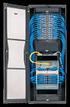 Data Sheet Fujitsu PRIMERGY CX122 S1 Cloud server unit for PRIMERGY CX1000 Datasheet for Red Hat certification PRIMERGY CX1000 is a new product category within the PRIMERGY x86 server family. Its focus
Data Sheet FUJITSU Server PRIMERGY RX100 S8 Mono socket 1U rack server
 Data Sheet FUJITSU Server PRIMERGY RX100 S8 Mono socket 1U rack server Data Sheet FUJITSU Server PRIMERGY RX100 S8 Mono socket 1U rack server Small in size and low in cost rich in optional features FUJITSU
Up to 4 PCI-E SSDs Four or Two Hot-Pluggable Nodes in 2U
 Twin Servers Up to 4 PCI-E SSDs Four or Two Hot-Pluggable Nodes in 2U New Generation TwinPro Systems SAS 3.0 (12Gbps) Up to 12 HDDs/Node FDR(56Gbps)/QDR InfiniBand 1TB DDR3 up to 1866 MHz in 16 DIMMs Redundant
Power Redundancy. I/O Connectivity Blade Compatibility KVM Support
 1.Blade server Blade Chasis Specification Blade Chassis Form Factor 6U-10U rack mountable Chasis to House at least 6 or more Blade Servers Chasis Should be configured with 6 blades Network Redundancy I/O
Cisco UCS 5108 Blade Server Chassis
 Spec Sheet Cisco UCS 5108 Blade Server Chassis CISCO SYSTEMS PUBLICATION HISTORY 170 WEST TASMAN DR. SAN JOSE, CA, 95134 REV A.5 APRIL 20, 2015 WWW.CISCO.COM CONTENTS OVERVIEW...............................................
Cisco UCS C220 M4 High-Density Rack Server (Small Form Factor Disk Drive Model)
 Spec Sheet Cisco UCS C220 M4 High-Density Rack Server (Small Form Factor Disk Drive Model) CISCO SYSTEMS PUBLICATION HISTORY 170 WEST TASMAN DR SAN JOSE, CA, 95134 REV A.5 OCTOBER 15, 2014 WWW.CISCO.COM
Data Sheet FUJITSU Server PRIMEQUEST 2800B Business Critical
 Data Sheet FUJITSU Server PRIMEQUEST 2800B Business Critical Data Sheet FUJITSU Server PRIMEQUEST 2800B Business Critical Advanced 8-socket enterprise platform for business critical apps Combining the
Cisco for SAP HANA Scale-Out Solution on Cisco UCS with NetApp Storage
 Cisco for SAP HANA Scale-Out Solution Solution Brief December 2014 With Intelligent Intel Xeon Processors Highlights Scale SAP HANA on Demand Scale-out capabilities, combined with high-performance NetApp
Altos T350 F2 Specifications
 Product overview The Altos T350 F2 is a dual-socket, rack-mountable tower server that delivers exceptional performance, availability, expansion capability, and flexibility. With a maximum 16-core performance
How To Run A Server On A Powerbook From A Microsoft Powerbook (Powerbook) On A Mini Mini Mini Server (Powerbox) On An X86 Or Microsoft Mini Server
 Data Sheet FUJITSU Server PRIMERGY RX100 S7p Mono socket 1U rack server Small in size and low in cost rich in optional features The Fujitsu Server PRIMERGY RX Rack Server family is the perfect platform
Chapter 5 Cubix XP4 Blade Server
 Chapter 5 Cubix XP4 Blade Server Introduction Cubix designed the XP4 Blade Server to fit inside a BladeStation enclosure. The Blade Server features one or two Intel Pentium 4 Xeon processors, the Intel
Cisco UCS B440 M2 High-Performance Blade Server
 Data Sheet Cisco UCS B440 M2 High-Performance Blade Server Product Overview The Cisco UCS B440 M2 High-Performance Blade Server delivers the performance, scalability and reliability to power computation-intensive,
SUN HARDWARE FROM ORACLE: PRICING FOR EDUCATION
 SUN HARDWARE FROM ORACLE: PRICING FOR EDUCATION AFFORDABLE, RELIABLE, AND GREAT PRICES FOR EDUCATION Optimized Sun systems run Oracle and other leading operating and virtualization platforms with greater
Tipos de Máquinas. 1. Overview - 7946 x3550 M2. Features X550M2
 Tipos de Máquinas X550M2 1. Overview - 7946 x3550 M2 IBM System x3550 M2 Machine Type 7946 is a follow on to the IBM System x3550 M/T 7978. The x3550 M2 is a self-contained, high performance, rack-optimized,
Spares/Accessories List and Configuration Guide
 Intel Server System family R000GZ/GL Intel Server System family R2000GZ/GL Spares/Accessories List and Configuration Guide A reference guide to assist customers in ordering the necessary components to
Cisco UCS B200 M3 Blade Server
 Data Sheet Cisco UCS B200 M3 Blade Server Product Overview The Cisco Unified Computing System (Cisco UCS ) combines Cisco UCS B-Series Blade Servers and C-Series Rack Servers with networking and storage
System Configuration and Order-information Guide ECONEL 100 S2. March 2009
 System Configuration and Orderinformation Guide ECONEL 100 S2 March 2009 Front View DVDROM Drive 5 inch Bay Floppy Disk Drive Back View Mouse Keyboard Serial Port Display 10/100/1000BASET Connector Inside
Optimized dual-use server and high-end workstation performance
 Optimized dual-use server and high-end workstation performance The ATX-sized(EEB mounting hole locations) Z9PA-U8 supports the latest Intel Xeon processor E5-2600 and E5-1600 product family, featuring
Unified Computing Systems
 Unified Computing Systems Cisco Unified Computing Systems simplify your data center architecture; reduce the number of devices to purchase, deploy, and maintain; and improve speed and agility. Cisco Unified
1. Specifiers may alternately wish to include this specification in the following sections:
 GUIDE SPECIFICATION Seneca is a leading US designer and manufacturer of xvault security and surveillance solutions. The xvault product line combines our IP expertise and solution partnerships with certified
Cisco MCS 7816-I3 Unified Communications Manager Appliance
 Cisco MCS 7816-I3 Unified Communications Manager Appliance Cisco Unified Communications is a comprehensive IP communications system of voice, video, data, and mobility products and applications. It enables
A Smart Investment for Flexible, Modular and Scalable Blade Architecture Designed for High-Performance Computing.
 Appro HyperBlade A Smart Investment for Flexible, Modular and Scalable Blade Architecture Designed for High-Performance Computing. Appro HyperBlade clusters are flexible, modular scalable offering a high-density
Lenovo ThinkServer RD550 Lenovo Press Product Guide
 Lenovo ThinkServer RD550 Lenovo Press Product Guide The Lenovo ThinkServer RD550 blends outstanding flexibility and expandability and is the ideal choice for: Server consolidation/virtualization Heavy
Data Sheet FUJITSU Server PRIMERGY RX1330 M1 rack server
 Data Sheet FUJITSU Server PRIMERGY RX1330 M1 rack server Data Sheet FUJITSU Server PRIMERGY RX1330 M1 rack server Small in size and low in cost rich in optional features FUJITSU Server PRIMERGY systems
PRICE LIST Euros: CY 2011 Q4 IT PLATFORM SOLUTIONS
 PRICE LIST Euros: CY 2011 Q4 IT PLATFORM SOLUTIONS - Suggested end-user prices are subject to change without notice. - Prices are indicative unit prices excl. taxes (customs and others costs as freight.
Data Sheet FUJITSU Server PRIMERGY BX920 S4 Dual Socket Server Blade
 Data Sheet FUJITSU Server PRIMERGY BX920 S4 Dual Socket Server Blade Data Sheet FUJITSU Server PRIMERGY BX920 S4 Dual Socket Server Blade Mainstream dual-socket server blade for essential enterprise workloads
IBM System x family brochure
 IBM Systems and Technology System x IBM System x family brochure IBM System x rack, BladeCenter and tower servers 2 IBM System x family brochure Highlights IBM System x and BladeCenter servers help deliver
How To Configure Your Computer With A Microsoft X86 V3.2 (X86) And X86 (Xo) (Xos) (Powerbook) (For Microsoft) (Microsoft) And Zilog (X
 System Configuration and Order-information Guide RX00 S4 February 008 Front View CD-ROM Drive (Optional) Hard Disk Bay Back View PCI Slot 0/00/000BASE-T connector Serial Port Display Mouse Keyboard Inside
INDIAN INSTITUTE OF TECHNOLOGY KANPUR Department of Mechanical Engineering
 INDIAN INSTITUTE OF TECHNOLOGY KANPUR Department of Mechanical Engineering Enquiry No: Enq/IITK/ME/JB/02 Enquiry Date: 14/12/15 Last Date of Submission: 21/12/15 Formal quotations are invited for HPC cluster.
Data Sheet FUJITSU Server PRIMERGY RX1330 M1 rack server
 Data Sheet FUJITSU Server PRIMERGY RX1330 M1 rack server Data Sheet FUJITSU Server PRIMERGY RX1330 M1 rack server Small in size and low in cost rich in optional features FUJITSU Server PRIMERGY systems
Cisco Secure Network Server
 Data Sheet Cisco Secure Network Server Product Overview Granting and denying network access has evolved beyond simple user name and password verifications. Today, additional attributes related to users