
User manual Insulation Resistance Tester
|
|
|
- Georgiana Rodgers
- 9 years ago
- Views:
Transcription
1 User manual Insulation Resistance Tester Supplier: Specifications of the equipment: Nieaf-Smitt bv Vrieslantlaan AA Holland P.O. box KA IRT-S Specifications of the user manual: Date: Number: Ref.: 004

2 Preface This manual describes the Insulation Resistance Tester. The information in this manual is important for proper and safe functioning of the machine. In case you are not familiar with the operation, the preventive maintenance, etc. of the Insulation Resistance Tester, then you read this user manual from the beginning to the end thoroughly. If you are familiar with these matters, you can use this manual for reference. You can find the required information rapidly using the table of contents. In this user manual, the following four marking conventions are used to focus attention on certain subjects or actions. TIP: gives you suggestions and advice to perform certain tasks easier or handier. ATTENTION: a remark with additional information; draws your attention to possible problems. CAUTION: the machine may be damaged, if you do not carefully execute the procedures. WARNING FOR DANGER: you can (seriously) hurt yourself or seriously damage the product, if you do not carefully execute the procedures. - this document is described with the words manual or user manual; - the test equipment is described with the words tester, instrument or test device; - values or displayed data is placed between inverted commas for example 230 V ; - keys or switch positions are placed between angular brackets for example [Start] key. - Page 2 - Ref. 004

3 Warranty Nieaf-Smitt bv guaranties the tester for a period of 6 months. The period of warranty will be effective at the day of delivery. The warranty clauses and the stipulations regarding liability in terms of delivery (FME and HE). Copyright 1997 All rights reserved. Nothing from this edition may be multiplied, or made public in any form or manner, either electronically, mechanically, by photocopying, recording, or in any manner, without prior written constent form Nieaf-Smitt bv. Nieaf-Smitt bv reserves the right to change parts at any given moment, without prior or direct notification to the client. The contents of this user manual may also be changed without prior warning. This user manual is compiled with all possible care, but Nieaf-Smitt bv can not accept any responsibility for possible errors in this user manual or any consequences resulting from that. - Page 3 - Ref. 004

4 Warning pictograms on the tester There are a number of pictograms on the tester, meant to warn the user of remaining risks that may be present in spite of the safe design. Table 1: Pictograms on the tester Pictogram Description Location on the tester Warning: General sign for danger. Read the instructions carefully before use. At the back side of the tester on the instruction label. Warning: Danger for direct contact with live parts. At the back side of the tester on the instruction label and under the battery cover. Mark: Insulation class II (double insulation). At the back side of the tester on the instruction label. Mark: Marks the KEMA certification of the tester. CE-mark: Declares the conformity with the European Directives. The KEMA keur is placed on the front side of the tester. The CE-mark is placed on the front side of the tester. All peripherals, which are used by this tester, must be provided with a CE-mark. For example the use of a PC. - Page 4 - Ref. 004

5 CONTENTS 1. GENERAL SAFETY REGULATIONS INTRODUCTION GENERAL The intended use Target group Working principle SPECIFICATIONS CERTIFICATION TESTER COMPOSITION GENERAL PRINCIPLE OF MEASUREMENT Visual inspection Insulation resistance measurement Lowresistance Beeping Mains Voltage and mains frequency INSTALLATION; START-UP AND ADJUSTING HOW TO USE THE TESTER? OPERATION Starting TESTING Test 1: Insulation resistance measurement Test 2: Low resistance measurement Test 3: Beeping the stallation Test 4: Voltage / frequency of mains voltage measurement MEMORISING OF RESULTS RECALLING OF MEMORISED RESULTS RS232 COMMUNICATION ERASING OF RESULTS RESET OF THE INSTRUMENT TROUBLESHOOTING CALIBRATION AND REPAIR MAINTENANCE BATTERIES REPLACEMENT CLEANING ACCESSORY AND REPLACEABLE PARTS Page 5 - Ref. 004

6 Tables: Table 1: Pictograms on the tester Table 2: Switches Table 3: Sub results and parameters Table 4: General faults and warnings Figures: Figure 1: Operating Figure 2: Identification number of each function Figure 3: RS232 connector Figure 4: RS232 cable Figure 5: An example of print out Figure 6: Batteries inserted Attachments: Attachment 1: EU-Declaration of Conformity Attachment 2: Circuit diagrams - Insulation resistance measurement: - Insulation resistance of telephone line measurement; - Floor resistance measurement; - Insulation resistance of mains installations measurement; - Insulation resistance of ground cable measurement - Low resistance measurement - Voltage / frequency of mains voltage measurement - Page 6 - Ref. 004

7 1. GENERAL SAFETY REGULATIONS It is not allowed to remove, to skirt or to tide over (by handy constructions) the enclosure or safeties of the tester during normal use. Method of measurement and range are indicated on the back side of the instrument. It is not allowed to change or remove the case or protections of the tester during normal use and without written constent from Nieaf-Smitt bv. Method of measurement and range are indicated on the back side of the instrument. It s forbidden to place and/or to use the instrument in a room where is a risk of explosion. If the tester is used by a third party, you being the owner are responsible, unless otherwise specificated. Repair can only be done by Nieaf-Smitt bv. Provide a clean and save workplace which has sufficient lightning. - Page 7 - Ref. 004

8 2. INTRODUCTION 2.1 GENERAL The intended use The IRT-S is intended for execution of low resistance, voltage and insulation resistance measurements. If the instrument is used in manner not specified in this user manual, the protection provided by the instrument may be impaired and the supplier is excluded from any responsibility Target group The target group of people for whom the tester and this user manual are applicable are competent and technical qualified persons. Competent persons are persons who: - have got a certain level of technical knowledge gained by education/training and who; - have got certain skills required to operate the tester. Technical qualified persons are persons who: - are competent and who; - have got a certain level of technical knowledge gained by education/training and who; - are familiar with the applied technology in the instrument and are aware of the possible dangers and risks. Repair can only be done by Nieaf-Smitt bv. By operating we mean: - setting up the instrument and executing tests; - processing the test results. - Page 8 - Ref. 004

9 2.1.3 Working principle Structure The IRT-S is a professional microprocessor-controlled instrument, intended for the execution of low resistance, voltage and insulation resistance measurements. Select the test by means of the rotary switch. Now the user is able to prescribe the desired measuring method. The test results are clearly displayed on the LCD. Connecting The instrument is powered by four alkaline batteries (4 x 1,5 V IEC). The tester is provided with a on/off switch and can, after powering up the instrument, be used at once. The test cord or the RS232 cable (data transfer cable) are connected at the upper side of the tester. Measuring Each test has it s specific circuit diagram which is given in the attachments. Next measurements are executable by the instrument: 1. The measuring of the Insulation resistance using V V V V 2. The measuring of the low resistance. 3. The measuring of the mains voltage. 4. The measuring of the mains frequency. - Page 9 - Ref. 004

10 2.2 SPECIFICATIONS General Power supply : 4 x 1,5 V IEC LR14 alkaline batteries Battery life time : approx measurements (1 measurement per 5 minutes) Display : 3 digit 7 segment LCD 19mm Quality standard : design, development and production according to ISO 9001 Mass : approx. 0,75 kg including batteries and accessories Dimensions (wxhxd) : 110 x 65 x 290 mm Environment and storage Reference temp. range : 5 C - 35 C Operating temp. range : 0 C - 40 C Storage temp. range : -10 C - 60 C Max. operating humidity : 85% RH (0 C - 40 C) Max. storage humidity : 80% RH (40 C - 60 C) 90% RH (-10 C - 40 C) Degree of protection : IP50 Pollution degree : Class II Over voltage protection : Category II 600V Category III 300V Testing Insulation resistance (Riso) using 100 V (0-10%) Open circuit output voltage : 100 V / 0-10% Measuring current : 1 ma at 100 kω load Range (auto range) : 0-1,999 MΩ / 2,00-19,99 MΩ / 20,0-199,9 MΩ Resolution : 0,001 MΩ / 0,01 MΩ / 0,1 MΩ Accuracy : ± 2% of reading ± 2 digits Short circuit current : 1,4 ma Insulation resistance (Riso) using 250 V (0-10%) Open circuit output voltage : 250 V / 0-10% Measuring current : 1 ma at 250 kω load Range (auto range) : 0-1,999 MΩ / 2,00-19,99 MΩ / 20,0-199,9 MΩ Resolution : 0,001 MΩ / 0,01 MΩ / 0,1 MΩ Accuracy : ± 2% of reading ± 2 digits Short circuit current : 1,4 ma Insulation resistance (Riso) using 500 V (0-10%) Open circuit output voltage : 500 V / 0-10% Measuring current : 1 ma at 500 kω load Range (auto range) : 0-1,999 MΩ / 2,00-19,99 MΩ / 20,0-199,9 MΩ Resolution : 0,001 MΩ / 0,01 MΩ / 0,1 MΩ Accuracy : ± 2% of reading ± 2 digits Short circuit current : 1,4 ma - Page 10 - Ref. 004

11 Insulation resistance (Riso) using 1000 V (0-10%) Open circuit output voltage : 1000 V / 0-10% Measuring current : 1 ma at 1000 kω load Range (auto rang) : 0-1,999 MΩ / 2,00-19,99 MΩ / 20,0-199,9 MΩ Resolution : 0,001 MΩ / 0,01 MΩ / 0,1 MΩ Accuracy : ± 2% of reading ± 2 digits Short circuit current : 1,4 ma Low resistance Range : 0-20 Ω Resolution : 0,01 Ω Accuracy : ± 2% of reading ± 2 digits Short circuit current : 200 ma at Ubat > 5 V Open circuit output voltage : > 4,5 V at Ubat > 5V Limiting value : upper- and lowerlimit are adjustable with sound signal Voltage Range : Veff Resolution : 1 V Accuracy : ± 2% of reading ± 2 digits Frequency Range : 25,0-199,9 Hz / Hz Frequency : 0,1 / 1 Hz Accuracy : ± 0,1% of reading ± 1 digit Transport The tester is a portable test device which can be hand-held or lay down (solid foundation) during the tests. Take care of the instrument during transport to avoid any damage. 2.3 CERTIFICATION The tester and this manual have been designed, constructed and tested according to the European directives. During all these phases the relevant (preliminary European standards have been taken into account. The CE-mark has been mounted on the instrument. The directives and the standards mentioned are enumerated in the EC-Declaration of Conformity. - Page 11 - Ref. 004

12 3. TESTER COMPOSITION 3.1 GENERAL The IRT-S is built in an enclosure of solid ABS plastic. The display is situated at the front side of the tester. The test results are displayed. The main parts (see figures in Chapter 5) are listed below: Front: 1. On/off key 2. Rotary switch 3. LCD-display (NR. 13 in the figure) Back: 1. Instruction label 2. Serial number 3. Battery cover 4. Battery cover fastening screw 3.2 PRINCIPLE OF MEASUREMENT Visual inspection Visually check the test object or installation before executing the safety tests. The function of the visual inspection is to ensure the electrically safety of the latter parts. Check wires, cables and components for possible damages. If any damage has been noticed, it isn t allowed to perform any tests before a technical qualified person has repaired the test object or installation. The visual inspection is executed by the operator. - Page 12 - Ref. 004

13 3.2.2 Insulation resistance measurement Do not touch the test object or the test cords during the measurement because hazardous voltage can be present. This test is intended to check the insulation resistance of a test object or installation. The test can be executed by four different voltages. The discharging of the capacitive load is performed automatically after finishing the measurement. After the measuring of the capacitive object, the discharged voltage will be displayed Low resistance This test is intended to check the low resistance between two terminals of a test object or installation. The test can be done between different live parts or live - and neutral parts of the installation or the object. In order to obtain correct results, first a compensation of the test cords resistance must be carried out. The measurement is automatically carried out in two steps. The first step is executed with the positive polarity of the test voltage, while the second step is executed with the negative polarity. The displayed result is an average of both polarities: Result = Re s ( + ) + Re s ( ) 2 Result: Res (+): Res (-): displayed value; result obtained with positive polarity (can not be displayed separately); result obtained with negative polarity (can not be displayed separately); Beeping The IRT-S is equipped with adjustable limits that can be used as an indication for the value of the resistance measured. This method is called beeping of an object. After setting a minimum and maximum limit, a sound signal will be produced each time a result is between these limits Mains Voltage and mains frequency This test is intended to check the present voltage and frequency. The test is executed between the several phases and the zero of the installation - Page 13 - Ref. 004

14 4. INSTALLATION; START-UP AND ADJUSTING The tester can only be used if no damages or defects are noticed and all original components belonging to the tester are mounted The transportation and the handling of the tester should be done carefully to prevent any damage. This paragraph describes the installation and the starting up procedure of the instrument. The installation, the starting up and the adjustment of the instrument may be done by competent persons. 1. Unpack the instrument. Remove the packing materials without causing damages to the environment. Check the tester on possible damages. If damages are noticed, contact Nieaf-Smitt bv.. 2. Put the instrument in a horizontal position, at the workplace or in the test room. Keep enough clearance around the instrument to facilitate an easy operation, adjustment and reading of test results, without any problems or extra danger. 3. Insert the batteries in the instrument. 4. Connect the test object according to the circuit diagrams with the IRT-S. 5. Carry out the selected test. Find a place to put the manual such that it is within reach during the use of the instrument. - Page 14 - Ref. 004

15 5. HOW TO USE THE TESTER? 5.1 OPERATION 1. On/off key 2. Rotary switch 3. Clear memory key 4. DISPLAY key 5. Test voltage key 6. START key 7. Decrease key of memory location 8. Save result key to save the measuring results 9. Recall result key to recall the measuring results 10. Increase key memory location 11. Memory indication LED 12. LED s rated test voltages 13. LCD Display 12. Connection (functional and RS232) 1. Instruction label 2. Serial number 3. Battery cover 4. fixing screw for battery cover 5. Plastic cover of the locking screw 6. Locking screw covered by a rubber foot Figure 1: Operating - Page 15 - Ref. 004

16 Keys Function key description. Table 2: Switches Selector position Description On/off Recall result Save result Adjust (R) Clear memory Test voltage Display Insulation resistance (RISO) Resistance (R) Mains voltage (V) / Mains frequency (f) Send Data (RS232) - to switch on/off the tester; the tester will switch off automatically after it hasn t been used for ten minutes or more; - to recall the saved results; - to save the displayed measuring results; - to compensate the test cord resistance in the [R] function (low resistance); - to increase/decrease the object or measuring place identification number when saving or recalling the results; - to check, in the [Recall Result] function, other results which have been saved later than the displayed one under the same object and measuring place identification number; - to clear all saved results; - to clear all saved results under a certain object identification number (without dots YYY); - to clear the saved results under a certain measuring place identification number only (with dots XXX); - to clear, in the [Recall Result]-function, the displayed result only; - to execute a RESET of the instrument. - select the rated test voltage - display results; - to select, in the [Save Result] or in the [Recall Result]-function, the object identification number or measuring place identification number; - insulation resistance measurement; - to measure the low resistance; - to measure the voltage and/or mains frequency; - to transfer stored data to the printer or to the PC. - Page 16 - Ref. 004

17 5.1.1 Starting Operating the instrument may only be done by competent persons. Never open the instrument during thre esting. Check before every test: * cables and test cords on possible damages; * tester on possible damages and/or defects. 1. Check the instrument on visible damages and/or defects, for example the power plug, the line cord etc..don t carry out any test with a damaged or broken instrument. Provide skilled reparation first 2. Do not connect the test object as well as the test cords with the tester. 3. The instrument can be used at once. Test selection First carry out a visual inspection on the test object or the installation. Connect the tester conform the circuit diagrams of attachment 2. We have three different tests: Test 1: the measuring of the insulation resistance. Test 2: the measuring of the low resistance. Test 3: the measuring of the mains voltage and/or the mains frequency. 5.2 TESTING - Avoid testing objects or installations under the influence of high electromagnetic and/or electrostatic fields. In the following paragraph the test methods will be explained. We consider that the starting-up is carried out as described in paragraph Page 17 - Ref. 004

18 5.2.1 Test 1: Insulation resistance measurement - Do not disconnect the test cords during the measurement, because measured object can stay charged => dangerous; - Do not touch the object or test cords during the measurement => hazardous voltage can be present; - Each result can be saved only once. How to carry out test 1: 1. Connect the test cords with the instrument conform the circuit diagram of attachment Set the rotary switch to [insulation resistance RISO]. 3. Select the nominal test voltage using the [Test voltage] key. 4. Press the [Start] key and release it. 5. The result is displayed. Read out the result, save it if required, and note the memory codes when necessary. 6. Disconnect the test object or carry out another measurement Test 2: Low resistance measurement - First carry out compensation. - Displayed result is an average of both (+, -) polarities. - Each result can be saved only once. First carry out compensation: 1. Set the rotary switch to [low resistance R] to test the low resistance. 2. Connect the test cords to the instrument and cross the measure tips (make sure the contact is well done). 3. Press the [Save result / Adjust (R)] key and release it. If the the test cords are well compensated, 0.00 should be displayed. 4. Now the lights are going to burn near Lead Adjust. How to carry out test 2: 5. Connect the test cords with the instrument conform the circuit diagram of attachment Check if the rotary switch is set to [Resistance (R)]. 7. Press the [Start] key and release it. 8. The result is displayed. Read out the result, save it if required, and note the memory codes when necessary. 9. Disconnect the test object or carry out another measurement. - Page 18 - Ref. 004
![Connect the test cords with the instrument conform the circuit diagram of attachment 2. 2. Set the rotary switch to [insulation resistance RISO]. 3.](/docs-images/46/21709279/images/page_18.jpg "Select the nominal test voltage using the [Test voltage] key. 4. Press the [Start] key and release it. 5. The result is displayed.")
19 5.2.3 Test 3: Beeping the installation A beep sound can be used as an indication for a good result in low resistance measurement (also paragraph 3.2.4). A signal will be produced every time the measurement result will be between the upper and lower resistance limits. In case the result falls outside the limits, no sound is produced and the result. sign is shown next to the 1. - ON or OFF is displayed according to the current value of the buzzer status (in the second case the BUZ text lasting 2s precedes the OFF text). 2.,,, - Set the buzzer status ON or OFF using [ ],[ ] keys. - To confirm selection, press [SAVE] key or press [DISPLAY] key to continue without change. - In case the ON status is selected, LO text is shown for 2s and the current value of the LOW limit is shown afterwards. - If the OFF status is selected the instrument exists this procedure and --- is displayed. 3.,,, - Set LOW limit using [ ],[ ] keys. - To confirm the new limit value, press [SAVE] key or press [DISPLAY] key to continue without change. - HI text is shown for 2s and the current value of the HIGH limit is shown afterwards. 4.,,, - Set HIGH limit using [ ],[ ] keys. - To confirm the new limit value, press [SAVE] key or press [DISPLAY] without change. Afterwards --- is displayed. The LOW limit can not exceed the HIGH limit. If the operator makes a wrong selection, the limit values are automatically adjusted to satisfy this rule Test 4: Voltage / frequency of mains voltage measurement - Page 19 - Ref. 004

20 Max. allowed input voltage is 440 Volts. How to carry out test 3: 1. Connect the test cords with the instrument conform the circuit diagram of attachment Set the rotary switch to [Mains voltage (V) / mains frequency (f)]. 3. The result will be displayed without pressing the [Start] key. The displayed value is the present voltage. 4. Press the [Display] key to display the mains frequency. 5. Save the result if required, and note the memory codes when necessary. 6. Disconnect the test object or carry out another measurement. 5.3 MEMORISING OF RESULTS Each saved result is equipped with an identification code defined by the customer. The code consists of 2 x 3 characters as follows: Where X.X.X represents a code of a certain measuring place inside the tested object, and YYY. represents a code of the tested object. Remark: X.X.X is at least one level higher than YYY. For detailed information we refer to the manual delivered with the PATS-W Administration-Software. - Page 20 - Ref. 004
![Press the [Display] key to display the mains frequency. 5. Save the result if required, and note the memory codes when necessary. 6. Disconnect the test object or carry out another measurement. 5.3 MEMORISING OF RESULTS Each saved result is equipped with an identification code defined by the customer.](/docs-images/46/21709279/images/page_20.jpg "The code consists of 2 x 3 characters as follows: Where X.X.X represents a code of a certain measuring place inside the tested object, and YYY. represents a code of the tested object. Remark: X.X.X is at least one level higher than YYY.")
21 Each displayed result can be stored as follows: Pressed key Comments 1. The last changed partial code (X.X.X. of YYY) which is used for the memorising of the results will, if necessary, be saved in the order of changing. 2. Insert new codes using the [, ] keys if necessary Check the other part of the code pressing the [DISPLAY] key and change it using the [, ] keys if necessary. Confirm saving by using the [Save Result] key. The displayed value is now saved to a memory location including the sub results and the parameters of the measurement that can be checked by using the [DISPLAY] key when it is set into the [Recall Result]-function. The list of the sub results and the parameters, which are saved to memory together with the main result, are shown in the following table: Table 3: Sub results and parameters. Main result Insulation Resistance (RISO) Sub results and parameters - Nominal test voltage Resistance (R) Mains voltage / frequency (V/f) - Frequency of the mains voltage - If one wishes to abandon the current procedure (memorising), the rotary switch must be turned. - For all measuring results, numbers from 001 up to including 999 are available (for the object and for the measuring place). - If one does not care numeration of objects, then all the results can be saved under the same object code. Only the measuring place code has to be changed from test to test. - If one does not care numeration of objects as well as measuring places, then all the results can be saved under the same object and measuring place code, simply by omitting steps 2 and 3 of the upper demonstration. - Page 21 - Ref. 004
22 5.4 RECALLING OF MEMORISED RESULTS. Each memorised result is equipped with an eventual sub result and parameters of the measurement (see table 4). Each function has an identification number (1 t/m 3 see figure below). The user is able to identify the function where the sub result belongs to. The identification number is displayed for a while only, before the recalled results are displayed. Figure 2: Identification number of each function Procedure how to recall memorised results: Pressed key Comments The last changed partial code (X.X.X of YYY), used for the recalling of results, is displayed. Insert the desired code by using the [, ] keys if necessary. Insert the desired code by using the [, ] keys if necessary. Confirm recalling pressing [Recall Result] key again. - Page 22 - Ref. 004
23 First the identification number of a function is displayed for a while and then the main result will be displayed. Check the other results saved under the same object and measuring place code by using the [, ] keys. Form of the memory locations under a certain code X.X.X, YYY: Result 1 + sub result; Result 2 + sub result; Result n + sub result For detail information about codes we refer to the user manual delivered with the PATS-W Administration- Software. - If one wishes to abandon the current procedure (recalling), the rotary switch must be turned. - Use the [DISPLAY] key to check the sub results too. 5.5 RS232 COMMUNICATION 2...Rx 3...Tx 5...GND Figure 3: RS232 connector - Page 23 - Ref. 004
24 Front View Front View Rx Tx GND IRT-S(male) Figure 4: RS232 cable PRINTERof PC (female) - connect the printer or the PC to the IRT-S using a RS232 cable, which is supplied with the PATS-W; - set all communication parameters at the PC by using the PATS-W Administration Software that can be supplied by NIEAF-SMITT upon separate order; - set the rotary switch of the IRT-S to the RS232-position, will be displayed; - press the [START] key in order to transfer the stored data to the PC or to the printer; RS232 parameters - baud rate 4800 Baud; - format: 1 start bit, 8 data bits, 1 stop bit, no parity; - protocol: X ON /X OFF. IRT-S Serial. Nr Date: Operator: Place: Note: Object: 001 Place: Test 1 Testresult Figure 5: An example of a print out - If one wishes to stop transmission, the rotary switch position must be changed. - Page 24 - Ref. 004
25 5.6 ERASING OF RESULTS In order to avoid confusion, it is advisable to erase all stored results before starting new family of measurements. Sometimes only results stored under a certain object number or measuring place of the object are to be erased, or even only a recalled result has to be erased To prevent confusion it is important to follow the erasing procedure correctly. All results are to be erased Set the rotary switch in any position but the RS232 position. Pressed key Comments is flashing. By pressing this key again, the clearing will be confirmed. All results will be erased. Only results of a certain object (YYY) are to be erased. Set the rotary switch in any position but the RS232 position. Pressed key Comments The last changed partial code (X.X.X of YYY), used for the recalling of the results, is displayed. Use the [DISPLAY] key to select an object code (without dots) if necessary. Insert the desired code by using the [, ] keys if necessary. is flashing. By pressing this key again, the clearing will be confirmed. - Page 25 - Ref. 004
26 Only results of a certain measuring place (X.X.X) of the object are to be erased. The rotary switch in any position but the RS232 position. Pressed key Comments The last changed partial code (X.X.X of YYY), used for the recalling of the results, is displayed. Insert the desired object / measuring place code by using the [, ] keys. Use the [DISPLAY] key to select a measuring place / object code. Insert desired object / measuring place code by using the [, ] keys if necessary. Use the [DISPLAY] key to select the already inserted measuring place code (with dots) if it is not already selected. is flashing. By pressing this key again, the clearing will be confirmed. Only results of a certain measuring place of the object will be erased. Only recalled result displayed is to be erased Set the rotary switch in any position but the RS232 position. Execute the following acts: 1. Recall the result under a certain measuring place and object code - follow the procedure under paragraph Use the [, ] keys to select the result which has to be erased. 3. Press the [Clear memory] key, is flashing. 4. Press the [Clear memory] key again to confirm the erasing. Only the recalled result under a certain measuring place of the object is erased now. The next result saved under the same measuring place and object code is displayed. - If one wishes to abandon the current procedure (recalling / clearing), the rotary switch position must be changed. - Page 26 - Ref. 004
27 5.7 RESET OF THE INSTRUMENT After inserting the batteries or if there is a malfunction noticed, it is advisable to reset the instrument. How to reset? 1. Switch off the instrument. 2. Press the [Clear memory] key and keep it pressed while you re switching on the instrument. 3. is displayed for a while meaning the reset function has been effected. - Performing the reset function means that all memory locations will be erased. Parameters of all functions will be set to it s default values as follows: - the nominal voltage for [R ISO ] function is set to 100V; - the compensation of the test cords resistance is erased; - the measuring place identification number is set to 0.0.1; - the object identification number is set to Page 27 - Ref. 004
28 5.8 TROUBLESHOOTING Table 4 describes the different displayed fault messages of the tester. For each fault an explanation and cause is given. Faults, which demand technical qualified persons, are marked with a star (*). Defect fuses can only be exchanged by Nieaf Smitt bv. personnel. When executing various tests, various warnings could be displayed. They are having the following meanings: Table. 4. General faults and warnings Display Cause The external voltage is present (R ISO or R function is selected). (flashing). Out of range. The battery voltage is lower than 4.3V replace the batteries. All memory locations are empty. The measurement place identification number (with dots). The object identification number (without dots). Full memory. The clear function is active. The reset of the instrument has been carried out or new batteries are inserted. A broken fuse (in the [R]-function only *) The used test cables were not compensated properly (in the [R]-function only). Negative result - Page 28 - Ref. 004
29 5.9 CALIBRATION AND REPAIR To warrant the technical specifications of the tester, we will advise you to calibrate the instrument at least once a year. It s to be shown that the tested products are governed by an established test procedure. The calibration will be executed by Nieaf-Smitt b.v.. In the calibration report the results, judgements, town, date and name of the reponsible person will be mentioned. There are no user replaceable parts in the instrument (batteries excepted)! For calibration and/or service you can send your tester post-paid to your local dealer - Page 29 - Ref. 004
30 6. MAINTENANCE Don t replace parts yourself but call technical qualified persons (see paragraph 2.1.2). 6.1 BATTERIES REPLACEMENT Exchange all four batteries. If there are memorised results in the instrument and the BAT mark appears then transfer them to an extern printer or PC first. The batteries have to be changed within one minute! Disconnect all cables (test cable or RS232 cable) before removing the battery cover. Caution, possible live parts under the battery cover Throw, after using, the empty batteries in the special battery basket. If the BAT mark appears at the display, it means that the battery voltage is lower than 4,3 V. Remove the old batteries and insert new ones. Procedure batteries replacement: 1. Disconnect all cables and cords, and remove the battery cover. 2. Remove the old batteries. 3. Place the new batteries in the battery holder. Always exchange all four batteries simultaneously. Figure 7: Batteries inserted - Page 30 - Ref. 004
31 Use the batteries declared in technical specification only. If there is no chance to transfer the results (extern printer or PC not available), then follow the next procedure when changing batteries in order not to loose any stored data: 1. Switch off the instrument. 2. Remove the battery cover. 3. Exchange the batteries within one minute. 4. Place the battery cover back and switch on the instrument 5. should not be displayed after switching it on. The memorised results have not been erased now. 6.2 CLEANING Do not use liquids based on petrol! Do not spill cleaning liquid over the instrument. Use soft patch moister by water or alcohol, and leave the instrument to dry totally after the cleaning. - Page 31 - Ref. 004
32 7. ACCESSORY AND REPLACEABLE PARTS Supplied standard set: - according to EN ; one red measuringcord; - according to EN ; one red measuringprobe; - according to EN ; one black measuringcord; - according to EN ; one black measuringprobe; - one English user manual. Check all the supplied items (enclosure of the instrument as well as the accessories). If there are any damages please return the tester to the supplier for exchange or service. The IRT-S can only be used in combination with cables which are satisfied with the norm EN Supplied options: - RS232 cable, for data transfer and software; - PATS-W Administration-Software; - ETESTV.2 - Carrier bag; - Carrier suitcase. - Protective holster - Page 32 - Ref. 004
33 Attachment 1 EU-DECLARATION OF CONFORMITY Product: Insulation Resistance Tester Identification of the instrument: Trademark: Model/Type: Nieaf-Smitt bv. IRT-S Nieaf-Smitt herewith declare that the instrument which this declaration refers to is in conformity with the following standards and according to the conditions of following Directives: Low Voltage Directive EMC-Directive (73/23/EEG) as last amended. (89/336/EEG) as last amended. VDE0701 IEC EN class B NEN-EN NEN-EN IEC801-2 level 3 IEC801-3 level 2 IEC801-4 level 4 Place and date of issue Name and signature or equivalent stamp of authorised person. - Page 33 - Ref. 004
34 Attachment 2 1/6 Circuit diagrams - Insulation resistance of telephone line measurement Connect the instrument to the test object or installation according to the circuit diagram. - Page 34 - Ref. 004
35 - Floor resistance measurement 2/6 Connect the instrument to the test object or installation according to the circuit diagram. - Page 35 - Ref. 004
36 3/6 - Insulation resistance of mains installations measurement Connect the instrument to the test object or installation according to the circuit diagram. - Page 36 - Ref. 004
37 - Insulation resistance of ground cable measurement 4/6 Connect the instrument to the test object or installation according to the circuit diagram. - Page 37 - Ref. 004
38 - Low resistance measurement 5/6 Connect the instrument to the test object or installation according to the circuit diagram. - Page 38 - Ref. 004
39 - Voltage / frequency of mains voltage measurement 6/6 Connect the instrument to the test object or installation according to the circuit diagram. - Page 39 - Ref. 004
User Guide. Model 380260 Insulation Tester / Megohmmeter
 User Guide Model 380260 Insulation Tester / Megohmmeter Introduction Congratulations on your purchase of Extech s Insulation Tester/Megohmmeter. The Model 380260 provides three test ranges plus continuity
Manual Ranging MultiMeter
 Owner s Manual Manual Ranging MultiMeter Model 82345 CAUTION: Read, understand and follow Safety Rules and Operating Instructions in this manual before using this product.! Safety! Operation! Maintenance!
ADM1TE 5/30A DIN rail single phase two wire energy meter
 ADMTE 5/30A DIN rail single phase two wire energy meter. Safety instruction.2 Foreword.3 Performance criteria.4 Specifications.5 Basic errors.6 Description.7 Dimensions.8 Installation.9 Operating.0 Troubleshooting.
MEGGER 210170 Insulation & Low Resistance Tester
 MEGGER 210170 Insulation & Low Resistance Tester User Guide SAFETY WARNINGS Safety Warnings and Precautions must be read and understood before the instrument is used. They must be observed during use.
Model UT33A: OPERATING MANUAL Table of Contents (1)
 Table of Contents (1) Title Overview Unpacking Inspection Safety Information Rules For Safe Operation International Electrical Symbols The Meter structure Functional Buttons LCD Display Measurement Operation
Model UT201/202: OPERATING MANUAL. Table of Contents
 Table of Contents Title Overview Unpacking Inspection Safety Information Rules For Safe Operation International Electrical Symbols The Meter Structure Rotary Switch Functional Buttons The Effectiveness
7 FUNCTION DIGITAL MULTIMETER
 7 FUNCTION DIGITAL MULTIMETER 90899 OPERATING INSTRUCTIONS 3491 Mission Oaks Blvd., Camarillo, CA 93011 Visit our Web site at http://www.harborfreight.com Copyright 2004 by Harbor Freight Tools. All rights
IDEAL INDUSTRIES, INC. TECHNICAL MANUAL MODELS: 61-763 61-765
 IDEAL INDUSTRIES, INC. TECHNICAL MANUAL MODELS: 61-763 61-765 The Service Information provides the following information: Precautions and safety information Specifications Performance test procedure Calibration
User Guide. www.burntec.com. 4 wire Earth Resistance Tester Model GRT300
 User Guide 4 wire Earth Resistance Tester Model GRT300 Introduction Congratulations on your purchase of Extech s 4 Wire Earth Resistance Tester. The Model GRT300 has been designed and tested according
alpha DSL WTM EG Instructions for use ADSL-Modem alpha DSL WTM EG
 alpha DSL WTM EG Instructions for use ADSL-Modem alpha DSL WTM EG Safety precautions Safety precautions The DSL modem alpha DSL WTM EG complies with the European norm EN60950 safety of information technology
1. SAFETY INFORMATION
 RS-232 Sound Level Meter 72-860A INSTRUCTION MANUAL www.tenma.com 1. SAFETY INFORMATION Read the following safety information carefully before attempting to operate or service the meter. Use the meter
VOLTAGE/CURRENT CALIBRATOR ISO-TECH ILC-421
 VOLTAGE/CURRENT CALIBRATOR ISO-TECH ILC-421 TABLE OF CONTENTS 1. FEATURES... 1 2. SPECIFICATIONS... 1 2-1 General Specifications...1 2-2 Electrical Specifications... 2 3. FRONT PANEL DESCRIPTION... 4 3-1
Ground Resistance Clamp On Tester
 USER MANUAL Ground Resistance Clamp On Tester MODEL 382357 Introduction Congratulations on your purchase of Extech s 382357 Ground Resistance Tester. This Clamp on device allows the user to measure ground
12 Volt 30 Amp Digital Solar Charge Controller
 12 Volt 30 Amp Digital Solar Charge Controller User s Manual WARNING Read carefully and understand all INSTRUCTIONS before operating. Failure to follow the safety rules and other basic safety precautions
Handheld portable appliance testers
 PAT100 SERIES Handheld portable appliance testers PAT100 SERIES Handheld portable appliance testers Simple Tick/Cross, pass/fail indication plus measurement Battery powered with rechargeable options Includes
EPM3. Phase Sequence and Motor Rotation Tester. Users Manual
 EPM3 Phase Sequence and Motor Rotation Tester Users Manual 1 L1 L2 L3 2 3 A B C CAT 600V 3-PHASE TESTER 5 TEST M1 M2 BATT M3 EPM3 MOTOR ROTATION TESTER EPM3 MOTOR ROTATION DETERMINED WHILE FACING MOTOR
E&P HYDRAULICS Remote control EPRC-01 Level System Camper
 USER S GUIDE E&P HYDRAULICS Remote control EPRC-01 Level System Camper 1 Copyright 2012, E&P Hydraulics This manual is copyrighted, with all rights reserved. Under the copyright laws, this may not, in
RIGOL. Quick Guide. DS1000CA Series Oscilloscope. Aug. 2011. RIGOL Technologies, Inc.
 Quick Guide DS1000CA Series Oscilloscope Aug. 2011 Technologies, Inc. Guaranty and Declaration Copyright 2011 Technologies, Inc. All Rights Reserved. Trademark Information is a registered trademark of
Vroom Hardware manual ver. 1.00 Code 114VROOHWE00. Vroom CANBUS USER INTERFACE WITH LCD GRAPHIC DISPLAY AND WITH TEMPERATURE AND HUMIDITY SENSOR
 Vroom CANBUS USER INTERFACE WITH LCD GRAPHIC DISPLAY AND WITH TEMPERATURE AND HUMIDITY SENSOR ENGLISH HARDWARE MANUAL ver. 1.00 CODE 114VROOHWE00 page 1 of 22 Important Important Read these instructions
AutoRanging Digital MultiMeter
 Owner's Manual AutoRanging Digital MultiMeter Model No. 82139 CAUTION: Read, understand and follow Safety Rules and Operating Instructions in this manual before using this product. Safety Operation Maintenance
DRM75A 230V 20/100A DIN rail single phase two wire energy meter
 DRM75A 230V 20/100A DIN rail single phase two wire energy meter 1.1 Safety instruction 1.2 Foreword 1.3 Performance criteria 1.4 Specifications 1.5 Basic errors 1.6 Description 1.7 Dimensions 1.8 Installation
User's Guide. True RMS Industrial Multimeter
 User's Guide 97650 True RMS Industrial Multimeter Ω C ã F ã 10A V µ 10A V ã ã ma A Introduction This meter measures AC/DC Voltage, AC/DC Current, Resistance, Capacitance, Frequency (electrical & electronic),
User Manual for CH-PFC76810
 AA Portable Power Corp www.batteryspace.com, Email: [email protected] User Manual for CH-PFC76810 1. Overview The CH-PFC76810 charger is suitable for charging lithium ion battery packs such as those
MIT510/2, MIT520/2 and MIT1020/2
 99 Washington Street Melrose, MA 02176 Phone 781-665-1400 Toll Free 1-800-517-8431 Visit us at www.testequipmentdepot.com MIT510/2, MIT520/2 and MIT1020/2 Line supply or battery operated Digital/analog
How To Use A Cdm250 Digital Multimeter
 User Manual CDM250 Digital Multimeter 070-6736-03 Copyright Tektronix, Inc. 1987. All rights reserved. Tektronix products are covered by U.S. and foreign patents, issued and pending. Information in this
Model UT33B/C/D: OPERATING MANUAL Table of Contents (1)
 Table of Contents (1) Title Overview Unpacking Inspection Safety Information Rules For Safe Operation International Electrical Symbols The Meter structure Functional Buttons Measurement Operation A. DC
BW-500 BED WEIGHER USER MANUAL
 BW-500 BED WEIGHER USER MANUAL 0 1 TABLE OF CONTENTS SPECIFICATION... 3 Equipment... 4 INSTALLING WEIGH BEAM... 5 PREPARATION FOR MEASUREMENT... 6 DP3800 Indicator... 8 POWER SUPPLY... 8 PANEL... 9 KEY
UT202A Operating Manual. Contents
 Title Contents Page Overview Unpacking Inspection Safety Information Rules for Safe Operation International Electrical Symbols The Meter Structure Functional Buttons and auto power off Display Symbols
INTELLIGENT CONTROL MODULE SA-2000-II HARDWARE MANUAL. Access Technologies International, Inc.
 SA-2000-II HARDWARE MANUAL Access Technologies International, Inc. 1 Table of Contents 1. Introduction 3 2. Features 3 3. Specification 4 4. Identifying Supplied Parts 4 5. Panel Description 5 6. Connection
Back-UPS Pro 1300/1500 Installation and Operation
 Back-UPS Pro 1300/1500 Installation and Operation Inventory Safety Do not install the Back-UPS in direct sunlight, in excessive heat, humidity, or in contact with fluids. Connect the battery bu059a bu058a
Manual. Solar Fountain Mobile Phone Charger
 EN Manual Solar Fountain Mobile Phone Charger Copyrights 2008 Victron Energy B.V. All Rights Reserved This publication or parts thereof may not be reproduced in any form, by any method, for any purpose.
Auto-ranging Digital Multimeter 52-0052-2 INSTRUCTION MANUAL
 Auto-ranging Digital Multimeter 52-0052-2 INSTRUCTION MANUAL WARNING: READ AND UNDERSTAND THIS MANUAL BEFORE USING YOUR MULTIMETER. FAILURE TO UNDERSTAND AND COMPLY WITH WARNINGS AND OPERATING INSTRUCTIONS
CYMAQ Marking System AS200 + DS7050 N-14
 CYMAQ Marking System AS200 + DS7050 N-14 Serial Number: 13716 CYMAQ www.cymaq.com INDEX 1. PRESENTATION AND GENERAL POINTS 1.1. General Points 1.2. Identification plate 2. MACHINE CHARACTERISTICS 2.1.
Daker DK 1, 2, 3 kva. Manuel d installation Installation manual. Part. LE05334AC-07/13-01 GF
 Daker DK 1, 2, 3 kva Manuel d installation Installation manual Part. LE05334AC-07/13-01 GF Daker DK 1, 2, 3 kva Index 1 Introduction 24 2 Conditions of use 24 3 LCD Panel 25 4 Installation 28 5 UPS communicator
Seven function digital multimeter
 Seven function digital multimeter 98025 Set up And Operating Instructions Distributed exclusively by Harbor Freight Tools. 3491 Mission Oaks Blvd., Camarillo, CA 93011 Visit our website at: http://www.harborfreight.com
3M Wrist Strap and Footwear Tester 740. User s Guide
 3M Wrist Strap and Footwear Tester 740 User s Guide Table of Contents Section Page Safety Information...3 1.0 General...4 2.0 Description...4 3.0 Operation...5 4.0 Wall Mounting...5 5.0 Wrist Strap Test...6
TIG INVERTER INSTRUCTION MANUAL
 TIG INVERTER INSTRUCTION MANUAL Contents Warning General Description Block Diagram Main Parameters Circuit Diagram Installation and Operation Caution Maintenance Spare Parts List Troubleshooting 3 4 4
RDJ10RF/SET. Wireless room temperature controller with 24-hour time switch and LCD. Programmable, for heating systems
 3 072 RDJ10RF RCR10/433 Wireless room temperature controller with 24-hour time switch and LCD Programmable, for heating systems RDJ10RF/SET Operating modes: Automatic, Comfort, Energy Saving, and Frost
ABB Drives. User s Manual. Pulse Encoder Interface Module RTAC-01
 ABB Drives User s Manual Pulse Encoder Interface Module RTAC-0 Pulse Encoder Interface Module RTAC-0 User s Manual 3AFE 64486853 REV A EN EFFECTIVE:.5.00 00 ABB Oy. All Rights Reserved. Safety instructions
Ground Resistance Clamp-On Tester
 User s Manual Ground Resistance Clamp-On Tester MODEL 382357 Warranty EXTECH INSTRUMENTS CORPORATION (a FLIR company) warrants the basic instrument to be free of defects in parts and workmanship for one
PRO370D 65A Mbus MID DIN rail three phase four wire energy meter. User manual Version 1.03
 PRO370D 65A Mbus MID DIN rail three phase four wire energy meter User manual Version 1.03 1 Safety instructions... 3 2 Foreword... 4 3 CE certificates... 5 4 MID certificate... 7 5 Performance criteria...
LS1024B / LS2024B/ LS3024B. Solar Charge Controller USER MANUAL
 EPSOLAR LS1024B / LS2024B/ LS3024B Solar Charge Controller USER MANUAL Thank you very much for selecting our product! This manual offers important information and suggestions with respect to installation,
Thermocouple Thermometer Models
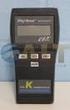 Technology Made Easy... Thermocouple Thermometer Models 60010-00 (Type J) 60010-10 (Type K) 60010-20 (Type T) 68X309905 Rev 1 04/04 TABLE OF CONTENTS 1. INTRODUCTION 4 2. SAFETY PRECAUTIONS 6 3. SPECIFICATIONS
3 740 Wrist strap + shoe tester
 3 740 Wrist strap + shoe tester Operating Instructions April, 2001 740 wrist strap + shoe tester 3 < o.k. > 1 2 1 / 11 LED for «too w resistance» 740 wrist strap + shoe tester 3 < o.k. > 1 2 LED for «too
HSP GmbH Zum Handwerkerhof 2 90530 Wendelstein Tel. 09129 / 2852-0 Fax: 09129 / 2852-11 Web: www.hsshsp.de EMAIL: [email protected] NTG-3000.
 NTG-3000 Transducer Data Sheet Document Version 2.8 Page 1 of 10 Versions / Revisions: Document Creation Author Description version date 2.0 2012-07-25 P. Compensis First official version 2.1 2012-08-24
Thermistor Thermometer MODEL NO. 93210-00
 Thermistor Thermometer MODEL NO. 93210-00 Cole-Parmer Instrument Co. 625 East Bunker Court Vernon Hills, Illinois U.S.A. 60061-1844 (847) 549-7600 (847) 247-2929 (Fax) 800-323-4340 www.coleparmer.com e-mail:
Owner s Manual & Safety Instructions
 Owner s Manual & Safety Instructions Save This Manual Keep this manual for the safety warnings and precautions, assembly, operating, inspection, maintenance and cleaning procedures. Write the product s
DAB+ / FM Tuner Model: TU-201
 DAB+ / FM Tuner Model: TU-201 Instruction Manual www.pulse-audio.co.uk 1 Safety Information The lightning bolt within a triangle is intended to alert the user to the presence of dangerous voltage levels
User manual BETSO WTCS. 16 channel wireless digital TC slate. 1 Copyright BETSO ELECTRONICS Ltd.
 16 channel wireless digital TC slate 1 Copyright BETSO ELECTRONICS Ltd. Contents 1. Product description...3 2. Top features...3 3. Control elements...4 4. Insertion of batteries / accumulators...6 5. External
Operating Instructions
 Important information: These instructions contain safety information, read and follow them carefully. Dialight will not accept any responsibility for injury, damage or loss which may occur due to incorrect
4-Channel Thermometer / Datalogger
 USER GUIDE 4-Channel Thermometer / Datalogger RTD and Thermocouple Inputs Model SDL200 Introduction Congratulations on your purchase of the Extech SDL200 Thermometer, an SD Logger Series meter. This meter
FUJI DIGITAL SOUND DETECTOR FSB-8D INSTRUCTION MANUAL
 FUJI DIGITAL SOUND DETECTOR FSB-8D INSTRUCTION MANUAL Instruments for the location of underground utilities and water leaks. INDEX Page USE... 3 WARRANTY... 3 FOR SAFE USE... 4 BEFORE USE THE DETECTOR...
Digital Ground Resistance Tester. Models 4620 & 4630. Digital Ground Resistance Tester
 Digital Ground Resistance Tester Models 4620 & 4630 Digital Ground Resistance Tester Models 4620 and 4630 perform both ground resistance and soil resistivity tests. These testers measure from 0 to 2000Ω,
User's Guide. Integrating Sound Level Datalogger. Model 407780. Introduction
 User's Guide 99 Washington Street Melrose, MA 02176 Phone 781-665-1400 Toll Free 1-800-517-8431 Visit us at www.testequipmentdepot.com Back to the Extech 407780 Product Page Integrating Sound Level Datalogger
How To Power A Power Control On An Ip40 (Ipl) With A Power Supply (Iplug) With An Ip20 Controller (Iphones) With Power Control (Power Control) With No Antenna) With The Ip20 (Power)
 MODEL NUMBER: ISC910-1-0-GB-XX ISC911-5-0-GB-XX IXP20 CONTROLLER SPECIFICATIONS Working Environment Plastic Housing... Power ImproX IXP20 Controller INSTALLATION MANUAL Designed to work in an indoor (dry)
alpha DSL WTM HS Instructions for use ADSL modem alpha DSL WTM HS
 alpha DSL WTM HS Instructions for use ADSL modem alpha DSL WTM HS Safety precautions Safety precautions The DSL modem alpha DSL WTM HS complies with the European norm EN60950 safety of information technology
User's Manual. Heavy Duty Dissolved Oxygen Meter Model 407510
 User's Manual Heavy Duty Dissolved Oxygen Meter Model 407510 Introduction Congratulations on your purchase of Extech's Heavy Duty Dissolved Oxygen / Temperature Meter which simultaneously displays Dissolved
EVC40 EMERGENCY VOICE COMMUNICATION SYSTEM
 EVC40 EMERGENCY VOICE COMMUNICATION SYSTEM INSTALLATION MANUAL Protec Fire Detection PLC, Protec House, Churchill Way, Nelson, Lancashire, BB9 6RT. Telephone: +44 (0) 1282 717171 Fax: +44 (0) 1282 717273
The table below lists the symbols used on the Clamp and/or in this manual. Important Information. See manual.
 i800 AC Current Clamp Instruction Sheet Introduction The i800 AC Current Clamp, the Clamp, has been designed for use with multimeters, recorders, power analyzers, safety testers, etc., for accurate non-intrusive
19 LED Tube Controller ORDERCODE 41003
 19 LED Tube Controller ORDERCODE 41003 Congratulations! You have bought a great, innovative product from Showtec. The Showtec 19 LED Tube Controller brings excitement to any venue. Whether you want simple
Wireless Indoor/ Outdoor Thermometer
 Wireless Indoor/ Outdoor Thermometer Owner s Manual Please read before using this equipment. ˆ Contents FCC Information... 3 FCC Declaration of Conformity... 5 Preparation... 5 Installing Batteries...
Model 1756 Test Lead Kit
 Keithley Instruments 28775 Aurora Road Cleveland, Ohio 44139 1-888-KEITHLEY http://www.keithley.com Model 1756 Test Lead Kit Gerneral Purpose Test Lead Information Description These test leads allow you
Installation and Operation Back-UPS 1250, 1300, 1500
 Installation and Operation Back-UPS 1250, 1300, 1500 Inventory bu001a Safety and General Information This unit is intended for indoor use only. Do not operate this unit in direct sunlight, in contact with
Microwave Meter. Instruction Manual
 Microwave Meter 840046 Instruction Manual Microwave Meter 840046 Copyright 2009 by Sper Scientific ALL RIGHTS RESERVED Printed in the USA The contents of this manual may not be reproduced or transmitted
If you are familiar with these matters, then you can use this manual as a work of reference.
 PRODUCT CODE : MFX0370 VERSION : 1.0 DATE : 16.12.2013 User documentation MAGICFX Confetti Gun 1. FOREWORD Congratulations! You have bought a great new product from MAGICFX. The MAGIC FX Confetti Gun is
AudioJoG (TM) Pro 8 Connector PIN LABEL LED Connector PIN LABEL LED. Operations Manual 3.5mm & 6.35mm Mono/Stereo Jacks
 LED/Connector pin identification table AudioJoG (TM) Pro 8 Connector PIN LABEL LED Connector PIN LABEL LED Operations Manual 3.5mm & 6.35mm Mono/Stereo Jacks 3,4,5 pole XLR Male & Female 3,5 & 8 pole 180
MIC-WKT and MIC-WKT-IR
 MIC-WKT and MIC-WKT-IR Installation Manual Bosch Security Systems EN Installation and Operation Manual MIC-WKTI and MIC-WKT-IR Installation Manual EN 2 MIC-WKT and MIC-WKT-IR Washer Pump Drive Card Kits
Insulation resistance testing. A complete solution for every person.
 Insulation resistance testing. A complete solution for every person. Insulation resistance. The latest test tools from the testing experts. You asked. We responded. Now you have more insulation testing
User s Manual Before using the inverter, you need to read and save the safety instructions.
 User s Manual Before using the inverter, you need to read and save the safety instructions. STI SERIES (STI200, STI300, STI500, STI700, STI1000) Power Frequency Pure Sine Wave Inverter The information
2-3 SAS/SATA II HDD Canister USER S MANUAL XC-23D1-SA10-0-R. Document number: MAN-00076-A
 2-3 SAS/SATA II HDD Canister XC-23D1-SA10-0-R USER S MANUAL Document number: MAN-00076-A ii Preface Important Information Warranty Our product is warranted against defects in materials and workmanship
Multi-Function Ground
 Multi-Function Ground Resistance SOIL RESISTIVITY TEster Model 6470-B Now measure ground resistance, soil resistivity and bonding resistance with one instrument! 2- and 4-Wire Bond Resistance/Continuity
Ultrasound Technologies. PD1v. vascular pocket doppler. Operating Instructions
 Ultrasound Technologies PD1v vascular pocket doppler Operating Instructions Before using your Pocket Doppler for the first time, please read these operating instructions carefully. 1 INTRODUCTION The UltraTec
ATL Fuel Level Sender Probes
 T E C H N I C A L S P E C I F I C A T I O N The ATL EL-AD-151 (Resistance Output) and EL-AD-152 (Voltage Output) Fuel Level Senders are highly advanced sensors for continuously measuring the contents of
BroadBand PowerShield. User Manual
 BroadBand PowerShield User Manual 990-0375G 12/2006 Chapter 1 General Information The PowerShield provides a power source for broadband telephony and other DC applications. Safety This Safety Guide contains
Drayton Digistat +2RF/+3RF
 /+3RF Programmable Room Thermostat Wireless Model: RF700/22090 Model: RF701/22092 Power Supply: Battery - Thermostat Mains - Digistat SCR Invensys Controls Europe Customer Service Tel: 0845 130 5522 Customer
Installation and Operation Manual Back-UPS BX800CI-AS/BX1100CI-AS
 + Installation and Operation Manual Back-UPS BX800CI-AS/BX1100CI-AS Inventory Safety and General Information bu001c This unit is intended for indoor use only. Do not operate this unit in direct sunlight,
Instruction Manual. 2in1 LAN Tester & Multimeter. Model: LA-1011
 Instruction Manual 2in1 LAN Tester & Multimeter Model: LA-1011 1 Contents Introduction... Features... Safety Precautions.. Meter Description... Electrical Specification... Operation.. AutoRanging Multimeter.
Infrarot-Bewegungsmelder IP44
 Infrarot-Bewegungsmelder IP44 infrared motion sensors IP44 ODA (weiß) slim ODA (schwarz) slim 95174 96000 ODA (weiß) ODA (schwarz) 95175 96001 Betriebsanleitung User s Manual User s Manual infrared motion
HVAC Clamp Meter. Users Manual
 902 HVAC Clamp Meter Users Manual PN 2547887 May 2006 Rev. 1, 3/07 2006-2007 Fluke Corporation. All rights reserved. Printed in China. All product names are trademarks of their respective companies. LIMITED
DC Electronic Loads 8500 series
 Data Sheet DC Electronic Loads 8500 series 2400W 600 W - 1200 W 300 W Versatile & Economical DC Electronic Loads The 8500 series Programmable DC Electronic Loads can be used for testing and evaluating
Technical Description. Transistor D.C. Chopper Controller Type GS 24 S
 Technical Description Transistor D.C. Chopper Controller Type GS 24 S Table of contents 1. Getting started guide 2. General information 2.1. Characteristics 2.2. Accessories 3. Information about the Machine
User Manual. Humidity-Temperature Chart Recorder. Model RH520
 User Manual Humidity-Temperature Chart Recorder Model RH520 Introduction Congratulations on your purchase of the Extech RH520 Temperature + Humidity Chart Recorder. The RH520 measures and displays Temperature,
Gemini II. Subwoofer System OWNERS MANUAL
 Gemini II Subwoofer System OWNERS MANUAL CONTENTS Page No. 1) Safety instructions. 2) 3) 4) Connecting up your Gemini II. Connecting up using the high level input. Connecting up using the low level input.
Cable Tester Pro ORDERCODE D1909
 Cable Tester Pro ORDERCODE D1909 Congratulations! You have bought a great, innovative product from DAP Audio. You can rely on DAP Audio, for more excellent audio products. We design and manufacture professional
Original instructions Tina 3A/Aps Adaptor unit
 Original instructions Tina 3A/Aps Adaptor unit ABB Jokab Safety Varlabergsvägen 11, SE-434 39 Kungsbacka, Sweden www.abb.com/jokabsafety Read and understand this document Please read and understand this
MANUAL PC1000R [email protected]
 MANUAL PC1000R [email protected] Features The APart PC1000R is a professional multisource CD/USB/SD card music player, equipped with balanced and unbalanced analog outputs, coaxial and optical digital
IN-OUT Thermometer with Cable Free Sensor and Clock
 IN-OUT Thermometer with Cable Free Sensor and Clock MODEL: RAR232 USER'S MANUAL INTRODUCTION Congratulations on your purchase of the RAR232 In-Out Thermometer with 433MHz cable free sensor and calendar
Product Information Sheet UH36 Hi Pot Tester
 Product Information Sheet UH36 ETL Prüftechnik GmbH Telefon: +49 711 83 99 39-0 E-Mail: [email protected] Carl-Peters-Straße 23 D-70825 Korntal-Münchingen Telefax: +49 711 83 99 39-9 Internet: www.etl-prueftechnik.de
Advanced Systems Tester 900AST
 Advanced Systems Tester 900AST Clear skies ahead with the 900AST TESTER The internal wiring in aircraft is under constant bombardment from age, vibration and moisture especially in airplanes that work
Product Information Sheet UH28CS-12kV Hi Pot Tester
 Product Information Sheet UH28CS-12kV ETL Prüftechnik GmbH Telefon: +49 711 83 99 39-0 E-Mail: [email protected] Carl-Peters-Straße 23 D-70825 Korntal-Münchingen Telefax: +49 711 83 99 39-9 Internet:
Model UT713 OPERATING MANUAL
 Model UT713 OPERATING MANUAL TABLE OF CONTENTS TITLE PAGE Introduction Unpacking Inspection Safety Information Turning the Calibrator On Simulating a Thermocouple Measuring a Thermocouple Simulating TC
Congratulations! Thank you!
 TM-47 ORDERCODE D1370 Congratulations! You have bought a great, innovative product from DAP Audio. The DAP Audio Microphone range brings excitement to any venue. Whether you want simple plug-&-play action
FIRST STOP SAFETY 1 PAT-IT. Portable Appliance Tester. User Manual. Issue 1.6
 FIRST STOP 1 PAT-IT Portable Appliance Tester User Manual Issue 1.6 First Stop Safety 11 Glaisdale Road Northminster Business Park Upper Poppleton York YO26 6QT t: 01904 791050 f: 01904 780054 e: [email protected]
BlueSolar Pro Remote Panel For BlueSolar PWM-Pro charge controllers 12/24V 5, 10, 20, 30A Article number SCC900300000
 Manual EN BlueSolar Pro Remote Panel For BlueSolar PWM-Pro charge controllers 12/24V 5, 10, 20, 30A Article number SCC900300000 Contents EN 1.Important safety instructions... 2 2. Installation... 2 3.Product
Digital input modules
 8 172 TX-I/O Digital input modules TXM1.8D TXM1.16D Two fully compatible versions: TXM1.8D: 8 inputs, each with a three-color LED (green, yellow or red) TXM1.16D: As TXM1.8X, but 16 inputs, each with a
Electrical Safety Tester
 Electrical Safety Tester GPT-9000 Series QUICK START GUIDE GW INSTEK PART NO. 82PT-99040MA1 ISO-9001 CERTIFIED MANUFACTURER This manual contains proprietary information, which is protected by copyright.
Instruction Manual Temp 4/5/6 Temperature Meter Series
 Instruction Manual Temp 4/5/6 Temperature Meter Series 68X243607 Technology Made Easy... Rev. 2 01/03-1 - Preface This instruction manual serves to explain the use of the Temp 4/5/6 temperature meter.
Digital Pressure Measuring Instrument MDR480
 Description The digital panel instrument MDR480 is designed to measure, display, and monitor pressures in industrial applications. The instrument is panel mounted with a front frame dimension of 96 mm
Fluke 1650B Series Multifunction Installation Testers
 Fluke 1650B Series Multifunction Installation Testers Extended Specifications The installation testing solution for demanding environments The Fluke 1650B Series testers, with new advanced features, are
HEAT MONITORING AND CONTROL INSTRUMENTS FOR TRANSFORMERS MB 103 TEMPERATURE CONTROL UNIT PT 100 TEMPERATURE SENSOR
 HEAT MONITORING AND CONTROL INSTRUMENTS FOR TRANSFORMERS MB 103 TEMPERATURE CONTROL UNIT PT 100 TEMPERATURE SENSOR 2 MB 103 TRANSFORMER TEMPERATURE CONTROL UNIT WITH CONTROL SIGNAL Recent approval of new