
User s Guide DPF700-A. Analog Output Option Board for the DPF700 Meter. Shop on line at. [email protected]
|
|
|
- Rolf Higgins
- 9 years ago
- Views:
Transcription
1 User s Guide Shop on line at [email protected] DPF700-A Analog Output Option Board for the DPF700 Meter

2 Servicing North America: USA: One Omega Drive, P.O. Box 4047 ISO 9001 Certified Stamford CT TEL: (203) FAX: (203) Canada: 976 Bergar Laval (Quebec) H7L 5A1 TEL: (514) FAX: (514) For immediate technical or application assistance: USA and Canada: Sales Service: / TC-OMEGA Customer Service: / BEST Engineering Service: / USA-WHEN Mexico and TEL: (001)800-TC-OMEGA FAX: (001) Latin America: En Español: (001) [email protected] Benelux: Czech Republic: France: Germany/Austria: United Kingdom: ISO 9002 Certified OMEGAnet On-Line Service Servicing Europe: Internet [email protected] Postbus 8034, 1180 LA Amstelveen, The Netherlands TEL: FAX: Toll Free in Benelux: [email protected] Frystatska 184, Karviná TEL: FAX: [email protected] 11, rue Jacques Cartier, Guyancourt TEL: FAX: Toll Free in France: [email protected] Daimlerstrasse 26, D Deckenpfronn, Germany TEL: FAX: Toll Free in Germany: [email protected] One Omega Drive River Bend Technology Centre Northbank, Irlam Manchester M44 5BD United Kingdom TEL: FAX: Toll Free in England: [email protected] It is the policy of OMEGA to comply with all worldwide safety and EMC/EMI regulations that apply. OMEGA is constantly pursuing certification of its products to the European New Approach Directives. OMEGA will add the CE mark to every appropriate device upon certification. The information contained in this document is believed to be correct, but OMEGA Engineering, Inc. accepts no liability for any errors it contains, and reserves the right to alter specifications without notice. WARNING: These products are not designed for use in, and should not be used for, patient-connected applications. This device is marked with the international caution symbol. It is important to read the Setup Guide before installing or commissioning this device as the guide contains important information relating to safety and EMC. This device is marked with the international caution symbol. It is important to read the Setup Guide before installing or commissioning this device as the guide contains! important information relating to safety and EMC.

3 MANUAL OBJECTIVES PREFACE This manual shows you how to install and use the Analog Output Option Board with the DPF700 meter. In this manual we provide procedures for: * Installing the Analog Output Board * Setting up the Analog Output Board Use this manual with your DPF700 manual (M1676) NOTES and CAUTIONS Information that is especially important to note is identified by these labels: NOTE WARNING CAUTION IMPORTANT Note NOTE: provides you with information that is important to successfully setup and use the Programmable Digital Meter. CAUTION or WARNING: tells you about the risk of electric shock. CAUTION, WARNING or IMPORTANT: tells you of circumstances or practices that can effect the meter's functionality and must refer to accompanying documents i

4 TABLE OF CONTENTS Section Page Introduction - Unpacking...1 Safety Considerations Installing the Analog Output Board Setting up the Analog Output Board Electrical Connections and Specifications...7 ii

5 INTRODUCTION UNPACKING Remove the Packing List and verify that all equipment has been received. If there are any questions about the shipment, use the phone number for the Customer Service Department nearest you. Upon receipt of shipment, inspect the container and equipment for any signs of damage. Take particular note of any evidence of rough handling in transit. Immediately report any damage to the shipping agent. Note The carrier will not honor any claims unless all shipping material is saved for their examination. After examining and removing contents, save packing material and carton in the event reshipment is necessary. If you order a configured meter with options, you will receive the meter with option boards installed. SAFETY CONSIDERATIONS CAUTION: Do not expose this instrument to rain or moisture. Do not operate this instrument in flammable or explosive atmospheres. As with any electronic instrument, you may encounter high voltage exposure when calibrating or removing parts. Install the meter only when ac power is disconnected. 1

6 1.1 INSTALLING THE ANALOG OUTPUT BOARD Install the analog output board as follows (refer to Figure 1-1):! CAUTION: The meter has no power-on switch, so it will be in operation as soon as you apply power.! IMPORTANT: Disconnect the power from the unit before installing this option board. 1. Hold the analog output card in a horizontal position, with the R37 and R38 potentiometers facing the back of the meter. 2. Line up the P6 connector on the interconnect board with the J6 pin on the main board. Push down to secure. 3. Line up the J8 pin on the analog output board with the P8 connector on the interconnect board. Push down to secure. ANALOG OUTPUT BD SOLDER SIDE J8 J1 BACK OF THE METER R37 R38 J7 P8 P6 DISPLAY BOARD (REF) TB1 TB2 MAIN BOARD (REF) S1 J6 INTERCONNECT BOARD (SOLDER SIDE) Figure 1-1. Installing the Analog Output Board 2

7 1.2 SETTING UP THE ANALOG OUTPUT BOARD * The display reading is in counts, disregarding the decimal point. * The output is in volt or milliamp. * The analog output may be used for proportional control applications, without integral or reset function. * "An LO" and "An HI" values are write-only. Values cannot be displayed once they are stored. Display will show " " even through values are stored. Coarse adjust the analog output board as follows: Note Refer to Table 6-1 in the Main Operators manual for summary list of menu configuration. 1. Set the left digit in configuration to 0 for 4-20 ma (0XXXXX) or to 1 for 0-10 V (1XXXXX). 2. Access "An LO" menu item. Enter display value which will give you 4 milliamps (0 volts). 3. Access "An HI" menu item. Enter display value which will give you 20 milliamps (10 volts). 4. Save in either volatile or nonvolatile memory. 3

8 1.2 SETTING UP THE ANALOG OUTPUT BOARD (Continued) Once you have performed coarse adjustment, proceed to fine adjustment as follows: 5. Adjust the input to show a value equal to "An LO". Adjust R38 potentiometer at the back of the board (refer to Figure 1-1) for 4 milliamp output (0 volts). 6. Adjust the input to show a value equal to "An HI". Adjust R37 potentiometer at the back of the board for 20 milliamp output (10 volts). 7. Repeat fine adjustment as necessary. An easy way to set the display to "An LO" and "An HI" is to put the meter in the totalizer mode and set the offset to "An LO" and "An HI" while there is no input. Example 1: display counts to equal 4-20 ma analog output. 1. Set configuration = 0XXXXX 2. Enter "An LO" = Enter "An HI" = Adjust R38 potentiometer for 4 ma output, while display = Adjust R37 potentiometer for 20 ma output, while display =

9 1.2 SETTING UP THE ANALOG OUTPUT BOARD (Continued) Example 2: display counts to equal 0-10 V analog output. 1. Set configuration = 1XXXXX 2. Enter "An LO" = Enter "An HI" = Adjust R38 potentiometer for 0 V output, while display = Adjust R37 potentiometer for 10 V output, while display = Example 3: Using analog output as a proportional controller: display counts to equal 4-20 ma analog output. When "An LO" is greater than "An HI", the analog output may be used for proportional control applications. 1. Set configuration = 0XXXXX 2. Enter "An LO" = Enter "An HI" = Adjust R38 potentiometer for 0 V output, while display = Adjust R37 potentiometer for 10 V output, while display =

10 1.2 SETTING UP THE ANALOG OUTPUT BOARD (Continued) Example 4: Programming "An LO" and "An HI" for analog output ranges other than 0-10 V or 4-20 ma. For example, if require 0-5 V output for the display readings of 0-10,000: 1. Select 0-10 V range and enter "An LO" = 0 2. Enter "An HI" = 20,000. Example 5: To get 1-5 V output for 0-10,000 readings, enter the desired display for 0 V output as "An LO" per the formula below: Gain = Gain = Reading High - Reading Low Input High - Input Low 10,000-0 = 10,000 cts/v = 2,500 cts/v Output = Reading/Gain + Offset Output = Reading Reading = -2,500 will cause 0 V output Reading = 22,500 will cause 10 V output An LO = 0 An HI = 22,500 6

11 1.3 ELECTRICAL CONNECTION and SPECIFICATIONS The analog output board is available on the J1 connector. J1-1: J1-2: J1-3: Analog Return Current Output Voltage Output J1/ANALOG OUT ANLG RTN 4-20 ma 0-10V ANALOG RTN ANALOG CURRENT 4-20 ma ANALOG VOLTAGE 0-10 V J J1 1 ANLG OUT OPTION TB1 TB TB S1 OPEN 1 CLOSED 10 Figure 1-2. Electrical Wiring for Analog Output Connection Maximum Load Impedance for Current Output: 500Ω Maximum Load for Voltage Output: 20 ma Total Current Output ( pins 2 and 3 combined): 21 ma Response Time Total Mode: 80 msec (99% of final value) Rate Mode: 360 msec (99% of final value) Note Response time in the Rate Mode can be reduced by changing the Gate Time, using RS-232 communication. Minimum SPAN for 20 ma (10 V) output: 220 Counts Maximum turn down ration ( An LO ): 80 An HI - An LO Resolution: 15 bits Accuracy, 0-10 V 99.8% Accuracy, 4-20 ma 99.75% 7

12 NOTES 8

13 9

14 10

15 MADE IN USA WARRANTY/DISCLAIMER OMEGA ENGINEERING, INC. warrants this unit to be free of defects in materials and workmanship for a period of 13 months from date of purchase. OMEGA Warranty adds an additional one (1) month grace period to the normal one (1) year product warranty to cover handling and shipping time. This ensures that OMEGA s customers receive maximum coverage on each product. If the unit should malfunction, it must be returned to the factory for evaluation. OMEGA s Customer Service Department will issue an Authorized Return (AR) number immediately upon phone or written request. Upon examination by OMEGA, if the unit is found to be defective it will be repaired or replaced at no charge. OMEGA s WARRANTY does not apply to defects resulting from any action of the purchaser, including but not limited to mishandling, improper interfacing, operation outside of design limits, improper repair, or unauthorized modification. This WARRANTY is VOID if the unit shows evidence of having been tampered with or shows evidence of being damaged as a result of excessive corrosion; or current, heat, moisture or vibration; improper specification; misapplication; misuse or other operating conditions outside of OMEGA s control. Components which wear are not warranted, including but not limited to contact points, fuses, and triacs. OMEGA is pleased to offer suggestions on the use of its various products. However, OMEGA neither assumes responsibility for any omissions or errors nor assumes liability for any damages that result from the use of its products in accordance with information provided by OMEGA, either verbal or written. OMEGA warrants only that the parts manufactured by it will be as specified and free of defects. OMEGA MAKES NO OTHER WARRANTIES OR REPRESENTATIONS OF ANY KIND WHATSOEVER, EXPRESSED OR IMPLIED, EXCEPT THAT OF TITLE, AND ALL IMPLIED WARRANTIES INCLUDING ANY WARRANTY OF MERCHANTABILITY AND FITNESS FOR A PARTICULAR PURPOSE ARE HEREBY DISCLAIMED. LIMITATION OF LIABILITY: The remedies of purchaser set forth herein are exclusive and the total liability of OMEGA with respect to this order, whether based on contract, warranty, negligence, indemnification, strict liability or otherwise, shall not exceed the purchase price of the component upon which liability is based. In no event shall OMEGA be liable for consequential, incidental or special damages CONDITIONS: Equipment sold by OMEGA is not intended to be used, nor shall it be used: (1) as a Basic Component under 10 CFR 21 (NRC), used in or with any nuclear installation or activity; or (2) in medical applications or used on humans. Should any Product(s) be used in or with any nuclear installation or activity, medical application, used on humans, or misused in any way, OMEGA assumes no responsibility as set forth in our basic WARRANTY/DISCLAIMER language, and additionally, purchaser will indemnify OMEGA and hold OMEGA harmless from any liability or damage whatsoever arising out of the use of the Product(s) in such a manner. RETURN REQUESTS / INQUIRIES Direct all warranty and repair requests/inquiries to the OMEGA Customer Service Department. BEFORE RETURNING ANY PRODUCT(S) TO OMEGA, PURCHASER MUST OBTAIN AN AUTHORIZED RETURN (AR) NUMBER FROM OMEGA S CUSTOMER SERVICE DEPARTMENT (IN ORDER TO AVOID PROCESSING DELAYS). The assigned AR number should then be marked on the outside of the return package and on any correspondence. The purchaser is responsible for shipping charges, freight, insurance and proper packaging to prevent breakage in transit. FOR WARRANTY RETURNS, please have the following information available BEFORE contacting OMEGA: 1. P.O. number under which the product was PURCHASED, 2. Model and serial number of the product under warranty, and 3. Repair instructions and/or specific problems relative to the product. FOR NON-WARRANTY REPAIRS, consult OMEGA for current repair charges. Have the following information available BEFORE contacting OMEGA: 1. P.O. number to cover the COST of the repair, 2. Model and serial number of product, and 3. Repair instructions and/or specific problems relative to the product. OMEGA s policy is to make running changes, not model changes, whenever an improvement is possible. This affords our customers the latest in technology and engineering. OMEGA is a registered trademark of OMEGA ENGINEERING, INC. Copyright 2003 OMEGA ENGINEERING, INC. All rights reserved. This document may not be copied, photocopied, reproduced, translated, or reduced to any electronic medium or machine-readable form, in whole or in part, without prior written consent of OMEGA ENGINEERING, INC. PATENT NOTICE: The Meter Case Bezel Design is a trademark of NEWPORT Electronics, Inc., registered in the U.S. USED UNDER LICENSE. This product is covered by one or more of the following patents: U.S. Pat. No. Des. 336,895; 5,274,577 / CANADA ; / ITALY ; / FRANCE BREVET No / SPAIN ; / UK PATENT No. GB ; GB / GERMANY DE C2. OTHER INTERNATIONAL PATENTS PENDING.

16 Where Do I Find Everything I Need for Process Measurement and Control? OMEGA Of Course! Shop on line at TEMPERATURE Thermocouple, RTD & Thermistor Probes, Connectors, Panels & Assemblies Wire: Thermocouple, RTD & Thermistor Calibrators & Ice Point References Recorders, Controllers & Process Monitors Infrared Pyrometers PRESSURE, STRAIN AND FORCE Transducers & Strain Gauges Load Cells & Pressure Gauges Displacement Transducers Instrumentation & Accessories FLOW/LEVEL Rotameters, Gas Mass Flowmeters & Flow Computers Air Velocity Indicators Turbine/Paddlewheel Systems Totalizers & Batch Controllers ph/conductivity ph Electrodes, Testers & Accessories Benchtop/Laboratory Meters Controllers, Calibrators, Simulators & Pumps Industrial ph & Conductivity Equipment DATA ACQUISITION Data Acquisition & Engineering Software Communications-Based Acquisition Systems Plug-in Cards for Apple, IBM & Compatibles Datalogging Systems Recorders, Printers & Plotters HEATERS Heating Cable Cartridge & Strip Heaters Immersion & Band Heaters Flexible Heaters Laboratory Heaters ENVIRONMENTAL MONITORING AND CONTROL Metering & Control Instrumentation Refractometers Pumps & Tubing Air, Soil & Water Monitors Industrial Water & Wastewater Treatment ph, Conductivity & Dissolved Oxygen Instruments M1798/ ML-99 Rev. C

User s Guide. y = mx+b. Shop online at. A Guide to Calibration and Unit Conversion
 User s Guide Shop online at omega.com e-mail: [email protected] For latest product manuals: omegamanual.info y = mx+b A Guide to Calibration and Unit Conversion OMB-457-0949 rev 1.0 OMEGAnet Online Service
OME-SERIES DATA ACQUISITION CARDS
 User s Guide Shop online at www.omega.com e-mail: [email protected] OME-SERIES DATA ACQUISITION CARDS Resource Checking User Manual OMEGAnet Online Service www.omega.com Internet e-mail [email protected] Servicing
MFT Series INTRODUCTION UNPACKING FERRULES
 MFT Series Multiconductor Feedthroughs INSTRUCTION SHEET M0152/0103 Shop online at: omega.com e-mail: [email protected] For latest product manuals: omegamanual.info INTRODUCTION The OMEGA MFT multiconductor
User s Guide. SOFTWARE FOR OMB-DAQ-2416 SERIES And OM-USB SERIES. Universal Library. Redistribution Guide. Shop online at
 User s Guide Software for OMB-DAQ-2416 Series and OM-USB Series Multi-function I/O USB Data Acquisition Modules Rev. Includes: InstaCal Installation application TracerDAQ Ready-to-run DAQ applications
User s Guide HFS-3, HFS-4. Shop online at. Thin Film Flux Sensors. omega.com e-mail: [email protected] For latest product manuals: omegamanual.
 MADE IN User s Guide Shop online at omega.com e-mail: [email protected] For latest product manuals: omegamanual.info HFS-3, HFS-4 Thin Film Flux Sensors OMEGAnet On-Line Service Internet e-mail omega.com
User s Guide. SW14 1 4 DIN Series and OSW Series. Shop online at. Rotary Selector Switches
 MADE IN User s Guide Shop online at SW14 SERIES 1/4 DIN 96 x 96 mm (3.78") OSW SERIES 76 x 76 mm (3.0") 127 x 127 mm (5.0") omega.com e-mail: [email protected] For latest product manuals: omegamanual.info
User s Guide OSXL-100-PE. Thermal Imaging Camera Enclosure. Shop online at omega.com SM
 User s Guide Shop online at omega.com SM e-mail: [email protected] For latest product manuals: www.omegamanual.info OSXL-100-PE Thermal Imaging Camera Enclosure Introduction Please read this manual completely
Shop online at: omega.com e-mail: [email protected] For latest product manuals: omegamanual.info
 STCTX SERIES Industrial Thermocouple Connector/Transmitter INSTRUCTION SHEET M3935A/0810 Shop online at: omega.com e-mail: [email protected] For latest product manuals: omegamanual.info General Description
http://www.omega.com e-mail: [email protected]
 http://www.omega.com e-mail: [email protected] omega.com OMEGA TM OMEGAnet SM On-Line Service http://www.omega.com Internet e-mail [email protected] USA: ISO 9001 Certified One Omega Drive, Box 4047 Stamford,
User s Guide TL-WELD. Thermocouple and Fine Wire Welder. Shop online at omega.com SM
 User s Guide Shop online at omega.com SM e-mail: [email protected] For latest product manuals: www.omegamanual.info MADE IN UNITED KINGDOM TL-WELD Thermocouple and Fine Wire Welder omega.com [email protected]
User s Guide MTC SERIES. Shop online at. Multi-Pin Thermocouple Connectors
 MADE IN User s Guide Shop online at omega.com e-mail: [email protected] For latest product manuals: omegamanual.info MTC SERIES Multi-Pin Thermocouple Connectors OMEGAnet On-Line Service omega.com Internet
User s Guide EWS-RH. Relative Humidity/Temperature Transmitter. Shop online at omega.com
 User s Guide Shop online at omega.com e-mail: [email protected] For latest product manuals: www.omegamanual.info EWS-RH Relative Humidity/Temperature Transmitter omega.com [email protected] Servicing North America:
User s Guide HHAQ-106. 6-IN-1 Psychrometer With Enthalpy. Shop online at omega.com SM
 User s Guide Shop online at omega.com SM e-mail: [email protected] For latest product manuals: omegamanual.info HHAQ-106 6-IN-1 Psychrometer With Enthalpy omega.com [email protected] Servicing North America:
User s Guide HHF81. Anemometer, Hygrometer, Light Meter, Thermometer. Shop online at omega.com
 User s Guide Shop online at omega.com e-mail: [email protected] For latest product manuals: www.omegamanual.info HHF81 Anemometer, Hygrometer, Light Meter, Thermometer omega.com [email protected] Servicing North
DO-6. Dissolved Oxygen Meter. Newport Electronics, Inc. Operator s Manual
 Dissolved Oxygen Meter Operator s Manual Newport Electronics, Inc. Additional products from Newport Electronics, Inc. THE NEW STANDARD FOR QUALITY Clock/Timers Counters Flow Sensors Frequency Meters Multimeters
User s Guide WRS232-USB. Universal Wireless RS232 to USB Transceiver, WRS232 Wireless Transmitter, WUSB Wireless Receiver.
 MADE IN User s Guide Shop online at WUSB WIRELESS RECEIVER omega.com e-mail: [email protected] For latest product manuals: omegamanual.info WRS232 WIRELESS TRANSMITTER WRS232-USB Universal Wireless RS232
User s Guide OM-USB-TC. 8 Channel Thermocouple Input USB Data Acquisition Module. Shop online at
 SM Extended Warranty Program User s Guide Shop online at omega.com e-mail: [email protected] For latest product manuals: omegamanual.info OM-USB-TC 8 Channel Thermocouple Input USB Data Acquisition Module
The table below lists the symbols used on the Clamp and/or in this manual. Important Information. See manual.
 i800 AC Current Clamp Instruction Sheet Introduction The i800 AC Current Clamp, the Clamp, has been designed for use with multimeters, recorders, power analyzers, safety testers, etc., for accurate non-intrusive
Warranty Terms. QLogic-provided cables, optics and other accessories are warranted for ninety (90) days from date of purchase.
 Warranty Terms QLogic Corporation ("QLogic") provides the following warranties to the original purchaser of QLogic products from QLogic or, in the case of resale, to the initial end user customer (the
User s Guide OM-MICROLITE-8 AND OM-MICROLITE-16 DATA LOGGERS AND OM-MICROLAB-LITE SOFTWARE. Shop online at
 User s Guide Shop online at omega.com e-mail: [email protected] For latest product manuals: omegamanual.info OM-MICROLITE-8 AND OM-MICROLITE-16 DATA LOGGERS AND OM-MICROLAB-LITE SOFTWARE OMEGAnet Online Service
User's Guide. Integrating Sound Level Datalogger. Model 407780. Introduction
 User's Guide 99 Washington Street Melrose, MA 02176 Phone 781-665-1400 Toll Free 1-800-517-8431 Visit us at www.testequipmentdepot.com Back to the Extech 407780 Product Page Integrating Sound Level Datalogger
Laptop Power Adapter for home/office User Manual
 Laptop Power Adapter for home/office User Manual Introduction Congratulations and thank you for purchasing the Laptop Power Adapter for home/office from Belkin. This new Adapter provides a single source
Advantium 2 Plus Alarm
 ADI 9510-B Advantium 2 Plus Alarm INSTALLATION AND OPERATING INSTRUCTIONS Carefully Read These Instructions Before Operating Carefully Read These Controls Corporation of America 1501 Harpers Road Virginia
User s Guide CN8200 SERIES. Communications & Options Guide. omega.com. www.omega.com e-mail: [email protected]
 User s Guide omega.com www.omega.com e-mail: [email protected] TM CN00 SERIES & s Guide USA: ISO 00 Certified One Omega Drive, Box 0 Stamford CT 00-00 Tel: (0) -0 FAX: (0) -00 e-mail: [email protected] omega.com
Dolphin 9900 Mobile Computers
 Dolphin 9900 Mobile Computers Dolphin 9900 Dolphin 9950 Dolphin 9951 with Windows Mobile 6.1 Quick Start Guide Dolphin 9900 Series Quick Start Guide Out of the Box Verify that the box contains the following
Model SRMD Setra Remote Monitoring Display
 Model SRMD Setra Remote Monitoring Display 1.0 GENERAL INFORMATION Thank you for purchasing the Setra Remote Monitoring Display (SRMD). The SRMD is a digital panel meter with a bright 1 LED display for
Digital echo-charge. Owner s Manual. Xantrex Digital echo-charge Battery Charger
 Digital echo-charge Owner s Manual Xantrex Digital echo-charge Battery Charger Thank you for purchasing a Xantrex Digital echo-charge. Xantrex Technology Inc. takes pride in manufacturing quality products
BC-5000 OPERATIONS MANUAL BATTERY CAPACITY TESTER COFKO LLC.
 BC-5000 BATTERY CAPACITY TESTER OPERATIONS MANUAL COFKO LLC. COPYRIGHT 2010 1 UNPACKING As you unpack your new BC-5000 battery capacity tester, inspect the tester for signs of shipping damage. If shipping
VK-250 WARRANTY REGISTRATION FORM
 VK-250 WARRANTY REGISTRATION FORM Unit Serial Number: Customer Name: Address: Date of Purchase: Purchased From: Dealer Name: Address: IMPORTANT NOTE: In order to receive the full five year product warranty,
Installation & User Manual
 Messager USB Installation & User Manual Note: All units support MP3 playback of up to 128Kbps @ 48KHz. Units with serial numbers starting with 15 or above will support the addition of WAV playback done
3800 Linear Series. Quick Start Guide
 3800 Linear Series Quick Start Guide Note: Refer to your user s guide for information about cleaning your device. For localized language versions of this document, go to www.honeywell.com/aidc. Getting
NortechCommander Software Operating Manual MAN-00004 R6
 NortechCommander Software Operating Manual MAN-00004 R6 If the equipment described herein bears the symbol, the said equipment complies with the applicable European Union Directive and Standards mentioned
TTL to RS232 Adapter User Guide
 TTL to RS232 Adapter User Guide Revision D March 28, 2011 Document Part Number GC-800-313d Copyright and Trademark Copyright 2006-2011, Grid Connect, Inc. All rights reserved. No part of this manual may
2-3 SAS/SATA II HDD Canister USER S MANUAL XC-23D1-SA10-0-R. Document number: MAN-00076-A
 2-3 SAS/SATA II HDD Canister XC-23D1-SA10-0-R USER S MANUAL Document number: MAN-00076-A ii Preface Important Information Warranty Our product is warranted against defects in materials and workmanship
USER MANUAL. Model 6103 3U ForeFront Alarm Card SALES OFFICE (301) 975-1000 TECHNICAL SUPPORT (301) 975-1007. An ISO-9001 Certified Company
 USER MANUAL Model 6103 3U ForeFront Alarm Card An ISO-9001 Certified Company Part# 07M6103 Doc# 123011U Rev. A Revised 7/15/03 SALES OFFICE (301) 975-1000 TECHNICAL SUPPORT (301) 975-1007 CONTENTS 1.0
LCD5500Z / PKP-LCD v3.x Installation Instructions
 LCD5500Z / PKP-LCD v3.x Installation Instructions TM Introduction The LCD5500Z / PKP-LCD keypad displays system status using an LCD screen. The keypad can be used on PowerSeries security systems with up
VPCCCare. Virtual PC Center Service Warranty Program
 VPCCCare Virtual PC Center Service Warranty Program Proprietary Notice and Liability Disclaimer The information disclosed in this document, including all designs and related materials, is the valuable
ATS Overhead Table Shelf System INSTRUCTION MANUAL
 ATS Overhead Table Shelf System INSTRUCTION MANUAL ATS Overhead Table Shelf System Instruction Manual Warranty Newport Corporation warrants this product to be free of defects in material and workmanship
Take-2 by Nel-Tech Labs, Inc. Installation & User Manual
 Take-2 by Nel-Tech Labs, Inc. Installation & User Manual Index: Introduction... 3 Take-2 Layout Summary... Installation... 4 5-6 Warranty & FCC... 7 Introduction: The Take-2 is a state-of-the-art message-on-hold
Owner s Manual & Safety Instructions
 Owner s Manual & Safety Instructions Save This Manual Keep this manual for the safety warnings and precautions, assembly, operating, inspection, maintenance and cleaning procedures. Write the product s
Old Company Name in Catalogs and Other Documents
 To our customers, Old Company Name in Catalogs and Other Documents On April 1 st, 2010, NEC Electronics Corporation merged with Renesas Technology Corporation, and Renesas Electronics Corporation took
AGS. Owner's Manual. Xantrex Automatic Generator Start Control System
 AGS Owner's Manual Xantrex Automatic Generator Start Control System TABLE OF CONTENTS INTRODUCTION...3 Main Features...3 Safety Summary...3 THINGS YOU SHOULD KNOW...4 THEORY OF OPERATION...5 System...5
AP IR Remote Control Installation & Operation Manual
 AP IR Remote Control Installation & Operation Manual ClearOne Communications, Inc. ~ 1825 Research Way, Salt Lake City, UT 84119 ~ tel 1-800-945-7730 ~ fax 1-800-933-5107 ii Table of Contents 1 Table of
Leak Detection System
 Instructions - Parts List Leak Detection System 311200A For detecting leaks in your diaphragm pump system. Not for use in explosive atmospheres. Part No. 234576 120 psi (0.8 MPa, 8 bar) Maximum Air Input
Load Cell Amplifier Module. Instruction Manual LCA210-000
 Load Cell Amplifier Module Instruction Manual LCA210-000 Table of Contents 1. General Description...3 2. Specifications...3 2.1 Electrical...3 2.2 Physical...4 3. Installation...4 3.1 Wiring Guidelines...4
AVerMedia AVerKey imicro User s Manual
 FCC NOTICE This device has been tested and found to comply with the limits for a Class B digital device, pursuant to Part 15 of the FCC Rules. These limits are designed to provide reasonable protection
Powerware Relay-Serial Card User s Guide
 Powerware Relay-Serial Card User s Guide Special Symbols The following are examples of symbols used on the UPS and accessories to alert you to important information: This symbol indicates that you should
WINEGARD MOTORIZED SENSAR ANTENNA Models MA1055W & MA1055G MADE IN U.S.A. U.S. Patents D500,496 and 7,358,909 INSTALLATION MANUAL
 WINEGARD MOTORIZED SENSAR ANTENNA Models MA1055W & MA1055G MADE IN U.S.A. U.S. Patents D500,496 and 7,358,909 INSTALLATION MANUAL CAUTION: This system is not for use with antenna in raised position while
Installation Guide Smart-UPS X External Battery Pack SMX120BP
 Installation Guide Smart-UPS X External Battery Pack SMX120BP Inventory Inspect the contents upon receipt. Notify the carrier and dealer if there is damage. Two bezels Tie brackets used to secure multiple
Commercial Cardiovascular Equipment
 Commercial Cardiovascular Equipment Limited Warranty Limited Warranty. PLEASE READ THESE WARRANTY TERMS AND CONDITIONS CAREFULLY BEFORE USING YOUR PRECOR INCORPORATED PRODUCT. BY USING THE EQUIPMENT, YOU
About this Manual. Support for Your Product
 About this Manual We ve added this manual to the Agilent website in an effort to help you support your product. This manual is the best copy we could find; it may be incomplete or contain dated information.
RT-200 HI-TEST ROPE TESTER
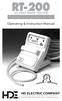 RT-200 HI-TEST ROPE TESTER Operating & Instruction Manual HD ELECTRIC COMPANY 1 4 7 5 L A K E S I D E D R I V E W A U K E G A N, I L L I N O I S 6 0 0 8 5 U. S. A. P H O N E 8 4 7. 4 7 3. 4 9 8 0 FA X
Triton Systems of Delaware, LLC. Warranty Statement
 Triton Systems of Delaware, LLC 21405 B Street 866.7.TRITON Triton Systems of Delaware, LLC Warranty Statement TRITON WARRANTY STATEMENT The Manufacturer warrants that the products delivered to a distributor
C-Tech-10 Operation Manual
 C-Tech-10 Operation Manual Project: SATS Model: SATS Serial #: SATS Job#: Notice This document contains information protected by copyright. All rights are reserved. The owner of the equipment for which
User Manual. Humidity-Temperature Chart Recorder. Model RH520
 User Manual Humidity-Temperature Chart Recorder Model RH520 Introduction Congratulations on your purchase of the Extech RH520 Temperature + Humidity Chart Recorder. The RH520 measures and displays Temperature,
ExStik TM ph Waterproof Meters
 User Guide ExStik TM ph Waterproof Meters Models PH100 & PH110 Patent Pending ExStik TM Description Front Panel Controls 1. Battery compartment cap 2. LCD Display 3. MODE / HOLD button 4. CAL / RECALL
Single Port T1/E1 Tap
 Single Port T1/E1 Tap Model 2 CUSTOMER SUPPORT INFORMATION To order or for a technical information support: Phone: +33 3 88 10 18 30 or Fax: +33 3 88 10 18 35 Mail order: COMCRAFT 2, rue de la Mairie 67203
Single Station Remote Alarm
 ADI 5106G Certified ISO 9001:2000 Single Station Remote Alarm 529 5106-01-120 529 5106-01-220 INSTALLATION AND OPERATING INSTRUCTIONS Carefully Read These Instructions Before Operating Controls Corporation
Limited Warranty Letter for BYD Photovoltaic Module
 Limited Warranty Letter for BYD Photovoltaic Module BYD(Shangluo) Industrial Co., LTD ( BYD ) hereby provides this Limited Warranty ( Warranty ) with respect to certain types of its photovoltaic modules
How To Install A Power Supply (Uplast) With A Battery Pack
 APC Smart-UPS RT SURTA48XLBP/SURTA48XLBPJ External Battery Pack User Manual Introduction/Before Installation About this Manual The APC Smart-UPS RT external battery pack (SURTA48XLBP or SURTA48XLBPJ) connects
LM135-LM235-LM335. Precision temperature sensors. Features. Description
 Precision temperature sensors Features Directly calibrated in K 1 C initial accuracy Operates from 450µA to 5mA Less than 1Ω dynamic impedance TO-92 (Plastic package) Description The LM135, LM235, LM335
Air Conditioning Systems Warranty Manual. Version 1.8
 Air Conditioning Systems Warranty Manual Version 1.8 1/2015 Air Conditioning System Warranty Contents Purpose 4 External Distribution... 4 Policies 5 Warranty Policy Overview... 5 Warranty Period... 5
User's Manual. Heavy Duty Dissolved Oxygen Meter Model 407510
 User's Manual Heavy Duty Dissolved Oxygen Meter Model 407510 Introduction Congratulations on your purchase of Extech's Heavy Duty Dissolved Oxygen / Temperature Meter which simultaneously displays Dissolved
Contents i. CNX MIDI Interface Expansion Card: CNXMIDI 0
 Contents CNX MIDI Interface Expansion Card: CNXMIDI 0 Description 0 Functional Description 0 Physical Description 0 Leading Specifications 0 Setup 0 Installation 0 Preparation for Use 0 Programming with
LM134-LM234-LM334. Three terminal adjustable current sources. Features. Description
 Three terminal adjustable current sources Features Operates from 1V to 40V 0.02%/V current regulation Programmable from 1µA to 10mA ±3% initial accuracy Description The LM134/LM234/LM334 are 3-terminal
EPM3. Phase Sequence and Motor Rotation Tester. Users Manual
 EPM3 Phase Sequence and Motor Rotation Tester Users Manual 1 L1 L2 L3 2 3 A B C CAT 600V 3-PHASE TESTER 5 TEST M1 M2 BATT M3 EPM3 MOTOR ROTATION TESTER EPM3 MOTOR ROTATION DETERMINED WHILE FACING MOTOR
Triple Expansion Chassis
 Triple Expansion Chassis AP9604 Installation Manual Contents Introduction............................. 1 Installation.............................. 2 Power Considerations...................... 5 Operations..............................
2015 PRICE LIST. PRICING EFFECTIVE JULY 06, 2015 30121-63 Rev. 1.3/07-15 Supersedes Price List April 1, 2014, Rev. 1.2/02-15
 2015 PRICE LIST PRICING EFFECTIVE JULY 06, 2015 30121-63 Rev. 1.3/07-15 Supersedes Price List April 1, 2014, Rev. 1.2/02-15 Subject to change without notice. Prices F.C.A. Factory Warehouse 3255 WEST STETSON
24.2L M.A.N. V12 Engine Module
 24.2L M.A.N. V12 Engine Module MANV1224 INSTALLATION INSTRUCTIONS For 24.2L M.A.N. V12 Engines V12 M.A.N. Engine Instructions Module ECM s (male and female, connect to the same ECM) ECM s (male and female,
Quick Installation Guide TK-209K TK-409K
 Quick Installation Guide TK-209K TK-409K Table of of Contents Contents English... 1. Before You Start... 2. How to Connect... 3. Operation... 1 1 2 4 Troubleshooting... 5 Version 09.07.2006 1. Before You
Kramer Electronics, Ltd. USER MANUAL. Rack Adapter Models: RK-1T2PT RK-2T1PT RK-3T RK-6T RK-9T RK-3TR RK-4PT RK-T2B RK-T2SB
 Kramer Electronics, Ltd. USER MANUAL Rack Adapter Models: RK-1T2PT RK-2T1PT RK-3T RK-6T RK-9T RK-3TR RK-4PT RK-T2B RK-T2SB Contents Contents 1 Introduction 1 2 Getting Started 1 3 Overview 2 4 Your Kramer
BroadBand PowerShield. User Manual
 BroadBand PowerShield User Manual 990-0375G 12/2006 Chapter 1 General Information The PowerShield provides a power source for broadband telephony and other DC applications. Safety This Safety Guide contains
STAGE SETTER-8. User Instructions. Elation Professional
 STAGE SETTER-8 User Instructions Elation Professional A Division of the American DJ Group of Companies 4295 Charter Street Los Angeles, CA 90058 USA Tel: 323-582-2650 Fax: 323-582-2610 Web: www.elationlighting.com
RIGOL. Quick Guide. DS1000CA Series Oscilloscope. Aug. 2011. RIGOL Technologies, Inc.
 Quick Guide DS1000CA Series Oscilloscope Aug. 2011 Technologies, Inc. Guaranty and Declaration Copyright 2011 Technologies, Inc. All Rights Reserved. Trademark Information is a registered trademark of
Smart-UPS RT External Battery Pack Stack/Rack-Mount 6U
 Smart-UPS RT External Battery Pack Stack/Rack-Mount 6U SURT192RMXLBP2 SURT192RMXLBP2J English 990-2485B 02/2009 Introduction About this UPS The American Power Conversion (APC ) SURT192RMXLBP2 external
DVI to Analog Converter
 DVI to Analog Converter Quick Installation Guide 10707 Stancliff Road Phone: (281) 933-7673 Houston, Texas 77099 WWW.ROSE.COM LIMITED WARRANTY Rose Electronics warrants the DVI to VGA converter to be
581 Rapid Transfer Device (RTD) Instruction Manual. Photo of product, with a.5 point black border
 581 Rapid Transfer Device (RTD) Instruction Manual Photo of product, with a.5 point black border Part #60-9003-085 Copyright 1995, 2002. All rights reserved, Teledyne Isco, Inc. Revision J, April 20, 2011
Terms and Conditions. 3012436v2 12285.01010
 Terms and Conditions ACCEPTANCE. Except as otherwise agreed in a written agreement signed by both parties, these Terms and Conditions will govern Buyer s purchase order. BI Technologies acceptance of Buyer
Ozone Generator Manual
 ENMET Corporation PO Box 979 Ann Arbor, MI 48106-0979 Ozone Generator Manual 80003-118 MCN-282, 05/14/04 Table of Contents 1.0 INTRODUCTION... 1 1.1 Unpack...1 1.2 Check Order...1 1.3 Serial Numbers...1
In-Situ Inc. Warranty / Terms & Conditions / Software License. This warranty policy applies to items that shipped prior to January 1, 2012.
 In-Situ Inc. Warranty / Terms & Conditions / Software License This warranty policy applies to items that shipped prior to January 1, 2012. Product Warranty In-Situ Inc., (In-Situ) warrants that all new
BUB-110B. Portable Power Pack. Compact USB Battery Charger for up to 5 Smartphones and Mobile Devices. User Manual
 BUB-110B High Capacity Portable Power Pack Compact USB Battery Charger for up to 5 Smartphones and Mobile Devices User Manual 2 Welcome Thank you for choosing Xuma. Congratulations on the purchase of your
User Manual (English)
 User Manual (English) Table of Contents General Safety Information...2 Fueltank UNO Components...3 Charging the Fueltank UNO...4 Using the Fueltank UNO...5 Power Saving Mode...6 Checking the Fueltank UNO
RI-215A Operator s Manual. Part Number: 71-0045RK Revision 0 Released: 10/3/05
 RI-215A Operator s Manual Part Number: 71-0045RK Revision 0 Released: 10/3/05 Warranty RKI Instruments, Inc., warrants gas alarm equipment sold by us to be free from defects in materials and workmanship,
EPSON Preferred. Priority Technical Support. Toll-Free Phone Number. Security and Peace of Mind. On-Site Repair
 EPSON Preferred SM Limited Warranty Program for the Epson Stylus Pro 24- and 44-inch Wide Format Printers Priority Technical Support Toll-Free Phone Number Security and Peace of Mind On-Site Repair CPD-24359
±15 V Current-Limited Power Supply
 USER S GUIDE ±15 V Current-Limited Power Supply Model 0901 Newport Corporation 3635 Peterson Way Santa Clara, CA 95054 www.newport.com/newfocus Warranty Newport Corporation guarantees its products to be
INSTRUCTION MANUAL MODEL PCD-88
 INSTRUCTION MANUAL MODEL PCD-88 CLOSED CAPTION DECODER LINK ELECTRONICS, INC. 2137 Rust Avenue Cape Girardeau, Missouri 63703 Phone: 573-334-4433 Fax: 573-334-9255 e-mail: sales @ linkelectronics.com website:
Dual Laser InfraRed (IR) Thermometer
 User s Manual Dual Laser InfraRed (IR) Thermometer MODEL 42511 Introduction Congratulations on your purchase of the Model 42511 IR Thermometer. This Infrared thermometer measures and displays non-contact
User Guide. HDMI Active Cable Extender. DVI-7370c
 User Guide HDMI Active Cable Extender DVI-7370c TABLE OF CONTENTS SECTION PAGE PRODUCT SAFETY...1 PRODUCT LIABILITY...1 1.0 INTRODUCTION...2 2.0 SPECIFICATIONS...3 3.0 PACKAGE CONTENTS...4 4.0 CONNECTING
USB Rover 2850. 2-port USB 1.1 40m Cat 5 Extender. User Guide
 USB Rover 2850 2-port USB 1.1 40m Cat 5 Extender User Guide Thank you for purchasing the USB Rover 2850, 2-port USB 1.1 40 m (131 ft) Cat 5 Extender Please read this guide thoroughly. FCC Radio Frequency
Universal Laptop Charger
 USER GUIDE Universal Laptop Charger NS-PWLC591/NS-PWLC591-C Before using your new product, please read these instructions to prevent any damage. NS-PWLC591/NS-PWLC591-C Insignia NS-PWLC591/ NS-PWLC591-C
LST-3800. In-Dash Digital Sonar Gauge. Installation & Operation Instructions
 Pub. 988-0064-351 LST-3800 In-Dash Digital Sonar Gauge Installation & Operation Instructions The LST-3800 is a depth and temperature gauge that comes with a 200 khz transducer, features deep and shallow
K Standard Grade Ni-Cr vs Ni-Al (Chromel vs Alumel)
 SureGrip TM 80PK-24 Air Temperature Probe Instruction Sheet XWWarning To avoid electrical shock, do not use this probe when voltages exceeding 24 V ac rms or 60 V dc are present. The probe tip is electronically
EPSON PreferredSM. Toll-Free Phone Number. Priority Technical Support. Security and Peace of Mind. On-Site Repair. Epson Stylus Pro 7900/9900
 EPSON PreferredSM Limited Warranty Program for the Epson Stylus Pro 7900/9900 Toll-Free Phone Number Priority Technical Support Security and Peace of Mind On-Site Repair 2 Welcome and Congratulations Congratulations
INSTALLATION INSTRUCTIONS. SharkBite. Connection System. The SharkBite System
 INSTALLATION INSTRUCTIONS SharkBite Connection System The SharkBite System The SharkBite connection system uses an advanced push-fit design that works in two stages. When the tube is inserted into the
Start Here. 3200 Series. All-in-One Printer. Print Copy Scan. Includes Information on the: ESP 3250 All-in-One Printer ESP 3260 All-in-One Printer
 Start Here All-in-One Printer 3200 Series MS SD/HC MMC Print Copy Scan Includes Information on the: ESP 3250 All-in-One Printer ESP 3260 All-in-One Printer Note: A USB 2.0 cable is required to connect
8 Digital Photo Frame Instructional Manual
 8 Digital Photo Frame Instructional Manual aluratek.com mnl M10126 ADMPF108F Copyright 2012 Aluratek, Inc. All Rights Reserved. Table of Contents Frame Close-up... Remote Control Close-up... Package Contents...