
A Practical Guide to Power Over Ethernet (PoE) by Avaya
|
|
|
- Leslie Allison
- 9 years ago
- Views:
Transcription
1 A Practical Guide to Power Over Ethernet (PoE) by Avaya Release 1.1 Avaya Labs ABSTRACT This paper will discuss the highlights in the Power over Ethernet standard (IEEE 802.3af) and the earlier pre-standard PoE implementations. Common implementation issues are also addressed to help you avoid unpleasant surprises. External posting: Application Note October 2006 COMPAS ID MJK Copyright 2006 Avaya Inc. All Rights Reserved. 1

2 Copyright 2006 Avaya, Inc. All Rights Reserved Printed in U.S.A. TRADEMARK NOTICE Avaya and the Avaya Logo are trademarks of Avaya Inc. and may be registered in certain jurisdictions. All trademarks identified by or are registered trademarks and trademarks respectively of Avaya Inc. All other trademarks are the property of their respective owners. NOTICE While reasonable efforts were made to ensure the information in this document was complete and accurate at the time of printing, Avaya can assume no responsibility for any errors. Changes and corrections to the information contained in this document may be incorporated into future releases. Comments or questions may be ed to: MJK Copyright 2006 Avaya Inc. All Rights Reserved. 2

3 A Practical Guide to Power over Ethernet (PoE) Document Summary This document contains basic, but practical information concerning Power over Ethernet. Powering devices like Access Points (APs), IP Telephones, Web Cameras, etc. through the Ethernet cable is a natural evolution in the networking industry. The Central Office in the PSTN historically powered analog phones for many decades. The PBX has also powered digital phones through the wires. Appliances, like Access Points and Web-based Cameras are positioned in hard to reach locations, like ceilings, and are therefore prime candidates for power through the Ethernet cable that connects them. There are benefits in powering IP telephones through the Ethernet cable. One is convenience and another is the ability to monitor devices. This paper will discuss the highlights in the Power over Ethernet standard (IEEE 802.3af) and the earlier pre-standard PoE implementations. Common implementation issues are also addressed to help you avoid unpleasant surprises. The first part of this paper describes the basics of the IEEE 802.3af standard that was ratified in June The second part of this paper describes practical differences in Power over Ethernet (PoE) implementations of Avaya and Cisco equipment compared to the standard and to each other. This paper is not intended to point out shortcomings of any other vendor, but it is beneficial to reveal subtle issues in vendor specific implementations of PoE that can cause issues during and after installation. Since many customers use a Cisco data infrastructure, Cisco specific examples are cited and compared to Avaya s products. A PoE checklist is included in Appendix A as a quick check to aid your implementations. Table of Contents A Practical Guide to Power over Ethernet (PoE) Document Summary...3 A Practical Guide to Power over Ethernet (PoE) Paper Introduction Definitions IEEE 802.3af how it works Static vs. Dynamic Power Allocation PoE Implementation Details Avaya Configuration Cisco Configuration Future Directions...22 MJK Copyright 2006 Avaya Inc. All Rights Reserved. 3

4 A Practical Guide to Power over Ethernet (PoE) 1 Introduction Voice over Internet Protocol (VoIP) is the convergence of traditional voice onto an IP data network to provide better application integration by using common protocols. This lowers costs by using one network infrastructure and even melding separate support staffs into one. Other real-time traffic streams, such as uncompressed video and streaming audio are also converging onto data networks. Convergence began with basic VoIP and, over time, has expanded traditional features and functions including powering IP endpoints. The idea to send power through cables to an end device is not new. Home analog telephones have been powered from the Central Office (CO) for scores of years. PBX type switches have also provided power to analog and digital phones in business offices for decades. The evolution to send power over a Cat-5 type cable is then a natural extension of an existing idea applied to a new platform the data network. It is interesting that the IEEE eventually based their standard on the Avaya (Lucent Technologies at that time) PoE scheme. This means that all Avaya products have been standards compliant even before the standard was ratified. This also means that proprietary implementations of PoE, like Cisco, had to convert from their vendor specific methods to the standards-based protocol. Older Cisco chassis-based switch blades required daughter cards or total blade replacement to provide compliant power to the newer standard. Adhering to the standard, titled IEEE 802.3af, is important because it allows power interoperability from any vendor s products. You can have confidence in Avaya s products knowing that Avaya led the IEEE standards committee with the ultimate solution for Powering devices over the Ethernet cable. No one implements Power over Ethernet (PoE) better than Avaya. Avaya can intelligently and dynamically apply the right amount of power to ANY vendor s products that are standards compliant. Please see section 5 of this paper for details. 2 Definitions Before technologies are discussed, some important definitions must be learned. End-Span. An End-Span, or Endpoint PSE is an Ethernet switch that is capable of sending Power over Ethernet up to 100 meters over copper twisted pair to an endpoint device like an IP telephone. Mid-Span. A device that lies between the Ethernet switch (or hub) and injects Power through the Ethernet (copper) cable to the endpoint device. A Mid Span is not an access device like a switch or a hub. Its only purpose is to inject power from the middle of the link between an access device (switch) and the endpoint hence the name Mid span. Ohm. A measure of resistance using the Omega symbol - Ω PD Powered Device. A powered device is an endpoint that requires power. Many devices can accommodate power in more than one way such as a local transformer or Power over Ethernet. Examples of devices include IP telephones, Access Points, Web Cameras, magnetic card readers, etc. PoE Power over Ethernet is any scheme, either proprietary or standards-based, that defines how to send power through an Ethernet cable. PSE Power Sourcing Equipment. A PSE is a device that sends Power over Ethernet to the PD. End- Span and Mid-Span provide PoE, but there can also be other devices that send power to PDs. Watt. A measure of power derived by multiplying current (Amperes) with resistance (Ohms). One Watt equals one Ampere across one Ohm s worth of resistance. MJK Copyright 2006 Avaya Inc. All Rights Reserved. 4

5 3 IEEE 802.3af how it works The phases between connecting a PD, power flow to the PD and power termination are: PD (Powered Device) Detection PD Classification or actual power determination Power management, termination and PD re-discovery PD Detection: The goal of this phase is to detect a valid PD. When a PD is connected to a PSE (Power Sourcing Equipment), a small DC current is sent from the PSE. A PSE is typically a switch (End-Span) or a power injector (Mid Span). If the resistive load of a PD is sensed at 25K Ω (+/- 1.25K Ω), the device may meet the 802.3af requirements for power. Not only does the resistive load need to meet the 25K Ω level, but the PD must also meet the resistance range during a short voltage ramp-up period. The idea is to only power devices that are valid PDs and to protect non-pds that could be damaged if they received power. In a short amount of time, voltage is increased from 2.7 Volts to 10.1 Volts in 1.0 Volt increments. The resistance must remain between the range of 23.75K Ω and 26.25K Ω or power is removed almost immediately. This is generally known as the 802.3af resistive signature adhering to both an initial resistive range and that same range during a voltage ramp-up period. Any device that does not present this resistive signature, will not receive power from the PSE. Additionally, any signature in the zones beyond K Ω presents an invalid or non-compliant signature and power will not be applied. See appendix B for specifics on invalid and non-compliant signatures. Capacitance and inductance values are also measured when validating a PD to the IEEE 802.3af standard. Table 1 Parameters for a valid PD power signature Valid PD Detection Ramp-up Conditions Resistive Signature Range Initial Resistive load for a potential PD 23.75K Ω 26.25K Ω Required resistance during voltage ramp-up 2.7V 10.1V 23.75K Ω 26.25K Ω Input capacitance 2.7V 10.1V 0.05µF 0.12µF Input Inductance 2.7V 10.1V 100µH Note: Power in the 802.3af standard is expressed in watts assuming 48 volts to the PD. By design, a PD must accept a voltage variance. The standard mandates that any PD will withstand 0 to 57 volts indefinitely without damage. The IEEE 802.3af standard allows power on either the spare pairs or the signaling pairs. Ethernet uses signaling wire pairs 1,2 & 3,6. Power over these used pairs is sometimes called phantom power or inline power. Most End-Span PSEs (switches) use the inline power scheme, but they can also use the spare pairs 4,5 & 7,8 as an option. Mid-Span PSEs use only the spare pairs 4,5 & 7,8 to transmit power. All PDs are required to accept power on either spare or signaling pairs. All Avaya products comply with this requirement and can be powered three ways; from the signal pair, the spare pair or one pair (7,8) as a further option to support external power supplies like a brick type transformer. PD Classification: After detection, the goal of this next phase is to supply appropriate power. This can be done based on the IEEE 802.3af power class of the PD, or more intelligent algorithms can sense how much power is actually needed. MJK Copyright 2006 Avaya Inc. All Rights Reserved. 5

6 The IEEE 802.3af standard defines, but does not mandate, the use of power classes. This means a PD may advertise one, and only one power class. This is important for non-avaya PSEs that logically allocate power from the total power pool and is discussed later in this paper. The following chart describes power (in watts) required by PDs and provided by PSEs. Table 2 IEEE 802.3af power definitions for each class of PSE and PD devices Class Usage Minimum Power from PSE Power Range at PD 0 Default 15.4w 0.44w 12.95w 1 Optional 4.0w 0.44w 3.84w 2 Optional 7.0w 3.84w 6.49w 3 Optional 15.4w 6.49w 12.95w 4 Reserved Treat as Class 0 Future Use The preceding chart not only describes the power ranges for endpoints, but also the power minimums for PSEs. The difference between the maximum PD power and the maximum PSE delivered power is needed to push the power across a potential 100 meters (328 feet) of copper twisted pair between the PSE and the PD. There is a natural attenuation of power from the PSE to the PD as the power encounters the impedance of the copper wire. Therefore, more power is needed from the PSE so the full PoE class maximum wattage is delivered to the PD. IEEE 802.3af PD power class is derived from a classification signature measured in milli-amps. The chart below describes the values that a PD presents to a current under a constant voltage. The values returned to the PSE then classify that PD into an IEEE power class. Table 3 Values used to assign PDs into IEEE 802.3af classes Classification Signature Conditions Values Current for Class V 20.5V 0 4 ma Current for Class V 20.5V 9 12 ma Current for Class V 20.5V ma Current for Class V 20.5V ma Current for Class V 20.5V ma PD Management, Termination and Rediscovery: This final stage is steady state power management including continual power parameter sensing and detecting PD absence or violation of required parameters. Steady state powering involves a continual sensing of valid parameters. An example is a sudden short circuit of the wire pairs carrying power. This condition is detected and power is almost instantly halted by the PSE. If a PD is drawing power and is removed from the PSE port, power is again halted because another device could use that same PSE port and be damaged by erroneously receiving power. Lastly, if resistance, capacitance or inductance lies in the values listed in Appendix B, power is removed because the signature is now invalid or non-compliant. This is the end of the 802.3af material. The remaining sections are vendor specifics on implementing IEEE 802.3af PoE. MJK Copyright 2006 Avaya Inc. All Rights Reserved. 6

7 4 Static vs. Dynamic Power Allocation Static Power Allocation This method is used by many vendors because it is cheaper to implement. If a device advertises itself as a class-1 endpoint but needs only 1-Watt of power, the PSE will allocate 4-Watts of power to the port serving that device. This is done by logically allocating 4-Watts from the available power pool. Similarly, a class-3 device needing 8-Watts will be allocated 15.4-Watts of power. The problems with allocating the top of the class range power are: More power is reserved than is needed. A 1-Watt device will be allocated 4-Watts because the top of the range for class-1 is 3.84-Watts plus a little more to travel over a possible 100 meters of Cat-5 cable. Reserved power can deplete the total power pool even though it is not used. The resulting penalty from logically reserving more power than the PD requires is that available power is logically exhausted before all physical switch ports are used. For example, if a customer is using IP phones and those phones are PoE class-3, each physical port will be ready to send out 15.4-watts. If each phone only requires 7-watts, but 15.4-watts are reserved, 8.4-watts per port will logically consume part of the total power pool. Ten of these physical ports used will strand 84 watts of power from the power pool. 24 ports will strand Watts. 96 ports will strand Watts. This is a worst case example. The assumption that each port connected to a Class-3 device should be ready to provide 15.4-Watts at any time doesn t make sense with IP telephones or any known standards compliant device. Very few if any devices operationally vary in power needs more than one Watt. An on-hook phone taking 8 watts will almost never require more than 9-Watts in the off-hook state. Very few if any PDs require more than 11 watts, so the assumption of having to apply 15.4 watts rarely happens. Static power allocation results in a brute-force application that is wasteful and unintelligent. It is easy to calculate and deliver power based on the top of the power class, but it results in wasting or stranding power logically from the total power pool. The practical results are: Incurring low port density. A 48-port switch or switch blade may only provide power to 32 ports because power was logically exhausted. Buy larger power supplies. Systems with more than one power supply or chassis based switches usually have options to buy higher wattage supplies. A larger power supply can mitigate or even overcome the logical reservation limit, but at a cost of needlessly buying a large power supply you don t really need. Larger power supplies also cost more to run. Buy more switches. If larger power supplies don t solve the problem, buying more switches may be an alternative but can be very expensive. Many fixed switches have an internal power supply that cannot be upgraded, so buying more may be a solution to low port density. Manually configure a power ceiling for each port. Today, many vendors have implemented a feature that allows the administrator to manually set a power limit for each port. While this stops the wasting of stranded logical power, it is a manual process requiring the switch administrator to know the power needs of every device. Furthermore, the administrator must manually apply the power limit to each port and be ready to change that limit as devices move or are changed with other PDs. Note: As you will see, Cisco and others use Static power allocation, but Cisco has created commands that can put a power limit on any number of ports to solve issues of low port density, buying larger power supplies or buying more switches. Manual configuration and maintenance is still a cost using this method. MJK Copyright 2006 Avaya Inc. All Rights Reserved. 7

8 Dynamic Power Allocation This method is more expensive to implement in a switch or Mid-Span, but is less expensive to operate and allows full port density. Dynamic power allocation senses how much power is required and delivers that exact amount of power to the port leading to the PD. Dynamic, means that as the power requirements change, the power delivered to that port also changes accordingly. Since dynamic power allocation doesn t depend on the advertised PD class, the algorithm isn t confined to delivering 15.4-Watts for every port. Therefore, the size of the power supply can be smaller than a static power allocation design. Unlike the preceding section on static power allocation, if a device advertises itself as a class-1 endpoint but needs only 1-Watt of power, the PSE will allocate 1-Watt of power to the port serving that device. There is no logical reservation from the available power pool. Similarly, a class-3 device needing 8-Watts will be allocated 8-Watts of power. There are no known problems with dynamically allocating the exact amount of power needed. In fact the advantages over the static allocation scheme are: No more power is reserved than is needed. A 1-Watt device will be allocated 1-Watt. The total power pool is not affected by reservations. There is no wasted power because there is no concept of reserving power from a pool. There is no logical pool to consider. Each device is given the amount of power it requires. The assumption that each port connected to a Class-3 device should be ready to provide 15.4-Watts at any time still doesn t make sense with IP telephones or any other standards compliant device. Again, very few if any devices operationally vary in power needs more than one Watt. A phone taking 8 watts will almost never require more than 9-Watts. If a PD required watts, 15.4-Watts would be supplied by the 802.3af specification. If, theoretically, all ports required 15.4-Watts, you could run out of available power due to a smaller power supply. This is not a known event in industry to date because very few if any Class- 3 PDs require a full Watts. Dynamic power allocation results in an intelligent application that is applied to any vendor s PD. The practical results of this method are: Full port density. A 48-port switch or Mid-Span will provide power to all 48 ports. No need to buy larger power supplies. Operational costs are lower. No need to buy more switches to compensate for a logical reservation of power. The equipment footprint and operational/maintenance requirements are kept to a minimum. There is no manual configuration needed by a network administrator. Errors are avoided and time is saved because there is no manual effort required to administer power for PDs. Changes can be administered automatically or with a minimum of administrator effort. MJK Copyright 2006 Avaya Inc. All Rights Reserved. 8

9 5 PoE Implementation Details Avaya s Implementation The best method to provide PD power is not by PoE classification, but by delivering the exact amount of power required by the PD. Avaya uses dynamic power allocation in all of its products Mid-Spans, P330, C360 and C460 switches and gateways like the G350 and G250. All Avaya PSE devices detect the actual power requirements from the PD and can increase or decrease the power amounts dynamically. No proprietary protocol is needed to assess and calculate the power needs of an Avaya or other vendor s PD as long as the PD is 802.3af compliant. For Avaya products, this means a PD that has been powered for an hour, say an Avaya 4620SW IP phone, and an EU-24 Expansion Button module is then attached to that phone, the PSE power is almost instantly increased to the PD to cover the additional power needed by the EU-24. For Non-Avaya products, as a fictitious example, if a Logitech web camera required 3.9 Watts, a PoE class-based PSE would have to reserve and be ready to supply 7.0 Watts because the camera would be classified as class-2. If that same camera was connected to an Avaya PSE, the camera would receive 3.9 Watts plus an additional half Watt to traverse a potential 100 meters. The Avaya PSE would not have reserved 7-Watts because Avaya PSEs intelligently deliver the right amount of power to any vendor s PD. Avaya also powers dynamically. This means if any vendor s PD requires varying power over time, the Avaya PSE follows the changing demand and delivers exact power at any point in time. Cisco s Implementation Cisco provided proprietary power before the PoE standard was ratified. After ratification of IEEE 802.3af, Cisco supported both their legacy PoE scheme as well as the standard. Cisco uses CDP, a proprietary discovery protocol, to discover Cisco IP telephones. After discovering which Cisco phone type is connected to a switch port, the exact amount of power for that phone is logically reserved from a total pool of power available. If a non-cisco PD is attached to the same switch port, the power class from the PD is read and the power limit at the top of the power class range is reserved from the same total power pool. Cisco uses the advertised power class from non-cisco PDs because the PD cannot participate in the proprietary CDP protocol and because Cisco does not sense exact power needs. The resulting penalty from logically reserving more power than the PD requires is listed in the previous Static Power Allocation section. Please remember, vendors other than Cisco also use static allocation of power based on advertised PoE class and present the same implementation difficulties of low port density, requiring larger (or more) power supplies, purchasing more switches or as we will see, need manual administration to place a power cap for each port. Another implementation detail for non-cisco PDs using a Cisco Catalyst 6500 PoE platform is an approximate 11% power loss when using the IEEE 802.3af method of powering PDs. Cisco has details on this issue found here (see figure 7 in Cisco document): No power supply is 100% efficient. Heat results from the inefficiency of power supplies. The approximate 11% loss is in addition to the natural inefficiency. Power loss occurs traveling from the power supplies, along the back-plane and through the PoE switch card of this chassis-based system. The result of this power loss is that a class-3 non-cisco PD will have 17.3 Watts logically reserved to yield 15.4 Watts to the Ethernet cable to make up for the loss on this larger Cisco chassis-based switch. MJK Copyright 2006 Avaya Inc. All Rights Reserved. 9

10 Below is a worst-case example of an 800-Watt power supply (not including power consumed by the switch itself), powering class-3 PDs. Assume each non-cisco PD requires 7-Watts to operate and is therefore a class 3 device in terms of power. Of the available 800 Watts, only 46 PDs can be powered because 17.3 Watts is reserved for each PD (800W / 17.3W = 46). The actual power demand is 322 Watts (46 * 7W = 322W). Therefore, 478 Watts is stranded because each PD has an additional 10.3 Watts reserved but never used (800W 322W = 478W). If the class-3 PDs were Cisco phones, CDP would discover them and apply the exact amount of power they need for operation. Cisco has addressed this issue with commands like power inline allocation and others. Details are in section 7. Avaya s PSEs The next natural question concerns implementation issues using Avaya s PSEs. Avaya uses best-in-class methods for all PSE equipment. There are no power transport inefficiencies to consider, no logical reservation of power, no additional money spent to upgrade power supplies, no unintelligent static allocation of power and no penalties when using any vendor s standards compliant PD. Another benefit of dynamic power allocation is the small number of commands needed to configure and maintain the switch or Mid- Span. As you will see, there are fewer commands and command options using Avaya PSE products. All ports can be used on all of Avaya s PSE equipment even with the most power hungry Avaya PDs listed in the table below. This table lists very conservative power consumption numbers for Avaya IP phones. Values in the worst case row are not achievable in any customer environment. Values in the typical row are conservative and the actual power draw may be lower. Using the worst case values will prevent issues caused by switch configuration and is discussed earlier in this section. Table 4 Avaya 46xx IP Phone Power Consumption in Watts assuming 48 volts. Model 4601/ SW 4606/12/ SW 4620SW 4621SW 4625SW Notes Mfg Disc. < 9/2004 >9/ SW PoE Class Class 2 Class 2 Class 0 Class 2 Class 3 Class 3 Class 2 Class 2 Class 3 Typical Worst Case MJK Copyright 2006 Avaya Inc. All Rights Reserved. 10

11 Table 5 Avaya 96xx IP Phone Power Consumption in Watts assuming 48 volts. Model G SMB-24 Gig-E Adapter PoE Class Class 2 Class 2 Class 2 Class 2 Class 2 Class 2 N/A Class 3 Typical (Not Backlit) * * * * 0.35 * Typical (Backlit) * * * * 0.6 * Worst Case * * * * 0.9 * Notes for table 5: Some 96xx models are not in production at the time this document was updated; therefore power values are not available at this time. These future power values are marked with ( * ) SBM24 is an additional 24-button button module that is powered from its associated phone. It is not recognized as a standalone PD, but still draws power as listed in the table. The addition of this module will NOT cause a class-2 phone to become a class-3 phone. The Gig-E adapter is a module that fits into all 96ss models except the 9610 and 9630G to allow Gigabit Ethernet data flow through the phone. The 9630G phone model has Gigabit Ethernet capability natively that is without the Gig-E adapter. Avaya s PSEs include: Switches: P333T-PWR, C363T-PWR, C364T-PWR, C460 with PoE blades Gateways: G250, G350 Mid Spans: 1152A1/X, 1152A2/X, 1152A3/X MJK Copyright 2006 Avaya Inc. All Rights Reserved. 11

12 6 Avaya Configuration Avaya has PoE in both a chassis based switch (C460) and fixed switches (C360, P330) as well as 802.3af capability in the G250 and G350 gateways. They all function the same way using the same CLI. The output is slightly different and is shown in tables below. PoE is enabled by default, so there is no configuration needed unless PoE was previously disabled. The P330 (actually called the P333T-PWR) has two internal power supplies one for the switching functions and one to provide 802.3af power to the ports. Redundant power for switching and powering ports is an option using external power supplies. Note that no power is available to ports on the optional expansion module (X330T16). To check the PoE state, use the show powerinline command. There are four states under the Operational Status column. Delivering power means detection has taken place and power is being supplied Searching means a non-poe capable device is attached and the switch keeps searching for a valid PD signature. Off means powering that port has been administratively disabled using the set port powerinline command Fault means a problem has been detected and no power is supplied. The power allocated class column will always display class0. The Cajun switches do not rely on class to deliver power. This may be used in the future. To enable or disable power to a port, use the set port powerinline command. The set port powerinline priority command can change the default value of low in the powering priority. This column is used in the rare case where PD power requests exceed the capacity of the internal power supply for those ports. Low, high and critical are valid options. If all ports are set to low priority and more power is requested than can be delivered, power is removed from the highest physical MJK Copyright 2006 Avaya Inc. All Rights Reserved. 12

13 port. If that doesn t bring the total power into the power budget, power is removed from the next highest physical port and so until requested power is within the capability of the internal power supply. The C360 series of Avaya switches have similar commands to the P330. The show powerinline command display is slightly different from the P330 in that it doesn t show the power allocated class column. Again, Avaya switches, Mid-Spans and gateway power schemes do not require or rely on an advertised class of power. All ports have power enabled by default. Commands are: Enable or disable power to a port or group of ports Set port powerinline <mod/port> enable disable Assign a priority in case over-subscription requires shutting down port power Set port powerinline priority <mod/port> <priority> Low (Default setting) standard priority for standard devices High higher priority than low for important devices Critical highest priority for critical devices like APs Describe the PD for each port Set port powerinline type <mod/port> string The string is a text description of the PD. MJK Copyright 2006 Avaya Inc. All Rights Reserved. 13

14 7 Cisco Configuration There are basically two different classes of Cisco switch PSEs, fixed and chassis. A fixed switch has very little hardware configuration ability if any after it is purchased. Fixed switches generally don t have redundant power supplies, few features and flexibility compared to chassis-based switches. Examples of fixed switches include the Catalyst 3560 and These are relatively inexpensive switches used for access to the network. Chassis-based switches have a cabinet that houses cards or blades. These cards can be replaced with other cards to meet the changing needs of a business such as migrating from copper ports to fiber ports. Although more expensive, they offer more features, redundancy, and again, can be reconfigured to meet business changes or growth. Examples of enterprise switches are the Catalyst 4500 and 6500 series. Some chassis-based switches can operate with either one of two operating systems (OS) Cat-OS and IOS. Cisco is migrating from Cat-OS to IOS and over time will only support IOS. But many enterprises still use Cat-OS and the command syntax is different than using IOS. This section does not list all possible commands for one or both OS platforms just the most important commands to control PoE. Fixed Switch Configuration Fixed switches like the Catalyst 3560 and 3750 have power sensing enabled on all ports by default. This means all ports continually sense for a valid PD and if found, will provide power based on class for non- Cisco PDs. The show power inline command will display the total amount of power, the power used and power remaining for that switch. There are three states under the Admin column, Auto, Never and Static. The syntax to apply one of these commands is: power inline {auto[max max-wattage] never static[max max-wattage]} Auto is an automatic mode that senses the PoE class and then delivers the maximum power of that class s range if enough power is available. The example above displays 7.0 Watts for port fa/01 because it is a class 2 PD. Port fa0/2 displays 15.4 Watts because the PD on that port is a class 3 device. When all available power is allocated, no remaining ports can be powered. Never is used to disable power and power sensing on that port (interface). Non-PDs like desk-top PCs are good candidates for this command. Static is used to pre-allocate power to a port even before the switch senses a valid PD. This is a priority scheme to make sure the most important PDs always receive power. MJK Copyright 2006 Avaya Inc. All Rights Reserved. 14

15 The max max-wattage option for the Auto and Static states is used to restrict the use of higher power Cisco PDs. This command should not be applied to Avaya or other vendor PDs. Be careful when using this option because there are two reasons fixed switches will remove power from a port: A PD requires more power than the Max option is set to provide The Max option is set lower than the PoE class maximum value for a non-cisco PD You can detect if one of the two conditions listed above happens by using the show power inline command. If you see power-deny instead of on, in the oper column, either the PD requested too much power or the max max-wattage value was lower than the IEEE class maximum value. You cannot use the max max-wattage option to save logical power to increase the number of PDs on a switch. The Catalyst 3750 has a command to reclaim logical power for non-cisco PDs beginning with IOS 12.2(25)SEC. This command sets a power ceiling that is more than the device will draw, but less than the max value of the PoE class range. The command is power inline consumption default [wattage value]. This command can be applied in global configuration mode for the entire switch or individual values for each interface (port). A global setting of 6 watts for every port would be: Switch (config)# power inline consumption default 6000 An individual port setting for port 2 at 11 watts would be: Switch (config)# interface gigabitethernet 1/0/2 Switch (config-if)# power inline consumption default This command is extremely useful if you are deploying non-cisco class-3 PDs. The value is greatly diminished when deploying class 2 or class 1 PDs because the difference between the actual power-draw and the class maximum value is much smaller than with the class-3 range for IP telephones. Remember to allocate enough power for a worst case PD power draw and to traverse 100 meters of cable. Table 2 can help you decide how much additional power is needed to travel over 100 meters. Catalyst 3560 and 3750 IOS Common Notes: The power inline command was added to IOS 12.1(19)EA1 The static and max features were added to IOS 12.2(25)SE Never use IOS earlier than 12.2(20)SE1 because power could still flow through a port even after the valid PD was removed. This could damage a non-pd device. Catalyst 3750 IOS Specific Note: The power inline consumption feature was added to IOS 12.2(25)SEC End of Fixed Switch section MJK Copyright 2006 Avaya Inc. All Rights Reserved. 15

16 Chassis-Based Switch Configuration A chassis-based switch like the Catalyst 4006, 4506 and 6509 can provide standards-based power if the correct line card (blade) is installed and the proper IOS or Cat-OS is running. This subsection focuses on the Catalyst 6509 since it is the widest deployed platform amongst businesses that use Cisco switches. IEEE 802.3af capable line cards have power sensing enabled on all ports by default. This means all ports continually sense for a valid PD and if found, will provide power based on PoE class for non-cisco PDs. These larger switches are more complex in both hardware and software and will require more commands to verify and configure than the smaller fixed access switches. Examples shown are for the 4006 using IOS. The troubleshooting method is the same for 4500 and 6500 switches, but some of the commands may differ slightly. There are basically four commands to use to assess the state of an existing PoE switch: Show system [to verify the number of power supplies and their status] Show environment power (or show power) [to verify consumed power and reserve power] Show module Show port inline power [to verify the line (model) and daughter card (sub-model)] [to verify power used and allocated per port on a blade] These commands start at the system level and go to the port level. The power supplies should be verified before configuration takes place. Use the show system command to verify the power supply status. Verify how many power supplies are installed, their status, the total watts supplied and the total watts delivered. If total power should suddenly decrease, as in the case of a failed power supply, power is removed from the line cards beginning at the bottom of the chassis moving upwards until the actual load is within the remaining power budget. If a line card supports PDs, ports begin removing power beginning at the highest port down to the lowest port before power is removed from that line card. This is another reason the show system command can be very useful. MJK Copyright 2006 Avaya Inc. All Rights Reserved. 16

17 Next, use the show environment power command to check the power consumption status. The bottom line will show the total available power to the line card, the amount used by the line card and the maximum wattage allotted to each port on that line card. Use the command show module to check the status of the PoE line card installed and the daughter card if applicable. Note the sub-model at the bottom of the display shows the inline power daughter card (WS- F6K-GE48-AF) installed on the line card (model) WS-X6148-GE-TX. The status should be OK. MJK Copyright 2006 Avaya Inc. All Rights Reserved. 17

18 Finally, use the show port inline power command to verify line card variables. Column definitions: Admin mode (auto, never). Auto will detect the PD class and apply power based on the top of that class. Never disallows port power and the searching algorithm for a PD on that port. Oper mode (on, off, faulty or deny). Operational mode is the actual state of a port compared to the admin column which is the administered state. On means power is supplied by the port. Off means power is not being supplied by the port. Faulty means the port is unable to power the PD. Deny means the port cannot supply power because the system doesn t have enough power. From PS is the logical power reserved from the available power pool. To PD is the power level leaving the line card to the PD Device type either IEEE or Cisco phone model number The class of PD connected to each port The third line showing the Total power drawn by module x displays the amount of power consumed by the PDs attached to it and does NOT include the power needed to run the module itself. Don t assume that a PoE capable line card can support all ports with up to 15.4 watts. Each line card slot in the chassis is allocated about 1,000 watts regardless of the port density on any specific card. Cisco introduced the WS-X6196-RJ-21, a 96-port PoE line card. IEEE 802.3af support on this line card requires a PoE daughter card to manage 960 Watts for all ports. Again, worst-case, if class-3 PDs are used, only 62 ports could supply power. But using class-2 PDs, all 96 ports would give power. MJK Copyright 2006 Avaya Inc. All Rights Reserved. 18

19 Specific Commands for the Catalyst 4500 and series: The preceding 4 steps describe how many power supplies are active, total wattage available, total wattage used, wattage used per module (blade) and which ports are delivering power, etc. The following commands enable 802.3af PoE at the port level and apply a method for that port s power. IOS release 12.1(19)EW and higher: Switch(config-if)# power inline {auto [max[milli-watts] never static [max[milli-watts] allocation} Power inline sets the interface (port) to sense for and apply power if a PD is connected. Auto will sense the class of a non-cisco PD and apply power of the top of the class range Max[milli-watts] allows you to specify a power ceiling that is lower than the class maximum, but higher than the PD requires. Valid range is 2000 to milli-watts. This option will reduce the amount of logically reserved power and is especially important when using class-3 PDs. Static acts the same as auto except that it pre-allocates power to that port during startup. This is useful for important PDs like access points and critical phones because it gives them priority over other PDs by preallocating power. Max[milli-watts] allows you to specify a power ceiling that is lower than the class maximum, but higher than the PD requires. Valid range is 2000 to milli-watts. This option will reduce the amount of logically reserved power and is especially important when using class-3 PDs. Never disallows power to a port even if a PD is connected. Allocation works much like the max[milli-watt] option of auto and static where you can specify a power ceiling for a port or globally for the entire switch. This command option allows you to specify a power value independently from the PD class. Therefore PD class value is not determined and no errors result from specifying a value that is above the class range for that PD. This can save time if more than one PD class is used. An example is having class-2 and class-3 PDs on a switch and setting the allocation value to 9- Watts. Class-2 ceiling is 7-watts, so using power inline auto 9000 would not work for class-2 PDs because it exceeds the class limit. However, using power inline allocation 9000 would work for both class-2 and class-3 phones because class limits are not considered. Valid values are 2000 to milliwatts. This option will reduce the amount of logically reserved power and is especially important when using class-3 PDs. MJK Copyright 2006 Avaya Inc. All Rights Reserved. 19
![1(19)EW and higher: Switch(config-if)# power inline {auto [max[milli-watts] never static [max[milli-watts] allocation} Power inline sets the interface (port) to sense for and apply power if a PD is](/docs-images/46/21431719/images/page_19.jpg "connected.")
20 Cat-OS 8.3(1)GLX or higher set port inlinepower mod/port {off {auto static} [max-wattage]} Power inline - sets the interface (port) to sense for and apply power if a PD is connected. Off removes power and sensing from a port or group of ports. Auto delivers class-based power if a valid IEEE PD is connected Static powers a port to a specified value if a valid PD is connected. This value is lower than the class ceiling, but higher than minimum requirements of the PD. Max-Wattage a value of the maximum power used with auto or static mode. Valid range is 2000 through milli-watts. This option will reduce the amount of logically reserved power and is especially important when using class-3 PDs. set port inlinepower mod/port consumption {wattage auto} Consumption specifies power consumption limit on a per port basis and can be used instead of the previous command that used auto or static. This command is not based on the PD s power class. This option will reduce the amount of logically reserved power and is especially important when using class-3 PDs. Wattage range is 2000 through milli-watts Auto uses IEEE or CDP limits without administrator knowing PD requirements set inlinepower defaultallocation value This command pre-allocates a default wattage value as a global command and can cause problems if not well understood and paired with another command. This command is only for Cisco phones do not use this command for Avaya phones. Notes for Catalyst 4500 IOS 12.1(11)EW Support power inline command was introduced on the Catalyst 4500 series switch. 12.1(19)EW Support added for static power allocation. 12.1(20)EW Support added for Power over Ethernet. CatOS 8.3(1)GLX support for set port inlinepower command expanded for all options listed. MJK Copyright 2006 Avaya Inc. All Rights Reserved. 20

21 6500 series IOS release 12.2SX and higher: power inline {auto [max max-milli-watts]} never {static [max max-milliwatts]} Power inline sets the interface (port) to sense for and apply power if a PD is connected. Auto will sense the class of a non-cisco PD and apply power of the top of the class range Max[milli-watts] allows you to specify a power ceiling that is lower than the class maximum, but higher than the PD requires. Valid range is 4000 to milli-watts. This option will reduce the amount of logically reserved power and is especially important when using class-3 PDs. Static acts the same as auto except that it pre-allocates power to that port during startup. This is useful for important PDs like access points and critical phones because it gives them priority over other PDs by preallocating power. Max[milli-watts] allows you to specify a power ceiling that is lower than the class maximum, but higher than the PD requires. Valid range is 4000 to milli-watts. This option will reduce the amount of logically reserved power and is especially important when using class-3 PDs. Never disallows power to a port and searching even if a PD is connected. Using the partial command power inline with no arguments defaults to auto mode and milliwatts Cat-OS 8.5 or higher set port inlinepower mod/port {auto static limit} [max-wattage][off] Set port inline power specifies a power mode for a port or group of ports Auto - will sense the class of a non-cisco PD and apply power of the top of the class range Static - acts the same as auto except that it pre-allocates power to that port during startup. This is useful for important PDs like access points and critical phones because it gives them priority over other PDs by pre-allocating power. limit - Limits power on the specified port. This option allows you to specify power lower than the PD class, but higher than the PD requires. If the PD power exceeds the limit, power to the port will be disabled. The limit keyword is supported only on modules with the WS-F6K-48-AF daughter card. max-wattage (Optional) The maximum power allowed on the port in either auto or static mode; valid values are from 4000 to milliwatts. off Prevents the port from providing power to a PD. Syntax is set port inlinepower mod/port off Two other commands are available but only apply to Cisco phones. Do not use these commands with Avaya phones. set inlinepower defaultallocation value set inlinepower notify-threshold value module mod MJK Copyright 2006 Avaya Inc. All Rights Reserved. 21
22 Notes for Catalyst 6500 IOS 12.1(11)EW Support power inline command was introduced on the Catalyst 6500 series switch. 12.1(19)EW Support added for static power allocation. 12.1(20)EW Support added for Power over Ethernet. CatOS 8.5 support for set port inlinepower command expanded for all options listed. Final Note: This paper is NOT intended to show disadvantages of Cisco switches. Differences between Avaya and Cisco methods and their consequences needed explanation to prevent implementation and maintenance issues for Avaya customers. Cisco methods and commands are stated in this paper because Cisco is the predominant infrastructure of many Avaya customers. 8 Future Directions Power over Ethernet is still young and is changing. The IEEE 802.3af standard is being supplemented with a newer, but not yet ratified, IEEE 802.3at standard. This newer standard defines double PoE and seeks to raise the limit of 15.4 Watts per port to 30 Watts and possibly even higher to 60 Watts. The goal of this wattage increase is to power many more IP appliances. Eventually, notepads, USB hubs and other devices may be powered over the Ethernet. Avaya will continue to drive and support future standards for power over Ethernet and other applicable standards in the data arena. MJK Copyright 2006 Avaya Inc. All Rights Reserved. 22
23 Appendix A Implementation Checklist Cisco Fixed Switches: 1. Verify power is administratively enabled on all appropriate ports. a. Use the command show power online b. Admin column values Auto or Static allow power, Never disables power to that port. c. Max max-wattage option with Auto or Static variables will allow power or pre-configure power to a port, but will disable power to an Avaya phone if set lower than the maximum value of the phones power class.. i. If you see power-deny instead of on, in the oper column, either the PD requested too much power or the max value was lower than the class maximum value. d. If applicable, use the command in step 3 instead of the Max max-wattage command. 2. Check possibility of reclaiming logical power a. Reclaimed logical power is available beginning with IOS 12.2(25)SEC for a Catalyst Verify IOS is safe for PDs a. Use the command power inline consumption default b. Never use IOS earlier than 12.2(20)SE1 because power could still flow through a port even after the valid PD was removed. This might damage a non-pd device. Cisco Chassis Switches: 4. Verify power supply(s) status and available power. a. Use the command show system 5. Verify power statistics at the line card level. a. Use the command show environment power 6. Verify module status, model and, if applicable, daughter card model a. Use the command show module <module number> 7. Verify module status, model and, if applicable, daughter card model a. Use the command show port inline power or show inline power b. Check admin column. Auto allows power, Never denies power on a port c. Check oper column. On means power is flowing. Off indicates no power is flowing. A problem exists if you see faulty or deny. d. Carefully check the column titled Power from PS mwatts. This is logical power allocated for each port. The sum of this column reveals how much power is logically reserved from the power supply(s) at that time. MJK Copyright 2006 Avaya Inc. All Rights Reserved. 23
24 e. Check the column titled Allocated to PD mwatts to see the power amount leaving the ports on the line card. 8. Remember, each line card slot in the chassis is allocated about 1,000 watts regardless of the port density. 9. Power can be logically conserved by using the command(s) a series IOS: power inline allocation default xxxx b series Cat-OS: set port inlinepower consumption xxxx c series IOS: power inline auto max or power inline static max d series Cat-OS: set port inlinepower mod/port limit max MJK Copyright 2006 Avaya Inc. All Rights Reserved. 24
25 Appendix B IEEE 802.3af Guard-bands and beyond The IEEE 802.3af standard defines a lower and upper guard-band around the resistive signature range. Any PD value in the guard-band range is considered non-compliant. Additionally, PD values beneath or above the guard-band ranges are considered invalid signatures. Both invalid and non-compliant signatures mandate removing power almost instantly by the PSE. Table B Parameters for an invalid or non-compliant power signature Parameter Conditions Range of Values Condition Voltage Ramp-up V < 10.1V 12K Ω < or > 45K Ω Invalid Signature Input Capacitance V < 10.1V > 10 µf Invalid Signature Lower Guard-band Start up and Steady State 12K Ω 23.75K Ω Non-Compliant Upper Guard-band Start up and Steady State 26.25K Ω 45K Ω Non-Compliant MJK Copyright 2006 Avaya Inc. All Rights Reserved. 25
Power over Ethernet (PoE) Power Requirements FAQ
 Power over Ethernet (PoE) Power Requirements FAQ Document ID: 97869 Questions Introduction What is Power over Ethernet? What is the difference between inline power and PoE? What is the difference between
Power over Ethernet technology for industrial Ethernet networks
 Power over Ethernet technology for industrial Ethernet networks Introduction Ethernet networking has grown beyond office and home usage to become a very successful protocol suite used in many industrial
Power over Ethernet (PoE)
 Power over Ethernet (PoE) Power over Ethernet (PoE) sends direct current (DC) voltage and computer data over the same Ethernet cable, enabling a device to receive DC power and computer data simultaneously.
Configure IOS Catalyst Switches to Connect Cisco IP Phones Configuration Example
 Configure IOS Catalyst Switches to Connect Cisco IP Phones Configuration Example Document ID: 69632 Introduction Prerequisites Requirements Components Used Conventions Background Information Configure
EAGLE Power over Ethernet Products for IP Powering Applications. Flexibility, Simplicity and Value LAN POWER SYSTEMS. Trend Datacom USA, Inc.
 EAGLE Power over Ethernet Products for IP Powering Applications Flexibility, Simplicity and Value LAN POWER SYSTEMS Trend Datacom USA, Inc. Presentation Agenda IEEE802.3af PoE Technology Definitions and
Power over Ethernet (PoE) Explained
 Power over Ethernet (PoE) Explained What is Power over Ethernet? Power over Ethernet (POE) is a technology that lets network cables carry electrical power. For example, a digital security camera normally
Power Over Ethernet (PoE) Operation for the Series 2600-PWR Switches
 11 Power Over Ethernet (PoE) Operation for the Series 2600-PWR Switches Contents Applicable Switch Models....................................... 11-2 Introduction..................................................
Design Guidelines for PoE Based Security Systems. Carlos Carle, P.E. SignaMax Systems, Inc.
 Design Guidelines for PoE Based Security Systems Carlos Carle, P.E. SignaMax Systems, Inc. What is PoE? Power Over Ethernet or PoE Technology describes a system to safely transfer electrical power, along
The ABCs of Power Over Ethernet
 The ABCs of Power Over Ethernet Industrial Ethernet as a Fieldbus Industrial Ethernet, as a fieldbus replacement technology, lacks two attributes found in fieldbuses. The first is bus topology. The second
COBRA Power over Ethernet Products for IP Surveillance Applications LAN POWER SYSTEMS. Trend Datacom USA, Inc.
 COBRA Power over Ethernet Products for IP Surveillance Applications LAN POWER SYSTEMS Trend Datacom USA, Inc. Presentation Agenda IEEE802.3af PoE Technology Definitions and Implementations IP Surveillance
How To Make Power Over Ethernet A Viable Alternative To A Network Cable (Networking)
 POWERSense TM : Power over Ethernet BELDENCDT Networking 2004, Belden CDT Inc. All rights reserved. POWERSense TM Presentation Agenda IEEE802.3af PoE Technology Definitions, implementation, components
3Com WHITE PAPER. Power over Ethernet Overview
 3Com Power over Ethernet Solutions WHITE PAPER CONTENTS What is Power over Ethernet?...1 IEEE 802.3af: The PoE Standard...1 Is Power over Ethernet Right For You?...1 The Benefits of Implementing Power
ProCurve Switch 5400 and 3500 Power Over Ethernet
 ProCurve Networking ProCurve Switch 5400 and 3500 Power Over Ethernet Introduction... 2 PoE States and their Meanings... 2 PoE LEDs... 2 Building Blocks... 3 Dynamic Power Balancing... 3 Power Usage and
Cisco EnergyWise Return on Investment with Cisco Unified IP Phones
 Solution Overview Cisco EnergyWise Return on Investment with Cisco Unified IP Phones As organizations strive to reduce their energy consumption, Cisco has responded with an energy-management architecture
Power over Ethernet. IEEE 802.3af
 Power over Ethernet IEEE 802.3af Introduction The networking of industrial plants is an important topic in the world of automation and is constantly increasing. Based on the role model of the office networks,
Impact of Power-over-Ethernet (PoE) on Industrial-based Networking
 Ethernet-based communication, Transmission Control Protocol/Internet Protocol (TCP/IP), is emerging at all levels of the mass communications market. The introduction of Power-over- Ethernet (PoE) is poised
How To Write A Power Over Hdbaset (Power Over Ethernet) Power Over Power Over Ipetty (Powerover Powerover Ipetto) Powerover Power Over Ethersea (Powerbee) Power On A Network Cable
 [INTRODUCTION TO POWER OVER HDBASET] September 2011 HDBaseT Alliance 3855 SW 153 rd Drive, Beaverton, OR 97006 Tel +1 (503) 619-0337 Fax (503) 619-6708 [email protected] www.hdbaset.org Introduction to
Abstract. Avaya Solution & Interoperability Test Lab
 Avaya Solution & Interoperability Test Lab Sample Configuration for using Link Layer Discovery Protocol (LLDP) with Cisco Catalyst 4500 or 3750 Switches for VLAN Assignment for Avaya 9600 and 1600 Series
White Paper: DC Resistance Unbalance Testing: Easy, Low-Cost Insurance for Your PoE Systems
 White Paper: DC Resistance Unbalance Testing: Easy, Low-Cost Insurance for Your PoE Systems Originally ratified by IEEE in 1999 and 2003 respectively, gigabit Ethernet (1000BASE-T) and power over Ethernet
Power over Ethernet for VoIP Applications. White Paper
 Power over Ethernet for VoIP Applications White Paper June 2011 Unified Communications Today s business environment requires constant improvement in technology to support the Unified Communications (UC)
The Ins and Outs of PoE
 Power over Ethernet (PoE) Advantages of PoE in Industrial Networking Applications By Brian Roth, Product Marketing Engineer The Ins and Outs of PoE Today, Power over Ethernet (PoE) has become a hot term
Power over Ethernet - Wikipedia, the free encyclopedia
 Page 1 of 9 Power over Ethernet From Wikipedia, the free encyclopedia Power over Ethernet or PoE technology describes a system to pass electrical power safely, along with data, on Ethernet cabling. The
Configuring EtherChannel and 802.1Q Trunking Between Catalyst L2 Fixed Configuration Switches and Catalyst Switches Running CatOS
 Configuring EtherChannel and 802.1Q Trunking Between Catalyst L2 Fixed Configuration Switches and Catalyst Switches Running CatOS Document ID: 23408 Contents Introduction Prerequisites Requirements Components
Engineering Advisory 48152 Power Consumption and Management on Polycom Phones
 Consumption and Management on Polycom Phones This engineering advisory shows detailed information about the power consumption and management of the Polycom SoundPoint IP desktop phones, Polycom SoundStation
IEEE 802.3af 4-Port Power over Ethernet Injector Hub POE-400. User s Manual
 IEEE 802.3af 4-Port Power over Ethernet Injector Hub POE-400 User s Manual - 1 - Trademarks Disclaimer Copyright PLANET Technology Corp. 2006. Contents subject to revision without prior notice. PLANET
Link Aggregation Interoperability of the Dell PowerConnect 5316M with Cisco IOS or Cisco CatOS based Switches. By Bruce Holmes
 Link Aggregation Interoperability of the Dell PowerConnect 5316M with Cisco IOS or Cisco CatOS based Switches By Bruce Holmes August 2005 Contents Introduction...3 Link Aggregation with Gigabit Ethernet
Abstract. Avaya Solution & Interoperability Test Lab
 Avaya Solution & Interoperability Test Lab Configuring NETGEAR PROSAFE 8-port, 16-port and 24-port switches Supporting Power over Ethernet with Avaya Communication Manager, Avaya one-x Quick Edition G10
Power over Ethernet Solutions for Campus Environments. White Paper
 Power over Ethernet Solutions for Campus Environments White Paper October 2011 Campus Networks Today s campus environments experience constant growth and improvements in technology to provide students
Ethernet over Copper Transmission Extenders
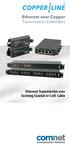 Ethernet over Copper Transmission Extenders Ethernet Transmission over Existing Coaxial or Cat5 Cable CopperLine is an advanced and unique technology that extends Ethernet networks beyond the 100 meter
Lab Testing Summary Report
 Lab Testing Summary Report November 2011 Report 111018 Product Category: Supervisor Engine Vendor Tested: Product Tested: Catalyst 4500E Supervisor Engine 7L-E Key findings and conclusions: Cisco Catalyst
Quick Installation Guide 24-port PoE switch with 2 copper Gigabit ports and 2 Gigabit SFP ports (af Version 15.4W)
 Quick Installation Guide 24-port PoE switch with 2 copper Gigabit ports and 2 Gigabit SFP ports (af Version 15.4W) Table of Contents Introduction.. Power Over Ethernet (PoE) & Features.... Unpacking and
Laying the groundwork for a new level of Power over Ethernet
 White Paper Laying the groundwork for a new level of Power over Ethernet June, 2014 Contents Laying the groundwork for a new level of Power over Ethernet 3 PoE basics 4 PoE standards development 5 Four-pair
Link Layer Discovery Protocol (LLDP)
 Extreme etworks Technical Brief Link Layer Discovery Protocol () A ew Standard for Discovering and Managing Converged etwork Devices If there is any certainty in the access layer of a network, it is that
Abstract. Avaya Solution & Interoperability Test Lab
 Avaya Solution & Interoperability Test Lab Sample Configuration for using Link Layer Discovery Protocol (LLDP) with Cisco Catalyst 4500 or 3750 Switches for VLAN assignment to Avaya 4600 Series IP Telephones
M7250P. PoE Powered. Gigabit Ethernet Media Converter 1000BASE-TX TO 1000BASE-SX/LX. Installation Guide
 M7250P PoE Powered Gigabit Ethernet Media Converter 1000BASE-TX TO 1000BASE-SX/LX Installation Guide September 2009 VERSITRON, Inc. 83 Albe Drive - Suite C Newark, DE 19702 www.versitron.com www.versitron.com
DES-1005P 5-Port 10/100Mbps with 1-Port PoE Unmanaged Switch
 DES-1005P 5-Port 10/100Mbps with 1-Port PoE Unmanaged Switch Manual RECYCLABLE V1.01 TABLE OF CONTENTS About This Guide... 1 Purpose... 1 Introduction... 2 Fast Ethernet Technology... 2 Switching Technology...
Long Reach PoE over Coaxial Extender Kit
 Long Reach over Coaxial Extender Kit Power over Ethernet Eliminates power cabling with over coaxial Supports Power over Ethernet PSE ( Injector) Power and Ethernet data transmission of 1,000m over coaxial
Cisco Unified IP Phone 7962G and 7942G
 Phone 7962G and 7942G General Questions What are the Cisco Unified IP Phone 7962G and Phone 7942G? The Phone 7962G and 7942G models are part of a new suite of evolutionary Phone 7900 Series endpoints.
Cisco - Configure the 1721 Router for VLANs Using a Switch Module (WIC-4ESW)
 Page 1 of 20 Configure the 1721 Router for VLANs Using a Switch Module (WIC-4ESW) Document ID: 50036 Contents Introduction Prerequisites Requirements Components Used Network Diagram The Role of Switched
4-Port 10/100Mbps with PoE + 1-Port 100FX Industrial Ethernet Switch Wide Temperature
 4-Port 10/Mbps with + 1-Port FX Industrial Ethernet Switch Wide Temperature 15 F Fiber Optic Link Capability for Flexible Distance Extension The series equips one Base-FX port that provides more flexibility
LINK AGGREGATION INTEROPERABILITY OF THE DELL POWERCONNECT 6200 SERIES
 LINK AGGREGATION INTEROPERABILITY OF THE DELL POWERCONNECT 6200 SERIES WITH CISCO IOS OR CISCO CATOS BASED SWITCHES By Bruce Holmes CONTENTS INTRODUCTION 3 LINK AGGREGATION WITH GIGABIT ETHERNET CISCO
AN 17.18. SMSC Design Guide for Power Over Ethernet Applications. 1 Introduction. 1.1 Power Over Ethernet
 AN 17.18 SMSC Design Guide for Power Over Ethernet Applications 1 Introduction 1.1 Power Over Ethernet Power over Ethernet (POE) has emerged as a practical method of providing power to Ethernet devices
Installing an IP Telephony Network Using Power over LAN
 White Paper Installing an IP Telephony Network Using Power over LAN Galit Mendelson Product Manager IP Telephony PowerDsine Ltd. Revision 004 Last modified November 3 rd, 2002 Installing an IP Telephony
Navigating the Pros and Cons of Structured Cabling vs. Top of Rack in the Data Center
 May 2013 Navigating the Pros and Cons of Structured Cabling vs. Top of Rack in the Data Center Executive Summary There is no single end-all cabling configuration for every data center, and CIOs, data center
PowerSense Products. Table of Contents
 PowerSense PoE Products 14 Table of Contents PowerSense Products Page No. Introduction 14.2 Power Over Ethernet Midspan Hubs 14.3 14.5 PowerSense AX-8000 Series: Modular Multiport 14.3 PowerSense AX-8000
LANs and VLANs A Simplified Tutorial
 Application Note LANs and VLANs A Simplified Tutorial Version 3.0 May 2002 COMPAS ID 90947 Avaya Labs 1 Companion document IP Addressing: A Simplified Tutorial COMPAS ID 92962 2 Introduction As the name
Energy Efficient (Power over) Ethernet
 Energy Efficient (Power over) Ethernet Authors: Daniel Feldman, Microsemi Roman Kleinerman, Marvell Introduction With over 300M Ethernet ports shipped worldwide, the networking industry is effortlessly
DEPLOYING IP TELEPHONY WITH EX SERIES ETHERNET SWITCHES
 APPLICATION NOTE DEPLOYING IP TELEPHONY WITH EX SERIES ETHERNET SWITCHES Optimizing Applications with Juniper Networks Access Switches Copyright 2011, Juniper Networks, Inc. 1 Table of Contents Introduction.....................................................................................................3
White Paper. Power over Ethernet Plus Update and Cabling Considerations
 White Paper Power over Ethernet Plus Update and Cabling Considerations Power over Ethernet Plus Update and Cabling Considerations TABLE OF CONTENTS 1. Introduction...3 2. Application Objectives...5 3.
Understanding Network Video Security Systems
 Understanding Network Video Security Systems Chris Adesanya Panasonic System Solutions Company [email protected] Introduction and Overview This session will provide vendor neutral introduction
Abstract. Avaya Solution & Interoperability Test Lab
 Avaya Solution & Interoperability Test Lab Application Notes for Extreme Networks Summit X450e-24p Switch with Avaya Communication Manager and Avaya IP Telephones in a Converged VoIP and Data Network -
CT5760 Controller and Catalyst 3850 Switch Configuration Example
 CT5760 Controller and Catalyst 3850 Switch Configuration Example Document ID: 116342 Contributed by Antoine KMEID and Serge Yasmine, Cisco TAC Engineers. Aug 13, 2013 Contents Introduction Prerequisites
Direct Attached Storage
 , page 1 Fibre Channel Switching Mode, page 1 Configuring Fibre Channel Switching Mode, page 2 Creating a Storage VSAN, page 3 Creating a VSAN for Fibre Channel Zoning, page 4 Configuring a Fibre Channel
Network Configuration Example
 Network Configuration Example Configuring Link Aggregation Between EX Series Switches and Ruckus Wireless Access Points Modified: 2015-10-01 Juniper Networks, Inc. 1133 Innovation Way Sunnyvale, California
Cisco TelePresence VCR MSE 8220
 Cisco TelePresence VCR MSE 8220 Getting started 61-0008-05 Contents General information... 3 About the Cisco TelePresence VCR MSE 8220... 3 Port and LED location... 3 LED behavior... 4 Installing the VCR
Products. Technology. Services. Delivered Globally. ANIXTER IPASSURED SM FOR SECURITY APPLICATIONS
 Products. Technology. Services. Delivered Globally. ANIXTER IPASSURED SM FOR SECURITY APPLICATIONS Anixter is a leading global supplier of communications and security products, electrical and electronic
Optimizing VoIP Applications with Juniper Networks EX3200 and EX4200 Line of Ethernet Switches
 APPLICATION NOTE Deploying IP Telephony with JUNIPER NETWORKS ETHERNET Switches Optimizing Applications with Juniper Networks EX3200 and EX4200 Line of Ethernet Switches Copyright 2009, Juniper Networks,
8-Port 10/100Mbps 802.3at PoE + 1-Port 10/100/1000Mbps Desktop Switch
 8-Port 10/100Mbps 802.3at + 1-Port 10/100/1000Mbps Desktop Switch Key Features RJ-45 Interface 8-Port 10/100Mbps Fast Ethernet Switch 8-Port supports 56V DC power to powered device 1-Port 10/100/1000Mbps
Configuring LACP (802.3ad) Between a Catalyst 6500/6000 and a Catalyst 4500/4000
 Configuring LACP (802.3ad) Between a Catalyst 6500/6000 and a Catalyst 4500/4000 Document ID: 19642 Contents Introduction Before You Begin Conventions Prerequisites Components Used Background Theory Difference
All You Need To Know About Power over Ethernet (PoE) and the IEEE 802.3af Standard
 White Paper All You Need To Know About Power over Ethernet (PoE) and the IEEE 802.3af Standard Galit Mendelson Senior Product Manager June 2004 PowerDsine Proprietary Information All You Need To Know About
Alcatel-Lucent Enterprise Converged Network Solution
 Alcatel-Lucent Enterprise Converged Network Solution Deliver a quality user experience, streamline operations and reduce costs The New Challenges in Delivering a High-quality User Experience Three key
Provides one channel for Ethernet over existing
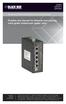 LB304A LBPS301A LBPS304A Hardened Ethernet Extender Quick Start Guide Provides one channel for Ethernet over existing voice-grade copper twisted-pair wire. copper BLACK wire. BOX Customer Support Information
Power over Ethernet Devices
 Planning and Implementation Guide over Ethernet Devices over Ethernet www.procurve.com ProCurve over Ethernet () Planning and Implementation Guide Copyright 2003, 2005 Hewlett-Packard Development Company,
Deploying IP Telephony with EX-Series Switches
 Application Note Deploying IP Telephony with EX-Series Switches Optimizing VoIP Applications with EX 3200 and EX 4200 Series Ethernet Switches Juniper Networks, Inc. 1194 North Mathilda Avenue Sunnyvale,
Configuring Switch Ports and VLAN Interfaces for the Cisco ASA 5505 Adaptive Security Appliance
 CHAPTER 5 Configuring Switch Ports and VLAN Interfaces for the Cisco ASA 5505 Adaptive Security Appliance This chapter describes how to configure the switch ports and VLAN interfaces of the ASA 5505 adaptive
Provides one channel for Ethernet over existing
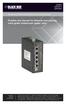 LB304A LBPS301A LBPS304A Hardened Ethernet Extender Quick Start Guide Provides one channel for Ethernet over existing voice-grade copper twisted-pair wire. copper BLACK wire. BOX Customer Support Information
PLANET Technology Corporation www.planet.com.tw
 PLANET Technology Corporation Copyright PLANET Technology Corporation. All rights reserved. Company Profile Overview Leading IP-based Networking Equipment Provider Founded: 1993 Headquarters: Taipei, Taiwan
CCNA R&S: Introduction to Networks. Chapter 5: Ethernet
 CCNA R&S: Introduction to Networks Chapter 5: Ethernet 5.0.1.1 Introduction The OSI physical layer provides the means to transport the bits that make up a data link layer frame across the network media.
Lab Testing Summary Report
 Lab Testing Summary Report February 2007 Report 070228 Product Category: SMB IP-PBX Vendor Tested: Cisco Systems Product Tested: Cisco Unified Communications 500 Series Key findings and conclusions: Complete
Using Link Layer Discovery Protocol in Multivendor Networks
 Using Link Layer Discovery Protocol in Multivendor Networks Link Layer Discovery Protocol (LLDP), standardized by the IEEE as part of 802.1ab, enables standardized discovery of nodes, which in turn facilitates
Carrier Ethernet: New Game Plan for Media Converters
 Introduction IEEE Std. 802.3ah, also referred to as Ethernet in the First Mile (EFM) standard, has a well established name within the industry today. It lays out ground rules for implementing Ethernet
Configuring LLDP, LLDP-MED, and Location Service
 27 CHAPTER Configuring LLDP, LLDP-MED, and Location Service This chapter describes how to configure the Link Layer Discovery Protocol (LLDP), LLDP Media Endpoint Discovery (LLDP-MED), and Location Service
SummitStack in the Data Center
 SummitStack in the Data Center Abstract: This white paper describes the challenges in the virtualized server environment and the solution Extreme Networks offers a highly virtualized, centrally manageable
Virtual Stacking. White Paper
 White Paper Virtual Stacking November 2012 This document describes the benefits of Meraki s Virtual Stacking technology and how you can use it to manage a distributed network. In addition, this document
LifeSize Networker Installation Guide
 LifeSize Networker Installation Guide November 2008 Copyright Notice 2006-2008 LifeSize Communications Inc, and its licensors. All rights reserved. LifeSize Communications has made every effort to ensure
Note: This case study utilizes Packet Tracer. Please see the Chapter 5 Packet Tracer file located in Supplemental Materials.
 Note: This case study utilizes Packet Tracer. Please see the Chapter 5 Packet Tracer file located in Supplemental Materials. CHAPTER 5 OBJECTIVES Configure a router with an initial configuration. Use the
How To Create An Intelligent Infrastructure Solution
 SYSTIMAX Solutions Intelligent Infrastructure & Security Using an Internet Protocol Architecture for Security Applications White Paper July 2009 www.commscope.com Contents I. Intelligent Building Infrastructure
Meraki Stacking. White Paper
 White Paper Meraki Stacking OCTOBER 2015 This document describes the benefits of Meraki Stacking technology and how it can be used to manage a distributed network. In addition, this document will cover
Silvertel. Ag5200. 1 Features. 2 Description. Power-over-Ethernet Plus Module. IEEE802.3at and IEEE802.3af compliant. Maximum 30W output power
 Silvertel V1.1 November 2012 Datasheet Pb 1 Features IEEE802.3at and IEEE802.3af compliant Maximum 30W output power Dual In-Line (DIL) package size 50.6mm (L) x 30mm (W) Overload, short-circuit and thermal
Back Office Recorder 4iP Installation Guide Intelligent Recording Limited
 Back Office Recorder 4iP Installation Guide Intelligent Recording Limited Downloads Available at www.usbcallrecord.com UK Office +44 (0) 1909 512148 US Office +1 949.587.1226 Copyright Intelligent Recording
Power over Ethernet and Power over HDBaseT for Carrier Applications. White Paper Daniel Feldman, VP Business Development and Channel Marketing
 Power over Ethernet and Power over HDBaseT for Carrier Applications White Paper Daniel Feldman, VP Business Development and Channel Marketing December 2014 Introduction Since the invention of Power over
Configuring Port Security
 32 CHAPTER This chapter describes how to configure port security on Catalyst 4500 series switches. It provides guidelines, procedures, and configuration examples. Note For complete syntax and usage information
Application Note Startup Tool - Getting Started Guide
 Application Note Startup Tool - Getting Started Guide 1 April 2012 Startup Tool Table of Contents 1 INGATE STARTUP TOOL... 1 2 STARTUP TOOL INSTALLATION... 2 3 CONNECTING THE INGATE FIREWALL/SIPARATOR...
ProSAFE 8-Port and 16-Port Gigabit Click Switch
 ProSAFE 8-Port and 16-Port Gigabit Click Switch Model GSS108E and GSS116E User Manual March 2015 202-11520-01 350 East Plumeria Drive San Jose, CA 95134 USA Support Thank you for selecting NETGEAR products.
An XOP Networks White Paper
 Mission Critical Audio Conferencing with VoIP An White Paper i What s Inside EXECUTIVE SUMMARY...2 ISSUES WITH LEGACY MISSION CRITICAL CONFERENCE SYSTEM...3 MONOLITHIC ARCHITECTURE - EXPENSIVE APPROACH
Abstract. MEP; Reviewed: GAK 10/17/2005. Solution & Interoperability Test Lab Application Notes 2005 Avaya Inc. All Rights Reserved.
 Configuring Single Instance Rapid Spanning Tree Protocol (RSTP) between an Avaya C360 Converged Switch and HP ProCurve Networking Switches to support Avaya IP Telephony Issue 1.0 Abstract These Application
IFS SP-PoE Splitter User Manual
 IFS SP-PoE Splitter User Manual P/N 1069176-EN REV 1.01 ISS 01JUL10 2011 UTC Fire & Security. All rights reserved. Content Overview 2 Package contents 2 Introduction 3 Product Specifications 3 Hardware
Cisco EtherSwitch Network Modules
 Cisco EtherSwitch Network Modules 16- and 36-Port 10/100 Ethernet Modules for Cisco 2600/2800/3600/3700/3800 Series Routers Figure 1. Cisco 16-Port and 36-Port EtherSwitch Network Modules The Cisco 16-
CCNA Discovery 4.0.3.0 Networking for Homes and Small Businesses Student Packet Tracer Lab Manual
 4.0.3.0 Networking for Homes and Small Businesses Student Packet Tracer Lab Manual This document is exclusive property of Cisco Systems, Inc. Permission is granted to print and copy this document for non-commercial
A New PoE Application: Power Backup For Desktop Computers. Steve Robbins
 A New PoE Application: Power Backup For Desktop Computers Steve Robbins Introduction A potentially huge application for PoE that has not yet been explored is desktop computers. PoE can provide enough power
HIGHSPEED ETHERNET THE NEED FOR SPEED. Jim Duran, Product Manager - Americas WHITE PAPER. Molex Premise Networks
 HIGHSPEED ETHERNET THE NEED FOR SPEED Jim Duran, Product Manager - Americas WHITE PAPER Molex Premise Networks EXECUTIVE SUMMARY Over the years structured cabling systems have evolved significantly. This
Using the AnyBus -X Gateway to Communicate between a DVT camera and a Profibus Master
 Using the AnyBus -X Gateway to Communicate between a DVT camera and a Profibus Master Page 1 of 13 Table of Contents 1 OVERVIEW... 3 2 INSTALLING AND CONFIGURING THE ANYBUS -X GENERIC GATEWAY AND ETHERNET
VoIP Kick Off Agenda. IT Infrastructure Break Out Sessions. Ralph Hanauer, CMS/BCCS LAN Field Services Manager
 VoIP Kick Off Agenda Introductions Alex Jones, CMS/BCCS Telecom Manager VoIP Overview Doug Risk, Netech State of Illinois Account Manager Cisco Phones & Features Barry Tobias, Cisco Representative Project
Power Over Ethernet POE IS NOW HERE!!!
 Power Over Ethernet POEISNOWHERE POE IS NOWHERE POE IS NOW HERE!!! What is PoE Agenda Market Overview and Key trends Main applications PoE in the SCS SCS Market Immediate Needs SCS Market Long term Needs
8-Port PoE Network Switch
 Page 1 of 12 8-Port PoE Network Switch User s Guide Document Number 91I00-1 Rev A August, 2009 FCC Warning: Page 2 of 12 This devices has been tested and found to comply with the regulations for Class
Performance of Cisco IPS 4500 and 4300 Series Sensors
 White Paper Performance of Cisco IPS 4500 and 4300 Series Sensors White Paper September 2012 2012 Cisco and/or its affiliates. All rights reserved. This document is Cisco Public Information. Page 1 of
Ethernet over Copper Transmission Extenders. Ethernet Transmission over Coaxial or UTP Cable. Fiber Optic and Ethernet Network Solutions
 Ethernet over Copper Transmission Extenders Ethernet Transmission over Coaxial or UTP Cable Fiber Optic and Ethernet Network Solutions Ethernet over Copper CopperLine is an advanced and unique technology