
Installation Manual. The STEALTH 360 is the most reliable and technically advanced motionactivated
|
|
|
- Amelia Carroll
- 9 years ago
- Views:
Transcription
1 Installation Manual The STEALTH 360 is the most reliable and technically advanced motionactivated light control ever produced. This technical manual is written for electrical professionals who wish to maximize the performance and reliability of this superb sensor. RAB welcomes your questions or comments. Please call or Thank you for purchasing a RAB sensor. STL360HBW STL360H STL3FFLED18

2 Specifications: Switching Capacity: Voltage: Protection Pattern: Time Adjustment: Power Consumption: Surge protection: 8 amps 1000 watts incandescent 250 watts flourscent 120 volts 180º forward 360º below and to the sides 5 seconds to 12 minutes 1 watt 6000 volts How Does the Super Stealth 360 Work? The STL360 s infrared sensor sees temperature changes caused by the motion of people or cars within its protection zone and turns on lights automatically. It welcomes visitors and may deter intruders. Total coverage. Two sensors in one. Two powerful detectors combine to give the STL360 Can t Miss Detection: 180º long forward range (180º x 60 ) plus superb 360º detection below and to all sides. Cautions: TURN OFF ALL POWER AT CIRCUIT BREAKER/FUSE PANEL Read entire Installation Manual before proceeding. All wiring should comply with local electrical codes and requires a qualified electrician. The total lighting load connected to STL360 must not exceed (1000 watts incandescent, 250 watts fluorescent). To switch more wattage, an electrician can install a relay. Line Carrier Remote Control Systems such as X-10, Leviton or Radio Shack are incompatible with sensors and may cause false activations. Do not install sensors on a circuit that feeds motor loads such as kitchen appliances, HVAC equipment, washer/dryer, or garage door openers. Sensor functions best when the direction of expected movement is across its detection pattern, not towards the sensor. Mount 6-10 high for optimum range and detection. How do the scanning LED detection indicators work? Scanning LEDs serve as a deterrent by indicating a security device in operation. They also show the STL360 s mode of operation. Automatic Mode: When the STL360 is On Guard in Auto mode, three red LEDs scan continuously day and night, except during detections (at which time the controlled lights will go on and LEDs will be off). Test Mode: When the sensor is in Test Mode all of the LEDs will be off. Manual Override Mode: When the sensor is ready for Manual Override Mode the middle LED will be on steady. Evening Timer Mode: When the sensor is ready for Evening Timer Mode Mode the middle LED will be blink. On Guard Auto Mode LEDs scan continuously back & forth 1 Test Mode all LEDs off Middle LED on steady is Manual Override Mode Middle LED blinking is Evening Timer Mode

3 Choosing a Location How long do the lights stay on? Lights remain on as long as there is movement within the protection zone. Once the zone is vacated lights can be adjusted to remain on approximately 5 seconds up to 12 minutes. Since the lights are on only when needed, and the sensor uses only one watt. The Stealth is extremely energy efficient. Can outdoor lights still be turned on with the light switch? Yes. STL360 can be controlled by a conventional indoor switch or circuit breaker. STL360 operates in the auto mode unless changed. Lights can be turned on or off manually at night only with the Manual Override Mode.. Wall Switch Manual Override: (to keep lights on) Flip the switch twice slowly (off-on-off-on) within 1 2 seconds. If you set this during the sensor will become ready for the Manual Override Mode and will start Manual Override at dusk. Evening Timer: (to keep lights on, and is repeated every night): Flip the switch three times slowly (off-on-off-on-off-on) within 1½ 3 seconds. You can set this during the day and the Evening Timer Mode will begin at dusk. To Resume Automatic Mode: Switch power off for at least 10 seconds, then back on. Will STL360 detect animals? STL360 may detect large animals. Having animals trigger the sensor can give property a lived-in look. However, you can limit animal detection by turning down the sensitivity knob and/or placing the blinders provided on the lower part of the forward lens. The best location is where the sensor can see all paths of movement. The sensor may be wall or soffit mounted. As distance from the sensor increases, larger movement will be required for detection. For instance, at 10 feet, a half step will be enough, while at 50 feet several steps will be necessary for detection. How large an area does STL360 protect? Two powerful detectors combine to give the STL ºx60 long forward range plus superb 360º downward detection below and to all sides side view 6-10 Mounting Height Mounting at 6-10 above the ground allows maximum range. If the sensor is mounted above 15 high, the usable range is reduced. How do you make adjustments to the sensor? Use the adjustment tool provided, or a screwdriver with a 1/8 wide blade, to adjust the controls on the front of the sensor. (see page 11-12) R 6-10 Maximum Range Reduced Range 2 3

4 Choosing a Location Difficult Locations: Sensor may be triggered by unwanted movement or heat source, such as a swaying tree, road traffic, dryer vent, swimming pool or hot tub. To improve performance in difficult locations: Reduce sensitivity by turning the knob counterclockwise Locations Near Roads Cars and passing traffic may activate the sensor if it is aimed at the road. To Improve Performance in Difficult Locations: Reduce sensitivity by turning the knob counterclockwise, R and/or... R Mask lens in the direction of the unwanted movement or heat source using the lens mask provided or opaque tape. Mounting Stability Mount sensor on stable surface. Do not mount on a tree or pole that will move in the wind. mask wrong Mask lens in the direction of the traffic using the lens mask provided or opaque tape. (Lens Mask can be broken along lines to desired size) Make sure that sensor is not aimed at traffic. The sensor should be aimed down so that the maximum range of the sensor ends at least 20 from the road. This will avoid detection of passing trucks and cars, or the air currents they create. Lens Mask (included) OK! 20 safety zone Light vs. Sensor Position Make sure sensor and lights are mounted firmly. If they move when touched, tighten all screws. Make sure heat from lights is not triggering sensor. Sensor must be located below and as far away as possible from its lights. OK! Mount Level The sensor should be mounted level from side to side and pointed at the area where you desire coverage. If tilted, part of the detection zone may be high in the air over people s heads. WRONG OK! wrong 4 5

5 STL360 Kit Assembly and Wiring Locate for Movement Across Pattern Check that movement is not directly towards sensor. Sensor will see movement ACROSS its pattern move quickly. Check that movement far away and directly towards sensor is not entirely within one zone. To fix, change the sensor angle or location. If the sensor is located over a pathway so all movement is directly toward it, range may appear limited. Micro Adjust sensor by moving sideways 1/4 or so, which may reposition the zones enough to allow earlier detection. Choose a Protected Location Mount sensor in protected area. The more protected the mounting location, the less chance of lights turning on occasionally during rain, snow and windstorms. This could happen because the sensor is detecting dramatic changes in temperature. WRONG More sensitive Better detection after micro adjustment Less sensitive OK! Mounting STL360H Bar Screws Universal Mounting Bar Hook Gasket & Surface Plate Gasket STL360HBW STL360 floodlight kits come pre-wired and assemble on the RAB CU4 EZ plate, allowing for mounting on round, rectangular or octagonal surface or recessed boxes. Wiring Red pigtail is only used to switch remote or additional fixtures. O-Ring Gasket Red Pigtail Red CU4 EZ Plate Black Insert close-up plug in unused hole Center Screw Finishing Cap Black Power In White Ground White Ground 6 7

6 STL360 Assembly and Wiring 1. Attach the Universal Mounting bar with the screws provided to the junction box. If you are attaching your STL360 kit to a surface mount weatherproof box, you must use with the metal mouting plate with gasket. 2. Easy Wiring Tip: Use the S shaped Hands Free Hanging Hook to hold the CU4 EZ Plate during wiring. 3. Bring power leads and sensor kit leads through holes in gasket and plate into junction box. 4. Strip 1/2 of insulation from all leads. Hands Free Hanging Hook 5. Attach ground wire(s) to junction box grounding screw. Connect as shown in wiring diagram on page Twist on wire nuts. Secure with electrical tape. 7. Align CU4 EZ Plate and metal surface plate with gasket (for use with surface mounted junction boxes) to ensure proper seal. Tighten CU4 EZ Plate center screw (make sure O-Ring gasket is on the screw) to attach CU4 EZ Plate to the box. 8. Insert plastic Finishing Cap in the center of the CU4 EZ Plate for a weatherproof seal. 9. Use silicone sealant around plate and all opening to ensure a weather proof seal. Seal all unsued conduit entries on surface junction box. 10. Screw in light bulbs. Turn on power. Conduct walk test to adjust sensor response (see page 15). Hood rests in notch on crossbar CU4 EZ Plate To install a STL360 Sensor with separately purchased floodlights, start at #1 To install STL360 Pre-wired Floodlight Kits, see page Screw the threaded arms of each floodlight into the RAB CU4 EZ Plate. (See diagram on page 7) 2. Screw the threaded arm of the sensor into the bottom hole of the CU4 EZ Plate. Sensor should be below and as far away from the floodlights as possible. 3. Attach the Universal Mounting bar with the screws provided to the junction box. If you are attaching your STL360 kit to a surface mount weatherproof box, you must use the metal mounting plate with gasket. 4. Use the S shaped Hands Free Hanging Hook to hold the EZ Plate during wiring. 5. Bring power leads and sensor kit leads through holes in gasket into junction box. 6. Attach ground wire(s) to junction box grounding screw. 7. Position CU4 EZ Plate and metal surface plate with gasket (required for mounting on surface junction boxes) (see pg #7). 8. Strip 1/2 of insulation from all leads. Connect as shown in wiring diagram. 9. Twist on wire nuts. Secure with electrical tape. 10. Make sure all unused openings in CU4 EZ Plate are closed with plugs (provided). 11. Use silicone sealant around plate and all openings to ensure a weather proof seal. Seal all unsued conduit entries on surface junction box. 12. Screw in light bulbs. Turn on power. 13. Conduct walk test to adjust sensor response (see page 15). 8 9

7 Multiple Sensors Adjusting the Settings Multiple sensors may be wired together, but doing this will make problems difficult to troubleshoot. Single sensors that control their own lights will give a more accurate location of movement and trouble-free operation. Multiple Fixtures Multiple fixtures may be wired to a single sensor. To handle loads greater than 1000 watts, a qualified electrician should install a relay. PHOTOCELL R R Sets the time that lights will remain on after the detection zone is vacated. Adjustable from approximately 5 seconds to 12 minutes. The factory setting is 12 minutes. For night-only operation, turn the knob completely counterclockwise to (to the MOON symbol). For 24-hour operation turn the knob all the way clockwise to the MOON/SUN symbol. Adjust counterclockwise to have the sensor come on later at dusk, clockwise to have it come on earlier. The Factory Setting is Night-only (MOON). If you set Evening Timer while set to 24 hour operation Evening Timer will begin immediately after flipping switch. Power Quality It is not recommended to install sensors on a circuit that also feeds motor loads such as HVAC equipment, kitchen appliances, or garage door openers. The Stealth circuit is surge and transient protected to IEC specifications. However, if voltage varies significantly from 120 volts, the sensor may malfunction. This may occur on circuits with motor loads. ITIVITY R Increases or decreases the resposiveness and range of the sensor (adjustable from 30% to 100%). The Factory Setting is 100%

8 Sensor Modes R R AUTOMATIC MODE Lights will turn on when there is movement within the detection zone after dusk. On Guard Auto Mode LEDs scan continuously back and forth The STL360 provides an alternative to normal motion-activated lighting. The R can keep lights on continuously - without motion - for 1 to 8 hours after dusk. This is great for evening activities requiring continuous light. During vacations the R provides a lived-in look by simulating an occupant turning lights on at dusk, and then off at bedtime. To activate the R, flip the wall switch controlling the sensor three times slowly (off-on-off-on-off-on) within 3 seconds. If you activate the R during daytime, the middle LED should start blinking, indicating that the R will start when dusk is detected. Choose the length of time you want continuous lighting. For example, if you set the R to 8, the sensor will keep lights ON continuosly for 8 hours after dusk. Once 8 hours have passed, the sensor will revert to motion activated mode. At dawn, the photocell will detect light and prevent lights from turning on during the daytime. The Evening Timer Mode will continue until you de-activate it. If you do not want to use the R, do NOT flip the switch 3 times, as described above. To de-activate the R, switch the sensor OFF for at least 10seconds, then ON again. Sensor will be in Automatic Mode. (After completing the 30 sec warm-up period) You can affix this label (right), provided, to your indoor light switch plate for easy reference. RAB STEALTH360 To Keep Lights On: Switch off-on-off-on within 2 seconds. Resets to Auto Mode at dawn. To Set Evening Timer: To keep lights on for 1-8 hours after dusk, set the Evening Timer knob on the sensor, then flip this switch off-on-off-on within 3 seconds. To Resume Auto Mode: Switch off for 10 seconds, then back on. R MODE Keeps lights on for 1-8 hours after dusk. Sensor then reverts to Automatic Mode until dawn. If you set the Evening Timer Mode during daylight, the sensor will be prepared to turn on at dusk and remain on for the number of hours you set. When the sensor is in Ready for Evening Timer Mode, the middle LED will blink 3 times, pause and repeat. Set the Evening Timer by flipping the switch that operates the sensor 3 times within 3 seconds (off-onoff-of off-on). Ready for Evening Timer Mode Middle LED blinks R TEST MODE The Test Mode will allow you to test the sensor during the day regardless of the photocell setting. To enter Test Mode, turn time setting to 5 sec on the unit. Turn power off for 10 secs then back on. There is a 30 second warm-up period, then the Test Mode starts. During the warm-up, the lights stay on continiously and LEDs are off. During Test Mode the LEDs remain off. The sensor will stay in Test Mode until the detection zone is vacated for one minute. During the Test Period, the sensor will keep lights on for 5 seconds each time it detects movement in its detection zone. Perform the walk test and make any adjustments needed. Vacate the detection zone for one minute or more to end Test Mode. Scanning LEDs will appear when test mode ends. Set back to desired time setting after testing complete

9 Walk Testing MANUAL OVERRIDE MODE The STL360 has a protected Manual Override that requires a double-flip of the light switch so momentary power problems do not interfere with normal sensor operation. By flipping the switch that operates the sensor twice (off-on-off-on) within 2 seconds you will override the sensor to keep lights on continuously until dawn. If you set the Manual Override Mode during daylight, the sensor will be prepared to turn on at dusk and remain on until dawn. This is a handy feature if you leave home for the day and you want the lights on to greet you when you return. When the sensor is in Ready for Manual Override Mode the middle LED will be on. Ready for Manual Override Mode Middle LED on TO RESUME AUTOMATIC MODE Switch OFF the power for at least 10 seconds, then turn it ON again. Sensor will reset to Automatic Mode after completing the warm-up period. DAY (24-HOUR) OPERATION OF MANUAL OVERRIDE If you set Manual Override while set to 24 hour operation, lights will come on and remain on continously. Lights will not turn off at dawn. STL360 s full coverage pattern reduces the need for aiming and adjustment. The purpose of the Walk Test is to check and adjust the coverage pattern. The STL360 must be manually set into Test Mode (see pg 13). To enter Test Mode: Turn Time setting to 5 seconds and turn off sensor for 10 seconds. After a warm up period of 30 seconds the LEDs will be off. 1. Aim the sensor at the traffic pattern you want to detect. Sensor will detect any movement ACROSS its pattern most effectively. 2. Start outside the pattern and walk across the pattern until the lights go on. As distance from the sensor increases, it will take more movement to be detected. 3. Adjust sensor aiming as necessary to improve coverage. Make sure sensor is level. 4. Sensitivity may be decreased with the knob to detect a limited area or if the sensor is being activated by wind, foliage, traffic or animals, or increased to cover a larger area. [See pg to adjust sensor settings.] The lens mask can also be used to drastically reduce coverage, or allow undetected movement from some directions. 5. STL360 is factory set for night only operation. For 24 hour operation, turn the photocell control completely toward the SUN/MOON setting. Turn counter clockwise to have the sensor come on later at dusk, clockwise to have it come on earlier. 6. Repeat steps 1-5 until you are satisfied with coverage. Vacate the detection zone for 1 minute and then turn the settings back to desired time delay. Your sensor is now ready for operation

10 Technical Tips: Lights Do Not Turn Off 1. Make sure that the sensor is not in Manual Override Mode. Turn sensor OFF for 10 seconds, then back ON. The Sensor will be go through 30 second warm up period where the lights are one then will go into Automatic Mode with lights off and ready to detect movement. 2. Make sure that the sensor is not in Evening Timer Mode. Turn power OFF for 10 seconds (see # 1). 3. Make sure sensor is not aimed at or mounted over something that would move or change temperature such as waving branches, water, air conditioners, windows or heating vents even on neighboring property. You can test for infrared sources in the area by placing a box or bag over the sensor. Put sensor into test mode. Lights should stay off. Wave your hand inside bag in front of sensor. Lights should go on and then time out. If sensor operates properly when covered, check items # 4-8. Problem: Sensor is triggered by unwanted movement or heat source. Solution: (1) Aim sensor away from movement, or (2) Mask lens in the direction of the source (3) Lower sensitivity control setting 4. Make sure sensor and lights are mounted firmly and do not move even slightly when touched. If they move, tighten all screws. 5. Make sure sensor is not mounted on an unstable object such as a tree or pole that will move in the wind. Problem: Movement of tree triggers sensor. Solution: Mount on stable surface. 6. Was sensor wired hot (with power on etc)? If so, circuitry may have been damaged. 7. Make sure sensor is not aimed within 20 feet of a road. Problem: Passing cars activate sensor. Solution: A 20 foot safety zone and lower sensitivity are recommended to avoid activation from passing cars. Technical Tips: Lights Turn On and Off Inappropriately 1. Make sure the sensor is installed on its own dedicated circuit, free of motor loads such as HVAC equipment, kitchen appliances or garage door openers. 2. It is not recommended to wire sensors in parallel. More than one sensor wired together makes them difficult to troubleshoot. Disconnect multiple sensors and test separately. 3. Keep all people completely out of the detection pattern to make sure the sensor is not detecting them. 4. Make sure sensor is located below and as far as possible from its lights. Heat from the lights may trigger the sensor. Solution: Move sensor below and away from the lights. OK! 5. Make sure lights are not reflecting back into sensor. Check for white or reflective surfaces close to the sensor. Solution: Aim sensor away from reflective objects, or move the objects and lower sensitivity. WRONG 6. Make sure sensor is not aimed within 20 feet of a road or sidewalk. Passing cars will activate sensor. 20 safety zone Solution: A 20 foot safety zone and reduced sentivity are recommended to avoid activation from passing cars. 7. Heavy rain, snow or high winds may activate the sensor occasionally. Reduce sensitivity control slightly until problem stops. 8. Moths can be attracted to the lights and fly close to the sensor causing triggering. Reducing the sensitivity may help. 9. Check Solutions #3, 4, 5, 6, 7 and 8 under Lights Do Not Turn OFF. 8. Make sure heat from lights is not triggering sensor. Make sure the sensor is below and as far as possible away from lights

11 Technical Tips: Lights Do Not Turn On Technical Tips: Lights Turn Off too quickly 1. Check that lamps and fixtures work. Compare wiring to the wiring diagram in this manual. Check that the power is on. 2. If installing during daylight, LED will go into automatic mode after 30 sec warm up period and will not work during daylight if the photocell is turned to the night only position (moon symbol). If you require a test mode, turn time setting to 5 seconds and turn the power off at least 10 seconds and back on again. If you require the sensor to operate both day and night, turn the R SUN/MOON control knob clockwise to the 1 sun 8 HRS and moon 5 SECS 12 MINS + symbol. 3. Check that lights from another source, such as adjacent porch lights, garden lights or street lights are not in the sensor s view. The sensor s photocell may detect the light and deactivate daylight. If you desire the sensor to operate in higher ambient light R levels, turn the SUN/MOON control knob counter clockwise 1 toward 8 HRS the 5 SECS sun symbol. 12 MINS + 1. Check if sensor is being tricked by reflected light. If lights controlled by the sensor shine or reflect into the photocell (located behind the lens) the unit will go on briefly, see its own light, and turn off thinking that it is daytime: Problems: Lights reflect into photocell Lights shine directly into photocell Solution: Adjust SUN/MOON knob slightly clockwise, to allow operation at higher ambient light levels. Alternatively, move the lights or reflectos or mask R the lens in the direction of the lights and/or reflections. 1 8 HRS 5 SECS 12 MINS 2. Check if R lamps, non-reflector A lamps or self-ballasted PL lamps are being used in non-enclosed lampholder. If so, switch to reflector PAR floodlight lamps so the sensor is not affected by stray light. If using PAR floodlights, consider using lower wattage, energy saving lamps. 4. Was sensor wired hot? If so circuitry may have been damaged. WRONG OK! 18 19

12 Technical Tips: Range Appears Limited Contents of Accessory Kit Limited Warranty 1. Check that the sensor is level from side to side and pointed at the area you desire. If unit is tilted, part of the detection zone may be high in the air over people s heads. Solution: Position sensor exactly level from side to side. 2. Check that the sensor is not mounted too high. If mounted above 20, much of the usable range will be lost. Solution: Mounting at 6 to 10 allows maximum range. 3. Check that movement is not directly towards sensor. Sensor will see movement across its pattern more quickly. To fix, move the sensor. 4. Check that movement far away and directly towards sensor is not entirely within one zone. Problem:Sensor will not detect until movement crosses zones. Solution: Micro Adjust sensor by moving sideways 1/4. This may move the zones to allow earlier detection. No detection until here Reduced Range 40 Maximum Range 60 Less sensitive More sensitive Detection here now 2 Lens Masks Indoor Switchplate Label 3 Wire Nuts Adjustment Tool Mylar lens Mask Crossbar with Green Ground Screw Hanging Hook 1/2 Close Up Plugs (3) Slotted Screws (4) Finishing Cap O-ring Gasket Center Mounting Screw Metal Surface Mounting Plate with Gasket The RAB Sensor will be free from defects in materials and workmanship for a period of ten (10) years from the date of delivery to the end-user. Sensors must be installed by a properly insured and licensed electrician or under the supervision of a licensed electrician and the product must be in its original, unopened and new condition at the time of installation. The information provided in the RAB Sensor Owner s Manual is critical in determining the location, conditions, intended use and other requirements with respect to the use and installation of a sensor product. Using a sensor product in any manner other than as disclosed in the RAB Owner s Manual automatically voids the warranty. Exceptions. The above warranties shall not apply and RAB makes no representations or warranties with respect to: a. problems caused by acts of God including without limitation lightning strikes; and b. problems caused by any improper action or failure to act by any person or entity other RAB, including without limitation problems caused by improper installation by the buyer, an authorized RAB distributor, or any other person or entity; and c. using or installing a sensor product in any manner other than as disclosed in the RAB Owner s Manual. d. use with Instant Start ballasts; use with Instant Start ballasts will void the RAB warranty. Out of warranty sensors replacement program. If your sensor is out of warranty or if damage is unrelated to its original manufacture, return your sensor (freight prepaid and insured) directly to us (at RAB Lighting Inc. 170 Ludlow Ave. Northvale, NJ 07647) with a check for $20.00 made payable to RAB Lighting Inc. We will repair or replace your sensor promptly. Easy Installation & Product Help 2016 RAB LIGHTING Inc. Northvale, New Jersey USA Tech Help Line Call our experts 888 RAB-1000 rabweb.com Visit our website for product info Answered promptly [email protected] 20 21

13 RAB Lighting Product Warranties The following warranties apply to RAB Lighting, Inc. ( RAB ) products that meet all of the following conditions: (a) the product was purchased by the contractor or end-user from an authorized RAB distributor who purchased the product directly from RAB and from no other source; (b) if the product has been installed, the entire installation was performed by a licensed electrician or under the supervision of a licensed electrician and the product was in its original, unopened and new condition at the time of installation. RAB LIGHTING DISCLAIMS ALL REPRESENTATIONS AND WARRANTIES WITH RESPECT TO ALL OTHER PRODUCTS, INCLUDING WITHOUT LIMITATION PRODUCTS THAT HAVE BEEN PURCHASED FROM ANY PERSON OR ENTITY OTHER THAN AN AUTHORIZED RAB DISTRIBUTOR, OR INSTALLED BY ANY PERSON OR ENTITY OTHER THAN A LICENSED ELECTRICIAN OR UNDER THE SUPERVISION OF A LICENSED ELECTRICIAN, AND ALL PRODUCTS THAT ARE USED OR ARE OTHERWISE NOT IN THEIR ORIGINAL RAB LIGHTING PACKAGING AT THE OF INSTALLATION. Remedy. RAB s obligations for breach of warranty shall be limited to repair or replacement, at RAB s option, of any products or parts which prove to be defective, provided that buyer gives RAB written notice and returns the defective product to RAB in accordance with RAB s return material authorization (RMA) policies, and RAB confirms the defect. Buyer is responsible for all costs to de-install defective products and re-install replacement or repaired products and RAB shall not be liable for labor or other costs related to de-installation or re-installation. DISCLAIMER. THE FOREGOING WARRANTIES ARE IN LIEU OF, AND RAB EXPRESSLY DISCLAIMS, ALL OTHER REPRESENTATIONS, GUARANTEES AND WARRANTIES, EXPRESS OR IMPLIED IN FACT OR BY LAW, INCLUDING WITHOUT LIMITATION ALL WARRANTIES OF MERCHANTABILITY OR FITNESS FOR A PARTICULAR PURPOSE OR OTHERWISE. THE FOREGOING WARRANTIES STATE RAB S ENTIRE AND EXCLUSIVE LIABILITY, AND BUYER S SOLE AND EXCLUSIVE REMEDY, IN CONNECTION WITH THE PRODUCTS AND ALL PARTS, THEIR DESIGN, SUITABILITY FOR USE, INSTALLATION AND OPERATION. LIMITATION OF LIABILITY. RAB shall not be liable under any theory of relief, including without limitation breach of warranty, breach of contract, tort (including negligence), strict liability, or otherwise, arising out of or related to any breach of warranty, any RAB products and the use thereof, or any other acts or omissions of RAB for: (i) any indirect, incidental, special or consequential damages, whatsoever (including without limitation, loss of anticipated value of a business or its reputation) or (ii) any damage or loss in excess of the price actually paid by buyer to the authorized RAB distributor for the products that caused the damages. Any action by buyer must be commenced within one year after the cause of action has accrued. Miscellaneous. These product warranty terms shall be governed by the laws of the State of New York. Buyer consents to the personal jurisdiction and venue of the courts of the State of New York. Any legal or equitable claim of any nature arising hereunder shall be filed and maintained in the state or federal courts in the State of New York and buyer agrees that such courts are a convenient forum for adjudication. In the event that suit is necessary to recover amounts owed RAB, buyer shall be liable for reasonable attorney s fees, interest and costs of collection. No agreement or understanding varying the terms and conditions hereof shall be binding upon RAB or buyer unless in writing and signed by duly authorized representatives of both parties. These product warranty terms shall inure to the benefit of and be binding upon the parties hereto and their respective successors and assigns. Toll Free Technical Assistance If you need technical assistance, please do the following: 1. Re-read the Technical Tips sections of this manual. 2. Call the Tech Help Line at 888 RAB- 1000, 8AM to 6PM Eastern Time M-F and we will be glad to help you. Before you call, please have the following information handy: a) Catalog number of your unit; b) Wattage, types and locations of lights connected to the sensor; c) The electrical circuit on which the sensor is installed. What else does it feed? How is the sensor power switched? d) Serial Number (4 digits) on the back of the sensor. e) This installation Manual RAB Lighting cannot give electrical wiring instructions by phone. Please consult a qualified electrician Note: These instructions do not cover all details or variations in equipment nor do they provide for every possible situation during installation operation or maintenance. 22

LOS 2500 SUPER CEILING SENSOR. Installation Manual
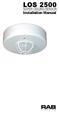 LOS 2500 SUPER CEILING SENSOR Installation Manual How Do RAB Occupancy Sensors Work? Selecting A Location: The L0S2500 sensor sees infrared heat changes caused by the motion of people within its detection
Installation Manual. Features SMART SWITCH OCCUPANCY SENSOR. Maximum Energy savings
 Features SMART SWITCH OCCUPANCY SENSOR Installation Manual Maximum Energy savings Sensitive 180º view passive infrared motion detector keeps lights on only when rooms are in use. No ON switch so lights
LiteAide OWNER'S MANUAL PREASSEMBLED AUTOMATIC SECURITY FLOODLIGHTS MOTION SENSOR SECURITY LIGHTING SYSTEMS
 OWNER'S MANUAL PREASSEMBLED AUTOMATIC SECURITY FLOODLIGHTS MOTION SENSOR SECURITY LIGHTING SYSTEMS LiteAide HE-100B HE-100BW HE-112 HE-112W HE-117 HE-117W HE-117-2B OWNER'S MANUAL FLOOD LAMPS (BULBS) Your
LED MOTION ACTIVATED FLOOD LIGHT
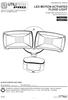 Utilitech & UT Design are registered trademarks of LF, LLC. All Rights Reserved. ITEM #0460794, 0459228 LED MOTION ACTIVATED FLOOD LIGHT MODEL #SE1019-WH3-02LF0-U, SE1019-TBZ-02LF0-U Français p. 8 Español
LED MOTION ACTIVATED FLOOD LIGHT
 Utilitech & UT Design are registered trademarks of LF, LLC. All Rights Reserved. ITEM #0611551, #0611550 LED MOTION ACTIVATED FLOOD LIGHT MODEL #SE1036-BP2-02LF0-U, SE1036-WH3-02LF0-U Français p. 10 Español
Die-Cast Metal, Motion- Activated Post Light
 TM Die-Cast Metal, Motion- Activated Post Light Model: SH-9392AU Installation and Operating Instructions FEATURES Automatically comes on when motion is detected. Automatically turns light off. Photocell
60W PIR BULKHEAD LIGHT SLB88-Black/SLW89-White INSTALLATION & OPERATING INSTRUCTIONS
 60W PIR BULKHEAD LIGHT SLB88-Black/SLW89-White INSTALLATION & OPERATING INSTRUCTIONS SLB88 PIR BULKHEAD LIGHT - BLACK WEATHERPROOF LAMP TYPE IP44 60w ES MAXIMUM PIR SWITCHING 500w MAXIMUM TIME ON DETECTION
LED Security Spotlight User Manual
 MOT ION-TR ACKING LED Security Spotlight User Manual www.jascoproducts.com 1-800-654-8483 2 TABLE OF CONTENTS Parts List 3 Questions? Missing Parts? 4 Installation (Wall mount) 6-9 Installation (Eave mount)
5W LED Energy Saver PIR Bulkhead
 5W LED Energy Saver PIR Bulkhead Model: LED88PIR Black I n s t a l l a t i o n & Ope r a t i n g I n s t r u c t i o n s 1. General information: The unit utilises passive infrared technology to detect
MOTION SENSOR PIR LIGHT SWITCH INSTALLATION & OPERATING. Cat No. ZV810 INSTRUCTIONS
 MOTION SENSOR PIR LIGHT SWITCH Cat No. ZV810 INSTALLATION & OPERATING INSTRUCTIONS ZV810 Motion Sensor PIR Light Switch Please read the instructions before using the product and retain for future use.
PIR Motion Detector INSTALLER GUIDE E-700. SF-SA-140 -B.qxd 16/05/2005 11:19 Page 1
 SF-SA-140 -B.qxd 16/05/2005 11:19 Page 1 PIR Motion Detector E-700 INSTALLER GUIDE V2.0-02/05 IQ-140-B IQ Europe Limited Sandbeck Lane, Wetherby LS22 7TW. Visit us at www.iq-europe.co.uk Installation helpline
2400W PIR LIGHT C O N T R O L L E R Cat No. SLW2400
 2400W PIR LIGHT C O N T R O L L E R Cat No. SLW2400 1 Introduction The SLW2400 utilises passive infrared technology to detect heat radiation of moving human bodies. Upon detection, the attached lighting
ISL-540 TBTS SERIES D EMERGENCY LIGHTING EQUIPMENT
 P.O. BOX 11846 TUCSON, AZ 85734 (520) 294-3292 FAX (520) 741-2837 www.iotaengineering.com INSTRUCTION MANUAL IMPORTANT SAFEGUARDS When using electrical equipment, basic safety precautions should always
PIR Motion Detector INSTALLER GUIDE E-806. SF-SA-360-CS-W.qxd 12/04/2005 11:34 Page 1
 SF-SA-360-CS-W.qxd 12/04/2005 11:34 Page 1 PIR Motion Detector E-806 INSTALLER GUIDE V2.0-02/05 IQ-SA-360-CS-W IQ Europe Limited Sandbeck Lane, Wetherby LS22 7TW. Visit us at www.iq-europe.co.uk Installation
For Models #6-5001, #6-7501, #10-7501 & #10-12K1
 EmerGen Switch Manual Transfer Switch Manufactured by CONNECTICUT ELECTRIC SWITCH MFG. CO. 1-800-730-2557 OWNER S MANUAL & INSTALLATION INSTRUCTIONS For Models #6-5001, #6-7501, #10-7501 & #10-12K1 PLEASE
SECURITY LIGHT. motion-activated. Assembly & operating instructions Solar Motion-Activated Security Light - 80 LED Lights
 motion-activated SECURITY LIGHT Model #: 40225, 40226 Assembly & operating instructions Solar Motion-Activated Security Light - 80 LED Lights Important: Read all instructions carefully before use About
ASSEMBLY &OPERATING INSTRUCTIONS Solar Motion-Activated Security Light - 80 LED Lights Model #40225
 MOTION-ACTIVATED SECURITY LIGHT ASSEMBLY &OPERATING INSTRUCTIONS Solar Motion-Activated Security Light - 80 LED Lights Model #40225 IMPORTANT: READ ALL INSTRUCTIONS CAREFULLY BEFORE USE ABOUT YOUR SOLAR
Automatic Phone-Out Home Monitoring Systems
 Automatic Phone-Out Home Monitoring Systems Power Outage and Freeze Alarm Model Number: THP202 Power Outage, Freeze and Flood Alarm Product Description Model Number: THP201 These monitoring systems are
Model 53603. Owner s Manual. Español - P. 19 Français - P. 39
 Model 53603 Owner s Manual Español - P. 19 Français - P. 39 Table of Contents I. Introduction............................ 1 Sample Watering Plan.......................... 1 II. Installation...........................
Installation Instructions
 520 Installation Instructions Thank you very much for purchasing PIAA product. Please read this entire manual before installation and use of this product. For Installers Please give this Installation Manual
Wireless Indoor/ Outdoor Thermometer
 Wireless Indoor/ Outdoor Thermometer Owner s Manual Please read before using this equipment. ˆ Contents FCC Information... 3 FCC Declaration of Conformity... 5 Preparation... 5 Installing Batteries...
PGL5/6 - Parking Garage Luminaire Installation Instructions
 P.O. Box 60080 16555 East Gale Ave. City of Industry, California 91716-0080 626/968-5666 FAX 626/330-3861 PGL5/6 - Parking Garage Luminaire Installation Instructions PGL51/61 PGL52/62 PGL53/63 PGL54/64
PIR Motion Detector E-808
 SF-SA-180-D PIR HiLo 10A.qxd 16/05/2005 11:17 Page 1 PIR Motion Detector E-808 INSTALLER GUIDE Version 2 : 02/05 IQ-SA-180-D-GR IQ Europe Limited Sandbeck Lane, Wetherby LS22 7TW. Visit us at www.iq-europe.co.uk
ALL WEATHER W-SERIES QUARTZ TUBE ELECTRIC INFRARED RADIANT HEATER INSTALLATION USE & CARE MANUAL
 ALL WEATHER W-SERIES QUARTZ TUBE ELECTRIC INFRARED RADIANT HEATER TABLE OF CONTENTS: INSTALLATION USE & CARE MANUAL IMPORTANT INFORMATION Assembly Instructions 2 Wiring Instructions 2 Outdoor Installation
TWIN EAGLES ALL WEATHER ELECTRIC RADIANT HEATER
 TWIN EAGLES, INC. Defining the Art of Outdoor Cooking TWIN EAGLES ALL WEATHER ELECTRIC RADIANT HEATER OWNER S MANUAL MODEL TEEH-1512 TEEH-2524 TEEH-3524 NEED ASSISTANCE? PLEASE CALL: (562) 802-3488 This
INSTALLER S & OWNER S MANUAL
 INSTALLER S & OWNER S MANUAL HVAC INSTALLER: PLEASE LEAVE MANUAL FOR HOMEOWNER DEH 3000 DEH 3000 Part No. 4028539 Dehumidifier & Ventilation System Controller P.O. Box 8680 Madison, WI 53708 TOLL-FREE
Portable Air Conditioner. OWNER S MANUAL Read these instructions before use. Model: MF08CESWW. Voltage rating: 115V~60Hz Power rating : 800W
 MODE ALARM Portable Air Conditioner OWNER S MANUAL Read these instructions before use 8 Model: MF08CESWW Voltage rating: 115V~60Hz Power rating : 800W Customer Support : 1-800-474-2147 For product inquiries
WARNING: FAILURE TO FOLLOW THESE RULES MAY RESULT IN SERIOUS PERSONAL INJURY CAUTION: INSTALLATION LOCATION:
 Revision Level: 01 Revision Date: 07/07/2011 Please read all instructions carefully to help ensure a correct and SAFE installation of your Second Wind Ultraviolet Germicidal Air Purifier. Failure to do
Installation Instructions
 7.3L & 6.0L 5/8 FUEL TANK PICKUP KIT Fits 94-07 7.3L & 6.0L Powerstroke Diesel Trucks & Excursions Installation Instructions These instructions are intended simply to be a guide for the installation of
AUTOMATIC SWINGING DOOR
 AAADM American Association of Automatic Door Manufacturers AUTOMATIC SWINGING DOOR OWNER'S MANUAL Distributed by: Section Contents Page Caution 2 To Our Customers 3 Service Availability 3 Compliance with
Utility Distribution Systems
 Utility Distribution Systems 6/2012 A0011037 1 WARRANTY This equipment is warranted to be free from defects in materials and workmanship, under normal use and service, for a period of 12 months from date
Generator Transfer Switch Model # HTS15-AUTO
 Generator Transfer Switch Model # HTS15-AUTO Congratulations on your purchase of our Single Circuit Generator Transfer Switch, We hope this meets and exceeds your expectations. If at anytime you have any
SOLAR ELECTRIC MODULE ES-124 & ES-62T Owners Manual and Installation Guide
 SOLAR ELECTRIC MODULE ES-124 & ES-62T Owners Manual and Installation Guide circuit. Reverse connection will damage the module and may result in fire. CAUTIONS Solar electric modules produce DC electricity
PixController, Inc. Wireless Digital PIR Sensor
 PixController, Inc. Wireless Digital PIR Sensor Model: SEN-400 User s Manual Version 1.00 WARRANTY REGISTRATION PixController, Inc. warrants products sold by it and guarantees to correct, by repair or
Dear Customer, User Memo: Please visit us on facebook or twitter! Thank you for purchasing this product.
 Owner s Manual 1 Dear Customer, Thank you for purchasing this product. For optimum performance and safety, please read these instructions carefully. User Memo: Date of purchase: Dealer name: Dealer address:
Comfort Control Relay Panel (CCRP)
 CCRP9 "Commitment to Innovation" OPERATION & INSTALLATION GUIDE FOR Comfort Control Panel (CCRP) Off-Peak System Control 9 Pole CCRP 4 Pole CCRP (Applicable to Software Version 14.0-14.9) "Manufactured
Control Box Wiring For PRSstandard Tool
 888-680-4466 ShopBotTools.com Control Box Wiring For PRSstandard Tool Copyright 2016 ShopBot Tools, Inc. page 1 Copyright 2016 ShopBot Tools, Inc. page 2 Table of Contents Introduction:...5 Installation:...5
Operation Manual. 150 Watt Halogen Light Source for Endoscopy Model # s ESS-150, ESS-150A ESS-220, ESS-220A
 Operation Manual 150 Watt Halogen Light Source for Endoscopy Model # s ESS-150, ESS-150A ESS-220, ESS-220A Endoscopy Support Services, Inc. Croton River Executive Park Route 22, Bldg. 3 Brewster, NY 10509
Your safety and the safety of others are very important.
 NATURAL GAS TO PROPANE CONVERSION KIT 090 INSTALLATION INSTRUCTIONS FOR ALTITUDES 0 -,00 FT. ONLY PROPANE CONVERSION KIT SAFETY... INSTALLATION REQUIREMENTS... Tools and Parts... LP Gas Requirements...
TRANSFORMER 1-855-HD-HAMPTON HAMPTONBAY.COM
 Item #1001 509 794 Model DIY-300PS USE AND CARE GUIDE TRANSFORMER Questions, problems, missing parts? Before returning to the store, call HamptonBay Customer Service 8 a.m. - 7 p.m., EST, Monday Friday,
60W Security Twinspot. 754HB2/180/60 180 Outdoor Motion Sensor. Installation Instructions. Please leave these instructions at the installation site.
 60W Security Twinspot 754HB2/180/60 180 Outdoor Motion Sensor Installation Instructions Please leave these instructions at the installation site. Contents 1.0 Introduction... 3 1.1 Features... 3 1.2 Wireless
Models CT-001, CT-002 Owner s Manual
 Automatic Chicken Coop Door Safe, Happy Hens Models CT-001, CT-002 Owner s Manual Version. 5.9 CT-001, CT-002 Copyright 2014-2015 Coop Tender www.cooptender.com Table of Contents Product Description...
BATTERY OPERATED LED MOTION SENSOR LIGHT MODEL #GU8002-LED-DC
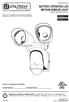 ITEM #009 BTTERY OPERTE LE MOTION SENSOR LIGHT MOEL #GU800-LE- Utilitech & UT esign and Grounded in Quality are registered trademarks of LF, LL. ll Rights Reserved. Français p. 7 Español p. TTH YOUR REEIPT
Installation Instructions
 Specifications PW-100-24 v3 Passive Infrared Low Voltage Wall Switch Occupancy Sensor Voltage...18-24VDC, 24VAC or Half-wave rectified AC Current Consumption...20mA Power Supply... WattStopper Power Packs
Home Owners Guide HR SERIES HEAT RECOVERY VENTILATOR (HRV) Models HR100V, HR160H & HR220H RESIDENTIAL USE ONLY HR160H & HR220H
 HR SERIES HEAT RECOVERY VENTILATOR (HRV) Home Owners Guide Models HR100V, HR160H & HR220H RESIDENTIAL USE ONLY HR100V HR160H & HR220H READ AND SAVE THIS GUIDE PP0924 09/2013 ABOUT S&P S&P is the world's
Wireless Home Security Alarm System AM 500
 Wireless Home Security Alarm System AM 500 12 MONTH GUARANTEE Installation & Operating Instructions INTRODUCTION The AM500 is a simple self-contained alarm system. It protects the home by sounding a siren
RI-215A Operator s Manual. Part Number: 71-0045RK Revision 0 Released: 10/3/05
 RI-215A Operator s Manual Part Number: 71-0045RK Revision 0 Released: 10/3/05 Warranty RKI Instruments, Inc., warrants gas alarm equipment sold by us to be free from defects in materials and workmanship,
PASSIVE INFRARED INTRUSION DETECTOR PASSIVE INFRAROOD DETECTOR DETECTEUR D INTRUSION PASSIF INFRAROUGE
 MODEL HAA51 PASSIVE INFRARED INTRUSION DETECTOR PASSIVE INFRAROOD DETECTOR DETECTEUR D INTRUSION PASSIF INFRAROUGE OPERATING MANUAL HAA51 PASSIVE INFRARED INTRUDER DETECTOR INTRODUCTION HAA51 Passive Infrared
Hydraulic Transmission Jacks Operating Instructions & Parts Manual
 Blackhawk Automotive is a Licensed Trade Mark Made by SFA Companies, Kansas City, MO Hydraulic Transmission Jacks Operating Instructions & Parts Manual Model BH7011 BH7210 Capacity 1/2 Ton 1 Ton SFA Companies
LCD5500Z / PKP-LCD v3.x Installation Instructions
 LCD5500Z / PKP-LCD v3.x Installation Instructions TM Introduction The LCD5500Z / PKP-LCD keypad displays system status using an LCD screen. The keypad can be used on PowerSeries security systems with up
WH/WIH/WIHD/WIHD&M/WIHL AND WIH 17-67 SERIES
 WH/WIH/WIHD/WIHD&M/WIHL AND WIH 17-67 SERIES Service and Installation Manual Please read this manual completely before attempting to install or operate this equipment! Notify carrier of damage! Inspect
Owners & Installation Manual for the Sheridan, Mountainair, Pine Valley and Old Forge Ceiling Fan Family
 Owners & Installation Manual for the Sheridan, Mountainair, Pine Valley and Old Forge Ceiling Fan Family Part of the Kiva Lighting Family Custom Lighting and Fans Since 1992 1312 12th St NW Albuquerque,
DTM04 TANK MONITOR DTM08 TANK MONITOR Dtm12 TANK MONITOR. Installation and Operation Manual
 DTM04 TANK MONITOR DTM08 TANK MONITOR Dtm12 TANK MONITOR Installation and Operation Manual 1 ENGLISH Safety Instructions 2 Features 2-3 Specifications 3 Installation 4-5 Wiring Diagrams 6-7 Warranty 8
Owner s Manual & Safety Instructions
 Owner s Manual & Safety Instructions Save This Manual Keep this manual for the safety warnings and precautions, assembly, operating, inspection, maintenance and cleaning procedures. Write the product s
CT-001, CT-001-Solar Owner s Manual
 Automatic Chicken Coop Door Safe, Happy Hens CT-001, CT-001-Solar Owner s Manual CT-001, CT-001-Solar Rev. 2.7 Copyright 2014-2015 Coop Tender www.cooptender.com Table of Contents Product Description...
Advantium 2 Plus Alarm
 ADI 9510-B Advantium 2 Plus Alarm INSTALLATION AND OPERATING INSTRUCTIONS Carefully Read These Instructions Before Operating Carefully Read These Controls Corporation of America 1501 Harpers Road Virginia
INSTANT HOT WATER RECIRCULATING SYSTEM
 INSTANT HOT WATER RECIRCULATING SYSTEM INSTALLATION AND OPERATING INSTRUCTIONS Save manual for future reference MODEL 500800 Warning Please read carefully before proceeding with installation. Your failure
AT&T. PARTNER Plus Door Phone. Installation and Operation Manual
 AT&T PARTNER Plus Door Phone Installation and Operation Manual Copyright 1990 AT&T All Rights Reserved Printed in U.S.A. CIC# 999-500-317 OII722050-051 Issue 1 October 1990 PARTNER Plus Door Phone is a
Wireless Home Security System Product Manual (Model #80355)
 Wireless Home Security System Product Manual (Model #80355) Installation Instructions During set-up, if no key is pressed for 15 seconds it will come out of the setup mode and you will have to start over.
DC REFRIGERATORS 12/24 VOLTS INSTALLATION AND OWNER S MANUAL
 DC REFRIGERATORS 12/24 VOLTS INSTALLATION AND OWNER S MANUAL Service Information If service or parts are required, contact the nearest Norcold Service Center. To find an authorized Norcold Service Center
LIGHTING CONTROL PANEL
 LIGHTING CONTROL PANEL Installation Guide & User Manual THIS PAGE LEFT INTENTIONALLY BLANK 2 WARRANTY STATEMENT Automated Controls & Systems (ACS) warranties its equipment against defects in workmanship
Unpacking, Installation, and Customization
 Unpacking, Installation, and Customization NetShelter WX Enclosure AR100 AR100HD Contents Unpacking... 1 How to Unpack the Enclosure............................... 1 Please Recycle..........................................
Foodservice Equipment Specialists P.O. Box 880 Saco, ME. / U.S.A. 04072 877-854-8006 * FAX (207) 283-8080
 Foodservice Equipment Specialists P.O. Box 880 Saco, ME. / U.S.A. 04072 877-854-8006 * FAX (207) 283-8080 FOR SERVICE ASSISTANCE U.S. AND CANADA CALL: 1-877-854-8006 24 HOURS/DAY 7 DAYS/WEEK TABLE OF CONTENTS
LUCCI AIRFUSION QUEST II CEILING FAN
 LUCCI AIRFUSION QUEST II CEILING FAN WITH IR REMOTE INSTALLATION OPERATION MAINTENANCE WARRANTY INFORMATION CAUTION READ INSTRUCTIONS CAREFULLY FOR SAFE INSTALLATION AND FAN OPERATION. V1.0 QUEST II IR
GreenWay Solar LED Path and Trail Lighting System. Installation and Owner s Manual
 GreenWay Solar LED Path and Trail Lighting System Installation and Owner s Manual Important Notes and Warnings This installation and instruction manual provides installation, operation, and maintenance
Indoor/Outdoor Color Camera with Built-in 2.4 GHz Wireless Transmitter, plus X10 controlled power supply, and Video Receiver.
 Indoor/Outdoor Color Camera with Built-in 2.4 GHz Wireless Transmitter, plus X10 controlled power supply, and Video Receiver. OWNER'S MANUAL VR36A XC18A XM13A MODEL VK69A (INCLUDES XC18A CAMERA, XM13A
Single Station Remote Alarm
 ADI 5106G Certified ISO 9001:2000 Single Station Remote Alarm 529 5106-01-120 529 5106-01-220 INSTALLATION AND OPERATING INSTRUCTIONS Carefully Read These Instructions Before Operating Controls Corporation
Installation and Operation Guide PD4600 Series Converter Replacement
 Installation and Operation Guide PD4600 Series Converter Replacement Extended warranties are available for purchase at www.progressivedyn.com Member Thank you for selecting Progressive Dynamics as your
DUSTTRAK AEROSOL MONITOR SOLAR POWER KIT MODEL 854060
 DUSTTRAK AEROSOL MONITOR SOLAR POWER KIT MODEL 854060 (FOR DUSTTRAK II AND DRX AEROSOL MONITOR MODELS 8540 AND 8543) OPERATION AND MAINTENANCE MANUAL P/N 6008416, REVISION A MAY 2015 Copyright TSI Incorporated
Portable Air Conditioner. OWNER S MANUAL Read these instructions before use. Model: MN12CES / MN10CESWW
 Portable Air Conditioner OWNER S MANUAL Read these instructions before use 8 Model: MN12CES / MN10CESWW Voltage rating: 120V~60Hz Power rating : 1100W (MN12CES) Power rating : 900W (MN10CESWW) Customer
Application and Instruction Manual Motion Activated Solar Powered LED Security Light with Camera MODEL: XP-2H38WC
 Application and Instruction Manual Motion Activated Solar Powered LED Security Light with Camera MODEL: XP-2H38WC Please do not return this item to the store. If you have any questions, please contact
CMD-8000 rev. A COMMANDER SERIES REMOTE CONTROL ENTRY SYSTEM
 INTRODUCTION CMD-8000 rev. A COMMANDER SERIES REMOTE CONTROL ENTRY SYSTEM Thank you for purchasing the CMD-8000 Commander from Dakota Digital. This, along with many other products that Dakota Digital has
REDWALL-V adjustment procedures guide
 Page 1/18 Ver1.2 July 1. 2011 REDWALL-V adjustment procedures guide This document is provided as a reference tool for installing the Optex Redwall SIP passive infrared detector. Before starting, read the
Name of Equipment Silver King Model SKMCD1P/C1. This equipment chapter is to be inserted in the appropriate section of the Equipment Manual.
 Name of Equipment Silver King Model SKMCD1P/C1 This equipment chapter is to be inserted in the appropriate section of the Equipment Manual. Manufactured exclusively for McDonald s By Silver King Refrigeration,
Portable Air Conditioner. OWNER S MANUAL Read these instructions before use. Model: MM14CCS. Voltage rating: 115V~60Hz Power rating : 1400W
 Portable Air Conditioner OWNER S MANUAL Read these instructions before use Model: MM14CCS Customer Support : 1-800-474-2147 Voltage rating: 115V~60Hz Power rating : 1400W For product inquiries or support
Infrarot-Bewegungsmelder IP44
 Infrarot-Bewegungsmelder IP44 infrared motion sensors IP44 ODA (weiß) slim ODA (schwarz) slim 95174 96000 ODA (weiß) ODA (schwarz) 95175 96001 Betriebsanleitung User s Manual User s Manual infrared motion
INSTALLATION INSTRUCTION SPEC. SHEET 7/00. City of New York Calendar #40747 ETL LISTED UNDER U.L. STD. 2108 LOW VOLTAGE TRACK LIGHTING SYSTEM
 7/00 INSTALLATION INSTRUCTION SPEC. SHEET 99052 99063 City of New York Calendar #40747 Copyright c 2000 ALFA Lighting, Inc. All rights reserved. Call:1-415-975-8080 QUICK JACK QJS R LISTED 9901483 ETL
Pre-Fab Easy Installation For Models: 006-CT-USK, 008-CT-USK Installation and Operating Instructions for Existing Homes with Standard Piping
 Instruction Sheet 102-140 Pre-Fab Easy Installation For Models: 006-CT-USK, 008-CT-USK Installation and Operating Instructions for Existing Homes with Standard Piping Plant I.D. 001-1024 EFFECTIVE: November
Retractable Screen. Replacement Screen Instructions
 Retractable Screen Patent Pending Replacement Screen Instructions For RTS, RET, & RTM Products ATTENTION! Retractable screens are not intended to provide security or provide for the retention of objects,
CONTROL PANEL INSTALLATION INSTRUCTIONS. Single Phase Simplex Page 2-7. 3-Phase Simplex Page 8-13
 CONTROL PANEL INSTALLATION INSTRUCTIONS Single Phase Simplex Page 2-7 3-Phase Simplex Page 8-13 Single Phase Simplex SXL21=3, SXL24=3, SXH21=3, and SXH24=3 Manufactured by SJE-Rhombus Installation Instructions
Table of Contents. www.hunterfan.com. What to Expect with. Preparation. Tools Needed. Wiring. Hanging the Fan. Blades. Motor Housing.
 www.hunterfan.com Table of Contents What to Expect with Your Installation 30 inches Hanging the Fan Wiring 8 Maintenance, Operation & Cleaning Light Kit 13??? 14 1 9 Troubleshooting 11 5 Blades Motor Housing
Leak Detection System
 Instructions - Parts List Leak Detection System 311200A For detecting leaks in your diaphragm pump system. Not for use in explosive atmospheres. Part No. 234576 120 psi (0.8 MPa, 8 bar) Maximum Air Input
ADEMCO 4500 Thermostat
 ADEMCO 4500 Thermostat User Guide N7972V1 5/05 Rev. A TABLE OF CONTENTS About the 4500 Thermostat...1 Saving Money on Energy Bills...1 The 4500 Thermostat Provides Comfort and Convenience...1 How the 4500
LOW-VOLTAGE TRANSFORMER QUICK START GUIDE PLANNING GUIDE INSTALLATION GUIDE
 LOW-VOLTAGE TRANSFORMER QUICK START GUIDE PLANNING GUIDE INSTALLATION GUIDE Applies to Models: 75W, 150W, 300W, 600W, 900W, 1200W ATTENTION: Please read this guide carefully to ensure safe and efficient
Global Water Instrumentation, Inc.
 Global Water Instrumentation, Inc. 11390 Amalgam Way Gold River, CA 95670 T: 800-876-1172 Int l: (916) 638-3429, F: (916) 638-3270 6 Tipping Bucket: RG200 02/05/10 01-343 - 1 - Congratulations on your
24.2L M.A.N. V12 Engine Module
 24.2L M.A.N. V12 Engine Module MANV1224 INSTALLATION INSTRUCTIONS For 24.2L M.A.N. V12 Engines V12 M.A.N. Engine Instructions Module ECM s (male and female, connect to the same ECM) ECM s (male and female,
Part I - Installation
 400 Series Pressure and Differential Pressure Switches Types: H400, H402, H403, H400K, H402K, J400, J402, J403, J400K, J402K UNITED ELECTRIC CONTROLS Installation and Maintenance Instructions Please read
Ducoterra Radiant Heating Panel Installation Manual
 Ducoterra Radiant Heating Panel Installation Manual 1. Introduction Your new radiant heating panels are designed to heat living and working spaces rapidly and efficiently by radiant heating. Like the sun,
12-Volt Negative Ground Installation Instructions
 12-Volt Negative Ground Installation Instructions For Part Number: 1141, 1164, 1165, 1181 CAUTION!!! Before installing, please read the following important information... 1. The Ignitor is designed for
Mini Timer Owner's Manual. Model MT13A
 Mini Timer Owner's Manual Model MT13A Contents Introduction...3 Quick Tour...5 How to program a timed event...6 Special programming buttons...6 Setting up the Mini Timer...7 Setting the clock...7 Controlling
VAQ. Built-in V-series Miniature Basic Switch for Compatibility with Business and Consumer Equipment. Pushbutton Switch (Cylindrical 10.5-dia.
 Pushbutton Switch (Cylindrical 10.5-dia.) CSM DS_E_4_4 Built-in V-series Miniature Basic Switch for Compatibility with Business and Consumer Equipment Momentary operation and lock. available in six colors.
Smart-UPS RT External Battery Pack Stack/Rack-Mount 6U
 Smart-UPS RT External Battery Pack Stack/Rack-Mount 6U SURT192RMXLBP2 SURT192RMXLBP2J English 990-2485B 02/2009 Introduction About this UPS The American Power Conversion (APC ) SURT192RMXLBP2 external
LIFT MATE BOAT LIFT MOTOR ASSEMBLY
 LIFT MATE BOAT LIFT MOTOR ASSEMBLY Assembly and Operating Manual SHORELINE INDUSTRIES, INC 199 COLLEGE STREET PINE RIVER, MN 56474 Toll Free (888-298-9702)or(218) 587-8700 FAX (218) 587-8704 [email protected].
Installation & Maintenance Instructions
 (400mm) 15-3/4" (35mm) 1-3/8" (95mm) 3-3/4" K Series (Model A) Fan Forced Wall Heaters (485mm) 19-1/8" (463mm) 18-1/4" FILE #E21609 Installation & Maintenance Instructions Dear Owner, Congratulations Thank
8-Ohm Ceiling Speakers For Music and Home Theater
 8-Ohm Ceiling Speakers For Music and Home Theater Owners Manual INTRODUCTION M&S ceiling speakers are designed to provide clear, sharply-focused audio reproduction while remaining unobtrusively in the
Instruction Manual CPPM-4
 Troubleshooting & Specs CPPM-4 Amps / Volts capacity 15 amps @ 120 volts Remote sensor cable length 16ft Min / Max operating temperature 32 to 120 F Min / Max operating Humidity 0-99% RH Light Sensor sensitivity
90 Degree PIR Wireless Security Sensor. Installation Instructions 5420/90F
 90 Degree PIR Wireless Security Sensor Installation Instructions 5420/90F Copyright Clipsal Australia P/L 2007. All rights reserved. Clipsal is a registered trademark of Clipsal Australia Pty Ltd. The
Passive Infrared Motion Detector 5420/90. Installation Instructions
 Passive Infrared Motion Detector Installation Instructions 5420/90 The 5420/90 Passive Infrared Motion Detector provides reliable, high performance detection at an affordable price. The Detector features
Table of Contents WARNING SYMBOLS AND DEFINITIONS
 Table of Contents SAFETY INSTALLATION OPERATION MAINTENANCE Safety... 2 Specifications... 4 Installation... 5 Operation... 8 WARNING SYMBOLS AND DEFINITIONS Maintenance... 9 Parts List and Assembly Diagram...