
AM-FM STEREO/DAB TUNER TU-1800DAB OPERATING INSTRUCTIONS
|
|
|
- Gyles Baldwin
- 9 years ago
- Views:
Transcription
1 AM-FM STEREO/DAB TUNER TU-800DAB OPERATING INSTRUCTIONS

2 SAFETY PRECAUTIONS CAUTION RISK OF ELECTRIC SHOCK DO NOT OPEN CAUTION: TO REDUCE THE RISK OF ELECTRIC SHOCK, DO NOT REMOVE COVER (OR BACK). NO USER-SERVICEABLE PARTS INSIDE. REFER SERVICING TO QUALIFIED SERVICE PERSONNEL. The lightning flash with arrowhead symbol, within an equilateral triangle, is intended to alert the user to the presence of uninsulated dangerous voltage within the product s enclosure that may be of sufficient magnitude to constitute a risk of electric shock to persons. The exclamation point within an equilateral triangle is intended to alert the user to the presence of important operating and maintenance (servicing) instructions in the literature accompanying the appliance. WARNING: TO REDUCE THE RISK OF FIRE OR ELECTRIC SHOCK, DO NOT EXPOSE THIS APPLIANCE TO RAIN OR MOISTURE. DECLARATION OF CONFORMITY We declare under our sole responsibility that this product, to which this declaration relates, is in conformity with the following standards: EN6006, EN0, EN00, EN and EN Following the provisions of 7//EEC, 89/6/EEC and 9/68/EEC Directive. A NOTE ABOUT RECYCLING: This product s packaging materials are recyclable and can be reused. Please dispose of any materials in accordance with the local recycling regulations. When discarding the unit, comply with local rules or regulations. Batteries should never be thrown away or incinerated but disposed of in accordance with the local regulations concerning chemical waste. This product and the accessories packed together constitute the applicable product according to the WEEE directive except batteries. Whenever the power switch is in the STANDBY state, the apparatus is still connected on AC line voltage. Please be sure to turn off the power switch or unplug the cord when you leave home for, say, a vacation. CAUTION: To completely disconnect this product from the mains, disconnect the plug from the wall socket outlet. When setting up this product, make sure that the AC outlet you are using is easily acceptable. NOTE ON USE Keep the apparatus free from moisture, water, and dust. Do not let foreign objects into the apparatus. Avoid high temperatures. Allow for sufficient heat dispersion when installed in a rack. Unplug the power cord when not using the set for long periods of time. Do not let insecticides, benzene, and thinner come in contact with the set. Handle the power cord carefully. Hold the plug when unplugging the cord. * (For apparatuses with ventilation holes) Do not obstruct the ventilation holes. Never disassemble or modify the apparatus in any way. CAUTION: Minimum distances around the apparatus for sufficient ventilation. The ventilation should not be impeded by covering the ventilation openings with items, such as newspapers, table-cloths, curtains, etc.. No naked flame sources, such as lighted candles, should be placed on the apparatus. Attention should be drawn to the environmental aspects of battery disposal. The use of apparatus in tropical and/or moderate climates.

3 Getting Started Contents Getting Started Accessories... Before using... Cautions on installation... Inserting the batteries... Operating range of the remote control unit... Part names and functions Front panel...6 Remote control unit...7 Connections Connecting the antenna terminals...8 Cable indications...9 Connecting the amplifier...9 Connecting the power supply cord and RDI...9 Operation Listening to FM/AM FM Auto preset memory...0 Auto tuning (FM/AM)... Manual tuning (FM/AM)... Preset stations (FM/AM)... Recalling preset stations (FM/AM)... RDS (Radio Data System)... RDS search... PTY search... TP search... RT (Radio Text)...6 Switching RDS information display...6 Registering station names (FM/AM only)...7 Listening to DAB broadcasts About DAB (Digital Audio Broadcasting)...8 Tuning in DAB (Digital Audio Broadcasting) broadcasts...9 Preset stations...0 Recalling preset stations...0 Search mode Sorted list search mode...0 Preset search mode... Tuning aid... Sort mode (Sorting components) Alphanumeric... S. component... PTY... Switching the DAB information display... DRC (Dynamic Range Control)... Last function memory... Initialization of the microprocessor... Troubleshooting... Specifications...6 DAB frequency table...7 Accessories Check that the following parts are included in addition to the main unit: q Operating instructions... w Service station list... e Pin-plug cable... r Power supply cord... t Remote control unit (RC-0)... y R0/AAA batteries... u AM loop antenna... i FM indoor antenna... o DAB indoor antenna... e r t y u i o Before using As this product is provided with an immense array of features, we recommend that before you begin hookup and operation that you review the contents of this manual before proceeding. Pay attention to the following before using this unit: Moving the set To prevent short circuits or damaged wires in the connection cords, always unplug the power supply cord and disconnect the connection cords between all other audio components when moving the set. Before turning the Power ON/STANDBY operation switch on Check once again that all connections are proper and that there are not problems with the connection cords. Always set the power switch to the standby position before connecting and disconnecting connection cords. Store these instructions in a safe place After reading, store these instructions along with the warranty in a safe place. Note that the illustrations in these instructions may differ from the actual set for explanation purposes.

4 Getting Started Cautions on installation Noise or disturbance of the picture may be generated if this unit or any other electronic equipment using microprocessors is used near a tuner or TV. If this happens, take the following steps: Install this unit as far as possible from the tuner or TV. Set the antenna wires from the tuner or TV away from this unit s power supply cord and input/output connection cables. Noise or disturbance tends to occur particularly when using indoor antennas or 00 Ω/ohms feeder wires. We recommend using outdoor antennas and 7 Ω/ohms coaxial cables. Note Note: For heat dispersal, do not install this equipment in a confined space such as a book case or similar unit. Wall Inserting the batteries q Remove the remote control unit s rear cover. w Set two R0/AAA batteries in the battery compartment in the indicated direction. Notes on batteries: Replace the batteries with new ones if the set does not operate even when the remote control unit is operated nearby the set. (The included battery is only for verifying operation.) When inserting the batteries, be sure to do so in the proper direction, following the < and > marks in the battery compartment. To prevent damage or leakage of battery fluid: Do not use a new battery together with an old one. Do not use two different types of batteries. Do not short-circuit, disassemble, heat or dispose of batteries in flames. If the battery fluid should leak, carefully wipe the fluid off the inside of the battery compartment and insert new batteries. When replacing the batteries, have the new batteries ready and insert them as quickly as possible. e Put the rear cover back on.

5 Getting Started Operating range of the remote control unit Point the remote control unit at the remote sensor on the main unit as shown on the diagram. The remote control unit can be used from a straight distance of approximately 7 meters from the main unit, but this distance will be shorter if there are obstacles in the way or if the remote control unit is not pointed directly at the remote sensor. The remote control unit can be operated at a horizontal angle of up to 0 degrees with respect to the remote sensor. Approx. 7 m 0 0 NOTE: It may be difficult to operate the remote control unit if the remote sensor is exposed to direct sunlight or strong artificial light. Do not press buttons on the main unit and remote control unit simultaneously. Doing so may result in malfunction. Neon signs or other devices emitting pulse-type noise nearby may result in malfunction, so keep the set as far away from such devices as possible.

6 Getting Started Part names and functions Front panel For details on the functions of these parts, refer to the pages given in parenthesis ( page 0 ~ ). q w r e t y i!0!! u o!! q Power ON/STANDBY operation switch The unit works ~ seconds after this switch is turned on. Whenever the Power ON/STANDBY operation switch is in the STANDBY state, the apparatus is still connected on AC line voltage. Please be sure to unplug the cord when you leave home for, say, a vacation. w SECONDARY indicator Indicates when a secondary service is available ( page 9). e STEREO indicator This lights when receiving stereo broadcasts. It remains off when receiving FM monaural and AM broadcasts. r TUNED indicator This lights when a station is properly tuned in. t RDS indicator This lights when receiving RDS broadcasts, and flashes during the RDS search. y ON/STANDBY indicator This lights when the units status is on and stand by. u Remote control sensor This sensor receives the infrared light transmitted from the wireless remote control unit. For remote control, point the wireless remote control unit to the sensor. Some of the functions can be operated with the remote control unit (RC-0). i Display o DIMMER button The display s brightness switches (in three levels) each time this button is pressed.!0 MENU button This button to enter/exit menu mode. The unit times out if no operation is performed for about seconds after the menu mode is set.! DISPLAY button This button is used to select the display mode ( page, 6, ).! BAND button Selects DAB, FM or MW (AM).! AUTO TUNE button to active auto location of all available DAB services. once for UK service or hold for longer than seconds to activate an inter national search.! TUNING/PRESET knob Each pass of this knob toggles the operation mode of the TUNING / PRESET knob. This knob is used in conjunction with the TUNING/PRESET knob. In the tuning mode the reception frequency is tuned up or down. Turning the control in the clockwise direction tunes the frequency up. Tuning the control in the counterclockwise direction tunes the reception frequency down. In the preset mode the selection of the preset channel is moved up or down. The auto tuning operation cannot be used when in this mode. When writing station names, use this control to select the letters ( page 7) MEMO Whenever the Power ON/STANDBY operation switch is in the STANDBY position, the unit is still connected on AC line voltage. Please be sure to unplug the cord when you leave home for, say, a vacation. Noise may be generated if a near-by television set is on during MW (AM), FM, DAB broadcasting reception. The tuner should be used as far away from a television as possible. Effective period of memory back-up is about a month under normal temperature. 6

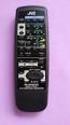
7 Getting Started Remote control unit For details on the functions of these parts, refer to the pages given in parenthesis ( page 0 ~ ). q! w e r t y u!!!!0 o i q POWER OFF button this button to switch from the operating mode to the standby mode. w Preset channel buttons ( ~ 0) Use these when presenting and recalling stations. Also use these with the SHIFT,MEMORY BLOCK button to use a total of 00 preset channels (FM/AM 00, DAB 00), A ( ~ 0), B ( ~ 0),... J ( ~ 0). e MENU button This button to enter/exit menu mode. r BAND button Selects DAB, FM or MW (AM). t CHANNEL/CONTROL button This button is used to select radio presets or select stations and menu options. y DIMMER button The display s brightness switches (in three levels) each time this button is pressed. u Preset channel range buttons (CH A/B, C/D, E/F, G/H, I/J) Use these buttons to switch the preset channel s shift mode directly. i ENTER button This button is used to set the menu. o DISPLAY button This button is used to select the display mode ( page, 6, ).!0 AUTO PRESET/AUTO TUNE button this button in the DAB mode to perform a local scan (UK band III). (UK stations are in the range B ~ D.) When the button is held in, the full scan operation (Full band and L-band) is conducted. When pressed in the FM mode, receivable FM stations are automatically stored in the preset memory in order starting from preset channel A.! TUNING buttons Use these to change the received frequency to a higher frequency (+) or a lower frequency ( ).! SHIFT button Use this button to select the memory blocks, A ( ~ 0), B ( ~ 0),... J ( ~ 0).! MEMORY button Frequencies and station names can be stored in the memory. When this button is pressed, the MEMO and CH indicator on the display flashes for 0 seconds. Use the SHIFT button and the Preset channel buttons during this time to designate the desired preset channel.! POWER ON button this button to switch from the standby mode to the operating mode. 7

8 Connections Connecting the antenna terminals Connecting an DAB outdoor antenna If good reception cannot be achieved with the included DAB indoor antenna, use an DAB outdoor antenna. Connect an F male type connector to the coaxial cable and connect the antenna to the DAB COAX 7 Ω/ohms terminal. Installing the DAB indoor antenna q DAB station reception ( page 8). w Use Tuning aid to set position at which reception sensitivity is optimum ( page ). FM outdoor antenna Direction of broadcasting station AM loop antenna (Supplied) DAB outdoor antenna DAB indoor antenna (Supplied) 7 Ω/ohms COAXIAL cable FM indoor antenna (Supplied) Use tape or a pin to fasten the tip of the antenna to the wall, a rack, etc. AM loop antenna assembly Ground AM outdoor antenna Connection of AM antennas q Push the lever. w Insert the conductor. e Return the lever. Connect to the AM antenna terminals. Remove the vinyl tie and take out the connection line. a. With the antenna on top any stable surface. b. With the antenna attached to a wall. Mount Bend in the reverse direction. NOTE: Do not connect two FM antennas simultaneously. Even if an external AM antenna is used, do not disconnect the AM loop antenna. Make sure AM loop antenna lead terminals do not touch metal parts of the panel. There is a magnetic on the bottom surface of the DAB indoor antenna. Keep it away from monitors, etc. DAB indoor antenna assembly Mount the antenna s screw to the stand. Installation hole Mount on wall, etc. 8

9 Connections Cable indications The hookup diagrams on the subsequent pages assume the use of the following optional and coaxial connection cables (not supplied). Audio cable A L (White) R (Red) B Analog terminal (Stereo) L R Pin-plug cable Digital terminal (Coaxial) (To amplifier) L R (To amplifier with a built in D/A converter) C Digital terminal (Optical) Signal direction (To amplifier with a built in D/A converter) Optical cable (Optical fiber cable, commercially available) (Orange) Coaxial cable (7 Ω/ohms pin-plug cable, commercially available) Audio signal IN OUT OUT IN Connecting the amplifier A L L Amplifier RCA ANALOG IN L R R R B Amplifier with a built in D/A converter COAX DIGITAL IN (DAB only) C OPTICAL DIGITAL IN (DAB only) If you want to enjoy listening to the digital output audio of the DAB, connect to an amplifier outfitted with a digital coaxial or optical input. DIGITAL AUDIO OUT : Connections with equipment having a digital input such as the amplifier or the MD recorder.the digital audio output terminal of this unit (either DIGITAL OUT OPTICAL or DIGITAL OUT COAXIAL) should be connected with the digital input terminals of the amplifier or the MD recorder or other equipment (OPTICAL or COAXIAL). Connecting the power supply cord and RDI The RDI (Receiver Data Interface) optical connector provides access to multiplex data. This is used for connection to external data or a computer to access services that will likely be added in the future. These services may not yet be provided in your reception area. 9 AC outlets (wall) AC 0 V, 0 Hz Power supply cord (Supplied)

10 Operation Listening to FM/AM POWER OFF BAND POWER ON AUTO PRESET /AUTO TUNE If an FM station cannot be preset automatically due to poor reception, use the Manual tuning operation to tune in the station, then preset it using the manual Preset memory operation. To interrupt this function, press the POWER OFF button. Does not operate with the AUTO TUNE button on the front panel. Perform this operation from the remote control unit. DEFAULT VALUE Watching FM Auto preset memory ENTER the POWER/ON button to turn on the power. the display, press the BAND button to select the FM band. A ~ A0 B ~ B0 C ~ C0 D ~ D0 E ~ E0 F ~ F0 G ~ G0 H ~ H0 I ~ I0 J ~ J0 Auto tuner presets 87. / 89. / 98. / 08 / 90. / 90. / 90. / 90. / 90. / 90. MHz / 60 / 999 / 0 / 6 khz, 90. / 90. / 90. / 90. / 90. MHz 90. MHz 90. MHz 90. MHz 90. MHz 90. MHz 90. MHz 90. MHz 90. MHz the AUTO PRESET/AUTO TUNE button. the ENTER button. The unit automatically begins searching for FM broadcast stations. When the first FM broadcast station is found, that station is stored in the preset memory at channel A. Subsequent stations are automatically stored in order at preset channels A to A0, B to B0, C to C0, D to D0, E to E0, F to F0, G to G0, H to H0, I to I0 and J to J0 for a maximum of 00 stations. Channel A is tuned in after the auto preset memory operation is completed. 0

11 Operation BAND POWER ON ON/STANDBY MENU TUNING/PRESET MENU BAND TUNING CHANNEL /CONTROL ENTER Watching Auto tuning (FM/AM) the ON/STANDBY switch or POWER ON button to turn on the power. the display, press the BAND button to select the desired band (AM or FM). the MENU button to select menu. Watching Manual tuning (FM/AM) the ON/STANDBY switch or POWER ON button to turn on the power. the display, press the BAND button to select the desired band (AM or FM). the MENU button to select menu. select the search mode. select the search mode. button to set the manual tuning mode. 6 button to set the auto tuning mode. press the TUNING button. Automatic searching begins, then stops when a station tuned in. 6 press the TUNING button to tune in the desired station. The frequency changes continuously when the TUNING button on the remote control unit is held in. When in the manual tuning modes is set, FM stereo broadcasts are received in manual and the STEREO indicator turns off. When in the auto tuning mode on the FM band, the STEREO indicator lights on the panel when the stereo broadcast is tuned in. At open frequencies, the noise is muted and the TUNED and STEREO indicators tuned off.

12 Operation DISPLAY BAND POWER ON Preset channel ON/STANDBY Use MENU Preset stations (FM/AM) TUNING/PRESET the Auto tuning or Manual tuning operation to tune in the station to be preset in the memory. the MENU button to select menu. select Memory. While 6 While 7 While MEMORY MENU BAND DISPLAY Preset channel range SHIFT CHANNEL /CONTROL ENTER the preset channel number is flashing, either press the SHIFT button to select the desired memory block (A to J) or press a Preset channel range (A to J) button. the preset channel number is flashing, either turn the TUNING/PRESET knob, press the CHANNEL/CONTROL or Preset channel button to select the desired preset channel ( to 0). the preset channel number is flashing, either press the TUNING/PRESET knob or the MEMORY button to store the station in the preset memory. button to set the preset mode and make the preset channel number flash. To preset other channels, repeat steps to 6. A total of 00 broadcast stations can be preset 0 stations (channels to 0) in each of blocks A to J. Steps to can be skipped when using the MEMORY button. When this button is pressed, the preset memory standby mode is set, regardless of the menu setting at that time.

13 Operation Recalling preset stations (FM/AM) RDS (Radio Data System) Watching the ON/STANDBY switch or POWER ON button to turn on the power. the display, press the BAND button to select the desired band (AM or FM). the MENU button to select menu. the TUNING/PRESET knob or CHANNEL /CONTROL button to select Preset. button and set the preset mode. Watching the display, turn the TUNING/ PRESET knob, or press the CHANNEL/CONTROL button to select the desired preset channel. the SHIFT button and select the desired memory block (A to J) or press the Preset channel range (A to J) button. RDS (works only on the FM band) is a broadcasting service which allows station to send additional information along with the regular radio programme signal. The following three types of RDS information can be received on this unit: Programme Type (PTY) PTY identifies the type of RDS programme. The programme types and their displays are as follows: NEWS AFFAIRS INFO SPORT EDUCATE DRAMA CULTURE SCIENCE VARIED POP M ROCK M EASY M LIGHT M CLASSICS News Current Affairs Information Sports Education Drama Culture Science Varied Pop Music Rock Music Easy Listening Music Light Classical Serious Classical OTHER M WEATHER FINANCE CHILDREN SOCIAL RELIGION PHONE IN TRAVEL LEISURE JAZZ COUNTRY NATION M OLDIES FOLK M DOCUMENT Other Music Weather Finance Children s Programmes Social Affairs Religion Phone In Travel Leisure Jazz Music Country Music National Music Oldies Music Folk Music Documentary Traffic Programme (TP) TP identifies programmes that carry traffic announcements. This allows you to easily find out the latest traffic conditions in your area before you leaving home. 6 - the Preset channel button to select the desired preset channel ( to 0). Radio Text (RT) RT allows the RDS station to send text messages that appear on the display. Steps to can be skipped when using the CHANNEL /CONTROL, SHIFT, Preset channel range (A to J) and Preset channel buttons. The preset mode is set when any of these buttons is pressed, regardless of the menu setting at that time. The operations described below pressing the DISPLAY button will not function in areas in which there are no RDS broadcasts.

14 Operation MENU MENU TUNING/PRESET CHANNEL /CONTROL ENTER Turn RDS search Use this function to automatically tune to FM stations that provide RDS service. the MENU button to select menu. the TUNING/PRESET knob or press CHANNEL/CONTROL button to display RDS. button to set the RDS search selection mode. display RDS Search. 6 7 button to set the RDS search standby mode. turn the TUNING/PRESET knob, press the CHANNEL/CONTROL button. To automatically begin the RDS search operation. The RDS LED flashes. If no RDS station is found with above operation, all the reception band are searched. When the broadcast station is found, that station s name appears on the display. If no other RDS station is found when all the frequencies are searched, NO RDS is displayed.

15 PTY search Use this function to find RDS stations broadcasting a designated programme type (PTY). For a description of each programme type, refer to Programme Type (PTY). 6 Watching the MENU button to select menu. display RDS. button to set the RDS search selection mode. display PTY Search. button to set the PTY search selection mode. the display, turn the TUNING/ PRESET knob or press CHANNEL/CONTROL button to call out the desired programme type. 9 Operation If no other station broadcasting the designated programme type is found when all the frequencies are searched, NO Programme is displayed. TP search Use this function to find RDS stations broadcasting traffic programme (TP). the MENU button to select menu. display RDS. button to set the RDS search selection mode. display TP Search. 7 8 When receiving an RDS station, its programme type is displayed first. When not receiving an RDS station, PTY flashes. button to set the PTY search standby mode. turn the TUNING/PRESET knob, press the CHANNEL/CONTROL button. To automatically begin the PTY search operation. The RDS LED flashes. If there is no station broadcasting the designated programme type above operation, all the reception bands are searched. The station name is displayed on the display after searching stops. 6 7 button to set the TP search standby mode. turn the TUNING/PRESET knob, press the CHANNEL/CONTROL button. To automatically begin the TP search operation. The RDS LED flashes. If no TP station is found with above operation, all the reception bands are searched. The station name is displayed on the display after searching stops. If no other TP station is found when all the frequencies are searched, NO Programme is displayed.

16 Operation MENU MENU DISPLAY TUNING/PRESET DISPLAY CHANNEL/ CONTROL ENTER RT (Radio Text) the MENU button to select menu. display RDS. button to set the RDS search selection mode. display RT ON/OFF. Use Switching RDS information display the procedure described at Auto tuning, Manual tuning or Recalling preset stations to tune in a frequency with an RDS station. the DISPLAY button to switch the RDS reception information. The display switches as shown below each time the DISPLAY button is pressed. q STATION NAME : Only displayed when the search mode is set to PRESET and the station name has been registered. 6 button to set the RT ON/OFF selection mode. turn the TUNING/PRESET knob, press the CHANNEL/CONTROL button to choose the RT ON or RT OFF. w PS : The programme service name and frequency of the station tuned in is displayed. The above is an example for when there is TP data but no RT data. e PTY : The programme type of the tuned in broadcast is displayed. 7 button to set whether to enable or stop the RADIO TEXT function. If no text data is being broadcast, NO TEXT DATA is displayed. r CT : The current time is displayed. 6 When the STATION NAME is not registered, q is not displayed.

17 Use Registering station names (FM/AM only) the procedure described at Auto tuning, Manual tuning or Recalling preset stations to tune in the desired frequency. Example: To register DENON as the FM station name at preset channel A. the MENU button to select menu. CHANNEL/CONTROL button to display Station Name. 7 8 Use Operation button for at least seconds. The station name is set. the procedure described at Preset stations (FM/AM) step ~7 ( page ) to register the displayed station name at A. This procedure can be used to registered station names with up to 8 digits for up to 00 AM/FM stations at random. The 6 characters below can be selected. A B C D E F G H I J K L M N O P Q R S T U V W X Y Z [ \ ] ^ _! # $ % & ( ) * +,. / : ; < = >? (space) button to display the Station Name setting. While 6 The _ is flashing, either turn the TUNING /PRESET knob or press the CHANNEL/CONTR OL button to display D. _ moves to the right when the TUNING /PRESET knob or ENTER button is pressed. Use the same procedure to display E, N, O and N, in that order. 7

18 Operation Listening to DAB broadcasts About DAB (Digital Audio Broadcasting) Since the DAB system is broadcasted in digital format, DAB system can supply crystal-clear audio and stable reception even in mobile objects. DAB is a new generation radio which can provide data service and supplementary multi-media services. DAB broadcasts multiple services under one Ensemble that are called service components. Each component contains inherent programmes; news, music, sports, and many more. Each Ensemble and service component has its label, and users can recognize a current broadcasting station and service contents by using the label. The main service component is broadcast as Primary while the others are broadcast as Secondary. Also rich character information is serviced through Dynamic Labels; song title, artist composer etc. DAB Service Diagram DAB Signal Ensemble National DAB Ensemble Name (Service ) (Service ) (Service ) (Service ) Service Components Alpha (Primary) Pop Music Parliament (Secondary) News Alpha Sports Alpha Classic Alpha Educate Station Name Programme type 8

19 Operation BAND POWER ON BAND AUTO PRESET /AUTO TUNE ON/STANDBY AUTO TUNE TUNING/PRESET CHANNEL/ CONTROL ENTER Tuning in DAB (Digital Audio Broadcasting) broadcasts Watching Watching the ON/STANDBY switch or POWER ON button to turn on the power. the display, press the BAND button to select the desired band (DAB). the display, press the AUTO TUNE or AUTO PRESET/AUTO TUNE button to start automa tically scanning. Tune in the first broadcast station. Using the DAB for the first time When you first switch on the unit and select DAB, the Auto Tuning function scans the Band III and L band frequencies. After the scanning, the first scanned component will be selected. the button and release it in less than seconds to perform a local scan (UK band III). (UK stations are in the range B to D) ( page 7). the button for over seconds then release it to perform the full scan operation (Full band III and L- band: A to LW) ( page 7). Once auto scanning is completed, the number of broadcast stations is displayed, then the first station is tuned in. If Station not available is displayed, check the antenna s connection ( page 8). You may want to re-tune at a later date if you move the TU-800DAB or if you want to receive a newly introduced ensemble. the AUTO TUNE or AUTO PRESET/AUTO TUNE button. select the station. If the station you select is in stereo, the STEREO indicator will light up. About secondary service When receiving a Secondary service, << >> are indicated to the right of Channel and Frequency. When either button is pressed, the Secondary service Component is received and the Secondary indicator lights. TUNING/PRESET knob or ENTER button to go back to the primary service again. the TUNING/PRESET knob or press the ENTER button to listen to the selected station. After Now tuning is displayed, the tuned in station appears. 9

20 Operation MENU MENU TUNING/PRESET CHANNEL /CONTROL ENTER Preset stations Recalling preset stations The same procedure as for FM/AM stations. Follow steps to under Tuning in DAB (Digital Audio Broadcasting) broadcasts ( page 9) to tune in the station to be preset. Perform steps to 6 under Preset stations (FM/AM) ( page ). Perform steps to 7 under Preset stations (FM/AM) ( page ). the TUNING/PRESET knob or press the ENTER button to listen to the selected station. Up to 00 S. Component can be preset (DAB alone). After Now tuning is displayed, the tuned in station appears. Sorted list search mode You can select any component for listening from the list of sorted components. The sorted components are set in the sort mode ( page ). Search mode the MENU button to select menu. display the search mode selection screen. select Search Mode (Sorted List). button to display the first channel on the Sorted List. You can select any component from the sorted list. button to set the search mode. 0

21 Preset search mode the MENU button to select menu. display the search mode selection screen. Operation Tuning aid the MENU button to select menu. display the search mode selection screen. button to set the search mode. select Search Mode (Preset). button to set the search mode. select Search Mode (Tuning aid). button to display the first channel at Preset. button to display the first channel at Tuning aid. You can select any component from the preset. 6 display the frequency of the ensemble that you want to receive. 7 press the TUNING/PRESET knob or press the ENTER button to display the signal strength for that ensemble. Move antenna while watching the display and to try to raise the current level to the > mark. 8 button to display the first channel on this ensemble (Sounds comes out). The search mode at this time is set to Sorted list search mode.
22 Operation Sort mode (Sorting components) You can sort and list scanned components by Alphanumeric, S. component or programme type. You can then select the component you want to listen to from the list. DISPLAY MENU CHANNEL /CONTROL MENU TUNING/PRESET DISPLAY ENTER Alphanumeric The S. Component is sorted in alphanumerical order. the MENU button to select menu. display the sort mode selection screen. button to set the sort mode. select Sort Mode (Alphanumeric). S. component You can select a S.component for listening from the list of scanned S.components produced by using the Tuning in DAB broadcasts ( page 9). The S. Component is sorted in the order of the Service component frequencies. the MENU button to select menu. display the sort mode selection screen. button to set the sort mode. select Sort Mode (S. Component). button to set the sort mode to Sort Mode (Alphanumeric). button to set the sort mode to Sort Mode (S. Component). You can select any component from the sorted list. You can select any component from the sorted list.
23 PTY The S. Component is sorted in the order of the programme Type. the MENU button to select menu. display the sort mode selection screen. button to set the sort mode. select Sort Mode (PTY). Operation Switching the DAB information display Follow steps to under Tuning in DAB (Digital Audio Broadcasting) broadcasts ( page 9) to tune in a DAB station. the DISPLAY button to switch the DAB reception information. The display switches as shown below each time the DISPLAY button is pressed. q DLS (Dynamic Label Segment) : The text data included in the broadcast scrolls. w Ensemble Name : The ensemble name is displayed. button to set the sort mode to Sort Mode (PTY). You can select any component from the sorted list. e PTY (Programme Type) : The category of the broadcast being received is displayed. r Channel and Frequency : The frequency is displayed. t Audio Information : The bit rate and mode of the broadcast being received is displayed. y Time and Date : The current time and date are displayed. u Bit Error Rate : Noise may be generated and reception quality may become poor at bit error rates above 0.0. If a rate above 0.0 is displayed, move the antenna in different directions to find a position where the rate displayed is less 0.0.
24 Operation DIMMER MENU CHANNEL /CONTROL ON/STANDBY MENU TUNING/PRESET DIMMER ENTER DRC (Dynamic Range Control) The DRC (Dynamic Range Control) function lets you change the dynamic range of the received sound depending on the content of the broadcast so that the sound is easier to hear even when the volume is low. The dynamic range can be fine-adjusted in three steps. the MENU button to select menu. display the DRC value mode selection screen. button to set the DRC value mode. turn the TUNING/PRESET knob clockwise or press the CHANNEL/CONTROL button. The display changes as follows each time the TUNING/PRESET knob is turned clockwise or the CHANNEL/CONTROL button is pressed. DRC OFF DRC ON DRC OFF: DRC is switched off. Any DRC level broadcast will be ignored.this is the default setting. DRC ON : Applies DRC level as sent with the broadcast. This is effective when in a noisy environment and in quiet sections of broadcast programmes. The broadcast s DRC level is set at the broadcast station. The DRC can be changed to achieve the optimum level. Last function memory This unit is equipped with a last function memory which stores the input and output setting conditions as they were immediately before the power is switched off. This function eliminates the need to perform complicated resettings when the power is switch on. The unit is also equipped with a back-up memory. This function provides approximately one week of memory storage when the main unit s power switch is off and with the power cord disconnected. Initialization of the microprocessor When the indication of the display is not normal or when the operation of the unit does not shows the reasonable result, the initializaton of the microprocessor is required by the following procedure. Unplug Hold Check the power cord from the power outlet after pressing the ON/STANDBY button and setting the standby mode. the DIMMER button and MENU button, and plug the power cord into the power outlet. that the entire display is flashing with an interval of about second, and release your fingers from the buttons and the microproce ssor will be initialized. If step does not work,start over from step. If the microprocessor has been reset,all the button settings are reset to the default values (the values set upon shipment from the factory).
25 Troubleshooting If a problem should arise, first check the following.. Are the connections correct?. Have you operated the receiver according to the operating instructions?. Are the speakers and other components operating property? If this unit is not operating properly, check the items listed in the table below. Should the problem persist, there may be a malfunction. Disconnect the power immediately and contact your store of purchase. Symptom Cause Measures Page Power does not turn on when ON/STANDBY switch is pressed. Hissing noise is heard on FM broadcasts. Hissing or buzzing sound is heard on AM broadcasts. Booming sound (humming) is heard in AM broadcasts. Nothing happens when remote control buttons are pressed. Power supply cord s plug is not plugged in to wall outlet. Antenna cable is not properly connected. Antenna is not pointing in the right direction. Radio waves are weak. Noise from a TV or interference in the signals sent from the broadcast station. Signals transmitted over the power supply cord are modulated by the power source frequency. Are the batteries dead? Is the remote control unit too far away? Is there an obstacle between the remote control unit and the main unit? You have pressed the wrong button. Batteries are not set in their proper direction (< and >). Plug the power supply cord in properly. 9 Connect the leads properly. Point the antenna in the right direction. Install an outdoor antenna. Turn off the TV. Change the position of the loop antenna. Install an outdoor antenna. Insert the plug in the opposite direction. Install an outdoor antenna. Replace the batteries with new ones. Operate from closer to the main unit. Remove the obstacle. the desired button. Set the batteries in the proper direction. I can not get any sound. Power connected amplifier not turned on. Connection leads to amplifier not made correctly. Display says Station not Available. I can not access secondary services. Ensure that DAB coverage exists in your area. Check that antenna is connected. 8 At the time of publishing this manual not many secondary services are available, this will increase as more DAB stations start broadcasting. If a secondary service station is available, the secondary indicator <<, >> will be displayed next to the station name I hear a burbling sound on some stations. DAB like other digital media is good at producing quality audio from a low level signal, however if this signal, level is too low a burbling sound can sometimes be heard. To reduce this try repositioning your antenna to gain maximum signal strength, alternatively available to the TU-800DAB. 8
26 Specifications FM tuner section Frequency range: 87. MHz ~ 08.0 MHz Antenna terminals: 7 Ω/ohm Unbalanced Usable sensitivity:.0 µv (. dbf). µv (IHF) S/N 0 db sensitivity: Monaural:.6 µv (. dbf) Stereo (µv is at 7 Ω/ohm, 0 db = 0 - W): µv (7. dbf) Image interference ratio: 80 db IF interference ratio: 00 db AM suppression ratio: 0 db Effective selectivity: 0 db (±00 khz) Capture ratio:.0 db Frequency characteristics: Hz ~ khz.0 db Signal-to-noise ratio: Monaural: 77 db (IHF), 7 db (DIN) Stereo: 7 db (IHF), 68 db (DIN) Total harmonic distortion: Mono khz (at 7 khz dev.): 0. % Stereo khz (at 67. khz dev.): 0. % Stereo separation khz (WIDE): db DAB tuner section Frequency range: Sensitivity: Signal-to-noise ratio: THD+N: Channel separation: Selectivity: Frequency response: Digital output: Aerial terminal: Analog output level: 7.98 (A) ~ 9.00 (F) MHz (BAND III).960 (LA) ~ 90.6 (LW) MHZ (L BAND) 99 dbm 0 db % ( khz) 87 db ( khz) 0 db (at adjacent channel) +0./ 0. db ( Hz ~ 0 khz) Optical, Coaxial Sampling frequency: 8 khz 7 Ω/ohm, F female Vrms AM (MW) tuner section Frequency range: khz ~ 6 khz Antenna terminals: Terminal type with loop antenna Usable sensitivity: 8 µv Signal-to-noise ratio: db Others Power supply: Power consumption: Maximum external dimensions: Mass: Remote control unit (RC-0) Batteries: External dimensions: Mass: AC 0 V, 0 Hz W (W) x 7 (H) x 86 (D) mm.8 kg V DC, R0/AAA type (two batteries) 6 (W) x 80 (H) x 9 (D) mm g (including batteries) * For purposes of improvement, specifications and design are subject to change without notice. 6
27 Specifications DAB frequency table Band III (7 to 0 MHz) Frequency Level Frequency Level L-Band ( to 90 MHz) Frequency Level Frequency Level 7.98 MHz MHz 78. MHz MHz 8.96 MHz 8.68 MHz 8.60 MHz MHz MHz MHz 9. MHz 9.06 MHz 9.96 MHz MHz MHz 0.07 MHz 0.98 MHz 0.60 MHz 06. MHz MHz MHz A B C D 6A 6B 6C 6D 7A 7B 7C 7D 8A 8B 8C 8D 9A 9B 9C 9D 0A.68 MHz.60 MHz.07 MHz 6.98 MHz 8.60 MHz 0. MHz.06 MHz.96 MHz.68 MHz 7.60 MHz 9.07 MHz 0.78 MHz.96 MHz.08 MHz.776 MHz 7.88 MHz 9.00 MHz 0B 0C 0D A B C D A B C D A B C D E F.960 MHz.67 MHz 6.8 MHz MHz MHz 6.0 MHz 6. MHz 6.9 MHz MHz MHz MHz 7.79 MHz LA LB LC LD LE LF LG LH LI LJ LK LL 7.0 MHz 7.6 MHz MHz MHz 80. MHz 8.06 MHz MHz 8.88 MHz MHz 88.9 MHz 90.6 MHz LM LN LO LP LQ LR LS LT LU LV LW 7
28 TOKYO, JAPAN Denon Brand Company, D&M Holdings Inc. Printed in China 00D 68 00
DAB+ / FM Tuner Model: TU-201
 DAB+ / FM Tuner Model: TU-201 Instruction Manual www.pulse-audio.co.uk 1 Safety Information The lightning bolt within a triangle is intended to alert the user to the presence of dangerous voltage levels
AM / FM Tuner + RDS. Model: TU-101. www.pulse-audio.co.uk
 AM / FM Tuner + RDS Model: TU-101 www.pulse-audio.co.uk 1 Safety Information The lightning bolt within a triangle is intended to alert the user to the presence of dangerous voltage levels within the product
Digital Radio/DAB+/FM RDS digital clock radio with dual alarm Operating instruction
 381SE1D-A Digital Radio/DAB+/FM RDS digital clock radio with dual alarm Operating instruction GB Contents Controls... 2-3 Using the clock radio for the first time... 4 Operating your clock radio... 5 Selecting
Controls (front) 1. Loudspeaker 2. Light button 3. Band button 4. Auto tune button 5. Alarm button 6. LCD display
 GB Contents Controls... 2-4 Mains operation... 5 Operating your radio... 6 Selecting a station DAB... 7 Display modes DAB... 8 Finding new stations - DAB... 9 Secondary services DAB... 9 Manual tuning
DAB Radio. Instruction Manual L55DAB10
 DAB Radio Instruction Manual L55DAB10 L55DAB10_IB_110810_Zell.indd 1 L55DAB10_IB_110810_Zell.indd 2 Contents Unpacking...5 Product Overview...6 Top View... 6 Rear View... 6 Power Source...7 Battery Power...
CMP30. User Manual. www.audac.eu
 CMP30 User Manual www.audac.eu 2 Index Introduction 4 Precautions 5 Safety requirements 5 Caution servicing 5 EC Declaration of Conformity 5 Waste of Electrical and Electronic Equipment (WEEE) 6 Caution
BOSE. Link AL8 HOMEWIDE WIRELESS AUDIO LINK
 BOSE Link AL8 HOMEWIDE WIRELESS AUDIO LINK Français English SAFETY INFORMATION Please read this owner s guide Please take the time to follow the instructions in this owner s guide carefully. It will help
DAB1001. Wireless Digital Radio Interface. Installation & User Guide
 DAB1001 Wireless Digital Radio Interface Installation & User Guide Contents Contents... 2 Introduction... 3 Contents of Package... 4 Installation... 5 Product Overview... 5 Installation Procedure... 5
AM/FM ALARM CLOCK RADIO
 AM/FM ALARM CLOCK RADIO Instruction Manual JL-206 Please read this manual carefully before operating and save it for future reference. Have a question? Please visit http:// INTRODUCTION Thank you for purchasing
H203D 中文 GB Version 1
 H203D 中 GB文 Version 1 Contents Installing batteries... 4 Using the AC adapter (not supplied)... 5 Setting the clock... 6-7 Updating your radio - DAB... 8 Selecting a station - DAB... 9 Secondary services
DIGITAL ALARM CLOCK RADIO
 DIGITAL ALARM CLOCK RADIO INSTRUCTION MANUAL For information and support, www.lenco.eu CR3302 LENCO ENG FM ONLY IM 98 x1 1 11/5/2009 9:14:35 CAUTION RISK OF ELECTRIC SHOCK DO NOT OPEN WARNINGS ATTENTION
High Power Receiver CR-W400U Operating Instructions
 High Power Receiver CR-W400U Operating Instructions Please read these instructions carefully before using this product and save this manual for future use. Panasonic welcomes you to our ever growing family
PG-01instruction manual
 PG-01instruction manual DIGITAL RADIO fairbank house ashley road altrincham WA14 2DP united kingdom t: +44 (0)161 924 0300 f: +44 (0)161 924 0319 e: [email protected] www.intempodigital.com PG-01
DAB DIGITAL RADIO MODEL: CANVAS USER MANUAL
 DAB DIGITAL RADIO MODEL: CANVAS USER MANUAL 1 Welcome 2 Your DAB Digital Radio 2.1 In The Box 2.2 Front View 2.3 Top View 2.4 Rear View 3 Quick Setup 4 Features POWER button 4.5 FM mode choosing menu options
ROBERTS. Enjoy Listening. DAB/FM RDS digital portable radio. Please read this manual before use
 ROBERTS Enjoy Listening DAB/FM RDS digital portable radio Please read this manual before use Contents Controls... 2-3 Battery operation...4 Using the AC adaptor...5 Operating your radio - DAB...6 Selecting
PORTABLE ALARM CLOCK. Dual Alarm. FM Radio. Wake-up Sounds. USB Phone Charger G-1CR
 G-BUZZ PORTABLE ALARM CLOCK Dual Alarm FM Radio Wake-up Sounds USB Phone Charger G-1CR Welcome Alarm clocks can be boring. Get ready to shake things up with your new G-BUZZ. Slap the snooze for more ZZZ
DAB2+ Dear Customer, Congratulations with your new Argon DAB2+
 Dear Customer, Quality has always been our driving force and founding Argon Audio is a natural extension of this philosophy. We have 20 years' experience in creating and specifying high quality products,
Single Day Alarm Clock with. Bluetooth and USB Play-through
 Single Day Alarm Clock with Bluetooth and USB Play-through MODEL : BSC 200 READ THIS INSTRUCTION MANUAL BEFORE OPERATING THE APPLIANCE. SAVE THIS MANUAL FOR FUTURE REFERENCE. TABLE OF CONTENTS IMPORTANT
RD-11 ROBERTS. FM RDS/DAB digital radio with. Sound for Generations. Please read this manual before use
 ROBERTS Sound for Generations RD- FM RDS/DAB digital radio with Please read this manual before use Contents Controls... Battery operation... 3 Mains operation... 3 Operating your radio - DAB... 4 Selecting
TR7322U-OR RDS / MP3-USB TUNER (24 Volt)
 www.vdo.com TR7322U-OR RDS / MP3-USB TUNER (24 Volt) OWNER'S MANUAL Safety Information Safety Information Thank you for purchasing this product, please read the manual carefully before operating, and reserve
When you switch off your system, or mute the sound, the red indicator light appears immediately, indicating that the subwoofer is not in use.
 BeoLab 11 Guide WARNING: To reduce the risk of fire or electric shock, do not expose this appliance to rain or moisture. Do not expose this equip ment to dripping or splashing and ensure that no objects
HOME THEATER SYSTEM. Instruction Manual. Model ASR150. Please read the instruction manual carefully before using your unit.
 SURROUND SOUND HOME THEATER SYSTEM Instruction Manual Model ASR150 Please read the instruction manual carefully before using your unit. For support visit : www.1800customersupport.com GENERAL TABLE OF
Operation Manual for Users
 Operation Manual for Users Model No.: FLTAMFMRCD!!!!!!!!!! ATTENTION!!!!!!!!!! THE RESET BUTTON MUST BE PRESSED TO ENSURE PROPER OPERATION. SEE INSTRUCTION MANUAL Table of Contents Table of Contents ---------------------------------------------------------------------------------------------
ENGLISH (Original instructions) Job Site DAB Radio BMR101. INSTRUCTION MANUAL IMPORTANT: Read Before Using.
 ENGLISH (Original instructions) Job Site DAB Radio BMR0 INSTRUCTION MANUAL IMPORTANT: Read Before Using. ENGLISH (Original instructions) Symbols The following show the symbols used for the equipment. Be
INSTRUCTION MANUAL PLEASE READ ALL THE INSTRUCTIONS COMPLETELY BEFORE USE AND SAVE THIS MANUAL FOR FUTURE REFERENCE
 INSTRUCTION MANUAL PLEASE READ ALL THE INSTRUCTIONS COMPLETELY BEFORE USE AND SAVE THIS MANUAL FOR FUTURE REFERENCE m Before Use Please read IMPORTANT SAFETY INSTRUCTIONS on page 10 before use. It is important
Wireless Powerlink II Receiver Set Active
 Wireless Powerlink II Receiver Set Active Installation Guide Contents 1 General WirelessPowerlink Page 2 Package Contents Safety Instructions Page 3 Disposal of Old Electrical Devices Page 4 Installation
ROBERTS. Enjoy Listening. DAB/FM RDS digital portable radio. Please read this manual before use
 ROBERTS Enjoy Listening DAB/FM RDS digital portable radio Please read this manual before use Contents Controls... -3 Battery operation...4 Using the AC adaptor...5 Operating your radio - DAB...6 Selecting
Daily use. Never use alcohol or other solvents to clean any part of the loudspeakers!
 BeoLab 6002 Guide WARNING: To reduce the risk of fire or electric shock, do not expose this appliance to rain or moisture. Do not expose this equip ment to dripping or splashing and ensure that no objects
SP1790JK 900MHz Wireless Indoor/Outdoor Speakers. User Manual INTRODUCTION FEATURES IMPORTANT SAFETY INFORMATION
 SP1790JK 900MHz Wireless Indoor/Outdoor Speakers INTRODUCTION This 900 MHz digital hybrid wireless speaker system uses the latest wireless technology that enables you to enjoy music and TV sound anywhere
CAUTION RISK OF ELECTRIC SHOCK DO NOT OPEN
 BeoLab 4 Guide CAUTION RISK OF ELECTRIC SHOCK DO NOT OPEN CAUTION: To reduce the risk of electric shock, do not remove cover (or back). No User-serviceable parts inside. Refer servicing to qualified service
Introduction and Contents
 Introduction and Contents Thank you for buying this Bush product, which is designed to give you many years of trouble-free service. You may already be familiar with using a similar unit, but please take
CAUTION RISK OF ELECTRIC SHOCK DO NOT OPEN
 BeoLab 4000 Guide CAUTION RISK OF ELECTRIC SHOCK DO NOT OPEN CAUTION: To reduce the risk of electric shock, do not remove cover (or back). No User-serviceable parts inside. Refer servicing to qualified
In-Car Digital Radio Adaptor User Guide
 S1000-DAB In-Car Digital Radio Adaptor User Guide Table of Content INTRODUCTION... 1 CONTENTS OF PACKAGE... 2 INSTALLATION...3 OVERVIEW OF CONTROLS AND CONNECTORS... 5 STARTING UP THE SYSTEM... 7 USING
Radio BMR100 INSTRUCTION MANUAL. ENGLISH (Original instructions)
 ENGLISH (Original instructions) INSTRUCTION MANUAL Radio BMR00 WARNING: For your personal safety, READ and UNDERSTAND before using. SAVE THESE INSTRUCTIONS FOR FUTURE REFERENCE. Symbols The following show
User Guide. DAB-109CR DAB Digital Radio alarm clock
 User Guide DAB-109CR DAB Digital Radio alarm clock IMPORTANT SAFETY INFORMATION CAUTION! RISK OF ELECTRIC SHOCK DO NOT OPEN TO REDUCE THE RISK OF ELECTRIC SHOCK DO NOT REMOVE COVER (OR BACK) This symbol
DAB & FM RADIO Installation Manual
 Size: 105x145mm 105g copper paper DAB & FM RADIO Installation Manual Model: 10798 10799 10800 10801 Thank you for purchasing this AGK DAB/FM radio. Please read the instructions and warnings carefully before
PR-D9W. GB Version 1
 PR-D9W Version 1 Table of contents Important safety instructions... 2-3 Introduction... 4 Controls... 5-8 Using your weather alert radio for the first time... 9 Operating your radio Search tuning AM/FM...
CAUTION RISK OF ELECTRIC SHOCK DO NOT OPEN
 BeoLab 7-6 Guide CAUTION RISK OF ELECTRIC SHOCK DO NOT OPEN CAUTION: To reduce the risk of electric shock, do not remove cover (or back). No User-serviceable parts inside. Refer servicing to qualified
STANDBY SCAN PRESET ALARM ENTER SNOOZE MODE INFO/MENU. User Guide. DR1402 DAB Radio
 STANDBY SCAN PRESET MODE INFO/MENU ALARM ENTER SNOOZE User Guide DR1402 DAB Radio IMPORTANT SAFETY INFORMATION CAUTION! RISK OF ELECTRIC SHOCK DO NOT OPEN TO REDUCE THE RISK OF ELECTRIC SHOCK DO NOT REMOVE
Owner s Manual AWM910 JENSEN AWM910 COMPACT DISC PLAYER RADIO CD COMPACT MUSIC SYSTEM MUTE AUX BAND AUX IN PUSH PUSH PWR VOL ALARM T/F AUD SPK A SPK B
 AWM910 Owner s Manual COMPACT DISC PLAYER PUSH 1 2 3 4 5 6 RPT SCAN RDM H M PUSH PWR VOL ALARM SET ON/OFF EQ T/F AUD RADIO CD COMPACT MUSIC SYSTEM MUTE AUX BAND CD AUX IN A B A+B JENSEN AWM910 Thank You!
User Guide. DCR1401B/G Crescendo DAB alarm clock radio
 User Guide DCR1401B/G Crescendo DAB alarm clock radio IMPORTANT SAFETY INFORMATION CAUTION! RISK OF ELECTRIC SHOCK DO NOT OPEN TO REDUCE THE RISK OF ELECTRIC SHOCK DO NOT REMOVE COVER (OR BACK) This symbol
CQX1A1522Z T-R650DAB. DAB/AM/FM Stereo Tuner OWNER S MANUAL
 Z CQX1A1522Z T-R650DAB DAB/AM/FM Stereo Tuner OWNER S MANUAL WARNING: TO PREVENT FIRE OR SHOCK HAZARD, DO NOT EXPOSE THIS APPLIANCE TO RAIN OR MOISTURE. CAUTION: TO REDUCE THE RISK OF ELECTRIC SHOCK, DO
COMPANION 20 MULTIMEDIA SPEAKER SYSTEM. Owner s Guide Guía de usuario Notice d utilisation
 COMPANION 20 MULTIMEDIA SPEAKER SYSTEM Owner s Guide Guía de usuario Notice d utilisation Safety and Regulatory Information Please read this owner s guide Please take the time to follow the instructions
Safety instructions. Copyright. Disclaimer. Trademarks. Credits
 Safety instructions Keep the radio away from heat sources. Do not use the radio near water. Avoid objects or liquids getting into the radio. Do not remove screws from or open the radio casing. Unplug the
MANUAL PC1000R [email protected]
 MANUAL PC1000R [email protected] Features The APart PC1000R is a professional multisource CD/USB/SD card music player, equipped with balanced and unbalanced analog outputs, coaxial and optical digital
DAB Adapter 2+ Dear Customer,
 Dear Customer, Quality has always been our driving force and founding Argon Audio is a natural extension of this philosophy. We have 20 years' experience in creating and specifying high quality products,
GMR1886DAB DAB Digital Radio User Guide
 GMR1886DAB DAB Digital Radio User Guide IMPORTANT: Please read all instructions carefully before use and keep for future reference Introduction Thank you for choosing this DAB digital radio which has been
Owner s Manual RCD-M40 / RCD-M40DAB CD RECEIVER. Contents Connections Playback Settings Tips Appendix. Front panel Display Rear panel Remote Index
 . Contents Connections Playback Settings Tips Appendix RCD-M40 / RCD-M40DAB CD RECEIVER Owner s Manual You can print more than one page of a PDF onto a single sheet of paper. 1 Accessories 5 Inserting
DAB+/FM/AM Digital Radio
 DAB+/FM/AM Digital Radio TR82DAB Instruction Book Toll Free Warranty and Service: 1800 509 394 The Gold Technical Support Line: 1902 215 259 (Charges will apply at $2.95 per minute for gold technical support
Features, Benefits, and Operation
 Features, Benefits, and Operation 2014 Decibel Eleven Contents Introduction... 2 Features... 2 Rear Panel... 3 Connections... 3 Power... 3 MIDI... 3 Pedal Loops... 4 Example Connection Diagrams... 5,6
IMPORTANT SAFETY INSTRUCTIONS
 IMPORTANT SAFETY INSTRUCTIONS Before you install or use the apparatus, you must read and understand these Important Safety Instructions. At all times when using the apparatus you must follow these Important
STEREO PREAMPLIFIER INSTRUCTIONS FOR USE
 XX STEREO PREAMPLIFIER INSTRUCTIONS FOR USE Thank you for purchasing the Musical Fidelity A5 CR Preamplifier. Used properly and carefully, it should give many years of outstanding musical reproduction.
Tiny Audio C3. English TINY AUDIO C3. Please read carefully before using this product
 English TINY AUDIO C3 Please read carefully before using this product 1 Safety Instructions: 1. Do not use this radio near water. 2. Clean with dry cloth. 3. Do not block any ventilation openings. 4. Do
USER MANUAL. 914 Power Amplifier MODEL: P/N: 2900-300280 Rev 1
 KRAMER ELECTRONICS LTD. USER MANUAL MODEL: 914 Power Amplifier P/N: 2900-300280 Rev 1 Contents 1 Introduction 1 2 Getting Started 2 2.1 Achieving the Best Performance 2 3 Overview 3 3.1 Energy Star 3
Safety Warnings and Guidelines
 Safety Warnings and Guidelines Thank you for purchasing this Wireless Speaker Amplifier! For best results, please thoroughly read this manual and carefully follow the instructions. Please pay extra attention
Portavision-50 AM/FM/TV1/TV2 Portable Radio (120-0687) Features Faxback Doc. #
 (120-0687) Features Faxback Doc. # Your Portavision-50 AM/FM/TV1/TV2 Portable Radio lets you hear your favorite television shows wherever you go. Set it on your desk, or take it with you in your car to
S/PDIF D/A Converter. User Manual. Rev.B, December 2011 Audial d.o.o Belgrade, Serbia www.audialonline.com, [email protected]
 S/PDIF D/A Converter User Manual Rev.B, December 2011 Audial d.o.o Belgrade, Serbia www.audialonline.com, [email protected] IMPORTANT PRECAUTIONS 1. Do not expose this device to rain or moisture,
PEBBLE USER MANUAL. MODEL: GMR1888DAB DAB Digital & FM Radio. Hyper-link ALL text to corresponding sections
 PEBBLE Hyper-link ALL text to corresponding sections MODEL: GMR1888DAB DAB Digital & FM Radio USER MANUAL 1 2 Welcome Your DAB Digital&FM Radio 2.1 In The box 2.2 Front View 2.3 Top View 2.4 Rear View
ROBERTS. Enjoy Listening. DAB / FM RDS Digital Clock Radio with large display. Please read this manual before use
 ROBERTS Enjoy Listening DAB / FM RDS Digital Clock Radio with large display Please read this manual before use Contents Controls... -3 Using the clock radio for the fi rst time...4 Operating your clock
DAB+ Digital Alarm Clock Radio with Dock for iphone
 DAB+ Digital Alarm Clock Radio with Dock for iphone BCR33DABIP The Gold Technical Support Line: 1902 215 259 (Charges will apply at $2.95 per minute) www.bushaustralia.com.au Safety Instructions Ensure
Important Safety Instructions
 PR-D7 GB Revision 1 Important Safety Instructions 1. Read these instructions. 2. Keep these instructions. 3. Heed all warnings. 4. Follow all instructions. 5. Do not use this apparatus near water. 6. Clean
Evolution Digital HD Set-Top Box Important Safety Instructions
 Evolution Digital HD Set-Top Box Important Safety Instructions 1. Read these instructions. 2. Keep these instructions. 3. Heed all warnings. 4. Follow all instructions. 5. Do not use this apparatus near
CAUTION RISK OF ELECTRIC SHOCK NO NOT OPEN
 Evolution Digital HD Set-Top Box Important Safety Instructions 1. Read these instructions. 2. Keep these instructions. 3. Heed all warnings. 4. Follow all instructions. 5. Do not use this apparatus near
DAB/FM personal digital radio with OLED display
 DAB/FM personal digital radio with OLED display ROBERTS Enjoy Listening Please read this manual before use Contents Controls... 3-4 Using the AC adaptor... 5-6 Keylock function... 7-8 Navigation... 9-10
THE NEW GENERATION IN TECHNOLOGY. NI-3103A Alarm Clock w/fm Radio ipod & iphone Docking. Operating Instructions
 THE NEW GENERATION IN TECHNOLOGY NI-3103A Alarm Clock w/fm Radio ipod & iphone Docking Operating Instructions Table of Contents Important Safeguards... 3 Parts... 6 Controls... 6 To Set Up... 7 ipod/iphone
RD-27 ROBERTS. FM RDS/DAB digital radio with. Sound for Generations. Please read this manual before use
 ROBERTS RD-7 Sound for Generations FM RDS/DAB digital radio with Please read this manual before use Contents Controls... Battery operation... 3 Mains operation... 3 Operating your radio - DAB... 4 Selecting
Touch Nightball DAB Radio
 Touch Nightball DAB Radio DAB/FM Radio Alarm Clock Nightball DRAFT 1.indd 1 7/11/07 17:13:21 co n t e n t s Introducing the Touch Nightball DAB Radio 3 What is DAB Digital Radio? 3 Where to put your radio
24 Wide Screen LED Monitor with HDMI
 24 Wide Screen LED Monitor with HDMI USER MANUAL L24LE11B_MANUAL_EN_R1 Please read this manual carefully before using, and keep it for future reference. TABLE OF CONTENTS GETTING STARTED Monitor Stand
DR 70 Portable Digital DAB+ and FM Radio Receiver User Manual English Please read carefully before using this product
 DR 70 Portable Digital DAB+ and FM Radio Receiver User Manual Please read carefully before using this product 15 1 Table of Contents 1 Table of Contents... 16 2 Safety Instructions:... 17 3 Specification:...
Video Cassette Player
 3-862-516-11 (1) Video Cassette Player Operating Instructions Owner s record The model and serial numbers are located at the rear of the unit. Record these numbers in the spaces provided below. Refer to
ATS-505. GB Version 1
 ATS-505 GB Version 1 Control Locations Power/Sleep Power On/off/Alarm off/sleep function Display Switch between radio frequency and time while radio is power on Mode Mode set up (please see below mode
The Bouncer Bluetooth Stereo Speaker
 The Bouncer Bluetooth Stereo Speaker 1 Welcome to JLab! Thank you for purchasing The Bouncer Bluetooth Speaker! Enjoy your music wirelessly from any smartphone, tablet, laptop, or other Bluetooth enabled
INSTRUCTION MANUAL PLEASE READ ALL THE INSTRUCTIONS COMPLETELY BEFORE USE AND SAVE THIS MANUAL FOR FUTURE REFERENCE
 INSTRUCTION MANUAL PLEASE READ ALL THE INSTRUCTIONS COMPLETELY BEFORE USE Ver. 2.0 AND SAVE THIS MANUAL FOR FUTURE REFERENCE Table of Contents Unpacking... 3 About the CCRadio-EP... 4 Quick Start Guide...
Portable Multiband Radio (120-0456A) Features Faxback Doc. # 56400
 (120-0456A) Features Faxback Doc. # 56400 Your RadioShack Portable Multiband Radio is an all-in-one radio system designed to provide high-quality sound. the multi-band tuner lets you listen to the radio,
RX-6010RBK / RX-6012RSL
 SLEEP TEST SUBWOOFER + MODE EFFECT CENTER + SOUND TV/VIDEO CD-DISC DVD CD TV VOL TV CH TV VCR AUDIO VCR CH + TV SOUND TAPE/CDR VOLUME REMOTE REAR L + MENU REAR R + ENTER VCR /DIGITAL FM/AM MUTING STANDBY
Digital FM/AM Receiver
 Digital FM/AM Receiver Model RM-350D User s Guide 54-5021-01 9609 Printed in USA Specifications Band Coverage............ AM.....................530-1620KHz FM......................87.5-107.9MHz Tuning....................PLL
DSB-100 Portable Premium Bluetooth Speaker Owner s Manual
 . DSB-100 Portable Premium Bluetooth Speaker Owner s Manual You can print more than one page of a PDF onto a single sheet of paper. 1 Index Preparation Unpacking 3 Overview 4 Sound Quality 4 Design 4 Operation
Owner s Manual 900.4. 4 channel amplifier
 Owner s Manual 900.4 4 channel amplifier THANK YOU Limited Warranty: for purchasing RE AUDIO Bluetooth amplifiers BT-900.4. With almost no sacrifice on sound quality, BT-900.4 easily plays the music from
ECD 2 High Performance Balanced DAC. 24 Bit /192kHz. Owner's Manual
 ECD 2 High Performance Balanced DAC 24 Bit /192kHz Owner's Manual EN Unpacking the ECD 2 Immediately upon receipt of the ECD 2, inspect the carton for possible damage during shipment. If the carton is
User Guide. CR-111IP Clock radio with dock for ipod
 User Guide CR-111IP Clock radio with dock for ipod IMPORTANT SAFETY INFORMATION CAUTION! RISK OF ELECTRIC SHOCK DO NOT OPEN TO REDUCE THE RISK OF ELECTRIC SHOCK DO NOT REMOVE COVER (OR BACK) This symbol
CX Zoner Installation & User Guide
 CX Zoner Installation & User Guide Cloud Electronics Limited 140 Staniforth Road, Sheffield, S9 3HF England Tel +44 (0)114 244 7051 Fax +44 (0)114 242 5462 e-mail [email protected] web site http://www.cloud.co.uk
AM/FM Stereo Portable Radio (120-0732) Features Faxback Doc. # 19744
 (120-0732) Features Faxback Doc. # 19744 The Radio Shack AM/FM Stereo Portable Radio is a mini-stereo system that is perfect for your active lifestyle. The easy to use controls make it simple to select
DX-395. FM/AM/SW1/SW2 PLL Synthesized Receiver OWNER S MANUAL. Cat. No. 20-225. Please read before using this equipment.
 20-225.fm Page 1 Wednesday, August 4, 1999 10:07 AM Cat. No. 20-225 OWNER S MANUAL Please read before using this equipment. DX-395 FM/AM/SW1/SW2 PLL Synthesized Receiver 20-225.fm Page 2 Wednesday, August
G e t t i n g. Know your radio. 1 external power connector. on /off switch. aerial
 G e t t i n g 1 external power connector Know your radio on /off switch aerial battery compartment Warning: See the Safety Notes on the back page. headphone connector Warning: Do not turn your radio on
AZATOM USER MANUAL. Droid Portable Bluetooth Speaker
 AZATOM Droid Portable Bluetooth Speaker USER MANUAL www.azatom.com AZATOM is a registered trademark of 4 Cool Technology Ltd Based in the United Kingdom AZATOM Thank you for purchasing the AZATOM Droid
DBT-003 FM/DAB+ Radio with Bluetooth Receiver
 DBT-003 FM/DAB+ Radio with Bluetooth Receiver User Manual : English Contents Important Safety Precautions... 3 Features and Controls... 4 Listening to your radio...5-6 Storing and Recalling Stored Stations...
Instruction Manual. 5.1 Power Amplified Home Theatre Speaker System w/ Remote Control DSS-200
 R Instruction Manual DSS-200 R 5.1 Power Amplified Home Theatre Speaker System w/ Remote Control Read this manual carefully to get the excellent acoustics from this unit. SPECIFICATIONS SAFETY INFORMATION
CR9971 2 Band Auto Set Dual Alarm Clock Radio ROBERTS. Sound for Generations. Please read this manual before use
 ROBERTS Sound for Generations CR9971 2 Band Auto Set Dual Alarm Clock Radio Please read this manual before use Contents Contents... 1 Controls...2-5 Switching on... 6 Setting the time manually... 6 Setting
Hear The Future...Now! SIEM-2T/SIEM-2R
 Hear The Future...Now! SIEM-2T/SIEM-2R UHF PLL Mono In Ear Monitoring System 856 59508-03 ATTENTION Please pay high attention to the following information. The guideline published by Occupational Safety
Indoor/Outdoor Color Camera with Built-in 2.4 GHz Wireless Transmitter, plus X10 controlled power supply, and Video Receiver.
 Indoor/Outdoor Color Camera with Built-in 2.4 GHz Wireless Transmitter, plus X10 controlled power supply, and Video Receiver. OWNER'S MANUAL VR36A XC18A XM13A MODEL VK69A (INCLUDES XC18A CAMERA, XM13A
A3 Tuner INTRODUCTION. FM TUNER with Remote Control and RDS INSTRUCTIONS FOR USE
 INTRODUCTION A3 Tuner FM TUNER with Remote Control and RDS INSTRUCTIONS FOR USE Thank you for purchasing the Musical Fidelity A3 Tuner FM tuner with remote control and RDS. Used properly and carefully,
Digital Satellite Receiver
 USER GUIDE Digital Satellite Receiver Models DSR207, DSR317, DSR505, and DSR530 CONTENTS IMPORTANT SAFETY INSTRUCTIONS...1 DSR BASICS SYMBOLS/ICONS...6 Front Panel...6 Back Panel...7 CONNECTING YOUR DSR...10
LIFESTYLE V35/V25 HOME ENTERTAINMENT SYSTEMS T20/ T10 HOME THEATER SYSTEMS. Setup Guide Guía de instalación Guide d'installation
 LIFESTYLE LIFESTYLE V35/V25 HOME ENTERTAINMENT SYSTEMS T20/ T10 HOME THEATER SYSTEMS Setup Guide Guía de instalación Guide d'installation TAB 8 TAB 7 TAB 6 TAB 5 TAB 4 TAB 3 TAB 2 English SAFETY INFORMATION
Model 70A00-1. GSM Cellular Communications Center
 Home Automation, Inc. Model 70A00-1 GSM Cellular Communications Center Operation Manual Document Number 70I00-1 Rev A August, 2009 Contents Description... 1 Use with security systems...1 Everyday use...2
RCR-22 AM/MW 2 bands Digital Clock Radio instruction manual
 RCR-22 AM/MW 2 bands Digital Clock Radio instruction manual Important safety instructions 1. Read and understand all safety and operating instructions before the radio is operated. 2. Retain instruction:
Ideal CD player and FM tuner for use with other 301 Reference Series components also supports RDS and USB memory playback
 Reference301 Series PD-301 CD Player /FM Tuner Ideal CD player and FM tuner for use with other 301 Reference Series components also supports RDS and USB memory playback Main functions High-precision slot-in
Register your product and get support at. www.philips.com/welcome AS111. User manual
 Register your product and get support at www.philips.com/welcome AS111 User manual Contents 1 Important 4 Safety 4 English 2 Your docking speaker for AndroidTM 5 Introduction 5 What's in the box 5 Overview
Antenna Splitter ASA 1. Instruction manual
 Antenna Splitter ASA 1 Instruction manual Contents Important safety instructions... 2 The ASA 1 active antenna splitter... 4 Delivery includes... 4 Operating elements... 5 Putting the ASA 1 into operation...
Achat 115MA full-range speaker. user manual
 Achat 115MA full-range speaker user manual Musikhaus Thomann Thomann GmbH Hans-Thomann-Straße 1 96138 Burgebrach Germany Telephone: +49 (0) 9546 9223-0 E-mail: [email protected] Internet: www.thomann.de