
Nova-Strobe DA Plus and Nova-Strobe DB Plus
|
|
|
- Easter Fowler
- 9 years ago
- Views:
Transcription
1 MONARCH INSTRUMENT Instruction Manual Nova-Strobe DA Plus and Nova-Strobe DB Plus Portable Stroboscopes Printed in the U.S.A. Monarch Instrument 2002 all rights reserved Columbia Drive Amherst, NH USA Phone: (603) Fax: (603) Website:

2 Safeguards and Precautions 1. Read and follow all instructions in this manual carefully, and retain this manual for future reference. 2. Do not use this instrument in any manner inconsistent with these operating instructions or under any conditions that exceed the environmental specifications stated. 3. Use of this product may induce an epileptic seizure in persons prone to this type of attack. 4. Objects viewed with this product may appear to be stationary when in fact they are moving at high speeds. Always keep a safe distance from moving machinery and do no touch the target. 5. There are lethal voltages present inside this product. Refer to the section on Lamp Replacement before attempting to open this product. 6. Do not allow liquids or metallic objects to enter the ventilation holes on the stroboscope as this may cause permanent damage and void the warranty. 7. Do not allow cables extending from unit to come into contact with rotating machinery, as serious damage to the equipment, or severe personal injury or death may occur as a result. 8. Do not direct strobe flash toward certain data collectors, as it may temporarily interrupt data collector operation, and could result in loss of stored data. 9. This instrument may not be safe for use in certain hazardous environments, and serious personal injury or death could occur as a result of improper use. Please refer to your facility s safety program for proper precautions. 10. This product contains sealed lead acid batteries which must be disposed of in accordance with Federal, State, & Local Regulations. Do not incinerate. Batteries should be shipped to a reclamation facility for recovery of the metal and plastic components as the proper method of waste management. Contact distributor for appropriate product return procedures. 11. This instrument is not user serviceable. For technical assistance, contact the sales organization from which you purchased the product or Monarch Instrument directly. LIMITED WARRANTY SELLER warrants hardware products to be free from any defect in materials or workmanship for a period of one (1) year from date of shipment to BUYER. SELLER s entire liability and BUYER s sole and exclusive remedy resulting from any defect in workmanship or material in the hardware product covered by this limited warranty shall be limited to and fully discharged by the SELLER s option of replacement or repair of such item without charge. The limited warranty provided in this clause is in lieu of all other warranties, expressed or implied, arising by law or otherwise. ALL IMPLIED WARRANTIES OF MERCHANTABILITY AND FITNESS FOR A PARTICULAR PURPOSE ARE EXCLUDED. This limited warranty shall not be modified except by an arrangement signed by both parties specifically referencing this clause. SELLER warrants that any software supplied will operate in accordance with the documentation or manual supplied therewith in all material respects when used in strict compliance with such documentation or manual. Notwithstanding the foregoing, BUYER acknowledges that, since software is complex and therefore may have defects, BUYER s sole and exclusive remedy for any such defects or breach of this warranty shall be to require SELLER, within a reasonable period of time, to provide all reasonable programming services to correct programming errors in the software. Except as provided above SELLER MAKES AND BUYER RECEIVES FROM SELLER NO EXPRESS OR IMPLIED WARRANTIES OF ANY KIND WITH RESPECT TO ALL OR ANY PORTION OF SOFTWARE AND BUYER HEREBY AGREES AND ACKNOWLEDGES THAT IT ACCEPTS THE SOFTWARE IN AS IS CONDITION. SELLER HEREBY EXPRESSLY EXCLUDES ANY IMPLIED WARRANTIES OF MERCHANTABILITY OR FITNESS FOR A PARTICULAR PURPOSE WITH RESPECT TO THE SOFTWARE. BUYER agrees that any specific right or remedy granted to BUYER hereunder with respect to any breach or default by SELLER shall be in lieu of all other rights and remedies otherwise available to BUYER at law or in equity as the result of such breach or default, regardless of whether based on contract, tort, strict liability, or other theory of liability. IN NO EVENT SHALL SELLER BE LIABLE FOR ANY SPECIAL, INDIRECT, INCIDENTAL, CONSEQUENTIAL, OR PUNITIVE LOSSES OR DAMAGES (INCLUDING, BUT NOT LIMITED TO, LOSSES OR DAMAGES FOR ANY LOST PROFITS OR LOST DATA) AS THE RESULT OF ANY BREACH OR DEFAULT BY SELLER WITH RESPECT TO THE HARDWARE OR SOFTWARE, EVEN IF SELLER HAS BEEN ADVISED OR MADE AWARE OF THE POSSIBILITY OF ANY SUCH LOSSES OR DAMAGES AND REGARDLESS OF WHETHER THE CLAIM IS BASED ON CONTRACT, TORT, STRICT LIABILITY, OR OTHER THEORY OF LIABILITY. This limited warranty does not extend or apply to consumables (including, but not limited to, lamps and batteries, if applicable) or equipment, instruments or accessories which are warranted separately by the original manufacturer of these items.

3 DECLARATION OF CONFORMITY TABLE OF CONTENTS As Manufacturer: Monarch Instrument Division of Monarch International Inc. 15 Columbia Drive, Amherst NH USA declares under Monarch s sole responsibility that the product: Name: NovaStrobe - Stroboscope Models: DA Plus 115/230, DB Plus 115/230 to which this declaration relates is in conformity with the following standards: 1.0 OVERVIEW Direct Digital Synthesis Display Panel PREPARATION FOR USE Power Input / Output Connections OPERATION Internal Mode - Standard Strobe Operation External Mode - External Input Required Common Features for Both Internal and External Modes Power Up Features... 5 EMC: EN :1997 EN :1995 EN55011:1991 Group 1 Class A (DA Plus) EN55011:1991 Group 1 Class B (DB Plus) 4.0 USING THE STROBOSCOPE TO MEASURE RPM LAMP AND FUSE REPLACEMENT Lamp Replacement Fuse Replacement... 7 and therefore conforms with the requirements of Council Directive 89/336/EEC relating to electromagnetic compatibility. Curtis-Straus Laboratories performed the testing of this product. (DA Plus Report No R-3514N, DB Plus Report No ) 6.0 BATTERY POWERED MODELS ONLY Low Battery Indication Charging the Batteries Battery Disposal SPECIFICATIONS OPTIONS AND ACCESSORIES th August 1998 (DB Plus) 5 th November 1999 (DA Plus) Manufacturer (Amherst, NH) Alan Woolfson, VP Engineering (Authorized Signature)

4 1.0 OVERVIEW All descriptions in this manual apply to both the battery powered strobe and AC mains powered strobe except where noted. The Nova-Strobe is a sophisticated instrument with many features, yet remains simple to operate. Use only the features required for your application. The Strobe s internal microprocessor and digital encoder knob ensures precise settings and measurement. Each Strobe comes with a NIST Traceable Certificate of Calibration. The Strobe stores and recalls six user programmable flash rate settings and the last used settings in non-volatile memory so that the Strobe remembers all the settings when the power is turned off. 1.1 Direct Digital Synthesis Direct Digital Synthesis is the method by which the Strobe s internal microprocessor generates all the signals required to set internal flash rates. In analog stroboscopes, these values are adjusted using a single or multiple turn potentiometer (knob), which generally lack sensitivity and tend to drift with time. It is very difficult to set absolute values on analog stroboscopes. The digital strobe synthesizes all signals digitally, in small, very precise steps. These signals are derived from a stable crystal oscillator. There is no user calibration or adjustment required to ensure an accurate reading. In the internal flash mode, these steps are as small as 0.1 flashes per minute. Thus absolute values may be dialed in very easily and accurately. The Strobe s adjustment knob is actually a digital encoder that is connected directly to the microprocessor. This knob has 36 definite steps or clicks per revolution allowing very definite adjustment and can be turned continuously. This is equivalent to having a 100 turn potentiometer in an analog unit. Of course you are not expected to turn this knob that many times to get from the slowest flash rate to the fastest flash rate. 8.0 OPTIONS AND ACCESSORIES C-4040 Set of mating 1/8 inch (3.5mm) male phone plugs for external input / output CA foot (1.8M) input / output cable, 1/8 inch (3.5mm) male phone plug to male BNC connector CA foot (1.8M) input / output cable, 1/8 inch (3.5mm) male phone plug to 1/8 inch (3.5mm) male phone plug for daisy chaining strobes together CC-7 Latching carrying case for Strobe with provision for accessories L-1903 Digital Stroboscope replacement lamp R-115 Recharger 115 Vac 50/60 Hz (3 hour) for battery operated Nova-Strobes R-230 Same as above except 230 Vac 50/60 Hz ROS-5P Remote Optical Sensor with 8 foot (2.5M) cable for triggering strobe T-5 Reflective tape. 5 foot (1.5M) roll MT-190P Magnetic Sensor with 8 foot (2.5M) cable for triggering strobe IRS-5P Infrared Sensor for use without reflective target at 0.5 inch (12mm) gap with 8 foot (2.5M) cable for triggering strobe SPC-1 Splash proof Protective Cover for Battery Powered Strobe 1.2 Display Panel The display panel consists of a backlighted liquid crystal display with six alphanumeric digits which indicate modes, flash rates, etc. (see Figure 1). Below the six digits are five small chevrons (!) which indicate the present mode or value displayed, and are described below: EXT. External Mode active TACH Tachometer Mode active (strobe won t flash) ALT Indicates second function of each button and knob will be used FPS/HZ Flashes Per Second is on the display FPM/RPM Flashes Per Minute is on the display The EXT. chevron is on whenever the strobe is in the external mode which is when the unit has an external signal plugged into the external input jack. The TACH chevron is on whenever the Figure 1 Back Panel tachometer only (no flashing) mode is 1 10

5 7.0 SPECIFICATIONS Internal Mode Flash Rate Resolution (Setting) Flash Rate Accuracy (Setting) Update Rate External Mode Flash Range and Display Update Rate Tachometer Measurements Time Base Light Power Average Instantaneous (per flash) Flash Duration Memory Knob Adjusment - all ranges and modes Display Input Power Input Pulse Trigger to Flash Delay Output Pulse Remote Sensor Power Supply Weight ,000.0 FPM (Flashes per Minute) FPS (Flahes per Second) ±0.1 FPM The greater of ±0.5 FPM or ±0.01% of reading Instantaneous 5.0 to 14,000.0 FPM 0.08 to FPS External flash rates to 0 are acceptable 1 Second Typical 5.0 to FPM ±0.1 FPM Resolution 100,000 to 200,000 FPM ±1 FPM Resolution ±0.01% of reading Accuracy Ultra stable Crystal Oscillator (Battery Powered) 10W (AC Powered) 15W 220mJoule microseconds typical 6 preset user programmable Flash Rates. 100, 500, 1000, 3600, 7200, FPM Last settings befor power down remembered and restored on next power up. Rotary Switch with 36 detents per rev. 6 digit alphanumeric backlit LCD display. Low Battery Indication (Battery powered only). Individual chevrons for mode display. (Battery powered) Internal Rechargable Batteries 6VDC. External AC fast recharger. (AC powered) 115VAC or 230VAC 20 µsec min positive pulse, TTL to 24VDC max < 5 µsec 100 µsec positive pulse, 5VDC typical (Battery powered) 2½ lbs (1.2 kg) including batteries (AC powered) 1½ lbs (0.68 kg) selected. The ALT chevron toggles whenever the Alt function button is pressed, and when this chevron is on, the buttons will perform their alternate function listed in the white (lower) section of each button. The FPS/HZ chevron is on when the display is displaying Flashes Per Second or Hertz (Hz). The FPM/RPM chevron is on when the display is displaying Flashes Per Minute. Other icons in the display include the following:! Remote Sensor On Target Indicator Indicates input frequency exceeds the limit of the stroboscope LO BAT (Battery Powered Model Only) Flashes on display when the battery is getting low. It is on steady when strobe must be recharged. Below the display are six membrane buttons which control the operation of the Stroboscope. The operation of these buttons is explained within section 3.0 Operaton. 2.0 PREPARATION FOR USE The Strobe may be hand held or mounted on a tripod or other user supplied bracket using the ¼-20 UNC bushing at the base of the handle. 2.1 Power The AC powered strobe must have its power cord plugged into an AC outlet (115VAC or 230VAC). The battery powered strobe has internal rechargeable batteries. The unit should be charged before use (see section 6.2). This model can operate continuously in excess of 55 minutes at 6000 flashes per minute from fully charged batteries. The strobe has a protection feature that prevents the strobe from operating if the battery voltage is low. This condition is indicated by no flash and the display shows LO BAT. At this time the batteries must be recharged. The actual operating time of the stroboscope depends on the flash rate and duty cycle of operation. Slower flash rates increase the operating time. 2.2 Input / Output Connections The strobe has input and output jacks on the left side of the stroboscope (see Figure 2). These can be used for external triggering or synchronization (daisy chaining two or more strobes). These jacks accept 1/8" (3.5mm) phone plugs (input - stereo, output - mono). The jacks outer connection (barrel) is common and the inner or center connection is the signal. The input jack also has a middle connection which provides power to an input sensor. The input and output are TTL compatible. The input jack (" pointing into socket) enables an external signal to trigger the strobe. Inserting a plug into the input jack will put the strobe into the External mode. The range for triggering is from 0 flashes per second to 233 flashes Signal Input +6V Out to Sensor Common (GND)!! # " Out In Figure 2 Input/ Output Jacks Common (GND) +6V Out to Sensor Signal Input Figure 3 Input Connector Connection Detail 2

6 per second (14,000 flashes per minute). The display will only display down to 0.08 FPS (5 FPM). There is typically a 5 µsec delay from trigger input to flash. The trigger source should provide a pulse with a minimum duration (width) of 20 µsec. Signal Input Common (GND) With no external input, the output jack (# pointing away from socket) provides a TTL compatible pulse from the strobe s internal oscillator. If an external input is applied, the output pulse mimics the input pulse. This output pulse may be used to trigger a second stroboscope synchronously to illuminate larger areas. Many strobes can be daisy chained. The output jack of one strobe is connected to the input jack of the next strobe causing all the strobes to flash together and be controlled by the first strobe in the chain. 3.0 OPERATION To turn on the stroboscope, depress and hold the trigger. The trigger may be locked in position using the side locking button. To lock the trigger on, hold the unit in the right hand, depress the trigger as far as it will go, and then use your thumb to press the locking button. You may release the trigger and the trigger will be held in place. To release the trigger lock, simply depress the trigger and then release. When the strobe is powered up, it will begin flashing immediately. It will remember the last internal flash rate and whether to display in FPM or FPS. There are three major operating modes for the Strobe. These are Internal, External and Charging (Battery powered model only). In the Internal Mode, the knob adjusts the flash rate from 30 to 14,000 Flashes Per Minute (FPM). In the External Mode, an external signal from a remote sensor is used to trigger the flash and the knob has no effect. The Charging Mode (Battery powered model only) is when the strobe has the battery charger plugged into it. The strobe will continuously display the state of the battery charge while being recharged. 3.1 Internal Mode - Standard Strobe Operation In the Internal Mode the stroboscope generates it s own signals and functions like a tunable stroboscope. The strobe is in the Internal Mode when nothing is plugged into the input jack. With the power on, turn the knob counter clockwise to increase the flash rate and clockwise to decrease the flash rate. The knob is velocity sensitive. Turn the knob slowly to have each click equal to 0.1 FPM. Turning the knob more quickly will adjust the FPM by larger steps. When adjusting flash rate, quickly turn the knob (or use the x2 or 2 buttons) to coarsely change the FPM. Then slowly turn the knob for fine adjustments. Turn slower still for very fine adjustments. NOTE: Common (GND) Signal Input Figure 4 Output Connector Connection Detail There are maximum and minimum values in each mode, beyond which you cannot adjust. In the Internal Flash mode, the maximum flash rate is 14,000 FPM. If you are adjusting the rate and you reach a value which on the next increment would exceed 14,000 FPM, the display will not increment. The same is true if you try to adjust the flash rate below 30 FPM. 6.0 BATTERY POWERED MODELS ONLY 6.1 Low Battery Indication When the batteries are low, the display blinks LO BAT every second. The strobe may still be used for a short time. When the battery charge is further depleted, the strobe will stop flashing, display LO BAT and then completely shut off. When LO BAT is displayed the unit needs to be recharged (see below). 6.2 Charging the Batteries The unit may be recharged at any time. You do not need to wait until the low battery condition is indicated. To charge the battery powered strobe with the recharger: 1. Release the trigger so the strobe is off. 2. Plug the recharger cable into the recharger socket (located below the display panel behind the handle). 3. Plug the recharger into an AC mains wall outlet. CAUTION: Use of rechargers other than the one supplied (R-115 or R-230) may damage the stroboscope and void the warranty. The strobe will display the current battery charge percent and the recharger will fast charge the batteries for up to 5 hours (typically 3½ - 4 hours) or until the batteries are about 95% charged. Once the fast charge is completed, the recharger will trickle charge the batteries (as indicated by all the chevrons on the display coming on), which takes up to 1 hour. NOTE: The total charge time is typically less than 5½ hours including the fast charge and trickle charge. Allow the recharger to trickle charge the batteries until the display shows 100% for peak battery life performance. If the batteries are not charged to 100% regularly, the batteries will lose capacity. WARNING: The unit may be left on to charge overnight, but the unit should not be left on charge indefinitely (more than 36 hours) as this will damage the lead acid batteries. 6.3 Battery Disposal Prior to disposing of the battery powered strobe, the user must remove the sealed lead acid batteries. To do this, remove the lens, reflector and lamp as detailed in the Lamp Replacement section. This will expose 4 screws that must be removed so the reflector housing can be dismantled. There are four additional screws in the case half opposite the input and output jacks that must be removed. The case halves can now be separated, exposing the batteries. Remove the cables from the batteries and place tape over the battery terminals to prevent them from shorting. The batteries should be sent to a recycling center or returned to the factory. The rest of the parts may now be disposed of. 3 8

7 7 WARNING: Do NOT touch the new lamp with bare fingers. 3. The lamps are polarized and must be put into the socket matching polarity. Using a lint free cloth, match up the red dot on the plug with the red dot on the socket and gently rock the lamp back and forth while pushing it into place (see Figure 6). Make sure the lamp is in straight and centered in the reflector hole. CAUTION: Do NOT allow the reflector to contact the lamp. Red Dots Notches 4. Reinstall the reflector and then position the front lens in place matching up the notches on the lens with the two small tabs on the housing to prevent lens rotation (see Figure 6). Push the tabs on the front rim outward and press the lens into place. 5.2 Fuse Replacement Figure 6 Lamp Replacement There is a 5 x 20mm fuse inside the unit which may be accessed by removing the lens and reflector (refer to section 5.1). Under normal operating conditions, the fuse should never blow. Examples of abnormal operating conditions would be foreign materials entering the strobe, such as water, ink, etc. If the fuse needs to be replaced, replace only with a fuse of the same type and value: Battery Powered: Slow Blow A fuse (part# ) AC Powered: Fast Blow - 750mA fuse (part# ) In addition to the knob, there are two buttons on the back panel marked x2 and 2. This enables the user to instantly double or halve the reading on the display to the maximum or minimum values allowed. This feature is useful for checking harmonics in the internal flashing mode. The Preset button will cycle through six different preset flash rates. These rates are set at the factory to be: 100, 500, 1000, 3600, 7200 and FPM. Each time the Preset button is pressed, the flash rate and display is changed to the next preset flash rate. The user can change the presets by turning the knob and then pressing the Store button. The Store button stores the current flash rate into the last preset location the user has viewed. Once the flash rate has been adjusted to give a stopped motion image, the Phase + and Phase - buttons may be used to increase or decrease the phase of the image. Press and hold the Phase + button to have the image appear to slowing rotate in the direction the object is actually rotating. Press and hold the Phase - button to rotate the image in the opposite direction the object is actually rotating. Use the phase buttons to bring a reference mark, such as a key way, into your line of sight. You can then use the Store button to store the current flash rate into the last preset location viewed. 3.2 External Mode - External Input Required The strobe is in the External Mode whenever there is a plug in the input jack. The External chevron comes on automatically to indicate this mode. In the External Mode there are no flash rate adjustments the user can make. The flash rate is a function of the input signal. This mode is used to synchronize the flash to an external event (for example, from an optical sensor) to stop or freeze motion. The flash will be triggered on the rising edge of the external input pulse. The Alt Function mode and chevron is automatically set in this mode, since the primary function of the buttons have no use in this mode. 3.3 Common Features for Both Internal and External Modes The Alt Function button toggles the Alt Function chevron on and off. When the Alt Function chevron is on, the buttons will perform their secondary function listed in the white section of each button. The Alt Function also changes how the tuning knob works. Below are all the Alternate functions of each button: The Battery button (Battery powered model only) will display the current battery charge level from 0 to 100% for about 2 seconds. When the strobe is not flashing, this number represents the percentage of usable charge left in the batteries. When the strobe is flashing, this number will be lower. It will decrease with increasing flash rates. This gives the user an indication of how much quicker the batteries will be discharged at a given flash rate. The Tach button toggles the Tach chevron on and off. When the chevron is on, the strobe is inhibited from flashing. When using an external sensor or input trigger, the strobe will be in the External Mode. The strobe can be used as a tachometer without having the strobe flash. In the Internal Mode, the strobe can be used as a frequency generator (outputting TTL pulses) without having the strobe flash. When the Alt Function chevron is turned on, the current flash rate is used as an adder. As long as the Alt Function chevron remains on, the knob will add (counter clockwise) or subtract (clockwise) the initial flash rate for each click the knob is turned. This in effect allows the 4

8 user to multiply the initial flash rate by 2, 3, 4, 5, etc up to the maximum flash rate, which is very helpful on fan blades. Using this feature, one can superimpose the blades on top of each other and check for blade tracking, bent blades, lead and lag tests, etc. For example: with a 3 bladed fan spinning at 3600 RPM and the strobe flashing at 3600 FPM, press the Alt button to turn on the Alt chevron. Now turn the knob clockwise 2 clicks. The strobe is now flashing at 10,800 FPM (effectively 3600 times 3) and the fans blades will be all superimposed on each other. You can now see if the blades are out of alignment, bent, etc. by viewing the blades from the front or from the edge. The FPM/FPS button toggles the display between Flashes Per Minute(FPM) and Flashes Per Second (FPS). The FPM and FPS chevrons on the display indicate how the flash rate is being displayed. NOTE: The unit automatically converts between FPM and FPS, so you can set the rate in FPM and then view it in FPS by simply pressing the FPM/FPS button. The Store button stores the current flash rate into the last preset location the user has viewed. The View button displays the next flash rate preset (one of six). It does not change the flash rate. This allows the user to select which preset to write over before storing the current flash rate by pressing the Store button. 3.4 Power Up Features Press and hold one of the buttons listed below, then turn on the strobe by using the trigger switch: The Store button will restore the factory programmed preset flash rates: 100, 500, 1000, 3600, 7200 and FPM. The Alt Function button will turn on all the display segments for two seconds and then show the software revision, REV x.x. 4.0 USING THE STROBOSCOPE TO MEASURE RPM The primary use for a stroboscope is to stop motion for diagnostic inspection purposes. However, the stroboscope can also be used to measure speed. In order to do this, several factors need to be considered. First, the object being measured should be visible for all 360 of rotation (e.g. the end of a shaft). Second, the object should have some unique part on it, like a bolt, key way or imperfection to use as a reference point. If the object being viewed is perfectly symmetrical, then the user needs to mark the object with a piece of tape or paint in a single location to be used as a reference point. Look only at the reference point. If the speed of rotation is within the range of the stroboscope, start at the highest flash rate and adjust the flash rate down. At some point you will stop the motion with only a single image of the object in view. Note that at a flash rate twice the actual speed of the image you will see two images. As you approach the correct speed you may see three, four or more images at harmonics of the actual speed. The first SINGLE image you see is the true speed. To confirm the true speed, note the reading and adjust the stroboscope to exactly half this reading, or just press the 2 button. You should again see a single image (which may be phase shifted with respect to the first image seen). For example, when viewing a shaft with a single key way, you will see one stationary image of the key way at the actual speed and at 1/2, 1/4, etc, of the actual speed. You will see 2 images of the key way at 2 times the actual speed, 3 key way at 3 times, etc. (see Figure 5). The FPM equals the shaft s Revolutions Per Minute (RPM) at the highest flash rate that gives only one stationary image of the key way. 5 Stopped Image 1/4 times 1/2 times 1 time 2 times 3 times 4 times Flash Rate (FPM) Figure 5 Object Rotating at 3500 RPM If the speed is outside the full scale range of the stroboscope (14,000 FPM), it can be measured using the method of harmonics and multipoint calculation. Start at the highest flash rate and adjust the flash rate down. Be aware that you will encounter multiple images. Note the flash rate of the first SINGLE image you encounter, and call this speed A. Continue decreasing the flash rate until you encounter a second SINGLE image, and note this speed as B. Continue decreasing the speed until you reach a third SINGLE image at speed C. For a two point calculation the actual speed is given by: RPM = AB/(A-B) For a three point calculation: RPM = 2XY(X+Y)/(X-Y) 2 where X = (A-B) and Y = (B-C) If a Remote Optical Sensor or Magnetic Sensor is used to sense one pulse per revolution (External mode), the readout will display directly in RPM (FPM) without any adjustment required. In instances when you can shut down the device and install a piece of reflective tape, then an optical tachometer is easier to use for RPM measurement. Stroboscopes should only be used when you can t shut down the device. The human eye is not easily tricked into seeing a stopped image by a stroboscope when the flash rate is slower than 300 FPM. Therefore, stroboscopes should not be used below 300 FPM for inspection or to measure RPM. 5.0 LAMP AND FUSE REPLACEMENT 5.1 Lamp Replacement WARNING: Before attempting to remove the lamp, make sure the stroboscope is turned off and any mains cord is removed from the AC outlet. Allow the lamp to cool waiting at least 1 minute. The stroboscope is designed to discharge the internal high voltages within 30 seconds. However, caution should be exercised when replacing the lamp. The lamp can be replaced by using just a pocket screwdriver. It is not necessary to remove any screws to replace the lamp. A new spare lamp is supplied with each new DA+ or DB+ Strobe Kit. To change the lamp: 1. Push apart the two tabs on the side of the reflector housing and remove the front lens using a small screwdriver to help pry one tab and lift the lens. Take care not to pry the tab any more than is necessary to free the lens. The reflector is held in place by the front lens and will come loose, but is not necessary to remove the reflector. 2. Hold the lamp with a cloth between your forefinger and thumb and rock it back and forth gently while pulling out. Do not attempt to rotate the lamp. The lamp is socketed and will come out easily when pulled. 6

Pocket Tach 99 (PT99) Non-Contact Tachometer
 CE DECLARATION OF CONFORMITY As Manufacturer: Monarch Instrument Division of Monarch International Inc. 15 Columbia Drive, Amherst NH 03031 USA declares under Monarch s sole responsibility that the product:
Dear Customer, User Memo: Please visit us on facebook or twitter! Thank you for purchasing this product.
 Owner s Manual 1 Dear Customer, Thank you for purchasing this product. For optimum performance and safety, please read these instructions carefully. User Memo: Date of purchase: Dealer name: Dealer address:
User's Guide. Integrating Sound Level Datalogger. Model 407780. Introduction
 User's Guide 99 Washington Street Melrose, MA 02176 Phone 781-665-1400 Toll Free 1-800-517-8431 Visit us at www.testequipmentdepot.com Back to the Extech 407780 Product Page Integrating Sound Level Datalogger
ExStik TM ph Waterproof Meters
 User Guide ExStik TM ph Waterproof Meters Models PH100 & PH110 Patent Pending ExStik TM Description Front Panel Controls 1. Battery compartment cap 2. LCD Display 3. MODE / HOLD button 4. CAL / RECALL
TABLE OF CONTENTS 11.0 WARRANTY
 11.0 WARRANTY OI-1009.205L TABLE OF CONTENTS ELECTROMATIC Equipment Co., Inc. (ELECTROMATIC) warrants to the original purchaser that this product is of merchantable quality and confirms in kind and quality
BLOOD COLLECTION MIXER
 USER S MANUAL BLOOD COLLECTION MIXER Model CM735 No. CAT.CM73522Ce Centron Technologies Corporation 319-25 Sadang-4-dong, Dongjak-ku Seoul, Korea 156-823 Tel. +82-2.522.7807 Fax +82-2.522.7806 Table of
Universal Wireless Effects Controller USER S GUIDE SA115
 Universal Wireless Effects Controller USER S GUIDE SA115 Welcome Thank you for purchasing this Hot Hand 3 Universal Wireless Effects Controller. We hope that the new functionality of the Hot Hand 3 unit
Model RPM10 Laser Photo / Contact Tachometer with IR Thermometer Patented
 User's Guide Model RPM10 Laser Photo / Contact Tachometer with IR Thermometer Patented Introduction Congratulations on your purchase of Extech's Laser Photo/Contact Tachometer with Non- Contact IR Thermometer,
DUSTTRAK AEROSOL MONITOR SOLAR POWER KIT MODEL 854060
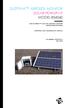 DUSTTRAK AEROSOL MONITOR SOLAR POWER KIT MODEL 854060 (FOR DUSTTRAK II AND DRX AEROSOL MONITOR MODELS 8540 AND 8543) OPERATION AND MAINTENANCE MANUAL P/N 6008416, REVISION A MAY 2015 Copyright TSI Incorporated
www.burntec.com User's Guide Integrating Sound Level Datalogger Model 407780
 User's Guide Integrating Sound Level Datalogger Model 407780 Introduction Congratulations on your purchase of the Extech 407780 Integrating Sound Level Meter. The 407780 with programmable integrating time
EPM3. Phase Sequence and Motor Rotation Tester. Users Manual
 EPM3 Phase Sequence and Motor Rotation Tester Users Manual 1 L1 L2 L3 2 3 A B C CAT 600V 3-PHASE TESTER 5 TEST M1 M2 BATT M3 EPM3 MOTOR ROTATION TESTER EPM3 MOTOR ROTATION DETERMINED WHILE FACING MOTOR
Master Time Clock MTC-200 MTC-400 MTC-600. Users Manual
 Master Time Clock MTC-200 MTC-400 MTC-600 Users Manual Toll Free (888)713-0373 Phone (972)987-4408 FAX (877)720-9291 www.midwest-time.com [email protected] TABLE OF CONTENTS TOPIC PAGE GENERAL DESCRIPTION
DAB+ / FM Tuner Model: TU-201
 DAB+ / FM Tuner Model: TU-201 Instruction Manual www.pulse-audio.co.uk 1 Safety Information The lightning bolt within a triangle is intended to alert the user to the presence of dangerous voltage levels
Advantium 2 Plus Alarm
 ADI 9510-B Advantium 2 Plus Alarm INSTALLATION AND OPERATING INSTRUCTIONS Carefully Read These Instructions Before Operating Carefully Read These Controls Corporation of America 1501 Harpers Road Virginia
AutoRanging Digital MultiMeter
 Owner's Manual AutoRanging Digital MultiMeter Model No. 82139 CAUTION: Read, understand and follow Safety Rules and Operating Instructions in this manual before using this product. Safety Operation Maintenance
Portable Air Conditioner. OWNER S MANUAL Read these instructions before use. Model: MM14CCS. Voltage rating: 115V~60Hz Power rating : 1400W
 Portable Air Conditioner OWNER S MANUAL Read these instructions before use Model: MM14CCS Customer Support : 1-800-474-2147 Voltage rating: 115V~60Hz Power rating : 1400W For product inquiries or support
BC-5000 OPERATIONS MANUAL BATTERY CAPACITY TESTER COFKO LLC.
 BC-5000 BATTERY CAPACITY TESTER OPERATIONS MANUAL COFKO LLC. COPYRIGHT 2010 1 UNPACKING As you unpack your new BC-5000 battery capacity tester, inspect the tester for signs of shipping damage. If shipping
GENERATOR START CONTROL MODULE - MINI (2 Wire to 3 Wire)
 FEATURES & APPLICATIONS Inexpensive 2 wire to 3 wire start controller for electric start high speed gas generators. Optimized for use with Outback Invertors. Supports three types of 3 wire generator control
Mini Power Bank and Charger
 Mini Power Bank and Charger Owner s Manual Please read before using this equipment. Your charger is ETL listed to UL standards and meets all applicable FCC standards. WARNING: To reduce the risk of fire
Portable Air Conditioner. OWNER S MANUAL Read these instructions before use. Model: MN12CES / MN10CESWW
 Portable Air Conditioner OWNER S MANUAL Read these instructions before use 8 Model: MN12CES / MN10CESWW Voltage rating: 120V~60Hz Power rating : 1100W (MN12CES) Power rating : 900W (MN10CESWW) Customer
Duct Humidity Transmitter
 SDC-H Duct Humidity Transmitter Features Replaceable sensor element Humidity measurement for air ducts Minimum and maximum value memory 0 0V, 0 0mA or 0V, 4 0mA measuring signals selectable with jumpers
How To Use A Cdm250 Digital Multimeter
 User Manual CDM250 Digital Multimeter 070-6736-03 Copyright Tektronix, Inc. 1987. All rights reserved. Tektronix products are covered by U.S. and foreign patents, issued and pending. Information in this
Wireless Indoor/ Outdoor Thermometer
 Wireless Indoor/ Outdoor Thermometer Owner s Manual Please read before using this equipment. ˆ Contents FCC Information... 3 FCC Declaration of Conformity... 5 Preparation... 5 Installing Batteries...
User Manual. CFG253 3 MHz Function Generator 070-8362-04
 User Manual CFG253 3 MHz Function Generator 070-8362-04 Copyright Tektronix, Inc. 1993. All rights reserved. Tektronix products are covered by U.S. and foreign patents, issued and pending. Information
Instructions & Safety Information Models A220-20D and A220-20L Version 2
 Quick 220 Voltage Converting Power Supply Instructions & Safety Information Models A220-20D and A220-20L Version 2 Quick 220 Systems LLC PO Box 47489 Phoenix, Arizona 85068-7489 800-347-0394 602-938-6057
RL HW / RL HW+ / RL HGW / RL HV / RL HVPW/RL HVPW-G
 Auto-Levelling Rotary Laser Level RL HW / RL HW+ / RL HGW / RL HV / RL HVPW/RL HVPW-G 77-496 / 77-429 / 77-439 / 77-497 / 77-427/ 77-441 Please read these instructions before operating the product Auto-Levelling
RI-215A Operator s Manual. Part Number: 71-0045RK Revision 0 Released: 10/3/05
 RI-215A Operator s Manual Part Number: 71-0045RK Revision 0 Released: 10/3/05 Warranty RKI Instruments, Inc., warrants gas alarm equipment sold by us to be free from defects in materials and workmanship,
Manual Ranging MultiMeter
 Owner s Manual Manual Ranging MultiMeter Model 82345 CAUTION: Read, understand and follow Safety Rules and Operating Instructions in this manual before using this product.! Safety! Operation! Maintenance!
Wireless Home Security System Product Manual (Model #80355)
 Wireless Home Security System Product Manual (Model #80355) Installation Instructions During set-up, if no key is pressed for 15 seconds it will come out of the setup mode and you will have to start over.
Dual Laser InfraRed (IR) Thermometer with Color Alert
 User Manual Dual Laser InfraRed (IR) Thermometer with Color Alert MODEL 42509 Introduction Congratulations on your purchase of the Model 42509 IR Thermometer with Color Alert. This Infrared thermometer
Portable Air Conditioner. OWNER S MANUAL Read these instructions before use. Model: MF08CESWW. Voltage rating: 115V~60Hz Power rating : 800W
 MODE ALARM Portable Air Conditioner OWNER S MANUAL Read these instructions before use 8 Model: MF08CESWW Voltage rating: 115V~60Hz Power rating : 800W Customer Support : 1-800-474-2147 For product inquiries
FlexFlash Instruction Manual Models SB FLXFLSH400W, SB FLXFLSH200W, SB FLXFLSHE400W, SB FLXFLSHE200W
 FlexFlash Instruction Manual Models SB FLXFLSH400W, SB FLXFLSH200W, SB FLXFLSHE400W, SB FLXFLSHE200W Rev 7/18/13 Accessory release button Flash tube Slave sensor Modeling lamp Repositionable swivel handle
User's Manual. Model 461995 Laser Photo / Contact Tachometer. Introduction
 User's Manual Model 461995 Laser Photo / Contact Tachometer Laser Photo/ Contact Tachometer 461995 MEMORY rpm PHOTO CONTACT ft/min m/min Introduction Congratulations on your purchase of Extech's Laser
PIPELINE INSPECTION COMPANY LTD. Portable Holiday Detectors. OPERATING INSTRUCTIONS SPY PORTABLE HOLIDAY DETECTORS Models 780, 785, & 790
 PIPELINE INSPECTION COMPANY LTD. Portable Holiday Detectors OPERATING INSTRUCTIONS SPY PORTABLE HOLIDAY DETECTORS Models 780, 785, & 790 Safety Disclaimer Only trained and responsible personnel should
OPL BASIC. Dosing System for Professional Laundry machines. Contents
 OPL BASIC Dosing System for Professional Laundry machines Contents 1 Getting Started. Page 2 2 Installation. Page 4 3 Set Up & Operation. Page 8 4 Maintenance & Accessories. Page 10 5 Troubleshooting Page
American DJ. Roto-Balls VS MKII. User Instructions. American DJ
 American DJ User Instructions Introduction Introduction: Thank you for purchasing the by American DJ. Please carefully read and understand the instructions in this manual thoroughly before attempting to
DC Electronic Loads 8500 series
 Data Sheet DC Electronic Loads 8500 series 2400W 600 W - 1200 W 300 W Versatile & Economical DC Electronic Loads The 8500 series Programmable DC Electronic Loads can be used for testing and evaluating
STAGE SETTER-8. User Instructions. Elation Professional
 STAGE SETTER-8 User Instructions Elation Professional A Division of the American DJ Group of Companies 4295 Charter Street Los Angeles, CA 90058 USA Tel: 323-582-2650 Fax: 323-582-2610 Web: www.elationlighting.com
OWNERS MANUAL FOR CORDLESS INFLATOR AIR260
 OWNERS MANUAL FOR CORDLESS INFLATOR AIR260 POWER SUPPLY OUTLET: AIR OUTPUT: BATTERY: RECHARGING TIME: WEIGHT: DIMENSIONS: FUSE: LIGHT BULB: SPECIFICATIONS DC 12V 15 AMP 180W MAX 260 PSI MAX PRESSURE SEALED
BroadBand PowerShield. User Manual
 BroadBand PowerShield User Manual 990-0375G 12/2006 Chapter 1 General Information The PowerShield provides a power source for broadband telephony and other DC applications. Safety This Safety Guide contains
3 WATT LED SPOTLIGHT Model No. SLM - 3801
 3 WATT LED SPOTLIGHT Model No. SLM - 3801 OWNER'S MANUAL Customer Service Tel: 1-800-268-3319 Superex Canada Ltd, Toronto,M2H 3B8 Made in China Table of Contents A). Important Safety Instructions B). Charging
User Guide. HDMI Active Cable Extender. DVI-7370c
 User Guide HDMI Active Cable Extender DVI-7370c TABLE OF CONTENTS SECTION PAGE PRODUCT SAFETY...1 PRODUCT LIABILITY...1 1.0 INTRODUCTION...2 2.0 SPECIFICATIONS...3 3.0 PACKAGE CONTENTS...4 4.0 CONNECTING
OCSM Series. High Resolution Digital Crane Scale. User Guide
 OCSM Series High Resolution Digital Crane Scale Content 1. Safety Guide... 1 2. Features... 1 3. Specifications... 2 4. Capacity... 3 5. Display & Keys... 3 Scale & Remote Keys... 3 Indicators... 4 Message...
Service Guide. Gateway M275
 Service Guide Gateway M275 Contents Replacing Gateway M275 Components.................................... 1 Identifying the convertible tablet PC model...................................... 2 Identifying
3M Wrist Strap and Footwear Tester 740. User s Guide
 3M Wrist Strap and Footwear Tester 740 User s Guide Table of Contents Section Page Safety Information...3 1.0 General...4 2.0 Description...4 3.0 Operation...5 4.0 Wall Mounting...5 5.0 Wrist Strap Test...6
CMD-8000 rev. A COMMANDER SERIES REMOTE CONTROL ENTRY SYSTEM
 INTRODUCTION CMD-8000 rev. A COMMANDER SERIES REMOTE CONTROL ENTRY SYSTEM Thank you for purchasing the CMD-8000 Commander from Dakota Digital. This, along with many other products that Dakota Digital has
MTX-D, Oil Temperature/Pressure Gauge
 MTX-D, Oil Temperature/Pressure Gauge 1 Mounting and Sensor Installation... 3 1.1 Mounting the Gauge... 3 1.2 Oil Temp Sensor... 3 1.3 Oil Pressure Sensor... 3 2 Wiring... 3 2.1 Main Gauge Wiring... 4
Compaq Presario Desktop Products. Upgrading and Servicing Guide
 Compaq Presario Desktop Products Upgrading and Servicing Guide The information in this document is subject to change without notice. Hewlett-Packard Company makes no warranty of any kind with regard to
LDG M-7700 External Meter for Icom IC-7700
 M-7700 OPERATIONS MANUAL MANUAL REV A LDG M-7700 External Meter for Icom IC-7700 LDG Electronics 1445 Parran Road St. Leonard MD 20685 Phone: 410-586-2177 Fax: 410-586-8475 [email protected] www.ldgelectronics.com
PAPER SHREDDER PRS-F-01 USER MANUAL
 PAPER SHREDDER PRS-F-01 USER MANUAL INSTALLATION Only operate this product from the type of power source indicated on the marking label. If you are not sure of the type of power available, consult an
User Manual. Humidity-Temperature Chart Recorder. Model RH520
 User Manual Humidity-Temperature Chart Recorder Model RH520 Introduction Congratulations on your purchase of the Extech RH520 Temperature + Humidity Chart Recorder. The RH520 measures and displays Temperature,
High Temperature InfraRed Thermometer with Laser Pointer
 User s Manual High Temperature InfraRed Thermometer with Laser Pointer MODEL 42540A 6 42540 6 Introduction Congratulations on your purchase of the Model 42540A IR Thermometer. The 42540A is capable of
INSTRUCTION MANUAL for UNIBLITZ MODEL DM412 SHUTTER DRIVE MODULE
 INSTRUCTION MANUAL for UNIBLITZ MODEL DM412 SHUTTER DRIVE MODULE VINCENT ASSOCIATES 803 LINDEN AVE. ROCHESTER, NEW YORK 14625 SERVICE/ORDERS (800) 828-6972 In NY State (585) 385-5930 Fax (585) 385-6004
HCS-3300/3302/3304 USB Remote Programmable Laboratory Grade Switching Mode Power Supply
 1. INTRODUCTION HCS-3300/3302/3304 USB Remote Programmable Laboratory Grade Switching Mode Power Supply User Manual This family of efficient, upgraded SMPS with small form factor, auto cross over CV CC,
SP AF 300mm F/2.8 LD [IF] for Canon (Model 360EE)
![SP AF 300mm F/2.8 LD [IF] for Canon (Model 360EE)](/thumbs/40/21493790.jpg "SP AF 300mm F/2.8 LD [IF] for Canon (Model 360EE)") SP AF 300mm F/2.8 LD [IF] for Canon (Model 360EE) We greatly appreciate your purchase of this Tamron lens. The Tamron SP AF 300mm F/2.8 LD [IF] is a fast telephoto lens developed for Canon AF single-reflex
SP AF 300mm F/2.8 LD [IF] for Canon (Model 360EE) We greatly appreciate your purchase of this Tamron lens. The Tamron SP AF 300mm F/2.8 LD [IF] is a fast telephoto lens developed for Canon AF single-reflex
User s Manual Before using the inverter, you need to read and save the safety instructions.
 User s Manual Before using the inverter, you need to read and save the safety instructions. STI SERIES (STI200, STI300, STI500, STI700, STI1000) Power Frequency Pure Sine Wave Inverter The information
Owner's Manual [ S/N LABEL HERE ] Document # BW-BCU5DOC
![Owner's Manual [ S/N LABEL HERE ] Document # BW-BCU5DOC](/thumbs/39/18146231.jpg "Owner's Manual [ S/N LABEL HERE ] Document # BW-BCU5DOC") Owner's Manual [ S/N LABEL HERE ] Document # BW-BCU5DOC BAYweb Remote Model BW-BCU5 Owner's Manual Copyright 2009-2010 Bay Controls, LLC Part Number: BW-BCU5DOC Revision: 0.2 April 18, 2010 BAYweb is a
Owner's Manual [ S/N LABEL HERE ] Document # BW-BCU5DOC BAYweb Remote Model BW-BCU5 Owner's Manual Copyright 2009-2010 Bay Controls, LLC Part Number: BW-BCU5DOC Revision: 0.2 April 18, 2010 BAYweb is a
Wall-Mounting your HP computer. User Guide
 Wall-Mounting your HP computer User Guide The only warranties for Hewlett-Packard products and services are set forth in the express statements accompanying such products and services. Nothing herein should
Unattended Answering Device Instruction Manual
 Model 3137B Unattended Answering Device Instruction Manual Monroe Electronics 100 Housel Ave Lyndonville NY 14098 800-821-6001 585-765-2254 fax: 585-765-9330 monroe-electronics.com Printed in USA Copyright
ADA COMPLIANT BOX STYLE TELEPHONE INSTALLATION, PROGRAMMING AND OPERATING INSTRUCTIONS FOR MODEL PBX
 ADA COMPLIANT BOX STYLE TELEPHONE INSTALLATION, PROGRAMMING AND OPERATING INSTRUCTIONS FOR MODEL PBX INSTALLATION INSTRUCTIONS Step 1. Determine the position for the Hands-free phone in the elevator phone
24.2L M.A.N. V12 Engine Module
 24.2L M.A.N. V12 Engine Module MANV1224 INSTALLATION INSTRUCTIONS For 24.2L M.A.N. V12 Engines V12 M.A.N. Engine Instructions Module ECM s (male and female, connect to the same ECM) ECM s (male and female,
2-Way Wireless Indoor Siren Installation Guide
 2-Way Wireless Indoor Siren Installation Guide For more detailed information please refer to the iconnect Installer Manual provided on our website: www.electronics-line.com Table of Contents 1. Introduction...
Sip/Puff Switch User Guide
 Sip/Puff Switch User Guide www.orin.com Table of Contents Table of Contents... 2 Legal Notices... 3 Declaration of Conformity with European Directives... 3 Application Disclaimer... 4 Introduction... 5
The table below lists the symbols used on the Clamp and/or in this manual. Important Information. See manual.
 i800 AC Current Clamp Instruction Sheet Introduction The i800 AC Current Clamp, the Clamp, has been designed for use with multimeters, recorders, power analyzers, safety testers, etc., for accurate non-intrusive
Sierra Dual 24 Volt Brushless DC Motor Controller Product Specification
 Sierra Dual 24 Volt Brushless DC Motor Controller Product Specification Assembly 025A0215 600A0942 Rev. A May 14, 2012 025A0215 Brushless DC Motor Controller Page 1 Revision History ECN # Date Rev Description
Part I - Installation
 400 Series Pressure and Differential Pressure Switches Types: H400, H402, H403, H400K, H402K, J400, J402, J403, J400K, J402K UNITED ELECTRIC CONTROLS Installation and Maintenance Instructions Please read
Battery Charger. Instruction Manual 309502G
 Instruction Manual Battery Charger 309502G EN Part No. 117427, Single Bay Charger, Series B, North America (N.A.) Part No. 120110, Single Bay Charger, Series B, Australia Part No. 117429, Four Bay Charger,
2-3 SAS/SATA II HDD Canister USER S MANUAL XC-23D1-SA10-0-R. Document number: MAN-00076-A
 2-3 SAS/SATA II HDD Canister XC-23D1-SA10-0-R USER S MANUAL Document number: MAN-00076-A ii Preface Important Information Warranty Our product is warranted against defects in materials and workmanship
MAINTENANCE MANUAL RSS-3000 ELECTRIC DROP BEAM VEHICLE BARRIER
 OWNER/USER MAINTENANCE MANUAL RSS-3000 ELECTRIC DROP BEAM VEHICLE BARRIER RSSI Barriers, LLC. 6530 East Highway 22 Panama City, Florida 32404 850-871-9300/Fax 850-871-4300 Web Site: www.rssi.com 25 OCTOBER
Model 349KLX Remote Display Digital Scale User Instructions
 Model 349KLX Remote Display Digital Scale User Instructions P/N UM349KLX Rev 3-080713 1 Model 349KLX Thank you for your purchase of this Health o meter Professional product. Please read this manual carefully,
ITC-BTTN Cellular Bluetooth Gateway. Owner s Manual 1
 ITC-BTTN Cellular Bluetooth Gateway Owner s Manual 1 2 Table of Contents Introduction...3 Package Contents...3 XLink Connections Diagram...4 Setup...5 Pairing your Bluetooth Cell Phone to the XLink...6
ER102. Emergency Crank Weather Radio Owner s Manual. www.midlandradio.com
 ER102 Emergency Crank Weather Radio Owner s Manual Table of Contents Welcome to the World of Midland Electronics Major ER102 Features ER102 Controls and Functions ER102 Power Sources - Built-in Rechargeble
ABB Drives. User s Manual. Pulse Encoder Interface Module RTAC-01
 ABB Drives User s Manual Pulse Encoder Interface Module RTAC-0 Pulse Encoder Interface Module RTAC-0 User s Manual 3AFE 64486853 REV A EN EFFECTIVE:.5.00 00 ABB Oy. All Rights Reserved. Safety instructions
RT-200 HI-TEST ROPE TESTER
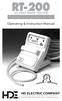 RT-200 HI-TEST ROPE TESTER Operating & Instruction Manual HD ELECTRIC COMPANY 1 4 7 5 L A K E S I D E D R I V E W A U K E G A N, I L L I N O I S 6 0 0 8 5 U. S. A. P H O N E 8 4 7. 4 7 3. 4 9 8 0 FA X
Remote Alarm Monitoring System
 Remote Alarm Monitoring System Operation and Service Manual Model RA1 RA4 A A Version HELMER SCIENTIFIC 14400 Bergen Boulevard Noblesville, IN 46060 USA PH +1.317.773.9073 FAX +1.317.773.9082 USA and Canada
Automatic Phone-Out Home Monitoring Systems
 Automatic Phone-Out Home Monitoring Systems Power Outage and Freeze Alarm Model Number: THP202 Power Outage, Freeze and Flood Alarm Product Description Model Number: THP201 These monitoring systems are
Dual Laser InfraRed (IR) Thermometer
 User s Manual Dual Laser InfraRed (IR) Thermometer MODEL 42511 Introduction Congratulations on your purchase of the Model 42511 IR Thermometer. This Infrared thermometer measures and displays non-contact
IMPORTANT SAFETY INSTRUCTIONS WARNING READ AND SAVE THESE OPERATING AND SAFETY INSTRUCTIONS BEFORE USING THIS HEATER.
 THERMAWAVE CERAMIC HEATER Model HZ-850 Series Model HZ-860 Series IMPORTANT SAFETY INSTRUCTIONS WARNING READ AND SAVE THESE OPERATING AND SAFETY INSTRUCTIONS BEFORE USING THIS HEATER. Warning Failure to
WARRANTY AND DISCLAIMER
 2036 Fillmore Street Davenport, Ia. 52804 563-324-1046 www.racedigitaldelay.com MEGA 350/450 WARRANTY AND DISCLAIMER DIGITAL DELAY INC. WARRANTS THE PRODUCTS IT MANUFACTURES AGAINST DEFECTS IN MATERIALS
AN500T, AN1000, AN1000T, AN1500, AN1500T AN2000, AN2000T
 Product Instruction Manual Accona AN500T, AN1000, AN1000T, AN1500, AN1500T AN2000, AN2000T Panel heater v16.5/5 Version 3.2 Jan 2015 Contents 1. Important safety points 2. Installation 2.1. Wall mounting
PERF10 Rubidium Atomic Clock
 Owner s Manual Audio Stanford Research Systems Revision 1.0 February, 2011 2 Certification Stanford Research Systems certifies that this product met its published specifications at the time of shipment.
Architect/Contractor Information Package
 Architect/Contractor Information Package 3M SelfCheck System C-Series C1 Model 877 This package provides architects and contractors with the information necessary for the successful installation of the
PSC POWER STAR LiFE TM
 PSC POWER STAR LiFE TM Operation Manual Version 3.0 Copyright 2012 Professional Sound Corp 28085 Smyth Drive, Valencia, CA 91355 USA CE RoHS Printed in the U.S.A. Thank you for purchasing your new PSC
DCX300 - DCX400 - DCX600
 Ph: 541-476-3565 Fax: 541-476-3566 DCX300 - DCX400 - DCX SEPARATELY EXCITED DC MOTOR CONROLLERS Alltrax motor controllers are designed to work with various golf cars from different manufacturers. Use the
Installation and Operation Manual. Digital Remote Meter for Monitoring System Performance. Version: RM-1
 REMOTE METER TM Installation and Operation Manual. Digital Remote Meter for Monitoring System Performance. Version: RM-1 1098 Washington Crossing Road Washington Crossing, PA 18977 USA www.morningstarcorp.com
AEROMOTIVE Part # 16302 INSTALLATION INSTRUCTIONS
 AEROMOTIVE Part # 16302 INSTALLATION INSTRUCTIONS CAUTION: Installation of this product requires detailed knowledge of automotive systems and repair procedures. We recommend that this installation be carried
Installation Instructions
 520 Installation Instructions Thank you very much for purchasing PIAA product. Please read this entire manual before installation and use of this product. For Installers Please give this Installation Manual
Wolverine 35mm Film to Digital Converter. Model F2D USER MANUAL
 Wolverine 35mm Film to Digital Converter Model F2D USER MANUAL Version 1.01 December 2008 TABLE OF CONTENTS DESCRIPTION PAGE Table of Contents 1 Before Using the F2D Converter 3 FCC Certifications 3 Warning
Tipping Bucket Rain Gauge Models 6011-A 6011-B
 Tipping Bucket Rain Gauge Models 6011-A 6011-B User s Manual 1165 National Drive Sacramento, CA 95834 800.824.5873 Table of Contents General Information... 1 Introduction... 1 Installation General... 2
This equipment has been tested and found to comply with the limits for a Class B digital device, pursuant to part 15 of the FCC Rules.
 Power Max Level 2 Charging Station en Installation and Operating Instructions This equipment has been tested and found to comply with the limits for a Class B digital device, pursuant to part 15 of the
Nokia Bluetooth Headset BH-607. Issue 2. 1
 Nokia Bluetooth Headset BH-607 2 3 1 4 5 6 7 8 9 11 10 Issue 2. 1 12 13 14 DECLARATION OF CONFORMITY Hereby, NOKIA CORPORATION declares that this BH-607 product is in compliance with the essential requirements
INSTALLATION & OPERATION MANUAL
 INSTALLATION & OPERATION MANUAL HB6PAKX & HB6PAKXX HIDE-A-BLAST STANDARD HIDE A BLAST UNIT HB6PAK-PI-X NGPI TWIST LOCK HIDE-A-BLAST LED WARNING LIGHT NGPI TWIST LOCK HIDE A BLAST UNIT IMPORTANT: 6 LED
2. Remove rear cover of head lamp if bulbs are covered/sealed within the housings, and remove halogen bulb carefully.
 These instructions are designed to address most general installation procedures across vehicles and should not be considered vehicle make, model or year specific. Please contact the vendor directly for
LUCCI AIRFUSION QUEST II CEILING FAN
 LUCCI AIRFUSION QUEST II CEILING FAN WITH IR REMOTE INSTALLATION OPERATION MAINTENANCE WARRANTY INFORMATION CAUTION READ INSTRUCTIONS CAREFULLY FOR SAFE INSTALLATION AND FAN OPERATION. V1.0 QUEST II IR
Single Station Remote Alarm
 ADI 5106G Certified ISO 9001:2000 Single Station Remote Alarm 529 5106-01-120 529 5106-01-220 INSTALLATION AND OPERATING INSTRUCTIONS Carefully Read These Instructions Before Operating Controls Corporation
Nokia Bluetooth Headset BH-800 User Guide. 9246974 Issue 2
 Nokia Bluetooth Headset BH-800 User Guide 9246974 Issue 2 DECLARATION OF CONFORMITY We, NOKIA CORPORATION declare under our sole responsibility that the product HS-24W is in conformity with the provisions
SECURITY LIGHT. motion-activated. Assembly & operating instructions Solar Motion-Activated Security Light - 80 LED Lights
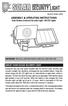 motion-activated SECURITY LIGHT Model #: 40225, 40226 Assembly & operating instructions Solar Motion-Activated Security Light - 80 LED Lights Important: Read all instructions carefully before use About
User Guide. ExStik TM ph (PH100 & PH110) and ORP (RE300) Waterproof Series Pens. Patent Pending
 User Guide ExStik TM ph (PH100 & PH110) and ORP (RE300) Waterproof Series Pens Patent Pending Getting Started Remove the cap from the bottom of the ExStik TM to expose the electrode bulb and reference