
Sharp EL-733A Tutorial
|
|
|
- Darrell Wilkinson
- 9 years ago
- Views:
Transcription
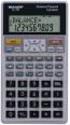
1 To begin, look at the face of the calculator. Almost every key on the EL-733A has two functions: each key's primary function is noted on the key itself, while each key's secondary function is noted in reddishbrown above the key. To use the function on the key, simply press the key. To access the function above each key, first press the yellow key with printed on it, which we will call the "2nd function" key, and then press the desired function key. (Note that the 2nd function key is located at the upper left corner of the calculator keyboard.) Turning the Calculator On and Off C-CE OFF To turn on the calculator, press. To turn off the calculator, press. Note that the ON and OFF keys are in the upper right corner of the keyboard. Also, we will designate keys throughout this tutorial by the use of small boxes, as above. To conserve the battery, the calculator turns itself off about 10 minutes after your last keystroke. Also, note that pressing the 2nd function key places a little symbol in the upper left corner of the display. Press the 2nd function key again and the symbol goes away. The switches back and forth between the regular and the 2nd functions. key. After you press, look only at the reddish-brown writing above the keys. key is a toggle key that is like the typewriter shift Note that the calculator has a continuous memory, so turning it off does not affect any data stored in the calculator, but will erase any number showing on the screen. Clearing the Calculator Three of the most commonly used methods of clearing data are presented below: C-CE CA Clears all the memory registers associated with a particular mode (normal, FIN, or STAT). Clears the entire display, but not the memory. Clears numbers on the display one at a time if you made a mistake entering data. Review your owner s manual for other methods of clearing information.
2 Page 2 Clearing the calculator is very important, since unwanted data in memory can result in improper calculations, and hence wrong answers. It is best to get into the habit of automatically clearing memory before starting a calculation. Occasionally, you may purposely want to save data, but, in general, you will be entering all new data, so starting with a clear memory is the safest approach. Changing the Display To change decimals from 2 to 4, press TAB is displayed. To change from 4 places to 2, press TAB is displayed. We usually set the display to 2 places, which is especially convenient when working with dollars and percentages. However, we often use 4 places when dealing with interest rates and rates of return that are entered as decimals. Changing the Mode The calculator has three calculation modes: NORMAL, FIN (financial), and STAT (statistics). The mode of the calculator dictates the type of calculations that can be performed. When working financial problems, you will typically use the FIN mode, while statistical problems normally will be handled in STAT mode. Modes are indicated in the display as follows: a box showing FIN indicates finance mode, a box showing STAT indicates statistics mode, and no box appears when in the normal mode. To change modes, simply press, normal. MODE. The calculator rotates through the modes from normal to finance to statistics to Time Value of Money (TVM) The TVM keys are located on the third row from the top of the keyboard. n i PV FV PMT To enter the time value of money mode do the following: MODE FIN Press repeatedly until the indicator appears in the display. In general, TVM problems involve four variables three are known and the fourth is unknown.
3 Page 3 Lump Sums To begin, we consider TVM calculations with single (lump) sums. In this situation, we do not use the PMT key, so be sure to either clear all, which sets the payment (PMT) equal to 0, or enter 0 as the PMT when entering the input data. If you know any three variables, you can find the value of the fourth. Example 1: CA What is the FV of $100 after 3 years if the interest rate is 26 percent? First, clear with. Next, enter the data. 3 n 26 i 100 PV PMT 0 (Optional if registers are cleared.) COMP To determine the FV simply press framed in black near the upper left corner.) FV and the FV of -$ is displayed. (COMP is the key The EL-733A is programmed so that if the PV is + then the FV is displayed as - and vice versa, because the EL-733A assumes that one is an inflow and the other is an outflow. When entering both PV and FV, one must be entered as negative and the other as positive. Example 2: What is the PV of $500 due in 5 years if the interest rate is 10 percent? Clear first and then enter the following data. 5 n 10 i PMT 0 (Optional if registers are cleared.) 500 FV Pressing the COMP PV key reveals that $ will grow to $500 in 5 years at a 10 percent rate.
4 Page 4 Example 3: Assume a bond can be purchased today for $200. It will return $1,000 after 14 years. The bond pays no interest during its life. What rate of return would you earn if you bought the bond? 14 n +/- PV +/- 200 (The key changes the sign.) 0 PMT 1000 FV COMP i Simply press the key and the HP calculates the rate of return to be 12.18%. Remember that the EL-733A is programmed so that if the PV is + then the FV is displayed as - and vice versa, because the EL-733A assumes that one is an inflow and other is an outflow. Also, note that the negative sign is placed on the 200 PV entry by pressing the key marked +/-. Now suppose you learn that the bond will actually cost $300. What rate of return will you earn? +/- PV COMP i Override the -200 by entering 300, then press to get 8.98 percent. If you pay more for the bond, you earn less on it. The important thing, though, is that you can do what if analyses with the calculator. OFF C-CE Now do nothing except press to turn off the calculator. Then turn on the calculator. The display shows Is the memory erased? Not completely. What was on the screen is gone, but press RCL n to see that the N = 14 entry is still in the calculator s memory.
5 Page 5 Ordinary Annuities Example 1: What is the FV of an annuity of $100 paid at the end of each year for 5 years if the interest rate equals 6 percent? 0 6% /))))))))3))))))))3))))))))3))))))))3)))))))) n 6 i 0 PV 100 +/- PMT Now press the COMP FV key, and an FV of $ is displayed. Example 2: What is the PV of the same annuity? COMP PV Leave data in calculator, but enter 0 as the FV to override, then press to get $ Annuities Due Each payment of an annuity due occurs at the beginning of the period instead of at the end as with a regular BGN annuity. In essence, each payment is shifted back one period. To analyze annuities due press. The symbol BGN appears in the upper right corner of the display. Now the EL-733A analyzes the cash flows based on beginning of period payments. Change back to end mode by pressing BGN again.
6 Page 6 Interest Conversion The following equation is used to convert a nominal rate to an effective rate. Given: k Nom = 10% and m = 12 payments/year, However, it s much easier to convert the nominal rate using the calculator. Before beginning this procedure it is important to note that another name for the nominal rate is the annual percentage rate (APR). In fact, the EL-733A uses the term APR for the nominal interest rate. Thus, the keystrokes required to calculate the above effective rate for 12 compounding periods would be as follows: EFF = The effective rate of 10.47% is displayed on the screen. If you were given the effective rate and wished to convert it to an APR (nominal rate), the key strokes for 12 compounding periods would be as follows: APR = The nominal rate of percent is displayed on the screen.
7 Page 7 Cash Flow Operations We can also find the PV, FV, and IRR (internal rate of return) of a series of unequal cash flows. Example 1: Uneven Cash Flows Assume the following cash flows: What is the PV of these CFs? 0 10% /))))))))3))))))))3))))))))3)))))))) First clear any previous cash flow or TVM analyses by pressing CA. Next, enter the cash flows: 0 Sets CF 0 equal to 0 and moves to CF Sets CF 1 equal to 50 and so on The CFs from the time line are entered. Now enter the interest rate. 10 i At this point the EL-733A knows the cash flows, the number of periods, and the interest rate. To find the COMP NPV PV, press to get PV = NPV = $ Example 2: Embedded Annuities We have these cash flows, which contain embedded annuities: 0 10% /)))))))3))))))3))))))3))))))3))))))3))))))3))))))3))))))3)))) ))1
8 Page 8 What s the PV? First clear any previous cash flow analyses, CA. Next, enter the cash flows: 0 Sets CF 0 equal to 0 and moves to CF 1. 3 Ni Tells the calculator that the following CF will occur three consecutive times. 100 Sets the first three CFs equal to Ni Ni 300 Now the EL-733A knows the cash flows. Thus, enter the interest rate: 10 i At this point the EL-733A knows the cash flows, the number of periods, and the interest rate. To find the COMP NPV PV, press to get PV = NPV = $1, To check your entries: Press RCL 1 check the frequency of this CF group by pressing occurs 3 consecutive times. to see that the amount of the first group of CFs is $ each. You can now RCL Ni. This $ cash flow
9 Page 9 Example 3: The Rate of Return Offered by an Investment (IRR) 1 Assume that we invest $1,000 now (t = 0) and then expect to receive an uneven set of cash flows. Here is the CF time line: What rate of return will we earn? /))))))))3))))))))3))))))))3)))))))) First clear any previous cash flow analyses, CA. Next, enter the cash flows: +/ Sets CF 0 equal to and moves to CF Sets CF 1 equal to 300 and moves to CF Now the EL-733A knows the cash flows. Thus, simply press COMP IRR and the IRR of percent is displayed. You can also determine the NPV of the investment. Leave data entered and then enter the opportunity cost interest rate, say 8 percent. To find NPV press 8 i COMP NPV The NPV of $ is displayed. Thus, the PV of the cash inflows exceeds the cost of the investment by $ If a negative CF occurs at the end of a project s life, or if a sequence of cash flows has two or more sign changes, there may be multiple IRR solutions. The calculator displays the IRR closest to zero. However, the displayed solution has no financial meaning. Thus, you should use caution in making investment decisions based on an IRR computed for a cash flow stream with more than one sign change. When you are solving very complex cash flow problems, the calculator may not be able to find IRR, even if a solution exists. When this is the case, the calculator displays E. An error can be cleared by pressing the C-CE key.
10 Page 10 Statistical Calculations The EL-733A can also be used for several types of statistical calculations. Mean and Standard Deviation (F) Year Sales 1994 $ What s the mean (average) and standard deviation (F) of sales over the 3 years? MODE STAT First, put the calculator into the Statistics mode by pressing until the indicator shows on the display. Then clear any previous data entries, CA. Next, enter the data: M+ 150 This enters 150 as the data entry and tells the calculator it occurs one time. DATA M+ Note that is the meaning of the key when the calculator is in the statistics (STAT) mode. 95 M+ This enters 95 as the second data entry and tells the calculator it occurs one time. 260 M+ This enters 260 as the third data entry and tells the calculator it occurs one time. Determine the mean by simply pressing the following: _ X The mean equals $ Determine the standard deviation by pressing the following: S x The standard deviation is $ and are sample standard deviations. F x and F y refer to population statistics.
11 Page 11 Linear Regression Beta coefficients can be calculated by using the EL-733A s linear regression capabilities. The X (independent variable) and Y (dependent variable) values must be entered in the proper sequence, where the X data is on the horizontal axis (market) and Y data is on the vertical axis (stock). Year Market (k m ) Stock (k j ) % 38.6% MODE STAT First, put the calculator into the Statistics mode by pressing until the indicator shows on the display. The clear any previous data entries, CA. Next, enter the data as follows: RM RM 23.8 This enters 23.8 as the first X variable. (The key in the STAT mode is the (x, y) key.) M This enters 38.6 as the first Y variable. +/- RM 7.2 This enters -7.2 as the second X variable. +/- M This enters as the second Y variable. RM 6.6 This enters 6.6 as the third X variable. M This enters 12.3 as the third Y variable. RM 20.5 This enters 20.5 as the fourth X variable. M+ 8.2 This enters 8.2 as the fourth Y variable. RM 30.6 This enters 30.6 as the fifth X variable. M This enters 4.1 as the fifth Y variable. Determine the intercept by pressing intercept, is equal to To find the slope simply press equal to 1.60, which is the slope coefficient and the beta coefficient. a. The display shows that a, which is the vertical axis b. The display shows that b is
12 Page 12
13 Page 13 Amortization The EL-733A can also be used to calculate amortization schedules. Example: Determine the interest and principal paid each year and the balance at the end of each year on a three-year $1,000 amortizing loan which carries an interest rate of 10 percent. The payments are due annually. MODE FIN Press repeatedly until the indicator comes on the display screen. Then clear any CA previous data entries,. Now perform the following steps: 3 n 10 i 1000 PV COMP PMT A payment of -$ is displayed. Now, since all the information about the loan is stored in the TVM register, we can use the amortization functions to generate an amortization schedule for the loan.
14 Page 14 Determine the principal and interest paid in each payment, and the balance remaining after each payment by doing the following steps: 1 Entering 1 tells the calculator we want to examine the first year. The display shows that PRN = Thus, out of the first $ payment, $ went toward paying off the principal portion of the loan. The display shows that INT = Thus, out of the first $ payment, $ was payment of interest. The display shows that BAL = Thus, after making the first $ payment, the principal balance you to be paid is $ The 2 moves to the second year. The display shows that the principal repayment is Year 2 is PRN = The interest payment is INT = The remaining balance is BAL = For Year 3, the principal repayment is PRN = The interest payment is INT = The remaining balance is BAL = 0. Here is the complete amortization table: Beg. Bal. Payment Interest Princ. Repmt. Ending Bal. 1 1,
Texas Instruments BAII PLUS Tutorial
 Omar M. Al Nasser, Ph.D., MBA. Visiting Assistant Professor of Finance School of Business Administration University of Houston-Victoria Email: [email protected] Texas Instruments BAII PLUS Tutorial To
Texas Instruments BAII PLUS Tutorial
 To begin, look at the face of the calculator. Almost every key on the BAII PLUS has two functions: each key's primary function is noted on the key itself, while each key's secondary function is noted in
Hewlett-Packard 10B Tutorial
 To begin, look at the face of the calculator. Every key (except one, the gold shift key) on the 10B has two functions: each key's primary function is noted in white on the key itself, while each key's
Hewlett-Packard 17BII Tutorial
 To begin, look at the face of the calculator. Most keys on the 17BII have two functions: a key's primary function is noted in white on the key itself, while the key's secondary function is noted in gold
Introduction. Turning the Calculator On and Off
 Texas Instruments BAII PLUS Calculator Tutorial to accompany Cyr, et. al. Contemporary Financial Management, 1 st Canadian Edition, 2004 Version #6, May 5, 2004 By William F. Rentz and Alfred L. Kahl Introduction
Calculator (Hewlett-Packard 10BII) Tutorial
 UNDERSTANDING HEALTHCARE FINANCIAL MANAGEMENT Calculator (Hewlett-Packard 10BII) Tutorial To begin, look at the face of the calculator. Most keys (except a few) have two functions: Each key s primary function
Hewlett-Packard 10BII Tutorial
 This tutorial has been developed to be used in conjunction with Brigham and Houston s Fundamentals of Financial Management 11 th edition and Fundamentals of Financial Management: Concise Edition. In particular,
Texas Instruments BAII Plus Tutorial for Use with Fundamentals 11/e and Concise 5/e
 Texas Instruments BAII Plus Tutorial for Use with Fundamentals 11/e and Concise 5/e This tutorial was developed for use with Brigham and Houston s Fundamentals of Financial Management, 11/e and Concise,
Hewlett-Packard 12C Tutorial
 To bein, look at the ace o the calculator. Every key (except the arithmetic unction keys in the ar riht column and the ive keys on the bottom let row) has two or three unctions: each key s primary unction
In this section, the functions of a financial calculator will be reviewed and some sample problems will be demonstrated.
 Section 4: Using a Financial Calculator Tab 1: Introduction and Objectives Introduction In this section, the functions of a financial calculator will be reviewed and some sample problems will be demonstrated.
Course FM / Exam 2. Calculator advice
 Course FM / Exam 2 Introduction It wasn t very long ago that the square root key was the most advanced function of the only calculator approved by the SOA/CAS for use during an actuarial exam. Now students
Time-Value-of-Money and Amortization Worksheets
 2 Time-Value-of-Money and Amortization Worksheets The Time-Value-of-Money and Amortization worksheets are useful in applications where the cash flows are equal, evenly spaced, and either all inflows or
3. Time value of money. We will review some tools for discounting cash flows.
 1 3. Time value of money We will review some tools for discounting cash flows. Simple interest 2 With simple interest, the amount earned each period is always the same: i = rp o where i = interest earned
CHAPTER 9 Time Value Analysis
 Copyright 2008 by the Foundation of the American College of Healthcare Executives 6/11/07 Version 9-1 CHAPTER 9 Time Value Analysis Future and present values Lump sums Annuities Uneven cash flow streams
Chapter 4 Time Value of Money ANSWERS TO END-OF-CHAPTER QUESTIONS
 Chapter 4 Time Value of Money ANSWERS TO END-OF-CHAPTER QUESTIONS 4-1 a. PV (present value) is the value today of a future payment, or stream of payments, discounted at the appropriate rate of interest.
Time Value of Money. 2014 Level I Quantitative Methods. IFT Notes for the CFA exam
 Time Value of Money 2014 Level I Quantitative Methods IFT Notes for the CFA exam Contents 1. Introduction...2 2. Interest Rates: Interpretation...2 3. The Future Value of a Single Cash Flow...4 4. The
HOW TO USE YOUR HP 12 C CALCULATOR
 HOW TO USE YOUR HP 12 C CALCULATOR This document is designed to provide you with (1) the basics of how your HP 12C financial calculator operates, and (2) the typical keystrokes that will be required on
Discounted Cash Flow Valuation
 Discounted Cash Flow Valuation Chapter 5 Key Concepts and Skills Be able to compute the future value of multiple cash flows Be able to compute the present value of multiple cash flows Be able to compute
Using Financial Calculators
 Chapter 4 Discounted Cash Flow Valuation 4B-1 Appendix 4B Using Financial Calculators This appendix is intended to help you use your Hewlett-Packard or Texas Instruments BA II Plus financial calculator
HANDBOOK: HOW TO USE YOUR TI BA II PLUS CALCULATOR
 HANDBOOK: HOW TO USE YOUR TI BA II PLUS CALCULATOR This document is designed to provide you with (1) the basics of how your TI BA II Plus financial calculator operates, and (2) the typical keystrokes that
The Time Value of Money
 The following is a review of the Quantitative Methods: Basic Concepts principles designed to address the learning outcome statements set forth by CFA Institute. This topic is also covered in: The Time
Integrated Case. 5-42 First National Bank Time Value of Money Analysis
 Integrated Case 5-42 First National Bank Time Value of Money Analysis You have applied for a job with a local bank. As part of its evaluation process, you must take an examination on time value of money
PV Tutorial Using Calculator (Sharp EL-738)
 EYK 15-2 PV Tutorial Using Calculator (Sharp EL-738) TABLE OF CONTENTS Calculator Configuration and Abbreviations Exercise 1: Exercise 2: Exercise 3: Exercise 4: Exercise 5: Exercise 6: Exercise 7: Exercise
2016 Wiley. Study Session 2: Quantitative Methods Basic Concepts
 2016 Wiley Study Session 2: Quantitative Methods Basic Concepts Reading 5: The Time Value of Money LESSO 1: ITRODUCTIO, ITEREST RATES, FUTURE VALUE, AD PREST VALUE The Financial Calculator It is very important
BA II Plus Advanced Business Analyst Calculator
 BA II Plus Advanced Business Analyst Calculator Quick Guide to Settings and Concepts Purpose of Guide This Quick Guide is a supplement to the BA II Plus Guidebook. It includes brief examples of commonly
Ehrhardt Chapter 8 Page 1
 Chapter 2 Time Value of Money 1 Time Value Topics Future value Present value Rates of return Amortization 2 Time lines show timing of cash flows. 0 1 2 3 I% CF 0 CF 1 CF 2 CF 3 Tick marks at ends of periods,
Continue this process until you have cleared the stored memory positions that you wish to clear individually and keep those that you do not.
 Texas Instruments (TI) BA II PLUS Professional The TI BA II PLUS Professional functions similarly to the TI BA II PLUS model. Any exceptions are noted here. The TI BA II PLUS Professional can perform two
CHAPTER 2. Time Value of Money 2-1
 CHAPTER 2 Time Value of Money 2-1 Time Value of Money (TVM) Time Lines Future value & Present value Rates of return Annuities & Perpetuities Uneven cash Flow Streams Amortization 2-2 Time lines 0 1 2 3
The Mathematics of Financial Planning (supplementary lesson notes to accompany FMGT 2820)
 The Mathematics of Financial Planning (supplementary lesson notes to accompany FMGT 2820) Using the Sharp EL-733A Calculator Reference is made to the Appendix Tables A-1 to A-4 in the course textbook Investments:
Using Financial and Business Calculators. Daniel J. Borgia
 Using Financial and Business Calculators Daniel J. Borgia Table of Contents Texas Instruments (TI) BA-35 SOLAR......................................1 Texas Instruments (TI) BA II PLUS........................................11
5. Time value of money
 1 Simple interest 2 5. Time value of money With simple interest, the amount earned each period is always the same: i = rp o We will review some tools for discounting cash flows. where i = interest earned
BA-35 Solar Quick Reference Guide
 BA-35 Solar Quick Reference Guide Table of Contents General Information... 2 The Display... 4 Arithmetic Operations... 6 Correcting Errors... 7 Display Formats... 8 Memory Operations... 9 Math Operations...
Fin 5413 CHAPTER FOUR
 Slide 1 Interest Due Slide 2 Fin 5413 CHAPTER FOUR FIXED RATE MORTGAGE LOANS Interest Due is the mirror image of interest earned In previous finance course you learned that interest earned is: Interest
Purpose EL-773A HP-10B BA-II PLUS Clear memory 0 n registers
 D-How to Use a Financial Calculator* Most personal finance decisions involve calculations of the time value of money. Three methods are used to compute this value: time value of money tables (such as those
14 Financial. Functions. Financial Functions 14-1. Contents
 14 Financial Functions Contents Getting Started: Financing a Car... 14-2 Getting Started: Computing Compound Interest... 14-3 Using the TVM Solver... 14-4 Using the Financial Functions... 14-5 Calculating
Using Financial And Business Calculators. Daniel J. Borgia
 Using Financial And Business Calculators Daniel J. Borgia August 2000 Table of Contents I. Texas Instruments BA-35 SOLAR II. Texas Instruments BAII PLUS III. Hewlett Packard 12C IV. Hewlett Packard 17BII..
How To Read The Book \"Financial Planning\"
 Time Value of Money Reading 5 IFT Notes for the 2015 Level 1 CFA exam Contents 1. Introduction... 2 2. Interest Rates: Interpretation... 2 3. The Future Value of a Single Cash Flow... 4 4. The Future Value
CALCULATOR TUTORIAL. Because most students that use Understanding Healthcare Financial Management will be conducting time
 CALCULATOR TUTORIAL INTRODUCTION Because most students that use Understanding Healthcare Financial Management will be conducting time value analyses on spreadsheets, most of the text discussion focuses
TIME VALUE OF MONEY. Hewlett-Packard HP-12C Calculator
 SECTION 1, CHAPTER 6 TIME VALUE OF MONEY CHAPTER OUTLINE Clues, Hints, and Tips Present Value Future Value Texas Instruments BA II+ Calculator Hewlett-Packard HP-12C Calculator CLUES, HINTS, AND TIPS Present
Key Concepts and Skills. Multiple Cash Flows Future Value Example 6.1. Chapter Outline. Multiple Cash Flows Example 2 Continued
 6 Calculators Discounted Cash Flow Valuation Key Concepts and Skills Be able to compute the future value of multiple cash flows Be able to compute the present value of multiple cash flows Be able to compute
Prepared by: Dalia A. Marafi Version 2.0
 Kuwait University College of Business Administration Department of Finance and Financial Institutions Using )Casio FC-200V( for Fundamentals of Financial Management (220) Prepared by: Dalia A. Marafi Version
BEST INTEREST RATE. To convert a nominal rate to an effective rate, press
 FINANCIAL COMPUTATIONS George A. Jahn Chairman, Dept. of Mathematics Palm Beach Community College Palm Beach Gardens Location http://www.pbcc.edu/faculty/jahng/ The TI-83 Plus and TI-84 Plus have a wonderful
Chapter 5 & 6 Financial Calculator and Examples
 Chapter 5 & 6 Financial Calculator and Examples Konan Chan Financial Management, Spring 2016 Five Factors in TVM Present value: PV Future value: FV Discount rate: r Payment: PMT Number of periods: N Get
Note: In the authors opinion the Ativa AT 10 is not recommended as a college financial calculator at any level of study
 Appendix 1: Ativa AT 10 Instructions Note: DNS = Does Not Calculate Note: Loan and Savings Calculations Automatically round to two decimals. -Clear -Store Data in Memory -Recall Stored Data in Memory [CE]
SUPPLEMENTARY NOTES. For examination purposes, the following amendments shall take effect from 3 June 2011: 1. Chapter 12, Page 329, Chapter Outline
 SUPPLEMENTARY NOTES ChFC01 Fundamentals Of Financial Planning And Investments Date Of Issue : 3 May 2011 [Applicable to 1 st Edition (2003), Re-printed March 2006 version and earlier] The following amendments
Time Value of Money. 2014 Level I Quantitative Methods. IFT Notes for the CFA exam
 Time Value of Money 2014 Level I Quantitative Methods IFT Notes for the CFA exam Contents 1. Introduction... 2 2. Interest Rates: Interpretation... 2 3. The Future Value of a Single Cash Flow... 4 4. The
The Mathematics of Financial Planning (supplementary lesson notes to accompany FMGT 2820)
 The Mathematics of Financial Planning (supplementary lesson notes to accompany FMGT 2820) Using the Sharp EL-738 Calculator Reference is made to the Appendix Tables A-1 to A-4 in the course textbook Investments:
Chapter 7 SOLUTIONS TO END-OF-CHAPTER PROBLEMS
 Chapter 7 SOLUTIONS TO END-OF-CHAPTER PROBLEMS 7-1 0 1 2 3 4 5 10% PV 10,000 FV 5? FV 5 $10,000(1.10) 5 $10,000(FVIF 10%, 5 ) $10,000(1.6105) $16,105. Alternatively, with a financial calculator enter the
Topics. Chapter 5. Future Value. Future Value - Compounding. Time Value of Money. 0 r = 5% 1
 Chapter 5 Time Value of Money Topics 1. Future Value of a Lump Sum 2. Present Value of a Lump Sum 3. Future Value of Cash Flow Streams 4. Present Value of Cash Flow Streams 5. Perpetuities 6. Uneven Series
Main TVM functions of a BAII Plus Financial Calculator
 Main TVM functions of a BAII Plus Financial Calculator The BAII Plus calculator can be used to perform calculations for problems involving compound interest and different types of annuities. (Note: there
Bank: The bank's deposit pays 8 % per year with annual compounding. Bond: The price of the bond is $75. You will receive $100 five years later.
 ü 4.4 lternative Discounted Cash Flow Decision Rules ü Three Decision Rules (1) Net Present Value (2) Future Value (3) Internal Rate of Return, IRR ü (3) Internal Rate of Return, IRR Internal Rate of Return
UNDERSTANDING HEALTHCARE FINANCIAL MANAGEMENT, 5ed. Time Value Analysis
 This is a sample of the instructor resources for Understanding Healthcare Financial Management, Fifth Edition, by Louis Gapenski. This sample contains the chapter models, end-of-chapter problems, and end-of-chapter
USING THE SHARP EL 738 FINANCIAL CALCULATOR
 USING THE SHARP EL 738 FINANCIAL CALCULATOR Basic financial examples with financial calculator steps Prepared by Colin C Smith 2010 Some important things to consider 1. These notes cover basic financial
Texas Instruments BA II Plus. Calculator tutorial
 Chartered Financial Analyst Program Texas Instruments BA II Plus calculator tutorial Nicholas J Blain, CFA Chief Executive Quartic Training 1 outline 0. Calculator setup and introduction 1. Basic algebra
BUSI 121 Foundations of Real Estate Mathematics
 Real Estate Division BUSI 121 Foundations of Real Estate Mathematics SESSION 2 By Graham McIntosh Sauder School of Business University of British Columbia Outline Introduction Cash Flow Problems Cash Flow
1. If you wish to accumulate $140,000 in 13 years, how much must you deposit today in an account that pays an annual interest rate of 14%?
 Chapter 2 - Sample Problems 1. If you wish to accumulate $140,000 in 13 years, how much must you deposit today in an account that pays an annual interest rate of 14%? 2. What will $247,000 grow to be in
DISCOUNTED CASH FLOW VALUATION and MULTIPLE CASH FLOWS
 Chapter 5 DISCOUNTED CASH FLOW VALUATION and MULTIPLE CASH FLOWS The basic PV and FV techniques can be extended to handle any number of cash flows. PV with multiple cash flows: Suppose you need $500 one
Ordinary Annuities Chapter 10
 Ordinary Annuities Chapter 10 Learning Objectives After completing this chapter, you will be able to: > Define and distinguish between ordinary simple annuities and ordinary general annuities. > Calculate
BA II Plus. Guidebook. Texas Instruments Instructional Communications. Dave Caldwell David Santucci Gary Von Berg
 BA II Plus Guidebook Guidebook developed by: Texas Instruments Instructional Communications With contributions by: Dave Caldwell David Santucci Gary Von Berg 1997 by Texas Instruments Incorporated. Important
Chapter 4. The Time Value of Money
 Chapter 4 The Time Value of Money 1 Learning Outcomes Chapter 4 Identify various types of cash flow patterns Compute the future value and the present value of different cash flow streams Compute the return
Introduction to the Hewlett-Packard (HP) 10BII Calculator and Review of Mortgage Finance Calculations
 Introduction to the Hewlett-Packard (HP) 10BII Calculator and Review of Mortgage Finance Calculations Real Estate Division Sauder School of Business University of British Columbia Introduction to the Hewlett-Packard
Hewlett Packard (HP) 10BII
 Hewlett Packard (HP) 10BII The HP10BII is programmed to perform two basic types of operations: statistical operations and financial operations. Various types of computations are activated by depressing
substantially more powerful. The internal rate of return feature is one of the most useful of the additions. Using the TI BA II Plus
 for Actuarial Finance Calculations Introduction. This manual is being written to help actuarial students become more efficient problem solvers for the Part II examination of the Casualty Actuarial Society
EXAM 2 OVERVIEW. Binay Adhikari
 EXAM 2 OVERVIEW Binay Adhikari FEDERAL RESERVE & MARKET ACTIVITY (BS38) Definition 4.1 Discount Rate The discount rate is the periodic percentage return subtracted from the future cash flow for computing
rate nper pmt pv Interest Number of Payment Present Future Rate Periods Amount Value Value 12.00% 1 0 $100.00 $112.00
 In Excel language, if the initial cash flow is an inflow (positive), then the future value must be an outflow (negative). Therefore you must add a negative sign before the FV (and PV) function. The inputs
hp calculators HP 17bII+ Net Present Value and Internal Rate of Return Cash Flow Zero A Series of Cash Flows What Net Present Value Is
 HP 17bII+ Net Present Value and Internal Rate of Return Cash Flow Zero A Series of Cash Flows What Net Present Value Is Present Value and Net Present Value Getting the Present Value And Now For the Internal
BA II PLUS Calculator
 BA II PLUS Calculator Important Information Texas Instruments makes no warranty, either express or implied, including but not limited to any implied warranties of merchantability and fitness for a particular
Time Value of Money. If you deposit $100 in an account that pays 6% annual interest, what amount will you expect to have in
 Time Value of Money Future value Present value Rates of return 1 If you deposit $100 in an account that pays 6% annual interest, what amount will you expect to have in the account at the end of the year.
Chapter 5 Time Value of Money 2: Analyzing Annuity Cash Flows
 1. Future Value of Multiple Cash Flows 2. Future Value of an Annuity 3. Present Value of an Annuity 4. Perpetuities 5. Other Compounding Periods 6. Effective Annual Rates (EAR) 7. Amortized Loans Chapter
THE TIME VALUE OF MONEY
 QUANTITATIVE METHODS THE TIME VALUE OF MONEY Reading 5 http://proschool.imsindia.com/ 1 Learning Objective Statements (LOS) a. Interest Rates as Required rate of return, Discount Rate and Opportunity Cost
The time value of money: Part II
 The time value of money: Part II A reading prepared by Pamela Peterson Drake O U T L I E 1. Introduction 2. Annuities 3. Determining the unknown interest rate 4. Determining the number of compounding periods
Compounding Assumptions. Compounding Assumptions. Financial Calculations on the Texas Instruments BAII Plus. Compounding Assumptions.
 Compounding Assumptions Financial Calculations on the Texas Instruments BAII Plus This is a first draft, and may contain errors. Feedback is appreciated The TI BAII Plus has built-in preset assumptions
Casio Financial Consultant A Supplementary Reader - Part 2
 Casio Financial Consultant A Supplementary Reader - Part 2 An Electronic Publication By Contents i CASIO Financial Consultant: A Supplementary Reader - Part 2 CONTENTS Page Introduction ii Compound Interest
TI-86 Financial Functions
 TI-86 Financial Functions Loading and Installing Finance Features on Your TI-86... 2 Loading the Finance Features into TI-86 Memory... 2 Installing the Finance Features for Use... 2 Displaying the FIN
Chapter 6. Discounted Cash Flow Valuation. Key Concepts and Skills. Multiple Cash Flows Future Value Example 6.1. Answer 6.1
 Chapter 6 Key Concepts and Skills Be able to compute: the future value of multiple cash flows the present value of multiple cash flows the future and present value of annuities Discounted Cash Flow Valuation
Module 5: Interest concepts of future and present value
 file:///f /Courses/2010-11/CGA/FA2/06course/m05intro.htm Module 5: Interest concepts of future and present value Overview In this module, you learn about the fundamental concepts of interest and present
HP 12C Calculations. 2. If you are given the following set of cash flows and discount rates, can you calculate the PV? (pg.
 HP 12C Calculations This handout has examples for calculations on the HP12C: 1. Present Value (PV) 2. Present Value with cash flows and discount rate constant over time 3. Present Value with uneven cash
BASICS. Access blue functions with [Shift up] Access orange functions with [Shift down]
![BASICS. Access blue functions with [Shift up] Access orange functions with [Shift down]](/thumbs/27/10770263.jpg "BASICS. Access blue functions with [Shift up] Access orange functions with [Shift down]") CALCULATOR COURSE BASICS Most keys have three functions: Primary function printed in white Secondary function printed in orange Tertiary function printed in blue Access blue functions with [Shift up] Access
CALCULATOR COURSE BASICS Most keys have three functions: Primary function printed in white Secondary function printed in orange Tertiary function printed in blue Access blue functions with [Shift up] Access
FinQuiz Notes 2 0 1 5
 Reading 5 The Time Value of Money Money has a time value because a unit of money received today is worth more than a unit of money to be received tomorrow. Interest rates can be interpreted in three ways.
380.760: Corporate Finance. Financial Decision Making
 380.760: Corporate Finance Lecture 2: Time Value of Money and Net Present Value Gordon Bodnar, 2009 Professor Gordon Bodnar 2009 Financial Decision Making Finance decision making is about evaluating costs
How To Calculate The Value Of A Project
 Chapter 02 How to Calculate Present Values Multiple Choice Questions 1. The present value of $100 expected in two years from today at a discount rate of 6% is: A. $116.64 B. $108.00 C. $100.00 D. $89.00
Time Value of Money 1
 Time Value of Money 1 This topic introduces you to the analysis of trade-offs over time. Financial decisions involve costs and benefits that are spread over time. Financial decision makers in households
Ing. Tomáš Rábek, PhD Department of finance
 Ing. Tomáš Rábek, PhD Department of finance For financial managers to have a clear understanding of the time value of money and its impact on stock prices. These concepts are discussed in this lesson,
Chapter 6. Learning Objectives Principles Used in This Chapter 1. Annuities 2. Perpetuities 3. Complex Cash Flow Streams
 Chapter 6 Learning Objectives Principles Used in This Chapter 1. Annuities 2. Perpetuities 3. Complex Cash Flow Streams 1. Distinguish between an ordinary annuity and an annuity due, and calculate present
Notes on the SHARP EL-738 calculator
 Chapter 1 Notes on the SHARP EL-738 calculator General The SHARP EL-738 calculator is recommended for this module. The advantage of this calculator is that it can do basic calculations, financial calculations
Ch. Ch. 5 Discounted Cash Flows & Valuation In Chapter 5,
 Ch. 5 Discounted Cash Flows & Valuation In Chapter 5, we found the PV & FV of single cash flows--either payments or receipts. In this chapter, we will do the same for multiple cash flows. 2 Multiple Cash
LO.a: Interpret interest rates as required rates of return, discount rates, or opportunity costs.
 LO.a: Interpret interest rates as required rates of return, discount rates, or opportunity costs. 1. The minimum rate of return that an investor must receive in order to invest in a project is most likely
Chapter The Time Value of Money
 Chapter The Time Value of Money PPT 9-2 Chapter 9 - Outline Time Value of Money Future Value and Present Value Annuities Time-Value-of-Money Formulas Adjusting for Non-Annual Compounding Compound Interest
CHAPTER 4. The Time Value of Money. Chapter Synopsis
 CHAPTER 4 The Time Value of Money Chapter Synopsis Many financial problems require the valuation of cash flows occurring at different times. However, money received in the future is worth less than money
hp calculators HP 12C Net Present Value Cash flow and NPV calculations Cash flow diagrams The HP12C cash flow approach Practice solving NPV problems
 Cash flow and NPV calculations Cash flow diagrams The HP12C cash flow approach Practice solving NPV problems How to modify cash flow entries Cash Flow and NPV calculations Cash flow analysis is an extension
Exercise 1 for Time Value of Money
 Exercise 1 for Time Value of Money MULTIPLE CHOICE 1. Which of the following statements is CORRECT? a. A time line is not meaningful unless all cash flows occur annually. b. Time lines are useful for visualizing
PV Tutorial Using Excel
 EYK 15-3 PV Tutorial Using Excel TABLE OF CONTENTS Introduction Exercise 1: Exercise 2: Exercise 3: Exercise 4: Exercise 5: Exercise 6: Exercise 7: Exercise 8: Exercise 9: Exercise 10: Exercise 11: Exercise
APPENDIX. Interest Concepts of Future and Present Value. Concept of Interest TIME VALUE OF MONEY BASIC INTEREST CONCEPTS
 CHAPTER 8 Current Monetary Balances 395 APPENDIX Interest Concepts of Future and Present Value TIME VALUE OF MONEY In general business terms, interest is defined as the cost of using money over time. Economists
Key Concepts and Skills
 McGraw-Hill/Irwin Copyright 2014 by the McGraw-Hill Companies, Inc. All rights reserved. Key Concepts and Skills Be able to compute: The future value of an investment made today The present value of cash
How to calculate present values
 How to calculate present values Back to the future Chapter 3 Discounted Cash Flow Analysis (Time Value of Money) Discounted Cash Flow (DCF) analysis is the foundation of valuation in corporate finance
Finance 331 Corporate Financial Management Week 1 Week 3 Note: For formulas, a Texas Instruments BAII Plus calculator was used.
 Chapter 1 Finance 331 What is finance? - Finance has to do with decisions about money and/or cash flows. These decisions have to do with money being raised or used. General parts of finance include: -
BA II PLUS PROFESSIONAL Calculator
 BA II PLUS PROFESSIONAL Calculator Important Information Texas Instruments makes no warranty, either express or implied, including but not limited to any implied warranties of merchantability and fitness
Direct Transfer. Investment Banking. Investment Banking. Basic Concepts. Economics of Money and Banking. Basic Concepts
 Basic Concepts Economics of Money and Banking 2014 South Carolina Bankers School Ron Best University of West Georgia [email protected] Risk and return: investors will only take on additional risk if they
The Time Value of Money
 C H A P T E R6 The Time Value of Money When plumbers or carpenters tackle a job, they begin by opening their toolboxes, which hold a variety of specialized tools to help them perform their jobs. The financial
Solutions to Time value of money practice problems
 Solutions to Time value of money practice problems Prepared by Pamela Peterson Drake 1. What is the balance in an account at the end of 10 years if $2,500 is deposited today and the account earns 4% interest,