
M+P-03F-6311 M+P-03F-6848
|
|
|
- June Lester
- 9 years ago
- Views:
Transcription
1 Accessories Installation Instructions Mercedes-Benz Telephone Module with Bluetooth SIM Access Profile Validity These installation instructions are valid for vehicles equipped with a fitting with interface (code 38) or Mercedes-Benz (code 388) Each in combination with COMAND or the audio system Audio 20/Audio 50. Parts included () Mercedes-Benz telephone module with Bluetooth SIM access profile In the following text, this will be referred to as "telephone module". Overview (2) Multi-function display (3) COMAND or audio system (4) Multi-function steering wheel M+P-03F-3 General notes Please contact a qualified specialist workshop if you encounter installation difficulties. Mercedes-Benz recommends that you use a Mercedes-Benz Service Centre for this purpose. 2 The manufacturer reserves the right to change technical details from those shown in the illustrations contained in these installation instructions. 2008, Daimler AG 08/08 03F M+P-03F-848 These installation instructions also refer to the COMAND audio system Operating Instructions, the vehicle Owner's Manual the operating instructions. Please keep them hy for reference. Contents Fitting the telephone module 5 Pairing the telephone module with the Requirements 5 General notes For the following vehicles: S-Class, model series 22, CL-Class, model series 2 For C-Class vehicles (model 9 series 204) as well as the following vehicle model series starting from date of manufacture 04/2008: SLK-Class, model series, CLS-Class, model series 29, from date of manufacture 0/2008: A-Class, model series 9, E-Class, model series 2, from date of manufacture 0/2008: M-Class, model series 4, GL-Class, model series 4, R-Class, model series 25 For all model series with 2 COMAND or Audio 50, with the exception of S-Class vehicles, model series 22 CL-Class vehicles, model series 2 2 For the following vehicles: 4 E-Class, model series 2 0/2008 CLK-Class, model series 209 SLK-Class, model series 04/2008 R-Class, model series 25 0/2008 M-Class, model series 4 0/2008 with audio system Audio 20 For all other vehicle model series with Audio 20 Connecting the telephone module with the 9 Searching for connecting 2 other paired s Downloading the phone book 22 Disconnecting the telephone 24 module from the Resetting the telephone 25 module Telephone module in SIM card 2 mode Speed-dial keys 2 Removing the telephone 28 module 3 GRisk of accident Please comply with the legal regulations of the country in which you are driving when you use the mobile phone inside the vehicle. If it is legally permissible to use the while driving, only do so when traffic conditions allow for it. You may otherwise become distracted from the traffic, which may lead to an accident in which you or others may be injured. For safety reasons, while driving, only use the hs-free system to make calls. When you are using the via the hs-free system, drive with extra caution, close all windows try to eliminate background noise. Please pull over or park the car if you do not wish to use the hsfree system to make a call. Do not stop the vehicle or park where it is prohibited to do so. Place the telephone module into the cradle only while the vehicle is at a ststill. You could otherwise be distracted cause an accident. 4
2 Fitting the telephone module 5. Press the telephone module () into the bracket (5) until it engages into place. Mobile phone requirements for pairing Certain settings must be made on the mobile phone depending on the type. You can find particulars in the additional information entitled "Tips On How to Use Make Settings for Different Mobile Phones" as well as in the operating instructions. The must be switched on the Bluetooth function the "Visible to others" setting must be enabled in the Bluetooth settings menu. For Nokia mobile phones, the Remote SIM active setting must be activated. You must know the Bluetooth name of the. The requires more power when in Bluetooth mode. The 's battery should always be charged. 5 M+P-03F-893 The must be within a 0 metre (30 ft) reception range of the telephone module. General notes on pairing To establish a Bluetooth connection, there must be no SIM card in the telephone module. Removing the SIM card (see 2). When a vehicle is unlocked, a connection can be established automatically between a paired the telephone module. Telephoning via the hs-free unit is not possible unless COMAND or the audio system is switched on. A maximum of 4 s may be paired with the telephone module. If a fifth is paired, the first in the list is deleted. Valid for the following vehicles: S-Class, model series 22 CL-Class, model series 2 Operation of COMAND is described in the vehicle Owner's Manual.. Switch on COMAND. (Please refer to the vehicle Owner's Manual.) 2. Call up the telephone main menu: Select "Telephone" using the COMAND controller. A message appears in the COMAND display that no is connected. 3. Press hold button () on the telephone LEDs () flash rapidly. A message appears in the COMAND display indicating that the telephone is being activated. With the COMAND controller, select "Call lists" "Dialled" confirm. The Bluetooth names of the s within the reception range appear in the COMAND M+P-03F must be checked, corrected the can be searched for in the call list using "SEARCH..." on COMAND. 5. Select the using the COMAND controller confirm. A -digit PIN number appears in the COMAND. When requested to do so, enter the displayed PIN number on the within 20 seconds confirm. After pairing by an ascending melody), "Activating telephone, please wait" appears in the steps 3 through.. Depending on the type of. For a connection query of the telephone module, the must COMAND confirm. 9 Valid for C-Class vehicles (model series 204) as well as the following vehicles starting from date of manufacture 04/2008: SLK-Class, model series, CLS-Class, model series 29, from date of manufacture 0/2008: A-Class, model series 9, E-Class, model series 2, from date of manufacture 0/2008: M-Class, model series 4, GL-Class, model series 4, R-Class, model series 25. The operation of COMAND the audio system is described in the separate Operating Instructions.. Switch on COMAND or the audio (Please refer to the separate Operating Instructions.) 2. Call up the telephone menu. (Please refer to the separate Operating Instructions.) 3. Using the controller, select Controller Telephone list Convenience phone. The message Telephone not inserted appears in COMAND or the multifunction 0 4. Press hold button () on the telephone LEDs () flash rapidly. The message Telephone not inserted appears in COMAND or the multi-function If a Bluetooth is found, a text message (SMS) is sent to COMAND or the audio This procedure is repeated for each Bluetooth found. 5. Select the text message (SMS) menu: Using the Controller select SMS (text message) confirm. The Bluetooth names of the s within the reception range appear in the COMAND or audio system s The Bluetooth PIN of the can be found in the default settings of the text message (SMS) menu. To display the Bluetooth names, select Options Display text using the Controller. must be checked, corrected the can be searched for in the call list using "SEARCH..." on the audio M+P-03F-894
3 . Using the Controller, open the text message (SMS) from the which is to be paired in COMAND or the audio A -digit PIN number appears in the multi-function. Using the Controller, select the displayed PIN in COMAND or the audio system select Call sender. 8. When requested to do so, enter the displayed PIN number on the within 20 seconds confirm. After pairing by an ascending melody), the message Telephone not inserted, then Activating telephone appear in the audio system steps 4 through Depending on the type of. For a connection query of the telephone module, the must 0. Enter the PIN number of the SIM card on COMAND or the audio system confirm. 2 Valid for all vehicle model series equipped with COMAND or Audio 50, with the exception of the S-Class, model series 22, the CL-Class, model series 2. The operation of COMAND or the audio system is described in the separate Operating Instructions.. Switch on COMAND or the audio (Please refer to the vehicle Owner's Manual.) 2. Select the telephone menu: Press the button h on COMAND or the audio A message appears in COMAND or the audio system display indicating that no is connected. 3. Press hold button () on the telephone LEDs () flash rapidly. A message appears in COMAND or the audio system display indicating that the telephone is being activated. On COMAND or the audio system, select Redial Dialled. The Bluetooth names of the s within the reception range appear in the COMAND or audio system M+P-03F must be checked, corrected the can be searched for in the call list using SEARCH... on COMAND or the audio 5. Select the on COMAND or the audio system using the Ô or Ó button confirm. A -digit PIN number appears in the COMAND or audio system. When requested to do so, enter the displayed PIN number on the within 20 seconds confirm. After pairing by an ascending melody), the message Please insert telephone appears in COMAND or the audio system display, followed by Please wait. steps 3 through.. Depending on the type of. For a connection query of the telephone module, the must COMAND or the audio system confirm. 4 Valid for the following vehicles: E-Class, model series 2 ( 0/2008) CLK-Class, model series 209 SLK-Class, model series ( 04/2008) R-Class, model series 25 ( 0/2008) M-Class, model series 4 ( 0/2008 ) When equipped with the Audio 20 operating The operation of the audio system is described in the separate Operating Instructions.. Switch on the audio (Please refer to the vehicle Owner's Manual.) 2. Select telephone mode: Press the h button on the audio NO PHONE appears in the multi-function 3. Press hold button () on the telephone LEDs () flash rapidly. WAIT... appears on the audio system M+P-03F Press the s button on the multi-function steering wheel. The Bluetooth names of the s within the reception range appear in the multi-function must be checked, corrected the can be searched for in the call list using "SEARCH..." on the audio 5. Once the Bluetooth name appears, press the NUM function key on the audio A -digit PIN number appears in the multi-function. Please write down the -digit PIN number displayed. Only 2 digits can be displayed in the multi-function The last digits must therefore be cleared using the CLR function button on the audio system in order to display the first digits.. Press the t button on the multifunction steering wheel. The Bluetooth name of the appears again on the multi-function 8. Press the s button on the multifunction steering wheel. 9. When requested to do so, enter the PIN number you have written down on the mobile phone within 20 seconds confirm. After pairing has been successfully completed (indicated by an ascending melody), WAIT... appears in the multi-function s steps 3 through Depending on the type of. For a connection query of the telephone module, the must. Enter the PIN number of the SIM card on the audio system confirm.
4 Valid for all other vehicle model series equipped with Audio 20. The operation of the audio system is described in the separate owner's manual.. Switch on the audio (Please refer to the vehicle Owner's Manual.) 2. Select the telephone menu: Press the è or ÿ button on the multifunction steering wheel. A message appears in the multi-function display that no mobile phone is connected. 3. Press hold button () on the telephone LEDs () flash rapidly. WAIT... appears on the audio system Press the s button on the multi-function steering wheel. The Bluetooth names of the s within the reception range appear in the multi-function M+P-03F must be checked, corrected the can be searched for in the call list using "SEARCH..." on the audio 5. Select the using the j or k button on the multi-function steering wheel confirm. A -digit PIN number appears in the multi-function. When requested to do so, enter the displayed PIN number on the within 20 seconds. After pairing has been successfully completed (indicated by an ascending melody), WAIT... appears in the multi-function s steps 3 through.. Depending on the type of. For a connection query of the telephone module, the must the audio system confirm. 9 Connecting the telephone module with the s Before being connected, the must be paired with the telephone module (see 5 to ). The telephone module always searches for connects with only the most recently connected. For information on searching for connecting other paired s, see 2. Automatic connection When a paired is within the telephone module's range, COMAND or the audio system is switched on Please enter PIN appears in the COMAND or multi-function. Enter the PIN number of the SIM card on COMAND or the audio Telephoning via the hs-free unit is then possible. The PIN number is saved by the telephone module. Entering the PIN number again is only necessary if the SIM PIN number has changed. Manual connection For S-Class vehicles, model series 22, CL-Class vehicles, model series 2:. Using the COMAND controller, select "Telephone" "Telephone on" confirm.. Press the button on COMAND or the audio 20 s If there is a connection between the telephone module the, incoming text messages (SMS) will be saved on the 's SIM card. In vehicles equipped with Audio 20, the text messages cannot be read in the multi-function For more detailed information about accessing saved text messages on Nokia mobile phones, please refer to the additional information entitled "Tips On How to Use Make Settings for Different Mobile Phones". It is not possible to make any changes to the SIM card settings (e.g. call forwarding, call waiting, SMS parameters, etc.) on the telephone module. To change the SIM card settings, the SIM card must be taken out of the telephone module inserted into a mobile phone. Depending on the type of you are using, a display appears on the mobile phone's screen, indicating SIM card access via COMAND or the audio In this mode, the telephone may only be used via the hs-free 2 Searching for connecting other telephones The telephone module always searches for the most recently connected connects it automatically. Connecting a different with the telephone module is only possible when there is no active Bluetooth connection. Connecting a different paired mobile phone. Disconnect any possible existing connections to a (see 24). 2. Briefly press button () on the telephone module. The LEDs () flash slowly a message appears in the COMAND or audio system display indicating that the telephone is being activated. The telephone module always searches for connects the previously paired. M+P-03F Downloading the phone book To use the phone book stored on the mobile phone via the hs-free system, it must be downloaded to COMAND or the audio The must be logged onto the mobile network for this procedure. The download can take up to 0 minutes, depending on the size of the phone book, will be indicated by a symbol on the display of the. Please wait appears in the COMAND, audio system or multi-function display, depending on the vehicle. For C-Class vehicles (model series 204) as well as the following vehicle model series starting from date of manufacture 04/2008: SLK-Class, model series, CLS-Class, model series 29, from date of manufacture 0/2008: A-Class, model series 9, E-Class, model series 2, from date of manufacture 0/2008: M-Class, model series 4, GL-Class, model series 4, R-Class, model series 25:. Enter 0000 on COMAND or the audio The phone book is downloaded the following messages appear alternately in the COMAND or multi-function display: Telephone not inserted Activating telephone. 2. If the SIM PIN number is activated, enter it on COMAND or the audio system confirm.
5 23 3. Using the Controller, select Telephone Import external data on COMAND or the audio The phone book is downloaded to COMAND or the audio s The phone book of the previously connected remains stored in the telephone module. Only the SIM card phone book of the newly connected can be accessed. To access the telephone book, it must first be downloaded to the telephone module. The phone book of the previously connected is deleted if the phone book of the newly connected is downloaded. Only one phone book can be stored in the telephone module. Depending on the operating system, 250, 50 or 999 saved phone book entries can be downloaded to COMAND or the audio Therefore, some phone book entries may not be shown on COMAND or the audio During an active Bluetooth connection, phone book entries on the SIM card can be read, deleted if necessary.. Enter 0000 on COMAND or the audio system confirm. The phone book is downloaded a message appears in the COMAND or multi-function A SIM PIN number query or the phone menu (for deactivated SIM PIN) appears after the phone book download has been completed. 2. If the SIM PIN number is activated, enter it on COMAND or the audio system confirm. 24 Disconnecting the telephone module from the Automatic disconnection When the is out of the telephone module's range, the is automatically disconnected. Manual disconnection The Bluetooth connection can be manually disconnected as follows: For S-Class vehicles, model series 22, CL-Class vehicles, model series 2:. Using the COMAND controller, select "Telephone" "Telephone off". For C-Class vehicles (model series 204) as well as the following vehicle model series starting from date of manufacture 04/2008: SLK-Class, model series, CLS-Class, model series 29, from date of manufacture 0/2008: A-Class, model series 9, E-Class, model series 2, from date of manufacture 0/2008: M-Class, model series 4, GL-Class, model series 4, R-Class, model series 25: Only on the. (Please refer to the operating. Press hold the button for approx. 3 seconds on COMAND or the audio system or on the. (Please refer to the operating. 25 Resetting the telephone module The telephone module can be reset to the factory settings. The stored phone book the information necessary for pairing will be deleted if the settings are reset.. Press hold button () on the telephone module for approx. seconds. The LEDs () flash irregularly. M+P-03F Telephone module in SIM card mode The telephone module can also be used as a SIM card telephone. Once a SIM card is inserted into the telephone module, an existing Bluetooth connection is disconnected. It is not possible to establish a Bluetooth connection to the. Inserting removing a SIM card 0 9. Slide the cover (8) on the telephone module () downward remove, slide the SIM card holder (9) towards the right flip it up. 2. Slide the SIM card (0) into place as shown in the illustration, flip the SIM card holder (9) down slide it towards the left until it engages into place. Close the cover (8). Follow the same procedure in reverse to remove the SIM card. 8 M+P-03F Speed-dial keys Speed-dial key for mailbox In some vehicle model series, the A button on COMAND or the audio system can be programmed as the speed-dial key for your mailbox. To program the speed-dial key:. Call up the phone book on the mobile phone. 2. Create the following entry in the phone book: Name: MAILBOX. Telephone number: mailbox number To activate the mailbox, the phone book must be downloaded to the hs-free system (see 22). As soon as the MAILBOX entry is found, the speed-dial key is active. To call up the speed-dial key: Press hold the A button on COMAND or the audio system for approx. 3 seconds. Other speed-dial keys In some vehicle models, the keys 2 through 9 on COMAND or the audio system can be used to access memory positions 2 through 9 of the telephone book (speed-dial function). The memory positions 2 through 9 in the phone book of the mobile phone or SIM card must be programmed according to your wishes. (Please refer to the operating The memory positions are not displayed on some s. The corresponding telephone number is displayed by pressing a key between 2 9. If you want to store a different telephone number in memory positions 2 through 9, these should be renamed as needed on the. Removing the telephone module 28. Press the release button (), slide the telephone module () downwards remove. M+P-03F-89
Owner s Manual FULL PREPARATION PACKAGE MOBILE PHONE
 Owner s Manual FULL PREPARATION PACKAGE MOBILE PHONE 2007 Bayerische Motoren Werke Aktiengesellschaft Munich, Germany Reprinting, including excerpts, only with the written consent of BMW AG, Munich.
BMW of North America, LLC Woodcliff Lake, New Jersey 07677 Printed in U.S.A. 10/05 84 11 0 409 345
 Telephone Users Manual For BMW Assist With Bluetooth Wireless Technology 05/06 X3, X5 & Z4 05 3 Series (E46) The Ultimate Driving Machine BMW of North America, LLC Woodcliff Lake, New Jersey 07677 Printed
BMW Universal Bluetooth TM Hands-Free System (ULF) Owner s Manual
 BMW Universal Bluetooth TM Hands-Free System (ULF) Owner s Manual P/N 84 11 0 302 638 6/5/03 Dear BMW Owner: Congratulations on your purchase of the BMW Universal Bluetooth TM Hands-Free System (ULF) for
«Filter-MB» Technical Manual
 Technical Manual www.tec-electronics.ru/en/ Unit Description... 2 Unit connection... 2 Table 1. Unit port outputs assignment... 3 Conenction recomendations... 3 Table 2. Technical data and operation conditions...
TV-Free TF-NTG2. For Mercedes Benz Comand APS NTG2, NTG2.5, NTG4-204, NTG4-212 and Comand Online NTG4.5 navigation systems
 TV-Free Video-in-motion Interface For Mercedes Benz Comand APS NTG2, NTG2.5, NTG4-204, NTG4-212 and Comand Online NTG4.5 navigation systems Legal Information By law, watching moving pictures while driving
www.edilock-bg.com Edilock Ltd www.vag-info.com Base Version Clear DTCs Identification Adaptations Output Tests Actual Values
 www.edilock-bg.com Edilock Ltd www.vag-info.com Base Version Read DTCs Clear DTCs Identification Adaptations Output Tests Actual Values All Vehicle models of - Mercedes - SMART - Maybach Supported more
BlackBerry Curve 8520 Smartphone Version: 4.6.1. User Guide. To find the latest user guides, visit www.blackberry.com/docs/smartphones.
 BlackBerry Curve 8520 Smartphone Version: 4.6.1 User Guide To find the latest user guides, visit www.blackberry.com/docs/smartphones. SWD-693131-0825025122-001 Contents Shortcuts... 8 BlackBerry basics
Thank you for choosing Huwei E589 4G Mobile WiFi
 Thank you for choosing Huwei E589 4G Mobile WiFi This guide briefly describes the functions of your Huawei E589 4G Mobile WiFi. For more details, see help on the web management page. See Accessing the
Get started. Issue 1
 Get started Issue 1 2008 Nokia. All rights reserved. Nokia, Nokia Connecting People, Nseries, N85, Navi, and Nokia Care are trademarks or registered trademarks of Nokia Corporation. Other product and company
VIVA 4G LTE Mini Router. Quick Start Guide
 VIVA 4G LTE Mini Router Quick Start Guide Thank you for choosing the VIVA 4G LTE Mini Router (hereinafter referred to as the E57) The supported functions and actual appearance are subject to the product
How to connect your D200 using Bluetooth. How to connect your D200 using GPRS (SIM Card)
 D200 En User Guide Content 3 Introduction 3 Scope 3 Related Documentation 4 Internet Connectivity 4 Using D200 with Mobile Phone 5 Using D200 with wireless (Wi-Fi) router 6 Using D200 with GPRS (requires
System Firmware Update Instructions for AVH-4000NEX
 System Firmware Update Instructions for AVH-4000NEX IMPORTANT Please download and print these firmware update instructions before downloading and installing the firmware update. It is important that you
Hands-free phone system features
 Hands-free phone system features This system supports Bluetooth, which allows you to make or receive calls without using cables to connect a cellular phone and the system, and without operating the cellular
How To Use A Telephone In European Europe
 ISDN-Telephone Integral TS 13 connected to Integral 33 systems Operating Instructions We give you the edge. Familiarise yourself with your telephone Important notes What you should definitely read -- Your
 Doro 6030 English 1 2 3 4 5 6 7 8 14 13 12 11 10 9 15 16 17 18 19 20 21 22 The items supplied with your phone might vary depending on the software and accessories available in your region or offered by
Contents Contents Contents Overview Charging your headset Wearing the headset Powering on the headset Connecting your headset for dictation
 1 Contents Contents Contents 2 Overview 3 Charging your headset 4 Wearing the headset 4 Powering on the headset 4 Connecting your headset for dictation 5 The adapter 5 Adjusting your computer's audio settings
MOSTO MO-S1 Bluetooth Handsfree Upgrade kit for M.O.S.T Cars. Developed specially for high-end vehicle that is equipped with M.O.S.
 MOSTO MO-S1 Bluetooth Handsfree Upgrade kit for M.O.S.T Cars Developed specially for high-end vehicle that is equipped with M.O.S.T system VISEEO MOSTO MOSTO Bluetooth Handsfree car kit is designed for
iloq P10S.10/20 Programming device User's Guide
 iloq P10S.10/20 Programming device User's Guide CONTENTS CONTENTS... 2 GENERAL... 3 USING THE PROGRAMMING DEVICE... 5 Starting the programming device... 5 Programming of locks... 5 Programming of keys...
Thank you for choosing HUAWEI Mobile WiFi
 Thank you for choosing HUAWEI Mobile WiFi Supported functions and actual appearance depend on the specific models you purchased. The illustrations are provided for your reference only. For details about
Nokia Bluetooth Headset BH-102. Issue 1
 Nokia Bluetooth Headset BH-102 1 2 3 4 45 46 7 8 10 119 Issue 1 DECLARATION OF CONFORMITY Hereby, NOKIA CORPORATION declares that this HS-107W product is in compliance with the essential requirements and
KD-204. Telephone Remote Switch. Operating Instructions
 KD-204 Telephone Remote Switch Operating Instructions 1. GENERAL DESCRIPTION The telephone remote switch consists of three parts, which are the telephone modem that can be connected to the landline telephone
1. What is the main difference between the X3 micro and other Bluetooth headsets? 3. How does the X3 micro use the Bluetooth technology?
 X3 Micro FAQ X3 Micro General 1. What is the main difference between the X3 micro and other Bluetooth headsets? 2. What is included in the X3 micro package? 3. How does the X3 micro use the Bluetooth technology?
Primo 413 by Doro. Operating Instructions. by Doro
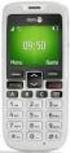 Primo 413 by Doro Operating Instructions by Doro 23 U2 i 1. Receiver loudspeaker Making phone calls holding the cell phone to the ear 2. Display 3. Speed-dial buttons Speed-dialling of the numbers saved
Dension BTA1500 Bluetooth Module
 USER MANUAL Dension BTA1500 Bluetooth Module DEBTA-9201-2 1 www.dension.com USER MANUAL - BTA1500 Contents 1. Introduction... p.2 2. Useful Information... p.2 3. Package contents... p.3 4. Car compatibility...
S4 USER GUIDE. Read Me to Get the Most Out of Your Device...
 S4 USER GUIDE Read Me to Get the Most Out of Your Device... Contents Introduction 4 Remove the Protective Cover 5 Charge Your S4 5 Pair the S4 with your Phone 6 Install the S4 in your Car 8 Using the Handsfree
User Guide for the Wireless Headset (HS-11W) 9235346 Issue 1
 User Guide for the Wireless Headset (HS-11W) 9235346 Issue 1 DECLARATION OF CONFORMITY We, NOKIA CORPORATION declare under our sole responsibility that the product HS-11W is in conformity with the provisions
Nokia Bluetooth Headset BH-101. Issue 1
 Nokia Bluetooth Headset BH-101 1 2 3 4 5 6 7 8 9 11 12 10 Issue 1 DECLARATION OF CONFORMITY Hereby, NOKIA CORPORATION declares that this HS-94W product is in compliance with the essential requirements
Odometer Correction for W211 E-Class, W219 CLS, X164 GL, W164 ML, W203 C-Class, W251 R-Class, W463 G-Class, R171, W209 CLK
 Odometer Correction for W211 E-Class, W219 CLS, X164 GL, W164 ML, W203 C-Class, W251 R-Class, W463 G-Class, R171, W209 CLK In these vehicles the odometer is stored in the following control units: Instrument
Part 2. Copyright 1998 Philips Consumer Communications L.P. All rights reserved. Printed in Mexico. Issue 1AT&T 848229506
 2 User's Manual for Two-Line Digital Answering System Telephone with Speakerphone 1872 Fold open this paper for information about this telephone's installation and operation. Please read Part 1 Important
Jabra CRUISER2. User manual. www.jabra.com MUTE VOL - VOL + jabra
 Jabra CRUISER2 VOL - VOL + MUTE jabra User manual www.jabra.com Contents THANK YOU...2 ABOUT YOUR JABRA CRUISER2...2 WHAT YOUR SPEAKERPHONE CAN DO...3 GETTING STARTED...4 CHARGE YOUR SPEAKERPHONE...4 TURNING
Pioneer AVIC Z140BH and AVIC X940BT firmware update (v4.600) for iphone with Lightning connector compatible with AppRadio Mode
 Pioneer AVIC Z140BH and AVIC X940BT firmware update (v4.600) for iphone with Lightning connector compatible with AppRadio Mode Update instructions for navigation models: AVIC-Z140BH and AVIC-X940BT Download
User s Guide for Nokia 6310i
 User s Guide for Nokia 6310i List of menu functions 1. Messages 1. Write message 2. Write e-mail 3. Inbox 4. Outbox 5. Archive 6. Templates 7. My folders 8. Erase messages 9. Voice messages 10.Info messages
Doro PhoneEasy 607. English
 Doro PhoneEasy 607 English 1 13 2 3 4 5 12 11 14 15 16 17 18 19 20 6 10 7 9 8 1. Earpiece 2. Microphone 3. Arrow buttons 4. Left selection button 5. Call button 6. Speed dial 7. Voice mail 8. Silent /
BLU Vivo 4.3 User Manual
 BLU Vivo 4.3 User Manual 1 Table of Contents Phone Safety Information... 3 Appearance and Key Functions... 4 Installation and Charging... 5 Phone Operation... 7 Communication... 10 Camera... 11 Gallery...
How to connect your D210 using Bluetooth. How to connect your D210 using GPRS (SIM Card)
 D210 En User Guide Content 3 Introduction 3 Scope 3 Related Documentation 4 Internet Connectivity 4 Using D210 with Mobile Phone 5 Using D210 with wireless (Wi-Fi) router 6 Using D210 with GPRS (requires
Windows 10.1 Tablet (UB-15MS10 and UB-15MS10SA) FAQ December 2014
 Windows 10.1 Tablet (UB-15MS10 and UB-15MS10SA) FAQ December 2014 Navigation... 2 Question 1: What are charms used for?... 2 Question 2: How do I navigate while using a mouse or trackpad?... 3 Question
Nokia Bluetooth Headset BH-607. Issue 2. 1
 Nokia Bluetooth Headset BH-607 2 3 1 4 5 6 7 8 9 11 10 Issue 2. 1 12 13 14 DECLARATION OF CONFORMITY Hereby, NOKIA CORPORATION declares that this BH-607 product is in compliance with the essential requirements
Hands-free phone system features (for cellular phone)
 Hands-free phone system features (for cellular phone) This system supports Bluetooth, which allows you to make or receive calls without using cables to connect a cellular phone and the system, and without
Bluetooth Handsfree Kit. Car Speakerphone (For Bluetooth Mobile Phones)
 Bluetooth Handsfree Kit Car Speakerphone (For Bluetooth Mobile Phones) Table of Contents 1. Product Description 3 2. Product Overview 3 3. Charging 4 4. Power On/Off 4 Power On 4 Power Off 4 5. Selecting
Nokia Bluetooth Headset BH-108 9220721/1
 Nokia Bluetooth Headset BH-108 1 2 3 4 5 6 7 8 9 9220721/1 DECLARATION OF CONFORMITY Hereby, NOKIA CORPORATION declares that this BH-108 product is in compliance with the essential requirements and other
Before you start. How to use this Guide Use this Key to identify what a button or status display looks like in an instruction sequence.
 BeoCom 6000 Guide Before you start 3 This Guide contains instructions in how to use the BeoCom 6000 handset with either a BeoLine ISDN, a BeoLine PSTN or a BeoCom 6000 base. ISDN or PSTN? ISDN and PSTN
JABRA STYLE. User Manual. jabra.com/style
 User Manual jabra.com/style CONTENTS 1. WELCOME... 3 2. HEADSET OVERVIEW... 4 3. HOW TO WEAR... 5 3.1 CHANGE EARGELS 4. HOW TO CHARGE THE BATTERY... 6 5. HOW TO CONNECT... 7 5.1 CONNECT WITH A BLUETOOTH
User Guide. BlackBerry Storm 9530 Smartphone. Version: 4.7
 BlackBerry Storm 9530 Smartphone Version: 4.7 SWD-490426-0909090640-001 Contents Shortcuts... 9 BlackBerry basics shortcuts... 9 Phone shortcuts... 9 Camera shortcuts... 9 Media shortcuts... 9 Typing shortcuts...
Troubleshooting Tips Lifestyle SA-2 & SA-3 Amplifier. Troubleshooting Tips
 Troubleshooting Tips Lifestyle SA-2 & SA-3 Amplifier Refer to the Lifestyle SA-2 & SA-3 Amplifier service manuals, part number 271720 for schematics, PCB layouts and parts lists. Preventative Repair Measures
BEFORE YOU BEGIN CHARGE YOUR HEADSET
 motorola Bluetooth Handsfree Headset BEFORE YOU BEGIN Before using this product, read the Important Safety and Legal Information pamphlet and follow its instructions. Take a moment before you get started
GSM Smart Switch USER GUIDE
 GSM Smart Switch USER GUIDE GSM Smart Switch allows switching almost any appliance ON and OFF remotely via mobile network. It is designed to receive start/stop commands from specially coded messages or
Doro PhoneEasy 631. English
 Doro PhoneEasy 631 English 1 14 20 2 3 4 5 6 7 13 12 11 10 9 8 15 16 17 19 18 Note! All illustrations are for illustrative purposes only and may not accurately depict the actual device. English 1. Earpiece
Supplementary Owner's Handbook. The Ultimate Driving Machine. MY BMW REMOTE - ios. SUPPLEMENTARY OWNER'S HANDBOOK.
 Supplementary Owner's Handbook The Ultimate Driving Machine MY BMW REMOTE - ios. SUPPLEMENTARY OWNER'S HANDBOOK. My BMW Remote - ios About this Owner's Handbook This owner's handbook describes all My BMW
Inserting the SIM card in the MobiGater device. Connecting the MobiGater Device
 WWW.MOBIGATER.COM 2 Inserting the SIM card in the MobiGater device There is a small cover on the bottom side of the MobiGater device Move the cover in the direction from? to. Move the SIM card holder in
System Firmware Update (Version 1.11) Instructions for Pioneer AppRadio 4 (SPH-DA120) In-dash Multimedia Receiver
 System Firmware Update (Version 1.11) Instructions for Pioneer AppRadio 4 (SPH-DA120) In-dash Multimedia Receiver IMPORTANT Please download and print these Firmware Update instructions before downloading
User s manual. www.vtech.com DECT
 User s manual www.vtech.com Model: DS6321 DECT Table of contents 1. IMPORTANT SAFETY INSTRUCTIONS...1 2. SETTING UP THE TELEPHONE...2 2.1 Package contents...2 2.2 Location...2 2.3 Connecting the base station...3
GSM Alarm System User Manual
 GSM Alarm System User Manual For a better understanding of this product, please read this user manual thoroughly before using it. Quick Guider After getting this alarm system, you need to do the following
Samba W - Table of Contents
 Samba W - Table of Contents 1.Getting Started... 3 1.1 Installing the SIM Card, SD Card and Battery... 3 2. Input Type... 4 3. Menu Guide... 6 1.2 Messaging... 6 1.3 Call History... 6 1.4 Calculator...
GSM Desktop phone DPH101. User manual v1.00
 GSM Desktop phone DPH101 User manual v1.00 LEGAL NOTICE Copyright 2011 TELTONIKA Ltd. All rights reserved. Reproduction, transfer, distribution or storage of part or all of the contents in this document
Operating instructions. Car Key Ring HD Spy Camera
 CM3 Computer ohg Schinderstr. 7 84030 Ergolding [email protected] Operating Instructions Car Key Ring HD Spy Camera Intended Use This device is intended to make video recordings with sound, take photographs
UVO SYSTEM QUICK REFERENCE GUIDE
 UVO SYSTEM QUICK REFERENCE GUIDE Congratulations on the Purchase of your new UVO system! Your new UVO system allows you to enjoy various audio and multimedia features through the main audio system. For
Nokia Bluetooth Headset BH-200 User Guide
 Nokia Bluetooth Headset BH-200 User Guide 1 9246085 Issue 2 DECLARATION OF CONFORMITY We, NOKIA CORPORATION declare under our sole responsibility that the product HS-58W is in conformity with the provisions
Parrot MINIKIT Neo. User guide
 Parrot MINIKIT Neo User guide Content Content... 2 Getting started... 4 Before you begin... 4 Package content... 4 Changing the language... 4 Installing the Parrot MINIKIT Neo... 4 Battery... 5 Charging
Nokia Bluetooth Headset BH-800 User Guide. 9246974 Issue 2
 Nokia Bluetooth Headset BH-800 User Guide 9246974 Issue 2 DECLARATION OF CONFORMITY We, NOKIA CORPORATION declare under our sole responsibility that the product HS-24W is in conformity with the provisions
ASWC Axxess Steering Wheel Control Interface Installation Manual
 IGNITION TERMINALS 6 2.5 ISO 1.5 M4 M5 M3 WIRE CUTTER INSTALLATION INSTRUCTIONS FOR PART ASWC ASWC Axxess Steering Wheel Control Interface Installation Manual KIT FEATURES One Interface does it all - No
Configuring the Siemens TC35 modems for use with the MI2292
 Configuring the Siemens TC35 modems for use with the MI2292 The following instruction describe how to set up GSM communication between an MI2292 Power Quality Analyser Plus and a computer 1. Equipment
Nokia Bluetooth Headset BH-104
 Nokia Bluetooth Headset BH-104 2 1 4 5 6 3 7 8 11 12 9 10 DECLARATION OF CONFORMITY Hereby, NOKIA CORPORATION declares that this BH-104 product is in compliance with the essential requirements and other
Nokia Wireless Keyboard (SU-8W) User Guide
 Nokia Wireless Keyboard (SU-8W) User Guide DECLARATION OF CONFORMITY We, NOKIA CORPORATION declare under our sole responsibility that the product SU-8W is in conformity with the provisions of the following
GSM AD05 Slave GSM Auto Dialer- Instruction Manual
 GSM AD05 Slave GSM Auto Dialer- Instruction Manual Please read these instructions before you start the installation Features LCD display Programmable 9 x 32 digit phone numbers for each trigger. 10 second
Gigaset PRO IP DECT Phones
 The Gigaset SL610H PRO handset is used here to describe how to make calls from a DECT base station Gigaset N510 IP PRO or a Gigaset N720 DECT IP Multicell System. We also recommend the following handsets
Back, start, and search key... 3. Lock the keys and screen... 6. Unlock the keys and screen... 7. Set the keys and screen to lock automatically...
 Userguide Nokia Lumia 620 Table of Contents Keys and parts... 3 Back, start, and search key... 3 How to Insert a SIM card... 4 First start-up... 6 Switching Phone ON and OFF... 6 Switch the phone on...
SMART ENTRY WITH PUSH BUTTON START
 SMART ENTRY WITH PUSH BUTTON START Operate certain functions of your vehicle by simply having the remote transmitter within operating range. Featured on all trims except LX, HF, Natural Gas & Natural Gas
Parrot MKi9000. User guide
 Parrot MKi9000 User guide Contents Contents... 2 Installation... 3 Before you begin... 3 Checking the car configuration... 3 Caution... 3 Removing the car stereo... 3 Installing the kit... 4 Car stereo
Nokia Bluetooth Headset BH-604 User Guide
 Nokia Bluetooth Headset BH-604 User Guide Issue 1 EN DECLARATION OF CONFORMITY Hereby, NOKIA CORPORATION declares that this HS-96W product is in compliance with the essential requirements and other relevant
Step By Step Guide To Setting Up Your System
 www.kenwood-electronics.co.uk/vw Kenwood Navigation Systems DNX525DAB Keep up-to-date with the latest software by registering today. Registrate your system on Kenwood s website to receive notifications
Nokia 6303 classic User Guide
 Nokia 6303 classic User Guide 9214002 Issue 3 2 Contents Contents Safety 4 Start up 5 Keys and parts 5 Install SIM card and battery 5 Insert and remove the memory card 6 Charge the battery 6 Antenna 7
Primo 305 by Doro User Manual
 Primo 305 by Doro User Manual U2 1. Speaker Phone with the mobile phone at the ear. 2. Navigation buttons For navigating in menus and text input. In addition by default quick access (see also page 58):
Mercedes Benz Ml 350 Diagram
 Ml 350 Diagram Free PDF ebook Download: Ml 350 Diagram Download or Read Online ebook mercedes benz ml 350 diagram in PDF Format From The Best User Guide Database Financial Services, mobility,. Museum,
Practical accident assistance
 Practical accident assistance A guideline for Mercedes-Benz customers Please note: Changes may have been made to the products since this brochure went to press (12/2009). This brochure has been compiled
Thank you for purchasing the Huawei E5332 Mobile WiFi. This quick start guide will help you to get started right away.
 Thank you for purchasing the Huawei E5332 Mobile WiFi. This quick start guide will help you to get started right away. You can connect your Huawei E5332 to the internet through any WiFi enabled device
Tiny Audio C3. English TINY AUDIO C3. Please read carefully before using this product
 English TINY AUDIO C3 Please read carefully before using this product 1 Safety Instructions: 1. Do not use this radio near water. 2. Clean with dry cloth. 3. Do not block any ventilation openings. 4. Do
Nokia Bluetooth Headset BH-606 9211748/2
 Nokia Bluetooth Headset BH-606 2 1 4 5 3 7 6 8 9 10 11 12 9211748/2 DECLARATION OF CONFORMITY Hereby, NOKIA CORPORATION declares that this HS-128W product is in compliance with the essential requirements
Doro PhoneEasy 612. English
 Doro PhoneEasy 612 English 17 18 19 1. Earpiece 2. Camera shortcut 3. Left selection button 4. Call button 5. Speed dial 6. Voice mail 7. Silent/Input method 8. Microphone 9. SMS shortcut 10. Arrow buttons
This guide describes features that are common to most models. Some features may not be available on your tablet.
 User Guide Copyright 2014 Hewlett-Packard Development Company, L.P. Bluetooth is a trademark owned by its proprietor and used by Hewlett-Packard Company under license. SD Logo is a trademark of its proprietor.
Plantronics Calisto Headset with Bluetooth USB Adapter User Guide 56-K61A-23010
 56-K61A-23010 Plantronics Calisto Headset with Bluetooth USB Adapter User Guide Contents Package Contents... 1 Product Features... 2 Wearing Your Headset... 3 Powering Your Headset and USB Bluetooth Adapter...
SW10. User Guide. Smart Watch. Please read the manual before use.
 SW10 Smart Watch User Guide www. ScinexUSA.com Please read the manual before use. 1 About this manual You can use this Watch as a companion device to most Android and IOS mobile devices. This user manual
USER MANUAL. M9B Stereo Wireless Earphones. Please read this manual in its entirety to ensure best fit and sound.
 USER MANUAL M9B Stereo Wireless Earphones Please read this manual in its entirety to ensure best fit and sound. R PACKAGE CONTENTS EN M9B Stereo Wireless Earphones M9B Stereo Wireless Earphones Micro-USB
Owner's Manual for Voice Control. The Convenient Alternative to Manual Control.
 Owner's Manual for Voice Control. The Convenient Alternative to Manual Control. 2000 BMW AG Munich/Germany Reprinting, including excerpts, only with the written consent of BMW AG, Munich. Part number 01
System Phone. User Guide. System DECT 35
 System Phone User Guide System User Instructions The AGFEO Cordless System Phone is designed for the connection / registration to an AGFEO DECT S0 Base or an AGFEO DECT S0-Base plus. The AGFEO will be
JABRA SPORT Pulse wireless
 JABRA SPORT Pulse wireless User Manual jabra.com/sportpulsewireless 2014 GN Netcom A/S. All rights reserved. Jabra is a registered trademark of GN Netcom A/S. All other trademarks included herein are the
HANDS FREE COMMUNICATION (UConnect ) IF EQUIPPED
 UConnect Hands Free Communications- Complete Instructions HANDS FREE COMMUNICATION (UConnect ) IF EQUIPPED UConnect is a voice-activated, hands-free, in- vehicle communications system. UConnect allows
GETTING TO KNOW YOUR TELSTRA PRE-PAID 3G WI-FI
 GETTING TO KNOW YOUR TELSTRA PRE-PAID 3G WI-FI LET S GET THIS SHOW ON THE ROAD You must be excited about your brand new Telstra Pre-Paid 3G Wi-Fi. This guide will help you get connected as quickly and
Nokia Bluetooth Headset BH-211 9204665/2
 Nokia Bluetooth Headset BH-211 1 2 5 4 7 8 3 6 11 9 10 9204665/2 DECLARATION OF CONFORMITY Hereby, NOKIA CORPORATION declares that this HS-99W product is in compliance with the essential requirements and
TABLE OF CONTENTS. Legend:
 user guide Android Ed. 1.1 TABLE OF CONTENTS 1 INTRODUCTION... 4 1.1 Indicators on the top tool bar... 5 1.2 First control bar... 7 1.3 Second control bar... 7 1.4 Description of the icons in the main
Q3 USER GUIDE. Read Me to Get the Most Out of Your Device...
 Q3 USER GUIDE Read Me to Get the Most Out of Your Device... TO GET STARTED 1. Turn The Q3 On 2. Put It On 3. Listen In Model: Q3 Contents Charge Your Earpiece 6 Wearing the Q3 7 Pair Your Earpiece 7 Use
DIVERTING CALLS: EXTENSION DIVERT... 36 Diverting all calls from your extension... 36 Diverting your calls while you are at another extension (Follow
 Contents WELCOME...1 USING THIS DOCUMENT...1 BT CONTACT DETAILS...1 ABOUT YOUR BT QUANTUM TELEPHONES...2 BT QUANTUM SYSTEMPHONES...2 BT 8568 Digital Systemphone...2 BT 8528 Digital Systemphone...5 BT 5360
Aastra 6739i. SIP Telephone User Guide. Communications systems Aastra 800 OpenCom X320 OpenCom 130/131/150 OpenCom 510
 Aastra 6739i SIP Telephone User Guide Communications systems Aastra 800 OpenCom X320 OpenCom 130/131/150 OpenCom 510 Welcome to Aastra Thank you for choosing this Aastra product. Our product meets the
Doro PhoneEasy 632. English
 Doro PhoneEasy 632 English 1 2 3 4 5 6 7 8 14 13 12 11 10 9 15 16 17 18 19 23 22 21 20 Note! All illustrations are for illustrative purposes only and may not accurately depict the actual device. English
Mobile MessageBank Standard User Guide
 Mobile MessageBank Stard User Guide 1. The World Of Mobile MessageBank 2. MessageBank Stard Set Up 3. Using MessageBank 4. Options 5. How to use the features within MessageBank 6. Pricing 7. Billing 8.
Using the 5215 IP Phone in Remote Mode 3 About Feature Access Codes 3 For Users on Resilient 3300 ICP Systems 3
 USER GUIDE 3300 ICP - 6.0 Contents ABOUT YOUR PHONE 1 Using the 5215 IP Phone in Remote Mode 3 About Feature Access Codes 3 For Users on Resilient 3300 ICP Systems 3 TIPS FOR YOUR COMFORT AND SAFETY 3
Konftel 300M Quick Reference Guide
 Conference phones for every situation Konftel 300M Quick Reference Guide ENGLISH Description The Konftel 300M is a battery-operated wireless conference phone that can be connected to mobile networks (GSM/3G)
TomTom Hands-Free Car Kit Reference Guide
 TomTom Hands-Free Car Kit Reference Guide Contents Overview 3 What's in the box 4 What's in the box... 4 Getting started 6 Mounting your TomTom Hands-Free Car Kit in your car... 6 Starting your TomTom
STEREO BLUETOOTH WIRELESS SPORTS In-Ear Headphones
 STEREO BLUETOOTH WIRELESS SPORTS In-Ear Headphones USER MANUAL model: X7 PACKAGE CONTENTS EN X7 Stereo Bluetooth Wireless Sports In-Ear Headphones Micro-USB charging cable Carrying case 3 pairs of eartips
User s Guide 9357246 Issue 5
 Electronic user's guide released subject to "Nokia User's Guides Terms and Conditions, 7th June, 1998" User s Guide 9357246 Issue 5 DECLARATION OF CONFORMITY We, NOKIA CORPORATION declare under our sole