
Setting Up Your Digital-to-Analog Converter Box (Basic) FCC Consumer Facts
|
|
|
- Avice Fleming
- 9 years ago
- Views:
Transcription
1 Setting Up Your Digital-to-Analog Converter Box (Basic) This Fact Sheet describes the installation of a digital-to-analog converter box with your current antenna and analog TV. This guide will help you prepare so that when you purchase a converter box you will know what to expect and whether you may need help setting it up. Supplies: You will need your analog TV, the antenna you have been using (indoor or outdoor), and the coaxial wire that currently connects your antenna to your TV (as pictured on the right). Your new converter box will come with a coaxial wire and a remote control. Before you begin the installation of the converter box, you should unplug your TV. FCC Consumer Facts Unplug the existing coaxial antenna wire from your TV Antenna In (RF) port.

2 Plug the existing coaxial wire into the Antenna In (RF) port on your Converter Box. Using the coaxial wire that comes with your Converter Box, plug one end into the Out To TV (RF) port on the Converter Box. Plug the other end into the Antenna In (RF) port on your TV. Plug the power cords on your Converter Box and TV into a power outlet, and turn on your TV and Converter Box. Using the instructions that come with your Converter Box, tune your TV to channel 3 or 4. Using the remote that comes with your Converter Box, follow the on-screen set-up guide to scan for available DTV channels, and begin enjoying the benefits of Digital Television!

3 If your Converter Box includes an "analog pass-through" feature, this set up will also allow you to receive any stations that still broadcast in analog in your area. Follow the instructions that come with your Converter Box for how to tune analog channels. For instructions on how to connect your converter box if it does not include an analog pass-through feature or for instructions on connecting your converter box to other components such as a VCR, go to or contact the FCC by ing [email protected]; or calling CALL-FCC ( ) voice or TELL-FCC ( ) TTY. For this or any other consumer publication in an accessible format (electronic ASCII text, Braille, large print, or audio) please write or call us at the address or phone number below, or send an to [email protected]. To receive information on this and other FCC consumer topics through the Commission's electronic subscriber service, click on Setting Up Your Digital-to-Analog Converter Box (Basic with twin-lead antenna wire) FCC Consumer Facts This Fact Sheet describes installation of a digital-to-analog-converter box if your TV set has twin-lead terminals for attaching the antenna, instead of a coaxial connector plug or port. Supplies: You will need your analog TV, the antenna you have been using (indoor or outdoor), the twin-lead wire that currently connects your antenna to your TV, and two adaptors or "matching transformers" as shown below. Before you begin the installation of the converter box, you should unplug the power from your TV.

4 Unscrew the existing twin-lead antenna wire from your TV "Antenna In" twin-lead terminals. Attach the existing twin-lead antenna wire to the twin-lead terminals on the twin-lead adaptor (like the image below). Then plug the adaptor's coaxial connector into the "Antenna In (RF)" port on the Converter Box.

5 Using coaxial wire, plug one end into the "Out To TV (RF)" port on the Converter Box. Plug the other end into the coaxial port on the coaxial adaptor. Then attach the twin-lead output of the coaxial adaptor to your TV "Antenna In" twin-lead terminals. Plug the power cords on your Converter Box and TV into a power outlet, and turn on your TV and Converter Box. Using the instructions that come with your Converter Box, tune your TV to channel 3 or 4. Using the remote that comes with your Converter Box, follow the on-screen set-up guide to scan for available DTV channels, and begin enjoying the benefits of Digital Television! If your Converter Box includes an "analog pass-through" feature, this set up will also allow you to receive any stations that still broadcast in analog in your area. Follow the instructions that come with your Converter Box for how to tune analog channels. For instructions on how to connect your converter box if it does not include an analog pass-through feature or for instructions on connecting your converter box to other components such as a VCR, go to or contact the FCC by ing [email protected]; or calling CALL-FCC ( ) voice or TELL- FCC ( ) TTY. For this or any other consumer publication in an accessible format (electronic ASCII text, Braille, large print, or audio) please write or call us at the address or phone number below, or send an to [email protected]. To receive information on this and other FCC consumer topics through the Commission's electronic subscriber service, click on

6 Setting Up Your Digital-to-Analog Converter Box With a VCR FCC Consumer Facts Analog TVs and VCRs can receive digital television (DTV) broadcast signals by using a Digital-to-Analog Converter Box that can be purchased at retail stores. If you use a single converter box and Set-Up #1, you can watch and record one channel at a time. If you use two converter boxes and Set-up #2, you can watch one channel while recording a different channel. Set-up #1: Watch and Record One Channel at a Time Supplies: You will need your analog TV, analog VCR, the antenna you have been using (indoor or outdoor), and the coaxial wire that currently connects your antenna to your VCR (as pictured on the right). Your new Converter box will come with a second coaxial wire and a remote control. Before you begin, you should unplug the power from your TV and VCR. 1. Unplug the existing coaxial antenna wire from your VCR Antenna In (RF) port. Leave your connection from the VCR to the TV as is (either an A/V cable or Coaxial Wire).

7 2. Plug the existing coaxial wire into the Antenna In (RF) port on your Converter Box. 3. Using the coaxial wire that comes with your Converter Box, plug one end into the Out To TV (RF) port on the Converter Box. Plug the other end into the Antenna In (RF) port on your VCR. 4. Plug the power cords on your Converter Box, VCR and TV into a power outlet, and turn the devices on. Tune your VCR to channel 3 or 4 (follow the instructions in the converter box manual), and set your TV to display video from your VCR. Using the remote that comes with your Converter Box, follow the onscreen set-up guide to scan for available DTV channels, and begin enjoying the benefits of Digital Television! You will be able to record programming on the channel you are tuned to on your converter box. Set-up #2: Watch One Channel while Recording a Different Channel

8 Supplies: You will need your analog TV, the antenna you have been using (indoor or outdoor), the coaxial wire that currently connects your antenna to your TV (as pictured on the far right), four additional lengths of coaxial wire, a set of A/V cables (as pictured on the right), a 2-way splitter, and two converter boxes. Your new Converter boxes will each come with a coaxial wire, a set of A/V cables (three wires with red, white and yellow plugs), and a remote control. Before you begin you should unplug the power from your TV and VCR. A/V Cables Coaxial Wire 1. Unplug the existing coaxial antenna wire from your VCR Antenna In (RF) port. 2. Unplug coaxial wire #2 from your VCR To TV (RF) port. Leave the other end of wire #2 plugged in to the TV. 3. Plug the existing coaxial antenna wire into the In port on your 2-way splitter.

9 4. Plug the loose end of wire #2 into the Out to TV (RF) port on Converter Box A. 5. Plug one end of coaxial wire #3 into one of the Out ports on the 2- way splitter. Plug the other end into the Antenna In (RF) port on Converter Box A. 6. Plug one end of coaxial wire #4 into the other Out port on the 2- way splitter. Plug the other end into the Antenna In (RF) port on Converter Box B. 7. Plug one end of coaxial wire #5 into the Out to TV (RF) port on Converter Box B. Plug the other end into the Antenna In (RF) port on your VCR.

10 8. Using your set of A/V cables, plug one end of the cables into the A/V Out ports on your VCR. Match the colors of the plugs to the colors of the ports, so that red plugs into red, white into white, and yellow into yellow. Plug the other end of the cables into the A/V In port on your TV set in the same way. If your TV does not have a red (Audio R) port, leave the red cable unplugged on both ends. 9. Plug the power cords on your Converter Boxes, VCR and TV into power outlets, and turn them all on. Tune your TV to channel 3 or 4 (follow the instructions in the converter box manual) to set up Converter Box A. Using the remote control that came with Converter Box A, follow the on-screen set-up guide to scan for available DTV channels. 10. Set your TV to Audio/Video In and tune your VCR to channel 3 or 4 (follow the instructions in the converter box manual) to set up Converter Box B. Using the remote that came with Converter Box B, follow the on-screen set-up guide to scan for available DTV channels. If you want to record a program with your VCR, set the channel on your VCR to channel 3 or 4, and tune the converter box to the desired channel. If your Converter Box includes a universal remote control or you already have your own universal remote control, follow the instructions that come with your Converter Box to program the remote to work for the TV, VCR and the Converter Box.

11 If you have a DVD Recorder or DVR, you should be able to connect it in a manner similar to the steps outlined above. For more information about the DTV transition, go to or contact the FCC by ing [email protected]; calling CALL-FCC ( ) voice or TELL-FCC ( ) TTY; faxing ; or writing to: Federal Communications Commission Consumer & Governmental Affairs Bureau Consumer Inquiries and Complaints Division th Street, SW Washington, DC For this or any other consumer publication in an accessible format (electronic ASCII text, Braille, large print, or audio) please write or call us at the address or phone number below, or send an to [email protected]. To receive information on this and other FCC consumer topics through the Commission's electronic subscriber service, click on Setting Up Your Digital-to-Analog Converter Box (For Viewing Analog and Digital Broadcasts) FCC Consumer Facts Analog TVs can receive digital television (DTV) signals by using a Digital-to-Analog Converter Box that can be purchased at retail stores. If you wish to watch over-the-air programming with an antenna (such as rabbit ears on your TV or an antenna on your roof) from stations that broadcast in digital (such as full-power stations) and stations that broadcast in analog (such as low-power, Class A, or TV translator stations), you should choose one of the following options: Option 1) Purchase a Converter Box that has analog pass-through capability and install it using our Basic Set-Up Fact Sheet. A current list of coupon-eligible converter boxes is available at Those with analog pass-through capability are marked with an asterisk. The FCC s Basic Set-Up guide is available at or;

12 Option 2) Purchase any Converter Box and use either of the following set-ups. Set-up #1: Your TV has Audio/Video In (A/V In) ports: Supplies: You will need your analog TV, the antenna you have been using (indoor or outdoor), and the coaxial wire that currently connects your antenna to your TV (as pictured on the far right). Your new Converter box will come with a second coaxial wire, a set of A/V cables (three wires with red, white and yellow plugs), and a remote control. If you do not already have them, you will also need to purchase a third coaxial wire and a 2-way splitter. Before you begin you should unplug your TV. Unplug the coaxial antenna wire (wire #1) from your TV Antenna In (RF) port. Plug wire #1 into the In port on your 2-way splitter. Using a second coaxial wire (wire

13 #2), plug one end into one of the Out ports on the 2-way splitter. Plug the other end into the Antenna In (RF) port on your TV set. Using a third coaxial wire (wire #3), plug one end into the other Out port on the 2-way splitter. Plug the other end into the Antenna In (RF) port on your Converter Box.

14 Using a set of A/V cables, plug one end of the cables into the A/V Out ports on the Converter Box. Match the colors of the plugs to the colors of the ports, so that red plugs into red, white into white, and yellow into yellow. Plug the other end of the cables into the A/V In port on your TV set in the same way. If your TV does not have a red port, leave that cable unplugged on both ends.

15 Plug the power cords on your Converter Box and TV into a power outlet, and turn on your TV and Converter Box. To watch digital broadcasts, set your TV to "Video In. Using the remote control that came with your Converter Box, follow the on-screen set-up guide to scan for available DTV channels, and begin enjoying the benefits of Digital Television! You will be able to access all available digital broadcasts through your converter box and its remote control. To watch analog broadcasts, set your TV to "TV In." You will be able to access all available analog broadcasts through your TV's remote control. Set-up #2: Your TV has only an Antenna In port: Supplies: You will need your analog TV, the antenna you have been using (indoor or outdoor), and the coaxial wire that currently connects your antenna to your TV (as pictured on the right). Your new Converter box will come with a second coaxial wire and a remote control. If you do not already have them, you will also need to purchase three additional coaxial wires (for a total of five), a 2-way splitter, and an A/B switch. Before you begin you should unplug your TV. Unplug the coaxial antenna wire (wire #1) from your TV Antenna In (RF) port.

16 Plug wire #1 into the In port on your 2-way splitter. Using a second coaxial wire (wire #2), plug one end into one of the Out ports on the 2-way splitter. Plug the other end into the In B port on the A/B switch. Using a third coaxial wire (wire #3), plug one end into the Out port on the A/B

17 switch. Plug the other end into the Antenna In (RF) port on your TV set. Using a fourth coaxial wire (wire #4), plug one end into the other Out port on the 2-way splitter. Plug the other end into the Antenna In (RF) port on your Converter Box. Using a fifth coaxial wire (wire #5), plug one end into the Out to TV (RF) port

18 on your Converter Box. Plug the other end into the In A port on the A/B switch. Plug the power cords on your Converter Box and TV into a power outlet, and turn on your TV and Converter Box. Set the A/B switch to position A and tune your TV to channel 3 (or 4) to watch digital TV. Using the remote control that came with your Converter Box, follow the on-screen set-up guide to scan for available DTV channels, and begin enjoying the benefits of Digital Television! To watch analog TV, set the A/B switch to position B and change the channel on your TV set. If your Converter Box includes a universal remote control or you already have your own universal remote control, follow the instructions that come with your Converter Box to program the remote to work for both the TV and the Converter Box. For instructions on connecting your converter box to other components such as a VCR or a DVD player, go to or contact the FCC by ing [email protected], or calling CALL-FCC ( ) voice or TELL-FCC ( ) TTY. For this or any other consumer publication in an accessible format (electronic ASCII text, Braille, large print, or audio) please write or call us at the address or phone number below, or send an to [email protected]. To receive information on this and other FCC consumer topics through the Commission's electronic subscriber service, click on Antennas and Digital Television FCC Consumer Facts

19 Federal law requires that all full-power television broadcast stations stop broadcasting in analog format and broadcast only in digital format after February 17, Broadcast stations in all U.S. markets are currently broadcasting in both analog and digital. If you have one or more analog televisions that receive free over-the-air television programming with an outdoor antenna or rabbit ears on the TV, you will either need a digital television (a TV with a built in digital tuner) or an analog television connected to a digital-to-analog converter box (which converts digital signals to analog signals for viewing on your analog set) in order to continue to watch programming from full-power broadcast stations. This Fact Sheet provides information on antennas and on what is needed for good quality reception of digital broadcasts. Try Using Your Existing Antenna First First, it is important to know that if your television currently receives good quality reception on analog channels 2-51 with a broadcast antenna, it should be able to receive digital television (DTV) signals, including high definition television (HDTV) signals, with the same broadcast antenna. You do not need to purchase a "DTV antenna" or an HDTV antenna to receive DTV or HDTV signals. However, consumers should be aware that if they use a digital-to-analog converter box, they will still need to use an antenna to receive DTV signals. Prior to making any changes to your current antenna or antenna system, you should check to see if it will receive the digital signals being broadcast in your area. Connect your existing antenna to either a digital television or a digital-to-analog converter box connected to an analog TV. Make sure your TV is set up to receive over-the-air broadcasts (as opposed to being connected to a paid provider such as a cable or satellite TV company). It may also be helpful to perform a channel scan, in which your TV will automatically check to see which stations it can receive. In many cases, this is all you will need to do to watch digital television broadcasts. For Help With Reception Problems If you experience reception problems, the following information and tips may help to improve your reception for digital broadcasts. During the transition to digital TV, many stations are temporarily operating at reduced power levels. If you are not receiving certain digital TV stations, this does not necessarily mean there is a problem with your antenna or receiver. Check with the TV station to find out whether they are planning changes that will improve reception. When an analog TV signal is weak or receives interference, static, snow, and

20 distortion will often appear on the screen, but you can watch the picture through the noise. Digital broadcasting will provide a clear picture even with a weak signal and in the presence of interference. However, if the digital signal falls below a certain minimum strength, the picture can suddenly disappear. This cliff effect means that if you typically watch analog TV stations that have a lot of static and distortion, you may have to adjust or upgrade your antenna system to get a reliably good signal for digital broadcasts. TV reception can be affected by factors such as terrain, trees, buildings, the weather (rain, wind, humidity), and damaged/deteriorated equipment. Often digital reception can be improved just by changing the location of your current antenna. Moving it away from other objects and structures, or placing it higher can often improve reception. Many antennas need to be oriented or aimed to get the best signal from the desired station. For indoor antennas, you may need to do this manually by trial and error. For outdoor antennas, a rotor that re-orients the antenna can improve performance, particularly when trying to receive stations that transmit from different locations. Television stations broadcasting in digital use both the VHF band (channels 2-13) and UHF band (channels 14-51). Many indoor antennas use rabbit ears for the VHF band and a loop or bow-tie antenna for the UHF band. Make sure you are using an antenna that covers both the VHF and UHF bands and have connected it properly. Simple indoor antennas, such as rabbit ears, provide minimal performance that may or may not be suitable for your location. If you are unable to obtain satisfactory reception with your current indoor antenna, you may wish to obtain an indoor antenna that includes features for better reception of UHF signals and/or an amplifier to boost the received signal (often referred to as an active indoor antenna). Generally, an outdoor antenna will get better reception than an indoor antenna. If you already have an outdoor antenna and are getting good quality reception from VHF and UHF channels, your antenna should work fine for digital television. The performance of outdoor antennas can degrade over time due to exposure to the weather. If you are having problems, check for loose or corroded wiring, broken antenna elements and that the antenna is pointed in the right direction. Try to keep the length of wire between your antenna and digital receiver as short as possible for best reception. You can use a single antenna to provide digital broadcasts to multiple TVs in your home. Remember, however, that each analog TV connected to your antenna will need its own digital-to-analog converter box to view digital broadcast programming. Splitters that are used to connect a single antenna to multiple receivers reduce the amount of signal available to each receiver. If you are having problems, check to see whether reception is improved without the splitter. In some cases an active splitter that includes an amplifier can solve the problem.

21 If you are near a station s broadcast tower, reception of that station, as well as other stations, can be impeded by signal overload. Consider using an attenuator or removing amplifiers to improve your reception. If you decide to replace or upgrade your outdoor antenna, websites such as provide information on the locations of broadcast towers and the types of outdoor antennas appropriate for the stations you wish to receive. If you need assistance with upgrading your antenna system, check with a local antenna retailer or antenna installer. For more information about the DTV transition, go to or contact the FCC by ing [email protected]; calling CALL-FCC ( ) voice or TELL-FCC ( ) TTY; faxing ; or writing to: Federal Communications Commission Consumer & Governmental Affairs Bureau Consumer Inquiries and Complaints Division th Street, SW Washington, DC For this or any other consumer publication in an accessible format (electronic ASCII text, Braille, large print, or audio) please write or call us at the address or phone number below, or send an to [email protected]. To receive information on this and other FCC consumer topics through the Commission's electronic subscriber service, click on
The Digital Television Transition
 Federal Communications Commission The Digital Television Transition Montana State Legislature Energy and Telecommunications Interim Committee July 16, 2008 Roger Goldblatt Policy Outreach Advisor Consumer
Digital TV TROUBLESHOOTING
 Digital TV TROUBLESHOOTING Broadcast TV stations in the U.S. have switched from analog to digital transmissions. This Fact Sheet provides information on TV antennas and tips for obtaining good quality
Assisting the Public with the Transition to Digital Broadcast Television Bob Allison, WB1GCM, ARRL Test Engineer
 Assisting the Public with the Transition to Digital Broadcast Television Bob Allison, WB1GCM, ARRL Test Engineer As we all have heard, Digital Broadcast Television is here. Our old analog TV sets will
5Simple Steps. to Upgrade to Digital Television YOU CAN DO IT. Hook up your antenna. Choose the right converter box. Get the best FREE TV reception
 MADE EASY 5Simple Steps to Upgrade to Digital Television YOU CAN DO IT Choose the right converter box Hook up your antenna Scan for digital channels Get the best FREE reception Brought to you by, the publisher
Connections and Setup
 12 Connections and Setup HOW TO CONNECT YOUR SATELLITE RECEIVER Use the information in this chapter to connect your receiver to other equipment. CONNECTING TO THE NEARBY HDTV (TV1) CONNECTING TO THE REMOTE
Connections and Setup
 9242_14_Ch12_eng 6/11/07 9:36 AM Page 1 Connections and Setup HOW TO CONNECT YOUR SATELLITE RECEIVER Do you have a handful of cables and a head full of questions? This chapter is the perfect place to find
Important HP Media Center PC Updates
 Important HP Media Center PC Updates Your system uses Microsoft Windows XP Media Center Edition 2005. Before starting the system and using the Media Center setup wizard, please read this updated information
How to connect a digital-to-analog converter box to your TiVo Series2 TM DVR
 How to connect a digital-to-analog converter box to your TiVo Series2 TM DVR Use these instructions if: you get TV programming through an antenna you also have a satellite box you have a TiVo Series2 DVR
How to connect a digital-to-analog converter box to your TiVo Series2 TM DVR
 How to connect a digital-to-analog converter box to your TiVo Series2 TM DVR Use these instructions if: you get your TV programming through an antenna you have a TiVo Series2 DVR As of February 2009, all
DIGITAL TERRESTRIAL TELEVISION AND CURRENT ANALOG TV RECEPTION A GUIDE FOR Bowen Town
 DIGITAL TERRESTRIAL TELEVISION AND CURRENT ANALOG TV RECEPTION A GUIDE FOR Bowen Town This brochure has been prepared by all local commercial television stations, the ABC and SBS to assist television viewers
Digital Satellite Receiver
 USER GUIDE Digital Satellite Receiver Models DSR207, DSR317, DSR505, and DSR530 CONTENTS IMPORTANT SAFETY INSTRUCTIONS...1 DSR BASICS SYMBOLS/ICONS...6 Front Panel...6 Back Panel...7 CONNECTING YOUR DSR...10
SP1790JK 900MHz Wireless Indoor/Outdoor Speakers. User Manual INTRODUCTION FEATURES IMPORTANT SAFETY INFORMATION
 SP1790JK 900MHz Wireless Indoor/Outdoor Speakers INTRODUCTION This 900 MHz digital hybrid wireless speaker system uses the latest wireless technology that enables you to enjoy music and TV sound anywhere
LINE IN, LINE OUT TO TV, VIDEO IN, VIDEO OUT
 1 Based on the information you provided we are unable to match you with a specific hookup recommendation. For your convenience this document provides the four most common hookup configurations for the
Welcome to life on. Get started with this easy Self-Installation Guide.
 Welcome to life on Get started with this easy Self-Installation Guide. Welcome to a network that s light years ahead. Welcome to life on FiOS. Congratulations on choosing Verizon FiOS! You re just a few
For better TV reception... consider digital
 Australian Government Australian Communications and Media Authority Australia s regulator for broadcasting, the internet, radiocommunications and telecommunications www.acma.gov.au For better TV reception...
LINE IN, LINE OUT AUDIO IN, AUDIO OUT FIXED, VARIABLE TO TV, VIDEO IN, VIDEO OUT. 2010 Sony Electronics Inc. All rights reserved.
 This is a general recommendation based on the information you provided. You can customize the connections to suit your individual preferences and viewing habits. Some hookup recommendations have two cable
Charter Digital Cable and Charter HD Easy Install Guide
 Charter Digital and Charter HD Easy Install Guide Your guide to installing and setting up your Charter HD and Digital Charter Digital and Charter HD Easy Install Guide -888-GET CHARTER (-888-8-7) charter.com
B00DIFIM36 B00DIFIO8E B00DIFIP06
 B00DIFIM36 B00DIFIO8E B00DIFIP06 2 Instruction Manual HDTV Indoor Antenna Contents HDTV Indoor Antenna Mini 59 coaxial cable (attached to antenna) 3 USB power cable with 110V adapter (amplified antenna
LINE IN, LINE OUT AUDIO IN, AUDIO OUT FIXED, VARIABLE TO TV, VIDEO IN, VIDEO OUT. 2010 Sony Electronics Inc. All rights reserved.
 Based on the information you provided we are unable to match you with a specific hookup recommendation. For your convenience this document provides the four most common hookup configurations for the devices
IsumaTV. Media Player Setup Manual COOP Cable System. Media Player
 IsumaTV Media Player Setup Manual COOP Cable System Visual Setup Front: Router Scan Converter Media Player Video Modulator Equipment: Media Player: Router: Scan Converter: Video Modulator: This computer
Digital Active Indoor Antenna SRT ANT 10 ECO
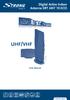 Digital Active Indoor Antenna SRT ANT 10 ECO Picture similar User Manual Table of contents 1.0 INTRODUCTION 1 2.0 PACKAGE CONTENT 1 3.0 SAFETY NOTES 2 4.0 CONNECTING THE ANTENNA 2 1.0 INTRODUCTION Thank
Indoor/Outdoor Color Camera with Built-in 2.4 GHz Wireless Transmitter, plus X10 controlled power supply, and Video Receiver.
 Indoor/Outdoor Color Camera with Built-in 2.4 GHz Wireless Transmitter, plus X10 controlled power supply, and Video Receiver. OWNER'S MANUAL VR36A XC18A XM13A MODEL VK69A (INCLUDES XC18A CAMERA, XM13A
5.8GHz Audio/Video Sender
 5.8GHz Audio/Video Sender RF-Link / Araneus USA Inc. 44845 Industrial Dr. Fremont, CA. 94538 U.S.A. Tel: +1-510-4135885~5886 Fax: +1-510-6515995 URL: http://www.rflinkusa.com Design and specification subject
CABLE ONE ALL DIGITAL
 CABLE ONE ALL DIGITAL The world is going All Digital and so is Cable ONE. With the switch from analog to digital technology, Cable ONE will be able to add new channels, especially more HD channels, and
The Parts of the System
 2 The Parts of the System THE RECEIVER THE RECEIVER FRONT PANEL Power Light This green light on the receiver front panel lights up when the receiver is turned ON. This light flashes when the receiver memory
Lynx Broadband Installation Manual for Residential Packages with a 20 db Amp Quick Start Guide (first two pages)
 Lynx Broadband Installation Manual for Residential Packages with a 20 db Amp Quick Start Guide (first two pages) 1. Be sure that your kit includes all the parts shown in the Check the Equipment section
Time Warner Cable TV. Easy Connect Guide. Enjoy endless ways to watch your favorite shows.
 Time Warner Cable TV Easy Connect Guide Enjoy endless ways to watch your favorite shows. You name the show. You choose the screen. Enjoy watching exactly what you want on the device you want. Your service
ELEMENTS OF CABLE TELEVISION
 1 ELEMENTS OF CABLE TELEVISION Introduction Cable television, from its inception, developed in western countries into two separate systems called Master Antenna Television (MATV) and Community Cable Television
AVR 158. Audio/video receiver. Quick-Start Guide ENGLISH
 158 Audio/video receiver ENGLISH Quick-Start Guide 158 Introduction, Speaker Placement and Connection Introduction Thank you for choosing a harman kardon product! This quick-start guide contains all the
ABOUT YOUR SATELLITE RECEIVER
 2 Satellite Receiver ABOUT YOUR SATELLITE RECEIVER This chapter gives you an overview and a description of your satellite receiver. SATELLITE RECEIVER OVERVIEW SINGLE AND DUAL MODES REMOTE CONTROL SATELLITE
Thank you for choosing mysdatv box for being your gateway to faith and family programming. I pray that this programming will be a blessing for you
 Thank you for choosing mysdatv box for being your gateway to faith and family programming. I pray that this programming will be a blessing for you and your family. 2 mysdatv M8 Quick Start Guide WHAT YOU
ANT1750F Multi-Directional Slim Digital Antenna / Antena multidireccional plana para interiores / Antenne numérique mince multidirectionnelle
 Multi-Directional Slim Digital Antenna / Antena multidireccional plana para interiores / Antenne numérique mince multidirectionnelle User s Guide / Guía del Usuario / Guide de l utilisateur FCC Statement
Technicolor ATSC-8. User s Guide. 2012 Technicolor. All Rights reserved
 Technicolor ATSC-8 User s Guide 2012 Technicolor. All Rights reserved Introduction This document describes the process and procedures for integrating the ATSC-8 product with the COM1000 digital head-end
Transition from Analog to High Definition Television in Hospitals
 Transition from Analog to High Definition Television in Hospitals Presentation Outline Introduction Why the Transition? What is Digital TV & High Definition? Roadmap Video Content Signal Source Cable Distribution
ReSound Unite TV FREQUENTLY ASKED QUESTIONS. Setup & Configuration. Use & Operation. Troubleshooting
 Tip for use of FAQ: Click on questions to go to answer. Setup & Configuration How do I pair the hearing aids to the Unite TV?... 2 What is the latency of the streamed signal?... 2 Does the Unite TV use
UNPACKING AND CONNECTING THE COMMODORE 64
 UNPACKING AND CONNECTING THE COMMODORE 64 The following step-by-step instructions show you how to connect the Commodore 64 to your television set, sound system, or monitor and make sure everything is working
Cutting the Cable (or Dish) with Antenna TV
 Cutting the Cable (or Dish) with Antenna TV By Tom McMorris (mcmorrisphoto.com) In today s world it seems that the cost of everything keeps climbing and climbing including the price of cable or satellite
Portable Multiband Radio (120-0456A) Features Faxback Doc. # 56400
 (120-0456A) Features Faxback Doc. # 56400 Your RadioShack Portable Multiband Radio is an all-in-one radio system designed to provide high-quality sound. the multi-band tuner lets you listen to the radio,
FiOS Self-Installation guide for VIDEO MEDIA SERVER EQUIPMENT
 In just a few simple steps, you ll be ready to experience all the benefits of life on FiOS. 1. Install your router. You ll find installation instructions on page 2. 2. Choose a wired or wireless Internet
HD udta Quick-Start Guide
 HD udta Quick-Start Guide Vyve Broadband HD Set-Top Box Important Safety Instructions 1. Read these instructions. 2. Keep these instructions. 3. Heed all warnings. 4. Follow all instructions. 5. Do not
Performance Specifications
 Performance Specifications Channels: VHF: 2-13 UHF: 14-69 Output Impedance: 75 ohms Dimensions (with elements): 9 1 /8"H* x 13 1 /2"W x 16 1 /2"D *Height with dipoles fully extended 42 Amplifier Gain:
TV connection guide. Para español, ver al reverso
 TV connection guide Para español, ver al reverso Version 1.1 COL0816TV34881 Let s get started. This easy-to-follow guide will show you how to quickly connect your cable box to your TV. Complete every step
Do It Yourself Guide for Adventist Satellite Installation System: Fortec Lifetime Ultra / SatelliteAV 36 Dish
 1-888-393-4673 [email protected] http://www.adventistsat.com [email protected] AMC 4 Dish Aiming Information for Zip Code Elevation. Azimuth, Magnetic. Feedhorn Rotation. Do It Yourself Guide
Easy Connect Guide Digital Adapter. Say hello to your TV s new best friend.
 Easy Connect Guide Digital Adapter Say hello to your TV s new best friend. Connect with the future of TV You re about to step up to a world of even better picture and sound, and this Easy Connect Guide
If you still have an analog TV (tube TV) you can continue to use it by purchasing a converter box.
 The campus CATV (Cable TV) system is an all-digital system which now includes some highdefinition channels. In order to take full advantage, please be sure to bring a digital TV with QAM tuner for use
2005 by Mediacom Communications Corporation. All Rights Reserved. Mediacom Communications assumes no liability nor responsibility for the use of any
 2005 by Mediacom Communications Corporation. All Rights Reserved. Mediacom Communications assumes no liability nor responsibility for the use of any content, materials, or techniques included in this guide.
Mini Box Easy Setup Guide
 University of Kentucky Mini Box Easy Setup Guide Installation Operation Troubleshooting Introduction To bring you better service now and in the future Insight is upgrading to an All-Digital network All-Digital
TIME WARNER CABLE S GUIDE TO USING CUSTOMER-OWNED EQUIPMENT WITH CABLE SERVICES
 TIME WARNER CABLE S GUIDE TO USING CUSTOMER-OWNED EQUIPMENT WITH CABLE SERVICES Extra steps may be required for all cable TV features to work with the cable-compatible equipment present in your home or
Troubleshooting Guide
 Poor or Distorted Picture Troubleshooting Guide Poor picture quality compared to what was seen in the store. Picture is distorted. (Macroblock, small block, dots, pixelization.) Wrong or missing color
Kinivo 301BN HDMI Switch
 Kinivo 301BN HDMI Switch User Manual 2012 Kinivo LLC. All rights reserved. Kinivo is a trademark of Kinivo LLC. Bluetooth word mark and the Bluetooth logo are registered trademarks of Bluetooth SIG. All
www.seikidigital.com SC501TS
 www.seikidigital.com SC1TS CAUTION RISQUE CHOC ELECTRIQUE NE PAS OUVRIR 2 21 17-18 19 20-21 22 23-25 26 26 3 4 5 SC1GS User s manual Warranty card Initial assembly Base stand Stand support Screw(TP4 x
DIGITAL TO ANALOG TV SIGNAL CONVERTER. Owner s Manual Models: 1010, 1020, 1020A, 1030, 1050, 1080
 DIGITAL TO ANALOG TV SIGNAL CONVERTER Owner s Manual Models: 1010, 1020, 1020A, 1030, 1050, 1080 READ WARNINGS AND OPERATING INSTRUCTIONS CAREFULLY, SAVE THESE INSTRUCTIONS. Contents: 1. Safety Instructions
To reduce the risk of fire or electric shock, do not expose this appliance to rain or moisture.
 Attention Symbols, Warning Symbols, and Gray Boxes You must be aware of safety when you install and use this system. This User Guide provides various procedures. If you do some of these procedures carelessly,
For assistance, call 877-MYVIZIO (877-698-4946) or e-mail us at www.vizio.com.
 Dear VIZIO Customer, Congratulations on your new VIZIO XVT423SV/XVT473SV/XVT553SV television purchase. To get the most out of your new VIZIO HDTV, read these instructions before making any adjustments,
Caller-ID on your TV!
 TM Caller-ID on your TV! User s Manual and Installation Guide Copyright 1998 NetMedia Inc., All rights reserved. Rev. 061898 Thank you for your purchase of Caller-TV! You are now ready to enjoy the convenience
DTA100. Digital Transport Adapter. Quick Start Guide. Downloaded from www.manualslib.com manuals search engine
 DTA100 Digital Transport Adapter Quick Start Guide Before You Begin READ THIS FIRST Connecting Your DTA100 1. Connect the DTA100 to your cable service. Connect the coaxial cable from your wall outlet to
Setting up Digital Cable on an S1Digital Media Center
 Digital Cable Setup for Windows Media Center: User s Guide 1 Setting up Digital Cable on an S1Digital Media Center User s Guide Aug 2007 Digital Cable Setup for Windows Media Center: User s Guide 2 The
HP USB Digital/Analog TV Tuner. User Guide
 HP USB Digital/Analog TV Tuner User Guide Copyright 2008 Hewlett-Packard Development Company, L.P. Windows and Windows Vista are U.S. registered trademarks of Microsoft Corporation. The information contained
APSU DIGITAL TV GUIDELINE PROVIDED BY
 APSU DIGITAL TV GUIDELINE PROVIDED BY 931.553.7302 The APSU Cable system is an all-digital system which now includes some high-definition channels. In order to take full advantage, please be sure to bring
DSTV DECODER SETUP MANUAL July 2013
 DSTV DECODER SETUP MANUAL July 2013 DSTV SINGLE VIEW AND SD PVR DECODER SETUP How to program your Single View and SD PVR DSTV Decoders STEP 1 Ensure that the DSTV decoder is connected correctly to the
External TV Tuner TV Tuner for LCD Monitors with Remote
 External TV Tuner TV Tuner for LCD Monitors with Remote COMP2VGATV2 Actual product may vary from photo FCC Compliance Statement This equipment has been tested and found to comply with the limits for a
Technical Standards and Requirements for Radio Apparatus Capable of Receiving Television Broadcasting
 Issue 2 June 2008 Spectrum Management and Telecommunications Broadcasting Equipment Technical Standard Technical Standards and Requirements for Radio Apparatus Capable of Receiving Television Broadcasting
Safety Instructions...iii. Introduction...1
 Contents Safety Instructions...iii Introduction...1 Welcome to DISH... 1 About this Receiver... 1 Overview... 2 Getting Started... 4 Quick Tour of Basic Features... 5 Quick Tour of the Menus... 7 About
Program-Specific Recovery Act Plan for the FCC s Efforts on the Digital TV Transition (Education and Outreach)
 Program-Specific Recovery Act Plan for the FCC s Efforts on the Digital TV Transition (Education and Outreach) Program Purpose Under the American Recovery and Reinvestment Act of 2009 (ARRA or Recovery
Hardware Reference Guide EyeTV 500
 Elgato Systems Hardware Reference Guide EyeTV 500 2.5 2005 Elgato Systems LLC 900 Kearny Street Suite 750 San Francisco, CA 94133 United States of America Elgato Systems GmbH Nymphenburgerstr. 86 80636
InFocus Projector Setup Guide for Digital Cable TV How to connect digital cable TV to an InFocus projector
 InFocus ojector Setup Guide for Digital Cable TV How to connect digital cable TV to an InFocus projector Digital Cable Box Coax Outlet S-232 Table of Contents Good Better - For the quickest setup using
Wireless Audio Video Sender
 SV-1710 702363 UK D F E P I NL SF S DK N Wireless Audio Video Sender 1 2 Aligned A B 3 IR-receiver WWW.EFORALL.COM 3 UK Table of Contents UK The Product.......................................................
VMB070 QUICK START GUIDE
 VMB070 QUICK START GUIDE WELCOME! Thank you for purchasing the VIZIO 7 LED LCD Portable TV. The TV s features include: www.vizio.com. PACKAGE CONTENTS 7 LED LCD Portable TV Remote Carrying Pouch Power
WARNING: To prevent fire or electric shock, do not expose this appliance to rain or moisture.
 BeoVision 4 1 Guide CAUTION: To reduce the risk of electric shock, do not remove cover (or back). No User-serviceable parts inside. Refer servicing to qualified service personnel. WARNING: To prevent fire
Receiver and Remote Controls
 9242_4_Ch2_eng 6/11/07 9:29 AM Page 1 2 Receiver and Remote Controls ABOUT YOUR SATELLITE RECEIVER This chapter helps you get to know your remote control, which lets you use all the functions of your receiver.
Evolution Digital HD Set-Top Box Important Safety Instructions
 Evolution Digital HD Set-Top Box Important Safety Instructions 1. Read these instructions. 2. Keep these instructions. 3. Heed all warnings. 4. Follow all instructions. 5. Do not use this apparatus near
CAUTION RISK OF ELECTRIC SHOCK NO NOT OPEN
 Evolution Digital HD Set-Top Box Important Safety Instructions 1. Read these instructions. 2. Keep these instructions. 3. Heed all warnings. 4. Follow all instructions. 5. Do not use this apparatus near
LF-IRX. Limited Warranty LF-IRX. Remote Control Extender OWNER S MANUAL
 Limited Warranty OWNER S MANUAL Audiovox Corporation (Audiovox) warrants this product against defects in materials or workmanship for one (1) year from the date of purchase. During this period, this product
VIZIO 120HZ E SERIES User Manual
 Dear VIZIO Customer, Congratulations on your new VIZIO High Definition LCD Television purchase. This User Manual covers E371VA, E421VA, E470VA and E550VA 120HZ series models, for any specific difference
ANI-9005. Instruction Manual DIGITAL INDOOR/OUTDOOR TV ANTENNA OMNI-DIRECTIONAL WITH AMPLIFIER INTRODUCTION:
 INTRODUCTION: This is a specially designed new concept antenna for digital indoor, outdoor analogue, and terrestrial HDTV broadcasting reception. It is the best solution for home reception and digital
BOSE. Link AL8 HOMEWIDE WIRELESS AUDIO LINK
 BOSE Link AL8 HOMEWIDE WIRELESS AUDIO LINK Français English SAFETY INFORMATION Please read this owner s guide Please take the time to follow the instructions in this owner s guide carefully. It will help
TIME WARNER DIGITAL CABLE
 IF IT S WORTH WATCHING IN 3D IT S ON TIME WARNER DIGITAL CABLE 3D TV FAQ & SETUP GUIDE What Equipment do I Need to View Sports in 3D? Equipment I Need Time Warner Digital Cable Set Top Box (Connected Directly
Hi! Let s get started.
 Hi! Let s get started. What s in the Box Roku player Remote control 2 x AAA batteries for remote A/V cable RCA Power adapter Get to know your roku A Front view B C F Back view D E A B C D E F Status light
FVS 1000_Englisch 2 16.05.2001 8:34 Uhr Seite 1 TABLE OF CONTENTS
 FVS 1000_Englisch 2 16.05.2001 8:34 Uhr Seite 1 TABLE OF CONTENTS 1 INTRODUCTION Dear Customer... 2 Caution... 2 Features... 2 MBO FVS 1000... 3 Important Safety Precautions... 4 Caution... 4 Note... 4
IMPORTANT SAFETY INSTRUCTIONS
 IMPORTANT SAFETY INSTRUCTIONS Before you install or use the apparatus, you must read and understand these Important Safety Instructions. At all times when using the apparatus you must follow these Important
VAST. Satellite Digital TV.
 VAST (Viewer Access Satellite Television) Satellite Digital TV. Compiled and written by Ronald H Tew of The Wandering Tews Issue 7, 22 nd January 2011. Web site: www.wanderingtews.com Web sites to check
MyM 3T. User Manual. English
 User Manual Compact unit with 2 DVB-T tuners MPEG-2 and MPEG-4 compliant 3 analogue modulators Two CI for decryption or multidecryption NICAM or A2 stereo 12-volt power supply Low power consumption MyM
HDHomeRun Installation Instructions (20121008)
 HDHomeRun Installation Instructions (20121008) I. HDHomeRun Connections: HDHomeRun 3G Dual Tuner Back 1. Power connector 2. Network connector 3. Signal In Back 4. Power/Network LED 5. Tuner 0 6. Tuner
mini box User s Manual
 mini box User s Manual Version. Updated: 0/0/4 04 Cox Communications, Inc. Table of Contents Chapter : Introduction... About This Manual... Chapter : Installing & Activating Your mini box... 4 Connecting
Your Digital Adapter Easy Setup Guide
 Your Digital Adapter Easy Setup Guide Connect with the future of TV You re about to step up to a world of even better picture and sound, and this Easy Setup Guide is here to help every step of the way.
CINEMATE 1 SR DIGITAL HOME THEATER SPEAKER SYSTEM. Operating Guide Guía del usuario Guide d utilisation
 CINEMATE 1 SR DIGITAL HOME THEATER SPEAKER SYSTEM Operating Guide Guía del usuario Guide d utilisation Notice This equipment has been tested and found to comply with the limits for a Class B digital device,
Wireless Genie Mini MODEL C41W
 Wireless Genie Mini MODEL C41W Installation Guide OVERVIEW See the panels that follow for complete instructions. This Installation Guide will show you how to connect your DIRECTV Wireless Genie Mini Client
Siemens Energy & Automation. structured. WIRING Product Training Series: Advanced Video Session 3
 s structured WIRING Product Training Series: Advanced Video Session 3 1 Table of Contents This presentation will give you a closer look at Video in Structured Wiring applications. The following Areas will
Receiving Saorview Digital Terrestrial Television
 Receiving Saorview Digital Terrestrial Television Introduction RTÉ NL Nutley Building Donnybrook Dublin 4 Tel: 01-2082223 Fax: 01-2082283 Email: [email protected] Web: www.rtenl.ie Saorview s Digital Terrestrial
Wave/PC Interactive System USB Adapter Kit. Installation Guide
 Wave/PC Interactive System USB Adapter Kit Installation Guide Safety Information 1. Read these instructions for all components before using this product. 2. Keep these instructions for future reference.
DVB-T TV Stcik User s Manual Ver. 2.6.3 Table of Contents
 DVB-T TV Stcik User s Manual Ver. 2.6.3 Table of Contents Chapter 1 Overview 1.1 Introduction.2 1.2 System Requirements 2 1.3 Package Contents..2 Chapter 2 How to Connect hardware 2.1 Hardware Connecting.3
VideoMate V200/V200F Analog Standalone TV Box Start Up Guide
 VideoMate V200/V200F Analog Standalone TV Box Start Up Guide Compro Technology, Inc. www.comprousa.com 1 Table of Contents About This Guide... 3 VideoMate V200/V200F TV Box Contents... 4 Install V200/V200F
For assistance, call 877-MYVIZIO (877-698-4946) or e-mail us at www.vizio.com.
 Dear VIZIO Customer, Congratulations on your new VIZIO E421VO television purchase. To get the most out of your new VIZIO HDTV, read these instructions before making any adjustments, and retain them for
IsumaTV connexion to COOP cable system Set up manual
 IsumaTV connexion to COOP cable system Set up manual HotSpot Router Scan Converter IsumaTV Local Server (MP) Video Modulator IsumaTV Local Server (MP): computer mirroring IsumaTV s website. It contains
DVI Video Splitter USER MANUAL VS-162 / VS-164
 DVI Video Splitter USER MANUAL VS-162 / VS-164 FCC Information This equipment has been tested and found to comply with the limits for a Class B digital device, pursuant to Part 15 of the FCC Rules. These
Analog Video Connections Which Should I Use and Why?
 Analog Video Connections Which Should I Use and Why? When converting video to a digital file, there can be several options for how the deck is connected to your digitizing work station. Whether you are
Setup Guide. You re minutes away from a whole new way of watching TV. Of controlling TV. Of thinking about what TV can be.
 Setup Guide You re minutes away from a whole new way of watching TV. Of controlling TV. Of thinking about what TV can be. Unpack the box From HD video calling on your couch to house-of-the-future touch