
User Instructions Cyrus III
|
|
|
- Brian Watkins
- 9 years ago
- Views:
Transcription
1 User Instructions Cyrus III

2 Cyrus III Amplifier 1 English

3 INTRODUCTION Congratulations on the purchase of your Cyrus III Amplifier. This piece of equipment is a precision manufactured state-of-art product, constructed to the highest standards and specifications. This manual contains installation and operating instructions to enable the user to connect up and operate the amplifier correctly, thus ensuring the greatest satisfaction and long term use. This instruction manual is divided into eight sections. Cautions Installation Operation Remote Control Additional Information Trouble Shooting Specifications Guarantee To enable you to make full use of the comprehensive facilities of the amplifier we suggest that you read these sections which will explain the fundamental operations of the unit. CAUTION Cyrus III Amplifier POLARISED CONNECTOR (115V PRODUCTS ONLY) To prevent electrical shock, match wide blade of plug to wide slot and fully insert Attention: Pour éviter les chocs électriques, introduire la lame la plus large de la fiche dans la borne correspondante de la prise et pousser jusqu'au fond. English 2

4 Cyrus III Amplifier Your Cyrus III Amplifier is factory set to operate from a fixed mains supply voltage, which is marked on a label at the rear of the unit. Before connecting, check that this voltage is the same as your mains supply, i.e. 230V Products Voltage Range 220V-240V 115V Products Voltage Range 110V-120V UNPACKING Always follow the instruction handbook and retain it in a safe place for future reference. Before proceeding with installing the Cyrus III Amplifier, ensure that the following items are included in the accessory box: Instruction Manual Power Cable Remote Handset 4 Loudspeaker Plugs Guarantee Card After removing these items, please retain the packing for future use. LOCATION Install the amplifier in a well ventilated location where it will not be exposed to high temperature or humidity. CAUTIONS Avoid installing the Cyrus III Amplifier in a location which is exposed to direct rays of the sun, or near to hot appliances or radiators. Placing and using the amplifier for long periods on heat-generating sources will affect performance and may damage the cabinet. Installation in a damp or dusty environment may result in malfunction or accident. RE-LOCATING The Cyrus III Amplifier is supplied ready for use in your location. Care has been taken to ensure that the power supply requirements are correctly set. Consult your Mission distributor to arrange for conversion of your Cyrus III should you move to another area with a different mains voltage supply. PRECAUTIONS REGARDING INSTALLATION It is important not to allow any liquid or foreign object fall into this unit. When routing the power cord avoid running it over or near sharp objects. If the amplifier is not to be used for a long period of time, unplug the unit from the mains power supply. This unit contains no user serviceable parts, therefore never remove any panels from the unit or attempt to service the unit. In the unlikely event of failure, please refer to qualified service personnel. 3 English

5 INSTALLATION Cyrus III Amplifier 1. Right Speaker Output 2. Left Speaker Output 3. Pre-Amplifier Output 4. Tape Recorder Output 5. Tape Input 6. Aux Input 7. CD Input 8. Phono Input Fig.1 Amplifier (rear view) 9. Tuner Input 10. Video Input 11. MC-BUS System Connection 12. PSX-R Connection 13. Turntable Ground 14. Power Inlet 15. Mains Fuse 16. Power Switch English 4

6 Cyrus III Amplifier INSTALLATION POSITIONING THE UNIT The Cyrus III may be positioned as a free standing unit or alongside another piece of audio equipment. Never stand the Cyrus III under another unit. This may adversely affect the efficient cooling of the Cyrus III. Never place the Cyrus III on a carpet or similar material which may hamper normal ventilation. CONNECTING THE UNIT The Mains Supply The moulded IEC connector of the mains lead supplied should be plugged in to the power inlet 14 on the rear of the unit. The mains fuse 15 is located on the rear panel next to the power switch. It must only be replaced with the following types: U.K. / Europe - 230V T1A/20mm N. America / Far East - 115V T2A/20mm In the U.K., the Cyrus III comes with the mains plug fitted. In the unlikely event that the plug fuse should need replacing ensure that it is only replaced with a 3 Amp Fuse. IMPORTANT NOTE TO USERS OF PSX-R WITH CYRUS III In order to use a PSX-R regulated power supply with the Cyrus III Amplifier, certain internal adjustments must be made to the Cyrus III which can only be carried out by an authorised Mission distributor or his agent. Connection of the PSX-R to a Cyrus III which is not correctly adjusted will result in fault condition display on the Cyrus III. The Cyrus III fault indication system is fully described in the Cyrus III handbook. Connecting a PSX-R Power Supply (Optional) If a PSX-R is to be used with the Cyrus III, proceed to connect the umbilical cord of the PSX-R to the 5-pin Cannon input socket of the Cyrus III. When correctly fitted, the connector will latch into place in the socket. Note that when a PSX-R is in use, both the PSX-R power supply and the Cyrus III will require mains power. Note: For more details on the PSX-R, please refer to the Cyrus PSX-R Instruction Manual. 5 English

7 INSTALLATION Connecting a Turntable Connect the phono cable from the turntable to the phono input - PH 8. Be sure to follow colour coding of the plugs to keep left and right channels correctly ordered. If the turntable has a ground wire fitted, connect this to the Turntable ground connection 13 of the amplifier. Note that the phono pre-amplifier of the Cyrus III is suitable for use with a pick-up cartridge of either moving magnet or high output moving coil design. A low output moving coil cartridge will require a step-up transformer or pre-amplifier to be used externally. Your dealer can advise if this is necessary. Connecting other Inputs Connect a phono cable between each system component and the rear panel sockets as marked on the rear panel diagram. At all times observe the colour coding of the phono cable for left and right channel identification. The Cyrus III provides for connection of a CD Player -CD 7, a tuner - TU 9, a video recorder or video disc player - VI 10, and an auxiliary input - AU 6. The AU input can be used for connection of a wide variety of products such as a second CD player, tuner or VCR, an electronic keyboard, an organ or a second tape deck if only replay is necessary. Always check the technical Cyrus III Amplifier specification of these products before connecting to your Cyrus III. Consult your dealer if in doubt. Connecting a Tape Recorder Two phono cables are necessary for connection of a tape recorder when used. Firstly, connect a phono cable from the Output or Playback sockets of the tape recorder to the Tape Input - TP IN 5 of the Cyrus III. Then connect a second phono cable from the Input or Record sockets of the tape recorder to the Tape Record Output - TP OUT 4 sockets of the Cyrus III. Connecting Loudspeakers The left and right loudspeakers are connected to the rear panel sockets 1 and 2 of the Cyrus III respectively using the plugs provided. First, fit the plugs to the loudspeaker cables. Carefully note that the cable carries marking or colours for polarity, (+ and -) may also be marked for direction with an arrow. For correct operation, it is essential that the (+ and - ) terminals of the amplifier are connected to the corresponding (+ and -) terminals of the loudspeakers. When fitting the plugs to the cables be sure to line up (+ and -) at each end. The loudspeaker plugs can now be fitted to the amplifier sockets. English 6

8 Cyrus III Amplifier OPERATION 1. Standby Switch 2. Standby Light 3. Balance 4. Remote Eye 5. Volume Level 6. Tape 7. Auxiliary 8. Video 9. Tuner 10. CD 11. Phono 12. Mute Fig. 2 Amplifier (front view) 7 English

9 OPERATION Cyrus III Amplifier POWER The mains power switch 16 is located on the rear panel of the amplifier (refer to the rear panel drawing on page 4). This switch should be left on for normal operation, except when left unattended for a long period. In this case the mains power should then be switched off or the product disconnected from the AC supply. Refer now to figure 2, front panel drawing on page 7. When the amplifier is in regular use and power is permanently applied, the STANDBY key 1 can be used for power control. The Standby light 2 will show red when the amplifier is off and green when operating. The Cyrus III will also switch on when an input source 7-11 is selected. SELECTING AN INPUT FOR LISTENING The five input keys switch between selected input sources. These can be a turntable - PH, a CD player - CD, a tuner - TU, a video recorder or video disc player - VI and a spare auxiliary input - AU. When an input key is selected, the red indicator above the key will turn on. RECORDING AND PLAYBACK If the tape recorder connections are made according to the previous instruction in this manual, then you should be able to listen to a recording by selecting the Tape Monitor key - TP 6. The indicator above the TP key will now light in addition to the selected source. To cancel this, press the TP key again. Should your tape deck have a three-head facility, then you can use the TP key to monitor the recording quality directly from the third head, whilst recording. You can record from a source by pressing the relevant Key 7-11 and following the recording instructions in your tape deck manual. VOLUME AND BALANCE CONTROL The rotary knob of the Cyrus III has a dual function of volume and balance control. The control is applied in precision steps of 1dB with 0.2dB channel balance accuracy throughout the volume range. The light ring around the knob performs different functions in each mode of operation. English 8

10 Cyrus III Amplifier Remote Control Handset as supplied with Cyrus III only Volume Control In normal mode the rotary knob of the Cyrus III controls the volume in 1dB steps from its maximum level down to the minimum. The light ring around the knob is calibrated to give the correct loudness scale to the changes in the volume level. When the volume is set to the minimum level the first L.E.D. indicator on the light ring will be RED. The currently set volume is preserved when the unit is put into standby mode. Should the level be set abnormally high when standby is selected, this will be automatically adjusted down to a safer level on switch-on. Balance Control Your Cyrus III is equipped with a Balance control key 3 which is used to change the operation mode of the rotary knob to that of Left - Right Balance. When selected, the light ring will change function to work in "reverse - video" format with the unlit section indicating the position of L-R balance. OPERATION When in this mode, you can control the L-R balance by up to +/-4dB as well as switching one channel off completely when the control is turned to an extreme. The balance mode is automatically reset after 5 seconds of inactivity of the rotary knob. It can also be reset by pressing the balance key again. Mute Pressing the Mute Key 12 will fade out the volume to minimum level without disturbing the existing setting. When muted the minimum level indicator light, RED will light as well as the existing GREEN light to show that the output is muted. Changing the volume knob or pressing the Mute key will reset the mute, fading in the original volume setting. Normal Listening Level - Mute Channel Balance Normal Channel Balance R - CH + 2dB Channel Balance L - Ch Only 9 English

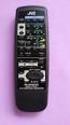
11 REMOTE CONTROL Cyrus III Amplifier Controls for Cyrus III Amplifier Controls for Cyrus FM7 Tuner Power Off Control for Cyrus III and Cyrus FM7 1. Power Off 2. Numeric Keypad 3. Mono 4. Mute 5. Tape Monitor 6. Balance 7. CD Select 8. Tuner Select 9. Video Select 10. Aux Select 11. Volume Control 12. Seek Down 13. Seek Up 14. Store 15. Display English 10

12 Cyrus III Amplifier REMOTE OPERATION Power Your Cyrus III may be turned on by selecting any Input Select Key 7-10 on the Cyrus amp - tuner handset. If an FM7 is used, then pressing the Tuner Select Key - TUN 8 will also switch the tuner on. To switch the power off from the remote position, press the "Cyrus System Off" RED Key on the handset. Cyrus III Controls The remote control handset of the Cyrus III serves a dual purpose of controlling your amplifier as well as the Cyrus FM7 Tuner should you own one. The top three rows of keys on the handset replicate the front panel of the Cyrus III making it possible to have full control of the amplifier from a remote position. FM7 Controls Your FM7's functionality is greatly enhanced when using it with your Cyrus amp - tuner handset. The following paragraphs describe the FM7 remote control functions in detail. Read the subsequent paragraphs if you own a Cyrus FM7. REMOTE CONTROL Auto Tuning In addition to the normal SEEK UP tuning facility available on the FM7 front panel, the remote control handset provides the possibility of scanning down the broadcast band providing additional flexibility. Preset Storage Building onto the seven presets available on the front panel, the remote control handset gives access to 29 preset locations in total. To store a preset, select a station using AUTO or MANUAL tuning and press the STORE key 14. The preset digits on the display will flash prompting you to enter a two-digit preset location number. For location numbers under 9 the digit must be preceded by a zero. Preset Selection The numeric keypad of the handset enables direct entry of the preset location number. To select a preset enter a twodigit number up to 29. Exceptions to this are location numbers 3 to 9 which can be accessed by a single digit entry. 11 English

13 REMOTE CONTROL Cyrus III Amplifier Mono Operation The tuner may be forced into mono operation using the MONO key 3 on the handset. This is useful in cutting the background noise substantially when tuned to weak transmissions. This function may also be beneficial in improving quality of centre-image broadcasts such as news, sports, etc. Should you wish to permanently receive a particular in MONO proceed as follows. Tune to the desired station and press the MONO key 3. The mono symbol ' ' will be displayed on the front panel in place of the stereo symbol ' '. Press the STORE key 14 and dial in the preset location number as required. Display Control The DISPLAY key 15 on the handset can be used to switch the display of the FM7 off should this be preferred. Pressing this key again restores the display to its normal mode. Switching the display off reduces the power consumption of the unit and eliminates the digital traffic related to the display update function. This can improve the overall quality of reception without adversely affecting the normal functions of your FM7. English 12

14 Cyrus III Amplifier ADDITIONAL INFORMATION KNOW YOUR CYRUS III Power When first powered up from the mains switch on the rear panel, the Cyrus III will run a self-test, checking the internal functions and all the front panel indicators in sequence. After completion of this cycle the amplifier will revert to Standby mode. When first switched on from standby the CD input is automatically selected and the volume is set to minimum. When set to Standby the front panel settings for input selection and Volume/Balance will be retained until next used. If the unit is put in standby mode while set to abnormally high volume levels, the Cyrus III will power on at the safe level of -15dB when next switched on. When switched to Standby, the power amplifier section of the Cyrus III is shut down to ensure minimal power consumption and reduced heat generation. If other Cyrus products are used with the Cyrus III, they can be connected via the MC-BUS as shown on page 15. This will ensure that the power ON/OFF will function in unison between all Cyrus products, locally as well as via the remote control handset. For example, if the tuner input - TUN of the Cyrus III is selected, them the FM7 tuner will automatically turn on. Conversely if the Standby key on the Cyrus III is pressed, then all Cyrus products connected via the MC-BUS will turn off. The Cyrus III runs at a high quiescent current setting to ensure deep operation into class AB. This naturally results in the enclosure to be warm to the touch and therefore should not be a cause for concern. Volume and Balance The volume control system of your Cyrus III is a precision 1dB - step attenuator design which is musically transparent. One major advantage of this design is its absolute accuracy, which unlike conventional volume pots maintains +/-0.1dB tolerance throughout 63 steps of attenuation available. The volume setting of your Cyrus III is achieved independently for the Left and Right channels. The L-R channel balance can therefore be controlled by applying an offset to the attenuation of one channel with respect to the other with the same degree of precision. The channel balance is maintained within +/- 0.2dB across the full volume control range. Signal Processors 13 English

15 ADDITIONAL INFORMATION A multitude of signal/sound processing components such as Dolby Pro-Logic sound processors may be used with the Cyrus III by connection inside the "Tape Loop" of the amplifier. In this case the tape recorder is normally connected to the processor instead. For detailed connectivity refer to the relevant component's manual. Bi-amping / Tri-amping The buffered pre-amplifier output of the Cyrus III may be used in conjunction with added power amplifier blocks to upgrade your loudspeaker system through Bi-amping or Tri-amping. In this case you should check that the sensitivity of the power amplifier modules are compatible with the output level of the Cyrus III. External Regulated Power Supply - PSX-R Addition of a PSX-R which is a highly regulated DC power supply will upgrade the sonic performance of your Cyrus III as well as enhancing its current drive ability into difficult loudspeaker loads. Should you decide to add this optional extra to your system, be sure to have your Cyrus III converted by your dealer or an authorised Cyrus Service Organisation. Cyrus III Amplifier When Cyrus III / PSX-R combination is installed all analogue and signal related sections of the Cyrus III are powered from this clean and highly stable power source, while the remaining power requirements are supplied internally. This technique ensures complete isolation of the sensitive analogue sections from the control side as well as the AC mains-borne noise and power supply ripple which of course, enhances the delicacy and transparency of the reproduced music programme. MC-BUS System Connection This is an optional connection via the MC-Bus sockets 11 (see rear panel drawing on page 4), which can provide unified power control of a complete Cyrus system from your Cyrus III. The MC-Bus connections should be wired as a 'loop' using single RCA phono interconnects. The diagram on the next page shows a typical Cyrus system of Cyrus DAD7, Cyrus FM7, Cyrus III and Cyrus Power with such an MC-Bus loop connected. Referring to this diagram, connect the first cable between the MC-Bus output of the Cyrus III and the MC-Bus input of the next Cyrus component. Continue to wire each product MC-Bus output to the next input, finally returning to the Cyrus III input to complete the loop. Operating a system with MC-Bus connected English 14

16 Cyrus III Amplifier ADDITIONAL INFORMATION which ensures consistency and quality levels hitherto impossible to achieve in an audio product of this price range. AMPLIFIER MAINTENANCE When the above connections have been made it will now be possible to control the power function of the entire system from the Cyrus III, either from the front panel or by remote control. Selecting 'CD' from the Cyrus III front panel will then switch on the Cyrus III, the Cyrus Power and the Cyrus DAD7 CD player. When the Cyrus III is set to Standby, all system components will also switch off. Another important function of the MC-Bus system is to enable Micro-processor controlled testing and calibration to be applied during the production phase of the Cyrus range of products. Using the MC-Bus all possible tests relating to the correct operation of the system are performed in a relatively short period of time. Such rigorous tests are only possible with the aid of this proprietary communication bus system There are no user serviceable parts in the Cyrus III so there is no reason to remove any of the panels. After disconnecting the mains power supply, the cabinet may be cleaned using a chamois leather, slightly moistened with water. DO NOT use cleaning agents containing alcohol, spirits, ammonia or abrasives. THE MISSION/CYRUS GROUP MANUFACTURE Loudspeakers Loudspeaker Stands Loudspeaker Cables Compact Disc Players D-to-A Converters Amplifiers Tuners Home Theatre Processors Regulated Audio Power Supplies Isoplat (Vibration Isolation Platform) 15 English

17 TROUBLESHOOTING TROUBLESHOOTING GUIDE If you suspect that your Cyrus III is not operating to specification please read through this section before returning the amplifier to your local dealer. No Sound from either Speaker Check that the amplifier is on. Green power light should be "ON". Check that the amplifier responds to different front panel commands. Check that the MUTE light on the volume control light ring is "OFF". Check that the relevant programme source is selected and is working. For example the CD Player is playing. Check that the Tape Monitor is not selected inadvertently, RED light above the TP key is "OFF". Check that the loudspeakers are not inadvertently disconnected. Check that the installation is correct according to the installation guide in this booklet. Check that there is not fault indication on your Cyrus III front panel. If so refer to the next section. Cyrus III Amplifier No Sound from one Speaker Check the Balance Control is not set to left or right limits. If your loudspeakers are fitted with protection fuses, check that the fuse is intact. Check the interconnect cable integrity on the rear panel and at source. If possible use another interconnect cable. Check the speaker cable connection integrity of the missing channel. If the problem persists proceed as follows: Change the programme source using the suspected interconnect cable and check that the problem still exists. If the fault is removed by doing this then the original source is at fault. Interchange the left and right connection of the interconnect cable at SOURCE. If the missing channel switches over then there is a problem in one channel of the source or the interconnect. If the sound disappears totally then there may be two problems present in your system. Change over the left and right channels of your loudspeaker on the Cyrus III rear panel. If the problem stays in the same channel, then there is a English 16

18 Cyrus III Amplifier TROUBLESHOOTING fault in the loudspeaker cable or the loudspeaker. Now switch the cable at the loudspeaker end and if the problem switches then the loudspeaker is faulty, otherwise it is the loudspeaker cable which may be defective. Note: Be sure to restore the system to its original configuration after completion of the above series of tests. Spurious Sounds from the Loudspeakers If you experience strange or unnatural noises from your system proceed as follows: Select another source to ensure that this is not a common problem. If the problem remains switch the Cyrus III off at the rear panel and turn it on again after a few seconds. If the problem is limited to a single source, check the integrity of the interconnection to the source and in the case of a phono turntable, check that the phono ground wire is secured at the rear panel of the Cyrus III. 17 English

19 TROUBLESHOOTING Cyrus III Amplifier FAULT INDICATION SYSTEM The Cyrus III has a unique fault indication system, built in to help you to diagnose the possible cause of a problem. All fault indications are presented by the Standby light on the front panel of your Cyrus III. FAULT INDICATION AT FIRST INSTALLATION Flashing RED This indicates that the Cyrus III has been adjusted for use with a PSX-R power supply, but a PSX-R has not been connected correctly. In this case, check that the PSX-R umbilical cord is connected to the rear panel PSX-R socket and that the mains power is connected securely to both products. If the connections are in order and the indication persists, return the unit(s) to your Mission distributor. Flashing GREEN This indicates that a PSX-R power supply has been connected to a Cyrus III without the correct preparation for PSX-R use. In this case, remove the PSX-R cable and re-test the Cyrus III. If the Cyrus III functions correctly, return the amplifier to a Mission distributor for PSX-R adjustment. FAULT INDICATION WHEN IN USE Flashing GREEN / YELLOW This indicates an overload condition in at least one channel. If the problem is of a temporary nature (for example excessive volume setting), normal operation will resume after four seconds. If the fault indication persists, there may be a problem with the loudspeakers or their connections. In this case, switch off the power at the rear of the Cyrus III and disconnect the speaker cables from the rear panel. If the fault indication has now cleared, check the loudspeakers, cables and plugs carefully for loose strands of wire which may cause a short circuit. Flashing RED This indicates an internal problem with the Cyrus III or PSX-R (where used). If the problem does not clear when the amplifier power is reset, return the unit(s) to your Mission distributor for checking. Flashing GREEN This indicates a fault reported from the PSX-R. In this case, switch off the power to both the Cyrus III and the PSX-R and switch on again. If the problem does not clear, return both units to your Mission distributor for checking. English 18

20 Cyrus III Amplifier AUDIO PERFORMANCE Input Sensitivity...Line...200mV (50W/8Ω)...Phono mV Input Impedance...Line...22kΩ Phono...47kΩ +50pF Volume Control Accuracy... +/-0.1dB 0dB to - 63dB Channel Balance... +/-0.2dB 0dB to -63dB Frequency Response (-3dB)...Line... 2Hz, 80kHz RIAA accuracy...phono... +/-0.2dB Signal to Noise Ratio...Line... 98dBA (A-WTD)...Phono... 80dBA Power Output...8 Ohms...50W (both channels driven)...4 Ohms...70W THD+N (PRE - AMP)...Line % 1kHz...Phono % SPECIFICATIONS THD+N (AMP) (both channels driven)... 8 Ohms % (1kHz half power)... 4 Ohm % POWER SUPPLY Voltage See the plate attached to the rear of unit Power Consumption Standby...(12W) ON (No Load)...(23W) ON (2 x 50W/Ch)...(185W) Safety Requirements...IEC 65 ENCLOSURE Dimensions (WxHxD) x 75 x 365 mm Weight Kg Material... Magnesium alloy and Aluminium alloy The company reserves the right to change this specification without prior notice. Part No. AM-MANUL/Iss File:7AEN5B11.WIM 19 English

21 GUARANTEE This guarantee only becomes effective if the guarantee card enclosed is completed by the Dealer and the purchaser and returned to MISSION or Distributor within 8 days of purchase. This guarantee excludes: i) All damage caused through accident, misuse, wear and tear, neglect or through incorrect installation, adjustment or repair by unauthorised personnel. ii) Liability for damage or loss occurring in transit to or from the purchaser. Claims under this guarantee must, whenever possible, be made through the Dealer from whom the equipment was purchased or if that is not convenient, through another authorised MISSION/CYRUS dealer. MISSION shall not be liable for any consequential damage, loss or injury whatsoever, arising from or in conjunction with this equipment. Cyrus III Amplifier The cost of carriage (to or from the Dealer) shall be borne by the purchaser. This guarantee is personal to the original Purchaser and is not transferable. If equipment is found on examination to comply with the published specification, MISSION reserves the right to make a charge for examination and for return carriage. No Dealer or Distributor has any authority to vary the terms of this guarantee. Any unauthorised servicing will result in loss of guarantee. We strongly recommend that you retain the sales receipt for your CYRUS equipment in case of any warranty claim. The above conditions do not affect your statutory rights as a consumer. English 20
22 NOTES Cyrus III Amplifier English 21
Fig 1. Fig 3 Fig 4a. Fig 2. Fig 4c. Fig 4b. a b c de fgh i 1) a b. Cyrus CD Player. X Power. Cyrus FM tuner. Cyrus Preamplifier.
 a b c de fgh i 1) X Power 1$ 1# 1@ 1! Fig 1 a b X Power c BIAMPING Cyrus CD Player Cyrus FM tuner Cyrus Preamplifier Cyrus Power amplifier Fig 2 Fig 3 Fig 4a Fig 4c Fig 4b BIWIRING MONO BIWIRING IMPORTANT!
STEREO PREAMPLIFIER INSTRUCTIONS FOR USE
 XX STEREO PREAMPLIFIER INSTRUCTIONS FOR USE Thank you for purchasing the Musical Fidelity A5 CR Preamplifier. Used properly and carefully, it should give many years of outstanding musical reproduction.
Operation Manual for Users
 Operation Manual for Users Model No.: FLTAMFMRCD!!!!!!!!!! ATTENTION!!!!!!!!!! THE RESET BUTTON MUST BE PRESSED TO ENSURE PROPER OPERATION. SEE INSTRUCTION MANUAL Table of Contents Table of Contents ---------------------------------------------------------------------------------------------
DAB+ / FM Tuner Model: TU-201
 DAB+ / FM Tuner Model: TU-201 Instruction Manual www.pulse-audio.co.uk 1 Safety Information The lightning bolt within a triangle is intended to alert the user to the presence of dangerous voltage levels
user guide Meridian 558 Multi Channel Power Amplifier
 user guide Meridian 558 Multi Channel Power Amplifier Meridian 558 Multi Channel Power Amplifier User Guide ipreface Sales and service in the UK Meridian Audio Ltd Stonehill Stukeley Meadows Cambs PE18
Perseus. Owner s Manual. Vacuum Tube Preamplifier. Rogue Audio, Inc. 3 Marian Lane Brodheadsville, PA 18322. Issue date: 02/01/06
 Perseus Vacuum Tube Preamplifier Owner s Manual Rogue Audio, Inc. 3 Marian Lane Brodheadsville, PA 18322 Issue date: 02/01/06 TABLE OF CONTENTS 1) Introduction 2 2) Unpacking the Perseus Preamplifier 2
F25 REMOTE CONTROL STEREO PREAMPLIFIER INSTRUCTIONS FOR USE
 REMOTE CONTROL STEREO PREAMPLIFIER INSTRUCTIONS FOR USE Thank you for purchasing the Musical Fidelity Preamplifier. Used properly and carefully, it should give you many years of outstanding musical reproduction.
Owner s Manual AWM910 JENSEN AWM910 COMPACT DISC PLAYER RADIO CD COMPACT MUSIC SYSTEM MUTE AUX BAND AUX IN PUSH PUSH PWR VOL ALARM T/F AUD SPK A SPK B
 AWM910 Owner s Manual COMPACT DISC PLAYER PUSH 1 2 3 4 5 6 RPT SCAN RDM H M PUSH PWR VOL ALARM SET ON/OFF EQ T/F AUD RADIO CD COMPACT MUSIC SYSTEM MUTE AUX BAND CD AUX IN A B A+B JENSEN AWM910 Thank You!
M Zero. Owner's Information. Music's Finest Conductor. Level 0 line pre-amplifier
 M Zero Level 0 line pre-amplifier Owner's Information Music's Finest Conductor Introduction to the M Zero pre-amplifier Congratulations on your purchase of the Audio Note M Zero level 0 pre-amplifier.
Brio-Rmanual:Cursamanual.qxd 08/04/2011 09:25 Page1
 - Brio-Rmanual:Cursamanual.qxd 08/04/2011 09:25 Page1 Brio-Rmanual:Cursamanual.qxd 08/04/2011 09:25 Page2 CONTENTS INTRODUCTION, FEATURES AND TECHNOLOGY 1-3 INSTALLATION 3 CONNECTIVITY 4-6 LOUDSPEAKER
IMPORTANT SAFETY INSTRUCTIONS
 IMPORTANT SAFETY INSTRUCTIONS When using this electronic device, basic precautions should always be taken, including the following: 1. Read all instructions before using the product. 2. Do not use this
INSTRUCTIONS FOR USE Pro-Ject Tube Box S
 INSTRUCTIS FOR USE Pro-Ject Tube Box S Dear music lover, thank you for purchasing a PRO-JECT AUDIO phono amplifier. In order to achieve maximum performance and reliability you should study these instructions
INSTRUCTIONS FOR USE Pro-Ject Phono Box II USB
 INSTRUCTIONS FOR USE Pro-Ject Phono Box II USB Dear music lover, thank you for purchasing a PRO-JECT AUDIO phono amplifier. In order to achieve maximum performance and reliability you should study these
XLS200 MKII. Subwoofer System OWNERS MANUAL
 XLS200 MKII Subwoofer System OWNERS MANUAL CONTENTS Page No. 1) Safety instructions. 2) 3) 4) Connecting up your XLS200. Connecting up using the high level input. Connecting up using the low level input.
CR9986 ROBERTS. Dual Alarm CD Clock Radio. Sound for Generations. Please read this manual before use
 ROBERTS Sound for Generations CR9986 Dual Alarm CD Clock Radio Please read this manual before use Contents Contents... Controls... - Switching on and setting the time... 4 Listening to the radio... 5 Compact
AM / FM Tuner + RDS. Model: TU-101. www.pulse-audio.co.uk
 AM / FM Tuner + RDS Model: TU-101 www.pulse-audio.co.uk 1 Safety Information The lightning bolt within a triangle is intended to alert the user to the presence of dangerous voltage levels within the product
Gemini II. Subwoofer System OWNERS MANUAL
 Gemini II Subwoofer System OWNERS MANUAL CONTENTS Page No. 1) Safety instructions. 2) 3) 4) Connecting up your Gemini II. Connecting up using the high level input. Connecting up using the low level input.
CMP30. User Manual. www.audac.eu
 CMP30 User Manual www.audac.eu 2 Index Introduction 4 Precautions 5 Safety requirements 5 Caution servicing 5 EC Declaration of Conformity 5 Waste of Electrical and Electronic Equipment (WEEE) 6 Caution
Hegel H1 High End Integrated Amplifier
 Hegel H1 High End Integrated Amplifier www.hegel.com [email protected] USER GUIDE Congratulations on your new HEGEL! Our products are based on a simple philosophy: The component shall reproduce the original
CR9971 2 Band Auto Set Dual Alarm Clock Radio ROBERTS. Sound for Generations. Please read this manual before use
 ROBERTS Sound for Generations CR9971 2 Band Auto Set Dual Alarm Clock Radio Please read this manual before use Contents Contents... 1 Controls...2-5 Switching on... 6 Setting the time manually... 6 Setting
Congratulations! Thank you!
 TM-47 ORDERCODE D1370 Congratulations! You have bought a great, innovative product from DAP Audio. The DAP Audio Microphone range brings excitement to any venue. Whether you want simple plug-&-play action
EC4.8. BalancedReferencePreamplifier. Owner smanual ENG
 EC4.8 BalancedReferencePreamplifier Owner smanual ENG Unpacking the EC 4.8 Immediately upon receipt of the EC 4.8, inspect the carton for possible damage during shipment. The carton and packaging have
************* OWNER'S MANUAL BAMF800/2 BAMF1250/2 BAMF1800/2 BAMF2200/2 BAMF2600/2 BAMF1200/4 BAMF1600/4 BAMF2000/1D BAMF4000/1D BAMF5500/1D
 ************* OWNER'S MANUAL BAMF800/2 BAMF1250/2 BAMF1800/2 BAMF2200/2 BAMF2600/2 BAMF1200/4 BAMF1600/4 BAMF2000/1D BAMF4000/1D BAMF5500/1D INTRODUCTION Power Acoustik amplifiers provide high-performance
Radio BMR100 INSTRUCTION MANUAL. ENGLISH (Original instructions)
 ENGLISH (Original instructions) INSTRUCTION MANUAL Radio BMR00 WARNING: For your personal safety, READ and UNDERSTAND before using. SAVE THESE INSTRUCTIONS FOR FUTURE REFERENCE. Symbols The following show
ECD 2 High Performance Balanced DAC. 24 Bit /192kHz. Owner's Manual
 ECD 2 High Performance Balanced DAC 24 Bit /192kHz Owner's Manual EN Unpacking the ECD 2 Immediately upon receipt of the ECD 2, inspect the carton for possible damage during shipment. If the carton is
Digital Radio/DAB+/FM RDS digital clock radio with dual alarm Operating instruction
 381SE1D-A Digital Radio/DAB+/FM RDS digital clock radio with dual alarm Operating instruction GB Contents Controls... 2-3 Using the clock radio for the first time... 4 Operating your clock radio... 5 Selecting
TOA 900 SERIES II MIXER POWER AMPLIFIER
 Operating Instructions TOA 900 SERIES II MIXER POWER AMPLIFIER A-903MK2 A-906MK2 A-912MK2 TO REDUCE THE RISK OF ELECTRICAL SHOCK, DO NOT REMOVE COVER. NO USER SERVICEABLE PARTS INSIDE. REFER SERVICING
MPA-101. WARNING: Improper installation could result in damage to the amplifier and/or speakers. Read all instructions before installation.
 MPA-101 WARNING: Improper installation could result in damage to the amplifier and/or speakers. Read all instructions before installation. The lightning flash with arrowhead, within an equilateral triangle,
User and Installation Guide
 Connect the AC adapter with the amplifier BEFORE plugging the AC adapter into an outlet to avoid spark generation! User and Installation Guide BlueFIDELITYTM Bluetooth Audio Amplifier Model 300 Contents
Active Monitor Box McCrypt S.T.E.V.E. 15. Order No. 30 17 06
 Active Monitor Box McCrypt S.T.E.V.E. 15 Order No. 30 17 06 1 McCrypt Active Monitor 15 Introduction Dear Customer, Thank you for purchasing this McCrypt Active Monitor. You have chosen a quality product
MANUAL PC1000R [email protected]
 MANUAL PC1000R [email protected] Features The APart PC1000R is a professional multisource CD/USB/SD card music player, equipped with balanced and unbalanced analog outputs, coaxial and optical digital
Digital FM/AM Receiver
 Digital FM/AM Receiver Model RM-350D User s Guide 54-5021-01 9609 Printed in USA Specifications Band Coverage............ AM.....................530-1620KHz FM......................87.5-107.9MHz Tuning....................PLL
DAB1001. Wireless Digital Radio Interface. Installation & User Guide
 DAB1001 Wireless Digital Radio Interface Installation & User Guide Contents Contents... 2 Introduction... 3 Contents of Package... 4 Installation... 5 Product Overview... 5 Installation Procedure... 5
Daker DK 1, 2, 3 kva. Manuel d installation Installation manual. Part. LE05334AC-07/13-01 GF
 Daker DK 1, 2, 3 kva Manuel d installation Installation manual Part. LE05334AC-07/13-01 GF Daker DK 1, 2, 3 kva Index 1 Introduction 24 2 Conditions of use 24 3 LCD Panel 25 4 Installation 28 5 UPS communicator
AVR 158. Audio/video receiver. Quick-Start Guide ENGLISH
 158 Audio/video receiver ENGLISH Quick-Start Guide 158 Introduction, Speaker Placement and Connection Introduction Thank you for choosing a harman kardon product! This quick-start guide contains all the
RD-27 ROBERTS. FM RDS/DAB digital radio with. Sound for Generations. Please read this manual before use
 ROBERTS RD-7 Sound for Generations FM RDS/DAB digital radio with Please read this manual before use Contents Controls... Battery operation... 3 Mains operation... 3 Operating your radio - DAB... 4 Selecting
MODEL 2202IQ (1991-MSRP $549.00)
 F O R T H E L O V E O F M U S I C F O R T H E L O V E O F M U S I C MODEL 2202IQ (1991-MSRP $549.00) OWNER'S MANUAL AND INSTALLATION GUIDE INTRODUCTION Congratulations on your decision to purchase a LINEAR
User Guide. CR-111IP Clock radio with dock for ipod
 User Guide CR-111IP Clock radio with dock for ipod IMPORTANT SAFETY INFORMATION CAUTION! RISK OF ELECTRIC SHOCK DO NOT OPEN TO REDUCE THE RISK OF ELECTRIC SHOCK DO NOT REMOVE COVER (OR BACK) This symbol
PR-D9W. GB Version 1
 PR-D9W Version 1 Table of contents Important safety instructions... 2-3 Introduction... 4 Controls... 5-8 Using your weather alert radio for the first time... 9 Operating your radio Search tuning AM/FM...
USER MANUAL. 914 Power Amplifier MODEL: P/N: 2900-300280 Rev 1
 KRAMER ELECTRONICS LTD. USER MANUAL MODEL: 914 Power Amplifier P/N: 2900-300280 Rev 1 Contents 1 Introduction 1 2 Getting Started 2 2.1 Achieving the Best Performance 2 3 Overview 3 3.1 Energy Star 3
LOXONE 12 Channel Amplifier
 LOXONE 12 Channel Amplifier Item no.: 200110 Thank you for purchasing the Loxone Twelve Channel Amplifier. The versatility of the Amplifier makes it the perfect choice for almost every type of custom multi-room
Hegel H80 High End Integrated Amplifier. User manual
 Hegel H80 High End Integrated Amplifier User manual USER GUIDE Congratulations on your new HEGEL H80! All Hegel products are based on a simple philosophy: The audio reproduction instrument shall reproduce
BeoLab 1. User s guide
 BeoLab 1 User s guide Legal notice: CAUTION RISK OF ELECTRIC SHOCK DO NOT OPEN CAUTION: To reduce the risk of electric shock, do not remove cover (or back). No User-serviceable parts inside. Refer servicing
INSTRUCTION MANUAL PLEASE READ ALL THE INSTRUCTIONS COMPLETELY BEFORE USE AND SAVE THIS MANUAL FOR FUTURE REFERENCE
 INSTRUCTION MANUAL PLEASE READ ALL THE INSTRUCTIONS COMPLETELY BEFORE USE Ver. 2.0 AND SAVE THIS MANUAL FOR FUTURE REFERENCE Table of Contents Unpacking... 3 About the CCRadio-EP... 4 Quick Start Guide...
Model No.: MR-140. REMARK: FINISH SIZE IS 145x210mm. Effected 31 / May / 07
 Model No.: MR-0 HI-POWER x Watts INT RPT RDM 6 This product is sold and serviced exclusively by Prospec Electronic Inc. and must be returned to Prospec for in and out of warranty repairs. It can not be
HCS-3300/3302/3304 USB Remote Programmable Laboratory Grade Switching Mode Power Supply
 1. INTRODUCTION HCS-3300/3302/3304 USB Remote Programmable Laboratory Grade Switching Mode Power Supply User Manual This family of efficient, upgraded SMPS with small form factor, auto cross over CV CC,
Business Audio System: Music & Messaging MP3 Player. by Grace Digital Audio. User Guide. Model No. GDI-USBM10
 Business Audio System: Music & Messaging MP3 Player by Grace Digital Audio User Guide Model No. GDI-USBM10 User Guide Contents Introduction 2 Safety & General Use Information 2 Features 3 Set Up & Operation
Video Cassette Player
 3-862-516-11 (1) Video Cassette Player Operating Instructions Owner s record The model and serial numbers are located at the rear of the unit. Record these numbers in the spaces provided below. Refer to
DAR-101. GB Version 1
 DAR-101 Version 1 Table of contents Important security notice... 2-3 Introduction... 4 Controls and connections... 5-9 Battery operation... 10 Using the AC adaptor / Charging the batteries... 11 Setting
A3 Tuner INTRODUCTION. FM TUNER with Remote Control and RDS INSTRUCTIONS FOR USE
 INTRODUCTION A3 Tuner FM TUNER with Remote Control and RDS INSTRUCTIONS FOR USE Thank you for purchasing the Musical Fidelity A3 Tuner FM tuner with remote control and RDS. Used properly and carefully,
RD-11 ROBERTS. FM RDS/DAB digital radio with. Sound for Generations. Please read this manual before use
 ROBERTS Sound for Generations RD- FM RDS/DAB digital radio with Please read this manual before use Contents Controls... Battery operation... 3 Mains operation... 3 Operating your radio - DAB... 4 Selecting
1 All safety instructions, warnings and operating instructions must be read first.
 ONYX USER MANUAL 2 Dateq ONYX Manual Safety instructions EN Safety instructions 1 All safety instructions, warnings and operating instructions must be read first. 2 All warnings on the equipment must be
W O R L D C L A S S H I F I
 W O R L D C L A S S H I F I O W N E R S M A N U A L Accessories: NAPSC, i-supply, Headline, Stageline IMPORTANT In order to comply with current European safety regulations it is essential that the Naim
Smarthome SELECT Bluetooth Wireless Stereo Audio Receiver and Amplifier INTRODUCTION
 Smarthome SELECT Bluetooth Wireless Stereo Audio Receiver and Amplifier INTRODUCTION The Smarthome SELECT Bluetooth Wireless Stereo Audio Receiver and Amplifier is a multi-functional compact device. It
DAB+ Digital Alarm Clock Radio with Dock for iphone
 DAB+ Digital Alarm Clock Radio with Dock for iphone BCR33DABIP The Gold Technical Support Line: 1902 215 259 (Charges will apply at $2.95 per minute) www.bushaustralia.com.au Safety Instructions Ensure
DAB DIGITAL RADIO MODEL: CANVAS USER MANUAL
 DAB DIGITAL RADIO MODEL: CANVAS USER MANUAL 1 Welcome 2 Your DAB Digital Radio 2.1 In The Box 2.2 Front View 2.3 Top View 2.4 Rear View 3 Quick Setup 4 Features POWER button 4.5 FM mode choosing menu options
LED BAR 126 / 252 RGB. Owner s Manual LED BAR RGB
 LED BAR 126 / 252 RGB Owner s Manual LED BAR RGB Thank you for choosing one of our LED bars. Please read this user manual carefully and follow the instructions to avoid danger or damage to the unit due
Mini Hi-Fi Component System
 3-860-707-14(1) Mini Hi-Fi Component System Operating Instructions Owner s Record The model and serial numbers are located on the rear panel. Record the serial number in the space provided below. Refer
Tone Hammer 500. Owners Manual. Manual Version 1.0
 Tone Hammer 500 Owners Manual Manual Version 1.0 1. Incorporating the preamp from the popular Tone Hammer preamp/di pedal this superlight bass head combines three bands of flexible EQ, a colorful "Drive"
INSTALLATION & OPERATION GUIDE. Systems Integration Amplifier
 INSTALLATION & OPERATION GUIDE Systems Integration Amplifier B L E N D I N G H I G H F I D E L I T Y A N D A R C H I T E C T U R E CONGRATULATIONS! Thank you for purchasing the Niles SI-245, one of the
Model No.: MR-4.2 EST.JBL(MR4.2)-061129-I/B. 145x210mm. Revised 31 / May / 04
 EST.JBL(MR4.)-06-I/B Model No.: MR-4. MOD MR - 4. 4CHx45Watts SEL INT RPT 4 RDM 5 6 This product is sold and serviced exclusively by Prospec Electronic Inc. and must be returned to Prospec for in and out
IMPORTANT SAFETY INSTRUCTIONS
 IMPORTANT SAFETY INSTRUCTIONS Before you install or use the apparatus, you must read and understand these Important Safety Instructions. At all times when using the apparatus you must follow these Important
Features, Benefits, and Operation
 Features, Benefits, and Operation 2014 Decibel Eleven Contents Introduction... 2 Features... 2 Rear Panel... 3 Connections... 3 Power... 3 MIDI... 3 Pedal Loops... 4 Example Connection Diagrams... 5,6
High Power Receiver CR-W400U Operating Instructions
 High Power Receiver CR-W400U Operating Instructions Please read these instructions carefully before using this product and save this manual for future use. Panasonic welcomes you to our ever growing family
GMR1886DAB DAB Digital Radio User Guide
 GMR1886DAB DAB Digital Radio User Guide IMPORTANT: Please read all instructions carefully before use and keep for future reference Introduction Thank you for choosing this DAB digital radio which has been
MODEL: MEMPHIS FM STEREO RADIO OPERATING INSTRUCTIONS
 MODEL: MEMPHIS CD/USB/SD PLAYER WITH TURNTABLE. ENCODING TO USB AND SD CARD. FM STEREO RADIO OPERATING INSTRUCTIONS PLEASE READ THIS USER MANUAL COMPLETELY BEFORE OPERATING THIS UNIT AND RETAIN THIS BOOKLET
TELIKOU Intercom System. MS-500(4+1 channel) Main Station Instruction Manual
 TELIKOU Intercom System MS-500(4+1 channel) Main Station Instruction Manual TELIKOU Systems All Rights Reserved While TELIKOU makes every attempt to maintain the accuracy of the information contained in
Digital Photo Picture Frame. Operation Manual
 Digital Photo Picture Frame Operation Manual 20070309 CONGRATULATIONS on your purchase of a Polaroid 7 LCD Digital Photo Picture Frame. Please read carefully and follow all warnings and instructions in
Installation & Operation Manual
 GET CONNECTED Installation & Operation Manual DEVICE INTEGRATION AND CHARGING KIT TranzIt USB IS32 Note to Readers, The information contained within the following documentation is subject to change without
Important Safety Instructions
 PR-D7 GB Revision 1 Important Safety Instructions 1. Read these instructions. 2. Keep these instructions. 3. Heed all warnings. 4. Follow all instructions. 5. Do not use this apparatus near water. 6. Clean
Retro Style Turntable With CD/Radio/USB/SD/MP3/WMA and Vinyl-to-MP3 Encoding
 Retro Style Turntable With CD/Radio/USB/SD/MP3/WMA and Vinyl-to-MP3 Encoding PTCD8U INSTRUCTION MANUAL LOCATION OF CONTROLS 1) DUST COVER 2) DIAL POINTER 3) LEFT SPEAKER 4) LCD DISPLAY 5) FM STEREO LED
Single Day Alarm Clock with. Bluetooth and USB Play-through
 Single Day Alarm Clock with Bluetooth and USB Play-through MODEL : BSC 200 READ THIS INSTRUCTION MANUAL BEFORE OPERATING THE APPLIANCE. SAVE THIS MANUAL FOR FUTURE REFERENCE. TABLE OF CONTENTS IMPORTANT
TUBE POWERAMP 930/60 930/120. Operator s Manual. Please, first read this manual carefully!
 TUBE POWERAMP 930/60 930/120 Operator s Manual Please, first read this manual carefully! In addition to a first class tube tone, the poweramp offers a number of practical features in a powerful 2x60 watt
VK-250 WARRANTY REGISTRATION FORM
 VK-250 WARRANTY REGISTRATION FORM Unit Serial Number: Customer Name: Address: Date of Purchase: Purchased From: Dealer Name: Address: IMPORTANT NOTE: In order to receive the full five year product warranty,
12-Volt 10-Amp Regulated Power Supply
 22-506.fm Page 1 Friday, August 6, 1999 12:55 PM Cat. No. 22-506 OWNER S MANUAL Please read before using this equipment. 12-Volt 10-Amp Regulated Power Supply 22-506.fm Page 2 Friday, August 6, 1999 12:55
CINEMATE 1 SR DIGITAL HOME THEATER SPEAKER SYSTEM. Operating Guide Guía del usuario Guide d utilisation
 CINEMATE 1 SR DIGITAL HOME THEATER SPEAKER SYSTEM Operating Guide Guía del usuario Guide d utilisation Notice This equipment has been tested and found to comply with the limits for a Class B digital device,
ROBERTS RC9907. Sound for Generations. 3 Band Radio Cassette Recorder. Please read this manual before use
 ROBERTS Sound for Generations Mains ROBERTS RC 9907 3 Band Ra dio Cassette Re corder with Programmable Clock Alarm FM 88 94 96 100 104 106 108 MHz MW LW 540 600 800 100 0 12 00 160 0 khz 150 160 180 200
DAB2+ Dear Customer, Congratulations with your new Argon DAB2+
 Dear Customer, Quality has always been our driving force and founding Argon Audio is a natural extension of this philosophy. We have 20 years' experience in creating and specifying high quality products,
Rock-Ola Music Center Set-Up and Installation Guide For all Q-Series models 230V, Export
 Part No. 61745-01 Rock-Ola Music Center Set-Up and Installation Guide For all Q-Series models 230V, Export IMPORTANT SAFETY INSTRUCTIONS a. Read these instructions. b. Keep these instructions. c. Follow
MODEL NPB-252 PORTABLE CD MP3 RADIO PLAYER
 MODEL NPB-252 PORTABLE CD MP3 RADIO PLAYER PLEASE READ THIS USER MANUAL COMPLETELY BEFORE OPERATING THIS UNIT AND RETAIN THIS BOOKLET FOR FUTURE REFERENCE. WARNING TO PREVENT FIRE OR SHOCK HAZARD, DO NOT
MR8 Loop System OWNER'S MANUAL
 MR8 Loop System OWNER'S MANUAL Contents Introduction... 3 Warranty... 4 Precautions... 5 Front panel... 6 Rear panel... 7 Block diagram... 9 Loop configurations. 10 Control functions. 12 Midi Control Assignments...
HOME THEATER SYSTEM. Instruction Manual. Model ASR150. Please read the instruction manual carefully before using your unit.
 SURROUND SOUND HOME THEATER SYSTEM Instruction Manual Model ASR150 Please read the instruction manual carefully before using your unit. For support visit : www.1800customersupport.com GENERAL TABLE OF
TIG INVERTER INSTRUCTION MANUAL
 TIG INVERTER INSTRUCTION MANUAL Contents Warning General Description Block Diagram Main Parameters Circuit Diagram Installation and Operation Caution Maintenance Spare Parts List Troubleshooting 3 4 4
Portable Air Conditioner
 Portable Air Conditioner Owner's Manual Model:3 in 1 12,000 Btu/h Series 3 Please read this owner s manual carefully before operation and retain it for future reference. CONTENTS 1. SUMMARY...1 2. PORTABLE
Controls (front) 1. Loudspeaker 2. Light button 3. Band button 4. Auto tune button 5. Alarm button 6. LCD display
 GB Contents Controls... 2-4 Mains operation... 5 Operating your radio... 6 Selecting a station DAB... 7 Display modes DAB... 8 Finding new stations - DAB... 9 Secondary services DAB... 9 Manual tuning
ECI1 DUAL MONO INTEGRATED AMPLIFIER
 ECI1 DUAL MONO INTEGRATED AMPLIFIER Owner s Manual WARNING: To reduce risk of fire or electric shock, do not expose this appliance to rain or moisture. Verify line voltage before use. Do not remove cover.
Liquid Carbon Balanced Transportable Headphone Amplifier. Cavalli audio. Copyright 2015-2016 Cavalli Audio, LLC All Rights Reserved
 Liquid Carbon Balanced Transportable Headphone Amplifier Cavalli audio All Rights Reserved Page 2 of 15 Congratulations! You re now the proud owner of the Cavalli Audio Liquid Carbon Balanced Transportable
Powered Subwoofer. Owner s Manual 2013 PINNACLE LOUDSPEAKERS
 Powered Subwoofer Owner s Manual 2013 PINNACLE LOUDSPEAKERS We congratulate and thank you for choosing a PINNACLE subwoofer. Our subwoofers exemplify the best in modern audio technology, and are designed
OWNER'S MANUAL. AtlasSound.com PA601 COMMERCIAL AMPLIFIER. PA601 Commercial Amplifier. Power. Master
 Signal Peak Power Power On Off Master PA601 Commercial Amplifier TABLE OF CONTENTS Safety Instructions.....2 Introduction, Features, and Applications......3 Safety Precautions.........4 Front Panel Description......6
INSTRUCTION MANUAL PLEASE READ ALL THE INSTRUCTIONS COMPLETELY BEFORE USE AND SAVE THIS MANUAL FOR FUTURE REFERENCE
 INSTRUCTION MANUAL PLEASE READ ALL THE INSTRUCTIONS COMPLETELY BEFORE USE AND SAVE THIS MANUAL FOR FUTURE REFERENCE m Before Use Please read IMPORTANT SAFETY INSTRUCTIONS on page 10 before use. It is important
RX-6010RBK / RX-6012RSL
 SLEEP TEST SUBWOOFER + MODE EFFECT CENTER + SOUND TV/VIDEO CD-DISC DVD CD TV VOL TV CH TV VCR AUDIO VCR CH + TV SOUND TAPE/CDR VOLUME REMOTE REAR L + MENU REAR R + ENTER VCR /DIGITAL FM/AM MUTING STANDBY
RCR-22 AM/MW 2 bands Digital Clock Radio instruction manual
 RCR-22 AM/MW 2 bands Digital Clock Radio instruction manual Important safety instructions 1. Read and understand all safety and operating instructions before the radio is operated. 2. Retain instruction:
S/PDIF D/A Converter. User Manual. Rev.B, December 2011 Audial d.o.o Belgrade, Serbia www.audialonline.com, [email protected]
 S/PDIF D/A Converter User Manual Rev.B, December 2011 Audial d.o.o Belgrade, Serbia www.audialonline.com, [email protected] IMPORTANT PRECAUTIONS 1. Do not expose this device to rain or moisture,
TR7322U-OR RDS / MP3-USB TUNER (24 Volt)
 www.vdo.com TR7322U-OR RDS / MP3-USB TUNER (24 Volt) OWNER'S MANUAL Safety Information Safety Information Thank you for purchasing this product, please read the manual carefully before operating, and reserve
Owner s Manual Please read before using this equipment. 4-Channel Stereo Mixer
 Owner s Manual Please read before using this equipment. 4-Channel Stereo Mixer ˆ Features Your RadioShack 4-Channel Stereo Mixer is a sophisticated desktop control center, perfect for mixing sound on four
DAB & FM RADIO Installation Manual
 Size: 105x145mm 105g copper paper DAB & FM RADIO Installation Manual Model: 10798 10799 10800 10801 Thank you for purchasing this AGK DAB/FM radio. Please read the instructions and warnings carefully before
R-325 AUDIO/VIDEO RECEIVER AUDIO/VIDEO RECEIVER R-325 MASTER VOLUME 45 POWERT SLEEP PHONES INPUT SELECTOR DOLBY DOLBY OFF PRO-LOGIC 3 STEREO
 O P E R A T I N G I N S T R U C T I O N S AUDIO/VIDEO RECEIVER R-325 INPUT SELECTOR MASTER VOLUME 45 50 55 40 60 35 65 POWERT STANDBY MULTI ROOM REMOTE SENSOR ST TUNED AUTO VCR12 TAPE M PRESET MEM db khz
IMPORTANT SAFETY INSTRUCTIONS WARNING READ AND SAVE THESE OPERATING AND SAFETY INSTRUCTIONS BEFORE USING THIS HEATER.
 THERMAWAVE CERAMIC HEATER Model HZ-850 Series Model HZ-860 Series IMPORTANT SAFETY INSTRUCTIONS WARNING READ AND SAVE THESE OPERATING AND SAFETY INSTRUCTIONS BEFORE USING THIS HEATER. Warning Failure to
KEYBOARD EXTENDED RANGE. Sixty Owner, s Manual P/N 049254
 THE SOUND THAT CREATES LEGENDS KEYBOARD EXTENDED RANGE Sixty Owner, s Manual P/N 049254 INTRODUCTION Your new Fender KXR 60 Keyboard Amplifier is the result of Fender s ongoing dialog with many of today