
OPERATION MANUAL DAKOTA ULTRASONICS MODEL PX-7 PRECISION THICKNESS GAUGE
|
|
|
- Phoebe Shields
- 9 years ago
- Views:
Transcription
1 OPERATION MANUAL DAKOTA ULTRASONICS MODEL PX-7 PRECISION THICKNESS GAUGE P/N P Rev1.60 January 2008

2 Copyright 2008 Dakota Ultrasonics. All rights reserved. No part of this publication may be reproduced, translated into another language, stored in a retrieval system, or transmitted in any form or by any means; electronic, mechanical, photocopying, recording, or otherwise, without the prior written consent of Dakota Ultrasonics. Every precaution has been taken in the preparation of this publication. Dakota Ultrasonics assumes no responsibility for errors or omissions. Neither is any liability assumed for damages resulting from the use of information contained herein. Any brand or product names mentioned herein are used for identification purposes only, and are trademarks or registered trademarks of their respective holders Green Hills Road, #107 Scotts Valley, CA USA Tel (831) Fax (831)

3 PX-7 Ultrasonic Thickness Gauge CONTENTS INTRODUCTION OPERATION THE KEYPAD THE DISPLAY THE TRANSDUCER MAKING MEASUREMENTS CONDITION AND PREPARATION OF SURFACES SELECTING MEASUREMENT MODE & THE LOCK MODE CALIBRATION SCAN MODE, ALARM MODE, DIFF MODE, RS232 PORT TRANSDUCER SELECTION APPENDIX A: PRODUCT SPECIFICATIONS APPENDIX B: APPLICATION NOTES APPENDIX C: SOUND VELOCITIES OF COMMON MATERIALS WARRANTY INFORMATION DISCLAIMER Inherent in ultrasonic thickness measurement is the possibility that the instrument will use the second rather than the first echo from the back surface of the material being measured. This may result in a thickness reading that is TWICE what it should be. Responsibility for proper use of the instrument and recognition of this phenomenon rests solely with the user of the instrument.

4 Dakota Ultrasonics blank page

5 PX-7 Ultrasonic Thickness Gauge INTRODUCTION The Dakota Ultrasonics model PX-7 is a precision Ultrasonic Micrometer. Based on the same operating principles as SONAR, the PX-7 is capable of measuring the thickness of various materials with accuracy as high as ± inches, or ± millimeters. The principle advantage of ultrasonic measurement over traditional methods is that ultrasonic measurements can be performed with access to only one side of the material being measured. This manual is presented in three sections. The first section covers operation of the PX-7, and explains the keypad controls and display. The second section provides guidelines in selecting a transducer for a specific application. The last section provides application notes and a table of sound velocity values for various materials. Dakota Ultrasonics maintains a customer support resource in order to assist users with questions or difficulties not covered in this manual. Customer support may be reached at any of the following: Dakota Ultrasonics, 1500 Green Hills Road, #107 Scotts Valley, CA USA Telephone: (831) Facsimile: (831)

6 Dakota Ultrasonics blank page 2

7 PX-7 Ultrasonic Thickness Gauge OPERATION The PX-7 interacts with the operator through the membrane keypad and the LCD display. The functions of the various keys on the keypad are detailed below, followed by an explanation of the display and its various symbols. The Keypad This key is used to turn the PX-7 on and off. When the tool is turned ON, it will first perform a brief display test by illuminating all of the segments in the display. After one second, the tool will display the internal software version number. After displaying the version number, the display will show "0.0000" (or "0.000" if using metric units), indicating the tool is ready for use. The PX-7 is turned OFF by pressing the ON/OFF key. The tool has a special memory that retains all of its settings even when the power is off. The tool also features an auto-powerdown mode designed to conserve battery life. If the tool is idle for 5 minutes, it will turn itself off. 3

8 Dakota Ultrasonics The CAL key is used to enter and exit the PX-7's calibration mode. This mode is used to adjust the sound-velocity value that the PX-7 will use when calculating thickness. The tool will either calculate the sound-velocity from a sample of the material being measured, or allow a known velocity value to be entered directly. Refer to page 14 for an explanation of the two CAL functions available. The IN/MM key is used to switch back and forth between English and metric units. This key may be used at any time, whether the tool is displaying a thickness (IN or MM) or a velocity value (IN/ms or M/s). The UP arrow key has two functions. When the PX-7 is in calibration mode, this key is used to increase numeric values on the display. An autorepeat function is built in, so that when the key is held down, numeric values will increment at an increasing rate. When the PX-7 is in measurement mode, this key is used to select between three different modes of measurement ( echo-echo, interface-echo, or auto ). Refer to page 14 for an explanation of the calibration procedure and page 13 to review the various measurement modes. 4

9 PX-7 Ultrasonic Thickness Gauge The SCAN key switches the SCAN measurement mode on and off. Refer to page 17 for an explanation of the SCAN measurement mode. The DOWN arrow key has three functions. When the PX-7 is in the CAL mode, this key is used to decrease numeric values on the display. An auto-repeat function is built in, so that when the key is held down, numeric values will decrement at an increasing rate. When the PX-7 is not in calibration mode, the DOWN arrow key switches the display backlight between three available settings. OFF will be displayed when the backlight is switched off. AUTO will be displayed when the backlight is set to automatic mode, and ON will be displayed when the backlight is set to stay on. In the AUTO setting, the backlight will illuminate while the PX-7 is making a measurement and turn off after several seconds to conserve battery life. Finally, if the DOWN arrow key is pressed and held down while powering the PX-7 on, a LOC mode will be toggled on/off. 5

10 Dakota Ultrasonics The ALRM key has two functions. By holding down the ALRM key when powering up the PX-7, the audible beeper will be turned on or off accordingly. After the unit has been turned on, pressing the ALRM key will toggle the alarm mode to the on/off positions and allow the user to enter a nominal thickness value. Refer to page 18 for details on how to use the alarm feature. The DIFF key is used to enable or disable the Differential mode and allow the user to enter a nominal value as a comparison against actual thickness measurements. Refer to page 19 for a complete explanation of this feature. The SEND key is used to send the currently displayed thickness measurement to an external storage device via the PX-7's RS232 port. Refer to page 20 for an explanation of how to use this feature. 6

11 PX-7 Ultrasonic Thickness Gauge The Display The numeric portion of the display consists of 4 complete digits preceded by a leading "1", and is used to display numeric values, as well as occasional simple words, to indicate the status of various settings. When the PX-7 is displaying thickness measurements, the display will hold the last value measured, until a new measurement is made. Additionally, when the battery voltage is low, the entire display will begin to flash. When this occurs, the batteries should be replaced. These eight vertical bars form the Stability Indicator. When the PX-7 is idle, only the left-most bar and the underline will be on. While the gauge is taking a measurement, six or seven of the bars should be on. If fewer than five bars are on, the PX-7 is having difficulty achieving a stable measurement, and the thickness value displayed will most likely be erroneous. 7

12 Dakota Ultrasonics When the IN symbol is on, the PX-7 is displaying a thickness value in inches. The maximum thickness that can be displayed is inches. When the MM symbol is on, the PX-7 is displaying a thickness value in millimeters. If the displayed thickness exceeds millimeters, the decimal point will shift automatically to the right, allowing values up to millimeters to be displayed. When the IN symbol is on, in conjunction with the /ms symbol, the PX-7 is displaying a sound-velocity value in inches-per-microsecond. When the M symbol is on, in conjunction with the /s symbol, the PX-7 is displaying a sound-velocity value in meters-per-second. 8

13 PX-7 Ultrasonic Thickness Gauge The Transducer The transducer is the "business end" of the PX-7. It transmits and receives ultrasonic sound waves that the PX-7 uses to calculate the thickness of the material being measured. The transducer connects to the PX-7 via the attached cable, and one coaxial connector. The transducer must be used correctly in order for the PX-7 to produce accurate, reliable measurements. Below is a short description of the transducer, followed by instructions for its use. The diagram above is a side view of a typical single element delay line transducer. This delay line is fastened to the transducer with a retainer ring. A drop of couplant is applied between the delay line and transducer body. The transducer body contains one crystal element that is responsible for conducting ultrasonic sound into and back from the material being measured. When the transducer is placed against the material being measured, it is the area directly beneath the delay line that is being measured. 9

14 Dakota Ultrasonics When measuring, press against the top of the transducer with the thumb or index finger to hold the transducer in place. Moderate pressure is sufficient, as it is only necessary to keep the transducer stationary, and the delay line seated flat against the surface of the material being measured. Making Measurements In order for the transducer to do its job, there must be no air gaps between the wear-face and the surface of the material being measured. This is accomplished with the use of a "coupling" fluid, commonly called "couplant". This fluid serves to "couple", or transfer, the ultrasonic sound waves from the transducer, into the material, and back again. Before attempting to make a measurement, a small amount of couplant should be applied to the surface of the material being measured. Typically, a single droplet of couplant is sufficient. After applying couplant, press the transducer (wearface down) firmly against the area to be measured. The Stability Indicator should have six or seven bars darkened, and a number should appear in the display. If the PX-7 has been set to the correct sound velocity (see page 14), the number in the display will indicate the actual thickness of the material directly beneath the transducer. 10

15 PX-7 Ultrasonic Thickness Gauge If the Stability Indicator has fewer than five bars darkened, or the numbers on the display seem erratic, first check to make sure that there is an adequate film of couplant beneath the transducer, and that the transducer is seated flat against the material. If the condition persists, it may be necessary to select a different transducer (size or frequency) for the material being measured. See page 22 for information on transducer selection. While the transducer is in contact with the material that is being measured, the PX-7 will perform four measurements every second, updating its display as it does so. When the transducer is removed from the surface, the display will hold the last measurement made. IMPORTANT Occasionally, a small film of couplant will be drawn out between the transducer and the surface as the transducer is removed. When this happens, the PX-7 may perform a measurement through this couplant film, resulting in a measurement that is larger or smaller than it should be. This phenomenon is obvious when one thickness value is observed while the transducer is in place, and another value is observed after the transducer is removed. 11

16 Dakota Ultrasonics Condition and Preparation of Surfaces In any ultrasonic measurement scenario, the shape and roughness of the test surface are of paramount importance. Rough, uneven surfaces may limit the penetration of ultrasound through the material, and result in unstable, and therefore unreliable, measurements. The surface being measured should be clean, and free of any small particulate matter, rust, or scale. The presence of such obstructions will prevent the transducer from seating properly against the surface. Often, a wire brush or scraper will be helpful in cleaning surfaces. In more extreme cases, rotary sanders or grinding wheels may be used, though care must be taken to prevent surface gouging, which will inhibit proper transducer coupling. Extremely rough surfaces, such as the pebble-like finish of some cast iron, will prove most difficult to measure. These kinds of surfaces act on the sound beam like frosted glass on light:, the beam becomes diffused and scattered in all directions. In addition to posing obstacles to measurement, rough surfaces contribute to excessive wear of the transducer, particularly in situations where the transducer is "scrubbed" along the surface. 12

17 PX-7 Ultrasonic Thickness Gauge Selecting Measurement Mode The PX-7 is equipped with four measurement mode options (echoecho, interface-echo, auto, or plas). In echo-echo mode, the gauge has the ability to read thin metals down to.006 inches (.15 millimeters). The echoecho mode also allows the user to measure the thickness of metals that have been previously coated or painted on the surface. This enables the user to determine the thickness of the metal without having to remove the paint. In interface-echo mode, the gauge has the ability to read plastics and thicker materials. The PX-7's auto mode will automatically switch between echo-echo and interface-echo according to the different materials being measured. Finally, the plas mod can be used to measure thin plastics using a special graphite tip. The following section outlines how to switch between measurement modes: Measurement Modes 1) Make sure the PX-7 is on. 2) Press the UP arrow key to toggle between measurement modes. The gauge will display GatE followed by I-E, E-E, Auto, or PLAS depending on which mode the PX-7 was last used in. 3) Repeat step 2 until the desired mode has been displayed. Note: Once the mode has been selected, the user can use the built-in LOC feature to prevent additional users from accidentally changing the mode. When the PX-7 is in LOC mode, all features (with the exception of the calibration and units), are locked and cannot be 13

18 Dakota Ultrasonics altered by the user. Press and hold the DOWN arrow key while powering up the PX-7 to toggle the LOC feature on/off. Repeat procedure to toggle on/off status. Calibration In order for the PX-7 to make accurate measurements, it must be set to the correct sound-velocity for the material being measured. Different types of material have different inherent sound-velocities. For example, the velocity of sound through steel is about inches-per-microsecond, versus that of aluminum, which is about inches-per-microsecond. If the tool is not set to the correct sound-velocity, all of the measurements the tool makes will be erroneous by some fixed percentage. The one point calibration is the simplest and most commonly used calibration procedure - optimizing linearity over large ranges. The PX-7 provides two simple methods for setting the sound-velocity, described in the following pages. 14

19 PX-7 Ultrasonic Thickness Gauge Calibration to a known thickness NOTE: This procedure requires a sample piece of the specific material to be measured, the exact thickness of which is known, e.g. from having been measured by some other means. 1) Make sure the PX-7 is on. 2) Apply couplant to the sample piece. 3) Press the transducer against the sample piece, making sure that the transducer sits flat against the surface of the sample. The display should show some (probably incorrect) thickness value, and the Stability Indicator should have nearly all its bars on. 4) Having achieved a stable reading, remove the transducer. If the displayed thickness changes from the value shown while the transducer was coupled, repeat step 3. 5) Press the CAL key. The IN (or MM) symbol should begin flashing. 6) Use the UP and DOWN arrow keys to adjust the displayed thickness up or down, until it matches the thickness of the sample piece. 7) Press the CAL key again. The IN/ms (or M/s) symbols should begin flashing. The PX-7 is now displaying the sound velocity value it has calculated based on the thickness value that was entered in step 6. 8) Press the CAL key once more to exit the calibration mode. The PX-7 is now ready to perform measurements. 15

20 Dakota Ultrasonics Calibration to a known velocity NOTE: This procedure requires that the operator know the soundvelocity of the material to be measured. A table of common materials and their sound-velocities can be found in Appendix C. 1) Make sure the PX-7 is on. 2) Press the CAL key to enter calibration mode. If the IN (or MM) symbol is flashing, press the CAL key again, so that the IN/ms (or M/s) symbols are flashing. 3) Use the UP and DOWN arrow keys to adjust the displayed velocity up or down, until it matches the sound-velocity of the material to be measured. 4) Press the CAL key once more to exit the calibration mode. The PX-7 is now ready to perform measurements. NOTE: At any time during the calibration procedure (IN, MM, IN/ms, or M/s flashing in the display), pressing the SCAN key will restore the tool to the factory default sound-velocity for steel (0.233 IN/µs). To achieve the most accurate measurements possible, it is generally advisable to always calibrate the PX-7 to a sample piece of known thickness. Material composition (and thus, its sound-velocity) sometimes varies from lot to lot and from manufacturer to manufacturer. Calibration to a sample of known thickness will ensure that the tool is set as closely as possible to the sound velocity of the material to be measured. 16

21 PX-7 Ultrasonic Thickness Gauge PX-7 Modes Scan Mode While the PX-7 excels at making single point measurements, it is sometimes desirable to examine a larger region, searching for the thinnest point. The PX-7 includes a feature, called Scan Mode, which allows it to do just that. In normal operation, the PX-7 performs and displays four measurements every second, which is quite adequate for single measurements. In Scan Mode, however, the tool performs eight measurements every second, but does not display them. While the transducer is in contact with the material being measured, the PX-7 is keeping track of the lowest measurement it finds. The transducer may be "scrubbed" across a surface, and any brief interruptions in the signal will be ignored. When the transducer loses contact with the surface for more than a second, the PX-7 will display the smallest measurement it found. When the PX-7 is not in calibration mode, press the SCAN key to turn Scan Mode on and off. A brief message will appear in the display confirming the operation. While scanning, the display will show a moving series of dashes instead of a thickness value. When the transducer is removed from the material being scanned, the PX-7 will (after a brief pause) display the smallest measurement it found. 17
22 Dakota Ultrasonics Alarm Mode The Alarm Mode feature of the PX-7 allows the user to set an audible and visual Hi / Lo parameter when taking measurements. If the measurement falls below or above the Hi / Lo limits, set by the user, a red light will be illuminated on the front panel of the gauge and the beeper sounded. This improves the speed and efficiency of the inspection process by eliminating constant viewing of the actual reading displayed. The following pages outline how to enable and set up this feature: Using the Beeper 1) While the unit is off, press and hold down the ALRM key. 2) Press ON/OFF key to power up the unit. 3) Release the ALRM key - BEEP ON or BEEP OFF will be displayed enabling or disabling the beeper. 4) Repeat steps 1 through 3 to toggle between BEEP ON or BEEP OFF. 18
23 PX-7 Ultrasonic Thickness Gauge Alarm Mode 1) Press ON/OFF key to power up the PX-7. 2) Press the ALRM key. ALAr OFF, or ALAr followed by a thickness value and flashing IN (or MM) symbol will be displayed - indicating the alarm mode is enabled. 3) Repeat step 2 to toggle between ALAr OFF or ALAr value and flashing IN / MM symbol (On). 4) Assuming ALAr value flashing IN is displayed, use the UP and DOWN arrow keys to scroll to the desired Lo alarm value. 5) Press the SEND key to select the Lo value entered. The Hi value will now be displayed. Repeat step 4 select the Hi alarm value. 6) The PX-7 is now ready to perform measurements using the Alarm feature. Differential Mode In the Quality Control environment, it is sometimes necessary to know the difference between a nominal (target) thickness value and an actual thickness value. This feature is also included in the PX-7. With the Differential Mode enabled, the PX-7 will display the positive or negative difference from an entered nominal value. The following steps outline the procedure for setting up this feature: 19
24 Dakota Ultrasonics Differential Mode 1) Press ON/OFF key to power up the PX-7. 2) Press the DIFF key. DIFF OFF or DIFF followed by a thickness value and flashing IN (or MM) will be displayed. 3) Repeat step 2 to toggle between DIFF OFF or DIFF value and flashing IN. 4) Assuming DIFF value flashing IN is displayed, use the UP and DOWN arrow keys to scroll to the desired nominal thickness value. 5) Press the SEND key once again to select the nominal value entered. 6) The PX-7 is now ready to perform measurements using the Differential feature. RS232 Serial Port The PX-7 is equipped with an RS232 serial port. Using the accessory cable (part# N ), the PX-7 has the ability to connect to a computer, or external storage device. The following section outlines the procedure for connecting the PX-7 to a computer, and how to collect data using any standard communications program: 20
25 PX-7 Ultrasonic Thickness Gauge Connecting To a Computer 1) Connect the accessory cable (part# N ) to the 2 pin jack located on the bottom of the PX-7, and the 9 pin connector to a serial port on the computer. 2) Start the communications software that will be used to collect the measurements (i.e. Windows 95/98 - HyperTerminal). 3) Setup the communications software using the following parameters: Data Bits - 8, Parity - None, Stop Bits - 1, Baud Rate ) Set the communications software COMM port to the port number that the PX-7 is connected. 5) After taking a measurement, press the SEND key to send the measurement to the computer. The measurement will be displayed on the computer screen. NOTE: Communications software packages generally have the ability to capture the screen data to a common text file. This text file, containing the measurements, can then be imported into any common spreadsheet program (i.e. Excel, Quattro Pro, Lotus123) for further reporting requirements. 21
26 Dakota Ultrasonics TRANSDUCER SELECTION The PX-7 is inherently capable of performing measurements on a wide range of materials, from various metals to glass and plastics. Different types of material, however, will require the use of different transducers. Choosing the correct transducer for a job is critical to being able to easily perform accurate and reliable measurements. The following paragraphs highlight the important properties of transducers, which should be considered when selecting a transducer for a specific job. Generally speaking, the best transducer for a job is one that sends sufficient ultrasonic energy into the material being measured such that a strong, stable echo is received by the PX-7. Several factors affect the strength of ultrasound as it travels. These are outlined below: Initial Signal Strength The stronger a signal is to begin with, the stronger its return echo will be. Initial signal strength is largely a factor of the size of the ultrasound emitter in the transducer. A large emitting area will send more energy into the material being measured than a small emitting area. Thus, a so-called "1/4-inch" transducer will emit a stronger signal than a "1/8-inch" transducer. Absorption and Scattering As ultrasound travels through any material, it is partly absorbed. If the material through which the sound travels has any grain structure, the sound waves will experience scattering. Both of these effects reduce the strength of the waves, and thus, the PX-7's ability to detect the returning echo. 22
27 PX-7 Ultrasonic Thickness Gauge Higher frequency ultrasound is absorbed and scattered more than ultrasound of a lower frequency. While it may seem that using a lower frequency transducer might be better in every instance, low frequencies are less directional than high frequencies. Geometry of the Transducer The physical constraints of the measuring environment sometimes determine a transducer's suitability for a given job. Some transducers may simply be too large to be used in tightly confined areas. Also, the surface area available for contacting with the transducer may be limited, requiring the use of a transducer with a small cone tipped delay line. Measuring on a curved surface, may require the use of a transducer with a matching curved wearface. Temperature of the Material When it is necessary to measure on surfaces that are exceedingly hot, special delay lines may be neccessary. Additionally, care must be taken when performing a "Calibration to Known Thickness" with a high temperature application. See Appendix B for more information on measuring materials with a high temperatures. Selection of the proper transducer is often a matter of tradeoffs between various characteristics. It may be necessary to experiment with a variety of transducers in order to find one that works well for a given job. Dakota Ultrasonics can provide assistance in choosing a transducer, and offers a broad selection of transducers for evaluation in specialized applications. 23
28 Dakota Ultrasonics blank page 24
29 PX-7 Ultrasonic Thickness Gauge APPENDIX A Product Specifications Physical Weight: 10 ounces(with batteries). Size: 2.5W x 4.5 H x 1.24 D inches (63.5W x H x 31.5 D mm). Operating Temperature: -20 to 120 F ( -30 to 50 C) Case: Extruded aluminum body / nickel plated aluminum end caps. Keypad Sealed membrane, resistant to water and petroleum products. Power Source Two AA size, 1.5 volt alkaline or 1.2 volt NiCad cells. 150 hours typical operating time on alkaline, 100 hours on NiCad. Display Liquid-Crystal-Display, 4.5 digits, inch high numerals. LED backlight. Measuring Range: to inches (0.15 to millimeters) -Steel Resolution: inch (0.001 millimeter) Accuracy: ± inch (0.001 millimeter), depends on material and conditions Sound Velocity Range: to in/µs (1250 to 10000m/s) 25
30 Dakota Ultrasonics blank page 26
31 PX-7 Ultrasonic Thickness Gauge APPENDIX B Application Notes Measuring tubing When measuring a piece of tubing for wall thickness, it may prove beneficial to have multiple delay lines with different radiuses for different tubing diameters. The delay lines can be easily radiused by placing a piece of emery cloth around the tubing and moving the transducer back and forth until a radius has formed on the tip of the delay line. Measuring hot surfaces The velocity of sound through a substance is dependant upon its temperature. As materials heat up, the velocity of sound through them decreases. In most applications with surface temperatures less than about 200 F (100 C), no special procedures must be observed. At temperatures above this point, the change in sound velocity of the material being measured starts to have a noticeable effect upon ultrasonic measurement. At such elevated temperatures, it is recommended that the user perform a calibration procedure (refer to page 14) on a sample piece of known thickness, which is at or near the temperature of the material to be measured. This will allow the PX-7 to correctly calculate the velocity of sound through the hot material. When performing measurements on hot surfaces, it may also be necessary to use a specially constructed high-temperature delay line. It is recommended that the probe be left in contact with the surface for as short 27
32 Dakota Ultrasonics a time as needed to acquire a stable measurement. While the transducer is in contact with a hot surface, it will begin to heat up, and through thermal expansion and other effects, may begin to adversely affect the accuracy of measurements. Measuring laminated materials Laminated materials are unique in that their density (and therefore sound-velocity) may vary considerably from one piece to another. Some laminated materials may even exhibit noticeable changes in sound-velocity across a single surface. The only way to reliably measure such materials is by performing a calibration procedure on a sample piece of known thickness. Ideally, this sample material should be a part of the same piece being measured, or at least from the same lamination batch. By calibrating to each test piece individually, the effects of variation of sound-velocity will be minimized. An additional important consideration when measuring laminates, is that any included air gaps or pockets will cause an early reflection of the ultrasound beam. This effect will be noticed as a sudden decrease in thickness in an otherwise regular surface. While this may impede accurate measurement of total material thickness, it does provide the user with positive indication of air gaps in the laminate. 28
33 PX-7 Ultrasonic Thickness Gauge APPENDIX C Sound Velocities of some Common Materials Material in/us sound velocity m/s Aluminum Bismuth Brass Cadmium Cast Iron (apprx) 4572 Constantan Copper Epoxy resin (apprx) 2540 German silver Glass, crown Glass,flint Gold Ice Iron Lead Magnesium Mercury Nickel Nylon (apprx) 2591 Paraffin Platinum Plexiglass Polystyrene Porcelain (apprx) 5842 PVC Quartz glass Rubber, vulcanized Silver Steel, common Steel, stainless Stellite (apprx) 6985 Teflon Tin Titanium Tungsten Zinc Water
34 Dakota Ultrasonics blank page 30
35 PX-7 Ultrasonic Thickness Gauge WARRANTY INFORMATION Warranty Statement Dakota Ultrasonics warrants the PX-7 against defects in materials and workmanship for a period of five years from receipt by the end user. Additionally, Dakota Ultrasonics warrants transducers and accessories against such defects for a period of 90 days from receipt by the end user. If Dakota Ultrasonics receives notice of such defects during the warranty period, Dakota Ultrasonics will either, at its option, repair or replace products that prove to be defective. Should Dakota Ultrasonics be unable to repair or replace the product within a reasonable amount of time, the customer's alternative exclusive remedy shall be refund of the purchase price upon return of the product. Exclusions The above warranty shall not apply to defects resulting from: improper or inadequate maintenance by the customer; unauthorized modification or misuse; or operation outside the environmental specifications for the product. Dakota Ultrasonics makes no other warranty, either express or implied, with respect to this product. Dakota Ultrasonics specifically disclaims any implied warranties of merchantability or fitness for a particular purpose. Some states or provinces do not allow limitations on the duration of an implied warranty, so the above limitation or exclusion may not apply to you. However, any implied warranty of merchantability or fitness is limited to the five-year duration of this written warranty. This warranty gives you specific legal rights, and you may also have other rights which may vary from state to state or province to province. Obtaining Service During Warranty Period If your hardware should fail during the warranty period, contact Dakota Ultrasonics and arrange for servicing of the product. Retain proof of purchase in order to obtain warranty service. For products that require servicing, Dakota Ultrasonics may use one of the following methods: - Repair the product - Replace the product with a re-manufactured unit - Replace the product with a product of equal or greater performance - Refund the purchase price. After the Warranty Period If your hardware should fail after the warranty period, contact Dakota Ultrasonics for details of the services available, and to arrange for non-warranty service. 31
36 MATERIAL SAFETY DATA SHEET N/A = not applicable or not available (To comply with 29 CFR ) SECTION 1 PRODUCT IDENTIFICATION Product Name: SOUNDSAFE Generic Name: Ultrasonic Couplant Manufacturer: Sonotech, Inc. 774 Marine Dr., Bellingham, WA (360) SECTION 2 HAZARDOUS INGREDIENTS This material does not contain any ingredients having known health hazards in concentrations greater than 1%. This material does not contain any known or suspected carcinogens. SECTION 4 FIRE AND EXPLOSION HAZARD DATA Flash Point: none Upper Exposure Limit: none Lower Exposure Limit: none Special Fire Fighting Procedures: N/A Extinguishing media: N/A Unusual Fire and Explosion Hazards: none NFPA Hazardous Materials Identification System (est) Health 0 Flammability.0 Reactivity..0 SECTION 3 PHYSICAL DATA (nominal) Boiling Point: >220 F ph: Freezing Point: <20 F Acoustic Imp.: 1.726x10 6 Vapor Pressure: N/A Vapor Density: N/A Evaporation Rate: N/A Specific Gravity: >1.02 Solubility in Water: complete Appearance and Odor: water white, opaque gel; bland odor SECTION 5 REACTIVITY DATA Stability: Stable Conditions to Avoid: none Incompatibility (Materials to Avoid): none known Hazardous Polymerization: will not occur Hazardous Decomposition or Byproducts: none known SECTION 6 HEALTH HAZARD AND FIRST AID DATA Routes of Entry: 1 Skin: not likely Ingestion: not normally Eyes: not normally Inhalation: no Effects of Overexposure: Acute: May cause temporary eye irritation Chronic: none expected SECTION 7 STORAGE AND HANDLING INFORMATION Precautions to be taken in handling and storage: Store between 20 F and 120 F. Spills are slippery and should be cleaned up immediately. Steps to be taken in case material is released or spilled: Pick up excess for disposal. Clean with water. Waste disposal method: Dispose of in accordance with federal, state, and local regulations. First Aid Procedures: Skin: Remove with water if desired. Eyes: Flush with water for 15 minutes. Ingestion: For large quantities, induce vomiting and call a physician. Inhalation: N/A SECTION 8 CONTROL MEASURES Respiratory Protection: not required Ventilation: not required Protective Gloves: on individuals demonstrating sensitivity to SOUNDSAFE Eye Protection: as required by working conditions Other Protective Equipment: not required 1 SOUNDSAFE contains only food grade and cosmetic grade ingredients. SONOTECH, INC. Toll Free: Marine Dr., Bellingham, WA Telephone: (360) Fax: (360)
ULTRASONIC THICKNESS GAUGE TT100/110/120/130
 ULTRASONIC THICKNESS GAUGE TT100/110/120/130 TT100 TT110 Portable size and easy operation Suitable for any metallic and non-metallic materials ultrasonic can go through Self-compensating of nonlinearity
Dual Laser InfraRed (IR) Thermometer with Color Alert
 User Manual Dual Laser InfraRed (IR) Thermometer with Color Alert MODEL 42509 Introduction Congratulations on your purchase of the Model 42509 IR Thermometer with Color Alert. This Infrared thermometer
EMERGENCY PHONE: 1-800-364-3577 or (651) 737-6501 (24 hours)
 Material Safety Data Sheet Copyright, 2012, 3M Company All rights reserved. Copying and/or downloading of this information for the purpose of properly utilizing 3M products is allowed provided that: (1)
THERMA-KOOL REUSABLE COLD/HOT GEL THERAPY PACK 07/30/14
 Safety Data Sheet Copyright, 2014, Nortech Labs Inc. All rights reserved. Copying and/or downloading of this information for the purpose of properly utilizing Nortech Labs Inc products is allowed provided
Material Safety Data Sheet SECTION 1: PRODUCT AND COMPANY IDENTIFICATION
 Material Safety Data Sheet Copyright, 2010, 3M Company. All rights reserved. Copying and/or downloading of this information for the purpose of properly utilizing 3M products is allowed provided that: (1)
Dual Laser InfraRed (IR) Thermometer
 User s Manual Dual Laser InfraRed (IR) Thermometer MODEL 42511 Introduction Congratulations on your purchase of the Model 42511 IR Thermometer. This Infrared thermometer measures and displays non-contact
High Temperature InfraRed Thermometer with Laser Pointer
 User s Manual High Temperature InfraRed Thermometer with Laser Pointer MODEL 42540A 6 42540 6 Introduction Congratulations on your purchase of the Model 42540A IR Thermometer. The 42540A is capable of
1. Chemical Product and Company Identification. 2. Hazardous Ingredients
 1. Chemical Product and Company Identification Product Name Company Name Company Name Website Houghton International Inc. Madison & Van Buren Aves Valley Forge, PA 19482 Houghton Canada Inc. 115 Walker
MATERIAL SAFETY DATA SHEET
 MATERIAL SAFETY DATA SHEET SECTION 1 : PRODUCT AND COMPANY IDENTIFICATION 1.1.Product Details Product Name: Ferrofluid Name: APG 2100 series Chemical Name: Proprietary product Chemical Formula: Mixture
MATERIAL SAFETY DATA SHEET
 Material Safety Data Sheet:- DIHYDROGEN MONOXIDE Page No. 2 of 5. - - 1/7/2008. Date: January 7, 2008 Replaces MSDS Dated: MATERIAL SAFETY DATA SHEET Manufacturer(s) NFPA Designation 704 GENERIC (UBIQUITOUS)
SAFETY DATA SHEET FILE NO.: 514122, 514123 DRY CIDER VINEGAR SDS DATE: 05/05/15
 SECTION 1: PRODUCT AND COMPANY IDENTIFICATION PRODUCT NAME: Dry Cider Vinegar PRODUCT CODES: 514122, 514123 MANUFACTURED FOR: ADDRESS: Best Veterinary Solutions, Inc 1716 Detroit St., Ellsworth, IA 50075
22 APR 2010 <MSDS_ID>300088</MSDS_ID> MATERIAL SAFETY DATA SHEET. <Product> PHENOLPHTHALEIN INDICATOR SOLUTION # HR - 2497. </Product> Part#: N/A
 22 APR 2010 300088 MATERIAL SAFETY DATA SHEET PHENOLPHTHALEIN INDICATOR SOLUTION # HR - 2497 Part#: N/A SECTION I SUPPLIER INFORMATION Common Name : PHENOLPHTHALEIN
EMERGENCY PHONE: 1-800-364-3577 or (651) 737-6501 (24 hours)
 Material Safety Data Sheet Copyright, 2003, 3M Company. All rights reserved. Copying and/or downloading of this information for the purpose of properly utilizing 3M products is allowed provided that: (1)
MATERIAL SAFETY DATA SHEET Complies with ANSI Z400.1 Format SECTION 1: PRODUCT IDENTIFICATION
 Staples the Office Superstore, LLC. MSDS 500 Staples Drive Hazard Rating HMIS NFPA Framingham, MA 01702 USA Health Business Phone: 1.800.322.0912 Flammability 24-HR MEDICAL AND DOT EMERGENCIES: 1.800.322.0912
Safety Data Sheet Deodorant Roll-On Aluminium Free. 1. Identification
 1. Identification 1.1. Product identifier Product Identity Alternate Names Product Code: 754 1.2. Relevant identified uses of the substance or mixture and uses advised against Intended use Deodorant Application
3M MATERIAL SAFETY DATA SHEET NO. 4004, 4008, 4026 AND 4032 DOUBLE COATED URETHANE FOAM TAPE 07/29/2002
 Material Safety Data Sheet Copyright, 2002, Minnesota Mining and Manufacturing Company. All rights reserved. Copying and/or downloading of this information for the purpose of properly utilizing 3M products
Material Safety Data Sheet
 Product Name: LIQUITEX SUPER HEAVY GESSO Product Family: Material Safety Data Sheet 1. Chemical Product and Company Identification ColArt Americas, Inc. EMERGENCY TELEPHONE NUMBER: 11 Constitution Avenue
Safety Data Sheet. SECTION 1: Identification. SECTION 2: Hazard identification
 Safety Data Sheet Copyright,2014,3M Company. All rights reserved. Copying and/or downloading of this information for the purpose of properly utilizing 3M products is allowed provided that: (1) the information
Material Safety Data Sheet
 Material Safety Data Sheet Product Name: LIQUITEX BASICS Product Family: 1. Chemical Product and Company Identification ColArt Americas, Inc. EMERGENCY TELEPHONE NUMBER: 11Constitution Ave. 1-800-628-3885
MATERIAL SAFETY DATA SHEET SECTION 1 CHEMICAL PRODUCT AND COMPANY INFORMATION SECTION 2 COMPOSITION/INFORMATION ON INGREDIENTS
 SECTION 1 CHEMICAL PRODUCT AND COMPANY INFORMATION Chemical Name: Stainless Steel Product Use: Manufacturer Information: OMNISOURCE CORPORATION Telephone: (260)422-5541 Safety Department 1610 North Calhoun
Dual Laser InfraRed (IR) Thermometer
 User Manual Dual Laser InfraRed (IR) Thermometer MODEL 42570 Introduction Congratulations on your purchase of the Model 42570 IR Thermometer. This Infrared thermometer measures and displays non-contact
MATERIAL SAFETY DATA SHEET SECTION 1 CHEMICAL PRODUCT AND COMPANY INFORMATION SECTION 2 COMPOSITION/INFORMATION ON INGREDIENTS
 SECTION 1 CHEMICAL PRODUCT AND COMPANY INFORMATION Chemical Name: Brass and Copper Alloys Product Use: Manufacturer Information: OMNISOURCE CORPORATION Telephone: (260)422-5541 Safety Department 1610 North
3M Flip-Top Dilution Bottle - Peptone Water (formerly Biotrace Flip Top Dilution Bottles, 99ml Peptone Water) 07/31/15
 Safety Data Sheet Copyright,2015,3M Company. All rights reserved. Copying and/or downloading of this information for the purpose of properly utilizing 3M products is allowed provided that: (1) the information
Wide Range InfraRed (IR) Thermometer with Type K input and Laser Pointer
 User Manual Wide Range InfraRed (IR) Thermometer with Type K input and Laser Pointer MODEL 42515 Introduction Congratulations on your purchase of the Model 42515 IR Thermometer. The Model 42515 IR thermometer
Material Safety Data Sheet
 Product Name: LIQUITEX ACRYLIC CLEAR GESSO Product Family: Material Safety Data Sheet 1. Chemical Product and Company Identification ColArt Americas, Inc. EMERGENCY TELEPHONE NUMBER: 1100 Constitution
Material Safety Data Sheet
 Material Safety Data Sheet Product Name: LIQUITEX BASICS GESSO Product Family: 1. Chemical Product and Company Identification ColArt Americas, Inc. EMERGENCY TELEPHONE NUMBER: 11Constitution Ave. 1-800-628-3385
MATERIAL SAFETY DATA SHEET
 MATERIAL SAFETY DATA SHEET 1- CHEMICAL PRODUCT AND COMPANY IDENTIFICATION MANUFACTURER PIGMENT SANAYI A.Ş. ADDRESS and PHONE NUMBERS Kemalpaşa Asfaltı No:44 Kemalpaşa Izmir/TURKEY IN CASE OF EMERGENCY
Safety Data Sheet. Document Group: 10-4849-5 Version Number: 11.01 Issue Date: 05/26/15 Supercedes Date: 10/09/14
 3M FT-10 Qualitative Fit Test Kit, Sweet 05/26/15 Safety Data Sheet Copyright,2015,3M Company. All rights reserved. Copying and/or downloading of this information for the purpose of properly utilizing
SAFETY DATA SHEET TIDYFOAM E2 HAND CLEANER SANITIZER
 SECTION 1 PRODUCT AND COMPANY IDENTIFICATION Product Name : Product Code : A7804F Recommended use : E2 hand wash and sanitizer Product dilution information : Product is sold ready to use. Manufactured
Material Safety Data Sheet
 Material Safety Data Sheet Product Name: LIQUITEX ACRYLIC COLORED GESSO Product Family: 1. Chemical Product and Company Identification Colart Americas, Inc. EMERGENCY TELEPHONE NUMBER: 11 Constitution
User's Guide. Integrating Sound Level Datalogger. Model 407780. Introduction
 User's Guide 99 Washington Street Melrose, MA 02176 Phone 781-665-1400 Toll Free 1-800-517-8431 Visit us at www.testequipmentdepot.com Back to the Extech 407780 Product Page Integrating Sound Level Datalogger
SOLVENT CLEANER MSDS Page 1 of 5 SAFETY DATA SHEET. (To comply with OSHA s Hazard Communication Standard 29CFR 1910.1200/ANSI z400.
 SOLVENT CLEANER MSDS Page 1 of 5 SAFETY DATA SHEET (To comply with OSHA s Hazard Communication Standard 29CFR 1910.1200/ANSI z400.1-1993) 1. PRODUCT & COMPANY IDENTIFICATION Prepared on: Month, Year Manufactured
Material Safety Data Sheet. NFGA Rating: Health: 1 Flammability: 1 Instability: 0. HMIS Rating: Health: 1 Flammability: 1 Physical Hazard: 0
 Material Safety Data Sheet OSHA/ANSI 2003 Compliant Date: 05/2/2009 NFGA Rating: Health: 1 Flammability: 1 Instability: 0 HMIS Rating: Health: 1 Flammability: 1 Physical Hazard: 0 1. PRODUCT AND COMPANY
Material Safety Data Sheet
 Material Safety Data Sheet Aloe Vera MSDS 0 Section : Chemical Product and Company Identification He a lt h Fire Re a c t iv it y Pe rs o n a l Pro t e c t io n 0 A Product Name: Aloe Vera Catalog Codes:
Metal Rescue Rust Remover Technical Data
 Technical Data Product Description Metal Rescue TM is an innovative new technology that efficiently removes rust without harming surrounding materials. It is a water-based, non-toxic solution that is biodegradable
**** MATERIAL SAFETY DATA SHEET **** 22204 - STABIL Fuel Stabilizer **** SECTION 1 - CHEMICAL PRODUCT AND MANUFACTURER IDENTIFICATION ****
 **** MATERIAL SAFETY DATA SHEET **** 22204 - STABIL Fuel Stabilizer SEC 1 - PRODUCT AND MANUFACTURER INFO SEC 2 - COMPOSITION INFORMATION SEC 3 - HAZARDS IDENTIFICATION SEC 4 - FIRST AID MEASURES SEC 5
SAFETY DATA SHEET. 955 Connecticut Ave, Suite 5202 Bridgeport, CT 06607 Tel: 800-242-1150 www.carbtrol.com Date Prepared: July 22, 2015
 CARBTROL C O R P O R A T I O N SAFETY DATA SHEET Section 1 Identity Identity (As Used on Label and List): Carbtrol Type: CSV, CV, CSL, CL, CAT2 Manufacturers Name: Carbtrol Corporation 955 Connecticut
Microwave Meter. Instruction Manual
 Microwave Meter 840046 Instruction Manual Microwave Meter 840046 Copyright 2009 by Sper Scientific ALL RIGHTS RESERVED Printed in the USA The contents of this manual may not be reproduced or transmitted
Hygro-Thermometer + InfraRed Thermometer Model RH101
 User's Guide Hygro-Thermometer + InfraRed Thermometer Model RH101 Introduction Congratulations on your purchase of the Extech Hygro-Thermometer plus InfraRed Thermometer. This device measures relative
MATERIAL SAFETY DATA SHEET
 Page: 1 of 5 SECTION I - PRODUCT IDENTIFICATION Name: Pitney Bowes Red Fluorescent Use: Thermal Ribbons for B700 Postage Meter Machines Chemical Name: t Applicable Chemical Family: t Applicable Reorder
MATERIAL SAFETY DATA SHEET WORKING COPY
 Page 1 of 6 1. PRODUCT AND COMPANY IDENTIFICATION PRODUCT NAME: GENERAL USE: Floor care MANUFACTURER: CANADIAN ADDRESS: S.C. Johnson & Son, Inc. 1525 Howe Street Racine WI 53403-2236 24 Hr. Medical & Transport
Material Safety Data Sheet
 Material Safety Data Sheet Sorbitol Solution, 7% MSDS Section 1: Chemical Product and Company Identification He a lt h Fire Re a c t iv it y Pe rs o n a l Pro t e c t io n A Product Name: Sorbitol Solution,
MATERIAL SAFETY DATA SHEET MSDS No.: 003 Revision No.: 5 Effective Date 2/2/2015
 PRODUCT AND COMPANY INFORMATION SECTION 1 Manufacturer/Distributor Product Name: Synonyms: Intended Use: Water-Jel Technologies 50 Broad Street Carlstadt, NJ 07072 201-507-8300 800-275-3433 Burn Jel Burn
Section 1: Identification. GLO GERM POWDER All colors
 Glo Germ Company PO Box 537 Moab, Utah 84532 Safety Data Sheet (SDS) Section 1: Identification GLO GERM POWDER All colors Emergency & Information Telephone Numbers 1-800-842-6622 Glo Germ M-F 9 am -5 pm
MATERIAL SAFETY DATA SHEET DANIEL SMITH, INC. DANIEL SMITH WORLD S BEST ACRYLIC GESSO(ALL COLORS) Date Printed: 4-12-12 Date Revised: 4-12-12
 MATERIAL SAFETY DATA SHEET DANIEL SMITH, INC. DANIEL SMITH WORLD S BEST ACRYLIC GESSO(ALL COLORS) Date Printed: 4-12-12 Date Revised: 4-12-12 1. Product and Company Identification Product Name: Daniel
Material Safety Data Sheet
 Material Safety Data Sheet Section 1 General Information Manufacturer: Zinsser Company, Inc. 173 Belmont Drive Somerset, NJ 08875 (732) 469-8100 Emergency Telephone: Chemtrec (800) 424-9300 Date: December
FABULOSO ALL PURPOSE LIQUID CLEANER - LAVENDER
 This industrial Material Safety Data Sheet is not intended for consumers and does not address consumer use of the product. For information regarding consumer applications of this product, refer to the
DOW CORNING CORPORATION Material Safety Data Sheet
 Page: 1 of 7 1. PRODUCT AND COMPANY IDENTIFICATION Dow Corning Corporation South Saginaw Road Midland, Michigan 48686 24 Hour Emergency Telephone: Customer Service: Product Disposal Information: CHEMTREC:
MATERIAL SAFETY DATA SHEET
 SECTION 1 GENERAL INFORMATION Manufacturer: HMIS Rating Modern Masters, Inc. HEALTH 1 9380 San Fernando Road FLAMMABILITY 0 Sun Valley, CA 91352 REACTIVITY 0 818-683-0201 Emergency Telephone: 800-942-3166
Product Name: Phone: Items: Formula Code:
 SDS Date: 2/24/15 Crawling Insect Killer 2 EPA Reg.. 9688-111-8845 SECTION 1 - PRODUCT AND COMPANY IDENTIFICATION CAS #: Product Use: Manufacturer: Aerosol Flying and Crawling Insect Killer Aerosol Chemsico
Ultrasonic Distance Meter. Operation Manual
 XPROTEC Ultrasonic Distance Meter Operation Manual About XProTec Pro-Installer Tools The XProTec line from XFTP is a comprehensive lineup of professionalgrade technical tools. These full-featured, field-proven,
BC-5000 OPERATIONS MANUAL BATTERY CAPACITY TESTER COFKO LLC.
 BC-5000 BATTERY CAPACITY TESTER OPERATIONS MANUAL COFKO LLC. COPYRIGHT 2010 1 UNPACKING As you unpack your new BC-5000 battery capacity tester, inspect the tester for signs of shipping damage. If shipping
Dual Laser InfraRed (IR) Thermometer
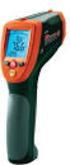 User Manual Dual Laser InfraRed (IR) Thermometer MODEL 42512 Introduction Congratulations on your purchase of the Model 42512 IR Thermometer. This Infrared thermometer measures and displays non-contact
SECTION 1 - PRODUCT IDENTIFICATION
 Product Identification Physical Data Hazardous Components Fire and Explosion Hazard Data Reactivity Data Health Hazard Information Spill or Leak Procedures Handling Information Special Protection Information
Material Safety Data Sheet
 Product Name: CRAYOLA(R) SIDEWALK CHALK Product Family: 1. Chemical Product and Company Identification Material Safety Data Sheet CRAYOLA LLC EMERGENCY TELEPHONE NUMBER: 1100 CHURCH LANE 1-800-535-5053
APPLIED PETROCHEMICAL RESEARCH
 Common Name Manufactured by CAS Number HYDRIC ACID Revised 07/23/1987 Source of MSDS APPLIED PETROCHEMICAL RESEARCH Dolphin (DOL$270453) I II - Hazard Ingredients/Identity Information III - Physical/Chemical
Material Safety Data Sheet
 Material Safety Data Sheet Agar-agar MSDS 0 He a lt h Fire Re a c t iv it y Pe rs o n a l Pro t e c t io n 0 A Section : Chemical Product and Company Identification Product Name: Agar-agar Catalog Codes:
Material Safety Data Sheet
 Material Safety Data Sheet Food Color, Red Powder MSDS 0 He a lt h Fire Re a c t iv it y Pe rs o n a l Pro t e c t io n 0 E Section : Chemical Product and Company Identification Product Name: Food Color,
CAS NO. A. 7664-93-9 >94.19 % WT >94.19 % VOL SARA 313 NO
 SECTION 1: PRODUCT AND COMPANY IDENTIFICATION PRODUCT NAME: FLOWEASY DRAIN CLEANER SYNONYMS: N/A PRODUCT CODES: HTL-FE16, HTL-FE20, HTL-FE32, HTL-FE64, HTL-FE128 MANUFACTURER: Hi-Tec Laboratories DIVISION:
Material Safety Data Sheet
 Material Safety Data Sheet Green Tea Powder MSDS 0 He a lt h Fire Re a c t iv it y Pe rs o n a l Pro t e c t io n 0 E Section : Chemical Product and Company Identification Product Name: Green Tea Powder
Material Safety Data Sheet
 1 1 0 Material Safety Data Sheet Magnesium Amino Acid Chelate MSDS He a lt h Fire Re a c t iv it y Pe rs o n a l Pro t e c t io n 1 1 0 E Section 1: Chemical Product and Company Identification Product
Safety Data Sheet. SECTION 1: Identification. SECTION 2: Hazard identification
 Safety Data Sheet Copyright,2014Meguiar's, Inc. All rights reserved. Copying and/or downloading of this information for the purpose of properly utilizing Meguiar's, Inc. products is allowed provided that:
Material Safety Data Sheet
 Material Safety Data Sheet Section 1: Chemical Product and Company Identification Catalog Number: 9658, 9659, 9660, 9662, SZ116530, SZ116600, SZ116700, Z116600, Z116700, ZX-903, ZX-906 Product Identity:
Mold Alert... Operation Manual P0270
 Mold Alert... Operation Manual P0270 introduction Congratulations on your purchase of the P0270 Mold Alert! Mold is as old as the Earth and it s everywhere. Under the right set of conditions, it can actually
Page Number: 1 -----------------------------------------------------------------------------
 Page Number: 1 SECTION I - PRODUCT AND COMPANY INFORMATION Product Name: POLYSEAMSEAL(R) ALL-PURPOSE ADHESIVE CAULK Hazard Rating: Health: 1 Fire: 0 Reactivity: 0 PPI: B Company Identification: OSI SEALANTS,
ExStik TM ph Waterproof Meters
 User Guide ExStik TM ph Waterproof Meters Models PH100 & PH110 Patent Pending ExStik TM Description Front Panel Controls 1. Battery compartment cap 2. LCD Display 3. MODE / HOLD button 4. CAL / RECALL
Safety Data Sheet. SECTION 1: Identification. SECTION 2: Hazard identification
 Safety Data Sheet Copyright,2015,3M Company. All rights reserved. Copying and/or downloading of this information for the purpose of properly utilizing 3M products is allowed provided that: (1) the information
SECTION 1 IDENTIFICATION OF THE SUBSTANCE/PREPARATION AND OF THE COMPANY/UNDERTAKING. 129 Lockwood St. 1-800-255-3924-CHEM-TEL (24 hour)
 Page 1 of 5 MATERIAL SAFETY DATA SHEET SECTION 1 IDENTIFICATION OF THE SUBSTANCE/PREPARATION AND OF THE COMPANY/UNDERTAKING LUBRIPLATE Lubricants Co. Emergency Telephone Number: 129 Lockwood St. 1-800-255-3924-CHEM-TEL
Material Safety Data Sheet
 Product Name: CRAYOLA(R) CRAYONS Product Family: 1. Chemical Product and Company Identification Material Safety Data Sheet BINNEY & SMITH EMERGENCY TELEPHONE NUMBER: 1100 CHURCH LANE 1-800-535-5053 EASTON,
Issue Date: 04-Oct-2013 Revision Date: 19-Nov-2014 Version Number: 1. 1. Identification. 2. Hazards Identification
 Safety Data Sheet Issue Date: 04-Oct-2013 Version Number: 1 Product Identifiers Product Name: Bright Dyes FLT Yellow/Green Liquid Product Number: 106001 Recommended Use & Restrictions on Use Water tracing
MATERIAL SAFETY DATA SHEET
 Section I: IDENTIFICATION 1 OF 2 Date Prepared: 02/15/02 Date Revised*: 09/21/06 Product Name: Gram Stain, Lugol s Iodine Item Number: 400312, 400330, 400350, 400352, 400314, 400351, 400356, 400312B 400312A
Emergency Phone Numbers: P.O. Box 1950 CHEMTREC: 800/424-9300 Brewster, New York 10509-8950 POISON CENTER: 800/562-8236 845/279-0900
 MATERIAL SAFETY DATA SHEET Pure Tech Emergency Phone Numbers: P.O. Box 1950 CHEMTREC: 800/424-9300 Brewster, New York 10509-8950 POISON CENTER: 800/562-8236 845/279-0900 Date of Last Revision: 10/16/96
MATERIAL SAFETY DATA SHEET WWF -20 1 of 5 1 Gal Xtreme Blue -20 Windshield Washer Fluid. 121 Landmark Drive Greensboro, NC 27409
 WWF -20 1 of 5 = SECTION I - COMPOSITION / INFORMATION ON MATERIALS = VAPOR PRESSURE WEIGHT REPORTABLE COMPONENTS CAS NUMBER mm Hg @ TEMP PERCENT -------------------------------------------------------------------------------------------
Instruction Manual Temp 4/5/6 Temperature Meter Series
 Instruction Manual Temp 4/5/6 Temperature Meter Series 68X243607 Technology Made Easy... Rev. 2 01/03-1 - Preface This instruction manual serves to explain the use of the Temp 4/5/6 temperature meter.
MATERIAL SAFETY DATA SHEET MULTI GUARD
 MATERIAL SAFETY DATA SHEET MULTI GUARD 1 Product and company identification Product Name: Product Description: Multiguard QAC Detergent/Disinfectant/Deodoriser Manufacturer/Supplier Prime Cleaning Suppliers
1.1. Product identifier Scotch Super 33+ Vinyl Electrical Tape and Scotch Premium Vinyl Electrical Tape Super 88
 Article Information Sheet Copyright,2016,3M Company. All rights reserved. Copying and/or downloading of this information for the purpose of properly utilizing 3M products is allowed provided that: (1)
WINDEX ORIGINAL GLASS CLEANER WITH AMMONIA-D
 1. PRODUCT AND COMPANY IDENTIFICATION Product information Product name : WINDEX ORIGINAL GLASS CLEANER WITH AMMONIA- D Recommended use : Hard Surface Cleaner Manufacturer, importer, supplier : S.C. Johnson
MATERIAL SAFETY DATA SHEET Page 1 of 5
 Page 1 of 5 SECTION 1. PRODUCT AND COMPANY IDENTIFICATION TRADE NAME: MANUFACTURER S NAME: Zotos International Inc. EMERGENCY #: (800) 584-8038 - 24 hours ADDRESS (NUMBER, STREET, CITY, STATE, & ZIP CODE):
Product: EZ-Zyme Enzymatic Cleaner (REF 3-750, 3-755) Revision Date: 03/23/2015 SECTION 3 COMPOSITION / INFORMATION ON INGREDIENTS
 SAFET DATA SHEET Product Identifier SECTION 1 - IDENTIFICATION Product Name: EZ-Zyme Enzymatic Cleaner Product Code: 3-750, 3-755 Recommended Use of the Chemical and Restrictions on Use Recommended Use:
Technical Data Sheet
 Februar, 2014 Technical Data Sheet PLA Polylactide Cas No. 9051-89-2 PLA is a thermoplastic resin derived from annually renewable resources Product Characteristics Typical Properties Value Unit Physical
Material Safety Data Sheet
 Material Safety Data Sheet Stevia Liquid, 15% Extract MSDS 1 Section 1: Chemical Product and Company Identification He a lt h Fire Re a c t iv it y Pe rs o n a l Pro t e c t io n 1 A Product Name: Stevia
Digital Fingerprint safe
 Digital Fingerprint safe Model 96846 Operation Instructions Diagrams within this manual may not be drawn proportionally. Due to continuing improvements, actual product may differ slightly from the product
OFF! DEEP WOODS SPORTSMEN INSECT REPELLENT I (PUMP SPRAY)
 1. PRODUCT AND COMPANY IDENTIFICATION Product information Trade name : OFF! DEEP WOODS SPORTSMEN INSECT REPELLENT I (PUMP Use of the : Insect Repellent Substance/Preparation Company : S.C. Johnson and
TCP/IP MODULE CA-ETHR-A INSTALLATION MANUAL
 TCP/IP MODULE CA-ETHR-A INSTALLATION MANUAL w w w. c d v g r o u p. c o m CA-ETHR-A: TCP/IP Module Installation Manual Page Table of Contents Introduction...5 Hardware Components... 6 Technical Specifications...
Ingredient CAS Number Weight % ACGIH TLV PEL STEL Phosphoric Acid 7664-38-2 1 mg/m3 1 mg/m3 3 mg/m3
 Page 1 of 5 MSDS Document Product 1. Chemical Product and Company Identification Product Manufacturer Haviland Consumer Products, Inc. 421 Ann Street N.W. Grand Rapids, MI 49504 Phone Number (616) 361-6691
Installation Instructions
 520 Installation Instructions Thank you very much for purchasing PIAA product. Please read this entire manual before installation and use of this product. For Installers Please give this Installation Manual
DOW CORNING CORPORATION Material Safety Data Sheet
 Page: 1/7 1. IDENTIFICATION OF THE SUBSTANCE AND OF THE COMPANY Dow Corning Corporation South Saginaw Road Midland, Midland 48686 24 Hour Emergency Telephone: Customer Service: Product Disposal Information:
Infrared / K Thermometer Remote Temperature Measurement ( Non-Contact ) 1327K INSTRUCTION MANUAL
 RS Infrared / K Thermometer Remote Temperature Measurement ( Non-Contact ) 1327K INSTRUCTION MANUAL TABLE OF CONTENTS TITLE PAGE INTRODUCTION...1. SAFETY INFORMATION...2. FEATURES...4. SPECIFICATIONS...4.
MSDS (Material Safety Data Sheet)
 Titanium, Mineral & Chemicals Tel 82-2-2675-5700 Fax 82-2- 2675-0576 E-Mail : [email protected] Homepage : http://tmc.co.kr/ MSDS (Material Safety Data Sheet) Titanium Dioxide (TiO2) Rutile Section 1 : Product
MATERIAL SAFETY DATA SHEET
 MATERIAL SAFETY DATA SHEET SECTION 1 -- CHEMICAL PRODUCT AND COMPANY IDENTIFICATION PRODUCT NAME Sav-A-Hoof Protectant PRODUCT CODE 309 ISSUE DATE 11/15/14 EMERGENCY TELEPHONE NUMBERS DISTRIBUTOR SBS EQUINE
Material Safety Data Sheet
 Page: 1 of 7 1. PRODUCT AND COMPANY IDENTIFICATION MANUFACTURER: Angstron Materials, Inc. 1240 McCook Avenue Dayton, Ohio 45404 Inquiries: Fax Number: Telephone Number: http:/www.angstronmaterials.com
SAFETY DATA SHEET Enz-Extract Enzyme Carpet Extractor. 1. Product and Company Identification. 2. Hazards Identification
 Page: 1 7/21/215 4/1/215 Product Code: Product Name: Company Name: Web site address: 7759 Genlabs 5568 Schaefer Ave. Chino, CA 9171 Phone Number: 1 (99)591-8451 Emergency Contact: Chemtrec 1 (8)424-93
: Resin Fibre Discs - Aluminum Oxide, Zirconia Alumina
 Resin Fibre Discs - Aluminum Oxide, Zirconia Alumina SECTION 1: Identification of the substance/mixture and of the company/undertaking 1.1. Product identifier Product name : Resin Fibre Discs - Aluminum
SECTION 1 IDENTIFICATION
 Metabo Corporation Hazard Communication May, 2015 SAFETY DATA SHEET SECTION 1 IDENTIFICATION Product Identifier: Reinforced Resin Bonded Abrasive Products Manufacturer Name: Metabo Corporation Address
www.burntec.com User's Guide Integrating Sound Level Datalogger Model 407780
 User's Guide Integrating Sound Level Datalogger Model 407780 Introduction Congratulations on your purchase of the Extech 407780 Integrating Sound Level Meter. The 407780 with programmable integrating time
Spartan Chemical Company, Inc. Material Safety Data Sheet
 Spartan Chemical Company, Inc. Material Safety Data Sheet SECTION I: PRODUCT INFORMATION Product Name or Number (as it appears on label): Product Division: STERIPHENE II BRAND DISINFECTANT Janitorial DEODORANT
PLEDGE WITH FUTURE SHINE PREMIUM FLOOR FINISH
 1. PRODUCT AND COMPANY IDENTIFICATION Product information Trade name : Use of the : Floor Polish/Cleaner Substance/Preparation Company : S.C. Johnson & Son, Inc. 1525 Howe Street Racine WI 53403-2236 Emergency
User Manual. Humidity-Temperature Chart Recorder. Model RH520
 User Manual Humidity-Temperature Chart Recorder Model RH520 Introduction Congratulations on your purchase of the Extech RH520 Temperature + Humidity Chart Recorder. The RH520 measures and displays Temperature,
SAFETY DATA SHEET For Coatings, Resins, and Related Materials
 SAFETY DATA SHEET For Coatings, Resins, and Related Materials Complies with U.S. Department of Labor Occupational Safety and Health Administration For OSHA Hazard Communication Standard Specific Requirements
MATERIAL SAFETY DATA SHEET Page 1 of 5 DURAFIX Solder for Aluminum, Diecast, Zinc Alloys, Pot Metal and White Metal
 Page 1 of 5 Trade Name: DURAFIX UK LIMITED Composition: LIMITED REF. Weeks ID No. 204 Manufacturer: Durafix UK Limited Address: 41 Bowland Crescent, Blackpool, Lancashire, England, FY3 7TF Telephone :