
Mellanox InfiniBand OFED Driver for VMware vsphere 5.x User Manual
|
|
|
- Nora Crawford
- 9 years ago
- Views:
Transcription
1 Mellanox InfiniBand OFED Driver for VMware vsphere 5.x User Manual Rev


2 NOTE: THIS HARDWARE, SOFTWARE OR TEST SUITE PRODUCT ( PRODUCT(S) ) AND ITS RELATED DOCUMENTATION ARE PROVIDED BY MELLANOX TECHNOLOGIES AS-IS WITH ALL FAULTS OF ANY KIND AND SOLELY FOR THE PURPOSE OF AIDING THE CUSTOMER IN TESTING APPLICATIONS THAT USE THE PRODUCTS IN DESIGNATED SOLUTIONS. THE CUSTOMER'S MANUFACTURING TEST ENVIRONMENT HAS NOT MET THE STANDARDS SET BY MELLANOX TECHNOLOGIES TO FULLY QUALIFY THE PRODUCTO(S) AND/OR THE SYSTEM USING IT. THEREFORE, MELLANOX TECHNOLOGIES CANNOT AND DOES NOT GUARANTEE OR WARRANT THAT THE PRODUCTS WILL OPERATE WITH THE HIGHEST QUALITY. ANY EXPRESS OR IMPLIED WARRANTIES, INCLUDING, BUT NOT LIMITED TO, THE IMPLIED WARRANTIES OF MERCHANTABILITY, FITNESS FOR A PARTICULAR PURPOSE AND NONINFRINGEMENT ARE DISCLAIMED. IN NO EVENT SHALL MELLANOX BE LIABLE TO CUSTOMER OR ANY THIRD PARTIES FOR ANY DIRECT, INDIRECT, SPECIAL, EXEMPLARY, OR CONSEQUENTIAL DAMAGES OF ANY KIND (INCLUDING, BUT NOT LIMITED TO, PAYMENT FOR PROCUREMENT OF SUBSTITUTE GOODS OR SERVICES; LOSS OF USE, DATA, OR PROFITS; OR BUSINESS INTERRUPTION) HOWEVER CAUSED AND ON ANY THEORY OF LIABILITY, WHETHER IN CONTRACT, STRICT LIABILITY, OR TORT (INCLUDING NEGLIGENCE OR OTHERWISE) ARISING IN ANY WAY FROM THE USE OF THE PRODUCT(S) AND RELATED DOCUMENTATION EVEN IF ADVISED OF THE POSSIBILITY OF SUCH DAMAGE. 350 Oakmead Parkway Suite 100 Sunnyvale, CA U.S.A. Tel: (408) Fax: (408) , Ltd. Beit Mellanox PO Box 586 Yokneam Israel Tel: +972 (0) Fax: +972 (0) Copyright All Rights Reserved. Mellanox, Mellanox logo, BridgeX, ConnectX, CORE-Direct, InfiniBridge, InfiniHost, InfiniScale, MLNX-OS, PhyX, SwitchX, UFM, Virtual Protocol Interconnect and Voltaire are registered trademarks of, Ltd. Connect-IB, ExtendX, FabricIT, Mellanox Open Ethernet, Mellanox Virtual Modular Switch, MetroX, MetroDX, ScalableHPC, Unbreakable-Link are trademarks of, Ltd. All other trademarks are property of their respective owners. 2 Document Number: 3464

3 Table of Contents Table of Contents List of Tables Document Revision History About this Manual Intended Audience Documentation Conventions Common Abbreviations and Acronyms Glossary Related Documentation Support and Updates Webpage Chapter 1 Mellanox InfiniBand OFED Driver for VMware vsphere Overview Introduction to Mellanox InfiniBand OFED for VMware Introduction to Mellanox InfiniBand Adapters Mellanox OFED Package Software Components mlx4 InfiniBand Driver ULPs Supported Hardware Compatibility Chapter 2 Installing Mellanox InfiniBand OFED Driver for VMware vsphere Chapter 3 Uninstalling Mellanox InfiniBand OFED Driver Chapter 4 Driver Features SCSI RDMA Protocol SRP Overview Module Configuration Multiple Storage Adapter IP over InfiniBand IPoIB Overview IPoIB Configuration Chapter 5 Configuring the Mellanox InfiniBand OFED Driver for VMware vsphere Configuring an Uplink Configuring VMware ESXi Server Settings Subnet Manager Networking Virtual Local Area Network (VLAN) Support Maximum Transmit Unit (MTU) Configuration High Availability

4 List of Tables Table 1: Document Revision History Table 2: Documentation Conventions Table 3: Abbreviations and Acronyms Table 4: Glossary Table 5: Reference Documents

5 Document Revision History Table 1 - Document Revision History Revision Date Change Description Feb 2013 Added Section 4.1, SCSI RDMA Protocol, on page 14 and its subsections June 2012 Document restructuring and minor content updates May 2011 Initial release 5

6 About this Manual This document provides instructions for installing and using drivers for ConnectX -2 and ConnectX -3 based network adapter cards in a VMware ESXi Server environment. Intended Audience This manual is intended for system administrators responsible for the installation, configuration, management and maintenance of the software and hardware of InfiniBand adapter cards. It is also intended for application developers. 0.1 Documentation Conventions Table 2 - Documentation Conventions Description Convention Example File names Directory names file.extension directory Commands and their parameters command param1 mts > show hosts Required item < > Optional item [ ] Mutually exclusive parameters { p1, p2, p3 } or {p1 p2 p3} Optional mutually exclusive parameters Variables for which users supply specific values [ p1 p2 p3 ] Italic font enable Emphasized words Italic font These are emphasized words Note <text> This is a note. Warning <text> May result in system instability. 6

7 Common Abbreviations and Acronyms Table 3 - Abbreviations and Acronyms Abbreviation / Acronym B b FW HCA HW IB LSB lsb MSB msb NIC SW IPoIB PFC PR SL SRP ULP VL Whole Word / Description (Capital) B is used to indicate size in bytes or multiples of bytes (e.g., 1KB = 1024 bytes, and 1MB = bytes) (Small) b is used to indicate size in bits or multiples of bits (e.g., 1Kb = 1024 bits) Firmware Host Channel Adapter Hardware InfiniBand Least significant byte Least significant bit Most significant byte Most significant bit Network Interface Card Software IP over InfiniBand Priority Flow Control Path Record Service Level SCSI RDMA Protocol Upper Level Protocol Virtual Lanes 7

8 Glossary The following is a list of concepts and terms related to InfiniBand in general and to Subnet Managers in particular. It is included here for ease of reference, but the main reference remains the InfiniBand Architecture Specification. Table 4 - Glossary Channel Adapter (CA), Host Channel Adapter (HCA) HCA Card IB Devices IB Cluster/Fabric/Subnet In-Band LID Local Device/Node/ System An IB device that terminates an IB link and executes transport functions. This may be an HCA (Host CA) or a TCA (Target CA). A network adapter card based on an InfiniBand channel adapter device. Integrated circuit implementing InfiniBand compliant communication. A set of IB devices connected by IB cables. A term assigned to administration activities traversing the IB connectivity only. An address assigned to a port (data sink or source point) by the Subnet Manager, unique within the subnet, used for directing packets within the subnet. The IB Host Channel Adapter (HCA) Card installed on the machine running IBDIAG tools. Local Port Master Subnet Manager Multicast Forwarding Tables Network Interface Card (NIC) Standby Subnet Manager Subnet Administrator (SA) Subnet Manager (SM) Unicast Linear Forwarding Tables (LFT) The IB port of the HCA through which IBDIAG tools connect to the IB fabric. The Subnet Manager that is authoritative, that has the reference configuration information for the subnet. See Subnet Manager. A table that exists in every switch providing the list of ports to forward received multicast packet. The table is organized by MLID. A network adapter card that plugs into the PCI Express slot and provides one or more ports to an Ethernet network. A Subnet Manager that is currently quiescent, and not in the role of a Master Subnet Manager, by agency of the master SM. See Subnet Manager. An application (normally part of the Subnet Manager) that implements the interface for querying and manipulating subnet management data. One of several entities involved in the configuration and control of the subnet. A table that exists in every switch providing the port through which packets should be sent to each LID. 8

9 Related Documentation Table 5 - Reference Documents MFT User s Manual MFT Release Notes Document Name Description Mellanox Firmware Tools User s Manual. See under docs/ folder of installed package. Release Notes for the Mellanox Firmware Tools. See under docs/ folder of installed package. Support and Updates Webpage Please visit > Products > Software > InfiniBand/VPI Drivers/VMware Drivers for downloads, FAQ, troubleshooting, future updates to this manual, etc. 9

10 Mellanox InfiniBand OFED Driver for VMware vsphere Overview 1 Mellanox InfiniBand OFED Driver for VMware vsphere Overview 1.1 Introduction to Mellanox InfiniBand OFED for VMware Mellanox OFED is a single Virtual Protocol Interconnect (VPI) software stack based on the OpenFabrics (OFED) Linux stack adapted for VMware, and operates across all Mellanox network adapter solutions supporting up to 56Gb/s InfiniBand (IB) and 2.5 or 5.0 GT/s PCI Express 2.0 and 3.0 uplinks to servers. All Mellanox network adapter cards are compatible with OpenFabrics-based RDMA protocols and software, and are supported with major operating system distributions. 1.2 Introduction to Mellanox InfiniBand Adapters Mellanox InfiniBand (IB) adapters, which are based on Mellanox ConnectX family adapter devices, provide leading server and storage I/O performance with flexibility to support the myriad of communication protocols and network fabrics over a single device, without sacrificing functionality when consolidating I/O. For example, IB-enabled adapters can support: Connectivity to 10, 20, 40 and 56Gb/s InfiniBand switches A unified application programming interface with access to communication protocols including: Networking (TCP, IP, UDP, sockets), Storage (NFS, CIFS, iscsi, SRP and Clustered Storage), Clustering (MPI, DAPL, RDS, sockets), and Management (SNMP, SMI-S) Communication protocol acceleration engines including: networking, storage, clustering, virtualization and RDMA with enhanced quality of service 1.3 Mellanox OFED Package Software Components MLNX_OFED_VMware contains the following software components: CPU architectures: x86_64 ESXi Hypervisor: ESXi5.0 ESXi5.0u1 ESXi5.1 Firmware versions: ConnectX -2: and above ConnectX -3: and above 10

11 1.4 mlx4 InfiniBand Driver ULPs MLNX-OFED-ESXi package contains: MLNX-OFED-ESXi zip - Hypervisor bundle which contains the following kernel modules: mlx4_core (ConnectX family low-level PCI driver) mlx4_ib (ConnectX family InfiniBand driver) ib_core ib_sa ib_mad ib_umad ib_ipoib ib_cm ib_srp IPoIB The IP over IB (IPoIB) driver is a network interface implementation over InfiniBand. IPoIB encapsulates IP datagrams over an InfiniBand connected or datagram transport service. IPoIB preappends the IP datagrams with an encapsulation header, and sends the outcome over the Infini- Band transport service. The interface supports unicast, multicast and broadcast. For details, see Chapter 4.2, IP over InfiniBand. On VMware ESXi Server, IPoIB supports Unreliable Datagram (UD) mode only, note that Reliable Connected (RC) mode is not supported. 1.5 Supported Hardware Compatibility For the supported hardware compatibility list (HCL), please refer to: 11

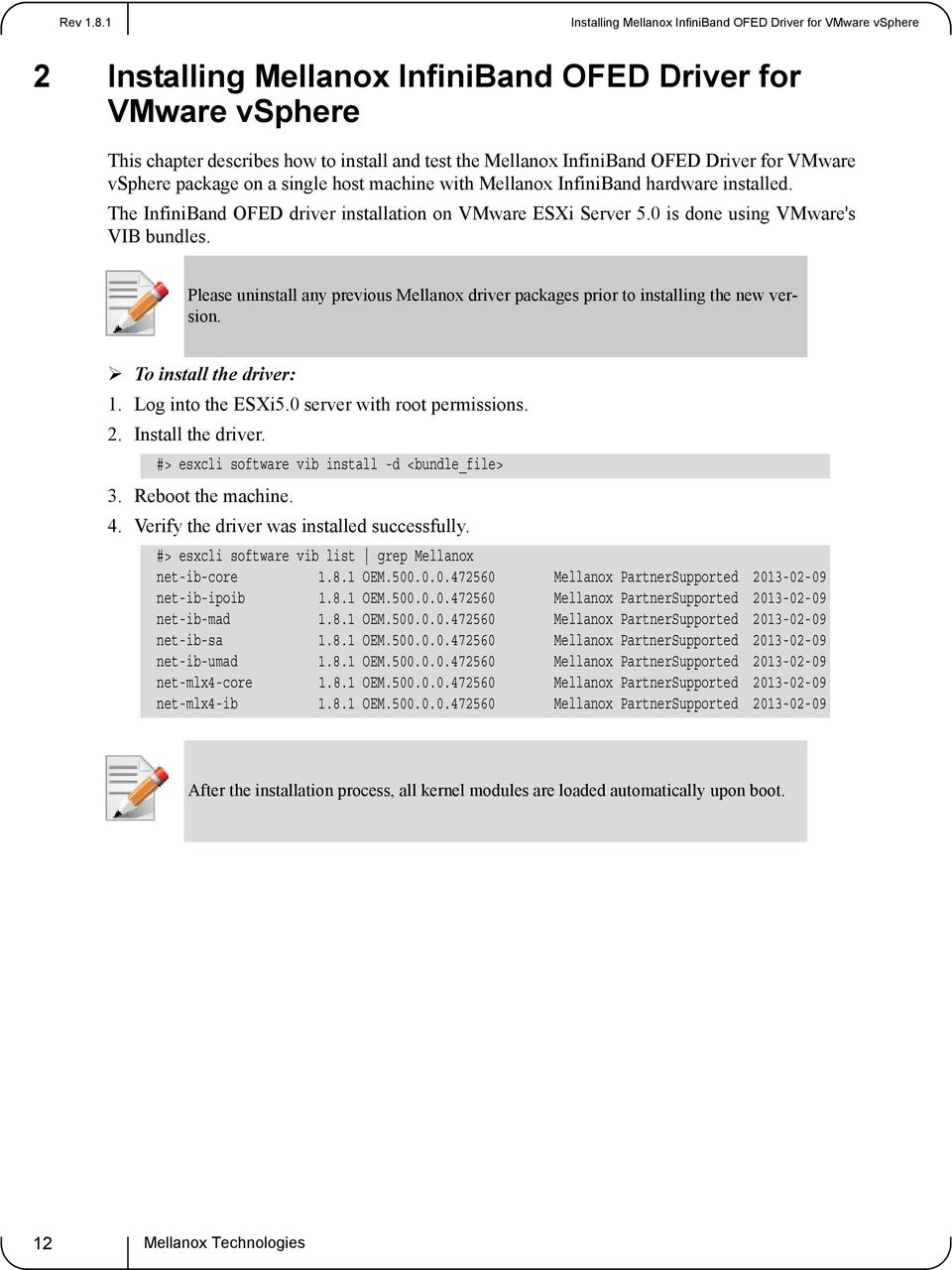
12 Installing Mellanox InfiniBand OFED Driver for VMware vsphere 2 Installing Mellanox InfiniBand OFED Driver for VMware vsphere This chapter describes how to install and test the Mellanox InfiniBand OFED Driver for VMware vsphere package on a single host machine with Mellanox InfiniBand hardware installed. The InfiniBand OFED driver installation on VMware ESXi Server 5.0 is done using VMware's VIB bundles. Please uninstall any previous Mellanox driver packages prior to installing the new version. To install the driver: 1. Log into the ESXi5.0 server with root permissions. 2. Install the driver. #> esxcli software vib install -d <bundle_file> 3. Reboot the machine. 4. Verify the driver was installed successfully. #> esxcli software vib list grep Mellanox net-ib-core OEM Mellanox PartnerSupported net-ib-ipoib OEM Mellanox PartnerSupported net-ib-mad OEM Mellanox PartnerSupported net-ib-sa OEM Mellanox PartnerSupported net-ib-umad OEM Mellanox PartnerSupported net-mlx4-core OEM Mellanox PartnerSupported net-mlx4-ib OEM Mellanox PartnerSupported After the installation process, all kernel modules are loaded automatically upon boot. 12
13 3 Uninstalling Mellanox InfiniBand OFED Driver To uninstall the driver: 1. Log into the ESXi5.0 server with root permissions. 2. List the existing InfiniBand OFED driver modules. #> esxcli software vib list grep Mellanox net-ib-core OEM Mellanox Partner Supported net-ib-ipoib OEM Mellanox Partner Supported Remove each module using the "esxcli software vib remove..." command. #> esxcli software vib remove -n net-ib-ipoib #> esxcli software vib remove -n net-mlx4-ib #> esxcli software vib remove -n net-ib-umad #> esxcli software vib remove -n net-ib-sa #> esxcli software vib remove -n net-ib-mad #> esxcli software vib remove -n net-ib-core #> esxcli software vib remove -n net-mlx4-core 4. Reboot the server. 13

14 Driver Features 4 Driver Features 4.1 SCSI RDMA Protocol SRP Overview The InfiniBand package includes a storage module called SRP, which causes each InfiniBand port on the VMware ESX Server machine to be exposed as one or more physical storage adapters, also referred to as vmhbas. To verify that all supported InfiniBand ports on the host are recognized and up, perform the following steps: 1. Connect to the VMware ESX Server machine using the interface of VMware vsphere Client. 2. Select the "Configuration" tab. 3. Click the "Storage Adapters" entry which appears in the "Hardware" list. A "Storage Adapters" list is displayed, describing per device the "Device" it resides on and its type. InfiniBand storage adapters will appear as SCSI adapters. InfiniBand storage adapters are listed under HCA name as follow: MT25418[ConnectX VPI - 10GigE/IB DDR, PCIe GT/s] vmhba_mlx4_0.1.1 SCSI vmhba_mlx4_0.2.1 SCSI 4. Click on the storage device to display a window with additional details (e.g. Model, number of targets, Logical Units Numbers and their details). All the features supported by a storage adapter are also supported by an InfiniBand SCSI storage adapter. Setting the features is performed transparently Module Configuration The SRP module is configured upon installation to default values. You can use the esxcfg-module utility (available in the service console) to manually configure SRP. 1. To disable the SRP module run: cos# esxcfg-module ib_srp -d 2. Additionally, you can modify the default parameters of the SRP module, such as the maximum number of targets per SCSI host. To retrieve the list and description of the parameters supported by the SRP module, run: cos# vmkload_mod ib_srp -s 3. To check which parameters are currently used by SRP module, run: cos# esxcfg-module ib_srp -g 4. To set a new parameter, run: cos# esxcfg-module ib_srp -s <param=value> 5. To apply your changes, reboot the machine: cos# reboot 14

15 For example, to set the maximum number of SRP targets per SCSI host to four, run: 6. To find out all SRP's parameters, run: Default values are usually optimum per performance however, if you need to manually set the system to achieve better performance, tune the following parameters: srp_sg_tablesize - Maximum number of scatter lists supported per I/O. srp_cmd_per_num - Maximum number of commands can queue per lun. srp_can_queue - Maximum number of commands can queue per vmhba. 7. To check performance: a. Windows VM - Assign luns to VM as raw or RDM devices Run iometer or xdd b. Linux VM - Assign luns to VM c. In case of multiple VMs, generate I/Os for performance testing Multiple Storage Adapter SRP has the ability to expose multiple storage adapters (also known as vmhbas) over a single InfiniBand port. By default, one storage adapter is configured for each physical InfiniBand port. This setting is determined by a module parameter (called max_vmhbas), which is passed to the SRP module. 1. To change it, log into the service console and run: As a result, <n> storage adapters (vmhbas) will be registered by the SRP module on your machine. 2. To list all LUNs available on your machine, run: 4.2 IP over InfiniBand IPoIB Overview cos# esxcfg-module ib_srp -s 'max_srp_targets=4' cos# vmkload_mod -s ib_srp cos# esxcfg-module ib_srp -s 'max_vmhbas=n' cos# reboot cos# esxcfg-mpath -l The IP over IB (IPoIB) driver is a network interface implementation over InfiniBand. IPoIB encapsulates Datagram transport service. The IPoIB driver, ib_ipoib, exploits the following Connect X/ConnectX -2/ConnectX -3 capabilities: Uses any CX IB ports (one or two) Inserts IP/UDP/TCP checksum on outgoing packets Calculates checksum on received packets Support net device TSO through CX LSO capability to defragment large datagrams to MTU quantas. Unreliable Datagram IPoIB also supports the following software based enhancements: Large Receive Offload Ethtool support 15

16 Driver Features IPoIB Configuration 1. Install the Mellanox OFED driver for VMware 2. Verify the driver VIBs are installed correctly. Run: # esxcli software vib list grep -i Mellanox (a.k.a esxcfg-nics -l ) 3. Verify the uplinks state is "up". Run: # esxcli network nic list grep -i Mellanox (a.k.a esxcfg-nics -l ) See your VMware distribution documentation for additional information about configuring IP addresses. 16

17 5 Configuring the Mellanox InfiniBand OFED Driver for VMware vsphere 5.1 Configuring an Uplink To configure an Uplink: 1. Add the device as an uplink to an Existing vswitch using the CLI. a. Log into the ESXi server with root permissions. b. Add an uplink to a vswitch. 2. Verify the uplink is added successfully. #> esxcli network vswitch standard list <vswitch_name> To remove the device locally: 1. Log into the ESXi server with root permissions. 2. Remove an uplink from a vswitch. For further information, please refer to: cos_upgrade_technote.1.9.html# Configuring VMware ESXi Server Settings VMware ESXi Server settings can be configured using the vsphere Client. Once the InfiniBand OFED driver is installed and configured, the administrator can make use of InfiniBand software available on the VMware ESXi Server machine. The InfiniBand package provides networking and storage over InfiniBand. The following sub-sections describe their configuration. This section includes instructions for configuring various module parameters. From ESXi 5.0 use esxcli system module parameters list -m <module name> for viewing all the available module parameters and default settings. When using ESXi, use vma or remote CLI vicfg-module.pl to configure the module parameters in a similar way to what is done in the Service Console (COS) for ESXi Subnet Manager #> esxcli network vswitch standard uplink add <uplink_name> -v <vswitch_name> #> esxcli network vswitch standard uplink remove <uplink_name> -v <vswitch_name> The driver package requires InfiniBand Subnet Manager (SM) to run on the subnet. The driver package does not include an SM. If your fabric includes a managed switch/gateway, please refer to the vendor's user's guide to activate the built-in SM. If your fabric does not include a managed switch/gateway, an SM application should be installed on at least one non-esxi Server machine in the subnet. You can download an InfiniBand SM such as OpenSM from under the Downloads section. 17

18 Configuring the Mellanox InfiniBand OFED Driver for VMware vsphere Networking The InfiniBand package includes a networking module called IPoIB, which causes each Infini- Band port on the VMware ESXi Server machine to be exposed as one or more physical network adapters, also referred to as uplinks or vmnics. To verify that all supported InfiniBand ports on the host are recognized and up, perform the following steps: 1. Connect to the VMware ESXi Server machine using the interface of VMware vsphere Client. 2. Select the "Configuration" tab. 3. Click the "Network Adapters" entry which appears in the "Hardware" list. A "Network Adapters" list is displayed, describing per uplink the "Device" it resides on, the port "Speed", the port "Configured" state, and the "vswitch" name it connects to. To create and configure virtual network adapters connected to InfiniBand uplinks, follow the instructions in the ESXi Server Configuration Guide document. All features supported by Ethernet adapter uplinks are also supported by InfiniBand port uplinks (e.g., VMware VMotionTM, NIC teaming, and High Availability), and their setting is performed transparently Virtual Local Area Network (VLAN) Support To support VLAN for VMware ESXi Server users, one of the elements on the virtual or physical network must tag the Ethernet frames with an 802.1Q tag. There are three different configuration modes to tag and untag the frames as virtual machine frames: 1. Virtual Machine Guest Tagging (VGT Mode) 2. ESXi Server Virtual Switch Tagging (VST Mode) 3. External Switch Tagging (EST Mode) EST is supported for Ethernet switches and can be used beyond IB/Eth Gateways transparently to VMware ESXi Servers within the InfiniBand subnet. To configure VLAN for InfiniBand networking, the following entities may need to be configured according to the mode you intend to use: Subnet Manager Configuration Ethernet VLANs are implemented on InfiniBand using Partition Keys (See RFC 4392 for information). Thus, the InfiniBand network must be configured first. This can be done by configuring the Subnet Manager (SM) on your subnet. Note that this configuration is needed for both VLAN configuration modes, VGT and VST. For further information on the InfiniBand Partition Keys configuration for IPoIB, see the Subnet Manager manual installed in your subnet. The maximum number of Partition Keys available on Mellanox HCAs is: 128 for ConnectX IB family Check with IB switch documentation for the number of supported partition keys Guest Operating System Configuration 18

19 For VGT mode, VLANs need to be configured in the installed guest operating system. This procedure may vary for different operating systems. See your guest operating system manual on VLAN configuration. In addition, for each new interface created within the virtual machine, at least one packet should be transmitted. For example: Create a new interface (e.g., <eth1>) with IP address <ip1>. To guarantee that a packet is transmitted from the new interface, run: arping -I <eth1> <ip1> -c 1 Virtual Switch Configuration For VST mode, the virtual switch using an InfiniBand uplink needs to be configured. For further information, see the ESXi Server 3 Configuration Guide and ESXi Server Q VLAN Solutions documents Maximum Transmit Unit (MTU) Configuration On VMware ESXi Server machines, the MTU is set to 1500 bytes by default. IPoIB supports larger values and allows Jumbo Frames (JF) traffic up to 4052 bytes on VI3 and 4092 bytes on vsphere 5. The maximum value of JF supported by the InfiniBand device is: 2044 bytes for the InfiniHost III family 4052 / 4092 bytes for ConnectX IB family (vsphere 5) Running a datagram IPoIB MTU of 4092 requires that the InfiniBand MTU is set to 4k. It is the administrator's responsibility to make sure that all the machines in the network support and work with the same MTU value. For operating systems other than VMware ESXi Server, the default value is set to 2044 bytes. The procedure for changing the MTU may vary, depending on the OS. For example, to change it to 1500 bytes: On Linux - if the IPoIB interface is named ib0, run: ifconfig ib0 mtu 1500 On Microsoft Windows - execute the following steps: a. Open "Network Connections" b. Select the IPoIB adapter and right click on it c. Select "Properties" d. Press "Configure" and then go to the "Advanced" tab e. Select the payload MTU size and change it to 1500 f. Make sure that the firmware of the HCAs and the switches supports the MTU you wish to set. g. Configure your Subnet Manager (SM) to set the MTU value in the configuration file. The SM configuration for MTU value is per Partition Key (PKey). For example, to enable 4K MTUs on a default PKey using the OpenSM SM6, log into the Linux machine (running OpenSM) and perform the following commands: h. Edit the file: 19

20 Configuring the Mellanox InfiniBand OFED Driver for VMware vsphere /usr/local/ofed/etc/opensm/partitions.conf and include the line: key0=0x7fff,ipoib,mtu=5 : ALL=full; i. Restart OpenSM: /etc/init.d/opensmd restart To enable 4k mtu support: run esxcli system module parameters set - m=mlx4_core -p=mtu_4k=1. Changes will take effect after the reboot High Availability High Availability is supported for both InfiniBand network and storage adapters. A failover port can be located on the same HCA card or on a different HCA card on the same system (for hardware redundancy). To define a failover policy for InfiniBand networking and/or storage, follow the instructions in the ESXi Server Configuration Guide document. 20

Mellanox InfiniBand OFED Driver for VMware vsphere 5.1 and 5.5 User Manual
 Mellanox InfiniBand OFED Driver for VMware vsphere 5.1 and 5.5 User Manual Rev 1.8.2.4 www.mellanox.com NOTE: THIS HARDWARE, SOFTWARE OR TEST SUITE PRODUCT ( PRODUCT(S) ) AND ITS RELATED DOCUMENTATION
Mellanox WinOF for Windows 8 Quick Start Guide
 Mellanox WinOF for Windows 8 Quick Start Guide Rev 1.0 www.mellanox.com NOTE: THIS HARDWARE, SOFTWARE OR TEST SUITE PRODUCT ( PRODUCT(S) ) AND ITS RELATED DOCUMENTATION ARE PROVIDED BY MELLANOX TECHNOLOGIES
Mellanox Global Professional Services
 Mellanox Global Professional Services User Guide Rev. 1.2 www.mellanox.com NOTE: THIS HARDWARE, SOFTWARE OR TEST SUITE PRODUCT ( PRODUCT(S) ) AND ITS RELATED DOCUMENTATION ARE PROVIDED BY MELLANOX TECHNOLOGIES
Mellanox HPC-X Software Toolkit Release Notes
 Mellanox HPC-X Software Toolkit Release Notes Rev 1.2 www.mellanox.com NOTE: THIS HARDWARE, SOFTWARE OR TEST SUITE PRODUCT ( PRODUCT(S) ) AND ITS RELATED DOCUMENTATION ARE PROVIDED BY MELLANOX TECHNOLOGIES
Mellanox ConnectX -3 Firmware (fw-connectx3) Release Notes
 Mellanox ConnectX -3 Firmware (fw-connectx3) Notes Rev 2.11.55 www.mellanox.com NOTE: THIS HARDWARE, SOFTWARE OR TEST SUITE PRODUCT ( PRODUCT(S) ) AND ITS RELATED DOCUMENTATION ARE PROVIDED BY MELLANOX
WinOF VPI for Windows User Manual
 WinOF VPI for Windows User Manual Rev 3.0.0 www.mellanox.com Rev 3.0.0 NOTE: THIS HARDWARE, SOFTWARE OR TEST SUITE PRODUCT ( PRODUCT(S) ) AND ITS RELATED DOCUMENTATION ARE PROVIDED BY MELLANOX TECHNOLOGIES
MLNX_VPI for Windows Installation Guide
 MLNX_VPI for Windows Installation Guide www.mellanox.com NOTE: THIS INFORMATION IS PROVIDED BY MELLANOX FOR INFORMATIONAL PURPOSES ONLY AND ANY EXPRESS OR IMPLIED WARRANTIES, INCLUDING, BUT NOT LIM- ITED
Connecting the Clouds
 Connecting the Clouds Mellanox Connected Clouds Mellanox s Ethernet and InfiniBand interconnects enable and enhance worldleading cloud infrastructures around the globe. Utilizing Mellanox s fast server
InfiniBand Software and Protocols Enable Seamless Off-the-shelf Applications Deployment
 December 2007 InfiniBand Software and Protocols Enable Seamless Off-the-shelf Deployment 1.0 Introduction InfiniBand architecture defines a high-bandwidth, low-latency clustering interconnect that is used
Cisco Nexus 1000V Virtual Ethernet Module Software Installation Guide, Release 4.0(4)SV1(1)
 Cisco Nexus 1000V Virtual Ethernet Module Software Installation Guide, Release 4.0(4)SV1(1) September 17, 2010 Part Number: This document describes how to install software for the Cisco Nexus 1000V Virtual
Introduction to Infiniband. Hussein N. Harake, Performance U! Winter School
 Introduction to Infiniband Hussein N. Harake, Performance U! Winter School Agenda Definition of Infiniband Features Hardware Facts Layers OFED Stack OpenSM Tools and Utilities Topologies Infiniband Roadmap
Security in Mellanox Technologies InfiniBand Fabrics Technical Overview
 WHITE PAPER Security in Mellanox Technologies InfiniBand Fabrics Technical Overview Overview...1 The Big Picture...2 Mellanox Technologies Product Security...2 Current and Future Mellanox Technologies
How to Configure Intel Ethernet Converged Network Adapter-Enabled Virtual Functions on VMware* ESXi* 5.1
 How to Configure Intel Ethernet Converged Network Adapter-Enabled Virtual Functions on VMware* ESXi* 5.1 Technical Brief v1.0 February 2013 Legal Lines and Disclaimers INFORMATION IN THIS DOCUMENT IS PROVIDED
ConnectX -3 Pro: Solving the NVGRE Performance Challenge
 WHITE PAPER October 2013 ConnectX -3 Pro: Solving the NVGRE Performance Challenge Objective...1 Background: The Need for Virtualized Overlay Networks...1 NVGRE Technology...2 NVGRE s Hidden Challenge...3
Mellanox Reference Architecture for Red Hat Enterprise Linux OpenStack Platform 4.0
 Mellanox Reference Architecture for Red Hat Enterprise Linux OpenStack Platform 4.0 Rev 1.1 March 2014 www.mellanox.com NOTE: THIS HARDWARE, SOFTWARE OR TEST SUITE PRODUCT ( PRODUCT(S) ) AND ITS RELATED
Configuring VMware vsphere 5.1 with Oracle ZFS Storage Appliance and Oracle Fabric Interconnect
 An Oracle Technical White Paper October 2013 Configuring VMware vsphere 5.1 with Oracle ZFS Storage Appliance and Oracle Fabric Interconnect An IP over InfiniBand configuration overview for VMware vsphere
Solving I/O Bottlenecks to Enable Superior Cloud Efficiency
 WHITE PAPER Solving I/O Bottlenecks to Enable Superior Cloud Efficiency Overview...1 Mellanox I/O Virtualization Features and Benefits...2 Summary...6 Overview We already have 8 or even 16 cores on one
Mellanox Accelerated Storage Solutions
 Mellanox Accelerated Storage Solutions Moving Data Efficiently In an era of exponential data growth, storage infrastructures are being pushed to the limits of their capacity and data delivery capabilities.
QNAP in vsphere Environment
 QNAP in vsphere Environment HOW TO USE QNAP NAS AS A VMWARE DATASTORE VIA ISCSI Copyright 2010. QNAP Systems, Inc. All Rights Reserved. V1.8 Document revision history: Date Version Changes Jan 2010 1.7
Microsoft SQL Server 2012 on Cisco UCS with iscsi-based Storage Access in VMware ESX Virtualization Environment: Performance Study
 White Paper Microsoft SQL Server 2012 on Cisco UCS with iscsi-based Storage Access in VMware ESX Virtualization Environment: Performance Study 2012 Cisco and/or its affiliates. All rights reserved. This
Mellanox OpenStack Solution Reference Architecture
 Mellanox OpenStack Solution Reference Architecture Rev 1.3 January 2014 www.mellanox.com NOTE: THIS HARDWARE, SOFTWARE OR TEST SUITE PRODUCT ( PRODUCT(S) ) AND ITS RELATED DOCUMENTATION ARE PROVIDED BY
InfiniBand Switch System Family. Highest Levels of Scalability, Simplified Network Manageability, Maximum System Productivity
 InfiniBand Switch System Family Highest Levels of Scalability, Simplified Network Manageability, Maximum System Productivity Mellanox Smart InfiniBand Switch Systems the highest performing interconnect
Mellanox Academy Course Catalog. Empower your organization with a new world of educational possibilities 2014-2015
 Mellanox Academy Course Catalog Empower your organization with a new world of educational possibilities 2014-2015 Mellanox offers a variety of training methods and learning solutions for instructor-led
HP Mellanox Low Latency Benchmark Report 2012 Benchmark Report
 WHITE PAPER July 2012 HP Mellanox Low Latency Benchmark Report 2012 Benchmark Report Executive Summary...1 The Four New 2012 Technologies Evaluated In This Benchmark...1 Benchmark Objective...2 Testing
Mellanox WinOF for Windows Installation Guide
 Mellanox WinOF for Windows Installation Guide Rev 2.00 GA 2 Copyright 2008., Inc. All Rights Reserved. Mellanox, ConnectX, InfiniBlast, InfiniBridge, InfiniHost, InfiniRISC, InfiniScale, and InfiniPCI
Configuring iscsi Multipath
 CHAPTER 13 Revised: April 27, 2011, OL-20458-01 This chapter describes how to configure iscsi multipath for multiple routes between a server and its storage devices. This chapter includes the following
vsphere Networking vsphere 5.5 ESXi 5.5 vcenter Server 5.5 EN-001074-02
 vsphere 5.5 ESXi 5.5 vcenter Server 5.5 This document supports the version of each product listed and supports all subsequent versions until the document is replaced by a new edition. To check for more
BRIDGING EMC ISILON NAS ON IP TO INFINIBAND NETWORKS WITH MELLANOX SWITCHX
 White Paper BRIDGING EMC ISILON NAS ON IP TO INFINIBAND NETWORKS WITH Abstract This white paper explains how to configure a Mellanox SwitchX Series switch to bridge the external network of an EMC Isilon
vsphere Networking vsphere 6.0 ESXi 6.0 vcenter Server 6.0 EN-001391-01
 vsphere 6.0 ESXi 6.0 vcenter Server 6.0 This document supports the version of each product listed and supports all subsequent versions until the document is replaced by a new edition. To check for more
I/O Virtualization Using Mellanox InfiniBand And Channel I/O Virtualization (CIOV) Technology
 I/O Virtualization Using Mellanox InfiniBand And Channel I/O Virtualization (CIOV) Technology Reduce I/O cost and power by 40 50% Reduce I/O real estate needs in blade servers through consolidation Maintain
Building a Scalable Storage with InfiniBand
 WHITE PAPER Building a Scalable Storage with InfiniBand The Problem...1 Traditional Solutions and their Inherent Problems...2 InfiniBand as a Key Advantage...3 VSA Enables Solutions from a Core Technology...5
Long-Haul System Family. Highest Levels of RDMA Scalability, Simplified Distance Networks Manageability, Maximum System Productivity
 Long-Haul System Family Highest Levels of RDMA Scalability, Simplified Distance Networks Manageability, Maximum System Productivity Mellanox continues its leadership by providing RDMA Long-Haul Systems
SX1024: The Ideal Multi-Purpose Top-of-Rack Switch
 WHITE PAPER May 2013 SX1024: The Ideal Multi-Purpose Top-of-Rack Switch Introduction...1 Highest Server Density in a Rack...1 Storage in a Rack Enabler...2 Non-Blocking Rack Implementation...3 56GbE Uplink
Configuration Maximums VMware vsphere 4.1
 Topic Configuration s VMware vsphere 4.1 When you select and configure your virtual and physical equipment, you must stay at or below the maximums supported by vsphere 4.1. The limits presented in the
RoCE vs. iwarp Competitive Analysis
 WHITE PAPER August 21 RoCE vs. iwarp Competitive Analysis Executive Summary...1 RoCE s Advantages over iwarp...1 Performance and Benchmark Examples...3 Best Performance for Virtualization...4 Summary...
ESX Server 3 Configuration Guide Update 2 and later for ESX Server 3.5 and VirtualCenter 2.5
 ESX Server 3 Configuration Guide Update 2 and later for ESX Server 3.5 and VirtualCenter 2.5 This document supports the version of each product listed and supports all subsequent versions until the document
Mellanox Academy Online Training (E-learning)
 Mellanox Academy Online Training (E-learning) 2013-2014 30 P age Mellanox offers a variety of training methods and learning solutions for instructor-led training classes and remote online learning (e-learning),
Introduction to Cloud Design Four Design Principals For IaaS
 WHITE PAPER Introduction to Cloud Design Four Design Principals For IaaS What is a Cloud...1 Why Mellanox for the Cloud...2 Design Considerations in Building an IaaS Cloud...2 Summary...4 What is a Cloud
SX1012: High Performance Small Scale Top-of-Rack Switch
 WHITE PAPER August 2013 SX1012: High Performance Small Scale Top-of-Rack Switch Introduction...1 Smaller Footprint Equals Cost Savings...1 Pay As You Grow Strategy...1 Optimal ToR for Small-Scale Deployments...2
Configuration Maximums VMware vsphere 4.0
 Topic Configuration s VMware vsphere 4.0 When you select and configure your virtual and physical equipment, you must stay at or below the maximums supported by vsphere 4.0. The limits presented in the
HP Virtual Connect Ethernet Cookbook: Single and Multi Enclosure Domain (Stacked) Scenarios
 HP Virtual Connect Ethernet Cookbook: Single and Multi Enclosure Domain (Stacked) Scenarios Part number 603028-003 Third edition August 2010 Copyright 2009,2010 Hewlett-Packard Development Company, L.P.
Power Saving Features in Mellanox Products
 WHITE PAPER January, 2013 Power Saving Features in Mellanox Products In collaboration with the European-Commission ECONET Project Introduction... 1 The Multi-Layered Green Fabric... 2 Silicon-Level Power
Multipathing Configuration for Software iscsi Using Port Binding
 Multipathing Configuration for Software iscsi Using Port Binding Technical WHITE PAPER Table of Contents Multipathing for Software iscsi.... 3 Configuring vmknic-based iscsi Multipathing.... 3 a) Configuring
VMware ESX Server 3 802.1Q VLAN Solutions W H I T E P A P E R
 VMware ESX Server 3 802.1Q VLAN Solutions W H I T E P A P E R Executive Summary The virtual switches in ESX Server 3 support VLAN (IEEE 802.1Q) trunking. Using VLANs, you can enhance security and leverage
Dell EqualLogic Multipathing Extension Module
 Dell EqualLogic Multipathing Extension Module Installation and User Guide Version 1.1 For vsphere Version 5.0 Copyright 2011 Dell Inc. All rights reserved. EqualLogic is a registered trademark of Dell
Best Practices Guide: Network Convergence with Emulex LP21000 CNA & VMware ESX Server
 Best Practices Guide: Network Convergence with Emulex LP21000 CNA & VMware ESX Server How to deploy Converged Networking with VMware ESX Server 3.5 Using Emulex FCoE Technology Table of Contents Introduction...
VMware vsphere 5.0 Evaluation Guide
 VMware vsphere 5.0 Evaluation Guide Auto Deploy TECHNICAL WHITE PAPER Table of Contents About This Guide.... 4 System Requirements... 4 Hardware Requirements.... 4 Servers.... 4 Storage.... 4 Networking....
Setup for Failover Clustering and Microsoft Cluster Service
 Setup for Failover Clustering and Microsoft Cluster Service Update 1 ESX 4.0 ESXi 4.0 vcenter Server 4.0 This document supports the version of each product listed and supports all subsequent versions until
ADVANCED NETWORK CONFIGURATION GUIDE
 White Paper ADVANCED NETWORK CONFIGURATION GUIDE CONTENTS Introduction 1 Terminology 1 VLAN configuration 2 NIC Bonding configuration 3 Jumbo frame configuration 4 Other I/O high availability options 4
vsphere Networking ESXi 5.0 vcenter Server 5.0 EN-000599-01
 ESXi 5.0 vcenter Server 5.0 This document supports the version of each product listed and supports all subsequent versions until the document is replaced by a new edition. To check for more recent editions
ESXi Configuration Guide
 ESXi 4.1 vcenter Server 4.1 This document supports the version of each product listed and supports all subsequent versions until the document is replaced by a new edition. To check for more recent editions
How to Create a Virtual Switch in VMware ESXi
 How to Create a Virtual Switch in VMware ESXi I am not responsible for your actions or their outcomes, in any way, while reading and/or implementing this tutorial. I will not provide support for the information
Using EonStor FC-host Storage Systems in VMware Infrastructure 3 and vsphere 4
 Using EonStor FC-host Storage Systems in VMware Infrastructure 3 and vsphere 4 Application Note Abstract This application note explains the configure details of using Infortrend FC-host storage systems
VMware vsphere-6.0 Administration Training
 VMware vsphere-6.0 Administration Training Course Course Duration : 20 Days Class Duration : 3 hours per day (Including LAB Practical) Classroom Fee = 20,000 INR Online / Fast-Track Fee = 25,000 INR Fast
Dell PowerVault MD Series Storage Arrays: IP SAN Best Practices
 Dell PowerVault MD Series Storage Arrays: IP SAN Best Practices A Dell Technical White Paper Dell Symantec THIS WHITE PAPER IS FOR INFORMATIONAL PURPOSES ONLY, AND MAY CONTAIN TYPOGRAPHICAL ERRORS AND
Network Troubleshooting & Configuration in vsphere 5.0. 2010 VMware Inc. All rights reserved
 Network Troubleshooting & Configuration in vsphere 5.0 2010 VMware Inc. All rights reserved Agenda Physical Network Introduction to Virtual Network Teaming - Redundancy and Load Balancing VLAN Implementation
Setup Cisco Call Manager on VMware
 created by: Rainer Bemsel Version 1.0 Dated: July/09/2011 The purpose of this document is to provide the necessary steps to setup a Cisco Call Manager to run on VMware. I ve been researching for a while
Best Practices for Installing and Configuring the Hyper-V Role on the LSI CTS2600 Storage System for Windows 2008
 Best Practices Best Practices for Installing and Configuring the Hyper-V Role on the LSI CTS2600 Storage System for Windows 2008 Installation and Configuration Guide 2010 LSI Corporation August 13, 2010
Dell PowerVault MD32xx Deployment Guide for VMware ESX4.1 Server
 Dell PowerVault MD32xx Deployment Guide for VMware ESX4.1 Server A Dell Technical White Paper PowerVault MD32xx Storage Array www.dell.com/md32xx THIS WHITE PAPER IS FOR INFORMATIONAL PURPOSES ONLY, AND
Dell Networking Solutions Guide for Microsoft Hyper-V
 Dell Networking Solutions Guide for Microsoft Hyper-V www.dell.com support.dell.com Notes and Cautions NOTE: A NOTE indicates important information that helps you make better use of your computer. CAUTION:
Performance Accelerated Mellanox InfiniBand Adapters Provide Advanced Levels of Data Center IT Performance, Efficiency and Scalability
 Performance Accelerated Mellanox InfiniBand Adapters Provide Advanced Levels of Data Center IT Performance, Efficiency and Scalability Mellanox continues its leadership providing InfiniBand Host Channel
The following InfiniBand products based on Mellanox technology are available for the HP BladeSystem c-class from HP:
 Overview HP supports 56 Gbps Fourteen Data Rate (FDR) and 40Gbps 4X Quad Data Rate (QDR) InfiniBand (IB) products that include mezzanine Host Channel Adapters (HCA) for server blades, dual mode InfiniBand
How to Configure an Initial Installation of the VMware ESXi Hypervisor
 How to Configure an Initial Installation of the VMware ESXi Hypervisor I am not responsible for your actions or their outcomes, in any way, while reading and/or implementing this tutorial. I will not provide
VMware for Bosch VMS. en Software Manual
 VMware for Bosch VMS en Software Manual VMware for Bosch VMS Table of Contents en 3 Table of contents 1 Introduction 4 1.1 Restrictions 4 2 Overview 5 3 Installing and configuring ESXi server 6 3.1 Installing
Creating Overlay Networks Using Intel Ethernet Converged Network Adapters
 Creating Overlay Networks Using Intel Ethernet Converged Network Adapters Technical Brief Networking Division (ND) August 2013 Revision 1.0 LEGAL INFORMATION IN THIS DOCUMENT IS PROVIDED IN CONNECTION
Nutanix Tech Note. VMware vsphere Networking on Nutanix
 Nutanix Tech Note VMware vsphere Networking on Nutanix Nutanix Virtual Computing Platform is engineered from the ground up for virtualization and cloud environments. This Tech Note describes vsphere networking
Security Analytics Virtual Appliance
 Security Analytics Virtual Appliance Installation Guide for VMware 19 March 2015 This document is intended to help you use the web interface to configure your Security Analytics Virtual Appliance to perform
Intel Ethernet and Configuring Single Root I/O Virtualization (SR-IOV) on Microsoft* Windows* Server 2012 Hyper-V. Technical Brief v1.
 Intel Ethernet and Configuring Single Root I/O Virtualization (SR-IOV) on Microsoft* Windows* Server 2012 Hyper-V Technical Brief v1.0 September 2012 2 Intel Ethernet and Configuring SR-IOV on Windows*
Achieving Mainframe-Class Performance on Intel Servers Using InfiniBand Building Blocks. An Oracle White Paper April 2003
 Achieving Mainframe-Class Performance on Intel Servers Using InfiniBand Building Blocks An Oracle White Paper April 2003 Achieving Mainframe-Class Performance on Intel Servers Using InfiniBand Building
Configuration Maximums VMware Infrastructure 3
 Technical Note Configuration s VMware Infrastructure 3 When you are selecting and configuring your virtual and physical equipment, you must stay at or below the maximums supported by VMware Infrastructure
Storage Protocol Comparison White Paper TECHNICAL MARKETING DOCUMENTATION
 Storage Protocol Comparison White Paper TECHNICAL MARKETING DOCUMENTATION v 1.0/Updated APRIl 2012 Table of Contents Introduction.... 3 Storage Protocol Comparison Table....4 Conclusion...10 About the
VXLAN: Scaling Data Center Capacity. White Paper
 VXLAN: Scaling Data Center Capacity White Paper Virtual Extensible LAN (VXLAN) Overview This document provides an overview of how VXLAN works. It also provides criteria to help determine when and where
Dell High Availability Solutions Guide for Microsoft Hyper-V
 Dell High Availability Solutions Guide for Microsoft Hyper-V www.dell.com support.dell.com Notes and Cautions NOTE: A NOTE indicates important information that helps you make better use of your computer.
Set Up a VM-Series Firewall on an ESXi Server
 Set Up a VM-Series Firewall on an ESXi Server Palo Alto Networks VM-Series Deployment Guide PAN-OS 6.0 Contact Information Corporate Headquarters: Palo Alto Networks 4401 Great America Parkway Santa Clara,
PCI Express IO Virtualization Overview
 Ron Emerick, Oracle Corporation Author: Ron Emerick, Oracle Corporation SNIA Legal Notice The material contained in this tutorial is copyrighted by the SNIA unless otherwise noted. Member companies and
Setup for Failover Clustering and Microsoft Cluster Service
 Setup for Failover Clustering and Microsoft Cluster Service Update 1 ESXi 5.1 vcenter Server 5.1 This document supports the version of each product listed and supports all subsequent versions until the
Frequently Asked Questions: EMC UnityVSA
 Frequently Asked Questions: EMC UnityVSA 302-002-570 REV 01 Version 4.0 Overview... 3 What is UnityVSA?... 3 What are the specifications for UnityVSA?... 3 How do UnityVSA specifications compare to the
Setup for Failover Clustering and Microsoft Cluster Service
 Setup for Failover Clustering and Microsoft Cluster Service ESX 4.0 ESXi 4.0 vcenter Server 4.0 This document supports the version of each product listed and supports all subsequent versions until the
Setup for Microsoft Cluster Service ESX Server 3.0.1 and VirtualCenter 2.0.1
 ESX Server 3.0.1 and VirtualCenter 2.0.1 Setup for Microsoft Cluster Service Revision: 20060818 Item: XXX-ENG-QNNN-NNN You can find the most up-to-date technical documentation on our Web site at http://www.vmware.com/support/
Bosch Video Management System High availability with VMware
 Bosch Video Management System High availability with VMware en Technical Note Bosch Video Management System Table of contents en 3 Table of contents 1 Introduction 4 1.1 Restrictions 4 2 Overview 5 3
Set Up a VM-Series Firewall on an ESXi Server
 Set Up a VM-Series Firewall on an ESXi Server Palo Alto Networks VM-Series Deployment Guide PAN-OS 6.1 Contact Information Corporate Headquarters: Palo Alto Networks 4401 Great America Parkway Santa Clara,
Core Protection for Virtual Machines 1
 Core Protection for Virtual Machines 1 Comprehensive Threat Protection for Virtual Environments. Installation Guide e Endpoint Security Trend Micro Incorporated reserves the right to make changes to this
IP SAN Best Practices
 IP SAN Best Practices A Dell Technical White Paper PowerVault MD3200i Storage Arrays THIS WHITE PAPER IS FOR INFORMATIONAL PURPOSES ONLY, AND MAY CONTAIN TYPOGRAPHICAL ERRORS AND TECHNICAL INACCURACIES.
A Tour of the Linux OpenFabrics Stack
 A Tour of the OpenFabrics Stack Johann George, QLogic June 2006 1 Overview Beyond Sockets Provides a common interface that allows applications to take advantage of the RDMA (Remote Direct Memory Access),
What s New in VMware vsphere 5.5 Networking
 VMware vsphere 5.5 TECHNICAL MARKETING DOCUMENTATION Table of Contents Introduction.................................................................. 3 VMware vsphere Distributed Switch Enhancements..............................
Virtual LoadMaster for VMware ESX, ESXi using vsphere
 Virtual LoadMaster for VMware ESX, ESXi using vsphere VERSION: 1.15 UPDATED: MARCH 2014 Copyright 2002-2014 KEMP Technologies, Inc. All Rights Reserved. Page 1 / 22 Copyright Notices Copyright 2002-2014
Configuration Maximums
 Topic Configuration s VMware vsphere 5.1 When you select and configure your virtual and physical equipment, you must stay at or below the maximums supported by vsphere 5.1. The limits presented in the
VMware vsphere 5.0 Boot Camp
 VMware vsphere 5.0 Boot Camp This powerful 5-day 10hr/day class is an intensive introduction to VMware vsphere 5.0 including VMware ESX 5.0 and vcenter. Assuming no prior virtualization experience, this
InfiniBand Switch System Family. Highest Levels of Scalability, Simplified Network Manageability, Maximum System Productivity
 InfiniBand Switch System Family Highest Levels of Scalability, Simplified Network Manageability, Maximum System Productivity Mellanox continues its leadership by providing InfiniBand SDN Switch Systems
How To Set Up A Virtual Network On Vsphere 5.0.5.2 (Vsphere) On A 2Nd Generation Vmkernel (Vklan) On An Ipv5 Vklan (Vmklan)
 Best Practices for Virtual Networking Karim Elatov Technical Support Engineer, GSS 2009 VMware Inc. All rights reserved Agenda Best Practices for Virtual Networking Virtual Network Overview vswitch Configurations
Mellanox OFED for Linux User Manual
 Mellanox OFED for Linux User Manual Rev 2.3-1.0.1 Last Updated: November 06, 2014 www.mellanox.com 2 Mellanox Technologies Document Number: 2877 Table of Contents Table of Contents..........................................................
Where IT perceptions are reality. Test Report. OCe14000 Performance. Featuring Emulex OCe14102 Network Adapters Emulex XE100 Offload Engine
 Where IT perceptions are reality Test Report OCe14000 Performance Featuring Emulex OCe14102 Network Adapters Emulex XE100 Offload Engine Document # TEST2014001 v9, October 2014 Copyright 2014 IT Brand
SUN DUAL PORT 10GBase-T ETHERNET NETWORKING CARDS
 SUN DUAL PORT 10GBase-T ETHERNET NETWORKING CARDS ADVANCED PCIE 2.0 10GBASE-T ETHERNET NETWORKING FOR SUN BLADE AND RACK SERVERS KEY FEATURES Low profile adapter and ExpressModule form factors for Oracle
MODFLEX MINI GATEWAY ETHERNET USER S GUIDE
 MODFLEX MINI GATEWAY ETHERNET Last updated March 15 th, 2012 330-0076-R1.0 Copyright 2011-2012 LS Research, LLC Page 1 of 19 Table of Contents 1 Introduction... 3 1.1 Purpose & Scope... 3 1.2 Applicable
Building a Penetration Testing Virtual Computer Laboratory
 Building a Penetration Testing Virtual Computer Laboratory User Guide 1 A. Table of Contents Collaborative Virtual Computer Laboratory A. Table of Contents... 2 B. Introduction... 3 C. Configure Host Network
VMware vsphere 5.1 Advanced Administration
 Course ID VMW200 VMware vsphere 5.1 Advanced Administration Course Description This powerful 5-day 10hr/day class is an intensive introduction to VMware vsphere 5.0 including VMware ESX 5.0 and vcenter.
Oracle Big Data Appliance: Datacenter Network Integration
 An Oracle White Paper May 2012 Oracle Big Data Appliance: Datacenter Network Integration Disclaimer The following is intended to outline our general product direction. It is intended for information purposes
High Performance OpenStack Cloud. Eli Karpilovski Cloud Advisory Council Chairman
 High Performance OpenStack Cloud Eli Karpilovski Cloud Advisory Council Chairman Cloud Advisory Council Our Mission Development of next generation cloud architecture Providing open specification for cloud
Configuration Maximums
 Topic Configuration s VMware vsphere 5.0 When you select and configure your virtual and physical equipment, you must stay at or below the maximums supported by vsphere 5.0. The limits presented in the