
Embroidered Family Wall Art
|
|
|
- Frank Harrison
- 9 years ago
- Views:
Transcription
1 Embroidered Family Wall Art With Letter It! and Monogram It! from Amazing Designs, it s easy to create an embroidered piece of wall art whether for you or someone else, the many font styles, size options, thread colors; positioning placement choices allow you to combine letters and monograms so that you can customize your work of art. Skill Level: Beginner Created by: Diane Kron, Software and Embroidery Project Manager Amazing Designs Project: Embroidered Family Wall Art Page 1 of 6

2 Supplies: Baby Lock Destiny sewing and embroidery machine Monogram It! from Amazing Designs Letter It! from Amazing Designs 1 yard off white canvas fabric 1 yard green chevron decorative fabric 16 x 20 framed canvas Stabilize It! Tear-Away Stabilizer med wt. from Amazing Designs Madeira embroidery threads (assorted colors) Staple gun & staples Instructions: 1. Open the Amazing Designs App on your desktop and follow the next set of steps: To place the hoop on the workspace, select the Tool tab and click on Select Hoop. Select the 300mm x 200mm hoop. Click on the Monogram It! tab on the top toolbar. Use the following illustration for name placement, font styles, and font sizes. Names will vary based on the names in your family. This illustration is for the first hooping. Amazing Designs Project: Embroidered Family Wall Art Page 2 of 6

3 Select the Monogram Maker icon and click on the workspace to open the properties. Select 1-Letter Monogram. Under the font field select the Oxford Applique font. Type in the first letter of your last name and click OK. Place the letter at the bottom center of the hoop (as shown in the illustration above). Change the color on the letter by clicking on the desired color chip from the color bar. When the dialog opens, select Color 3. To add the names around the monogram, click on the Letter It tab. Click on the Text icon. Click anywhere on the workspace to open the Properties field. Add the name, select a font and click OK. Place the letter inside the hoop where it will fit properly. Resize the name if needed. Repeat for additional names to fill in around the Monogramed single letter, using different fonts, sizes and colors for each. Amazing Designs Project: Embroidered Family Wall Art Page 3 of 6


4 2. To create the bottom half of the design, follow the next set of steps: Place the 360mm x 360mm hoop on the workspace. Activate the Multineedle field then select the hoop. Select the first half of the design by left clicking and drawing a selection box around that portion of the design. Move the design to the top of the hoop. Add two more lines of names. Refer to the illustration below for placement. A decoration will be added below the names. To add the deocoration, click on the Monogram tab; select the Decorations icon. Select the decoration shown below. Resize the design to fit under the lettering. Change the colors on the decoration to coordinate with the colors of the names. Amazing Designs Project: Embroidered Family Wall Art Page 4 of 6


5 Adjust the position, size and color of the names to fit with the same spacing as used in the first section. 3. After the entire design is complet, follow the next set of steps to save the design to two different files with separate names: Select the lower half of the design (as shown in the above illustration). Right click and from the list select Cut. Open a New page and right click and select Paste. Place the 300mm x 200mm hoop on the workspace. Center the design in the hoop. Click on File Save As, a working file format (blf), and then save as the format that your machine will read. Give the design a name. Amazing Designs Project: Embroidered Family Wall Art Page 5 of 6

6 Click on the first page to open the first design. Re-center the design in the hoop. Click on File Save As, a working file format (blf), and then save as the format that your machine will read. Give this design a different name. Click on Print to print a template of each the design sections. 4. Cut a section from the canvas fabric that measure 21 x Hoop the Stabilize It! Tear-Away stabilizer. Add the canvas section so that the embroidery is placed near the top of the fabric and centered from side to side. 6. Set up the machine for embroidery. Retrieve the top design. Embroider the design, changing thread colors as desired. Remove the embroidery from the hoop. 7. Pin the template for the bottom half of the design below the first embroidered design. Re-hoop the stabilizer and the embroidered canvas section, centering the section so that the template is centered in the hoop. Re-position the design so that the needle is centered directly over the cross-marks on the template. Remove the template. Embroider the design. 8. At the cutting board, trim the embroidered section to 12¾ x 13½. Set aside. 9. From the chevron fabric, cut two 4 wide sections across the width of the fabric for the side sashing sections. Cut two 6 x 13½ sections for the top and bottom sashing. 10. Piece the top and bottom sashing sections to the top and bottom edges of the embroidered section. Press the seam toward the chevron fabric. Trim as needed. 11. Piece the two side sections to the embroidered section and press toward the chevron fabric. 12. Press the section well. Trim to square up the corners. 13. Center the embroidered section to the front of the 16 x 20 framed canvas section. Use the staple gun to secure the embroidered section pulling it taut to the back of the framed canvas section. For other exciting projects like this one visit our website at Amazing Designs Project: Embroidered Family Wall Art Page 6 of 6

Embroidered Dog Harness
 Embroidered Dog Harness Pamper your pooch with a custom embroidered harness with his name. Designer s Gallery Creator makes it easy to select, digitize, edit and save your favorite designs for use on a
Easter Table Topper. www.amandamurphydesign.blogspot.com. A complimentary design sewn on a Bernina 580e, by Amanda Murphy.
 Easter Table Topper A complimentary design sewn on a Bernina 580e, by Amanda Murphy. www.amandamurphydesign.blogspot.com 2012 Amanda Murphy Feet: Patchwork Foot with Guide #57 Open Embroidery Feet #20
Santa Hat Purse. 'Tis the season to be stylish with this Santa Hat Purse!
 Santa Hat Purse 'Tis the season to be stylish with this Santa Hat Purse! The bottom section of a Santa hat is turned upside down to become the body of this purse. The point, with the pom-pom, becomes the
Circles Galore Quilt. Sewing supplies: Approximate size: 60 (152cm)
 Sewing supplies: PFAFF creative 3.0 sewing and embroidery machine PFAFF creative QUILTERS HOOP 200x200 (820940096) PFAFF Extension Table with Adjustable Guide (821031096) PFAFF 0A Standard Foot for IDT
Embroidered Mason Jar Wrap
 Embroidered Mason Jar Wrap Light up the night with an embroidered organza Mason jar wrap! A string of battery-operated fairy lights shine through this beautiful organza wrap to make a beautiful light.
Ruffle Towel. Project Needs & Notes
 Ruffle Towel Decorate the heart of your home with a delicious dish towel adorned in ruffled fabric! Bright patterns and gorgeous embroidery give this fun kitchen towel extra personality and pizzazz. Project
Amazing Designs Apps Instruction Manual
 Amazing Designs Apps Instruction Manual Amazing Designs Apps is a new embroidery software system from Amazing Designs that contains multiple features, in different toolpacks that are activated separately.
Frequently Asked Questions Overview:
 Frequently Asked Questions Overview: Do I have to register the software? Product registration is not required to preview the software but is recommended. Registration of the product will allow us to provide
Inserting Graphics into Grant Applications & Other Word Documents
 Merle Rosenzweig, [email protected] Inserting Graphics into Grant Applications & Other Word Documents ABOUT This document offers instruction on the efficient and proper placement of images, charts, and
6D PREMIER INSTRUCTIONS CREATE APPLIQUÉ. 1. Open your 6D PREMIER system. 2. Quick link to 6D Design Creator.
 6D PREMIER INSTRUCTIONS CREATE APPLIQUÉ 1. Open your 6D PREMIER system. 2. Quick link to 6D Design Creator. 3. Select Start New Design with no Picture. Select Next. 4. Select Draw Window. Select Next.
Create a Poster Using Publisher
 Contents 1. Introduction 1. Starting Publisher 2. Create a Poster Template 5. Aligning your images and text 7. Apply a background 12. Add text to your poster 14. Add pictures to your poster 17. Add graphs
Edgy Hexagons Quilt THROUGH THE NEEDLE LIVE. BERNINA Through The Needle Live. Written by: Nina McVeigh, BERNINA Educator
 BERNINA Through The Needle Live THROUGH THE NEEDLE LIVE Edgy Hexagons Quilt Written by: Nina McVeigh, BERNINA Educator SUPPLIES 1 Layer Cake Fabrics or an assortment of fat quarters 2 yds Solid 2 yds of
T-Shirt Tote Bag. Project Needs & Notes
 T-Shirt Tote Bag A simple T-shirt gets a big makeover with this tote bag tutorial! In just a few steps, you can rework an old, unused tee into a terrific carry-all -- perfect for farmers markets, or a
Stuffed Fabric Wreath
 Stuffed Fabric Wreath It's a fabulous Fabric Wreath -- stuffed, and full of good old country style! On your front door, this fabric wreath will softly welcome neighbors, friends, and family to your home
Interlocking Seasons Quilt Block Tutorial Version 1.1
 Interlocking Seasons Quilt Block Tutorial Version 1.1 This 12.5 x 12.5 block will require 6 different fabrics; 4 for the outer rings, 1 for center ring, and 1 for background. Outer Rings (For each of the
Vera Cruz. Vera Cruz fabric collection from Paintbrush Studio Quilt Designed by Pine Tree Country Quilts. 57" x 73"
 Vera Cruz Vera Cruz fabric collection from Paintbrush Studio Quilt Designed by Pine Tree Country Quilts 57" x 73" 901 E. 14th Avenue North Kansas City, MO 64116 (816) 421-2000 www.fabri-quilt.com Quilt
Original Recipe. Simply Modern Quilts by Angela Yosten
 Original Recipe Simply Modern Quilts by Angela Yosten Ingredients: Boy (Route 66) Quilt... 1 Moda Jelly Roll Basics in Milk 1 Authentic Jelly Roll by Sweetwater 3 1/4 yards of coordinating fabric for backing,
Time for Tea Collection
 Time for Tea Collection F70264 Time for Tea Collection Project Instructions Apron Luncheon Mats & Napkins Coaster Drip Catcher Tea Cozy Click on Photo for Project Instructions Frame & Fabric Mat Tea Pot
3 Pocket Purse by Sherry Titzer - http://www.atimetostitch.com
 3 Pocket Purse by Sherry Titzer - http://www.atimetostitch.com Purse size - 10 H x 12 ½ W (3 1/2 wide flat bottom) See text file for supply list & cutting instructions Both Front curved side pockets designs
Seams to Me Tag File
 Seams to Me Tag File Created by Susan Beck This mixed media tag file is a fun way to organize technique swatches. It makes a great visual reference so you can remember what you ve learned and incorporate
DESIGNER DIAMOND deluxe Techniques #1 - Design Positioning
 DESIGNER DIAMOND deluxe Techniques #1 - Design Positioning 1 2 3 4 5 6 7 8 9 10 11 12 13 14 Select Embroidery Mode Slide on the embroidery unit Touch Ok to Calibrate Touch the Start Menu to open the Extended
Tips and Techniques on the PR-620
 Techniques and Tips on the PR-620 Learn how to demonstrate the PR-620 and make it look as easy as it really is. Topics to be covered will be: basic operation, machine threading, screen icons, merging patterns,
Embroidery Machine Appliqué
 ebook SERIES Just EMBROIDER It! Embroidery Machine Appliqué ~ ~ ~ ~ Getting started Pattern method Trim-in-place method Helpful tips 2014 BERNINA of America Getting Started Appliqué created on the embroidery
ArtLink 7 Basics ~ ~ ~ ~ ~ ~ ebook. Just EMBROIDER It! SERIES. Basic features. Open and view designs. Modify designs.
 ebook SERIES Just EMBROIDER It! ArtLink 7 Basics Basic features Open and view designs Modify designs Print a template Send designs to machine Frequently asked questions ArtLink 7 is a basic software program
PowerPoint 2013: Basic Skills
 PowerPoint 2013: Basic Skills Information Technology September 1, 2014 1 P a g e Getting Started There are a variety of ways to start using PowerPoint software. You can click on a shortcut on your desktop
Floriani Embroidery Project PATCH PERFECTION
 Floriani Embroidery Project PATCH PERFECTION TRADITIONAL PATCH USING A BACKGROUND FABRIC This method of patch making requires a design that will stitch a straight stitch on the fabric first to hold the
Creating a Poster in Powerpoint
 Creating a Poster in Powerpoint January 2013 Contents 1. Starting Powerpoint 2. Setting Size and Orientation 3. Display a Grid 5. Apply a background 7. Add text to your poster 9. Add WordArt to your poster
Back(pack) to School Bag Skill Level: Intermediate
 Back(pack) to School Bag Skill Level: Intermediate Designed By Cassie Williams Sewn By Cassie Williams elegantitus.com An intermediate to challenging project, this versatile backpack has everything a grade
Simple Party Clutch. Use interfacing and a magnetic snap to turn your favorite fat quarter into a smart little party bag with a convertible strap.
 Simple Party Clutch Use interfacing and a magnetic snap to turn your favorite fat quarter into a smart little party bag with a convertible strap. Finished bag measures 8 wide x 4 ¼ high x ½ deep. Strap
World Class Digitizing Software
 DesignShop V9 offers easy lettering and digitizing tools that get the job done quickly while providing robust features that inspire the imagination. World Class Digitizing Software highlights turn art
Q.U.I.L.T.S. 30th Anniversary Block of the Month
 Amish Diamond Block Pieced 12 x 12 finished size The Amish Diamond block is an uneven 9-patch block. The center unit is a square-in-a-square. Alternate Names and History Diamond in the Square A history
Freestanding Pumpkin Patch #12516 / 26 Files / 6 Pumpkins
 Note: Some designs in this collection may have been created using unique special stitches and/or techniques. To preserve design integrity when rescaling or rotating designs in your software, always rescale
Creating an invitation
 Creating an invitation Michaela Maginot Concept and design Invitation complete with gift box, card, and transparent envelope. For more options, please visit www.corel.com/design collection. The goal was
Embroidery Software Version 1. BERNINA Art Design Quick Start Guide
 Embroidery Software Version 1 BERNINA Art Design Quick Start Guide 1 1 Installation Art Design 1. Art Design installation requires administrator authorisation. 2. Close all programs before installing the
Free Instructions. Finished Cape Size: Fits sizes 2 6, but may be modified as desired to fit other sizes. Fabric: Handy Notions: Instructions:
 Free Instructions Super Hero Cape Send hope, faith, and love to children living in shelters across the country. Capes for Kids represents hope. Since every cape is unique and handmade with love, each child
Creating a Newsletter
 Creating a Newsletter Publisher Templates Toolbars and Guides Color Schemes Font Schemes Graphics Text Boxes Text overflow Import document Master Pages Design Gallery Publication Designs Microsoft Publisher
How to create pop-up menus
 How to create pop-up menus Pop-up menus are menus that are displayed in a browser when a site visitor moves the pointer over or clicks a trigger image. Items in a pop-up menu can have URL links attached
1 ½ yds or one queen size package Hobbs Heirloom Fusible
 Supply List Fabric Seminole bands Front borders Back borders Backing fabric Binding Batting 6-8 completed Seminole bands 1 yd 1 ¼ yds 3 yds total (see notes) ½ yd 1 ½ yds or one queen size package Hobbs
Tour of the Pantograph Planner
 (714) 989-6891 Instructions for PANTOGRAPH PLANNER The Pantograph Planner helps to free the quilter from the frustrations of positioning the rows for edge to edge quilting. This document provides step
SIZE The heart template in this pattern is about 8in x 8 in. Hearts as small as 5 inches are also needed for the tiniest baby.
 of Minnesota A Partnership between Allina Health and The Children s Hospital and Clinics of Minnesota This idea was first developed by the Preemie Project in Iowa (ThePreemieProject.com). The pattern was
Wilcom DecoStudio e3.0q Software Update
 Wilcom DecoStudio e3.0q Software Update 03 April 2014 This file contains notes on the Wilcom DecoStudio e3.0q software update. This update is intended for installation with any released version (already
MacBroidery Embroidery Lettering Software for Mac Instruction Manual
 MacBroidery Embroidery Lettering Software for Mac Instruction Manual ii MacBroidery Embroidery Lettering Software Copyright Copyright 2012 Pulse Microsystems Ltd. All rights reserved. This instruction
Create and Print Your Own Greeting Cards
 Create and Print Your Own Greeting Cards Photo Album contains Greeting Card templates that you can use to create special cards that contain your own photos and greetings. Just select a card style, page
Pillow is 30" x 20". Quilt is 50" x 70".
 Pillow is 0" x 0". Quilt is 50" x 70". Use ¼" seams and press in the direction of the arrows. Pillow Case is 0" x 0". Quilt is 50" x 70". Note: The templates pages need to be printed on " x 7" paper. Fabric
Exercise 9-6 Creating a Window Family
 Exercise 9-6 Creating a Window Family Estimated Time: File: 10 minutes ex8-5, generic model wall based.rft This exercise reinforces the following skills: Standard Component Families Templates We want to
Publisher 2007: Part 2 Advanced Features. Grouped Objects in Publisher:
 Publisher 2007: Part 2 Advanced Features Grouped Objects in Publisher: Most pre-designed publications in MS Publisher come with objects grouped together. Objects can be either multiple text boxes or an
Making a Web Page with Microsoft Publisher 2003
 Making a Web Page with Microsoft Publisher 2003 The first thing to consider when making a Web page or a Web site is the architecture of the site. How many pages will you have and how will they link to
Creating an invitation
 Creating an invitation Michaela Maginot About the author Michaela Maginot lives in Unterhaching, Germany, not too far from Munich. She graduated from the Deutschen Meisterschule für Mode (German Master
Please refer to the pack Design Tutorial for direction on how to embroider the blocks and sew them together.
 The Following is a tutorial on how to Back and Bind your Quilt. This is the way to do, however, there are other ways to finish your quilt. If you prefer a different method, do what works for you, it s
If you know exactly how you want your business forms to look and don t mind detail
 Advanced Form Customization APPENDIX E If you know exactly how you want your business forms to look and don t mind detail work, you can customize QuickBooks forms however you want. With QuickBooks Layout
National RTAP Marketing Transit Toolkit Customizing Templates in Microsoft Publisher
 National RTAP Marketing Transit Toolkit Customizing Templates in Microsoft Publisher Customizing the Templates in Microsoft Publisher Microsoft Publisher is part of the Microsoft Office Suite, so most
Cutting instructions to finish THREAD VELVET Embroidery:
 Cutting instructions to finish THREAD VELVET Embroidery: To create the THREAD VELVET effect, cut the satin stitch down the middle from the right side. Avoid cutting the very last underlay of stitches for
Smart Board Notebook Software A guide for new Smart Board users
 Smart Board Notebook Software A guide for new Smart Board users This guide will address the following tasks in Notebook: 1. Adding shapes, text, and pictures. 2. Searching the Gallery. 3. Arranging objects
Imagine Create Shine BUILT-IN ASSISTANCE FOR EXPERT SEWING AND EMBROIDERY
 Imagine Create Shine BUILT-IN ASSISTANCE FOR EXPERT SEWING AND EMBROIDERY Let your imagination take the lead! I m Lara and I just discovered embroidery. I had no idea how fast and easy it was until I saw
Adobe InDesign Creative Cloud
 Adobe InDesign Creative Cloud Beginning Layout and Design November, 2013 1 General guidelines InDesign creates links to media rather than copies so -Keep all text and graphics in one folder -Save the InDesign
In this session, we will explain some of the basics of word processing. 1. Start Microsoft Word 11. Edit the Document cut & move
 WORD PROCESSING In this session, we will explain some of the basics of word processing. The following are the outlines: 1. Start Microsoft Word 11. Edit the Document cut & move 2. Describe the Word Screen
If you know exactly how you want your business forms to look and don t mind
 appendix e Advanced Form Customization If you know exactly how you want your business forms to look and don t mind detail work, you can configure QuickBooks forms however you want. With QuickBooks Layout
Per fection starts here. Artful evolution. ActivStitch TECHNOLOGY
 Per fection starts here. TM Artful evolution ActivStitch TECHNOLOGY Artful evolution When it comes to the art of sewing and embroidery, only the PFAFF brand can deliver state of the art engineering combined
Creating Custom Crystal Reports Tutorial
 Creating Custom Crystal Reports Tutorial 020812 2012 Blackbaud, Inc. This publication, or any part thereof, may not be reproduced or transmitted in any form or by any means, electronic, or mechanical,
Rowley project list: Contemporary Layered Ripplefold Window Treatment
 Rowley project list: Contemporary Layered Ripplefold Window Treatment Ripplefold panels are gaining popularity in the residential market. This style of panel takes less fabric length than a traditional
Foxit Reader Quick Guide
 I Contents Foxit Reader Contents... II Chapter 1 Get Started... 1 Foxit Reader Overview... 1 System Requirements... 1 Install Foxit Reader... 2 Uninstall Foxit Reader... 2 Update Foxit Reader... 2 Workspace...
This is an original pattern not intended for sale.
 Hi! My name is Sterling LaBosky, owner of Sterling Quilt Company, and I am so excited to be back on the Moda Bake Shop! Quilts are made to be used and loved, and this layer cake friendly quilt makes it
Microsoft Publisher 2010 What s New!
 Microsoft Publisher 2010 What s New! INTRODUCTION Microsoft Publisher 2010 is a desktop publishing program used to create professional looking publications and communication materials for print. A new
Stitch N Turn Dolls #12544 / 7 Designs
 #12544 / 7 Designs Note: Some designs in this collection may have been created using unique special stitches and/or techniques. To preserve design integrity when rescaling or rotating designs in your software,
INTRODUCTION TO DESKTOP PUBLISHING
 INTRODUCTION TO DESKTOP PUBLISHING Desktop publishing uses page layout software and a personal computer to combine text, type, drawings, and images on a page to create books, newsletters, marketing brochures,
CREATING A SPRING CHICKEN. A creative tutorial brought to you by:
 A creative tutorial brought to you by: SUPPLIES MATERIALS Fabric sizes are approximate. If you are new to sewing, you may want to use larger pieces to make turning curves easier. body fabric 10 x20 beak
Adobe Acrobat 6.0 Professional
 Adobe Acrobat 6.0 Professional Manual Adobe Acrobat 6.0 Professional Manual Purpose The will teach you to create, edit, save, and print PDF files. You will also learn some of Adobe s collaborative functions,
Enchanting Ornaments #12588 / 16 Designs
 #12588 / 16 Designs Note: Some designs in this collection may have been created using unique special stitches and/or techniques. To preserve design integrity when rescaling or rotating designs in your
Presentations and PowerPoint
 V-1.1 PART V Presentations and PowerPoint V-1.2 Computer Fundamentals V-1.3 LESSON 1 Creating a Presentation After completing this lesson, you will be able to: Start Microsoft PowerPoint. Explore the PowerPoint
DIRECTIONS FOR SETTING UP LABELS FOR MARCO S INSERT STOCK IN WORD PERFECT, MS WORD AND ACCESS
 DIRECTIONS FOR SETTING UP LABELS FOR MARCO S INSERT STOCK IN WORD PERFECT, MS WORD AND ACCESS WORD PERFECT FORMAT MARCO ITEM #A-3LI - 2.25 H x 3W Inserts First create a new document. From the main page
Geishas & Ginkgos. About Geishas & Ginkgos BY LONNI ROSSI. Free Pattern Download Available. Barbara Lisa Mari
 Geishas & Ginkgos BY LONNI ROSSI Barbara Lisa Mari Three Geishas Quilts designed by: Lonni Rossi Panel Sizes: 13" x 3 andoverfabrics.com About Geishas & Ginkgos THE GIRLS ARE BACK! Andover Fabrics and
Building a Personal Website (Adapted from the Building a Town Website Student Guide 2003 Macromedia, Inc.)
 Building a Personal Website (Adapted from the Building a Town Website Student Guide 2003 Macromedia, Inc.) In this project, you will learn the web publishing skills you need to: Plan a website Define a
Introduction to Visio 2003 By Kristin Davis Information Technology Lab School of Information The University of Texas at Austin Summer 2005
 Introduction to Visio 2003 By Kristin Davis Information Technology Lab School of Information The University of Texas at Austin Summer 2005 Introduction This tutorial is designed for people who are new
QUILTS, BLANKETS AND AFGHANS
 QUILTS, BLANKETS AND AFGHANS Community volunteers can help craft blankets, sew quilts or knit/crochet afghans. This project is a wonderful way to provide warmth and comfort for our patients worldwide.
Per fection star ts here ṬM. Sewing. My Passion. per formance 5.2
 Per fection star ts here ṬM Sewing. My Passion. per formance 5.2 per formance 5.2 Through my passion for sewing I reveal my true self. Beautiful fabrics inspire me to let my imagination run free. My creations
S PT-E550W ELECTRONIC E C LABELING L SYSTEM
 ELECTRONIC E C LABELING L SYSTEM S PT-E0W In order to use your P-touch labeling system safely, read the included Quick Setup Guide first. Read this guide before you start using your P-touch labeling system.
History Explorer. View and Export Logged Print Job Information WHITE PAPER
 History Explorer View and Export Logged Print Job Information WHITE PAPER Contents Overview 3 Logging Information to the System Database 4 Logging Print Job Information from BarTender Designer 4 Logging
WINDOW TO THE SOUL GYPSY CARAVAN QUILT
 WINDOW TO THE SOUL GYPSY CARAVAN QUILT I ve remade my Window to the Soul quilt to highlight the rich, warm hues of my Gypsy Caravan fabrics. The stained-glass window motif deepens as it tumbles towards
Embroidery Fonts Plus ( EFP ) Tutorial Guide Version 1.0505
 Embroidery Fonts Plus ( EFP ) Tutorial Guide Version 1.0505 1 Contents Chapter 1 System Requirements.................. 3 Chapter 2 Quick Start Installation.................. 4 System Requirements................
Brother PE-DESIGN Version 7.0 Features Overview
 Brother PE-DESIGN Version 7.0 Features Overview **Copyrighted and proprietary information. Cannot be reprinted and distributed without purchase from Brother International Corp. Table of Contents General
Opening a New Case in Client Profiles for Windows (Juris Integration)
 C ase Manag e m e n t by C l i e n t P rofiles Opening a New Case in Client Profiles for Windows (Juris Integration) T E C H N O L O G Y F O R T H E B U S I N E S S O F L A W Opening a New Case (New Client)
Weighted Pincushion Organizer
 Weighted Pincushion Organizer This sturdy pincushion has plenty of space to store pins and a wool felt strip for your needles. The hanging pocket is a perfect place for storing easily-misplaced tools like
Excel Unit 4. Data files needed to complete these exercises will be found on the S: drive>410>student>computer Technology>Excel>Unit 4
 Excel Unit 4 Data files needed to complete these exercises will be found on the S: drive>410>student>computer Technology>Excel>Unit 4 Step by Step 4.1 Creating and Positioning Charts GET READY. Before
BERNINA Embroidery Software 7. Feature list. New or enhanced in Version 7. Editor Plus. Designer Plus. Feature. ARTlink
 BERNINA Embroidery Software Feature list Feature GENERAL FEATURES Windows XP, and 8 compatible Electronic On-Screen Reference Manual Easy switching between measurements systems Printed Quick Start Guide
CREATE A WEB PAGE WITH LINKS TO DOCUMENTS USING MICROSOFT WORD 2007
 CREATE A WEB PAGE WITH LINKS TO DOCUMENTS USING MICROSOFT WORD 2007 For Denise Harrison s College Writing Course students Table of Contents Before you Start: Create documents, Create a Folder, Save documents
Oopsie Daisy. Copyright 2015 F+W, a content + ecommerce company McCallsQuilting.com
 Oopsie Daisy Due to variations in material and equipment, McCall s Quilting disclaims any liability of untoward results in making the project presented. Copyright 2015 F+W, a content + ecommerce company
Introduction to Autodesk Inventor for F1 in Schools
 Introduction to Autodesk Inventor for F1 in Schools F1 in Schools Race Car In this course you will be introduced to Autodesk Inventor, which is the centerpiece of Autodesk s digital prototyping strategy
The first thing you want to do is hoop your cutaway stabilizer. I used a heavyweight to be safe.
 Making Machine Embroidered Cards Debbie Hicks Too Cute Embroidery Stitching on paper is really fun and easy to do once you know the basics. To create this holiday card, I used thick mulberry paper. The
KANDI COMES TO YOUR HOME HOW DOES THIS WORK?
 2011-2012 KANDI COMES TO YOUR HOME Traveling to the leading sewing classes can be costly. Firstly, there is the cost of the class usually over $500. Then there s the gasoline if you drive or airfare if
The finest in sewing and embroidery
 4000 The finest in sewing and embroidery 4000 Create high quality embroidery designs and sewing projects quickly and easily. 300mm x 180mm embroidery area 282 built-in embroidery motifs Large sewing area
Microsoft Office Access 2007 which I refer to as Access throughout this book
 Chapter 1 Getting Started with Access In This Chapter What is a database? Opening Access Checking out the Access interface Exploring Office Online Finding help on Access topics Microsoft Office Access
Interactive Voting System. www.ivsystem.nl. IVS-Basic IVS-Professional 4.4
 Interactive Voting System www.ivsystem.nl IVS-Basic IVS-Professional 4.4 Manual IVS-Basic 4.4 IVS-Professional 4.4 1213 Interactive Voting System The Interactive Voting System (IVS ) is an interactive
Original Recipe. Clermont Farms Quilted Tote Bag by Glenn Dragone
 Original Recipe Clermont Farms Quilted Tote Bag by Glenn Dragone This Americana themed, multipurpose tote is suitable for the pool, the green market, or a fun day trip. 1 Clermont Farms Jelly Roll by Minick
Microsoft Word 2011: Create a Table of Contents
 Microsoft Word 2011: Create a Table of Contents Creating a Table of Contents for a document can be updated quickly any time you need to add or remove details for it will update page numbers for you. A
Oh-Oh the Owl Cushion. Oh-Oh the Owl Cushion Softie. Page 1 2009 One Red Robin/Jhoanna Monte Aranez. All rights reserved.
 Oh-Oh the Owl Cushion Softie Page 1 By Jhoanna Monte Aranez Finished Size Approximately 37cm/14.6 tall Oh-Oh the Owl Cushion Materials Plain or printed cotton or linen blend fabric measuring 48cm/19 wide
Executive Summary. Table of Contents
 Executive Summary How to Create a Printed Circuit Board (PCB) Department of Electrical & Computer Engineering Michigan State University Prepared by: John Kelley Revision: 4/06/00 This application note
NV800E NV800E. Now for more ambitious embroidery projects.
 NV800E Now for more ambitious embroidery projects. NV800E 160mm x 260mm embroidery area 138 built-in embroidery patterns Colour LCD touch screen Quick-set bobbin Auto needle threader 11 built-in fonts
Cosmetics Case with Vinyl Interior Skill Level: Intermediate
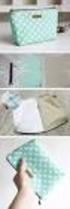 Cosmetics Case with Vinyl Interior Skill Level: Intermediate Designed By Lindsey Rhodes Sewn By Lindsey Rhodes http://lrstitched.com Use this step by step tutorial to create a roll-up cosmetics case with