
OEM-1300 Universal Data Converter
|
|
|
- Evangeline Shaw
- 9 years ago
- Views:
Transcription
1 OEM-1300 Universal Data Converter Installation User Manual Rev B

2 Thank You! Congratulations on the purchase of your OEM-1300 device(s). RF IDeas hopes you enjoy using the readers as much as we enjoyed creating and developing them. Configuration is easy, so you will be able to quickly take advantage of a more secure environment in your business, school, or organization. Please call our Sales department if you have any questions or are interested in our OEM and Independent Developer s programs. We look forward to your comments and suggestions for our product line! Please go to and follow the Support a Learning Center link for more details about our product line. We are always discovering new applications for our product line(s). There are several software developer s licensing our technology so the solution you are looking for may already be developed. Thank you, The RF IDeas Staff Need Assistance? Ph: Fx: E: [email protected] [email protected] 2

3 Contents 2 Thank You! 4 Chapter 1: OEM The Basics 4 Product Description 4 External Connections 4 Mechanical Specifications 5 Chapter 2: Getting Started 5 Initial Setup 5 Setting Up the Converter 6 Legacy Converter 7 Electrical Operation 8 Chapter 3: Transmitting & Receiving Data 8 OEM-1300 Serial Data and RS Legacy Compatible Formats 10 Initial Setup Tab 11 Dip Switch 15 Chapter 4: Electrical Connections 15 Standard Wiring Diagrams - OEM Wiegand to Serial Wiring - 8 to 16VDC 17 Wiegand to Serial Wiring - +5VDC 18 Serial to Wiegand Wiring 19 Wiegand to Wiegand Wiring 20 Strobed to Serial Wiring - 8 to 16VDC 21 Strobed to Serial Wiring - +5VDC 22 Serial to Strobed Wiring 23 Strobed to Wiegand Wiring 24 Wiegand to Strobed Wiring 25 F2F to Wiegand Wiring 26 Serial to F2F 27 Serial to Wiegand Special Application 28 Radionics to Wiegand 29 Chapter 5: Support 29 Before You Call Technical Support 29 Talking To The Technician 32 Index 33 Other Products and Accessories 3

4 OEM The Basics 1 Product Description The RF IDeas OEM-1300 is based on the OEM-1200 series converter. For most legacy converter functions, the DIP switch settings will be set the same as with the OEM This document provides a quick reference to the OEM-1300 converter connections and switch settings. Refer to the OEM-1300 operating manual for detailed information on specific conversion functions. A Diagnostic LED is provided for operational status of the converter: Diagnostic LED OFF - No power Diagnostic LED Blinking Green - Unit is operating Diagnostic LED Red - Undefined DIP Switch Setting External Connections Note: Terminals shown for reference. Connections may or may not be utilized based on converter function. Mechanical Specifications 4 Physical Aluminum Enclosure Size: 3.5 x 2.75 x.75 Temp Storage: -55 C to +150 C Operating: -40 C to +85 C Humidity 95% non-condensing Power Input: Unreg Input 8 to 100ma Max 100ma Max (10% ripple) Data I/O Output: (with 8 to 24v Unreg IN): 250 ma Interface: Reader - Wiegand, Strobed (Clock & Data), F/2F LED - 0 to 30v

5 Getting Started 2 Initial Setup The OEM-1300 will support many different input and output formats. The OEM-1300 replaces the OEM A DIP switch determines which conversion process will be used. A Legacy cross reference chart is provided to quickly determine which settings to use for standard converter numbers. In most cases several baud rate options are available to expand the capabilities of existing converters. The Legacy cross reference chart will list the converter CVT number and the OEM numbers and the DIP switch setting that will apply. Use the converter numbers to find the DIP switch settings on the OEM-1300 application charts. Setting Up The Converter Setting up the OEM-1300 converter: 1. First determine which converter (conversion process) is required for the application. This may be one of the standard converters or one of the new converters that are now part of the OEM-1300 library. All of the different conversion processes are described in detail in this manual. Each process will have a wiring diagram and specification sheet to describe the wiring connections and operation. 2. Set the DIP switch to the setting called out in the OEM application chart. 3. Refer to the wiring diagram for the particular converter that is being used. The wiring diagrams are different depending upon the type of conversion being performed. 4. Connect power to the OEM-1300 board. 5. If the diagnostic indicator LED flashes Green slowly, a valid converter number has been selected. If the diagnostic indicator is illuminated a solid Red color, an invalid DIP switch setting has been made. 6. Connect peripheral devices (Readers, Panel, Switches etc.) according to the appropriate wiring diagram. 5

6 Legacy Converter Legacy Converter Example: You need a CVT-2232 that operates at 2400 Baud. The Legacy Compatibility chart calls out numbers 1, 2, and 3. Looking at the application charts for #1, #2, and #3 lists 3 baud rates. Selecting the 2400 Baud rate for OEM converter #2 would yield a DIP switch setting of: 1 OFF 2 ON 3 OFF 4 OFF 5 OFF 6 OFF 7 OFF 8 OFF The wiring diagram would reference the Wiegand to Serial connections. NOTE: The OEM-1300 does not use an onboard DB type connector for RS-232 serial signals. Serial connections can be made directly to the 12 position connector. An optional patch cord is available with a Female DB-9 connector and flying leads. The wiring diagrams indicate the equivalent DB-9 connections to the OEM-1300 J3 connector. 6 Chapter 2 Getting Started

7 Electrical Operation The OEM-1300 units should be operated with a filtered 12 Volt nominal DC supply. Any voltage between 8 and 16 volts can be utilized by following the temperature/voltage de-rating curve. Voltage should not exceed 16 VDC under normal operating conditions. 7 Chapter 2 Getting Started

8 Transmitting & Receiving Data 3 OEM-1300 Serial data and RS-485 The OEM-1300 can support both RS-232 and RS-485 signals for transmitting and receiving serial data. For most converters utilizing serial data, both interfaces are always active and may be used by making the appropriate connections to the converter. Either the RS-232 or RS-485 interface may be used, but a loss of data will occur if both interfaces have active data at the same time. Examples: The CVT-2232 function will provide a serial input and convert to a Wiegand output. Serial data can be read from either the RS-232 or RS-485 interface. The baud rate will be determined by the DIP switch setting. The CVT-9110 function will provide a Wiegand input and a serial output. Serial data will be output on the RS-232 and RS-485 interface. NOTE: Some of the OEM-1300 converters may not support both RS-232 and RS-485 interfaces. Converters that do not support both interfaces will be noted in the specific converter specification. 8


9 Legacy Compatible Formats OEM-1300 Legacy Compatible Formats 9 Chapter 3 Transmitting & Receiving Data

10 Initial Setup Tab OEM-1300 Legacy Compatible Formats 10 Chapter 3 Transmitting & Receiving Data

11 DIP Switch DIP Switch Application Table 11 Chapter 3 Transmitting & Receiving Data

12 DIP Switch Application Table 12 Chapter 3 Transmitting & Receiving Data

13 DIP Switch Application Table 13 Chapter 3 Transmitting & Receiving Data

14 DIP Switch Application Table 14 Chapter 3 Transmitting & Receiving Data

15 Electrical Connections 4 Standard Wiring Diagrams - OEM-1300 Wiring diagrams are referenced by function and number. The specific converter descriptions will refer to these diagrams. OEM-1300 Electrical Connections 1. Serial data and RS Standard power supply connections LISTING OF STANDARD WIRING DIAGRAMS 1. Wiegand to Serial 2. Serial to Wiegand 3. Wiegand to Wiegand 4. Strobed to Serial 5. Serial to Strobed 6. Strobed to Wiegand 7. Wiegand to Strobed 8. F2F to Wiegand 9. Serial to F2F 10. Serial to Wiegand - Special Application 11. Radionics 1 Wire to Wiegand 15

16 Wiring Diagram #1 Wiegand to Serial Reader powered by external supply 8 to 16 VDC The Wiegand to RS-232 converters support incoming commands to control the Reader LED and Converter Relay. RX Data: Turn LED on...@ L 1 Turn LED off...@ L 0 Toggle LED...@ L 2 (Bi-Color LED Turns Orange) Turn Relay R 1 Turn Relay R 0 Note: Commands must be capitalized characters 16 Chapter 4 Electrical Connections

17 Wiring Diagram #1 Wiegand to Serial Reader powered by converter +5 VDC The Wiegand to RS-232 converters support incoming commands to control the Reader LED and Converter Relay. RX Data: Turn LED L 1 Turn LED off...@ L 0 Toggle LED...@ L 2 (Bi-Color LED Turns Orange) Turn Relay R 1 Turn Relay R 0 Note: Commands must be capitalized characters 17 Chapter 4 Electrical Connections

18 Wiring Diagram #2 Serial to Wiegand 18 Chapter 4 Electrical Connections


19 Wiring Diagram #3 Wiegand to Wiegand Reader powered by external supply 8 to 16 VDC 19 Chapter 4 Electrical Connections

20 Wiring Diagram #4 Strobed to Serial Reader powered by external supply 8 to 16 VDC The Strobed to RS-232 converters support incoming commands to control the Reader LED and Converter Relay. RX Data: Turn LED on...@ L 1 Turn LED off...@ L 0 Toggle LED...@ L 2 (Bi-Color LED Turns Orange) Turn Relay R 1 Turn Relay R 0 Note: Commands must be capitalized characters 20 Chapter 4 Electrical Connections

21 Wiring Diagram #4 Strobed to Serial Reader powered by converter +5 VDC The Strobed to RS-232 converters support incoming commands to control the Reader LED and Converter Relay. RX Data: Turn LED L 1 Turn LED off...@ L 0 Toggle LED...@ L 2 (Bi-Color LED Turns Orange) Turn Relay R 1 Turn Relay R 0 Note: Commands must be capitalized characters 21 Chapter 4 Electrical Connections
22 Wiring Diagram #5 Serial to Strobed 22 Chapter 4 Electrical Connections

23 Wiring Diagram #6 Strobed to Wiegand Reader powered by external supply (8 to 16 VDC) Reader powered by converter +5 VDC 23 Chapter 4 Electrical Connections

24 Wiring Diagram #7 Wiegand to Strobed Reader powered by external supply 8 to 16 VDC Reader powered by 5 Volt Supply 24 Chapter 4 Electrical Connections

25 Wiring Diagram #8 F2F to Wiegand Reader powered by external supply 8 to 16 VDC Reader powered by 5 Volt Supply 25 Chapter 4 Electrical Connections
26 Wiring Diagram #9 Serial to F2F 26 Chapter 4 Electrical Connections
27 Wiring Diagram #10 Serial to Wiegand Special Application Reader powered by external supply 8 to 16 VDC 27 Chapter 4 Electrical Connections

28 Wiring Diagram #11 Radionics to Wiegand Reader powered by external supply 8 to 16 VDC 28 Chapter 4 Electrical Connections
29 Support 5 Before You Call Technical Support Please make sure you ve identified your reader model and credential type being used. Have this information ready so that your call will be routed to the correct specialist. For Assistance: Ph: E: [email protected] Talking To The Technician Provide the reader model being used to the Technical Support Specialist. Explain your problem to the specialist. Be prepared to provide the following information: - Error/problem explanation - What you were doing when the problem occurred - What steps you have taken to resolve the problem, including results from each steps Listen and follow the steps provided by the specialist. Let the specialist know what happens when you perform the steps. 29
30 30 END-USER LICENSE AGREEMENT LICENSE AGREEMENT End-User License Agreement for RF IDeas SOFTWARE and HARDWARE - RF IDeas pcprox, Proximity Activated Readers, Software Developer s Kit, and Proximity Reader DLLs, and Protocol(s). IMPORTANT-READ CAREFULLY: This End-User License Agreement ( EULA ) is a legal agreement between you (either an individual or a single entity) and the manufacturer RF IDeas ( Manufacturer ) with which you acquired the RF IDeas software and hardware product(s) identified above ( PRODUCT ). The PRODUCT includes the RF IDeas reader, computer software, the associated media, any printed materials, and any on line or electronic documentation. By installing, copying or otherwise using the PRODUCT, you agree to be bound by the terms of this EULA. The SOFTWARE PORTION OF THE PRODUCT includes the computer software, the associated media, any printed materials, and any on line or electronic documentation. By installing, copying or otherwise using the PRODUCT, you agree to be bound by the terms of this EULA. If you do not agree to the terms of this EULA, RF IDeas is unwilling to license the PRODUCT to you. In such event, you may not use or copy the SOFTWARE PORTION OF THE PRODUCT, and you should promptly contact the vendor you obtained this PRODUCT from for instructions on return of the unused product(s) for a refund. The products described in this publication are intended for consumer applications. RF IDeas assumes no liability for the performance of product. RF IDeas products are not suitable for use in life-support applications, biological hazard applications, nuclear control applications, or radioactive areas. None of these products or components, software or hardware, are intended for applications that provide life support or any critical function necessary for the support of protection of life, property or business interests. The user assumes responsibility for the use of any of these products in any such application. RF IDeas shall not be liable for losses due to failure of any of these products, or components of these products, beyond the RF IDeas commercial warranty, limited to the original purchase price. SOFTWARE PRODUCT LICENSE The PRODUCT is protected by copyright laws and international copyright treaties, as well as other intellectual property laws and treaties. The SOFTWARE PORTION OF THE PRODUCT is licensed, not sold. 1. GRANT OF LICENSE. This EULA grants you the following rights: *Software. You may install and use one copy of the SOFTWARE PORTION OF THE PRODUCT on the COMPUTER. *Network Services. If the SOFTWARE PORTION OF THE PRODUCT includes functionality that enables the COMPUTER to act as a network server, any number of computers or workstations may access or otherwise utilize the basic network services of that server. The basic network services are more fully described in the printed materials accompanying the SOFTWARE PORTION OF THE PRODUCT. *Storage/Network Use. You may also store or install a copy of the computer SOFTWARE PORTION OF THE PRODUCT on the COMPUTER to allow your other computers to use the SOFTWARE PORTION OF THE PRODUCT over an internal network, and distribute the SOFTWARE PORTION OF THE PRODUCT to your other computers over an internal network. 1.1 General License Grant RF IDeas grants to an individual, a personal, nonexclusive license to make and use copies of the SOFTWARE PRODUCT for the sole purposes of designing, developing, and testing your software product(s) that are designed to operate in conjunction with any RF IDeas designed proximity reader product. You may install copies of the SOFTWARE PRODUCT on an unlimited number of computers provided that you are the only individual using the SOFTWARE PRODUCT. If you are an entity, RF IDeas grants the right to designate one individual within your organization to have the sole right to use the SOFTWARE PRODUCT in the manner provided above. 1.2 Documentation. This EULA grants an individual, a personal, nonexclusive license to make and use an unlimited number of copies of any documentation, provided that such copies shall be used only for personal purposes and are not to be republished or distributed (either in hard copy or electronic form) beyond the user s premises and with the following exception: you may use documentation identified in the SOFTWARE PRODUCT as the file format specification for RF IDeas proximity readers solely in connection with your development of software product(s) or an integrated work or product suite whose components include one or more general purpose software products. 1.3 Storage/Network Use. You may also store or install a copy of the SOFTWARE PRODUCT on a storage device, such as a network server, used only to install or run the SOFTWARE PRODUCT on computers used by a licensed end user in accordance with Section 1.1. A single license for the SOFTWARE PRODUCT may not be shared or used concurrently by other end users. 1.4 Sample Code. RF IDeas grants you the right to use and modify the source code version of those portions of the SOFTWARE PRODUCT identified as Samples in the SOFTWARE PRODUCT ( Sample Code ) for the sole purposes to design, develop, and test your software product(s), and to reproduce and distribute the Sample Code, along with any modifications thereof, only in object code form. 2. DESCRIPTION OF OTHER RIGHTS AND LIMITATIONS. *Limitations on Reverse Engineering, Decompilation and Disassembly. You may not reverse engineer, decompile, or disassemble the PRODUCT, except and only to the extent that such activity is expressly permitted by applicable law notwithstanding this limitation *You may not reproduce or otherwise emulate, in whole or in part, any form the protocol(s) defined within this PRODUCT for use without a RF IDeas PRODUCT Redistributable Code. If you are authorized and choose to redistribute Sample Code ( Redistributables ) as described in Section 1.4, you agree to: (a) distribute the Redistributables in object code only in conjunction with and as a part of a software application product developed by you using the PRODUCT accompanying this EULA that adds significant and primary functionality to the SOFTWARE PRODUCT ( Licensed Product ); (b) not use RF IDeas name, logo, or trademarks to market the Licensed Product; (c) include a valid copyright notice on the Licensed Product; (d) indemnify, hold harmless, and defend RF IDeas from and against any claims or lawsuits, including attorney s fees, that arise or result from the use or distribution of the Licensed Product; (e) otherwise comply with the terms of this EULA; and (g) agree that RF IDeas reserves all rights not expressly granted. You also agree not to permit further distribution of the Redistributables by your end users except: (1) you may permit further redistribution of the Redistributables by your distributors to your end-user customers if your distributors only distribute the Redistributables in conjunction with, and as part of, the Licensed Product and you and your distributors comply with all other terms of this EULA; and (2) in the manner described in Section 1.4. *Separation of Components. The PRODUCT is licensed as a single product. Its component parts may not be separated for use on more than one computer. *Single COMPUTER. The PRODUCT is licensed with the COMPUTER as a single integrated product. The PRODUCT may only be used with the COMPUTER. *Rental. You may not rent or lease the PRODUCT without permission from RF IDeas *Software Transfer. You may permanently transfer all of your rights under this EULA only as part of a sale or transfer of the COMPUTER, provided you retain no copies, you transfer all of the PRODUCT (including all component parts, the media and printed materials, any upgrades, this EULA and, if applicable, the Certificate(s) of Authenticity), AND the recipient agrees to the terms of this EULA. If the PRODUCT is an upgrade, any transfer must include all prior versions of the PRODUCT. *Termination. Without prejudice to any other rights, RF IDeas may terminate this EULA if you fail to comply with the terms and conditions of this EULA. In such event, you must destroy all copies of the SOFTWARE PORTION OF THE PRODUCT and all of its component parts.nn 3. UPGRADES. If the SOFTWARE PORTION OF THE PRODUCT is an upgrade from another product, whether from RF IDeas or another supplier, you may use or transfer the PRODUCT only in conjunction with that upgraded product, unless you destroy the upgraded product. If the SOFTWARE PORTION OF THE PRODUCT is an upgrade of a RF IDeas product, you now may use that upgraded product only in
31 accordance with this EULA. If the SOFTWARE PORTION OF THE PRODUCT is an upgrade of a component of a package of software programs which you licensed as a single product, the SOFTWARE PORTION OF THE PRODUCT may be used and transferred only as part of that single product package and may not be separated for use on more than one computer. 4. OEM COPYRIGHT. All title and copyrights in and to the PRODUCT (including but not limited to images, photographs, animations, video, audio, music, text and applets, incorporated into the PRODUCT), the accompanying printed materials, and any copies of the SOFTWARE PORTION OF THE PRODUCT, are owned by RF IDeas or its suppliers. The PRODUCT and SOFTWARE PORTION OF THE PRODUCT is protected by copyright laws and international treaty provisions. You may not copy the printed materials accompanying the PRODUCT. 5. DUAL-MEDIA SOFTWARE. You may receive the SOFTWARE PORTION OF THE PRODUCT in more than one medium. Regardless of the type or size of medium you receive, you may use only one medium that is appropriate for your single computer. You may not use or install the other medium on another computer. You may not loan, rent, lease, or otherwise transfer the other medium to another user, except as part of the permanent transfer (as provided above) of the SOFTWARE PORTION OF THE PRODUCT. 6. OEM PRODUCT SUPPORT. Product support for the product is not provided by RF IDeas or its subsidiaries. For product support, please refer to the OEM supplies support number provided in the documentation. Should you have any questions concerning the EULA, or if you desire to contact OEM for any other reason, please refer to the address provided in the documentation provided. FOR THE LIMITED WARRANTIES AND SPECIAL PROVISIONS PERTAINING TO YOUR PARTICULAR JURISDICTION, PLEASE REFER TO YOUR WARRANTY BOOKLET INCLUDED WITH THIS PACKAGE OR PROVIDED WITH THE SOFTWARE PRODUCT PRINTED MATERIALS. Limited Warranty: RF IDeas warrants to the original buyer of this product, that the hardware and related disk(s) are free of defects in material and workmanship for a period of one year from date of purchase from RF IDeas or from an authorized RF IDeas dealer. Should the RF IDeas products fail to be in good working order at any time during the one-year period, RF IDeas will, at its option, repair or replace the product at no additional charge, provided that the product has not been abused, misused, repaired or modified. This warranty shall be limited to repair or replacement and in no event shall RF IDeas be liable for any loss of profit or any commercial or other damages, including but not limited to special, incidental, consequential or other similar claims. No dealer, distributor, company, or person has been authorized to change or add to the terms of this agreement, and RF IDeas will not be bound by any representation to the contrary. RF IDeas SPECIFICALLY DISCLAIMS ALL OTHER WARRANTIES, EXPRESSED OR IMPLIED, INCLUDING BUT NOT LIMITED TO IMPLIED WARRANTIES OF MERCHANTABILITY AND FITNESS OF PURPOSE. Since some states do not allow such exclusion of limitation of incidental or consequential damages for consumer products, check the statute of the state in which your business resides. This warranty gives you the specific legal rights in addition to any rights that you have under the laws of the state in which your business resides or operates. Returns: RF IDeas products which require Limited Warranty service during the warranty period shall be delivered to the nearest authorized dealer or sent directly to RF IDeas at the address below with proof of purchase and a Return Materials Authorization (RMA) Number provided by RF IDeas Technical Support Dept. Replacement parts or complete boards become the property of RF IDeas If the returned board or unit is sent by mail, the purchaser agrees to pre-pay the shipping charges and insure the board or unit or assume the risk of loss or damage which may occur in transit. The purchaser is expected to employ a container equivalent to the original packaging. Copyright: Copyright by RF IDeas. All rights reserved. Reproduction or distribution of this document in whole or in part or in any form is prohibited without express written permission from RF IDeas. Trademarks: All RF IDeas products are trademarks of RF IDeas. All other product names or names are trademarks or registered trademarks of their respective holders. Applicable Patents: RF IDeas pcprox Plus card readers supporting HID formats retain US Patent No. 5,952,935 and U.S. Patent No. 7,439,862. Disclaimer: This Reference Guide is printed in the U.S.A. Any resemblance mentioned in the Reference Guide to persons living or dead, or to actual corporations or products is purely coincidental. RF IDeas believes that the information contained in this manual is correct. However, RF IDeas does not assume any responsibility for the accuracy of the content of this User Manual, nor for any patent infringements or other rights of third parties. RF IDeas reserves the right to make any modifications in either product or the manual without giving prior written notification. FCC Compliance Statement FCC ID: M9MPCPROXHUSB100 (HID USB model) FCC ID: M9MBUPCPROXH100 (HID RS-232 model) FCC ID: M9MPCPROXM101 (Indala model) FCC ID: M9MBUPCPROXA100 (AWID) FCC ID: M9MRDR6X8X (Kantech, Indala, Casi-Rusco) FCC ID: M9MPCPROXP100 (Pyramid) FCC ID: M9MPCPROXC101 (Casi-Rusco model) FCC ID: M9MRDR7P71 (FIPS MHz) FCC ID: M9MRFID1856I100 (MIFARE/iCLASS models) FCC ID: M9MRDR7L81 (Legic 13.56MHz) FCC ID: M9MRDR7081 (iclass Module based) FCC ID: M9MRDR7580 (iclass MIFARE and Other 13.56MHz) FCC ID: M9MRDR7581 (iclass MIFARE and Other 13.56MHz) FCC ID: M9MRDR7081AKF (iclass MIFARE and Other 13.56MHz) FCC ID: M9MRDR7081AKE (iclass MIFARE and Other 13.56MHz) FCC ID: M9MRDR75DX (iclass MIFARE and Other 13.56MHz) FCC ID: M9MRDR8XX8U (Plus combo model) FCC ID: M9MRDR758X (iclass MIFARE and Other MHz) FCC ID: M9MRDR8058X (Multi-protocol Combo model) FCC ID: M9M8058XCCL (Multi-protocol and Contact model) FCC ID: M9M758XCCL (MIFARE and Contact model) FCC ID: M9M7580CCL (MIFARE and Contact model) FCC ID: M9MRDR80081 (Plus SIO Combo Model) FCC ID: M9MRDR70EX (13.56MHz Express Model) FCC ID: M9MRDR60DX (125KHz USB Dongle Model) Pursuant to FCC of the FCC rules, changes not expressly approved by RF IDeas might cause harmful interference and void the FCC authorization to operate this product. Changes to this product not expressly approved by RF IDeas will void the user s authority to operate the equipment. Note: This device complies with Part 15 of the FCC Rules and Industry Canada license-exempt RSS standard(s). Operation is subject to the following two conditions: (1) This device may not cause harmful interference, and (2) this device must accept any interference received, including interference that may cause undesired operation. This product complies with FCC OET Bulletin 65 radiation exposure limits set forth for an uncontrolled environment. The reader may not recognize value cards in the presence of high RF fields. If the current reading is erratic, the user shall take the following step: Move the equipment from any known transmitters nearby. For more information contact Tech Support at
32 Index Index B C D F Baud Rate 8 Conversion Process 5 DB9 6, 17-18, 20-22, DIP 4-6, 8 F2F L O R W LED 4, 5, 16-17, Legacy Converter 5-6 OEM , 5 RS-232 6, 8, 16-18, 20-23, 27 RS-485 8, 15 Wiegand 6, 8,
33 Other Products & Accessories Software Developer s Kit Allows independent developer s to use their application to read proximity access badge Read ID data of more than 1 billion cards in the field PVC Label Proximity Card Credit card size with paper release liner, 500 cards per box Complete selection of various manufacturers proximity cards, labels and key fobs. Marked with data code and ID number, available in several Wiegand formats pcprox Read/Write Contactless SDK Reads and writes directly to the smart cards pcprox Writer and Playback Desktop read-only for iclass and NXP and smart cards pcprox Playback Starter Kit Plays back card sector data in ASCII or keystrokes pcprox Sonar Presence detector configured as a keyboard PS/2 to USB Power Tap Powers a USB RF IDeas device from a PS/2 port Mounting Brackets Further adjust the standard mounting of the device angle 33
34 RF IDeas Inc RF IDeas. All rights reserved. Specifications subject to change without notice. Windows, Macintosh, Solaris, Sun Ray and Linux are trademarks of their respective companies. All other trademarks, service marks and product or service names are property of their respective owners. Mention of third-party products is for informational purposes only and constitutes neither an endorsement nor a recommendation. RF IDeas assumes no responsibility with regard to the performance or use of these products. All understandings, agreements, or warranties, if any, take place directly between the vendors and the prospective users. Please feel free to call, or visit our web site for a full list of applications, products, configuration options, supported cards and form factor specifications. Our web site includes application videos, support materials, case studies and detailed information about our product line. Every effort has been made to ensure that the information in this manual is accurate. RF IDeas is not responsible for printing or clerical errors. 70
MDM Zinc 3.0 End User License Agreement (EULA)
 MDM Zinc 3.0 End User License Agreement (EULA) THIS AGREEMENT (or "EULA") IS A LEGAL AGREEMENT BETWEEN THE PERSON, COMPANY, OR ORGANIZATION THAT HAS LICENSED THIS SOFTWARE ("YOU" OR "CUSTOMER") AND MULTIDMEDIA
SOLARWINDS, INC. ipmonitor 8.0 MANAGER END USER LICENSE AGREEMENT REDISTRIBUTION NOT PERMITTED
 SOLARWINDS, INC ipmonitor 8.0 MANAGER END USER LICENSE AGREEMENT REDISTRIBUTION NOT PERMITTED IMPORTANT -- READ CAREFULLY BEFORE USING THIS SOFTWARE: THIS IS A LEGAL AGREEMENT BETWEEN YOU (EITHER AN INDIVIDUAL
1. GRANT OF LICENSE. Formdocs LLC grants you the following rights provided that you comply with all terms and conditions of this EULA:
 END-USER LICENSE AGREEMENT FOR FORMDOCS SOFTWARE IMPORTANT-READ CAREFULLY: This End-User License Agreement ("EULA") is a legal agreement between you (either an individual or a single entity) and Formdocs
FILEMAKER PRO ADVANCED SOFTWARE LICENSE
 FILEMAKER PRO ADVANCED SOFTWARE LICENSE IMPORTANT -- READ CAREFULLY: BY INSTALLING, COPYING, DOWNLOADING, ACCESSING OR OTHERWISE USING THE SOFTWARE, YOU AGREE TO BE BOUND BY THE TERMS OF THIS LICENSE.
C-DAC Medical Informatics Software Development Kit End User License Agreement
 C-DAC Medical Informatics Software Development Kit End User License Agreement BY DOWNLOADING AND INSTALLING, COPYING OR OTHERWISE USING THE CENTRE FOR DEVELOPMENT OF ADVANCED COMPUTING ( C-DAC ) MEDICAL
1. GRANT OF LICENSE. Acunetix Ltd. grants you the following rights provided that you comply with all terms and conditions of this EULA:
 Acunetix Web Vulnerability Scanner Licensed Copies: 1 END USER LICENSE AGREEMENT IMPORTANT READ CAREFULLY: This End User License Agreement ("EULA") is a legal agreement between you (either an individual
NOTICE SOFTWARE END USER LICENSE AGREEMENT
 NOTICE SOFTWARE END USER LICENSE AGREEMENT THIS SOFTWARE END USER LICENSE AGREEMENT ( THIS AGREEMENT ) IS A LEGAL AND BINDING AGREEMENT BETWEEN YOU (EITHER AN INDIVIDUAL OR ENTITY) AND TP VISION NETHERLANDS
System Requirements. Installation. Microsoft SQL Express 2008 R2 Installation
 Contents System Requirements... 3 Installation... 3 Microsoft SQL Express 2008 R2 Installation... 3 Microsoft.NET Framework 4.0 Installation... 7 InFocus Management Tool Installation... 8 Log In... 10
Crestron VMK-WIN TouchPoint Virtual Mouse & Keyboard Software for Windows Installation Guide
 Crestron VMK-WIN TouchPoint Virtual Mouse & Keyboard Software for Windows Installation Guide This document was prepared and written by the Technical Documentation department at: Crestron Electronics, Inc.
User Manual USB Laptop KVM Switch. GCS661U Part No. M1069
 User Manual USB Laptop KVM Switch 1 GCS661U Part No. M1069 2 Table of Contents User Notice 4 A Note About Terminology 5 Overview 6 Features 7 Package Contents 8 Requirements 9 Operating System Support
END-USER LICENSE AGREEMENT FOR DIGIMETRICS AURORA SOFTWARE
 END-USER LICENSE AGREEMENT FOR DIGIMETRICS AURORA SOFTWARE IMPORTANT READ CAREFULLY: This End-User License Agreement ("EULA") is a legal agreement between you (either an individual or a single entity)
FME SOFTWARE LICENSE AGREEMENT
 FME SOFTWARE LICENSE AGREEMENT IMPORTANT READ CAREFULLY: This FME Software License Agreement ("Agreement") is a legal agreement between You (either an individual or a single legal entity) and Safe Software
ALM Works End-User License Agreement for Structure Plugin
 ALM Works End-User License Agreement for Structure Plugin IMPORTANT - READ CAREFULLY: This End-User License Agreement (EULA) is a legal agreement between you (either an individual or a single legal entity)
C. System Requirements. Apple Software is supported only on Apple-branded hardware that meets specified system requirements as indicated by Apple.
 ENGLISH APPLE INC. SOFTWARE LICENSE AGREEMENT FOR APPLE STORE APPLICATION PLEASE READ THIS SOFTWARE LICENSE AGREEMENT ("LICENSE") CAREFULLY BEFORE USING THE APPLE SOFTWARE. BY USING THE APPLE SOFTWARE,
Installation & User Manual
 Messager USB Installation & User Manual Note: All units support MP3 playback of up to 128Kbps @ 48KHz. Units with serial numbers starting with 15 or above will support the addition of WAV playback done
DIVISION 28 ELECTRONIC SAFETY AND SECURITY SECTION 28 13 00 SECURITY AND ACCESS CONTROL SYSTEM
 DIVISION 28 ELECTRONIC SAFETY AND SECURITY PART 1 GENERAL 1.01 DESCRIPTION A. Division 28 Contractor shall extend a complete Matrix Systems Access Control System as shown on the Drawings and as specified
XTEND 900 MHZ WIRELESS MODEM For use with VEEDER-ROOT EMR³ DATALINK INSTALLATION INSTRUCTIONS Manual 577013-859, Rev. B
 INTRODUCTION This Installation Guide Contains the necessary information to Connect the Wireless Modems to the EMR³ Interconnect Box and the Office Computer for running the EMR³ Datalink Program. For Specific
Technical Manual. For use with Caller ID signaling types: Belcore 202, British Telecom, & ETSI
 Technical Manual For use with Caller ID signaling types: Belcore 202, British Telecom, & ETSI Caller ID.com WHOZZ CALLING? POS 2 Caller ID Monitoring Unit Technical Manual For use with Caller ID signaling
BroadBand PowerShield. User Manual
 BroadBand PowerShield User Manual 990-0375G 12/2006 Chapter 1 General Information The PowerShield provides a power source for broadband telephony and other DC applications. Safety This Safety Guide contains
Scanner Wedge for Windows Software User Guide
 Scanner Wedge for Windows Software User Guide Contents INSTALLING THE SCANNER WEDGE SOFTWARE 2 ACTIVATING THE SCANNER CONNECTION 3 TRACING SCANNER OUTPUT 7 FORMATTING OUTPUT 9 SELECTING START-UP OPTIONS
CITRIX SYSTEMS, INC. SOFTWARE LICENSE AGREEMENT
 CITRIX SYSTEMS, INC. SOFTWARE LICENSE AGREEMENT PLEASE READ THIS SOFTWARE LICENSE AGREEMENT CAREFULLY BEFORE DOWNLOADING, INSTALLING OR USING CITRIX OR CITRIX-SUPPLIED SOFTWARE. BY DOWNLOADING OR INSTALLING
How To Use An Imclean Dad (Dvd) With A Car Or Car (Dcd) On A Computer Or Car
 IMclean Manual Note: Before you start, Please Fill out the enclosed disclosure form send to Drew Technologies LIMITED WARRANTY Drew Technologies, Inc. guarantees that every IMClean device as well as included
Temperature & Humidity SMS Alert Controller
 Temperature & Humidity SMS Alert Controller Version 7 [Windows XP/Vista/7] GSMS THR / GSMS THP Revision 110507 [Version 2.2.14A] ~ 1 ~ SMS Alarm Messenger Version 7 [Windows XP/Vista/7] SMS Pro series
Mayfair EULA for Journal Office
 Mayfair EULA for Journal Office 9-April-2014 Page 1 of 9 Mayfair EULA for Journal Office Mayfair Software End User License Agreement Software programs which you received either installed on on the device
PIR-1 Owner s Manual
 PIR-1 Owner s Manual PIR-1 Owner s Manual 2010 Universal Remote Control, Inc. The information in this manual is copyright protected. No part of this manual may be copied or reproduced in any form without
BROCADE COMMUNICATIONS SYSTEMS, INC. END USER SOFTWARE LICENSE AGREEMENT FOR BROCADE IP ANALYTICS PACK FOR VMWARE VREALIZE OPERATIONS
 BROCADE COMMUNICATIONS SYSTEMS, INC. END USER SOFTWARE LICENSE AGREEMENT FOR BROCADE IP ANALYTICS PACK FOR VMWARE VREALIZE OPERATIONS IMPORTANT: READ THIS CAREFULLY BEFORE INSTALLING, USING OR ELECTRONICALLY
Pervasive Software Inc. Pervasive PSQL v11 Insurance License Agreement
 Pervasive Software Inc. Pervasive PSQL v11 Insurance License Agreement IMPORTANT: DO NOT INSTALL THE ENCLOSED OR DOWNLOADED SOFTWARE UNTIL YOU HAVE READ THIS PERVASIVE PSQL LICENSE AGREEMENT ( AGREEMENT
TCP/IP MODULE CA-ETHR-A INSTALLATION MANUAL
 TCP/IP MODULE CA-ETHR-A INSTALLATION MANUAL w w w. c d v g r o u p. c o m CA-ETHR-A: TCP/IP Module Installation Manual Page Table of Contents Introduction...5 Hardware Components... 6 Technical Specifications...
Nexinto Business Cloud Terms Microsoft Volume Licensing End user License Terms
 Nexinto Business Cloud Terms Microsoft Volume Licensing End user Inhalt 1. Definitions... 2 2. Ownership of products... 2 3. Use of Client Software... 3 4. Use of Redistribution Software... 3 5. Copies...
BIMASS and You - A Copyright Infringement Conclusions
 PRODUCT SCHEDULE Hosted Exchange This Product Schedule (the Schedule ), between BIMASS and ( You ) is effective immediately and is issued pursuant to and incorporates by reference the terms and conditions
THIS PRODUCT DOES NOT TRANSMIT ANY PERSONALLY IDENTIFIABLE INFORMATION FROM YOUR COMPUTER TO MICROSOFT COMPUTER SYSTEMS WITHOUT YOUR CONSENT.
 Microsoft Windows XP Media Center Edition 2005 SUPPLEMENTAL END-USER LICENSE AGREEMENT IMPORTANT READ CAREFULLY: This supplemental end-user license agreement ( Supplemental EULA ) is a legal agreement
Wireless Keyboard and Optical Mouse Bundle
 Wireless Keyboard and Optical Mouse Bundle Enjoy the freedom of wireless optical precision User Manual F8E832-BNDL TABLE OF CONTENTS Introduction....................................1 Compatible Equipment............................2
YAMAHA ASIO DirectKS Driver for Windows Owner's Manual
 YAMAHA ASIO DirectKS Driver for Windows Owner's Manual ATTENTION SOFTWARE LICENSE AGREEMENT PLEASE READ THIS SOFTWARE LICENSE AGREEMENT ( AGREEMENT ) CAREFULLY BEFORE USING THIS SOFTWARE. YOU ARE ONLY
Usage, Installation, Warranty and Service Information
 T13C Table Updater for Seating Management U S E R M A N UA L Usage, Installation, Warranty and Service Information Long Range Systems, LLC 4550 Excel Parkway, Suite 200 Addison, TX 75001 800.437.4996 www.lrsus.com
USB to RS-422/485 Serial Adapter (ID-SC0911-S1/SC0A11-S1) User s Manual
 USB to RS-422/485 Serial Adapter (ID-SC0911-S1/SC0A11-S1) User s Manual 1 Copyright Statement No part of this publication may be reproduced in any form by any means without the prior written permission.
Canon USA, Inc. WEBVIEW LIVESCOPE SOFTWARE DEVELOPMENT KIT DEVELOPER LICENSE AGREEMENT
 Canon USA, Inc. WEBVIEW LIVESCOPE SOFTWARE DEVELOPMENT KIT DEVELOPER LICENSE AGREEMENT This Webview Livescope Software Development Kit Developer License ("Agreement") between you, the "Developer" and the
Installing the IPSecuritas IPSec Client
 Mac Install Installing the IPSecuritas IPSec Client IPSecuritasMac201003-01 Global Technology Associates 3505 Lake Lynda Drive Suite 109 Orlando, FL 32817 Tel: +1.407.380.0220 Fax. +1.407.380.6080 Email:
Directed Passive Keyless Entry System (PKE) Model 2102T Owner s Guide
 Directed Passive Keyless Entry System (PKE) Model 2102T Owner s Guide 2012 Directed, Vista, CA G2102T Contents Government regulations...4 Warning! Safety first...6 Important information...6 System maintenance...6
AVerMedia AVerKey imicro User s Manual
 FCC NOTICE This device has been tested and found to comply with the limits for a Class B digital device, pursuant to Part 15 of the FCC Rules. These limits are designed to provide reasonable protection
SOFTWARE LICENSE AGREEMENT
 SOFTWARE LICENSE AGREEMENT NOTICE TO END USER: PLEASE READ THIS AGREEMENT WITH HUNTER SYSTEMS GROUP, INC. ( HUNTER ) CAREFULLY. IF YOU DO NOT UNDERSTAND ANY PROVISIONS CONTAINED HEREIN, PLEASE SEEK ADVICE.
ZIMPERIUM, INC. END USER LICENSE TERMS
 ZIMPERIUM, INC. END USER LICENSE TERMS THIS DOCUMENT IS A LEGAL CONTRACT. PLEASE READ IT CAREFULLY. These End User License Terms ( Terms ) govern your access to and use of the zanti and zips client- side
MICROSOFT SOFTWARE LICENSE TERMS MICROSOFT VISUAL STUDIO 2008 PROFESSIONAL EDITION AND TRIAL EDITION
 MICROSOFT SOFTWARE LICENSE TERMS MICROSOFT VISUAL STUDIO 2008 PROFESSIONAL EDITION AND TRIAL EDITION These license terms are an agreement between Microsoft Corporation (or based on where you live, one
INTEL SOFTWARE LICENSE AGREEMENT (OEM / IHV / ISV Distribution & Single User)
 INTEL SOFTWARE LICENSE AGREEMENT (OEM / IHV / ISV Distribution & Single User) By clicking the Accept button, I signify that I have read and accept the terms below. IMPORTANT - READ BEFORE COPYING, INSTALLING
END USER LICENSE AGREEMENT
 END USER LICENSE AGREEMENT 1. SCOPE OF THIS AGREEMENT. This END USER LICENSE AGREEMENT ("EULA") is a legal agreement between you (either an individual or a single entity) and TradeStation ("TS") governing
ARCHOS (www.archos.com/support).
 1 ! www.archos.com/register, ARCHOS.. ARCHOS, (www.archos.com/register).. ARCHOS (www.archos.com/support)., Windows, Windows Help Start ( ), Help and Support.. ARCHOS. 2 ,.! /, : ARCHOS 9,,,,,. -.,. ARCHOS
hello. welcome to smart watering.
 Quick Start Guide hello. welcome to smart watering. 04 Introduction myblossom.com i m your yard s new brain. let s get started. 06 Contents what s in the box. 1 2 3 4 5 Blossom Controller Blossom Bracket
USB Plus+ RFID Reader Setup Guide
 875-0042-03 RevA USB Plus+ RFID Reader Setup Guide 1 Government Limited Rights Notice: All documentation and manuals were developed at private expense and no part of it was developed using Government funds.
SOFTWARE LICENSE AGREEMENT (Site License Version) A. Xerox grants to customer ( you ) a non-exclusive, non-transferable license to:
 1. LICENSE GRANT SOFTWARE LICENSE AGREEMENT (Site License Version) 2. FEES A. Xerox grants to customer ( you ) a non-exclusive, non-transferable license to: (1) load the Web Document Submission software,
ALPHA TEST LICENSE AGREEMENT
 ALPHA TEST LICENSE AGREEMENT IMPORTANT NOTICE! PLEASE READ THIS STATEMENT AND THE ALPHA TEST LICENSE AGREEMENT COMPLETELY BEFORE USING THIS ALPHA SOFTWARE. BY CLICKING ON THE BUTTON MARKED YES BELOW OR
Skyus 3G. Quick Start Guide Verizon
 Skyus 3G TM Quick Start Guide Verizon Preface Copyright 2016 Feeney Wireless, LLC a Novatel Wireless Company. All rights reserved. This document may not be copied in part or otherwise reproduced without
SUBSCRIPTION SERVICES.
 SUSE Manager Server SUSE Manager Server with Database SUSE Software License Agreement PLEASE READ THIS AGREEMENT CAREFULLY. BY PURCHASING, INSTALLING AND/OR USING THE SOFTWARE (INCLUDING ITS COMPONENTS),
Wireless Base Station Single and Multiple Headsets
 Wireless Base Station Single and Multiple Headsets Operation Manual 7340 SW Durham Road Portland, OR 97224 USA Phone: 503-684-6647 1-800-527-0555 Fax: 503-620-2943 email: [email protected] www.firecom.com
prevailing of JAMS/Endispute. The arbitrator's award shall be binding and may be entered as a judgment in any court of competent jurisdiction.
 Safety Alert Apps, Inc. End User License Agreement By installing and using any of the personal safety app software from Safety Alert Apps, Inc., you are agreeing to be bound by the terms of this End User
TATUKGIS SOFWARE LICENSE AGREEMENT
 TATUKGIS SOFWARE LICENSE AGREEMENT READ THE FOLLOWING TERMS AND CONDITIONS CAREFULLY BEFORE INSTALLING THE TATUKGIS, SOFTWARE PROVIDED WITH THIS AGREEMENT (THE SOFTWARE ). USE OF THE SOFTWARE CONSTITUTES
END USER LICENSE AGREEMENT FOR SLICKEDIT(R) CORE SOFTWARE IMPORTANT
 END USER LICENSE AGREEMENT FOR SLICKEDIT(R) CORE SOFTWARE IMPORTANT THIS IS A LEGAL AGREEMENT BETWEEN YOU ("You" or "Your") AND SLICKEDIT INC. ("SlickEdit"). SLICKEDIT IS WILLING TO (1) LICENSE THE SLICKEDIT
LS9 Editor Installation Guide
 LS9 Editor Installation Guide ATTENTION SOFTWARE LICENCING AGREEMENT PLEASE READ THIS SOFTWARE LICENSE AGREEMENT ( AGREEMENT ) CAREFULLY BEFORE USING THIS SOFTWARE. YOU ARE ONLY PERMITTED TO USE THIS SOFTWARE
THOMSON REUTERS (TAX & ACCOUNTING) INC. FOREIGN NATIONAL INFORMATION SYSTEM TERMS OF USE
 THOMSON REUTERS (TAX & ACCOUNTING) INC. FOREIGN NATIONAL INFORMATION SYSTEM TERMS OF USE 1. License and Permitted Use The Foreign National Information System (FNIS) is licensed, not sold. Subject to the
DVI to Analog Converter
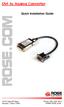 DVI to Analog Converter Quick Installation Guide 10707 Stancliff Road Phone: (281) 933-7673 Houston, Texas 77099 WWW.ROSE.COM LIMITED WARRANTY Rose Electronics warrants the DVI to VGA converter to be
IEEE 802.15.4/ZigBee USB Dongle
 IEEE 802.15.4/ZigBee USB Dongle ZigBee Dongle for 2.4GHz Band DESCRIPTION The IEEE 802.15.4 USB Dongle from Integration provides a compliant 802.15.4 interface that can be quickly and easily connected
HANDS-FREE BLUETOOTH CONTROLLER for SMART READY TABLETS AND COMPUTERS
 HANDS-FREE BLUETOOTH CONTROLLER for SMART READY TABLETS AND COMPUTERS Operating Manual 2 CONTENTS Before Turning on Your PED... 4 Power... 5 ON... 5 OFF... 5 Modes... 6 Changing the MODE... 7 Connecting
PLEASE READ THIS AGREEMENT CAREFULLY. BY INSTALLING, DOWNLOADING OR OTHERWISE USING THE SOFTWARE, YOU AGREE TO THE TERMS OF THIS AGREEMENT.
 Novell ZENworks Mobile Management Novell ZENworks Mobile Management Enterprise App Software License Agreement PLEASE READ THIS AGREEMENT CAREFULLY. BY INSTALLING, DOWNLOADING OR OTHERWISE USING THE SOFTWARE,
END- USER LICENSE AGREEMENT FOR Helpdesk Pilot
 END- USER LICENSE AGREEMENT FOR Helpdesk Pilot Last Updated: 01st May 2014 IMPORTANT: PLEASE READ THE TERMS AND CONDITIONS OF THIS LICENSE AGREEMENT CAREFULLY BEFORE CONTINUING WITH THIS PROGRAM INSTALL.
XANGATI END USER SOFTWARE LICENSE TERMS AND CONDITIONS
 XANGATI END USER SOFTWARE LICENSE TERMS AND CONDITIONS IMPORTANT: PLEASE READ BEFORE DOWNLOADING, INSTALLING OR USING THE XANGATI, INC. ("LICENSOR") SOFTWARE YOU HAVE LICENSED ("SOFTWARE"). BY EXECUTING
ELECTRONIC ARTS SOFTWARE END USER LICENSE AGREEMENT
 ELECTRONIC ARTS SOFTWARE END USER LICENSE AGREEMENT This End User License Agreement ( License ) is an agreement between you and Electronic Arts Inc., its subsidiaries and affiliates ( EA ). This License
USER MANUAL. Kramer Electronics, Ltd. Models:
 Kramer Electronics, Ltd. USER MANUAL Models: VP-200N, 1:2 High Resolution XGA DA VP-300N, 1:3 High Resolution XGA DA VP-400N, 1:4 High Resolution XGA DA Contents Contents 1 Introduction 1 2 Getting Started
USB 2.0 4-Port Extender Kit
 USB 2.0 4-Port Extender Kit 500072 MuxLab Inc. 2014 94-000760-A / SE-000760-A Table of Contents 1. Introduction... 2 2. Features... 2 3. Specifications... 2 4. Package Contents... 3 5. Physical Diagram...
TOOLS for CC121 Installation Guide
 TOOLS for CC121 Installation Guide ATTENTION SOFTWARE LICENSE AGREEMENT PLEASE READ THIS SOFTWARE LICENSE AGREEMENT ( AGREEMENT ) CAREFULLY BEFORE USING THIS SOFTWARE. YOU ARE ONLY PERMITTED TO USE THIS
VARIO PROX CARD READER INSTALLATION MANUAL
 VARIO PROX CARD READER INSTALLATION MANUAL TABLE OF CONTENTS 1.0 INTRODUCTION...2 1.1 Legend...3 1.2 Terminology...4 2.0 MOUNTING...5 3.0 WIEGAND CONNECTION...6 4.0 AUX BUTTON INPUT...7 5.0 INSTALLER PROGRAMMING...8
SPYDERS END USER LICENSE AGREEMENT TERMS AND CONDITIONS
 SPYDERS END USER LICENSE AGREEMENT TERMS AND CONDITIONS 1. IMPORTANT NOTICE PLEASE READ THE TERMS AND CONDITIONS OF THIS LICENSE AGREEMENT (THE AGREEMENT ) CAREFULLY BEFORE PROCEEDING TO USE THE ENCLOSED
End-User Software License Agreement
 End-User Software License Agreement This End-User Software License Agreement (the Agreement ) is a license agreement between you (the Licensee ) and IMSWorkX, Inc. ( IMSWorkX ), a Delaware corporation
USB/VGA Cat 5 UTP Console Extender
 USB/VGA Cat 5 UTP Console Extender SV565UTPU SV565UTPUGB SV565UTPUEU Instruction Manual FCC Compliance Statement This equipment has been tested and found to comply with the limits for a Class B digital
ZENworks Patch Management. Your license to use ZENworks Patch Management is also subject to the terms and conditions in the attached Appendix.
 Novell Endpoint Lifecycle Management Suite Novell ZENworks Configuration Management Advanced Edition Novell ZENworks Configuration Management Enterprise Edition Novell ZENworks Configuration Management
PLEASE READ THIS AGREEMENT CAREFULLY. BY INSTALLING, DOWNLOADING OR OTHERWISE USING THE SOFTWARE, YOU AGREE TO THE TERMS OF THIS AGREEMENT.
 Access Governance Suite 6 Lifecycle Manager 6 Compliance Manager 6 Software License Agreement PLEASE READ THIS AGREEMENT CAREFULLY. BY INSTALLING, DOWNLOADING OR OTHERWISE USING THE SOFTWARE, YOU AGREE
End User License Agreement
 End User License Agreement This copy of the Storefront / LMS / LCMS / 360training.com Course Library ( the Software Product ) and any upgrades thereto, and accompanying documentation is licensed and not
RedFin SideBar for QuickBooks - Version 1.0
 RedFin SideBar for QuickBooks - Version 1.0 USER GUIDE Release 1.65 Document 1.1 Copyright 2010 RedFin Network, Inc. All Rights Reserved Introduction Visit us at: http://www.redfinnet.com. Copyright 2010
Commercial Cardiovascular Equipment
 Commercial Cardiovascular Equipment Limited Warranty Limited Warranty. PLEASE READ THESE WARRANTY TERMS AND CONDITIONS CAREFULLY BEFORE USING YOUR PRECOR INCORPORATED PRODUCT. BY USING THE EQUIPMENT, YOU
Getting Started with DLS 2002 Downloading Software
 Getting Started with DLS 2002 Downloading Software DLS downloading software allows the user to program, monitor, and operate all DSC panels Before installing this software, read the licensing agreement.
24.2L M.A.N. V12 Engine Module
 24.2L M.A.N. V12 Engine Module MANV1224 INSTALLATION INSTRUCTIONS For 24.2L M.A.N. V12 Engines V12 M.A.N. Engine Instructions Module ECM s (male and female, connect to the same ECM) ECM s (male and female,
END USER LICENSE AGREEMENT FOR BENTLEY SOFTWARE
 EULA version 2010-09-15-en END USER LICENSE AGREEMENT FOR BENTLEY SOFTWARE IMPORTANT READ CAREFULLY: This End-User License Agreement ( EULA ) is a legal agreement between you (either an individual or a
END-USER LICENSE AGREEMENT FOR TECHSMITH SOFTWARE SNAGIT for Windows or Mac
 Software License Agreement END-USER LICENSE AGREEMENT FOR TECHSMITH SOFTWARE SNAGIT for Windows or Mac IMPORTANT-READ CAREFULLY: This TechSmith Software License Agreement ( TSLA ) is a legally binding
CCA DSS SP 2 Release Notes. For Microsoft Dynamics GP v10.0, v2010 and v2013
 CCA DSS SP 2 Release Notes For Microsoft Dynamics GP v10.0, v2010 and v2013 April 2013 Copyright Information Copyright 2012 Nodus Technologies, Inc. All rights reserved. Copyright 2004, 2005, 2006, 2007,
AP IR Remote Control Installation & Operation Manual
 AP IR Remote Control Installation & Operation Manual ClearOne Communications, Inc. ~ 1825 Research Way, Salt Lake City, UT 84119 ~ tel 1-800-945-7730 ~ fax 1-800-933-5107 ii Table of Contents 1 Table of
End User License Agreement for the Intel(R) Software Development Products
 IMPORTANT - READ BEFORE COPYING, INSTALLING OR USING. Do not copy, install, or use the Materials provided under this license agreement ("Agreement"), until you have carefully read the following terms and
FriendlyNet Hub 5-Port or 8-Port Ethernet Hub User s Manual
 FriendlyNet Hub 5-Port or 8-Port Ethernet Hub User s Manual Asanté Technologies, Inc. 821 Fox Lane San Jose, CA 95131 Copyright Notice Copyright 1997 by Asanté Technologies, Inc. All rights reserved. No
Thomson Reuters (Tax & Accounting) Inc. Professional Software & Services CS Professional Suite Web Services & GoFileRoom CS License Agreement
 This Web Services and GoFileRoom CS License Agreement is entered into by and between the company ( Company ) whose name appears on the applicable Web Services or GoFileRoom CS Order Form attached hereto
Software License Agreement
 Software License Agreement GRANT OF LICENSE This Accusoft Corporation ("ACCUSOFT") Agreement ("LICENSE") grants YOU ("LICENSEE") a non-exclusive and non-transferable right to use the trial mode version
Oracle Binary Code License Agreement for the Java SE Platform Products and JavaFX
 Oracle Binary Code License Agreement for the Java SE Platform Products and JavaFX ORACLE AMERICA, INC. ("ORACLE"), FOR AND ON BEHALF OF ITSELF AND ITS SUBSIDIARIES AND AFFILIATES UNDER COMMON CONTROL,
USER MANUAL. Model 6103 3U ForeFront Alarm Card SALES OFFICE (301) 975-1000 TECHNICAL SUPPORT (301) 975-1007. An ISO-9001 Certified Company
 USER MANUAL Model 6103 3U ForeFront Alarm Card An ISO-9001 Certified Company Part# 07M6103 Doc# 123011U Rev. A Revised 7/15/03 SALES OFFICE (301) 975-1000 TECHNICAL SUPPORT (301) 975-1007 CONTENTS 1.0
MiniView Micro USB Plus 2-Port KVM Switch with Built-in KVM Cables and Audio Support. Installation Manual (GCS632U)
 MiniView Micro USB Plus 2-Port KVM Switch with Built-in KVM Cables and Audio Support Installation Manual (GCS632U) 2005 IOGEAR. All Rights Reserved. PKG-M0089b IOGEAR, the IOGEAR logo, MiniView, VSE are
"You" and "Your" refers to any person or entity that acquires or uses the Software or Documentation.
 END USER LICENSE AGREEMENT-MiVOICE ENTERPRISE MANAGER CAREFULLY READ THE FOLLOWING AGREEMENT. INSTALLATION AND USE OF THE SOFTWARE CONSTITUTES YOUR ACCEPTANCE OF THIS AGREEMENT. IF YOU DO NOT AGREE TO
HSIM (HouseLogix Security Integration Module) Installation Instructions V1.01-20131202
 HSIM (HouseLogix Security Integration Module) Installation Instructions V1.01-20131202 TOOLS REQUIRED: Small flat head screw driver Standard #22 gauge solid core alarm wire is recommended INSTALLATION:
UK Vendor Website - Terms of Use Agreement
 UK Vendor Website - Terms of Use Agreement UK Vending Ltd owns and operates The UK-Vendors Network, also known as UKV Vendors Support network and www.ukvendors.com. By joining this group, members agree
Laser Wireless Rechargeable Mouse. User s Manual
 Laser Wireless Rechargeable Mouse Model #: LM8000WR User s Manual Rev. 060801 User s Record: To provide quality customer service and technical support, it is suggested that you keep the following information
8-Port HDMI Switch USER MANUAL VS0801H
 8-Port HDMI Switch USER MANUAL VS0801H FCC Information This equipment has been tested and found to comply with the limits for a Class B digital device, pursuant to Part 15 of the FCC Rules. These limits
USER MANUAL. Kramer Electronics, Ltd. Models:
 Kramer Electronics, Ltd. USER MANUAL Models: VP-200N, 1:2 High Resolution XGA DA VP-300N, 1:3 High Resolution XGA DA VP-400N, 1:4 High Resolution XGA DA Contents Contents 1 Introduction 1 2 Getting Started
TTL to RS232 Adapter User Guide
 TTL to RS232 Adapter User Guide Revision D March 28, 2011 Document Part Number GC-800-313d Copyright and Trademark Copyright 2006-2011, Grid Connect, Inc. All rights reserved. No part of this manual may