
Cisco IOS Firewall. Executive Summary
|
|
|
- Logan Evans
- 9 years ago
- Views:
Transcription
1 Design Guide Cisco IOS Firewall Executive Summary Cisco IOS Firewall is a stateful security software component of Cisco IOS Software. The benefits of integration into Cisco IOS routers include: leveraging a router s inherent capabilities, multi-topology interfaces, industry standard routing protocols, and multiple Layer 3 services. Cisco IOS Firewall works with other technologies, including Network Address Translation (NAT) and IPsec VPN become one vital component of an end-to-end network security infrastructure. Cisco IOS Firewall includes multiple security features: Advanced Firewall Engine for stateful inspection of packet Provides a per-application control mechanism for IP traffic, including standard TCP and UDP applications, voice and multimedia applications, as well as Oracle database protocols Active in-line Intrusion Detection System (IDS) Authentication Proxy that supports TACACS+ and RADIUS This design guide is based on features supported in Cisco IOS Software Release 12.2(8)T, which includes a variety of new features and performance improvements (i.e.: Voice protocol support and Firewall Engine performance improvements). This document also details deployment scenarios of Cisco IOS Firewall in a typical enterprise network infrastructure. It can act as a guide for the deployment of features that should be considered when securing a variety of enterprise networks. Benefits Integrated Capabilities Cisco IOS Firewall provides integrated, in-line security services. These enhance current Cisco IOS Software capabilities: Secure IP routing, multi-topology interfaces, industry standard routing protocols, NAT, and voice and video services. Full Featured Firewall Advanced Firewall Engine provides lock tight, stateful security and control for each protocol, and configurable protection from Denial of Service (DoS) attacks. Active defense against attacks IDS in-line of the packet path provides real-time detection, interception, protection, monitoring, and reporting of common network attacks and misuse. Authentication Proxy The Authentication Proxy can be deployed for more security, granular per-user based policy enforcement or with IPSec VPN. Lock-and-Key Security (Dynamic Access Lists) Provides a challenge mechanism to IP traffic filtering for more individualized access to network resources. All contents are Copyright All rights reserved. Important Notices and Privacy Statement. Page 1 of 25

2 Scalable Available on a wide variety of Cisco IOS platforms, Cisco IOS Firewall scales to meet any network's bandwidth and performance requirements. Security in the Infrastructure Enables sophisticated security and policy enforcement for connections within an organization (intranet), between an organization and its partner networks, as well as between the organization and the Internet. Leverage investment in Cisco IT managers can provide strong integrated security for their organizations without having to re-invest in the network infrastructure. Technical Highlights Cisco IOS Firewall consists of several major subsystems: an advanced firewall engine for stateful inspection, Intrusion Detection Systems (IDS), Authentication Proxy, Look-and-Key, and Port-to-Application Mapping (PAM). Cisco Advanced Firewall Engine The advanced firewall engine is the heart of Cisco IOS Firewall, providing a per-application control mechanism across network perimeters. It enhances security for TCP and UDP applications that use well-known ports, such as file transfer protocol (FTP) and traffic, by scrutinizing source and destination addresses. This engine tracks the state and context of network connections to secure traffic flow. When Simple Mail Transfer Protocol (SMTP) inspection is enabled, the engine will examine the data payload of the SMTP packets for invalid commands, thereby filtering for protocol abuses. Resistance Against TCP SYC Denial of Service Attacks Cisco advanced firewall engine provides DOS detection and prevention against popular attack modes, such as SYN (synchronize/start) flooding, port scans, and packet injection. When the router detects unusually high rates of new connections, it issues an alert message, and then drops half-open TCP connection state tables to prevent system resource depletion. When Cisco IOS Firewall detects a possible attack, it tracks user access by source or destination address and port pairs. It also details the transaction, creating an audit trail. Cisco IOS Intrusion Detection System (IDS) Cisco IOS Firewall IDS identifies fifty-nine of the most common attacks, using signatures to detect patterns of misuse in network traffic. The intrusion-detection signatures included in the new release of Cisco IOS Firewall were chosen from a broad cross section of intrusion-detection signatures. The signatures represent suspicious packets, as well as the most common network attacks and information gathering scans. Cisco IOS Firewall acts as an in-line intrusion detection sensor, watching packets and sessions as they traverse through the router, and scanning each to match any of the IDS signatures. Unlike sensor-only solutions, it responds immediately to suspicious activity. It prevents network security from compromised by mitigating the attack and logging the event through Cisco IOS syslog or alert Cisco NetRanger Director. The network administrator can configure the IDS system to choose the appropriate response to various threats. When packets in a session match a signature, the IDS system can be configured to: Send an alarm to a syslog server or a Cisco NetRanger Director (centralized management interface) Drop the packet Reset the TCP connection All contents are Copyright All rights reserved. Important Notices and Privacy Statement. Page 2 of 25

3 Individual signatures could be disabled, in case of false positives. While it is preferable to enable both advanced firewall inspection and IDS to support a network security policy, each of these features may be enabled independently and on different router interfaces. Cisco IOS Firewall with IDS is available on the Cisco 1720, 2600, 3600, 7100, and 7200 Series Routers. Alerts and Audit Trails Cisco routers also generate real-time alerts and audit trails based on inputs from the Firewall Engine. Enhanced audit trail features use SYSLOG to track all network transactions for advanced, session-based reporting: recording time stamps, source host, destination host, ports used, and the total number of transmitted bytes. Real-time alerts send SYSLOG error messages to central management consoles upon detecting suspicious activity. Using the Firewall Engine inspection rules, alerts and audit trail information can be configured on a per-application protocol basis. These configurable real-time alerts, audit trail, and logging events allow administrators to track potential security breaches and other nonstandard activities in real time. Authentication Proxy Network administrators can create specific security policies for each user with the Cisco IOS Firewall per-user authentication and authorization. Previously, user identity and related authorized access was determined by a user's fixed IP address, or a single security policy had to be applied to an entire user group or subnet. Now, per-user policy can be downloaded dynamically to the router from a TACACS+ or RADIUS authentication server. Users can log into the network or onto the Internet via HTTP, and their specific access profiles will be downloaded upon successful authentication. Appropriate dynamic individual access privileges are available as required, protecting the network against more general policy applied across multiple users. Authentication and authorization can be done for inbound and/or outbound traffic, which means that it can support Internet, intranet, and extranet configurations. Synergy with NAT and Port-to-Application Mapping (PAM) The combination of Cisco IOS Firewall and NAT enable the firewall to perform stateful inspection, while still hiding the internal IP addresses from the outside world. Flexible, per-application port mapping (PAM) allows firewall-supported applications to be run on nonstandard ports. This feature allows network administrators to customize access control for specific applications and services to meet the distinct needs of their networks. Cisco IOS Firewall Functionality Basics Cisco Advanced Firewall Engine Cisco Advanced Firewall Engine intercepts the packet after it passes the inbound ACL of input interface and outbound ACL of output interface. If the firewall needs to inspect traffic, that traffic must pass the ACL checks. Packet Path below shows exactly when the inspection engine intercepts the packets. The firewall can be configured directionally inbound or outbound with the same principle. All contents are Copyright All rights reserved. Important Notices and Privacy Statement. Page 3 of 25

4 Once advanced firewall inspection is applied on an interface and the initial packet is inspected both interfaces have applied the ACL test to the initial packet- it will guarantee secure communication by creating any dynamic openings for the remainder of the session. The firewall creates openings with dynamic ACLs to control traffic based on context-based security. It will create openings with dynamic ACLs that override any existing inbound or outbound ACLs as needed. An ACL that blocks the return traffic is recommend in most cases, and for all outbound traffic. Cisco IOS Firewall Configuration Tasks: Check and configure ACLs to ensure that inspected traffic is permitted on the way out (required) Create and name Firewall Rules and apply the rule to the interface (Required). Check and configure ACLs to ensure that firewall traffic is blocked on the way back (required) Note: In general, network administrators should account for their specific local topology (i.e.: which interfaces are considered protected and unprotected). Additional time should be allowed for testing, and access considerations for ongoing management of the routers before configuring the Firewall. In order to prevent traffic via the firewall, it is critical to understand how extended access list function. Denial-of-Service Cisco IOS Firewall provides protection from Syn-flood DoS attack as a default when the rule is applied. The DoS protection is enabled on the interface and in the direction to which the firewall is applied, for the protocols that the firewall engine is configured to inspect. DoS protection is only enabled on the interface is the firewall inspection is applied on that interface. For more information about TCP SYN DoS attacks, please visit: Logging and Audit-trail Real-time alerts send syslog error messages to central management consoles upon the detection of suspicious activity. Enhanced audit trail features use syslog to track all transactions, and to record time stamps, source house, destination host, ports used, session duration and the total number of transmitted butes for advanced, session-based reporting. To enable logging and send messages to a syslog server. FWRouter(config)#logging on FWRouter(config)#logging To enable audit-trail of Firewall messages. FWRouter(config)#ip inspect audit-trail Audit-trail can be enabled or disabled per protocol in the firewall rules to control the amount of audit-trail messages. Authentication Proxy Authentication Proxy is configured on an interface without direction, and it is always inbound. It will intercept the packet before it reaches the inbound ACL. Therefore, inbound ACL can block all traffic, except for the special servers or devices that need to communicate with the Cisco IOS Firewall (i.e.: AAA server and Syslog server). All contents are Copyright All rights reserved. Important Notices and Privacy Statement. Page 4 of 25

5 Upon successful authentication, the Proxy will dynamically open connections on the inbound ACL of the input interface where the Proxy is enabled, as well as on the outbound ACL of the output interface where the packet exits. This enables the packet to leave, and lets the firewall engine to intercept and take control. When the packet enters an input interface, Authentication Proxy intercepts it, authenticates and opens necessary connections for the packet to leave through the output interface. The Advanced Firewall Engine intercepts the packets and makes sure all subsequent connections to continue by opening connections where necessary. This document does not include configurations of AAA server. For further information, please see the references at the end of this document. Opening Ports for Advanced Firewall Inspection The Firewall engine only needs to see the initiating ports for individual protocols. Subsequent connections for the session are dynamically opened for the session. If an ACL is additionally configured on an interface, it should merely account for the initiating port. The following command shows the initiating ports available that can be used for the ACL that will permit firewall traffic. FWRouter# sh ip port-map Default mapping: vdolive port 7000 system defined Default mapping: sunrpc port 111 system defined Default mapping: netshow port 1755 system defined Default mapping: cuseeme port 7648 system defined Default mapping: tftp port 69 system defined Default mapping: rtsp port 8554 system defined Default mapping: realmedia port 7070 system defined Default mapping: streamworks port 1558 system defined Default mapping: ftp port 21 system defined Default mapping: telnet port 23 system defined Default mapping: rtsp port 554 system defined Default mapping: h323 port 1720 system defined Default mapping: sip port 5060 system defined Default mapping: smtp port 25 system defined Default mapping: http port 80 system defined Default mapping: msrpc port 135 system defined Default mapping: exec port 512 system defined Default mapping: login port 513 system defined Default mapping: sql-net port 1521 system defined Default mapping: shell port 514 system defined Default mapping: mgcp port 2427 system defined Inspection Rule Protocols The advanced firewall inspection engine allows the specification of individual protocols for inspection by their names such as ftp, cuseeme, h323, netshow, rcmd, realaudio, rpc, smtp, sqlnet, streamworks and tftp. Additionally, protocol names tcp and udp can be specified to inspect any single channel protocol such as telnet and dns. These inspection rules allow for easy classification of applications and services that traverse the firewall. All contents are Copyright All rights reserved. Important Notices and Privacy Statement. Page 5 of 25

6 Packet Path for Cisco IOS Firewall Inspection Understanding the inspection process can be important when configuring Cisco IOS Firewall. When an outbound packet arrives at an interface, it will be processed sequentially: The inbound ACL of the input interface is applied The NAT inbound is applied The NAT outbound is applied The outbound ACL of the output interface is applied Advanced Firewall Inspection processing occurs The IP Packet goes through the output interface Cisco IOS Firewall inspects packets after input and output ACL checks. When inspecting, the advanced firewall engine may insert or remove the ACL items associated with a session, depending upon its state and context. The following explains the process that the packet undertakes for many of the key components with in the router. Caveats Separate documentation outlines IDS design Cisco IOS Firewall does not currently protect ICMP and it is not covered. For the purposes of troubleshooting, ICMP can be allowed. However, as a security measure, it is not advisable to permit ICMP to pass. It is advisable to use ACLs to control the various types ICMP packets. ACLs can be used for IP Spoofing Defense, so that traffic is denied if it comes from outside and has spoofed the inside IP address. This document does not illustrate a security policy that must be followed; rather, it explains how to initiate such a policy. All firewall states are internal to a single router; therefore, there is currently no provisioning available for redundant firewall routers. Configurations with asymmetric routing (only one direction of each session passes through the router) cause limitations for dynamic modification of ACLs. Due to the connectionless nature of UDP traffic, the advanced firewall engine relies on idle timers for closing client-server channels. These timers are not specifically covered in this document, but can be configured for certain types of UDP traffic (i.e.: DNS), which can limit very large numbers of open UDP channels. A separate document explains Advanced Firewall Inspection/Authentication Proxy with IPSec VPN. Although IPSec VPNs can impact a security policy, Cisco IOS Firewall addresses IPSec type packets directly in the packet flow process. Deployment Scenario Corporations today can implement the Cisco IOS Firewall to secure the following perimeters (Figure 1): Internet Perimeter connect to the Internet via WAN Corporate Intranet Perimeter segmentation of Corporate Intranet by departments Branch Office Intranet connect to the branch office via WAN such as Frame Relay Extranet Perimeter/Partner connect to the partners or suppliers via WAN such as Frame Relay Home Office/Telecommuter connect to the Internet and Corporate Intranet via IPSec secure LAN-LAN tunnel All contents are Copyright All rights reserved. Important Notices and Privacy Statement. Page 6 of 25

7 Figure 1 details several key components of a typical enterprise network. Each component is broken down into sections to better understand the configuration tasks and security implications for each segment within the network. Security policies and intruder concerns vary widely in each scenario. These implications often involve political relationships among varying departments and/or partners thus effecting the technical implementation of the defined security policies for the firewall. Each policy should be reviewed periodically to best address access and security concerns. Figure 1 Corporate Network Corporate Headquarters Corporate Intranet Internet Internet DMZ Branch Office Intranet AAA and Syslog Servers Server Farm Telecommuter/ Home Office Branch Office Partner All contents are Copyright All rights reserved. Important Notices and Privacy Statement. Page 7 of 25

8 Internet Perimeter Cisco IOS Firewall used as Corporate Internet Firewall is shown in Figure 2. Figure 2 Internet Perimeter Firewall Syslog Server AAA Server e0/0 s0/0 Internet e0/ DMZ Web Server The web server is on the DMZ network to protect the inside network from outside access Cisco IOS Firewall provides real-time log messages, including alerts, to the Syslog server Authentication Proxy with a AAA server is used to control Internet and DMZ access per user Simple example: Static NAT and PAT Internet Firewall Policy This policy outlines a typical set of protocols that might be used within a Corporate Network when accessing the Internet. Care has been taken to specifically limit traffic from the general inbound Internet. A DMZ is one method to segment off general corporate users from Internet accessible servers. This method limits the liabilities that can be involved with any one attack to any specific part of the network. The Company assigns everyone userid and password for authentication. The protocols the company wants to secure are SMTP, FTP, H323, DNS, Telnet, SQLnet, and RealAudio. The protocols HTTP, SSL, FTP, VDOlive, NetShow and H323 are allowed for outside to access the web server in DMZ. As a policy, no one is allowed to initiate any connection from DMZ. Authentication proxy is enabled for outbound access from inside Allow the firewall to inspect and secure the following protocols for all authenticated inside users that go out to the Internet and DMZ. Protocols to be inspected from inside: SMTP, FTP, H323, TCP, UDP, SQLnet, RealAudio HTTP need not be specified unless Java blocking is desired. Specifying TCP allows inspections for single channel TCP protocols that include http and telnet. UDP is specified for dns. All contents are Copyright All rights reserved. Important Notices and Privacy Statement. Page 8 of 25

9 All of the following protocol traffic should be allowed into the DMZ from the outside; it should not be allowed inside: HTTP, FTP, VDOlive, NetShow and H323. Cisco IOS Firewall does not currently inspect SSL. TCP port 443 will be opened to permit SSL. No traffic initiated from DMZ is to be allowed outside of DMZ Internet Firewall Sample Configuration FWRouter#sh run Building configuration... Current configuration: version 12.0 service timestamps debug uptime service timestamps log uptime service password-encryption hostname FWRouter Enable authentication proxy globally. boot system flash aaa new-model aaa authentication login default group tacacs+ aaa authentication login console_line line none aaa authentication login vty_line line none aaa authorization exec vty_line none aaa authorization auth-proxy default group tacacs+ enable secret 5 $1$VZGK$Els0ipcmt8Pe0R98RMEds0 enable password D0A username cisco password 7 121A0C ip subnet-zero no ip source-route no ip finger INFIRE is configured for traffic destined for the internet or the DMZ. Inspection is configured inbound on the inside interface (e0/0) ip inspect name INFIRE smtp ip inspect name INFIRE ftp ip inspect name INFIRE tcp ip inspect name INFIRE udp ip inspect name INFIRE sqlnet ip inspect name INFIRE realaudio ip inspect name INFIRE h323 OUTFIRE is setup for traffic heading from the internet. This traffic is can go ONLY to the DMZ and is applied to inbound traffic on the outside interface (s0/0) ip inspect name OUTFIRE tcp ip inspect name OUTFIRE ftp ip inspect name OUTFIRE vdolive All contents are Copyright All rights reserved. Important Notices and Privacy Statement. Page 9 of 25

10 ip inspect name OUTFIRE netshow ip inspect name OUTFIRE h323 ip auth-proxy name PROXY http Enables authentication proxy for http traffic. e0/0 is the inside interface to the Corp network. interface Ethernet0/0 ip address ip access-group 101 in TACACS+ traffic ip access-group 102 out lock-down acl no ip directed-broadcast no ip proxy-arp ip nat inside ip inspect INFIRE in firewall inspection for inbound traffic. ip auth-proxy PROXY Associates authentication proxy on the inside interface. s0/0 is the interface closest to the internet. The outside interface. interface Serial0/0 ip address ip access-group 121 in allows internet initiated traffic. no ip directed-broadcast ip nat outside ip inspect OUTFIRE in firewall inspection for traffic coming from the internet. this is the DMZ interface. interface Ethernet0/1 ip address ip access-group 111 in DNS traffic. ip access-group 112 out allows specific traffic to the DMZ server. no ip directed-broadcast no ip proxy-arp an unsed interface. interface Serial0/1 no ip address no ip directed-broadcast shutdown Inside addresses will be translated to respectively. static nat is used as a simple example. Dynamic nat or a combination can be used depending on the address requirements. ip nat inside source static ip nat inside source static ip nat inside source static ip nat inside source static ip nat inside source static ip classless configures the HTTP server to allow AAA authentication. ip http server All contents are Copyright All rights reserved. Important Notices and Privacy Statement. Page 10 of 25

11 ip http authentication aaa ip http access-class 10 syslog is configured for reporting etc. logging facility syslog logging access-list 10 deny any acl 101 blocks all traffic except TACACS+ communications with the AAA server. With successful user authentication, Authentication Proxy will override this ACL and open connections based on the AAA ACL policy. This ACL is applied to the inbound on the inside interface (e0/0) access-list 101 permit tcp host eq tacacs host acl 102 locks down traffic heading to the inside net. It is applied to the inside interface for outbound traffic. access-list 102 deny ip any any acl 111 permits DNS requests from the HTTP server on the DMZ net. (e0/1) access-list 111 permit udp host any eq domain acl 112 permits internet traffic inspected by the firewall destined to the DMZ. access-list 112 permit tcp any host eq www access-list 112 permit tcp any host eq ftp access-list 112 permit tcp any host eq 7000 access-list 112 permit tcp any host eq 1755 access-list 112 permit tcp any host eq 1720 acl 121 corresponds to acl 112. it allows internet traffic inspected by the firewall to the server on the DMZ. It is applied to inbound traffic on the outside interface (s0/0) access-list 121 permit tcp any host eq www access-list 121 permit tcp any host eq ftp access-list 121 permit tcp any host eq 7000 access-list 121 permit tcp any host eq 1755 access-list 121 permit tcp any host eq 1720 no cdp run configure the TACACS server s address and key. tacacs-server host tacacs-server key cisco The following is down in order to secure access to the router via the console before enter AAA configuration commands. note: AAA commands take effect before saving out of config mode. line con 0 exec-timeout 0 0 password D0A16 login authentication console_line transport input none line aux 0 line vty 0 4 password F login authentication vty_line end All contents are Copyright All rights reserved. Important Notices and Privacy Statement. Page 11 of 25

12 Corporate Intranet Perimeter Cisco IOS Firewall used as Corporate Intranet Firewall is shown in Figure 3. Figure 3 Corporate Intranet Perimeter Firewall Adminstration e0/0 e0/ e1/0 Server e1/ Engineering Marketing Each interface can be configured so that each subnet has its own policy Sub-interfaces of WAN protocols are supported (i.e.: ATM and Frame Relay) Corporate Intranet Firewall Policy Each department has an individual policy of permissible protocols, including standard protocols, telnet, ftp and udp, in. As a policy, no one will be allowed to initiate any session from the Server subnet. Administrative network has Web servers that need to be accessed by all of the company and permit only http in. Marketing maintains servers and needs to allow the protocols, telnet, ftp, smtp, udp, and http in. Similar to the Internet Perimeter scenario, only specific protocols that are necessary for each department are allowed. This approach not only limits the number of resources that can be attacked at any one time, but also layers security into administrative areas. Server subnet has only servers that will require telnet, ftp and udp. No one will reside on the Server subnet Administrative subnet will permit http inbound only Marketing subnet will permit telnet, ftp, smtp, udp, http inbound Engineering subnet will permit telnet, ftp and http inbound Everyone on the Administrative, Marketing and Engineering subnet is permitted telnet, smtp, ftp, h323, dns (tcp and udp), sqlnet, realaudio, and is permitted to go out anywhere Corporate Intranet Firewall Sample Configuration FWRouter#sh run Building configuration... Current configuration: version 12.0 service timestamps debug uptime service timestamps log uptime All contents are Copyright All rights reserved. Important Notices and Privacy Statement. Page 12 of 25

13 service password-encryption hostname FWRouter boot system flash enable secret 5 $1$VZGK$Els0ipcmt8Pe0R98RMEds0 enable password D0A username cisco password 7 121A0C no ip source-route no ip finger inspection is configured per interface. Traffic traversing interfaces depends on the configuration of the outbound ACLs. ip inspect audit-trail inspection for the admin, eng and mktng subnets. This traffic can go anywhere and is applied to traffic heading into the interface. Note: tcp inspection will account for TELNET traffic and HTTP which are single channel protocols. UDP inspection takes care of DNS. ip inspect name CorpFIREin tcp ip inspect name CorpFIREin udp ip inspect name CorpFIREin ftp ip inspect name CorpFIREin smtp ip inspect name CorpFIREin realaudio ip inspect name CorpFIREin h323 ip audit notify log ip audit po max-events 100 e0/0 is the server subnet. Note: no inspection rules are applied due to inspection on all the other interfaces. All other traffic accessing this network is therefore secure. interface Ethernet0/0 ip address ip access-group 101 in no initiated traffic from the server subnet. ip access-group 102 out allows SPECIFIC traffic to the server subnet. no ip directed-broadcast no ip proxy-arp e0/1 is the administrative subnet. interface Ethernet0/1 ip address ip access-group 112 out allows web only to the Admin subnet. no ip directed-broadcast no ip proxy-arp ip inspect CorpFIREin in firewall inspection applied to inbound traffic according to the Corp. security policy. e1/0 is the engineering subnet. interface Ethernet1/0 All contents are Copyright All rights reserved. Important Notices and Privacy Statement. Page 13 of 25

14 ip address ip access-group 122 out allows SPECIFIC traffic to the Eng subnet. no ip directed-broadcast no ip proxy-arp ip inspect CorpFIREin in firewall inspection applied to inbound traffic according to the Corp. security policy. e1/1 is the marketing subnet. interface Ethernet1/1 ip address ip access-group 132 out allows SPECIFIC traffic to the Mkt subnet. no ip directed-broadcast no ip proxy-arp ip inspect CorpFIREin in firewall inspection applied to inbound traffic according to the Corp. security policy. ip classless logging facility syslog logging acl 101 rejects any traffic initiated FROM the server subnet. It s applied to ther Server interface (e0/0) for inbound traffic. access-list 101 deny ip any any acl 102 allows specific traffic to the Server subnet. It s applied to outbound traffic on the server interface. (e0/0) access-list 102 permit tcp any any eq telnet access-list 102 permit tcp any any eq ftp access-list 102 permit udp any any acl 112 allows only HTTP traffic to the Admin subnet. (e0/1) Note: outbound ACLs 112, 122 and 132 setup implicit denies to the Admin., Eng., and Mkt. interfaces. Firewall inspection inbound on the interfaces permits return traffic through the acls. This accounts for telnet, smtp, ftp, h323, dns, sql and realaudio for users within the Admin, Eng, and Mkt subnets. (see firewall policies) access-list 112 permit tcp any any eq www acl 122 allows only specific traffic to the Eng. subnet. (e1/0) access-list 122 permit tcp any any eq telnet access-list 122 permit tcp any any eq ftp access-list 122 permit tcp any any eq www acl 132 allows only specific traffic to the Mkt. Subnet. (e1/1) access-list 132 permit tcp any any eq telnet access-list 132 permit tcp any any eq ftp access-list 132 permit udp any any access-list 132 permit tcp any any eq www access-list 132 permit tcp any any eq smtp no cdp run line con 0 exec-timeout 0 0 password B180F0B login transport input none line aux 0 line vty 0 4 All contents are Copyright All rights reserved. Important Notices and Privacy Statement. Page 14 of 25

15 password C2E login end Branch Office Intranet Perimeter Cisco IOS Firewall used as Branch Office Intranet Firewall is shown in Figure 4. Figure 4 Branch Office Intranet Firewall Corporate Network e0/ s0/ /24 Branch Office Static NAT is used with the private addresses Similar to Extranet Perimeter Firewall, but without the authentication proxy Branch Office Intranet Firewall Policy The protocols allowed on the Branch Office Intranet Firewall are telnet, ftp and http for both inside and outside traffic. Only the Branch Office subnet, /24, is allowed inside. Only the subnet /24 is permitted for telnet, ftp and http into inside. Inside has telnet, ftp and http access to the Branch Office. The branch office policy limited not only protocols, but also the source address of the network. This limit also restricts the types of attacks that can be generated. Note the placement of this router relative to the Corporate Intranet Perimeter. This placement, along with the security policy defined per department, helps to limit liabilities throughout the whole network. This builds a layered security approach. All contents are Copyright All rights reserved. Important Notices and Privacy Statement. Page 15 of 25

16 Branch Office Intranet Firewall Sample Configuration FWRouter#sh run Building configuration... Current configuration: version 12.0 service timestamps debug uptime service timestamps log uptime service password-encryption hostname FWRouter boot system flash enable secret 5 $1$VZGK$Els0ipcmt8Pe0R98RMEds0 enable password D0A username cisco password 7 121A0C no ip source-route no ip finger Firewall inspection is setup for bi-directionally for traffic to/from the Corp. and Branch networks. Note: tcp inspection will account for TELNET traffic and HTTP which are single channel protocols. ip inspect name BranchFIRE ftp ip inspect name BranchFIRE tcp ip audit notify log ip audit po max-events 100 e0/0 is the corporate subnet. interface Ethernet0/0 ip address ip access-group 101 in allows specific traffic from the corp subnet. Also implicitly denies unwanted traffic to the branch. no ip directed-broadcast no ip proxy-arp ip nat inside ip inspect BranchFIRE in firewall inspection for traffic FROM the corp. subnet. s0/0 is the serial interface to the branch network. interface Serial0/0 ip address ip access-group 121 in allows specific traffic from the branch office. Also implicitly denies unwanted traffic to the corp. network. no ip directed-broadcast All contents are Copyright All rights reserved. Important Notices and Privacy Statement. Page 16 of 25

17 no ip proxy-arp ip nat outside ip inspect BranchFIRE in firewall inspection for traffic from the branch office. Inside addresses will be translated to respectively. static nat is used as a simple example. Dynamic nat or a combination can be used depending on the address requirements. ip nat inside source static ip nat inside source static ip nat inside source static ip nat inside source static ip nat inside source static ip classless syslog is configured for reporting etc. logging facility syslog logging acl 101 allows the initial packets sourced from the Corporate subnet. Packets are then inspected by the firewall rules. The inspection engine allows for the dynamic acl to be built and added to the input acl associated with interface to the branch network (s0/0). Implicit denies prevent other unwanted traffic from traversing the router. access-list 101 permit tcp any eq telnet access-list 101 permit tcp any eq ftp access-list 101 permit tcp any eq www similar to acl 101, acl 121 allows the initial packets sourced from the Branch office to be inspected. The firewall engine thus allows return traffic to get through acl 101. access-list 121 permit tcp any eq telnet access-list 121 permit tcp any eq ftp access-list 121 permit tcp any eq www no cdp run line con 0 exec-timeout 0 0 password D0A16 login transport input none line aux 0 line vty 0 4 password F login end All contents are Copyright All rights reserved. Important Notices and Privacy Statement. Page 17 of 25

18 Extranet Perimeter Cisco IOS Firewall used as Corporate Extranet Firewall is shown in Figure 5. Figure 5 Extranet Perimeter Firewall Syslog Server AAA Server e0/ s0/ /24 Business Partner Static NAT is used with the Private addresses Authentication Proxy will be used for inside access from business partner Extranet Firewall Policy Corporate establishes tighter security control by authenticating the partners before granting them access. Only one subnet, /24, is allowed to enter. The Partner allows TELNET and FTP to their network. Authentication proxy is enabled on s 0/0 for inbound access Only the subnet /24 is permitted for TELNET and FTP Inside has TELNET and FTP access to the Business Partner Much like the Branch office, the extranet security policy further limits protocol access. It adds user level authentication to further verify access to these limited resources. Extranet policies are often the most restrictive parts to a corporate network. Topology placement helps to build the overall Corporate Security Policy, as defined in the Corporate Internet Perimeter router. All contents are Copyright All rights reserved. Important Notices and Privacy Statement. Page 18 of 25

19 Extranet Firewall Sample Configuration FWRouter#sh run Building configuration... Current configuration: version 12.0 service timestamps debug uptime service timestamps log uptime service password-encryption hostname FWRouter boot system flash Enable authentication proxy globally. aaa new-model aaa authentication login default group tacacs+ aaa authentication login console_line line none aaa authentication login vty_line line none aaa authorization exec vty_line none aaa authorization auth-proxy default group tacacs+ enable secret 5 $1$VZGK$Els0ipcmt8Pe0R98RMEds0 enable password D0A username cisco password 7 121A0C no ip source-route no ip finger ip inspect name CorpFire ftp ip inspect name CorpFire tcp ip auth-proxy name PROXY http ip audit notify log ip audit po max-events 100 e0/0 is the inside interface to the corporate subnet. interface Ethernet0/0 ip address ip access-group 101 in no ip directed-broadcast no ip proxy-arp ip nat inside ip inspect CorpFire in s0/0 is the interface to the extranet partner. interface Serial0/0 ip address ip access-group 111 in All contents are Copyright All rights reserved. Important Notices and Privacy Statement. Page 19 of 25

20 no ip directed-broadcast no ip proxy-arp ip nat outside ip inspect CorpFire in ip auth-proxy PROXY Associates authentication proxy on the interface to the extranet partner. Inside addresses will be translated to respectively. static nat is used as a simple example. Dynamic nat or a combination can be used depending on the address requirements. ip nat inside source static ip nat inside source static ip nat inside source static ip nat inside source static ip nat inside source static ip classless configures the HTTP server to allow AAA authentication. ip http server ip http authentication aaa ip http access-class 10 sys log is configured for reporting etc. logging facility syslog logging access-list 10 deny any acl 101 blocks all traffic except TACACS+ communications with the AAA server. With successful user authentication, Authentication Proxy will override this ACL and open connections based on the AAA ACL policy. This ACL is applied to the inbound on the inside interface (e0/0) access-list 101 permit tcp host eq tacacs host access-list 101 permit tcp any eq telnet access-list 101 permit tcp any eq ftp acl 111 denies all initiated traffic from the extranet partner that is not authenticated. Note: IOS Firewall s order of operations checks authentication before acls and inspection. access-list 111 deny ip any any no cdp run configure the TACACS server s address and key. tacacs-server host tacacs-server key key The following is done in order to secure access to the router via the console before enter AAA configuration commands. note: AAA commands take effect before saving out of config mode. line con 0 exec-timeout 0 0 password D0A16 login authentication console_line transport input none line aux 0 line vty 0 4 All contents are Copyright All rights reserved. Important Notices and Privacy Statement. Page 20 of 25

21 password F login authentication vty_line end Telecommuter/Home Office Cisco IOS Firewall used as a Home Office perimeter firewall is shown in Figure 6. Figure 6 Telecommuter/Home Office Firewall with VPN /16 Corporate VPN Tunnel Internet e0/ e0/ NAT overload/pat is utilized with Private addresses. Cisco IOS Firewall is used to protect the Home network. An IPSec LAN-LAN tunnel is configured to the Corporate Network. Internet Firewall Policy The telecommuter is granted secure access to the corporate network, using Insect tunneling. Security to the home network is accomplished through Firewall inspection. The protocols that are allowed are all tcp, udp, rtsp, h323, netshow, ftp and sqlnet. There are no servers on the home network so no traffic is allowed that is initiated from outside. IPSec tunneling secures the connection from the Home LAN to the Corporate Network. Like the Internet Firewall Policy, HTTP need not be specified as Java blocking is not necessary. Specifying TCP inspection allows for single channel protocols like Telnet and HTTP. UDP is specified for DNS. Telecommuter/Home Office Sample Configuration hostname telecommuter-fwvpn enable secret 0 xxxx ip subnet-zero no ip domain lookup ip domain name telcom.com ip name-server Provides DNS to for the router ip dhcp excluded-address Excludes the router interface in the DHCP pool. All contents are Copyright All rights reserved. Important Notices and Privacy Statement. Page 21 of 25
22 ip dhcp pool Client Provides DHCP assignments to all local workstations import all network default-router dns-server domain-name telecom.com Firewall inspection is setup for all tcp and udp traffic as well as specific application protocols as defined by the security policy. ip inspect name firewall tcp ip inspect name firewall udp ip inspect name firewall rtsp ip inspect name firewall h323 ip inspect name firewall netshow ip inspect name firewall ftp ip inspect name firewall sqlnet crypto isakmp policy 1 defines the key association and authentication for ipsec tunnel. hash md5 authentication pre-share crypto isakmp key cisco123 address crypto ipsec transform-set set1 esp-3des esp-md5-hmac defines encryption and transform set for the ipsec tunnel. crypto map to_corporate 1 ipsec-isakmp associates all crypto values and peering address for the ipsec tunnel. set peer set transform-set set1 match address 105 interface Ethernet0 e0 is the internal home network ip address ip nat inside ip inspect firewall in inspection examines outbound traffic interface Ethernet1 e1 is the outside or internet exposed interface. ip address ip access-group 103 in acl 103 permits ipsec traffic from the corp. router as well as denies internet initiated traffic inbound. ip nat outside crypto map to_corporate applies the ipsec tunnel to the outside interface. ip nat inside source list 102 interface Ethernet1 overload utilize nat overload in order to make best use of the single address provided by the isp. ip classless ip route no ip http server acl 102 associated addresses used for nat. access-list 102 permit ip any All contents are Copyright All rights reserved. Important Notices and Privacy Statement. Page 22 of 25
23 acl 103 defines traffic allowed from the peer for the ipsec tunnel. access-list 103 permit udp host any eq isakmp access-list 103 permit udp host eq isakmp any access-list 103 permit esp host any access-list 103 permit icmp any any allow icmp for debugging but should be disabled due to security implications. access-list 103 deny ip any any prevents internet initiated traffic inbound. acl 105 matches addresses for the ipsec tunnel to/from the corporate network. access-list 105 permit ip no cdp run line con 0 exec-timeout stopbits 1 line vty 0 4 exec-timeout 0 0 password 0 xxxx login local end Guidelines For Securing Your Firewall As with all networking devices, controlling access into the firewall is essential. This section highlights some techniques that can secure it. Password and privilege setup is described in Configuring Passwords and Privileges. Additionally, AAA can be used to set up user authentication, authorization, and accounting (see Cisco Documentation for additional details). Access Keep the firewall in a secured (locked) room. Think about access control before connecting a console port to the network in any way, including attaching a modem to the port. Be aware that a break on the console port might give total control of the firewall, even with access control configured. Apply access lists and password protection to all virtual terminal ports. Use access lists to limit that can Telnet into the router. When setting passwords for privileged access to the firewall, use the enable secret command rather than the enable password command, which does not have as strong an encryption algorithm. Put a password on the console port. In AAA environments, use the same authentication for the console as for elsewhere. In a non-aaa environment, at a minimum configure the login and password commands. Configure the no ip proxy-arp command to prevent internal addresses from being revealed. (This is important to do if you do not already have NAT configured to prevent internal addresses from being revealed.) Services Any enabled service could present a potential security risk. A determined, hostile party might be able to find creative ways to misuse the enabled services to access the firewall or the network. Do not enable any local service (such as SNMP or NTP) that will not be used. Beware, Cisco Discovery Protocol (CDP), and Network Time Protocol (NTP) are on by default. If NTP is essential, configure it only on required interfaces to listen only to certain peers. All contents are Copyright All rights reserved. Important Notices and Privacy Statement. Page 23 of 25
24 For local services that are enabled, protect against misuse by configuring the services to communicate only with specific peers, and protect by configuring access lists to deny packets for the services at specific interfaces. Disable minor services. For IP, enter the no service tcp-small-servers and no service udp-small-servers global configuration commands. To turn off CDP, enter the no cdp run global configuration command. To turn off NTP, enter the ntp disable interface configuration command on each interface not using NTP. Routing and Spoofing Protect against spoofing: protect the networks on both sides of the firewall from being spoofed from the other side. You could protect against spoofing by configuring input access lists at all interfaces to pass only traffic from expected source addresses, and to deny all other traffic. Disable source routing. For IP, enter the no ip source-route global configuration command. Disabling source routing at all routers can also help prevent spoofing. Prevent the firewall from being used as a relay by configuring access lists on any asynchronous Telnet ports. Directed Broadcast Directed broadcasts are rarely required by IP networks. Directed broadcasts should be disabled for all applicable protocols on your firewall and on all your other routers. To disable it for IP, use the no ip directed-broadcast command. Directed broadcasts can be misused to multiply the power of denial-of-service attacks, because every denial-of-service packet sent is broadcast to every host on a subnet. Furthermore, some hosts have other intrinsic security risks present when handling broadcasts. References Cisco IOS Firewall Overview Security Command Reference: Cisco IOS Firewall Command Reference: Implementing Authentication: All contents are Copyright All rights reserved. Important Notices and Privacy Statement. Page 24 of 25
25 Corporate Headquarters 170 West Tasman Drive San Jose, CA USA Tel: NETS (6387) Fax: European Headquarters Cisco Systems International BV Haarlerbergpark Haarlerbergweg CH Amsterdam The Netherlands www-europe.cisco.com Tel: Fax: Americas Headquarters 170 West Tasman Drive San Jose, CA USA Tel: Fax: Asia Pacific Headquarters Capital Tower 168 Robinson Road #22-01 to #29-01 Singapore Tel: Fax: Cisco Systems has more than 200 offices in the following countries and regions. Addresses, phone numbers, and fax numbers are listed on the Cisco Web site at Argentina Australia Austria Belgium Brazil Bulgaria Canada Chile China PRC Colombia Costa Rica Croatia Czech Republic Denmark Dubai, UAE Finland France Germany Greece Hong Kong SAR Hungary India Indonesia Ireland Israel Italy Japan Korea Luxembourg Malaysia Mexico The Netherlands New Zealand Norway Peru Philippines Poland Portugal Puerto Rico Romania Russia Saudi Arabia Scotland Singapore Slovakia Slovenia South Africa Spain Sweden Switzerland Taiwan Thailand Turkey Ukraine United Kingdom United States Venezuela Vietnam Zimbabwe All contents are Copyright , All rights reserved. Cisco, Cisco IOS, Cisco Systems, and the Cisco Systems logo are are registered trademarks of and/or its affiliates in the U.S. and certain other countries. All other trademarks mentioned in this document or Web site are the property of their respective owners. The use of the word partner does not imply a partnership relationship between Cisco and any other company. (0208R) E/ETMG 10/02
The Cisco IOS Firewall feature set is supported on the following platforms: Cisco 2600 series Cisco 3600 series
 Cisco IOS Firewall Feature Set Feature Summary The Cisco IOS Firewall feature set is available in Cisco IOS Release 12.0. This document includes information that is new in Cisco IOS Release 12.0(1)T, including
Cisco IOS Firewall Intrusion Detection System
 Application Note Cisco IOS Firewall Intrusion Detection System Application Overview As network security becomes increasingly critical to securing business transactions and computer resources, businesses
Cisco IOS Public-Key Infrastructure: Deployment Benefits and Features
 Data Sheet Cisco IOS Public-Key Infrastructure: Deployment Benefits and Features Introduction to Public Key Infrastructure Public Key Infrastructure (PKI) offers a scalable method of securing networks,
CISCO CONTENT SWITCHING MODULE SOFTWARE VERSION 4.1(1) FOR THE CISCO CATALYST 6500 SERIES SWITCH AND CISCO 7600 SERIES ROUTER
 PRODUCT BULLETIN NO. 2438 CISCO CONTENT SWITCHING MODULE SOFTWARE VERSION 4.1(1) FOR THE CISCO CATALYST 6500 SERIES SWITCH AND CISCO 7600 SERIES ROUTER NEW FEATURES New features of the Cisco Content Switching
NetFlow Feature Acceleration
 WHITE PAPER NetFlow Feature Acceleration Feature Description Rapid growth in Internet and intranet deployment and usage has created a major shift in both corporate and consumer computing paradigms. This
PUBLIC KEY INFRASTRUCTURE CERTIFICATE REVOCATION LIST VERSUS ONLINE CERTIFICATE STATUS PROTOCOL
 WHITE PAPER PUBLIC KEY INFRASTRUCTURE CERTIFICATE REVOCATION LIST VERSUS ONLINE CERTIFICATE STATUS PROTOCOL CERTIFICATE REVOCATION CHECKING ON CISCO IOS SOFTWARE Introduction The support for x.509 digital
CISCO IOS IP SERVICE LEVEL AGREEMENT
 DATA SHEET CISCO IOS IP SERVICE LEVEL AGREEMENT Network services have changed dramatically in recent years, most notably due to the addition of voice, video, and other mission-critical delay- and performance-sensitive
Cisco Conference Connection
 Data Sheet Cisco Conference Connection Cisco IP Communications a comprehensive system of powerful, enterprise-class solutions including IP telephony, unified communications, IP video/audio conferencing,
CISCO PIX SECURITY APPLIANCE LICENSING
 DATA SHEET CISCO PIX SECURITY APPLIANCE LICENSING The market-leading Cisco PIX Security Appliance Series supports a variety of licensing options, enabling businesses to select the capabilities that are
Cisco 3640 - PBX Interoperability: Lucent/Avaya Definity G3si V7 PBX with CallManager using Analog FXS and FXO Interfaces as an MGCP Gateway
 Application Note Cisco 3640 - PBX Interoperability: Lucent/Avaya Definity G3si V7 PBX with CallManager using Analog FXS and FXO Interfaces as an MGCP Gateway Introduction This application note describes
How To Get A New Phone System For Your Business
 Cisco Phone Systems Telemarketing Script Cold Call 1. Locate Contact: Name listed Owner General Manager / Office Manager Chief BDM (Business Decision Maker) Note: Avoid talking to IT since this is not
Cisco Secure Access Control Server Solution Engine
 Data Sheet Cisco Secure Access Control Server Solution Engine The Cisco Secure Access Control Server (ACS) provides a comprehensive identity networking solution and secure user experience for Cisco intelligent
Virtual Fragmentation Reassembly
 Virtual Fragmentation Reassembly Currently, the Cisco IOS Firewall specifically context-based access control (CBAC) and the intrusion detection system (IDS) cannot identify the contents of the IP fragments
CISCO WIRELESS SECURITY SUITE
 Q&A CISCO WIRELESS SECURITY SUITE OVERVIEW What is the Cisco Wireless Security Suite? The Cisco Wireless Security Suite is an enterprise-ready, standards-based, wireless LAN (WLAN) security solution for
CISCO MDS 9000 FAMILY PERFORMANCE MANAGEMENT
 WHITE PAPER CISCO MDS 9000 FAMILY PERFORMANCE MANAGEMENT As storage area networks (SANs) grow, so do the challenges for monitoring and resolving performance issues. Summary views of networkwide historical
CISCO METRO ETHERNET SERVICES AND SUPPORT
 SERVICES OVERIVEW CISCO METRO ETHERNET SERVICES AND SUPPORT In the ever-changing communications market, incumbent service providers are looking for ways to grow revenue. One method is to deploy service
CISCO IP PHONE SERVICES SOFTWARE DEVELOPMENT KIT (SDK)
 DATA SHEET CISCO IP PHONE SERVICES SOFTWARE DEVELOPMENT KIT (SDK) Cisco Systems IP Phone Services bring the power of the World Wide Web to Cisco IP Phones. An integral part of a Cisco AVVID (Architecture
Cisco Blended Agent: Bringing Call Blending Capability to Your Enterprise
 DATA SHEET Cisco Blended Agent: Bringing Call Blending Capability to Your Enterprise Cisco ICM software has traditionally enabled companies to distribute inbound service volume to a variety of termination
Cisco 2-Port OC-3/STM-1 Packet-over-SONET Port Adapter
 Data Sheet Cisco 2-Port OC-3/STM-1 Packet-over-SONET Port Adapter To meet the continual need for increased router features and performance, Cisco Systems introduces its newest packetover-sonet (POS) port
Cisco CNS NetFlow Collection Engine Version 4.0
 Data Sheet Cisco CNS NetFlow Collection Engine Version 4.0 Cisco CNS is a suite of intelligence engines that work with device agents to create a programmable network. Cisco CNS extends the management plane
Cisco Router and Security Device Manager Dial-Backup Solution
 Application Note Cisco Router and Security Device Manager Dial-Backup Solution Introduction Point-to-Point Protocol over Ethernet (PPPoE) and IP Security (IPSec) VPN deployments are increasing and require
CISCO NETWORK CONNECTIVITY CENTER
 DATA SHEET CISCO NETWORK CONNECTIVITY CENTER The Cisco Network Connectivity Center (NCC) delivers end-to-end management across multiple tools, technologies, and silos. From networks and applications to
THE CISCO CRM COMMUNICATIONS CONNECTOR GIVES EMPLOYEES SECURE, RELIABLE, AND CONVENIENT ACCESS TO CUSTOMER INFORMATION
 CUSTOMER SUCCESS STORY THE CISCO CRM COMMUNICATIONS CONNECTOR GIVES EMPLOYEES SECURE, RELIABLE, AND CONVENIENT ACCESS TO CUSTOMER INFORMATION EXECUTIVE SUMMARY CUSTOMER NAME Coleman Technologies INDUSTRY
Cisco Router and Security Device Manager File Management
 Application Note Cisco Router and Security Device Manager File Management Introduction Cisco Router and Security Device Manager (SDM) allows you to view and manage the file system on your Cisco router
Cisco IT Data Center and Operations Control Center Tour
 Cisco IT Data Center and Operations Control Center Tour Inside the Build Room Page 1 of 8 5. Inside the Build Room Introduction Figure 1. Inside the Build Room Ian: The purpose of the Build room is for
Cisco CNS NetFlow Collection Engine Version 5.0
 Data Sheet Cisco CNS NetFlow Collection Engine Version 5.0 Cisco CNS consists of software and appliance-based applications, which support scalable network deployment, configuration, service assurance monitoring,
Firewall Stateful Inspection of ICMP
 The feature addresses the limitation of qualifying Internet Control Management Protocol (ICMP) messages into either a malicious or benign category by allowing the Cisco IOS firewall to use stateful inspection
Cisco AVVID Network Enterprise Data Center Solution Overview
 White Paper Cisco AVVID Network Enterprise Data Center Solution Overview Data centers enable the consolidation of critical computing resources, in controlled environments under centralized management,
CISCO CATALYST 6500 SERIES CONTENT SWITCHING MODULE
 DATA SHEET CISCO CATALYST 6500 SERIES CONTENT SWITCHING MODULE The Cisco Content Switching Module (CSM) is a line card for the Cisco Catalyst 6500 Series Switch that enhances the experience and response
E-Seminar. Financial Management Internet Business Solution Seminar
 E-Seminar Financial Management Internet Business Solution Seminar Financial Management Internet Business Solution Seminar 3 Welcome 4 Objectives 5 Financial Management 6 Financial Management Defined 7
THE BUSINESS CASE FOR MANAGED SERVICES IN SMALL AND MEDIUM-SIZED BUSINESSES
 WHITE PAPER THE BUSINESS CASE FOR MANAGED SERVICES IN SMALL AND MEDIUM-SIZED BUSINESSES IP-based managed services help businesses reap benefits by consistently reducing IT costs while increasing employee
It looks like your regular telephone.
 It looks like your regular telephone. But it s a lot better. CISCO PHONE SYSTEM SOLUTIONS FOR SMALL AND MEDIUM BUSINESSES Between the increased productivity and administrative savings we ve experienced,
HIGH-DENSITY PACKET VOICE DIGITAL SIGNAL PROCESSOR MODULE FOR CISCO IP COMMUNICATIONS SOLUTION
 DATA SHEET HIGH-DENSITY PACKET VOICE DIGITAL SIGNAL PROCESSOR MODULE FOR CISCO IP COMMUNICATIONS SOLUTION PRODUCT OVERVIEW The High-Density Packet Voice digital signal processor (DSP) (PVDM2) enables Cisco
CISCO IOS SOFTWARE RELEASES 12.4 MAINLINE AND 12.4T FEATURE SETS FOR THE CISCO 3800 SERIES ROUTERS
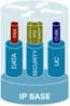 PRODUCT BULLETIN NO. 2877 CISCO IOS SOFTWARE RELEASES 12.4 MAINLINE AND FEATURE SETS FOR THE CISCO 3800 SERIES ROUTERS This product bulletin details changes to the Cisco IOS Software packaging for Cisco
Cisco PIX Device Manager v3.0
 Data Sheet Cisco PIX Device Manager v3.0 Figure 1 Overview Cisco PIX Device Manager is a feature-rich, graphical tool providing enterprise and service providers an easy-to-use management facility for Cisco
Cisco 2600XM DSL Router Bundles
 Data Sheet Cisco 2600XM DSL Router Bundles Overview In order to provide customers with easy-to-order solutions to meet their Digital Subscriber Line (DSL) networking needs, six new DSL router bundles are
CISCO SMALL AND MEDIUM BUSINESS CLASS VOICE SOLUTIONS: CISCO CALLMANAGER EXPRESS BUNDLES
 OVERVIEW CISCO SMALL AND MEDIUM BUSINESS CLASS VOICE SOLUTIONS: CISCO CALLMANAGER EXPRESS BUNDLES COMPANY PROFILE Cisco CallManager Express (CME) promotional bundles are appropriate for small businesses
IS YOUR OLD PHONE SYSTEM HANGING UP YOUR DISTRICT? CISCO K 12 DIRECT LINE SOLUTION FOR IP COMMUNICATIONS
 IS YOUR OLD PHONE SYSTEM HANGING UP YOUR DISTRICT? CISCO K 12 DIRECT LINE SOLUTION FOR IP COMMUNICATIONS THEN YOU NEED A DIRECT LINE. now. CISCO IP PHONE SOLUTIONS Cisco IP phones provide better communications,
CISCO IOS SOFTWARE FEATURE PACKS FOR THE CISCO 1700 SERIES MODULAR ACCESS ROUTERS AND CISCO 1800 SERIES (MODULAR) INTEGRATED SERVICES ROUTERS
 CISCO IOS SOFTWARE FEATURE PACKS FOR THE CISCO 1700 SERIES MODULAR ACCESS ROUTERS AND CISCO 1800 SERIES (MODULAR) INTEGRATED SERVICES ROUTERS This product bulletin provides details on the Cisco IOS s for
Cisco GLBP Load Balancing Options
 Data Sheet Cisco GLBP Load Balancing Options Last updated: December 2005 INTRODUCTION The purpose of this document is to discuss the options that Cisco Gateway Load Balancing Protocol (GLBP) one of Cisco
Cisco 7200 and 7500 Series Routers
 PRODUCT BULLETIN, NO. 965 Cisco 7200 and 7500 Series Routers Software, Feature, and Feature Upgrade Licenses Introduction Cisco IOS Software on the Cisco 7200 and 7500 Series offers three distinctly different
CISCO 7304 SERIES ROUTER PORT ADAPTER CARRIER CARD
 DATA SHEET CISCO 7304 SERIES ROUTER PORT ADAPTER CARRIER CARD The Cisco 7304 Router, part of the industry-leading Cisco 7000 Series, is optimized to deliver flexible, high-performance IP and Multiprotocol
IP Networking and the Advantages of consolidation
 WHITE PAPER Extending the Benefits of Storage Area Networks across IP Networks Introduction The phenomenal growth of Internet business and data-intensive e-business applications over the past few years
CISCO IOS SOFTWARE RELEASES 12.4 MAINLINE AND 12.4T FEATURE SETS FOR THE CISCO 2800 SERIES ROUTERS
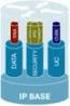 PRODUCT BULLETIN NO. 2879 CISCO IOS SOFTWARE RELEASES 12.4 MAINLINE AND FEATURE SETS FOR THE CISCO 2800 SERIES ROUTERS This product bulletin details changes to the Cisco IOS Software packaging for Cisco
Classic IOS Firewall using CBACs. 2012 Cisco and/or its affiliates. All rights reserved. 1
 Classic IOS Firewall using CBACs 2012 Cisco and/or its affiliates. All rights reserved. 1 Although CBAC serves as a good foundation for understanding the revolutionary path toward modern zone based firewalls,
CISCO ATA 186 ANALOG TELEPHONE ADAPTOR
 DATA SHEET CISCO ATA 186 ANALOG TELEPHONE ADAPTOR The Cisco ATA 186 Analog Telephone Adaptor is a handset-to-ethernet adaptor that turns traditional telephone devices into IP devices. Customers can take
8 steps to protect your Cisco router
 8 steps to protect your Cisco router Daniel B. Cid [email protected] Network security is a completely changing area; new devices like IDS (Intrusion Detection systems), IPS (Intrusion Prevention
CISCO DISTRIBUTED DENIAL OF SERVICE PROTECTION SOLUTION: LEADING DDOS PROTECTION FOR SERVICE PROVIDERS AND THEIR CUSTOMERS
 WHITE PAPER CISCO DISTRIBUTED DENIAL OF SERVICE PROTECTION SOLUTION: LEADING DDOS PROTECTION FOR SERVICE PROVIDERS AND THEIR CUSTOMERS Today, service providers and their customers are exposed to a growing
CISCO NETWORK CONNECTIVITY CENTER MPLS MANAGER 1.0
 DATA SHEET CISCO NETWORK CONNECTIVITY CENTER MPLS MANAGER 1.0 Cisco Network Connectivity Center (NCC) Multiprotocol Label Switching (MPLS) Manager maximizes the availability of VPNs based on MPLS technology.
Network Security 1. Module 8 Configure Filtering on a Router
 Network Security 1 Module 8 Configure Filtering on a Router Module 8 Configure Filtering on a Router 8.1 Filtering Technologies Packet Filtering Stateful Packet Filtering URL Filtering Module 8 Configure
Cisco Systems GigaStack Gigabit Interface Converter
 Data Sheet Cisco Systems GigaStack Gigabit Interface Converter The Cisco Systems GigaStack Gigabit Interface Converter (GBIC) is a versatile, low-cost, Gigabit Ethernet stacking GBIC that offers high-speed
PREVENTING WORM AND VIRUS OUTBREAKS WITH CISCO SELF-DEFENDING NETWORKS
 WHITE PAPER PREVENTING WORM AND VIRUS OUTBREAKS WITH CISCO SELF-DEFENDING NETWORKS Worm and virus attacks are among the most common security breaches for organizations today*. A server, laptop, or personal
CISCO ATA 188 ANALOG TELEPHONE ADAPTOR
 DATA SHEET CISCO ATA 188 ANALOG TELEPHONE ADAPTOR The Cisco ATA 188 Analog Telephone Adaptor is a handset-to-ethernet adaptor that turns traditional telephone devices into IP devices. Customers can take
Firewall Authentication Proxy for FTP and Telnet Sessions
 Firewall Authentication Proxy for FTP and Telnet Sessions First Published: May 14, 2003 Last Updated: August 10, 2010 Before the introduction of the Firewall Authentication Proxy for FTP and Telnet Sessions
Figure 1. The Cisco Aironet Power Injectors Provide Inline Power to Cisco Aironet Access Points and Bridges
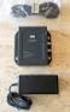 DATA SHEET CISCO AIRONET POWER INJECTOR Cisco Aironet Power Injector products increase the deployment flexibility of Cisco Aironet wireless access points and bridges by providing an alternative powering
Combined voice and data solution supports Orange s ongoing success in the UK business market
 CUSTOMER CASE STUDY Combined voice and data solution supports Orange s ongoing success in the UK business market Executive Summary CUSTOMER NAME Orange INDUSTRY Telecommunications CHALLENGE To increase
Cisco IOS Telephony Services Survivable/Standby Remote Site Telephony
 DATA SHEET Cisco IOS Telephony Services Survivable/Standby Remote Site Telephony As enterprises extend their telephony and high-value application deployments from central sites out to remote offices, one
NETWORK AVAILABILITY IMPROVEMENT SUPPORT OPERATIONAL RISK MANAGEMENT ANALYSIS
 DATA SHEET NETWORK AVAILABILITY IMPROVEMENT SUPPORT OPERATIONAL RISK MANAGEMENT ANALYSIS Operational Risk Management Analysis helps you maintain and improve network availability by evaluating the risks
CISCO CATALYST 3750 SERIES SWITCHES
 AT-A-GLANCE CISCO CATALYST 3750 SERIES SWITCHES Product Part Number Port Speed Number Cisco Catalyst 3750-24TS 3750-24TS 3750-24FS 3750-24PS 3750-24PS 3750-48TS 3750-48TS 3750-48PS WS-C3750-24TS-S 10/100
Cisco WebEx Social Compatibility Guide
 Cisco WebEx Social Compatibility Guide This document provides compatibility information for supported components and applications for Cisco WebEx Social 3.4.2, 3.4, 3.3, 3.1, and 3.0. Note: Due to different
CISCO AIRONET POWER INJECTOR
 DATA SHEET CISCO AIRONET POWER INJECTOR Cisco Aironet Power Injector products increase the deployment flexibility of Cisco Aironet wireless access points and bridges by providing an alternative powering
FIREWALLS & CBAC. [email protected]
 FIREWALLS & CBAC [email protected] Implementing a Firewall Personal software firewall a software that is installed on a single PC to protect only that PC All-in-one firewall can be a single device that
Table of Contents. Cisco Using the Cisco IOS Firewall to Allow Java Applets From Known Sites while Denying Others
 Cisco IOS Firewall to Allow Java Applets From Known Sites w Table of Contents Using the Cisco IOS Firewall to Allow Java Applets From Known Sites while Denying Others...1 Introduction...1 To Deny Java
Cisco 7200 Series Enterprise WAN Aggregation Application
 OVERVIEW Series Enterprise WAN Aggregation Application Introduction Large enterprise networks face certain challenges when aggregating multiple branch offices or remote locations. Enterprise WAN aggregation
Remote Access VPN Business Scenarios
 CHAPTER 4 This chapter explains the basic tasks for configuring an IP-based, remote access Virtual Private Network (VPN) on a Cisco 7200 series router. In the remote access VPN business scenario, a remote
Serial Connectivity Network Modules for the 2600, 3600, and 3700 Series (NM-1HSSI, NM-4T, NM-4A/S, NM-8A/S, NM-16A/S, NM-16A, NM-32A)
 Data Sheet Serial Connectivity Network Modules for the 2600, 3600, and 3700 Series (NM-1HSSI, NM-4T, NM-4A/S, NM-8A/S, NM-16A/S, NM-16A, NM-32A) The Cisco 2600, 3600, and 3700 Series offer a wide variety
How To Outtask Metro Ether To A Managed Service Provider
 WHITE PAPER MANAGED METRO ETHERNET SERVICES: BUSINESS ADVANTAGES FOR THE ENTERPRISE Ethernet is rapidly becoming the primary communications technology for organizations of all sizes. Most businesses already
Cisco Router and Security Device Manager for Cisco IOS Firewall
 Application Note Cisco Router and Security Device Manager for Cisco IOS Firewall Introduction Security administrators can easily and quickly configure and manage Cisco IOS Firewall through a graphical
ASA 8.3 and Later: Mail (SMTP) Server Access on Inside Network Configuration Example
 ASA 8.3 and Later: Mail (SMTP) Server Access on Inside Network Configuration Example Document ID: 113336 Contents Introduction Prerequisites Requirements Components Used Conventions Configure Network Diagram
Cisco Outbound Option
 Data Sheet Cisco Outbound Option Today s contact center is about more than just handling inbound telephone calls it is about fully integrated, multi-channel customer interaction. The Cisco Intelligent
Cisco Aironet 1130AG Series
 Ordering Guide Cisco Aironet 1130AG Series The Cisco Aironet 1130AG Series IEEE 802.11a/b/g Access Point is a fixed-configuration, dual-band access point. Built in to the access point are two radios each
Cisco Intelligent Contact Management Enterprise Edition
 Data Sheet Cisco Intelligent Contact Management Enterprise Edition Cisco IP Communications is a comprehensive system of powerful, enterprise-class solutions including IP telephony, unified communications,
Cisco Secure Policy Manager Version 3.1
 Q & A Cisco Secure Policy Manager Version 3.1 Q. What are the new features of CSPM 3.1? A. New features of CSPM 3.1 include the following: Windows 2000 Server Windows 2000 Workstation Improved client/server
CISCO SFP OPTICS FOR PACKET-OVER-SONET/SDH AND ATM APPLICATIONS
 DATA SHEET CISCO SFP OPTICS FOR PACKET-OVER-SONET/SDH AND ATM APPLICATIONS The Cisco industry-standard Small Form-Factor Pluggable Interface Converter (SFP) for packet-over-sonet/sdh (POS), optical networking,
networks (VPNs). models, the Cisco 800 series of routers addresses wide range Figure 1 Cisco 800 Series Routers give Small Offices and Corporate
 DATA SHEET Cisco 800 Series Family of Access Routhers Cisco 800 Series Family of Access Routers THE CISCO 800 SERIES FAMILY OF ACCESS ROUTERS OFFER MODELS WITH ENHANCED NETWORK SECURITY AND RELIABILITY
Cisco Secure PIX Firewall with Two Routers Configuration Example
 Cisco Secure PIX Firewall with Two Routers Configuration Example Document ID: 15244 Interactive: This document offers customized analysis of your Cisco device. Contents Introduction Prerequisites Requirements
Output Interpreter. SHOW RUNNING-CONFIG SECURITY Analysis SHOW RUNNING-CONFIG - FW Analysis. Back to top
 Output Interpreter You have chosen to display errors warnings general information, and helpful references. Headings are displayed for all supported commands that you submitted. SHOW RUNNING-CONFIG SECURITY
The Palace of Versailles Goes Digital, Increasing Revenue and Enhancing Overall Visitor Experience
 CUSTOMER CASE STUDY The Palace of Versailles Goes Digital, Increasing Revenue and Enhancing Overall Visitor Experience Executive Summary CUSTOMER NAME Palace of Versailles, France INDUSTRY Public Sector
Enterprise Reporting
 Business Solutions Cisco ICM Software Enterprise Reporting Converting Contact Center Data into Business Intelligence. Improving customer service and increasing productivity are critical challenges for
PIX/ASA 7.x and above : Mail (SMTP) Server Access on Inside Network Configuration Example
 PIX/ASA 7.x and above : Mail (SMTP) Server Access on Inside Network Configuration Example Document ID: 70031 Contents Introduction Prerequisites Requirements Components Used Conventions Related Products
SOUTH BAY BMW ACHIEVES UNMATCHED AVAILABILITY AND SECURITY WITH ITS CISCO NETWORK
 CUSTOMER SUCCESS STORY SOUTH BAY BMW ACHIEVES UNMATCHED AVAILABILITY AND SECURITY WITH ITS CISCO NETWORK EXECUTIVE SUMMARY CUSTOMER NAME South Bay BMW INDUSTRY Automotive BUSINESS CHALLENGE Help assure
CISCO CATALYST 6500 SUPERVISOR ENGINE 32
 PRODUCT BULLETIN NO. 2678 CISCO CATALYST 6500 SUPERVISOR ENGINE 32 Cisco Systems introduces the Cisco Catalyst 6500 Series Supervisor Engine 32, the next generation of supervisor engine for the Cisco Catalyst
642 523 Securing Networks with PIX and ASA
 642 523 Securing Networks with PIX and ASA Course Number: 642 523 Length: 1 Day(s) Course Overview This course is part of the training for the Cisco Certified Security Professional and the Cisco Firewall
CISCO MEETINGPLACE MANAGED SERVICE
 DATA SHEET CISCO MEETINGPLACE MANAGED SERVICE The Cisco MeetingPlace rich-media conferencing solution can be deployed in a variety of ways. As an alternative to a customer managed solution, the Cisco MeetingPlace
CISCO MEETINGPLACE FOR OUTLOOK 5.3
 DATA SHEET CISCO MEETINGPLACE FOR OUTLOOK 5.3 Rich-media Conferencing for Microsoft Outlook PRODUCT OVERVIEW Cisco MeetingPlace part of the Cisco IP Communications system is a complete rich-media conferencing
Table of Contents. Cisco Configuring IPSec Cisco Secure VPN Client to Central Router Controlling Access
 Table of Contents Configuring IPSec Cisco Secure VPN Client to Central Router Controlling Access...1 Introduction...1 Prerequisites...1 Requirements...1 Components Used...1 Conventions...1 Configure...2
Cisco SMB Class Solutions Your Next Phone System Purchase
 Overview Cisco SMB Class Solutions Your Next Phone System Purchase The Smart Buyer s Checklist for Small and Medium Organizations Will your aging telephone system soon need replacing or require a significant
LAN-Cell to Cisco Tunneling
 LAN-Cell to Cisco Tunneling Page 1 of 13 LAN-Cell to Cisco Tunneling This Tech Note guides you through setting up a VPN connection between a LAN-Cell and a Cisco router. As the figure below shows, the
Cisco Catalyst 6500 Series/Cisco 7600 Series Supervisor Engine 720-3BXL
 Data Sheet Cisco Catalyst 6500 Series/Cisco 7600 Series Supervisor Engine 720-3BXL The Cisco Catalyst 6500 Series/Cisco 7600 Series Supervisor Engine 720-3BXL (Sup 720-3BXL) is the third-generation supervisor
CISCO IP PHONE EXPANSION MODULE 7914
 DATA SHEET CISCO IP PHONE EXPANSION MODULE 7914 Call coverage is a critical capability for administrative assistants and others who must monitor, manage, and cover the various status of calls. This requires
CISCO ISDN BRI S/T WIC FOR THE CISCO 1700, 1800, 2600, 2800, 3600, 3700, AND 3800 SERIES
 DATA SHEET CISCO ISDN BRI S/T WIC FOR THE CISCO 1700, 1800, 2600, 2800, 3600, 3700, AND 3800 SERIES Offering a single ISDN BRI S/T interface, this WIC may require an external Network Termination 1 (NT1),
Cisco Solution Incentive Program Asia Pacific
 Channel Incentive Offerings Cisco Solution Incentive Program Asia Pacific User Guide This program will expire on December 31, 2006. Cisco Systems reserves the right to cancel or modify this program at
E-Seminar. E-Commerce Internet Business Solution Seminar
 E-Seminar E-Commerce Internet Business Solution Seminar E-Commerce Internet Business Solution Seminar 3 Welcome 4 Objectives 5 The Internet Revolution 6 E-Commerce Defined 7 Types of E-Commerce 8 E-Commerce
Configuring the Cisco Secure PIX Firewall with a Single Intern
 Configuring the Cisco Secure PIX Firewall with a Single Intern Table of Contents Configuring the Cisco Secure PIX Firewall with a Single Internal Network...1 Interactive: This document offers customized
CISCO IPSEC VPN SERVICES MODULE FOR THE CISCO CATALYST 6500 SERIES AND CISCO 7600 SERIES
 DATA SHEET CISCO IPSEC VPN SERVICES MODULE FOR THE CISCO CATALYST 6500 SERIES AND CISCO 7600 SERIES Critical high-bandwidth business applications have created a need for ubiquitous connectivity and increased