
Cisco Router and Security Device Manager for Cisco IOS Firewall
|
|
|
- Oswin Joseph
- 9 years ago
- Views:
Transcription
1 Application Note Cisco Router and Security Device Manager for Cisco IOS Firewall Introduction Security administrators can easily and quickly configure and manage Cisco IOS Firewall through a graphical and intuitive Firewall Wizard, Firewall Policy table and Application Security features available with Cisco Router and Security Device Manager (SDM). Deployment Scenario Figure 1 shows the deployment of a branch-office Internet firewall. The Cisco IOS Firewall resides in a branch office, with the outside (Serial0/1/0) interface connected to the service provider via the serial connection, the inside (FastEthernet0/1) interface connected to the DMZ, and the inside (Fast Ethernet0/0 and VLAN1) interfaces connected to the branch-office private subnets. Figure 1 Branch Office Internet Firewall Deployment Scenario The deployment involves two steps: advanced firewall configuration including DMZ and Application Firewall configuration, and branch officespecific configuration. Branch Office Internet Firewall Sample Configuration Branch Office-Specific Firewall Configuration The first step is to allow specific protocols that will be used in this deployment scenario. The protocols allowed on the branch office firewall are Telnet, and SMTP for both outside and inside traffic. Inspect the traffic from the branch-office subnets and the traffic from the Internet. Cisco SDM Firewall Support Cisco SDM allows users to easily configure Cisco IOS Firewall security features. The following steps are used to configure the same deployment scenario, using Cisco SDM as opposed to the Cisco IOS Software CLI. Page 1 of 30

2 Advanced Firewall Configuration The Cisco SDM Advanced Firewall Wizard can secure the branch office by using predefined rules or customized rules to protect the private networks and the DMZ zone from the most common attacks. The Advanced Firewall Wizard allows you to secure your private network in the following ways: it allows private network users to access the Internet; it protects your router and private networks from outside attacks; it allows you to configure managed services in demilitarized zone (DMZ) that are accessible from the Internet. The Advanced Firewall Wizard applies access rules to the inside (trusted), outside (untrusted0 and DMZ interfaces, applies inspection rules to the inside, and DMZ interfaces, and enables IP unicast reverse-path forwarding on the outside interfaces. At Configure Mode, select the Firewall and ACL and then click Create Firewall tab to launch Advanced Firewall wizard (Figure 2). Figure 2 Cisco SDM Firewall Wizard Page 2 of 30

3 The Firewall Wizard (Figure 3) guides you through the advanced firewall configuration. In this scenario, select FastEthernet0/1 as the DMZ Interface, select Serial0/1/0.1 as the outside interface, and select FastEthernet0/0 as the inside interface, secure SDM access from outside interfaces is also allowed, click Next Figure 3 Advanced Firewall Interface Configuration (Note: Allow secure SDM access from outside interfaces will be disabled if the following conditions are met: 1. When HTTPS or SSH secure communication is not enabled on the router, or 2. None of the outside interfaces is configured with a static IP address) For SDM remote access, specify the outside interfaces to use for remote management access and the hosts from which administrators can log on to SDM to manage the router (Figure 4). In this scenario, SDM detects one outside interface, Serial0/1/0.1, select Serial0/1/0.1 and select Type: Host IP Address, IP Address: , click Next Page 3 of 30

4 Figure 4 Firewall Secure RSDM Access configuration For DMZ Service Configuration (Figure 5), add the IP ranges and allowed protocols, in this scenario, we configured following IP ranges and protocols allowed in DMZ zone: o o o o for tcp/www for tcp/ftp for tcp/smtp for udp/tftp click Next Page 4 of 30

5 Figure 5 DMZ Service Configuration For Advanced Firewall Security Configuration (Figure 6), SDM provides preconfigured application security policies, High Security, Medium Security and Low Security, that you can use to protect the network, or you can create your own policies. In this scenario, select Use a default SDM Application Security Policy with High Security, and click Preview Commands to browse the details. Click Next High Security - The router identifies inbound and outbound Instant Messaging and Peer-to-Peer traffic and drops it. - The router checks inbound and outbound HTTP traffic and traffic for protocol compliance, and drops noncompliant traffic. - Return traffic for other TCP and UDP applications is routed if the session was initiated inside the firewall Medium Security - The router identifies inbound and outbound Instant Messaging and Peer-to-Peer traffic and checks inbound and outbound HTTP traffic and traffic for protocol compliance - Return TCP and UDP traffic on sessions initiated inside the firewall is routed Low Security - The router does not identify application-specific traffic. Return TCP and UDP traffic on sessions initiated inside the firewall is routed. Page 5 of 30

6 Figure 6 Application Firewall Policy Configuration For Advanced Firewall Domain Name Server, Application Security requires that domain name lookup be enabled and at least one DNS server be configured (Figure 7). Primary DNS Server: , Secondary DNS Server: (Optional) , click Next. Page 6 of 30

7 Figure 7 Advanced Firewall Domain Name Server Configuration When the summary window is displayed, view the configuration and click Finish to deliver the configuration, click OK to continue. You will be redirected to Firewall Policy/ACL page (Figure 8). Figure 8 depicts the traffic originating from the branch-office inside network to DMZ zone are filtered by Access List 100 and inspected by the inspection rule SDM_HIGH. Page 7 of 30

8 Figure 8 Traffic from inside network (FastEthernet0/0) to DMZ zone (FastEthernet0/1) Once the firewall is configured by the advanced firewall wizard, use the Cisco SDM/Firewall and ACL/Edit Firewall Policy/ACL page to display and alter the firewall configuration further if desired, and use the Cisco SDM/Firewall and ACL/Application Security page to view the details of inspection rules. Page 8 of 30

9 Cisco SDM Firewall Policy Table The Cisco SDM Firewall Policy table displays the access rights for a particular traffic flow and the inspection rules on a particular interface. Figure 9 depicts the traffic originating from the branch-office inside network to Internet filtered by Access List 100 and inspected by the inspection rule SDM_HIGH. Figure 9 Traffic originated from inside network (FastEthernet0/0) to Internet (Serial0/1/0.1) Page 9 of 30

10 The Cisco SDM Firewall Policy table also displays the returning traffic via the Returning traffic radio button. Figure 10 shows the returned traffic from the Internet that enters the Cisco IOS Firewall outside (Serial0/1/0.1) interface. Inspection rule, SDM_HIGH, ensures the returned traffic is not blocked by Access Rule 102. Figure 10 Returned Traffic Page 10 of 30

11 Figure 11 shows the traffic originated from the Internet enter the Cisco IOS Firewall DMZ (FastEthernet0/1) interface. Access List 102 is used to filter the traffic, and the Inspection Rule dmzinspect inspects the traffic sent to the DMZ (FastEthernet0/1). Figure 11 Traffic originated from Internet (Serial0/1/0.1) to DMZ zone (FastEthernet0/1) Page 11 of 30

12 Figure 12 shows that the returned traffic from the DMZ zone to Internet is filtered by Access list 101. The filter ensures no traffic can be originated from DMZ interface, which will prevent hackers from attacking inside hosts from the DMZ zone if the DMZ zone is compromised, and the Inspection rule, dmzinspect, ensures the returned traffic is not blocked by Access Rule 101. Figure 12 Returned Traffic (Note: If the servers in DMZ zone are required to access the inside hosts, users need to customize the Access list 101 to allow the traffic.) Branch-Office Specific Firewall Configuration The branch-office specific firewall policy allows the inside network to Telnet, FTP, and HTTP to the Internet. We have to configure the Inspection Rule to allow the return traffic. The user must merge the basic firewall configuration and the branch office-specific firewall together. Now, with the Cisco SDM Firewall Policy Table, it is simple and easy to add and merge the access entries. To use Cisco SDM Firewall Policy Table to merge access lists, take the following steps: 1. At Configure, select Firewall and ACL, click Edit Firewall Policy/ACL 2. Select a Direction from FastEthernet0/1 to Serial0/1/0.1, then click Go Page 12 of 30

13 3. Go to Services panel 4. Click Add, select Insert Before 5. Add an Extended Rule Entry window appears Action: Permit Source Host/Network: Type: A Network IP Address: (note: the inside network) Wildcard Mask: Destination Host/Network: Type: Any IP Address Protocol and service: TCP/Source Port Service = telnet Destination Port Service = telnet Uncheck Log matches against this entry Click OK (Figure 13) Figure 13 Add an Extended Rule Entry 6. Repeat step 4 and 5 to add FTP and HTTPS (443) 7. Click Apply Changes button on the center lower window to deliver the change when finish 8. Click OK to continue Page 13 of 30

14 Figure 14 shows merged Access List 100. Figure 14 Merged Access List 100 Page 14 of 30

15 Using the Firewall Policy Table to Create Inspection Rule To create inspection rules, apply BranchFIRE inspection rule to the inbound traffic at the outside (Ethernet0) interface. Then take the following steps: Click Configure, select Firewall and ACL, and click Edit firewall Policy/ACL tab. Select the Direction from Ethernet0 to FastEthernet0. Go to the Application panel. Click Add, select Add Fill in the information and click OK. In the Inspection Rule Editor (Figure 15), the Inspection Rule Name is BranchFIRE. Check Protocols tcp and udp. Figure 15 Inspection Rule Editor Page 15 of 30

16 Deliver the changes to the router (Figure 16). Click Deliver. Figure 16 Cisco IOS Software CLI Commands Generated by Cisco SDM Firewall Policy Table Application Security Cisco SDM supports configuring following Cisco IOS Firewall features: Advanced Application Inspection and Control This feature enforces protocol conformance for HTTP, Simple Mail Transfer Protocol (SMTP), Extended SMTP (ESMTP), Internet Mail Access Protocol (IMAP), and point of presence 3(POP3) with inspection engines. It helps enable detection and prevention of misuses of previously listed protocols by applications. Instant Messaging and Peer-to-Peer (P2P) File Sharing Application blocking This feature allows Cisco IOS Firewall to control instant messaging and P2P applications on networks. Cisco IOS Firewall Engine (Context BAC) This engine provides stateful packet inspection of TCP, User Datagram Protocol (UDP) and Internet Control Message Protocol (ICMP) traffic for per-application-based access control to internal users. Also known as Context Based Access Control (CBAC). Voice traversal is provided by application-level intelligence of the protocol as to the call flow and associated channels that are opened. Granular Protocol Inspection RFC 1700-compliant protocols and user-defined ports can be specified within TCP and UDP for more granular inspection of these protocols. Dynamic Port Mapping This feature allows network administrators to run Cisco IOS Firewall-supported applications on nonstandard ports. At Configure Mode, select the Firewall and ACL and then click Application Security tab, the Application Firewall page appears. Page 16 of 30

17 Example: To view or modify the policies created by the Advanced Firewall wizard earlier, click Policy Name. The dropdown menu on the upper left panel lists SDM_HIGH and dmzinspect (Figure 17). If there are no rules configured, this list is empty. To create a new policy click the Action button, and choose Add. Figure 17 Application Security Select, click Associated button on the right upper panel, the Associate with an Interface dialog appears (Figure 18). Figure 18 shows the SDM_HIGH rule is applied to the incoming traffic on the interface FastEthernet0/0. The dialog allows to choose the interfaces, and to specify the traffic direction to which the policy is to apply. Page 17 of 30

18 Figure 18 Associate with an Interface SDM_HIGH Click the Global Settings button on the right upper panel, the Global Timeouts and Thresholds dialog appears (Figure 19). It allows Context-Based Access Control (CBAC) global timeouts and thresholds. CBAC uses timeouts and thresholds to determine how long to manage state information for a session and to determine when to drop sessions that do not become fully established. These timeouts and thresholds apply to all sessions. TCP FIN Wait Timeout Value: The amount of time that a TCP session will still be managed after the firewall detects a FIN exchange. TCP Idle Timeout Value: The amount of time that a TCP session will still be managed after no activity has been detected. UDP Idle timeout Value: The amount of time that a UDP session will still be managed after no activity has been detected. DNS Timeout Value: The amount time that a Domain name System name lookup session will be managed after no activity has been detected. SYN Flood DoS Attack Thresholds: An unusually high number of half-open sessions may indicate that a Denial of Service (DoS) attack is under way. Dos attack thresholds allow the router to start deleting half-open sessions after the total number of them has reached a maximum threshold. By defining thresholds, you can specify when the router should start deleting half-open sessions and when it can stop deleting them. o One-minute session thresholds: These fields let you specify the threshold values for new connection attempts. Low: Stop delete new connections after the number of new connections drops below this value. High: Start deleting new connections when the number of new connections exceeds this value. Page 18 of 30

19 o Maximum incomplete session thresholds: These fields let you specify the threshold values for the total number of existing half-open sessions. Low: Stop delete existing half-open sessions after the number of total half-open sessions drop below this value. High: Start deleting existing half-open sessions when the number of total half-open sessions exceeds this value. TCP maximum incomplete session per host: The router starts deleting half-open sessions for the same host when the total number for that host exceeds this number. Enable audit globally: Check this box if you want to turn on CBAC audit trail message for all types of traffic. Enalbe alert globally: Check this box if you want to turn on CBAC alert messages for all types of traffic. Figure 19 Global Timeouts and Thresholds Page 19 of 30

20 Click the drawer. The default configuration for SDM_HIGH is displayed (Figure 20). You can make changes to e- application security settings. Click Apply Changes button on the lower panel if any change needs to be made. Figure 20 Click Instant Messaging(IM) drawer. The default IM configuration for SDM_HIGH is displayed (Figure 21). Use this page to control the traffic for Instant Messaging applications. SDM supports Yahoo Messenger, NMS Messenger and AIM. Figure 21 Instant Messaging (IM) Page 20 of 30

21 In the Action column, choose Permit to allow traffic related to that option, or choose Block to deny traffic. If you want an alarm to be sent to the log when this type of traffic is encountered, check Send Alarm. Click Apply Changes button on the lower panel (not shown on Figure 21) if any change needs to be made (Note, Logging must be enabled for Application Security to send alarms to the log. Go to Additional Tasks > Router Properties > Logging ) Click Point-2-Poing (P2P) drawer. The default P2P configuration for SDM_HIGH is displayed (Figure 22). This page allows you to make changes to security settings for P2P applications. SDM supports BitTorrent, KaZaA, Gnutella and edonkey. Figure 22 Point-2-Point (P2P) In the Action column, choose Permit to allow traffic related to that option, or choose Block to deny traffic. Click Apply Changes button on the lower panel (note shown on Figure 22) if any change needs to be made. Click HTTP drawer. The default HTTP configuration for SDM_HIGH is displayed (Figure 23). This page allows you to make changes to security settings for P2P applications. SDM supports BitTorrent, KaZaA, Gnutella and edonkey. Figure 23 HTTP Page 21 of 30
22 This page allows you to specify/change general settings for HTTP traffic inspection. Click HTTP/Header Options drawer. The default HTTP/Header Option configuration for SDM_HIGH is displayed (Figure 24). At this page, you can configure the router to permit or deny traffic based on HTTP header length and the request method contained in the header. Figure 24 HTTP Header Options Check the Set Maximum Header Length checkbox if you want the router to permit or deny traffic based on HTTP header length, and specify the maximum Request and maximum Response header length. Use the Permit, Block, and Alarm controls to specify the action the router is to take when header length exceeds these values. If you want the router to permit or deny HTTP traffic based on an Extension Request Method, check the box next to that request method. Use the Permit, Block, and Alarm controls to specify the action the router is to take when it encounters traffic using that request method. If you want the router to permit or deny HTTP traffic based on one of the RFC Request Methods specified in RCP 2616, Hypertext Transfer Protocol HTTP/1.1, check the box next the that request method. Click HTTP/Content Options drawer. The default HTTP/Content Option configuration for SDM_HIGH is displayed (Figure 25). At this page, you can configure the router to examine the content of HTTP traffic and permit or block traffic, and generate alarms based on what packets that you make the router check. Check the Verify Content Type box if you want the router to verify the content of HTTP packet by matching the response with the request, by enabling an alarm for unknown content types, or by using both of these methods. Use the Permit, Block, and Alarm controls to specify the action the router is to take when requests cannot be matched with responses, and when it encounters an unknown content type. Page 22 of 30
23 Check the Set Content Length box to set a minimum and maximum length for the data in an HTTP packet, and enter the values in the fields provided. Use the Permit, Block and Alarm controls to specify the action the router is to take when the amount of data falls below the minimum length or when it exceeds the maximum length. For Configure Transfer Encoding, SDM supports following encoding list below, use the Permit, Block, and Alarm controls to specify the action the router is to take when it encounters the transfer encodings that you choose. The supported encoding: o o o o o chunk: The encoding format specified in RFC 2616, Hypertext Transfer Protocol HTTP/1. The body of the message is transferred in a series of chunks; each chunk contains its own size indicator. compress: The encoding format produced by the UNIX compress untility. deflate: The ZLIB format defined in RFC 1950, ZLIB Compressed Data Format Specification version 3.3, combined with the deflate compression mechanism described in RFC 1951, DEFLATE Compressed Data Format Specification version 1.3 gzip: The encoding format produced by the GNU zip ( gzip ) program identity: Default encoding, which indicates that no encoding has been performed. Figure 25 HTTP Content Options Click Applications/Protocols drawer. The default Applications/Protocols configuration for SDM_HIGH is displayed. SDM groups protocols based on technology to visualize the granular protocol inspection rules and make the configuration simple and easy. Page 23 of 30
24 The Application /Protocol tree enables you to filter the list on the right according to the type of applications and protocols that you want to view. First choose the branch for the general type that you want to display. The frame on the right displays the available items for the type that you choose. If a plus (+) sign appers to the left of the branch, there are subcategories that you can use to refine the filter. Click on the + sign to expand the branch and then select the sub category that you want to display. If the list on the right is empty, there are no applications or protocols available for that type. To choose an application, check the box next to it in the tree, or you can check the box next to it in the list. Example: If you want to display and choose a Voice related applications, expand Root, expand Voice, the tree displays the supported applications. The list appears on the page when you click on Voice (Figure 26). Figure 26 Applications/Protocols -> Root/Voice Use the Edit button on the right upper panel to edit the settings for the chose application. Settings that you make override the global settings configured on the router. Click the Edit button., The Edit Inspection Rule dialog appears (Figure 27). Figure 27 Edit Inspection Rule Page 24 of 30
25 Alert/Audit: o default: User the global setting for alerts o on: Generate an alert when traffic of this type is encountered o off: Do not generate an alert when traffic of this type is encountered. Timeout: Enter the number of seconds that a session for this application should be managed after no activity has been detected. The timeout value that you enter sets the TCP Idle Timeout value if this is a TCP application, or the UDP timeout value if this is a UDP application. Router Traffic: Enable inspection of traffic destined to or originated from a router. Applicable only for H.323, TCP, and UDP protocols. Port to Application Mapping (PAM) allows you to customize TCP or UDP port numbers for network services or applications. PAM uses this information to support network environments that run services using ports that are different from the registered or well-known ports associated with an application. To establish PAM, at the Application /Protocol tree, expand Root, and select User Defined (Figure 28). Click Add Custom protocol button on the right upper panel, the Add Port Map Entry dialog appears. Figure 28 User Defined Example: If you want to establish a web-based application using TCP port 3001 (Figure 29): Protocol: user-http Description: web-based application Port Type: TCP Port Number: 3001 Page 25 of 30
26 Host address of service: Use Edit button next to the Add Custom protocol button to specify the inspection rule on the user-defined application. Figure 29 Add Port Map Entry Monitoring Activity on your firewall is monitored through the creation of log entries. If logging is enabled on the router, whenever a rule (access rule or inspection rule) that is configured to generate log entries is invoked for example, if a connection was attempted from a denied IP address, or an application is blocked by the firewall, then a log entry is generated and can be viewed in Monitor mode. Make sure logging is enabled on the router, at Configure Mode, select the Additional Tasks, expand the Router Properties, and then select Logging. In order for Application Security log entries to be collected, you must configure logging level of informational (6) or higher. If you have already configured logging for debugging(7), the log will contain application security log messages. In this example (Figure 30), the Property Syslog is Enabled, the Property Logging Level is configured with debugging (7) Figure 30 Logging Page 26 of 30
27 To view the Firewall log, at Monitor Mode, select the Firewall Status, click Firewall Log tab (Figure 31). This sample Firewall Status page displays the following statistics about the firewall: Firewall Log: whether or not the router is configured to maintain a log of connection attempts allowed and denied by the firewall Number of attempts denied by firewall: shows the number of connections attempts rejected by the firewall Page 27 of 30
28 Figure 31 Firewall Log User the Update button on the right upper window to poll the router and update the information shown on the screen with current information. Click Application Security Log tab (Figure 32). The Application Security Log shows the alarms generated when the router encounters traffic from applications or protocols. In the sample Application Security Log page, im-msn traffic from private network is blocked, packets are droped. Page 28 of 30
29 Figure 32 Application Security Log User the Update button on the right upper window to poll the router and update the information show on the screen with current information In summary, by using Cisco SDM Firewall Wizard, the Firewall Policy Table and Application Security tool, users can generate complex firewall configuration easily and quickly with minimum knowledge of Cisco IOS Software commands and minimal security knowledge. In addition, the Policy View provides users with a graphical interface to view the details of the firewall policies with access rights, traffic flows, and interfaces. Page 29 of 30
30 Corporate Headquarters Cisco Systems, Inc. 170 West Tasman Drive San Jose, CA USA Tel: NETS (6387) Fax: European Headquarters Cisco Systems International BV Haarlerbergpark Haarlerbergweg CH Amsterdam The Netherlands www-europe.cisco.com Tel: Fax: Americas Headquarters Cisco Systems, Inc. 170 West Tasman Drive San Jose, CA USA Tel: Fax: Asia Pacific Headquarters Cisco Systems, Inc. Capital Tower 168 Robinson Road #22-01 to #29-01 Singapore Tel: Fax: Cisco Systems has more than 200 offices in the following countries and regions. Addresses, phone numbers, and fax numbers are listed on the Cisco Web site at Argentina Australia Austria Belgium Brazil Bulgaria Canada Chile China PRC Colombia Costa Rica Croatia Czech Republic Denmark Dubai, UAE Finland France Germany Greece Hong Kong SAR Hungary India Indonesia Ireland Israel Italy Japan Korea Luxembourg Malaysia Mexico The Netherlands New Zealand Norway Peru Philippines Poland Portugal Puerto Rico Romania Russia Saudi Arabia Scotland Singapore Slovakia Slovenia South Africa Spain Sweden Switzerland Taiwan Thailand Turkey Ukraine United Kingdom United States Venezuela Vietnam Zimbabwe Copyright 2004 Cisco Systems, Inc. All rights reserved. Cisco, Cisco Systems, the Cisco Systems logo, and Cisco IOS are registered trademarks or trademarks of Cisco Systems, Inc. and/or its affiliates in the United States and certain other countries. All other trademarks mentioned in this document or Website are the property 2004 of Cisco their System respective s,inc.a owners. lright The use reserved. of the word partner does not imply a partnership relationship between Im portant Cisco notices,privacy and any other company. statem ents,and (0402R) tradem arks of Cisco System s,inc.can be found on cisco.com Page 30 of 30 Printed in the USA
CISCO CONTENT SWITCHING MODULE SOFTWARE VERSION 4.1(1) FOR THE CISCO CATALYST 6500 SERIES SWITCH AND CISCO 7600 SERIES ROUTER
 PRODUCT BULLETIN NO. 2438 CISCO CONTENT SWITCHING MODULE SOFTWARE VERSION 4.1(1) FOR THE CISCO CATALYST 6500 SERIES SWITCH AND CISCO 7600 SERIES ROUTER NEW FEATURES New features of the Cisco Content Switching
How To Get A New Phone System For Your Business
 Cisco Phone Systems Telemarketing Script Cold Call 1. Locate Contact: Name listed Owner General Manager / Office Manager Chief BDM (Business Decision Maker) Note: Avoid talking to IT since this is not
Cisco IOS Public-Key Infrastructure: Deployment Benefits and Features
 Data Sheet Cisco IOS Public-Key Infrastructure: Deployment Benefits and Features Introduction to Public Key Infrastructure Public Key Infrastructure (PKI) offers a scalable method of securing networks,
Cisco Conference Connection
 Data Sheet Cisco Conference Connection Cisco IP Communications a comprehensive system of powerful, enterprise-class solutions including IP telephony, unified communications, IP video/audio conferencing,
CISCO PIX SECURITY APPLIANCE LICENSING
 DATA SHEET CISCO PIX SECURITY APPLIANCE LICENSING The market-leading Cisco PIX Security Appliance Series supports a variety of licensing options, enabling businesses to select the capabilities that are
Cisco Router and Security Device Manager Dial-Backup Solution
 Application Note Cisco Router and Security Device Manager Dial-Backup Solution Introduction Point-to-Point Protocol over Ethernet (PPPoE) and IP Security (IPSec) VPN deployments are increasing and require
Cisco Router and Security Device Manager File Management
 Application Note Cisco Router and Security Device Manager File Management Introduction Cisco Router and Security Device Manager (SDM) allows you to view and manage the file system on your Cisco router
NetFlow Feature Acceleration
 WHITE PAPER NetFlow Feature Acceleration Feature Description Rapid growth in Internet and intranet deployment and usage has created a major shift in both corporate and consumer computing paradigms. This
CISCO MDS 9000 FAMILY PERFORMANCE MANAGEMENT
 WHITE PAPER CISCO MDS 9000 FAMILY PERFORMANCE MANAGEMENT As storage area networks (SANs) grow, so do the challenges for monitoring and resolving performance issues. Summary views of networkwide historical
CISCO IP PHONE SERVICES SOFTWARE DEVELOPMENT KIT (SDK)
 DATA SHEET CISCO IP PHONE SERVICES SOFTWARE DEVELOPMENT KIT (SDK) Cisco Systems IP Phone Services bring the power of the World Wide Web to Cisco IP Phones. An integral part of a Cisco AVVID (Architecture
CISCO METRO ETHERNET SERVICES AND SUPPORT
 SERVICES OVERIVEW CISCO METRO ETHERNET SERVICES AND SUPPORT In the ever-changing communications market, incumbent service providers are looking for ways to grow revenue. One method is to deploy service
It looks like your regular telephone.
 It looks like your regular telephone. But it s a lot better. CISCO PHONE SYSTEM SOLUTIONS FOR SMALL AND MEDIUM BUSINESSES Between the increased productivity and administrative savings we ve experienced,
CISCO IOS IP SERVICE LEVEL AGREEMENT
 DATA SHEET CISCO IOS IP SERVICE LEVEL AGREEMENT Network services have changed dramatically in recent years, most notably due to the addition of voice, video, and other mission-critical delay- and performance-sensitive
PUBLIC KEY INFRASTRUCTURE CERTIFICATE REVOCATION LIST VERSUS ONLINE CERTIFICATE STATUS PROTOCOL
 WHITE PAPER PUBLIC KEY INFRASTRUCTURE CERTIFICATE REVOCATION LIST VERSUS ONLINE CERTIFICATE STATUS PROTOCOL CERTIFICATE REVOCATION CHECKING ON CISCO IOS SOFTWARE Introduction The support for x.509 digital
Cisco CNS NetFlow Collection Engine Version 4.0
 Data Sheet Cisco CNS NetFlow Collection Engine Version 4.0 Cisco CNS is a suite of intelligence engines that work with device agents to create a programmable network. Cisco CNS extends the management plane
THE CISCO CRM COMMUNICATIONS CONNECTOR GIVES EMPLOYEES SECURE, RELIABLE, AND CONVENIENT ACCESS TO CUSTOMER INFORMATION
 CUSTOMER SUCCESS STORY THE CISCO CRM COMMUNICATIONS CONNECTOR GIVES EMPLOYEES SECURE, RELIABLE, AND CONVENIENT ACCESS TO CUSTOMER INFORMATION EXECUTIVE SUMMARY CUSTOMER NAME Coleman Technologies INDUSTRY
Cisco Blended Agent: Bringing Call Blending Capability to Your Enterprise
 DATA SHEET Cisco Blended Agent: Bringing Call Blending Capability to Your Enterprise Cisco ICM software has traditionally enabled companies to distribute inbound service volume to a variety of termination
Cisco IOS Firewall Intrusion Detection System
 Application Note Cisco IOS Firewall Intrusion Detection System Application Overview As network security becomes increasingly critical to securing business transactions and computer resources, businesses
Cisco 2-Port OC-3/STM-1 Packet-over-SONET Port Adapter
 Data Sheet Cisco 2-Port OC-3/STM-1 Packet-over-SONET Port Adapter To meet the continual need for increased router features and performance, Cisco Systems introduces its newest packetover-sonet (POS) port
Cisco IT Data Center and Operations Control Center Tour
 Cisco IT Data Center and Operations Control Center Tour Inside the Build Room Page 1 of 8 5. Inside the Build Room Introduction Figure 1. Inside the Build Room Ian: The purpose of the Build room is for
CISCO NETWORK CONNECTIVITY CENTER
 DATA SHEET CISCO NETWORK CONNECTIVITY CENTER The Cisco Network Connectivity Center (NCC) delivers end-to-end management across multiple tools, technologies, and silos. From networks and applications to
Cisco Secure Access Control Server Solution Engine
 Data Sheet Cisco Secure Access Control Server Solution Engine The Cisco Secure Access Control Server (ACS) provides a comprehensive identity networking solution and secure user experience for Cisco intelligent
CISCO SMALL AND MEDIUM BUSINESS CLASS VOICE SOLUTIONS: CISCO CALLMANAGER EXPRESS BUNDLES
 OVERVIEW CISCO SMALL AND MEDIUM BUSINESS CLASS VOICE SOLUTIONS: CISCO CALLMANAGER EXPRESS BUNDLES COMPANY PROFILE Cisco CallManager Express (CME) promotional bundles are appropriate for small businesses
HIGH-DENSITY PACKET VOICE DIGITAL SIGNAL PROCESSOR MODULE FOR CISCO IP COMMUNICATIONS SOLUTION
 DATA SHEET HIGH-DENSITY PACKET VOICE DIGITAL SIGNAL PROCESSOR MODULE FOR CISCO IP COMMUNICATIONS SOLUTION PRODUCT OVERVIEW The High-Density Packet Voice digital signal processor (DSP) (PVDM2) enables Cisco
Cisco GLBP Load Balancing Options
 Data Sheet Cisco GLBP Load Balancing Options Last updated: December 2005 INTRODUCTION The purpose of this document is to discuss the options that Cisco Gateway Load Balancing Protocol (GLBP) one of Cisco
IS YOUR OLD PHONE SYSTEM HANGING UP YOUR DISTRICT? CISCO K 12 DIRECT LINE SOLUTION FOR IP COMMUNICATIONS
 IS YOUR OLD PHONE SYSTEM HANGING UP YOUR DISTRICT? CISCO K 12 DIRECT LINE SOLUTION FOR IP COMMUNICATIONS THEN YOU NEED A DIRECT LINE. now. CISCO IP PHONE SOLUTIONS Cisco IP phones provide better communications,
E-Seminar. Financial Management Internet Business Solution Seminar
 E-Seminar Financial Management Internet Business Solution Seminar Financial Management Internet Business Solution Seminar 3 Welcome 4 Objectives 5 Financial Management 6 Financial Management Defined 7
CISCO IOS SOFTWARE FEATURE PACKS FOR THE CISCO 1700 SERIES MODULAR ACCESS ROUTERS AND CISCO 1800 SERIES (MODULAR) INTEGRATED SERVICES ROUTERS
 CISCO IOS SOFTWARE FEATURE PACKS FOR THE CISCO 1700 SERIES MODULAR ACCESS ROUTERS AND CISCO 1800 SERIES (MODULAR) INTEGRATED SERVICES ROUTERS This product bulletin provides details on the Cisco IOS s for
THE BUSINESS CASE FOR MANAGED SERVICES IN SMALL AND MEDIUM-SIZED BUSINESSES
 WHITE PAPER THE BUSINESS CASE FOR MANAGED SERVICES IN SMALL AND MEDIUM-SIZED BUSINESSES IP-based managed services help businesses reap benefits by consistently reducing IT costs while increasing employee
Cisco WebEx Social Compatibility Guide
 Cisco WebEx Social Compatibility Guide This document provides compatibility information for supported components and applications for Cisco WebEx Social 3.4.2, 3.4, 3.3, 3.1, and 3.0. Note: Due to different
CISCO IOS SOFTWARE RELEASES 12.4 MAINLINE AND 12.4T FEATURE SETS FOR THE CISCO 3800 SERIES ROUTERS
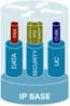 PRODUCT BULLETIN NO. 2877 CISCO IOS SOFTWARE RELEASES 12.4 MAINLINE AND FEATURE SETS FOR THE CISCO 3800 SERIES ROUTERS This product bulletin details changes to the Cisco IOS Software packaging for Cisco
Cisco CNS NetFlow Collection Engine Version 5.0
 Data Sheet Cisco CNS NetFlow Collection Engine Version 5.0 Cisco CNS consists of software and appliance-based applications, which support scalable network deployment, configuration, service assurance monitoring,
CISCO CATALYST 3750 SERIES SWITCHES
 AT-A-GLANCE CISCO CATALYST 3750 SERIES SWITCHES Product Part Number Port Speed Number Cisco Catalyst 3750-24TS 3750-24TS 3750-24FS 3750-24PS 3750-24PS 3750-48TS 3750-48TS 3750-48PS WS-C3750-24TS-S 10/100
CISCO CATALYST 6500 SERIES CONTENT SWITCHING MODULE
 DATA SHEET CISCO CATALYST 6500 SERIES CONTENT SWITCHING MODULE The Cisco Content Switching Module (CSM) is a line card for the Cisco Catalyst 6500 Series Switch that enhances the experience and response
CISCO WIRELESS SECURITY SUITE
 Q&A CISCO WIRELESS SECURITY SUITE OVERVIEW What is the Cisco Wireless Security Suite? The Cisco Wireless Security Suite is an enterprise-ready, standards-based, wireless LAN (WLAN) security solution for
CISCO NETWORK CONNECTIVITY CENTER MPLS MANAGER 1.0
 DATA SHEET CISCO NETWORK CONNECTIVITY CENTER MPLS MANAGER 1.0 Cisco Network Connectivity Center (NCC) Multiprotocol Label Switching (MPLS) Manager maximizes the availability of VPNs based on MPLS technology.
CISCO IOS SOFTWARE RELEASES 12.4 MAINLINE AND 12.4T FEATURE SETS FOR THE CISCO 2800 SERIES ROUTERS
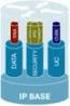 PRODUCT BULLETIN NO. 2879 CISCO IOS SOFTWARE RELEASES 12.4 MAINLINE AND FEATURE SETS FOR THE CISCO 2800 SERIES ROUTERS This product bulletin details changes to the Cisco IOS Software packaging for Cisco
CISCO 7304 SERIES ROUTER PORT ADAPTER CARRIER CARD
 DATA SHEET CISCO 7304 SERIES ROUTER PORT ADAPTER CARRIER CARD The Cisco 7304 Router, part of the industry-leading Cisco 7000 Series, is optimized to deliver flexible, high-performance IP and Multiprotocol
Cisco Aironet 1130AG Series
 Ordering Guide Cisco Aironet 1130AG Series The Cisco Aironet 1130AG Series IEEE 802.11a/b/g Access Point is a fixed-configuration, dual-band access point. Built in to the access point are two radios each
Cisco Systems GigaStack Gigabit Interface Converter
 Data Sheet Cisco Systems GigaStack Gigabit Interface Converter The Cisco Systems GigaStack Gigabit Interface Converter (GBIC) is a versatile, low-cost, Gigabit Ethernet stacking GBIC that offers high-speed
Cisco 3640 - PBX Interoperability: Lucent/Avaya Definity G3si V7 PBX with CallManager using Analog FXS and FXO Interfaces as an MGCP Gateway
 Application Note Cisco 3640 - PBX Interoperability: Lucent/Avaya Definity G3si V7 PBX with CallManager using Analog FXS and FXO Interfaces as an MGCP Gateway Introduction This application note describes
Combined voice and data solution supports Orange s ongoing success in the UK business market
 CUSTOMER CASE STUDY Combined voice and data solution supports Orange s ongoing success in the UK business market Executive Summary CUSTOMER NAME Orange INDUSTRY Telecommunications CHALLENGE To increase
NETWORK AVAILABILITY IMPROVEMENT SUPPORT OPERATIONAL RISK MANAGEMENT ANALYSIS
 DATA SHEET NETWORK AVAILABILITY IMPROVEMENT SUPPORT OPERATIONAL RISK MANAGEMENT ANALYSIS Operational Risk Management Analysis helps you maintain and improve network availability by evaluating the risks
Cisco Outbound Option
 Data Sheet Cisco Outbound Option Today s contact center is about more than just handling inbound telephone calls it is about fully integrated, multi-channel customer interaction. The Cisco Intelligent
IP Networking and the Advantages of consolidation
 WHITE PAPER Extending the Benefits of Storage Area Networks across IP Networks Introduction The phenomenal growth of Internet business and data-intensive e-business applications over the past few years
Figure 1. The Cisco Aironet Power Injectors Provide Inline Power to Cisco Aironet Access Points and Bridges
 DATA SHEET CISCO AIRONET POWER INJECTOR Cisco Aironet Power Injector products increase the deployment flexibility of Cisco Aironet wireless access points and bridges by providing an alternative powering
CISCO AIRONET POWER INJECTOR
 DATA SHEET CISCO AIRONET POWER INJECTOR Cisco Aironet Power Injector products increase the deployment flexibility of Cisco Aironet wireless access points and bridges by providing an alternative powering
CISCO MEETINGPLACE FOR OUTLOOK 5.3
 DATA SHEET CISCO MEETINGPLACE FOR OUTLOOK 5.3 Rich-media Conferencing for Microsoft Outlook PRODUCT OVERVIEW Cisco MeetingPlace part of the Cisco IP Communications system is a complete rich-media conferencing
CISCO SFP OPTICS FOR PACKET-OVER-SONET/SDH AND ATM APPLICATIONS
 DATA SHEET CISCO SFP OPTICS FOR PACKET-OVER-SONET/SDH AND ATM APPLICATIONS The Cisco industry-standard Small Form-Factor Pluggable Interface Converter (SFP) for packet-over-sonet/sdh (POS), optical networking,
Cisco 2600XM DSL Router Bundles
 Data Sheet Cisco 2600XM DSL Router Bundles Overview In order to provide customers with easy-to-order solutions to meet their Digital Subscriber Line (DSL) networking needs, six new DSL router bundles are
Cisco 7200 and 7500 Series Routers
 PRODUCT BULLETIN, NO. 965 Cisco 7200 and 7500 Series Routers Software, Feature, and Feature Upgrade Licenses Introduction Cisco IOS Software on the Cisco 7200 and 7500 Series offers three distinctly different
CISCO ATA 186 ANALOG TELEPHONE ADAPTOR
 DATA SHEET CISCO ATA 186 ANALOG TELEPHONE ADAPTOR The Cisco ATA 186 Analog Telephone Adaptor is a handset-to-ethernet adaptor that turns traditional telephone devices into IP devices. Customers can take
Enterprise Reporting
 Business Solutions Cisco ICM Software Enterprise Reporting Converting Contact Center Data into Business Intelligence. Improving customer service and increasing productivity are critical challenges for
Cisco Solution Incentive Program Asia Pacific
 Channel Incentive Offerings Cisco Solution Incentive Program Asia Pacific User Guide This program will expire on December 31, 2006. Cisco Systems reserves the right to cancel or modify this program at
CISCO IP PHONE EXPANSION MODULE 7914
 DATA SHEET CISCO IP PHONE EXPANSION MODULE 7914 Call coverage is a critical capability for administrative assistants and others who must monitor, manage, and cover the various status of calls. This requires
CISCO ISDN BRI S/T WIC FOR THE CISCO 1700, 1800, 2600, 2800, 3600, 3700, AND 3800 SERIES
 DATA SHEET CISCO ISDN BRI S/T WIC FOR THE CISCO 1700, 1800, 2600, 2800, 3600, 3700, AND 3800 SERIES Offering a single ISDN BRI S/T interface, this WIC may require an external Network Termination 1 (NT1),
PREVENTING WORM AND VIRUS OUTBREAKS WITH CISCO SELF-DEFENDING NETWORKS
 WHITE PAPER PREVENTING WORM AND VIRUS OUTBREAKS WITH CISCO SELF-DEFENDING NETWORKS Worm and virus attacks are among the most common security breaches for organizations today*. A server, laptop, or personal
Cisco SMB Class Solutions Your Next Phone System Purchase
 Overview Cisco SMB Class Solutions Your Next Phone System Purchase The Smart Buyer s Checklist for Small and Medium Organizations Will your aging telephone system soon need replacing or require a significant
Serial Connectivity Network Modules for the 2600, 3600, and 3700 Series (NM-1HSSI, NM-4T, NM-4A/S, NM-8A/S, NM-16A/S, NM-16A, NM-32A)
 Data Sheet Serial Connectivity Network Modules for the 2600, 3600, and 3700 Series (NM-1HSSI, NM-4T, NM-4A/S, NM-8A/S, NM-16A/S, NM-16A, NM-32A) The Cisco 2600, 3600, and 3700 Series offer a wide variety
Cisco IOS Telephony Services Survivable/Standby Remote Site Telephony
 DATA SHEET Cisco IOS Telephony Services Survivable/Standby Remote Site Telephony As enterprises extend their telephony and high-value application deployments from central sites out to remote offices, one
Cisco Router and Security Device Manager USB Storage
 Application Note Cisco Router and Security Device Manager USB Storage Introduction The USB Storage feature on the Cisco Router and Security Device Manager (Cisco SDM) allows the Cisco 871 and Cisco 1800,
The Palace of Versailles Goes Digital, Increasing Revenue and Enhancing Overall Visitor Experience
 CUSTOMER CASE STUDY The Palace of Versailles Goes Digital, Increasing Revenue and Enhancing Overall Visitor Experience Executive Summary CUSTOMER NAME Palace of Versailles, France INDUSTRY Public Sector
E-Seminar. E-Commerce Internet Business Solution Seminar
 E-Seminar E-Commerce Internet Business Solution Seminar E-Commerce Internet Business Solution Seminar 3 Welcome 4 Objectives 5 The Internet Revolution 6 E-Commerce Defined 7 Types of E-Commerce 8 E-Commerce
CISCO CATALYST 6500 SUPERVISOR ENGINE 32
 PRODUCT BULLETIN NO. 2678 CISCO CATALYST 6500 SUPERVISOR ENGINE 32 Cisco Systems introduces the Cisco Catalyst 6500 Series Supervisor Engine 32, the next generation of supervisor engine for the Cisco Catalyst
Cisco Intelligent Contact Management Enterprise Edition
 Data Sheet Cisco Intelligent Contact Management Enterprise Edition Cisco IP Communications is a comprehensive system of powerful, enterprise-class solutions including IP telephony, unified communications,
Cisco AVVID Network Enterprise Data Center Solution Overview
 White Paper Cisco AVVID Network Enterprise Data Center Solution Overview Data centers enable the consolidation of critical computing resources, in controlled environments under centralized management,
CISCO ATA 188 ANALOG TELEPHONE ADAPTOR
 DATA SHEET CISCO ATA 188 ANALOG TELEPHONE ADAPTOR The Cisco ATA 188 Analog Telephone Adaptor is a handset-to-ethernet adaptor that turns traditional telephone devices into IP devices. Customers can take
Cisco 7200 Series Enterprise WAN Aggregation Application
 OVERVIEW Series Enterprise WAN Aggregation Application Introduction Large enterprise networks face certain challenges when aggregating multiple branch offices or remote locations. Enterprise WAN aggregation
Internal IT Staff at a Serbian Children s Hospital Takes Innovative Approach to Outpatient Care
 CUSTOMER CASE STUDY Internal IT Staff at a Serbian Children s Hospital Takes Innovative Approach to Outpatient Care Executive Summary CUSTOMER NAME Belgrade, Serbia INDUSTRY Healthcare BUSINESS CHALLENGES
Cisco Systems Brings World-Class Online Banking Solutions to State Bank of India
 C U S T O M E R C A S E S T U D Y Cisco Systems Brings World-Class Online Banking Solutions to State Bank of India Executive Summary CUSTOMER NAME State Bank of India (SBI) INDUSTRY Financial Services
CISCO ISDN BRI S/T WIC FOR THE CISCO 1700, 1800, 2600, 2800, 3600, 3700, AND 3800 SERIES
 DATA SHEET CISCO ISDN BRI S/T WIC FOR THE CISCO 1700, 1800, 2600, 2800, 3600, 3700, AND 3800 SERIES Offering a single ISDN BRI S/T interface, this WIC may require an external Network Termination 1 (NT1),
CISCO 100BASE-X SFP FOR FAST ETHERNET SFP PORTS
 DATA SHEET CISCO 100BASE-X SFP FOR FAST ETHERNET SFP PORTS PRODUCT OVERVIEW The Cisco 100BASE-X Small Form-factor Pluggable (SFP) is a hot-swappable input/output device that plugs into a Fast Ethernet
Cisco PIX Device Manager v3.0
 Data Sheet Cisco PIX Device Manager v3.0 Figure 1 Overview Cisco PIX Device Manager is a feature-rich, graphical tool providing enterprise and service providers an easy-to-use management facility for Cisco
IP Communications for Small Offices Using Cisco CallManager Express and Cisco Unity Express
 Overview IP Communications for Small Offices Using Cisco CallManager Express and Cisco Unity Express Cisco CallManager Express with Cisco Unity Express provides small and medium-sized businesses (SMBs)
Cisco Business Communications Solution. Brochure
 Cisco Business Communications Solution Brochure In today s fast-changing business environment, your customers are becoming more demanding, and the competition is growing more intense. Businesses are migrating
CISCO GUARD XT 5650 PRODUCT OVERVIEW
 DATA SHEET CISCO GUARD XT 5650 PRODUCT OVERVIEW The Cisco Guard XT 5650 DDoS Mitigation Appliance from Cisco Systems delivers a powerful and extensive distributed denial-of-service (DDoS) protection system.
CISCO NETWORK ASSISTANT
 DATA SHEET CISCO NETWORK ASSISTANT PRODUCT OVERVIEW Cisco Network Assistant is a PC-based network management application optimized for LANs of small and medium-sized business with up to 250 users. Cisco
CISCO MEETINGPLACE MANAGED SERVICE
 DATA SHEET CISCO MEETINGPLACE MANAGED SERVICE The Cisco MeetingPlace rich-media conferencing solution can be deployed in a variety of ways. As an alternative to a customer managed solution, the Cisco MeetingPlace
Cisco IT Data Center and Operations Control Center Tour
 Cisco IT Data Center and Operations Control Center Tour Data Center Power Page 1 of 9 7. Data Center Power Electrical Power and Power Protection Figure 1. Power Cabinets Dick: Running a data center takes
CISCO CALLMANAGER EXPRESS 3.2
 ORDERING GUIDE CISCO CALLMANAGER EXPRESS 3.2 To be used by authorized partners and direct accounts only. HOW TO ORDER CISCO CALLMANAGER EXPRESS 3.2 Cisco CallManager Express (CME) is a feature in Cisco
CISCO 10GBASE X2 MODULES
 DATA SHEET CISCO 10GBASE X2 MODULES Figure 1. Cisco 10GBASE X2 and Xenpak Module PRODUCT OVERVIEW The Cisco 10GBASE X2 modules (Figure 1) offers customers a wide variety of 10 Gigabit Ethernet connectivity
Configuring DHCP for ShoreTel IP Phones
 Configuring DHCP for ShoreTel IP Phones Network Requirements and Preparation 3 Configuring DHCP for ShoreTel IP Phones The ShoreTel server provides the latest application software and configuration information
How To Connect A Cisco Aironet 350 Series Wireless Bridge To A Network With A Wireless Bridge
 Data Sheet Cisco Fixed Wireless Solution The Cisco Aironet 350 Series enables high-speed long-range outdoor links between buildings and is ideal for installations subject to plenum rating and harsh environments.
CISCO DISTRIBUTED DENIAL OF SERVICE PROTECTION SOLUTION: LEADING DDOS PROTECTION FOR SERVICE PROVIDERS AND THEIR CUSTOMERS
 WHITE PAPER CISCO DISTRIBUTED DENIAL OF SERVICE PROTECTION SOLUTION: LEADING DDOS PROTECTION FOR SERVICE PROVIDERS AND THEIR CUSTOMERS Today, service providers and their customers are exposed to a growing
How To Outtask Metro Ether To A Managed Service Provider
 WHITE PAPER MANAGED METRO ETHERNET SERVICES: BUSINESS ADVANTAGES FOR THE ENTERPRISE Ethernet is rapidly becoming the primary communications technology for organizations of all sizes. Most businesses already
Customizing Your Cisco Unified IP Phone on the Web
 Phone Guide Customizing Your Cisco Unified IP Phone on the Web Corporate Headquarters Cisco Systems, Inc. 170 West Tasman Drive San Jose, CA 95134-1706 USA http://www.cisco.com Tel: 408 526-4000 800 553-NETS
World Consumer Income and Expenditure Patterns
 World Consumer Income and Expenditure Patterns 2014 14th edi tion Euromonitor International Ltd. 60-61 Britton Street, EC1M 5UX TableTypeID: 30010; ITtableID: 22914 Income Algeria Income Algeria Income
SERIAL AND ASYNCHRONOUS HIGH-SPEED WAN INTERFACE CARDS FOR CISCO 1800, 2800, AND 3800 SERIES INTEGRATED SERVICES ROUTERS
 DATA SHEET SERIAL AND ASYNCHRONOUS HIGH-SPEED WAN INTERFACE CARDS FOR CISCO 1800, 2800, AND 3800 SERIES INTEGRATED SERVICES ROUTERS Serial and asynchronous high-speed WAN interface cards (HWICs) provide
Lab 8.3.13 Configure Cisco IOS Firewall CBAC
 Lab 8.3.13 Configure Cisco IOS Firewall CBAC Objective Scenario Topology In this lab, the students will complete the following tasks: Configure a simple firewall including CBAC using the Security Device
NETFLOW PERFORMANCE ANALYSIS
 WHITE PAPER NETFLOW PERFORMANCE ANALYSIS INTRODUCTION The Cisco IOS NetFlow feature set allows for the tracking of individual IP flows as they are received at a Cisco router or switching device. Network
Cisco Catalyst 6500 Series/Cisco 7600 Series Supervisor Engine 720-3BXL
 Data Sheet Cisco Catalyst 6500 Series/Cisco 7600 Series Supervisor Engine 720-3BXL The Cisco Catalyst 6500 Series/Cisco 7600 Series Supervisor Engine 720-3BXL (Sup 720-3BXL) is the third-generation supervisor
networks (VPNs). models, the Cisco 800 series of routers addresses wide range Figure 1 Cisco 800 Series Routers give Small Offices and Corporate
 DATA SHEET Cisco 800 Series Family of Access Routhers Cisco 800 Series Family of Access Routers THE CISCO 800 SERIES FAMILY OF ACCESS ROUTERS OFFER MODELS WITH ENHANCED NETWORK SECURITY AND RELIABILITY
Enabling High Availability for Voice Services in Cable Networks
 White Paper Enabling High Availability for Voice Services in Cable Networks When customers place a telephone call, they expect it to go through on the first attempt and they expect it to continue without
What is network convergence all about?
 What is network convergence all about? What is network convergence all about? The industry's adoption of a converged network that is the concept of the convergence of separate telephone, video and data
CISCO WAN MANAGER 15 DATA SHEET
 DATA SHEET CISCO WAN MANAGER 15 Cisco WAN Manager is a high-performance carrier-class element and network management product for the Cisco MGX, Cisco BPX, and Cisco IGX series multiservice switches and