
ULTRATEMP HEAT PUMP INSTALLATION AND USER S GUIDE IMPORTANT SAFETY INSTRUCTIONS READ AND FOLLOW ALL INSTRUCTIONS SAVE THESE INSTRUCTIONS
|
|
|
- Antony Fields
- 9 years ago
- Views:
Transcription
1 ULTRATEMP HEAT PUMP ENGLISH 1 FRANÇAIS 35 ESPAÑOL 73 INSTALLATION AND USER S GUIDE IMPORTANT SAFETY INSTRUCTIONS READ AND FOLLOW ALL INSTRUCTIONS SAVE THESE INSTRUCTIONS

2 i CUSTOMER SERVICE / TECHNICAL SUPPORT If you have questions about ordering Pentair Aquatic Systems, ( Pentair ) replacement parts, and pool products, please use the following contact information: Customer Service (8 A.M. to 4:30 P.M. Eastern and Pacific Times) Phone: (800) Fax: (800) Web site visit or to find information about Pentair products. TABLE OF CONTENTS Technical Support Sanford, North Carolina (8 A.M. to 4:30 P.M. ET) Phone: (919) Fax: (919) Moorpark, California (8 A.M. to 4:30 P.M. PT) Phone: (805) (Ext. 5591) Fax: (805) Important Warning and Safety Instructions... ii Menu Tree Quick Start Guide... iii Before Installing the Heat Pump... 1 Heat Pump Overview 1 Installation Requirements 1 General Installation Information 1 General Features 1 Installation and Location... 2 Materials Needed for Installation 2 Equipment Pad 2 Drainage and Condensation, Roof Run Off, and Lawn Sprinklers 2 Heat Pump Dimensions 2 Location and Clearances 3 Anchor Clamp Installation 3 Water Connections and Plumbing 4 Automatic Flow Control Valve 4 Water Pressure Switch Adjustment 5 Multiple Unit Installation 6 Heat Pump, Heater, Solar Combination 6 Multiple Heat Pump Connections 6 Electrical Connections and Wiring 8 Wiring Diagram (Single Phase 50/60 Hz) 9 Wiring Diagram (Three Phase 60 Hz) 10 Wiring Diagram (Three Phase 50 Hz) 11 Connecting to an Automation System Remote Operation 12 Relay Remote Controls 12 Connecting to IntelliTouch or EasyTouch via Heat Pump Spade Terminals 13 Connecting to IntelliTouch or EasyTouch via RS-485 Connector 14 Pin Configuration for Heat Pump Control Board to IntelliTouch 15 Connecting IntelliTouch or EasyTouch to the Heat Pump 15 Operating the Heat Pump... Swimming Pool Energy Saving Tips Heat Pump Control Panel Overview Operator Menu Tree Guide Starting and Stopping the Heat Pump Changing the Set Point - Pool and Spa Heat, Cool, and Auto Modes Heat Pump Timer Relay Remote RS-485 Remote (Serial Cable) AutoSet Operation Extend Operation Timers and Delays Control Panel Alarm Messages Service Menu Tree Guide Setting Temperature Scale Set Water Temperature Offset Defrost Cycle Run Time Counters Locking the Control Panel Maintenance... Water Chemistry Winterizing Spring Start Up Inspection and Service Owner Inspection Professional Maintenance and Service Technical Information... Electrical Supply - Voltage Requirements Temperature Resistance Chart Ambient/Water Flow Table for Professional Maintenance and Service Heat Pump Pressure Drop Troubleshooting... Replacement Parts... Illustrated Parts View Parts List For pool energy saving tips, refer to page 16, under Operating the Heat Pump. For technical data, voltage requirements, or ambient/water flow information, refer to page 25 at the back of the manual. P/N Rev. M 1/13/15 UltraTemp Heat Pump Installation and User s Guide

3 IMPORTANT WARNING AND SAFETY INSTRUCTIONS ii Important Notice: This guide provides installation and operation instructions for the UltraTemp Heat Pump. Consult Pentair with any questions regarding this equipment. Attention Installer: This guide contains important information about the installation, operation and safe use of this product. This information should be given to the owner and/or operator of this equipment after installation or left on or near the heat pump. Attention User: This manual contains important information that will help you in operating and maintaining this heat pump. Please retain it for future reference. Before installing this product, read and follow all warning notices and instructions which are included. Failure to follow safety warnings and instructions can result in severe injury, death, or property damage. Call (800) for additional free copies of these instructions. Codes and Standards UltraTemp heat pumps are listed by ETL as complying with the latest edition of the UL Standard for Safety for Heating and Cooling Equipment, UL 1995 and CSA C22.2 No All Pentair heat pumps must be installed in accordance with the local building and installation codes as per the utility or authority having jurisdiction. All local codes take precedence over national codes. In the absence of local codes, refer to the latest edition of the National Electric Code (NEC) in the United States and the Canadian Electric Code (CEC) in Canada for installation. RISK OF ELECTRICAL SHOCK OR ELECTROCUTION. The electrical supply to this product must be installed by a licensed, certified electrician or qualified personnel in accordance with the National Electrical Code and all applicable local codes and ordinances. Improper installation will create an electrical hazard which could result in death or serious injury to pool or spa users, installers, or others due to electrical shock, and may also cause damage to property. Read and follow the specific instructions inside this guide. Do not permit children to use this product. For units intended for use in other than singlefamily dwellings, a clearly labeled emergency switch shall be provided as part of the installation. The switch shall be readily accessible to the occupants and shall be installed at least 5 feet [1.52 m] away, adjacent to, and within sight of the unit. Consumer Information and Safety The UltraTemp series of heat pumps are designed and manufactured to provide safe and reliable service when installed, operated and maintained according to the information in this manual and the installation codes referred to in later sections. Throughout the manual, safety warnings and cautions are identified by the symbol. Be sure to read and comply with all of the warnings and cautions. The U.S. Consumer Product Safety Commission warns that elevated water temperature can be hazardous. See below for water temperature guidelines before setting temperature. The following Safety Rules for Hot Tubs recommended by the U.S. Consumer Product Safety Commission should be observed when using the spa. 1. Spa or hot tub water temperatures should never exceed 104 F. [40 C.]. A temperature of 100 F. [38 C.] is considered safe for a healthy adult. Special caution is suggested for young children. Prolonged immersion in hot water can induce hyperthermia. 2. Drinking of alcoholic beverages before or during spa or hot tub use can cause drowsiness which could lead to unconsciousness and subsequently result in drowning. 3. Pregnant women beware! Soaking in water above 100 F. [38 C.] can cause fetal damage during the first three months of pregnancy (which may result in the birth of a brain-damaged or deformed child). Pregnant women should stick to the 100 F. [38 C.] maximum rule. 4. Before entering the spa or hot tub, the user should check the water temperature with an accurate thermometer. Spa or hot tub thermostats may err in regulating water temperatures. 5. Persons with a medical history of heart disease, circulatory problems, diabetes or blood pressure problems should obtain their physician s advice before using spas or hot tubs. 6. Persons taking medication which induce drowsiness, such as tranquilizers, antihistamines or anticoagulants should not use spas or hot tubs. Hyperthermia occurs when the internal temperature of the body reaches a level several degrees above normal body temperature of 98.6 F. [37 C.]. The symptoms of hyperthermia include: drowsiness, lethargy, dizziness, fainting, and an increase in the internal temperature of the body. The effects of hyperthermia include: 1. Unawareness of impending danger. 2. Failure to perceive heat. 3. Failure to recognize the need to leave the spa. 4. Physical inability to exit the spa. 5. Fetal damage in pregnant women. 6. Unconsciousness resulting in danger of drowning. Warranty Information Heat pumps are sold with a limited factory warranty. Details are specified on the warranty card. Make all warranty claims to an authorized Pentair dealer or directly to the factory. Claims must include the heat pump serial number and model (this information can be found on the rating plate), installation date, and name of the installer. Shipping costs are not included in the warranty coverage. This warranty does not cover damage caused by improper assembly, installation, operation, improper water chemistry balancing or other chemical abuse, or improper sanitation application, winterizing, field modification, or failure to earth bond and properly ground the unit. Any changes to the heat pump, evaporator, heat exchanger, wiring, or improper installation may void the warranty. General Specifications Installation Location Certified for use: OUTDOOR USE ONLY. Failure to provide the proper clearances outlined on page 3 will lower the performance of the heat pump and void the warranty. Water Pipe/Heater Connection Plastic 2 PVC (Unions included) Flow Rate Maximum 120 gpm [456 lpm] - If system flow rate exceeds 120 gpm, a bypass valve is required. Minimum 30 gpm [110 lpm] Maximum Working Water Pressure 50 psi For Electrical Supply and Voltage Requirements, refer to the table on page 25. UltraTemp Heat Pump Installation and User s Guide

4 iii ULTRATEMP MENU TREE QUICK START GUIDE 1. Push the ON/OFF button to turn the unit on, the green ON light should be lit. 2. Select either Pool or Spa mode. The default is Pool mode. 3. Adjust the temperature to the desired setting by pushing either the UP arrow or DOWN arrow. 4. Allow 5 minutes for compressor restart delay. See pages for details on the Operator and Service menu screens on the control panel. OPERATOR MENU TREE SERVICE MENU TREE POOL IDLE/HEAT/COOL SET= ACT= SPA IDLE/HEAT/COOL SET= ACT= LANGUAGE - IDIOMA - LANGUE ENGLISH / ESPANOL / FRANCAIS SOFTWARE VERSION REV. INTELL ADDRESS ADDRESS = 1-16 HEAT / COOL / AUTO SET TO - H/C/A * PUMP START TIME TIME = 1-4 HRS ** HEAT PUMP RUNTIME REMAINING = NONE PUMP START DELAY TIME = 0-5 MINS TEMPERATURE SCALE FAHRENHEIT / CELSIUS REMOTE MODE OFF/RELAY/RS-485 WATER TEMP OFFSET OFFSET = -2 TO +2 AUTOSET HEAT/COOL/AUTO OVERRIDE IS ON/OFF ** DEFROST ENABLE / DISABLE EXTEND HEAT/COOL/AUTO OVERRIDE IS ON/OFF RESTART / PUMP START / SENSING WATER TEMP DELAYS SUCTION TEMP ACTUAL = ** *** **** AUTOSET ENABLE / DISABLE EXTEND ENABLE / DISABLE WF HP LP PL SP FAN COMP PMP REV THE NUMBER ONE (1) IS DISPLAYED WHEN THE ASSOCIATED INPUT/ OUTPUT IS ON AND ZERO (0) IS DISPLAYED WHEN INPUT/OUTPUT IS OFF. ALARM STATUS TEMP. RECORD HOUR # F HEAT/COOL/AUTO MODE POOL/SPA RUN TIMES/COUNTS OR TO VIEW PRESS POOL/SPA TO EXIT SETUP * Menu appears only if Heat and Cool mode is enabled at the factory. ** Menu appears only if AutoSet or Extend is enabled in the Service menu. *** Menu appears only if a delay is active. **** Menu appears only if Defrost is enabled in the Service menu. INPUT STATUS WF = WATER FLOW SWITCH HP = HIGH REFRIGERANT PRESSURE SWITCH LP - LOW REFRIGERANT PRESSURE SWITCH PL - POOL REMOTE SP - SPA REMOTE OUTPUT STATUS FAN - FAN COMP - COMPRESSOR PMP - FILTER PUMP REV - REVERSING VALVE UltraTemp Heat Pump Installation and User s Guide

5 BEFORE INSTALLING THE HEAT PUMP 1 UltraTemp Heat Pump Overview Your Pentair heat pump will provide you with years of heated pool enjoyment. Heat pumps operate by taking heat from the surrounding air and transferring it into the water. The warmer the air and the more humidity in the air, the more latent heat is available for heating your pool. With a properly sized heat pump for your pool, the heat pump should raise your pool on average 1 F per hour depending on air temperature, humidity, and water temperature. The ideal or rated condition for the heat pump is 80 F air temperature, 80% relative humidity, and 80 F water temperature. As conditions decrease from 80/80/80, the heat pump performance will decrease slightly. Heat Pumps are best utilized to maintain a set water temperature; they are not intended to provide instant or fast heating. It is not reasonable to expect a heat pump to perform like a gas heater which has a much higher BTU output and faster response. Additionally, gas heaters are not dependent on environmental conditions. Swimming pool heat pumps are very similar to home heating and air conditioning heat pumps and therefore should be treated similarly. Proper operation and use of the heat pump is to set it at your desired temperature and leave it. Your heat pump will turn on and off automatically to maintain your desired temperature much like your home HVAC unit. To take advantage of the sun s energy, operate your heat pump during the heat of the day. Your heat pump will still operate when the temperature drops at night, but the output will be decreased. It is acceptable to shut the heat pump off and not use it for extended periods of time. When you have a need to heat your pool, please plan accordingly since it may take the heat pump days to heat your pool back to your desired temperature, depending on your pool temperature and environmental conditions. Heat Pump Installation Requirements Correct installation is required to assure safe operation. The requirements for Pentair heat pumps include the following: Dimensions for critical connections. Field assembly (if required). Appropriate site location and clearances (pages 2-3). Proper electrical wiring (pages 8-11). Adequate water flow (page ii). This manual provides the information needed to meet these requirements. Review all application and installation procedures completely before continuing the installation. General Installation Information 1. Installation and service must be performed by a qualified installer or service agency, and must conform to all national, state, and local codes. 2. Heat pumps get electrical power from an external source and provide a dual electronic thermostat control system for pool/spa combinations or preheat convenience. 3. This heat pump is specifically designed for heating fresh water swimming pools and spas. Do not use it as a general service heater. Consult your dealer for the appropriate Pentair products for these applications. General Features Dual digital thermostats offer precise temperature control to maintain the desired separate water temperatures in pool/spa combinations without overheating or wasting energy. Long-life corrosion resistant composite plastic cabinet stands up to severe climates and pool chemicals. 100% pure titanium heat exchanger assures corrosionfree performance for extra long life. Self-diagnostic control panel monitors and troubleshoots heat pump operations to ensure safe, dependable operation. Autoset (time clock over-ride) feature monitors water temperature and turns the water circulation pump on and off as needed to maintain desired pool temperatures. Extend (time clock over-ride) feature monitors water temperature and turns the water circulation pump on and off as needed to prolong a heating cycle that has been interrupted. Automatic Defrost feature senses refrigerant temperature and prevents the heat pump from freezing, allowing the heat pump to operate at even lower temperatures. Compatible with all automated control packages. RS- 485 communication compatible with IntelliTouch and EasyTouch Control Systems. Thermostatic expansion valve (TXV) controls refrigerant flow for optimum efficiency and BTU output over a wider operating range. Elevated base pan for positive drainage of condensation. 2-inch plumbing connections for easy installation. Separate isolated electrical compartment prevents internal corrosion, extends heater life. Highest efficiency available, meets or exceeds existing codes and standards. Adjustable timer allows the operator to set the heat pump to run for a predetermined time. Incremental by 10 minutes to a maximum of 99 hours. An extensive list of operational conditions, alarms and water temperatures are logged on the control board. This information is available for the user to track performance and troubleshoot issues. ENGLISH

6 2 INSTALLATION AND LOCATION When pool equipment is located below the pool surface, a leak from any component can cause large scale water loss or flooding. Pentair Water Pool and Spa, Inc. cannot be responsible for such water loss or flooding which may cause damage to property or to the product. Avoid placing the heat pump in locations where it can cause damage by water or condensate leakage. If this is not possible, provide a suitable drain pan to catch and divert any leakage. Only a qualified service person should install the UltraTemp Heat Pump. Before installing this product, refer to the Important Warning and Safety Instructions on page ii. Materials Needed for Installation The following items are needed and are to be supplied by the installer for all heat pump installations: 1. Plumbing connections (2-inch). 2. Level surface for proper drainage. 3. Suitable electrical supply line. See rating plate on unit for electrical specifications. A junction box is not needed at the heat pump; connections are made inside of the heat pump electrical compartment. Conduit may be attached directly to the heat pump jacket. 4. Electric cutout switch that will interrupt all power to the unit. This switch must be within line of sight of the heat pump. Check local codes for requirements. 5. Watertight conduit to run the electrical supply line. Equipment Pad For proper drainage of condensation and rain water, place the heat pump on a flat slightly pitched surface, such as a concrete or fabricated slab (pad). If possible, place the pad at the same level or slightly higher than the filter system equipment pad. Note: Be sure that the pad is pitched not more than 1/4 in. per foot in any direction as needed for runoff. Drainage and Condensation Condensation occurs from the evaporator coil while the unit is running, and drains at a steady rate (usually three to five gallons per hour), depending upon ambient air temperature and humidity. The more humid the ambient conditions, the more condensation will be produced. The bottom of the unit acts as a tray to catch rainwater and condensation. Keep the drain holes, located on the bottom pan of the base of the unit, clear of debris. Roof Run-off Make sure the heat pump is not located where large amounts of water may run-off from a roof into the unit. Sharp sloping roofs without gutters will allow massive amounts of rain water, mixed with debris from the roof to be forced through the unit. A gutter or down spout may be needed to protect the heat pump. Lawn Sprinklers Avoid placing lawn sprinkler near the heater - they can spray water into the heater and void the warranty. Be sure to direct any spraying water away from the heater. Note the wind direction to be sure water from sprinklers is not blown toward the heater. Sprinkler heads can produce high water pressure and spray at an angle, different from typical rain and humid weather. Also, sprinklers connected to a well water system can cause mineral build up on the evaporator coils and electronics. Salt water can also be an issue if located near the coast. Heat Pump Dimensions 38.7" (983 mm) 30.7" (780 mm) MODELS DIMENSION A 70, 90, 90l 33.5 (851 mm) 100l 110, 120, 120C, 140C 120 H/C, 140, 140 H/C 41.5 (1054 mm) 45.5 (1156 mm) A 11.25" (286 mm) 9.25" (235 mm) 4.5" (114 mm) 32.0" (813 mm) 34.0" (864 mm)

7 3 Location and Clearances All criteria given in the following sections reflect minimum clearances. However, each installation must also be evaluated, taking into account the prevailing local conditions such as proximity and height of walls, and proximity to public access areas. The UltraTemp Heat Pump must be placed to provide clearances on all sides for maintenance and inspection. 1. At least 24 in. [610 mm] access must be available in the front and 12 in. [305 mm] on all the other sides of the heat pump for service and proper air flow. (Manufacturer s recommendation). 2. If the heat pump is to be installed under a cover or under a vertical overhang, the unit must have a minimum of five (5) feet [1.52 m] clearance from the top of the heat pump. (Manufacturer s recommendation). 3. Install a minimum of five (5) feet [1.52 m] from the inside wall of the pool or spa unless the heat pump is separated from the pool or spa by a five (5) foot [1.52 m] high solid fence or other permanent barrier. Canadian installations require a minimum of three (3) meters [9.84 ft] from pool water. 4. Install heat pump a minimum of 6 in. [153 mm] from the wall of the house. OPEN ENGLISH NO SPRINKLERS AIR FLOW OUT OVER HANG EVAPORATOR COILS 5 FT min. (1.52 m) 12"min. (305 mm) 12"min. (305 mm) SERVICE ACCESS 24" min. (610 mm) 3" (76 mm) 6"min. (153 mm) AIR FLOW IN SLAB SLAB Heat Pump Location and Clearances Anchor Clamp Installation Installation of the anchor clamps is recommended in all installations. Installation of the anchor clamps is required in Florida (see Florida Building Code ). Anchor clamps hold the heat pump to the equipment pad in order to withstand high winds caused during extreme weather (i.e. hurricanes). To install the anchor clamps: 1. Be sure the heat pump is in its permanent location on the equipment pad. 2. Place the clamps at the base of the heat pump in the four (4) locations, shown in the image to the right. Note: Bolts and bolt anchors are not included with the heat pump. The installer must provide 1/4 x 1-3/8 stainless steel anchor bolts and the appropriate size concrete anchor to mount the clamp to the equipment pad. Be sure to check local codes. 3. Fit the hook of each clamp over the lip on the base panel of the heat pump. The hook should fit between the lip of the base panel and the evaporator coil guard. Heat Pump Clamps Anchor Clamp Installation Heat Pump Clamps
![The UltraTemp Heat Pump must be placed to provide clearances on all sides for maintenance and inspection. 1. At least 24 in. [610 mm] access must be available in the front and 12 in.](/docs-images/41/17223774/images/page_7.jpg "[305 mm] on all the other sides of the heat pump for service and proper air flow. (Manufacturer s recommendation). 2.")
8 4 Anchor Clamp Installation, Continued 4. Mark the position of the hole in each clamp on the equipment pad. 5. Use a masonry drill bit and drill a hole in the cement with a diameter as determined by the concrete anchor, at each of the marks on the equipment pad. The hole should be approximately 1½ in. deep. 6. Insert a bolt anchor into each of the holes. Be sure the anchors are set completely into the holes. 7. Position the anchor clamps so that the holes in the clamps are over the bolt anchors. Be sure that the clamp hooks are over the lip of the heat pump base. 8. Insert an anchor bolt through each clamp into the anchor and tighten to secure the clamp and heat pump to the equipment pad. AIR COIL HEAT PUMP BASE CONCRETE EQUIPMENT PAD AIR COIL GUARD Anchor Clamp Installation 1-3/8" HEX BOLT (installer provided) HEAT PUMP ANCHOR CLAMP BOLT ANCHOR (installer provided) Water Connections and Plumbing The image below shows the standard plumbing layout with a single UltraTemp Heat Pump unit. Follow the image from right to left for the standard plumbing sequence. Arrangement of pool system components (other than the standard plumbing image below), and the location of the heat pump (above or below the pool water surface) can affect the operation of the heat pump s water pressure switch. The pressure switch can be adjusted to accommodate this effect if the heat pump water connections are no more than six (6) feet [1.82 m] below the pool water surface. See instructions for pressure switch adjustment on the next page. If the heat pump is installed outside of this range, an external pressure switch may need to be installed in the plumbing upstream of the heat pump. Note: Be advised that when pool equipment is located below the pool surface a leak can result in large-scale water loss or flooding. Pentair is not responsible for such water loss or flooding or damage. Automatic Flow Control Valve The inlet/outlet header of the heat pump comes equipped with an internal automatic flow control valve. The automatic flow control valve maintains the proper flow through the heat pump at rates up to 120 gpm (456 lpm). If the filter system flow rate is higher than 120 gpm (456 lpm), install a manual bypass valve, see image below. Note: Be advised that if your circulation pump is over 2 HP or if the total flow exceeds 120 gpm (456 lpm), you will have to add an external bypass valve. Excess water flow will damage the heat exchanger. HEAT PUMP FILTER POOL PUMP CHEMICAL FEEDER OR CHLORINATOR TO POOL OR SPA MANUAL BYPASS VALVE (Optional) FROM POOL OR SPA Standard Plumbing Layout

9 5 Water Connections to the Heat Pump 2 in. Quick Connect fittings have been installed on the water inlet and outlet connections. Filtered cool water is plumbed to the inlet, located on the right side of the UltraTemp Heat Pump. Heated water flows through the outlet, located on the left side of the heat pump. Plastic piping (PVC Schedule 40) should be connected to the heat pump. The unions, provided with the unit, accept 2 in. PVC pipe. WATER OUTLET UNION Heat Pump Water Connections WATER INLET UNION Always be sure that flow requirements and pool water turnover rates can be maintained with the installation of additional heat pumps and plumbing restrictions. Water Pressure Switch Adjustment The pressure switch is preset at the factory for activation at 1.5 psi [10 kpa]. This factory setting works for most basic installations. Only adjust the water pressure switch if the heat pump does not operate when the proper flow is applied to unit or if the heat pump does not shut off when the filter pump is off. Occasionally, unusual plumbing configurations or necessary restrictions in the plumbing may cause pressure sensing problems. In these rare situations, the plumbing system configuration may require adjustment of the water pressure switch. Adjustment of the pressure switch may be necessary if any part of the filter system piping is 3 feet [0.91 m] or more above the top of the heat pump. In general, if the heat pump is installed more than 6 feet [1.83 m] below the pool surface, an external water flow switch must be added to the plumbing system. On some installations, the piping from the heat pump The water pressure switch should be adjusted to turn the heater off when the pump is off. Setting the switch to close at too low of a flow can damage the appliance. Adjust the switch to turn the heater off, not on. to the pool is very short. The back pressure could be too low to trigger the pressure switch. If this happens, install a directional fitting or elbow where the return line enters the pool. This will increase back pressure for the heat pump to operate properly. Be sure to check that the system flow is above the minimum requirement of 30 gpm (110 lpm) after the directional fitting installation. Be sure the pool filter is clean before making any pressure switch adjustment: A dirty filter will restrict the water flow and the pressure switch cannot be adjusted properly. To adjust the pressure switch: The following adjustment is for installations where the heat pump is below pool water level. 1. Be sure that all valves in the system are set to allow water flow through the heat pump. Start the filter pump. 2. Set the heat pump temperature above the actual temperature to call for heat. Turn the heat Pump ON. 3. Once the heat pump is running, turn off the filter pump. The heat pump should turn off immediately. 4. If the heat pump continues to operate when the filter pump is off, then the water pressure switch needs to be adjusted. 5. Remove the heat pump s left front panel and remove remaining right front panel. The water pressure switch is located in the water plumbing in the lower right corner of the heat pump. 6. Slowly rotate the adjustment wheel on the water pressure switch in a clockwise direction until the LOW WATER FLOW Alarm shows on the LCD, the red SERVICE light turns ON, and the heat pump stops. 7. Check the setting of the water pressure switch by starting and stopping the filter pump and checking the control panel and operation of the heater between each flow change. 8. If the water pressure switch cannot be adjusted to accommodate the conditions listed above, an external flow switch must be added to the plumbing system to ensure that the heat pump will not operate without the proper flow through the heat exchanger. The following adjustment is for installations where the heat pump is above pool water level. 1. Be sure that all valves in the system are set to allow water flow through the heat pump. Start the filter pump. 2. Set the heat pump temperature above the actual temperature to call for heat. Turn the heat pump ON. 3. If the LCD shows a LOW WATER FLOW Alarm and red SERVICE light is present then the water pressure switch needs to be adjusted. ENGLISH

10 6 Water Pressure Switch Adjustment, Continued Multiple Unit Installation 4. Remove the UltraTemp Heat Pump s left front panel and remove remaining right front panel. The water pressure switch is located in the water plumbing in the lower right corner of the heat pump. 5. Slowly rotate the adjustment wheel on the water pressure switch in a counterclockwise direction until the LOW WATER FLOW Alarm and red SERVICE light vanish, time delay countdown will start. 6. Once the heat pump is running, turn off the filter pump. The heat pump should turn off immediately. 7. If the heat pump continues to operate when the filter pump is off, turn the adjustment wheel on the water pressure switch in a clockwise direction until the LOW WATER FLOW Alarm shows on the LCD, the red SERVICE light turns ON, and the heat pump stops. 8. Check the setting of the water pressure switch by starting and stopping the filter pump and checking the control panel and operation of the heater between each flow change. 9. If the water pressure switch cannot be adjusted to accommodate the conditions listed above, an external flow switch must be added to the plumbing system to ensure that the heat pump will not operate without the proper flow through the heat exchanger. 1. Heat Pump, Heater and/or Solar Combination In certain regions of the country it may be more economical to run a heat pump during the warmer months and a gas heater during the cooler months. In some situations it may be desirable to run the heat pump in the Chiller mode, if so equipped, during the hottest portion of the year and a heater during the cooler months. The Pentair heat pump may be used in conjunction with a gas or electric heater or any combination of heat sources including solar. All heat sources must be plumbed in series to work correctly and efficiently. A recommended plumbing layout for a heat pump / heater / solar combination heating system for a pool / spa combination is shown below. Your system may not contain all of these components, but the basic plumbing will apply by eliminating the component in the illustration that is not a part of your system. 2. Multiple Heat Pump Connections All plumbing on multiple heat pump installations must be done in parallel (see next page). An equal flow of water to each heat pump is important for optimum operation. Note: It may be necessary to adjust the water pressure switch if a unit is installed below the water level. Refer back to page 5 for details on when and how to adjust the pressure switch. Each heat pump in a multiple unit installation allows a maximum flow rate of 100 gpm (380 lpm) and requires a minimum of 30 gpm (110 lpm). 12" min. (305 mm) HEATER 24 cle se HEAT PUMP POOL RETURN CHECK VALVE SP SPA MMAKE-UP FROM FROMSOLAR SOLAR CHECK VALVE POOL INTAKE SPA RETURN TO SOLAR FILTER POOL DRAIN A PUMP SPA INTAKE S SPA DRAIN ULTRATEMP Heat Pump Installation and User s Guide Multiple Unit Installation: Heater and/or Solar Combination

11 7 Multiple Unit Installation 12" (305 mm) 6" (153 mm) 12" (305 mm) 6" (153 mm) 24" (610 mm) 24" 2" PVC Pipe (610 mm) 2" PVC Pipe Extend 12" (305 mm) past end heater Extend 12" (305 mm) inlet for hydraulic past end heater balancing inlet for hydraulic OPTIONAL balancing2" Check Valve Bypass Flow Meter OPTIONAL Flow Meter 2" Check Valve Bypass To Pool Extend 12" (305 mm) past end heater Extend 12" (305 mm) inlet for hydraulic past end heater balancing inlet for hydraulic balancing Flow Meter 60 GPM (220 lpm) Minimum 60 GPM (220 lpm) Flow Meter Minimum Pool Pump To Pool Minimum 2" PVC Pipe Pool Pump Minimum 2" PVC Pipe Two Heat Pump Plumbing Layout 6" (153 mm) 12" (305 mm) 6" (153 mm) 4" (610 mm) min. earance for min. ervice access.24" (610 mm) 2" clearance for PVC Pipe service access. 12" (305 mm) 2" PVC Pipe 2" PVC Pipe 2" PVC Pipe 2" PVC Pipe 3" PVC Pipe 2" PVC Pipe 2" PVC Pipe To Pool 3" PVC Pipe Flow Meter 3" Ball Valve Bypass Flow Meter Extend 12" (305 mm) past end heater Extend 12" (305 mm) inlet for hydraulic past end heater balancing inlet for hydraulic balancing 3" PVC Pipe 3" PVC Pipe Extend 12" (305 mm) past Extend 12" end heater (305 mm) past inlet for hydraulic end heater Flow Meter balancing inlet for hydraulic balancing To Pool 2" PVC Pipe 3" Ball Valve Bypass Minimum 3" PVC Pipe Check Valves are optional on heater inlets but will help for Check systemvalves are optional on heater inlets balancing but will help for system balancing 120 GPM (456 lpm) Minimum 120 GPM (456 lpm) Flow Meter Minimum Pool Pump Pool Pump Minimum 3" PVC Pipe Four Heat Pump Plumbing Layout ULTRATEMP Heat Pump Installation and User s Guide ENGLISH Check Valves are optional on heater inlets Check Valves are but will help system optional on heater inlets balancing but will help system balancing

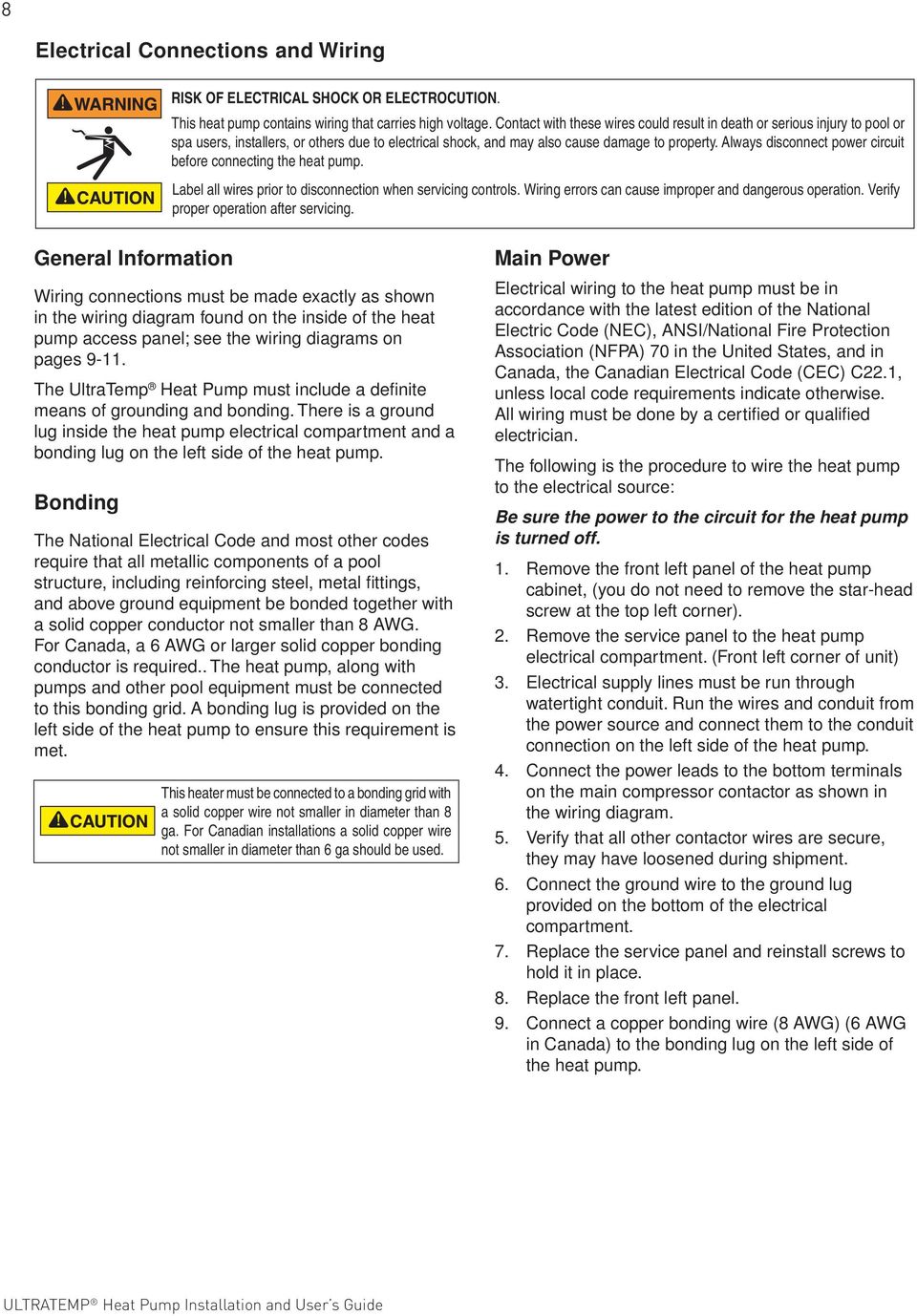
12 8 Electrical Connections and Wiring RISK OF ELECTRICAL SHOCK OR ELECTROCUTION. This heat pump contains wiring that carries high voltage. Contact with these wires could result in death or serious injury to pool or spa users, installers, or others due to electrical shock, and may also cause damage to property. Always disconnect power circuit before connecting the heat pump. Label all wires prior to disconnection when servicing controls. Wiring errors can cause improper and dangerous operation. Verify proper operation after servicing. General Information Wiring connections must be made exactly as shown in the wiring diagram found on the inside of the heat pump access panel; see the wiring diagrams on pages The UltraTemp Heat Pump must include a definite means of grounding and bonding. There is a ground lug inside the heat pump electrical compartment and a bonding lug on the left side of the heat pump. Bonding The National Electrical Code and most other codes require that all metallic components of a pool structure, including reinforcing steel, metal fittings, and above ground equipment be bonded together with a solid copper conductor not smaller than 8 AWG. For Canada, a 6 AWG or larger solid copper bonding conductor is required.. The heat pump, along with pumps and other pool equipment must be connected to this bonding grid. A bonding lug is provided on the left side of the heat pump to ensure this requirement is met. This heater must be connected to a bonding grid with a solid copper wire not smaller in diameter than 8 ga. For Canadian installations a solid copper wire not smaller in diameter than 6 ga should be used. Main Power Electrical wiring to the heat pump must be in accordance with the latest edition of the National Electric Code (NEC), ANSI/National Fire Protection Association (NFPA) 70 in the United States, and in Canada, the Canadian Electrical Code (CEC) C22.1, unless local code requirements indicate otherwise. All wiring must be done by a certified or qualified electrician. The following is the procedure to wire the heat pump to the electrical source: Be sure the power to the circuit for the heat pump is turned off. 1. Remove the front left panel of the heat pump cabinet, (you do not need to remove the star-head screw at the top left corner). 2. Remove the service panel to the heat pump electrical compartment. (Front left corner of unit) 3. Electrical supply lines must be run through watertight conduit. Run the wires and conduit from the power source and connect them to the conduit connection on the left side of the heat pump. 4. Connect the power leads to the bottom terminals on the main compressor contactor as shown in the wiring diagram. 5. Verify that all other contactor wires are secure, they may have loosened during shipment. 6. Connect the ground wire to the ground lug provided on the bottom of the electrical compartment. 7. Replace the service panel and reinstall screws to hold it in place. 8. Replace the front left panel. 9. Connect a copper bonding wire (8 AWG) (6 AWG in Canada) to the bonding lug on the left side of the heat pump.
13 9 Wiring Diagram (Single Phase 50Hz/60Hz) ENGLISH LABEL P/N REV. F

14 10 Wiring Diagram (Three Phase 60Hz) J8 RS-485 INTELLITOUCH CONTROL SYSTEM CONNECTION HEAT PUMP CONTROL BOARD FLO W INPUT SWITCHES J9 HI PRES LOW PRES WTR TEMP J4 THERM 1 DEF TEMP J5 THERM 2 3-WIRE REMOTE TERM. SPA COM POOL PWR J7 24 VAC OUTPUTS J3 FAN CO MPRESSOR REVERSING VALVE YELLOW 10K ohm Thermistors TBL BLUE GREEN 1 2 BLUE WHITE 3 WHITE YELLOW WHITE 4 WHITE BLACK 5 BLACK BLACK 6 BLACK RED 7 RED RED 8 RED Water Pres Sw Hi Ref Pres Sw Lo Ref Pres Sw WHITE PURPLE TBR BLACK BLACK Optional Reversing Valve BLACK BLACK WHITE PURPLE Transformer COM ORANGE YELLOW/BLUE YELLOW/BLUE 24 VAC 208V YELLOW GREEN BLUE 240V Y-Out Y C Phase Prot ection Devi ce BLACK L1 L2 L3 RED ORANGE/BLACK Compressor GRAY TAN C Fan Relay WHITE T1 T2 T3 RED BLACK NO NC BROWN RED BLACK PURPLE Fan GREEN BROWN PURPLE L1 L2 Compressor Filter Pump Contactor L3 BLUE BROWN T1 T2 T3 Capacitor RED RED GRAY TAN BLACK ORANGE PINK PINK BROWN GREEN Incoming 230 VAC 60 Hz 3Phase Power Connection Note: If red LED is on, swap any two phases. LABEL P/N REV. D

15 11 Wiring Diagram (Three Phase 50Hz) J8 INTELLITOUCH CONTROL SYSTEM CONNECTION HEAT PUMP CONTROL BOARD FLOW INPUT SWITCHES J9 WTR TEMP J4 THERM 1 DEF TEMP J5 THERM WIRE REMOTE TERM. SPA COM POOL PWR J7 24 VAC OUTPUTS J3 FAN COMPRESSOR REVERSING VALVE Water Pres Sw 10K ohm Thermistors GREEN Hi Ref Pres Sw YELL OW WHITE WHITE BLACK BLACK RED RED TBL BLUE YELL OW WHITE WHITE BLACK BLACK RED RED BLUE WHITE PURPLE BLACK BLACK Optional Reversing Valve TBR BLACK BLACK WHITE PURPLE ENGLISH Transformer COM ORANGE YELL OW/BLUE YELL OW/BLUE 24 VA C 380V YELL OW GREE N BLUE 415V Y-Out Y C Phase Prot ection Devi ce BLACK L1 L2 L3 BLACK/WHITE RED /BLACK Compressor T1 T2 T3 YELL OW (L1) YELL OW (L3) RED L1 BLACK L2 WHITE L3 Fan Motor GREE N YELL OW (L2) C NO C NO Fan Relay WHITE PURPLE Compressor Contactor BLUE BROWN BROWN BLACK/WHITE RED/BLACK T1 T2 T3 BLUE/WHITE TAN BLACK TAN ORANGE ORANGE/WHITE YELLOW (L1) ORANGE/WHIT E GREE N Incoming 380 VAC 50 Hz 3 Phase Power Connection Note: Ifred LED is on, swap any two phases. LABEL P/N REV. C

16 12 CONNECTING TO AN AUTOMATION SYSTEM Remote Operation The UltraTemp Heat Pump may be connected to an automation system via the remote spade terminals on the back of the control board (see page 12-13) or via the RS-485 communication connector on the back of the control board (see page 14-15). Refer to the IntelliTouch or EasyTouch Control System installation and user s guide for more information. Note: Remote connection via the RS-485 connector is only available on IntelliTouch and EasyTouch software version 1.11 or higher. All other automation packages must connect via the ¼ in. Spade terminals (spade terminals not supplied). Relay Remote Controls Electrical wiring must be in accordance with the latest edition of the NEC (NFPA 70) in the United States and CEC (CSA 22.1) in Canada, unless local code requirements indicate otherwise. To connect remote control equipment to the heat pump, perform the following steps: 1. Turn off the power to both the remote pool/spa control system and the heat pump. 2. Remove the front left panel of the heat pump cabinet, (you do not need to remove the star-head screw at the top left corner). 3. Remove the electrical service panel to the heat pump. Remove the 4 bezel retaining screws from above the electrical compartment and rotate the bezel downward. This will allow you to access the Remote terminals on the back of the heat pump control board for the remote control installation. 4. Run the wires from the pool/spa remote control system into the upper electrical compartment. 5. Connect the wiring from the pool/spa remote control system to the heat pump remote control terminals using ¼ in. Spade connectors as shown in the image below. 6. Rotate the bezel back upwards into position and reinstall the 4 retaining screws. 7. Replace the electrical service panel. 8. Replace the front left panel. 9. Restore power to the heat pump and the pool/spa remote control system. 10. Press the MENU SELECT button repeatedly to scroll to the Remote Mode screen. Toggle the selection by pressing one of the arrows until the screen displays Relay. 11. Turn on the heat pump. Note: Heat pump control board set points will be shown as N/A and will be functionally disabled. J8 RS-485 INTELLITOUCH CONNECTION Heat Pump Control Board PIN 2 (Green) PIN 3 (Yellow) FLOW INPUT SWITCHES J9 HI PRES LOW PRES WTR TEMP J4 THERM1 DEF TEMP J5 THERM2 3 - WIRE REMOTE TERM. SPA COM POOL PWR J7 24 VAC OUTPUTS J3 FAN PUMP COMPRESSOR REVERSING VALVE ¼ in. Spade connectors

17 13 Connecting the Heat Pump to the IntelliTouch or EasyTouch Control System Load Center via the Heat Pump Spade Terminals To connect the UltraTemp Heat Pump cable to the Personality Board in the IntelliTouch or EasyTouch Load Center: 1. Turn off the main system power before making any connections. 2. Unlatch the front door spring latches, and open the front door of the IntelliTouch or EasyTouch Load Center. 3. Loosen the two retaining screws from the top of the control panel and lower the control panel down to access the Personality Board. 4. Run a UL approved conductor cable from the heat pump to the Load Center. 5. Route the cable up through the low voltage raceway located on the left of the Load Center to the Personality Board, see image below. 6. Insert the UltraTemp cable plug onto the gas heater terminal connector, located on the left side of the Personality Board. 7. If the heat pump is used in conjunction with a gas heater, use a Dual Heater Relay Kit. Plug the heat pump relay connector onto the SOLAR Terminal on the top center of the Personality Board. Follow the Dual Heater Relay Kit instructions for further set-up details. Be sure to install solar temperature sensor as per instructions. 8. Lift the control panel up into position and secure with the two screws. 9. Connect the cable from the IntelliTouch or EasyTouch Load Center to the heat pump remote control terminals using ¼ in. Spade connectors, Refer to previous page for wiring instructions. Note: Solar temperature sensor could be left loose in load center. The automation system does not use the temperature reading but just looks for resistance. ENGLISH A disconnecting means must be located within sight from the equipment and at least 5 feet (1.52 m) from the inside walls of the pool, spa or hot tub. TEMP. SENSORS HAVE NO POLARITY. RED/BLK WIRES ARE INTERCHANGEABLE. BLK GRN YEL RED IntelliTouch Screw Terminal COM PORT (J7 / J8) COMMUNICATION PORT Pin Configuration for connecting IntelliFlo to IntelliTouch: Strip back the cable conductors 1/4. Insert the two wires into either of the COM PORTS (J7 and J8) screw terminals. Secure the wires with the screws. Note: Multiple wires may be inserted into a single screw terminal. A communication expansion module with 3 extra COM ports and 4 IntelliFlo pump ports is available (P/N ). IntelliFlo: Connect pin 6 (green) to IntelliTouch screw terminal pin 2 (green) IntelliFlo: Connect pin 7 (yellow) to IntelliTouch screw terminal pin 3 (yellow) INDOOR CONTROL (AND/OR) RF TRANSCEIVER (AND/OR) is10 SPA-SIDE REMOTE. IntelliFlo Cable Pin Configuration Pin 6 (Green) Pin 7 (Yellow) IntelliTouch/EasyTouch Load Center Wiring Diagram

18 14 Connecting the Heat Pump to the IntelliTouch or EasyTouch Control System Load Center via the RS-485 Connector Switch the main power off to the IntelliTouch or EasyTouch load center before servicing. The UltraTemp Heat Pump can be controlled by an IntelliTouch or EasyTouch system via the RS-485 communication cable. In this configuration, IntelliTouch or EasyTouch overrides preset Temperature Set points on the heat pump. The transfer of this data takes several seconds and causes a delay from when the command is given from the IntelliTouch or EasyTouch indoor control panel until the heat pump physically responds. This happens automatically but may take 1-2 minutes to complete. Note: Heat pump control board set points will be shown as N/A and will be functionality disabled. For more information, refer to the IntelliTouch User s Guide (P/N ) or the EasyTouch User s Guide (P/N ) or the EasyTouch Wireless System User s Guide (P/N ). Connection from heat pump board to the IntelliTouch or EasyTouch system is via the optional four-wire cable (P/N ). To connect the heat pump board cable to the IntelliTouch or EasyTouch load center: 1. Unlatch the IntelliTouch or EasyTouch load center front door spring latches, and open the front door. 2. Remove the cover-panel screws securing the high voltage cover-panel, and remove it from the enclosure. 3. Loosen the two control panel access screws and fold down the outdoor control panel. 4. Insert the four-wire cable into plastic grommet on the bottom of the enclosure and route the wire up through the low voltage raceway to the Personality board. 5. Strip back the cable conductors ¼ in. Insert the wires into either of the COM PORTS (J7 and J8) screw terminals located on the left side of the Personality board. Secure the wires with the screws. For wiring details, refer to the pin configuration as shown on page 15.. Note: Multiple wires may be inserted into single screw terminal. 6. Close the IntelliTouch control panel and secure it with the two access screws. 7. Install the high voltage panel cover and secure it with the two retaining screws. 8. Close the load center front door and secure with the two latches. 9. Switch power on to the IntelliTouch load center. Personality Board Access Screw Low Voltage Raceway Cover Panel Screw (Cover Panel not shown) Plastic Grommet IntelliTouch Load Center

19 15 Pin Configuration for the Heat Pump Control Board to IntelliTouch Control System 1. Heat Pump Control Board: Connect pin 2 (green) to IntelliTouch screw terminal pin 2 (green). 2. Heat Pump Control Board: Connect pin 3 (yellow) to IntelliTouch screw terminal pin 3 (yellow) IMPORTANT Do NOT use pin 1 (black) or pin 4 (red) on the AutoSet board or the IntelliTouch mother board. IntelliTouch COM PORT (J7/J8) screw terminal BLK GRN YEL RED IntelliTouch Screw Terminal COM PORT (J7 / J8) COMMUNICATION PORT Pin Configuration for connecting IntelliFlo to IntelliTouch : Strip back the cable conductors 1/4. Insert the two wires into either of the COM PORTS (J7 and J8) screw terminals. Secure the wires with the screws. Note: Multiple wires may be inserted into a single screw terminal. A communication expansion module with 3 extra COM ports and 4 IntelliFlo pump ports is available (P/N ). IntelliFlo: Connect pin 6 (green) to IntelliTouch screw terminal pin 2 (green) IntelliFlo: Connect pin 7 (yellow) to IntelliTouch screw terminal pin 3 (yellow) INDOOR CONTROL (AND/OR) RF TRANSCEIVER (AND/OR) is10 SPA-SIDE REMOTE. PIN 2 (Green) FLOW PIN 3 (Yellow) INPUT SWITCHES J9 HI PRES J8 RS-485 INTELLITOUCH CONNECTION LOW PRES WTR TEMP J4 THERM1 DEF TEMP J5 THERM2 24 VAC IntelliTouch screw terminal connector 2 (GRN) 3 (YEL) AutoSet Board (4-wire cable) GREEN (PIN 2) YELLOW (PIN 3) PIN CONFIGURATION Heat Pump Heat Pump Control Board 3 - WIRE REMOTE TERM. SPA COM POOL PWR J7 OUTPUTS J3 FAN PUMP COMPRESSOR REVERSING VALVE ENGLISH Connecting the IntelliTouch or EasyTouch to Heat Pump 1. Turn off the power to both the remote pool/spa control system and the UltraTemp Heat Pump. 2. Remove the front left panel of the heat pump cabinet, (you do not need to remove the star-head screw at the top left corner). 3. Remove the electrical service panel to the heat pump. Remove the 4 bezel retaining screws from above the electrical compartment and rotate the bezel downward. This will allow you to access the Remote terminals on the back of the heat pump control board for the remote control installation. 4. Run the wires from the pool/spa remote control system into the upper electrical compartment. 5. Connect the wiring from the IntelliTouch Personality Board COM PORT to the RS-485 IntelliTouch connection (J8) on the heat pump control Board. Connect the green wire to J8 pin 2 and yellow wire to J8 pin 3. Do NOT use pin 1 (red) or pin 4 (black) wires. The connections are shown in the image above. 6. Rotate the bezel back upwards into position and reinstall the 4 retaining screws. 7. Replace the electrical service panel. 8. Replace the front left panel. 9. Restore power to the heat pump and the pool/spa remote control system. 10. Press the MENU SELECT button to scroll to the Remote Mode screen. Toggle the selection by pressing one of the arrows until the screen displays RS Once the heat pump has been correctly configured, a heartbeat indicator will appear on the main screen each time a message is received from the automation system. POOL HEATING F * SET= N/A ACT= 74 Heartbeat Indicator Note: If the system is put into Service Mode at the automation control panel the heat pump will neither heat nor cool, although it will remain powered on.

20 16 OPERATING THE HEAT PUMP Do not use this heat pump if any part has been under water. Immediately call a qualified service technician to inspect the heater and replace any part of the control system which has been under water. Keep all objects off the top of the heat pump. Blocking air flow could damage the unit and may void the warranty. ATTENTION - INITIAL START UP PRECAUTIONS After the water pressure switch is activated there is a one minute temperature sensing delay then if there is a call for heat or cool the fan will turn on and there will be an additional 5 minute delay for the compressor to start. Be sure that there is water in the pool and that the surface level is above the skimmer or other inlets of the pool s filter system. The pool pump must be on and water flowing through the heat pump for it to operate. With any new pool or spa installation, operate the filter pump with the heat pump off long enough to completely clean the water. This will remove any installation residue from the water. Clean the filter at the end of this operation before starting the heat pump. When raising the temperature of a cold pool, program the time clock to run the pump continuously. This lets the filter system and heat pump operate continuously until the water reaches the temperature setting on the temperature control. When that happens, the heat pump will automatically shut off, but the filter pump will keep running. Swimming Pool Energy Saving Tips It is important to note that an UltraTemp Heat Pump will not heat a pool as fast as a large gas or electric pool heater. If the pool water is allowed to cool significantly, it may take several days to return to the desired swimming temperature. For weekend use, it is more economical to maintain the water temperature at or near the desired temperature. For extended non-use, turn the heat pump completely off or decrease the temperature setting of the control several degrees to minimize energy consumption. Pentair offers the following recommendations to help conserve energy and minimize the cost of operating your heat pump without sacrificing performance. 1. The American Red Cross recommends a maximum water temperature of 78 F [25 C]. Use an accurate pool thermometer. A difference of 4 F. [2 C], between 78 F and 82 F [26 C and 28 C], will significantly increase energy consumption. 2. Carefully monitor the water temperature of your pool in the summertime. You can reduce heat pump usage due to warmer air temperatures. 3. During the winter or when on vacation for longer than a week, turn off the heat pump. 4. Find the proper setting on the heat pump temperature control and use the Keypad Lock function to discourage further adjustments. 5. Where possible, shelter the pool from prevailing winds with well-trimmed hedges or other landscaping, cabanas, or fencing. 6. Pentair recommends the use of a pool cover. Besides providing a valuable safety feature, a pool cover will reduce heat loss, conserve chemicals, and reduce the load on filter systems. Heat Pump Control Panel Overview 1. ON/OFF button Turns the heat pump ON and OFF. 2. MENU SELECT button Displays Operator Menu Screens; also used to scroll through these menus. 3. POOL/SPA button If pressed once, the current heat, cool or auto mode will be displayed along with the active set point, pool or spa. Pressing again will toggle between the pool or spa set point screens. The operator can also toggle between the pool and spa set point by using the UP and DOWN arrows. 4. UP and DOWN Arrow buttons The UP and DOWN arrows will raise or lower the temperature set point if pressed while the run screen is displayed. They are also used to scroll through the various parameter values on the Operator Menus and Service Menu screens. 5. LCD SCREEN Displays water temperature, set point temperature and heat pump parameters. 6. ON Light Shows the heat pump is on. 7. SERVICE Light Lit if alarm condition exists. POOL IDLE F SET = 78 ACT = 78 ON / OFF MENU SELECT POOL / SPA ON SERVICE PRESS ON/OFF TO START SELECT POOL or SPA SET WATER TEMPERATURE ALLOW 5 min. FOR START UP

21 Operator OPERATOR Menu Tree Guide MENU TREE (Press UP and DOWN Arrows Simultaneously) POOL IDLE/HEAT/COOL SET= ACT= SPA IDLE/HEAT/COOL SET= ACT= HEAT / COOL / AUTO SET TO - H/C/A HEAT PUMP RUNTIME REMAINING = NONE REMOTE MODE OFF/RELAY/RS-485 AUTOSET HEAT/COOL/AUTO OVERRIDE IS ON/OFF EXTEND HEAT/COOL/AUTO OVERRIDE IS ON/OFF RESTART / PUMP START / SENSING WATER TEMP DELAYS SUCTION TEMP ACTUAL = ALARM STATUS HEAT/COOL/AUTO MODE POOL/SPA * Menu appears only if Heat and Cool mode is enabled at the factory. ** Menu appears only if AutoSet or Extend is enabled in the Service menu. *** Menu appears only if a delay is active. **** Menu appears only if Defrost is enabled in the Service menu. * ** ** *** **** * ** ** *** **** 17 Navigating the Operator Menu Screens Press the MENU SELECT button to view each screen. While in the menu screens, if no activity is detected after 15 seconds, the main screen is displayed. 1. Pool and Spa Run Screens Displays whether the heat pump is idle, heating or cooling and if the Pool or Spa set point is active. Displays the water temperature set point and the actual measured water temperature. 2. Heat or Cool Mode Selection Screen This screen is only shown on Heat-and-Cool heat pumps. This screen allows the operator to switch the heat pump between Heatonly, Cool-only and Auto Heat/Cool modes. 3. Heat Pump Timer Screen This feature is an adjustable timer to allow the heat pump to run (green light ON) for a predetermined amount of time and then turn OFF (green light OFF). 4. Remote Mode Screen Allows the operator to select the Remote mode, Off, Relay or RS-485 (serial). In Remote mode, the heat pump is controlled by an automation controller. The local Pool and Spa set points are not active (displayed as N/A ) in these modes. 5. AutoSet On/Off Screen This screen is only shown if the AutoSet mode is enabled in the Service Menu Tree; it allows the operator to turn the AutoSet mode On and Off. AutoSet mode energizes a contactor for one cycle and starts a remote filter pump which allows the heat pump to heat or cool the water as necessary. 6. Extend On/Off Screen This screen is only shown if the Extend mode is enabled in the Service Menu Tree; it allows the operator to turn the Extend mode On and Off. Extend mode energizes a contactor for one cycle and starts a remote filter pump which allows the heat pump to heat or cool the water as necessary. 7. Time Delay Screen If the heat pump is waiting on any restart, pump start, or sensing water temperature delays, this screen shows how much delay time is left. 8. Suction Temperature Screen Shows the suction line temperature of the refrigerant. This screen appears if the Defrost is enabled. 9. Alarm Screen Shows if an alarm condition is present. If no alarms are present the screen will display ALARM STATUS NONE. The control board has the ability to store a 30 Alarm history of previous alarms that have occurred. At the alarm status screen, press the DOWN arrow. The first alarm will be the most recent alarm that has occurred. Successive presses (up to 30) of the DOWN arrow will display the alarm history in the order of occurrence. The operator can scroll back up using the UP button. There is an option to erase the history. 10. Operation Mode Screen Displays whether the heat pump is in Heat, Cool or Auto mode. It also displays whether the Pool or Spa set point is active. The active set point can be switched between Pool and Spa by using the UP and DOWN arrows. ENGLISH
22 18 Using the Control Panel Starting and Stopping the Heat Pump The UltraTemp Heat Pump is started and stopped with the ON/ OFF button. 1. Starting - With power supplied to the heat pump, press the ON/ OFF button to start the heat pump. The ON light should be lit. 2. Stopping - Press the ON/OFF button to stop the heat pump; the ON light will turn off. The screen shown below will be displayed temporarily. PENTAIR AQUATICS HEAT PUMP OFF Changing the Set Point (Temperature) The control board has two independently adjustable temperature set points. One is for the pool temperature control and the other is for the spa temperature control. The active mode of operation (Pool or Spa) is defined as the active set point. 1. Press the MENU SELECT button repeatedly until the associated run screen is displayed. Press the UP or DOWN arrows to adjust the pool or spa temperature set point. SET= - Set point ACT= - Actual measured water temperature 2. The screen automatically returns to the active run screen after 15 seconds of keypad inactivity. POOL IDLE/HEAT/COOL SET= ACT= Heat, Cool, and Auto Modes Certain models have the ability to both heat and cool. These heat pumps can be setup to operate in any one of three modes (Heat Only, Cool Only, or Auto Heat and Cool). In Auto mode, the heat pump automatically switches between heat and cool based on whether the water temperature is below or above the active set point. 1. If the cooling option is available, press the MENU SELECT button repeatedly until the Heat/Cool/Auto screen displays. 2. Press the UP or DOWN arrows to scroll through the heat, cool and auto options. The last option shown on the display becomes active. Heat Pump Timer This feature is an adjustable timer to allow the heat pump to run for a predetermined amount of time (green light ON) and then turn OFF (green light OFF). During the selected time frame, the green light is ON and the heat pump functions in the normal mode of operation. When time expires the green light turns OFF and the heat pump turns off. Countdown time is in hours and minutes. To activate the Heat Pump Timer: 1. Press MENU SELECT repeatedly until the Heat Pump Timer screen is displayed. 2. Press UP or DOWN arrows to set the amount of time (range of 10 minutes to 99 hours). Timer adjusts in increments of 10 minutes. If the heat pump is not already on, setting the timer will activate and start the heat pump. 3. The user can also change the time while it is active using the arrow buttons, but only if Relay or Serial Remote modes are OFF. Turning Remote mode ON disables the Heat Pump Timer at the control panel. 4. Any RS-485 communication received will reset the timer to zero. The RS-485 overrides the Heat Pump Timer operation. 5. The timer can be disabled by pressing the DOWN arrow and POOL/SPA buttons at the same time, or by pressing the ON/ OFF button. HEAT PUMP RUNTIME REMAINING = NONE Relay Remote In Relay Remote operation, the heat pump is started and stopped by remote relays which are connected to the remote POOL, COMMON and SPA quick connect terminals on the back of the control board. When conductivity is provided between the POOL and COMMON terminals or the SPA and COMMON terminals, the heat pump will start. The local Set Points are ignored in Relay Remote operation. All other features and functions (except for the Heat Pump Timer) are still active. The heat pump will not heat above 104 F or cool below 45 F (40 C C). To activate the Relay Remote Mode: 1. Press MENU SELECT repeatedly until the Remote Mode screen is displayed. Once displayed, press the UP or DOWN arrows to select RELAY. The last option shown on the display becomes active. 2. Press MENU SELECT repeatedly until the Heat/Cool/Auto Mode Screen is displayed. Press the UP or DOWN arrows to toggle between HEAT, COOL and AUTO. Select HEAT or COOL. AUTO is not a valid selection while the heat pump is in Relay Remote mode operation. REMOTE MODE RELAY RS-485 Remote (Serial Cable) See IntelliTouch or EasyTouch Control System Installation User s Guides for additional setup instructions. In RS-485 Remote mode, the heat pump is started and stopped via a serial RS-485 communications link with a Pentair automation controller. This means the remote automation controls override the heat pump s local set point. The high and low temperature faults are still active; the heat pump will not heat above 104 F or cool below 45 F (40 C C). Note: If the system is put into Service Mode at the automation control panel the heat pump will neither heat nor cool, although it will remain powered on. To activate the RS-485 Remote mode: 1. Press MENU SELECT repeatedly until the Remote mode screen is displayed. Once displayed, press the UP or DOWN arrows to select RS-485. REMOTE MODE RS-485 To use the RS-485 Remote mode, the Intell Address screen from the Service Menu Tree must be assigned to the proper address. One (1) is the most commonly used address.
23 The address on the Intell Address screen must match the address assigned to the heat pump. The heat pump address can be changed from the Service Menu as described below: 1. Press the UP and DOWN arrows simultaneously. The Language Selection screen should be displayed. LANGUAGE/IDIOMA SELECTED - ENGLISH 2. Then press the MENU SELECT button repeatedly until the Intell Address screen is displayed. Once displayed, press the UP or DOWN arrows to select the address being used in the automation controller. The last address shown on the display will become active. INTELL ADDRESS ADDRESS = Once the heat pump has been correctly configured, a heartbeat indicator will appear on the main screen each time a message is received from the automation system. POOL HEATING F SET= N/A ACT= 74 * AutoSet The AutoSet feature periodically energizes a contactor which can be connected to activate the filter pump. The heat pump can now start and stop the filter pump independent of the time clock, allowing the heat pump to circulate water and sense water temperature. Enable this feature any time the filter pump is off. If the temperature is not at the desired level, the heat pump starts and runs until the water reaches the desired temperature. The filter pump and the heat pump will stop when the water reaches the desired temperature. AutoSet allows you to set the time interval between the end of the circulation cycle and when the heat pump reactivates the filter pump to sense the water temperature. To use this feature: Be sure the water circulation pump is wired in parallel with a mechanical time clock, using the auxiliary relay supplied in the high voltage power panel of the heat pump. To enable the AutoSet feature: 1. Press the MENU SELECT button repeatedly until the AutoSet screen is displayed. 2. Press the UP or DOWN arrows to toggle between the ON and OFF options. 3. Set the interval (1-4 hours) from the Pump Start Time menu within the Service Menu tree to control when the heat pump sends a signal to check the water temperature. For example, if you select a Pump Start Time interval of four (4) hours, have the AutoSet feature enabled and have AutoSet Override set to ON, this is the sequence of events that will happen: 1. The heat pump displays a countdown window after the filter pump shuts off. PUMP START DELAY REMAINING 4:00 Heartbeat Indicator 2. After four (4) hours, heat pump will switch on and start the filter pump to sense the water temperature If the pool temperature has fallen below your Set Point, the heat pump will turn on and begin heating the pool. If the pool temperature is above the Set Point, the heat pump and filter pump will shut off. 4. At the time the water circulation pump shuts off, the heat pump will reset and begin the countdown interval and display Pump Start Delay again. 5. The heat pump will continue this cycle every time the water circulation pump is shut off. 6. Once the time clock turns on in the morning, the heat pump will stop the AutoSet feature and resume normal operation. 240V SUPPLY GROUND LINE 1 LINE 2 Intermatic T104 Timer A AutoSet Contactor CLOCK MOTOR GROUND FILTER PUMP AutoSet Contactor NOTES: to Mechanical Timer Wiring Example 1. Mechanical timer is not provided with the heat pump. 2. Example only, other timers will be similarly wired. Notes: 3. Ensure that the electrical power lines are not crossed when making connections. 1. Mechanical timer is not provided with the heat pump. 2. Example only, other timers will be similarly wired. 3. Be sure that the electrical power lines are not crossed when making connections. Extend The Extend feature can energize a contactor which can be connected to activate the filter pump. This allows the heat pump to start and stop the filter pump independent of the time clock, allowing the heat pump to circulate water and sense water temperature. If the temperature is not at the desired level, the heat pump starts and runs until the water reaches the desired temperature. The filter pump and heat pump will stop when the water reaches the desired temperature. To use this feature: Be sure the water circulation pump is wired in parallel with the mechanical time clock and the auxiliary relay installed on the high voltage panel of the heat pump. To enable the Extend feature: 1. Press the MENU SELECT button repeatedly until the Extend screen is displayed. 2. Press the UP and DOWN arrows to toggle between the ON and OFF options. For example, if you have the Extend feature enabled and the Extend Override set to ON, this is the sequence of events that will happen: 1. After the filter pump shuts off, the heat pump immediately senses the water temperature. 2. If the water temperature is below the Set Point the heat pump will start the filter pump and begin heating the pool. If the water temperature is above the Set Point the heat pump and filter pump will shut off. 3. Once the time clock restarts the filter pump, the heat pump will stop the Extend feature and resume normal operation. ENGLISH
24 20 Timers And Delays Control Panel Alarm Messages 1. Water Sensing Timer One (1) minute timer to allow water from the pool to reach the UltraTemp Heat Pump before acquiring temperature. This timer initiates when water first begins to run from stopped or low water flow conditions or when the heat pump is turned ON. Countdown time is in Minutes and Seconds. 2. Restart Delay Timer Five (5) minute timer is a protection feature for the heat pump s compressor. This extends the life of the compressor by not allowing it to cycle on and off rapidly, (i.e. adjusting HEAT PUMP set RUNTIME point up and down around actual temperature). REMAINING Countdown = NONE time is in minutes and seconds. 3. Defrost Delay Timer Fifteen (15) minute timer where the Heat pump is in Defrost operation. Countdown time is in minutes and seconds. Refer to page 22 for more details on the defrost cycle. 4. Pump Start Delay SENSING WATER TEMP REMAINING = 1:00 RESTART DELAY REMAINING = 5:00 HEAT PUMP RUNTIME REMAINING = NONE HEAT PUMP RUNTIME REMAINING = NONE DEFROST DELAY REMAINING = 15:00 One to four (1-4) hour timer used in conjunction with the AutoSet feature. Counts down the time until the control board will energize the internal contactor in the heat pump. Countdown time is in hours and minutes. See AutoSet section for more details. HEAT PUMP RUNTIME REMAINING = NONE PUMP START DELAY REMAINING 4:00 5. Heat Pump Runtime Timer This feature is an adjustable timer to allow the heat pump to run (green light ON) for a predetermined amount of time and then turn OFF (green light OFF). During the selected time frame the green light is ON and the heat pump will function in the normal mode of operation and/or the operator can change set points, functions, etc. The heat pump s green light will turn OFF and the heat pump will stay OFF when time expires. HIGH WATER TEMP LOW WATER TEMP LOW WATER FLOW REMOTE POOL/SPA WATER THERM SHORT WATER THERM OPEN SUCTION TH SHORT SUCTION TH OPEN BROWNOUT HIGH REFRIG LOW REFRIG SERIAL COMM LOST FIVE ALARMS Water temperature is above 107 F [41.7 C]. Water temperature is below 40 F [4.4 C]. The pressure switch sensing water flow is open. Pool and Spa relay remote inputs are simultaneously energized. Water temperature thermistor circuit shorted. Water temperature thermistor circuit open. Defrost thermistor circuit shorted Defrost thermistor circuit open. The 24 VAC supply voltage to the control board is low. Refrigerant high pressure switch is open. Refrigerant low pressure switch is open. Control board has not received a message from the automation controller for two (2) minutes. Indicates that five (5) faults have occurred in one (1) hour. This fault will automatically reset in one (1) hour or can be manually reset by pressing the ON/OFF button. HEAT PUMP RUNTIME REMAINING = NONE
25 Service Menu SERVICE Tree Guide MENU TREE (Press UP and DOWN Arrows Simultaneously) LANGUAGE - IDIOMA - LANGUE ENGLISH / ESPANOL / FRANCAIS SOFTWARE VERSION REV. INTELL ADDRESS ADDRESS = 1-16 PUMP START TIME TIME = 1-4 HRS PUMP START DELAY TIME = 0-5 MINS TEMPERATURE SCALE FAHRENHEIT / CELSIUS WATER TEMP OFFSET OFFSET = -2 TO +2 DEFROST ENABLE / DISABLE AUTOSET ENABLE / DISABLE EXTEND ENABLE / DISABLE WF HP LP PL SP FAN COMP PMP REV TEMP. RECORD HOUR # F RUN TIMES/COUNTS OR TO VIEW PRESS POOL/SPA TO EXIT SETUP ** Menu appears only if AutoSet or Extend is enabled in the ** Service menu. INPUT STATUS WF = WATER FLOW SWITCH HP = HIGH REFRIGERANT PRESSURE SWITCH LP - LOW REFRIGERANT PRESSURE SWITCH PL - POOL REMOTE SP - SPA REMOTE OUTPUT STATUS FAN - FAN COMP - COMPRESSOR PMP - FILTER PUMP REV - REVERSING VALVE The number one (1) is displayed when the associated input/output is ON and zero (0) is displayed when input/output is OFF. ** Navigating the Service Menu Screens Press the UP and DOWN arrows simultaneously. If no activity is detected after 15 seconds, the display will return to the main screen. 1. Language Selection Displays the language selected. Select either English, Spanish or French using the UP and DOWN arrows. 2. Software Revision Displays the software revision level loaded on the control board. 3. Intell Address Heat Pump RS-485 Communications Address which must match the address used in the IntelliTouch or EasyTouch automation controller being communicated with. Adjustable from 1 to 16 using the UP and DOWN arrows. 4. Pump Start Time This displays the period at which the heat pump will close the AutoSet contactor to start the filter pump. Adjustable from 1 to 4 hours using the UP and DOWN arrows. 5. Pump Start Delay Displays the time period between heat pump start cycles. Adjustable from 0 to 5 minutes using the UP and Down arrows. 6. Temperature Scale Determines if the water temperature actual reading and set point is displayed in degrees Fahrenheit or Celsius. Adjusted between Fahrenheit and Celsius using the UP and DOWN arrows. 7. Temp Offset Adjusts the measured water temperature up or down to allow the operator to match the heat pump s displayed temperature to a remote temperature monitoring device. The offset can be varied from -2 to +2 using the UP and DOWN arrows. 8. Defrost Screen Allows the user to Enable/Disable Defrost feature. 9. AutoSet Screen Allows the user to Enable/Disable AutoSet feature. 10. Extend Screen Allows the user to Enable/Disable Extend feature. 11. Input Screen and Output Screen The Input and Output screens are diagnostic displays which show the status of the input sensors and output devices. The number one (1) is displayed when the associated input/output is on and zero (0) is displayed when the associated input/output is off. 12. Temperature Log and Run Time Counters These screens display a list of compressor, fan and valve run times, and a history of measured water temperatures. This information is provided so the user can easily track performance and troubleshoot issues. 13. Exit Set Up Pressing the POOL/SPA button while this screen is displayed returns the display to the Pool or Spa Run Screen as appropriate. 21 ENGLISH
26 22 Temperature Scale - C or F The control board can display temperatures in either degrees Fahrenheit or Celsius. The temperature scale in use can be changed from the Service Menu tree as described below: 1. Press the UP and DOWN arrows simultaneously. The Language Selection screen should be displayed. 2. Then press the MENU SELECT button repeatedly until the Temperature Scale screen is displayed. 3. Press the UP or DOWN arrows to toggle between the Fahrenheit and Celsius options. The last option shown on the display will become active. Water Temperature Offset The control board provides the ability to increase or decrease the displayed water temperature by 2 degrees. To change the temperature offset: 1. Press the UP and DOWN arrows simultaneously. 2. Press the MENU SELECT button repeatedly until the Temperature Offset screen is displayed. 3. Press the UP or DOWN arrows to select the TEMPERATURE SCALE desired offset. The last number shown on the FAHRENHEIT / CELSIUS display will become active. Defrost Cycle TEMP OFFSET OFFSET = -2 TO +2 The UltraTemp Heat Pump may enter a defrost cycle if air temperatures are around 50 F (10 C). To enter a defrost cycle the Defrost feature must be enabled in the Service Menus. Passive Cycle The passive defrost cycle initiates when the evaporator sensor detects refrigerant temperature below the defrost set point. At this time, the heat pump compressor stops. The heat pump evaporator fan will continue to run, and will draw air over the evaporator fins for about 15 minutes. If the refrigerant sensor detects a temperature above the defrost stop temperature (start set point +20 F), the compressor will restart after the 15 minutes. If not, the unit will shut down. Note: The efficiency of a heat pump decreases as air temperature decreases. For maximum efficiency, operate the heat pump during the warmest time of day. Run Time Counters Details of the Run Time Counter abbreviations are listed below: COMP = COMPRESSOR FAN = EVAPORATOR FAN REV VLV = REVERSING VALVE (COOLING CYCLE) FLT PMP = FILTER PUMP (AUTOSET/EXTEND FEATURE) DEFROST = DEFROST FEATURE RUN TIME = total time of the current cycle LOG TIME = accumulated time of all cycles since the last time the unit was powered on CYCLES = number of cycles since the last time the unit was powered on WARRANTY HOURS = accumulated time of all cycles over the lifespan of the unit WARRANTY CYCLES = number of cycles over the lifespan of the unit Press the UP and DOWN arrows to scroll through the Timers and Counters. The last screen provides an option to reset the Run Time, Log Time and Cycles counters. The Warranty Hours and Warranty Cycle Counter cannot be reset. Locking the Control Panel 1. Heat pump control panel lock-out To prevent unwanted adjusting or manipulating of the heat pump settings, the control panel can be locked. Once locked, if any button is pressed, the display will read: HEAT PUMP CONTROLS LOCKED To activate the control panel lockout, press the MENU SELECT and POOL/SPA buttons simultaneously. To unlock the control panel, press the MENU SELECT and POOL/SPA buttons simultaneously. Heat Pump Control Panel
27 23 MAINTENANCE Water Chemistry Proper chemical balances are necessary for sanitary bathing conditions as well as ensuring your heat pump s long life. Be sure to keep your chemical and mineral concentration levels within the values indicated in the table below. Failure to maintain proper water chemistry may cause damage to the UltraTemp Heat Pump and may void the warranty. Test Free Chlorine or Bromine ph 7.4 to 7.6 Total Alkalinity (TA) Calcium, Lithium, and Sodium Hydrochlorite Total Alkalinity (TA) Sodium Dichlor, Trichlor, Chlorine Gas, and Bromine Compounds Calcium Hardness (CH) Cyanuric Acid Total Dissolved Solids (TDS) Copper Optimal Water Chemistry Ranges Recommended Level 1.0 to 3.0 ppm (3.0 to 5.0 spa) 2.0 to 4.0 ppm (3.0 to 5.0 spa) 80 to 100 ppm ppm 200 to 400 ppm 30 to 50 ppm Less than 2000 ppm 0 ppm * Concentration levels taken from Basic Pool and Spa Technology published by NSPI (National Spa and Pool Institute). Winterizing Failure to winterize could cause damage to the heat pump and will void the warranty. In areas where freezing temperatures occur, you should protect your pump, filter, and heat pump from the elements. Perform the following steps to completely drain the heat pump. 1. Turn off the electrical power to the heat pump at the main breaker panel. 2. Shut off the water supply to the heat pump. 3. Disconnect the water inlet and outlet unions located on the lower front panel of the heat pump. 4. Blow out the water lines. 5. Cover only the top of the heat pump to prevent debris from falling into the unit. Do not wrap the sides of the heat pump with any plastic or other material that will retain heat or moisture inside the unit. Spring Start Up If your heat pump has been winterized, perform the following steps when starting the system in the Spring: 1. Uncover the heat pump and inspect the top and sides for any debris or structural problems. 2. Connect the water inlet and outlet unions on the sides of the heat pump. 3. Turn on the filter pump to supply water to the heat pump. Open the filter air bleeder and circulate water through the system long enough to bleed all the air out of the pool system. Check for leaks in and around the heat pump. 4. Turn on the electrical power to the heat pump at the main breaker panel. Inspection and Service Pentair Heat Pumps are designed and constructed to provide long performance life when installed and operated properly under normal conditions. Periodic inspections are important to keep your heat pump running safely and efficiently through the years. Failure to properly maintain your unit can void the warranty. Owner Inspection Pentair recommends that you inspect your heat pump on a continual basis and especially after abnormal weather conditions. The following basic guidelines are suggested for your inspection: 1. Make sure the front of the unit is accessible for future service. 2. Keep the top and surrounding areas of the heat pump clear of all debris. 3. Keep all plants and shrubs trimmed and away from the heat pump. 4. Keep lawn sprinkler heads from spraying on the heat pump to prevent corrosion and damage. 5. If the unit is installed under a roof edge, install a gutter or diverter to prevent excessive water and debris from pouring down into the unit. 6. Do not use this heat pump if any part has been under water. Immediately call a qualified professional technician to inspect the heat pump and replace any part of the control system which has been submerged. Continue onto the next page for Owner Inspection. ENGLISH
28 24 Owner Inspection, Continued The UltraTemp Heat Pump will produce condensation (water) while in operation. The heat pump base is designed to allow the condensation to exit through the bottom drain port when the unit is running. The condensation will increase as the outdoor air humidity level increases. Check the following at regular intervals to ensure proper condensate drainage: 1. Visually inspect and clear the bottom drain ports of any debris that could clog the ports. 2. Keep the top air flow discharge and air flow intake area clear of debris so the air flow though the heat pump is not restricted. The cooler discharge air from the top should not accumulate and be drawn into the side air intake coils. 3. Be sure the condensate run-off is properly directed away from the equipment pad to keep it from undermining the pad. 4. Be sure the condensate water does not puddle inside the heat pump. To be sure it is condensate water, check for the absence of chlorine. During normal operation, the heat pump produces three to five gallons of condensate per hour. If condensate drainage is above this range during operation or if water continues to drain from the base when the heat pump is not in operation for more than an hour, a leak in the internal plumbing may have occurred. Call a qualified heat pump technician to investigate the problem. Professional Maintenance and Service The maximum heat output and efficiency of a heat pump is dependent upon the quality and performance of the major components used. Equally important are the environmental conditions (for example, air temperature, humidity, water temperature, and wind). To maintain maximum performance and efficiency, keep the air coil clean from dirt and debris. It is recommended to clean your air coil once a year by flushing the coil with compressed air or hosing off the coil with a garden hose. Care should be taken to not bend the coil fins as this will restrict the airflow and lower your heat pump performance. Compressed air can also damage the heat pump coil. DO NOT USE A PRESSURE CLEANER ON THE UNIT. The heat pump should be maintained at least once a year by qualified personnel to maintain maximum performance and efficiency. The unit should be powered off during maintenance. Typical Heating Cycle
29 25 TECHNICAL INFORMATION Electrical Supply - Voltage Requirements Models UltraTemp H/C H/C 120C 140C 100I 90I Voltage/Phase/Hz /1/ /1/ /1/ /1/ /1/ /3/ /1/ /3/ /3/60 230/1/ /3/50 Min. Circuit Ampacity (Amp) Recommended Fuse Size Max Fuse Breaker Size Compressor/Fan Motor/System RLA Compressor/Fan Motor/System LRA Compressor/Fan Motor/System MCC Capacity (Btu/h) 80A-80RH-80W * 25/2/27 134/4/138 39/NA/NA 75,000 31/2/33 178/4/182 49/NA/NA 90,000 32/2/34 148/4/152 50/NA/NA 108,000 32/2/34 185/4/189 50/NA/NA 127,000 32/2/34 185/4/189 50/NA/NA 127,000 32/3/35 185/11/196 50/NA/NA 143,000 32/3/35 185/11/196 50/NA/NA 140,000 25/2/27 164/4/168 39/NA/NA 123,000 25/3/28 164/11/175 39/NA/NA 140,000 32/2/34 130/4/134 50/NA/NA 102,000 12/1/13 87/3/90 19/NA/NA 85,000 COP 80A-80RH-80W * Power Input, KW (80A-80RH-80W) * Current, Amp (80A-80RH-80W) * Capacity (Btu/h) 80A-63RH-80W ** 70,000 84, , , , , , , ,000 96,000 81,000 COP 80A-63RH-80W ** Power Input, KW (80A-63RH-80W) * ENGLISH Current, Amp (80A-63RH-80W) * Capacity (Btu/h) 50A-63RH-80W *** COP 50A-63RH-80W *** Power Input, KW (50A-63RH-80W) * ,000 60,000 72,000 82,000 82,000 88,000 85,000 81,000 86,000 67,000 56, Current, Amp (50A-63RH-80W) * Shipping Weight (lbs) **** Shipping Size (L x W x H) 43"x34"x39" 43"x34"x39" 43"x34"x51" 43"x34"x51" 43"x34"x51" 43"x34"x46" 43"x34"x46" 43"x34"x51" 43"x34"x46" 43"x34"x47" 43"x34"x39" * 80A-80RH-80W: 80 F Air Temp, 80% RH, 80 F Water Inlet Temp. ** 80A-63RH-80W: 80 F Air Temp, 63% RH, 80 F Water Inlet Temp. *** 50A-63RH-80W: 50 F Air Temp, 63% RH, 80 F Water Inlet Temp. **** Add 50 lbs. for Pallet and Packaging. COP = Coefficient of Performance If voltage drops below 208V, this may damage the heat pump and void the warranty. Take proper steps to ensure correct voltage at the heat pump during operation. Temperature Resistance Chart *Temperature Resistance Chart F OHMS F OHMS F OHMS F OHMS F OHMS 0 85, , , , , , , , , , , , , , , , , , , , , , , , , , , , , , , , , , , , , , , , , , , , , , , , , , , , , , , , , , , , , , , , , , , , , , , , , , ,758
30 26 The table below should be used by trained air-conditioning and refrigeration service people. The table below should not be used for adjusting the charge in the system. Use of interpolation or extrapolation of the table data may not be appropriate unless it is closely matched by the ambient and water flow conditions. Air: 80F, 80%RH Water: 80F, 45-50gpm Air: 50F, 63%RH Water: 80F, 45-50gpm Model Discharge Suction Pressure Discharge Suction Pressure Superheat Superheat (F) Model Pressure (psig) (psig) Pressure (psig) (psig) (F) HP HP HP HP HP HP HP HP HP1200R HP1200R UltraTemp UltraTemp UltraTemp UltraTemp UltraTemp UltraTemp UltraTemp UltraTemp UltraTemp 120 H/C UltraTemp 120 H/C UltraTemp UltraTemp UltraTemp 140 H/C UltraTemp 140 H/C UltraTemp 120C UltraTemp 120C UltraTemp 140C UltraTemp 140C UltraTemp 100I UltraTemp 100I UltraTemp 90I UltraTemp 90I Air: 80F, 63%RH Water: 80F, 45-50gpm Air: 80F, 63%RH Water: 104F, 45-50gpm Model Discharge Suction Pressure Discharge Suction Pressure Superheat Superheat (F) Model Pressure (psig) (psig) Pressure (psig) (psig) (F) HP HP HP HP HP HP HP HP HP1200R HP1200R UltraTemp UltraTemp UltraTemp UltraTemp UltraTemp UltraTemp UltraTemp UltraTemp UltraTemp 120 H/C UltraTemp 120 H/C UltraTemp UltraTemp UltraTemp 140 H/C UltraTemp 140 H/C UltraTemp 120C UltraTemp 120C UltraTemp 140C UltraTemp140C UltraTemp 100I UltraTemp 100I UltraTemp 90I UltraTemp 90I RH = Relative Humidity HEAT PUMP PRESSURE DROP UltraTemp 110, 120, 140, 120C, 120 H/C, 140H/C, 140C Pressure Drop (psi) UltraTemp 70, 90I UltraTemp 90, 100I Water Flow (gpm)
31 TROUBLESHOOTING RISK OF ELECTRICAL SHOCK OR ELECTROCUTION. Improper installation will create an electrical hazard which could result in death or serious injury to pool users, installers, or others due to electrical shock, and may also cause damage to property. Do NOT attempt any internal adjustments inside the heater. 1. Keep your hands and hair clear of the fan blades to avoid injury. 2. If you are not familiar with your pool filtering system and heater: a. Do NOT attempt to adjust or service without consulting your dealer, professional pool or air conditioning contractor. b. Read the entire Installation & User s Guide before attempting to use, service or adjust the heater or pool filtering system. The water pressure switch should be adjusted to turn the heater off when the pump is off. Setting the switch to close at too low of a flow can damage the appliance. Adjust the switch to turn the heater off, not on. Always turn power to the unit OFF before servicing or repair. 27 Note: Any service must be done by an authorized service agency person. Problem or Symptoms Possible Cause Corrective Action HIGH WATER TEMP Alarm: Water temperature above 107 F [41.7 C]. LOW WATER TEMP Alarm: Water temperature below 40 F [4.4 C]. LOW WATER FLOW Alarm: The pressure switch sensing water flow is open. REMOTE POOL SPA Alarm: Pool and Spa remote inputs are simultaneously energized. WATER THERM SHORT Alarm: Water temperature sensor circuit is shorted. WATER THERM OPEN Alarm: Water temperature sensor circuit is open. SUCTION TH SHORT Alarm: Defrost refrigerant temperature sensor circuit is shorted. SUCTION TH OPEN Alarm: Defrost refrigerant temperature sensor circuit is open. BROWNOUT Alarm: The 24 VAC supply voltage to the control board is low. CAUTION: High Voltage Checks. Observe extreme caution or call dealer or factory for advice before attempting to Troubleshoot Electrical Box. * Bad Thermistor or bad control board. Bad Thermistor or bad control board. Test water temp to see if it is correct, if not, use the 10k ohm resistance test to verify thermistor. If bad, replace thermistor. If good, replace control board. Test water temp to see if it is correct, if not, use the 10k ohm resistance test to verify thermistor. If bad, replace thermistor. If good, replace control board. Debris is shorting the connections. Remove debris or replace PCB. 1. Water circulation pump not on. Verify water circulation pump is on. 2. Insufficient water flow. Dirty or worn filters or clogged lint traps. Verify filter is clean, backwash if necessary to clean entire filter system or replace filter element if needed. Inspect & clean pump impeller. Adjust Plumbing valves. Repair suction air leaks. 3. External bypass open. Make sure external water bypass around heat pump is closed. 4. Bad water pressure switch. With water flowing, check resistance of water pressure switch, if open, replace switch. Remote pool, spa, and common spade terminals on the back of the control board are all energized. Bad Thermistor or bad control board. Bad Thermistor, or bad control board. Bad Thermistor or bad control board. Modify automation control output so that only either the pool and common or spa and common terminals are energized. Use the 10k ohm resistance test to verify thermistor. If shows shorted, replace thermistor. If good, replace control board. * Use the 10k ohm resistance test to verify thermistor. If shows open, replace thermistor. If good, replace control board. * Use the 10k ohm resistance test to verify thermistor. If shows shorted, replace thermistor. If good, replace control board. Bad Thermistor or bad control board. Use the 10k ohm resistance test to verify thermistor. If shows an open, replace thermistor. If good, replace control board. * 1. Bad transformer Supply voltage to the transformer should be between 208 and 260 volts. Transformer should output between 24 and 28 volts. If below this range, replace transformer. 2. Insufficient supply voltage to the heat pump. Refer to 10K Ohm Temperature Resistance Chart on page 25. * * Check supply voltage to the heat pump. Supply voltage should be between 208 and 260 volts. Check to see if a phase is out. Should have 120 volts to ground and 240 volts across power legs. A boost transformer may be needed closer to the heat pump to get voltages within proper range. * ENGLISH
32 28 Problems or Symptoms Possible Cause Corrective Action HIGH REFRIG Alarm: Refrigerant high pressure switch is open. LOW REFRIG Alarm: Refrigerant low pressure switch is open. FIVE ALARMS: Indicates 5 faults have occurred in 1 hour. This fault will automatically reset in one hour or can be manually reset by pressing the ON/OFF button. 1. Water circulation pump not on. Verify water pump is on. Verify filter and skimmers are clean, backwash if necessary. 2. Insufficient water flow. Minimum flow 30 GPM [113.6 LPM]. Verify external water bypass around heat pump is closed. Also 3. External bypass open. make sure all other valves are open or in the proper positions to allow proper water flow through heat pump. 4. Bad refrigerant high pressure switch. Check resistance of switch, if open, replace switch. 1. Disconnect TXV bulb from suction line (SL), have it in your hand, if pressures go back to normal, then reinstall the bulb on suction line (it may have some debris stuck in the port). For adjustable TXVs open adjustable valve, it 5. TXV Stuck Closed. may remove the debris and set it back to original position. 2. If (1) does not work, recover the charge, remove bulb from SL, unscrew TXV head, shake it, if rattles, replace head (PN KT-45-ZGA), if not, replace TXV and filter dryer and charge appropriately. Check Water level in pool. This condition may appear if the heat pump has NOT been operated for an extended period. 6. Other Possibilities: To Clear this condition, cycle the heat pump on and off up to 3 times. If this does not correct problem, call for service. 7. Other Possibilities. Low or restricted water flow through heater. Dirty or worn filters or clogged lint traps. Clogged filter pump impeller. Improper plumbing valve settings. Suction leak allowing air into the water flow. Low water flow when switched to spa mode. Unit is plumbed backwards. Heat exchanger clogged with debris. Internal bypass valve damaged or clogged with debris. 8. Unit overcharged. 1. Low refrigerant in system. 2. Air and water temperatures too cold to operate the heat pump. 3. Bad refrigerant low pressure switch. 4. Faulty fan. 5. TXV Stuck Closed. 6. Insufficient airflow through air coil 5 alarms of any kind within one hour. Clean entire filtering system and or replace filter element. Inspect & clean pump impeller. Adjust all plumbing valves. Repair suction air leaks, grease pump lid O-ring. Replace filter. Wrong filter pump pipe size. Automatic pool vacuum causing restriction. Call your dealer or factory for advice if above does not solve the problem. Reclaim charge. Recharge with appropriate nameplate charge. Find source of refrigerant leak and fix. Pull vacuum and recharge. Wait until temperatures warm up and see if unit operates. Check resistance of switch with a full charge, if open, replace switch. Check the capacitor and fan motor. Replace either one if it is faulty. Check the fan blade and make sure it is not slipping or broken. If so, replace the fan. 1. Disconnect TXV bulb from suction line (SL), have it in your hand, if pressures go back to normal, then reinstall the bulb on suction line (it may have some debris stuck in the port). For adjustable TXVs open adjustable valve, it may remove the debris and set it back to original position. 2. If (1) does not work, recover the charge, remove bulb from SL, unscrew TXV head, shake it, if rattles, replace head (PN KT-45-ZGA), if not, replace TXV and filter dryer and charge appropriately. Remove surrounding debris or shrubs or heat pump maintenance by qualified personnel. Press the ON/OFF button to clear the alarm. Check Heat Pump over the next few minutes/hours to see if alarm appears again. This alarm most likely caused the five alarms in one hour.
33 29 Problem or Symptoms Possible Cause Corrective Action Unable to turn Heat Pump ON. Display is Blank. Unit will NOT start. Unit power is ON, green light ON, and Set Temperature is above Actual. Unit will NOT start to heat or cool. No Alarms. Unit power is ON, green light ON, and Set Temperature is above Actual. Unit will NOT start to heat. No Alarms. Unit power is ON, green light ON, and Set Temperature is above Actual. Unit cycles on and off, i.e. Compressor cuts on briefly and then off after Five minute delay before set point is reached. Unit is forming ICE or Frost on the outer air coil, usually at the bottom. Unit power is ON, and Set Temperature is above Actual. Fan is NOT Turning. No Alarms. Fan is turning, no cool air discharge out of top of heater. Unit ON, and Set Temperature is above Actual, but Unit is not heating. No Alarms. Spa will not heat to maximum temperature of 104 F. Thermostat is turned all the way up. OR Spa is heating very slowly. Pool is heating very slowly. Pool is not getting up to temperature. Control failure. No power supply to heater. Tripped breaker or blown fuse. Faulty Transformer. Incorrect Wiring. Remote feature enabled, but no controlling device hook-up. Control failure. Heat pump not turned on. Heat Pump pool/spa selection mode incorrect. The thermostat is malfunctioning. Control Board Failure. Faulty Compressor. Or Compressor internal protection devices are shutting off because of excessive debris. Faulty Compressor contactor. Incorrect wiring. Control Board Failure. Internal bypass valve damaged or clogged with debris. Heat exchanger clogged with debris. Suction leak allowing air into the water flow. Unit is plumbed backwards. Discharge air flow is restricted. Discharge air is accumulating and being drawn back through the outer air coil. The fan is obstructed, low air flow. Sprinklers spraying on the outer air coil during cooler temperatures. Outer air coil clogged with debris. Plants too close to heater, blocking discharge air flow. Low refrigerant pressure caused by a Refrigerant leak. Possible malfunctioning of the internal low refrigerant pressure switch. Check Alarm Status on Control Board for LOW REFRIG Alarm. Faulty Fan Relay. Faulty Capacitor. Faulty Fan Motor. Control Board Failure. Incorrect wiring. Heat Pump is in the five minute safety delay and Compressor has not started. Faulty Compressor. Faulty Capacitor. Compressor contactor is stuck open. Control Board failure. Incorrect wiring. Low or restricted water flow through heater. Dirty or worn filters or clogged lint traps. Clogged filter pump impeller. Improper plumbing valve settings. Suction leak allowing air into the water flow. Low water flow when switched to spa mode or the control is not in spa mode. Unit is plumbed backwards. Heat exchanger clogged with debris. Internal bypass valve damaged or clogged with debris. Your spa thermometer is not reading the correct temperature. Air blower is running. Venturi air inlets are open. It is very cold outside. Spa pump is not running. Low or restricted water flow through heater. Dirty or worn filters or clogged lint traps. Clogged filter pump impeller. Improper plumbing valve settings. Suction leak allowing air into the water flow. It is cold outside. Pool pump timer is not set for a long enough running period. Pool is not covered. High wind speed over pool. Shaded pool area. Reset breaker. Replace fuse. Call dealer or factory for advice before attempting to replace parts. Replace Transformer. Check wiring. Check to see if the Remote feature on the Control Board is enable. Disable if needed. See Section 3 for more information on disabling Remote function. Call dealer or factory for advice before attempting to replace parts. Replace Control Board. Check to see if heat pump is in correct active pool/spa mode by pressing the pool/spa button. If active mode is spa, but trying to heat/cool pool press pool/spa button again to change the active mode to pool. If active mode is Pool, but want spa heat change active mode to spa. Call dealer or factory for advice before attempting to replace parts. Replace thermostat. Replace Control Board. Clean entire filtering system and or replace filter element. Inspect & clean pump impeller. Adjust all plumbing valves. Repair suction air leaks, grease pump lid O-ring. Replace filter. Wrong filter pump pipe size. Automatic pool vacuum causing restriction. Call your dealer or factory for advice if corrective action does not solve the problem. Possible Compressor s internal relief valve or overload protection device is faulty. Call dealer or factory for advice before attempting to replace parts. Replace Compressor. The outside air temperature too low and Defrost feature is NOT enable. Malfunctioning Defrost Thermistor. Make sure heater is installed with the required placement clearances for air flow and roof clearance. Do NOT install indoors. Make sure that your sprinklers do NOT spray on the heater in any way what so ever. If ice forms on the outer coil, shut the heater off and allow ice to thaw. You may use water at low pressure to thaw ice build up on the outer coil, shut the heater off when doing so. Call your dealer or factory for advice corrective action does not solve the problem. Call dealer for advice before attempting to replace parts. Replace Fan relay. Replace Capacitor, Replace Fan motor. Replace Control Board. Call dealer or factory for advice before attempting to replace parts. Replace Capacitor. Replace Control board. Replace Contactor. Replace Compressor. Clean entire filtering system and or replace filter element. Inspect & clean pump impeller. Adjust all plumbing valves. Repair suction air leaks, grease pump lid O-ring. Shut off air blower and or Venturi inlets that allow air turbulence in the spa. Use a cover while heating the spa. Outside air temp. too cold. Set spa pump timer for longer time. Call your dealer for advice. Call the factory for advice. Clean entire filtering system and or replace filter element. Inspect & clean pump impeller. Adjust all plumbing valves. Repair suction air leaks, grease pump lid O-ring. Use a pool cover. Place a wind break around pool. Set pool pump timer longer. Call your dealer for advice. Call the factory for advice. ENGLISH
34 30 Problem or Symptoms Possible Cause Corrective Action Higher than Normal Head Pressure, lower than normal suction pressure with high superheat and very cold or frosty distributor tubes, may have no Alarm Lower than Normal Head Pressure, higher than normal suction pressure with cold suction line and compressor and no superheat, may have no Alarm. Unusually higher than normal current. Low current with high superheat. TXV stuck closed. TXV stuck open. TXV stuck closed/partially closed, insufficient water flow, system overcharged. Unit undercharged. Unit runs, but breaker trips continuously. Electrical issue. Contact certified electrician. Problems and Corrective Action (3 Phase Units Only) Problem or Symptoms Possible Cause Corrective Action Unable to turn Heat Pump ON. Display is Blank. Unit will NOT start. Compressor making a loud or unusual noise or sounds during operation. Fan is turning, no cool air discharge out of top of heater. Unit ON, and Set Temperature is above Actual, but Unit is not heating. Incorrect Wiring. Faulty Phase Monitor. Loose wire on Phase Monitor, either from the supply input power or the output side. Compressor running Backwards. This usually happens if the compressor wire harness is disconnected for possible repair or replacement. 1. Disconnect TXV bulb from suction line (SL), have it in your hand, if pressures go back to normal, then reinstall the bulb on suction line (it may have some debris stuck in the port). For adjustable TXVs open adjustable valve, it may remove the debris and set it back to original position. 2. If (1) does not work, recover the charge, remove bulb from SL, unscrew TXV head, shake it, if rattles, replace head (PN KT-45-ZGA), if not, replace TXV and filter dryer and charge appropriately. 1. Check to see if TXV bulb is firmly attached to suction line, if loose, attach firmly by tightening the clamp over the bulb and suction line. 2. If (1) above does not work, reclaim charge and replace TXV and filter dryer with nameplate charge. See Possible Cause column for: TXV stuck closed, Insufficient water flow, and Unit overcharged. Find source of refrigerant leak and fix. Pull vacuum and charge. Check the Light on Phase Monitor inside the electrical box. If red, switch two of the Input wires. Any two of the three can be switched. Call dealer or factory for advice before attempting to replace parts. Replace Phase Monitor. Check the Light on Phase Monitor inside the electrical box. If the Light is Red, fix the supply power loose end. If the Light is green, fix the output loose wire. Switch any two of the three wires on the compressor side of the Contactor.
35 31 ENGLISH [BLANK PAGE]
36 32 REPLACEMENT PARTS Illustrated Parts View DETAIL B Single Phase SEE DETAIL B B DETAIL B Three Phase ULTRATEMP Heat Pump Installation and User s Guide
37 33 Parts List ITEM PART NO. DESCRIPTION Probe Thermister Defrost Sensor Nut, J-Clip Nut, 1/4-20 S/S Acorn Nut, U-Clip Z Z Z Z Z Z Z Wire Harness, Emerson Compressor (1-3PH-60Hz) Wire Harness, Compressor (1PH-50Hz) Wire Harness, Danfoss Compressor (3PH Models) Compressor Scroll ZP83 (Models 120, 120 H/C, 140, 140 H/C) Compressor Scroll ZP70 (Model 110) Compressor Kit, Scroll ZP83 (3PH Models 120C, 140C) Compressor Scroll HLJ072 (Model 90I) Compressor Scroll HLJ083 (Model 100I) Compressor Scroll ZP61 (Model 90) Compressor Scroll ZP49 (Model 70) Fender Washer Compression Isolation Kit, Grommet and Spacer (1 Set) Bolt 5/16-18 X 1.75" S/S Bolt 5/16-18 X 1" S/S Drier (All Models except 120 H/C, 140 H/C) Drier (Models 120 H/C, 140 H/C) Fan Guard Fastener Kit Nut, 1/4-20 Hex S/S Bezel, Control Board w/ Label Auto Heat Control Board, High Pump Contactor AutoHeat (Models 70, 90, 110, 120, 120 H/C, 140, 140H/C) Fan Relay Fan Relay (3PH-50Hz only) Transformer Transformer (3PH-50Hz only) Wire Harness Terminal Block - Fan, Compressor Wire Harness Terminal Block - Sensors Capacitor (All Models except 120C, 100I ) Capacitor (3-Phase Models 120C, 140C) Capacitor (Model 100I) Contactor, Heat Pump Wire Harness, Main (All Single Phase Models) Wire Harness, Main (3-Phase Models 120C, 140C) Wire Harness, Main (3-Phase Model 90I only) Panel, Front Right, 36" Almond Panel, Front Right, 36" Black Panel, Front Right (Model 100I only) Panel, Front Right (Models 70, 90I, 90) Panel, Front Right (Models 70 Black, 90 Black) Screw #10 x.75 Pan Head Phillips, Almond Screw #10 x.75 Pan Head Phillips, Black Head Screw #10 x 1 Button Head Torx, Almond Head Screw #10 x 1 Button Head Torx, Black Head ITEM PART NO. DESCRIPTION Panel, Front Left, w/ Decal, 36" Almond Panel, Front Left, w/ Decal, 36" Black Panel, Front Left, w/ Decal (Model 100I only) Panel, Front Left, w/ Decal (Models 70, 90I, 90) Panel, Front Left, w/ Decal, 24" Black HP Top HP Top, Black Guard, Fan Nut, #10-32 SS corn Fan Motor w/ Acorn Nut Kit Z Fan Motor w/ Acorn Nut Kit (Model 90I only) Z Fan Motor w/ Acorn Nut Kit (Mdls 140, 140C, 140 H/C) Fan Blade (60Hz) Fan Blade (50Hz) Fan Blade (Models 140 and 140 H/C only) Tie Down Bracket Probe Thermister - Water Temperature Water Pressure Switch Boot Water Pressure Switch Titanium Heat Exchanger Titanium Heat Exchanger (Models 100I, 90) Titanium Heat Exchanger (Models 70, 90I) Z Heat Pump Coil Repair Kit [Not Shown] Z Water Bypass Manifold w/ 2 Street Elbows 39 R Water Bypass Check Valve Union PVC Switch, Low Pressure Switch, High Pressure Thermostatic Expansion Valve (Models 120, 120C, 90I) Thermostatic Expansion Valve (Models 120HC, 110) Thermostatic Expansion Valve (Model 100I) Thermostatic Expansion Valve (Models 70, 90) Thermostatic Expansion Valve (Mdls 140, 140C, 140 H/C) Titanium Water Coil Tie Down Strap (2 on Model 70, 90I, 1 on Model 90, 100I) Titanium Water Coil Tie Down Strap (1 on Models except 90I) Titanium Water Coil Tie Down Strap (1 on Models except 70, 90, 90I,100I) Phase Monitor Reversing Valve (Model 120HC) [Not shown] Reversing Solenoid (Model 120HC) [Not shown] for Heat Cool Only Auto Set Board Bezel LBL Kit [Not Shown] Clip Retension Comp. Pwr. [Not Shown] Z Leak Repair Kit [Not Shown] IN Receiver [Not Shown] Z Coil Guard [Not Shown] ENGLISH
38 SAVE THESE INSTRUCTIONS 1620 HAWKINS AVE., SANFORD, NC (919) WEST LOS ANGELES AVE., MOORPARK, CA (805) All Pentair trademarks and logos are owned by Pentair or one of its global affiliates. Pentair Aquatic Systems, IntelliFlo, UltraTemp, EasyTouch, IntelliTouch, SunTouch and Eco Select are trademarks and/or registered trademarks of Pentair Water Pool and Spa, Inc. and/or its affiliated companies in the United States and/ or other countries. Unless expressly noted, names and brands of third parties that may be used in this document are not used to indicate an affiliation or endorsement between the owners of these names and brands and Pentair Water Pool and Spa, Inc. Those names and brands may be the trademarks or registered trademarks of those third parties. Because we are continuously improving our products and services, Pentair reserves the right to change specifications without prior notice. Pentair is an equal opportunity employer Pentair Water Pool and Spa, Inc. All rights reserved. This document is subject to change without notice. *474099* P/N REV. M 1/13/15
UltraTemp IMPORTANT SAFETY INSTRUCTIONS READ AND FOLLOW ALL INSTRUCTIONS SAVE THESE INSTRUCTIONS. Heat Pump
 UltraTemp Heat Pump AHRI Performance Certified Installation and User's Guide IMPORTANT SAFETY INSTRUCTIONS READ AND FOLLOW ALL INSTRUCTIONS SAVE THESE INSTRUCTIONS Customer Service If you have questions
Heat Pump. Quick Start Guide Models: 035, 055, 075, 090, 115, 110, 120, 121, 135, 155, 156, & 175
 Heat Pump Quick Start Guide Models: 035, 055, 075, 090, 115, 110, 120, 121, 135, 155, 156, & 175 For product manuals and further installation / operation procedures visit www.aquacal.com Important Read
SWIMMING POOL HEAT PUMP
 SWIMMING POOL HEAT PUMP Installation & User Manual Model HP40B HP50B HP65B Hayward Pool Products Canada, Inc. T: 1-888-238-7665 www.haywardpool.ca CONTENT I. Application 4 II. Features 4 III. Technical
ScreenLogic Wireless Connection Kit. Installation Guide. pool/spa control system
 pool/spa control system ScreenLogic Wireless Connection Kit Installation Guide P/N 520663 - Rev B 8 Technical Support Contact Technical Support at: Sanford, North Carolina (8 A.M. to 5 P.M.) Phone: (800)
SCREENLOGIC INTERFACE WIRELESS CONNECTION KIT
 SCREENLOGIC INTERFACE WIRELESS CONNECTION KIT FOR INTELLITOUCH AND EASYTOUCH CONTROL SYSTEMS INSTALLATION GUIDE IMPORTANT SAFETY INSTRUCTIONS READ AND FOLLOW ALL INSTRUCTIONS SAVE THESE INSTRUCTIONS Technical
IntelliBrite Controller (For IntelliBrite Pool, Spa and Landscape Lighting Fixtures) Installation and User s Guide
 IntelliBrite Controller (For IntelliBrite Pool, Spa and Landscape Lighting Fixtures) Installation and User s Guide *619751* P/N 619751 - Rev C IMPORTANT SAFETY INSTRUCTIONS READ AND FOLLOW ALL INSTRUCTIONS
OPL BASIC. Dosing System for Professional Laundry machines. Contents
 OPL BASIC Dosing System for Professional Laundry machines Contents 1 Getting Started. Page 2 2 Installation. Page 4 3 Set Up & Operation. Page 8 4 Maintenance & Accessories. Page 10 5 Troubleshooting Page
Service manual. Website: www.andico.com.au CAUTION - BEFORE SERVICING THE UNIT, READ THE SAFETY - PRECAUTIONS IN THIS MANUAL.
 Website: www.andico.com.au Service manual CAUTION - BEFORE SERVICING THE UNIT, READ THE SAFETY - PRECAUTIONS IN THIS MANUAL. - ONLY FOR AUTHORISED SERVICE PERSONNEL. MODELS: MPK1-09CR-QB8 MPK1-12ER-QB6
INTELLICHLOR POWER CENTER FOR USE WITH INTELLILCHLOR CHLORINE GENERATOR MODEL IC20, IC40 & IC60
 INTELLICHLOR POWER CENTER FOR USE WITH INTELLILCHLOR CHLORINE GENERATOR MODEL IC20, IC40 & IC60 INSTALLATION AND USER S GUIDE IMPORTANT SAFETY INSTRUCTIONS READ AND FOLLOW ALL INSTRUCTIONS SAVE THESE INSTRUCTIONS
Roof Top Air Conditioner INSTALLATION AND OPERATING INSTRUCTIONS
 Roof Top Air Conditioner INSTALLATION AND OPERATING INSTRUCTIONS Ducted System RECORD THIS UNIT INFORMATION FOR FUTURE REFERENCE: Model Number: Serial Number: Date Purchased: This manual must be read and
Dealer Sales & Service Guide
 Analog Models w/thermostat or Timerstat Heat Siphon Not Starting 1 BREAKER TRIPPED - Check Breaker Box for correct size breaker Breakers: EX; Domestic model 2.25hp (20amp) 3.25hp (40amp) 5hp (50amp) check
SWIMMING POOL HEAT PUMP Owners Manual
 SWIMMING POOL HEAT PUMP Owners Manual This manual refers to the 17.0kw and 21.0kw models only. The heat pump unit is sold with a 1 year warranty. In addition there is a 2 year parts warranty on the compressor
Oil and Coolant Circulating Heating System. Model - OCSM
 Oil and Coolant Circulating Heating System Model - OCSM Installation & Operation Manual 216280-000 REV 2 Identifying Your System The HOTSTART heating system is designed to heat fluids for use in marine
OWNER S Manual PRINTED IN CANADA 10/2009
 OWNER S Manual PRINTED IN CANADA 10/2009 Table of contents Introduction 2 General Safety Instructions 4 Installation Instructions Location 6 Water piping 7 Electrical 7 Bonding 8 Bonding and plumbing
with MERCURY FREE 1 HP Relays ! WARNING Before using this product read and understand instructions.
 B Installation & Maintenance Instructions MM-414 Series 150E and 157E Low Water Cut-Off/Pump Controllers For Steam Boilers and Other Level Control Applications A Typical Applications: Primary or secondary
AMERBRITE UNDERWATER WHITE LED POOL LAMP
 AMERBRITE UNDERWATER WHITE LED POOL LAMP FOR USE ONLY WITH PENTAIR AMERLITE LUMINAIRE INSTALLATION AND USER S GUIDE IMPORTANT SAFETY INSTRUCTIONS READ AND FOLLOW ALL INSTRUCTIONS SAVE THESE INSTRUCTIONS
Portable Air Conditioner
 Portable Air Conditioner Owner's Manual Model:3 in 1 12,000 Btu/h Series 3 Please read this owner s manual carefully before operation and retain it for future reference. CONTENTS 1. SUMMARY...1 2. PORTABLE
SERVICE MANUAL FOR 6535 SERIES TWO TON HIGH EFFICIENCY PACKAGED HEAT PUMPS
 SERVICE MANUAL FOR 6535 SERIES TWO TON HIGH EFFICIENCY PACKAGED HEAT PUMPS TABLE OF CONTENTS 1. Warnings...2 2. Accessibility Of Appliance...3 3. Unit Dimensions And Specifications...3 4. Unit Specifications
PT-6000 Power Tower INSTALLATION MANUAL SPECIFICATIONS
 PT-6000 Power Tower INSTALLATION MANUAL 10.5 9.75 12 22.75 10.75 MAXIMUM SOIL HEIGHT: DO NOT ALLOW FILL TO EXCEED THIS LEVEL! 11.5 4 4 13 Optional PT-BASE for new installations or when previous 2000/6000
Model Series 5350, 6350, 6350HC, 8350, 8350HC & 8360
 INSTALLATION & OPERATING INSTRUCTIONS Heat Pump Pool & Spa Heater Model Series 5350, 6350, 6350HC, 8350, 8350HC & 8360 R C LISTED US FOR YOUR SAFETY: Do not store or use gasoline or other flammable vapors
Installation and Troubleshooting Instructions for Electric Tankless Residential Water Heaters.
 Model Number: Serial Number: Information Manual Installation and Troubleshooting Instructions for Electric Tankless Residential Water Heaters. ATTENTION: IF YOU ARE NOT A LICENSED PLUMBER OR A LICENSED
Advantium 2 Plus Alarm
 ADI 9510-B Advantium 2 Plus Alarm INSTALLATION AND OPERATING INSTRUCTIONS Carefully Read These Instructions Before Operating Carefully Read These Controls Corporation of America 1501 Harpers Road Virginia
543-0032-00, 943-0032-00. User s Manual
 543-0032-00, 943-0032-00 User s Manual 1 Comfort Alert Diagnostics Faster Service And Improved Accuracy The Comfort Alert diagnostics module is a breakthrough innovation for troubleshooting heat pump and
INSTALLER S & OWNER S MANUAL
 INSTALLER S & OWNER S MANUAL HVAC INSTALLER: PLEASE LEAVE MANUAL FOR HOMEOWNER DEH 3000 DEH 3000 Part No. 4028539 Dehumidifier & Ventilation System Controller P.O. Box 8680 Madison, WI 53708 TOLL-FREE
Single Zone LCD Thermostat Operating Instructions
 Fan Cool Furnace *Heat Pump or Heat Strip On/Off F Single Zone LCD Thermostat Operating Instructions MODEL 3313192.XXX Cool/Furnace 3313193.XXX Cool/Furnace/Heat Pump 3313194.XXX Cool/Furnace/Heat Strip
ETC TWO STAGE ELECTRONIC TEMPERATURE CONTROL
 RANCO INSTALLATION INSTRUCTIONS ETC TWO STAGE ELECTRONIC TEMPERATURE CONTROL Relay Electrical Ratings PRODUCT DESCRIPTION The Ranco ETC is a microprocessor-based family of electronic temperature controls,
POOL SUNSHINE IONIZER MODELS SPD, SPD2 AND SPS INSTALLATION INSTRUCTIONS
 Sunshine Pool Products, LLC Manufacturer of Quality Pool & Spa Products 902 W 2010 S, Syracuse, Utah 84075 USA Voice: 801-825-4523 Website: www.sunshinepool.com Email: [email protected] POOL SUNSHINE
TABLE 1. Rugged cast aluminum alloy casing,celcon waterways with nichrome parts White (unless stainless steel housing)
 CHRONOMITE INSTANT-FLOW MICRO WATER HEATER INSTALLATION AND OPERATION INSTRUCTIONS - (LOW FLOW MODELS) (Before installation, compare electrical needed for the model of heater selected) TABLE 1 Model No.
Dehumidifier Users manual. For Models: DH45S DH65S
 Dehumidifier Users manual For Models: DH45S DH65S 950-0062-revD Jan. 9 2007 FORWARD The appearance of the units that you purchase might be slightly different from the ones described in the Manual, but
Installation Guide. LR-HWLV-HVAC TouchPRO Wireless. System Types
 Installation Guide LR-HWLV-HVAC TouchPRO Wireless Touchscreen Thermostat System Types Gas, oil, or electric heat with air conditioning Warm air, hot water, high efficiency furnaces, heat pumps, steam,
PART 8: FIELD WIRING. n WARNING NOTICE. Boiler Manual
 PART 8: FIELD WIRING A. INSTALLATION MUST COMPLY WITH: 1. National Electrical Code and any other national, state, provincial or local codes or regulations. 2. In Canada, CSA C22.1 Canadian Electrical Code
USER MANUAL WARNING! CONTENTS MODEL 1 SPECIFICATIONS READ ALL INSTRUCTIONS BEFORE PROCEEDING. Non-Programmable Single Stage Heat/Cool Thermostat
 Builder MODEL 1010 Series Non-Programmable Single Stage Heat/Cool Thermostat USER MANUAL Compatible with low voltage single stage gas, oil or electric heating or cooling systems, including single stage
SERVICE MANUAL 12VDC WALL THERMOSTAT AIR CONDITIONING SYSTEMS ROOFTOP UNITS ONLY
 SERVICE MANUAL 12VDC WALL THERMOSTAT AIR CONDITIONING SYSTEMS ROOFTOP UNITS ONLY! WARNING - SHOCK HAZARD! TO PREVENT THE POSSIBILITY OF SEVERE PERSONAL INJURY, DEATH, OR EQUIPMENT DAMAGE DUE TO ELECTRICAL
TECHNICAL DATA & SERVICE MANUAL SPLIT SYSTEM AIR CONDITIONER INDOOR UNIT: AW52AL AW64AL AW52AL 387030095 AW64AL 0.8180.463.0 07/05
 TECHNICAL DATA & SERVICE MANUAL INDOOR UNIT: AW52AL AW64AL SPLIT SYSTEM AIR CONDITIONER Model No. Product Code No. AW52AL 387030095 AW64AL 387030096 0.8180.463.0 07/05 IMPORTANT! Please read before installation
! WARNING. McDonnell & Miller Installation & Maintenance Instructions MM-217(I) Series 150S and 157S (Snap Switch, All Models except 157S-RB-P)
 Series 150S and 157S (Snap Switch, All Models except 157S-RB-P) Low Water Cut-Off/Pump Controllers For Steam Boilers and Other Level Control Applications McDonnell & Miller Installation & Maintenance Instructions
Ceiling Mount Air Handler Manual
 www.surna.com 303.993.5271 Ceiling Mount Air Handler Manual Models: CMAH12, CMAH18, CMAH24, CMAH30, CMAH36, CMAH48, CMAH60 Revised: September 2014 Table of Contents Warranty Information 4 Limited Warranty
EasyTouch and IntelliTouch Pool and Spa Control System (with optional IntelliChlor Salt Chlorine Generator) Load Center Installation Guide
 EasyTouch and IntelliTouch Pool and Spa Control System (with optional IntelliChlor Salt Chlorine Generator) Load Center Installation Guide IMPORTANT SAFETY INSTRUCTIONS READ AND FOLLOW ALL INSTRUCTIONS
Wiser Panel Meter, Model Number WISERCTPM200 Installer s Guide
 Instruction Bulletin EAV85226 08/2014 Wiser Panel Meter, Model Number WISERCTPM200 Installer s Guide Retain for future use. Product Description Kit Contents The Wiser Panel Meter is for use in energy management
USER S MANUAL HSC-24A
 AIRREX AIR CONDITIONER USER S MANUAL HSC-24A Thank you for purchasing an AIRREX AIR CONDITIONER. BEFORE operation please read this user s manual carefully. Keep this manual readily available. It is ESSENTIAL
HEAT HEAT COOL HEAT PUMP COOL
 OWNER S MANUAL RESIDENTIAL THERMOSTAT P/N P374-1800 HEAT COOL HEAT PUMP Su AUTO 0I20: Pm 74 COOL HEAT 27 7-DAY MABLE DIGITAL THERMOSTAT 3 Configurable Outputs Accepts Optional Humidity Module: Control
Air Conditioner Water Heater - A Product of HotSpot Energy LLC
 Air Conditioner Water Heater - A Product of HotSpot Energy LLC PLEASE READ THIS BEFORE YOU INSTALL THE UNIT 1. This air conditioner must be installed and/or repaired by a qualified technician. If you perform
Portable Air Conditioner. OWNER S MANUAL Read these instructions before use. Model: MF08CESWW. Voltage rating: 115V~60Hz Power rating : 800W
 MODE ALARM Portable Air Conditioner OWNER S MANUAL Read these instructions before use 8 Model: MF08CESWW Voltage rating: 115V~60Hz Power rating : 800W Customer Support : 1-800-474-2147 For product inquiries
BUILT-IN DISHWASHER INSTALLATION INSTRUCTIONS
 BUILT-IN DISHWASHER INSTALLATION INSTRUCTIONS PLEASE READ COMPLETE INSTRUCTIONS BEFORE YOU BEGIN LEAVE INSTALLATION INSTRUCTIONS AND USER'S GUIDE WITH OWNER ALL ELECTRIC WIRING AND PLUMBING MUST BE DONE
TECHNICAL SUPPORT MANUAL 3 Phase Air Conditioner Component R2A3**GHR
 3 Phase Air Conditioner Component R2A3**GHR DANGER, WARNING, CAUTION, and NOTE The signal words DANGER, WARNING, CAU- TION, and NOTE are used to identify levels of hazard seriousness. The signal word DANGER
Overheating limit control
 Pahlén electric heater Maxi Heat with digital control is a compact and effective heater for swimming pools. It consists of a glassfibre reinforced polypropylene tank containing resistance-type heating
CEILING CASSETTE FAN COIL UNIT
 CEILING CASSETTE FAN COIL UNIT Operation and Installation Manual MHCFC4W-04, 08, 12, 16 Four way ceiling cassette fan coil unit Please read this manual before using the fan coil unit. Installation and
Programmable Thermostat MODEL 3312026.XXX With Dehumidify 3312024.XXX With Out Dehumidify
 Comfort Control Center 2 Thermostat Operating Instructions Programmable Thermostat MODEL 3312026.XXX With Dehumidify 3312024.XXX With Out Dehumidify TABLE OF CONTENTS About your new thermostat Features...2
Installation Manual. Solar Pool Heating System. Read the complete manual before beginning the installation
 Solar Pool Heating System Installation Manual Read the complete manual before beginning the installation 1. Sizing the System Visit www.techno-solis.com to size the system using the sizing calculator.
SECTION 15750 PACKAGED ROOFTOP AIR CONDITIONING UNITS
 SECTION 15750 PART 1 - GENERAL 1.01 DESCRIPTION A. Section includes requirements for roof mounted, self-contained units, with electric cooling, and electric or reverse refrigeration cycle (heat pump) heating
2010 Residential Water Heater Replacement Check List
 2010 Residential Water Heater Replacement Check List The intent of this check list is to provide installers a general reference for the enforcement of code requirements in the Greater San Diego Area. This
USER INSTRUCTIONS FOR GET PORTABLE 12k BTU AIR CONDITIONER MODEL No. GPACU12HR
 USER INSTRUCTIONS FOR GET PORTABLE 12k BTU AIR CONDITIONER MODEL No. GPACU12HR CONTENTS Introduction Safety Notes Identification of parts Installation instructions Operation instructions Maintenance Troubleshooting
HEAT PUMP FOR SWIMMING POOL Installation and Instruction Manual
 HEAT PUMP FOR SWIMMING POOL Installation and Instruction Manual Revision 1.0 12.11.2013 Table of contents Table of contents... 2 1. Preface... 3 2. Specifications... 4 2.1 Performance data... 4 3. Installation
Portable Air Conditioner. OWNER S MANUAL Read these instructions before use. Model: MM14CCS. Voltage rating: 115V~60Hz Power rating : 1400W
 Portable Air Conditioner OWNER S MANUAL Read these instructions before use Model: MM14CCS Customer Support : 1-800-474-2147 Voltage rating: 115V~60Hz Power rating : 1400W For product inquiries or support
OASIS-PLUS 120V READ ALL INSTRUCTIONS BEFORE OPERATING READ ALL INSTRUCTIONS BEFORE OPERATING OZONE IS A POWERFUL OXIDIZER AND MUST BE USED WITH CARE
 OASIS-PLUS 120V INFORMATION & OPERATING INSTRUCTIONS READ ALL INSTRUCTIONS BEFORE OPERATING READ ALL INSTRUCTIONS BEFORE OPERATING OZONE IS A POWERFUL OXIDIZER AND MUST BE USED WITH CARE 56041852 WARNING:
Pro Logic Version 4.10. Diagnostics Manual
 Pro Logic Version 4.10 Diagnostics Manual Turbo Cell & Control Electronics 2009 Hayward Industries Table of Contents Important safety instructions Pg. 1 No Cell Power 1 & No Cell Power 2 Pg. 2 No Cell
OWNER S MANUAL FORCE 10 MARINE COMPANY 23080 HAMILTON ROAD RICHMOND, BC CANADA V6V 1C9 TEL: (604) 522-0233 FAX: (604) 522-9608
 Electric Water Heater OWNER S MANUAL FORCE 10 MARINE COMPANY 23080 HAMILTON ROAD RICHMOND, BC CANADA V6V 1C9 TEL: (604) 522-0233 FAX: (604) 522-9608 If your water Heater is Damaged or you have questions
Portable Air Conditioner. OWNER S MANUAL Read these instructions before use. Model: MN12CES / MN10CESWW
 Portable Air Conditioner OWNER S MANUAL Read these instructions before use 8 Model: MN12CES / MN10CESWW Voltage rating: 120V~60Hz Power rating : 1100W (MN12CES) Power rating : 900W (MN10CESWW) Customer
TS93 EMR T/PT/TDE. Surface applied door closer
 TS EMR T/PT/TDE Surface applied door closer Installation instructions: Pull side track mount door closer with smoke detector (EMR T) Push side track mount door closer with smoke detector (EMR PT) Double
CARING FOR YOUR WATER HEATER
 http://waterheatertimer.org/troubleshoot-rheem-tankless-water-heater.html Water Heater Inspections CARING FOR YOUR WATER HEATER Venting System (Direct Vent Only) The venting system should be inspected
Vertical Display and Storage B1350-2. SKOPE Gen2: Three Door Chiller
 Vertical Display and Storage User Manual MAN1227 Rev. 3.0 March 2008 edition CONTACT ADDRESSES Designed and Manufactured by New Zealand SKOPE INDUSTRIES LIMITED PO Box 1091, Christchurch New Zealand Freephone:
Air Conditioner Water Heater Model ACWH18
 Air Conditioner Water Heater Model ACWH18 Installation Guide IMPORTANT! READ THIS FIRST! Commissioning of this unit must be done by a licensed HVAC technician. Commissioning includes making the electrical
INSTALLATION AND OPERATION INSTRUCTIONS - (LOW FLOW MODELS) (Before installation, compare electrical needed for the model of heater selected)
 CHRONOMITE INSTANT-FLOW WATER HEATER INSTALLATION AND OPERATION INSTRUCTIONS - (LOW FLOW MODELS) (Before installation, compare electrical needed for the model of heater selected) TABLE 1 Model No. Wattage
I nstallation. M100Q Series Proportional Actuator with R81Q Controller Board for Thermistor Sensor Applications. Tools Needed.
 FANs 268.1, 1628.3 Installation Bulletin M100Q Issue Date 1099 M100Q Series Proportional Actuator with R81Q Controller Board for Thermistor Sensor Applications I nstallation Parts Included M110QGA-1 and
G & F Manufacturing Swimming Pool Heat Pump
 G & F Manufacturing Swimming Pool Heat Pump Owner s Installation & Operations Manual 5005001B Version 2.02 TABLE OF CONTENTS Page 2 Introduction 3 Installation 5 Location 5 Wind Tie Down 5 Water Plumbing
INTELLIFLO i1 VARIABLE SPEED ULTRA ENERGY EFFICIENT PUMP
 INTELLIFLO i1 VARIABLE SPEED ULTRA ENERGY EFFICIENT PUMP INSTALLATION AND USER S GUIDE IMPORTANT SAFETY INSTRUCTIONS READ AND FOLLOW ALL INSTRUCTIONS SAVE THESE INSTRUCTIONS i CUSTOMER SERVICE / TECHNICAL
Service Guide 12/27/03 TESTING, SERVICE & REPAIR GUIDE (For SH Space Heating Models & RA Water Heating Models)
 TESTING, SERVICE & REPAIR GUIDE (For SH Space Heating Models & RA Water Heating Models) WARNING - HIGH VOLTAGE AC electrical circuits are connected to this heater. Do not attempt any service work on the
Indirect-Fired Storage Water Heater Models WH-30 through WH-80 INSTALLATION AND OPERATING INSTRUCTIONS
 Indirect-Fired Storage Water Heater Models WH-30 through WH-80 INSTALLATION AND OPERATING INSTRUCTIONS Contents Page Ratings and Specifications..................... 2 Installation Requirements......................
Installation Instructions
 H5HK Series Installation Instructions 3 Phase Electric Heater Kits 7.5 and 0 TON Package A/C Systems Description Installation of 08/40V and 480V H5HK 3 Phase Heater Kits in 7.5 and 0 TON Packaged Air Conditioners.
SERVICE MANUAL. Room Air Conditioner Multi Split Wall-Mounted Type Indoor. FSAI-Pro-91AE2 FSAI-Pro-121AE2 FSAIF-Pro-181AE2
 SERVICE MANUAL Room Air Conditioner Multi Split Wall-Mounted Type Indoor FSAI-Pro-91AE2 FSAI-Pro-121AE2 FSAIF-Pro-181AE2 NOTE: Before servicing the unit, please read this at first. Always contact with
Use & Care Manual. Electric Tankless Water Heaters. With Installation Instructions for the Installer AP15447 (10/10)
 Use & Care Manual With Installation Instructions for the Installer Electric Tankless Water Heaters The purpose of this manual is twofold: one, to provide the installer with the basic directions and recommendations
Your safety and the safety of others are very important.
 NATURAL GAS TO PROPANE CONVERSION KIT 090 INSTALLATION INSTRUCTIONS FOR ALTITUDES 0 -,00 FT. ONLY PROPANE CONVERSION KIT SAFETY... INSTALLATION REQUIREMENTS... Tools and Parts... LP Gas Requirements...
USE &CARE GUIDE. Remote Faucet Pump System. See Important Safeguards on page 2
 Remote Faucet Pump System USE &CARE GUIDE See Important Safeguards on page 2 An exclamation point within an equilateral triangle is intended to alert user to the presence of important operating and maintenance
T7079A,B Solid State Remote Temperature Controllers
 T7079A,B Solid State Remote Temperature Controllers FEATURES PRODUCT DATA Switch selection of heat or cool mode. Temperature sensing up to 400 feet. Does not require field calibration. 0K NTC temperature
RAY-MAX Integrated Solar Power Strip
 RAY-MAX Integrated Solar Power Strip 600008, 600009, 600010, 600208, 600209, 600210 Owner s Manual NEXTRONEX, INC. Revision Date: 10/27/14 Contents 1. Safety Instructions... 3 2. General Equipment Warnings...
Cooktop Low-Profile Ventilation Hoods
 INSTALLATION GUIDE Cooktop Low-Profile Ventilation Hoods Contents Wolf Cooktop Low-Profile Ventilation Hoods........ 3 Cooktop Low-Profile Hood Specifications.......... 4 Cooktop Low-Profile Hood Installation............
IMPORTANT SAFETY INSTRUCTIONS WARNING READ AND SAVE THESE OPERATING AND SAFETY INSTRUCTIONS BEFORE USING THIS HEATER.
 THERMAWAVE CERAMIC HEATER Model HZ-850 Series Model HZ-860 Series IMPORTANT SAFETY INSTRUCTIONS WARNING READ AND SAVE THESE OPERATING AND SAFETY INSTRUCTIONS BEFORE USING THIS HEATER. Warning Failure to
ETL listed for installations within 5 ft. (1.5M) of outer edge of water www.srsmith.com 79-15152-00 Rev E2 9.14 Page 1 of 10
 Color Light Streams Large Laminar Installation Manual (CLSLL) Input Power: Total Power: 12V AC 5W 4008814 ETL listed for installations within 5 ft. (1.5M) of outer edge of water 79-15152-00 Rev E2 9.14
HEAT SIPHON ANSWERBOOK
 ERROR CODES -Displayed on Player Board There are three different types of error codes displayed by the Digital Player Controller" 1 WARNING CODE - The Warning Code is displayed for the duration the error
INSTALLATION INSTRUCTIONS COMMERCIAL ROOM VENTILATORS WITH EXHAUST
 INSTALLATION INSTRUCTIONS COMMERCIAL ROOM VENTILATORS WITH EXHAUST MODEL CHCRV-5 For Use with Bard CH Series 3, 4 & 5 Ton 2-Stage Wall Mount Heat Pumps AND W38H, W43H, W49H and W61H Single Stage Wall Mount
T-100-R Installation Guide
 T-100-R Installation Guide Table of Contents Page 2 Overview T-100-R Z-Wave Thermostat 3-4 Installation HVAC System Setup 6 Installer Settings Menu Items 7-9 Installer Settings Summary 10-11 Wiring Standard
Failure code manual. content
 Failure code manual content 一 wall split AC series 2 二 floor standing AC series. 4 三 portable AC series.. 5 四 dehumidifer 6 五 DC inverter single split series...7 六 DC inverter multi-split series 10 1 一
INSTALLATION GUIDE. Card Reader & Controller with KIM Swipe Reader for Solitaire 850 / 950 / 850L Learnlok PK2930
 INSTALLATION GUIDE Card Reader & Controller with KIM Swipe Reader for Solitaire 850 / 950 / 850L Learnlok PK2930 Card Reader and Controller Model 3.5 with KIM Swipe Reader Table of Contents 1. Features..................................
Electric Panel Pump Control System. Operation, Maintenance and Installation Manual
 Manual No. 5EP-OM1-1 Electric Panel Pump Control System Operation, Maintenance and Installation Manual INTRODUCTION... 1 RECEIVING AND STORAGE... 1 DESCRIPTION OF OPERATION... 1 INSTALLATION... 2 SEQUENCE
INSTANT HOT WATER RECIRCULATING SYSTEM
 INSTANT HOT WATER RECIRCULATING SYSTEM INSTALLATION AND OPERATING INSTRUCTIONS Save manual for future reference MODEL 500800 Warning Please read carefully before proceeding with installation. Your failure
12 Volt 30 Amp Digital Solar Charge Controller
 12 Volt 30 Amp Digital Solar Charge Controller User s Manual WARNING Read carefully and understand all INSTRUCTIONS before operating. Failure to follow the safety rules and other basic safety precautions
INSTALLATION INSTRUCTIONS
 LIGHTING CONTROL PANELS 4 AND 8 RELAYS INSTALLATION INSTRUCTIONS INSTALLATION OVERVIEW The installation instructions contained in this document are provided as a guide for proper and reliable installation.
Install Guide CT100. Caution. Caution ENGLISH. disconnect the power supply before beginning work.
 Install Guide CT100 PG 1 Caution top cover Your thermostat is a precise instrument, handle it with care. Turn off electricity to the system before installing or servicing thermostat or any part of the
INSTALLATION INSTRUCTIONS & HOME OWNERS MANUAL EEMAX ELECTRIC TANKLESS WATER HEATERS IMPORTANT SAFETY INFORMATION
 INSTALLATION INSTRUCTIONS & HOME OWNERS MANUAL EEMAX ELECTRIC TANKLESS WATER HEATERS IMPORTANT SAFETY INFORMATION When installing or using any high voltage electrical appliance, basic safety precautions
Calor de Hogar. Av Tecnológico 735, PB. San Salvador Tizatlalli. Metepec, 52172, Edo de México. Teléfono (722) 216 3330 (55) 1163 6038
 Calor de Hogar Av Tecnológico 735, PB San Salvador Tizatlalli Metepec, 52172, Edo de México Teléfono (722) 216 3330 (55) 1163 6038 www.calordehogar.com servicio@calordehogar. com [email protected]
Cooling system components, removing and installing
 Engine BHW Cooling system components, removing and installing Page 1 / 24 19-1 Cooling system components, removing and installing Warning! When doing any repair work, especially in the engine compartment,
DX Series Heat Pump Genus Compliant
 DX Series Heat Pump Genus Compliant INSTALLATION AND OPERATING INSTRUCTIONS OUTDOOR INSTALLATION HURLCON Manufacturing and Sales Pty. Limited. A.B.N. 97 007 284 504 Victoria: Ph: (03) 9765 9765 Fax: (03)
OWNER S MANUAL FOR THE PATIO SAUNA
 OWNER S MANUAL FOR THE PATIO SAUNA CONGRATULATIONS! You are about to install the world s leading portable sauna. No other sauna manufacturer can offer you the features and owner support that Saunatec,
LUCCI AIRFUSION QUEST II CEILING FAN
 LUCCI AIRFUSION QUEST II CEILING FAN WITH IR REMOTE INSTALLATION OPERATION MAINTENANCE WARRANTY INFORMATION CAUTION READ INSTRUCTIONS CAREFULLY FOR SAFE INSTALLATION AND FAN OPERATION. V1.0 QUEST II IR
SECTION 23 81 03 - PACKAGED ROOFTOP AIR CONDITIONING UNITS NON-CUSTOM
 SECTION 23 81 03 - PACKAGED ROOFTOP AIR CONDITIONING UNITS NON-CUSTOM PART 1 - GENERAL 1.1 SUMMARY A. Section Includes: 1. Packaged rooftop air conditioning unit (5 tons and smaller). 2. Roof curb. 1.2
UB1 AIR CONDITIONING UNIT INSTALLATION INSTRUCTIONS
 UB1 AIR CONDITIONING UNIT INSTALLATION INSTRUCTIONS INSTALLATION INSTRUCTIONS: Carefully read these instructions before installing your new air-conditioner. AUSTRALIAN AUTOMOTIVE AIR AL00500054E 1 Table
SERVICE MANUAL FOR 12 VDC WALL THERMOSTAT AIR CONDITIONING SYSTEMS ROOF TOP UNITS ONLY
 RV Products Division SERVICE MANUAL FOR 12 VDC WALL THERMOSTAT AIR CONDITIONING SYSTEMS ROOF TOP UNITS ONLY Airxcel, Inc. RV Products Division P.O. Box 4020 Wichita, KS 67204 1976A376 (1-11) TABLE OF CONTENTS
LIEBERT VNSA Installation Sheet
 LIEBERT VNSA Installation Sheet Description The Liebert vnsa network switch is designed for connecting multiple Ethernet-ready devices and comes in various models. The unit may have: A Liebert icom display
HEAT PUMP PROGRAMMABLE THERMOSTAT
 HEAT PUMP PROGRAMMABLE THERMOSTAT SA PM 3 COOL TEMP Form 44014-01 r010408 Model 43168 Owners Manual 1 Congratulations! Heat Pump Programmable Thermostat Model 43168 THERMOSTAT CONTROLS Switches & Buttons...15
E2 Series Electric Furnaces
 E2 Series Electric Furnaces Service Manual Table of Contents Electrical Requirements... 10 Codes, Specifications Requirements... 10 Connection Supply Service Wires... 10 Furnace Sequence of Operation...
NewAir AC-10100E / AC-10100H Portable Air Conditioner Owner s Manual PLEASE READ AND SAVE THESE INSTRUCTIONS
 NewAir AC-10100E / AC-10100H Portable Air Conditioner Owner s Manual PLEASE READ AND SAVE THESE INSTRUCTIONS ELECTRICAL SAFETY This appliance is for indoor use only. Always turn off the unit and unplug