
StorCLI. Reference Manual. December , Rev. E
|
|
|
- Meghan Scott
- 9 years ago
- Views:
Transcription
1 StorCLI Reference Manual , Rev. E

2 Revision History Version and Date Description of Changes Rev. E, Added a new note in Section 4.2.2, storcli /cx show all. Updated the commands for add virtual drive and updated the example. in Section 4.4.1, Add Virtual Drives Commands. Updated command syntax in Section 4.4.5, Change Virtual Drive Properties Commands. Updated command syntax in Section 4.4.9, Background Initialization Commands. Updated command syntax iand added a note n Section 4.5, Foreign Configurations Commands. Updated command syntax in Section 4.11, PHY Commands. Removed the stoponerror property name and updated the syntax for directpdmapping in Table 2, Controller Commands. Updated the syntax for linkspeed command in Table 10, Miscellaneous Commands Removed the stoponerror property name from Table 12, Controller CommandsUpdated syntax for storcli /cx set directmapping command in Table 12, Controller Commands. Updated the syntax for show events command in Table 24, Event Log Properties Commands. NOTE This Revision History lists only the changes made to the current version of the document. For a complete list of all revisions made to the previous versions of this document since its original publication, see Appendix D: Revision Information. LSI, the LSI & Design logo, CacheCade, and MegaRAID are registered trademarks of LSI Corporation or its subsidiaries. All other brand and product names may be trademarks of their respective companies. LSI Corporation reserves the right to make changes to the product(s) or information disclosed herein at any time without notice. LSI Corporation does not assume any responsibility or liability arising out of the application or use of any product or service described herein, except as expressly agreed to in writing by LSI Corporation; nor does the purchase, lease, or use of a product or service from LSI Corporation convey a license under any patent rights, copyrights, trademark rights, or any other of the intellectual property rights of LSI Corporation or of third parties. LSI products are not intended for use in life-support appliances, devices, or systems. Use of any LSI product in such applications without written consent of the appropriate LSI officer is prohibited. This document contains proprietary information of LSI Corporation. The information contained herein is not to be used by or disclosed to third parties without the express written permission of LSI Corporation. Corporate Headquarters Website Milpitas, CA [email protected] Document Number: , Rev. E Copyright 2012 LSI Corporation All Rights Reserved

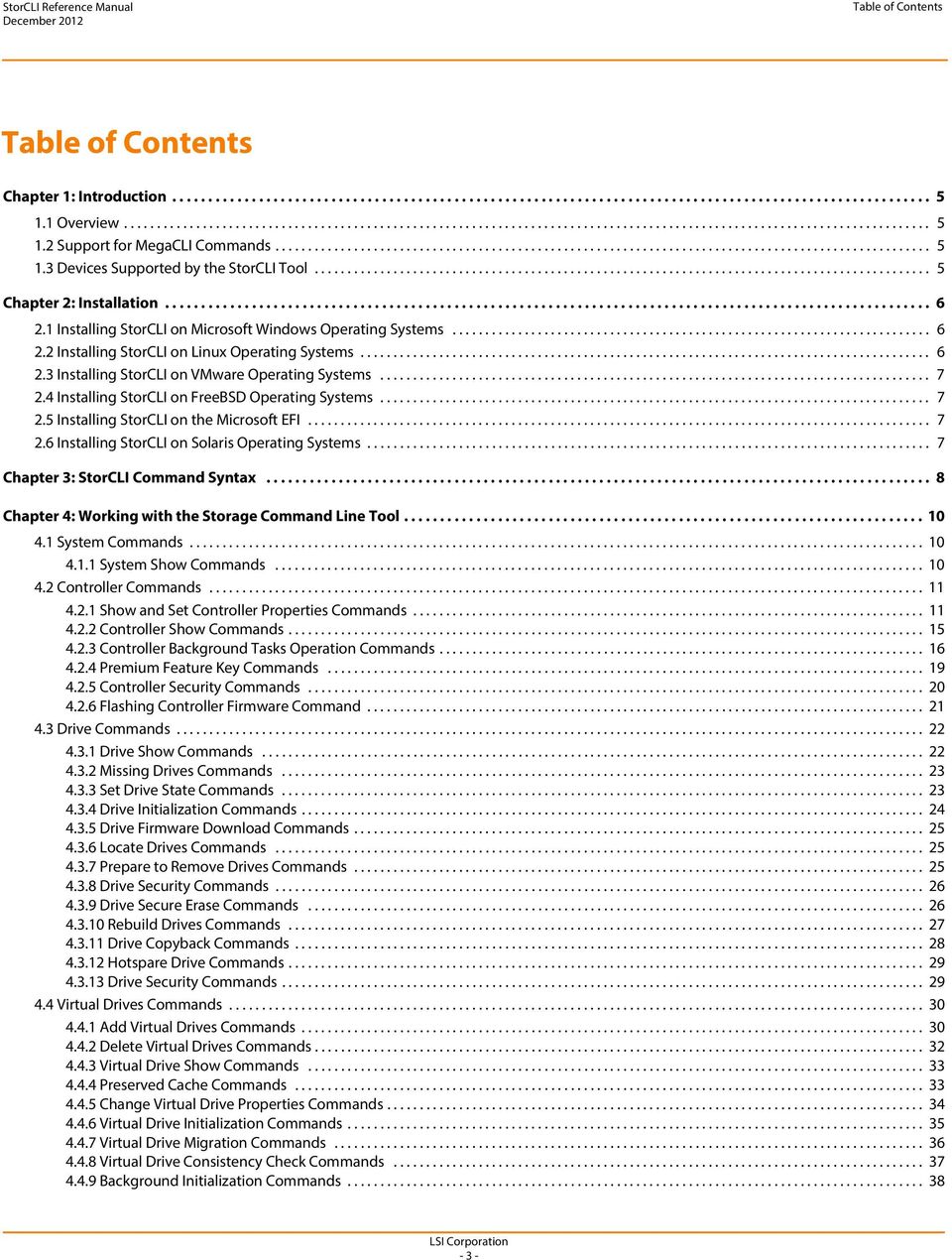
3 Table of Contents Table of Contents Chapter 1: Introduction Overview Support for MegaCLI Commands Devices Supported by the StorCLI Tool Chapter 2: Installation Installing StorCLI on Microsoft Windows Operating Systems Installing StorCLI on Linux Operating Systems Installing StorCLI on VMware Operating Systems Installing StorCLI on FreeBSD Operating Systems Installing StorCLI on the Microsoft EFI Installing StorCLI on Solaris Operating Systems Chapter 3: StorCLI Command Syntax Chapter 4: Working with the Storage Command Line Tool System Commands System Show Commands Controller Commands Show and Set Controller Properties Commands Controller Show Commands Controller Background Tasks Operation Commands Premium Feature Key Commands Controller Security Commands Flashing Controller Firmware Command Drive Commands Drive Show Commands Missing Drives Commands Set Drive State Commands Drive Initialization Commands Drive Firmware Download Commands Locate Drives Commands Prepare to Remove Drives Commands Drive Security Commands Drive Secure Erase Commands Rebuild Drives Commands Drive Copyback Commands Hotspare Drive Commands Drive Security Commands Virtual Drives Commands Add Virtual Drives Commands Delete Virtual Drives Commands Virtual Drive Show Commands Preserved Cache Commands Change Virtual Drive Properties Commands Virtual Drive Initialization Commands Virtual Drive Migration Commands Virtual Drive Consistency Check Commands Background Initialization Commands LSI Corporation - 3 -
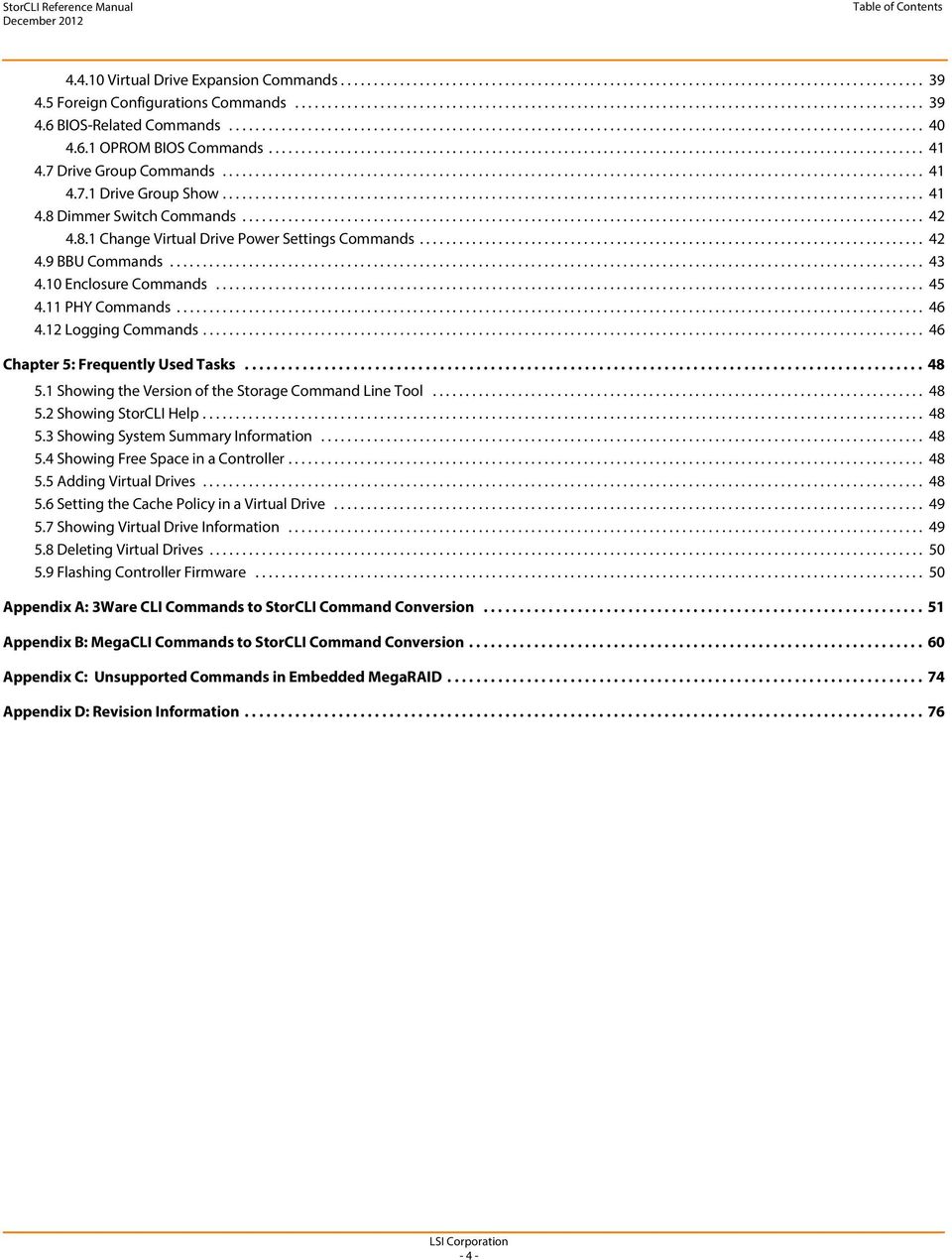
4 Table of Contents Virtual Drive Expansion Commands Foreign Configurations Commands BIOS-Related Commands OPROM BIOS Commands Drive Group Commands Drive Group Show Dimmer Switch Commands Change Virtual Drive Power Settings Commands BBU Commands Enclosure Commands PHY Commands Logging Commands Chapter 5: Frequently Used Tasks Showing the Version of the Storage Command Line Tool Showing StorCLI Help Showing System Summary Information Showing Free Space in a Controller Adding Virtual Drives Setting the Cache Policy in a Virtual Drive Showing Virtual Drive Information Deleting Virtual Drives Flashing Controller Firmware Appendix A: 3Ware CLI Commands to StorCLI Command Conversion Appendix B: MegaCLI Commands to StorCLI Command Conversion Appendix C: Unsupported Commands in Embedded MegaRAID Appendix D: Revision Information LSI Corporation - 4 -
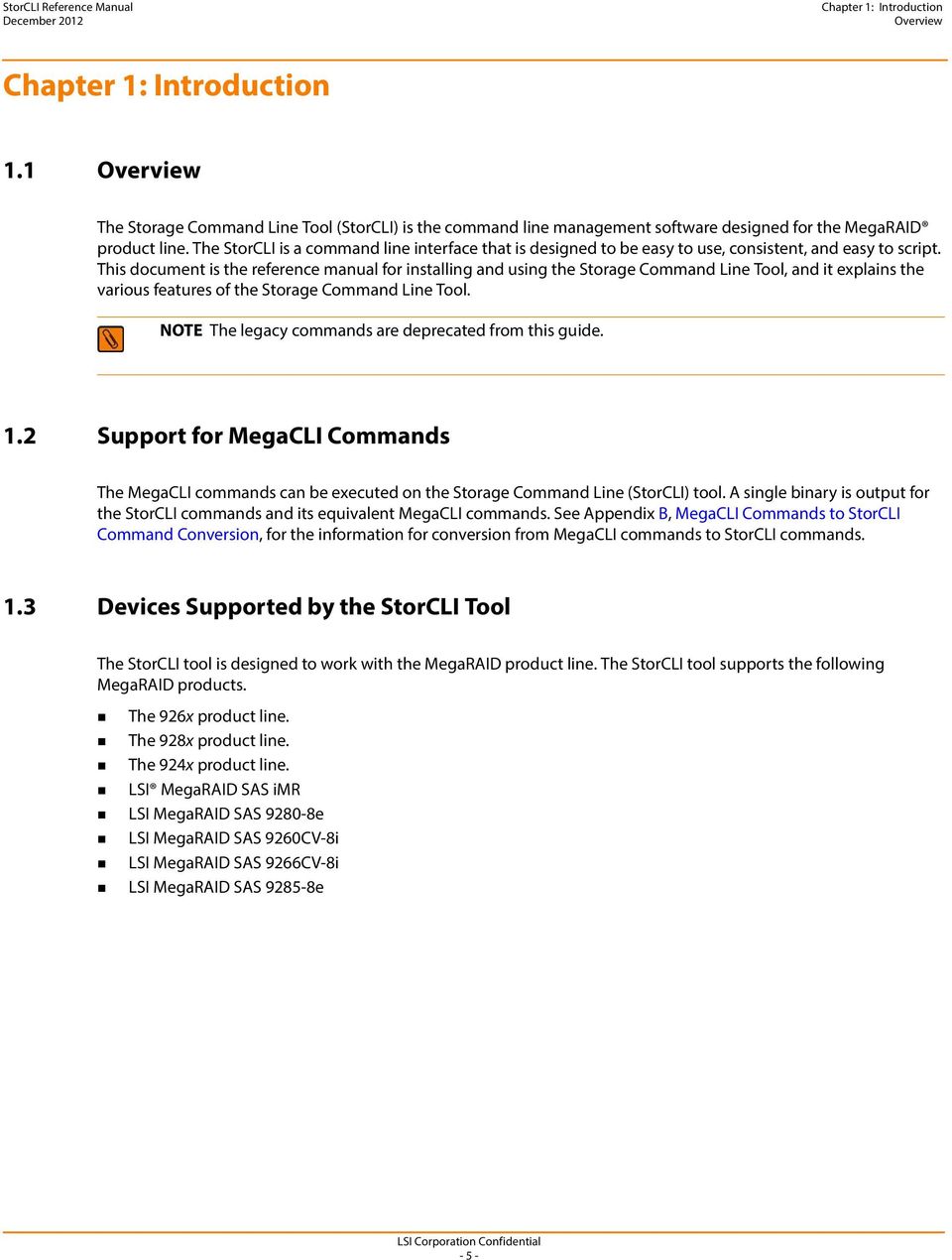
5 Chapter 1: Introduction Overview Chapter 1: Introduction 1.1 Overview The Storage Command Line Tool (StorCLI) is the command line management software designed for the MegaRAID product line. The StorCLI is a command line interface that is designed to be easy to use, consistent, and easy to script. This document is the reference manual for installing and using the Storage Command Line Tool, and it explains the various features of the Storage Command Line Tool. NOTE The legacy commands are deprecated from this guide. 1.2 Support for MegaCLI Commands The MegaCLI commands can be executed on the Storage Command Line (StorCLI) tool. A single binary is output for the StorCLI commands and its equivalent MegaCLI commands. See Appendix B, MegaCLI Commands to StorCLI Command Conversion, for the information for conversion from MegaCLI commands to StorCLI commands. 1.3 Devices Supported by the StorCLI Tool The StorCLI tool is designed to work with the MegaRAID product line. The StorCLI tool supports the following MegaRAID products. The 926x product line. The 928x product line. The 924x product line. LSI MegaRAID SAS imr LSI MegaRAID SAS e LSI MegaRAID SAS 9260CV-8i LSI MegaRAID SAS 9266CV-8i LSI MegaRAID SAS e - 5 -
6 Chapter 2: Installation Installing StorCLI on Microsoft Windows Operating Systems Chapter 2: Installation The MegaRAID controllers can be used with the following operating systems for Intel and AMD 32-bit and 64-bit x86-based motherboards: Microsoft Windows Server 2008 R2 Microsoft Windows 7 (32/64 bit) Red Hat Enterprise Linux 5.8 (32/64 bit) Red Hat Enterprise Linux 6.1 Red Hat Enterprise Linux 6.2 (32/64 bit) SUSE Linux Enterprise Server 11 SP2 (32/64 bit) SUSE Linux Enterprise Server 10 SP4 (32/64 bit) Fedora Core Linux 15 VMware ESX 4.0 VMware ESX 4.1 U2 VMware ESXi 4.1 U2 VMware ESXi 5.0 U1 Solaris FreeBSD EFI NOTE The LSISAS2208 and LSISAS2108 controllers provide support for Microsoft Windows 8 and Microsoft Windows Server 2012 operating systems. 2.1 Installing StorCLI on Microsoft Windows Operating Systems The Windows StorCLI binary is provided in a binary format, and no separate installation is required. 1. Copy the binary file from the CD or from the LSI website. 2. Place the binary file in the directory from which you want to run the Storage Command Line Tool, and run the tool. NOTE StorCLI must be run with the administrator privileges. 2.2 Installing StorCLI on Linux Operating Systems To install StorCLI on Linux operating systems, perform the following steps: 1. Unzip the StorCLI package. 2. To install the StorCLI RPM, run the rpm -ivh <StorCLI-x.xx-x.noarch.rpm> command. 3. To upgrade the StorCLI RPM, run the rpm -Uvh <StorCLI-x.xx-x.noarch.rpm> command

7 Chapter 2: Installation Installing StorCLI on VMware Operating Systems 2.3 Installing StorCLI on VMware Operating Systems To install StorCLI on VMware operating systems, run the following syntax from the command line: esxcli software vib install v=<path-to-vib-package> Example: esxcli software vib install -v=/vmfs/volumes/datastore1/storclimn/vmware-esx-storcli vib 2.4 Installing StorCLI on FreeBSD Operating Systems The FreeBSD StorCLI binary is provided in a binary format, and no separate installation is required. 1. Copy the binary file from the CD or from the LSI website. 2. Place the binary file in the directory from which you want to run the Storage Command Line Tool, and run the tool. 2.5 Installing StorCLI on the Microsoft EFI The EFI StorCLI binary is provided in a binary format, and no separate installation is required. 1. Copy the binary file from the CD or from the LSI website. 2. Place the binary file in the directory from which you want to run the Storage Command Line Tool, and run the tool. 2.6 Installing StorCLI on Solaris Operating Systems To install StorCLI on Solaris operating systems, run the following command: pkgadd d Storcli.pkg - 7 -

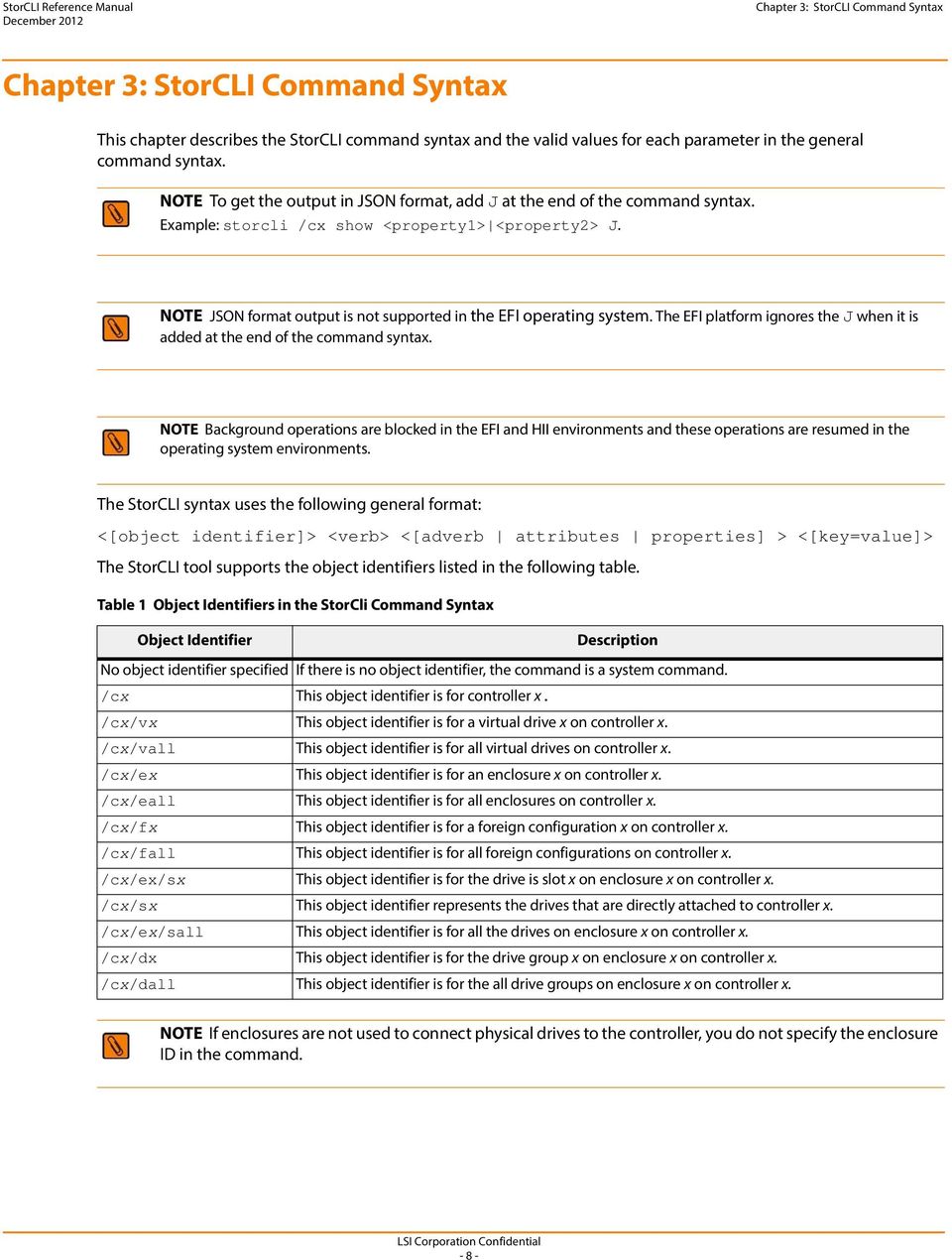
8 Chapter 3: StorCLI Command Syntax Chapter 3: StorCLI Command Syntax This chapter describes the StorCLI command syntax and the valid values for each parameter in the general command syntax. NOTE To get the output in JSON format, add J at the end of the command syntax. Example: storcli /cx show <property1> <property2> J. NOTE JSON format output is not supported in the EFI operating system. The EFI platform ignores the J when it is added at the end of the command syntax. NOTE Background operations are blocked in the EFI and HII environments and these operations are resumed in the operating system environments. The StorCLI syntax uses the following general format: <[object identifier]> <verb> <[adverb attributes properties] > <[key=value]> The StorCLI tool supports the object identifiers listed in the following table. Table 1 Object Identifiers in the StorCli Command Syntax Object Identifier Description No object identifier specified If there is no object identifier, the command is a system command. /cx This object identifier is for controller x. /cx/vx This object identifier is for a virtual drive x on controller x. /cx/vall This object identifier is for all virtual drives on controller x. /cx/ex This object identifier is for an enclosure x on controller x. /cx/eall This object identifier is for all enclosures on controller x. /cx/fx This object identifier is for a foreign configuration x on controller x. /cx/fall This object identifier is for all foreign configurations on controller x. /cx/ex/sx This object identifier is for the drive is slot x on enclosure x on controller x. /cx/sx This object identifier represents the drives that are directly attached to controller x. /cx/ex/sall This object identifier is for all the drives on enclosure x on controller x. /cx/dx This object identifier is for the drive group x on enclosure x on controller x. /cx/dall This object identifier is for the all drive groups on enclosure x on controller x. NOTE If enclosures are not used to connect physical drives to the controller, you do not specify the enclosure ID in the command
9 Chapter 3: StorCLI Command Syntax The StorCLI tool supports the following verbs: Table 2 Verbs in the StorCli Command Syntax Verbs add del set show pause resume suspend compare download start flush stop import expand Description This verb adds virtual drives, JBODs, and so on to the object identifier. This verb deletes a drive, value, or property of the object identifier. This verb sets a value of the object identifier. This verb shows the value and properties of the object identifier. This verb pauses an ongoing operation. This verb resumes paused operation. This verb suspends an ongoing operation. A suspended operation cannot be resumed. This verb compares an input value with a system value. This verb downloads and flashes a file to the target. This verb starts an operation. This verb flushes a controller cache or a drive cache. This verb stops an operation that is in progress. A stopped process cannot be resumed. This verb imports the foreign configuration into the drive. This verb expands the size of the virtual drive. <[adverb attributes properties] > Specifies what the verb modifies or displays. <[key=value]> Specifies a value, if a value is required by the command

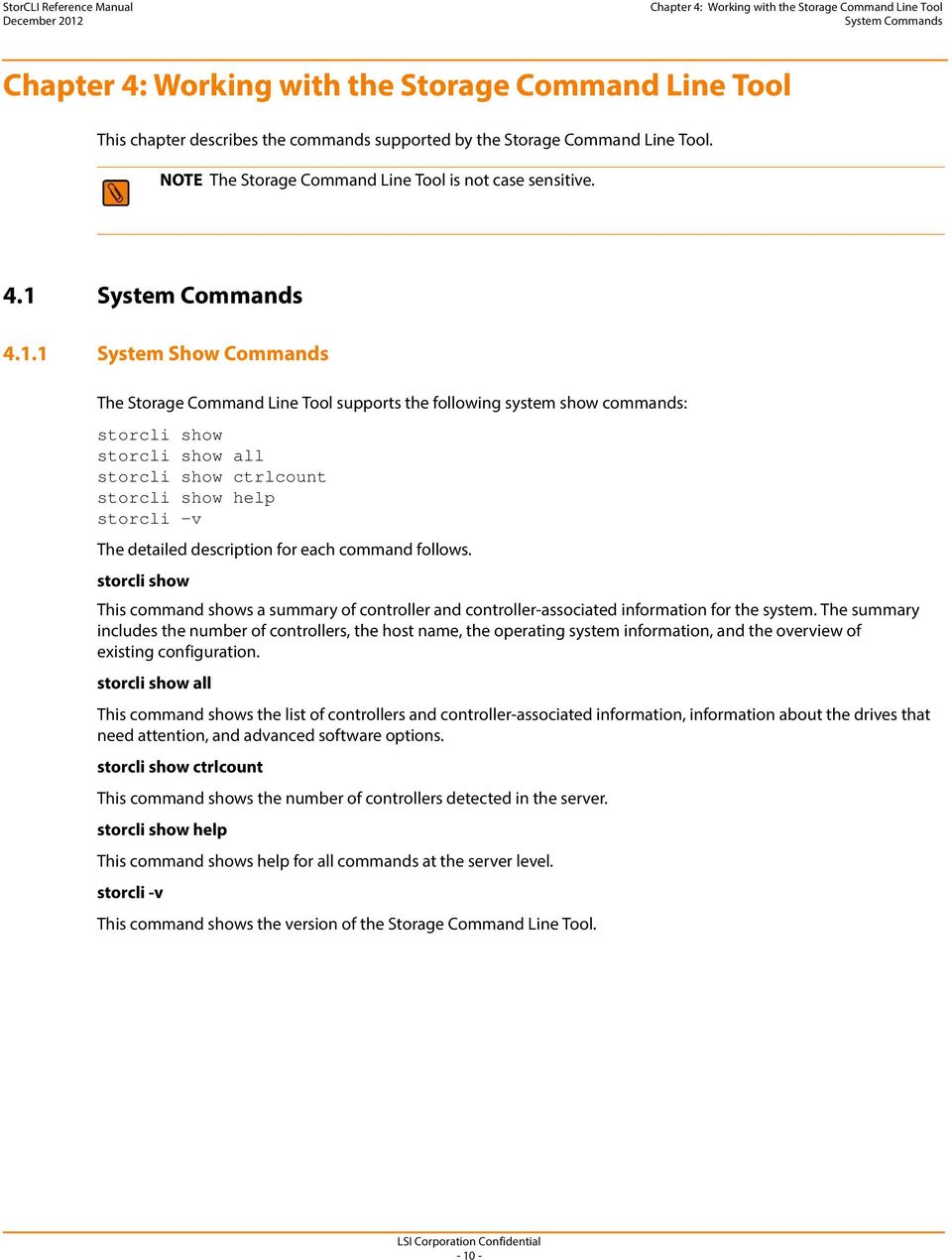
10 Chapter 4: Working with the Storage Command Line Tool System Commands Chapter 4: Working with the Storage Command Line Tool This chapter describes the commands supported by the Storage Command Line Tool. NOTE The Storage Command Line Tool is not case sensitive. 4.1 System Commands System Show Commands The Storage Command Line Tool supports the following system show commands: storcli show storcli show all storcli show ctrlcount storcli show help storcli -v The detailed description for each command follows. storcli show This command shows a summary of controller and controller-associated information for the system. The summary includes the number of controllers, the host name, the operating system information, and the overview of existing configuration. storcli show all This command shows the list of controllers and controller-associated information, information about the drives that need attention, and advanced software options. storcli show ctrlcount This command shows the number of controllers detected in the server. storcli show help This command shows help for all commands at the server level. storcli -v This command shows the version of the Storage Command Line Tool
11 Chapter 4: Working with the Storage Command Line Tool Controller Commands 4.2 Controller Commands Controller commands provide information and perform actions related to the specified controller, such as the /c0 controller. The Storage Command Line Tool supports the controller commands described in this section Show and Set Controller Properties Commands Table 3 Controller Commands Quick Reference Table Commands Value Range Description show <properties> See Table 4 Shows specific controller properties. set <properties> See Table 4 Sets controller properties. show all: Shows all properties of the virtual drive. freespace: Shows the freespace in the controller. See Section 4.2.2, Controller Show Commands. Shows physical drive information. This section provides command information to show and set controller properties. NOTE You cannot set multiple properties with a single command. The generalized syntax for show controller properties command is as follows. storcli /cx show <property> This command shows the current value of the specified property on the specified controller. General example output: Status Code = 0 Status = Success Description = None Controller: 0 Property_name = Property_value You can show the following properties using the storcli /cx show <property1> <property2> command. storcli /cx show abortcconerror storcli /cx show activityforlocate storcli /cx show alarm storcli /cx show backplane storcli /cx show batterywarning storcli /cx show bgirate storcli /cx show bootwithpinnedcache storcli /cx show cachebypass storcli /cx show cacheflushint storcli /cx show ccrate storcli /cx show clusterenable storcli /cx show coercion storcli /cx show consistencycheck cc storcli /cx show copyback storcli /cx show directpdmapping storcli /cx show dimmerswitch ds

12 Chapter 4: Working with the Storage Command Line Tool Controller Commands storcli /cx show eccbucketleakrate storcli /cx show eccbucketsize storcli /cx show enableeghsp storcli /cx show enableesmarter storcli /cx show enableeug storcli /cx show exposeencldevice storcli /cx show jbod storcli /cx show loadbalancemode storcli /cx show maintainpdfailhistory storcli /cx show migraterate storcli /cx show ncq storcli /cx show patrolread pr storcli /cx show perfmode storcli /cx show prcorrectunconfiguredareas storcli /cx show prrate storcli /cx show rebuildrate storcli /cx show rehostinfo storcli /cx show restorehotspare storcli /cx show safeid storcli /cx show smartpollinterval storcli /cx show spinupdelay storcli /cx show spinupdrivecount storcli /cx show time storcli /cx show usefdeonlyencrypt storcli /cx show memscrubpatterns storcli /cx show badblocks storcli /cx(x all) show PI storcli /cx(x all) show preventpiimport

13 Chapter 4: Working with the Storage Command Line Tool Controller Commands storcli /cx set <property>=<value> General example output: Status Code = 0 Status = Success Description = None Controller 0, new Property_name = Property_value The following commands are examples of the properties that can be set using the storcli /cx set <property>=<value> command: storcli /cx set abortcconerror=<on off> storcli /cx set termlog[=on off offthisboot] storcli /cx set activityforlocate=<on off> storcli /cx set alarm=<value> storcli /cx set backplane=<value> storcli /cx set batterywarning=<on off> storcli /cx set bgirate=<value> storcli /cx set bootwithpinnedcache=<on off> storcli /cx set cachebypass=<on off> storcli /cx flush flushcache storcli /cx set cacheflushinterval=<value> storcli /cx set ccrate=<value> storcli /cx set coercion=<value> storcli /cx set consistencycheck cc=[off seq conc][delay=value] [starttime=yyyy/mm/dd hh] [excludevd=x-y,z] storcli /cx set clusterenable=<value> storcli /cx set copyback=<on off> type=<smartssd smarthdd all> storcli /cx set directpdmapping=<on off> storcli /cx set eccbucketleakrate=<value> storcli /cx set eccbucketsize=<value> storcli /cx set enableeghsp=<value> storcli /cx set enableesmarter=<value> storcli /cx set enableeug=<value> storcli /cx set exposeencldevice=<on off> storcli /cx set dimmerswitch ds=<on off type= > storcli /cx set foreignautoimport=<on off> storcli /cx set jbod=<on off> storcli /cx set loadbalancemode=<value> storcli /cx set maintainpdfailhistory=<on off> storcli /cx set migraterate=<value> storcli /cx set ncq=<on off> storcli /cx set patrolread pr {=on mode=<auto manual>} {off} storcli /cx set perfmode=<value> storcli /cx set prcorrectunconfiguredareas=<on off> storcli /cx set prrate=<value> storcli /cx set rebuildrate=<value> storcli /cx set restorehotspare=<on off> storcli /cx set smartpollinterval=<value> storcli /cx set spinupdelay=<value> storcli /cx set spinupdrivecount=<value> storcli /cx set stoponerror=<on off> storcli /cx set usefdeonlyencrypt=<on off>
![storcli /cx set termlog[=on off offthisboot] storcli /cx set activityforlocate=<on off> storcli /cx set alarm=<value> storcli /cx set backplane=<value> storcli /cx set batterywarning=<on off> storcli](/docs-images/40/16334891/images/page_13.jpg "/cx set bgirate=<value> storcli /cx set bootwithpinnedcache=<on off> storcli /cx set cachebypass=<on off> storcli /cx flush flushcache storcli /cx set cacheflushinterval=<value> storcli /cx set")
14 Chapter 4: Working with the Storage Command Line Tool Controller Commands storcli /cx set time=yyyymmdd hh:mm:ss systemtime storcli /cx set usefdeonlyencrypt=<on off> The following table lists and describes the properties for the show and set commands. Table 4 Properties for Show and Set Commands Property Name Set Command Range Description abortcconerror on off Aborts consistency check when it detects an inconsistency. activityforlocate on off Enables/disables drive activity, drive activity locates function for systems without SGPIO/SES capabilities. alarm on off silence silence: Silences the alarm. Enables alarm on critical errors. backplane 0: Use autodetect logic of backplanes, such as SGPIO and I2C SEP using GPIO pins. 1: Disable autodetect SGPIO. 2: Disable I2C SEP autodetect. 3: Disable both the autodetects. Configures enclosure detection on a non-ses/expander backplane. batterywarning on off Enables/disables battery warnings. bgirate 0 to 100 Sets background initialization rate in percentage. cacheflushint 0 to 255, default value 4 Sets cache flush interval in seconds. ccrate 0 to 100 Sets consistency check rate in seconds. coercion 0: No coercion 1: 128 MB 2: 1 GB Sets drive capacity in coercion mode. consistencycheck See Section , Consistency Check. See Section , Consistency Check. copyback on off type = smartssd smarthdd all smartssd: Copy back enabled for SSD drives. smarthdd: Copy back enabled for HDD drives. all: Copy back enabled for both ssd drives and HDD drives. Example: storcli /cx set copyback=on type=all Enables/disables copy back for drive types. directpdmapping on off Enables/disables direct physical drive mapping. When enclosures are used, this feature is disabled; otherwise it should be enabled. eccbucketleakrate 0 to 255 Sets leak rate of the single-bit bucket in minutes (one entry removed per leak-rate). eccbucketsize 0 to 255 Sets size of ECC single-bit-error bucket (logs event when full). enableeghsp on off Enables/disables the commissioning of otherwise incompatible global hot spare drives as Emergency Hot Spare (EHSP) drives. enableesmarter on off Enables/disables the commissioning of Emergency Hot Spare (EHSP) drives for Predictive Failure (PFA) events

15 Chapter 4: Working with the Storage Command Line Tool Controller Commands Table 4 Properties for Show and Set Commands (Continued) enableeug on off Enables/disables the commissioning of Unconfigured Good drives as Emergency Hot Spare (EHSP) drives. exposeencldevice on off Enables/disables device drivers to expose enclosure devices; for example, expanders, SEPs. dimmerswitch ds See Section 4.8, Dimmer Switch See Section 4.8, Dimmer Switch Commands. Commands. foreignautoimport on off Imports foreign configuration automatically, at boot. jbod on off Enables/disables JBOD mode; by default, drives become system drives Controller Show Commands The Storage Command Line Tool supports the following show commands: storcli /cx show storcli /cx show all storcli /cx show freespace NOTE Not supported by all controllers. loadbalancemode on off Enables/disables automatic load balancing between SAS phys or ports in a wide port configuration. maintainpdfailhistory on off Maintains the physical drive fail history. migraterate 0 to 100 Sets data migration rate in percentage. patrolread pr See Section , Patrol Read. See Section , Patrol Read. perfmode 0: Tuned to provide best IOPS, currently applicable to non-fastpath 1: Tuned to provide least latency, currently applicable to non-fastpath Performance tuning setting for the controller. prcorrectunconfiguredareas on off Correct media errors during PR by writing 0s to unconfigured areas of the disk. prrate 0 to 100 Sets patrol read rate of the virtual drives in percentage. rebuildrate 0 to 100 Sets rebuild rate of the drive in percentage. reconrate 0 to 100 Sets reconstruction rate for a drive in percentage. restorehotspare on off If a failed disk is replaced with an Unconfigured good disk, it is automaticity configured as a hotspare drive. smartpollinterval 0 to Set time for polling of SMART errors in seconds. spinupdrivecount 0 to 255 Sets number of drives that are spun up at a time. spinupdelay 0 to 255 Sets spin-up delay between a group of drives or a set of drives, in seconds. stoponerror on off Stops the MegaRAID BIOS during POST, if any errors are encountered. time Property Name Set Command Range Description Valid time in yymmdd hh:mm:ss format or systemtime Sets the controller time to your input value or the system time (local time in 24-hour format). usefdeonlyencrypt on off Enables/disables FDE drive-based encryption

16 Chapter 4: Working with the Storage Command Line Tool Controller Commands The detailed description for each command follows. storcli /cx show This command shows the summary of the controller information. The summary includes basic controller information, foreign configurations, drive groups, virtual drives, physical drives, enclosures, and BBU information. storcli /c1 show storcli /cx show all This command shows all controller information, which includes basic controller information, bus information, controller status, advanced software options, controller policies, controller defaults, controller capabilities, scheduled tasks, miscellaneous properties, foreign configurations, drive groups, virtual drives, physical drives, enclosures, and BBU information. storcli /c0 show all NOTE The PCI information displayed as a part of storcli /cx show and storcli /cx show all commands is not applicable for the FreeBSD operating system. Hence, the PCI information fields are displayed as N/A. storcli /cx show freespace This command shows the usable free space in the controller. storcli /c0 show freespace Controller Background Tasks Operation Commands Rebuild Rate storcli /cx set rebuildrate=<value> storcli /cx show rebuildrate The detailed description for each command follows. storcli /cx set rebuildrate=<value> This command sets the rebuild task rate of the specified controller. The input value is in percentage. storcli /c0 set rebuildrate=30 NOTE A high rebuild rate slows down I/O processing. storcli /cx show rebuildrate This command shows the current rebuild task rate of the specified controller in percentage. storcli /c0 show rebuildrate

17 Chapter 4: Working with the Storage Command Line Tool Controller Commands Patrol Read The Storage Command Line Tool supports the following patrol read commands: storcli /cx resume patrolread storcli /cx set patrolread ={{on mode=<auto manual>} {off}} storcli /cx set patrolread [starttime=<yyyy/mm/dd hh>] [maxconcurrentpd=<value>] [includessds=<on off>] [uncfgareas=<on off>] storcli /cx set patrolread delay=<value> storcli /cx show patrolread storcli /cx start patrolread storcli /cx stop patrolread storcli /cx suspend patrolread NOTE A patrol read operation is scheduled for all the physical drives of the controller. The detailed description for each command follows. storcli /cx resume patrolread This command resumes a suspended patrol read operation. storcli /c0 resume patrolread storcli /cx set patrolread {=on mode=<auto manual>} {off} This command turns the patrol read scheduling on and sets the mode of the patrol read to automatic or manual. storcli /co set patrolread=on mode=manual storcli /cx set patrolread [starttime=<yyyy/mm/dd hh>] [maxconcurrentpd=<value>] [includessds=<on off>] [uncfgareas=on off] This command schedules a patrol read operation. You can use the following options for patrol read command. Table 5 Set Patrolread Input Options Option Value Range Description starttime A valid date and hour in 24 hours format Sets the start time in yyyy/mm/dd hh format. maxconcurrentpd Valid number of physical drives present Sets the number of physical drives that can be patrol read at a single time. includessds Include SSDs in the patrol read. uncfgareas Include the areas not configured in the patrol read. NOTE Controller time is taken as a reference for scheduling a patrol read operation. storcli /c0 set patrolread=on starttime=2012/02/21 00 storcli /cx set patrolread [delay=<value>] This command delays the scheduled patrol read in hours
![patrolread [starttime=<yyyy/mm/dd hh>] [maxconcurrentpd=<value>] [includessds=<on off>] [uncfgareas=<on off>] storcli /cx set patrolread delay=<value> storcli /cx show patrolread storcli /cx start](/docs-images/40/16334891/images/page_17.jpg "patrolread storcli /cx stop patrolread storcli /cx suspend patrolread NOTE A patrol read operation is scheduled for all the physical drives of the controller.")
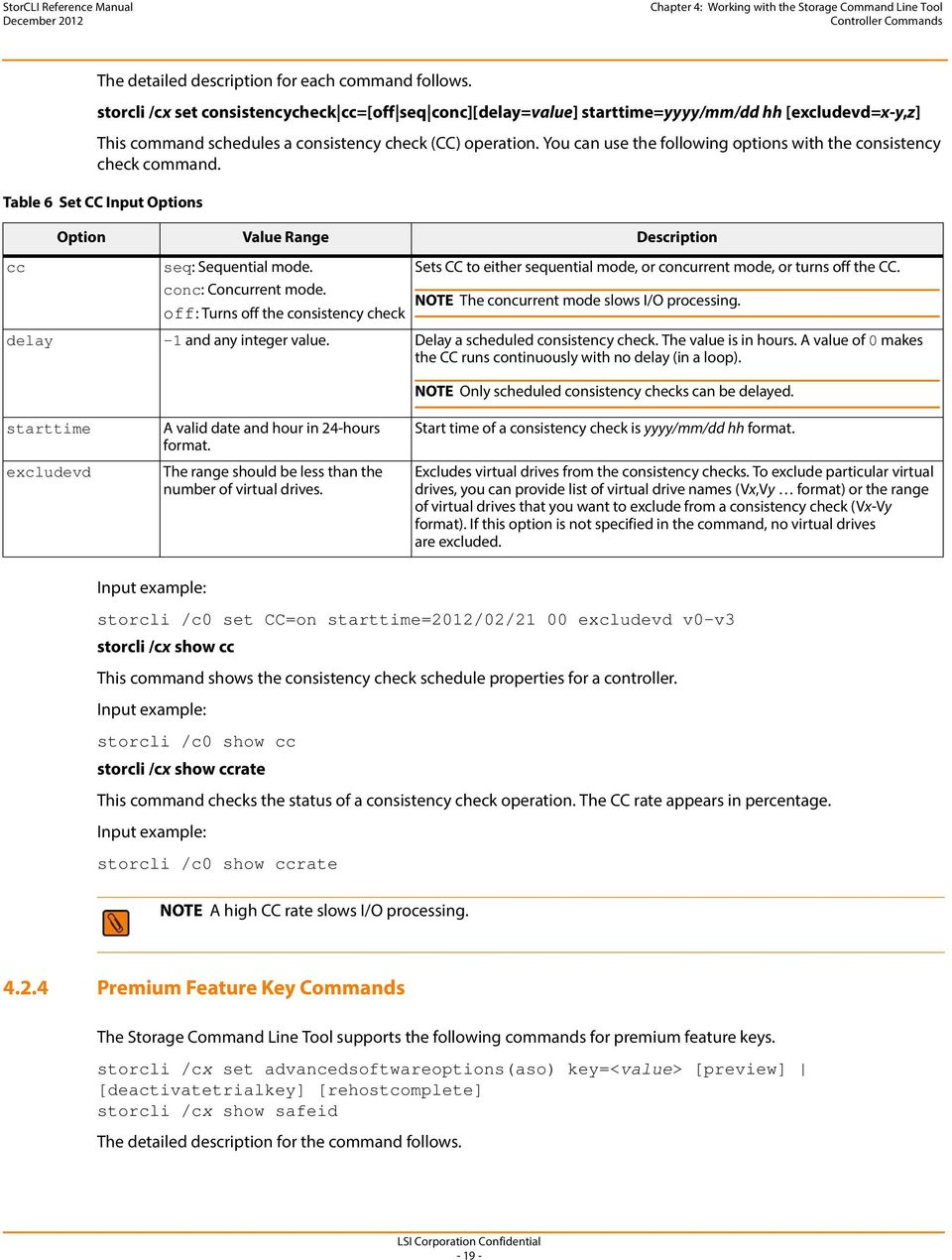
18 Chapter 4: Working with the Storage Command Line Tool Controller Commands storcli /c0 set patrolread delay=30 storcli /cx show patrolread This command shows the progress on the current patrol read in percentage. storcli /c0 show patrolread storcli /cx start patrolread This command starts the patrol read operation. This command starts a patrol read immediately. storcli /c0 start patrolread storcli /cx stop patrolread This command stops a running patrol read operation. storcli /c0 stop patrolread NOTE You cannot resume a stopped patrol read. storcli /cx suspend patrolread This command pauses a running patrol read operation. storcli /c0 suspend patrolread NOTE You can run this command only when a patrol read operation is running on the controller Consistency Check The Storage Command Line Tool supports the following commands to schedule, perform, and view the status of a consistency check (CC) operation. storcli /cx set consistencycheck cc=[off seq conc][delay=value] starttime=yyyy/mm/dd hh [excludevd=x-y,z] storcli /cx show cc storcli /cx show ccrate

19 Chapter 4: Working with the Storage Command Line Tool Controller Commands The detailed description for each command follows. storcli /cx set consistencycheck cc=[off seq conc][delay=value] starttime=yyyy/mm/dd hh [excludevd=x-y,z] This command schedules a consistency check (CC) operation. You can use the following options with the consistency check command. Table 6 Set CC Input Options Option Value Range Description cc seq: Sequential mode. conc: Concurrent mode. off: Turns off the consistency check Sets CC to either sequential mode, or concurrent mode, or turns off the CC. NOTE The concurrent mode slows I/O processing. delay -1 and any integer value. Delay a scheduled consistency check. The value is in hours. A value of 0 makes the CC runs continuously with no delay (in a loop). NOTE Only scheduled consistency checks can be delayed. starttime excludevd A valid date and hour in 24-hours format. The range should be less than the number of virtual drives. Start time of a consistency check is yyyy/mm/dd hh format. Excludes virtual drives from the consistency checks. To exclude particular virtual drives, you can provide list of virtual drive names (Vx,Vy format) or the range of virtual drives that you want to exclude from a consistency check (Vx-Vy format). If this option is not specified in the command, no virtual drives are excluded. storcli /c0 set CC=on starttime=2012/02/21 00 excludevd v0-v3 storcli /cx show cc This command shows the consistency check schedule properties for a controller. storcli /c0 show cc storcli /cx show ccrate This command checks the status of a consistency check operation. The CC rate appears in percentage. storcli /c0 show ccrate NOTE A high CC rate slows I/O processing Premium Feature Key Commands The Storage Command Line Tool supports the following commands for premium feature keys. storcli /cx set advancedsoftwareoptions(aso) key=<value> [preview] [deactivatetrialkey] [rehostcomplete] storcli /cx show safeid The detailed description for the command follows
20 Chapter 4: Working with the Storage Command Line Tool Controller Commands storcli /cx set advancedsoftwareoptions(aso) key=<value> [preview] [deactivatetrialkey] [rehostcomplete] This command activates advanced software options (ASO) for a controller. You can use the following options with the advanced software options command. Table 7 Set Advanced Software Options Input Options Option Value Range Description key 40 alpha numeric characters. Key to activate ASO on the controller. storcli /c0 set Aso key=lsi0000 storcli /cx show safeid This command shows the Safe ID of the specified controller. storcli /c0 show safeid Controller Security Commands NOTE After they are activated, ASOs cannot be removed from the controller. deactivatetrialkey Deactivates the trial key applied on the specified controller. rehostcomplete Enables rehosting on the specified controller. The Storage Command Line Tool supports the following controller security commands: storcli /cx compare securitykey=ssssss storcli /cx delete securitykey storcli /cx set securitykey keyid=kkkk storcli /cx set securitykey=sssss [passphrase=sssss][keyid=sssss] storcli /cx set securitykey=sssss oldsecuritykey=ssss [passphrase=sssss] [keyid=sssss] The detailed description for each command follows. storcli /cx compare securitykey=ssssss This command compares and verifies the security key of the controller. storcli /cx delete securitykey This command deletes the security key of the controller. storcli /c0 delete securitykey storcli /cx set securitykey keyid=kkkk This command sets the key ID for the controller. The key ID is unique for every controller

21 Chapter 4: Working with the Storage Command Line Tool Controller Commands storcli /cx set securitykey=sssss [passphrase=sssss][keyid=sssss] This command sets the security key for the controller. You can use the following options with the set security key command. Table 8 Set Security Key Input Options passphrase Option Value Range Description Should have a combination of numbers, upper case letters, lower case letters and special characters. Minimum of 8 characters and maximum of 32 characters String that is linked to the controller and is used in the next bootup to encrypt the lock key. If the passphrase is not set, the controller generates it by default. keyid Unique ID set for different controllers to help you specify a passphrase to a specific controller. storcli /c0 set securitykey=lsi@12345 passphrase=lsi@ keyid=1 storcli /cx set securitykey=sssss oldsecuritykey=ssss [passphrase=sssss][keyid=sssss] This command changes the security key for the controller. storcli /c0 set securitykey=lsi@12345 oldsecuritykey=pass123 passphrase=lsi@ keyid= Flashing Controller Firmware Command NOTE The Flashing Controller Firmware command is not supported in Embedded MegaRAID. The following command flash the controller firmware. storcli /cx download file=filepath [fwtype=<value>] [nosigchk] [noverchk] This command flashes the firmware to the specified adapter from the given file location (filepath is the absolute file path). You can use the following options when you flash the firmware: Table 9 Flashing Controller Firmware Input Options Option Value Range Description nosigchk The application flashes the firmware even if the check word on the file does not match the required check word for the controller. NOTE You can damage the controller if a corrupted image is flashed using this option. noverchk The application flashes the controller firmware without checking the version of the firmware image. fwtype 0: Application The firmware type to be downloaded. The application downloads the firmware for the controller. The 1: TMMC TMMC downloads the firmware for the TMMC battery only. Default is 0 (application)
22 Chapter 4: Working with the Storage Command Line Tool Drive Commands 4.3 Drive Commands This section describes the drive commands, which provide information and perform actions related to physical drives. The following table describes frequently used virtual drive commands. Table 10 Physical Drives Commands Quick Reference Table Commands Value Range Description set show missing: Sets the drive status as missing. good: Sets the drive status to unconfigured good. offline: Sets the drive status to offline. online: Sets the drive status to online. all: shows all properties of the physical drive. See Section 4.3.1, Drive Show Commands. Sets physical drive properties. Shows virtual drive information Drive Show Commands The Storage Command Line Tool supports the following drive show commands: storcli /cx[/ex]/sx show storcli /cx[/eall]/sall show storcli /cx[/ex]/sx sall show all NOTE If enclosures are used to connect physical drives to the controller, specify the enclosure ID in the command. If no enclosures are used, you must specify the controller ID and slot ID. The detailed description for each command follows. storcli /cx[/ex]/sx show This command shows the summary of the physical drive for a specified slot in the controller. storcli /c0/e0/s4,5 show storcli /cx[/eall]/sall show This command shows the summary information for all the enclosures and physical drives connected to the controller. storcli /c0/eall/sall show
23 Chapter 4: Working with the Storage Command Line Tool Drive Commands storcli /cx[/ex]/sx sall show all This command shows all information of a physical drive for the specified slot in the controller. If you use the all option, the command shows information for all slots on the controller. x stands for a number, a list of numbers, a range of numbers, or all numbers. Input examples: storcli /c0/e3/s0-3 show all storcli /c0/e35/sall show all NOTE The storcli /cx/sx show all command shows tape drives information Missing Drives Commands The Storage Command Line Tool supports the following commands to mark and replace missing physical drives. storcli /cx[/ex]/sx insert array=a row=b storcli /cx[/ex]/sx set missing storcli /cx[/ex]/sx set offline storcli /cx/dall The detailed description for each command follows. storcli /cx[/ex]/sx insert array=a row=b This command replaces the configured drive that is identified as missing, and then starts an automatic rebuild. storcli /c0/e25/s3 insert array=2 row=1 storcli /cx[/ex]/sx set missing This command marks a drive as missing. storcli /c0/s4 set missing storcli /cx/dall This command is used to find the missing drives. storcli /cx[/ex]/sx set offline This command marks the drive in an array as offline. NOTE To set a drive that is part of an array as missing, first set it as offline. After the drive is set to offline, you can then set the drive to missing Set Drive State Commands The Storage Command Line Tool supports the following commands to set the status of physical drives. storcli /cx[/ex]/sx set jbod storcli /cx[/ex]/sx set good [force]
24 Chapter 4: Working with the Storage Command Line Tool Drive Commands storcli /cx[/ex]/sx set offline storcli /cx[/ex]/sx set online The detailed description for each command follows. storcli /cx[/ex]/sx set jbod This command sets the drive state to JBOD. storcli /c1/e56/s3 set jbod storcli /cx[/ex]/sx set good [force] This drive changes the drive state to unconfigured good. If the drive has the operating system in it, use the force option. storcli /c1/e56/s3 set good storcli /cx[/ex]/sx set offline This command changes the drive state to offline. storcli /c1/e56/s3 set offline storcli /cx[/ex]/sx set online This command changes the drive state to online. storcli /c1/e56/s3 set online Drive Initialization Commands When you initialize drives, all the data from the drives is cleared. The Storage Command Line Tool supports the following commands to initialize drives: storcli /cx[/ex]/sx show initialization storcli /cx[/ex]/sx start initialization storcli /cx[/ex]/sx stop initialization The detailed description for each command follows. storcli /cx[/ex]/sx show initialization This command shows the current progress of the initialization progress in percentage. storcli /c0/e31/s4 show initialization storcli /cx[/ex]/sx start initialization This command starts the initialization process on a drive. storcli /c0/e31/s4 start initialization
25 Chapter 4: Working with the Storage Command Line Tool Drive Commands storcli /cx[/ex]/sx stop initialization This command stops an initialization process running on the specified drive. A stopped initialization process cannot be resumed. storcli /c0/e56/s1 stop initialization Drive Firmware Download Commands The Storage Command Line Tool supports the following command to download drive firmware: storcli /cx[/ex]/sx download src=filepath [satabridge] This command flashes the firmware with the specified file. The satabridge option lets you download the SATA bridge firmware in online mode. storcli /c0/e56/s1 download src=c:\file1.bin Locate Drives Commands The Storage Command Line Tool supports the following commands to locate a drive and activate the physical disk activity LED. storcli /cx[/ex]/sx start locate storcli /cx[/ex]/sx stop locate The detailed description for each command follows. storcli /cx[/ex]/sx start locate This command locates a drive and activates the drive s LED. storcli /c0/e56/s1 start locate storcli /cx[/ex]/sx stop locate This command stops a locate operation and deactivates the drive s LED. storcli /c0/e56/s1 stop locate Prepare to Remove Drives Commands The Storage CLI supports the following commands to prepare the physical drive for removal. storcli /cx[/ex]/sx spindown storcli /cx[/ex]/sx spinup The detailed description for each command follows. storcli /cx[/ex]/sx spindown This command spins down an unconfigured drive and prepares it for removal. The drive state is unaffiliated and it is marked offline
26 Chapter 4: Working with the Storage Command Line Tool Drive Commands storcli /cx/e34/s4 spindown storcli /cx[/ex]/sx spinup This command spins up a spun-down drive and the drive state is unconfigured good. storcli /cx/e34/s4 spinup Drive Security Commands The Storage Command Line supports the following drive security command: storcli /cx[/ex]/sx show securitykey keyid This command shows the security key and key ID of the controller. storcli /c0/s4 show securitykey keyid Drive Secure Erase Commands The Storage Command Line supports the following drive erase commands: storcli /cx[/ex]/sx secureerase [force] storcli /cx[/ex]/sx start erase [simple normal thorough] [erasepatterna=<value1>] [erasepatternb=<value2>] storcli /cx[/ex]/sx stop erase The detailed description for each command follows. storcli /cx[/ex]/sx secureerase [force] This command erases the drive's security configuration and securely erases data on a drive. You can use the force option as a confirmation to erase the data on the drive and the security information. storcli /c0/e25/s1 secureerase NOTE This command deletes data on the drive and the security configuration and this data is no longer accessible. This command is used for SED drives only. storcli /cx[/ex]/sx start erase [simple normal thorough] [erasepatterna=<val1>] [erasepatternb=<val2>] This command securely erases non-sed drives. The drive is written with erase patterns to ensure that the data is securely erased. You can use the following options with the start erase command: Table 11 Drive Erase Command Options erase Options Value Range Description simple: Single pass, single pattern write normal: Three pass, three pattern write thorough: Nine pass, repeats the normal write 3 times Secure erase type. erasepatterna 8-bit value Erase pattern A to overwrite the data. erasepatternb 8-bit value Erase pattern B to overwrite the data
27 Chapter 4: Working with the Storage Command Line Tool Drive Commands storcli /c0/e25/s1 start erase thorough erasepatterna= erasepatternb= Rebuild Drives Commands The following commands rebuild drives in the Storage Command Line Tool: storcli /cx[/ex]/sx pause rebuild storcli /cx[/ex]/sx resume rebuild storcli /cx[/ex]/sx show rebuild storcli /cx[/ex]/sx start rebuild storcli /cx[/ex]/sx stop rebuild NOTE If enclosures are used to connect physical drives to the controller, specify the enclosure ID in the command. The detailed description for each command follows. storcli /cx[/ex]/sx pause rebuild This command pauses an ongoing rebuild process. You can run this command only for a drive that is currently rebuilt. storcli /c0/s4 pause rebuild storcli /cx[/ex]/sx resume rebuild This command resumes a paused rebuild process. You can run this command only when a paused rebuild process for the drive exists. storcli /c0/s4 resume rebuild storcli /cx[/ex]/sx show rebuild This command shows the progress of the rebuild process in percentage. storcli /c0/s5 show rebuild storcli /cx[/ex]/sx start rebuild This command starts a rebuild operation for a drive. storcli /c0/s4 start rebuild storcli /cx[/ex]/sx stop rebuild This command stops a rebuild operation. You can run this command only for a drive that is currently rebuilt. storcli /c0/s4 stop rebuild
28 Chapter 4: Working with the Storage Command Line Tool Drive Commands Drive Copyback Commands The Storage Command Line Tool supports the following commands for drive copyback: storcli /cx[/ex]/sx pause copyback storcli /cx[/ex]/sx resume copyback storcli /cx[/ex]/sx show copyback storcli /cx[/ex]/sx start copyback target=eid:sid storcli /cx[/ex]/sx stop copyback The detailed description for each command follows. NOTE In the copyback commands, cx[/ex]/sx indicates the source drive and eid:sid indicates the target drive. storcli /cx[/ex]/sx pause copyback This command pauses a copyback operation. You can run this command only when there is a copyback operation running. storcli /c0/e25/s4 pause copyback storcli /cx[/ex]/sx resume copyback This command resumes a paused copyback operation. You can run this command only when there is a paused copyback process for the drive. storcli /c0/e25/s4 resume copyback storcli /cx[/ex]/sx show copyback This command shows the progress of the copyback operation in percentage. storcli /c0/e25/s4 show copyback storcli /cx[/ex]/sx start copyback target=eid:sid This command starts a copyback operation for a drive. storcli /c0/e25/s4 start copyback target=25:8 storcli /cx[/ex]/sx stop copyback This command stops a copyback operation. You can run this command only on drives that have the copyback operation running. storcli /c0/e25/s4 stop copyback NOTE A stopped rebuild process cannot be resumed
29 Chapter 4: Working with the Storage Command Line Tool Drive Commands Hotspare Drive Commands The following commands create and delete hotspare drives: storcli /cx[/ex]/sx add hotsparedrive {dgs=<n 0,1,2...>}[enclaffinity][nonrevertible] storcli /cx/[ex]/sx delete hotsparedrive NOTE If enclosures are used to connect the physical drives to the controller, specify the enclosure ID in the command. The detailed description for each command follows. storcli /cx[/ex]/sx add hotsparedrive [{dgs=<n 0,1,2...>}] [enclaffinity][nonrevertible] This command creates a hotspare drive. You can use the following options to create a hotspare drive:: Table 12 Add Hotspare Input Options Option Value Range Description dgs Valid drive group number Specifies the drive group to which the hotspare drive is dedicated. enclaffinity Valid enclosure number Specifies the enclosure with which the hotspare is associated. If this option is specified, affinity is set; if it is not specified, there is no affinity. NOTE Affinity cannot be removed after it is set for a hotspare drive. nonrevertible Sets the drive as a nonrevertible hotspare. storcli /c0/e3/s4,5 add hotsparedrive This command sets the drives /c0/e3/s4,5 as Global Hot spare. storcli /c0/e3/s6,8 add hotsparedrive dgs=0,1 This command sets /c0/e3/s6,8 as Dedicated Hot spare for disk groups 0,1. storcli /cx/[ex]/sx delete hotsparedrive This command deletes a hotspare drive. storcli /c0/e3/s4,5 delete hotsparedrive Drive Security Commands The Storage Command Line Tool supports the following drive security command: storcli /cx[/ex]/sx show securitykey keyid storcli /cx[/ex]/sx show securitykey keyid This command shows the security key for secured physical drives
30 Chapter 4: Working with the Storage Command Line Tool Virtual Drives Commands storcli /c0/e252/s1 show SecurityKey keyid 4.4 Virtual Drives Commands The Storage Command Line Tool supports the following virtual drive commands. The following table describes frequently used virtual drive commands. Table 13 Virtual Drives Commands Quick Reference Table Commands Value Range Description add See Table 14 and Table 15 Creates virtual drives. delete cc or cachecade: Deletes CacheCade virtual drives. Deletes a virtual drive. force: Deletes the virtual drive where operating system is present. set See Table 14, Table 15, and Section 4.4.5, Change Virtual Drive Properties Sets virtual drive properties. Commands show all: Shows all properties of the virtual drive. cc: Shows properties of CacheCade virtual drives. See Section 4.4.3, Virtual Drive Show Commands. Shows virtual drive information Add Virtual Drives Commands The Storage Command Line Tool supports the following commands to add virtual drives: storcli /cx add vd type=raid[ ][Size=<VD1_Sz>,<VD2_Sz>,.. *all] [name=<vdname1>,..] drives=e:s e:s-x e:s-x,y;e:s-x,y,z [PDperArray=x][SED] [pdcache=on off *default][pi] [DimmerSwitch(ds)=default automatic(auto) *none maximum(max) MaximumWithoutCaching(maxnocache)] [wt *wb] [nora *ra] [*direct cached] [CachedBadBBU *NoCachedBadBBU] [Strip=< >] [AfterVd=X] [Spares = [e:]s [e:]s-x [e:]s-x,y] [force] storcli /cx add vd each type=raid0 [name=<vdname1>,..] [drives=e:s e:s-x e:s-x,y] [SED] [pdcache=on off *default][pi] [DimmerSwitch(ds)=default automatic(auto) *none maximum(max) MaximumWithoutCaching(maxnocache)] [wt *wb] [nora *ra] [*direct cached] [CachedBadBBU *NoCachedBadBBU][Strip=< ] storcli /cx add VD cachecade cc Type = raid[0,1,10] drives = [e:]s [e:]s-x [e:]s-x,y [WT WB] [assignvds = 0,1,2 This command creates a RAID configuration. You can use the following options to create the RAID volume: NOTE * indicates default values
31 Chapter 4: Working with the Storage Command Line Tool Virtual Drives Commands The detailed description for each command follows. Table 14 Add RAID Configuration Input Options Option Value Range Description type RAID [ ]. Sets the RAID type of the configuration. size Maximum size based on the physical drives and RAID level. Sets the size of each virtual drive. The default value is for the capacity of all referenced disks. name 15 characters of length. Specifies the drive name for each virtual drive. drives Valid enclosure number and valid slot numbers for the enclosure. In e:s e:s-x e:s-x,y: e specifies the enclosure ID. s represents the slot in the enclosure. e:s-x is the range convention used to represent slots s to x in the enclosure e. pdperarray 0 to 15. Specifies the number of physical drives per array. The default value is automatically chosen. sed Creates security-enabled drives. pdcache on off default. Enables or disables PD cache. pi Enables protection information. dimmerswitch direct cached wt wb nora ra cachedbadbbu nocachedbadbbu default: Logical device uses controller default power-saving policy. automatic (auto): Logical device power savings are managed by firmware. none: No power-saving policy. maximum (max): Logical device uses maximum power savings. MaximumWithoutCaching (maxnocache): Logical device does not cache write to maximize power savings. cached: Cached I/O. direct: Direct I/O. wt: Write through. wb: Write back. ra: Read ahead. nora: No read ahead. cachedbadbbu: Enable bad BBU caching. nocachedbadbbu: Disable bad BBU caching. Specifies the power-saving policy. Sets to default automatically. Sets the logical drive cache policy. Direct I/O is the default. Enables write through. Write back is the default. Disables read ahead. Enabled is the default. Enables caching when BBU is not functioning. Disabled is the default. strip 8, 16, 32, 64, 128, 256, 512, Sets the strip size for the RAID configuration. aftervd Valid virtual drive number. Creates the VD in the adjacent free slot next to the specified VD. spares Number of spare physical drives present. Specifies the physical drives that are to be assigned to a disk group for spares. force Forces a security-capable physical drive to be added to a drive group without security. storcli /c0 add vd type=raid10 size=2gb,3gb,4gb names=tmp1,tmp2,tmp3 drives=252:2-3,5,7 pdperarray=2-31 -
32 Chapter 4: Working with the Storage Command Line Tool Virtual Drives Commands storcli /cx add vd cc cachecade type=[0,1,10] drives=[e:]s [e:]s-x [e:]s-x,y [[wt *wb] ] [assignvds=0,1,2] This command creates CacheCade virtual drives and associates existing virtual drives to CacheCade virtual drives. You can use the following options to create the CacheCade virtual drive: Table 15 Add RAID Configuration Input Options Option Value Range Description cachecade Creates a CacheCade virtual drive. type 0, 1, 10 Sets the RAID type of the CacheCade virtual drive. drives Valid enclosure number and valid slot number See the drives row in the previous table for format. wt *wb wt: Enables write through. Enables or disables write cache. wb: Enables write back. assignvds Valid virtual drive number (0 to 63) Specifies the list of virtual drives associated with the new CacheCade virtual drives. storcli /c0 add vd type=raid10 size=2gb,3gb,4gb names=tmp1,tmp2,tmp3 drives=252:2-3, Delete Virtual Drives Commands The Storage Command Line Tool supports the following virtual drive delete commands: storcli /cx/vx vall del storcli /cx/vx vall del cachecade storcli /cx/vx vall del force The detailed description for each command follows. storcli /cx/vx vall del This command deletes a particular virtual drive or, when the vall option is used, all the virtual drives on the controller are deleted. storcli /c0/v2 del NOTE This command deletes virtual drives. Data located on these drives will no longer be accessible. storcli /cx/vx vall del cachecade This command deletes a specific CacheCade virtual drive on a controller, or all the CacheCade configuration for a controller. storcli /c0/vall del cachecade NOTE This command deletes virtual drives. Data located on these drives will no longer be accessible
33 Chapter 4: Working with the Storage Command Line Tool Virtual Drives Commands storcli /cx/vx vall del force This command deletes a virtual drive only after the cache flush is completed. With the force option, the command deletes a virtual drive without waiting for the cache flush to complete. storcli /c0/v2 del force NOTE This command deletes the virtual drive where the operating system is present. Data located on these drives and the operating system of the drive will no longer be accessible Virtual Drive Show Commands The Storage Command Line Tool supports the following virtual drive show commands: storcli /cx/vx show storcli /cx/vx show all The detailed description for each command follows. storcli /cx/vx show This command shows the summary of the virtual drive information. storcli /c0/v0 show storcli /cx/vx show all This command shows all virtual drive information, which includes virtual drive information, physical drives used for the virtual drives, and virtual drive properties. storcli /c0/v0 show all Preserved Cache Commands If a virtual drive becomes offline or is deleted because of missing physical disks, the controller preserves the dirty cache from the virtual disk. The Storage Command Line Tool supports the following commands for preserved cache: storcli /cx/vx delete preservedcache [force] storcli /cx show preservedcache The detailed description for each command follows. storcli /cx/vx delete preservedcache This command deletes the preserved cache for a particular virtual drive on the controller in missing state. Use the force option to delete the preserved cache of a virtual drive in offline state. storcli /c0/v1 delete preservedcache storcli /cx show preservedcache This command shows the virtual drive that has preserved cache and whether the virtual drive is offline or missing. storcli /c0 show preservedcache
34 Chapter 4: Working with the Storage Command Line Tool Virtual Drives Commands Change Virtual Drive Properties Commands The Storage Command Line Tool supports the following commands to change virtual drive properties: storcli /cx/vx set accesspolicy=<rw ro blocked rmvblkd> storcli /cx/vx set cachedbadbbu=<on off> storcli /cx/vx set iopolicy=<cached direct> storcli /cx/vx set name=<namestring> storcli /cx/vx set pdcache=<on off default> storcli /cx/vx set rdcache=<ra nora> storcli /cx/vx set security storcli /cx/vx vall set ssdcaching=<on off> storcli /cx/vx set wrcache=<wt wb awb> The detailed description for each command follows. storcli /cx/vx set accesspolicy=<rw ro blocked rmvblkd> This command sets the access policy on a virtual drive to read write, read only, or blocked or rmvblkd (remove blocked). storcli /c0/v0 set accesspolicy=rw storcli /cx/vx set cachedbadbbu=<on off> This command enables the use write cache for the virtual drive when the BBU is bad. storcli /c0/v0 set cachedbadbbu=on storcli /cx/vx set iopolicy=<cached direct> This command sets the I/O policy on a virtual drive to cached I/O or direct I/O. storcli /c0/v0 set iopolicy=cached storcli /cx/vx set name=<namestring> This command names a virtual drive. The name is restricted to 15 characters storcli /c1/v0 set name=testdrive123 storcli /cx/vx set pdcache=<on off default> This command sets the current disk cache policy on a virtual drive to on, off, or default setting. storcli /c0/v0 set pdcache=on storcli /cx/vx set rdcache=<ra nora> This command sets the read cache policy on a virtual drive to read ahead, no read ahead, or adaptive read ahead. storcli /c0/v0 set rdcache=nora
35 Chapter 4: Working with the Storage Command Line Tool Virtual Drives Commands storcli /cx/vx set security This command secures the virtual drive. storcli /c0/v0 set security NOTE The off option is not supported in the current release. If you run the command, a message saying that the command is not supported appears. storcli /cx/vx vall set ssdcaching=<on off> This command assigns CacheCade virtual drives. If ssdcaching=off, the CacheCade virtual drive is removed. storcli /cx/vx set wrcache=<wt wb awb> This command sets the write cache policy on a virtual drive to write back, write through, or always write back. storcli /c0/v0 set wrcache=wt Virtual Drive Initialization Commands The Storage Command Line Tool supports the following commands to initialize virtual drives: storcli /cx/vx show init storcli /cx/vx start init [full] storcli /cx/vx stop init The detailed description for each command follows. storcli /cx/vx show init This command shows the initialization progress of a virtual drive in percentage. storcli /c0/v2 show init storcli /cx/vx start init [full] This command starts the initialization of a virtual drive. The default initialization type is fast initialization. If the full option is specified, full initialization of the virtual drive starts. storcli /cx/vx start init [full] storcli /cx/vx stop init This command stops the initialization of a virtual drive. A stopped initialization cannot be resumed. storcli /c0/v0 stop init
36 Chapter 4: Working with the Storage Command Line Tool Virtual Drives Commands Virtual Drive Migration Commands NOTE The virtual drive migration commands are not supported in Embedded MegaRAID. The Storage Command Line Tool supports the following commands for virtual drive migration (reconstruction). storcli /cx/vx show migrate storcli /cx/vx start migrate <type=raidlevel> [option=<add remove> disk=<e1/s1,e2/s2...> ] The detailed description for each command follows. storcli /cx/vx show migrate This command shows the progress of the virtual drive migrate operation in percentage. storcli /c0/v0 show migrate storcli /cx/vx start migrate <type=raidlevel> [option=<add remove> disk=<e1:s1,e2:s2...> ] This command starts the reconstruction on a virtual drive to the specified RAID level by adding or removing disks from the existing virtual drive. You can use the following options with the start migrate command: Table 16 Virtual Drive Migration Command Options Options Value Range Description type = RAID level RAID [ ] The RAID level to which the virtual drive must be migrated. [option=<add remove> disk=<e1:s1,e2:s2, >] add: Adds disks to the virtual drive and starts reconstruction. remove: Removes disks from the virtual drive and starts reconstruction. disk: The enclosure number and the slot number of the disks to be added to the virtual drive. Virtual drive migration can be done between the following RAID levels. Table 17 Virtual Drive Migration Table Initial RAID level RAID 0 RAID 1 RAID 0 RAID 5 RAID 0 RAID 6 RAID 1 RAID 0 RAID 1 RAID 5 RAID 1 RAID 6 RAID 5 RAID 0 RAID 5 RAID 6 RAID 6 RAID 0 RAID 6 RAID 5 Migrated RAID level Adds or removes disks from the virtual drive
37 Chapter 4: Working with the Storage Command Line Tool Virtual Drives Commands storcli /c0/v3 start migrate type=r5 option=add disk=e5:s2,e5:s Virtual Drive Consistency Check Commands The Storage Command Line Tool supports the following commands for virtual drive consistency checks: storcli /cx/vx pause cc storcli /cx/vx resume cc storcli /cx/vx show cc storcli /cx/vx start cc [force] storcli /cx/vx stop cc NOTE If enclosures are used to connect the physical drives to the controller, specify the IDs in the command. The detailed description for each command follows. storcli /cx/vx pause cc This command pauses an ongoing consistency check process. You can resume the consistency check at a later time. You can run this command only on a virtual drive that has a consistency check operation running. storcli /c0/v4 pause cc storcli /cx/vx resume cc This command resumes a suspended consistency check operation. You can run this command on a virtual drive that has a paused consistency check operation. storcli /c0/v4 resume cc storcli /cx/vx show cc This command shows the progress of the consistency check operation in percentage. storcli /c0/v5 show cc storcli /cx/vx start cc force This command starts a consistency check operation for a virtual drive. Typically, a consistency check operation is run on an initialized virtual drive. Use the force option to run a consistency check on an uninitialized drive. storcli /c0/v4 start cc storcli /cx/vx stop cc This command stops a consistency check operation. You can run this command only for a virtual drive that has a consistency check operation running. storcli /c0/v4 stop cc
38 Chapter 4: Working with the Storage Command Line Tool Virtual Drives Commands NOTE A stopped consistency check process cannot be resumed Background Initialization Commands The Storage Command Line Tool supports the following commands for background initialization: storcli /cx/vx resume bgi storcli /cx/vx set autobgi=<on off> storcli /cx/vx show autobgi storcli /cx/vx show bgi storcli /cx/vx stop bgi storcli /cx/vx suspend bgi The detailed description for each command follows. storcli /cx/vx resume bgi This command resumes a suspended background initialization operation. storcli /c0/v0 resume bgi storcli /cx/vx set autobgi=<on off> This command sets the auto background initialization setting for a virtual drive to on or off. storcli /c0/v0 set autobgi=on storcli /cx/vx show autobgi This command shows the background initialization setting for a virtual drive. storcli /c0/v0 show autobgi storcli /cx/vx show bgi This command shows the background initialization progress on the specified virtual drive in percentage. storcli /c0/v0 show bgi storcli /cx/vx stop bgi This command stops a background initialization operation. You can run this command only for a virtual drive that is currently initialized. storcli /c0/v4 stop bgi storcli /cx/vx pause bgi This command suspends a background initialization operation. You can run this command only for a virtual drive that is currently initialized
39 Chapter 4: Working with the Storage Command Line Tool Foreign Configurations Commands storcli /c0/v4 pause bgi Virtual Drive Expansion Commands The Storage Command Line Tool supports the following commands for virtual drive expansion: storcli /cx/vx expand size=<value> [expandarray] storcli /cx/vx vall show expansion The detailed description for each command follows. storcli /cx/vx expand size=<value> [expandarray] This command expands the virtual drive within the existing array or if you replace the drives with drives larger than the size of the existing array. The value of the expand size is in GB. If the expandarray option is specified, the existing array is expanded. If this option is not specified, the virtual drive is expanded. storcli /cx/vx show expansion This command shows the expansion information on the virtual drive with and without array expansion. storcli /c0/v0 show expansion 4.5 Foreign Configurations Commands The Storage Command Line Tool supports the following commands to view, import, and delete foreign configurations. storcli /cx/fx fall del delete [ securitykey=sssssssssss ] storcli /cx/fx fall import [preview][ securitykey=sssssssssss ] storcli /cx/fx fall show [all] [ securitykey=sssssssssss ] NOTE Provide the security key when importing a locked foreign configuration created in a different machine that is encrypted with a security key. The detailed description for each command follows. storcli /cx/fx fall del delete [ securitykey=sssssssssss ] This command deletes the foreign configuration of a controller. Input the security key if the controller is secured. storcli /c0/fall delete storcli /cx/fx fall import [preview] [ securitykey=sssssssssss ] This command imports the foreign configurations of a controller. The preview option shows a summary of the foreign configuration before importing it. storcli /c0/fall import
40 Chapter 4: Working with the Storage Command Line Tool BIOS-Related Commands storcli /cx/fx fall show [all][ securitykey=sssssssssss ] This command shows the summary of the entire foreign configuration for a particular controller. The all option shows all the information of the entire foreign configuration. NOTE The EID:Slot column is populated for the foreign PDs that are locked. storcli /c0/fall show preview foreign storcli /c0/fall import preview storcli /c0/fall show all 4.6 BIOS-Related Commands The Storage Command Line Tool supports the following BIOS commands: storcli /cx set bios=<on off> storcli /cx set stoponerror soe=<on off> storcli /cx autobootselect(abs)=<on off> storcli /cx show bios The detailed description for each command follows. storcli /cx set bios=<on off> This commands enables or disables the MegaRAID controller's BIOS. NOTE The legacy BIOS can load a limited number of the PCI device's BIOS. Disable the MegaRAID BIOS to avoid issues during POST. storcli /c0 set bios=enable storcli /cx set stoponerror soe=<on off> This command stops the MegaRAID BIOS during POST, if any errors are encountered. storcli /c0/ set StopOnError=on storcli /cx set autobootselect abs=<on off> This command enables the BIOS to select the best logical drive as the boot drive. storcli /cx set autobootselect=on storcli /cx show bios This command shows if the BIOS is on or off. storcli /c0 show bios
41 Chapter 4: Working with the Storage Command Line Tool Drive Group Commands OPROM BIOS Commands The Storage Command Line Tool supports the following OPROM BIOS commands. storcli /cx/ex/sx set bootdrive=on off storcli /cx/vx set bootdrive=on off storcli /cx show bootdrive The detailed description for each command follows. storcli /cx/ex/sx set bootdrive=on off This command sets the specified physical drive as the boot drive. During the next reboot, the BIOS looks for a boot sector in the specified physical drive. storcli /c0/e32/s4 set bootdrive=on storcli /cx/vx set bootdrive=on off This command sets the specified virtual drive as the boot drive. During the next reboot, the BIOS looks for a boot sector in the specified virtual drive. storcli /c0/v0 set bootdrive=on storcli/cx/vx show bootdrive This command shows the boot drive for the controller. The boot drive can be a physical drive or a virtual drive. storcli /c0/v0 show bootdrive 4.7 Drive Group Commands This section describes the drive group commands Drive Group Show The Storage Command Line Tool supports the following drive group commands. storcli /cx/dall show storcli /cx/dall show all storcli /cx/dall show cachecade storcli /cx/dall show This command shows the topology information of the drive group. storcli /c0/dall show storcli /cx/dall show all This command shows all available configurations in the controller which includes topology information, virtual drive information, physical drive information, free space, and free slot information
42 Chapter 4: Working with the Storage Command Line Tool Dimmer Switch Commands storcli /c0/dall show all storcli /cx/dall show cachecade This command shows all CacheCade virtual drive information. storcli /c0/dall show cachecade 4.8 Dimmer Switch Commands Change Virtual Drive Power Settings Commands The Storage Command Line Tool supports the following command to change the dimmer switch setting. The dimmer switch is the power-saving policy for the virtual drive. storcli /cx/vx set ds=<default auto none max maxnocache> This command changes the power-saving properties on a virtual drive. See dimmerswitch in the following table for values. storcli /cx/vx set ds=default NOTE Only the ds3 dimmer switch option cannot be selected in the Storage Command Line Tool. You can use the following combinations for the dimmer switch commands: storcli /cx set ds=off type= storcli /cx set ds=on type=1 2 [properties] storcli /cx set ds=on type=3 4 defaultldtype=<value> [properties] storcli /cx set ds=on [properties]
43 Chapter 4: Working with the Storage Command Line Tool BBU Commands The following table describes the power-saving options. Table 18 Dimmer Switch Input Options Option Value Range Description dimmerswitch or ds on off Turns the dimmer switch option on. type 1: Unconfigured Specifies the type of drives that the dimmer switch 2: Hotspare feature is applicable. By default, it is activated for unconfigured drives, hotspare drives and virtual drives. 3: Virtual drive 4: All defaultldtype properties auto: Logical device power savings are managed by the firmware. none: No power saving policy. max: Logical device uses maximum power savings. maxnocache: Logical device does not cache write to maximise power savings. disableldps: Interval in hours or time in hh:mm format spinupdrivecount: Valid enclosure number (0 to 255) SpinUpEncDelay: Valid time in seconds storcli/cx show DimmerSwitch(ds) This command shows the current dimmer switch setting for the controller. storcli/c0 show ds Specifies the default logical drive type that is created by the dimmer switch option; set to none automatically. Sets the interval or time in which the power-saving policy for the logical drive is turned off. Specifies the number of drives in the enclosure that are spun up. Specifies the delay of spin-up groups within an enclosure in seconds. 4.9 BBU Commands The Storage Command Line Tool supports the following battery backup unit (BBU) commands: storcli /cx/bbu show storcli /cx/bbu show all storcli /cx/bbu set bbumode=<value> storcli /cx/bbu set learndelayinterval=<value> storcli /cx/bbu set powermode=sleep storcli /cx/bbu set writeaceess=sealed storcli /cx/bbu show properties storcli /cx/bbu show status storcli /cx/bbu start learn The detailed description for each command follows. storcli /cx/bbu show This command shows the summary information for the BBU of a controller. storcli /c0/bbu show
44 Chapter 4: Working with the Storage Command Line Tool BBU Commands storcli /cx/bbu show all This command shows all the information of the BBU. storcli /c0/bbu show all storcli /cx/bbu set bbumode=<value> This command sets the BBU mode for the BBU. The following table shows the various BBU modes: Table 19 BBU Mode Mode Description 0 48 hours of retention a at 60 C, 1-year Service Life hours of retention at 45 C, 5-year Service Life, transparent learn. b 2 12 hours of retention at 55 C, 3-year Service Life, transparent learn hours of retention at 45 C, 3-year Service Life, transparent learn hours of retention at 45 C, 3-year Service Life hours of retention at 55 C, 1-year Service Life. 6 Same as the description for BBU mode 5. The BBU mode 6 enables you to receive events when the battery capacity reaches suboptimal and critical thresholds. a. Indicates how long the battery can hold data in the controller's memory in case of accidental system shutdown. b. The controller's performance is not affected during the battery's learn cycle. storcli /c0/bbu set bbumode=2 NOTE BBU modes are supported on any ibbu08/09 bbu/controller combo, and later-generations controllers. storcli /cx/bbu set learndelayinterval=<value> This command sets the learn delay interval for the BBU in hours. The value must be between 0 to 168 hours (7 days). storcli /c0/bbu set learndelayinterval=30 storcli /cx/bbu set powermode=sleep This command places the battery in low-power storage mode. The battery automatically exits this state after 5 seconds. storcli /c0/bbu set powermode=sleep storcli /cx/bbu set writeaccess=sealed This command seals the gas gauge EEPROM write access. NOTE Use the set writeaccess=sealed command at manufacturing time. storcli /c0/bbu set writeaccess=sealed
45 Chapter 4: Working with the Storage Command Line Tool Enclosure Commands storcli /cx/bbu show properties This command shows the BBU Learn properties for a controller. storcli /c0/bbu show properties storcli /cx/bbu show status This command shows the battery information, firmware status, and the gas gauge status. storcli /c0/bbu show status storcli /cx/bbu start learn This command starts the BBU learning cycle. The battery learn cycle is immediately started and no other parameters are required for this command. storcli /c0/bbu start learn 4.10 Enclosure Commands The Storage Command Line Tool supports the following enclosure commands. storcli /cx/ex download src=filepath[forceactivate] storcli /cx/ex show all storcli /cx/ex show status The detailed description for each command follows. storcli /cx/ex download src=filepath [forceactivate] This command flashes the firmware with the file specified at the command line. The enclosure performs an error check after the operation. The following option can be used with the enclosure firmware download command. Table 20 Enclosure Firmware Download Command Options Option Value Range Description forceactivate Issues a command descriptor block (CDB) with write command with no data with command mode 0x0F (flash download already in progress). NOTE This option is used primarily to activate Scotch Valley Enclosures. NOTE The firmware file that is used to flash the enclosure can be of any format. The StorCLI utility assumes that you provide a valid firmware image. storcli /c0/e0 download src=c:\file2.bin storcli /cx/ex show all This command shows all enclosure information, which includes general enclosure information, enclosure inquiry data, a count of enclosure elements, and information about the enclosure elements
46 Chapter 4: Working with the Storage Command Line Tool PHY Commands storcli /c0/e0 show all storcli /cx/ex show status This command shows the enclosure status and the status of all the enclosure elements. storcli /c0/e0 show status 4.11 PHY Commands The Storage Command Line Tool supports the following PHY commands: storcli /cx/px pall set linkspeed= storcli /cx/px pall show storcli /cx/px pall show all The detailed description for each command follows. storcli /cx/px pall set linkspeed= This command sets the PHY link speed. The speed can be set to 1.5 Gb/s, 3 Gb/s, 6 Gb/s, or 12 Gb/s. storcli /c0/p0 set linkspeed=1.5 storcli /cx/px pall show This command shows the basic PHY layer information. storcli /c1/p0 show storcli /cx/px pall show all This command shows all the PHY layer information. storcli /c1/p0 show all 4.12 Logging Commands The Storage Command Line Tool supports the following commands to generate and maintain log files. storcli /cx clear events storcli /cx delete termlog storcli /cx show events file=<absolute path> storcli /cx show eventloginfo storcli /cx show termlog type=config contents The detailed description for each command follows. storcli /cx delete events This command deletes all records in the event log
47 Chapter 4: Working with the Storage Command Line Tool Logging Commands storcli /c0 delete events storcli /cx delete termlog This command clears the TTY (firmware log for issue troubleshooting) logs. storcli /c0 delete termlog storcli /cx show events file=<absolute path> This command prints the system log to a text file and saves the file in the specified location. storcli /c0 show events file=c:\users\brohan\test\eventreports storcli /cx show eventloginfo This command shows the history of log files generated. storcli /c0 show eventloginfo type=config storcli /cx show termlog type=config contents This command shows the firmware logs. The config option shows the term log configuration (settings of TTY BBU buffering), the contents option shows the term log.the contents option is the default. storcli /c0 show termlog type=contents
48 Chapter 5: Frequently Used Tasks Showing the Version of the Storage Command Line Tool Chapter 5: Frequently Used Tasks 5.1 Showing the Version of the Storage Command Line Tool The following command shows the version of the command line tool: Storcli v 5.2 Showing StorCLI Help The following command shows the command line tool help: Storcli h Help appears for all the StorCLI commands 5.3 Showing System Summary Information The following command shows the summary of all the controller information: Storcli show [all] 5.4 Showing Free Space in a Controller The following command shows the free space available in the controller: Storcli /cx show freespace 5.5 Adding Virtual Drives The following command creates a virtual drive: Storcli /cx add vd type=raid[ ][Size=<VD1_Sz>,<VD2_Sz>,.. *all] [name=<vdname1>,..] drives=e:s e:s-x e:s-x,y [PDperArray=x auto*] [SED] [pdcache=on off *default][pi] [DimmerSwitch(ds)=default automatic(auto) *none maximum(max) MaximumWithoutCaching(maxnocache)] [wt *wb] [nora *ra] [*direct cached] [CachedBadBBU *NoCachedBadBBU] [strip=< ] [AfterVd=x] [Spares=[e:]s [e:]s-x [e:]s-x,y] [force] The following inputs can be used when adding virtual drives: The controller in which the virtual drives are created. The RAID type of the virtual drives. The RAID types supported are 0, 1, 5, 6, 10, 50, 60. The size of each virtual drive
49 Chapter 5: Frequently Used Tasks Setting the Cache Policy in a Virtual Drive The drives that are used to create the virtual drives. drives = e:s e:s-x e:s-x,y Where: e specifies the enclosure id. s represents the slot in the enclosure. e:s-x is the range conventions used to represents slots s to x in the enclosure e. The physical drives per array. The physical drives per array can be set to a particular value. The SED option creates security-enabled drives. The PDcache option can be set to on or off. The pi option enables protection information. The dimmer switch is the power save policy. It can be set to default or automatic *, none, maximum(max), or MaximumWithoutCaching(maxnocache). The wt option disables write back. The nora option disables read ahead. The cached option enables the cached memory. The CachedBadBBU option enables caching when bbu is not functional. The strip option sets the strip size. It can take the values 8, 16, 32, 64, 128, 256, 512, The AfterVdX option creates the virtual drives in the adjacent free slot next to the specified virtual drives. NOTE The * indicates default values used in the creation of the virtual drives. If values are not specified, the default values are taken. Example: /cx add vd type=r1 drives=0:10-15 WB Direct strip=64 This command creates a RAID volume of RAID 1 type from drives in slots 10 to slot 15 in enclosure 0. The strip size is 64kb. 5.6 Setting the Cache Policy in a Virtual Drive The following command sets the write cache policy of the virtual drive: Storcli /cx/v(x all) set wrcache=wt wb awb The command sets the write cache to write back, write through, or always write back. 5.7 Showing Virtual Drive Information The following command shows the virtual drive information for all the virtual drives in the controller: storcli /cx/vall show [all]
50 Chapter 5: Frequently Used Tasks Deleting Virtual Drives 5.8 Deleting Virtual Drives The following command deletes virtual drives: storcli /cx/v(x all) del [cc cachecade] The following inputs are required when deleting a virtual drive: The controller on which the virtual drive or virtual drives is present. The virtual drives that must be deleted; or you can delete all the virtual drives on the controller using the vall option. The cc or cachecade option to confirm that the deleted drive is a CacheCade drive. 5.9 Flashing Controller Firmware The following command is used to flash the controller firmware. storcli /cx download file=filepath [fwtype=<value>] [nosigchk] [noverchk] For more information, see Section 4.2.6, Flashing Controller Firmware Command
51 Appendix A: 3Ware CLI Commands to StorCLI Command Conversion Appendix A: 3Ware CLI Commands to StorCLI Command Conversion Table 1 System Commands Description 3Ware CLI Command StorCLI Command Show general summary of all detected controllers. Table 2 Controller Commands tw_cli show show show ctrlcount Description 3Ware CLI Command StorCLI Command Show all information about the adapter, such as cluster state, BIOS, alarm, firmware, version, and so on. Download the firmware to all compatible controllers that can be flashed with the image. By default, CLI checks for signature and version. tw_cli /cx show all /cx update fw=filename_with_path [force] /cx show all /cx download src=filepath [nosigchk] [noverchk]
52 Appendix A: 3Ware CLI Commands to StorCLI Command Conversion Table 2 Controller Commands (Continued) Description 3Ware CLI Command StorCLI Command Show the status of properties related to the Controllers. /cx show <PropertyName> The following properties can be used with this command: a0,1,2 -aall achip AENs [reverse] alarms [reverse] allunitstatus autocarve autorebuild bios carvesize ctlbus diag dpmstat [type=<inst ra ext> driver drivestatus events [reverse] exportjbod firmware memory model monitor numdrives numports numunits ondegrade pcb pchip phy rebuild rebuildmode rebuildrate selftest serial spinup stagger unitstatus verify verifymode verifyrate /cx show <PropertyName> The following properties can be used with this command: abortcconerror activityforlocate alarm autorebuild backplane batterywarning bgirate bootwithpinnedcache cachebypass cacheflushint ccrate clusterenable coercion copyback directpdmapping ds eccbucketleakrate eccbucketsize enableeghsp enableesmarter enableeug exposeencldevice jbod loadbalancemode maintainpdfailhistory migraterate ncq perfmode pr prcorrectunconfiguredareas prrate rebuildrate rehostinfo restorehotspare safeid smartpollinterval spinupdelay spinupdrivecount time usefdeonlyencrypt
53 Appendix A: 3Ware CLI Commands to StorCLI Command Conversion Table 2 Controller Commands (Continued) Description 3Ware CLI Command StorCLI Command Set properties on the selected controllers. autocarve=<on off> autodetect=<on off > disk=<p:-p> all autorebuild=<on off> carvesize=< > dpmstat=<on off> ondegrade=<cacheoff follow> rebuild=<enable disable ><1..5> rebuildmode=<adaptive lowlatency> rebuildrate=<1..5> selftest=<enable disable> spinup=<value> stagger=<value> verify=advanced basic <1..5> verify=basic [pref=ddd:hh]where hh={00..23} and ddd={mon tue wed thu fri sat sun} verify=enable disable <1..5> verifymode=<adaptive lowlatency> verifyrate=<1..5> abortcconerror=<on off> activityforlocate=<on off> alarm=<value> autorebuild=<on off> backplane=<value> batterywarning=<on off> bgirate=<value> bootwithpinnedcache=<on off> cachebypass=<on off> flush flushcache cacheflushinterval=<value> ccrate=<value> coercion=<value> clusterenable=<value> copyback=<on off> type=<smartssd smarthdd all> directpdmapping=<on off> eccbucketleakrate=<value> eccbucketsize=<value> enableeghsp=<value> enableesmarter=<value> enableeug=<value> exposeencldevice=<on off> foreignautoimport=<on off> jbod=<on off> loadbalancemode=<value> maintainpdfailhistory=<on off> migraterate=<value> ncq=<on off> perfmode=<value> prcorrectunconfiguredareas=<on off> prrate=<value> rebuildrate=<value> restorehotspare=<on off> smartpollinterval=<value> spinupdelay=<value> spinupdrivecount=<value> stoponerror=<on off> usefdeonlyencrypt=<on off> time=yyyymmdd hh:mm:ss systemtime usefdeonlyencrypt=<on off>
54 Appendix A: 3Ware CLI Commands to StorCLI Command Conversion Table 3 Alarm Commands Description 3Ware CLI Command StorCLI Command Set alarm properties. /cx/ex/almx set /cx set alarm=<on off silence> alarm=<mute unmute off> NOTE The StorCLI controllers have controller alarms. NOTE The 3ware controllers have enclosure alarms. Show alarm properties. /cx/ex show alarms NOTE This command applies for only 9750 and 9690SA controllers. /cx show alarm Table 4 Patrol Read and Consistency Check Commands Description 3Ware CLI Command StorCLI Command Show patrol read status and patrol read parameters, if any in progress. Set the patrol read options on a single adapter, multiple adapters, or all adapters (x = single controller). Show consistency check status, if any in progress, and consistency check parameters. Set consistency check options on a single adapter, multiple adapters, or all adapters (x = single controller). /cx/ux show /cx/ux start verify /cx/ux set autoverify=<on off> /cx add verify=dddh:hh:duration /cx/ux show /cx/ux start verify /cx/ux set autoverify=<on off> /cx add verify=ddd:hh:duration /cx show patrolread /cx set patrolread {=on mode=<auto manual>} {off} /cx set patrolread [starttime=< yyyy/mm/dd hh>] [maxconcurrentpd=<value>] [includessds=<on off>] [uncfgareas=on off] /cx set patrolread delay=<value> /cx/vx show cc /cx show ccrate storcli /cx set consistencycheck cc=[off seq conc] [delay=value] [starttime=yyyy/mm/dd hh] [excludevd=x-y,z] NOTE The 3Ware CLI combines both patrol read and consistency check into a single command. The StorCLI has different commands for each
55 Appendix A: 3Ware CLI Commands to StorCLI Command Conversion Table 5 BBU Commands Description 3Ware CLI Command StorCLI Command Show complete BBU information, such as status, capacity information, design information, and properties. /cx/bbu show all /cx/bbu show all Show BBU summary information. /cx/bbu show /cx/bbu show Show BBU properties. /cx/bbu show batinst /cx/bbu show bootloader /cx/bbu show fw /cx/bbu show lasttest /cx/bbu show pcb /cx/bbu show serial /cx/bbu show status /cx/bbu show temp /cx/bbu show tempstat /cx/bbu show tempval /cx/bbu show volt /cx/bbu show properties /cx/bbu show status NOTE Not all the properties shown in the 3Ware CLI are shown in the StorCLI. Show BBU capacity information. /cx/bbu show cap /cx/bbu show all Start the learning cycle on the BBU. /cx/bbu test [quiet] /cx/bbu start learn Table 6 Virtual Drive Commands Description 3Ware CLI Command StorCLI Command Create a RAID volume of the specified RAID type. Delete virtual drives. /cx add vd type=<raidtype> disk=<p:p p-p p:p-p> (where p=port or drive number) [strip=<size>] [nocache nowrcache] [nordcache rdcachebasic] [name=string (9000 series)] [ignoreecc] [autoverify noautoverify] v0=n vol=a:b:c:d] (n, a, b, c, d=size of volume in GB) [noqpolicy] [storsave=<protect balance perform> ] [noscan] [rapidrecovery=<all rebuild disable >] [group=< >] RaidType={raid0, raid1, raid5, raid10, raid50, single, spare, raid6} /cx/ux del [quiet] NOTE You can delete a single unit using this command. /cx add vd type=raid[ ] [[size=<vd1_size>,<vd2_size>,.. *all][name=<vdname1>,..] drives=e:s e:s-x e:s-x,y;e:s-x,y,z [pdperarray=x *auto] [sed] [pdcache=on off *default ] [pi][dimmerswitch ds=default automatic(auto) *none maximum(max) maximumwithoutcaching(maxnocache)] [wt *wb] [nora *ra] [*direct cached] [cachedbadbbu *nocachedbadbbu] [strip=< ] [aftervd=x] [ spares=[e:]s [e:]s-x [e:]sx,y;[e:]s-x,y,z > ] [force] /cx/vx[all] delete [force] [cachecade] NOTE You can delete one virtual disk, multiple virtual disks, or all the selected virtual disks on selected adapters using this command
56 Appendix A: 3Ware CLI Commands to StorCLI Command Conversion Table 6 Virtual Drive Commands (Continued) Description 3Ware CLI Command StorCLI Command Show drive group information. /cx/ux show [all] NOTE Information of each unit is shown individually. /cx/dall show [cachecade] Scan and show available foreign configurations, provide a preview of the imported foreign configuration, show or import foreign configuration. Show VD information, including name, RAID level, RAID level qualifier, size in MBs, state, strip size, number of drives, span depth, cache policy, access policy, and any ongoing activity progress, which includes initialization, background initialization, consistency check, and reconstruction. Show the virtual drive properties. Set virtual drive properties. /cx rescan /cx/ux show [all] /cx/ux show autoverify /cx/ux show identify /cx/ux show ignoreecc /cx/ux show initializestatus /cx/ux show name /cx/ux show parit /cx/ux show qpolicy /cx/ux show rapidrecovery /cx/ux show rdcache /cx/ux show rebuildstatus /cx/ux show serial /cx/ux show status /cx/ux show storsave /cx/ux show verifystatus /cx/ux show volumes /cx/ux show wrcache /cx/ux set autoverify=on off /cx/ux set cache=on off [quiet] /cx/ux set identify=on off /cx/ux set ignoreecc=on off /cx/ux set name=string /cx/ux set qpolicy=on off /cx/ux set rapidrecovery=all rebuild disable /cx/ux set rdcache=basic intelligent off /cx/ux set storsave=protect balance perform [quiet] /cx/ux set wrcache=on off [quiet] cx/fx[all] show [preview] [ securitykey=sssssssssss ] cx/fx[all] import [ securitykey=sssssssssss ] /cx/vx show all /cx/vx show all NOTE The StorCLI does not have commands to show individual virtual drive properties. /cx/vx set accesspolicy=<rw ro blocked rmvblkd> /cx/vx set cachedbadbbu=<on off> /cx/vx set iopolicy=<cached direct> /cx/vx set name=<namestring> /cx/vx set pdcache=<on off default> /cx/vx set rdcache=<ra nora adra> /cx/vx set security=<on off> /cx/vx vall set ssdcaching=<on off> /cx/vx set wrcache=<wt wb fwb>
57 Appendix A: 3Ware CLI Commands to StorCLI Command Conversion Table 6 Virtual Drive Commands (Continued) Description 3Ware CLI Command StorCLI Command Show cache and access policies of the virtual drive. Start initialization (writing 0s) on the virtual drive. /cx/ux show [all] /cx/ux show autoverify /cx/ux show cache /cx/ux show identify /cx/ux show ignoreecc /cx/ux show name /cx/ux show parit /cx/ux show qpolicy /cx/ux show rapidrecovery /cx/ux show rdcache /cx/ux show rebuildstatus /cx/ux show serial /cx/ux show status initializestatus /cx/ux show storsave /cx/ux show verifystatus /cx/ux show volumes /cx/ux show wrcache /cx/ux start verify NOTE Only the bios can do a foreground initialization. A background initialization does otherwise. A verify starts a back ground initialization. /cx/vx show all NOTE The StorCLI does not have commands to show individual virtual drive properties. /cx/vx start init [Full] Stop an ongoing initialization on the virtual drive. Show a snapshot of the ongoing initialization, if any. /cx/ux stop verify NOTE Only the bios can do a foreground initialization. A background initialization does otherwise. A verify starts a back ground initialization /cx/ux show [all] NOTE Only the bios can do a foreground initialization. A background initialization does otherwise. A verify starts a back ground initialization. /cx/vx stop init /cx/vx show init Start a consistency check on the virtual drive. Stop a consistency check on the virtual drive. Reconstruct the selected virtual disk to a new RAID level. Change the power-saving setting on the virtual drive. /cx/ux start verify /cx/ux stop verify /cx/ux migrate type=<raidtype> [disk=<p:-p..>] [strip=<size>] [noscan] [nocache] [autoverify] [group=< >] RaidType={ raid0, raid1, raid5, raid10, raid50, single, raid6 } /cx/ux set powersavestandbytimer=<5 to 999> /cx/vx start cc /cx/vx stop cc /cx/vx start migrate <type=raidlevel> [option=<add remove> disk=<e1:s1,e2:s2..> ] /cx/vx show migrate /cx/vx set ds=<default Auto None Max MaxNoCache>
58 Appendix A: 3Ware CLI Commands to StorCLI Command Conversion Table 7 Physical Drive Commands Description 3Ware CLI Command StorCLI Command Show physical disk information. /cx/px show [all] /cx[/ex]/sx show [all] Start, stop, suspend, or resume an ongoing rebuild operation. Mark the configured physical disk drive as missing for the selected adapter. Change the physical disk drive state to offline. Add jbod. Change the physical disk drive hotspare state and associate the drive to an enclosure and virtual disk. /cx/ux start rebuild disk=<p:-p...> [ignoreecc] NOTE Rebuilds cannot be stopped or paused. /cx/px remove [quiet] /cx/px remove [quiet] /cx add vd type=jbod disk=<p> (where p = port or drive number) /cx add vd type=spare disk=<p:p p-p p:p-p> (where p = port or drive number) Locate the physical disk drive and /cx/px set identify=on off activate the physical disk activity LED. Prepare the unconfigured physical /cx/px remove [quiet] drive for removal. Show information about all physical /cx/px show [all] disk drives and other devices connected to the selected adapters; includes drive type, size, serial number, and firmware version. Download drive or expander firmware. /cx/px update fw=image.name [force] /cx[/ex]/sx start rebuild /cx[/ex]/sx stop rebuild /cx[/ex]/sx pause rebuild /cx[/ex]/sx resume rebuild /cx[/ex]/sx set missing /cx[/ex]/sx set offline /cx[/ex]/sx set jbod /cx[/ex]/sx add hotsparedrive [{dgs=<n 0,1.2...n,,>] [EnclAffinity][nonRevertible] /cx[/ex]/sx start stop locate /cx[/ex]/sx spindown /cx/eall/sall show [all] /cx[/ex]/sx download src=filepath [satabridge] Table 8 Enclosure Commands Description 3Ware CLI Command StorCLI Command Show information about the enclosure for the selected adapter. Show the status of the enclosure connected to the selected adapter. /cx/ex show [all] /cx/ex show [all] /cx/ex show controllers /cx/ex show slots /cx/ex show fans /cx/ex show temp /cx/ex show pwrs /cx/ex show alms /cx/ex show [all] /cx/ex show status Download enclosure firmware. /cx/ex update fw=image.name [force] /cx/ex download src=filepath [offline] [forceactivate
59 Appendix A: 3Ware CLI Commands to StorCLI Command Conversion Table 9 Events and Logs Description 3Ware CLI Command StorCLI Command Show the total number of events, newest and oldest sequence number, shutdown sequence number, reboot sequence number, clear sequence number. Show the total event entries available at the firmware since last clear, and details of each entries of error log. Show the count of events starting from specified seqnum and matching category and severity Show TTY firmware terminal log entries with details on given adapters. The information is shown as total number of entries available on the firmware side. /cx show alarms NOTE This command shows AENs since last controller reset. /cx show alarms NOTE This command shows AENs since last controller reset. /cx show alarms NOTE This command shows AENs since last controller reset. /cx show diag /cx show eventloginfo /cx show events filter=<info warning critical fatal > file=<path of the file> /cx show events type=<sinceshutdown sincereboot ccincon vd=<0,1,2 > includedeleted latest=x filter=<info warning critical fatal > file=<path of the file> /cx show TermLog [type=contents Config] Table 10 Miscellaneous Commands Description 3Ware CLI Command StorCLI Command Show version information. tw_cli? ver Show help for all show commands at server level. tw_cli? tw_cli /cx? tw_cli /cx/ux? tw_cli /cx/px? tw_cli /cx/phyx? tw_cli /cx/bbu? tw_cli /cx/ex? tw_cli /ex NOTE 3 Ware CLI shows context sensitive help. show help Show PHY connection information for physical PHY medium on the adapters. Set PHY link speed. /cx/phyx show /cx/phyx set link=< > /cx/px show /cx/px set linkspeed=
60 Appendix B: MegaCLI Commands to StorCLI Command Conversion Appendix B: MegaCLI Commands to StorCLI Command Conversion Table 11 System Commands Description MegaCLI Command StorCLI Command Show the software version. MegaCLI -v storcli -v Show help information. MegaCLI -help -h? storcli -help -h? Show the number of controllers connected. MegaCLI -adpcount storcli show ctrlcount
61 Appendix B: MegaCLI Commands to StorCLI Command Conversion Table 12 Controller Commands Description MegaCLI Command StorCLI Command Show the status of properties related to the controllers. MegaCli -AdpGetProp <PropertyName> The following properties can be used with this command: abortcconerror alarmdsply autodetectbackplanedsbl autoenhancedimportdsply autosnapshotspace batwarndsbl bgirate bootwithpinnedcache cachebypass ccrate clusterenable coercionmode copybackdsbl defaultldpspolicy defaultsnapshotspace defaultviewspace disableldpsinterval disableldpstime disableocr dsbl eccbucketcount eccbucketleakrate eccbucketsize enableeghsp enableesmarter enableeug enablejbod enblspindownunconfigdrvs loadbalancemode maintainpdfailhistoryenbl ncqdsply patrolreadrate perfmode predfailpollinterval rebuildrate reconrate rstrhotspareoninsert smartcpybkenbl spindowntime spinupdelay spinupdrivecount spinupencdelay /cx show <propertyname> The following properties can be used with this command: activityforlocate alarm backplane batterywarning bgirate bootwithpinnedcache cachebypass cacheflushint cc ccrate clusterenable coercion copyback directpdmapping ds eccbucketleakrate eccbucketsize enableeghsp enableesmarter enableeug exposeencldevice jbod loadbalancemode maintainpdfailhistory migraterate ncq perfmode pr prcorrectunconfiguredareas prrate rebuildrate rehostinfo restorehotspare safeid smartpollinterval spinupdelay spinupdrivecount time usefdeonlyencrypt
62 Appendix B: MegaCLI Commands to StorCLI Command Conversion Table 12 Controller Commands (Continued) Description MegaCLI Command StorCLI Command Show the status of properties related to the controllers (continued). spinupencdrvcnt ssdsmartcpybkenbl usediskactivityforlocate usefdeonlyencrypt
63 Appendix B: MegaCLI Commands to StorCLI Command Conversion Table 12 Controller Commands (Continued) Description MegaCLI Command StorCLI Command Set properties on the selected controllers. Megacli -AdpSetProp <propertyname>-an -a0,1,2 -aall The following properties can be set using this command: abortcconerror alarmdsply autodetectbackplanedsbl autoenhancedimportdsply autosnapshotspace batwarndsbl bgirate bootwithpinnedcache cachebypass ccrate clusterenable coercionmode copybackdsbl defaultldpspolicy defaultsnapshotspace defaultviewspace disableldpsinterval disableldpstime disableocr dsbl eccbucketcount eccbucketleakrate eccbucketsize enableeghsp enableesmarter enableeug enablejbod enblspindownunconfigdrvs loadbalancemode maintainpdfailhistoryenbl ncqdsply patrolreadrate perfmode predfailpollinterval rebuildrate reconrate rstrhotspareoninsert smartcpybkenbl spindowntime spinupdelay spinupdrivecount spinupencdelay /cx set <property1> The following properties can be set using this command: abortcconerror=<on off> activityforlocate=<on off> alarm=<value> autorebuild=<on off> backplane=<value> batterywarning=<on off> bgirate=<value> bootwithpinnedcache=<on off> cachebypass=<on off> flush flushcache cacheflushinterval=<value> ccrate=<value> coercion=<value> clusterenable=<value> copyback=<on off> type=<smartssd smarthdd all> dimmerswitch=<on off> directpdmapping=<on off> eccbucketleakrate=<value> eccbucketsize=<value> enableeghsp=<value> enableesmarter=<value> enableeug=<value> exposeencldevice=<on off> foreignautoimport=<on off> jbod=<on off> loadbalancemode=<value> maintainpdfailhistory=<on off> migraterate=<value> ncq=<on off> perfmode=<value> prcorrectunconfiguredareas=<on off> prrate=<value> rebuildrate=<value> restorehotspare=<on off> smartpollinterval=<value> spinupdelay=<value> spinupdrivecount=<value> stoponerror=<on off> usefdeonlyencrypt=<on off> time=yyyymmdd hh:mm:ss systemtime usefdeonlyencrypt=<on off>
64 Appendix B: MegaCLI Commands to StorCLI Command Conversion Table 12 Controller Commands (Continued) Description MegaCLI Command StorCLI Command Set properties on the selected controllers (continued) Show the number of controllers connected. Show all information about the adapter, such as cluster state, BIOS, alarm, firmware, version, and so on. spinupencdrvcnt sdsmartcpybkenbl usediskactivityforlocate usefdeonlyencrypt MegaCLI -adpcount MegaCli -AdpAllInfo storcli show ctrlcount storcli /cx show all Show the freespace available in the controller. Download the controller firmware. Show the preserved cache status. Set the controller time MegaCLI -CfgFreeSpaceinfo MegaCli -AdpFwFlash -f filename [-NoSigChk] [-NoVerChk] MegaCLI-GetPreservedCacheList MegaCLI AdpSetTime yyyymmdd hh:mm:ss storcli /cx show freespace storcli /cx download file=<filepath> [fwtype=<val>] [nosigchk] [noverchk] storcli /cx show preservedcache storcli /c(x all) set time=<yyyymmdd hh:mm:ss systemtime> Show the controller time. MegaCLI AdpGetTime -an storcli /cx show time Table 13 Patrol Read Commands Description MegaCLI Command StorCLI Command Show the patrol read status and patrol read parameters, if any in progress. Set the patrol read options on a single adapter, multiple adapters, or all adapters. (x = single controller). Disable patrol read. Enable automatic patrol read. Enable manual patrol read. Start patrol read. Suspend a running patrol read. Resume a suspended patrol read. MegaCli -AdpPR -info MegaCli -AdpPR Dsbl EnblAuto EnblMan Start Stop Info Suspend Resume Stop SSDPatrolReadEnbl SSDPatrolReadDsbl {SetDelay Val} {-SetStartTime yyyymmdd hh} {maxconcurrentpd Val} MegaCli -AdpPR -Dsbl MegaCli -AdpPR -EnblAuto MegaCli -AdpPR -EnblMan MegaCli -AdpPR -Start MegaCli -AdpPR -Suspend MegaCli -AdpPR -Resume storcli/cx show patrolread storcli /cx set patrolread {=on mode=<auto manual>} {off} storcli /cx set patrolread [starttime=< yyyy/mm/dd hh>] [maxconcurrentpd=<value>] [includessds=<on off>] [uncfgareas=on off] storcli /cx set patrolread delay=<value> storcli /cx set patrolread=off storcli /cx set patrolread=on mode=auto storcli /cx set patrolread=on mode=manual storcli /cx start patrolread storcli /cx suspend patrolread storcli /cx resume patrolread
65 Appendix B: MegaCLI Commands to StorCLI Command Conversion Table 13 Patrol Read Commands (Continued) Description MegaCLI Command StorCLI Command Stop a running patrol read. Include SSD drives in patrol read. Exclude SSD drives in patrol read. Delay a patrol read, Schedule a patrol read. Set the value for maximum concurrent physical drives for the patrol read. MegaCli -AdpPR -Stop MegaCli -AdpPR -SSDPatrolReadEnbl MegaCli -AdpPR -SSDPatrolReadDsbl MegaCli -AdpPR -SetDelay Val MegaCli -AdpPR -SetStartTime yyyymmdd hh MegaCli -AdpPR -maxconcurrentpd Val storcli /cx stop patrolread storcli /cx set patrolread includessds=on onlymixed storcli /cx set patrolread includessds=off storcli /cx set patrolread delay=<value> storcli /cx set patrolread=on starttime=yyyy/mm/dd HH storcli /cx set patrolread maxconcurrentpd=xx Table 14 Consistency Check Commands Description MegaCLI Command StorCLI Command Schedule a consistency check. Show consistency check status and consistency parameters, in progress, if any. MegaCLI -AdpCcSched -Dsbl -Info {-ModeConc -ModeSeq [-ExcludeLD -LN -L0,1,2] [-SetStartTime yyyymmdd hh ] [-SetDelay val ] } MegaCLI -AdpCcSched -Info storcli /cx set consistencycheck cc=[off seq conc] [delay=value] starttime=yyyy/mm/dd hh [excludevd=x-y,z] storcli /cx show cc/consistencycheck Table 15 OPROM BIOS Commands Description MegaCLI Command StorCLI Command Schedule a consistency check. Show consistency check status and consistency parameters, if any in progress. Sets the BIOS properties for the controller. MegaCli -AdpBIOS -Dsply MegaCli -AdpBootDrive -{-Set {-Lx -physdrv[e0:s0]}} MegaCli -AdpBIOS -Enbl -Dsbl -Dsply SOE BE EnblAutoSelectBootLd DsblAutoSelectBootLd storcli /cx show bios storcli /cx/ex/sx set bootdrive=on off storcli /cx/vx set bootdrive=on off storcli /cx set bios=<on off> storcli /cx set stoponerror soe=<on off> storcli /cx set autobootselect(abs)=<on off>
66 Appendix B: MegaCLI Commands to StorCLI Command Conversion Table 16 Battery Commands Description MegaCLI Command StorCLI Command Show battery-related information. Show the battery learn properties. Show the battery information, firmware status, and the gas gauge status. Show battery capacity information. Show battery design information. Set battery properties Start battery learn cycle. Set the battery to low power storage mode. Seal the gas gauge EEPROM write access MegaCli -AdpBbuCmd storcli /cx/bbu show storcli /cx/bbu show all MegaCli -AdpBbuCmd -GetBbuProperties MegaCli -AdpBbuCmd -GetBbuStatus MegaCli -AdpBbuCmd -GetBbuCapacityInfo MegaCli -AdpBbuCmd -GetBbuDesignInfo MegaCli -AdpBbuCmd -SetBbuProperties -f <filename> MegaCli -AdpBbuCmd -BbuLearn MegaCli -AdpBbuCmd -BbuMfgSleep MegaCli -AdpBbuCmd -BbuMfgSeal storcli /cx/bbu show properties storcli /cx/bbu show status storcli /cx/bbu show all storcli /cx/bbu show all storcli /cx/bbu set learndelayinterval=<value> storcli /cx/bbu set bbumode=<value> storcli /cx bbu set autolearnmode=<value>, where x= 0 Enabled, 1 Disabled, 2 Warn though event. storcli /cx/bbu start learn storcli /cx/bbu set powermode=sleep storcli /cx/bbu set writeaccess=sealed
67 Appendix B: MegaCLI Commands to StorCLI Command Conversion Table 17 RAID Configuration Commands Create a RAID configuration of RAID type 0, 1, 5, and 6. Create a CacheCade virtual drive. Create a RAID configuration of RAID type 10, 50, and 60. Delete a virtual drive. Show the topology information of the drive group. Show information for a CacheCade virtual drive. MegaCli CfgLDAdd -R0 -R1 -R5 -R6[E0:S0,E1:S1,...] [WT WB] [NORA RA ADRA] [Direct Cached] [CachedBadBBU NoCachedBadBBU] [-szxxxxxxxx [-szyyyyyyyy [... ]]] [-strpszm] [ Hsp[E5:S5,...]] [ afterldx] -an MegaCLI -CfgCacheCadeAdd [-rx] -Physdrv[E0:S0,...] {-Name LdNamestring} [WT WB ForcedWB] [-assign -LX L0,2,5.. LALL] -an -a0,1,2 -Aall MegaCli CfgSpanAdd -R10 -R50 R60 Array0[E0:S0,E1:S1,...] Array1[E0:S0,E1:S1,...] [...] [WT WB] [NORA RA ADRA] [Direct Cached] [CachedBadBBU NoCachedBadBBU] [-szxxxxxxxx [-szyyyyyyyy [... ]]] [-strpszm] [ afterldx] -an MegaCli -CfgClr [-Force] MegaCLI -CfgDsply -an -a0,1,2 -Aall MegaCLI -CfgCacheCadeDsply -an -a0,1,2 -Aall storcli /cx add vd type=raid[ ] [Size=<VD1_Sz>,<VD2_Sz>,.. *all] [name=<vdname1>,..] drives=e:s e:s-x e:s-x,y;e:s-x,y,z [PDperArray=x] [SED] [pdcache=on off *default][pi] [DimmerSwitch(ds)=default automatic (auto) *none maximum(max) MaximumWithoutCaching(maxnocache)] [wt *wb] [nora *ra] [*direct cached] [CachedBadBBU *NoCachedBadBBU] [strip=< ] [AfterVd=X] [Spares=[e:]s [e:]s-x [e:]s-x,y] [force] storcli /cx add vd cachecade cc Type=[0,1,10] drives=[e:]s [e:]s-x [e:]s-x,y [ < WT WB> ] [assignvds=0,1,2] storcli /cx add vd type=raid[ ] [Size=<VD1_Sz>,<VD2_Sz>,.. *all] [name=<vdname1>,..] drives=e:s e:s-x e:s-x,y;e:s-x,y,z [PDperArray=x] [SED] [pdcache=on off *default][pi] [DimmerSwitch(ds)=default automatic (auto) *none maximum(max) MaximumWithoutCaching(maxnocache)] [wt *wb] [nora *ra] [*direct cached] [CachedBadBBU *NoCachedBadBBU] [strip=< ] [AfterVd=X] [Spares=[e:]s [e:]s-x [e:]s-x,y] [force] storcli /cx/vall delete storcli /cx/dall show [all] storcli /cx/dall show CacheCade(cc)
68 Appendix B: MegaCLI Commands to StorCLI Command Conversion Table 17 RAID Configuration Commands (Continued) Delete a virtual drive hosting the operating system. Delete a CacheCade virtual drive. Show, delete, and import the foreign configuration commands. MegaCLI -CfgLdDel -LX -L0,2,5... -LALL [-Force] MegaCLI -CfgCacheCadeDel -LX -L0,2,5... -LALL -an -a0,1,2 -Aall MegaCli CfgForeign Scan {-Preview Dsply -Import -Clear[FID]} " storcli /cx/vx[all] delete -force storcli /cx/vx[all] delete CacheCade(cc) storcli /cx/f(x all) show [all] [securitykey=xxx] storcli /cx/f(x all) del delete [securitykey=xxx] storcli /cx/f(x all) import [preview] [securitykey=xxx]" Table 18 Security Commands Set the key ID for the controller. Change the security key for the controller. Compare and verify the security key for the controller. Delete the security key. MegaCli -CreateSecurityKey -SecurityKey sssssssssss [-Passphrase sssssssssss] [-KeyID kkkkkkkkkkk] -an MegaCli -ChangeSecurityKey -OldSecurityKey sssssssssss -SecurityKey sssssssssss [-Passphrase sssssssssss] [-KeyID kkkkkkkkkkk] -an MegaCli -VerifySecurityKey -SecurityKey sssssssssss -an MegaCLI -DestroySecurityKey [-Force] -an Set the security key for the controller. MegaCli -SetKeyID -KeyID kkkkkkkkkkk -an storcli /cx set SecurityKey=XXXXXX [passphrase=yyyyy] [keyid=zzzz] storcli /cx set SecurityKey=XXXXXX OldSecurityKey=yyyyy storcli /cx compare SecurityKey=xxxxxx storcli /cx delete SecurityKey storcli /cx set SecurityKey KeyId=xxxx
69 Appendix B: MegaCLI Commands to StorCLI Command Conversion Table 19 Virtual Drive Commands Show the virtual drive information. Set virtual drive properties. Set power-saving (dimmer switch) properties. Show virtual drive expansion information. Expand the virtual drive within the existing array; also use if you replace the drives with larger drives, beyond the size of the existing array. Secure the virtual drive. Show specific properties of virtual drives. Start virtual drive initialization. Stop a running virtual drive initialization. Show the initialization progress. Start a consistency check on an uninitialized virtual drive. Start, stop, suspend, resume, and show the progress of a consistency check operation. MegaCli LDInfo Lx -L0,1,2 -Lall MegaCli LDSetProp WT WB NORA RA ADRA -Cached Direct CachedBadBBU NoCachedBadBBU} -RW RO Blocked {-Name namestring} -EnDskCache DisDskCache Lx -L0,1,2 -Lall MegaCli -LDSetPowerPolicy -Default -Automatic -None -Maximum -MaximumWithoutCaching -Lx -L0,1,2 -Lall MegaCli -getldexpansioninfo -Lx -L0,1,2 -Lall MegaCli -LdExpansion -pn -dontexpandarray -Lx -L0,1,2 -Lall MegaCLI --LDMakeSecure -Lx -L0,1,2,... -Lall An MegaCli LDGetProp -Cache -Access -Name -DskCache -Lx -L0,1,2 -Lall MegaCli LDInit Start [Fast Full] -Lx -L0,1,2 -Lall MegaCli LDInit -Abort -Lx -L0,1,2 -Lall MegaCli LDInit ShowProg -Lx -L0,1,2 -Lall MegaCli LDCC Start Lx -L0,1,2 -Lall MegaCli -LDCC -Start -Abort -Suspend -Resume -ShowProg -ProgDsply -Lx -L0,1,2 -LALL storcli /cx/v(x all) show storcli /cx/v(x all) show all storcli /cx/v(x all) set wrcache=wt WB AWB storcli /cx/v(x all) set rdcache=ra NoRA storcli /cx/v(x all) set iopolicy=cached Direct storcli /cx/v(x all) set accesspolicy=rw RO Blocked RmvBlkd storcli /cx/v(x all) set pdcache=on Off Default storcli /cx/v(x all) set name=<namestring> " storcli /cx/v(x all) set ds=default Auto None Max MaxNoCache storcli /cx/v(x all) show expansion storcli /cx/v(x all) expand Size=<value> [expandarray] storcli /cx/vx set security=on storcli /cx/vx show storcli /cx/v(x all) start init[full] storcli /cx/v(x all) stop init storcli /cx/v(x all) show init storcli /cx/v(x all) start cc[force] storcli /cx/v(x all) start cc storcli /cx/v(x all) stop cc storcli /cx/v(x all) pause cc storcli /cx/v(x all) resume cc storcli /cx/v(x all) show cc
70 Appendix B: MegaCLI Commands to StorCLI Command Conversion Table 19 Virtual Drive Commands (Continued) Enable/disable automatic background initialization. Show, stop, pause, resume, and show the progress of the background initialization. Start and show progress for a migrate operation. Delete preserved cache. Assign the CacheCade virtual drive. MegaCLI -LDBI -Enbl -Dsbl -getsetting -Abort -Suspend -Resume -ShowProg -ProgDsply -Lx -L0,1,2 -LALL -an -a0,1,2 -Aall MegaCli LDRecon { Start Rx [Add Rmv PhysDrv[E0:S0,E1:S1,...] ] } ShowProg -ProgDsply Lx an MegaCLI -DiscardPreservedCache -Lx -L0,1,2 -Lall -force MegaCLI -Cachecade -assign -remove -Lx -L0,1,2 -LALL storcli /cx/v(x all) set autobgi=on Off storcli /cx/v(x all) show autobgi storcli /cx/v(x all) stop bgi storcli /cx/v(x all) pause bgi storcli /cx/v(x all) resume bgi storcli /cx/v(x all) show bgi storcli /cx/vx start migrate type=raidx [option=add remove drives=[e:]s [e:]s-x [e:]s-x,y] [Force] storcli /cx/v(x all) show migrate storcli /cx/v(x all) delete preservedcache[force] storcli /cx/vx all set ssdcaching=on off Table 20 Physical Drive Commands Description MegaCLI Command StorCLI Command Show drive information. MegaCli -pdinfo - PhysDrv[E0:S0,E1:S1,...] Start, stop, pause, resume, or show the progress of a rebuild operation. MegaCLI PDRbld -Start -Stop -Suspend -Resume -ShowProg -ProgDsply -PhysDrv [E0:S0,E1:S1,...] Start, stop, pause, resume, or show MegaCLI PDCpyBk -Start -Stop the progress of a copyback operation. -Suspend -Resume -ShowProg -ProgDsply -PhysDrv [E0:S0,E1:S1,...] Mark a drive as missing. Show missing drive information. Replace the configured drive that is identified as missing, and then start an automatic rebuild. MegaCli -PdMarkMissing -physdrv[e0:s0,e1:s1,...] MegaCli -PdGetMissing MegaCli -PdReplaceMissing -physdrv[e0:s0] -arraya, -rowb -an Set the drive state to online MegaCli PDOnline - PhysDrv[E0:S0,E1:S1...] -an -a0,1,2 storcli /cx/ex/sx show storcli /cx/ex/sx show all storcli /cx/ex/sx start rebuild storcli /cx/ex/sx stop rebuild storcli /cx/ex/sx pause rebuild storcli /cx/ex/sx resume rebuild storcli /cx/ex/sx show rebuild storcli /cx/ex/sx start copyback target=exx:sxx storcli /cx/ex/sx stop copyback storcli /cx/ex/sx pause copyback storcli /cx/ex/sx resume copyback storcli /cx/ex/sx show copyback storcli /cx/ex/sx set missing storcli /cx/ex/sx show all NOTE This information is shown as part of the show all command. storcli /cx/ex/sx insert array=x row=y storcli /cx/ex/sx set online
71 Appendix B: MegaCLI Commands to StorCLI Command Conversion Table 20 Physical Drive Commands (Continued) Description MegaCLI Command StorCLI Command Set the drive state to offline. Set the drive state to JBOD Set the drive state to JBOD Add and delete hotspare drives. Start, stop, pause, resume or show the progress of an initialization process. Start a drive locate and activate the drive s LED or stop a drive locate and deactivate the drive s LED. Spin down an unconfigured drive and prepare it for removal or spin up spun-down drive and mark the drive state as unconfigured good. Show physical drive information of all connected drives. MegaCli PDOffline -PhysDrv[E0:S0,E1:S1...] MegaCli PDMakeGood -PhysDrv[E0:S0,E1:S1...] MegaCli -PDMakeJBOD -PhysDrv[E0:S0,E1:S1,...] MegaCli PDHSP { Set [{-Dedicated -ArrayN -Array0,1...}] [-EnclAffinity] [-nonrevertible] } -Rmv -PhysDrv[E0:S0,E1:S1,...] MegaCli PDClear -Start -Stop -ShowProg -ProgDsply - PhysDrv[E0:S0,E1:S1...] MegaCli PDLocate {[-start] -stop} -physdrv[e0:s0,e1:s1,...] MegaCli PDPrpRmv [-Undo] PhysDrv[E0:S0,E1:S1...] MegaCli PDList -an -a0,1.. -aall storcli /cx/ex/sx set offline storcli /cx/ex/sx set good [force] storcli /cx/ex/sx set jbod storcli /cx/ex/sx add hotsparedrive [dgs=<n 0,1,2..>] enclaffinity nonrevertible storcli /cx/ex/sx delete hotsparedrive storcli /cx/ex/sx start initialization storcli /cx/ex/sx stop initialization storcli /cx/ex/sx pause initialization storcli /cx/ex/sx resume initialization storcli /cx/ex/sx show initialization storcli /cx/ex/sx start locate storcli /cx/ex/sx stop locate storcli /cx/ex/sx spindown storcli /cx/ex/sx spinup. storcli /cx/eall/sall show [all] NOTE This command does not show drives whose enclosure device ID is not available. Flash the physical drive firmware. Erase the drive's security configuration and securely erase data on a drive. MegaCLI PdFwDownload[offline] [ForceActivate] {[-SataBridge] -PhysDrv[0:1]} {-EncdevId[devId1 ]} -f <filename> -an -a0,1,2 -Aall MegaCli -PDInstantSecureErase -PhysDrv[E0:S0,E1:S1,...] [-Force] storcli /cx[/ex]/sx download src=<filepath> [satabridge] storcli /cx/ex download src=<filepath> [forceactivate] storcli /cx/ex/sx secureerase [force]
72 Appendix B: MegaCLI Commands to StorCLI Command Conversion Table 20 Physical Drive Commands (Continued) Description MegaCLI Command StorCLI Command Show the security key for secured physical drives Start, stop, and show the progress of a secure erase operation Enable/disable the direct physical drive mapping mode. Show the current state of the direct physical drive mapping. MegaCli -GetKeyID [-PhysDrv[E0:S0]] -an MegaCli -SecureErase Start[ Simple [Normal [ ErasePattern ErasePatternA ErasePattern ErasePatternA ErasePattern ErasePatternB]] [Thorough [ ErasePattern ErasePatternA ErasePattern ErasePatternA ErasePattern ErasePatternB]]] Stop ShowProg ProgDsply [-PhysDrv [E0:S0,E1:S1,...] -Lx -L0,1,2 -LALL] MegaCLI DirectPdMapping -Enbl -Dsbl -Dsply -an -a0,1,2 -Aall storcli /cx/ex/sx show securitykey keyid storcli /cx[/ex]/sx start erase [simple normal thorough] [erasepatterna=<val>]\n[erasepatternb=< val>] Examples: storcli /cx/ex/sx start erase simple storcli /cx/ex/sx start erase normal erasepatterna= storcli /cx/ex/sx start erase thorough erasepatterna= erasepatternb= storcli /cx/ex/sx stop erase storcli /cx set directpdmapping=<on off> storcli /cx show directpdmapping Table 21 Enclosure Commands Description MegaCLI Command StorCLI Command Show enclosure information. Show enclosure status. MegaCli EncInfo MegaCli EncStatus storcli /cx/ex show storcli /cx/ex show all storcli /cx/ex show status Table 22 PHY Commands Show PHY information. Set PHY link speed. Description MegaCLI Command StorCLI Command MegaCli PHYInfo -phym MegaCLI PhySetLinkSpeed -phym -speed storcli /cx/px(x all) show storcli /cx/px(x all) show all storcli /cx/px(x all) set linkspeed= auto Show the PHY error counters. Megacli PhyErrorCounters -An storcli /cx/px(x all) show storcli /cx/px(x all) show all
73 Appendix B: MegaCLI Commands to StorCLI Command Conversion Table 23 Alarm Commands Description MegaCLI Command StorCLI Command Show alarm properties. MegaCli -AdpGetProp AlarmDsply Set alarm properties. MegaCli -AdpSetProp AlarmEnbl AlarmDsbl AlarmSilence storcli /cx(x all) show alarm storcli /cx(x all) set alarm=<on off silence> Table 24 Event Log Properties Commands Description MegaCLI Command StorCLI Command Show event logs. Show the specified type of event logs. Show the specified event logs. Delete the event logs. MegaCli -AdpEventLog -GetEventLogInfo MegaCli -AdpEventLog -GetEvents {-info -warning -critical -fatal} {-f <filename>} MegaCli -AdpEventLog -GetSinceShutdown {-info -warning -critical -fatal} {-f <filename>} MegaCli -AdpEventLog -Clear storcli /cx show eventloginfo storcli /cx show events [[type= <sincereboot sinceshutdown includedeleted latest=x ccincon vd=<0,1,...>] filter=<info warning critical fatal>] file=<filepath> storcli /cx show events [type=[latest=x ccincon vd= [sincereboot sinceshutdown included eleted latest ccincon]]] [filter=[info warning critical fatal]] file=xyz.txt storcli /cx delete events Table 25 Premium Feature Key Commands Description MegaCLI Command StorCLI Command Show the Safe ID of the controller. MegaCli -ELF -GetSafeId -a0 storcli /cx(x all) show safeid Show the Advanced Software Options that are enabled on the controller, including the ones in trial mode. MegaCli -ELF ControllerFeatures -a0 storcli /cx(x all) show all NOTE This information shows as part of the controller show all. Apply the Activation Key in preview mode. Apply the Activation Key. Deactivate the trial key. Show the re-host information and, if re-hosting is necessary, show the controller and key vault serial numbers. Indicate to the controller that the re-host is complete. MegaCli -ELF -Applykey key val -preview -a0 MegaCli -ELF -Applykey key val -a0 MegaCli -ELF DeactivateTrialKey -a0 MegaCli -ELF -ReHostInfo -a0 MegaCli -ELF -ReHostComplete -a0 storcli /cx(x all) set aso key=<key value> preview storcli /cx(x all) set aso key=<key value> storcli /cx(x all) set aso deactivatetrialkey storcli /cx(x all) show rehostinfo storcli /cx(x all) set aso rehostcomplete
74 Appendix C: Unsupported Commands in Embedded MegaRAID Appendix C: Unsupported Commands in Embedded MegaRAID The commands in the following table are not supported in Embedded MegaRAID. Table 26 Unsupported Commands in Embedded MegaRAID Command Group Jbod DS Security ASO Copy back Migrate Cache Command storcli /c0 set jbod=<on off> storcli /c0/s2 set jbod storcli /c0/s2 set bootdrive=<on off> storcli /cx(x all) set ds=off type= storcli /cx(x all) set ds=on type=1 2 [properties] storcli /cx(x all) set ds=on type=3 4 DefaultLdType=<val> [properties] storcli /cx(x all) set ds [properties] storcli /cx/v(x all) set ds=default Auto None Max MaxNoCache storcli /cx delete securitykey storcli /cx set securitykey=xxxxxxxx {passphrase=xxxx} {keyid=xxx} storcli /cx set securitykey keyid=xxx storcli /cx compare securitykey=xxxxxxxxxx storcli /cx set securitykey=xxxxxxxx oldsecuritykey=xxxxxxxx storcli /cx(x all) set aso key=<key value> preview storcli /cx(x all) set aso key=<key value> storcli /cx(x all) set aso transfertovault storcli /cx(x all) set aso rehostcomplete storcli /cx(x all) set aso deactivatetrialkey storcli /cx(x all) show safeid storcli /cx(x all) show rehostinfo storcli /c0 set time =<yyyymmdd hh:mm:ss system> storcli /c0 show cc consistencycheck storcli /c0/vall show expansion storcli /c0 set jbod storcli /cx download src=<filepath> [forceactivate] storcli /cx[/ex]/sx show copyback storcli /cx[/ex]/sx start copyback target=eid:sid storcli /cx[/ex]/sx stop copyback storcli /cx[/ex]/sx pause copyback storcli /cx[/ex]/sx resume copyback storcli /cx/v(x all) show migrate storcli /cx/vx start migrate type=raidx [option=add remove drives=[e:]s [e:]s-x [e:]s-x,y] [Force] storcli /cx/v(x all) set ssdcaching=on off storcli /cx(x all) show preservedcache storcli /cx/v(x all) delete preservedcache[force]
75 Appendix C: Unsupported Commands in Embedded MegaRAID Table 26 Unsupported Commands in Embedded MegaRAID (Continued) Command Group BBU Secure ease Consistency check Controller storcli /cx/bbu show storcli /cx/bbu show all storcli /cx/bbu set [ learndelayinterval=<val> bbumode=<val> storcli /cx/bbu start learn storcli /cx/sx secureerase [force] storcli /cx/sx start erase [simple normal thorough][erasepatterna=<val>] storcli /cx/sx stop erase storcli /cx/sx show erase storcli /cx show cc/consistencycheck storcli /cx show cc Command
76 Appendix D: Revision Information Appendix D: Revision Information Version and Date Description of Changes Rev. D, November 2012 Added the following sections: Section 2.4, Installing StorCLI on FreeBSD Operating Systems. Section 2.5, Installing StorCLI on the Microsoft EFI. Section 2.6, Installing StorCLI on Solaris Operating Systems. Added two notes in Chapter 3: StorCLI Command Syntax. Rev. C, November 2012 Updated Object Identifier in Table 1, Object Identifiers in the StorCli Command Syntax. Added import and expand verbs in Table 2, Verbs in the StorCli Command Syntax. Removed the storcli /cx show stoponerror command and added the storcli /cx set termlog[=on off offthisboot] command in Section 4.2.1, Show and Set Controller Properties Commands. Updated descriptions for the off and delay options in Table 6, Set CC Input Options. Updated a note in 4.3.1, Drive Show Commands. Added new commands and a new note in Section 4.3.2, Missing Drives Commands. Removed cc from Section 4.4.1, Add Virtual Drives Commands. Replaced cc with cachecade in storcli /cx/vx vall del cachecade in Section 4.4.2, Delete Virtual Drives Commands. Replaced cc with cachecade in Section 4.7.1, Drive Group Show. Removed cc from storcli /cx/dall show cachecade in Section 4.7.1, Drive Group Show. Added new commands in Section , Virtual Drive Expansion Commands. Updated Section 5.5, Adding Virtual Drives. Removed the stoponerror property name from Table 2, Controller Commands in Appendix A: 3Ware CLI Commands to StorCLI Command Conversion. Removed the stoponerror property name from Table 12, Controller Commands in Appendix B: MegaCLI Commands to StorCLI Command Conversion. Updated the /cx add/ syntax in Section 4.4.1, Add Virtual Drives Commands. Updated the description for force option in Section 4.4.2, Delete Virtual Drives Commands. Updated the /cx add/ syntax in the following tables: Table 6, Virtual Drive Commands Table 17, RAID Configuration Commands
77 Appendix D: Revision Information Version and Date Rev. B, September 2012 Version 1.0 (Rev A.), May 2012 Updated the following sections: Section 1.1, Overview. Section 1.3, Devices Supported by the StorCLI Tool. Chapter 2, Installation. Section 2.2, Installing StorCLI on Linux Operating Systems. Section 2.3, Installing StorCLI on VMware Operating Systems. Section 4.2.1, Show and Set Controller Properties Commands. Section , Patrol Read. Section , Consistency Check. Description of Changes Section 4.2.6, Flashing Controller Firmware Command. Section 4.4.1, Add Virtual Drives Commands. Section 4.4.7, Virtual Drive Migration Commands. Section 4.9, BBU Commands. Added new verb in Table 2, Verbs in the StorCli Command Syntax. Added a Note in Chapter 4, Working with the Storage Command Line Tool. Updated the Appendix A, 3Ware CLI Commands to StorCLI Command Conversion. Updated the Appendix B, MegaCLI Commands to StorCLI Command Conversion. Added a new Appendix C, Unsupported Commands in Embedded MegaRAID Initial release of the document
78
StorCLI. Reference Manual. January 2013. 53419-00, Rev. F
 StorCLI Reference Manual 53419-00, Rev. F Revision History Version and Date Description of Changes Rev. F, Added the pi and preventpiimport options to Table 4. Added a note and a caution message at the
12Gb/s MegaRAID SAS Software
 12Gb/s MegaRAID SAS Software User Guide Revision 2.0 DB15-001199-00 For a comprehensive list of changes to this document, see the History of Technical Changes. Corporate Headquarters Email Website San
Intel RAID Web Console 2 and StorCLI Command Line Tool
 SOLUTIONS Brief Intel RAID Web Console 2 and StorCLI Command Line Tool Powered by LSI* MegaRAID technology Instant access, intuitive configuration/navigation, easy standard storage management and advanced
MSM Software Feature Difference Between the MR Controller and the IR Controller
 MSM Software Feature Difference Between the MR Controller and the IR Controller Systems Engineering Note S11252, Version 1.0 DB05-000341-00 For a comprehensive list of changes to this document, see the
Intel RAID Controller Command Line Tool 2 User Guide. Order Number: E36092-002
 Intel RAID Controller Command Line Tool 2 User Guide Order Number: E36092-002 Disclaimer Information in this document is provided in connection with Intel products. No license, express or implied, by
Configuring ThinkServer RAID 500 and RAID 700 Adapters. Lenovo ThinkServer
 Configuring ThinkServer RAID 500 and RAID 700 Adapters Lenovo ThinkServer October 4, 2011 Contents Overview... 4 RAID 500 features... 4 RAID 700 features... 4 RAID Overview... 4 Choosing the RAID Level...
RAID EzAssist Configuration Utility Quick Configuration Guide
 RAID EzAssist Configuration Utility Quick Configuration Guide DB15-000277-00 First Edition 08P5520 Proprietary Rights Notice This document contains proprietary information of LSI Logic Corporation. The
Best Practices for Optimizing SQL Server Database Performance with the LSI WarpDrive Acceleration Card
 Best Practices for Optimizing SQL Server Database Performance with the LSI WarpDrive Acceleration Card Version 1.0 April 2011 DB15-000761-00 Revision History Version and Date Version 1.0, April 2011 Initial
USER S GUIDE. MegaRAID SAS Software. April 2008. 80-00156-01, Rev. D
 USER S GUIDE MegaRAID SAS Software April 2008 80-00156-01, Rev. D This document contains proprietary information of LSI Corporation. The information contained herein is not to be used by or disclosed to
Management Tools. Contents. Overview. MegaRAID Storage Manager. Supported Operating Systems MegaRAID CLI. Key Features
 Introduction to ThinkServer RAID Management Tools Contents Overview 1 MegaRAID Storage Manager 03 MegaRAID CLI 04 04 MegaRAID SNMP Agent MegaRAID CIM Provider Obtaining the Tools Overview Lenovo offers
Contents. Overview. Drive Policy RAID 500 features. Disable BGI RAID 700 features. Management Tasks Choosing the RAID Level.
 Configuring ThinkServer RAID 500 and RAID 700 Adapters Contents Overview 2 Drive Policy 28 RAID 500 features 2 Disable BGI 28 RAID 700 features 2 Adapter Properties 28 RAID Overview 2 Management Tasks
-------------------------------------------------------------------- README.TXT
 README.TXT Adaptec maxview Storage Manager Adaptec Command Line Interface Utility (ARCCONF) as of December 4, 2012 Please review this file for important information about issues and errata that were discovered
Chapter 2 Array Configuration [SATA Setup Utility] This chapter explains array configurations using this array controller.
![Chapter 2 Array Configuration [SATA Setup Utility] This chapter explains array configurations using this array controller.](/thumbs/21/1077848.jpg "Chapter 2 Array Configuration [SATA Setup Utility] This chapter explains array configurations using this array controller.") Embedded MegaRAID SATA User's Guide Areas Covered Before Reading This Manual This section explains the notes for your safety and conventions used in this manual. Chapter 1 Overview This chapter introduces
Embedded MegaRAID SATA User's Guide Areas Covered Before Reading This Manual This section explains the notes for your safety and conventions used in this manual. Chapter 1 Overview This chapter introduces
MegaRAID SAS User Guide for Linux
 Table of Contents RAID Configuration... 1 Storage Manager Installation... 11 Running MegaRAID Storage Manager (MSM)... 11 Running MegaCLI... 11 Special Notes... 15 Technical Support... 15 This guide is
N8103-149/150/151/160 RAID Controller. N8103-156 MegaRAID CacheCade. Feature Overview
 N8103-149/150/151/160 RAID Controller N8103-156 MegaRAID CacheCade Feature Overview April 2012 Rev.1.0 NEC Corporation Contents 1 Introduction... 3 2 Types of RAID Controllers... 3 3 New Features of RAID
User Guide - English. Embedded MegaRAID Software
 User Guide - English Embedded MegaRAID Software April 2015 Comments Suggestions Corrections The User Documentation Department would like to know your opinion of this manual. Your feedback helps us optimize
MegaRaid SAS Software
 MegaRaid SAS Software User Guide 80-00156-01 Rev. I June 2010 80-00156- 01I Revision History Version and Date Description of Changes 80-00156-01 Rev. I, June 2010 Updated the document with changes to the
USER S GUIDE. MegaRAID SAS Software. June 2007 Version 2.0. 80-00156-01, Rev. B
 USER S GUIDE MegaRAID SAS Software June 2007 Version 2.0 80-00156-01, Rev. B This document contains proprietary information of LSI Corporation. The information contained herein is not to be used by or
This chapter explains how to update device drivers and apply hotfix.
 MegaRAID SAS User's Guide Areas Covered Before Reading This Manual This section explains the notes for your safety and conventions used in this manual. Chapter 1 Overview This chapter explains an overview
MegaRAID SAS Device Driver Installation
 MegaRAID SAS Device Driver Installation User Guide 80-00163-01, Rev. G Revision History Version and Date Description of Changes 80-00163-01 Rev. G, Added the Microsoft Windows 8 operating system (OS),
USER S GUIDE. MegaRAID SAS Software. March 2009. 80-00156-01 Rev. F
 USER S GUIDE MegaRAID SAS Software March 2009 80-00156-01 Rev. F This document contains proprietary information of LSI Corporation. The information contained herein is not to be used by or disclosed to
MegaRAID SAS Device Driver Installation
 MegaRAID SAS Device Driver Installation User Guide 80-00163-01, Rev. K 80-00163-01K Revision History Version and Date Description of Changes 80-00163-01 Rev. K, Updated the supported operating system versions.
-------------------------------------------------------------------- README.TXT
 README.TXT ICP ICP9085LI/ICP5085BR SAS RAID Controller ICP ICP9047MA/ICP9087MA SATA RAID Controller ICP ICP9014RO/ICP9024RO SCSI RAID Controller ICP ICP5805BL/ICP5045BL/ICP5085BL/ICP5125BR/ICP5165BR Unified
ServeRAID M5015 and M5014 SAS/SATA Controllers for IBM System x IBM Redbooks Product Guide
 ServeRAID M5015 and M5014 SAS/SATA Controllers for IBM System x IBM Redbooks Product Guide The ServeRAID M5015 and ServeRAID M5014 SAS/SATA Controllers for IBM System x are the next-generation 6 Gbps SAS
NVMe SSD User Installation Guide
 NVMe SSD User Installation Guide XS1715/SM1715/SM953 White Paper 2014 Samsung Electronics Co. SAMSUNG ELECTRONICS RESERVES THE RIGHT TO CHANGE PRODUCTS, INFORMATION AND SPECIFICATIONS WITHOUT NOTICE. Products
NEC ESMPRO Manager RAID System Management Guide for VMware ESXi 5 or later
 NEC ESMPRO Manager RAID System Management Guide for VMware ESXi 5 or later 856-127900-613-G 7th Edition Jun. 2015 Copyright NEC Corporation 2015. Trademarks NEC EXPRESSBUILDER is trademarks of NEC Corporation.
NEC Express5800 Series MegaRAID Storage Manager User's Guide - Windows Edition -
 NEC Express5800 Series MegaRAID Storage Manager User's Guide - Windows Edition - 7th Edition 12-2006 808-882425-676-G Preface The User's Guide explains the utility MegaRAID Storage Manager to be used for
WebBIOS Configuration Utility Guide
 Dell PowerEdge Expandable RAID Controller 3/QC, 3/DC, 3/DCL and 3/SC WebBIOS Configuration Utility Guide www.dell.com support.dell.com Information in this document is subject to change without notice.
SAS-2 Integrated RAID Configuration Utility (SAS2IRCU)
 SAS-2 Integrated RAID Configuration Utility (SAS2IRCU) User Guide Version 1.1 DB15-000933-01 Revision History Version and Date Description of Changes Version 1.1, Added information about new commands DELETEVOLUME,
Intel RAID Controllers
 Intel RAID Controllers Best Practices White Paper April, 2008 Enterprise Platforms and Services Division - Marketing Revision History Date Revision Number April, 2008 1.0 Initial release. Modifications
readme.txt -------------------------------------------------------------------- README.TXT
 README.TXT Adaptec ASR-5085/ASR-5405/ASR-5445/ASR-5805/ASR-51245/ASR-51645/ASR-52445 Unified Serial Controllers Adaptec ASR-2045/ASR-2405 Unified Serial Controllers Adaptec ASR-5405Z/ASR-5445Z/ASR-5805Z
Dell PowerEdge RAID Controller (PERC) H310, H710, H710P, and H810 User s Guide
 Dell PowerEdge RAID Controller (PERC) H310, H710, H710P, and H810 User s Guide Regulatory Model: UCSA-801, UCSB-800, UCSM-800, UCPA-801, UCPB-800, UCPM-800, and UCPE-800 Notes, Cautions, and Warnings NOTE:
ASM_readme_6_10_18451.txt -------------------------------------------------------------------- README.TXT
 README.TXT Adaptec Storage Manager (ASM) as of June 3, 2009 Please review this file for important information about issues and erratas that were discovered after completion of the standard product documentation.
3ware SATA+SAS RAID Controller Card Software User Guide
 3ware SATA+SAS RAID Controller Card Software User Guide User Guide Supports the 9750 RAID Controller Card Family Models 9750-4i, 9750-8i, 9750-4i4e, 9750-8e, 9750-16i4e, and 9750-24i4e PN: 45414-01, Rev.
LSI Software RAID Configuration Utility
 LSI Software RAID Configuration Utility E8581 First Edition August 2013 Copyright 2013 ASUSTeK COMPUTER INC. All Rights Reserved. No part of this manual, including the products and software described in
Areas Covered. Chapter 1 Features (Overview/Note) Chapter 2 How to Use WebBIOS. Chapter 3 Installing Global Array Manager (GAM)
 PRIMERGY RX300 S2 Onboard SCSI RAID User s Guide Areas Covered Chapter 1 Features (Overview/Note) This chapter explains the overview of the disk array and features of the SCSI array controller. Chapter
Embedded MegaRAID Software
 Embedded MegaRAID Software User Guide 48712-00, Rev. B Revision History Version and Date Description of Changes 48712-00, Rev. B, Revised the guide to document changes to the driver installation procedures,
ServeRAID-MR Software
 USER S GUIDE ServeRAID-MR Software February 2009 IBM P/N: 46M1381 Third Edition (February 2009) Copyright International Business Machines Corporation 2008. All rights reserved. US Government Users Restricted
ServeRAID H1110 SAS/SATA Controller for IBM System x IBM System x at-a-glance guide
 ServeRAID H1110 SAS/SATA Controller for IBM System x IBM System x at-a-glance guide The ServeRAID H1110 SAS/SATA Controller for IBM System x offers a low-cost enterprise-grade RAID solution for internal
Intel Solid-State Drive Data Center Tool User Guide Version 1.1
 Intel Solid-State Drive Data Center Tool User Guide Version 1.1 Order Number: 327191-002 October 2012 INFORMATION IN THIS DOCUMENT IS PROVIDED IN CONNECTION WITH INTEL PRODUCTS. NO LICENSE, EXPRESS OR
Embedded MegaRAID Software
 Embedded MegaRAID Software User Guide 48712-00 Rev. A Revision History Version and Date Initial release of document. Description of Changes LSI, the LSI & Design logo, MegaRAID, and MegaRAIDStorage Manager
ServeRAID M5210 and M5210e SAS/SATA Controllers for IBM System x IBM Redbooks Product Guide
 ServeRAID M5210 and M5210e SAS/SATA Controllers for IBM System x IBM Redbooks Product Guide The ServeRAID M5210 and M5210e SAS/SATA controllers for IBM System x are part of the IBM ServeRAID M Series family
readme.txt -------------------------------------------------------------------- README.TXT
 README.TXT Adaptec Storage Manager (ASM) as of August 11, 2010 Please review this file for important information about issues and erratas that were discovered after completion of the standard product documentation.
MegaRAID Advanced Software Options Electronic License Activation. User Guide
 MegaRAID Advanced Software Options Electronic License Activation User Guide 48343-00, Rev. A September 2010 Revision History Version and Date 48343-00 Rev. A, September 2010 Initial release of document.
-------------------------------------------------------------------- README.TXT
 README.TXT Adaptec maxview Storage Manager Adaptec Command Line Interface Utility (ARCCONF) as of May 2, 2013 Please review this file for important information about issues and errata that were discovered
-------------------------------------------------------------------- README.TXT
 README.TXT Adaptec ASR-4000/ASR-4800SAS/ASR-4805SAS RAID Controllers Adaptec AAR-2420SA/AAR-2820SA SATA RAID Controller Adaptec ASR-2130SLP/ASR-2230SLP SCSI RAID Controller as of October 20, 2006 Please
-------------------------------------------------------------------- README.TXT
 README.TXT Adaptec Storage Manager (ASM) as of September 17, 2007 Please review this file for important information about issues and erratas that were discovered after completion of the standard product
-------------------------------------------------------------------- README.TXT. Adaptec Storage Manager (ASM)
 README.TXT Adaptec Storage Manager (ASM) as of November 3, 2011 Please review this file for important information about issues and erratas that were discovered after completion of the standard product
The Revival of Direct Attached Storage for Oracle Databases
 The Revival of Direct Attached Storage for Oracle Databases Revival of DAS in the IT Infrastructure Introduction Why is it that the industry needed SANs to get more than a few hundred disks attached to
Dell PowerEdge RAID Controller Cards H700 and H800 Technical Guide
 PowerEdge RAID Controller Cards H700 and H800 Technical Guide Enterprise-class controllers designed for performance, reliability, and fault tolerance. This document is for informational purposes only.
RAIDCore User Manual P/N 83-00004638-12 Revision A December 2009
 RAIDCore User Manual P/N 83-00004638-12 Revision A December 2009 Copyright Protected Material 2009. All rights reserved. All other trademarks and registered trademarks are proprietary to their respective
Accelerating Server Storage Performance on Lenovo ThinkServer
 Accelerating Server Storage Performance on Lenovo ThinkServer Lenovo Enterprise Product Group April 214 Copyright Lenovo 214 LENOVO PROVIDES THIS PUBLICATION AS IS WITHOUT WARRANTY OF ANY KIND, EITHER
Intel RAID Basic Troubleshooting Guide
 Intel RAID Basic Troubleshooting Guide Technical Summary Document June 2009 Enterprise Platforms and Services Division - Marketing Revision History Intel RAID Basic Troubleshooting Guide Revision History
Dell SAS RAID Storage Manager. User s Guide. www.dell.com support.dell.com
 Dell SAS RAID Storage Manager User s Guide www.dell.com support.dell.com Notes, Notices, and Cautions NOTE: A NOTE indicates important information that helps you make better use of your computer. NOTICE:
3ware SATA+SAS Controller Card Software User Guide. User Guide. Supports the 9750-4I and 9750-8I Models
 3ware SATA+SAS Controller Card Software User Guide User Guide Supports the 9750-4I and 9750-8I Models PN: 45414-00, Rev. A November 2009 Document Description Document 45414-00, Rev. A. November 2009. This
Configuring ThinkServer RAID 100 on the Lenovo TS430
 Configuring ThinkServer RAID 100 on the Lenovo TS430 Contents Overview 02 Embedded RAID 100 features on TS430 02 RAID Overview 02 Choosing the RAID Level 02 RAID 0 02 RAID 1 02 RAID 5 03 RAID 10 03 Configuring
Intel RAID SSD Cache Controller RCS25ZB040
 SOLUTION Brief Intel RAID SSD Cache Controller RCS25ZB040 When Faster Matters Cost-Effective Intelligent RAID with Embedded High Performance Flash Intel RAID SSD Cache Controller RCS25ZB040 When Faster
ExpressSAS Host Adapter 6Gb v2.15 Linux
 Product Release Notes ExpressSAS Host Adapter 6Gb v2.15 Linux 1. General Release Information These product release notes define the new features, changes, known issues and release details that apply to
ThinkServer RD350 and RD450 Operating System Installation Guide
 ThinkServer RD350 and RD450 Operating System Installation Guide Note: Before using this information and the product it supports, be sure to read and understand the Read Me First and Safety, Warranty, and
User Guide. 3ware. Serial ATA RAID Controller. Supports the 9000 Series
 User Guide 3ware Serial ATA RAID Controller Supports the 9000 Series PN 720-0114-00 September, 2004 Copyright 2004 AMCC. All rights reserved. No part of this publication may be reproduced, stored in a
Using RAID Admin and Disk Utility
 Using RAID Admin and Disk Utility Xserve RAID Includes instructions for creating RAID arrays and monitoring Xserve RAID systems K Apple Computer, Inc. 2003 Apple Computer, Inc. All rights reserved. Under
DataCenter 7280 3Gb/s SATA Host Adapter User Manual
 DataCenter 7280 3Gb/s SATA Host Adapter User Manual Revision: 1.1 Date: May 2011 HighPoint Technologies, Inc. Copyright... 3 Trademarks... 3 HighPoint Technologies, Inc.... 4 Highpoint DataCenter 7280
User Guide. Supports the 9650SE and 9690SA Models
 3ware User Guide SAS/SATA RAID Software User Guide Supports the 9650SE and 9690SA Models PN 720-0184-00 August 2008 Copyright 2004-2008 Applied Micro Circuits Corporation (AMCC). All rights reserved. This
PCI Express SATA / esata 6Gb/s RAID Card User Manual
 PCI Express SATA / esata 6Gb/s RAID Card User Manual Specifications : - 2 x SATA 6Gb/s Port (SATA version) - 2 x esata 6Gb/s Port (esata version) - Max. 6Gb/s transfer rate per port - Supports both SATA
Intel RAID Software User s Guide:
 Intel RAID Software User s Guide: Intel Embedded Server RAID Technology II Intel Integrated Server RAID Intel RAID Controllers using the Intel RAID Software Stack 3 July, 2007 Intel Order Number: D29305-005
Adaptec ASR-7805/ASR-7805Q/ASR-71605/ASR-71605Q/ASR-71605E/ASR-71685/ASR-72405 SAS/SATA RAID Controllers AFM-700 Flash Backup Unit
 README.TXT Adaptec ASR-7805/ASR-7805Q/ASR-71605/ASR-71605Q/ASR-71605E/ASR-71685/ASR-72405 SAS/SATA RAID Controllers AFM-700 Flash Backup Unit NOTE: All Adaptec by PMC products are UL listed and for use
-------------------------------------------------------------------- README.TXT
 README.TXT Adaptec ASR-7805/ASR-7805Q/ASR-71605/ASR-71605Q/ASR-71605E/ASR-71685/ASR-72405 SAS/SATA RAID Controllers Adaptec ASR-6405/ASR-6445/ASR-6805/ASR-6805Q/ASR-6405E/ASR-6805E/ASR-6805E R5 SAS/SATA
readme_asm.txt -------------------------------------------------------------------- README.TXT
 README.TXT Adaptec Storage Manager as of March 27, 2006 Please review this file for important information about issues and erratas that were discovered after completion of the standard product documentation.
How To Use The Serveraid M1115 Sata Controller On An Ipa 4.5 (Powerpc) Or Ipa 5.5.2 (Powerpci) Server
 ServeRAID M1115 SAS/SATA Controller for IBM System x IBM Redbooks Product Guide The ServeRAID M1115 SAS/SATA Controller for IBM System x is a part of the IBM ServeRAID M Series family that offers a complete
As enterprise data requirements continue
 Storage Introducing the Dell PERC 6 Family of SAS RAID ControlLers By Bhanu Prakash Dixit Sanjay Tiwari Kedar Vaze Joe H. Trickey III The Dell PowerEdge Expandable RAID Controller (PERC) 6 family of enterprise-class
LSI MegaRAID User s Manual
 LSI MegaRAID User s Manual Q2143 August 2005 Copyright Information No part of this manual, including the products and software described in it,may be reproduced, transmitted, transcribed, stored in a retrieval
o Support for maxcache Plus caching and tiering software on Windows and Linux
 README.TXT Adaptec maxview Storage Manager Adaptec Command Line Interface Utility (ARCCONF) as of November 22, 2013 Please review this file for important information about issues and errata that were discovered
6Gb/s MegaRAID SAS RAID Controllers
 6Gb/s MegaRAID SAS RAID Controllers User Guide 41450-04, Rev. B 41450-04B Revision History Version and Date Description of Changes 41450-04, Rev. B, Updated the environmental conditions for the RAID controllers.
User Guide. 3ware. Serial ATA RAID Controller. Supports the 9650SE, 9590SE, and 9550SX Models
 User Guide 3ware Serial ATA RAID Controller Supports the 9650SE, 9590SE, and 9550SX Models PN 720-0159-00 March 2007 Copyright 2004-2007 Applied Micro Circuits Corporation (AMCC). All rights reserved.
RAIDXPERT USER MANUAL. Version 2.1
 RAIDXPERT USER MANUAL Version 2.1 RAIDXpert User Manual Copyright 2010 Advanced Micro Devices, Inc. All Rights Reserved. Copyright by Advanced Micro Devices, Inc. (AMD). No part of this manual may be reproduced
HP Embedded SATA RAID Controller
 HP Embedded SATA RAID Controller User Guide Part number: 433600-001 First Edition: June 2006 Legal notices Copyright 2006 Hewlett-Packard Development Company, L.P. The information contained herein is subject
4 Channel 6-Port SATA 6Gb/s PCIe RAID Host Card
 4 Channel 6-Port SATA 6Gb/s PCIe RAID Host Card User Manual Model: UGT-ST644R All brand names and trademarks are properties of their respective owners www.vantecusa.com Contents: Chapter 1: Introduction...
Managing Storage Using RAID
 Note The RAID feature is applicable to E-Series Servers and the SM E-Series NCE. The RAID feature is not applicable to the EHWIC E-Series NCE and the NIM E-Series NCE. This chapter includes the following
Monthly Specification Update
 Intel Server Board S1200BTLR Intel Server Board S1200BTSR Intel Server Board S1200BTLRM Intel Server System R1304BTLSFANR Intel Server System R1304BTSSFANR Intel Server System R1304BTLSHBNR Intel Server
High Density RocketRAID 2711 + Rocket EJ220 Device Board Data RAID Installation Guide
 High Density RocketRAID 2711 + Rocket EJ220 Device Board Data RAID Installation Guide Introduction The HighPoint High Density Storage Solutions hammer down high density storage cost over a single mini-
Intel RAID Software User s Guide:
 Intel RAID Software User s Guide: Intel Embedded Server RAID Technology II Intel Integrated Server RAID Intel RAID Controllers using the Intel RAID Software Stack 3 Revision 11.0 July, 2009 Intel Order
HP ProLiant DL380p Gen8 1000 mailbox 2GB mailbox resiliency Exchange 2010 storage solution
 Technical white paper HP ProLiant DL380p Gen8 1000 mailbox 2GB mailbox resiliency Exchange 2010 storage solution Table of contents Overview 2 Disclaimer 2 Features of the tested solution 2 Solution description
Configuration Tool and Utilities Operation Manual. for Fusion RAID Storage Systems
 Configuration Tool and Utilities Operation Manual for Fusion RAID Storage Systems Contents 1.0 ATTO Configuration Tool Overview... 1 About the Configuration Tool Configuration Tool Launch Configuration
Intel RAID. INTEL raid
 Intel RAID Intel offers multiple categories of RAID products to protect data, increase performance, scale storage, and enhance server availability. A brief description of each category is listed below
Intel RAID Software User s Guide:
 Intel RAID Software User s Guide: Intel Embedded Server RAID Technology II Intel Integrated Server RAID Intel RAID Controllers using the Intel RAID Software Stack 3 Revision 9.0 December, 2008 Intel Order
Intel RAID Software User s Guide:
 Intel RAID Software User s Guide: Intel Embedded Server RAID Technology II Intel Integrated Server RAID Intel RAID Controllers using the Intel RAID Software Stack 3 Revision 8.0 August, 2008 Intel Order
Intel RAID Software v6.x (and newer) Upgrade/Installation Procedures
 Intel RAID Software v6.x (and newer) Upgrade/Installation Procedures For Intel Server RAID Controller U3-1 and Intel Server RAID Controller U3-1L Revision 1.1 12/21/01 Date Rev Modifications 12/21/01 1.1
HighPoint RAID Management User s Guide
 HighPoint RAID Management User s Guide Revision: 1.0 Date: August 2009 HighPoint Technologies, Inc. HighPoint RAID Management User s Guide 1 - HighPoint RAID Management Utilities (HRM) Installation The
RocketRAID 231x SATAII Host Adapter
 RocketRAID 231x SATAII Host Adapter User s Guide Revision: 1.1 Date: January 2007 HighPoint Technologies, Inc. Copyright Copyright 2007 HighPoint Technologies, Inc. This document contains materials protected
Installing and Configuring SAS Hardware RAID on HP Workstations
 Installing and Configuring SAS Hardware RAID on HP Workstations Introduction This document provides an overview of hardware RAID solutions for HP workstations running the Windows and Linux operating systems.
M5281/M5283. Serial ATA and Parallel ATA Host Controller. RAID BIOS/Driver/Utility Manual
 Serial ATA and Parallel ATA Host Controller Rev. 0.96 December 03, 2003 Copyright 2003 ULi Electronics Inc. All rights reserved. COPYRIGHT NOTICE All information in this document is considered ULi Electronics
Performance Characteristics of VMFS and RDM VMware ESX Server 3.0.1
 Performance Study Performance Characteristics of and RDM VMware ESX Server 3.0.1 VMware ESX Server offers three choices for managing disk access in a virtual machine VMware Virtual Machine File System
MegaRAID LSIiBBU08 Intelligent Battery Backup Unit. Quick Installation Guide
 MegaRAID LSIiBBU08 Intelligent Battery Backup Unit Quick Installation Guide 46307-00, Revision A, August 2010 Revision History Version and Date 46307-00, August 2010 Initial release of document. Description
MegaRAID LSIiBBU09 Intelligent Battery Backup Unit
 MegaRAID LSIiBBU09 Intelligent Battery Backup Unit Quick Installation Guide 49760-00, Revision A January 2011 49760-00A Revision History Version and Date 49760-00 Rev. A, January 2011 Initial release of
HighPoint RAID Management Command Line Interface Guide
 HighPoint RAID Management Command Line Interface Guide Revision: 1.0 Date: Oct. 2004 HighPoint Technologies, Inc. Copyright 2004 HighPoint Technologies, Inc. All rights reserved. No part of this publication
PCIe SATA 6G Raid Card
 PCIe SATA 6G Raid Card User Manual Ver. 1.00 All brand names and trademarks are properties of their respective owners. Contents: Chapter 1: Introduction... 3 1.1 Product Introduction... 3 1.2 Features...
LSI 2108/2208 SAS MegaRAID Configuration Utility
 LSI 2108/2208 SAS MegaRAID Configuration Utility USER S MANUAL Revision 1.0 The information in this User s Manual has been carefully reviewed and is believed to be accurate. The vendor assumes no responsibility
QuickSpecs. Models HP Smart Array E200 Controller. Upgrade Options Cache Upgrade. Overview
 Overview The HP Smart Array E200 is HP's first entry level PCI Express (PCIe) Serial Attached SCSI (SAS) RAID controller. The full size card has 8 ports and utilizes DDR1-266 memory. The E200 is ideal