
NetBytes Viewer: An Entity-based NetFlow Visualization Utility for Identifying Intrusive Behavior
|
|
|
- Stanley Stevens
- 9 years ago
- Views:
Transcription
1 NetBytes Viewer: An Entity-based NetFlow Visualization Utility for Identifying Intrusive Behavior Teryl Taylor, Stephen Brooks and John McHugh Abstract NetBytes Host Viewer is an interactive visualization tool designed to show the historical network flow data per port of an individual host machine or subnet on a network over time, using a 3D impulse graph plot. Such visualizations allow network administrators to quickly and effectively diagnose infected or malfunctioning computers by viewing data transmission patterns for each port on the entity. NetBytes has a set of interactive features which help to deal with the problems associated with displaying a 3D graph on a 2D screen. First, NetBytes offers a selector mode which allows the user to highlight specific ports (or times) on the graph using a slider and snap buttons. From the selector, the user can launch a set of 2D graphs (Bytes vs. Time and Bytes vs. Ports) to acquire more detailed information about the host with less clutter. Lastly, the user is able to rotate the 3D graph in any direction to mitigate occlusion. The long term objectives of this work include the integration of the NetBytes Viewer with complementary visualizations of the overall network. This application will integrate with a larger network analysis tool and be utilized as a drill-down mechanism. 1 1 Introduction Over the years, the Internet has increasingly become host to Trojans, scanners and other viruses which can wreak havoc on private networks. These hostile programs Teryl Taylor Dalhousie University, Halifax NS, [email protected] Stephen Brooks Dalhousie University, Halifax NS, [email protected] John McHugh Dalhousie University, Halifax NS, [email protected]

2 2 Teryl Taylor, Stephen Brooks, John McHugh have made it necessary for security administrators to watch over their networks using intrusion detection systems which trace large amounts of packet data. This data must be analyzed for signs of viruses. To help in this analysis, researchers have turned to visualization techniques. Visualizing network data allows network administrators to more quickly discover patterns of hostile activity and diagnose problem computers. However, current techniques focus on visualizing network traffic as a whole and do not focus on visualizing historical data of individual hosts. The NetBytes Viewer is an interactive visualization tool designed to show the activity of a network entity over time using a 3D impulse plot. The entity could be a single host (e.g. an server) and the visualization shows the per port outbound NetFlow volumes for a certain time interval (e.g. hourly) over a specified time period (e.g. a week). The entity could alternatively be a subnet, showing per host behavior or a larger network aggregation showing per subnet behavior. Such a visualization allows network administrators to quickly and effectively diagnose infected or malfunctioning computers by viewing data transmission patterns for each port on the host. For example, an server would typically have a significant traffic load on port 25 (STMP) and port 110 (POP). A visualization using NetBytes would show this as "picket fences" corresponding to the ports with the height of each picket (impulse) representing an hourly volume. NetBytes allows the user to monitor a range of ports for significant network traffic. Traffic on ports that should be unused may be a sign of a worm, virus, or other malcode. Unusually high volumes on supported services may also indicate a compromise. Using a historical database, NetBytes can help pinpoint the time at which a host was compromised. Tracing back through the original NetFlow data for this time allows the user to determine the source of the compromise. Working forward from that time can identify secondary infections. This paper will discuss the design and implementation of the NetBytes Viewer and discuss how it can be an effective tool for analyzing network traffic. Furthermore, the document will outline some of the other network visualization tools currently under research as well as discussing the future plans for NetBytes. 2 Related Work There exist several network traffic visualization tools that enable network administrators to monitor traffic flows on their internal networks. VISUAL (Ball et al. 2004) is a 2D visualization application which shows the traffic for a small to medium-sized network. All internal hosts are represented as cells in a square grid in the center of the screen. External hosts are represented as squares placed outside the internal grid. Square-size denotes the amount of IP activity of the host and lines in the square are used to denote port traffic. Line connections between internal and external hosts denote traffic flow while grid color denotes communication

3 NetBytes Viewer: An Entity-based NetFlow Visualization Utility 3 between computers internally. VISUAL allows interactive filtering of specific computers to reduce screen clutter and utilizes animation to show changes in network flow data over time. Detailed information of individual hosts is available in text form and includes host IP, IP addresses of all computers that are communicating, ports used and percentage of overall traffic. However, VISUAL is limited in its ability to show individual port traffic for a specific host over time. VisFlowConnect (Yin et al. 2004) utilizes a set of parallel axes view on a 2D screen. Each point on an axis represents an IP address (of a machine or domain) and connections between points on parallel axes represent network connections and flow of data. Users can drill down in an overall global network view to see a subset of IP addresses in a specific domain or a view of the internal network. VisFlowConnect depicts time by using animation to show connections appearing and disappearing between computers. Furthermore, it has the ability to filter by port, protocol, transfer rate, and packet size. Lastly, VisFlowConnect does show individual host statistics in a text view. Stats include: total number of bytes into and out of the machine in the current time window, as well as, bytes transferred per machine. NVisionIP (Lakkaraju et al. 2004) presents a visual representation of an entire class-b IP network on a single screen. The overview screen has horizontal and vertical axes in which all subnets of a network are listed along the top axis while the hosts in each subnet are listed on the vertical axis. Each host is colored based on some characteristic of interest which include traffic volume, number of flows or flows on a particular port. Once again animation is used to show traffic collected over a given time period. Users can select a region of the overview screen to launch another window which provides more detailed information about hosts in the selected region. Each host is represented by two bar charts. One chart displays the traffic on a number of well known ports with the other shows traffic on all other ports. Color is assigned to traffic on different ports to make it easier to compare flows of interest. NVisionIP also has a machine view which is launched by clicking on a single host. This launches a window which visualizes byte and flow count for all protocols and ports using 2D bar graphs. Although the drill down mechanism allows users to view data on individual hosts, it does not visualize patterns in the data over time. The Spinning Cube of Potential Doom (Lau 2004) is another network visualization tool which was built on top of the Bro intrusion detection system. It displays a 3D cube which a user can interactively spin. Each axis represents a different component of a TCP connection: X is the local IP address space; Z is the global IP addresses space; and Y is the port numbers used in connections to locate services and coordinate communication (Lau 2004). TCP connections are displayed as individual dots with color used to distinguish a successful from an unsuccessful connection. Time is again displayed through the use of animation. This application has no drill down mechanisms for showing detailed data for individual hosts.

4 4 Teryl Taylor, Stephen Brooks, John McHugh None of the above applications give detailed information on individual hosts. NetBytes complements these applications by showing detailed time and port information for individual host all on a single screen. It would therefore be an excellent addition to any of these applications. Portall (Fink et al., 2005) is a network visualization tool which displays TCP connections between hosts and is able to correlate those connections with the processes that generate them. The main application window shows two parallel axes. One axis represents client hosts and processes of the machines that are monitored on the network while the other axis represents server hosts and processes. Client-server connections are displayed using straight lines from one axis to another while transmission volumes are visualized by tool tip popups. Time is represented using animation with processes and connections appearing and disappearing. Portall is the first visualization tool to try to correlate traffic flow to the processes sending and receiving the traffic. It works well for very small networks but suffers from clutter and occlusion issues as the number of hosts and processes grow on the main display. Having said this, Portall and NetBytes could be good complements to one another as NetBytes can show traffic volumes and history for a host on a single screen while Portall could show from which processes that data is coming from. Portvis (McPherson et al. 2004) is another visualization tool which incorporates three different displays to view TCP port traffic. The first visualization corresponds to a 2D grid where rows along the vertical axis represent units of time while each column along the horizontal axis represents a range of 2048 ports. Color in each column is used to represent the level of activity on the ports during a particular time unit. A selector is used to select the unit of time to be displayed on the main visualization. The main visualization contains a 256 x 256 grid where each point represents one of the ports. The location of the port on the grid is determined by breaking the port number into a two-byte (x,y) location. The grid can be magnified in specific areas to provide more detailed information about specific ports. Lastly, the tool contains a port display which displays information on five attributes of a selected port. The 3D display is a set of 5 bar graphs where time is represented on the horizontal axis and traffic volume on the vertical. This visualization tool shows many different types of data at the same time using several different 2D graphs. Portvis takes an interesting approach to visualizing port traffic; however, time-dependent patterns are defined very coarsely (2048 port buckets) which could make detecting temporal patterns difficult. Furthermore, there may be issues of information overload especially under conditions of extreme port traffic when the port grid is filled with many colors. NetBytes Viewer improves on this by showing time as a third dimension allowing the user to see data trends on ports more quickly with no need for port volume aggregation. IDS Rainstorm (Abdullah et al. 2005) was designed to visualize IDS alerts for the Stealthwatch anomaly-based IDS system. The main visualization divides the display into a set of columns that represent a contiguous set of IP addresses. The horizontal portion of each column represents a 24 hour period of alerts. Colored

5 NetBytes Viewer: An Entity-based NetFlow Visualization Utility 5 dots in a row represent the total alarms for the IP addresses at a particular instance in time. The user can use a mouse to highlight an IP address range. Upon clicking on a selection, a secondary window is launched with an enlarged view. The selected IP addresses appear on a vertical axis on the right side of the window. Time appears on a horizontal axis and the alarms appear as large colored glyphs. This works shows how a drilldown mechanism can be used to view specific data in more detail. NetBytes Viewer utilizes drilldown to launch 2D views of multiset data to gain more insight into network traffic patterns. The work of (Komlodi et al. 2005) is compelling as it places the user at the center of the design process itself, and offers a great deal of flexibility over the visualization. The user is able to visualize IDS alerts in both 2D and 3D windows and set the mappings between variables and visual attributes of glyphs such as position, size, opacity and color. In addition, they derive a set of new guidelines for the design of information visualization tools for intrusion detection. In Situational Awareness and Network Traffic Analysis (McHugh et al. 2004), the authors look at various techniques for analyzing and visualizing network traffic. Although the authors did not develop any interactive applications as part of the study, they do show a set of graphs which help to visualize network traffic at aggregate and individual host levels. One such graph is a 3D chart of an individual host which displays bytes transferred from a host per port per hour over a specified range of time. It allows the user to easily see patterns in port traffic which allow for quick diagnosis of anomalous behavior of the machine. NetBytes extends this 3D graph visualization by making it interactive so that patterns can be analyzed much more in-depth. 3 Technical Approach The NetBytes Viewer was designed to visualize processed NetFlow data. Application volume data is obtained from multisets (bags) produced by the SiLK Analysis Tools from NetFlow data and can represent flow, packet, or byte counts. NetFlow is an open protocol developed by Cisco for collecting IP traffic information. It is an abstraction that provides a level of detail that is less than that from packet headers, but greater than session summaries. Flow records capture source and destination addresses, protocols, ports (for TCP and UDP), traffic volumes (packets and bytes), and start and end times (McHugh et al. 2004). Such records can be generated using a NetFlow enabled Cisco router on a border network then collected and analyzed using a set of data analysis tools called SiLK. SiLK has the ability to perform many operations on the data including bagging (counting) flows, bytes or packets for specific unique key identifiers such as source ports, destination ports, source IP addresses, or destination IP addresses. This bagging technique was used to manipulate raw NetFlow records which were

6 6 Teryl Taylor, Stephen Brooks, John McHugh subsequently placed in a relational database and selected for visualization using relational queries allowing for multiscalar visualization over a wide range of entities. The NetFlow data used in this project was collected from a private office network. The data shown in this paper is from a network server with significant IP traffic on ports 25 (SMTP), 110 (POP), and 443 (https used for web access). 3.1 NetBytes Viewer User Interface NetBytes offers a comprehensive set of different views to make it possible for a network administrator to thoroughly analyze the traffic for an individual host (or aggregate subnet) on a network. It does this by showing the traffic activity per port on an hourly basis over a specified time period. This allows the administrator to see patterns of anomalous traffic activity (e.g. traffic spikes or scanner activity) on suspicious ports. Furthermore, NetBytes enables the admin to pinpoint the time at which the anomaly occurred so that he/she may determine how the host became infected. The initial overview screen (shown in Figure 3.1) displays a global view of a single host s traffic structured as an orthogonal 3D impulse graph. Along the Z axis of the display is the port list for the machine (ranging from in Figure 3.1) while time (at an hourly granularity) is display on the X axis. The third dimension represents the magnitude of traffic (in flows, packets, or bytes) seen by the host (or subnet) in an hour. Time was displayed as a third dimension to avoid the need for animation. Animation requires users to use short term memory to remember trends and patterns in the data which could be missed or forgotten during playback. Furthermore, animation can cause issues of change blindness for the individual (Rensink et al. 1997). By contrast, with time on the third dimension, all the information is displayed on the screen, allowing the user to view and retrieve important information quickly. Color is used to specify all the data over time for a specific port. This helps to differentiate between the ports in the host viewer.


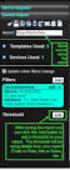
7 NetBytes Viewer: An Entity-based NetFlow Visualization Utility 7 Fig. 3.1: NetBytes host overview representation of a 3D impulse graph (bytes vs. ports vs. time). On the right-hand side of the main viewing window there is a sub window which contains a set of controls allowing the user to interact with the graph for a more detailed analysis of the data. A list box of IP addresses is used to select the host or subnet entity to be displayed in the main graphic window. NetBytes Viewer also gives the user control over setting which port data is displayed via a set of text boxes. Radio button groups allow for the data to be filtered based on data direction, protocol and volume measure (i.e. bytes, packets or flows). Sliders are also provided to select data points as will be described further in the next section. 3.3 User Interaction Rendering a 3D graph on a 2D surface can cause several difficulties including occlusion, loss of depth perception and loss of head parallax (Ware 2004). To deal with these issues, the overview screen is equipped with a number of interactive features. First, to help eliminate occlusion and perception issues, the 3D graph can be rotated around its center axis in all directions by holding down the left mouse button and dragging the view in any direction. This allows the user to view the data from all angles which facilitates the recognition of patterns and can also be used to disambiguate the 2D projection of the 3D graph. Furthermore, the user can drag the graph into two separate 2D orthogonal views (Volumes vs. Ports and Volumes vs. Time) as shown in Figure 3.2. The Volumes vs. Ports view is use-

8 8 Teryl Taylor, Stephen Brooks, John McHugh ful to see the maximum network traffic per port while the Volumes vs. Time graph is useful for investigating peak traffic times. Fig. 3.2: Rotating the 3D graph into two separate 2D orthogonal views Bytes vs. Ports (top) and Bytes vs. Time (bottom).


9 NetBytes Viewer: An Entity-based NetFlow Visualization Utility 9 Fig. 3.3: Bytes vs. Time and Bytes vs. Ports graphs launched when application is in selection mode. Another issue with the 3D graph is that it can be difficult to perceive depth especially when there are several ports on the screen with associated data points. To help the user deal with these issues, the NetBytes Viewer allows the user to look at data in more detail by launching a set of auxiliary 2D graphs (Volumes vs. Ports) and (Volumes vs. Time) as shown in Figure 3.3. These 2D graphs are restricted to

10 10 Teryl Taylor, Stephen Brooks, John McHugh either a single time or a single port. This further reduces occlusion and perspective issues and increases the user s ability to interact with the data. The 2D Volume vs. Ports graph, as shown in Figure 3.3 (top), can be launched by clicking on the Enable Date Selector selection box, while the Volume vs. Time graph (Figure 3.3 bottom) can be launched by clicking on the Enable Port Selector selection box. Clicking on these boxes will not only launch the graphs in a separate window, but also enable the corresponding slider in the main 3D view. Using the slider, the user can select a point on the time axis (if the date selector is enabled) or the user can select a point on the port axis (if the port selector is enabled). Fig. 3.4: Overview Screen in port selector mode (top) and date selector mode (bottom).

11 NetBytes Viewer: An Entity-based NetFlow Visualization Utility 11 When the Port Selector slider is enabled, a green semi-transparent highlight band is displayed along the port axis and a slider is enabled at the bottom of the screen as shown in Figure 3.4 (top). When dragging the slider from side to side, the highlight band moves back and forth along the port axis and the corresponding 2D graph is updated in real-time with the time and volume data for the newly selected port. Clicking on the arrow buttons on either side of the slider causes the highlight band to jump to the next port which has data values. A similar highlight band (in blue) is displayable on the time axis when the Date Selector slider is enabled as shown in Figure 3.4 (bottom). It is worth noting that alternate approaches were considered for implementing the selection feature. Initially we allowed the user to click on a port number on the port axis to highlight the data; however, with a large port range (around 2000+) this became impractical as it was difficult to accurately click on a port. A slider with snap buttons was more effective as the user is able to drag the slider to the vicinity of the intended port and then use the snap buttons to accurately select one. The user can interact with the 2D graph using his or her mouse to highlight data points. Corresponding data values are displayed in the bottom left hand corner of the window, as can be seen in Fig 3.3. These values are updated in real-time. Axes with a large number of data points can make it difficult to precisely highlight these values using the mouse; therefore, the UP and DOWN arrows were enabled on the window. Moving the cursor to a region on the graph and pressing the UP arrow selects the closest data point to the right hand side of the cursor. Furthermore, pressing the DOWN arrow selects the closest data point to the left side of the cursor. 3.4 Implementation Details NetBytes was written in C++ using the OpenGL graphics library (Woo et al. 1999). OpenGL was chosen for its power and flexibility in developing 3D graphics. OpenGL is a high performance graphics package written in C++ which is important when dealing with large amounts of data. Furthermore, it is platform independent which makes it useful for both Windows and UNIX users. Our aim is to release all tools as open source software on a variety of platforms. NetFlows are gathered from a network border using the SiLK collection utilities and then processed with the SiLK bag tools. Afterwards, data is loaded into an SQL database by a small automated process. NetBytes uses this database when rendering its graphs. Using an intermediate database allows the application to capitalize on the more powerful SQL query language. It also ensures that the viewer can be used with other data analysis tools other than SiLK.

12 12 Teryl Taylor, Stephen Brooks, John McHugh 3.5 Case Studies The goal of NetBytes Viewer is to enable administrators to quickly analyze the flow of traffic into and out of a host or subnet to determine if any malicious activity is occurring. A good example of where NetBytes Viewer proved useful was at a small networking research laboratory. The SiLK tools were installed to collect Netflow traffic at a border between the internal and external networks. As part of the research facility, the administrators house computers for external companies. Data was collected between February and March 2006 yielding some interesting results. One host in particular produced fascinating visualizations indicating signs of systems being hijacked. Using NetBytes Viewer, evidence that the host was compromised is seen immediately as shown in Figure 3.5 (top). As can be seen, there is a significant amount of incoming UDP traffic on ports 26,900 (yellow band) and 27,015 (brown band). These ports are typically utilized as game server ports for games like Half Life. The machine had been compromised and turned into a game server. Using the port selector feature, the port traffic was investigated in further detail in the 2D Packets vs. Time graph also shown in Figure 3.5 (bottom). Many worms and viruses utilize high numbered ports to transfer data. NetBytes Viewer makes it easy to see the traffic on these higher ports to identify intrusion. Also of interest is the consistent traffic volumes on port 123 (red band in Figure 3.5) which suggests this system is likely an NTP server for the network. Changing the filter parameters on the right control window allows the user to investigate the outgoing UDP traffic as shown in Figure 3.6. Since the Figure shows outgoing traffic, there is plenty of ephemeral port activity including two very prevalent bands of consistent data flow. One data flow is on port 27,014 (pink band that is highlighted by the port selector) and is likely the outgoing traffic for the game server running on the machine. The brown band maps to port 54,020 which seems to be typically used for client applications like FTP, messaging etc. on Linux servers. Since NetBytes Viewer shows temporal data as well as traffic volume data on the same graph, administrators are able to see large data spikes in the context of normal traffic volumes. Excessive traffic volumes could be an indication of a denial of service attack or large file upload or download. Another SiLK data set from a private company showed a large spike in TCP traffic one evening during a two week collection period. This spike was clearly visible when using NetBytes Viewer using a volume-protocol-time graph. With a small amount of further investigation it was found that such a spike was the result of a planned back up of one of the company s data servers. NetBytes Viewer is also good for looking at cyclic patterns in a network s traffic. For instance, in a company where workers would typically work from 9 to 5 Monday to Friday, one would typically expect the HTTP traffic to be relatively high through the week and almost non-existent on evenings and weekends. With

13 NetBytes Viewer: An Entity-based NetFlow Visualization Utility 13 NetBytes Viewer, network administrators can see these patterns by producing visualizations of entire subnets and networks and drilling down to see specific port traffic. If patterns do not exist, administrators can use the application on smaller subnets and hosts to track down the offending hosts. Ultimately, NetBytes allows the user to monitor how much data traffic is on his/her network over time and using this information can track down malicious behavior. Fig. 3.5: Host compromised by game server (top) and port (bottom).

14 14 Teryl Taylor, Stephen Brooks, John McHugh Fig. 3.6: Outgoing traffic for compromised host. 4 Future Work The current NetBytes feature set provides a good basis for an interactive host visualization; however, there are many more features that we intend to implement. A simple addition would be a mechanism for selecting a range of dates so that the user has more control over what is displayed in the 3D view. One way to do this might be to provide the entire date range on the selection slider, and then allow the user to highlight a range which would dynamically alter the corresponding axes on the graph. Another option is to provide a set of date pickers along the right hand side of the main window, where the user could enter in the range values. Another useful visualization technique that we intend to incorporate is nonlinear distortion (Leung and Apperley 1994). NetBytes is able to display all 65,000 ports as some viruses and Trojans are active on higher ports. But placing such a large port range on the screen at once causes the graph to become very large which can make it much more difficult to analyze. Since data tends to be sparse in higher port range, this range ( ) could be distorted (compressed) to show all the data but in far less space. One way to do this might be to group ports into 256 partitions and collapse all the traffic for a partition into 1 aggregate impulse.

15 NetBytes Viewer: An Entity-based NetFlow Visualization Utility 15 The application also requires a mechanism for displaying all the remote hosts that interact with the current host as well as the amount of data transferred per hour between the hosts. A possible approach might be to create another 3D graph which depicts volumes vs. destination hosts vs. time. Another option might be to launch the 2D graph of volumes vs. ports and then list the remote hosts on a per port basis off the 2D graph. Other features that will be explored include: The ability to filter based on protocol (UDP, TCP, ICMP etc.), magnitude of bytes transferred per hour, and individual remote host IP addresses. The latter filter would be excellent to view what data is being transferred per port between two machines on a network. The 3D graph could be made bidirectional which enables the user to view network data on both the source and destination ports of a particular host. Standardize the scaling values across 2D graphs so that they can be more easily compared. Ability to generate PDF files or jpegs of the visualizations. Ability to snap the 3D graph to a 2D orthogonal view. Use flooding techniques to display accurate Byte values on the 3D graph. Integrate NetBytes more closely with the SiLK NetFlow analysis tools. The NetBytes viewer will also become a component of a larger network level visualization tool which shows connections between entities as well as entity behavior. This tool will support drill down to follow links between entity levels and to identify the sources or destinations of the volumes contributing to a single impulse. A user study will also be conducted to analyze the impact of the visualization tool on a network administrator s ability to do his/her job. Such a study is invaluable in gaining feedback on the tool s usefulness. 5 Conclusions In conclusion, NetBytes provides a useful technique for visualizing network traffic flows to an individual host using a 3D Volume vs. Ports vs. Time graph. Furthermore, it provides a set of interactive features enabling network administrators to discover anomalous traffic patterns that could indicate signs of a virus or Trojan. As a result, it offers an effective drill down mechanism for a larger network analysis visualization tool. Many features will be added to NetBytes to improve its ability to effectively help in the fight against network intrusion. This work can therefore be viewed as the initial stage of a comprehensive network visualization project.

16 16 Teryl Taylor, Stephen Brooks, John McHugh Acknowledgements This work was supported by NSERC and the Canadian Foundation for Innovation. References 1. Abdullah K, Lee C, Conti G, Copeland J A, Stasko J (2005) IDS RainStorm: visualizing IDS alerts. Proceedings of the IEEE Workshop on Visualization for Computer Security (VizSEC), Ball R, Fink G A, North C (2004) Home-centric visualization of network traffic for security administration. Proceedings of the 2004 ACM workshop on Visualization and data mining for computer security, Fink G A, Muessig P, North C (2005) Visual correlation of host processes and network traffic. Proceedings of the IEEE Workshop on Visualization for Computer Security (VizSEC), Komlodi A, Rheingans P, Ayachit U, Goodall J R, and Joshi A (2004) A user-centered look at glyph-based security visualization. IEEE Workshops on Visualization for Computer Security, Lakkaraju K, Yurcik W, Bearavolu R, Lee A J (2004) NVisionIP: netflow visualizations of system state for security situational awareness. Proceedings of the ACM workshop on Visualization and data mining for computer security, Lau, S (2004) The spinning cube of potential doom. Communications of the ACM, 47(6): Leung Y K, Apperley M D (1994) A review and taxonomy of distortion-oriented presentation techniques. ACM Transactions on Computer-Human Interaction, 1(2): McHugh J, Gates C, Becknel D (2004) Situational awareness and network traffic analysis. Cyberspace Security and Defense: Research Issues, McPherson J, Ma K, Krystosk P, Bartoletti T, Christensen M (2004) PortVis: a tool for port-based detection of security events. Procreedings of the ACM workshop on visualization and data mining for computer security, Rensink R A, O'Regan J K, Clark J J (1997) To see or not to see: the need for attention to perceive changes in scenes. Psychological Science 8 (5): Ware C (2004) Information Visualization: Perception for Design. Morgan Kaufman 12. Woo M, Neider J, Davis T, Shreiner D (1999) OpenGL Programming Guide: The Official Guide to Learning OpenGL. OpenGL Architecture Review Board, Addison-Wesley Professional 13. Yin X, Yurcik W, Li Y, Lakkaraju K, Abad C (2004) VisflowConnect: netflow visualizations of link relationships for security situational awareness. Proceedings of the ACM Workshop on Visualization and Data Mining for Computer Security, 26-34

A Visualization Technique for Monitoring of Network Flow Data
 A Visualization Technique for Monitoring of Network Flow Data Manami KIKUCHI Ochanomizu University Graduate School of Humanitics and Sciences Otsuka 2-1-1, Bunkyo-ku, Tokyo, JAPAPN [email protected]
NVisionIP: An Interactive Network Flow Visualization Tool for Security
 NVisionIP: An Interactive Network Flow Visualization Tool for Security Kiran Lakkaraju William Yurcik Ratna Bearavolu Adam J. Lee National Center for Supercomputing Applications (NCSA) University of Illinois,
FLOVIS: A NETWORK SECURITY VISUALIZATION FRAMEWORK
 FLOVIS: A NETWORK SECURITY VISUALIZATION FRAMEWORK by Teryl Taylor Submitted in partial fulfillment of the requirements for the degree of Master of Computer Science at Dalhousie University Halifax, Nova
Visualization for Network Traffic Monitoring & Security
 Visualization for Network Traffic Monitoring & Security Erwan ISIT/KYUSHU, Supélec 2006 Plan Visualization Visualization Host based Network based Between networks Other prototypes Pre-processing PGVis
A LITERATURE REVIEW OF NETWORK MONITORING THROUGH VISUALISATION AND THE INETVIS TOOL
 A LITERATURE REVIEW OF NETWORK MONITORING THROUGH VISUALISATION AND THE INETVIS TOOL Christopher Schwagele Supervisor: Barry Irwin Computer Science Department, Rhodes University 29 July 2010 Abstract Network
An Adaptable Innovative Visualization For Multiple Levels of Users
 World Applied Sciences Journal 15 (5): 722-727, 2011 ISSN 1818-4952 IDOSI Publications, 2011 An Adaptable Innovative Visualization For Multiple Levels of Users Doris Hooi-Ten Wong and Sureswaran Ramadass
Flamingo: Visualizing Internet Traffic
 Flamingo: Visualizing Internet Traffic Jon Oberheide, Michael Goff, Manish Karir Networking Research and Development Merit Network Inc. Ann Arbor, MI 48104 USA {jonojono,goffm,mkarir}@merit.edu Abstract
Flexible Web Visualization for Alert-Based Network Security Analytics
 Flexible Web Visualization for Alert-Based Network Security Analytics Lihua Hao 1, Christopher G. Healey 1, Steve E. Hutchinson 2 1 North Carolina State University, 2 U.S. Army Research Laboratory [email protected]
VisFlowConnect-IP: A Link-Based Visualization of NetFlows for Security Monitoring
 VisFlowConnect-IP: A Link-Based Visualization of NetFlows for Security Monitoring William Yurcik National Center for Supercomputing Applications (NCSA) University of Illinois at Urbana-Champaign [email protected]
NSC 93-2213-E-110-045
 NSC93-2213-E-110-045 2004 8 1 2005 731 94 830 Introduction 1 Nowadays the Internet has become an important part of people s daily life. People receive emails, surf the web sites, and chat with friends
Visual Firewall: Real-time Network Security Monitor
 Visual Firewall: Real-time Network Security Monitor Chris P. Lee Georgia Tech CSC Jason Trost Georgia Tech CS Dept Nicholas Gibbs Georgia Tech CS Dept Raheem Beyah Georgia Tech CSC John A. Copeland Georgia
1 Log visualization at CNES (Part II)
 1 Log visualization at CNES (Part II) 1.1 Background For almost 2 years now, CNES has set up a team dedicated to "log analysis". Its role is multiple: This team is responsible for analyzing the logs after
NVisionIP and VisFlowConnect-IP: Two Tools for Visualizing NetFlows for Security
 NVisionIP and VisFlowConnect-IP: Two Tools for Visualizing NetFlows for Security William Yurcik National Center for Supercomputing Applications (NCSA) University of Illinois at
Don t skip these expert tips for making your firewall airtight, bulletproof and fail-safe. 10 Tips to Make Sure Your Firewall is Really Secure
 Don t skip these expert tips for making your firewall airtight, bulletproof and fail-safe. 10 Tips to Make Sure Your Firewall is Really Secure Security studies back up this fact: It takes less than 20
SonicWALL GMS Custom Reports
 SonicWALL GMS Custom Reports Document Scope This document describes how to configure and use the SonicWALL GMS 6.0 Custom Reports feature. This document contains the following sections: Feature Overview
About Firewall Protection
 1. This guide describes how to configure basic firewall rules in the UTM to protect your network. The firewall then can provide secure, encrypted communications between your local network and a remote
WhatsUpGold. v12.3.1. NetFlow Monitor User Guide
 WhatsUpGold v12.3.1 NetFlow Monitor User Guide Contents CHAPTER 1 WhatsUp Gold NetFlow Monitor Overview What is NetFlow?... 1 How does NetFlow Monitor work?... 2 Supported versions... 2 System requirements...
A Survey, Taxonomy, and Analysis of Network Security Visualization Techniques
 Georgia State University ScholarWorks @ Georgia State University Computer Science Theses Department of Computer Science 1-12-2006 A Survey, Taxonomy, and Analysis of Network Security Visualization Techniques
NetFlow Tracker Overview. Mike McGrath x ccie CTO [email protected]
 NetFlow Tracker Overview Mike McGrath x ccie CTO [email protected] 2006 Copyright Crannog Software www.crannog-software.com 1 Copyright Crannog Software www.crannog-software.com 2 LEVELS OF NETWORK
A Novel Visualization Method for Detecting DDoS Network Attacks
 A Novel Visualization Method for Detecting DDoS Network Attacks Jiawan Zhang 1, Guoqiang Yang 1, Liangfu Lu 2,*, Mao Lin Huang 3, 1. School of Computer Science and Technology, Tianjin University, Tianjin,P.R.China;
How To Protect Your Network From Attack From A Hacker On A University Server
 Network Security: A New Perspective NIKSUN Inc. Security: State of the Industry Case Study: Hacker University Questions Dave Supinski VP of Regional Sales [email protected] Cell Phone 215-292-4473 www.niksun.com
Network Probe User Guide
 Network Probe User Guide Network Probe User Guide Table of Contents 1. Introduction...1 2. Installation...2 Windows installation...2 Linux installation...3 Mac installation...4 License key...5 Deployment...5
Network Threat Behavior Analysis Monitoring Guide. McAfee Network Security Platform 6.1
 Network Threat Behavior Analysis Monitoring Guide McAfee Network Security Platform 6.1 COPYRIGHT Copyright 2011 McAfee, Inc. All Rights Reserved. No part of this publication may be reproduced, transmitted,
Monitor Network Activity
 Monitor Network Activity Panorama provides a comprehensive, graphical view of network traffic. Using the visibility tools on Panorama the Application Command Center (ACC), logs, and the report generation
AlienVault. Unified Security Management (USM) 5.x Policy Management Fundamentals
 AlienVault Unified Security Management (USM) 5.x Policy Management Fundamentals USM 5.x Policy Management Fundamentals Copyright 2015 AlienVault, Inc. All rights reserved. The AlienVault Logo, AlienVault,
Sophos XG Firewall v 15.01.0 Release Notes. Sophos XG Firewall Reports Guide v15.01.0
 Sophos XG Firewall v 15.01.0 Release Notes Sophos XG Firewall Reports Guide v15.01.0 For Sophos and Cyberoam Customers Document Date: November 2015 Contents 2 Contents Reports... 4 Basics...4 Reports Navigation...
Applications. Network Application Performance Analysis. Laboratory. Objective. Overview
 Laboratory 12 Applications Network Application Performance Analysis Objective The objective of this lab is to analyze the performance of an Internet application protocol and its relation to the underlying
Architecture. The DMZ is a portion of a network that separates a purely internal network from an external network.
 Architecture The policy discussed suggests that the network be partitioned into several parts with guards between the various parts to prevent information from leaking from one part to another. One part
NMS300 Network Management System
 NMS300 Network Management System User Manual June 2013 202-11289-01 350 East Plumeria Drive San Jose, CA 95134 USA Support Thank you for purchasing this NETGEAR product. After installing your device, locate
CHAPTER 1 WhatsUp Flow Monitor Overview. CHAPTER 2 Configuring WhatsUp Flow Monitor. CHAPTER 3 Navigating WhatsUp Flow Monitor
 Contents CHAPTER 1 WhatsUp Flow Monitor Overview What is Flow Monitor?... 1 How does Flow Monitor work?... 2 Supported versions... 2 System requirements... 2 CHAPTER 2 Configuring WhatsUp Flow Monitor
Network Monitoring On Large Networks. Yao Chuan Han (TWCERT/CC) [email protected]
 Network Monitoring On Large Networks Yao Chuan Han (TWCERT/CC) [email protected] 1 Introduction Related Studies Overview SNMP-based Monitoring Tools Packet-Sniffing Monitoring Tools Flow-based Monitoring
Preserving the Big Picture: Visual Network Traffic Analysis with TNV
 Preserving the Big Picture: Visual Network Traffic Analysis with TNV John R. Goodall Wayne G. Lutters Penny Rheingans Anita Komlodi University of Maryland, Baltimore County ABSTRACT When performing packet-level
Preserving the Big Picture: Visual Network Traffic Analysis with TNV
 Preserving the Big Picture: Visual Network Traffic Analysis with TNV John R. Goodall Wayne G. Lutters Penny Rheingans Anita Komlodi University of Maryland, Baltimore County ABSTRACT When performing packet-level
MicroStrategy Desktop
 MicroStrategy Desktop Quick Start Guide MicroStrategy Desktop is designed to enable business professionals like you to explore data, simply and without needing direct support from IT. 1 Import data from
Fuzzy Network Profiling for Intrusion Detection
 Fuzzy Network Profiling for Intrusion Detection John E. Dickerson ([email protected]) and Julie A. Dickerson ([email protected]) Electrical and Computer Engineering Department Iowa State University
Features Overview Guide About new features in WhatsUp Gold v14
 Features Overview Guide About new features in WhatsUp Gold v14 Contents New Features in Ipswitch WhatsUp Gold v14 Welcome to WhatsUp Gold v14!... 1 About the Welcome Center About the Quick Setup Assistant...
How To Monitor Network Activity On Palo Alto Network On Pnetorama On A Pcosa.Com (For Free)
 Monitor Network Activity Palo Alto Networks Panorama Administrator s Guide Version 6.0 Contact Information Corporate Headquarters: Palo Alto Networks 4401 Great America Parkway Santa Clara, CA 95054 www.paloaltonetworks.com/company/contact-us
Monitor Network Activity
 Monitor Network Activity Palo Alto Networks Panorama Administrator s Guide Version 6.1 Contact Information Corporate Headquarters: Palo Alto Networks 4401 Great America Parkway Santa Clara, CA 95054 www.paloaltonetworks.com/company/contact-us
Best Practices for NetFlow/IPFIX Analysis and Reporting
 WHITEPAPER Best Practices for NetFlow/IPFIX Analysis and Reporting IT managers and network administrators are constantly making decisions affecting critical business activity on the network. Management
A Critical Investigation of Botnet
 Global Journal of Computer Science and Technology Network, Web & Security Volume 13 Issue 9 Version 1.0 Year 2013 Type: Double Blind Peer Reviewed International Research Journal Publisher: Global Journals
Volume SYSLOG JUNCTION. User s Guide. User s Guide
 Volume 1 SYSLOG JUNCTION User s Guide User s Guide SYSLOG JUNCTION USER S GUIDE Introduction I n simple terms, Syslog junction is a log viewer with graphing capabilities. It can receive syslog messages
Network Based Intrusion Detection Using Honey pot Deception
 Network Based Intrusion Detection Using Honey pot Deception Dr.K.V.Kulhalli, S.R.Khot Department of Electronics and Communication Engineering D.Y.Patil College of Engg.& technology, Kolhapur,Maharashtra,India.
ImagineWorldClient Client Management Software. User s Manual. (Revision-2)
 ImagineWorldClient Client Management Software User s Manual (Revision-2) (888) 379-2666 US Toll Free (905) 336-9665 Phone (905) 336-9662 Fax www.videotransmitters.com 1 Contents 1. CMS SOFTWARE FEATURES...4
Get Your FIX: Flow Information export Analysis and Visualization
 Get Your FIX: Flow Information export Analysis and Visualization Joint Techs Workshop, Madison, Wisconsin, July 19, 2006 Dave Plonka [email protected] Division of Information Technology, Computer Sciences
When Recognition Matters THE COMPARISON OF PROGRAMS FOR NETWORK MONITORING. www.pecb.com
 When Recognition Matters THE COMPARISON OF PROGRAMS FOR NETWORK MONITORING www.pecb.com Imagine a working environment comprised of a number of switches, routers, some terminals and file servers. Network
Edge Configuration Series Reporting Overview
 Reporting Edge Configuration Series Reporting Overview The Reporting portion of the Edge appliance provides a number of enhanced network monitoring and reporting capabilities. WAN Reporting Provides detailed
SIP Trunk Installation & User Guide
 PRILINK http://www.prilink.com Tel: 905-882-4488 1-866-261-0649 Fax: 905-597-1139 [email protected] [email protected] Table of Contents Overview...3 Important Terms...3 Units of Digital Information...3
Network Defense Tools
 Network Defense Tools Prepared by Vanjara Ravikant Thakkarbhai Engineering College, Godhra-Tuwa +91-94291-77234 www.cebirds.in, www.facebook.com/cebirds [email protected] What is Firewall? A firewall
Assets, Groups & Networks
 Complete. Simple. Affordable Copyright 2014 AlienVault. All rights reserved. AlienVault, AlienVault Unified Security Management, AlienVault USM, AlienVault Open Threat Exchange, AlienVault OTX, Open Threat
MIDAS. Event Log Viewer User s Guide. Part Number MN/MID-EVLOG.IOM Revision 0
 MIDAS Event Log Viewer User s Guide Part Number MN/MID-EVLOG.IOM Revision 0 Table Of Contents: OVERVIEW... 3 STARTING THE EVENT LOG VIEWER... 4 HOW THE VIEWER IS ORGANIZED... 7 DATA VIEW SELECTOR... 7
Visualization of Host Behavior for Network Security
 Visualization of Host Behavior for Network Security Florian Mansmann, Lorenz Meier, and Daniel A. Keim Abstract Monitoring host behavior in a network is one of the most essential tasks in the fields of
Interactive Excel Spreadsheets:
 Interactive Excel Spreadsheets: Constructing Visualization Tools to Enhance Your Learner-centered Math and Science Classroom Scott A. Sinex Department of Physical Sciences and Engineering Prince George
Firewall VPN Router. Quick Installation Guide M73-APO09-380
 Firewall VPN Router Quick Installation Guide M73-APO09-380 Firewall VPN Router Overview The Firewall VPN Router provides three 10/100Mbit Ethernet network interface ports which are the Internal/LAN, External/WAN,
Information Literacy Program
 Information Literacy Program Excel (2013) Advanced Charts 2015 ANU Library anulib.anu.edu.au/training [email protected] Table of Contents Excel (2013) Advanced Charts Overview of charts... 1 Create a chart...
AIM Dashboard-User Documentation
 AIM Dashboard-User Documentation Accessing the Academic Insights Management (AIM) Dashboard Getting Started Navigating the AIM Dashboard Advanced Data Analysis Features Exporting Data Tables into Excel
Traffic Analysis With Netflow. The Key to Network Visibility
 Summary Today, Enterprises know that the WAN is one of their most important assets. It needs to be up and running 24x7 for the enterprise to function smoothly. To make this possible, IT administrators
Intrusion Detection in AlienVault
 Complete. Simple. Affordable Copyright 2014 AlienVault. All rights reserved. AlienVault, AlienVault Unified Security Management, AlienVault USM, AlienVault Open Threat Exchange, AlienVault OTX, Open Threat
Portal Connector Fields and Widgets Technical Documentation
 Portal Connector Fields and Widgets Technical Documentation 1 Form Fields 1.1 Content 1.1.1 CRM Form Configuration The CRM Form Configuration manages all the fields on the form and defines how the fields
Cover. White Paper. (nchronos 4.1)
 Cover White Paper (nchronos 4.1) Copyright Copyright 2013 Colasoft LLC. All rights reserved. Information in this document is subject to change without notice. No part of this document may be reproduced
Power Monitoring Expert 7.2
 Power Monitoring Expert 7.2 PDF version of the Web Applications online help 7ENxx-00xx-00 07/2013 PDF version of the Web Applications online help Safety information Safety information Important information
Kyubit Business Intelligence OLAP analysis - User Manual
 Using OLAP analysis features of Kyubit Business Intelligence www.kyubit.com Kyubit Business Intelligence OLAP analysis - User Manual Using OLAP analysis features of Kyubit Business Intelligence 2016, All
CHAPTER. Monitoring and Diagnosing
 CHAPTER 20. This chapter provides details about using the Diagnostics & Monitoring system available through ShoreTel Director. It contains the following information: Overview... 661 Architecture... 661
Application of Netflow logs in Analysis and Detection of DDoS Attacks
 International Journal of Computer and Internet Security. ISSN 0974-2247 Volume 8, Number 1 (2016), pp. 1-8 International Research Publication House http://www.irphouse.com Application of Netflow logs in
Multi-Homing Dual WAN Firewall Router
 Multi-Homing Dual WAN Firewall Router Quick Installation Guide M73-APO09-400 Multi-Homing Dual WAN Firewall Router Overview The Multi-Homing Dual WAN Firewall Router provides three 10/100Mbit Ethernet
NVMS-1200. User Manual
 NVMS-1200 User Manual Contents 1 Software Introduction... 1 1.1 Summary... 1 1.2 Install and Uninstall... 1 1.2.1 Install the Software... 1 2 Login Software... 3 2.1 Login... 3 2.2 Control Panel Instruction...
Second-generation (GenII) honeypots
 Second-generation (GenII) honeypots Bojan Zdrnja CompSci 725, University of Auckland, Oct 2004. [email protected] Abstract Honeypots are security resources which trap malicious activities, so they
Comparison of Firewall, Intrusion Prevention and Antivirus Technologies
 White Paper Comparison of Firewall, Intrusion Prevention and Antivirus Technologies How each protects the network Juan Pablo Pereira Technical Marketing Manager Juniper Networks, Inc. 1194 North Mathilda
SonicWALL Global Management System Reporting Guide Standard Edition
 SonicWALL Global Management System Reporting Guide Standard Edition Version 2.9.4 Copyright Information 2005 SonicWALL, Inc. All rights reserved. Under the copyright laws, this manual or the software described
Traffic Analysis with Netflow The Key to Network Visibility
 Traffic Analysis with Netflow The Key to Network Visibility > WHITEPAPER Executive Summary Enterprises today, know that the WAN is one of their most important assets. It needs to be up and running 24x7
Linux MDS Firewall Supplement
 Linux MDS Firewall Supplement Table of Contents Introduction... 1 Two Options for Building a Firewall... 2 Overview of the iptables Command-Line Utility... 2 Overview of the set_fwlevel Command... 2 File
Simplified Network Traffic Visualization for Real-Time Security Analysis
 Simplified Network Traffic Visualization for Real-Time Security Analysis Matthew Dean and Lucas Vespa Department of Computer Science University of Illinois Springfield Springfield, IL 62703 Abstract Although
Fuzzy Network Profiling for Intrusion Detection
 Fuzzy Network Profiling for Intrusion Detection John E. Dickerson ([email protected]) and Julie A. Dickerson ([email protected]) Electrical and Computer Engineering Department Iowa State University
Guardian Digital WebTool Firewall HOWTO. by Pete O Hara
 Guardian Digital WebTool Firewall HOWTO by Pete O Hara Guardian Digital WebTool Firewall HOWTO by by Pete O Hara Revision History Revision $Revision: 1.1 $ $Date: 2006/01/03 17:25:17 $ Revised by: pjo
Pure1 Manage User Guide
 User Guide 11/2015 Contents Overview... 2 Pure1 Manage Navigation... 3 Pure1 Manage - Arrays Page... 5 Card View... 5 Expanded Card View... 7 List View... 10 Pure1 Manage Replication Page... 11 Pure1
INTRUSION DETECTION SYSTEM (IDS) by Kilausuria Abdullah (GCIH) Cyberspace Security Lab, MIMOS Berhad
 INTRUSION DETECTION SYSTEM (IDS) by Kilausuria Abdullah (GCIH) Cyberspace Security Lab, MIMOS Berhad OUTLINE Security incident Attack scenario Intrusion detection system Issues and challenges Conclusion
Port evolution: a software to find the shady IP profiles in Netflow. Or how to reduce Netflow records efficiently.
 TLP:WHITE - Port Evolution Port evolution: a software to find the shady IP profiles in Netflow. Or how to reduce Netflow records efficiently. Gerard Wagener 41, avenue de la Gare L-1611 Luxembourg Grand-Duchy
CREATING EXCEL PIVOT TABLES AND PIVOT CHARTS FOR LIBRARY QUESTIONNAIRE RESULTS
 CREATING EXCEL PIVOT TABLES AND PIVOT CHARTS FOR LIBRARY QUESTIONNAIRE RESULTS An Excel Pivot Table is an interactive table that summarizes large amounts of data. It allows the user to view and manipulate
ReceivablesVision SM Getting Started Guide
 ReceivablesVision SM Getting Started Guide March 2013 Transaction Services ReceivablesVision Quick Start Guide Table of Contents Table of Contents Accessing ReceivablesVision SM...2 The Login Screen...
Introduction Installation firewall analyzer step by step installation Startup Syslog and SNMP setup on firewall side firewall analyzer startup
 Introduction Installation firewall analyzer step by step installation Startup Syslog and SNMP setup on firewall side firewall analyzer startup Configuration Syslog server add and check Configure SNMP on
CCNA Discovery 4.0.3.0 Networking for Homes and Small Businesses Student Packet Tracer Lab Manual
 4.0.3.0 Networking for Homes and Small Businesses Student Packet Tracer Lab Manual This document is exclusive property of Cisco Systems, Inc. Permission is granted to print and copy this document for non-commercial
My AutoSupport. User Guide. October 2013
 System User Guide My AutoSupport October 2013 NetApp AutoSupport is an integrated, efficient monitoring and reporting technology that checks the health of your AutoSupport enabled NetApp systems on a continual
Semantic based Web Application Firewall (SWAF V 1.6) Operations and User Manual. Document Version 1.0
 Semantic based Web Application Firewall (SWAF V 1.6) Operations and User Manual Document Version 1.0 Table of Contents 1 SWAF... 4 1.1 SWAF Features... 4 2 Operations and User Manual... 7 2.1 SWAF Administrator
CISCO INFORMATION TECHNOLOGY AT WORK CASE STUDY: CISCO IOS NETFLOW TECHNOLOGY
 CISCO INFORMATION TECHNOLOGY AT WORK CASE STUDY: CISCO IOS NETFLOW TECHNOLOGY CISCO INFORMATION TECHNOLOGY SEPTEMBER 2004 1 Overview Challenge To troubleshoot capacity and quality problems and to understand
Recommendations for Network Traffic Analysis Using the NetFlow Protocol Best Practice Document
 Recommendations for Network Traffic Analysis Using the NetFlow Protocol Best Practice Document Produced by AMRES NMS Group (AMRES BPD 104) Author: Ivan Ivanović November 2011 TERENA 2010. All rights reserved.
3D Tool 2.0 Quick Start Guide
 www.tenable.com [email protected] 3D Tool 2.0 Quick Start Guide ABOUT THE 3D TOOL Tenable s 3D Tool is a Windows application that is used to query data from a SecurityCenter 4 server and present it in
Denial of Service attacks: analysis and countermeasures. Marek Ostaszewski
 Denial of Service attacks: analysis and countermeasures Marek Ostaszewski DoS - Introduction Denial-of-service attack (DoS attack) is an attempt to make a computer resource unavailable to its intended
An apparatus for P2P classification in Netflow traces
 An apparatus for P2P classification in Netflow traces Andrew M Gossett, Ioannis Papapanagiotou and Michael Devetsikiotis Electrical and Computer Engineering, North Carolina State University, Raleigh, USA
Guide To Creating Academic Posters Using Microsoft PowerPoint 2010
 Guide To Creating Academic Posters Using Microsoft PowerPoint 2010 INFORMATION SERVICES Version 3.0 July 2011 Table of Contents Section 1 - Introduction... 1 Section 2 - Initial Preparation... 2 2.1 Overall