
Two Factor Authentication. Using mobile for additional IT security
|
|
|
- Ethelbert Page
- 9 years ago
- Views:
Transcription
1 Two Factor Authentication Using mobile for additional IT security 9th June 2011
2 2

3 Introduction 3 Many companies have already identified the need for additional security for their computer networks, websites and other IT assets. This additional security typically takes the form of multi-factor authentication where a factor is one of: Something you have Something you know Something you are The most common variant of this is something you have i.e. a physical device which provides a unique and one-use code for authentication. However, these devices rely on the user carrying them at all times, and although they are small, they have a minimum size due to the requirement for a display and sufficient battery capacity to make them reliable throughout their life expectancy. The obvious extension to this concept is to use something which is always accessible to the user. Biometric scanners ( something you are ) which scan fingerprints or unique features of user s eyes are very expensive to produce, and are required at each location that authentication is required so are out of the scope of most projects. Given that 95% or all adults over 15 in the UK own a mobile phone 1, and most people ensure that their phone is with them at all times, mobile becomes an ideal candidate for the something you have element of multi-factor authentication. This document outlines some of the issues involved, and how Incentivated can help your business leverage our technology to achieve your security goals without purchasing additional expensive or cumbersome hardware. 1 OFCOM Consumer Market Report August 2010
![1. Existing Authentication Solutions 4 Accurat e clock Unique Secret Key Security Algorithm OTP display Figure 2 - Time-based token methodology 1.1. Probably the most ubiquitous solution on the market at the moment is the RSA SecurID tag [Figure 1].](/docs-images/33/15988721/images/4-0.jpg "This, and most other simple code display products on the market tag works by means of a time-synchronised One Time Password (OTP) as outlined in [Figure 2]")
4 1. Existing Authentication Solutions 4 Accurat e clock Unique Secret Key Security Algorithm OTP display Figure 2 - Time-based token methodology 1.1. Probably the most ubiquitous solution on the market at the moment is the RSA SecurID tag [Figure 1]. This, and most other simple code display products on the market tag works by means of a time-synchronised One Time Password (OTP) as outlined in [Figure 2] Another solution along similar lines is a secure USB dongle or key which needs to be plugged in by the user. This dongle has the encryption key encoded within the hardware, which can then be read by software on the users machine. The primary issue with this solution is that it requires software and drivers to be installed on the client machine A way of getting around the need for software is for the dongle to present itself as a keyboard to the computer. This requires the user to physically press a single button on the device, but means that it can be used anywhere. Yubico have produced an increasingly popular open source solution along these lines called a Yubikey An alternative to time-synchronised devices is to keep a sequence number within the device instead of a timestamp. For USB dongles such as the Yubikey, this makes sense as the device can know how many times it has been used. This number then becomes the seed key for the encryption algorithm, and has the advantage that multiple logins with the same code are not possible; reducing the efficacy of man in the middle attacks. Figure 1 - RSA SecureID token 1.5. All of these solutions however, require the use of a physical device, which needs to be carried by the user at all times they need access to the network or machine(s) being secured. One solution to this is to use biometric solutions (fingerprint, eye or other physical scanners), which come under the something you are factor, rather than something you know, but deserve a mention here The main drawback with biometric scanners is the cost and availability of the equipment required. Some laptops and keyboards have fingerprint scanners built into them, but these also require special software installed on the device, so do not suit external or remote access from a range of devices. 2. How can mobile help? 2.1. The primary requirement of a something you have multi-factor authentication solution is that the user must have that item with them. Given that one thing that the vast majority of people own, and keep with them at all times is their mobile phone, this provides an ideal platform on which to deliver this second authentication factor People consider mobile phones to be very personal items, and so they are much more likely to be properly looked after than simple key fobor USB-based devices. Combined with the security features available as standard on most smartphone devices (remote wipe, locate me and encrypted file systems), the mobile phone is an ideal platform on which to provide secondary authentication factors within an enhanced security solution. 2 See for more details
5 2.3. There are a number of ways in which mobile can be used for two-factor authentication, depending on the level of security required, the range of users devices, and the systems being connected to. This document sets out to discuss many of the various alternatives available. 3. Considerations 3.1. Any security solution should be considered carefully to suit the required application, taking into account the following aspects of the system: Systems are you trying to secure a distributed network of devices? Single machines? Physical locations? Data what are you trying to secure? How critical is the data and what other security plans are in place for that data? Access what access is already available to the data? Is this security effort in order to enable remote access? Or to improve existing access provisions? Will the system only be accessible from onsite? Or from public locations? Users homes? Users who are they? What mobile devices do they own? What devices are they using to access the secured systems? Will their devices have online access when they need to authenticate? 3.2. There are five steps involved in any two-factor authentication transaction the request, where the user asks to receive an authentication token, OTP generation, where the OTP is created for the user, the response, where the system provides the OTP to the user, entry, where the user enters the OTP in order to access the system, and finally validation, where the server checks the OTP entered is valid Figure 3 shows a generalised user experience for designing a suitable mobile two-factor authentication solution. Some of the product options can be described below and are provided in detail in the following sections: SMS / MMS User requests an OTP via SMS or on the machine to which they need access User receives a code via SMS or MMS reply (a picture is a more secure way of transmitting an alphanumeric code) Mobile website User logs in to an HTTPS secured mobile site and is recognised by the site Site displays an alphanumeric code or image of that code to use for auth Dedicated application (app) Works in a similar way to the site, user runs the application and receives the OTP Application can take advantage of existing device-specific encryption features Cross-platform application Appears like the dedicated application but is built for all mobile operating systems Cannot necessarily take full advantage of device-specific features 3.4. Figure 4 on the following page gives an at-aglance view of the pros and cons of various response methods i.e. what the user interacts with to get the OTP. Request for authentication Response with OTP OTP Entry System Access User interface System being accessed OTP generation OTP Validation Figure 3 - Two Factor Authentication user experience. Boxes in red are phases involving the mobile solution, defined below

6 6 L=Low, M=Medium H=High SMS / MMS IVR Mobile Site X-Platfrm App Dedicated App Security level M H M M H Relative setup cost L L M H H Relative running costs H H L L L Extra user authentication PIN PIN/Voice Spec. URL Device ID Password Location Device ID Password Location Password Location Device ID Latency of request M L L L L Picture / Captcha Yes No Yes Yes Yes Rel customer cost M * H * L L L Online access required? No No Yes Yes OTP generated where? Server Server Server Server * depends on user s mobile contract depends if user has data bundle (although v. low usage) (If server generated) Server /Device Figure 4 Summary of response methods possible with a mobile device 4. Request Phase 4.1. The user needs the ability to request an authentication token. In the case of a physical token such as the RSA SecurID product, this request simply requires looking at the device, but for a multifunction device such as a mobile phone clearly an alternative is required. i: Periodic push 4.2. For some circumstances it may be sufficient for the user to receive a password for the day or similar on a predetermined schedule. This really is not a request at all, but ensures that the user receives their OTP and can keep it until they need it In the event of the device being compromised, there has to be a means of cancelling this periodic request as soon as possible, and the current OTP should also be invalidated Due to the potential for compromise, this solution is arguably the least secure of the alternatives listed here, but it may well suit some solutions with simplistic security requirements. ii: SMS 4.5. If the user needs to request an OTP as and when they need it, then the most universal way of doing this is to require the user to send an SMS message to a shortcode (5 digits) or longcode (standard 07x number) This mobile-originated message could include a user-specific PIN code to avoid the potential compromise in the event of a device being stolen, but if there is a history of SMS messages on the device then this PIN code will be visible, so shouldn t be relied upon as a security measure One concern about an incoming SMS request for an OTP is the possible delay, although the vast majority of SMS messages are received within minutes of leaving the system, they may take considerably longer than this (typical retry times are up to 3 days for SMS messages). iii: Voice dial-in 4.8. Due to this potential for delay / failure with an asynchronous solution like SMS, an alternative entry such as a voice dial-in emergency number should always be considered.
7 4.9. The user could dial a phone number to request that the OTP be read back to them by an automated system if necessary after the entry of a PIN code or by saying a recognisable phrase The automated phone system will initially recognise the user and validate the PIN code or phrase, by means of the network identifier (MSISDN or caller ID) number Without some additional form of identification this solution suffers from the same potential compromise solution as SMS, but if a PIN code is used this at least will not be stored within the phone s memory after the call is complete. iv: Mobile Website Another way of avoiding the potential time delays associated with SMS request methods is to use a mobile website. A unique-to-user URL could initially be pushed to the user in an SMS message, and the user can bookmark this URL on their device When they click on the link the device uses a unique identifier for the browsing device (Incentivated produce an identifier via a number of properties of the browsing session) to check the legitimacy of the request before providing the OTP to the user Just like the other request methods, the user can be required to enter a PIN code or passphrase to ensure that they are who they claim to be and the device hasn t been compromised For obvious reasons, this solution requires that the user s device be connected to a mobile data network (WiFi will not provide the same unique identifier so cannot necessarily be used) in order to communicate with the server and provide an OTP One added benefit of this approach is that the device s built in location aware functionality is available, so the system can log the users location and use it to further authenticate the request (e.g. they have to be within 500 yards of the system they are trying to access). One drawback of this is that many devices will be indoors with poor satellite coverage, so alternative procedures must be considered The site can encourage the user to add to home screen allowing quick access to the site for frequent visitors. v: Cross-platform App A cross-platform app is one built using Incentivated s device specific wrapper, which enables us to produce fully featured applications rapidly and at a low cost, which still take advantage of a number of phone features Such an application can provide the user with an intuitive interface to request an OTP along similar lines to the mobile website solution outlined above Entry to the application will be via an icon on the users application or home screens depending on the device Despite this appearing a very cost effective and user friendly approach, it in fact offers little improvements for an authentication solution over a standard mobile web site with add to home screen functionality as outlined above, so for the purposes of this whitepaper will not be discussed further. vi: Dedicated App A dedicated application has the massive advantage that it can make full use of the features available on the device, and with modern smartphones this often includes advanced encryption facilities for data storage on the device itself Such facilities could be used to provide offline authentication of the user, so that their device is not required to be online to receive their OTP as is the case with all of the above options The request phase however, would appear identical to the user to the Mobile Website or Cross-platform app solutions, appearing in the application or home screens. Once the user clicks on the icon, they receive a welcome screen and can touch a button to receive their one time password As before, the user can be required to enter a PIN code before they see the OTP. vii: Dedicated App with NFC token A new mobile technology being adopted by phone manufacturers is the addition of shortrange Radio Frequency Identifier (RFID) chips to devices.
8 8 User requires OTP User taps NFC card onto device Device runs auth app Optionally user has to enter PIN Device displays OTP Figure 5 - NFC token used to generate an OTP The use of these chips within mobile is known as Near Field Communications or NFC, and is slowly becoming more popular as the latest devices adopt the technology For the purposes of this discussion, the technology essentially consists of tags which can be stuck to or embedded within business card sized items. These tags store text, or an action which can be interpreted and carried out by the phone Due to the compact size, and obscure nature of the tags (they don t have to obviously be labelled security key for example), they can be used as an authentication token for a dedicated app. For added security, the app could even reprogramme the tag on a per-use basis and blacklist the previous code, to avoid unauthorised copying of the tag Figure 5 shows the user experience for NFCbased security, when used without a PIN it is a very quick and efficient way to retrieve an OTP, requiring very little user effort. 5. OTP Generation Phase 5.1. Some means of producing the one time password or authentication key is required. In general this falls into two categories either generated directly on the mobile device, or pulled from an internet-based server or site In addition, the server providing the OTP could be one hosted by Incentivated, or hosted within the clients existing IT infrastructure. i: Internet based OTP generation service 5.3. In the case of the voice- or SMS- based request methods, the server providing the SMS / Voice service must communicate to the OTP generation service this communication may need to be over the public internet in which case an appropriate security protocol should be employed to avoid man in the middle attacks Similarly, for the mobile internet solution, the web server host must be able to securely communicate with the OTP generation service For the cross-platform or dedicated app solutions, the application itself needs to communicate securely with the OTP generation service. This is best done with an HTTPSsecured web service Incentivated can provide the OTP generation service with appropriate encrypted channels designed for use on a mobile device if required. Please contact your account manager for more details. ii: Direct OTP generation on the mobile device 5.7. Although at first glance, generating the one time password on the users device directly removes the risk of communicating keys over the public internet. However, the encryption functionality available on a number of devices may not be sufficient to generate a suitably secure password, so a compromise needs to be drawn between convenience, feature requirements, multiple device support and security For obvious reasons the only solution which will provide direct OTP generation is an application. Cross-platform applications have no access to device security features, so a dedicated application is recommended for this OTP generation method Paragraph 5.7 notwithstanding, later versions 3 of the Apple iphone, Android, Windows Mobile 7 and RIM (Blackberry) all provide built in encryption facilities for data, so a private key can safely be stored on these devices and used to generate a one-time password. Featurephone and older devices however may not universally have this flexibility. 3 iphone versions 3GS and up with the latest OS updates support encrypted files within device-specific applications.
9 5.10. As well as the source of the key, the information to be encrypted to generate the OTP should also be decided, as mentioned above this can either be time-synchronised or sequential, depending on the requirements. Typically for user-initiated solutions such as this a sequential seed provides the best security and maximum reliability, and will be assumed for the remainder of this study The format of the one time password is important; whether it is numeric or alphanumeric, and the required length of the resultant OTP. As it is likely that the user then will have to type the OTP into a computer, this should be as short as possible whilst maintaining the required level of security. iii: OTP algorithm There are a number of considerations to be taken into account in generating the OTP itself Incentivated s OTP generation service uses industry standard public/private key encryption techniques to generate the password effectively as described below The constituents used to generate the OTP are as follows: A private key, which is specific to and only accessible by the device (or in the case of server-side generation, the user session). This private key is the most critical security requirement of the system, as if compromised; an attacker can recreate OTP strings at will, without the knowledge of the user. A sequence number or timestamp (Optionally) a device or additional shared secret, which is added to the sequence number or timestamp for additional verification Recalling the diagram in Figure 2, the service uses the private key to encrypt the sequence number and shared secret and then generate the OTP in the required format. The encryption algorithm itself is outside the scope of this document but can be provided if required, or custom built to client requirements as appropriate to the solution. 6. Response Phase 6.1. Once the OTP has been generated, it needs to be provided to the user. The simplest way is to display it within the application or mobile website, or within an SMS response to the user In the case of a voice dial-in solution the OTP needs to be read out using a text-to-speech engine One consideration for the response to the user is man in the middle attacks, both physical and technical. In the case of a web or SMS displayed OTP, an attacker may be able to read the OTP before it gets to the user. A potential solution to this man-in-the middle attack is to display the OTP as an image; especially an image which has been distorted so it is difficult to read using Optical Character Recognition (OCR) software the technology to do this is well understood in the form of human detection CAPTCHA images OTP images can be displayed to the user within a website or application, or sent directly via MMS to the users handset Alternatively, with the addition of appropriate hardware and software on the target system, the phone could display the OTP as a 2-dimensional barcode to be read by a camera on the target system, or transmit the OTP over Bluetooth to it. These solutions have their own security considerations, and require a potentially costly rollout but can be used with far longer (and hence harder to compromise) OTP formats. This solution can be provided by Incentivated but is out of scope for this document. 7. OTP Entry Phase 7.1. Once the user has the OTP, they need to enter it into the system. Obviously this stage depends on the system being authenticated. A number of common systems are outlined below, but integration with other third party systems can of course be investigated. 4 See for a description of the technology
10 i: Windows Domains 8. OTP Validation Phase Incentivated can develop a client-branded authentication plug-in for Windows Vista and above, which requires that the user type in their OTP before their regular Windows password. No change to the domain controller configuration is needed for this authentication solution; an installation package is simply rolled out to the workstations that require two factor authentication. ii: Web Sites / Apps 7.3. Incentivated can provide plug-ins for Apache (implemented as a module) and IIS web servers (implemented as a.net filter) which provide authentication facilities for web sites via HTTP(S) BASIC and DIGEST authentication. The user is asked to type the OTP and password together in the browser displayed password box Alternatively, and preferred by most site authors, is a web form based solution. Incentivated can provide APIs to authenticate users based on username, OTP and password, and sample code in most common enterprise server programming languages. iii: Enterprise applications 7.5. The same APIs mentioned above can be built into enterprise applications for authentication if required Once the user has provided their OTP to the server, it needs to be validated. If created using the method described in section 5 with private key encryption, then the corresponding public key is required to decrypt the OTP and validate the sequence number or timestamp and (if required) verify the additional shared key If a sequence number is used, then it is compared with a counter associated with the user s record and passed if the user s current counter is lower than the sequence number passed If timestamps are used, then the timestamp should be within a predetermined time interval from the current time. Here, care must be taken to ensure that the server and devices times are in sync. An additional check to ensure that the timestamp hasn t previously been used should also be made Once validated, then the standard password is passed on to the original authentication method to ensure the user has access to the system The OTP validation system needs access to a database of user IDs, public keys and used sequences / timestamps, as well as any other access controls (user disabled, access allowed times, etc) as required. Access to this database should have appropriate access and audit controls in place for obvious reasons However, as these applications may not be sufficiently modular to add authentication layers, Incentivated can investigate provision of various solutions based on industry standards such as RADIUS, CHAP / PAP and LDAP.
11 Conclusion In summary, a mobile device is a very capable solution for providing one time authentication passwords to users, and adding a second authentication factor in a corporate security system. As with any security system, care must be taken that that system is specified correctly, and the level of sophistication and functionality is appropriate for the level of protection required, and weighed up against user experience for that system. Incentivated can help you evaluate the various available solutions and work through to rolling out a reliable security solution whilst not inconveniencing your users.

12 12 Contact us for more information A selection of other white papers we offer: Web: or scan the QR code below The Mobile Web to see our optimised mcommerce website on your phone. Mobile Coupons Tel: +44 (0) Incentivated is an independent technology company with 10 years experience operating exclusively in the mobile marketing services sector. We help our international client base engage with their customers by designing, developing and delivering integrated acquisition, retention (CRM) and transaction (mcommerce) campaigns and services for mobile. Our proprietary technology and specialist staff are well positioned to help brands, the public sector and charities to develop everything from enterprise messaging (SMS & MMS) through to mobile internet sites, to server-side software or handset applications, including web apps, for smartphones and feature phones. We also provide strategic, creative and technical advice for the use of mobile by businesses to raise awareness, deliver marketing ROI and provide customer service. Scan the QR code below to see our website optimised for your mobile phone, but accessed through our existing website URL. No code reader? Text CODE to to link to a reader appropriate to your phone
NetIQ Advanced Authentication Framework
 NetIQ Advanced Authentication Framework Security Officer Guide Version 5.2.0 1 Table of Contents 1 Table of Contents 2 Introduction 3 About This Document 3 Authenticators Management 4 Card 8 Email OTP
Two Factor Authentication (TFA; 2FA) is a security process in which two methods of authentication are used to verify who you are.
 Two Factor Authentication Two Factor Authentication (TFA; 2FA) is a security process in which two methods of authentication are used to verify who you are. For example, one method currently utilized within
WHITEPAPER. SECUREAUTH 2-FACTOR AS A SERVICE 2FaaS
 WHITEPAPER SECUREAUTH 2-FACTOR AS A SERVICE 2FaaS EXECUTIVE OVERVIEW 2-Factor as a Service (2FaaS) is a 100% cloud-hosted authentication solution that offers flexible security without compromising user
Kaseya 2. User Guide. Version 1.0
 Kaseya 2 Mobile Device Management User Guide Version 1.0 March 12, 2012 About Kaseya Kaseya is a global provider of IT automation software for IT Solution Providers and Public and Private Sector IT organizations.
Improving Online Security with Strong, Personalized User Authentication
 Improving Online Security with Strong, Personalized User Authentication July 2014 Secure and simplify your digital life. Table of Contents Online Security -- Safe or Easy, But Not Both?... 3 The Traitware
GO!Enterprise MDM Device Application User Guide Installation and Configuration for ios with TouchDown
 GO!Enterprise MDM Device Application User Guide Installation and Configuration for ios with TouchDown GO!Enterprise MDM for ios Devices, Version 3.x GO!Enterprise MDM for ios with TouchDown 1 Table of
GO!Enterprise MDM Device Application User Guide Installation and Configuration for Android with TouchDown
 GO!Enterprise MDM Device Application User Guide Installation and Configuration for Android with TouchDown GO!Enterprise MDM for Android, Version 3.x GO!Enterprise MDM for Android with TouchDown 1 Table
Guide for Setting Up Your Multi-Factor Authentication Account and Using Multi-Factor Authentication. Mobile App Activation
 Guide for Setting Up Your Multi-Factor Authentication Account and Using Multi-Factor Authentication Mobile App Activation Before you can activate the mobile app you must download it. You can have up to
Two-Factor Solutions Choosing the Right One"
 Copyright (c) 2013 RCDevs S.A. (http://www.rcdevs.com) - Page 1/ Two-Factor Solutions Choosing the Right One By RCDevs (http://www.rcdevs.com/) The need to secure access to online applications and resources
AUTHENTIFIERS. Authentify Authentication Factors for Constructing Flexible Multi-Factor Authentication Processes
 AUTHENTIFIERS Authentify Authentication Factors for Constructing Flexible Multi-Factor Authentication Processes Authentify delivers intuitive and consistent authentication technology for use with smartphones,
RSA SecurID Software Token 1.3 for iphone and ipad Administrator s Guide
 RSA SecurID Software Token 1.3 for iphone and ipad Administrator s Guide Contact Information See the RSA corporate web site for regional Customer Support telephone and fax numbers: www.rsa.com Trademarks
Rohos Logon Key for Windows Remote Desktop logon with YubiKey token
 Rohos Logon Key for Windows Remote Desktop logon with YubiKey token Step-by-Step Integration Guide. Tesline-Service S.R.L. 10 Calea Iesilor str., Chisinau, MD-2069, Moldova. Tel: +373-22-740-242 www.rohos.com
GO!Enterprise MDM Device Application User Guide Installation and Configuration for Android
 GO!Enterprise MDM Device Application User Guide Installation and Configuration for Android GO!Enterprise MDM for Android, Version 3.x GO!Enterprise MDM for Android 1 Table of Contents GO!Enterprise MDM
Multi Factor Authentication API
 GEORGIA INSTITUTE OF TECHNOLOGY Multi Factor Authentication API Yusuf Nadir Saghar Amay Singhal CONTENTS Abstract... 3 Motivation... 3 Overall Design:... 4 MFA Architecture... 5 Authentication Workflow...
Step 1. Step 2. Open your browser and go to https://accounts.bestcare.org and you will be presented a logon screen show below.
 Manage your two-factor options through the accounts.bestcare.org website. This website is available internally and externally of the organization. Like other services, if you connect while external of
Two-Factor Authentication over Mobile: Simplifying Security and Authentication
 SAP Thought Leadership Paper SAP Mobile Services Two-Factor Authentication over Mobile: Simplifying Security and Authentication Controlling Fraud and Validating End Users Easily and Cost-Effectively Table
Multi-Factor Authentication for first time users
 Multi-Factor Authentication for first time users **Multi-Factor Authentication will be required for all Duke University accounts on July 1 st, 2016.** What is Multi-Factor Authentication (MFA)?? Multi-factor
Brainloop Secure Dataroom Version 8.30. QR Code Scanner Apps for ios Version 1.1 and for Android
 Brainloop Secure Dataroom Version 8.30 QR Code Scanner Apps for ios Version 1.1 and for Android Quick Guide Brainloop Secure Dataroom Version 8.30 Copyright Brainloop AG, 2004-2015. All rights reserved.
Cloud Services MDM. ios User Guide
 Cloud Services MDM ios User Guide 10/24/2014 CONTENTS Overview... 3 Supported Devices... 3 System Capabilities... 3 Enrollment and Activation... 4 Download the Agent... 4 Enroll Your Device Using the Agent...
YubiRADIUS Deployment Guide for corporate remote access. How to Guide
 YubiRADIUS Deployment Guide for corporate remote access How to Guide May 15, 2012 Introduction Disclaimer Yubico is the leading provider of simple, open online identity protection. The company s flagship
Quick Start Guide. Version R9. English
 Mobile Device Management Quick Start Guide Version R9 English February 25, 2015 Agreement The purchase and use of all Software and Services is subject to the Agreement as defined in Kaseya s Click-Accept
Hitachi ID Password Manager Telephony Integration
 Hitachi ID Password Manager Telephony Integration 2015 Hitachi ID Systems, Inc. All rights reserved. Contents 1 Introduction 1 2 Functional integration 2 2.1 Self-service password reset....................................
Mechanics Bank Mobile Banking Mobile Finance Manager (MFM) Application Palm Treo Installation
 Mechanics Bank Mobile Banking Mobile Finance Manager (MFM) Application Palm Treo Installation Thank you for your interest in Mechanics Bank Mobile Banking. This guide will help you get started with Mechanics
GO!Enterprise MDM Device Application User Guide Installation and Configuration for ios Devices
 GO!Enterprise MDM Device Application User Guide Installation and Configuration for ios Devices GO!Enterprise MDM for ios Devices, Version 3.x GO!Enterprise MDM for ios Devices 1 Table of Contents GO!Enterprise
Flexible Identity. OTP software tokens guide. Multi-Factor Authentication. version 1.0
 Flexible Identity Multi-Factor Authentication OTP software tokens guide version 1.0 Publication History Date Description Revision 2014.02.07 initial release 1.0 Copyright Orange Business Services 2 of
ATTENTION: End users should take note that Main Line Health has not verified within a Citrix
 Subject: Citrix Remote Access using PhoneFactor Authentication ATTENTION: End users should take note that Main Line Health has not verified within a Citrix environment the image quality of clinical cal
Device LinkUP + Desktop LP Guide RDP
 Device LinkUP + Desktop LP Guide RDP Version 2.1 January 2016 Copyright 2015 iwebgate. All Rights Reserved. No part of this publication may be reproduced, transmitted, transcribed, stored in a retrieval
Two Factor Authentication - USER GUIDE
 Two Factor Authentication - USER GUIDE Two Factor Authentication (or 2FA) is a two step verification process that provides an extra layer of security for you when accessing your account within Online Services.
Two-Factor Authentication
 Two-Factor Authentication This document describes SonicWALL s implementation of two-factor authentication for SonicWALL SSL-VPN appliances. This document contains the following sections: Feature Overview
Guide for Setting Up Your Multi-Factor Authentication Account and Using Multi-Factor Authentication
 Guide for Setting Up Your Multi-Factor Authentication Account and Using Multi-Factor Authentication This document serves as a How To reference guide for employees to execute the following MFA tasks: 1.
STRONGER AUTHENTICATION for CA SiteMinder
 STRONGER AUTHENTICATION for CA SiteMinder Adding Stronger Authentication for CA SiteMinder Access Control 1 STRONGER AUTHENTICATION for CA SiteMinder Access Control CA SITEMINDER provides a comprehensive
Hosted Desktop for Business
 Your complete guide to Hosted Desktop Hosted Desktop for Business 1 Doc V1.0 Jan 2014 Table of Contents Hosted Desk- 3 Hosted Desktops today... 4 What is a hosted desktop? 4 How does it work? 6 How easy
www.rohos.com Two-factor authentication Free portable encryption for USB drive Hardware disk encryption Face recognition logon
 Two-factor authentication Free portable encryption for USB drive Hardware disk encryption Face recognition logon Secure Windows and Mac login by USB key www.rohos.com Rohos Logon Key Secure two-factor
Sticky Password 7. Sticky Password 7 is the latest, most advanced, portable, cross platform version of the powerful yet
 Sticky Password 7 Reviewer Guide Introduction Sticky Password 7 is the latest, most advanced, portable, cross platform version of the powerful yet simple password manager and form-filler. Its main goal
RSA SecurID Software Token 1.0 for Android Administrator s Guide
 RSA SecurID Software Token 1.0 for Android Administrator s Guide Contact Information See the RSA corporate web site for regional Customer Support telephone and fax numbers: www.rsa.com Trademarks RSA,
Guide to Evaluating Multi-Factor Authentication Solutions
 Guide to Evaluating Multi-Factor Authentication Solutions PhoneFactor, Inc. 7301 West 129th Street Overland Park, KS 66213 1-877-No-Token / 1-877-668-6536 www.phonefactor.com Guide to Evaluating Multi-Factor
SafeNet MobilePASS Version 8.2.0, Revision B
 SafeNet MobilePASS Version 8.2.0, Revision B User Guide Software Version 8.2.0 Documentation Version: 20101118 2012 SafeNet, Inc. All rights reserved Preface All intellectual property is protected by copyright.
Security Token User Guide
 TABLE OF CONTENTS 1 INTRODUCTION... 3 1.1 FUNCTIONS OF THE TOKEN... 3 1.2 SECURITY FEATURES OF THE TOKENS... 3 1.3 TOKEN INTERFACE... 3 1.4 VASCO TOKEN REPLACEMENT... 4 1.5 DEFINITIONS AND ACRONYMS...
Android App User Guide
 www.novell.com/documentation Android App User Guide ZENworks Mobile Management 2.7.x August 2013 Legal Notices Novell, Inc., makes no representations or warranties with respect to the contents or use of
A brief on Two-Factor Authentication
 Application Note A brief on Two-Factor Authentication Summary This document provides a technology brief on two-factor authentication and how it is used on Netgear SSL312, VPN Firewall, and other UTM products.
2-FACTOR AUTHENTICATION WITH OPENLDAP, OATH-HOTP AND YUBIKEY. Axel Hoffmann
 2-FACTOR AUTHENTICATION WITH OPENLDAP, OATH-HOTP AND YUBIKEY Axel Hoffmann Biography Axel Hoffmann Linux System Administrator 1&1 Mail & Media Dev. & Tech. GmbH [email protected] 2 Introduction Requirements
Ciphermail Gateway PDF Encryption Setup Guide
 CIPHERMAIL EMAIL ENCRYPTION Ciphermail Gateway PDF Encryption Setup Guide March 6, 2014, Rev: 5454 Copyright c 2008-2014, ciphermail.com. CONTENTS CONTENTS Contents 1 Introduction 4 2 Portal 4 3 PDF encryption
YubiKey Authentication Module Design Guideline
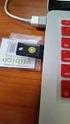 YubiKey Authentication Module Design Guideline Yubico Application Note Version 1.0 May 7, 2012 Introduction Disclaimer Yubico is the leading provider of simple, open online identity protection. The company
Vehicle Monitoring Quick Reference Guide
 Vehicle Monitoring Quick Reference Guide Powered by Delphi Welcome You re about to experience a powerful device that will deliver a new level of convenience and peace of mind with your vehicle. When combined
Ensuring the security of your mobile business intelligence
 IBM Software Business Analytics Cognos Business Intelligence Ensuring the security of your mobile business intelligence 2 Ensuring the security of your mobile business intelligence Contents 2 Executive
Allianz Global Investors Remote Access Guide
 Allianz Global Investors Remote Access Guide Web Address: http://remote.allianzgi-us.com/ Page 1 of 34 pages Please contact the Service Desk at Table of Contents 1. Introduction to the Remote Access Page
Secure Your Enterprise with Usher Mobile Identity
 Secure Your Enterprise with Usher Mobile Identity Yong Qiao, Vice President of Software Engineering & Chief Security Architect, MicroStrategy Agenda Introduction to Usher Unlock the enterprise Dematerialize
Mobile Admin Security
 Mobile Admin Security Introduction Mobile Admin is an enterprise-ready IT Management solution that generates significant cost savings by dramatically increasing the responsiveness of IT organizations facing
Kaseya 2. User Guide. Version 7.0. English
 Kaseya 2 Mobile Device Management User Guide Version 7.0 English September 3, 2014 Agreement The purchase and use of all Software and Services is subject to the Agreement as defined in Kaseya s Click-Accept
EMV-TT. Now available on Android. White Paper by
 EMV-TT A virtualised payment system with the following benefits: MNO and TSM independence Full EMV terminal and backend compliance Scheme agnostic (MasterCard and VISA supported) Supports transactions
Xerox Multifunction Devices. Verify Device Settings via the Configuration Report
 Xerox Multifunction Devices Customer Tips March 15, 2007 This document applies to these Xerox products: X WC 4150 X WCP 32/40 X WCP 35/45/55 X WCP 65/75/90 X WCP 165/175 X WCP 232/238 X WCP 245/255 X WCP
YubiKey Integration for Full Disk Encryption
 YubiKey Integration for Full Disk Encryption Pre-Boot Authentication Version 1.2 May 7, 2012 Introduction Disclaimer yubico Yubico is the leading provider of simple, open online identity protection. The
Internet Banking Two-Factor Authentication using Smartphones
 Internet Banking Two-Factor Authentication using Smartphones Costin Andrei SOARE IT&C Security Master Department of Economic Informatics and Cybernetics Bucharest University of Economic Studies, Romania
McAfee Enterprise Mobility Management
 Technical FAQ McAfee Enterprise Mobility Management Frequently Asked Questions Device Management Q: Which devices do you currently support? A: McAfee Enterprise Mobility Management (McAfee EMM ) offers
Entrust IdentityGuard
 +1-888-437-9783 [email protected] IdentiSys.com Distributed by: Entrust IdentityGuard is an award-winning software-based authentication enterprises and governments. The solution serves as an organization's
NetIQ Advanced Authentication Framework - Smartphone Applications
 NetIQ Advanced Authentication Framework - Smartphone Applications User Guide Version 3.0 1 Table of Contents 1 Table of Contents 2 Introduction 3 About This Document 3 System Requirements 4 Install Smartphone
Design and Analysis of Methods for Signing Electronic Documents Using Mobile Phones
 Design and Analysis of Methods for Signing Electronic Documents Using Mobile Phones Pramote Kuacharoen School of Applied Statistics National Institute of Development Administration 118 Serithai Rd. Bangkapi,
Security Provider Integration RADIUS Server
 Security Provider Integration RADIUS Server 2015 Bomgar Corporation. All rights reserved worldwide. BOMGAR and the BOMGAR logo are trademarks of Bomgar Corporation; other trademarks shown are the property
How Secure is your Authentication Technology?
 How Secure is your Authentication Technology? Compare the merits and vulnerabilities of 1.5 Factor Authentication technologies available on the market today White Paper Introduction A key feature of any
2-FACTOR AUTHENTICATION WITH
 2-FACTOR AUTHENTICATION WITH 2X JUNE 2014 Two-Factor Authentication and Authy What is Two-Factor Authentication? Two-Factor Authentication is a process involving two stages to verify the identity of someone
DigitalPersona Pro Enterprise
 DigitalPersona Pro Enterprise Version 5.3 Frequently Asked Questions 2012 DigitalPersona, Inc. All Rights Reserved. All intellectual property rights in the DigitalPersona software, firmware, hardware and
BlackShield ID Agent for Remote Web Workplace
 Agent for Remote Web Workplace 2010 CRYPTOCard Corp. All rights reserved. http:// www.cryptocard.com Copyright Copyright 2010, CRYPTOCard All Rights Reserved. No part of this publication may be reproduced,
Electronic Questionnaires for Investigations Processing (e-qip)
 January 2016 Electronic Questionnaires for Investigations Processing (e-qip) Login Instructions for first-time users OR users that have had their accounts reset Step 1 Access the e-qip Login screen at
Salesforce1 Mobile Security Guide
 Salesforce1 Mobile Security Guide Version 1, 1 @salesforcedocs Last updated: December 8, 2015 Copyright 2000 2015 salesforce.com, inc. All rights reserved. Salesforce is a registered trademark of salesforce.com,
Replacing legacy twofactor. with YubiRADIUS for corporate remote access. How to Guide
 Replacing legacy twofactor authentication with YubiRADIUS for corporate remote access How to Guide May 15, 2012 Introduction Disclaimer Yubico is the leading provider of simple, open online identity protection.
DIGIPASS Authentication for Sonicwall Aventail SSL VPN
 DIGIPASS Authentication for Sonicwall Aventail SSL VPN With VASCO IDENTIKEY Server 3.0 Integration Guideline 2009 Vasco Data Security. All rights reserved. PAGE 1 OF 52 Disclaimer Disclaimer of Warranties
Securing e-government Web Portal Access Using Enhanced Two Factor Authentication
 Securing e-government Web Portal Access Using Enhanced Two Factor Authentication Ahmed Arara 1, El-Bahlul Emhemed Fgee 2, and Hamdi Ahmed Jaber 3 Abstract This paper suggests an advanced two-factor authentication
IBM Security Access Manager for Enterprise Single Sign-On Version 8.2.1. User Guide IBM SC23-9950-05
 IBM Security Access Manager for Enterprise Single Sign-On Version 8.2.1 User Guide IBM SC23-9950-05 IBM Security Access Manager for Enterprise Single Sign-On Version 8.2.1 User Guide IBM SC23-9950-05
SYNCSHIELD FEATURES. Preset a certain task to be executed. specific time.
 SYNCSHIELD FEATURES This document describes the diversity of SyncShield features. Please note that many of the features require a certain platform version, often earlier software versions do not support
Country Club Bank- Mobile Banking FAQs
 Country Club Bank- Mobile Banking FAQs GENERAL... 2 MOBILE BANKING- WHAT IS IT?... 2 TEXT BANKING... 3 PHONE ENROLLMENT... 4 MOBILE BILLPAY... 5 TROUBLESHOOTING... 6 General How much does this service
A Nemaris Company. Formal Privacy & Security Assessment For Surgimap version 2.2.6 and higher
 A Nemaris Company Formal Privacy & Security Assessment For Surgimap version 2.2.6 and higher 306 East 15 th Street Suite 1R, New York, New York 10003 Application Name Surgimap Vendor Nemaris Inc. Version
WHITE PAPER Usher Mobile Identity Platform
 WHITE PAPER Usher Mobile Identity Platform Security Architecture For more information, visit Usher.com [email protected] Toll Free (US ONLY): 1 888.656.4464 Direct Dial: 703.848.8710 Table of contents Introduction
Secure Web Access Solution
 Secure Web Access Solution I. CONTENTS II. INTRODUCTION... 2 OVERVIEW... 2 COPYRIGHTS AND TRADEMARKS... 2 III. E-CODE SECURE WEB ACCESS SOLUTION... 3 OVERVIEW... 3 PKI SECURE WEB ACCESS... 4 Description...
YubiKey & OATH- TOTP Verification
 YubiKey & OATH- TOTP Verification February 7, 2014 YubiKey & OATH-TOTP Verification 2014 Yubico. All rights reserved. Page 1 of 11 Introduction Disclaimer Yubico is the leading provider of simple, open
SchoolMessenger for iphone
 The SchoolMessenger app lets you quickly and easily send messages from anywhere using your iphone. Setting up and using the application is simple. This guide will show you how! [Important: Before you can
BOTTOM UP THINKING EMAIL SETUP INSTRUCTIONS. Unique businesses require unique solutions CLIENT GUIDE
 BOTTOM UP THINKING Unique businesses require unique solutions EMAIL SETUP INSTRUCTIONS CLIENT GUIDE INDEX How to connect a. Deciding on best method (POP or IMAP) Setting up email on devices Webmail a.
NotifyMDM Device Application User Guide Installation and Configuration for Windows Mobile 6 Devices
 NotifyMDM Device Application User Guide Installation and Configuration for Windows Mobile 6 Devices End-of-Life Notice Please note that GO!Enterprise MDM server version 3.6.3 is the last to officially
Sophos Mobile Control Administrator guide. Product version: 3.6
 Sophos Mobile Control Administrator guide Product version: 3.6 Document date: November 2013 Contents 1 About Sophos Mobile Control...4 2 About the Sophos Mobile Control web console...7 3 Key steps for
MOBILE BANKING USER GUIDE
 MOBILE BANKING USER GUIDE CentricBank.com DrCentricBank.com 717.657.7727 Centric Bank does not currently charge a fee for Mobile Banking. However, your mobile phone provider may charge data usage fees
DUO SECURITY CISCO VPN USER GUIDE 1/27/2016
 DUO SECURITY CISCO VPN USER GUIDE 1/27/2016 CONTENTS Enrolling Your Devices... 2 Install Cisco AnyConnect VPN Client... 6 Connecting to a PC with Microsoft Remote Desktop... 8 Disconnecting the AnyConnect
YubiKey OSX Login. yubico. Via Yubico-PAM Challenge-Response. Version 1.6. October 24, 2015
 YubiKey OSX Login Via Yubico-PAM Challenge-Response Version 1.6 October 24, 2015 YubiKey OSX Login 2015 Yubico. All rights reserved. Page 1 of 18 About Yubico Disclaimer As the inventors of the YubiKey,
Astaro Security Gateway V8. Remote Access via L2TP over IPSec Configuring ASG and Client
 Astaro Security Gateway V8 Remote Access via L2TP over IPSec Configuring ASG and Client 1. Introduction This guide contains complementary information on the Administration Guide and the Online Help. If
Quick Start Guide: Iridium GO! Advanced Portal
 Quick Start Guide: Iridium GO! Advanced Portal Contents Set-Up... 3 Overview... 4 Main Tab 1: General... 5 Status.... 5 Settings... 8 Audio.... 8 GPS.... 9 Tab 2: Communication... 9 Wi-Fi... 9 Satellite...
Apache Server Implementation Guide
 Apache Server Implementation Guide 340 March Road Suite 600 Kanata, Ontario, Canada K2K 2E4 Tel: +1-613-599-2441 Fax: +1-613-599-2442 International Voice: +1-613-599-2441 North America Toll Free: 1-800-307-7042
FAQ for ipad (ios 5.x)
 FAQ for ipad (ios 5.x) Content: 1. Connecting to CityU Wireless Local Area Network (CityU WLAN) 2. Setting up the Microsoft Exchange account (for staff only) 3. Setting up the Office365 Exchange online
Establishing two-factor authentication with Barracuda NG Firewall and HOTPin authentication server from Celestix Networks
 Establishing two-factor authentication with Barracuda NG Firewall and HOTPin authentication server from Celestix Networks Contact Information www.celestix.com Celestix Networks USA Celestix Networks EMEA
Authentication. Authentication in FortiOS. Single Sign-On (SSO)
 Authentication FortiOS authentication identifies users through a variety of methods and, based on identity, allows or denies network access while applying any required additional security measures. Authentication
Software Token Security & Provisioning: Innovation Galore!
 Software Token Security & Provisioning: Innovation Galore! Kenn Min Chong, Principal Product Manager SecurID, RSA Emily Ryan, Security Solution Architect, Intel Michael Lyman, Product Marketing Manager,
There are a variety of ways to read ebooks from the Stirling Libraries and Archives ebooks Collection.
 1 Guide Contents Using Stirling Libraries and Archives ebook Service 2 Downloading to Adobe Digital Editions 6 Transferring to an E-Reader from Adobe Digital 7 Editions Downloading to an Apple ipad and
Mobility, Security and Trusted Identities: It s Right In The Palm of Your Hands. Ian Wills Country Manager, Entrust Datacard
 Mobility, Security and Trusted Identities: It s Right In The Palm of Your Hands Ian Wills Country Manager, Entrust Datacard WHO IS ENTRUST DATACARD? 2 Entrust DataCard Datacard Corporation. Corporation.
BlackBerry Enterprise Service 10. Secure Work Space for ios and Android Version: 10.1.1. Security Note
 BlackBerry Enterprise Service 10 Secure Work Space for ios and Android Version: 10.1.1 Security Note Published: 2013-06-21 SWD-20130621110651069 Contents 1 About this guide...4 2 What is BlackBerry Enterprise
Multi-Factor Authentication FAQs
 General FAQs What is Multi-factor Authentication (MFA)? Multi-factor authentication (MFA) seeks to decrease the likelihood that others can access your data. Specifically, it enhances the security of your
Enhancing Web Application Security
 Enhancing Web Application Security Using Another Authentication Factor Karen Lu and Asad Ali Gemalto, Inc. Technology & Innovations Austin, TX, USA Overview Introduction Current Statet Smart Cards Two-Factor
GadgetTrak Mobile Security Android & BlackBerry Installation & Operation Manual
 GadgetTrak Mobile Security Android & BlackBerry Installation & Operation Manual Overview GadgetTrak Mobile Security is an advanced software application designed to assist in the recovery of your mobile
Policy and Profile Reference Guide
 BlackBerry Enterprise Service 10 BlackBerry Device Service Version: 10.2 Policy and Profile Reference Guide Published: 2014-06-16 SWD-20140616165002982 Contents 1 About this guide... 10 2 New IT policy
The increasing popularity of mobile devices is rapidly changing how and where we
 Mobile Security BACKGROUND The increasing popularity of mobile devices is rapidly changing how and where we consume business related content. Mobile workforce expectations are forcing organizations to