
SPARC Enterprise M3000/M4000/M5000/M8000/M9000 Servers. Administration Guide
|
|
|
- Meredith Porter
- 10 years ago
- Views:
Transcription
1 SPARC Enterprise M3000/M4000/M5000/M8000/M9000 Servers Administration Guide Part No.: E Manual Code: C120-E331-13EN June 2012

2 Copyright 2007, 2012, Oracle and/or its affiliates. All rights reserved. Fujitsu Limited provided technical input and review on portions of this material. Oracle and/or its affiliates and Fujitsu Limited each own or control intellectual property rights relating to products and technology described in this document, and such products, technology and this document are protected by copyright laws, patents, and other intellectual property laws and international treaties. This document and the product and technology to which it pertains are distributed under licenses restricting their use, copying, distribution, and decompilation. No part of such product or technology, or of this document, may be reproduced in any form by any means without prior written authorization of Oracle and/or its affiliates and Fujitsu Limited, and their applicable licensors, if any. The furnishings of this document to you does not give you any rights or licenses, express or implied, with respect to the product or technology to which it pertains, and this document does not contain or represent any commitment of any kind on the part of Oracle or Fujitsu Limited, or any affiliate of either of them. This document and the product and technology described in this document may incorporate third-party intellectual property copyrighted by and/or licensed from the suppliers to Oracle and/or its affiliates and Fujitsu Limited, including software and font technology. Per the terms of the GPL or LGPL, a copy of the source code governed by the GPL or LGPL, as applicable, is available upon request by the End User. Please contact Oracle and/or its affiliates or Fujitsu Limited. This distribution may include materials developed by third parties. Parts of the product may be derived from Berkeley BSD systems, licensed from the University of California. UNIX is a registered trademark in the U.S. and in other countries, exclusively licensed through X/Open Company, Ltd. Oracle and Java are registered trademarks of Oracle and/or its affiliates. Fujitsu and the Fujitsu logo are registered trademarks of Fujitsu Limited. All SPARC trademarks are used under license and are registered trademarks of SPARC International, Inc. in the U.S. and other countries. Products bearing SPARC trademarks are based upon architectures developed by Oracle and/or its affiliates. SPARC64 is a trademark of SPARC International, Inc., used under license by Fujitsu Microelectronics, Inc. and Fujitsu Limited. Other names may be trademarks of their respective owners. United States Government Rights - Commercial use. U.S. Government users are subject to the standard government user license agreements of Oracle and/or its affiliates and Fujitsu Limited and the applicable provisions of the FAR and its supplements. Disclaimer: The only warranties granted by Oracle and Fujitsu Limited, and/or any affiliate of either of them in connection with this document or any product or technology described herein are those expressly set forth in the license agreement pursuant to which the product or technology is provided. EXCEPT AS EXPRESSLY SET FORTH IN SUCH AGREEMENT, ORACLE OR FUJITSU LIMITED, AND/OR THEIR AFFILIATES MAKE NO REPRESENTATIONS OR WARRANTIES OF ANY KIND (EXPRESS OR IMPLIED) REGARDING SUCH PRODUCT OR TECHNOLOGY OR THIS DOCUMENT, WHICH ARE ALL PROVIDED AS IS, AND ALL EXPRESS OR IMPLIED CONDITIONS, REPRESENTATIONS AND WARRANTIES, INCLUDING WITHOUT LIMITATION ANY IMPLIED WARRANTY OF MERCHANTABILITY, FITNESS FOR A PARTICULAR PURPOSE OR NON- INFRINGEMENT, ARE DISCLAIMED, EXCEPT TO THE EXTENT THAT SUCH DISCLAIMERS ARE HELD TO BE LEGALLY INVALID. Unless otherwise expressly set forth in such agreement, to the extent allowed by applicable law, in no event shall Oracle or Fujitsu Limited, and/or any of their affiliates have any liability to any third party under any legal theory for any loss of revenues or profits, loss of use or data, or business interruptions, or for any indirect, special, incidental or consequential damages, even if advised of the possibility of such damages. DOCUMENTATION IS PROVIDED AS IS AND ALL EXPRESS OR IMPLIED CONDITIONS, REPRESENTATIONS AND WARRANTIES, INCLUDING ANY IMPLIED WARRANTY OF MERCHANTABILITY, FITNESS FOR A PARTICULAR PURPOSE OR NON-INFRINGEMENT, ARE DISCLAIMED, EXCEPT TO THE EXTENT THAT SUCH DISCLAIMERS ARE HELD TO BE LEGALLY INVALID. Please Recycle
3 Copyright 2007, 2012, Oracle et/ou ses sociétés affiliées. Tous droits réservés. Fujitsu Limited a fourni et vérifié des données techniques de certaines parties de ce composant. Oracle et/ou ses sociétés affiliées et Fujitsu Limited détiennent et contrôlent chacune des droits de propriété intellectuelle relatifs aux produits et technologies décrits dans ce document. De même, ces produits, technologies et ce document sont protégés par des lois sur le copyright, des brevets, d autres lois sur la propriété intellectuelle et des traités internationaux. Ce document, le produit et les technologies afférents sont exclusivement distribués avec des licences qui en restreignent l utilisation, la copie, la distribution et la décompilation. Aucune partie de ce produit, de ces technologies ou de ce document ne peut être reproduite sous quelque forme que ce soit, par quelque moyen que ce soit, sans l autorisation écrite préalable d Oracle et/ou ses sociétés affiliées et de Fujitsu Limited, et de leurs éventuels bailleurs de licence. Ce document, bien qu il vous ait été fourni, ne vous confère aucun droit et aucune licence, expresses ou tacites, concernant le produit ou la technologie auxquels il se rapporte. Par ailleurs, il ne contient ni ne représente aucun engagement, de quelque type que ce soit, de la part d Oracle ou de Fujitsu Limited, ou des sociétés affiliées de l une ou l autre entité. Ce document, ainsi que les produits et technologies qu il décrit, peuvent inclure des droits de propriété intellectuelle de parties tierces protégés par copyright et/ou cédés sous licence par des fournisseurs à Oracle et/ou ses sociétés affiliées et Fujitsu Limited, y compris des logiciels et des technologies relatives aux polices de caractères. Conformément aux conditions de la licence GPL ou LGPL, une copie du code source régi par la licence GPL ou LGPL, selon le cas, est disponible sur demande par l Utilisateur final. Veuillez contacter Oracle et/ou ses sociétés affiliées ou Fujitsu Limited. Cette distribution peut comprendre des composants développés par des parties tierces. Des parties de ce produit peuvent être dérivées des systèmes Berkeley BSD, distribués sous licence par l Université de Californie. UNIX est une marque déposée aux États-Unis et dans d autres pays, distribuée exclusivement sous licence par X/Open Company, Ltd. Oracle et Java sont des marques déposées d Oracle Corporation et/ou de ses sociétés affiliées. Fujitsu et le logo Fujitsu sont des marques déposées de Fujitsu Limited. Toutes les marques SPARC sont utilisées sous licence et sont des marques déposées de SPARC International, Inc., aux États-Unis et dans d autres pays. Les produits portant la marque SPARC reposent sur des architectures développées par Oracle et/ou ses sociétés affiliées. SPARC64 est une marque de SPARC International, Inc., utilisée sous licence par Fujitsu Microelectronics, Inc. et Fujitsu Limited. Tout autre nom mentionné peut correspondre à des marques appartenant à d autres propriétaires. United States Government Rights - Commercial use. U.S. Government users are subject to the standard government user license agreements of Oracle and/or its affiliates and Fujitsu Limited and the applicable provisions of the FAR and its supplements. Avis de non-responsabilité : les seules garanties octroyées par Oracle et Fujitsu Limited et/ou toute société affiliée de l une ou l autre entité en rapport avec ce document ou tout produit ou toute technologie décrits dans les présentes correspondent aux garanties expressément stipulées dans le contrat de licence régissant le produit ou la technologie fournis. SAUF MENTION CONTRAIRE EXPRESSÉMENT STIPULÉE DANS CE CONTRAT, ORACLE OU FUJITSU LIMITED ET LES SOCIÉTÉS AFFILIÉES À L UNE OU L AUTRE ENTITÉ REJETTENT TOUTE REPRÉSENTATION OU TOUTE GARANTIE, QUELLE QU EN SOIT LA NATURE (EXPRESSE OU IMPLICITE) CONCERNANT CE PRODUIT, CETTE TECHNOLOGIE OU CE DOCUMENT, LESQUELS SONT FOURNIS EN L ÉTAT. EN OUTRE, TOUTES LES CONDITIONS, REPRÉSENTATIONS ET GARANTIES EXPRESSES OU TACITES, Y COMPRIS NOTAMMENT TOUTE GARANTIE IMPLICITE RELATIVE À LA QUALITÉ MARCHANDE, À L APTITUDE À UNE UTILISATION PARTICULIÈRE OU À L ABSENCE DE CONTREFAÇON, SONT EXCLUES, DANS LA MESURE AUTORISÉE PAR LA LOI APPLICABLE. Sauf mention contraire expressément stipulée dans ce contrat, dans la mesure autorisée par la loi applicable, en aucun cas Oracle ou Fujitsu Limited et/ou l une ou l autre de leurs sociétés affiliées ne sauraient être tenues responsables envers une quelconque partie tierce, sous quelque théorie juridique que ce soit, de tout manque à gagner ou de perte de profit, de problèmes d utilisation ou de perte de données, ou d interruptions d activités, ou de tout dommage indirect, spécial, secondaire ou consécutif, même si ces entités ont été préalablement informées d une telle éventualité. LA DOCUMENTATION EST FOURNIE «EN L ÉTAT» ET TOUTE AUTRE CONDITION, DÉCLARATION ET GARANTIE, EXPRESSE OU TACITE, EST FORMELLEMENT EXCLUE, DANS LA MESURE AUTORISÉE PAR LA LOI EN VIGUEUR, Y COMPRIS NOTAMMENT TOUTE GARANTIE IMPLICITE RELATIVE À LA QUALITÉ MARCHANDE, À L APTITUDE À UNE UTILISATION PARTICULIÈRE OU À L ABSENCE DE CONTREFAÇON.

4

5 Contents Preface xiii 1. Introduction to Server Software and Configuration 1 XSCF Firmware 2 Oracle Solaris OS Software 2 Software Services 3 Preparing for System Configuration 5 Information Needed 5 Initial Configuration Tasks 5 Related Information 6 2. Access Control 7 About Access Control 7 Logging in to the System 8 Lockout Period Between Login Attempts 8 XSCF User Accounts 9 XSCF Passwords 9 Privileges 10 XSCF Firmware Update 11 Saving and Restoring XSCF Configuration Information 12 v
6 XSCF Shell Procedures for Access Control 12 To Log in Initially to the XSCF Console 13 To Configure an XSCF Password Policy 15 To Add an XSCF User Account 16 To Create a Password for an XSCF User 16 To Assign Privileges to an XSCF User 17 To Display the Version of Installed Firmware 17 Related Information System Configuration 19 About System Services 19 DSCP Network Between a Service Processor and a Domain 20 XSCF Network Interfaces 21 Domain Name Service 23 LDAP Service 23 Active Directory and LDAP/SSL 25 Time Synchronization and NTP Service 25 SNMP Service 27 Additional Services 28 HTTPS Service 28 Telnet Service 28 SMTP Service 29 SSH Service 29 Altitude Setting 29 XSCF Shell Procedures for System Configuration 29 To Configure the DSCP Network 30 To Display DSCP Network Configuration 31 To Configure the XSCF Network Interfaces 32 To Configure the XSCF Network Route Information 33 vi SPARC Enterprise Mx000 Servers Administration Guide June 2012

7 To Set Or Reset the XSCF Network 34 To Display XSCF Network Configuration 34 To Set the Service Processor Host Name and DNS Domain Name 35 To Set the Service Processor s DNS Name Server 35 To Enable or Disable Use of an LDAP Server for Authentication and Privilege Lookup 36 To Configure the XSCF as an LDAP Client 36 To Configure the XSCF as an NTP Client 37 To Configure the XSCF as an NTP Server 37 To Display the NTP Configuration 38 To Set the Timezone, Daylight Saving Time, Date, and Time Locally on the Service Processor 38 To Create a USM User Known to the SNMP Agent 39 To Display USM Information for the SNMP Agent 40 To Create a VACM Group 40 To Create a VACM View 41 To Give a VACM Group Access to a VACM View 41 To Display VACM Information for the SNMP Agent 41 To Configure the SNMP Agent to Send Version 3 Traps to Hosts 42 To Enable the SNMP Agent 43 To Display SNMP Agent Configuration 43 To Enable or Disable the Service Processor HTTPS Service 44 To Enable or Disable the Service Processor Telnet Service 45 To Configure the Service Processor SMTP Service 45 To Enable or Disable the Service Processor SSH Service 45 To Generate a Host Public Key for SSH Service 46 To Set the Altitude on the Service Processor 46 Related Information Domain Configuration 49 Contents vii
8 About Domains 49 Domains and System Boards 50 SPARC64 VII+, SPARC64 VII, and SPARC64 VI Processors and CPU Operational Modes 55 CPU Operational Modes 56 Domain Resource Assignment 58 Domain Component List and Logical System Boards 60 Overview of Steps for Domain Configuration 60 Domain Configuration Example 61 Domain Communication 63 DSCP Network 63 Accessing a Domain Console From the Service Processor 64 Logging in Directly to a Domain 64 CD-RW/DVD-RW Drive or Tape Drive Assignment 64 Backup and Restore Operations 65 Dynamic Reconfiguration 65 XSCF Shell Procedures for Domain Configuration 65 To Set CPU Operational Mode 66 To Specify XSB Mode on a Midrange or High-End Server 66 To Set Up a Domain Component List for a Midrange or High-End Server Domain 66 To Assign an XSB to a Midrange or High-End Server Domain 67 To Power On a Domain 67 To Display System Board Status 68 To Access a Domain From the XSCF Console 68 To Attach a CD-RW/DVD-RW Drive or Tape Drive While the Oracle Solaris OS Is Running on a High-End Server 68 To Disconnect a CD-RW/DVD-RW Drive or Tape Drive While the Oracle Solaris OS Is Running on a High-End Server 69 Related Information 70 viii SPARC Enterprise Mx000 Servers Administration Guide June 2012

9 5. Managing Disks 71 Requirements for RAID-Capability 72 Creating a Hardware Mirrored Volume as a Data Disk 72 Creating a Hardware Mirrored Volume 73 To Create a Hardware Mirrored Volume as a Data Disk 74 Creating a Hardware Mirrored Volume as the Boot Disk 76 To Create a Hardware Mirrored Volume as the Default Boot Disk 77 Configuring a Hardware RAID Volume for the Oracle Solaris OS (Boot Disk / Data Disk) 78 To Configure a Hardware RAID Volume for the Oracle Solaris OS (Boot Disk / Data Disk) 78 Deleting a Hardware RAID Volume 80 To Delete a Hardware RAID Volume (Data Disk) 80 Active Replacement of a Mirrored Disk 81 To Perform an Active Replacement of a Mirrored Disk (Boot Disk / Data Disk) 81 Disk Slot Numbers 83 Related Information Audit Configuration 85 About Auditing 85 Audit Records 86 Audit Events 86 Audit Classes 87 Audit Policy 87 Audit File Tools 88 XSCF Shell Procedures for Auditing 88 To Enable or Disable Writing of Audit Records to the Audit Trail 88 To Configure an Auditing Policy 88 To Display Whether Auditing is Enabled Or Disabled 89 Contents ix

10 To Display Current Auditing Policy, Classes, or Events 89 Related Information Log Archiving Facility 91 About Log Archiving 91 Using the Log Archiving Facility 91 Archive Host Requirements 93 Log Archiving Errors 93 Using the snapshot Tool 93 Oracle Solaris OS Procedures for Log Archiving 94 To Configure the Log Archive Host 94 XSCF Shell Procedures for Log Archiving 94 To Enable Log Archiving 94 To Disable Log Archiving 95 To Display Log Archiving Configuration and Status 95 To Display Log Archiving Error Details 95 Related Information Capacity on Demand 97 A. Mapping Device Path Names 99 Device Mapping and Logical System Board Numbers 99 CPU Mapping 99 CPU Numbering Examples 101 I/O Device Mapping 102 I/O Device Mapping on Entry-Level Servers 103 Internal Devices on Entry-Level Servers With SPARC64 VII+ Processors 103 Internal Devices on Entry-Level Servers Without SPARC64 VII+ Processors 104 I/O Device Mapping on Midrange Servers 104 x SPARC Enterprise Mx000 Servers Administration Guide June 2012

11 Internal Devices on Midrange Servers 105 I/O Device Mapping on High-End Servers 106 Internal Devices on High-End Servers 106 Internal Devices, RAID Supported 107 Internal Devices, RAID Not Supported 108 Sample cfgadm Output 110 Entry-Level Server 110 Midrange Servers 111 High-End Servers 112 Index 113 Contents xi

12 xii SPARC Enterprise Mx000 Servers Administration Guide June 2012

13 Preface This guide contains initial system configuration instructions for system administration of SPARC Enterprise M3000/M4000/M5000/M8000/M9000 servers from Oracle and Fujitsu. Some references to server names and document names are abbreviated for readability. For example, if you see a reference to the M9000 server, note that the full product name is the SPARC Enterprise M9000 server. And if you see a reference to the XSCF Reference Manual, note that the full document name is the SPARC Enterprise M3000/M4000/M5000/M8000/M9000 Servers XSCF Reference Manual. Besides this document, you also should read, at minimum, the overview guide for your server. The XCP version described in this document might no longer be the latest available version, or the version now installed. Always see the Product Notes that apply to the firmware on your server, and those that apply to the latest firmware release. This chapter includes the following sections: Audience on page xiv Related Documentation on page xiv Text Conventions on page xvi Syntax of the Command-Line Interface (CLI) on page xvi Documentation Feedback on page xvii xiii

14 Audience This guide is written for experienced system administrators with working knowledge of computer networks and advanced knowledge of the Oracle Solaris Operating System (Oracle Solaris OS). Related Documentation All documents for your server are available online at the following locations: Documentation Sun Oracle software-related manuals (Oracle Solaris OS, and so on) Fujitsu documents Oracle M-series server documents Link c-mseries-servers html The following table lists titles of related documents. Related SPARC Enterprise M3000/M4000/M5000/M8000/M9000 Servers Documents SPARC Enterprise M3000 Server Site Planning Guide SPARC Enterprise M4000/M5000 Servers Site Planning Guide SPARC Enterprise M8000/M9000 Servers Site Planning Guide SPARC Enterprise Equipment Rack Mounting Guide SPARC Enterprise M3000 Server Getting Started Guide * SPARC Enterprise M4000/M5000 Servers Getting Started Guide * SPARC Enterprise M8000/M9000 Servers Getting Started Guide * SPARC Enterprise M3000 Server Overview Guide SPARC Enterprise M4000/M5000 Servers Overview Guide SPARC Enterprise M8000/M9000 Servers Overview Guide SPARC Enterprise M3000/M4000/M5000/M8000/M9000 Servers Important Legal and Safety Information * SPARC Enterprise M3000 Server Safety and Compliance Guide xiv SPARC Enterprise Mx000 Servers Administration Guide June 2012

15 Related SPARC Enterprise M3000/M4000/M5000/M8000/M9000 Servers Documents SPARC Enterprise M4000/M5000 Servers Safety and Compliance Guide SPARC Enterprise M8000/M9000 Servers Safety and Compliance Guide External I/O Expansion Unit Safety and Compliance Guide SPARC Enterprise M4000 Server Unpacking Guide * SPARC Enterprise M5000 Server Unpacking Guide * SPARC Enterprise M8000/M9000 Servers Unpacking Guide * SPARC Enterprise M3000 Server Installation Guide SPARC Enterprise M4000/M5000 Servers Installation Guide SPARC Enterprise M8000/M9000 Servers Installation Guide SPARC Enterprise M3000 Server Service Manual SPARC Enterprise M4000/M5000 Servers Service Manual SPARC Enterprise M8000/M9000 Servers Service Manual External I/O Expansion Unit Installation and Service Manual SPARC Enterprise M4000/M5000/M8000/M9000 Servers Administration Guide SPARC Enterprise M4000/M5000/M8000/M9000 Servers XSCF User s Guide SPARC Enterprise M4000/M5000/M8000/M9000 Servers XSCF Reference Manual SPARC Enterprise M4000/M5000/M8000/M9000 Servers Dynamic Reconfiguration (DR) User s Guide SPARC Enterprise M4000/M5000/M8000/M9000 Servers Capacity on Demand (COD) User s Guide SPARC Enterprise M3000/M4000/M5000/M8000/M9000 Servers Product Notes SPARC Enterprise M3000 Server Product Notes SPARC Enterprise M4000/M5000 Servers Product Notes SPARC Enterprise M8000/M9000 Servers Product Notes External I/O Expansion Unit Product Notes SPARC Enterprise M3000/M4000/M5000/M8000/M9000 Servers Glossary * This is a printed document. Beginning with the XCP 1100 release. Preface xv

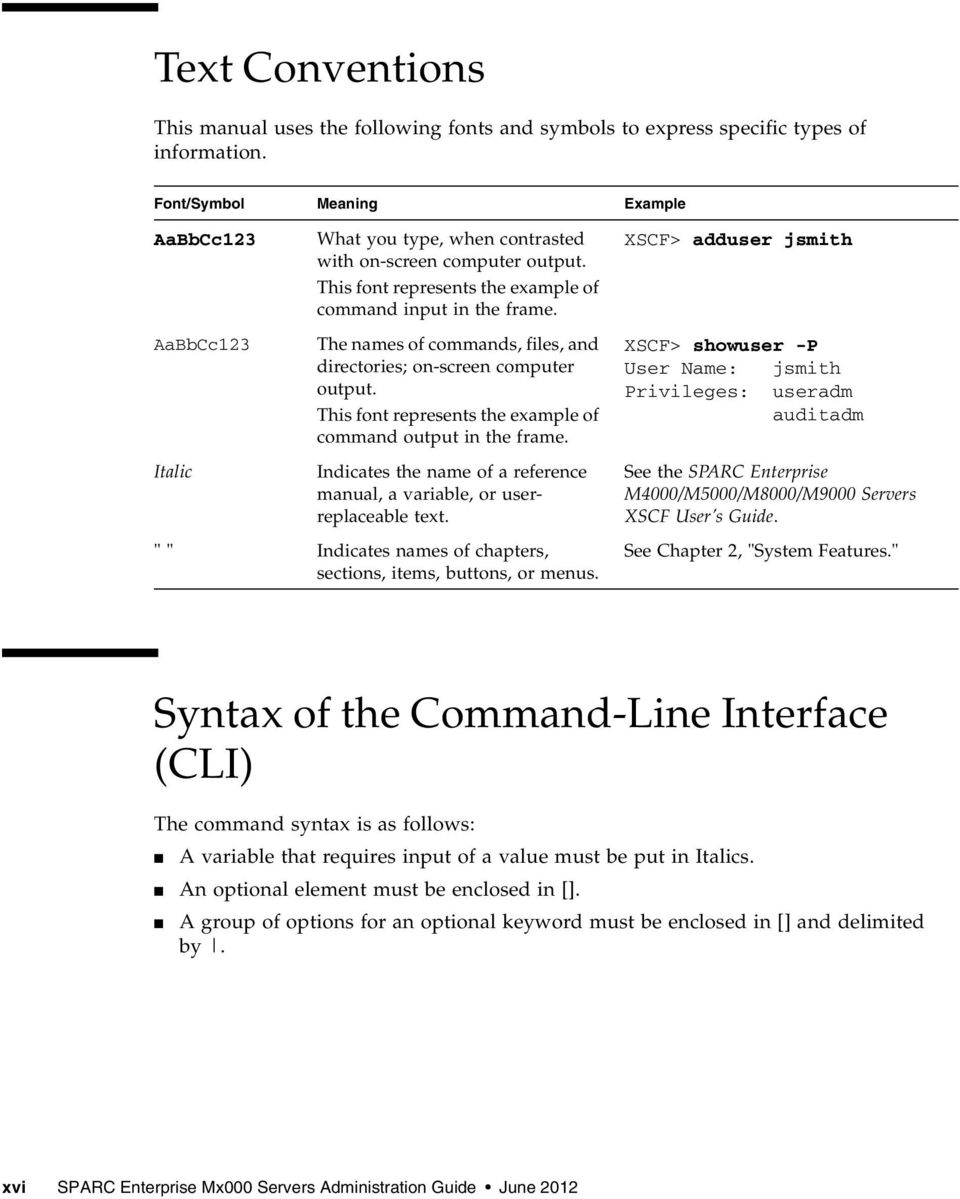
16 Text Conventions This manual uses the following fonts and symbols to express specific types of information. Font/Symbol Meaning Example AaBbCc123 AaBbCc123 Italic What you type, when contrasted with on-screen computer output. This font represents the example of command input in the frame. The names of commands, files, and directories; on-screen computer output. This font represents the example of command output in the frame. Indicates the name of a reference manual, a variable, or userreplaceable text. " " Indicates names of chapters, sections, items, buttons, or menus. XSCF> adduser jsmith XSCF> showuser -P User Name: jsmith Privileges: useradm auditadm See the SPARC Enterprise M4000/M5000/M8000/M9000 Servers XSCF User s Guide. See Chapter 2, "System Features." Syntax of the Command-Line Interface (CLI) The command syntax is as follows: A variable that requires input of a value must be put in Italics. An optional element must be enclosed in []. A group of options for an optional keyword must be enclosed in [] and delimited by. xvi SPARC Enterprise Mx000 Servers Administration Guide June 2012
17 Documentation Feedback If you have any comments or requests regarding this document, go to the following websites: For Oracle users: Include the title and part number of your document with your feedback: SPARC Enterprise M3000/M4000/M5000/M8000/M9000 Servers Administration Guide, part number E For Fujitsu users: Preface xvii

18 xviii SPARC Enterprise Mx000 Servers Administration Guide June 2012

19 CHAPTER 1 Introduction to Server Software and Configuration This manual describes initial system configuration of the SPARC Enterprise M3000/M4000/M5000/M8000/M9000 servers. This product line has entry-level (M3000), midrange (M4000 and M5000) and high-end (M8000 and M9000) servers. Note The midrange and high-end servers support the following features, while the entry-level server does not: Dynamic Reconfiguration (DR), multiple domains, PCI hotplug, Capacity on Demand (COD), and the optional External I/O Expansion Unit. Once you have completed the initial configuration processes described here, see the SPARC Enterprise M3000/M4000/M5000/M8000/M9000 Servers XSCF User s Guide for day-to-day system administration and management tasks. This chapter provides an overview of server firmware, server software, and initial system configuration. It has these sections: XSCF Firmware on page 2 Oracle Solaris OS Software on page 2 Software Services on page 3 Preparing for System Configuration on page 5 Related Information on page 6 1
20 XSCF Firmware Your server provides system management capabilities through extended System Control Facility (XSCF) firmware, pre-installed at the factory on the Service Processor 1 boards. The XSCF firmware consists of system management applications and two user interfaces to configure and control them: XSCF Web, a browser-based graphical user interface XSCF Shell, a terminal-based command-line interface You can access the XSCF firmware by logging in to the XSCF command shell. This document includes instructions for using the XSCF interface as part of the initial system configuration. For more information about the XSCF firmware, see Chapter 2, and the SPARC Enterprise M3000/M4000/M5000/M8000/M9000 Servers XSCF User s Guide. XSCF firmware, OpenBoot PROM firmware, and power-on self-test (POST) firmware are known collectively as the XSCF Control Package (XCP). XSCF firmware has two networks for internal communication. The Domain to Service Processor Communications Protocol (DSCP) network provides an internal communication link between the Service Processor and the Oracle Solaris domains. The Inter-SCF Network (ISN) provides an internal communication link between the two Service Processors in a high-end server. On a high-end server with two Service Processors, one Service Processor is configured as active and the other is configured as standby. This redundancy of two Service Processors allows them to exchange system management information and, in case of failover, to change roles. All configuration information on the active Service Processor is available to the standby Service Processor. Oracle Solaris OS Software The Oracle Solaris OS is pre-installed at the factory on one domain by default. Within its domain, the Oracle Solaris OS includes features to manage Oracle Solaris OS system capabilities. 1. The Service Processor is sometimes referred to as the XSCF Unit, or XSCFU. 2 SPARC Enterprise Mx000 Servers Administration Guide June 2012
21 Note The XSCF firmware requires that all domains have the SUNWsckmr and SUNWsckmu.u packages. Since the Core System, Reduced Network, and Minimal System versions of the Oracle Solaris OS do not automatically install these packages, you must do so on any such domains that do not already have them. You can install applications on the domains. That process is managed through the Oracle Solaris OS tools. Likewise, any other software management applications that you prefer to use on the domains must be installed through the Oracle Solaris OS tools. The DSCP network provides an internal communication link between the Service Processor and the Oracle Solaris domains. Software Services TABLE 1-1 contains an overview of XSCF firmware services and networks that are part of your server, and where they are documented. TABLE 1-1 Service Software Services Description Access control Initial system configuration Domain configuration Managing Disks Access control includes logging in to the system, user accounts, passwords, privileges, and XSCF firmware control. See Chapter 2. Initial configuration of the services for the Service Processor and the domains, including DSCP network, XSCF network, DNS name service, LDAP service, NTP service, HTTPS service, Telnet service, SSH service, SNMP service, and SMTP service. See Chapter 3. Each domain runs its own copy of the Oracle Solaris OS. Domains are managed by the Service Processor XSCF firmware, and communicate with the Service Processor over the DSCP network. You can access a domain console from the Service Processor or, if your system is networked, log in to a domain directly. See Chapter 4. RAID technology enables the construction of a logical volume made up of several physical disks to provide data redundancy, improved performance, or both. The on-board SAS controller of M3000 servers with SPARC64 VII+ processors supports RAID 1 (mirroring) volumes using the Oracle Solaris OS raidctl utility. See Chapter 5. Chapter 1 Introduction to Server Software and Configuration 3
22 TABLE 1-1 Service Auditing Software Services (Continued) Description The auditing function logs all security-related events. See Chapter 6. Log archiving Capacity on demand (COD) Security Fault management Hot-replacement operations External I/O Expansion Unit management The log archiving function allows you to set up a remote host to automatically receive and store log data from your server. See Chapter 7. The COD feature allows you to configure spare processing resources on your M4000/M5000 or M8000/M9000 server in the form of one or more COD CPUs which can be activated at a later date when additional processing power is needed. COD is not supported on the M3000 server To access each COD CPU, you must purchase a COD hardware activation permit. Under certain conditions, you can use COD resources before purchasing COD permits for them. See the SPARC Enterprise M4000/M5000/M8000/M9000 Servers Capacity on Demand (COD) User s Guide. Security is provided through access control (user names, passwords, privileges), audit logs of security-related events, and various security protocols. Your server is secure by default. That is, other than setting up user accounts and privileges, no initial configuration has to be done related to security. For example, no insecure protocols, such as Telnet, are initially enabled. See Chapter 2 and Chapter 6. No initial configuration is needed. Domain fault management includes CPU, memory, and I/O (PCI/PCIe) nonfatal errors. All nonfatal errors are reported to the Oracle Solaris OS, which will attempt to take faulty CPUs offline or to retire faulty memory pages. Fatal errors are generally handled by the Service Processor. Service Processor fault management includes fatal CPU, memory, and I/O errors (the Service Processor will exclude the faulty components upon reboot), as well as environmental monitoring (power supplies, fan speeds, temperatures, currents) and the External I/O Expansion Unit. See the Oracle Solaris OS documentation collection at No initial configuration is needed. PCI cards can be removed and inserted while your midrange or high-end (but not entry-level) server continues to operate. The Oracle Solaris OS cfgadm command is used to unconfigure and disconnect a PCI card. See the Service Manual, and the Oracle Solaris OS documentation collection at No initial configuration is needed. The External I/O Expansion Unit on midrange and high-end (but not entry-level) servers is a rack mountable PCI card chassis. See the External I/O Expansion Unit Installation and Service Manual. 4 SPARC Enterprise Mx000 Servers Administration Guide June 2012
23 Preparing for System Configuration This section lists the information needed for initial system configuration and the initial configuration tasks. Information Needed Before you configure the software, have the following available: Access to the Service Processor with the appropriate privileges for your tasks. More information about access is contained in Chapter 2. An unused range of IP addresses for the internal DSCP network between the Service Processor and the domains. Network configuration information for the Service Processor, including IP addresses, netmask, DNS server, default route, NFS server. The number of domains in your system. By default, there is one domain and its domain number is 0 (zero). The number of domains could be different from the default on midrange or high-end (but not entry-level) servers if you specified another number of domains when you ordered your system. Firmware version information if you are upgrading the XSCF firmware. Information for optional services that you are going to use, such as Lightweight Directory Access Protocol (LDAP) information for authentication. Initial Configuration Tasks Initial configuration requires these tasks: 1. Logging in to the Service Processor with the default log-in name over a serial connection. You must have physical access to the system. 2. Adding at least one user account with a minimum of one privilege, useradm. This user with useradm privileges can then create the rest of the user accounts. 3. Configuring the DSCP network. 4. Configuring the XSCF network. 5. Setting the Service Processor time. The Service Processor can be an NTP client, or an NTP client and NTP server for the domains. Chapter 1 Introduction to Server Software and Configuration 5
24 6. Configuring or enabling any optional services you want to use immediately. These services include Telnet, SNMP, SMTP, LDAP, NTP, HTTPS, DNS, SSH, domains, log archiving, and COD. COD is not supported on the M3000 server. Related Information For additional information on this chapter s topics, see: Resource man pages (see the Note following this table) Site Planning Guide SPARC Enterprise M3000/M4000/M5000/M8000/M9000 Servers XSCF User s Guide Oracle Solaris OS documentation collection at tation/index.html Service Manual External I/O Expansion Unit Installation and Service Manual Information fmdump(8), fmadm(8), fmstat(8), version(8), cfgadm(1m) Site planning System configuration and administration Oracle Solaris OS, including fault management. Hot-replacement operations, fault management PCI card chassis Note man pages available on the Service Processor are followed by (8), for example, version(8); they are also available in the SPARC Enterprise M3000/M4000/M5000/M8000/M9000 Servers XSCF Reference Manual. Oracle Solaris OS man pages available on the domains are followed by (1M), for example, cfgadm(1m). 6 SPARC Enterprise Mx000 Servers Administration Guide June 2012
25 CHAPTER 2 Access Control Access control is a way of granting access to the system functions or components only to those users who have been authenticated by the system and who have appropriate privileges. Access control depends on the proper configuration of the general security services provided by the server. This chapter contains these sections: About Access Control on page 7 Saving and Restoring XSCF Configuration Information on page 12 XSCF Shell Procedures for Access Control on page 12 Related Information on page 18 About Access Control The Service Processor is an appliance. In an appliance model, users or management agents can access the Service Processor and its components only through authorized user interfaces. Users and agents cannot access any of the underlying operating system interfaces, and users cannot install individual software components on the Service Processor. These sections provide details on access control: Logging in to the System on page 8 Lockout Period Between Login Attempts on page 8 XSCF User Accounts on page 9 XSCF Passwords on page 9 Privileges on page 10 XSCF Firmware Update on page 11 7
26 Logging in to the System There are two entities that can be logged in to on the system, a Service Processor and an Oracle Solaris domain. You initially log in to the Service Processor using a serial connection from a terminal device. A terminal device can be an ASCII terminal, a workstation, or a PC. For details on serial port connections, see the Installation Guide for your server or the SPARC Enterprise M3000/M4000/M5000/M8000/M9000 Servers XSCF User s Guide. A unique login account with the user name of default exists on the Service Processor. This account is unique in the following ways: It can never be logged in to using the standard UNIX user name and password authentication or SSH public key authentication. It can only be logged in to using a procedure that requires physical access to the system. Its privileges are fixed to be useradm and platadm; you cannot change these privileges. It cannot be deleted, it has no password, and no password can be set for it. After initial configuration, you can log in to the Service Processor using a serial connection or an Ethernet connection. You can redirect the XSCF console to a domain and get an Oracle Solaris console. You can also log in to a domain directly using an Ethernet connection to access the Oracle Solaris OS. When a user logs in, the user establishes a session. Authentication and user privileges are valid only for that session. When the user logs out, that session ends. To log back in, the user must be authenticated once again, and will have the privileges in effect during the new session. See Privileges on page 10 for information on privileges. Lockout Period Between Login Attempts After multiple XSCF login failures, no further login attempts are allowed for a certain amount of time. To set the lockout period, use the setloginlockout(8) command. To view the lockout period, use the showloginlockout(8) command. For more information, see the setloginlockout(8) and showloginlockout(8) man pages. Note The ability to specify and view the lockout period was added in a recent XCP update. Please see the Product Notes for the firmware release running on your server (no earlier than the XCP 1080 release) for possible restrictions. 8 SPARC Enterprise Mx000 Servers Administration Guide June 2012
27 XSCF User Accounts A user account is a record of an individual user that can be verified through a user name and password. When you initially log in to the system, add at least one user account with a minimum of one privilege, useradm. This user with useradm privileges can then create the rest of the user accounts. For a secure log in method, enable SSH service. See To Enable or Disable the Service Processor SSH Service on page 45 and to To Generate a Host Public Key for SSH Service on page 46 for more information. Note You cannot use the following user account names, as they are reserved for system use: root, bin, daemon, adm, operator, nobody, sshd, rpc, rpcuser, ldap, apache, ntp, admin, and default. XSCF supports multiple user accounts for log in to the Service Processor. The user accounts are assigned privileges; each privilege allows the user to execute certain XSCF commands. By specifying privileges for each user, you can control which operations each XSCF user is allowed to perform. On its own, a user account has no privileges. To obtain permission to run XSCF commands and access system components, a user must have privileges. You can set up the Service Processor to use an LDAP server for authentication instead. To use LDAP, the Service Processor must be set up as an LDAP client. For information about setting up the Service Processor to use the LDAP service, see LDAP Service on page 23. If you are using an LDAP server for authentication, the user name must not be in use, either locally or in LDAP. XSCF Passwords User passwords are authenticated locally by default unless you are using an LDAP server for authentication. Site-wide policies, such as password nomenclature or expiration dates, make passwords more difficult to guess. You can configure a password policy for the system using the setpasswordpolicy command. The setpasswordpolicy command describes the default values for a password policy. If you have lost password access to your system, use the procedure To Log in Initially to the XSCF Console on page 13. Chapter 2 Access Control 9
28 Privileges Privileges allow a user to perform a specific set of actions on a specific set of components. Those components can be physical components, domains, or physical components within a domain. The system provides the predefined privileges shown in TABLE 2-1. These are the only privileges allowed in the server. You cannot define additional privileges. TABLE 2-1 Privilege none useradm platadm platop domainadm domainmgr domainop User Privileges Capabilities None. When the local privilege for a user is set to none, that user has no privileges, even if privileges for that user are defined in LDAP. Setting a user s local privilege to none prevents the user s privileges from being looked up in LDAP. Can create, delete, disable, and enable user accounts. Can change a user s password and password properties. Can change a user s privileges. Can view all platform states. Can perform all Service Processor configuration other than the useradm and auditadm tasks. Can assign and unassign hardware to or from domains. Can perform domain and Service Processor power operations. Can perform Service Processor failover operations on systems with more than one Service Processor. Can perform all operations on domain hardware. Can view all platform states. Can view all platform states. Can perform all operations on hardware assigned to the domain(s) on which this privilege is held. Can perform all operations on the domain(s) on which this privilege is held. Can view all states of the hardware assigned to the domain(s) on which this privilege is held. Can view all states of the domain(s) on which this privilege is held. Can perform domain power operations. Can view all states of the hardware assigned to the domain(s) on which this privilege is held. Can view all states of the domain(s) on which this privilege is held. Can view all states of the hardware assigned to the domain(s) on which this privilege is held. Can view all states of the domain(s) on which this privilege is held. 10 SPARC Enterprise Mx000 Servers Administration Guide June 2012
29 TABLE 2-1 Privilege auditadm auditop fieldeng User Privileges (Continued) Capabilities Can configure auditing. Can delete audit trail. Can view all audit states and the audit trail. Can perform all operations reserved for field engineers. The domainadm, domainmgr, and domainop privileges must include the domain number, numbers, or range of numbers to associate with a particular user account. A user can have multiple privileges, and a user can have privileges on multiple domains. User privileges are authenticated locally by default. You can set up the Service Processor to use an LDAP server for authentication instead. For information about setting up the Service Processor to use the LDAP service, see LDAP Service on page 23. If no privileges are specified for a user, no local privilege data will exist for that user; however, the user s privileges can be looked up in LDAP, if LDAP is being used. If a user s privileges are set to none, that user does not have any privileges, regardless of privilege data in LDAP. XSCF Firmware Update The Service Processor firmware can only be updated as an entire image, known as an XCP image. The image includes the XSCF firmware, OpenBoot PROM firmware, POST firmware, and miscellaneous files. Only valid images authorized by Oracle or Fujitsu can be installed. The XCP image is installed in the Service Processor flash memory. You need platadm or fieldeng privilege to update an XCP image. More information on updating an XCP image is contained in the SPARC Enterprise M3000/M4000/M5000/M8000/M9000 Servers XSCF User s Guide. Chapter 2 Access Control 11
30 Saving and Restoring XSCF Configuration Information To save and restore XSCF configuration information, use the dumpconfig(8) and restoreconfig(8) commands in the XSCF shell. The commands permit you to specify the location where the information is to be stored and retrieved. For more information, see the SPARC Enterprise M3000/M4000/M5000/M8000/M9000 Servers XSCF User s Guide and the dumpconfig(8) and restoreconfig(8) man pages. Note The XCP 1080 firmware is the first XCP release to support the dumpconfig(8) and restoreconfig(8) commands. XSCF Shell Procedures for Access Control This section describes these procedures: To Log in Initially to the XSCF Console on page 2-13 To Configure an XSCF Password Policy on page 2-15 To Add an XSCF User Account on page 2-16 To Create a Password for an XSCF User on page 2-16 To Assign Privileges to an XSCF User on page 2-17 To Display the Version of Installed Firmware on page SPARC Enterprise Mx000 Servers Administration Guide June 2012
31 To Log in Initially to the XSCF Console This procedure can be used for initial login or for lost password access. 1. Log in to the XSCF console with the default login name from a terminal device connected to the Service Processor. You must have physical access to the system. serial port log-in prompt: default You are prompted to toggle the Operator Panel MODE switch (keyswitch) on the front of the system. The location of the MODE switch on an entry-level server is shown in FIGURE 2-1. The location of the MODE switch on a midrange server is shown in FIGURE 2-2. And the MODE switch on a high-end server is mounted horizontally rather than vertically, as shown in FIGURE 2-3. The MODE switch has two positions: Service and Locked. Note In the following illustrations, the three LEDs appear first, followed by the POWER button, then the MODE switch. FIGURE 2-1 Location of the Operator Panel MODE Switch on an Entry-Level Server Chapter 2 Access Control 13
32 FIGURE 2-2 Location of the Operator Panel MODE Switch on a Midrange Server FIGURE 2-3 Operator Panel on a High-end Server You must toggle the MODE switch within one minute of the login prompt or the login process times out. 2. Toggle the MODE switch using one of two methods, as follows: If the switch is in the Service position, turn it to the Locked position, leave it there for at least five seconds, and then turn it back to the Service position. Press the Enter key. If the switch is in the Locked position, turn it to the Service position, leave it there for at least five seconds, and then turn it back to the Locked position. Press the Enter key. When the toggling is successful, you are logged in to the Service Processor shell as the account default. XSCF> As this account has useradm and platadm privileges. you can now configure the Service Processor or reset passwords. 14 SPARC Enterprise Mx000 Servers Administration Guide June 2012
33 When the shell session ends, the default account is disabled. When an account is disabled, it cannot be used to log in at the console. It will then not be possible to login using this account again except by following this same procedure. Note You can use the setupplatform(8) command rather than the following procedures to perform Service Processor installation tasks. For more information, see the setupplatform(8) man page. To Configure an XSCF Password Policy 1. Log in to the XSCF console with useradm privileges. 2. Type the setpasswordpolicy command: XSCF> setpasswordpolicy option where option can be one or more of the options described in the setpasswordpolicy(8) man page. Note The password policy applies only to users added after the setpasswordpolicy(8) command has been executed. 3. Verify that the operation succeeded by typing the showpasswordpolicy command. To Add an XSCF User Account When you add a new user account, the account has no password, and cannot be used for logging in until the password is set or Secure Shell public key authentication is enabled for the user. 1. Log in to the XSCF console with useradm privileges. 2. Type the adduser command: XSCF> adduser user where user is the user name you want to add. (See the adduser(8) man page for rules about the user name.) If you do not specify a User ID (UID) number with the -u UID option, one is automatically assigned, starting from 100. Chapter 2 Access Control 15
34 3. Verify that the operation succeeded by typing the showuser command. To Create a Password for an XSCF User Any XSCF user can set his or her own password. Only a user with useradm privileges can set another user s password. 1. Log in to the XSCF console with useradm privileges. 2. Type the password command: XSCF> password Please enter your password: See the password(8) man page for rules about passwords. When typed without an argument, password sets the current user s password. To set someone else s password, include that person s user name, for example: XSCF> password user Please enter your password: where user is the user name you want to set the password for. You are prompted to enter, and then reenter, the password. 16 SPARC Enterprise Mx000 Servers Administration Guide June 2012
35 To Assign Privileges to an XSCF User 1. Log in to the XSCF console with useradm privileges. 2. Type the setprivileges command: XSCF> setprivileges user privileges where user is the user name to assign privileges for, and privileges is one or more privileges, separated by a space, to assign to this user. The domainadm, domainmgr, and domainop privileges must include the domain number, numbers, or range of numbers to associate with a particular user account; for example, XSCF> setprivileges user domainadm@1-4, 6, 9 Valid privileges are listed in TABLE 2-1. To Display the Version of Installed Firmware 1. Log in to the XSCF console with platadm or fieldeng privileges. 2. Type the version command: XSCF> version -c xcp The XCP version number is displayed. Command output example is: XSCF> version -c xcp XSCF#0(Active) XCP0 (Current): Chapter 2 Access Control 17
36 Related Information For additional information on this chapter s topics, see: Resource man pages SPARC Enterprise M3000/M4000/M5000/M8000/M9000 Servers XSCF User s Guide Information password(8), version(8), adduser(8), deleteuser(8), enableuser(8), disableuser(8), showuser(8), setpasswordpolicy(8), setprivileges(8), showpasswordpolicy(8), setlookup(8), setldap(8), showldap(8) Access control, user accounts, passwords, firmware update 18 SPARC Enterprise Mx000 Servers Administration Guide June 2012
37 CHAPTER 3 System Configuration This chapter describes how to initially configure system services and internal networks that enable communication between the components of your server. This chapter contains these sections: About System Services on page 19 XSCF Shell Procedures for System Configuration on page 29 Related Information on page 47 About System Services Your server uses various services to enable communication between its components. See Preparing for System Configuration on page 5 for an overview of initial service configuration. These sections provide details on system services: DSCP Network Between a Service Processor and a Domain on page 20 XSCF Network Interfaces on page 21 Domain Name Service on page 23 LDAP Service on page 23 Active Directory and LDAP/SSL on page 25 Time Synchronization and NTP Service on page 25 SNMP Service on page 27 Additional Services on page 28 19
38 DSCP Network Between a Service Processor and a Domain The Domain to Service Processor Communications Protocol (DSCP) service provides a secure TCP/IP- and PPP-based communication link between the Service Processor and each domain. Without this link, the Service Processor cannot communicate with the domains. The Service Processor requires one IP address dedicated to the DSCP service on its side of the link, and one IP address on each domain s side of the link. The DSCP service is a point-to-point link between the Service Processor and each domain. FIGURE 3-1 illustrates this relationship. FIGURE 3-1 Relationship of the Service Processor and the DSCP Network to the Domains DSCP service is not configured by default. You configure and use the service by specifying IP addresses for the Service Processor and the domains. The IP addresses should be nonroutable addresses on the network. The setdscp command provides an interactive mode that displays a prompt for each DSCP setting you can configure: The network address to be used by the DSCP network for IP addresses The netmask for the DSCP network The Service Processor IP address An IP address for each domain In a system with redundant Service Processors, the standby Service Processor does not communicate with the domains. In the event of a failover, the newly active Service Processor assumes the IP address of the failed-over Service Processor. 20 SPARC Enterprise Mx000 Servers Administration Guide June 2012
39 DSCP includes its own security measures that prohibit a compromised domain from compromising other domains or the Service Processor. The DSCP should only be configured when there are no domains running. If you change the DSCP configuration while a domain is active, you have to power off the domain before the Service Processor can communicate with it. See Chapter 4 for more information on domains. In a typical DSCP configuration, you enter a network address and netmask using the setdscp command. The system then configures the Service Processor IP address and any domain IP addresses according to this formula: the Service Processor gets an IP address that is the network address +1; and each domain gets an IP address that is the Service Processor IP address, + the domain ID, +1. For example, if you enter for the network address, and for the netmask, the showdscp command displays output similar to the following: XSCF> showdscp DSCP Configuration: Network: Netmask: Location Address XSCF Domain # Domain # Domain # Domain # This scenario minimizes the range of IP addresses needed for DSCP. XSCF Network Interfaces The XSCF network configurable settings include the IP address for the active Service Processor, IP address for the standby Service Processor, gateway address, netmask, and network route. TABLE 3-1 lists the XSCF network interfaces. Chapter 3 System Configuration 21
40 TABLE 3-1 XSCF Network Interfaces XSCF Unit Interface Name Description XSCF Unit 0 (entry-level, midrange, and high-end servers) xscf#0-lan#0 xscf#0-lan#1 xscf#0-if XSCF LAN#0 (external) XSCF LAN#1 (external) Interface between XSCF Units (ISN: Inter SCF Network); high-end server only XSCF Unit 1 (high-end server only) xscf#1-lan#0 xscf#1-lan#1 xscf#1-if lan#0 lan#1 XSCF LAN#0 (external) XSCF LAN#1 (external) Interface between XSCF Units (ISN) Takeover IP address for XSCF LAN#0 Takeover IP address for XSCF LAN#1 On a high-end server, one Service Processor is configured as active and the other is configured as standby. The XSCF network between the two Service Processors allows them to exchange system management information and, in case of failover, to change roles. When the XSCF unit is configured with redundancy, ISN addresses must be in the same network subnet. Optionally, a takeover IP address can be set up, which is hosted on the currently active Service Processor. External clients can use this takeover IP address to connect to whichever Service Processor is active. Selection of a takeover IP address does not affect failover. When you set or change the information related to the XSCF network, including the Service Processor host name, DNS domain name, DNS server, IP address, netmask, or routing information, you must make the changes effective in XSCF and reset the Service Processor. This is done with the applynetwork and rebootxscf commands. You configure the XSCF network with these commands: setnetwork setroute sethostname (if using DNS) setnameserver (if using DNS) applynetwork 22 SPARC Enterprise Mx000 Servers Administration Guide June 2012
41 Once you have configured the XSCF network, it requires no day-to-day management. Domain Name Service The Domain Name Service (DNS) allows computers on a network to communicate with each other by using centrally maintained DNS names instead of locally stored IP addresses. If you configure the Service Processor to use the DNS service, it joins the DNS community and can communicate with any other computer on the network through its DNS server. There are no defaults for this service. To configure the Service Processor to use DNS, you must specify the Service Processor host name, and the DNS server name and IP address. You can configure the Service Processor DNS service with these commands: sethostname setnameserver On a server with dual Service Processors, the domain name is common for both Service Processors. A host name can be specified for each Service Processor. Setting a different host name for each Service Processor does not disable failover. Once you have configured the Service Processor to use the DNS service, it does not require day-to-day management. LDAP Service The LDAP service stores user authentication and privilege settings on a server so that individual computers on the network do not have to store the settings. By default, the Service Processor stores user passwords and privileges locally. Account information for users who have access to the Service Processor are stored on the Service Processor itself. (Authentication and privilege lookups for the server s domains are provided by the Oracle Solaris OS.) However, if you want to have authentication and privilege lookups performed by an LDAP server, you can set up the Service Processor to be an LDAP client. The general process for setting up the Service Processor as an LDAP client is: 1. Enabling the LDAP service. 2. Providing the LDAP server configuration information: The IP address or hostname, and port, of the primary LDAP directory Chapter 3 System Configuration 23
42 Optional: The IP address or hostname, and port, of up to two alternative LDAP directories The distinguished name (DN) of the search base to use for lookup Whether Transport Layer Security (TLS) is to be used 3. Verifying that the LDAP service is working. On the LDAP server, you create an LDAP schema with privilege properties. The schema contains the following: EXAMPLE 3-1 LDAP Schema attributetype ( NAME spprivileges DESC Service Processor privileges SYNTAX SINGLE-VALUE ) objectclass ( NAME serviceprocessoruser SUP top AUXILIARY DESC Service Processor user MAY spprivileges ) You also add the following required attributes for each user on the LDAP server, as shown in TABLE 3-2. TABLE 3-2 Field Name LDAP LDIF File Attributes Description spprivileges uidnumber A valid privilege on the Service Processor The user ID number on the Service Processor. The uidnumber must be greater than 100. Use the showuser command to display UIDs. A sample file entry is: EXAMPLE 3-2 Sample LDAP LDIF File Attributes spprivileges: platadm uidnumber: 150 See the Oracle Solaris OS documentation collection for more information on LDAP servers. 24 SPARC Enterprise Mx000 Servers Administration Guide June 2012
43 If the LDAP client is configured and enabled on the Service Processor, lookups are first performed locally, and then through the LDAP server. If you execute the setprivileges command for a user without specifying privileges, the command deletes any local privilege data for that user. Subsequently, the user s privileges will be looked up in LDAP, if LDAP privilege lookup is enabled. If you specify privilege as none, that user will have no privileges, regardless of privilege data in LDAP. These commands manage the Service Processor LDAP service: setlookup setldap Note that passwords stored in the LDAP repository must use either UNIX crypt or MD5 encryption schemes. Once you have configured the Service Processor to use the LDAP service, it does not require day-to-day management. Active Directory and LDAP/SSL The XCP 1091 release introduced support for the Active Directory and LDAP/SSL features. Some changes to these features were introduced in the XCP 1092 release. Active Directory is a distributed directory service from Microsoft Corporation. Like an LDAP directory service, it is used to authenticate users. LDAP/SSL (originally called LDAP over SSL) offers enhanced security to LDAP users by way of Secure Socket Layer (SSL) technology. It uses LDAP directory service to authenticate users. For information about Active Directory and LDAP/SSL, see the SPARC Enterprise M3000/M4000/M5000/M8000/M9000 Servers XSCF User s Guide. Time Synchronization and NTP Service The Network Time Protocol (NTP) provides the correct timestamp for all systems on a network by synchronizing the clocks of all the systems. NTP service is provided by an NTP daemon. To use the NTP service, the Service Processor can be set up as an NTP client, using the services of a remote NTP server. The Service Processor also can be set up as an NTP server, as can an external resource. Note Check the Product Notes for your server, which may contain important information about using the XSCF as NTP server. Chapter 3 System Configuration 25
44 TABLE 3-3 shows how the time is synchronized. TABLE 3-3 XSCF and Domain Time Synchronization Entity Primary NTP Server Time Synchronization Method XSCF No connection The XSCF time is the time in the initial system setting or the time set with the setdate command. External NTP server XSCF operates as an NTP client. The XSCF time is adjusted to the time of the external NTP server. Domain XSCF XSCF operates as the NTP server. The domain time is adjusted to the time of the XSCF. External NTP server The domain time is adjusted to the time of the external NTP server. When domains are powered on, they synchronize their clocks to the NTP server. If the domain and the Service Processor are using the same time source, one benefit is that events logged in the Oracle Solaris OS and on the Service Processor can be correlated based on their timestamp. If the domain and Service Processor use different NTP servers, their times may drift, and correlating log files could become difficult. If you connect a domain to an NTP server other than the one used by the Service Processor, be sure both are high-rank NTP servers that provide the same degree of accuracy. The XSCF can be used as NTP server only for domains on the same platform. Every NTP server and every NTP client must have an ntp.conf file, in /etc/inet/ntp.conf. The Service Processor has a default ntp.conf file. If you are using NTP, you must create an ntp.conf file on each domain. If you are using the Service Processor as the NTP server for the domains, create an ntp.conf file on each domain similar to the following: EXAMPLE 3-3 Sample ntp.conf File for a Domain using XSCF as NTP Server server ip_address slewalways yes disable pll enable auth monitor driftfile /var/ntp/ntp.drift statsdir /var/ntp/ntpstats/ filegen peerstats file peerstats type day enable filegen loopstats file loopstats type day enable filegen clockstats file clockstats type day enable 26 SPARC Enterprise Mx000 Servers Administration Guide June 2012
45 where ip_address is the IP address you configured for the Service Processor on the DSCP network. To display the Service Processor s IP address, use the showdscp -s command. If you are using an external NTP server for the domains, see the xntpd(1m) man page or to the Oracle Solaris OS documentation collection for information on creating the ntp.conf file for each domain. SNMP Service A Simple Network Management Protocol (SNMP) agent can be configured and enabled on the Service Processor. The Service Processor SNMP agent monitors the state of the system hardware and domains, and exports the following information to an SNMP manager: System information such as chassis ID, platform type, total number of CPUs, and total memory Configuration of the hardware Dynamic reconfiguration information, including which domain-configurable units are assigned to which domains Domain status Power status Environmental status The Service Processor SNMP agent can supply system information and fault event information using public MIBs. SNMP managers, for example, a third-party manager application, use any Service Processor network interface with the SNMP agent port to communicate with the agent. The SNMP agent supports concurrent access from multiple users through SNMP managers. By default, the SNMP agent uses version 3 (v3) of the SNMP protocol. SNMP v3 is secure, requiring an authentication protocol, authentication password, and encryption password. The valid authentication protocols are MD5 and SHA (secure hash algorithm). You can also configure your server to accept earlier SNMP versions 1 and 2. The SNMP agent includes the v3 utilities for user management, the User Security Model (USM), and for view access control, the View Access Control Model (VACM). You can change the configuration of SNMP agent traps, USM user accounts, and VACM information. Initial SNMP v3 configuration includes: 1. Creating USM user information 2. Creating VACM access control information (group, view, and access) Chapter 3 System Configuration 27
46 Using VACM requires a basic knowledge of SNMP and MIBs. See the Solaris System Management Agent Administration Guide and to the SPARC Enterprise M3000/M4000/M5000/M8000/M9000 Servers XSCF User s Guide for information. 3. Configuring the SNMP agent 4. Enabling the SNMP agent 5. Setting up your SNMP manager application to communicate with the Service Processor SNMP agent based on the configuration you used for the agent, namely, user, port, and trap information. The SNMP agent is active only on the active Service Processor. In the event of failover, the SNMP agent is restarted on the newly active Service Processor. Additional Services This section describes HTTPS, Telnet, SMTP, and SSH services, and altitude settings. This section does not cover all the optional services and settings for the Service Processor that you might want to set up and use at a later date. For example, you can set up mirrored memory mode using the setupfru command. See the SPARC Enterprise M3000/M4000/M5000/M8000/M9000 Servers XSCF User s Guide for information on day-to-day administration and management tasks. HTTPS Service Hypertext Transfer Protocol (HTTP) over an authenticated/encrypted connection allows you to use the XSCF web browser securely. This is called the HTTPS service. Authentication is provided with a certificate authority and private keys. To use the HTTPS service, you must enable it, and provide an optional port number. The default port is 443. To enable HTTPS service, use the sethttps command. Telnet Service Telnet service is disabled by default on the Service Processor. To enable it, use the settelnet command. Telnet provides an alternative for those sites that do not have ssh. 28 SPARC Enterprise Mx000 Servers Administration Guide June 2012
47 SMTP Service Simple Mail Transfer Protocol (SMTP) service is controlled by these commands: showsmtp setsmtp The authentication mechanisms allowed by the mail server are pop, smtp-auth, or none (the default). The SMTP authentications supported are plain and login. SSH Service SSH service is disabled by default. To enable it, use the setssh command. A host public key is required for SSH service. Altitude Setting The altitude for your server is set to 0 meters by default. To set it for the actual altitude of your server, use the setaltitude command. Executing this command causes the server to adjust the temperature thresholds it uses to protect the system so it can more accurately detect any abnormality in the intake air temperature. However, even if you do not set the altitude, any abnormality in air temperature, such as CPU temperature, can still be detected. As server temperature limits are set to protect domain hardware, execute the setaltitude command before powering on any domain. See setaltitude(8). Note A modification of the altitude value takes effect only after you subsequently execute the rebootxscf command and reset XSCF. See rebootxscf(8). XSCF Shell Procedures for System Configuration This section describes these procedures: To Configure the DSCP Network on page 3-30 To Display DSCP Network Configuration on page 3-31 To Configure the XSCF Network Interfaces on page 3-32 To Configure the XSCF Network Route Information on page 3-33 Chapter 3 System Configuration 29
48 To Set Or Reset the XSCF Network on page 3-34 To Display XSCF Network Configuration on page 3-34 To Set the Service Processor Host Name and DNS Domain Name on page 3-35 To Set the Service Processor s DNS Name Server on page 3-35 To Enable or Disable Use of an LDAP Server for Authentication and Privilege Lookup on page 3-36 To Configure the XSCF as an LDAP Client on page 3-36 To Configure the XSCF as an NTP Client on page 3-37 To Configure the XSCF as an NTP Server on page 3-37 To Display the NTP Configuration on page 3-38 To Set the Timezone, Daylight Saving Time, Date, and Time Locally on the Service Processor on page 3-38 To Create a USM User Known to the SNMP Agent on page 3-39 To Display USM Information for the SNMP Agent on page 3-40 To Create a VACM Group on page 3-40 To Create a VACM View on page 3-41 To Give a VACM Group Access to a VACM View on page 3-41 To Display VACM Information for the SNMP Agent on page 3-41 To Configure the SNMP Agent to Send Version 3 Traps to Hosts on page 3-42 To Enable the SNMP Agent on page 3-43 To Display SNMP Agent Configuration on page 3-43 To Enable or Disable the Service Processor HTTPS Service on page 3-44 To Enable or Disable the Service Processor Telnet Service on page 3-45 To Configure the Service Processor SMTP Service on page 3-45 To Enable or Disable the Service Processor SSH Service on page 3-45 To Generate a Host Public Key for SSH Service on page 3-46 To Set the Altitude on the Service Processor on page 3-46 Note You can use the setupplatform(8) command rather than the following procedures to perform network installation tasks. For more information, see the setupplatform(8) man page. To Configure the DSCP Network 1. Log in to the XSCF console with platadm or fieldeng privileges. 30 SPARC Enterprise Mx000 Servers Administration Guide June 2012
49 2. Type the setdscp command. You can use one of two methods, as follows: Use the setdscp command with the -y -i address -m netmask options: XSCF> setdscp -y -i address -m netmask For example: XSCF> setdscp -y -i m Use the setdscp command with no options (interactive mode). You are prompted to enter all the DSCP IP addresses sequentially. A command output example of this interactive mode is: XSCF> setdscp DSCP network [ ] > DSCP netmask [ ] > XSCF address [ ] > [Enter] Domain #00 address [ ] > [Enter] Domain #01 address [ ] > [Enter] Domain #02 address [ ] > [Enter] Domain #03 address [ ] > [Enter] Domain #04 address [ ] > [Enter] Domain #05 address [ ] > [Enter] Domain #06 address [ ] > [Enter] Domain #07 address [ ] > [Enter] Domain #08 address [ ] > [Enter]... Commit these changes to the database (y n)? a. For each prompt, press the Enter key to accept the displayed value, or type a new value followed by the Enter key. b. To save your changes, enter Y. To cancel the changes, enter N. 3. Verify the operation with the showdscp command. To Display DSCP Network Configuration 1. Log in to the XSCF console with platadm, platop, orfieldeng privileges, or domainadm, domainop, ordomainmgr privileges for a specific domain. Chapter 3 System Configuration 31
50 2. Type the showdscp command: XSCF> showdscp Command output example for a DSCP network of and a DSCP netmask of is: XSCF> showdscp DSCP Configuration: Network: Netmask: Location Address XSCF Domain # Domain # Domain # Domain # To Configure the XSCF Network Interfaces Settings to configure the XSCF network must be applied to XSCF, and the Service Processor must be reset, before the settings become effective. See To Set Or Reset the XSCF Network on page Log in to the XSCF console with platadm privileges. 2. Type the setnetwork command: a. To set the network interface, netmask, and IP address: XSCF> setnetwork interface [-m addr] address where interface specifies the network interface to be set, -m addr specifies the netmask address of the network interface, and address specifies the IP address of the network interface. If the -m option is omitted, the netmask corresponding to the IP address is set. See TABLE 3-1 for valid interface names. The following example sets the IP address and netmask for the interface XSCF- LAN#0 on XSCF Unit 1 in a high-end server: XSCF> setnetwork xscf#1-lan#0 -m SPARC Enterprise Mx000 Servers Administration Guide June 2012
51 b. To enable the specified network interface: XSCF> setnetwork -c [up down] interface where -c specifies whether to enable or disable the specified network interface, and interface specifies the network interface to be enabled. Note When the XSCF unit is configured with redundancy, ISN addresses must be in the same network subnet. For additional information on the setnetwork command, including specifying takeover IP addresses, see the setnetwork(8) man page or to the SPARC Enterprise M3000/M4000/M5000/M8000/M9000 Servers XSCF User s Guide. 3. Verify the operation with the shownetwork command. To Configure the XSCF Network Route Information Settings to configure the XSCF network must be applied to XSCF, and the Service Processor must be reset, before the settings become effective. See To Set Or Reset the XSCF Network on page Log in to the XSCF console with platadm privileges. 2. Type the setroute command: XSCF> setroute -c [add del] -n address [-m address] [-g address] interface where -c specifies whether to add or delete routing information, -n address specifies the IP address to which routing information is forwarded, -m address specifies the netmask address to which routing information is forwarded, -g address specifies the gateway address, and interface specifies the network interface to be set with routing information. See TABLE 3-1 for valid interface names. For additional information on the setroute command, including specifying takeover IP addresses, see the setroute(8) man page or to the SPARC Enterprise M3000/M4000/M5000/M8000/M9000 Servers XSCF User s Guide. Chapter 3 System Configuration 33
52 To Set Or Reset the XSCF Network When you set or change the Service Processor host name, DNS domain name, DNS server, IP address, netmask, or routing information, the settings must be applied to XSCF, and the Service Processor must be reset, before the settings become effective. 1. Log in to the XSCF console with platadm privileges. 2. Type the applynetwork command: XSCF> applynetwork The applynetwork command displays the information that has been set for the XSCF network, and asks you to apply the settings. 3. Execute the rebootxscf command to make the settings effective: XSCF> rebootxscf 4. Verify the operation with the shownetwork command. To Display XSCF Network Configuration 1. Log in to the XSCF console. 2. Type the shownetwork command: XSCF> shownetwork -a interface where -a displays information for all XSCF network interfaces, and interface displays information for a specific XSCF network interface name, in the format xscf#x-y. Command output example for the XSCF Unit #0, LAN#1 is: XSCF> shownetwork xscf#0-lan#1 Link encap:ethernet HWaddr 00:00:00:12:34:56 inet addr: Bcast: Mask: UP BROADCAST RUNNING MULTICAST MTU:1500 Metric: SPARC Enterprise Mx000 Servers Administration Guide June 2012
53 To Set the Service Processor Host Name and DNS Domain Name 1. Log in to the XSCF console with platadm privileges. 2. Type the sethostname command: a. To set the Service Processor host name: XSCF> sethostname xscfu hostname where xscfu can be xscf#0 (XSCF Unit 0) or xscf#1 (XSCF Unit 1 in a highend server); hostname is the host name to be set for the specified Service Processor (XSCF Unit). b. To set the Service Processor domain name: XSCF> sethostname -d domainname 3. To verify the operation, type the showhostname command. XSCF> showhostname -a xscfu where -a displays the host names for all XSCF Units, and xscfu displays information for a specific XSCF Unit, either xscf#0 or xscf#1. To Set the Service Processor s DNS Name Server 1. Log in to the XSCF console with platadm privileges. 2. Type the setnameserver command, followed by one or more IP addresses separated by a comma: XSCF> setnameserver ip_address 3. To verify the operation, type the shownameserver command. XSCF> shownameserver Chapter 3 System Configuration 35
54 To Enable or Disable Use of an LDAP Server for Authentication and Privilege Lookup Note See LDAP Service on page 23 and Active Directory and LDAP/SSL on page Log in to the XSCF console with useradm privileges. 2. Type the setlookup command: XSCF> setlookup -a local ldap XSCF> setlookup -p local ldap The -a option sets the authentication lookup to either local or in LDAP; the -p option sets the privileges lookup to either local or in LDAP. When local is specified, lookup is only done locally; when ldap is specified, lookup is first done locally, then in LDAP if not found locally. 3. To verify the operation, type the showlookup command. XSCF> showlookup To Configure the XSCF as an LDAP Client Note See LDAP Service on page 23 and Active Directory and LDAP/SSL on page 25. Make sure you have added an LDAP privileges schema to the LDAP server, and attributes for each user on the LDAP server. See EXAMPLE 3-1 and EXAMPLE 3-2 for information. 1. Log in to the XSCF console with useradm privileges. 2. Type the setldap command: XSCF> setldap [-b bind] [-B basedn] [-c certchain] [-p] [-s servers] [- t user] -T timeout where bind is the bind name, basedn is the base Distinguished Name, certchain is an LDAP server certificate chain, -p sets the password to use when binding to the LDAP server (you are prompted for the password), servers sets the primary and secondary LDAP servers and ports, user tests the server connection and password 36 SPARC Enterprise Mx000 Servers Administration Guide June 2012
55 for the specified user, and timeout is the maximum amount of time allowed for an LDAP search before search results are returned. For more information on LDAP, see the setldap(8) man page, to the SPARC Enterprise M3000/M4000/M5000/M8000/M9000 Servers XSCF User s Guide, and to the Oracle Solaris OS documentation collection. 3. To verify the operation, type the showldap command. XSCF> showldap To Configure the XSCF as an NTP Client If you are using NTP, an ntp.conf file must be created on the domains. See Time Synchronization and NTP Service on page 25 for information. This section describes how to set the XSCF as an NTP client. 1. Log in to the XSCF console with platadm privileges. 2. Type the setntp command: XSCF> setntp -c add address where address is the IP address of the NTP server. 3. Reset the Service Processor with the rebootxscf command to make the settings effective: XSCF> rebootxscf 4. To verify the operation, type the showntp command. XSCF> showntp -a To Configure the XSCF as an NTP Server If you are using NTP, an ntp.conf file must be created on the domains. See Time Synchronization and NTP Service on page 25 for information. This section describes how to set the XSCF as an NTP server. Note Check the Product Notes for your server, which may contain important information about using the XSCF as NTP server. 1. Log in to the XSCF console with platadm privileges. Chapter 3 System Configuration 37
56 2. Type the setntp command: XSCF> setntp -c stratum -i stratum_no where stratum_no is the stratum value for the NTP server. The default value is Reset the Service Processor with the rebootxscf command to make the settings effective: XSCF> rebootxscf 4. To verify the operation, type the showntp command. XSCF> showntp -s To Display the NTP Configuration 1. Log in to the XSCF console. 2. Type the showntp command: XSCF> showntp {-a -l address -s} where the -a option displays all the NTP servers configured for use, the -l option displays time synchronization information, address is the IP address of the NTP server for which information is to be displayed, and the -s option displays the stratum value of the NTP server. To Set the Timezone, Daylight Saving Time, Date, and Time Locally on the Service Processor 1. Log in to the XSCF console with platadm or fieldeng privileges. 2. Type the settimezone command: a. To display the timezones that you can set: XSCF> settimezone -c settz -a 38 SPARC Enterprise Mx000 Servers Administration Guide June 2012
57 b. To set the timezone: XSCF> settimezone -c settz -s timezone where timezone is the timezone you want to set. For more information on the settimezone command, including setting Daylight Saving Time, see the settimezone(8) man page or to the Reference Manual. 3. To verify the operation, type the showtimezone command. XSCF> showtimezone 4. Type the setdate command: XSCF> setdate -s date where date is the date and time you want to set. For more information on the setdate command, see the setdate(8) man page or to the Reference Manual. 5. After specifying the date, you are prompted to reset the Service Processor, so that the date and time become effective. Type Y to reset the Service Processor. 6. To verify the operation, type the showdate command. XSCF> showdate To Create a USM User Known to the SNMP Agent A USM user known to the SNMP agent is not required to have a regular user account on the Service Processor. 1. Log in to the XSCF console with platadm privileges. 2. Type the setsnmpusm command. You can use one of two methods to add USM users, as follows: To add a new user, use the create argument: XSCF> setsnmpusm create -a authentication_protocol [-p authentication_password] [-e encryption_password] user Chapter 3 System Configuration 39
58 where authentication_protocol is either MD5 or SHA, authentication_password is the authentication password (must be equal to or greater than 8 characters), encryption_password is the encryption password, and user is the user name to be known to the agent for subsequent SNMP communication. If you do not specify the passwords, you are prompted to enter them. To add a new user with the same settings as an existing user, use the clone argument: XSCF> setsnmpusm clone -u clone_user user where clone_user is a valid user name known to the SNMP agent, and user is the user name to be created with the same settings as the valid clone_user. Use the setsnmpusm password command to change either or both passwords for the cloned user, if desired. 3. To verify the operation, type the showsnmpusm command. To Display USM Information for the SNMP Agent 1. Log in to the XSCF console with platadm or platop privileges. 2. Type the showsnmpusm command: XSCF> showsnmpusm Command output example is: XSCF> showsnmpusm Username Auth Protocol ============= ============= jsmith SHA sue MD5 To Create a VACM Group 1. Log in to the XSCF console with platadm privileges. 40 SPARC Enterprise Mx000 Servers Administration Guide June 2012
59 2. Type the setsnmpvacm command: XSCF> setsnmpvacm creategroup -u username groupname where username is a valid user name known to the SNMP agent, and groupname is the name of the group to create for the specified user for view access. 3. To verify the operation, type the showsnmpvacm command. To Create a VACM View 1. Log in to the XSCF console with platadm privileges. 2. Type the setsnmpvacm command: XSCF> setsnmpvacm createview -s OID_subtree [-m OID_Mask] viewname where OID_subtree is the MIB OID subtree for the view (values start at.1 for the entire MIB tree, and can be limited to certain portions of the tree by using the optional OID_Mask), and viewname is the name of the view to create for the SNMP agent exported MIB information. View access is read-only for the agent. 3. To verify the operation, type the showsnmpvacm command. To Give a VACM Group Access to a VACM View 1. Log in to the XSCF console with platadm privileges. 2. Type the setsnmpvacm command: XSCF> setsnmpvacm createaccess -r viewname groupname where viewname is a valid SNMP agent view, and groupname is a valid SNMP agent group name. 3. To verify the operation, type the showsnmpvacm command. To Display VACM Information for the SNMP Agent 1. Log in to the XSCF console with platadm or platop privileges. Chapter 3 System Configuration 41
60 2. Type the showsnmpvacm command: XSCF> showsnmpvacm Command output example is: XSCF> showsnmpvacm Groups Groupname Username ============= ============= admin jsmith, bob Views View Subtree Mask Type ============= ======= ====== ========= all_view.1 ff include Access View Group ============= ============= all_view admin To Configure the SNMP Agent to Send Version 3 Traps to Hosts 1. Log in to the XSCF console with platadm privileges. 2. Type the setsnmp command: XSCF> setsnmp addv3traphost -u username -r authentication_protocol {-n engine_id -i} [-a authentication_password] [-e encryption_password] [-p trap_port] traphost where username is a user known to the SNMP agent, authentication_protocol is either MD5 or SHA, engine_id is the identifier of the local agent sending the trap, which must match the engine_id expected by the host, -i asks for acknowledgement from the receiving host, authentication_password is the authentication password (must be equal to or greater than 8 characters), 42 SPARC Enterprise Mx000 Servers Administration Guide June 2012
61 encryption_password is the encryption password, trap_port is the listening port for the SNMP agent (the default is 161), and traphost is the host name where the SNMP manager application is running. If you do not specify the passwords, you are prompted to enter them. 3. To verify the operation, type the showsnmp command. For additional options with the setsnmp command, including information on configuring your system to accept SNMP version 1 or 2 traps, see the setsnmp(8) man page. To Enable the SNMP Agent 1. Log in to the XSCF console with platadm privileges. 2. Type the setsnmp command: XSCF> setsnmp enable 3. To verify the operation, type the showsnmp command. Make sure that your SNMP manager application can communicate with the Service Processor SNMP agent based on the configuration you used for the agent, namely, user, port, and trap information. To Display SNMP Agent Configuration 1. Log in to the XSCF console with platadm or platop privileges. Chapter 3 System Configuration 43
62 2. Type the showsnmp command: XSCF> showsnmp Command output example is: XSCF> showsnmp Agent Status: Enabled Agent Port: 161 System Location: Unknown System Contact: Unknown System Description: Unknown Trap Hosts: Hostname Port Type Community String Username Auth Protocol host1 162 v3 n/a user1 SHA SNMP V1/V2c: None To Enable or Disable the Service Processor HTTPS Service 1. Log in to the XSCF console with platadm privileges. 2. Optionally, display the current status of the Service Processor HTTPS service: XSCF> showhttps 3. Type the sethttps command: XSCF> sethttps -c function where function is either enable or disable. With disable, the HTTPS service stops immediately. With enable, the HTTPS service starts after the XSCF is reset by execution of the rebootxscf(8) command. For additional options with the sethttps command, including information on certificates and private keys, see the sethttps(8) man page or to the SPARC Enterprise M3000/M4000/M5000/M8000/M9000 Servers XSCF User s Guide. 44 SPARC Enterprise Mx000 Servers Administration Guide June 2012
63 To Enable or Disable the Service Processor Telnet Service 1. Log in to the XSCF console with platadm privileges. 2. Optionally, display the current status of the Service Processor Telnet Service: XSCF> showtelnet 3. Type the settelnet command: XSCF> settelnet -c function where function is either enable or disable. The Telnet service starts immediately after being enabled, and stops immediately after being disabled. To Configure the Service Processor SMTP Service 1. Log in to the XSCF console with platadm privileges. 2. Optionally, display the current status of the Service Processor SMTP Service: XSCF> showsmtp 3. Type the setsmtp command: XSCF> setsmtp You are prompted to enter the name of the SMTP mail server to be used, the port number to be used (default is port 25), the authentication mechanism (default is none) and the Reply Address. You must specify a valid address. To Enable or Disable the Service Processor SSH Service 1. Log in to the XSCF console with platadm privileges. 2. Optionally, display the current status of the Service Processor SSH Service: XSCF> showssh Chapter 3 System Configuration 45
64 3. Type the setssh command: XSCF> setssh -c function where function is either enable or disable. You must generate a host public key to use SSH. To Generate a Host Public Key for SSH Service 1. Log in to the XSCF console with platadm privileges. 2. Type the setssh command: XSCF> setssh -c genhostkey For additional options with the setssh command, including information on adding or deleting user public keys, see the setssh(8) man page or to the SPARC Enterprise M3000/M4000/M5000/M8000/M9000 Servers XSCF User s Guide. To Set the Altitude on the Service Processor 1. Log in to the XSCF console with fieldeng privileges. 2. Type the setaltitude command: XSCF> setaltitude -s altitude=value where value is a unit of meters. The unit of meters is rounded off to the nearest hundred meters. 3. To verify the operation, type the showaltitude command. 46 SPARC Enterprise Mx000 Servers Administration Guide June 2012
65 Related Information For additional information on this chapter s topics, see: Resource man pages SPARC Enterprise M3000/M4000/M5000/M8000/M9000 Servers XSCF User s Guide Solaris System Management Agent Administration Guide Information showdscp(8), setdscp(8), showloginlockout(8), setloginlockout(8), shownetwork(8), setnetwork(8), applynetwork(8), showhostname(8), sethostname(8), setroute(8), showroute(8), setdate(8), showdate(8), showntp(8), setntp(8), xntpd(1m), ntpq(1m), ntpdate(1m), setnameserver(8), shownameserver(8), sethostname(8), showhostname(8), showlookup(8), setlookup(8), showldap(8), setldap(8), showsnmp(8), setsnmp(8), setsnmpusm(8), setsnmpvacm(8), showsnmpusm(8), showsnmpvacm(8), showhttps(8), sethttps(8), showtelnet(8), settelnet(8), showssh(8), setssh(8), showsmtp(8), setsmtp(8), setaltitude(8), showaltitude(8), rebootxscf(8), dumpconfig(8), restoreconfig(8) Topics covered in this chapter and additional information on day-to-day administration SNMP Chapter 3 System Configuration 47
66 48 SPARC Enterprise Mx000 Servers Administration Guide June 2012
67 CHAPTER 4 Domain Configuration This chapter describes how to set up and manage domains with XSCF firmware. On your server, by default from the factory, there is one domain with the Oracle Solaris OS installed, and its Domain Identification Number (DID) is 0 (zero). This chapter contains these sections: About Domains on page 49 XSCF Shell Procedures for Domain Configuration on page 65 Related Information on page 70 About Domains These sections provide details on domain configuration: Domains and System Boards on page 50 SPARC64 VII+, SPARC64 VII, and SPARC64 VI Processors and CPU Operational Modes on page 55 Domain Resource Assignment on page 58 Domain Component List and Logical System Boards on page 60 Overview of Steps for Domain Configuration on page 60 Domain Configuration Example on page 61 Domain Communication on page 63 CD-RW/DVD-RW Drive or Tape Drive Assignment on page 64 Backup and Restore Operations on page 65 Dynamic Reconfiguration on page 65 49
68 Domains and System Boards A domain is an independent system resource that runs its own copy of the Oracle Solaris OS. Domains divide a system s total resources into separate units that are not affected by each other s operations. Domains can be used for different types of processing; for example, one domain can be used to test new applications, while another domain can be used for production purposes. The entry-level server supports only a single domain, one CPU, 8 dual inline memory modules (DIMMs), and I/O. Midrange and high-end servers support multiple domains and one to 16 physical system boards (PSBs). One PSB consists of 4 CPUs, 32 DIMMs, and I/O. The I/O varies by server, and can include PCIe slots, PCI-X slots, and built-in I/O. Entry-level servers have a fixed system board configuration by default; you do not need to reconfigure the system board. To use a PSB in your midrange or high-end server, the hardware resources on the board must be logically divided and reconfigured as extended System Boards (XSBs). There are two modes of XSBs: Uni-XSB A PSB logically undivided and configured into one XSB Contains all the resources on the board: 4 CPUs, 32 DIMMs, and I/O on a midrange and high-end server; 1 CPU, 8 DIMMs, and I/O on an entry-level server. The following figures show a PSB in Uni-XSB mode on entry-level, midrange, and high-end servers. Note On midrange and high-end servers, the CPU modules and memory modules are known as the CPU/memory board unit (CMU), and the I/O devices are contained in the I/O unit (IOU). The terms CMU and IOU do not have meaning for entry-level servers. 50 SPARC Enterprise Mx000 Servers Administration Guide June 2012
69 FIGURE 4-1 A Physical System Board in Uni-XSB Mode on an Entry-Level Server FIGURE 4-2 A Physical System Board in Uni-XSB Mode on a Midrange Server Chapter 4 Domain Configuration 51
70 FIGURE 4-3 A Physical System Board in Uni-XSB Mode on a High-End Server Quad-XSB (midrange and high-end servers only) A PSB logically divided and configured into four XSBs Each of the four XSBs contains one-quarter of the total board resources: 1 CPU, 8 DIMMs, and I/O. On a midrange server, only two XSBs have I/O. Note Although a CMU with two CPUs can be configured into Quad-XSB mode on a high-end server, the server generates a "configuration error" message for those XSBs that do not have a CPU and memory. FIGURE 4-4 shows a PSB in Quad-XSB mode on a midrange server, and FIGURE 4-5 shows a PSB in Quad-XSB mode on a high-end server. The logical dividing between Uni-XSB and Quad-XSB is done using the setupfru command. 52 SPARC Enterprise Mx000 Servers Administration Guide June 2012
71 FIGURE 4-4 A Physical System Board in Quad-XSB Mode on a Midrange Server FIGURE 4-5 A Physical System Board in Quad-XSB Mode on a High-End Server A domain consists of one or more XSBs. Each domain runs its own copy of the Oracle Solaris OS. A domain must have, at a minimum, 1 CPU, 8 DIMMs, and I/O. In FIGURE 4-4, one domain (for example, domain 0) must contain XSB 00-0, and the second domain (for example, domain 1) must contain XSB 00-1, because of the I/O requirement for a domain. The remaining XSB 00-2 and XSB 00-3 can be assigned to either domain, or to none. Chapter 4 Domain Configuration 53
72 The number of domains allowed depends on server model. The default is one domain (the maximum for entry-level servers) and the maximum number of domains is 24. Each domain is identified with a domain ID number, with the default domain as #0. TABLE 4-1 shows the maximum number of system boards, the maximum number of domains, and the domain ID number range by server model. TABLE 4-1 Boards, Domains, and Domain ID Numbers Server Model Maximum Physical System Boards Maximum Domains Domain ID Number Range M expansion unit M M M M M Domains can be set up to include both Uni-XSBs and Quad-XSBs. FIGURE 4-6 shows two XSBs in Uni-XSB mode (left side of figure) and two XSBs in Quad-XSB mode (right side of figure) on a high-end server; the partition of these boards into three Oracle Solaris domains is shown by shading. 54 SPARC Enterprise Mx000 Servers Administration Guide June 2012
73 FIGURE 4-6 Example of XSBs and Oracle Solaris Domains on a High-End Server The Oracle Solaris OS is installed on a per-domain basis. In the configuration shown in FIGURE 4-6, there would be three Oracle Solaris images, one for each domain. In high-end servers, the internal disks are available only for the first (top) I/O device and the third (third from top) I/O device. The second and fourth I/O devices do not have the capability to have internal disk drives. In midrange servers, the internal disk drive is available only for the first (top) I/O device. SPARC64 VII+, SPARC64 VII, and SPARC64 VI Processors and CPU Operational Modes Midrange and high-end servers support system boards that contain SPARC64 VII+, SPARC64 VII, and SPARC64 VI processors, or a mix of these processor types. Entrylevel servers support only SPARC64 VII+ and SPARC64 VII processors. Chapter 4 Domain Configuration 55
74 Note Supported firmware releases and Oracle Solaris releases vary based on processor type. For details, see the Product Notes that apply to the XCP release running on your server and the latest version of the Product Notes (no earlier than XCP version 1100). The first firmware to support the newer entry-level server is the XCP 1080 firmware. For specific information about minimum OS requirements, see the Product Notes for your server. FIGURE 4-7 shows an example of a mixed configuration of SPARC64 VII and SPARC64 VI processors. FIGURE 4-7 CPUs on CPU/Memory Board Unit (CMU) and Domain Configuration Different types of processors can be mounted on a single CMU, as shown in CMU#2 and CMU#3 in FIGURE 4-7. And a single domain can be configured with different types of processors, as shown in Domain 2 in FIGURE 4-7. CPU Operational Modes A domain runs in one of the following CPU operational modes: 56 SPARC Enterprise Mx000 Servers Administration Guide June 2012
75 SPARC64 VI Compatible Mode (for midrange and high-end servers only) All processors in the domain behave like and are treated by the Oracle Solaris OS as SPARC64 VI processors. The extended capabilities of SPARC64 VII+ and SPARC64 VII processors are not available in this mode. Domains 1 and 2 in FIGURE 4-7 correspond to this mode. SPARC64 VII Enhanced Mode (for entry-level, midrange, and high-end servers) All boards in the domain must contain only SPARC64 VII+ or SPARC64 VII processors. In this mode, the server utilizes the extended capabilities of these processors. Domain 0 in FIGURE 4-7 corresponds to this mode. To check the CPU operational mode, execute the prtdiag (1M) command on the Oracle Solaris OS. If the domain is in SPARC64 VII Enhanced Mode, the output will display SPARC64-VII on the System Processor Mode line. If the domain is in SPARC64 VI Compatible Mode, nothing is displayed on that line. By default, the Oracle Solaris OS automatically sets a domain s CPU operational mode each time the domain is booted based on the types of processors it contains. It does this when the cpumode variable which can be viewed or changed by using the setdomainmode(8) command is set to auto. You can override the above process by using the setdomainmode(8) command to change the cpumode from auto to compatible, which forces the Oracle Solaris OS to set the CPU operational mode to SPARC64 VI Compatible Mode on reboot. To do so, power off the domain, execute the setdomainmode(8) command to change the cpumode setting from auto to compatible, then reboot the domain. DR operations work normally on midrange and high-end server domains running in SPARC64 VI Compatible Mode. You can use DR to add, delete or move boards with any processor types, which are all treated as if they are SPARC64 VI processors. Entry-level servers do not support DR operations. DR also operates normally on domains running in SPARC64 VII Enhanced Mode, with one exception: You cannot use DR to add or move into the domain a system board that contains any SPARC64 VI processors. To add a SPARC64 VI processor you must power off the domain, change it to SPARC64 VI Compatible Mode, then reboot the domain. In an exception to the above rule, you can use the DR addboard(8) command with its -c reserve or -c assign option to reserve or register a board with one or more SPARC64 VI processors in a domain running in SPARC64 VII Enhanced Mode. The next time the domain is powered off then rebooted, it comes up running in SPARC64 VI Compatible Mode and can accept the reserved or registered board. Chapter 4 Domain Configuration 57
76 Note Change the cpumode from auto to compatible for any domain that has or is expected to have SPARC64 VI processors. If you leave the domain in auto mode and all the SPARC64 VI processors later fail, the Oracle Solaris OS will see only the SPARC64 VII+ and SPARC64 VII processors because the failed SPARC64 VI processors will have been degraded and it will reboot the domain in SPARC64 VII Enhanced Mode. You will be able to use DR to delete the bad SPARC64 VI boards so you can remove them. But you will not be able to use DR to add replacement or repaired SPARC64 VI boards until you change the domain from SPARC64 VII Enhanced Mode to SPARC64 VI Compatible mode, which requires a reboot. Setting cpumode to compatible in advance enables you to avoid possible failure of a later DR add operation and one or more reboots. The SPARC Enterprise M4000/M5000/M8000/M9000 Servers XSCF User s Guide contains the above information, as well as additional detailed instructions. Domain Resource Assignment The assignment of CPU modules (CPUM), memory, and I/O to domains in Quad- XSB mode for midrange and high-end servers is shown in TABLE 4-2, TABLE 4-3 and TABLE 4-4. TABLE 4-2 Resource Assignment in Quad-XSB Mode on an M4000 Midrange Server XSB CPU Memory Board I/O 00-0 CPUM#0-CHIP#0 MEMB#0 Disks; GbE; PCI#0, PCI#1, PCI# CPUM#0-CHIP#1 MEMB#1 PCI#3, PCI# CPUM#1-CHIP#0 MEMB#2 None 00-3 CPUM#1-CHIP#1 MEMB#3 None 58 SPARC Enterprise Mx000 Servers Administration Guide June 2012
77 TABLE 4-3 Resource Assignment in Quad-XSB Mode on an M5000 Midrange Server XSB CPU Memory Board I/O 00-0 CPUM#0-CHIP#0 MEMB#0 Disks; GbE; IOU#0- PCI#0, IOU#0-PCI#1, IOU#0-PCI# CPUM#0-CHIP#1 MEMB#1 IOU#0-PCI#3, IOU#0- PCI# CPUM#1-CHIP#0 MEMB#2 None 00-3 CPUM#1-CHIP#1 MEMB#3 None 01-0 CPUM#2-CHIP#0 MEMB#4 Disks; GbE; IOU#1- PCI#0, IOU#1-PCI#1, IOU#1-PCI# CPUM#2-CHIP#1 MEMB#5 IOU#1-PCI#3, IOU#1- PCI# CPUM#3-CHIP#0 MEMB#6 None 01-3 CPUM#3-CHIP#1 MEMB#7 None In TABLE 4-4, the XSB board number xx is in the range of 00-15; the IOU board number xx is the IOU board number corresponding to the XSB board number. For example, XSB 00-0 has IOU#00-PCI#0. TABLE 4-4 Resource Assignment in Quad-XSB Mode on a High-end Server XSB CPU DIMMs I/O xx-0 CPUM#0 MEM#00A,B MEM#01A,B MEM#02A,B MEM#03A,B IOU#xx-PCI#0, IOU#xx-PCI#1 Chapter 4 Domain Configuration 59
78 TABLE 4-4 Resource Assignment in Quad-XSB Mode on a High-end Server (Continued) XSB CPU DIMMs I/O xx-1 CPUM#1 MEM#10A,B MEM#11A,B MEM#12A,B MEM#13A,B xx-2 CPUM#2 MEM#20A,B MEM#21A,B MEM#22A,B MEM#23A,B xx-3 CPUM#3 MEM#30A,B MEM#31A,B MEM#32A,B MEM#33A,B IOU#xx-PCI#2, IOU#xx-PCI#3 IOU#xx-PCI#4, IOU#xx-PCI#5 IOU#xx-PCI#6, IOU#xx-PCI#7 Domain Component List and Logical System Boards The domain component list (DCL) identifies the potential resources for a domain. On midrange or high-end servers, a single XSB can potentially belong to multiple domains. However, a single XSB can be assigned only to one specific domain. Entrylevel servers are configured with one XSB and one domain, and the XSB is already configured in the domain. XSB numbers are not used in domain configuration, however. The software requires that each XSB number map to a logical system board (LSB) number. Processor numbers and I/O bridges are based on LSB numbers. Appendix A contains additional information on LSB and device path names. Note that on entry-level servers, which have only one XSB, the LSB number is 0 by default. Overview of Steps for Domain Configuration This section applies to domain configuration after installing a new board in the midrange or high-end server. Note If you create a new domain, you have to install the Oracle Solaris OS on the domain. See the Oracle Solaris OS documentation collection for instructions. Domain configuration typically includes these steps: 60 SPARC Enterprise Mx000 Servers Administration Guide June 2012
79 1. Logging in to the XSCF console with appropriate privileges. 2. Specifying the XSB mode, either Uni-XSB or Quad-XSB, using the setupfru command. 3. Setting up information for a domain (the DCL), using the setdcl command. The DCL identifies the potential resources for a domain. 4. Assigning the hardware resources (XSBs) to the domain, using the addboard command. The DCL must be set up before assigning XSBs to a domain. 5. Powering on the domain, using the poweron command. (Step 5 and Step 6 may be done in reverse order.) 6. Opening a console to the domain, using the console command. 7. Installing the Oracle Solaris OS at the OpenBoot PROM prompt, if this is a new domain. See the Oracle Solaris OS documentation collection for instructions. 8. Setting up any services you want to use on the domain, such as NTP. See Chapter 3 for information on services, including NTP. Domain Configuration Example This domain configuration example, applicable to midrange and high-end servers, assumes one PSB in Uni-XSB mode will be set up in Quad-XSB mode and configured into two domains. The domain configuration will be: domain0 = XSB# XSB#00-2 domain1 = XSB# XSB#00-3 XSCF> setupfru -x 4 sb 0 XSCF> showfru sb 0 Device Location XSB Mode Memory Mirror Mode sb 00 Quad no XSCF> setdcl -d 0 -a 0=00-0 XSCF> setdcl -d 0 -a 1=00-2 XSCF> addboard -c assign -d XSB#00-0 will be assigned to DomainID 0. Continue?[y n] :y XSB#00-2 will be assigned to DomainID 0. Continue?[y n] :y XSCF> showdcl -v -d 0 Chapter 4 Domain Configuration 61
80 DID LSB XSB Status No-Mem No-IO Float Cfg-policy 00 Powered Off FRU False False False False False False XSCF> poweron -d 0 DomainIDs to power on:0 Continue? [y n] :y 00 :Powered on XSCF> setdcl -d 1 -a 0=00-1 XSCF> setdcl -d 1 -a 1=00-3 XSCF> addboard -c assign -d XSB#00-1 will be assigned to DomainID 1. Continue?[y n] :y XSB#00-3 will be assigned to DomainID 1. Continue?[y n] :y XSCF> showdcl -v -d 1 DID LSB XSB Status No-Mem No-IO Float Cfg-policy 01 Powered Off FRU False False False False False False SPARC Enterprise Mx000 Servers Administration Guide June 2012
81 XSCF> poweron -d 1 DomainIDs to power on:1 Continue? [y n] :y 01 :Powered on XSCF> showboards -a XSB DID(LSB) Assignment Pwr Conn Conf Test Fault (00) Assigned y y n Passed Normal (00) Assigned y y n Passed Normal (01) Assigned y y n Passed Normal (01) Assigned y y n Passed Normal XSCF> console -d 0 Connect to Domain#00?[y n] :y {0} ok Domain Communication Domain communication includes: Domain and Service Processor internal communication over the DSCP network Accessing a domain console from the Service Processor Logging in to a domain using an Ethernet connection DSCP Network The DSCP network establishes a link, using IP addresses, between the Service Processor and each domain. This link enables communication between the Service Processor and domains, and the secure transfer of information. Each domain must have its own IP address, and the Service Processor must have its own IP address. DSCP is optimized to securely exchange control data such as error reports, fault events, and time synchronization, between each domain and the Service Processor. Chapter 4 Domain Configuration 63
82 Accessing a Domain Console From the Service Processor You can log in to the Service Processor and use the console command to access a particular domain. Once you have access to the domain console, you will get the standard Oracle Solaris OS console with associated prompts, based on the configured shell. You will be able to run all of the normal Oracle Solaris command-line interface commands. To run Oracle Solaris GUI-based commands, however, you must log in to the domain from a remote environment, not through the domain console. Logging in Directly to a Domain If your server is networked, you can log into a domain directly using standard Oracle Solaris applications, such as telnet, rsh, and rlogin. To ensure a secure connection, use ssh. CD-RW/DVD-RW Drive or Tape Drive Assignment On an entry-level server, the CD-RW/DVD-RW drive can be used with no special specifications. On a midrange server, the optional CD-RW/DVD-RW drive or tape drive can automatically be used by the domain on PSB/XSB On a high-end server, the CD-RW/DVD-RW drive or tape drive can be used by assigning them to a specific card port on an I/O unit. The devices are assigned to a specific port on an I/O unit using the cfgdevice command on the Service Processor, then connected using the cfgadm command on the Oracle Solaris OS. The CD-RW/DVD-RW drives are read-only. See To Attach a CD-RW/DVD-RW Drive or Tape Drive While the Oracle Solaris OS Is Running on a High-End Server on page 68 for instructions. Also, see the SPARC Enterprise M3000/M4000/M5000/M8000/M9000 Servers XSCF User s Guide or to the cfgadm(1m) and cfgdevice(8) man pages for additional information. Note Do not use the CD-RW/DVD-RW drive unit and the tape drive unit at the same time. 64 SPARC Enterprise Mx000 Servers Administration Guide June 2012
83 Backup and Restore Operations For domain backup and restore operations, see your backup software documentation for instructions. The Oracle Solaris OS documentation collection also contains information on backup and restore operations. Dynamic Reconfiguration Dynamic reconfiguration allows you to add PSBs to or remove them from midrange or high-end server domains without stopping the Oracle Solaris OS. DR is not supported on entry-level servers. You can use dynamic reconfiguration to redistribute your midrange or high-end server resources by adding or removing system boards as needed or to replace failed system boards with new ones. For more information, see the SPARC Enterprise M4000/M5000/M8000/M9000 Servers Dynamic Reconfiguration (DR) User s Guide and the Service Manual for your server. XSCF Shell Procedures for Domain Configuration This section describes these tasks: To Set CPU Operational Mode on page 4-66 To Specify XSB Mode on a Midrange or High-End Server on page 4-66 To Set Up a Domain Component List for a Midrange or High-End Server Domain on page 4-66 To Assign an XSB to a Midrange or High-End Server Domain on page 4-67 To Power On a Domain on page 4-67 To Display System Board Status on page 4-68 To Access a Domain From the XSCF Console on page 4-68 To Attach a CD-RW/DVD-RW Drive or Tape Drive While the Oracle Solaris OS Is Running on a High-End Server on page 4-68 To Disconnect a CD-RW/DVD-RW Drive or Tape Drive While the Oracle Solaris OS Is Running on a High-End Server on page 4-69 Note To change configuration of a domain, the target domain must be powered off. Chapter 4 Domain Configuration 65
84 To Set CPU Operational Mode 1. Log in to the XSCF console with platadm or domainadm privileges. 2. Execute the setdomainmode command: XSCF> setdomainmode -d domain_id -m cpumode=mode where domain_id is the domain to which the CPU operational mode is to be specified, and mode is auto, to automatically determine the CPU operational mode at domain startup, or compatible, to set the CPU operational mode to the SPARC64 VI Compatible Mode. 3. Verify the operation with the showdomainmode command. 4. To check the CPU operational mode currently set to the domain, execute the prtdiag(1m) command on the Oracle Solaris OS. # prtdiag To Specify XSB Mode on a Midrange or High- End Server 1. Log in to the XSCF console with platadm or fieldeng privileges. 2. Execute the setupfru command: XSCF> setupfru -x mode sb location where mode is either 1 to specify a Uni-XSB or 4 to specify a Quad-XSB; sb specifies the system board device, and location is the location of the device, a number from Verify the operation with the showfru command. To Set Up a Domain Component List for a Midrange or High-End Server Domain 1. Log in to the XSCF console with platadm privileges. 66 SPARC Enterprise Mx000 Servers Administration Guide June 2012
85 2. Type the setdcl command: XSCF> setdcl -d domain_id -a lsb=xsb where domain_id is the domain you are setting the DCL for; lsb is the LSB number; and xcb is the XSB number 3. Verify the operation with the showdcl command. To Assign an XSB to a Midrange or High-End Server Domain 1. Log in to the XSCF console with platadm privileges or domainadm privileges for a specific domain. 2. Type the addboard command: XSCF> addboard -c assign -d domain_id xsb where domain_id is the domain to which the XSB is to be assigned; xsb is the XSB number to be assigned to the domain. For example, to assign XSB00-0 in domain 0, enter: XSCF> addboard -c assign -d Once an XSB has been assigned to a domain, that XSB belongs to that domain until the domain unassigns it. 3. Verify the operation with the showboards -a command. To Power On a Domain 1. Log in to the XSCF console with platadm or fieldeng privileges or domainadm or domainmgr privileges for a specific domain. 2. Type the poweron command: XSCF> poweron -d domain_id where domain_id is the domain you want to power on. Only a user with platadm or fieldeng privileges can use the -a option to turn on power to all domains. Chapter 4 Domain Configuration 67
86 3. Verify the domain is powered on by opening a console to it, with the console command. See To Access a Domain From the XSCF Console on page 68. To Display System Board Status 1. Log in to the XSCF console with platadm, platop, orfieldeng privileges or domainadm, domainmgr, ordomainop privileges for a specific domain. 2. Type the showboards command: XSCF> showboards -a To Access a Domain From the XSCF Console 1. Log in to the XSCF console with platadm, platop, oruseradm privileges or domainadm, domainmgr, ordomainop privileges for a specific domain. 2. Type the console command: XSCF> console -d domain_id where domain_id is the domain you want to access. This command supports both interactive and read-only connections; the default is a read-write connection. 3. To return to the XSCF console, press the Enter key, then the escape character, then type.. By default, the escape character is #. % #. XSCF> To Attach a CD-RW/DVD-RW Drive or Tape Drive While the Oracle Solaris OS Is Running on a High-End Server 1. If the volume management daemon (vold) is running, stop the daemon: # /etc/init.d/volmgt stop 2. Log in to the XSCF console with platadm privileges. 68 SPARC Enterprise Mx000 Servers Administration Guide June 2012
87 3. Type the cfgdevice command: a. To check the status of current drives: XSCF> cfgdevice -l b. To attach a drive: XSCF> cfgdevice -c attach -p port_no where port_no is the port number in the specified domain where the device is to be attached. port_no is specified in the format: IOU number-pci slot number. 4. Mount the drive by typing the cfgadm command: # cfgadm -c configure Ap_Id where Ap_Id is the attachment point of the controller, for example, c0. 5. Restart the volume management daemon (vold) if necessary: # /etc/init.d/volmgt start To Disconnect a CD-RW/DVD-RW Drive or Tape Drive While the Oracle Solaris OS Is Running on a High-End Server 1. If the volume management daemon (vold) is running, stop the daemon: # /etc/init.d/volmgt stop 2. Detach the drive by typing the cfgadm command: # cfgadm -c unconfigure Ap_Id where Ap_Id is the attachment point of the controller. For example, if the drive is connected to controller c0, you would type: # cfgadm -c unconfigure c0::dsk/c0t4d0 # cfgadm -c unconfigure c0::rmt/0 3. Log in to the XSCF console with platadm privileges. Chapter 4 Domain Configuration 69
88 4. Type the cfgdevice command: a. To check the status of current drives: XSCF> cfgdevice -l b. To detach a drive: XSCF> cfgdevice -f -c detach -p port_no where port_no is the port number in the specified domain where the device is to be detached. port_no is specified in the format: IOU number-pci slot number. 5. Restart the volume management daemon (vold) if necessary: # /etc/init.d/volmgt start Related Information For additional information on this chapter s topics, see: Resource man pages Oracle Solaris OS documentation collection SPARC Enterprise M3000/M4000/M5000/M8000/M9000 Servers XSCF User s Guide SPARC Enterprise M4000/M5000/M8000/M9000 Dynamic Reconfiguration (DR) User s Guide Service Manual Information setupfru(8), showfru(8), setdcl(8), showdcl(8), addboard(8), moveboard(8), deleteboard(8), showboards(8), xntpd(1m), showdevices(8), showconsolepath(8), console(8), sendbreak(8), poweron(8), poweroff(8), reset(8), cfgdevice(8), cfgadm(1m), setdomainmode(8) Oracle Solaris OS installation; NTP; domains; backup operations Domains Domains Physical component removal; FRUs 70 SPARC Enterprise Mx000 Servers Administration Guide June 2012
89 CHAPTER 5 Managing Disks This section describes how to configure and manage hardware RAID volumes on M3000 and M8000/M9000 servers and how to perform an active replacement of a disk drive that is configured as a hardware RAID volume. RAID technology enables the construction of a logical volume made up of several physical disks to provide data redundancy, improved performance, or both. The M3000 and M8000/M9000 servers use an on-board SAS controller that supports RAID 1 (mirroring) volumes using the Oracle Solaris OS raidctl(1m) utility. On M3000 servers, the controller is on the MBU. On M8000/M9000 servers, the controller is on a RAID-compatible IOUA. (Not all IOUAs are RAID-compatible. See Requirements for RAID-Capability on page 72.) Volume migration (relocating all RAID volume disk members from one server to another) is not supported. If you must perform this operation, contact a certified service engineer. This chapter contains these sections: Requirements for RAID-Capability on page 72 Creating a Hardware Mirrored Volume as a Data Disk on page 72 Deleting a Hardware RAID Volume on page 80 Active Replacement of a Mirrored Disk on page 81 Disk Slot Numbers on page 83 Related Information on page 84 Note Most examples in this chapter are for M3000 servers. In most cases they are similar to what you might see on M8000/M9000 servers. 71
90 Requirements for RAID-Capability M3000 servers must have a a SPARC64 VII+ processor. You can identify the processor version by executing the showhardconf(8) command. If you see in the command s output a clock speed of 2.86 GHz, your server has the correct processor. M8000/M9000 servers must have a RAID-capable IOUA. One way to determine if your M8000/M9000 server has an IOUA that supports RAID is to execute the showhardconf(8) command. If you see in the command s output Type:2, your server has the required IOUA. To configure and use hardware RAID volumes on M3000 and M8000/M9000 servers, you must have a minimum XSCF firmware with applicable Oracle Solaris OS patches. For the latest information, see the latest SPARC Enterprise M3000/M4000/M5000/M8000/M9000 Servers Product Notes. Creating a Hardware Mirrored Volume as a Data Disk Caution Creating RAID volumes using the on-board SAS controller destroys all data on member disks. This section describes these procedures: To Create a Hardware Mirrored Volume as a Data Disk on page 5-74 To Create a Hardware Mirrored Volume as the Default Boot Disk on page 5-77 To Configure a Hardware RAID Volume for the Oracle Solaris OS (Boot Disk / Data Disk) on page 5-78 To Delete a Hardware RAID Volume (Data Disk) on page 5-80 To Perform an Active Replacement of a Mirrored Disk (Boot Disk / Data Disk) on page SPARC Enterprise Mx000 Servers Administration Guide June 2012
91 Creating a Hardware Mirrored Volume The server's SAS controller can configure one RAID volume for each IOUA on M8000/M9000 servers, and up to two RAID volumes on each M3000 server. Prior to mirrored volume creation, ensure that the member disks are available and that RAID volumes do not already exist. The status of the RAID volume might be: OPTIMAL - The RAID volume is online and fully synchronized. SYNC - The data between the primary and secondary member disks in a hardware mirrored volume are synchronizing. DEGRADED - A member disk is failed or otherwise offline. FAILED - The RAID volume has failed and should be deleted and reinitialized. This failure can occur when both member disks in a hardware mirrored volume are lost. The Status column displays the status of each physical disk. Each member disk might be GOOD, indicating that it is online and functioning properly, or it might be FAILED, indicating that the disk has hardware or configuration issues that need to be addressed. For example, if a failure occurs on a disk of the RAID volume on an M3000 server, output of the raidctl(1m) command would be similar to the following: # raidctl -l c0t0d0 Volume Size Stripe Status Cache RAID Sub Size Level Disk c0t0d G N/A DEGRADED OFF RAID G GOOD G FAILED The above example shows that the RAID volume was degraded due to a failure in the secondary disk, c0t01d0 (0.1.0). See the raidctl(1m) man page for additional details regarding volume and disk status. Note The logical device names might appear differently on your system, depending on the server platform and the number and type of add-on disk controllers installed. The disk controller synchronizes hardware mirrored volumes one at a time. If you create a second hardware mirrored volume before the first hardware mirrored volume completes its synchronization, the first volume's RAID status will indicate Chapter 5 Managing Disks 73
92 SYNC, and the second volume's RAID status will indicate OPTIMAL. Once the first volume has completed, its RAID status changes to OPTIMAL, and the second volume automatically starts synchronizing, with a RAID status of SYNC. Under RAID 1 (disk mirroring), all data is duplicated on both disk drives. If a disk drive fails, replace it with a working drive and restore the mirror. For instructions, see Active Replacement of a Mirrored Disk on page 81. To Create a Hardware Mirrored Volume as a Data Disk 1. Execute the raidctl(1m) command to verify the available RAID volume and physical device name: # raidctl Controller: 0 Disk: Disk: Disk: Disk: The preceding display indicates that no RAID volume exists. See Disk Slot Numbers on page SPARC Enterprise Mx000 Servers Administration Guide June 2012
93 2. Execute the raidctl(1m) command with its -c option to create a hardware mirrored volume: # raidctl -c primary secondary where primary is the device name of the primary member disk and secondary is the device name of the secondary member disk. The creation of the RAID volume is interactive, by default. For example: # raidctl -c c0t2d0 c0t3d0 Creating RAID volume c2t2d0 will destroy all data on member disks, proceed (yes/no)? yes... Volume c0t2d0 is created successfully! As an alternative, you can use the -f option to force the creation, but do not do so unless you are certain about the member disks and that the data on both member disks can be lost. For example: # raidctl -f -c c0t2d0 c0t3d0 Volume c0t2d0 is created successfully! When you create a mirrored volume, the secondary disk drive (in this case, c0t3d0) disappears from the Oracle Solaris device tree. 3. To check the status of the mirrored volume, execute the following command. Output might appear similar to the following: # raidctl Controller: 0 Volume: c0t2d0 Disk: Disk: Disk: Disk: Chapter 5 Managing Disks 75
94 In the preceding example a single volume (c0t2d0) has been enabled. # raidctl -l c0t2d0 Volume Size Stripe Status Cache RAID Sub Size Level Disk c0t2d G N/A SYNC OFF RAID G GOOD G GOOD The preceding example indicates that the mirrored volume is resynchronizing (SYNC) with the backup drive. The following example shows that the mirrored volume is synchronized and online (OPTIMAL). # raidctl -l c0t0d0 Volume Size Stripe Status Cache RAID Sub Size Level Disk c0t2d G N/A OPTIMAL OFF RAID G GOOD G GOOD For more information about the raidctl utility, see the raidctl(1m) man page. Creating a Hardware Mirrored Volume as the Boot Disk Due to the volume initialization that occurs on the disk controller when a new RAID volume is created, the RAID volume must be configured and labeled using the format(1m) utility prior to use with the Oracle Solaris (see Configuring a Hardware RAID Volume for the Oracle Solaris OS (Boot Disk / Data Disk) on page 78). Because of this limitation, raidctl(1m) blocks the creation of a hardware RAID volume if any of the member disks currently have a file system mounted. This section describes the procedure required to create a hardware RAID volume as the boot disk. Since the boot disk always has a mounted file system when booted, an alternate boot medium must be employed, and the volume created in that environment. One alternate medium is a network installation image in single-user mode. (Refer to the Oracle Solaris 10 Installation Guide for information about configuring and using network-based installations.) 76 SPARC Enterprise Mx000 Servers Administration Guide June 2012
95 To Create a Hardware Mirrored Volume as the Default Boot Disk 1. Determine which disk is the boot disk. From the OpenBoot PROM ok prompt, execute the printenv command and, if necessary, the devalias command, to identify the default boot disk. Note that device paths for devalias vary per server. As in other examples, the output shown in this procedure was produced on an M3000 server. ok printenv boot-device boot-device ok devalias disk disk disk /pci@0,600000/pci@0/pci@0/scsi@0/sd@0,0 2. Execute the following command to boot the Oracle Solaris OS via the network in single-user mode: ok boot net -s 3. Once the system has booted, use the raidctl(1m) utility to create a hardware mirrored volume, using the default boot disk as the primary disk. See Creating a Hardware Mirrored Volume on page 73. For example: # raidctl -c c0t0d0 c0t1d0 Creating RAID volume c0t0d0 will destroy all data on member disks, proceed (yes/no)? yes... Volume c0t0d0 is created successfully! 4. Install the volume with the Oracle Solaris OS using any supported method. The hardware RAID volume c0t0d0 appears as a disk to the Oracle Solaris OS installation program. Note The logical device names might appear differently on your system, depending on the number and type of add-on disk controllers installed. Chapter 5 Managing Disks 77
96 Configuring a Hardware RAID Volume for the Oracle Solaris OS (Boot Disk / Data Disk) After creating a RAID volume using the raidctl(1m) utility, use the format(1m) utility to configure and label the volume before attempting to use it in the Oracle Solaris OS. To Configure a Hardware RAID Volume for the Oracle Solaris OS (Boot Disk / Data Disk) 1. Start the format(1m) utility: # format The format utility might generate messages about corruption of the current label on the volume, which you are going to change. You can safely ignore these messages. 2. Select the disk name that represents the RAID volume that you have configured. In this example, c0t2d0 is the logical name of the volume. # format Searching for disks...done c0t2d0: configured with capacity of GB AVAILABLE DISK SELECTIONS: 0. c0t0d0 <FUJITSU-MBD2300RC-3702 cyl alt 2 hd 20 sec 625> /pci@0,600000/pci@0/pci@0/scsi@0/sd@0,0 1. c0t1d0 <FUJITSU-MBD2300RC-3702 cyl alt 2 hd 20 sec 625> /pci@0,600000/pci@0/pci@0/scsi@0/sd@1,0 2. c0t2d0 <LSILOGIC-LogicalVolume-3000 cyl alt 2 hd 16 sec 1117> /pci@0,600000/pci@0/pci@0/scsi@0/sd@2,0 Specify disk (enter its number): 2 selecting c0t2d0 [disk formatted] Disk not labeled. Label it now? 78 SPARC Enterprise Mx000 Servers Administration Guide June 2012
97 3. Write a new label following the message shown in Step 2: Disk not labeled. Label it now? y FORMAT MENU: disk - select a disk type - select (define) a disk type partition - select (define) a partition table current - describe the current disk format - format and analyze the disk repair - repair a defective sector label - write label to the disk analyze - surface analysis defect - defect list management backup - search for backup labels verify - read and display labels save - save new disk/partition definitions inquiry - show vendor, product and revision volname - set 8-character volume name!<cmd> - execute <cmd>, then return quit format> format> disk 4. Verify that the new label has been written in the disk list displayed by the disk command: AVAILABLE DISK SELECTIONS: 0. c0t0d0 <FUJITSU-MBD2300RC-3702 cyl alt 2 hd 20 sec 625> /pci@0,600000/pci@0/pci@0/scsi@0/sd@0,0 1. c0t1d0 <FUJITSU-MBD2300RC-3702 cyl alt 2 hd 20 sec 625> /pci@0,600000/pci@0/pci@0/scsi@0/sd@1,0 2. c0t2d0 <LSILOGIC-LogicalVolume-3000 cyl alt 2 hd 16 sec 1117> /pci@0,600000/pci@0/pci@0/scsi@0/sd@2,0 Specify disk (enter its number)[2]: In the example above, verify the information shown for Disk Use the partition command to change partitions according to your requirements. For more information, see the format(1m) man page. 6. Exit the format utility. The volume can now be used in the Oracle Solaris OS. Chapter 5 Managing Disks 79
98 Note The logical device names might appear differently on your system, depending on the number and type of add-on disk controllers installed. Deleting a Hardware RAID Volume To delete a hardware RAID volume, follow these steps. To Delete a Hardware RAID Volume (Data Disk) 1. Execute the raidctl(1m) command to verify the available RAID volume and physical device name: # raidctl Controller: 0 Volume:c0t2d0 Disk: Disk: Disk: Disk: In this example, the RAID volume is c0t2d0. Note The logical device names might appear differently on your system, depending on the number and type of add-on disk controllers installed. See Disk Slot Numbers on page Execute the following command to delete the volume: # raidctl -d mirrored-volume For example: # raidctl -d c0t2d0 Deleting RAID volume c0t2d0 will destroy all data it contains, proceed (yes/no)? y Volume c0t2d0 is deleted successfully! 80 SPARC Enterprise Mx000 Servers Administration Guide June 2012
99 3. Execute the following command to confirm that you have deleted the RAID volume: # raidctl For example: # raidctl Controller: 0 Disk: Disk: Disk: Disk: For more information, see the raidctl(1m) man page. Active Replacement of a Mirrored Disk To perform an active replacement of a mirrored disk, follow these steps. To Perform an Active Replacement of a Mirrored Disk (Boot Disk / Data Disk) 1. Execute the raidctl(1m) command to verify the available RAID volume and physical device name: # raidctl Controller: 0 Volume:c0t0d0 Disk: Disk: Disk: Disk: See Disk Slot Numbers on page 83. Chapter 5 Managing Disks 81
100 2. Execute the raidctl(1m) command with its -l option to confirm a failed disk. If the Status column shows a disk as FAILED, the drive can be removed and a new drive inserted. Upon insertion, the new disk should be GOOD and the volume should be SYNC. For example: # raidctl -l c0t0d0 Volume Size Stripe Status Cache RAID Sub Size Level Disk c0t0d G N/A DEGRADED OFF RAID G GOOD G FAILED This example indicates that the mirrored volume has degraded due to a failure in the member disk c0t1d0 (0.1.0). Note The logical device names might appear differently on your system, depending on the number and type of add-on disk controllers installed. 3. Remove the disk drive. For detailed instructions, see the SPARC Enterprise M3000 Server Service Manual or the SPARC Enterprise M8000/M9000 Servers Service Manual. There is no need to use a software command to bring the drive offline when the drive has failed. 4. Install a new disk drive. For detaied instructions, see the SPARC Enterprise M3000 Server Service Manual or the SPARC Enterprise M8000/M9000 Servers Service Manual. The RAID utility automatically restores the data to the disk. 82 SPARC Enterprise Mx000 Servers Administration Guide June 2012
101 5. Execute the raidctl(1m) command to check the status of a RAID rebuild. For example: # raidctl -l c0t0d0 Volume Size Stripe Status Cache RAID Sub Size Level Disk c0t0d G N/A SYNC OFF RAID G GOOD G GOOD This example indicates that RAID volume c0t0d0 is resynchronizing. If you type the command again once synchronization has completed, it indicates that the RAID mirror is finished resynchronizing and is back online: # raidctl -l c0t0d0 Volume Size Stripe Status Cache RAID Sub Size Level Disk c0t0d G N/A OPTIMAL OFF RAID G GOOD G GOOD For more information, see the raidctl(1m) man page. Disk Slot Numbers To perform a disk active replacement procedure, you must know the physical or logical device name for the drive that you want to install or remove. If your system encounters a disk error, often you can find messages about failing or failed disks in the system console. This information is also logged in the /var/adm/messages files. These error messages typically refer to a failed disk drive by its physical device name (such as /pci@0,600000/pci@0/pci@0/scsi@0/disk@0) or by its logical device name (such as c0t0d0). In addition, some applications might report a disk slot number (0 through 3). Device paths vary per server. Slot numbering on M8000/M9000 servers is a complex process. See Appendix A for more information. Slot numbering on M3000 servers is a bit simpler. Chapter 5 Managing Disks 83
102 The paths in the following table were generated on an M3000 server. You can use the table associate internal disk slot numbers with the logical and physical device names for each disk drive. TABLE 5-1 Disk Slot Numbers (M3000 Server) Disk Slot Number Logical Device Name * Physical Device Name Slot 0 c0t0d0 /pci@0,600000/pci@0/pci@0/scsi@0/disk@0 Slot 1 c0t1d0 /pci@0,600000/pci@0/pci@0/scsi@0/disk@1 Slot 2 c0t2d0 /pci@0,600000/pci@0/pci@0/scsi@0/disk@2 Slot 3 c0t3d0 /pci@0,600000/pci@0/pci@0/scsi@0/disk@3 * The logical device names might appear differently on your system, depending on the number and type of addon disk controllers installed. Related Information For additional information on this chapter's topics, see: Resource man pages SPARC Enterprise M3000/M4000/M5000/M8000/M9000 Servers Product Notes Oracle Solaris 10 Installation Guide SPARC Enterprise M3000 Server Service Manual SPARC Enterprise M8000/M9000 Servers Service Manual Information raidctl(1m), format(1m), cfgadm(1m) Patches Network installation Remove and install disk drive Remove and install disk drive 84 SPARC Enterprise Mx000 Servers Administration Guide June 2012
103 CHAPTER 6 Audit Configuration Entry-level servers can have a single domain, while midrange and high-end servers can run one or multiple domains. Those domains must be as secure as if they were running on physically separate servers. To help ensure that level of security, XSCF firmware provides the audit measures described in this chapter. This chapter contains these sections: About Auditing on page 85 XSCF Shell Procedures for Auditing on page 88 Related Information on page 89 About Auditing The server logs all Service Processor events that could be relevant to security, such as system startup and shutdown, user login and logout, and privilege changes. An audit record contains information about a single event, what caused it, the time it occurred, and other relevant information. A collection of audit records that are linked is called an audit trail. An audit trail can reveal suspicious or abnormal patterns of system behavior, in addition to identifying which user was responsible for a particular event. Auditing is implemented through: Audit Records on page 86 Audit Events on page 86 Audit Classes on page 87 Audit Policy on page 87 Audit File Tools on page 88 85
104 Audit Records Audit records are stored in audit files on a 4-megabyte file system on the Service Processor. You cannot change the size reserved for the audit files, but you can transfer the files manually to remote storage at any time. You can also configure auditing for automatic transfers. Audit files are stored in binary format, although you can export them to XML. The audit file system switches storage between two partitions. Audit records are stored in one partition until it becomes full, then new records are stored in the other partition. Records in a full partition can be moved to a remote location, according to the audit policy. If audit policy or network problems impede remote storage, the system generates an alarm. You can clear space by manually transferring the files to remote storage or by deleting them. Until you clear space, new records are dropped. Because local space is limited to 4 megabytes, the partitions fill up quickly. If you do not configure audit policy to automatically transfer files to remote storage, you will have to intervene frequently or begin to drop records. If you are unable to maintain consistent audit trails, the utility of the audit system is limited. Typically, you either set up sufficient remote space and automatic transfers or disable the audit capability. Audit Events Audit events are: Changes to the Service Processor configuration, for example, an IP address change Any request to perform an operation on an object protected by the access control policy All use of authentication Tests of password strength, for example, tests done by the password command to check whether a password contains enough non alphabetical characters Modifications to the access control attributes associated with an object, for example, changes to controls on which domains a board might be in Changes made to user security attributes, for example, password or privileges Reading information from the audit records (including unsuccessful attempts) Modifications to the audit policy Actions taken due to the exceeding of a audit trail size threshold Actions taken due to audit storage failure Modifications made by administrators to the audit trail 86 SPARC Enterprise Mx000 Servers Administration Guide June 2012
105 Changes to the time The minimum data recorded for each event includes: Date and time of the event Type of event Who caused the event Outcome of the event (success or failure) Audit Classes Audit classes are categories for grouping and sorting audit events. The server provides a predefined set of audit classes, for example, log-in events and servicerelated events. You cannot define additional audit classes or change the events in a class. See the setaudit(8) man page for a list of audit classes. Audit Policy Audit policy determines how the auditing feature is implemented at your site. You can configure the following aspects of auditing: Whether it is enabled or disabled Types of event that are audited Which users have their events audited Remote directories for storing audit records Threshold of local capacity at which a warning is issued Action when both audit partitions are full The default audit policy is as follows: Auditing is enabled Records are dropped and counted when the audit trail is full All events are enabled for auditing Global user audit policy is set to enabled Per-user audit policy for all users is set to default (that is, enabled) Audit warning thresholds are set at 80 percent and 100 percent full warnings are disabled Chapter 6 Audit Configuration 87
106 Audit File Tools You can manage audit files from the Service Processor, using a tool for viewing audit files. See the viewaudit(8) man page for details on this tool. XSCF Shell Procedures for Auditing This section describes these tasks: To Enable or Disable Writing of Audit Records to the Audit Trail on page 6-88 To Configure an Auditing Policy on page 6-88 To Display Whether Auditing is Enabled Or Disabled on page 6-89 To Display Current Auditing Policy, Classes, or Events on page 6-89 To Enable or Disable Writing of Audit Records to the Audit Trail 1. Log in to the XSCF console with auditadm privileges. 2. Type the setaudit command: XSCF> setaudit enable disable where enable enables writing of audit records, and disable disables writing of audit records. To Configure an Auditing Policy 1. Log in to the XSCF console with auditadm privileges. 2. Type the setaudit command: XSCF> setaudit [-p count suspend] [-m mailaddr] [-a users= enable disable default] [-c classes={enable disable}] [-e events= enable disable] [-g {enable disable}] [-t percents] See the setaudit(8) man page for details on option information. 88 SPARC Enterprise Mx000 Servers Administration Guide June 2012
107 3. Verify the operation with the showaudit all command: XSCF> showaudit all To Display Whether Auditing is Enabled Or Disabled 1. Log in to the XSCF console with auditadm privileges. 2. Type the showaudit command: XSCF> showaudit Auditing: enabled To Display Current Auditing Policy, Classes, or Events 1. Log in to the XSCF console with auditadm privileges. 2. Type the showaudit all command: XSCF> showaudit all Related Information For additional information on this chapter s topics, see: Resource man pages SPARC Enterprise M3000/M4000/M5000/M8000/M9000 Servers XSCF User s Guide Information setaudit(8), showaudit(8), viewaudit(8) Audit administration Chapter 6 Audit Configuration 89
108 90 SPARC Enterprise Mx000 Servers Administration Guide June 2012
109 CHAPTER 7 Log Archiving Facility You can set up the Service Processor to automatically archive its log data on a remote host. This chapter contains these sections: About Log Archiving on page 91 Oracle Solaris OS Procedures for Log Archiving on page 94 XSCF Shell Procedures for Log Archiving on page 94 Related Information on page 96 About Log Archiving The persistent storage space on a Service Processor is limited. A portion of this space is set aside for logs, such as audit logs and error logs. Due to the limited space, some logs can grow to the point where old log entries must be overwritten or deleted. These sections provide details on log archiving: Using the Log Archiving Facility on page 91 Archive Host Requirements on page 93 Log Archiving Errors on page 93 Using the snapshot Tool on page 93 Using the Log Archiving Facility Log archiving increases the storage space available for logs on the Service Processor by transferring and storing log data on a server known as the archive host. 91
110 All connections established through log archiving are encrypted. The log archiving feature provides the ability to use an RSA public key to authenticate the archive host. You manage this public key on the Service Processor. By default, log archiving is disabled. To use log archiving, you set up an archive host, and then enable log archiving on the Service Processor. When enabled, log archiving periodically uses the secure copy program (scp) to transfer new log data to the archive host. Log archiving uses ssh to monitor the disk space consumed by archives. It deletes old archives when necessary, so that the space consumed by the archives will never exceed user-configurable archive space limits. However, for security reasons, log archiving does not automatically delete audit log archives. You can manually delete audit log archives that are no longer needed. FIGURE 7-1 illustrates how log archiving works for a user interface on the archive host, and on the Service Processor. FIGURE 7-1 Log Archiving 92 SPARC Enterprise Mx000 Servers Administration Guide June 2012
111 As shown in FIGURE 7-1, (1) Before enabling log archiving, create an archive directory on the archive host. There should be a separate archive directory for each system that uses the archive host. The directory permissions should be set so that only authorized users can access its contents. (2) You configure the log archiving feature. (3) As new data accumulates in logs, log archiving polls log files at fixed intervals to determine when new data needs to be archived. (4) Log archiving uses scp to transfer log data to the archive host. It uses ssh to manage the logs which it previously copied. Archive Host Requirements As the Service Processor keeps track of archive space on the archive host, you should not store other files in these archive directories. It is possible to set up the Service Processor so that it uses one of the domains in the same system as an archive host. However, this configuration does not provide optimal reliability and serviceability. Typically, a separate, remote server functions as the archive host. Log Archiving Errors The log archiving system handles typical errors by retrying and recording errors in the Event Log. Possible error causes include archive host downtime, network outages, and misconfiguration of the Service Processor and/or the archive host. You can use the showarchiving command to view the details of the last ten archiving failures, including the first 1000 characters of output from any command that failed. Using the snapshot Tool Log data can also be collected and transferred from the Service Processor with the snapshot command. The snapshot tool does not extend or replace any other functionality, such as log archiving or logging of information using syslog. See the snapshot(8) man page for details on this tool. Chapter 7 Log Archiving Facility 93
112 Oracle Solaris OS Procedures for Log Archiving To Configure the Log Archive Host 1. Select a user account on the server that will be used as the archive host that the Service Processor will use to log in. 2. Log in to the archive host and create an archive directory. 3. Set the permissions of the archive directory as desired. The Service Processor log-in account must have read, write, and execute (rwx) permissions. XSCF Shell Procedures for Log Archiving This section describes these tasks: To Enable Log Archiving on page 7-94 To Disable Log Archiving on page 7-95 To Display Log Archiving Configuration and Status on page 7-95 To Display Log Archiving Error Details on page 7-95 To Enable Log Archiving 1. Log in to the XSCF console with platadm privileges. 2. Type the setarchiving command: XSCF> setarchiving -t user@host:directory -r where user@host:directory is the user name, log archive host, and directory where the logs are to be stored, and -r prompts for the password for ssh login. See the setarchiving man page for additional options. 94 SPARC Enterprise Mx000 Servers Administration Guide June 2012
113 3. Type the setarchiving enable command: XSCF> setarchiving enable After tests indicate the archive host is set up correctly, log archiving is enabled effective immediately. If the tests fail, you receive an error message that log archiving was not enabled, and the reason why. To Disable Log Archiving 1. Log in to the XSCF console with platadm privileges. 2. Type the setarchiving command: XSCF> setarchiving disable To Display Log Archiving Configuration and Status 1. Log in to the XSCF console with platadm, platop, orfieldeng privileges. 2. Type the showarchiving command: XSCF> showarchiving To Display Log Archiving Error Details 1. Log in to the XSCF console with platadm, platop, orfieldeng privileges. 2. Type the showarchiving command: XSCF> showarchiving -e The details of the last ten archiving failures will be displayed. Chapter 7 Log Archiving Facility 95
114 Related Information For additional information on this chapter s topics, see: Resource man pages SPARC Enterprise M3000/M4000/M5000/M8000/M9000 Servers XSCF User s Guide Information setarchiving(8), showarchiving(8), showlogs(8), snapshot(8) Logs; saving logs to a USB device 96 SPARC Enterprise Mx000 Servers Administration Guide June 2012
115 CHAPTER 8 Capacity on Demand The COD feature allows you to configure spare processing resources on your M4000/M5000/M8000/M9000 server in the form of one or more COD CPUs which can be activated at a later date when additional processing power is needed. The M3000 server does not support COD. To access each COD CPU, you must purchase a COD hardware activation permit. Under certain conditions, you can use COD resources before purchasing COD permits for them. See the SPARC Enterprise M4000/M5000/M8000/M9000 Servers Capacity on Demand (COD) User s Guide. 97
116 98 SPARC Enterprise Mx000 Servers Administration Guide June 2012
117 APPENDIX A Mapping Device Path Names This appendix describes how to map device path names to physical system devices in SPARC Enterprise M3000/M4000/M5000/M8000/M9000 servers from Oracle and Fujitsu. It contains these sections: Device Mapping and Logical System Board Numbers on page 99 CPU Mapping on page 99 I/O Device Mapping on page 102 Device Mapping and Logical System Board Numbers The physical address represents a physical characteristic that is unique to the device. Examples of physical addresses include the bus address and the slot number. The slot number indicates where the device is installed. The logical system board (LSB) number affects both the processor numbering and the I/O device paths in the server. Physical resources are assigned to LSBs in the specified domain using the setdcl command. It is the LSB numbers that the Oracle Solaris OS uses. CPU Mapping Each LSB on a midrange or high-end server has a bank of 32 processor numbers assigned to it. For entry-level servers, the bank holds eight processors. The SPARC64 VI processor has two cores, each with two threads (also known as virtual processors). 99
118 The SPARC64 VII+ and SPARC64 VII processor has two cores or four cores, each with two threads. An LSB on a midrange or high-end server has up to four processors (when a Uni-XSB is assigned to the LSB); therefore, the LSB needs 32 processor IDs. An LSB on an entry-level server, which supports only a single processor, requires only eight processor IDs. TABLE A-1 shows the relationship between LSB numbers and starting processor (proc) numbers, in hexadecimal/decimal format. The Oracle Solaris prtdiag(im) command provides the LSB numbers and CPU chip numbers in decimal format for components that are part of the domain. TABLE A-1 LSB Numbers and Starting Processor Numbers LSB Number CPU Chip 0 CPU Chip 1 CPU Chip 2 CPU Chip 3 Entry-Level Servers 00 00/00 N/A N/A N/A Midrange and High-End Servers 00 00/00 08/08 10/16 18/ /32 28/40 30/48 38/ /64 48/72 50/80 58/ /96 68/104 70/112 78/ /128 88/136 90/144 98/ a0/160 a8/168 b0/176 b8/ c0/192 c8/200 d0/208 d8/ e0/224 e8/232 f0/240 f8/ / / / / / / / / / / / / / / / / / / / / a0/416 1a8/424 1b0/432 1b8/ c0/448 1c8/456 1d0/464 1d8/ e0/480 1e8/488 1f0/496 1f8/ SPARC Enterprise Mx000 Servers Administration Guide June 2012
119 CPU Numbering Examples This section contains examples of CPU numbering, using the output of the showboards(8) command on the Service Processor, and the output of the prtdiag(1m) command on the domain. XSCF> showboards -a XSB DID(LSB) Assignment Pwr Conn Conf Test Fault (00) Assigned y y y Passed Normal (01) Assigned y y y Passed Normal (04) Assigned y y y Passed Normal (05) Assigned y n n Passed Normal (00) Assigned y y y Passed Normal (09) Assigned y y y Passed Normal (06) Assigned y n n Passed Normal (07) Assigned y n n Passed Normal domain_0# prtdiag -v... ==================================== CPUs ==================================== CPU CPU Run L2$ CPU CPU LSB Chip ID MHz MB Impl. Mask , 1, 2, , 41, 42, , 145, 146, , 185, 186, ============================================================================== domain_1# prtdiag -v... ==================================== CPUs ==================================== CPU CPU Run L2$ CPU CPU LSB Chip ID MHz MB Impl. Mask , 1, 2, , 297, 298, , 209, 210, , 249, 250, ============================================================================== Appendix A Mapping Device Path Names 101
120 I/O Device Mapping I/O device paths are dictated by which LSB the I/O unit is assigned to. Entry-level servers have one I/O controller. The XSB is assigned four PCIe slots. Midrange servers have only one I/O controller on the I/O unit (IOU). For an XSB in Uni-XSB mode, all I/O is on XSB#xx-0. For an XSB in Quad-XSB mode, internal resources, the PCI-X slot, and two PCIe slots are on XSB#xx-0, and two PCIe slots are on XSB#xx-1. High-end servers have two I/O controllers; therefore, each XSB can have two PCIe slots assigned to it. TABLE A-2 shows the LSB numbers and the corresponding device path values that are used in I/O device mapping on the server. TABLE A-2 LSB Number LSB Numbers and Device Path Values Device Path Value 00 No value a 11 b 12 c 13 d 14 e 15 f 102 SPARC Enterprise Mx000 Servers Administration Guide June 2012
121 I/O Device Mapping on Entry-Level Servers TABLE A-3 shows the device mapping on an entry-level server. TABLE A-3 I/O Device Mapping on an Entry-level Server PCIe Slot Host Bus Adapter Slot Type OpenBoot PROM Device Path Slot 0 PCIe /pci@0,600000/pci@0/pci@8 Slot 1 PCIe /pci@1,700000/pci@0/pci@0 Slot 2 PCIe /pci@1,700000/pci@0/pci@8 Slot 3 PCIe /pci@1,700000/pci@0/pci@9 Internal Devices on Entry-Level Servers With SPARC64 VII+ Processors The entry-level server has a single system board, at location XSB Internal devices and device paths are shown in TABLE A-4. TABLE A-4 Internal Devices and Device Paths on an Entry-level Server with SPARC64 VII+ Processors XSB 00-0/IOU 0 Accessible Internal Devices Device Physical Location OpenBoot PROM Device Path Network Port 0 System /pci@0,600000/pci@0/pci@1/network@0 Network Port 1 System /pci@0,600000/pci@0/pci@1/network@0,1 Network Port 2 System /pci@0,600000/pci@0/pci@2/network@0 Network Port 3 System /pci@0,600000/pci@0/pci@2/network@0,1 HD0 System /pci@0,600000/pci@0/pci@0/scsi@0/disk@0 HD1 System /pci@0,600000/pci@0/pci@0/scsi@0/disk@1 HD2 System /pci@0,600000/pci@0/pci@0/scsi@0/disk@2 HD3 System /pci@0,600000/pci@0/pci@0/scsi@0/disk@3 CD-RW/DVD-RW System /pci@0,600000/pci@0/pci@0/scsi@0/disk@4 SAS port System /pci@0,600000/pci@0/pci@0/scsi@0/xx@5,z, where xx is the disk when connecting to a disk, or a tape when connecting to a tape drive unit. Appendix A Mapping Device Path Names 103
122 Internal Devices on Entry-Level Servers Without SPARC64 VII+ Processors The entry-level server has a single system board, at location XSB Internal devices and device paths are shown in TABLE A-5 TABLE A-5 Internal Devices and Device Paths on an Entry-level Server without SPARC64 VII+ Processors XSB 00-0/IOU 0 Accessible Internal Devices Device Physical Location OpenBoot PROM Device Path Network Port 0 System /pci@0,600000/pci@0/pci@1/pci@0/network@4 Network Port 1 System /pci@0,600000/pci@0/pci@1/pci@0/network@4,1 Network Port 2 System /pci@0,600000/pci@0/pci@2/pci@0/network@4 Network Port 3 System /pci@0,600000/pci@0/pci@2/pci@0/network@4,1 HD0 System /pci@0,600000/pci@0/pci@0/scsi@0/disk@0 HD1 System /pci@0,600000/pci@0/pci@0/scsi@0/disk@1 HD2 System /pci@0,600000/pci@0/pci@0/scsi@0/disk@2 HD3 System /pci@0,600000/pci@0/pci@0/scsi@0/disk@3 CD-RW/DVD-RW System /pci@0,600000/pci@0/pci@0/scsi@0/disk@4 SAS port System /pci@0,600000/pci@0/pci@0/scsi@0/xx@5,z, where xx is the disk when connecting to a disk, or a tape when connecting to a tape drive unit. I/O Device Mapping on Midrange Servers TABLE A-6 shows the device mapping on a midrange server. In the device path, x is LSB-dependent, and is assigned a value as shown in TABLE A-2. TABLE A-6 I/O Device Mapping on a Midrange Server Slot Host Bus Adapter Slot Type OpenBoot PROM Device Path IOU Slot 0 PCI-X /pci@x0,600000/pci@0/pci@8/pci@0,1 IOU Slot 1 PCIe /pci@x0,600000/pci@0/pci@9 IOU Slot 2 PCIe /pci@x1, IOU Slot 3 PCIe /pci@x2, IOU Slot 4 PCIe /pci@x3, SPARC Enterprise Mx000 Servers Administration Guide June 2012
123 Internal Devices on Midrange Servers The internal midrange server devices, which are located at the XSB location 00-0 or 01-0 (regardless of Uni-XSB or Quad-XSB mode), are shown in TABLE A-7 and TABLE A-8. In the device path, x is LSB-dependent, and is assigned a value as shown in TABLE A-2. TABLE A-7 Internal Devices and Device Paths on the Midrange Servers, IOU#0 XSB 00-0/IOU 0 Accessible Internal Devices (M4000/M5000) Device Physical Location OpenBoot PROM Device Path Network Port 0 IOU#0 /pci@x0,600000/pci@0/pci@8/pci@0/network@2 Network Port 1 IOU#0 /pci@x0,600000/pci@0/pci@8/pci@0/network@2,1 HD0 System /pci@x0,600000/pci@0/pci@8/pci@0/scsi@1/disk@0 HD1 System /pci@x0,600000/pci@0/pci@8/pci@0/scsi@1/disk@1 CD-RW/DVD-RW System /pci@x0,600000/pci@0/pci@8/pci@0/scsi@1/disk@3 Tape System /pci@x0,600000/pci@0/pci@8/pci@0/scsi@1/tape@2 TABLE A-8 Internal Devices and Device Paths on the M5000 (but not M4000) Server, IOU#1 XSB 01-0/IOU 1 Accessible Internal Device (M5000) Device Physical Location OpenBoot PROM Device Path Network Port 0 IOU#1 /pci@x0,600000/pci@0/pci@8/pci@0/network@2 Network Port 1 IOU#1 /pci@x0,600000/pci@0/pci@8/pci@0/network@2,1 HD2 System /pci@x0,600000/pci@0/pci@8/pci@0/scsi@1/disk@0 HD3 System /pci@x0,600000/pci@0/pci@8/pci@0/scsi@1/disk@1 Appendix A Mapping Device Path Names 105
124 I/O Device Mapping on High-End Servers TABLE A-9 shows the device mapping on a high-end server. In the PCIe device path, xx is the XSB number and is in the range from 00-15, and x is LSB-dependent, and is assigned a value as shown in TABLE A-2. TABLE A-9 I/O Device Mapping on a High-End Server PCIe Slot Uni-XSB Quad-XSB OpenBoot PROM PCIe Device Path IOU Slot 0 xx-0 xx-0 pci@x0, IOU Slot 1 xx-0 xx-0 pci@x1, IOU Slot 2 xx-0 xx-1 pci@x2, IOU Slot 3 xx-0 xx-1 pci@x3, IOU Slot 4 xx-0 xx-2 pci@x4, IOU Slot 5 xx-0 xx-2 pci@x5, IOU Slot 6 xx-0 xx-3 pci@x6, IOU Slot 7 xx-0 xx-3 pci@x7, Internal Devices on High-End Servers On high-end servers each IOU can contain an IOUA, which is a PCIe Host Bus Adapter that provides access to internal devices installed at specific locations. The IOUA comes in two types, one that supports RAID and one that does not. See Managing Disks on page 71 for information on how to tell which type is in your server Note The IOUA is referred to in the Service manual as the IOU onboard device card. The IOUA contains two 1Gb Ethernet ports on the card ( on-board ). When the IOUA is installed at specific locations, it also provides access to storage located on the IOU, as well as platform disk drives, CD-RW/DVD-RW drives, or tape drives, at the locations shown in TABLE A-10 and TABLE A-11. In TABLE A-10 (RAID supported) and TABLE A-11 (RAID not supported), Column 4 contains the first part of the path and Column 5 shows second part. The path varies depending on device type, which is shown in Column 5 in parentheses. In all cases, xx is the XSB number, in the range of 00-15; x is LSB-dependent, and is assigned a value as shown in TABLE A-2; and nn is the number associated with the PSB to which the CD-RW/DVD-RW drive or tape drive is attached, as follows: 106 SPARC Enterprise Mx000 Servers Administration Guide June 2012
125 M8000 server nn is in the range of 0-3 M9000 server nn is in the range 0-7 M9000 server plus expansion unit nn is in the range of 0-15 An example follows each table. Internal Devices, RAID Supported TABLE A-10 Internal Devices and Device Paths on a High-end Server, RAID Supported PCIe Slot Uni- XSB Quad- XSB OpenBoot PROM PCIe Device Path OpenBoot PROM IOUA HBA On-board, IOU, and Platform Accessible Devices IOU Slot 0 xx-0 xx-0 pci@x0, /pci@0/pci@2/pci@0/network@0 (IOUA HBA On-board BGE Port 0).../pci@0/pci@2/pci@0/network@0,1 (IOUA HBA On-board BGE Port 1).../pci@0/pci@4/scsi@0/disk@0,0 (IOU HD0; SCSI Target 0).../pci@0/pci@4/scsi@0/disk@1,0 (IOU HD1; SCSI Target 1).../pci@0/pci@4/scsi@0/disk@4,0 (Platform CD-RW/DVD-RW at cfgdevice port nn-0; SCSI Target 4).../pci@0/pci@4/scsi@0/tape@5,0 (Platform tape at cfgdevice port nn-0; SCSI Target 5) IOU Slot 1 xx-0 xx-0 pci@x1, IOU Slot 2 xx-0 xx-1 pci@x2, /pci@0/pci@2/pci@0/network@0 (IOUA HBA On-board BGE Port 0).../pci@0/pci@2/pci@0/network@0,1 (IOUA HBA On-board BGE Port 1).../pci@0/pci@4/scsi@0/disk@4,0 (Platform CD-RW/DVD-RW at cfgdevice port nn-2; SCSI Target 4).../pci@0/pci@4/scsi@0/tape@5,0 (Platform tape at cfgdevice port nn-2; SCSI Target 5) IOU Slot 3 xx-0 xx-1 pci@x3, IOU Slot 4 xx-0 xx-2 pci@x4, /pci@0/pci@2/pci@0/network@0 (IOUA HBA On-board BGE Port 0).../pci@0/pci@2/pci@0/network@0,1 (IOUA HBA On-board BGE Port 1).../pci@0/pci@4/scsi@0/disk@0,0 (IOU HD0; SCSI Target 0).../pci@0/pci@4/scsi@0/disk@1,0 (IOU HD1; SCSI Target 1).../pci@0/pci@4/scsi@0/disk@4,0 (Platform CD-RW/DVD-RW at cfgdevice port nn-0; SCSI Target 4).../pci@0/pci@4/scsi@0/tape@5,0 (Platform tape at cfgdevice port nn-0; SCSI Target 5) Appendix A Mapping Device Path Names 107
126 TABLE A-10 Internal Devices and Device Paths on a High-end Server, RAID Supported (Continued) PCIe Slot Uni- XSB Quad- XSB OpenBoot PROM PCIe Device Path OpenBoot PROM IOUA HBA On-board, IOU, and Platform Accessible Devices IOU Slot 5 xx-0 xx-2 pci@x5, IOU Slot 6 xx-0 xx-3 pci@x6, /pci@0/pci@2/pci@0/network@0 (IOUA HBA On-board BGE Port 0).../pci@0/pci@2/pci@0/network@0,1 (IOUA HBA On-board BGE Port 1).../pci@0/pci@4/scsi@0/disk@4,0 (Platform CD-RW/DVD-RW at cfgdevice port nn-2; SCSI Target 4).../pci@0/pci@4/scsi@0/tape@5,0 (Platform tape at cfgdevice port nn-2; SCSI Target 5) IOU Slot 7 xx-0 xx-3 pci@x7, For example, if HD0 were in slot 0 of a server with a RAID-capable IOUA and its LSB number were 03, its full path would be: pci@30,600000/pci@0/pci@4/scsi@0/disk@0,0 Internal Devices, RAID Not Supported TABLE A-11 Internal Devices and Device Paths on a High-end Server, RAID Not Supported PCIe Slot Uni- XSB Quad- XSB OpenBoot PROM PCIe Device Path OpenBoot PROM IOUA HBA On-board, IOU, and Platform Accessible Devices IOU Slot 0 xx-0 xx-0 pci@x0, /pci@0,1/network@1 (IOUA HBA On-board BGE Port 0).../pci@0,1/network@1,1 (IOUA HBA On-board BGE Port 1).../pci@0/scsi@1/disk@0,0 (IOU HD0; SCSI Target 0).../pci@0/scsi@1/disk@1,0 (IOU HD1; SCSI Target 1).../pci@0/scsi@1/disk@4 (Platform CD-RW/DVD-RW at cfgdevice port nn-0; SCSI Target 4).../pci@0/scsi@1/tape@5 (Platform tape at cfgdevice port nn-0; SCSI Target 5) IOU Slot 1 xx-0 xx-0 pci@x1, IOU Slot 2 xx-0 xx-1 pci@x2, /pci@0,1/network@1 (IOUA HBA On-board BGE Port 0).../pci@0,1/network@1,1 (IOUA HBA On-board BGE Port 1).../pci@0/scsi@1/disk@4 (Platform CD-RW/DVD-RW at cfgdevice port nn-2; SCSI Target 4).../pci@0/scsi@1/tape@5 (Platform tape at cfgdevice port nn-2; SCSI Target 5) IOU Slot 3 xx-0 xx-1 pci@x3, SPARC Enterprise Mx000 Servers Administration Guide June 2012
127 TABLE A-11 Internal Devices and Device Paths on a High-end Server, RAID Not Supported (Continued) PCIe Slot Uni- XSB Quad- XSB OpenBoot PROM PCIe Device Path OpenBoot PROM IOUA HBA On-board, IOU, and Platform Accessible Devices IOU Slot 4 xx-0 xx-2 pci@x4, /pci@0,1/network@1 (IOUA HBA On-board BGE Port 0).../pci@0,1/network@1,1 (IOUA HBA On-board BGE Port 1).../pci@0/scsi@1/disk@0,0 (IOU HD2; SCSI Target 0).../pci@0/scsi@1/disk@1,0 (IOU HD3; SCSI Target 1).../pci@0/scsi@1/disk@4 (Platform CD-RW/DVD-RW at cfgdevice port nn-4; SCSI Target 4).../pci@0/scsi@1/tape@5 (Platform tape at cfgdevice port nn-4; SCSI Target 5) IOU Slot 5 xx-0 xx-2 pci@x5, IOU Slot 6 xx-0 xx-3 pci@x6, /pci@0,1/network@1 (IOUA HBA On-board BGE Port 0).../pci@0,1/network@1,1 (IOUA HBA On-board BGE Port 1).../pci@0/scsi@1/disk@4 (Platform CD-RW/DVD-RW at cfgdevice port nn-6; SCSI Target 4).../pci@0/scsi@1/tape@5 (Platform tape at cfgdevice port nn-6; SCSI Target 5) IOU Slot 7 xx-0 xx-3 pci@x7, For example, if HD0 were in slot 0 of a server with an IOUA that does not support RAID, and its LSB number were 03, it s full path would be: pci@30,600000/pci@0/scsi@1/disk@0,0 Appendix A Mapping Device Path Names 109
128 Sample cfgadm Output This section contains: Sample output for the command cfgadm -s select=class(pci) on an unpopulated server. As you connect devices, the cfgadm output will change to reflect the device type and connection status on your server. The device matrix for midrange and for high-end servers, when the IOU is configured as part of a domain. I/O portions of the IOU resources may be in different domains. Entry-Level Server The entry-level server does not support PCI hotplug. Therefore, the concepts of attachment points and classes do not apply, and executing the command cfgadm -s "select=class(pci)" either would produce an error or display nothing. 110 SPARC Enterprise Mx000 Servers Administration Guide June 2012
129 Midrange Servers M4000 Server sample output: # cfgadm -s "select=class(pci)" Ap_Id Type Receptacle Occupant Condition iou#0-pci#0 unknown empty unconfigured unknown iou#0-pci#1 unknown empty unconfigured unknown iou#0-pci#2 unknown empty unconfigured unknown iou#0-pci#3 unknown empty unconfigured unknown iou#0-pci#4 unknown empty unconfigured unknown M5000 Server sample output: # cfgadm -s "select=class(pci)" Ap_Id Type Receptacle Occupant Condition iou#0-pci#0 unknown empty unconfigured unknown iou#0-pci#1 unknown empty unconfigured unknown iou#0-pci#2 unknown empty unconfigured unknown iou#0-pci#3 unknown empty unconfigured unknown iou#0-pci#4 unknown empty unconfigured unknown iou#1-pci#0 unknown empty unconfigured unknown iou#1-pci#1 unknown empty unconfigured unknown iou#1-pci#2 unknown empty unconfigured unknown iou#1-pci#3 unknown empty unconfigured unknown iou#1-pci#4 unknown empty unconfigured unknown TABLE A-12 cfgadm Device Matrix for Midrange Servers PCI Slot # PCI Slot Type IOU#0 (M4000/M5000) IOU#1 (M5000) 0 PCI-X iou#0-pci#0 iou#1-pci#0 1 PCIe iou#0-pci#1 iou#1-pci#1 2 PCIe iou#0-pci#2 iou#1-pci#2 3 PCIe iou#0-pci#3 iou#1-pci#3 4 PCIe iou#0-pci#4 iou#1-pci#4 Appendix A Mapping Device Path Names 111
130 High-End Servers M8000 Server sample output: # cfgadm -s "select=class(pci)" Ap_Id Type Receptacle Occupant Condition iou#1-pci#0 unknown empty unconfigured unknown iou#1-pci#1 unknown empty unconfigured unknown iou#1-pci#4 unknown empty unconfigured unknown iou#1-pci#5 unknown empty unconfigured unknown iou#1-pci#6 unknown empty unconfigured unknown iou#1-pci#7 unknown empty unconfigured unknown M9000 Server sample output: # cfgadm -s "select=class(pci)" Ap_Id Type Receptacle Occupant Condition iou#0-pci#0 unknown empty unconfigured unknown iou#0-pci#1 unknown empty unconfigured unknown iou#0-pci#2 unknown empty unconfigured unknown iou#0-pci#3 unknown empty unconfigured unknown iou#0-pci#4 unknown empty unconfigured unknown iou#0-pci#5 unknown empty unconfigured unknown iou#0-pci#6 unknown empty unconfigured unknown iou#0-pci#7 unknown empty unconfigured unknown iou#3-pci#0 unknown empty unconfigured unknown iou#3-pci#1 unknown empty unconfigured unknown iou#3-pci#2 unknown empty unconfigured unknown iou#3-pci#3 unknown empty unconfigured unknown TABLE A-13 cfgadm Device Matrix for High-End Servers PCI Slot # PCI Slot Type IOU#0 IOU#1 IOU#n * 0 PCIe iou#0-pci#0 iou#1-pci#0 iou#n-pci#0 1 PCIe iou#0-pci#1 iou#1-pci#1 iou#n-pci#1 2 PCIe iou#0-pci#2 iou#1-pci#2 iou#n-pci#2 3 PCIe iou#0-pci#3 iou#1-pci#3 iou#n-pci#3 4 PCIe iou#0-pci#4 iou#1-pci#4 iou#n-pci#4 5 PCIe iou#0-pci#5 iou#1-pci#5 iou#n-pci#5 6 PCIe iou#0-pci#6 iou#1-pci#6 iou#n-pci#6 7 PCIe iou#0-pci#7 iou#1-pci#7 iou#n-pci#7 * n is the IOU number 112 SPARC Enterprise Mx000 Servers Administration Guide June 2012
131 Index A addboard command, 61, 67 adduser command, 16 altitude, 29 applynetwork command, 22, 34 auditing, 85 to 89 B back up, domain, 65 C certificate, 28, 36, 44 cfgadm command, 4, 64, 69, 110 cfgdevice command, 64, 69, 70 clock, 25 commands addboard, 61, 67 adduser, 16 applynetwork, 22, 34 cfgadm, 4, 64, 69, 110 cfgdevice, 64, 69, 70 console, 61, 64, 68 password, 16 poweron, 61, 67 prtdiag, 100, 101 rebootxscf, 37, 38 rlogin, 64 rsh, 64 setaltitude, 29, 46 setarchiving, 94, 95 setaudit, 88 setdate, 26, 39 setdcl, 61, 99 setdscp, 20, 21, 31 sethostname, 22, 23, 35 sethttps, 28, 44 setldap, 25, 36 setlookup, 25, 36 setnameserver, 22, 23, 35 setnetwork, 22, 32 setntp, 37, 38 setpasswordpolicy, 9, 15 setprivileges, 17, 25 setroute, 22, 33 setsmtp, 29, 45 setsnmp, 42, 43 setsnmpusm, 39 setsnmpvacm, 41 setssh, 29, 46 settelnet, 28, 45 settimezone, 38 setupfru, 28, 52, 61, 66, 67 showaltitude, 46 showarchiving, 93, 95 showaudit, 89 showboards, 67, 68, 101 showdate, 39 showdscp, 21, 27, 31, 32 showfru, 66 showhttps, 44 showldap, 37 showlookup, 36 shownetwork, 33, 34 showntp, 37, 38 showpasswordpolicy, 15 showsmtp, 29,
132 showsnmp, 43, 44 showsnmpusm, 40 showsnmpvacm, 41, 42 showssh, 45 showtelnet, 45 showtimezone, 39 showuser, 16, 24 snapshot, 93 telnet, 64 version, 17 console access to a domain, 64, 68 console command, 61, 64, 68 CPU module, 50, 99 CPU operational modes, 56 cpumode, 57 cpumode,auto, 57 cpumode,compatible, 57 D DAT drive, 64 date, 25, 37, 38 device path name mapping, 99 DIMMs, 50, 55 DNS, 3, 23, 35 domain backup and restore operations, 65 configuring, 49 to 70 console access to, 64 DCL, 60, 61, 66 DVD or DAT drive, 64 log in, 8, 64 power on, 67 resource assignment, 58 DSCP network, 20 to 21, 63 DVD drive, 64 dynamic reconfiguration, 65 E /etc/inet/ntp.conf file, 26 extended system board, see XSB F failover, 2, 10, 20, 22, 23, 28 fault management, 4, 27 H host name, 23, 35 host public key, 29, 46 hot replacement, 4 HTTPS, 3, 28, 44 I I/O, 4, 50, 58, 64, 99 IOU (I/O unit), 59, 102 IP address, 5, 20 to 25, 63, 86 K keyswitch, 13 L LDAP, 3, 9, 10, 23 to 25, 36 to 37 log in, 8, 13, 64 logical system board, see LSB logs archiving, 91 audit, 85 LSB, 60, 99 to 102 M man pages, 6 see also commands mapping CPU, 99 I/O device, 99 memory, 28, 50, 58 MIB, 27, 28, 41 mirrored memory mode, 28 MODE switch, 13 N netmask, 5, 21 NTP, 3, 25 to 27, 37, 37 to 38, 61 ntp.conf file, 26 P password LDAP, 25, 36 lost, 9, 13 policy, 9, 15 XSCF, 9, SPARC Enterprise Mx000 Servers Administration Guide June 2012
133 password command, 16 PCIe slot, 50, 102 poweron command, 61, 67 private key, 28, 44 privileges, 10 to 11, 17 prtdiag (1M), 57 prtdiag command, 100, 101 PSB, 50 public key, 29, 46 R rebootxscf command, 37, 38 restore, domain, 65 rlogin command, 64 rsh command, 64 S scp program, 92 security auditing, 85 authentication, 8, 10 by default, 4 LDAP, 23, 36 MD5 encryption, 25 privileges, 8, 10 public key, 92 SSH, 4, 8, 16, 93 Telnet, 4 UNIX crypt, 25 Service Processor defined, 2 log in, 8 set date and time, 25, 37, 38 setaltitude command, 29, 46 setarchiving command, 94, 95 setaudit command, 88 setdate command, 26, 39 setdcl command, 61, 99 setdomainmode(8), 57 setdscp command, 20, 21, 31 sethostname command, 22, 23, 35 sethttps command, 28, 44 setldap command, 25, 36 setlookup command, 25, 36 setnameserver command, 22, 23, 35 setnetwork command, 22, 32 setntp command, 37, 38 setpasswordpolicy command, 9, 15 setprivileges command, 17, 25 setroute command, 22, 33 setsmtp command, 29, 45 setsnmp command, 42, 43 setsnmpusm command, 39 setsnmpvacm command, 41 setssh command, 29, 46 settelnet command, 28, 45 settimezone command, 38 setupfru command, 28, 52, 61, 66, 67 showaltitude command, 46 showarchiving command, 93, 95 showaudit command, 89 showboards command, 67, 68, 101 showdate command, 39 showdscp command, 21, 27, 31, 32 showfru command, 66 showhttps command, 44 showldap command, 37 showlookup command, 36 shownetwork command, 33, 34 showntp command, 37, 38 showpasswordpolicy command, 15 showsmtp command, 29, 45 showsnmp command, 43, 44 showsnmpusm command, 40 showsnmpvacm command, 41, 42 showssh command, 45 showtelnet command, 45 showtimezone command, 39 showuser command, 16, 24 SMTP, 3, 29 snapshot command, 93 SNMP, 3, 27 to 28, 39 to 44 Solaris OS, 2, 8, 50, 55, 60, 64, 65 SPARC64 VI Compatible Mode, 57 SPARC64 VII Enhanced Mode, 57 SSH, 3, 4, 8, 9, 16, 28, 29, 45, 64, 93 syslog function, 93 Index 115
134 T tape drive, 64 Telnet, 3, 4, 28, 45 telnet command, 64 temperature, 29 time, 25, 37, 38 U UID number, 16, 24 update, XCP, 11 user UID number, 16, 24 XSCF account, 9 to 17 XSCF password, 9, 16 XSCF privileges, 9 to 17 user public key, 46 V version command, 17 vold daemon, 68, 69, 70 X XCP image, 2, 11 XSB, 50 to 67, 102 XSCF firmware, defined, 2 XSCF network, 22 to SPARC Enterprise Mx000 Servers Administration Guide June 2012
Sun Management Center Change Manager 1.0.1 Release Notes
 Sun Management Center Change Manager 1.0.1 Release Notes Sun Microsystems, Inc. 4150 Network Circle Santa Clara, CA 95054 U.S.A. Part No: 817 0891 10 May 2003 Copyright 2003 Sun Microsystems, Inc. 4150
How To Manage System Resources With Capacity On Demand (Cod) On An Octorum Server
 SPARC Enterprise M4000/M5000/M8000/M9000 Servers Capacity on Demand (COD) User s Guide Part No.: E21467-01 February 2011 Copyright 2007, 2011, Oracle and/or its affiliates. All rights reserved. FUJITSU
SPARC Enterprise T5140 and T5240 Servers. StorageTek SAS RAID Eight-Port Internal HBA Installation Guide
 SPARC Enterprise T5140 and T5240 Servers StorageTek SAS RAID Eight-Port Internal HBA Installation Guide Part No. 820-4754-12 Manual Code: C120-E521-03XA August 2010 Copyright 2008, 2010, Oracle and/or
SunFDDI 6.0 on the Sun Enterprise 10000 Server
 SunFDDI 6.0 on the Sun Enterprise 10000 Server Sun Microsystems, Inc. 901 San Antonio Road Palo Alto, CA 94303-4900 USA 650 960-1300 Fax 650 969-9131 Part No.: 806-3610-11 November 1999, Revision A Send
Solaris 10 Documentation README
 Solaris 10 Documentation README Sun Microsystems, Inc. 4150 Network Circle Santa Clara, CA 95054 U.S.A. Part No: 817 0550 10 January 2005 Copyright 2005 Sun Microsystems, Inc. 4150 Network Circle, Santa
Sun Management Center 3.6 Version 5 Add-On Software Release Notes
 Sun Management Center 3.6 Version 5 Add-On Software Release Notes For Sun Fire, Sun Blade, Netra, and Sun Ultra Systems Sun Microsystems, Inc. www.sun.com Part No. 819-7977-10 October 2006, Revision A
Sun TM SNMP Management Agent Release Notes, Version 1.6
 Sun TM SNMP Management Agent Release Notes, Version 1.6 Sun Microsystems, Inc. www.sun.com Part No. 820-5966-12 December 2008, Revision A Submit comments about this document by clicking the Feedback[+]
N1 Grid Service Provisioning System 5.0 User s Guide for the Linux Plug-In
 N1 Grid Service Provisioning System 5.0 User s Guide for the Linux Plug-In Sun Microsystems, Inc. 4150 Network Circle Santa Clara, CA 95054 U.S.A. Part No: 819 0735 December 2004 Copyright 2004 Sun Microsystems,
Sun StorEdge A5000 Installation Guide
 Sun StorEdge A5000 Installation Guide for Windows NT Server 4.0 Sun Microsystems, Inc. 901 San Antonio Road Palo Alto, CA 94303-4900 USA 650 960-1300 Fax 650 969-9131 Part No. 805-7273-11 October 1998,
Sun Management Center 3.5 Update 1b Release Notes
 Sun Management Center 3.5 Update 1b Release Notes Sun Microsystems, Inc. 4150 Network Circle Santa Clara, CA 95054 U.S.A. Part No: 819 3054 10 June 2005 Copyright 2005 Sun Microsystems, Inc. 4150 Network
Sun SNMP Management Agent Release Notes, Version 1.5.5
 Sun SNMP Management Agent Release Notes, Version 1.5.5 Sun Microsystems, Inc. www.sun.com Part No. 820-0174-15 June 2008, Revision A Submit comments about this document at: http://www.sun.com/hwdocs/feedback
Sun Management Center 3.6 Version 4 Add-On Software Release Notes
 Sun Management Center 3.6 Version 4 Add-On Software Release Notes For Sun Fire, Sun Blade, Netra, and Sun Ultra Systems Sun Microsystems, Inc. www.sun.com Part No. 819-4989-10 July 2006, Revision A Submit
Sun Grid Engine 5.2.3 Release Notes
 Sun Grid Engine 5.2.3 Release Notes Sun Microsystems, Inc. 901 San Antonio Road Palo Alto, CA 94303-4900 U.S.A. 650-960-1300 Part No. 816-2082-10 July 2001 For more information, go to http://www.sun.com/gridware
Sun StorEdge RAID Manager 6.2.21 Release Notes
 Sun StorEdge RAID Manager 6.2.21 Release Notes formicrosoftwindowsnt Sun Microsystems, Inc. 901 San Antonio Road Palo Alto, CA 94303-4900 USA 650 960-1300 Fax 650 969-9131 Part No. 805-6890-11 November
Sun Cobalt Control Station. Using the LCD Console
 Sun Cobalt Control Station Using the LCD Console Copyright 1997-2001 Sun Microsystems, Inc., 901 San Antonio Road, Palo Alto, California 94303-4900 U.S.A. All rights reserved. Sun Microsystems, Inc. has
Sun StorEdge Availability Suite Software Point-in-Time Copy Software Maximizing Backup Performance
 Sun StorEdge Availability Suite Software Point-in-Time Copy Software Maximizing Backup Performance A Best Practice Sun Microsystems, Inc. 4150 Network Circle Santa Clara, CA 95054 U.S.A. 650-960-1300 Part
Fujitsu M10/SPARC M10 Systems
 Fujitsu M10/SPARC M10 Systems Important Legal and Safety Information Manual Code: C120-E675-04XA May 2014, Revision A Copyright 2007, 2014, Fujitsu Limited. All rights reserved. Oracle and/or its affiliates
Sun Enterprise Optional Power Sequencer Installation Guide
 Sun Enterprise Optional Power Sequencer Installation Guide For the Sun Enterprise 6500/5500 System Cabinet and the Sun Enterprise 68-inch Expansion Cabinet Sun Microsystems, Inc. 901 San Antonio Road Palo
Solaris 9 9/05 Installation Roadmap
 Solaris 9 9/05 Installation Roadmap This document is a guide to the DVD-ROM, CD-ROMs, and documents involved in installing the Solaris 9 9/05 software. Unless otherwise specified, this document refers
Sun Cluster 2.2 7/00 Data Services Update: Apache Web Server
 Sun Cluster 2.2 7/00 Data Services Update: Apache Web Server Sun Microsystems, Inc. 901 San Antonio Road Palo Alto, CA 94303-4900 U.S.A. 650-960-1300 Part No. 806-6121 July 2000, Revision A Copyright 2000
Optimizing Solaris Resources Through Load Balancing
 Optimizing Solaris Resources Through Load Balancing By Tom Bialaski - Enterprise Engineering Sun BluePrints Online - June 1999 http://www.sun.com/blueprints Sun Microsystems, Inc. 901 San Antonio Road
Upgrading the Solaris PC NetLink Software
 Upgrading the Solaris PC NetLink Software By Don DeVitt - Enterprise Engineering Sun BluePrints OnLine - January 2000 http://www.sun.com/blueprints Sun Microsystems, Inc. 901 San Antonio Road Palo Alto,
Sun Fire V20z Server Release Notes
 Sun Fire V20z Server Release Notes Sun Microsystems, Inc. 4150 Network Circle Santa Clara, CA 95054 U.S.A. 650-960-1300 Part No. 817-5252-10 March, 2004 Revison A Submit comments about this document at:
Sun Ray, Smart Cards, and Citrix
 Sun Ray, Smart Cards, and Citrix Enabling Sun Ray Smart Card Pass-through to Citrix Sun Microsystems, Inc. 4150 Network Circle Santa Clara, CA 95054 U.S.A. 650-960-1300 May 2004, Version 1.0 Copyright
Sun StorEdge N8400 Filer Release Notes
 Sun StorEdge N8400 Filer Release Notes Sun Microsystems, Inc. 901 San Antonio Road Palo Alto, CA 94303 U.S.A. 650-960-1300 Part No. 806-6888-10 February 2001, Revision A Send comments about this document
Sun Fire 6800/4810/4800/3800 Systems Firmware 5.13.3 Release Notes
 Sun Fire 6800/4810/4800/3800 Systems Firmware 5.13.3 Release Notes Sun Microsystems, Inc. 4150 Network Circle Santa Clara, CA 95054 U.S.A. 650-960-1300 Part No. 816-7909-10(v2) October 2002, Revision A
Solaris Resource Manager
 Solaris Resource Manager By Richard McDougall - Enterprise Engineering Sun BluePrints OnLine - April 1999 http://www.sun.com/blueprints Sun Microsystems, Inc. 901 San Antonio Road Palo Alto, CA 94303 USA
Service Level Definitions and Interactions
 Service Level Definitions and Interactions By Adrian Cockcroft - Enterprise Engineering Sun BluePrints OnLine - April 1999 http://www.sun.com/blueprints Sun Microsystems, Inc. 901 San Antonio Road Palo
Sun StorEdge Enterprise Backup Software 7.2
 Sun StorEdge Enterprise Backup Software 7.2 Update Guide Sun Microsystems, Inc. www.sun.com Part No. 819-4089-10 September 2005, Revision A Submit comments about this document at: http://www.sun.com/hwdocs/feedback
SCSI Sense Key Error Guide
 SCSI Sense Key Error Guide Sun Microsystems, Inc. www.sun.com Part No. 817-5918-10 February 2004, Revision A Submit comments about this document at: http://www.sun.com/hwdocs/feedback Copyright 2004 Sun
Sun StorEdge network FC switch-8 and switch-16 Release Notes
 Sun StorEdge network FC switch-8 and switch-16 Release Notes Sun Microsystems, Inc. 901 San Antonio Road Palo Alto, CA 94303-4900 U.S.A. 650-960-1300 Part No. 806-6924-14 February 2001, Revision A Send
Rapid Recovery Techniques: Auditing Custom Software Configuration
 Rapid Recovery Techniques: Auditing Custom Software Configuration By Richard Elling - Enterprise Engineering Sun BluePrints OnLine - February 2000 http://www.sun.com/blueprints Sun Microsystems, Inc. 901
Sun Fire B10n Content Load Balancing Blade Product Notes
 Sun Fire B10n Content Load Balancing Blade Product Notes Sun Microsystems, Inc. 4150 Network Circle Santa Clara, CA 95054 U.S.A. 650-960-1300 Part No. 817-0628-10 June 2003, Revision A Submit comments
Sun StorEdge T3 Dual Storage Array - Part 1
 Sun StorEdge T3 Dual Storage Array - Part 1 Installation, Planning, and Design By Mark Garner - Enterprise Engineering Sun BluePrints OnLine - February 2001 http://www.sun.com/blueprints Sun Microsystems,
Sun Enterprise 420R Server Product Notes
 Sun Enterprise 420R Server Product Notes Sun Microsystems, Inc. 901 San Antonio Road Palo Alto, CA 94303-4900 USA 650 960-1300 Fax 650 969-9131 Part No. 806-1082-12 May 2001, Revision A Send comments about
Sun StorEdge Network FC Switch-8 and Switch-16 Release Notes
 Sun StorEdge Network FC Switch-8 and Switch-16 Release Notes Sun StorEdge SAN 3.0 Release Sun Microsystems, Inc. 901 San Antonio Road Palo Alto, CA 94303-4900 U.S.A. 650-960-1300 Part No. 816-0842-12 February
Sun Ultra TM. 5 and Ultra 10 Product Notes. Sun Microsystems, Inc. 901 San Antonio Road Palo Alto, CA 94303-4900 U.S.A.
 Sun Ultra TM 5 and Ultra 10 Product Notes Sun Microsystems, Inc. 901 San Antonio Road Palo Alto, CA 94303-4900 U.S.A. 650-960-1300 Part No. 806-6750-11 November 2000, Revision A Send comments about this
A Strategy for Managing Performance
 A Strategy for Managing Performance John Brady, Sun Professional Services Sun BluePrints OnLine December 2002 http://www.sun.com/blueprints Sun Microsystems, Inc. 4150 Network Circle Santa Clara, CA 95045
Veritas Storage Foundation 5.0 Software for SPARC
 Veritas Storage Foundation 5.0 Software for SPARC Release Note Supplement Sun Microsystems, Inc. www.sun.com Part No. 819-7074-10 July 2006 Submit comments about this document at: http://www.sun.com/hwdocs/feedback
RAID Controller PCI Card for the Sun Fire V60x and V65x Servers Release Notes
 RAID Controller PCI Card for the Sun Fire V60x and V65x Servers Release Notes CAUTION: Read this document before installing the RAID Controller PCI Card. Failure to use the correct firmware version with
Scrubbing Disks Using the Solaris Operating Environment Format Program
 Scrubbing Disks Using the Solaris Operating Environment Format Program By Rob Snevely - Enterprise Technology Center Sun BluePrints OnLine - June 2000 http://www.sun.com/blueprints Sun Microsystems, Inc.
Sun Fire 6800/4810/4800/3800 Systems Software Release Notes
 Sun Fire 6800/4810/4800/3800 Systems Software Release Notes Sun Microsystems, Inc. 901 San Antonio Road Palo Alto, CA 94303-4900 USA 650 960-1300 Fax 650 969-9131 Part No.: 816-2553-10 (v2) October 2001,
Exploring the iplanet Directory Server NIS Extensions
 Exploring the iplanet Directory Server NIS Extensions By Tom Bialaski - Enterprise Engineering Sun BluePrints OnLine - August 2000 http://www.sun.com/blueprints Sun Microsystems, Inc. 901 San Antonio Road
JumpStart : NIS and sysidcfg
 JumpStart : NIS and sysidcfg By Rob Snevely - Enterprise Technology Center Sun BluePrints OnLine - October 1999 http://www.sun.com/blueprints Sun Microsystems, Inc. 901 San Antonio Road Palo Alto, CA 94303
Using Linux mdadm Multipathing with Sun StorEdge Systems
 Using Linux mdadm Multipathing with Sun StorEdge Systems Sun Microsystems, Inc. www.sun.com Part No. 819-2452-10 April 2005, Revision A Submit comments about this document at: http://www.sun.com/hwdocs/feedback
Comparing JavaServer Pages Technology and Microsoft Active Server Pages
 Comparing JavaServer Pages Technology and Microsoft Active Server Pages An Analysis of Functionality Sun Microsystems, Inc. 901 San Antonio Road Palo Alto, CA 94303 1 (800) 786.7638 1.512.434.1511 Copyright
LAN-Free Backups Using the Sun StorEdge Instant Image 3.0 Software
 LAN-Free Backups Using the Sun StorEdge Instant Image 3.0 Software Art Licht, Sun Microsystems, Inc. Sun BluePrints OnLine June 2002 http://www.sun.com/blueprints Sun Microsystems, Inc. 4150 Network Circle
Distributed Application Management using Jini Connection Technology
 Distributed Application Management using Jini Connection Technology The Jini Technology Enabled Applications Manager provides a framework, utilizing Jini and JavaSpaces technologies, for selecting and
Solaris Bandwidth Manager
 Solaris Bandwidth Manager By Evert Hoogendoorn - Enterprise Engineering Sun BluePrints Online - June 1999 http://www.sun.com/blueprints Sun Microsystems, Inc. 901 San Antonio Road Palo Alto, CA 94303 USA
Disaster Recovery Requirements Analysis
 Disaster Recovery Requirements Analysis By Stan Stringfellow - Special to Sun BluePrints OnLine Sun BluePrints OnLine - July 2000 http://www.sun.com/blueprints Sun Microsystems, Inc. 901 San Antonio Road
Managing NFS Workloads
 Managing NFS Workloads By Richard McDougall, Adrian Cockcroft and Evert Hoogendoorn - Enterprise Engineering Sun BluePrints OnLine - April 1999 http://www.sun.com/blueprints Sun Microsystems, Inc. 901
Service Level Agreement in the Data Center
 Service Level Agreement in the Data Center By Edward Wustenhoff Sun Professional Services Sun BluePrints OnLine - April 2002 http://www.sun.com/blueprints Sun Microsystems, Inc. 4150 Network Circle Santa
Sun Ray Connector for Windows OS, Version 2.1 Release Notes
 Sun Ray Connector for Windows OS, Version 2.1 Release Notes Sun Microsystems, Inc. www.sun.com Part No.820-3777-12 October 2008, Revision A Submit comments about this document at: http://www.sun.com/hwdocs/feedback
Start Here. Installation and Documentation Reference. Sun StorEdgeTM 6120 Array
 Start Here Installation and Documentation Reference Sun StorEdgeTM 6120 Array 1 Access the Online Documentation These documents and other related documents are available online at http://www.sun.com/documentation
Sun Remote System Control (RSC) Installation Guide
 Sun Remote System Control (RSC) Installation Guide Sun Microsystems, Inc. 901 San Antonio Road Palo Alto,CA 94303-4900 U.S.A. 650-960-1300 Part No. 806-3987-10 February 2000, Revision A Send comments about
Sun Fire 6800/4810/4800/3800 Systems Platform Administration Manual
 Sun Fire 6800/4810/4800/3800 Systems Platform Administration Manual Firmware Release 5.15.0 Sun Microsystems, Inc. 4150 Network Circle Santa Clara, CA 95054 U.S.A. 650-960-1300 Part No. 817-0999-10 April
Altiris Patch Management Solution for Windows 7.6 from Symantec Third-Party Legal Notices
 Appendix A Altiris Patch Management Solution for Windows 7.6 from Symantec Third-Party Legal Notices This appendix includes the following topics: Third-Party Legal Attributions CabDotNet MICROSOFT PLATFORM
Sun N1 Service Provisioning System User s Guide for Linux Plug-In 2.0
 Sun N1 Service Provisioning System User s Guide for Linux Plug-In 2.0 Sun Microsystems, Inc. 4150 Network Circle Santa Clara, CA 95054 U.S.A. Part No: 819 4885 10 April 2006 Copyright 2006 Sun Microsystems,
Sun Integrated Lights Out Manager (ILOM) 3.0 Supplement for the Sun Fire X4150, X4250 and X4450 Servers
 Sun Integrated Lights Out Manager (ILOM) 3.0 Supplement for the Sun Fire X4150, X4250 and X4450 Servers Sun Microsystems, Inc. www.sun.com Part No. 820-7842-11 November 2009, Revision A Submit comments
Sun SM Remote Services Net Connect Solaris TM 9 4/04
 Sun SM Remote Services Net Connect Solaris TM 9 4/04 Installation and Activation Guide Sun Microsystems, Inc. www.sun.com Part No. 916-1586 Revision 1.0 May 25, 2004 Submit comments about this document
Brocade SilkWorm 4100 FC Switch Release Notes
 Brocade SilkWorm 4100 FC Switch Release Notes For Installation in Sun Storage Area Networks, 4.4.0b Firmware Sun Microsystems, Inc. www.sun.com Part No. 819-1672-10 April 2005, Revision A Submit comments
Reducing the Backup Window With Sun StorEdge Instant Image Software
 Reducing the Backup Window With Sun StorEdge Instant Image Software Selim Daoud, Sun Professional Services, Switzerland Sun BluePrints OnLine July 2002 http://www.sun.com/blueprints Sun Microsystems, Inc.
Data Center Design Philosophy
 Data Center Design Philosophy By Rob Snevely - Enterprise Technology Center Sun BluePrints OnLine - January 2002 http://www.sun.com/blueprints Sun Microsystems, Inc. 901 San Antonio Road Palo Alto, CA
Sun Fire V20z and Sun Fire V40z Servers Differences Between Server Versions
 Sun Fire V20z and Sun Fire V40z Servers Differences Between Server Versions This document compares the released versions of the Sun Fire V20z and Sun Fire V40z servers. This document includes the following
Power Savings in the UltraSPARC T1 Processor
 Power Savings in the UltraSPARC T1 Processor David Greenhill, Distinguished Engineer Jerome Alabado, Staff Engineer Sun Microsystems Inc. December 2005 Sun Microsystems, Inc. 4150 Network Circle Santa
Symantec Database Security and Audit 3100 Series Appliance. Getting Started Guide
 Symantec Database Security and Audit 3100 Series Appliance Getting Started Guide Symantec Database Security and Audit 3100 Series Getting Started Guide The software described in this book is furnished
Oracle Advanced Support Gateway Installation Guide
 Oracle Advanced Support Gateway Installation Guide Part No: E40642-04 June 2015 Part No: E40642-04 Copyright 2015, Oracle and/or its affiliates. All rights reserved. This software and related documentation
Sun Fire V480 Server Product Notes
 Sun Fire V480 Server Product Notes Sun Microsystems, Inc. 4150 Network Circle Santa Clara, CA 95054 U.S.A. 650-960-1300 Part No. 816-0905-14 September 2002, Revision A Send comments about this document
Solaris 9 Installation Roadmap
 Solaris 9 Installation Roadmap This document is a guide to the DVD, CDs and documents involved in installing the Solaris 9 software. Unless otherwise specified, this document refers to both DVDs and CDs
Fujitsu M10/SPARC M10 Systems. Glossary
 Fujitsu M10/SPARC M10 Systems Glossary Manual Code: C120-E685-03EN October 2013 Copyright 2007, 2013, Fujitsu Limited. All rights reserved. Oracle and/or its affiliates provided technical input and review
Sun StorEdge SAN Foundation Release Notes
 Sun StorEdge SAN Foundation Release Notes Version 4.1 Sun Microsystems, Inc. 4150 Network Circle Santa Clara, CA 95054 U.S.A. 650-960-1300 Part No. 817-0071-10 October 2002, Revision 01 Send comments about
Sun Fire 6800/4810/4800/ 3800 Systems Product Notes
 Sun Fire 6800/4810/4800/ 3800 Systems Product Notes Sun Microsystems, Inc. 901 San Antonio Road Palo Alto, CA 94303-4900 USA 650 960-1300 Fax 650 969-9131 Part No.: 806-7217-10 March 2001, Revision A Send
Introduction to Oracle Solaris 11.1 Virtualization Environments
 Introduction to Oracle Solaris 11.1 Virtualization Environments Part No: E29023 01 October 2012 Copyright 2012, Oracle and/or its affiliates. All rights reserved. This software and related documentation
Altiris Patch Management Solution for Windows 7.5 SP1 from Symantec Third-Party Legal Notices
 Appendix A Altiris Patch Management Solution for Windows 7.5 SP1 from Symantec Third-Party Legal Notices This appendix includes the following topics: Third-Party Legal Attributions CabDotNet XML-RPC.NET
Java Dynamic Management Architecture for Intelligent Networks
 Java Dynamic Management Architecture for Intelligent Networks Sun Microsystems, Inc. 901 San Antonio Road Palo Alto, CA 94303 1 (800) 786.7638 +1.512.434.1511 Copyright 1998 Sun Microsystems, Inc., 901
HelloWorld SOAP Sample:
 HelloWorld SOAP Sample: Accessing Stateless Session Enterprise JavaBeans Technology Sun Microsystems, Inc. 901 San Antonio Road Palo Alto, CA 94303 U.S.A. 650-960-1300 Copyright 2002 Sun Microsystems,
Sun SPARC Enterprise M4000/M5000 Servers Site Planning Guide
 Sun SPARC Enterprise M4000/M5000 Servers Site Planning Guide Sun Microsystems, Inc. www.sun.com Part No. 819-2205-10 April 2007, Revision A Submit comments about this document at: http://www.sun.com/hwdocs/feedback
Getting StartedWith Sun Java System Application Server 9.1 Update 2
 Getting StartedWith Sun Java System Application Server 9.1 Update 2 Student Guide Sun Microsystems, Inc. 4150 Network Circle Santa Clara, CA 95054 U.S.A. August 2008 Copyright 2008 Sun Microsystems, Inc.
Netra Data Plane Software Suite 2.0 Update 2 Release Notes
 Netra Data Plane Software Suite 2.0 Update 2 Release Notes Sun Microsystems, Inc. www.sun.com Part No. 820-5213-11 July 2008, Revision A Submit comments about this document at: http://www.sun.com/hwdocs/feedback
Sun GlassFish Enterprise Manager SNMP Monitoring 1.0 Installation and Quick Start Guide
 Sun GlassFish Enterprise Manager SNMP Monitoring 1.0 Installation and Quick Start Guide Sun Microsystems, Inc. 4150 Network Circle Santa Clara, CA 95054 U.S.A. Part No: 820 7189 January 2009 Copyright
How To Use Alom On A Pc Or Macbook With A Microsoft Powerbook 2.5 (Powerbook 2) On A Microtune 2.2 (Powerstation 2) (Powerclock) (For Macbook 2 With A
 Advanced Lights Out Management (ALOM) CMT v1.1 Guide Sun Microsystems, Inc. www.sun.com Part No. 819-3250-11 March 2006, Revision A Submit comments about this document at: http://www.sun.com/hwdocs/feedback
Developing a Security Policy
 Developing a Security Policy By Joel Weise - SunPS SM Global Security Practice and Charles R. Martin - SunPS Java Centers Sun BluePrints OnLine - December 2001 http://www.sun.com/blueprints Sun Microsystems,
SUN SEEBEYOND egate INTEGRATOR RELEASE NOTES. Release 5.1.1
 SUN SEEBEYOND egate INTEGRATOR RELEASE NOTES Release 5.1.1 Copyright 2006 Sun Microsystems, Inc., 4150 Network Circle, Santa Clara, California 95054, U.S.A. All rights reserved. Sun Microsystems, Inc.
Sun StorEdge RAID Manager 6.22 User s Guide
 Sun StorEdge RAID Manager 6.22 User s Guide Sun Microsystems, Inc. 901 San Antonio Road Palo Alto, CA 94303-4900 USA 650 960-1300 Fax 650 969-9131 Part No. 806-0478-10 September 1999, Revision A Send comments
Basic System. Vyatta System. REFERENCE GUIDE Using the CLI Working with Configuration System Management User Management Logging VYATTA, INC.
 VYATTA, INC. Vyatta System Basic System REFERENCE GUIDE Using the CLI Working with Configuration System Management User Management Logging Vyatta Suite 200 1301 Shoreway Road Belmont, CA 94002 vyatta.com
Manual Code C120-E497-04EN Part No. 875-4322-13 July 2009, Revision A. SPARC Enterprise TM T5140 and T5240 Servers Service Manual
 Manual Code C120-E497-04EN Part No. 875-4322-13 July 2009, Revision A SPARC Enterprise TM T5140 and T5240 Servers Service Manual Copyright 2009 Sun Microsystems, Inc., 4150 Network Circle, Santa Clara,
Oracle Hardware Management Pack Security Guide
 Oracle Hardware Management Pack Security Guide Part No: E27799 April 2012 Copyright 2012, Oracle and/or its affiliates. All rights reserved. This software and related documentation are provided under a
Platform Notes: The SunHSI/P Device Driver
 Platform Notes: The SunHSI/P Device Driver Sun Microsystems, Inc. 901 San Antonio Road Palo Alto, CA 94303-4900 U.S.A Part No.: 806-0447-10 May 1999, Revision A Send comments about this document to: [email protected]
Operations Management Capabilities Model
 Operations Capabilities Model Edward Wustenhoff, Sun Global Datacenter Practice, Client Solutions Michael J. Moore, Sun Global Datacenter Practice, Client Solutions Dale H. Avery, Sun Educational Services
Sun Integrated Lights Out Manager Supplement for the Sun Fire X4450 Server
 Sun Integrated Lights Out Manager Supplement for the Sun Fire X4450 Server Sun Microsystems, Inc. www.sun.com Part No. 820-4997-10 September 2008, Revision A Submit comments about this document at: http://www.sun.com/hwdocs/feedback
Java Management Extensions SNMP Manager API
 Java Management Extensions SNMP Manager API Sun Microsystems, Inc. 901 San Antonio Road Palo Alto, CA 94303 U.S.A. 650-960-1300 August 1999, Draft 2.0 Copyright 1999 Sun Microsystems, Inc., 901 San Antonio
Manual Code C120-E460-03EN Part No. 875-4196-12 July 2009, Revision A. SPARC Enterprise TM T5120 and T5220 Servers Overview Guide
 Manual Code C120-E460-03EN Part No. 875-4196-12 July 2009, Revision A SPARC Enterprise TM T5120 and T5220 Servers Overview Guide Copyright 2009 Sun Microsystems, Inc., 4150 Network Circle, Santa Clara,
Service Level Management in the Data Center
 Service Level Management in the Data Center By Edward Wustenhoff Sun Professional Sun BluePrints OnLine - March 2002 http://www.sun.com/blueprints Sun Microsystems, Inc. 4150 Network Circle Santa Clara,
Sun Fire Midframe Server Best Practices for Administration
 Sun Fire Midframe Server Best Practices for Administration By James Hsieh - Customer Problem Resolution (CPR) Engineering - Americas (formerly HES-CTE) Sun BluePrints OnLine - October 2001 http://www.sun.com/blueprints
VERITAS NetBackup TM 6.0
 VERITAS NetBackup TM 6.0 System Administrator s Guide, Volume II for UNIX and Linux N15258B September 2005 Disclaimer The information contained in this publication is subject to change without notice.
Manual Code C120-E494-03EN Part No. 875-4324-12 July 2009, Revision A. SPARC Enterprise TM T5140 and T5240 Servers Overview Guide
 Manual Code C120-E494-03EN Part No. 875-4324-12 July 2009, Revision A SPARC Enterprise TM T5140 and T5240 Servers Overview Guide Copyright Copyright 2009 Sun Microsystems, Inc., 4150 Network Circle, Santa