
Spring Data JDBC Extensions Reference Documentation
|
|
|
- Elfrieda Shaw
- 10 years ago
- Views:
Transcription
1 Reference Documentation ThomasRisberg Copyright The original authors Copies of this document may be made for your own use and for distribution to others, provided that you do not charge any fee for such copies and further provided that each copy contains this Copyright Notice, whether distributed in print or electronically.

2 Table of Contents Preface... iv I. Core JDBC Extensions... 1 Overview... ii 1. Features provided... ii 2. Requirements... ii 1. Support classes that extend Spring features Mapping a one-to-many relationship Querydsl Support (Deprecated) Introduction to Querydsl QueryDslJdbcTemplate Queries Inserts Updates Deletes... 8 II. JDBC Extensions for the Oracle Database... 9 Overview... x 1. Features provided... x 2. Requirements... x 3. Oracle Pooling DataSource Configuration using the traditional <bean> element Using the "orcl" namespace to configure the OracleDataSource Using a properties file directly for connection properties Additional connection and cache properties Using the property file for additional connection properties Using the property file for additional cache properties Using "connection-properties" element for additional connection properties Using "connection-cache-properties" element for additional cache properties Using "username-connection-proxy" element for proxy connections Summary of configuration options for the "pooling-data-source" Fast Connection Failover DataSource Configuration AOP Configuration for Fast Connection Failover Retry Configuration when defining transactions using a <tx:advice> and an <aop:advisor> Configuration when defining transactions annotation Configuration options for <rac-failover-interceptor> Oracle's Streams AQ (Advanced Queueing) Supported payload types Configuration of the Connection Factory using the "orcl" namespace Configuring the Connection Factory to use the same local transaction as your data access code Configuration when using a SYS.XMLType payload Enqueuing XML messages Dequeuing XML messages Configuration when using a custom ADT payload Enqueuing ADT messages Dequeuing ADT messages Reference Documentation ii

3 6. XML Types Dependencies Writing XML to an XMLTYPE column Reading XML from an XMLTYPE column Marshalling an object to an XMLTYPE column Unmarshalling an object from an XMLTYPE column Advanced Data Types Using a STRUCT parameter Using an SQLData implementation for a STRUCT IN parameter Using SqlReturnSqlData with an SQLData implementation from a STRUCT OUT parameter Setting STRUCT attribute values using SqlStructValue for an IN parameter Using SqlReturnStruct to access STRUCT data from an OUT parameter Using an ARRAY parameter Setting ARRAY values using SqlArrayValue for an IN parameter Using SqlReturnArray to handle the ARRAY from an OUT parameter Handling a REF CURSOR Retrieving data using a ParameterizedBeanPropertyRowMapper from a REF CURSOR Custom DataSource Connection Configurations Configuration of a Proxy Authentication Configuration of a Custom DataSource Connection Preparer Reference Documentation iii

4 Preface The project provides advanced JDBC features that extends the support provided by the "spring-jdbc" module in the Spring Framework project. The bulk of the features in the project is made up of code ported from the SpringSource project "Advanced Pack for Oracle Database" that was available for support subscription customers. We are now making this code available to all Spring users and any new developments will be made in the project. There is also support for using the Querydsl SQL module to provide type-safe query, insert, update and delete functionality. Reference Documentation iv
5 Part I. Core JDBC Extensions This part of the reference documentation details the core extended JDBC support that can be used for any supported SQL database.

6 Overview The JDBC support in the Spring Framework is extensive and covers the most commonly used features, but there are some new usage scenarios like type-safe queries that warrants some extension to be provided. The core part of the project provides this type of extension and it can be used together with any supported SQL database. 1 Features provided The following lists the various features that are covered. Each feature is documented in more detail in the following chapters Core support The core support provides extensions to the Spring Framework JDBC support. Querydsl The Querydsl project provides a way to work with many datastore in a type-safe manner. This includes support for working with SQL databases. We provide the "glue" that let's you easily work with Querydsl in a Spring based project. (As of version the Querydsl SQL support is deprecated) 2 Requirements The requirements for using the features provided in the core module of the "Spring Data JDBC Extensions" project are listed below. Java 6 or later The minimum Java version is now 1.6. Spring Framework 3.0 All Spring Framework features that are needed are provided in Spring Framework version 3.0 or later. Apache Commons Logging Apache Commons Logging is used by the Spring Framework but it can be replaced by the jcl-overslf4j bridge provided by the SLF4J project. Querydsl The Querydsl support requires the use of Querydsl SQL module version or later. Reference Documentation ii

7 1. Support classes that extend Spring features The Spring Framework projects JDBC support is excellent but every now and then there are some features that seem useful, but might not warrant inclusion in the framework project itself. The Spring Data JDBC Extensions project provides a home for these type of extensions. 1.1 Mapping a one-to-many relationship We often have to map one-to-many relationships in our database projects. A customer can have many addresses, an order can contain many line items and so on. We are now providing a ResultSetExtractor implementation to deal with this common task. Let s look at the schema definition first: CREATE TABLE customer( id BIGINT IDENTITY PRIMARY KEY, name VARCHAR(255)); CREATE TABLE address ( id BIGINT IDENTITY PRIMARY KEY, customer_id BIGINT CONSTRAINT address_customer_ref FOREIGN KEY REFERENCES customer (id), street VARCHAR(255), city VARCHAR(255)); Two tables linked by a foreign key constraint. To map this we need two domain classes - Customer and Address where Customer has a Set of Addresses. public class Customer { private Integer id; private String name; private Set<Address> addresses = new HashSet<Address>(); public Set<Address> getaddresses() { return addresses; public void addaddress(address address) { this.addresses.add(address); // other setters and getters Reference Documentation 3

8 public class Address { private Integer id; private String street; private String city; // setters and getters Executing the following query we would potentially get multiple rows returned for each customer. List<Customer> result = template.query( "select customer.id, customer.name, address.id, " + "address.customer_id, address.street, address.city " + "from customer " + "left join address on customer.id = address.customer_id " + "order by customer.id", resultsetextractor); To be able to handle the multiple rows we create a new CustomerAddressExtractor that extends the abstract class OneToManyResultSetExtractor. We parameterize the OneToManyResultSetExtractor with the root class (Customer), the child class (Address), and the class for the primary and foreign key (Integer). public class CustomerAddressExtractor extends OneToManyResultSetExtractor<Customer, Address, Integer> { public CustomerAddressExtractor() { super(new CustomerMapper(), new protected Integer mapprimarykey(resultset rs) throws SQLException { return protected Integer mapforeignkey(resultset rs) throws SQLException { if (rs.getobject("address.customer_id") == null) { return null; else { return protected void addchild(customer root, Address child) { root.addaddress(child); We need a way to match the primary key of the Customer with the foreign key of the Address so we provide mappings for these via the abstract methods mapprimarykey and mapforeignkey. We have to take into account that there might not be an address record for every customer so the foreign key could be null. We also need to add the mapped Address instances to the Customer instance. We do this Reference Documentation 4

9 by implementing the abstract method addchild. We simply call the addaddress on the Customer class here. Looking at the constructor of the CustomerAddressExtractor we see that we call the super constructor providing RowMapper implementations for the Customer and the Address classes. These are standard RowMappers that we in this example provide as static inner classes. private static class CustomerMapper implements RowMapper<Customer> { public Customer maprow(resultset rs, int rownum) throws SQLException { Customer c = new Customer(); c.setid(rs.getint("customer.id")); c.setname(rs.getstring("customer.name")); return c; private static class AddressMapper implements RowMapper<Address> { public Address maprow(resultset rs, int rownum) throws SQLException { Address a = new Address(); a.setid(rs.getint("address.id")); a.setstreet(rs.getstring("address.street")); a.setcity(rs.getstring("address.city")); return a; We now have a complete solution for this common problem. Reference Documentation 5

10 2. Querydsl Support (Deprecated) Note Due to changes in Querydsl, the Spring JDBC Extensions support for Querydsl is no longer compatible with more recent versions. We are deprecating this support and recommend that users switch to use the Querydsl project's Spring support and use the Querydsl APIs directly. See The Querydsl project provides a framework that let's you write type-safe queries in Java rather than constructing them using strings. This has several advantages like code completion in your IDE, domain types and properties can be accessed in a type-safe manner reducing the probability of query syntax errors during run-time. Querydsl has modules that support JPA, JDO, SQL, MongoDB and more. It is the SQL support that is used for the JDBC Extensions project. You can read more about Querydsl at their website Introduction to Querydsl Before you can use the Spring support for Querydsl you need to configure your application to use the Querydsl SQL support. See the instruction in the Mysema blog post on how this is done. Once you have generated your Querydsl query types then you can start using the Spring support as outlined bellow. 2.2 QueryDslJdbcTemplate The central class in the Querydsl support is the QueryDslJdbcTemplate. Just like the NamedParameterJdbcTemplate it wraps a regular JdbcTemplate that you can get access to by calling the getjdbcoperations method. One thing to note is that when you use the QueryDslJdbcTemplate, there is no need to specify the SQL dialect to be used since the template will auto-detect this when it is created. You can create a QueryDslJdbcTemplate by passing in a JdbcTemplate or a DataSource in the constructor. Here is some example code showing this: private QueryDslJdbcTemplate public void setdatasource(datasource datasource) { this.template = new QueryDslJdbcTemplate(dataSource); At this point the template is ready to be used and we give examples for various uses below. 2.3 Queries For queries you need to have a reference to the query type. For the examples in this document we define the query type as follows: private final QProduct qproduct = QProduct.product; Now we are ready to create the first query. Instead of directly creating an instance of SQLQueryImpl we ask the template for a managed instance. Reference Documentation 6

11 SQLQuery sqlquery = template.newsqlquery() The managed part here refers to the managing of the connection and the SQL dialect. The QueryDslJdbcTemplate will provide both of these. The dialect is set when the SQLQuery is created and the connection is provided when the SQLQuery is executed using the clone feature of the SQLQuery implementation class. We continue to build this query providing from and where clauses: SQLQuery sqlquery = template.newsqlquery().from(qproduct).where(qproduct.category.eq(categoryid)); Here categoryid is a parameter that is passed in to the method. The final step is to execute the query. Depending on how you want to map the results, there are two flavors of the query methods. You can use the method taking a regular Spring RowMapper together with a projection in the form of a Querydsl Expression. or use the method that takes a Querydsl class implementing Expression like an extension of the handy MappingProjection, a QBean implementation or a Querydsl query type combined with a Querydsl bean type to specify the mapping. Here is an example using the query created above together with a MappingProjection for mapping the query results: public List<Product> getproductlistbycategory(final String categoryid) throws DataAccessException { SQLQuery sqlquery = template.newsqlquery().from(qproduct).where(qproduct.category.eq(categoryid)); return template.query(sqlquery, new MappingProductProjection(qProduct); private static class MappingProductProjection extends MappingProjection<Product> { public MappingProductProjection(QProduct qproduct) { super(product.class, qproduct.productid, qproduct.name, qproduct.descn, protected Product map(tuple tuple) { Product product = new Product(); product.setproductid(tuple.get(qproduct.productid)); product.setname(tuple.get(qproduct.name)); product.setdescription(tuple.get(qproduct.descn)); product.setcategoryid(tuple.get(qproduct.category)); return product; Reference Documentation 7

12 2.4 Inserts For inserts we need to call the template's insert method and implement an SqlInsertCallback to handle the mapping of data from the domain object values to the insert. Here is an example: public void insertproduct(final Product product) throws DataAccessException { template.insert(qproduct, new SqlInsertCallback() { public long doinsqlinsertclause(sqlinsertclause sqlinsertclause) { return sqlinsertclause.columns(qproduct.productid, qproduct.name, qproduct.descn, qproduct.category).values(product.getproductid(), product.getname(), product.getdescription(), product.getcategoryid()).execute(); ); 2.5 Updates Updates are similar to the inerts but we of course call the update method and implement an SqlUpdateCallback to provide the where clause and handle the mapping of update parameter values. public void updateproduct(final Product product) throws DataAccessException { template.update(qproduct, new SqlUpdateCallback() { ); public long doinsqlupdateclause(sqlupdateclause sqlupdateclause) { return sqlupdateclause.where(qproduct.productid.eq(product.getproductid())).set(qproduct.name, product.getname()).set(qproduct.descn, product.getdescription()).set(qproduct.category, product.getcategoryid()).execute(); 2.6 Deletes Deletes are also very similar except we don't need to do any value mapping. We simply call the delete method and implement an SqlDeleteCallback with a where clause. public void deleteproduct(final Product product) { template.delete(qproduct, new SqlDeleteCallback() { ); public long doinsqldeleteclause(sqldeleteclause sqldeleteclause) { return sqldeleteclause.where(qproduct.productid.eq(product.getproductid())).execute(); Reference Documentation 8

13 Part II. JDBC Extensions for the Oracle Database This part of the reference documentation details the extended JDBC support provided for the Oracle database.

14 Overview The Oracle Database is a powerful relational database that continues to lead the market in several areas. It has advanced support for replication and clustering, powerful support for stored procedures and support for advanced data types and XML data types. Many of these features aren't directly supported by the JDBC standard and Oracle has developed several extensions to their JDBC implementation to make access to these features possible. The project's support for the Oracle Database provides a simplified approach to gain access to these advanced features and at the same time provide this support in a fashion that is in line with the JDBC support provided by the Spring Framework and its JDBC abstraction. 1 Features provided The majority of features provided by the Oracle Database and their JDBC implementation are already well supported by the core Spring Framework. There are however some advanced features not covered by the JDBC specification that provide some interesting functionality. The Spring Data JDBC Extension project provides explicit support for some of these features and it also provides documentation and examples how to take advantage of some of Oracle's JDBC extensions using standard Spring Framework APIs. The following lists the various features that are covered. Each feature is documented in more detail in the following chapters RAC "Fast Connection Failover" The RAC "Fast Connection Failover" provides the ability to have a Spring application transparently failover when a database node fails. Streams AQ (Advanced Queueing) The AQ support provides the option of using a single local transaction manager for both database and message access without resorting to expensive distributed 2-phase commit transaction management. XML Types Custom classes, examples and documentation on how to use Oracle JDBC extensions for their native XML Type. Advanced Data Types Custom classes, examples and documentation on how to use Oracle JDBC extensions for their advanced data types like STRUCT and ARRAY. Custom DataSource Connection Preparer This feature provides an API for customizing the connection environment with Oracle specific session settings etc. 2 Requirements The requirements for using the features provided in the oracle module of the "Spring Data JDBC Extensions" project are listed below. Java 6 or later The minimum Java version is now 1.6. Reference Documentation x

15 Spring Framework 3.0 All Spring Framework features that are needed are provided in Spring Framework version 3.0 or later. JDBC driver for Oracle 10g R2 All features are supported using the Oracle JDBC driver or later. Using a recent 11gR2 or later driver is recommended. Apache Commons Logging Apache Commons Logging is used by the Spring Framework but it can be replaced by the jcl-overslf4j bridge provided by the SLF4J project. Spring Retry The Fast Connection Failover support requires using the Spring Retry project ( spring-projects/spring-retry). Reference Documentation xi
16 3. Oracle Pooling DataSource Oracle provides an advanced DataSource implementation that has some unique features. It provides connection pooling and it is required when using "Fast Connection Failover" for RAC. 3.1 Configuration using the traditional <bean> element We'll start by looking at a very basic DataSource configuration using the traditional <bean> element. <beans xmlns=" xmlns:xsi=" xmlns:context=" xsi:schemalocation=" <bean id="datasource" class="oracle.jdbc.pool.oracledatasource" destroymethod="close"> <property name="url" value="${jdbc.url" /> ❷ <property name="user" value="${jdbc.username"/> ❸ <property name="password" value="${jdbc.password"/> ❹ <property name="connectioncachingenabled" value="true"/> ❺ </bean> <context:property-placeholder location="classpath:jdbc.properties"/> ❻ </beans> ❷ ❸ ❹ ❺ ❻ Here we specify the DataSource implementation class as the OracleDataSource. We specify the URL using the URL property. Note that it is upper case in this implementation while it is lower case in most other DataSource implementations. The user name is specified using the user property. The password is specified using the password property. The connection caching must be enabled explicitly using the connectioncachingenabled property. The property place holders will be filled in using this <context:property-placeholder> element from the context namespace. 3.2 Using the "orcl" namespace to configure the OracleDataSource The new "orcl" namespace contains a pooling-data-source element used for easy configuration of the OracleDataSource. We will show several ways this element can be used and we will start with a basic one that can replace the traditional <bean> element configuration used above. When using the pooling-data-source element connection caching is enabled by default and must explicitly be turned off using the connection-caching-enabled attribute if you don't want to use this pooling support. Reference Documentation 12

17 <beans xmlns=" xmlns:xsi=" xmlns:context=" xmlns:orcl=" xsi:schemalocation=" ❷ <orcl:pooling-datasource id="datasource" url="${jdbc.url" username="${jdbc.username" password="${jdbc.password"/> ❸ <context:property-placeholder location="classpath:jdbc.properties"/> ❹ </beans> ❷ ❸ ❹ Here we specify the reference to the orcl schema. We also specify the location for the orcl schema. The properties needed to connect to the database in this example are url, username and password. The url property could also be specifiec as URL and the username property could be specifed as user. Just as in the previous example, the property place holders will be filled in using this <context:property-placeholder> element from the context namespace. 3.3 Using a properties file directly for connection properties We used a property-placeholder in the previous example to provide connection properties. We can also read the properties directly from a properties file without using placeholders. This is done by using a properties-location attribute specifying the location of the properties file. Note When you specify properties using a property file there are two basic properties, url and username, where you can use the Oracle property name or the name traditionally used by Spring developers. For url we also accept URL and for username we also accept user. We will use the following property file named orcl.properties and we will place it at the root of the classpath. url=jdbc:oracle:thin:@//maui:1521/xe username=spring password=spring Once we have this file in place we can reference it from our pooling-data-source entry and omit the property plceholder declarations for any properties provided in this file. Reference Documentation 13

18 <beans xmlns=" xmlns:xsi=" xmlns:context=" xmlns:orcl=" xsi:schemalocation=" <orcl:pooling-datasource id="datasource" </beans> properties-location="classpath:orcl.properties"/> The pooling-datasource with the properties-location specified. The URL, user and password properties will be read from the provided properties file. You can even remove the properties-location attribute as long as you use the default location and name which is a file named orcl.properties at the root of the classpath. <beans xmlns=" xmlns:xsi=" xmlns:context=" xmlns:orcl=" xsi:schemalocation=" <orcl:pooling-datasource id="datasource"/> </beans> The pooling-datasource without properties or the properties-location specified. We are relying on the default properties file name and location. 3.4 Additional connection and cache properties It's sometimes necessary to provide additional connection properties to control how the database access is configured. There are several ways you can provide these properties and they are outlined below. Using the property file for additional connection properties We can provide additional connection properties by ust adding them to the properties file we used in the example above. url=jdbc:oracle:thin:@//maui:1521/xe username=spring password=spring processescapes=false Any properties specified in addition to the standard URL/url, user/username and password will be used for configuring the OracleDataSource. Reference Documentation 14

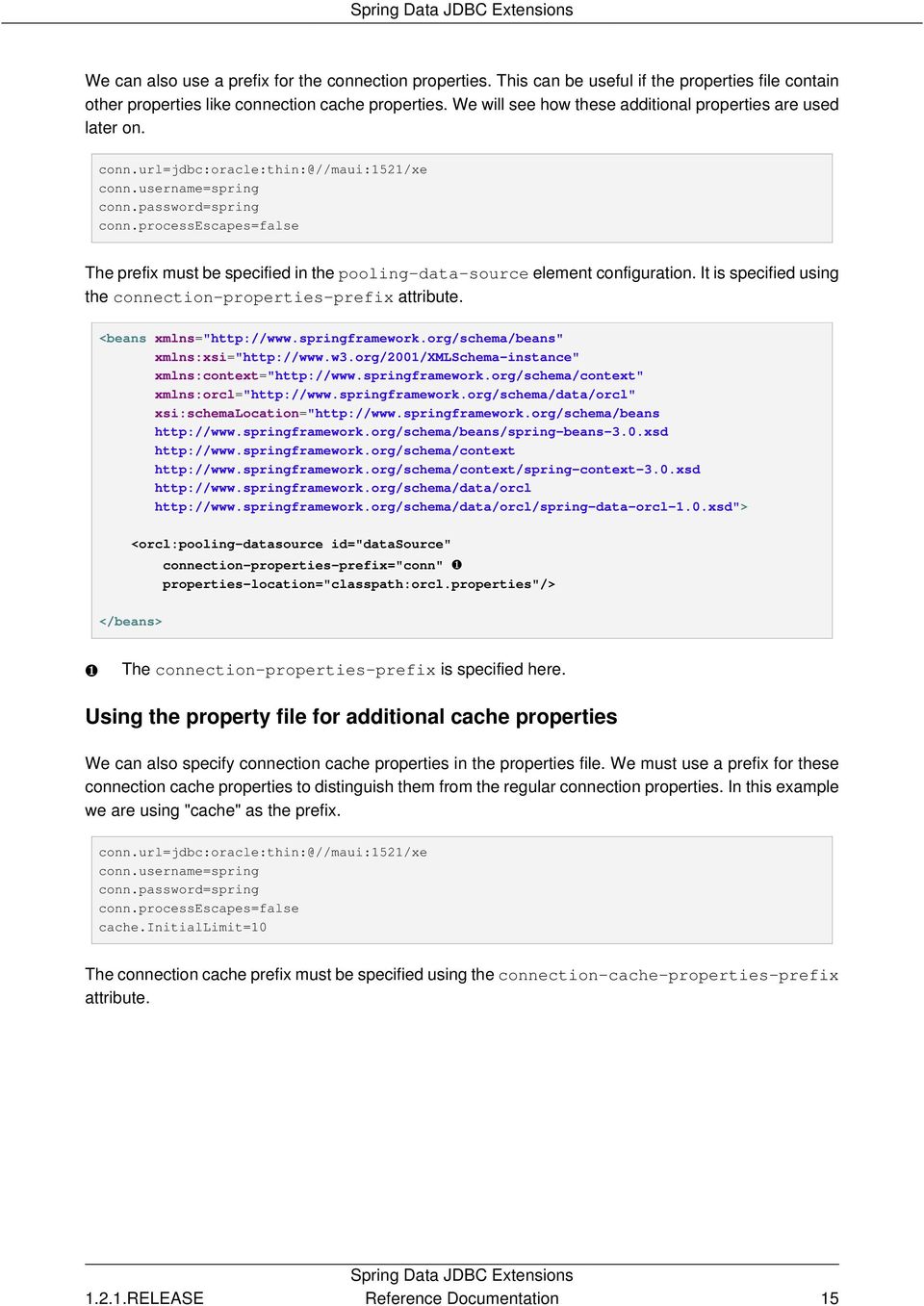
19 We can also use a prefix for the connection properties. This can be useful if the properties file contain other properties like connection cache properties. We will see how these additional properties are used later on. conn.url=jdbc:oracle:thin:@//maui:1521/xe conn.username=spring conn.password=spring conn.processescapes=false The prefix must be specified in the pooling-data-source element configuration. It is specified using the connection-properties-prefix attribute. <beans xmlns=" xmlns:xsi=" xmlns:context=" xmlns:orcl=" xsi:schemalocation=" <orcl:pooling-datasource id="datasource" </beans> connection-properties-prefix="conn" properties-location="classpath:orcl.properties"/> The connection-properties-prefix is specified here. Using the property file for additional cache properties We can also specify connection cache properties in the properties file. We must use a prefix for these connection cache properties to distinguish them from the regular connection properties. In this example we are using "cache" as the prefix. conn.url=jdbc:oracle:thin:@//maui:1521/xe conn.username=spring conn.password=spring conn.processescapes=false cache.initiallimit=10 The connection cache prefix must be specified using the connection-cache-properties-prefix attribute. Reference Documentation 15
20 <beans xmlns=" xmlns:xsi=" xmlns:context=" xmlns:orcl=" xsi:schemalocation=" <orcl:pooling-datasource id="datasource" connection-properties-prefix="conn" </beans> connection-cache-properties-prefix="cache" properties-location="classpath:orcl.properties"/> The connection-cache-properties-prefix is specified here. Using "connection-properties" element for additional connection properties The connection properties can be specified using the connection-properties element. Note If you specify a connection-properties element then any connection properties specified in a property file other than the basic url, username and password will not be used. <beans xmlns=" xmlns:xsi=" xmlns:context=" xmlns:orcl=" xsi:schemalocation=" <orcl:pooling-datasource id="datasource" properties-location="classpath:orcl.properties"> <orcl:connection-properties> processescapes=false </orcl:connection-properties> </orcl:pooling-datasource> </beans> The connection properties are specified here. Using "connection-cache-properties" element for additional cache properties The connection cache properties can be specified using the connection-cache-properties element. Reference Documentation 16

21 Note If you specify a connection-cache-properties element then any connection cache properties specified in a property file will not be used. <beans xmlns=" xmlns:xsi=" xmlns:context=" xmlns:orcl=" xsi:schemalocation=" <orcl:pooling-datasource id="datasource" properties-location="classpath:orcl.properties"> <orcl:connection-properties> processescapes=false </orcl:connection-properties> <orcl:connection-cache-properties> InitialLimit=10 </orcl:connection-cache-properties> </orcl:pooling-datasource> </beans> The connection cache properties are specified here. Using "username-connection-proxy" element for proxy connections The Oracle JDBC driver provides proxy authentication. This means that you can configure a connection pool using a proxy user account with limited rights. Then during the connection process you would specify the actual username for the end user. This username must be configured to allow a proxy connection through the user proxy ("grant connect through proxyuser"). See??? for more details on this usage. Connection proxy authentication is configured using the username-connection-proxy element. You also need to provide a user name provider that implements the ConnectionUsernameProvider interface. This interface has a single method named getusername that should return the username for the current end user to be connected via the proxy user. Reference Documentation 17
22 <beans xmlns=" xmlns:xsi=" xmlns:context=" xmlns:orcl=" xsi:schemalocation=" <orcl:pooling-datasource id="datasource" properties-location="classpath:orcl.properties"> <orcl:username-connection-proxy connection-context-provider="usernameprovider"/> </orcl:pooling-datasource> <bean id="usernameprovider" class="org.springframework.data.jdbc.test.currentusernameprovider"/> </beans> The connection proxy username provider is specified here. 3.5 Summary of configuration options for the "pooling-datasource" The pooling-data-source element has the following attributes: Table 3.1. <pooling-data-source> attribute settings Attribute Required Default Description url Yes The url to be used for connecting to the database. Can be provided in a property file. Alternate property name is URL username No The user name used to connect. Can be provided in a property file. Alternate property name is user password No The password used to connect. Can be provided in a property file. connection-caching-enabled No true Is connection caching enabled? fast-connection-failover-enabled No false Is the fast connection failover feature enabled? ONS-configuration No The ONS configuration string. properties-location No The location of a properties file containing key-value pairs for the connection and connection Reference Documentation 18
23 Attribute Required Default Description cache environment using a specific prefix to separate connection cache properties from connection properties (in standard Properties format, namely 'key=value' pairs). If no location is specified a properties file located at classpath:orcl.properties will be used if found. connection-properties-prefix No The prefix that is used for connection properties provided in the property file. connection-cache-propertiesprefix No The prefix that is used for connection cache properties provided in the property file. The pooling-data-source element has the following child elements: Table 3.2. <pooling-data-source> child elements Element connection-properties connection-cache-properties username-connection-proxy Description The newline-separated, key-value pairs for the connection properties (in standard Properties format, namely 'key=value' pairs) The newline-separated, key-value pairs for the connectioncache-properties (in standard Properties format, namely 'key=value' pairs) The configuration of a proxy authentication using a connection context provider Reference Documentation 19
24 4. Fast Connection Failover Oracle's RAC (Real Application Clusters) is an option that supports deployment of a single database across a cluster of servers, providing fault tolerance from hardware failures or other outages. Since a single database is served by a number of nodes, any node failure can be detected and subsequent operations can be directed to other nodes in the cluster. This support is provided by the "Fast Connection Failover" feature (FCF). When the failover occurs the current transaction is rolled back and a new transaction has to be initiated. Spring's FCF support detects the transaction failure and attempts to retry the entire transaction. If this retry is successful it means that the client of the failed application will be unaware of this failover and it will look like the transaction completed after a brief delay. The configuration for the FCF support is a two step configuration. First you need to configure a DataSource for RAC and second you need to configure an AOP advisor with a failover interceptor to handle the retries. 4.1 DataSource Configuration We are going to need a DataSource that is capable of participating in a "Fast Connection Failover" scenario. The only one we have available is the oracle.jdbc.pool.oracledatasource implementation that we will configure using the "orcl" namespace. This DataSource configured with some additional properties used for RAC. We will be using the following property file to specify the username and password for the following example. username=spring password=spring The url used in this example is a two node RAC configuration using the thin driver. It is probably too long to fit on the screen or on the page so if you would like to see the entire url it's listed in the callout notes. Reference Documentation 20
25 <beans xmlns=" xmlns:xsi=" xmlns:context=" xmlns:orcl=" xsi:schemalocation=" <orcl:pooling-datasource id="racdatasource" (address=(host=rac1)(protocol=tcp)(port=1521)) (address=(host=rac2)(protocol=tcp)(port=1521))) (connect_data=(service_name=racdb1)))" properties-location="classpath:orcl.properties" fast-connection-failover-enabled="true" ONS-configuration="rac1:6200,rac2:6200"/> ❷ <bean id="transactionmanager" class="org.springframework.jdbc.datasource.datasourcetransactionmanager"> <property name="datasource" ref="racdatasource"/> </bean> </beans> ❷ The fast connection failover is enabled here. The ONS (Oracle Notification Service) configuration is defined here since we are using the thin driver for this example. 4.2 AOP Configuration for Fast Connection Failover Retry In order for the Fast Connection Failover to be transparent to the end user you need to consider the overall impact of this failover. The original transaction will fail and another transaction will be started to retry the same operation. You need to consider any non-transactional side effects that the failed transaction might have caused. You also need to consider work done while the transaction is suspended. This could happen if a method with a transactional attribute of "REQUIRES_NEW" is executed within the original transaction. Once you have considered any possible side effects, you can proceed to configure a RacFailoverInterceptor together with the AOP advisor and pointcut. The failover advisor must be before or at the same pointcut where the transaction advisor is applied. If the pointcuts for the failover advisor and the transaction advisor are at the same pointcut then the failover advisor must have a higher priority than the transaction advisor that it should wrap. For the AOP advisor configuration we use the "aop" namespace and for the RacFailoverInterceptor we use the rac-failover-interceptor tag from the "orcl" namespace. Configuration when defining transactions using a <tx:advice> and an <aop:advisor> When using a <tx:advice> combined with an <aop:advisor> you simply add an additional <aop:advisor> for the RAC failover Interceptor referencing the <orcl:rac-failover- Reference Documentation 21
26 interceptor> element. You must make sure that the RAC failover interceptor comes before the transaction advice and you can do that by specifying the order attribute on the advisor for the RAC failover interceptor. Any advisor specified without an order automatically gets the lowest priority, so by specifying order="1" for the RAC failover interceptor we are assured this advice will come before the transaction advice. <beans xmlns=" xmlns:xsi=" xmlns:aop=" xmlns:tx=" xmlns:orcl=" xsi:schemalocation=" <aop:config> <aop:advisor pointcut="execution(* *..PetStoreFacade.insertOrder(..))" advice-ref="racfailoverinterceptor" order="1"/> <aop:advisor pointcut="execution(* *..PetStoreFacade.*(..))" ❷ advice-ref="txadvice"/> </aop:config> <orcl:rac-failover-interceptor id="racfailoverinterceptor"/> ❸ <tx:advice id="txadvice"> <tx:attributes> <tx:method name="insert*"/> <tx:method name="update*"/> <tx:method name="*" read-only="true"/> </tx:attributes> </tx:advice> </beans> ❷ ❸ The advisor defined for the RAC failover interceptor. This must have a higher order than the transaction advisor. We do use the same pointcut The standard transaction advice defined here. The RAC failover interceptor is defined using the rac-failover-interceptor element of the "orcl" namespace. Configuration when defining transactions annotation When using a <tx:annotation-driven> configuration you add <aop:config> entry with an <aop:advisor> element for the RAC failover Interceptor referencing the <orcl:rac-failoverinterceptor> element. You must make sure that the RAC failover interceptor comes before the transaction advice and you can do that by specifying the order attribute on the advisor for the RAC failover interceptor. Any <tx:annotation-driven> specified without an order automatically gets the lowest priority, so by specifying order="1" for the RAC failover interceptor we are assured this advice will come before the transaction advice. Reference Documentation 22
27 <beans xmlns=" xmlns:xsi=" xmlns:aop=" xmlns:tx=" xmlns:orcl=" xsi:schemalocation=" <aop:config> <aop:advisor advice-ref="racfailoverinterceptor" order="1"/> </aop:config> <orcl:rac-failover-interceptor id="racfailoverinterceptor"/> ❷ <tx:annotation-driven/> ❸ </beans> ❸ The advisor defined for the RAC failover interceptor. This must have a higher order than the transaction advisor. We use pointcut referencing annotation. The RAC failover interceptor is defined using the rac-failover-interceptor element of the "orcl" namespace. fcf.1.aop.anno: The standard??? transaction annotation-driven element defined here. 4.3 Configuration options for <rac-failover-interceptor> There is a number of optional attributes you can use to configure the rac-failover-interceptor. Table 4.1. <rac-failover-interceptor> attribute settings Attribute Required Default Description No 3113, 3114, 1033, 1034, 1089, 17002, 17008, A comma separated list of integer error codes that will be used instead of the default set. recoverable-errorcodes max-number-ofretries No 5 The maximum number of times the retry will be performed. back-off-policy No NoBackOffPolicy A specific back off policy to be used. This is a reference to a bean that implements BackOffPolicy * * org.springframework.batch.retry.backoff.backoffpolicy Reference Documentation 23
28 5. Oracle's Streams AQ (Advanced Queueing) Oracle Streams is a feature that enables the propagation and management of data, transactions and events in a data stream either within a database, or from one database to another. This can be used both for replication and for messaging purposes. The Advanced Queuing (AQ) feature provides the messaging support. This messaging support will integrate with the standard JMS API provided with Java. Since the AQ support runs in the database it is possible to use the same transaction for both messaging and database access. This eliminates the need for expensive 2-phase commit processing that would be necessary when integrating database access with a traditional JMS solution. Most of the JMS support we discuss in this chapter is provided directly by the Spring Framework. See the Spring Framework Reference Documentation for the details regarding this JMS support. In addition to this standard support, The Advance Pack for Oracle Database provides easier configuration of a connection factory using the <orcl> namespace. It also provides support for some payload types not directly supported by the Spring JMS support like the XMLType and custom Advanced Data Types. 5.1 Supported payload types JMS and Oracle Streams AQ can support a variety of payloads. These payloads are stored in the database and need to be converted to a Java representation in order for our programs to manipulate them. The following table outlines what payloads are supported and the corresponding classes that will work with these payloads and that will be able to convert them to and from a Java representation. Table 5.1. supported payload types Payload Type SYS.AQ $_JMS_TEXT_MESSAGE, SYS.AQ $_JMS_MAP_MESSAGE, SYS.AQ $_JMS_OBJECT_MESSAGE, SYS.AQ $_JMS_BYTES_MESSAGE Support Notes Directly supported by SimpleMessageConverter which is the default for the JmsTemplate and the DefaultMessageListenerContainer. When configuring a message listener container the DefaultMessageListenerContainer is the class that supports the Oracle AQ JMS features. SYS.XMLType This payload type requires a custom message listener container named XmlMessageListenerContainer. This listener container also needs a MessageListenerAdapter with an Oracle AQ XML specific message converter specified as XmlMessageConverter. See below for configuration details. custom Advanced Data Type (ADT) (CREATE TYPE xxx AS OBJECT) This payload type requires a custom message listener container named AdtMessageListenerContainer. This listener container also can use a MessageListenerAdapter with a Oracle AQ ADT specific message converter specified as MappingAdtMessageConverter. This converter works with an implementation of the DatumMapper interface. See below for configuration details. Reference Documentation 24
29 5.2 Configuration of the Connection Factory using the "orcl" namespace When you use the JmsTemplate together with the Oracle AQ JMS support you can use the aq-jmsconnection-factory entry to provide a connection factory to the JmsTemplate. <beans xmlns=" xmlns:xsi=" xmlns:context=" xmlns:orcl=" xsi:schemalocation=" ❷ <orcl:aq-jms-connection-factory id="connectionfactory" data-source="datasource"/> ❸ <bean id="jmstemplate" class="org.springframework.jms.core.jmstemplate"> <property name="sessiontransacted" value="true"/> <property name="connectionfactory" ref="connectionfactory"/> </bean> <bean id="transactionmanager" class="org.springframework.jdbc.datasource.datasourcetransactionmanager"> <property name="datasource" ref="datasource"/> </bean> <bean id="datasource"... /> </beans> ❷ ❸ Here we specify the reference to the orcl schema. We also specify the location for the orcl schema. The connection factory is configured using a reference to the data source to be used. The configuration for a Message-Driven POJO with a MessageListenerContainer is very similar. You use the same type of connection factory configuration. This is passed in to the listener container configuration. Here is an example using the JMS namespace support. Reference Documentation 25
30 <?xml version="1.0" encoding="utf-8"?> <beans xmlns=" xmlns:xsi=" xmlns:tx=" xmlns:context=" xmlns:orcl=" xmlns:jms=" xsi:schemalocation=" ❷ <context:annotation-config/> <tx:annotation-driven/> <bean id="messagedelegate" class="spring.test.messagedelegate"/> <jms:listener-container connection-factory="connectionfactory" transaction-manager="transactionmanager"> <jms:listener destination="jmsadmin.jms_text_queue" ref="messagedelegate" method="handlemessage"/> </jms:listener-container> ❸ <orcl:aq-jms-connection-factory id="connectionfactory" data-source="datasource"/> ❹ <bean id="transactionmanager" class="org.springframework.jdbc.datasource.datasourcetransactionmanager"> <property name="datasource" ref="datasource"/> </bean> <bean id="datasource"... /> </beans> ❷ ❹ ❹ Here we specify the reference to the orcl and jms schemas. We also specify the location for the orcl and jms schemas. The listener container is configured using a reference to the connection factory. The connection factory is configured using a reference to the data source to be used. See the next section for how to configure the transaction support and use a the same local transaction as the JDBC or ORM data access. 5.3 Configuring the Connection Factory to use the same local transaction as your data access code. The configurations in the previous section will take advantage of the transaction synchronization provided by Spring, but there will be two transactions. One transaction for the data access and one for the JMS messaging. They will be synchronized, so if the data access transaction commits then the Reference Documentation 26
31 messaging transaction will also commit while if the data access transaction roll back then the messaging transaction will also roll back. There is always a chance that the commit for the messaging transaction could fail after the data access transaction has committed successfully. This is of course a problem that you would have to account for in your code by checking for duplicate delivery of a message. A better solution is to configure both data access and the messaging to share a transaction. Most often this is done using JTA, and that works, but has some impact on performance. For JTA you need to use distributed transactions and XA capable resources designed for two-phase commits. This comes at an extra cost that we try to avoid if possible. Another option is to have the data access and the messaging share a local data access transaction. This is possible since the Oracle AQ implementation consists of a set of tables and stored procedures running in the database accessed through a standard JDBC connection. If you use the same database for data access and messaging with AQ, then you can configure the connection factory to share the database connection and the local transaction. You configure this connection and transaction sharing by setting the attribute use-local-data-source-transaction to true. <orcl:aq-jms-connection-factory id="connectionfactory" use-local-data-source-transaction="true" data-source="datasource"/> Setting the attribute use-local-data-source-transaction. Configuring the connection factory to share a local data source transaction with the data access code has some implications for JMS connection and session caching. You can still configure a MessageListenerContainer to cache the JMS connection since each JMS session will be created as it's needed inside a data source transaction. However, if you cache the JMS session, then the database connection for it is established when the container starts up and it will not be possible to have this cached JMS session participite in the local data source transaction. In many application server environments the JDBC connection is wrapped in an implementation specific class that delegates to the underlying native JDBC connection. Oracle's AQ connection factory needs the native Oracle connection and will throw an "oracle.jms.aqjmsexception: JMS-112: Connection is invalid" exception if the connection is wrapped by a foreign class. To solve this problem you can specify a NativeJdbcExtractor that can be used to unwrap the connection. Spring provides a number of implementations to match the application server environment. Here is an example for specifying a NativeJdbcExtractor. Reference Documentation 27
32 <orcl:aq-jms-connection-factory id="connectionfactory" use-local-data-source-transaction="true" native-jdbc-extractor="dbcpnativejdbcextractor" data-source="datasource" /> <bean id="dbcpnativejdbcextractor" class="org.springframework.jdbc.support.nativejdbc.commonsdbcpnativejdbcextractor"/> <bean id="dbcpdatasource" class="org.apache.commons.dbcp.basicdatasource" destroy-method="close"> <property name="driverclassname" value="${jdbc.driverclassname" /> <property name="url" value="${jdbc.url" /> <property name="username" value="${jdbc.username" /> <property name="password" value="${jdbc.password" /> </bean> Here we specify the reference to the native JDBC extractor. For some use cases the default plain ConnectionFactory does not work and you need to explicitly use a QueueConnectionFactory or a TopicConnectionFactory. To support this requirement it is possible to specify this using the connection-factory-type attribute. The default is CONNECTION but you can specify QUEUE_CONNECTION or TOPIC_CONNECTION instead. Here is an example for specifying the connection factory type. <orcl:aq-jms-connection-factory id="connectionfactory" use-local-data-source-transaction="true" connection-factory-type="queue_connection" data-source="datasource" /> <bean id="dbcpdatasource" class="org.apache.commons.dbcp.basicdatasource" destroy-method="close"> <property name="driverclassname" value="${jdbc.driverclassname" /> <property name="url" value="${jdbc.url" /> <property name="username" value="${jdbc.username" /> <property name="password" value="${jdbc.password" /> </bean> Here we specify the type of connection factory to be used. 5.4 Configuration when using a SYS.XMLType payload When you use a SYS.XMLType as payload there a few additional configuration settings are needed. Enqueuing XML messages When enqueuing messages the JmsTemplate can be configured with a message converter. This message converter should be of a type XmlMessageConverter configured with a specific XmlTypeHandler that you would like to use. The following handlers are available: Table 5.2. xml handlers XML Handler StringXmlTypeHandler Usage Handles converting XMLTypes values to and from String representation. Reference Documentation 28
33 XML Handler DocumentXmlTypeHandler StreamXmlTypeHandler Usage Handles converting XMLTypes values to and from Document representation. Handles converting XMLTypes values to and from an InputStream. <bean id="jmstemplate" class="org.springframework.jms.core.jmstemplate"> <property name="connectionfactory" ref="connectionfactory"/> <property name="messageconverter"> <bean id="messageconverter"❷ class="org.springframework.data.jdbc.jms.support.converter.oracle.xmlmessageconverter"> <constructor-arg> <bean class="org.springframework.data.jdbc.support.oracle.stringxmltypehandler"/> ❸ </constructor-arg> </bean> </property> </bean> ❷ ❸ A reference to the configured connection factory. Declaration of an XmlMessageConverter to convert from XMLType to desired representation. Declaration of the specific XmlTypeHandler that should be used. In this case a StringXmlTypeHandler. Once the JmsTemplate is configured the XML value can be sent using the convertandsend method. In this example we are passing in a String containing the value. String xmlval = "<?xml version=\"1.0\" encoding=\"utf-8\"?>\n" + "<product id=\"10\">\n" + " <description>foo</description>\n" + " <price>2.05</price>\n" + "</product>"; jmstemplate.convertandsend("jmsadmin.jms_xml_queue", xmlval); Dequeuing XML messages When you want to dequeue messages using a message listener container you need to configure an XmlMessageListenerContainer that can dequeue the messages and convert the XMLType payload. Reference Documentation 29
34 <bean id="messagedelegate" class="org.springframework.data.jdbc.test.xml.messagedelegate" /> <jms:listener-container connection-factory="connectionfactory" transaction-manager="transactionmanager" message-converter="messageconverter" containerclass="org.springframework.data.jdbc.jms.listener.oracle.xmlmessagelistenercontainer"> ❷ <jms:listener destination="jmsadmin.jms_xml_queue" ref="messagedelegate" method="handlemessage"> </jms:listener> </jms:listener-container> <bean id="messageconverter" ❸ class="org.springframework.data.jdbc.jms.support.converter.oracle.xmlmessageconverter"> <constructor-arg> <bean class="org.springframework.data.jdbc.support.oracle.documentxmltypehandler"/ > ❹ </constructor-arg> </bean> A reference to the configured connection factory. ❷ Configuring the class to use for the container - this is a custom class XmlMessageListenerContainer that dequeues the Oracle XMLType messages. ❸ The XmlMessageConverter is defined here. ❹ The DocumentXmlTypeHandler is used to retrieve XML value as a Document. Here is an example of the message delegate used in the above message listener container: public class MessageDelegate private DomainService domainservice; public void handlemessage(document xmldoc) throws MessageConversionException, JMSException { domainservice.processxmlmessage(xmldoc); As you can see the method that handles the message takes a Document as its parameter. The conversion from the XMLType to a Document representation is handled by the MessageListenerAdapter since we specified a message converter. 5.5 Configuration when using a custom ADT payload When you use a custom ADT as payload there are certain configuration settings that are needed. When creating the queue and its queue table you specify the custom type as the "queue_payload_type". This custom type is defined using a regular "CREATE TYPE" statement. In the code example that follow we have defined a PRODUCT type: Reference Documentation 30
35 create or replace TYPE PRODUCT_TYPE AS OBJECT ( id INTEGER, description VARCHAR(50), price DECIMAL(12,2) ); Enqueuing ADT messages When enqueuing messages the JmsTemplate can be configured with a message converter. This message converter should be of a type MappingAdtMessageConverter configured with a specific DatumMapper that you would like to use. This DatumMapper can be a custom implementation or the provided StructDatumMapper that will map between bean properties and STRUCT attributes of the same name. The DatumMapper interface has the following methods declared: public interface DatumMapper { public Datum todatum(object object, Connection conn) throws SQLException; public Object fromdatum(datum datum) throws SQLException; The todatum method will be called with the Object to convert to a STRUCT as the first parameter and the current connection as the second. It's up to the mapping implementation to extract the object properties and to create the STRUCT. For the fromdatum method the STRUCT is passed in and the implementation is responsible for retrieving the attributes and constructing and instance of the required class. <bean id="jmstemplate" class="org.springframework.jms.core.jmstemplate"> <property name="connectionfactory" ref="connectionfactory"/> <property name="messageconverter"> <bean id="messageconverter" class="org.springframework.data.jdbc.jms.support.converter.oracle.mappingadtmessageconverter">❷ <constructor-arg> <bean class="org.springframework.data.jdbc.jms.support.oracle.structdatummapper"> ❸ <constructor-arg index="0" value="jmsadmin.product_type"/> <constructorarg index="1" value="org.springframework.data.jdbc.test.domain.product"/> </bean> </constructor-arg> </bean> </property> </bean> ❷ ❸ A reference to the configured connection factory. Declaration of an MappingAdtMessageConverter to convert from custom type to corresponding JavaBean. Declaration of the specific DatumMapper that should be used. In this case the provided StructDatumMapper. Once the JmsTemplate is configured the XML value can be sent using the convertandsend method. In this example we are passing in a String containing the value. Reference Documentation 31
36 Product product = new Product(); product.setid(22l); product.setdescription("foo"); product.setprice(new BigDecimal("42.95")); jms.convertandsend("jmsadmin.jms_product_queue", product); Dequeuing ADT messages When you want to dequeue messages using a message listener container you need to configure an AdtMessageListenerContainer that can dequeue the messages and convert the ADT payload. <bean id="messagedelegate" class="org.springframework.data.jdbc.test.adt.messagedelegate" /> <jms:listener-container connection-factory="connectionfactory" transaction-manager="transactionmanager" message-converter="messageconverter" containerclass="org.springframework.data.jdbc.jms.listener.oracle.adtmessagelistenercontainer"> ❷ <jms:listener destination="jmsadmin.jms_product_queue" ref="messagedelegate" method="handlemessage"> </jms:listener> </jms:listener-container> <bean id="messageconverter" class="org.springframework.data.jdbc.jms.support.converter.oracle.mappingadtmessageconverter">❸ <constructor-arg> <bean class="org.springframework.data.jdbc.jms.support.oracle.structdatummapper"> ❹ <constructor-arg index="0" value="jmsadmin.product_type"/> <constructorarg index="1" value="org.springframework.data.jdbc.test.domain.product"/> </bean> </constructor-arg> </bean> A reference to the configured connection factory. Configuring the class to use for the container - this is a custom class AdtMessageListenerContainer that dequeues the ADT messages. ❸ The MappingAdtMessageConverter is defined here. ❹ The StructDatumMapper is used to map the attributes of the STRUCT retrieved for the ADT to properties of the bean class specified as the second constructor argument. Here is an example of the message delegate used in the above message listener container: public class MessageDelegate private DomainService domainservice; public void handlemessage(product product) throws MessageConversionException, JMSException { domainservice.saveproduct(product); Reference Documentation 32
37 As you can see the method that handles the message takes a Product as its parameter. The conversion from the STRUCT to a Product is handled by the MessageListenerAdapter since we specified a message converter. Reference Documentation 33
38 6. XML Types Oracle has some advanced XML Type support built into the database. XML data stored in the database is accessible wia JDBC using some Oracle specific classes. The JDBC framework provided with the Spring Framework supports most of this already via SqlTypeValue and SqlReturnType. There is however a need for documentation and examples which are specifically targeted for an Oracle environment so teams can take advantage of this support and have a reference for best practices for the use of these features in an Oracle/Spring environment. 6.1 Dependencies To use the Oracle XML support you need to use a couple of jar files available in the Oracle XML Developers Kit download available from Oracle. You need xdb.jar and also the xmlparserv2.jar since the XMLType depends on this parser library. There is optional support for Spring's Object/XML Mapping (OXM) support. If you use this support then you would also need a dependency for the Spring Framework OXM sub-project. The jar files needed is spring-oxm.jar. All samples in this chapter access a table named "xml_table". Here is the DDL to create this table: CREATE TABLE xml_table ( id NUMBER(10), xml_text XMLTYPE, PRIMARY KEY (id)); 6.2 Writing XML to an XMLTYPE column To write XML data to a table you need to pass in the XML using a custom SqlTypeValue. In this implementation you would be responsible for setting the parameter value for the XML column in accordance with the API provided by the database driver. For Oracle we provide a database specific implementation of an SqlXmlValue, which is an extension of the SqlTypeValue, that is easier to use. It works together with an SqlXmlHandler and adds an abstraction layer on top of the database specific APIs provided by the database vendors. There is a new SQLXML datatype in JDBC 4.0 that provides an abstraction, but so far it is not widely implemented. In this example we have an XML value that we pass in as the second parameter. This XML value can be in the form of a String or an org.w3c.dom.document. We use an SqlXmlHandler instance to gain access to a new instance of the SqlXmlValue. For the Oracle support the implementation classes are OracleXmlHandler and OracleXmlTypeValue respectively. simplejdbctemplate.update( "INSERT INTO xml_table (id, xml_text) VALUES (?,?)", id, sqlxmlhandler.newsqlxmlvalue(xml)); We instantiate a new SqlXmlValue that will handle setting the parameter value for the XML. The implementation of the SqlXmlHandler is chosen in the data access configuration file and should be injected into the DAO or Repository class. Reference Documentation 34
39 <bean id="sqlxmlhandler" class="org.springframework.data.jdbc.support.oracle.oraclexmlhandler"/> Oracle's XMLType supports passing in an java.io.inputstream but since this is not supported by the JDBC 4.0 SQLXML datatype you will have to use the Oracle specific OracleXmlTypeValue directly. simplejdbctemplate.update( "INSERT INTO xml_table (id, xml_text) VALUES (?,?)", id, new OracleXmlTypeValue(is)); 6.3 Reading XML from an XMLTYPE column Running a query against a table with an XMLTYPE column requires a RowMapper that can handle retrieval of the XMLType and the corrsponding XML data. The OracleXmlHandler provides several methods that supports easy access to the XML data. It is typically used in a RowMapper. String s = simplejdbctemplate.queryforobject( "SELECT xml_text FROM xml_table WHERE id =?", new ParameterizedRowMapper<String>() { public String maprow(resultset rs, int i) throws SQLException {, id); String s = sqlxmlhandler.getxmlasstring(rs, 1); return s; We use the OracleXmlHandler to retreive the XML value as a String. The XML data can be retreived as a String, a java.io.inputstream, a java.io.reader or a javax.xml.transform.source. 6.4 Marshalling an object to an XMLTYPE column To map an object to XML and write this XML to a table you first need to use marshalling support available from the Spring Web Services project. Once the object data is marshalled to XML we can write the XML to a column in a database table. The latter part is very similar to the the XML support discussed above. We need to pass in the XML using a custom SqlTypeValue. In the object mapping implementation you would be responsible for marshalling the object to XML before setting the parameter value. In this example we have an object that needs to be marshalled to XML. We are using a Marshaller provided by the Spring Web Services project. The marshaller is typically configured and then injected into the DAO or Repository. Here is an example configuration using the JAXB 2.0 support. In addition to JAXB 2.0, there is also support for JAXB 1.0, Castor, XML Beans, JiBX and XStream. <bean id="marshaller" class="org.springframework.oxm.jaxb.jaxb2marshaller"> <property name="classestobebound"> <list> <value>org.springframework.data.jdbc.samples.item</value> </list> </property> </bean> The JAXB 2.0 class that we are marshalling is a typical javabean and it uses annotations for the meta data so there is no additional configuration needed. Reference Documentation 35
40 package org.springframework.data.jdbc.samples; import javax.xml.bind.annotation.*; import = = {"name", "price") public class Item{ private Long id = 0L; private String name; private BigDecimal public Long getid() { return id; public void setid(long id) { this.id = = "item-name") public String getname() { return name; public void setname(string name) { this.name = = "price") public BigDecimal getprice() { return price; public void setprice(bigdecimal price) { this.price = price; public String tostring() { return "[" + id + "] " + name + " " + price; For Oracle we provide a database specific implementation of an SqlXmlMarshallingValue, which is an extension of the SqlXmlValue, that is easier to use. It works together with an SqlXmlObjectMappingHandler similar to the SqlXmlHandler that we used in the previous example. The object to be marshalled is passed in when the new instance of the SqlXmlValue is created. For our dabase insert we pass in the marshalled value as the second parameter. The first parameter is the id of the object, and this will be use as the primary key for the row. We use an SqlXmlHandler instance to gain access to a new instance of the SqlXmlMappingValue. For the Oracle support the implementation classes are OracleXmlObjectMappingHandler and OracleXmlMarshallingValue respectively. Reference Documentation 36
41 simplejdbctemplate.update( "INSERT INTO xml_table (id, xml_text) VALUES (?,?)", item.getid(), sqlxmlobjectmappinghandler.newmarshallingsqlxmlvalue(item)); We instantiate a new marshalling SqlXmlValue that will handle mapping the parameter object to XML using a marshaller. The implementation of the SqlXmlObjectMappingHandler is chosen in the data access configuration file and should be injected into the DAO or Repository class. <bean id="sqlxmlhandler" class="org.springframework.data.jdbc.support.oracle.oraclexmlobjectmappinghandler"> <property name="marshaller" ref="marshaller"/> </bean> 6.5 Unmarshalling an object from an XMLTYPE column Last piece we need is reading the XML from the database and have it unmarshalled to an Item object. We will perform this work in a RowMapper together with the SqlXmlObjectMappingHandler. Item i = simplejdbctemplate.queryforobject( "SELECT xml_text FROM xml_table WHERE id =?", new ParameterizedRowMapper<Item>() { public Item maprow(resultset rs, int i) throws SQLException { return (Item) sqlxmlobjectmappinghandler, id);.getxmlasobject(rs, 1); We use the SqlXmlObjectMappingHandler to retreive the XML value and have it unmarshalled to an Item instance. The XML data is unsmarshalled using an Unmarshaller which in the JAXB 2.0 case is also implemented by the Jaxb2Marshaller class. It must be injected into the unmarshaller property of the SqlXmlObjectMappingHandler. Since marshalling and unmarshalling is performed by the same object we pass in the bean named marshaller for the unmarshaller property. <bean id="sqlxmlhandler" class="org.springframework.data.jdbc.support.oracle.oraclexmlobjectmappinghandler"> <property name="unmarshaller" ref="marshaller"/> </bean> Reference Documentation 37
42 7. Advanced Data Types The Oracle database and the PL/SQL language used for stored procedures in Oracle has built in support for some advanced data types. These data types can't easily be accessed using standard JDBC APIs, so it is necessary to rely on Oracle's JDBC extensions like ARRAY and STRUCT and the APIs that are used to access them. The JDBC framework provided with the Spring Framework supports most of this already via SqlTypeValue and SqlReturnType. The SqlTypeValue interface is used to pass IN parameter values. This is easiest accomplished by extending the AbstractSqlTypeValue class. Here you need to implement the createtypevalue method. In this method you have access to the current connection, the SqlType and the type name for any custom processing that is necessary. When you retrieve advanced data types you need to implement the SqlReturnType interface and pass that implementation into the SqlOutParameter constructor. The SqlReturnType interface has one method named gettypevalue that must be implemented. Here you have access to the CallableStatement that is currently executing as well as the parameterindex, the SqlType and the type name for customizing the processing. When implementing these interfaces there is some boilerplate type code that is necessary and it makes your data access code look unnecessarily complex. That is the reason why we are providing a number of Oracle specific implementations that can handle the Oracle advanced types. The usage of these type handlers is documented in this chapter. These features are specifically targeted for an Oracle environment so teams can take advantage of this support and have a reference for best practices for the use of these features in an Oracle/Spring environment. We will use the following simple table for all the examples in this chapter. This table is used to store some basic information about actors. CREATE TABLE actor ( id NUMBER(10), name VARCHAR2(50), age NUMBER, PRIMARY KEY (id)); 7.1 Using a STRUCT parameter When your stored procedures has parameters that are declared using custom object types that aren't part of the standard JDBC types they are managed using JDBC Struct objects. When working with Oracle it's easier to work with Oracle's extension to Struct which is oracle.sql.struct. For the STRUCT examples we will use the following type declaration. CREATE OR REPLACE TYPE actor_type AS OBJECT (id NUMBER(10), name VARCHAR2(50), age NUMBER); The data contained in a STRUCT parameter can be accessed in two ways. Either using the SQLData interface which is part of the JDBC specification, or by using Oracle specific calls accessing the attributes directly. We will cover both methods. Now we will look at the sample procedures used for this example. First one is the procedure we use to add the actor data. Reference Documentation 38
43 CREATE OR REPLACE PROCEDURE add_actor (in_actor IN actor_type) AS BEGIN INSERT into actor (id, name, age) VALUES(in_actor.id, in_actor.name, in_actor.age); END; This procedure has one IN parameter (in_actor) of object type actor_type. Next we show the procedure used to retrieve the actor data. CREATE OR REPLACE PROCEDURE get_actor (in_actor_id IN NUMBER, out_actor OUT actor_type) AS BEGIN SELECT actor_type(id, name, age) INTO out_actor FROM actor WHERE id = in_actor_id; END; This procedure has two parameters, one IN parameter (in_actor_id) that is the id of the actor to retrieve and one OUT parameter (out_actor) of type actor_type to pass back the data retrieved. The last piece we will cover here is the Java class that represents the type we are accessing. Here is the Actor implementation used in this example. It has the Java equivalent of the variables we defined for the type in the database. We also have setters and getters for all fields. Reference Documentation 39
44 package org.springframework.data.jdbc.samples; import java.sql.sqldata; import java.sql.sqlexception; import java.sql.sqlinput; import java.sql.sqloutput; import java.math.bigdecimal; public class Actor { private Long id; private String name; private int age; public Long getid() { return id; public void setid(long id) { this.id = id; public String getname() { return name; public void setname(string name) { this.name = name; public int getage() { return age; public void setage(int age) { this.age = age; public String tostring() { return "Actor: [" + id + "] " + name + " " + age; Using an SQLData implementation for a STRUCT IN parameter For the examples that use SQLData we first need a Java class that implements the SQLData interface. For this example we create an SqlActor class that extends the Actor class shown earlier and provides the SQLData implementation for our ACTOR_TYPE. Reference Documentation 40
45 package org.springframework.data.jdbc.samples; import java.sql.sqldata; import java.sql.sqlexception; import java.sql.sqlinput; import java.sql.sqloutput; import java.math.bigdecimal; public class SqlActor extends Actor implements SQLData { public String getsqltypename() throws SQLException { return "ACTOR_TYPE"; public void readsql(sqlinput sqlinput, String string) throws SQLException { ❷ setid(long.valueof(sqlinput.readlong())); setname(sqlinput.readstring()); setage(sqlinput.readint()); public void writesql(sqloutput sqloutput) throws SQLException { ❸ sqloutput.writelong(getid().longvalue()); sqloutput.writestring(getname()); sqloutput.writeint(getage()); ❷ ❸ Here we specify the ACTOR_TYPE advanced data type as the type supported by this implementation. Note: Since Oracle's metadata is stored using all caps, unless the name was explicitly defined as mixed case using quotes, we define the type name here as all caps. Here we specify the implementation used to map data between the ACTOR_TYPE advanced data type and the Actor class during a read operation. Here we specify the implementation used to map data between the Actor class and the ACTOR_TYPE advanced data type during a write operation. As you can see, the SQLData implementation is fairly straightforward. We implemented the three methods required in the SQLData interface. These methods are getsqltypename, readsql and writesql. Now we can move on to actually call the stored procedure. First example is using the newer SimpleJdbcCall API but the SqlParameter would be the same if you used the classic StoredProcedure approach. We create the SimpleJdbcCall and in the declareparameters method call we pass in an SqlParameter that defines the parameter with the type as OracleTypes.STRUCT and a type name of ACTOR_TYPE to match what it is defined in the database. Note that the type name is defined here as all caps since that is how it is stored in the database metadata. Any type names declared here are case sensitive and must match what is actually stored in the database metadata. this.addsqlactorcall = new SimpleJdbcCall(dataSource).withProcedureName("add_actor").declareParameters( new SqlParameter("in_actor", OracleTypes.STRUCT, "ACTOR_TYPE")); We define the SqlParameter with parameter name, the Oracle type and the type name as it is declared in the database. Reference Documentation 41
46 Next we look at the code that executes this SimpleJdbcCall. public void addsqlactor(final SqlActor actor) { Map in = Collections.singletonMap("in_actor", actor); addsqlactorcall.execute(in); We execute the call by passing in a Map containing any in parameters - in this case the actor object. What happens here is that the JDBC driver access the data in the passed in Actor instance via the SQLData interface and maps that data to the ACTOR_TYPE passed in to the stored procedure. There is no need to implement anything else since this is all handled by the JDBC layer. Please note that since SimpleJdbcCall is relying on database metadata, the parameter names used for the input must match the names used when declaring the stored procedure. They are however not case sensitive, only the type names are case sensitive. If you prefer to use the classic StoredProcedure class then the equivalent configuration would look like this: private class AddSqlActorProc extends StoredProcedure { public AddSqlActorProc(DataSource datasource) { super(datasource, "add_actor"); declareparameter(new SqlParameter("in_actor", OracleTypes.STRUCT, "ACTOR_TYPE")); public void execute(actor actor) { Map in = Collections.singletonMap("in_actor", actor); this.execute(in); Using SqlReturnSqlData with an SQLData implementation from a STRUCT OUT parameter Now we will call the stored procedure that retrieves actor data. We are still using the newer SimpleJdbcCall API. We create the SimpleJdbcCall and in the declareparameters call we pass in an SqlOutParameter that uses an SqlReturnType to handle the configuration necessary for the mapping between the Oracle type and the Java type which is still the SqlActor. We also need to link between the Actor class and the ACTOR_TYPE since the JDBC driver is not aware of this relationship when we are reading data from the database. This is done by declaring a SqlReturnSqlData class and passing in the target class in the constructor. this.getsqlactorcall = new SimpleJdbcCall(dataSource).withProcedureName("get_actor").declareParameters( new SqlOutParameter("out_actor", OracleTypes.STRUCT, "ACTOR_TYPE", ); new SqlReturnSqlData(SqlActor.class)) ❷ We define the parameter name and the Oracle type and the type name as it is declared in the database. Reference Documentation 42
47 ❷ Here we define the SqlReturnSqlData and the desired target class. Next we look at the code that executes this SimpleJdbcCall. public SqlActor getsqlactor(int id) { Map in = Collections.singletonMap("in_actor_id", id); return getsqlactorcall.executeobject(sqlactor.class, in); We execute the call by passing in a Map containing any in parameters. The executeobject method returns an SqlActor containing the data returned by the stored procedure call. If you prefer to use the classic StoredProcedure class then the equivalent configuration would look like this: private class GetSqlActorProc extends StoredProcedure { public GetSqlActorProc(DataSource datasource) { super(datasource, "get_actor"); declareparameter(new SqlParameter("in_actor_id", Types.NUMERIC)); declareparameter( new SqlOutParameter("out_actor", OracleTypes.STRUCT, "ACTOR_TYPE", new SqlReturnSqlData(SqlActor.class)) ); public SqlActor execute(long id) { Map in = Collections.singletonMap("in_actor_id", id); Map out = this.execute(in); return (SqlActor) out.get("out_actor"); Setting STRUCT attribute values using SqlStructValue for an IN parameter An alternate access technique is to use the Struct interface to access a generic collection of attributes representing the type. The SqlStructValue implementation will map properties in a JavaBean to the corresponding attributes of the STRUCT so there is no need to provide custom mapping code. The following example will perform the same operations as the previous example using this alternate technique. The SimpleJdbcCall declaration for the "add_actor" call looks the same. this.addactorcall = new SimpleJdbcCall(dataSource).withProcedureName("add_actor").declareParameters( new SqlParameter("in_actor", OracleTypes.STRUCT, "ACTOR_TYPE")); We define the SqlParameter with parameter name, the Oracle type and the type name as it is declared in the database. Next we'll look at the code used to execute this procedure call. The difference is in the execution and the mapping of attributes. Instead of relying on the SqlActor class to do the mapping, we create a SqlStructValue and pass in the Actor instance in the constructor. The SqlStructValue class will do the mapping between the bean properties of the Actor class and the attributes of the STRUCT. This SqlStructValue is then passed in as the data value in the input map for the execute call. Reference Documentation 43
48 public void addactor(final Actor actor) { Map in = Collections.singletonMap("in_actor", new SqlStructValue(actor)); addactorcall.execute(in); ❷ ❷ We create an SqlStructValue that will handle the type creation and mapping and add it to the Map containing the in parameters. We execute the call by passing in the input Map. If you prefer to use the classic StoredProcedure class then the equivalent configuration would look like this: private class AddActorProc extends StoredProcedure { public AddActorProc(DataSource datasource) { super(datasource, "add_actor"); declareparameter(new SqlParameter("in_actor", OracleTypes.STRUCT, "ACTOR_TYPE")); public void execute(actor actor) { Map in = Collections.singletonMap("in_actor", new SqlStructValue(actor)); this.execute(in); Using SqlReturnStruct to access STRUCT data from an OUT parameter You can use the SqlReturnStruct class to map between the attributes of a STRUCT object and properties of a JavaBean. This is more convenient than providing this mapping yourself. This example will show how this can be done using an SqlOutParameter combined with the SqlReturnStruct class. this.getactorcall = new SimpleJdbcCall(dataSource).withProcedureName("get_actor").declareParameters( ); new SqlOutParameter("out_actor", OracleTypes.STRUCT, "ACTOR_TYPE", new SqlReturnStruct(Actor.class)) ❷ ❷ We define the SqlParameter with parameter name, the Oracle type and the type name as it is declared in the database. The SqlReturnStruct will retrieve the STRUCT and access the array of objects representing the attributes and then map them to the properties of the JavaBean instance provided n the constructor. Next we look at the code that executes this SimpleJdbcCall. public Actor getactor(int id) { Map in = Collections.singletonMap("in_actor_id", id); return getactorcall.executeobject(actor.class, in); We execute the call by passing in a Map containing any in parameters. The executeobject method returns an Actor containing the data returned by the stored procedure call. Reference Documentation 44
49 If you prefer to use the classic StoredProcedure class then the equivalent configuration would look like this: private class GetActorProc extends StoredProcedure { public GetActorProc(DataSource datasource) { super(datasource, "get_actor"); declareparameter(new SqlParameter("in_actor_id", Types.NUMERIC)); declareparameter( new SqlOutParameter("out_actor", OracleTypes.STRUCT, "ACTOR_TYPE", new SqlReturnStruct(Actor.class)) ); public Actor execute(long id) { Map in = Collections.singletonMap("in_actor_id", id); Map out = this.execute(in); return (Actor) out.get("out_actor"); 7.2 Using an ARRAY parameter Sometimes your stored procedures has parameters that are declared as arrays of some type. These arrays are managed using JDBC Array objects. When working with Oracle it's sometimes easier to work with Oracle's extension to Array which is oracle.sql.array. For the ARRAY examples we will use the following type declarations. CREATE OR REPLACE TYPE actor_name_array AS VARRAY(20) OF VARCHAR2(50); CREATE OR REPLACE TYPE actor_id_array AS VARRAY(20) OF NUMBER; We will show how to access parameters using these declarations in two JDBC calls. The first one is a procedure call that deletes actor entries based on ids provided in an actor_id_array. The second example calls a function to retrieve an array of the names for all actors in the table. Setting ARRAY values using SqlArrayValue for an IN parameter We are using the SimpleJdbcCall for this example and when we configure this call its important to note that we can't rely on the database metadata. Whenever a collection type is used the metadata reported back from the JDBC driver contains entries bot for the collection type and for the type contained in the collection so it looks like there are additional parameters. Because of this it is best to turn off the metadata processing by calling thewithoutprocedurecolumnmetadataaccess method. This example calls a procedure that deletes actors based on the ids provided in an array. Here is the source for this procedure: CREATE OR REPLACE PROCEDURE delete_actors (in_actor_ids IN actor_id_array) AS BEGIN FOR i IN 1..in_actor_ids.count loop DELETE FROM actor WHERE id = in_actor_ids(i); END LOOP; END; Reference Documentation 45
50 The declaration of the ARRAY parameter follows the same pattern as we used previously for the STRUCT parameters. We are simply providing the OracleTypes.ARRAY SQL type along with the type name as it is specified in the database metadata. this.deleteactorscall = new SimpleJdbcCall(dataSource).withProcedureName("delete_actors").withoutProcedureColumnMetaDataAccess().declareParameters( new SqlParameter("in_actor_ids", OracleTypes.ARRAY, "ACTOR_ID_ARRAY")); We define the SqlParameter with parameter name, the Oracle type and the type name as it is declared in the database. Next we look at the code that executes this SimpleJdbcCall. For IN parameters the arrays are managed using an SqlArrayValue implementation that will handle the ArrayDescriptor creation and the mapping of the array to an oracle.sql.array instance. public void deleteactors(final Long[] ids) { Map in = Collections.singletonMap("in_actor_ids", new SqlArrayValue(ids)); deleteactorscall.execute(in); We declare an SqlArrayValue instance that will handle creating the ArrayDesriptor and the ARRAY to be passed in as the parameter value. If you prefer to use the classic StoredProcedure class then the equivalent configuration would look like this: private class DeleteActorsProc extends StoredProcedure { public DeleteActorsProc(DataSource datasource) { super(datasource, "delete_actors"); declareparameter( new SqlParameter("in_actor_ids", OracleTypes.ARRAY, "ACTOR_ID_ARRAY")); public void execute(long[] ids) { Map in = Collections.singletonMap("in_actor_ids", new SqlArrayValue(ids)); Map out = this.execute(in); Using SqlReturnArray to handle the ARRAY from an OUT parameter Now it is time to handle the OUT parameter scenario. Here it is an SqlOutParameter combined with an SqlReturnArray instance that is responsible for handling the Array. this.getactornamescall = new SimpleJdbcCall(dataSource).withFunctionName("get_actor_names").withoutProcedureColumnMetaDataAccess().declareParameters( new SqlOutParameter("return", Types.ARRAY, "ACTOR_NAME_ARRAY", new SqlReturnArray())); ❷ We declare an SqlOutParameter with parameter name, the Oracle type and the type name as it is declared in the database. Reference Documentation 46
51 ❷ The SqlReturnArray accesses the ARRAY parameter using the JDBC calls and creates the String array that is the return value for this example. Next we look at the code that executes this SimpleJdbcCall. public String[] getactornames() { Map in = Collections.emptyMap(); return getactornamescall.executefunction(string[].class, in); Here we just have to call executefunction passing in the expected output class and an empty map since there are no IN parameters. If you prefer to use the classic StoredProcedure class then the equivalent configuration would look like this: private class GetActorNamesProc extends StoredProcedure { public GetActorNamesProc(DataSource datasource) { super(datasource, "get_actor_names"); setfunction(true); declareparameter(new SqlOutParameter("return", Types.ARRAY, "ACTOR_NAME_ARRAY", new SqlReturnArray())); public String[] execute() { Map in = Collections.emptyMap(); Map out = this.execute(in); return (String[]) out.get("return"); 7.3 Handling a REF CURSOR The Spring Framework already contains implementations that simplify the handling of REF CURSORS but we include an example here just to complete the coverage of the handling of Oracle specific advanced data types. The procedure we are calling is declared as follows: CREATE OR REPLACE PROCEDURE read_actors (out_actors_cur OUT sys_refcursor) AS BEGIN OPEN out_actors_cur FOR 'select * from actor'; END; Retrieving data using a ParameterizedBeanPropertyRowMapper from a REF CURSOR First we'll look at a SimpleJdbcCall implementation where we use the returningresultset method to declare the RowMapper we want to use. We have an Actor class that is a JavaBean and the properties match the column names so we can use the ParameterizedBeanPropertyRowMapper to automatically map data from the ResultSet to the bean properties. Here is the code used to declare this SimpleJdbcCall: Reference Documentation 47
52 this.readactorscall = new SimpleJdbcCall(dataSource).withProcedureName("read_actors").returningResultSet("out_actors_cur", ParameterizedBeanPropertyRowMapper.newInstance(Actor.class)); ❷ ❷ We declare a returningresultset with parameter name and the RowMapper we would like to use. The ParameterizedBeanPropertyRowMapper accesses the ResultSetMetaData and maps the row columns to corresponding bean properties in the class specified as parameter to the newinstace method call. To execute this call we use the following code: public List<Actor> getactors() { return readactorscall.executeobject(list.class, Collections.emptyMap()); Here we just have to call executeobject passing in the expected output class which is a List and an empty map since there are no IN parameters. When using the StoredProcedure class we would need to use an SqlOutParameter that accepts a RowMapper. Here is an example of an SqlOutParameter configured with a ParameterizedBeanPropertyRowMapper. new SqlOutParameter("out_actors_cur", OracleTypes.CURSOR, ParameterizedBeanPropertyRowMapper.newInstance(Actor.class)) Here we specify the parameter name and the SQL type which is OracleTypes.CURSOR and instantiate a ParameterizedBeanPropertyRowMapper to be used to map row data to the Actor class. If you prefer to use the classic StoredProcedure class then the equivalent configuration would look like this: private class ReadActorsProc extends StoredProcedure { public ReadActorsProc(DataSource datasource) { super(datasource, "read_actors"); declareparameter( new SqlOutParameter("out_actors_cur", OracleTypes.CURSOR, ParameterizedBeanPropertyRowMapper.newInstance(Actor.class)) ); public List execute() { Map in = Collections.emptyMap(); Map out = this.execute(in); return (List) out.get("out_actors_cur"); Reference Documentation 48
53 8. Custom DataSource Connection Configurations 8.1 Configuration of a Proxy Authentication The Oracle JDBC implementation provides access to Oracle's Proxy Authentication feature. The Proxy Authentication lets you configure a connection pool using a proxy user account with very limited rights. Then, during the connection process, you would specify the actual user name for the end user. This user name must be configured to allow a proxy connection through the user proxy ("grant connect through proxyuser"). This is valuable for web applications where you typically set up a data source with a shared database user. If this shared user is a proxy user account and you supply the actual end user name then the proxy authentication feature will make any database access this user performs to be performed with the end users actual database user account. To use this feature you must provide an implementation of the ConnectionUsernameProvider interface. This interface has a single method named getusername that should return the user name for the current end user to be connected via the proxy user. It's up to the application developer to provide the appropriate implementation. One type of implementation would be to retrieve the current principal or user name from the SecurityContextHolder provided when you use Spring Security. An example of what this implementation could look like is: public class CurrentUsernameProvider implements ConnectionUsernameProvider { public String getusername() { Object principal = SecurityContextHolder.getContext().getAuthentication().getPrincipal(); if (principal instanceof UserDetails) { return ((UserDetails)principal).getUsername(); else { return principal.tostring(); See the Spring Security reference manual for more detail regarding the use of the SecurityContextHolder. Connection proxy authentication is configured using the username-connection-proxy element. You also need to provide a reference to the user name provider that implements the ConnectionUsernameProvider interface mentioned above. Reference Documentation 49
54 <beans xmlns=" xmlns:xsi=" xmlns:context=" xmlns:orcl=" xsi:schemalocation=" <orcl:pooling-datasource id="datasource" properties-location="classpath:orcl.properties"> <orcl:username-connection-proxy connection-context-provider="usernameprovider"/> </orcl:pooling-datasource> <bean id="usernameprovider" class="org.springframework.data.jdbc.test.currentusernameprovider"/> </beans> The connection proxy user name provider is specified here. To set up the database proxy user and to grant the user accounts to participate in the proxy authentication you could use this SQL: -- create the new proxy user account create user proxyuser identified by proxypasswd; grant create session to proxyuser; -- grant existing user to connect through the proxy alter user spring grant connect through proxyuser; In your connection properties file (orcl.properties) you would need to provide the proxy user credentials: username=proxyuser password=proxypasswd Note We are currently only supporting proxy authentication using user name with no password authentication for the user connecting through the proxy. Support for other types of proxy connections will be provided in future releases. 8.2 Configuration of a Custom DataSource Connection Preparer There are times when you want to prepare the database connection in certain ways that aren't easily supported using standard connection properties. One example would be to set certain session properties in the SYS_CONTEXT like MODULE or CLIENT_IDENTIFIER. This chapter explains how to use a ConnectionPreparer to accomplish this. The example will set the CLIENT_IDENTIFIER. We will need to add a ConnectionInterceptor using AOP and then configure the ConnectionInterceptor with a ConnectionPreparer implementation that performs the necessary preparations. Lets first look at our custom ClientIdentifierConnectionPreparer that implements the ConnectionPreparer interface. There is only a single method named prepare that Reference Documentation 50
55 needs to be implemented. The prepared connection is the return value which gives you an opportunity to wrap the connection with a proxy class if needed. package org.springframework.data.jdbc.samples; import org.springframework.data.jdbc.support.connectionpreparer; import java.sql.callablestatement; import java.sql.connection; import java.sql.sqlexception; public class ClientIdentifierConnectionPreparer implements ConnectionPreparer { String prepsql = "{ call DBMS_SESSION.SET_IDENTIFIER('SPRING') "; public Connection prepare(connection conn) throws SQLException { CallableStatement cs = conn.preparecall(prepsql); ❷ cs.execute(); cs.close(); return conn; ❷ We define the SQL needed to set the CLIENT_IDENTIFIER attribute. We prepare a CallableStatement and execute it. This example sets the CLIENT_IDENTIFIER to a fixed value, but you could implement a ConnectionPreparer that would use the current users login id. That way you can capture user login information even if your data source is configured with a shared user name. The following application context entries show how this could be configured for your data source. <orcl:pooling-datasource id="datasource" connection-properties-prefix="conn" properties-location="classpath:orcl.properties"/> <aop:config> ❷ <aop:advisor pointcut="execution(java.sql.connection javax.sql.datasource.getconnection(..))" advice-ref="testinterceptor"/> </aop:config> ❷ > ❹ <bean id="testinterceptor" class="org.springframework.data.jdbc.aop.connectioninterceptor"> <property name="connectionpreparer" ref="connectionpreparer"/> ❸ </bean> <bean id="connectionpreparer" class="org.springframework.data.jdbc.samples.clientidentifierconnectionpreparer"/ The regular datasource definition, no extra configuration needed here. The AOP configuration defining the pointcut as the getconnection method. ❸ The interceptor that has its connectionpreparer property set to our custom ClientIdentifierConnectionPreparer. A bean defining the custom ClientIdentifierConnectionPreparer. Reference Documentation 51
56 Every time a new connection is obtained the connection preparer will set the CLIENT_IDENTIFIER. During database processing the value it was set to can be accessed using a call to a standard Oracle function - "sys_context('userenv', 'CLIENT_IDENTIFIER')" Reference Documentation 52
How To Write A Nosql Database In Spring Data Project
 Spring Data Modern Data Access for Enterprise Java Mark Pollack, Oliver Gierke, Thomas Risberg, Jon Brisbin, and Michael Hunger O'REILLY* Beijing Cambridge Farnham Koln Sebastopol Tokyo Table of Contents
Evaluation. Copy. Evaluation Copy. Chapter 7: Using JDBC with Spring. 1) A Simpler Approach... 7-2. 2) The JdbcTemplate. Class...
 Chapter 7: Using JDBC with Spring 1) A Simpler Approach... 7-2 2) The JdbcTemplate Class... 7-3 3) Exception Translation... 7-7 4) Updating with the JdbcTemplate... 7-9 5) Queries Using the JdbcTemplate...
3 Techniques for Database Scalability with Hibernate. Geert Bevin - @gbevin - SpringOne 2009
 3 Techniques for Database Scalability with Hibernate Geert Bevin - @gbevin - SpringOne 2009 Goals Learn when to use second level cache Learn when to detach your conversations Learn about alternatives to
Services. Relational. Databases & JDBC. Today. Relational. Databases SQL JDBC. Next Time. Services. Relational. Databases & JDBC. Today.
 & & 1 & 2 Lecture #7 2008 3 Terminology Structure & & Database server software referred to as Database Management Systems (DBMS) Database schemas describe database structure Data ordered in tables, rows
s@lm@n Oracle Exam 1z0-599 Oracle WebLogic Server 12c Essentials Version: 6.4 [ Total Questions: 91 ]
![s@lm@n Oracle Exam 1z0-599 Oracle WebLogic Server 12c Essentials Version: 6.4 [ Total Questions: 91 ]](/thumbs/33/13135222.jpg "s@lm@n Oracle Exam 1z0-599 Oracle WebLogic Server 12c Essentials Version: 6.4 [ Total Questions: 91 ]") s@lm@n Oracle Exam 1z0-599 Oracle WebLogic Server 12c Essentials Version: 6.4 [ Total Questions: 91 ] Question No : 1 How can you configure High Availability for interacting with a non-oracle database
s@lm@n Oracle Exam 1z0-599 Oracle WebLogic Server 12c Essentials Version: 6.4 [ Total Questions: 91 ] Question No : 1 How can you configure High Availability for interacting with a non-oracle database
Module Title: : Cloud Application Development
 CORK INSTITUTE OF TECHNOLOGY INSTITIÚID TEICNEOLAÍOCHTA CHORCAÍ Semester 2 Examinations 2013/14 Module Title: : Cloud Application Development Module Code: SOFT 8022 School: Science and Informatics Programme
Tutorial for Spring DAO with JDBC
 Overview Tutorial for Spring DAO with JDBC Prepared by: Nigusse Duguma This tutorial demonstrates how to work with data access objects in the spring framework. It implements the Spring Data Access Object
Weaving Stored Procedures into Java at Zalando
 Weaving Stored Procedures into Java at Zalando Jan Mussler JUG DO April 2013 Outline Introduction Stored procedure wrapper Problems before the wrapper How it works How to use it More features including
1Z0-102. Oracle Weblogic Server 11g: System Administration I. Version: Demo. Page <<1/7>>
 1Z0-102 Oracle Weblogic Server 11g: System Administration I Version: Demo Page 1. Which two statements are true about java EE shared libraries? A. A shared library cannot bedeployed to a cluster.
Oracle WebLogic Server 11g Administration
 Oracle WebLogic Server 11g Administration This course is designed to provide instruction and hands-on practice in installing and configuring Oracle WebLogic Server 11g. These tasks include starting and
Integrating VoltDB with Hadoop
 The NewSQL database you ll never outgrow Integrating with Hadoop Hadoop is an open source framework for managing and manipulating massive volumes of data. is an database for handling high velocity data.
CHAPTER 1 - JAVA EE OVERVIEW FOR ADMINISTRATORS
 CHAPTER 1 - JAVA EE OVERVIEW FOR ADMINISTRATORS Java EE Components Java EE Vendor Specifications Containers Java EE Blueprint Services JDBC Data Sources Java Naming and Directory Interface Java Message
No.1 IT Online training institute from Hyderabad Email: [email protected] URL: sriramtechnologies.com
 I. Basics 1. What is Application Server 2. The need for an Application Server 3. Java Application Solution Architecture 4. 3-tier architecture 5. Various commercial products in 3-tiers 6. The logic behind
Java EE 7: Back-End Server Application Development
 Oracle University Contact Us: 01-800-913-0322 Java EE 7: Back-End Server Application Development Duration: 5 Days What you will learn The Java EE 7: Back-End Server Application Development training teaches
Enhanced Connector Applications SupportPac VP01 for IBM WebSphere Business Events 3.0.0
 Enhanced Connector Applications SupportPac VP01 for IBM WebSphere Business Events 3.0.0 Third edition (May 2012). Copyright International Business Machines Corporation 2012. US Government Users Restricted
E-mail Listeners. E-mail Formats. Free Form. Formatted
 E-mail Listeners 6 E-mail Formats You use the E-mail Listeners application to receive and process Service Requests and other types of tickets through e-mail in the form of e-mail messages. Using E- mail
TIBCO ActiveMatrix BusinessWorks SmartMapper Plug-in Release Notes
 TIBCO ActiveMatrix BusinessWorks SmartMapper Plug-in Release Notes Software Release 6.0.0 November 2013 Two-Second Advantage Important Information SOME TIBCO SOFTWARE EMBEDS OR BUNDLES OTHER TIBCO SOFTWARE.
Clustering a Grails Application for Scalability and Availability
 Clustering a Grails Application for Scalability and Availability Groovy & Grails exchange 9th December 2009 Burt Beckwith My Background Java Developer for over 10 years Background in Spring, Hibernate,
Running and Testing Java EE Applications in Embedded Mode with JupEEter Framework
 JOURNAL OF APPLIED COMPUTER SCIENCE Vol. 21 No. 1 (2013), pp. 53-69 Running and Testing Java EE Applications in Embedded Mode with JupEEter Framework Marcin Kwapisz 1 1 Technical University of Lodz Faculty
Java and RDBMS. Married with issues. Database constraints
 Java and RDBMS Married with issues Database constraints Speaker Jeroen van Schagen Situation Java Application store retrieve JDBC Relational Database JDBC Java Database Connectivity Data Access API ( java.sql,
CS 377 Database Systems SQL Programming. Li Xiong Department of Mathematics and Computer Science Emory University
 CS 377 Database Systems SQL Programming Li Xiong Department of Mathematics and Computer Science Emory University 1 A SQL Query Joke A SQL query walks into a bar and sees two tables. He walks up to them
Using DataDirect Connect for JDBC with Oracle Real Application Clusters (RAC)
 Using DataDirect Connect for JDBC with Oracle Real Application Clusters (RAC) Introduction In today's e-business on-demand environment, more companies are turning to a Grid computing infrastructure for
s@lm@n Oracle Exam 1z0-102 Oracle Weblogic Server 11g: System Administration I Version: 9.0 [ Total Questions: 111 ]
![s@lm@n Oracle Exam 1z0-102 Oracle Weblogic Server 11g: System Administration I Version: 9.0 [ Total Questions: 111 ]](/thumbs/34/13135225.jpg "s@lm@n Oracle Exam 1z0-102 Oracle Weblogic Server 11g: System Administration I Version: 9.0 [ Total Questions: 111 ]") s@lm@n Oracle Exam 1z0-102 Oracle Weblogic Server 11g: System Administration I Version: 9.0 [ Total Questions: 111 ] Oracle 1z0-102 : Practice Test Question No : 1 Which two statements are true about java
s@lm@n Oracle Exam 1z0-102 Oracle Weblogic Server 11g: System Administration I Version: 9.0 [ Total Questions: 111 ] Oracle 1z0-102 : Practice Test Question No : 1 Which two statements are true about java
CA Workload Automation Agent for Databases
 CA Workload Automation Agent for Databases Implementation Guide r11.3.4 This Documentation, which includes embedded help systems and electronically distributed materials, (hereinafter referred to as the
FioranoMQ 9. High Availability Guide
 FioranoMQ 9 High Availability Guide Copyright (c) 1999-2008, Fiorano Software Technologies Pvt. Ltd., Copyright (c) 2008-2009, Fiorano Software Pty. Ltd. All rights reserved. This software is the confidential
Aspect Oriented Programming. with. Spring
 Aspect Oriented Programming with Spring Problem area How to modularize concerns that span multiple classes and layers? Examples of cross-cutting concerns: Transaction management Logging Profiling Security
ActiveVOS Server Architecture. March 2009
 ActiveVOS Server Architecture March 2009 Topics ActiveVOS Server Architecture Core Engine, Managers, Expression Languages BPEL4People People Activity WS HT Human Tasks Other Services JMS, REST, POJO,...
ICE for Eclipse. Release 9.0.1
 ICE for Eclipse Release 9.0.1 Disclaimer This document is for informational purposes only and is subject to change without notice. This document and its contents, including the viewpoints, dates and functional
The release notes provide details of enhancements and features in Cloudera ODBC Driver for Impala 2.5.30, as well as the version history.
 Cloudera ODBC Driver for Impala 2.5.30 The release notes provide details of enhancements and features in Cloudera ODBC Driver for Impala 2.5.30, as well as the version history. The following are highlights
CERTIFIED MULESOFT DEVELOPER EXAM. Preparation Guide
 CERTIFIED MULESOFT DEVELOPER EXAM Preparation Guide v. November, 2014 2 TABLE OF CONTENTS Table of Contents... 3 Preparation Guide Overview... 5 Guide Purpose... 5 General Preparation Recommendations...
Using SQL Server Management Studio
 Using SQL Server Management Studio Microsoft SQL Server Management Studio 2005 is a graphical tool for database designer or programmer. With SQL Server Management Studio 2005 you can: Create databases
AUTHENTICATION... 2 Step 1:Set up your LDAP server... 2 Step 2: Set up your username... 4 WRITEBACK REPORT... 8 Step 1: Table structures...
 AUTHENTICATION... 2 Step 1:Set up your LDAP server... 2 Step 2: Set up your username... 4 WRITEBACK REPORT... 8 Step 1: Table structures... 8 Step 2: Import Tables into BI Admin.... 9 Step 3: Creating
CS346: Database Programming. http://warwick.ac.uk/cs346
 CS346: Database Programming http://warwick.ac.uk/cs346 1 Database programming Issue: inclusionofdatabasestatementsinaprogram combination host language (general-purpose programming language, e.g. Java)
Oracle WebLogic Integration
 Oracle WebLogic Integration Using the WebLogic Integration Administration Console 10g Release 3 (10.3.1) January 2010 Oracle WebLogic Intergation Using the Oracle WebLogic Integration Administration Console,
Comparing SQL and NOSQL databases
 COSC 6397 Big Data Analytics Data Formats (II) HBase Edgar Gabriel Spring 2015 Comparing SQL and NOSQL databases Types Development History Data Storage Model SQL One type (SQL database) with minor variations
Installation Guide for Websphere ND 7.0.0.21
 Informatica MDM Multidomain Edition for Oracle (Version 9.5.1) Installation Guide for Websphere ND 7.0.0.21 Page 1 Table of Contents Preface... 3 Introduction... 4 Before You Begin... 4 Installation Overview...
WebLogic Server Foundation Topology, Configuration and Administration
 WebLogic Server Foundation Topology, Configuration and Administration Duško Vukmanović Senior Sales Consultant Agenda Topology Domain Server Admin Server Managed Server Cluster Node
New Features... 1 Installation... 3 Upgrade Changes... 3 Fixed Limitations... 4 Known Limitations... 5 Informatica Global Customer Support...
 Informatica Corporation B2B Data Exchange Version 9.5.0 Release Notes June 2012 Copyright (c) 2006-2012 Informatica Corporation. All rights reserved. Contents New Features... 1 Installation... 3 Upgrade
Code:1Z0-599. Titre: Oracle WebLogic. Version: Demo. Server 12c Essentials. http://www.it-exams.fr/
 Code:1Z0-599 Titre: Oracle WebLogic Server 12c Essentials Version: Demo http://www.it-exams.fr/ QUESTION NO: 1 You deploy more than one application to the same WebLogic container. The security is set on
Easy-Cassandra User Guide
 Easy-Cassandra User Guide Document version: 005 1 Summary About Easy-Cassandra...5 Features...5 Java Objects Supported...5 About Versions...6 Version: 1.1.0...6 Version: 1.0.9...6 Version: 1.0.8...6 Version:
Revision Action/Change Date. A Sentinel Cloud 3.0 Release December 2012 B Sentinel Cloud 3.1 Release April 2013 C
 ii Sentinel Cloud Web Services Guide Software Version This documentation is applicable for the Sentinel Cloud EMS Version 3.4. Revision History Part Number 007-012141-001, Revision E Revision Action/Change
SnapLogic Salesforce Snap Reference
 SnapLogic Salesforce Snap Reference Document Release: October 2012 SnapLogic, Inc. 71 East Third Avenue San Mateo, California 94401 U.S.A. www.snaplogic.com Copyright Information 2012 SnapLogic, Inc. All
Postgres Plus xdb Replication Server with Multi-Master User s Guide
 Postgres Plus xdb Replication Server with Multi-Master User s Guide Postgres Plus xdb Replication Server with Multi-Master build 57 August 22, 2012 , Version 5.0 by EnterpriseDB Corporation Copyright 2012
IBM Operational Decision Manager Version 8 Release 5. Getting Started with Business Rules
 IBM Operational Decision Manager Version 8 Release 5 Getting Started with Business Rules Note Before using this information and the product it supports, read the information in Notices on page 43. This
Figure 1. Accessing via External Tables with in-database MapReduce
 1 The simplest way to access external files or external data on a file system from within an Oracle database is through an external table. See here for an introduction to External tables. External tables
Copyright 2013 Consona Corporation. All rights reserved www.compiere.com
 COMPIERE 3.8.1 SOAP FRAMEWORK Copyright 2013 Consona Corporation. All rights reserved www.compiere.com Table of Contents Compiere SOAP API... 3 Accessing Compiere SOAP... 3 Generate Java Compiere SOAP
Oracle to MySQL Migration
 to Migration Stored Procedures, Packages, Triggers, Scripts and Applications White Paper March 2009, Ispirer Systems Ltd. Copyright 1999-2012. Ispirer Systems Ltd. All Rights Reserved. 1 Introduction The
Oracle FLEXCUBE Universal Banking 12.0 RAD Notification Development. Release 1.0
 Oracle FLEXCUBE Universal Banking 12.0 RAD Notification Development Release 1.0 May 2012 Contents 1 Preface... 3 1.1 Audience... 3 1.2 Related documents... 3 1.3 Conventions... 4 2 Introduction... 4 2.1
StreamServe Persuasion SP5 StreamStudio
 StreamServe Persuasion SP5 StreamStudio Administrator s Guide Rev B StreamServe Persuasion SP5 StreamStudio Administrator s Guide Rev B OPEN TEXT CORPORATION ALL RIGHTS RESERVED United States and other
FileMaker 11. ODBC and JDBC Guide
 FileMaker 11 ODBC and JDBC Guide 2004 2010 FileMaker, Inc. All Rights Reserved. FileMaker, Inc. 5201 Patrick Henry Drive Santa Clara, California 95054 FileMaker is a trademark of FileMaker, Inc. registered
Architecture and Mode of Operation
 Open Source Scheduler Architecture and Mode of Operation http://jobscheduler.sourceforge.net Contents Components Platforms & Databases Architecture Configuration Deployment Distributed Processing Security
ITG Software Engineering
 IBM WebSphere Administration 8.5 Course ID: Page 1 Last Updated 12/15/2014 WebSphere Administration 8.5 Course Overview: This 5 Day course will cover the administration and configuration of WebSphere 8.5.
Table of contents. Reverse-engineers a database to Grails domain classes.
 Table of contents Reverse-engineers a database to Grails domain classes. 1 Database Reverse Engineering Plugin - Reference Documentation Authors: Burt Beckwith Version: 0.5.1 Table of Contents 1 Introduction
Oracle WebLogic Server
 Oracle WebLogic Server Creating WebLogic Domains Using the Configuration Wizard 10g Release 3 (10.3) November 2008 Oracle WebLogic Server Oracle Workshop for WebLogic Oracle WebLogic Portal Oracle WebLogic
Oracle SOA Suite Then and Now:
 Oracle SOA Suite Then and Now: The Evolution from 10g to 11g Shane Goss Impac Services Agenda SOA Suite 11g New Features Highlight new features of SOA 11g Some products have added features and functionality
Oracle Utilities Customer Care and Billing Integration to Oracle Utilities Meter Data Management
 Implementation Guide Oracle Utilities Customer Care and Billing Integration to Oracle Utilities Meter Data Management Installation Guide Release 12.1 Media Pack E64681-01 June 2015 Oracle Utilities Customer
IBM SPSS Collaboration and Deployment Services Version 6 Release 0. Single Sign-On Services Developer's Guide
 IBM SPSS Collaboration and Deployment Services Version 6 Release 0 Single Sign-On Services Developer's Guide Note Before using this information and the product it supports, read the information in Notices
Developing SQL and PL/SQL with JDeveloper
 Seite 1 von 23 Developing SQL and PL/SQL with JDeveloper Oracle JDeveloper 10g Preview Technologies used: SQL, PL/SQL An Oracle JDeveloper Tutorial September 2003 Content This tutorial walks through the
Kentico 8 Certified Developer Exam Preparation Guide. Kentico 8 Certified Developer Exam Preparation Guide
 Kentico 8 Certified Developer Exam Preparation Guide 1 Contents Test Format 4 Score Calculation 5 Basic Kentico Functionality 6 Application Programming Interface 7 Web Parts and Widgets 8 Kentico Database
Distributed Database Access in the LHC Computing Grid with CORAL
 Distributed Database Access in the LHC Computing Grid with CORAL Dirk Duellmann, CERN IT on behalf of the CORAL team (R. Chytracek, D. Duellmann, G. Govi, I. Papadopoulos, Z. Xie) http://pool.cern.ch &
Sentinel EMS v7.1 Web Services Guide
 Sentinel EMS v7.1 Web Services Guide ii Sentinel EMS Web Services Guide Document Revision History Part Number 007-011157-001, Revision E. Software versions 7.1 and later. Revision Action/Change Date A
Building and Using Web Services With JDeveloper 11g
 Building and Using Web Services With JDeveloper 11g Purpose In this tutorial, you create a series of simple web service scenarios in JDeveloper. This is intended as a light introduction to some of the
JobScheduler Web Services Executing JobScheduler commands
 JobScheduler - Job Execution and Scheduling System JobScheduler Web Services Executing JobScheduler commands Technical Reference March 2015 March 2015 JobScheduler Web Services page: 1 JobScheduler Web
IBM DB2 XML support. How to Configure the IBM DB2 Support in oxygen
 Table of Contents IBM DB2 XML support About this Tutorial... 1 How to Configure the IBM DB2 Support in oxygen... 1 Database Explorer View... 3 Table Explorer View... 5 Editing XML Content of the XMLType
Chapter 9 Java and SQL. Wang Yang [email protected]
 Chapter 9 Java and SQL Wang Yang [email protected] Outline Concern Data - File & IO vs. Database &SQL Database & SQL How Connect Java to SQL - Java Model for Database Java Database Connectivity (JDBC)
ORACLE DATABASE 10G ENTERPRISE EDITION
 ORACLE DATABASE 10G ENTERPRISE EDITION OVERVIEW Oracle Database 10g Enterprise Edition is ideal for enterprises that ENTERPRISE EDITION For enterprises of any size For databases up to 8 Exabytes in size.
Enterprise JavaBeans 3.1
 SIXTH EDITION Enterprise JavaBeans 3.1 Andrew Lee Rubinger and Bill Burke O'REILLY Beijing Cambridge Farnham Koln Sebastopol Tokyo Table of Contents Preface xv Part I. Why Enterprise JavaBeans? 1. Introduction
ODBC Client Driver Help. 2015 Kepware, Inc.
 2015 Kepware, Inc. 2 Table of Contents Table of Contents 2 4 Overview 4 External Dependencies 4 Driver Setup 5 Data Source Settings 5 Data Source Setup 6 Data Source Access Methods 13 Fixed Table 14 Table
KC Data Integration Web Service Developer Guide
 KC Data Integration Web Service Developer Guide Kewill Copyright Notice Copyright 2016 by Kewill Inc. All rights reserved. This document is the property of Kewill and the information contained herein is
Instant Chime for IBM Sametime For IBM Websphere and IBM DB2 Installation Guide
 Instant Chime for IBM Sametime For IBM Websphere and IBM DB2 Installation Guide Fall 2014 Page 1 Copyright and Disclaimer This document, as well as the software described in it, is furnished under license
SAP Business Objects Business Intelligence platform Document Version: 4.1 Support Package 7 2015-11-24. Data Federation Administration Tool Guide
 SAP Business Objects Business Intelligence platform Document Version: 4.1 Support Package 7 2015-11-24 Data Federation Administration Tool Guide Content 1 What's new in the.... 5 2 Introduction to administration
Oracle Forms Services Secure Web.Show_Document() calls to Oracle Reports Server 6i
 Oracle Forms Services Secure Web.Show_Document() calls to Oracle Reports Server 6i $Q2UDFOH7HFKQLFDO:KLWHSDSHU 0DUFK Secure Web.Show_Document() calls to Oracle Reports Server 6i Introduction...3 solution
Chancery SMS 7.5.0 Database Split
 TECHNICAL BULLETIN Microsoft SQL Server replication... 1 Transactional replication... 2 Preparing to set up replication... 3 Setting up replication... 4 Quick Reference...11, 2009 Pearson Education, Inc.
Integrate Master Data with Big Data using Oracle Table Access for Hadoop
 Integrate Master Data with Big Data using Oracle Table Access for Hadoop Kuassi Mensah Oracle Corporation Redwood Shores, CA, USA Keywords: Hadoop, BigData, Hive SQL, Spark SQL, HCatalog, StorageHandler
WebLogic Server 11g Administration Handbook
 ORACLE: Oracle Press Oracle WebLogic Server 11g Administration Handbook Sam R. Alapati Mc Graw Hill New York Chicago San Francisco Lisbon London Madrid Mexico City Milan New Delhi San Juan Seoul Singapore
INTEGRATING MICROSOFT DYNAMICS CRM WITH SIMEGO DS3
 INTEGRATING MICROSOFT DYNAMICS CRM WITH SIMEGO DS3 Often the most compelling way to introduce yourself to a software product is to try deliver value as soon as possible. Simego DS3 is designed to get you
Database Migration Plugin - Reference Documentation
 Grails Database Migration Plugin Database Migration Plugin - Reference Documentation Authors: Burt Beckwith Version: 1.4.0 Table of Contents 1 Introduction to the Database Migration Plugin 1.1 History
This training is targeted at System Administrators and developers wanting to understand more about administering a WebLogic instance.
 This course teaches system/application administrators to setup, configure and manage an Oracle WebLogic Application Server, its resources and environment and the Java EE Applications running on it. This
Database Programming. Week 10-2. *Some of the slides in this lecture are created by Prof. Ian Horrocks from University of Oxford
 Database Programming Week 10-2 *Some of the slides in this lecture are created by Prof. Ian Horrocks from University of Oxford SQL in Real Programs We have seen only how SQL is used at the generic query
Integrating Big Data into the Computing Curricula
 Integrating Big Data into the Computing Curricula Yasin Silva, Suzanne Dietrich, Jason Reed, Lisa Tsosie Arizona State University http://www.public.asu.edu/~ynsilva/ibigdata/ 1 Overview Motivation Big
Configuring the BIG-IP LTM v11 for Oracle Database and RAC
 Deployment Guide DOCUMENT VERSION 1.0 What s inside: 2 Prerequisites and configuration notes 2 Configuration example 3 Configuring the BIG- IP LTM for Oracle Database 8 Appendix A: Instance name switching
SQL DATA DEFINITION: KEY CONSTRAINTS. CS121: Introduction to Relational Database Systems Fall 2015 Lecture 7
 SQL DATA DEFINITION: KEY CONSTRAINTS CS121: Introduction to Relational Database Systems Fall 2015 Lecture 7 Data Definition 2 Covered most of SQL data manipulation operations Continue exploration of SQL
Implementing a Microsoft SQL Server 2005 Database
 This class combines two courses into one 5-day class. 2779 (3-day) & 2780 (2-day) Implementing a Microsoft SQL Server 2005 Database Course 2779: Three days; Instructor-Led Introduction This three-day instructor-led
JMS 2.0: Support for Multi-tenancy
 JMS 2.0: Support for Multi-tenancy About this document This document contains proposals on how multi-tenancy might be supported in JMS 2.0. It reviews the Java EE 7 proposals for resource configuration
Administering batch environments
 Administering batch environments, Version 8.5 Administering batch environments SA32-1093-00 Note Before using this information, be sure to read the general information under Notices on page 261. Compilation
Plug-In for Informatica Guide
 HP Vertica Analytic Database Software Version: 7.0.x Document Release Date: 2/20/2015 Legal Notices Warranty The only warranties for HP products and services are set forth in the express warranty statements
API Reference Guide. API Version 1. Copyright Platfora 2016
 API Reference Guide API Version 1 Copyright Platfora 2016 Last Updated: 10:05 a.m. April 21, 2016 Contents Document Conventions... 5 Contact Platfora Support...6 Copyright Notices... 6 Chapter 1: Using
BEAWebLogic. Server. Configuring and Managing WebLogic Server
 BEAWebLogic Server Configuring and Managing WebLogic Server Version 8.1 Revised: June 28, 2006 Copyright Copyright 2004-2005 BEA Systems, Inc. All Rights Reserved. Restricted Rights Legend This software
Using Oracle Real Application Clusters (RAC)
 Using Oracle Real Application Clusters (RAC) DataDirect Connect for ODBC Introduction In today's e-business on-demand environment, more companies are turning to a Grid computing infrastructure for distributed
Spectrum Technology Platform. Version 9.0. Spectrum Spatial Administration Guide
 Spectrum Technology Platform Version 9.0 Spectrum Spatial Administration Guide Contents Chapter 1: Introduction...7 Welcome and Overview...8 Chapter 2: Configuring Your System...9 Changing the Default
IBM InfoSphere Master Data Management Server
 IBM InfoSphere Master Data Management Server Licensed Materials Property of IBM InfoSphere Master Data Management Server Version 8.5.0 Understanding and Planning Guide IBM InfoSphere Master Data Management
OLH: Oracle Loader for Hadoop OSCH: Oracle SQL Connector for Hadoop Distributed File System (HDFS)
 Use Data from a Hadoop Cluster with Oracle Database Hands-On Lab Lab Structure Acronyms: OLH: Oracle Loader for Hadoop OSCH: Oracle SQL Connector for Hadoop Distributed File System (HDFS) All files are
Web Service Caching Using Command Cache
 Web Service Caching Using Command Cache Introduction Caching can be done at Server Side or Client Side. This article focuses on server side caching of web services using command cache. This article will
Unifying the Global Data Space using DDS and SQL
 Unifying the Global Data Space using and SQL OMG RT Embedded Systems Workshop 13 July 2006 Gerardo Pardo-Castellote, Ph.D. CTO [email protected] www.rti.com Fernando Crespo Sanchez [email protected]
Novell Identity Manager
 AUTHORIZED DOCUMENTATION Manual Task Service Driver Implementation Guide Novell Identity Manager 4.0.1 April 15, 2011 www.novell.com Legal Notices Novell, Inc. makes no representations or warranties with
SQL Server Database Coding Standards and Guidelines
 SQL Server Database Coding Standards and Guidelines http://www.sqlauthority.com Naming Tables: Stored Procs: Triggers: Indexes: Primary Keys: Foreign Keys: Defaults: Columns: General Rules: Rules: Pascal
Developer Guide: Unwired Server Management API. Sybase Unwired Platform 2.1
 Developer Guide: Unwired Server Management API Sybase Unwired Platform 2.1 DOCUMENT ID: DC01332-01-0210-01 LAST REVISED: October 2011 Copyright 2011 by Sybase, Inc. All rights reserved. This publication
WebSphere ESB Best Practices
 WebSphere ESB Best Practices WebSphere User Group, Edinburgh 17 th September 2008 Andrew Ferrier, IBM Software Services for WebSphere [email protected] Contributions from: Russell Butek ([email protected])
HOW TO DEPLOY AN EJB APLICATION IN WEBLOGIC SERVER 11GR1
 HOW TO DEPLOY AN EJB APLICATION IN WEBLOGIC SERVER 11GR1 Last update: June 2011 Table of Contents 1 PURPOSE OF DOCUMENT 2 1.1 WHAT IS THE USE FOR THIS DOCUMENT 2 1.2 PREREQUISITES 2 1.3 BEFORE DEPLOYING