
Financial Reporting Analysis Module Reference
|
|
|
- Ralf Blake Tate
- 10 years ago
- Views:
Transcription
1 Financial Reporting Analysis Module Reference Version: Document Number:
2 Twenty-fourth Edition, version To ensure that you are using the documentation that corresponds to the software you are licensed to use, compare this version number with the software version shown in About MicroStrategy... in the Help menu of your software. Document number: Copyright 2013 by MicroStrategy Incorporated. All rights reserved. If you have not executed a written or electronic agreement with MicroStrategy or any authorized MicroStrategy distributor, the following terms apply: This software and documentation are the proprietary and confidential information of MicroStrategy Incorporated and may not be provided to any other person. Copyright by MicroStrategy Incorporated. All rights reserved. THIS SOFTWARE AND DOCUMENTATION ARE PROVIDED AS IS AND WITHOUT EXPRESS OR LIMITED WARRANTY OF ANY KIND BY EITHER MICROSTRATEGY INCORPORATED OR ANYONE WHO HAS BEEN INVOLVED IN THE CREATION, PRODUCTION, OR DISTRIBUTION OF THE SOFTWARE OR DOCUMENTATION, INCLUDING, BUT NOT LIMITED TO, THE IMPLIED WARRANTIES OF MERCHANTABILITY AND FITNESS FOR A PARTICULAR PURPOSE, GOOD TITLE AND NONINFRINGMENT, QUALITY OR ACCURACY. THE ENTIRE RISK AS TO THE QUALITY AND PERFORMANCE OF THE SOFTWARE AND DOCUMENTATION IS WITH YOU. SHOULD THE SOFTWARE OR DOCUMENTATION PROVE DEFECTIVE, YOU (AND NOT MICROSTRATEGY, INC. OR ANYONE ELSE WHO HAS BEEN INVOLVED WITH THE CREATION, PRODUCTION, OR DISTRIBUTION OF THE SOFTWARE OR DOCUMENTATION) ASSUME THE ENTIRE COST OF ALL NECESSARY SERVICING, REPAIR, OR CORRECTION. SOME STATES DO NOT ALLOW THE EXCLUSION OF IMPLIED WARRANTIES, SO THE ABOVE EXCLUSION MAY NOT APPLY TO YOU. In no event will MicroStrategy, Inc. or any other person involved with the creation, production, or distribution of the Software be liable to you on account of any claim for damage, including any lost profits, lost savings, or other special, incidental, consequential, or exemplary damages, including but not limited to any damages assessed against or paid by you to any third party, arising from the use, inability to use, quality, or performance of such Software and Documentation, even if MicroStrategy, Inc. or any such other person or entity has been advised of the possibility of such damages, or for the claim by any other party. In addition, MicroStrategy, Inc. or any other person involved in the creation, production, or distribution of the Software shall not be liable for any claim by you or any other party for damages arising from the use, inability to use, quality, or performance of such Software and Documentation, based upon principles of contract warranty, negligence, strict liability for the negligence of indemnity or contribution, the failure of any remedy to achieve its essential purpose, or otherwise. The entire liability of MicroStrategy, Inc. and your exclusive remedy shall not exceed, at the option of MicroStrategy, Inc., either a full refund of the price paid, or replacement of the Software. No oral or written information given out expands the liability of MicroStrategy, Inc. beyond that specified in the above limitation of liability. Some states do not allow the limitation or exclusion of liability for incidental or consequential damages, so the above limitation may not apply to you. The information contained in this manual (the Documentation) and the Software are copyrighted and all rights are reserved by MicroStrategy, Inc. MicroStrategy, Inc. reserves the right to make periodic modifications to the Software or the Documentation without obligation to notify any person or entity of such revision. Copying, duplicating, selling, or otherwise distributing any part of the Software or Documentation without prior written consent of an authorized representative of MicroStrategy, Inc. are prohibited. U.S. Government Restricted Rights. It is acknowledged that the Software and Documentation were developed at private expense, that no part is public domain, and that the Software and Documentation are Commercial Computer Software provided with RESTRICTED RIGHTS under Federal Acquisition Regulations and agency supplements to them. Use, duplication, or disclosure by the U.S. Government is subject to restrictions as set forth in subparagraph (c)(1)(ii) of the Rights in Technical Data and Computer Software clause at DFAR et. seq. or subparagraphs (c)(1) and (2) of the Commercial Computer Software Restricted Rights at FAR , as applicable. Contractor is MicroStrategy, Inc., 1850 Towers Crescent Plaza, Tysons Corner, VA Rights are reserved under copyright laws of the United States with respect to unpublished portions of the Software. The following are either trademarks or registered trademarks of MicroStrategy Incorporated in the United States and certain other countries: MicroStrategy, MicroStrategy 6, MicroStrategy 7, MicroStrategy 7i, MicroStrategy 7i Evaluation Edition, MicroStrategy 7i Olap Services, MicroStrategy 8, MicroStrategy 9, MicroStrategy Distribution Services, MicroStrategy MultiSource Option, MicroStrategy Command Manager, MicroStrategy Enterprise Manager, MicroStrategy Object Manager, MicroStrategy Reporting Suite, MicroStrategy Power User, MicroStrategy Analyst, MicroStrategy Consumer, MicroStrategy Delivery, MicroStrategy BI Author, MicroStrategy BI Modeler, MicroStrategy Evaluation Edition, MicroStrategy Administrator, MicroStrategy Agent, MicroStrategy Architect, MicroStrategy BI Developer Kit, MicroStrategy Broadcast Server, MicroStrategy Broadcaster, MicroStrategy Broadcaster Server, MicroStrategy Business Intelligence Platform, MicroStrategy Consulting, MicroStrategy CRM Applications, MicroStrategy Customer Analyzer, MicroStrategy Desktop, MicroStrategy Desktop Analyst, MicroStrategy Desktop Designer, MicroStrategy ecrm 7, MicroStrategy Education, MicroStrategy etrainer, MicroStrategy Executive, MicroStrategy Infocenter, MicroStrategy Intelligence Server, MicroStrategy Intelligence Server Universal Edition, MicroStrategy MDX Adapter, MicroStrategy Narrowcast Server, MicroStrategy Objects, MicroStrategy OLAP Provider, MicroStrategy SDK, MicroStrategy Support, MicroStrategy Telecaster, MicroStrategy Transactor, MicroStrategy Web, MicroStrategy Web Business Analyzer, MicroStrategy World, Application Development and Sophisticated Analysis, Best In Business Intelligence, Centralized Application Management, Information Like Water, Intelligence Through Every Phone, Intelligence To Every Decision Maker, Intelligent E-Business, Personalized Intelligence Portal, Query Tone, Rapid Application Development, MicroStrategy Intelligent Cubes, The Foundation For Intelligent E-Business, The Integrated Business Intelligence Platform Built For The Enterprise, The Platform For Intelligent E-Business, The Scalable Business Intelligence Platform Built For The Internet, Office Intelligence, MicroStrategy Office, MicroStrategy Report Services, MicroStrategy Web MMT, MicroStrategy Web Services, Pixel Perfect, Pixel-Perfect, MicroStrategy Mobile, MicroStrategy Integrity Manager and MicroStrategy Data Mining Services are all registered trademarks or trademarks of MicroStrategy Incorporated. All other company and product names may be trademarks of the respective companies with which they are associated. Specifications subject to change without notice. MicroStrategy is not responsible for errors or omissions. MicroStrategy makes no warranties or commitments concerning the availability of future products or versions that may be planned or under development. Patent Information This product is patented. One or more of the following patents may apply to the product sold herein: U.S. Patent Nos. 6,154,766, 6,173,310, 6,260,050, 6,263,051, 6,269,393, 6,279,033, 6,567,796, 6,587,547, 6,606,596, 6,658,093, 6,658,432, 6,662,195, 6,671,715, 6,691,100, 6,694,316, 6,697,808, 6,704,723, 6,741,980, 6,765,997, 6,768,788, 6,772,137, 6,788,768, 6,798,867, 6,801,910, 6,820,073, 6,829,334, 6,836,537, 6,850,603, 6,859,798, 6,873,693, 6,885,734, 6,940,953, 6,964,012, 6,977,992, 6,996,568, 6,996,569, 7,003,512, 7,010,518, 7,016,480, 7,020,251, 7,039,165, 7,082,422, 7,113,993, 7,127,403, 7,174,349, 7,181,417, 7,194,457, 7,197,461, 7,228,303, 7,260,577, 7,266,181, 7,272,212, 7,302,639, 7,324,942, 7,330,847, 7,340,040, 7,356,758, 7,356,840, 7,415,438, 7,428,302, 7,430,562, 7,440,898, 7,486,780, 7,509,671, 7,516,181, 7,559,048, 7,574,376, 7,617,201, 7,725,811, 7,801,967, 7,836,178, 7,861,161, 7,861,253, 7,881,443, 7,925,616, 7,945,584, 7,970,782, 8,005,870, 8,051,168, 8,051,369, 8,094,788, 8,130,918, and 8,296,287. Other patent applications are pending. Various MicroStrategy products contain the copyrighted technology of third parties. This product may contain one or more of the following copyrighted technologies: Graph Generation Engine Copyright Three D Graphics, Inc. All rights reserved. Actuate Formula One. Copyright Actuate Corporation. All rights reserved. XML parser Copyright Microsoft Corporation. All rights reserved. Xalan XSLT processor. Copyright The Apache Software Foundation. All rights reserved. Xerces XML parser. Copyright The Apache Software Foundation. All rights reserved. FOP XSL formatting objects. Copyright The Apache Software Foundation. All rights reserved. Portions of Intelligence Server memory management Copyright Compuware Corporation. All rights reserved. ASIHTTPRequest library. Copyright , All-Seeing Interactive. All rights reserved. This product includes software developed by the OpenSSL Project for use in the OpenSSL Toolkit. (
3 International Components for Unicode Copyright Compaq Computer Corporation Copyright Hewlett-Packard Company Copyright IBM Corporation Copyright Hummingbird Communications Ltd. Copyright Silicon Graphics, Inc. Copyright Sun Microsystems, Inc. Copyright The Open Group All rights reserved. Real Player and RealJukebox are included under license from Real Networks, Inc. Copyright All rights reserved. iii

4 iv

5 CONTENTS Book Overview and Additional Resources Description of this guide... xi About the Analytics Modules...xii About this book... xiii Additional formats...xiv How to find business scenarios and examples...xiv Prerequisites...xiv Who should use this guide...xv Resources...xv Documentation...xv Education... xxiv Consulting... xxiv International support... xxiv Technical Support...xxv Feedback...xxx 1. Introduction to the Financial Reporting Analysis Module Introduction... 1 Business questions that FRAM reports can answer... 2 Business analysis areas for FRAM reports... 3 FRAM report features... 5 Introduction to reports, dashboards, and documents... 6 Accessing reports... 7 About scorecards and dashboards... 7 About Report Services documents... 9 About definitions for objects on reports About the structure of FRAM s business logic Business concepts and measurements MicroStrategy, Inc. v

6 Contents Financial Reporting Analysis Module Reference Relationships among business concepts Porting an analytics module to your data source Introduction to FRAM s physical data storage FRAM Scorecards and Documents Introduction Scorecards and dashboards Financial Analysis Dashboard Financial Statements Document Financial Summary Document Profit and Loss Variance by Corporation Document Accounts Payable Analysis Introduction Accounts Payable analysis area Accounts Payable reports Accounts Payable by Corporation Aging of Accounts Payable by Corporation and BU (Business Unit) Aging of Accounts Payable by Vendor Largest Vendors by Open Payable Amount Vendors with Open Payable Amount above Threshold Accounts Receivable Analysis Introduction Accounts Receivable analysis area Accounts Receivable reports Accounts Receivable by Corporation Aging of Accounts Receivable by Corporation and BU (Business Unit) Aging of Accounts Receivable by Customer Aging of Accounts Receivable by District Customers with Open Receivable Amount above Threshold Customers with over 180 days A/R ratio to Open Amount above a Threshold Largest Customers by Open Receivable Amount Balance Sheet Analysis Introduction Balance Sheet analysis area Balance Sheet reports Assets - Period to Period Comparison vi 2013 MicroStrategy, Inc.
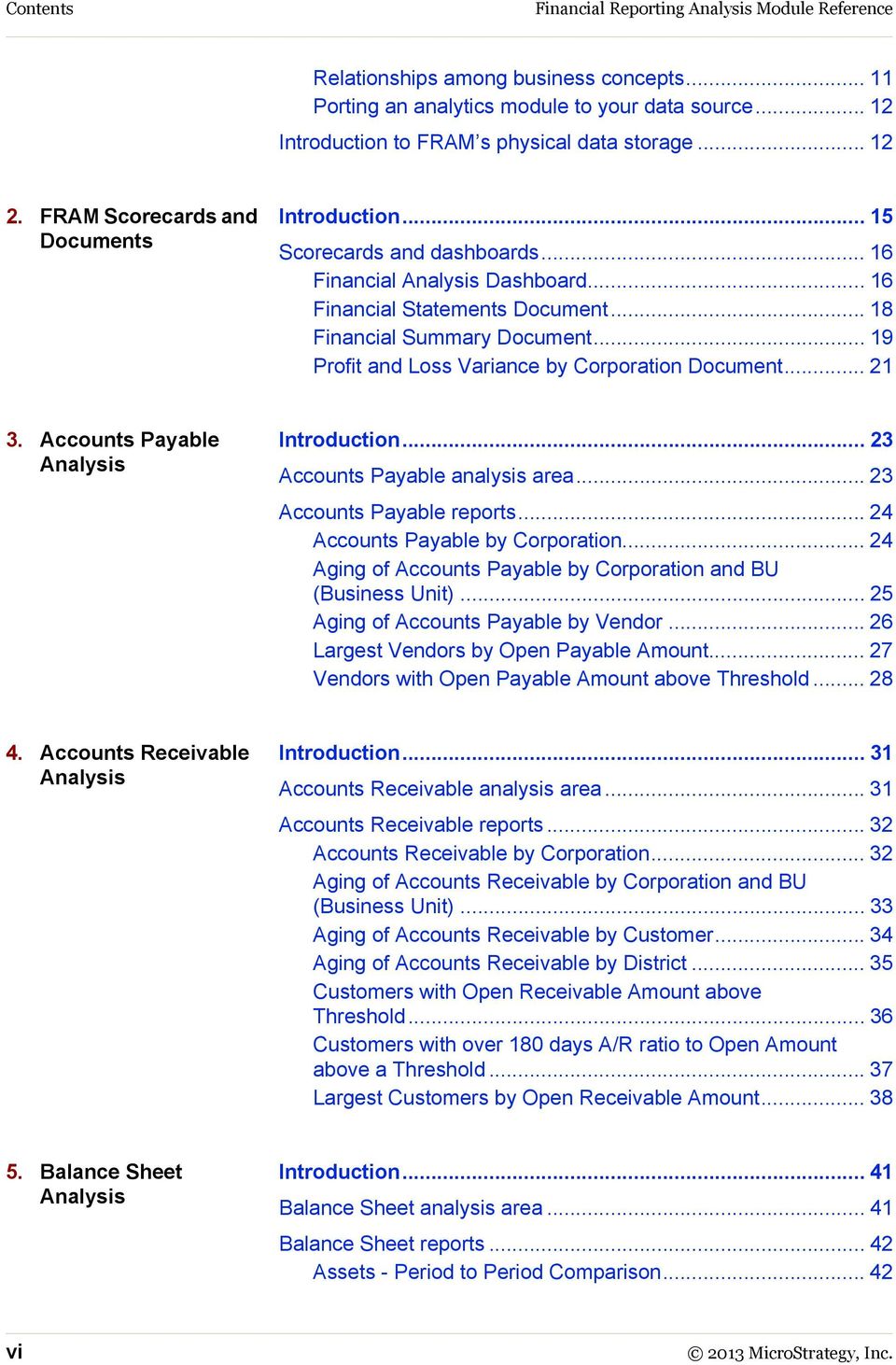
7 Financial Reporting Analysis Module Reference Contents Assets by Corporation Balance Sheet - Period to Period Comparison Balance Sheet Summary Equities - Period to Period Comparison Equities by Corporation Liabilities - Period to Period Comparison Liabilities by Corporation Cash Flow Analysis Introduction Cash Flow analysis area Cash Flow reports Cash Receipts and Write-offs by Customer Collection History by Customer using DSO (Days Sales Outstanding) Operations Cash Flow Changes Payables - Period to Period Comparison Quarterly Trend in DSO (Days Sales Outstanding) Receivables - Period to Period Comparison Summary of Bills Due by Date for Next Two Weeks Summary of Cash Receipts by Corporation Summary of Payments by Corporation Costs and Expenses Analysis Introduction Costs and Expenses analysis area Costs and Expenses reports BU (Business Unit) Cost Comparison by Quarter BU (Business Unit) Cost Trend by Month Cost Distribution by BU (Business Unit) Cost Trend by Vendor Costs by BU (Business Unit) Costs by Corporation with Currency Conversion Employees with Highest T&E (Travel) Expenses Vendor Cost Comparison by Quarter Vendors with Highest Costs Planning and Forecasting Analysis Introduction Planning and Forecasting analysis area Planning and Forecasting reports Actual - Forecast Comparison Actual - Plan Comparison MicroStrategy, Inc. vii
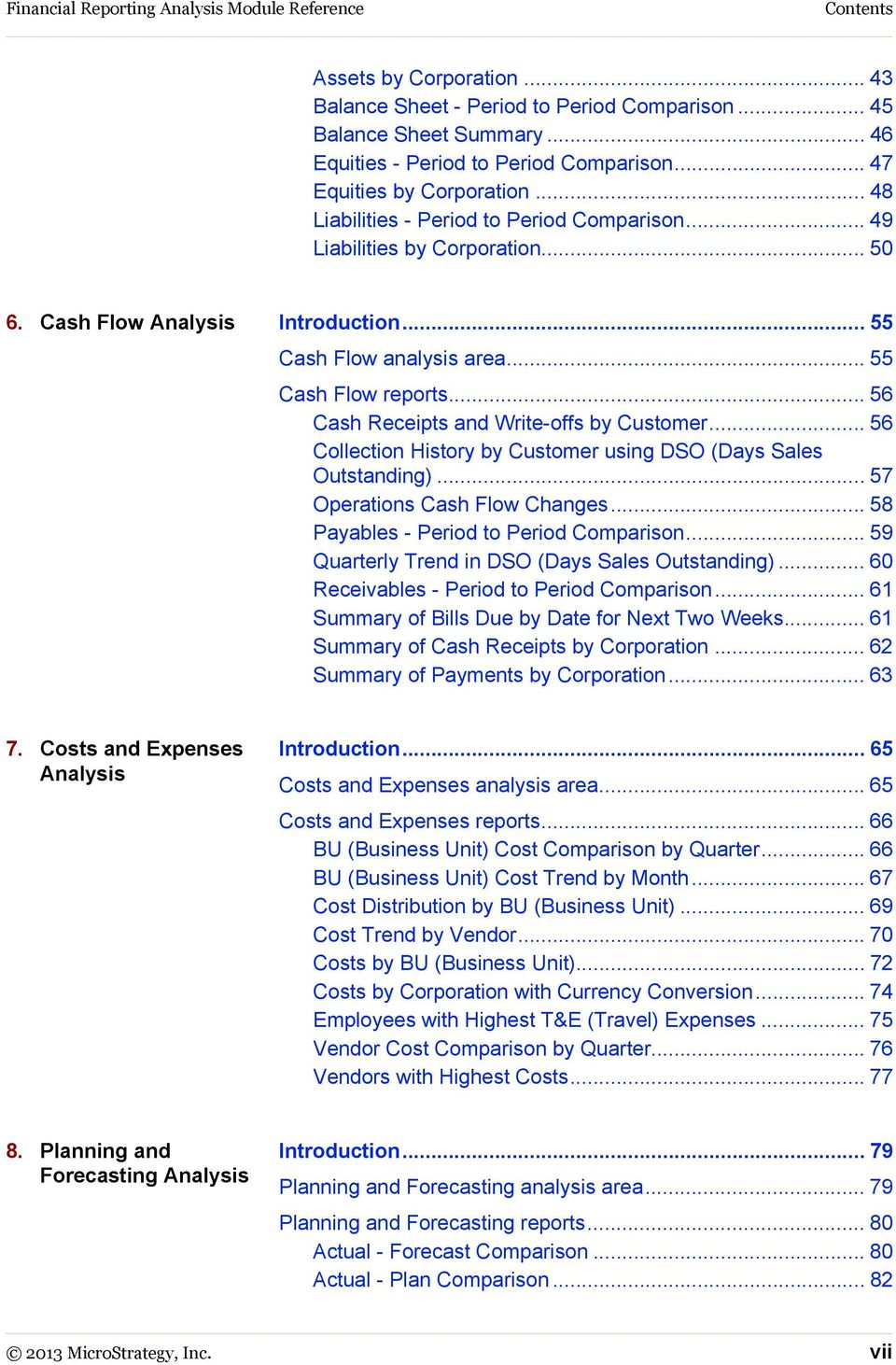
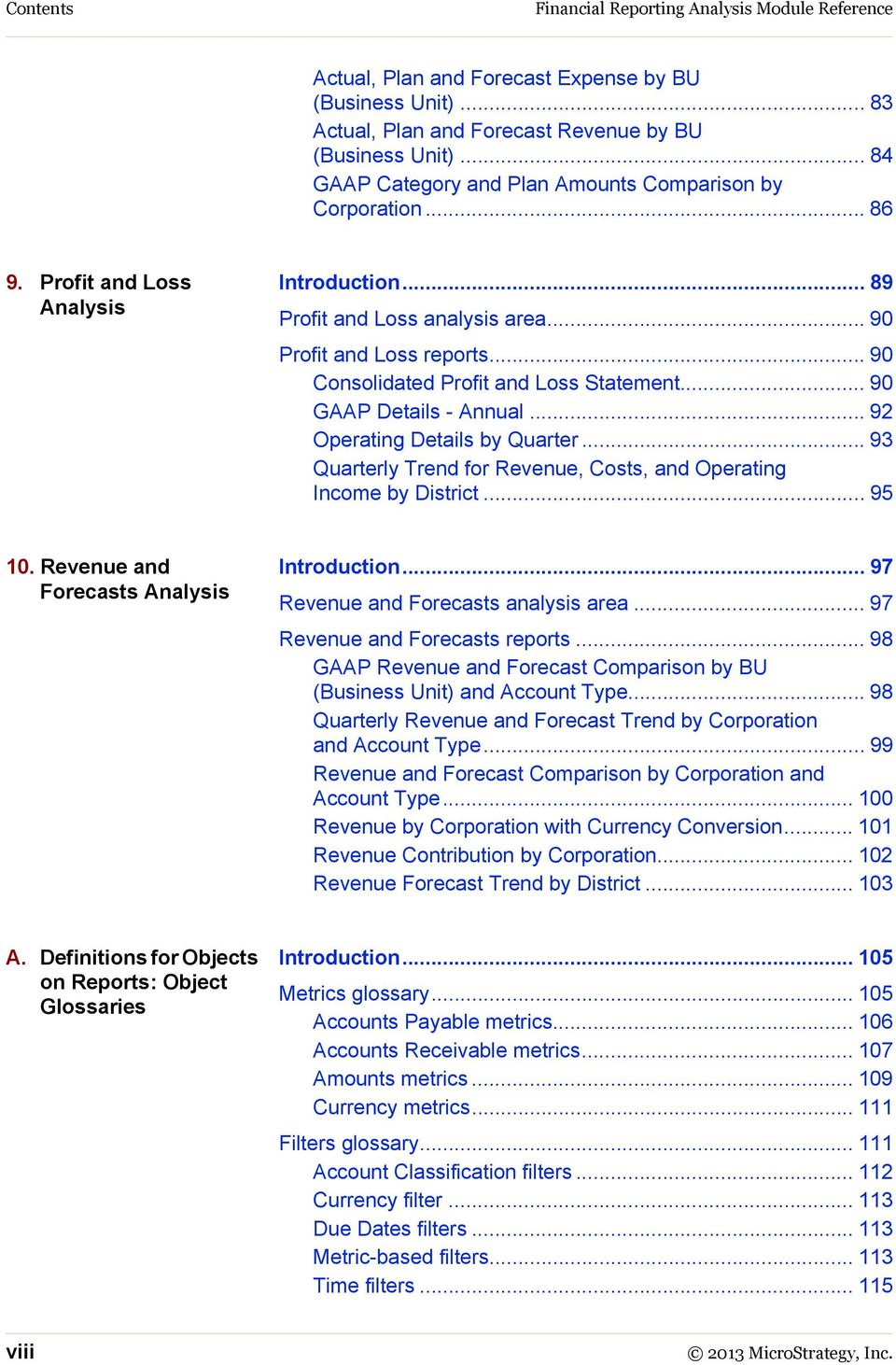
8 Contents Financial Reporting Analysis Module Reference Actual, Plan and Forecast Expense by BU (Business Unit) Actual, Plan and Forecast Revenue by BU (Business Unit) GAAP Category and Plan Amounts Comparison by Corporation Profit and Loss Analysis Introduction Profit and Loss analysis area Profit and Loss reports Consolidated Profit and Loss Statement GAAP Details - Annual Operating Details by Quarter Quarterly Trend for Revenue, Costs, and Operating Income by District Revenue and Forecasts Analysis Introduction Revenue and Forecasts analysis area Revenue and Forecasts reports GAAP Revenue and Forecast Comparison by BU (Business Unit) and Account Type Quarterly Revenue and Forecast Trend by Corporation and Account Type Revenue and Forecast Comparison by Corporation and Account Type Revenue by Corporation with Currency Conversion Revenue Contribution by Corporation Revenue Forecast Trend by District A. Definitions for Objects on Reports: Object Glossaries Introduction Metrics glossary Accounts Payable metrics Accounts Receivable metrics Amounts metrics Currency metrics Filters glossary Account Classification filters Currency filter Due Dates filters Metric-based filters Time filters viii 2013 MicroStrategy, Inc.
9 Financial Reporting Analysis Module Reference Contents Vendor Type filters Prompts glossary Consolidations glossary B. Structure of FRAM s Business Logic: Logical Data Model Introduction Prerequisites FRAM logical schema Business hierarchies Organization hierarchy Vendor hierarchy Invoice hierarchy Time hierarchy Account hierarchy GAAP Category hierarchy Employee hierarchy Customer hierarchy Currency hierarchy Facts Accounts Payable facts Accounts Receivable facts Actual, Budgeted, and Forecasted Amounts facts Transformations C. Data Storage: Physical Schema and Data Dictionary Introduction Prerequisites FRAM physical schema Table information Table column information Glossary Index MicroStrategy, Inc. ix

10 Contents Financial Reporting Analysis Module Reference x 2013 MicroStrategy, Inc.

11 BOOK OVERVIEW AND ADDITIONAL RESOURCES Description of this guide This guide is a reference for the MicroStrategy Financial Reporting Analysis Module (FRAM), part of the MicroStrategy Analytics Modules that come with MicroStrategy Architect. This guide provides a description, usage scenarios, and screen shots for all the packaged reports for FRAM. It also provides descriptions of the module s logical data model and physical schema tables and columns, as well as glossaries for the public objects (metrics, prompts, and filters) and schema objects (attributes and facts). Chapter 1, Introduction to the Financial Reporting Analysis Module presents an introduction to FRAM and provides descriptions and basic procedures to help you understand and work with FRAM. Chapter 2, FRAM Scorecards and Documents presents the FRAM scorecard and provides scorecard usage information and screen shots. Chapter 3, Accounts Payable Analysis presents the FRAM reports for the Accounts Payable analysis area. Chapter 4, Accounts Receivable Analysis presents the FRAM reports for the Accounts Receivable analysis area MicroStrategy, Inc. xi
12 Book Overview and Additional Resources Financial Reporting Analysis Module Reference Chapter 5, Balance Sheet Analysis presents the FRAM reports for the Balance Sheet analysis area. Chapter 6, Cash Flow Analysis presents the FRAM reports for the Cash Flow analysis area. Chapter 7, Costs and Expenses Analysis presents the FRAM reports for the Costs and Expenses analysis area. Chapter 8, Planning and Forecasting Analysis presents the FRAM reports for the Planning and Forecasting analysis area. Chapter 9, Profit and Loss Analysis presents the FRAM reports for the Profit and Loss analysis area. Chapter 10, Revenue and Forecasts Analysis presents the FRAM reports for the Revenue and Forecasts analysis area. Appendix A, Definitions for Objects on Reports: Object Glossaries presents the FRAM object glossaries, which provide definitions for all of the attributes, metrics, filters, prompts, and consolidations used in the module. Appendix B, Structure of FRAM s Business Logic: Logical Data Model presents FRAM s logical data model, including a diagram and details for working with attributes and facts. Appendix C, Data Storage: Physical Schema and Data Dictionary presents FRAM s default physical schema, including a diagram and details on the schema s tables and columns. Consult the Installation and Porting Guide for steps to install and configure your Analytics Modules, and for information on setting up (porting) an Analysis Module to work with your existing data warehouse. The Installation and Porting Guide also provides best practices concepts and procedures for designing and building your own analytical applications using the Analytics Modules as templates. About the Analytics Modules MicroStrategy helps you build analytical applications by offering a rapid application development framework consisting of analytical starter kits, development products, and design and development methodologies. There are five Analytics Modules that are built to be portable. You can choose to deploy the Analytics Modules against your existing data warehouse, use one xii About the Analytics Modules 2013 MicroStrategy, Inc.
13 Financial Reporting Analysis Module Reference Book Overview and Additional Resources of the packaged physical schemas as the basis of a new data warehouse, or use the modules as templates to build analytical applications. The components are: Analytics Modules Prepackaged metadata: Best practices reports, scorecards, dashboards, key performance indicators, attributes, business metrics, filters, and custom groups Default physical and logical data model: Analytics that are designed to work with your physical schemas and data model or with the module s packaged data warehouse schema Reference guides: Documentation on each Analysis Module s data model, the individual analysis areas, metadata object definitions, data dictionary, and individual report use scenarios Implementation methodology Documentation that guides you step-by-step through implementing Analytics Modules against existing data warehouses (known as porting) Design rules and tenets for designing and developing portable analytical applications MicroStrategy Architect: A development tool that allows you to map Analytics Modules to existing data warehouses Documentation for MicroStrategy Desktop and MicroStrategy Architect is available on your MicroStrategy disk, as described fully in Resources, page xv. See the Installation and Porting Guide for a detailed discussion of the Analytics Modules. The Installation and Porting Guide also contains procedures and methodologies to make full use of the Analytics Modules. About this book The following sections provide the location of examples, list prerequisites for using this book, and describe the user roles the information in this book was designed for. Dates in the MicroStrategy Tutorial project are updated to reflect the current year. The sample documents and images in this guide, as well as the procedures, were created with dates that may no longer be 2013 MicroStrategy, Inc. About this book xiii

14 Book Overview and Additional Resources Financial Reporting Analysis Module Reference available in the Tutorial project. Replace them with the first year of data in your Tutorial project. Additional formats This book is also available as an electronic publication in the Apple ibookstore, and can be read on an iphone or ipad with the ibooks app installed. To download this book, search for the book s title in the ibookstore search bar, or scan the QR code below using your device's camera. How to find business scenarios and examples For examples of report features and a basic introduction to the MicroStrategy business intelligence system, use the MicroStrategy Tutorial, which is MicroStrategy s sample warehouse, metadata, and project. Information about the MicroStrategy Tutorial can be found in the MicroStrategy Basic Reporting Guide. For extensive examples of metrics, filters, and other report objects, see the MicroStrategy Advanced Reporting Guide. Prerequisites How you use this document depends on the type of user you are and on your goals for working with the Analytics Modules. See Who should use this guide, page xv for a description of the various approaches to the Analytics Modules product. If you intend to evaluate the business value of the modules, you should have: Experience with MicroStrategy reports and metrics using MicroStrategy technology If you intend to implement and customize the modules, you should have: xiv About this book 2013 MicroStrategy, Inc.

15 Financial Reporting Analysis Module Reference Book Overview and Additional Resources Experience with logical data modeling and creating business intelligence applications using MicroStrategy technology A basic understanding of relational database management system (RDBMS) concepts and data modeling Who should use this guide This document is designed for: End users working with the packaged reports that come with the Analytics Modules Advanced users and administrators evaluating the business value of the Analytics Modules Consultants and developers implementing and customizing the Analytics Modules Resources Documentation MicroStrategy provides both manuals and online help; these two information sources provide different types of information, as described below: Manuals: In general, MicroStrategy manuals provide: Introductory information and concepts Examples and images Checklists and high-level procedures to get started The steps to access the manuals are described in Accessing manuals and other documentation sources, page xxii. Most of these manuals are also available printed in a bound, soft cover format. To purchase printed manuals, contact your MicroStrategy Account Executive with a purchase order number MicroStrategy, Inc. Resources xv
16 Book Overview and Additional Resources Financial Reporting Analysis Module Reference Help: In general, MicroStrategy help provides: Detailed steps to perform procedures Descriptions of each option on every software screen For the most up-to-date translations of MicroStrategy documentation, refer to the MicroStrategy Knowledge Base. Due to translation time, manuals in languages other than English may contain information that is one or more releases behind. You can see the version number on the title page of each manual. Manuals for MicroStrategy overview and evaluation Introduction to MicroStrategy: Evaluation Guide Instructions for installing, configuring, and using the MicroStrategy Evaluation Edition of the software. This guide also includes a detailed, step-by-step evaluation process of MicroStrategy features, where you perform reporting with the MicroStrategy Tutorial project and its sample business data. MicroStrategy Evaluation Edition Quick Start Guide Overview of the installation and evaluation process, and additional resources. MicroStrategy Suite: Quick Start Guide Evaluate MicroStrategy as a departmental solution. Provides detailed information to download, install, configure, and use the MicroStrategy Suite. Resources for MicroStrategy Social Intelligence Alert Commerce Management System (CMS) Guide and Alert API Reference Content resources designed to provide instructions for delivering and managing marketing and commerce content through the Alert for Facebook web and mobile applications. Usher Pro Administration Guide Instructions for performing mobile identity validation using the Usher Pro mobile identity network to issue electronic badges for identifying users. xvi Resources 2013 MicroStrategy, Inc.

17 Financial Reporting Analysis Module Reference Book Overview and Additional Resources Wisdom Professional User Guide Instructions for performing market research and consumer analytics. Manuals for query, reporting, and analysis MicroStrategy Installation and Configuration Guide Information to install and configure MicroStrategy products on Windows, UNIX, Linux, and HP platforms, as well as basic maintenance guidelines. MicroStrategy Upgrade Guide Instructions to upgrade existing MicroStrategy products. MicroStrategy Project Design Guide Information to create and modify MicroStrategy projects, and understand facts, attributes, hierarchies, transformations, advanced schemas, and project optimization. MicroStrategy Basic Reporting Guide Instructions to get started with MicroStrategy Desktop and MicroStrategy Web, and how to analyze data in a report. Includes the basics for creating reports, metrics, filters, and prompts. MicroStrategy Advanced Reporting Guide: Enhancing Your Business Intelligence Application Instructions for advanced topics in the MicroStrategy system, building on information in the Basic Reporting Guide. Topics include reports, Freeform SQL reports, Query Builder reports, filters, metrics, Data Mining Services, custom groups, consolidations, and prompts. MicroStrategy Report Services Document Analysis Guide: Analyzing Data with Report Services Documents Instructions for a business analyst to execute and analyze a document in MicroStrategy Desktop and MicroStrategy Web, building on basic concepts about projects and reports presented in the MicroStrategy Basic Reporting Guide. MicroStrategy Report Services Document Creation Guide: Creating Boardroom Quality Documents Instructions to design and create Report Services documents, building on information in the MicroStrategy Report Services Document Analysis 2013 MicroStrategy, Inc. Resources xvii

18 Book Overview and Additional Resources Financial Reporting Analysis Module Reference Guide. It is organized to help guide you through creating a new document, from creating the document itself, to adding objects to the new document, and formatting the document and its objects. MicroStrategy Dashboards and Widgets Creation Guide: Creating Interactive Dashboards for your Data Instructions for designing and creating MicroStrategy Report Services dashboards, a type of document that is optimized for viewing online and for user interactivity. It builds on the basic concepts about documents presented in the MicroStrategy Report Services Document Creation Guide. MicroStrategy OLAP Services Guide Information on MicroStrategy OLAP Services, which is an extension of MicroStrategy Intelligence Server. OLAP Services features include Intelligent Cubes, derived metrics, derived elements, dynamic aggregation, view filters, and dynamic sourcing. MicroStrategy Office User Guide Instructions for using MicroStrategy Office to work with MicroStrategy reports and documents in Microsoft Excel, PowerPoint, and Word, to analyze, format, and distribute business data. MicroStrategy Mobile Analysis Guide: Analyzing Data with MicroStrategy Mobile Information and instructions for using MicroStrategy Mobile to view and analyze data, and perform other business tasks with MicroStrategy reports and documents on a mobile device. MicroStrategy Mobile Design and Administration Guide: A Platform for Mobile Intelligence Information and instructions to install and configure MicroStrategy Mobile, as well as instructions for a designer working in MicroStrategy Desktop or MicroStrategy Web to create effective reports and documents for use with MicroStrategy Mobile. MicroStrategy System Administration Guide: Tuning, Monitoring, and Troubleshooting your MicroStrategy Business Intelligence System Concepts and high-level steps to implement, deploy, maintain, tune, and troubleshoot a MicroStrategy business intelligence system. xviii Resources 2013 MicroStrategy, Inc.
19 Financial Reporting Analysis Module Reference Book Overview and Additional Resources MicroStrategy Supplemental Reference for System Administration: VLDB Properties, Internationalization, User Privileges, and other Supplemental Information for Administrators Information and instructions for MicroStrategy administrative tasks such as configuring VLDB properties and defining data and metadata internationalization, and reference material for other administrative tasks. MicroStrategy Functions Reference Function syntax and formula components; instructions to use functions in metrics, filters, attribute forms; examples of functions in business scenarios. MicroStrategy MDX Cube Reporting Guide Information to integrate MicroStrategy with MDX cube sources. You can integrate data from MDX cube sources into your MicroStrategy projects and applications. Manuals for Analytics Modules Analytics Modules Installation and Porting Guide Customer Analysis Module Reference Sales Force Analysis Module Reference Financial Reporting Analysis Module Reference Sales and Distribution Analysis Module Reference Human Resources Analysis Module Reference Manuals for Narrowcast Services products MicroStrategy Narrowcast Server Getting Started Guide Instructions to work with the tutorial to learn Narrowcast Server interfaces and features. MicroStrategy Narrowcast Server Installation and Configuration Guide Information to install and configure Narrowcast Server MicroStrategy, Inc. Resources xix
20 Book Overview and Additional Resources Financial Reporting Analysis Module Reference MicroStrategy Narrowcast Server Application Designer Guide Fundamentals of designing Narrowcast Server applications. MicroStrategy Narrowcast Server System Administrator Guide Concepts and high-level steps to implement, maintain, tune, and troubleshoot Narrowcast Server. MicroStrategy Narrowcast Server Upgrade Guide Instructions to upgrade an existing Narrowcast Server. Software Development Kits MicroStrategy Developer Library (MSDL) Information to understand the MicroStrategy SDK, including details about architecture, object models, customization scenarios, code samples, and so on. MicroStrategy Web SDK The Web SDK is available in the MicroStrategy Developer Library, which is part of the MicroStrategy SDK. Narrowcast Server SDK Guide Instructions to customize Narrowcast Server functionality, integrate Narrowcast Server with other systems, and embed Narrowcast Server functionality within other applications. Documents the Narrowcast Server Delivery Engine and Subscription Portal APIs, and the Narrowcast Server SPI. Documentation for MicroStrategy Portlets Enterprise Portal Integration Help Information to help you implement and deploy MicroStrategy BI within your enterprise portal, including instructions for installing and configuring out-of-the-box MicroStrategy Portlets for several major enterprise portal servers. This resource can be accessed from the MicroStrategy Product Manuals page, as described in Accessing manuals and other documentation sources, page xxii. xx Resources 2013 MicroStrategy, Inc.
21 Financial Reporting Analysis Module Reference Book Overview and Additional Resources Documentation for MicroStrategy GIS Connectors GIS Integration Help Information to help you integrate MicroStrategy with Geospatial Information Systems (GIS), including specific examples for integrating with various third-party mapping services. This resource can be accessed from the MicroStrategy Product Manuals page, as described in Accessing manuals and other documentation sources, page xxii. Help Each MicroStrategy product includes an integrated help system to complement the various interfaces of the product as well as the tasks that can be accomplished using the product. Some of the MicroStrategy help systems require a web browser to be viewed. For supported web browsers, see the MicroStrategy Readme. MicroStrategy provides several ways to access help: Help button: Use the Help button or? (question mark) icon on most software windows to see help for that window. Help menu: From the Help menu or link at the top of any screen, select MicroStrategy Help to see the table of contents, the Search field, and the index for the help system. F1 key: Press F1 to see context-sensitive help that describes each option in the software window you are currently viewing. For MicroStrategy Web, MicroStrategy Web Administrator, and MicroStrategy Mobile Server, pressing the F1 key opens the context-sensitive help for the web browser you are using to access these MicroStrategy interfaces. Use the Help menu or? (question mark) icon to access help for these MicroStrategy interfaces MicroStrategy, Inc. Resources xxi
22 Book Overview and Additional Resources Financial Reporting Analysis Module Reference Accessing manuals and other documentation sources The manuals are available from producthelp, as well as from your MicroStrategy disk or the machine where MicroStrategy was installed. Adobe Acrobat Reader is required to view these manuals. If you do not have Acrobat Reader installed on your computer, you can download it from The best place for all users to begin is with the MicroStrategy Basic Reporting Guide. To access the installed manuals and other documentation sources, see the following procedures: To access documentation resources from any location, page xxii To access documentation resources on Windows, page xxii To access documentation resources on UNIX and Linux, page xxiii To access documentation resources from any location 1 Visit To access documentation resources on Windows 1 From the Windows Start menu, choose Programs (or All Programs), MicroStrategy Documentation, then Product Manuals. A page opens in your browser showing a list of available manuals in PDF format and other documentation sources. 2 Click the link for the desired manual or other documentation source. 3 If you click the link for the Narrowcast Services SDK Guide, a File Download dialog box opens. This documentation resource must be downloaded. Select Open this file from its current location, and click OK. If bookmarks are not visible on the left side of an Acrobat (PDF) manual, from the View menu click Bookmarks and Page. This step varies slightly depending on your version of Adobe Acrobat Reader. xxii Resources 2013 MicroStrategy, Inc.
23 Financial Reporting Analysis Module Reference Book Overview and Additional Resources To access documentation resources on UNIX and Linux 1 Within your UNIX or Linux machine, navigate to the directory where you installed MicroStrategy. The default location is /opt/microstrategy, or $HOME/MicroStrategy/install if you do not have write access to /opt/microstrategy. 2 From the MicroStrategy installation directory, open the Help folder. 3 Open the Product_Manuals.htm file in a web browser. A page opens in your browser showing a list of available manuals in PDF format and other documentation sources. 4 Click the link for the desired manual or other documentation source. 5 If you click the link for the Narrowcast Services SDK Guide, a File Download dialog box opens. This documentation resource must be downloaded. Select Open this file from its current location, and click OK. If bookmarks are not visible on the left side of an Acrobat (PDF) manual, from the View menu click Bookmarks and Page. This step varies slightly depending on your version of Adobe Acrobat Reader. Documentation standards MicroStrategy online help and PDF manuals (available both online and in printed format) use standards to help you identify certain types of content. The following table lists these standards. These standards may differ depending on the language of this manual; some languages have rules that supersede the table below. Type bold italic Indicates Button names, check boxes, options, lists, and menus that are the focus of actions or part of a list of such GUI elements and their definitions Example: Click Select Warehouse. Names of other product manuals and documentation resources When part of a command syntax, indicates variable information to be replaced by the user Example: The aggregation level is the level of calculation for the metric. Example: Type copy c:\filename d:\foldername\filename 2013 MicroStrategy, Inc. Resources xxiii
24 Book Overview and Additional Resources Financial Reporting Analysis Module Reference Type Courier font Indicates Calculations Code samples Registry keys Path and file names URLs Messages displayed in the screen Text to be entered by the user Example: Sum(revenue)/number of months. Example: Type cmdmgr -f scriptfile.scp and press Enter. + A keyboard command that calls for the use of more than one key (for example, SHIFT+F1). A note icon indicates helpful information for specific situations. A warning icon alerts you to important information such as potential security risks; these should be read before continuing. Education MicroStrategy Education Services provides a comprehensive curriculum and highly skilled education consultants. Many customers and partners from over 800 different organizations have benefited from MicroStrategy instruction. For a detailed description of education offerings and course curriculums, visit Consulting MicroStrategy Consulting Services provides proven methods for delivering leading-edge technology solutions. Offerings include complex security architecture designs, performance and tuning, project and testing strategies and recommendations, strategic planning, and more. For a detailed description of consulting offerings, visit Services. International support MicroStrategy supports several locales. Support for a locale typically includes native database and operating system support, support for date formats, xxiv Resources 2013 MicroStrategy, Inc.
25 Financial Reporting Analysis Module Reference Book Overview and Additional Resources numeric formats, currency symbols, and availability of translated interfaces and certain documentation. MicroStrategy is certified in homogeneous configurations (where all the components lie in the same locale) in the following languages English (US), French, German, Italian, Japanese, Korean, Portuguese (Brazilian), Spanish, Chinese (Simplified), Chinese (Traditional), Danish, and Swedish. A translated user interface is available in each of the above languages. For information on specific languages supported by individual MicroStrategy system components, see the MicroStrategy readme. MicroStrategy also provides limited support for heterogeneous configurations (where some of the components may lie in different locales). Please contact MicroStrategy Technical Support for more details. Technical Support If you have questions about a specific MicroStrategy product, you should: 1 Consult the product guides, Help, and readme files. Locations to access each are described above. 2 Consult the MicroStrategy Knowledge Base online at resource.microstrategy.com/support. A technical administrator in your organization may be able to help you resolve your issues immediately. 3 If the resources listed in the steps above do not provide a solution, contact MicroStrategy Technical Support directly. To ensure the most productive relationship with MicroStrategy Technical Support, review the Policies and Procedures document in your language, posted at Refer to the terms of your purchase agreement to determine the type of support available to you. MicroStrategy Technical Support can be contacted by your company s Support Liaison. A Support Liaison is a person whom your company has designated as a point-of-contact with MicroStrategy s support personnel. All customer inquiries and case communications must come through these named individuals. Your company may designate two employees to serve as their Support Liaisons, and can request to change their Support Liaisons two times per year with prior written notice to MicroStrategy Technical Support MicroStrategy, Inc. Resources xxv
26 Book Overview and Additional Resources Financial Reporting Analysis Module Reference It is recommended that you designate Support Liaisons who have MicroStrategy Administrator privileges. This can eliminate security conflicts and improve case resolution time. When troubleshooting and researching issues, MicroStrategy Technical Support personnel may make recommendations that require administrative privileges within MicroStrategy, or that assume that the designated Support Liaison has a security level that permits them to fully manipulate the MicroStrategy projects and has access to potentially sensitive project data such as security filter definitions. Ensure issues are resolved quickly Before logging a case with MicroStrategy Technical Support, the Support Liaison may follow the steps below to ensure that issues are resolved quickly: 1 Verify that the issue is with MicroStrategy software and not a third party software. 2 Verify that the system is using a currently supported version of MicroStrategy software by checking the Product Support Expiration Schedule at 3 Attempt to reproduce the issue and determine whether it occurs consistently. 4 Minimize the complexity of the system or project object definition to isolate the cause. 5 Determine whether the issue occurs on a local machine or on multiple machines in the customer environment. 6 Discuss the issue with other users by posting a question about the issue on the MicroStrategy Customer Forum at resource.microstrategy.com/forum/. The following table shows where, when, and how to contact MicroStrategy Technical Support. If your Support Liaison is unable to reach MicroStrategy Technical Support by phone during the hours of operation, they can leave a voic message, send or fax, or log a case using the Online Support xxvi Resources 2013 MicroStrategy, Inc.
27 Financial Reporting Analysis Module Reference Book Overview and Additional Resources Interface. The individual Technical Support Centers are closed on certain public holidays. North America EMEA: Europe The Middle East Africa Asia Pacific Latin America Web: Fax: (703) Phone: (703) Hours: 9:00 A.M. 7:00 P.M. Eastern Time, Monday Friday except holidays Web: Fax: +44 (0) The European Technical Support Centre is closed on national public holidays in each country. Phone: Belgium: France: Germany: Ireland: Italy: Poland: Scandinavia & Finland: Spain: The Netherlands: UK: +44 (0) International distributors: +44 (0) Hours: United Kingdom: 9:00 A.M. 6:00 P.M. GMT, Monday-Friday except holidays EMEA (except UK): 9:00 A.M. 6:00 P.M. CET, Monday-Friday except holidays [email protected] Web: Phone: Australia: Korea: Fax: Japan: Fax: Singapore: Fax: Asia Pacific (except Australia, Japan, Korea, and Singapore): Fax: Hours: Japan and Korea: 9:00 A.M. 6:00 P.M. JST (Tokyo), Monday-Friday except holidays Asia Pacific (except Japan and Korea): 7 A.M.-6 P.M. (Singapore) Monday-Friday except holidays [email protected] Web: Phone: LATAM (except Brazil and Argentina): Fax: Argentina: MSTR Fax: Brazil: Fax: Hours: Latin America (except Brazil): 9:00 A.M. 7:00 P.M. (Buenos Aires), Monday-Friday except holidays Brazil: 9 A.M. - 6 P.M. (São Paulo), Monday Friday except holidays 2013 MicroStrategy, Inc. Resources xxvii
28 Book Overview and Additional Resources Financial Reporting Analysis Module Reference Support Liaisons should contact the Technical Support Center from which they obtained their MicroStrategy software licenses or the Technical Support Center to which they have been designated. Required information when calling When contacting MicroStrategy Technical Support, please provide the following information: Personal information: Name (first and last) Company and customer site (if different from company) Contact information (phone and fax numbers, addresses) Case details: Configuration information, including MicroStrategy software product(s) and versions Full description of the case including symptoms, error messages(s), and steps taken to troubleshoot the case thus far Business/system impact If this is the Support Liaison s first call, they should also be prepared to provide the following: Street address Phone number Fax number address To help the Technical Support representative resolve the problem promptly and effectively, be prepared to provide the following additional information: Case number: Please keep a record of the number assigned to each case logged with MicroStrategy Technical Support, and be ready to provide it when inquiring about an existing case Software version and product registration numbers of the MicroStrategy software products you are using xxviii Resources 2013 MicroStrategy, Inc.
29 Financial Reporting Analysis Module Reference Book Overview and Additional Resources Case description: What causes the condition to occur? Does the condition occur sporadically or each time a certain action is performed? Does the condition occur on all machines or just on one? When did the condition first occur? What events took place immediately prior to the first occurrence of the condition (for example, a major database load, a database move, or a software upgrade)? If there was an error message, what was its exact wording? What steps have you taken to isolate and resolve the issue? What were the results? System configuration (the information needed depends on the nature of the problem; not all items listed below may be necessary): Computer hardware specifications (processor speed, RAM, disk space, and so on) Network protocol used ODBC driver manufacturer and version Database gateway software version (For MicroStrategy Web-related problems) browser manufacturer and version (For MicroStrategy Web-related problems) Web server manufacturer and version If the issue requires additional investigation or testing, the Support Liaison and the MicroStrategy Technical Support representative should agree on certain action items to be performed. The Support Liaison should perform any agreed-upon actions before contacting MicroStrategy Technical Support again regarding the issue. If the Technical Support representative is responsible for an action item, the Support Liaison may call MicroStrategy Technical Support at any time to inquire about the status of the issue MicroStrategy, Inc. Resources xxix
30 Book Overview and Additional Resources Financial Reporting Analysis Module Reference Feedback Please send any comments or suggestions about user documentation for MicroStrategy products to: Send suggestions for product enhancements to: When you provide feedback to us, please include the name and version of the products you are currently using. Your feedback is important to us as we prepare for future releases. xxx Feedback 2013 MicroStrategy, Inc.
31 1 1.INTRODUCTION TO THE FINANCIAL REPORTING ANALYSIS MODULE Introduction Understanding your organization s financial health is a fundamental aspect of responding to today s increasingly stringent financial reporting requirements. To avoid risks, organizations must quickly identify trends in liabilities and assets, analyze and adjust planned and forecasted amounts, and act to provide regulatory statements as needed. The MicroStrategy Financial Reporting Analysis Module (FRAM) is built around a standard reporting process that allows an organization to gain insight into its financial health and to obtain standard regulatory reports, such as balance sheets, income statements, and so on. MicroStrategy technology provides a comprehensive view of your organization s financial data. Drill across time to see financial trends, and drill down to transaction details to investigate cause and materiality MicroStrategy, Inc. 1
32 1 Introduction to the Financial Reporting Analysis Module Financial Reporting Analysis Module Reference Business questions that FRAM reports can answer FRAM is designed to provide in-depth knowledge of corporate financial information. Knowledge can be gleaned from packaged MicroStrategy analytics which include reports, scorecards (a specific collection of related reports), and dashboards (a collection of related reports customized for optimum display). In addition, some reports show summarized information to help you see trends, while others display very specific, detailed data about your finances. The analytics in FRAM can be used to answer questions such as the following: What is the aging distribution of Accounts Payable and Accounts Receivable? Are there any customers with payment problems; if so, who needs to be notified? What are the values of assets and liabilities on a given date? What is the value of assets, liabilities, and owners equity on a given date? What is the breakdown of expenses by business units? Which business units are hitting their targets? What are the revenue trends by business units? What are the trends in revenue, by revenue types? What is the forecasted revenue? Has this forecast changed? Why have revenue forecasts changed? What is the actual amount of profit margin by business unit or region? What are the associated trends? What is the breakdown of costs by vendors, and what are the associated trends? What is the change in cash position from period to period? Which bills are due this week and for what amounts? 2 Business questions that FRAM reports can answer 2013 MicroStrategy, Inc.
33 Financial Reporting Analysis Module Reference Introduction to the Financial Reporting Analysis Module 1 Business analysis areas for FRAM reports FRAM is broken down into the following general analysis areas: Accounts Payable The reports in this analysis area focus on amounts due to vendors for products and services rendered, aging of accounts payable, and comparison by vendors. Because accounts payable is a current liability entry in a balance sheet, analysis in this area is important to identify trends in payable amounts, to whom the amounts are payable, and what part of the organization is responsible for the payables. Typical key performance indicators analyzed are Payables, A/P (0-30 days), A/P (31-60 days), A/P (61-90 days), A/P ( days), A/P ( days), and A/P (over 360 days). For Accounts Payable reports, see Chapter 3, Accounts Payable Analysis. Accounts Receivable The reports in this analysis area focus on amounts due from customers, and aging of accounts receivable. Because accounts receivable is a current asset entry on a balance sheet, Accounts Receivable analysis is important to identify trends in amounts due (receivable) and the customers from whom the amounts are due. Use this analysis area to optimize your accounts receivable collection. Typical key performance indicators analyzed are Receivables, A/R (0-30 days), A/R (31-60 days), A/R (61-90 days), A/R ( days), A/R ( days), and A/R (over 360 days). For Accounts Receivable reports, see Chapter 4, Accounts Receivable Analysis. Balance Sheet The balance sheet is a consolidated statement of assets, liabilities, and owners equity prepared at the end of a reporting period. The format for a balance sheet is dictated by regulatory agencies such as the Financial Accounting Standards Board (FASB) and the U.S. Securities and Exchange Commission (SEC). The reports in this analysis area focus on assets, liabilities, equities, provide time-based comparisons, and help you monitor up-to-date balance sheets. For Balance Sheet reports, see Chapter 5, Balance Sheet Analysis MicroStrategy, Inc. Business questions that FRAM reports can answer 3
34 1 Introduction to the Financial Reporting Analysis Module Financial Reporting Analysis Module Reference Cash Flow Cash flow analysis focuses on tracking the inflows and outflows of cash for the company. This analysis compares outstanding receivables and payables at the end of reporting periods, as well as actual cash receipts and payments, and also measures the collection performance using Day Sales Outstanding (DSO) calculations. For Cash Flow reports, see Chapter 6, Cash Flow Analysis. Costs and Expenses This analysis area focuses on costs and expenses, which are a part of a profit and loss statement. Costs and Expenses analysis identifies expenses by employees, business units, accounts (for reporting purposes), time, and vendor. Use this analysis area to help minimize operating costs. For Costs and Expenses reports, see Chapter 7, Costs and Expenses Analysis. Planning and Forecasting Analysis This analysis area identifies plans and variations from planned amounts, as well as historical plan performance by business unit, and so on. Typical key performance indicators analyzed are Forecast Amount and Plan Amount. Use this analysis area to calculate the percent variance between various forecasts and against actual amounts of all account types. For Planning and Forecasting reports, see Chapter 8, Planning and Forecasting Analysis. Profit and Loss Statements The Profit and Loss (P & L) Statement is a consolidated statement of revenue and expenses prepared for a given reporting period or quarter. The reports in this analysis area provide revenue and cost analysis, P & L statements, GAAP details, and operating details. A typical key performance indicator analyzed is Actual Amount. For Profit and Loss reports, see Chapter 9, Profit and Loss Analysis. For a step-by-step example of using your own data to design a project for financial reporting and analysis, including profit and loss reporting, refer to the Project Design Guide. Revenue and Forecasts This analysis area identifies revenue forecasts by geography, time, revenue type, and products. Use this analysis area to project revenue by comparing actual and forecasted numbers and by measuring variance. 4 Business questions that FRAM reports can answer 2013 MicroStrategy, Inc.
35 Financial Reporting Analysis Module Reference Introduction to the Financial Reporting Analysis Module 1 For Revenue and Forecast reports, see Chapter 10, Revenue and Forecasts Analysis. FRAM report features FRAM queries financial data optimized for OLAP reporting and analysis, and is designed to be built on top of your existing financial accounting system. FRAM is built using the MicroStrategy business intelligence platform and takes advantage of the rich reporting and analytical features of MicroStrategy products. Reporting flexibility: Dynamic prompts allow you to define report templates on the fly and select filter conditions to be used at run time. Rich formatting: Reports use advanced MicroStrategy formatting features, such as thresholds to highlight important trends, page-by to move quickly to summary information, graphs to display data three-dimensionally or with lines or columns, and so on. Segmentation and custom grouping capabilities: You can define sets of elements, or segments, that meet certain conditions and view data on the defined segments. Create aggregated custom groups to present financial information at a higher level, and drill down to see transaction level details. Ad hoc analysis: You can create additional reports based on existing attributes or metrics, or create new reports to address specific reporting needs. Dashboards: You can combine data from different sources into one HTML document, and display the data graphically at a high level, making it visually appealing and easy to understand. You can combine grids, graphs, text, and special dashboard images to create a quick overview of key performance indicators (KPIs). Scorecards: You can combine several reports into one HTML document, including different display modes such as graph or grid, and so on. Report Services documents: A document is a set of data with extensive formatting properties applied. When creating a document, you can specify what data appears, control how it will be laid out and formatted, and how it should be grouped. You can insert pictures and draw borders in the document. All of these capabilities allow you to create reports that are suitable for presentation to management or printing for boardroom quality material MicroStrategy, Inc. FRAM report features 5
36 1 Introduction to the Financial Reporting Analysis Module Financial Reporting Analysis Module Reference Advanced metrics: Advanced metrics include, for example, Open A/P EOQ - Previous Quarter, which compares the open payable amount from this quarter to last quarter. Advanced drilling: You can navigate by moving from highly summarized information down to attributes and other data details. For example, in the Operations Cash Flow Changes report, you can drill down from an operating activity such as Liabilities to view the account type, such as Sales Tax or Deferred Income. For a more in-depth introduction to MicroStrategy query and reporting features as well as an interactive tutorial, see the MicroStrategy Basic Reporting Guide. Introduction to reports, dashboards, and documents This reference guide describes the reports and documents that summarize the FRAM analysis areas. This guide also describes the general analysis areas within FRAM and presents the reports within each analysis area that come with FRAM. Each general analysis area provides a short introduction to the area, explaining the analysis challenges and presenting the list of packaged reports that belong to that general reporting area. For each report, scorecard, or document, this guide provides: A description of its business value Typical usage scenarios A screen shot with sample data The sample data warehouse that supplies information for the sample reports is updated regularly. As a result, data that appears in images in this guide may not always coincide exactly with the data returned for a sample report in the software. A description of how data is qualified Typical drill paths 6 Introduction to reports, dashboards, and documents 2013 MicroStrategy, Inc.
37 Financial Reporting Analysis Module Reference Introduction to the Financial Reporting Analysis Module 1 Tips about how the report, scorecard, or document can be customized and extended to fit user requirements Report Services documents can only be displayed in a server connection (a three-tier environment). You must be connected to MicroStrategy Intelligence Server. Additionally, to display a Report Services document, you must have MicroStrategy Report Services. See the MicroStrategy Installation and Configuration Guide for information on connecting to Intelligence Server and the MicroStrategy Report Services Document Creation Guide for details on Report Services documents. Accessing reports All the FRAM reports and scorecards are stored in the Reports folder of the FRAM project. To access reports 1 From Start, point to Programs, then MicroStrategy Products, and select Desktop. 2 Enter your user name and password, and click OK. The default user name is Administrator with the password field left blank. If your system administrator has changed this, contact that person to get a user name and password. 3 From the Folder List area, expand the Analytics Modules. 4 Expand the Financial Reporting Analysis Module. 5 Expand Public Objects, and expand Reports. All FRAM reports and scorecards are located in this Reports folder. About scorecards and dashboards Scorecards and dashboards are popular ways to display and distribute data from business intelligence projects. In MicroStrategy, dashboards and scorecards are Report Services documents MicroStrategy, Inc. Introduction to reports, dashboards, and documents 7
38 1 Introduction to the Financial Reporting Analysis Module Financial Reporting Analysis Module Reference A Report Services document is a set of data and formatting properties that, when executed, can produce an attractive presentation-quality report. For more information on Report Services documents, see About Report Services documents, page 9. The information in this section is intended as a brief overview of scorecards and dashboards. Scorecards Scorecards provide you with a high-level summary of key performance indicators (KPIs) for a given analysis area. They accomplish this by displaying data of actual performance compared to planned targets and benchmarks. Scorecards are made up of several combined base reports. Scorecards are a good starting point for any Analysis Module because scorecards comprise the most common or most important reports within a given analysis area. From the data returned on a scorecard, you can formulate ideas for further, more detailed exploration. See Accessing Reports in this chapter for steps to open a FRAM scorecard. Scorecards are laid out to help you with the information-gathering process. The most general information is found at the top left of the scorecard, and the reports get more detailed as you move left to right, top to bottom. The scorecards that come with FRAM are described in Chapter 2, FRAM Scorecards and Documents. Dashboards Dashboards, like scorecards, are made up of a group of reports and metrics that are tied together by business logic. Scorecards typically follow a specific methodology and focus on key metrics within a business area. Dashboards, on the other hand, also provide key metrics but tend to summarize business intelligence information more widely. Dashboards allow you to display information customized to your audience. Audiences might include executives, managers, or particular groups within the company such as Marketing or Sales. In some cases, you may choose to provide information to partners or customers. Among other things, dashboards let you: 8 Introduction to reports, dashboards, and documents 2013 MicroStrategy, Inc.
39 Financial Reporting Analysis Module Reference Introduction to the Financial Reporting Analysis Module 1 Add interactivity to a document, so that analysts can select various options directly on the document to display the specific data they are interested in Choose a uniform coloring scheme or display information using your company s standard Web page style Add links wherever necessary Choose the appropriate graphs, images, and colors for better presentation and to highlight specific data, trends, and deviation from certain trends, as well as to provide visual cues Share the dashboard using Desktop, Web, or via using Narrowcast Server About Report Services documents A MicroStrategy Report Services document is a set of data and formatting properties that, when executed, can produce an attractive presentation-quality report. There are several types of Report Services documents, including the following: Scorecards and dashboards: Designed for visual impact, these documents provide a distilled view of the business, organized in adaptive sections or zones. Managed metrics reports: With a quantitative focus, these documents present lists of metrics or process-driven tabular views of the business. Production and operational reports: Designed for production operations management, these documents present data in hierarchical categories or bands and can span across hundreds of printed pages. Invoices and statements: These documents use transaction and sub-transaction level data necessary for billing, collection, and customer service. Business reports: Designed for financial and other statutory business reporting, these documents present comprehensive data in print and electronic forms. See the other MicroStrategy Analytics Modules and the MicroStrategy Tutorial for examples of other types of Report Services documents MicroStrategy, Inc. Introduction to reports, dashboards, and documents 9
40 1 Introduction to the Financial Reporting Analysis Module Financial Reporting Analysis Module Reference Accessing documents To open a document that has already been created 1 From a project in MicroStrategy Desktop or Web, navigate to the folder containing the document. 2 Do one of the following depending on which interface you are using: In MicroStrategy Web, click the document name or icon. The document displays. In MicroStrategy Desktop, double-click the document name or icon. It opens in PDF View. For complete details on viewing, creating, and working with documents, see the MicroStrategy Report Services Document Creation Guide. About definitions for objects on reports The objects used in the FRAM reports are presented in glossaries in Appendix A of this reference guide. The glossaries include descriptions of the public objects (metrics, filters, prompts, and consolidations) that make up FRAM. For details, see Definitions for Objects on Reports: Object Glossaries, page 105 in Appendix A. For additional details on any FRAM object, see the MicroStrategy project definitions in the Schema Objects and Public Objects folders. About the structure of FRAM s business logic FRAM s logical data model, sometimes also called the multidimensional model, is presented in Appendix B, Structure of FRAM s Business Logic: Logical Data Model in this reference guide. The logical data model is the group of attributes (business concepts) and facts (measures, or logical pieces of data that can be analyzed) that make up an Analysis Module, arranged in specific sequences to reflect a business structure or business logic. A logical data model also shows how that business logic maps to the physical schema 10 About definitions for objects on reports 2013 MicroStrategy, Inc.
41 Financial Reporting Analysis Module Reference Introduction to the Financial Reporting Analysis Module 1 (data elements in a data warehouse). For details on logical data modeling, see the data modeling section of the MicroStrategy Basic Reporting guide. The logical schema diagram is available in an Erwin file, located in Program Files\MicroStrategy\Analytics Modules\FRAM\ Fram.er1. For additional details, see the Structure of FRAM s Business Logic: Logical Data Model, page 121 in Appendix B. The documentation assumes you have prior experience with logical data modeling and creating business intelligence applications using MicroStrategy technology. Business concepts and measurements Business concepts, such as year or customer, are generally represented in MicroStrategy as attributes. Measurements, such as profit or revenue, are usually represented as facts. To get full details about any attribute or fact in any Analysis Module, use the Attribute Editor. You can view such information as definitions, properties, mapping methods, source tables, and so on. To view attribute or fact details 1 From MicroStrategy Desktop, open the Financial Reporting Analysis Module. 2 Open the Schema Objects folder. Attributes can be found in the Attributes folder. Facts can be found in the Facts folder. 3 Double-click the individual attribute or fact. The Attribute Editor automatically opens and displays details about the selected object. Relationships among business concepts The attributes and facts in the logical data model are arranged in a specific sequence to reflect business logic. This arranged structure is called a hierarchy (sometimes also called a dimension) MicroStrategy, Inc. About the structure of FRAM s business logic 11
42 1 Introduction to the Financial Reporting Analysis Module Financial Reporting Analysis Module Reference The analysis hierarchies for each module include a number of hierarchies through which data can be summarized. For example, in FRAM, data can be analyzed through such hierarchies as customer, product, transaction, and time. Default analysis hierarchies can be easily customized and extended to support analysis structures required for each company. See the Structure of FRAM s Business Logic: Logical Data Model, page 121 and Appendix C, Data Storage: Physical Schema and Data Dictionary in this guide for additional details. Porting an analytics module to your data source The MicroStrategy Analytics Modules are designed around the concept of portability. Portability is the ability of an analytical application to be integrated into an existing data warehouse. Porting a given analytical application involves remapping the application s logical data model to an existing physical data warehouse schema while retaining the logical data model definition. The MicroStrategy Analytics Modules are designed to be independent from data structures. FRAM s logical data model and reports can work with the physical data schema they come with, or with almost any other physical schema (such as your own data warehouse) containing the same or similar data elements. See the Installation and Porting Guide for more information on porting and detailed steps to use this feature. Introduction to FRAM s physical data storage The physical schema for FRAM s default data warehouse is presented in Appendix C, Data Storage: Physical Schema and Data Dictionary in this reference guide. You can use this default warehouse as a starting point for creating your own data warehouse in the customer analysis area. You can use it as a template for building analytical applications. You can port FRAM s logical data model to your own existing data warehouse. 12 Introduction to FRAM s physical data storage 2013 MicroStrategy, Inc.
43 Financial Reporting Analysis Module Reference Introduction to the Financial Reporting Analysis Module 1 See the Installation and Porting Guide for details on any of these approaches to the Analytics Modules. This reference guide contains the physical schema diagram for the default data warehouse and also provides descriptions of all the tables and columns in the default data warehouse, as well as their purposes. The default physical schema definition is also available in an Erwin file, which is located in Program Files\MicroStrategy\ Analytics Modules\Fram\Fram.er1. The documentation assumes you are familiar with basic RDBMS concepts and Erwin data modeling MicroStrategy, Inc. Introduction to FRAM s physical data storage 13
44 1 Introduction to the Financial Reporting Analysis Module Financial Reporting Analysis Module Reference 14 Introduction to FRAM s physical data storage 2013 MicroStrategy, Inc.
45 2 2.FRAM SCORECARDS AND DOCUMENTS Introduction Scorecards provide a high-level summary of key performance indicators (KPIs) for a given analysis area. They accomplish this by displaying actual performance data compared to planned targets and benchmarks. Scorecards are made up of several base reports (called datasets) that, when combined, provide you with a general overview of a given analysis area. These datasets are displayed in a MicroStrategy Report Services document. A document is a set of data and formatting properties that, when executed, display an attractive, presentation-quality report. When creating a document, you can specify what data appears, control its layout and formatting, and how it is grouped. In addition, you can insert pictures and draw borders in the document. All of these capabilities allow you to create reports that are suitable to present to management or to print as boardroom quality material. A dashboard is a type of document in MicroStrategy. This chapter provides information, usage scenarios, screen shots, and details for the Financial Reporting Analysis Module s (FRAM) scorecards. These scorecards are available in the FRAM Reports folder; see Accessing reports, page 7 and Accessing documents, page 10. For complete details 2013 MicroStrategy, Inc. 15
46 2 FRAM Scorecards and Documents Financial Reporting Analysis Module Reference about working with MicroStrategy documents, see the MicroStrategy Report Services Document Creation Guide. Report Services documents can only be displayed in a server connection (a three-tier or four-tier environment). You must be connected to MicroStrategy Intelligence Server. Additionally, to display a Report Services document, you must have MicroStrategy Report Services. See the MicroStrategy Installation and Configuration Guide for information on connecting to Intelligence Server and the MicroStrategy Report Services Document Creation Guide for details on Report Services documents. Scorecards and dashboards Financial Analysis Dashboard This dashboard shows consolidated income statements with revenue and operating income trends. The document contains an interactive Adobe Flash application with which you can perform pro-forma analysis for the following year. 16 Scorecards and dashboards 2013 MicroStrategy, Inc.
47 Financial Reporting Analysis Module Reference FRAM Scorecards and Documents 2 Dashboard layout and display The datasets included in this dashboard are: Corporation Income Statement Revenue Trends You can find these datasets under Datasets in the project s Dashboards and Scorecards folder. Usage scenarios This dashboard is a helpful starting point to get a general picture of financial activity and other finance-related measurements MicroStrategy, Inc. Scorecards and dashboards 17
48 2 FRAM Scorecards and Documents Financial Reporting Analysis Module Reference Financial Statements Document This document contains an interactive income statement, an interactive balance sheet, and several common financial ratios. This is a layered dashboard, which allows a designer to include several related but distinct sets of data on different layers (or panels) of the dashboard. Each analyst can then choose the layer she wants to see. Document layout and display The datasets used in this document include: Balance Sheet Detail Income Statement Trend Consolidated Profit and Loss Statement Balance Sheet Profit Margin Trend Working Capital Trend Return on Assets 18 Scorecards and dashboards 2013 MicroStrategy, Inc.
49 Financial Reporting Analysis Module Reference FRAM Scorecards and Documents 2 Current Ratio Working Capital to Revenue Asset Turnover Balance Sheet Label Income Statement Label You can find these datasets under Datasets in the project s Dashboards and Scorecards folder. Usage scenarios Use the interactive features in the dashboard to select whether you want to see an income statement, a balance sheet, or financial ratios. Within each layer of the dashboard, you can interact with the data in various ways, such as selecting a year for the income statement. Financial Summary Document This financial summary document presents a consolidated view of the company s top customers, transactions, revenues, and expenses. Once the document is executed, users are prompted to select the number of top vendors by open payable amount and the number of top customers by open receivable amount, which are then retrieved from the database and displayed in the document MicroStrategy, Inc. Scorecards and dashboards 19
50 2 FRAM Scorecards and Documents Financial Reporting Analysis Module Reference Document layout and display The datasets included in this document are: Largest Vendors by Open Payable Amount Largest Customers by Open Receivable Amount Revenue Expense Operating Income by Quarter You can find these datasets under Datasets in the project s Dashboards and Scorecards folder. Usage scenarios This document is a helpful starting point to get a general picture of financial activity and other finance-related measurements. 20 Scorecards and dashboards 2013 MicroStrategy, Inc.
51 Financial Reporting Analysis Module Reference FRAM Scorecards and Documents 2 Profit and Loss Variance by Corporation Document This P&L document presents a consolidated quarter-to-date and year-to-date statement of budgeted and actual account activity within the revenue and expense accounts of various corporations that constitute the organization. The document also displays the individual contribution of each of the constituent accounts and their contribution to the profit and loss of the corporation in a standard, easy-to-read format. Document layout and display The datasets included in this document are: Expense Account Types QTD Actual - Budget Amounts Expense Account Types YTD Actual - Budget Amounts Revenue Account Types QTD Actual - Budget Amounts 2013 MicroStrategy, Inc. Scorecards and dashboards 21
52 2 FRAM Scorecards and Documents Financial Reporting Analysis Module Reference Revenue Account Types YTD Actual - Budget Amounts All Account Types QTD Actual - Budget Amounts All Account Types YTD Actual - Budget Amounts You can find these datasets under Datasets in the project s Dashboards and Scorecards folder. Usage scenarios Use this document to capture year-to-date and quarter-to-date information on budgeted and actual account activity. The user is prompted to select the date on which to base the analysis. 22 Scorecards and dashboards 2013 MicroStrategy, Inc.
53 3 3.ACCOUNTS PAYABLE ANALYSIS Introduction This chapter provides reference information for the Accounts Payable analysis area reports that come with the Financial Reporting Analysis Module (FRAM). It presents detailed information on each report in this analysis area, including usage scenarios, screen shots, and reporting details. The reports are available in the FRAM Reports folder; see Accessing reports, page 7. For information on the attributes, metrics, prompts, and filters included in the reports, see Appendix A, Definitions for Objects on Reports: Object Glossaries. Accounts Payable analysis area The reports in this analysis area focus on amounts due to vendors for products and services rendered, aging of accounts payable, and comparison by vendors. Because Accounts Payable is a current liability entry in a balance sheet, analysis in this area is important to identify trends in payable 2013 MicroStrategy, Inc. Accounts Payable analysis area 23
54 3 Accounts Payable Analysis Financial Reporting Analysis Module Reference amounts, to whom the amounts are payable, and what part of the organization is responsible for the payables. The Accounts Payable analysis area includes the following reports: Accounts Payable by Corporation Aging of Accounts Payable by Corporation and BU (Business Unit) Aging of Accounts Payable by Vendor Largest Vendors by Open Payable Amount Vendors with Open Payable Amount above Threshold Accounts Payable reports Accounts Payable by Corporation This summary report identifies any open payable amounts, listed by corporation. Usage scenarios This report can be used to identify corporations that contribute the most in terms of open payable amounts. You select the corporations at run time. Report layout and display The image below shows the attributes and metrics for the report in Design view. 24 Accounts Payable reports 2013 MicroStrategy, Inc.
55 Financial Reporting Analysis Module Reference Accounts Payable Analysis 3 The report appears as a pie chart, with Open Payable Amount expressed as a percentage. Report details Qualification: The report reflects those accounts with Open Payable Amount <> 0, and Due Date in the past. Drill path: You can drill along the Organization hierarchy. Aging of Accounts Payable by Corporation and BU (Business Unit) This report identifies the aging of accounts payable by corporation and business unit. Usage scenarios This report can be used to identify the status of accounts payable. This can be a good starting point for detailed analysis on accounts payable. You select the corporation at run time MicroStrategy, Inc. Accounts Payable reports 25
56 3 Accounts Payable Analysis Financial Reporting Analysis Module Reference Report display The image below shows the report for Global Enterprises, Inc. The report appears as a grid in expanded Outline mode, with subtotals on. Report details Qualification: You are prompted to select one or more corporations. The report displays those selected accounts with Open Payable Amount <> 0, and Due date in the past. Drill path: You can drill to invoice details. Aging of Accounts Payable by Vendor This report identifies the aging of accounts payable, listed by vendor. Usage scenarios This report can be a starting point for detailed analysis on accounts payable. As a next step, you can drill to detailed invoice information. You select the vendors at run time. 26 Accounts Payable reports 2013 MicroStrategy, Inc.
57 Financial Reporting Analysis Module Reference Accounts Payable Analysis 3 Report display The image below shows the report for the selected corporation and vendors. The report appears as a grid with totals. Report details Qualification: You are prompted to select a vendor; you can only select from external vendors. You are prompted to select a corporation. The report displays those selected vendors with Open Payable Amount <> 0, and Due Date in the past. Drill path: You can drill to invoice details. Largest Vendors by Open Payable Amount This report identifies the vendors with the highest open payable amounts MicroStrategy, Inc. Accounts Payable reports 27
58 3 Accounts Payable Analysis Financial Reporting Analysis Module Reference Usage scenarios This report can be used to identify vendors that have the highest payable amounts. You select the number of top ranked vendors to analyze at run time, by selecting the top 5, 10, and so forth. Report display The image below shows the report for the top five vendors by Open Payable Amount. The report appears as a grid, descending by Open Payable Amount. Report details Qualification: You are prompted to select the number of vendors to display. The report displays those selected vendors with Due Date in the past. Drill path: No drill path is recommended. Vendors with Open Payable Amount above Threshold This report identifies those vendors with open payables above a specified amount. Usage scenarios This report can be used to identify vendors that have the highest open payable amounts. You select the value of the open payable amount at run time. 28 Accounts Payable reports 2013 MicroStrategy, Inc.
59 Financial Reporting Analysis Module Reference Accounts Payable Analysis 3 Report display The image below shows the report when it is executed. The report appears as a grid, descending by Open Payable Amount. Report details Qualification: You are prompted to select the value of the Open Payable Amount. Drill path: No drill path is recommended MicroStrategy, Inc. Accounts Payable reports 29
60 3 Accounts Payable Analysis Financial Reporting Analysis Module Reference 30 Accounts Payable reports 2013 MicroStrategy, Inc.
61 4 4.ACCOUNTS RECEIVABLE ANALYSIS Introduction This chapter provides reference information for the Accounts Receivable analysis area reports that come with the Financial Reporting Analysis Module (FRAM). It presents detailed information on each report in this analysis area, including usage scenarios, screen shots, and reporting details. The reports are available in the FRAM Reports folder; see Accessing reports in Chapter 1, Introduction. For information on the attributes, metrics, prompts, and filters included in the reports, see Definitions for Objects on Reports: Object Glossaries, page 105 in Appendix A of this guide. Accounts Receivable analysis area The reports in this analysis area focus on amounts due from customers, and aging of accounts receivable. Because Accounts Receivable is a current asset entry on a balance sheet, Accounts Receivable analysis is important to identify trends in amounts due (receivable) and the customers from whom the amounts are due. Analysis in this area can help you optimize accounts 2013 MicroStrategy, Inc. Accounts Receivable analysis area 31
62 4 Accounts Receivable Analysis Financial Reporting Analysis Module Reference receivable collection by identifying aging trends and monitoring delinquencies. The Accounts Receivable analysis area includes the following reports: Accounts Receivable by Corporation Aging of Accounts Receivable by Corporation and BU (Business Unit) Aging of Accounts Receivable by Customer Aging of Accounts Receivable by District Customers with Open Receivable Amount above Threshold Customers with over 180 days A/R ratio to Open Amount above a Threshold Largest Customers by Open Receivable Amount Accounts Receivable reports Accounts Receivable by Corporation This summary report identifies any open receivable amounts, listed by corporation. Usage scenarios This report can be used to identify corporations that contribute the most in terms of open receivable amounts. You select the corporations at run time. Report layout and display The image below shows the attributes and metrics for the report in Design view. 32 Accounts Receivable reports 2013 MicroStrategy, Inc.
63 Financial Reporting Analysis Module Reference Accounts Receivable Analysis 4 The report appears as a pie chart, with Open Receivable Amount expressed as a percentage. Report details Qualification: The report displays those corporations with Due Date in the past. Drill path: You can drill along the Organization hierarchy. Aging of Accounts Receivable by Corporation and BU (Business Unit) This report identifies the aging of accounts receivable by corporation and business units MicroStrategy, Inc. Accounts Receivable reports 33
64 4 Accounts Receivable Analysis Financial Reporting Analysis Module Reference Usage scenarios Use this report to monitor the aging trend of accounts receivable by tracking gross amounts against the aging for multiple time periods. This report can be a starting point for more detailed analysis. You select the corporation at run time. Report display The image below shows the report for Global Enterprises, Inc. The report appears as a grid in expanded Outline mode, with subtotals. Report details Qualification: You are prompted to select a corporation. The report displays those selected corporations with a Due Date in the past. Drill path: No drill path is recommended. Aging of Accounts Receivable by Customer This report monitors the aging of accounts receivable, listed by customers. Usage scenarios This report can be used to identify customers who have long outstanding payments. You select the organizational unit at run time. 34 Accounts Receivable reports 2013 MicroStrategy, Inc.
65 Financial Reporting Analysis Module Reference Accounts Receivable Analysis 4 Report display The image below shows the report for a selected set of customers. The report appears as a grid, sorted descending by Open Receivable Amount, and with totals on. Report details Qualification: You are prompted to select a customer (Parent Company and Corporation). The report displays those customers with a Due Date in the past. Drill path: You can drill to invoice details. Aging of Accounts Receivable by District This report identifies the aging of accounts receivable by business district. Usage scenarios This report can be used to identify the status of accounts receivable for the selected districts. This can be a starting point for a more detailed analysis on accounts receivable and business units. You select the district at run time MicroStrategy, Inc. Accounts Receivable reports 35
66 4 Accounts Receivable Analysis Financial Reporting Analysis Module Reference Report display The image below shows the report for a selected region. The report appears as a grid, sorted by descending Open Receivable Amount, and with totals on. Report details Qualification: You are prompted to select a district. The report displays those regions with a Due Date in the past. Drill path: You can drill to business unit or invoice details. Customers with Open Receivable Amount above Threshold This report identifies the aging of accounts receivable for those customers with outstanding balances above a specified value (threshold). Usage scenarios The report can be used to control the aging of accounts receivable of customers with the highest outstanding balances. You select the threshold value for the open amount receivable at run time. 36 Accounts Receivable reports 2013 MicroStrategy, Inc.
67 Financial Reporting Analysis Module Reference Accounts Receivable Analysis 4 Report layout and display The image below shows the report for Open Receivable Amount greater than $1,000,000. The report appears as a grid, sorted by descending Open Receivable Amount. Report details Qualification: You are prompted to select the value of Open Receivable Amount. The report displays those customers with a Due Date in the past. Drill path: You can drill to invoice details. Customers with over 180 days A/R ratio to Open Amount above a Threshold This report identifies the aging of accounts receivable for those customers with outstanding balances aged over 180 days, and whose accounts are above a specified ratio to open receivable amount for that customer. Usage scenarios This report can be used to identify customers who have not paid a large part of their bills for over 180 days. You select the threshold value for a ratio of A/ R over 180 days to Open Receivable Amount MicroStrategy, Inc. Accounts Receivable reports 37
68 4 Accounts Receivable Analysis Financial Reporting Analysis Module Reference Report display The image below shows the report for a selected threshold value of A/R over 180 days to Open Receivable Amount. The report appears as a grid, sorted descending by Open Receivable Amount. Report details Qualification: You are prompted to select the value of the A/R over 180 days ratio to Open Receivable Amount. The report displays those customers with a Due Date in the past. Drill path: No drill path is recommended. Largest Customers by Open Receivable Amount This report identifies the aging of current accounts receivable for customers with the highest outstanding balances. 38 Accounts Receivable reports 2013 MicroStrategy, Inc.
69 Financial Reporting Analysis Module Reference Accounts Receivable Analysis 4 Usage scenarios This report can be used to analyze the extension of credit and to control the default rate, by monitoring the aging of accounts receivable by customer, showing the highest outstanding balances. Report display The image below shows the report for the top five customers by Open Receivable Amount. The report appears as a grid, sorted descending by Open Receivable Amount. Report details Qualification: You are prompted to select the number of top ranked customers to display. You can select the top 5, 10, and so on. The report displays those customers with a Due Date in the past. Drill path: You can drill to invoice details MicroStrategy, Inc. Accounts Receivable reports 39
70 4 Accounts Receivable Analysis Financial Reporting Analysis Module Reference 40 Accounts Receivable reports 2013 MicroStrategy, Inc.
71 5 5.BALANCE SHEET ANALYSIS Introduction This chapter provides reference information for the Balance Sheet analysis area reports that come with the Financial Reporting Analysis Module (FRAM). It presents detailed information on each report in this analysis area, including usage scenarios, screen shots, and reporting details. The reports are available in the FRAM Reports folder; see Accessing reports in Chapter 1, Introduction. For information on the attributes, metrics, prompts, and filters included in the reports, see Definitions for Objects on Reports: Object Glossaries, page 105 in Appendix A of this guide. Balance Sheet analysis area The balance sheet is a consolidated statement of assets, liabilities, and owners equity prepared at the end of a reporting period. The format for a balance sheet is dictated by regulatory agencies such as the Financial Accounting Standards Board (FASB) and the U.S. Securities and Exchange 2013 MicroStrategy, Inc. Balance Sheet analysis area 41
72 5 Balance Sheet Analysis Financial Reporting Analysis Module Reference Commission (SEC). The reports in this analysis area allow you to perform time-based comparisons, and monitor up-to-date balance sheets. The Balance Sheet analysis area includes the following reports: Assets - Period to Period Comparison Assets by Corporation Balance Sheet - Period to Period Comparison Balance Sheet Summary Equities - Period to Period Comparison Equities by Corporation Liabilities - Period to Period Comparison Liabilities by Corporation Balance Sheet reports Assets - Period to Period Comparison This report provides a summary of all assets for two specified dates, and lets you compare the difference. Usage scenarios This report can be used to monitor changes in the company's assets between two different dates. You select the corporation and the two dates for the balance sheet at run time. 42 Balance Sheet reports 2013 MicroStrategy, Inc.
73 Financial Reporting Analysis Module Reference Balance Sheet Analysis 5 Report display The image below shows the report for the selected corporations. The report appears as a grid, with subtotals. Report details Qualification: Account Classification = Assets You are prompted to select two quarter ending dates (or other dates). You are prompted to select a corporation. Drill path: You can drill down to account, sub-account, and business unit. Assets by Corporation This report provides a summary of all assets for a specified date. Usage scenarios This report can be used to view company assets at a given time. You select the date and the corporation at run time MicroStrategy, Inc. Balance Sheet reports 43
74 5 Balance Sheet Analysis Financial Reporting Analysis Module Reference Report display The image below shows the report when it is executed. The report appears as a grid, in Outline mode with totals on. Report details Qualification: Account Classification = Assets You are prompted to select a quarter ending date (or other date). You are prompted to select a corporation. Drill path: You can drill down to business unit and sub-account. 44 Balance Sheet reports 2013 MicroStrategy, Inc.
75 Financial Reporting Analysis Module Reference Balance Sheet Analysis 5 Balance Sheet - Period to Period Comparison This report provides a summary of all balance sheet accounts for two specified dates. Usage scenarios This summary report can be used to see and compare the financial health of the company in terms of liabilities, assets, and equities. Report display The image below shows the report for Global Enterprises, Inc. The report appears as a grid, with subtotals. Report details Qualification: Account Classification = Liabilities, Assets, and Equities 2013 MicroStrategy, Inc. Balance Sheet reports 45
76 5 Balance Sheet Analysis Financial Reporting Analysis Module Reference You are prompted to select two quarter ending dates for the balance sheet comparison (or other dates). You are prompted to select a corporation. Drill path: You can drill down to business unit, account, and sub-account. Balance Sheet Summary This report provides a summary of all balance sheet accounts. Usage scenarios This summary report can be used to see the financial health of the company in terms of liabilities, assets, and equity. 46 Balance Sheet reports 2013 MicroStrategy, Inc.
77 Financial Reporting Analysis Module Reference Balance Sheet Analysis 5 Report display The image below shows the report for Global Enterprises, Inc. The report appears as a grid in expanded Outline mode, with subtotals. Report details Qualification: Account Classification = Liabilities, Assets, and Equities You are prompted to select a quarter ending date (or other date). You are prompted to select a corporation. Drill path: You can drill down to account and sub-account. Equities - Period to Period Comparison This report provides a summary of equity for two specified dates MicroStrategy, Inc. Balance Sheet reports 47
78 5 Balance Sheet Analysis Financial Reporting Analysis Module Reference Usage scenarios This report can be used to monitor changes in the company s equity balances between two different dates. You select the corporation and two dates for the balance sheet at run time. Report display The image below shows the report for Global Enterprises Inc., for two selected dates. The report appears as a grid, with subtotals. Report details Qualification: Account Classification = Equities You are prompted to select two quarter ending dates (or other dates). You are prompted to select a corporation. Drill path: You can drill down to account, sub-account, and business unit. Equities by Corporation This report identifies the equities by corporation, on a specified date. Usage scenarios This report can be used to view company equity at a given time. You select the date and the corporation at run time. 48 Balance Sheet reports 2013 MicroStrategy, Inc.
79 Financial Reporting Analysis Module Reference Balance Sheet Analysis 5 Report display The image below shows the report for Global Enterprises, Inc. The report appears as a grid in expanded Outline mode, with totals on. Report details Qualification: Account Classification = Equities You are prompted to select a quarter ending date (or other date). You are prompted to select a corporation. Drill path: You can drill down to sub-account and business unit. Liabilities - Period to Period Comparison This report provides a summary of all liabilities for two specified dates, and lets you compare the difference MicroStrategy, Inc. Balance Sheet reports 49
80 5 Balance Sheet Analysis Financial Reporting Analysis Module Reference Usage scenarios This report can be used to monitor changes in the company s liabilities between two different dates. You select the corporation and the two dates for the balance sheet comparison at run time. Report display The image below shows the report when it is executed. The report appears as a grid, with subtotals. Report details Qualification: Account Classification = Liabilities You are prompted to select two quarter ending dates (or other dates). You are prompted to select a corporation. Drill path: You can drill down to account, sub-account, and business unit. Liabilities by Corporation This report identifies liabilities by corporations at a specified time. 50 Balance Sheet reports 2013 MicroStrategy, Inc.
81 Financial Reporting Analysis Module Reference Balance Sheet Analysis 5 Usage scenarios This report can be used to analyze company liabilities for different corporations. You select the date and the corporation at run time MicroStrategy, Inc. Balance Sheet reports 51
82 5 Balance Sheet Analysis Financial Reporting Analysis Module Reference Report layout and display The image below shows part of the report when it is executed. 52 Balance Sheet reports 2013 MicroStrategy, Inc.
83 Financial Reporting Analysis Module Reference Balance Sheet Analysis 5 The report appears as a grid in Outline mode, with totals on. Report details Qualification: Account Classification = Liabilities You are prompted to select a quarter ending date (or other date). You are prompted to select a corporation. Drill path: You can drill down to sub-account and business unit MicroStrategy, Inc. Balance Sheet reports 53
84 5 Balance Sheet Analysis Financial Reporting Analysis Module Reference 54 Balance Sheet reports 2013 MicroStrategy, Inc.
85 6 6.CASH FLOW ANALYSIS Introduction This chapter provides reference information for the Cash Flow analysis area reports that come with the Financial Reporting Analysis Module (FRAM). It presents detailed information on each report in this analysis area, including usage scenarios, screen shots, and reporting details. The reports are available in the FRAM Reports folder; see Accessing reports in Chapter 1, Introduction. For information on the attributes, metrics, prompts, and filters included in the reports, see Definitions for Objects on Reports: Object Glossaries, page 105 in Appendix A of this guide. Cash Flow analysis area Cash flow analysis focuses on tracking the inflows and outflows of cash for the company. This analysis compares outstanding receivables and payables at the end of reporting periods, as well as actual cash receipts and payments, and also measures the collection performance using Days Sales Outstanding (DSO) calculations MicroStrategy, Inc. Cash Flow analysis area 55
86 6 Cash Flow Analysis Financial Reporting Analysis Module Reference The Cash Flow analysis area includes the following reports: Cash Receipts and Write-offs by Customer Collection History by Customer using DSO (Days Sales Outstanding) Operations Cash Flow Changes Payables - Period to Period Comparison Quarterly Trend in DSO (Days Sales Outstanding) Receivables - Period to Period Comparison Summary of Bills Due by Date for Next Two Weeks Summary of Cash Receipts by Corporation Summary of Payments by Corporation Cash Flow reports Cash Receipts and Write-offs by Customer This report shows the cash collected and the amounts that are written off for a customer. Usage scenarios This report is used to track the debt collected and the debt not paid off by customer. The results can help assess the credit worthiness of customers. 56 Cash Flow reports 2013 MicroStrategy, Inc.
87 Financial Reporting Analysis Module Reference Cash Flow Analysis 6 Report display The image below shows the report for Q Report details Qualification: You are prompted to select a quarter. Drill path: No drill path is recommended. Collection History by Customer using DSO (Days Sales Outstanding) This report shows the Days Sales Outstanding (DSO) for customers. Days Sales Outstanding is a company s average collection period. Usage scenarios This report can be used to track the collection history of a customer. You can analyze the outstanding debts of a customer for a chosen period, in relation to the average daily business volume of the customer MicroStrategy, Inc. Cash Flow reports 57
88 6 Cash Flow Analysis Financial Reporting Analysis Module Reference Report display The image below shows the report for a selected quarter. Report details Qualification: You are prompted to select a quarter; select the last complete quarter available. This prompt is embedded in the metric. Drill path: No drill path is recommended. Operations Cash Flow Changes This report shows changes in actual amounts for operating activities that affect cash flow, for two reporting periods. Usage scenarios This report is used to compare operating activity amounts between two time periods. The operating activities include groupings of relevant accounts. The change (or difference) in amounts over two periods highlights all positive and negative changes. You are prompted for the end dates of the two periods for analysis. 58 Cash Flow reports 2013 MicroStrategy, Inc.
89 Financial Reporting Analysis Module Reference Cash Flow Analysis 6 Report display The image below shows the report for two selected dates. The report is displayed as a grid, in outline mode. Report details Qualification: You are prompted to select the two dates for the periods of analysis. Drill path: Drill down to account type. Payables - Period to Period Comparison This report compares open payable amounts for two reporting periods, and shows the change between the periods. Usage scenarios This report can be used to track the changes in outstanding cash payments and is an indicator of cash flowing out. Report display The image below shows the report for a selected quarter MicroStrategy, Inc. Cash Flow reports 59
90 6 Cash Flow Analysis Financial Reporting Analysis Module Reference Report details Qualification: You are prompted to select a single quarter. Drill path: You can drill down to business unit. Quarterly Trend in DSO (Days Sales Outstanding) This report shows the number of Days Sales Outstanding over a period of time, and provides a summary of the collection history of all customers over that time. Usage scenarios This report can be used to measure sales performance and ability to collect A/R using Days Sales Outstanding. The report is displayed as a grid. Report display The image below shows the report for all quarters in Report details Qualification: You are prompted to select a quarter. Drill path: You can drill down to month and day. 60 Cash Flow reports 2013 MicroStrategy, Inc.
91 Financial Reporting Analysis Module Reference Cash Flow Analysis 6 Receivables - Period to Period Comparison This report provides open receivable amounts at the end of two different reporting periods, and shows the change between the periods. Usage scenarios This report can be used to track the changes in outstanding cash receipts, and is an indicator of cash flowing in. Report display The image below shows the report for a selected quarter. Report details Qualification: You are prompted to select a single quarter. Drill path: You can drill down to business unit. Summary of Bills Due by Date for Next Two Weeks This report shows the amounts due by date for the next two weeks for vendor bills that the company needs to pay. Usage scenarios This is a quick view of outstanding bills and can be used to check on immediate cash requirements MicroStrategy, Inc. Cash Flow reports 61
92 6 Cash Flow Analysis Financial Reporting Analysis Module Reference Report display The image below shows the report when it is executed. Report details Qualification: The report displays those vendors with: Due dates within the next two weeks Open Payable Amount <> 0 Drill path: You can drill to invoice item. Summary of Cash Receipts by Corporation This report shows the amounts collected and open amounts, listed by corporation. Usage scenarios This report can be used to compare cash receipts with the outstanding receivables for an organizational unit. Report display The image below shows the report for Q Cash Flow reports 2013 MicroStrategy, Inc.
93 Financial Reporting Analysis Module Reference Cash Flow Analysis 6 Report details Qualification: You are prompted to select a quarter. Drill path: You can drill down to business unit Summary of Payments by Corporation This report shows amounts paid and any open amounts, listed by corporation. Usage scenarios This report can be used to compare cash payments with the outstanding payments for an organizational unit. Report display The image below shows the report for Q Report details Qualification: You are prompted to select a quarter. Drill path: You can drill down to business unit MicroStrategy, Inc. Cash Flow reports 63
94 6 Cash Flow Analysis Financial Reporting Analysis Module Reference 64 Cash Flow reports 2013 MicroStrategy, Inc.
95 7 7.COSTS AND EXPENSES ANALYSIS Introduction This chapter provides reference information for the Costs and Expenses analysis area reports that come with the Financial Reporting Analysis Module (FRAM). It presents detailed information on each report in this analysis area, including usage scenarios, screen shots, and reporting details. The reports are available in the FRAM Reports folder; see Accessing reports in Chapter 1, Introduction. For information on the attributes, metrics, prompts, and filters included in the reports, see Definitions for Objects on Reports: Object Glossaries, page 105 in Appendix A of this guide. Costs and Expenses analysis area This analysis area focuses on costs and expenses, which are a part of a profit and loss statement. Costs and Expenses analysis identifies expenses by employees, business units, accounts (for reporting purposes), time, and vendor. This analysis area can help you minimize operating costs by identifying high-expense items and by itemizing costs down to the 2013 MicroStrategy, Inc. Costs and Expenses analysis area 65
96 7 Costs and Expenses Analysis Financial Reporting Analysis Module Reference transaction level. You can also compare actual costs to past numbers, and measure variance. The Costs and Expenses analysis area includes the following reports: BU (Business Unit) Cost Comparison by Quarter BU (Business Unit) Cost Trend by Month Cost Distribution by BU (Business Unit) Cost Trend by Vendor Costs by BU (Business Unit) Costs by Corporation with Currency Conversion Employees with Highest T&E (Travel) Expenses Vendor Cost Comparison by Quarter Vendors with Highest Costs Costs and Expenses reports BU (Business Unit) Cost Comparison by Quarter This report identifies quarterly trends in absolute and relative terms of costs incurred by business units. Usage scenarios This report can be used to monitor quarterly trends of cost-generating business units. You select the year of analysis and the business unit at run time. 66 Costs and Expenses reports 2013 MicroStrategy, Inc.
97 Financial Reporting Analysis Module Reference Costs and Expenses Analysis 7 Report display The image below shows the report for a selected quarter and business unit. The report appears as a grid, with subtotals. Report details Qualification: Account Classification = Expenses You are prompted to select a quarter and a business unit. Drill path: You can drill down to Account and Sub-account. BU (Business Unit) Cost Trend by Month This report identifies costs by account type incurred by a specified business unit for a selected time frame MicroStrategy, Inc. Costs and Expenses reports 67
98 7 Costs and Expenses Analysis Financial Reporting Analysis Module Reference Usage scenarios This report can be used to view the costs trends distributed by account type, for the selected business unit. You select the period and the business unit at run time. Report layout and display The image below shows the attributes and metrics for the report in the Design view. The image below is the resulting bar graph for Q4 2005, with the Actual Amount metric on the vertical axis, and the Account Type attribute on the horizontal axis. Report details Qualification: Account Classification = Expenses 68 Costs and Expenses reports 2013 MicroStrategy, Inc.
99 Financial Reporting Analysis Module Reference Costs and Expenses Analysis 7 You are prompted to select a quarter and a business unit to analyze. Drill path: You can drill to cost invoice details, as well as to date, account, and sub-account. Cost Distribution by BU (Business Unit) This summary report identifies the cost distribution by business units. Usage scenarios This report can be used to identify high-cost-generating business units, and the cost distribution for the various business units. You select the quarter of analysis at run time. Report layout and display The image below shows the attributes and metrics for the report in the Design view MicroStrategy, Inc. Costs and Expenses reports 69
100 7 Costs and Expenses Analysis Financial Reporting Analysis Module Reference The image below is the resulting stacked bar graph for all quarters of The Actual Amount metric is along the vertical axis, and the Business Unit attribute is along the horizontal axis. Report details Qualification: Account Classification = Expenses You are prompted to select a quarter. Drill path: No drill path is recommended. Cost Trend by Vendor This report identifies costs incurred from a selected vendor within a specified time frame. Usage scenarios This report can be used to monitor the quarterly costs incurred by vendors. You select the period of analysis and the vendor at run time. 70 Costs and Expenses reports 2013 MicroStrategy, Inc.
101 Financial Reporting Analysis Module Reference Costs and Expenses Analysis 7 Report layout and display The image below shows the attributes and metrics for the report in the Design view. The image below shows the resulting bar graph for The Actual Amount metric is along the vertical axis, and the Account Type attribute is along the horizontal axis. Report details Qualification: Account Classification = Expenses You are prompted to select a year and a vendor. Drill path: You can drill to invoice details, as well as to month, day, account, and sub-account MicroStrategy, Inc. Costs and Expenses reports 71
102 7 Costs and Expenses Analysis Financial Reporting Analysis Module Reference Costs by BU (Business Unit) This detailed report identifies costs incurred by cost account type; that is, salaries, commissions, marketing, depreciation, rent, and so on, and by business unit. Usage scenarios This report can be used to obtain the costs/expenses details of the various cost account types, broken down by the respective business units for a specified time period. You select the period of analysis at run time. 72 Costs and Expenses reports 2013 MicroStrategy, Inc.
103 Financial Reporting Analysis Module Reference Costs and Expenses Analysis 7 Report display The image below shows the report for a selected quarter and business unit. The report appears as a grid in expanded Outline mode, with subtotals across all levels. Report details Qualification: Account Classification = Expenses You are prompted to select a quarter and a business unit. Drill path: You can drill down to sub-accounts MicroStrategy, Inc. Costs and Expenses reports 73
104 7 Costs and Expenses Analysis Financial Reporting Analysis Module Reference Costs by Corporation with Currency Conversion This report converts costs to the currency of choice. Usage scenarios This report can be used to look at costs using different currencies. You choose the quarter and currency. Report display The image below shows the report for a selected quarter, for the British Pound, Euro and United States Dollar. 74 Costs and Expenses reports 2013 MicroStrategy, Inc.
105 Financial Reporting Analysis Module Reference Costs and Expenses Analysis 7 Report details Qualification: You can page-by Corporation. You are prompted to select a quarter and the currency to use for conversion. Account Classification = Expenses Drill path: You can drill down to account or sub-account, as well as to business unit. Employees with Highest T&E (Travel) Expenses This report identifies employees with the highest travel expenses. Usage scenarios This expense-based report can be used to identify employees who incurred the highest expenses for a specific quarter. You select the ranking and number of employees to be returned at run time. Report display The image below shows the report for the top five employees, ordered by Actual Amount. Report details Qualification: Account Type = T&E 2013 MicroStrategy, Inc. Costs and Expenses reports 75
106 7 Costs and Expenses Analysis Financial Reporting Analysis Module Reference You are prompted to select a quarter and the number of employees to display, ranked by Actual Amount. Drill path: No drill path is recommended. Vendor Cost Comparison by Quarter This report identifies costs and expenses incurred from selected vendors and the associated quarterly changes. Usage scenarios This report can be used to monitor the quarterly trend of costs incurred by vendors. You select the period of analysis and the number of top vendors at run time. Report display The image below shows the report for Blue Floor & Window Coverings Retail and Brokers Specialty Eateries, for the year Report details Qualification: Account Classification = Expenses 76 Costs and Expenses reports 2013 MicroStrategy, Inc.
107 Financial Reporting Analysis Module Reference Costs and Expenses Analysis 7 You are prompted to select a year and the number of vendors to display, ranked by costs incurred. Drill path: No drill path is recommended. Vendors with Highest Costs This report identifies vendors with the highest costs. Usage scenarios This report can be used as an exception-based report to isolate vendors with the highest costs. You select the number of vendors to be returned at run time. Report display The image below shows the report for the top five vendors, sorted by Actual Amount, for Q Report details Qualification: Account Classification = Expenses You are prompted to select a quarter and the number of vendors to display, ranked by Actual Amount. Drill path: No drill path is recommended MicroStrategy, Inc. Costs and Expenses reports 77
108 7 Costs and Expenses Analysis Financial Reporting Analysis Module Reference 78 Costs and Expenses reports 2013 MicroStrategy, Inc.
109 8 8.PLANNING AND FORECASTING ANALYSIS Introduction This chapter provides reference information for the Planning and Forecasting analysis area reports that come with the Financial Reporting Analysis Module (FRAM). It presents detailed information on each report in this analysis area, including usage scenarios, screen shots, and reporting details. The reports are available in the FRAM Reports folder; see Accessing reports in Chapter 1, Introduction. For information on the attributes, metrics, prompts, and filters included in the reports, see Definitions for Objects on Reports: Object Glossaries in Appendix A of this guide. Planning and Forecasting analysis area This analysis area identifies plans and variations from planned amounts, as well as historical plan performance by business unit, and so on. Use this analysis area to calculate the percent variance between various forecasts and against actual amounts of all account types MicroStrategy, Inc. Planning and Forecasting analysis area 79
110 8 Planning and Forecasting Analysis Financial Reporting Analysis Module Reference The Planning and Forecasting analysis area includes the following reports: Actual - Forecast Comparison Actual - Plan Comparison Actual, Plan and Forecast Expense by BU (Business Unit) Actual, Plan and Forecast Revenue by BU (Business Unit) GAAP Category and Plan Amounts Comparison by Corporation Planning and Forecasting reports Actual - Forecast Comparison This report compares actual amounts to forecasted amounts, for all Revenue and Expense account types. Usage scenarios This report is used to assess the differences between the projections (forecasts) for the business and the actual amounts for the chosen time period. You select the corporation and period for analysis at run time. 80 Planning and Forecasting reports 2013 MicroStrategy, Inc.
111 Financial Reporting Analysis Module Reference Planning and Forecasting Analysis 8 Report display The image below shows the report for Global Enterprises, Inc., for a selected time period. Report details Qualification: You are prompted to select a time period and the corporation to analyze. Account Classification = Revenue and Expenses Drill path: You can drill down to Account, Sub-account, or Business Unit for more details MicroStrategy, Inc. Planning and Forecasting reports 81
112 8 Planning and Forecasting Analysis Financial Reporting Analysis Module Reference Actual - Plan Comparison This report compares actual and planned amounts for all Revenue and Expense account types. Usage scenarios This report can be used to analyze the variation between planned and actual amounts, broken out by account type for the selected corporation and period. You select the period of analysis at run time. Report display The image below shows the report for Global Enterprises, Inc., for a selected time period. 82 Planning and Forecasting reports 2013 MicroStrategy, Inc.
113 Financial Reporting Analysis Module Reference Planning and Forecasting Analysis 8 Report details Qualification: You are prompted to select a time period and corporation to analyze. Account Classification = Revenue and Expenses Drill path: You can drill to Account, Sub-account, Business Unit, or Invoice details. Actual, Plan and Forecast Expense by BU (Business Unit) This report compares the actual, planned, and forecasted amounts for expenses. Usage scenarios This report presents a graphical view of the forecasting accuracy and the ability of the company to abide by its plan. You select a corporation and year for analysis. Report layout and display The image below shows the attributes and metrics for the report in the Design view MicroStrategy, Inc. Planning and Forecasting reports 83
114 8 Planning and Forecasting Analysis Financial Reporting Analysis Module Reference The image below shows the resulting bar graph for Global Enterprises, Inc. The Business Unit attribute is along the horizontal axis, and all three metrics are along the vertical axis. Report details Qualification: You are prompted to select a corporation and time period to analyze. Account Classification = Expenses Drill path: No drill path is recommended. Actual, Plan and Forecast Revenue by BU (Business Unit) This report compares the actual, planned, and forecasted amounts for revenue. 84 Planning and Forecasting reports 2013 MicroStrategy, Inc.
115 Financial Reporting Analysis Module Reference Planning and Forecasting Analysis 8 Usage scenarios This report presents a graphical view of the forecasting accuracy and the ability of the company to achieve its plan results. You select a corporation and period for analysis. Report layout and display The image below shows the attributes and metrics for the report in the Design view. The image below shows the resulting bar graph. All three metrics are along the vertical axis, and the Business Unit attribute is along the horizontal axis. Report details Qualification: You are prompted to select a corporation and time period to analyze MicroStrategy, Inc. Planning and Forecasting reports 85
116 8 Planning and Forecasting Analysis Financial Reporting Analysis Module Reference Account Classification = Revenue Drill path: No drill path is recommended. GAAP Category and Plan Amounts Comparison by Corporation This report identifies the actual amounts compared to the plan amount by Generally Accepted Accounting Principles (GAAP) Category Codes. Usage scenarios This detailed report illustrates the variation of actual and plan amounts by GAAP. You select one or more corporations or years for a suitable period-over-period comparison. Report display The image below shows the report for Global Enterprises, Inc., for the year Planning and Forecasting reports 2013 MicroStrategy, Inc.
117 Financial Reporting Analysis Module Reference Planning and Forecasting Analysis 8 Report details Qualification: You are prompted to select a year and corporation to analyze. Drill path: You can drill down to Month, as well as to Business Unit MicroStrategy, Inc. Planning and Forecasting reports 87
118 8 Planning and Forecasting Analysis Financial Reporting Analysis Module Reference 88 Planning and Forecasting reports 2013 MicroStrategy, Inc.
119 9 9.PROFIT AND LOSS ANALYSIS Introduction This chapter provides reference information for the Profit and Loss analysis area reports that come with the Financial Reporting Analysis Module (FRAM). It presents detailed information on each report in this analysis area, including usage scenarios, screen shots, and reporting details. The reports are available in the FRAM Reports folder; see Accessing reports in Chapter 1, Introduction. For a step-by-step example of using your own data to design a project for financial reporting and analysis, including profit and loss reporting, refer to the Project Design Guide. For information on the attributes, metrics, prompts, and filters included in the reports, see Definitions for Objects on Reports: Object Glossaries, page 105 in Appendix A of this guide MicroStrategy, Inc. 89
120 9 Profit and Loss Analysis Financial Reporting Analysis Module Reference Profit and Loss analysis area The Profit and Loss Statement is a consolidated statement of revenue and expenses prepared for a given reporting period or quarter. The reports in this analysis area provide revenue and cost analysis, P & L statements, GAAP details, and operating details. The Profit and Loss analysis area includes the following reports: Consolidated Profit and Loss Statement GAAP Details - Annual Operating Details by Quarter Quarterly Trend for Revenue, Costs, and Operating Income by District Profit and Loss reports Consolidated Profit and Loss Statement This report shows the consolidated profit and loss statement, in accordance with GAAP (Generally Accepted Accounting Principles). Usage scenarios This report can be used to compare annual profit and loss statements. You select the year and the corporation at run time. 90 Profit and Loss analysis area 2013 MicroStrategy, Inc.
121 Financial Reporting Analysis Module Reference Profit and Loss Analysis 9 Report layout and display The image below shows the report for Global Enterprises, Inc., for the year Report details Qualification: You are prompted to select a year and corporation to analyze. Drill path: You can drill down to the GAAP Category Code. Elements of GAAP Distribution: Revenues = {GAAP = Revenue} Other Revenues = {GAAP = GAAP Other Revenues} Total Revenues = Revenues + Other Revenues Cost of Revenues = ({GAAP = Cost of Product} + {GAAP = Cost of Maintenance}) 2013 MicroStrategy, Inc. Profit and Loss reports 91
122 9 Profit and Loss Analysis Financial Reporting Analysis Module Reference Gross Profit = Total Revenues - Cost of Revenues Selling, General and Administrative = ({GAAP = Sales and Marketing} + {GAAP = General and Administrative}) Research and Development = {GAAP = Research and Development} Special Charges = ({GAAP = Restructuring} + {GAAP = Other Inc/ Exp (below the line)}) Total Operating Expenses = Selling, General and Administrative + Research and Development + Special Charges Operating Income = Gross Margin - Total Operating Expenses Interest Income = {GAAP = Interest Income} Interest Expense = {GAAP = Interest Expense} Investment and Other Income = ({GAAP = Unrealized G/L on Investments} + {GAAP = Gain/Loss on Sale of Inv} + {GAAP = Foreign Currency Trans G/L}) Income Before Taxes = Operating Income - Interest Income + Interest Expense - Investment and Other Income Provision for Income Taxes = {GAAP = Income Taxes} Net Income = Income Before Taxes - Provision for Income Taxes GAAP Details - Annual This report shows quarterly trends for revenue and cost/expenses accounts. Usage scenarios This report can be used to compare revenue and expenses for various corporations for a selected time frame. You select the period and the corporation at run time. 92 Profit and Loss reports 2013 MicroStrategy, Inc.
123 Financial Reporting Analysis Module Reference Profit and Loss Analysis 9 Report display The image below shows the report for Global Enterprises, Inc., for the year The report appears as a grid in expanded Outline mode, with subtotals. Report details Qualification: You are prompted to select a year and corporation to analyze. Account Classification = Revenue and Cost/Expenses Drill path: You can drill to Month or Date, or along Account or Sub-account. Operating Details by Quarter This report contains quarterly trends for revenue and cost/expense accounts MicroStrategy, Inc. Profit and Loss reports 93
124 9 Profit and Loss Analysis Financial Reporting Analysis Module Reference Usage scenarios This report can be used to evaluate corporation performance in a specified quarter, by operating line item. You select the quarter and the corporation at run time. Report display The image below shows the report for Q The report appears as a grid in expanded Outline mode, with subtotals turned on. Report details Qualification: You are prompted to select a quarter to analyze. Account Classification = Revenue and Expenses Drill path: You can drill to Month, Date, or Account Type. 94 Profit and Loss reports 2013 MicroStrategy, Inc.
125 Financial Reporting Analysis Module Reference Profit and Loss Analysis 9 Quarterly Trend for Revenue, Costs, and Operating Income by District This report identifies the profit and loss performance of the organization by geographic district. Usage scenarios This report can be used to obtain the revenue and costs breakdown for each account type, for the selected districts and quarter. You select the quarter and the districts at run time. Report display The image below shows the report for Q MicroStrategy, Inc. Profit and Loss reports 95
126 9 Profit and Loss Analysis Financial Reporting Analysis Module Reference Report details Qualification: Account Classification = Revenue and Expenses You are prompted to select a quarter to analyze. Drill path: You can drill down to Account Type, Month, and Date. 96 Profit and Loss reports 2013 MicroStrategy, Inc.
127 10 10.REVENUE AND FORECASTS ANALYSIS Introduction This chapter provides reference information for the Revenue and Forecasts analysis area reports that come with the Financial Reporting Analysis Module (FRAM). It presents detailed information on each report in this analysis area, including usage scenarios, screen shots, and reporting details. The reports are available in the FRAM Reports folder; see Accessing reports in Chapter 1, Introduction. For information on the attributes, metrics, prompts, and filters included in the reports, see Definitions for Objects on Reports: Object Glossaries, page 105 in Appendix A of this guide. Revenue and Forecasts analysis area This analysis area identifies revenue forecasts by geography, time, revenue type, and products. Use this analysis area to project revenue by comparing actual and forecasted numbers and by measuring variance. The Revenue and Forecasts analysis area includes the following reports: 2013 MicroStrategy, Inc. Revenue and Forecasts analysis area 97
128 10 Revenue and Forecasts Analysis Financial Reporting Analysis Module Reference GAAP Revenue and Forecast Comparison by BU (Business Unit) and Account Type Quarterly Revenue and Forecast Trend by Corporation and Account Type Revenue and Forecast Comparison by Corporation and Account Type Revenue by Corporation with Currency Conversion Revenue Contribution by Corporation Revenue Forecast Trend by District Revenue and Forecasts reports GAAP Revenue and Forecast Comparison by BU (Business Unit) and Account Type This summary report identifies revenue and forecast metrics generated by business units and revenue type for a given year. Usage scenarios This report can be used to evaluate the revenue performance of the selected business units for a given year. You select the year of analysis at run time. Report display The image below shows the report for a selected year. The report appears as a grid in expanded Outline mode, with totals on. 98 Revenue and Forecasts reports 2013 MicroStrategy, Inc.
129 Financial Reporting Analysis Module Reference Revenue and Forecasts Analysis 10 Report details Qualification: Account Classification = Revenue You are prompted to select a year and a business unit to analyze. Drill path: You can drill down to Account and Sub-account. Quarterly Revenue and Forecast Trend by Corporation and Account Type This report identifies the actual amount and the forecast amount of revenue by corporation and account type, and the quarterly difference between the actual and forecasted amounts. Usage scenarios This report can be used to identify quarterly trends in comparison of revenue and forecast by corporation. You select the period of analysis and account type at run time. Report display The image below shows the report when it is executed. Report details Qualification: Account Classification = Revenue 2013 MicroStrategy, Inc. Revenue and Forecasts reports 99
130 10 Revenue and Forecasts Analysis Financial Reporting Analysis Module Reference You are prompted to select a year and a corporation to analyze. Drill path: You can drill down to business unit. Revenue and Forecast Comparison by Corporation and Account Type This summary report identifies revenue and forecast metrics generated by corporations and account type in a given year. Usage scenarios This report shows actual revenues for a selected period and compares them to forecasts. You select the period of analysis and the corporation at run time. Report display The image below shows the report for a selected year. The report appears as a grid, with totals on. Report details Qualification: Account Classification = Revenue You are prompted to select a year and a corporation to analyze. Drill path: You can drill down to account and sub-account, as well as along the Organization hierarchy. 100 Revenue and Forecasts reports 2013 MicroStrategy, Inc.
131 Financial Reporting Analysis Module Reference Revenue and Forecasts Analysis 10 Revenue by Corporation with Currency Conversion This report converts revenue by corporation to the currency of choice. Usage scenarios This report can be used to look at revenue using different currencies. You choose the quarter and currency. Report display The image below shows the report for the Australian Dollar, British Pound, and Euro, for a selected quarter. Report details Qualification: You can page by Corporation. You are prompted to select a quarter and a currency to use for conversion. Account Classification = Revenue Drill path: Drill down to account or sub-account MicroStrategy, Inc. Revenue and Forecasts reports 101
132 10 Revenue and Forecasts Analysis Financial Reporting Analysis Module Reference Revenue Contribution by Corporation This summary report shows contributions of all revenue-generating corporations for a given period. Usage scenarios This report can be used to see the distribution of revenue by corporation. You select the period of analysis at run time. Report layout and display The image below shows the attributes and metrics for the report in the Design view. The image below shows the resulting stacked bar graph for the selected quarters. The Actual Amount metric is along the vertical axis, with the Corporation attribute stacked vertically for every quarter. 102 Revenue and Forecasts reports 2013 MicroStrategy, Inc.
133 Financial Reporting Analysis Module Reference Revenue and Forecasts Analysis 10 Report details Qualification: Account Classification = Revenue You are prompted to select a quarter to analyze. Drill path: You can drill along the Organization hierarchy. Revenue Forecast Trend by District This detailed report identifies monthly trends in revenue and forecast metrics, and displays the difference for a given period by district. Usage scenarios This report shows the revenue performance of various districts in terms of actual revenues compared to forecasts. You select the period of analysis at run time. Report display The image below shows the report for the selected quarters. Report details Qualification: 2013 MicroStrategy, Inc. Revenue and Forecasts reports 103
134 10 Revenue and Forecasts Analysis Financial Reporting Analysis Module Reference Account Classification = Revenue You are prompted to select a quarter to analyze. Drill path: You can drill to Business Unit, and you can drill up from Month to view a broader time frame. 104 Revenue and Forecasts reports 2013 MicroStrategy, Inc.
135 A A.DEFINITIONS FOR OBJECTS ON REPORTS: OBJECT GLOSSARIES Introduction This appendix presents glossaries for all the Financial Reporting Analysis Module (FRAM) objects used in the FRAM reports. The glossaries include descriptions of the public objects (metrics, filters, prompts, and consolidations) that comprise FRAM. You can find additional object definitions (for attributes, facts, and transformations) in Appendix B, Structure of FRAM s Business Logic: Logical Data Model. For details on any object listed, see the MicroStrategy project definitions in the Schema Objects folder or the Public Objects folder. Metrics glossary The following tables list all metrics (key performance indicators, or KPIs) used in FRAM MicroStrategy, Inc. Metrics glossary 105
136 A Definitions for Objects on Reports: Object Glossaries Financial Reporting Analysis Module Reference All metrics object definitions are located in the Public Objects\ Metrics folder in the MicroStrategy project. Metrics are organized into the following subfolders; these divisions are reflected in the following tables: Payable: Includes metrics used in the Accounts Payable analysis Receivable: Includes metrics used in the Accounts Receivable analysis Amounts: Includes the main metrics used across different areas of analysis Currency: Includes the Exchange Rate metric and the Conversion metric Accounts Payable metrics The metrics in this table are used in the Accounts Payable analysis reports. Metric/KPI Description Formula Open Payable Amount Gross Payable Amount A/P (0-30 days) A/P (31-60 days) A/P (61-90 days) A/P ( days) A/P ( days) A/P (over 360 days) Value of Open Accounts Payable captured by vendors, organization, time, and account hierarchies Value of Gross Accounts Payable captured by vendors, organization, time, and account hierarchies Value of Accounts Payable since the specified Due Date Value of Accounts Payable since the specified Due Date Value of Accounts Payable since the specified Due Date Value of Accounts Payable since the specified Due Date Value of Accounts Payable since the specified Due Date Value of Accounts Payable since the specified Due Date Sum([Payable Open Amount]) {~} Sum([Payable Gross Amount]) {~} Sum([Payable Open Amount]) {~} <[Due Date between 30 Days Ago and Today]> Sum([Payable Open Amount]) {~} <[Due Date between 60 and 31 Days Ago]> Sum([Payable Open Amount]) {~} <[Due Date between 90 and 61 Days Ago]> Sum([Payable Open Amount]) {~} <[Due Date between 180 and 91 Days Ago]> Sum([Payable Open Amount]) {~} <[Due Date between 360 and 181 Days Ago]> Sum([Payable Open Amount]) {~} <[Due Date over 360 Days ago]> 106 Metrics glossary 2013 MicroStrategy, Inc.
137 Financial Reporting Analysis Module Reference Definitions for Objects on Reports: Object Glossaries A Metric/KPI Description Formula Open A/P EOQ Open A/P EOQ - Previous Quarter Amount of Payment Changes in Open A/P Value of Accounts Payable at the end of a specified quarter Value of Accounts Payable at the end of a quarter previous to the specified quarter Amount paid to the vendors towards invoices Value difference between Open A/P EOQ and Open A/P EOQ - Previous Quarter Sum([Payable Open Amount EOQ]) {~, Quarter} Sum([Payable Open Amount EOQ]) {~, Quarter} [Last Quarter] Sum([Paid Amount]) {~} ([Open A/P EOQ] - [Open A/P EOQ - Previous Quarter]) Accounts Receivable metrics The following metrics are used in the Accounts Receivable analysis reports. Metric/KPI Description Formula Open Receivable Amount Gross Receivable Amount A/R (0-30 days) A/R (31-60 days) A/R (61-90 days) A/R ( days) A/R ( days) A/R (over 360 days) A/R (over 180 days) A/R over 180 days percent to Open Amount Value of Open Accounts Receivable captured by customers, organization, time, and account Value of Gross Accounts Receivable captured by customers, organization, time, and account Value of Accounts Receivable since the specified Due Date Value of Accounts Receivable since the specified Due Date Value of Accounts Receivable since the specified Due Date Value of Accounts Receivable since the specified Due Date Value of Accounts Receivable since the specified Due Date Value of Accounts Receivable since the specified Due Date Value of Accounts Receivable since the specified Due Date Ratio of A/R over 180 days to total open amount as a percentage Sum([Receivable Open Amount]) {~} Sum([Receivable Gross Amount]) {~} Sum([Receivable Open Amount]) {~} <[Due Date between 30 Days Ago and Today]> Sum([Receivable Open Amount]) {~} <[Due Date between 60 and 31 Days Ago]> Sum([Receivable Open Amount]) {~} <[Due Date between 90 and 61 Days Ago]> Sum([Receivable Open Amount]) {~} <[Due Date between 180 and 91 Days Ago]> Sum([Receivable Open Amount]) {~} <[Due Date between 360 and 181 Days Ago]> Sum([Receivable Open Amount]) {~} <[Due Date over 360 Days ago]> Sum([Receivable Open Amount]) {~} <[Due Date over 180 Days ago]> (([A/R (over 180 Days)] / [Open Receivable Amount]) * 100) 2013 MicroStrategy, Inc. Metrics glossary 107
138 A Definitions for Objects on Reports: Object Glossaries Financial Reporting Analysis Module Reference Metric/KPI Description Formula A/R over 180 days ratio to Open Amount Amount of Cash Received Credit Sales per day (Quarterly) Customer DSO DSO (Quarterly) Open A/R EOQ Open A/R EOQ - Previous Quarter Changes in Open A/R Write-off Amount Ratio of A/R over 180 days to total open amount Sum of cash received from customers toward invoices Average revenue per day for a quarter assuming all sales on credit Days Sales Outstanding by customer Days Sales Outstanding for a quarter Value of Accounts Receivable at the end of a specified quarter Value of Accounts Receivable at the end of a quarter previous to the specified quarter Value difference between Open A/R EOQ and Open A/R EOQ Previous Quarter Sum of amount written off due to cash not received from customer ([A/R (over 180 Days)] / [Open Receivable Amount]) Sum([Cash Receipt Amount]) {~} (Revenue / 91) ([Open Receivable Amount] / ([Revenue - Last Complete Quarter] / 91)) ([Open A/R EOQ] / [Credit Sales per day (Quarterly)]) Sum([Total Receivable Open Amount EOQ]) {~, Quarter} Sum([Total Receivable Open Amount EOQ]) {~, Quarter} [Last Quarter] ([Open A/R EOQ] - [Open A/R EOQ - Previous Quarter]) Sum([Write-off Amt]) {~} 108 Metrics glossary 2013 MicroStrategy, Inc.
139 Financial Reporting Analysis Module Reference Definitions for Objects on Reports: Object Glossaries A Amounts metrics The following metrics are used across different areas of analysis, including Balance Sheet, Cost/Expenses, Revenue and Forecast, Profit and Loss Statement, and Planning and Forecasting. The % Change metrics appear with % Variance as alias in some reports. Metric/KPI Description Formula Actual Amount I Forecast Amount I Plan Amount Actual Amount - Last Quarter Actual - Last Quarter Difference % Actual Amount Change vs. Last Quarter Dollar value of the accounts for all attributes; used throughout all reports Calculated value generally assigned to the accounts at a quarter level and usually adjusted at a monthly level; mainly used in the Revenue and Forecast Analysis reporting section Calculated value generally assigned to the accounts at a year level and usually adjusted during the year; mainly used in the Planning and Forecasting Analysis reporting section Actual amount calculated for last quarter Refer to formula Refer to formula Sum([Account Amount]) {~} Sum([Account Forecast Amount]) {~} Sum([Plan Amount]) {~} Sum([Account Amount]) {~} [Last Quarter] ([Actual Amount] - [Actual Amount - Last Quarter]) (([Actual Amount] - [Actual Amount - Last Quarter]) / [Actual Amount - Last Quarter]) Actual Amount - Last Month Actual amount calculated for last month Sum([Account Amount]) {~} [Last Month] % Actual Amount Change vs. Last Month Actual Amount - Date1 Refer to formula Dollar value of the accounts for all attributes; used throughout all reports up to the date specified in a prompt, included in the metric condition (([Actual Amount] - [Actual Amount - Last Month]) / [Actual Amount - Last Month]) Sum([Account Amount]) {~} <[Date 1]> 2013 MicroStrategy, Inc. Metrics glossary 109
140 A Definitions for Objects on Reports: Object Glossaries Financial Reporting Analysis Module Reference Metric/KPI Description Formula Actual Amount - Date2 Dollar value of the accounts for all attributes; used throughout all reports up to the date specified in a prompt, included in the metric condition Sum([Account Amount]) {~} <[Date 2]> Date1 - Date2 Actual Amount Difference Refer to formula ([Actual Amount - Date1] - [Actual Amount - Date2]) Date1 - Date2 Actual Amount Variance Actual - Plan Amount Difference Actual - Forecast Amount Difference Actual - Forecast Amount Variance Actual - Plan Amount Variance Expense Operating Income Operating Margin Revenue Revenue - Last Complete Quarter Actual Amount - MTD ($) Refer to formula Refer to formula Refer to formula Refer to formula Refer to formula Sum of transaction amounts for Cost/ Expense accounts Refer to formula Refer to formula Sum of transaction amounts for Revenue accounts Sum of transaction amounts for Revenue accounts in the previous quarter Month-to-date dollar value of the accounts for all attributes (( * [Date1-Date2 Actual Amount Difference]) / ( * [Actual Amount - Date2])) ([Actual Amount] - [Plan Amount]) ([Actual Amount] - [Forecast Amount]) (( * ([Actual Amount] - [Forecast Amount])) / ( * [Forecast Amount])) (( * ([Actual Amount] - [Plan Amount])) / ( * [Plan Amount])) Sum([Account Amount]) {~} <Expenses> (Revenue - Expense) ([Operating Income] / Revenue) Sum([Account Amount]) {~} <Revenues> Sum([Account Amount]) {~} <[Revenues - Last Quarter]> Sum(([Account Amount] / 1000)) {~} [Month to Date] 110 Metrics glossary 2013 MicroStrategy, Inc.
141 Financial Reporting Analysis Module Reference Definitions for Objects on Reports: Object Glossaries A Metric/KPI Description Formula Actual Amount - YTD ($) Actual Amount - QTD ($) Actual Amount - QTD - All Expenses ($) Actual Amount - QTD - All Revenues ($) Actual Amount - YTD - All Expenses ($) Actual Amount - YTD - All Revenues ($) Year-to-date dollar value of the accounts for all attributes Quarter-to-date dollar value of the accounts for all attributes Quarter-to-date dollar value of the accounts for all attributes Quarter-to-date dollar value of the accounts for all attributes Year-to-date dollar value of the accounts for all attributes Year-to-date dollar value of the accounts for all attributes Sum(([Account Amount] / 1000)) {~} [Year to Date] Sum(([Account Amount] / 1000)) {~} [Quarter to Date] Sum(([Account Amount] / 1000)) {~} <Expenses> [Quarter to Date] Sum(([Account Amount] / 1000)) {~} <Revenues> [Quarter to Date] Sum(([Account Amount] / 1000)) {~} <Expenses> [Year to Date] Sum(([Account Amount] / 1000)) {~} <Revenues> [Year to Date] Currency metrics The following metrics are used in currency conversion reports. Metric/KPI Description Formula Actual Amount - Base Currency Sum of transaction amounts shown in the currency used for recording Sum([Account Amount]) {~, Currency} Converted Amount Refer to formula ([Actual Amount - Base Currency] * [Exchange Rate]) Exchange Rate Exchange rate Sum([Plan Exchange Rate]) {~} <[Choose a Currency]> Filters glossary This section lists all the filters used in FRAM MicroStrategy, Inc. Filters glossary 111
142 A Definitions for Objects on Reports: Object Glossaries Financial Reporting Analysis Module Reference All filter definitions are located in the Public Objects\Filters folder in the MicroStrategy project. Filters are organized into the following subfolders in the MicroStrategy project. These divisions are reflected in the following tables: Account Classification Currency Due Dates Metric-based Time Vendor Type Account Classification filters This folder contains the attribute qualification filters based on a specified set of elements for the attribute Account Classification. It also contains one filter based on a specific value for the attribute Account Type. Filter Assets Assets, Liabilities, Equities Equities Expenses Liabilities Revenues Revenues - Last Quarter Revenues, Expenses Travel Expenses Description Account Classification element = Asset Account Classification elements = Asset, Liability, Equity Account Classification element = Equity Account Classification element = Expense Account Classification element = Liability Account Classification element = Revenue Account Classification element = Revenue and prompt on Quarter Account Classification elements = Revenue, Expense Account Type element = T&E 112 Filters glossary 2013 MicroStrategy, Inc.
143 Financial Reporting Analysis Module Reference Definitions for Objects on Reports: Object Glossaries A Currency filter This folder contains a filter based on the Currency prompt. Filter Choose a Currency Description Choose a currency from a list of attribute elements Due Dates filters This folder contains filters used to define some of the Accounts Receivable and Accounts Payable metrics. The attribute is Due Date, and the filters are based on the attribute qualification ID with the use of operators and dynamic dates. Filter Due Date between 30 Days Ago and Today Due Date between 60 and 31 Days Ago Due Date between 90 and 61 Days Ago Due Date between 180 and 91 Days Ago Due Date between 360 and 181 Days Ago Due Date over 180 Days Ago Due Date over 360 Days Ago Due Date in the past Description Due Date ID between Today minus 30 Days and Today Due Date ID between Today minus 60 Days and Today minus 31 Days Due Date ID between Today minus 90 Days and Today minus 61 Days Due Date ID between Today minus 180 Days and Today minus 91 Days Due Date ID between Today minus 360 Days and Today minus 181 Days Due Date ID less than Today minus 180 Due Date ID less than Today minus 360 Due Date ID less than Today Metric-based filters This folder contains metric-based filters. The majority of these filters are grouped in a subfolder called Rank, and are used for ranking purposes MicroStrategy, Inc. Filters glossary 113
144 A Definitions for Objects on Reports: Object Glossaries Financial Reporting Analysis Module Reference Another subfolder, Threshold, is composed of filters based on metric values, generally prompted. Filter Over Budget (Actual - Plan > 0) Under Budget (Actual - Plan < 0) Open Payable Amount <> 0 Rank Account Types by Over Budget Amount (Top Actual - Plan Difference) Rank Account Types by Under Budget Amount (Bottom Actual - Plan Difference) Rank Business Units by Open Payable Amount Rank Business Units by Open Receivable Amount Rank Customers by Open Receivable Amount Rank Employees by Actual Amount Rank Vendors by Actual Amount Rank Vendors by Open Payable Amount Open Payable Amount above Prompted Value Open Receivable Amount above Prompted Value Description Actual - Plan Amount Difference metric greater than 0; set evaluated at the report level Actual - Plan Amount Difference metric less than 0; set evaluated at the report level Open Payable Amount metric values different from zero; set evaluated at report level Rank Top Account Types by Actual - Plan Amount Difference ; set evaluated at the Account Type level; the number of account types to retrieve is prompted Rank Bottom Account Types by Actual - Plan Amount Difference ; set evaluated at the Account Type level; the number of account types to retrieve is prompted Rank Top Business Units by Open Payable Amount ; set evaluated at the Business Unit level; the number of business units to retrieve is prompted Rank Top Business Units by Open Receivable Amount ; set evaluated at the Business Unit level; the number of business units to retrieve is prompted Rank Top Customers by Open Receivable Amount ; set evaluated at the Customer level; the number of customers to retrieve is prompted Rank Top Employees by Actual Amount ; set evaluated at the Employee level and broken down by Account Type; the number of employees to retrieve is prompted Rank Top Vendors by Actual Amount ; set evaluated at the Vendor level and broken down by Account Type; the number of vendors to retrieve is prompted Rank Top Vendors by Open Payable Amount ; set evaluated at the Vendor level; the number of vendors to retrieve is prompted Open Payable Amount values greater than an amount specified by the user; set evaluated at the report level Open Receivable Amount values greater than an amount specified by the user; set evaluated at the report level 114 Filters glossary 2013 MicroStrategy, Inc.
145 Financial Reporting Analysis Module Reference Definitions for Objects on Reports: Object Glossaries A Time filters This folder contains one filter based on attribute qualification ID, with the use of operators and dynamic dates. The attribute is Date. Filter Description Date 1 Dates less than or equal to a prompted date, with a default value of 6/30/02 Date 2 Dates less than or equal to a prompted date, with a default value of 6/30/01 Date less than or equal to Prompted Date Due date within next two weeks When applied to a report, the report is run for all dates previous or equal to the specified prompted date; the default value for this date is typically an end or quarter date but could be any other date, depending on the analysis you are running When applied to a report, chooses records with due date between today and today plus two weeks Vendor Type filters This folder contains a qualification on the attribute Vendor Type. Filter External Vendor Description Vendor type equal to External Vendor Prompts glossary This section lists all the prompts used in FRAM reports. Prompts always require an answer for reports to run. Prompt Single Customer Single Vendor Corporation Currency District Business Unit Description Elements prompt: One customer must be selected Elements prompt: One vendor must be selected Elements prompt: One or more corporations must be selected Elements prompt: One or more currency types must be selected Elements prompt: One district must be selected Elements prompt: One or more business units must be selected 2013 MicroStrategy, Inc. Prompts glossary 115
146 A Definitions for Objects on Reports: Object Glossaries Financial Reporting Analysis Module Reference Prompt Single Corporation Single Business Unit Vendor Vendor (external only) Organization hierarchy Year Quarter Single Quarter Single Year Long Time Time Description Elements prompt: One corporation must be selected Elements prompt: One business unit must be selected Elements prompt: One or more vendors must be selected Elements prompt: One or more external vendors must be selected Expression prompt: None or multiple organization attributes can be selected Elements prompt: One or more years must be selected Elements prompt: One or more quarters must be selected Elements prompt: One quarter must be selected Elements prompt: One year must be selected Expression prompt: One or more attributes from the Long Time hierarchy must be selected Expression prompt: One or more attributes from the Time hierarchy must be selected Consolidations glossary Consolidations enable attribute elements to be grouped so they can be placed on a report and displayed like any other attribute. Consolidation elements must usually be re-edited to satisfy specific customer grouping requirements. This section describes the following consolidations used in FRAM reports: Operating Categories GAAP Distribution Operating Activities 116 Consolidations glossary 2013 MicroStrategy, Inc.
147 Financial Reporting Analysis Module Reference Definitions for Objects on Reports: Object Glossaries A Use the Consolidations Editor in the MicroStrategy project to view the lists 2013 MicroStrategy, Inc. Consolidations glossary 117
148 A Definitions for Objects on Reports: Object Glossaries Financial Reporting Analysis Module Reference for each consolidation element. 118 Consolidations glossary 2013 MicroStrategy, Inc.
149 Financial Reporting Analysis Module Reference Definitions for Objects on Reports: Object Glossaries A Consolidation Operating Categories Description Use the Consolidation Editor to see the list for each of the following consolidation elements: Total Revenue Product Sales Consulting Revenue Training Revenue E-commerce Revenues Support Revenue Software Royalties Intercompany Software Royalty Other Revenue Costs Salaries Commissions Salary & Non Salary Pers. Cost Recruit., Immigration, and Reloc. T&E Casual Labor Allocated Costs Communications Shipping, Printing, Supplies Consulting and Advisory Marketing Depreciation Rent and Related Office Exp Billable Subcontractors Equipment Leasing Cost of Sales Billable Costs Miscellaneous Interest Expense Minority Interest Dividend Income Unrealized G/L on Investments Foreign Currency Trans G/L Restructuring Charges Litigation Settlement In Process R&D Events Income Taxes Gain/Loss on Sale of Investment Other Inc/Exp (below the line) Operating Income 2013 MicroStrategy, Inc. Consolidations glossary 119
150 A Definitions for Objects on Reports: Object Glossaries Financial Reporting Analysis Module Reference Consolidation GAAP Distribution Operating Activities Description Use the Consolidation Editor to see the list for each of the following consolidation elements: Revenues Other Revenues Total Revenues Cost of Revenues Gross Profit Selling, General, and Administrative Research and Development Special Charges Total Operating Expenses Operating Income Interest Income Interest Expense Investment and Other Income Income before Taxes Provision for Income Taxes Net Income A/R and Unbilled Liabilities Other Operating Activities 120 Consolidations glossary 2013 MicroStrategy, Inc.
151 B B.STRUCTURE OF FRAM S BUSINESS LOGIC: LOGICAL DATA MODEL Introduction This appendix presents the logical data model on which the Financial Reporting Analysis Module (FRAM) is built. This appendix provides a description for : Business hierarchies, including attributes and relationships, and their metadata objects definitions Module facts Module transformations See Chapter 1, Introduction to the Financial Reporting Analysis Module, for a general description, basic procedures, and additional details about understanding and working with FRAM s logical data model. Information can also be found by accessing each attribute s definition using the Attribute Editor. The attributes can be found in the Schema Objects\ Attributes folder. Double-click an attribute to open the Attribute Editor MicroStrategy, Inc. 121
152 B Structure of FRAM s Business Logic: Logical Data Model Financial Reporting Analysis Module Reference Prerequisites This appendix assumes you have prior experience with logical data modeling and creating business intelligence applications using MicroStrategy technology. FRAM logical schema The following diagram is based on the logical model shipped with the FRAM, and is provided here to give you a general idea of the tables and columns in the logical schema. The logical schema diagram is available in an Erwin file, 122 Prerequisites 2013 MicroStrategy, Inc.
153 Financial Reporting Analysis Module Reference Structure of FRAM s Business Logic: Logical Data Model B located in Program Files\MicroStrategy\Analytics Modules\ Fram\Fram.er1. Fact tables appear with a shaded background MicroStrategy, Inc. FRAM logical schema 123
154 B Structure of FRAM s Business Logic: Logical Data Model Financial Reporting Analysis Module Reference Business hierarchies FRAM assists analysts, managers, and executives to gain insight into an organization s financial health and obtain standard regulatory reports, such as balance sheet, income statements, and so forth. FRAM accomplishes this partly through a set of attributes (business concepts) and their relationships to each other. These attributes are arranged in a specific sequence according to a business structure, and that arrangement is called a hierarchy. The key business hierarchies in the financial reporting process are Organization: How business is organized within the company Vendor: Entities that sell products and services to the company Invoice/Document #: The unique numeric identifier for each transaction posted in the company s general ledger Time: The calendar time Account: Categories in the accounting system used to record all company business transactions GAAP Category: Classifies transactions in accordance with Generally Accepted Accounting Principles Employee: Person working at the company who receives benefits and salary Customer: Entity that buys products and services from the company Currency: The currency of transactions Each hierarchy listed previously is detailed in this section. For additional information on the hierarchies, see the MicroStrategy project definitions in FRAM s Schema Objects\Attributes and Schema Objects\Facts folders. From one of these folders, double-click an attribute or fact to view definitions, properties, source tables, and so on. 124 Business hierarchies 2013 MicroStrategy, Inc.
155 Financial Reporting Analysis Module Reference Structure of FRAM s Business Logic: Logical Data Model B Organization hierarchy This hierarchy represents the organizational structure used for financial reporting purposes. Attribute Description Example Business Unit District Corporation Parent Company Lowest level at which revenue and cost is tracked within a company for reporting purposes; also referred to as BU A higher category within the geographical/revenue center hierarchy Different subsidiaries and/or registered entities within the company The highest organizational entity Application Technology, Technical Documentation, Finance General, Sales Asia Washington, Atlanta, Boston ABC Co., ABC Services Co., ABC Asia ABC Worldwide Corporation and District are modeled as two separate parent attributes of Business Unit (BU). Often, companies have two different structures for organizing their business. One is usually a cost center-based organization that shows the functional or operational structure. The attribute called District is used to show the Revenue Center hierarchy that is often geography-based. The Cost Structure hierarchy can have additional attributes such as Directorate or Department. Some corporations are part of a larger parent company or holding company. The Revenue Center hierarchy can have additional attributes such as Region, Country, Continent, and so on. The detailed definitions of each attribute in the MicroStrategy metadata repository listed previously are shown in the following tables MicroStrategy, Inc. Business hierarchies 125
156 B Structure of FRAM s Business Logic: Logical Data Model Financial Reporting Analysis Module Reference Business Unit Form Form Expression Lookup Table Other Tables ID BUSINESS_UNIT_ ID L_BUSINESS_ UNIT F_ACCT, F_ACCT_FC, F_BUDGET, F_PAYABLE, F_RECEIVABLE, F_PAYMENT, F_RECEIPTS, REL_EMP_BUSINESS_ UNIT DESC BUSINESS_UNIT_ DESC L_BUSINESS_ UNIT None Children Parents Relationship Type Table None Corporation Many-to-one L_BUSINESS_UNIT None District Many-to-one L_BUSINESS_UNIT Corporation Form Form Expression Lookup Table Other Tables ID CORPORATION_ ID L_CORPORATION L_BUSINESS_UNIT DESC CORPORATION_ DESC L_CORPORATION None Children Parents Relationship Type Table Business Unit None One-to-many L_BUSINESS_UNIT None Parent Company Many-to-one L_CORPORATION 126 Business hierarchies 2013 MicroStrategy, Inc.
157 Financial Reporting Analysis Module Reference Structure of FRAM s Business Logic: Logical Data Model B District Form Form Expression Lookup Table Other Tables ID DISTRICT_ID L_DISTRICT L_BUSINESS_UNIT DESC DISTRICT_DESC L_DISTRICT None Children Parents Relationship Type Table Business Unit None One-to-many L_BUSINESS_UNIT Parent Company Form Form Expression Lookup Table Other Tables ID PARENT_CO_ID L_PARENT_CO L_CORPORATION DESC PARENT_CO_DESC L_PARENT_CO None Children Parents Relationship Type Table Corporation None One-to-many L_CORPORATION Vendor hierarchy This hierarchy represents the entities that sell goods and services to the company. Attribute Description Example Vendor Provider of goods and/or services to the company ABC Phone company, ABC Power Company, CCP LLP Vendor Type Higher-level categorization of vendor based on the goods or services provided Utility Providers, Consulting and Advisory Services, Audit and Accounting service 2013 MicroStrategy, Inc. Business hierarchies 127
158 B Structure of FRAM s Business Logic: Logical Data Model Financial Reporting Analysis Module Reference The detailed definitions of each attribute in the MicroStrategy metadata listed previously are shown in the following tables. Vendor Form Form Expression Lookup Table Other Tables ID VENDOR_ID L_VENDOR F_ACCT, F_PAYABLE, F_PAYMENT DESC VENDOR_DESC L_VENDOR None Children Parents Relationship Type Table None Vendor Type Many-to-one L_VENDOR Vendor Type Form Form Expression Lookup Table Other Tables ID VENDOR_TYPE_ID L_VENDOR_TYPE L_VENDOR DESC VENDOR_TYPE_DESC L_VENDOR_TYPE None Children Parents Relationship Type Table Vendor None One-to-many L_VENDOR 128 Business hierarchies 2013 MicroStrategy, Inc.
159 Financial Reporting Analysis Module Reference Structure of FRAM s Business Logic: Logical Data Model B Invoice hierarchy This hierarchy represents the unique identifier for each transaction posted in the general ledger. Attribute Description Example Invoice Invoice Item Unique numeric identifier associated with an entry in the general ledger Numeric identifier associated with each item within a given invoice 5583, 7897, , , , Invoice Date Date on which invoice is created 1/1/01, 3/4/02 Due Date Payment Date Date on which the bill is due; also used for calculating aging of receivables and payables; commonly days from invoice date Date on which payments was made; the date of cash exchange. 1/2/02, 5/4/03 1/15/02, 3/30/03 The detailed definitions of each attribute in the MicroStrategy metadata listed previously are shown in the following tables. Invoice Item Form Form Expression Lookup Table Other Tables ID INVOICE_ITEM_ID L_INVOICE_ITEM F_PAYABLE, F_RECEIVABLE, F_PAYMENT, F_RECEIPTS Children Parents Relationship Type Table None Invoice Many-to-one L_INVOICE_ITEM 2013 MicroStrategy, Inc. Business hierarchies 129
160 B Structure of FRAM s Business Logic: Logical Data Model Financial Reporting Analysis Module Reference Invoice Form Form Expression Lookup Table Other Tables ID INVOICE_ID L_INVOICE L_INVOICE_ITEM Children Parents Relationship Type Table Invoice Item None One-to-many L_INVOICE_ITEM Invoice Date Form Form Expression Lookup Table Other Tables ID INVOICE_DATE_ID F_PAYABLE F_RECEIVABLE, F_RECEIPTS, F_PAYMENT, F_PAYABLE Due Date Form Form Expression Lookup Table Other Tables ID DUE_DATE_ID F_RECEIVABLE F_PAYABLE Payment Date Form Form Expression Lookup Table Other Tables ID PAYMENT_DATE F_PAYMENT None Time hierarchy This hierarchy represents the calendar time. For companies that follow a fiscal calendar year (that is, a calendar year that does not start on January 1 and end on December 31), you 130 Business hierarchies 2013 MicroStrategy, Inc.
161 Financial Reporting Analysis Module Reference Structure of FRAM s Business Logic: Logical Data Model B must create physical structures and discuss model setup to address such a case. Attribute Description Example Date Calendar date that is used to track the different processes and also used for entries in the general ledger 01/01/02 Month Calendar month Jan 1999 Quarter A period of three months Q Year Calendar year 2001, 2002 The detailed definitions of each attribute in the MicroStrategy metadata listed previously are shown in the following tables. Date Form Form Expression Lookup Table Other Tables ID DATE_ID L_CAL_DATE F_ACCT PAYMENT_DATE F_PAYMENT None RECEIPT_DATE F_RECEIPTS None Children Parents Relationship Type Table None Month Many-to-one L_CAL_DATE 2013 MicroStrategy, Inc. Business hierarchies 131
162 B Structure of FRAM s Business Logic: Logical Data Model Financial Reporting Analysis Module Reference Month Form Form Expression Lookup Table Other Tables ID MONTH_ID L_CAL_MONTH L_CAL_DATE, F_ACCT_FC, F_BUDGET DESC MONTH_DESC L_CAL_MONTH None Children Parents Relationship Type Table Date None One-to-many L_CAL_DATE None Quarter Many-to-one L_CAL_MONTH Quarter Form Form Expression Lookup Table Other Tables ID QTR_ID L_CAL_QTR L_CAL_DATE, L_CAL_MONTH DESC QTR_DESC L_CAL_QTR None Children Parents Relationship Type Table Month None One-to-many L_CAL_MONTH None Year Many-to-one L_CAL_QTR 132 Business hierarchies 2013 MicroStrategy, Inc.
163 Financial Reporting Analysis Module Reference Structure of FRAM s Business Logic: Logical Data Model B Year Form Form Expression Lookup Table Other Tables ID YEAR_ID L_CAL_YEAR L_CAL_DATE, L_CAL_MONTH, L_CAL_QTR Children Parents Relationship Type Table Quarter One-to-many L_CAL_QTR Account hierarchy This hierarchy represents different categories for business transactions in the company s accounting system. Attribute Description Example Sub-Account Account Account Classification Subcategory used for Object Account information; in some cases this may be the same as the account Category used in the company s accounting system Different classes of accounts Assets, Business Insurance, Travel Insurance, Laptop Insurance Cash, Benefit allocations, Business Insurance, Payroll taxes Cost, Revenues, Liability, Assets, Equities Account Type Higher-level categories dictated by the company Salaries, Commissions, T&E, Rent Companies using Sub-Account store their account information at this level. These facts can easily aggregate to a higher level of Account. The detailed definitions of each attribute in the MicroStrategy metadata listed previously are shown in the following tables MicroStrategy, Inc. Business hierarchies 133
164 B Structure of FRAM s Business Logic: Logical Data Model Financial Reporting Analysis Module Reference Sub-Account Form Form Expression Lookup Table Other Tables ID SUB_ACCT_ID L_SUB_ACCT F_BUDGET, F_ACCT, F_ACCT_FC DESC SUB_ACCT_DESC L_SUB_ACCT None Children Parents Relationship Type Table None Account Many-to-one L_SUB_ACCT Account Form Form Expression Lookup Table Other Tables ID ACCT_ID L_ACCT L_SUB_ACCT DESC ACCT_DESC L_ACCT None Children Parents Relationship Type Table Sub-Account None One-to-many L_SUB_ACCT None Account Classification Many-to-one L_ACCT None Account Type Many-to-one L_ACCT 134 Business hierarchies 2013 MicroStrategy, Inc.
165 Financial Reporting Analysis Module Reference Structure of FRAM s Business Logic: Logical Data Model B Account Classification Form Form Expression Lookup Table Other Tables ID ACCT_CLASS_ID L_ACCT_CLASS L_ACCT DESC ACCT_CLASS_DESC L_ACCT_CLASS None Children Parents Relationship Type Table Account None One-to-many L_ACCT Account Type Form Form Expression Lookup Table Other Tables ID ACCT_TYPE_ID L_ACCT_TYPE L_ACCT DESC ACCT_TYPE_DESC L_ACCT_TYPE None Children Parents Relationship Type Table Account None One-to-many L_ACCT GAAP Category hierarchy This hierarchy classifies transactions in accordance with Generally Accepted Accounting Principles (GAAP). Companies often use GAAP Category Codes to classify all accounting transactions. These category codes can be used in addition to the Chart of Accounts. Attribute Description Example GAAP Category Code Codes used for tracking transactions in the company s accounting system; these codes facilitate regulatory reporting Revenue, Income Tax, Amortization 2013 MicroStrategy, Inc. Business hierarchies 135
166 B Structure of FRAM s Business Logic: Logical Data Model Financial Reporting Analysis Module Reference The detailed definitions of the GAAP Category hierarchy in the MicroStrategy metadata are shown in the following table. GAAP Category Code Form Form Expression Lookup Table Other Tables ID GAAP_ID L_GAAP F_ACCT, F_ACCT_FC, F_BUDGET DESC GAAP_DESC L_GAAP None Employee hierarchy This hierarchy represents the people working for the company in return for benefits and salaries. The Employee hierarchy is distinct from the Organization hierarchy, but a relationship is established between the two hierarchies using a physical structure. Attribute Description Example Employee Active Flag Individual working for the company who receives salary and benefits in return Indication of whether the employee is currently working for the company James Smith Active, Inactive, Suspended Employee Title/Rank The nature of work/level of the employee Director, clerk, CEO The employee listing is required for organization structure reporting and tracking expenses by employee for financial control. The detailed definitions of each attribute in the MicroStrategy metadata are shown in the following tables. 136 Business hierarchies 2013 MicroStrategy, Inc.
167 Financial Reporting Analysis Module Reference Structure of FRAM s Business Logic: Logical Data Model B Employee Form Form Expression Lookup Table Other Tables ID EMPLOYEE_ID L_EMPLOYEE F_ACCT, REL_EMP_ BUSINESS_UNIT DESC EMPLOYEE_DESC L_EMPLOYEE None Children Parents Relationship Type Table None Employee Active Flag Many-to-one L_EMPLOYEE None Employee Title Many-to-one L_EMPLOYEE Active Flag Form Form Expression Lookup Table Other Tables ID EMP_ACTIVE_FLG L_EMPLOYEE_STATU S L_EMPLOYEE Children Parents Relationship Type Table Employee One-to-many L_EMPLOYEE Title/Rank Form Form Expression Lookup Table Other Tables ID EMP_TITLE_ID L_EMPLOYEE_TITLE L_EMPLOYEE DESC EMP_TITLE_DESC L_EMPLOYEE_TITLE None Children Parents Relationship Type Table Employee None One-to-many L_EMPLOYEE 2013 MicroStrategy, Inc. Business hierarchies 137
168 B Structure of FRAM s Business Logic: Logical Data Model Financial Reporting Analysis Module Reference Customer hierarchy This hierarchy represents the entities to which the company sells good and services. Attribute Description Example Customer Customer Address Customer Parent Company Customer Industry Individual or corporation that buys goods and services from the company Geographical information; could be one or more attributes such as city, state, country, zip code, and so on A parent company associated with the customer Categorization of customers based on the nature of their business ABC Corp., ABC Asia, ABC Europe, JJJ LLC, John Smith 1861 International Drive, McLean, VA ABC Worldwide Retail, CPG, Telecom, Financial Services The detailed definitions of each attribute in the MicroStrategy metadata are shown in the following tables. Customer Form Form Expression Lookup Table Other Tables ID CUSTOMER_ID L_CUSTOMER F_ACCT, F_RECEIVABLE, F_RECEIPTS DESC CUSTOMER_DESC L_CUSTOMER None Children Parents Relationship Type Table None Customer Address Many-to-one L_CUSTOMER None Customer Parent Company Many-to-one L_CUSTOMER None Customer Industry Many-to-one L_CUSTOMER 138 Business hierarchies 2013 MicroStrategy, Inc.
169 Financial Reporting Analysis Module Reference Structure of FRAM s Business Logic: Logical Data Model B Customer Address Form Form Expression Lookup Table Other Tables ID CUST_ADDRESS_ID L_CUST_ADDRESS L_CUSTOMER DESC CUST_ADDRESS_ DESC L_CUST_ADDRESS None Children Parents Relationship Type Table Customer None One-to-many L_CUSTOMER Customer Parent Company Form Form Expression Lookup Table Other Tables ID CUST_PRNT_CO_ID L_CUST_PRNT_CO L_CUSTOMER DESC CUST_PRNT_CO_ DESC L_CUST_PRNT_CO None Children Parents Relationship Type Table Customer None One-to-many L_CUSTOMER 2013 MicroStrategy, Inc. Business hierarchies 139
170 B Structure of FRAM s Business Logic: Logical Data Model Financial Reporting Analysis Module Reference Customer Industry Form Form Expression Lookup Table Other Tables ID CUST_INDUSTRY_ ID L_CUST_INDUSTRY L_CUSTOMER DESC CUST_INDUSTRY_ DESC L_CUST_INDUSTRY None Children Parents Relationship Type Table Customer None One-to-many L_CUSTOMER Currency hierarchy This hierarchy represents the currency of the different types of transactions. All amount calculations are stored in a base currency. The currency of transaction is also tracked. For each currency, a plan exchange rate is also stored. For more detailed exchange rate information, a daily or spot rate for the actual transaction can be tracked in the lookup or fact tables. Attribute Description Example Currency The currency of transaction USD, Euro, Yen The detailed definitions of the attribute in the MicroStrategy metadata listed previously are shown in the following table. 140 Business hierarchies 2013 MicroStrategy, Inc.
171 Financial Reporting Analysis Module Reference Structure of FRAM s Business Logic: Logical Data Model B Currency Form Form Expression Lookup Table Other Tables ID CURRENCY_ID L_CURRENCY F_ACCT, F_PAYABLE, F_RECEIVABLE, F_PAYMENT, F_RECEIPTS DESC CURRENCY_DESC L_CURRENCY None Facts This section describes the facts used in FRAM. The underlying processes are also explained briefly. The main facts groups are Accounts Payable: Amounts that the company owes to creditors for goods or services bought on credit Accounts Receivable: Amounts owed by customers to the company for goods and services sold to them on credit Amounts (planned, forecasted, and actual amount): Currency amounts associated with different transactions and accounts, often by project For additional details, see the MicroStrategy project definitions in the Schema Objects\Attributes and Schema Objects\Facts folders. Double-click any attribute or fact to view definitions, properties, source tables, and so on. Accounts Payable facts When a company buys goods from vendors, the company receives an invoice. The invoice indicates the amount that needs to be paid, the invoice date, items purchased, and a due date if distinct from the invoice date. (Additional interest or other penalty terms applicable in case of late payment may be listed, but are not modeled to keep the model generic). Any payment activity related to the invoice is recorded, and amounts due are suitably updated MicroStrategy, Inc. Facts 141
172 B Structure of FRAM s Business Logic: Logical Data Model Financial Reporting Analysis Module Reference Fact information can potentially be stored at two different levels, Invoice Number and Invoice Item Number. Payable Open Amount Payable Open Amount refers to the amounts owed by the company for goods and services bought on credit. The open payables are categorized and measured for different segments of time, such as 0-30 days, days, days, and so forth. Open amount information is stored with the following attribute keys: Business Unit, Invoice Item, Vendor, Invoice Date, Due Date, and Currency (of transaction). The due date is commonly a period of days after the invoice date. Aging of payables is calculated from the due date. Fact: Payable Open Amount Definition: Expression Mapping Method Source Table Name PAY_OPEN_AMT Manual F_PAYABLE Payable Gross Amount The total amount on an invoice is called the Payable Gross Amount. If no amount is paid, the open and gross amounts are the same. The Gross Amount for an invoice is set when the purchase is made and does not change. The Gross Amount information is stored with the following keys: Business Unit, Invoice Item, Vendor, Invoice Date, and Currency (of transaction). Fact: Payable Gross Amount Definition: Expression Mapping Method Source Table Name PAY_GROSS_AMT Manual F_PAYABLE 142 Facts 2013 MicroStrategy, Inc.
173 Financial Reporting Analysis Module Reference Structure of FRAM s Business Logic: Logical Data Model B Paid Amount The amount paid by the company toward an invoice is called the Paid Amount. The difference between Gross Amount and total of Paid Amount gives the Open Amount. Paid Amount information is stored with the following attribute keys: Business Unit, Invoice Item, Payment Date, and Currency. Fact: Paid Amount Definition: Expression Mapping Method Source Table Name PAID_AMT Manual F_PAYMENT Total Payable Open Amount EOQ The sum total of Open Amounts for all outstanding invoices at the end of a quarter is called the Total Open Amount EOQ. Total Open Amount EOQ is stored with the following attribute keys: Business Unit and Quarter. Fact: Total Payable Open Amount EOQ Definition: Expression Mapping Method Source Table Name PAY_OPEN_AMT_EOQ Manual F_CASH_HIST Accounts Receivable facts Usually a company sells goods and services to its customers on credit. The customer receives an invoice that indicates the amount that needs to be paid, the invoice date, items purchased, and a due date if distinct from the invoice date. (Additional interest or other penalty terms applicable in case of late payment may be listed, but are not modeled to keep the model generic). Any cash receipts related to the invoice are recorded and amounts due are suitably updated MicroStrategy, Inc. Facts 143
174 B Structure of FRAM s Business Logic: Logical Data Model Financial Reporting Analysis Module Reference Receivable Open Amount Receivable Open Amount refers to the amounts owed to the company by the customer for goods and services sold on credit. The open receivables are categorized and measured for different segments of time such as 0-30 days, days, days, and so forth. Open amount information is stored with the following attribute keys: Business Unit, Invoice Item, Vendor, Invoice Date, Due Date, and Currency (of transaction). The due date is commonly a period of days after the invoice date. Aging of receivables is calculated from the due date. Fact: Receivable Open Amount Definition: Expression Mapping Method Source Table Name REC_OPEN_AMT Manual F_RECEIVABLE Receivable Gross Amount The total amount on the invoice sent to the customer is called Receivable Gross Amount. If no amount is paid, the open and gross amounts are the same. The Gross Amount for an invoice is set when the sale is made and does not change. The Gross Amount information is stored with the following keys: Business Unit, Invoice Item, Vendor, Invoice Date, and Currency (of transaction). Fact: Receivable Gross Amount Definition: Expression Mapping Method Source Table Name REC_GROSS_AMT Manual F_RECEIVABLE Received Amount The amount received by the company toward an invoice is called the Received Amount. The difference between Gross Amount and total of Received Amount and Write-off Amount gives the Open Amount. Received 144 Facts 2013 MicroStrategy, Inc.
175 Financial Reporting Analysis Module Reference Structure of FRAM s Business Logic: Logical Data Model B Amount information is stored with the following attribute keys: Business Unit, Invoice Item, Payment Date, Customer, and Currency. Fact: Received Amount Definition: Expression Mapping Method Source Table Name RECD_AMT Manual F_RECEIPTS Write-off Amount Companies tend to write off bills that have not been paid for a long period (commonly days). The write-off amount is considered a business loss and recorded accordingly. The difference between Gross Amount and total of Received Amount and Open Amount gives the Write-off Amount. Write-off Amount information is stored with the following attribute keys: Business Unit, Invoice Item, Payment Date (Write-off date), Customer, and Currency. Fact: Write-off Amount Definition: Expression Mapping Method Source Table Name WRITE_OFF_AMT Manual F_RECEIPTS Total Receivable Open Amount EOQ The sum total of Open Amounts for all outstanding customer invoices at the end of a quarter is called the Total Open Receivable Amount EOQ. Total Receivable Open Amount EOQ is stored with the following attribute keys: Business Unit and Quarter. Fact: Total Receivable Open Amount EOQ Definition: Expression Mapping Method Source Table Name REC_OPEN_AMT_EOQ Manual F_CASH_HIST 2013 MicroStrategy, Inc. Facts 145
176 B Structure of FRAM s Business Logic: Logical Data Model Financial Reporting Analysis Module Reference Actual, Budgeted, and Forecasted Amounts facts All accounting transactions are written to the general ledger. In addition to recording transactions after the fact, companies also use plans such as budgets and forecasts for predicting and controlling business performance. Comparing actual amounts to budgets and forecasts is an important part of analyzing business predictability. All these amounts are stored in a common currency or base currency. Base currency is the currency used for reporting to the regulatory bodies and also within the company. This currency is usually the currency of the country in which the company is based. Reporting in other currencies for parts of the operation is often required. Account Amount All accounting transaction amounts recorded in the general ledger are stored as Account Amount. This is the actual amount of the recorded transaction after the fact. These transactions include revenue, expenses, equity changes, changes in asset values, and all relevant accounting adjustments. The Account Amount fact is stored with the following attribute keys: Business Unit, Sub-Account, Date, Employee, Vendor, Customer, and GAAP Category Code. Not all keys are relevant for each transaction. For instance, an expense has a Vendor but no Customer associated with the transaction, and a sale has a Customer but no Vendor associated with the transaction. Fact: Account Amount Comment: Different cost and revenue metrics are based on the Amount fact associated with different set(s) of accounts. Definition: Expression Mapping Method Source Table Name ACCT_AMT Automatic F_ACCT 146 Facts 2013 MicroStrategy, Inc.
177 Financial Reporting Analysis Module Reference Structure of FRAM s Business Logic: Logical Data Model B Plan Amount (Budget Amount) Most companies prepare a plan at the beginning of their fiscal year. In this plan, different amounts are allocated for the costs associated with running the business. These amounts are called the Plan or Budget amounts. These amounts are usually allocated for the entire year and are often divided and stored at lower levels for easier tracking. The Plan Amount fact is stored with the following attribute keys: Business Unit, Sub-Account, Month, GAAP Category Code, and Currency. Fact: Plan Amount Definition: Expression Mapping Method Source Table Name BUDGET_AMT Automatic F_BUDGET Account Forecast Amount In addition to using budgets, companies also use forecasts or projections for business performance. Like budgets, forecasts are also made at the beginning of the year, but forecasts are updated periodically as the year progresses. Account Forecast Amount is the fact used for storing this estimate, and the following attribute keys are used: Business Unit, Sub-Account, Month, GAAP Category Code, and Currency. Fact: Forecast Amount Definition: Expression Mapping Method Source Table Name ACCT_FC_AMT Automatic F_ACCT_FC 2013 MicroStrategy, Inc. Facts 147
178 B Structure of FRAM s Business Logic: Logical Data Model Financial Reporting Analysis Module Reference Transformations FRAM includes the following time transformations to enable analysis of a selected time period compared to another time period. All these transformations are based on table transformations. Transformation Definition Attribute Transformation Table Expression Date - 30 Last Month Last Quarter Month to Date Quarter to Date Year to Date Enables analysis of a selected day compared to a day 30 days prior to the selected day Enables analysis of a selected month compared to the previous month Enables analysis of a selected quarter compared to the previous quarter Enables analysis of a selected month compared to all months in the year, up to the selected month Enables analysis of a selected quarter compared to all quarters in the year, up to the selected quarter Enables analysis of all days from the beginning of a given year, up to the selected day Date L_CAL_DATE (DATE_ID - 30) Month L_CAL_MONTH LAST_MONTH_ID Quarter L_CAL_QTR LAST_QTR_ID Date MTD_DAY MTD_DATE_ID Date QTD_DAY QTD_DATE_ID Date YTD_DAY YTD_DATE_ID 148 Transformations 2013 MicroStrategy, Inc.
179 C C.DATA STORAGE: PHYSICAL SCHEMA AND DATA DICTIONARY Introduction This appendix provides a diagram of the physical schema that comes with the Financial Reporting Analysis Module (FRAM). This appendix also provides descriptions of all the tables and columns in the default data warehouse. Prerequisites This appendix was written for consultants and developers implementing and customizing the FRAM application and for those building ETL routines to populate the data warehouse. It assumes you are familiar with basic RDBMS concepts and Erwin data modeling. FRAM physical schema The following diagram is based on the physical model shipped with the FRAM, and is provided here to give you a general idea of the tables and 2013 MicroStrategy, Inc. Prerequisites 149
180 C Data Storage: Physical Schema and Data Dictionary Financial Reporting Analysis Module Reference columns in the physical schema. The physical schema definition is also available in an Erwin file, which is located in Program Files\ MicroStrategy\Analytics Modules\Fram\Fram.er1. Fact tables appear with a shaded background. 150 FRAM physical schema 2013 MicroStrategy, Inc.
181 Financial Reporting Analysis Module Reference Data Storage: Physical Schema and Data Dictionary C 2013 MicroStrategy, Inc. FRAM physical schema 151
182 C Data Storage: Physical Schema and Data Dictionary Financial Reporting Analysis Module Reference Table information This section describes each physical table used in FRAM. Table Name L_ACCT L_ACCT_CLASS L_ACCT_TYPE L_SUB_ACCT L_ACCT_TERM L_BUSINESS_UNIT L_CORPORATION L_DISTRICT L_PARENT_CO L_CURRENCY L_CUSTOMER Table Comment Table that includes the categories used in the company accounting system Table that includes the set of accounts by account classification (typically cost, revenue, assets, liabilities, and equities) Table that includes higher level of categories dictated by the company for accounting systems Table that includes the sub-categories used for account information; in some cases the sub-account is the same as the account Dimension/look-up table defining the posting term of the account (for example, current or long term) Lowest level at which revenue and cost is tracked within a company Different subsidiaries and/or registered entities within the company Category within the geographical/revenue center hierarchy; parent of Business Unit Parent or holding company that is a higher organizational unit for reporting purposes Table for storing the plan exchange rate with respect to the base currency; the rate is set by the company at the beginning of the; year Table that lists individual or corporation that buys goods and/or services from the company Analysis Area Account Account Account Account Account Business Unit Business Unit Business Unit Business Unit Currency Customer L_CUST_ADDRESS Table that includes customer addresses Customer L_CUST_INDUSTRY Table that categorizes customers based on the nature of their business Customer L_CUST_PARENT_CO Table that lists customers parent companies Customer L_EMPLOYEE L_EMPLOYEE_STATUS L_EMPLOYEE_TITLE Table that lists individuals working for the company who receive salary and benefits in return Table that indicates whether the employee is currently working for the company Table that includes the nature of work or the level of the employee Employee Employee Employee 152 Table information 2013 MicroStrategy, Inc.
183 Financial Reporting Analysis Module Reference Data Storage: Physical Schema and Data Dictionary C Table Name REL_EMP_BUSINESS_ UNIT L_GAAP L_INVOICE L_INVOICE_ITEM Table Comment Relate table that links employees to business unit Table that includes Generally Accepted Accounting Principles categorizations for transactions Table that contains the unique numeric identifier associated with an entry in the general ledger Table that contains the unique numeric identifier associated with each item within a given invoice Analysis Area Employee GAAP Invoice Invoice L_CAL_DATE Dimension/look-up table for Time at the Day level Time L_CAL_MONTH Dimension/look-up table for Time at the Month level Time L_CAL_QTR Dimension/look-up table for Time at the Quarter level Time L_CAL_YEAR Dimension/look-up table for Time at the Year level Time L_VENDOR Dimension/look-up table for the vendors (providers of goods or services to the company) Vendor L_VENDOR_TYPE Dimension/look-up table for the vendor types Vendor MTD_DAY QTD_DAY YTD_DAY F_ACCT F_ACCT_FC F_ACCT_CLASS_TYPE F_BUDGET F_CASH_HIST F_PAYABLE F_PAYMENT Dimension/look-up table for month-to-date time transformation. This is a logical table defined using the SQL view Dimension/look-up table for quarter-to-date time transformation. This is a logical table defined using the SQL view Dimension/look-up table for year-to-date time transformation. This is a logical table defined using the SQL view Table that stores the amounts per account, customer, business unit, vendor, and date; data is never deleted or updated in this table but only inserted Table that stores the amount forecasted per account and business unit; the forecasts should be set at quarter level and updated on a monthly basis Table that stores the aggregated amounts per account, account class, account type, business unit, and date Table that stores the budget information assigned for the year, per sub-account and business unit Table that stores the snapshot of outstanding receivable and payable amounts at the end of a quarter for each business unit Table that stores the current payable amounts by business unit, vendor, invoice item, and invoice date Table that stores the amounts paid by business unit, vendor, invoice item, invoice date, and payment date Time Time Time NA NA NA NA NA NA NA 2013 MicroStrategy, Inc. Table information 153
184 C Data Storage: Physical Schema and Data Dictionary Financial Reporting Analysis Module Reference Table Name Table Comment Analysis Area F_RECEIPTS L_ACCT_CLASS F_RECEIVABLE ACCT_CLASS_ Table that stores the VarChar amounts (30) received NULL by business Textual unit, description for NA DESC customer, invoice item, and invoice date classification of accounts (typically cost, revenue, Table that stores the current receivable amounts assets, by business liabilities, and NA unit, customer, invoice item, and invoice date equities) ACCT_CLASS_ID Numeric (38,0) Table column information NOT NULL Unique identifier for the classification of accounts This section describes each physical table column used in FRAM. The Data Type column information in the following table reflects an Oracle database-specific format; depending on what database type you use, your data type may appear differently. You can use the Erwin file (see the FRAM physical schema section above) to easily convert this information to another database type. Table Name Column Name Data Type L_ACCT ACCT_TYPE_ID Numeric (38,0) Nulls Allowed? NOT NULL Column Comment Unique identifier for higher level of categories dictated by the company for accounting systems ACCT_CLASS_ID Numeric (38,0) NULL Unique identifier for the classification of accounts ACCT_DESC VarChar (25) NULL Textual description for the categories used in the company accounting system ACCT_ID Numeric (38,0) NOT NULL Unique identifier for the categories used in the company accounting system 154 Table column information 2013 MicroStrategy, Inc.
185 Financial Reporting Analysis Module Reference Data Storage: Physical Schema and Data Dictionary C L_BUSINESS_UNIT DISTRICT_ID Numeric (38,0) NULL Unique identifier of a category within the Geographical/ Revenue Center hierarchy BUSINESS_UNIT_ DESC VarChar (30) NULL Textual description of the lowest level at which revenue Table Name Column Name Data Type Nulls and Column cost Comment is tracked within a Allowed? company L_ACCT_TYPE ACCT_TYPE_DESC BUSINESS_UNIT_ID VarChar Numeric (30) (38,0) NULL NOT NULL Textual Unique identifier description of for the higher lowest level of at categories which revenue dictated and by the cost company is tracked for within accounting a systems company ACCT_TYPE_ID CORPORATION_ID Numeric (38,0) NOT NULL NULL Unique identifier of for a higher level subsidiary of categories and/or registered dictated by the entity company within the for company accounting systems L_SUB_ACCT ACCT_ID Numeric (38,0) NOT NULL Unique identifier for the categories used in the company accounting system SUB_ACCT_ID VarChar (30) NOT NULL Unique identifier of the sub-category used for account information SUB_ACCT_DESC VarChar (30) NULL Textual description of the sub-category used for account information L_ACCT_TERM ACCT_TERM_ID Numeric (38,0) NOT NULL Unique identifier for the posting term of the account. ACCT_TERM_DESC VarChar (30) NULL Textual description for the posting term of the account. For example, current or long term MicroStrategy, Inc. Table column information 155
186 C Data Storage: Physical Schema and Data Dictionary Financial Reporting Analysis Module Reference L_ACCT_CLASS ACCT_CLASS_ DESC VarChar (30) NULL Textual description for classification of accounts (typically cost, revenue, assets, liabilities, and equities) ACCT_CLASS_ID Numeric (38,0) NOT NULL Unique identifier for the classification of accounts 156 Table column information 2013 MicroStrategy, Inc.
187 Financial Reporting Analysis Module Reference Data Storage: Physical Schema and Data Dictionary C L_BUSINESS_UNIT DISTRICT_ID Numeric (38,0) NULL Unique identifier of a category within the Geographical/ Revenue Center hierarchy BUSINESS_UNIT_ DESC VarChar (30) NULL Textual description of the lowest level at which revenue Table Name Column Name Data Type Nulls and Column cost Comment is tracked within a Allowed? company BUSINESS_UNIT_ID Numeric (38,0) NOT NULL Unique identifier of the lowest level at which revenue and cost is tracked within a company CORPORATION_ID Numeric (38,0) NULL Unique identifier of a subsidiary and/or registered entity within the company 2013 MicroStrategy, Inc. Table column information 157
188 C Data Storage: Physical Schema and Data Dictionary Financial Reporting Analysis Module Reference Table Name Column Name Data Type L_CURRENCY EXCH_RATE Numeric (15,6) Nulls Allowed? NOT NULL Column Comment The Exchange Rate with respect to the base currency; the base currency is also listed with an exchange rate of 1.0; the exchange rate used here is the plan rate CURRENCY_DESC VarChar (30) NOT NULL Short text description of the currency CURRENCY_ID Numeric (38,0) NOT NULL Unique identifier of the currency in which the transaction was made CURRENCY_NAME VarChar (30) NULL Long text description of the currency L_CUSTOMER CUSTOMER_ID Numeric (38,0) NOT NULL Unique identifier of customers CUSTOMER_DESC VarChar (30) NULL Textual description or name of customer CUST_PRNT_CO_ID Numeric (38,0) NULL Unique identifier of customers' parent companies CUST_INDUSTRY_ ID Numeric (38,0) NOT NULL Unique identifier of customers' business nature CUST_ADDRESS_ID Numeric (38,0) NOT NULL Unique identifier of customer addresses L_CUST_ ADDRESS CUST_ADDRESS_ DESC VarChar (30) NOT NULL Textual description of customer addresses; it can represent one or more attributes like city, state, zip code, telephone number CUST_ADDRESS_ID Numeric (38,0) NOT NULL Unique identifier of customer addresses L_CUST_ INDUSTRY CUST_INDUSTRY_ ID Numeric (38,0) NOT NULL Unique identifier of customers' business nature CUST_INDUSTRY_ DESC VarChar (30) NULL Textual description of customers' business nature L_CUST_PARENT_ CO CUST_PRNT_CO_ID Numeric (38,0) NOT NULL Unique identifier of customers' parent companies CUST_PRNT_CO_ DESC VarChar (30) NULL Textual description of customers' parent companies 158 Table column information 2013 MicroStrategy, Inc.
189 Financial Reporting Analysis Module Reference Data Storage: Physical Schema and Data Dictionary C Table Name Column Name Data Type Nulls Allowed? Column Comment L_EMPLOYEE EMPLOYEE_DESC VarChar (30) NULL Textual description or name of individual working for the company EMPLOYEE_ID Numeric (38,0) NOT NULL Unique identifier of individual working for the company EMP_TITLE_ID Numeric (38,0) NOT NULL Unique identifier of the nature of work or level of the employee L_EMPLOYEE_ STATUS EMP_ACTIVE_FLG VarChar (1) NOT NULL EMP_ACTIVE_FLG VarChar (1) NOT NULL Indicates whether the employee is currently working for the company Indicates whether the employee is currently working for the company L_EMPLOYEE_ TITLE EMP_TITLE_ID Numeric (38,0) NOT NULL Unique identifier of the nature of work or level of the employee EMP_TITLE_DESC VarChar (30) NULL Textual description of the nature of work or level of the employee REL_EMP_ BUSINESS_UNIT EMPLOYEE_ID Numeric (38,0) NOT NULL Unique identifier of individual working for the company. BUSINESS_UNIT_ID Numeric (38,0) NOT NULL Unique identifier of the lowest level at which revenue and cost is tracked within a company L_GAAP GAAP_ID Numeric (38,0) NOT NULL Unique identifier for Generally Accepted Accounting Principles categorizations GAAP_DESC VarChar (30) NULL Textual description for Generally Accepted Accounting Principles categorizations L_INVOICE INVOICE_ID Numeric (38,0) NOT NULL Unique numeric identifier associated with an entry in the general ledger 2013 MicroStrategy, Inc. Table column information 159
190 C Data Storage: Physical Schema and Data Dictionary Financial Reporting Analysis Module Reference Table Name Column Name Data Type L_INVOICE_ITEM INVOICE_ID Numeric (38,0) Nulls Allowed? NULL Column Comment Unique numeric identifier associated with an entry in the general ledger INVOICE_ITEM_ID Numeric (38,0) NOT NULL Unique numeric identifier associated with each item within a given invoice L_CAL_DATE YEAR_ID Numeric (38,0) NOT NULL Unique identifier for the year; this is a time dimension table; the current format for the year id is YYYY and is stored as an integer DATE_ID TimeStamp (0) NOT NULL Unique identifier for all dates in the system; all valid calendar dates for reporting purposes must be defined here MONTH_ID Numeric (38,0) NOT NULL Unique identifier for the month; this is a time dimension table; the current format for the month id is YYYYMM and is stored as an integer QTR_ID Numeric (38,0) NULL Unique identifier for the quarter; this is a time dimension table; the current format for the quarter id is YYYYQ and is stored as an integer 160 Table column information 2013 MicroStrategy, Inc.
191 Financial Reporting Analysis Module Reference Data Storage: Physical Schema and Data Dictionary C Table Name Column Name Data Type L_CAL_MONTH LAST_MONTH_ID Numeric (38,0) Nulls Allowed? NULL Column Comment The id of the previous month; for example, for December 2001 it will be November 2001; stored in the same format as the MONTH_ID (YYYYMM) MONTH_ID Numeric (38,0) NOT NULL Unique identifier for the month; this is a time dimension table; the current format for the month id is YYYYMM and is stored as an integer MONTH_DESC VarChar (30) NULL Textual description of the month YEAR_ID Numeric (38,0) NOT NULL Unique identifier for the year; this is a time dimension table; the current format for the year id is YYYY and is stored as an integer QTR_ID Numeric (38,0) NOT NULL Unique identifier for the quarter; this is a time dimension table; the current format for the quarter id is YYYYQ and is stored as an integer L_CAL_QTR LAST_QTR_ID Numeric (38,0) NULL The id of the previous quarter; for example, for Q it will be Q3 2001; stored in the same format as the QTR_ID (YYYYQ) YEAR_ID Numeric (38,0) NOT NULL Unique identifier for the year; this is a time dimension table; the current format for the year id is YYYY and is stored as an integer QTR_ID Numeric (38,0) NOT NULL Unique identifier for the quarter; this is a time dimension table; the current format for the quarter id is YYYYQ and is stored as an integer QTR_DESC Char (30) NULL Textual description of the quarter 2013 MicroStrategy, Inc. Table column information 161
192 C Data Storage: Physical Schema and Data Dictionary Financial Reporting Analysis Module Reference Table Name Column Name Data Type L_CAL_YEAR YEAR_ID Numeric (38,0) Nulls Allowed? NOT NULL Column Comment Unique identifier for the year; this is a time dimension table; the current format for the year id is YYYY and is stored as an integer LAST_YEAR_ID Numeric (38,0) NULL The id of the previous year; for example, for 2002 it will be 2001; stored in the same format as the YEAR_ID (YYYY) L_VENDOR VENDOR_ID Numeric (38,0) NOT NULL Unique identifier of the vendors (providers of goods or services to the company) VENDOR_DESC VarChar (30) NULL Textual description or name of the vendors (providers of goods or services to the company) VENDOR_TYPE_ID Numeric (38,0) NOT NULL Unique identifier of the vendor type L_VENDOR_TYPE VENDOR_TYPE_ID Numeric (38,0) NOT NULL Unique identifier of the vendor type VENDOR_TYPE_ DESC VarChar (30) NULL Textual description or name of the vendor type 162 Table column information 2013 MicroStrategy, Inc.
193 Financial Reporting Analysis Module Reference Data Storage: Physical Schema and Data Dictionary C Table Name Column Name Data Type F_ACCT BUSINESS_UNIT_ID Numeric (38,0) Nulls Allowed? NOT NULL Column Comment Unique identifier of the lowest level at which revenue and cost is tracked within a company DATE_ID TimeStamp (0) NOT NULL Unique identifier for all the dates in the system; all valid calendar dates for reporting purposes must be defined here EMPLOYEE_ID Numeric (38,0) NULL Unique identifier of individual working for the company CUSTOMER_ID Numeric (38,0) NOT NULL Unique identifier of customers CURRENCY_ID Numeric (38,0) NULL Unique identifier of the currency in which the transaction was made VENDOR_ID Numeric (38,0) NOT NULL Unique identifier of the vendors (providers of goods or services to the company) GAAP_ID Numeric (38,0) NOT NULL Unique identifier for Generally Accepted Accounting Principles categorizations SUB_ACCT_ID VarChar (30) NOT NULL Unique identifier of the sub-category used for account information ACCT_AMT Numeric (15,6) NULL Amounts per sub-account, vendor, business unit, customer, and date 2013 MicroStrategy, Inc. Table column information 163
194 C Data Storage: Physical Schema and Data Dictionary Financial Reporting Analysis Module Reference Table Name Column Name Data Type F_ACCT_FC BUSINESS_UNIT_ID Numeric (38,0) Nulls Allowed? NOT NULL Column Comment Unique identifier of the lowest level at which revenue and cost is tracked within a company SUB_ACCT_ID VarChar (30) NOT NULL Unique identifier of the sub-category used for account information MONTH_ID Numeric (38,0) NOT NULL Unique identifier for the month; this is a time dimension table; the current format for the month id is YYYYMM and is stored as an integer ACCT_FC_AMT Numeric (15,6) NULL Amounts forecast quarter by quarter and updated up to a monthly basis assigned to each sub-account and business unit GAAP_ID Numeric (38,0) NOT NULL Unique identifier for Generally Accepted Accounting Principles categorizations F_ACCT_CLASS_ TYPE BUSINESS_UNIT_ID Numeric (38,0) NOT NULL Unique identifier of the lowest level at which revenue and cost is tracked within a company ACCT_ID Numeric (38,0) NOT NULL Unique identifier for the categories used in the company accounting system DATE_ID TimeStamp (0) NOT NULL Unique identifier for all the dates in the system; all valid calendar dates for reporting purposes must be defined here ACCT_CLASS_ID Numeric (38,0) NOT NULL Unique identifier for the classification of accounts ACCT_TYPE_ID Numeric (38,0) NOT NULL Unique identifier for higher level of categories dictated by the company for accounting systems ACCT_AMT Numeric (15,6) NULL Amounts per sub-account, vendor, business unit, customer, and date 164 Table column information 2013 MicroStrategy, Inc.
195 Financial Reporting Analysis Module Reference Data Storage: Physical Schema and Data Dictionary C Table Name Column Name Data Type F_BUDGET GAAP_ID Numeric (38,0) Nulls Allowed? NOT NULL Column Comment Unique identifier for Generally Accepted Accounting Principles categorizations MONTH_ID Numeric (38,0) NOT NULL Unique identifier for the month; this is a time dimension table; the current format for the month id is YYYYMM and is stored as an integer BUDGET_AMT Numeric (15,6) NULL Dollar amount assigned each year at business unit and sub-account level BUSINESS_UNIT_ID Numeric (38,0) NOT NULL Unique identifier of the lowest level at which revenue and cost is tracked within a company SUB_ACCT_ID VarChar (30) NOT NULL Unique identifier of the sub-category used for account information F_CASH_HIST PAY_OPEN_AMT_ EOQ Numeric (15,6) NULL Sum total for all outstanding invoices at the end of a quarter BUSINESS_UNIT_ID Numeric (38,0) NOT NULL Unique identifier of the lowest level at which revenue and cost is tracked within a company REC_OPEN_AMT_ EOQ Numeric (15,6) NULL Sum total for all outstanding customer invoices at the end of a quarter QTR_ID Numeric (38,0) NOT NULL Unique identifier for the quarter; this is a time dimension table; the current format for the quarter id is YYYYQ and is stored as an integer 2013 MicroStrategy, Inc. Table column information 165
196 C Data Storage: Physical Schema and Data Dictionary Financial Reporting Analysis Module Reference Table Name Column Name Data Type F_PAYABLE CURRENCY_ID Numeric (38,0) Nulls Allowed? NULL Column Comment Unique identifier for the currency in which the transaction was made INVOICE_DATE_ID TimeStamp (0) NOT NULL Unique identifier for all the dates in the system; all valid calendar dates for reporting purposes must be defined here VENDOR_ID Numeric (38,0) NOT NULL Unique identifier of the vendors (providers of goods or services to the company) DUE_DATE TimeStamp (0) NULL Dates on which is payments are due; most vendors extend a grace period for payments in the range of days depending on the nature of goods sold INVOICE_ITEM_ID Numeric (38,0) NOT NULL Unique numeric identifier associated with each item within a given invoice BUSINESS_UNIT_ID Numeric (38,0) NOT NULL Unique identifier of the lowest level at which revenue and cost is tracked within a company PAY_GROSS_AMT Numeric (15,6) NULL Gross payable amount per business unit, vendor, invoice item, and invoice date PAY_OPEN_AMT Numeric (15,6) NULL Current payable amount per business unit, vendor, invoice item, and invoice date 166 Table column information 2013 MicroStrategy, Inc.
197 Financial Reporting Analysis Module Reference Data Storage: Physical Schema and Data Dictionary C Table Name Column Name Data Type F_PAYMENT BUSINESS_UNIT_ID Numeric (38,0) Nulls Allowed? NOT NULL Column Comment Unique identifier of the lowest level at which revenue and cost is tracked within a company VENDOR_ID Numeric (38,0) Unique identifier of the vendors (providers of goods or services to the company) PAYMENT_DATE TimeStamp (0) Dates on which payments were made toward the items purchased on credit PAID_AMT Numeric (15,6) NULL Amount paid by the company to the vendor on the payment date for each invoice item, business unit, and invoice date CURRENCY_ID Numeric (38,0) Currency in which the transaction was made INVOICE_DATE_ID TimeStamp (0) NOT NULL Unique identifier for all the dates in the system; all valid calendar dates for reporting purposes must be defined here INVOICE_ITEM_ID Numeric (38,0) Unique numeric identifier associated with each item within a given invoice 2013 MicroStrategy, Inc. Table column information 167
198 C Data Storage: Physical Schema and Data Dictionary Financial Reporting Analysis Module Reference Table Name Column Name Data Type F_RECEIPTS RECD_AMT Numeric (15,6) Nulls Allowed? NULL Column Comment Amount of cash received toward payment of the invoice from the customer CUSTOMER_ID Numeric (38,0) NOT NULL Unique identifier of customers INVOICE_ITEM_ID Numeric (38,0) NOT NULL Unique numeric identifier associated with each item within a given invoice RECEIPT_DATE TimeStamp (0) NOT NULL Date that tracks changes to collection on the receivable; entered either when cash is received or amount is written off INVOICE_DATE_ID TimeStamp (0) NOT NULL Unique identifier for all the dates in the system; all valid calendar dates for reporting purposes must be defined here BUSINESS_UNIT_ID Numeric (38,0) NOT NULL Unique identifier of the lowest level at which revenue and cost is tracked within a company CURRENCY_ID Numeric (38,0) NULL Unique identifier for the currency in which the transaction was made WRITE_OFF_AMT Numeric (15,6) Amount written off (considered uncollectable or lost) by the company 168 Table column information 2013 MicroStrategy, Inc.
199 Financial Reporting Analysis Module Reference Data Storage: Physical Schema and Data Dictionary C Table Name Column Name Data Type F_RECEIVABLE INVOICE_DATE_ID TimeStamp (0) Nulls Allowed? NOT NULL Column Comment Unique identifier for all the dates in the system; all valid calendar dates for reporting purposes must be defined here BUSINESS_UNIT_ID Numeric (38,0) NOT NULL Unique identifier of the lowest level at which revenue and cost is tracked within a company INVOICE_ITEM_ID Numeric (38,0) NOT NULL Unique numeric identifier associated with each item within a given invoice DUE_DATE TimeStamp (0) NULL Dates on which is payments are due; most companies extend a grace period to their customers for payments in the range of days depending on the nature of goods sold CURRENCY_ID Numeric (38,0) Unique identifier for the currency in which the transaction was made CUSTOMER_ID Numeric (38,0) NOT NULL Unique identifier of customers REC_GROSS_AMT Numeric (15,6) NULL Gross receivable amount per business unit, customer, sales order, invoice item, and invoice date REC_OPEN_AMT Numeric (15,6) NULL Open receivable amount per business unit, customer, sales order, invoice item, and invoice date 2013 MicroStrategy, Inc. Table column information 169
200 C Data Storage: Physical Schema and Data Dictionary Financial Reporting Analysis Module Reference 170 Table column information 2013 MicroStrategy, Inc.
201 GLOSSARY ad hoc query A SQL query dynamically constructed by desktop tools and whose results are not known before it is sent to the server. The user is asking a new question that has not been answered by an existing report. Ad hoc queries allow you to create additional reports based on existing attributes or metrics, or create new reports to address specific reporting needs. analyst The user category of a person who accesses reports, performs drilling, does exception reporting, generates report requirements, and is aware of the necessary analysis. An analyst receives useful data from information devices like alphanumeric pagers, fax machines, and without fully understanding how such information is derived or delivered. analytic Predefined tool that allows analysis within each Analysis Module's functional areas. Analytics include reports, scorecards, dashboards, and so on. attribute A data level defined by the system architect and associated with one or more columns in a data warehouse lookup table. Attributes include data classifications like Region, Order, Customer, Age, Item, City, and Year. They provide a means for aggregating and filtering data at a given level MicroStrategy, Inc. Glossary: ad hoc query 171
202 Glossary Financial Reporting Analysis Module Reference See also: form expression parent attribute child attribute axes, axis 1) A vector along which data is displayed. There are three axes Row, Column, and Page. When a user defines a template for a report, he places template units attributes, dimensions, metrics, consolidations, and custom groups along each axis. 2) One part of a multi-part graphical diagram. Many Sales and Distribution Analysis Module (SDAM) reports display data on more than one graphical axis, such as the Quotation Activity Summary report and the Quarterly Conversion Summary report. business intelligence (BI) system A system that facilitates the analysis of volumes of complex data by providing the ability to view data from multiple perspectives. category See hierarchy. child attribute The lower-level attribute in an attribute relationship. See also: parent attribute relationship column 1) A one-dimensional vertical array of values in a table. 2) The set of fields of a given name and data type in all rows of a given table. 3) MicroStrategy object in the schema layer that can represent one or more physical table columns or no columns. 172 Glossary: axes, axis 2013 MicroStrategy, Inc.
203 Financial Reporting Analysis Module Reference Glossary See also axis. conditional metric A metric containing filter criteria in its definition. consolidation An object that can be placed on a template and is made up of an ordered collection of elements called consolidation elements. Each element is a grouping of attribute elements that accommodates inter-row arithmetic operations. Compare custom group. custom group An object that can be placed on a template and is made up of an ordered collection of elements called custom group elements. Each element contains its own set of filtering qualifications. dashboard A visually intuitive display of data that summarizes key business indicators for a quick status check. A special type of document, dashboards usually provide interactive features that let users change how they view the dashboard s data. data modeling A method used to define and analyze data requirements needed to support the business functions of an enterprise. These data requirements are recorded as a conceptual data model with associated data definitions. Data modeling defines the relationships between data elements and data structures. data warehouse 1) A database, typically very large, containing the historical data of an enterprise. Used for decision support or business intelligence, it organizes data and allows coordinated updates and loads. 2) A copy of transaction data specifically structured for query, reporting, and analysis. decile, deciling The method by which a group is broken up into ten groups of equal elements. The first decile consists of the top ten 2013 MicroStrategy, Inc. Glossary: conditional metric 173
204 Glossary Financial Reporting Analysis Module Reference percent; the second, the 11th to 20th percent; the third, the 21st to 30th percent; and so on. dimension An element or factor making up a complete entity or variable (a quantity that may assume any one of a set of values). For example, product types, times, and regions are three dimensions pertaining to sales. Different product types are sold over different time zones in different regions. document 1) A container for formatting, displaying, and distributing multiple grid and graph reports from a single request. 2) The MicroStrategy object that supports such functionality. drilling A method of obtaining supplementary information after a report has been executed. The new data is retrieved by re-querying the Intelligent Cube or database at a different attribute or fact level. See also: page-by sort subtotal editor A dialog box used to create and edit MicroStrategy Objects. There is a Filter Editor, Template Editor, Attribute Editor, Metric Editor, Report Editor, and so on. entry level The lowest level set of attributes at which a fact is available for analysis. ETL (extraction, transformation, and loading) 1) The process used to populate a data warehouse from disparate existing database systems. 2) Third-party software used to facilitate such a process. 174 Glossary: dimension 2013 MicroStrategy, Inc.
205 Financial Reporting Analysis Module Reference Glossary expression Formulas built from functions, attributes, facts, metrics, and consolidations that can be used to define attribute forms, fact calculations, metrics, or filters. fact 1) A measurement value, often numeric and typically aggregatable, stored in a data warehouse. 2) A schema object representing a column in a data warehouse table and containing basic or aggregated numbers usually prices, or sales in dollars, or inventory quantities in counts. See also metric. fact table A database table containing numeric data that may be aggregated along one or more dimensions. Fact tables may contain atomic or summarized data. filter A MicroStrategy object that specifies a set of criteria used to limit the data returned in a report. Specifically, it limits the returned values of an attribute in the result set to a specified range. It is normally implemented in the SQL WHERE clause. Examples include: 1997, All weekdays in May, Stores in the Northeast. folder A MicroStrategy object used for grouping and storing in a single place a set of objects that are similar, such as filters, templates, and reports. folder list A portion of the interface that lists all the folders found in the project in a hierarchical fashion. It helps a user to visualize and browse through a MicroStrategy project. form One of several columns associated with an attribute that are different aspects of the same thing. For example, ID, Name, Last Name, Long Description, and Abbreviation could be forms of the attribute Customer. Every attribute supports its own collection of forms MicroStrategy, Inc. Glossary: expression 175
206 Glossary Financial Reporting Analysis Module Reference graph analytic An analytic showing data as points, lines, or bars, arranged according to axes based on the chosen metrics. Although not all analytics can be displayed in every graph type available, many analytics can be viewed in several ways. Choices for graph display include bars, lines, area graphs, and three-dimensional graphs. grid analytic An analytic consisting of rows and columns. Each row or column has a heading, and each heading represents a prompt from the analytic. Grid analytics can be modified easily, by drilling, moving columns, converting columns to rows, sorting, and using page-by to display subsets of the analytic data as separate pages. hierarchy A set of attributes defining a meaningful path for element browsing or drilling. The order of the attributes is typically though not always defined such that a higher attribute has a one-to-many relationship with its child attributes. KPI (key performance indicator) An indicator gauging how well a company progresses in numerous areas such as finance, customer service, and product availability and distribution. level 1) In a data warehouse, facts are said to be stored at a particular level defined by the attribute IDs present in the fact table. For example, if a fact table has a Date column, an Item_ID column, and a fact column, that fact is stored at the Date\Item level. 2) With regard to metric calculation, the level is the level of calculation for the metric. For example, a metric on a report with Year and Store attributes would be calculated at the Year\Store level. logical data model A graphical representation of data that is arranged logically for the general user, as opposed to the physical data model or warehouse schema, which arranges data for efficient database use. 176 Glossary: graph analytic 2013 MicroStrategy, Inc.
207 Financial Reporting Analysis Module Reference Glossary lookup table A database table used to uniquely identify attribute elements. They typically consist of descriptions of dimensions. Lookup tables are usually joined to fact tables to group the numeric facts in the fact table by dimensional attributes in the lookup tables. metadata A repository whose data associates the tables and columns of a data warehouse with user-defined attributes and facts, to enable the mapping of the business view, terms, and needs to the underlying database structure. Metadata can reside on the same server as the data warehouse or on a different database server. It can even be held in a different RDBMS. metric 1) A business calculation defined by an expression built with functions, facts, attributes, or other metrics. For example: sum(dollar_sales) or [Sales] - [Cost]. 2) The MicroStrategy object that contains the metric definition. See also fact. MicroStrategy Analytics Modules A group of MicroStrategy projects with prepackaged metadata, reports, scorecards, and dashboards; default physical and logical data models to allow the modules to work with an external physical schema and data model or with the module s packaged data warehouse schema; and reference guides for each Analysis Module s data model, the individual analysis areas, metadata object definitions, data dictionary, and individual report use scenarios. MicroStrategy Intelligence Server Core of the MicroStrategy architecture; manages and organizes users, projects, and database connections; coordinates, prioritizes, and executes all user requests; and allocates the resources necessary to complete them. MicroStrategy Intelligence Server tracks schedules, manages security, and provides the ability to monitor and analyze the daily activity of the entire decision support environment. multidimensional analysis A form of analysis of the data in a data warehouse that includes many relationships, each representing a dimension MicroStrategy, Inc. Glossary: lookup table 177
208 Glossary Financial Reporting Analysis Module Reference For example, a retail analysis may seek to understand the relationships among sales by region, by quarter, by demographic distribution (income, education level, gender), and by product. Multidimensional analysis provides results for these complex relationships. object Conceptually, the highest grouping level of information about one concept, used by the user to achieve the goal of specified data analysis. More concretely, an object is any item that can be selected and manipulated, including folders, reports, facts, metrics, and so on. outline mode Report viewing mode that creates indented, collapsible groupings of related elements to make reports neater and easier to read. page-by Segmenting the data in a grid report by placing available attributes, consolidations, and metrics on a third axis called the Page axis. Since a grid is two-dimensional, only a slice of the cube can be seen at any one time. The slice is characterized by the choice of elements on the Page axis. By varying the selection of elements, the user can page through the cube. See also: drill sort subtotal parent attribute The higher-level attribute in an attribute relationship with one or more children. See also: child attribute relationship 178 Glossary: object 2013 MicroStrategy, Inc.
209 Financial Reporting Analysis Module Reference Glossary portability The ability of an analytical application to be integrated into an existing data warehouse. Porting a given analytical application involves remapping the application s logical data model to an existing physical data warehouse schema while retaining the logical data model definition. profit The measure of revenues minus costs. project The highest-level intersection of a data warehouse, metadata repository, and user community, containing reports, filters, metrics, and functions. prompt MicroStrategy object in the report definition that is incomplete by design. The user is asked during the resolution phase of report execution to provide an answer that completes the information. A typical example with a filter is choosing a specific attribute on which to qualify. query A request for data from a database or data warehouse. A report is a database query. ranking A type of OLAP function that returns the rank of a value in a group of values. Rows with equal values with respect to the ordering are assigned the same rank. relate table A table containing the ID columns of two or more attributes, thus defining associations between them. relationship An association specifying the nature of the connection between one attribute (the parent) and one or more other attributes (the children). For example, City is a child attribute of State. See also: parent attribute child attribute 2013 MicroStrategy, Inc. Glossary: portability 179
210 Glossary Financial Reporting Analysis Module Reference report The central focus of any decision support investigation, a report allows users to query for data, analyze that data, and then present it in a visually pleasing manner. schema 1) The set of tables in a data warehouse associated with a logical data model. The attribute and fact columns in those tables are considered part of the schema itself. 2) The layout or structure of a database system. In relational databases, the schema defines the tables, the fields in each table, and the relationships between fields and tables. schema object MicroStrategy object created, usually by a project designer, that relates the information in the logical data model and physical warehouse schema to the MicroStrategy environment. These objects are developed in MicroStrategy Architect, which can be accessed from MicroStrategy Desktop. Schema objects directly reflect the warehouse structure and include attributes, facts, functions, hierarchies, operators, partition mappings, tables, and transformations. scorecard A type of tally sheet displaying a company's performance using key performance indicators (KPIs) that gauge how well a company progresses in areas such as finance, customer service, and product availability and distribution. See also KPI (key performance indicator). segmentation A technique for deriving clusters and classes by creating two-way and multi-way splits from a dataset according to specified variables. sort Arranging data according to some characteristic of the data itself (alphabetical descending, numeric ascending, and so forth). 180 Glossary: report 2013 MicroStrategy, Inc.
211 Financial Reporting Analysis Module Reference Glossary See also: drill page-by subtotal subtotal A totaling operation performed for a portion of a result set. See also: drill page-by threshold Used to create conditional formatting for metric values. For example, if dollar sales is greater than $200, format that cell to have a blue background with bold type. transformation A schema object that encapsulates a business rule used to compare results of different time periods. Transformations are used in the definition of a metric to alter the behavior of that metric. user hierarchy Named sets of attributes and their relationships, arranged in specific sequences for a logical business organization. They are user-defined and do not need to follow the logical model MicroStrategy, Inc. Glossary: subtotal 181
212 Glossary Financial Reporting Analysis Module Reference 182 Glossary: user hierarchy 2013 MicroStrategy, Inc.
213 INDEX A account classification filter 112 account hierarchy 133 accounts payable fact 141 metric 106 accounts payable report aging by corporation and business unit 25 by vendor 26 by corporation 24 by vendor 27, 28 accounts receivable fact 143 metric 106 accounts receivable report aging balance above threshold 36 by customer 34 by district 35 by highest outstanding balance 38 with balance due over 180 days 37 by corporation 32 by corporation and business unit 33 actual amount fact 145 ad hoc analysis defined on 5 advanced metric 5 amount due 61 fact 145 metric 107 paid 63 analysis areas 2 analytics defined on 2 asset summary report 42 by corporation 43 attribute defined on 10 B balance sheet report asset by corporation 43 summary 42 equity by corporation 48 period comparison 47 liability by corporation 50 period comparison 49 period comparison MicroStrategy, Inc. 183
214 Index Financial Reporting Analysis Module Reference summary 46 budgeted amount fact 145 C cash flow report by customer 56 change 58 collection history 57 outward 59 payables 59, 61 by corporation 63 receivables by corporation 62 collections 60 period comparison 61 cash receipt 56 column 152 configuring the module xii consolidation glossary 115 cost and expense report cost by business unit 66, 67, 69, 72 by corporation 74 by cost account type 72 by vendor 70, 76, 77 currency conversion 74 distribution 69 travel expense 75 cost trend 68 currency conversion 73, 100 filter 112 hierarchy 140 metric 109 custom group defined on 5 customer hierarchy 137 D dashboard defined on 8 financial analysis 16 data warehouse default tables and columns 149 options 12 populating 149 porting and 12 Days Sales Outstanding (DSO) calculation 55 definition object 11 project 10 designing an analytical application xiii dimension defined on 11 document defined on 9 accessing 9 financial statement 18 financial summary 19 Intelligence Server and 7 profit and loss by corporation 21 drilling defined on 6 due amount 61 due date filter 113 E employee hierarchy 136 equity report by corporation 48 summary 47 Erwin file logical schema 11, 122 physical schema 13, 149 ETL routine 149 expense report by vendor 76 employee MicroStrategy, Inc.
215 Financial Reporting Analysis Module Reference Index forecasted, planned, and actual 83 trend 93 expression, form 126 F fact defined on 10, 141 accounts payable 141 accounts receivable 143 actual, budgeted, and forecasted amount 145 fact table currency and 140 in logical schema 123 physical schema and 150 FASB 41 filter account classification 112 currency 112 due date 113 glossary 111 metric-based 113 time 114 vendor type 115 Financial Accounting Standards Board (FASB) 41 financial analysis dashboard 16 financial statement document 18 financial summary document 19 folder public object 7 report 7 schema object 105, 121 forecast amount fact 145 forecast revenue and expense compared to actual 80 forecast revenue report by account type 99 by business unit 84 by revenue type 98 form expression 126 formatting a report 5 FRAM. See MicroStrategy Financial Resources Analysis Module. G GAAP details 92 distribution 91 GAAP Category Code, actual vs. planned 86 GAAP Category hierarchy 135 GAAP report by quarter 92 profit and loss 90 revenue and forecast 98 Generally Accepted Accounting Principles. See GAAP. glossary consolidation 115 filter 111 metric 105 object 105 prompt 115 H hierarchy defined on 11, 124 account 133 business 123 currency 140 customer 137 employee 136 GAAP category 135 invoice 128 organization 124 time MicroStrategy, Inc. 185
216 Index Financial Reporting Analysis Module Reference I vendor 127 installing a module xiii international support xxiv invoice hierarchy 128 K key performance indicator (KPI) defined on 8 KPI. See key performance indicator. L liability report by corporation 50 summary 49 logical data model defined on 10, 121 logical schema diagram 122 lookup table 126 M mapping method 11 metadata xiii attribute definition 125 object 121 metric accounts payable 106 accounts receivable 106 advanced 5 amount 107 currency 109 glossary 105 metric-based filter 113 MicroStrategy Analytics Modules defined on xiii MicroStrategy Financial Reporting Analysis Module 1 analysis areas 3 features 5 MicroStrategy Report Services 7 module xi configuring xii installing xiii porting xiii multidimensional model 10 O object definition 11 glossary 105 property 11 public xi schema xi operating details 93 organization hierarchy 124 P page-by defined on 5 paid amount 63 payables across periods 59 physical schema 12 diagram 149 porting and 12 planned revenue by business unit 84 planned to actual revenue and expense report 82 planning and forecasting report actual compared to forecast 80 compared to planned 82 expense by business unit 83 forecast compared to actual 80 GAAP by corporation MicroStrategy, Inc.
217 Financial Reporting Analysis Module Reference Index planned compared to actual 82 revenue by business unit 84 populating a data warehouse 149 portability defined on 12 porting 12 prerequisites for using the Analytics Modules xiv profit and loss document 21 profit and loss report 90 by district 95 by quarter 92, 93 consolidated 90 GAAP by quarter 92 consolidated 90 project accessing 7 definition 10, 124 prompt defined on 5 glossary 115 property of an object 11 public object folder 7 R RDBMS 149 receivables across periods 61 relate table 153 report accessing 7 folder 7 formatting 5 revenue and forecast report by account type 99, 100 by business unit 98 by corporation 99, 100, 102 currency conversion 101 by district 103 comparison 100 summary 100 revenue report by corporation 100 trend 93 S schema defined on 10 logical 122 physical 149 schema object folder 105 scorecard defined on 8, 15 SEC 41 segmentation defined on 5 support international xxiv support. See technical support. T table column 154 lookup 126 physical 152 technical support xxv time filter 114 hierarchy 130 transformation 147 U U.S. Securities and Exchange Commission (SEC) 41 V vendor hierarchy 127 vendor type filter MicroStrategy, Inc. 187
218 Index Financial Reporting Analysis Module Reference W write-off MicroStrategy, Inc.
Sales Force Analysis Module Reference
 Sales Force Analysis Module Reference Version: 9.0.2 Document Number: 09960902 Twentieth Edition, October 2010, version 9.0.2 To ensure that you are using the documentation that corresponds to the software
Introduction to MicroStrategy
 Introduction to MicroStrategy Evaluation Guide Version: 9.2.1 Document Number: 09420921 Twenty-fourth Edition, June 2011, version 9.2.1 To ensure that you are using the documentation that corresponds to
Basic Reporting Guide
 Basic Reporting Guide Version: 9.3 Document Number: 09490930 Twenty-fifth Edition, version 9.3 To ensure that you are using the documentation that corresponds to the software you are licensed to use, compare
Narrowcast Server Getting Started Guide
 Narrowcast Server Getting Started Guide Version: 9.3 Document Number: 09810930 Twenty-fourth Edition, version 9.3 To ensure that you are using the documentation that corresponds to the software you are
Customer Analysis Module Reference
 Customer Analysis Module Reference Version: 9.3.1 Document Number: 09950931 Twenty-sixth Edition, version 9.3.1 To ensure that you are using the documentation that corresponds to the software you are licensed
Narrowcast Server Installation and Configuration Guide
 Narrowcast Server Installation and Configuration Guide Version: 9.5 Document Number: 09850950 Release 9.5 To ensure that you are using the documentation that corresponds to the software you are licensed
Upgrade Guide. Version: 9.2.1m. Document Number: 09320921m
 Upgrade Guide Version: 9.2.1m Document Number: 09320921m Sixteenth Edition, version 9.2.1m To ensure that you are using the documentation that corresponds to the software you are licensed to use, compare
MicroStrategy Reporting Suite:
 MicroStrategy Reporting Suite: Quick Start Guide Version: 9.2.1 Document Number: 09570921 Seventh Edition, June 2011, version 9.2.1 To ensure that you are using the documentation that corresponds to the
Evaluate MicroStrategy for Linux
 Evaluate MicroStrategy for Linux in a Windows or Linux Environment with the MicroStrategy Evaluation Edition Virtual Appliance Version: 9.2.1 Document Number: 09340921 Sixth Edition, June 2011, version
Upgrade Guide. Upgrading your MicroStrategy Enterprise Software. Version 10.3 Document Number: 09321030
 Upgrading your MicroStrategy Enterprise Software Version 10.3 Document Number: 09321030 10.3, March 2016 Document Number: 09321030 Copyright 2016 by MicroStrategy Incorporated. All rights reserved. If
MicroStrategy Office User Guide
 MicroStrategy Office User Guide Version: 9.2.1 Document Number: 09290921 Tenth Edition, June 2011, version 9.2.1 To ensure that you are using the documentation that corresponds to the software you are
Dashboards and Widgets Creation Guide
 Dashboards and Widgets Creation Guide Creating Interactive Dashboards for your Data Version: 9.3 Document Number: 09500930 First Edition, version 9.3 To ensure that you are using the documentation that
How To Use Microstrategy Office User Guide
 MicroStrategy Office User Guide Analytics Enterprise Document Number: 09290941 Fifteenth Edition, Analytics Enterprise To ensure that you are using the documentation that corresponds to the software you
Sales and Distribution Analysis Module Reference
 Sales and Distribution Analysis Module Reference Version: 9.3.1 Document Number: 09970931 Twenty-second Edition, version 9.3.1 To ensure that you are using the documentation that corresponds to the software
OLAP Services Guide. Version: 9.2.1. Document Number: 09530921
 OLAP Services Guide Version: 9.2.1 Document Number: 09530921 Sixth Edition, June 2011, Version 9.2.1 To ensure that you are using the documentation that corresponds to the software you are licensed to
Course Guide Version: DOCESS-921-Oct11-CG MICROSTRATEGY REPORT SERVICES: DOCUMENT ESSENTIALS
 Course Guide Version: DOCESS-921-Oct11-CG MICROSTRATEGY REPORT SERVICES: DOCUMENT ESSENTIALS 2000 2011 MicroStrategy Incorporated. All rights reserved. This Course (course and course materials) and any
MicroStrategy Suite. Quick Start Guide. Version: 9.3.1. Document Number: 09570931
 MicroStrategy Suite Quick Start Guide Version: 9.3.1 Document Number: 09570931 Eleventh Edition, version 9.3.1 To ensure that you are using the documentation that corresponds to the software you are licensed
MicroStrategy Mobile Suite:
 MicroStrategy Mobile Suite: Quick Start Guide Version: 9.3 Document Number: 09580930 Fourth Edition, version 9.3 To ensure that you are using the documentation that corresponds to the software you are
Evaluate MicroStrategy for Linux
 Evaluate MicroStrategy for Linux in a Windows or Linux Environment with the MicroStrategy Evaluation Edition Virtual Appliance Version: 9.2.1m Document Number: 09340921m Eighth Edition, version 9.2.1m
ANALYTICS WHITE PAPER. MicroStrategy Analytics: Delivering Secure Enterprise Analytics
 MicroStrategy Analytics: Delivering Secure Enterprise Analytics Copyright Information All Contents Copyright 2015 MicroStrategy Incorporated. All Rights Reserved. Trademark Information MicroStrategy, MicroStrategy
MicroStrategy Course Catalog
 MicroStrategy Course Catalog 1 microstrategy.com/education 3 MicroStrategy course matrix 4 MicroStrategy 9 8 MicroStrategy 10 table of contents MicroStrategy course matrix MICROSTRATEGY 9 MICROSTRATEGY
Online Courses. Version 9 Comprehensive Series. What's New Series
 Version 9 Comprehensive Series MicroStrategy Distribution Services Online Key Features Distribution Services for End Users Administering Subscriptions in Web Configuring Distribution Services Monitoring
User Guide. Informatica Smart Plug-in for HP Operations Manager. (Version 8.5.1)
 User Guide Informatica Smart Plug-in for HP Operations Manager (Version 8.5.1) Informatica Smart Plug-in for HP Operations Manager User Guide Version 8.5.1 December 2008 Copyright 2008 Informatica Corporation.
QuarkXPress 8.01 ReadMe
 QuarkXPress 8.01 ReadMe CONTENTS Contents QuarkXPress 8.01 ReadMe...4 System requirements...5 Mac OS...5 Windows...5 Installing: Mac OS...6 Performing a silent installation...6 Preparing for silent installation...6
ER/Studio Enterprise Portal 1.0.2 User Guide
 ER/Studio Enterprise Portal 1.0.2 User Guide Copyright 1994-2008 Embarcadero Technologies, Inc. Embarcadero Technologies, Inc. 100 California Street, 12th Floor San Francisco, CA 94111 U.S.A. All rights
Mapping Analyst for Excel Guide
 Mapping Analyst for Excel Guide Informatica PowerCenter (Version 8.6.1) Informatica Mapping Analyst for Excel Guide Version 8.6.1 March 2009 Copyright (c) 1998 2009 Informatica Corporation. All rights
VERITAS NetBackup TM 6.0
 VERITAS NetBackup TM 6.0 System Administrator s Guide, Volume II for UNIX and Linux N15258B September 2005 Disclaimer The information contained in this publication is subject to change without notice.
MicroStrategy Professional Services
 MicroStrategy Professional Services GET THE MOST FROM WHAT YOU OWN. We help businesses unleash the value of their MicroStrategy technology. MicroStrategy Professional Services works with you to set up,
Managed Services Policies and Procedures. Guidelines for interacting with MicroStrategy Managed Services
 Managed Services Policies and Procedures Guidelines for interacting with MicroStrategy Managed Services 1 MANAGED SERVICES POLICIES AND PROCEDURES... 3 2 ENGAGING MANGAGED SERVICES RESOURCES... 3 2.1 MANAGED
BusinessObjects XI R2 Product Documentation Roadmap
 XI R2 Product Documentation Roadmap XI R2 indows and UNIX Patents Trademarks Copyright Third-party contributors Business Objects owns the following U.S. patents, which may cover products that are offered
Business Intelligence Tutorial
 IBM DB2 Universal Database Business Intelligence Tutorial Version 7 IBM DB2 Universal Database Business Intelligence Tutorial Version 7 Before using this information and the product it supports, be sure
ComTrade Citrix Smart Plugin for HP Software (SPI for Citrix)
 ComTrade Citrix Smart Plugin for HP Software (SPI for Citrix) (This version, Version 03.60, is for use with HP Operations Manager for Linux and UNIX) User s Guide Contents Notices...................................................
CA Performance Center
 CA Performance Center Release Notes Release 2.3.3 This Documentation, which includes embedded help systems and electronically distributed materials, (hereinafter referred to as the Documentation ) is for
TIBCO Administrator User s Guide. Software Release 5.7.1 March 2012
 TIBCO Administrator User s Guide Software Release 5.7.1 March 2012 Important Information SOME TIBCO SOFTWARE EMBEDS OR BUNDLES OTHER TIBCO SOFTWARE. USE OF SUCH EMBEDDED OR BUNDLED TIBCO SOFTWARE IS SOLELY
CaseWare Time. CaseWare Cloud Integration Guide. For Time 2015 and CaseWare Cloud
 CaseWare Time CaseWare Cloud Integration Guide For Time 2015 and CaseWare Cloud Copyright and Trademark Notice Copyright. 2015 CaseWare International Inc. ( CWI ). All Rights Reserved. Use, duplication,
Heterogeneous Replication Guide. Replication Server 15.5
 Heterogeneous Replication Guide Replication Server 15.5 DOCUMENT ID: DC36924-01-1550-01 LAST REVISED: March 2010 Copyright 2010 by Sybase, Inc. All rights reserved. This publication pertains to Sybase
Windchill Service Information Manager 10.2. Curriculum Guide
 Windchill Service Information Manager 10.2 Curriculum Guide Live Classroom Curriculum Guide Introduction to Windchill Service Information Manager 10.2 Building Information Structures with Windchill Service
Oracle Fusion Middleware
 Oracle Fusion Middleware Installation Guide for Oracle Business Intelligence 11g Release 1 (11.1.1) E10539-05 February 2013 Explains how to install and deinstall Oracle Business Intelligence products (including
Altiris IT Analytics Solution 7.1 SP1 from Symantec User Guide
 Altiris IT Analytics Solution 7.1 SP1 from Symantec User Guide Altiris IT Analytics Solution 7.1 from Symantec User Guide The software described in this book is furnished under a license agreement and
Table of Contents. 4 Receivables Analytics for Oracle E-Business Suite
 IBM Cognos 8 Financial Performance Receivables Analytics for Oracle E-Business Suite USER GUIDE Product Information This document applies to IBM Cognos 8 Financial Performance Version 8.3 and may also
Scheduler Job Scheduling Console
 Tivoli IBM Tivoli Workload Scheduler Job Scheduling Console Feature Level 1.3 (Revised December 2004) User s Guide SC32-1257-02 Tivoli IBM Tivoli Workload Scheduler Job Scheduling Console Feature Level
Synthetic Monitoring Scripting Framework. User Guide
 Synthetic Monitoring Scripting Framework User Guide Please direct questions about {Compuware Product} or comments on this document to: APM Customer Support FrontLine Support Login Page: http://go.compuware.com
Oracle Fusion Middleware
 Oracle Fusion Middleware Installation Guide for Oracle Business Intelligence 11g Release 1 (11.1.1) E10539-04 April 2012 Explains how to install and deinstall Oracle Business Intelligence products (including
SAS. 9.3 Guide to Software Updates. SAS Documentation
 SAS 9.3 Guide to Software Updates SAS Documentation The correct bibliographic citation for this manual is as follows: SAS Institute Inc. 2011. SAS 9.3 Guide to Software Updates. Cary, NC: SAS Institute
TIBCO Spotfire Metrics Modeler User s Guide. Software Release 6.0 November 2013
 TIBCO Spotfire Metrics Modeler User s Guide Software Release 6.0 November 2013 Important Information SOME TIBCO SOFTWARE EMBEDS OR BUNDLES OTHER TIBCO SOFTWARE. USE OF SUCH EMBEDDED OR BUNDLED TIBCO SOFTWARE
Installation Guide Supplement
 Installation Guide Supplement for use with Microsoft ISA Server and Forefront TMG Websense Web Security Websense Web Filter v7.5 1996 2010, Websense Inc. All rights reserved. 10240 Sorrento Valley Rd.,
Sage 100 ERP. Installation and System Administrator s Guide
 Sage 100 ERP Installation and System Administrator s Guide This is a publication of Sage Software, Inc. Version 2014 Copyright 2013 Sage Software, Inc. All rights reserved. Sage, the Sage logos, and the
QuarkCopyDesk 8.12 ReadMe
 QuarkCopyDesk 8.12 ReadMe CONTENTS Contents QuarkCopyDesk 8.12 ReadMe...4 System requirements...5 Mac OS...5 Windows...5 Installing: Mac OS...7 Performing a silent installation...7 Preparing for silent
CA Nimsoft Monitor. Probe Guide for Active Directory Server. ad_server v1.4 series
 CA Nimsoft Monitor Probe Guide for Active Directory Server ad_server v1.4 series Legal Notices Copyright 2013, CA. All rights reserved. Warranty The material contained in this document is provided "as
Cognos (R) 8 Analytic Applications
 Cognos(R) 8 Analytic Applications Installation and Configuration Guide INSTALLATION AND CONFIGURATION GUIDE Cognos (R) 8 Analytic Applications INSTALLATION AND CONFIGURATION GUIDE Product Information This
HP Intelligent Management Center v7.1 Virtualization Monitor Administrator Guide
 HP Intelligent Management Center v7.1 Virtualization Monitor Administrator Guide Abstract This guide describes the Virtualization Monitor (vmon), an add-on service module of the HP Intelligent Management
QuarkCopyDesk 9.1 ReadMe
 QuarkCopyDesk 9.1 ReadMe CONTENTS Contents QuarkCopyDesk 9.1 ReadMe...4 System requirements...5 System requirements: Mac OS...5 System requirements: Windows...5 Installing: Mac OS...7 Performing a silent
SAS. 9.4 Guide to Software Updates. SAS Documentation
 SAS 9.4 Guide to Software Updates SAS Documentation The correct bibliographic citation for this manual is as follows: SAS Institute Inc. 2013. SAS 9.4 Guide to Software Updates. Cary, NC: SAS Institute
Report Writer's Guide Release 14.1
 Prime Report Writer's Guide Release 14.1 March 2014 Contents Understanding and Working With the Reporting User's Schema... 5 Understanding The Reporting User's Schema... 5 Working With the Reporting User's
Interworks. Interworks Cloud Platform Installation Guide
 Interworks Interworks Cloud Platform Installation Guide Published: March, 2014 This document contains information proprietary to Interworks and its receipt or possession does not convey any rights to reproduce,
SAS IT Resource Management 3.2
 SAS IT Resource Management 3.2 Reporting Guide Second Edition SAS Documentation The correct bibliographic citation for this manual is as follows: SAS Institute Inc 2011. SAS IT Resource Management 3.2:
Table of Contents. 4 General Ledger Analytics for Oracle E-Business Suite
 IBM Cognos 8 Financial Performance General Ledger Analytics for Oracle E-Business Suite USER GUIDE Product Information This document applies to IBM Cognos 8 Financial Performance Version 8.3 and may also
Symantec Patch Management Solution for Windows 7.5 SP1 powered by Altiris User Guide
 Symantec Patch Management Solution for Windows 7.5 SP1 powered by Altiris User Guide Altiris Patch Management Solution for Windows 7.5 SP1 from Symantec User Guide The software described in this book is
Business Administration of Windchill PDMLink 10.0
 Business Administration of Windchill PDMLink 10.0 Overview Course Code Course Length TRN-3160-T 3 Days After completing this course, you will be well prepared to set up and manage a basic Windchill PDMLink
Business Enterprise Server Help Desk Integration Guide. Version 3.5
 Business Enterprise Server Help Desk Integration Guide Version 3.5 June 30, 2010 Copyright Copyright 2003 2010 Interlink Software Services, Ltd., as an unpublished work. All rights reserved. Interlink
Heroix Longitude Quick Start Guide V7.1
 Heroix Longitude Quick Start Guide V7.1 Copyright 2011 Heroix 165 Bay State Drive Braintree, MA 02184 Tel: 800-229-6500 / 781-848-1701 Fax: 781-843-3472 Email: [email protected] Notice Heroix provides
Version 10.1.0 Getting Started
 IBM Cognos Business Intelligence Version 10.1.0 Getting Started Product Information This document applies to IBM Cognos Version 10.1.0 and may also apply to subsequent releases. To check for newer versions
Symantec Protection Center Enterprise 3.0. Release Notes
 Symantec Protection Center Enterprise 3.0 Release Notes Symantec Protection Center Enterprise 3.0 Release Notes The software described in this book is furnished under a license agreement and may be used
Altiris Asset Management Suite 7.1 from Symantec User Guide
 Altiris Asset Management Suite 7.1 from Symantec User Guide Altiris Asset Management Suite 7.1 from Symantec User Guide The software described in this book is furnished under a license agreement and may
bv-control User Guide for Active Directory v8.00 BindView Corporation 5151 San Felipe, Suite 2500 Houston, TX 77056
 bv-control for Active Directory v8.00 User Guide BindView Corporation 5151 San Felipe, Suite 2500 Houston, TX 77056 COPYRIGHT Copyright 2002 2004 BindView Corporation. All rights reserved. BindView Corporation
GETTING STARTED GUIDE. 1.3 September 2015 3725-10306-001D. Polycom RealAccess
 GETTING STARTED GUIDE 1.3 September 2015 3725-10306-001D Polycom RealAccess Copyright 2015, Polycom, Inc. All rights reserved. No part of this document may be reproduced, translated into another language
Workflow Administration of Windchill 10.2
 Workflow Administration of Windchill 10.2 Overview Course Code Course Length TRN-4339-T 2 Days In this course, you will learn about Windchill workflow features and how to design, configure, and test workflow
Monitor and Manage Your MicroStrategy BI Environment Using Enterprise Manager and Health Center
 Monitor and Manage Your MicroStrategy BI Environment Using Enterprise Manager and Health Center Presented by: Dennis Liao Sales Engineer Zach Rea Sales Engineer January 27 th, 2015 Session 4 This Session
SQLBase. Starter Guide 20-2905-1004
 SQLBase Starter Guide 20-2905-1004 Trademarks Centura, Centura net.db, Centura Ranger, the Centura logo, Centura Web Developer, Gupta, the Gupta logo, Gupta Powered, the Gupta Powered logo, Fast Facts,
Installation and Configuration Guide. NetIQ Security and Compliance Dashboard
 Installation and Configuration Guide NetIQ Security and Compliance Dashboard June 2011 Legal Notice NetIQ Secure Configuration Manager is covered by United States Patent No(s): 5829001, 7093251. THIS DOCUMENT
Simba ODBC Driver with SQL Connector for Apache Cassandra
 Simba ODBC Driver with SQL Connector for Apache Cassandra Installation and Configuration Guide May 7, 2013 Simba Technologies Inc. Copyright 2012-2013 Simba Technologies Inc. All Rights Reserved. Information
Oracle Cloud. Creating a Business Intelligence Cloud Extract 11.1.1.10.1 E59934 01
 Oracle Cloud Creating a Business Intelligence Cloud Extract 11.1.1.10.1 E59934 01 June 2015 Oracle Cloud Creating a Business Intelligence Cloud Extract, 11.1.1.10.1 E59934 01 Copyright 2014, 2015, Oracle
How To Install Caarcserve Backup Patch Manager 27.3.2.2 (Carcserver) On A Pc Or Mac Or Mac (Or Mac)
 CA ARCserve Backup Patch Manager for Windows User Guide r16 This Documentation, which includes embedded help systems and electronically distributed materials, (hereinafter referred to as the Documentation
User Document. Adobe Acrobat 7.0 for Microsoft Windows Group Policy Objects and Active Directory
 Adobe Acrobat 7.0 for Microsoft Windows Group Policy Objects and Active Directory Copyright 2005 Adobe Systems Incorporated. All rights reserved. NOTICE: All information contained herein is the property
BES10 Self-Service. Version: 10.2. User Guide
 BES10 Self-Service Version: 10.2 User Guide Published: 2014-09-10 SWD-20140908171306471 Contents 1 BES10 Self-Service overview... 4 2 Log in to BES10 Self-Service... 5 3 Activating your device...6 Create
How to configure BusinessObjects Enterprise with Citrix Presentation Server 4.0
 How to configure BusinessObjects Enterprise with Citrix Presentation Server 4.0 Applies to: BusinessObjects Enterprise XI 3.0 Summary The objective of this document is to provide steps to install and configure
Installation Guide. 85070E Dielectric Probe Kit 85071E Materials Measurement Software
 Installation Guide This guide provides instructions for installing and configuring the following software products: 85070E Dielectric Probe Kit 85071E Materials Measurement Software Agilent Part Number:
SAP Central Process Scheduling (CPS) 8.0 by Redwood
 SAP Central Process Scheduling (CPS) 8.0 by Redwood What s new in SAP CPS 8.0? November 2010 Agenda 1. SAP Central Process Scheduling by Redwood Architecture Overview 2. Enhanced User Interface 3. New
Oracle Virtual Desktop Client for Android. Release Notes for Release 1.2
 Oracle Virtual Desktop Client for Android Release Notes for Release 1.2 E35974-01 February 2013 Oracle Virtual Desktop Client for Android: Release Notes for Release 1.2 Copyright 2013, Oracle and/or its
Veritas Cluster Server Getting Started Guide
 Veritas Cluster Server Getting Started Guide Windows Server 2003, Windows Server 2008 5.1 Service Pack 2 21101490 Veritas Cluster Server Getting Started Guide The software described in this book is furnished
Content Management Implementation Guide 5.3 SP1
 SDL Tridion R5 Content Management Implementation Guide 5.3 SP1 Read this document to implement and learn about the following Content Manager features: Publications Blueprint Publication structure Users
Quick Install Guide. Lumension Endpoint Management and Security Suite 7.1
 Quick Install Guide Lumension Endpoint Management and Security Suite 7.1 Lumension Endpoint Management and Security Suite - 2 - Notices Version Information Lumension Endpoint Management and Security Suite
Symantec NetBackup for Microsoft SharePoint Server Administrator s Guide
 Symantec NetBackup for Microsoft SharePoint Server Administrator s Guide for Windows Release 7.5 Symantec NetBackup for Microsoft SharePoint Server Administrator s Guide The software described in this
MatrikonOPC. Licensing Procedures
 MatrikonOPC Licensing Procedures MatrikonOPC Licensing Procedures This manual is a product of Matrikon Inc. Matrikon Inc. Suite 1800, 10405 Jasper Avenue Edmonton, AB T5J 3N4 Canada Phone: 780.448.1010
Microsoft Small Business Financials. Small Business Center Integration
 Microsoft Small Business Financials Small Business Center Integration Copyright Copyright 2005 Microsoft Corporation. All rights reserved. Complying with all applicable copyright laws is the responsibility
Integrated Citrix Servers
 Installation Guide Supplement for use with Integrated Citrix Servers Websense Web Security Websense Web Filter v7.5 1996-2010, Websense, Inc. 10240 Sorrento Valley Rd., San Diego, CA 92121, USA All rights
Installing the Shrew Soft VPN Client
 Windows Install Installing the Shrew Soft VPN Client ShrewVPNWindows201003-01 Global Technology Associates 3505 Lake Lynda Drive Suite 109 Orlando, FL 32817 Tel: +1.407.380.0220 Fax. +1.407.380.6080 Email:
http://docs.trendmicro.com
 Trend Micro Incorporated reserves the right to make changes to this document and to the products described herein without notice. Before installing and using the product, please review the readme files,
Tivoli Endpoint Manager for Security and Compliance Analytics
 Tivoli Endpoint Manager for Security and Compliance Analytics User s Guide User s Guide i Note: Before using this information and the product it supports, read the information in Notices. Copyright IBM
SAP Business Intelligence Suite Patch 10.x Update Guide
 SAP BusinessObjects Business Intelligence Suite Document Version: 4.0 Support Package 10-2014-07-25 SAP Business Intelligence Suite Patch 10.x Update Guide Table of Contents 1 Introduction.... 3 1.1 About
Administrator Operations Guide
 Administrator Operations Guide 1 What You Can Do with Remote Communication Gate S 2 Login and Logout 3 Settings 4 Printer Management 5 Log Management 6 Firmware Management 7 Installation Support 8 Maintenance
Education Software Installer 2014
 Education Software Installer 2014 SYSTEM ADMINISTRATOR S GUIDE FOR MAC OS X OPERATING SYSTEM SOFTWARE Product registration If you register your SMART product, we ll notify you of new features and software