
Cipher Suites and WEP
|
|
|
- Hillary Griffin
- 9 years ago
- Views:
Transcription
1 Cipher Suites and WEP This module describes how to configure the cipher suites required for using Wireless Protected Access (WPA) and Cisco Centralized Key Management (CCKM); Wired Equivalent Privacy (WEP); and WEP features including Advanced Encryption Standard (AES), Message Integrity Check (MIC), Temporal Key Integrity Protocol (TKIP), and broadcast key rotation. This document contains the following sections: Understanding Cipher Suites and WEP, page 1, page 3 Understanding Cipher Suites and WEP This section describes how WEP and cipher suites protect traffic on your wireless LAN. Just as anyone within range of a radio station can tune to the station frequency and listen to the signal, any wireless networking device within range of a wireless device, such as an access point, can receive the radio transmissions of a wireless device. WEP is the first line of defense against intruders, and we recommend that you use full encryption on your wireless network. WEP encryption scrambles the data transmitted between wireless devices to keep the communication private. Wireless devices and their wireless client devices use the same WEP key to encrypt and decrypt data. WEP keys encrypt both unicast and multicast messages. (Unicast messages are addressed to one device on the network. Multicast messages are addressed to multiple devices on the network.) Extensible Authentication Protocol (EAP) authentication, also known as 802.1x authentication, provides dynamic WEP keys to wireless users. Dynamic WEP keys are more secure than static, or unchanging, WEP keys. If an intruder passively receives enough packets encrypted by the same WEP key, the intruder can perform a calculation to learn the key and use it to join your network. Because they change frequently, dynamic WEP keys prevent intruders from performing the calculation and learning the key. See the Authentication Types for Wireless Devices module for detailed information on EAP and other authentication types. Cipher suites are sets of encryption and integrity algorithms designed to protect radio communication on your wireless LAN. You must use a cipher suite to enable Wi-Fi Protected Access (WPA) or Cisco Centralized Key Management (CCKM). Americas Headquarters: Cisco Systems, Inc., 170 West Tasman Drive, San Jose, CA USA 2009 Cisco Systems, Inc. All rights reserved.

2 Understanding Cipher Suites and WEP Cipher Suites and WEP Cipher suites that contain TKIP provide the best security for your wireless LAN. Cipher suites that contain only WEP are the least secure. These security features protect the data traffic on your wireless LAN: AES-CCMP Based on the Advanced Encryption Standard (AES) defined in the National Institute of Standards and Technology s FIPS Publication 197, Advanced Encryption Standard-Cipher Block Chaining Message Authentication Code Protocol (AES-CCMP) is a symmetric block cipher that can encrypt and decrypt data using keys of 128, 192, and 256 bits. AES-CCMP is superior to WEP encryption and is defined in the IEEE i standard. WEP (Wired Equivalent Privacy) WEP is an standard encryption algorithm that was originally designed to provide wireless LAN with the same level of privacy that is available on a wired LAN. However, the basic WEP construction is flawed, and an attacker can compromise the privacy with little effort. TKIP (Temporal Key Integrity Protocol) TKIP is a suite of algorithms surrounding WEP. TKIP is designed to achieve the best possible security on legacy hardware built to run WEP. TKIP adds four enhancements to WEP: A per-packet key-mixing function to defeat weak-key attacks A new IV sequencing discipline to detect replay attacks A cryptographic message integrity check (MIC), called Michael, to detect forgeries such as bit flipping and altering of packet source and destination An extension of IV space, to limit the need for rekeying CKIP (Cisco Key Integrity Protocol) Cisco s WEP key permutation technique which is based on an early algorithm presented by the IEEE i security task group. CMIC (Cisco Message Integrity Check) Like TKIP s Michael, Cisco s Message Integrity Check mechanism is designed to detect forgery attacks. Broadcast key rotation (also known as Group Key Update) Broadcast key rotation allows the wireless device to generate the best possible random group key and to update all key-management-capable clients periodically. Wi-Fi Protected Access (WPA) also provides additional options for group key updates. Client devices that are using static WEP cannot use the wireless device when you enable broadcast key rotation. When you enable broadcast key rotation, only wireless client devices that are using 802.1x authentication (such as Light Extensible Authentication Protocol [LEAP], Extensible Authentication Protocol-Transport Layer Security [EAP-TLS], or Protected Extensible Authentication Protocol [PEAP]) can use the wireless device. 2

3 Cipher Suites and WEP These sections describe how to configure cipher suites, WEP, and additional WEP features such as MIC, TKIP, and broadcast key rotation: Creating WEP Keys, page 3 Enabling Cipher Suites and WEP, page 5 Enabling and Disabling Broadcast Key Rotation, page 6 Creating WEP Keys You need to configure static WEP keys only if your wireless device needs to support client devices that use static WEP. If all the client devices that associate to the wireless device use key management (WPA, CCKM, or 802.1x authentication), you do not need to configure static WEP keys. To create a WEP key and to set the key properties, follow these steps, beginning in privileged EXEC mode: Command Purpose Step 1 configure terminal Enters global configuration mode. Step 2 Step 3 interface dot11radio radio-interface Enters interface configuration mode for the radio interface. encryption [vlan vlan-id] key 1-4 size {40 128} encryption-key [0 7] [transmit-key] Defines a Wired Equivalent Privacy (WEP) key used for data encryption on the wireless LAN or on a specific VLAN. (Optional) Select the VLAN for which you want to create a key. Set the key slot where this WEP key resides. Up to 16 VLANs can be assigned. You can assign up to 4 WEP keys for each VLAN. Set the size of the key, either 40-bit or 128-bit. The 40-bit keys contain 10 hexadecimal digits; the 128-bit keys contain 26 hexadecimal digits. (Optional) Specify a static encryption key. For example, 11aa33bb55 for a 40-bit key. (Optional) Specify whether the key is encrypted (7) or unencrypted (0). (Optional) Set this key as the transmit key. The key in slot 1 is the transmit key by default. Using features such as authenticated key management or broadcast key rotation can restrict WEP key configurations. See the WEP Key Restrictions section on page 4 for a list of features that restrict WEP keys. Step 4 end Returns to privileged EXEC mode. 3

4 Cipher Suites and WEP This example shows how to configure a 128-bit WEP key in slot 3 for VLAN 22 and set the key as the transmit key: ap# configure terminal ap(config)# interface dot11radio 0 ap(config-if)# encryption vlan 22 key 3 size transmit-key ap(config-if)# end WEP Key Restrictions Table 1 lists WEP key restrictions for various security configurations. Table 1 WEP Key Restrictions Example WEP Key Setup Security Configuration WEP Key Restriction CCKM or WPA authenticated key Cannot configure a WEP key in key slot 1. management LEAP or EAP authentication Cannot configure a WEP key in key slot 4. Cipher suite with 40-bit WEP Cannot configure a 128-bit key. Cipher suite with 128-bit WEP Cannot configure a 40-bit key. Cipher suite with TKIP Cannot configure any WEP keys. Cipher suite with TKIP and 40-bit WEP or Cannot configure a WEP key in key slots 1 and bit WEP Static WEP with MIC or CMIC The associated wireless devices must use the same WEP key as the transmit key, and the key must be in the same key slot on both the wireless device and the clients. Broadcast key rotation Keys in slots 2 and 3 are overwritten by rotating broadcast keys. Client devices using static WEP cannot use the wireless device when you enable broadcast key rotation. When you enable broadcast key rotation, only wireless client devices using 802.1x authentication (such as LEAP, EAP-TLS, or PEAP) can use the wireless device. Table 2 shows an example WEP key setup that would work for the wireless device and an associated wireless client devices. Table 2 WEP Key Setup Example Key Wireless Device Associated Device Slot Transmit? Key Contents Transmit? Key Contents 1 x abcdef abcdef fedcba x fedcba 3 Not set Not set 4 Not set FEDCBA

5 Cipher Suites and WEP Because wireless device WEP key 1 is selected as the transmit key, associated device WEP key 1 must have the same contents. Associated device WEP key 4 is set, but because it is not set as the transmit key, WEP key 4 does not need to be set at all on the wireless device. If you enable MIC but you use static WEP (you do not enable any type of EAP authentication), both the wireless device and any devices with which it communicates must use the same WEP key for transmitting data. For example, if a MIC-enabled wireless device configured as an access point uses the key in slot 1 as the transmit key, a client device associated to the access point must use the same key in its slot 1, and the associated client key slot 1 must be selected as the transmit key. Enabling Cipher Suites and WEP To enable a cipher suite, follow these steps, beginning in privileged EXEC mode: Command Purpose Step 1 configure terminal Enters global configuration mode. Step 2 Step 3 interface dot11radio radio-interface Enters interface configuration mode for the radio interface. encryption [vlan vlan-id] mode ciphers {[aes-ccm ckip cmic ckip-cmic tkip]} {[wep128 wep40]} Enables a cipher suite containing the WEP protection you require. Table 3 lists guidelines for selecting a cipher suite that matches the type of authenticated key management you configure. (Optional) Select the VLAN for which you want to enable WEP and WEP features. Set the cipher options and WEP level. You can combine TKIP with 128-bit or 40-bit WEP. If you enable a cipher suite with two elements (such as TKIP and 128-bit WEP), the second cipher becomes the group cipher. You can also use the encryption mode wep command to set up static WEP. However, you should use encryption mode wep only if no clients that associate to a wireless device are capable of key management. When you configure the cipher TKIP (not TKIP + WEP 128 or TKIP + WEP 40) for an service set identifier (SSID), the SSID must use WPA or CCKM key management. Client authentication fails on an SSID that uses the cipher TKIP without enabling WPA or CCKM key management. Step 4 end Returns to privileged EXEC mode. Use the no form of the encryption command to disable a cipher suite. WEP, TKIP, and MIC are disabled by default. 5

6 Cipher Suites and WEP This example configures a cipher suite for VLAN 22 that enables CKIP (unsupported), CMIC (unsupported), and 128-bit WEP: ap# configure terminal ap(config)# interface dot11radio 0 ap(config-if)# encryption vlan 22 mode ciphers ckip-cmic wep128 ap(config-if)# exit Matching Cipher Suites with WPA and CCKM If you configure your wireless device to use WPA or CCKM authenticated key management, you must select a cipher suite compatible with the authenticated key management type. Table 3 lists the cipher suites that are compatible with WPA and CCKM. Table 3 Cipher Suites Compatible with WPA and CCKM Authenticated Key Management Types Compatible Cipher Suites WPA encryption mode ciphers tkip encryption mode ciphers tkip wep128 encryption mode ciphers tkip wep40 CCKM encryption mode ciphers wep128 encryption mode ciphers wep40 encryption mode ciphers ckip encryption mode ciphers cmic encryption mode ciphers ckip-cmic encryption mode ciphers tkip When you configure TKIP (not TKIP + WEP 128 or TKIP + WEP 40) for an SSID, the SSID must use WPA or CCKM key management. Client authentication fails on an SSID that uses the cipher TKIP without WPA or CCKM key management enabled. Enabling and Disabling Broadcast Key Rotation Broadcast key rotation is disabled by default. Client devices that are using static WEP cannot exchange data with a wireless device when you enable broadcast key rotation. When you enable broadcast key rotation, only wireless client devices using 802.1x authentication (such as LEAP, EAP-TLS, or PEAP) can use the wireless device. To enable broadcast key rotation, follow these steps, beginning in privileged EXEC mode: Command Purpose Step 1 configure terminal Enters global configuration mode. Step 2 interface dot11radio radio-interface Enters interface configuration mode for the radio interface. 6

7 Cipher Suites and WEP Step 3 Command broadcast-key change seconds [vlan vlan-id] [membership-termination] [capability-change] Purpose Configures the time interval between rotations of the broadcast encryption key. Enter the number of seconds between rotations of the broadcast key. (Optional) Enter a VLAN for which you want to enable broadcast key rotation. (Optional) If you enable WPA authenticated key management, you can enable additional circumstances under which the wireless device changes and distributes the WPA group key. Membership termination the wireless device generates and distributes a new group key when any authenticated client device disassociates from the wireless device. This feature protects the privacy of the group key for associated clients. However, it might generate some overhead if clients on your network roam frequently. Capability change the wireless device generates and distributes a dynamic group key when the last non-key management (static WEP) client disassociates, and it distributes the statically configured WEP key when the first non-key management (static WEP) client authenticates. In WPA migration mode, this feature significantly improves the security of key-management capable clients when there are no static-wep clients associated to the wireless device. Step 4 end Returns to privileged EXEC mode. Use the no form of the encryption command to disable broadcast key rotation. This example enables broadcast key rotation on VLAN 22 and sets the rotation interval to 300 seconds: ap# configure terminal ap(config)# interface dot11radio 0 ap(config-if)# broadcast-key vlan 22 change 300 ap(config-if)# end 7

8 Cipher Suites and WEP CCDE, CCENT, Cisco Eos, Cisco HealthPresence, the Cisco logo, Cisco Lumin, Cisco Nexus, Cisco StadiumVision, Cisco TelePresence, Cisco WebEx, DCE, and Welcome to the Human Network are trademarks; Changing the Way We Work, Live, Play, and Learn and Cisco Store are service marks; and Access Registrar, Aironet, AsyncOS, Bringing the Meeting To You, Catalyst, CCDA, CCDP, CCIE, CCIP, CCNA, CCNP, CCSP, CCVP, Cisco, the Cisco Certified Internetwork Expert logo, Cisco IOS, Cisco Press, Cisco Systems, Cisco Systems Capital, the Cisco Systems logo, Cisco Unity, Collaboration Without Limitation, EtherFast, EtherSwitch, Event Center, Fast Step, Follow Me Browsing, FormShare, GigaDrive, HomeLink, Internet Quotient, IOS, iphone, iquick Study, IronPort, the IronPort logo, LightStream, Linksys, MediaTone, MeetingPlace, MeetingPlace Chime Sound, MGX, Networkers, Networking Academy, Network Registrar, PCNow, PIX, PowerPanels, ProConnect, ScriptShare, SenderBase, SMARTnet, Spectrum Expert, StackWise, The Fastest Way to Increase Your Internet Quotient, TransPath, WebEx, and the WebEx logo are registered trademarks of Cisco Systems, Inc. and/or its affiliates in the United States and certain other countries. All other trademarks mentioned in this document or website are the property of their respective owners. The use of the word partner does not imply a partnership relationship between Cisco and any other company. (0812R) Any Internet Protocol (IP) addresses used in this document are not intended to be actual addresses. Any examples, command display output, and figures included in the document are shown for illustrative purposes only. Any use of actual IP addresses in illustrative content is unintentional and coincidental Cisco Systems, Inc. All rights reserved. 8

Configuring Cisco Unified Communications Manager for the NovaTec TransNova S3 Voice Gateway
 Configuring Cisco Unified Communications Manager for the NovaTec TransNova S3 Voice Gateway This document describes how to configure Cisco Unified Communications Manager systems to use the NovaTec TransNova
Terminal Services Overview
 Terminal Services Overview This chapter provides an overview of Cisco IOS terminal services and includes the following main sections: Cisco IOS Network Access Devices Line Characteristics and s Asynchronous
PCI Compliance: Improve Payment Security
 PCI Compliance: Improve Payment Security The latest Payment Card Industry (PCI) Data Security Standards (DSS) for customer data give you more ways to address an evolving risk environment and meet PCI compliance
Cisco IronPort Encryption Appliance 6.5.5 Release Notes
 Cisco IronPort Encryption Appliance 6.5.5 Release Notes Published: August 30, 2011 Contents These release notes contain important information about running the latest version of the IronPort Encryption
Cisco 100-Megabit Ethernet SFP Modules Compatibility Matrix
 Cisco 100-Megabit Ethernet SFP Modules Compatibility Matrix This document contains information about the Cisco platforms and software versions that support the 100-Megabit Ethernet Small Form-Factor Pluggable
Cisco Unified Attendant Console Backup and Restore Guide
 Cisco Unified Attendant Console Backup and Restore Guide Revised: January 28, 2013, 2011, This document describes how to back up Cisco Unified Attendant Console server Version 9.0 (all Editions), and restore
Cisco Unified Wireless IP Phone 7925G Accessory Guide
 Cisco Unified Wireless IP Phone 7925G Accessory Guide This guide describes the accessories that you can order for your Cisco Unified Wireless IP Phone 7925G. Contents This document contains these sections:
Transferring Files Using HTTP or HTTPS
 Transferring Files Using HTTP or HTTPS First Published: May 5, 2005 Last Updated: May 14, 2009 Cisco IOS Release 12.4 provides the ability to transfer files between your Cisco IOS software-based device
Cisco Unified Wireless IP Phone 7925G Accessory Guide
 Cisco Unified Wireless IP Phone 7925G Accessory Guide This guide describes the accessories that you can order for your Cisco Unified Wireless IP Phone 7925G. Contents This document contains these sections:
System Message Logging
 System Message Logging This module describes how to configure system message logging on your wireless device in the following sections: Understanding System Message Logging, page 1 Configuring System Message
Cisco Aironet Dual Band MIMO Low Profile Ceiling Mount Antenna (AIR-ANT2451NV-R)
 Cisco Aironet Dual Band MIMO Low Profile Ceiling Mount Antenna (AIR-ANT2451NV-R) This document outlines the specifications for the AIR-ANT2451NV-R dual band MIMO low profile ceilng mount antenna and provides
Connecting Cisco Serial High-Speed WAN Interface Cards
 Connecting Cisco Serial High-Speed WAN Interface Cards Revised: April 5, 008, Overview This document describes Cisco serial and high-speed WAN interface cards (HWICs) and how to connect them to a network.
Cisco Registered Envelope Recipient Guide
 September 8, 2008 Americas Headquarters Cisco Systems, Inc. 170 West Tasman Drive San Jose, CA 95134-1706 USA http://www.cisco.com Tel: 408 526-4000 800 553-NETS (6387) Fax: 408 527-0883 Text Part Number:
Release Notes for Cisco IronPort Email Security Plug-in 7.1
 Release Notes for Cisco IronPort Email Security Plug-in 7.1 Revised: December 10, 2010 Contents These release notes contain information critical to upgrading and running the Cisco IronPort Email Security
Cisco Director Class SAN Planning and Design Service
 Cisco Director Class SAN Planning and Design Service Improve data center infrastructure for accessing, managing, and protecting growing information resources. Mitigate risk and accelerate the deployment
Connecting Cisco Fast Ethernet ISDN PRI Network Modules to the Network
 Connecting Cisco Fast Ethernet ISDN PRI Network Modules to the Network Revised: May 1, 2008, OL-12808-01 This guide describes how to connect Cisco Fast Ethernet Integrated Services Digital Network (ISDN)
Cisco Network Planning Solution 2.0.2 Documentation Guide and Supplemental License Agreement
 Cisco Network Planning Solution 2.0.2 Documentation Guide and Supplemental License Agreement June 2007 This documentation guide contains the End User Supplemental License Agreement for Cisco Systems Network
Constraining IP Multicast in a Switched Ethernet Network
 Constraining IP Multicast in a Switched Ethernet Network This module describes how to configure routers to use the Cisco Group Management Protocol (CGMP) in switched Ethernet networks to control multicast
Cisco Data Center Business Continuity Planning Service
 Cisco Data Center Business Continuity Planning Service Build a Comprehensive Business Continuity Strategy with Cisco Technology and Expertise. The Cisco Data Center Business Continuity Planning Service
Release Notes for Cisco IronPort Email Security Plug-in 7.2
 Release Notes for Cisco IronPort Email Security Plug-in 7.2 Revised: October 12, 2011 Contents These release notes contain information critical to installing and running the Cisco IronPort Email Security
ADMINISTRATION GUIDE Cisco Small Business
 ADMINISTRATION GUIDE Cisco Small Business WAP200 Wireless-G Access Point with Power Over Ethernet and Rangebooster CCDE, CCENT, CCSI, Cisco Eos, Cisco HealthPresence, Cisco Ironport, the Cisco logo, Cisco
Release Notes for Cisco Support Tools Release 2.4(1)
 Release Notes for Cisco Support Tools Release 2.4(1) July 2009 Contents Introduction, page 1 System Requirements, page 2 New Features, page 4 Limitations and Restrictions, page 4 Important Notes, page
FIPS 140-2 Level 1 Security Policy for Cisco Secure ACS FIPS Module
 FIPS 140-2 Level 1 Security Policy for Cisco Secure ACS FIPS Module Contents Overview, page 1 Security Requirements, page 2 Cryptographic Module Specification, page 2 Cryptographic Module Ports and Interfaces,
Cisco Smart Care Services Questions and Answers About the Voice Quality Monitor Service
 Cisco Smart Care Services Questions and Answers About the Voice Quality Monitor Service For Qualified Cisco Partners October 2008 Americas Headquarters Cisco Systems, Inc. 170 West Tasman Drive San Jose,
Cisco Data Center Virtualization Assessment Service
 Cisco Data Center Virtualization Assessment Service Prepare for End-to-End Virtualization of Your Data Center A proactive approach to virtualization helps maintain the application performance, security,
Cisco Aironet 5-GHz MIMO 6-dBi Patch Antenna (AIR-ANT5160NP-R)
 Cisco Aironet 5-GHz MIMO 6-dBi Patch Antenna (AIR-ANT5160NP-R) This document outlines the specifications for the Cisco Aironet 5-GHz MIMO 6-dBi Patch Antenna (AIR-ANT5160NP-R) and provides instructions
Cisco Unified Contact Center Express Port Utilization Guide
 Cisco Unified Contact Center Express Utilization Guide Cisco Unified Contact Center Express and Cisco Unified IP IVR Release 7.0(1) April 2009 Americas Headquarters Cisco Systems, Inc. 170 West Tasman
Hardware and System Software Specification for Cisco Unified Web and E-Mail Interaction Manager
 Hardware and System Software Specification f Cisco Unified Web and E-Mail Interaction Manager F Unified Contact Center Express Release 4.2(5) October 2009 Americas Headquarters Cisco Systems, Inc. 170
Cisco IronPort Hosted and Hybrid Hosted Email Security Services
 FAQ Cisco IronPort Hosted and Hybrid Hosted Email Security Services Cisco IronPort Hosted and Hybrid Hosted Email Security services provide industry-leading anti-spam efficacy, capacity assurance, a dedicated
Cisco Data Center Architecture Assessment Service
 Cisco Data Center Architecture Assessment Service Align networks, computer systems, and storage devices. Increase the efficiency, adaptability, and scalability of your data center by deploying Cisco Data
How To Create A Security Solution For Retail Banking
 Cisco Physical Security for Retail Banking Enabling a Collaborative Customer Experience What You Will Learn Physical security systems that effectively protect your assets, customers, and employees are
White Paper: Active Directory Capacity Planning (Cisco Unity Versions 4.x, 3.1, and 3.0(3) and Later with Microsoft Exchange)
 White Paper: Active Directory Capacity Planning (Cisco Unity Versions 4.x, 3.1, and 3.0(3) and Later with Microsoft Exchange) Revised August 10, 2007 Purpose This document provides capacity planning recommendations
L2TP Dial-Out Load Balancing and Redundancy
 L2TP Dial-Out Load Balancing and Redundancy The L2TP Dial-Out Load Balancing and Redundancy feature enables an L2TP network server (LNS) to dial out to multiple L2TP access concentrators (LACs) When the
Cisco 10-Gigabit Ethernet Transceiver Modules Compatibility Matrix
 Cisco 10-Gigabit Ethernet Transceiver Modules Compatibility Matrix This publication contains information about the Cisco platforms and software versions that support the 10-Gigabit Ethernet transceiver
Accessibility Guidelines for Cisco Unified Contact Center Management Portal
 Accessibility Guidelines for Cisco Unified Contact Center Management Portal Release 8.0(1) February 2010 Corporate Headquarters Cisco System s, Inc. 170 West Tasman D riv e San Jose, CA 95134-1706 USA
This feature was introduced. This feature was integrated in Cisco IOS Release 12.2(11)T.
 BGP Link Bandwidth The Border Gateway Protocol (BGP) Link Bandwidth feature is used to advertise the bandwidth of an autonomous system exit link as an extended community. This feature is configured for
Cisco Aironet 5-dBi Omnidirectional Antenna (AIR-ANT2450V-N)
 Cisco Aironet 5-dBi Omnidirectional Antenna (AIR-ANT2450V-N) This document describes the Cisco Aironet AIR-ANT2450V-N 5-dBi Omnidirectional Antenna and provides instructions for mounting it. The antenna
ADMINISTRATION GUIDE Cisco Small Business
 ADMINISTRATION GUIDE Cisco Small Business WRV210 Wireless-G VPN Router with RangeBooster CCDE, CCENT, CCSI, Cisco Eos, Cisco HealthPresence, Cisco Ironport, the Cisco logo, Cisco Lumin, Cisco Nexus, Cisco
Cisco 10-Gigabit Ethernet Transceiver Modules Compatibility Matrix
 Cisco 10-Gigabit Ethernet Transceiver Modules Compatibility Matrix This publication contains information about the Cisco platforms and software versions that support the 10-Gigabit Ethernet transceiver
How to Register, Start, and Access a Cisco Online Exam
 How to Register, Start, and Access a Cisco Online Exam Lifecycle Services and SMB Exams The process for registering and taking a Cisco online exam is different from the process for registering and taking
Cisco IP Phone 7961G/7961G-GE and 7941G/7941G-GE Enhancements
 Enhancements The purpose of this document is to provide a summary of some of the feature behavior enhancements on the new, and how they differ from the Cisco IP Phone 7960G/7940G. Complete information
Cisco OC-3/OC-12/OC-48 SFP Transceiver Modules Compatibility Matrix
 Cisco OC-3/OC-12/OC-48 SFP Transceiver Modules Compatibility Matrix This publication contains information about the Cisco platforms and software versions that support the OC-3/OC-12/OC-48 Small Form-Factor
Cisco Virtual Desktop Infrastructure Planning and Design Service
 Cisco Virtual Desktop Infrastructure Planning and Design Service Reduce IT costs and increase application availability, scalability, and manageability with a virtualized desktop solution The Cisco Virtual
Cisco Registered Envelope Recipient Guide
 February, 2012 Americas Headquarters Cisco Systems, Inc. 170 West Tasman Drive San Jose, CA 95134-1706 USA http://www.cisco.com Tel: 408 526-4000 800 553-NETS (6387) Fax: 408 527-0883 Text Part Number:
Medical Data Exchange A New Approach to Healthcare Interoperability
 Medical Data Exchange A New Approach to Healthcare Interoperability Introduction The healthcare industry has reached a tipping point. Costs have escalated at an unprecedented rate in the United States
Authentication on the Cisco IronPort Web Security Appliance
 Cisco IronPort Web Security Appliance White Paper Authentication on the Cisco IronPort Web Security Appliance Executive Summary Table of Contents 1 Executive Summary 2 Introduction 2 Authentication Protocals
Configuring the SA 500 for Active Directory Authentication of VPN Clients 2. Establishing a SSL VPN Connection By Using a Different Port Number 35
 Application Note Configuring a Cisco SA 500 for Active Directory Authentication of SSL VPN Clients This application note document provides information on how to enable the authentication of SSL VPN Clients
Cisco WAP4410N Wireless-N Access Point: PoE/Advanced Security Cisco Small Business Access Points
 Cisco WAP4410N Wireless-N Access Point: PoE/Advanced Security Cisco Small Business Access Points Advanced, High-Performance Wireless Access for the Small Business Highlights Supports high-bandwidth applications
Installation and Configuration Guide Cisco Unified CRM Connector for SAP
 Installation and Configuration Guide Cisco Unified CRM Connector for SAP Release 1.0(x) December 2009 Corpora te Headquarters Cisco System s, Inc. 170 West Tasman Drive San Jo se, CA 95134-1706 USA htt
Data Center Infrastructure Design Guide 2.1 Readme File
 Data Center Infrastructure Design Guide 2.1 Readme File Corporate Headquarters Cisco Systems, Inc. 170 West Tasman Drive San Jose, CA 95134-1706 USA http://www.cisco.com Tel: 408 526-4000 800 553-NETS
Cisco Smar t Busines s Communications System IP Phone Por tfolio
 Cisco Smar t Busines s Communications System IP Phone Por tfolio Rich voice conversations, stylish appearance, and support for business applications. The Cisco Smart Business Communications System (SBCS)
Cisco Registered Envelope Service 4.3 Recipient Guide
 Cisco Registered Envelope Service 4.3 Recipient Guide December 6, 2014 Americas Headquarters Cisco Systems, Inc. 170 West Tasman Drive San Jose, CA 95134-1706 USA http://www.cisco.com Tel: 408 526-4000
Implementation Note for NetFlow Collectors
 This document describes the implementation details for NetFlow collectors for the ASA 5580 adaptive security appliance, and includes the following sections: Event-Driven Data Export Bidirectional Flows
Cisco Cloud Security: Choosing the Right Email Security Deployment
 Cisco Cloud Security White Paper Cisco Cloud Security: Choosing the Right Email Security Deployment Executive Summary Table of Contents 1 Executive Summary 2 Cloud Email Security 4 Hybrid EmailSecurity
Cisco Unified Reporting Administration Guide
 This guide provides an overview of the Cisco Unified Reporting web application, describes how to use the application, and provides procedures for completing various reporting tasks. The guide, which serves
Cisco Small Form-Factor Pluggable Modules for Gigabit Ethernet Applications
 Cisco Small Form-Factor Pluggable Modules for Gigabit Ethernet Applications The industry-standard Cisco Small Form-Factor Pluggable (SFP) Gigabit Interface Converter is a hotswappable input/output device
Cisco Registered Envelope Service 4.4 Recipient Guide
 Cisco Registered Envelope Service 4.4 Recipient Guide March 21, 2015 Americas Headquarters Cisco Systems, Inc. 170 West Tasman Drive San Jose, CA 95134-1706 USA http://www.cisco.com Tel: 408 526-4000 800
User Guide for Cisco Unified MeetingPlace Web Conferencing
 User Guide for Cisco Unified MeetingPlace Web Conferencing Release 6.0 July 15, 2009 Americas Headquarters Cisco Systems, Inc. 170 West Tasman Drive San Jose, CA 95134-1706 USA http://www.cisco.com Tel:
Upgrading to the Cisco ubr7246vxr Universal Broadband Router
 Upgrading to the Cisco ubr7246vxr Universal Broadband Router This document outlines the process for upgrading an existing Cisco ubr7246 universal broadband router to a Cisco ubr7246vxr chassis, along with
Release Notes for the Cisco WAN Modeling Tools, Release 15.4.00 Patch 1
 Release Notes for the Cisco WAN Modeling Tools, Release 15.4.00 Patch 1 June 2007 Rev. A0 These release notes are for use with the Cisco WAN Modeling Tools, which includes the following subsystems: NMT
Calling Name Delivery (CNAM)
 Calling Name Delivery (CNAM) Document Release History Publication Date June 25, 2007 Comments Initial version of the document. Feature History Release Modification 9.7(3) The Calling Name Delivery (CNAM)
Analog Channel Re-Creation Using the Digital Service Access Node
 Analog Channel Re-Creation Using the Digital Service Access Node The All-Digital Network Migration Challenge Broadband service providers are under constant pressure to provide the bandwidth required to
FXO, FXS, and E&M Voice Interface Card Support on Cisco 1700 Series Routers
 FXO, FXS, and E&M Voice Interface Card Support on Cisco 1700 Series Routers This document describes the support on the Cisco 1751 and Cisco 1760 routers for the following new voice interface cards (VICs):
Danish Train Operator Gets Customer Service Back On Track
 Danish Train Operator Gets Customer Service Back On Track Danish Rail uses Cisco Unified Communications to sharpen its customer focus and revitalise its call centre operation EXECUTIVE SUMMARY Customer
Cause Codes and Debug Values
 s and Debug Values This chapter contains the following information: Details of s and Debug Values for VoIP, page 1 Internal s for SIP and H.323, page 4 Additional cause code information can be found in
Course Booklet. CCNA Discovery Networking for Home and Small Businesses. Version 4.0. ciscopress.com
 Course Booklet CCNA Discovery Networking for Home and Small Businesses Version 4.0 ciscopress.com ii CCNA Discovery Course Booklet: Networking for Home and Small Businesses, Version 4.0 CCNA Discovery
Securing Manufacturing Computing and Controller Assets
 Securing Manufacturing Computing and Controller Assets Rockwell Automation and Cisco Four Key Initiatives: Common Technology View: A single system architecture, using open, industry standard networking
Table of Contents. Cisco Wi Fi Protected Access 2 (WPA 2) Configuration Example
 Table of Contents Wi Fi Protected Access 2 (WPA 2) Configuration Example...1 Document ID: 67134...1 Introduction...1 Prerequisites...1 Requirements...1 Components Used...2 Conventions...2 Background Information...2
Cisco Nexus 7000 Series NX-OS Layer 2 Switching Command Reference, Release 4.2
 Cisco Nexus 7000 Series NX-OS Layer 2 Switching Command Reference, Release 4.2 February 27, 2010 Americas Headquarters Cisco Systems, Inc. 170 West Tasman Drive San Jose, CA 95134-1706 USA http://www.cisco.com
Integrating CAD with Thin Client and Virtual Desktop Environments
 Integrating CAD with Thin Client and Virtual Desktop Environments CAD for Cisco Unified Contact Center Express, releases 6.2 10.5 CAD for Cisco Unified Contact Center Enterprise, releases 7.0 10.0 First
Enabling and Monitoring NetFlow on Subinterfaces
 Enabling and Monitoring NetFlow on Subinterfaces This module contains instructions for enabling and monitoring NetFlow on a router subinterface or a Versatile Interface Processor (VIP) controller interface.
Cisco TelePresence Solutions
 Cisco TelePresence Solutions To excel in today s economy you have to collaborate with colleagues, partners, and customers around the globe at a moment s notice. You must continuously innovate and focus
CISCO SMALL AND MEDIUM BUSINESS CLASS VOICE SOLUTIONS: CISCO CALLMANAGER EXPRESS BUNDLES
 OVERVIEW CISCO SMALL AND MEDIUM BUSINESS CLASS VOICE SOLUTIONS: CISCO CALLMANAGER EXPRESS BUNDLES COMPANY PROFILE Cisco CallManager Express (CME) promotional bundles are appropriate for small businesses
Cisco Router and Security Device Manager File Management
 Application Note Cisco Router and Security Device Manager File Management Introduction Cisco Router and Security Device Manager (SDM) allows you to view and manage the file system on your Cisco router
Cisco IronPort M-Series Security Management Appliance
 Cisco IronPort M-Series Security Management Appliance Flexible management and complete security control at the network gateway The Cisco IronPort M-Series security management appliance is the perfect complement
CISCO AIRONET POWER INJECTOR
 DATA SHEET CISCO AIRONET POWER INJECTOR Cisco Aironet Power Injector products increase the deployment flexibility of Cisco Aironet wireless access points and bridges by providing an alternative powering
Cisco AP 541N Wireless Access Point Part of the Cisco Small Business Pro Series
 Cisco AP 541N Wireless Access Point Part of the Cisco Small Business Pro Series The success of your business depends on the ability of your employees to stay connected to applications and customers, and
Security+ Guide to Network Security Fundamentals, Third Edition. Chapter 6. Wireless Network Security
 Security+ Guide to Network Security Fundamentals, Third Edition Chapter 6 Wireless Network Security Objectives Overview of IEEE 802.11 wireless security Define vulnerabilities of Open System Authentication,
Cisco Aironet 1130AG Series
 Ordering Guide Cisco Aironet 1130AG Series The Cisco Aironet 1130AG Series IEEE 802.11a/b/g Access Point is a fixed-configuration, dual-band access point. Built in to the access point are two radios each
Cisco Data Center Infrastructure Design Guide 2.1 Release Notes
 Cisco Data Center Infrastructure Design Guide 2.1 Release Notes Corporate Headquarters Cisco Systems, Inc. 170 West Tasman Drive San Jose, CA 95134-1706 USA http://www.cisco.com Tel: 408 526-4000 800 553-NETS
Figure 1. The Cisco Aironet Power Injectors Provide Inline Power to Cisco Aironet Access Points and Bridges
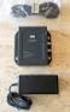 DATA SHEET CISCO AIRONET POWER INJECTOR Cisco Aironet Power Injector products increase the deployment flexibility of Cisco Aironet wireless access points and bridges by providing an alternative powering
CISCO CATALYST 3750 SERIES SWITCHES
 AT-A-GLANCE CISCO CATALYST 3750 SERIES SWITCHES Product Part Number Port Speed Number Cisco Catalyst 3750-24TS 3750-24TS 3750-24FS 3750-24PS 3750-24PS 3750-48TS 3750-48TS 3750-48PS WS-C3750-24TS-S 10/100
Cisco Unified CME B-ACD and Tcl Call-Handling Applications
 Cisco Unified CME B-ACD and Tcl Call-Handling Applications December 2008 Americas Headquarters Cisco Systems, Inc. 170 West Tasman Drive San Jose, CA 95134-1706 USA http://www.cisco.com Tel: 408 526-4000
Best Practices for Monitoring Cisco Unity Devices with Cisco Unified Operations Manager
 . Best Practices for Monitoring Cisco Unity Devices with Cisco Unified Operations Manager Copyright 2010 Cisco Systems, Inc. This document is Cisco Public Information. Page 1 of 16 Contents Introduction...
Production Software Within Manufacturing Reference Architectures
 Production Software Within Manufacturing Reference Architectures Synopsis Industry adoption of EtherNet/IP for control and information has driven the wide deployment of standard Ethernet for manufacturing
Cisco Aironet Wireless Bridges FAQ
 Cisco Aironet Wireless Bridges FAQ Document ID: 16041 Contents Introduction What is the Cisco Aironet Wireless Bridge? What are the different platforms of wireless bridges that Cisco offers? Where can